Executive Summary for Decision-Makers
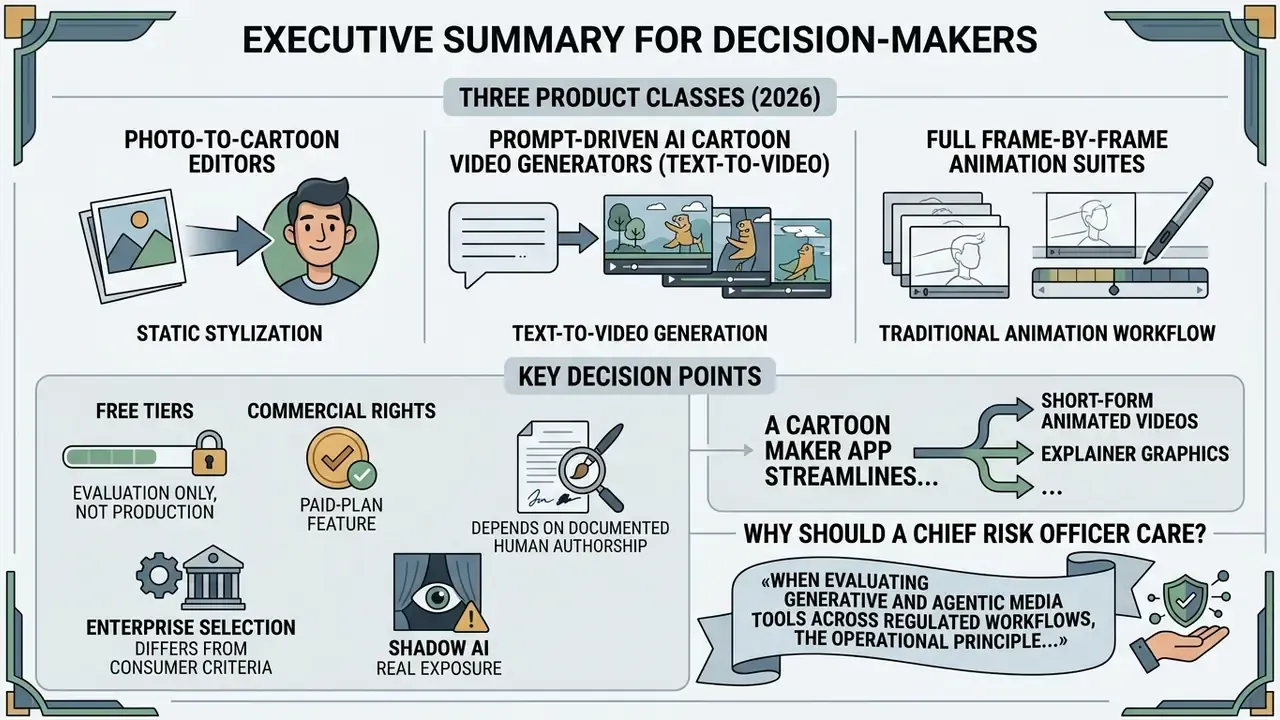
- Three product classes dominate 2026: photo-to-cartoon editors, prompt-driven AI cartoon video generators (text-to-video), and full frame-by-frame animation suites. Mixing them in one workflow is normal. Mixing their licenses is a legal risk.
- Free tiers are evaluation tiers, not production tiers. Expect watermarks, 540p to 720p ceilings, three-minute duration caps, and explicit non-commercial clauses.
- Commercial rights are a paid-plan feature. Animaker, Powtoon, Renderforest, and InVideo AI all gate commercial usage grants behind subscriptions.
- Copyright protection depends on documented human authorship. Purely prompt-generated output cannot be registered in the United States without disclosed human creative contribution.
- Enterprise selection criteria differ from consumer criteria. SSO (SAML/Okta), SOC 2 or ISO 27001 attestation, prompt-and-asset audit logs, and a documented data opt-out from model training matter more than brush counts.
- Shadow AI is the real exposure. Consumer mobile animation apps installed on corporate devices frequently upload scripts and brand assets to unaudited cloud endpoints.
A cartoon maker app streamlines the production of short-form animated videos, explainer graphics, and branded marketing assets. It does that by combining pre-built character models, scene templates, and automated rendering workflows. In banks, insurers, and mature fintech firms, digital asset creation is increasingly judged through model risk, governance, and return on investment, the same lens applied under supervisory frameworks such as SR 11-7 model risk guidance and the NIST AI Risk Management Framework. Selecting the right cartoon maker application means balancing creative speed against intellectual property compliance, data privacy, and output licensing.
Why should a Chief Risk Officer care about animation software at all? Because a marketing seat purchased on a departmental card can quietly move draft product names, unreleased rate sheets, and policy text into a vendor's training pipeline.
What a Cartoon Maker App Does and Which Videos It Suits
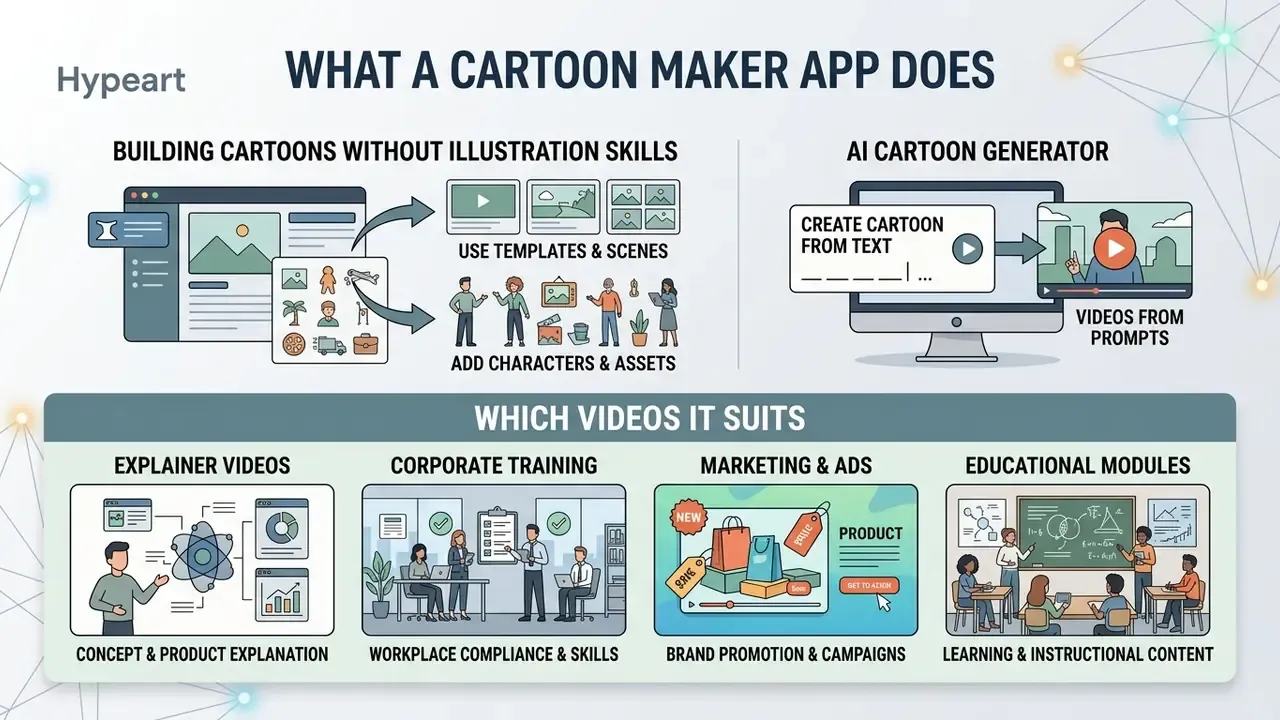
A cartoon maker app lets creators, marketers, and instructional designers build high-engagement visual assets without traditional frame-by-frame illustration skills. Modern platforms unify asset libraries, vector character rigs, and automated speech synchronization inside one interface. By standardizing asset deployment, a cartoon animation maker app compresses production timelines while keeping visual consistency across public-facing channels.
There is a second, quieter benefit. Videos made from a shared template library are easier to re-approve when a disclosure line or a rate changes.
Creating Cartoons from Templates, Scenes, and Characters
Template-driven creation forms the operational core of conventional cartoon video creator app architectures. Users select pre-configured animated video templates that set baseline camera angles, background layouts, and visual pacing.
Within these environments, asset libraries supply reusable character rigs, prop sprites, and environment layers. Customizing a cartoon creator app means assigning specific poses, movement paths, and facial expressions to digital avatars. Enterprise teams lean on standardized templates to produce high volumes of consistent visual collateral, such as customer onboarding guides and internal compliance modules. Teams comparing template depth across vendors can review consolidated feature breakdowns of animation maker tools and templates before committing to a subscription tier.
Template libraries also differ dramatically in raw inventory. Renderforest publishes named toolkits (Whiteboard Animation, 3D Explainer, Trendy Explainer) with roughly 419 templates and 150 pre-built scenes. Powtoon exposes four distinct visual looks, namely Animation, Video, Whiteboard, and Cartoon, layered over a media library of more than 10,000 animations, characters, props, footage, and audio files.
AI Cartoon Video Generator: Creating Videos from Prompts or Text
An AI cartoon video generator converts unstructured text prompts, script documents, or static imagery into fully rendered animated sequences. These tools use language models and diffusion networks to perform automated storyboarding, character generation, and scene composition. Readers evaluating the underlying model layer can study how modern text-to-video AI tools differ from template renderers in latency, controllability, and per-second cost.
Users can test advanced generative workflows through specialized resources such as the perchance ai video generator for automated prompt experimentation, or examine search-driven synthesis models via the perplexity ai video analysis guide. In corporate deployments, a text-to-video cartoon video generator ingests written case studies, parsing problem, solution, and result parameters, then builds dynamic animated graphs, synthetic narrator avatars, and contextual scene transitions automatically.
One practical distinction matters here. Foundation models such as Google Veo 3.1 or Together AI's Wan 2.7 are API-level generators that require orchestration code, prompt scaffolding, and storage plumbing. Animaker, InVideo AI, and Powtoon are packaged SaaS workspaces that wrap those capabilities in templates, rights management, and export presets. Enterprises typically consume the former through engineering teams and the latter through marketing or learning-and-development functions.
What Tasks Animated Videos Solve
Animated videos address specific communication bottlenecks where live-action footage is impractical, expensive, or hard to update. Key applications include:
- Explainer videos simplifying complex financial instruments, technical architecture, or regulatory procedures into accessible visual narratives.
- Corporate training and compliance standardizing employee onboarding across distributed teams while tracking comprehension through consistent visual messaging. Systematic reviews of 60 controlled trials found positive knowledge effects in 48 of 60 studies (80%) when animated video replaced conventional information delivery.
- Marketing and advertising generating high-converting social media creatives. Industry benchmarks indicate animated ads on Meta platforms yield up to twice the click-through rate of static banner media.
- Educational modules improving retention in digital learning environments through structured visual storytelling, particularly where abstract processes must be visualized rather than described.
«Animated advertising generates a 1.5× higher conversion rate compared with static banners across the Google Display Network.»
«60.8% of marketers use animation for social media posts, the single largest application of animated content.» BreadnBeyond, Animated Marketing Survey (2025). https://breadnbeyond.com/
How to Choose the Best Cartoon Maker App
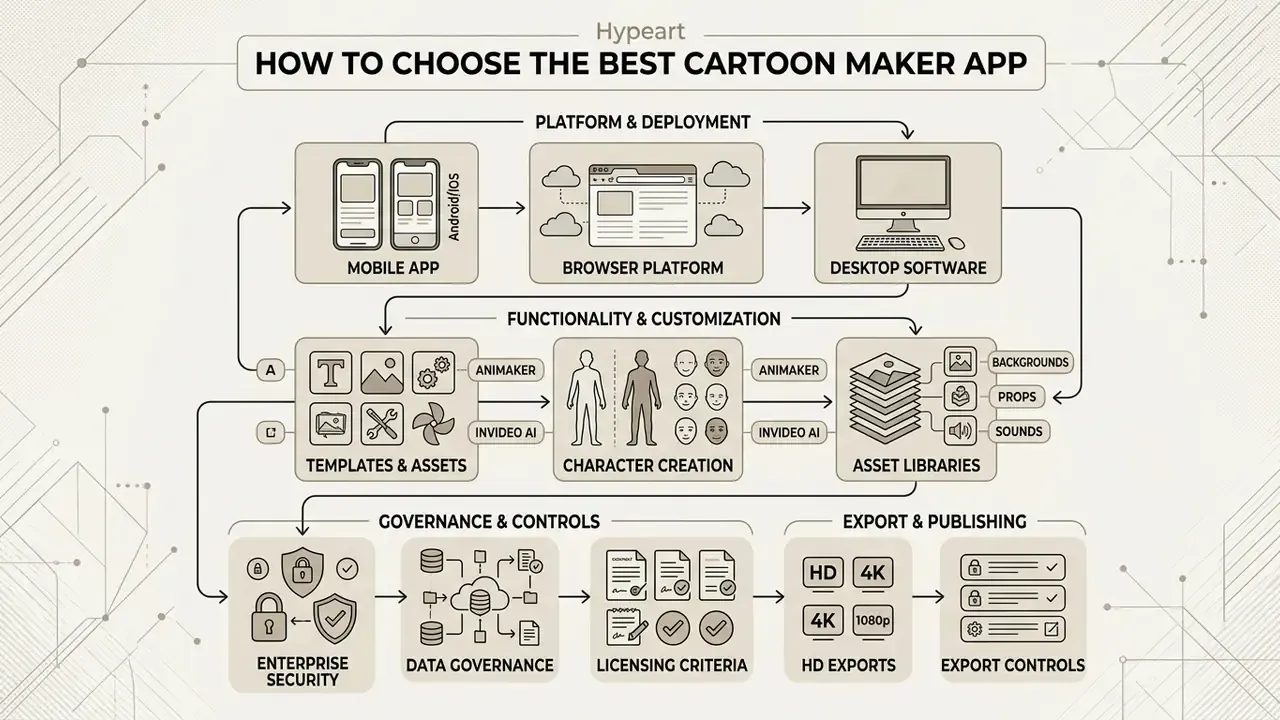
Selecting the best cartoon maker requires a structured review of deployment models, hardware constraints, asset customization depth, and export controls. Decision-makers should weigh total cost of ownership against output governance and licensing rights.
Enterprise Security and Data Governance Criteria
Before comparing brushes, templates, or render speeds, regulated organizations should filter vendors against a security and governance baseline. Creative tooling is often procured on a departmental credit card, which is precisely how unmanaged Shadow AI crosses the perimeter.
| Governance Criterion | What to Verify | Why It Matters |
|---|---|---|
| Identity and access | SAML/OIDC SSO (Okta, Entra ID), SCIM provisioning, role-based permissions | Prevents orphaned accounts holding brand assets after offboarding |
| Attestations | SOC 2 Type II, ISO 27001, penetration-test summaries | Establishes third-party evidence rather than vendor assertion |
| Model training opt-out | Contractual guarantee that prompts, scripts, and uploads are excluded from training corpora | Protects unreleased product names, financials, and policy text |
| Audit trail | Exportable logs of prompts, generations, asset versions, and downloads | Required to reconstruct authorship for copyright registration and internal review |
| Data residency | Region pinning for rendering and storage | Supports GDPR and sector-specific localization duties |
| Retention and deletion | Configurable project retention, verifiable deletion on termination | Limits long-tail exposure of confidential creative material |
Applying this filter early usually removes half of the consumer-oriented candidate list before a single test render exists. Legal teams that want precedent context can also track disputes and disclosure timelines through the AI Litigation and Case Timelines directory.
Mobile Application, Browser Platform, or Desktop Software
Cartoon software ships in three distinct environment architectures, each with technical trade-offs:
- Mobile app (Android/iOS) built for rapid content creation and social publishing. The best cartoon video maker app mobile environment leverages touch controls for quick keyframing, but processing limits and screen size constrain complex multi-layer editing. Export capability is hardware-bound too: HEVC and HEVC-with-alpha encoding generally require Apple A10-class silicon or newer, while H.264 export remains universally available.
- Browser-based platform runs in cloud environments, providing cross-device collaboration, central asset repositories, and cloud-side rendering. Browser platforms streamline enterprise workflows but depend on continuous bandwidth and cloud subscription structures. They also concentrate governance obligations, since every uploaded script traverses vendor infrastructure.
- Desktop software installed locally for full control over timeline keyframes, vector rigging, multi-track audio engineering, and high-resolution rendering without cloud dependency. Desktop suites carry platform-specific export quirks; WMV output, for example, remains Windows-only in several storyboard tools.
Frame limits and GIF specifications. Mobile GIF animation utilities work under far tighter ceilings than video editors. Tools in the GIFBoom class typically cap a single sequence at 60 individual frames per project, exposing live speed and FPS sliders, text overlays, and direct camera-roll import instead of a full timeline. Output is optimized for social sharing rather than broadcast delivery.
Stop-motion capture controls. Specialized stop-motion applications require manual exposure and white-balance locking, adjustable onion-skinning opacity, grid and rule-of-thirds overlays, motion-detection or interval-timer capture, and external shutter triggering via Bluetooth remote. Frame-by-frame chronological review, clip-level cut, copy, and insert, plus 4K export are standard expectations here. Tools such as LookSee Animator additionally expose live exposure and color-balance control during capture.
When folding static media into animated assets, creative teams often add dedicated image processing tools. Hybrid workflows frequently rely on a photo editor app for mobile asset preparation, or a specialized photo background editor to isolate character elements before timeline insertion. Staffing questions follow quickly, and hiring managers benchmarking retouching roles can review market data on photo editor jobs and on distributed photo editor jobs before deciding between in-house and contract capacity.
Templates, Asset Libraries, and Character Customization
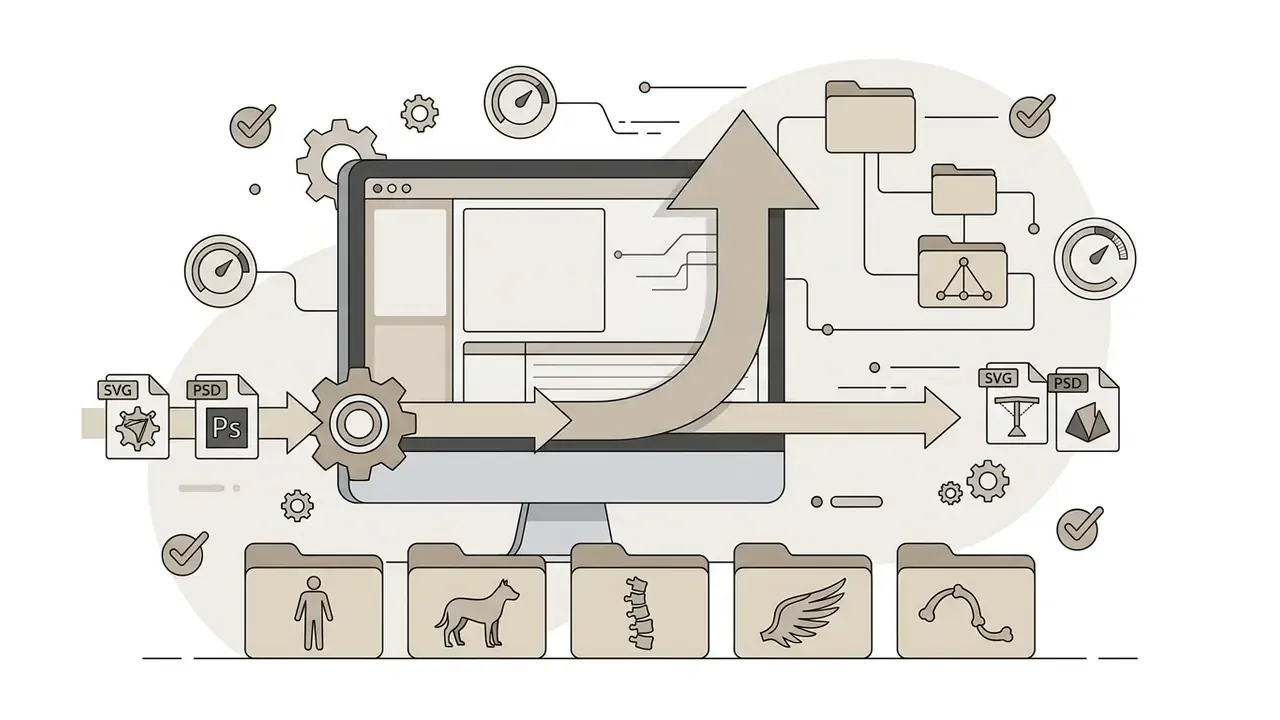
The breadth of built-in stock assets drives long-term utility. The best cartoon creator application offers deep character customization, letting users modify facial features, wardrobe, branding elements, and color palettes. High-tier asset libraries support SVG and PSD template imports, so design teams can upload proprietary corporate mascots straight into the animation rig.
Quantified inventory is the differentiator worth checking during a trial:
Editing, Music, Voiceovers, and Video Export
A capable cartoon video editor app provides multi-track timelines for syncing visual events with audio elements. Key controls include:
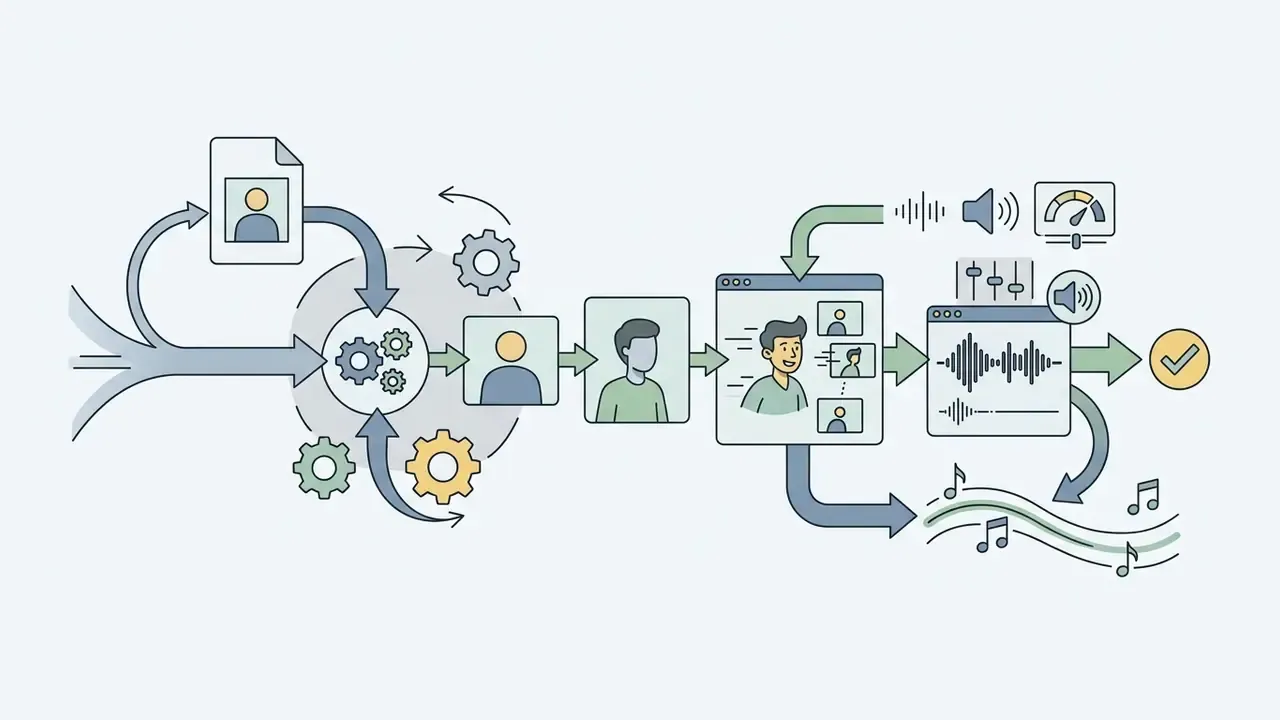
- Audio engineering integrated text-to-speech engines, AI voice cloning, phoneme-level lip-sync alignment, background-noise reduction, and audio ducking. Teams benchmarking synthetic narration quality often start with a structured review of AI voice generator capabilities.
- Timeline controls keyframe manipulation, transition controls, pan-and-zoom (Ken Burns effect), and element duration tuning.
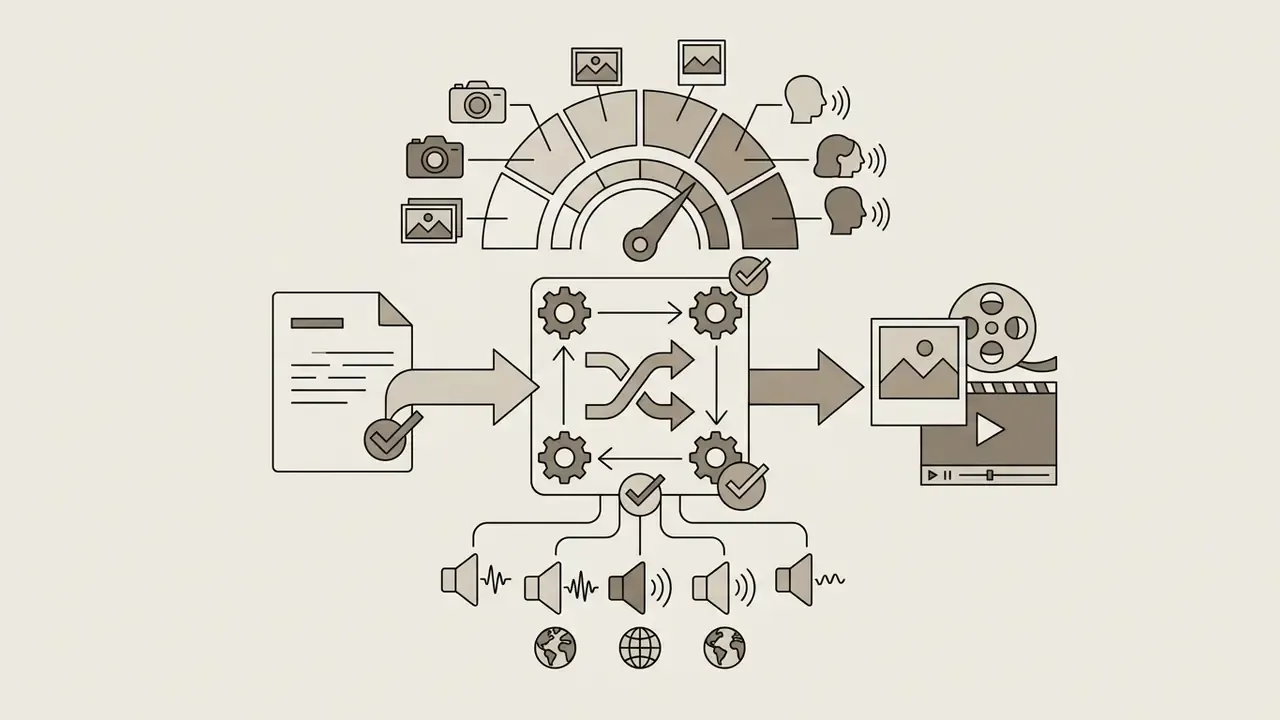
- Export configurations resolution parameters (720p, 1080p HD, 4K UHD), frame rate settings (24fps, 30fps, 60fps), and container formats (MP4, WebM, MOV, GIF) without forced platform watermarks.
- Accessibility alignment caption timing within roughly ±20 ms of authored cues, with audio leading video by no more than 40 ms and video leading audio by no more than 160 ms, per W3C synchronization guidance.
Selection checklist: cartoon maker app
Device and operational environment
- Mobile application (Android and iOS compatibility)
- Browser-based cloud platform (cross-team collaboration)
- Desktop software (local rendering and frame-by-frame control)
Generative and creative capabilities
- AI text-to-video and prompt-based generation
- Niche explainer and social media template library
- Custom vector character builder and mascot rigging
- Stick-figure auto-tweening or skeleton mesh deformation
Audio, licensing, and export controls
- Unwatermarked 1080p HD or 4K export
- Commercial usage license for external marketing
- Multilingual text-to-speech and phoneme lip-sync
- Multi-layer PSD or frame-sequence export to desktop suites
Enterprise security and governance
- SSO (SAML or OIDC) and SCIM user provisioning
- SOC 2 Type II or ISO 27001 attestation available
- Contractual opt-out from model training on uploads and prompts
- Exportable prompt, generation, and download audit log
- Data residency controls and verifiable deletion terms
Best Cartoon Maker Apps by Video Creation Scenario
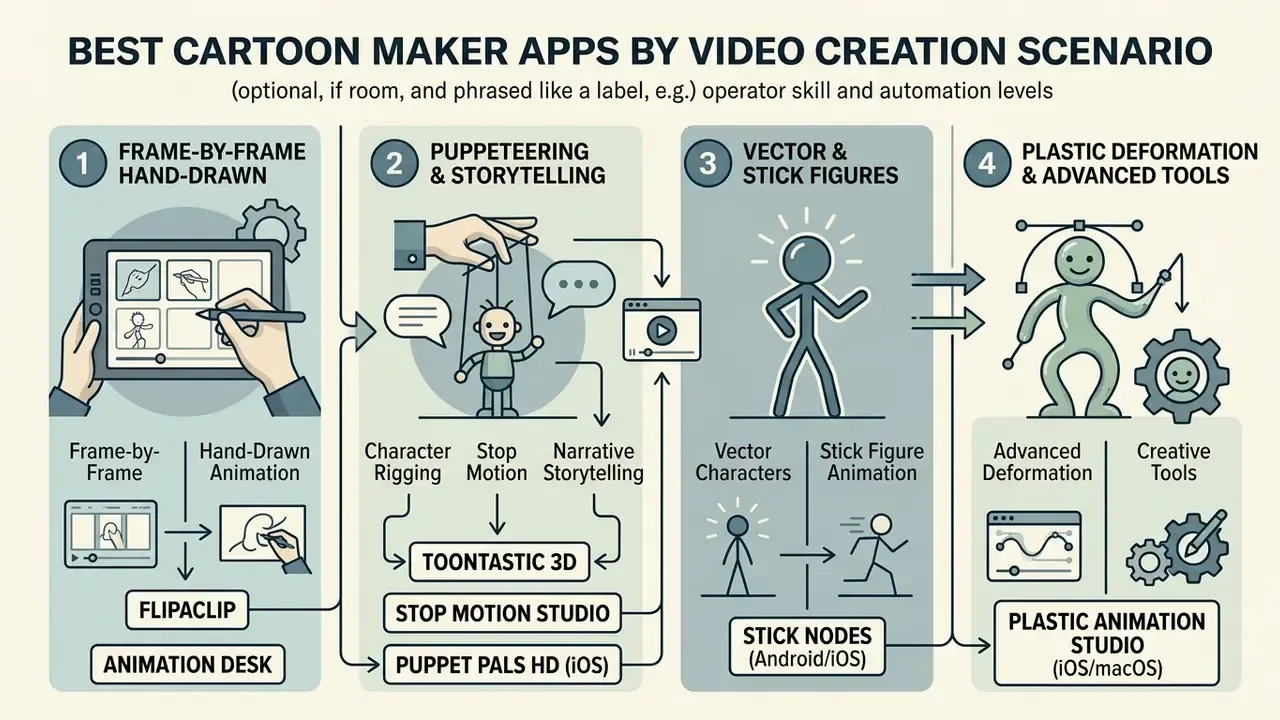
Identifying the best cartoon maker apps depends on the operator's skills, target distribution channels, and required automation level.
Applications for Cartoon Video Maker App on Android and iPhone
Mobile creation environments suit creators who need fast output and direct social network integration. They also represent the most common Shadow AI vector inside organizations, so this category deserves review by both creative and risk functions:
- FlipaClip dominates frame-by-frame 2D digital animation on Android and iOS, providing onion skinning, up to 10 drawing layers, project stacks, glow effects, time-lapse recording, and audio synchronization.
- Animation Desk traditional frame-based drawing tools with 46+ brushes, pressure-sensitive pen support, colored onion skinning, adjustable frames-per-second, animation over imported PSD layers, video, and images, plus export to video, GIF, PDF, and Photoshop formats.
- Toontastic 3D built for structured digital storytelling, mapping narrative arcs (plot mountains, for instance) with interactive 3D character puppets, offline operation, no login requirement, and hard limits of six scenes at up to 60 seconds each.
- Stop Motion Studio specializes in physical stop-motion video creation, with frame capture, grid overlays, live-view movement control, chronological frame review, sound editing, and timeline clip editing, exporting up to 4K.
- Stick Nodes (Android/iOS) stick-figure 2D animation inspired by Pivot. Automated frame-tweening produces smooth interpolated motion, alongside a virtual camera for cinematic panning and zooming, gradient color tools, on-frame text, per-frame sound-effect insertion, and export to MP4 or animated GIF. It doubles as a free cartoon video maker app android users can learn in an afternoon.
- Puppet Pals HD (iOS) real-time puppet manipulation, where creators place custom image cutouts onto digital stages, zoom and rotate avatars with two-finger gestures, double-tap to flip characters, and capture voice narration and movement simultaneously in one live take.
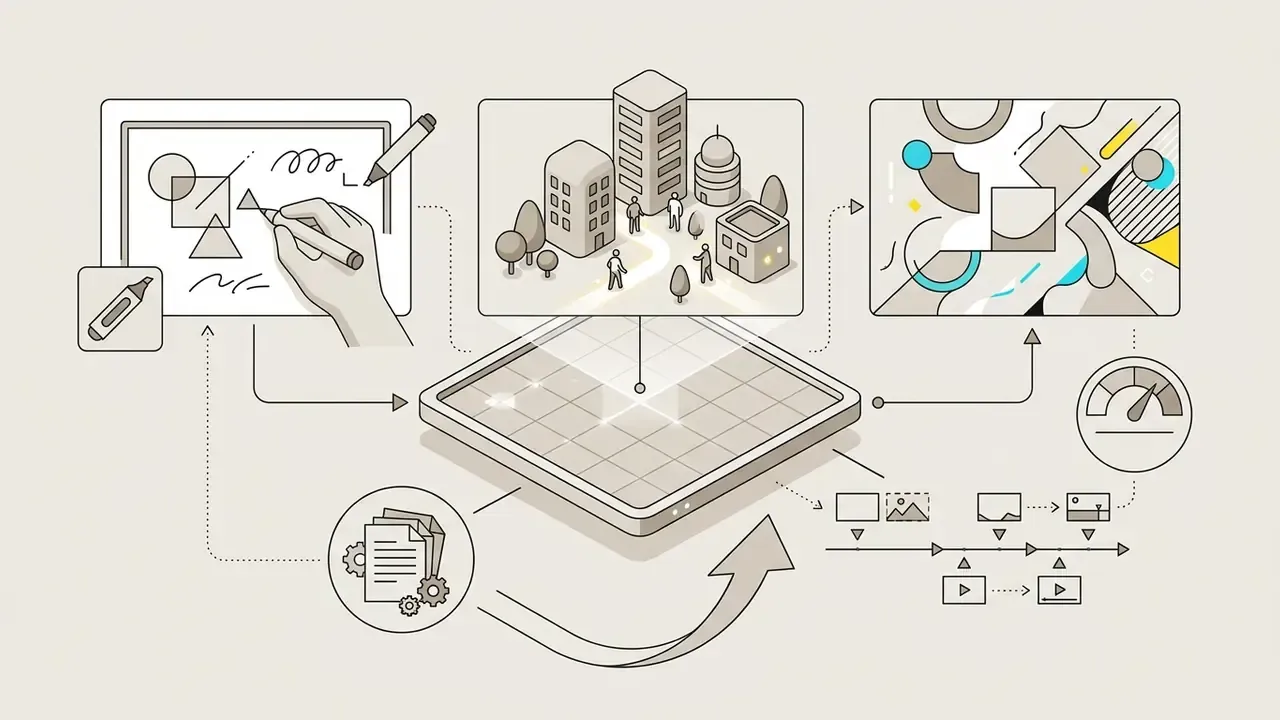
- Plastic Animation Studio (iOS/macOS) bone-structure skeleton mesh deformation applied to a single static illustration, allowing complex stretch-and-pose movement without redrawing individual frames. Useful when no drawing experience exists in-house.
- RoughAnimator (Android/iOS/Desktop) built for hand-drawn animators who need timeline scrubbers, customizable brush pressure curves, audio track import for precise lip-syncing, and direct PSD or Adobe Animate multi-layer export.
- StickDraw – Animation Maker (Android) lightweight stickman and stop-motion animation with frame-by-frame drawing and export to GIF and MP4, aimed at beginners with no training overhead. It frequently appears on lists of the best free cartoon maker apps for phones.
Shadow AI note for regulated teams. Consumer animation apps are optimized for engagement, not governance. Most lack SSO, offer no audit log, and process uploads through consumer cloud endpoints under consumer terms. Where staff use these tools, restrict them to non-confidential content, prohibit uploading unreleased product artwork or policy text, and route final commercial deliverables through a governed browser or desktop platform where licensing and authorship can be evidenced.
AI Tools for Fast Cartoon Video Creation
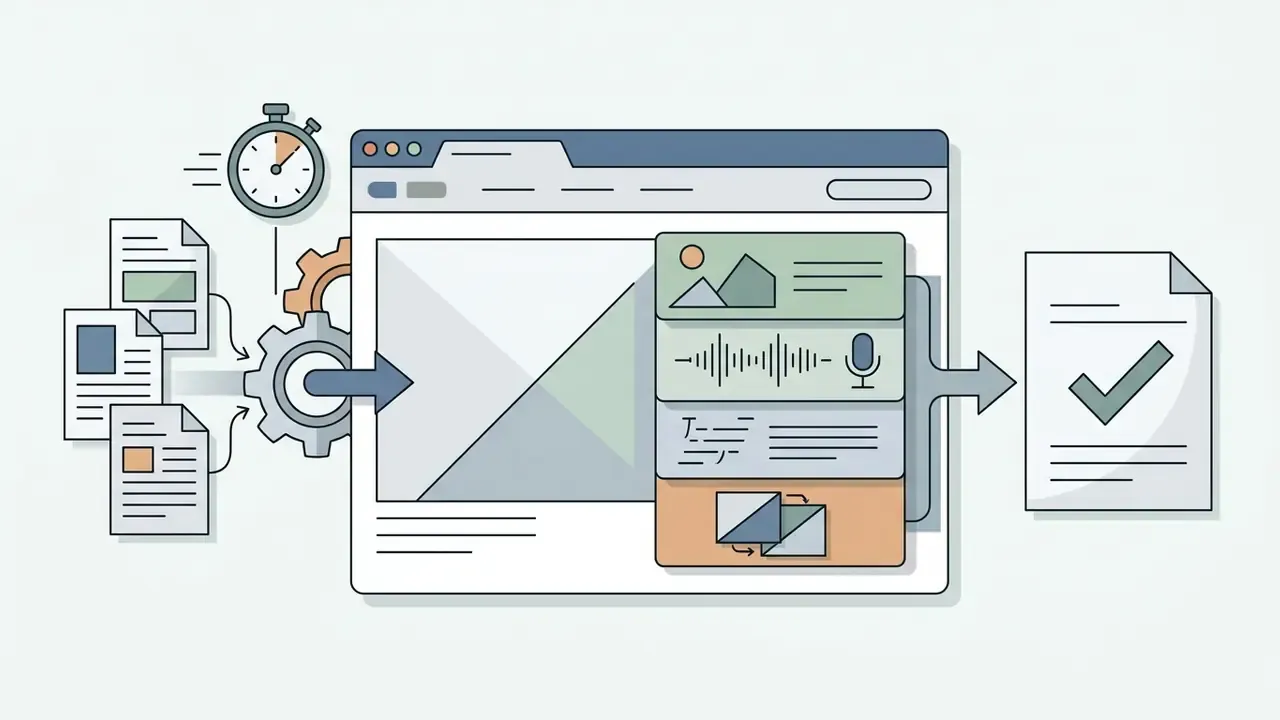
Enterprise AI cartoon video generator tools automate raw asset creation through natural language processing. A structured comparison of leading AI video generators helps separate agentic script tools from single-shot clip models:
Online Services with Templates for Animated Videos
Browser-based template platforms pair approachable design interfaces with solid rendering architecture:
| Service Name | Supported OS / Platform | AI Features and Asset Volume | Enterprise Readiness | Free Tier Limits | Entry Paid Tier Pricing | Target Use Case |
|---|---|---|---|---|---|---|
| Animaker | Web / iOS / Android | 200+ character actions, 20+ expressions, 800+ AI voices in 170+ languages, 100M+ stock assets, 1,000+ templates, lip-sync, auto-subtitles | Team seats, brand kits; verify SSO and training opt-out contractually | Watermarked output, capped asset library | ~$15 to $30 / month | Corporate explainers and character videos |
| InVideo AI | Web / Mobile | Magic Box prompt editing, agentic script-to-video, per-character voice casting, 16M+ stock photos and videos, voices in 50+ languages | Team plans available; commercial grant only on paid tiers | Watermarked, ~10 min AI generation per week, ~720p output | ~$17 to $25 / month | B2B marketing and automated video generation |
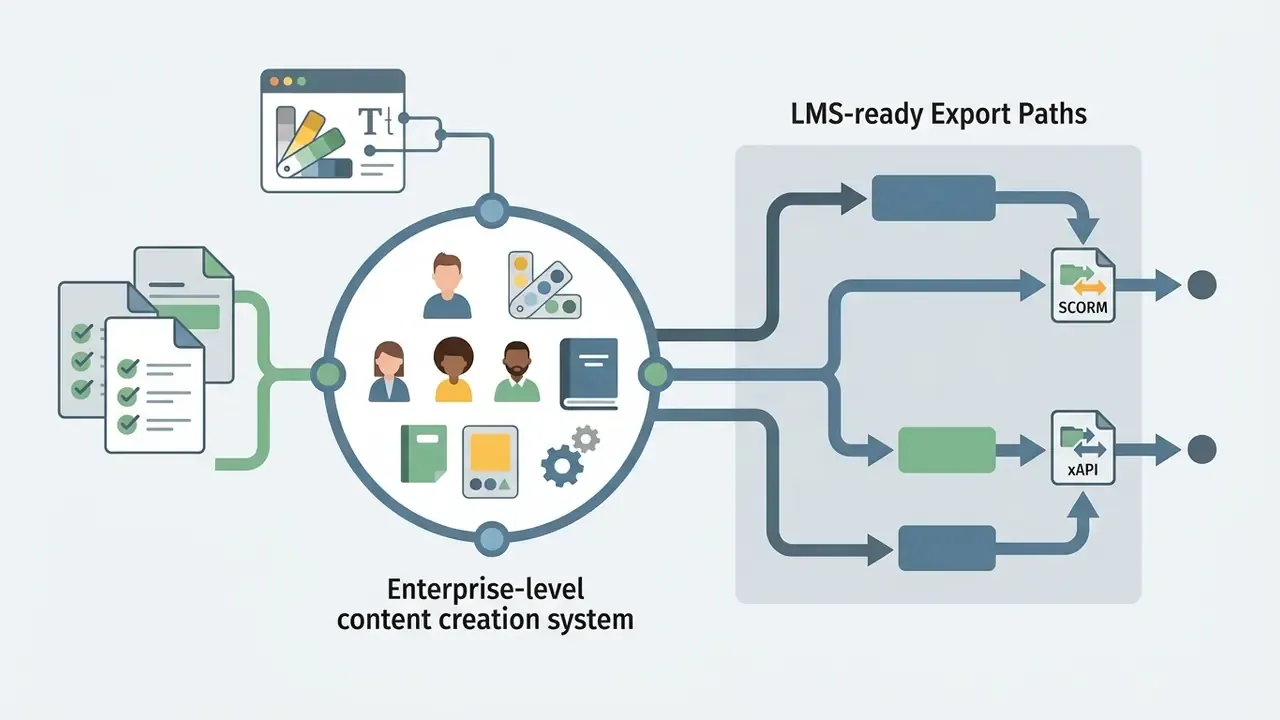
| Powtoon | Web | AI text-to-video, AI voiceover, doc-to-video, hundreds of explainer templates, 10K+ library assets, branded fonts and logos | Business tier with LMS/SCORM-oriented export and brand governance | Watermarked, three-minute max length, non-commercial | ~$15 to $50 / month | Business presentations and enterprise training |
| Renderforest | Web | Whiteboard, 3D and trendy explainer toolkits; ~419 templates, 150 scenes; template automation | Business and Pro tiers unlock commercial rights and 4K | Watermarked, HD 720, three-minute duration limit | ~$10 to $20 / month | Explainer videos and promotional clips |
| FlipaClip | Android / iOS | Limited AI (manual frame drawing focus), 10 layers, onion skin, time-lapse capture | Consumer-grade; unsuitable for confidential assets | Basic features free, ads included | ~$3 to $9 / month (app) | Traditional 2D hand-drawn animation |
| Animation Desk | Windows / macOS / iOS / Android | 46+ brushes, colored onion skinning, PSD and video underlay, adjustable FPS, PDF and Photoshop export | Consumer or prosumer; export-based handoff to governed desktop suites | Ads in basic tier, feature gating | ~$2.49 / month (iOS Pro) | Frame-by-frame illustration and pre-production |
| Adobe Express | Web / iOS / Android | Generative AI text-to-image and effects, 8 animation presets, voice recording, WAV/MP3 upload | Enterprise identity via Adobe admin console; commercially safe generative credits on paid tiers | Limited generative credits, restricted premium assets | ~$9.99 / month | Quick social media clips and marketing graphics |
«One pharmaceutical company produced more than 2,000 videos in a single year with Animaker, saving over $1.4 million in agency costs.»
Free Cartoon Maker App, Pricing, and Video Usage Terms
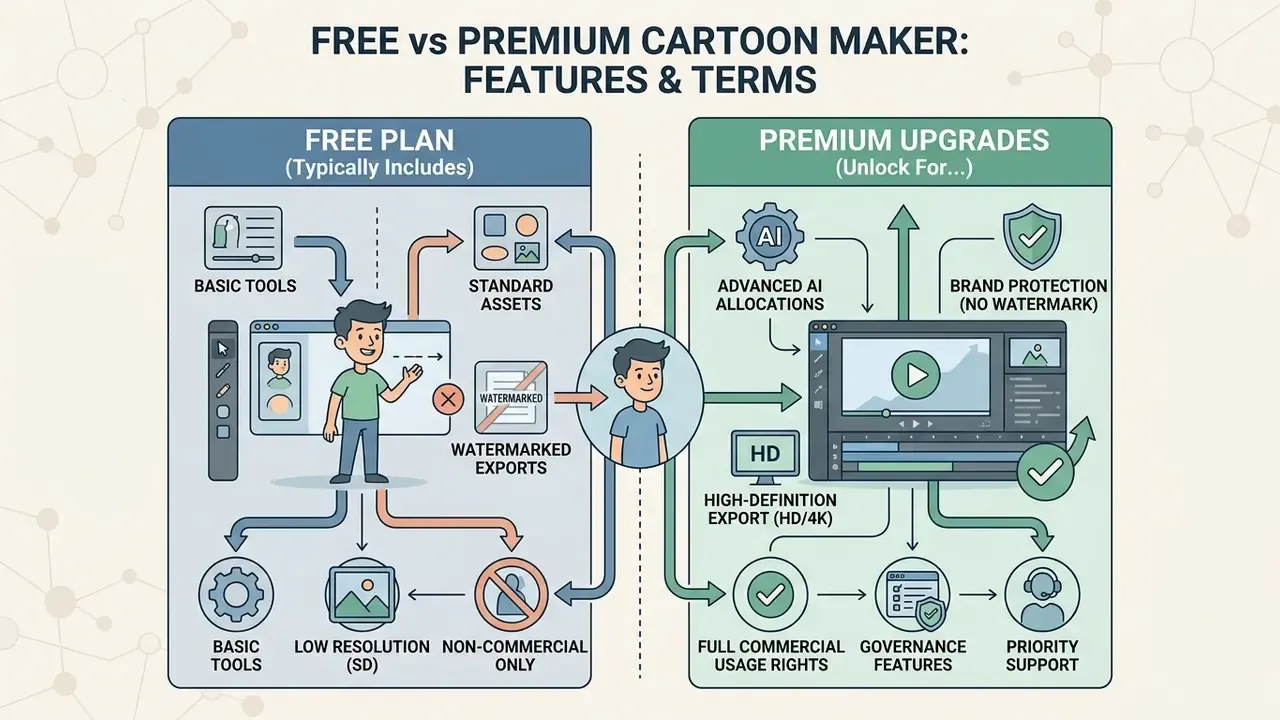
Software pricing here has two layers: functional constraints on free plans, and legal obligations for commercial distribution. Skip the second layer and the savings evaporate fast.
What a Free Cartoon Maker App Typically Includes
A free cartoon maker app usually functions as an evaluation tier. Standard free capabilities include basic scene templates, standard shape assets, manual drawing tools, and standard-definition preview rendering. Comparative limits across the category are catalogued in our review of free AI video generators.
Free plans still enforce hard operational caps. The most common restrictions are embedded vendor watermarks, video length limits (often 30 seconds to three minutes), capped export resolutions (540p or 720p HD), monthly download quotas, and explicit prohibitions on using generated assets in commercial, revenue-generating, or promotional campaigns. That pattern holds whether the tool markets itself as a free cartoon creator app, a free cartoon animation maker app, or a free cartoon video editor app.
«InVideo AI's free plan is limited to roughly 10 minutes of AI generation per week, four watermarked exports, and about 720p output with no commercial rights.»
«Renderforest's free plan allows HD 720 videos carrying the platform watermark and no longer than three minutes.» Renderforest Subscription Documentation (2025 to 2026). https://www.renderforest.com/pricing
Character-builder utilities can be stricter still: some free tiers cap output at 240p with a permanent watermark, while granting indefinite personal use of the tool itself.
When a Free Cartoon Video Maker App Is Not Enough
Enterprises and professional marketers move from a cartoon maker app free tier to paid plans once requirements include:
- Brand protection removal of third-party platform watermarks and introduction of corporate visual identity kits (fonts, palettes, logos).
- High-definition export 1080p HD or 4K UHD rendering for broadcast, wide-screen presentation, or paid social advertising.
- Commercial usage rights indemnification and explicit contractual licensing covering generated visuals, character rigs, and background audio.
- Advanced AI allocations expanded generation credits for text-to-video synthesis, neural voice cloning, and automated phoneme lip-syncing.
- Governance features SSO, seat management, shared brand libraries, and downloadable activity logs. These almost never appear below team-tier pricing.
AI credit allocation benchmark. Generative video platforms typically charge 10 to 25 generation credits per five-second clip. A fully rendered one-minute AI cartoon video with synthetic voiceover and auto-captioning therefore consumes roughly 120 to 200 credits, depending on the underlying foundation model (Wan 2.7 versus Veo 3.1, for example) and on how many regenerations a scene needs before approval. Budget two to three regeneration passes per scene when modelling annual spend. In practice, teams underestimate this line item more than any other.
«Companies using video marketing grow revenue 49% faster than those that do not.»
To model total software expenditure across departmental teams, managers use dedicated analytical resources such as AI Media Calculators for per-seat rendering costs, or review unified index breakdowns via AI Media Pricing Guides for enterprise licensing benchmarks.
What to Verify Before Using Video in Marketing and Business
Publishing animated assets commercially brings distinct intellectual property questions. Verification should be rigorous, and ideally repeatable:
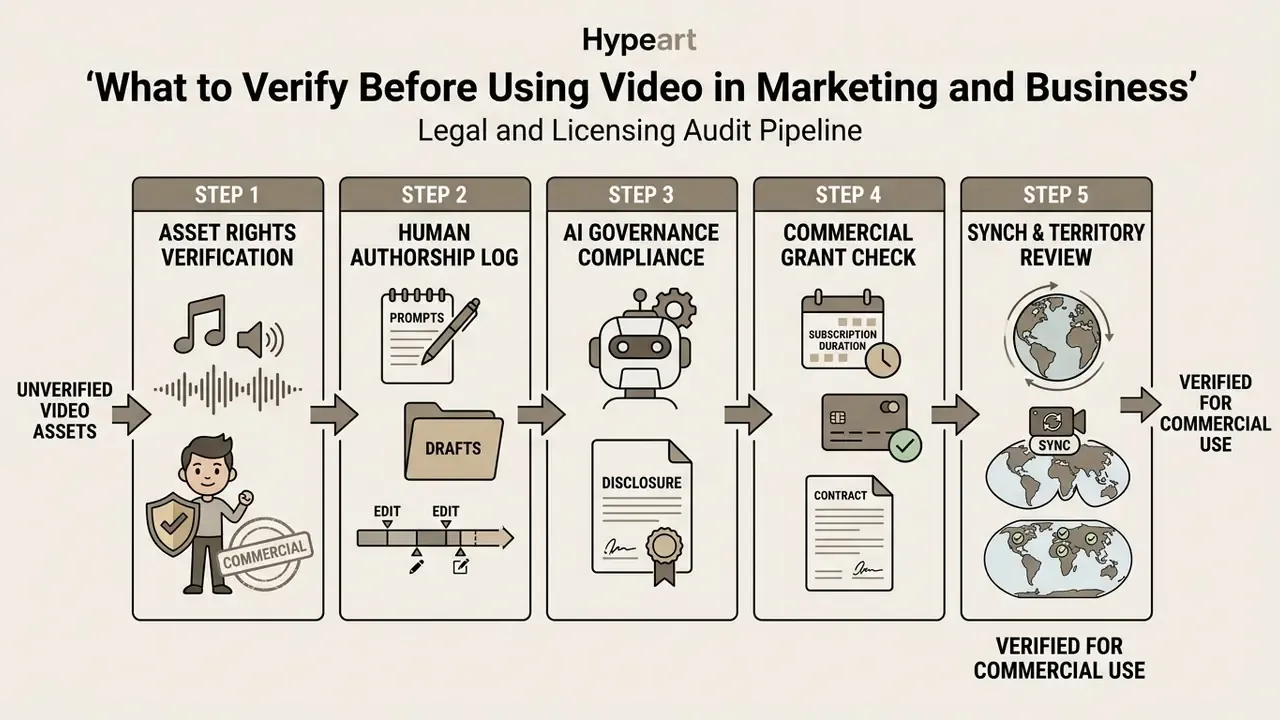
In the United States, current guidance from the U.S. Copyright Office holds that purely AI-generated visual output lacking sufficient human creative selection, arrangement, or modification cannot claim copyright protection. Applicants must also disclose AI-generated content inside registration submissions. Organizations registering commercial cartoon assets should document human authorship interventions and confirm that background audio tracks hold explicit synchronization licenses for commercial distribution. Broader precedents and grant structures are summarized in our overview of commercial licensing for AI-generated visual assets.
Fact-check and verification status (2026 commercial terms):
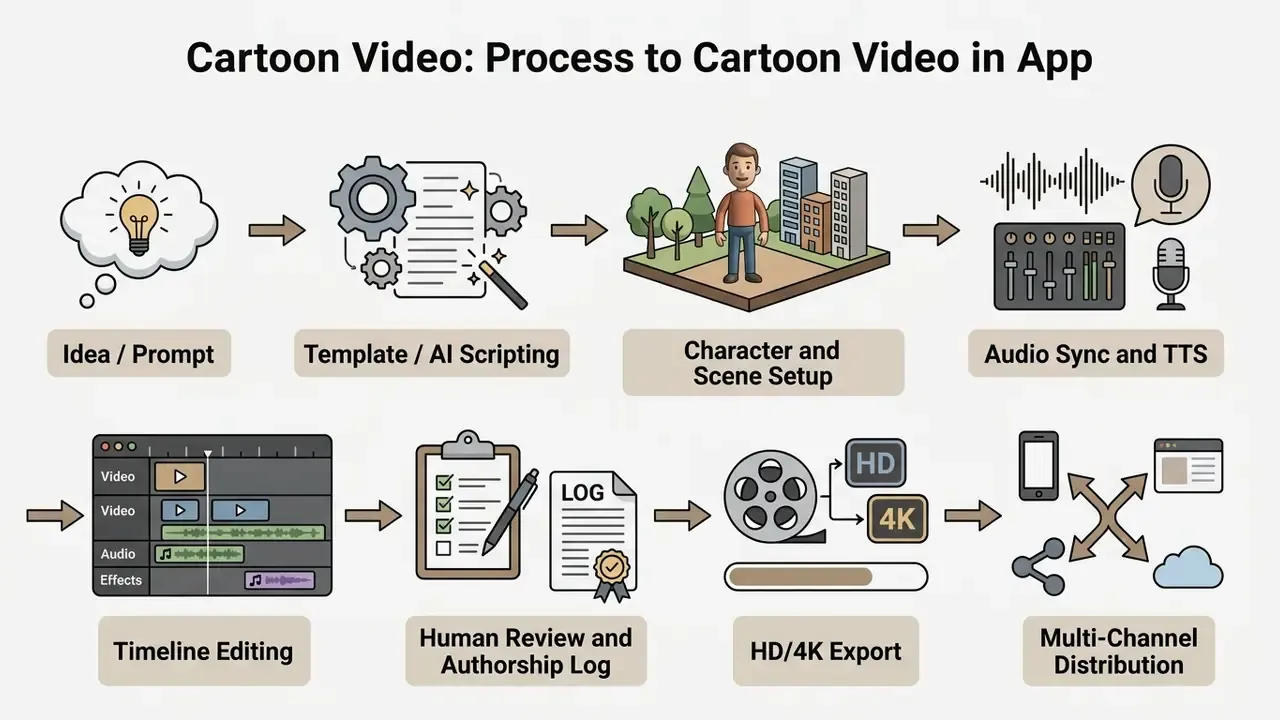
How to Create a Cartoon Video in an App: From Idea to Publication
A professional animation project runs on a structured pipeline, moving from story development through asset assembly to final encoding.
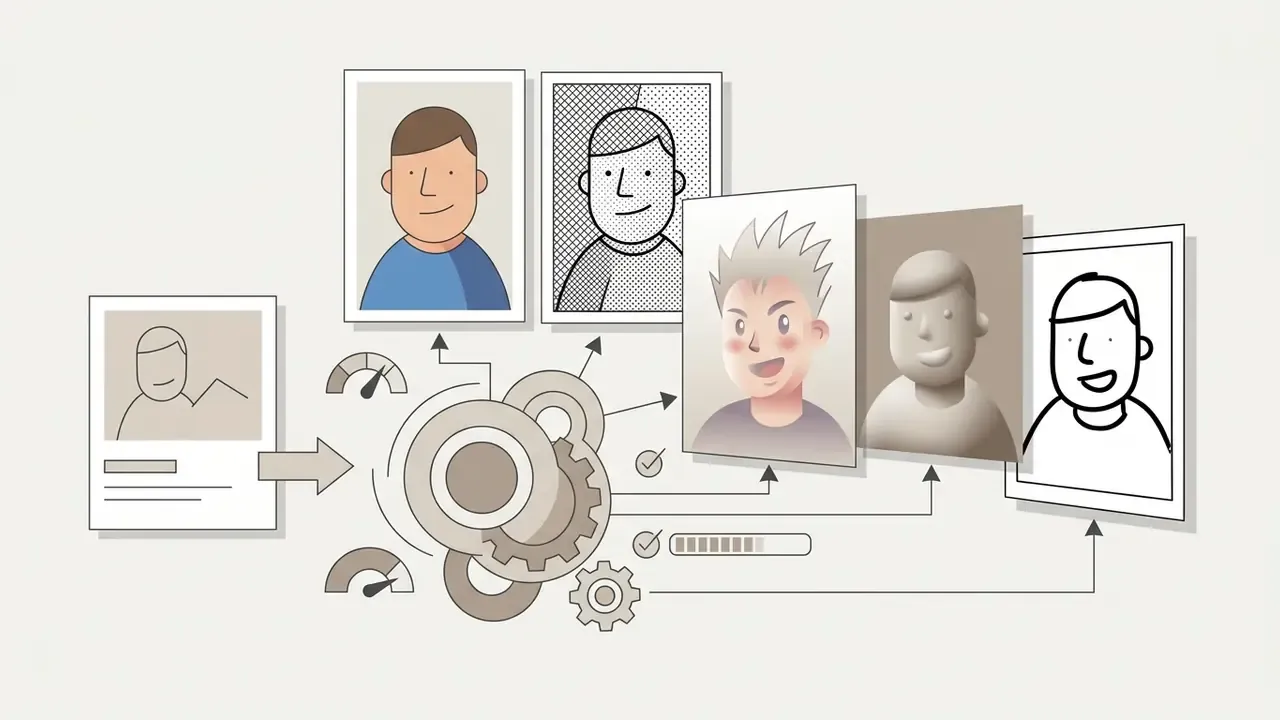
Fast Track: Converting a Still Photo into an Animated Cartoon Sequence
With static images, product photography, or corporate headshots, modern mobile and browser apps compress photo-to-cartoon conversion into four operations:
This route is the fastest path from a single asset to a shareable clip. It also produces thin authorship evidence, so document the human editing decisions when the created video will be used commercially.
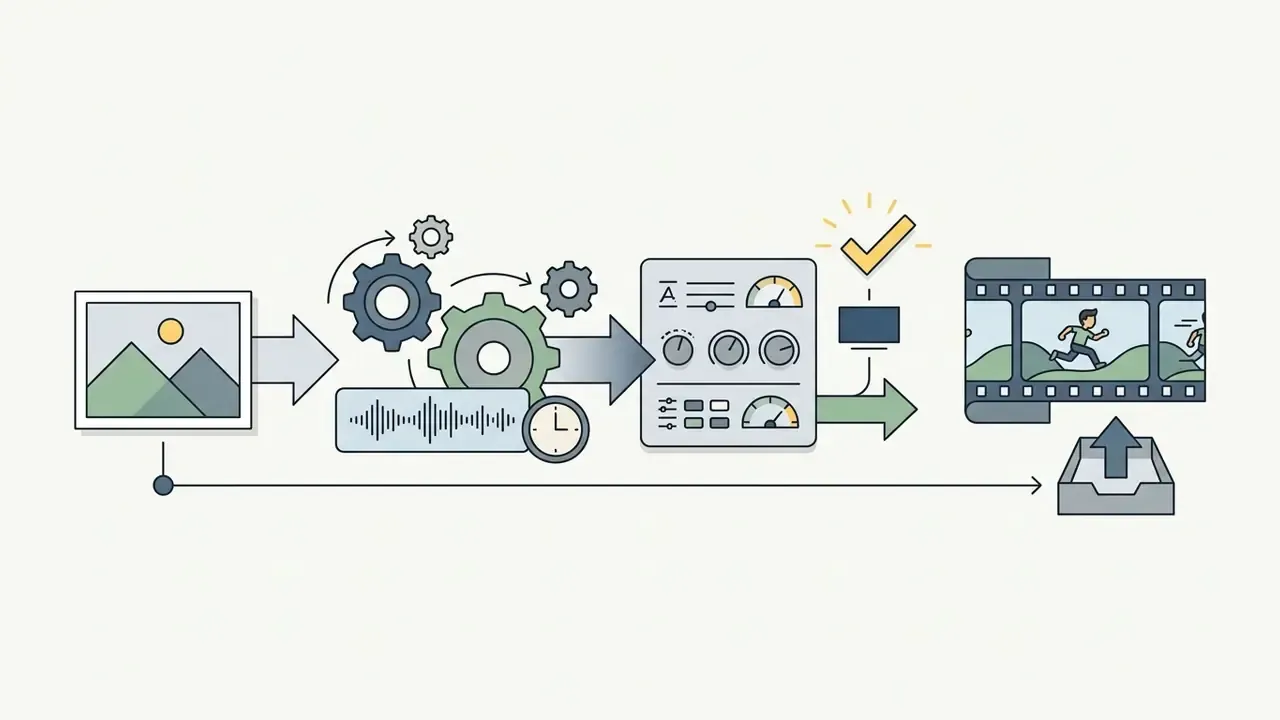
Choose a Template or Formulate an AI Prompt
The first stage sets the narrative frame. In template-driven environments, creators select a pre-built scene flow matching the topic: product demo, financial report, policy update.
When using an AI cartoon video generator, structured prompts define scene parameters. Applying a standardized prompting framework, defining Role, Context, Objective, Style, Tone, Audience, and Output constraints in line with the C-O-S-T-A-R structure documented in NIST prompt-engineering guidance, keeps storyboards consistent, character descriptions cohesive, and pacing sane.
For learning-and-development teams, that effect size is the practical argument for animation over slide decks: abstract or invisible processes become observable. One caveat worth naming, the studies sit in education settings, not in bank compliance training, so treat transfer as a working hypothesis.
Configure Characters, Scenes, Texts, and Animation
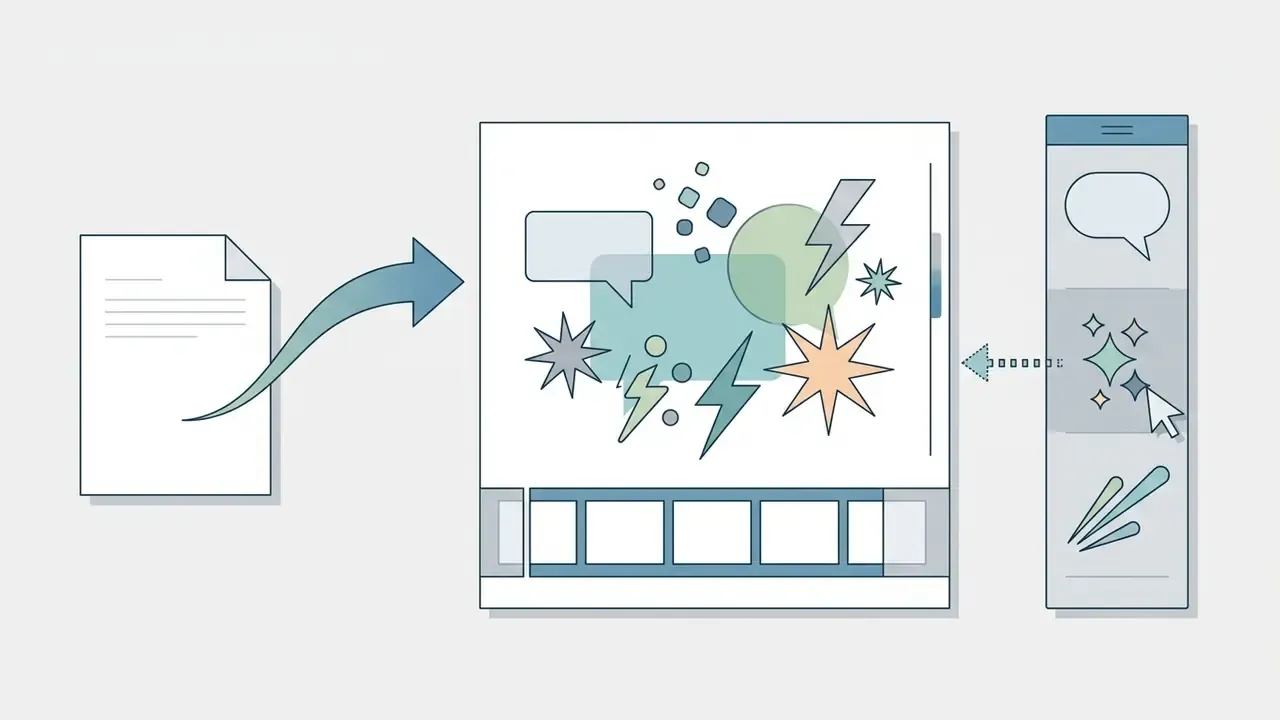
Once the initial scaffolding exists, editors customize scene elements inside the app:
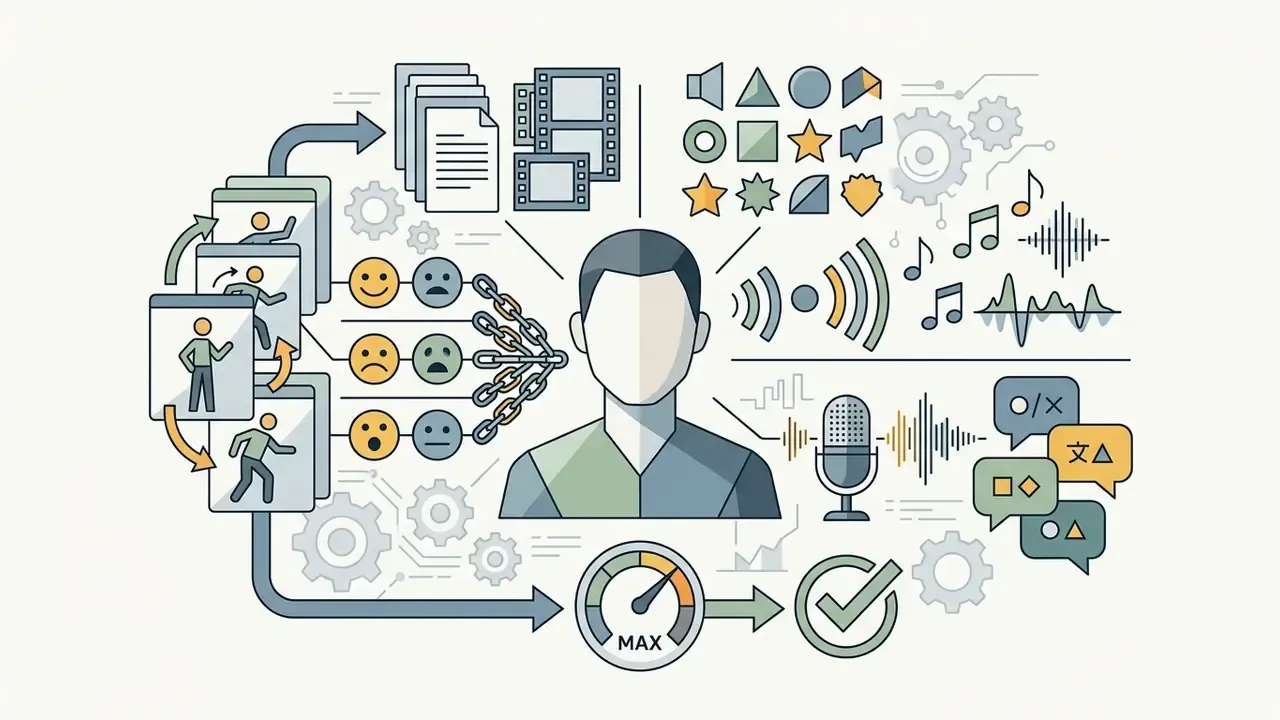
- Character assignmentrigging vector avatars, defining entry and exit motions, and selecting emotional keyframes (professional, surprised, authoritative). Skeleton-based tools apply mesh deformation to a single drawing; keyframe-based tools require explicit poses per beat.
- Environment and layoutadjusting background elements, camera focal lengths, visual layering, aspect ratio, and prop placement.
- Text and graphic overlaysinserting animated titles, dynamic lower-thirds, data callouts, and brand logos synchronized to keyframe triggers.
- Human review and authorship loggingrecording who modified which scene, which prompts were used, and which generated variants were rejected. This step satisfies copyright disclosure obligations and internal model-risk documentation at once.
For enterprise teams automating media workflows, developers reference technical documentation via the AI Media API specification to wire programmatic video rendering into existing content management pipelines, and evaluate orchestration patterns for AI video generator workflows before committing engineering resources.
FAQ on Cartoon Maker Applications
Can You Cartoonize Video Online Free?
Yes. Several online platforms provide automated conversion tools that apply neural style transfer to existing live-action footage. Media.io, Fotor, GoEnhance AI, Mango Animate, and AILab by Wondershare let users upload short video files (typically 15 to 60 seconds) and apply cartoon, 3D render, Ghibli-style, or anime filters in the browser.
«69% of consumers prefer learning about a product or service by watching a short video, and social video is shared 48% more often than other content types.» Cambridge Filmworks, Video Marketing Statistics Compilation (2024). https://cambridgefilmworks.com/ The limits are real, though. Free cartoonize services enforce file-size caps (frequently 30MB to 100MB), clip-length ceilings (15 to 60 seconds), low export resolution (720p or lower), embedded platform watermarks, and non-commercial license terms. Converting long-form commercial footage means upgrading to a paid tier.
Which Applications Are Used for Manual Cartoon Animation?
Animators and digital artists who need full control over drawing frames, vector paths, and bone rigging use specialized manual animation software:
- OpenToonz: a free, open-source 2D suite supporting frame-by-frame traditional drawing, Toonz Vector and Toonz Raster levels, scan cleanup, motion tweening, a multiplane camera, onion-skin visualization, cutout animation, and a digital Xsheet for timing.
- Pencil2D: a lightweight, open-source hand-drawn animation application supporting bitmap and vector graphics across Windows, macOS, Linux, and FreeBSD. Teams assembling a zero-cost pipeline can pair it with options from our roundup of free video editing software.
- Blender: an open-source 3D creation suite whose Grease Pencil toolset lets artists draw 2D vector animation inside a full 3D viewport, alongside rigging, simulation, and rendering.
- Clip Studio Paint EX: a commercial standard for frame-by-frame 2D animation, comic creation, and illustration, exporting to MP4, GIF, and PNG, BMP, JPEG, Targa, or TIFF image sequences.
- Adobe Animate: a desktop vector animation environment documenting frame-by-frame workflows, project templates for banners and presentations, and publishing paths to video, GIF, HTML5 Canvas, mobile apps, and game engines.
Can Mobile Cartoon Apps Export Multi-Layer PSD Files to Professional Desktop Software?
Yes. Professional-grade mobile animation apps such as Animation Desk and RoughAnimator export multi-layer PSD files, numbered frame sequences, or vector layers directly. Artists can rough out sketches, lip-sync alignment, and onion-skinning on a tablet, then move raw layers into desktop suites such as Adobe Animate, Clip Studio Paint EX, or After Effects for final compositing, color, and audio mixing. Two caveats apply. First, export ceilings are device-bound: available storage and hardware video encoding determine maximum project length and codec choice, and HEVC or ProRes output may require newer silicon and specific OS versions. Second, layer naming and blend-mode fidelity are not guaranteed across every app-to-suite pairing. Run a small test export before committing a production schedule to a tablet-first pipeline.
How Does a Cartoon Creator App Differ from a Cartoon Video Editor App?
A cartoon creator app focuses on asset generation and scene construction. It supplies tools to design vector characters, assemble background layouts, build rigs, and compose animated scenes from templates or AI prompts. Think of it as adding puppets and props to a stage. A cartoon video editor app, by contrast, emphasizes timeline work on existing clips. It handles trimming, multi-track sequencing, keyframe and clip-level motion editing, transitions, color grading, audio ducking, and caption overlays. Modern cloud platforms often merge both functional sets into one workspace, and a structured best AI video generators comparison helps identify which vendors genuinely deliver both halves rather than one plus a thin wrapper.
«Animated explainer videos up to 90 seconds achieve an average viewer retention of 79%, compared with 52% for live-action equivalents.» Amra & Elma, Animation Marketing Statistics 2026. https://www.amraandelma.com/ To compare performance metrics and feature sets across leading creative platforms, technical evaluators consult published AI Media Comparison Matrices for objective tool scoring.
Limitations, Open Questions, and a Safe Next Step
Some of the evidence above is thinner than a governance committee would like. Vendor asset counts come from marketing pages and change without notice. Conversion and retention benchmarks originate with agencies that sell animation, so directional value is fair, precise forecasting is not. Audience assumptions about who buys these tools inside a bank should stay labeled as hypotheses until interviews, CRM data, or analytics confirm them.
Three questions remain genuinely unresolved in 2026. How much human editing is enough for a copyright registration to survive challenge? Which vendors will keep training opt-outs intact after an acquisition? And how will auditors treat prompt logs stored only inside a SaaS vendor's tenancy?
A low-risk next step looks like this. Pick one non-confidential use case, such as an internal policy explainer. Run a 30-day trial on two shortlisted platforms. Require the governance checklist above as an acceptance gate, log every prompt and edit, then measure cost per finished minute against your current agency baseline. Decide after that, not before.