Last updated: August 19, 2026 · Reviewed for: technical accuracy, licensing compliance, enterprise data-handling risk
Executive summary
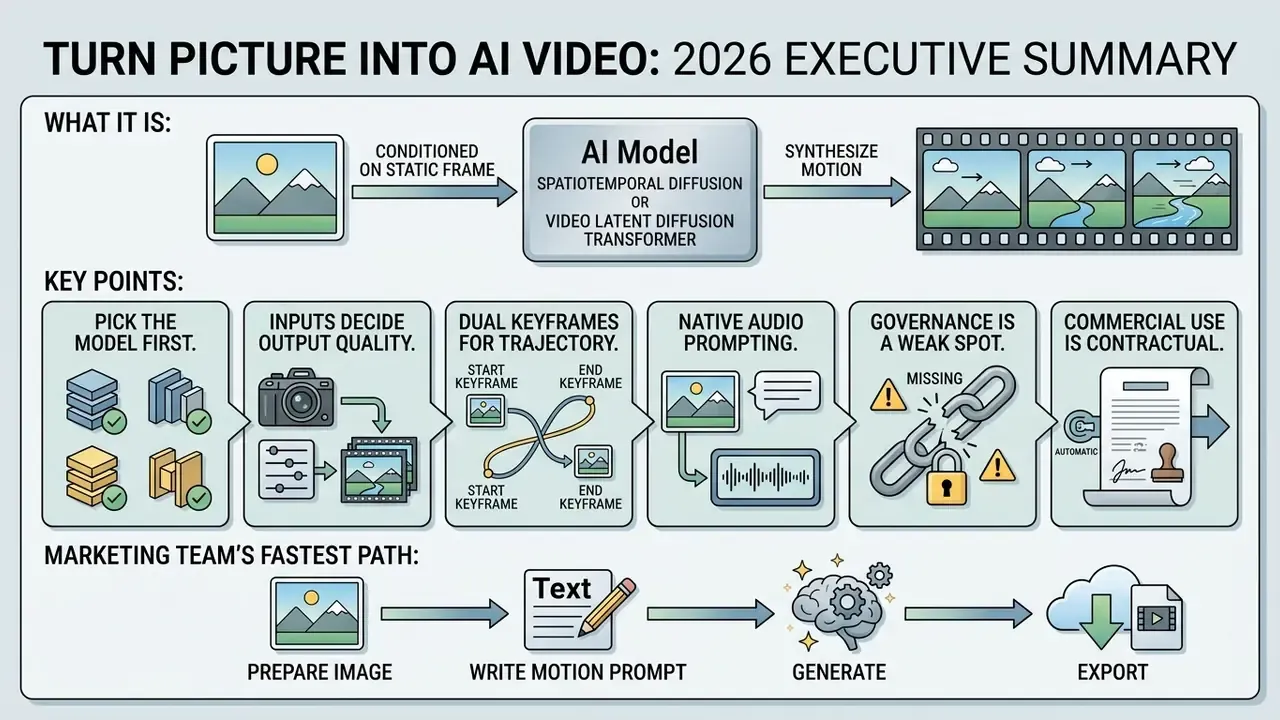
- What it is. Turning a picture into AI video means conditioning a spatiotemporal diffusion model (or a video Latent Diffusion Transformer) on one static frame so it synthesizes brand-new frames with predicted motion, lighting change, and camera movement. No footage. No keyframes.
- Pick the model first. Kling 3.0, Google Veo 3.1, and Runway Gen-4.5 lead photorealistic and cinematic work; LTX-Video, Seedance 2.5, and nano banana variants win on speed; MiniMax H3 Max handles heavy character physics; Wan 3.0 suits open-source or self-hosted deployment.
- Inputs decide output quality. Supply at least 1080×1080 px (2048×2048 px if you plan multi-format crops), a clearly separated subject, and a prompt that describes motion: camera trajectory, subject action, environment, instead of re-describing the still frame.
- Dual keyframes give trajectory control. Anchoring both a start frame and an end frame forces the model to interpolate a defined transition instead of improvising one.
- Audio is now native. Advanced video DiT stacks generate synchronized SFX, ambience, and lip-synced dialogue in the same pass, so plan audio-visual pacing before you generate.
- Governance is the weak spot most teams miss. Uploading confidential product or customer imagery into a public generator is a Shadow AI event. Log seeds and prompts, retain C2PA provenance, and verify vendor data-retention terms before any pilot.
- Commercial use is contractual, not automatic. Copyright protection does not attach to purely AI-generated expression; your right to monetize comes from the platform licence, input clearances, and ad-network disclosure rules.
How to read this guide
Marketing teams usually want the fastest path: prepare the image, write a motion prompt, generate, export. Risk, compliance, and model-governance readers tend to arrive with a different question: who approved this workflow, and can we reproduce the output next quarter? Both paths run through the same material here. The technical sections explain how motion is synthesized and where artifacts come from; the governance and licensing sections explain what to record and what to verify before a clip reaches a paid channel. If you own the control framework rather than the campaign, start with the governance and pricing sections, then loop back to prompt craft.
What does it mean to turn a picture into AI video?
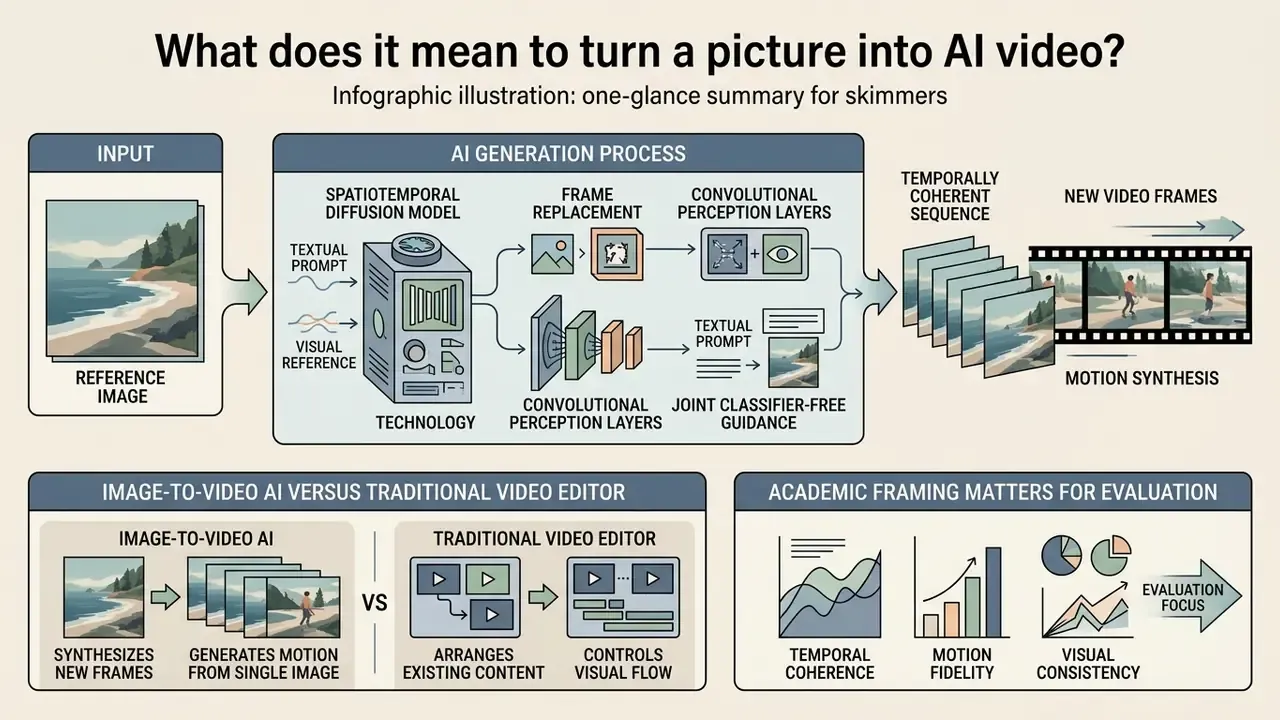
To turn a picture into AI video means using generative diffusion models to synthesize a temporally coherent sequence of new video frames using a single static image as the primary conditioning input. Unlike post-production software that manipulates existing video frames, an ai image to video converter tool predicts object trajectories, lighting shifts, and camera movements directly from latent representations.
«The task is defined as synthesizing a realistic video from a given image and text description, without fine-tuning the model.»
That academic framing matters for evaluation. Because no retraining occurs, output quality depends almost entirely on three things you actually control: the conditioning image, the prompt, and the sampling parameters. Blame the model last.
How image-to-video AI generates motion from a single image
Image-to-video models generate motion by passing a static reference image through a spatiotemporal diffusion architecture or a video Latent Diffusion Transformer (DiT). The initial static frame acts as a visual anchor, preserving identity, texture, and composition, while temporal attention layers predict subsequent frames based on motion vectors or text prompts.
Systems like STIV use frame replacement and joint classifier-free guidance to inject textual and visual conditions into denoising steps.
«An 8.7B-parameter STIV model reaches 90.1 on VBench image-to-video, surpassing CogVideoX-5B, Pika, Kling and Gen-3.»
Similarly, architectures like DreamVideo apply convolutional perception layers to concatenate reference image features directly with noisy latents.
«DreamVideo applies dual classifier-free guidance: one reference frame drives different actions, "dance" or "walk", while subject identity is preserved.»
Complementary research shows that motion itself can be vectorized explicitly. A trajectory extractor maps motion vectors into the same latent space as video patches, and a motion-guidance fuser injects them into diffusion blocks (Tora: Trajectory-oriented Diffusion Transformer for Video Generation, CVPR 2025). Cross-frame attention to the first frame keeps foreground identity stable, while inter-frame propagation reduces appearance drift. Together these mechanisms let the model produce smooth motion and cinematic video while preventing the main subject from morphing uncharacteristically across frames.
One practical implication for anyone doing 2d image to video ai work with flat illustrations: the model has no depth information to borrow, so it invents parallax. Sometimes that reads as elegant camera drift. Sometimes the background folds in on itself. Test before you commit a series to one style.
Image-to-video AI versus a traditional video editor
A traditional mac video editor relies on timeline trimming, manual keyframing, and layer compositing over pre-recorded video clips. In contrast, an ai convert image to video tool generates brand-new video frames from scratch without requiring source footage or manual timeline editing.
Conventional non-linear editing requires manual keyframes to interpolate spatial properties over time. After Effects and Premiere Pro need at least two keyframes for any property change, and every value between them is interpolated from user-defined anchors. An AI video generator automates motion synthesis through probabilistic latent sampling, letting creators turn static images into generated videos with a few text inputs and zero timeline keyframing. No editing skills required, at least for the first draft.
The trade-off is deterministic control. A keyframe is exact; a sampled latent trajectory is probabilistic. That single distinction is why seed logging and dual-frame anchoring, both covered below, matter far more in production than they do in a weekend experiment. It is also why a lightweight video editor still earns its place at the end of the chain, for trims, captions, and typography.
Choose the best AI video model for your task
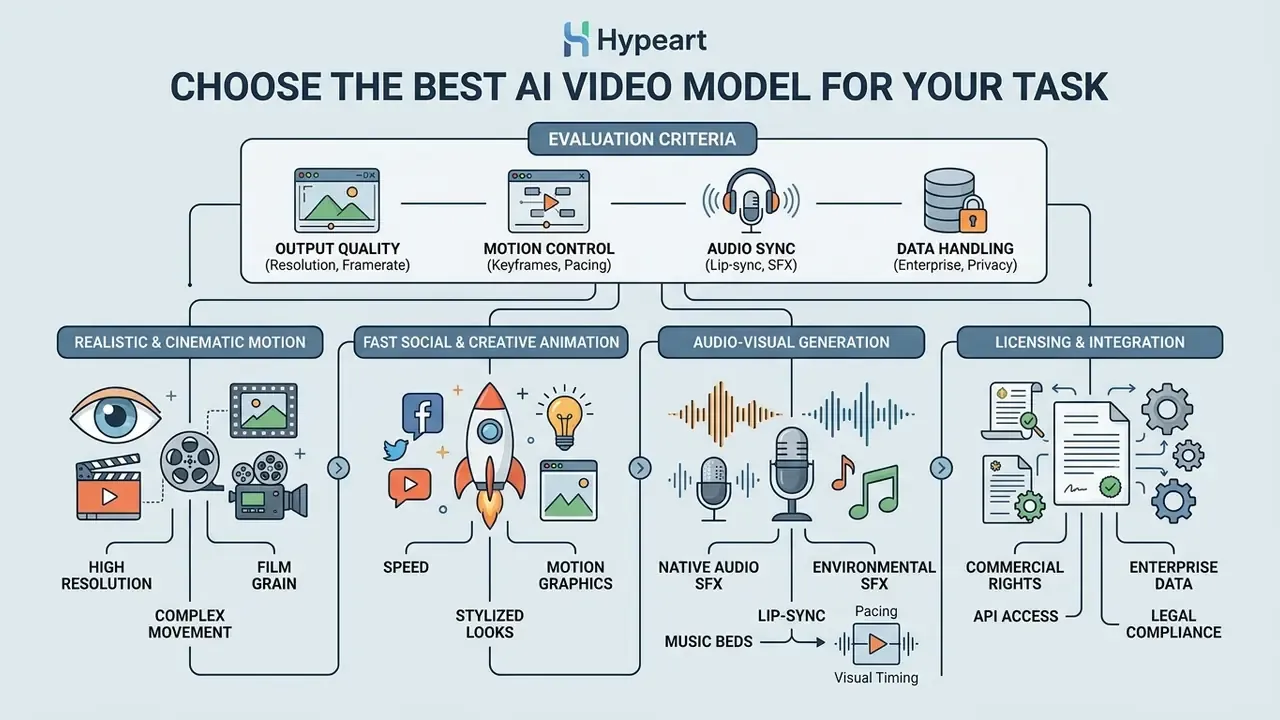
Selecting the optimal AI video model requires matching output capabilities, such as resolution, audio synchronization, motion control, and enterprise data handling, with your specific publishing goals. Choose the backbone before you prepare assets. Native aspect ratios, maximum duration, and audio support all constrain how you shoot or crop the source image.
| AI Video Model | Primary Focus | Camera and Motion Control | Native Audio | Max Resolution | Supported Aspect Ratios | Enterprise Data Privacy Notes |
|---|---|---|---|---|---|---|
| Kling 3.0 | Photorealistic motion and multi-shot storytelling | Advanced multi-shot, pan, tilt, orbit controls | Yes (native audio and lip-sync) | 4K / 1080p | 16:9, 9:16, 1:1 | Consumer web tier; verify retention terms before uploading confidential assets |
| Runway Gen-4.5 | Cinematic narrative and material texture fidelity | Direct motion vectors, camera trajectory controls | Separate AI tools | 1080p / 720p | 16:9, 9:16, Custom | Enterprise plans offer team workspaces and admin controls |
| Google Veo 3.1 | High-fidelity photorealism and scene extension | Scene extension, last-frame controls | Native spatial audio | 4K / 1080p (4K commonly via integrated upscaler stage) | 16:9, 9:16 | Available through Vertex AI with project-scoped data boundaries and SynthID marking |
| LTX-Video | Real-time latent diffusion and rapid social clips | Fast spatiotemporal attention sampling | No | 768×512 | 3:2, 16:9 | Open weights; can be self-hosted for full data residency |
| nano banana | Short creative animation and stylized social posts | Basic prompt-driven motion | No | Up to 4K (input) | Multiple | Consumer tooling; keep inputs non-confidential |
| Seedance 2.5 | Fast social clips and dual-frame transitions | Dual-keyframe interpolation, camera tracking | Optional AI audio | 1080p | 16:9, 9:16, 1:1, 4:3 | Aggregator-hosted in most cases; check sub-processor list |
| MiniMax H3 Max | High-fidelity character physics and action scenes | Complex subject movement, rigid-body collisions | Yes (audio-capable tier) | 1080p | 16:9, 9:16 | Regional hosting varies; confirm cross-border transfer terms |
| Wan 3.0 | Open-source deployment and precise prompt control | Advanced motion vector mapping | Separate SFX tools | 1080p | Custom / arbitrary | Self-hostable; strongest option for restricted-data environments |
Read the table as a decision aid, not a ranking. Public arena leaderboards shift monthly as new checkpoints ship, and the columns that matter to a regulated buyer (residency, retention, admin controls) rarely move at the same speed as quality scores. A broader side-by-side of pricing tiers and output limits is maintained in our guide to the best AI video generators.
Models for realistic and cinematic motion
Cinematic video workflows require models that preserve subject identity while rendering realistic lighting, depth of field, and camera physics. Architectures such as Kling 3.0, Runway Gen-4.5, and Google Veo 3.1 lead this category by enforcing strict temporal consistency across complex frame sequences.
Kling 3.0 offers multi-shot storyboard control, native audio sync, and 4K output rendering, which makes it well-suited for high-end commercial concepts (verified against Kling AI official quickstart and model documentation, 2026). For enterprise creative teams that need detailed texture preservation, fabric weave or hair strands during movement, Runway Gen-4.5 provides advanced motion control without losing frame sharpness. Google's documentation positions Veo 3.1 for scene extension and last-frame control, so it is the practical choice when a clip must continue an existing shot rather than start a new one.
Advanced ai does not fix a weak concept, though. A high quality video from a mediocre packshot is still a mediocre packshot in motion.
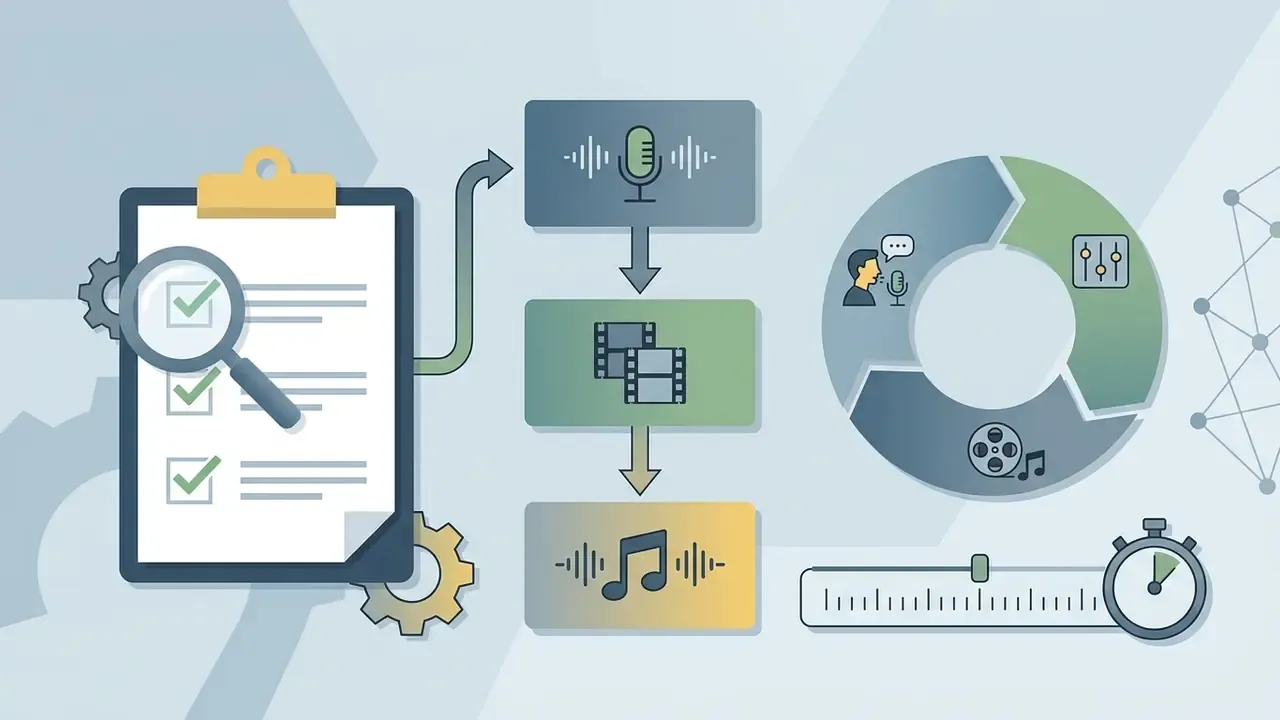
Generate native audio and cinematic sound effects (SFX)
Modern video DiT architectures synthesize audio waveforms directly alongside visual temporal latents. Instead of adding audio in post-production, advanced models read visual cues, crashing waves, motor engines, facial movements, and auto-generate synchronized sound in a single pass.
- Environmental SFX Prompt for specific acoustic environments by naming materials and ambient layers, for example "gravel crunching under tires, heavy rain ambience, distant thunder."
- Native lip-sync When animating portraits, supply an audio voice track (.mp3/.wav) alongside the source image. Models such as Kling 3.0 map visual mouth keypoints to phoneme frequencies for precise speech alignment. If you need narration instead of dialogue, generate it separately with an AI voice generator and pair it on the timeline.
- Music beds Ask for genre, tempo, and instrumentation ("slow lo-fi beat, muted piano, 80 bpm") rather than mood adjectives alone, which produce inconsistent results across seeds.
- Audio-visual pacing Match clip length to audio cadence. Five-second clips pair best with punchy, transient sound effects, whereas continuous ambient tracks suit 10-second scene extensions.
- Licensing note Generated audio is governed by the same plan-level commercial terms as the video track. If you replace it with a licensed library track, keep the licence receipt with the campaign record.
Prepare an image and prompt for high-quality AI video
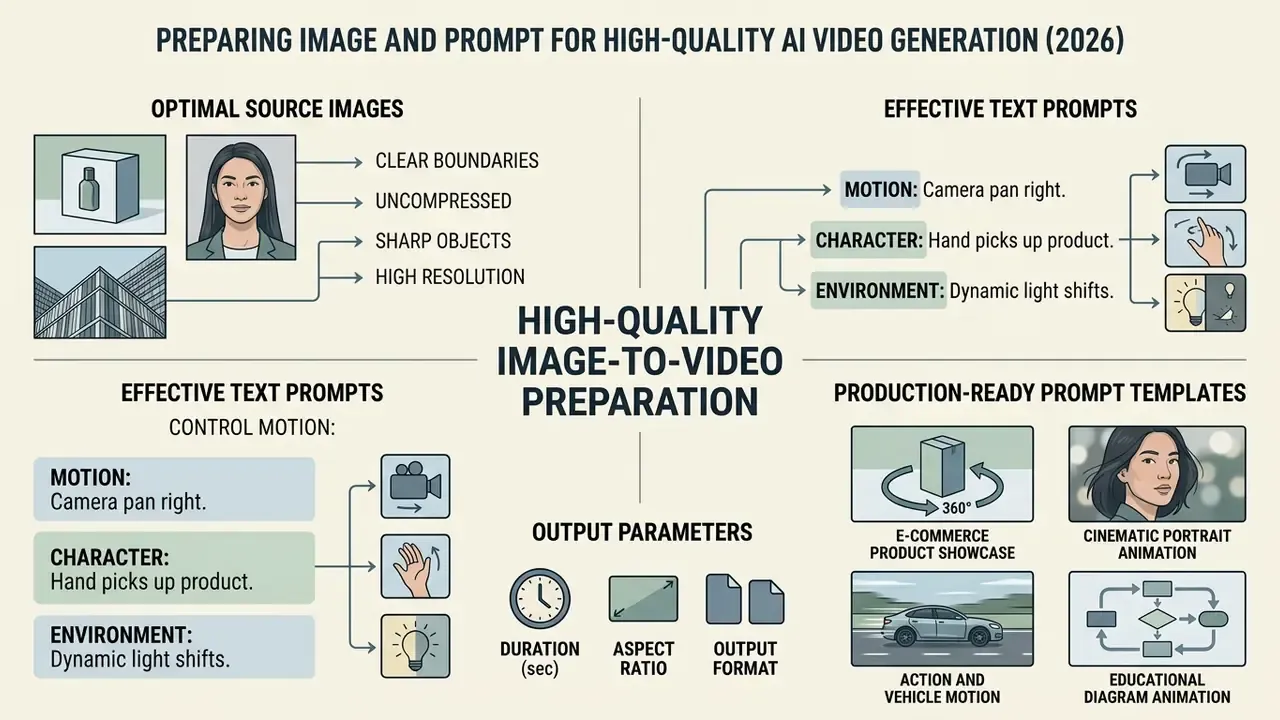
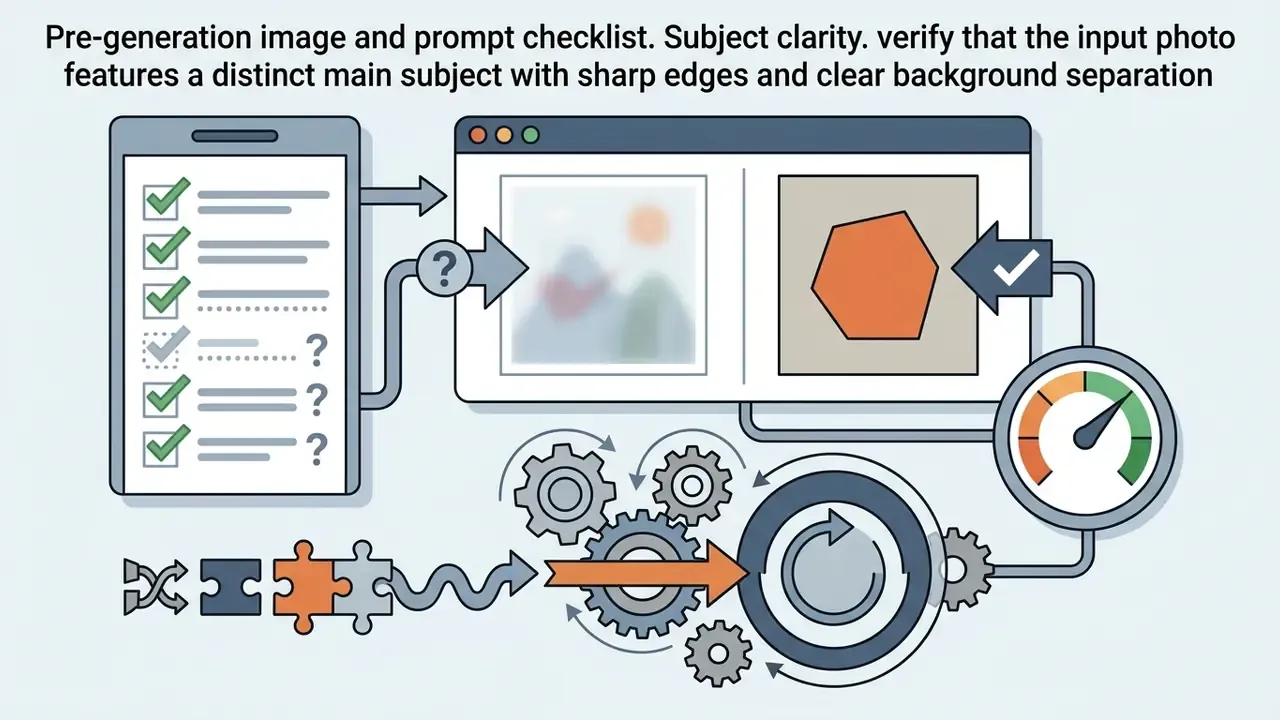
High-quality image-to-video generation requires an uncorrupted source image with clear object boundaries and a text prompt that explicitly directs camera motion, character action, and environmental shifts.
Which photos and product images work best
Optimal source images feature sharp focus on the primary subject, clean background contrast, and zero visual artifacts. High-resolution input images prevent generative models from amplifying pre-existing visual noise into flickering video defects. Runway's own image-to-video guidance warns that blurry hands or faces in the source are amplified in the output, a defect you cannot prompt away.
Practical resolution floors published across 2026 vendor guides sit at 1080×1080 px or 1200×1200 px, with 2048×2048 px recommended for square assets that will later be cropped to several ratios. Some generators technically accept inputs as small as 300×300 px, but those results degrade quickly, and the degradation shows up as shimmer rather than as simple softness.
When preparing product photos or a dedicated product shot, use balanced lighting and isolated focal points. Studies on object-centric video synthesis show that models segment object slots more effectively when background clutter is minimized.
«TextOCVP outperforms baseline I2V models on SSIM and LPIPS when scene objects are clearly separated and represented as discrete slots.»
Crisp packshots with readable labels give diffusion models clear boundaries, producing stable temporal tracking for e-commerce demonstrations. Neutral or solid backgrounds, even lighting, and minimal shadows further improve object masking stability. Choose image candidates the way a photo editor would: one hero object, generous margin, nothing ambiguous at the edges.
How to write a prompt that controls motion and camera movement
Effective motion prompts specify character action, camera trajectory, and environmental changes in direct, sequential language. Rather than re-describing the static scene, the text prompt should focus strictly on dynamic progression.
Vendor documentation converges on a repeatable formula. Google's Veo guidance uses Cinematography + Subject + Action + Context + Style and Ambiance; Adobe Firefly recommends shot type + character + action + location + aesthetic; Runway's camera-prompt order runs shot size, angle, movement with direction and speed, subject action, lens and look, lighting and mood, then the reveal. Recommended prompt structures therefore begin with camera movement, follow with subject action, and conclude with lighting or environmental pacing.
«Most video generators realize fewer than 20% of the compositional changes requested in complex multi-stage prompts.»
Writing explicit directions, such as "slow 360-degree pan left around the bottle while ambient light shifts", yields higher prompt adherence than broad artistic descriptions. Add stabilizing qualifiers ("slow, smooth, controlled motion, stable framing, no abrupt speed change") and use negative prompts to suppress blur, distortion, flicker, morphing, and watermark artifacts where the platform supports them.
Choose duration, aspect ratio, and output format
Choosing the correct output duration, aspect ratio, and container format depends on target platform specifications and model native training limits. Standard clip durations range from 3 to 10 seconds at 24 to 30 frames per second (FPS); Kling-class models extend to roughly 15 seconds per generation.
For vertical mobile channels, select a 9:16 aspect ratio, whereas 16:9 is standard for landscape video player embeds and widescreen publishing, and 1:1 or 4:5 suit square and portrait feed placements. Exporting completed clips in MP4 with H.264 encoding guarantees broad compatibility across social platforms and web players without triggering unexpected colour space conversion errors. MOV is a safe mezzanine format, and WebM is useful for lightweight site embeds where page weight matters more than absolute fidelity.
Production-ready image-to-video prompt templates
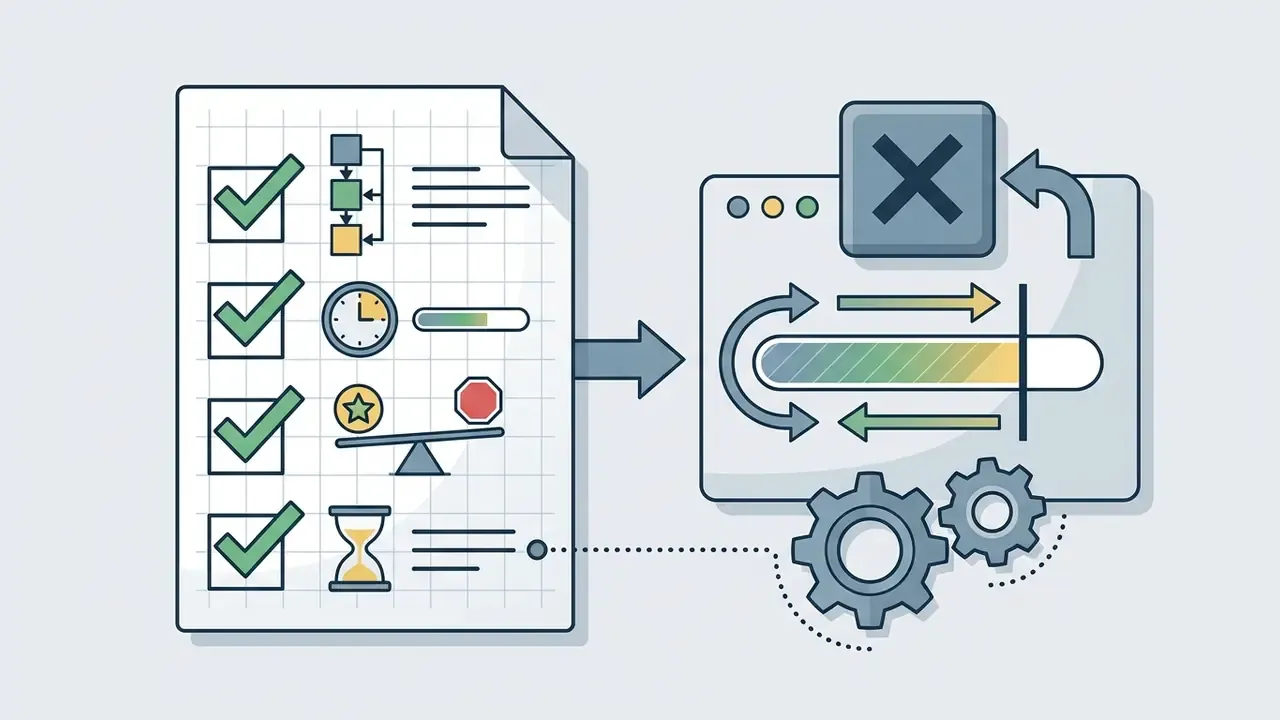
Pre-generation image and prompt checklist
How to convert image to video with AI in a few clicks
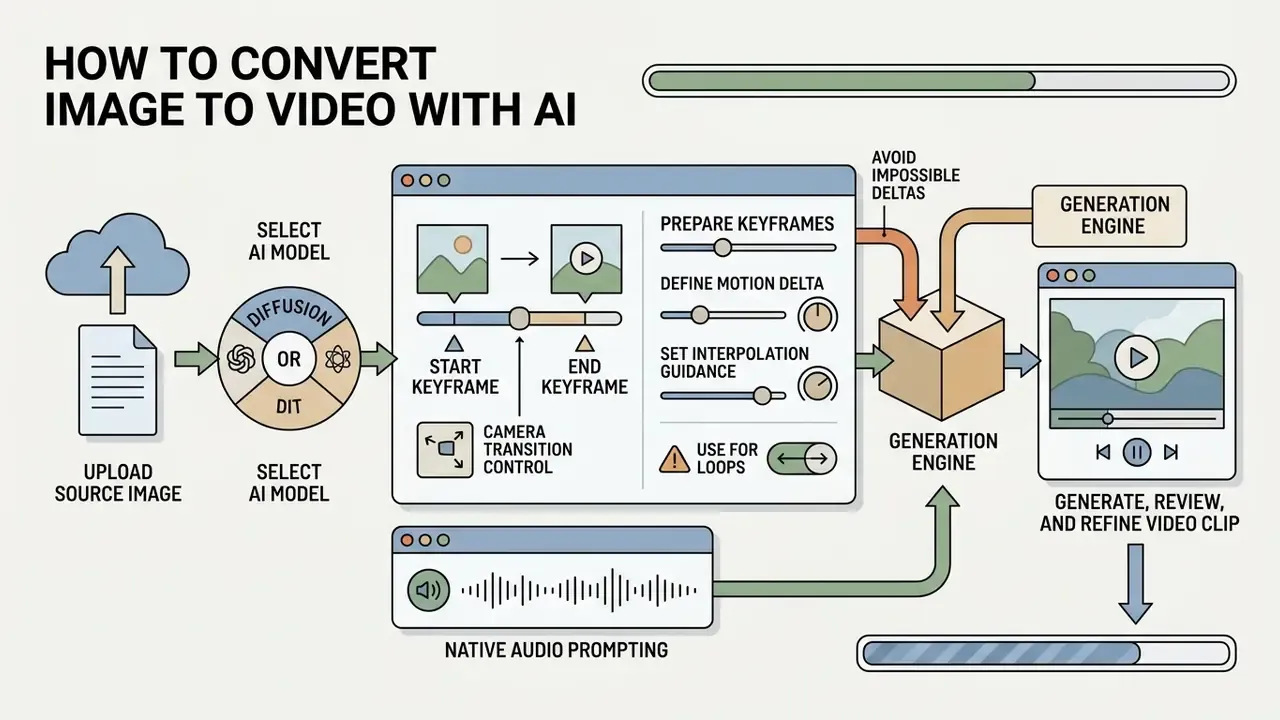
Converting a static picture into an animated video requires uploading the source file, choosing an appropriate neural model, configuring parameters, and generating the motion output. Four steps, roughly a minute of compute, and one decision most teams skip: who approves the result.
Upload an image and select an AI video model
Begin by importing the target photo into the generative platform interface as the primary conditioning keyframe. Modern AI video pipelines accept single-frame inputs or dual-frame sets to define start and end parameters; API-level implementations expose this as an explicit reference field, for example input_reference in multipart uploads, separate from the generation parameters.
Select an ai convert photo to video tool that aligns with your specific creative requirement. Models designed for cinematic realism excel at subtle lighting and camera pans, while specialized animation backbones prioritize bold stylized movement. Confirm that the selected model architecture supports your preferred aspect ratio and target resolution before initiating the task. Most documentation lists supported duration, resolution, and ratio per model ID, and mismatched requests either fail outright or silently re-crop your frame.
Mobile workflows deserve a caveat. Searches for an ai app to turn photo into video, an ai app that turns pictures into videos, or an ai app to create video from photos usually surface consumer wrappers around the same hosted backbones. They are convenient for a quick ai picture to movie experiment, and genuinely useful when you want to add photo to video ai output on a phone. For corporate assets they are the wrong door: the account is personal, the retention terms are opaque, and nobody logs the seed. If you want to make photo animation without a desktop app, at least check whether a browser-based option exists that you can make photo animation under a documented free tier.
Control camera transitions using Start and End keyframes
When exact trajectory control is required, use a dual-image keyframe workflow instead of a single conditioning image. Dual-frame generation anchors the first frame (t₀) and the final frame (t_end), forcing the spatiotemporal diffusion backbone to interpolate intermediate motion rather than invent it.
- Prepare keyframes.Ensure both input photos share identical aspect ratios, subject scale, and colour profiles to prevent latent warping and hue jumps mid-clip.
- Define the motion delta.Use the text prompt exclusively to describe the transition process, for example "camera seamlessly pans right from the first framing to the second over 5 seconds."
- Set interpolation guidance.Keep motion intensity parameters between 3 and 5. Higher guidance scales on dual-frame models often produce mid-clip morphing artifacts.
- Avoid impossible deltas.If the two frames differ in subject identity, lens, or lighting direction, the model will resolve the gap with a visible dissolve or a morph. Re-shoot or re-crop instead.
- Use it for loops.Setting the end frame equal to the start frame yields seamless looping clips for storefront banners and product carousels.
Adobe Firefly's documented workflow follows the same pattern: upload a first frame, optionally add a second frame as the scene end point, then set resolution and prompt before generating.
Generate, review, and refine the video clip
Click generate to initiate latent space denoising across temporal attention layers. The system evaluates the reference photo against prompt parameters, predicting frame-by-frame pixel progression over the requested duration. Most hosted models return a clip in under 60 seconds; real-time latent architectures return in seconds.
Upon completion, review the generated videos for temporal defects such as limbs morphing, spatial warping, or background jitter. Evaluate against the four axes used in published benchmarks: visual fidelity, temporal consistency, text-video alignment, and artifact presence. VBench (CVPR 2024) defines 16 such dimensions, including motion smoothness and temporal flickering, and borrowing even four of them gives a review committee something concrete to argue about.
If the motion appears erratic, refine the prompt by simplifying action descriptions or adjusting motion scale settings. Re-running the generation with tighter trajectory parameters usually eliminates physical implausibility. Record the seed of every accepted take so an approved clip can be reproduced later. That last sentence is the one teams regret ignoring.
Download and resize video content for publishing
Export the finished video clip at maximum native resolution to preserve fine texture detail. Avoid aggressive post-generation upscaling directly within web generators, as this can introduce interpolation blur.
Adapt the output file for target distribution platforms by confirming codec profiles and bitrate thresholds: 1920×1080 or 3840×2160 for landscape publishing, 1080×1920 for vertical short-form, H.264 for broad compatibility, and H.265/HEVC at roughly 35 to 68 Mbps when delivering true 4K. For web embeds, compress MP4 files to optimize page loading speed while retaining visual clarity, and run a short test clip through the target player before publishing the full campaign. You can evaluate storage overhead using AI Media Calculators to balance bandwidth consumption against visual fidelity, or trim delivery weight further with a dedicated video compressor.
Image-to-video generation process
- Source asset selectionselect a high-resolution static photo featuring a clearly defined focal object.
- Asset uploadsimply upload the source image as the initial keyframe conditioning input, plus an optional end keyframe.
- Model configurationchoose an AI model backbone and set clip duration, FPS, aspect ratio, and audio mode.
- Prompt specificationinput text prompts defining camera movement, subject action, and environmental shifts.
- Latent denoisinginitiate temporal generation to synthesize frame sequences from the input conditioning.
- Quality reviewinspect output for temporal flickering, identity drift, or physics violations; log seed and prompt for the accepted take.
- Export and distributiondownload the finalized clip in MP4 or MOV format for web or social media publishing, retaining provenance metadata.
Ways to turn photos into video for social media and business
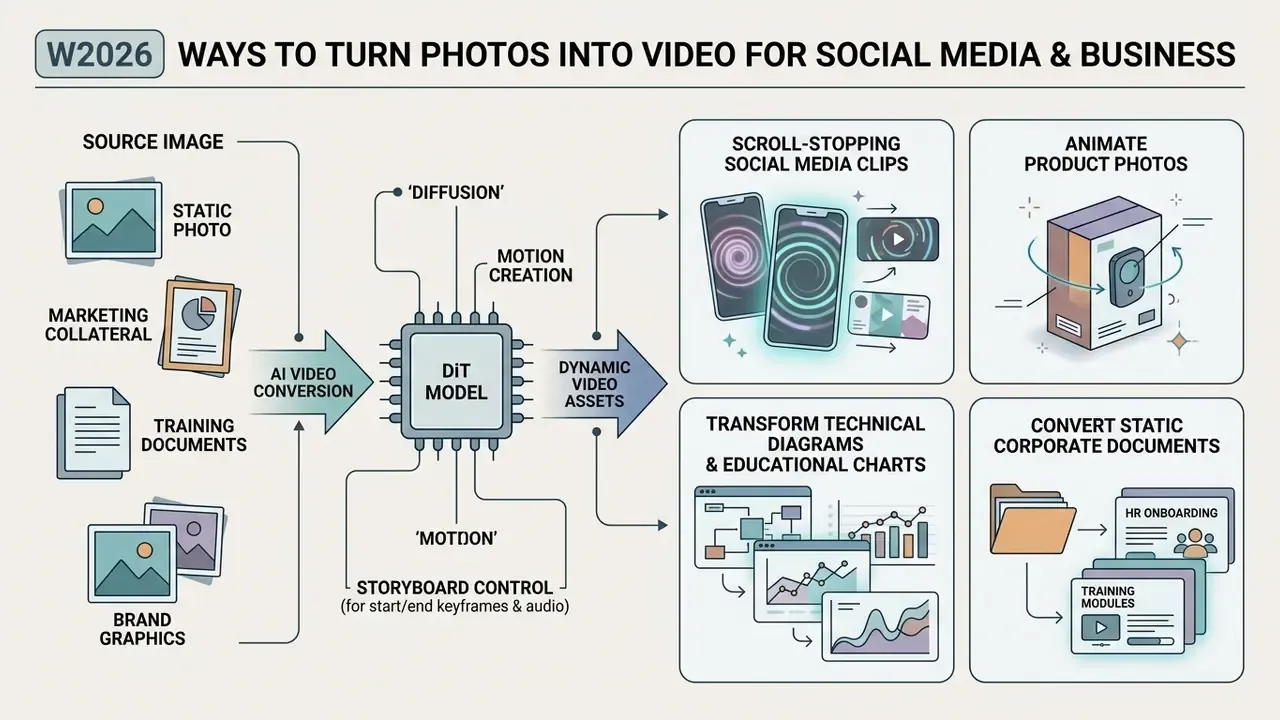
Businesses leverage image-to-video AI to convert static catalog photos, marketing collateral, training documents, and brand graphics into dynamic video assets for digital channels.
Animate product photos for ads and product showcases
«Scepticism toward AI content affects consumer ambivalence more strongly in commercial advertising than in non-commercial AI art.»
Synthesizing product motion directly from existing studio photos removes the need for expensive commercial shoots. It does not remove the disclosure obligation: label synthetic media where platform rules require it, and avoid motion that implies product capabilities the item does not have. A bottle that pours itself is charming. A payment card that appears to approve a transaction on screen is a compliance conversation.
Transform technical diagrams and educational charts into moving explainers
Static textbook figures, infographics, and scientific charts often fail to convey complex physical processes. Converting 2D diagrams into animated videos helps visual learners grasp sequential mechanisms.
- Scientific visualization upload vector diagrams of biological processes such as cellular mitosis, planetary orbits, or mechanical schematics, and prompt the model to animate vector flows or rotational motion.
- Data infographics animate static bar charts or timeline graphics with subtle camera sweeps and glowing highlight vectors for executive presentations.
- Typography guardrail diagram labels are the first thing diffusion models distort. Keep text on a separate overlay layer and re-composite it after generation, or prompt explicitly for "stable typography, no text deformation."
Convert static corporate HR documents into video onboarding modules
Transform text-heavy employee handbooks, safety manuals, and workflow charts into training modules that new hires actually finish.
- Source imagecapture high-resolution slides or infographic diagrams of company workflows.
- Motion promptingdirect the model to highlight sequential steps smoothly, for example "slow pan across step 1 to step 3 with subtle ambient lighting."
- Voiceover pairingcombine generated clips with AI voiceover narration to deliver accessible onboarding videos without physical filming sets, and add captions for accessibility compliance.
- Data cautionstrip customer names, account numbers, internal system screenshots, and unreleased roadmap content from slides before upload. Onboarding decks are one of the most common vectors for accidental confidential-data exposure in AI pilots.
Generate cinematic B-roll and story previews from an image
Video production teams often face content gaps that require supplementary footage (B-roll) to connect narrative scenes. Image-to-video AI allows editors to convert concept art, location stills, or archival photography into cinematic B-roll sequences.
By prompting slow orbital camera moves or atmospheric smoke effects over a still photo, creators generate seamless transition clips. A practical method documented in shot-design research is to write a shot brief covering character, action, environment, camera, lighting, style, and timing, then generate 3 to 5 hero frames and 4 to 6 second motion clips from each. These AI-generated previews help directors storyboard visual narratives before launching full-scale physical production. Music-led formats follow the same logic: a lyric video generator or a lyric video maker can carry animated stills across a full track, provided typography stays on an overlay layer. Detailed options and feature comparisons across video tools are available in the comprehensive AI Media Comparison guide.
Enterprise governance: prevent Shadow AI and protect source assets
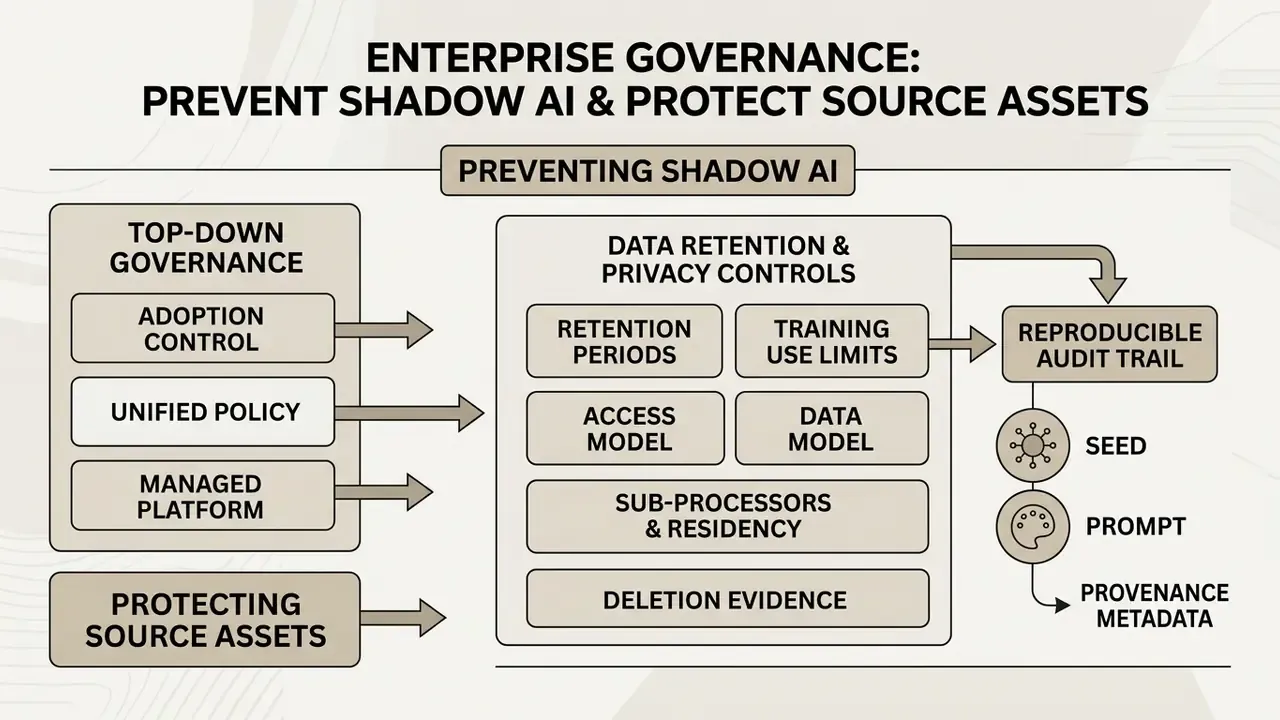
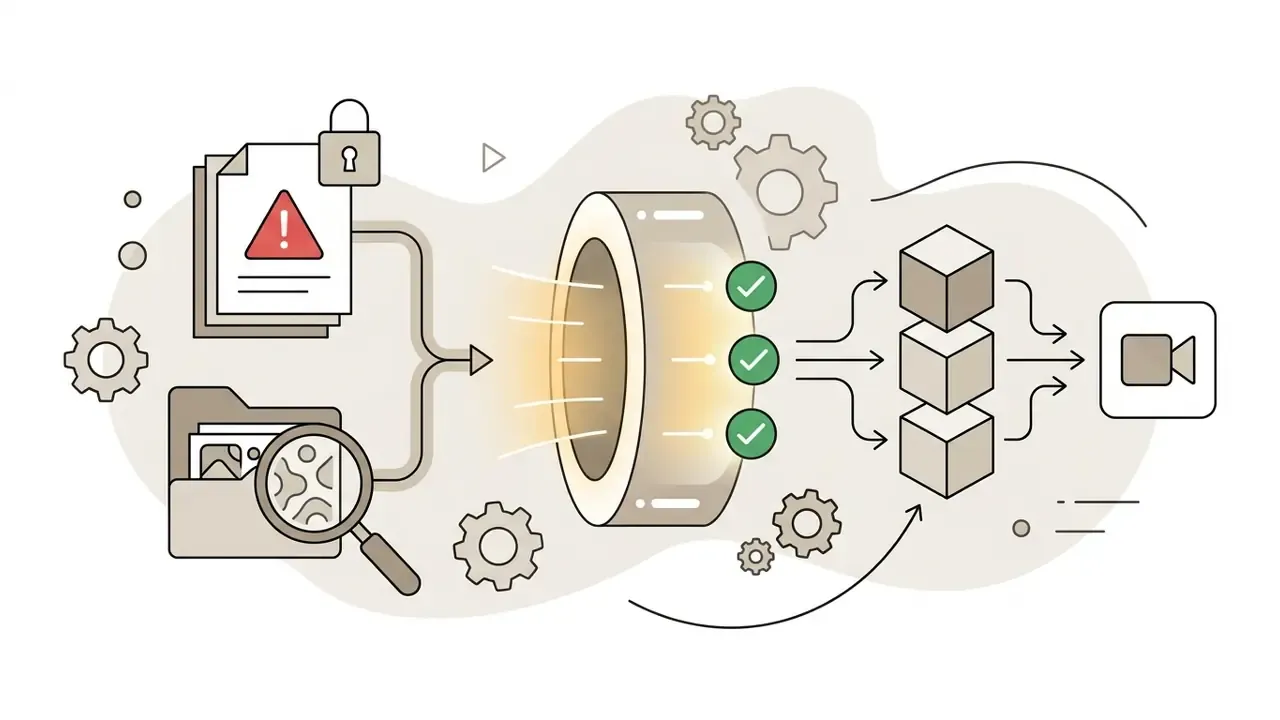
Image-to-video adoption usually starts bottom-up. A marketer uploads a product photo to a free web generator to test an idea. For regulated organizations, that single upload is the risk event, not the output. The controls below convert an ad-hoc creative experiment into an auditable workflow, and they map cleanly onto existing model-risk and GRC inventories.
Data retention and privacy controls
Before any team uploads corporate imagery, document the answers to five questions per vendor:
- Retentionhow long are uploaded images and generated clips stored, and can retention be shortened or disabled?
- Training useare inputs or outputs used to train or fine-tune vendor models, and is opt-out available on your plan tier?
- Access modelis generation processed in a project-scoped environment, for example an enterprise cloud tenancy, or on a shared consumer endpoint?
- Sub-processors and residencywhich downstream model providers receive the image, and in which jurisdictions?
- Deletion evidencecan the vendor produce deletion confirmation for a specific asset on request?
Where answers are unsatisfactory and the imagery is sensitive, prefer open-weight backbones such as Wan 3.0 or LTX-Video deployed inside your own infrastructure. That keeps both the conditioning image and the latent representations inside your data boundary. It costs GPU time. It also removes an entire class of escalation.
Reproducible audit trail: seed, prompt, and provenance metadata
Model risk teams need to answer "how exactly was this asset produced?" months after publication. A minimum viable record per published clip contains:
- model ID and version, plus the hosting endpoint;
- the exact prompt, negative prompt, and any dual-keyframe references;
- random seed, guidance scale, motion intensity, duration, FPS, and resolution;
- checksum of the source image and its rights documentation;
- reviewer name, approval date, and the disclosure label applied at publication.
Retain provenance signals rather than stripping them. C2PA Content Credentials and vendor watermarking systems such as SynthID let downstream auditors confirm synthetic origin without relying on your internal spreadsheet. NIST's synthetic-content risk guidance (NIST AI 100-4, Reducing Risks Posed by Synthetic Content) formalizes provenance and labelling as control practices, which makes them a natural fit for frameworks you already operate. Ownership matters as much as the record: name one accountable owner per workflow, define the escalation path for a disputed clip, and keep a documented way to switch the workflow off.
Case study: commercial risk audit at an enterprise fintech
Improve AI-generated video quality and avoid common mistakes
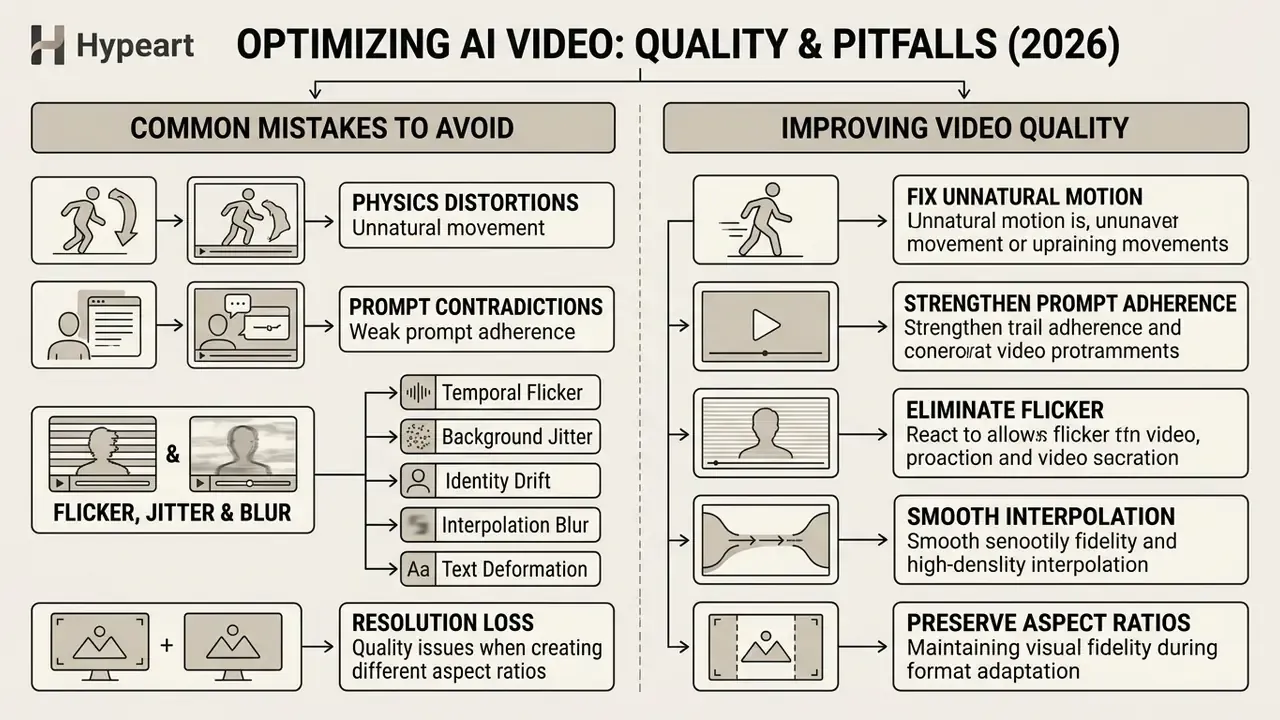
Generating realistic AI video requires avoiding common pitfalls such as physics distortions, prompt contradictions, flicker, and resolution loss during format adaptation. Treat quality control as a measurable process. Published evaluation frameworks score visual fidelity, temporal consistency, text-video alignment, and artifact categories separately, and so should your review.
Fix unnatural motion and weak prompt adherence
Unnatural motion occurs when diffusion models fail to calculate realistic physical dynamics, resulting in rubbery object deformations or floating elements.
«PhyWorldBench evaluated 12 models on 12,600 videos: the share of clips satisfying both semantic alignment and physical commonsense remains low for most systems.»
To correct unnatural motion, simplify prompt structure and focus on a single dominant action. Avoid combining opposing movements in one prompt, such as asking a subject to "jump up while sliding backward". Contradictory motion vectors are the single most reliable way to produce a morphing artifact. If physical realism is critical, use physics-grounded generation frameworks like PhysGen, which integrate explicit rigid-body dynamics into latent rendering.
«PhysGen uses a three-stage architecture, image understanding, rigid-body simulation, and rendering through video diffusion, outperforming data-driven I2V baselines on temporal coherence.»
Related 2025 and 2026 work extends this with explicit control signals: point-track motion prompting for trajectory fidelity, force prompting for responses to pokes and wind fields, and frozen world-model guidance reporting double-digit percentage-point gains on contact dynamics and deformable motion. Where prompt adherence rather than physics is the failure mode, retrieval-and-ranking prompt optimization improves motion quality and temporal consistency, sometimes at a small cost in text-video alignment. So re-check alignment after optimizing, because the two metrics can move in opposite directions.
Eliminate flicker, jitter, and interpolation blur
Not all defects share a cause, and treating them identically wastes credits. Diagnose before regenerating:
- Temporal flicker (textures shimmering frame to frame): reduce motion intensity, shorten clip duration, and prefer models with stronger cross-frame attention. Flicker is usually a sampling problem, not a prompt problem.
- Background jitter (static scene appearing to vibrate): remove camera movement from the prompt and let the subject move instead, or explicitly request "locked-off camera, stable framing."
- Identity drift and morphing (faces or logos mutating): anchor with dual keyframes, cut the prompt to one action, and avoid clip lengths beyond the model's stable window.
- Interpolation blur (soft, smeared detail after export): stop upscaling inside the web generator; export at native resolution and upscale once, deliberately, in a dedicated tool.
- Text deformation (warped labels and captions): composite typography as an overlay after generation rather than asking the model to preserve it.
Preserve image quality when creating different aspect ratios
Cropping a single source photo into multiple aspect ratios, for example converting a 1:1 square photo into a 9:16 vertical video, can cause pixelation if managed incorrectly. Aggressive cropping reduces effective pixel density, forcing generative models to interpolate motion from low-resolution inputs.
Always supply high-resolution source images, at least 2048×2048 pixels, when planning multi-format adaptations, and raise weak originals first with AI image upscalers rather than relying on the generator to invent detail. Crop the original photo to the desired aspect ratio before feeding it into the AI video generator, keep the subject centered with extra margin so reframing does not clip key elements, and confirm the original is sharp at 100% view and free of noise. This keeps subject composition and pixel density stable across horizontal, square, and vertical outputs.
Fact check: technical verification and model limits (August 2026)
Free plans, pricing, and commercial use of AI image-to-video tools
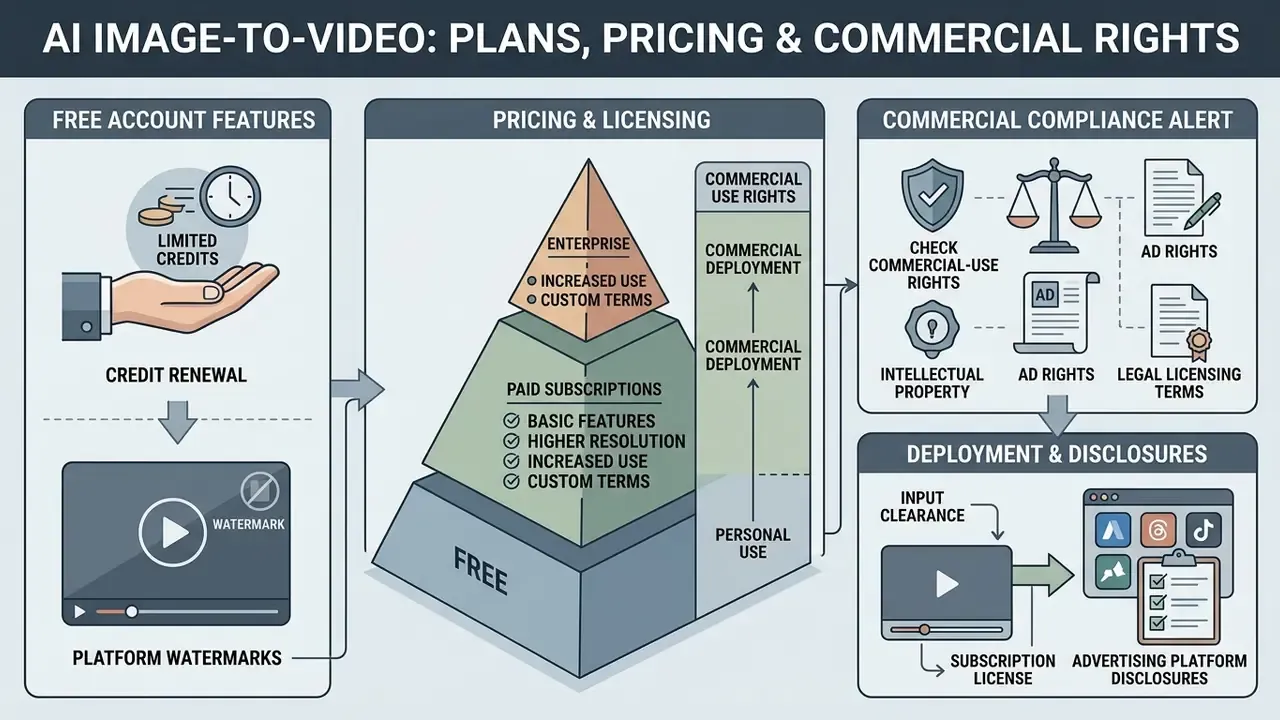
Navigating AI video platforms requires understanding credit renewal structures, platform watermarks, and legal licensing terms for commercial deployment.
What a free account usually includes
Most AI video generators offer a free tier based on one-time or daily credit allocations. These tiers let creators test prompt fidelity and the interface without upfront financial commitment.
Free accounts typically impose functional constraints: rendering at lowered resolutions (480p or 720p), visible platform watermarks, and restricted access to advanced model backbones. Free credit pools expire quickly, since generating a single 5-second video clip generally consumes between 10 and 30 compute credits depending on model complexity. Observed 2026 patterns illustrate the spread. Runway's free tier grants a one-time credit pool with a limited model selection and watermarked output; Pika's entry tier provides a monthly credit allowance at 480p without download watermarks; Google's Flow and Vids free tiers cap daily credits or monthly video counts and apply SynthID marking. Paid entry plans across smaller image-to-video services commonly start in the $8 to $12 per month range, scaling to roughly $22 and $35 for higher credit ceilings. Subscription structures shift often, so cross-check current tiers in our AI Media Pricing Guides before budgeting a campaign.
How to check commercial-use rights before publishing
Using AI-generated video clips in commercial advertisements, monetization streams, or client deliverables requires explicit commercial licensing from the platform vendor. Free tier outputs are frequently restricted to personal or non-commercial evaluation use, and several platforms require attribution on free plans.
Commercial rights depend on contractual platform terms rather than automatic copyright ownership. Official guidance from the U.S. Copyright Office states that purely AI-generated expressive content lacking direct human authorship cannot be registered for copyright protection, and that registration applicants must disclose and disclaim AI-generated portions while claiming only their own human contributions (Copyright and Artificial Intelligence, U.S. Copyright Office, 2026. https://www.copyright.gov/ai/).
«Consumer scepticism toward AI advertising exceeds scepticism toward non-commercial AI art, which amplifies legal and reputational risk in commercial AI video use.»
Organizations must verify that their paid subscription plan grants commercial exploitation rights, and ensure all input photos, logos, and likenesses hold valid intellectual property clearances. You can review detailed commercial terms and licensing breakdown in the AI Media Commercial-Use Hub, and track how disputes are developing through AI Litigation and Case Timelines.
Commercial compliance alert: intellectual property and ad rights
Notice: before launching commercial ad campaigns containing AI-generated video content, media operators must verify three compliance layers.
- Platform subscription licenseensure your active tier explicitly grants commercial use rights. Free or trial plans typically forbid monetized distribution.
- Input clearanceverify that all reference photos, product designs, trademarks, and human likenesses fed into the generator hold written commercial release permissions. Clearance applies to the input layer, not only the output.
- Advertising platform disclosurescheck major ad network guidelines (Meta, Google, YouTube and others) regarding mandatory labeling or disclosure tags for synthetic or manipulated media, plus restrictions on impersonation or misleading claims.
This material is general information and does not replace advice from a qualified legal or compliance professional. Licensing terms, platform policies, and regulatory guidance change frequently; verify current terms with the vendor and your counsel before launching a commercial campaign.
FAQ: turning pictures into AI video
How long does it take to generate a video from an image?
Most hosted models return a 5-second clip in under 60 seconds. Real-time latent architectures such as LTX-Video are substantially faster on enterprise GPUs, while 4K or audio-enabled modes add rendering time.
What is the minimum image resolution I can use?
Some generators technically accept inputs from around 300×300 px, but practical quality floors published in 2026 vendor guidance are 1080×1080 px or 1200×1200 px, rising to 2048×2048 px when one source must serve 16:9, 1:1, and 9:16 outputs.
Can I animate two images into one transition?
Yes. Dual-keyframe models interpolate between a start frame and an end frame. Match aspect ratio, subject scale, and colour profile across both images, and keep motion intensity moderate to avoid mid-clip morphing.
Can the AI generate sound as well as motion?
Audio-capable models synthesize ambience, sound effects, music, and lip-synced dialogue in the same pass. Prompt for materials and acoustic environment rather than mood words alone, and supply a voice track when precise lip-sync is required.
Are AI-generated videos watermarked?
It depends on tier and vendor. Several free plans apply visible watermarks; others apply invisible provenance marking such as SynthID or C2PA Content Credentials. For enterprise audit purposes, retaining provenance metadata is an advantage, not a defect.
Do I own the copyright in an AI-generated clip?
Purely AI-generated expression is not registrable for copyright in the United States. Protection attaches only to your own human contributions, and AI-generated portions must be disclaimed on registration. Your ability to publish and monetize comes from the platform licence plus input clearances.
Is it safe to upload confidential product or customer photos?
Not to consumer endpoints by default. Verify retention, training-use, residency, and deletion terms first, or run open-weight models inside your own infrastructure for sensitive imagery.
Why does my subject morph halfway through the clip?
Usually contradictory motion instructions, excessive guidance scale, or a clip longer than the model's stable window. Reduce to one dominant action, lower motion intensity, and shorten duration.
Which model should a small marketing team start with?
Start with a fast, low-cost backbone for iteration, Seedance 2.5 or an LTX-class model, then re-render only approved concepts on a cinematic model such as Kling 3.0 or Veo 3.1. This keeps credit consumption proportional to output value.
Limitations, open questions, and a safe next step
Three things remain genuinely unsettled, and pretending otherwise would be dishonest. First, physical plausibility is still weak: benchmark results show most systems failing to satisfy semantic alignment and physical commonsense at the same time, which limits use in any clip depicting a real process. Second, vendor terms move faster than internal policy, so a licence review from six months ago may already be stale. Third, published quality benchmarks do not measure what a regulator would ask about, namely reproducibility and provenance.
A reasonable next step is small and reversible. Run one bounded pilot on non-confidential imagery, with a named owner, a fixed model list, mandatory seed and prompt logging, and a written disclosure rule. Review it after thirty clips. If the audit record holds up and the artifact rate is acceptable, widen the scope. If it does not, you have lost a modest amount of credits rather than a campaign.
Additional technical guides and resources
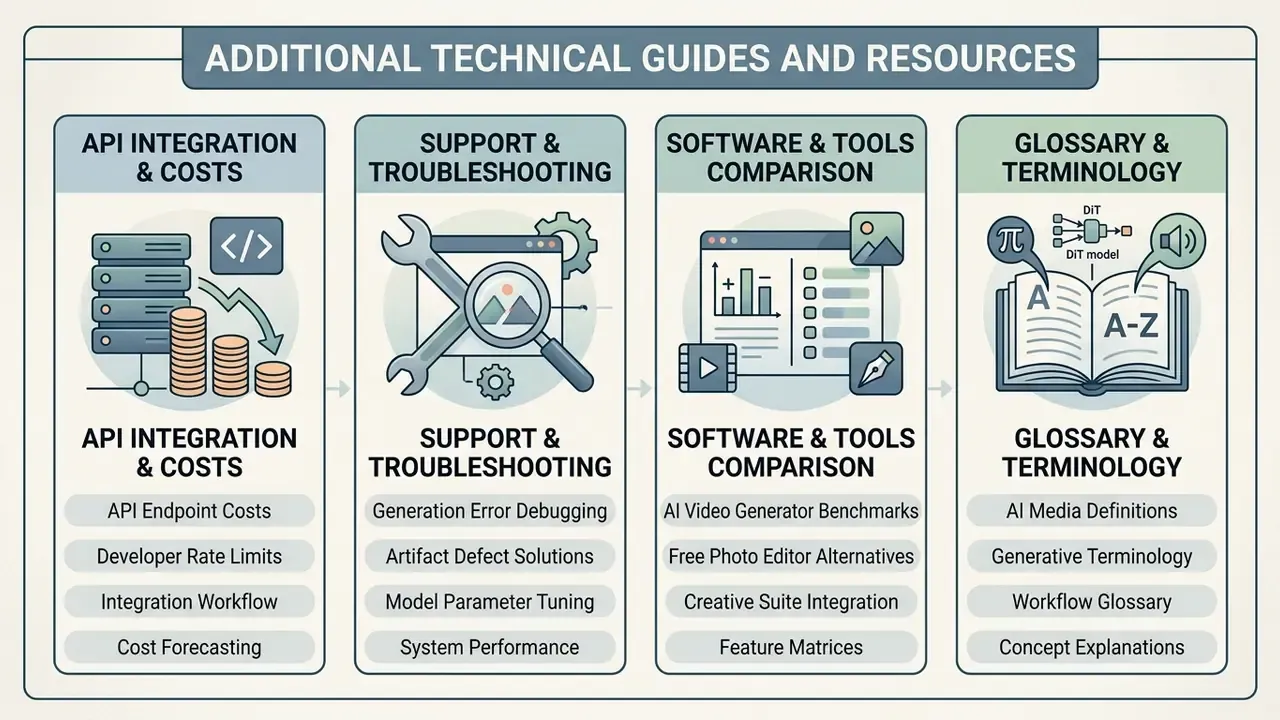
For detailed information on platform capabilities, API integration costs, and software selection, explore our specialized reference guides:
- Evaluate API endpoint costs and developer rate limits using the AI Media API Guides.
- Troubleshoot generation errors and artifact defects via AI Media Support and Troubleshooting.
- Compare alternative creative software options in our AI video generator guide, or review free photo editor platforms for source-image cleanup.
Explore comprehensive technical definitions and media terminology in the AI Media Glossary.