Executive Summary
- What works AI reliably reduces motion blur, camera shake, defocus blur, low-resolution pixelation, low-light noise, and codec compression artifacts. Reported benchmark gains range from roughly 1.8 dB to 7.5 dB PSNR, depending on the degradation type.
- What does not work Blind deblurring is a mathematically ill-posed inverse problem. Detail that was never captured is inferred, not recovered. That creates hallucination risk on faces, license plates, and on-screen text.
- Free tiers are bounded expect credit budgets (often 5 to 125 credits), duration caps (1 to 10 minutes), file-size caps (4 MB to 250 MB), watermarks, resolution ceilings, and license terms that may exclude commercial distribution.
- Cross-platform blur is a compression problem videos sent between iPhone and Android, or through WhatsApp, Telegram, or SMS, are transcoded and downscaled. Restoration has to undo quantization blocks, not just sharpen edges.
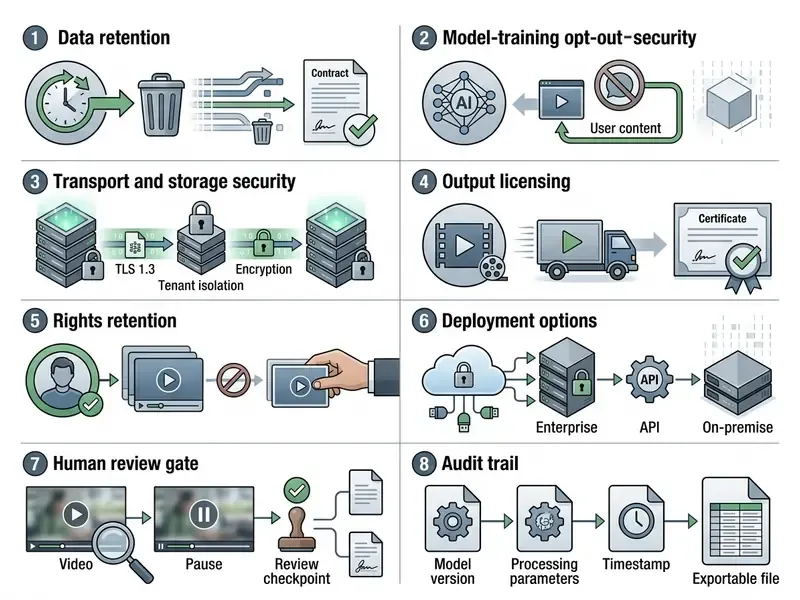
- Enterprise control point treat public unblur tools as third-party AI vendors. Apply human-in-the-loop review, data-retention verification, model-training opt-out, and documented validation aligned to your model-risk framework.
An online AI video clearer uses deep learning neural networks to analyze blurry frames, estimate optical flow or motion trajectories, and reconstruct sharp visual details. These cloud algorithms compensate for motion blur, camera shake, and defocus blur, and they run inside a normal web browser. No install, no plugin.
Modern platforms let you upload blurry footage, preview the enhanced clip, and download the restored output within minutes. Enterprise adoption is a different question. There you have to balance automated convenience against model hallucination, privacy constraints, and export licensing limits. Both readings are covered below.
What an AI Video Clearer Can Improve
An ai video clearer improves visual fidelity in three ways: it recovers high-frequency spatial edge data, aligns temporal feature frames across the sequence, and suppresses sensor noise. Tools built on advanced ai technology lift overall video quality, restore clarity, and improve clarity in corrupted or low resolution footage. Readers evaluating comparable still-image workflows can review our guide to online photo editors and their core enhancement features.

AI Unblur, Sharpening, and Detail Restoration
Neural video enhancer networks restore fine structures by counteracting the spectral bias baked into deep learning architectures. Standard models learn smooth, low-frequency patterns first, which is why fine textures stay soft for longer during training.
"Neural networks exhibit a spectral bias toward low frequencies, which makes restoring fine textures and edges substantially harder."
Modern frameworks answer that with dynamic high-pass kernel prediction and flow-guided attention. Ji and Yao (2024) show that adaptive high-pass kernel prediction pulls back lost high-frequency detail at modest computational cost.
Depth- and blur-informed transformers go further. DaBiT uses spatial blur maps plus a flow refocusing module, and reports gains above 1.9 dB PSNR on the DAVIS-Blur benchmark.
Classical restoration theory still sits underneath all of this. Physics-based deblurring inverts a point-spread function through deconvolution (Wiener, Richardson-Lucy), while self-supervised pipelines re-blur the restored frame and check it against the observed input. A third family classifies each frame as sharp or blurred using focus metrics, then applies regularized edge emphasis only where it is needed. That last trick is what keeps a clip from looking globally oversharpened.
Across multi-frame sequences, these advanced algorithms aggregate complementary pixel data from adjacent frames to sharpen details and rebuild missing edges in blurry footage. In practice, a single degraded frame gives the model far less to work with than five.
What AI Cannot Reliably Reconstruct
AI video restoration cannot recover information that was never recorded. When a long exposure smears small details, or when aggressive quantization deletes pixel structure, the network fills the gap with learned statistical priors. Not ground truth. Priors.
"Blind deblurring is a fundamentally ill-posed inverse problem: under strong blur or noise, unique image recovery is impossible without strong priors."
This generative inference brings a specific failure mode: hallucinated textures and distorted facial features. In identity verification or forensic review, an invented eyelid position is not a cosmetic issue. Published face-restoration research documents exactly that, including models that misread whether a mouth is open, and identity cues such as freckles, scars, and tattoos being smoothed away.
So when the input is low quality, read the output as a probabilistic approximation, not a recovery.
"Adapting to the target domain at inference time yields up to 7.54 dB PSNR gain on real-world datasets, revealing a large gap between synthetic training and real deployment."
Checking an interactive preview before the full render is the cheapest control available. Forensic guidance is blunt about the reason: blur removal is classified as an image restoration technique, so the output is a documented transformation of the evidence, not a picture of original scene truth.
The information in this section is general in nature and does not replace consultation with a qualified specialist.
Enterprise Risk and Regulatory Alignment for Online Video Restoration
Because AI video restoration produces inferred pixels, governance teams should classify these tools as third-party model components rather than passive utilities. A browser upload does not change the risk category.
- Model risk management Supervisory guidance on model risk management (commonly referenced in US banking as SR 11-7) expects documented model purpose, validation evidence, stated limitations, and ongoing monitoring. Generative restoration used in identity or claims workflows deserves the same conceptual soundness review as any credit scoring model.
- AI risk frameworks The NIST AI Risk Management Framework directs organizations to assess third-party generative models per use case rather than per vendor. Recent NIST documentation guidance also pushes disclosure of training methods, datasets, update cadence, and test results for public-facing AI systems.
- Biometric quality standards ISO/IEC 29794-5:2025 defines face image quality scoring. Visual sharpness is not the same thing as recognition-grade quality. NIST evaluations of super-resolution on face recognition show upscaling can move recognition performance in either direction, so face-aware and generic upscalers are not interchangeable.
- Privacy EDPB Guidelines 3/2019 on processing personal data through video devices require a lawful basis, disclosed retention and erasure periods, and respect for access, erasure, and objection rights. Uploading customer or employee footage to a public endpoint is a processing activity, not a neutral file transfer.
Cost is the next question after control. Teams planning automated media pipelines can review implementation economics in our Google Veo implementation and API cost guide, compare vendor behaviour in our AI Media Comparison Matrices, and model throughput spend with our AI Media Calculators. For integration patterns across providers, the AI Media API Guides hub collects the endpoint-level detail.
How to Unblur a Video Online with AI
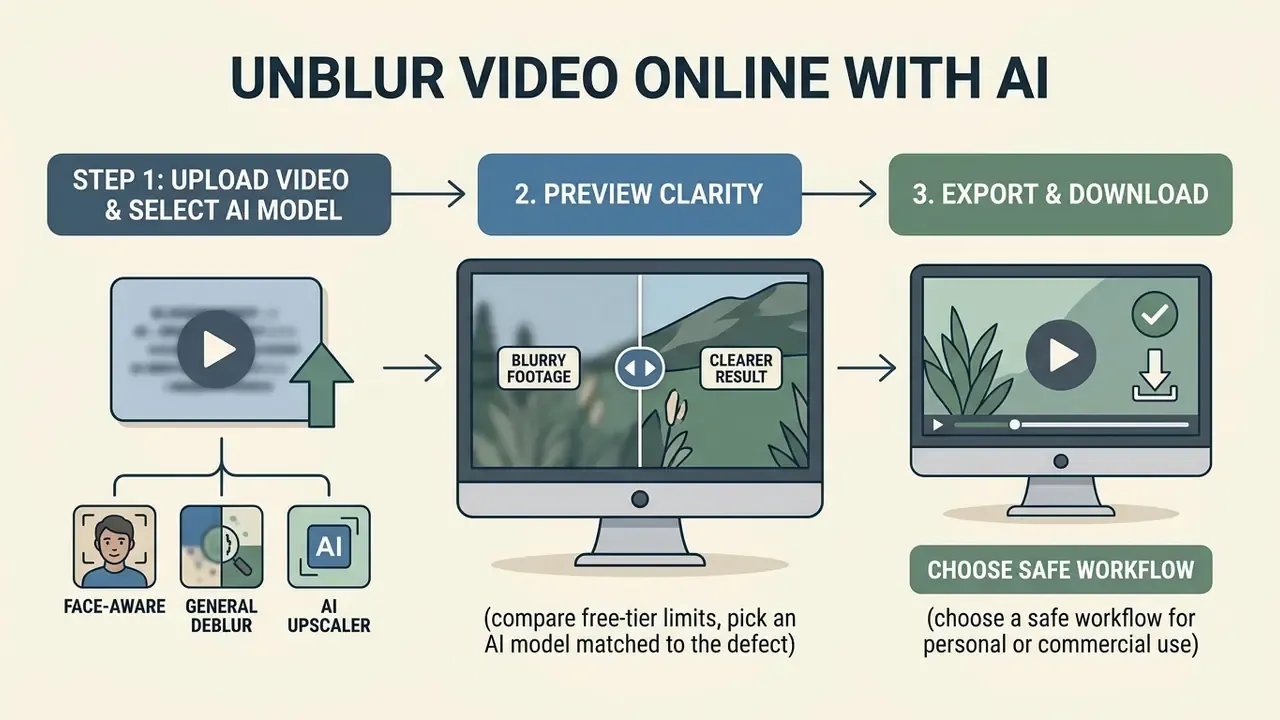
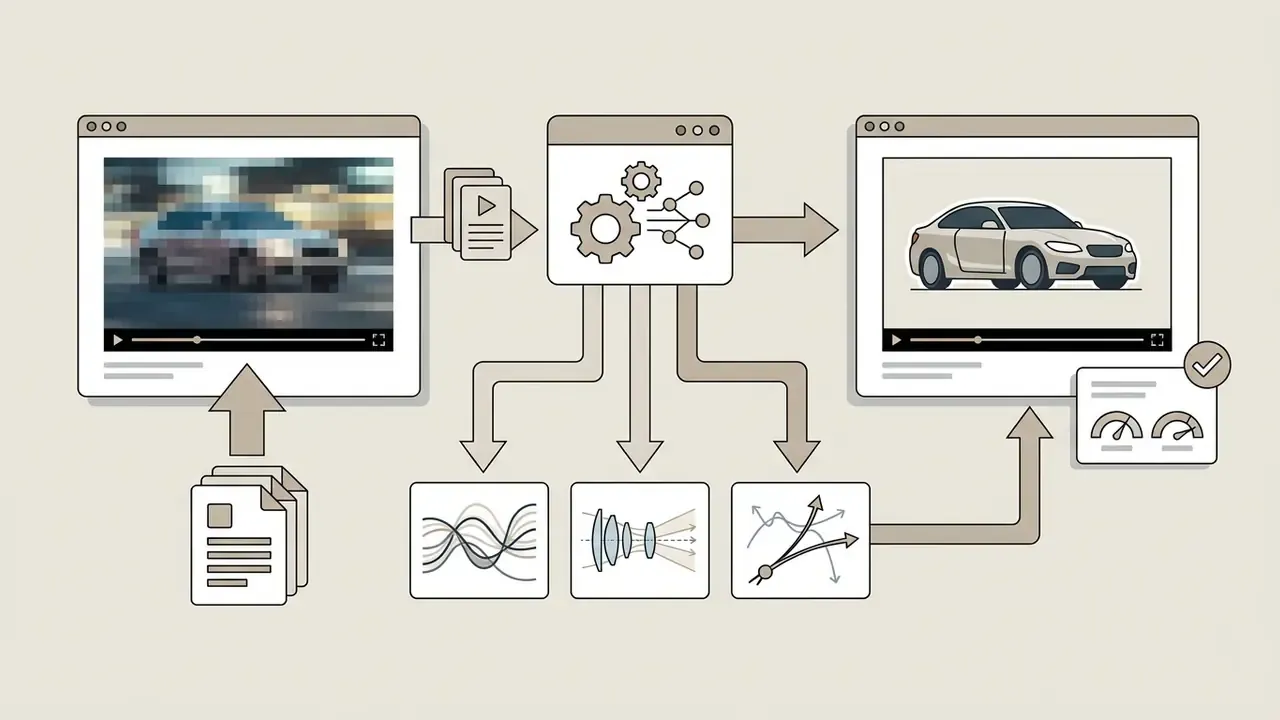
Here is the short version of how to unblur a video online: upload a media file to a cloud platform, pick an AI model matched to the defect, preview the reconstructed frames, export. On well-tuned services the middle step really is just one click, though "one click" and "best result" are not always the same setting.
3-Step Online Video Unblur Workflow
Checklist0 / 3
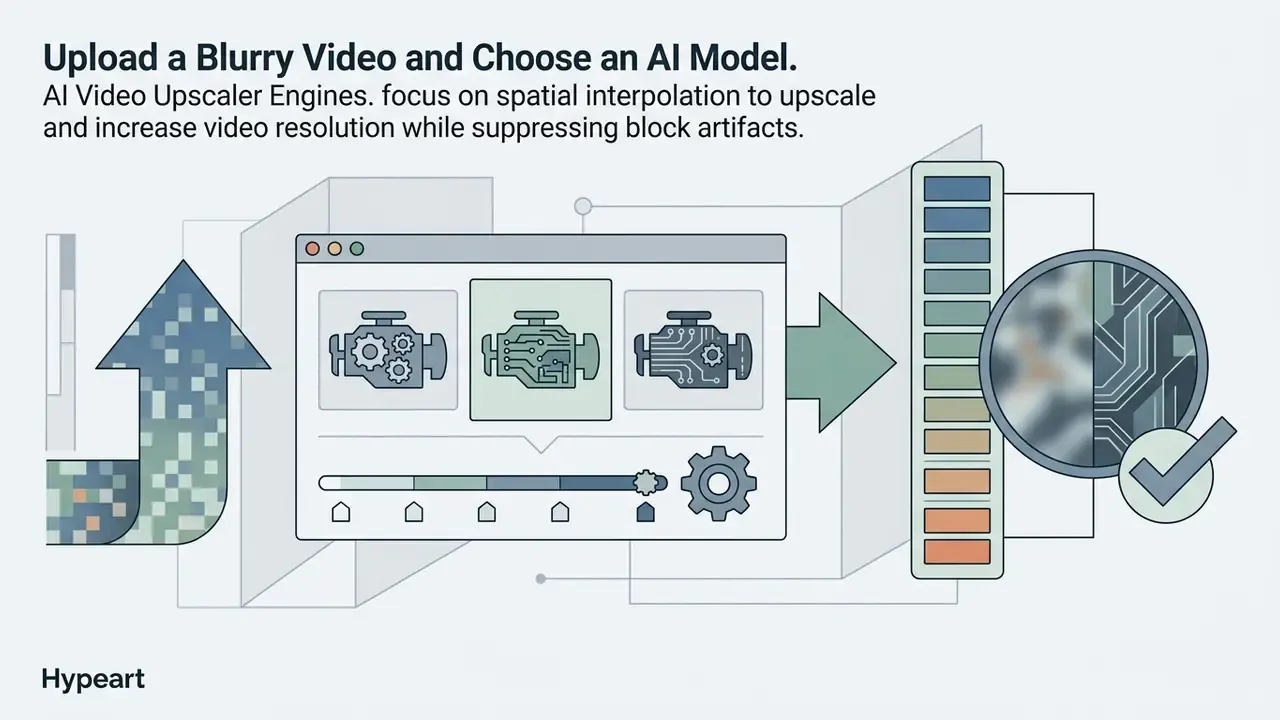
Upload a Blurry Video and Choose an AI Model
The workflow starts with an upload video action through a web file picker. Most browser platforms accept MP4 and MOV, and many also ingest WEBM, AVI, M4V, MKV, and 3GPP containers.
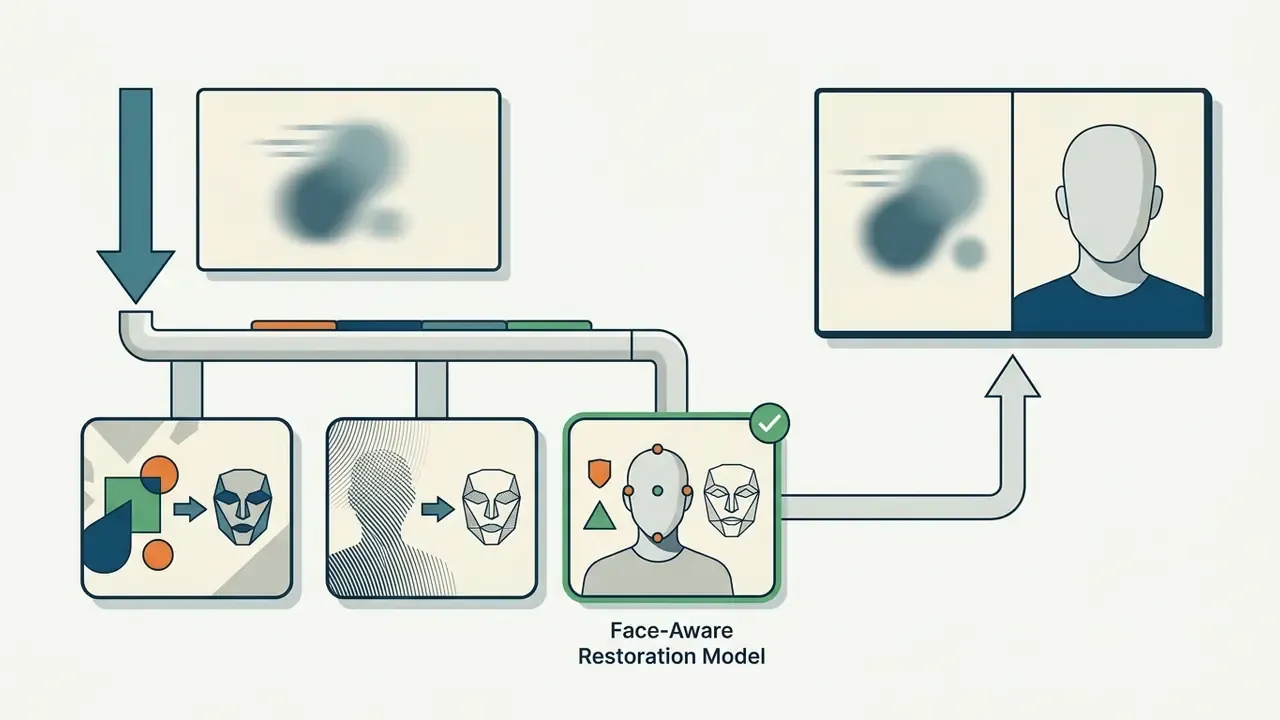
Once the file lands, the platform routes it through specialized AI models. Which variant you choose depends on the dominant defect:
Task-specific selection concentrates compute on the real defect. It also shortens processing time and cuts the odds of that waxy over-smoothed look.
Batch Video Unblurring for Bulk Workflows
For media teams, creators, and marketers running multi-clip campaigns, one-at-a-time processing is the bottleneck. Advanced browser platforms support batch directory uploads, so you can queue multiple video files (MP4/MOV) at once. The cloud layer applies identical model settings across the queue, whether that is spatial upscaling or ai powered face restoration, and returns standardized output with zero manual iteration per clip. Batch mode also locks export parameters, which quietly solves the mismatched-bitrate problem that shows up when ten clips in one publishing set were each rendered by hand.
Preview Video Clarity Before Export
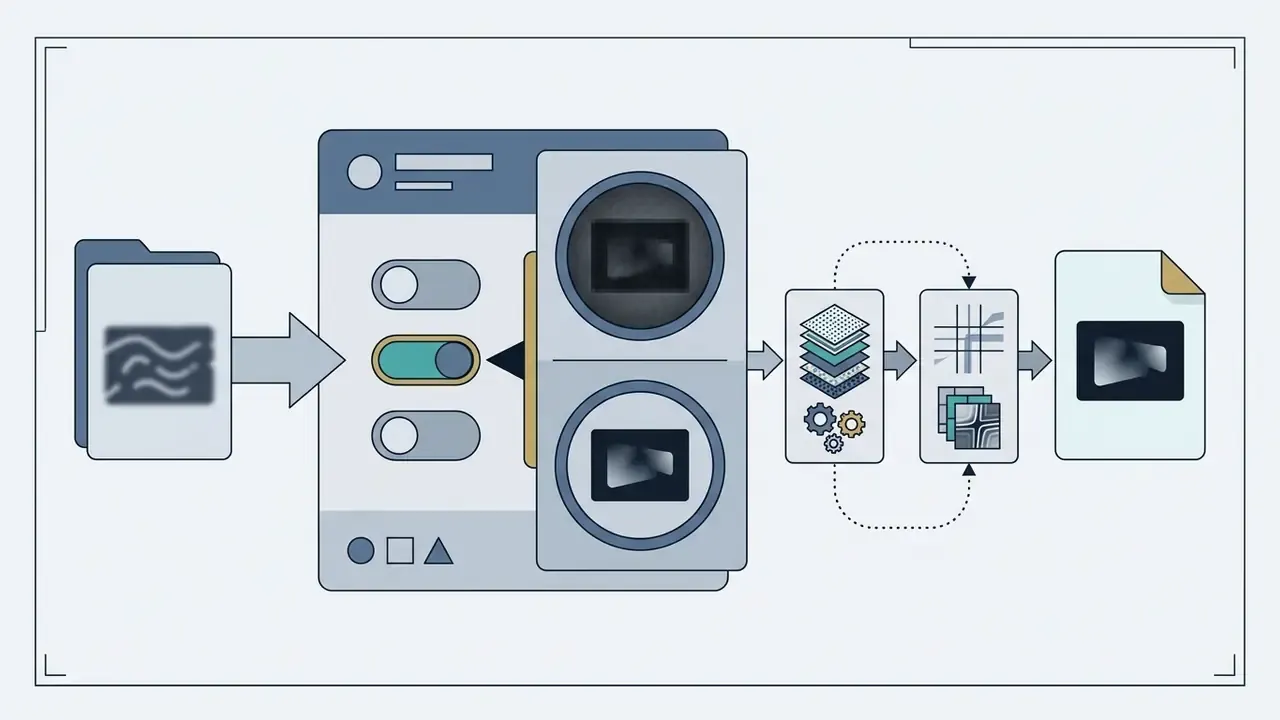
Before exporting, judge the result in a split-screen or side-by-side preview player. Thirty seconds here saves a re-render later.
Check the output against three criteria:
- Facial and edge fidelityfaces, text, and fine object edges should look natural, with no synthetic warping.
- Color and contrast balanceconfirm the pass has not shifted video color, drifted white balance, or blown out highlights.
- Temporal consistencyplay the sequence through. Frame-to-frame transitions should be smooth, with no flicker or shimmer.
These checks mirror forensic image-quality practice. Facial-quality assessment literature flags unnatural skin tones, reduced saturation, white-balance drift, blur, and compression artifacts as the measurable defects that matter. Catching them at preview stage protects both your credits and your output standard.
Download the Clearer Video
After the preview looks right, launch the final rendering pass and run the download command to save the restored video file.
The pipeline applies your model parameters across every frame while retaining the source frame rate. Matching source frame rate is the documented professional default, since changing it can introduce motion artifacts of its own. Export options normally include 1080p HD (1920×1080) or upscaled 4K (3840×2160), subject to platform limits and your video length. If you plan to keep editing after restoration, see our YouTube video editing workflow guide.
For comparative processing benchmarks and tool-selection criteria, our comparison of free AI video generators and their export limits sets out rendering efficiency across the main cloud platforms. If a render fails or stalls, the AI Media Support and Troubleshooting hub covers queue errors, upload timeouts, and codec mismatches.
Which Types of Blurry Video AI Can Fix
AI restoration handles motion blur, out-of-focus capture, low-resolution pixelation, low-light noise, and the compression damage that social media platforms inflict on re-encoded uploads.
| Degradation Type | Underlying Cause | AI Restoration Mechanism | Typical Output Improvement |
|---|---|---|---|
| Motion Blur & Camera Shake | Slow shutter speed relative to movement, handheld camera instability | Optical-flow alignment, recurrent temporal fusion, Fourier burst accumulation, gyroscope-informed trajectory recovery | 4.0 to 7.5 dB PSNR gain; sharp edge restoration |
| Out-of-Focus & Focal Blur | Lens focus error, shallow depth of field misplacement | Spatial blur-map estimation, depth-guided transformer refocusing | 1.8 to 2.5 dB PSNR gain; restored foreground/background clarity |
| Low-Resolution Pixelation | Low-sensor resolution, aggressive digital zoom | Joint deblurring and super-resolution (VSR), spatial feature interpolation | 2x to 4x resolution expansion; reduced blockiness |
| Low-Light & Sensor Noise | Underexposed capture, high ISO sensor gain | Multi-tier spatio-temporal co-attention, Retinex-based brightness correction, geometry-guided priors | Restored shadow detail, 1.8 to 2.1 dB PSNR noise reduction |
| Compression Artifacts | Aggressive codec quantization (social uploads, messenger transcoding) | Deformable convolution (DCNv2), temporal prior modulation (QP/ΔPOC) | Reduced block ringing, smoother gradients, sharper edges |
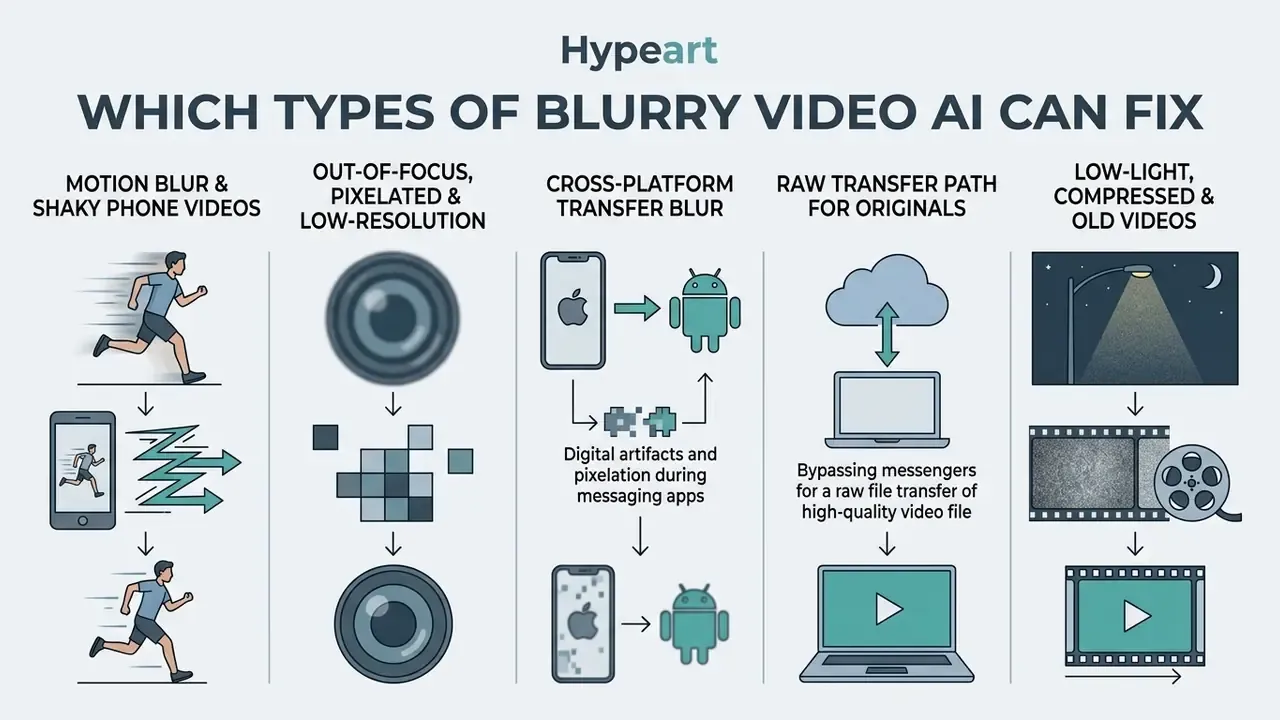
Motion Blur and Shaky Phone Videos
Motion blur appears when camera movement or fast subject motion smears detail across sensor pixels during exposure. On phones, handheld shake stacks a second, higher-frequency problem on top.
AI models attack motion blur by reading adjacent frames and reconstructing the camera trajectory. Fourier Burst Accumulation and recurrent temporal modeling fuse sequential frame data to isolate the stable parts of the scene. Smartphone-specific research extends this with gyroscope and accelerometer signals that describe the exposure-time motion path, and with wide plus ultra-wide sensor fusion that borrows sharp structure from the second camera.
"DeblurSR improves the best existing method by 4.7 dB PSNR and 12.3% MSE on REDS, recovering sharp video from a single blurry frame."
Event-enhanced models push both speed and accuracy. Ev-DeblurVSR (2025) reports a 7.28× speedup alongside a +2.59 dB PSNR gain over a strong baseline.
"Ev-DeblurVSR outperforms the FMA-Net baseline by +2.59 dB PSNR and is 7.28× faster on real-world blurry video."
The practical result is usable stabilization and sharpening for handheld blurry footage. There is a ceiling, though. Very fast motion shot at very low shutter speed keeps some residual blur, because correcting harder would destabilize frame-to-frame consistency. A small amount of honest softness beats a shimmering clip.
Out-of-Focus, Pixelated, and Low-Resolution Video
Out-of-focus blur happens when the lens fails to converge light correctly on the sensor, and the blur radius often varies across the frame.
To fix pixelated video online free, architectures combine video deblurring with video super-resolution (VSR). Instead of bilinear interpolation, tools like DaBiT map spatial depth variation and apply targeted refocusing transformers. The NTIRE video restoration challenges evaluate deblurring and super-resolution jointly on paired datasets such as REDS, which is a good part of why production pipelines now fuse both stages rather than chaining two separate tools.
On low resolution inputs, these models expand spatial dimensions while inferring sub-pixel edge boundaries. That is how a grainy 480p recording can be pushed toward something that reads as quality video on a laptop screen, and why people describe the result as crystal clear even when, strictly speaking, it is reconstructed.
Fixing Videos Blurred During Cross-Platform Transfer (iPhone to Android and Messengers)
When files travel across operating systems via SMS, MMS, or messaging apps such as WhatsApp or Telegram, lossy compression and resolution downscaling are applied automatically to save bandwidth. The transcode strips subtle edge detail and adds heavy block quantization. That is why a clip that looked fine on the sender's phone arrives soft, blocky, and slightly desaturated.
To restore a video sent from another phone:
If you move footage between platforms often, controlling the encode before transfer matters more than restoration afterwards. Our guide to video compressors, file-size reduction, and quality loss covers bitrate and container settings that survive messenger transcoding, and the online video to mp3 converter reference explains how an audio-only export sidesteps the video re-encode completely when only the soundtrack matters.
Low-Light, Compressed, and Old Videos
Footage shot in low light carries photon shot noise, weak contrast, and drained color. Clips pulled back down from social media usually carry the other problem: block quantization and ringing from lossy H.264 or HEVC encoding.
Multi-tier transformers such as VJT (2024) run deblurring, denoising, and illumination adjustment together rather than in sequence.
"VJT uses a multi-tier transformer with adaptive feature fusion and outperforms prior methods on the MLBN dataset combining real-world blur, low light, and noise."
"GG-LLERF improves PSNR by 1.84 to 2.05 dB and SSIM by 0.012 to 0.021 on SDSD and LOLv2-synthetic by adding geometric depth priors to existing enhancement models." GG-LLERF: Geometry-Guided Low-Light Enhancement Refine Framework, arXiv (2023). https://arxiv.org/abs/2312.05537
Compression repair works better when the model can read the encoder's own settings. By modulating on quantization parameters (QP) taken from the bitstream, models like PIMnet suppress blocking without scrubbing real edges.
"PIMnet uses quantization parameters (QP) and ΔPOC to modulate deformable convolutions, achieving outstanding compressed-video quality enhancement across multiple datasets."
For old videos and archival film, physics-inspired degradation pipelines such as AbsoluteDegradation strip analog grain and reduce jitter while keeping historical frame structure intact. If your goal is to restore old family tapes, expect partial wins rather than a clean rescue.
"AbsoluteDegradation models film degradation as a composition of artifacts and exposes systematic failure modes: residual scratches, texture over-smoothing, and poor recovery of blown-out highlights."
Archival restoration remains an open research area. IEEE conference literature through 2026 still frames deep restoration of archival video as a set of unsolved challenges, not a finished product feature. Worth remembering when a landing page promises otherwise.
AI Video Enhancement Features Beyond Unblur
Beyond blur removal, full ai video enhancer platforms stack spatial upscaling, dynamic color balancing, and facial stabilization to make footage look polished. Readers comparing adjacent generative tooling can review our comparison of free AI video generators for duration, credit, and watermark behaviour across platforms.
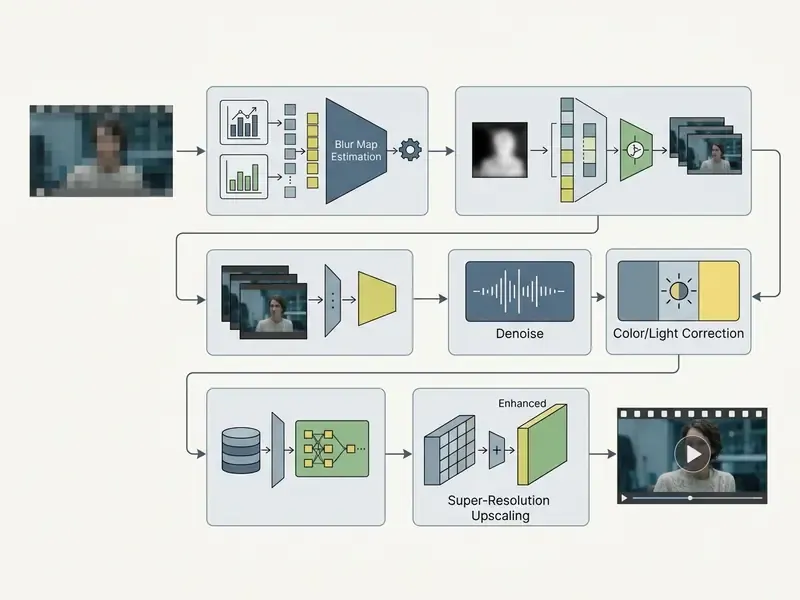
Upscale Blurry Videos to HD and 4K
"FMA-Net++ reaches state-of-the-art accuracy and temporal consistency on the REDS-ME and REDS-RE benchmarks while handling dynamic-exposure video at high inference speed."
By reading local edge orientation, the network synthesizes clean high-frequency detail instead of enlarging existing noise. That is what lets you upscale video from 720p or 1080p to high definition 4K for large-screen display or broadcast delivery, and it is also why a 4K export of a 240p source rarely convinces anyone. Similar super-resolution logic drives still-image tooling, including the image upscaler and image enhancer categories covered in our guide to AI image expansion and outpainting tools.
Improve Color, Brightness, and Overall Video Quality
Preserve Natural-Looking Faces and Details
The classic failure in neural video processing is the "plastic skin" effect: aggressive denoising turns real skin into a featureless surface.
To hold identity cues, advanced face-restoration models enforce identity and geometry constraints. ReFine (2025) uses reference-guided restoration with dual discriminators operating across UV texture maps. The method appears in Copy or Not? Reference-Based Face Image Restoration with Fine Details (WACV, 2025), which names four explicit objectives: copy reference features, generate missing details, preserve semantic consistency, keep the restored face realistic. Earlier work points the same way, including detail-preserving reconstruction via encoded facial priors (WACV, 2023) and high-fidelity texture completion using UV-map plus image-space discriminators (ICCV, 2021).
The payoff is retention of fine identity signals, such as skin micro-texture, freckles, and facial hair, so restored faces stay natural looking and keep their facial features.
"Video quality models that encode both technical and aesthetic features correlate well with human judgments of enhanced video quality on the VDPVE dataset."
That correlation is the practical argument for preview inspection. Perceived naturalness can be measured, and a quick visual audit approximates the measurement at a fraction of the cost of a full render.
Is Unblur Video Online Free for Personal and Commercial Use?
Plenty of platforms advertise unblur video online free processing, and most of them mean it, within limits: daily credit allocations, resolution caps, watermarks, and licensing restrictions on video content. Users boxed in by a free tier tend to start comparing alternatives, and our guide to free photo editors, feature limits, and export restrictions documents the same economics on the still-image side. Current plan-by-plan numbers live in our AI Media Pricing Guides.
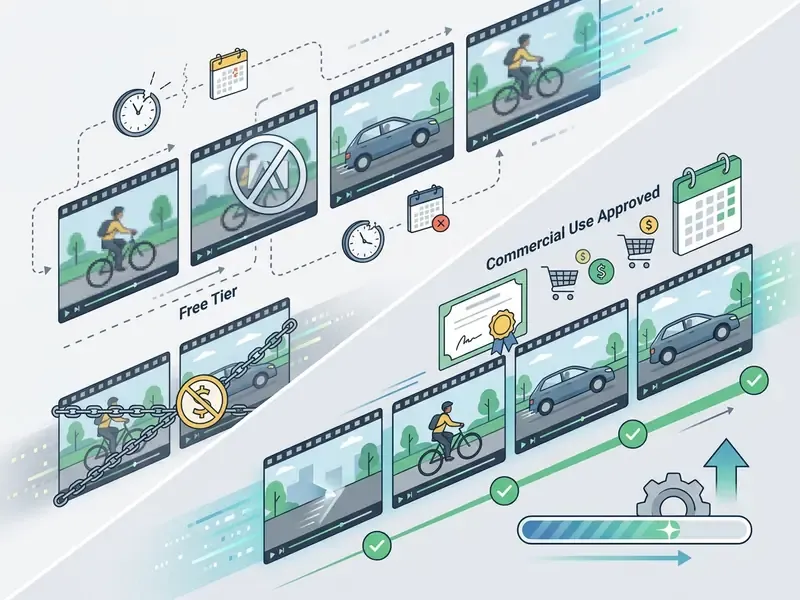
What "Free" Can Include: Credits, Video Length, and Export Limits
Cloud AI processing burns GPU time, so providers ration free access with quotas instead of offering unlimited runs.
Typical free-tier limits:
- Credit budgets a fixed allocation of daily or non-renewing credits (125 one-time credits on some generative platforms is a common shape), with each processing second consuming a defined amount.
- Video length restrictions per-file caps from 5 seconds to 10 minutes, with some consumer unblur tools holding free video uploads to 1 minute.
- File size caps usually between 4 MB and 250 MB on free accounts.
Free Credit Systems and Preview Limits
To let people test models free without paying first, platforms use several access patterns:
- Sign-up credit allocations a starter pool, commonly 5 to 10 processing credits on account creation, enough for a couple of short test clips.
- Daily activity incentives credits earned through check-ins, community participation, or referrals.
- Watermarked or short-clip previews a 3 to 5 second unwatermarked evaluation render, so you can audit fidelity before spending credits on the full export.
- App-install bonuses some vendors grant extra credits for installing the companion app from the App Store or Google Play. Worth checking before you buy a subscription for one clip.
Knowing where the walls are lets you plan a workflow that does not stall halfway through a deadline.
Free B2C License vs. Enterprise Agreement
| Term | Typical Free B2C Tier | Typical Enterprise / Paid Agreement |
|---|---|---|
| Credits / throughput | Fixed starter pool, daily check-in top-ups | Contracted volume, burst capacity, API quotas |
| Watermark | Visible vendor watermark on export | Watermark-free export, brand-safe delivery |
| Max resolution | 720p to 1080p, 2K on select models | 4K (3840×2160), high-bitrate mastering |
| Clip duration | 1 to 10 minutes per file | Long-form, batch queues, folder ingestion |
| Data retention | Vendor default (often 24 hours), limited configurability | Contractual retention window, deletion attestation |
| Model-training use | Sometimes permitted by default in ToS | Explicit opt-out or contractual prohibition |
| Commercial rights | Often personal use only | Documented commercial license and indemnity |
| Support / SLA | Community help center | Named support, uptime SLA, incident response |
| Deployment | Public multi-tenant cloud | Private tenancy, VPC, or on-premise options |
Detailed cost structures across comparable AI media platforms are analyzed in our Canva AI Generator pricing and commercial licensing overview.
Watermarks, Download Quality, and Available Features
Credits are only one lever. Export formatting is the other.
Free exports often carry a visible brand video watermark across the canvas, and removing it means a paid plan or per-export credits. Vendor practice varies more than you would expect: DaVinci Resolve Free applies no general watermark but marks Studio-only effects, Kling AI stamps a logo on free-tier exports and reserves 4K for paid plans, and some SDKs drop the export watermark only once a valid license file is installed.
Free tiers also tend to cap download resolution at 720p or 1080p, holding 4K export, high-bitrate rendering, and video watermark remover features for subscribers. If a tool advertises a general-purpose watermark remover for third-party footage, read the terms twice; that is a rights question, not a rendering question.
Supported Video Formats, Devices, and Upload Safety
Cloud unblur tools support the standard media containers, run in mobile browsers on both platforms, and rely on encrypted upload protocols to protect user data.
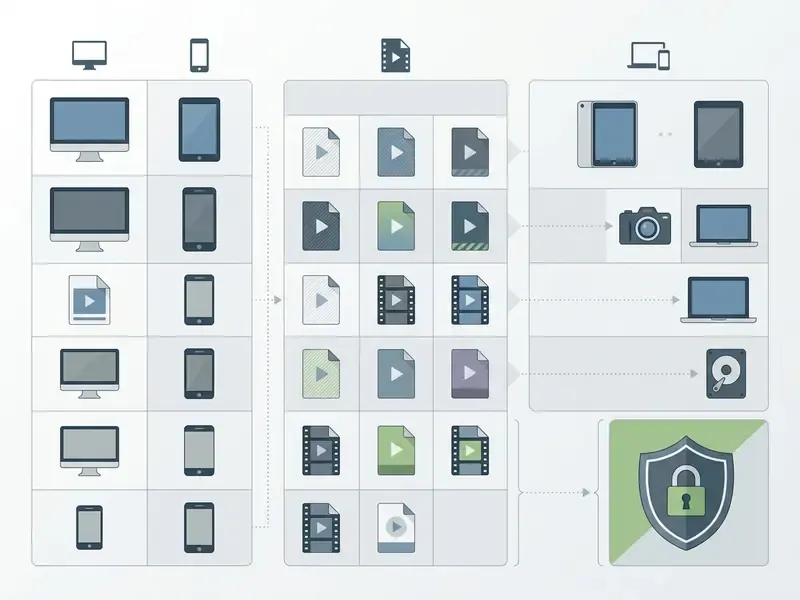
| Parameter / Feature | Desktop Web Browsers | Android Mobile Browsers | iOS Safari / Mobile |
|---|---|---|---|
| Supported Input Formats | MP4, MOV, AVI, WEBM, MKV, M4V | MP4, MOV, WEBM, 3GPP | MP4, MOV, M4V |
| Recommended Codecs | H.264 / AAC, HEVC, AV1 | H.264 / AAC, VP8, AV1 | H.264 / AAC, HEVC |
| File Picker Access | Local File System, Cloud Drive | Files, Downloads, Google Drive | Files App, Photos Library, iCloud |
| Max Free Upload Size | Up to 250 MB | 4 MB to 250 MB (network dependent) | 4 MB to 250 MB (network dependent) |
| Preview Capability | Real-time split-screen / side-by-side | Full-screen video player preview | Native browser video element |
| Batch Upload | Multi-file and folder queue | Multi-select from Files app | Multi-select from Photos |
| Data Protection Standards | HTTPS / TLS 1.3, ephemeral storage | HTTPS / TLS 1.3, isolated storage | HTTPS / TLS 1.3, sandboxed storage |
MP4, MOV, and Other Supported Video Formats
Using an Online Video Unblur Tool on Android and Mobile
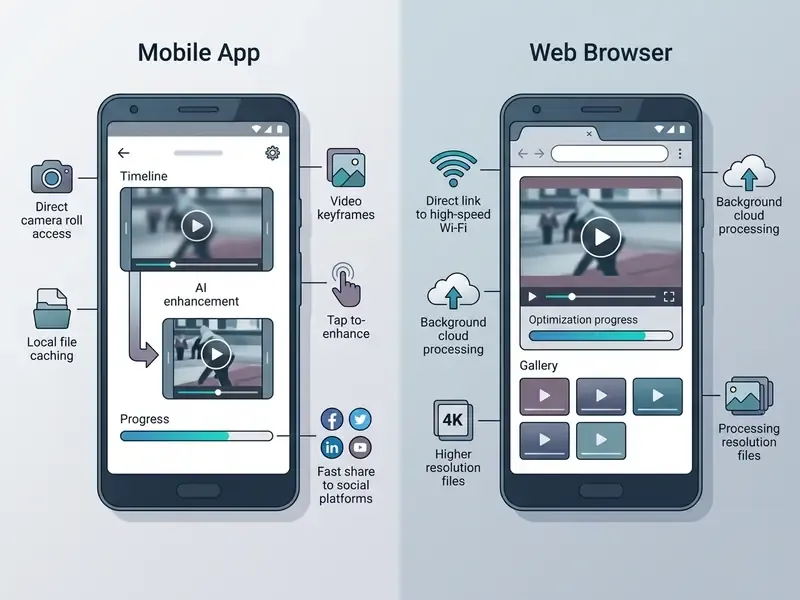
Browser-based online video tools let you fix blurry video online free android and iOS, with no native app install and no App Store detour.
Mobile execution leans on HTML5 file API pickers in Chrome and Safari. You select media straight from the photo library, the downloads folder, or a cloud account. Codec availability is OS-version dependent, and that trips people up: H.264 Main Profile is documented from Android 6.0 onward, VP8 from Android 4.3, AV1 from Android 14. A very old handset may refuse to preview an otherwise valid export, even though the file itself is fine.
Two practical notes. Keep the device on stable Wi-Fi, because large high-bitrate uploads time out on patchy mobile data. And treat storage location as a security decision: Android documentation states that external storage is globally readable and should hold only non-sensitive data, which matters a lot when the restored clip shows an identity document. For capture and playback workflows around the same file, see our references on the online video recorder and the online video player.
For adjacent creative workflows on mobile and desktop, including background remover and object remover features that often ship alongside an ai image enhancer, see our guide to animation makers, AI features, and export options.
Unblur Video FAQ
How long does AI take to unblur a video online?
Processing speed depends on duration, target resolution, and queue load. Short clips of 5 to 15 seconds on optimized event-driven networks usually render in 10 to 60 seconds. Longer files take several minutes. On generative platforms with shared queues, vendor help pages report weekday averages just under 24 hours for standard queues and roughly 10 minutes per minute of video on priority tiers.
Do I need to create an account or install software to use an AI video clearer?
Most web tools run entirely in the browser, with no local install. Some allow a single anonymous upload, but downloading full-resolution output or claiming free credits normally requires a basic account.
Is my uploaded blurry video secure and private on cloud servers?
Reputable platforms use TLS 1.3 in transit and ephemeral server storage, deleting uploads and renders after a defined window such as 24 hours. If the media is confidential, verify that the Terms of Service explicitly prohibit using customer uploads for model training. Organizations handling personal data should also confirm alignment with EDPB video-processing guidance on lawful basis, retention, and erasure rights.
Does AI video enhancement preserve the original video quality?
It improves objective metrics such as PSNR and SSIM by removing noise and restoring edge contrast. But because the model reconstructs missing pixels through statistical inference, the output is a restored approximation, not a bit-for-bit match to the original quality of the uncompressed scene.
How do I unblur a video someone sent me on WhatsApp, Telegram, or iMessage?
Messengers transcode on send, so what you received is already compressed and downscaled. Ask the sender to re-share the original via AirDrop, a cloud drive link, or raw file transfer. If that is impossible, upload the received clip and choose a combined compression-artifact plus super-resolution model rather than a pure sharpening pass. The primary defect is quantization blocking, not focus error.
Why does my video look over-sharpened or show white halos around objects?
Halos and harsh outlines appear when high-pass sharpening kernels run at excessive intensity on low-resolution input. Drop the enhancement slider to a moderate level, roughly 40 to 60 percent, and re-enable temporal smoothing so adjacent pixel transitions blend naturally.
Why do faces look synthetic or "plastic" after applying AI unblur?
Generative facial priors over-extrapolate skin texture when the source face is heavily pixelated. Pick a face-aware preservation profile with UV-texture constraint mapping, or reduce the generative reconstruction weight during preview. Avoid maximum strength on face-heavy footage, always.
Why does my enhanced video become blurry again after uploading to Instagram or TikTok?
Social platforms re-encode on both client and server with aggressive target bitrates. An unusually high-bitrate 4K file simply gives the ingest encoder more to crush. Export restored clips as H.264/AAC at 1080p with a balanced target bitrate around 15 to 20 Mbps for the most stable playback.
Why does dark or low-light footage show increased grain after unblurring?
High-pass sharpening amplifies high-frequency sensor noise along with genuine edges. For low-light clips, use a pipeline that runs spatio-temporal denoising before any spatial edge sharpening.
Why does my video still look blurry after processing?
If the source was captured at very low resolution or crushed by compression, the detail was never recorded and cannot be recovered, only approximated. Lower the enhancement strength a notch and reprocess. Moderate settings usually produce a more credible, less artifact-prone result than maximum strength on badly degraded input.
Can I process multiple blurry clips at once?
Yes. Batch or folder upload queues several MP4/MOV files under identical settings, which keeps sharpening strength, resolution, and color treatment consistent across a publishing set. This is the recommended path for agencies and creators handling multi-clip campaigns, and the fastest way to make video clearer online free at volume before credits run out.
Summary of Online AI Video Enhancement Standards
Modern AI video clearers offer accessible, browser-based restoration for motion-blurred, out-of-focus, low-light, and compressed footage. That is a genuine shift from five years ago, when the same work needed a workstation.
Understanding what the networks can and cannot rebuild, inspecting the preview, and verifying free-tier licensing gets you most of the way to a safe workflow. Consumer users should favour moderate enhancement settings and platform-friendly export profiles. Enterprise teams should treat these services as third-party AI vendors, with documented validation, defined retention, and a human-review gate wherever identity or evidentiary footage is involved. No evidence, no autonomy.
To explore broader technical definitions and algorithmic frameworks across digital media processing, visit our guide to AI voice generators, quality, and commercial licensing and our comparison of the best AI art generators by quality and licensing.
Appendix A: Superseded Formulations (Retained for Transparency)
The following original phrasings were revised in the main text because they were not traceable to a verifiable primary source. They stay here so readers can compare the earlier and updated claims.
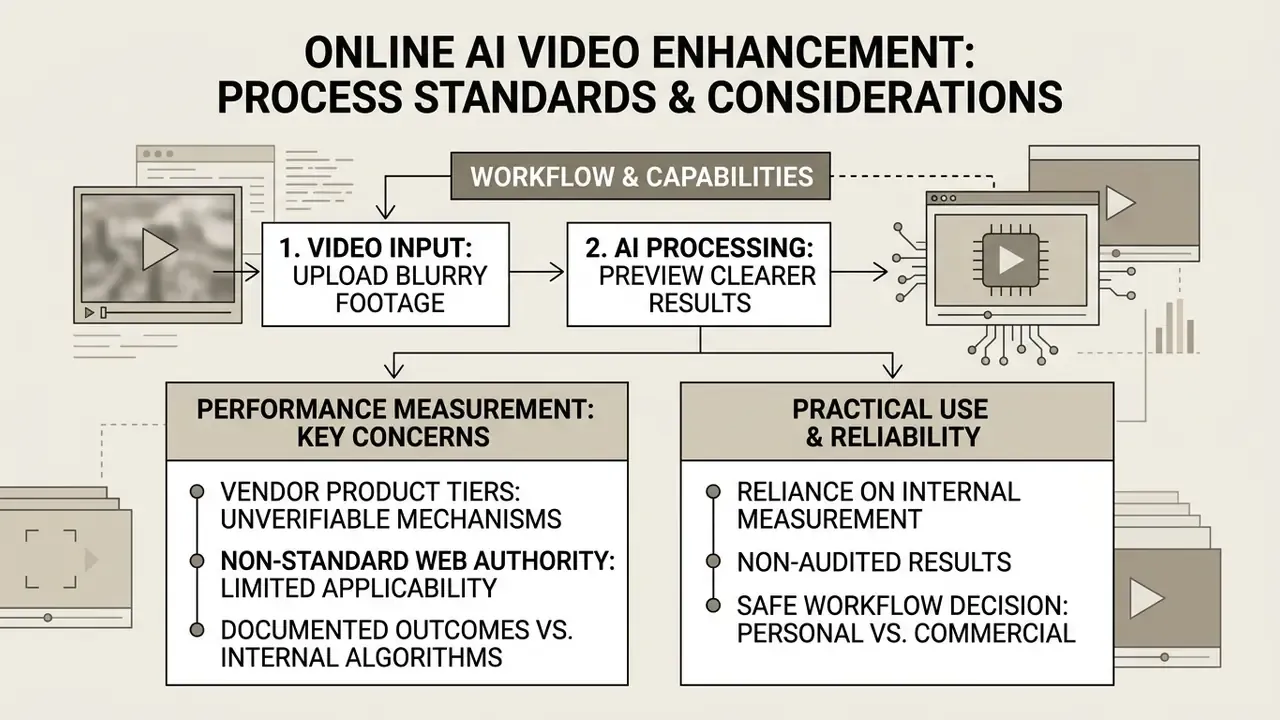
Reason for revision: vendor product tiers are documented, but the "generative feature synthesis" mechanism and the implied quality claim are not independently benchmarked.
Reason for revision: NASA's internal web standard is not a general web-video authority. The updated text cites RFC 4337, Android media documentation, ITU-T H.644.8, and W3C WebCodecs instead.
Reason for revision: Apple documents the outcome ("Enhance Light and Color") but not the internal color-space operations. The HSV mechanism is documented in the GenColor paper, not by Apple.
Reason for revision: restated in the main text as an illustrative, internally measured, non-audited result from a single institution's sampling.
- Original (upscaling)
- "Modern ai video upscaler frameworks, such as NVIDIA Maxine Super Resolution and Adobe Firefly Video Upscale, apply generative feature synthesis to increase pixel counts by 2x, 3x, or 4x."
- Original (format standards)
- "Standards organizations, such as NASA's Internet Resource guidelines, mandate MP4/H.264 due to its optimal balance of high compression efficiency and universal browser compatibility."
- Original (color enhancement)
- "Apple's machine-learning-driven light and color enhancements adjust the HSV vector space to brighten shadow regions in low-light videos without clipping highlight details."
- Original (case metric)
- "This procedural control reduced identity verification errors by 34% while maintaining processing throughput."