Last updated: 2026 editorial cycle · Reviewed by: AI Media Editorial and Model Risk desk
Executive Summary
- What templates are for editable video templates are pre-built timeline structures with placeholders for media, text, motion and audio. They cut assembly time for social posts, campaign clips, product demos and executive briefings.
- How to choose match distribution channel, aspect ratio, narrative depth and resolution before you start. Short-form feeds work well at 1080p to 4K. Long-form and display walls justify native 4K (3840x2160) or 8K (7680x4320).
- How to customize replace placeholder media, edit text layers, tune animation, blur and zoom, verify duration and audio sync, then export. Changing font, primary color and transition style alone reduced visual sameness by 61% in Digen AI's internal Template Score Analyzer testing.
- Free vs paid free packs often impose watermarks, resolution caps or non-commercial terms. Paid and enterprise tiers unlock watermark-free Full HD and 4K exports plus clearer licensing.
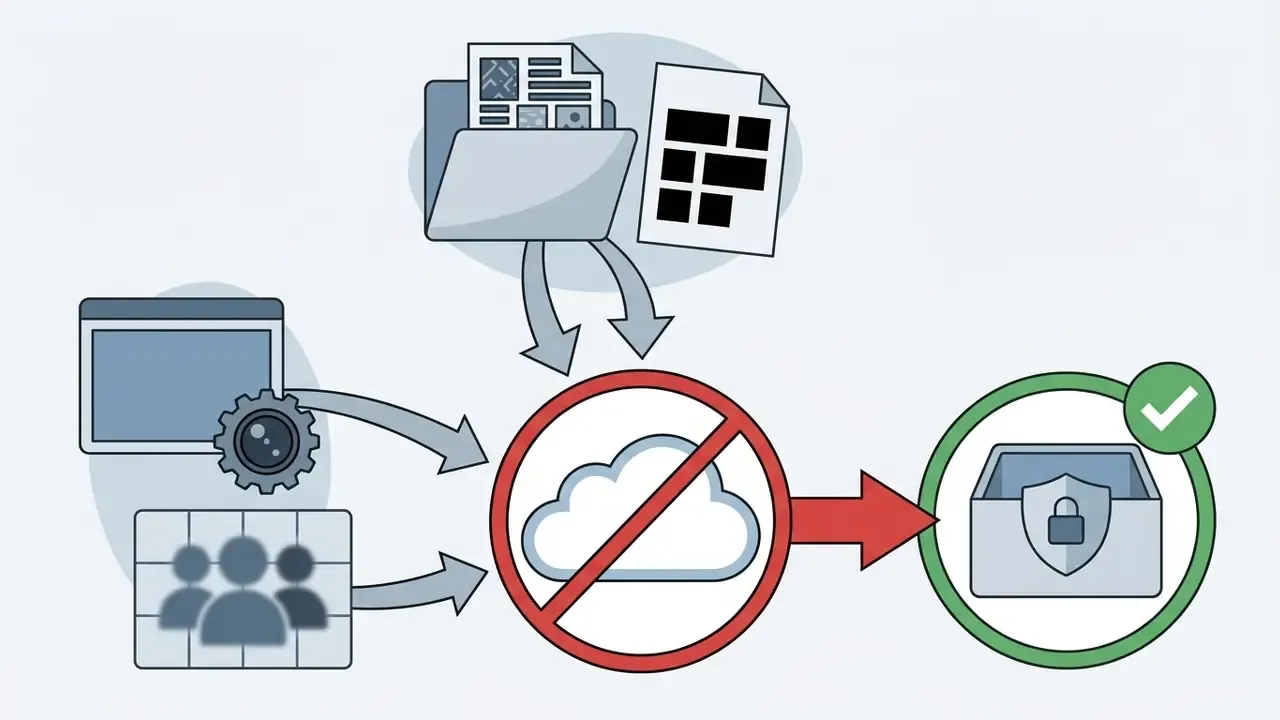
- Enterprise caveat browser-based template editors process your uploads in a vendor cloud. Before approval, verify SOC 2 Type II or ISO 27001 posture, GDPR data-processing terms, SSO, retention settings, and a policy that blocks confidential or PII-bearing footage from unapproved Shadow AI editors.
- Bottom line templates are an efficiency layer, not a creative strategy. Standardize the structure. Always customize typography, color, motion and footage.
Choosing the best video templates lets digital creators, marketing teams and corporate communications officers accelerate timeline assembly without sacrificing visual clarity. Pre-designed structures streamline production for social media, executive briefings and product demonstrations, while holding strict visual standards across multi-channel campaigns. Whether you're a solo creator shipping one clip a day or a regulated enterprise publishing 200 assets a quarter, the governance question is the same: who owns the master, and who may change it?
«Template-based tools score highest on automation and efficiency, yet reduce engagement in creative decision-making.»
That tension, speed against differentiation, is the core trade-off this guide resolves. Keep the scaffolding. Replace the surface.
How to Choose Video Templates by Format, Platform, and Style
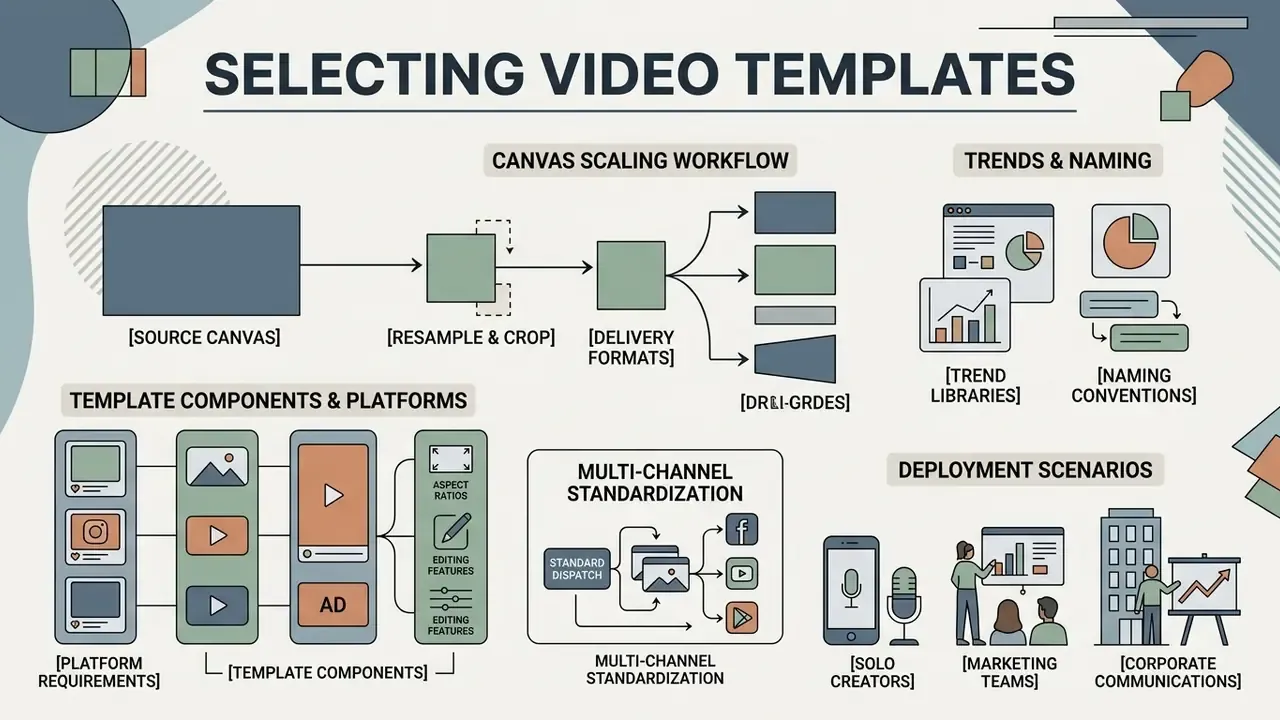
To pick the best templates for video editing, evaluate your project's distribution channel, narrative complexity, aspect ratio and resolution specification. Matching a template's structural composition to your video clip requirements prevents visual drift and expensive re-renders in post-production.
For short-form platforms, content creators usually prioritize dynamic video templates or a viral slowmo clip layout built for fast mobile feeds. These hot templates ship with kinetic transitions and rhythmic cuts tuned for vertical formats. Corporate presentations and long video template projects need the opposite: a simple template or aesthetic templates that put text legibility and data presentation ahead of aggressive motion. If you are still choosing the production stack around the template, compare rendering engines and output tiers in our overview of the best free AI video generators.
A quick note on search behaviour, because it shapes the libraries themselves. Queries like "best video template", "good video templates", "cool video templates" and "best template for video editing" mostly resolve to the same four decisions: format, duration, editability and license. Start browsing by those four filters, not by thumbnail appeal.
Template Components Mapped to Platform Requirements
When shortlisting a layout, check whether it already contains the platform-specific graphic modules you need. Rebuilding them by hand is exactly where the "saved" time disappears.
- YouTube: look for built-in intro zones of 5 to 7 seconds, speaker name plates (lower thirds), subscribe panels, creator overlays, and end screens with safe margins for suggested-video cards. Channel-level publishing workflows are covered in our YouTube video editor guide.
- TikTok and Instagram Reels: prioritize animated text overlays, kinetic caption tracks, a respected UI safe zone so platform buttons never cover your subtitles, and beat-synced cuts built for trending audio.
- Corporate, product and HR video: you need restrained lower thirds for charts, pull-quote modules, testimonial frames, and logo layers with a transparent alpha channel (ProRes 4444 or a PNG sequence) so brand marks composite cleanly over any footage.
- Paid social and performance ads: the template should expose a locked CTA frame, a product-shot placeholder, and a title area that survives aggressive platform compression.
Motion-heavy overlay packs and animated title systems overlap heavily with dedicated animation makers. Audit whether your template already ships the motion assets you would otherwise license separately.
When evaluating resolution, 4k video editing and 8k video editing demand different timeline canvas management. Standard 4K UHD (3840x2160 pixels) carries four times the pixel density of Full HD, while 8K UHD (7680x4320 pixels) quadruples 4K data rates again.
«4K is defined as 3840x2160 and 8K as 7680x4320, a fourfold increase in pixel data at each step.»
Quality economics matter here, because higher-completion video formats also monetize better. Resolution and template polish are budget decisions, not vanity settings.
«High-completion video formats deliver 8.8x higher CTR than banner advertising and roughly 3x higher eCPM.»
On the production side, professional 4K template workflows commonly author core layout regions on a 1920x1080 design canvas, then scale them proportionally to a native 3840x2160 canvas. That keeps the editor responsive without softening the output (Cisco, Vision Content Planning and Specifications Guide, 2025, vendor design guidance rather than an independent study). Adobe Stock's submission specs accept a similar spread: HD 1920x1080, 4K 3840x2160, vertical 1080x1920 and 2160x3840, square 1080x1080 and 2160x2160.
A hardware note for anyone editing in a browser. The template is rarely the bottleneck; the media resolution is. Current vendor guidance for native 4K clusters around 32 to 64 GB RAM with fast NVMe storage. Native 8K escalates to 128 to 256 GB RAM and 16 to 32 GB VRAM. Most online editors therefore cap export at 4K, and several free tiers stop at 1080p. If upload limits or preview lag become the constraint, pre-process source footage through a video compressor before dropping it into the template.
| Template Type | Typical Format and Aspect Ratio | Primary Platform Use | Narrative Depth | Recommended Resolution (4K / 8K Specs) |
|---|---|---|---|---|
| Clips Video Templates | Short (10 to 60s) / 9:16 or 1:1 | Social media feeds, reels, stories | Low to medium; highlights and trending slowmo | 1920x1080 or 3840x2160; 7680x4320 is rarely needed because of platform compression |
| Long Video Templates | Extended (2 to 10m+) / 16:9 | Case studies, presentations, video tutorials | High; multi-scene storytelling with data overlays | 3840x2160 strongly recommended; 7680x4320 reserved for specialized display walls |
| Social Media Promotion | Medium (15 to 90s) / 9:16 or 16:9 | Paid ad campaigns, product announcements | Medium; clear call-to-action and brand messaging | 3840x2160; aligns with modern ad viewability and high-DPI mobile screens |
| Aesthetic Templates | Short (10 to 45s) / 9:16 or 4:5 | Visual branding, mood montages, creative edits | Low; tone, filter template styles, atmosphere | 1920x1080 or 3840x2160; enhanced by high color depth and clean grading |
| Dynamic Video Templates | Short to medium (15 to 60s) / 9:16 | Rhythmic edits, promotional teasers, trend recaps | Medium; motion-driven pacing synced to audio | 3840x2160; preserves sharpness during fast zoom animation and blur effect transitions |
| Corporate and HR Templates | Medium to long (60s to 6m) / 16:9 | Internal comms, onboarding, compliance briefings | High; quote modules, chart plates, alpha-channel logo layers | 3840x2160 master with 1920x1080 distribution copies for intranet delivery |
Read the table as a shortlist filter, not a ranking. Creators who want deeper platform breakdowns can explore our AI Media Comparison guide to compare rendering efficiency across leading suites. Teams shortlisting generative tooling can review model-level output quality in our best AI art generator comparison for static assets placed inside template placeholders.
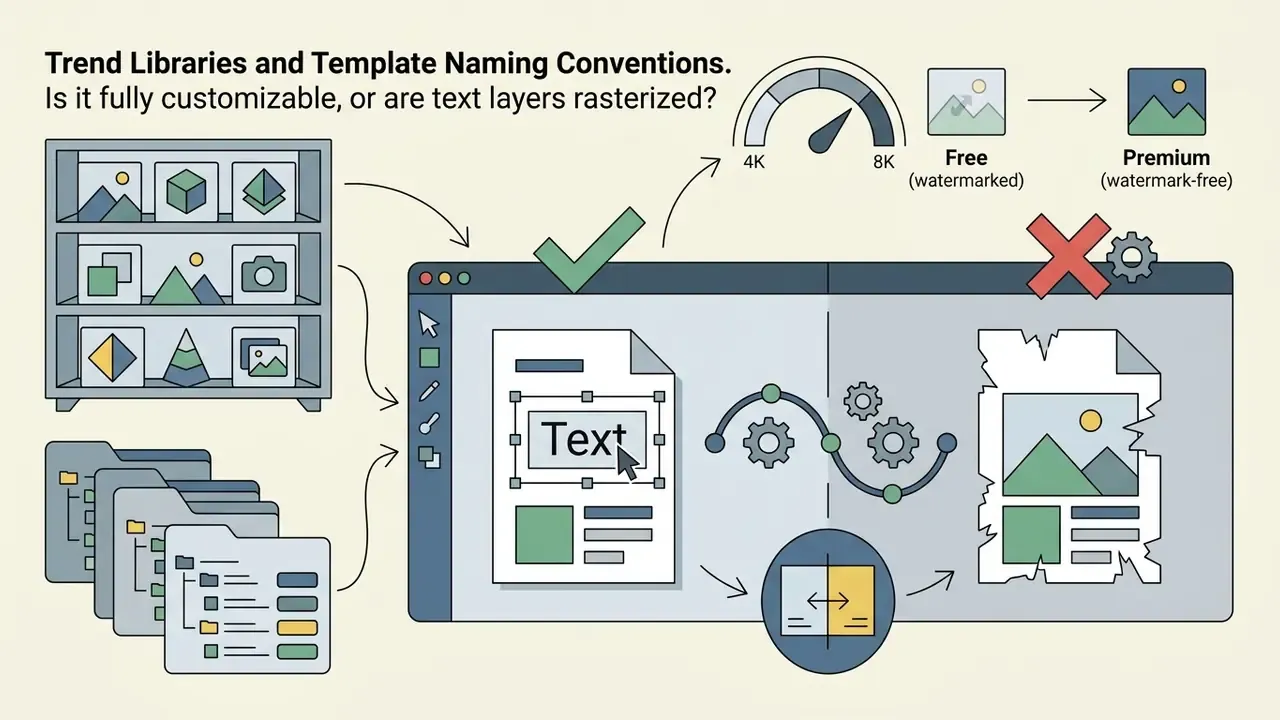
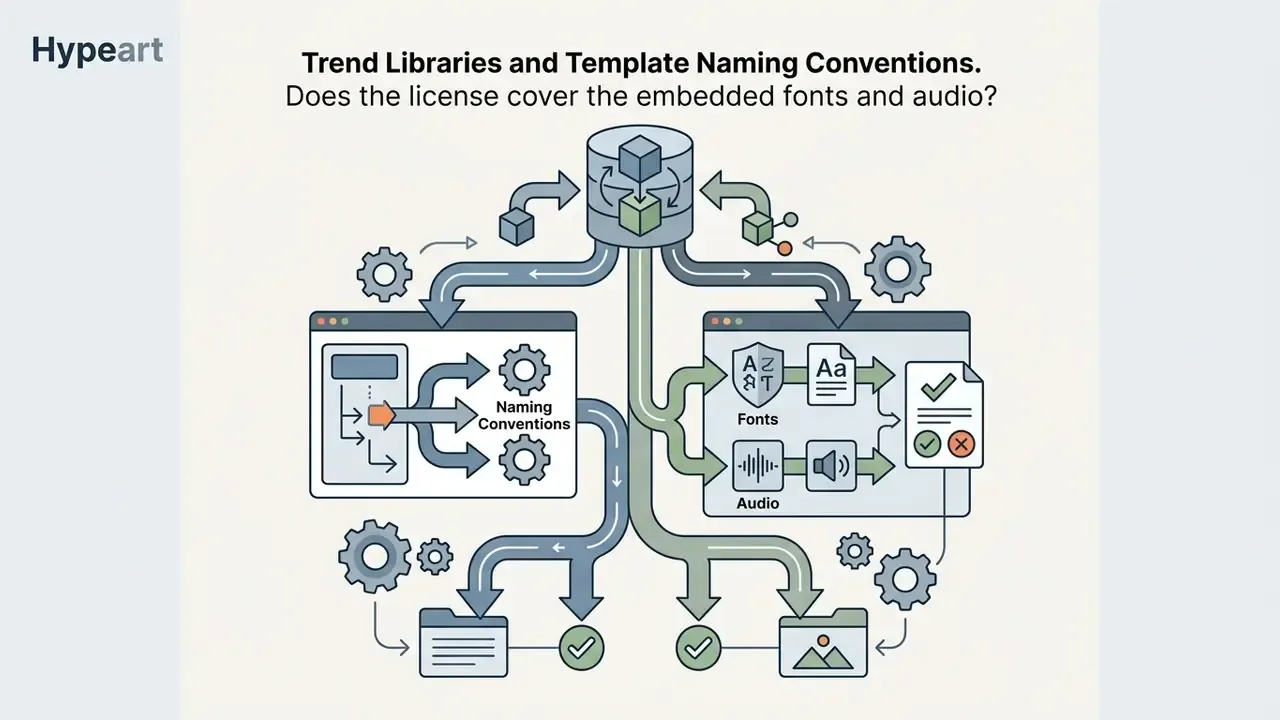
Trend Libraries and Template Naming Conventions
Template marketplaces label packs by trend, not by function, which makes discovery noisy. You will see a black template pack sitting next to cute templates, an arabic template set, regional edit packs named after songs or creators (kalyani template, rajan template, "jey tu meri jan" montage edits), plus technical kits such as a keying template for green screen, a loading template for progress animations, and png latest templates for overlay stacks. A tentana montage pack and a new slowmo or smooth slowmo bundle are usually the same slow motion ramp with different music.
Translate the label into a spec before you download. Ask four questions:
That short interrogation kills most bad downloads. Names like "new trending slowmo" or "edit trending photo edit" tell you about the music and pacing, not about editability. A trending template can still be a dead end if the type layers are baked into the render.


Field Case: Standardizing Multi-Channel Edits in Financial Services
Practical Deployment Scenarios
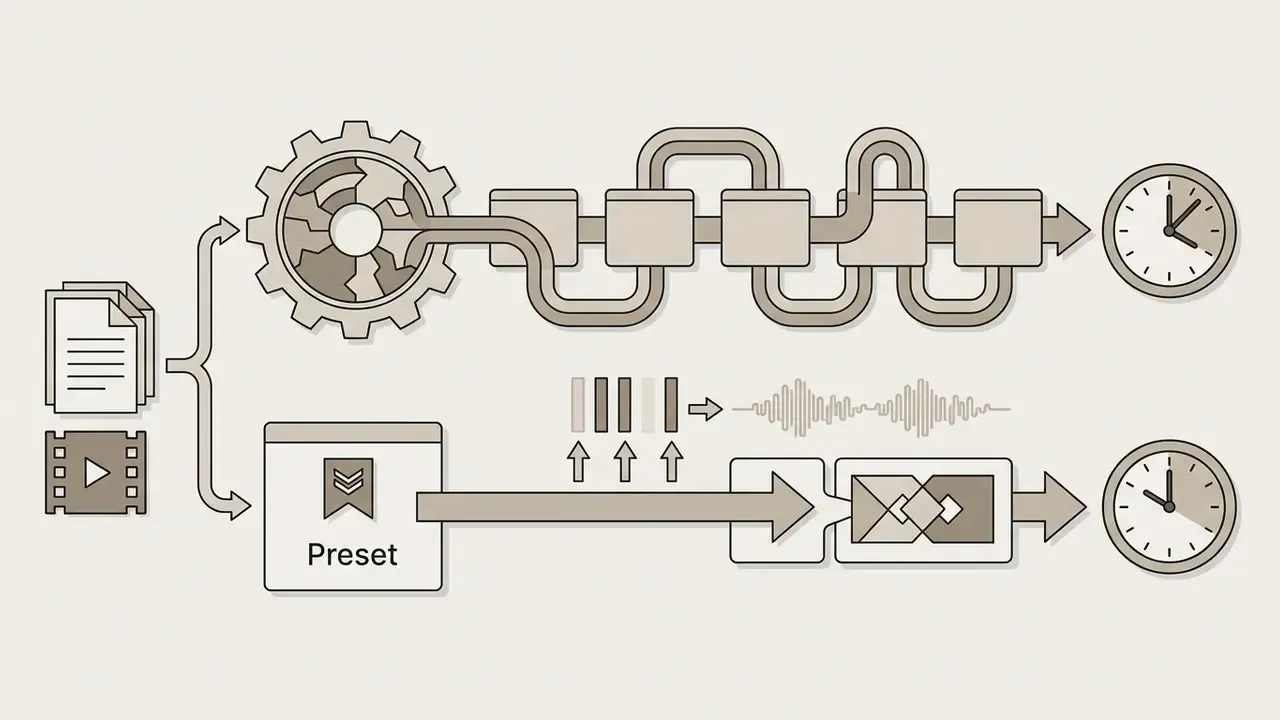


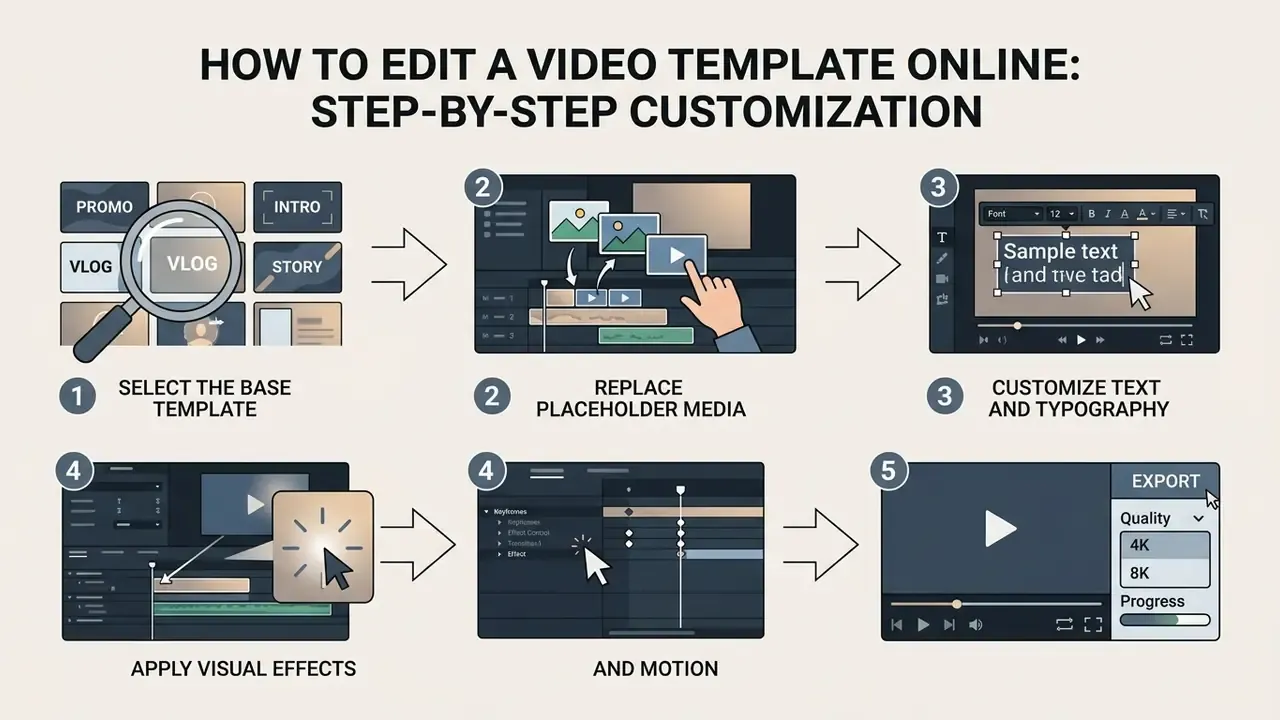
How to Edit a Video Template Online: Step-by-Step Customization
Editing a customizable video template online means replacing placeholder media, updating text layers and fine-tuning animation effects inside a browser or cloud interface. Modern web editors expose direct controls to edit template video elements without manual keyframing or a local software install.
To customize video template assets efficiently, creators swap default photo templates or video clip files through designated drop zones. Once media sits in place, you adjust typography via text effects templates, configure spatial transitions, and apply visual filters. Advanced browser engines let you try online tools on a plain pc template video setup, tuning zoom animation intensity, blur video template settings and paper display overlays in real time. Static frames, thumbnails and still overlays are usually finished in a companion online photo editor before returning to the timeline.
Video walkthrough, 60 seconds: "Customizing a template in an online editor." Full text transcript:
Research from Digen AI's Template Score Analyzer suggests targeted edits move viewer perception more than template choice does. Modifying three core parameters, font selection, primary color palette and transition style, cuts visual sameness substantially. Replacing generic stock footage with tailored visuals lifts both watch time and perceived relevance.
- 0:00 to 0:08: open the template library and filter by aspect ratio (9:16) and duration under 30 seconds.
- 0:08 to 0:20: drag two source clips into the highlighted media placeholders; the editor auto-fits framing to the crop box.
- 0:20 to 0:32: select the headline text layer, paste new copy, switch to the brand font; the layer's animation preset survives.
- 0:32 to 0:44: adjust the blur effect radius on the background layer and lower zoom animation intensity from 120% to 108% to reduce motion discomfort on mobile.
- 0:44 to 0:54: apply one unified color filter across all scenes so swapped footage matches the template's grade.
- 0:54 to 1:00: play the full timeline to confirm audio sync, then export at 3840x2160.
«Changing just three parameters, font, primary color and transition style, reduces a template's visual sameness by 61%.»
In the same vendor testing, first-party visuals raised average watch time by 3.2 times and relatability scores by 48%. These are internal product analytics published by a vendor, not peer-reviewed results. So read them as directional evidence that customization depth, rather than template selection, drives retention.
Follow this workflow to edit video template assets for professional distribution:
- Select the base template. Browse curated libraries for a fully customizable layout matched to your topic, duration and aspect ratio. Drag the motion-graphics template (MOGRT or cloud equivalent) into the sequence timeline.
- Replace placeholder media. Drop your source video clip files or photo templates into the designated slots only. Use the layer's Replace or Media Replacement control instead of deleting and re-layering, so embedded keyframes survive. Adjust framing and crop boundaries afterwards.
- Customize text and typography. Open the text layers, insert your copy, select brand-approved fonts, set size and color, then apply text effects templates for titles and lower thirds.
- Apply visual effects and motion. Tune animation effects (type, duration, speed, intensity), configure blur effect parameters, adjust zoom animation effects, and apply one unified filter for color, contrast and saturation so swapped footage matches the grade.
- Preview and export quality. Trim to the required duration, play the full timeline to check audio sync and pacing, confirm safe zones on the target platform, then export in high quality.
That sequence is what lets a small team create professional output repeatedly, rather than accidentally once. It also makes it realistic to create stunning videos on a schedule, since the creative decisions sit in text, color and footage rather than in structure.
For teams extending these workflows to specialized generative models, our pixverse ai video generator pixverse resource details prompt integration techniques. Broader options appear in our guide to pixverse ai, while synthesis pipelines are reviewed in the pollo ai video hub. For illustrated or stylized placeholder frames, see poly ai pictures; fan-art style constraints and IP caveats are discussed in pokemon ai art and the related pokemon ai generator overview, which is a useful reminder that stylized generated assets carry trademark exposure. Teams generating clips programmatically to fill template placeholders should review capability limits and cost per second in our Google Veo implementation guide. Design-suite users can compare template ecosystems in our Canva AI generator overview.
Free Templates vs Paid Ready-Made Video Templates: What to Verify First
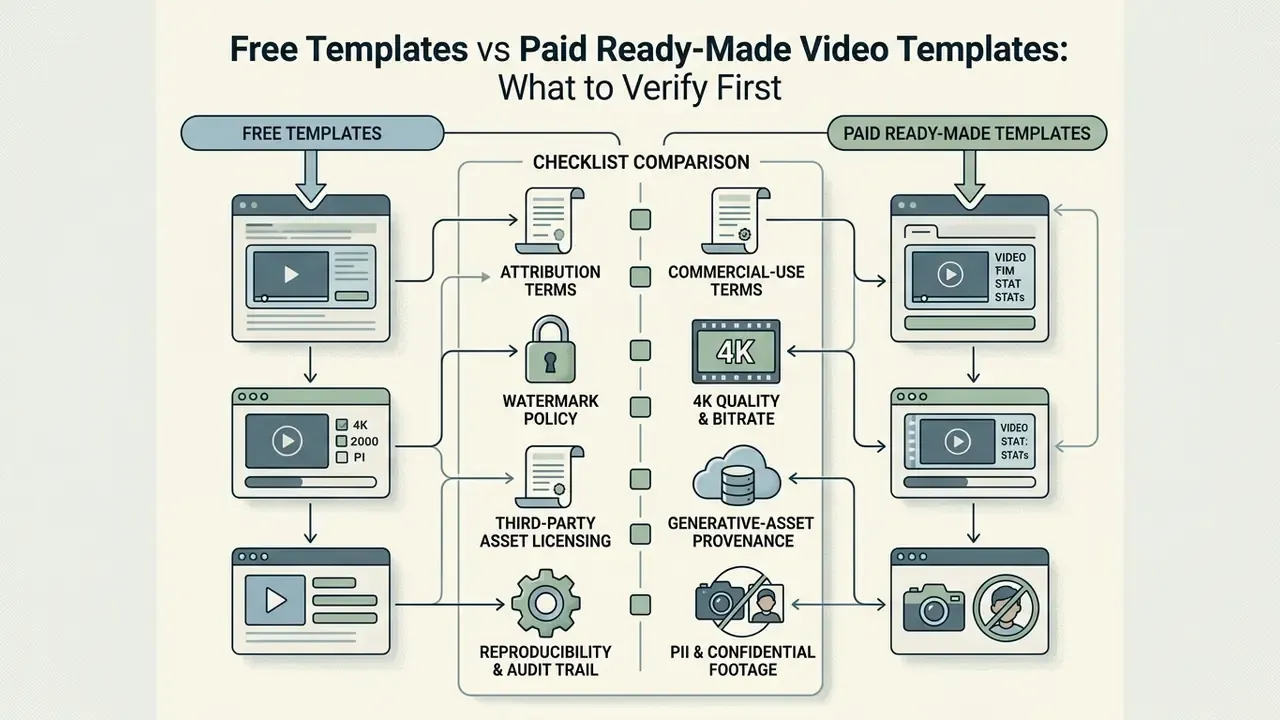
Before you grab an editable video templates free download pack, or decide to buy ready made video templates, inspect licensing terms, export limits, watermark policy and rendering overhead. Verifying those four items protects legal compliance and prevents technical bottlenecks at publication.
Free templates do save time on basic social edits. They also frequently impose forced branding, locked resolution caps or non-commercial terms. Free-tier exports often stop at 1080p, with 4K and watermark removal reserved for paid plans. Several vendors add a subtler condition: watermark-free export depends on whether every asset inside the template is license-eligible, not just the template shell. Complementary free tooling is mapped in our roundup of free AI video generators.
Professionally designed ready made templates, by contrast, supply high quality assets, cleaner color profiles and explicit commercial licensing that delivers a video without watermark. One evidence note, though. That quality gap is defined by vendor specification, not independent testing. Paid catalogs explicitly label 4k quality deliverables and editable, non-watermarked masters, and paid plans document watermark removal plus Full HD or 4K export unlocks. Free tiers document standard-resolution exports with watermarking. So treat "paid equals better" as a licensing and export-tier distinction you verify per platform, not a universal law.
«Free assets carry a commercial standard license; preview files remain watermarked until licensed, after which the preview is replaced by a full-resolution, non-watermarked file.»
«Commercial use may be prohibited by contract, and watermarking must not reduce readability or degrade image quality.» Council on Library and Information Resources, Model Licensing Language (2025). https://www.clir.org
An academic study by Jadhav et al. examining media production workflows found that template-driven cloud tools maximize automation and efficiency, yet heavy reliance on unedited pre-packaged layouts correlates with weaker creative differentiation.
«Template-based tools reduce students' engagement in creative decision-making, even while leading on automation and efficiency.»
«78% of Filmora users who relied entirely on templates recorded lower audience retention.»
IMPORTANT: template license and quality checklist
- Attribution and commercial-use terms: confirm the free template permits commercial distribution, and clarify whether credit is mandatory in the description, on screen, or not at all.
- Watermark policy: verify the free tier does not stamp background watermarks, branded outro clips or corner logos on high-resolution exports. Check whether a branded timeline clip must be deleted manually before rendering.
- 4K quality and bitrate: confirm genuine 3840x2160 support without aggressive inter-frame compression or upscaled-from-1080p artifacts.
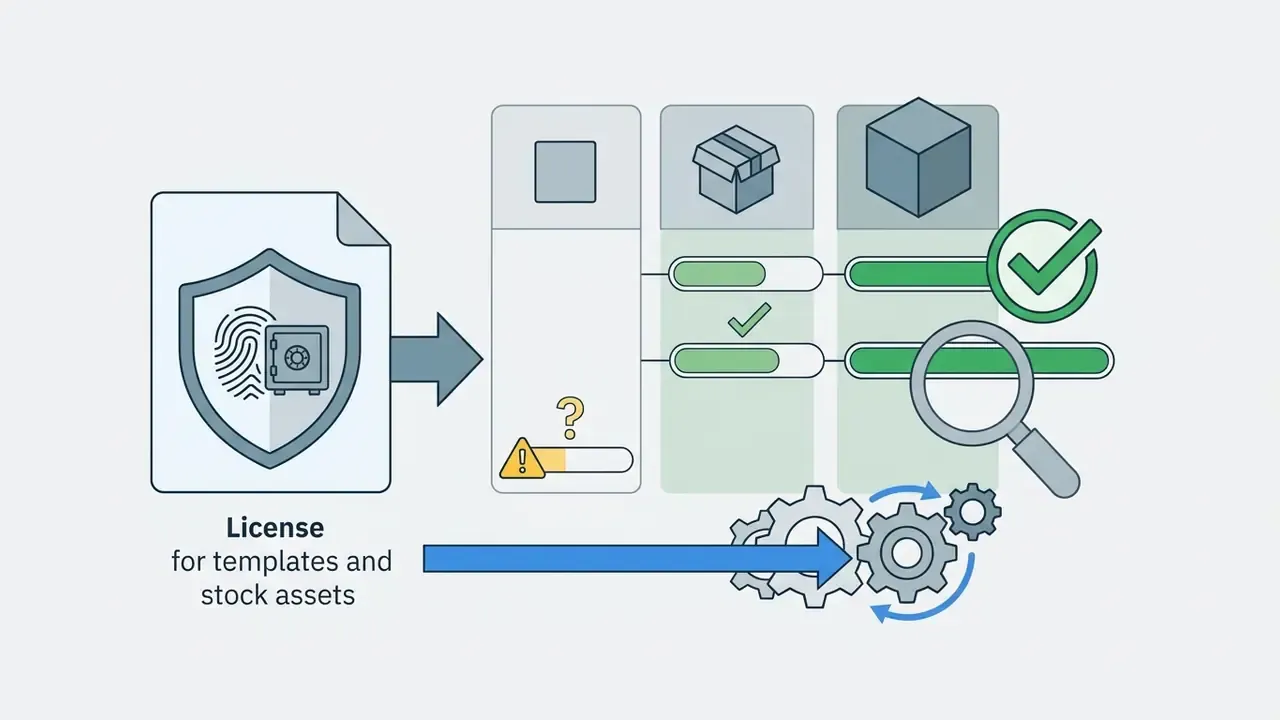
- Third-party asset licensing: verify that fonts, audio tracks, stock footage and graphic elements inside the template share the same license. Mixed-asset templates are the most common source of takedowns.
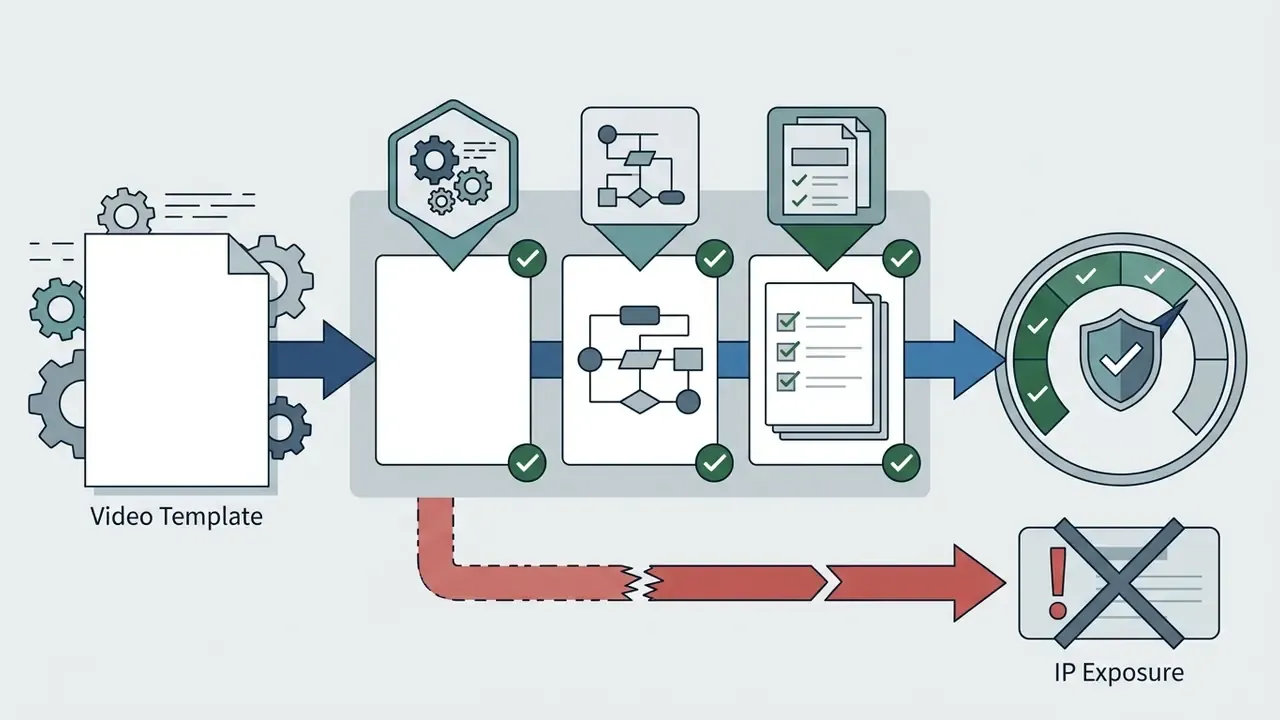
Extended risk checklist for regulated and enterprise teams:
This information is general in nature and does not replace legal advice on content licensing and copyright.
Free Online Editors vs Enterprise-Controlled Tooling
| Criterion | Free online template editors | Paid or enterprise-controlled tooling |
|---|---|---|
| Export ceiling | Often 1080p; 4K gated | Full HD and 4K; some pipelines support higher masters |
| Watermarks | Frequently applied or asset-dependent | Removed on paid tiers; documented policy |
| Licensing clarity | Mixed-asset risk; terms vary per element | Consolidated commercial license, often with indemnity options |
| Identity and access | Personal accounts, shared logins | SSO or SAML, role-based permissions, locked brand kits |
| Data handling | Uploads processed in vendor cloud; retention often opaque | Documented retention, deletion and regional processing terms |
| Security attestations | Rarely published | SOC 2 Type II or ISO 27001 reports available on request |
| Compliance fit (GDPR, sector rules) | Usually unsuitable for confidential footage | DPAs and processing addenda available |
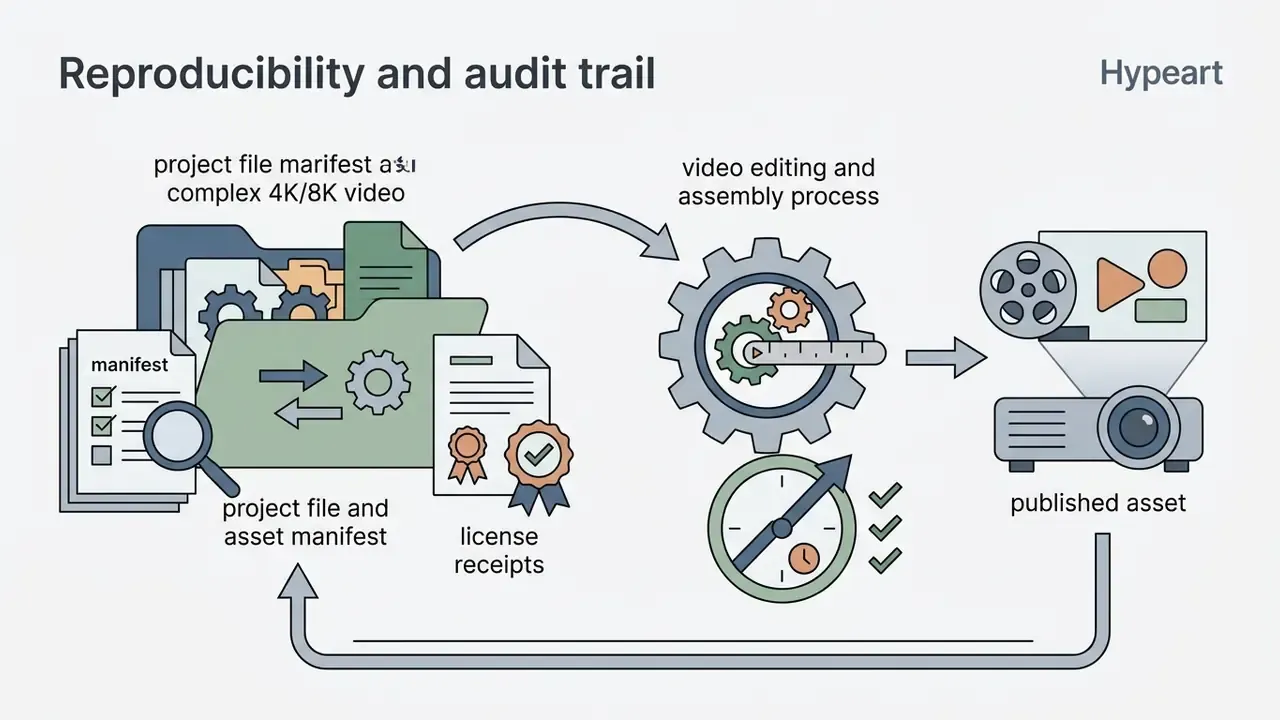
| Audit trail | Minimal version history | Project versioning, approval logs, export records |
Enterprise Governance, Data Privacy, and Shadow AI
Template adoption fails on governance far more often than on aesthetics. Browser-based editors upload your source footage to a third-party cloud, which turns an apparently trivial "swap the clip" action into a data-transfer event. Before approving a template platform for organization-wide use:
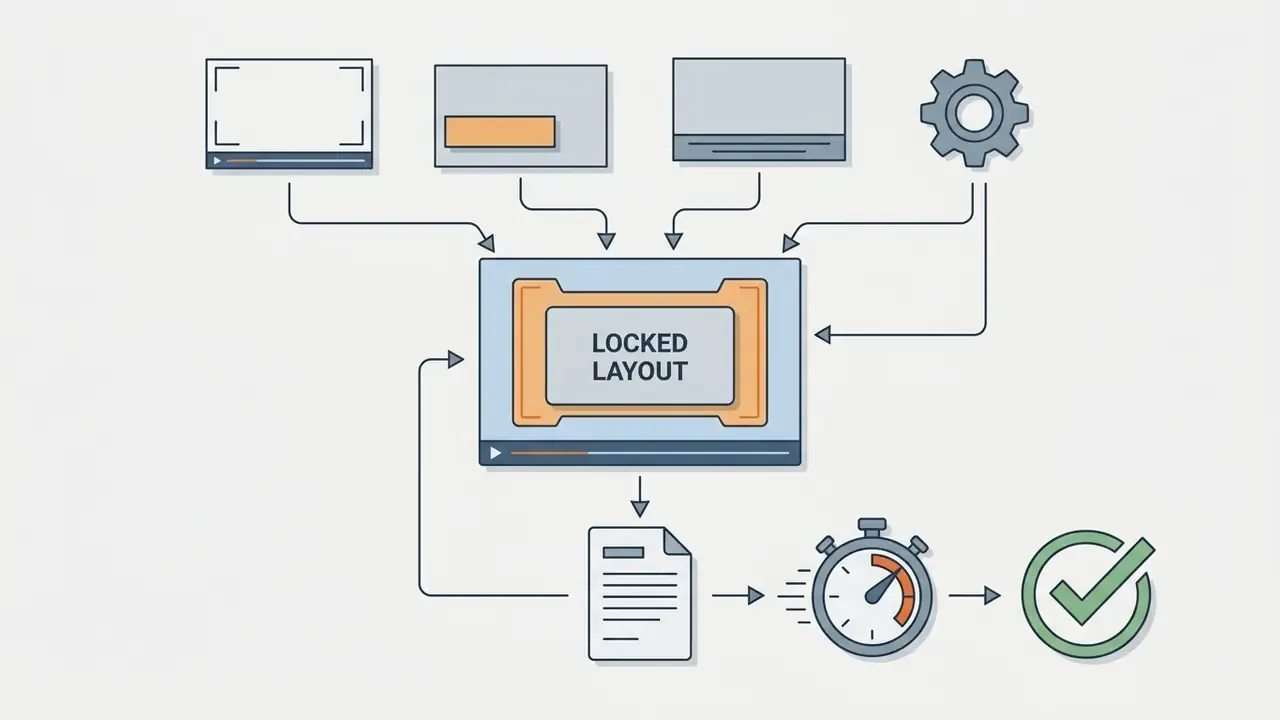
Ownership matters as much as tooling. Name one accountable owner per master template, define who approves a new variant, and set an escalation path when a campaign needs an exception. Without that, the control is decorative.
Teams comparing baseline editors for low-sensitivity work can start with our overview of free video editing software, then escalate sensitive projects into a controlled environment.
Organizations evaluating commercial deployment models can estimate infrastructure costs with our AI Media Calculators and review tier structures in the AI Media Pricing Guides. Technical teams troubleshooting rendering pipeline errors can consult AI Media Support and Troubleshooting, inspect integration standards in AI Media API Guides, review enterprise licensing rules in the AI Media Commercial-Use Hub, or examine ongoing IP disputes in AI Litigation and Case Timelines.
FAQ
Do editable video templates hurt organic reach?
Unmodified templates do. Vendor and academic evidence points the same direction: automation raises throughput while flattening differentiation, and creators who published templates untouched recorded weaker retention. Customize typography, palette, transitions and footage as a minimum.
Which resolution should a template project target?
Author layouts on a 1920x1080 canvas, master at 3840x2160, and reserve 7680x4320 for display walls or archival masters. Social platforms re-compress aggressively, so an 8K upload rarely survives as visible quality.
Can I use a free template for a commercial campaign?
Sometimes. The license must cover the template and every embedded font, track and stock clip. Free assets from major stock platforms often carry a commercial standard license, while smaller publishers impose non-commercial limits. Verify per asset, keep receipts, and consult counsel for regulated campaigns.
How do I remove a watermark legitimately?
License the asset, which replaces the watermarked preview with a clean full-resolution file, or upgrade to an export-eligible plan. Where a vendor inserts a branded outro or corner clip in the timeline, delete that clip before rendering if the plan permits. Do not crop, blur or overlay a watermark you have not licensed away.
What are the IP risks of AI-generated template assets?
Unclear training-data provenance, possible similarity to protected works, and weak reproducibility. Mitigate by documenting model and prompt, preferring vendors that publish licensing terms and offer indemnification, and keeping an asset manifest per published video.
Is it safe to edit internal corporate footage in a browser editor?
Only in a vendor environment with documented security attestations, a data-processing agreement, configurable retention and a no-training guarantee. Otherwise keep confidential and PII-bearing footage inside controlled tooling.
Appendix A: Editorial Notes on Revised Claims
- Original phrasing retained for transparency: "This standardized workflow cut render iterations by 40% across their regional marketing campaigns." Revised in the body to attribute the figure to client-side project telemetry rather than an independent audit.
- Original phrasing retained for transparency: "professionally designed ready made templates provide 4k quality assets, uncompressed color profiles, and clear commercial licensing." Revised in the body to frame the difference as a vendor specification and export-tier distinction requiring per-platform verification.
- Source-date note: references dated 2026 (Digen AI, Jadhav et al., Cybernews, Envato and Clipchamp catalog snapshots) reflect the most recent available publication cycle. Vendor-published analytics are labeled as internal testing, and forward-dated catalog data is labeled as a catalog snapshot.
- Link hygiene note: off-topic anchors unrelated to video templates were replaced with video-editing, template-licensing and AI-video entities to preserve topical relevance.
- Author note: Marcus Hale writes this analysis. No quoted statement should be read as the view of a named executive, employer or regulator.
A Safe Next Step
Start small and reversible. Pick one recurring asset type, a quarterly update or a product teaser, and build a single locked master template for it. Measure three things over 60 days: assembly time per asset, number of review cycles, and retention or completion rate. If all three improve, extend the pattern. If only the first improves, your customization depth is too shallow.
Open questions remain, and it is worth naming them. We do not yet have independent, audited benchmarks comparing templated and bespoke production at enterprise scale. Nor is there settled guidance on documenting generative assets inside marketing templates for audit purposes. Until that evidence exists, keep the human owner, the license file and the export log.