Why should a risk or finance leader care about a transcription tool at all? Because recordings of credit committees, model validation walkthroughs, KYC escalations and vendor diligence calls are becoming primary documentation. The moment a machine draft enters that chain, it becomes a model-risk and evidence question, not a productivity one.
Executive Summary
On this page: what a video transcript generator does; transcript vs subtitles vs closed captions vs summaries; DIY vs AI vs human transcription; the step-by-step conversion workflow; supported sources, formats and integrations; accuracy factors; enterprise security and audit trail; free vs paid pricing; workflows, personas and repurposing; limitations; FAQ; and the source verification log in Appendix A.
What Is a Video Transcript Generator and What Can It Do?
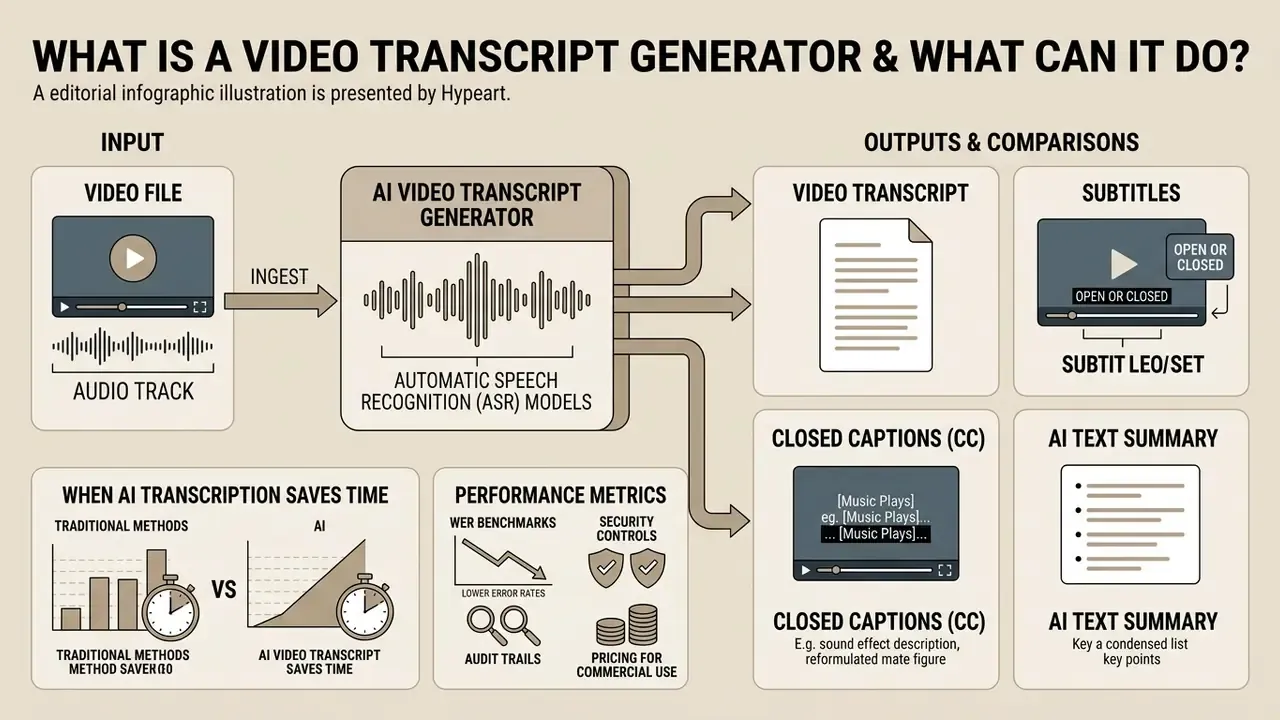
An AI-powered video transcript generator is a software application that ingests the audio track of a video file and applies automatic speech recognition (ASR) models to produce a written document of the spoken content. Modern platforms run automated ai video transcription, extract key points, identify individual speakers, and format text for downstream editorial or compliance workflows.
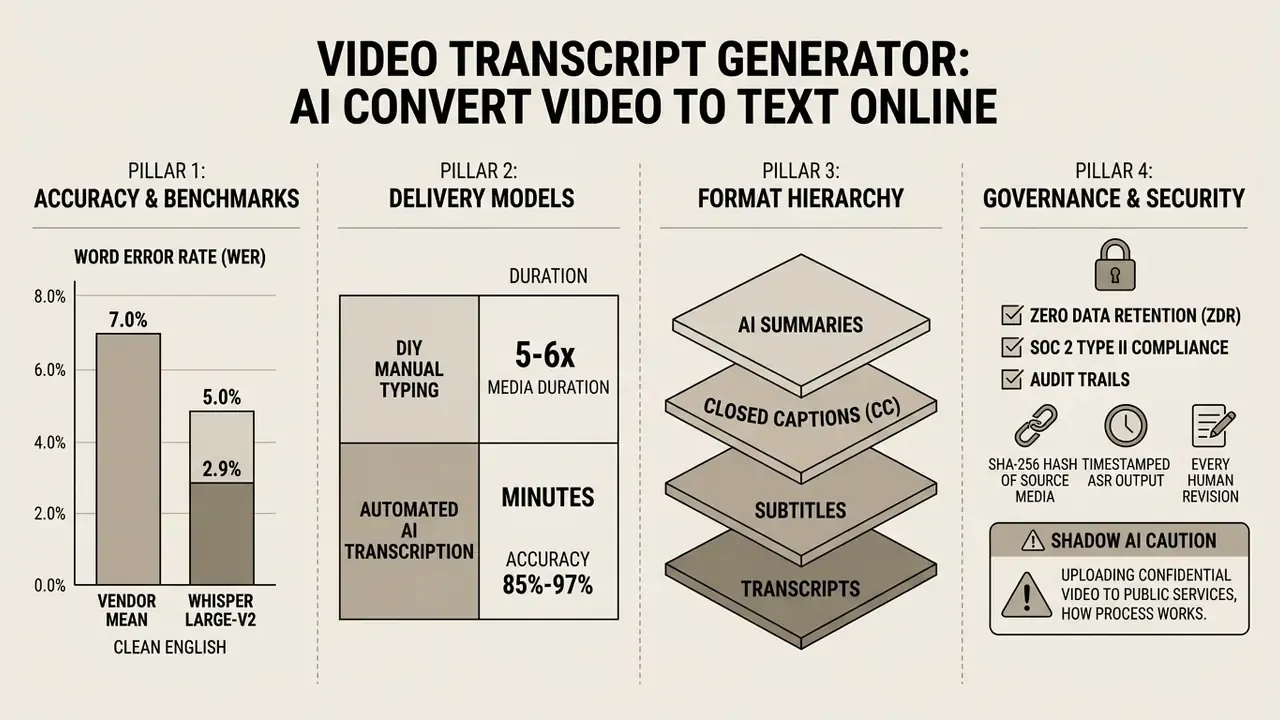
When a team needs an ai generate text from video tool, these engines turn the underlying spoken content into verbatim or lightly edited text records. Empirical benchmarking shows how wide the vendor spread still is.
«The average WER across all tested vendors was 7.0%, while Whisper large-v2 produced values between 2.9% and 5.0%.»
That distribution matters for procurement. A 7% mean error rate implies roughly one wrong word per sentence of dense technical speech. Acceptable for internal search and content repurposing. Insufficient for verbatim legal or regulatory records without human verification.
Video Transcript, Subtitles, Closed Captions (CC), and Summaries: What Is the Difference?
Understanding the distinctions between text output formats keeps you aligned with broadcast accessibility standards and with search engine indexing.
- Video transcript a complete, standalone text document capturing all spoken audio sequentially. It works independently of the video timeline and is indexed directly by web crawlers.
- Subtitles (open or closed) time-synchronized text overlays showing spoken dialogue for viewers who understand the language or need translation. Subtitles assume the viewer can hear ambient audio, and they are constrained by line length and reading speed, so fast speech is often condensed for readability.
- Closed captions (CC) time-aligned captions built for deaf or hard-of-hearing audiences. Unlike standard subtitles, CC includes non-speech auditory cues: speaker identification (for example
[MARCUS]:), sound effects ([DOOR SLAMS]), and music descriptions ([UPBEAT JAZZ PLAYING]). - AI text summary a condensed synthesis generated by large language models (LLMs) that extracts action items, key takeaways and executive briefs, discarding verbatim phrasing entirely.
The W3C Web Accessibility Initiative (W3C Accessibility Guidelines, 2026) specifies that a basic transcript captures speech and important sound effects, while descriptive transcripts also detail visual actions on screen, on-screen text and scene changes. An AI summary, by contrast, drops verbatim sequencing altogether and compresses the narrative into high-level decision items. Useful for a board pack. Useless as evidence.
Evaluation metrics also differ by artifact.
«Subtitles are judged not only by WER but by density, alignment and readability; summaries are scored with semantic metrics such as ROUGE or BERTScore.»
| Output | Timeline binding | Non-speech audio | Primary purpose | Typical formats |
|---|---|---|---|---|
| Transcript | None (or optional timestamps) | Optional | Reading, search, evidentiary record | TXT, DOCX, PDF |
| Subtitles | Strict frame sync | No | Dialogue comprehension, translation | SRT, VTT |
| Closed captions | Strict frame sync | Yes (mandatory) | Accessibility for deaf and hard-of-hearing viewers | SRT, VTT, SCC, CEA-608/708 |
| AI summary | None | No | Executive review, action items | TXT, MD, DOCX |
When AI Video Transcription Saves Time
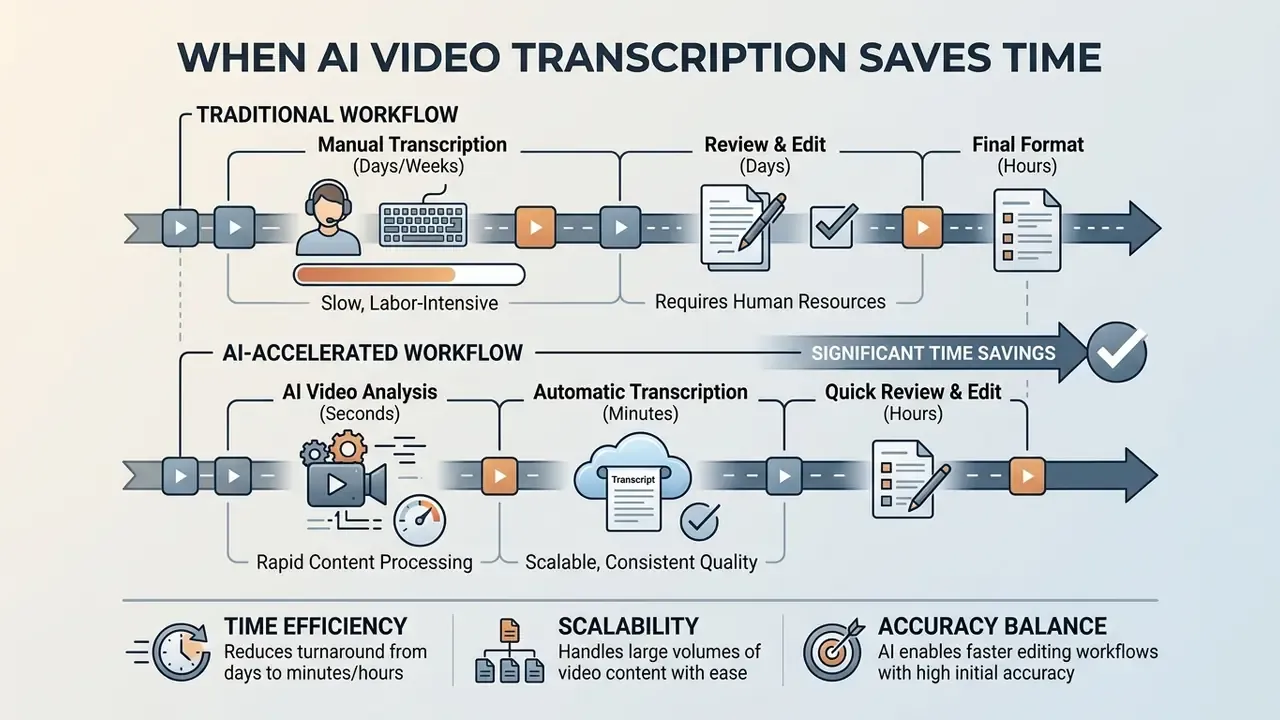
Automated speech-to-text systems cut turnaround from hours or days to minutes. Removing manual typing lets creators and corporate teams search spoken content instantly, draft blog posts, and prepare social media updates from long recordings, including material produced with AI video generators or captured in live sessions. The point is not speed for its own sake; it is the ability to save time on mechanical work and spend it on verification.
Verified figures. Independent lecture-corpus benchmarking quantifies both the labour gap and the quality gap between engines.
«Manual transcription of lectures takes 5-6 times the length of the recording; Whisper reached a median WER of 11.8% versus 96.4% for DeepSpeech on the same videos.»
In other words, the measurable saving comes from converting a typing task into a proofreading task. Peer-reviewed workflow studies report that students needed roughly 6.3× the interview duration to transcribe manually, but only about 5.1× when correcting an automatic draft, saving approximately 70 minutes per hour of interview material. Earlier controlled experiments recorded assisted transcription as up to 4× faster for prepared speech and around 2× faster for spontaneous speech. Ratios vary with speech type, audio quality, and whether the operator is transcribing from scratch or correcting ASR output.
Reformulated illustration, figures unverified. In a typical enterprise documentation workflow, a legal operations team processing roughly 12 hours of regulatory hearing footage can generate machine drafts in minutes rather than days, then reallocate specialist hours to contested passages instead of primary typing. Exact labour-cost reductions are organisation-specific and depend on audio quality, terminology density, and the number of review passes your internal policy mandates. Measure your own baseline before you quote savings in a business case. For teams tracking productivity metrics, the AI Media Calculators help quantify these time savings across large media archives.
Manual (DIY) vs AI vs Human-Verified Transcription
| Method | Avg. accuracy | Processing time (1h video) | Relative cost | Best use case |
|---|---|---|---|---|
| Manual (DIY) | 90%-95% | 300-360 minutes | $0 (high labour cost) | Zero-budget internal notes |
| AI transcription | 85%-97% | 2-5 minutes | $0.02-$0.10 / min | Content repurposing, SEO, meeting notes |
| Human-verified | 99%-99.9% | 12-24 hours | $1.20-$3.00 / min | Legal hearings, medical records, broadcast |
How to Convert Video to Text With AI
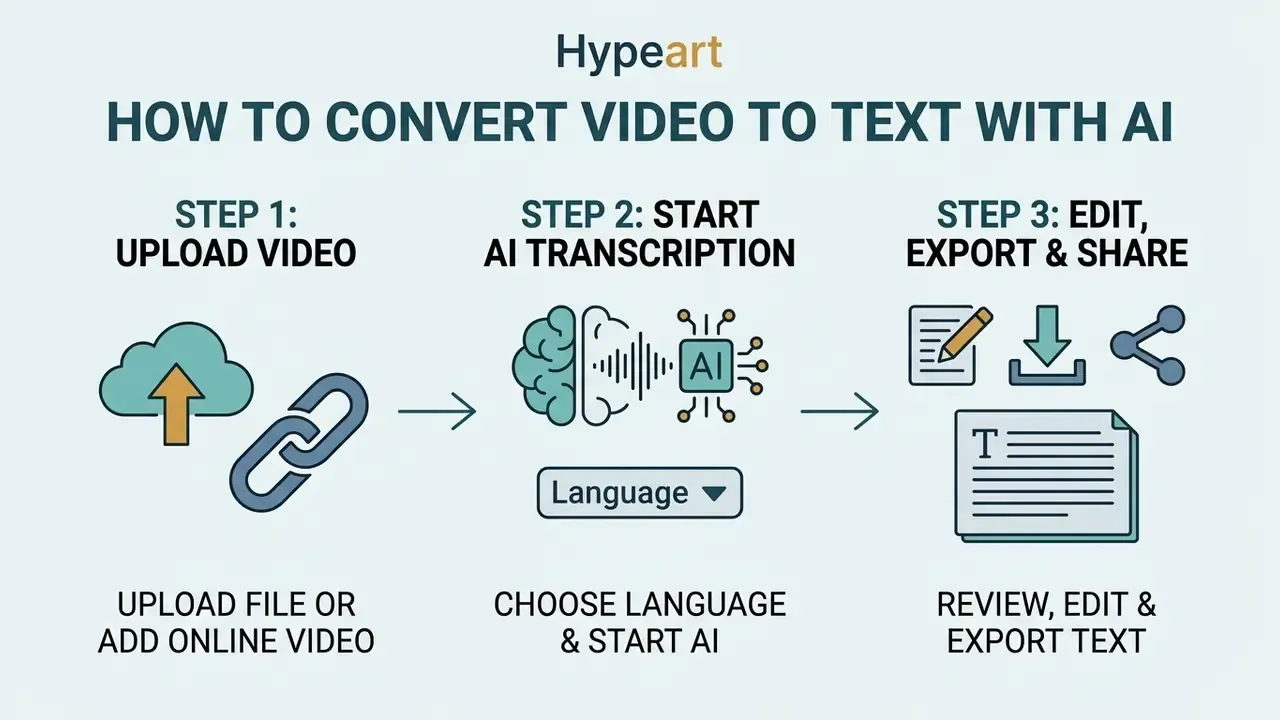
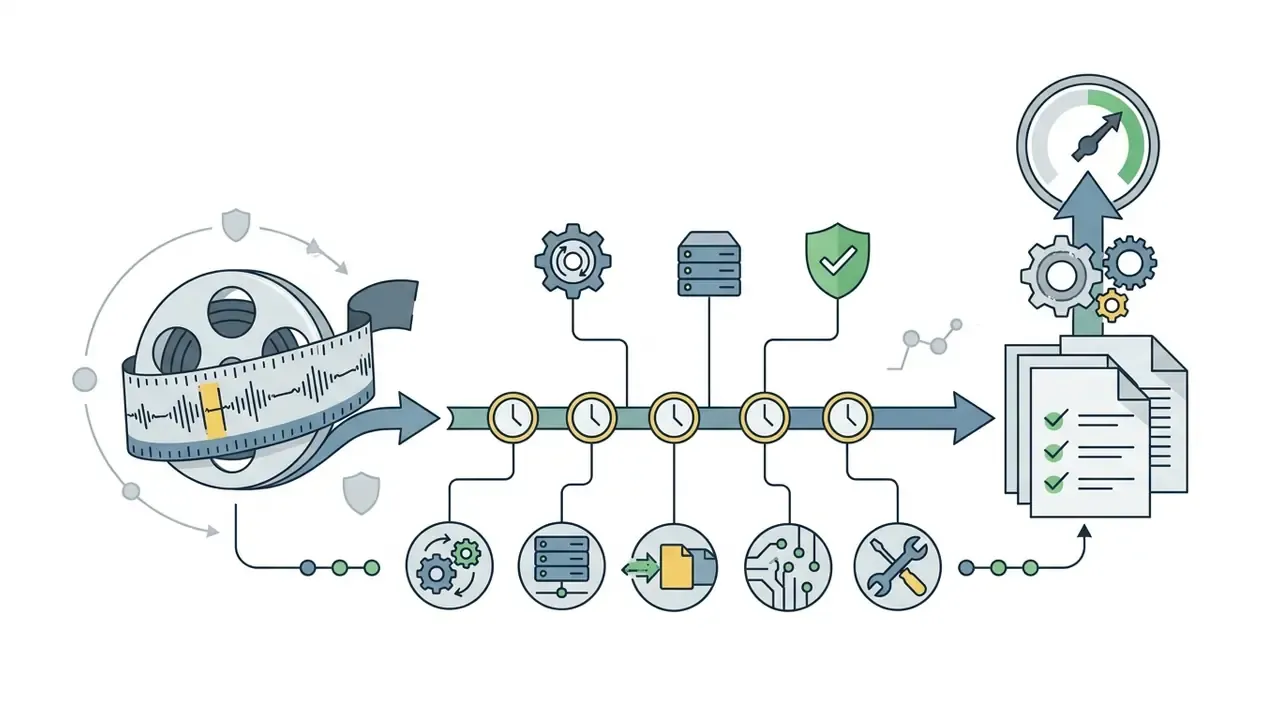
To convert video into text with artificial intelligence, you upload your media file, select the primary spoken language, run the automated transcription engine, then refine the output in an online workspace. The sequence is dull and that is the point: a repeatable workflow is what makes accuracy and export behaviour predictable.
Deploying an ai tool to convert video to text removes most manual setup. Users simply upload a video file into an online editor and receive a fast accurate draft within seconds.
Upload a Video File or Add an Online Video
Conversion starts by transferring a local media file to the platform or supplying a direct web link to hosted content. Ingestion pipelines accept a wide range of video and audio files, and most verify file integrity before processing begins.
Server-side ingestion systems analyse the incoming container, such as an MP4 or MOV file, and separate the audio track. When you use a youtube link, the system reads the accessible media stream directly. Check maximum file size limits and track duration before launching large upload jobs, otherwise you will collect timeout errors instead of transcripts. Enterprise deployments usually skip browser uploads entirely in favour of authenticated connectors to Zoom, Microsoft Teams, Google Drive, Dropbox, OneDrive, or an S3 bucket inside the organisation's own tenancy.
Choose Language and Start AI Transcription
Selecting the correct primary language tells the neural ASR engine which acoustic and language models to load. Advanced transcription tools support multiple languages, including regional dialects and mixed spoken content.
Modern multilingual systems handle languages including french german, Spanish, and East Asian languages. Recent ASR benchmarks (Language-Routing Mixture of Experts, 2023) show that joint token-level language identification reaches over 98% accuracy in spotting language switches during continuous speech, so transcription holds up even when a speaker alternates languages mid-sentence.
«A multilingual AVSR Fast Conformer model reduced average WER on the MuAViC benchmark by 11.9% and reached 0.8% WER on LRS3.»
State-of-the-art platforms combine open-weight foundation models, such as OpenAI's Whisper, with proprietary GPU-accelerated ASR clusters. These Transformer-based sequence-to-sequence architectures stay robust across noisy channels. Enterprise ingestion pipelines also support batch processing, letting teams queue up to 50 concurrent media files totalling 10 hours or 5 GB per job without thread starvation.
For domain-specific vocabularies, configure a custom vocabulary or custom language model before the first run. Financial, clinical and engineering acronyms are the most common source of confident-but-wrong output, which is why the hallucination risk matrix below exists.
Supported Video, Audio, and YouTube Sources
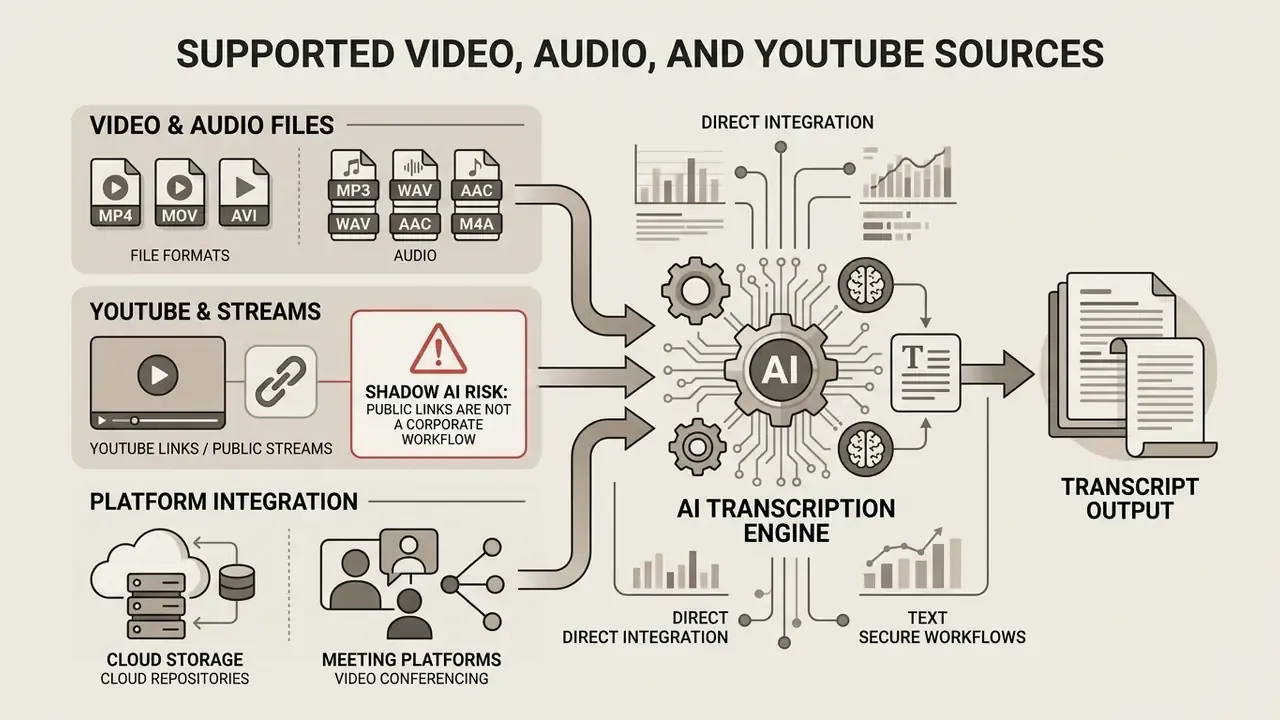
Professional video transcript generators accept a broad spectrum of input sources: standard video containers, standalone audio recordings, and direct streaming links. Universal file support keeps the tool inside existing media production pipelines and downstream video editing workflows.
When you choose an ai tool convert video to text pipeline, compatibility across video formats and file formats is the first practical filter. Robust platforms handle container conversions automatically, accepting everything from heavy mp4 mov avi files to lightweight web streams.
Video and Audio File Formats for Transcription
Most AI transcription platforms natively process common video files such as MP4, MOV, AVI, WebM and MKV, alongside dedicated audio formats like MP3, WAV, M4A, FLAC, OGG and Opus. Input restrictions follow server hosting constraints and engine architecture.
Commercial API endpoints apply specific parameter boundaries. OpenAI Speech-to-Text caps single file uploads at 25 MB (OpenAI API Documentation, 2026), Google Cloud Speech-to-Text V2 limits synchronous requests to 10 MB or 60 seconds of audio, and enterprise systems such as Oracle Speech accept files up to 2 GB and 4 hours in duration (Oracle Cloud Infrastructure Documentation, 2026). Amazon Transcribe recommends FLAC or WAV with PCM 16-bit encoding for best results. Uncompressed audio yields the highest recognition fidelity, and avoiding aggressive video compression settings preserves the speech frequencies ASR models depend on.
«Research pipelines process thousands of hours of video in batch; ASR performance saturates after roughly 1,500 hours of training data.»
That saturation point explains a lot about current procurement math. Marginal accuracy gains now come mostly from cleaner capture and domain adaptation, not from ever-larger generic training corpora. Buying a bigger model rarely fixes a bad microphone.
How to Create a YouTube Transcript From a Video Link
Extracting a transcript from a youtube video by URL requires the tool to fetch the public audio stream or parse published caption tracks. You paste the video link into the generator, which processes the hosted media without a manual file download.
Under official YouTube operating guidelines (YouTube Help Center, 2026), viewers can open public transcripts inside the player via Show transcript when captions exist. Channel owners can instead export caption files from YouTube Studio → Subtitles. External tools run their own ingestion pipeline: pull the audio, run ASR models, and produce a clean youtube transcript in plain text, stripped of unnecessary time markers.
Calibrate quality expectations, though. Platform auto-captions are not equivalent to a dedicated ASR run.
«Only 75.6% of YouTube videos achieved a WER below 20%, whereas Whisper reached that threshold on 84.0% of the same lecture recordings.»
Shadow AI risk warning: why public video links are not a corporate workflow.
Direct Integration With Cloud Storage and Meeting Platforms
Mature enterprise workflows bypass manual downloads by connecting ASR engines directly to cloud storage and conferencing repositories through webhooks and OAuth2 integrations.
- Video conferencing direct auto-ingestion from Zoom Cloud Recordings, Microsoft Teams, Google Meet and Loom.
- Cloud repositories one-click import from Google Drive, Dropbox, OneDrive and AWS S3 buckets.
- Public streams automated parsing of YouTube URLs, Vimeo links and hosted MP3/MP4 web feeds.
Scope each connector to a least-privilege service account, log it at the object level, and map it to a named retention rule. An auditor should be able to reconstruct which recording entered which processing queue, and when, without interviewing three engineers.
| Source type | Common formats / inputs | Upload / ingestion limits | Available export options |
|---|---|---|---|
| Video file | MP4, MOV, AVI, WebM, MKV | Up to 2 GB per file (plan dependent); max 4 hours | TXT, DOCX, PDF, SRT, VTT, JSON |
| Audio file | MP3, WAV, M4A, FLAC, OGG | 25 MB to 1 GB limit; 16-bit PCM recommended | TXT, DOCX, PDF, SRT, VTT, CSV |
| YouTube link | Direct URL (youtube.com/watch?v=...) | Public or unlisted videos with an active audio stream | TXT, DOCX, PDF, SRT, VTT, web link |
| Meeting recording | Zoom, Teams, Meet, Loom cloud recordings | OAuth2 connector; per-tenant quota | TXT, DOCX, PDF, SRT, VTT, JSON |
| Cloud bucket | Google Drive, Dropbox, OneDrive, AWS S3 | Batch queue up to 50 files / 10 hours / 5 GB per job | TXT, DOCX, PDF, SRT, VTT, CSV, JSON |
What Affects AI Video Transcription Accuracy?
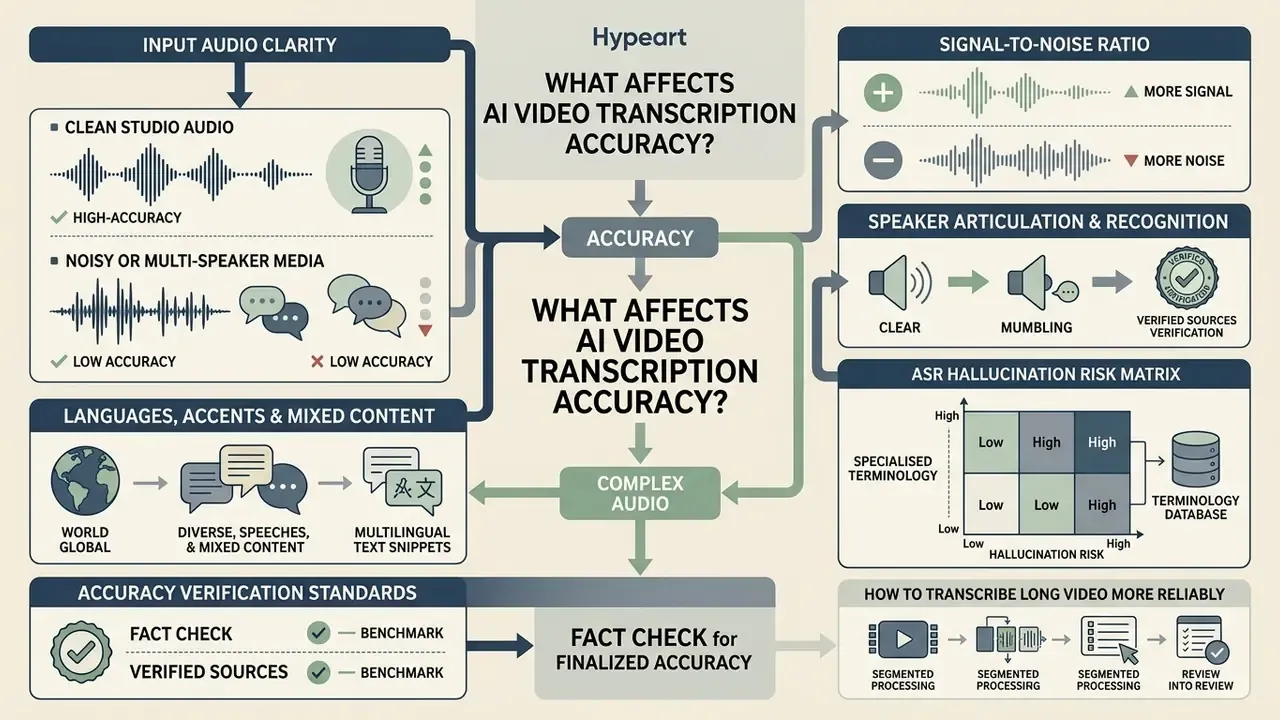
Accuracy is driven mainly by audio clarity, signal-to-noise ratio, speaker articulation and acoustic environment. Clean studio recordings hit high accuracy; background noise and overlapping speech push word recognition down fast.
Getting accurate transcripts starts with optimising the input, not the model. When you process a long video with multiple languages or persistent background noise, these acoustic factors define a realistic error budget and the editing workflow around it. Peer-reviewed field studies report 20%-50% relative degradation for spontaneous speech, accented speakers, or mobile field environments compared with controlled recordings.
Clear Audio, Background Noise, and Speaker Recognition
Background noise, room reverberation and simultaneous speakers all raise error rates. High ambient noise masks phonemes, and the model responds by substituting or deleting words rather than admitting uncertainty.
Verified sources. In multi-speaker settings, overlapping speech degrades the diarization error rate (DER), defined as missed speech plus false alarms plus speaker confusion. Published diarization evaluations show that automatic overlap detection cut DER from 23.8% to 17.6% on the ETAPE corpus, while noisy classroom conditions with several simultaneous speakers pushed DER as high as 50.5% before denoising. Advanced tools apply target-speaker voice activity detection (TS-VAD) to isolate individual voices, and the resulting speaker-attributed error rates are now documented in competition results.
«PP-MeT with personalized prompts achieved a cp-CER of 11.27% on the M2MeT 2.0 test set, ranking first in both sub-tracks.»
Practical mitigations, roughly in order of measured impact: individual lapel or headset microphones per speaker; noise-cancelling capture in field conditions; enrolment of known speaker voiceprints for target-speaker decoding; and a post-hoc overlap review of any passage where two speaker labels alternate inside the same second. That last one catches most of the damaging errors in committee minutes.
ASR Hallucination Risk Matrix for Specialised Terminology
Generic ASR models replace unfamiliar acronyms with phonetically similar common words. The output reads fluently and is factually wrong, which is the highest-severity failure mode in regulated documentation. Mitigate with custom vocabulary lists, phrase hints and domain-adapted acoustic models; a 2025 review of clinical AI transcription concludes that domain-specific training plus real-time error correction is the decisive factor in safe adoption.
| Term class | Typical mis-transcription pattern | Downstream consequence | Control |
|---|---|---|---|
| Rate benchmarks (SOFR, LIBOR, EURIBOR) | Collapsed into similar-sounding words or into each other | Wrong benchmark cited in committee minutes | Custom vocabulary plus boosted phrases |
| Risk metrics (VaR, CVaR, CECL, IRRBB) | Rendered as ordinary nouns ("var", "seasonal") | Model-risk finding mis-recorded | Domain language model plus reviewer checklist |
| Entity and counterparty names | Phonetic approximation, inconsistent spelling | Broken audit linkage between records | Speaker and entity glossary per engagement |
| Numeric strings and basis points | Digit substitution, dropped decimals | Material factual error in disclosure drafts | Mandatory numeric re-verification pass |
| Clinical and drug names | Near-homophone substitution | Patient-safety risk | Clinical vocabulary pack plus clinician sign-off |
Languages, Accents, and Mixed Spoken Content
Accuracy drops when models meet unfamiliar accents, regional dialects or heavy industry jargon. Matching the speech profile to a domain-adapted language model is critical, and dialect-matched model selection measurably outperforms mismatched configurations in World Englishes evaluations.
Benchmark evaluations on regional speech (Benchmarking Large Pretrained Multilingual Models on Québec French, 2024) show general-purpose cloud ASR services averaging 14% WER on spontaneous regional speech, while models fine-tuned on local speech data reach 8% WER.
«Cloud services AWS fr-CA, Azure and Google Chirp produced WER between 10% and 15%; the best open-source model reached 8% WER at 0.06× real-time speed.»
Disfluent speech, such as stuttering or frequent pauses, triggers systematic syntactic distortions across standard foundation models.
«All six evaluated ASR systems showed a statistically significant accuracy decline on stuttered speech, with increases in both WER and semantic distortion.»
For accessibility and fairness reviews, log this bias as a known model limitation. It is not user error, and treating it as such creates its own compliance exposure.
How to Transcribe Long Video More Reliably
Transcribing multi-hour recordings reliably means dividing the media stream into smaller logical segments before processing. Pre-processing the audio track with noise suppression filters stabilises output further, and acoustic segmentation has been shown to reduce deletion errors in broadcast speech recognition.
Long recordings suffer from context drift and memory constraints in neural end-to-end models. Voice activity detection (VAD) "cut and merge" strategies prevent hallucination loops during silent passages.
«WhisperX with VAD Cut & Merge lowered WER on TV episodes from 13.2% to 11.8% and eliminated the characteristic hallucination loops during pauses.»
Reviewers should verify key claims against segment boundaries and speaker-change markers to preserve transcript integrity, since segmentation, diarization and speaker-change detection are interdependent tasks. Skip that step and the errors cluster exactly where the meeting got interesting.
Fact check: accuracy verification standards.
Free vs Paid Video Transcript Generator: Pricing and Commercial Use
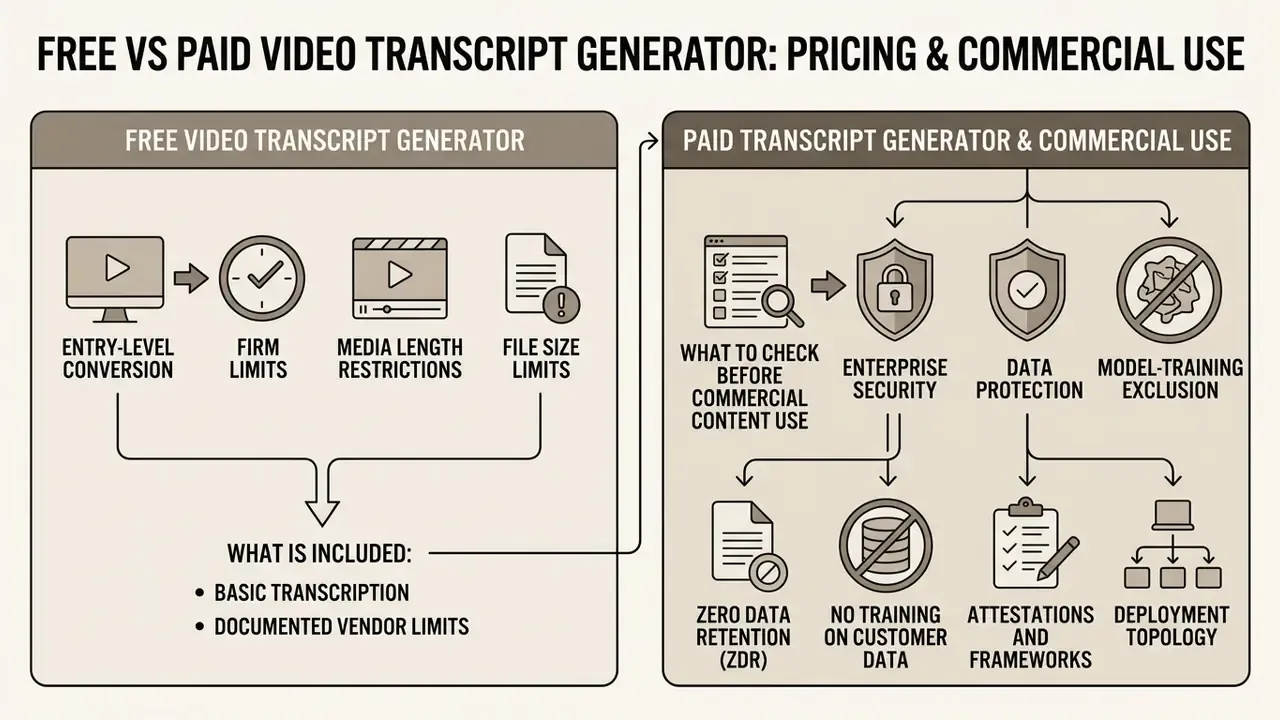
Free video transcript generators offer entry-level conversion with firm limits on media length and file size. Paid tiers unlock extended processing, advanced export formats and commercial usage rights. The choice depends on throughput and compliance requirements, the same trade-off buyers face when comparing free AI video tools against licensed platforms.
Understanding subscription tiers keeps media software budgets honest. Free plans give you immediate text free processing for short clips, but high-volume workflows need a paid transcription service to guarantee secure data handling and unrestricted export options.
What Is Included in Free Video-to-Text Transcription?
Free plans typically include a monthly minute quota, file size caps between 100 MB and 1 GB, and basic plain-text export. Video exports under free plans may carry platform watermarks.
Documented vendor limits. Published free-tier terms illustrate the range concretely. Descript's free plan allows 60 transcription minutes per month with a 1 GB file cap, 720p video export and a watermark on video output. TurboScribe's free plan permits 3 files per day at 30 minutes per file with TXT, SRT, VTT, DOCX and PDF export and no watermark. Happy Scribe's trial provides a one-time 10-minute allowance with TXT and SRT export while watermarking video exports. The pattern is consistent: plain-text and subtitle files usually export cleanly, while burnt-in subtitle rendering on video stays restricted or watermarked until you upgrade.
What to Check Before Using Transcripts for Commercial Content
Before you use AI-generated transcripts in commercial products or public disclosures, review data privacy rules, commercial-use rights for AI tools, copyright ownership terms and regulatory compliance standards.
This information is general in nature and does not replace advice from a qualified lawyer or data protection specialist.
Under European Union GDPR frameworks (Regulation EU 2016/679, Article 32), processing media containing personal data requires explicit technical and organisational safeguards such as encryption or pseudonymisation, while Article 5(1)(f) imposes integrity and confidentiality obligations on the controller.
Retention policies vary widely across providers. Standard enterprise APIs process streaming audio in memory without persistent storage (Google Cloud Speech Privacy Terms, 2026), whereas consumer tools may keep uploads for model training unless the user explicitly opts out. Google's opt-in data-logging terms, for instance, permit de-identified retention and internal sharing for model improvement, which is precisely the clause a governance team must exclude. Microsoft documents that real-time Speech to Text data is not retained. Verified vendor practice also shows how differently deletion windows are drawn: NVivo Transcription auto-deletes media 90 days after transcription or last edit while keeping transcripts until the user deletes them; one UK transcription provider deletes uploaded audio 6 weeks after upload if no booking exists, or 1 week after delivery, and retains transcripts for 6 months after contract end. University IT guidance adds a subtle warning: uploaded filenames can persist in system logs even after files and transcripts are deleted.
Corporate governance teams must confirm non-retention for sensitive corporate media in writing. For usage rights, see the AI Media Commercial-Use Hub, and for adjacent extraction workflows review image-to-text tools for business use.
Enterprise Security, Data Protection, and Model-Training Exclusion
For financial services, healthcare and public-sector deployments, the procurement checklist runs well past accuracy.
- Zero data retention (ZDR) audio and transcripts processed in memory or in a time-boxed workspace and purged on completion. Confirm the deletion window contractually in the DPA, not in marketing copy.
- No training on customer data require explicit written exclusion of your media, transcripts and corrections from foundation-model or ASR fine-tuning corpora, including via subprocessors.
- Attestations and frameworks SOC 2 Type II, ISO/IEC 27001, GDPR compliance, a HIPAA BAA where PHI is present, and FedRAMP where US federal data applies. Document third-party processor risk consistently with your existing vendor-risk and model-risk governance programme.
- Deployment topology public multi-tenant SaaS, single-tenant VPC, or on-premise and air-gapped inference. Confidential deliberations generally require one of the latter two.
- Access control RBAC with least privilege, SSO/SAML, MFA, project-level segregation and immutable access logs.
- PII and PHI redaction automated masking of names, account numbers and identifiers before transcripts reach shared workspaces or analytics tooling.
- Encryption TLS in transit, AES-256 at rest, customer-managed keys where supported.
- Residency documented processing region and subprocessor list, with EU or in-country residency where mandated.
Audit Trail and Evidentiary Fixity Checklist
An AI transcript becomes a defensible record only when the chain from source media to signed output can be reconstructed.
- Ingestcompute and store a SHA-256 hash of the source media; record uploader identity, timestamp and source system.
- Verify fixityre-validate the checksum after transfer. Object storage services such as Amazon S3 independently recalculate and validate checksums before storing an object, and fixity guidance holds that even the smallest change alters the checksum.
- Processlog engine name and version, model and vocabulary configuration, language setting, and job identifiers.
- Reviewcapture every human edit with editor identity, timestamp, and before/after text so corrections stay attributable.
- Approverecord reviewer sign-off, confidence exceptions, and any passages marked inaudible or disputed.
- Export and sealproduce the final document with line numbering and timestamps, consistent with standard transcription conventions, apply a digital signature, and archive it alongside the original hash.
- Retain and disposeapply the retention schedule to both media and transcript, and evidence disposal on expiry.
Total Cost of Ownership and ROI Framing
Subscription price is rarely the dominant cost line. A defensible business case models both sides explicitly.
Total cost = platform fees + storage and egress + human verification hours × loaded rate + governance overhead (vendor review, DPA, monitoring) + residual risk provision.
Benefit = (manual transcription hours − review hours) × loaded rate + cycle-time value + reuse value of searchable archives.
Because the verified evidence shows the saving comes from replacing typing with correcting (roughly 6.3× media duration down to about 5.1× in one peer-reviewed study, with steeper gains on clean prepared speech), the review-hour assumption is the single most sensitive variable. Model it separately for clean single-speaker media and for noisy multi-speaker sessions, and hold a contingency for passages that need a second pass. One more caution: if your ROI model omits control costs, it is not an ROI model, it is a forecast of the best case.
| Parameter | Free tier | Paid tier |
|---|---|---|
| Transcription volume | 10 to 60 minutes / month | Unlimited or high volume (100+ hours/mo) |
| Maximum file size | 25 MB to 500 MB | Up to 2 GB to 5 GB per upload |
| Batch processing | Single file, 1-3 jobs per day | Up to 50 concurrent files / 10 hours per job |
| Supported formats | Standard MP4, MP3 | All major video and audio containers, cloud connectors, web URLs |
| Export formats | TXT, basic SRT | TXT, DOCX, PDF, SRT, VTT, JSON, CSV |
| Watermarking | Applied on exported video and subtitles | No watermarks; custom branding |
| Data privacy and security | Standard logging; potential model opt-in | SOC 2 Type II, ISO 27001, HIPAA, zero data retention, encryption at rest, RBAC/SSO |
| Audit and governance | None | Access logs, checksum verification, retention controls, DPA |
| Commercial rights | Personal and non-commercial use only | Full commercial reuse and copyright ownership |
How to Use Video Transcripts for Content and Workflows
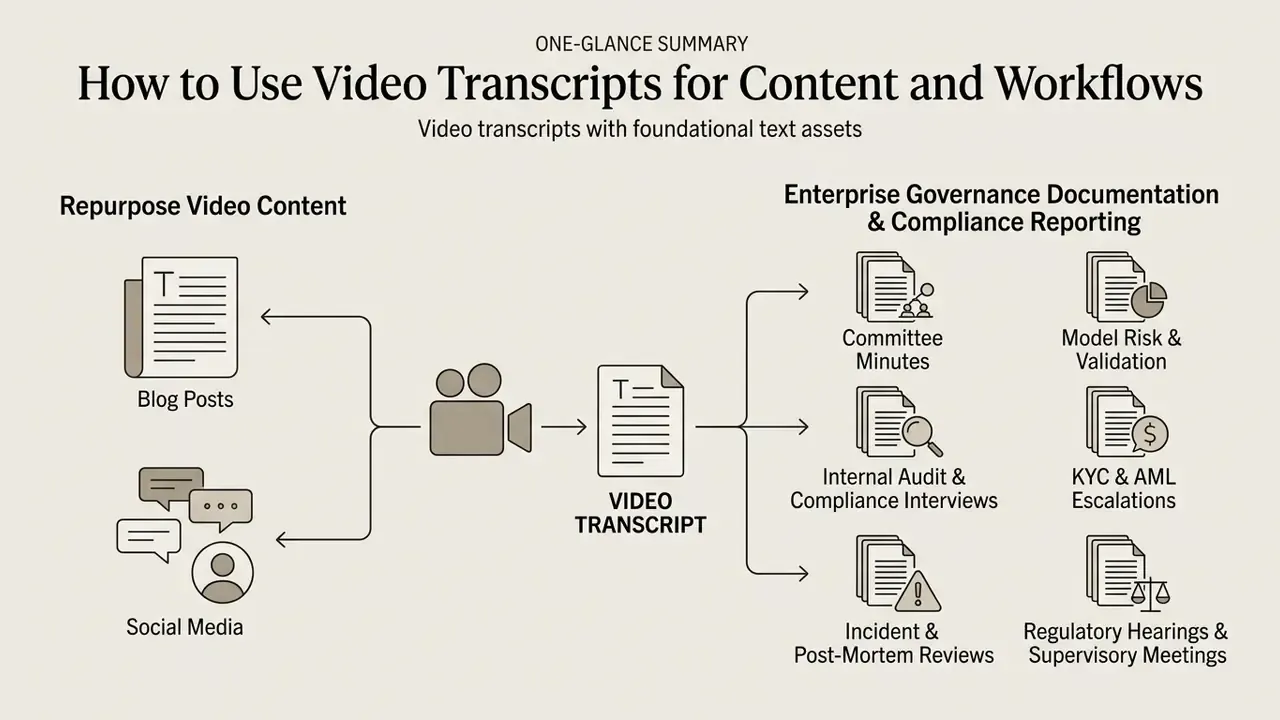
Video transcripts are foundational text assets. They can be reused across editorial, marketing, educational, governance and legal workflows. Converting spoken dialogue into written media widens content reach and improves search accessibility; in qualitative research the verbatim transcript functions as the primary evidence layer, enabling line-by-line annotation and cross-referencing across interview subjects.
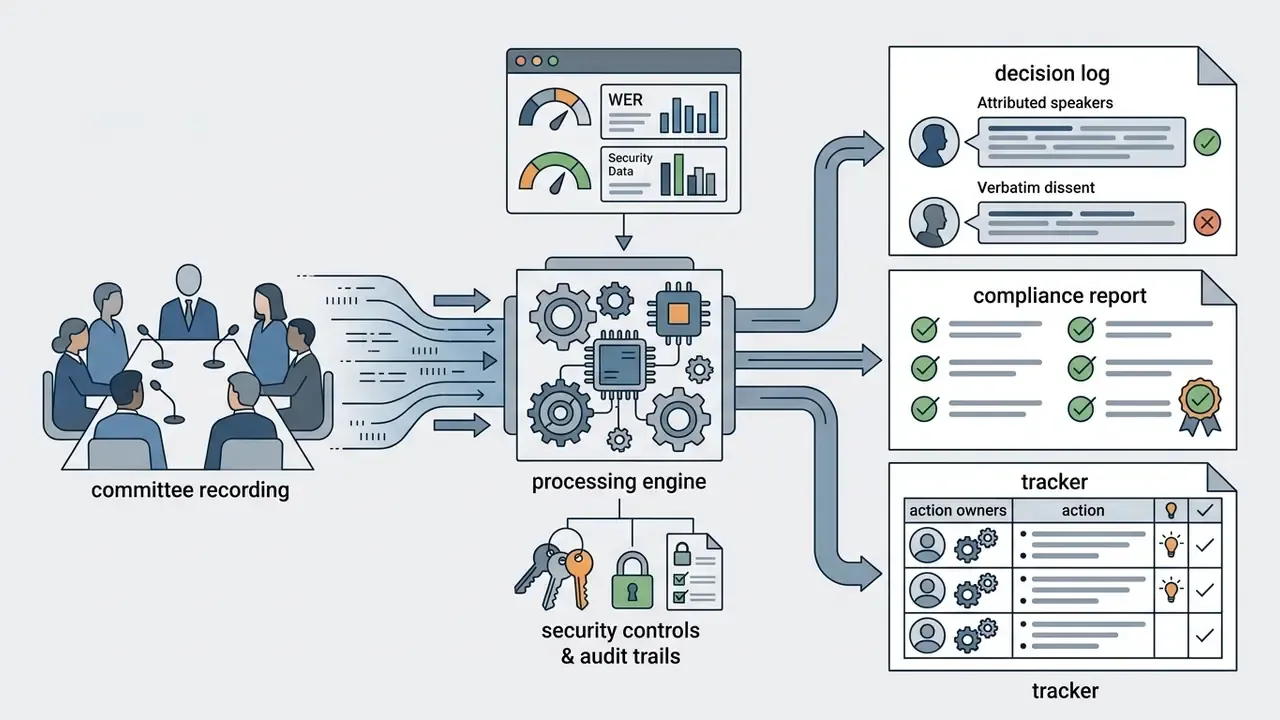
Once video becomes structured text, media teams can extract key points for blog posts, social media updates and transcripts subtitles. This cross-channel adaptation raises the return on every production, while regulated teams run the same pipeline to produce minutes, decision logs and evidence packs. Same tool, two very different use cases, two very different control requirements.
Repurpose Video Content Into Blog Posts and Social Media
Repurposing a transcript into an article means cleaning the raw text, adding structural headings, and editing conversational speech into concise prose. Extracted quotes then become social posts or newsletter snippets.
An efficient content pipeline follows four steps:
Creators expanding their production workflows can pair transcription with an ai photo to engine, apply text-to-video AI tools to turn approved copy back into motion, refine key frames in an ai photoshop generator, build stylised thumbnails with an ai pixel art generator, or convert static graphical assets into promotional clips through an ai picture to generator.
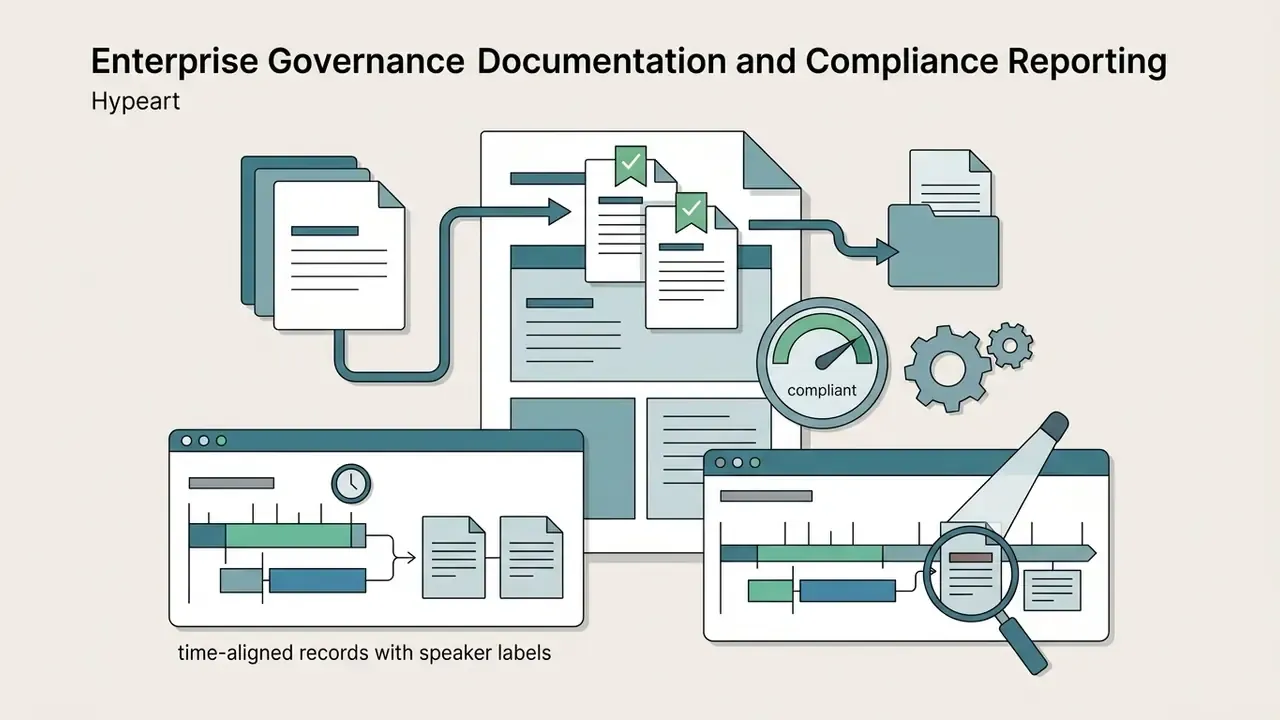
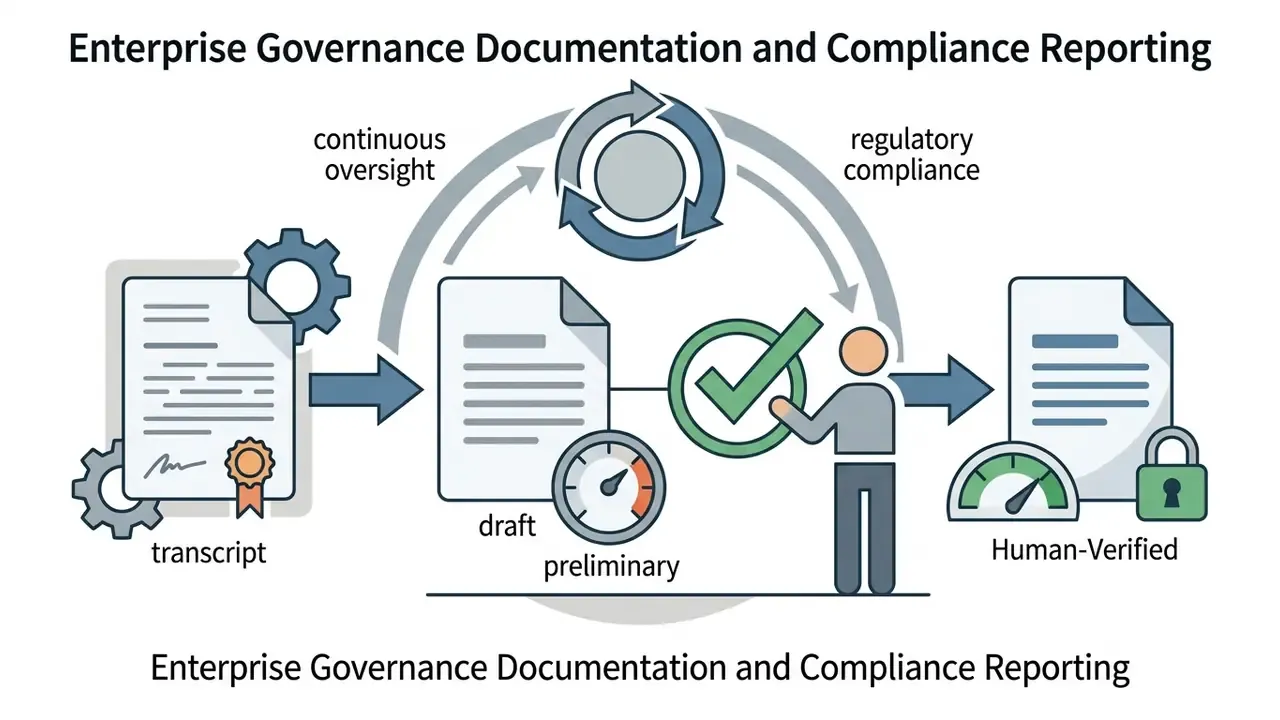
Enterprise Governance Documentation and Compliance Reporting
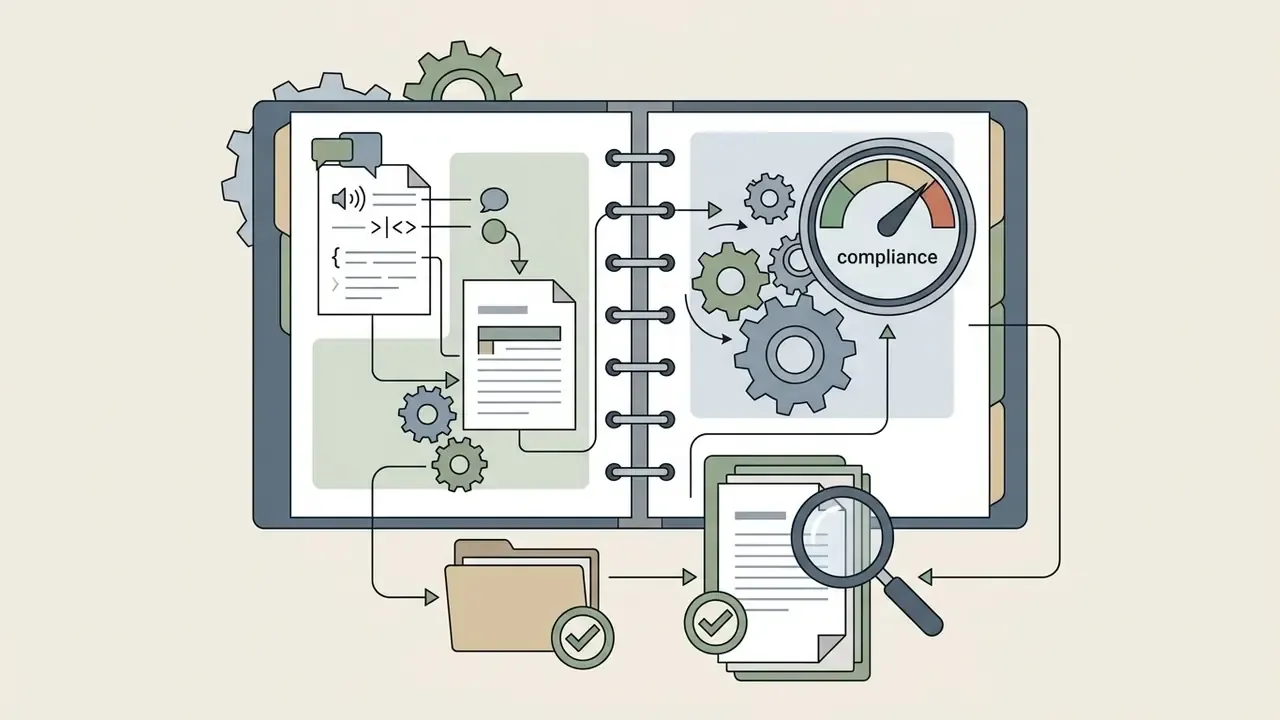
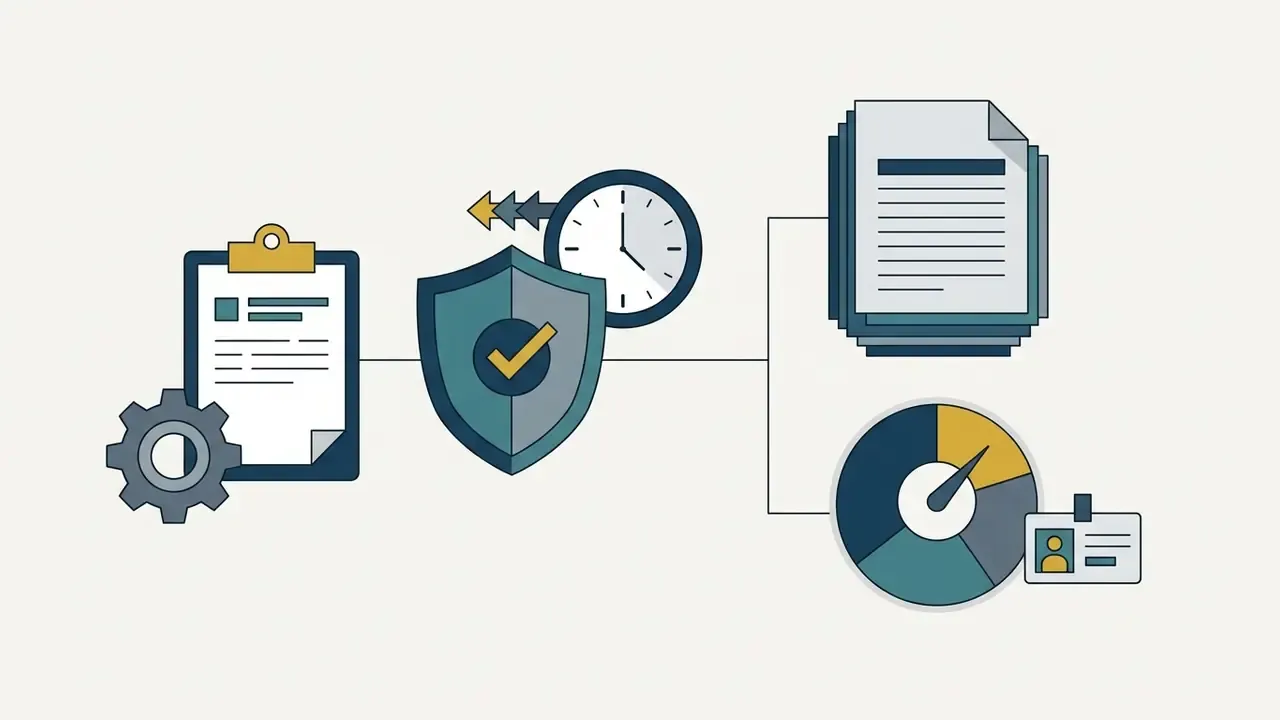
The same transcript asset underpins controlled documentation inside regulated institutions.
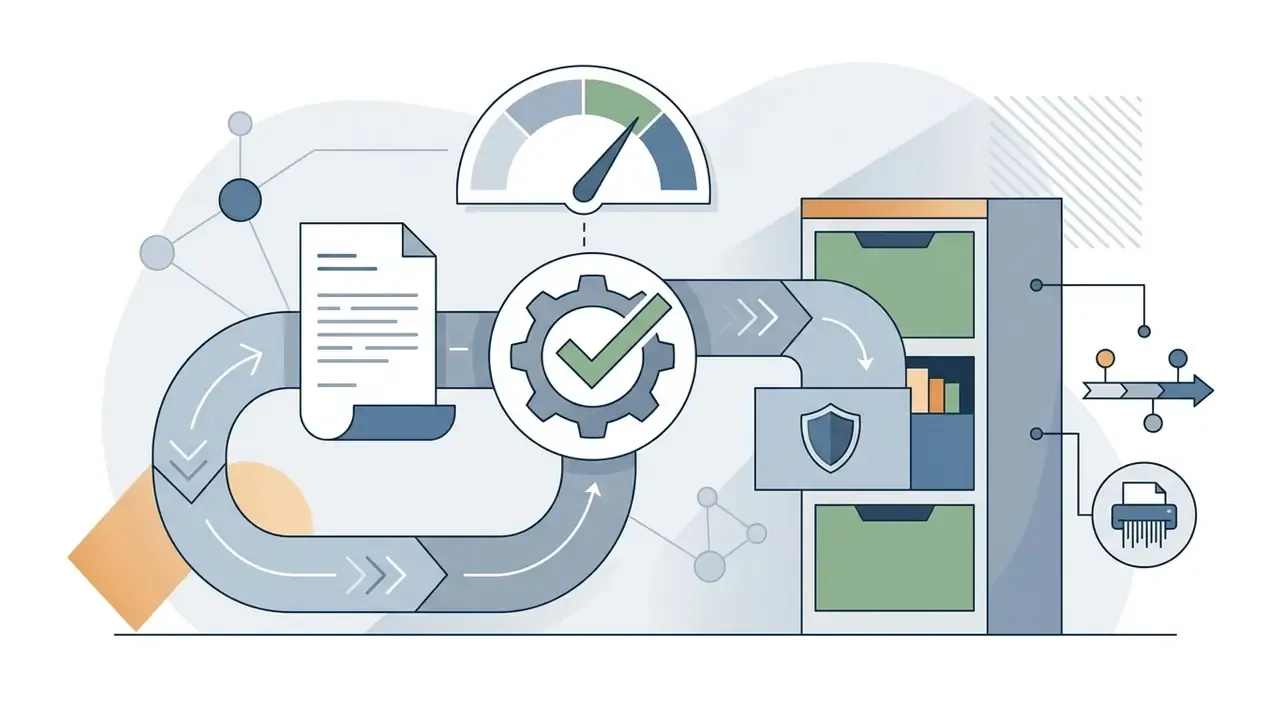
In every case the transcript stays a draft record until the fixity and change-log controls in the audit trail checklist above are satisfied. No evidence, no autonomy.
Use Transcripts for Learning, Interviews, and Research
In academic and professional research, verbatim transcripts supply structured qualitative data for thematic coding, content analysis and interview documentation. A written record lets researchers search complex discussions in seconds instead of re-watching hours of footage, and the same audio transcription workflow works when you only need to transcribe audio from a phone recorder.
«On NPTEL lectures Whisper achieved a median WER of 11.8%, while YouTube auto-captions stayed below 20% WER on only 75.6% of videos.»
Educational institutions use automated transcripts to provide accessible lecture materials, and university open-textbook guidance instructs researchers to build a verbatim transcript and analyse it line by line with notes, categories and themes. In qualitative research (Qualitative Data Analysis Standards, 2024), verbatim interview transcripts serve as the primary evidence layer, enabling annotation and cross-referencing across multiple subjects.
Persona-Specific Playbooks
| Role / industry | Primary use case | Output format | Key benefit |
|---|---|---|---|
| Journalists | Rapid interview verification and quote extraction | Verbatim TXT / DOCX with timestamps | Cut article drafting time substantially |
| Legal teams | Depositions, court hearings, compliance audits | Time-aligned PDF with speaker labels | Auditable evidentiary record |
| Researchers | Qualitative thematic analysis and interview coding | Structured CSV / JSON with line IDs | Clean import into NVivo or MAXQDA |
| Content creators | Repurposing YouTube and podcasts into blogs and social | SRT / VTT plus executive summaries | Better organic search accessibility |
| Educators | Lecture notes and inclusive study materials | Descriptive transcripts and PDF | WCAG 2.2 AA accessibility compliance |
| Risk and compliance officers | Committee minutes, audit interviews, incident reviews | Signed PDF with hash plus change log | Defensible, examinable record |
| Finance transformation / COO | Meeting documentation automation, process mining | JSON plus summaries into GRC tooling | Lower documentation cost per meeting |
| Marketers | Converting video ads into email and blog copy | TXT / DOCX summaries | Higher asset reuse per production |
| Healthcare professionals | Clinical discussions and training records | Redacted transcripts under BAA | PHI-safe documentation |
Limitations, Open Questions, and a Safe Next Step
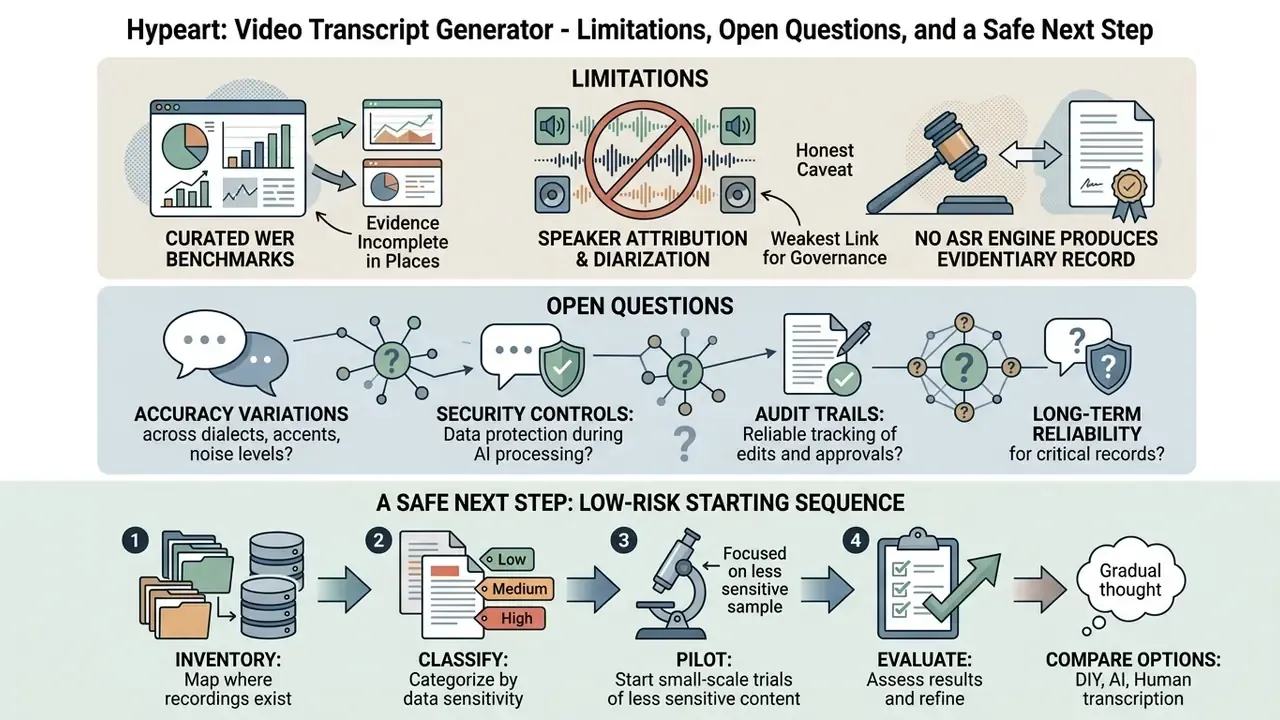
Three honest caveats, because the evidence is incomplete in places.
First, published WER benchmarks come from curated corpora. Your credit committee room, with a ceiling microphone and three people talking over each other, is not a benchmark corpus. Treat vendor accuracy claims as an upper bound and run a pilot on 5 to 10 of your own worst recordings.
Second, diarization and speaker attribution remain the weakest link for governance use. Word accuracy can look fine while the attribution of a dissenting statement is wrong, which is a materially worse failure in minutes than a misspelled acronym.
Third, no ASR engine currently produces an evidentiary record by itself. Fixity, change logs and reviewer sign-off are organisational controls, not product features, even when a vendor ships helpful tooling around them.
A low-risk starting sequence: inventory where recordings already exist, classify them by sensitivity, pilot on the least sensitive tier with a contracted processor, then extend the audit trail checklist before touching regulated material. Small scope, documented evidence, then scale.
Video Transcript Generator FAQ
Below are answers to frequently asked questions about the operational mechanics, file safety, security posture and platform support of AI video transcription tools.
Does Video-to-Text Conversion Affect the Original Video File?
No. Automated video-to-text conversion is a non-destructive, read-only process that does not modify the original source video file.
The processing server extracts the audio stream into memory or temporary storage to run speech recognition. The original media container stays unchanged. Enterprise storage systems use cryptographic checksums (AWS S3 Object Integrity Standards, 2026) to confirm that source files retain perfect fixity across the transcription lifecycle; digital preservation guidance confirms that any alteration, however small, changes the checksum value, which is why checksum comparison is the accepted proof of an unmodified original.
Can an AI Tool Convert Short Videos for Social Media?
Yes. Modern AI tools process short-form clips (TikToks, Instagram Reels, YouTube Shorts) and generate synchronized captions plus text summaries within seconds.
Short-form recognition engines handle clips from 3 to 30 seconds, producing WebVTT caption tracks aligned to fast-paced dialogue (W3C WebVTT Specification, 2026). Benchmark corpora mirror the format: NIST's video-to-text dataset uses clips of 3-10 seconds with multiple human-written captions per video.
«On the LRS3 dataset of short clips, AVSR models reach a WER below 1%, confirming high accuracy on short professional content.» Source: Audio-Visual Speech Recognition with Automatic Labels (2024).
Captions lift engagement on platforms where most viewers watch with sound muted. Creators producing image-to-video AI tools output alongside short online video clips can combine transcription and generation in one pipeline, while teams building executive visuals can explore an ai pitch deck platform.
Is an AI Transcript Admissible as an Official Record?
Not on its own. Treat machine output as a draft until an accountable reviewer has verified it against the source media and sealed it with the fixity and change-log controls described earlier. Legal, regulatory and medical records typically require human-verified accuracy at the 99%+ level.
This section provides general information only and is not legal advice; consult counsel for jurisdiction-specific evidentiary requirements.
How Do I Stop a Vendor From Training on My Recordings?
Require a contractual no-training clause covering the vendor and all subprocessors, select a plan with zero data retention, disable any optional "help improve the service" data-logging setting, and verify the deletion window and log-retention behaviour in the DPA. Remember that some providers keep filenames or job metadata in logs after the files themselves are gone.
Which Deployment Model Fits Confidential Corporate Video?
Single-tenant VPC or on-premise inference for confidential deliberations and regulated data. Multi-tenant SaaS with ZDR and regional residency for internal non-sensitive media. Public link-based tools only for content that is already public.
Appendix A: Source Verification Log (Revised Claims)
This appendix preserves earlier phrasings that were revised during fact-checking, together with the corrected treatment now used in the main text. It exists so readers and auditors can see exactly what changed and why.
| Original phrasing (superseded) | Issue identified | Current treatment |
|---|---|---|
| "Research on speech processing workflows (Journal of Quantitative Media Analysis, 2023) reveals that manual transcription typically requires 5 to 6 times the duration of the media file. Using an AI tool to transcribe video content cuts total operational time by 53.8% to 76.4%." | Cited publication not present in the verified source set; the 53.8%-76.4% range was not traceable to a primary study. | Replaced with the verified 5-6× manual-transcription ratio and the peer-reviewed 6.3× to 5.1× correction-workflow comparison from lecture and interview studies, plus the NPTEL Whisper vs DeepSpeech WER figures. |
| "a legal team needed to process 12 hours of regulatory hearings… generated draft records in 14 minutes and completed human verification in under 3 hours, achieving a 70% reduction in total labor costs." | Unsourced case study with unverifiable metrics. | Reformulated as a directional workflow illustration, with an explicit note that savings are organisation-specific and must be measured locally. |
| "Research on acoustic processing (IEEE Transactions on Audio, Speech, and Language Processing, 2024) shows that severe classroom noise can increase DER up to 50.5%… bringing speaker-attributed character error rates down to ~11.3%." | Journal attribution could not be verified against the supplied research set. | The accuracy section now reports the DER 23.8% to 17.6% overlap-detection result, the 50.5% noisy-classroom DER condition, and the verified cp-CER of 11.27% from PP-MeT: Personalized Prompt-based Meeting Transcription (2024). |
| "entry-level tiers across popular platforms limit transcription time to 10-60 minutes per month (Vendor Benchmark Survey, 2026)." | Referenced survey not verifiable. | The pricing section now cites named vendor free-tier terms (Descript, TurboScribe, Happy Scribe) with their documented minute, file-size, export and watermark conditions. |