An ai pixel art generator converts textual prompts or raster images into low-resolution, color-quantized digital assets. Studios, marketing teams and solo game developers use an ai generator pixel art system to produce characters, environmental tiles, directional sprite sets, animation frames and interface components while cutting manual drafting time.
Worth saying plainly: the interesting part is not the picture. It is the paperwork behind the picture. Who approved the tool, what prompt produced the file, which license covers the style adapter, and whether a human actually touched the pixels before release.
Executive summary
- What these tools do: an ai pixel art generator maps text prompts or reference images into a constrained grid-and-palette representation, then exports sprites, tilesets, sprite sheets and UI assets for 2D engines.
- Style choice is a technical decision.: 8-bit output means 8×8 to 16×16 grids and 4 to 16 colors. 16-bit means 16×16 to 32×32 grids and 16 to 32 colors. Modern hi-bit reaches 32×32 to 128×128 with 32 to 256+ colors.
- Prompt control is structural:
[Subject] + [Action/Pose] + [Perspective] + [Style/Palette Tags] + [Negative Constraints]produces far more deterministic output than free-form description. - Production features that matter most: 4-way and 8-way directional rotation sets, skeleton-conditioned animation, seamless auto-tiling, collision mask generation, and engine-correct import settings (Unity
Filter Mode: Point; Godot 4Texture Filter: Nearest). - Legal reality: in the United States, purely AI-generated visuals without human creative control cannot be registered for copyright. Only the human-authored layer is protectable. Commercial rights depend on the vendor plan and its terms of service.
- Enterprise reality: free public tools introduce Shadow AI, data-retention and audit-evidence gaps. Controlled deployment needs no-training clauses, retention policies, prompt and seed logging, plus a documented record of human contribution.
- Non-gaming demand is real: avatars for Discord, Twitch and LinkedIn, sticker packs, and print-ready merchandise are mainstream use cases with export requirements that differ from game assets.
"For AI-generated graphics in commercial pipelines, control must precede autonomy. Generative tools offer remarkable speed, but auditability, licensing integrity and deterministic quality controls decide whether digital assets ever reach production."
Who should read this, and which questions it answers
This guide is written for two overlapping groups, and the difference matters when you decide how strict your controls need to be.
- Creative owners (art leads, indie developers, brand designers) who need repeatable output quality: correct grid, correct palette, no half-pixels, no boiling animation frames.
- Control owners (risk, compliance, procurement, security) who need to answer a duller but harder question: can we prove where this asset came from, and are we allowed to ship it?
Practical questions covered below: which pixel style fits which platform; how to write a prompt that behaves; how to get eight directions out of one sprite; how to import cleanly into Unity or Godot; what a free plan actually withholds; and where legal liability sits when a model was trained on somebody else's art. If your interest is procurement rather than pixels, open the hub for pricing pages first, then come back to the control checklist.
What is an AI Pixel Art Generator and what can it create?
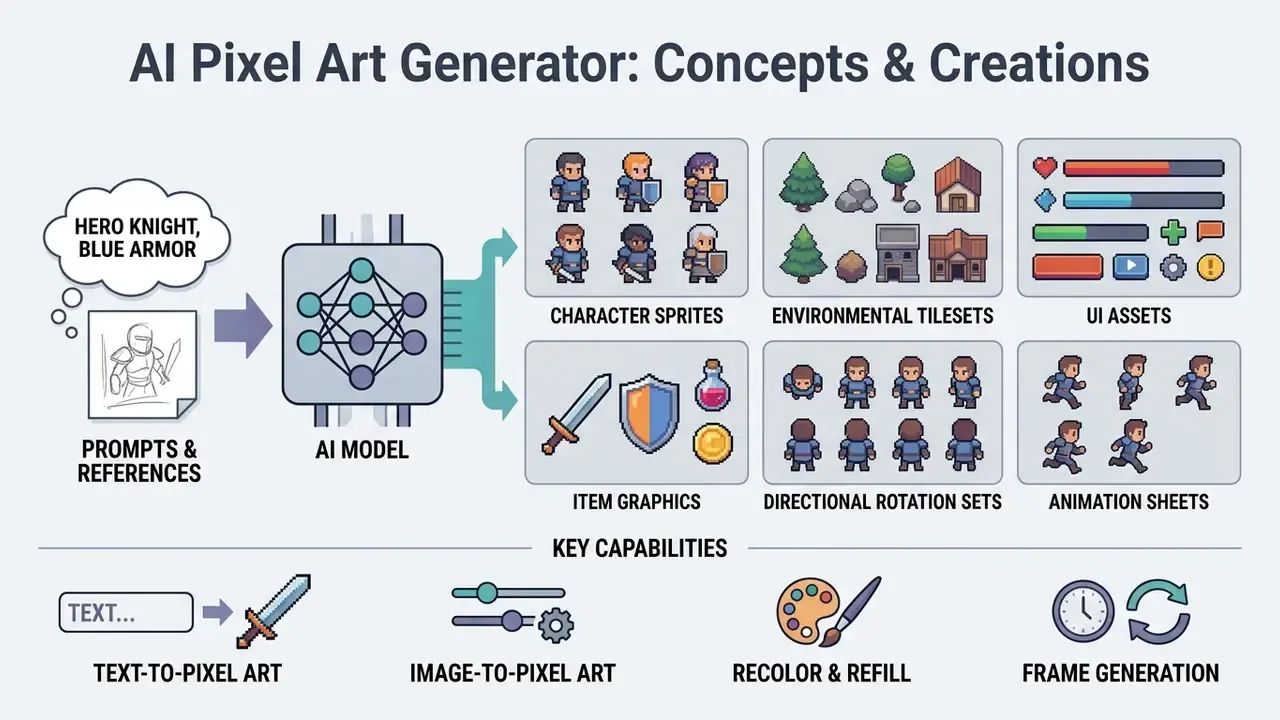
An ai pixel art generator is a specialized neural model that translates natural language or reference images into discrete, low-resolution pixel graphics. These systems constrain color palettes and spatial grids to produce retro visual assets: sprites, terrain tiles, interface components.
Modern ai art generator pixel art platforms rely on diffusion models, generative adversarial networks (GANs), or pixel-space transformers. Unlike standard image models that generate smooth continuous gradients, an ai for pixel art pipeline enforces hard edges and fixed grid resolutions suitable for 2D game engines. Readers evaluating the wider tool category can start with our overview of AI image generators, then narrow down to pixel-specific systems. The same logic applies to any ai image generator pixel art feature bolted onto a general-purpose model: check whether the grid is native or faked afterwards.
To maintain visual cohesion across game production, these tools generate distinct categories of assets:
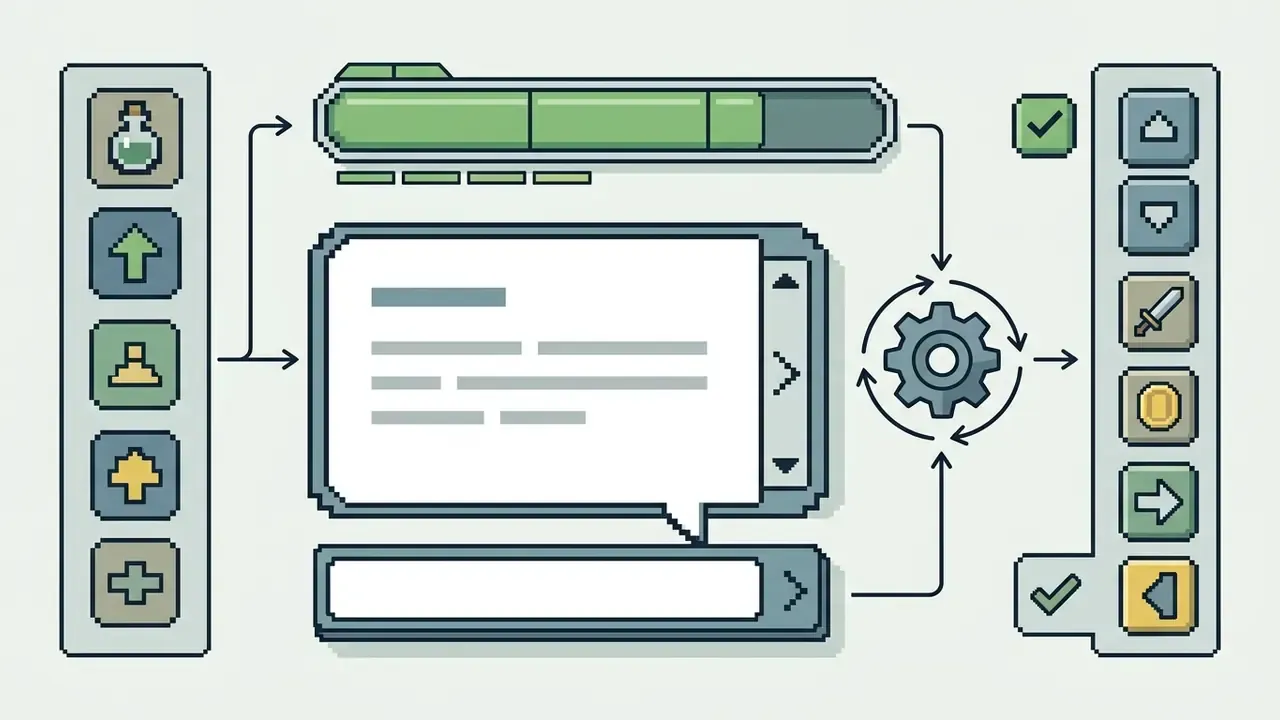
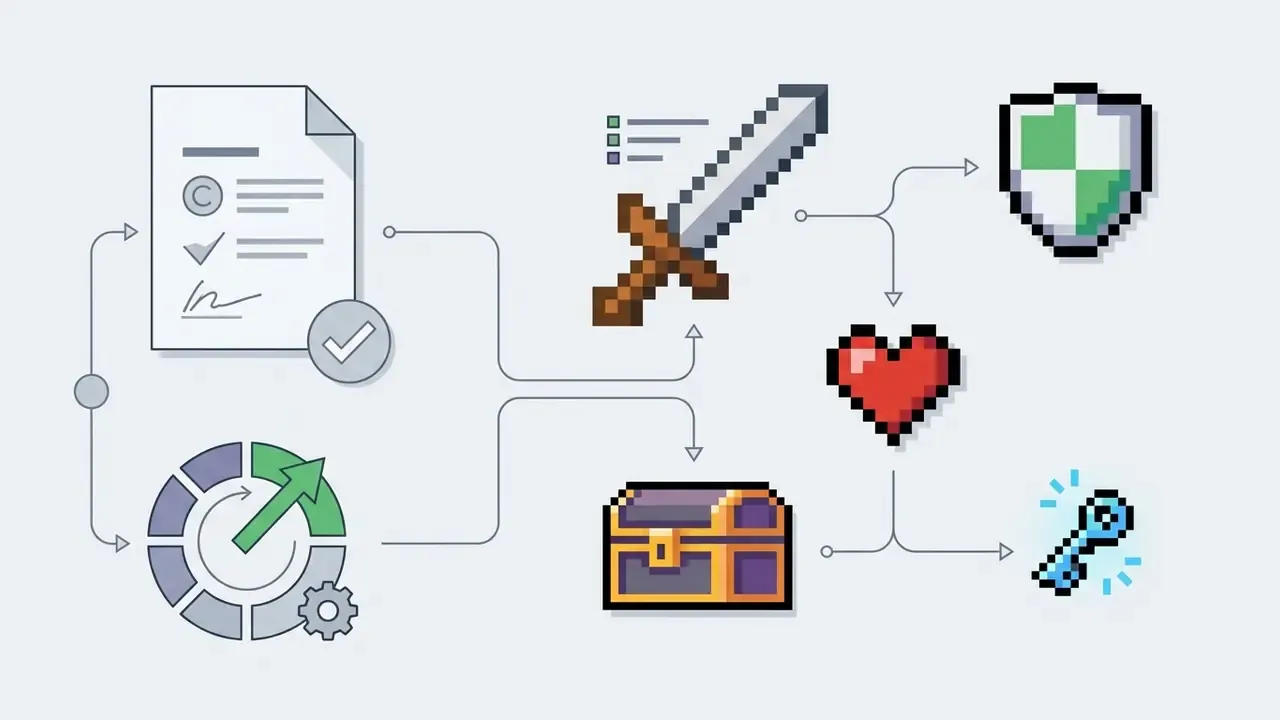
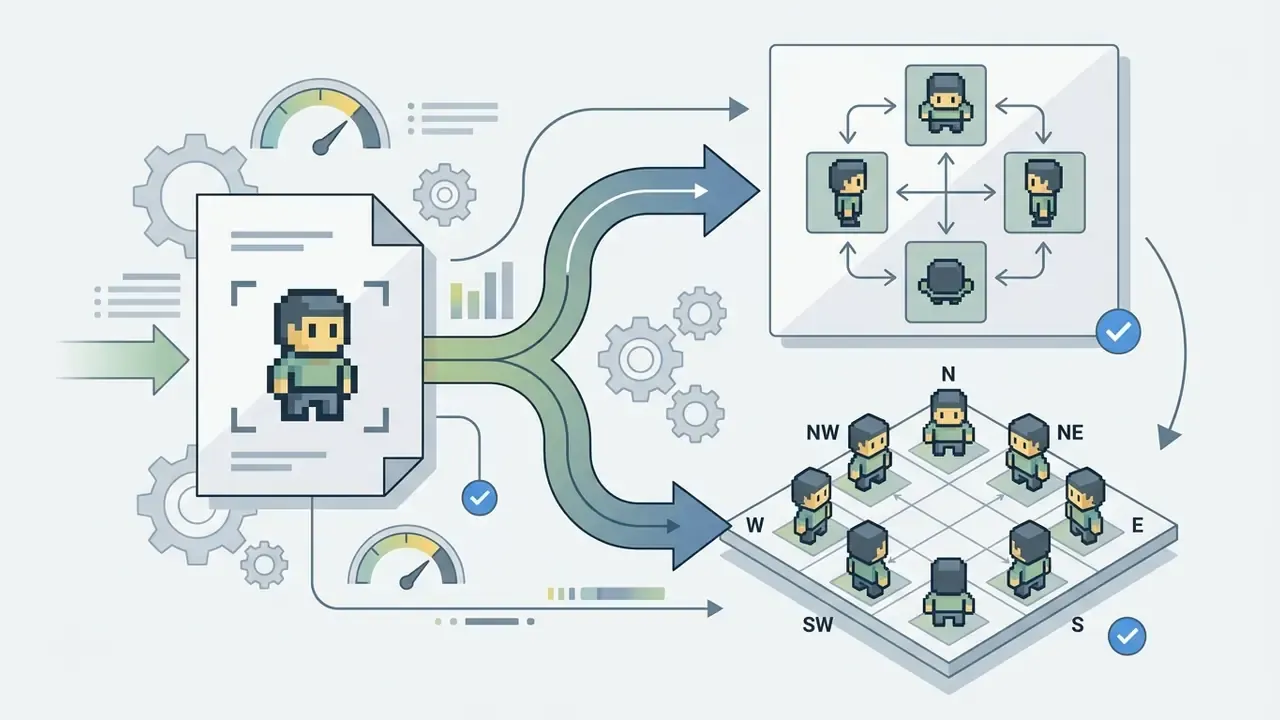
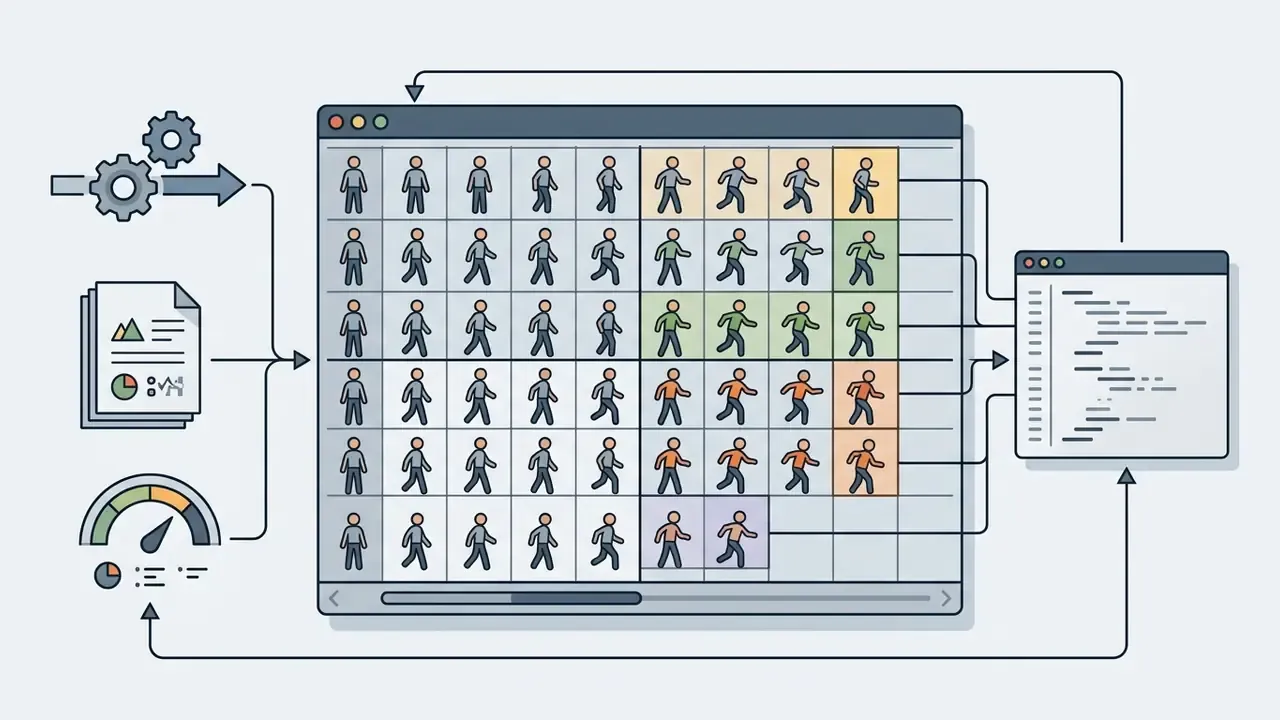
Text-to-pixel art: generate images from a prompt
Text-to-pixel generation synthesizes visual assets directly from descriptive natural language input. Users write precise prompts specifying subject, view angle, color constraints and retro style to ai create pixel art assets from scratch.
Modern ai pixel art generation models process semantic prompts by mapping descriptive tokens to spatial feature maps. A well-structured prompt defines the main entity, lighting conditions, perspective and palette constraints. Specifying a "16-bit RPG knight, side view, idle pose, DB16 palette, hard edges" steers the ai generate pixel art engine toward deterministic output without anti-aliasing artifacts. Advanced architectures such as Pixel-Space Diffusion Transformers (PixelDiT, 2024) operate directly on raw pixel grids, achieving high prompt alignment without autoencoder compression blur.
"SD-πXL generates images with a small discrete set of colors through semantic conditioning of diffusion networks, while preserving object identity."
In practical terms, palette restriction is not a post-processing filter. It is a conditioning constraint applied during sampling: the model is steered toward a fixed index of colors while structural identity (face, silhouette, gear) survives. Research literature also reports palette control implemented as an explicit loss term. A thesis on text-guided 2D pixel-art character generation uses a dedicated palette loss to force a color theme onto the output rather than approximating it later.
Image-to-pixel art: turn a photo or image into retro art
"Content-adaptive kernels defined over space and color keep linear features sharp and connected, and can create pixel art from vector graphics."
"Naive downscaling fails to produce sharp pixel-art edges; k-means color reduction to 16 colors is applied after pixelization." Source: Wong et al., Deep Unsupervised Pixelization (2018).
"Modern style-transfer methods have moved through three stages: from Gram-matrix optimization to diffusion models at 4K resolution with precise semantic control." Source: From paintbrush to pixel: A review of deep neural networks in AI-generated art, 2025 survey.
Deep feature mapping extracts structural contours from a source photo while applying the discrete palettes and grid limits of an 8bit image generator ai. Artists can therefore convert real-world photos or concept sketches into production-ready game assets. Creators comparing broader conversion workflows can review our guide to image-to-image generators.
A defensible photo-to-pixel pipeline has four ordered stages: content-adaptive downscale to the target grid; quantization to a fixed palette index (Pico-8, DB16, DB32, AAP-64); edge reconstruction so outlines stay one pixel wide and connected; grid snapping to remove off-grid half-pixels created by resampling. Skip stage three and the sprite looks "melted" at 1:1 zoom, even though the thumbnail seems fine.
Workflow: AI pixel art generation process
- Input selection
- submit a structured text prompt or upload a source reference image.
- Style and palette definition
- select target grid resolution (16×16, 32×32) and fix color limits (8-bit NES, 16-bit SNES).
- Neural synthesis
- the generative model runs text-to-pixel or image-to-pixel transformation using discrete pixel-space diffusion or GAN inference.
- Inpainting and editing
- perform targeted local modifications or grid cleanup with integrated editor tools.
- Asset export
- export finished graphics as indexed PNG files with alpha transparency, or as structured sprite sheets.
8-bit, 16-bit and 2D pixel art styles: how to choose
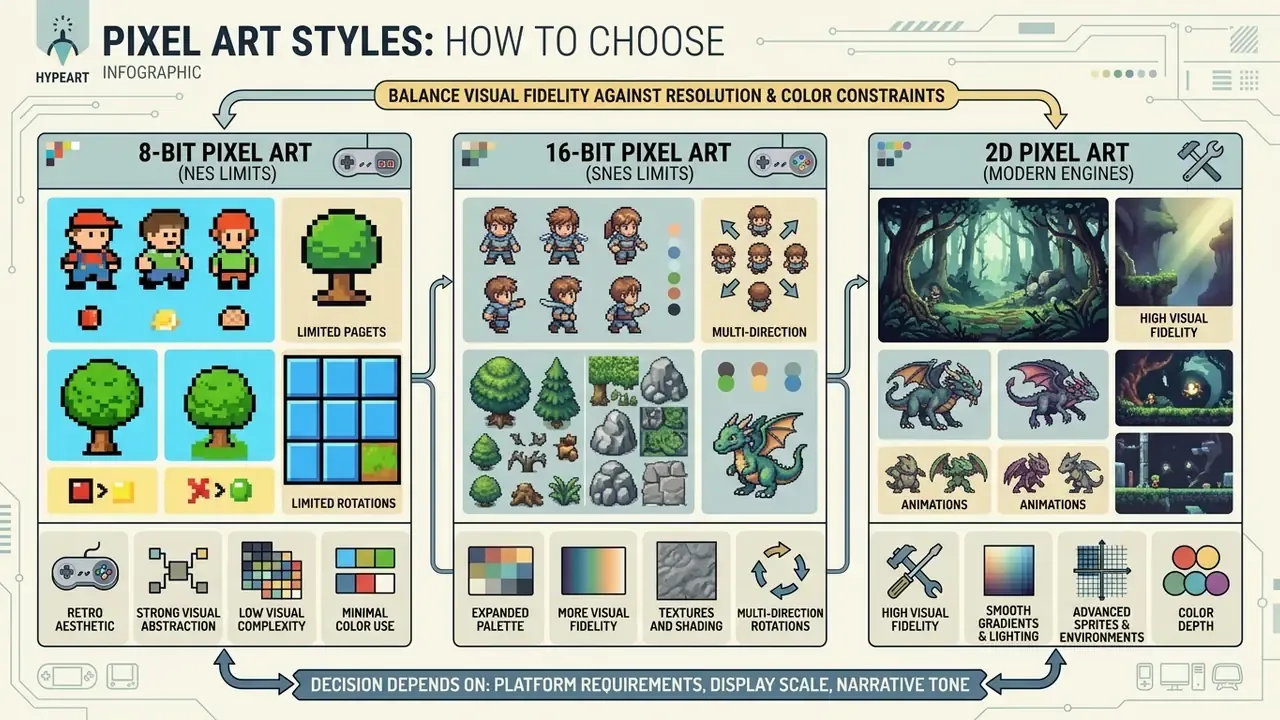
Selecting a pixel art style means balancing visual fidelity against target resolution and color constraints. An ai pixel art creator usually offers presets ranging from minimalist 8-bit aesthetics to detailed 16-bit and hi-bit 2D renders.
The decision depends on platform requirements, display scale and narrative tone. Historical 8-bit hardware constrained visible color depth and sprite dimensions, which produced a distinct retro identity. Modern 2d pixel art generator platforms simulate those constraints through parameters. Settle the technical differences before generation begins and you avoid asset rework during engine integration. Rework is the expensive part, not inference.
When to use 8-bit AI art
"GameTileNet (2025) defines standard pixel-art tiles as 8×8, 16×16 or 32×32 images, drawn from 67 tilesets produced by 15 artist groups."
An 8bit ai generator replicates these limits, which forces strong visual abstraction. Single pixels carry critical facial features or equipment details. Jagged edges replace anti-aliasing, and dithering stands in for shading and extra tones. The style fits retro indie titles, mobile games that need small file sizes, and simplified UI icons where instant recognition matters more than detail.
When 16-bit and 2D pixel art work better
A 16 bit ai generator or 2d pixel art ai generator provides the color depth and pixel density needed for intricate environments, detailed character shading and complex UI layouts.
The 16-bit era, exemplified by Super Nintendo (SNES) hardware, expanded palette limits to 32,768 selectable colors with up to 256 on screen simultaneously. That enabled smooth gradients and layered environmental backgrounds. Running an ai pixel art gen system at 32×32 or 64×64 allows defined light sources, cast shadows and expressive character portraits. Higher grid resolutions also let models encode connectivity rules, which makes 16-bit assets ideal for narrative RPGs, action platformers and detailed interfaces:
"GameTileNet contains 2,142 annotated game objects with connectivity and affordance metadata, supporting tile generation under semantic constraints."
Production economics also favor mid-density pixel art. Tiled backgrounds pack large visual variation into one small texture, which lowers build times, download size and asset-management overhead compared with high-resolution 2D art.
Technical comparison: 8-bit, 16-bit and hi-bit 2D pixel art styles
| Style category | Grid resolution | Palette limits | Visual detail and shading | Primary game use cases |
|---|---|---|---|---|
| 8-bit style | 8×8 to 16×16 px | 4 to 16 colors per sprite (NES style) | Minimal shading; high contrast; jagged edges; no anti-aliasing | Retro indie games, basic items, simple mobile sprites, micro-icons |
| 16-bit style | 16×16 to 32×32 px | 16 to 32 colors per sprite (SNES style) | Moderate shading; directional light; smooth gradients | Action platformers, RPG world tiles, detailed characters, combat HUDs |
| Modern hi-bit 2D | 32×32 to 128×128+ px | 32 to 256+ colors (extended RGB) | Advanced lighting; complex dithering; sub-pixel animation alignment | Character portraits, full-screen cutscenes, complex UI components |
Once the target style is fixed, tool selection turns into a comparison problem rather than an aesthetic one. Our roundup of the best free AI art generators shows how output quality, credit limits and licensing diverge across platforms.
Can AI-generated pixel art be used commercially?
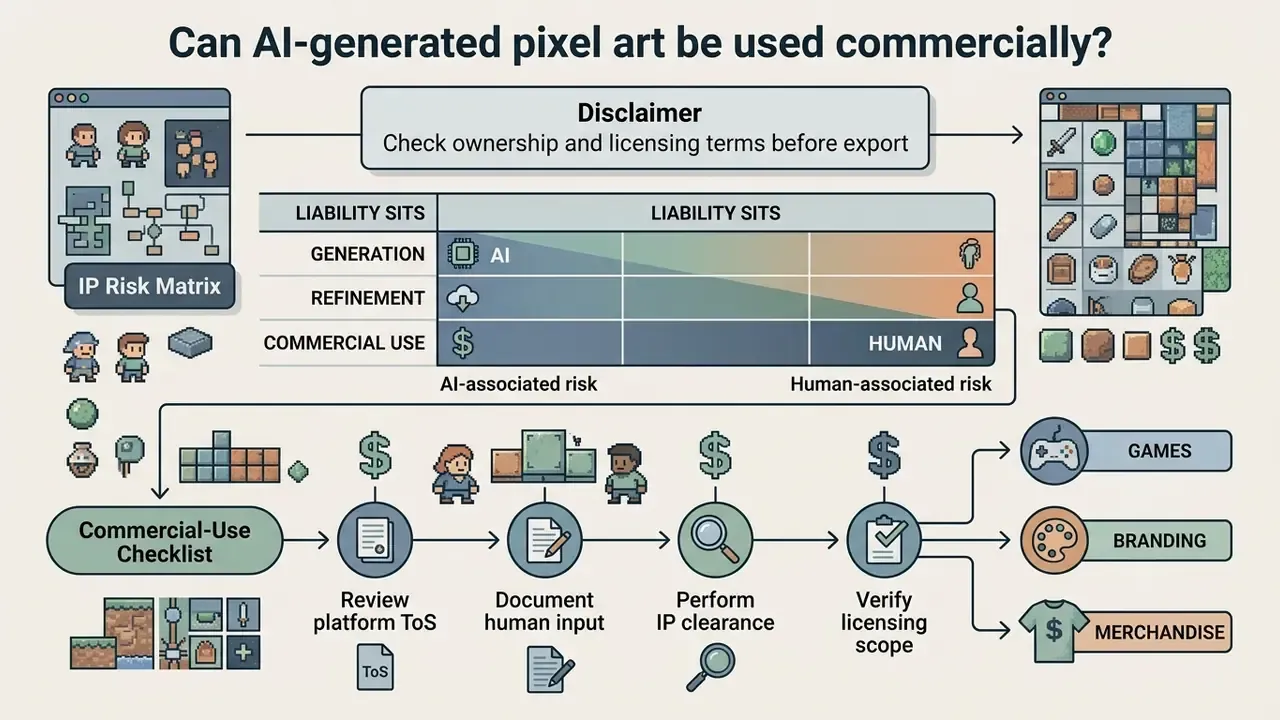
Commercial usage rights for ai generated pixel art depend on tool-specific terms of service, the licensing of underlying datasets, and applicable national legal frameworks. Assets destined for commercial games, branded merchandise or advertising should pass legal clearance before deployment. Teams building a repeatable policy can start from our reference material on the commercial use of AI image generators. For case-level context on disputes involving generative models, see the overview.
In the United States, current precedent shapes how synthetic visual assets are protected and monetized. Developers should understand the parameters before shipping a product that contains AI-generated graphics.
"Liability for copyright infringement differs across dataset creation, model training and output generation. These are not equivalent processes."
Two further facts frame the risk picture. First, the U.S. Copyright Office guidance and its 2025 report retain the human-authorship requirement: AI-determined expression is not human authorship, and applicants must identify and disclaim AI-generated portions when registering mixed works. Second, courts outside the United States have reached compatible conclusions. Russian appellate practice in 2025 (case No. А56-52652/2024, 13th Arbitration Appellate Court) confirmed that using a neural network does not remove civil liability for infringement connected to the resulting image. For broader intellectual property guidelines, review our AI Media Commercial-Use resources.
Check ownership and licensing terms before export
Platform terms of service decide whether you receive full ownership or a limited usage permission over generated output.
Free plan terms often reserve commercial rights or require public attribution, while paid plans typically grant full commercial rights to the user. Terms vary considerably. Some platforms grant non-exclusive licenses for public generations, and transfer full title only for private generations produced on paid tiers. Documented examples of this split include vendors that allow free-trial outputs to appear in public galleries and marketing, treating paid-account assets as private, and vendors that grant users full ownership plus resale rights while retaining only a hosting license.
"Diffusion models can memorize and reproduce copyrighted images from training data; this behavior is measurable and can be reduced through machine unlearning methods."
IP risk matrix: where liability actually sits
| Risk vector | Typical exposure | Mitigation control | Who owns the control |
|---|---|---|---|
| Base model trained on scraped art | Substantial-similarity claims on outputs | Prefer vendors that disclose training data policy; run similarity checks pre-release | Legal + Art Lead |
| Third-party LoRA or style adapter | Derivative-work claim; unclear license chain | Accept only CC0, MIT or vendor-licensed adapters; store the license file with the asset | Art Lead |
| Free-tier output shipped commercially | Breach of ToS; loss of distribution rights | Verify plan-level commercial grant in writing before production use | Procurement |
| Purely AI-generated asset with no human edit | Not registrable; weak exclusivity | Document manual pixel editing, composition, arrangement | Art Lead |
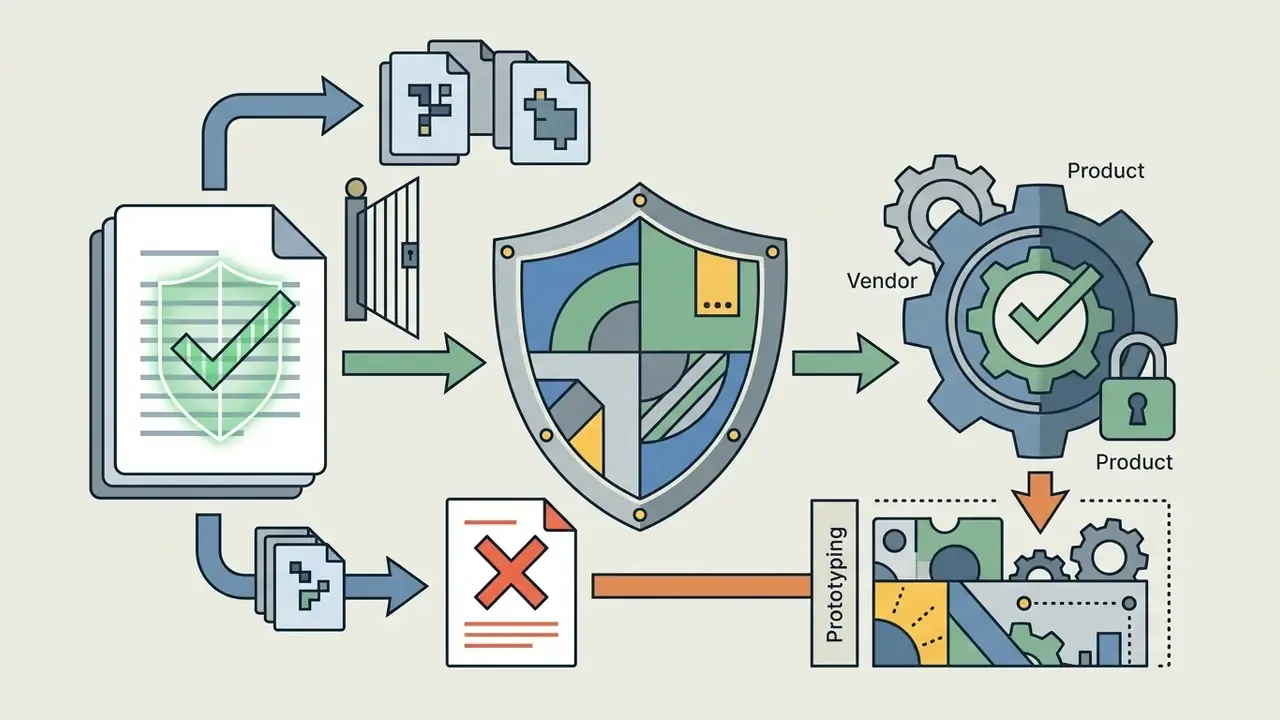
| No vendor indemnification | Full liability retained by the studio | Negotiate an IP indemnification clause, or restrict the tool to prototyping | Legal / CRO |
Commercial-use checklist for games, branding and merchandise
Legal readiness before launch means three things: verifying copyright registrability, clearing third-party intellectual property, and documenting human creative involvement.
According to guidance from the U.S. Copyright Office (2025/2026 update), purely AI-generated visual output lacking human creative control is ineligible for federal copyright registration. Human selection, arrangement, manual digital editing, and the assembly of generated assets into a complex system such as a finished video game can still be protected.
"The RLCP method significantly reduces the probability of generating infringing images while preserving FID quality, using reinforcement learning on mixed datasets."
- Clear trademarks and merch rightsrun a trademark search for names, logos and mascots. Merchandising rights sit separately from copyright and must be licensed explicitly when third-party IP appears on physical products.
- Prepare distribution documentsdraft or update EULA and terms-of-service disclosures covering AI-assisted asset creation before store submission.
How to use an AI pixel art generator: from idea to export
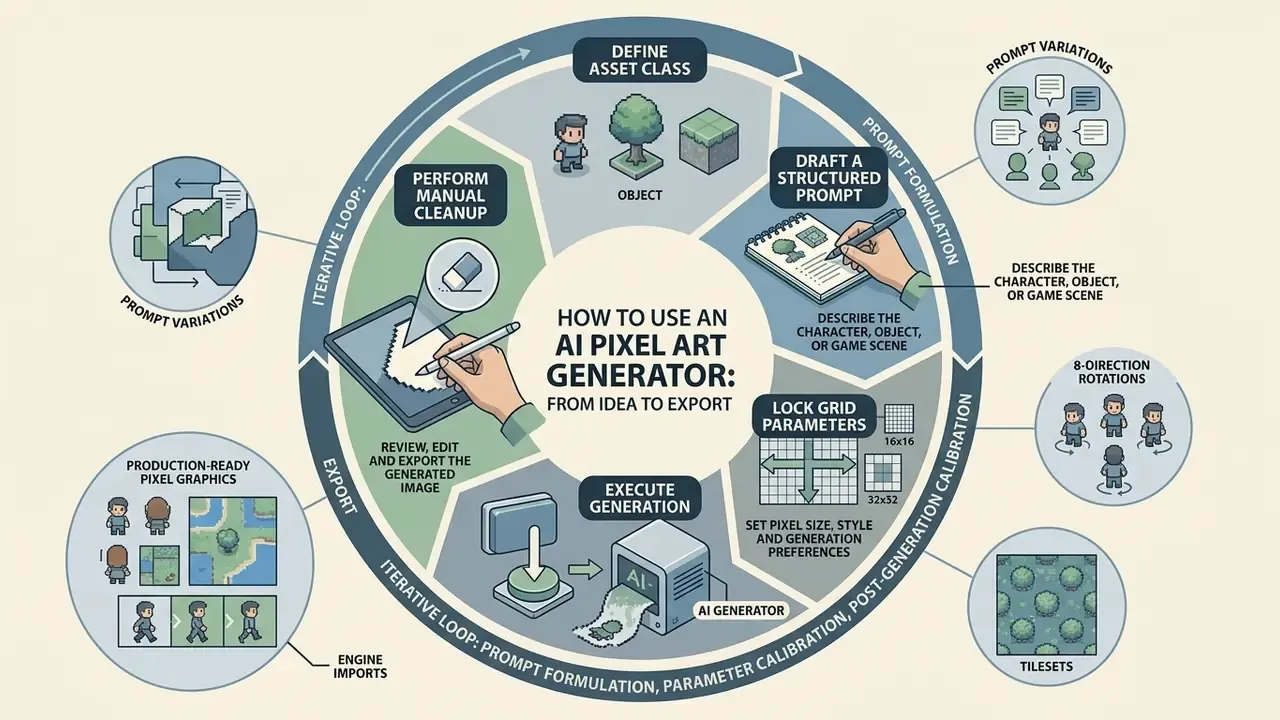
Production-ready pixel graphics come from an iterative loop: prompt formulation, parameter calibration, post-generation editing. Operating an ai pixel art generator well means establishing visual constraints before inference starts, not after.
Updated (illustrative model, not a measured case study): consider a studio evaluating generative workflows across three internal game projects. When prompt structures are standardized and grid boundaries are locked before generation, the dominant cost driver, manual re-cleanup of off-grid pixels, largely disappears, because artifacts are prevented instead of repaired. The size of the saving depends on asset class, target grid and how strict the style spec is. Measure your own baseline, in minutes per accepted sprite, before and after standardization. Do not adopt a fixed percentage on faith. Vendor claims of "10x faster" asset production are marketing figures and need internal validation.
For broader media management workflows, teams can evaluate our AI Media Comparison portal.
Describe the character, object or game scene
An effective prompt uses structured descriptors that define subject identity, perspective, lighting and explicit style qualifiers.
The standard structure follows a strict hierarchy: [Subject] + [Action/Pose] + [Perspective] + [Style/Palette Tags] + [Negative Constraints].
"Explicitly describing each object, its attributes and spatial relationships improves alignment between generation and intent compared with unstructured prompts."
Naming perspectives such as "isometric 2:1 ratio", "side-view orthographic" or "top-down 45-degree angle" prevents spatial distortion. Negative constraints like "no anti-aliasing, no blur, no gradients, no 3D render" push the ai art pixel art model to hold flat, sharp pixel boundaries. Four rules repeat across prompt guides: one perspective per prompt; name the palette or console era explicitly; state the light direction once and reuse it for every asset in the set; add environmental detail only after composition and style are stable.
Worked examples:
armored knight, idle stance, side-view orthographic, 32x32 pixel art sprite, DB16 palette, hard edges, light from top-left, transparent background, no anti-aliasing, no blurstone dungeon floor tile, seamless tiling, top-down 45 degrees, 16x16 pixel art, 16 colors, no outline, no gradientshealth bar frame, retro UI element, 16-bit SNES style, 32 colors, 1px outline, flat shading, no perspective
Set pixel size, style and generation preferences
Technical settings decide whether output aligns with the target engine's display grid, or fights it.
Specify exact grid dimensions (16×16, 32×32, 64×64) inside the ai generator pixel interface. Locking palettes to standardized indexes such as Pico-8 (16 colors) or DB32 (32 colors) holds visual consistency across independently generated assets. Palette granularity should follow output scale: 16 px targets pair well with Pico-8 or Game Boy palettes, 32 px with DB16 or DB32, 64 px with DB32 or AAP-64. Advanced platforms and any serious ai 2d pixel art generator also expose the underlying neural checkpoint, so creators can pick models fine-tuned on retro game graphics rather than general illustration data. Buyers comparing checkpoint quality and licensing can consult our comparison of AI image generators.
Review, edit and export the generated image
Finalizing generated graphics means verifying grid integrity, cleaning stray pixels, and exporting with a working alpha channel.
Once the ai generated pixel art asset is synthesized, inspect the file for off-grid artifacts and color bleed. Using an integrated ai pixel art editor, artists perform touch-ups, adjust contrast and strip background pixels. Export as indexed 32-bit PNG for full alpha transparency, or as structured sprite sheets for animation setup. The PNG specification defines alpha as per-pixel transparency, where alpha 0 is fully transparent and maximum alpha fully opaque. JPEG has no alpha channel and should never be used for sprites. Ever.
Checklist: first-time AI pixel art generation
- Define asset classdecide whether the output is a character sprite, environmental tile or UI component. Expected result: target grid size and palette selected.
- Draft a structured promptcombine subject details, view perspective, palette and negative anti-aliasing constraints. Expected result: one perspective, one light direction, one palette.
- Lock grid parametersselect output grid (16×16, 32×32, 64×64) and fixed color limits. Expected result: output generated natively at size, not downscaled afterwards.
- Execute generationrun inference and review candidates against style guidelines. Expected result: at least one candidate matches the spec sheet.
- Perform manual cleanupremove isolated "orphan" pixels and verify grid alignment in an editor. Expected result: every pixel sits on the grid, outlines are one pixel wide.
- Export to enginedownload as lossless PNG with transparency enabled. Expected result: alpha verified, no watermark, filename recorded in the asset register.
Generate pixel art for games: characters, sprites, maps and UI
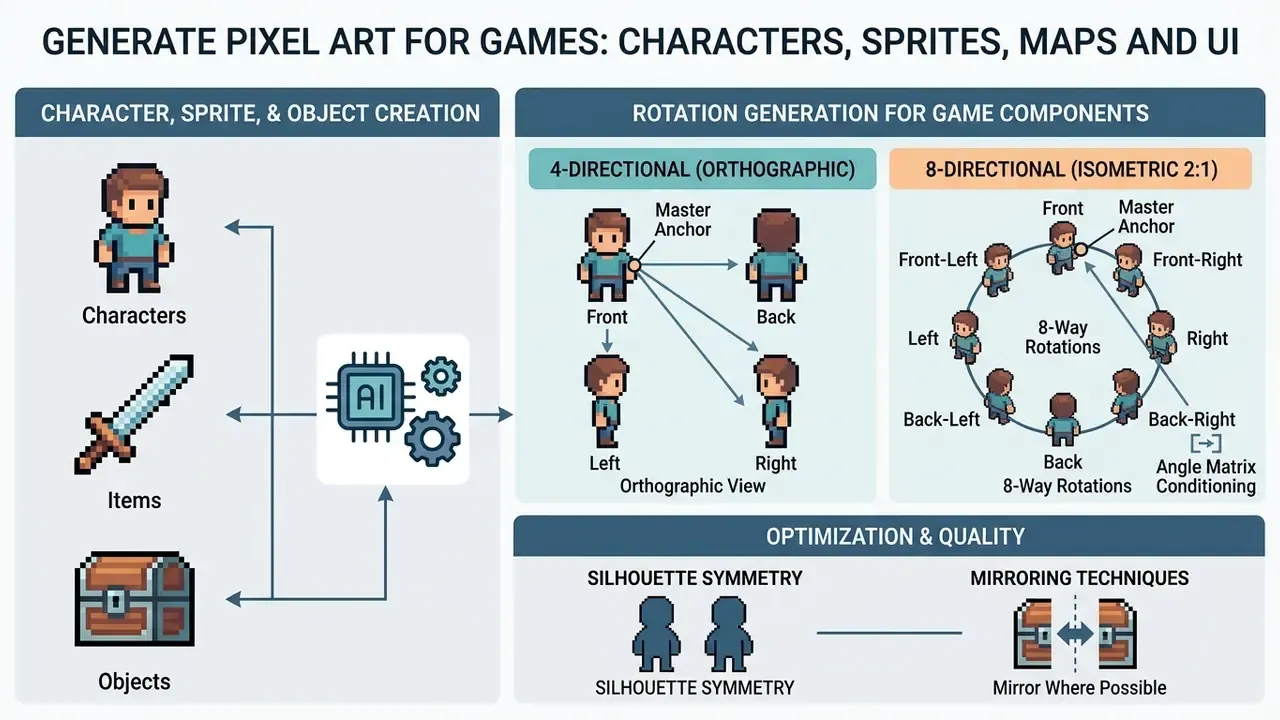
Game development needs structured, scalable asset generation that holds visual quality across very different components. An ai pixel art character generator enables rapid prototyping of animated entities, terrain tiles and interface elements.
Engine integration imposes strict technical standards. Assets must share baseline grid proportions, lighting angles and palettes, otherwise the composition falls apart on screen. Practitioner guides converge on two base sizes: 16×16 for small top-down characters, and 32×32 as the most versatile default for 2D action, RPG and platformer projects. Developers who also need supporting interface components can explore specialized options like an ai ui generator.
Create pixel art characters, items and objects
Character models and item graphics need consistent proportions and distinct silhouettes across every entity in the game.
An ai pixel art character generator produces character concepts, equipment sets and inventory items at speed.
"A U-Net plus PatchGAN architecture transfers 64×64 RGBA sprites from one pose to another while preserving character detail; using more poses improves generation quality."
Fixed reference silhouettes keep player characters and enemies readable against busy backgrounds. In production, that reference is stored as a "master anchor" asset: the front-facing idle pose at the project's base grid size, using the project palette and light direction, against which every other pose and rotation gets validated.
Generate 4-way and 8-way sprite rotations for top-down and isometric games
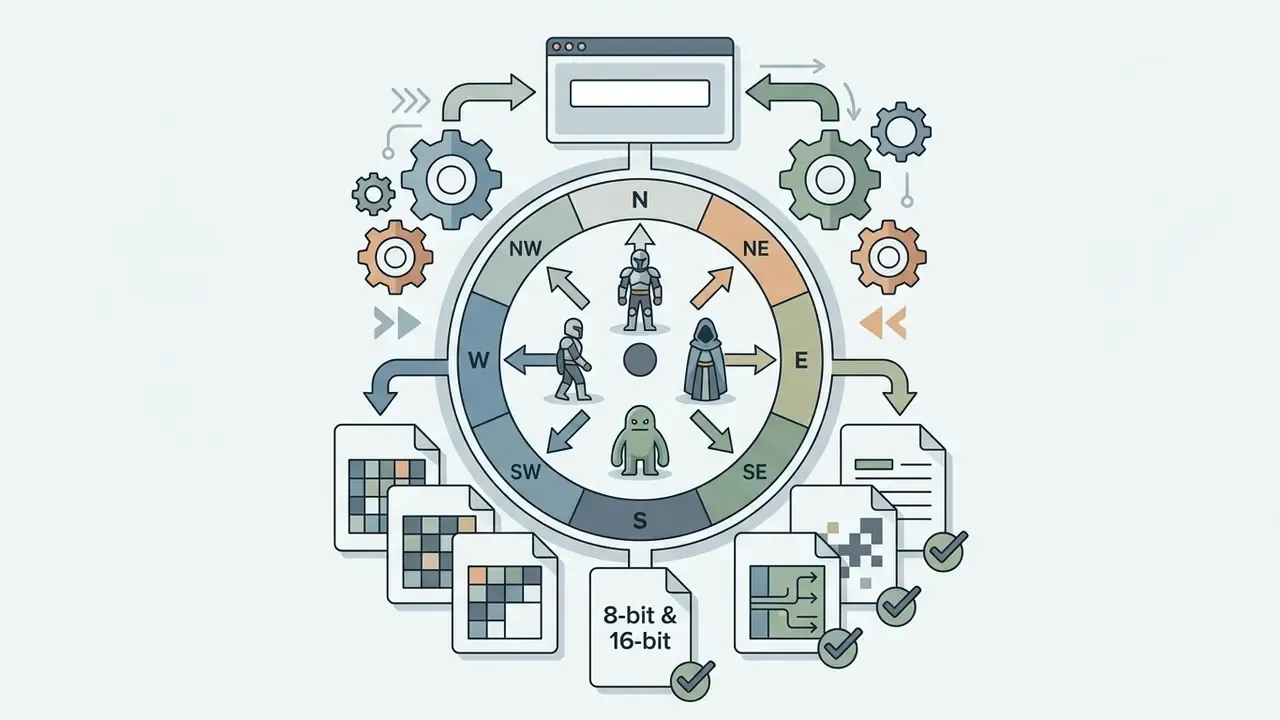
Consistent directional views for top-down or isometric games demand strict spatial proportions across every angle. An ai pixel art generator with rotation-locking controls can extrapolate a single front-facing sprite into a full 8-directional set (North, North-East, East, South-East, South, South-West, West, North-West).
To generate seamless 8-directional batches without deformation:
- Establish the master anchor generate the front-facing (South) sprite on a fixed grid, for example 32×32, with a locked palette such as DB16.
- Apply angle matrix conditioning feed the master sprite into the rotation pipeline with target projection angles.
- 4-directional (orthographic top-down)
0° (S), 90° (E), 180° (N), 270° (W). - 8-directional (2:1 isometric ratio) adds diagonals
45° NE, 135° SE, 225° SW, 315° NW. - Maintain silhouette symmetry enforce negative prompts
no perspective drift, no palette shift, fixed light source from top-leftso the light stays put as the character turns. - Mirror where legal to do so for symmetrical characters, generate S, SE, E, NE, N only, then mirror horizontally for SW, W and NW. This halves generation cost and guarantees silhouette parity. Avoid it for asymmetric designs: a sword in the right hand, an eyepatch, a single shoulder pauldron.
- Validate against the isometric grid true isometric construction uses a 2:1 line ratio, one vertical pixel for every two horizontal. Diagonal views that break the ratio will never align with isometric tiles.
Converting an existing side-view sprite to isometric. When only a side-scrolling sprite exists, a documented manual method is to skew the sprite by 30°, displace limbs and props to reintroduce depth, then repair broken outlines and fill gaps while keeping the facing direction consistent. AI rotation tools automate the first two steps. The cleanup pass is still yours.
Directional prompt matrix (reusable template)
| Direction | Angle | Prompt suffix | Validation check |
|---|---|---|---|
| South (front) | 0° | front view, facing camera | Master anchor; both eyes visible |
| South-East | 45° | three-quarter front view, facing right | Isometric 2:1 diagonal alignment |
| East | 90° | side view, facing right | One eye visible; silhouette width matches anchor |
| North-East | 135° | three-quarter back view, facing right | Back of head readable, no facial features |
| North (back) | 180° | back view, facing away | No face; hair or cape silhouette matches anchor |
| North-West | 225° | three-quarter back view, facing left | Mirror of NE if the design is symmetric |
| West | 270° | side view, facing left | Mirror of E if the design is symmetric |
| South-West | 315° | three-quarter front view, facing left | Mirror of SE if the design is symmetric |
Generate sprites, sprite sheets and animation frames
Sprite sheet creation means generating sequential motion frames, such as idle, walk, run and attack cycles, arranged in a single texture atlas.
Consistent cycles require temporal stability across frames. Frameworks like Sprite Sheet Diffusion (2024) adapt video diffusion models to synthesize multi-frame sheets conditioned on a reference character image and a pose skeleton.
"Sprite Sheet Diffusion is initialized with Stable Diffusion weights and generates character action sequences while preserving the reference appearance across all frames."
Such systems output transparent PNG sheets with JSON metadata, so developers can import sliceable frame sequences straight into modern engines. Teams working across media formats can also review adjacent animation tools when frame timing, not sprite generation, is the bottleneck.
Typical settings exposed by current sprite-sheet tools: frame count per cycle, target playback rate (commonly 4 to 24 FPS for pixel animation), and per-frame output resolution (256 px or 512 px canvases containing a smaller native grid). Frame coherence is the quality gate. Pose, proportion and movement rhythm must stay consistent, otherwise the cycle "boils" during playback and the eye catches it immediately.
A minimal atlas metadata record, the structure most engines and importers expect, looks like this:
{
  "frame": {"x": 0, "y": 0, "w": 32, "h": 32},
  "rotated": false,
  "trimmed": false,
  "spriteSourceSize": {"x": 0, "y": 0, "w": 32, "h": 32},
  "sourceSize": {"w": 32, "h": 32},
  "pivot": {"x": 0.5, "y": 0.5}
}
Storing the pivot explicitly matters for pixel art. A pivot in normalized coordinates (0.5, 0.5) keeps the character's feet on the same scanline across frames, which prevents the one-pixel vertical jitter that shows up when engines infer pivots from trimmed bounds.
Skeleton-based animation vs frame-by-frame AI sprite sheets
Motion cycles (walk, run, attack, idle) can be produced through direct frame-by-frame synthesis or skeleton-conditioned rigging. The choice affects cleanup cost more than generation cost.
- Frame-by-frame diffusion the model generates independent frames from motion prompts, for example "sword attack cycle, 6 frames". Fast, but prone to sub-pixel flickering, the boiling artifact.
- Skeleton-conditioned rigging ControlNet or pose-guided models map the sprite onto a 2D skeletal rig of bones and joints. The model deforms and redraws the pixel grid according to keyframe coordinates. Bone dimensions stay rigid, so sprite volume does not distort during complex action.
- Hybrid (recommended for production) use skeleton conditioning to fix keyframe poses (contact, down, passing, up for a walk cycle), then frame-by-frame diffusion for in-betweens only, followed by a manual grid-snap pass. Secondary motion such as squash-and-stretch on idle loops is added at keyframe level, not per frame.
| Criterion | Frame-by-frame diffusion | Skeleton-conditioned rigging |
|---|---|---|
| Setup effort | Low, one motion prompt | Medium, rig and keyframes required |
| Temporal stability | Variable; boiling risk | High; bone lengths fixed |
| Volume preservation | Can drift between frames | Enforced by the rig |
| Best for | Idle loops, effects, short cycles | Walk, run, attack cycles, 8-direction sets |
| Cleanup cost | Higher (per-frame fixes) | Lower (per-keyframe fixes) |
Build environments, tilesets and UI elements
Game worlds need seamless tilesets, background maps and functional interface components mapped to fixed pixel grids.
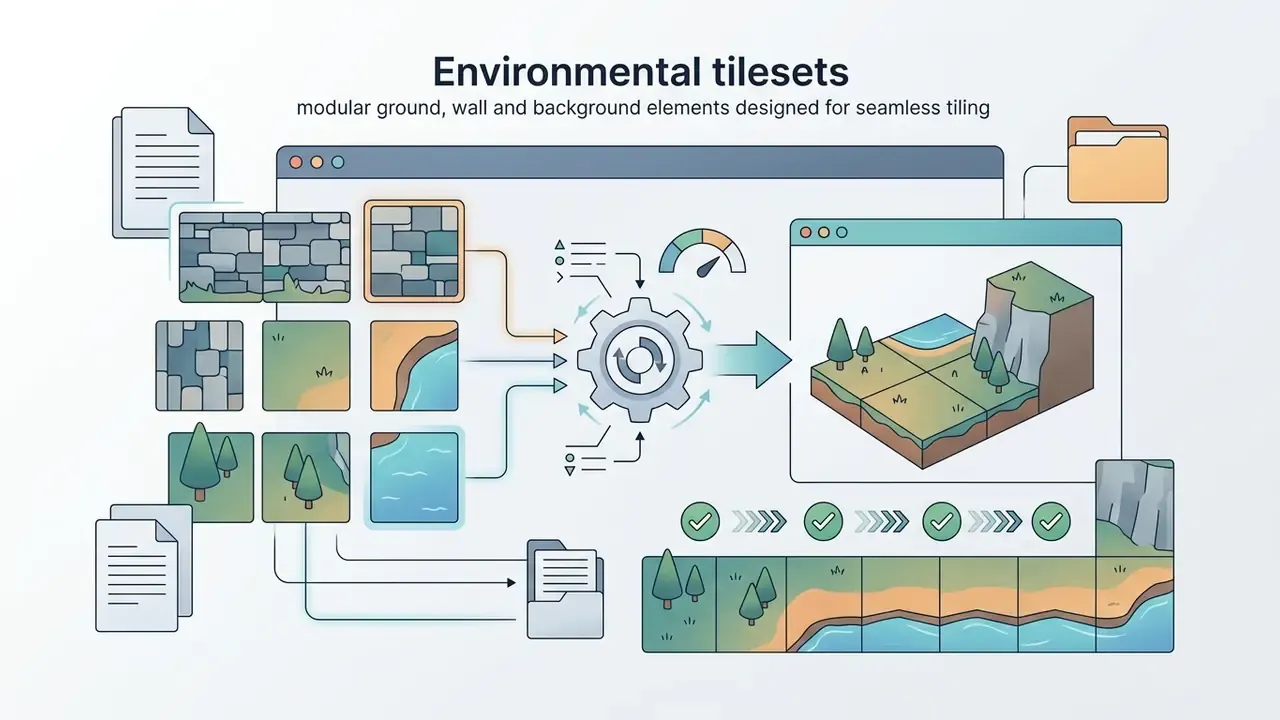
Tilesets rely on strict edge-matching rules so adjacent terrain connects without visible seams. Environmental datasets such as GameTileNet (2025) provide annotated semantic categories for ground, wall and decorative tiles, enabling models to synthesize terrain that respects spatial connectivity constraints.
"GameTileNet includes connectivity and affordance annotations for 2,142 objects, allowing models to generate tiles with semantically correct adjacency rules."
Interface elements, including health bars, action buttons and dialog frames, must be generated at matching pixel densities to keep UI legible. UI sprites normally live on a dedicated sheet rather than mixed with world tiles, so HUD scaling can change without re-slicing terrain atlases.
Construct seamless tilemaps, auto-tiling rules and collision masks
Functional levels need terrain tiles that align to rectangular or isometric grids without edge seams. Advanced ai pixel art generators handle seamless texture boundaries by applying periodic boundary constraints during sampling.
Standard tilemap pipelines require three functional layers.
- Visual terrain tiles (auto-tiling): models process 3×3 tile matrices to generate corner, edge and center variations, so engines like Godot or Unity can run Wang-tile or Blob auto-tiling logic. Godot documents a tilemap as a grid of tiles used to build level layout; GameMaker defines auto tiles as tiles that connect with neighbours to form seamless walls or platforms.
| Position | Column 1 | Column 2 | Column 3 |
|---|---|---|---|
| Row 1 | Top-left corner | Top edge | Top-right corner |
| Row 2 | Left edge | Center tile | Right edge |
| Row 3 | Bottom-left corner | Bottom edge | Bottom-right corner |
A complete minimal terrain set is therefore one center tile, four edge tiles and four outer corners, plus optional inner corners for concave junctions, assembled into a single sprite sheet before export. Lay out a test map first and check contrast balance and readability before expanding the full tileset.
- Collision and hitbox generation automated sprite analysis reads opacity channels and emits binary physics masks, mapping solid pixels to 2D polygon colliders. Practical rule: generate colliders from a cleaned alpha channel, then simplify to convex polygons. Raw per-pixel colliders are accurate and expensive at runtime.
- Z-index layering background, interaction and foreground layers render with distinct alpha depth parameters to prevent clipping during character movement. Keeping one master palette across all three layers is what makes procedurally combined maps look hand-authored.
Edit AI-generated pixel art and keep a consistent style
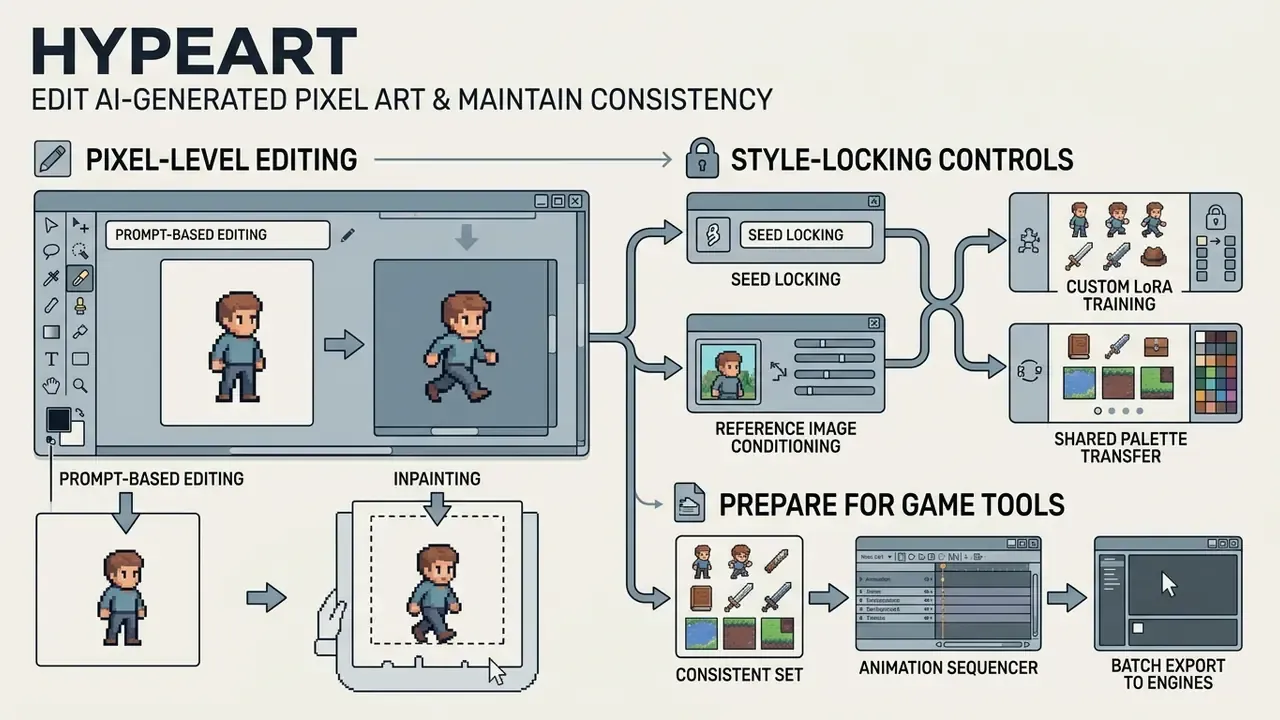
Visual consistency across hundreds of assets needs specialized editing tools and style-locking controls. An ai pixel art editor lets developers refine generated graphics without breaking palette parameters or grid lines.
Style drift shows up as varying line weights, inconsistent lighting angles and mixed palettes across independently generated assets. It rarely appears in a single sprite. It appears when you drop forty sprites into one scene.
"Modern diffusion-based style transfer separates content and style, applying a given style uniformly across many content images through shared style codes."
Use prompt-based editing and inpainting
Inpainting modifies localized regions: draw a mask over the target pixels, issue a corrective prompt.
Integrated ai pixel art editor tools use masked diffusion to regenerate specific regions without disturbing the surroundings. An artist can highlight a character's weapon and request a "glowing blue sword" while the body stays untouched.
"The RPG framework applies complementary regional diffusion: edits in one part of the image do not affect neighboring regions, which is critical for pixel graphics."
Systems with pixel-snapping algorithms enforce palette alignment and eliminate stray half-pixels created during inpainting. Tool documentation also exposes hard limits worth planning around: some implementations require a minimum mask of 32×32 pixels and cap edit regions by subscription tier, for example 100×100 on entry plans and 160×160 above. That single limit decides whether a whole-sprite repaint is possible in one pass. Readers comparing general-purpose retouching tools can review our guide to AI photo editors.
Make characters and assets visually consistent
Project-wide continuity comes from locking seeds, using Low-Rank Adaptation (LoRA) models, and sharing reference style blocks.
To hold character identity across actions and environments, use parameter-locking techniques:
- Seed lockingreuse specific random seeds to preserve structural facial features.
- Custom LoRA trainingtrain lightweight adapters on a curated dataset of 10 to 30 project-specific samples. Reference-selection guidance recommends 10 to 30 high-quality, stylistically consistent images per adapter; a 2025 study built a "style LoRA bank" of 22 separately fine-tuned style modules to hold style stable across outputs.
- Reference image conditioningsupply a master reference to guide later generations, changing only the scene description while the identity block stays byte-identical.
- Shared palette transferapply automated palette-mapping scripts across all assets to enforce uniform color indexing.
- Version and batch lockinggenerate asset families in batches on the same model version. Silent checkpoint upgrades are a common cause of mid-project style drift, and one of the hardest to diagnose after the fact.
Prepare pixel art for animation and game tools
Importing pixel graphics into Unity or Godot requires precise import configuration, otherwise filtering blurs the work.
Engines apply bilinear texture filtering by default. In Unity, set Filter Mode to Point (no filter) and Compression to None. In Godot 4, set Texture Filter to Nearest. Sprite sheets are sliced with built-in editor grid tools based on predefined cell dimensions, for example 32×32 pixels.
Engine-specific import steps, in order:
A fact-check note on capability claims: generation from prompt, image-to-pixel conversion, masked editing, sprite-sheet export and engine import are verifiable in the interface of most current tools. Rotation batches, skeleton rigging and guaranteed frame coherence are frequently advertised rather than demonstrated. Test them on your own asset class before signing an annual plan.
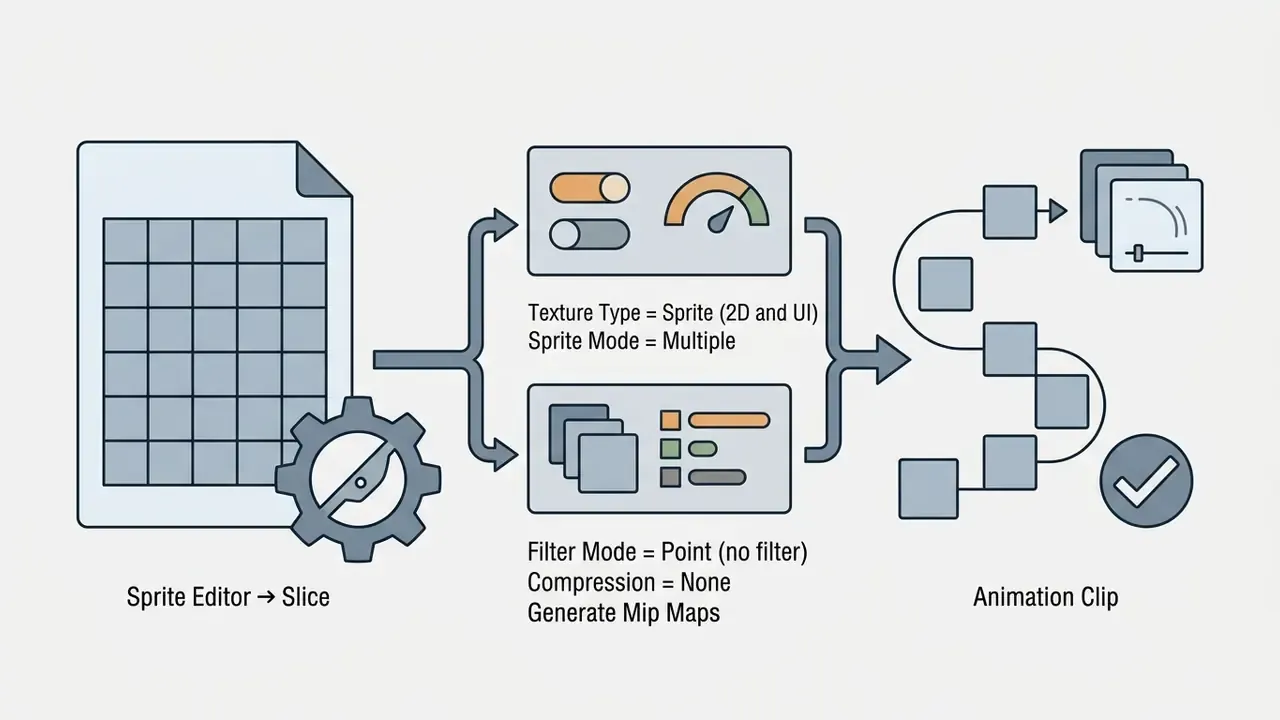
Texture Type = Sprite (2D and UI); Sprite Mode = Multiple; open Sprite Editor → Slice → Grid by Cell Size, enter cell dimensions, apply; set Filter Mode = Point (no filter), Compression = None, disable Generate Mip Maps; build the Animation Clip from sliced sprites (a 9×3 sheet yields 27 frames).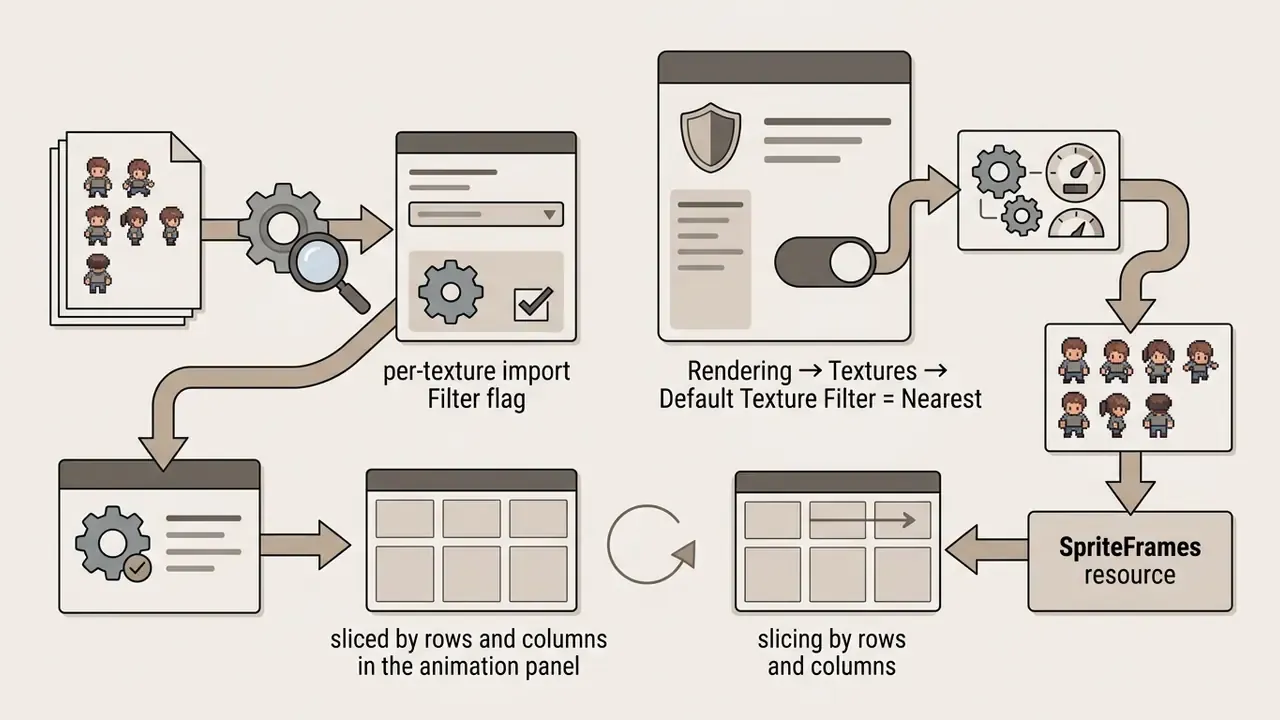
SpriteFrames resource, then slice by rows and columns in the animation panel. Godot 3 handled this with a per-texture import Filter flag; Godot 4 moves the control to project or node level.
Enterprise controls: data privacy, Shadow AI and audit evidence
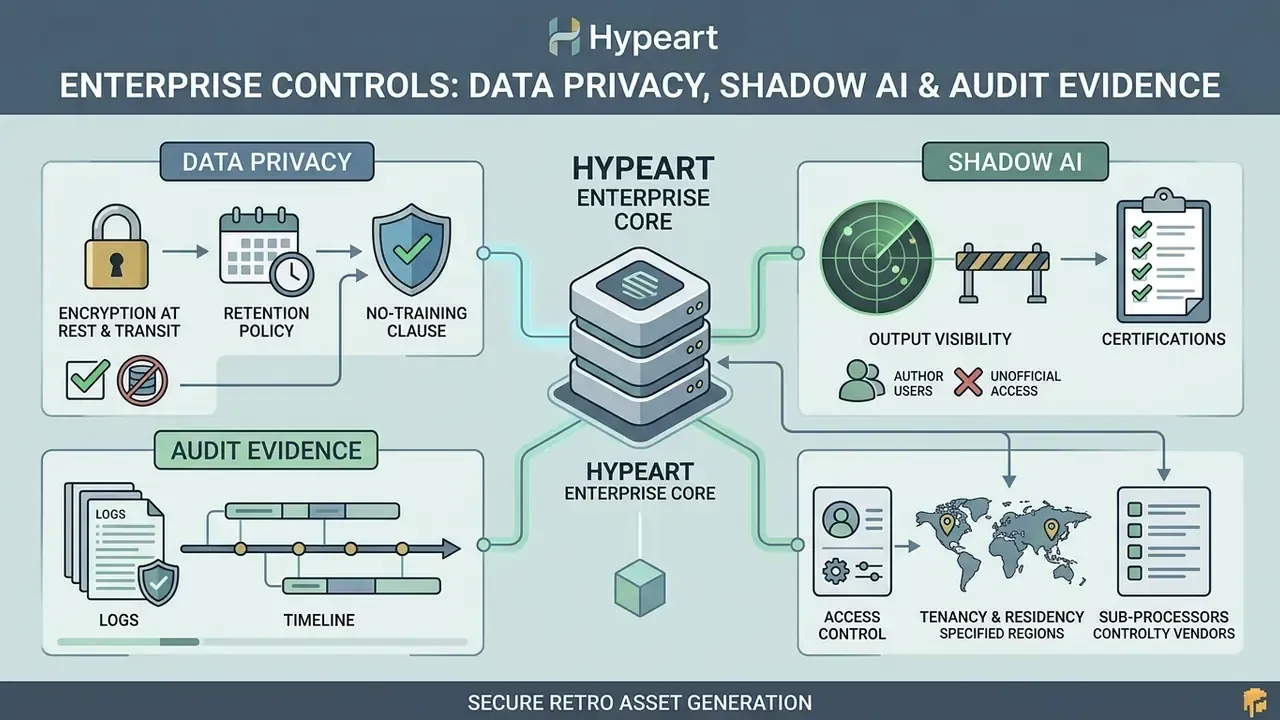
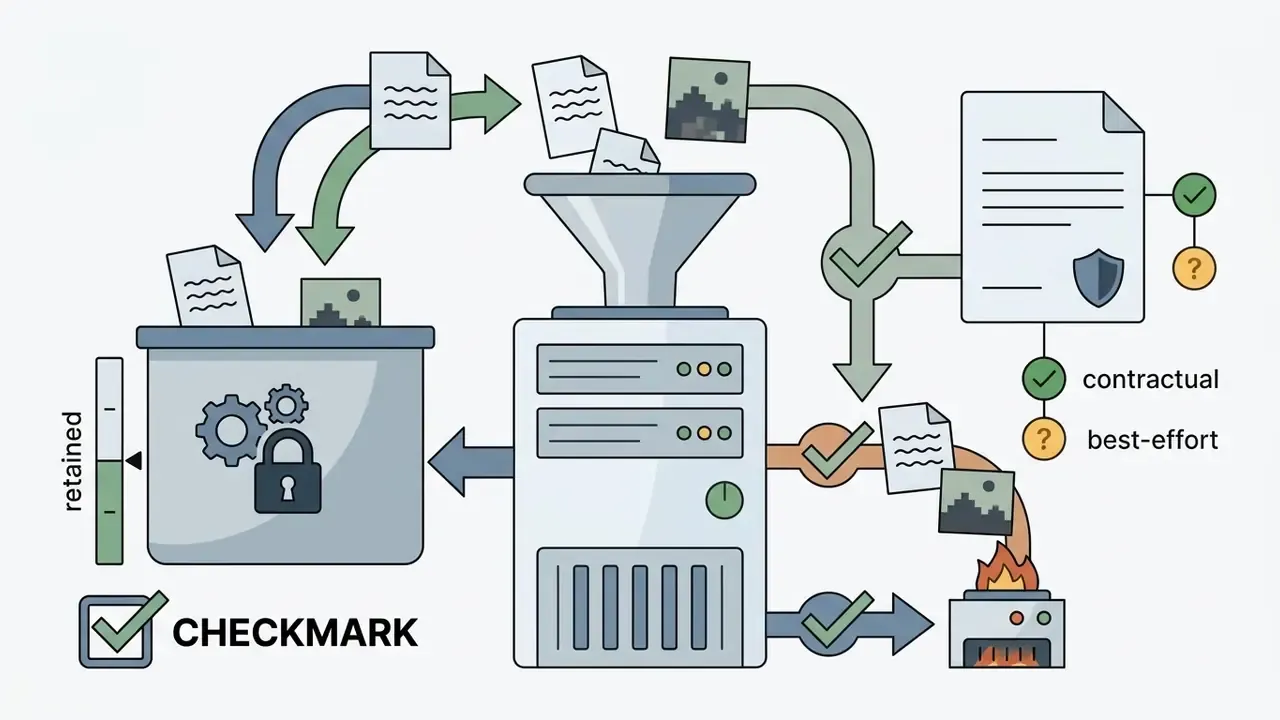
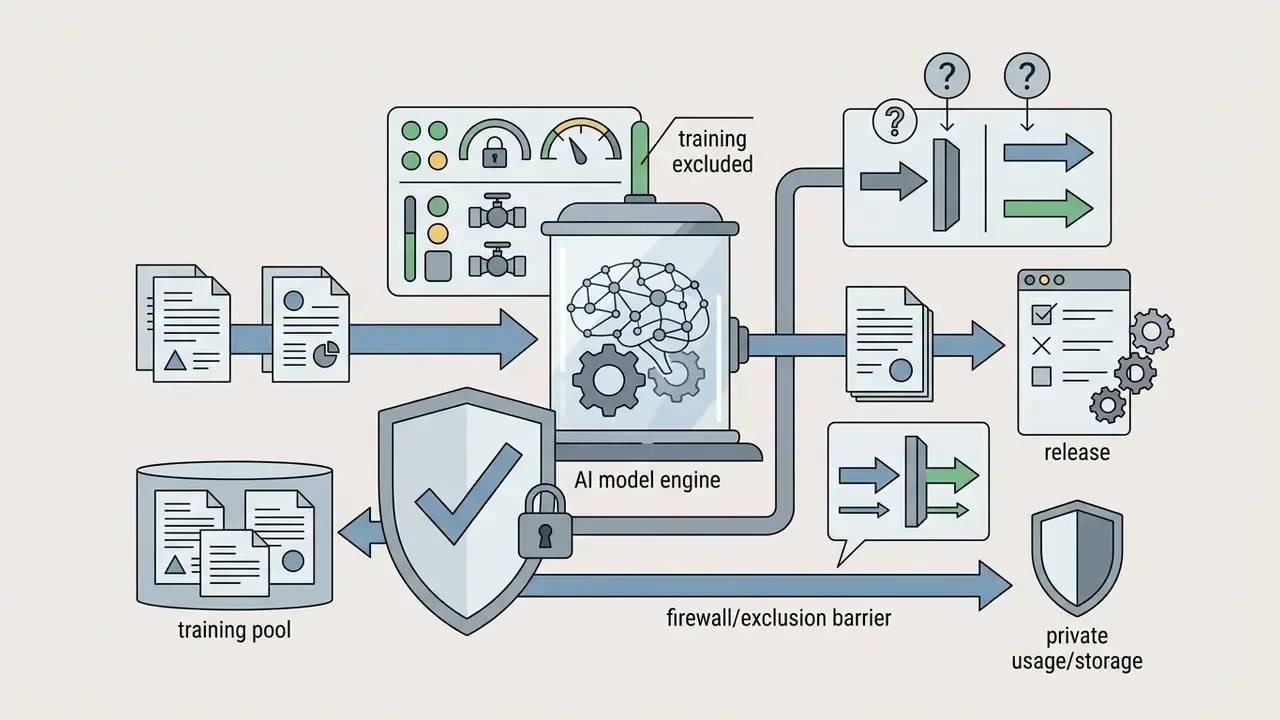
Public pixel-art generators are convenient precisely because they need no procurement. That is also why they create Shadow AI exposure: unmanaged uploads of concept art, unreleased character designs and internal briefs to third-party endpoints. Vendor privacy posture varies widely. Some documentation states plainly that no generated or input images are stored unless noted; other terms grant the provider a perpetual license over publicly shared outputs, including use for model training.
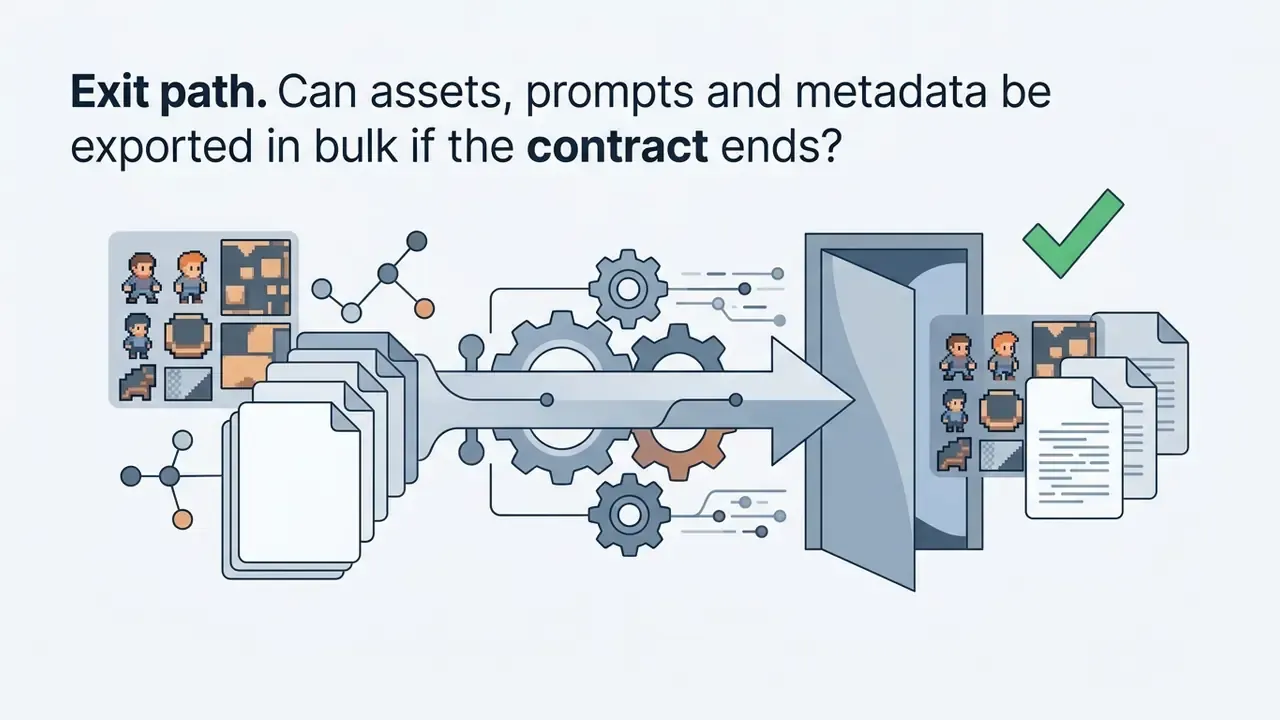
Vendor security checklist before approval
Shadow AI reduction controls: publish an approved-tool list; block unapproved generation endpoints at the network layer; route creative requests through one sanctioned account with SSO; apply DLP rules to design-file uploads; register every generative tool in the AI asset inventory with a named owner and a review date. Ownership is the control that fails most often, and the cheapest one to fix.
Audit trail checklist (retain per released asset)


| Field | Example | Why it is required |
|---|---|---|
| Tool plus version or checkpoint | pixel-model v3.2, hash | Reproducibility; explains style drift |
| Full prompt plus negative prompt | stored verbatim | Evidence of human creative direction |
| Seed value | 1849302 | Deterministic regeneration |
| Grid size plus palette index | 32×32, DB16 | Proves spec compliance |
| Reference and LoRA inputs plus licenses | style_lora_v2, MIT | License chain of title |
| Human edit record | editor file, layer history, time spent | Supports copyright registrability |
| Reviewer plus approval date | name, date | Accountability |
| Export hash | SHA-256 of the shipped PNG | Ties the shipped file to the record |
Decision matrix: subscription, API or in-house generation
| Scenario | Recommended approach | Rationale |
|---|---|---|
| Prototyping, non-shipping assets | Free or low-tier subscription | Lowest cost; no IP exposure if assets are discarded |
| Small commercial game, under 500 assets | Paid subscription with commercial grant | Predictable cost; vendor runs the infrastructure |
| Pipeline automation, over 5,000 assets | Vendor API integration | Batch generation, metadata capture, CI hooks |
| Confidential IP or regulated environment | Self-hosted or on-prem model | No third-party data egress; full audit control |
| Merchandise and brand assets | Paid plan plus legal review plus human edit pass | Registrability and indemnification matter most |
Risk-adjusted cost of an accepted asset. Subscription price alone understates the real number. A defensible internal formula:
Cost per accepted asset = (subscription or API spend ÷ accepted assets) + (artist minutes on cleanup × loaded hourly rate ÷ 60) + (legal or IP review time allocated per asset) + (rework cost from rejected generations)
Teams that track only the first term consistently overestimate savings, because grid cleanup and clearance, not inference, dominate the cost of shipping pixel art. If you need help interpreting a vendor's fair-use or retention wording, open the hub for support material rather than guessing internally.
Is there a free AI pixel art generator and what affects pricing?
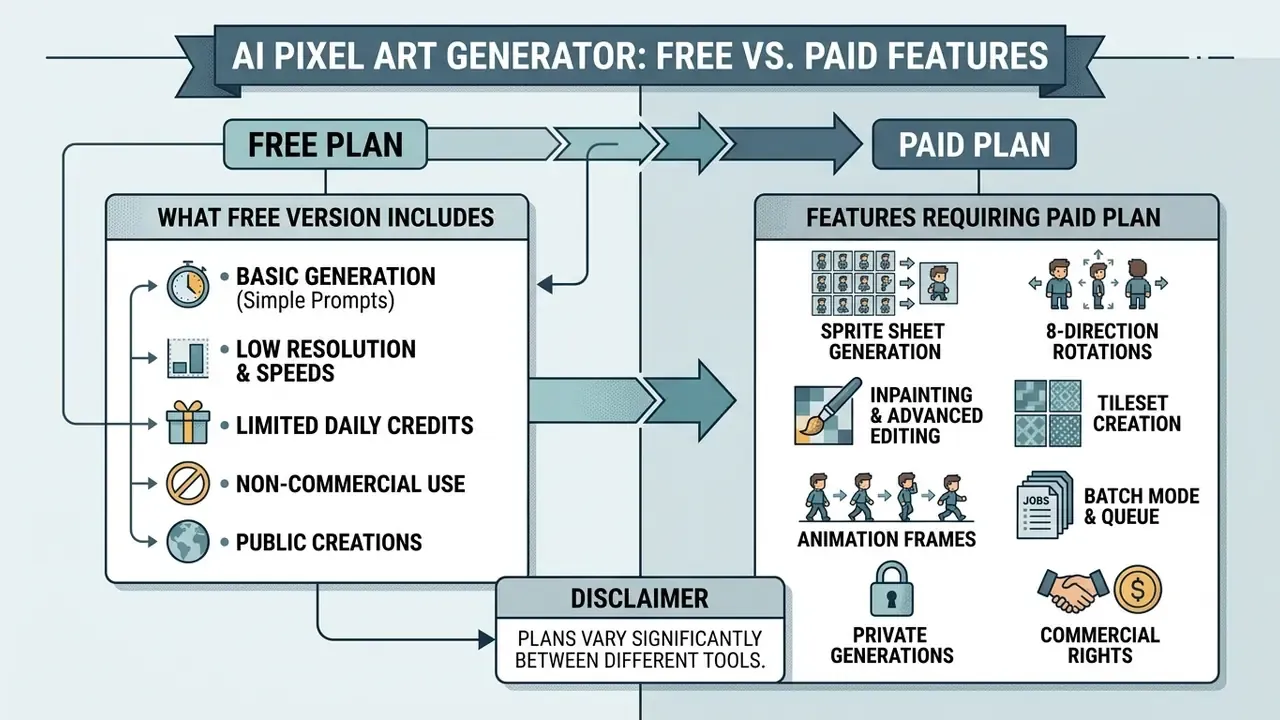
Most commercial platforms offer freemium access, granting a limited allowance of daily or monthly generation credits. An ai pixel art generator free plan lets creators test capability before paying for anything.
Pricing structures depend on compute demand, access to advanced models, export options and commercial licensing rights. Credit allocation systems and feature paywalls differ sharply between vendors.
"Academic literature contains no systematic study of pricing, or of the feature boundary between free and paid tiers, for AI pixel-art generators."
Because no independent pricing benchmark exists, vendor pages remain the primary source. Observed 2026 patterns: free allowances range from roughly 4 to 5 daily credits at the low end, up to 25 to 30 sign-up credits plus a small daily refill; paid entry tiers typically start between $5 and $20 per month and add several hundred to a few thousand monthly credits; some vendors sell non-expiring credit packs instead of subscriptions, with per-generation cost scaling by detail level, for example 2, 5 or 10 credits per image.
What the free version usually includes
Free tiers typically give you basic web-based creation, standard resolution output and a daily credit allotment.
An ai pixel art free plan generally includes 10 to 50 daily credits, basic text-to-image conversion and standard PNG downloads. Creators comparing entry-level options across the wider category can review our roundup of free AI image generators. Free tiers also impose costs that are easy to miss: public generation visibility, queue delays, watermarked sprite-sheet downloads and hard credit caps. Some tools run entirely in-browser without registration, covered in our overview of no-sign-up AI image generators. For additional free creative utilities, see our guide on free photo editor options.
Which features may require a paid plan
Paid plans unlock advanced editing, batch workflows, high-resolution export and full commercial ownership.
Commercial subscriptions, typically $5 to $20 per month, remove usage restrictions and add capability:
- Sprite sheet generation automated multi-frame creation with JSON export. On several platforms, watermark removal applies retroactively to previously generated sheets once a plan is active.
- Inpainting and advanced editing region-specific editing and grid snapping, often with larger permitted mask sizes on higher tiers.
- Batch or queue mode queueing multiple animations or rotation sets and preparing sheets for bulk download is commonly gated behind paid plans.
- Private generations suppressing public gallery display for commercial secrecy.
- Commercial rights explicit ownership of generated visual output.
- API integration programmatic access for automated asset pipelines, usually requiring an active subscription.
- Directional rotation and skeleton rigging 4-way and 8-way batches plus rig-based animation are frequently premium, because each request consumes multiple generations.
Freemium tier matrix: free vs paid AI pixel art generators
| Feature category | Free tier capabilities | Paid or pro tier capabilities |
|---|---|---|
| Credit allowance | 10 to 50 recurring daily or monthly credits (some vendors as low as 4 to 5 daily) | 500 to 10,000+ monthly credits, or unlimited queues |
| Max grid resolution | Restricted, typically 16×16 to 32×32 | High resolution, up to 128×128+ and upscaled output |
| Export formats | Standard PNG, sometimes watermarked | Lossless PNG, transparent alpha, structured sprite sheets plus JSON |
| Editing tools | Basic web generation; no inpainting | Full inpainting, layer editing, palette locking, LoRA uploads |
| Rotation and animation | Single static sprite per generation | 4-way and 8-way batches, skeleton rigging, multi-frame cycles |
| Privacy posture | Public gallery visibility common; broad vendor license on public outputs | Private generations; narrower vendor license; some vendors offer no-training terms |
| Commercial rights | Personal or non-commercial use only | Full commercial usage rights and ownership assignment |
FAQ
Can an AI generate true pixel art, or just a pixelated filter?
Both exist. Filter-based tools downscale a normal image and post-process it, which produces off-grid pixels, anti-aliased edges and palettes far larger than declared. Purpose-built systems generate natively at the target grid (16×16, 32×32, 64×64) with a locked palette index. Quick test: open the export at 1:1 and check whether every visual pixel is exactly one grid cell, and whether the color count matches the chosen palette.
How do I get 8 directions from one sprite?
Generate the front-facing (South) master anchor first, then run the rotation pipeline with explicit angle conditioning (0, 45, 90, 135, 180, 225, 270, 315) and negative constraints locking the light direction. Mirror horizontally only if the character design is symmetric.
Which is better for walk cycles, frame-by-frame or skeleton rigging?
Skeleton-conditioned rigging for locomotion and attacks, because bone lengths stay fixed and volume does not drift. Frame-by-frame diffusion is acceptable for idles, effects and short loops where minor flicker is tolerable.
Why does my sprite look blurry in Unity or Godot?
Default bilinear filtering. In Unity, set Filter Mode to Point (no filter), Compression to None, and disable mip maps. In Godot 4, set Default Texture Filter to Nearest.
Can I sell games or merchandise made with AI pixel art?
Usually yes, if your plan grants commercial rights. But the AI-only portion is not registrable for copyright in the United States. Add substantive human editing, document it, clear third-party IP and trademarks, and check whether the vendor offers indemnification. Informational, not legal advice.
Is the free tier enough for a shipped game?
Rarely. Free tiers commonly restrict grid size, watermark sprite sheets, publish generations publicly and withhold commercial rights. Free tiers are for evaluation. Paid tiers are for production.
What should I log for audit purposes?
Tool version or checkpoint, full prompt and negative prompt, seed, grid and palette, reference and LoRA licenses, the human edit record, reviewer and approval date, plus a hash of the shipped file.
Can I use pixel art AI for avatars and print, not games?
Yes. Upscale a 32×32 or 64×64 source with Nearest-Neighbor to 512×512 for retina-safe avatars. For print, vector-trace to SVG or export lossless PNG at 300+ DPI with manually mapped CMYK values.
Limitations and open questions
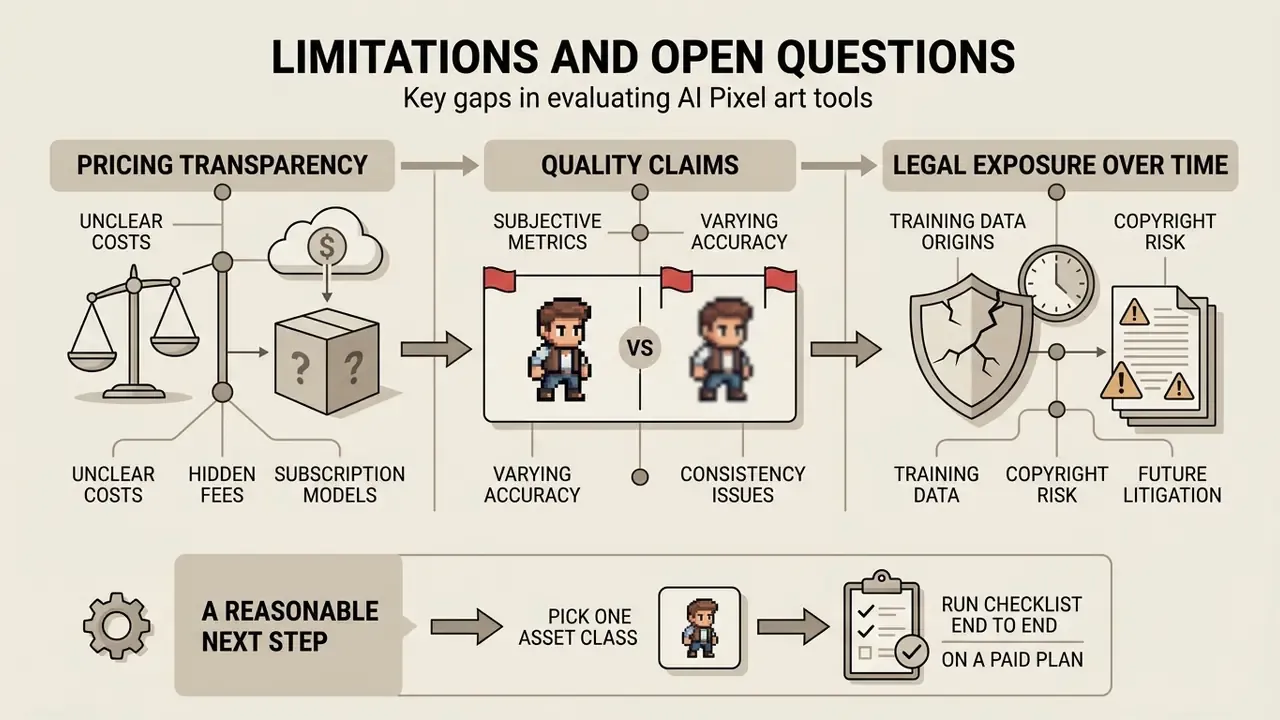
Three gaps in the current evidence base are worth stating openly, because they affect procurement decisions more than any feature list.
Pricing transparency. No independent benchmark tracks credit economics across pixel-art vendors. Published tiers change quietly, and per-generation credit costs vary by detail level. Treat every figure in this guide as an observed pattern from vendor pages in early 2026, not a contract term.
Quality claims. Frame coherence, palette fidelity and rotation consistency are advertised far more often than measured. There is no shared public test set for pixel-art generators comparable to standard image benchmarks. Until one exists, the only defensible evaluation is your own: same prompt, same grid, twenty generations, count how many need cleanup.
Legal exposure over time. Human-authorship rules are reasonably settled in the United States. Training-data liability is not. Cases move, vendors revise indemnification language, and an asset cleared in 2026 may need a documentation refresh later. That is precisely why the audit trail table above is worth maintaining even when nobody asks for it.
A reasonable next step is small and reversible: pick one asset class, run the checklist end to end on a paid trial, record the audit fields, and measure minutes per accepted sprite. Then decide about scaling.
Related resources
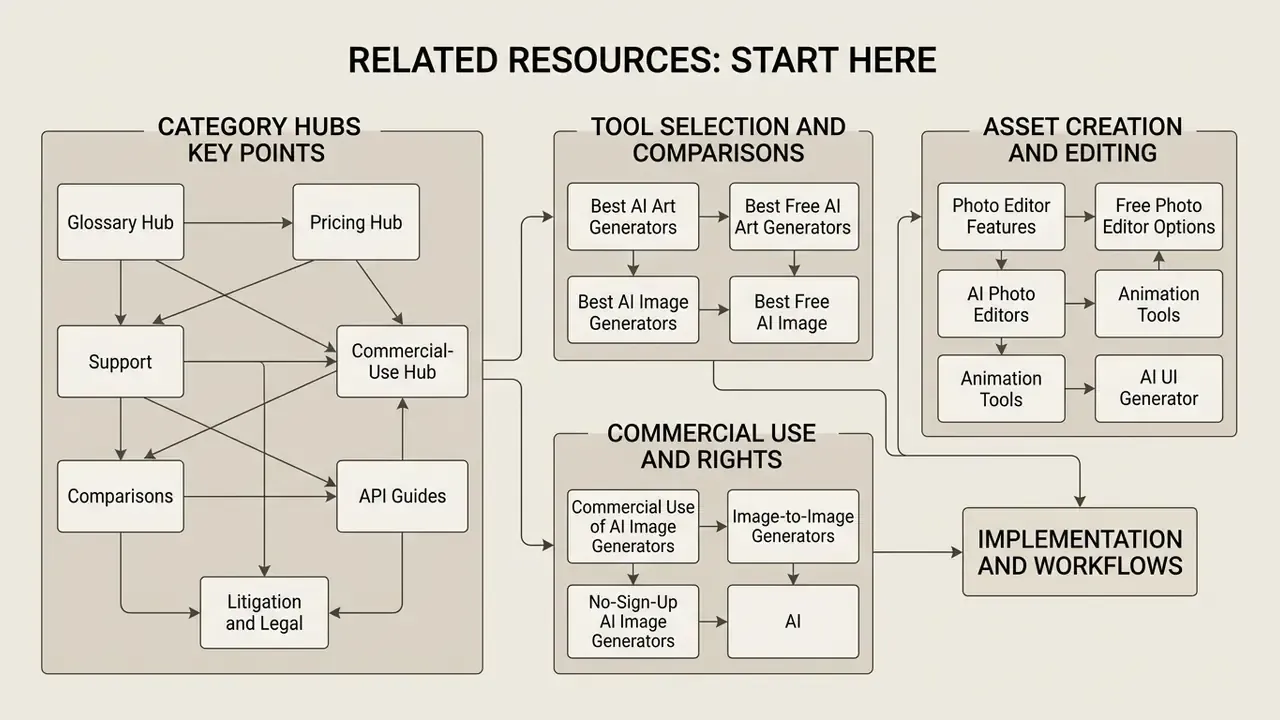
Start here, category hubs
Glossary hub · Pricing hub · Support · Commercial-use hub · Comparisons · API guides · Litigation and legal frameworks overview · Calculators · compare options
Asset creation and editing
Photo editor features · Free photo editor options · AI photo editors · Animation tools · AI UI generator · AI headshot generators · AI voice generation · Video compression techniques · ai to human · ai ugc video generator
Tool selection and comparisons
Best AI art generators · Best free AI art generators · Best AI image generators · Best free AI image generators · Free AI video tools · ChatGPT image features · Midjourney alternatives
Commercial use and rights
Commercial use of AI image generators · Image-to-image generators · No-sign-up AI image generators · AI image detectors · AI reverse image search tools · Google AI graphics · Microsoft image generators · Bing AI creation · Canva AI design tools · Ghibli style generators · AI outpainting and image expanding
Implementation and workflows
Editorial appendix: superseded and revised statements