Digital identity presentation leans on two unglamorous things: image quality and correct formatting. Modern generative tooling can build a high-resolution avatar from scratch, or clean up an uploaded personal photo without touching facial geometry. Setting clear criteria for visual consistency, privacy, and licensing keeps individual creators, freelancers, and enterprise employees on the right side of policy, whether the destination is Instagram, Discord, Slack, Microsoft Teams, or an internal corporate directory.
One question decides most of the workflow: does the face need to stay real?
The short version
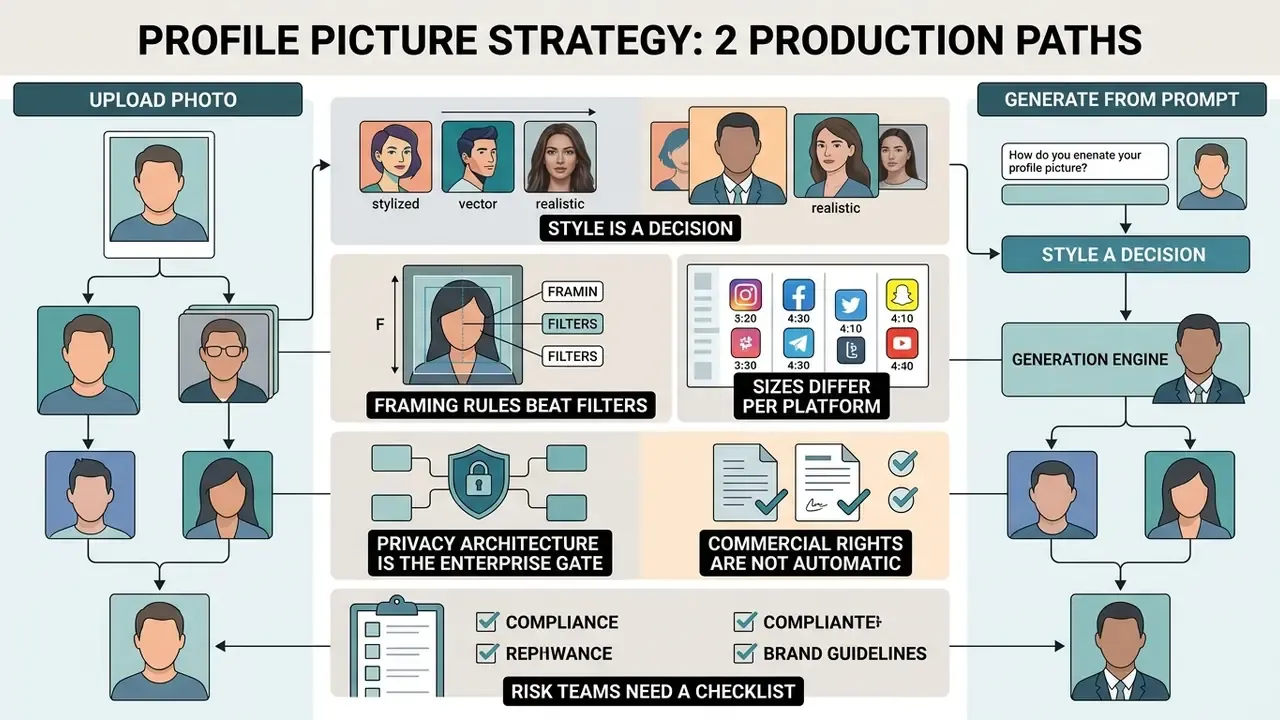
- Two production paths exist. Text-to-image generation builds a fully synthetic avatar from a prompt; photo-based editing keeps your real face and changes only framing, lighting, and background. Identity continuity favours editing. Creative control favours generation.
- Style is a decision, not a default. Anime, 3D clay render, pixel art, gaming and esports crests, pride PFPs, and minimalist silhouettes serve different channels. Corporate channels still expect a neutral studio headshot.
- Framing rules beat filters. Keep a 1:1 source ratio, let the face occupy 40–60% of the frame, and place the eye line at roughly 55–60% of total height so the portrait survives circular masking and 32 × 32 px thumbnails.
- Sizes differ per platform. Instagram 320 × 320, WhatsApp 500 × 500, Facebook 320 × 320, LinkedIn 400 × 400, Microsoft Teams 400–500 × 500, Slack 512 × 512, Twitch 256 × 256, Reddit 256 × 256, Discord 600 × 600 (min 128 × 128), YouTube 800 × 800.
- Privacy architecture is the enterprise gate. Client-side (in-browser) processing means zero server transfer; public cloud generators may retain uploads 30 or more days and reuse them for model training.
- Commercial rights are not automatic. Purely AI-generated output is not copyrightable in the United States, and free tiers frequently restrict exports to personal use only.
- Risk teams need a checklist, not a vibe. A Shadow AI and model-risk checklist for approving PFP tooling appears further down this page.
Who this guide is for, and which decisions it closes
This page serves two readers at once, which is unusual for a tool guide. The first is an individual who wants a better avatar today. The second is a control function that has to approve, or refuse, the tool that produced it.
Five decisions get resolved here:
- Build or edit.Generate a synthetic PFP, or retouch an existing profile photo and keep the real face.
- Where the pixels go.Client-side processing versus cloud inference, and what each means for retention and biometric exposure.
- What you may legally do with the file.Free tier versus paid tier, personal use versus commercial distribution.
- How it renders.Correct export size and safe framing for each platform, from a 200 × 200 px TikTok icon to an 800 × 800 px YouTube avatar.
- What the auditor will ask for.Prompt logs, model versions, retention evidence, archived originals, and consent records where a face counts as a biometric identifier.
If you only need dimensions, skip to the platform specifications. If you own model risk, the Shadow AI section is the one that matters.
What a profile picture generator can create
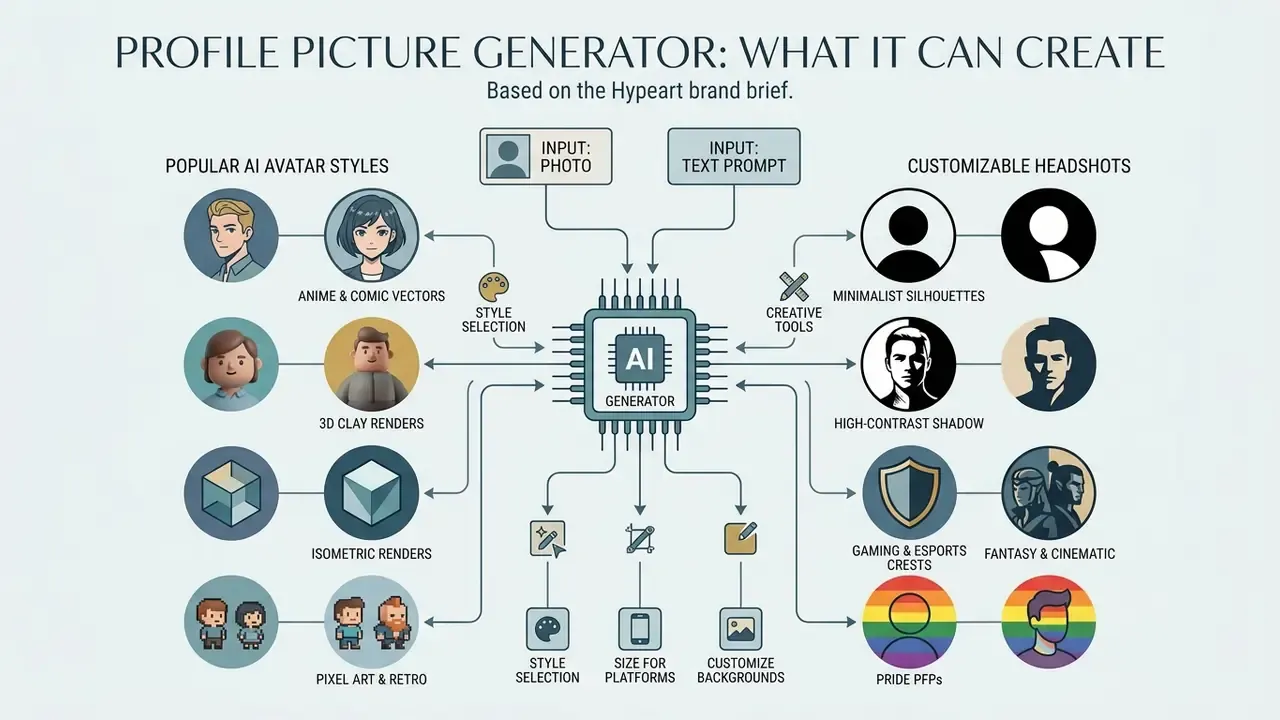
A profile picture generator produces synthetic digital avatars and professional headshots using either AI models or structured photo editing tools. These systems take uploaded images or text descriptions and output platform-compliant graphics for personal and corporate use. In practice, one interface usually covers three jobs: generating a brand-new character, retouching a real portrait, and resizing the finished asset for each destination network.
A good profile picture maker also removes a small tax most people pay repeatedly: re-cropping the same face for six different networks.
AI profile picture generation from text or a photo
Text-to-image tools synthesise new digital portraits straight from natural language, no photograph required. Photo-based generation works the other way. It takes a user-supplied selfie and applies neural style transfer, synthetic lighting, or full background replacement, while keeping facial geometry recognisable.
«StyleIdentityGAN separates artistic style from facial features, preserving identity during portrait generation, confirmed by quantitative and perceptual tests.»
Adoption is now measurable rather than anecdotal:
«An analysis of 14.9 million Twitter/X profiles found 7,723 accounts with AI-generated photos, disproportionately linked to coordinated spam campaigns.»
That finding cuts both ways. Synthetic avatars are mainstream enough to pass unnoticed, and abundant enough that platforms and security teams now treat them as a signal worth inspecting. Vendor documentation from 2026 reflects the same split in inputs. HeyGen documents a prompt-only "Prompt-to-Avatar" path alongside an "upload one front-facing photo" path, Adobe Firefly documents a text-driven "Text to Avatar" flow, and tools such as Anam expose both photo upload and webcam capture inside a single wizard.
When automating wider creative workflows, teams often pair a portrait tool with a specialised ai logo generator or a versatile ai logo maker to unify brand graphics across corporate channels. Readers comparing generation engines before committing can review our roundup of the best AI image generators, and for technical evaluations of synthetic generation pipelines, see our AI Media Comparison Matrices.
Popular AI avatar aesthetic styles
Style selection decides whether an avatar reads as credible on a professional network or distinctive inside a gaming community. The dominant clusters requested from AI PFP makers in 2026:
- Anime and comic vectors. Prompt weighting favours cel-shading, flat colour blocking, and clean line-art geometry. Strongest fit for Discord, Reddit, and TikTok accounts.
- 3D clay and isometric renders. Stylised, tactile characters under soft studio lighting. Popular with product teams, indie founders, and developer-relations staff who want personality without a literal photograph.
- Pixel art and retro gaming. Low-resolution grid synthesis (say a 64 × 64 canvas upscaled with nearest-neighbour interpolation), tuned for Twitch, Kick, and retro communities where legibility at 28 px beats realism.
- Minimalist silhouettes and high-contrast shadow portraits. Facial contours against dark tones, the "black PFP" trend, hold up in both light and dark interface themes.
- Gaming and esports crests. Bold, saturated mascot marks with heavy outlines. Any text element needs condensed heavy weights to stay readable inside a 32 px chat icon.
- Fantasy, cinematic and pride PFPs. Seasonal or campaign variants (pride flag gradients, charity ribbons, event badges) that swap border and background while keeping the same underlying portrait.
- Corporate studio realism. Neutral grey or soft-blue backdrop, diffused key light, business attire. The only cluster that reliably passes internal brand review for LinkedIn and Microsoft Teams.
Why do these styles transfer so cleanly onto a real face? Method research explains it. WACV 2023 work on text- and image-guided 3D avatar generation optimises a latent code inside a pretrained 3D GAN using CLIP conditioning from either a text prompt or an image prompt, while StyleAvatar (WACV 2024) disentangles geometry from texture, so a style applies without deforming the underlying head shape.
Profile photo editing versus creating a new PFP
«Across 565+ participants, disclosing AI origin lowered moral acceptability and aesthetic ratings of images compared with human-made work.»
The study design matters for interpretation. Participants rated identical images differently depending on stated origin, and the effect showed up across moral acceptability, aesthetic evaluation, and perceived effort. So organisations writing employee portrait standards have to weigh the identity fidelity of traditional editing against the flexibility of synthetic generation, then ask whether disclosure obligations apply at all. Under the European Commission's 2026 guidance on Article 50 transparency duties, users must be clearly informed when they are not interacting with a real person, including when the counterpart is an AI avatar. China's framework for anthropomorphic AI interaction services, effective 15 July 2026, goes further: prominent disclosure in the display area for digital-human services, plus algorithm filing and service registration where mandated.
For deeper insight into specialised generative software, see our analysis of the best AI art generator.
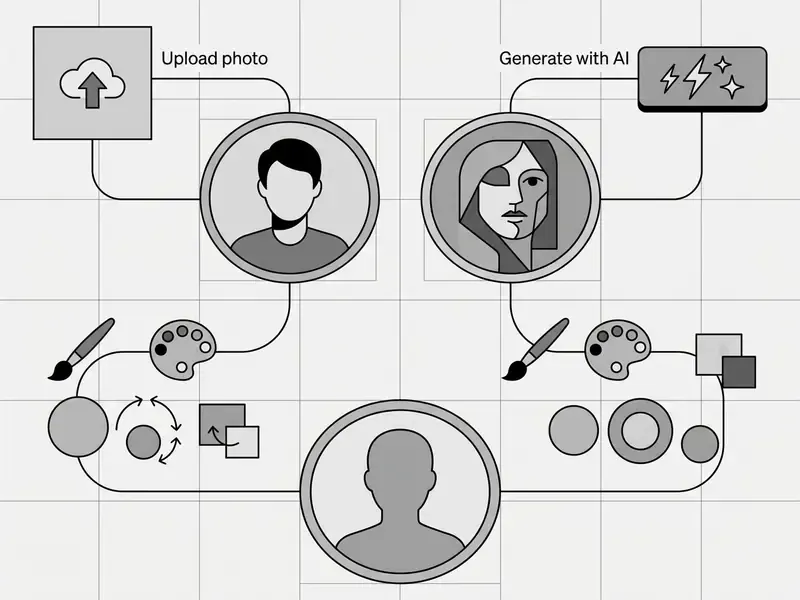
Image quality, formats and privacy when using AI tools
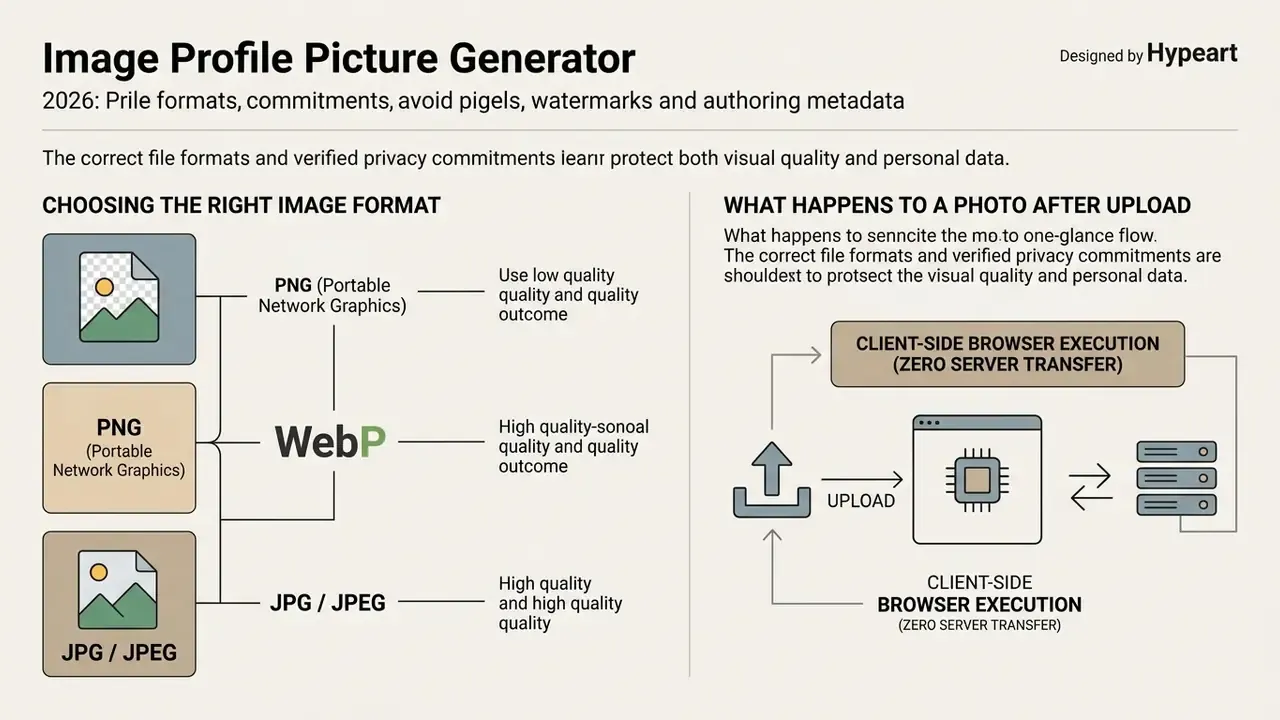
Correct file formats and verified privacy commitments protect two things at once: visual quality and personal data. For regulated organisations this is the first filter, not an afterthought. An avatar that looks perfect but was produced by uploading an employee's face into a public training pipeline is a governance failure, whatever the output quality.
Choosing the right image and photo format
Exporting profile graphics in the proper format prevents compression artifacts and keeps edge detail crisp. Google Cloud Document AI specifications note that lossy compression degrades fine detail and recommend lossless formats for sharp text and boundary definition. The same documentation advises a 200 dpi minimum, with 300 dpi or higher producing the most reliable results for text-bearing assets.
- PNG (Portable Network Graphics) W3C standard lossless format with 1 to 16 bits per component. Supports alpha channel transparency, which makes it optimal for circular graphics, custom borders, and text overlays. Source: W3C PNG specification. https://www.w3.org/TR/png/
- WebP modern web format developed by Google. Supports lossy and lossless compression; Google's WebP documentation states that lossless WebP images are roughly 26% smaller than equivalent PNG files. Source: Google WebP documentation. https://developers.google.com/speed/webp/docs/webp_lossless_alpha_study
- JPG / JPEG standard photographic format, best for complex photographic headshots with no transparency. It is lossy, so keep compression minimal to avoid banding across smooth backdrops and skin tones.
For reference geometry, the W3C Design System avatar pattern applies a circular mask to a square or portrait source and uses 100 × 100 px as its default rendered avatar size. A useful reminder that upload dimensions and display dimensions are separate variables. Source: W3C Design System, avatars. https://design-system.w3.org/styles/avatars.html
If a source portrait arrives underexposed or below target resolution, AI image enhancers can recover tonal range before export, and AI image upscalers lift a 320 px legacy avatar to the 800 px YouTube requirement without visible interpolation smear. For general web asset editing, see our overview of free photo editors. If your business needs corporate asset compression, our video compressor guide covers the same trade-offs for motion assets.
What happens to a photo after upload
Retention policies across online AI image tools vary a lot. Privacy studies report windows from deletion within 20 minutes to cloud storage for up to 30 days. Published product policies confirm the spread. One background-removal service states uploads are not retained beyond 24 hours by default and are never used for training without explicit opt-in. A portrait service retains uploads for 30 days after project completion. A model-training service keeps photos for up to 20 minutes during training and uses them only to train its model.
The failure mode is not hypothetical:
«Security reviews of AIGC document cases where Google Imagen reproduced real faces from training data; faces are especially vulnerable to leakage.»
| Platform type | Data retention window | Training model policy | Recommended security action |
|---|---|---|---|
| Client-side tools | Zero server storage | Processed entirely in browser | Ideal for confidential enterprise headshots |
| Privacy-focused cloud | Auto-deleted (20 min to 24 hrs) | Strict opt-out for AI model training | Standard choice for employee profile updates |
| Public AI generators | Retained 30+ days | May use uploads for model training | Avoid uploading confidential or regulated photos |
Free AI PFP maker, pricing and commercial-use rights
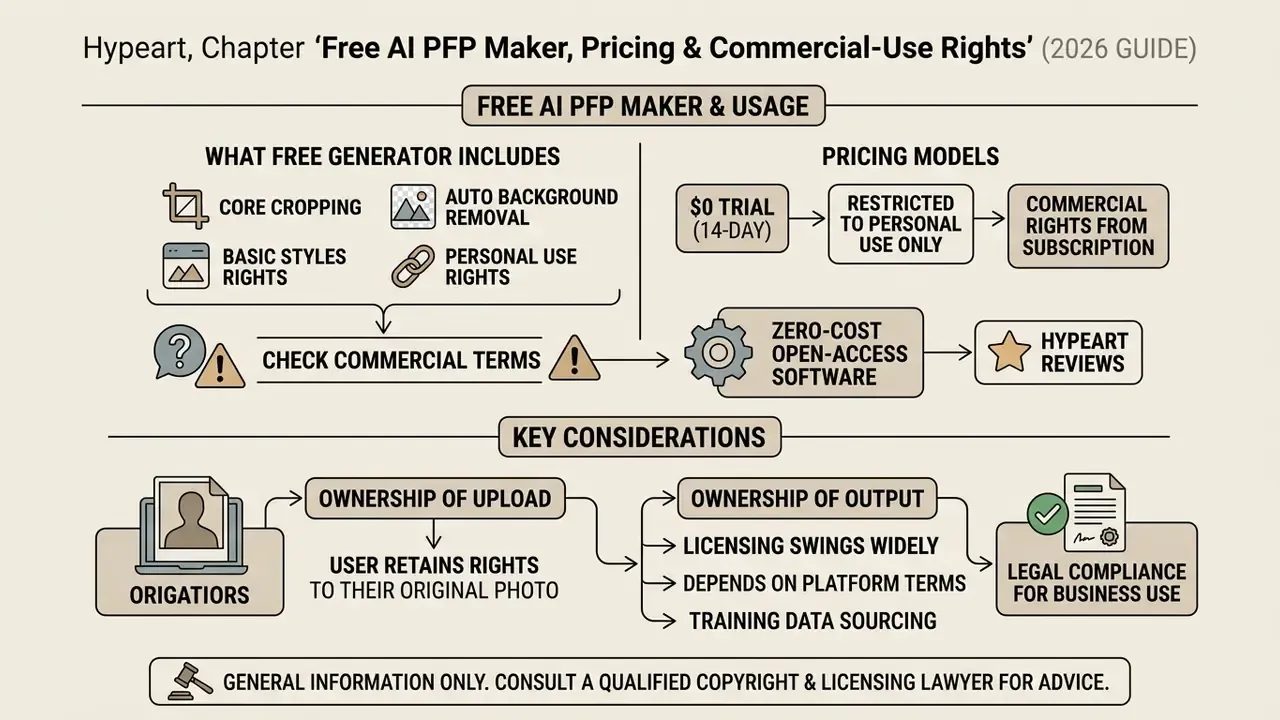
Subscription models, watermark policies, and licensing terms decide whether a generated graphic can legally appear on a business property. Read them before the file reaches a campaign, not after.
What a free profile picture generator includes
A free profile picture generator typically covers core cropping, automated background removal, and standard-resolution downloads. Many free tiers hand out small credit allocations, three high-definition exports per month is a common shape, while reserving batch processing, advanced retouching models, and commercial usage rights for paid subscribers. Published 2026 pricing patterns fall into three recurring models: watermark-free free tiers capped by monthly generations, subscription tiers that unlock commercial rights, and pay-as-you-go credit packs.
Documented examples include a $0 14-day trial restricted to personal use, with commercial rights only from the mid tier upward; a free plan limited to 10 monthly credits with watermarked exports; and PFP-specific tools offering HD, watermark-free downloads capped at three images per month, where the paid upgrade mainly buys volume and API access rather than removing a watermark. PFPMaker's own terms describe a mixed model where some tools stay free for all users while paid AI tools consume credits, with listed plans starting near $9 per month and higher tiers adding AI chat editing and commercial use. Anyone searching for a free ai pfp maker, a profile picture generator free of watermarks, or a free profile picture generator online will meet some version of that ladder.
Users hunting zero-cost options can evaluate open-access software through our review of the best free ai art generator and the best free ai video generator, while readers who want to skip account creation entirely can compare no-sign-up AI image generators. To estimate volume processing costs across enterprise teams, use our interactive AI Media Calculators. And budget for control costs, not only licence fees: compliance review, retention monitoring, and archival of original source photos are recurring line items in any governed rollout. Skip them and your ROI model is quietly wrong.
Checking commercial-use terms before downloading
Commercial rights for AI-generated images swing widely with platform terms and training-data sourcing. The U.S. Copyright Office (2023 registration guidance, reaffirmed through its 2026 Copyright and Artificial Intelligence materials) states that purely AI-generated output lacking human creative control is not eligible for copyright protection, and that applicants must disclose and exclude more-than-de-minimis AI-generated content. So commercial use of a synthetic graphic depends on whether the platform grants explicit commercial distribution rights. Our breakdown of AI image generators and commercial use compares how major vendors word those grants.
«Legal analysis indicates generative models trained on protected images may infringe reproduction rights and create derivative works.»
Ownership of the upload and ownership of the output sit in separate clauses. Some providers assign output rights to the user "to the extent permitted by law" while confirming uploaded content stays user-owned. Others retain company ownership of generations and grant only a display licence, occasionally restricting commercial use without written consent. Read both clauses before an avatar reaches a paid advertisement.
This is general information and does not replace advice from a qualified copyright and licensing lawyer.
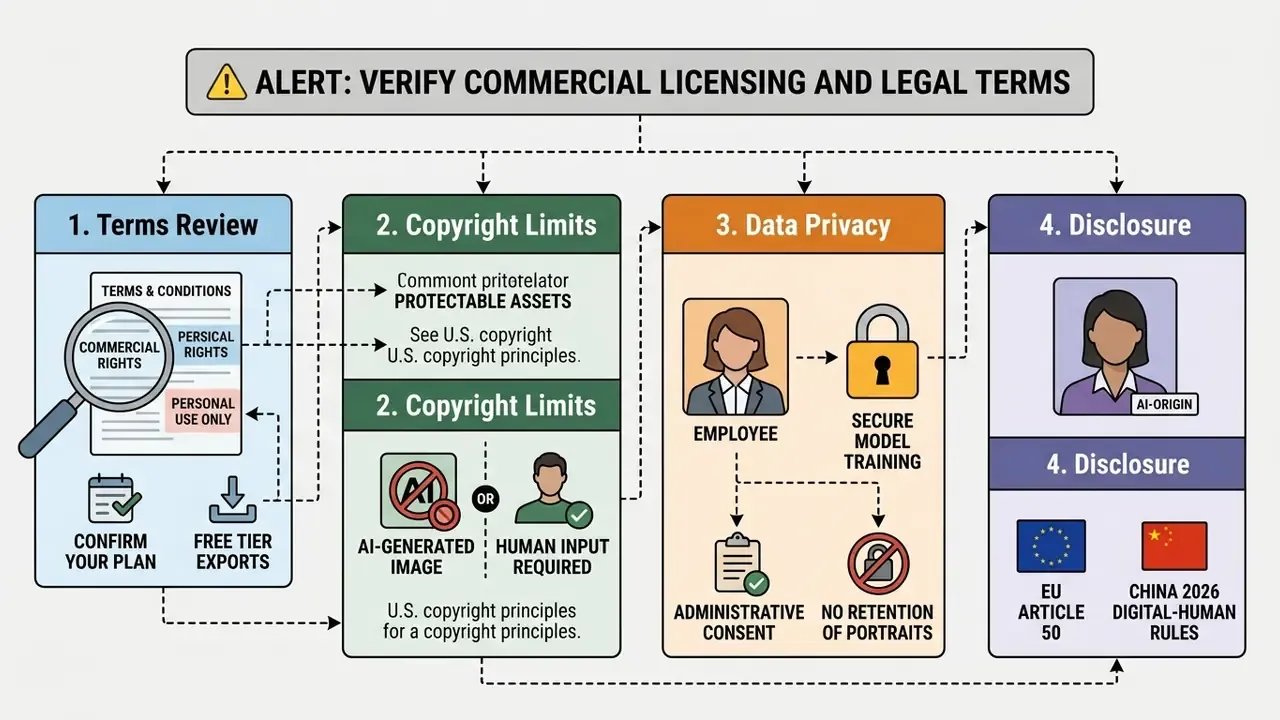
For fuller legal assessments of generative tools, examine our analysis of Microsoft AI Image Generator commercial use and Google AI Image Generator terms. Track evolving disputes with our AI Litigation and Case Timelines resource.
Shadow AI, biometric exposure and the model-risk checklist
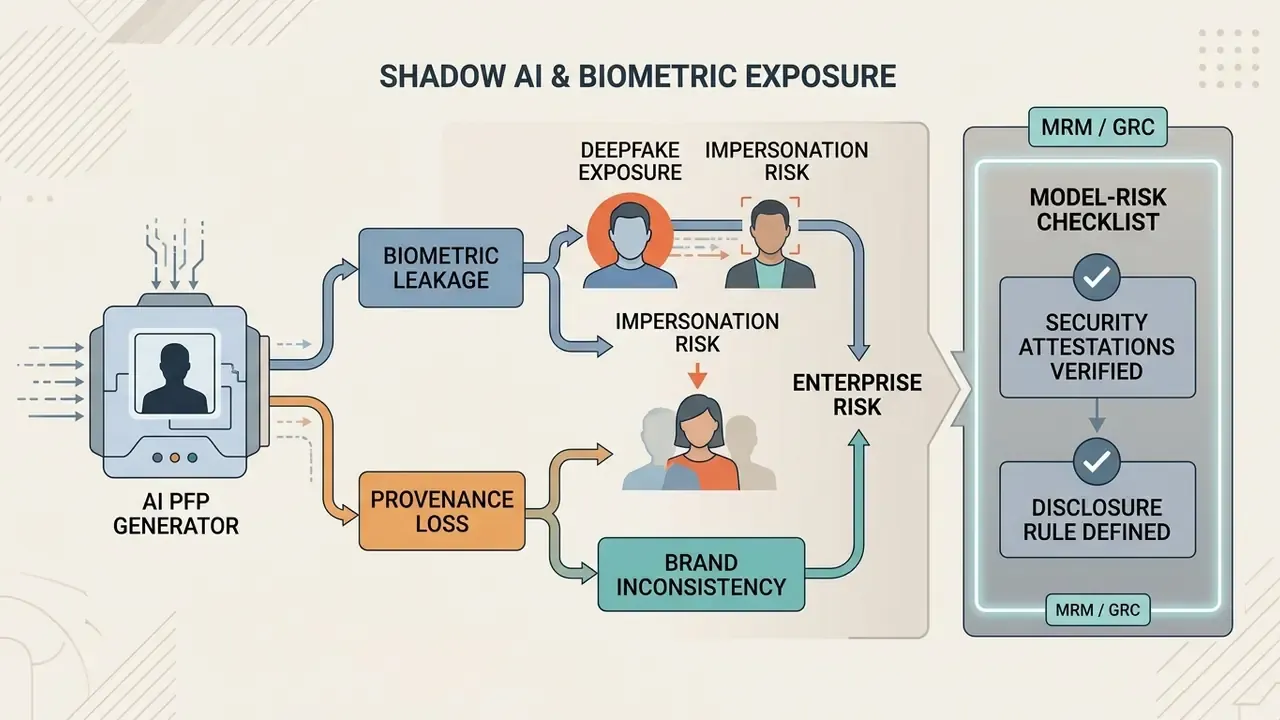
The dominant enterprise risk here is not an ugly avatar. It is an employee pasting a corporate badge photo into an unvetted consumer generator, where the upload may sit for 30 days and feed a training run. One click, and a routine profile refresh becomes a biometric-data disclosure event.
Human review is a weak control, because detection accuracy is poor:
«Fifty participants distinguished real from AI photos with only 38.7% accuracy, worse than chance, confirming identity-verification risk.»
Shadow AI and biometric risk assessment
- Deepfake and impersonation exposure. A synthetic portrait on a real corporate account weakens visual identity verification during remote calls, trading sessions, and vendor onboarding.
- Biometric leakage. Face images rank among the most memorised categories in generative training sets, which makes public generators an unusually poor destination for staff portraits.
- Provenance loss. Once an avatar is generated off-platform, the original source photo, prompt, model version, and licence terms are usually unrecoverable. That erases exactly the audit trail internal audit will ask for.
- Brand inconsistency. Unsanctioned tools produce mismatched crops, backgrounds, and colour profiles across one directory, which undercuts the recognition benefit the avatar was meant to deliver.
Approval checklist for PFP and headshot tooling (MRM / GRC)
Checklist0 / 12
This is general information and does not replace advice from qualified counsel or a model risk management specialist.
Ownership matters as much as the boxes. Name one accountable owner for the tool, one escalation path when an unsanctioned upload is found, and one date for re-review. No evidence, no autonomy.
How to create a profile picture online
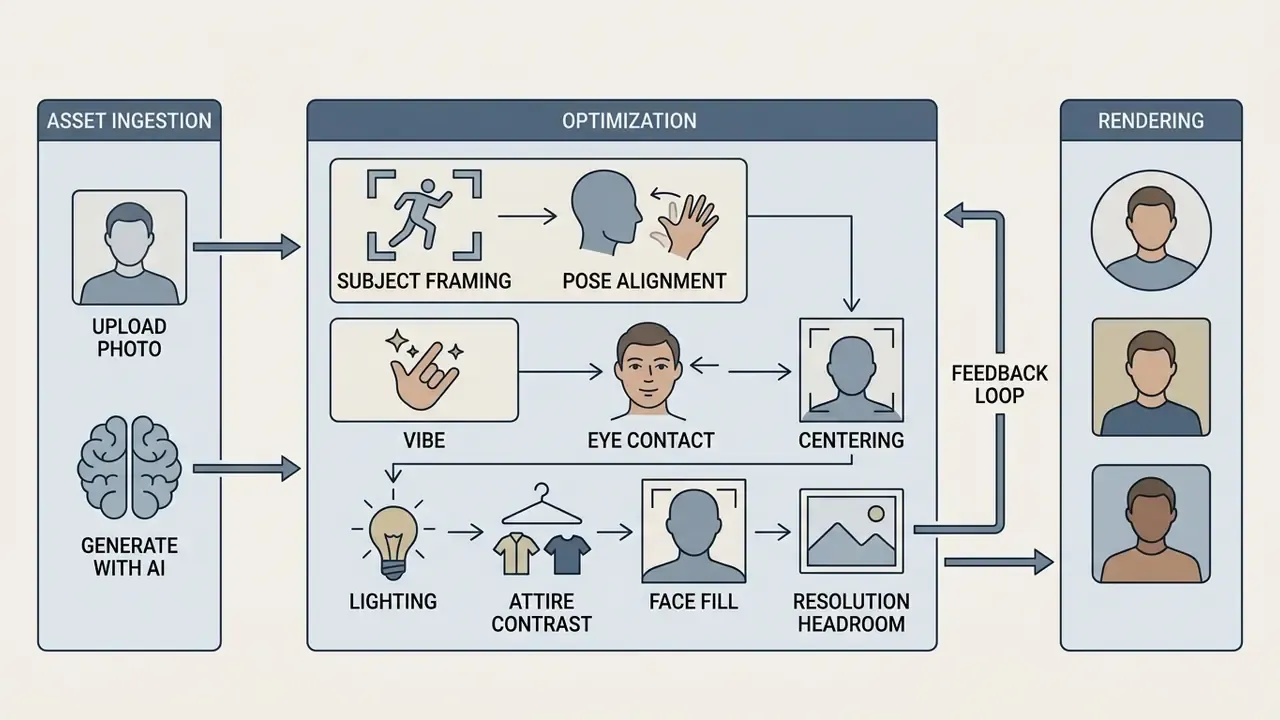
Producing a polished profile photo online follows a structured workflow, from asset ingestion to final rendering. Modern web applications complete these steps inside a standard browser session using cloud or client-side compute, usually in under a minute.
Upload a profile photo or start with AI
Begin with a clear, front-facing photograph under neutral lighting, or with a detailed text prompt. Guidance from the U.S. Department of State's official photo requirements calls for a recent colour image with the full face visible, centred subject placement, no heavy facial shadows, and no extreme angles or filters. Source: U.S. Department of State, photo requirements. https://travel.state.gov/content/travel/en/passports/how-apply/photos.html Comparable public-sector rules from GOV.UK add hard technical floors: at least 600 × 750 px, file size between 50 KB and 10 MB, no effects, no glare.
Generating a synthetic avatar instead? Then define the visual parameters: framing style, background mood, artistic aesthetic. Prompt guidance from image-model vendors recommends listing scene or background, subject, key details, lighting type, and constraints in a fixed order, since straight-on views map most accurately while angled or tilted faces cause identity drift.
Human photo optimisation: subject framing and pose dynamics
When selecting or capturing a source portrait for AI retouching, follow these foundational rules:
- Corporate / LinkedIn: direct head-on framing or a slight 15-degree shoulder turn, neutral confidence, subtle open smile.
- Creative / social: casual half-profile angle, directional lighting, expressive emotion.
- Gaming / community: higher-contrast lighting and a stronger silhouette, so the avatar stays readable at chat-icon scale.
- Pose alignment and vibe.Pick an intent-driven pose instead of whatever the camera roll offers.
- Eye contact and centring.Put the eye line between 55% and 60% of total frame height, and keep roughly 8% padding so a circular mask never clips the hairline. Direct camera gaze raises perceived trust.
- Lighting and attire contrast.Use soft, diffused front light to avoid nose and eye-socket shadows. Wear clothing that contrasts with the chosen backdrop, which preserves subject separation after background replacement.
- Face fill.Let the face occupy 40–60% of the frame, the range LinkedIn's own profile-photo guidance recommends for head-and-shoulders portraits. Source: LinkedIn Help, profile photo guidance. https://www.linkedin.com/help/linkedin/answer/a566057
- Resolution headroom.Capture larger than the destination size. Downscaling preserves detail; upscaling invents it.
- Feedback loop.Ask two colleagues which of three variants reads as most approachable. Self-selection consistently over-weights formality. I have watched people pick the stiffest of three shots every time.
If your workflow extends past portraits into marketing collateral, explore tools like an online ai logo maker. Implementation specifications for integrating cloud rendering workflows sit in our AI Media API Guides.
Remove or change the background
Automated background processing uses computer vision segmentation to separate the human subject from complex background elements. Vendor documentation from 2025 and 2026 describes a consistent one-click pattern: upload, automatic portrait-subject detection with hair and edge preservation, then export as transparent PNG or with a white, blue, or custom-colour fill.
Privacy-preserving architectures push the sensitive part of that pipeline onto the device:
«PRIVATEEDIT performs face segmentation on-device and sends only non-sensitive regions to the server, preventing biometric leakage.»
Generative replacement then fills what was removed, and it does so convincingly:
«In a 1,350-image experiment, roughly 60% of generative content replacements went unnoticed, and visual harmony exceeded traditional blurring.»
That undetectability is exactly why disclosure and archival policies matter for staff portraits. Where a backdrop must extend past the original frame, converting a tight portrait into a wide header, for example, AI outpainting tools generate the surrounding scene without stretching the subject. For corporate accounts that need strict background uniformity, tools such as the Canva AI Generator simplify template matching. Documentation on background removal architectures is available through our AI Media Glossary.
Fine-tune the image and download the result
Final controls handle contrast, framing margins, circular crop masks, and peripheral text borders. Standard desktop editing suites expose the same four primitives: add text, add a picture border with adjustable colour and weight, adjust contrast, save in a chosen format. A browser-based PFP maker is effectively a focused subset of that toolset. Once tuning is done, the application renders the canvas into high-resolution web formats.
1. Select source mode: upload a high-resolution portrait photo, or input a descriptive text prompt.
2. Execute AI processing: apply background isolation, style transformation, or neural enhancement.
3. Apply visual adjustments: set circular cropping, tweak contrast, configure outer borders.
4. Export image asset: choose JPG, PNG or WebP and download the finalised profile asset.
Customizing a profile picture: background, text, border and matching banner
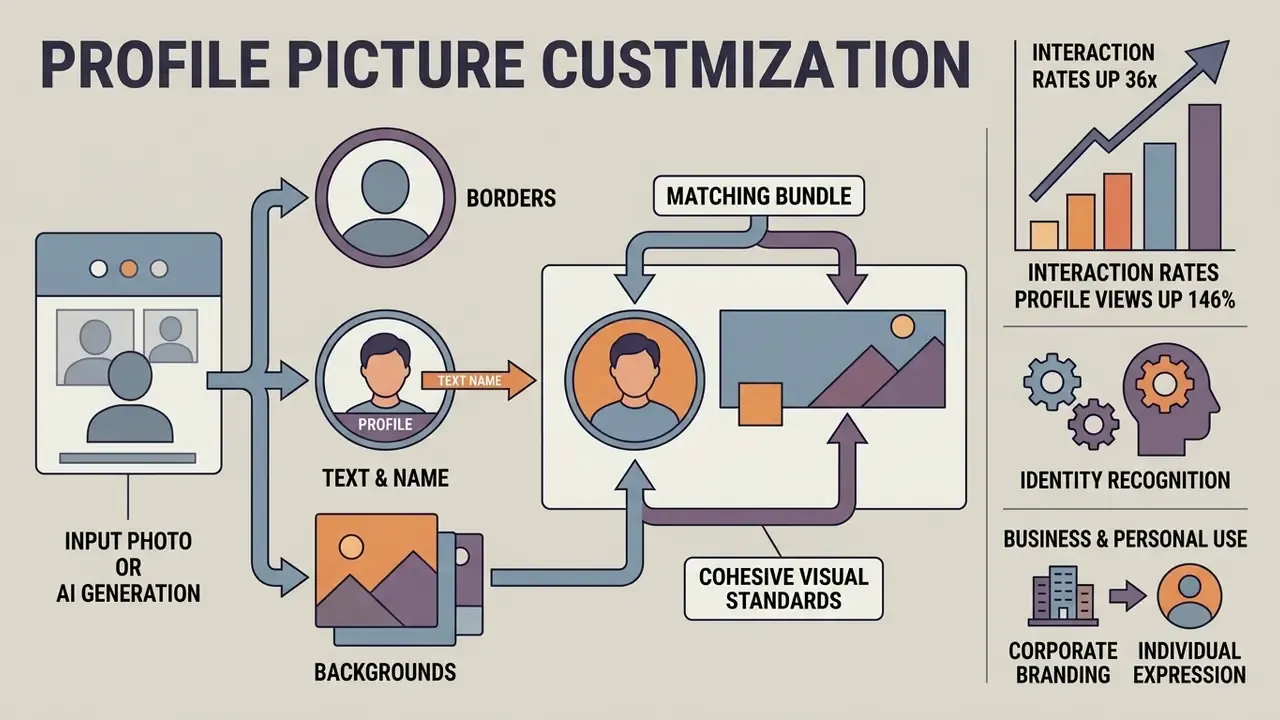
Customisation turns a standard headshot into a distinctive profile graphic that matches personal branding or corporate visual standards. High-contrast borders and structured typography keep the asset recognisable on compact mobile displays.
Circular profile pictures with borders and text
Most social and business platforms render profile graphics inside circular display masks. Design specifications from the W3C Design System call for a 1:1 square source ratio before circular masking, with the subject's eye line slightly above horizontal centre. Implementation guidance adds that the avatar boundary should hold at least a 3:1 contrast ratio against the page background, so the shape stays perceivable in both light and dark themes. Source: W3C Design System, avatars. https://design-system.w3.org/styles/avatars.html
Style choice is not purely cosmetic. It shifts how viewers respond to the account:
«Real profile photos produced significantly higher cognitive empathy (F(2,94)=14.31, p<0.001) than landscapes, plus better identity recognition.»
| Design parameter | Technical specification | Operational objective |
|---|---|---|
| Aspect ratio | 1:1 square source | Prevents distortion during platform circular auto-cropping. |
| Subject centering | Eye line at 55–60% height | Maintains facial readability across small mobile thumbnails. |
| Border contrast | Minimum 3:1 contrast ratio | Separates the graphic from dark or light interface backgrounds. |
| Border weight | 4–8% of avatar diameter | Visible at thumbnail scale without eroding the face area. |
| Text placement | Circular contour tracking | Allows clear display of brand names or role titles along outer margins. |
| Safe inner radius | Keep key detail inside ~92% of diameter | Protects against perimeter loss under aggressive circular masks. |
Outer borders improve separation against varying interface themes. Solid colours suit corporate profiles; gradients read as more expressive on Instagram, TikTok, and Snapchat. Text set along a circular border needs bold sans-serif type to stay legible at icon size. A hashtag, campaign slogan, domain name, or an "Open to work" status is roughly the limit before the ring turns into noise.
Profile picture generator with name for personal and business use
Putting a name or brand identifier straight into the graphic gives prospective contacts instant context. That is the appeal of a profile picture generator with name support. Practice splits by account role, though. Brand and organisational accounts commonly use an approved logo or badge mark as the avatar, while individual staff and freelancers use a real headshot.
Several university brand standards codify the split. Northern Illinois University instructs official accounts to use the institutional logo as the profile picture, while UMKC's social media standards go the other way and prohibit placing the organisation's name or brand elements inside the profile image itself, reserving those for the banner and bio. Source: UMKC social media standards (verify the current published revision before applying). https://www.umkc.edu/brand/
Freelancers and consultants often use custom text overlays to advertise a specialised service inside the account graphic. Sales and partner-facing staff more often follow the "First Last (Company Name)" convention in the display name instead, keeping the avatar clean. Where the goal is a polished portrait rather than typography, a governed AI photo editor delivers consistent retouching across a whole team. For enterprise infrastructure setup, review our structured AI Media Support and Troubleshooting documentation.
Profile picture specifications for every platform
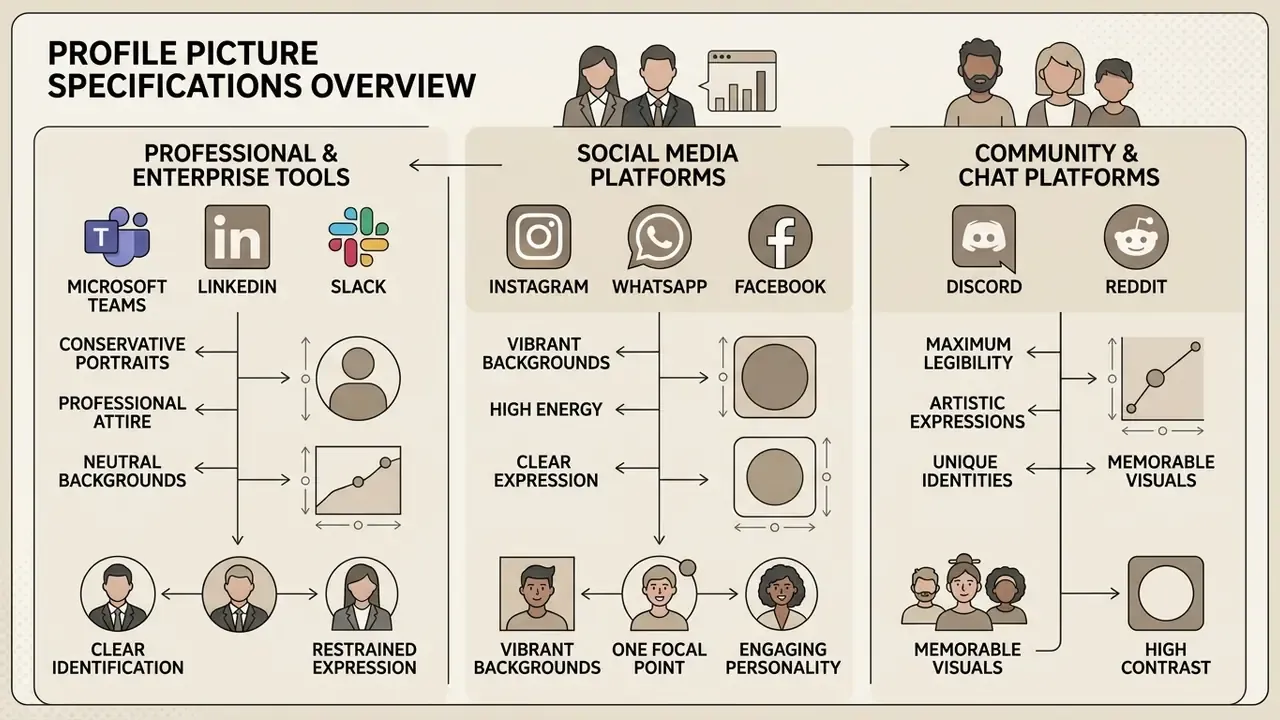
Every platform enforces its own rendering dimensions, display masks, and audience expectations. Matching those requirements prevents unintended cropping and visual degradation. Keep three numbers distinct: stored size, displayed size, and recommended upload size. Uploading at or above the stored size and letting the platform downscale gives the cleanest result.
Professional photos for Teams, LinkedIn and Slack
Enterprise channels expect conservative portraits. LinkedIn's profile picture guidance specifies high-resolution head-and-shoulders framing with the face at 40% to 60% of the frame, a plain uncluttered background, clear lighting, and industry-appropriate attire. The recommended profile photo size is 400 × 400 px in PNG or JPG up to 8 MB. Source: LinkedIn Help, profile photo guidance. https://www.linkedin.com/help/linkedin/answer/a566057
Microsoft's official Teams help documents the upload and change workflow but publishes no equivalent style standard. So anyone searching for a teams profile picture generator should expect the tool to solve sizing, not policy: background, dress code, and sharpness rules for Teams are best set internally by the brand team rather than inferred from vendor documentation.
An illustrative, hypothetical case: a regional US bank reviewed synthetic employee avatars across internal Teams channels. Model risk officers concluded that unverified AI avatars created identity-verification exposure during remote trading sessions, a concern reinforced by measured human detection accuracy of just 38.7% for AI-generated faces (Lu et al., 2023). The institution moved to a governed workflow built on an enterprise ai headshot generator that enforced standardised background controls while archiving original source photos for audit verification, then paired it with periodic screening through AI image detectors to flag unsanctioned synthetic uploads in the staff directory. The scenario is composite and illustrative, not a documented client result.
Organisations comparing professional tools can review capabilities in our guide to the best free ai art generator.
FAQ about profile picture makers and AI PFP generators
What size profile picture do I need?
Export a square master at 800 × 800 px, then downscale. Targets: Instagram 320 × 320, Facebook 170 × 170 display (320 × 320 stored), LinkedIn 400 × 400, Microsoft Teams 400–500 × 500, X/Twitter 400 × 400, Discord 128 × 128 minimum (600 × 600 recommended), Slack 512 × 512, Twitch 256 × 256, Reddit 256 × 256, YouTube 800 × 800, TikTok 200 × 200. Almost any square size uploads successfully. The real risk is insufficient resolution, which shows up as visible pixelation after platform compression.
How do I make a good profile picture?
Start with a sharp, well-lit, close-framed shot of your face or head and shoulders. Keep the background simple: a plain wall, a soft gradient, or a removed-and-replaced neutral fill, so nothing competes with your face. Dress for the audience you want, look into the lens, and allow a genuine smile rather than a held one. Reflect your actual personality instead of copying a stock aesthetic, then get quick feedback from two or three people on how the image reads. Last step, and the one most people skip: mask the crop as a circle before you upload.
Can I create multiple profile pictures for different accounts?
Yes. You can generate distinct graphics for personal, creative, and enterprise accounts from the same source portrait. Motivation for doing so is measurable:
«Among 312 users of AI avatar generators, the desire to manage one's online image raised perceived usefulness, which raised recommendation intent.» Exploring Factors Influencing Word-of-Mouth Intentions for AI Profile Picture Generation Services, International Journal of Human–Computer Interaction (2025). https://doi.org/10.1080/10447318.2025.2451732 Brand identity research stresses keeping core visual anchors stable, consistent lighting, colour framing, or a fixed border treatment, across multiple profiles, while adapting attire and backgrounds per channel. Institutional brand systems apply the same logic. The Scottish Parliament permits a badge-only variant of its corporate identity specifically for avatar use, and Klarna's guidelines allow its avatar to be cropped square-to-circle but prohibit altering its colours, so one mark carries the brand from app icon to Instagram profile picture. Change the context markers, not the recognisable base.
Does a profile picture generator work on mobile and desktop?
Modern web-based generators run inside responsive browsers on desktop workstations, tablets, and smartphones. Mobile interfaces favour streamlined touch controls and direct camera-roll upload; desktop environments expose granular canvas controls, precise layer masking, and richer typography options. The documented difference is interface depth, not feature availability. Core generation and export exist on both, while fine positioning, multi-variant comparison, and text-on-path editing are markedly easier with a pointer and a larger viewport.
What is the difference between a PFP and a DP?
PFP means "Profile Picture," the dominant term across Western social networks such as X, Instagram, TikTok, and Discord. DP means "Display Picture," an equivalent term common in messaging apps like WhatsApp and in regional communities, particularly across South Asia. Both describe the avatar graphic representing an account. No authoritative source defines a functional or technical distinction, so the difference is terminological and community-specific.
Does a profile picture actually matter?
Yes. The avatar is the first impression of a personal or organisational brand, and the fastest identity cue in feeds, comment threads, and chat sidebars. Experimental work found real face photos produced significantly higher cognitive empathy and identity recognition than landscape or object imagery (Yu et al., IEEE TCSS, 2025), and vendor analytics report large engagement gaps against default avatars. For enterprises the value is operational as much as reputational: a consistent, verified staff portrait reduces impersonation ambiguity across internal channels. Next steps for risk, brand and communications teams
- Publish a sanctioned tool. Name one approved generator or editor, state whether it processes client-side, and block public alternatives for staff portraits.
- Set the disclosure rule. Decide explicitly whether synthetic staff avatars are permitted, and if so, how AI origin is labelled, given EU Article 50 transparency duties and China's 2026 digital-human disclosure requirements.
- Archive originals. Store the unedited source photo, model version, and prompt for every generated staff avatar, so identity verification and audit requests can be satisfied without a scramble.
- Standardise the spec sheet. Distribute the platform table above with your own brand background colour, border weight, and attire guidance attached.
- Re-review on model change. Treat a vendor model upgrade as a trigger for reassessment, not a silent improvement. Start small. One tool, one owner, one retention rule beats a policy nobody reads.
Social media PFPs for Instagram, WhatsApp, Facebook, Discord and Reddit
Consumer networks reward visual energy: vibrant background tones, clear expressions, one focal point. Instagram stores profile graphics at 320 × 320 pixels and displays them inside circular viewports, so anyone using an instagram profile picture generator needs the subject centred to avoid corner loss. WhatsApp takes a square source upload, commonly recommended at 500 × 500 pixels with a 192 × 192 px minimum, and renders circular thumbnails across messaging lists; that constraint is what an ai whatsapp dp generator or ai whatsapp dp maker is really optimising for, because the DP must stay legible in a crowded chat list. A facebook profile picture generator faces the opposite problem, a 320 × 320 stored asset displayed at 170 × 170, which punishes edge-aligned text.
Community platforms push legibility harder than any professional network. Discord, Reddit, and Twitch render the same asset next to a username at chat-icon scale, where a busy pixel-art crest can dissolve into mush.
Because most tools export a square canvas, a single 800 × 800 px master downscales to every entry above with no re-shoot. Evaluate software cost options through our detailed platform pricing guide.