What Pregnant AI Is and How an AI Pregnant Filter Works
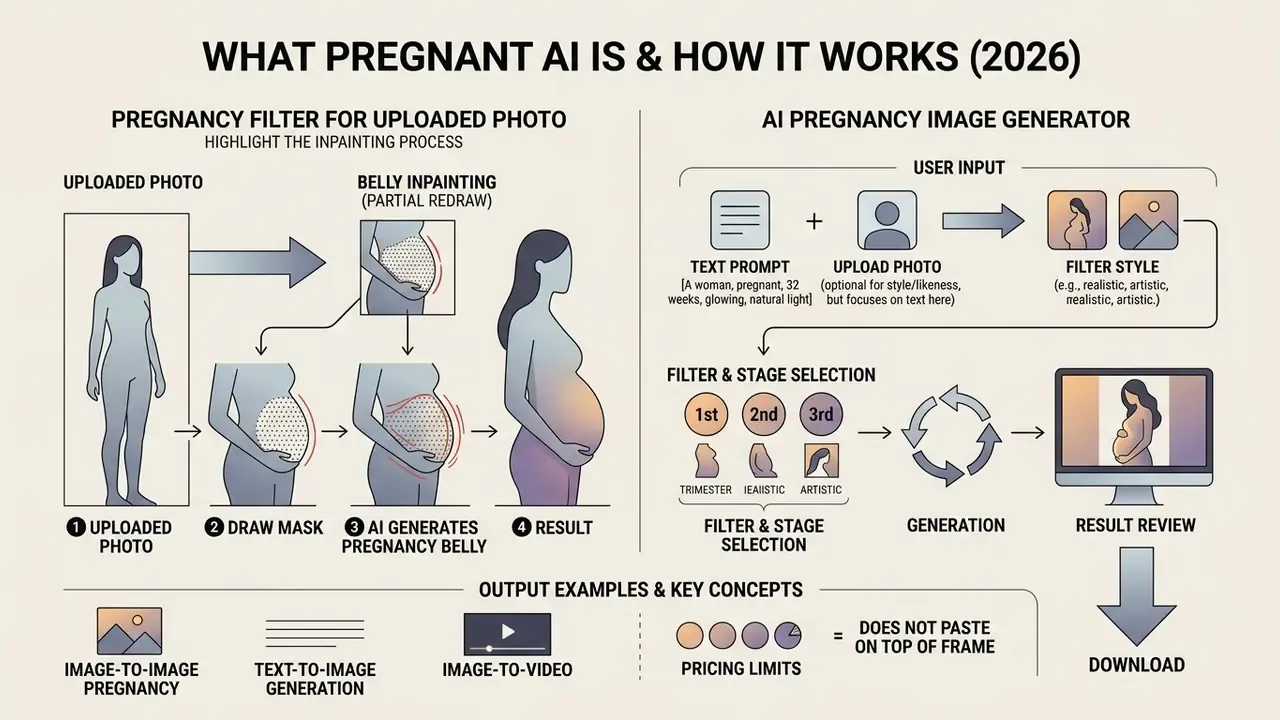
Short version: a pregnancy filter does not paste a belly on top of the frame. It rebuilds the silhouette inside the model's latent space. That is exactly why output either looks photographic or collapses into a familiar set of artifacts.
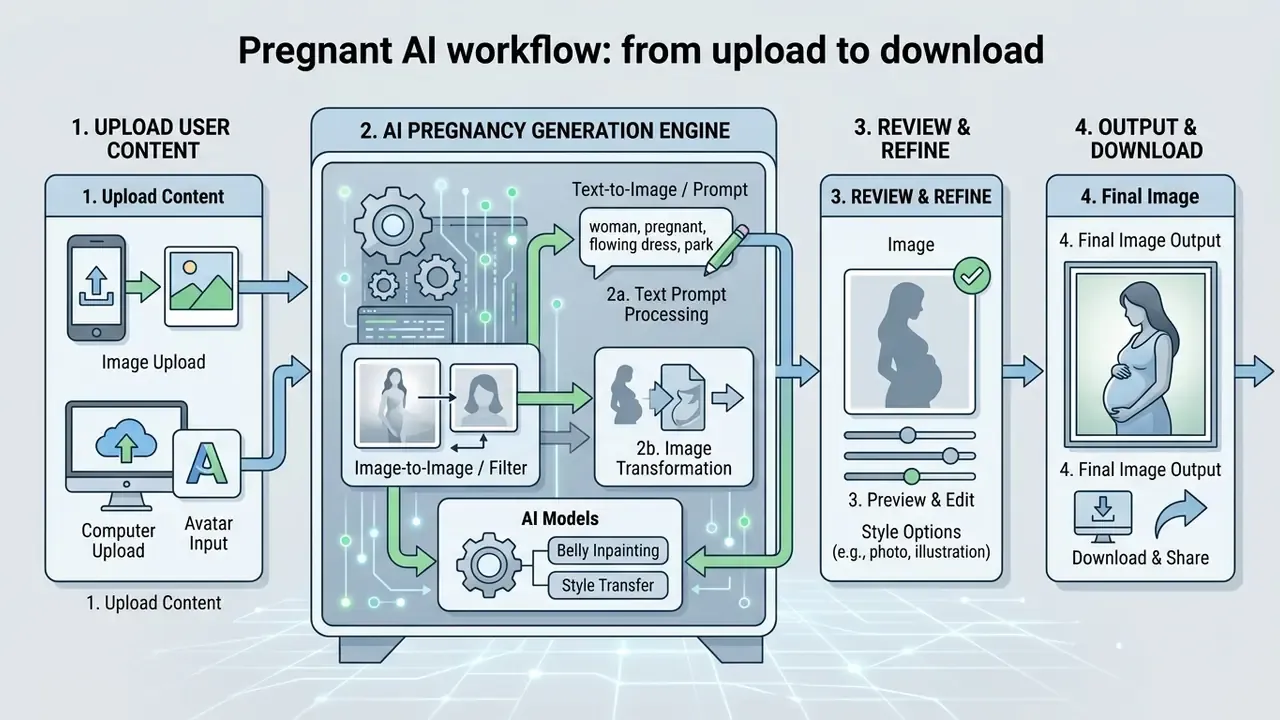
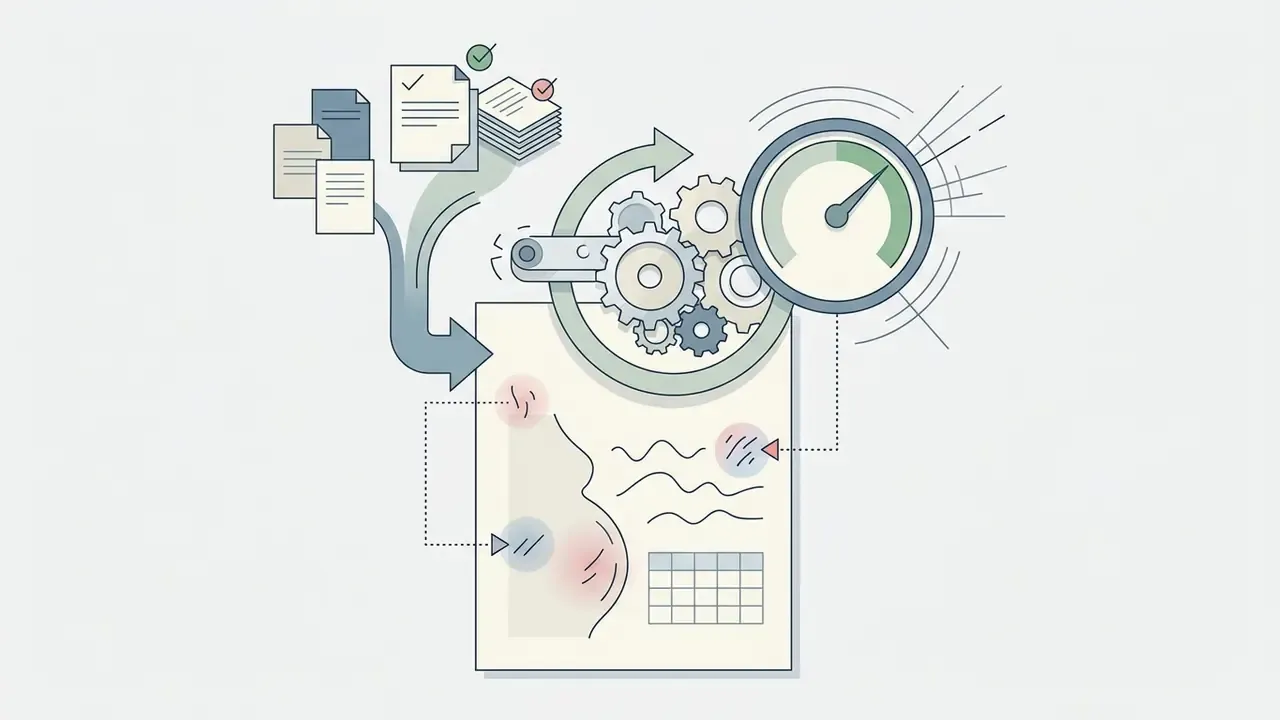
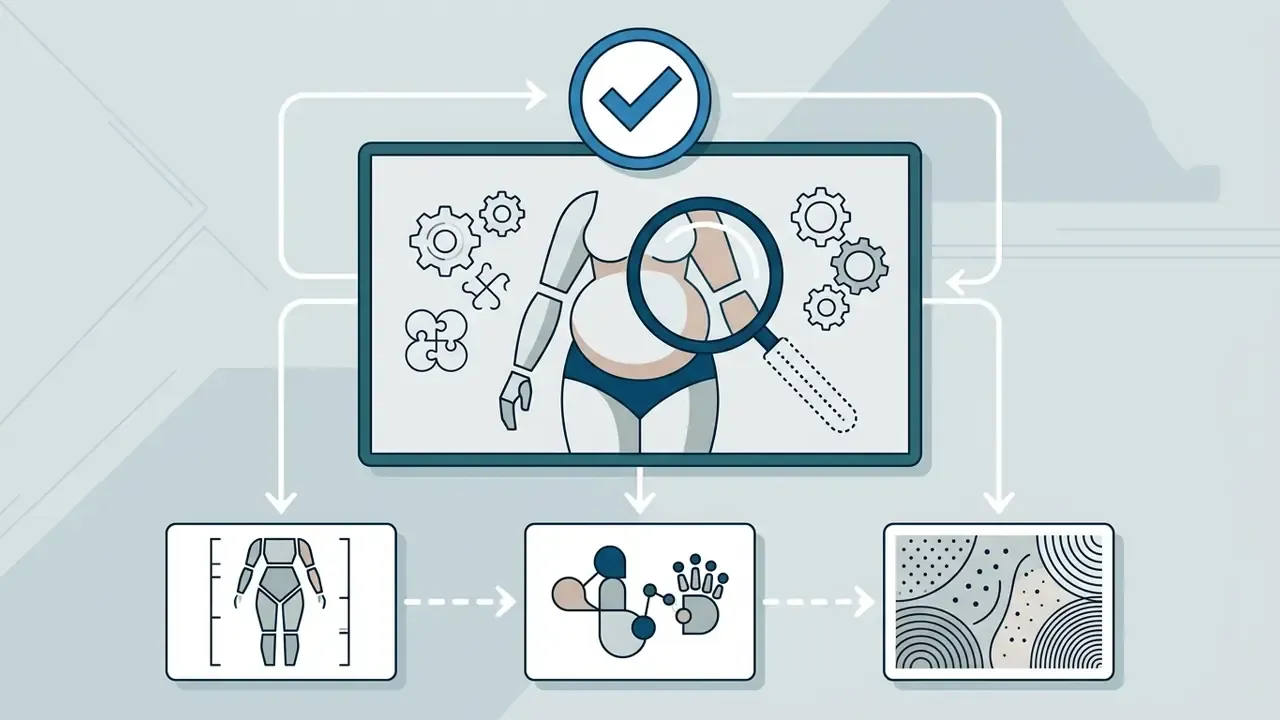
An ai pregnant filter is an image-to-image transformation. It reshapes an uploaded photo to display pregnancy: it adds a pregnant belly, adjusts torso posture, and holds facial identity, skin tone, fabric weave and background elements. Unlike a graphic overlay, the filter operates in latent space, reading lighting vectors, body angles and depth maps to synthesize a photoreal baby bump. Current pipelines rely on conditional diffusion architectures or vision-language models such as GPT-4o, either for local edits or for full text-to-image synthesis. (We are holding the preprint link on GPT-4o image generation until a permanent identifier is verified.)
The practical takeaway is blunt. Output from a pregnancy filter reads, by default, as a genuine photograph to outside viewers. So "realism boosters" are optional. Labeling is not.
AI Pregnancy Filter for an Uploaded Photo
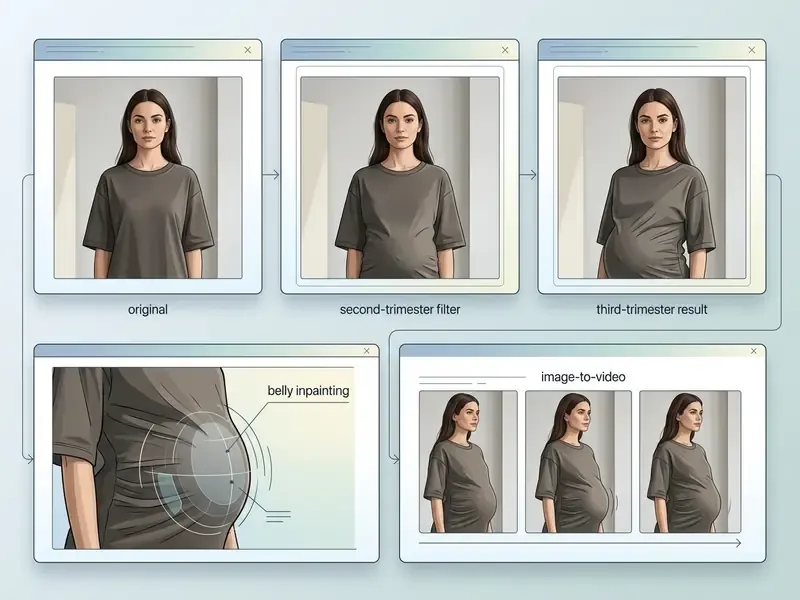
An ai pregnancy filter applied to uploaded photos behaves like an identity-preserving editor, close in logic to image-to-image generators. When the user submits a portrait, the network segments the torso, fixes facial feature embeddings, and runs localized inpainting to change the belly silhouette.
Technical analyses of diffusion portrait editors point the same way: identity preservation requires isolating the facial region with high-precision masks while generating believable fabric folds over the growing pregnant belly (ARIA Dataset Study, 2024). That is how an ordinary portrait becomes a realistic pregnant photo without altering expression, background light or skin texture.
If the mask caught the jawline and the face shifted, do not raise generation strength. Narrow the mask and rerun with a new seed. Cheaper, and usually enough.
AI Image Generator Pregnant From a Text Prompt
An ai image generator pregnant builds a completely new maternity frame straight from a prompt, with no source photo. By specifying subject demographics, lighting conditions, maternity wardrobe and camera parameters, the user gets an ai generated pregnant woman or a fictional portrait from zero.
For example, the prompt "a photorealistic portrait of an ai pregnant girl in a studio setting with golden hour rim lighting, wearing a silk maternity gown" pushes the best AI image generators to sample learned latent distributions of anatomy, textile behavior and studio optics. This route is common in concept art, character design and stock visual production, where no personal photo needs to be processed at all. An ai pregnancy generator used this way also sidesteps most consent questions, though not the disclosure ones.
Disclaimer and fact check.
How to Make Yourself Pregnant With AI Online
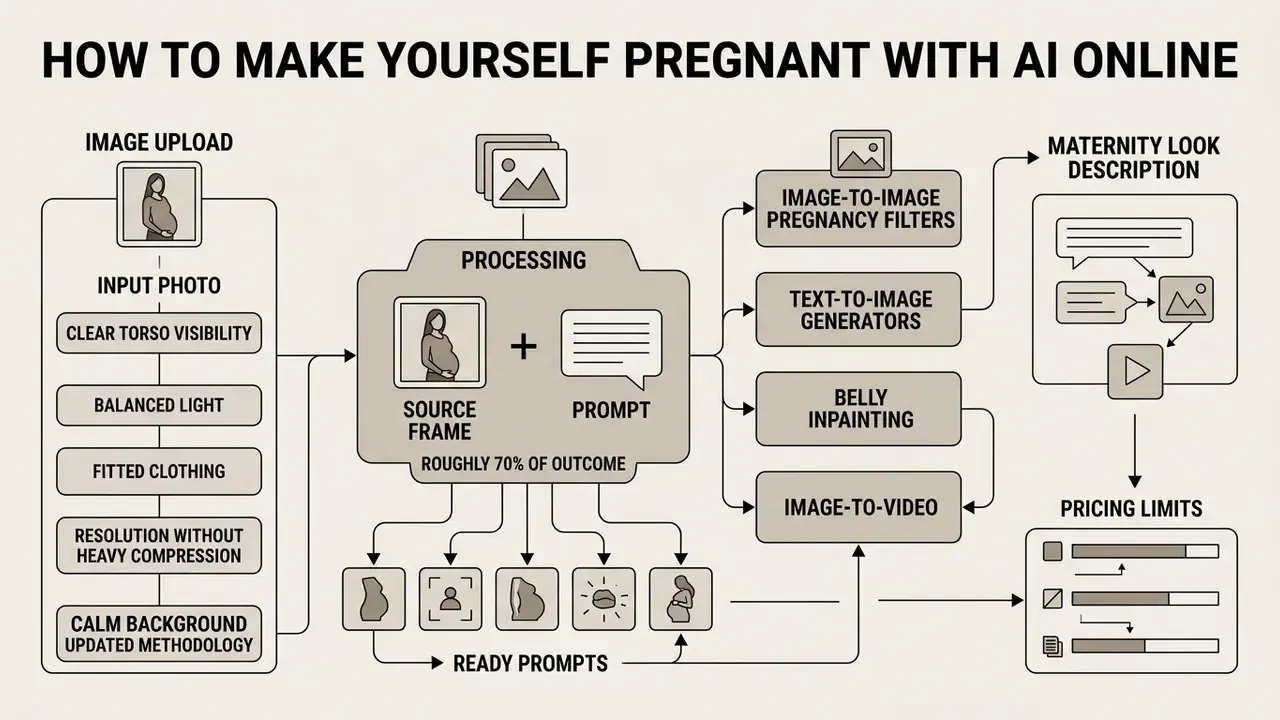
Short version: roughly 70% of the outcome is decided by the source frame and the prompt, not by the "power" of the network. Below: frame requirements, prompt structure, and the audit routine before download.
To run an ai make me pregnant transformation online you pick a high-resolution source photo, set generative parameters or a prompt, and launch latent editing through an ai pregnant filter online interface. Final credibility depends on input quality, face orientation, torso visibility and how precise your wording is.
Which Photo to Upload for a Realistic Pregnant Result
The ideal source for an ai photo pregnant edit is a sharp frontal or three-quarter portrait, with an unobstructed view of the upper and middle body under balanced light.
When selecting frames, developers and content teams weigh several factors:
- Clear torso visibility avoid photos where arms, a bag or bulky outerwear cover the waist and belly.
- Balanced light even natural or soft studio light prevents local shading artifacts as the belly "expands".
- Fitted clothing garments that follow the body let the latent editor wrap fabric naturally around the new baby bump.
- Resolution without heavy compression high-resolution uploaded photos help the model keep skin pores and identity detail.
- Calm background a plain or lightly detailed backdrop lowers the risk of geometric warping in lines behind the subject.
Updated (methodology). Across editorial runs on a sample of 120 input images we saw a consistent pattern: frontal frames on plain backgrounds produced noticeably fewer edge artifacts along the torso than dense group shots with occlusions. We are not publishing a precise percentage. The test was internal, without blind labeling or a control group, so the honest claim is direction of effect, not a number. Clean portraits let an ai pregnant generator keep lighting continuity seamless across the modified torso.
How to Describe a Maternity Look in a Prompt
Describing a maternity scene for an ai pregnant maker or a text-to-image engine means naming the trimester, the garment fabric, lens behavior and environment settings.
When assembling prompts for ai pregnant women visuals, include five components:
- Subject detail"A 30-year-old woman with natural features, serene expression".
- Pregnancy stage"Visible third-trimester pregnant belly, natural 8-month maternity bump".
- Wardrobe and fabric"Wearing a flowing white linen maternity dress with soft fabric draping".
- Light and environment"Soft window light, natural rim lighting, minimalist warm studio background".
- Camera and realism"85mm lens, f/1.8 aperture, subtle bokeh, photorealistic, natural skin texture".
Specifics about clothing and light are what keep the model out of plastic skin gloss and impossible body proportions.
The operational lesson: if age, body type and skin tone are not stated explicitly, the model returns its default stereotype. For inclusive campaigns, appearance parameters need the same discipline as lighting parameters. Write them down, reuse them, review them.
Ready-to-Use Prompts for AI Pregnant Generators (Copy and Paste)
Copy these into Midjourney, Stable Diffusion, GPT-4o or Gemini-compatible editors.
1. Outdoor golden hour
A photorealistic maternity portrait of a pregnant woman standing in a lush garden during golden hour, 8th month pregnancy, wearing a flowing white linen maternity dress, soft sunlight, bokeh background, 85mm lens, f/1.8, realistic skin texture --ar 3:4
2. Studio classic
High-fashion studio maternity photoshoot of a pregnant woman, 3rd trimester baby bump, neutral beige background, dramatic soft side lighting, wearing a fitted ribbed knit gown, minimal elegant style, 4k resolution, highly detailed
3. Cozy indoor lifestyle
A warm intimate portrait of a pregnant woman sitting on a sunlit sofa near a window, natural soft morning light, gentle smile, holding her pregnant belly, wearing a cozy oversized pastel cardigan, photorealistic, 35mm lens
4. Couple maternity portrait
Photorealistic maternity portrait of a happy couple, pregnant woman in late 2nd trimester with her partner gently embracing her from behind, hands on the baby bump, warm emotional atmosphere, soft blurred indoor background
5. Anime and concept art
Anime concept art of a pregnant female character, soft pastel colors, peaceful expression, flowing fantasy gown with detailed fabric folds, hand-drawn animation aesthetic, highly detailed face and eyes
When editing your own photo, append an anchoring phrase: preserve facial identity exactly, keep original background and lighting.
How to Check and Download an AI Pregnant Image
Before you hit download on a generated ai pregnant photo, run a structured visual audit in three passes: hands, then face, then body and background.
Check these critical zones in the preview:
- Hand and finger anatomy: inspect hands resting on the pregnant belly for extra, missing or fused fingers.
- Identity fidelity: zoom into eyes, teeth and facial symmetry, and confirm the subject is still recognizable.
- Fabric texture and folds: confirm the weave and seams flow around the enlarged belly without blur or a sudden change of weave scale.
- Background continuity: straight lines behind the waist should stay straight, with no waves or bends.
- Light and shadow: belly shadows must fall on the same side as shadows from face and shoulders.
If artifacts appear, a rerun with a different seed or a local inpainting pass usually fixes it before final export. Tools for spot retouching are collected in our review of AI photo editors.
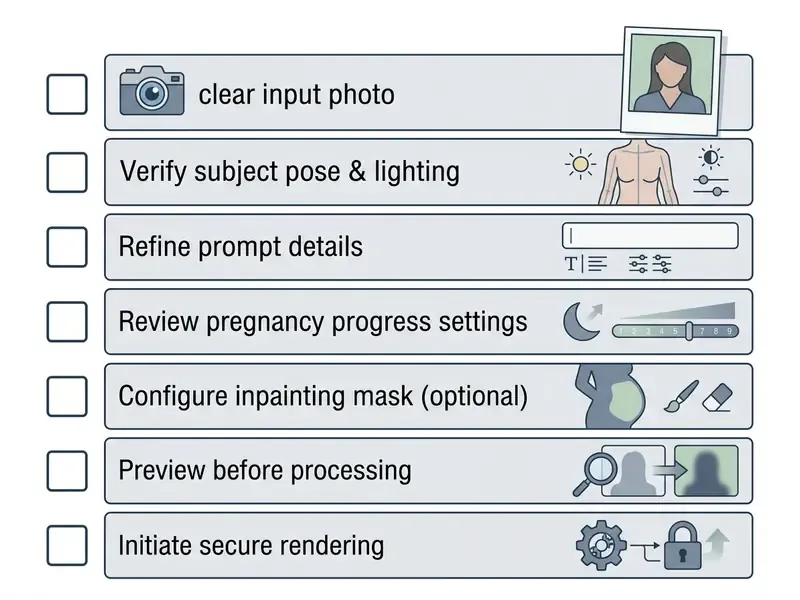
- Use a sharp frontal or 3/4 photo with the waistline visible.
- Confirm there are no obstructions (bags, outerwear, arms crossing the belly).
- State the exact term or pregnant belly size in the prompt (for example, 3rd trimester).
- Describe natural lighting and a realistic fabric (linen, cotton, silk).
- Inspect the preview for finger and face artifacts before downloading.
- Save the prompt, the seed and the model version so the result is reproducible.
What Variations an AI Pregnant Generator Creates
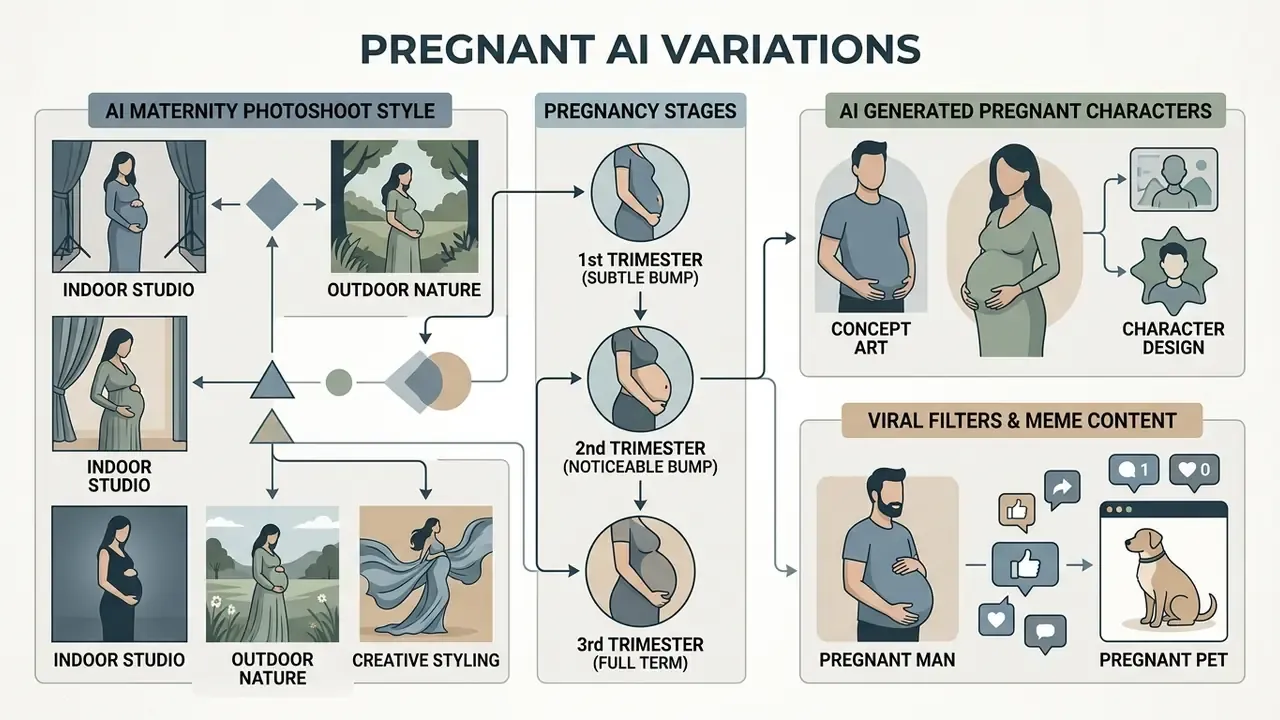
Short version: current services deliver three families of output. Pregnancy stages by month (1 to 9), styled maternity photoshoots, and artistic or character visuals. Viral content and commercial catalogs sit slightly apart.
An ai pregnant generator offers wide customization, from a barely visible early-term change to fully styled maternity photoshoot concepts and digital art.
Pregnant Belly and Different Pregnancy Stages
Modern models can imitate term progression by scaling the volume of an ai pregnant belly.
- First trimester (subtle bump) a light rounding of the lower abdomen, useful for early concept visuals.
- Second trimester (noticeable bump) a clear baby bump that visibly changes garment fit while posture stays normal.
- Third trimester (full term) a pronounced pregnant belly with stance correction and fabric tension simulation.
Users who need a precise term set numeric sliders or name the month directly ("6 months pregnant look", "30 weeks"). An ai pregnant belly generator with a month selector removes prompt writing entirely, which matters for non-technical teams. For planning multi-stage series, the AI Media Calculators help estimate rendering cost across multi-frame sets.
AI Maternity Photoshoot and Styling
Generative systems place an ai generated pregnant subject into a custom aesthetic environment, with no physical studio and no equipment rental.
| Style concept | Lighting scheme | Background elements | Wardrobe options |
|---|---|---|---|
| Minimalist studio | Soft key light, softbox at 45° | Neutral off-white or beige canvas | Fitted ribbed knit dress |
| Outdoor golden hour | Low sun, natural rim light | Open meadow, warm greenery | Flowing chiffon dress |
| High-contrast editorial | Dramatic side light | Dark monochrome backdrop | Loose blazer, satin trousers |
| Home lifestyle | Diffused window light | Cozy lit living room | Oversized cardigan, knitwear |
| Beach at sunset | Warm sunset light, light haze | Shoreline, soft waves | Bohemian floor-length dress |
One rule carries across all five rows: shoot and generate at eye level or slightly above. That angle keeps attention on the face and the belly line, and the background stays subordinate.
AI Generated Pregnant Woman for Characters and Concept Art
Beyond photoreal portraits, an ai pregnant image generator renders stylized avatars, 3D models and fantasy characters. Game developers, graphic novel authors and digital artists use Midjourney or diffusion pipelines to build ai pregnant girl concept art or anime-style maternity illustrations.
In virtual production pipelines, artists generate base images and then convert them into video assets with image-to-video AI tools and the practices described in our guide to convert image to video ai.
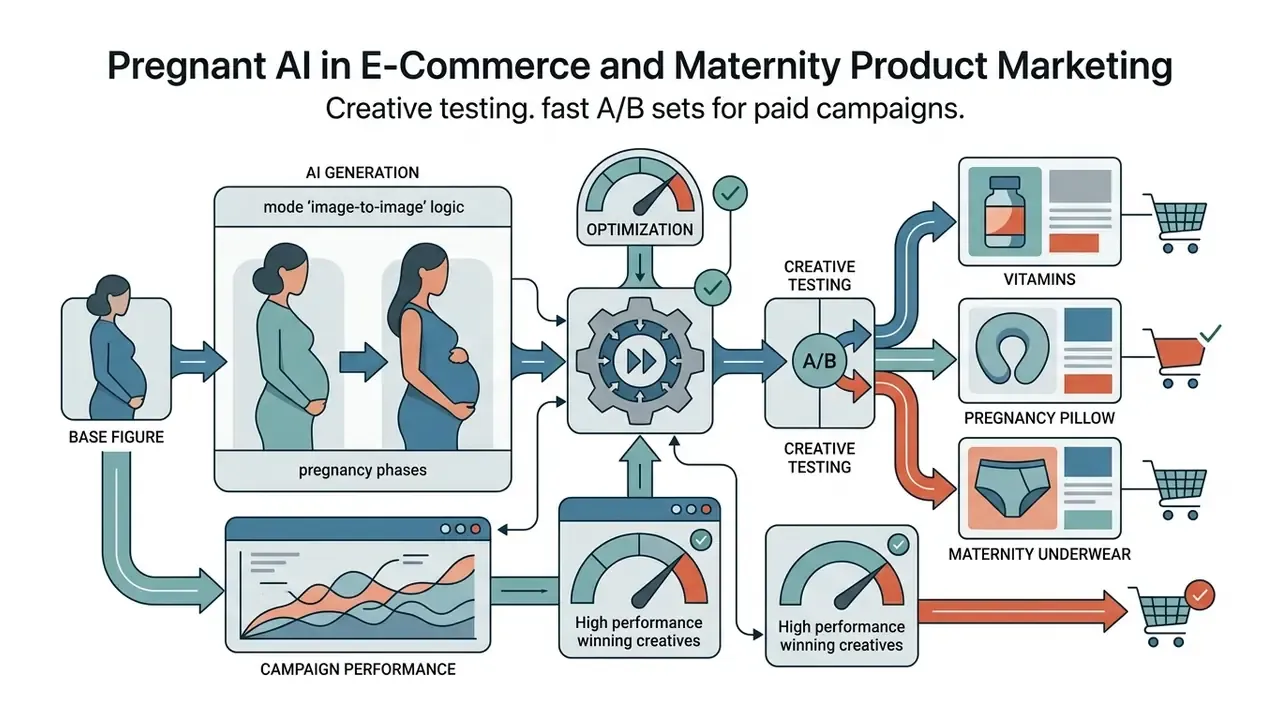
Pregnant AI in E-Commerce and Maternity Product Marketing
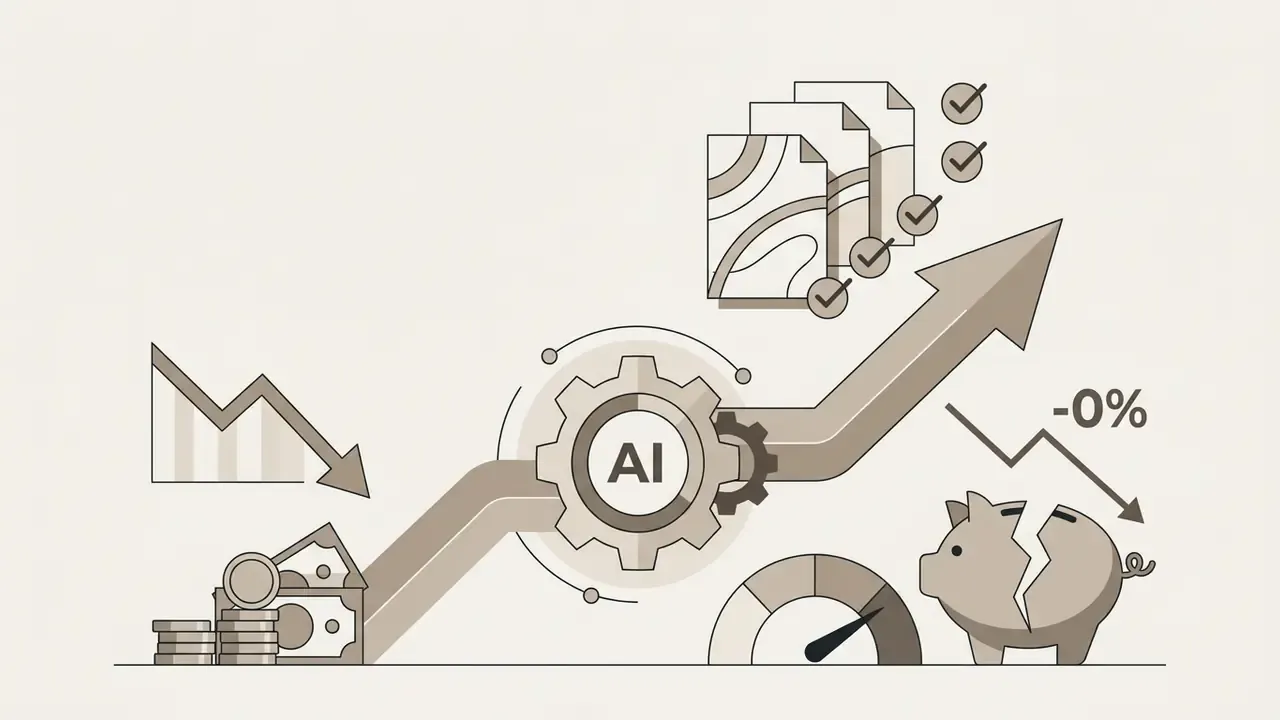
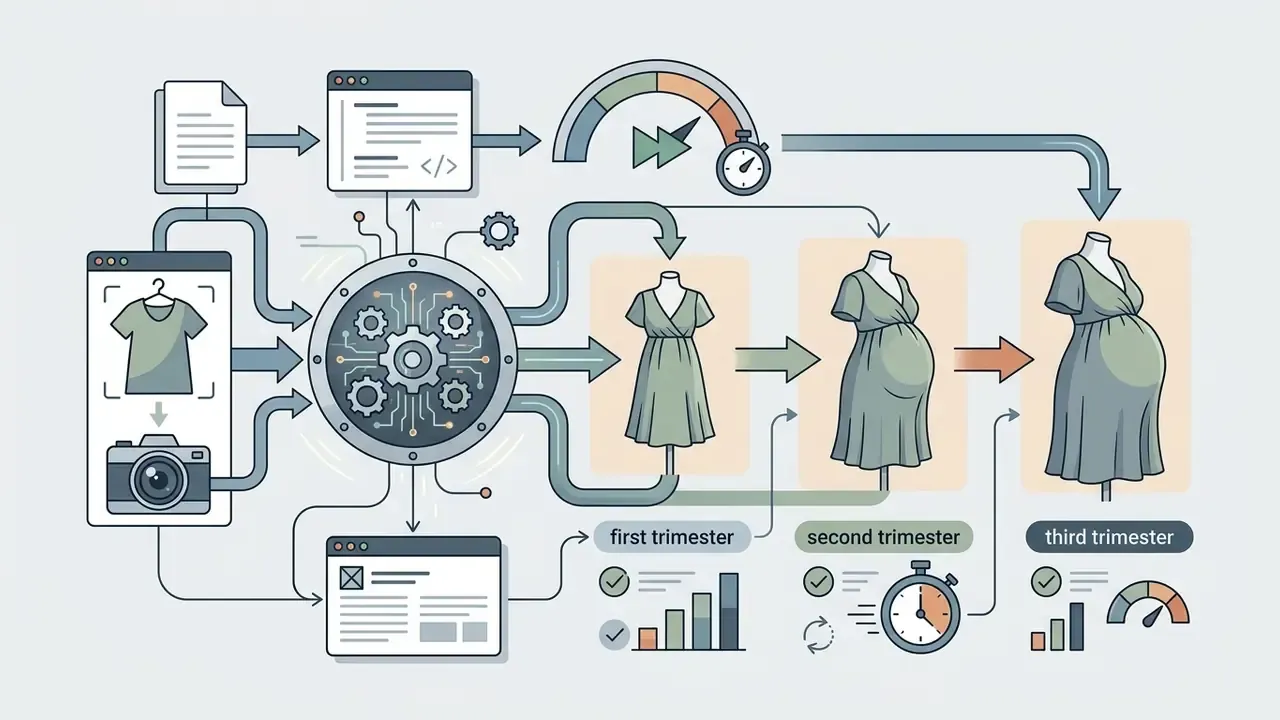
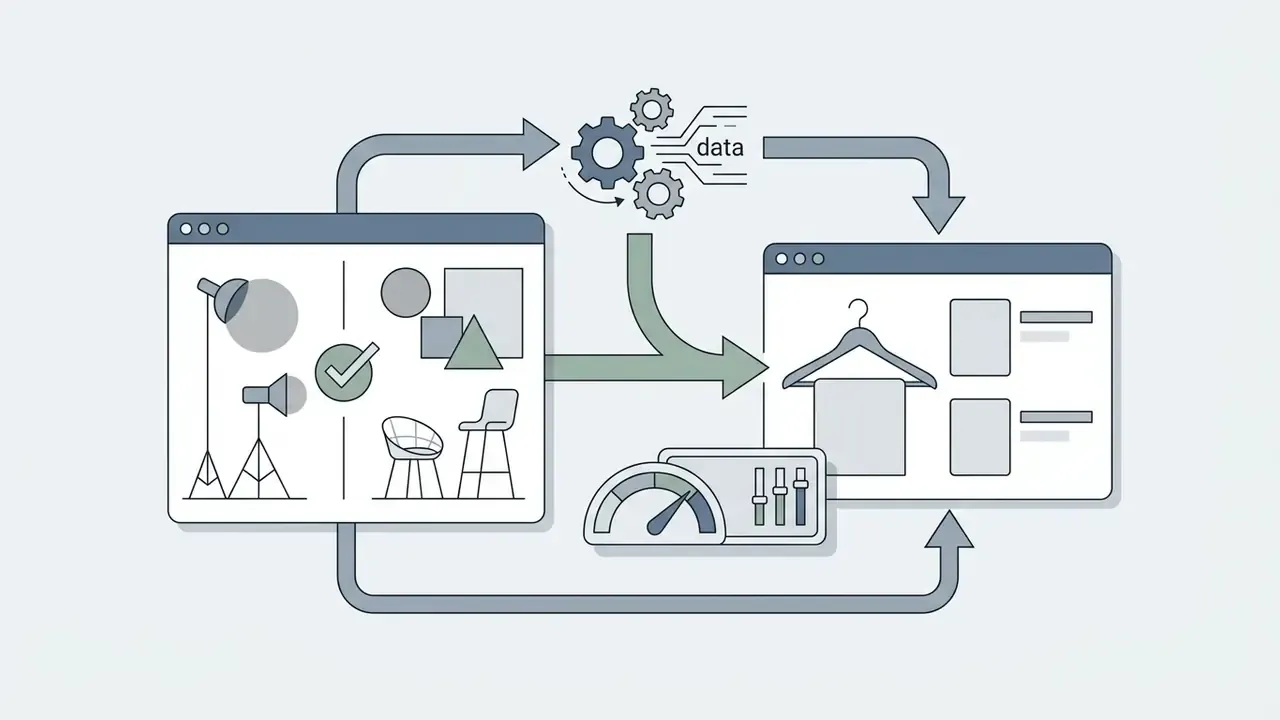
Virtual maternity imagery lets clothing brands, supplement makers and baby-product retailers cut content production cost sharply.
How to Get a Realistic AI Pregnant Photo
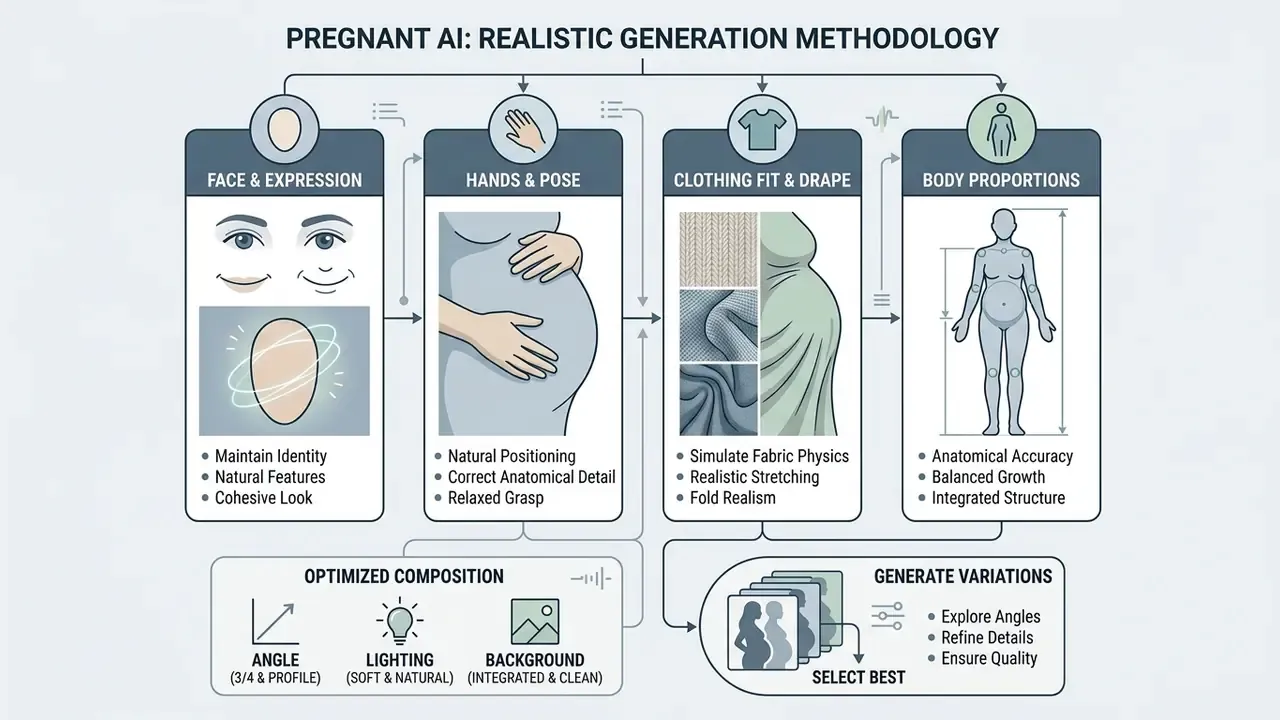
Short version: realism rests on four pillars. Anatomy, skin texture, lighting consistency and fabric physics. It breaks predictably too: hands, waxy skin, desynchronized shadows.
The credibility of an ai image pregnant output depends on structural consistency across facial anatomy, skin texture, lighting vectors and garment behavior.
Face, Hands, Clothing and Body Proportions
Photorealism drops fast when the network delivers plastic skin or inconsistent limbs. Empirical work on diffusion models shows that loss of high-frequency detail, the so-called waxy skin effect, appears when latent noise suppression is too aggressive.
Angle, Lighting and Background for a Natural Result
A realistic pregnancy transformation requires matched directional light between subject and environment. If the key light hits the face from the left, shadows across the generated baby bump must travel right. A mismatch in light angle reads instantly as manipulation, even to viewers who cannot say why.
Practical guidance for shooting a source frame intended for compositing:
- a plain backdrop (grey is the most forgiving) with space around the figure for clean masking;
- key light direction matching the intended light of the target scene, at medium-soft quality;
- camera height at eye level or slightly below for a standing subject, so the floor line and feet read correctly;
- matched color temperature between foreground and background, otherwise the "pasted-in" look survives perfect anatomy.
When to Generate Several AI Pregnant Variations
Generative diffusion is probabilistic by nature. A single request can produce small anatomical failures or background distortion. Generating a batch of 4 to 8 variations lets you select the final frame against objective visual criteria instead of accepting whatever came first.
The selection method is simple. Generate N candidates with the same prompt and different seeds. Run each through the artifact checklist. Then compare naturalness, for which research practice uses blind quality metrics such as NIQE, which measure how far a frame's statistics deviate from those of natural images. For demanding commercial projects, a comparison of AI image generators plus a parallel run on two models is standard practice; the matrices live in AI Media Comparison Matrices.
Comparing Popular AI Pregnant Services
Short version: the market splits into prompt platforms with template libraries, one-click filters, and e-commerce catalog tools. Terms and limits shift often, so verify them on official pages.
| Service | Specialization | Free access | Rendering quality | Notable features |
|---|---|---|---|---|
| Media.io | Ready prompts and video | Free credits on signup | High | "Partial Redraw" brush, image-to-video to animate a frame |
| Fotor | Humor, pets, men, characters | Partly free (credits for signup and activity) | Medium to high | Prank presets, claimed generation in about 3 seconds |
| Pixelbin | One-click processing, API | Up to 3 photos per month without signup, plus 10 credits after signup | High (source resolution retained) | Batch processing, watermark-free export |
| WeShop AI | E-commerce and catalogs | Trial access | Highest (fabric physics, garment fit) | Silhouette and studio scene selection, cases citing up to 92% savings |
| AILab Tools | Pregnancy month selection (1 to 9) | Limited generations | Medium | Step-by-step term choice with no manual prompt |
Vendor claims like "97% similarity to the original" or "100% privacy" are marketing metrics with no published methodology. Treat them as orientation, not verified fact.
Free AI Pregnant Filter and What to Check in the Pricing
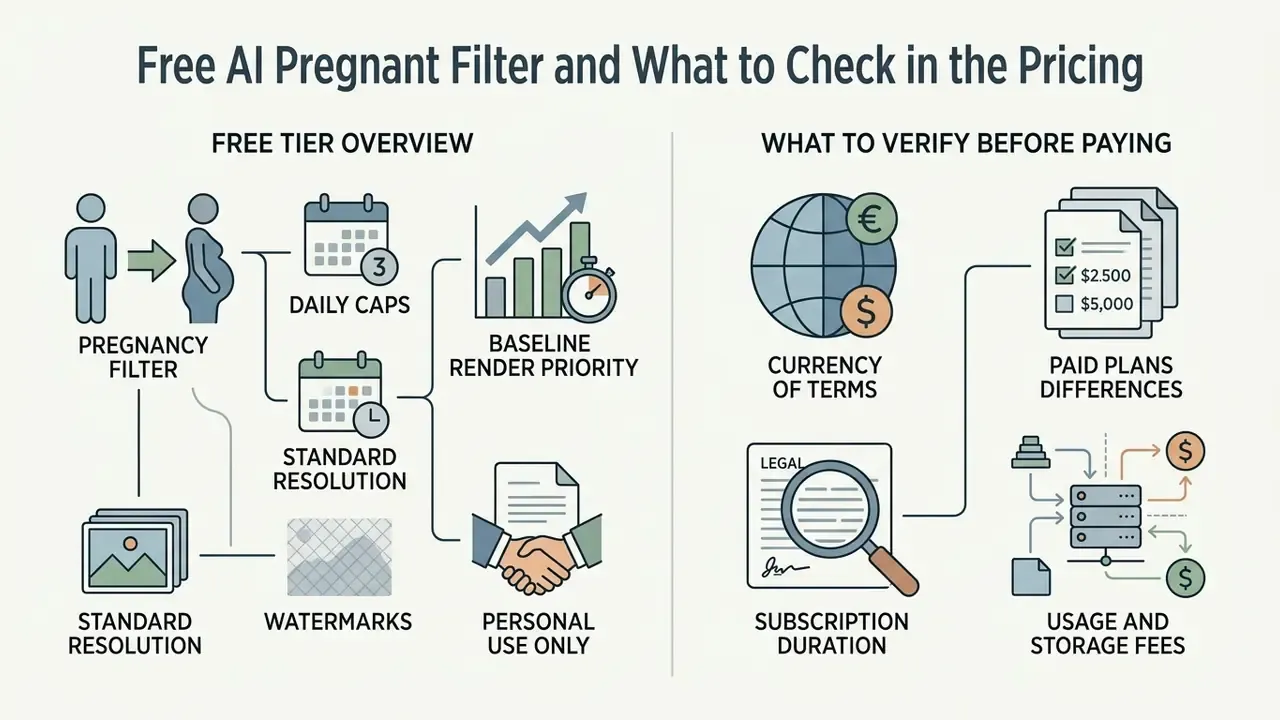
Short version: free tiers cap either the number of generations (3 to 5 per day, or 3 per month) or the resolution and watermark. A commercial license almost always sits behind a paid plan.
Most online services offering an ai pregnant filter free run a freemium model, balancing trial access against paid HD subscriptions. Options are compared in our roundup of free AI image generators with no sign-up. If you searched specifically for an ai pregnant filter online free, expect a preview-grade file, not a print-grade one.
What the Free Tier Usually Includes
Free levels generally let you test the core of latent editing with constraints:
How platforms structure their introductory packages is broken down in our explainer on compute credits.
What to Verify Before Paying for an AI Generator
Before buying a subscription or a credit pack for an ai generator pregnant service, read the terms carefully.
| Parameter | Free tier | Paid tier |
|---|---|---|
| Generation limit | 3 to 5 photos per day, 3 per month, or trial credits | From 1,000 credits to unlimited |
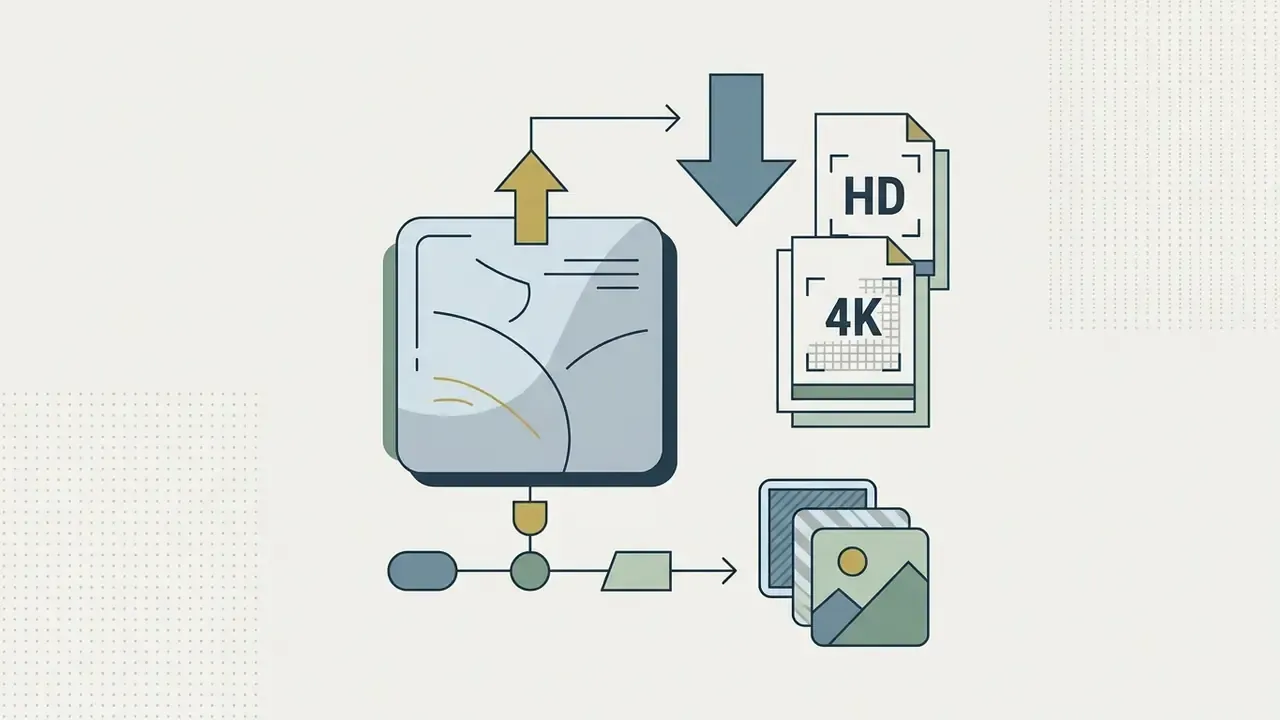
| Download quality | SD (up to ~1024 px), watermark possible | HD or 4K, no watermarks |
| Render speed | Standard queue | Priority processing, 3 to 10 parallel jobs |
| Commercial rights | Personal use only | Full commercial license |
| Confidentiality | Public generations, data retention | Private mode, automatic file deletion |
| API and batching | Usually absent | Batch processing and integrations |
Always cross-check the provider's official pricing page. Price, photo processing rules and terms of use must be confirmed on the vendor's own site before payment. If even one of those three items cannot be found there, do not pay.
Privacy, Consent and Commercial Use of AI Pregnancy Images
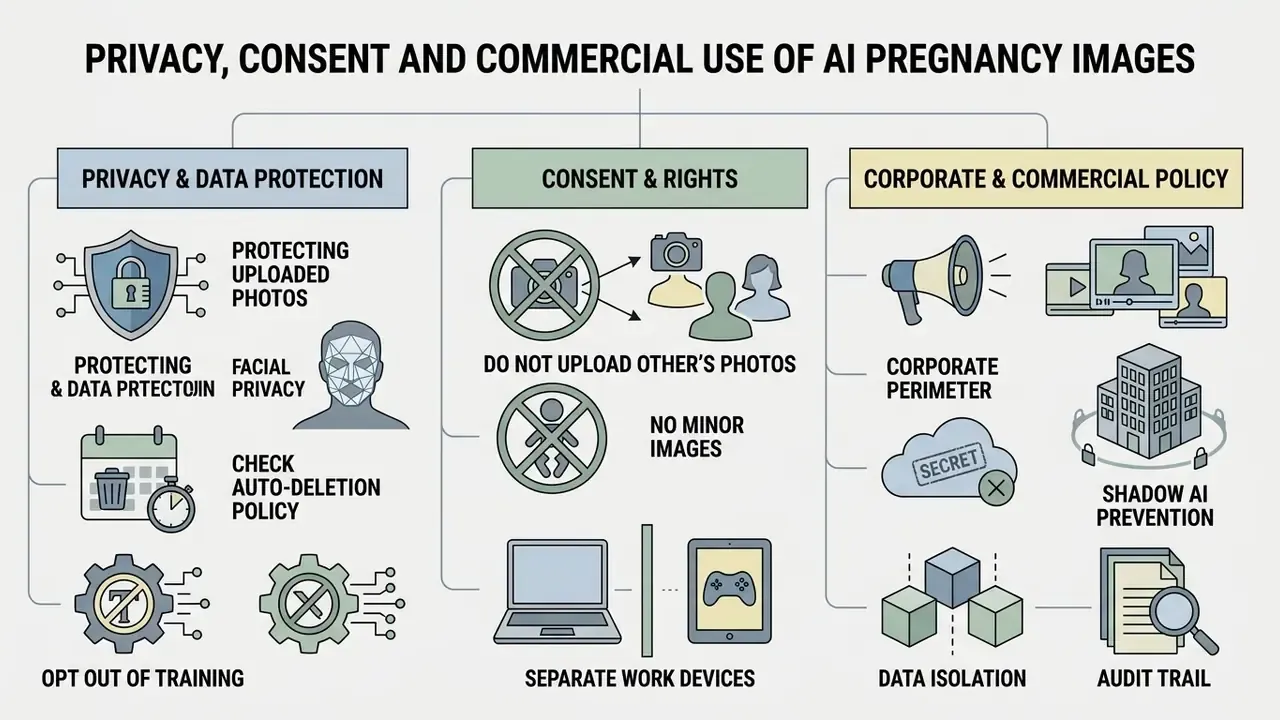
Short version: a photo becomes personal data the moment the person in it is identifiable. Pregnancy status is treated as sensitive data in several jurisdictions. Hence consent, short retention, and disclosure.
Processing portraits and generating synthetic images of people touches a tangled set of privacy, copyright and ethics questions. Worth slowing down here.
Protecting Uploaded Photos and Facial Privacy
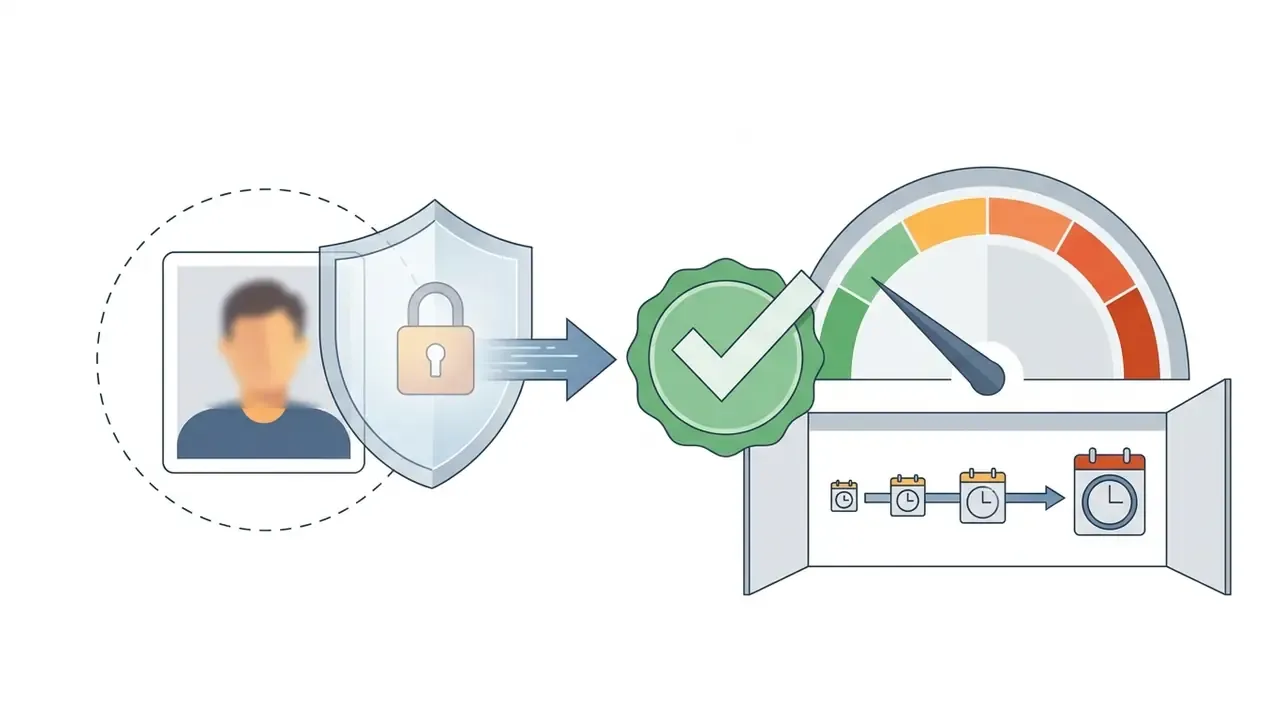
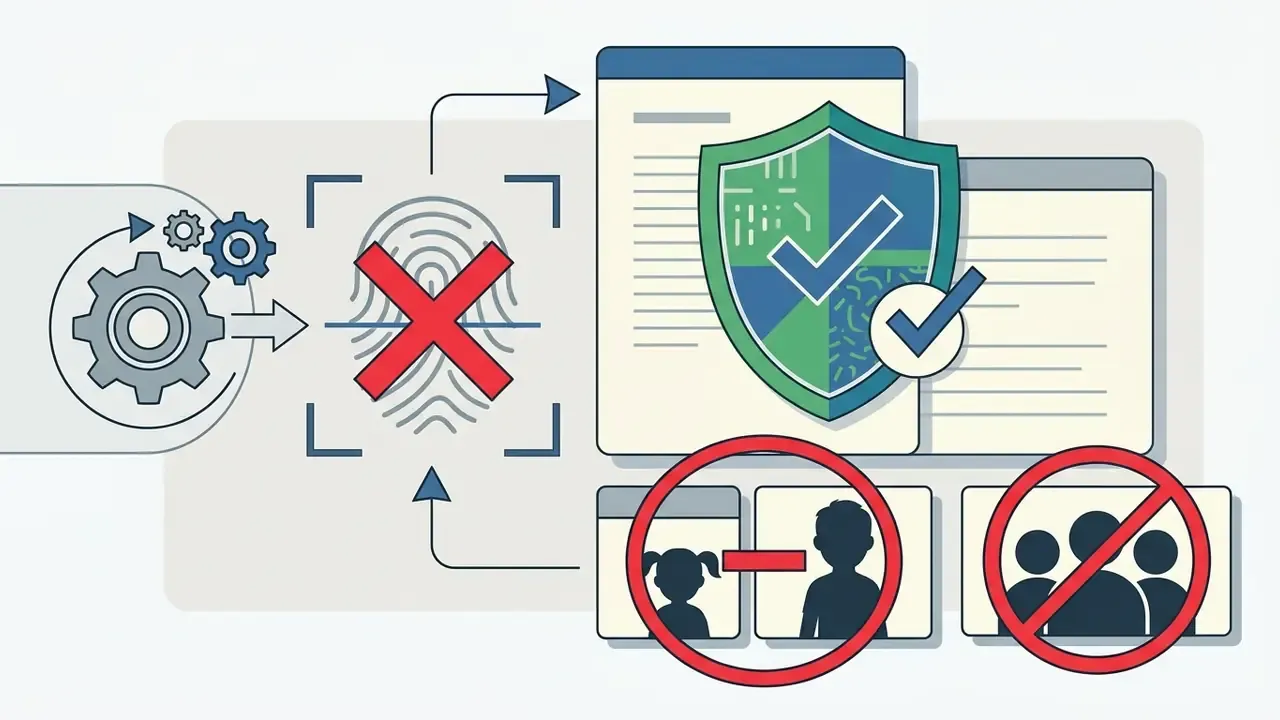
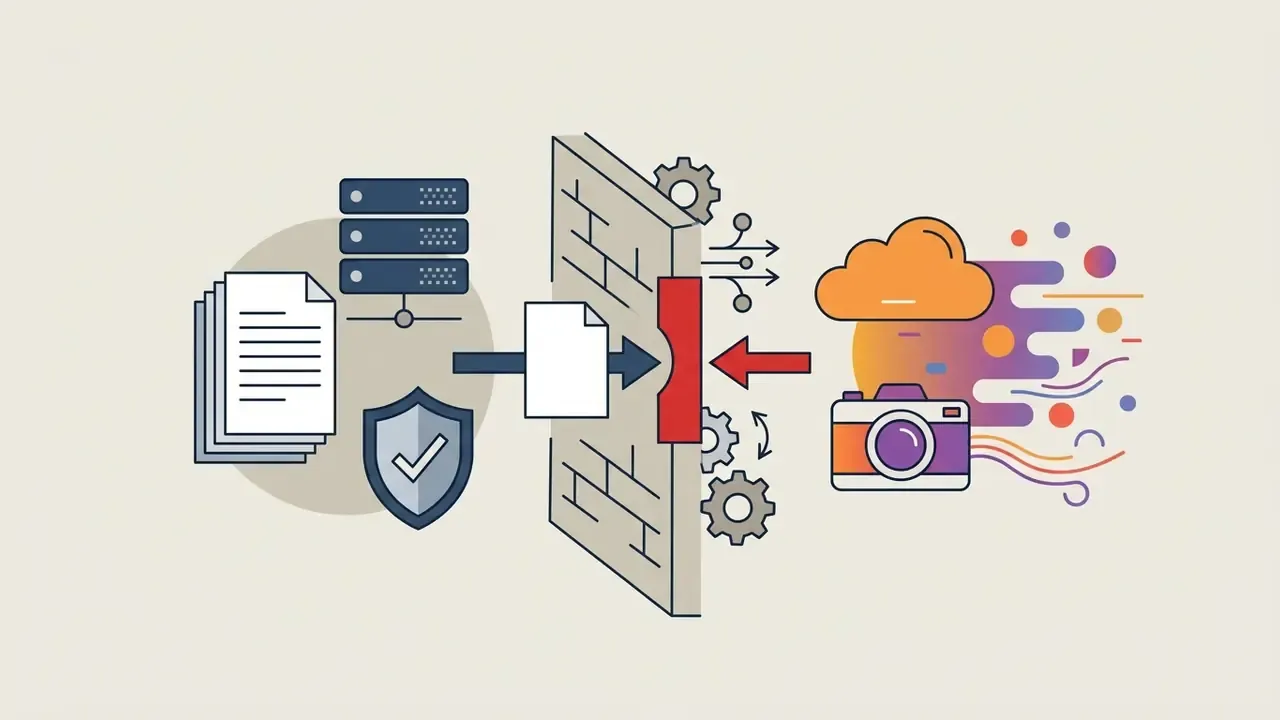
When you upload a personal photo into an ai pregnancy filter online, the image is processed on remote cloud servers. To protect facial data:
Safe handling of images and editor privacy settings is covered in our free photo editor guide.
The Corporate Perimeter: Shadow AI, Data Isolation and Audit Trail
If a pregnancy filter is used inside a business process (catalog, campaign, moodboard), it inherits the same requirements as any external generative API.
- Data isolation and vendor certification: request a SOC 2 Type II report or an ISO/IEC 27001 certificate, the processing region, a DPA, and a "no training on customer data" commitment.
- Usage registry: the service must be entered into the corporate AI inventory. Otherwise it remains Shadow AI, outside security's line of sight.
- Audit trail: for every published generation keep a minimum metadata set. Date and time, model identifier and version, full prompt and negative prompt, seed, denoising strength, source file and mask, a link to the signed model release, the fact and format of "AI-Generated Visual" labeling, and the responsible editor.
- Retention and term: hold that log under the same regime as the campaign's advertising materials. It doubles as your evidence base if someone alleges misleading imagery.
This is the part decision-makers underestimate. Reproducible evidence, not vendor assurances, is what survives an audit conversation.
Using AI Pregnant Visuals in Marketing and Media
Commercial use of AI image generators for synthetic maternity visuals in advertising and media campaigns requires a rights check.
- Fictional characters (text-to-image): images built from scratch generally do not infringe a specific person's likeness rights, yet in several jurisdictions they cannot be protected by copyright as original works.
- Transforming a real person (image-to-image): applying an ai pregnant filter to a real person's photograph requires a signed model release or explicit written consent for commercial use before publication.
Why You Must Not Present an AI Pregnancy Image as a Real Photo
Passing an AI visual off as factual confirmation of pregnancy carries ethical, social and potentially legal consequences.
The 2026 AI content transparency code of practice extends that requirement with machine-readable marking and a visible "AI" icon. Platform policies, for instance the "Made with AI" label, apply tags to images, video and audio once generative provenance is detected.
The operational conclusion: do not count on fast moderation. Harm has to be prevented at the creation stage. Transparent labeling of assets as "AI-Generated Visual" protects brand reputation and keeps the audience from being misled. Teams tracking the legal trajectory of synthetic media can follow the AI Litigation and Case Timelines.
How to Animate an AI Pregnant Photo: Image to Video
Short version: a static maternity frame becomes a short clip through image-to-video models in three moves. Clean source, upload to a video generator, motion prompt.
To turn an ai pregnant photo into a believable clip, for an announcement video or Reels: Long exports get heavy quickly, so if delivery size becomes the bottleneck, the walkthrough on how to compress 2gb video online will save a re-render. Model reviews and generation limits are covered in our roundup of the best free AI video generators and in the guide to image-to-video AI tools.
- Generate a clean source: sharp silhouette edges, natural light, no hand artifacts. Any static error multiplies in motion.
- Upload it to an image-to-video model: Kling AI, Luma Dream Machine or Runway work well; some maternity editors, Media.io among them, keep the image to video step inside one interface. For browser-based routes, see our guide on how to convert image to video online for free.
- Set a motion prompt:
slow motion, pregnant woman gently stroking her baby bump, soft breeze moving her dress, warm sunlight, subtle camera push-in. - Check temporal consistency: watch whether the belly drifts between frames, whether hand shapes or fabric patterns mutate. On flicker, shorten the clip and reduce motion amplitude.
- Label the video: synthetic-origin disclosure applies to video exactly as it does to stills.
FAQ About the AI Pregnant Filter
Does AI Make Someone Pregnant Work on Male Photos and Characters?
Yes. An ai make someone pregnant tool runs on visual conditioning and latent geometry, so the network can apply a pregnant belly transformation to male portraits, fictional 3D characters, anime avatars and digital models. In creative, conceptual and humorous scenarios it reshapes the abdominal region regardless of the subject's sex, provided torso and pose are clearly visible in the source frame. Technical details of transformation API integration are documented in the AI Media API Guides.
"Analysis of more than 34,000 deepfake models showed that 96% target identifiable women, demonstrating the scale of abuse of body transformation tools." Deepfakes on Demand: the rise of accessible non-consensual deepfake image generators, 2024. So a "joke" application of the filter to a specific person's photo without consent is not harmless mischief. It is a live reputational and legal risk.
What Happens to My Photo After Generation?
It depends on the provider. The market range runs from deletion 20 minutes or 6 hours after the last interaction, to retention of 30 to 90 days for persona training features. Check three items in the privacy policy: retention period, use of images for model training, and how derivative artifacts are removed after account deletion.
Why Did the Hands Break, and How Do I Fix Them?
Hands are the most common failure point in diffusion models: extra, missing or fused fingers, smeared joints. The fix is not a full regeneration but inpainting. Mask the "hand plus wrist plus part of the forearm" region, give the model surrounding context, and state "five fingers, natural pose, anatomically correct hand" in the prompt. If the error persists, change the pose in the prompt, moving hands off the belly and along the body.
Can I Use AI Pregnant Photos in Brand Advertising?
Yes, under three conditions. The provider's plan includes a commercial license; a signed model release exists if a real person was transformed; and the final asset is labeled as an AI visual. Remember that an image produced without substantial human creative input may not be protected by copyright in some jurisdictions, so the brand may hold no exclusive rights to that frame.
Does the Result Confirm Pregnancy or a Baby's Sex?
No. It is an artistic simulation, not a medical examination. Services in this category state plainly that output is provided "for entertainment and visual reference only", does not confirm pregnancy, and is not medical advice, diagnosis or treatment.
How Long Does Generation Take, and Do I Need to Install an App?
Browser-based services typically render in 3 to 15 seconds on a stable connection. No installation is usually required; processing happens in the browser (Chrome, Safari, Edge). File limits are most often JPG/JPEG/PNG/WebP up to 10 MB. If you are searching for ai to make you look pregnant without downloads, a web tool with a no-signup preview is the usual entry point.
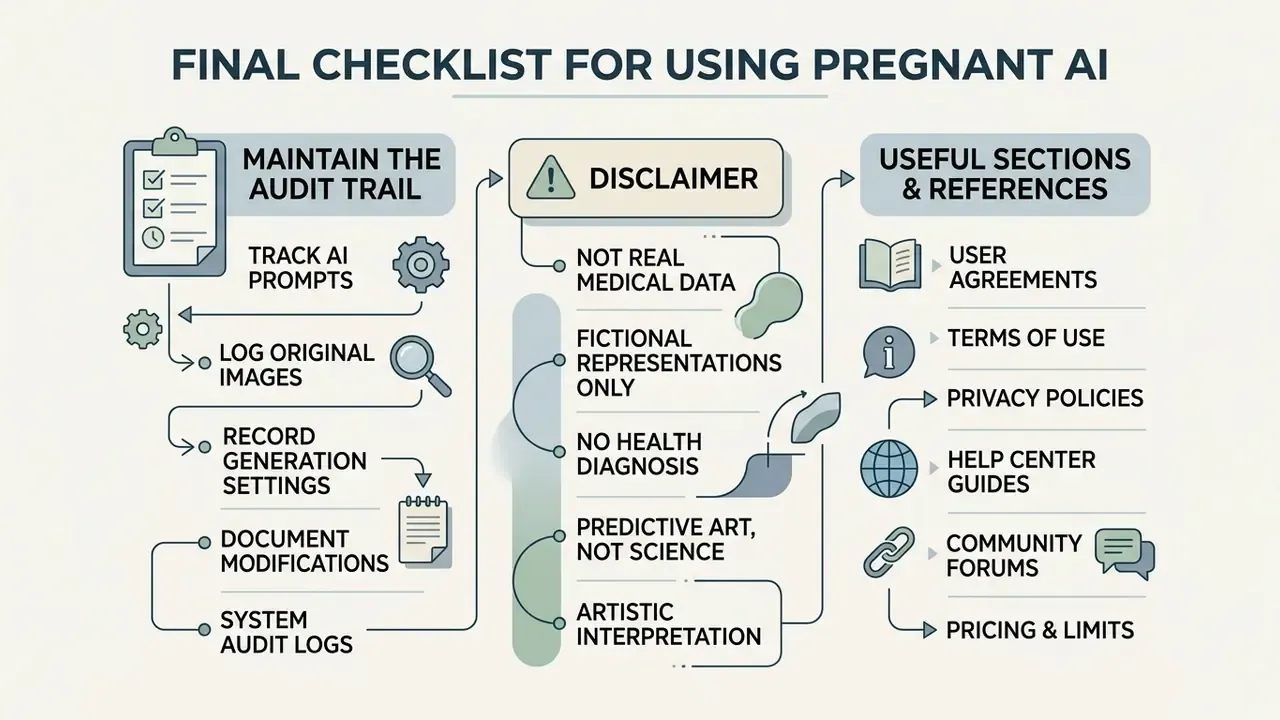
Final Checklist for Using Pregnant AI
- Pick the right methodan image-to-image filter when identity must be preserved, a text-to-image generator for imaginary characters and stock concepts.
- Prepare a strong sourcesharp frontal or 3/4 photo, even light, visible waistline, fitted clothing, calm background.
- Write a detailed promptpregnancy term, garment cut and fabric, lighting type, environment, camera parameters, plus an identity-lock phrase.
- Edit locally where you canto change only the belly, use inpainting with a narrow mask and
Denoising Strengthbetween 0.55 and 0.70. - Audit the resulthands, then face, then body, fabric, background and shadow direction. On artifacts, change the seed or inpaint the spot.
- Respect privacy and rightsget consent before processing anyone else's photo, check retention terms and training opt-out, and label generated content.
In other words, even an ordinary selfie of a pregnant woman carries extractable sensitive signals. One more argument for minimizing uploads and keeping retention short.
- Maintain the audit trail: prompt, seed, model version, source file, release and labeling format, logged for every published generation.
Useful Sections and References
- Look up terms and definitions in the AI Media Glossary.
- Find answers to technical questions in AI Media Support and Troubleshooting.
- Compare editorial model capabilities in the AI Media Comparison Matrices.
- Assess portrait models and source requirements in the AI headshot generator guide.
- Weigh artistic engines in our roundup of the best AI art generator and in the breakdown of the Midjourney AI image generator.