Instagram Reels Monetization in 60 Seconds

What Changed Between 2025 and 2026
Three shifts matter if you last checked the rules a year ago.
First, the open Reels Play Bonus stayed closed; invite-only tiers replaced it, and eligibility now leans on retention and conversion rather than raw plays. Second, Revenue Share Ads moved from limited testing into a stable stream for accounts clearing 10,000 followers plus 50,000 views per Reel in week one. Third, affiliate-style product tags widened for eligible creators, so commissions no longer require owning the catalog.
So the honest summary: the platform pays a little more predictably, but it still pays badly compared with commercial work. Plan accordingly.
Can You Monetize Instagram Reels and How Does It Work?
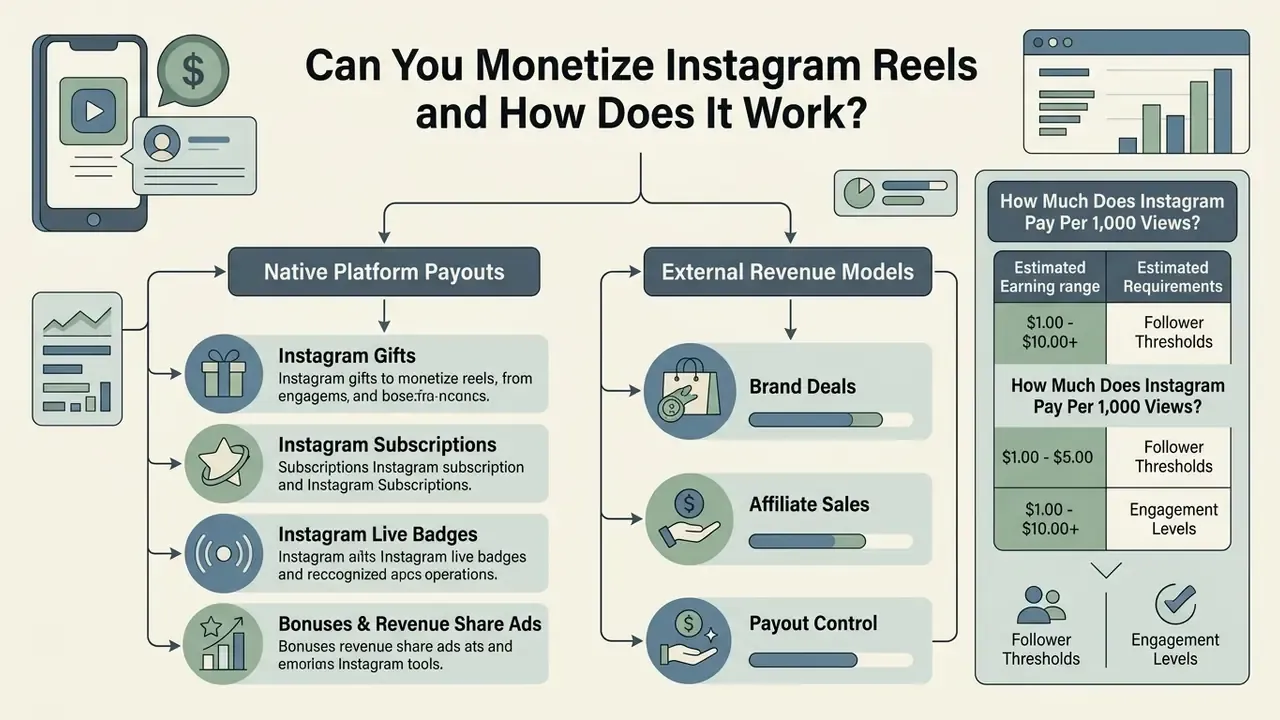
Yes. You can monetize Instagram Reels through direct platform payouts and through external revenue models. Instagram provides native monetization features such as Gifts, Subscriptions and Live Badges, while creators earn additional income through brand partnerships, affiliate marketing and direct product sales.
Monetization runs on two distinct channels: platform-native tools and external commercial partnerships. Native tools reward viewer engagement inside the Instagram app. External streams use Reels as top-of-funnel content that drives traffic toward third-party offers, ecommerce storefronts or direct lead capture.
Scale is not the constraint here. According to a 2024 Harvard T.H. Chan School of Public Health study, Meta derived approximately $4 billion in advertising revenue from U.S. teens on Instagram in 2022 alone.
«Social media platforms generated about $11 billion in ad revenue from U.S. users under 18 in 2022; Instagram alone drew roughly $4 billion from 13-17-year-olds.»
Despite that ad inventory, open view-based payouts like the historical Reels Play Bonus program are no longer available to every account. Meta relies instead on invite-only bonus programs (positioned as Reels Bonus 2.0), Revenue Share Ads for qualifying accounts, and native engagement tools such as Instagram Gifts and Instagram Subscriptions.
Table: Comparison of Instagram Reels Monetization Channels
| Monetization method | Income source | Minimum requirements | Launch difficulty | Funnel role |
|---|---|---|---|---|
| Instagram Gifts | Virtual Stars sent by viewers ($0.01 per Star) | Professional account, 18+, 500+ followers, eligible country | Low (in-app toggle) | Retention and direct fan support |
| Instagram Subscriptions | Monthly recurring fee set by the creator ($0.99 to $99.99 tiers) | Professional account, 10,000 followers (typical), policy compliance, eligible region | Medium (needs an exclusive content plan) | Mid-funnel monetization |
| Live Badges | Badges bought during Live sessions ($0.99 / $1.99 / $4.99) | Professional account, 18+, 10,000 followers, supported region | Low (toggle plus live schedule) | Community retention and tipping |
| Bonuses and Revenue Share Ads | Invite-only bonus payouts; 55% share of ads placed between Reels | Invite (bonuses); 10,000 followers plus 50,000 views per Reel in week one | High (performance-gated) | Passive reach monetization |
| Brand partnerships | Flat fees or performance payouts from brands | Engaged audience, no strict minimum follower count | Medium (needs a media kit and outreach) | Top-to-mid funnel value realization |
| Affiliate marketing | Commission per sale via affiliate links or tags | Product catalog approval or affiliate network account | Low to medium | Direct conversion layer |
| Digital products and services | Course, template, membership and consulting sales | External storefront (Stan Store, Gumroad, Payhip, Shopify) or DM automation | Medium to high | Bottom-funnel conversion |
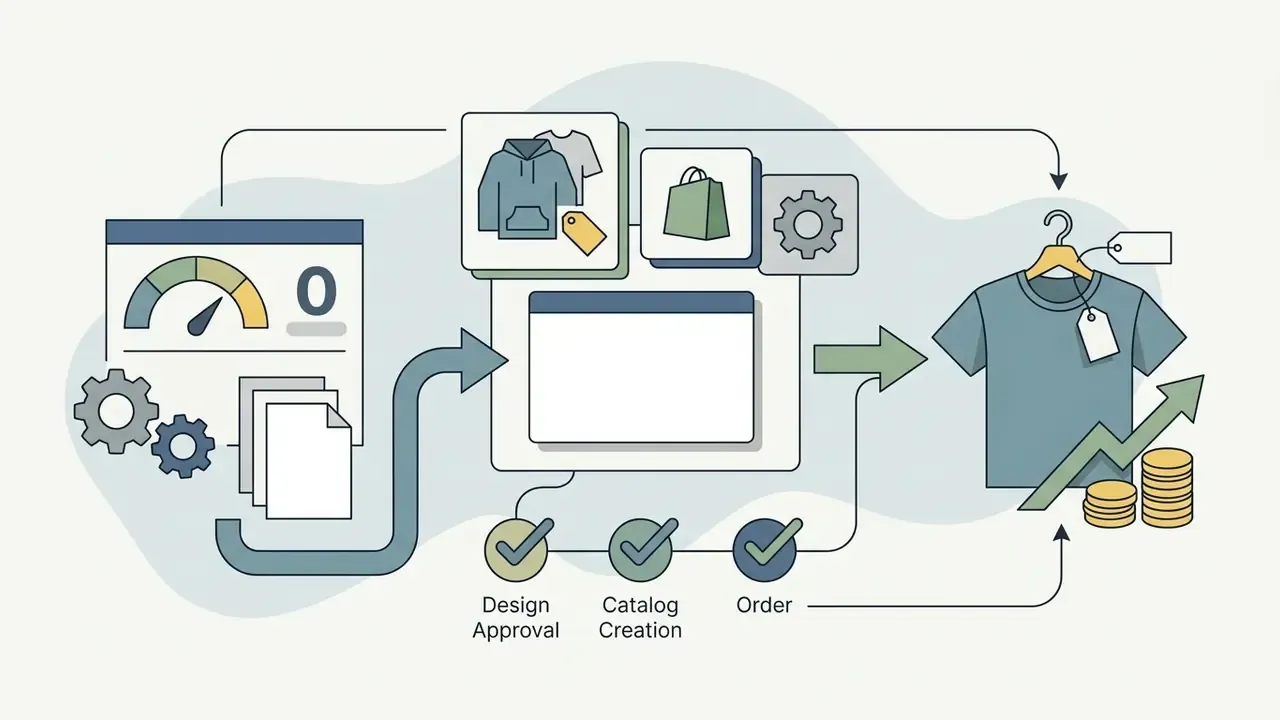
| Physical products and merch | Instagram Shop orders and print-on-demand margins | Connected product catalog (Shopify, WooCommerce) or a POD platform such as Printify | Medium | Bottom-funnel conversion |
No matching rows Clear one or more filters to restore the matrix.
In plain text: native tools depend on platform eligibility and direct viewer appreciation, and they cap out fast. External streams convert visual reach into trackable conversions through store links, custom discount codes and direct messaging workflows, which is where most creators earn income at a meaningful scale.
Native Instagram Monetization Tools for Reels
Native Instagram tools let creators earn money inside the platform. The main ones are Instagram Gifts, Instagram Subscriptions, Live Badges and a set of invite-only ad revenue programs tracked through the professional dashboard.
1. Instagram Gifts. Gifts run on virtual Stars purchased by viewers. When someone sends virtual gifts on a Reel, the creator receives a revenue share equal to $0.01 USD per Star. Earnings appear inside the professional dashboard, and payouts process once the account balance clears the applicable threshold. Meta's availability page lists 31+ eligible countries, including the United States, United Kingdom, Canada, Australia, Brazil, India, Japan and South Korea.
2. Instagram Subscriptions. Subscriptions let creators charge a monthly fee for exclusive Reels, behind-the-scenes footage and subscriber badges. Meta charges a 0% platform commission on Subscriptions, although mobile app store processing fees still apply (see the App Store fee block further down).
3. Instagram Live Badges. Creators who run Instagram Live sessions tied to their Reels funnel can switch on Live Badges. Viewers buy badges at three fixed price points, $0.99, $1.99 and $4.99, and the badge sits next to their name in the Live chat. Eligibility requires a professional account, age 18 or older, and at least 10,000 followers in supported regions (Printify, 2025). Badges work best when Reels reach converts into recurring live sessions, because tipping concentrates among repeat viewers rather than casual scrollers.
4. Bonuses and Revenue Share Ads. Meta still runs bonus programs, but access is invite-only and performance-gated. Reels Bonus 2.0 rewards engagement rate, retention and conversion actions instead of paying a flat rate per view. Separately, eligible creators receive a 55% cut of ad revenue from ads placed between Reels in the main feed, provided they hold at least 10,000 followers and consistently reach 50,000+ views per Reel within the first week.
Reels Payout Benchmarks per 1,000 Views
How Much Does Instagram Pay Per 1,000 Views?
Unlike platforms with a fixed view-based creator fund, Instagram Reels monetization yields vary sharply by revenue model. Can you monetize Instagram views directly? Partly, and the numbers explain why that is the wrong question to build a business on.
- Direct Meta platform payouts and bonuses (Reels Bonus 2.0) base programs pay roughly $0.01 to $0.05 per 1,000 views. High-engagement Reels inside the Bonus 2.0 tier structure reach $0.03 to $0.12 per 1,000 views, depending on watch retention and conversion metrics (FlowGent, 2026).
- Commercial and brand revenue efficiency when the same reach drives affiliate offers, product sales or sponsored placements, Reels generate an estimated $10 to $50 USD per 1,000 views in gross commercial value. TikTok video monetization, by comparison, averages just $0.03 to $0.04 USD per 1,000 views (Foursixty, 2025).
- Reels Revenue Share Ads eligible accounts receive a 55% cut of ad revenue from ads served between Reels, the most predictable recurring native stream once thresholds are met.
The practical conclusion is structural, not motivational. A Reel with 500,000 views may pay $15 through native bonuses and $4,000 through a tagged product or a sponsorship. Treat native payouts as a rounding error in your model, never as the engine.
The Economics: Reels Metrics Formulas You Must Track First
Before you pick a monetization model, calculate the unit economics of the content you already publish. These formulas put native payouts and commercial revenue on the same footing.
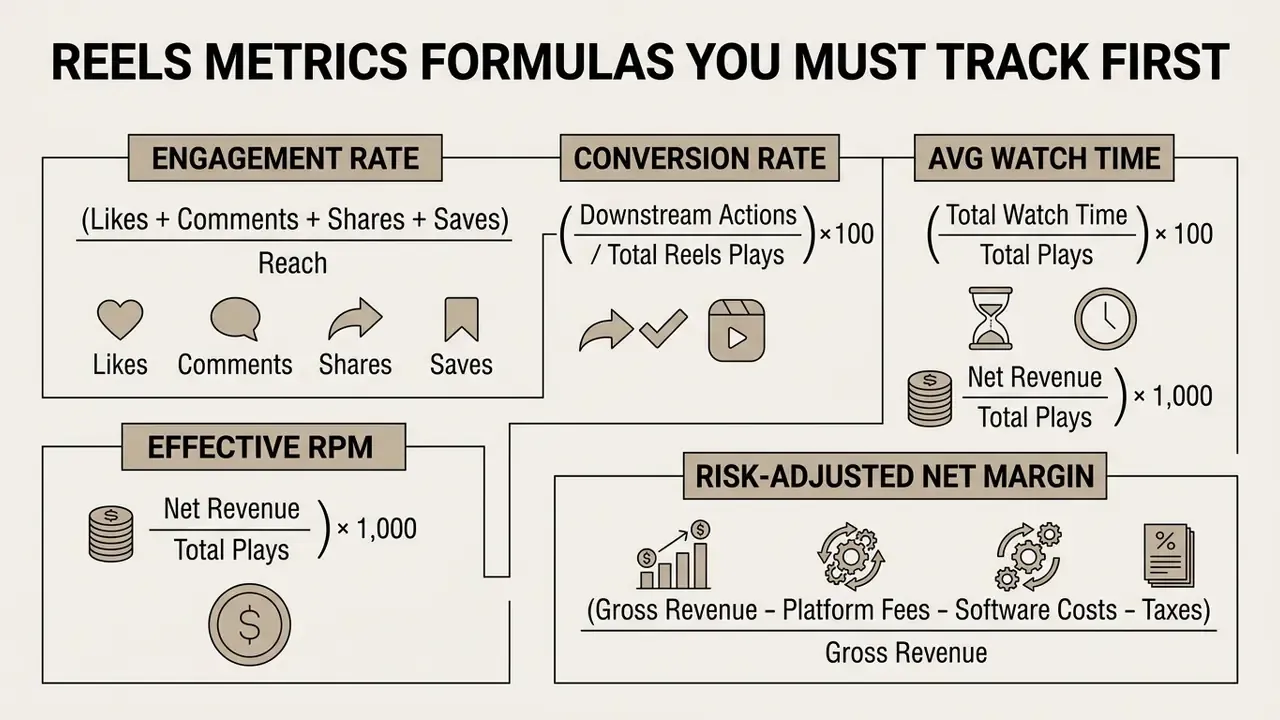
Effective RPM settles the "should I chase bonuses or brand deals?" argument in one line. Risk-adjusted net margin covers the costs most creator guides skip: app store commissions on subscriptions, payment processor fees on external checkout, monthly spend on DM automation or editing software, and income tax withholding on creator payouts.
Run both numbers monthly. One spreadsheet tab is enough.
Revenue Streams Beyond Instagram Payouts
External revenue streams offer higher earning potential and better financial predictability than native bonuses. Creators earn income through brand partnerships, sponsored content, affiliate links and direct commerce sales.
5. Brand partnerships and sponsored Reels mean producing dedicated videos that showcase a company's product or service. According to a study published in the Journal of Marketing (2024), nano-influencers yield over $1,000 in revenue per sponsored post on average, generating a 20-fold return for the partnering brand.
«Nano-influencers generate more than $1,000 in revenue per post at roughly $50 in cost, producing a 20-fold return on influencer spend.»
6. Affiliate marketing lets creators share affiliate links or tag products directly inside short-form video. When viewers buy through those links, the creator earns a percentage commission.
7. Digital products and services, courses, templates, memberships and consulting, convert the same traffic at far higher margins because you keep pricing and customer data.
8. Physical products and merch close the loop for creators with a catalog or a print-on-demand store, using Reels to drive traffic to an online store and to Instagram Shop listings.
So how do people monetize Instagram in practice? Usually with two or three of these streams stacked, not one.
Instagram Reels Monetization Requirements and Eligibility
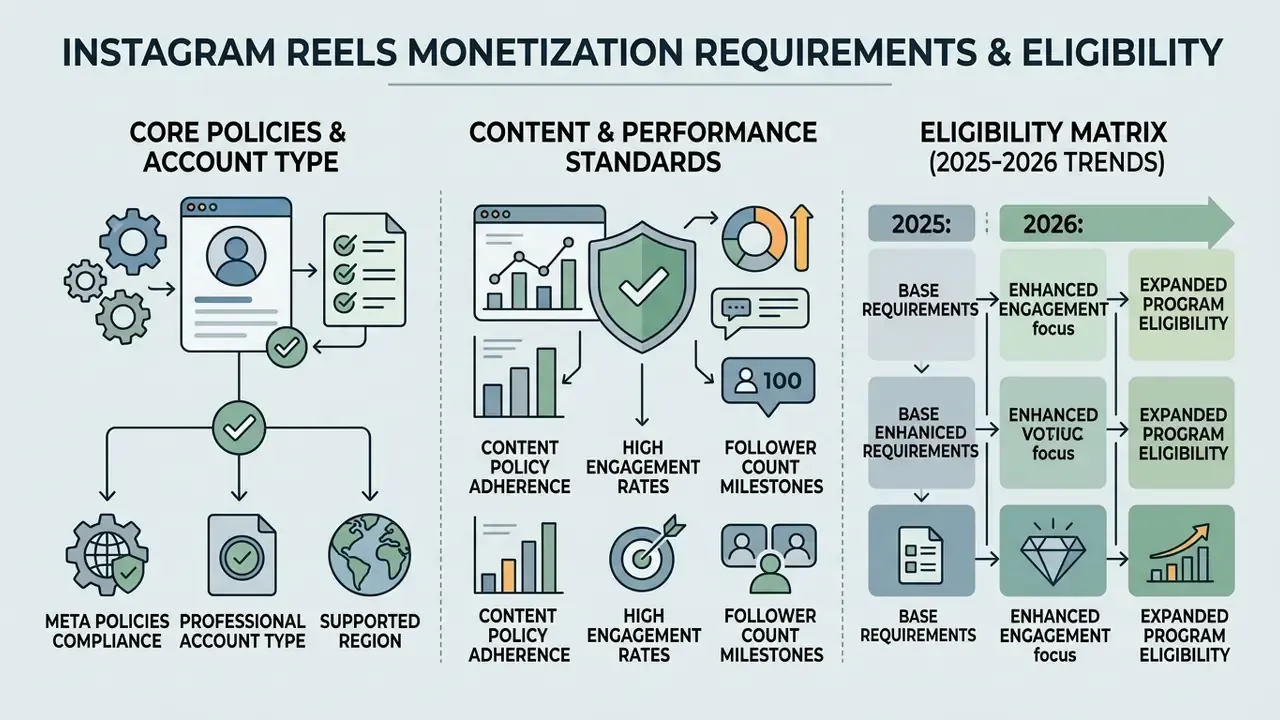
To monetize Instagram Reels, an account must satisfy Meta's partner monetization policies, run as a professional account, and operate in a supported region. Compliance is mandatory for both native tools and branded content features.
Account, Content and Policy Requirements
Eligibility starts with converting a personal profile into a professional account, either a creator account or a business account. Personal accounts cannot access native monetization tools, branded content tags or advanced performance analytics.
Content published on Reels must follow Meta's Partner Monetization Policies, Content Monetization Policies and Community Guidelines. Video must be original, high quality content, and created by the account owner. Meta's Instagram Content Monetization Policies state that creators may monetize only content they created, helped create, or that directly features them.
Ineligible material includes unedited repurposed clips, watermarked videos pulled from third-party platforms, and static slide presentations. Accounts carrying active policy strikes or copyright violations risk losing monetization features outright, sometimes without a clear restoration date.
One small correction to a common belief: deleting a flagged Reel does not automatically clear a strike. The strike ages out, or you appeal it.
Follower Count, Engagement and Country Availability
Meta does not enforce a single universal follower threshold across all monetization tools. Individual features impose their own criteria. Native seasonal bonus programs typically require accounts in supported countries such as the United States or South Korea, alongside posting volume benchmarks (historically up to 5 million qualifying Reels views per month across three consecutive months).
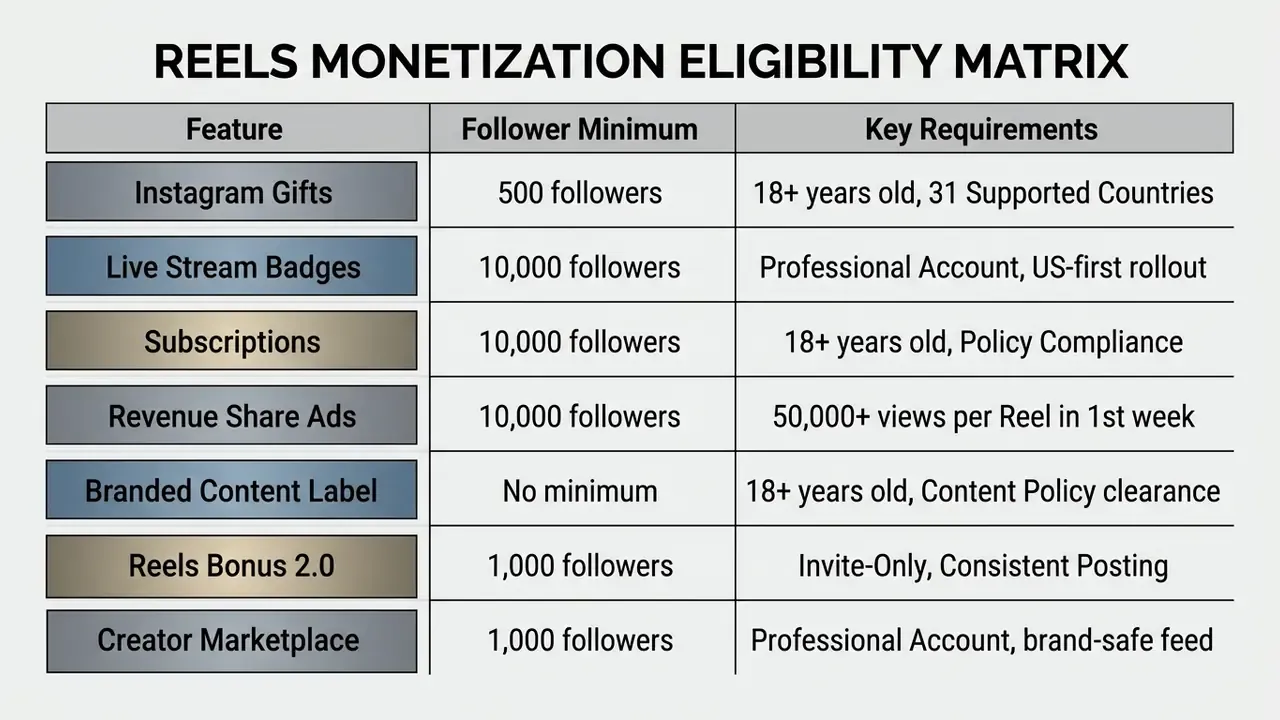
Eligibility matrix (2025 to 2026):
Engagement rate does the heavy lifting when you negotiate external brand deals. Published analytics benchmarks place average Reels engagement between roughly 1.23% and 1.74%, but those figures come from third-party analytics vendors rather than Meta, so treat them as directional. What is peer-reviewed is the conversion gap between audience sizes:
«Nano-influencers convert around 7% of engagements into sales, while macro-influencers convert roughly 3%.»
The practical reading: a 3,000-follower account with tight niche alignment can out-earn a 60,000-follower lifestyle account on performance deals, because pricing follows conversion efficiency rather than raw reach. Engaged followers beat large ones.
Creators benchmarking their own output can review our AI Media Benchmarks and Review Proof page for content performance standards and testing methodology.
How to Enable Instagram Reels Monetization Step by Step
Enabling Instagram Reels monetization takes three moves: set up a professional profile, review eligibility requirements inside the professional dashboard, then configure tax and payout details. After setup, you can toggle on the available monetization features such as Gifts and branded content tools.
- Switch to a professional account. Instagram Settings, then Account Type, then Switch to Creator or Business Account.
- Open the Professional Dashboard. Go to your profile header and select "Professional Dashboard".
- Check monetization status. Tap "Monetization" or "Tools" to see current eligibility for Gifts, Subscriptions and Branded Content. Meta shows either "Ready to set up" or "Not yet eligible".
- Set up your payout account. Tools, then Payouts. Enter your legal name, tax identification details (W-9 for US taxpayers, W-8BEN for non-US residents) and a bank account or PayPal payout method.
- Activate Gifts on Reels. Professional Dashboard, then Your Tools, then Gifts, then toggle "Allow gifts on reels" to ON.
- Enable Subscriptions if eligible. Professional Dashboard, then Monetization, then Subscriptions. Pick a monthly price tier and publish your first subscriber-only Reel.
- Enable branded content tools. Creator Tools and Controls, then Branded Content, then request approval or enable the Paid Partnership label.
- Connect a product catalog. Link Shopify, WooCommerce or a Meta catalog so product tags appear in the Reels publishing flow.
- Semantic markup rules for the blockRender as a numbered list with interactive checkboxes; all step text must stay readable without JavaScript.
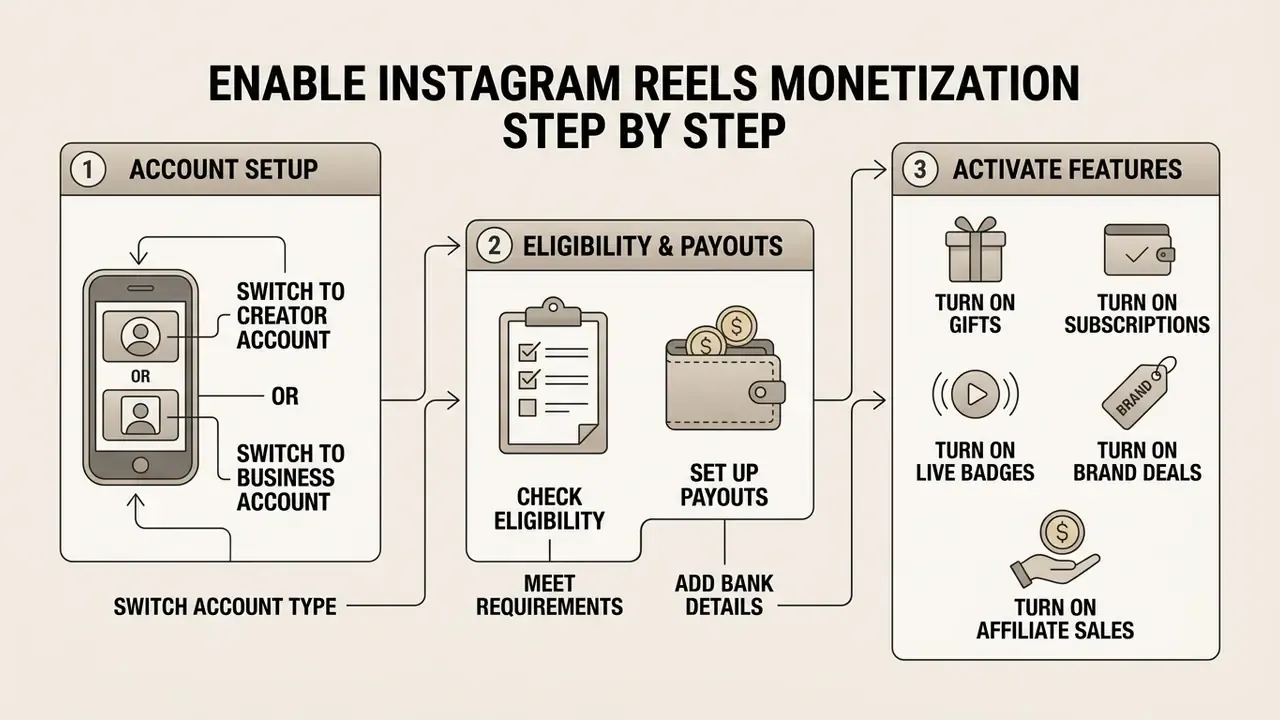
Switch to a Creator or Business Account
Converting to a professional account unlocks the administrative infrastructure monetization needs. You choose between a creator account and a business account based on how you operate.
Creator accounts suit individual content creators, public figures and influencers. They include the full Instagram audio library with trending music, granular growth analytics, and creator-specific tools such as Subscriptions, Badges and Gifts.
Business accounts fit commercial brands and online stores. They integrate with scheduling software, carry commercial audio licences, and expose deeper conversion, ad and ecommerce reporting. The trade-off: access to trending commercial music can be restricted.
Check Eligibility and Set Up Payouts
You can verify monetization status inside the Instagram app via the professional dashboard. Selecting "Monetization" shows whether the account reads "Ready to set up" or "Not yet eligible".
Setting up payouts requires valid tax documentation and a receiving payment rail. Meta releases funds once balances clear established thresholds: $5 USD for US-based accounts, $25 USD for most international regions, and $100 USD for direct wire transfers. Earnings, adjustments, taxes and fees all appear under Professional Dashboard, then Tools, then Payouts.
A name mismatch between your tax form and your bank account is the most boring way to lose a payout. Check it twice.
Turn On Gifts and Other Available Features
Eligibility alone does not activate anything. You still enable each feature manually in account settings, and virtual gifts sit under the "Your Tools" section of the professional dashboard.
Toggling "Allow gifts on reels" places a "Send Gift" button above the caption on all published and future Reels. Monthly Star balances and financial adjustments stay visible in the Payouts tab.
«Virtual gifting concentrates among the most loyal fans; giving behaviour is driven by social recognition, parasocial bonds and status signalling.»
That research carries a direct operational implication. Gifts revenue tracks community depth, not view count. Creators who publicly thank gift senders, host recurring live sessions and hold a consistent posting cadence monetize Stars and Badges far more efficiently than accounts with bigger but colder audiences.
Make Money from Reels with Brand Partnerships and Sponsored Content
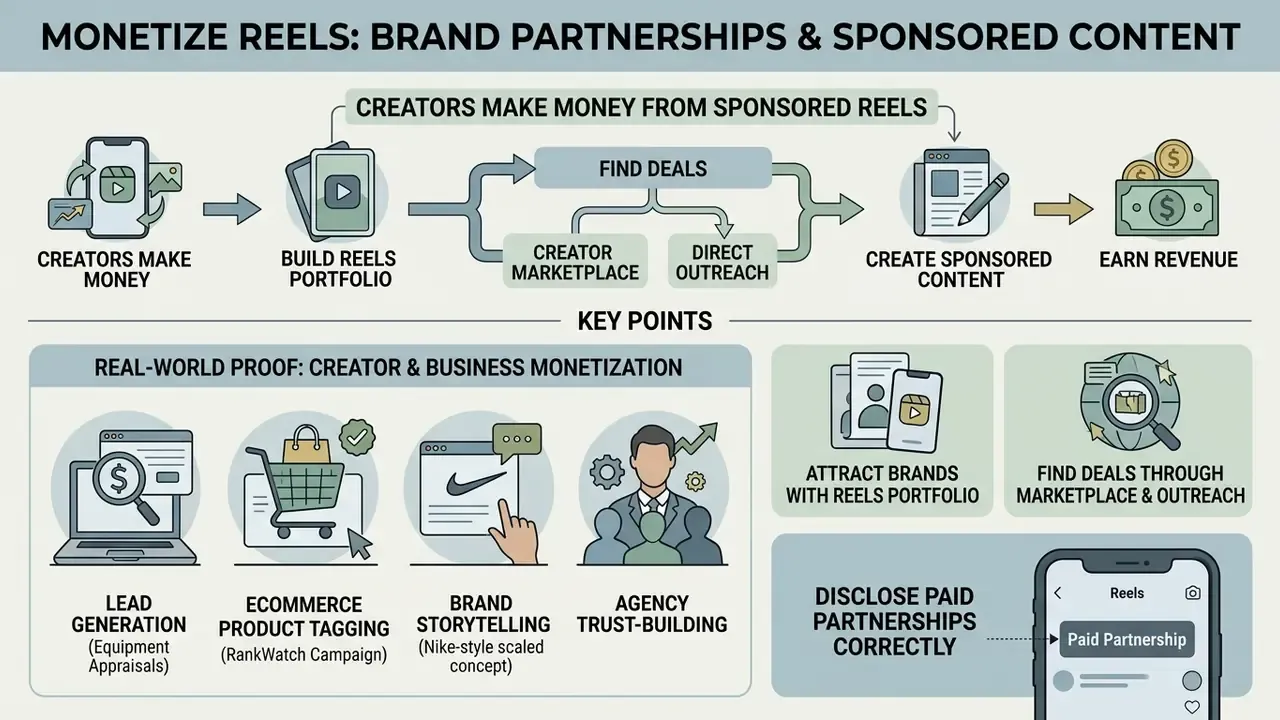
Creators make money from sponsored Reels by working with brands to feature products in short-form video. Revenue arrives as flat sponsorship fees, product gifting, or long-term brand ambassador retainers.
Brand partnerships remain the most lucrative path for creators of every size. Brands do not buy view counts; they buy targeted audience access, creative execution and credible product demonstration. Typical marketplace rates run between $10 and $100 per 1,000 followers per sponsored placement, adjusted upward for niche authority and downward for weak engagement.
Real-World Proof: How Creators and Businesses Monetize Reels
Build a Reels Portfolio That Attracts Brands
Attracting commercial partners means presenting a professional media kit with verifiable analytics. Brands assess engagement depth, audience demographics and prior campaign performance, usually in that order.
A competitive portfolio highlights performance data from your last 10 to 20 published videos: average views per Reel, completion rate, retention graphs, total shares, and, most persuasively, one dated conversion proof point instead of a dozen screenshots.
Use those industry benchmarks as negotiation anchors. If the average engagement in your niche sits below your own, state the delta explicitly in the media kit, with the source and the date.
When pitching ecommerce brands, visual quality is not decoration, it is the pitch. Many creators build polished promotional assets with workflow tooling: an ai product image generator or an AI Product Photography for Ecommerce pipeline renders studio-grade placements that appeal to enterprise sponsors, while AI image generators and AI photo editors keep thumbnails, mockups and media-kit layouts consistent across a full campaign.
Find Deals Through Creator Marketplace and Direct Outreach
Sponsorship deals arrive through Instagram's native Creator Marketplace or through proactive outreach to brand marketing managers. The Creator Marketplace connects brands with eligible creators inside Meta Business Suite: brands publish campaign briefs with deliverables, compensation and instructions, then contact creators through Partnerships Messages. Creators join from the Professional Dashboard in the Instagram app and must grant branded-content permissions before a brand can run their posts as partnership ads.
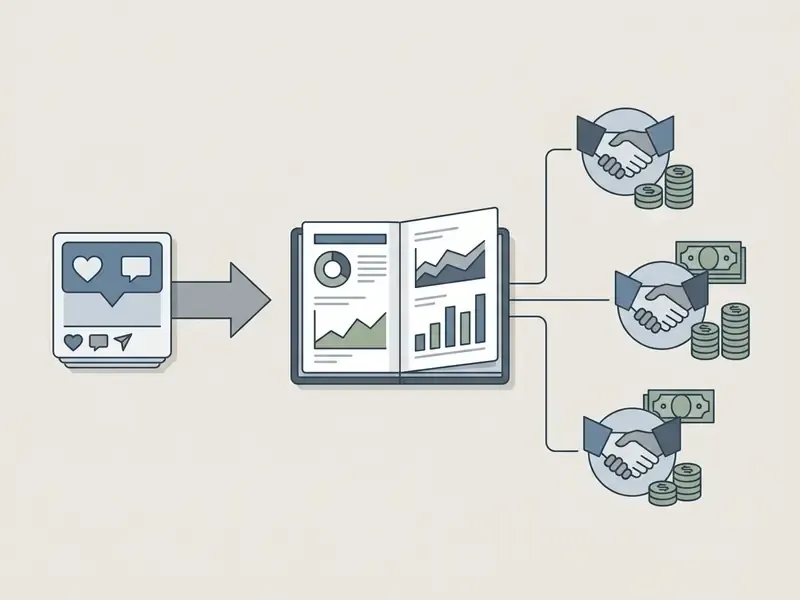
For direct outreach, keep the pitch email short: proposed deliverables, audience overlap, two visual examples of prior sponsored content, and a price. Research on Reels campaigns suggests a split strategy for brands and creators alike. Multiple nano-influencers tend to win on engagement, reach, clicks, CPC and CTR, while micro influencers deliver stronger conversion, revenue and ROI. That gap explains why bundled, multi-creator retainers became common.
Disclose Paid Partnerships Correctly
Compliance with advertising regulation is not optional when you publish sponsored posts. Meta requires the native "Paid partnership with" label on any video created in exchange for money or free goods.
To apply the disclosure, tap "Advanced Settings" before publishing, select "Add paid partnership label" and tag the partner business account. Regulators such as the FTC in the US and ASCI also require clear on-screen text or verbal disclosure inside the first three seconds. ASCI is explicit that disclosures must be visible in the video itself, because a large share of viewers watch with sound off.
«Explicit sponsorship disclosure increases users' awareness of advertising intent and generally builds favourable attitudes through transparency.»
Platform tagging does not replace regulator-facing disclosure. Keep both the Meta label and an in-video text disclosure on every branded content Reel.
Use Affiliate Marketing and Product Tags in Instagram Reels
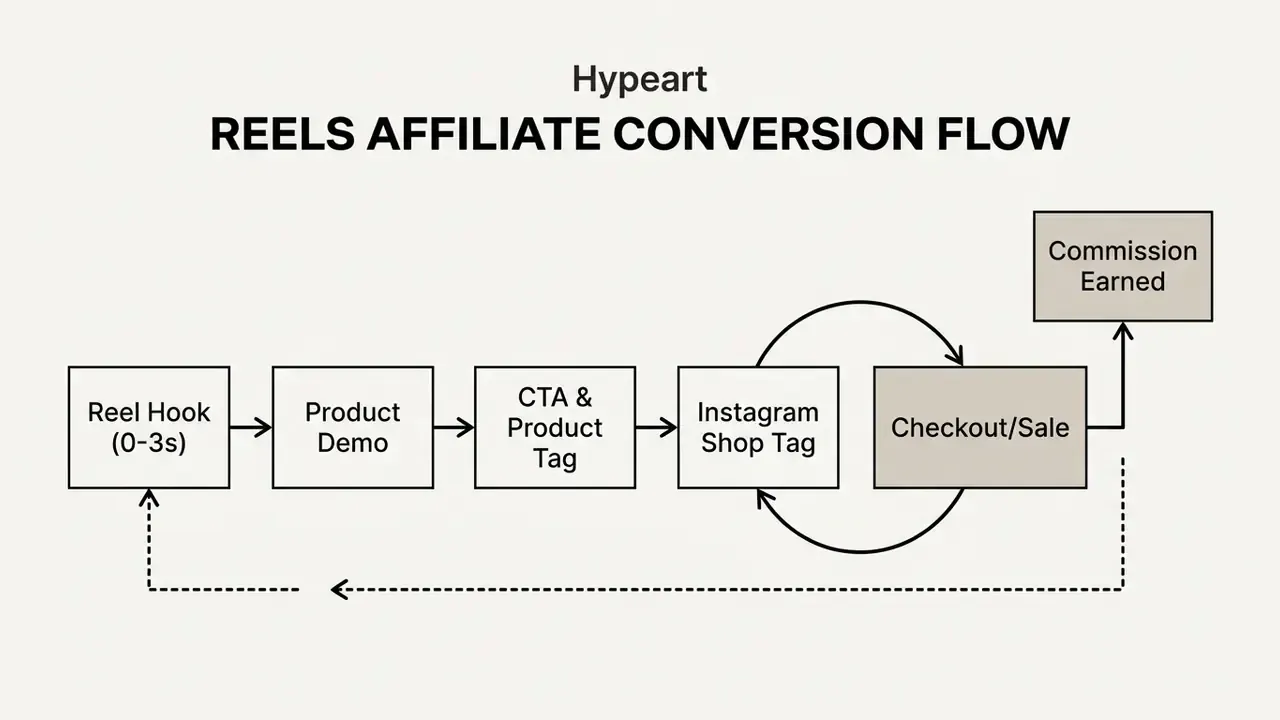
Affiliate marketing on Instagram Reels means promoting third-party products and earning a commission on resulting sales. Conversions come from native product tags, discount codes, or affiliate links placed in captions and in the Instagram bio.
Embedding shoppable elements inside short-form video removes friction from the buyer journey. When a viewer watches a product demonstrated, tagging lets them move from discovery to checkout without leaving the app.
Choose Affiliate Offers That Match Your Audience
Picking high-converting affiliate programs means aligning recommendations with your niche and with what your audience actually buys. Short-form video traffic is impulse-driven rather than research-driven, so it converts best on low-friction offers with a short decision path: app installs, consumables, entry-tier software, single-purchase accessories.
High-friction verticals behave differently. Financial leads and enterprise software need intent-rich traffic plus a dedicated pre-lander, not a direct affiliate link in the bio. Treat any specific price ceiling as a hypothesis to test against your own conversion data, not a rule handed down from a case study.
Model the commission before you shoot. A simple check: expected commission per sale, multiplied by expected conversion rate on clicks, multiplied by realistic clicks per 1,000 views. If that number lands under a dollar per 1,000 views, the offer is decoration, not revenue. High-converting verticals in practice include fashion, beauty tools, digital utilities and consumer software.
Creators reviewing media tool deals can compare software plans on our AI Media Comparison overview, or point followers to category breakdowns such as free AI video generators and online photo editors.
Tag Products and Send Viewers to Purchase
Approved business and creator accounts can tag up to 30 products, or one curated collection, inside a single Reel. Product tags pull items from a connected Instagram Shop catalog, and Meta reviews both the shop and the individual products before tags appear.
To tag products while publishing:
- Upload your Reel video file and write the caption.
- Select "More Options" and tap "Tag Products".
- Search your connected product catalog or select approved affiliate products.
- Position the tag overlay and tap "Share".
Viewers who tap a tag see pricing, details and purchase options without leaving the Instagram app. Meta's 2026 commerce expansion also allows affiliate-linked product tags for eligible creators, so commissions can be earned on products the creator does not own, provided the item already exists in the connected catalog.
Sell Digital Products, Services and Exclusive Content Through Reels
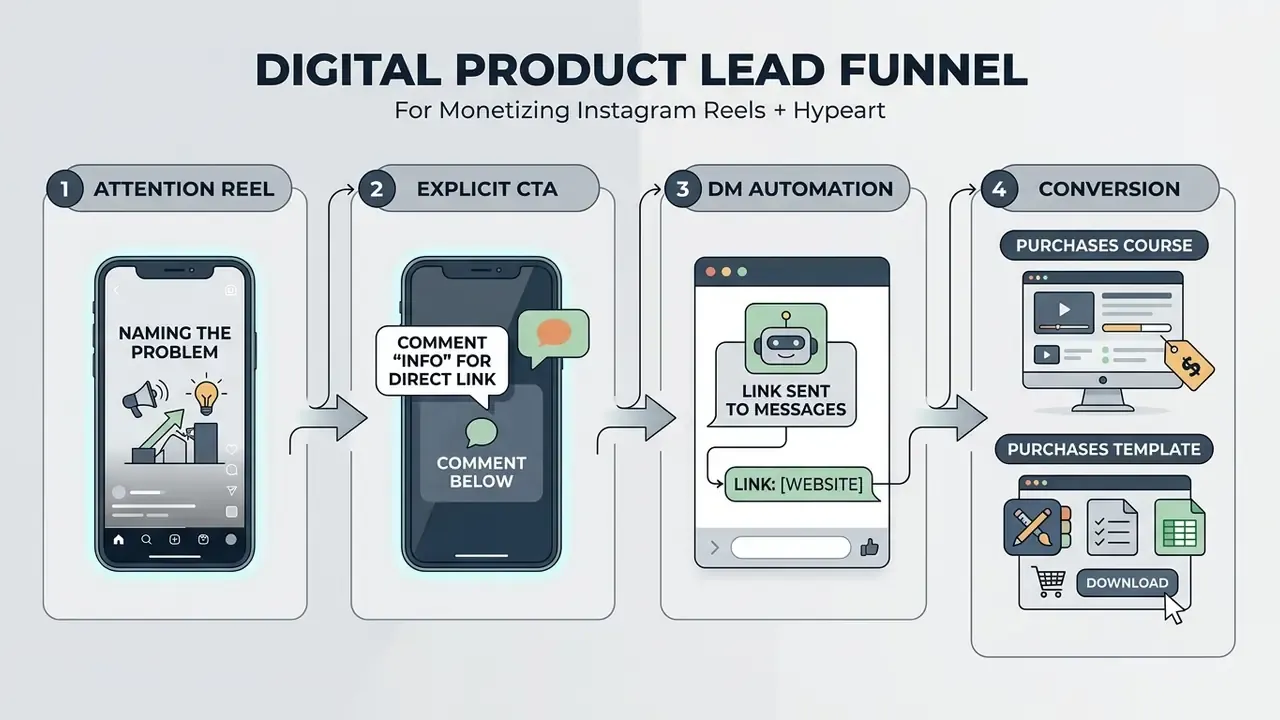
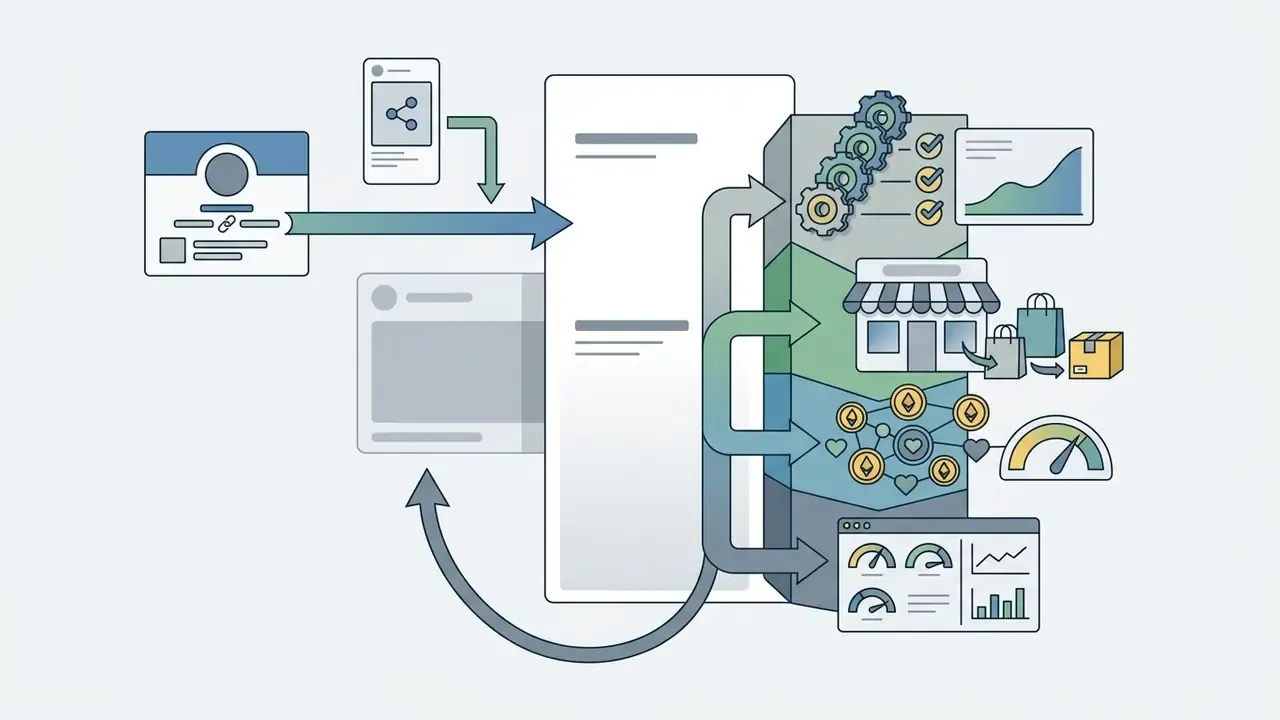
Creators use Instagram Reels as a lead generation funnel for digital products, online course sales, consulting services and private memberships. Short-form video builds awareness, while profile links and automated messages convert viewers into customers.
Selling your own digital assets carries far higher margins than affiliate work or platform payouts. You keep pricing control, the customer relationship and the upsell path. That is also the cleanest route to something resembling passive income, since a template or course sells while you sleep.
Essential Third-Party Storefront and Tech Stack
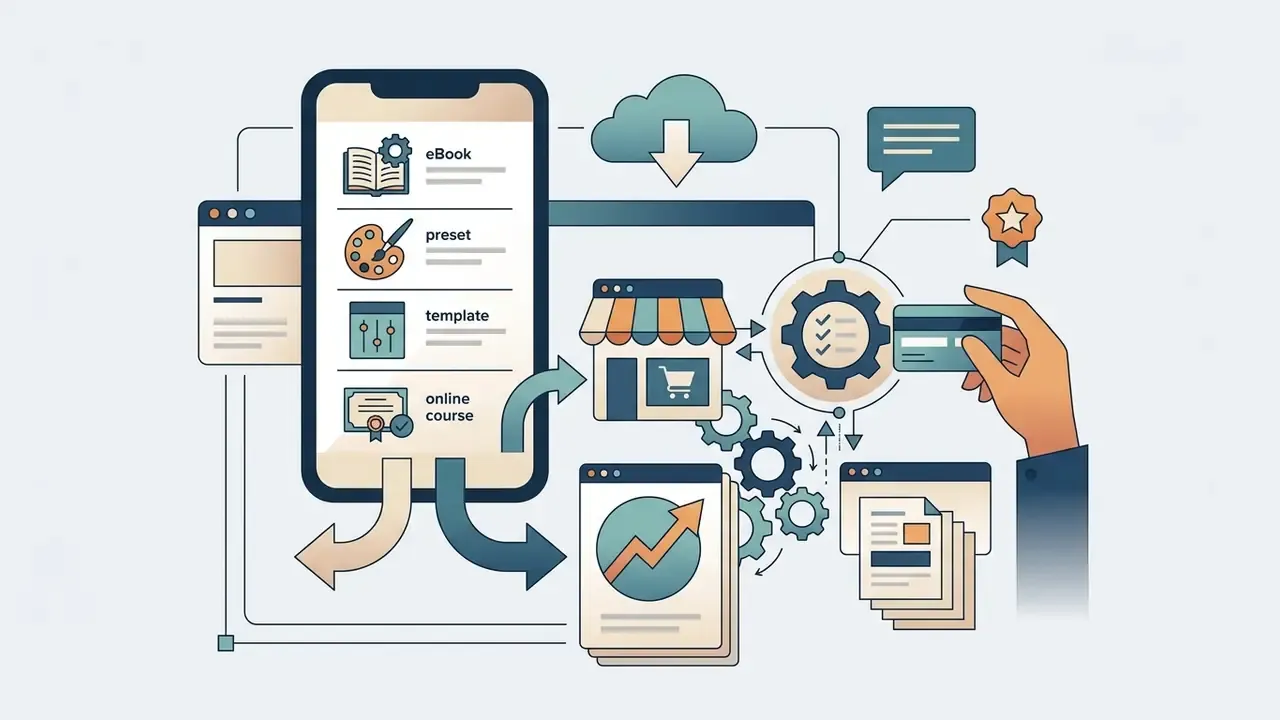
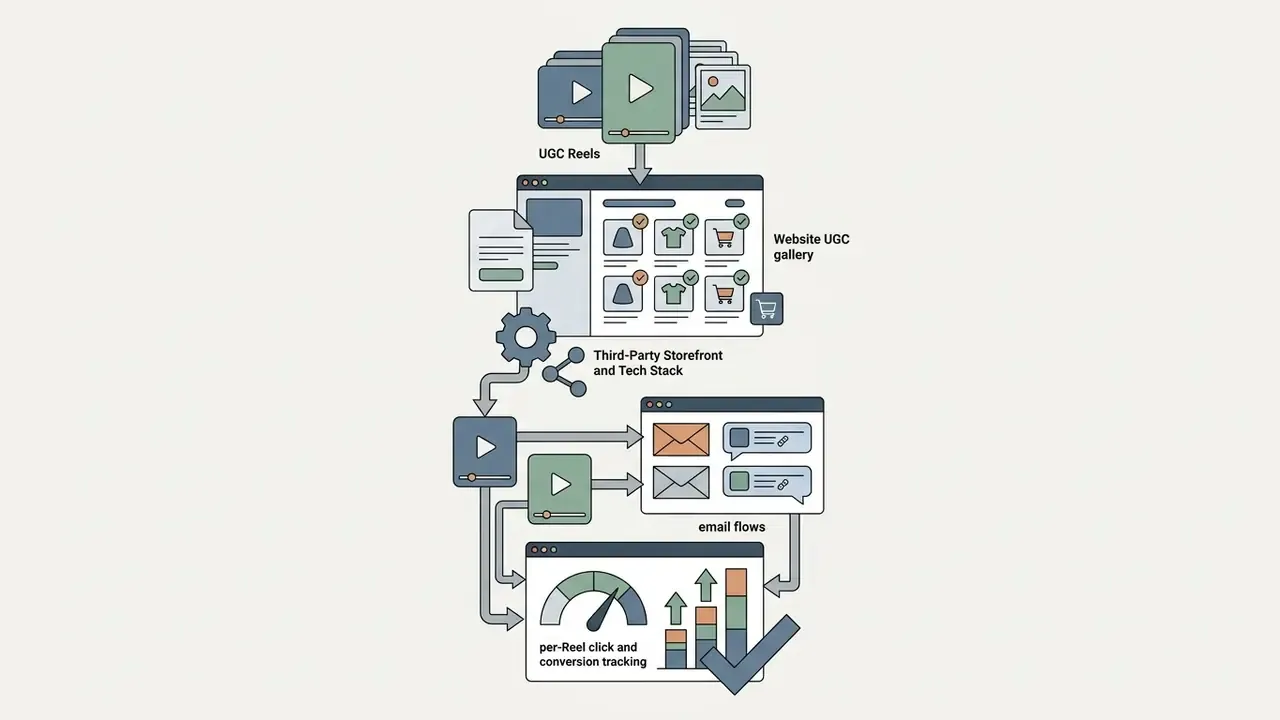
Native Instagram Shop supports physical products only. Creators selling digital goods or print-on-demand merch therefore connect external infrastructure.
Transparency note: the tools above are named because they appear in publicly documented creator workflows and competitor case studies. This article contains no paid placements.
Turn Educational Reels into Leads for Services
Educational Reels prove domain expertise by solving one micro-level problem in 15 to 30 seconds. The caption should push a single action: click the link in bio, or comment a keyword. Teams scaling this format often lean on text-to-video AI tools and AI voice generators to produce explainer variants quickly, then compress exports with a video compressor to protect upload quality.
Repurposing beats reinventing. If you already publish long-form video, webinars or client training, use ai to summarize youtube videos to pull the three strongest teaching moments, an ai that takes notes on videos to timestamp them, and an ai slide generator to turn each idea into a clean frame set for a vertical cut. One 40-minute recording usually yields six to eight Reels.
Comment-to-DM automation platforms send an automated direct message with your link whenever a viewer comments a trigger word. Commercial vendor data reports bio-link conversion from profile visitors at roughly 1% to 3%, with comment-keyword and DM-based calls to action converting several times better, often cited as 4 to 6 times higher. These figures come from vendor blogs rather than peer-reviewed studies, so treat them as directional and validate against your own Instagram Insights before rebuilding the funnel.
A three-stage content ladder works reliably for service sellers: awareness Reels that surface a problem, consideration Reels that demonstrate method, and decision Reels closing with an explicit booking CTA such as "link in bio to book" or "comment AUDIT for the checklist".
Offer Exclusive Content with Subscriptions
Instagram Subscriptions create a predictable recurring monthly income stream. Paid subscribers receive exclusive Reels, subscriber-only live sessions, broadcast channels and a custom profile badge.
Meta offers fixed monthly pricing tiers from $0.99 to $99.99 USD, with some markets showing entry tiers as low as $0.49. Subscriber-only content carries a purple ring for visual distinction across feed placements. One detail deserves emphasis: subscribers keep the price they signed up at, so pricing decisions are effectively irreversible for existing members.
App Store Fees and Platform Commissions
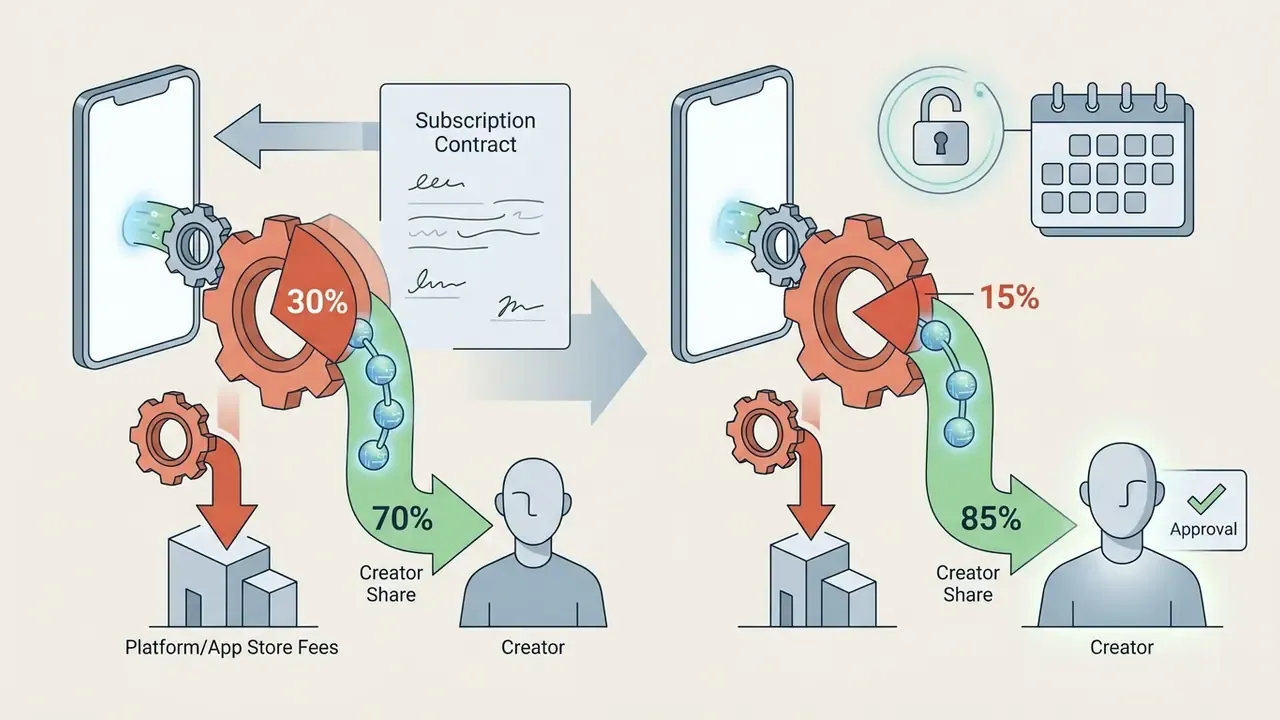
Meta charges a 0% platform fee on Instagram Subscriptions. Mobile operating systems still take their cut.
Price after fees, not before. A $4.99 tier with 300 subscribers yields roughly $1,047 net in year one at a 30% store fee, rising to about $1,272 once the fee steps down to 15%.
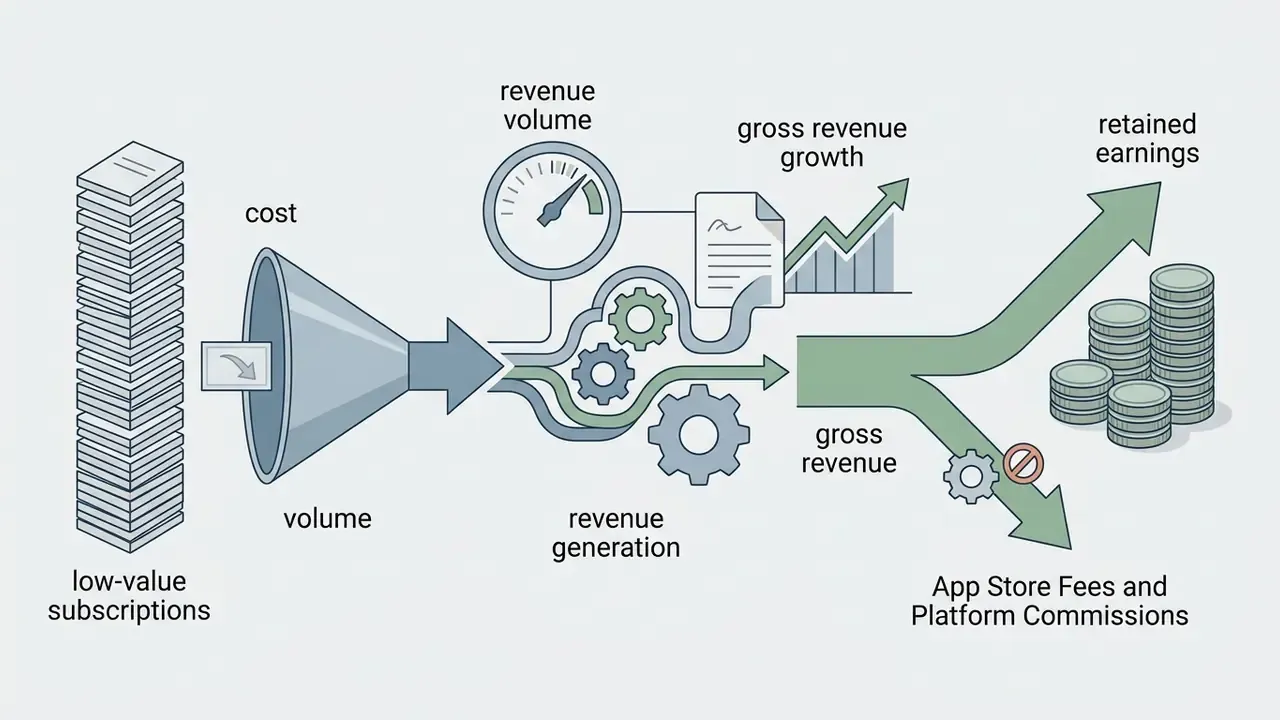
@fuji_an generated over $38,700 in monthly gross revenue by charging $0.49 per month to more than 79,000 subscribers, a volume-first model that trades margin per subscriber for signup conversion.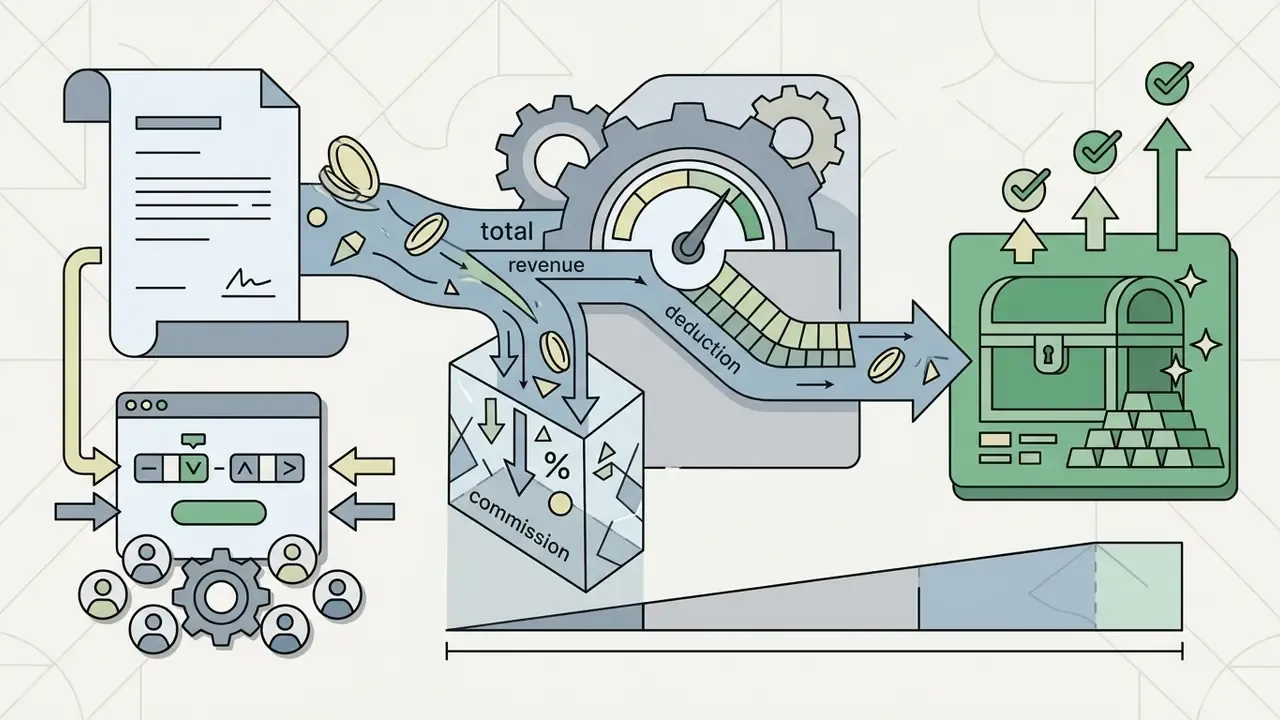
Create High-Quality Reels That Increase Earnings
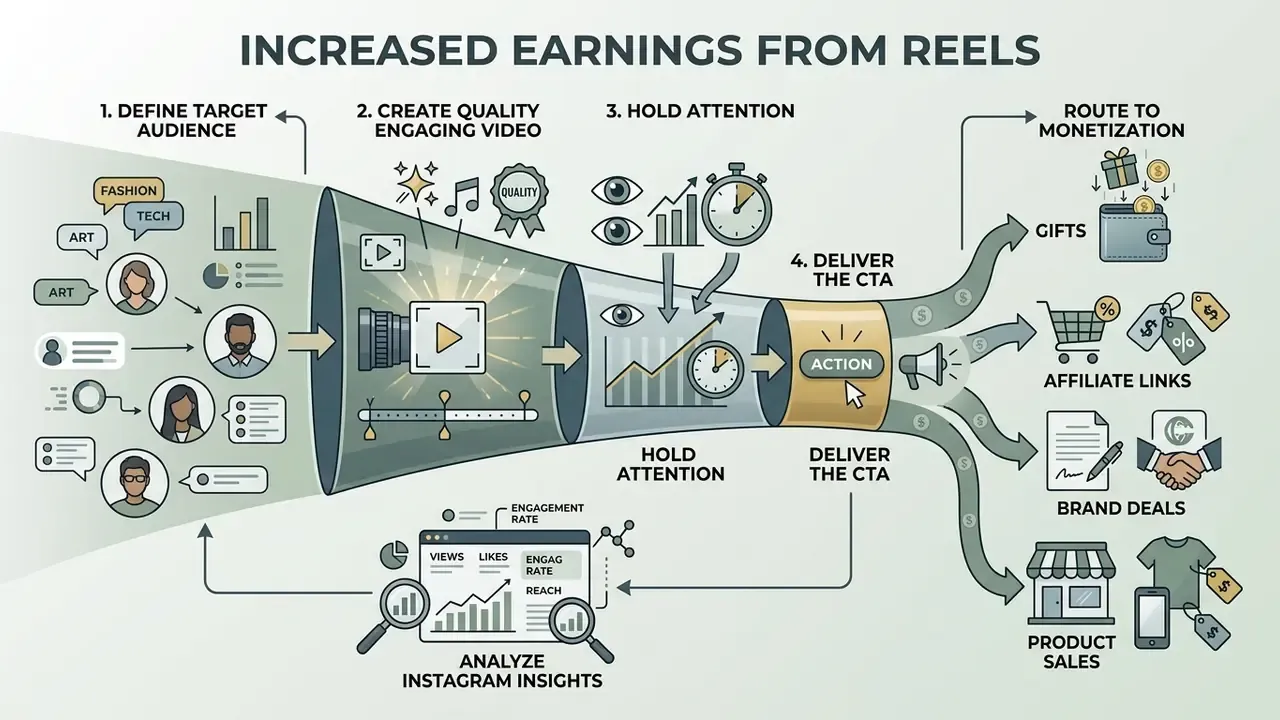
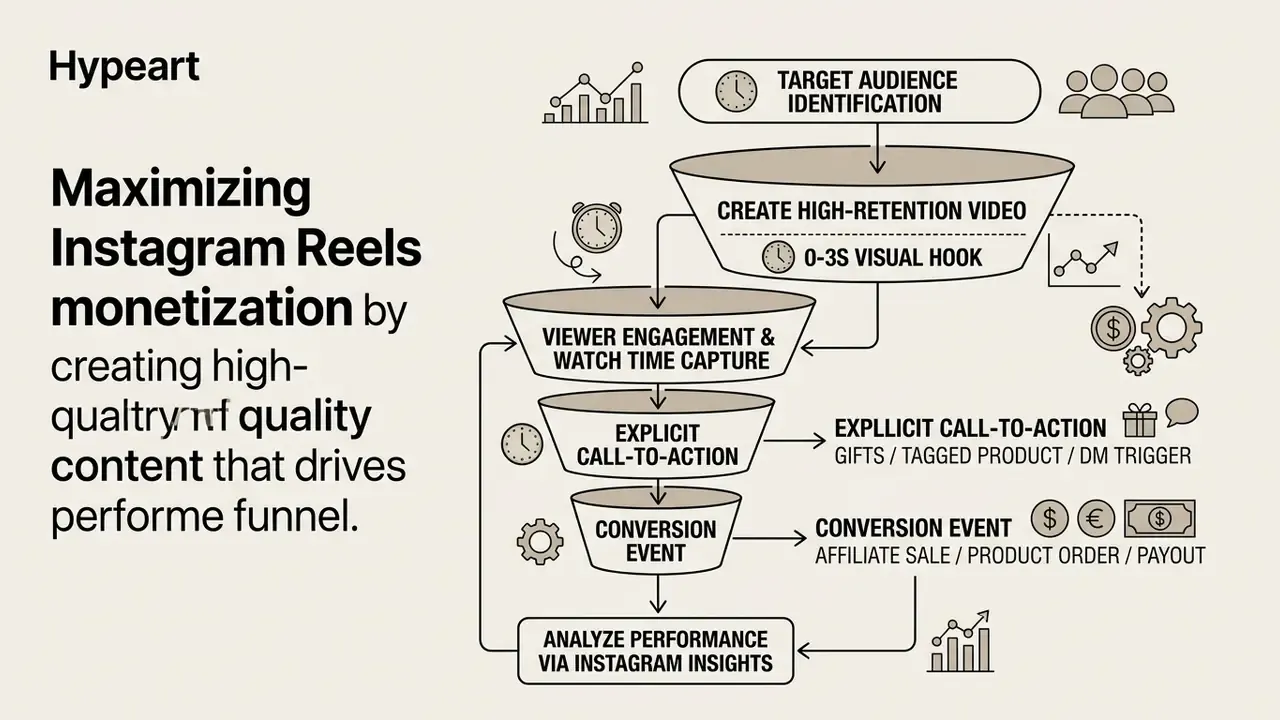
Maximizing Reels monetization means producing original, visually appealing content built for retention, click-through and algorithmic distribution. Video quality drives watch time, and watch time drives reach in non-follower feeds.
Plan Reels Around a Clear Target Audience and Offer
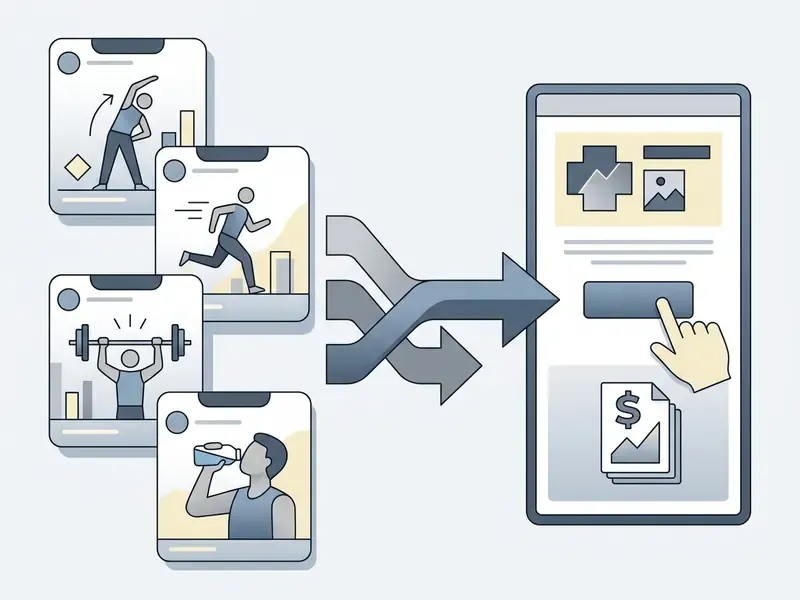
Every monetized Reel should serve one objective and one audience segment. Random posting dilutes intent and drags conversion rate down, even when reach looks healthy. Visual identity matters too: animation makers and template systems keep intros, lower thirds and CTA cards recognizable across dozens of videos and related posts.
Creators optimizing YouTube and social thumbnails can use an ai thumbnail maker for consistent branding across channels, and an AI video generator to prototype hook variants before filming anything.
Improve Engagement with Original Short-Form Video
Retention across the first three seconds decides whether the algorithm pushes a Reel beyond your followers. Strong short form videos use visual movement, dynamic text overlays and trending audio inside the first two seconds to stop the scroll, a workflow many teams now accelerate with AI video generators.
«Short vertical videos attract more views and likes per view than regular videos, but generate fewer comments per view.»
That asymmetry shapes funnel design. If short-form reliably wins on views and likes but loses on comments, comment-triggered DM funnels need a verbal instruction ("comment the word GUIDE") rather than organic discussion.
Meta's creative guidelines recommend vertical 9:16 video and keeping key text outside the bottom 35% safe zone, where captions and profile overlays sit. Budget-conscious editors can assemble this workflow with free video editing software or a dedicated YouTube video editor for cross-platform repurposing.
Cross promote deliberately. The same vertical cut can run as a Reel, a Story with a link sticker, a Shorts upload and a pinned grid post, which raises total plays without raising production cost. Behind-the-scenes footage and user generated content from customers fill the calendar between flagship videos and keep consistent posting realistic.
Creators evaluating licensing and developer pricing can consult our AI Media Commercial-Use terms guide, estimate production cost with our calculators, or review integration options through the AI Media API.
Track Performance and Repeat What Converts
Instagram Insights supplies the analytics needed to identify high-performing content structures. Watch total watch time, average watch time, accounts reached and conversion events. Instagram counts Reels views as the number of times a Reel starts to play or replay, and watch time as cumulative play time including replays, so average watch time equals total watch time divided by total plays.
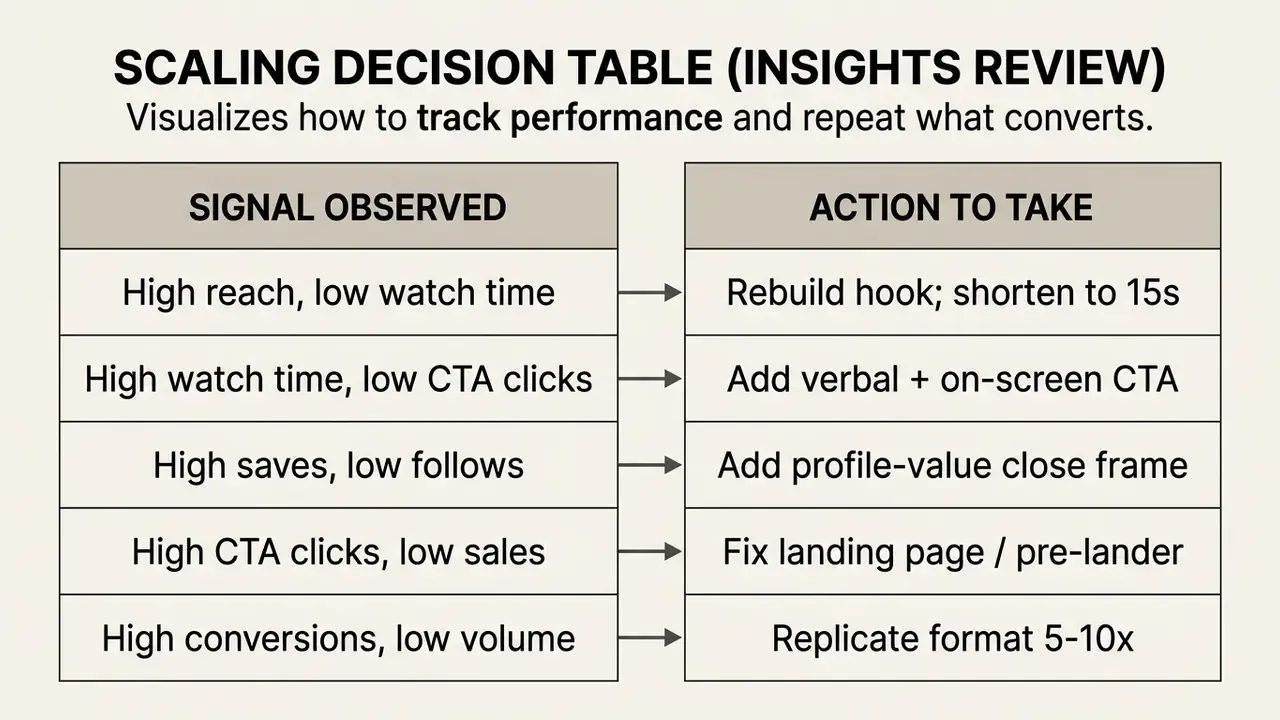
To scale revenue, rank your Reels by conversion rate and average watch time, then replicate the visual structure, hook timing and call to action of the winners. Sort Insights by one metric at a time, compare the top five against the bottom five, and change a single structural variable per test cycle. Slower than it sounds, but the results are readable.
Risk, Compliance and Payout Controls
Monetization introduces operational risk that most creator guides skip entirely. The table below maps the failure points that actually stop payouts, with a control for each one.
Table: Reels Monetization Risk Register and Controls
| Risk | Trigger | Impact | Control |
|---|---|---|---|
| Monetization suspension | Active policy strike or repeated Content Monetization Policy breach | Loss of Gifts, Subscriptions and bonus access | Audit the last 90 days of posts, remove flagged content, appeal via Professional Dashboard, Monetization status |
| Copyright or audio claim | Commercial music used on a business account or in a branded Reel | Muted audio, lost reach, ineligible monetization | Use licensed or commercial-use audio; verify catalog access for your account type |
| Reduced distribution ("shadowban" effects) | Watermarked reposts, recycled third-party clips, engagement-bait captions | Sharp drop in non-follower reach | Publish original edits, strip other platforms' watermarks, avoid bait CTAs |
| Data exposure via DM automation | Third-party tool granted broad account permissions | Lead data leakage, unauthorized posting | Grant least-privilege access, review connected apps quarterly, enable two-factor authentication |
| Payout delay or rejection | Incomplete tax forms, name mismatch, unmet threshold | Funds held in balance | Submit W-9 (US) or W-8BEN (non-US), match legal name to bank details, track the $5 / $25 / $100 thresholds |
| Regulatory exposure | Missing FTC or ASCI disclosure on sponsored Reels | Brand contract breach, regulatory action | Apply the Paid Partnership label plus in-video text disclosure within the first three seconds |
| Margin erosion | Unmodelled app store, processor and software fees | Negative net revenue on low-price tiers | Model risk-adjusted net margin before setting subscription and product prices |
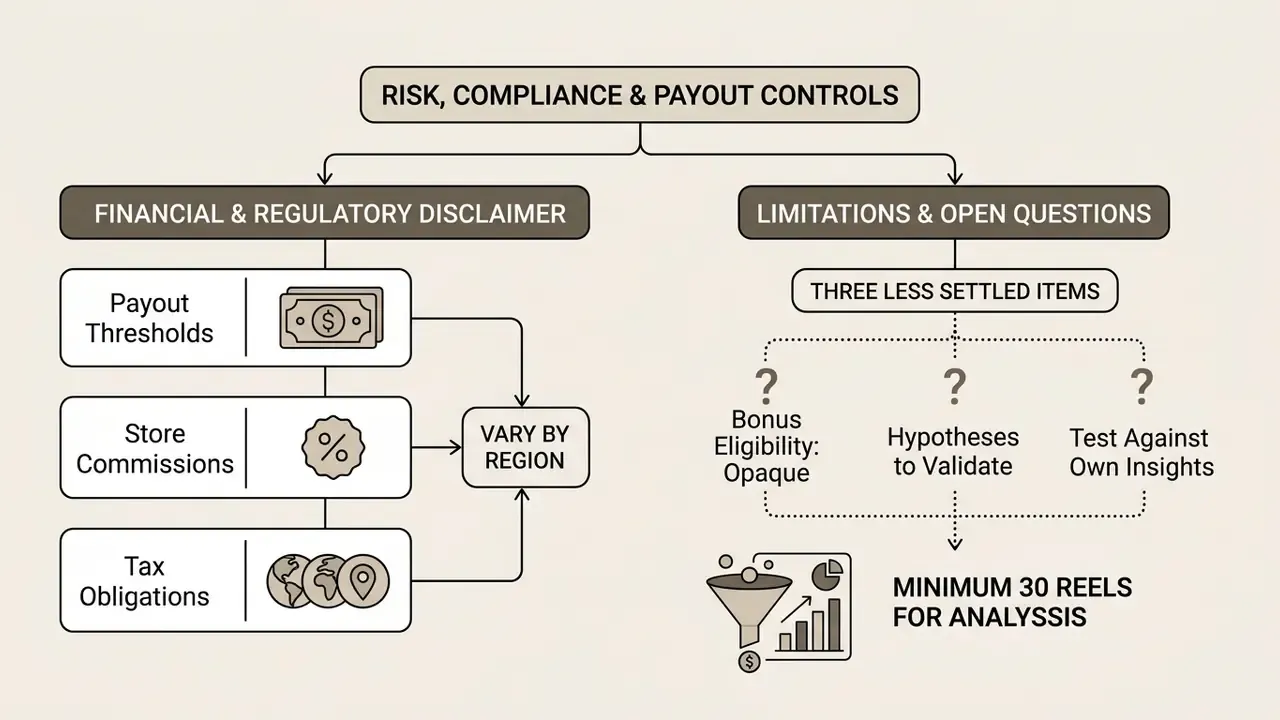
Limitations and Open Questions
Three things in this guide are less settled than the numbers suggest.
First, bonus eligibility is opaque. Meta does not publish the invite criteria for Reels Bonus 2.0, so any RPM range quoted for it, including ours, is an aggregate from creator-reported data rather than platform documentation. Second, engagement benchmarks come from third-party analytics vendors whose sampling methods differ, which is why two reports can disagree by half a percentage point. Third, DM automation conversion multipliers rest on vendor marketing data; nobody has published a peer-reviewed test.
Treat all three as hypotheses to validate against your own Insights export, ideally across at least 30 Reels. Then act.
FAQ: Instagram Reels Monetization
Does Instagram pay you directly for 1,000 views?
Not universally. There is no open flat-rate pay-per-view fund. Native programs pay roughly $0.01 to $0.05 per 1,000 views, with invite-only Bonus 2.0 tiers reaching $0.03 to $0.12. Commercial monetization, meaning affiliate offers, sponsorship and product sales, is where reach converts into $10 to $50 in gross value per 1,000 views.
How many followers do I need to monetize Reels?
Gifts start at 500 followers. Subscriptions, Live Badges and Revenue Share Ads typically require at least 10,000 followers. Brand partnerships carry no minimum follower count; engagement and niche fit set the price.
Can I monetize Reels with 1,000 followers?
Yes. At 1,000 followers you can use Gifts, join Creator Marketplace, run affiliate campaigns, sell digital products through a link-in-bio storefront, and pitch nano-influencer brand deals.
Can you monetize Instagram posts as well as Reels?
Partly. Branded content, affiliate links and product tags work across feed posts, Stories and Reels, so sponsored posts monetize regardless of format. Native view-based programs, however, are built around Reels and Live.
Where do I see my earnings and payouts?
In Professional Dashboard, then Tools, then Payouts. That screen shows earnings, taxes, fees and adjustments. Payouts are issued monthly once the balance clears the applicable threshold.
Is the Reels Play Bonus still available?
Not as an open program. Meta runs invite-only bonus tiers and market-limited pilots, reported for the US and South Korea, plus Revenue Share Ads for accounts meeting follower and view thresholds. Build your income model around commercial streams, not the bonus program.
What content disqualifies a Reel from monetization?
Watermarked or reposted third-party video, unedited recycled clips, static slideshows, content you neither created nor appear in, and anything breaching Community Guidelines or Content Monetization Policies.
Which account type should I choose, Creator or Business?
Choose a creator account for individual monetization tools and the full music library. Choose a business account for catalog, ads and ecommerce reporting. Creator suits personal brands; Business suits stores and agencies.
Can I sell digital products directly on Instagram?
Not through native checkout, which supports physical products only. Route traffic from Reels to an external storefront such as Stan Store, Gumroad, Payhip or Shopify with digital delivery, and use comment-to-DM automation to deliver the link.
How long does it take to start earning?
Gifts can generate small amounts within days of activation. Brand deals usually need four to eight weeks of consistent posting plus a media kit. Subscriptions and product sales depend on audience trust, which is the slowest input in the whole model.
Internal Workflows and System Architecture
For broader video publishing automation and production guides, browse our central workflows directory.