Last updated: 2026 · Reviewed for: technical accuracy, commercial licensing, and AI governance controls · Editorial oversight: AI Governance & Risk desk
Executive Summary for Decision-Makers
Photo-to-AI-art generation is an image-conditioned diffusion process. Your photograph supplies structure (pose, geometry, facial keypoints), while the text prompt supplies style, lighting, and medium. Three variables decide whether an output is usable in production: denoising strength (0.35–0.55 for identity preservation), model choice (commercial-safe vs. open-weight vs. consumer), and licensing tier (commercial rights come from a vendor contract, not from statutory copyright).
That last point surprises people. A licence to use is not ownership.
| Decision Area | Fast Answer | Where to Read More |
|---|---|---|
| Likeness preservation | Set image weight / denoising to 0.35–0.55; lock the seed | How to Combine Photo and Prompt Without Losing Resemblance |
| Character consistency | Use IP-Adapter, character LoRA, or a saved character tag with 3–5 reference portraits | How to Maintain Character Consistency Across Multiple Visual Scenes |
| Artifact cleanup | Localized mask inpainting at denoising_strength ≈ 0.65, not full regeneration | Step-by-Step Masking and Inpainting Workflow |
| Commercial rights | Granted by vendor terms; purely AI-generated elements are not registrable in the US | What to Check in Commercial Use Terms |
| Enterprise data risk | Avoid Shadow AI uploads of customer or employee photos; require no-training and retention controls | Enterprise Security, Data Privacy, and Shadow AI Risk |
| Auditability | Log seed, prompt, model version or hash, denoising value, and C2PA credentials for every asset | How to Record an Audit Trail for Every Generated Asset |
The rest of this guide moves from mechanism to use cases, then to step-by-step production, prompting, editing, platform selection, and finally legal and governance controls. Whether you're a solo creator or a bank's brand team, the sequence is the same.
What Is Photo to AI Art and How Image Generation Works
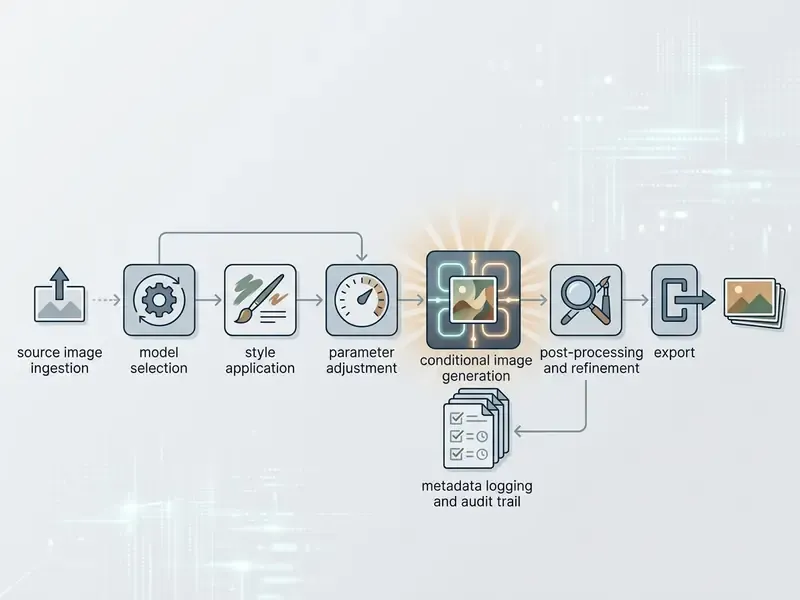
Photo to AI art is a neural transformation process. It uses an existing photograph as a structural and visual anchor, then applies new stylistic, lighting, or compositional traits through conditional generative models. Unlike unconstrained text-to-image synthesis, this workflow conditions a latent diffusion model on two inputs at once: the visual features of an uploaded ai art photo and a guiding text prompt.
The underlying technology relies on image-to-image conditional diffusion architectures.
«IIDM frames image synthesis as a denoising task: the style image is noised, then iteratively restored under the guidance of segmentation maps.»
Here is the mechanism in plain terms. The system takes the input photo, converts it into a latent representation, introduces controlled Gaussian noise, then iteratively denoises the image under the guidance of visual feature maps and textual instructions. This dual-conditioning step lets creators generate a unique ai art image or ai artwork from image while keeping specified source elements: subject geometry, framing, facial identity. The earlier and still widely cited formulation of this approach, unified conditional diffusion for colorization, inpainting, uncropping, and JPEG restoration, comes from Palette: Image-to-Image Diffusion Models (ACM SIGGRAPH, 2022). It remains the conceptual baseline for every modern img2img pipeline. If terminology here is unfamiliar, open the hub at /glossary/ for definitions before going deeper.
How AI Art from Photo Differs from Text Prompt Generation
An ai art from photo workflow differs from pure text-to-image generation because it enforces explicit visual constraints on the output canvas. In standard text-to-image generation, the neural network initializes from pure Gaussian noise and depends entirely on the text prompt for layout, pose, and subject distribution. That is ai art from description in its purest form: fast, unpredictable, hard to repeat.
When you generate ai art from pictures or create ai art using image inputs, the source photograph acts as a spatial prior. The model extracts structural features, including edge maps, depth layers, and keypoint poses, to preserve composition while altering surface textures, lighting, and medium. Studies on conditional image synthesis show that image-conditioned pipelines achieve measurably higher spatial preservation than text-driven synthesis alone.
«Imagic and Forgedit consistently lead on alignment, preservation, perception, and acceptability among all tested editing systems.»
In practice: text-only generation gives you novelty. Image-conditioned generation gives you control and repeatability, the property that matters when 45 assets must look like they came from the same shoot on the same afternoon.
How AI Models Interpret Faces, Backgrounds, and Objects in Photos
Modern ai models evaluate an uploaded ai photo by separating semantic regions into distinct foreground, facial, and background feature channels. Neural style transfer and diffusion frameworks analyze high-level content representations separately from low-level style features.
«A Neural Algorithm of Artistic Style separates content and style representations, enabling transfer while preserving photographic content structure.»
«PAIR Diffusion treats an image as a set of objects and controls the structure and appearance of each independently, without an inversion step.» — PAIR Diffusion: Object-Level Image Editing with Structure and Appearance Paired Diffusion Models, CVPR (2024). https://openaccess.thecvf.com/content/CVPR2024/html/Goel_PAIR_Diffusion_Object-Level_Image_Editing_with_Structure_and_Appearance_Paired_CVPR_2024_paper.html
Input image quality, lighting contrast, and camera angle dictate how accurately neural networks read these semantic layers. Low-resolution or heavily noisy photos increase prediction variance, which usually shows up as distorted facial features or blurred foreground boundaries. If your source archive is inconsistent, run it through dedicated AI photo editors before generation instead of fighting artifacts downstream. One correction here: pre-processing does not fix everything, so a bad capture is still a bad capture.
- Facial Features
- Facial keypoint detectors and deep face-recognition encoders isolate identity features, so facial geometry stays recognizable during stylization.
- Background Separation
- Segmentation models split foreground subjects from background elements. That allows independent manipulation of environment and backdrop textures. Recent segmentation-based style transfer isolates foreground objects explicitly and applies style mainly to the background, which protects foreground integrity.
- Object Integrity (Updated)
- Object-level diffusion editing suppresses geometric distortion on recognizable objects, keeping structural lines crisp while applying painterly or digital textures. Deep photo style transfer established this photorealistic constraint (Deep Photo Style Transfer, CVPR 2017, https://www.cs.cornell.edu/~fujun/files/style-cvpr17/style-cvpr17.pdf), and PAIR Diffusion extends it to per-object structure and appearance control.
What Results You Can Get from a Single Image
A single input photograph can yield a wide range of visual outputs, depending on model configuration, conditioning weights, and style selection. By modifying denoising strength and prompt instructions, one portrait can produce several distinct asset families.
Consumer and social outputs
- Stylized AI Avatars High-contrast digital portraits, 3D renderings, and anime-style character illustrations for social media profile branding.
- Fine Art Renderings Painterly transformations that mimic watercolor, oil paint, charcoal, or vintage cinematic film stock.
Enterprise and media-production outputs
- Commercial Product Shots
- Clean commercial visuals where product geometry is retained while studio lighting, backgrounds, and contextual props change dynamically.
- Controlled Corporate Illustration
- Uniform executive portrait sets, report illustrations, and rebranding variants generated under fixed seeds and logged parameters.
- Extended Output Formats
- Research systems now derive 3D and animatable assets from a single portrait. One approved source photo can therefore feed avatar, video, and spatial pipelines at once.
Illustrative example, composite and hypothetical: a digital production team at a financial media agency needed to re-skin corporate executive portraits into stylized vector illustrations for a digital annual report. By running the original photography through a localized ai canvas generator with fixed seed controls, they produced 45 uniform corporate illustrations in three hours, saving roughly 80% of standard graphic design turnaround time while preserving exact facial likenesses across the executive team. Critically, they also exported a parameter log (seed, model version, denoising value) for each illustration. That log satisfied the internal review requirement that every published visual be reproducible on demand.
Practical Use Cases for AI Art from Photos
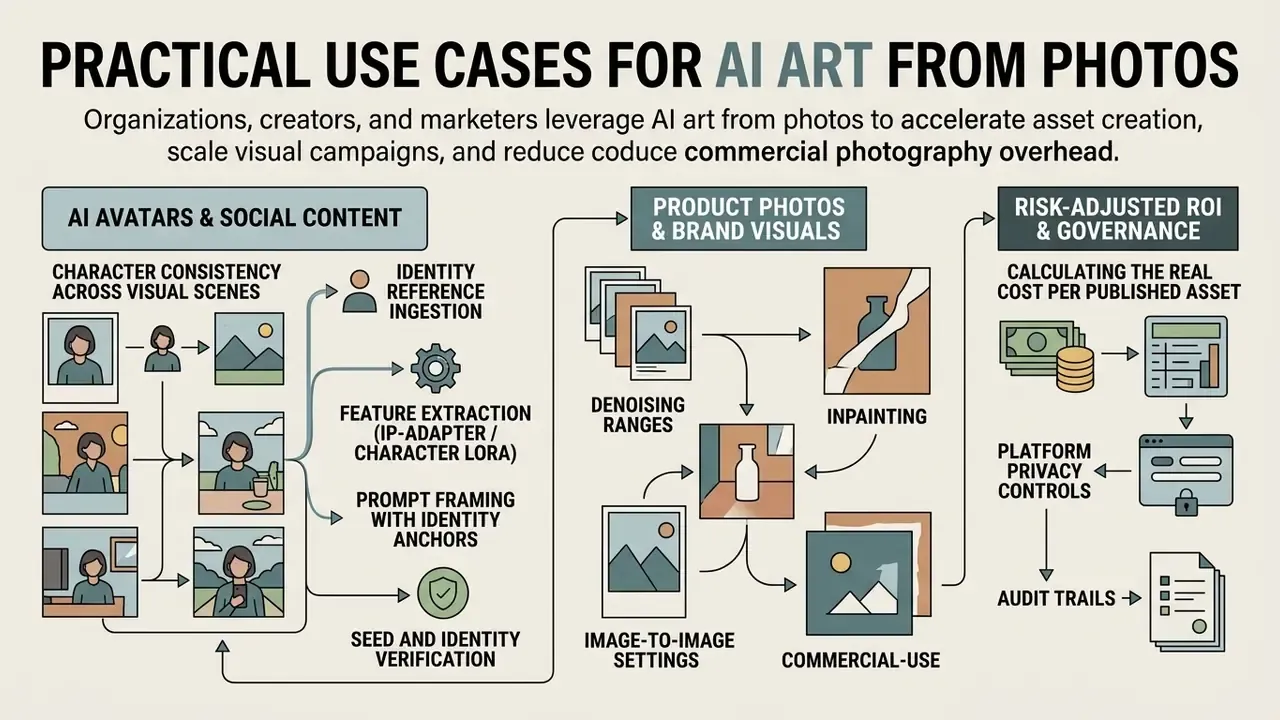
Organizations, creators, and marketers use ai art from photos to accelerate asset creation, scale visual campaigns, and reduce commercial photography overhead. Combining real-world source photos with generative neural networks enables rapid visual iteration without sacrificing spatial authenticity. Teams that publish something every day feel the difference first.
Product Photos and Brand Visuals
E-commerce brands and marketing teams use an advanced ai art generator to turn raw product photography into studio-grade marketing assets. Instead of building physical staging for seasonal campaigns, production teams upload base product photos and use an automated background remover or ai image replacer to swap staging environments dynamically.
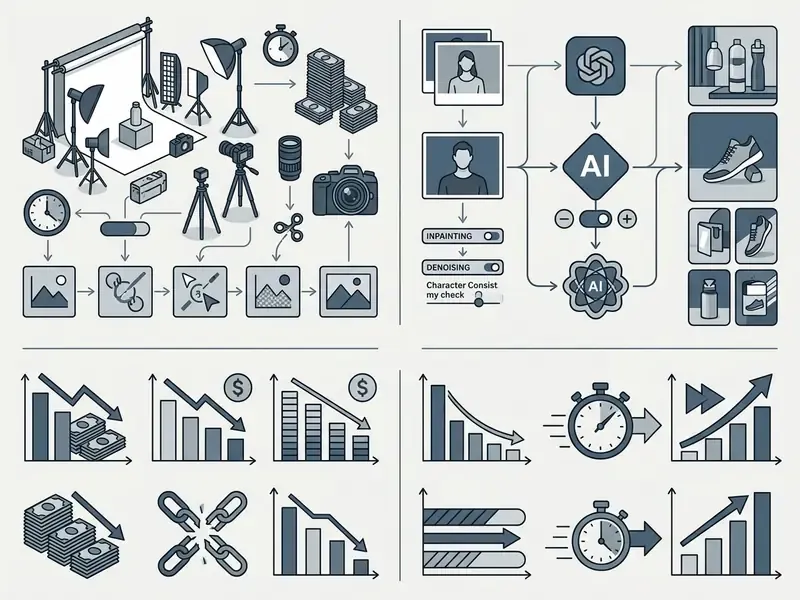
Generative AI pipelines isolate the primary product geometry using semantic segmentation, apply accurate contact shadows, and generate contextual backgrounds matched to specific brand color palettes.
«Differential Diffusion allows the degree of change to be specified per pixel through a change map, with no additional model training.»
This process delivers higher quality visual variations while protecting core logo typography and product labeling from unwanted model distortion. Vendor guidance for product replacement workflows converges on three rules: keep product geometry unchanged, add a single physically consistent shadow, and reuse one written scene description across the whole range so the catalog stays visually uniform. If your team needs to localize packaging copy for regional catalogs, an ai image translator handles that step better than a generative repaint.
Risk-Adjusted ROI: Calculating the Real Cost per Published Asset
Raw generation cost is the smallest line item in a production pipeline. Use the following model when building a business case:
Cost per published asset = (Generation credits × Attempts per accepted output) + (QA review minutes × Loaded hourly rate) + (Retouch or inpaint minutes × Loaded hourly rate) + (Licensing and legal review allocation) + (Storage and provenance logging overhead)
Then adjust for risk: Risk-Adjusted ROI = (Baseline production cost − Cost per published asset) − (Probability of rejection or rework × Rework cost) − (Probability of licensing dispute × Estimated remediation cost).
Two variables dominate in practice. First, attempts per accepted output: a pipeline that needs eight generations per usable asset is not four times cheaper than photography, it is marginally cheaper. Second, QA minutes, because anatomical and typographic artifacts require human inspection that does not scale linearly with generation volume. Benchmark both on a 50-asset pilot before committing budget. If the pilot data disagrees with the vendor's deck, trust the pilot.
Images as Keyframes for Image Video and AI Video
An ai image art asset generated from a photograph often serves as the initial keyframe for downstream video creation and ai video generation. In modern media pipelines, static images provide structural and aesthetic guidance for temporal diffusion models. If you are scoping this stage, review available image-to-video AI tools before locking your still-image format and resolution.
Advanced video platforms such as google veo and Stable Video Diffusion accept a high-contrast ai generator image as a first-frame condition. The video generator computes optical flow and motion vectors directly from the keyframe, which maintains character and environmental consistency across generated clips. Vendor documentation usually exposes both a First frame and an optional Last frame upload, plus a motion prompt. Research benchmarks caution that keyframe-conditioned generation carries a measurable trade-off between faithful keyframe reproduction and overall video quality, so treat first-frame fidelity as a tunable parameter rather than a guarantee. For technical details on video API integration, review our Google Veo AI video generator guide, and to compare ai video generator options side by side, view the guide at /compare/.
Advanced Motion Retargeting: Converting AI Photos into Dynamic Video
Beyond static first-frame keyframing, modern AI media workflows use video-to-video motion syncing to drive character movement directly from source footage:
- Motion Retargeting (Pose Transfer) Upload a 3-to-30 second source clip containing specific physical motion (walking, gesturing, dancing, a sports action). The motion control network extracts temporal skeleton keypoints and overlays them onto your generated static ai photo art, so the character inherits real human motion instead of model-guessed movement.
- Temporal Continuity Controls Set motion strength between
0.4and0.6so the character's facial geometry does not warp during complex movements. Higher values increase motion amplitude but accelerate identity drift. - Masked Video Editing Paint a protection mask over the subject and transform only the surrounding environment, or relight the shot while keeping character and motion intact. This is the video-domain equivalent of image inpainting.
- Multi-Model Video Pipeline Combine keyframe outputs from static diffusion models (FLUX.1, GPT Image, Seedream) with dedicated video generators (Google Veo 3.1, Kling 3.0, Sora 2, Seedance) to produce fluid 4K promotional clips, then add lip-synced voiceover and scored audio in the same workspace where supported. Doing it without leaving one platform saves more time than any single model upgrade.
How to Create AI Art Using an Image: A Step-by-Step Process
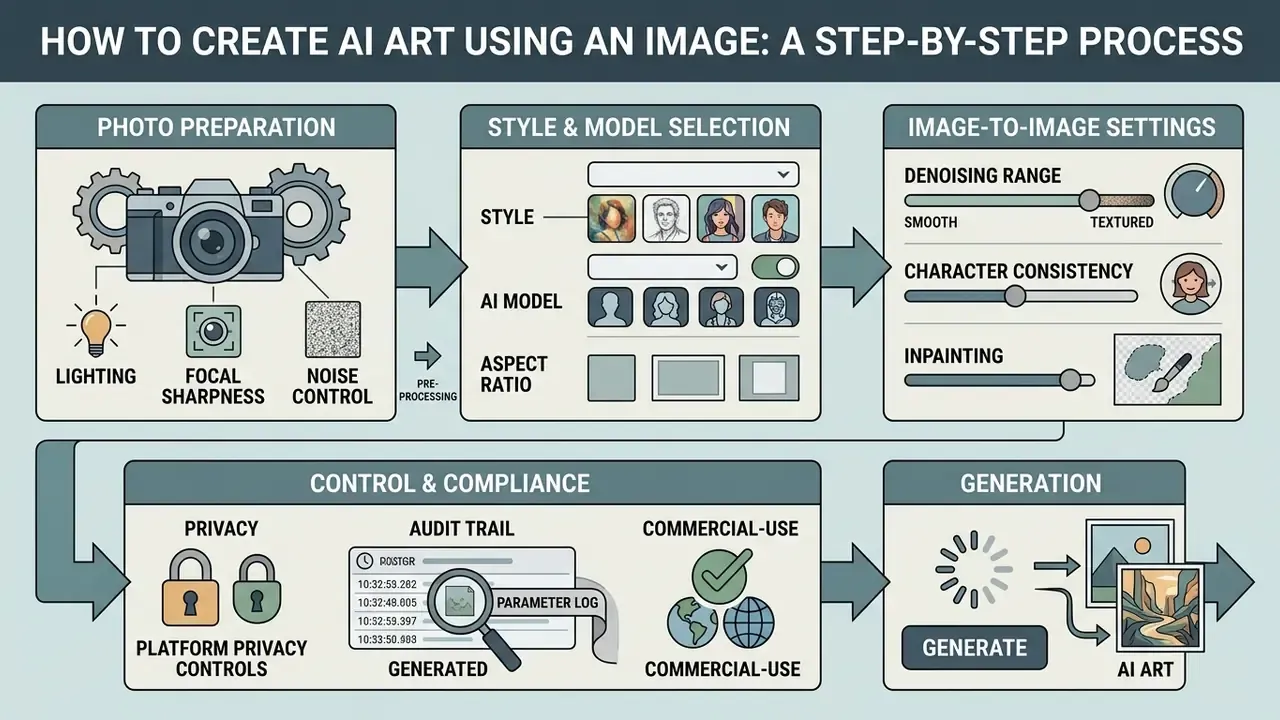
Generating professional-grade ai artwork from image files requires a systematic approach to image selection, model parameter configuration, export verification, and metadata logging. Skipping the logging step is the most common governance failure we see described in internal reviews.
- Prepare Source ImageSelect a high-resolution photograph with balanced lighting, a sharp focal subject, and minimal digital noise.
- Select Generative ModelChoose a diffusion architecture optimized for image-to-image translation or style transfer, and confirm its data-retention policy before upload.
- Input Text DescriptionConstruct a structured prompt defining target medium, lighting, color palette, and preserved elements.
- Configure ParametersSet the aspect ratio (for example
1024x1024,1536x1024, or1024x1536), guidance scale, inference steps, and image weight (denoising strength0.35–0.55) to balance source likeness against artistic modification. Fix the seed explicitly rather than accepting a random one. - Run GenerationExecute the model and create multiple variations under fixed seed parameters, changing one variable at a time so iterations stay comparable.
- Inspect QualityReview hands, facial features, edges, and background transitions for structural artifacts.
- Record Audit MetadataLog the seed, full prompt, negative prompt, model name and version hash, denoising value, source-image identifier, and operator name into your asset inventory.
- Refine and ExportApply local inpainting or upscaling, then export the finalized artwork in uncompressed print-ready formats with provenance credentials attached.
How to Prepare Your Photo for the Best Image Quality
The output quality of an ai generator image to art transformation depends directly on the structural clarity of the input file. Generative models extract edge maps, facial landmarks, and depth gradients from the source pixel grid. Degraded inputs lead to unpredictable output, every time.
«Diffusion models integrated with language models show promising results in image enhancement, denoising, and super-resolution.»
To ensure optimal source input:
- Lighting
- Use images with uniform, balanced illumination. Avoid severe directional shadows, flash reflections, or blown-out highlights that erase object boundaries. Standards-based capture guidance recommends even illumination with light placed at roughly 45° to suppress shadows.
- Focal Sharpness
- Keep the primary subject in crisp focus. Motion blur forces the neural network to guess underlying geometry, which lowers structural fidelity.
- Noise Control
- Capture at correct exposure and low ISO. Note the documented trade-off: noise reduction in post-processing can itself reduce sharpness, so detail recovery has limits.
- Pre-Processing
- Run a specialized photo enhancer, noise-reduction tool, or old photo restorer on low-resolution or historic images before uploading them to the generative pipeline. For broader comparisons, consult our guide to online photo editors and the overview of free photo editors if the budget is tight.
How to Choose Style, AI Model, and Aspect Ratio
Selecting the right parameters keeps your generated art aligned with the intended output channel. A social avatar and a print cover need different settings, not the same preset.
| Parameter | Recommended Setting | Operational Objective |
|---|---|---|
| Model Selection | SDXL, FLUX.1, Seedream 5.0, or Midjourney v6+ | Choose based on required photorealism or specific artistic styling capability. |
| Image Weight / Denoising | 0.35 to 0.55 | Lower values (<0.4) preserve source geometry; higher values (>0.6) favor prompt styling. |
| Guidance Scale | Mid-range, model-dependent | Raising style guidance above the neutral value strengthens style but pushes output away from source appearance. |
| Aspect Ratio | 1:1 (Square), 16:9 (Landscape), 4:5 (Social), 9:16 (Vertical) | Match native target platform dimensions to avoid destructive post-generation cropping. Width and height are typically required to be multiples of 16, with ratios constrained between 1:3 and 3:1. |
| Camera Angle | Eye-level, close-up, wide cinematic, top-down, low-angle | Reinforce camera perspective explicitly in prompt text to maintain spatial cohesion. |
| Seed | Fixed integer, recorded | Enables reproducibility, A/B comparison, and audit evidence. |
For brand systems that need one established look applied across an existing archive, an ai image style changer is often a cleaner fit than a full re-generation pass.
How to Record an Audit Trail for Every Generated Asset
For regulated industries, reproducibility is not an optimization. It is evidence. Treat each generated asset as a record with attached provenance:
- Parameter log seed, prompt, negative prompt, denoising strength, guidance scale, inference steps, aspect ratio, model name and version identifier.
- Lineage source-photo identifier plus the rights basis for that photo (owned, licensed, model-released).
- Operator and timestamp who generated it, on which platform tier, and under which account.
- Content credentials attach C2PA-style Content Credentials where the platform supports them, so downstream consumers can verify that a corporate visual originated in your pipeline and was not fabricated externally.
- Inventory registration register the asset in the organization's AI asset inventory, so a later policy change (a model deprecation, a licensing dispute) can be traced to every affected published visual.
One practical test of maturity: can you answer "who made this image, with what model, on what date, from which source photo" in under five minutes? If not, the inventory is incomplete. Teams documenting disputes and evidence handling can explore the hub at /litigation/ for adjacent process material.
How to Inspect and Download Generated Art
Before downloading and publishing ai generated art, run a real quality assurance check. Neural diffusion models frequently introduce subtle anomalies in complex geometric regions, and they are easiest to miss at thumbnail size.
Inspect the generated image at 100% zoom for:
- Anatomical IntegrityVerify hands, fingers, eyes, and facial symmetry for unnatural merging or extra limbs. Peer-reviewed evaluation frameworks define error types across anatomical regions and score outputs by the proportion of errors relative to expected anatomical components (Evaluating Text-to-Image Generated Photorealistic Images of Human Anatomy, Cureus, 2025, https://assets.cureus.com/uploads/original_article/pdf/308456/20241222-241636-7gbuve.pdf; readers publishing in medical or clinical contexts should verify the current indexed version before citing). Large-scale artifact benchmarks formalize the same task as fine-grained abnormality detection (MagicMirror, arXiv, 2025, https://www.arxiv.org/pdf/2509.10260).
- Edge ArtifactsInspect transition zones between foreground subjects and modified backgrounds for haloing or color bleeding.
- Text DistortionEnsure logos, clothing text, and brand elements stay legible or are cleanly removed.
- Physical PlausibilityCheck shadows, reflections, glossy or plastic-looking skin, and inconsistent lighting direction. Published evaluation guides recommend a fixed review sequence: hands first, then faces, then lighting and reflections.
- Resolution ExportUpscale the finalized asset using an 8K image upscaler or neural super-resolution tool to reach print-ready pixel density (300 DPI) before publication. For a structured comparison of enlargement tools and their
2×,4×,8×, and16×targets, see our review of AI image upscalers.
How to Write Text Prompts for AI Art with Photo
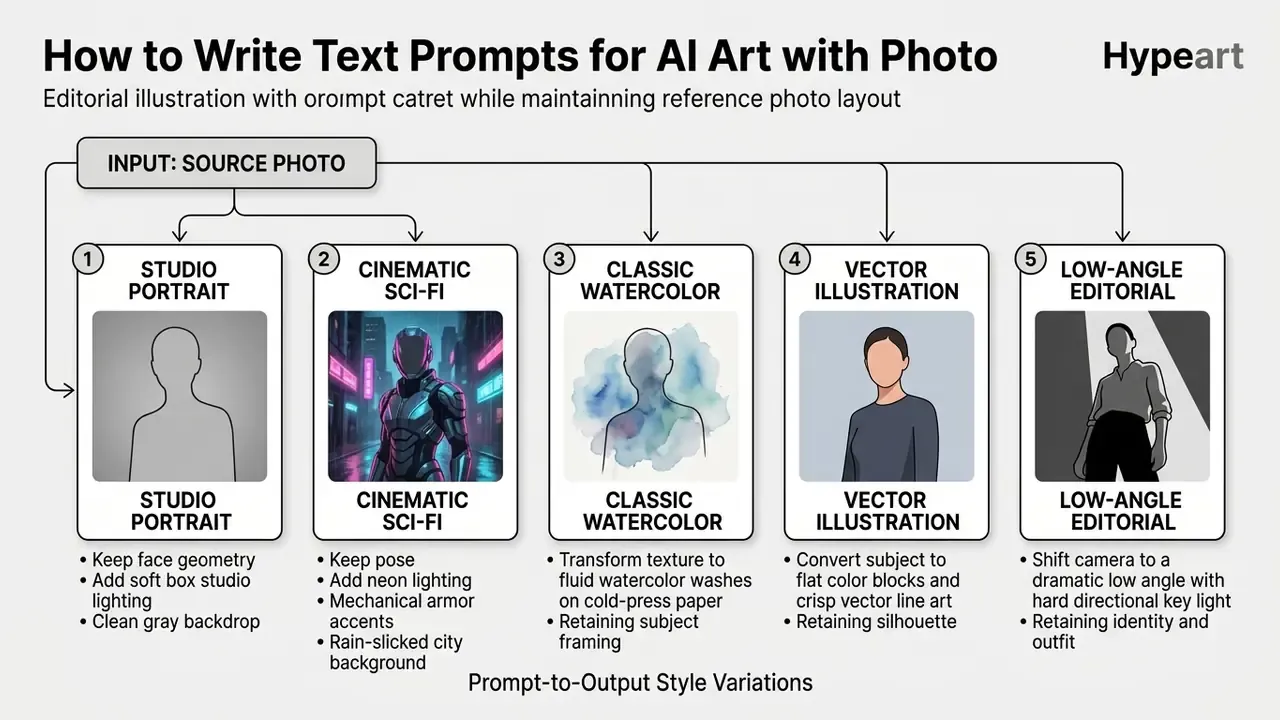
When generating ai art with photo inputs, text prompts act as guidance vectors, not standalone scene descriptions. The prompt must tell the model what to retain from the source image and what to transform. Those are two separate instructions, and most weak prompts only contain one.
What Details to Add to Your Text Description
A professional image-to-image prompt follows a structured syntax: [Subject and Action] + [Artistic Medium and Style] + [Lighting and Color Palette] + [Camera and Rendering Constraints] + [Preservation Rules].
«Top-rated instruction models, Qwen-Image-Edit-2509 and Uniworld-V2, scored 3.72 and 3.70 out of 5 in user evaluations across diverse editing tasks.»
When constructing your text description:
- Name specific art mediums (oil on canvas, 35mm film photograph, vector illustration).
- Define exact lighting conditions (rim lighting, volumetric golden hour glow, diffuse studio softbox).
- Specify color palettes (monochromatic teal and orange, desaturated pastel tones, high-contrast neon).
- State camera framing and viewpoint explicitly (close-up, wide, top-down, eye-level, low-angle).
- Describe background detail level (plain, smooth, distraction-free versus dense environmental detail).
- Include preservation directives ("preserve facial structure and pose of the input image, change background only").
Vendor prompting guidance recommends a consistent element order, usually background or scene, then subject, then key details, then constraints, and advises stating the intended use of the image inside the prompt itself. Academic prompt-engineering work converges on a comparable compact formula: [Medium] [Subject] [Artist or Movement] [Details] [Quality modifiers]. It looks mechanical. It works.
How to Combine Photo and Prompt Without Losing Resemblance
Maintaining likeness while radically altering artistic style requires precise control over image conditioning weights, usually exposed as denoising_strength or image_weight.
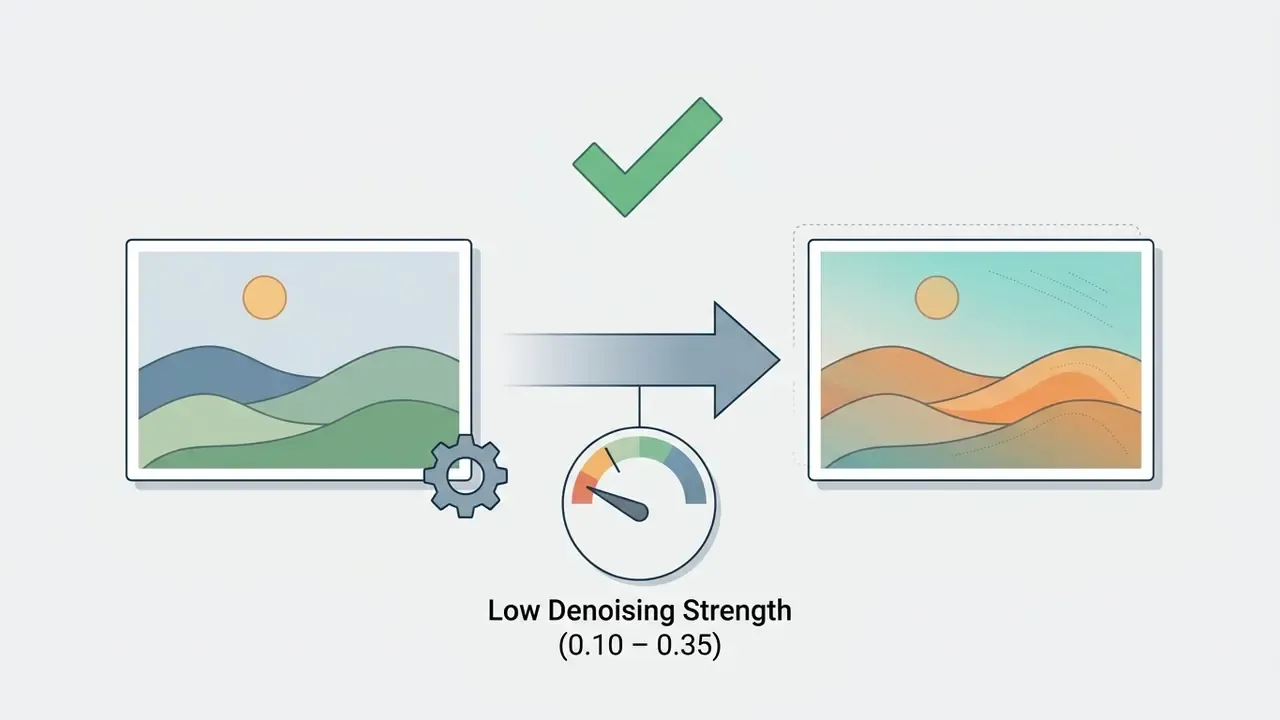
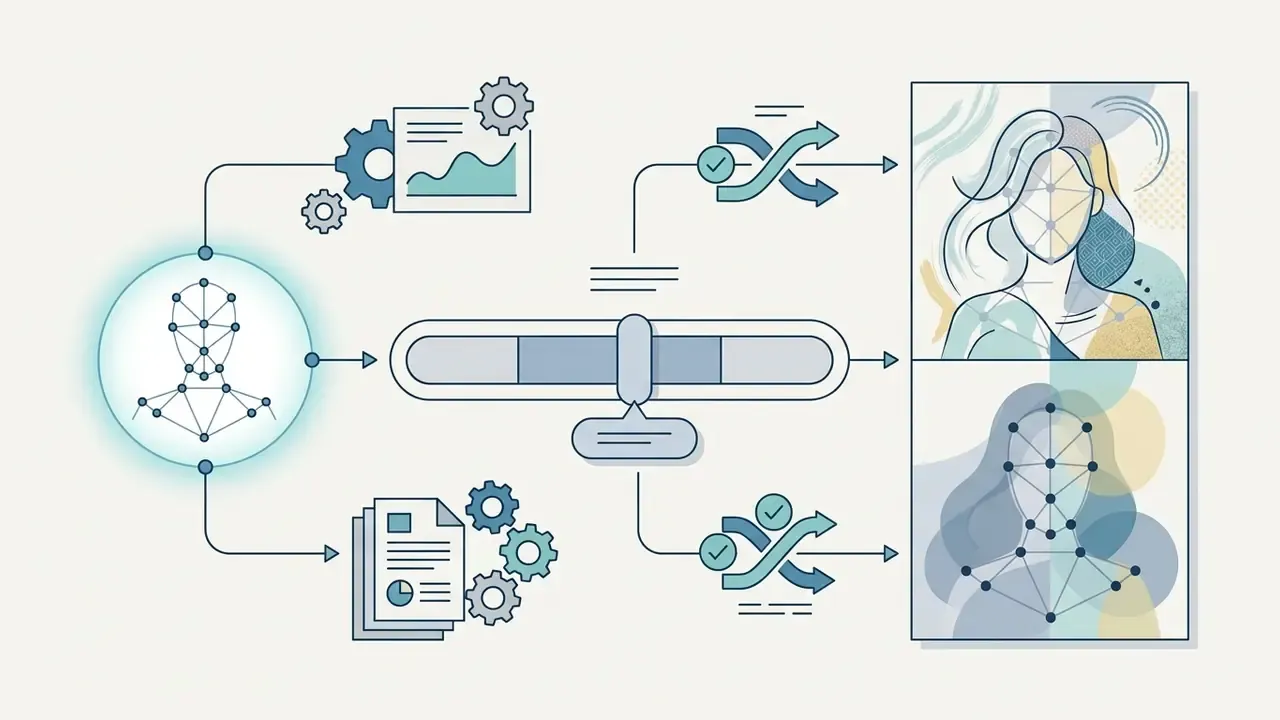
0.4 and 0.5 for exactly this trade-off.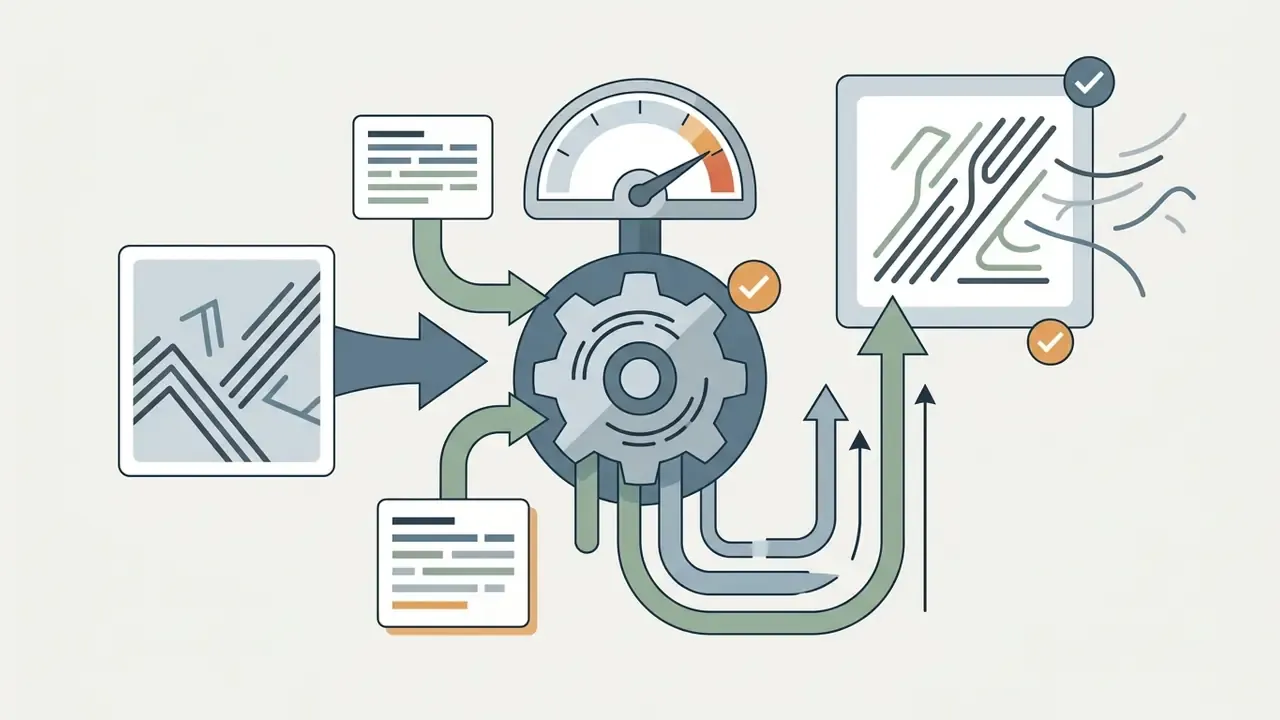
«Differential Diffusion achieved 92.11% adherence to text instructions and 80.43% change-map accuracy in a user study of regional editing.»
The practical implication: where a platform exposes both denoising strength and separate style guidance, tune them independently. Lower the denoising value to hold identity, then raise style guidance to intensify the medium, instead of pushing a single slider until the face stops being the face.
How to Refine Results Through Prompt Adjustments and Editing Tools
Iterative prompt engineering is necessary when initial outputs drift from your target design. Rather than rewriting the whole prompt, adjust individual parameters in order:
- Lock Random SeedFix the seed so structural randomness stays constant across iterations.
- Isolate VariablesModify one descriptor at a time (change "dramatic harsh shadows" to "soft ambient lighting").
- Chain EditsFeed each accepted output back in as the next input, progressively adding detail, adjusting style, or correcting errors instead of restarting from the original photo.
- Use Local Editing ToolsIf 90% of the image is correct but one region is flawed, mask that area and apply targeted inpainting rather than regenerating the entire canvas. Note that mask-based editing usually requires the prompt to describe the full intended image, not only the erased region. For tool-by-tool comparisons, see our review of the best AI art generators.
Editing AI Art: Background, Objects, Quality, and Format
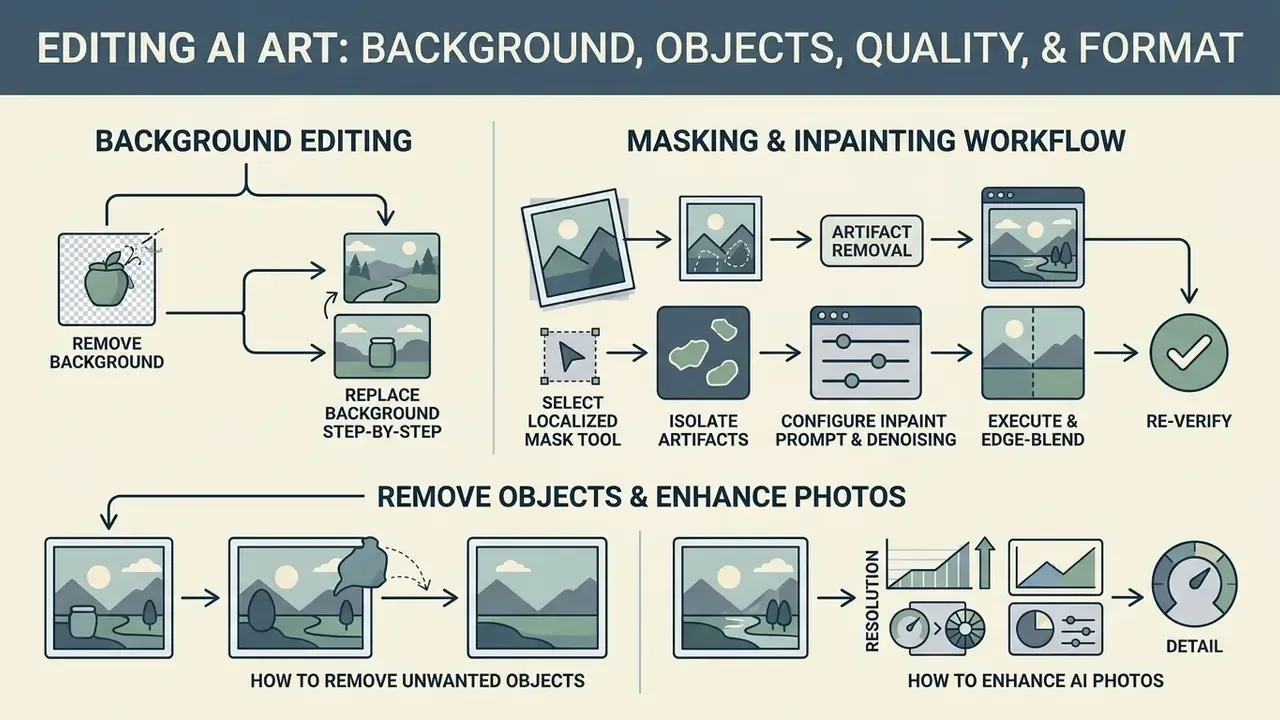
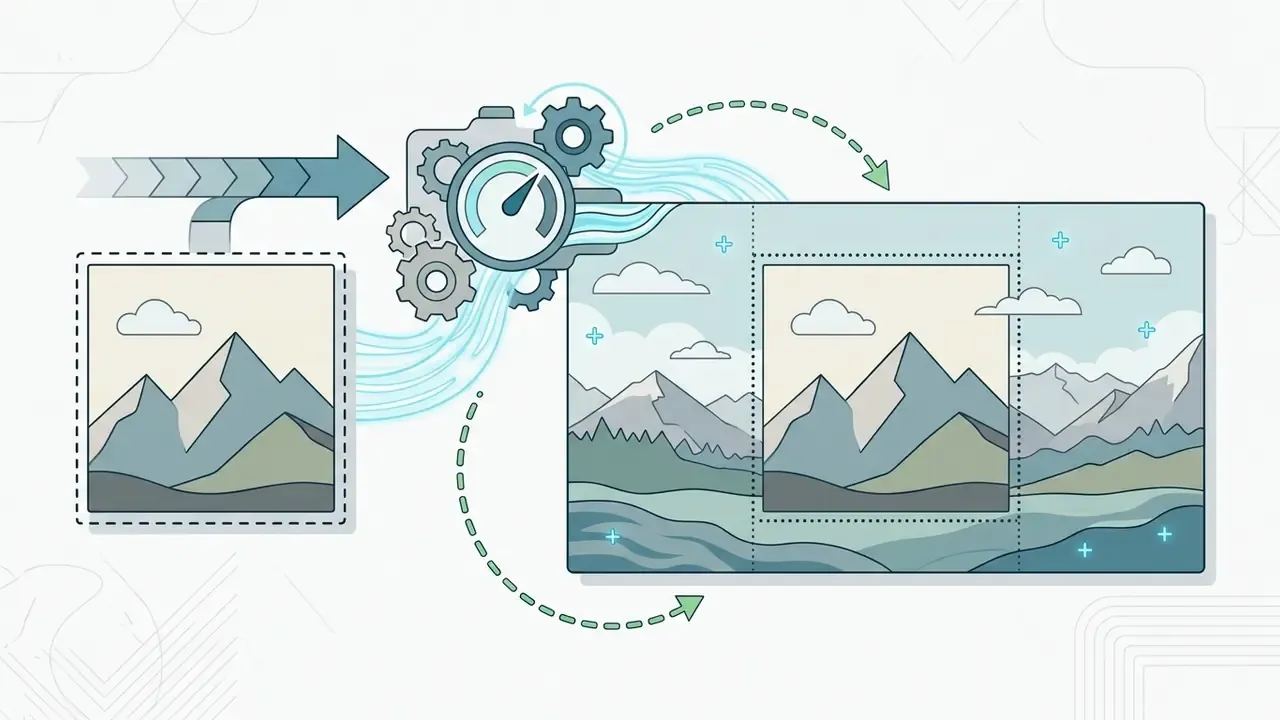
Post-generation editing converts raw model output into production-ready digital assets. Generative diffusion models excel at artistic translation, but precision tasks such as background isolation, object removal, and format resizing are better handled by specialized editing algorithms. Vendor documentation typically separates three edit modes: image-to-image (whole-frame transformation), inpainting (masked region replacement), and outpainting (canvas extension beyond the original borders, preserving shadows, reflections, and textures). Keeping current on releases across these modes is easier through curated ai image tools coverage than through scattered vendor changelogs.
How to Remove Background and Replace Backgrounds
Isolating a subject from its generated backdrop is a standard requirement for e-commerce catalogs, marketing collateral, and composite graphic design.
Dedicated segmentation tools or an automated background remover let operators extract high-precision alpha channels around complex subjects such as hair and apparel edges.
«LayerDiffusion decomposes the image into semantic layers and applies controlled diffusion editing to each layer independently, improving the precision of local edits.»
Once isolated, creators can replace background layers with solid brand colors, transparent backdrops, or newly generated 3D environments without disturbing the primary ai art pic. A few practical notes from production tooling: high-contrast source images give the cleanest automatic cutouts, manual "keep / remove" brushing fixes edge failures on hair and semi-transparent materials, and transparent PNG remains the correct intermediate export before compositing. Often it is one click to get 85% of the way there, then two minutes of brushing for the rest. For a deep dive into automated canvas extension, explore our analysis of AI outpainting and image expansion.
Step-by-Step Masking and Inpainting Workflow for Artifact Removal
When raw outputs produce extra limbs, blurred background text, or unwanted artifacts, apply localized mask-inpainting instead of regenerating the whole canvas:
- To Remove: Leave the prompt field empty and set the fill mode to contextual content-aware fill.
- To Replace: Enter a precise replacement prompt ("clean corporate office wall, soft ambient shadow") and set localized
denoising_strengthto0.65.
- Select Localized Mask ToolOpen the generated image in an AI canvas editor. Select the manual brush tool, opacity 100%, hard edges.
- Isolate ArtifactsBrush directly over the flawed pixel region (an extra finger, a distorted logo, a background photobomber), extending the mask boundary 5–10 pixels into clean surrounding area so the model has context to sample.
- Configure Inpaint Prompt and DenoisingConfigure Inpaint Prompt and Denoising:
- Execute and Edge-BlendRun generation on the masked region only. Apply a 2-pixel Gaussian edge blur along the layer junction so lighting and texture blend into the base asset.
- Re-VerifyRe-inspect at 100% zoom. Iterative masked passes on smaller regions consistently outperform one aggressive pass over a large area.
How to Remove Unwanted Objects and Enhance AI Photos
Generative outputs occasionally contain stray background artifacts, extraneous limbs, or distorted visual elements. Nothing exotic, just cleanup work.
- Object Removal (Updated): Mask unwanted elements and use context-aware fill or neural inpainting to reconstruct missing background pixels from surrounding texture patterns. Diffusion inpainting works by denoising the masked foreground one step while re-noising the fixed background at the same timestep, then recombining masked and unmasked parts iteratively (RePaint: Inpainting Using Denoising Diffusion Probabilistic Models, CVPR 2022, https://openaccess.thecvf.com/content/CVPR2022/papers/Lugmayr_RePaint_Inpainting_Using_Denoising_Diffusion_Probabilistic_Models_CVPR_2022_paper.pdf). For batch cleanup across a catalog, a purpose-built ai image remover will usually beat manual masking on throughput.
«Differential Diffusion replaces selected regions with noised versions of the original at the required diffusion steps, enabling precise restoration without retraining.» — Differential Diffusion: Giving Each Pixel Its Strength, Computer Graphics Forum. https://onlinelibrary.wiley.com/doi/10.1111/cgf.15244
Structure-aware methods extend this further: unmasked regions supply time-dependent structure guidance for texture denoising, separating structure from texture during reconstruction (StrDiffusion, CVPR 2024).
- Detail Recovery and Deblurring: Apply super-resolution networks to sharpen soft focus areas, restore subtle skin textures, and remove JPEG compression artifacts from low-resolution generations. Our comparison of AI image enhancers breaks down which restoration models preserve skin texture instead of plasticizing it.
- Edge Cleaning: Refine subject boundaries with manual layer masks or edge-smoothing filters to eliminate color-fringe halos.
How to Adapt AI Images for Publishing, Printing, and Social Posts
Publishing ai image art across multi-channel distribution requires adapting aspect ratios, color profiles, and pixel density. One master file, many derivatives.
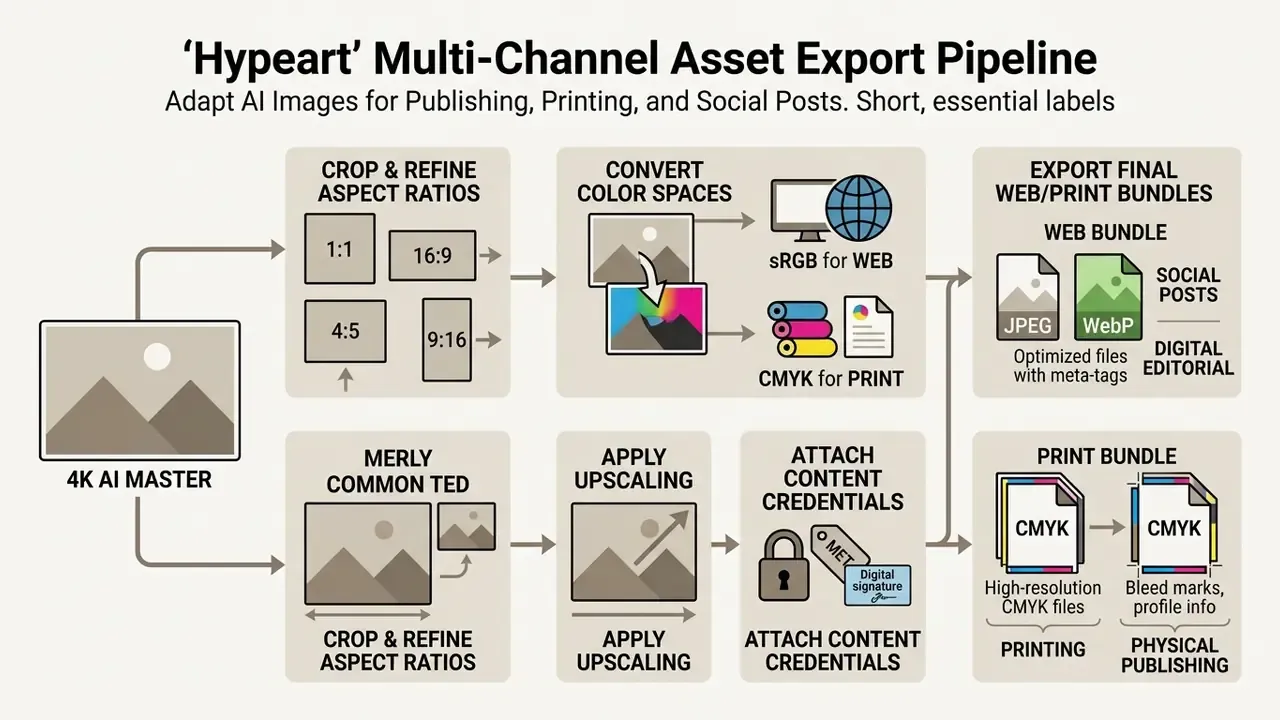
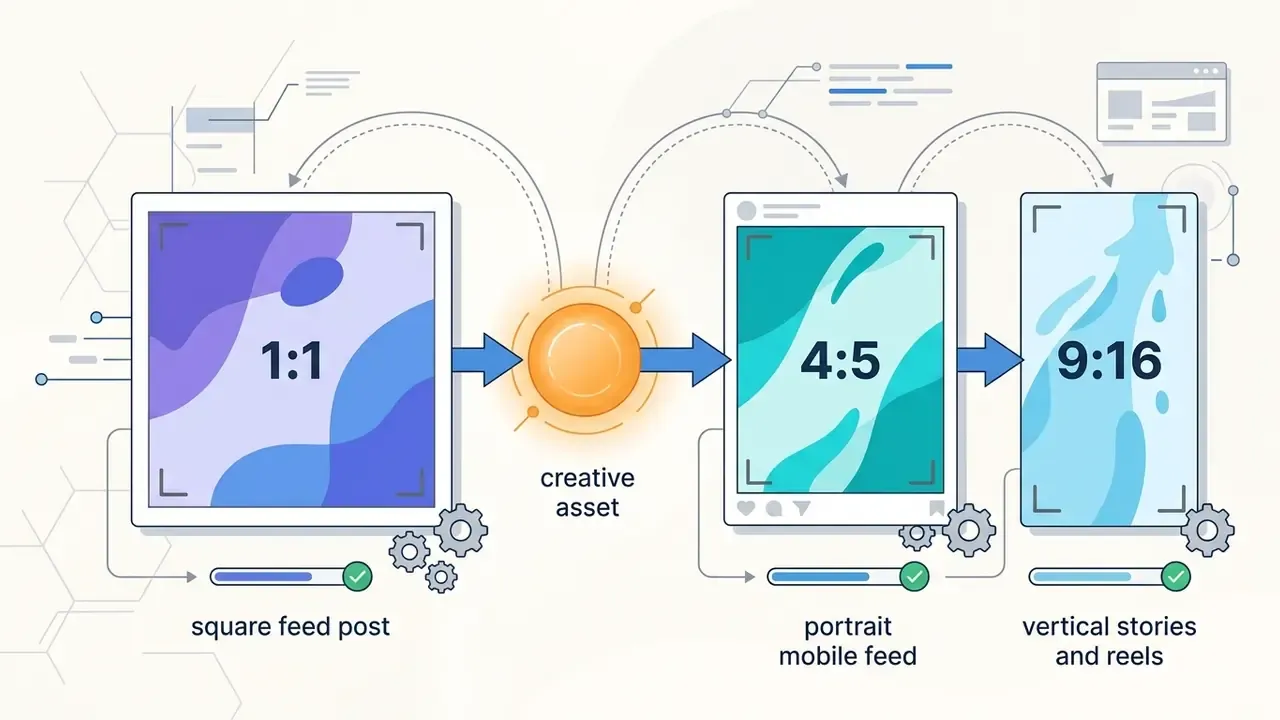
1:1) crops for feed posts, portrait (4:5) ratios for mobile feeds, and vertical (9:16) layouts for stories and reels.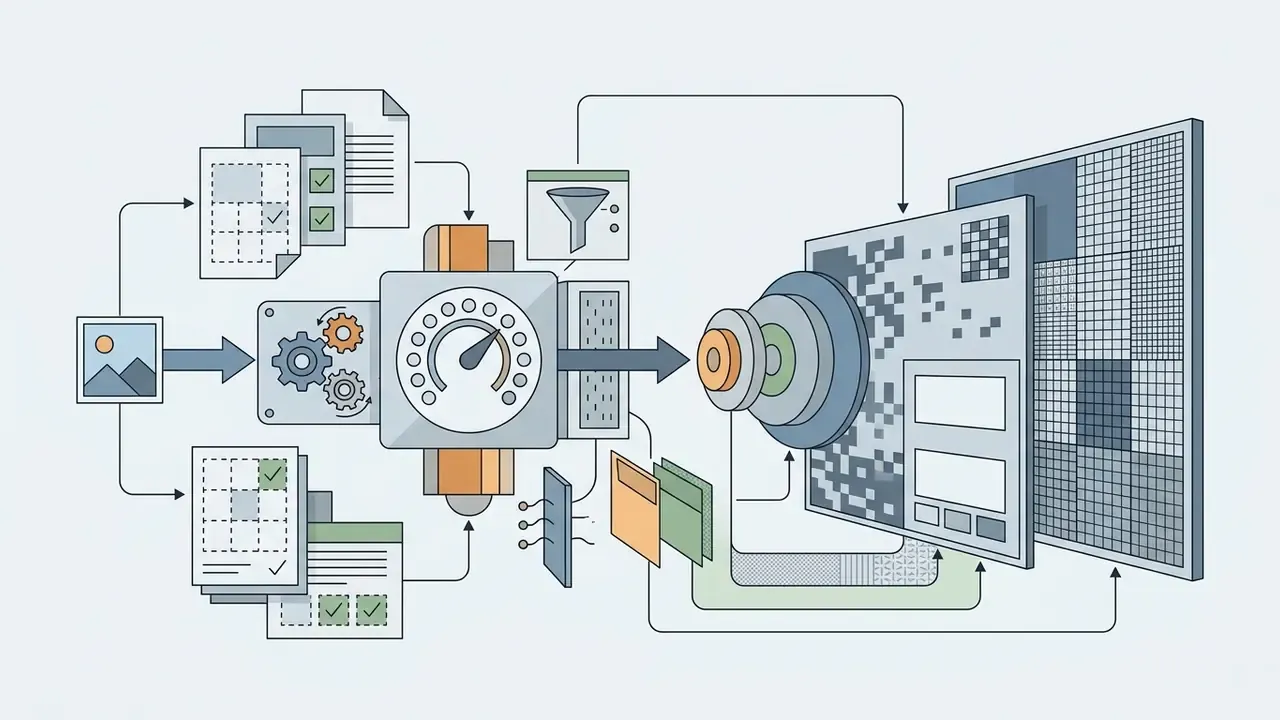
2×, 4×, 8×, 16×) that reaches the target without inventing texture that was never in the source.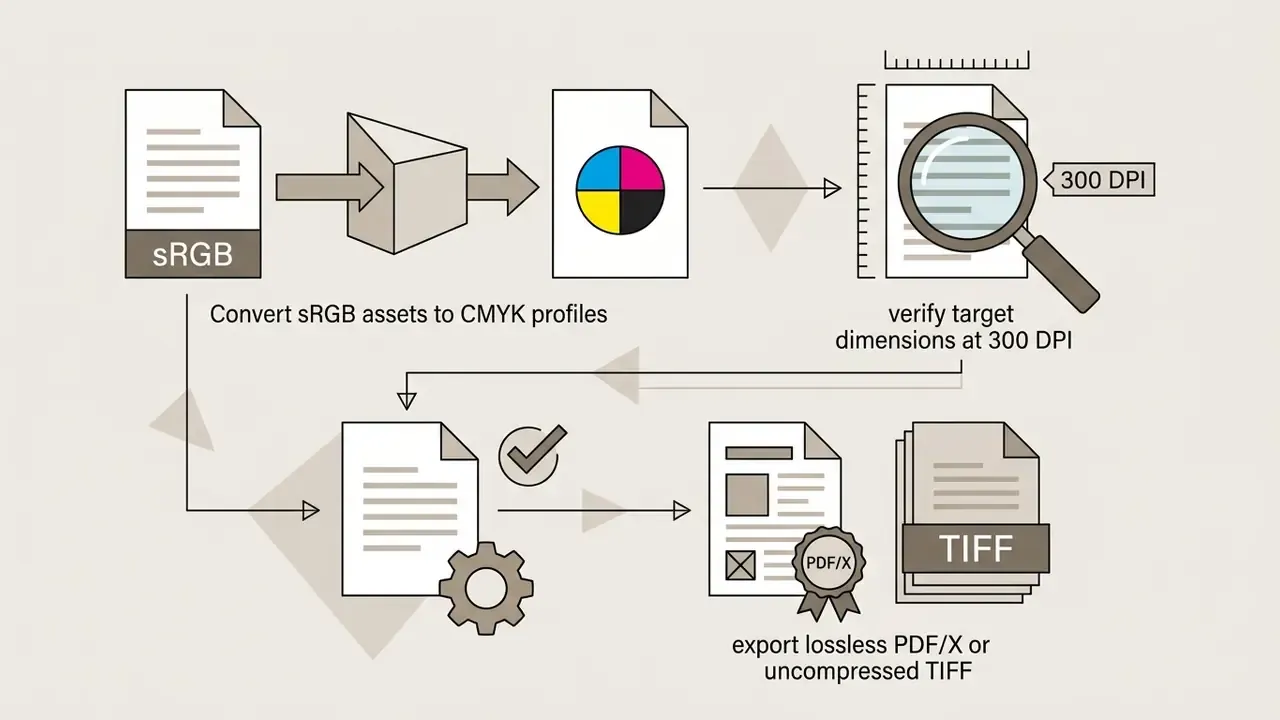
How to Choose an AI Art Generator for Personal and Commercial Use
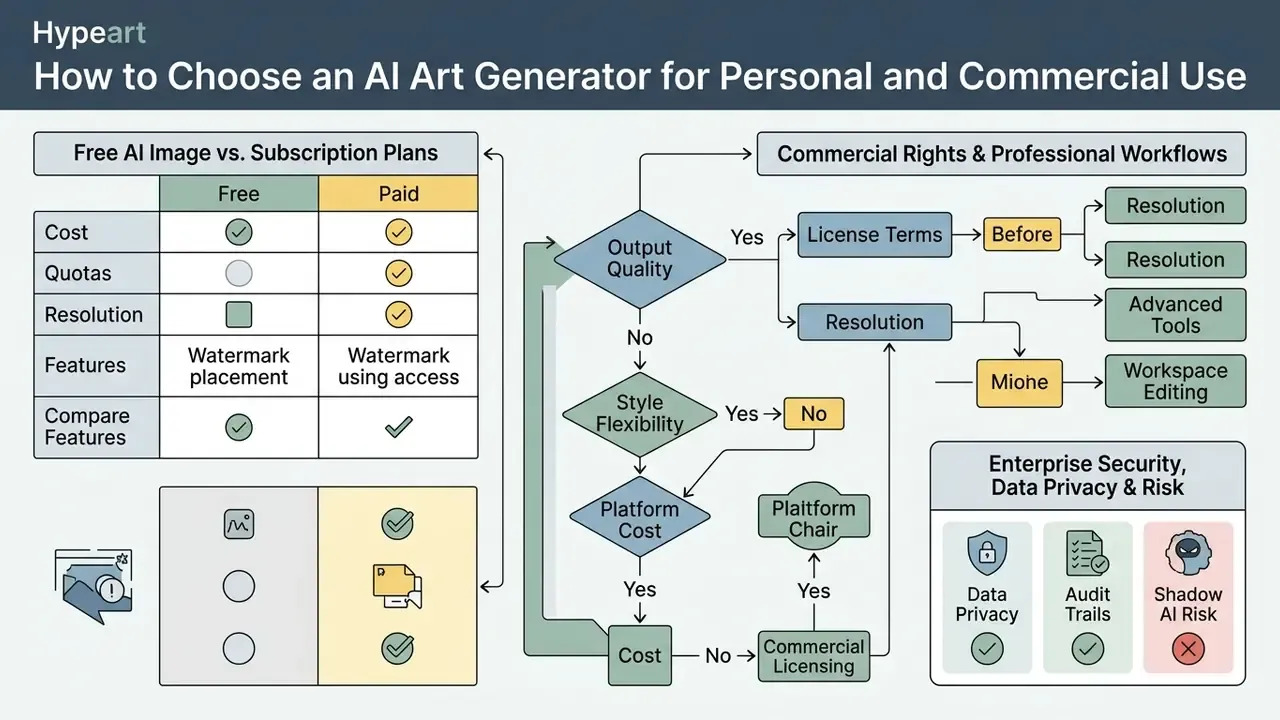
Selecting the right advanced ai art generator means balancing output quality, style flexibility, platform cost, data-handling guarantees, and commercial licensing terms. The best AI model for a mood board is rarely the best one for a regulated annual report.
«A survey of more than 70 instruction-based image editing models found Qwen-Image-Edit-2509 and Uniworld-V2 leading with scores of 3.72 and 3.70 out of 5 in user testing.»
| Generator Platform / Model | Core Strengths | Target Operational Use Case | Commercial Rights Model | Enterprise IP, Privacy and Deployment |
|---|---|---|---|---|
| Adobe Firefly | Commercial safety, Creative Cloud integration, transparent-PNG background removal | Commercial design and product staging | Included on paid plans; free daily generations on the free tier | Enterprise indemnification for qualifying customers; managed cloud |
| Midjourney v6+ | Highest visual fidelity and artistic texture | Conceptual art and editorial visual assets | Included on paid plans; companies above $1,000,000 annual revenue require Pro or Mega | Commercial terms on Pro/Mega; no self-hosting; see our Midjourney evaluation |
| FLUX.1 / Black Forest Labs | Open-weight API, exact prompt adherence | High-volume image-to-image API pipelines | Commercial API license required; self-hosted dev weights may need a paid commercial license | Self-hosted or private-VPC deployment possible; strongest option for closed-network requirements |
| Seedream 5.0 / Nano Banana Pro | Ultra-fast rendering, native in-canvas editing | Multi-layer editing and composite graphics | Tier-dependent commercial rights | Platform usage terms apply; verify retention and training policies per tier |
| Ideogram 2.0 | Accurate typography inside visual art | Logos, apparel design and branded visual text | Commercial rights on paid tiers | Standard privacy controls; managed cloud only |
| ChatGPT / GPT Image | Conversational prompting, mask-based edits, ease of access | Rapid ideation and iterative masked editing | Output rights assigned to the user, subject to terms and content policy | Enterprise and API tiers offer stricter data controls than consumer tiers |
| Canva-class integrated suites | One-click background removal, magic edit and erase, expand, templates | Marketing teams without dedicated designers | Commercial use permitted on paid plans under platform terms | Team governance features; managed cloud; see our Canva AI Generator overview |
For a broader side-by-side of output quality, pricing tiers, and usage rights, see our comparison of AI image generators.
Enterprise Security, Data Privacy, and Shadow AI Risk
The fastest way to create an incident is to let a marketing coordinator upload a customer's identity document photo, or an employee headshot, into a consumer generation tool. Before approving any platform for photo-conditioned generation, verify the following:
| Control | What to Require | Why It Matters |
|---|---|---|
| Training on customer data | Explicit contractual "no training on submitted inputs or outputs" | Uploaded photographs can contain biometric identifiers and personal data |
| Data retention | Zero or time-bounded retention with documented deletion | Retained source photos extend breach exposure beyond your perimeter |
| Deployment model | Private VPC, on-premise, or open-weight self-hosting for sensitive imagery classes | Removes third-party processing from the data path entirely |
| Security attestations | SOC 2 Type II or equivalent, with scope covering the generation service | Provides independent assurance rather than marketing claims |
| Regional processing | Ability to pin processing to a required jurisdiction | Supports data-localization and cross-border transfer requirements |
| Access control | SSO, role-based permissions, per-seat audit logs | Prevents anonymous or shared-account generation |
| Provenance support | C2PA Content Credentials on export | Lets you prove a corporate visual came from your controlled pipeline |
| Shadow AI detection | Approved-tool allowlist plus network and DLP monitoring for unapproved generators | Unsanctioned uploads are the dominant real-world leakage path |
Practical policy rule: classify source imagery before generation. Public marketing photography can go to any approved managed platform. Employee, customer, patient, or claimant imagery should go only to a self-hosted or contractually restricted pipeline, or not into a generator at all. That last option is underrated.
Free AI Image vs. Subscription Plans: What to Compare Before Choosing
When evaluating a free ai generator against a paid subscription plan, look past generation limits to the technical usage restrictions.
- Generation Quotas: Free tiers usually enforce daily credit caps or queue throttles; paid plans offer priority processing and bulk generation. Some vendors make standard image generation unlimited only on paid tiers while adding a fixed monthly premium-credit allowance. Running out of credits mid-campaign is an operational risk, not just an annoyance.
- Watermarking, Privacy and Resolution: Free tools often export lower-resolution files with visible watermarks, or require generations to be public. Paid plans unlock uncompressed 4K exports and private generation modes, which is a hard requirement for any unreleased product or confidential campaign.
- Feature Access: Advanced inpainting, outpainting, custom model training, and ControlNet adapters are frequently restricted to paid tiers.
- Commercial Rights: Several platforms grant commercial licensing only on paid tiers; a few grant it on free-to-use tiers provided you own the source assets. Never infer rights from the absence of a watermark. For free tool comparisons, see our guide on the best free AI art generators, and for video workflows, the comparison of free AI video generators.
Advanced Features Needed for Professional Workflows
Professional creative production teams need fine-grained control mechanisms to fold AI asset generation into existing enterprise pipelines.
- ControlNet Support: An additional trainable branch attached to a frozen diffusion UNet, enabling precise transfer of edge maps, depth layers, and human pose keypoints from source photos into the generative model without modifying base weights.
- IP-Adapter (Image Prompt Adapter): Isolates identity and style features from reference photos through a frozen image encoder plus added cross-attention layers, which allows consistent character rendering across varying prompts and scenes. The official implementation supports image variations, image-to-image, and inpainting with an image prompt. ControlNet and IP-Adapter are complementary: one governs structure, the other governs appearance.
«Blank Canvas Diffusion proves that a model trained only on photographs can reproduce artistic styles from a few examples, on par with systems trained on art datasets.» — Blank Canvas Diffusion: Artistic Style Adaptation without Art in Pre-Training (2024). https://arxiv.org/abs/2410.18583
What to Check in Commercial Use Terms
⚠️ Legal Risk Alert: Commercial Ownership and Copyright Compliance
In the United States, current Copyright Office guidance states that purely AI-generated outputs lacking human creative control are not eligible for copyright registration. Commercial usage rights come from vendor contract terms, not from statutory copyright ownership. Organizations using AI art from photos commercially must ensure that:
- The source photograph is fully owned or licensed for derivative commercial modification.
- The AI platform vendor explicitly grants commercial exploitation rights under its paid terms of service.
- The generated asset does not infringe third-party trademarks, likeness rights, or proprietary brand elements.
- Vendor tiers meet specific revenue requirements (for example, Midjourney requires Pro or Mega plans for companies exceeding $1,000,000 in annual gross revenue).
- Personal-data and biometric obligations are satisfied where the source photo depicts an identifiable person.
«EU Directive 2019/790 set the conditions for lawful text and data mining; unauthorized use of protected works to train AI may infringe third-party rights.» — Generative AI and Intellectual Property Rights, EU Intellectual Property Helpdesk (2024). https://intellectual-property-helpdesk.ec.europa.eu/news-events/news/generative-ai-and-intellectual-property-rights-2024-02-07_en
«Getty Images built its generative AI system exclusively on licensed content, ensuring commercial safety and compensating rights holders for the use of their works.» — Getty Images Submission to the U.S. Copyright Office AI Study (2023). https://www.copyright.gov/policy/artificial-intelligence/comments/initial-comments/class-2/Getty-Images.pdf
«Works whose traditional elements of authorship are produced by a machine without sufficient human creative control are not registrable.» — U.S. Copyright Office, Copyright and Artificial Intelligence policy guidance (2023). https://www.copyright.gov/ai/ai_policy_guidance.pdf
The operative distinction is contractual versus statutory. A vendor licence can permit you to sell, print, and merchandise an output. It cannot grant you exclusive copyright in machine-authored elements that the law does not protect. Congressional research analysis also notes that AI outputs can infringe copyright in other works they resemble, which means "I generated it" is not a defence if the output reproduces a protected image or a recognizable brand asset. Where your commercial value depends on exclusivity (a logo, a mascot, a signature campaign character), document substantial human creative contribution or commission the asset conventionally.
To evaluate full platform capability and licensing details, read our complete analysis of commercial AI media usage and the tier-by-tier breakdown of AI image generators for commercial use.
Pre-Publication Compliance Checklist
Checklist0 / 10
Limitations, Open Questions, and a Safe Next Step
Frequently Asked Questions (FAQ)
Can I legally use AI art generated from my photo for commercial products?
Yes, if two conditions hold at the same time. First, you own the copyright or hold a commercial licence to the source photograph, including the right to create derivative works. Second, your generation tool's terms grant commercial usage rights on your specific plan tier, and your organization meets any revenue threshold that tier imposes. Be aware that purely machine-generated elements may not be protectable under statutory copyright law in jurisdictions such as the United States, so you may hold a right to use the asset without holding exclusive ownership in it.
One further consideration: a single approved source photo can feed far more than a still image.
«RodinHD generates detailed 3D avatars from a single portrait, trained on 46,000 avatars with an optimized noise schedule for triplanes.» — RodinHD: High-Fidelity 3D Avatar Generation with Diffusion Models (2023). https://arxiv.org/abs/2407.06938
Because one photograph can produce 2D art, an animatable 3D avatar, and derived video, your licence and consent language should cover the full downstream set of formats, not only the first output you generate.
What is the best image weight setting for keeping facial likeness?
An image weight or denoising strength between 0.35 and 0.50 usually gives the best balance. That range preserves underlying facial geometry and proportions while letting the model apply new styles, lighting, and textures. Published portrait-stylization experiments use 0.4 and 0.5 at inference for exactly this purpose. If you need stronger stylization without losing the face, hold denoising at 0.40 and raise style guidance instead, or add an IP-Adapter identity reference to reinforce the likeness.
Why does my photo-to-AI art output look blurry or distorted?
Three causes dominate: low input resolution, poor source lighting (hard shadows, blown highlights, or flash reflections that erase edge information), and excessively high denoising strength (>0.70), which lets the model overwrite source geometry. Fix them in that order. Pre-process the source photo to reduce noise and confirm the face is sharply focused, then lower denoising, then reduce guidance scale. Remember the documented trade-off: aggressive noise reduction can itself soften detail, so correct the capture where possible instead of relying on restoration.
Do I need to disclose that an image was generated using AI?
It depends on your channel and jurisdiction. Legal or platform disclosure duties commonly apply to commercial advertising, news and editorial publishing, political communications, and certain regulated product claims. Practical approach: attach C2PA Content Credentials at export so provenance travels with the file, add a visible caption where the channel requires one, and record the disclosure decision in your asset log. Review local regulatory guidance on synthetic media disclosure and digital watermarking standards. You can also pre-check how your output reads to third-party verification systems using AI image detectors.
How do I keep the same character across an entire campaign?
Use identity conditioning, not prompt repetition. Ingest 3–5 neutral-lit reference portraits, generate a persistent identity embedding through IP-Adapter or a character LoRA, assign a fixed character tag, lock the seed, and change only scene, outfit, and camera descriptors between generations. Verify every output against the reference set before it enters the library, because drift is cumulative and easiest to catch at the single-asset level.
Can I remove an unwanted object without regenerating the whole image?
Yes, and that is precisely what masked inpainting is for. Brush a hard-edged mask over the artifact, extend it 5–10 pixels into clean surrounding pixels, leave the prompt empty for pure removal (or write a replacement description for substitution), set localized denoising_strength near 0.65, and blend the layer junction with a 2-pixel Gaussian blur. Regenerating the full canvas costs more credits and usually destroys the 90% of the image that was already correct.
What should a bank or insurer check before letting teams use these tools?
Four things, in order: whether the vendor trains on submitted inputs, what the retention period is, whether a private or self-hosted deployment exists for sensitive imagery, and whether per-seat audit logging is available. Then add an approved-tool allowlist and monitoring for unapproved generators, because unsanctioned uploads, not model behaviour, are the dominant real-world data-leakage path.
Where should a small team start creating without governance overhead?
Start with public, already-published marketing photography and a paid tier that includes commercial rights and private generation. Log seed, prompt, and model version from day one, even in a spreadsheet. Habits formed on ten assets survive at ten thousand; habits skipped never get retrofitted.
Appendix A: Superseded and Reframed Citations
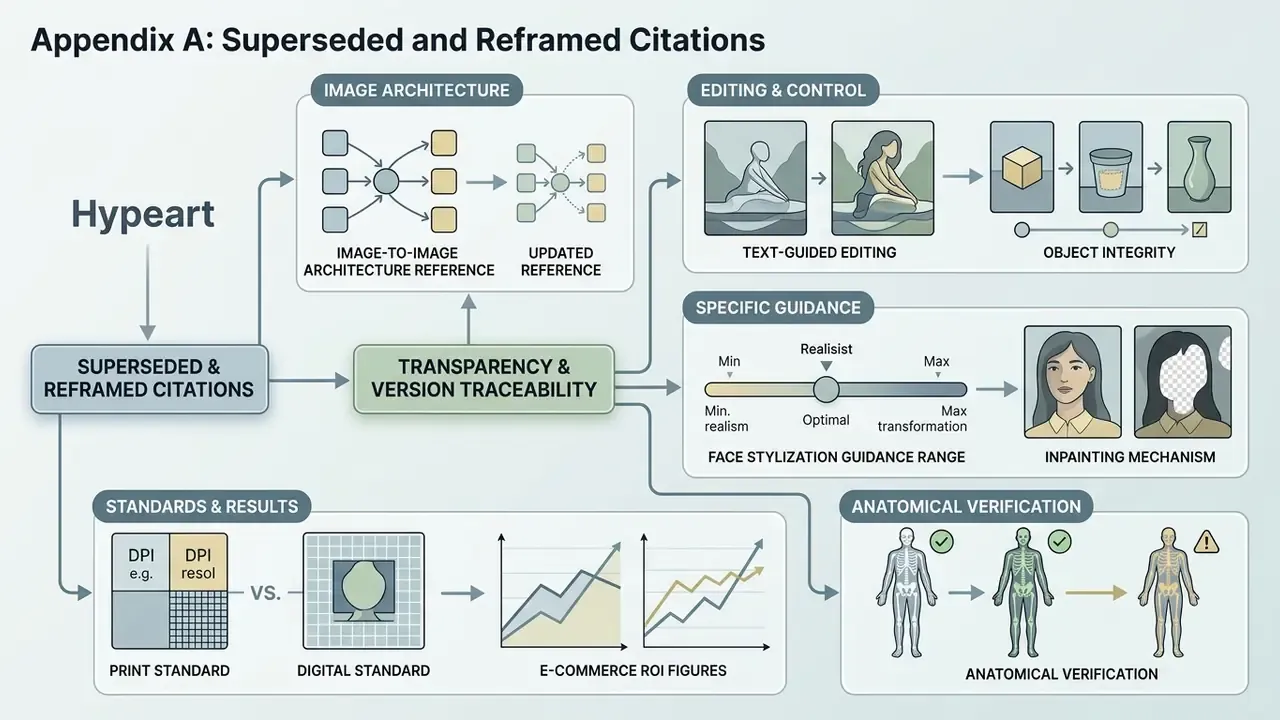
Retained for transparency and version traceability. Where the main text says "Updated," this appendix records the earlier formulation.
- Image-to-image architecture reference. Original formulation: "image-to-image conditional diffusion architectures (Palette: Image-to-Image Diffusion Models, ACM SIGGRAPH)." Updated in the main text to lead with IIDM (Computational Visual Media Journal, 2024) while retaining Palette as the historical baseline.
- Text-guided editing comparison. Original formulation cited IEEE without a named paper. Updated to Evaluation of Text-Guided Image Editing Models, IEEE ICICN (2024), with the Imagic and Forgedit ranking result.
- Object integrity. Original formulation: "Deep photo style transfer techniques suppress geometric distortion on recognizable objects (Deep Photo Style Transfer, CVPR)." Updated to include the full Cornell reference plus PAIR Diffusion (CVPR 2024) for object-level structure and appearance control.
- Face stylization guidance range. Original formulation cited Journal of Computer Graphics Forum with no figures. Updated to Differential Diffusion (Computer Graphics Forum) with reported adherence and change-map accuracy figures.
- Inpainting mechanism. Original formulation cited RePaint alone. Updated to include the full CVPR 2022 reference, the StrDiffusion structure-guidance result, and Differential Diffusion's per-pixel strength mechanism.
- Print standard. Original formulation: "in compliance with commercial printing standards (ISO 15930-8 Print Guidance)." Reframed to specify PDF/X-4 under ISO 15930-8:2010 and to instruct readers to confirm the profile required by their print vendor.
- E-commerce ROI figures. Original infographic asserted a 65% staging-cost reduction and 4× iteration speed. Reframed as workflow-dependent and requiring internal benchmarking; the Risk-Adjusted ROI formula was added in its place.
- Anatomical verification. Original formulation cited Cureus, 2025 without title or URL. Updated with the full Cureus reference plus the MagicMirror artifact benchmark, and flagged for independent verification before use in clinical publishing contexts.
Article Metadata and SEO Specifications
Further reading across our library: AI Media Commercial-Use coverage, and the main index at /.
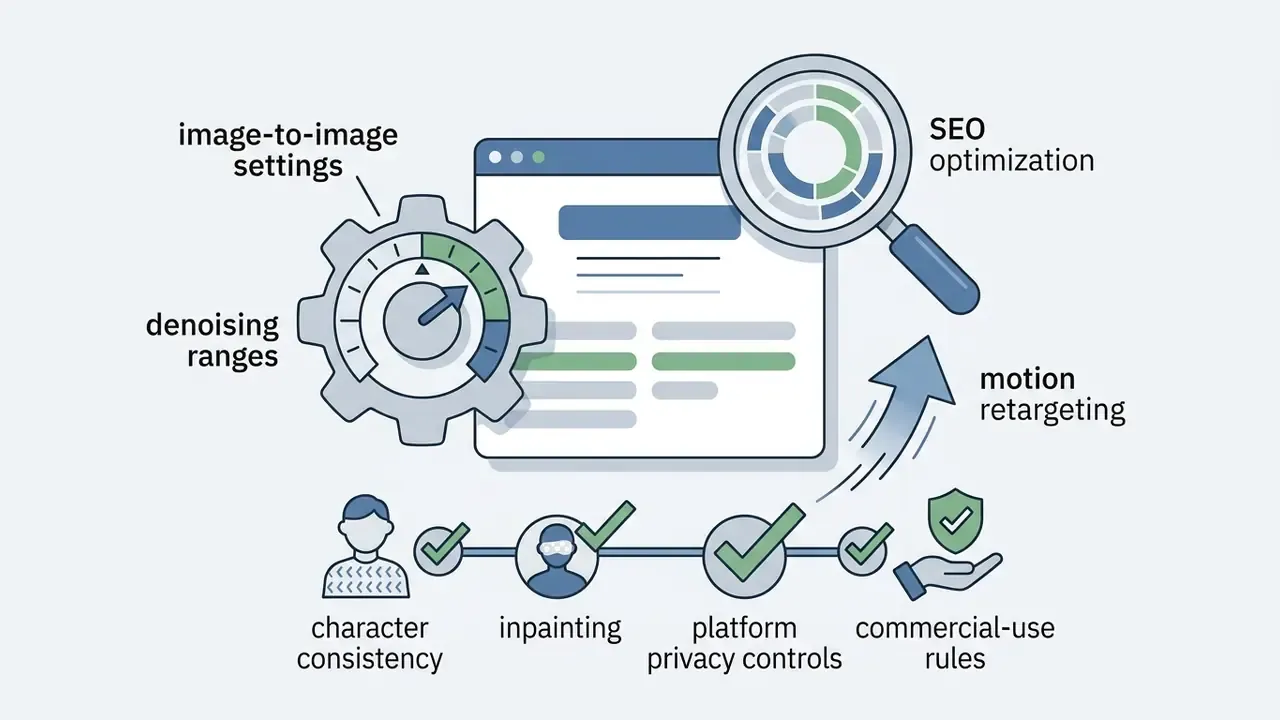
photo to ai art
ai art from photo, ai art using image, ai art from description, consistent character ai art, how to remove objects from ai photo, ai image to video, motion retargeting, commercial use ai art