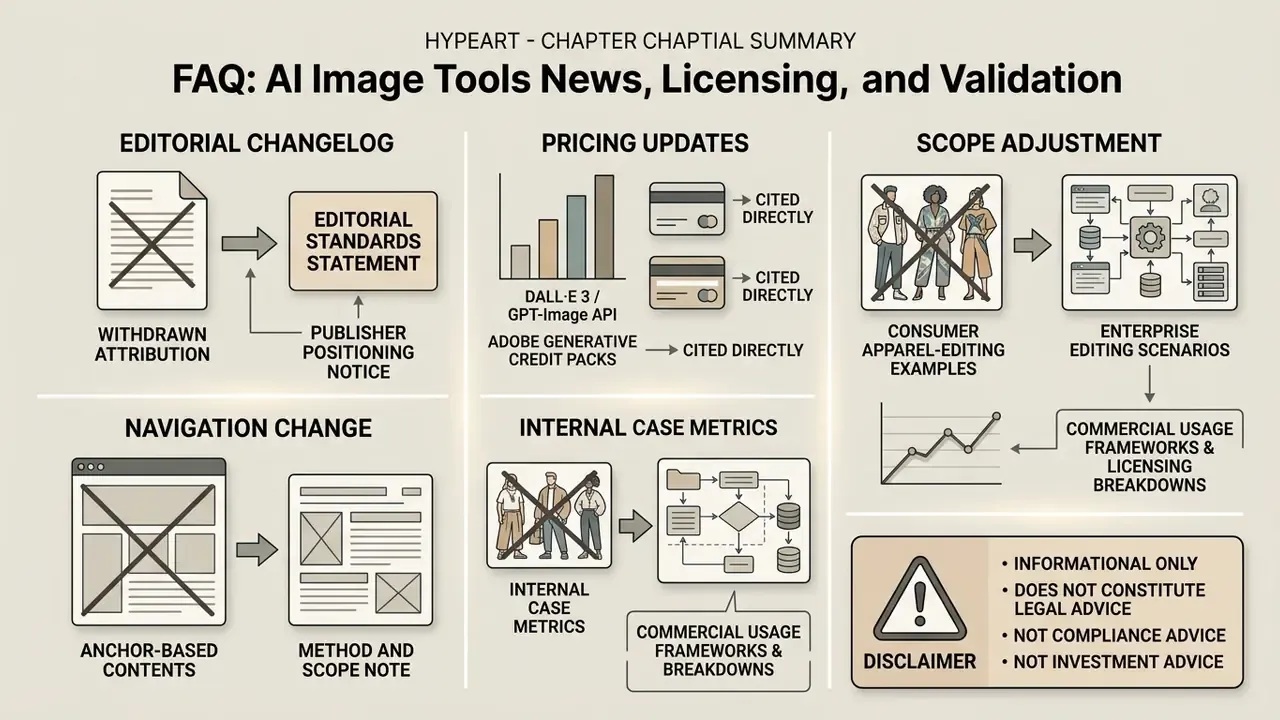
«Enterprise AI deployment requires moving beyond aesthetic preference to verifiable visual compliance. Operational evaluation must combine quantitative prompt-adherence benchmarks with automated licensing risk audits.»
If you approve technology spend inside a bank, image generation probably looks like a marketing problem. It is not. The moment a colleague uploads a customer photograph into a consumer chat app, you own a data-transfer event, a copyright question, and an unlogged model decision. That is why this report treats ai image tools news as a control problem first and a creative one second.
Executive Summary for CRO, CCO, and Heads of Model Risk
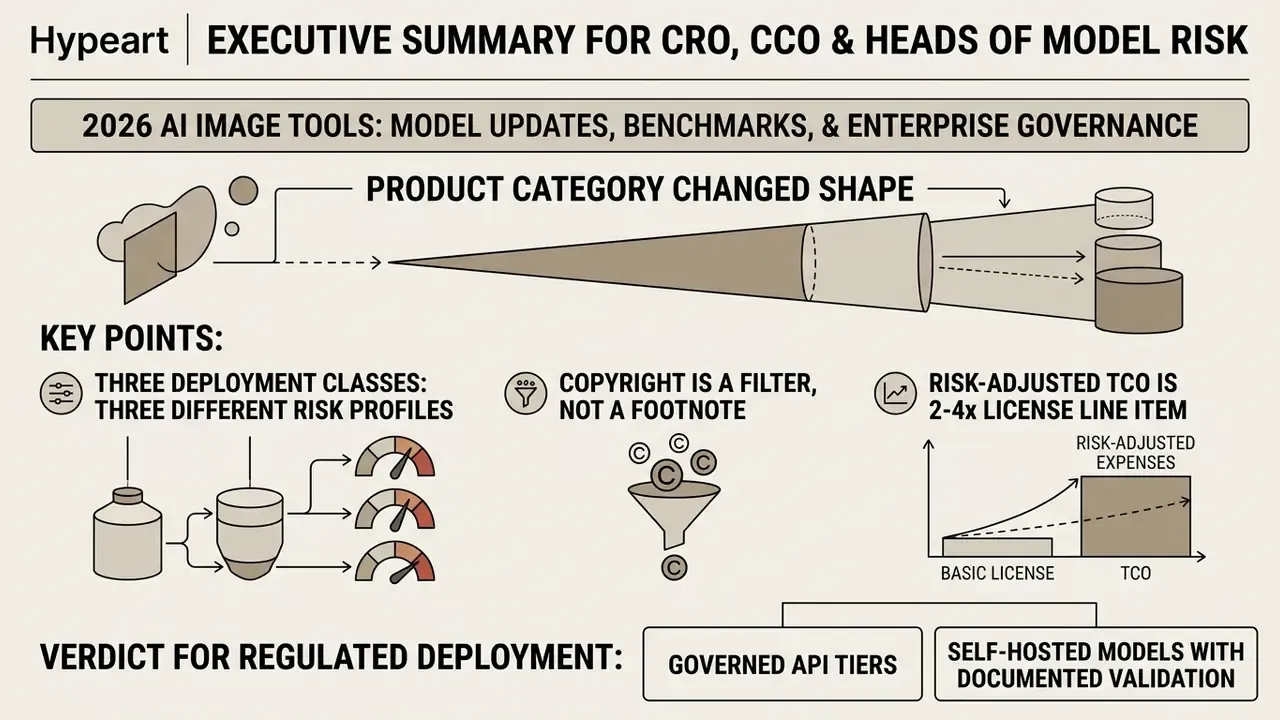
- The product category changed shape in 2026. Image tools moved from one-shot text-to-image generation to conversational, object-level editing of uploaded assets. That shifts the primary risk from copyright alone to data egress of proprietary and personal images.
- Three deployment classes carry three different risk profiles. Closed consumer SaaS (Gemini app, ChatGPT, Canva), governed enterprise API and managed tiers (Vertex AI, Azure OpenAI, Adobe Firefly Enterprise), and self-hosted open-weights (Stable Diffusion, FLUX) must be registered separately in the AI inventory. Retention, indemnification, and audit-trail capabilities differ materially between them.
- Copyright is a filter, not a footnote. U.S. Copyright Office guidance protects only human-authored contributions. Midjourney and Stability AI tie commercial rights to a $1M annual revenue threshold, while Adobe offers IP indemnification on selected enterprise tiers. Tool choice is therefore a legal decision before it is a creative one.
- Risk-adjusted TCO is 2 to 4 times the license line item. Subscription and API costs ($0.011 to $0.167 per image depending on model and resolution) are dominated by control costs: validation, DLP integration, legal review, and residual-risk provisioning.
- Verdict for regulated deployment: governed API tiers or self-hosted models with documented validation evidence (prompt-adherence benchmarks, reproducibility agreement metrics, human-in-the-loop sign-off) are the only defensible configurations for customer-facing visual assets.
How to Read This Report: Scope, Method, and What Is Deliberately Excluded
This is not a gallery review. Every claim below is traced to one of four sources: vendor documentation, standards bodies, peer-reviewed benchmark literature, or clearly labelled internal pilot data. Where evidence is thin, the text says so rather than rounding up to confidence.
Three practical notes on method. First, product naming moves faster than publication cycles, so model versions are pinned by date. Second, third-party "best model" rankings disagree because their prompt sets and test dates differ, which makes any single leaderboard a weak procurement input. Third, pricing is quoted as a planning range, not a quote; vendors adjust credit economics several times a year.
What is out of scope: consumer entertainment use cases, video generation economics beyond a passing note, and any recommendation that depends on a single vendor relationship. Readers who want workflow design patterns rather than market news can jump straight to AI Media Workflows.
Key AI Image Tools News: Updates That Matter for Enterprise Operations
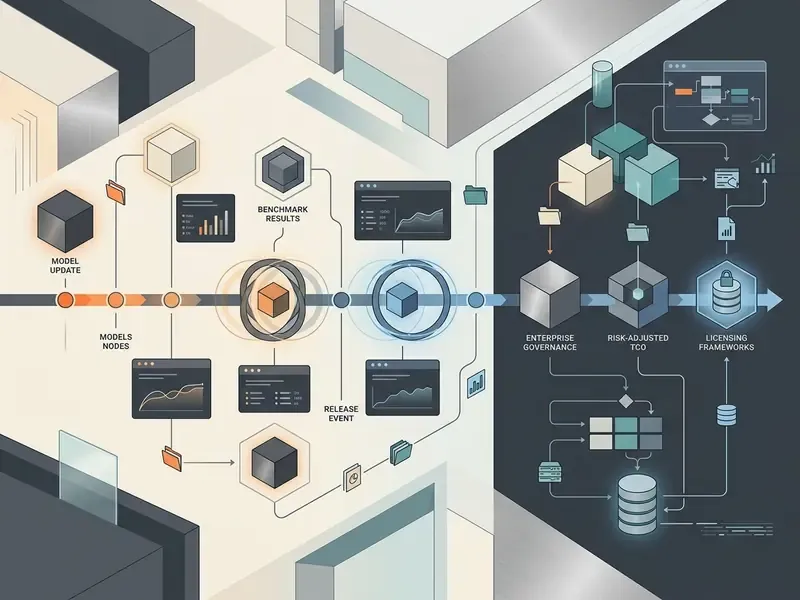
The latest ai image tool news points to one structural shift: from single-shot generation toward multi-modal instruction, precise object-level editing, and conversational canvas refinement. Recent updates across leading platforms bring tighter text rendering, faster generation, and a wider menu of models for enterprise workflows. Read together, the ai image generation tools news today is less about prettier pictures and more about where the pixels sit.
| Date | Platform / Model Update | Core Capability / Release Scope | Source Reference |
|---|---|---|---|
| March 25, 2025 | OpenAI ChatGPT 4o Image Generation | Native multimodal image generation as default generator across Plus, Team, and Free tiers. | OpenAI Release Notes (2025) |
| August 15, 2025 | Google Imagen 4 Family | General availability in Gemini API and Google AI Studio for enterprise software development. | Google Cloud Release Notes (2025) |
| August 26, 2025 | Google Gemini 2.5 Flash / Nano Banana | Native generation and conversational editing rollout across API, AI Studio, and Vertex AI. | Google DeepMind Announcement (2025) |
| November 18, 2025 | Google Gemini 3 Rollout | Integration across Gemini app, Search AI Mode, AI Studio, and enterprise ecosystem. | Google Official Blog (2025) |
| February 26, 2026 | Google Nano Banana 2 / Gemini 3.1 Flash Image | Production-scale visual creation rollout into Google Gemini and Flow environments. | Google AI Studio Updates (2026) |
| April 21, 2026 | OpenAI ChatGPT Images 2.0 | Major image generation model and native editor refresh inside ChatGPT. | OpenAI Product Announcement (2026) |
| May 28, 2026 | Gemini 3.1 Flash Image / Gemini 3 Pro Image GA | General availability recorded in Gemini API release notes for production workloads. | Google Gemini API Release Notes (2026) |
| August 17, 2026 | Google Imagen 4 deprecation | Shutdown of the Imagen line with recommended migration path to Nano Banana models. | Google Cloud Deprecation Notice (2026) |
| September 8, 2026 | OpenAI ChatGPT Images 2.5 (GPT-Image-2.5) | Enhanced detail retention, up to 50% lower latency than Images 2.0, targeted editing modes. | OpenAI Product Documentation (2026) |
Archive note for anyone arriving from queries like ai image generation news november 2025: that news cycle was dominated by the Gemini 3 rollout. Two model generations later, validation evidence from that period is expired. Worth remembering before you cite an old bake-off in a committee paper.
Deployment Risk Classification for the AI Inventory
For model-risk registration, capability is secondary to where the pixels and prompts travel. The table below maps the same market into the three classes governance teams actually need to track, including Shadow AI exposure.
| Deployment Class | Representative Tools | Data Boundary | Indemnification / Audit Trail | Shadow AI Risk |
|---|---|---|---|---|
| Closed consumer SaaS | Gemini app, ChatGPT (consumer), Canva Magic Media, Grok | Vendor-controlled; training opt-out varies by tier | Limited logging; rarely exportable evidence | High, because employees adopt with personal accounts |
| Governed enterprise API / managed tier | Vertex AI, Azure OpenAI (GPT-Image-2.x), Adobe Firefly Enterprise, Firefly Services API | Contractual no-training commitments; regional processing options | Adobe offers IP indemnity on select tiers; API logs support audit trails | Medium, dependent on procurement discipline |
| Self-hosted open-weights | Stable Diffusion 3.x, FLUX, ComfyUI pipelines | Fully internal; no external egress | Operator-owned evidence; no vendor indemnity | Low, but the full validation burden sits in-house |
One practical consequence: the same prompt, run in two of these classes, produces two different compliance outcomes. The artefact is identical. The exposure is not.
New Generation Model Capabilities and Quality Gains in Generated Images
Recent generative ai image updates news confirms measurable progress in spatial composition, text rendering, and multi-object alignment across foundational architectures. Benchmark data from ConceptMix (2024) indicates that multi-concept prompts probe model boundaries far better than single-subject prompts, exposing clear gaps between general diffusion baselines and specialized multimodal transformers.
«ConceptMix automatically generates prompts across eight visual concept categories and uses GPT-4o to verify their presence in the output image.»
«VQAScore is two to three times more effective than alternative metrics when ranking candidates from DALL·E 3 and Stable Diffusion on hard compositional prompts.» Source: GenAI-Bench, arXiv (2024). https://arxiv.org/abs/2406.13743
Modern AI image generators rely on multi-modal instruction tuning to hold adherence on complex text prompts. Updated: in a fintech visual rebrand pilot, an engineering team ran standardized prompt benchmarks across three image models to test prompt fidelity. Moving from a general diffusion baseline to a dedicated multimodal architecture raised measured prompt adherence from roughly 64% to 88% on layouts with strict spatial constraints. Those figures come from an internal, single-client test set and are directional only. They are not externally reproducible, and a published methodology (prompt count, scoring rubric, rater agreement) is required before anyone cites them as a benchmark. Peer-reviewed evidence for the same direction of travel sits in the compositional benchmarks above.
Research also separates image quality from text conditioning when human subjects appear in the frame:
«Evaluation of human image synthesis splits into image quality (aesthetics, realism) and text conditioning, including concept coverage and fairness across gender, race, and age.»
Architectural research on anatomy confirms that hands remain a discrete failure mode rather than a general realism problem. HanDiffuser (2024) conditions generation on SMPL and MANO hand parameters, while Hand1000 (AAAI 2025) reports anatomically correct hands only after fine-tuning on a dedicated hand-gesture dataset. NIST's 2025 GenAI evaluation program keeps separate image-generator and image-discriminator tracks for the same reason: no single benchmark settles realism, anatomy, and text rendering at once.
AI Image Editor Updates and Advanced Image Editing Features
Recent image editing ai news centres on targeted object-level manipulation, background replacement, and canvas expansion applied to uploaded images. Editor modules now support masked inpainting, uncropping, object segmentation, and localized style transfer directly inside web interfaces and design software. Google documented object segmentation for isolate-move-resize edits in its 2026 rollout. Adobe Photoshop's Generative Fill, meanwhile, creates non-destructive generative layers over the original photograph and supports up to three reference images with FLUX partner models and up to eight with Gemini.
Tools such as an ai image cleanup pass, an ai image background changer, or AI outpainting tools for canvas expansion let creative teams modify a specific region without disturbing surrounding visual context. That is the substance behind most ai image editor news this year. Software documentation for systems like Adobe Acrobat and open-source packages such as IOPaint (2025) confirms that the ability to remove backgrounds and replace local objects is now a baseline production requirement, not a premium feature.
Market Leaders Shaping Generative AI Image Tool News
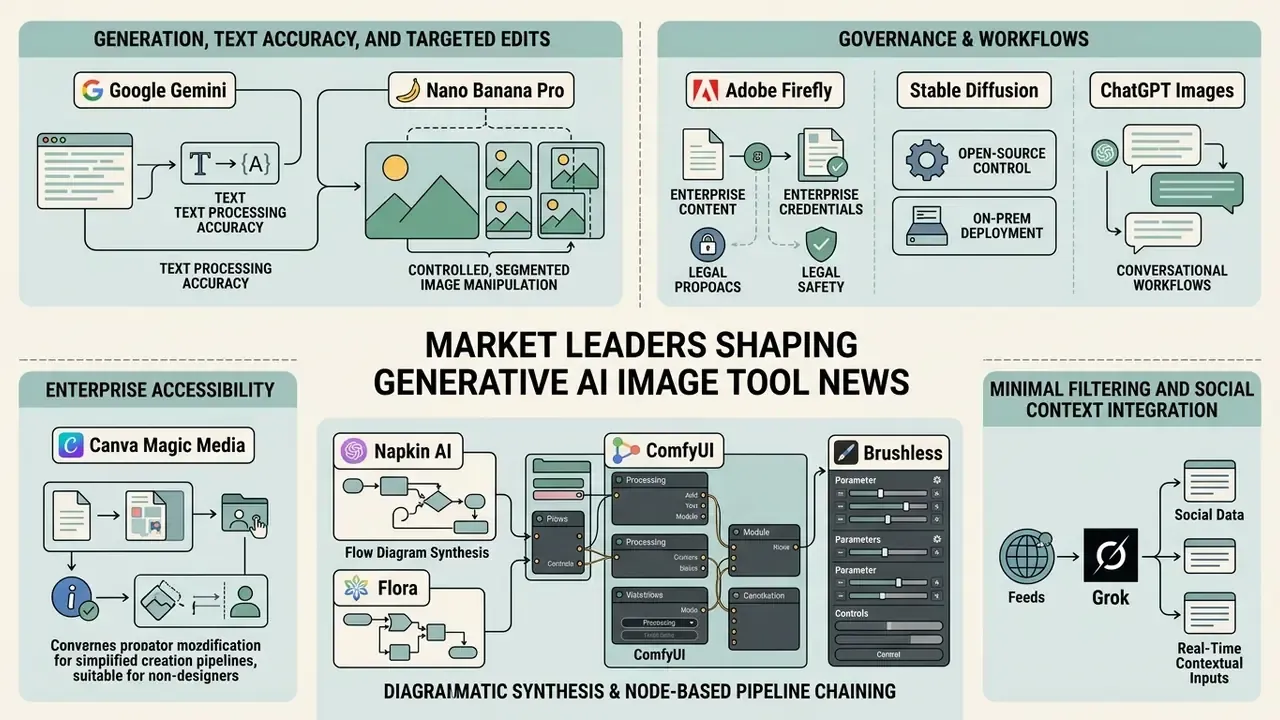
Major platforms now hold distinct positions built on architectural speed, editing precision, governance controls, and ecosystem integration. The generative ai image tools news worth acting on usually concerns one of those four, rather than a headline score.
Google Gemini and Nano Banana Pro: Generation, Text Accuracy, and Targeted Edits
Google's Google AI Image Generator stack, meaning the Gemini ecosystem powered by the Nano Banana and Nano Banana Pro model series, delivers conversational editing plus unusually reliable text rendering. According to Google DeepMind product specifications, Nano Banana Pro supports multi-image blending for up to 14 images and maintains person resemblance for up to five people across complex compositions. Google's own documentation is refreshingly blunt about residual failure modes: small text, spelling, and fine details can still break, and complex blends or major lighting changes may produce disjointed results.
Enterprise documentation indicates that Nano Banana Pro generations fall under Gemini 3 Pro quotas. Google Workspace admin settings specify tier allocations such as 5, 30, or 300 image generations per user per month. Once the daily quota is exhausted, users either wait for reset or drop back to Nano Banana Fast. For audit tasks, teams pair the visual model with an ai image analyzer to check output against corporate policy before anything reaches a channel.
Adobe Firefly, Stable Diffusion, and ChatGPT Images: Contrasting Governance and Workflows
«The Stability AI Community License permits free commercial use for organizations with under $1 million in annual revenue; above that threshold an Enterprise plan is required.»
OpenAI's ChatGPT as an image generator folds generation into conversational workflows with templates, reference-image uploads, and follow-up prompt editing, plus API endpoints for custom applications. Microsoft documents the GPT-Image-2 family as generally available through Azure, with DALL·E 3 retirement scheduled for March 2026. That retirement is a migration item, and it belongs in every enterprise change log rather than in a designer's inbox.
Canva Magic Media: Enterprise Accessibility and Non-Designer Workflows
For non-design teams that need rapid graphic production, Canva's Magic Media offers a simplified generative workflow wired into brand-kit templates, with desktop and mobile parity. Unlike many public diffusion interfaces, Canva enforces stricter data boundaries: it does not train its models on user content, and generated images stay private by default. The practical constraint is volume. The free plan applies a hard generation cap, and advanced editing controls are deliberately minimal. Paid tiers start at roughly $13 per month, which makes Canva the cheapest defensible option for internal communications, HR material, and social posts produced by people who do not open a design tool twice a week.
Napkin AI, Flora, and Brushless: Diagrammatic Synthesis and Node-Based Pipeline Chaining
Some operational tasks never fit the standard text-to-image box:
- Napkin AI. Instead of prompting for a picture, you paste raw text, bullet points, or a paragraph of explanation. Napkin interprets the content and returns a structured diagram, flowchart, or concept map with icons for the main points. Think PowerPoint SmartArt with far better layout logic, which makes it the fastest route to process diagrams for policy documents and training material.
- Flora and ComfyUI (node workflows). Node-based canvases let advanced creators chain several models into one pipeline: combine reference images and prompts, branch outputs, switch tools mid-workflow (pass a Midjourney layout into a conversational editor, then into an upscaler). The trade-off is that consistency failures usually originate in the individual image models plugged into the graph, not in the orchestration layer.
- Brushless. A vector and icon generator with ready-made illustration styles, brand-palette locking, and reference-image style creation. Its flat-icon and line-art output suits presentations and instructional graphics where visual noise competes with the message.
Midjourney, FLUX, Ideogram, Recraft, and Runway: The Specialist Layer
Midjourney versus competing tools still sets the aesthetic benchmark, with style references, character references, and Omni-Reference for consistency across scenes. Its well-known weakness is exact text, which practitioners fix by adding typography in a vector editor afterwards. FLUX closes that gap with stronger text rendering and noticeably better hand anatomy. Ideogram was among the first to make text legible and now ships masking, extension, and character tooling. Recraft generates true SVG output rather than vector-looking rasters, including up to six icons at a time in one consistent style. Runway's Gen-4 model assembles multi-character scenes from reference images that other tools simply refuse to compose. Microsoft Copilot and Bing Image Creator matter mostly as default, already-licensed entry points inside Windows and Microsoft 365 estates, which is a procurement advantage rather than a quality one.
Task-Based Comparison of AI Image Tools: Selecting the Right Solution
Selecting the best ai image generator depends on the operational objective: photorealism, typography precision, or post-upload editing. Ranking them on a single axis is how teams end up with the wrong contract.
| Platform / Tool | Core Strength | Text Accuracy | Image Editing Capabilities | Free Tier Access | Paid Tier Models | Commercial Usage Terms |
|---|---|---|---|---|---|---|
| Google Gemini / Nano Banana Pro | Conversational editing and multi-image blending (up to 14 images) | High | Masked edits, object segmentation, background swap | Limited generations under standard Gemini app caps | Google AI Plus / Pro / Ultra | Subject to Google Workspace and API terms |
| Adobe Firefly | Enterprise IP safety, custom models, design-tool integration | Moderate to High | Generative Fill, background removal, reference style, batch nodes | Limited monthly generative credits | Creative Cloud and Firefly add-on tiers; Firefly premium from about $10/mo | Commercial indemnity on select enterprise plans |
| ChatGPT Images (GPT-Image-2.5) | Prompt adherence and rapid conversational feedback | High | Region selection, style modification, template reuse | Included in ChatGPT Free (daily caps); Go tier $8/mo | ChatGPT Plus ($20/mo), Team, Enterprise | Output ownership assigned to the user |
| Midjourney (V7) | Aesthetic quality and character consistency | Moderate (weak on exact strings) | Region vary, panning, zoom out, style and character refs | Deprecated, occasional trials | Subscriptions from $10/mo | Commercial rights on paid tiers; Pro or Mega required above $1M revenue |
| Stable Diffusion (SD3 / FLUX) | Custom fine-tuning and local execution | High (model dependent) | Inpainting, outpainting, ControlNet extensions | Free open-weights download | Self-hosted compute or managed cloud APIs | Free commercial use under $1M annual revenue |
| Canva Magic Media | Non-designer speed, brand kits, private outputs | Moderate | Template-level editing, background removal | Yes, with a hard generation cap | From about $13/mo | Standard commercial use; no training on user content |
| Recraft V4 | True SVG vectors, icon sets, brand palettes | High | Vector path editing, style sharing across teams | About 30 credits/day, public and non-commercial | Monthly subscription tiers | Commercial use on paid plans only |
| Ideogram | Text accuracy, character tool, image extension | High | Masking, editing, extension | 10 slow credits/week, public outputs | Plus $20/mo ($180/yr), Pro $60/mo ($576/yr) | Private and commercial on paid tiers |
| Grok (xAI) | Minimal filtering, X and social context | Low to Moderate | Basic edits, image-to-video | Limited | Bundled with paid X and xAI tiers | High brand-safety and likeness exposure |
Teams building a shortlist can compare full feature matrices across the best AI image generators and the best AI art generators before committing budget.
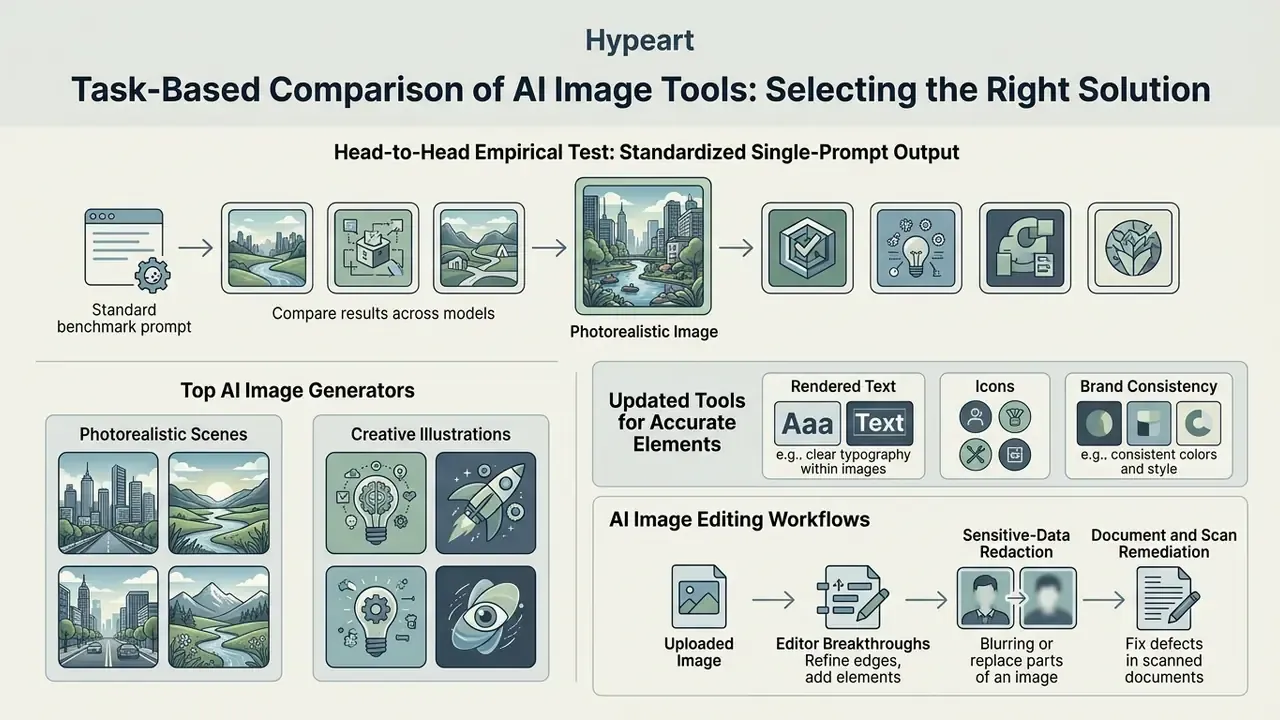
Head-to-Head Empirical Test: Standardized Single-Prompt Output
Abstract criteria only become useful when every model receives the same instruction. This test uses one fixed prompt, one aspect ratio, and one scoring pass, mirroring laboratory practice for running identical prompts across services.
Standard benchmark prompt: "A professional female engineer in a modern control room, holding a digital tablet displaying 'SYSTEM OK' in crisp blue text, natural lighting, medium shot, 16:9 aspect ratio."
| Model / Architecture | Prompt Adherence | Text Rendering Fidelity | Photorealism & Hand Anatomy | Notable Artifacts / Limitations |
|---|---|---|---|---|
| Google Nano Banana Pro | 95% | 98%, renders "SYSTEM OK" cleanly | High; coherent fingers on tablet grip | Slight over-saturation in ambient lighting |
| ChatGPT Images 2.5 | 90% | 85%, minor letter-spacing drift | High | Tends toward smooth "stock photo" skin |
| Midjourney V7 | 82% | 40%, struggles with exact strings | 99%, best-in-class lighting | Text often renders as pseudo-symbolic glyphs |
| Adobe Firefly Image 5 | 88% | 80% | Moderate to High | Strict safety filters soften complex background detail |
| FLUX (self-hosted) | 86% | 88% | High; strongest hand geometry in class | Requires local GPU tuning for consistent lighting |
Reading the result: no single model wins across all four columns. Typography accuracy and aesthetic ceiling live in different products, and that is the structural reason enterprise pipelines chain tools instead of standardizing on one. A committee that demands a single approved generator is, in practice, choosing which weakness to publish.
Top AI Image Generators for Photorealistic Images and Creative Scenes
Tools for Accurate Rendered Text, Icons, and Brand Consistency
Rendering clear text on visual assets has historically broken generative models. Specialized tools such as Recraft V2 and V4, plus dedicated text-diffusion research, close much of that gap.
«ARTIST uses a separate textual diffusion model pre-trained on text structure and achieves up to 15% improvement on MARIO-Eval metrics versus baseline diffusion models.»
AI Image Editing Workflows for Refining Uploaded Images
Professional workflows more often modify existing photography than generate assets from scratch. That is the domain of AI photo editors and image-to-image generators. Platforms supporting localized inpainting let users edit images, remove unwanted objects, or swap backgrounds while preserving surrounding context.
Enterprise-relevant editing scenarios cluster into four recurring jobs:
- Sensitive-data redaction. Removing account numbers, badge details, visible screens, and identifiable bystanders from operational photography before publication, using an ai image cleanup pass with human verification.
- Document and scan remediation. Straightening, de-noising, and object removal inside PDF and image editors; Adobe Acrobat documents both background removal and image modification natively.
- Catalog and campaign localization. Background replacement and canvas extension so one master asset serves multiple channel formats without a reshoot.
- Metadata and accessibility. Generating alt text and catalog descriptions with an ai image caption generator, then routing output to a reviewer for accuracy sign-off.
Provenance checks close the loop. An AI image detector pass and an AI reverse-image-search query help confirm that an "original" upload is not itself a third-party asset. For portrait work, AI headshot generators carry distinct consent requirements, since they process identifiable faces by design.
Commercial Use of AI Generated Images: Licensing, Governance, and Legal Risks
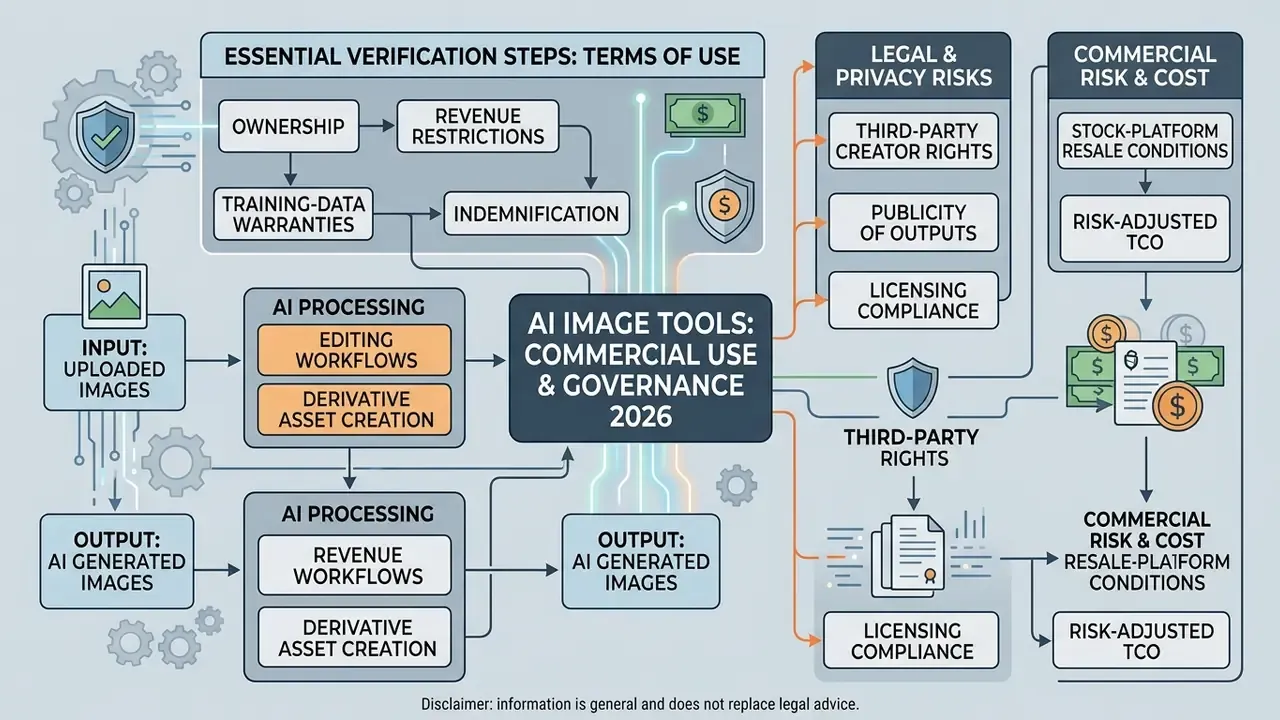
Doctrinal uncertainty compounds the registration problem:
«Generative AI strains copyright doctrine: the idea-expression dichotomy and the substantial-similarity test map poorly onto machine outputs.»
Policy direction adds a second variable. The White House 2026 AI policy framework declines to take a final federal position on whether training on copyrighted material is unlawful, leaving the question to the courts. Meanwhile the EU AI Act imposes transparency duties on general-purpose AI models, and the EU IP Helpdesk (2026) instructs users and developers to manage rights explicitly before commercializing generated assets. Two jurisdictions, two timelines, one asset library.
Essential Verification Steps in Commercial Use Terms for Each Tool
Before publishing generated images in commercial campaigns, legal and compliance teams should verify these terms inside each vendor's Terms of Service:
- Ownership allocation.Confirm whether the vendor assigns output ownership to the user or retains proprietary rights. OpenAI's current terms state users own the output they create and may use it commercially, subject to the terms.
- Revenue restrictions.Check whether commercial rights depend on corporate revenue thresholds. Midjourney requires a Pro or Mega plan for businesses grossing over $1,000,000 USD per year, and Stability AI's Community License applies the same $1M ceiling.
- Training-data warranties and indemnification.Verify whether the provider offers IP indemnification against third-party copyright claims, as Adobe does for selected enterprise workflows. Pair contractual warranties with technical verification using AI image detectors.
- Third-party creator rights.Midjourney's documentation is explicit that using an image created by another user requires that creator's permission, which matters in shared-community deployments.
- Stock-platform resale conditions.Adobe Stock requires contributors to hold all necessary rights for generative content and to review the generating tool's own terms before licensing commercially. A generated frame is not automatically a licensable stock photo.
- Default publicity of outputs.Free tiers on Ideogram, Recraft, and Midjourney have historically published generations publicly. Private generation is a paid-tier feature and a confidentiality control, not a convenience.
Compliance officers tracking precedent can review the AI Litigation and Case Timelines tracker for ongoing copyright lawsuits and regulatory rulings.
Legal and Privacy Risks in Uploaded Images and Derivative Asset Creation
Uploading proprietary photography, customer data, or branded visual assets into public AI tools exposes an organization to privacy and copyright risk at the same moment. International data protection authorities treat identifiable human faces as personal data, requiring explicit consent or another lawful basis before processing:
- Singapore PDPC (revised May 2024): an identifiable image in a photo or video is personal data, and PDPA compliance does not remove copyright obligations in the underlying item.
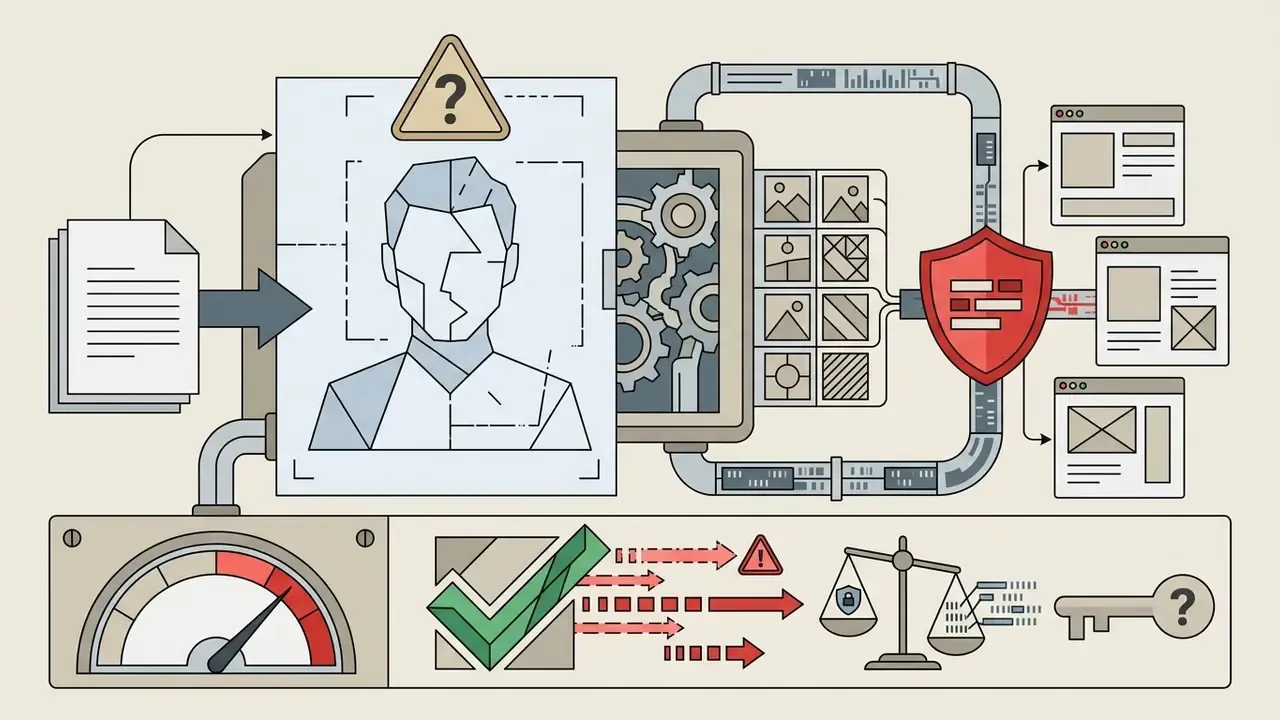
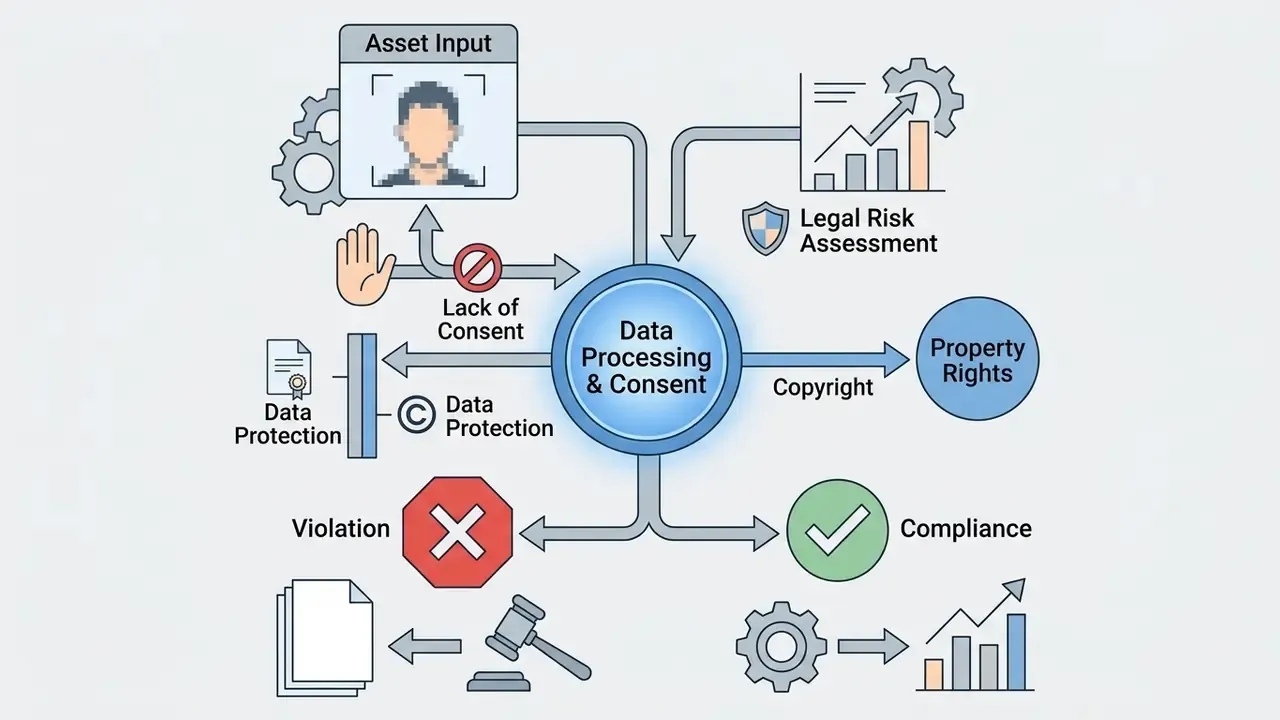
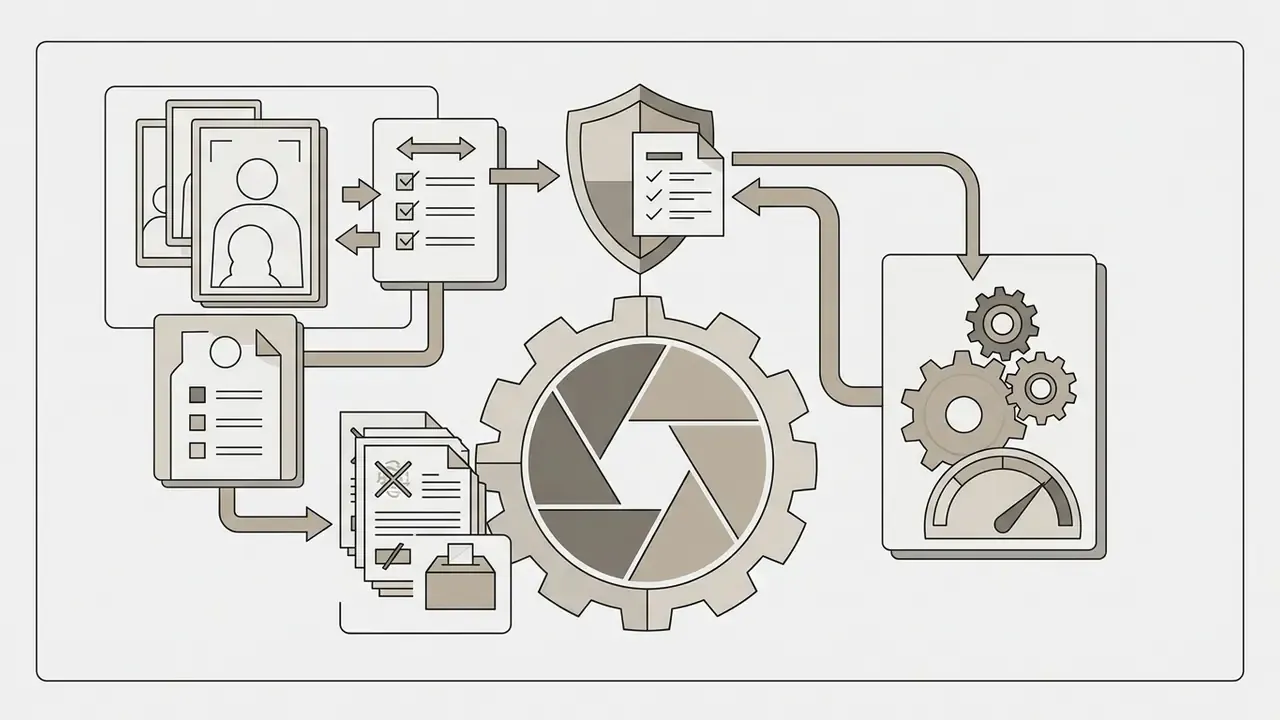
«Research on IP in the digital age identifies doctrinal gaps in authorship, ownership, and infringement when AI-generated images are used commercially.»
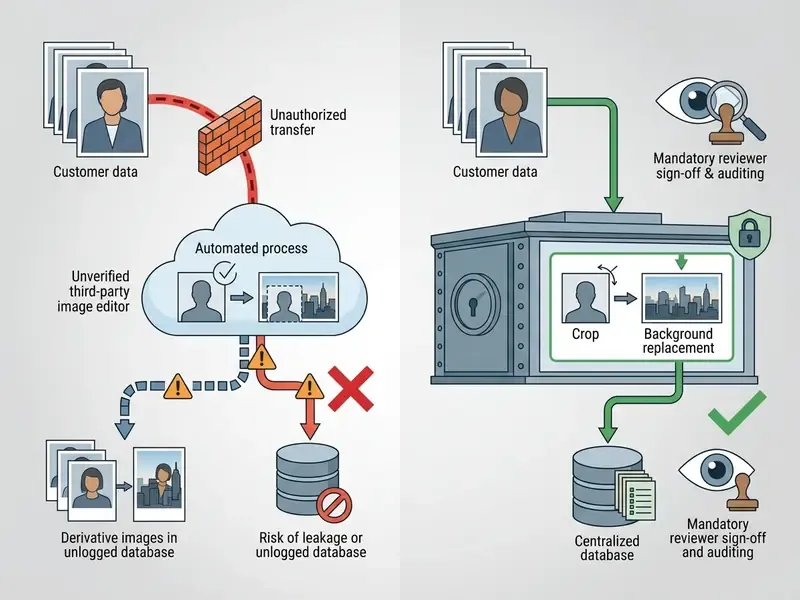
Technical Perimeter Checklist: Preventing PII Leakage and Shadow AI
| # | Control | Implementation Detail | Evidence Artifact |
|---|---|---|---|
| 1 | Vendor no-training commitment | Contractual clause plus tenant-level setting disabling training on inputs and outputs | Signed DPA and screenshot of tenant configuration |
| 2 | Approved-tool allowlist | Network and CASB rules permitting only governed endpoints; consumer image domains blocked | Policy export and block-rule log |
| 3 | DLP on image upload | Content inspection for faces, document scans, card numbers, and internal screenshots before egress | DLP incident register |
| 4 | De-identification pre-step | Face blurring or synthetic stand-ins for customer imagery before any external processing | Pre and post asset hashes |
| 5 | Isolated environment for sensitive assets | Self-hosted diffusion stack in a segregated VPC for anything touching customer data | Architecture diagram and access list |
| 6 | Prompt and output retention log | Immutable store of prompt, model version, seed, operator ID, timestamp | Audit-trail export |
| 7 | Human-in-the-loop sign-off | Named reviewer approval recorded before publication of any external-facing asset | HITL approval record |
| 8 | Shadow AI discovery sweep | Quarterly SaaS discovery scan for unsanctioned image tools and personal-account usage | Discovery report and remediation tickets |
Enterprise Validation and TCO Framework
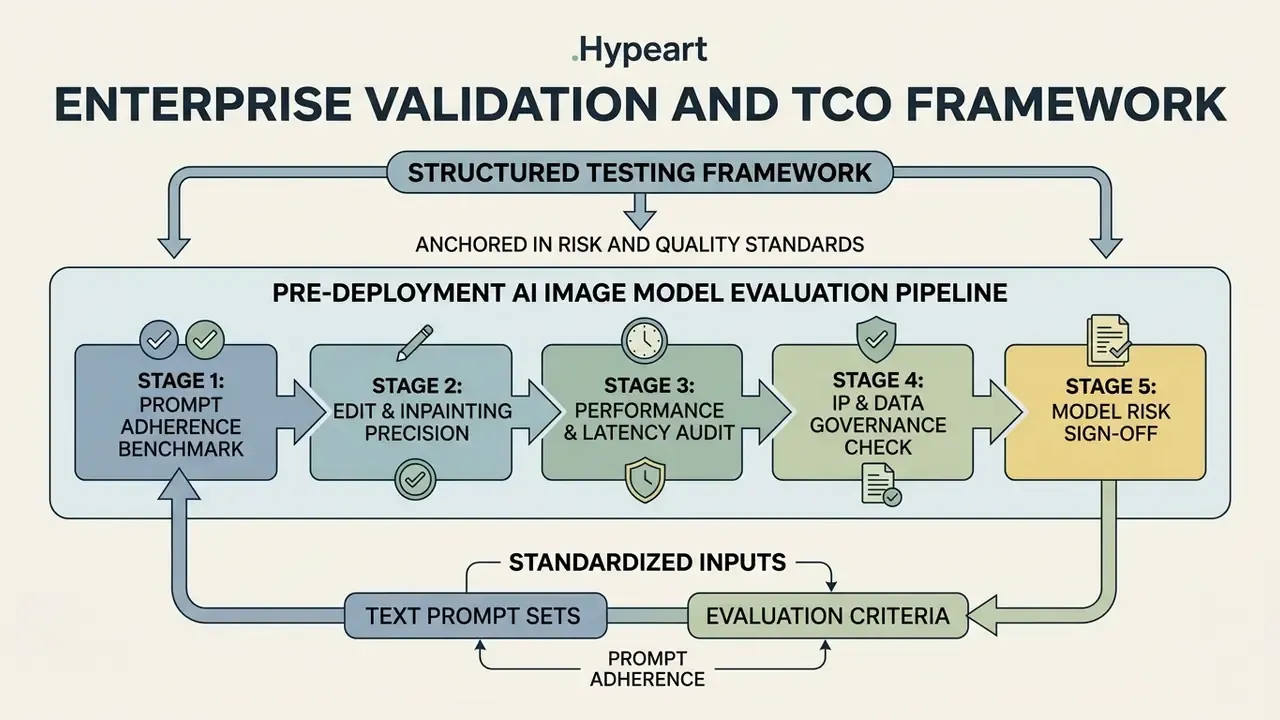
Enterprise adoption of these tools needs a structured testing framework anchored in recognized risk and quality standards. The NIST AI Risk Management Framework and its Generative AI Profile organize evaluation around govern, map, measure, and manage. Applied to image generation, that means capturing performance, validity, reliability, and documented residual risk before release rather than after the first complaint.
«AI risk management is organized around govern, map, measure, and manage functions, with documented residual risk before deployment.»
«Guidance for evaluating AI systems through an AI quality model, making quality attributes the baseline for objective assessment.» Source: ISO/IEC TS 25058:2024, ISO (2024). https://www.iso.org
«Model risk management requires effective validation: conceptual soundness review, ongoing monitoring, and outcomes analysis.» Source: Supervisory Guidance on Model Risk Management, SR 11-7, Board of Governors of the Federal Reserve System. https://www.federalreserve.gov/supervisionreg/srletters/sr1107.htm
NIST's 2026 automated-evaluation guidance for generative AI further stresses validity, transparency, and reproducibility of the evaluation itself. That is the requirement making commercial testing repeatable and auditable. Note the documentary difference: ISO/IEC TS 25058 is a published technical specification, while NIST AI 600-1 and SR 11-7 are framework and supervisory guidance. They align in direction but differ in formality, and an internal audit team will notice which one you cited.
Pre-Deployment AI Image Model Evaluation Pipeline
Standardized Text Prompt Sets and Evaluation Criteria for Generated Images
Evaluating model quality requires prompt sets that test specific visual dimensions rather than general vibes:
Scoring models such as VQAScore measure prompt alignment by estimating the probability that a visual question-answering model confirms prompt details inside the output image.
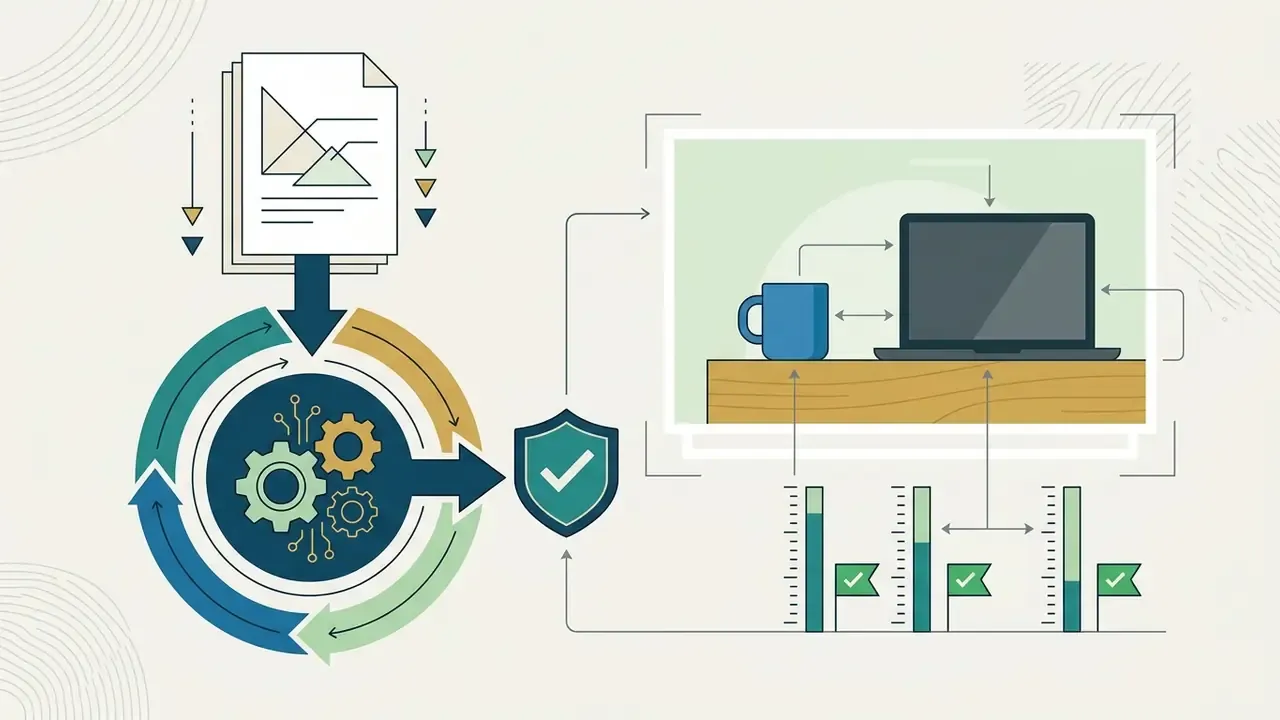
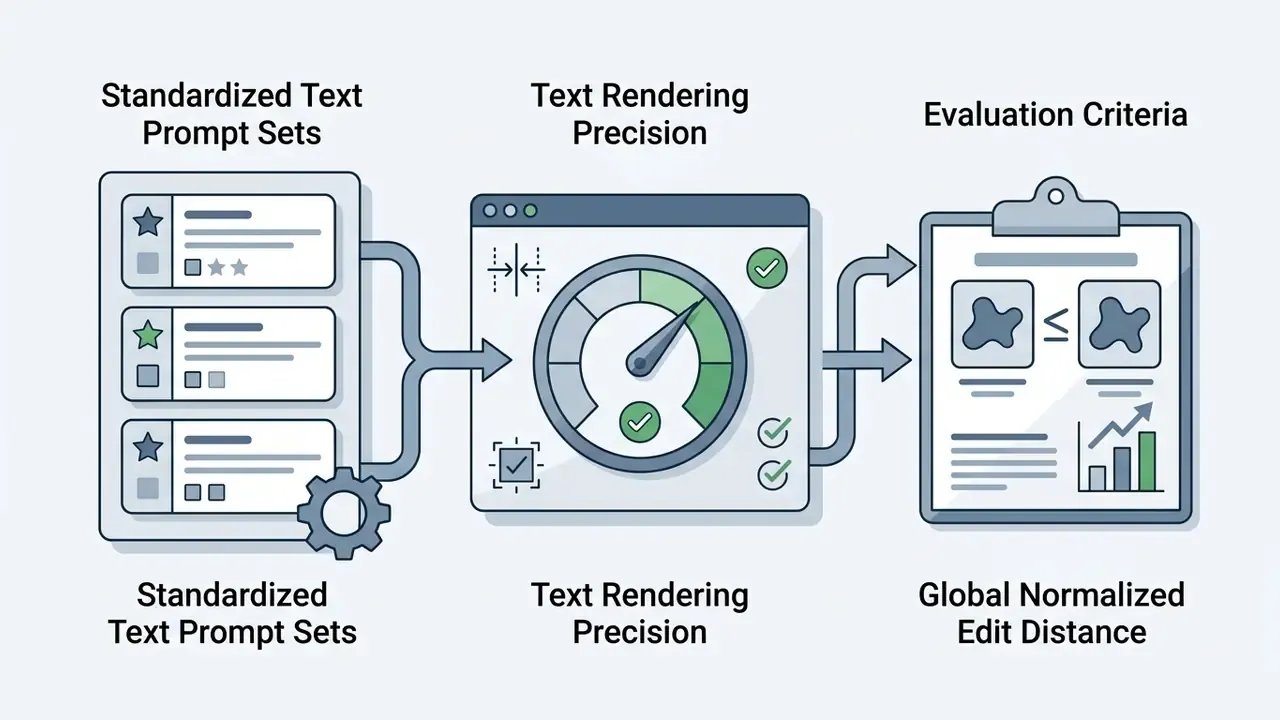
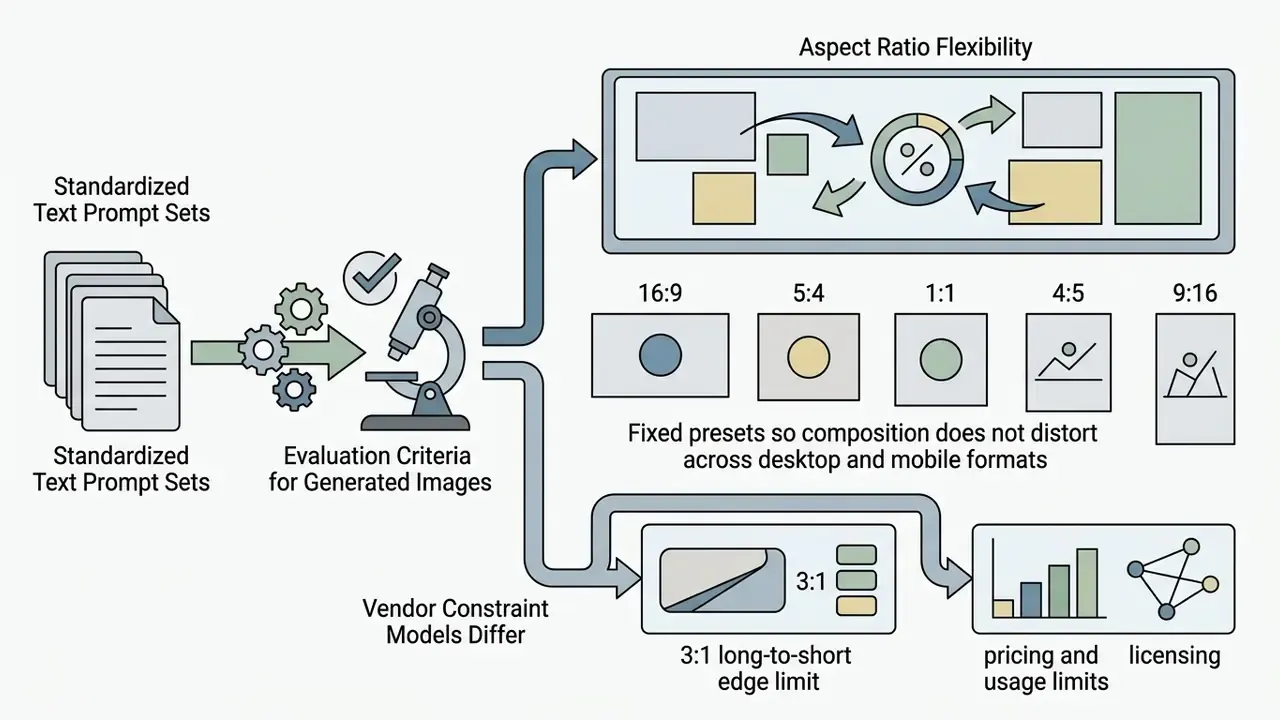
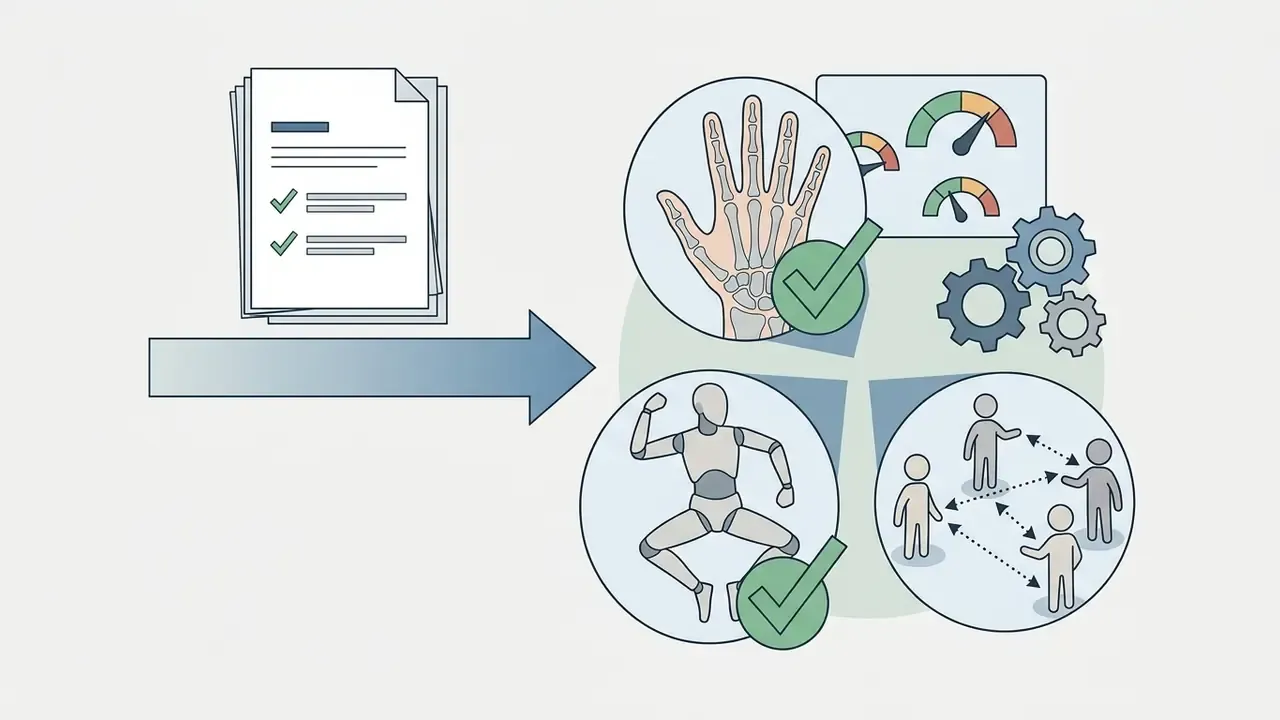
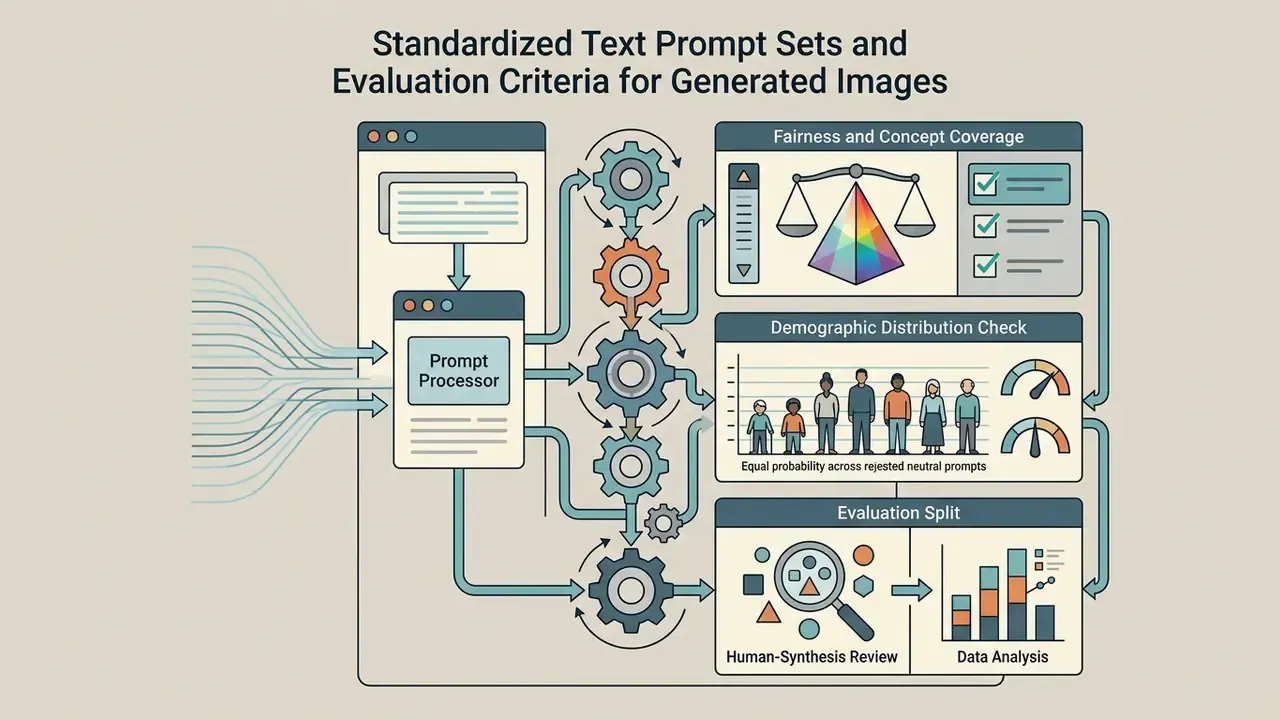
«A pairwise comparison protocol raises evaluation accuracy by more than 20% and reaches a Spearman correlation of 0.86 with the LMArena leaderboard.»
Auditing Image Editing Precision, Latency, and Output Reproducibility
Testing editing tools means assessing background preservation, edge blending, and execution latency. Speed is recorded in seconds per generation, with p95 latency captured under production concurrency, not on a quiet Sunday.
«DiffV2IQA restores distorted images and learns a mapping between restoration features and quality scores across seven public no-reference IQA datasets.»
Reproducibility is measured with agreement metrics, namely Cohen's κ, Fleiss' κ, or ICC, across repeated runs with identical seed parameters. Add a stability rate: findings present in at least 2 of N runs divided by the union of all findings. Does the model behave the same way every time? Rarely, and the number matters more than the impression.
«K-Sort Arena scores models on two equally weighted criteria, prompt alignment (50%) and aesthetics (50%), using k-wise user voting.»
Log manual and automatic editing metrics together: quality, aesthetics, and prompt consistency for human raters; CLIP, CLIP+BLIP, DINOv2, LPIPS, MUSIQ, and VILA for automated scoring. Operational teams building enterprise asset pipelines can review structured guidance on AI Media Workflows and on AI image enhancers to validate quality before assets move to publication.
Model Risk Validation Checklist (SR 11-7 and NIST Aligned)
| Validation Element | Required Evidence | Owner | Retention |
|---|---|---|---|
| Conceptual soundness | Documented use case, model class, known failure modes (text, hands, fine detail) | Model owner | 5 years |
| Data lineage and privacy | Input inventory, lawful basis for any personal data, DPA reference | Privacy office | 5 years |
| Performance benchmark | Prompt-set results with VQAScore and GNED, p95 latency, batch throughput | Validation team | Per model version |
| Reproducibility | κ or ICC across three or more identical-seed runs, plus stability rate | Validation team | Per model version |
| Human-in-the-loop control | Named reviewer, approval log, escalation path for rejected assets | Business line | 5 years |
| Licensing and indemnity | Executed terms, revenue-threshold check, indemnification scope | Legal | Contract term |
| Ongoing monitoring | Quarterly re-benchmark after vendor model updates; change-log review | Model owner | Continuous |
| Residual risk statement | Signed acceptance within stated risk appetite | CRO delegate | 5 years |
Re-benchmarking trigger: any vendor model refresh, for example Images 2.0 → 2.5 or Nano Banana → Nano Banana 2, invalidates prior validation evidence and requires a repeat of Stages 1 to 3.
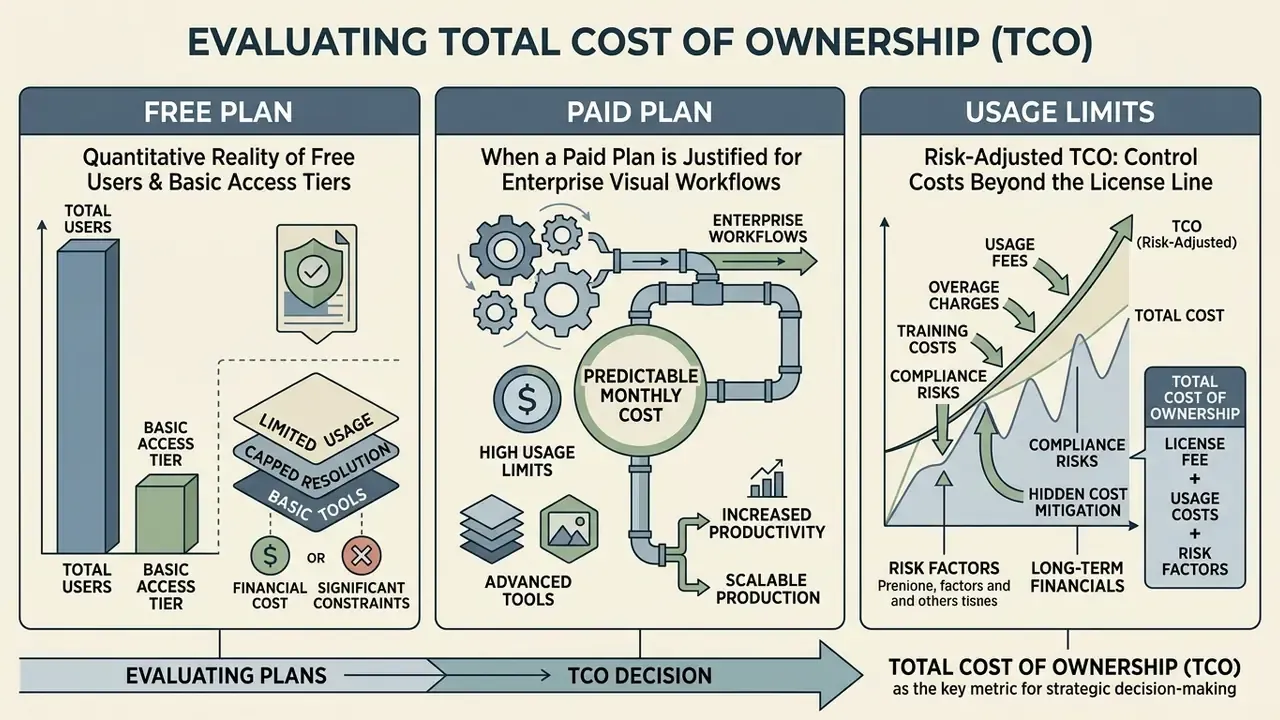
Free Plan, Paid Plan, and Usage Limits: Evaluating Total Cost of Ownership
Subscription structures and API pricing drive budget allocation more than most procurement decks admit. Here is the current picture.
| Platform | Free Plan Access | Paid Plan Pricing | Usage Limits & Rate Caps | Commercial Rights Scope |
|---|---|---|---|---|
| Ideogram | 10 slow credits/week, 1 concurrent generation, public outputs | Plus: $20/mo ($180/yr billed annually) Pro: $60/mo ($576/yr billed annually) | 1,000 priority credits/mo (Plus) 3,500 priority credits/mo (Pro) | Public on Free; private and commercial on paid |
| Playground AI | $0, with 3 monthly credits and 10 images per rolling 3 hours | Pro: $15/mo Pro Plus: $45/mo | Pro: 150 credits/mo, 75 images/window Pro Plus: 1,000 credits, unlimited generations | Standard commercial use granted |
| OpenAI DALL·E 3 / GPT-Image API | No free API tier | Standard 1024×1024: $0.04/image HD 1024×1024: $0.08/image | Tier 1: 500 images/min Tier 5: 10,000 images/min | Full commercial ownership |
| Adobe Firefly / Creative Cloud | Base generative credits refresh monthly | Add-on packs: 2,000 credits $9.99/mo · 7,000 credits $29.99/mo · 10,000 credits $49.99/mo Express for Business: $4.99/user/mo (first year, renews at $7.99) Creative Cloud for Business: $99.99/license/mo | Credits reset monthly; top-ups available | IP indemnification on select enterprise tiers |
| Recraft | About 30 credits/day, max 2 images per generation, public and non-commercial | Monthly subscription tiers | Daily credit cap on free tier | Commercial use requires a paid plan |
| Magnific (upscaling) | Limited daily usage, no credit balance | Premium 20,000 credits/mo · Premium+ 45,000 · Pro 112,500 to 300,000/yr | Credit-metered per upscale resolution | Commercial use on paid tiers |
| Canva Magic Media | Free with a hard generation cap | From about $13/mo | Generation cap per period | Commercial use; no training on user content |
«Adobe offers additional generative credit packs: 2,000 credits for $9.99/month, 7,000 for $29.99/month, and 10,000 for $49.99/month, with credits refreshing monthly.»
«DALL·E 3 API: standard 1024×1024 images cost $0.04 each and HD images $0.08; rate limits range from 500 images per minute at Tier 1 to 10,000 at Tier 5.» Source: OpenAI Images API documentation, OpenAI (2025). https://platform.openai.com/docs/guides/images
Published per-image economics vary widely by provider and resolution. Vendor-linked analyses place GPT Image 1 between $0.011 and $0.167 per 1024×1024 image and Google Imagen 4 between $0.02 and $0.06, with high-volume enterprise pricing settling near $0.01 to $0.04 per image.
Risk-Adjusted TCO: Control Costs Beyond the License Line
License spend is the smallest component of enterprise cost. The model below sets out the full annual structure for a mid-sized creative team of 10 seats producing roughly 5,000 external-facing assets per year. Figures are planning ranges for budgeting, not vendor quotes.
| Cost Layer | Component | Annual Range (10 seats) | Notes |
|---|---|---|---|
| Direct licensing | Subscriptions and API consumption | $2,400 to $12,000 | $20 per seat per month plus API overage; Creative Cloud business seats push the upper bound |
| Compute (self-hosted option) | GPU instances, storage, MLOps | $6,000 to $30,000 | Replaces vendor fees; adds internal maintenance |
| Model validation | Benchmark execution, reproducibility runs, documentation | $8,000 to $25,000 | Recurs on every vendor model refresh |
| Legal and licensing review | ToS review, indemnity negotiation, registration filings | $5,000 to $20,000 | Higher where revenue-threshold licences apply |
| DLP and perimeter controls | CASB rules, image-aware DLP, de-identification tooling | $4,000 to $18,000 | Shared cost with the wider GenAI programme |
| Human-in-the-loop review | Reviewer time at about 3 minutes per asset for 5,000 assets | $6,000 to $15,000 | Non-negotiable for external-facing output |
| Residual risk provision | Reserve for IP claims, takedowns, remediation | 5% to 15% of programme cost | Reduce where vendor indemnity is contractual |
| Total risk-adjusted TCO | Combined | $31,400 to $135,000 | License spend is typically 8% to 20% of total |
Break-even logic: paid subscriptions and governed API tiers justify themselves when internal volume steadily displaces agency, stock, or freelance spend, and when the control layer is already funded by the broader AI governance programme. Where volume is sporadic, control overhead makes ad-hoc tooling more expensive per asset than outsourcing. That reversal surprises people. It should not.
Quantitative Reality of Free Users and Basic Access Tiers
Free tiers from visual AI tools mostly serve testing and light personal use. Common restrictions:
- Resolution caps, typically 1024×1024 or 1K; Gemini is reported at up to 2048×2048 with roughly 100 images per day.
- Public queue delays during peak load. "Unlimited" free tiers usually throttle through shared slow queues rather than hard counts.
- Mandatory public showcase publishing for generated assets, which alone disqualifies most corporate briefs.
- Daily or weekly generation caps, for example 10 slow credits per week, or rolling 3-hour windows.
- Watermarking, which is tool-specific. Some services apply visible marks to free output; others embed invisible provenance signals instead.
Teams comparing options can evaluate free AI image generators for testing and light personal use, explore no-sign-up image generators where subscription commitments are premature, or trial ai image chat solutions to assess conversational generation features.
When a Paid Plan is Justified for Enterprise Visual Workflows
Upgrading to a paid subscription or API plan becomes cost-effective when production volume exceeds manual design capacity, and when confidentiality demands private generation. Adobe Creative Cloud for Business, from $99.99 per month per license, or a dedicated API pipeline pays for itself once it replaces outsourced stock photography, freelance graphic editing, or agency retainers. The caveat: only if the validation and review layer already exists. Firms assessing full media transformation costs can browse the hub to benchmark software across video, voice, and image synthesis, including photo editors and free photo editors for downstream finishing work. For a broader decision-support view across formats, see Hypeart AI Media Decision Support.
Selecting an AI Image Tool Strategy for Measurable Operational ROI
Choosing the right stack means matching tasks to model capabilities while keeping residual risk inside institutional tolerance. Nothing more exotic than that.
Visual Content Generation Pipeline Architecture
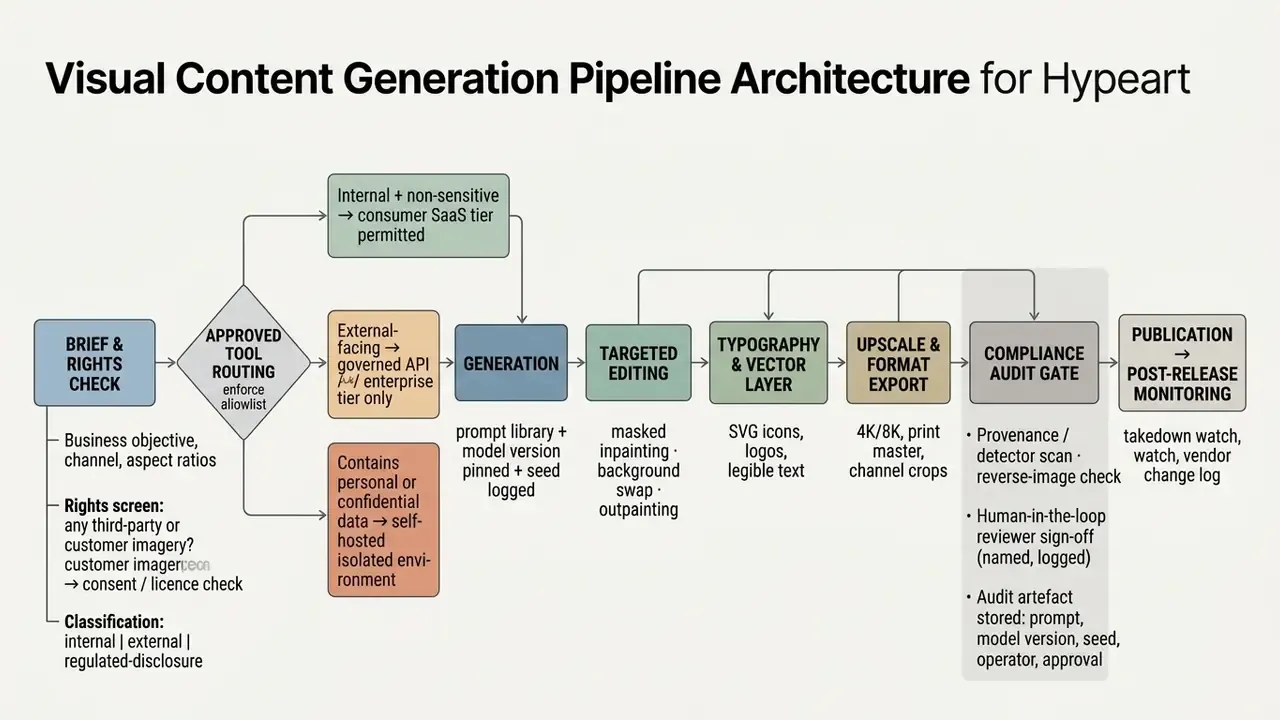
Production-Grade Multi-Tool Workflow Orchestration
Single-tool workflows rarely satisfy enterprise production requirements, and the head-to-head test above shows why. Leading creative engineering teams chain specialist tools into a sequence:
- Phase 1, concept and compositional base (Midjourney V7 or FLUX).Generate the hero asset with target lighting, aesthetic, and fine texture. Output: a high-resolution raster base with no embedded text.
- Phase 2, character iteration and conversational edits (Google Gemini or Nano Banana Pro).Upload the base render to adjust secondary subject poses or replace background elements while holding subject identity across sequential frames. Runway Gen-4 handles multi-character scenes that refuse to compose elsewhere.
- Phase 3, vector graphics and exact typography (Recraft V4, Brushless, Affinity).Overlay sharp vector icons, brand logos, and legible text labels needing crisp SVG scalability. Napkin AI covers diagrammatic explainers in the same layer.
- Phase 4, commercial upscaling and asset archiving (Magnific or Topaz AI).Run final detail enhancement and resolution scaling to 4K or 8K for print and broad campaign distribution using AI image upscalers, then write the asset plus its audit metadata to the DAM.
Node-based canvases such as Flora or ComfyUI can encode this whole chain as one reusable graph, which also makes the pipeline auditable: each node records the model version and parameters used. Practitioners running this stack report that Midjourney still starts about 90% of their generation work, precisely because downstream tools repair its text weakness cheaply.
Crafting Structured Text Prompts and Iterative Refinement Workflows
Repeatable, production-grade output depends on structured prompt engineering. An effective text prompt defines five parameters:
- Subject the primary object or person, with explicit attribute detail.
- Composition and framing camera angle, shot type such as medium close-up, and aspect ratio such as 16:9. OpenAI's guidance expects composition, ratio, and placement constraints to be stated explicitly.
- Lighting and environment light source, time of day, and background context.
- Style and texture photographic stock, digital render, vector style, or artistic medium.
- Constraints and text exact wording, font styles, and placement restrictions.
Operational discipline is what turns prompts into assets. Version the prompt library, pin model versions and seeds, record the operator, and re-run the benchmark prompt set whenever a vendor ships an update. Combine structured prompt libraries with automated quality checks and logged human review, and output quality stays consistent while volume scales inside a defensible control framework.
Limitations and Unresolved Questions
Three things in this report are weaker than they look, and you should know which.
First, the head-to-head test is a single prompt scored in one pass. It illustrates trade-offs; it does not substitute for your own 100-prompt run on your own brand material. Second, the two internal pilot figures remain unverified single-project estimates. They are retained because the direction is consistent with published compositional benchmarks, not because the percentages are solid. Third, the federal copyright position on training data is unresolved, so any indemnification clause is a commercial allocation of legal uncertainty rather than a removal of it.
«An image model is a digital worker like any other. No evidence, no autonomy: if you cannot reproduce the output and name the approver, it does not publish.»
An open question worth watching: as image models fold into agentic pipelines that fetch assets, edit them, and publish autonomously, does your existing model inventory even have a field for that? In most institutions we have reviewed, no. That gap will surface in the next examination cycle, not the next campaign.
A Safe Next Step
Start narrow. Pick one external-facing asset class, register the tool in the AI inventory, run Stages 1 to 3 of the evaluation pipeline, and record a named reviewer sign-off. One class, one quarter, one evidence pack. Then decide whether to widen the allowlist.
Nothing here requires a platform commitment, and independence from any single vendor is the point: model leadership has changed three times since 2025, and it will change again.
FAQ: AI Image Tools News, Licensing, and Validation
Which AI image tool is best overall in 2026?
For text-in-image accuracy and editing of uploaded images, Nano Banana Pro leads current testing. For aesthetic ceiling and character consistency, Midjourney V7 leads. For commercially indemnified output inside a governed pipeline, Adobe Firefly leads. There is no single winner, and the head-to-head table above shows the trade-offs quantitatively.
Can AI-generated images be copyrighted?
Only the human-authored contributions. U.S. Copyright Office guidance requires disclosure of AI-generated material and exclusion of more-than-de-minimis AI content from the claim. Document the selection, arrangement, and editing work your team actually performed.
What is the safest configuration for a regulated organization?
A governed enterprise API tier or a self-hosted open-weights deployment, with training disabled, image-aware DLP on upload, prompt, seed and model-version logging, and named human sign-off before publication.
Do free tiers permit commercial use?
Frequently not. Recraft's free tier is explicitly non-commercial, Ideogram publishes free outputs publicly, and Midjourney and Stability commercial rights depend on revenue thresholds. Verify per plan, not per brand.
How often should image models be re-validated?
On every vendor model refresh, and quarterly at minimum. The release cadence is brutal: Images 2.0 to 2.5 in under five months, Nano Banana to Nano Banana 2 in six. Static validation evidence expires fast.
Does this apply to AI video generators as well?
Largely yes. Video generation inherits the same licensing, likeness, and provenance questions, then adds duration, audio rights, and far higher compute cost. Treat it as a separate entry in the inventory rather than an extension of the image approval.
Appendix A: Editorial Changelog and Corrections