Last updated: 2026. Reviewed for licensing accuracy against Black Forest Labs primary documentation.
Executive Summary for Risk, Compliance, and Creative Leadership
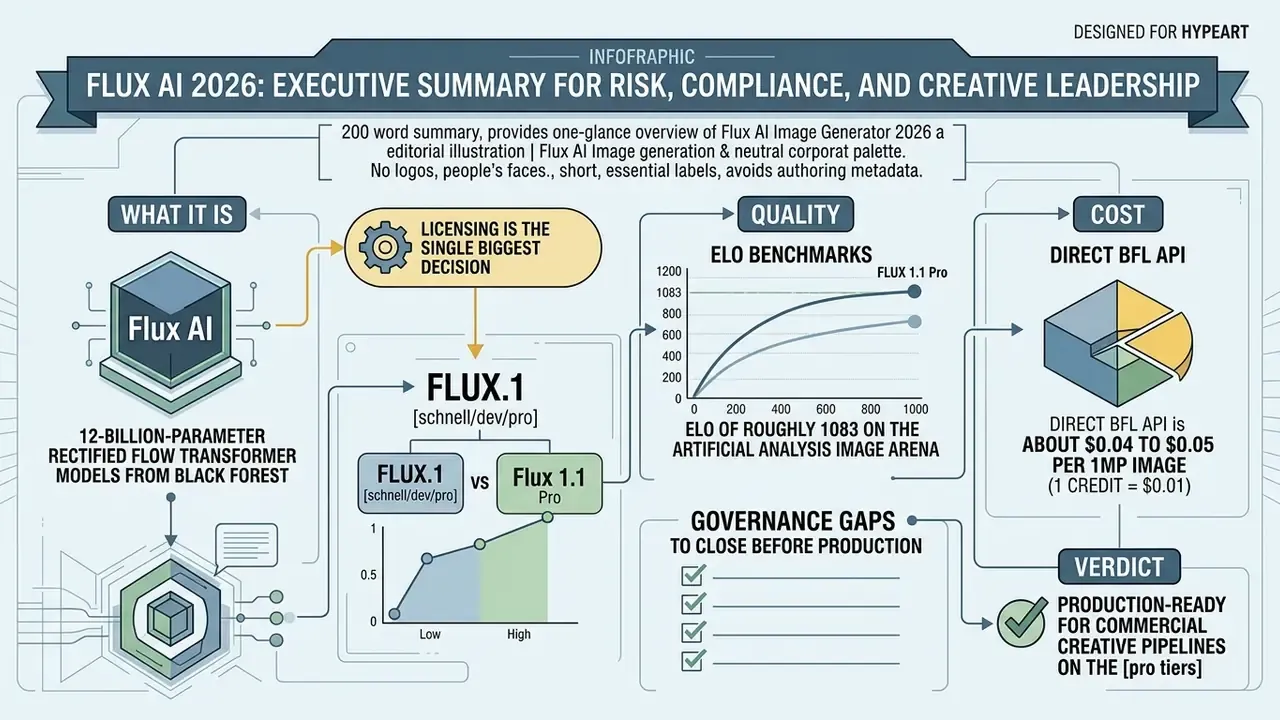
If you only read 200 words, read this.
- What it is. Flux AI is a family of 12-billion-parameter rectified flow transformer models from Black Forest Labs (BFL): FLUX.1 [schnell], FLUX.1 [dev], FLUX.1 [pro], FLUX1.1 [pro], plus editing and control variants (Kontext, Fill, Depth, Canny, Redux).
- Licensing is the single biggest decision. FLUX.1 [schnell] is Apache 2.0 and commercially usable. FLUX.1 [dev] is non-commercial, and that restriction travels to derivative LoRA adapters, unless you sign a separate self-hosted commercial license. FLUX.1 [pro] and FLUX1.1 [pro] are API-only with commercial rights included.
- Quality. FLUX1.1 [pro] holds an ELO of roughly 1083 on the Artificial Analysis Image Arena. Internal benchmark testing under the codename "blueberry" showed correct rendering of all prompt conditions in 94% of structured test prompts.
- Cost. Direct BFL API: about $0.04 to $0.05 per 1MP image (1 credit = $0.01). Third-party SaaS aggregators: roughly $15.90 to $55.90 per month for 800 to 3,000 credits.
- Governance gaps to close before production. Data retention and PII handling at the API provider layer, Shadow AI risk from open-weight local deployment, seed-level reproducibility for audit, C2PA provenance metadata, and IP indemnification. BFL does not offer an Adobe-style indemnity.
- Verdict. Production-ready for commercial creative pipelines on the [pro] tiers. It still needs a documented Model Risk Management (MRM) wrapper before it enters a regulated enterprise environment.
Who This Guide Is For and How to Read It
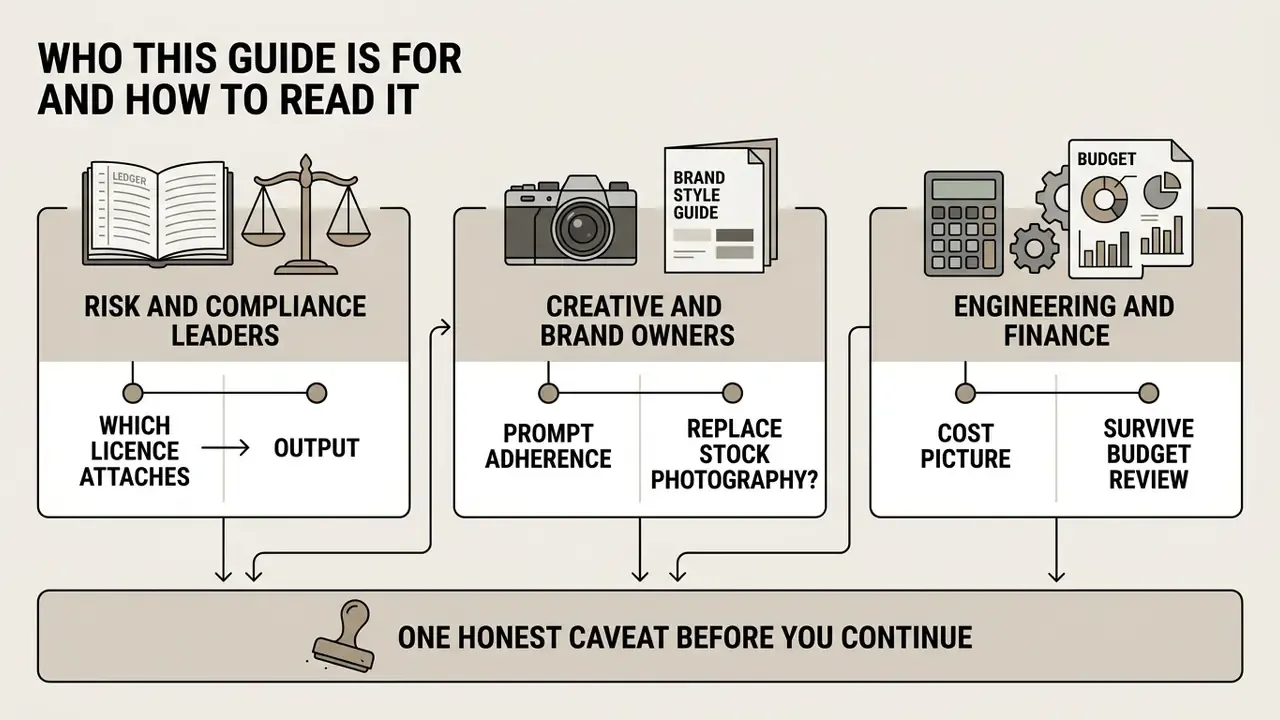
Three audiences tend to land on the same page for different reasons, and they read it differently.
Risk and compliance leaders care about exactly two things: which licence attaches to which output, and whether a published asset can be reproduced on demand a year later. Sections 10 through 12 answer that. Everything before them is context.
Creative and brand owners want to know whether prompt adherence is good enough to retire stock photography for a given asset class. Sections 3, 5, and 8 carry the evidence, including the failure modes nobody advertises.
Engineering and finance need the cost picture that survives a budget review. Section 9 separates the $0.04 headline from the loaded cost per published asset, which is a different number entirely.
One honest caveat before you continue. Open-weight models move fast, credit allowances change monthly, and vendor documentation is updated without changelogs. Treat every figure here as a value to re-verify, not a constant. A single unverified licence assumption is what turns a cutting edge pipeline into a legal problem.
1. What Flux AI Image Generator Is and How Image Generation Works
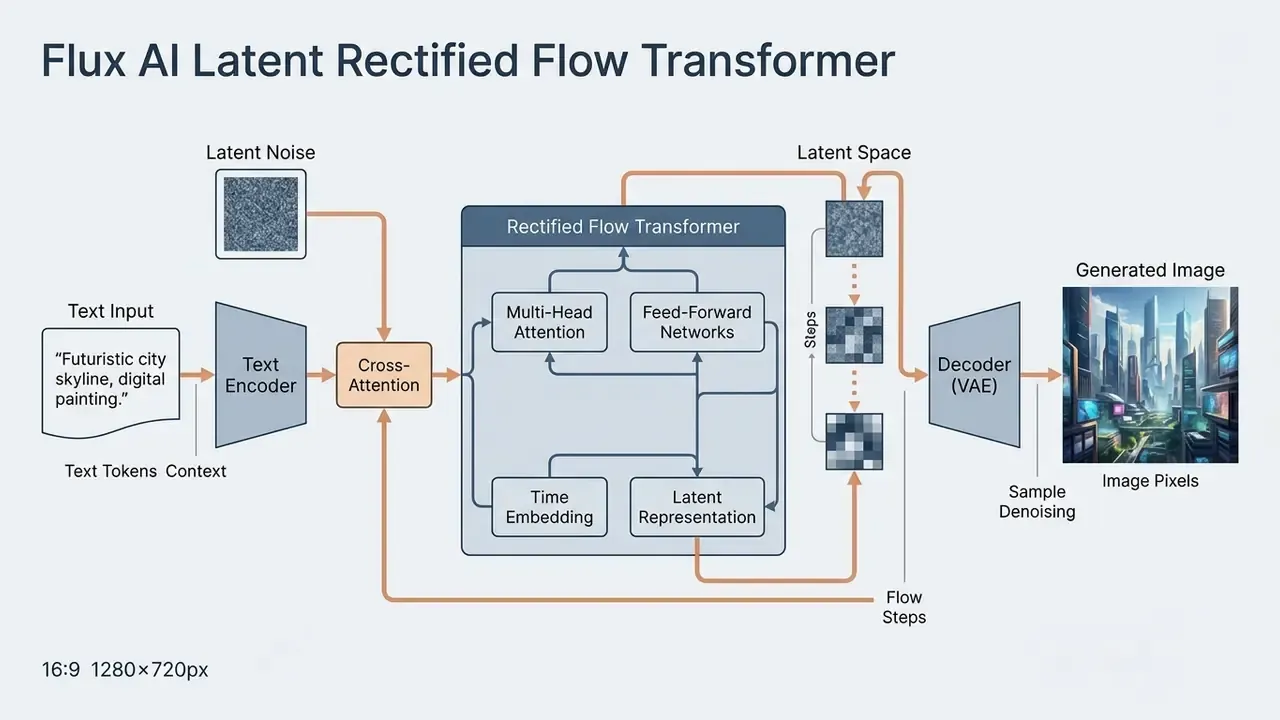
Flux AI Image Generator is a suite of 12-billion-parameter rectified flow transformer models engineered by Black Forest Labs to generate high-fidelity visual assets from natural language inputs. Operating in latent space rather than pixel space, the underlying flux ai image generator architecture converts text prompts into compressed vector representations, then synthesises high-resolution outputs from them. That design is why the ai flux image generator handles spatial reasoning, photorealistic rendering, and precise text integration better than most previous-generation systems in enterprise workflows.
Black Forest Labs and the Flux AI Model Family
Black Forest Labs was founded in August 2024 by Robin Rombach, Patrick Esser, and Andreas Blattmann, who previously co-created Stable Diffusion (Black Forest Labs Announcement, 2024). The company raised $31M in seed funding led by Andreessen Horowitz, with participation from Brendan Iribe, Michael Ovitz, Garry Tan, Timo Aila, and Vladlen Koltun. A later $300M Series B round at a $3.25B post-money valuation added NVIDIA, Salesforce Ventures, General Catalyst, Northzone, Creandum, Earlybird VC, Temasek, Canva, and Figma Ventures. On that capital base the team built the flux ai generator ecosystem to advance open-weight and enterprise-grade generative media. The family spans open-weights research variants and closed commercial API endpoints built for automated asset creation.
The stated mission is to develop state-of-the-art generative deep learning models for media such as images and video, with emphasis on creativity, efficiency, and output diversity. That mission explains the deliberate three-tier release strategy: a permissively licensed speed model, an open-weight research model, and closed flagship API endpoints. Not an accident. A commercial design choice.
How Text Prompts Become AI Generated Images
The transformation of text prompts into ai generated images relies on dual text encoders: CLIP for semantic alignment and T5-XXL for complex language comprehension.
These encoders pass conditioning vectors into a multimodal diffusion transformer (MMDiT) using cross-attention. In cross-attention, image-token queries attend to text-token keys and values, so prompt semantics modulate synthesis at every denoising step rather than only at the start. The resulting flux ai generated images hold exact subject positioning, complex lighting setups, and legible typography without any negative prompts.
2. Architecture Deep Dive: Rectified Flow, RoPE, and Parallel Attention
Updated technical description. The transformation of text instructions into ai generated images relies on a 12-billion-parameter hybrid architecture that combines multimodal (MMDiT) and parallel diffusion transformer blocks. The model uses Flow Matching mechanics rather than conventional stochastic diffusion sampling, and applies Rotary Positional Embeddings (RoPE) for precise spatial anchoring of objects in 2D space. Combined with Parallel Attention layers and dual encoding through CLIP and T5-XXL, Flux preserves fine typography and scene geometry with no negative prompts at all.
Three architectural consequences matter operationally.
- Flow Matching versus classic diffusion.Flow matching learns a straighter trajectory from noise to data. That is why [schnell] can be distilled down to 1 to 4 inference steps through latent adversarial diffusion distillation and still produce usable frames.
- RoPE and spatial reasoning.Rotary positional embeddings encode relative position instead of an absolute index. In practice, prompts with spatial constraints ("the red mug to the left of the laptop, behind the notebook") hold together far more reliably than in U-Net-based generations.
- Double-stream, then merged streams.Text and image tokens are processed separately before merging, which preserves linguistic structure through the early blocks. This is the mechanism behind Flux's comparatively strong multi-clause prompt handling.
FLUX.2 keeps the same MMDiT-style core but simplifies prompt handling to a single Mistral Small text encoder with a 512-token limit, while FLUX.1 retains the CLIP plus T5-XXL pairing. Teams standardising prompt libraries should note the difference, because token budgets and phrasing sensitivity are not identical across generations. Porting a prompt set without re-testing it is a quiet way to lose quality you already paid for.
3. Benchmarks: Prompt Adherence, Detail, and Photorealistic Quality
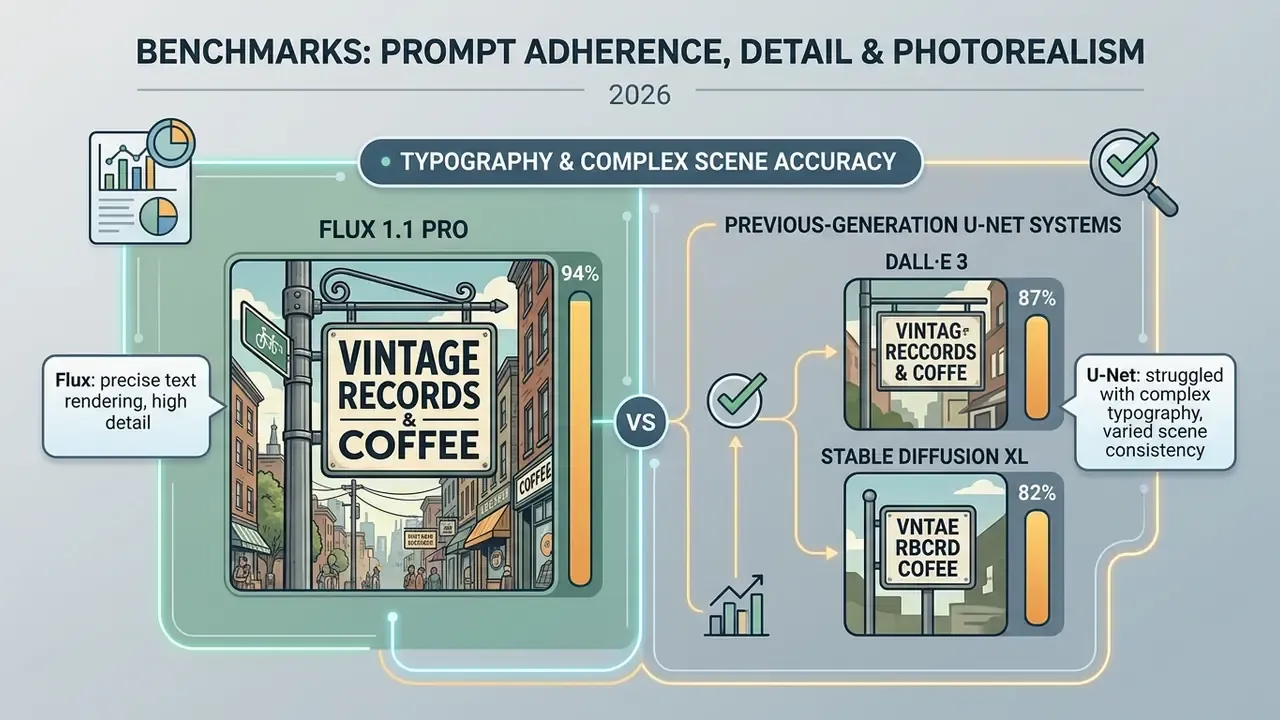
The ai photo generator flux suite performs well on the visual tasks that traditionally break diffusion systems: legible text, dense scene composition, and plausible spatial physics. Its multimodal architecture keeps lighting consistent, anatomy accurate, and aspect ratio compliance tight.
Prompt Adherence, Detail, and Photorealistic Quality Images
On the Artificial Analysis Image Arena, the enterprise Flux variants consistently sit near the top of the board.
Sample size matters here. Those ELO figures come from tens of thousands of human head-to-head votes, not a vendor-curated gallery. Readers benchmarking against Midjourney and competing tools should compare arena methodology first, and treat ELO deltas under 20 points as noise rather than a verdict. Shortlists in 2026 usually include Midjourney, DALL·E 3, and Google's nano banana image model alongside Flux, so methodology parity is not a pedantic point.
In controlled benchmark evaluations, FLUX1.1 [pro] accurately rendered all prompt conditions in 94% of test cases, ahead of DALL·E 3 (87%) and Stable Diffusion XL (82%).
That fidelity shows up as photorealistic skin texture, correct finger counts, and physically plausible specular highlights. Independent 2026 tool reviews rate Flux highly in the Faces and Skin, Hands and Fingers, and Lighting categories, though those are commercial evaluations rather than peer-reviewed benchmarks. Worth recording the distinction in any validation memo, because a reviewer will ask. For a broader field view, see our comparison of the best AI image generators and the ranked overview of AI art generators.
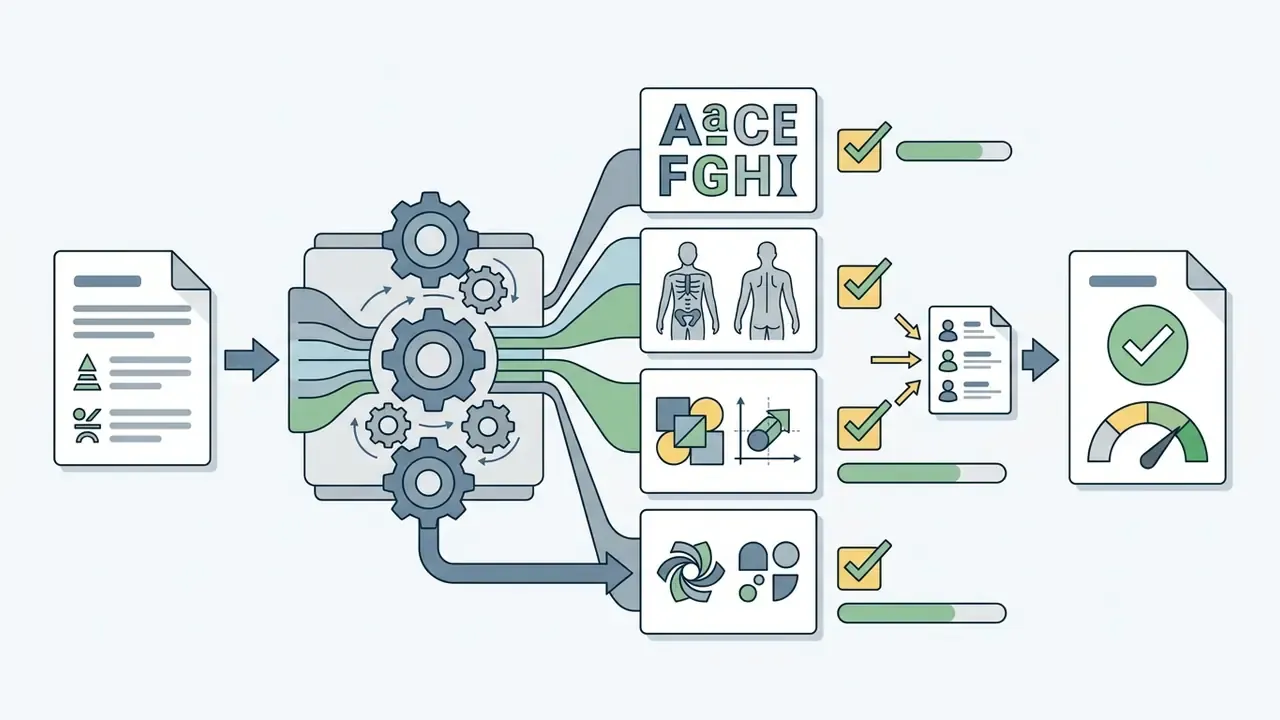
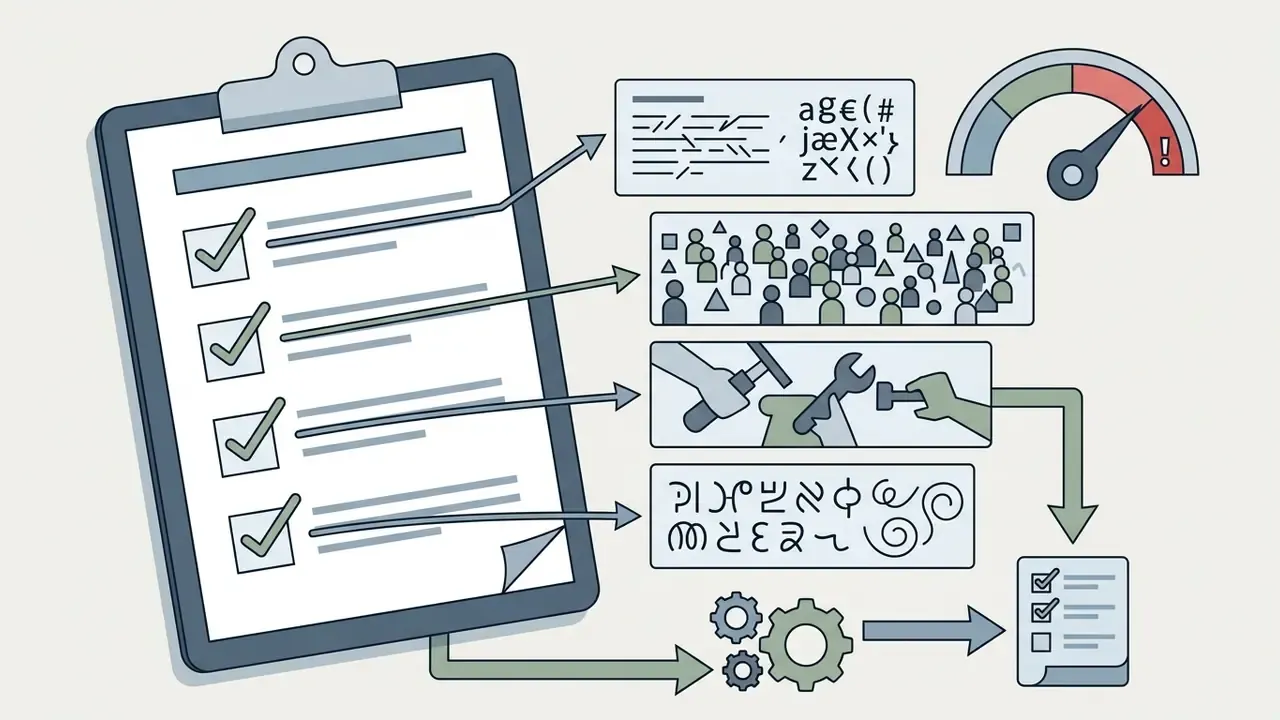
Where does it still fail? Long paragraphs of on-image copy, non-Latin scripts, dense crowd scenes, and hand-to-object interaction under motion blur. Any of those belongs in your known-weakness inventory, not in a production prompt template.
4. Which Flux AI Model to Choose: Schnell, Dev, Pro, or Flux 1.1 Pro
Picking the right variant means balancing generation latency, image fidelity, hardware overhead, and licensing. Open-weight versions serve research and rapid prototyping. Commercial API tiers deliver higher resolution and clean legal standing for production environments.
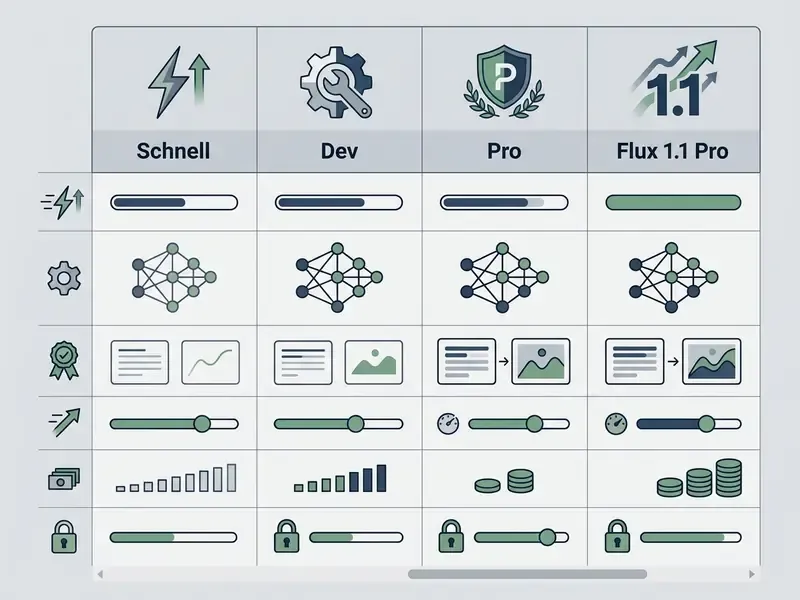
| Model | Quality (ELO rating) | Speed / steps | Prompt adherence and text | Availability | Licence and commercial use |
|---|---|---|---|---|---|
| FLUX.1 [schnell] | ELO ≈ 1000 (81k+ comparisons) | 1 to 4 steps (2 to 4 sec on RTX 4090) | Baseline adherence; small-text failures possible | Open weights (Hugging Face) or API | Apache 2.0; commercial use permitted |
| FLUX.1 [dev] | ELO ≈ 1044 (80k+ comparisons) | 20 to 50 steps; medium speed | High adherence; realistic detail and lighting | Open weights or hosted API | Non-Commercial v1.1.1; research and testing only |
| FLUX.1 [pro] | ELO ≈ 1067 (82,383 comparisons) | 20 to 50 steps; API execution | Excellent text and anatomy rendering | BFL API, Fal.ai, Replicate | Commercial API; commercial use included |
| FLUX 1.1 Pro | ELO ≈ 1083 (74,568 comparisons); Ultra ≈ 1099 | Roughly 6× faster than FLUX.1 [pro]; up to 2048×1080 (Ultra to 4MP) | Maximum adherence on complex prompts | BFL API, Fal.ai | Commercial API; commercial use included |
Reading the table in plain terms: Schnell buys volume, Dev buys control without commercial rights, Pro buys fidelity plus a clean licence, and 1.1 Pro buys speed on top of that. Model selection rarely happens in isolation either. It sits inside a wider decision about commercial use of AI image generators, vendor lock-in, and how many providers your legal team is willing to onboard in a single quarter.
Flux Schnell for Fast Image Generation
FLUX.1 [schnell] is a distilled 12-billion-parameter ai image generator flux model trained through latent adversarial diffusion distillation to produce outputs in 1 to 4 steps. Released under the permissive Apache 2.0 licence, it enables flux ai image generation free of API cost when hosted locally, which makes it the obvious choice for high-volume drafting and batch processing.
Typical deployment pattern: Schnell for ideation sweeps and internal moodboards at zero marginal cost, then re-render the two or three surviving concepts on a [pro] endpoint for final fidelity. Cheap exploration, expensive finishing. It works because bad ideas are identifiable at low resolution.
Flux Dev for Experiments, Flux LoRA, and Fine-Tuning
FLUX.1 [dev] provides an open-weight base tailored to non-commercial research, prompt presampling studies, and custom flux lora fine-tuning. Under the FLUX Non-Commercial License it gives developers full visibility into model weights, so they can build adapters for proprietary visual styles.
Training a Custom Flux LoRA: Practical Sequence
- Assemble the dataset. 15 to 40 images for a style LoRA, 20 to 60 for a character or product LoRA. Consistent resolution (1024×1024 or bucketed), no watermarks, no duplicated framing.
- Caption deliberately. Flux responds to natural-language captions, not comma-separated tag soup. Describe what varies, omit what should be baked into the adapter.
- Pick tooling. Kohya_ss, AI-Toolkit, and SimpleTuner are the three mainstream trainers for FLUX.1 [dev]. Rank 16 to 32 is a reasonable starting point for style, rank 32 to 64 for identity.
- Train. Typical runs: 1,500 to 3,000 steps, learning rate 1e-4 with cosine decay, on a 24 GB GPU. Save intermediate checkpoints and compare them at a fixed seed.
- Validate. Generate a fixed 12-prompt evaluation grid at identical seeds across checkpoints to catch overfitting: background memorisation, pose collapse, degraded lettering.
- Check the licence before deployment. A LoRA trained on FLUX.1 [dev] weights inherits the non-commercial restriction. This is the single most common compliance failure we see in Flux pipelines, and it is almost always accidental.
Flux Pro and Flux 1.1 Pro for High Quality Images
Ultra mode on FLUX1.1 [pro] is documented by BFL at up to 4 megapixels through the dedicated /flux-pro-1.1-ultra endpoint, with reported generation times near 10 seconds. That is a materially different cost and latency profile from the standard /flux-pro-1.1 path, so budget for it separately rather than averaging the two.
5. Capabilities: Styles, Typography, Aspect Ratios, and Geometry Control
Artistic Styles, Text Integration, and Various Aspect Ratios
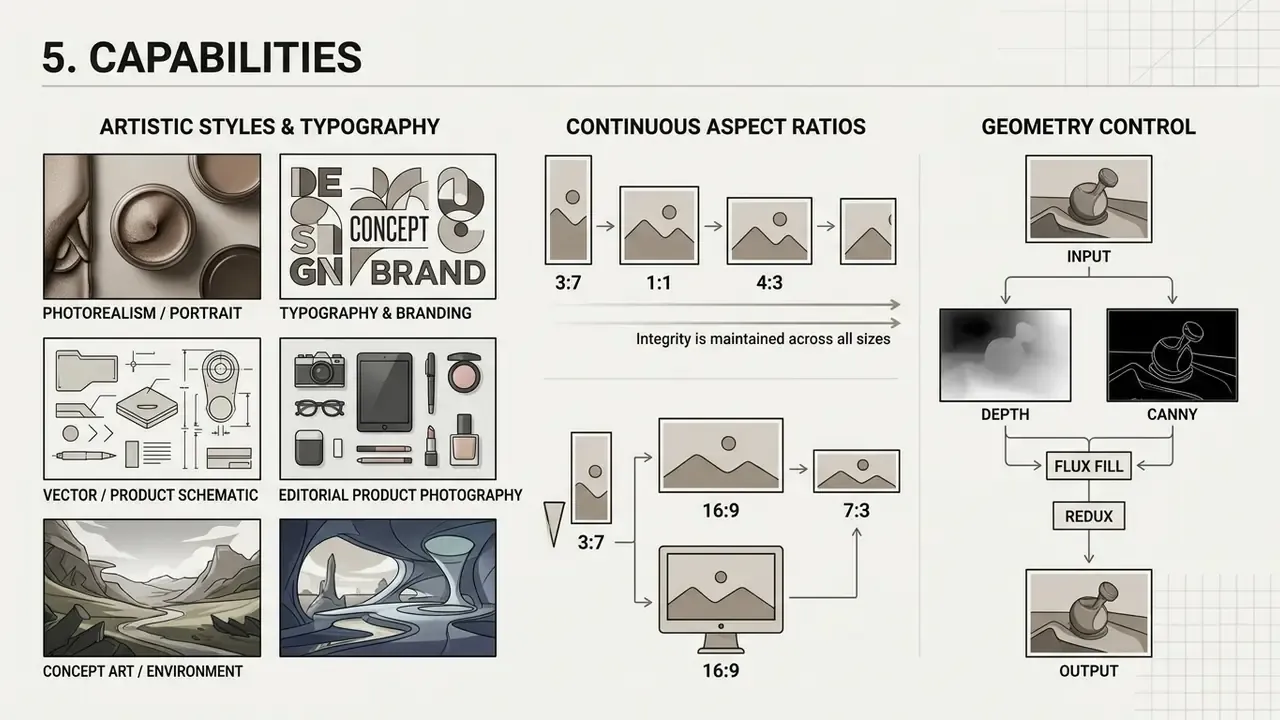
The flux ai art generator natively supports continuous aspect ratios from 3:7 to 7:3 while keeping image integrity near 1 megapixel, with a 1024×1024 default in Kontext text-to-image mode. Its typography engine renders short quoted strings directly onto billboards, book covers, and branded product labels.
BFL positions FLUX.2 explicitly as "specialized for typography" and recommends it for text-heavy renders and preservation of small details. That is the vendor-side confirmation behind the 94% structured-prompt result cited above. Since this image generator supports a wide range of artistic styles, teams can create stunning vector art, oil-paint looks, and technical schematics without a secondary manual editing pass.
Copy-Ready Prompt Templates for Flux AI
- Photorealism / portrait
A studio editorial photograph of a 35-year-old female architect, sharp focus on eyes, natural skin texture with visible pores, soft cinematic side lighting from a softbox, shot on 85mm f/1.4 lens, neutral background. - Typography and branding
A sleek matte black aluminum soda can on a wet marble counter, with crisp glowing neon text reading "FLUX HYPER" printed vertically on the front label, raytraced reflections, highly detailed macro shot. - Vector / product schematic
A clean isometric 3D vector illustration of a modern cloud data center, vibrant pastel palette, soft ambient occlusion, isolated on a white background. - Editorial product photography
A ceramic pour-over coffee dripper on a walnut table, morning window light from the left, shallow depth of field, steam rising, muted earth palette, 50mm lens, magazine still life. - Concept art / environment
A weathered coastal lighthouse on basalt cliffs during a storm, dramatic rim lighting through breaking clouds, painterly concept art, wide establishing shot, cool blue-grey palette.
Geometry Control: Flux Fill, Depth, Canny, and Redux
6. How to Use Flux AI Image Generator Online (Step-by-Step)
Generating assets through a flux ai image generation tool comes down to four things: pick an execution tier, draft a descriptive natural-language prompt, configure spatial dimensions, then run and check the job.
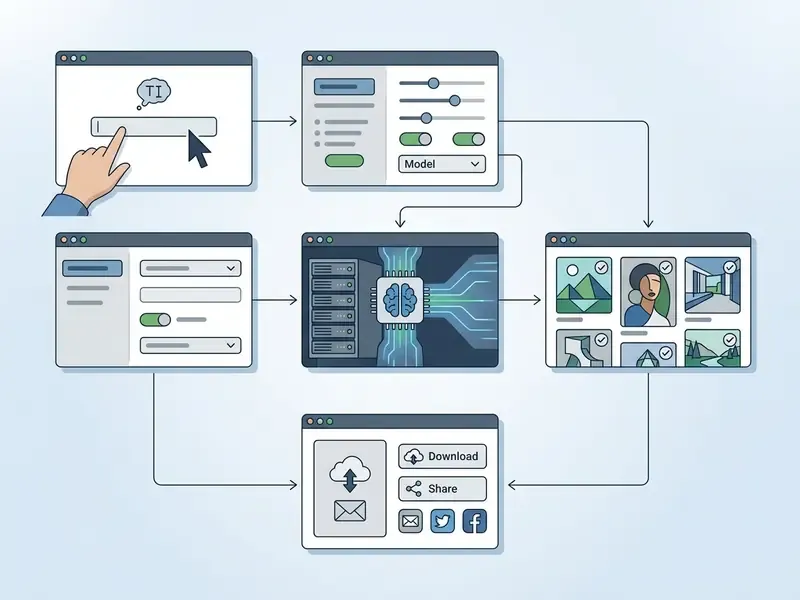
Step 1: Choose model and platform. Select the appropriate model (Schnell for speed, Dev for testing, Pro or 1.1 Pro for commercial production) and connect through the BFL Playground, Fal.ai, Replicate, or a local ComfyUI interface.
Step 2: Write the text prompt. Describe the scene in natural language in a direct sequence: Subject, then Action, Environment, Lighting, Camera and Style.
Step 3: Configure frame parameters. Set the aspect ratio (16:9, 1:1, 9:16, 21:9), choose output resolution (up to 2048×1080 standard, 4MP in Ultra), set guidance scale (default 3.5, range 1 to 20), and fix the seed whenever reproducibility matters.
Step 4: Generate and validate. Run inference. Inspect the output for anatomical artefacts, text legibility, and brand-guideline compliance. Log the model version, seed, and prompt hash while you still remember them.
Step 5: Export and post-process. Download as PNG or JPEG for use in marketing materials, design systems, or video editors. Attach provenance metadata before distribution, not after.
7. Prompt Engineering, Templates, Image-to-Image, and Image-to-Prompt
How to Write Text Prompts for Flux AI
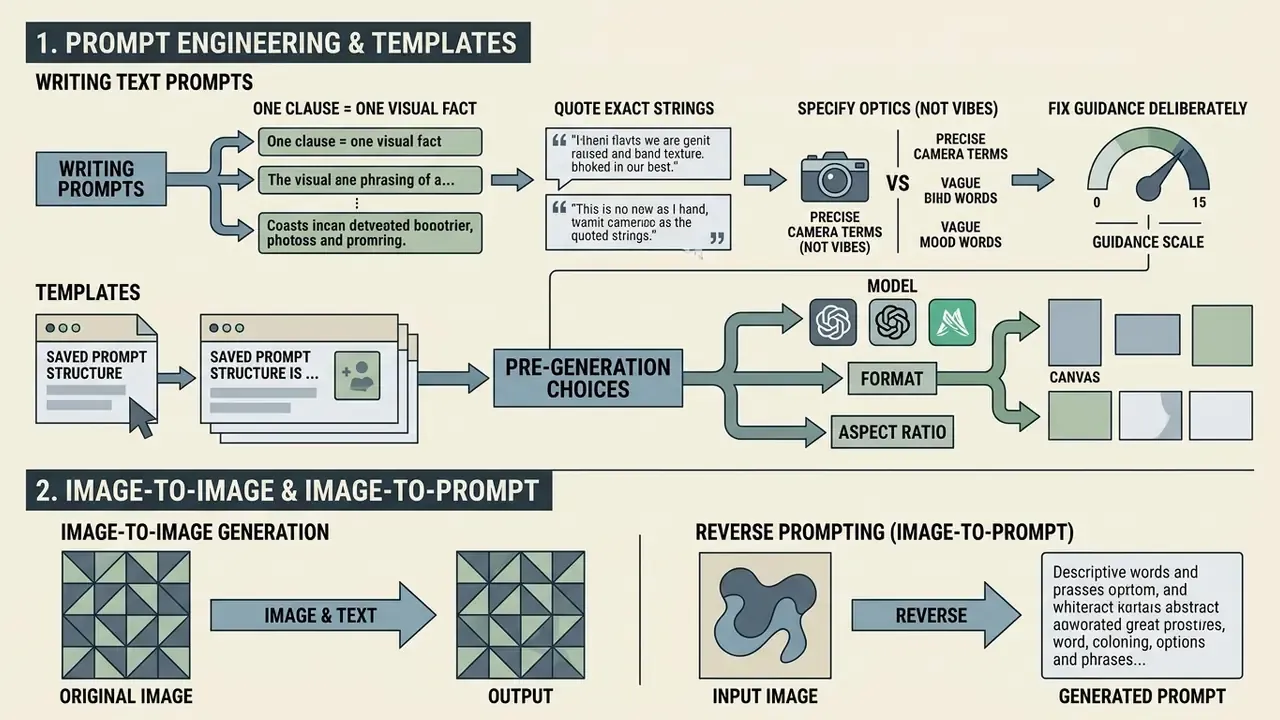
In an ai image generation flux workflow, write natural sentences with a subject-first structure: Subject + Action + Environment + Lighting + Style. Flux models do not use negative prompts. The architecture does not accept them, and BFL's own FLUX.2 prompt documentation is blunt about it: "No negative prompts. Focus on what you want, not what you want to avoid." Unwanted attributes therefore have to be excluded through positive visual constraints. Write "clean empty desk surface" rather than hoping a negative "no clutter" will land somewhere.
Four practical rules follow from the architecture.
- One clause, one visual fact.T5-XXL parses multi-clause structure well, but it rewards clean separation of subject, action, setting, optics, and mood.
- Quote exact strings.On-image text belongs in quotation marks, kept short, with a font hint attached.
- Specify optics, not vibes."85mm f/1.4, shallow depth of field" beats "professional look" every time.
- Fix guidance deliberately.Low guidance (2.5 to 3.5) gives more natural photography. Higher guidance (5 to 7) tightens literal prompt compliance and costs you diversity.
Choosing Model, Format, and Aspect Ratio Before Generation
Choosing aspect ratios such as 16:9 for web banners or 9:16 for mobile content prevents distortion at export, which is cheaper than fixing crops later. Standard outputs default to 1024×1024, while enterprise API endpoints support custom dimensions up to 4 megapixels. To inspect broader market frameworks, practitioners can see the overview of current visual generation platforms and where Flux sits among them.
Image-to-Image Generation and Reverse Prompting (Image-to-Prompt)
Image-to-image mode lets you use a source image as a structural scaffold and layer textual changes on top. The reference passes through the pipeline alongside T5-XXL text conditioning, with a denoising strength usually set between 0.3 and 0.8. Low values (0.3 to 0.45) preserve composition and identity and shift only materials or lighting. High values (0.65 to 0.8) keep little beyond broad layout and effectively re-imagine the frame.
Image-to-prompt tooling runs the inverse operation, vision-side decoding. The system analyses an uploaded raster file, extracts key entities, lighting schema, camera characteristics, and stylistic markers, then emits a ready-to-use textual prompt in Flux AI syntax (no negative prompts, subject-first ordering). Three concrete uses:
- Style forensics. Reverse-engineer an archive asset's look into a reusable prompt skeleton for your own original subjects.
- Prompt library seeding. Convert an approved brand shoot into 20 to 30 templates that reproduce the house style consistently.
- Handoff documentation. Attach the generated prompt to an asset so a second team can extend the set without guessing parameters.
A related discovery step is AI reverse image search, which answers a different question, namely where an image already exists online. Do not confuse it with prompt extraction; they sit in different parts of a diligence process.
Multi-Reference Conditioning and Kontext
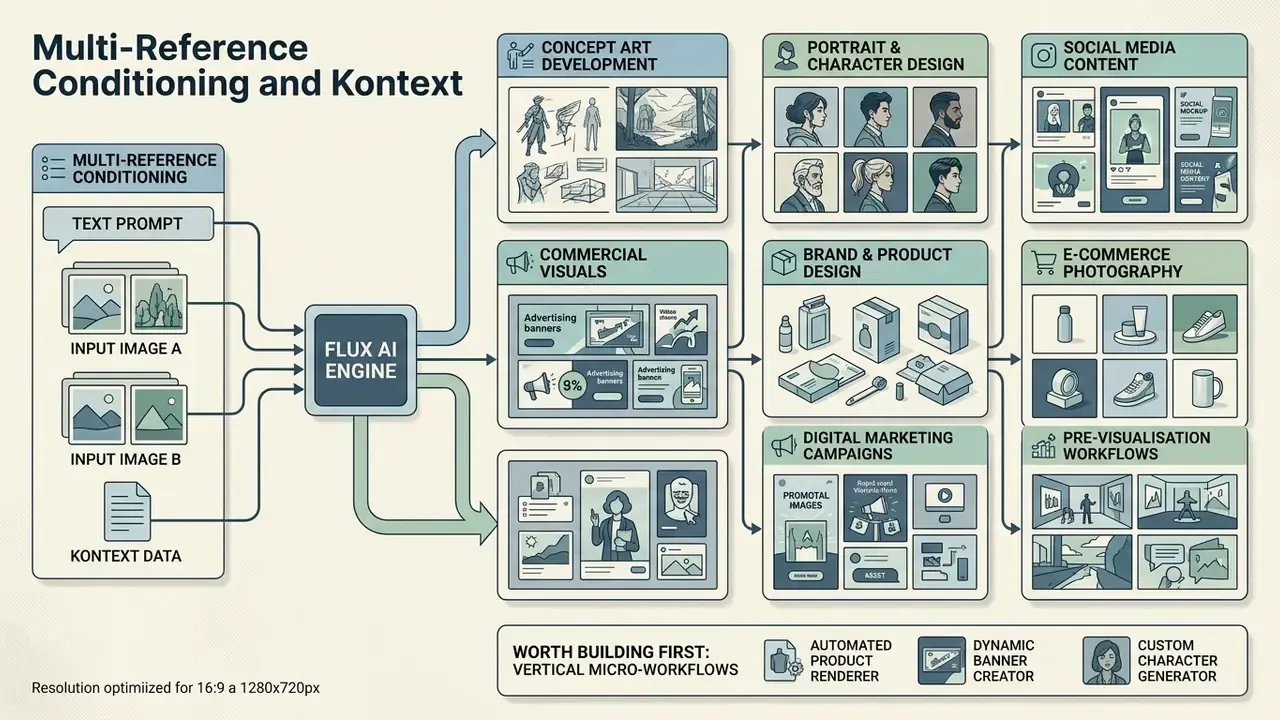
FLUX.1 Kontext unifies generation and editing in one model, which is what makes character and style consistency practical across a full campaign.
FLUX.2 extends this further, accepting up to 10 reference sources in a single composition request. Relevant for any team that has to hold a product, a mascot, and a fixed brand palette stable at the same time.
8. Use Cases: From Concept Art to Product Photography
Concept Art, Portraits, and Visual Content Across Styles
Creative directors use the flex ai image generator ecosystem for character design, environment turnarounds, and editorial portraiture. Multi-reference conditioning in FLUX.1 Kontext lets teams hold facial identity and visual consistency across scene variations, which used to require a photographer and a booked studio day. For the narrower task of professional headshots, our guide to AI headshot generators covers portrait quality, privacy handling, and commercial-use terms in more depth.
Vertical Micro-Workflows Worth Building First
Generic "content creation" framing hides where Flux actually pays for itself. The highest-return vertical workflows observed in 2025 to 2026 practice:
| Micro-workflow | Flux configuration | Why it works |
|---|---|---|
| Product photography variants | [pro] plus Depth on a fixed CAD render | Geometry locked, materials and lighting swapped per market |
| Virtual try-on / apparel | Kontext multi-reference plus Fill | Garment held constant, model and setting varied |
| Packaging and label mockups | [pro] with quoted typography prompts | Legible short strings render natively, no post-editing |
| Old photo restoration and colourisation | Fill plus Redux at low denoise | Damage repaired without identity drift |
| Illustration styles (Ghibli-like animation looks) | [dev] LoRA (non-commercial) or [pro] prompt-only | Style consistency across a series; see our review of Ghibli-style AI image generators |
| Storyboards and pre-viz | Schnell at 1 to 4 steps | Cost-free volume; fidelity is irrelevant at this stage |
| Editorial hero images | 1.1 Pro Ultra at 4MP | Print-grade resolution in a single pass |
Design-suite alternatives such as Canva's AI generator may cover the last mile for non-technical teams that want layout and generation inside one interface. Less control, far less onboarding friction. Pick according to who is actually going to operate the thing.
9. Free Access, Credits, Pricing, SaaS Plans, and TCO
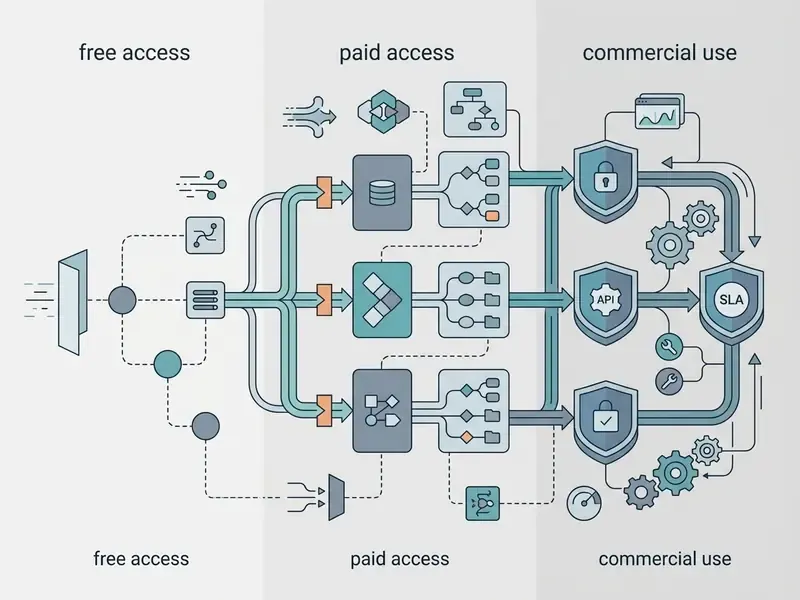
Navigating flux ai generator free access starts with one distinction: open-source local inference versus cloud API pricing. Commercial rights follow the model licence and the hosting platform agreement, never the invoice amount.
| Usage mode | Available models | Deployment | Cost | Commercial use rights |
|---|---|---|---|---|
| Local free (open source) | FLUX.1 [schnell] | Local (ComfyUI / Forge) | $0 per generation (hardware only) | Permitted (Apache 2.0) |
| Local free (non-commercial) | FLUX.1 [dev], Kontext [dev] | Local (GPU above 12GB VRAM) | $0 per generation (hardware only) | Prohibited (Non-Commercial Licence v1.1.1) |
| Cloud API (commercial) | FLUX.1 [pro], FLUX 1.1 Pro | BFL API, Fal.ai, Replicate | $0.04 to $0.05 per image | Permitted (included in API terms) |
| Third-party web trials | FLUX Schnell / Dev | Web services (Poe, Freepik, aggregators) | Free daily credits | Depends on the specific platform's terms |
| SaaS subscription | Schnell / Dev / 1.1 Pro via aggregator | Hosted web UI | $15.90 to $55.90 per month | Commercial licence typically bundled with paid tiers only |
The pattern in that table is worth stating out loud: the cheapest access route and the safest licence almost never coincide, except on Schnell.
API Pricing versus SaaS Aggregator Subscriptions
When choosing a payment model, separate a direct commercial relationship with the Black Forest Labs API from the use of web aggregators. The direct API is consumption-based, roughly $0.04 per 1MP generation, with no floor and no ceiling. Web interfaces sell monthly credit allowances instead: entry premium tiers land near $15.90 per month for about 800 credits, mid tiers near $22.90 for about 1,500 credits, and team or enterprise tiers near $55.90 for about 3,000 credits, often with unlimited Schnell generation bundled in. One-time credit packs ($20 for about 400 credits, $50 for about 1,000) suit irregular usage. Aggregator free tiers usually cap near 5 credits per day, restrict output to Schnell, and, critically, exclude a commercial licence.
Typical aggregator credit consumption: Schnell 1 credit per image, Dev 2, Dev plus LoRA 3, FLUX.1 [pro] and FLUX 1.1 Pro 4 credits per image. For designers without an internal API client, subscriptions usually win on wall-clock time. For engineering teams with an existing pipeline, direct API is cheaper per asset and considerably cleaner contractually.
Total Cost of Ownership: What the Per-Image Price Hides
Per-image pricing is the smallest line in a regulated deployment. A defensible TCO model looks more like this:
TCO = (Volume × price per image) + Infrastructure + Governance + Rework
| Cost component | Typical driver | Notes |
|---|---|---|
| Inference | Assets per month × $0.04 to $0.08 | Ultra/4MP and editing passes cost more per call |
| Retry overhead | 1.3× to 2.2× nominal volume | Budget for rejected generations, not only final assets |
| Local GPU (if self-hosted) | 24GB-class GPU amortisation plus power | Only rational above roughly five-figure monthly volumes |
| Prompt engineering labour | Hours × blended rate | Usually the largest single line in year one |
| Review and brand QA | Hours × rate per asset batch | Non-optional for regulated communications |
| Governance and validation | MRM documentation, legal review, provenance tooling | One-off cost plus annual revalidation |
| Legal contingency | Indemnity gap reserve | BFL provides no Adobe-style IP indemnity (see section 10) |
The practical takeaway: a pipeline quoted at "$0.04 per image" often runs $0.60 to $2.00 per published asset once retries, review, and governance load in. Still a large saving against commissioned photography or premium stock, but a different order of magnitude from the headline API price. Present the loaded number to finance first. Nobody enjoys revising a business case in month four.
Can You Try Flux AI Image Generation Free?
You can access flux ai image generation free by running FLUX.1 [schnell] locally or by using trial credits on supported web interfaces, which is also how most of the traffic behind queries like "flux ai free image generator" and "flux ai image generation flux ai" ends up being served. As of 2026, documented free entry points include flux-ai.io (40 starter credits plus 20 daily check-in credits), fluxai.pro (50 credits valid for one month, covering 50 Schnell and 5 Dev generations), flux-ai.ai (4 credits per month for new users), flux1.cc (40 starter credits plus daily check-ins), and fluxailab.com (queue-based generation with no login). Free credits change often, so verify before planning around them. Readers who want to try Flux with minimal friction may also like our roundup of image generators without sign-up and of free AI art generators. Independent developers often test workflows with a discord ai image bot before committing to production infrastructure.
How Credits and Generation Limits Work
Official Black Forest Labs API endpoints run on a prepaid credit system in which 1 credit equals $0.01 USD.
Standard 1024×1024 generations therefore cost 4 credits ($0.04) on FLUX1.1 [pro] and 5 credits ($0.05) on FLUX.1 [pro]. Prepaid credits are non-refundable under the FLUX API Service Terms. Standard account rate limits allow 30 requests per minute per key, 300 reads per minute, and 10 queued generations per account. Regional endpoints (api.bfl.ai, api.eu.bfl.ai, api.us.bfl.ai) exist and matter for data-residency planning, which is section 11's problem.
10. Commercial Use, Guardrails, and Licensing Checks
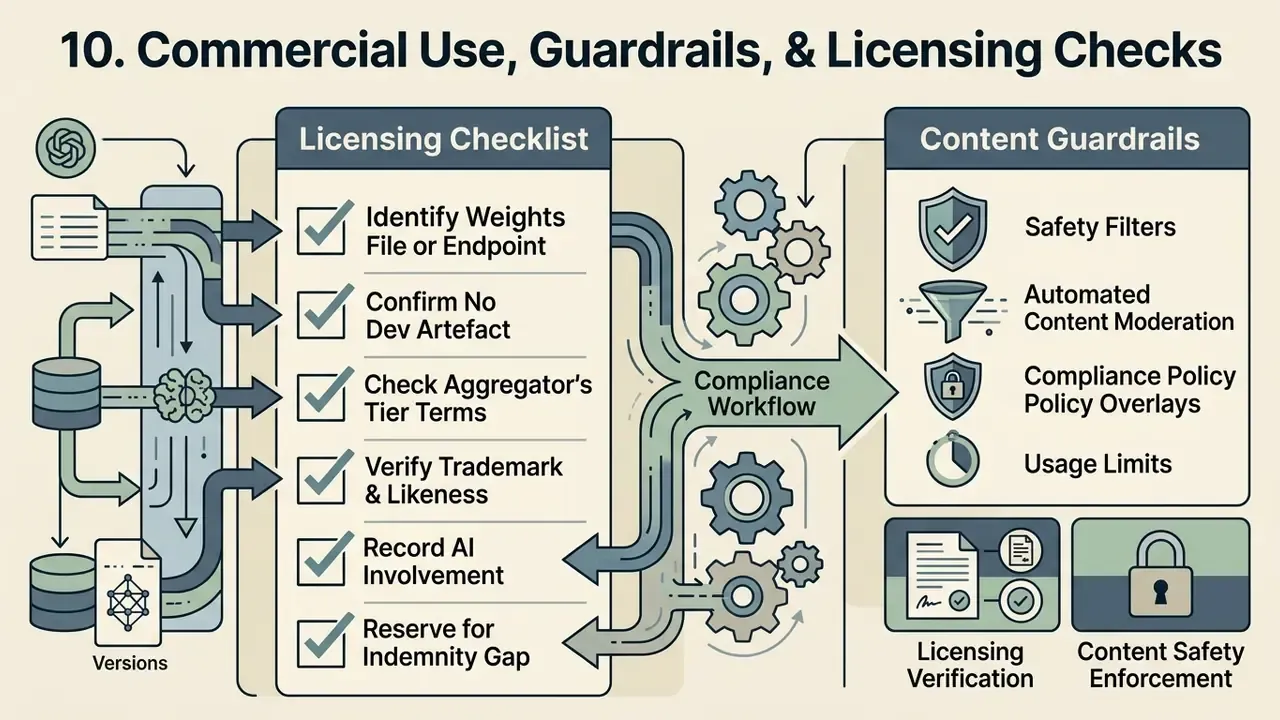
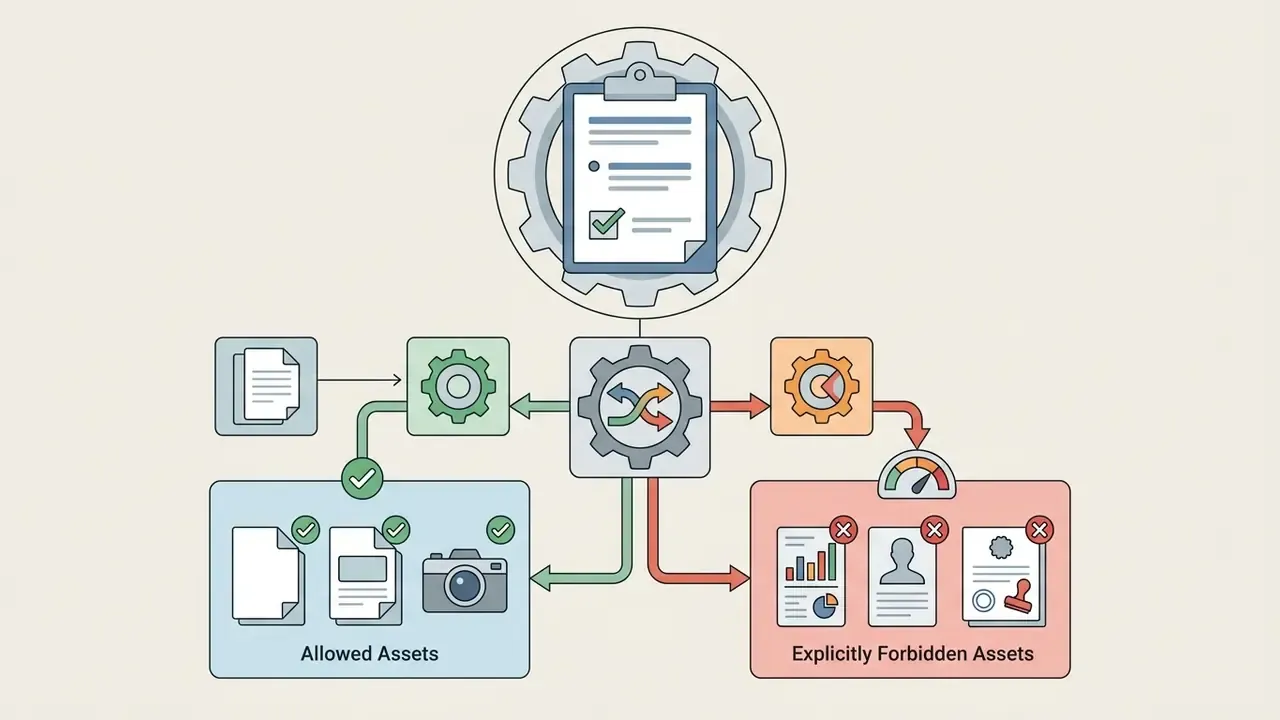
Before publishing any flux ai image asset, legal teams need to verify that outputs did not originate from FLUX.1 [dev] without a separate commercial licence.
Outputs from Schnell (Apache 2.0) and the Pro APIs permit commercial exploitation, but creators still have to audit the full provenance chain. BFL's help documentation states that all images generated through the BFL API include full commercial usage rights and may be used in products, services, and marketing. Its Terms of Use simultaneously claim no ownership in Outputs while reserving restrictions on how the service itself may be exploited. Both statements hold at once, because the rights attach at the channel level, not at the model level.
Pre-Publication Licensing Checklist
- Identify the exact weights file or endpointbehind every generation and edit pass in the asset's history.
- Confirm no
[dev]artefact touched the asset, including LoRA adapters, Fill masks, Depth conditioning, and upscaling passes. - Check the aggregator's tier terms.Free tiers on most SaaS platforms are personal-use only, even where the underlying model is Apache 2.0.
- Verify trademark and likeness exposure.Flux will happily render brand-adjacent logotypes and recognisable faces if prompted. The licence does not clear those rights.
- Record AI involvementwherever disclosure is required by platform policy, advertising standards, or the EU AI Act's transparency provisions.
- Reserve for the indemnity gap.Unlike some enterprise vendors, Black Forest Labs publishes no broad IP indemnification covering third-party copyright claims arising from generated outputs. Where indemnity is a hard procurement requirement, negotiate it into a bespoke agreement or source it from a provider that offers it as standard.
Content Guardrails and Safety Filters
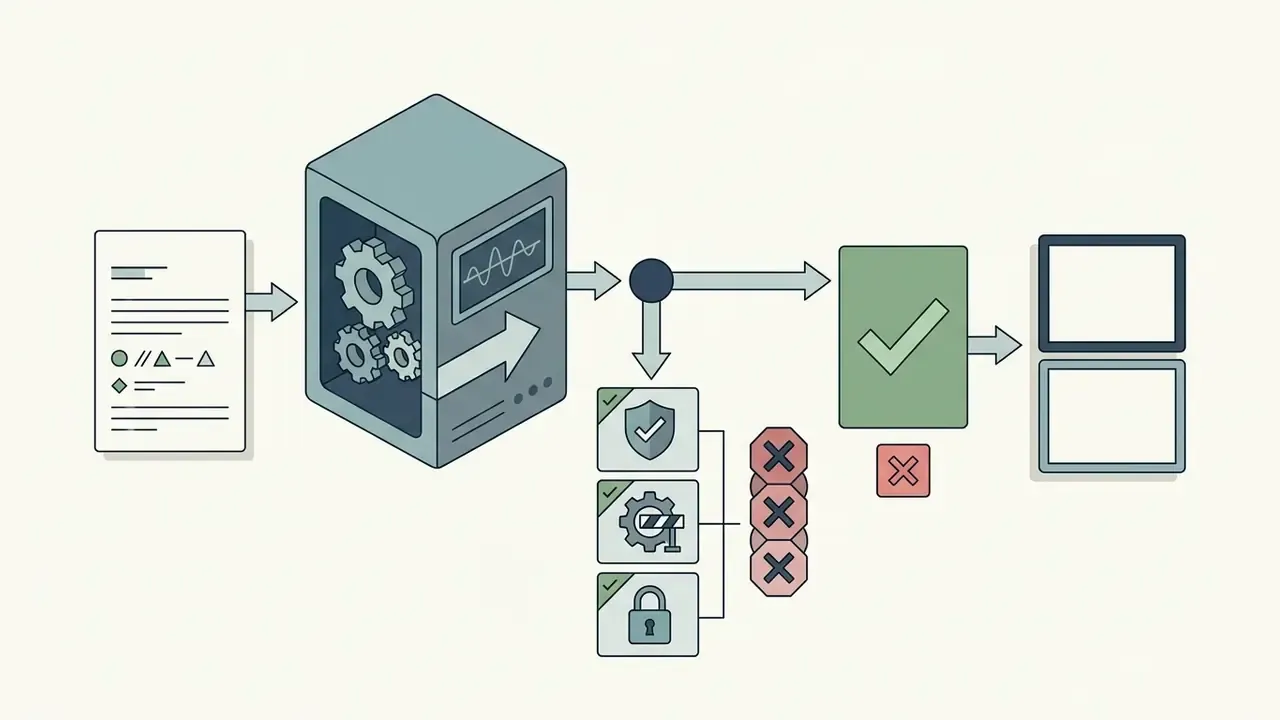
Enterprise deployment needs output-side controls, not only licence hygiene. Four layers, in order of how often they fail:
- Provider-side safety filters. The BFL API and major hosts (Fal.ai, Replicate) moderate prompts and outputs. Strictness is configurable on some endpoints and fixed on others. Document which setting your keys run under, in writing.
- Prompt-side blocklists. Maintain an organisational deny-list for public figures, competitor marks, protected characteristics, and sensitive contexts, enforced in your own middleware before the API call.
- Human review gate. Every externally published asset passes a named reviewer. Log the reviewer, the timestamp, and the decision.
- Likeness and deepfake policy. Prohibit generation of identifiable real persons without written consent, and treat any face-swap or identity-transfer workflow as a restricted category requiring compliance sign-off.
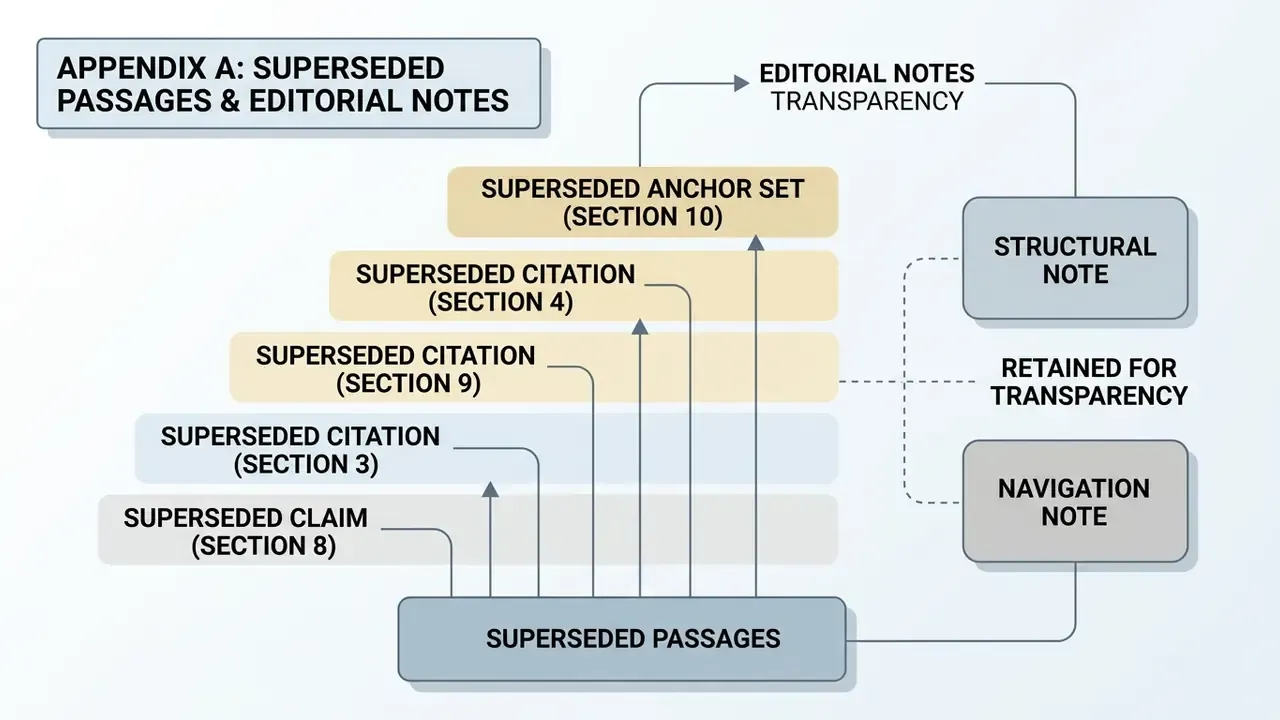
For the organisational framing of those controls, see our model safety policy guidance and the ethical standards for AI generation applied to commissioned visual work. (Appendix A records the superseded anchor set removed from this section.)
11. Data Security, Privacy, and API Governance
Creative-tool articles routinely skip this section. For a regulated buyer it is the deciding one.
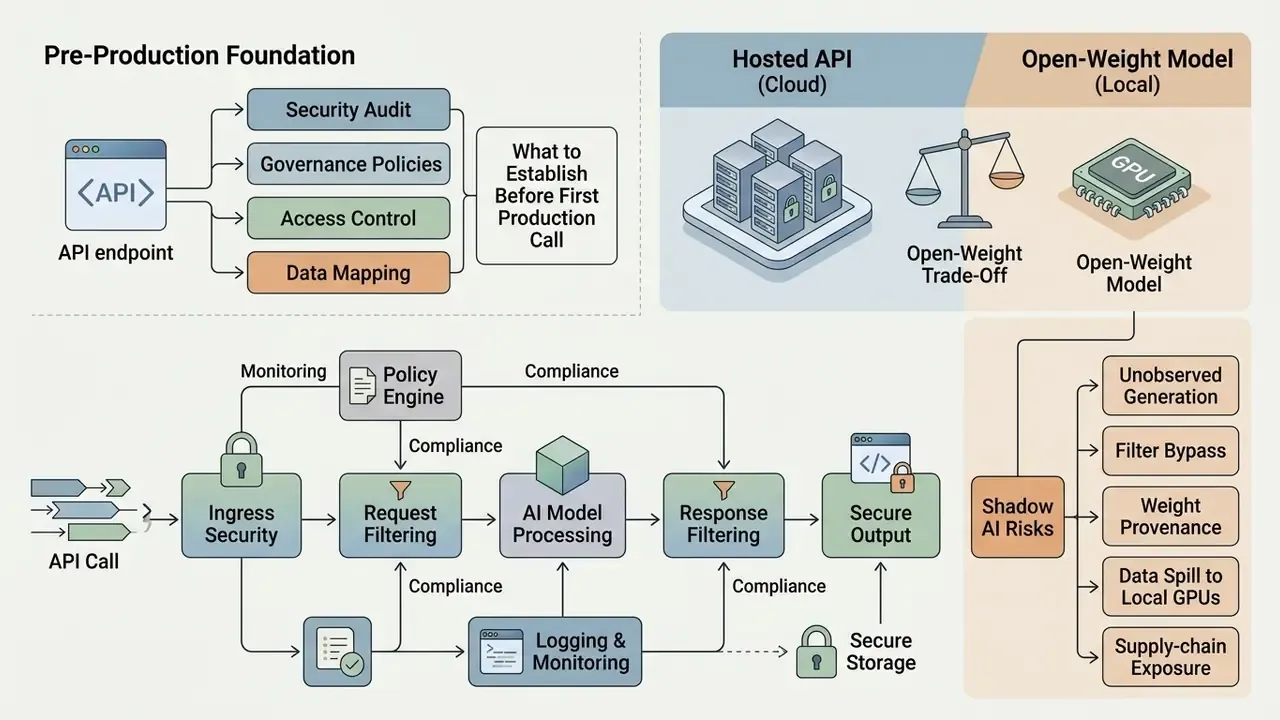
What to Establish Before the First Production Call
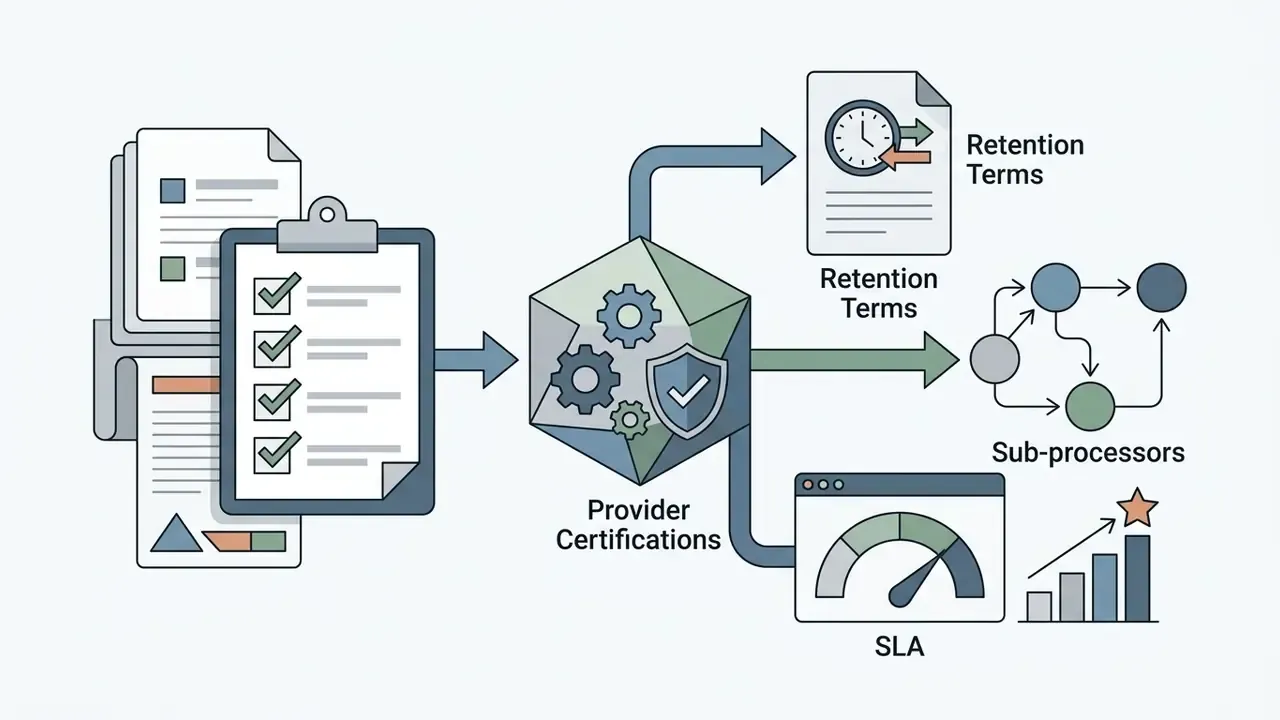
| Control | Question to answer in writing | Why it matters |
|---|---|---|
| Data retention | Does the provider retain prompts and outputs, and for how long? Is Zero Data Retention available? | Prompts routinely contain unreleased product names, campaign timing, or client identities |
| Training use | Are your prompts or uploaded reference images used to train or improve models? | Image-to-image uploads may contain PII or confidential design files |
| Certifications | SOC 2 Type II and ISO 27001 status of the specific provider you call: BFL direct, Fal.ai, Replicate, or an aggregator | Aggregators inherit risk and add their own; the weakest link governs |
| Sub-processors | Which downstream hosts touch the payload? | An aggregator reselling [pro] access adds at least one processor |
| Data residency | Which regional endpoint (api.eu.bfl.ai, api.us.bfl.ai) processes the request? | GDPR transfer analysis depends on this answer |
| Isolation | Is VPC, private networking, or on-premise deployment available? | Open-weight Schnell and Dev can run fully air-gapped; [pro] cannot |
| Access control | Are API keys scoped, rotated, and attributable to a person or service? | Rate limits are per key, and so is accountability |
| SLA and incident response | Uptime commitment and breach notification window | Required for third-party risk registers |
The Open-Weight Trade-Off
Open weights are at once the strongest privacy control and the largest governance risk in the Flux ecosystem. Running FLUX.1 [schnell] on internal hardware means no prompt ever leaves the perimeter, the cleanest available answer to a PII or MNPI concern. The same property removes provider-side safety filtering, usage logging, and version pinning. You gain confidentiality and lose observability. Choose which one your regulator will ask about first.
Shadow AI: Controlling Unmanaged Local Deployment
ComfyUI and Forge tutorials are written for enthusiasts, not for control functions. The realistic risk picture:
- Unobserved generation. An employee installs ComfyUI on a workstation, downloads
flux1-dev.safetensors, and produces commercial marketing assets under a non-commercial licence. No log exists. The breach surfaces only in discovery. - Filter bypass. Local inference has no moderation layer, so content the provider APIs would refuse gets generated freely.
- Weight provenance. Community checkpoints and LoRAs pulled from open repositories can carry unclear licensing or undisclosed training data.
- Data spill to local GPUs. Confidential reference images land in unmanaged temp directories and model caches, outside backup and deletion policy.
- Supply-chain exposure. Custom node ecosystems execute arbitrary code, and a compromised node runs with the user's privileges.
Mitigations that actually work: allow-list model files at the endpoint-security layer; require open-weight use to run on managed hardware with logging; publish a one-page rule that [dev]-derived assets may never reach a customer-facing channel; route production generation through a centrally managed API key so volume and content stay observable; and give teams a sanctioned, genuinely easy path, such as a hosted internal UI on [pro], so the unsanctioned one loses its appeal. Prohibition alone has a poor track record here.
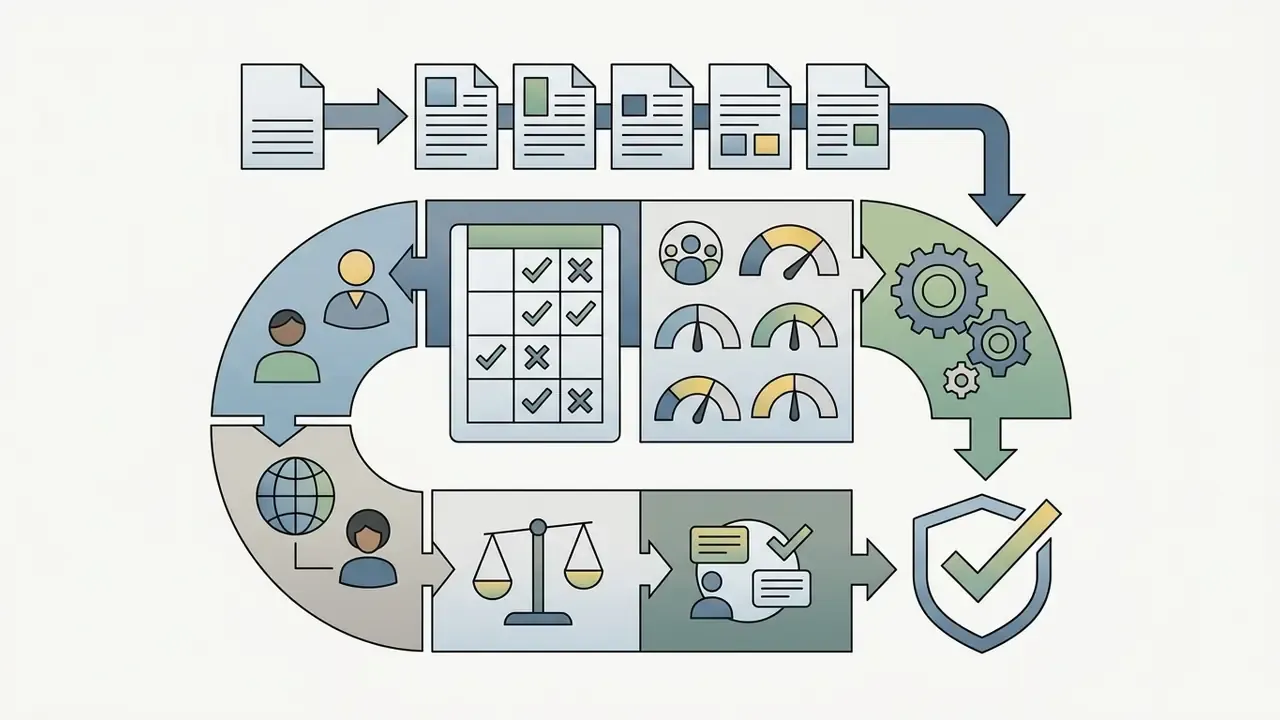
12. Model Risk Management: Reproducibility, C2PA, and Audit Trail
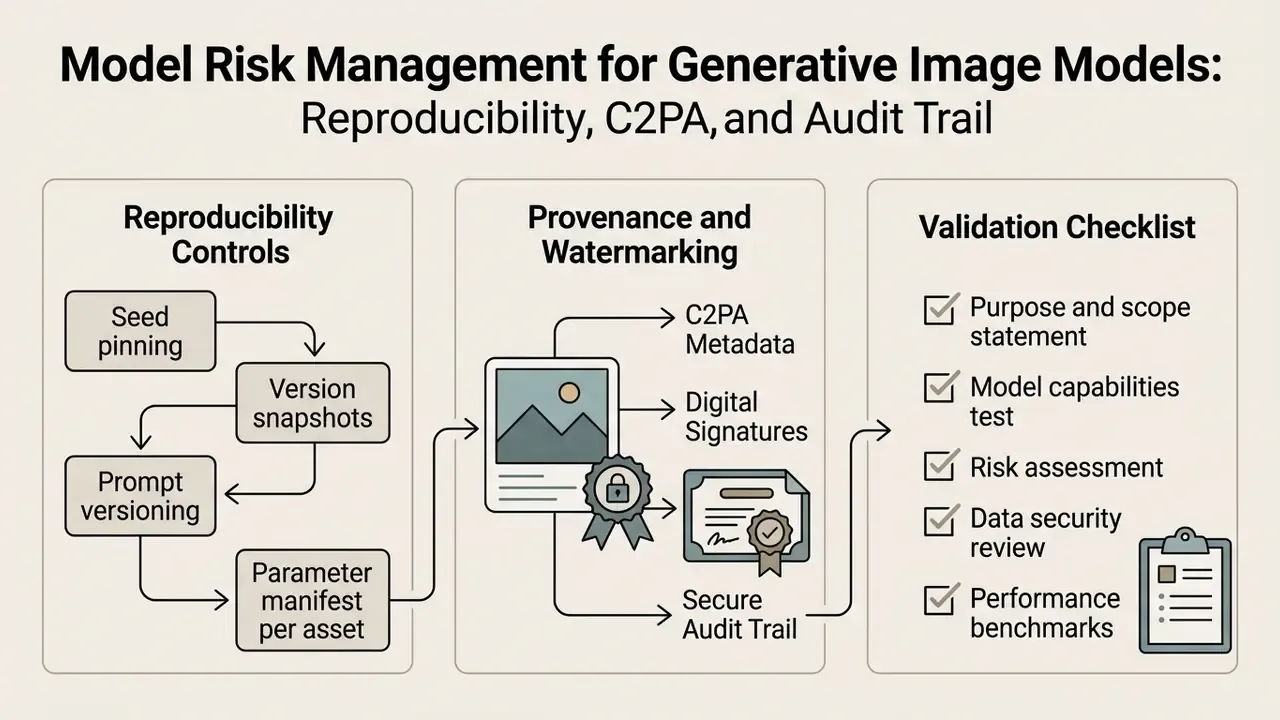
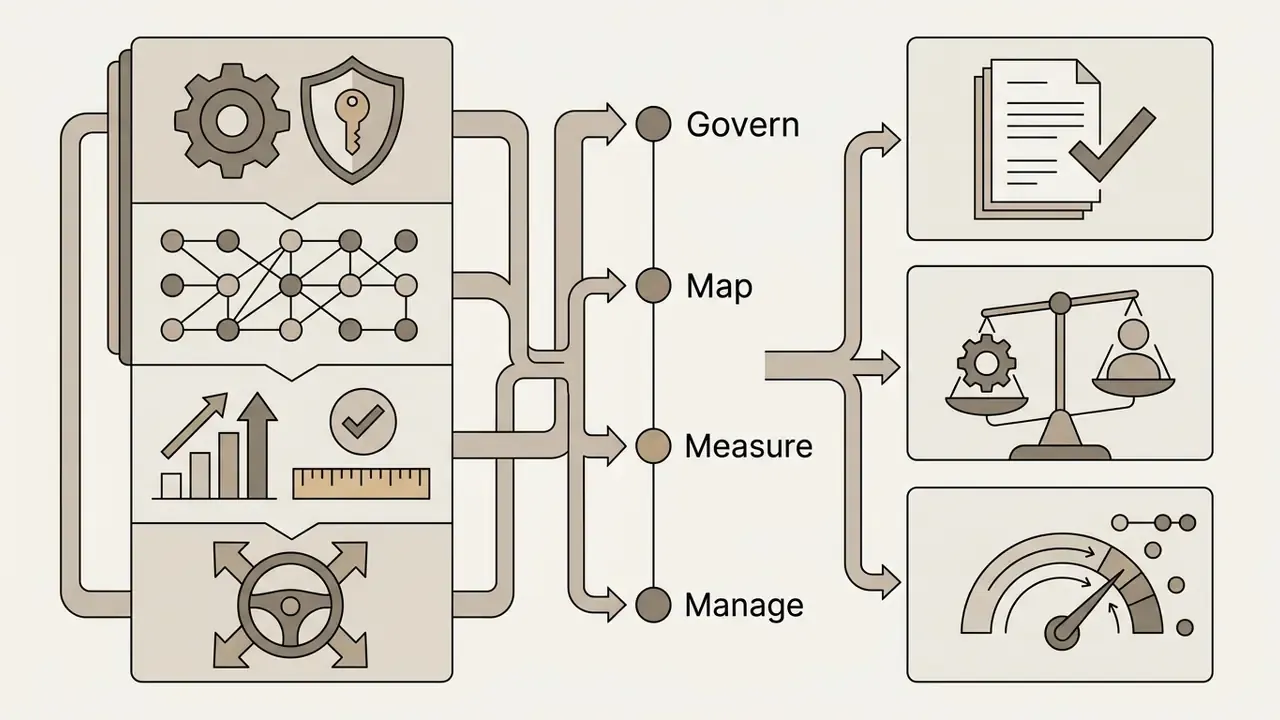
Generative image models sit awkwardly inside classical model-risk frameworks such as SR 11-7, because the "output" is partly subjective. That does not exempt them from validation. It changes what validation means.
Reproducibility Controls
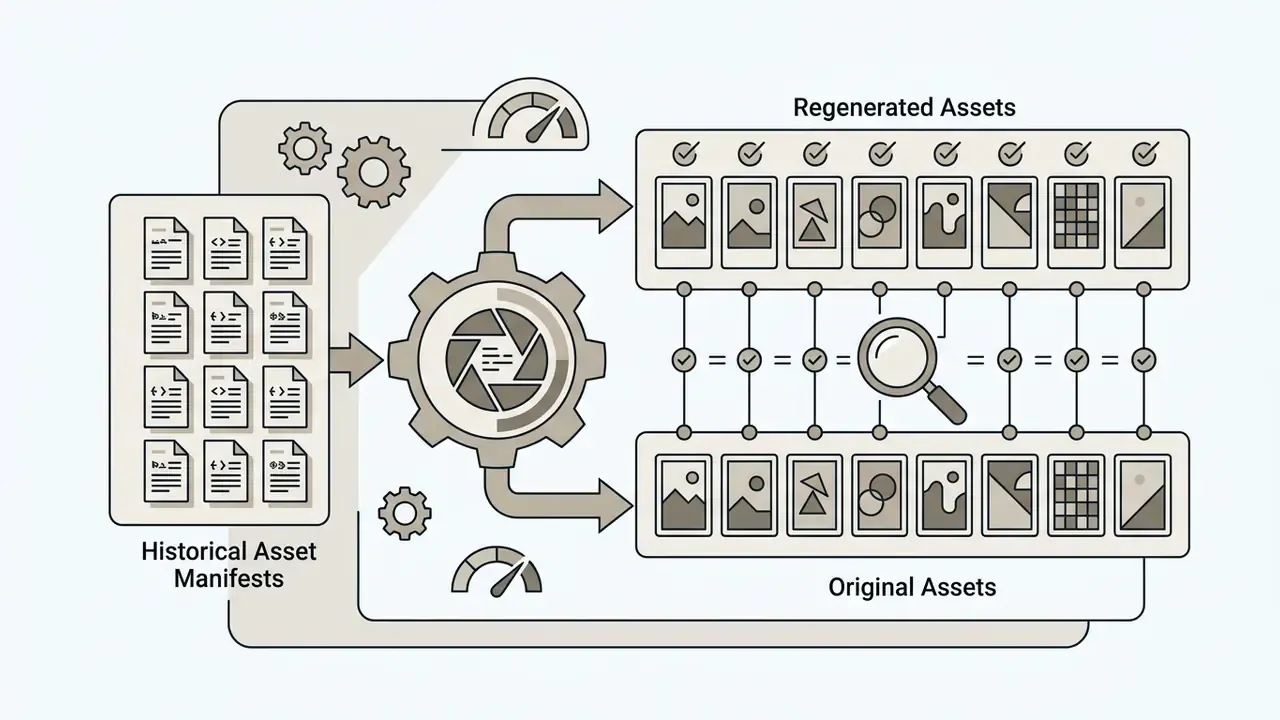
- Seed pinning. A fixed integer seed with identical prompt, model version, guidance scale, resolution, and step count reproduces the same image. Seed alone is not enough; all parameters must be logged together.
- Version snapshots. Prefer endpoints that pin a dated model snapshot (for example a dated
flux-2-prosnapshot) over rolling aliases, so an asset generated in Q1 can be regenerated in Q4. - Prompt versioning. Store prompts in source control with an identifier attached to every published asset.
- Parameter manifest per asset. Endpoint, model version, seed, guidance, dimensions, denoise strength, reference image hashes, LoRA identifiers, and the licence of each.
Provenance and Watermarking
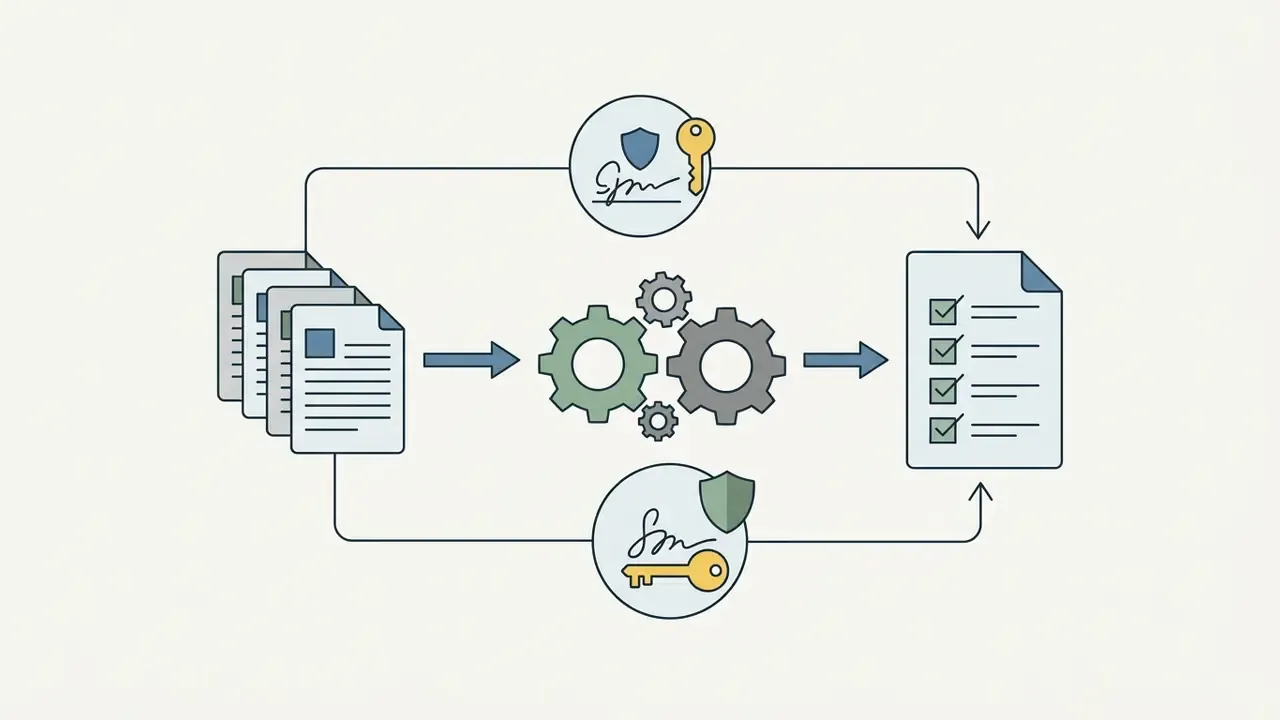
Attach C2PA Content Credentials at export, recording that the asset was AI-generated, which model produced it, and when. Where the toolchain does not support C2PA natively, keep an equivalent internal provenance ledger keyed to the asset hash. Provenance metadata is increasingly the mechanism by which transparency obligations, including the EU AI Act's requirements on synthetic content disclosure, are demonstrated rather than merely asserted.
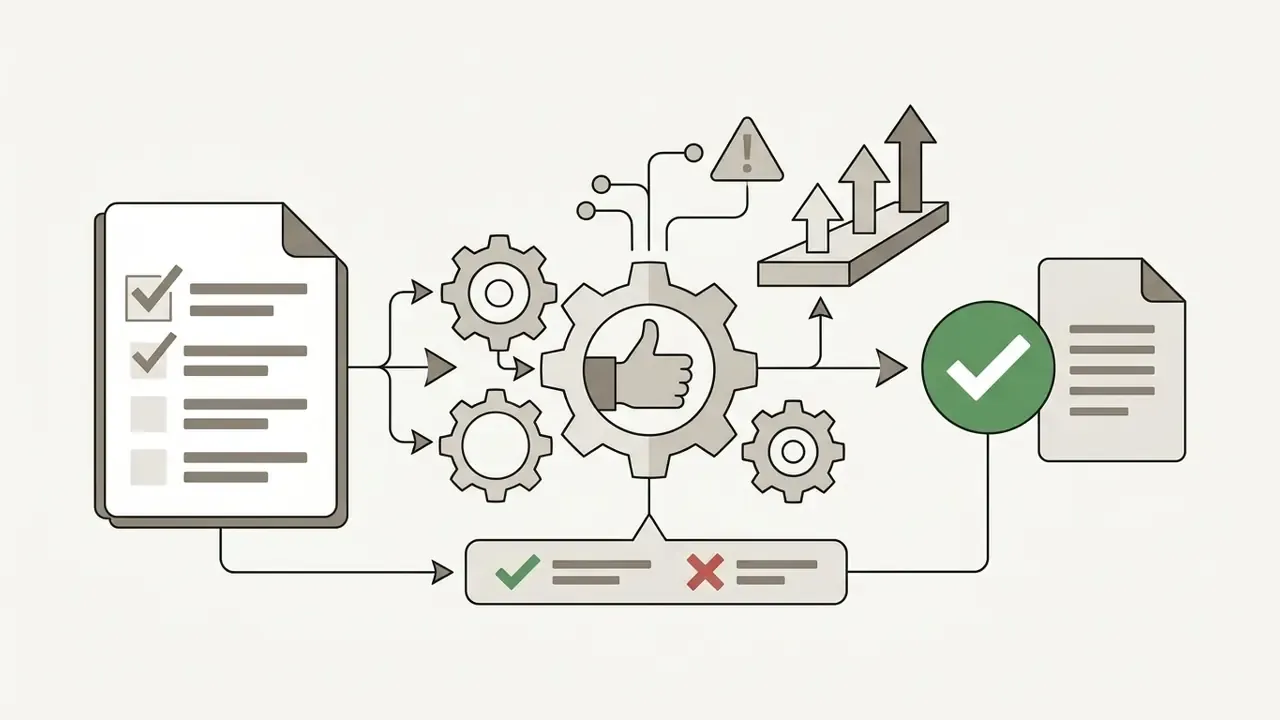
Validation Checklist for a Generative Image Model
No evidence, no autonomy. A generative image pipeline is a digital worker with an owner, an approved role, an audit trail, and a shutdown path, or it is an unmanaged exposure wearing a creative brief.
13. Downloading Assets and Integrating Flux into a Workflow
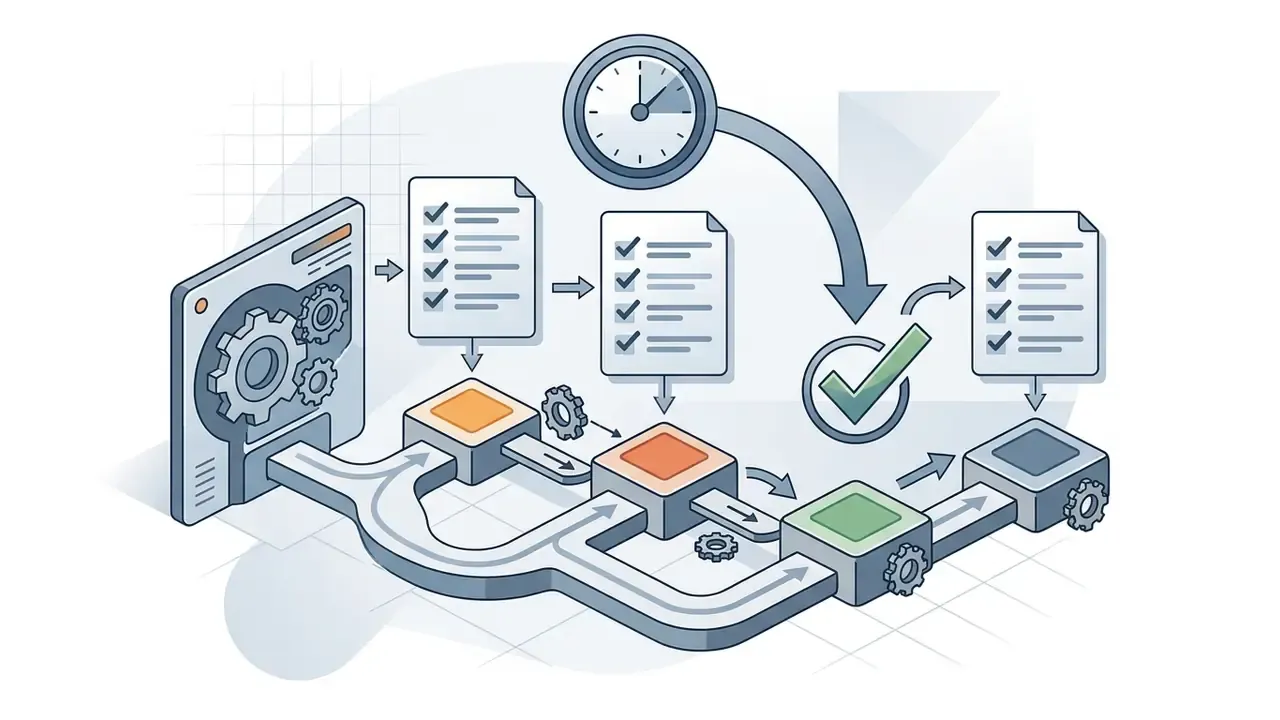
Exporting assets from a download flux ai image generator process means checking resolution parameters and feeding files into downstream media asset management tools. The BFL API separates generation, editing, and asynchronous result retrieval, so a production pipeline usually submits a job, polls for completion, then fetches and archives the artefact together with its parameter manifest. Default output format on FLUX.2 Pro endpoints is JPEG, with PNG available through output_format. Choose PNG for anything destined for further compositing; recompressed JPEG artefacts survive every later step.
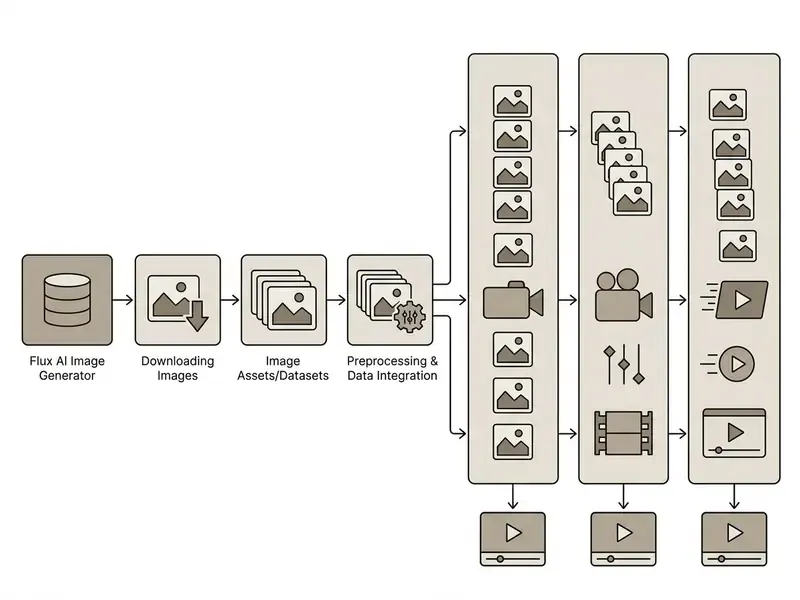
Verifying Resolution Before Download
Checking pixel dimensions before export protects visual quality across web and physical formats. This is also the natural handoff point to AI photo editors or a conventional online photo editor for colour grading, retouching, and layout. Assets intended for high-density print should target 300 PPI and get a 100% zoom inspection to catch edge artefacts or texture softness, while large-format output viewed from a distance can drop to 150 to 200 PPI. Calculate required pixels as final inches × target PPI, soft-proof against the printer and paper profile, then pull a small test print before committing to a full run. When native resolution falls short, route the asset through AI image upscalers and re-inspect at 100% for halos, plastic skin texture, and mangled lettering. Upscaling frequently destroys exactly the typography Flux rendered correctly, which is a painful way to learn the lesson.
Image Tools and AI Video in a Unified Creative Workflow
Static images from flux ai image gen endpoints work well as initial keyframes for image-to-video generators such as Runway, Kling, or Luma. Black Forest Labs' own FLUX 3 documentation formalises the image video handoff: a single still becomes the exact opening frame, two images pin start and end frames, and additional keyframes can anchor intermediate moments. Our primer on image-to-video tools explains how denoise and motion parameters interact with a fixed first frame. To evaluate automated video pipeline options, creators can review established workflows across production systems, compare the best AI video generators, scan the free tier options, or read the implementation notes on the Google Veo API for cost and quota planning.
14. FAQ About Flux AI Image Generator
How do I run Flux AI locally through ComfyUI?
Download the model weights (for example flux1-schnell.safetensors or flux1-dev.safetensors) from Hugging Face, place them in ComfyUI/models/unet/, and put the corresponding text encoders (CLIP_L and T5-XXL) in ComfyUI/models/clip/. The VAE (ae.safetensors) goes in ComfyUI/models/vae/. FLUX.1 [dev] needs a GPU with 12 to 16 GB of VRAM; quantised GGUF variants run on 8 GB with quality trade-offs. Note the governance implication: local [dev] inference is non-commercial by licence, regardless of where it runs.
What is the difference between Flux Fill, Depth, and Canny?
FLUX.1 Fill handles inpainting (filling masked regions) and outpainting (extending frame boundaries). Depth and Canny use additional structural information, depth maps and edge maps respectively, to control the geometry of a generated object precisely from a source image. Fill repairs and extends; Depth preserves perspective and volume; Canny locks silhouettes and line work.
Does Flux AI support training custom LoRAs?
Yes. FLUX.1 [dev] supports fine tuning through low-rank adaptation (LoRA). Developers can train adapters for specific styles, characters, or corporate products using Kohya_ss, AI-Toolkit, or SimpleTuner. BFL's licensing pages explicitly include fine-tuning and LoRA rights, but adapters derived from [dev] inherit the non-commercial restriction unless a separate commercial or self-hosted licence is in place.
Are negative prompts needed when generating with Flux?
No. The Flux architecture does not support negative prompts. The model is optimised for precise adherence to natural-language instructions, and BFL's documentation says plainly that users should focus on what they want rather than what they want to avoid. Express every constraint affirmatively in the main prompt.
Can I use Flux AI images commercially?
It depends entirely on the channel. Outputs from FLUX.1 [schnell] (Apache 2.0) and from BFL or partner [pro] API endpoints carry commercial rights. Outputs from locally hosted FLUX.1 [dev], or from any LoRA trained on [dev], do not, absent a separate commercial licence. Free tiers on third-party aggregators are typically personal-use only.
Does Black Forest Labs indemnify me against copyright claims?
No broad IP indemnification is published for generated outputs. Organisations that require contractual indemnity should negotiate it in a bespoke agreement or select a provider offering it as standard. Treat this as an open item in your third-party risk register, with a named owner.
What is the difference between FLUX.1 and FLUX.2?
FLUX.2 keeps the MMDiT-style transformer core but replaces the CLIP plus T5-XXL pairing with a single Mistral Small text encoder capped at 512 tokens. It improves typography and fine-detail preservation, supports up to 10 reference sources for composition control, and reaches 4MP photorealistic output. Prompt libraries tuned for FLUX.1 usually need re-testing rather than simple porting. An open-source FLUX.2 [klein] variant has been announced alongside the commercial tiers.
Is there a rate limit on the BFL API?
Yes. Documented limits are 30 submissions per minute per key, 300 reads per minute per key, and 10 concurrent in-flight generations per account. Batch pipelines need backoff and queueing built in from the start.
Can Flux AI images be used as the first frame of a video?
Yes. BFL's FLUX 3 documentation describes explicit start-frame pinning: one image sets the opening frame, two images set start and end, and keyframes can anchor multiple moments. Third-party generators such as Runway, Kling, and Luma accept externally supplied reference stills, though their own documentation should be checked for format and resolution constraints.
How do I make generations reproducible for an audit?
Log the endpoint and pinned model version, the exact prompt string, the seed, guidance scale, step count, output dimensions, denoise strength for any image-to-image pass, and the hashes of every reference image or LoRA. Seed alone does not guarantee reproduction. The full parameter manifest does.
15. Appendix A: Superseded Passages and Editorial Notes
Key Terms for Procurement Conversations
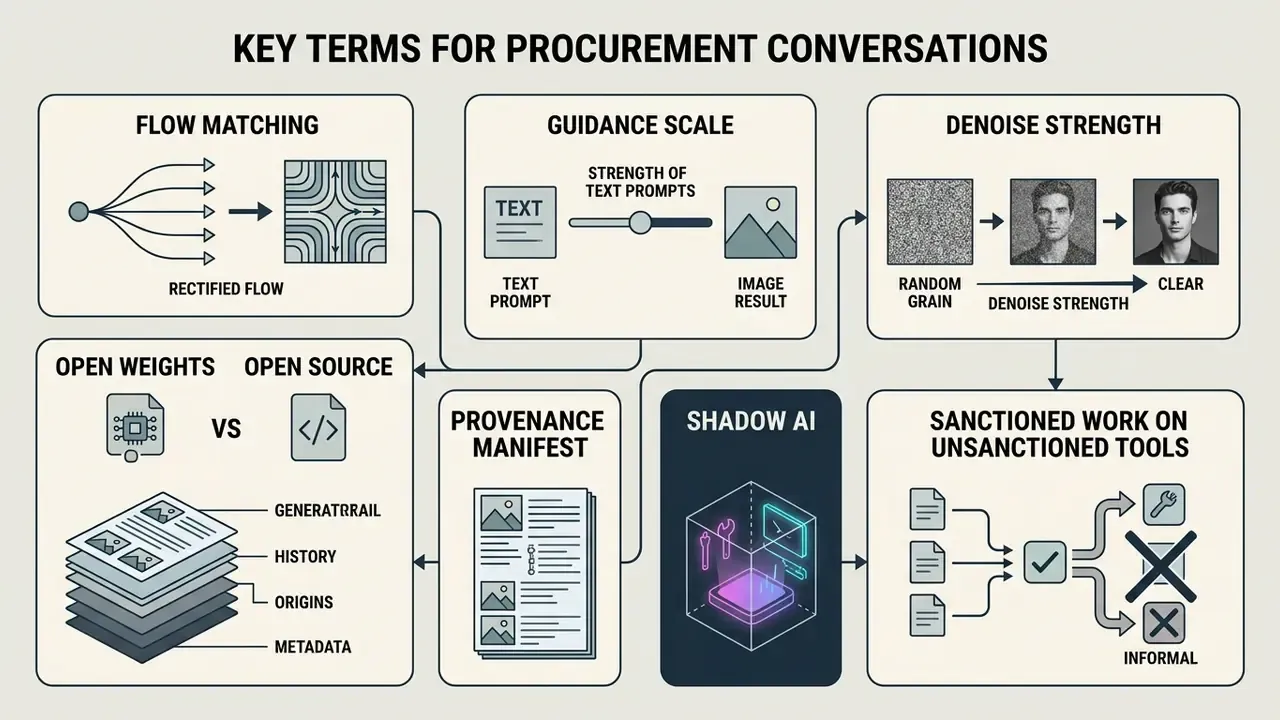
A short shared vocabulary saves a lot of meeting time, especially when legal, brand, and engineering are in the same room.
- Rectified flow / flow matching. The training objective behind Flux. It produces straighter noise-to-image trajectories, which is why distilled variants work in very few steps.
- Guidance scale. How literally the model obeys the prompt. Lower values look more photographic, higher values look more compliant and more synthetic.
- Denoise strength. In image-to-image passes, how much of the source survives. Below 0.45 the composition holds; above 0.65 it largely does not.
- Open weights versus open source. Flux [dev] weights are downloadable but not freely licensed for commercial use. The two terms are not interchangeable, and conflating them is the root of most licence incidents.
- Provenance manifest. The record that makes an asset reproducible: endpoint, model version, seed, parameters, reference hashes, adapter licences.
- Shadow AI. Sanctioned work performed on unsanctioned tools. Usually well-intentioned, always unlogged.