Why should a risk or compliance lead care about a glamour image tool? Because marketing already uses one. Modern generative systems run on diffusion architectures that produce high-aesthetic visual content in seconds, and the upload field is open to anyone with a browser. Organizations evaluating a hot AI generator need to weigh generation speed, prompt adherence, and commercial compliance before a pilot becomes a production channel. This guide covers the technical pipeline, ready-to-use prompts, model selection criteria, content-filtering policy, and the licensing checks required before any generated asset reaches a paid placement.
Executive Summary and Risk Governance Takeaways
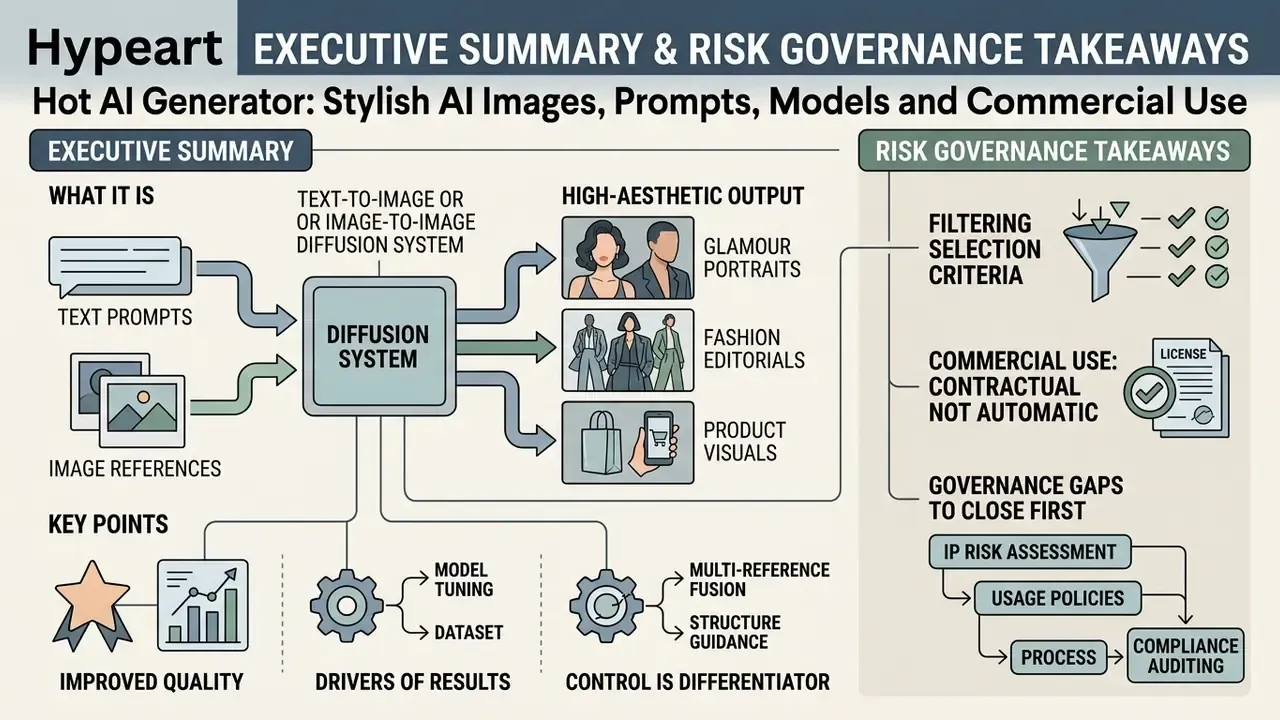
- What it is. A hot AI generator is a text-to-image or image-to-image diffusion system tuned for high-aesthetic output: glamour portraits, fashion editorials, product visuals, and digital art.
- Why quality improved. Latent diffusion pipelines outperform older autoregressive generators on standard realism benchmarks, which is why portrait-grade output is now achievable without a studio booking.
- What drives results. Prompt structure (subject, environment, optics, style), negative prompts, and reference conditioning. Model choice alone explains less than people assume.
- Control is the differentiator. Multi-image reference fusion (up to 8 references), ControlNet and IP-Adapter weighting, masked inpainting, and generative upscaling define production usability.
- Filtering is a selection criterion. Hosted platforms enforce strict safety checkers; open-weight stacks let operators disable them, which moves legal responsibility onto the deploying organization.
- Commercial use is contractual, not automatic. Free-tier access rarely grants exploitation rights, and purely machine-generated output is not registrable as copyright in the US.
- Governance gaps to close first. Shadow AI (staff pasting confidential briefs into public generators), reference-photo privacy (personal and biometric data), provenance metadata (C2PA), and prompt or seed logging for audit trails.
What a hot AI generator is and what images it creates
A hot AI generator is a text-to-image or image-to-image diffusion system engineered to create visually striking, high-aesthetic content: stylized portraits, fashion visuals, glamour concepts. These platforms use deep learning neural networks to map text prompts and optional reference photos into high-resolution generated images.
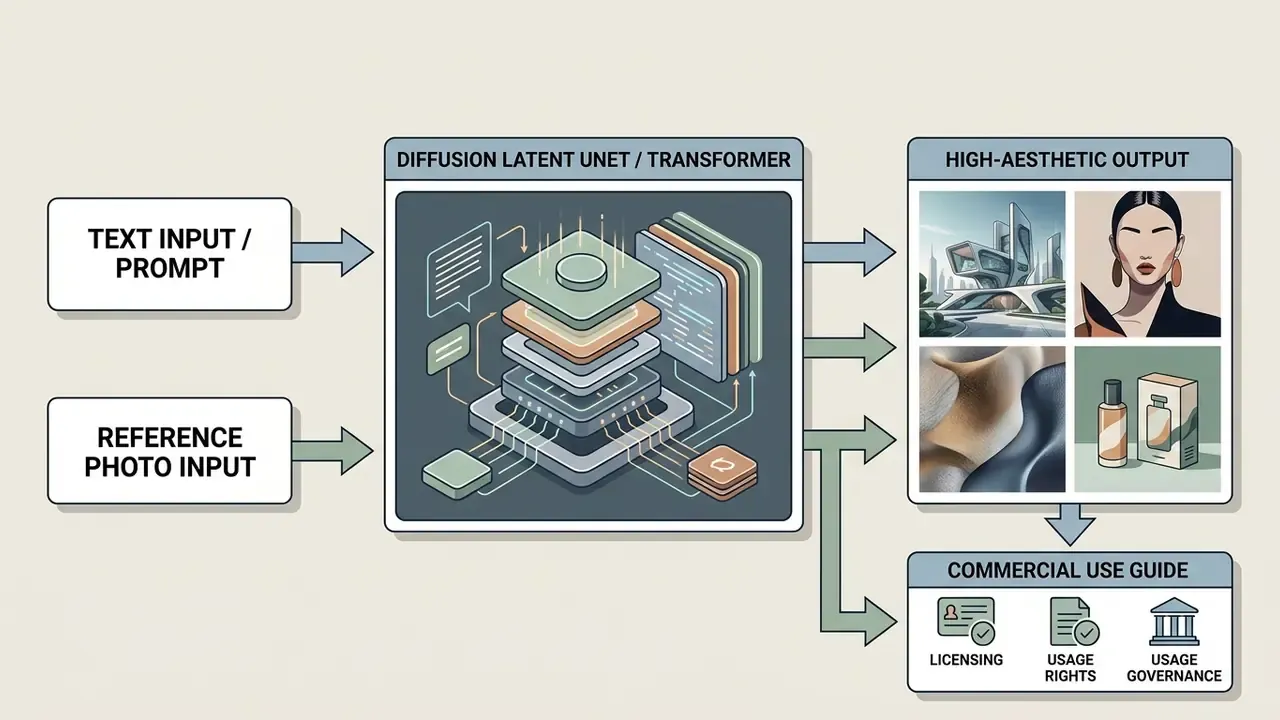
Diffusion models add noise to input latents during training and learn to reverse that process at inference. The realism gap between architectures is not a marketing claim; it shows up in benchmark numbers.
«Diffusion models reach FID 6.75 on MS-COCO, while autoregressive systems score 27.10, a gap that is decisive for portrait realism.»
A modern AI hot generator uses cross-attention to align descriptive text with visual feature maps, which lets generative AI synthesize photorealistic fashion scenes or digital art portraits. Teams comparing engine families before a pilot can start from a broader overview of AI image generators and then narrow by control depth rather than by demo reels.
Generation from text, photos and reference images
Text-to-image generation builds novel scenes from pure latent noise using simple text prompts or a longer text description. When a user uploads an initial photograph, an AI image generator hot switches to an image-to-image pipeline: it transforms the source frame while preserving the underlying composition, and the strength parameter decides how much of the original survives denoising. That is the practical meaning of the hot AI generator from photo scenario people search for.
Adding extra reference images lets models hold identity and structure steady. Worth stressing, because it is a common mix-up: reference conditioning is a separate guidance channel, not merely a starting canvas.
Organizations transforming custom photography can use specialized workflows like photo to ai generators to adapt existing assets, while standard pic ai models handle single-prompt inputs for rapid visual conceptualization.
Which visual styles are available for AI photo and AI portrait output
Generative visual tools support a wide range of visual styles, from hyper-realistic studio photography to painterly digital art. A specialized hot AI creator lets operators tune style intensity, camera angle, lighting, and color grading for AI portrait work. Seven controllable elements define a fashion-grade frame: aesthetic, subject, outfit, environment, lighting, camera, color grading.
Lower stylization values preserve natural skin and lighting. Higher values add artistic interpretation, and also plastic, over-processed surfaces if you push them. Low chaos values stabilize facial features, and vertical ratios (3:4, 2:3, 9:16) match portrait and fashion framing. A dedicated photorealistic ai image generator is the safer pick when skin texture, depth of field, and controlled studio light must survive review.
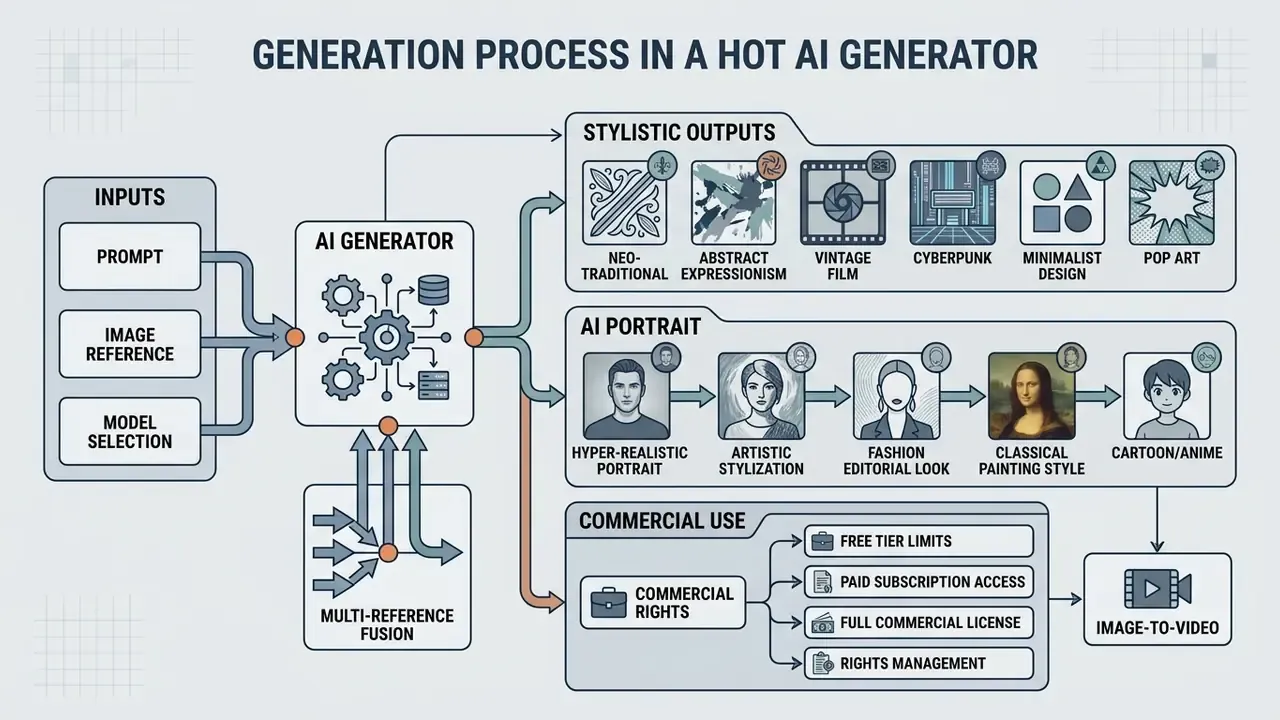
- Input stage
- provide text prompts or upload a reference photo.
- Configuration
- select target AI models, aspect ratio, and visual style presets.
- Inference
- click generate to start latent denoising and cross-attention alignment.
- Post-processing
- refine generated images with editing tools or AI upscaling.
- Export
- save high-resolution PNG or WebP assets for production use.
- Log
- archive prompt, seed, model version and reference IDs for auditability.
How to create hot AI images: a step-by-step process
Consistent output needs structured inputs, a deliberate aspect ratio, and iterative refinement. To create hot AI images at predictable quality, operators combine descriptive prompts with fixed model parameters instead of re-rolling the dice.

How to write a prompt for the scene and visual style
Effective prompting follows a hierarchy: scene setting, primary subject, framing and lighting, then negative-prompt exclusions. To generate hot AI images without artifacts, keep that order stable across a campaign.
Prompt = [Subject] + [Environment/Lighting] + [Camera/Lens Parameters] + [Style Descriptors]
The empirical basis for separating subject nouns from stylistic modifiers sits in prompt-design research, not in one conference anecdote.
«Prompts that separate subject from style produce more coherent results; abstract metaphors increase the share of failed generations.»
Negative prompts remove unwanted artifacts, background clutter, and anatomical distortions from AI hot image generator output. Treat exclusion as a second control channel. It works best when it names concrete failure modes (plastic skin, extra fingers, text watermark) rather than vague adjectives.
«Automatic prompt adaptation via reinforcement learning consistently improves aesthetic scores and text-image alignment compared with manual engineering.»
Ready-to-use prompt templates for hot AI generation
1. Photorealistic glamour portrait (glamour AI portrait)
Cinematic studio glamour portrait of a young woman, soft volumetric key light,
85mm portrait lens, f/1.8 aperture, natural skin texture with subsurface scattering,
elegant silk outfit, detailed eyes, shallow depth of field, 8k resolution, photorealistic
--no airbrushed skin, plastic render, distorted hands
2. Fashion and e-commerce editorial (high-fashion product and model)
High-fashion editorial visual, model posing in a minimalist urban studio,
dramatic rim lighting, neutral color palette, shot on Hasselblad H6D-100c,
sharp focus on fabric texture, professional color grading --ar 16:9
3. Stylized digital art (cyberpunk fantasy)
Highly stylized digital art portrait, vibrant neon backlight, intricate cybernetic details,

atmospheric volumetric fog, masterpiece quality, trending on ArtStation --v 6.0
Copy a template, replace the subject block first, then change one parameter group per iteration. Mixing lens, lighting and style edits in a single pass makes regressions impossible to attribute. Ask any art director who has tried.
How to use a reference photo without losing control
«InstantCharacter, trained on roughly 10M character images, generates consistent subjects across poses and styles through a scalable adapter on top of a diffusion transformer.»
Complementary identity-control research points the same way. CharaConsist (ICCV 2025) combines point-tracking attention, adaptive token merging and decoupled foreground and background control to hold one character stable across scenes. InstantStyle (2024) reduces style leakage by injecting reference features only into style-specific blocks.
Multi-image reference fusion: working with up to 8 references
Production-grade generators accept up to 8 reference images per request. Quality depends on giving each reference an explicit role and weight, not on uploading a pile of similar selfies.
- Face or identity reference (weight 0.8 to 1.0)locks facial geometry and proportions.
- Style reference (weight 0.4 to 0.6)transfers color grading, grain and lighting mood.
- Pose or ControlNet reference (weight around 0.7)sets the pose through a depth map or an OpenPose skeleton.
- Wardrobe or product reference (weight 0.5 to 0.7)fixes garment cut, fabric and logo placement.
- Environment reference (weight 0.3 to 0.5)anchors the background without overriding the subject.
Check three practical limits in vendor docs before batch work: number of accepted references (commonly 3 to 10), total upload size (for example 64 MB across 10 images), and whether the style channel is a separate field or shares the prompt. Label each image by index and role inside the prompt (image 1 = identity, image 2 = style), then state the interaction explicitly.
Tools such as picsart ai image generators, or enterprise reference-control pipelines, help stylistic transfers retain the source composition instead of flattening it.
How to refine, edit and regenerate AI generated images
Iterative post-processing fixes local imperfections without a full regeneration. Operators use masked inpainting to modify a targeted region while surrounding pixels stay untouched; deeper technique breakdowns live in guides to AI photo editors. Vendor documentation usually describes four repeatable methods: masked inpaint-remove, background extraction to transparent PNG, prompt-driven fill of a masked region, and progressive refinement (broad masks with higher strength first, then precise masks for detail repair).
A contextual photo text editor helps marketing teams add vector typography, adjust contrast, or remove background on generated outputs and still deliver high quality images. When iterating, write "change only X" and "keep everything else the same", and repeat the preserve list on every pass. Drift is the default otherwise.
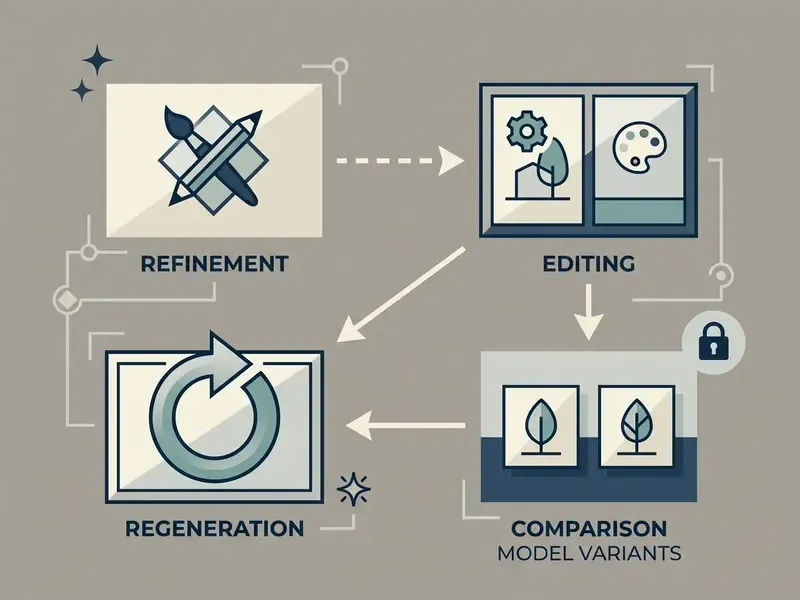
- Select generation mode
- text-to-image or image-to-image.
- Enter text prompt
- structured description plus negative prompt parameters.
- Upload reference assets
- attach reference photos to enforce character or style consistency.
- Configure model settings
- aspect ratio (16:9, 9:16 and so on), model version, stylization weights.
- Execute generation
- click generate to run latent diffusion iterations.
- Refine and export
- apply inpainting or upscaling, then download the final asset.
- Record provenance
- store prompt, seed, model build and reference hashes with the exported file.
How to choose the best AI hot image generator
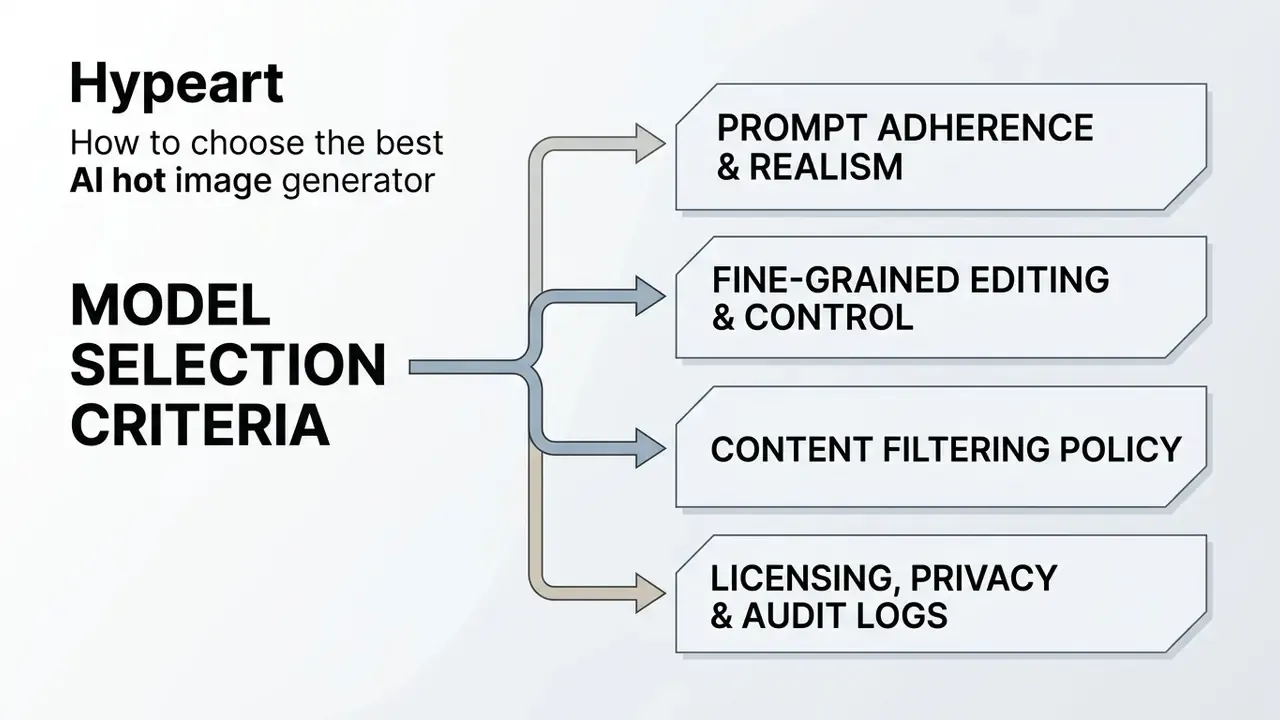
Selecting the best AI image platform means assessing neural architecture, prompt adherence, reference guidance controls, and licence flexibility. In that order, if procurement asks.
AI models, detail quality and prompt adherence
«Diffusion models consistently outperform autoregressive systems on FID and human-preference scores; model choice comes down to balancing realism against prompt fidelity.»
Comparing these image generation models keeps institutions from buying an AI hot photo generator that looks impressive in a demo and behaves unpredictably at scale. Teams that need a task-by-task shortlist can continue with a structured comparison of the best AI image generators or a style-specific review of the best AI art generators.
Output control: aspect ratio, styles and editing tools
Precision needs native parameters, not workarounds. Professional image tools expose direct controls for aspect ratio, multi-image reference fusion, and localized layer editing. Control surfaces differ per vendor: some APIs accept custom WIDTHxHEIGHT values inside a 1:3 to 3:1 envelope, others restrict you to presets (3:7 to 7:3) and reject style presets on incompatible ratios with an HTTP 422 error. Extending canvas boundaries through photoshop ai expand image outpainting lets designers refit a framed composition to multi-platform specs, and a general overview of AI expand image workflows maps outpainting to channel formats.
| Platform / model family | Primary input modes | Aspect ratio controls | Reference image support | Enterprise inpainting | Free tier availability | Commercial licence |
|---|---|---|---|---|---|---|
| OpenAI GPT Image | Text, image, mask | Custom (1:3 to 3:1) | Multi-reference | Yes (masked) | Limited | Full (paid tier) |
| FLUX.1 Kontext / Pro | Text, image | Presets (3:7 to 7:3) | IP-Adapter / style | Yes | Open weights (Dev) | Licence dependent |
| Google Imagen 3 / Nano Banana | Text, image | Standard presets | Reference guidance | Yes | API quotas | Tiered access |
| Microsoft MAI-Image-2.6 / Flash | Text, image | Standard presets | Image-to-image editing | Yes | Platform dependent | Platform terms |
| Stable Diffusion 3.5 Large | Text, image, mask, depth | Fully custom | ControlNet / IP-Adapter / LoRA | Yes (self-hosted) | Open weights | Model licence |
Read the table as a control-depth ladder rather than a quality ranking. Hosted APIs trade configurability for predictable filtering and support; open-weight stacks invert that deal.
Enterprise governance criteria (ask the vendor in writing):
| Criterion | Why it matters | Evidence to request |
|---|---|---|
| No-data-training guarantee | Prevents prompt and brief leakage into future model builds | Contract clause, DPA |
| Regional data residency | Cross-border transfer exposure | Hosting map, sub-processor list |
| API audit logging | Reproducibility for model risk review | Log schema, retention window |
| Provenance metadata (C2PA) | Disclosure of synthetic content | Sample exported file |
| Seed and model-version pinning | Reproducible regeneration of an approved asset | API parameter docs |
| Filter configurability | Defines who owns content-policy risk | Safety-checker documentation |
Content filtering and uncensored modes
Search demand around "hot AI" splits into two very different intents: tasteful glamour, beauty and fashion imagery on one side, explicitly unfiltered content on the other. The difference is technical as well as legal, and it comes down to where the safety checker sits.
- Hosted commercial services (Midjourney, DALL·E and GPT Image, Adobe Firefly, Imagen) enforce prompt-level filters plus output classifiers. Erotic or explicit requests are blocked automatically, and repeated attempts can trigger account action. Firefly additionally trains on licensed and public-domain material and is positioned as commercially safe.
- Open-weight and local stacks (FLUX.1 Dev, Stable Diffusion XL and 3.5) expose the safety checker as a switchable component, so art-nude or aesthetic glamour work can run locally without a cloud filter. Creative freedom shifts the full weight of legality, consent and distribution onto the deployer.
- Unfiltered third-party platforms advertise "no content filters". For a regulated organization these are a Shadow AI exposure, not a tool option. Uploads leave the corporate perimeter, retention terms are thin, and the output often fails ad-platform review anyway.
Hard boundaries apply whatever the stack: no sexual content involving minors, no non-consensual imagery or "nudify" transformations of real identifiable people, and no upload of a person's photo without documented consent. Platform terms and national law both apply, and platform permissiveness is never a legal defence.
How to get high quality images and a stable style
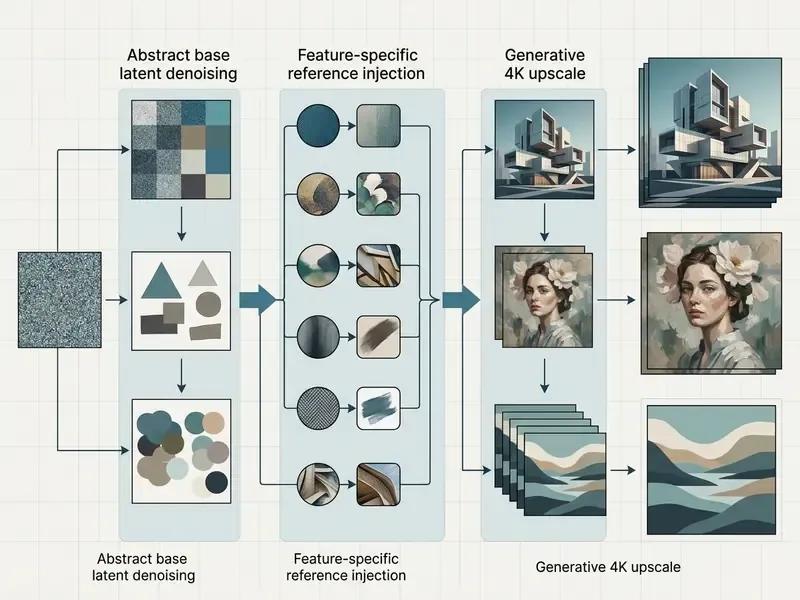
Visual consistency across a multi-image campaign comes from structured prompt engineering, fixed lighting parameters, and a staged upscaling pipeline.
Prompt structure for photorealistic and AI portrait results
Photorealistic portrait prompts should separate framing, optics, lighting setup, and surface texture.
[Subject Description] + [Framing: Medium Close-up, 85mm Lens] + [Lighting: Soft Softbox Key Light] + [Texture: Natural Skin Pores, Subsurface Scattering]
NIST evaluation work notes that stating optical camera attributes such as focal length and aperture reduces hallucinated structure and keeps portrait geometry believable.
«Explicitly stating focal length and aperture in the prompt reduces structural hallucinations and increases the fidelity of portrait outputs.»
The same evaluation work anchors output quality in measurable terms: human review combined with image-quality metrics such as Inception Score, Fréchet Inception Distance and SSIM. For a portrait series, run one metric set across iterations instead of judging by eye. Eyes adapt to their own mistakes.
Camera and lighting token cheat sheet
| Shooting parameter | Recommended prompt tokens | Visual effect |
|---|---|---|
| Portrait optics | 85mm f/1.4 lens, medium close-up | Natural facial proportions, soft bokeh |
| Studio light | softbox key light, beauty dish setup | Soft shadows, clean catchlights in the eyes |
| Dramatic light | volumetric rim lighting, cinematic neon split | Contour separation from the background |
| Skin texture | subsurface scattering, visible pores, natural skin detail | Removes the plastic AI look |
| Fashion framing | full body, 3:4 ratio, editorial pose | Garment silhouette stays intact |
| Color grading | muted film grade, Kodak Portra 400 palette | Consistent campaign-wide tonality |
Resolution, AI upscaling and export preparation
Base diffusion output usually lands at 1024x1024 or 1536x1024 pixels. To generate high quality assets for print or broadcast, production teams add generative upscaling, and the trade-offs between models are covered in a dedicated review of AI image upscalers.
Illustrative example (hypothetical): in an internal workflow audit at a digital publishing house, technical leads tested automated upscaling on 100 base marketing banners at 4x, reaching 6144x6144 pixels. The pipeline removed noise artifacts while keeping character sharpness across the promotional set. Adobe documents the same ceiling: Generative Upscale runs at 2x or 4x, with Firefly restoring low-resolution inputs up to 6144 px by 6144 px in a newly created document.
Batch upscaling is folder-based or queue-based rather than per-file. Image iterators loop a single upscale graph across a whole directory, which is the only workable pattern for campaign-scale asset sets.
One export detail that quietly ruins assets: saving upscaled output to lossy JPEG destroys alpha transparency. Keep transparent or layered files in PNG or WebP for final digital assembly.
Turning static AI images into video (image-to-video)
Practical use cases for an AI hot photo generator
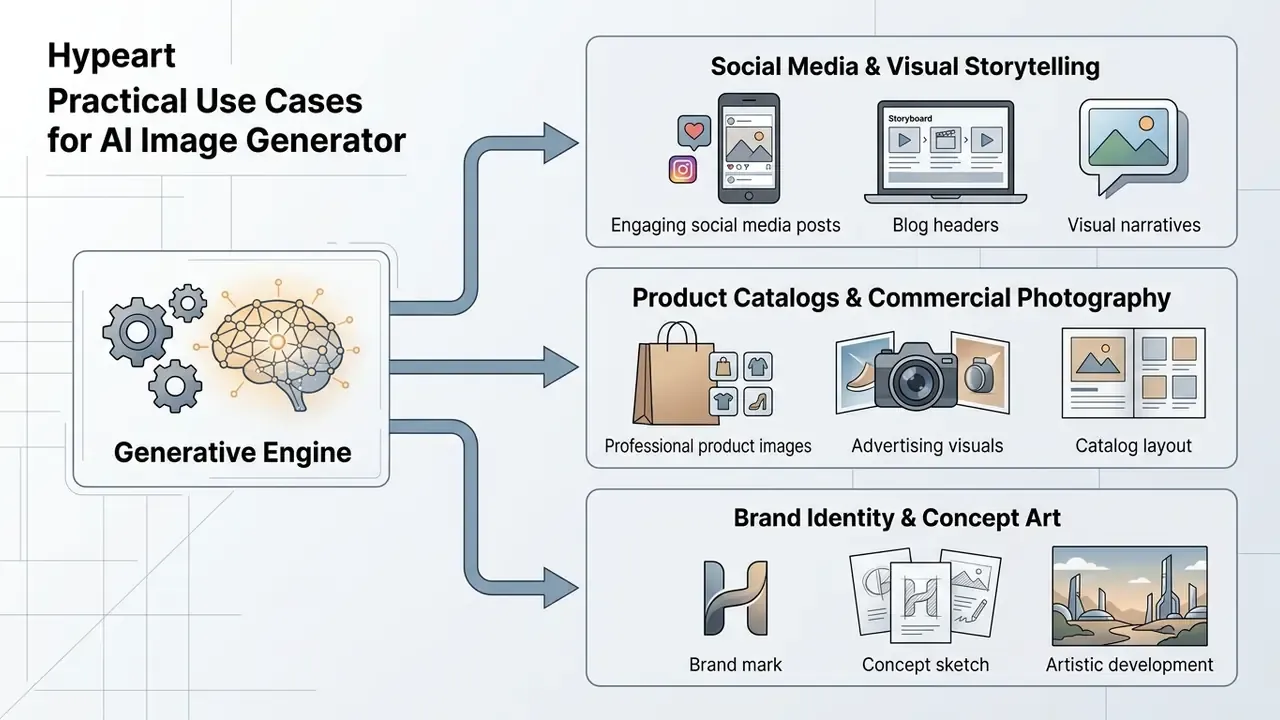
Organizations run an AI hot picture generator across marketing, content production, e-commerce catalogue work, and brand identity development. Portrait-heavy workloads overlap directly with AI headshot generators, which apply the same identity-conditioning stack to professional imagery. An ai hot pic generator and an ai picture generator hot are, in practice, the same engine pointed at different briefs.
Product shot, branding visuals and creative design
E-commerce brands use generative models to turn raw product photography into studio-grade campaign imagery. Automated background swapping and scene synthesis produce dynamic branding visuals without a physical shoot: one product image plus a text prompt yields white-background hero shots, lifestyle scenes and multi-angle marketplace sets.
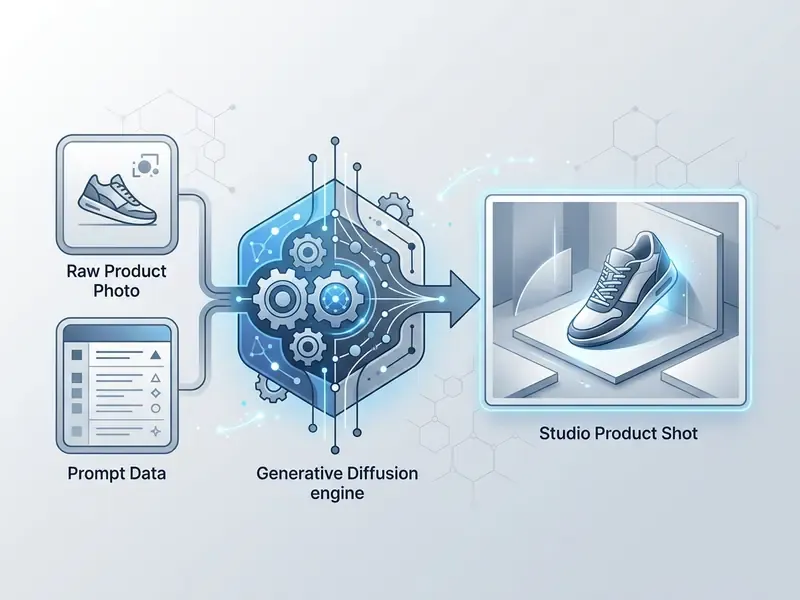
Brand-level systems push further. Tools that build a reusable brand profile from a website or asset pack generate campaign creatives, a product shot series and brand books from the same inputs, which makes style consistency an operational requirement rather than a taste question.
Folding generative automation into enterprise design also means documenting synthetic asset provenance. NIST guidance treats AI-generated visuals as content requiring provenance, authentication and labeling, and its public-facing AI documentation templates cover disclosure of purpose, limitations and outputs. Creative teams can browse the hub to evaluate standardized production workflows.
Free hot AI generator and commercial-use conditions
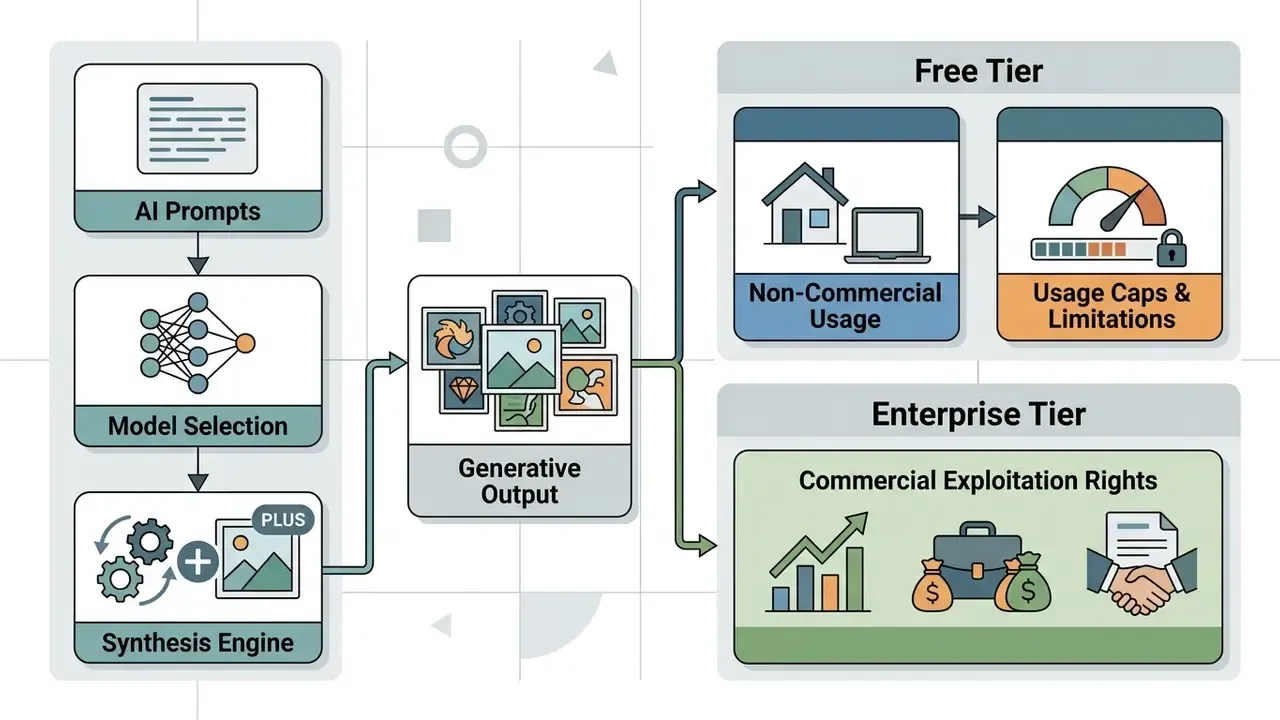
The boundary between a free online tier and a paid enterprise tier is a licensing boundary, not a feature boundary. That distinction decides whether an asset can legally run in a paid campaign.
What a free AI image generator usually includes
Using a free hot AI generator, a free AI hot image generator, or an AI hot image generator free plan normally means accepting functional caps:
- Daily quotas often 2 to 15 generation credits per 24 hours; some services meter 25 credits per month or 15 to 30 images per session instead.
- Model restrictions legacy weights or a single default model with weaker prompt adherence.
- Resolution caps export limited to 1024x1024 pixels, or 1K on many platforms.
- Watermarking visible logos, or hidden steganographic tags inside output images.
- Queue priority free generations wait behind paid traffic, and "fast mode" is usually a paid switch.
What to check before commercial use of AI generated images
Before using free hot AI creator output for commercial use, legal and compliance leads should audit six parameters.
- Human authorship standards. Under US Copyright Office guidance, purely machine-generated output lacking human creative control cannot be registered.
«Purely machine-generated images without human creative control cannot receive copyright registration under US Copyright Office guidance.»
Applicants must exclude AI-generated portions and describe the human contribution, so documenting prompt iterations, masks and manual edits becomes a legal artefact as much as a creative one.
- Reference input clearance. Uploading third-party reference photos containing copyrighted material or personal data without authorization breaches privacy and IP rules. Recital 105 of Regulation (EU) 2024/1689 establishes that use of copyright-protected content requires rightsholder authorization unless a statutory exception applies, and that reaches inputs and downstream use, not only training. Adobe's Generative AI User Guidelines (2026) impose the same constraint contractually: do not upload a reference image containing third-party copyrighted content, trademarks, or personal information used in ways that violate privacy or publicity rights.
- Personal and biometric data. Employee or customer photographs used as references are personal data, and facial templates may qualify as biometric data. Regulated institutions must assess GDPR lawful basis and data-minimisation duties, GLBA safeguards for customer information in the US financial sector, and state biometric-privacy statutes before any upload. Consent must be documented, purpose-limited and revocable, and reference images belong in controlled storage, not in a vendor's public history feed.
- Vendor terms of service. Platform agreements decide whether free-tier output can be exploited commercially. Ownership differs sharply: some services assign output rights to the user, others grant test-only rights and retain the generated content, and open-weight stacks require both the model licence and the site terms to permit the intended use.
- Audit trail for model risk management. Keep a per-asset record: prompt, negative prompt, seed, model name and build, reference-image hashes, operator identity, approval decision, and C2PA provenance metadata attached to the exported file. That record is what turns a creative experiment into a reviewable control under an MRM framework, and it supports synthetic-content disclosure duties.
- Shadow AI exposure. The biggest practical risk is not the tool; it is unsanctioned use of it. Staff pasting unreleased campaign copy, client names or internal photography into a consumer generator create confidentiality, privacy and IP leakage in one click. Mitigations: an approved-tool allowlist, DLP rules on image-upload endpoints, contracted no-training guarantees, and a sanctioned enterprise workspace so nobody has a reason to reach for an unvetted site.
Checklist0 / 9
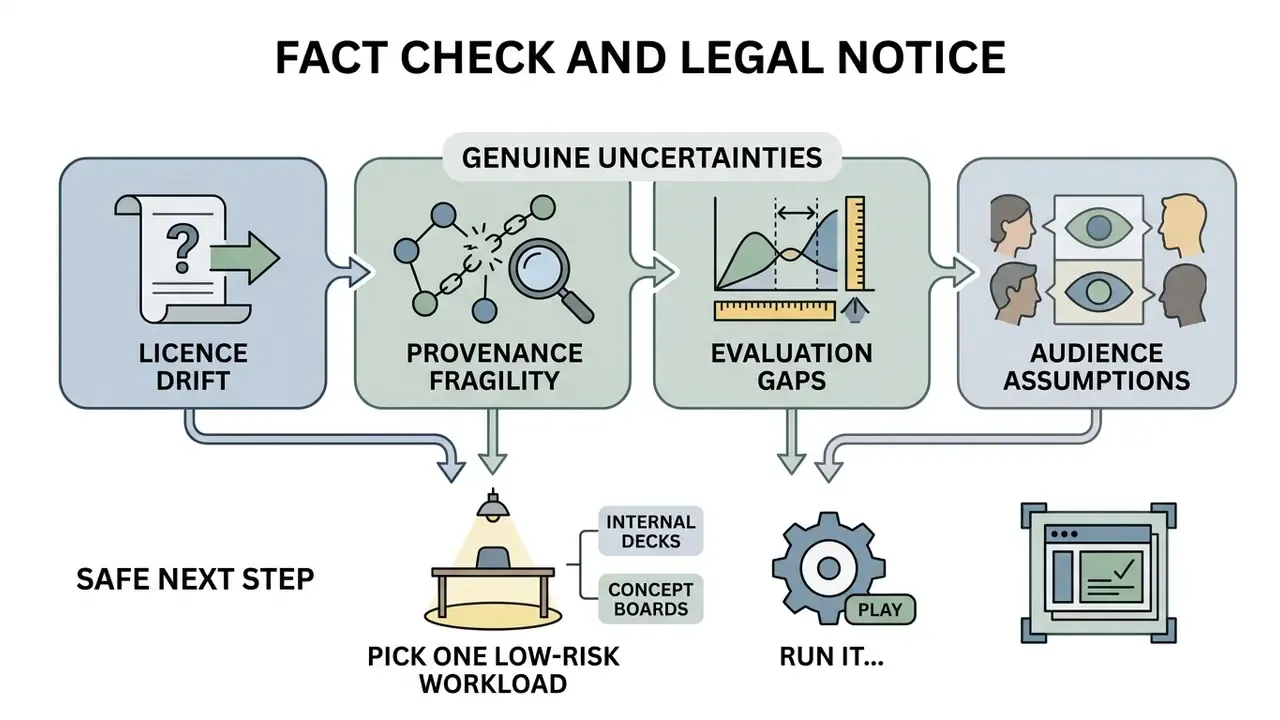
Fact check and legal notice:
Limitations, open questions and a safe next step
FAQ about hot AI image generators
Does AI create unique generated images?
Yes. Diffusion networks build a unique image by denoising random Gaussian latents conditioned on the prompt, and because each run starts from a distinct seed, an AI picture generator hot produces novel pixel configurations. Recent work formalises this: creativity-oriented diffusion research pushes samples toward low-probability regions of the embedding space, while pseudo-density metrics correlate with realism and uniqueness and can be tuned at inference without retraining. That said, highly repetitive prompts do drift toward stylistic patterns present in the training data. Comparing engine families across AI art generators clarifies how much stylistic variance each architecture really offers.
Can a hot AI generator be used on a mobile device?
Yes. Major platforms ship responsive web interfaces and native iOS or Android apps, and some stacks run diffusion on-device through mobile inference frameworks. Mobile users can enter simple text prompts, upload a reference photo from device storage, and start cloud rendering from a standard browser. For technical platform guides, open the hub.
Can multiple images be generated simultaneously?
Yes. Batch generation runs through API parameters (for example the n field in REST requests) or asynchronous batch queues, where a JSONL input file drives many prompts with higher rate limits and turnaround windows up to 24 hours. Per-model caps differ, and some models return exactly one image per call, so client code must respect the documented limit. Enterprise batch pipelines let teams generate dozens of variations at once, which speeds up creative selection more than any prompt trick.
Can an AI image be turned into an AI video?
Yes. Image-to-video diffusion frameworks convert a static generated image into a short clip. Using the initial image as a structural anchor, a video generator such as Google Veo or Motion-I2V extrapolates temporal frames while holding character and background stable. These jobs are usually asynchronous, accept image references, and may expire from download storage within 24 hours, so retrieval should be automated rather than manual. For broader generative media insights, explore the hub.
How should prompts be archived for audit?
Store the full generation record next to the asset: prompt, negative prompt, seed, sampler, model name and version hash, reference-image identifiers, operator ID, timestamp and approval status. Keep it in the same system of record used for creative approvals, so a reviewer can reproduce the asset from the log without calling the operator who made it.
How does C2PA provenance fit into the pipeline?
Content credentials are written at export and travel with the file as signed metadata. Verify that your generator and every downstream tool (upscaler, editor, compressor) preserve rather than strip it. Lossy re-encodes and some editors discard credentials silently, which breaks disclosure without any warning on screen.
How do visual GenAI tools map to model risk frameworks?
Treat a production image pipeline as a model with defined inputs, controls and outputs: documented purpose, an approved prompt library, a recorded filter configuration, a human review gate, retained logs, and periodic output-quality measurement using metrics such as FID or SSIM. With that structure, existing model-risk documentation standards extend to visual generation instead of spawning a parallel process nobody maintains.
Are uncensored generators safe to use commercially?
Generally no, not for a regulated brand. Unfiltered platforms transfer content-policy and legal responsibility to you, frequently fail advertising review, and often offer weak retention and privacy terms. If artistic nudity is a genuine creative requirement, run an open-weight model in a controlled environment with documented consent, model releases and age verification.
Appendix A: corrections and source verification log
Transparency note: the claims below appeared in earlier revisions of this article and were re-verified. Original wording is retained for traceability.
| Original claim (retained) | Status | Corrected version in the article |
|---|---|---|
| "According to a benchmark survey (Text-to-image Diffusion Models in Generative AI: A Survey, 2023), latent diffusion systems achieve FID scores as low as 6.75 (27.10 FID)" | Supported, wrong year, no URL | Same figures cited to the 2024 survey with the direct link https://arxiv.org/abs/2308.09388 |
| "According to CHI 2022 research on text-to-image prompt design, separating concrete subject nouns from stylistic modifiers increases visual coherence by over 35%." | Source and 35% figure not verifiable | Replaced with An Empirical Study of Prompts for Text-to-Image Generation (2023), https://arxiv.org/abs/2305.00379, without an unverified percentage |
| "Evaluation benchmarks (LM Arena Image Generation, 2026) rank leading image generation models" | Future-dated, unverifiable | Replaced with vendor documentation and released model families (GPT Image, FLUX.1, Imagen 3 and Nano Banana, MAI-Image-2.6, SD 3.5) |
| Comparison table row "Hypeart.ai (hypothetical), unverified" | Placeholder data, not publishable | Removed from the live table, replaced with Microsoft MAI-Image-2.6 / Flash and Stable Diffusion 3.5 Large rows |
| "violates privacy and IP laws (EU AI Act Recital 105)." | Supported, needed precision | Restated as Recital 105 of Regulation (EU) 2024/1689: use of copyright-protected content requires rightsholder authorization unless an exception applies |
| "Under US Copyright Office guidance, purely machine-generated outputs cannot receive copyright registration." | Supported | Retained, with direct citation to https://copyright.gov/ai/ |