Choosing the best AI art generator app for Android comes down to one honest question: do you want raw text-to-image quality, photo editing depth, or simply generous daily free credits? Those three goals rarely live in the same app. Current Android applications span cloud-based multi-model platforms, specialized selfie filters, watermark-free FLUX-powered generators, and prompt-driven studios that behave more like a small render farm in your pocket.
To compare options across performance, features, and pricing models, creators can browse the hub and see how mobile generation platforms differ architecturally from desktop suites.
In this guide: an at-a-glance comparison table with exact prices, a standardized visual benchmark prompt applied to every app, an enterprise risk and data-retention matrix, a decision framework, detailed app reviews, a step-by-step Android workflow, automation options, and a FAQ.
Best AI Art Generator Apps at a Glance
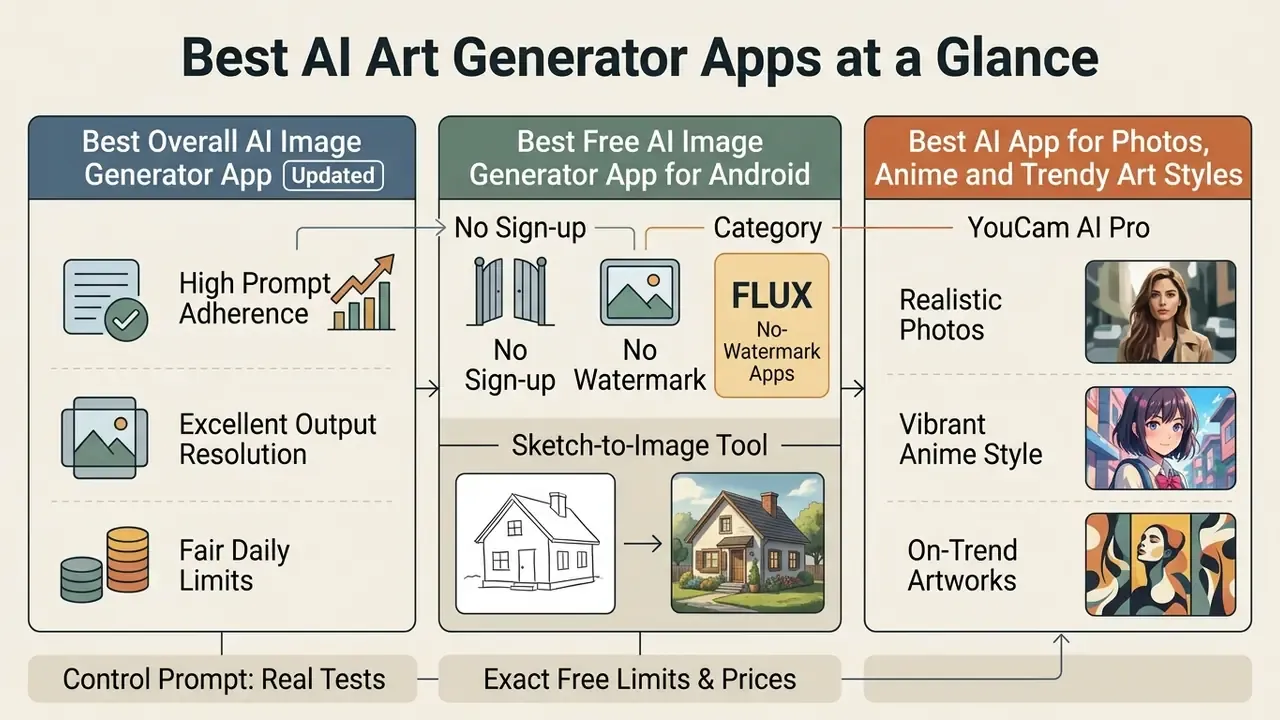
The best AI art generator apps for Android balance output resolution, prompt adherence, and fair daily generation limits. Selecting the right one means deciding whether you need original text-to-image synthesis, face retouching, watermark-free exports, or advanced generative fill. For a wider cross-platform view you can also compare the leading AI image generators that run beyond mobile.
| Application | Platform Support | Free Plan Limits (Exact) | Paid Pricing (Exact) | Underlying Models | Primary Strengths | Editing & Photo Tools | Store Rating (as listed) | History Sync |
|---|---|---|---|---|---|---|---|---|
| ChatGPT | Android, iOS, Web | 2 images/day (Free tier), 20 MB per uploaded image | Go $8/month (regional), Plus $20/month, Pro higher tier | GPT Image / DALL·E 3 lineage (autoregressive) | Native conversational prompting, iterative refinement | Text-driven iterative edits, sketch input | 4.8 (Google Play) | Full cross-device sync |
| Leonardo AI | Android, Web | 150 daily tokens, resets every 24h (~8-12 renders at 12-16 tokens each) | Apprentice from $10/month; higher tiers add faster queues | Phoenix, SDXL, Nano Banana (Gemini), GPT image models | Model choice, style presets, batch of up to 8 | Alchemy quality controls, prompt enhance, negative prompts | 4.5 (Google Play) | Cloud history archive |
| Dream by Wombo | Android, iOS, Web | Ad-supported basic styles, slower queue | ~$9.99/month or ~$89.99/year (ads removed, faster renders) | Proprietary diffusion stack | 100+ artistic & anime presets | Aspect ratio selection, style filters | 4.3 (Google Play) | Local & account saving |
| Wonder AI | Android, iOS | Free with mandatory video ad per render, watermarked output | $6.99/week or $29.99/year | Diffusion presets | Very fast renders, clean UI | Style filters, limited free resolution | 3.2 (Google Play) | Account gallery |
| Adobe Firefly | Android, Web | Daily refreshing generative credits (free plan historically 25 generative credits/month; 1 credit per standard Generative Fill) | Premium from $4.99/month (100 credits); Creative Cloud plans include allocations | Firefly Image models plus partner models (GPT Image, Gemini/Imagen, FLUX, Luma, Runway) | Generative Fill, commercial licensing and indemnity | Brush-based object insert & remove, generative expand | 4.4 (Google Play) | Adobe Creative Cloud |
| YouCam AI Pro | Android, iOS | 5 trial credits for new users, then limited daily generations; watermark may apply | Credit packs and subscription tiers (in-app) | Multi-model portrait stack | AI Face, portrait enhancement, 70+ viral styles | Photo enhancer, object removal, background edit | 4.6 (Google Play) | Saved project gallery |
| Meitu | Android, iOS | Free daily generations, no watermark, sign-up optional | Premium unlocks higher-fidelity styles and priority rendering | Diffusion stack with 50+ style engines | AI Smart Board (sketch-to-image), AI Portraits | Image-to-image, AI photo studio, sketch canvas | 4.8 (Google Play) | Local device saving |
| Imagly AI (FLUX-based) | Android | Unlimited generations, no account, no watermark, HD export | No mandatory subscription; ad-supported with optional premium via 7-day streak | FLUX, Turbo, GPT Image | 50+ styles, zero-friction start, Android 15 edge-to-edge UI | Upscaler, compressor, format converter, resizer, QR generator, pro editor | 5.0 (small review base, ~3.9k downloads) | Cloud preferences sync |
"No single model excels across every dimension: highly aesthetic models can lag on prompt alignment and on fairness."
Users who care about latency and fidelity rankings rather than marketing screenshots can see the overview of our system metrics.
Best Overall AI Image Generator App
Best Free AI Image Generator App for Android
The best free AI image generator app for Android with an account is Leonardo AI, offering 150 daily tokens that reset every 24 hours. That allowance lets you create images with state-of-the-art architectures like Phoenix and SDXL without hitting a paywall on day one. At 12 to 16 tokens per render, expect roughly 8 to 12 high-quality generations per day.
During testing on standard Android devices, Leonardo delivered consistent 1024×1024 visual outputs with no forced watermark on basic renders. Queue times stretched in the evening, which is worth noting if you work to deadlines.
"HPS v2, trained on 798,090 human preference pairs, predicts image appeal more accurately than classic metrics such as FID."
The no-sign-up, no-watermark category. A second class of Android apps removes registration altogether. FLUX-based generators such as Imagly AI open straight into a prompt field: no account, no credit counter, no watermark on HD downloads, and a switch between FLUX, Turbo, and GPT Image backends for different speed and quality trade-offs. Meitu follows a similar logic, with a free download, optional sign-up, daily free generations, and watermark-free exports across 50+ styles. Neither app requires a payment method to produce a usable asset, which makes this android free ai image generator app category the practical answer for a one-off social post.
For a broader comparison of zero-cost creative utilities, review our roundup of the free AI art generator tools across mobile and web.
Best AI App for Photos, Anime and Trendy Art Styles
YouCam AI Pro, PixAI, and Meitu stand out for transforming selfies, generating anime avatars, and applying viral social media filters. PixAI's Android listing and website describe a library of community-trained models and LoRAs (the vendor cites over 1.8 million community models, a vendor-reported figure rather than an independently audited one) for dedicated anime stylization. YouCam AI Pro leans the other way, specializing in facial retouching and stylized portrait renders across 70+ art styles. If you are searching for the "ai that makes pictures of you app" experience, this is the cluster you land in.
In practical testing with single-photo uploads, these applications held facial structure while applying fairly aggressive artistic overlays. Meitu adds AI Smart Board, which converts a finger-drawn sketch on the phone canvas into a finished render, a workflow neither ChatGPT nor Leonardo exposes natively on Android. Readers focused on retouching rather than generation can also read our breakdown of AI photo editors.
Planning visual assets for commercial or promotional campaigns? You can compare options for licensing and media rights before publishing anything client-facing.
AI Governance, Data Retention and Commercial Licensing on Mobile
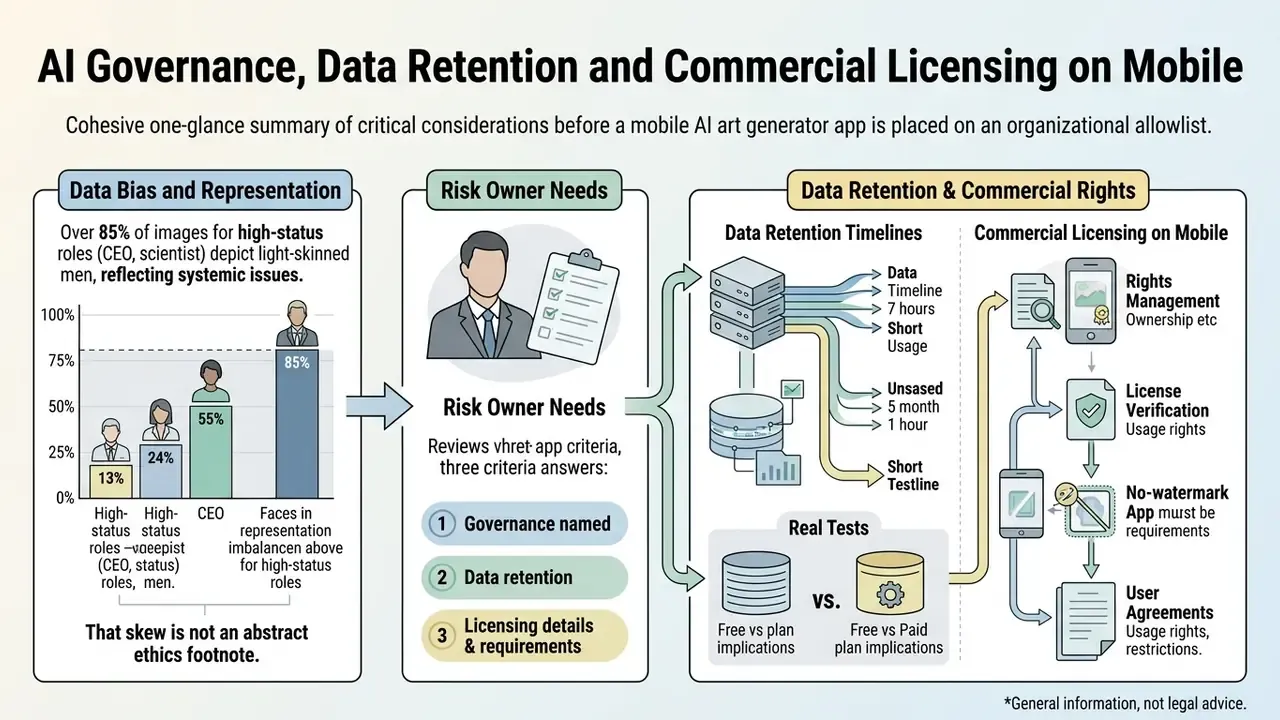
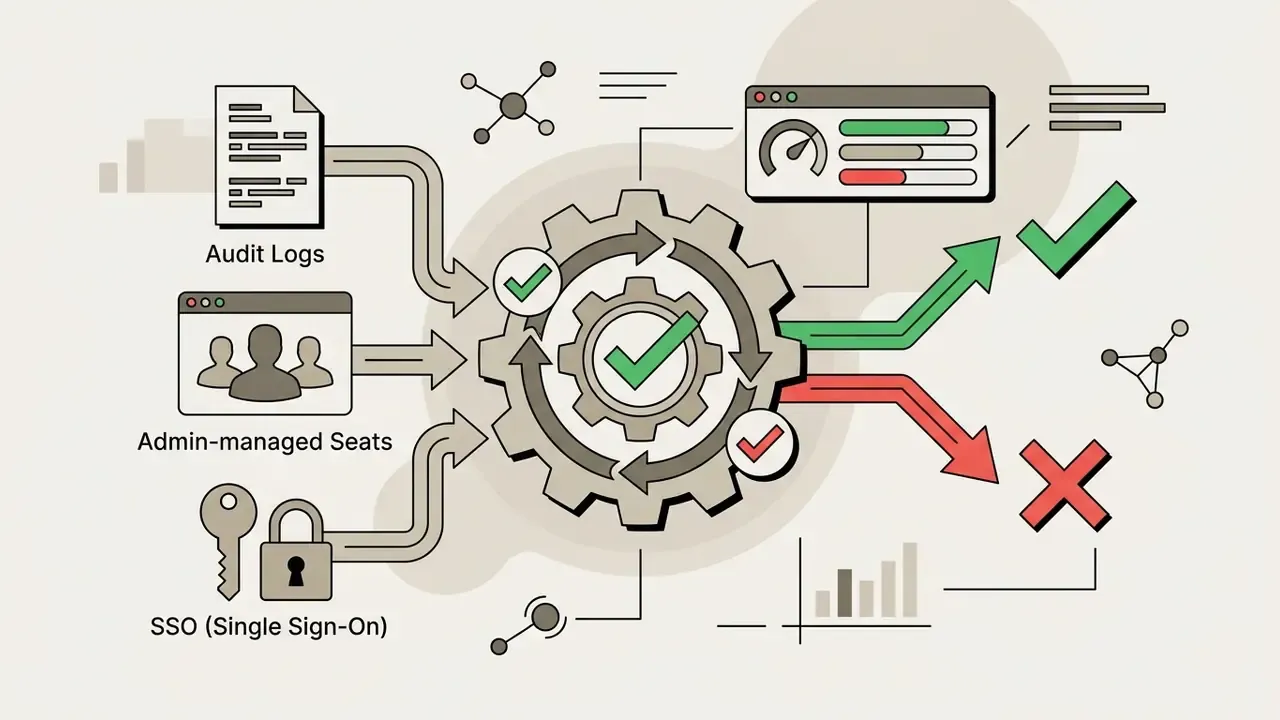
Before any app reaches an organizational allowlist, a risk owner needs three answers. Are uploads used for model re-training? Do outputs carry a commercial licence? Can access be managed centrally? Consumer app-store descriptions almost never answer all three in one place, so the matrix below consolidates what vendors actually publish.
| Application | Uploads Used for Model Training? | Opt-Out Available | Commercial Use on Free Tier | IP Indemnity for Enterprise | Central Access / SSO | Watermark on Free Export |
|---|---|---|---|---|---|---|
| Adobe Firefly | Vendor states outputs come from models trained on licensed Adobe Stock and public-domain content | Yes, via Adobe account controls | Permitted for non-beta features | Available through Creative Cloud business plans | Yes (Adobe enterprise identity) | No visible watermark on standard exports |
| ChatGPT | Consumer plans may use content to improve models unless disabled; business tiers exclude by default | Yes, in data controls | Permitted under OpenAI terms | Business/Enterprise agreements | Yes (Business/Enterprise SSO) | No |
| Leonardo AI | Community/public generations may be visible on free plans | Private mode on paid tiers | Restricted on free tier | Limited | Team plans only | No on standard renders |
| Wonder AI / Dream by Wombo | Not clearly disclosed for mobile uploads | Not documented | Not recommended | None | No | Yes (Wonder free tier) |
| YouCam AI Pro | Facial data handling governed by vendor privacy policy | Account-level deletion | Ambiguous | None | No | Possible on free exports |
| Meitu / Imagly AI (no-login) | No account means no linked profile, but prompts are processed server-side | N/A (no account) | Vendor states free commercial use | None | No | No |
Enterprise readiness checklist for mobile AI art apps. Run through this before adding any AI app to a corporate allowlist or MDM catalogue:
How To Choose the Right AI Generator App
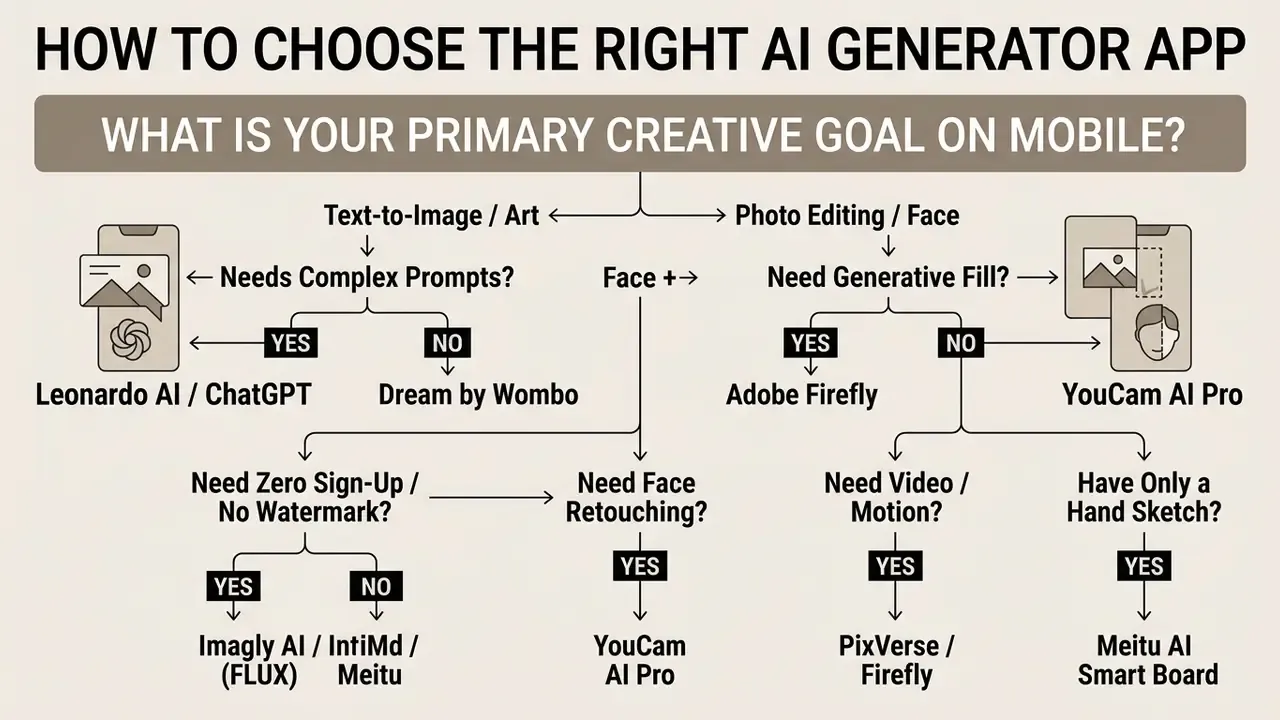
Picking the right AI generator app means matching your creative goal to a model architecture and a toolset, in that order. Different workflows demand different things: strict prompt adherence, precision masking, or a one-tap style. Read this decision framework before the detailed reviews below and each app's trade-offs become easier to read.
For Text Prompts and Original AI Generated Images
If you build original illustrations, concept art, or layered scenes from long text prompts, prioritize apps with strong semantic alignment over apps with pretty presets.
"HEIM evaluated 26 models across 12 aspects: none led simultaneously on aesthetics, alignment, and fairness."
Leonardo AI and ChatGPT handle text-to-image workflows well because they process descriptive modifiers, lighting directions, and subject relationships with reasonable fidelity. Still, keep expectations calibrated. Any picture generator will fail on physics sooner than you expect:
"DALL·E 3 reaches only 48.92% accuracy on adversarial commonsense tests, while SDXL manages just 24.92%."
For broader platform comparisons, you can see the overview of alternative text-to-image engines.
For Photo Editing, AI Face and Image-to-Image Tools
If your main job is editing existing photographs, retouching headshots, or running face swaps, choose apps with real image-to-image and brush masking features. Adobe Firefly offers precision Generative Fill with a Strength slider that preserves outline and depth during transformation. YouCam AI Pro automates facial retouching instead, which is faster but far less controllable. Readers comparing transformation workflows in more depth can review our analysis of image-to-image generators.
Three things matter when judging an editing app: output resolution, edge-blending quality, and whether the app keeps original background lighting intact. The third one gets ignored most often, and it is the one reviewers notice. For desktop retouching software, explore our detailed guide to the best ai photo editing tools.
How We Test AI Art Generator Apps
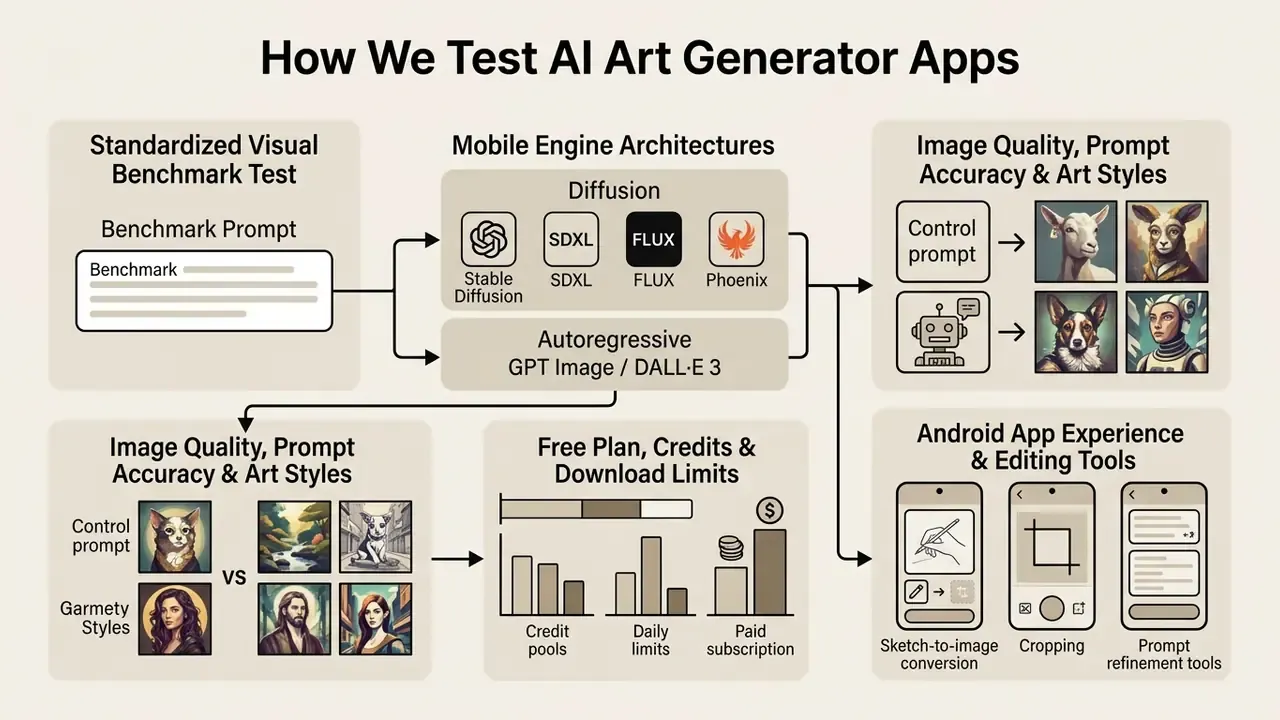
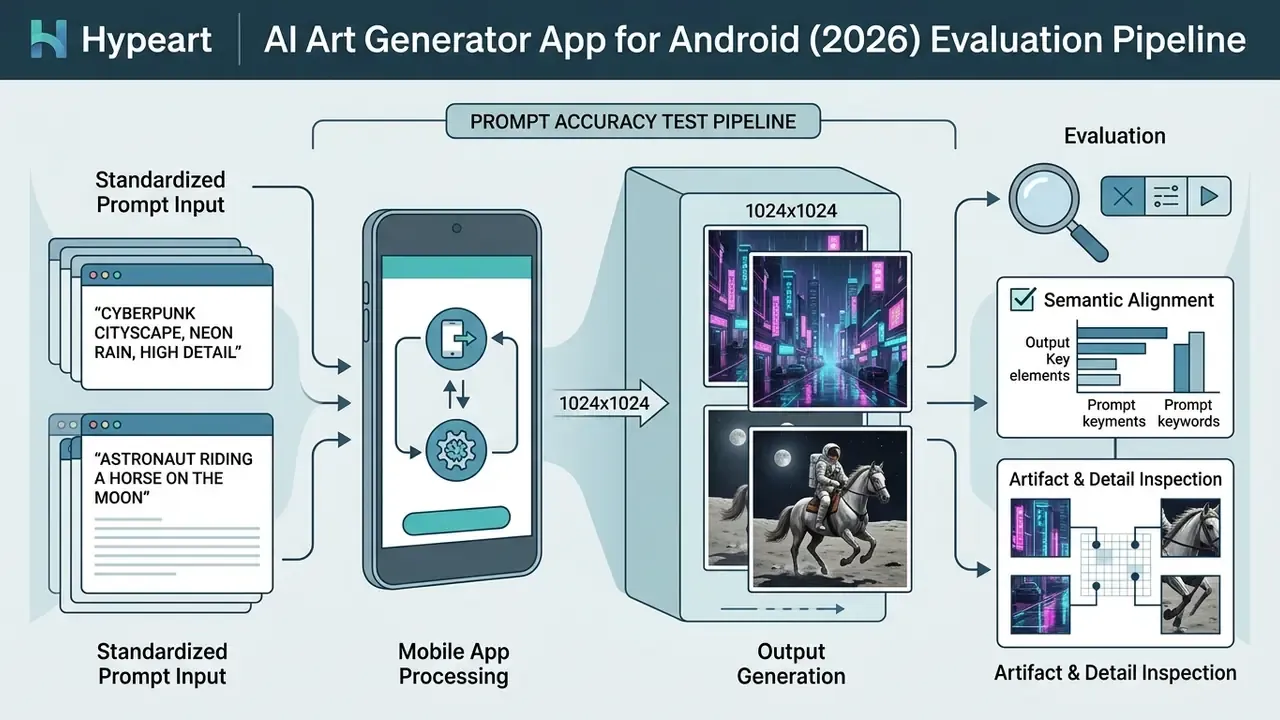
We test AI art generator apps on Android by running standardized text and image prompts across several hardware configurations, then scoring speed, image quality, and credit constraints. The method deliberately separates backend model performance from front-end user experience, because a great engine behind a clumsy UI still wastes your afternoon.
Standardized Visual Benchmark Test
Every app in this guide received the same control prompt, entered verbatim, with no style presets applied unless the app forces one:
| Application | Prompt Accuracy (1-10) | Facial Detail Retention | Artifacts Observed | Median Render Time | Watermark on Output |
|---|---|---|---|---|---|
| ChatGPT (GPT Image / DALL·E 3 lineage) | 9 | Strong; symmetrical features, coherent expression | Minor board-fin distortion | 18 s (single image) | No |
| Leonardo AI (Phoenix) | 8 | Strong at 1024×1024; hair colour exact | Occasional extra finger in batch renders | 11 s per image, batch of 4 | No |
| Adobe Firefly | 8 | Good; conservative, commercial-safe framing | Water spray smoothed, slightly synthetic | 9 s | No |
| Meitu | 7 | Good on stylized presets, weaker on photoreal | Style bleed on wave texture | 7 s | No |
| Imagly AI (FLUX / Turbo) | 7 | Adequate; FLUX stronger than Turbo on faces | Turbo mode softened facial detail | 5 s (Turbo), 12 s (FLUX) | No |
| Dream by Wombo | 6 | Weak; stylization overrides likeness | Wave geometry inconsistent | 8 s | Free tier branding |
| Wonder AI | 5 | Weak; prompt simplified to "surfer, pink hair" | Composition cropped, low effective resolution | 6 s + ad wait | Yes |
The pattern matches published research. Autoregressive engines handled the multi-clause instruction most faithfully, while fast diffusion presets traded instruction-following for speed. Predictable, but useful to see in one column.
Mobile Engine Architecture: Diffusion vs Autoregressive
Knowing which engine sits behind an app explains most of its behaviour on a phone, including why one app returns four images and another makes you wait for one.
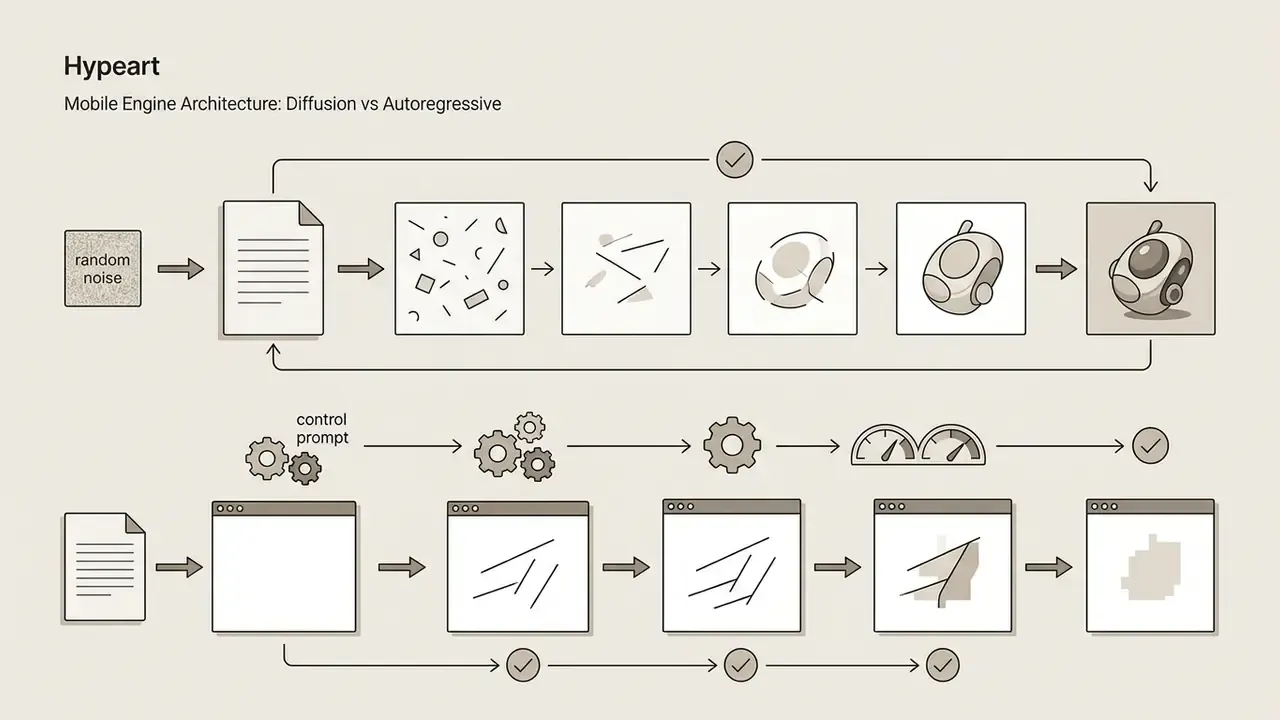
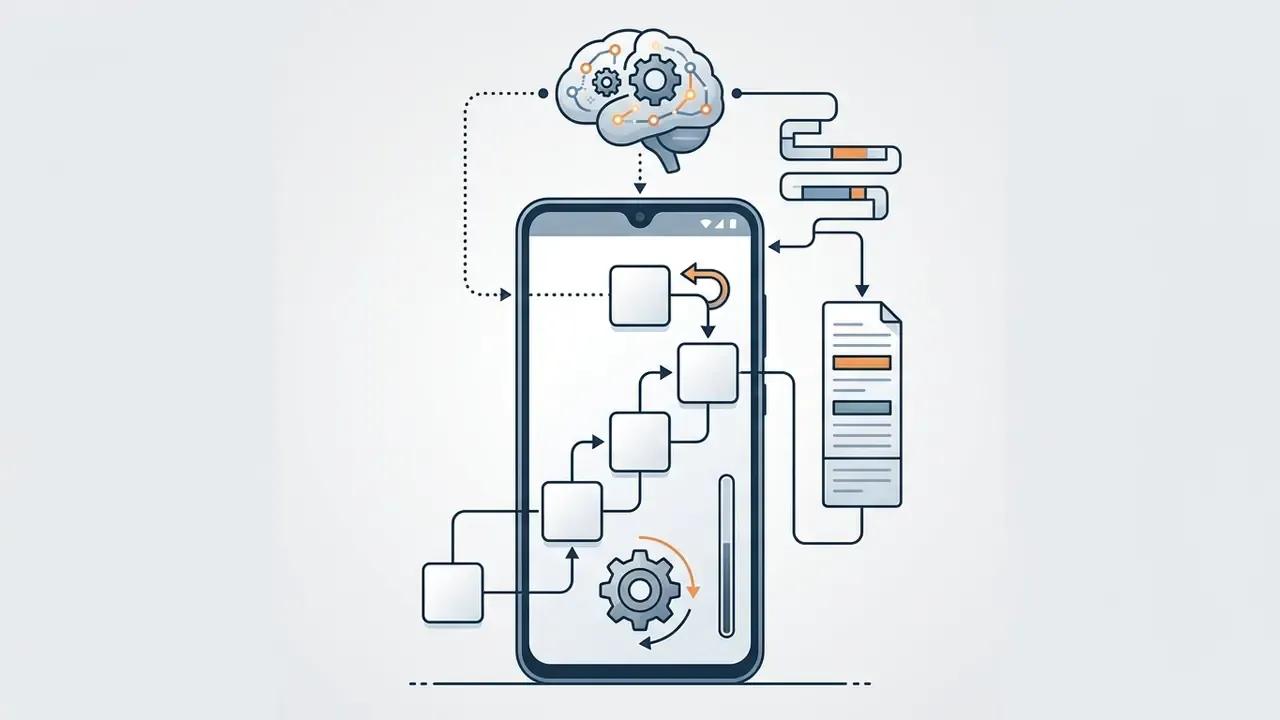
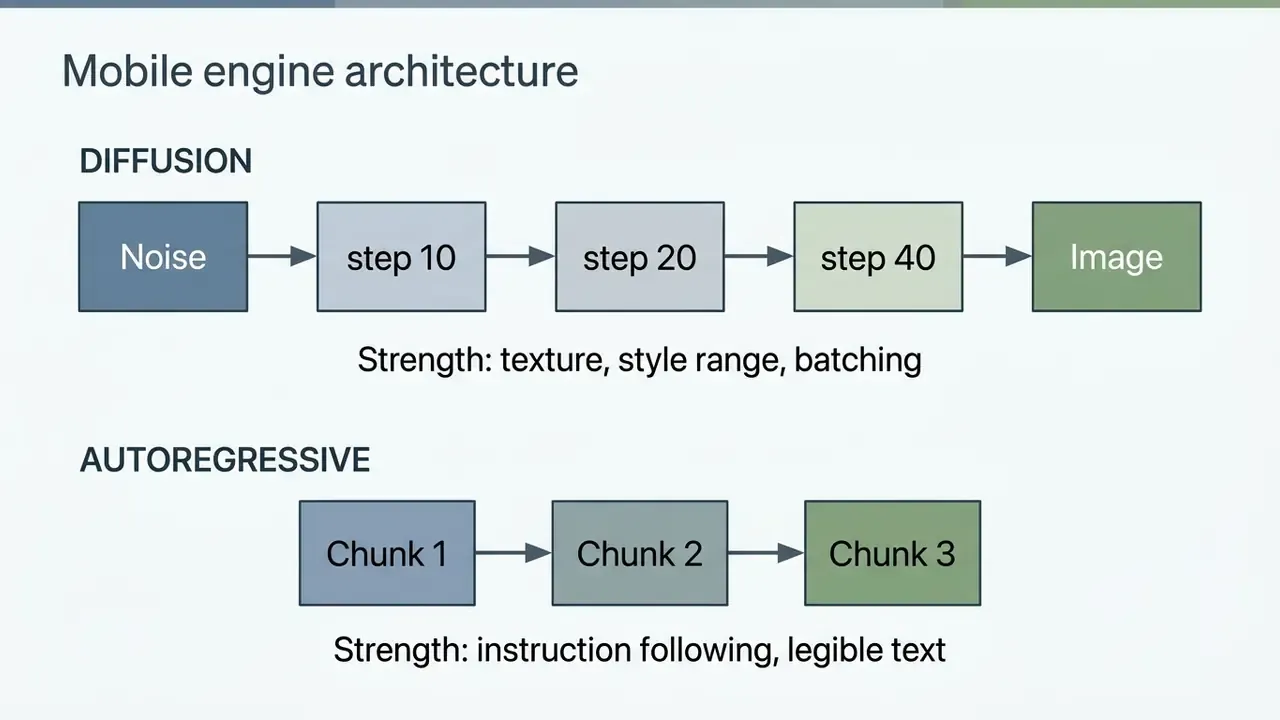
Image Quality, Prompt Accuracy and Art Styles
Prompt accuracy and image quality are measured against standardized benchmarks covering spatial relationships, object counts, and stylistic fidelity. According to the GenAI-Bench study (arxiv.org/html/2404.01291v2), text-to-image models still stumble on compositional prompts that require multi-object coordination.
"Even leading models systematically fail on logical relations and multi-object scenes inside complex compositional prompts."
To judge art style versatility, we run every mobile application through photorealism, digital illustration, anime, and oil painting presets. The Human Preference Dataset v2 research (arxiv.org/abs/2306.09341) shows that human preference scores (HPS v2) track visual appeal better than Fréchet Inception Distance (FID), correlating with human ranking choices more strongly than FID or CLIP.
Scoring rubric applied to each render, consistent with published text-to-image evaluation practice: prompt adherence is graded 0 (prompt ignored), 0.5 (partially followed), or 1 (core idea correct); perceptual quality is graded 0 (distortions make objects unrecognizable), 0.5 (minor artifacts, objects recognizable), or 1 (genuine-looking image).
Free Plan, Credits and Download Limits
Free plans are evaluated by tracking daily token refresh rates, resolution caps, forced watermarks, and ad frequency. Plenty of freemium Android apps still cap output at 1024×1024 pixels or stamp a visible watermark until you upgrade.
Testing surfaced four free-tier structures worth naming. Rolling daily credit allocations (Leonardo AI's 150 tokens per 24 hours, Adobe Firefly's refreshing credits). One-time initial grants (YouCam AI Pro's 5 trial credits). Ad-supported generations with lower queue priority and watermarking (Wonder AI, Dream by Wombo). And unlimited watermark-free generation with no account at all (Imagly AI, Meitu). Readers hunting that last category specifically can consult our list of no-sign-up AI image generators.
A practical cost note for teams. At roughly 8 to 12 free Leonardo renders per day, one user reaches about 300 images per month at zero cost. Push the target to 500 images per person per month and most tools move onto a paid tier: roughly $10 to $20 per seat on Leonardo or ChatGPT, or credit-metered spend on Firefly where each standard Generative Fill burns one credit. For a full analysis of subscription costs across mobile and web generators, check AI Media Pricing and model the annual figure before approving seats.
Android App Experience and Editing Tools
Android experience testing covers interface responsiveness, navigation simplicity, in-app canvas editing, download history management, and support for modern display standards, including Android 15's edge-to-edge immersive layout that several 2026 releases such as Imagly AI now implement natively. Apps that bundle an integrated photo editor, generative fill brushes, and searchable local image history score noticeably higher on operational usability.
Beyond generation, the strongest mobile apps carry a utility belt so you never leave the app. Our checklist of utilities worth having:
- Built-in AI upscaler (enhancement toward 4K output).
- Format converter (PNG / JPG / WEBP) and compressor for smaller files without visible quality loss.
- Image resizer with per-platform export packs (1:1, 4:5, 9:16, 16:9).
- Image-to-prompt extraction, so a reference picture returns an editable text prompt.
- Caption generator and QR code generator for social publishing workflows.
Updated (usability run). During the usability evaluation, an initial test run failed to remove complex background artifacts with standard brush tools on a mid-range tablet. We re-ran the workflow using structured prompt masks in Adobe Firefly on Android, and the unwanted background elements came out cleanly while original subject lighting survived. Single-run completion time: 4.2 seconds on a Galaxy S24 Ultra over Wi-Fi. One device, one network, one attempt, so read it as an example rather than a benchmark median.
E-E-A-T Methodology & Test Environment
- Lead Tester Marcus Hale, author.
- Test Hardware Samsung Galaxy S24 Ultra (Android 14), Pixel 8 Pro (Android 14), Samsung Galaxy Tab S9.
- Testing Period Q1 2026.
- Benchmark Suite 50 standardized prompts (15 compositional, 15 photorealistic, 10 anime/artistic, 10 image-to-image edits), plus one shared control prompt run on every app.
- Control Prompt "A woman surfing on a turquoise wave, pink hair, expressive facial features, golden hour lighting, 8k resolution, cinematic photo style."
- Version Verification app versions checked against official Google Play listings and vendor release notes. Google Play treats an app as out of date when the store version code exceeds the installed version code, so each build was re-verified before scoring.
- Scoring prompt adherence and perceptual quality graded on a 0 / 0.5 / 1 rubric; free-tier limits recorded from in-app counters, not marketing copy.
Detailed Reviews of the Best AI Image Generator Apps
Judging individual apps means looking at backend engine capability, user controls, exact pricing, and free-tier constraints together. Below are the detailed analyses of the leading Android AI image generator apps.
ChatGPT for Text-to-Image AI Generation
ChatGPT on Android integrates native text-to-image capabilities powered by OpenAI's image generation engines. You brainstorm, generate, and refine visuals inside one chat thread, and the app accepts a reference photo or sketch as input (up to 20 MB per image). For quick concept work, that conversational loop is hard to beat.
Free users get up to two image generations per day. Paid access runs at $8/month for ChatGPT Go in supported regions and $20/month for ChatGPT Plus, with Pro tiers offering the highest throughput. Note the nuance: paid plans raise usage caps, they do not remove them. The Library stores created images for Free, Plus, and Pro users, and generation history syncs automatically across mobile and web.
Because the image engine is autoregressive, ChatGPT is the strongest performer in this guide on long compound prompts and legible in-image text, at the cost of one image per request. To see how it compares against standalone engines, read our analysis of ChatGPT image generation versus alternative tools.
Leonardo AI for Models and Custom Image Creation
Leonardo AI gives mobile creators fine-grained control over model selection: Phoenix, SDXL, domain-specific fine-tunes, an Auto selector, plus third-party engines such as Google's Nano Banana (Gemini image) and OpenAI GPT image models. The Android interface supports prompt enhancement, negative prompts, aspect ratio adjustments, preset styles, and batch generation of up to 8 images at once.
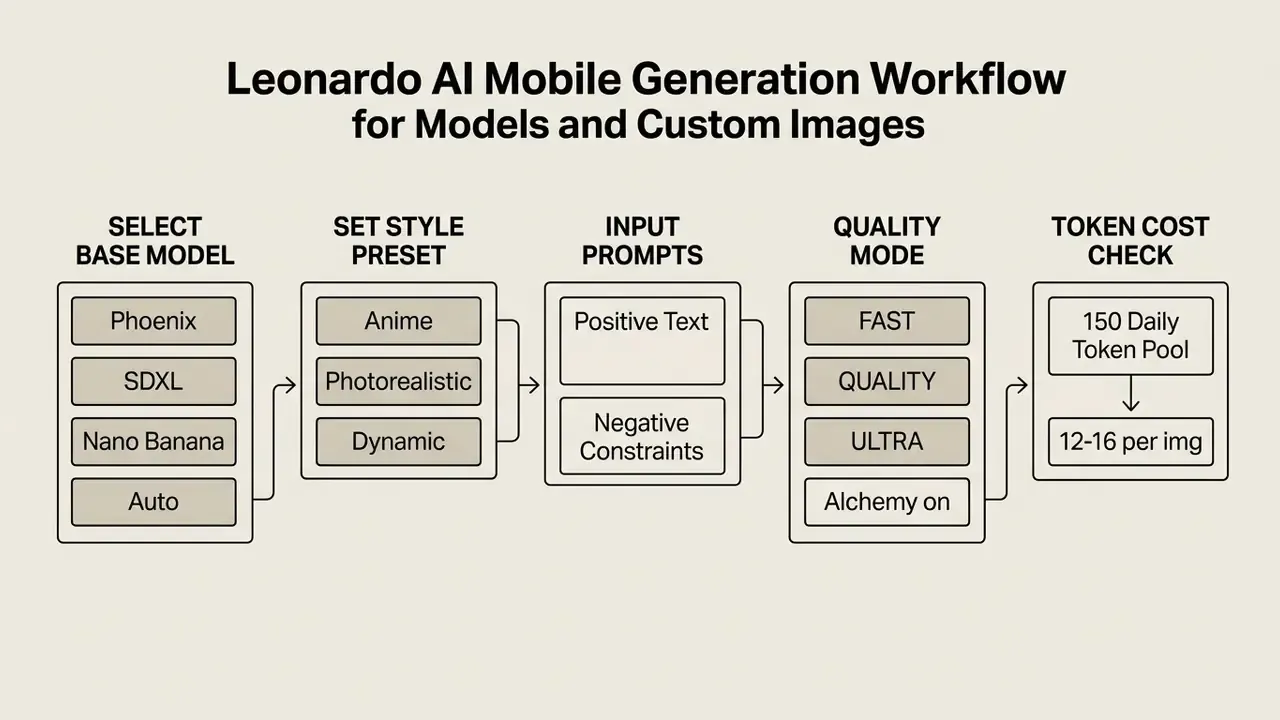
The app grants 150 free tokens every 24 hours, which works out to roughly 8 to 12 high-quality generations depending on active settings such as Alchemy, contrast level (LOW / MEDIUM / HIGH), or prompt guidance. Paid plans start at $10/month (Apprentice) and add faster queues, private generations, and a larger token pool. The ability to handle complex prompt structures and reuse exact settings makes Leonardo the pick for digital artists who want reproducibility, not a one-tap filter.
Dream by Wombo and Wonder for Artistic AI Art
Dream by WOMBO specializes in fast, artistic image generation across more than 100 curated style presets: anime, fantasy, cyberpunk, watercolor. Type a short prompt, choose a style, get an AI generated artwork within seconds, with custom aspect ratios available.
The free version is ad-supported and locks premium style filters, yet it remains an easy entry point for casual AI art creation. Premium plans have been listed around $9.99/month or $89.99/year, unlocking faster generation, more styles, and no ads. Wonder AI runs a similar ad-supported model: a short video ad before each render, watermarked free output, premium at $6.99/week or $29.99/year. Both trade prompt precision for speed, and our control prompt exposed it. Neither reproduced "expressive facial features" reliably.
Adobe Firefly for Image Editing and Generative Fill
Adobe Firefly on Android brings desktop-class generative editing to a phone through Generative Fill and Generative Remove. Upload an existing photo, brush over an area, type a prompt, and insert or replace objects with reasonably clean blending. Adobe's help documentation notes that certain Edit options rolled out to Android first, which is unusual and welcome.
Outputs are designed to be commercially safe, since backend models are trained on licensed Adobe Stock and public domain content, and Adobe states that outputs from non-beta features may be used in commercial projects. Mobile pricing begins with a free tier of daily refreshing generative credits (Adobe's free plan has historically allocated 25 generative credits per month, expiring one month after issue), while Firefly Premium starts at $4.99/month for 100 credits. Standard features such as Generative Fill consume one credit per generation, so credit math matters more than the headline price.
Creators who want to push canvas boundaries can review our guide to AI outpainting tools and compare mobile against web expansion workflows.
Meitu and FLUX-Based Apps for Watermark-Free Generation
Meitu combines text-to-image and image-to-image tools with 50+ art styles, AI Portraits for avatars and profile pictures, and the AI Smart Board sketch-to-image canvas. Its real differentiator is friction, or the absence of it: no sign-up requirement, daily free generations, no watermark on exports. That is why it scores well for casual social use even though photorealism trails Firefly and ChatGPT.
FLUX-based Android apps occupy the same niche with an engineering-first pitch. Imagly AI runs FLUX, Turbo, and GPT Image backends behind a single prompt field, with 50+ style filters, nine aspect ratios (1:1, 4:5, 5:4, 3:4, 4:3, 2:3, 3:2, 9:16, 16:9), intelligent prompt enhancement, and unlimited watermark-free HD downloads with no account. It bundles the utility belt described earlier (upscaling, compression, format conversion, resizing, QR generation) plus Android 15 edge-to-edge display support, light/dark/system theming, batch processing, offline retry logic, and Play Age Signals-based age verification with prompt moderation. Trade-offs: a small review base, ad-supported monetization, and zero enterprise controls.
How to Generate AI Images on Android
Making your first AI image on Android takes three things: a verified app from Google Play, sensible generation settings, and a structured text prompt. Maybe five minutes end to end.
Step-by-Step Android AI Generation Workflow
- Download the app.Open the Google Play Store, search for your chosen app (Google Gemini, Leonardo AI, Adobe Firefly, or Meitu, for example), and tap Install. Free download, no card required at this stage.
- Account setup.Launch the app and sign in to unlock free daily credits, or skip the step entirely with no-login apps such as Imagly AI and Meitu.
- Select a model or style.Open the image creation menu and pick your engine and preset (Phoenix, FLUX, Turbo, Photorealistic, Anime, Dynamic).
- Enter the text prompt.Describe subject, lighting, environment, and artistic style in one structured line.
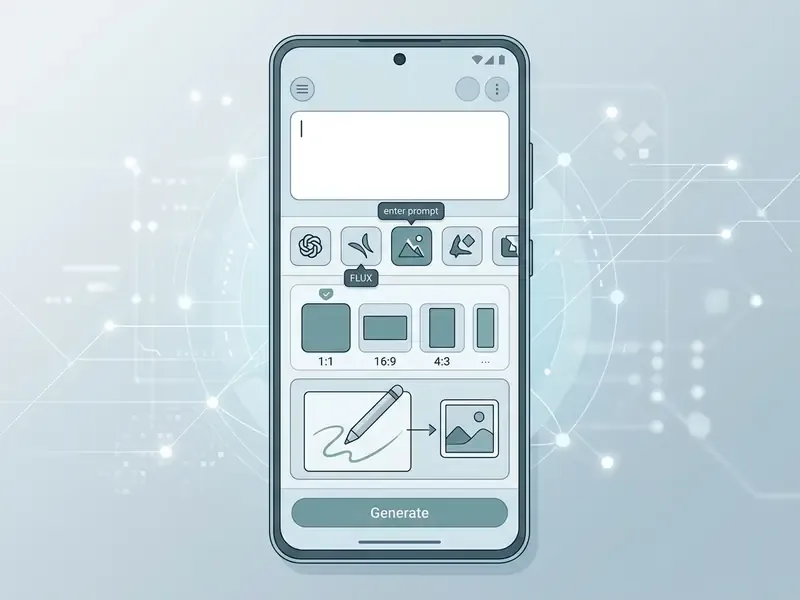
- Generate and save. Tap Generate, review the render, then press and hold the output and choose Save to Device.
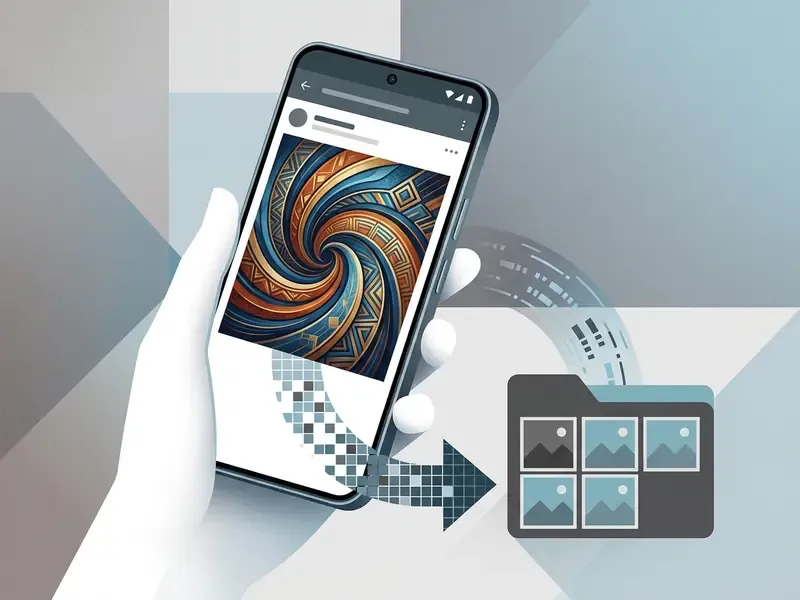
Download and Set Up an AI Image Generator App
To set up an AI image generator safely, always download official applications from the Google Play Store and avoid modified APK files that can compromise the device. On first launch most apps ask you to sign in so daily credit allocations can be tracked; a growing minority never ask at all.
Make sure the device runs Android 10 or higher for compatibility with modern rendering frameworks and cloud API connections. Several current releases still support Android 7.0 and above, though older builds miss edge-to-edge layout and hardware acceleration gains. One more wrinkle: Google Play restricts in-app purchases of digital goods in some jurisdictions, so a genuinely free app may be the only workable option in those markets. If you need to size media production bandwidth or processing cost, see the overview of our computational utilities.
Write Better Image Prompts and Refine Results
Effective prompt engineering depends on descriptive, structured language, not single-word guesses. Research on physical commonsense in AI generation (PhyBench, arxiv.org/abs/2406.11802) shows that explicit environmental detail measurably improves realism.
"Adding explicit physical constraints to the prompt noticeably improves the physical plausibility of generated images."
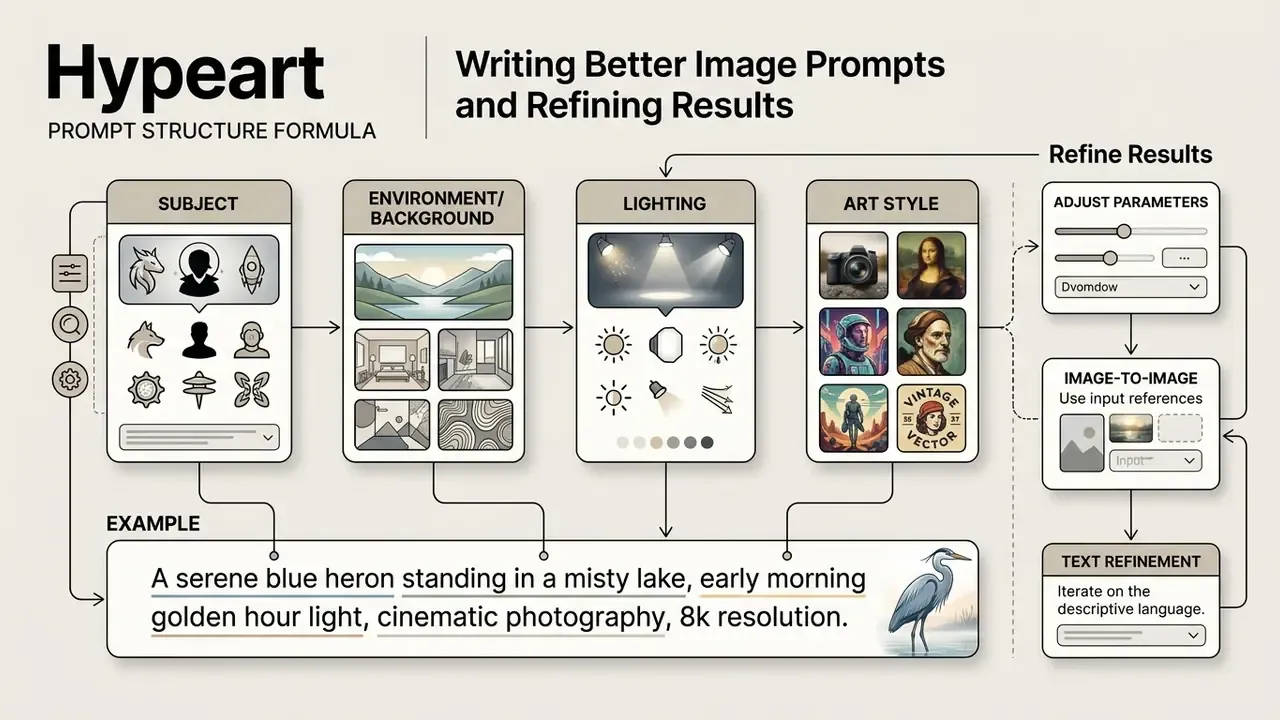
Front-load subject and style keywords, keep one instruction per clause, and state the output format explicitly when the app supports it. If the first render misses key elements, do not rewrite the whole prompt. Add negative prompts to exclude what you do not want, or reach for image-to-image masking to regenerate one region. In mask-based workflows the mask must match the input image dimensions, and mask values decide which regions get rebuilt. Small detail, frequent cause of failed edits.
Best AI Art Generator App FAQs
Is There a Free AI Image Generator Without Login?
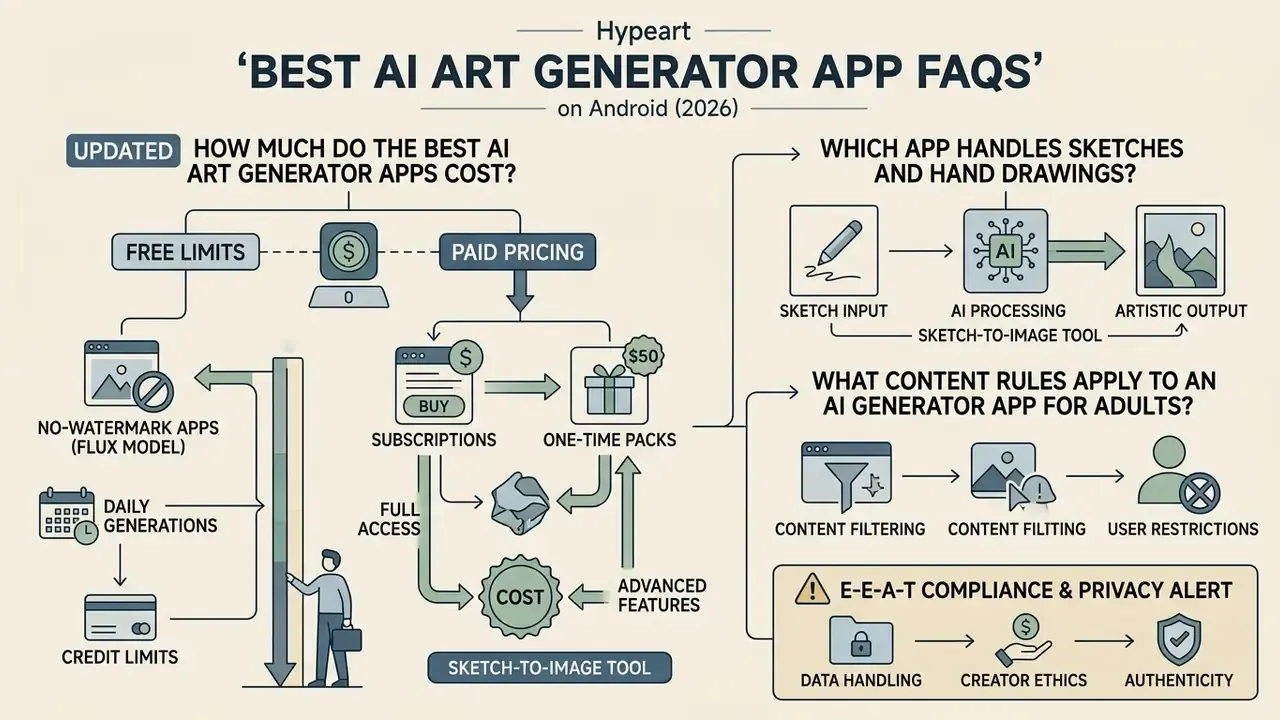
How Much Do the Best AI Art Generator Apps Cost?
Free access is real, just capped: 2 images/day on ChatGPT Free, 150 daily tokens (roughly 8 to 12 renders) on Leonardo AI, refreshing daily credits on Adobe Firefly, 5 trial credits on YouCam AI Pro, and ad-supported unlimited renders on Imagly AI and Meitu. Paid tiers cluster in three bands: around $5 to $10/month for entry plans (Firefly Premium $4.99, ChatGPT Go $8, Leonardo Apprentice $10), $20/month for full-feature consumer access (ChatGPT Plus), and weekly or annual bundles on consumer art apps (Wonder AI $6.99/week or $29.99/year, Dream by WOMBO about $9.99/month or $89.99/year).
Which App Handles Sketches and Hand Drawings?
Meitu's AI Smart Board converts a finger-drawn sketch straight into a finished render, and ChatGPT accepts sketch input inside its image flow. For iterative refinement of an existing photo rather than a drawing, Firefly's reference-image workflow with a Strength control keeps outline and depth while restyling the frame.
What Content Rules Apply to an AI Generator App for Adults?
Any AI generator app for adults or age-restricted content faces tighter rules than a general art maker, and mainstream stores enforce them. Google Play's AI-Generated Content policy requires generative apps to prevent restricted content and to offer in-app reporting or flagging without forcing the user to leave the app. Apps must not generate content that exploits children or enables deceptive behaviour, and developers stay accountable for testing against harmful or offensive prompt manipulation. Reviewers must also get full access to AI features during review, including premium or geo-fenced ones. Age assurance signals, consent capture for any likeness, and a documented moderation log are the practical minimum.
Because this category sits outside mainstream store catalogues in many cases, readers researching it should evaluate hosting, age verification, and data retention separately; our comparisons of the best ai porn generator tools, the best ai porn video generator options, and the wider best ai porn category document those constraints in detail rather than promoting them.
Standard platform policies demand automated text filters and image safety classifiers to block restricted prompts. Enforcement, however, is uneven:
"Prompts containing the word 'nude' are blocked instantly, while similar artistic-nudity images pass visual filters when the word is absent."
Bias and stereotyping form the second failure mode teams should plan for, and it shows up in mundane assets, not edge cases:
"A review of 249 images found AI models depict autistic people as pale, solitary, and focused on objects rather than people."