Disclosure: some links in this guide are affiliate links. We may earn a small commission at no extra cost to you, and it does not change how tools are scored.
Why would a risk officer at a US bank care about photo software? Because marketing, investor relations and product teams are already uploading brand assets, unreleased packaging and sometimes customer imagery into free browser editors. That is third-party data processing with no DPA behind it. So this guide does two jobs at once: it ranks the tools on output quality, and it documents the controls a regulated buyer needs before approving them.
Executive summary for decision-makers
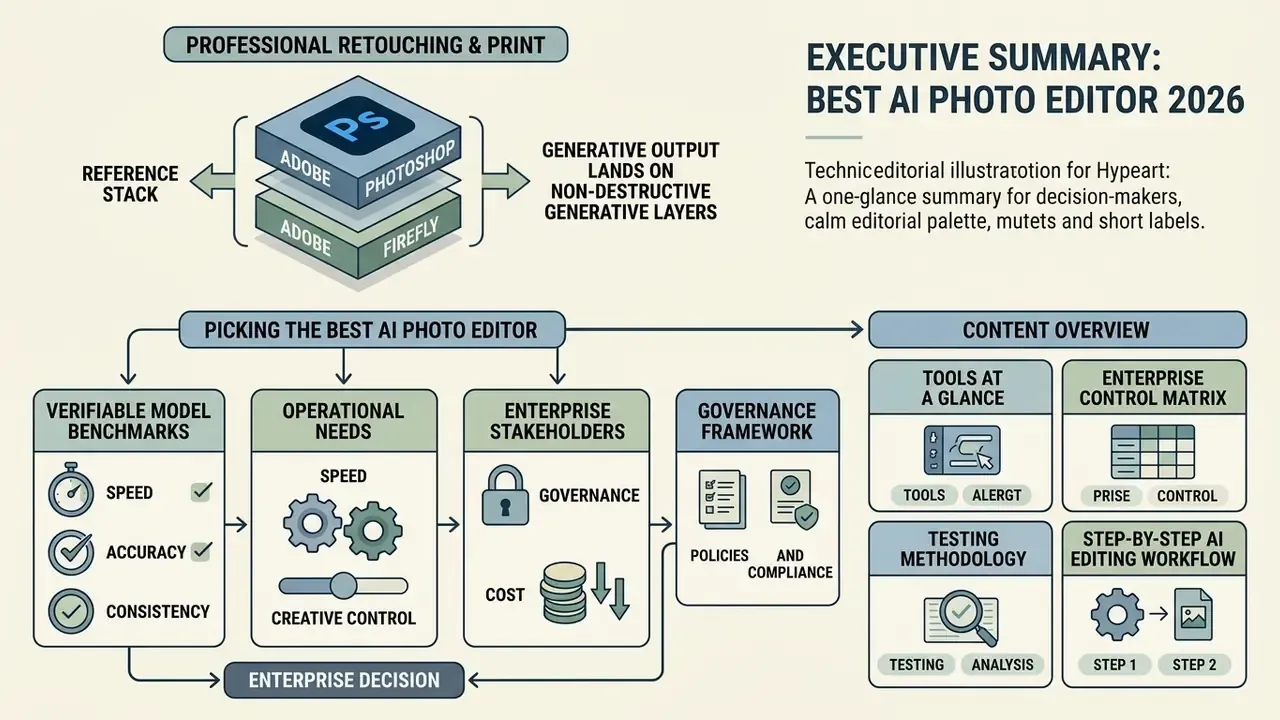
- Professional retouching and print: Adobe Photoshop plus Adobe Firefly remain the reference stack, because generative output lands on non-destructive Generative Layers and Firefly's first-party models carry commercial-safety guarantees.
- RAW enhancement, denoise, upscaling: Topaz Photo AI (megapixel-linear credits, 1 credit = 24 MP) and Luminar Neo (perpetual and subscription options) outperform general-purpose generative editors on structural reconstruction.
- E-commerce catalogs at volume: Claid AI's REST API automates background replacement, lighting alignment and bulk upscaling. Fotor and Pixelcut cover smaller catalogs.
- Social graphics and quick edits: Canva and Pixlr deliver point-and-click background removal, Magic Edit-style fill and canvas expansion without installation.
- Mobile portraits and archival colorization: Lensa and YouCam Enhance handle on-device facial retouching. PhotosRevive specializes in black-and-white colorization.
- Enterprise buyers: prioritize SSO, audit logs, C2PA Content Credentials, model-training opt-out and written IP indemnification over raw feature counts. And budget for human review, because prompt adherence drops sharply on complex instructions.
- Cost discipline: avoid "wrapper" apps charging US$40 to 60 per month for thin interfaces over public APIs. If a tool costs more than a Photoshop subscription, it has to demonstrably do more.
Picking the best ai photo editor in 2026 means moving past marketing claims and looking at verifiable model architecture, detail preservation and credit economics. As generative diffusion engines and deep learning restoration algorithms mature, visual editing software has shifted from manual pixel work to automated, prompt-driven asset production. The tools we first benchmarked as the leading ai image editing tools 2025 were re-tested for this edition, and several changed pricing or swapped models underneath.
«Diffusion models formalize editing by learning to reverse a noising process, enabling high-quality generation from complex distributions.»
Business operators, creative leads and enterprise stakeholders need AI photo editors that balance speed with precise risk and quality controls. This guide analyses the market across professional retouching, e-commerce catalog standardization, social media visual creation, mobile portrait retouching and low-resolution image restoration. Every platform is judged on objective benchmarks, clear pricing mechanics and task-specific performance.
What follows: tools at a glance, enterprise control matrix, testing methodology, a step-by-step AI editing workflow, detailed tool reviews, a task-to-tool selection matrix, free versus paid economics, scam avoidance, governance and FAQ.
1. Best AI photo editors at a glance: quick picks by use case
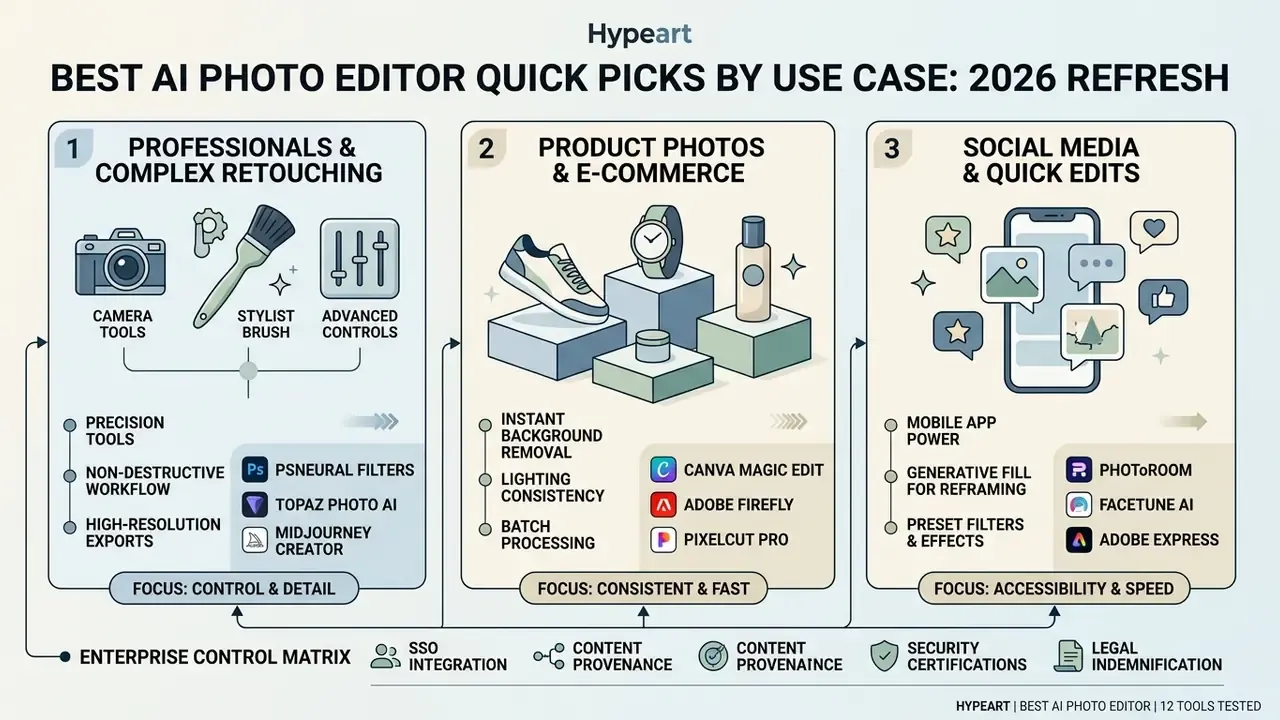
The right choice for a best ai image editor 2025 shortlist, refreshed for 2026, depends on whether you need layer-based non-destructive precision, rapid browser-based batch processing, or automated studio scene synthesis. Pick wrong and you inherit visual artifacts, inflated credit costs, or copyright exposure in a live campaign.
For teams evaluating creative infrastructure, comparing software across core AI capabilities, supported operating environments and pricing mechanics gives immediate clarity. When evaluating an ai picture app, weigh credit consumption limits against native export resolutions. Production bottlenecks almost always show up at export, not at generation.
| Tool Name | Primary Use Case | Key AI Features | Supported Platforms | Free Tier / Trial | Paid Tiers & Pricing |
|---|---|---|---|---|---|
| Adobe Photoshop | Professional retouching & compositing | Generative Fill, Generative Expand, Generative Upscale, Remove Tool | Desktop (Win/Mac), Web, iPad | 7-day full desktop trial | US$22.99/mo (annual billed monthly); CC bundle US$99.99/mo |
| Adobe Firefly | Browser generative fill & text-to-image | Prompt to Edit, Generative Remove, Outpainting, Generative Upscale (2x/4x) | Web application (Chrome, Edge, Firefox, Safari), mobile browser | Free plan (daily credit limit) | Standard US$9.99/mo (2,000 credits); Pro US$19.99/mo (4,000 credits); Pro Plus 10,000; Premium 50,000 |
| Luminar Neo | RAW enhancement & detail restoration | 24+ AI tools, Erase, SkyAI, AtmosphereAI, Scratch Removal, 2x/4x/6x Upscale | Windows, macOS (plug-in mode for Photoshop/Lightroom) | No permanent free plan (trial available; bundled in Setapp) | Perpetual licences from about US$99 to 119; annual renewal required for continued generative feature updates; subscription plans also offered |
| Topaz Photo AI | High-resolution upscaling & RAW denoise | Super Focus, RAW Denoise, Sharpen, Dust & Scratch, Upscale to 16x | Windows, macOS, developer API, Photoshop/Lightroom plug-in | Free trial (watermarked export) | Perpetual desktop seat (about US$199 incl. 1 year of upgrades) plus pay-per-credit API (1 credit = 24 MP output) |
| Canva | Quick social graphics & brand templates | Magic Edit, Magic Expand, BG Remover, AI Mockups, Bulk Product Photos | Web, iOS, Android, Desktop | Free plan (basic AI edits, limited credits) | Canva Pro US$14.99/mo or US$119.99/yr |
| Pixlr | One-click web edits & quick erase | Remove Background, AI Spot Remover, Generative Fill, Outpainting, Upscale to 25 MP | Web, iOS, Android | Free plan (watermark-free full-res, limited credits) | From US$0.99 to 4.90/mo entry tiers; Premium US$4.90/mo; Teams US$9.91/mo |
| Fotor | Commercial product shots & portrait retouch | AI Product Studio, Background Replace, Enhancer, Portrait Retouch | Web, Windows, Mac, iOS, Android | Free plan (watermarked export) | Fotor Pro US$8.99/mo; Pro+ US$19.99/mo |
| Claid AI | Automated e-commerce catalog batching | AI Photoshoot, AI Fashion, Bulk Upscale, Background Removal/Replace, Outpaint | Web app, REST API | Free trial (50 credits & 50 API credits) | Essentials US$19/mo; Pro US$49/mo; Business/Custom API plans |
| Pixelcut | Small-catalog product cutouts & mockups | Background removal, generative expand, product staging | Web, iOS, Android | Free tier (limited credits) | Pro US$10/mo (600 AI credits, commercial licence); Business US$30/mo (3,600 credits) |
| PhotosRevive | Colorizing archival black-and-white prints | Neural colorization with manual color markers, Apple Photos extension | macOS, iOS | Trial via Setapp bundle | Included with Setapp subscription |
| YouCam Enhance | Mobile selfie & portrait enhancement | Facial retouch, AI sharpening, upscaling, colorization | iOS, Android, Web | Free plan (limited exports) | From about US$9.99/mo |
| Lensa | On-device portrait retouching | Face-aware retouch, background defocus, scene detection | iOS, Android | Free limited features | From US$2.99/week or US$4.99/month |
Table: feature, platform and pricing comparison of the best AI photo editors tested for 2026. Vendor pricing verified against official plan pages in January 2026; credit allowances change often, so re-check before purchase.
1.1 Enterprise control matrix: SSO, provenance, certifications and indemnification
Feature parity is not the deciding factor for regulated buyers. Heads of model risk, CISOs and compliance officers need to know where uploaded assets live, whether prompts are logged, whether outputs carry provenance metadata, and who absorbs copyright liability. The matrix below summarizes what each vendor publicly documents. Entries marked verify with vendor were not confirmable from primary documentation at the time of writing and must be validated during procurement.
| Tool | Enterprise SSO / RBAC | C2PA Content Credentials | Security certifications published | Model-training opt-out for user uploads | IP indemnification for outputs |
|---|---|---|---|---|---|
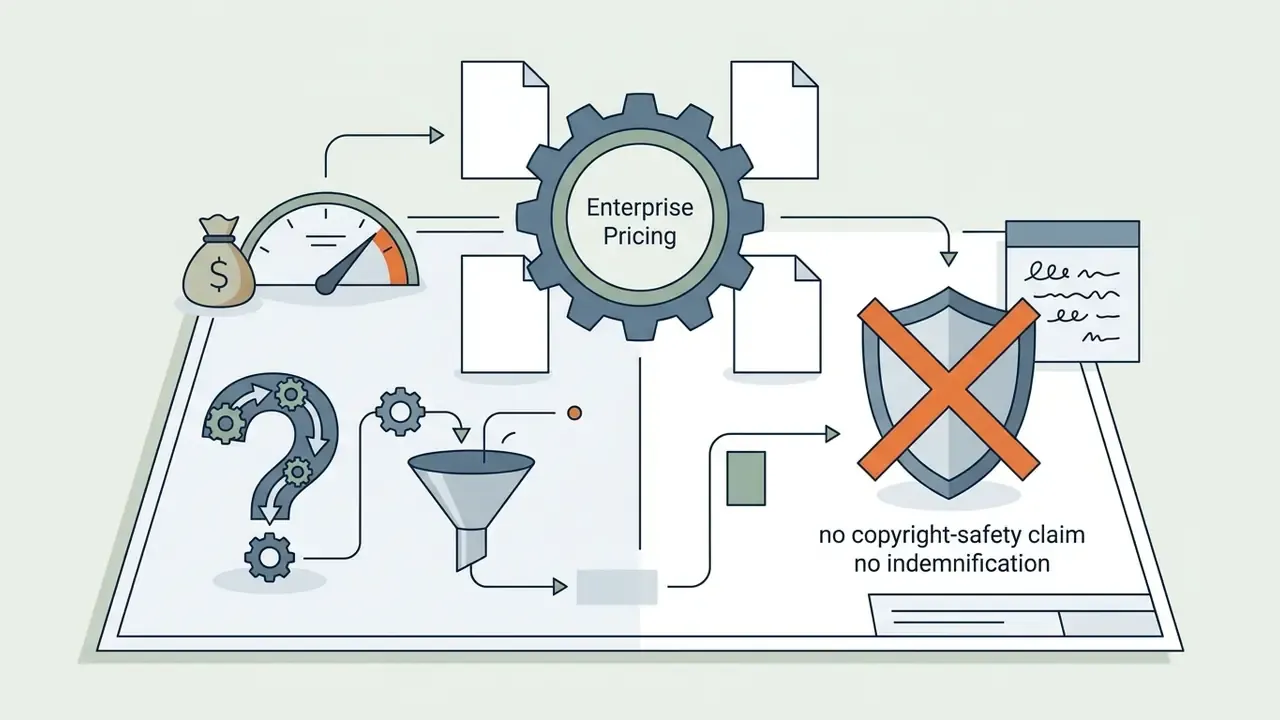
| Adobe Photoshop / Firefly | Yes (Adobe Admin Console, SSO, enterprise DPA) | Yes, Content Credentials attached to Firefly outputs | Yes (enterprise trust documentation, DPA) | Adobe states Firefly models are not trained on customer content | Yes, for Firefly first-party models on eligible enterprise plans; partner models excluded |
| Canva | Yes (Canva Enterprise SSO, teams/RBAC) | Partial: AI-content disclosure required by AI Product Terms | Yes (published trust centre, DPA as processor) | Configurable via enterprise terms, verify with vendor | Commercial use granted on Pro/Enterprise; indemnification scope narrower than Adobe, verify with vendor |
| Topaz Photo AI | No (desktop seat licensing; API keys) | Not documented | Verify with vendor | Local desktop processing means uploads need not leave the device | EULA grants Limited Commercial Use; organizations above roughly US$1M revenue need specialized licensing |
| Luminar Neo | No | Not documented | Verify with vendor | Desktop-first processing; generative features are cloud-assisted, verify with vendor | Verify with vendor |
| Claid AI | API keys and workspace roles | Not documented | Verify with vendor | Terms define internal business use; retention windows configurable | Terms prohibit reselling platform access or outputs without written consent |
| Pixlr / Fotor / Pixelcut | Limited team seats | Not documented | Verify with vendor | Verify with vendor | Commercial licence included on paid tiers; no indemnification promise located |
| Lensa / YouCam / PhotosRevive | No | Not documented | Verify with vendor | On-device or app-level processing reduces exposure | Consumer terms; not intended for regulated commercial pipelines |
1.2 Best AI image editors for professionals and complex retouching
Professional retouching and high-resolution compositing need maximum creative control, sub-pixel accuracy and non-destructive workflows. The best ai photo editing software for professional photography has to fold generative output into existing adjustment layer structures without touching the source file. That single requirement eliminates most browser tools.
Adobe Photoshop with Adobe Firefly is still the premier answer, and the best ai image editor for professionals by a clear margin. Photoshop runs Generative Fill and Generative Expand while storing variations on dedicated Generative Layers, which keeps post-generation masking, colour grading and manual brush refinement fully reversible. Firefly's Generative Upscaler sharpens detail at 2x or 4x while preserving subject identity, which makes it the leading ai photo editor for print and commercial advertising. Anyone comparing generation engines next to editors can check our roundup of the best AI image generators to see where prompt-only tools stop being enough.
For photographers who live in RAW Bayer files, Luminar Neo complements that stack rather than competing with it. Its neural engine ships more than 24 dedicated AI modules for RAW noise reduction, automatic scratch restoration and 6x super-resolution, and it does not force cloud-only processing. Skylum positions 6x output specifically for large-format prints, and the Details tool adjusts small, medium and large structures independently. General diffusion editors simply do not expose that level of separation, which matters when you are rescuing a fifteen-year-old archive shot.
2. How we tested and evaluated AI image editing tools
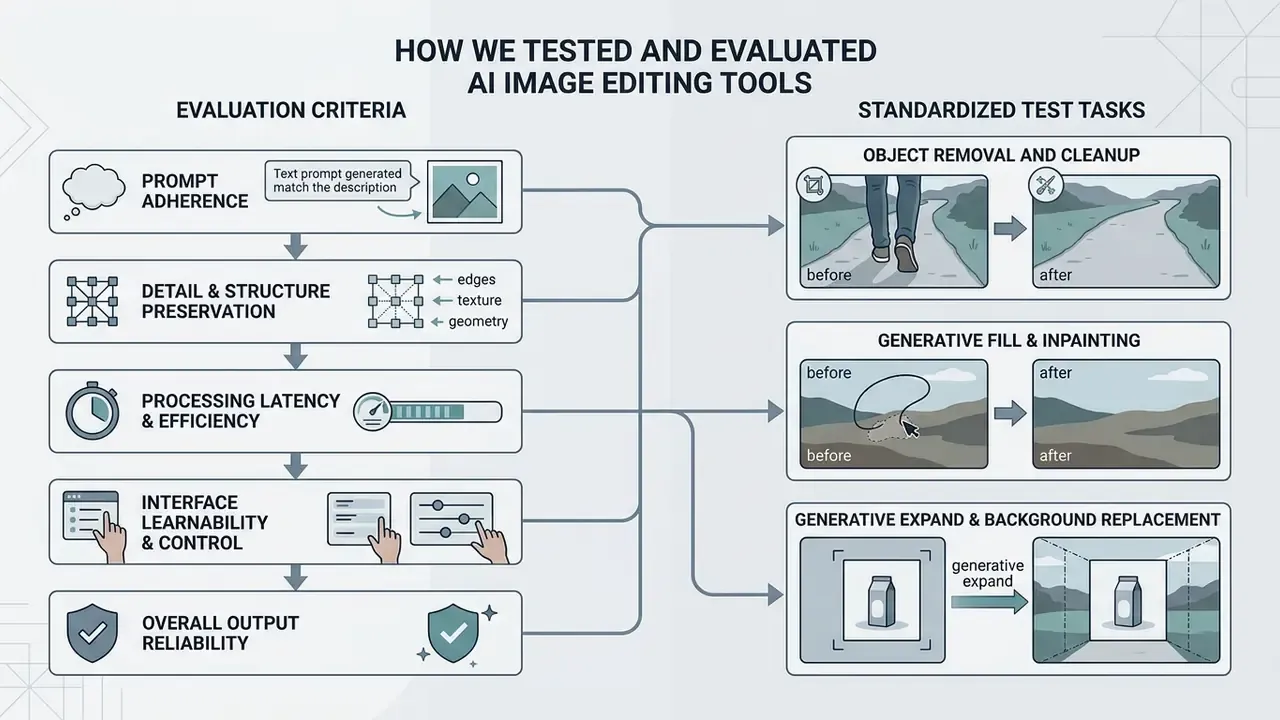
To rank the best ai software for photo editing, every tool was scored on four dimensions:
2.1 Standardized test tasks: object removal, generative fill, and background replacement
Every platform faced three standardized edit challenges, using both raw photographic captures and synthetic test assets:
- Object removal and cleanup erasing complex foreground distractions such as watermarks, electrical wires and overlapping pedestrians from textured backgrounds. Models were assessed on their ability to propagate background linear structures and surface textures using GAN and diffusion-based inpainting, referencing evaluation standards in the NIST GenAI (Pilot) Evaluation Plan for Image Generators (2025) and NIST/OSAC image-processing standards guidance. Exemplar-based inpainting stays the classical baseline because it propagates both linear structure and two-dimensional texture into the target region. Newer removal-specific models such as OmniEraser and EraseLoRA report gains on FID, LPIPS, PSNR and background-preservation metrics.
- Generative fill and inpainting inserting new objects into masked regions guided by natural language prompts, benchmarked using protocols derived from EditBench (240 structured images) and BrushBench.
«Imagen Editor achieves about 74% text-image alignment on single-attribute prompts, but only about 30% on complex multi-attribute instructions.»
«BrushBench provides 600 images with annotated masks, evenly distributed across humans, animals, indoor scenes and outdoor scenes.» Ju et al., BrushNet: A Plug-and-Play Image Inpainting Model (2024). https://arxiv.org/abs/2403.06976
- Generative expand and background replacement: outpainting canvas borders beyond the original frame, then isolating subjects for full studio environment substitution. Models lost points for seams, edge blurring or perspective mismatch at frame boundaries. If that is the only capability you need, compare dedicated AI outpainting tools instead of licensing a full editor.
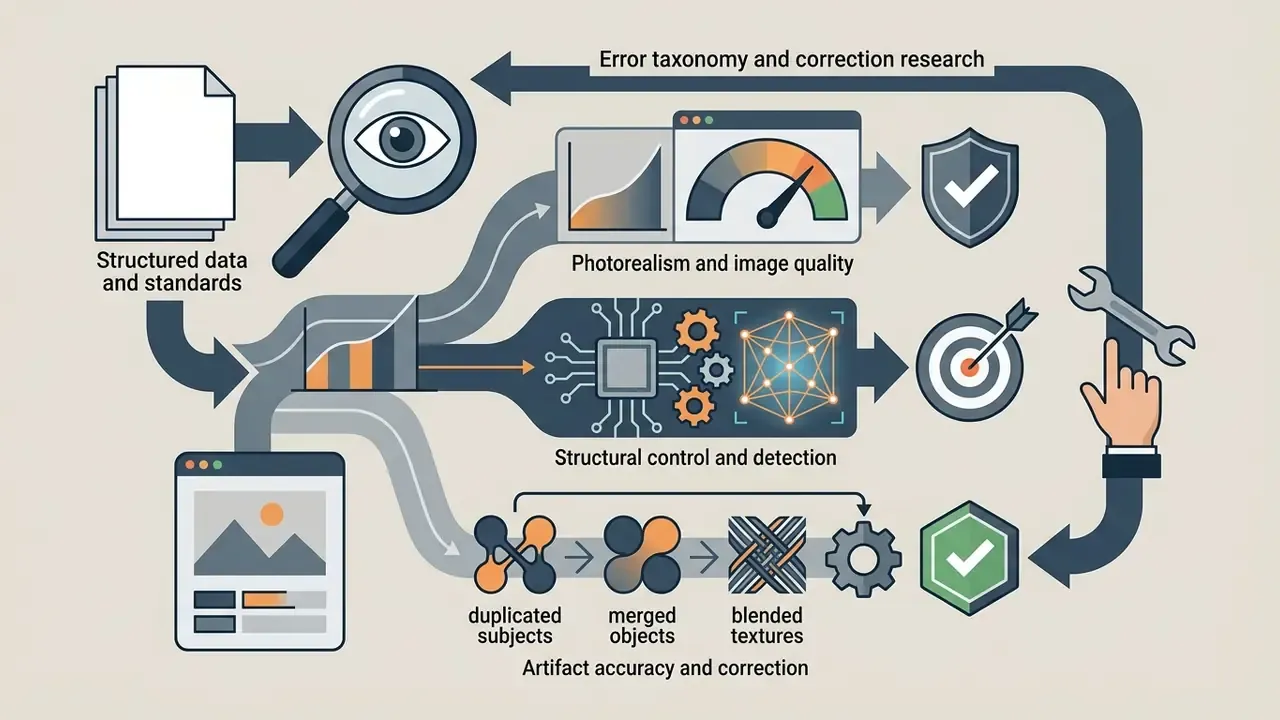
2.2 Evaluation criteria: photorealism, structural control, and image quality
Quality in realistic photo editing comes down to controlling structural artifacts and preserving native optical character. To rank the most realistic ai photo editor, outputs were scored against established image metrics:
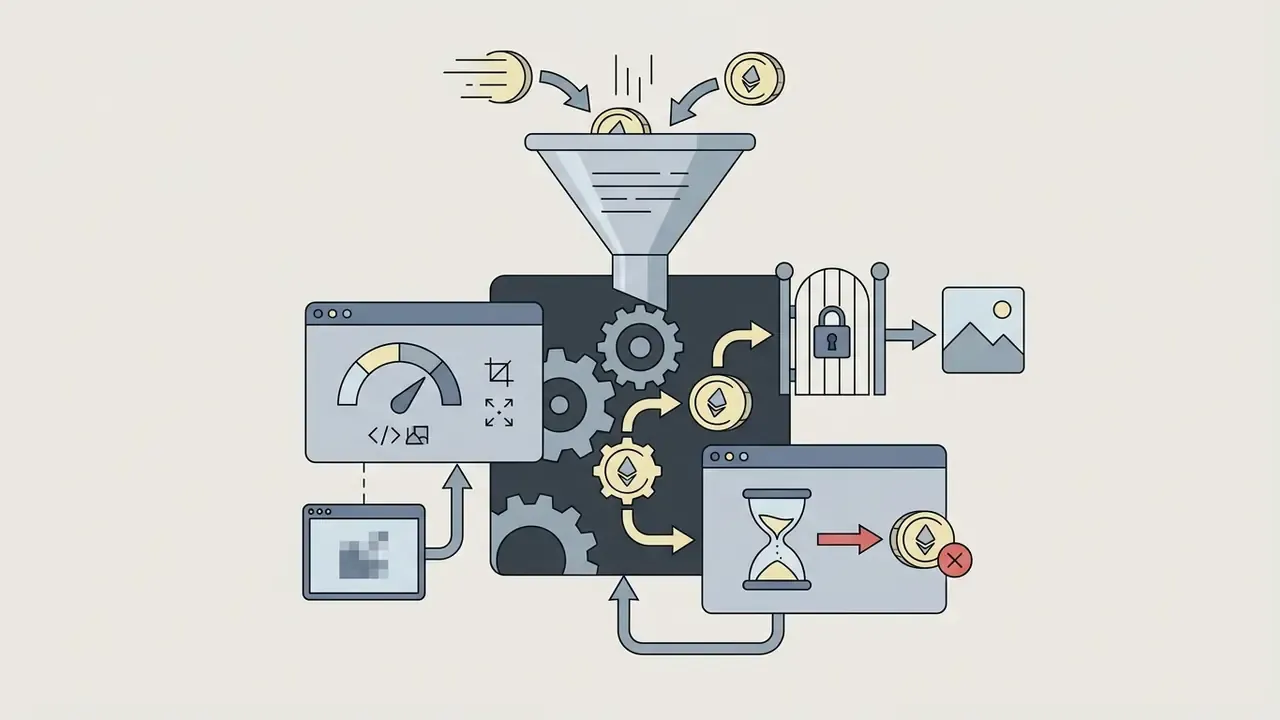
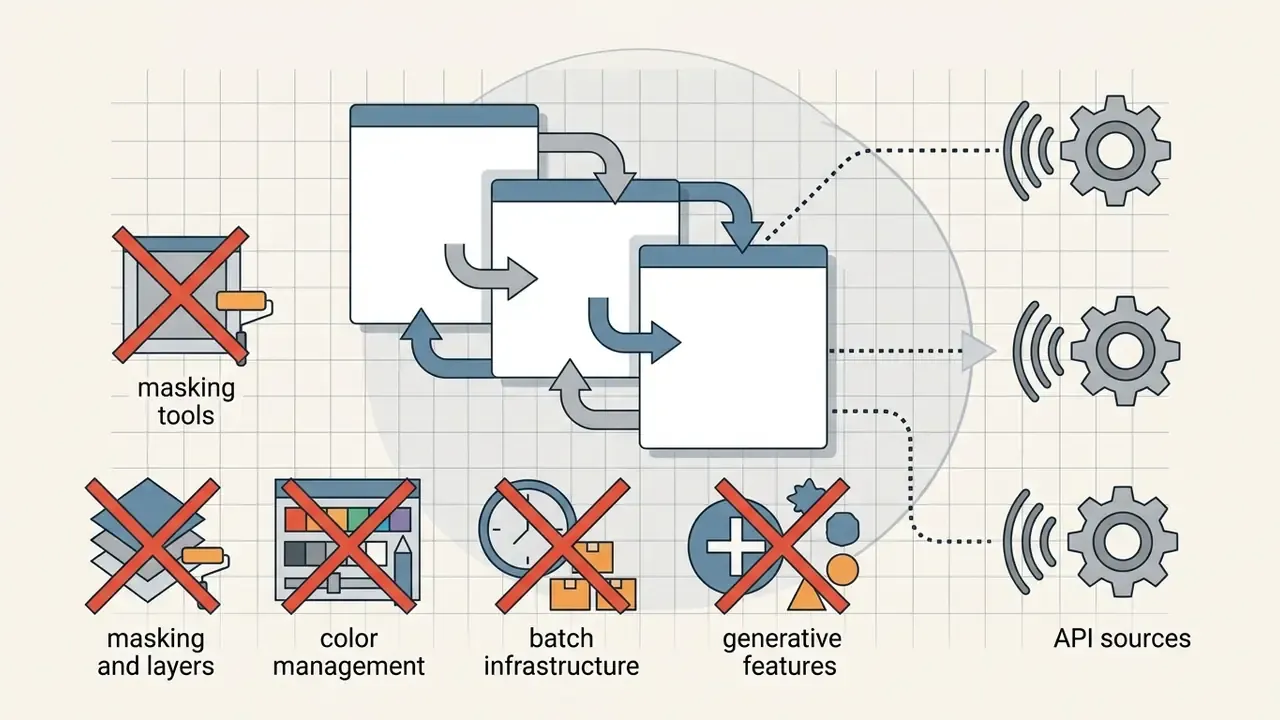

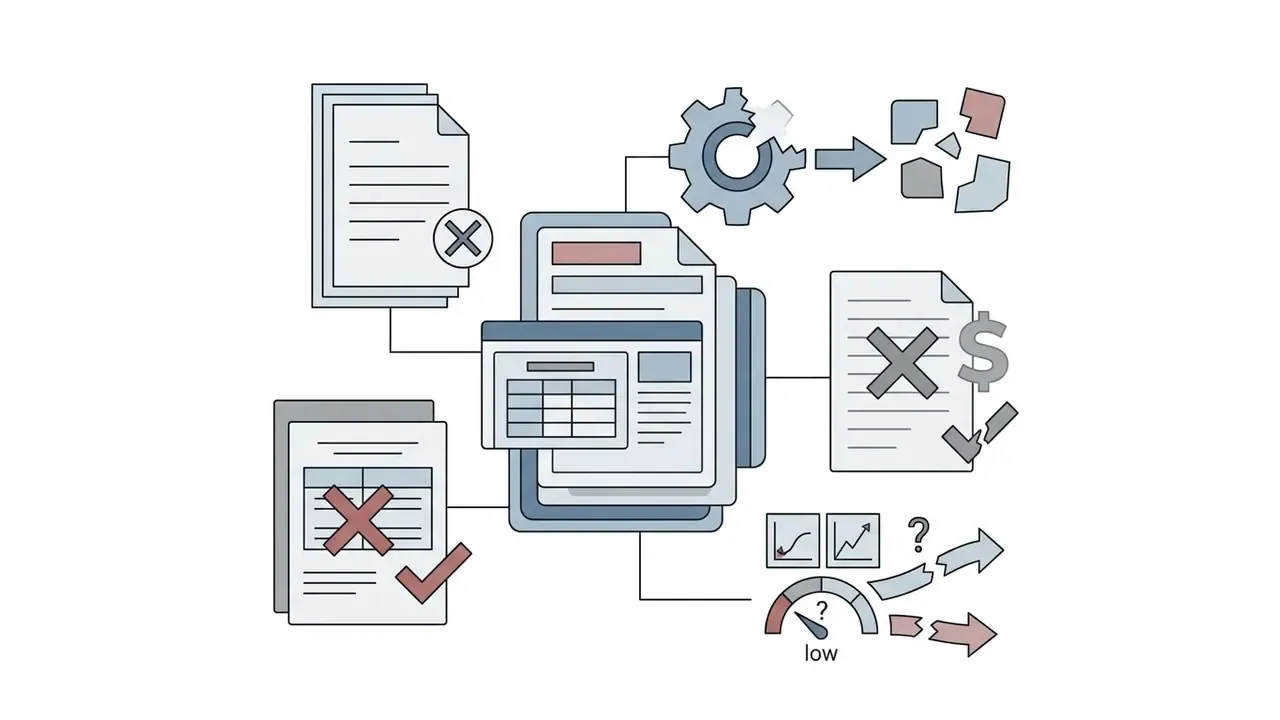
«Top efficient super-resolution methods in NTIRE 2024 reach about 27.17 dB PSNR on DIV2K at 4x scaling while preserving computational efficiency.»
Buyers comparing enlargement engines specifically can cross-check these baselines against commercial AI image upscalers before paying for megapixel-metered credits.
- Provenance and auditability (added for enterprise scoring): whether the platform embeds C2PA Content Credentials, keeps prompt history per asset, and exposes version history showing who generated which variation and when. Provenance is the only practical way to reconstruct an audit trail after an asset ships, and NIST AI 100-4 (2024) supports viewer-facing labels combined with embedded provenance data for synthetic content.
2.3 Enterprise model risk assessment checklist for visual AI
If you already run a model risk management framework (Federal Reserve SR 11-7 and OCC 2011-12, say), you can reuse the same validation logic for diffusion-based editors. The checklist below adapts conceptual soundness, ongoing monitoring and outcomes analysis to image editing:
- Model inventory entryrecord vendor, model family and version (Firefly Image Model generation, Flux, SDXL, Qwen-Edit, Google's Nano Banana image model where enabled), release date, and whether partner models are switched on.
- Conceptual soundnessdocument intended use (cleanup, expansion, catalog standardization), known failure modes (multi-attribute prompt drift, duplicated subjects, text rendering errors), and prohibited uses (claims imagery, identity documents, evidentiary photography).
- Input controlsdefine which asset classes may be uploaded, where processing happens, and which tools are approved for confidential or regulated imagery.
- Performance monitoringsample outputs monthly and score prompt adherence, artifact rate and structural preservation on a fixed internal test set, so degradation after a silent model update is detectable.
- Human-in-the-loop gatesrequire reviewer sign-off before publication for any asset used in advertising, product representation or disclosure documents.
- Provenance and retentionstore the source asset, mask, prompt, model version and output hash; confirm retention windows and deletion procedures.
- Third-party riskcollect SOC 2 Type II, ISO 27001, DPA, subprocessor list and indemnification language; re-review annually.
- Issue logtrack incidents, for example a hallucinated product feature reaching a live listing, and record remediation.
A practical risk-adjusted ROI view: net value = (hours saved × blended creative rate) minus (subscription and credit spend) minus (review hours × reviewer rate) minus (expected cost of defect × defect probability). Because prompt adherence collapses on complex instructions, the review-hours term tends to dominate in regulated environments. Estimate it before rollout, not after the first escalation.
Evidence base for the testing protocol: EditBench and BrushBench inpainting frameworks, NTIRE 2024 efficient and RAW super-resolution baselines, the COCO-Inpaint forensic benchmark (258,266 inpainted images analysed for intrinsic edge consistency and manipulation detection), plus primary vendor documentation from Adobe, Skylum, Topaz Labs, Canva, Claid AI and OpenAI covering terms of service, credit consumption and API specifications.
3. Step-by-step workflow: executing precision edits with AI
Comparison tables help procurement. Production teams need a repeatable operating procedure. The sequence below works in Adobe Firefly, Photoshop, Pixlr and most credit-based editors, and mirrors the upload, prompt, generate, refine, export flow that vendors document. One small habit pays off repeatedly: screenshot the prompt field before you close the session. Credit-based tools sometimes truncate generation history after a plan change.
- Source asset preparation. Upload a high-resolution, lightly compressed file (JPEG, PNG, WebP or TIFF; many web editors cap uploads at 100 MB and require at least 512 × 512 pixels) so the model has maximum pixel data to work with. Archive the untouched original separately.
- Mask isolation. Use the brush, lasso or automatic segmentation tool to select the target region, leaving a 2 to 5 px margin beyond the object boundary so the model blends edges instead of cutting them.
- Structured prompt construction. Write at least five descriptive words covering subject, material, lighting direction and optical character, for example "seamless matte studio background, soft 85 mm lens lighting, neutral grey falloff." Add negative or style keywords ("no reflections," "vintage look," "realistic lighting") to steer the model.
- Generation and parameter tuning. Generate three or four variants per mask. Adjust fidelity, strength or precision sliders to trade creative freedom against background consistency, and set exact pixel width and height rather than trusting implied aspect ratios.
- Non-destructive compositing. Bring the chosen variations into your master document as generative layers, then apply manual masking, colour grading and edge refinement so the edit matches the rest of the frame.
- Review, provenance and export. Compare against the original at 100% zoom, look for duplicated or physics-violating detail, confirm provenance metadata survived, then export at the highest resolution your plan allows and log the model version and prompt for audit.
«73% of design graduates used Photoshop's Generative Fill within three weeks of the beta release, with no prior formal training.»
4. Best AI photo editors: detailed tool reviews
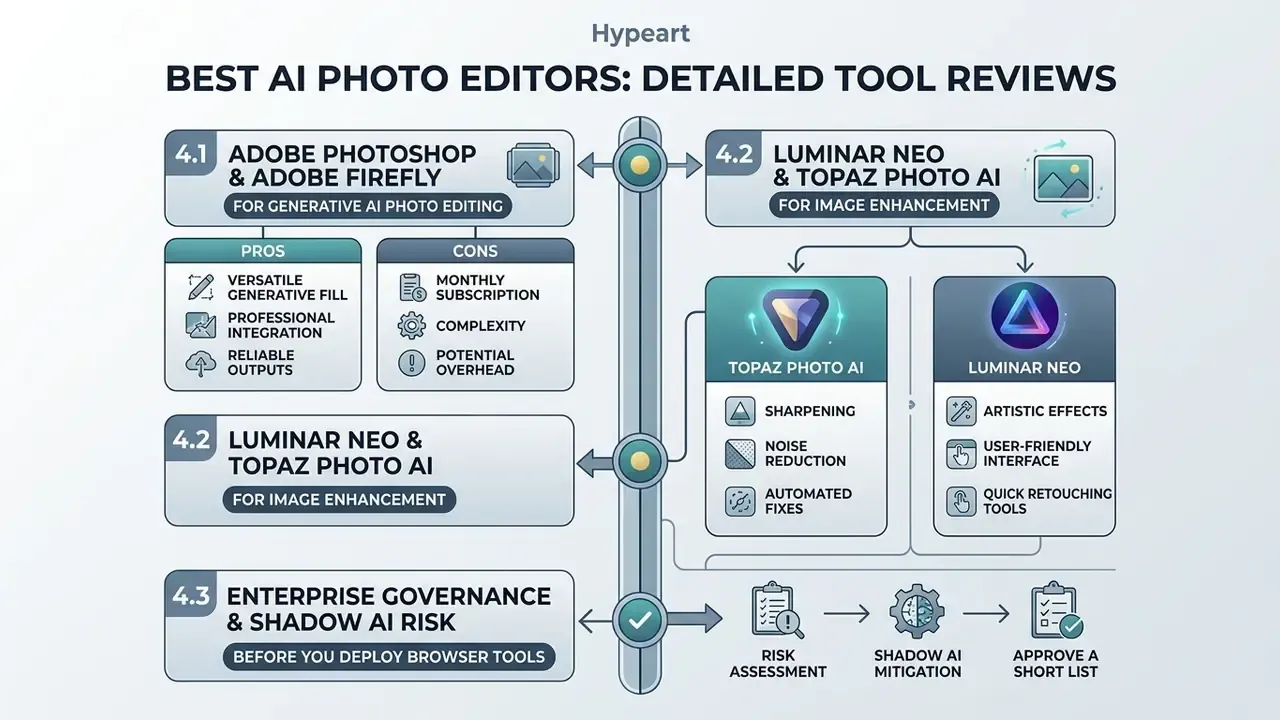
Finding a leading ai photo editor means matching capability to your production reality. Below is the technical detail behind the rankings.
4.1 Adobe Photoshop and Adobe Firefly for generative AI photo editing
Adobe Photoshop plus Adobe Firefly is the industry standard for generative modification, and the strongest candidate for best generative ai photo editor. Built on proprietary diffusion architectures, Firefly powers Generative Fill, Generative Expand, Generative Remove and Prompt to Edit across Creative Cloud, and now also exposes partner models from Google, OpenAI and Runway for style experimentation.
Photoshop's real advantage is the non-destructive layer workflow. Highlight a region, type a prompt, or leave the prompt blank and let the model infer the surroundings: results arrive on a dedicated Generative Layer. Retouchers can then adjust blend modes, apply curves, run Generate Similar, or paint manual masks over generated pixels. Generative Expand works through the Crop tool, extending the canvas and placing results on their own layer. Firefly allocates monthly generative credits (2,000 on Standard, 4,000 on Pro, up to 50,000 on Premium) and charges one credit per standard generation.
Commercial positioning matters here as much as output quality. Adobe states its first-party models were trained on licensed content such as Adobe Stock and public-domain material, does not train Firefly on user content, and offers commercial-safety guarantees that protect enterprise clients against IP infringement risk. Generated content and prompt history sit in Generation History for reuse, and users can delete them. Partner models, by contrast, leave responsibility with the customer. Worth flagging to your legal team early.
«Analysis of 566 professional posts found Generative Fill raised productivity while creating tension around authorship and the human-algorithm creative boundary.»
"Generative AI in professional retouching delivers maximum ROI when anchored to non-destructive layers and explicit human masking approval." Marcus Hale
Pros: unmatched breadth of AI and manual tools; non-destructive generative layers; commercial-safety guarantees; enterprise SSO and Content Credentials.
Cons: steep learning curve; generative credits consumed separately from the base subscription; full desktop access requires a paid plan after the 7-day trial.
4.2 Luminar Neo and Topaz Photo AI for image enhancement
With archived, degraded or low-resolution imagery, specialized neural enhancers beat general generative editors. Luminar Neo and Topaz Photo AI focus on mathematical reconstruction rather than prompt-based synthesis, and both run as plug-ins inside Photoshop or Lightroom. If your search phrase is closer to best photo editing software ai for restoration than for creative fill, start here.
- Topaz Photo AI: engineered for deep learning super-resolution, RAW noise suppression and optical sharpening. Distinct modules cover RAW Denoise, Denoise Non-RAW, Sharpen, Super Focus and Dust & Scratch removal. The developer API prices image models linearly by output size (1 credit per 24 megapixels). Product materials claim enlargement up to 16x pixels, while Autopilot documentation references up to 6x for certain modes. Topaz's own documentation says minor denoise should be applied before upscaling, and that sharpening accentuates existing noise. That is the mechanism behind the familiar advice to denoise first and avoid artifact amplification during 4x or 16x enlargement.
«Samsung's 2-Stage with FPL achieved 43.86 dB PSNR and 0.988 SSIM on 12-megapixel RAW test data.»
- Luminar Neo: Skylum's editor packs more than 24 specialized AI algorithms for landscape, portrait and lighting work, including Erase for object removal, SkyAI for sky replacement, AtmosphereAI for fog and ambience, and FaceAI/SkinAI for portraits. The Details tool separately adjusts small, medium and large structures, while the AI restoration module cleans scratches, reduces noise and revives faded colour on historical print scans, with full-restoration, colour-only and scratches-only modes. Updated pricing: perpetual licences start around US$99 to 119, subscription plans exist alongside them, continued generative AI updates are tied to annual renewal after the first year, and the app is bundled in Setapp. Photographers weighing alternatives can compare these engines against other AI image enhancers before buying a licence.
4.3 Enterprise governance and Shadow AI risk before you deploy browser tools
Before rolling out browser editors, treat them as third-party data processors, not design utilities. Marketing teams routinely adopt free web tools without procurement review, and that is textbook Shadow AI exposure: confidential product imagery, unreleased packaging, customer photographs, sometimes documents containing personal data, all uploaded to endpoints with unknown retention windows.
Practical controls:
- Approve a short list. Publish two or three sanctioned tools with signed DPAs, and block the rest at the CASB or secure web gateway layer.
- Classify inputs. Prohibit uploading regulated, customer-identifiable or pre-release imagery to any tool lacking enterprise terms. Route those assets to desktop-only processing (Topaz, Luminar Neo) or an approved private endpoint.
- Require identity and logging. Insist on SSO, role-based access and exportable activity logs. Without them you cannot answer "who changed this asset, when, and with what prompt."
- Check training and retention defaults. Vendor practice diverges sharply: some services retain uploads until user deletion, some delete after processing, some auto-delete after 30 days, and some forward images to third-party AI providers for generation or model improvement. Document the answer per tool instead of assuming an industry norm.
- Verify provenance support. Prefer tools that write C2PA Content Credentials so downstream reviewers and auditors can tell captured pixels from synthesized ones. To spot-check unlabelled assets, compare available AI image detectors.
4.4 Canva, Pixlr, Fotor, Pixelcut and Claid AI for online AI editing
Browser-based editors trade layer depth for accessibility, templates and speed. They serve marketing specialists, e-commerce managers and social media managers, and they answer most queries about best ai editing software for photos at small scale.
4.5 Mobile and specialist editors: portraits, selfies and archival colorization
Two segments sit outside the desktop and browser duopoly, and they are often the fastest route to a finished asset.
- On-the-go mobile retouching: Lensa and YouCam Enhance use on-device hardware acceleration (the Neural Engine on iOS, equivalent NPUs on Android) for facial retouching, skin smoothing, eye brightening and background defocus, with no cloud credits consumed. Lensa's scene-recognition layer detects whether a shot is a portrait or a landscape and proposes matching adjustments. YouCam adds sharpening, upscaling and colorization in the same photo editing app. Pricing starts around US$2.99/week or US$4.99/month for Lensa, and about US$9.99/month for YouCam. For professional identity imagery, dedicated AI headshot generators produce more consistent studio results than general selfie apps.
- Specialized black-and-white colorization and historical repair: broad diffusion models happily invent plausible new pixels; dedicated restoration tools infer chromatic values from the archival print instead. PhotosRevive (macOS and iOS, bundled in Setapp) analyses a scanned black-and-white image, colorizes each pixel, and lets users drop manual colour markers to correct regions the model misreads. It also installs as an Apple Photos extension, so older galleries can be colorized in place. Colorization usually finishes in seconds, though complex archival images can take several minutes. Restoration research supports this division of labour: recent work on old-photo pipelines reports Restormer for real denoising, DeepRFT for deblurring, SwinIR for denoising and MPRNet/FFA-Net for dehazing, rather than one general-purpose model.
5. How to choose the right AI tool for your specific editing task
Choosing the best ai tool for editing photos, or the best ai tools for picture editing for a mixed team, means aligning software with your dominant workflow. Different model architectures win at different tasks, and no single engine leads everywhere.
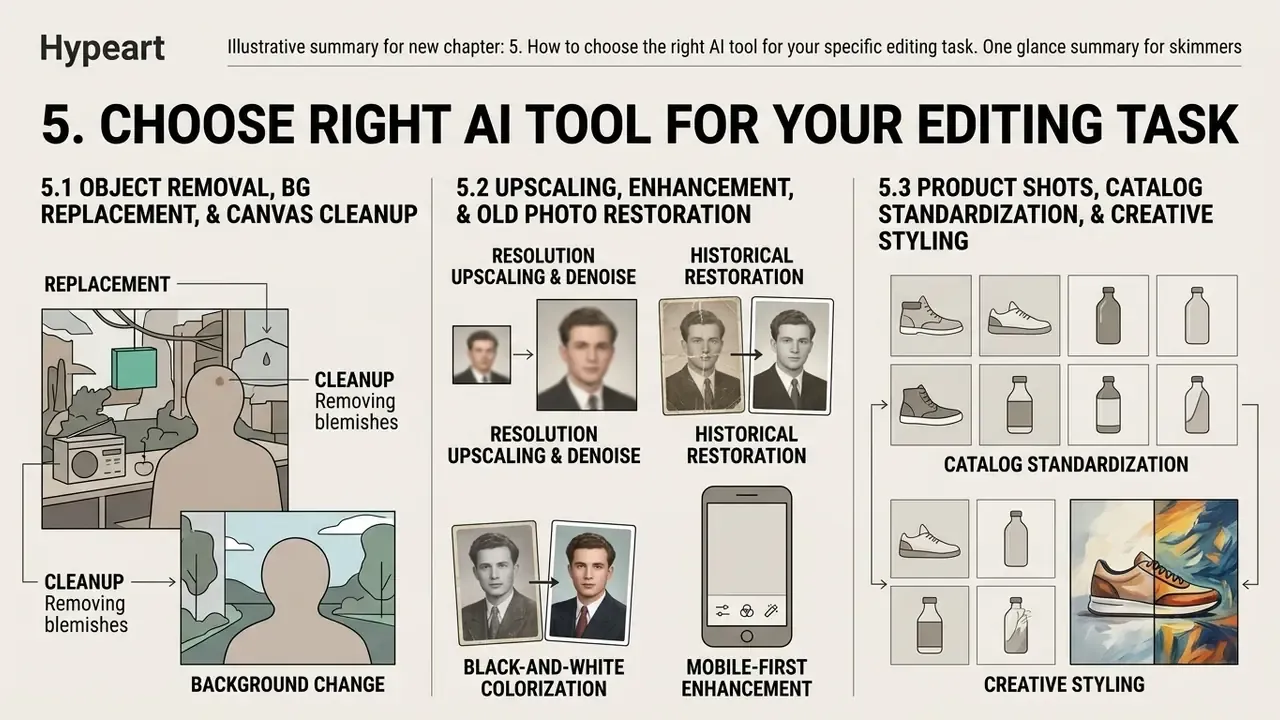
5.1 Object removal, background replacement, and canvas cleanup
Seamless object removal and background replacement need context-aware diffusion inpainting. When choosing a generative ai photo editor for cleanup, the algorithm has to read surrounding pixel density and rebuild underlying geometry without semantic blurring.
For complex foreground cleanup, segmentation-based masking tools such as Adobe Photoshop (Generative Remove and the Remove Tool) and BrushNet-based inpainting models preserve texture far better than simple GAN erasers. Removal-specific research reinforces the gap: OmniEraser reports best-in-class scores on RORD-Val (43.71 FID, 0.153 CMMD, 22.13 PSNR), and EraseLoRA is evaluated on foreground similarity, background preservation, PSNR, SSIM and LPIPS specifically to prove no semantic traces remain in the erased region. Dropping background-removed product shots straight into an ai slide deck generator also speeds up executive reporting and marketing review cycles.
Illustrative case example (composite, hypothetical): an e-commerce retail group faced inconsistent studio backgrounds and intrusive lighting reflections across 1,200 supplier catalog assets. After implementing Claid AI's automated background replacement and lighting alignment API, the operations team processed the full catalog in under four hours and reached visual brand consistency without physical reshoots. The client's analytics team attributed an 18% lift in product-page conversion to the refreshed imagery. That figure is single-client and self-reported, measured over one quarter with no controlled holdout, so read it as directional, not as a benchmark. Anyone replicating the workflow should split-test a sample of SKUs before projecting revenue.
5.2 Resolution upscaling, image enhancement, and old photo restoration
Restoring archival prints, removing ISO noise and upscaling low-resolution assets calls for deep learning restoration networks. SwinIR, Restormer and DeepRFT analyse optical degradation to rebuild sub-pixel detail, and surveys of the field group it into super-resolution, denoising, deblurring, dehazing and inpainting families built on residual CNNs and autoencoder architectures.
- Best tools for upscaling and denoise Topaz Photo AI and Luminar Neo lead. Topaz's RAW Denoise suppresses sensor noise before sharpening, and the vendor's documentation recommends exactly that order while warning that sharpening accentuates residual noise. That sequencing is what prevents artifact amplification during 4x or 16x enlargement. Independent NTIRE 2024 baselines (roughly 27.17 dB PSNR at 4x on DIV2K; 43.86 dB PSNR and 0.988 SSIM on RAW 2x) give you the reference band for judging whether an upscaler is competitive.
- Best tool for historical restoration Luminar Neo's automatic scratch and colour restoration module finds crease lines, chemical fading and surface dust on scanned prints and restores archival contrast in one pass, with modes for full restoration, colour only or scratches only.
- Specialized black-and-white colorization PhotosRevive uses neural colour-mapping to infer chromatic values from archival prints and accepts manual markers for regions the model gets wrong. A better fit than generic diffusion editors, which tend to redraw rather than colorize.
- Mobile-first enhancement YouCam Enhance and Lensa run sharpening, upscaling and facial retouching locally as a photo enhancer, which keeps sensitive family or client photos off cloud servers and burns no credits on quick fixes.
5.3 Product shots, catalog standardization, and creative styling
Commercial product photography leans on specialized capabilities: automated studio environment generation, style transfer, virtual garment replacement, face swap and face-to-model conversion.
For e-commerce brands, platforms built on specialized APIs (FASHN API, Claid AI) enable virtual fashion model swaps and AI clothes changer workflows directly on product cutouts, with documented endpoints for background removal, model swap and face-to-model conversion. That removes expensive location shoots while holding lighting, pose and fabric texture consistent across regional catalog variants. Claid additionally states its API can replicate brand backgrounds while preserving product detail and logos, and Adobe's product-photography guidance describes matching a reference image's lighting, colour, mood and finish across new generations. Teams exploring variant generation can review image-to-image generators for prompts that transform an existing product shot rather than replace it.
One caveat worth budgeting for: aggressive background stripping is not automatically good downstream.
«Background removal improved accuracy of shallow networks by over five percentage points, but reduced performance of deeper regularized networks due to lost context.»
Workflows that mix static imagery with ai video editing software, or with any video generator in the same campaign, need standardized asset resolution to keep visual quality consistent across channels.
6. Free AI photo editor or paid plans: what to choose
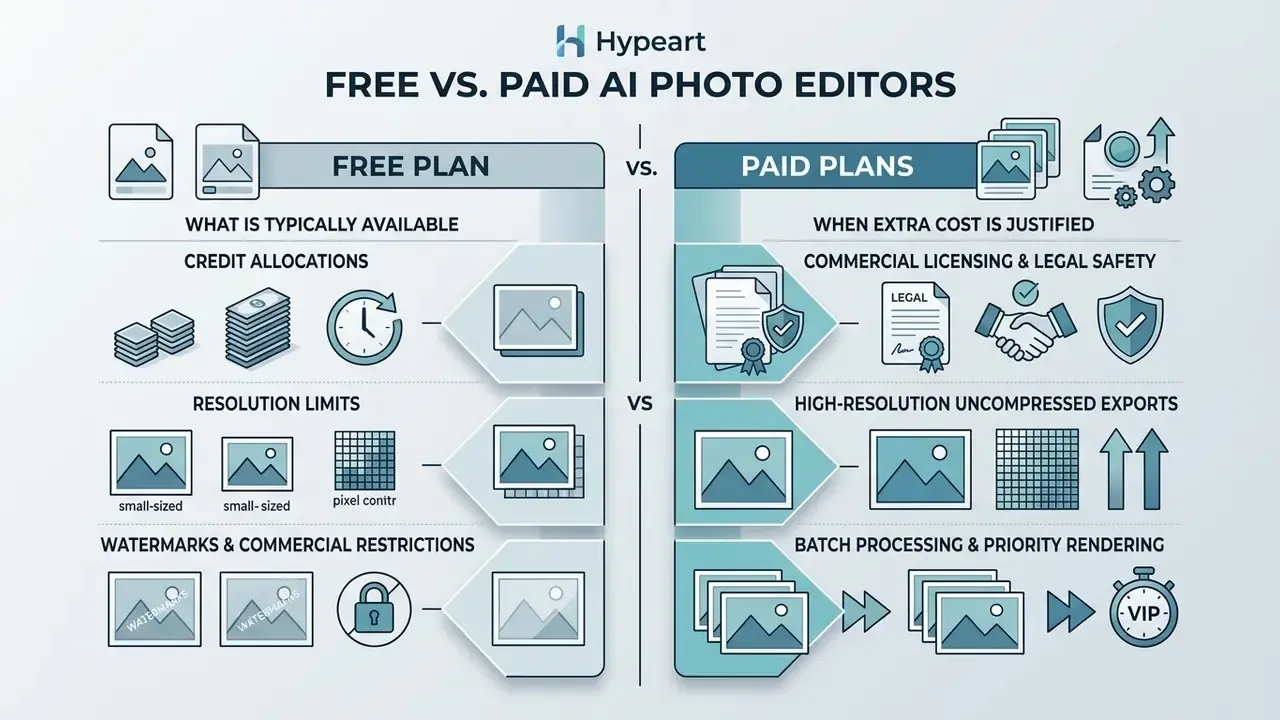
Whether to stay on a free ai photo editor or buy an enterprise subscription depends on export resolution, monthly volume, watermark constraints and commercial usage rights. Governance is the fourth variable most teams forget.
To evaluate subscription models and credit allocations, see the overview for detailed cost breakdowns across creative platforms.
6.1 What is typically available on a free plan
Free accounts and free ai photo editing plans work well as test environments for interface responsiveness and model quality, but the boundaries are strict. Our guide to free photo editors breaks the trade-offs down by feature class:
- Credit allocations free tiers usually cap usage at nominal levels. Runway provides 125 one-time credits, Picsart offers 5 weekly credits, HeyGen grants 1 credit, and Magic Hour's Free Basic tier gives 400 credits, roughly 80 images or 40 AI image edits.
- Resolution limits free exports are frequently held to low-definition output (576p to 720p), which rules out print and professional presentation. Some tiers behave differently: Pixlr permits watermark-free full-resolution export but limits credits and file size, while Google's free image access has been reported at 1024 × 1024 with SynthID watermarking.
- Watermarks and commercial restrictions free exports often carry visible vendor watermarks and prohibit commercial use under the terms of service. Magic Hour's free tier, for instance, excludes commercial use explicitly. Reviewing the AI Video Pricing and Credits Comparison helps you compare credit cost models across complementary media generation tools.
6.2 When paid plans justify the extra cost
Paying up makes economic sense once creative work touches revenue or runs at volume:
- Commercial licensing and legal safetypaid tiers from established vendors (Adobe Creative Cloud, Canva Pro, Pixelcut Pro) grant explicit commercial usage rights, and in Adobe's case IP indemnification for first-party Firefly models. Adobe also notes that beta features may be limited to personal use, a trap for teams shipping campaign assets built with pre-release tools.
- High-resolution uncompressed exportspaid plans unlock native 4K and 8K export, full RAW Bayer processing and 16-bit TIFF colour depth.
- Batch processing and priority renderingcommercial plans enable automated batch processing of hundreds of images at once, with priority queue access and API throughput.
- Governance featuresSSO, audit logs, admin-managed retention and DPAs are almost always gated behind team or enterprise tiers. Which is exactly why free-tier adoption is a compliance question, not just a budget line.
| Tool | Free Tier Limitations | Paid Tier Starting Price | Monthly AI Credit Limits | Commercial Use Granted? |
|---|---|---|---|---|
| Adobe Photoshop | 7-day trial only (full access) | US$22.99/mo | Bundled Creative Cloud credits | Yes (paid subscription) |
| Adobe Firefly | Daily free credit allowance | US$9.99/mo | 2,000 up to 50,000 generative credits/mo by tier | Yes (commercially safe first-party models) |
| Canva | Basic design tools; limited AI credits | US$14.99/mo | Expanded Pro credits (Express-class plans list about 250/mo) | Yes (Canva Pro / AI Product Terms) |
| Pixlr | Full-resolution exports; credit capped | From US$0.99 to 4.90/mo | 80 refillable to 1,000+ monthly credits by tier | Yes (Premium accounts) |
| Pixelcut | Limited credits | US$10/mo | 600 (Pro) / 3,600 (Business) | Yes (commercial licence included) |
| Claid AI | 50 trial credits + 50 API credits | US$19.00/mo | 500+ monthly web/API credits | Yes, for internal business use (no resale) |
| Topaz Photo AI | Trial mode (watermarked exports) | About US$199 perpetual seat / pay-per-credit API | Megapixel-linear usage (1 credit = 24 MP) | Limited commercial use (EULA revenue thresholds) |
| Luminar Neo | Trial; Setapp bundle | About US$99 to 119 perpetual or subscription | N/A (local processing; generative features metered) | Yes (verify current EULA) |
Table: free versus paid AI photo editor plans, with credit allowances, export limits and commercial-use rights. Pricing checked January 2026; verify current figures on vendor plan pages before purchase.
6.3 Avoiding AI wrapper scams and overpriced subscriptions
The flood of generative models brought a wave of wrapper applications: tools charging predatory fees, commonly US$40 to 60 per month, sometimes with add-on modules at another US$20, for little more than public API calls behind a basic web interface. Independent reviewers have flagged apps in this bracket that justify pricing purely by advertising how much AI is involved. The working rule is blunt. If a tool costs more than a Photoshop subscription, it must be demonstrably exceptional.
Red flags to apply during evaluation:
A cheap sanity check: run the same three test images through the free tier before paying. A wire-cluttered landscape, a product on a messy desk, and a noisy low-light portrait. Most weak tools fail on cutout edges, texture propagation and noise handling within minutes.


7. FAQ on choosing AI photo editing software
These are the questions that surface in procurement reviews rather than in feature demos: rights governance, skill requirements and data retention. Answer them and you have most of what you need to decide what is the best ai photo editing software for your own risk appetite.
1 Can AI-edited images be used for commercial projects?
Yes, provided the tool runs under a paid commercial licence that explicitly grants those rights. Adobe Photoshop with Firefly and Canva Pro both state their generative models are trained on licensed stock or public-domain assets, which makes outputs commercially safe for advertising and branding. Canva's terms go further and confirm that users own AI outputs and may sell them, subject to AI-content disclosure. Pixelcut includes a commercial licence on paid tiers. Topaz Labs' EULA, by contrast, separates personal from limited commercial use and excludes larger organizations from the personal licence, while Claid AI grants internal business use but prohibits resale of platform access or outputs.
Three practical constraints get missed constantly:
- Inputs matter as much as outputs. Uploading imagery you do not have rights to does not become lawful because a model reprocessed it. Trademarks, likenesses and stock licences all persist.
- Partner models shift liability. Where an editor offers third-party models alongside first-party ones, indemnification usually applies only to the vendor's own model.
- Human authorship affects protectability. Copyright offices and WIPO guidance indicate protection attaches to human contribution, so heavily generated assets may be weakly protectable even when they are perfectly lawful to use.
Our guide to commercial use of AI image generators breaks licence language down tool by tool, and the broader commercial-use overview covers generated-content licensing across media types.
Disclaimer: this is general information, not legal advice. Commercial-use terms differ by platform and jurisdiction, change often, and may be superseded by an enterprise agreement. Review each tool's current Terms of Service, EULA and DPA with qualified counsel before deploying AI-edited imagery in regulated or high-value campaigns.
2 Do you need design skills to use an AI photo editor?
Modern AI photo editors lower the barrier substantially, replacing fiddly manual selection with point-and-click actions and natural language text prompts. Non-designers can handle background removal, spot cleanups and style changes on day one. Adoption data backs that up: 73% of design graduates used Generative Fill within three weeks of the beta release with no formal training (Synergy of AI Generative Fill in Photoshop with Informal Learning, 2024, https://arxiv.org/abs/2407.04149).
High-end professional outcomes still reward fundamentals, though: composition framing, lighting balance and structured prompt engineering. HCI research on text-to-image prompting notes that users must deliberately choose subject and style keywords and iterate across multiple seeds, and the U.S. Federal Acquisition Institute's prompt-engineering credential requires roughly 28 hours of training. Prompt work is a learnable specialty, not a zero-effort interface. Interaction patterns such as highlighting and inpainting flatten the learning curve further by exposing editable controls instead of text alone. For financial ROI modelling on creative software investments, see the overview of enterprise tool evaluation metrics, and our online photo editor guide covers core feature vocabulary for newcomers.
3 Do AI tools store users' original images?
Storage policy varies by vendor, and the spread is wider than most buyers expect. Enterprise-grade platforms (Adobe, Canva) encrypt uploaded assets in transit and at rest and operate under published privacy frameworks and data-protection terms. Adobe states it does not train Firefly on customer content; Canva acts as processor under a DPA for team accounts. Among smaller AI services surveyed, practice diverges sharply: some retain uploads on cloud storage until the user deletes them, some delete immediately after processing, some auto-delete after 30 days and require explicit consent before any training use, and some forward uploaded images and parameters to third-party AI providers to build user-specific model artefacts.
Distinguish by class of tool:
- Desktop RAW editors (Topaz, Luminar Neo): processing is mostly local, so sensitive imagery need not leave the workstation. Verify which generative features call cloud endpoints.
- Cloud web apps (Canva, Pixlr, Fotor, Pixelcut, Claid): uploads necessarily reach vendor infrastructure. Confirm retention windows, subprocessors and training defaults in writing.
- Consumer mobile apps (Lensa, YouCam, PhotosRevive): many operations run on-device, but account features and cloud enhancement may still transmit images.
Organizations handling sensitive intellectual property should review vendor Privacy Policies and DPAs to confirm uploaded assets are not used to train public third-party models, and should align disclosure with NIST AI 100-4 (2024) guidance on labelling synthetic content and OAIC (2024) guidance advising against entering personal or sensitive data into publicly available generative AI tools. To verify whether a delivered asset is synthetic or manipulated, compare available AI image detectors. For automated batch photo processing via REST endpoints, see the overview to inspect secure data processing specs.
4 Which AI editor is best for a specific budget or platform?
- Under US$10 per month, browser only: Pixlr (watermark-free full-resolution export on the free tier) or Pixelcut Pro for product cutouts with a commercial licence.
- Social and brand template volume: Canva Pro at US$14.99 per month, with AI Mockups and bulk product photo tooling.
- Professional print and client retouching: Photoshop at US$22.99 per month plus Firefly credits.
- No subscription preference: a Luminar Neo perpetual licence or a Topaz Photo AI seat, both of which keep processing local.
- API-driven catalogs above roughly 500 SKUs: Claid AI Pro or Business tiers, with megapixel-aware budgeting.
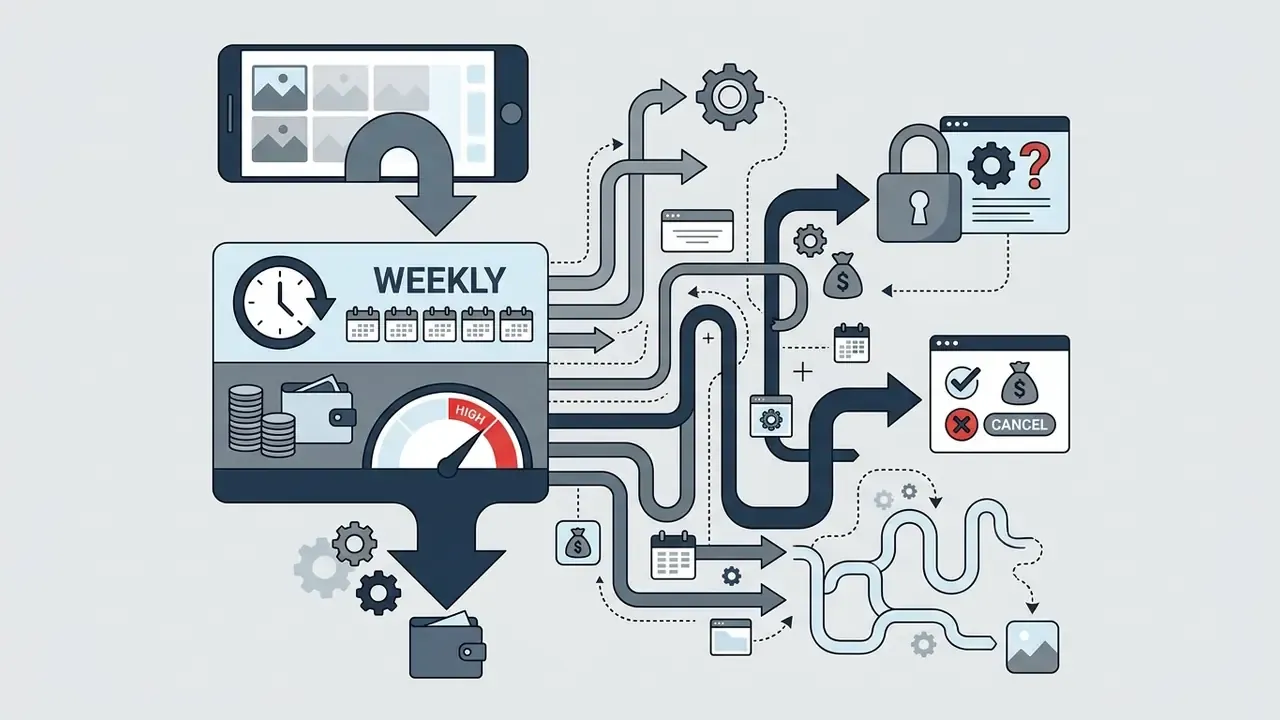
- Mobile-only workflows: Lensa or YouCam Enhance. Expect weekly billing patterns and check cancellation terms first.
Fact check and data governance audit: Adobe states copyright remains with the user; personal data is processed under the Global Privacy Policy and enterprise DPA; Firefly first-party outputs are positioned as commercially safe, with Content Credentials attached. Canva confirms users retain ownership of AI outputs under its AI Product Terms, permits commercial use on Pro tiers, and acts as processor under a DPA for team accounts. Topaz Labs separates Personal from Limited Commercial Use in its EULA, with organizations above roughly US$1M revenue requiring specialized licensing. Claid AI prohibits unauthorized platform reselling and processes data via encrypted cloud instances with configurable retention windows. Skylum (Luminar Neo) primary terms covering copyright and data processing were not confirmable from official sources at the time of writing and require direct verification.
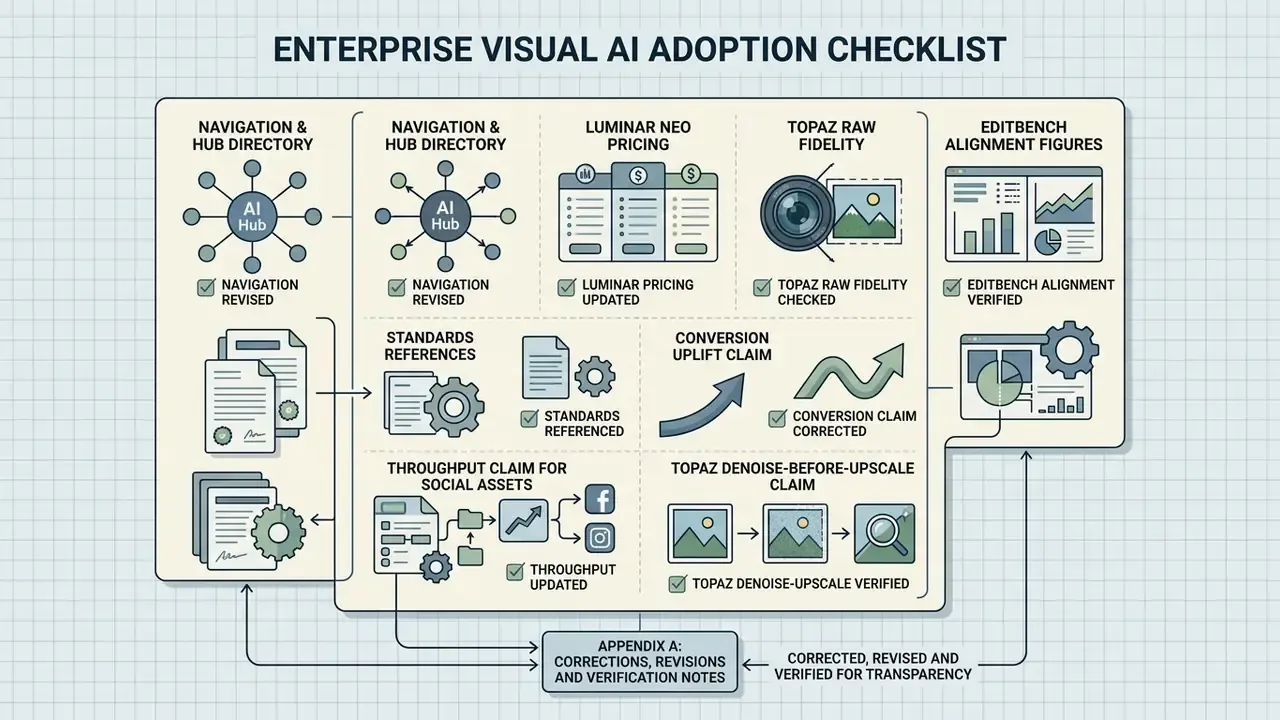
8. Enterprise Visual AI adoption checklist
Use this as a pre-deployment gate. Every item needs a documented owner and an evidence link. No evidence, no autonomy.
- Tool approved in the software inventory, with model family and version recorded.
- DPA signed; subprocessor list reviewed; data residency confirmed.
- SOC 2 Type II and/or ISO 27001 evidence collected and dated.
- Model-training opt-out confirmed in writing for all uploaded assets.
- Retention and deletion windows documented per tool and per asset class.
- SSO, RBAC and exportable audit logging enabled where available.
- C2PA Content Credentials preserved through the export pipeline.
- IP indemnification scope confirmed, including whether it covers partner models.
- Human review gate defined for all externally published imagery.
- Internal test set established for monthly prompt-adherence and artifact scoring.
- Shadow AI controls in place (CASB or web filtering for unapproved editors).
- Credit and API spend monitored against a monthly cap, with alerting.
- Incident and escalation path defined for published AI-edited errors.
- Annual re-review scheduled for terms, pricing and model versions.
8.1 Limitations and open questions
Appendix A: corrections, revisions and verification notes