Executive summary
- Fastest path for beginners mobile-first suites (CapCut, VN Video Editor, InShot, Samsung Video Editor, Adobe Premiere on iPhone) deliver capture-to-publish cycles of roughly 2 to 5 minutes per short clip.
- Best for precision and scale desktop NLEs (Adobe Premiere Pro, Final Cut Pro, LumaFusion) handle multi-track timelines, keyframe animation, chroma key compositing, and high-bitrate masters.
- Best for repurposing AI clippers and text-based editors (TikTok Studio Web Smart Split, Opus Clip, Riverside, Descript, Kapwing) convert long-form webinars, YouTube uploads, and podcasts into captioned 9:16 clips.
- Specialist picks KineMaster for multi-layer chroma key, Alight Motion for keyframe motion graphics and vector typography, Splice and CapCut Pro for automated beat synchronization.
- Technical baseline for export MP4/MOV, H.264, 1080 × 1920, 30 or 60 fps, 5 to 12 Mbps video bitrate, music mixed 15 to 20 dB below dialogue.
- Governance baseline for organizations verify where media is processed, whether uploads train vendor models, whether enterprise SSO and audit logs exist, and whether audio is cleared through TikTok's Commercial Music Library before publication.
Who this guide is written for, and what it does not cover
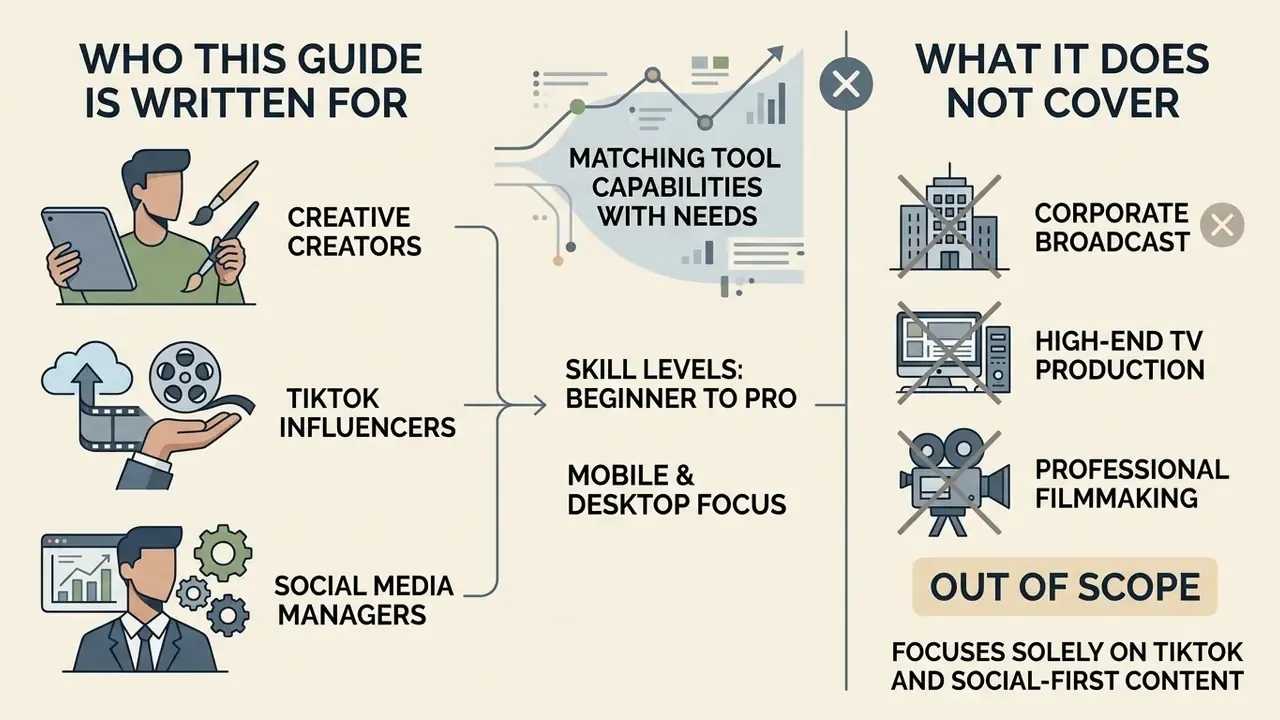
This comparison serves three different buyers. Solo TikTok creators who need a fast video trimmer and templates. Brand and social media teams who need shared video templates, auto captions, and a consistent visual style. And risk-aware organizations that must decide which editing software is allowed to touch internal footage at all.
The scope is deliberate. We cover selection criteria, a feature comparison, chroma key and beat matching, AI video editing, a footage-to-export pipeline, audio rights, enterprise data handling, and the free versus paid question. We do not rank tools by a single score, because a podcast editor and a VFX creator optimise for different things. Pricing and plan limits move quickly, so treat every number here as a snapshot to verify.
Selecting an effective software solution to edit TikTok videos requires matching tool capabilities with production speed, device constraints, and platform formatting rules. Modern short-form content creation ranges from quick mobile cuts on smartphones to automated browser workflows and multi-track desktop post-production. The scale of that market keeps expanding:
«Short-form video publishing grew roughly 70% year over year, approaching 6 million videos among analyzed accounts.»
This guide evaluates leading desktop software, mobile applications, browser tools, and AI video generators. To evaluate broader tool categories across asset generation and post-production, review our AI Media Benchmarks for empirical performance metrics, or start with the fundamentals in our guide to video editing tools.
How to choose the best TikTok video editor
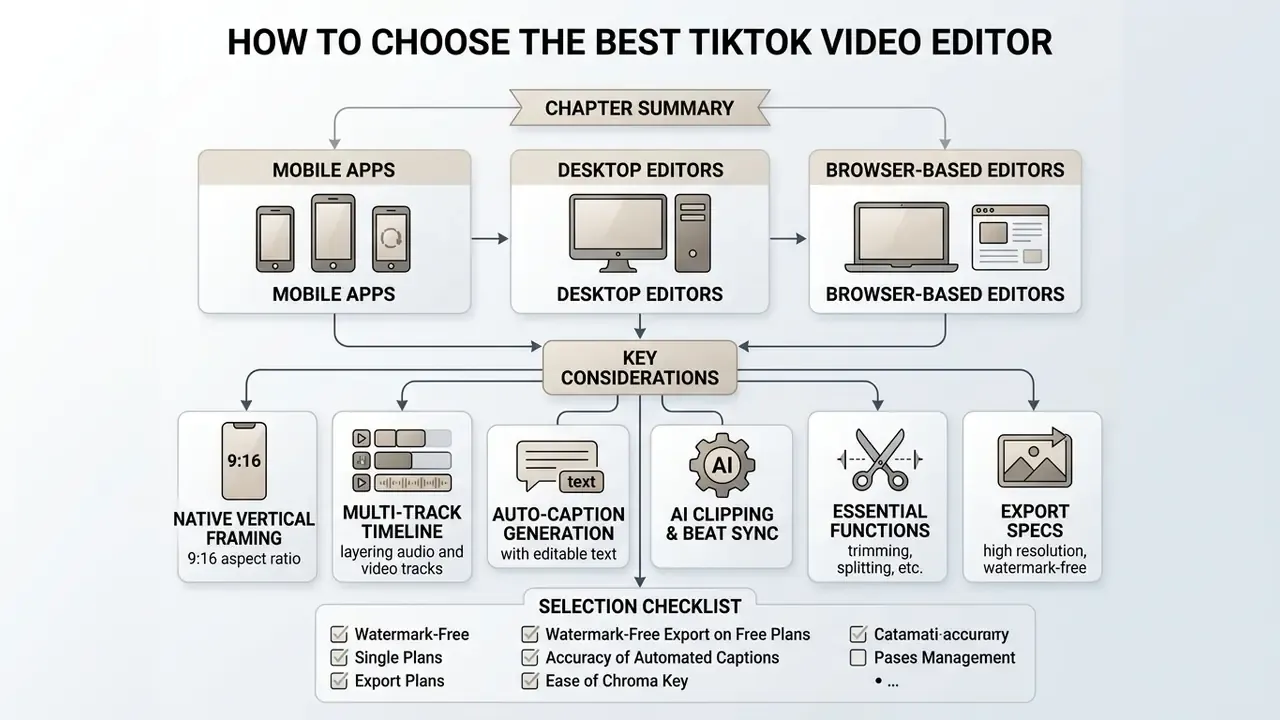
Choosing the best TikTok video editor depends on balancing interface accessibility, native vertical framing (9:16 aspect ratio), multi-track timeline control, auto-caption accuracy, and export capabilities without restrictive watermarks.
Evaluating software requires examining both basic editing functions, such as trimming, splitting, and clip duplication, and advanced capabilities like keyframe animation, chroma key compositing, automated beat detection, and AI-driven silence removal. According to TikTok's own Ads Help Center documentation for the TikTok Video Editor (2026), the editor exposes split, trim, duplicate, insert, delete, and audio-split operations, and lets creators lock the canvas to 9:16, 1:1, or 16:9. That confirms the baseline: a native vertical canvas (1080 × 1920) plus multi-track audio layering, if you want to maximise organic and paid reach. https://ads.tiktok.com/help/article/how-to-edit-your-assets-in-the-tiktok-video-editor
Selection checklist
- Native 9:16 vertical canvas support (1080 × 1920 pixels)
- High-accuracy automatic caption generation with editable text
- Multi-track timeline for layering dialogue, sound effects, and music
- Watermark-free video export on free or entry-level plans
- Integrated AI clipping tools for long-form video reframing
- Chroma key (green screen) engine with threshold and softness control
- Automated beat detection with waveform markers for music-driven cuts
- Pre-upload audio copyright detection or a licensed commercial music library
- Documented data-retention policy, enterprise SSO, and audit logging
One practical tip before you start comparing: write down your publication frequency first. Three clips a week and thirty clips a week point to completely different tools.
Essential TikTok editing features for short-form content
A dedicated TikTok video editor must deliver robust clip trimming, precise multi-track audio layering, native vertical framing, automated speech-to-text captions, chroma key compositing, and licensed sound effect libraries.
Short-form algorithms prioritise audience retention during the initial moments of playback.
«Analysis of more than 5 million short-form videos shows creators have under four seconds to hold a viewer before drop-off.»
Metricool's report, which analysed over 5 million short-form videos across 582,000 accounts, established that creators have less than four seconds to capture viewer attention before drop-off occurs. Four seconds. That single constraint explains why the essential feature set looks the way it does: precise frame-by-frame trimming (ideally to 0.1-second granularity), rapid overlay placement, text synchronisation, a searchable music library, and automated captioning for silent playback environments where sound stays off.
Mobile app, desktop editor, or browser-based editing
Mobile editing applications prioritise capture-to-publish speed, desktop NLE software maximises precise multi-track and keyframe animation control, and browser-based editing removes local installation friction for cross-functional teams.
Mobile applications allow immediate on-the-go editing directly on iOS and Android devices, which makes them ideal for reactive trends. Desktop applications such as Adobe Premiere Pro and Apple Final Cut Pro handle demanding, multi-layer timelines and complex colour grading, though they require dedicated system hardware. Browser tools run inside web browsers and support collaborative workflows across marketing teams without local rendering overhead, but they depend on connection quality and on the vendor processing your media in the cloud. Creators seeking broader mobile editing suites can compare tools in our best reel maker comparison guide.
Best TikTok video editor apps: feature comparison
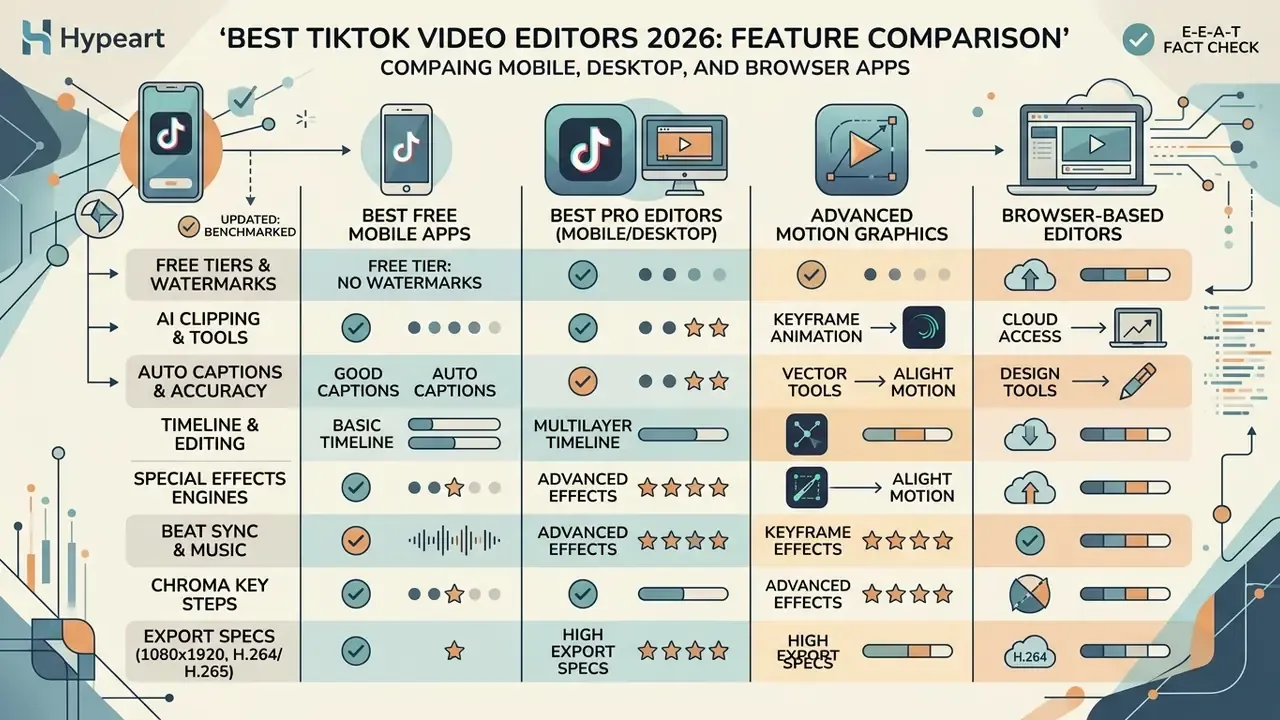
Selecting among the top apps to edit TikTok videos involves comparing timeline capabilities, free-tier watermark policies, auto-caption accuracy, specialist effects engines, enterprise readiness, and pricing structures across mobile, desktop, and web platforms.
The market splits into three groups: platform-native mobile suites, web-based collaborative platforms, and professional desktop non-linear editors (NLEs). For a broader structural breakdown of software models, see the overview of current digital media pricing structures.
| Editor App | Supported Platforms | Free Plan Access | Default Watermark | Auto-Captions | Key AI / Effects Features | Enterprise readiness (SSO, admin controls, cloud processing) | Best Operational Use Case |
|---|---|---|---|---|---|---|---|
| CapCut | iOS, Android, Windows, macOS, Web | Yes | None (manual exports) | Yes (speech-to-text) | Script-to-video, auto-reframe, background removal, audio copyright detector | Limited: consumer-grade accounts; cloud processing on vendor servers | Quick mobile-first editing and trend template usage |
| VN Video Editor | iOS, Android, macOS, Windows | Yes | None | Yes | Curve speed adjustment, basic noise reduction | Minimal: local-first editing, no admin console | Clean timeline editing without mandatory watermarks |
| InShot | iOS, Android | Yes | Yes (removable via ad) | Yes | Auto-background blur, smart cutout | Minimal: consumer subscription only | Fast mobile edits and basic visual adjustments |
| LumaFusion | iOS, iPadOS, macOS | No ($29.99 one-time) | None | No | Multi-track keyframing, colour LUT support, chroma key | Local processing only (no cloud upload required) | Advanced mobile post-production on iPad and Mac |
| Adobe Premiere Pro | Windows, macOS | Free trial only | None | Yes (text-based) | Speech enhancement, Auto Reframe, generative fill | High: enterprise licensing, SSO, admin console available | Complex multi-camera and brand campaign editing |
| Kapwing | Web browser | Yes | Yes (free exports) | Yes | Smart Cut silence remover, transcript editor, Brand Kits | Medium: seat-based Business/Enterprise tiers with workspace roles | Collaborative web editing and remote team workflows |
| Canva | Web browser, mobile, desktop | Yes | None (free assets only) | Yes | Magic Design, Magic Layers, automated brand kit application | Medium to high: teams, brand controls, enterprise plans | Templated brand content and design overlay creation |
| KineMaster | iOS, Android | Yes | Yes (free exports) | Yes | Multi-layer chroma key, asset store FX, frame-level trimming | Minimal: consumer subscription only | Complex visual layering and green screen overlays |
| Alight Motion | iOS, Android | Yes | Yes (free exports) | No | Vector graphics, keyframe shape interpolation, blending modes | Minimal: consumer subscription only | Motion graphics, typography, and aesthetic animations |
| Riverside | Web, macOS, iOS, Android | Free tier / 14-day trial | Yes (free tier) | Yes | Text-based editing, AI Magic Clips, multi-track local recording | Medium: team plans, cloud recording and storage | Podcast repurposing and local 4K multi-track recording |
Read the table as three clusters rather than a ranking. CapCut, VN, and InShot win on speed. LumaFusion, Premiere Pro, and Final Cut Pro win on control. Kapwing, Canva, and Riverside win on collaboration and repurposing. Organisations assessing alternative software categories can also examine our see the overview page for non-linear editor options, and teams building automated stacks can compare generative options among AI video generators.
Best free apps to edit TikTok videos
The best free apps to edit TikTok videos, including CapCut, VN Video Editor, InShot, and PowerDirector, provide core trimming, text overlays, and vertical framing, though free tiers vary in watermark policies and advanced AI access.
CapCut remains a dominant free option thanks to its direct integration with TikTok's template ecosystem, offering multi-track timelines, text overlays, and 1080p exports without mandatory watermarks on manual edits. That dominance shows up in usability research too:
VN Video Editor provides a clean interface with multi-track support and zero watermarks, which suits creators avoiding promotional logos. InShot offers rapid mobile aspect ratio adjustments, though removing its watermark on free tiers requires viewing an in-app advertisement. PowerDirector sits between the two, with a deeper effects filters library and a steeper learning curve. Readers weighing broader no-cost options can compare desktop and browser alternatives in our roundup of free video editing software.
An editorial team processing field interviews adopted CapCut's touch-first trimmer and automated captioning features. By eliminating desktop transfer steps, the team reduced individual clip assembly time by roughly 40% and delivered 15 formatted vertical clips in a single afternoon. Not a controlled experiment, to be clear, but the direction was obvious to everyone involved.
Best professional TikTok editors for advanced editing
Professional desktop editors, including Adobe Premiere Pro, Apple Final Cut Pro, LumaFusion, and Wondershare Filmora, provide precise multi-track timelines, keyframe parameter control, advanced colour grading, chroma key compositing, and lossless high-bitrate exports.
Desktop NLEs earn their cost when managing high-resolution multi-camera footage or complex motion graphics. Keyframe animation allows granular control over element scale, position, and opacity over time. Adobe documents keyframe workflows in both the Timeline and Effect Controls panels, while Final Cut Pro's Video Animation editor requires at least two keyframes to animate a parameter.
Updated (reframing claim, independently benchmarked):
In practice, automated reframing splits into two families. First, computer-vision subject tracking inside the NLE (Premiere Pro Auto Reframe, Final Cut Pro Smart Conform), which keeps human subjects centred when converting 16:9 widescreen footage into 9:16 vertical video. Second, scripted batch pipelines (FFmpeg crop and scale filters), which convert hundreds of files deterministically but without any subject awareness. Pick the first for talking-head footage, the second for volume.
Advanced motion graphics with Alight Motion
Creators building graphic-heavy edits, animated text overlays, or vector transformations should look beyond standard video trimmers. Alight Motion introduces professional keyframe interpolation, so editors can animate vector shapes, apply custom easing curves, use advanced blending modes, and build original visual transitions directly on a mobile device without desktop compositing software such as Adobe After Effects. The trade-off is a steeper learning curve and weaker template support for fast, trend-reactive publishing.
Creators focused on macOS hardware options can read our guide to the best photo editor for related system requirements.
Best browser-based TikTok editors and design tools
Kapwing and Canva lead browser-based TikTok creation by enabling real-time team collaboration, cloud-based transcript editing, brand kit enforcement, and instant template deployment without local software installation.
Kapwing features transcript-based editing, so creators edit video timelines by modifying text transcripts while Smart Cut automatically strips silence. Canva offers a drag-and-drop design interface with pre-built vertical video templates and centralised Brand Kits. Teams standardising typography, logos, and palettes can review the full capability set in our breakdown of Canva AI design features.
Chroma key, visual FX, and beat synchronization
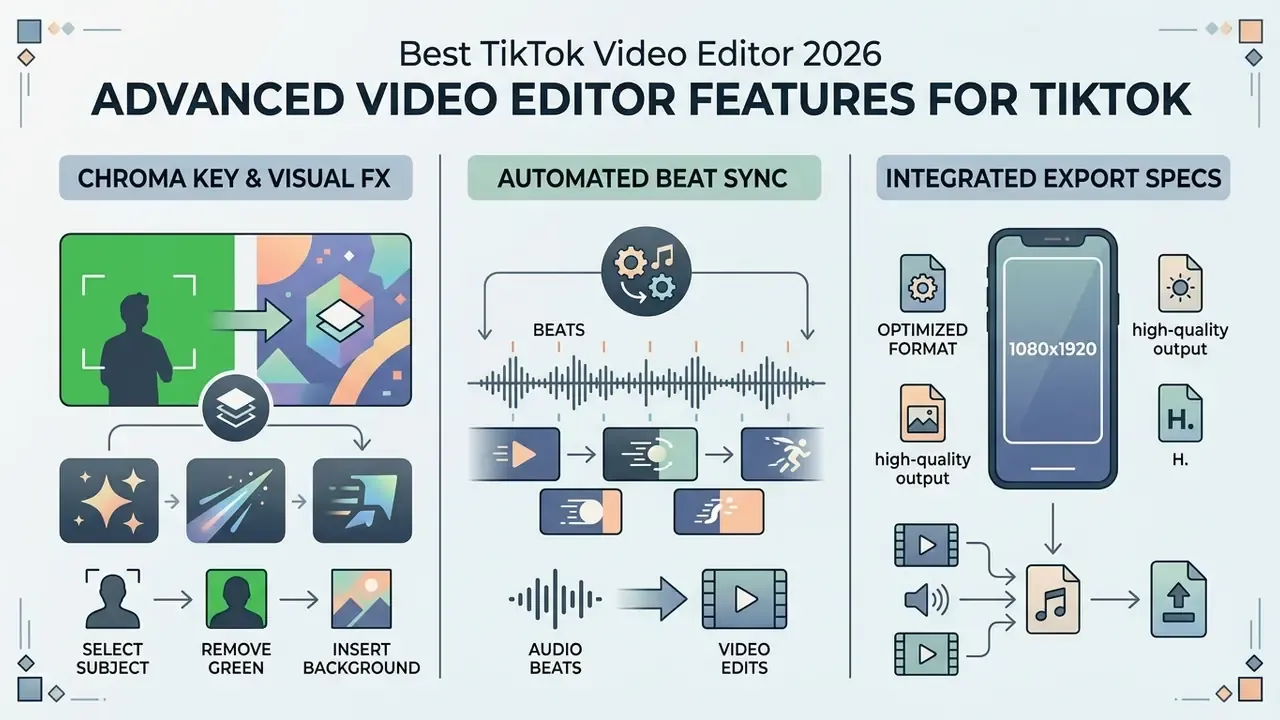
Two effect classes separate casual trimmers from production-grade TikTok editors: background replacement through chroma key compositing, and rhythmic cutting aligned to audio transients.
Adding visual FX and chroma key (green screen)
For creators relying on background replacements, commentary over screenshots, or multi-layer visual effects, standard trimmers are insufficient. Advanced mobile suites such as KineMaster and Filmora Mobile, along with desktop NLEs and LumaFusion, provide dedicated chroma key engines with precision threshold and softness sliders. When editing green screen footage for TikTok:
- Set the background media on Track 1 using the native 9:16 canvas (1080 × 1920).
- Place the green screen subject footage on Track 2 above it.
- Apply the chroma key filter and sample the background colour directly from the frame.
- Adjust Clip Intensity (recommended 35 to 45%) and Shadow Refinement to remove green fringe artefacts around hair and tight edges.
- Feather the matte edge by 1 to 2 pixels, verify the key against the darkest and brightest frames in the clip, then export at 1080p.
Practical lighting note: an evenly lit backdrop placed 1.5 to 2 metres behind the subject reduces spill and lets you keep the key threshold low, which preserves fine edge detail on hair and eyewear. Glasses are usually where a rushed key falls apart.
Automated beat synchronization (beat matching)
Dynamic TikTok trends rely heavily on cutting video clips precisely to musical transitions. Tools like Splice and CapCut Pro offer automated beat detection: the algorithm analyses the sound waveform and places visual markers on major drop points and transient spikes.
Alignment rule: trim video cuts exactly onto the 0.1-second beat markers rather than approximating them by eye. Tight alignment increases perceived visual rhythm, which correlates with higher completion rates on audio-driven For You Page content. Practical sequence:
- Import the licensed track first and lock it to the audio track.
- Run beat detection to generate waveform markers across the timeline.
- Snap clip in and out points to markers, placing the strongest visual reveal on the first downbeat after the hook.
- Alternate cut density, roughly one cut per beat during the chorus and one cut per two bars during narration, to avoid visual fatigue.
Best AI-powered TikTok video editors for faster production
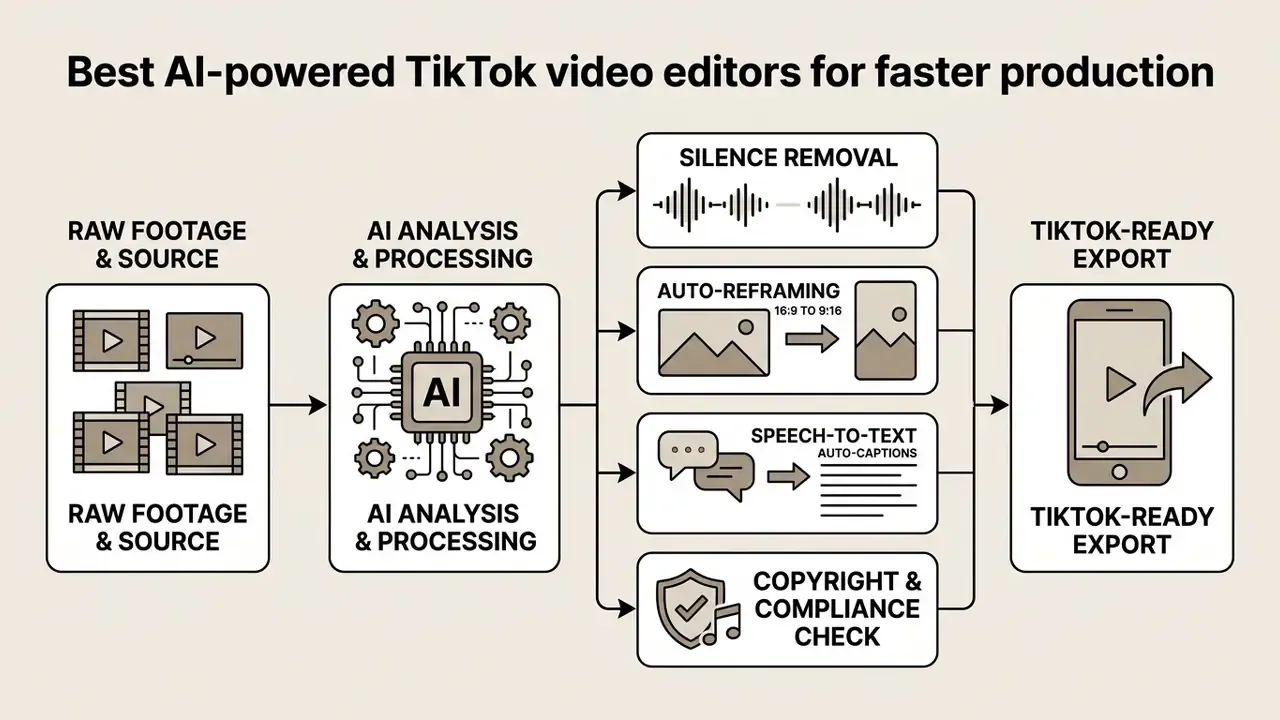
Classical non-linear editors still win on precision, but they lose on throughput: every cut, caption, and reframe is a manual operation. AI-powered TikTok editors invert that ratio by automating long-video clipping, speech-to-text auto-captioning, background removal, silence removal, and script-driven asset generation. That is exactly where automation has to justify itself:
AI features reduce manual assembly time and let creators spend that hour on narrative quality instead. To review specialised generative software capabilities, examine our best text to video AI tool evaluation, or explore adjacent categories such as AI video generation tools.
AI clipping tools for turning long videos into TikToks
«By September 2024 Opus Clip reached $20M ARR; clips created on the platform accumulated roughly 57 billion social views.»
TikTok's native Studio Web platform introduced Smart Split, which parses long videos (over one minute) into reframed, captioned vertical clips optimised for the TikTok feed. Same idea, one fewer vendor in the chain.
Academic work behind these products relies on highlight-detection signals: repeated audio-visual patterns across similar videos, chat and dialogue segmentation in streaming content, and duration-based implicit supervision. Those signals predict watchability, not brand safety. Human review of the selected best moments remains necessary, especially when the source is a regulated webinar or a customer interview.
Auto captions, text-based editing, and AI video generation
Automated captioning systems convert spoken audio into styled subtitle tracks, while text based editing lets creators cut video timelines by editing generated transcripts directly.
Speech recognition accuracy directly affects viewer engagement.
«A corpus of automatic subtitles contained 6,314 errors, of which about 66% were segmentation errors.»
An empirical study published in DSAI 2024 demonstrated that applying Large Language Model (LLM) post-processing to automated speech recognition (ASR) output reduced the Word Error Rate (WER) from 23.07% to 9.75%, a 57.72% improvement in caption accuracy, while raising BLEU from 0.67 to 0.85. https://dsai2024.org/
Research from the Complutense Journal of English Studies (2024) adds that 66% of uncorrected ASR subtitle errors stemmed from improper line segmentation. In other words, pick an editor that lets you fix caption timing and line breaks by hand, not just the words. Creators moving from captions to fully generated footage can review current text-to-video AI tools and their limitations.
Developers building automated video pipelines can see the overview of programmatic video processing options.
Which TikTok editing app is best for your workflow?
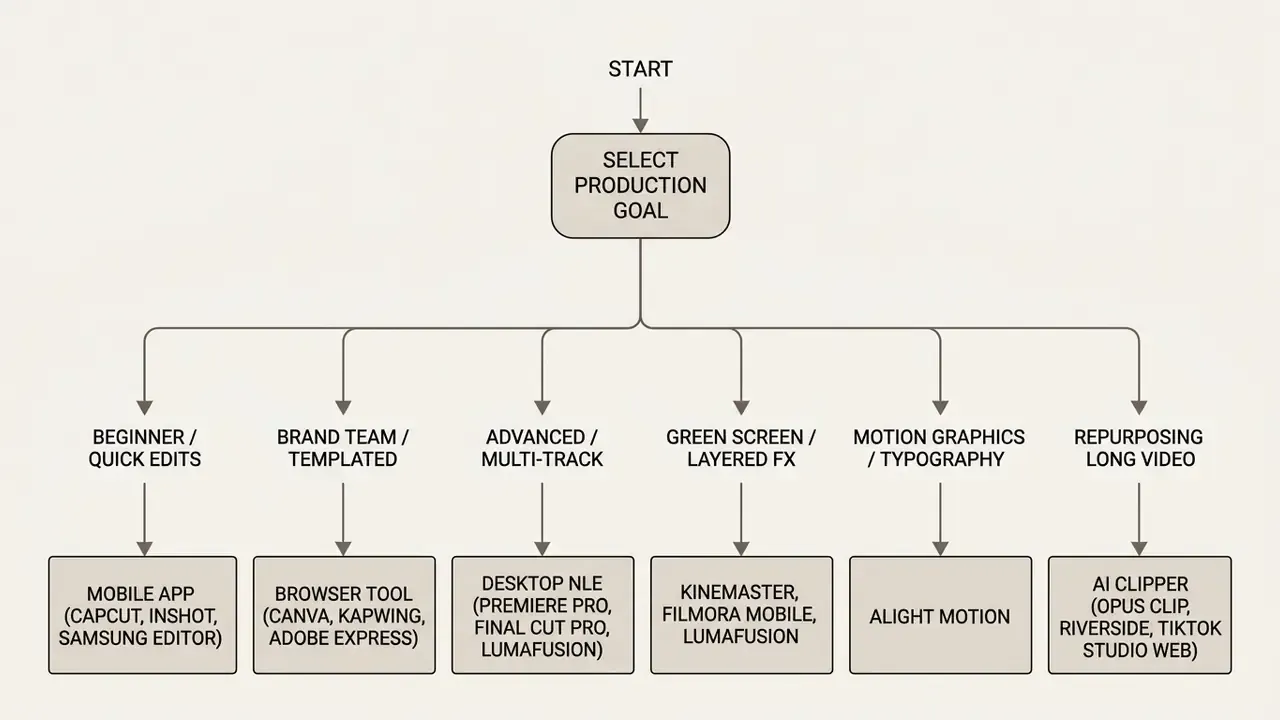
Determining the ideal TikTok editor requires aligning software capabilities with team roles, publication frequency, hardware specifications, and format requirements.
Best TikTok editor for beginners and quick mobile edits
Beginners and mobile-first creators publish fastest with beginner friendly mobile apps such as CapCut, Samsung Video Editor, or Adobe Premiere on iOS, which combine intuitive trimmers with pre-built templates.
Preinstalled tools like Samsung Video Editor allow immediate cropping and basic trimming straight from the device gallery. Adobe's free Premiere iOS app provides trimming, multi-clip sequencing, and unlimited 4K exports without watermarks, in a clean, ad-free environment that suits new editors. Start creating with one tool, learn its shortcuts, then graduate. Jumping between five apps in week one is the fastest way to stall.
Best TikTok video editor for creators and brand content
Brand teams and professional content creators need multi layer editing, custom font uploads, advanced graphic overlays, and strict visual style consistency. Canva, Adobe Express, and CapCut Pro cover most of that.
Maintaining visual consistency across team members requires centralised asset management. Browser-based tools support shared asset libraries, so editors can apply pre-approved brand colours, logos, and custom typography across multiple vertical video templates in one step. Canva Brand Templates restrict reuse to members inside the organisation, while Kapwing stores logos, colours, and fonts in a Brand Kit that feeds directly into the editor. That distinction matters when contractors edit branded assets.
A corporate communications team established a unified brand template system using cloud-based design software. By centralising custom typography and visual overlays, the team cut internal brand review cycles from 48 hours to about 45 minutes while scaling output to 20 compliant clips per month.
For agencies and in-house social media teams, editing rarely ends at export: clips must move into a scheduling layer with shared media libraries, approval steps, and per-channel publishing calendars. Pairing an editor with a social media management platform prevents version drift when five editors produce assets for the same account.
Best tool for repurposing YouTube video and podcast content
Repurposing horizontal YouTube video or audio podcast content into vertical TikTok clips relies on AI tools like TikTok Studio Web Smart Split, Opus Clip, Riverside, or Descript, which reframe 16:9 footage into 9:16 formats with burned-in captions. Teams optimising their long-form source pipeline first can review our guide to YouTube video editing workflows.
The repurposing process requires transcribing the source file, isolating narrative hooks, reframing horizontal subjects to keep speakers centred, and burning in high-contrast vertical captions.
«A 12-week Navigate Video and B&Q experiment produced 3.7 million impressions and a 76% average view rate on repurposed Shorts.»
How text-based video editing works for short form clips
Instead of dragging a playhead around a 90-minute podcast to find one quote:
Riverside also records locally in up to 4K with multi-track sync, which protects audio quality when guests join remotely, a practical advantage over browser-only editors that depend on live stream quality. Creators evaluating comparative workflows can open the hub for commercial licensing and asset management practices, or view the guide for tool comparison methodologies.
How to edit TikTok videos from footage to export
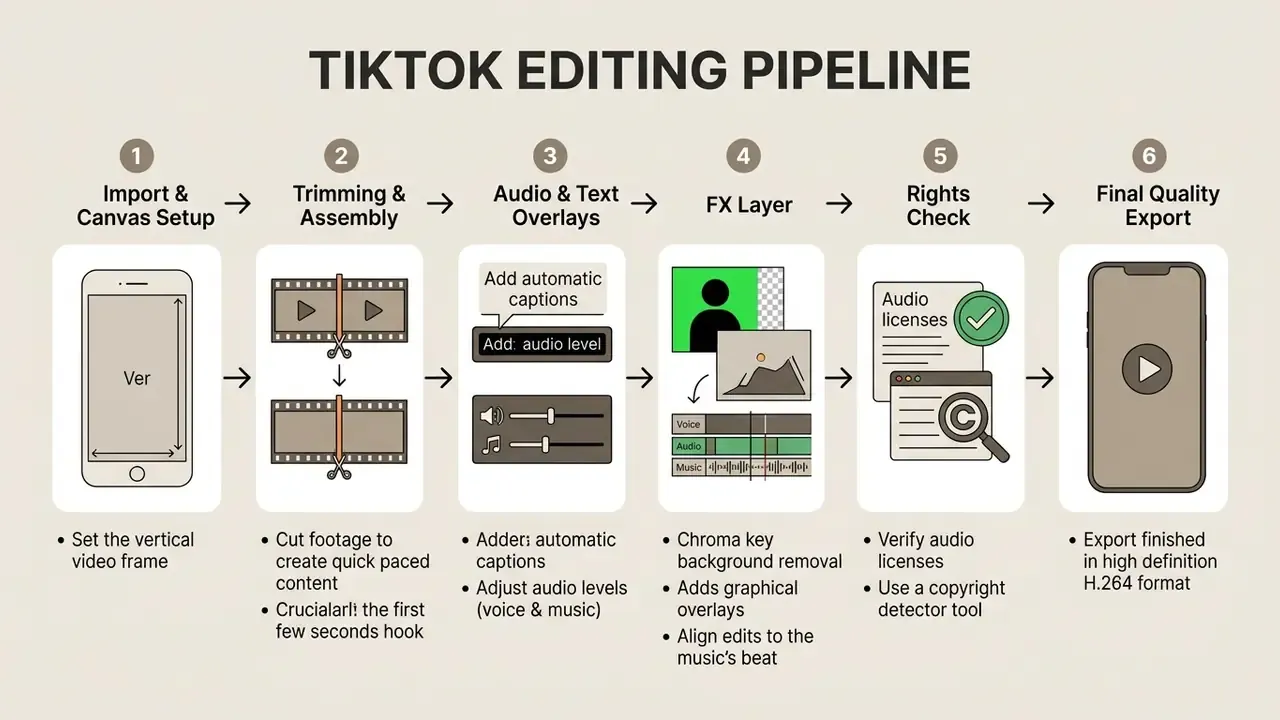
A structured TikTok editing workflow spans three operational stages: importing source media into a native 9:16 canvas, trimming clips while layering audio and text, and exporting high-bitrate 1080 × 1920 MP4 files. If timeline terminology is new to you, our reference on video editing tools defines each stage in detail.
Import footage and set the TikTok aspect ratio
Source footage must be imported into a project canvas configured for a 9:16 vertical aspect ratio (1080 × 1920 pixels) to prevent stretching, letterboxing, or resolution degradation on mobile displays.
When importing horizontal 16:9 footage, you choose between cropping the centre frame, applying automated subject tracking, or placing the horizontal video over a blurred background fill. Setting the vertical orientation at import, rather than fixing it later, keeps graphic overlays inside safe viewing margins and avoids a second render pass.
Trim clips, add text, captions, music, and effects
The assembly phase involves trimming dead air, generating speech-to-text captions, balancing audio levels, and applying effects filters.
When you add music, keep primary dialogue clear: background music sits 15 dB to 20 dB below speech tracks, and sound effects land around -20 dB. Place captions in the centre third of the screen so they never collide with TikTok's native UI (username, caption description, right-side action buttons). Apply filters and stylised video effects last. Grading before the caption pass often forces a re-render when text contrast fails against a recoloured background.
For rhythm-driven edits, run beat detection before fine trimming so cut points snap to detected transients instead of being nudged manually afterwards.
Export a high-quality video for TikTok publishing
Optimal export settings for TikTok uploads require an MP4 or MOV container encoded with the H.264 video codec, a resolution of 1080 × 1920 pixels, a frame rate of 30 or 60 fps, and a video bitrate between 5 Mbps and 12 Mbps.
Exporting above 1080p (4K, for instance) often pushes TikTok's server-side ingest processors into aggressive compression, which produces the blocky artefacts creators blame on their camera. Hitting the correct bitrate target preserves crisp detail during playback. When file sizes exceed upload limits, our reference on video compressor tools explains which parameters to reduce first without visible quality loss.
To optimise video files prior to uploading, test your output parameters using our best video compressor resource.
Audio rights, copyright detection, and mute prevention
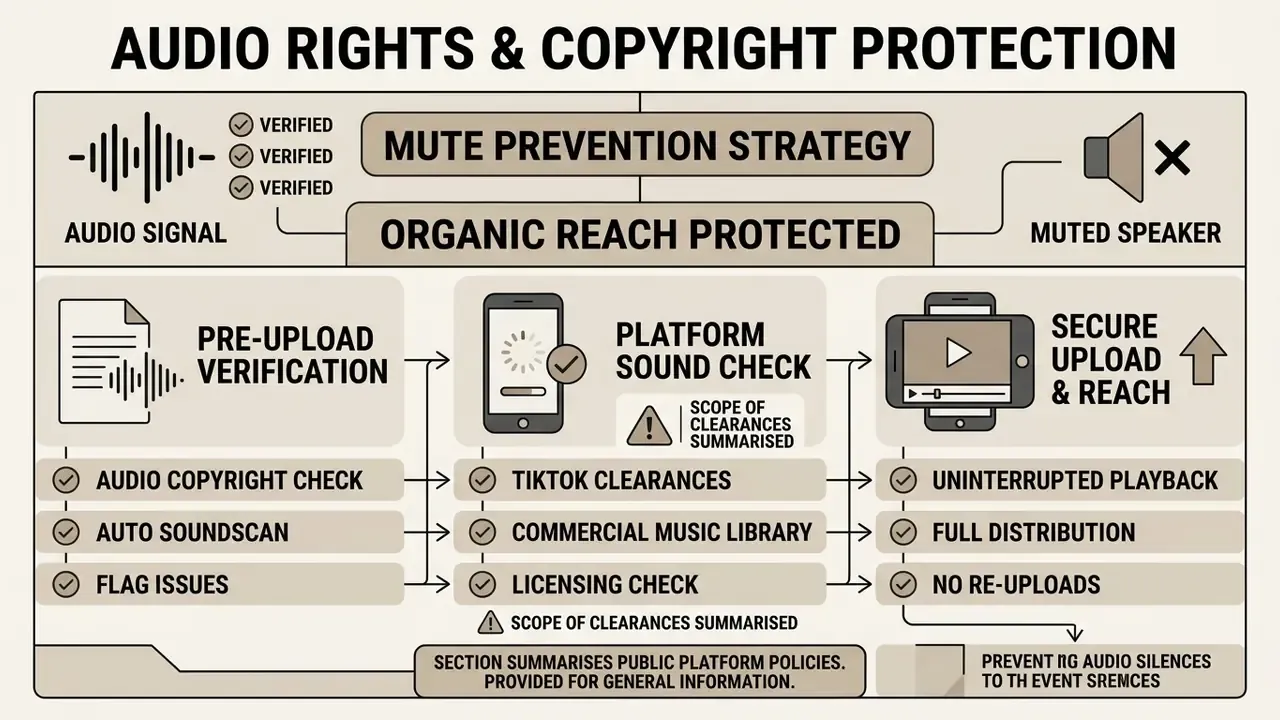
A muted video destroys organic reach, and re-uploading resets the distribution cycle. Audio clearance therefore belongs in the export checklist, not in the post-mortem.
Pre-upload audio copyright verification. Editors such as CapCut include an integrated audio copyright detector. Before export, the system scans timeline audio against TikTok's commercial sound database. If an uncleared track or unlicensed sample is flagged, the tool prompts the user to swap in a licensed track from the Commercial Music Library, or replaces the flagged segment, which prevents account strikes and silent videos.
Scope of TikTok clearances. TikTok's own policy states that the general music library is not cleared for commercial activity, and that business accounts should use the Commercial Music Library for organic content, ads, branded content, duets, reacts, and stitches. Third-party licensing summaries note that sounds approved for commercial use on TikTok may be limited to TikTok only, and may be country-specific. An asset cleared for a TikTok post is not automatically cleared for a paid campaign on another network.
| Scenario | Audio source | Typical rights status | Recommended control |
|---|---|---|---|
| Personal creator account, organic post | TikTok general sound library | Covered for personal, non-commercial use | Keep trending sounds inside TikTok only |
| Business / brand account, organic post | TikTok Commercial Music Library | Pre-cleared for commercial use on TikTok | Restrict editors to CML playlists |
| Paid ad or branded content | CML or separately licensed track | Requires commercial clearance; platform-specific | Store license documentation per campaign |
| Audio imported from a third-party editor | Stock library or original composition | Needs its own sync license for distribution | Verify license scope before export |
| Cross-posting a TikTok asset to other platforms | TikTok-cleared sound | Often out of scope | Re-score the clip with a multi-platform licensed track |
Enterprise, data privacy, and Shadow AI considerations
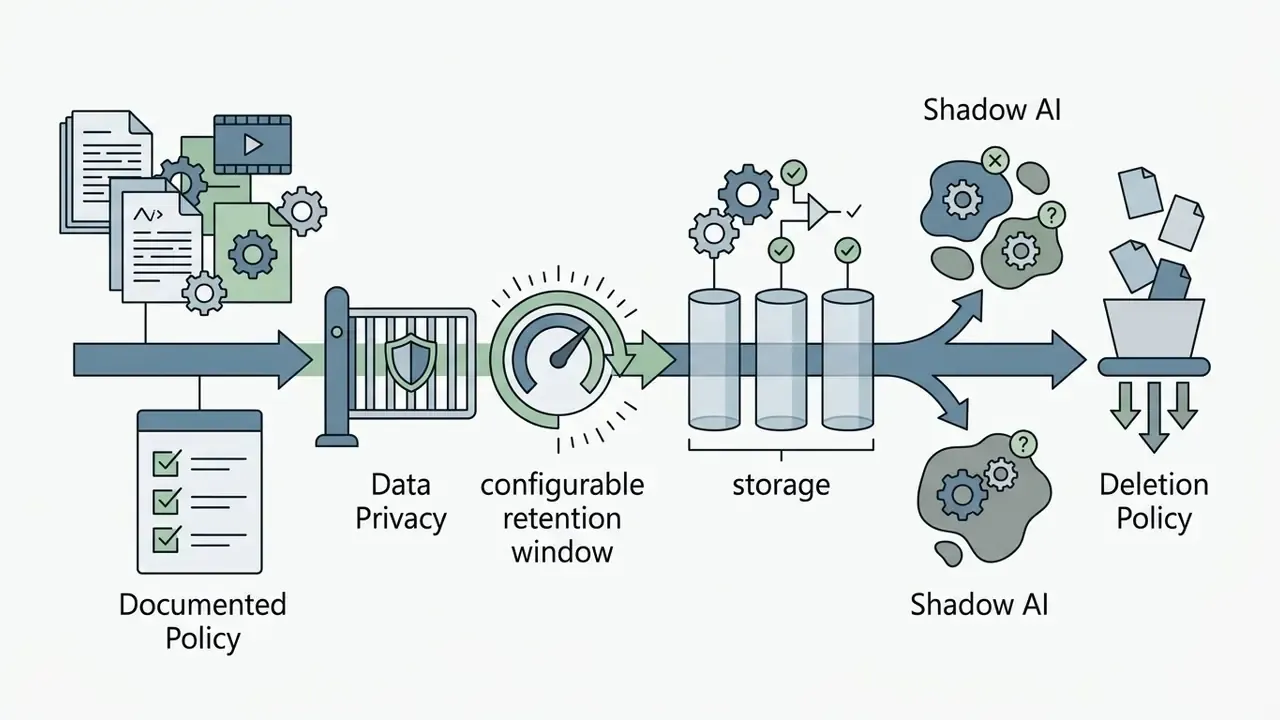
Consumer editing apps are optimised for speed, not for institutional risk management. When employees in regulated sectors, including financial services, healthcare, legal, and public sector, upload unreleased footage, customer testimonials, internal webinars, or executive voice recordings into a free cloud editor, the organisation inherits a data-transfer event it never approved. That pattern is the core of Shadow AI: capable tools adopted individually, outside procurement and security review.
Risk surfaces specific to video editing tools
- Media residency and processing location. Browser-based editors and AI clippers upload raw media to vendor infrastructure for transcription, reframing, and rendering. The relevant questions are where processing happens and how long source files persist after export.
- Biometric and voice data. Faces, voiceprints, and speaker-diarised transcripts may qualify as sensitive or biometric data under applicable regimes, which changes consent and retention obligations.
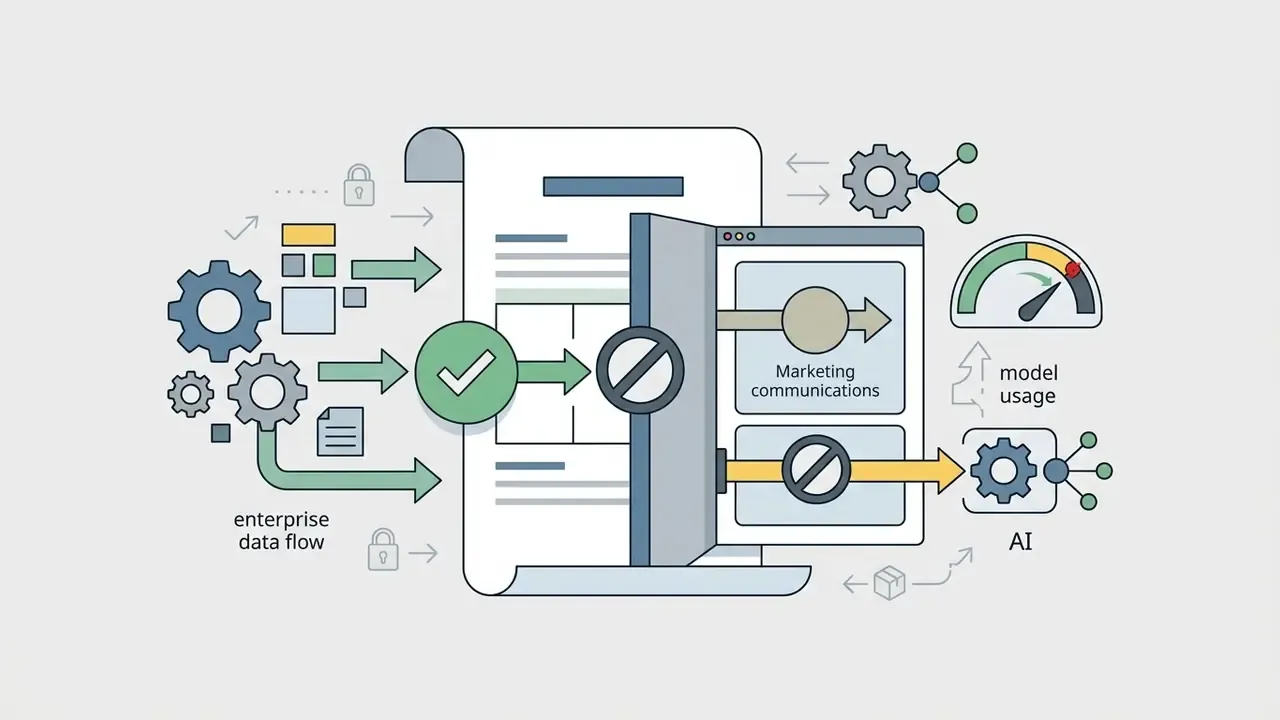
- Model-training reuse. Free tiers sometimes permit vendor use of uploaded content for service improvement or model training. Enterprise agreements typically disable this; consumer terms often do not.
- Unreleased and embargoed material. Product launches, earnings material, and unpublished campaigns should never enter a tool without a contractual confidentiality commitment.
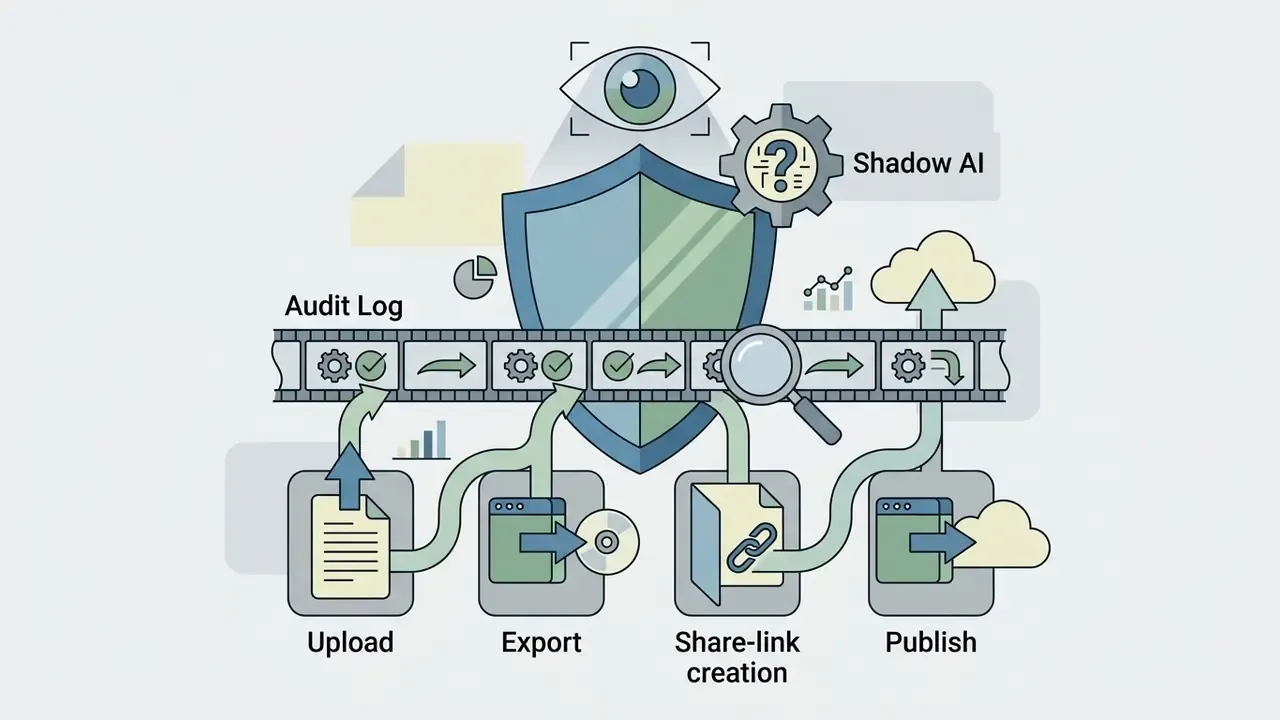
- Account sprawl. Personal logins on shared devices remove audit trails, so nobody can prove who exported or published a given asset.
Vendor evaluation criteria for teams
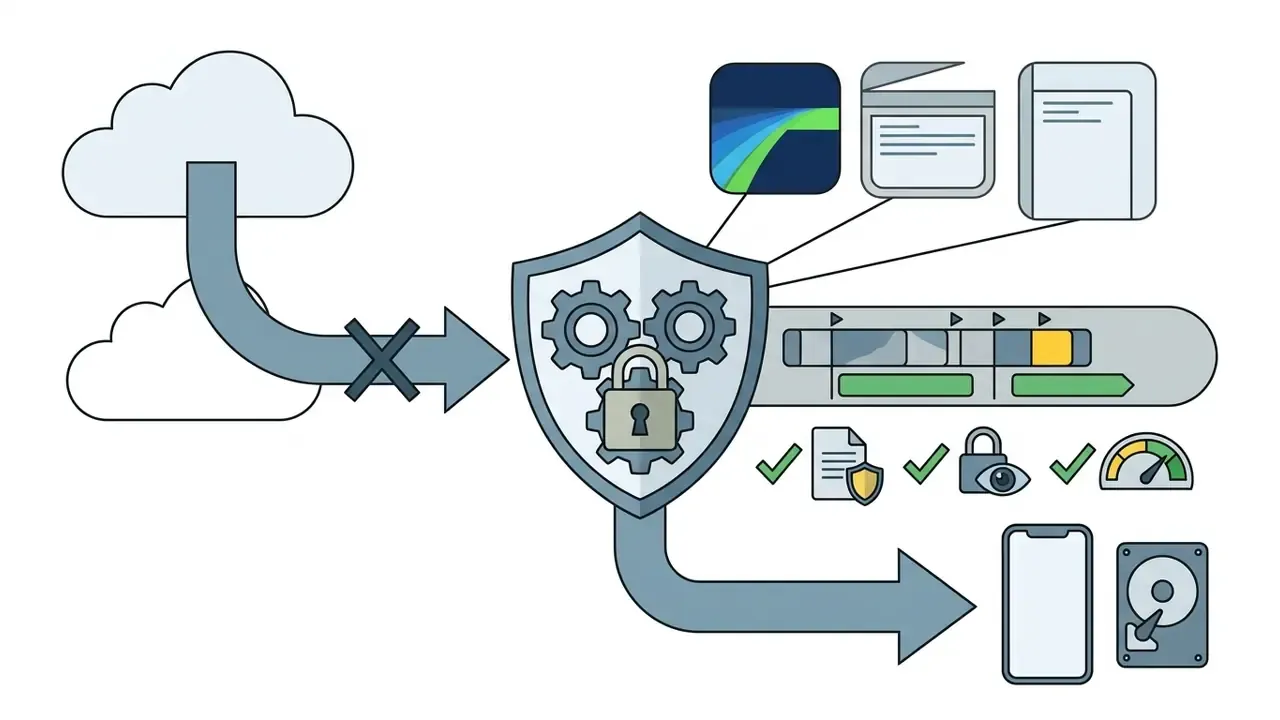
Practical governance pattern. Classify footage in three tiers: public, internal, restricted. Public marketing footage may be edited in browser-based tools with brand kits. Internal footage requires a contracted enterprise workspace with SSO and logging. Restricted footage stays on managed devices in a locally processing NLE, with AI features limited to on-device models. Pair that with a short allow-list of approved editors, so creators never need to improvise. Improvisation is what drives Shadow AI adoption in the first place.




Free TikTok video editor vs paid plans: what is worth paying for?
Deciding between a free TikTok video editor and paid plans depends on whether watermark removal, expanded AI processing limits, cloud storage, team collaboration, governance controls, and high-bitrate exports justify the subscription.
Free applications handle casual creation and basic editing perfectly well, and readers testing generative options at zero cost can also compare free AI video generators. Paid plans become economically viable when AI automation (automatic silence removal, bulk reframing, batch captioning) replaces manual editing hours, or when a single compliance requirement cannot be satisfied on a consumer tier: watermark-free brand exports, admin controls, contractual data terms. Rough rule of thumb: a plan at roughly $20 to $25 per month pays for itself once it saves about one billable hour of editing labour. Most teams reach that threshold in the first week; solo creators publishing twice a month usually do not.
The table below extends the capability comparison above by focusing purely on upgrade triggers rather than individual products. Check the specific terms on each vendor's official site, since plan boundaries shift without notice.
| Capability / Feature Area | Free TikTok Editor Tiers | Paid Subscription Plans | Practical Operational Impact |
|---|---|---|---|
| Watermark policy | Present on exports or restricted to specific templates | Completely removed on all standard and custom exports | Essential for commercial brand presentation |
| Export resolution limits | Capped at 720p or 1080p with standard bitrates | Unlocked 1080p high-bitrate and 4K master file options | Prevents compression artefacts after platform ingest |
| AI feature access | Limited processing credits or restricted tools | Unlimited auto captions, script-to-video, auto-reframe | Saves significant manual editing and transcription time |
| Cloud storage allocation | Minimal local caching or restricted cloud space | 100GB+ cloud sync across mobile and desktop devices | Enables cross-device project editing |
| Asset and template library | Basic stock elements and entry-level video effects | Full access to premium video templates, fonts, and stock media | Accelerates campaign production schedules |
| Governance and administration | Personal accounts, no audit trail, consumer terms | SSO, role permissions, audit logs, enterprise data terms | Required for regulated and multi-editor environments |
Most vendors offer a free trial on the paid tier. Use it on a real campaign, not a test file, and measure export time end to end.
FAQ: frequently asked questions about TikTok video editors
What is the best free TikTok video editor online?
Top browser-based options include TikTok Studio Web, Adobe Express, Kapwing, and Canva. TikTok's native web editor provides free vertical timeline editing, though session limits cap uploads at 35 video items, 8 overlay tracks, and one background audio track per post. Third-party free browser tools may apply export watermarks or limit render resolutions unless upgraded. Kapwing and Flixier watermark free exports, and Adobe Express caps free video uploads at 1 GB.
Is it better to edit TikTok videos on a phone or computer?
Mobile editing is faster for simple cuts and direct posting, typically 2 to 5 minutes per short clip. Desktop editing software provides superior multi track control, precise keyframing, colour grading, chroma key compositing, and faster batch rendering for complex, multi-layered projects. Reported comparisons show mobile finishing short-form edits in minutes, while desktop workflows take longer per clip but win decisively on batch publishing and brand-spec consistency. Creators seeking specialised mobile setups can consult our guide on the best photo editor app for smartphone workflows, or explore our best photo collage tools for static asset composition.
Can I edit TikTok videos with trending music and sound effects?
Creators publishing organic content can use trending audio from TikTok's built-in music library. Commercial businesses and brand accounts must use pre-cleared tracks from TikTok's Commercial Music Library to comply with copyright licensing rules. External audio imported from third-party editing apps needs commercial sync licensing rights for TikTok distribution. Where available, run a pre-export copyright check, using CapCut's audio copyright detector or TikTok Studio's sound status, so flagged tracks get replaced before publication rather than muted after it.
How do I edit a TikTok video with a green screen?
Place your background image or video on the lower track, stack the green screen clip above it, then apply the chroma key filter and sample the backdrop colour. Keep clip intensity around 35 to 45%, add mild edge feathering, and check the matte on both bright and dark frames. KineMaster, Filmora Mobile, LumaFusion, Premiere Pro, and Final Cut Pro all expose threshold and softness controls. TikTok's in-app green screen effect is faster, but it offers no fine-grained matte tuning.
How do I cut a TikTok video to the beat automatically?
Import the licensed track, run automated beat detection (Splice, CapCut Pro), and snap clip boundaries to the generated waveform markers within 0.1 seconds. Put your strongest visual reveal on the first downbeat after the hook, and vary cut density between chorus and narration sections so the edit does not feel mechanical.
What makes a TikTok video look professional?
A professional-looking TikTok video features an engaging, scroll-stopping hook within the first 3 seconds, clear dialogue audio, high-contrast synchronised captions, native 9:16 vertical formatting, and smooth pacing.
«Vertical orientation and controlled visual pacing across 2,511 analysed TikTok videos correlated with higher comment and share rates.» - Empirical field study of TikTok short-form advertising videos (2024), cited in our evidence review. https://www.tiktok.com/ The same body of research reports inverted U-shaped effects for shot count and pixel-level image complexity: moderate editing density outperformed both static and hyper-cut extremes, while excessive visual noise reduced engagement. A 2026 thesis on Gen Z engagement adds that text elements, not faces, are frequently the first fixation point, which supports placing a readable text hook in frame one. To estimate production requirements across tools, creators can browse the hub of media calculators and planning utilities.
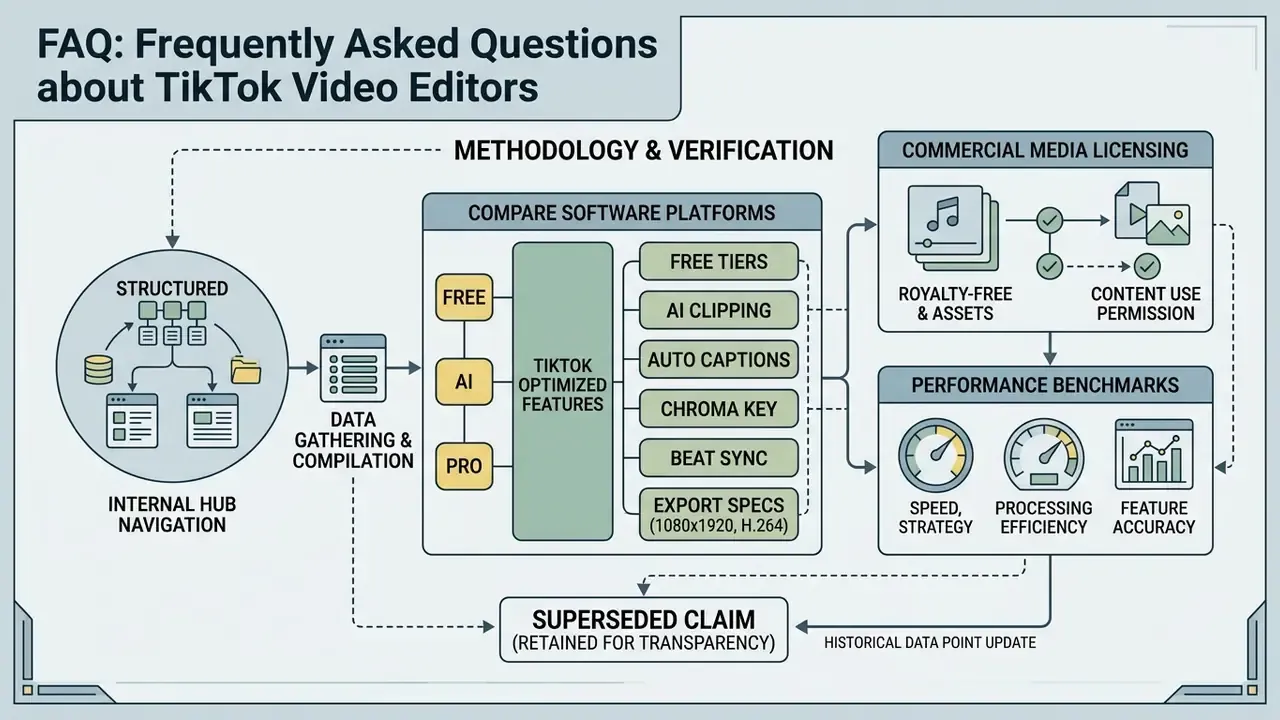
Appendix A: methodology and verification notes