Updated benchmark data: Apple Photos applied a standard filter in an average of 187 milliseconds while consuming 11 MB of RAM overhead, whereas Snapseed required 620 milliseconds and 42 MB on the same device.
"Native pipelines reduced median filter latency by 40–67% and consumed 31–58% less memory during batch operations than popular third-party alternatives."
If you want the broader category context before choosing a specific tool, our reference guide to AI photo editors explains how on-device inference, generative fill, and masking models actually work inside mobile apps.
Executive Summary: Fast Verdicts
| Question | Short answer |
|---|---|
| Best overall free app | Snapseed 4.x: completely free, no ads, no in-app purchases, native RAW, film-stock Looks, batch processing. |
| Best professional RAW app | Adobe Lightroom Mobile: non-destructive RAW, AI masking, Creative Cloud sync; $9.99/month or $119.88/year. |
| Best for iPhone-only users | Pixelmator (one-time purchase, Metal-accelerated) or Darkroom (edits directly against the Apple Photos library). |
| Best AI editor | Luminar Mobile: 3D relighting, one-tap sky replacement, depth-aware retouching. |
| Best for social content | VSCO (film presets) and Picsart (generative design, layers, templates). |
| Fastest everyday cleanup | Apple Photos / Google Photos: lowest latency, lowest battery draw, no third-party data transfer. |
| Best photo retouch apps | Luminar Mobile and Lightroom Mobile for portrait and skin work; Snapseed for free spot healing. |
| Lowest data-governance risk | Apps that process fully on-device: Snapseed, Apple Photos (with iCloud sync disabled), Darkroom, Pixelmator. |
| Highest governance scrutiny needed | Cloud-rendered generative tools (Picsart AI, Magic Editor, Firefly-backed features) when used with confidential or regulated imagery. |
Five Rules Before You Install Anything
Most bad app choices come down to four or five unchecked assumptions. Worth a minute.
- Check export resolution first.A free tier that caps output at 1,600 pixels is a preview tool, not an editor.
- Test repeatability.If you cannot save a preset, copy settings between frames, or batch-apply them, your throughput will stall at volume.
- Verify where processing happens.Switch on airplane mode and run the AI tool. Fails offline means cloud-dependent.
- Read the permission request.A photo app editor needs library access. Nothing else.
- Price the exit.Ask how you would migrate presets, catalogs, and metadata if you cancelled next quarter.
How We Picked the Best Photo Editing Apps
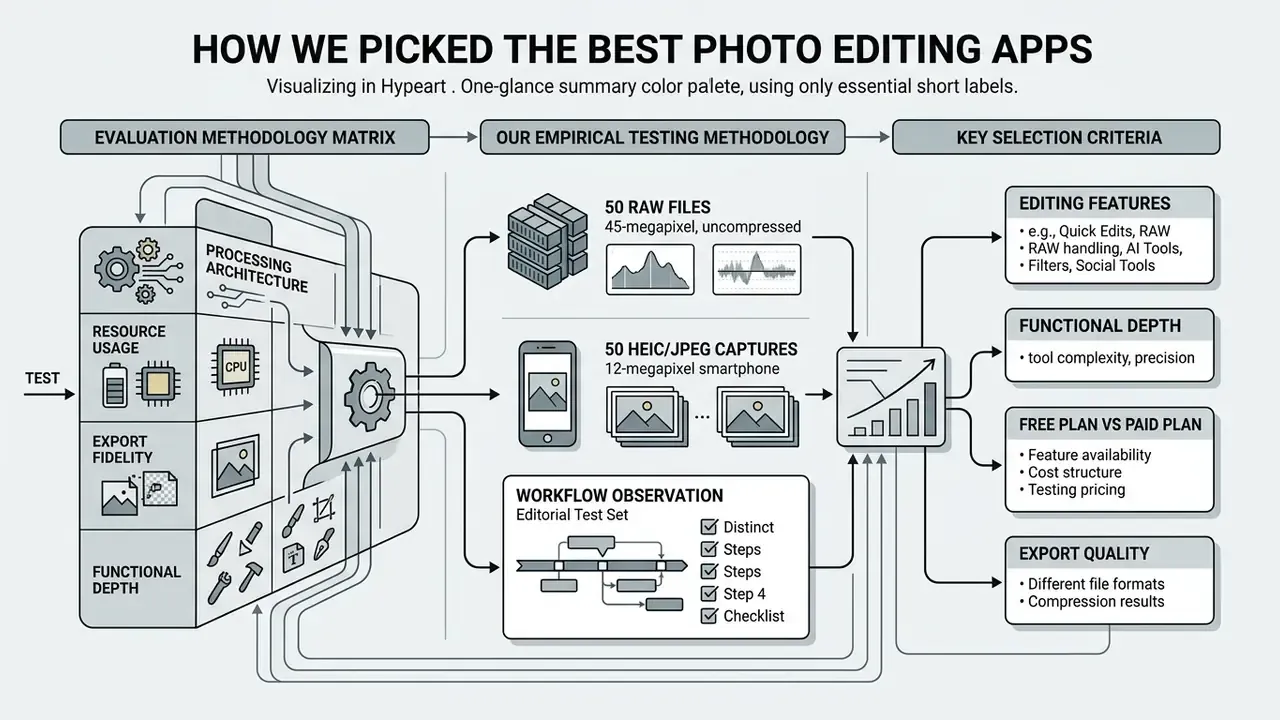
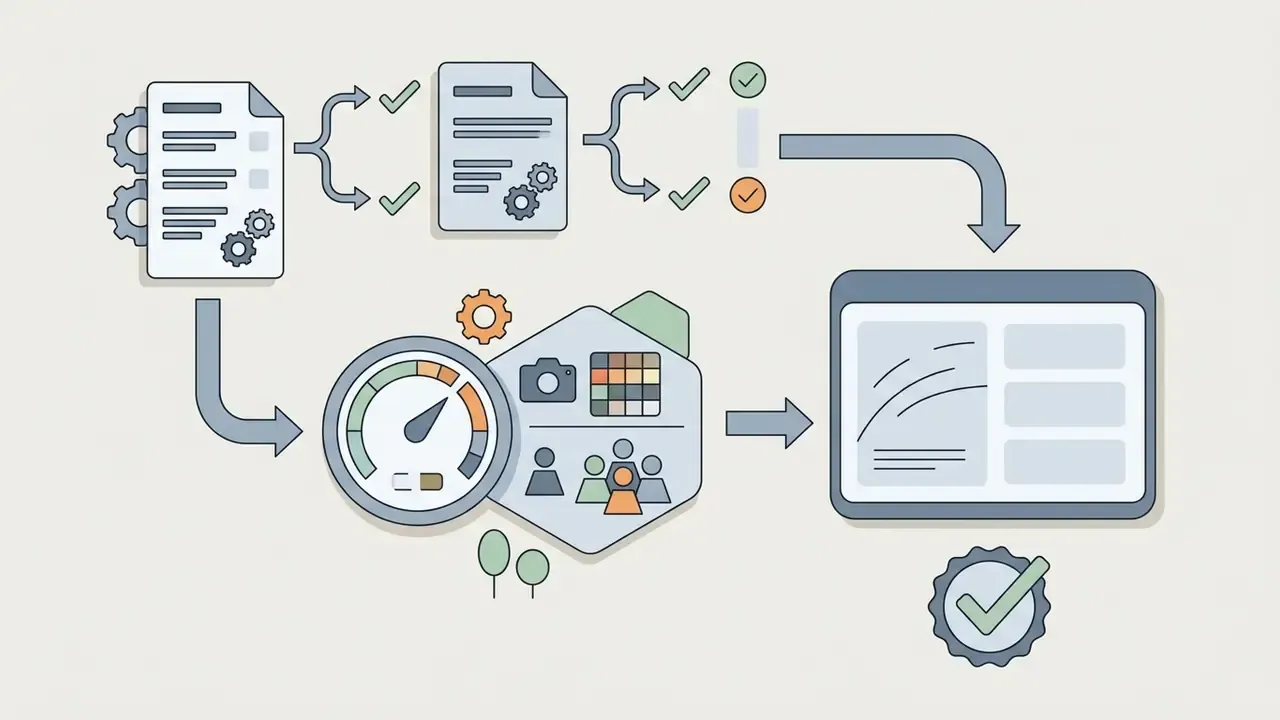
Determining the best photo editor app requires objective evaluation of processing architecture, resource usage, export fidelity, and functional depth. Mobile photo editing software must be assessed across both routine adjustments and heavy processing demands, such as handling multi-megabyte RAW files or running local AI inference models on modern mobile hardware.
To establish a transparent framework, applications were evaluated on iPhone and Android phone hardware using both standard camera roll JPEGs and uncompressed camera RAW files. The primary evaluation criteria focused on core editing tools, local processing latency, memory (RAM) overhead, non-destructive data preservation, and the operational differences between a free plan and a paid plan.
"Native applications reduced median filter latency by 40–67% and consumed 31–58% less memory during batch operations than popular third-party alternatives."
Evaluation Methodology Matrix
| Criteria | Evaluation metric / method |
|---|---|
| Basic editing | Latency and color accuracy on standard brightness, contrast, and exposure edits |
| Advanced tools | Precision of curve adjustments, split toning, and selective masking |
| File handling | Non-destructive pipeline; supports RAW file ingestion without downsampling |
| Efficiency and hardware | RAM overhead, battery draw, and GPU acceleration (Metal / Vulkan API) |
| Cost vs. value | Features locked behind a paid plan versus completely free functionality |
| Data handling | On-device vs. cloud inference, retention policy, permission footprint |
| Provenance and auditability | Support for Content Credentials (C2PA) and readable edit history |
No matching rows Clear one or more filters to restore the matrix.
Our Empirical Testing Methodology
Editing Features That Matter for Mobile Photo Editing
Essential mobile photo editing tools must provide precise tonal control, local pixel adjustments, and non-destructive image manipulation. Standard adjustments like brightness, contrast, exposure, cropping, and white balance form the foundation of basic editing, but advanced tools separate casual editing apps from professional editing software.
A high-performing mobile photo app editor requires curve adjustments for fine-grained tonal control across RGB channels, color grading capabilities (including split-tone controls for highlights, midtones, and shadows), and dedicated healing brush or removal tools. Adobe's own mobile documentation treats brightness, contrast, exposure, curves, color grading, Heal/Remove, and Generative Remove as separate, distinctly scoped functions. That list doubles as a useful checklist when auditing any competing app.
When evaluating object removal features, the underlying algorithm must intelligently reconstruct background textures without introducing noticeable perceptual artifacts or lowering the output resolution of the exported file.
"The ReMOVE metric was designed specifically to score object removal by diffusion models and correlates with human perception better than FID or LPIPS."
Free Plan, Paid Plan, and Export Quality
The financial structure of a mobile photo editor directly impacts tool access, export resolution, and cloud storage functionality. While several apps advertise a free version or free trial, critical features require an active monthly or annual subscription.
| Category | Free tier access | Paid tier unlocks |
|---|---|---|
| Core adjustments | Basic exposure, crop, warmth | Advanced curves, selective color grading, masking |
| Export quality | Standard JPEG, capped resolution | Uncompressed PNG/TIFF, full original resolution |
| AI features | Watermarked or limited saves per month | Unlimited Magic Eraser, Generative Fill, Denoise |
| Storage and sync | Local device camera roll only | Cloud storage, cross-device desktop app sync |
| Provenance | Often stripped on export | Content Credentials and edit-history retention |
Best Photo Editing Apps at a Glance
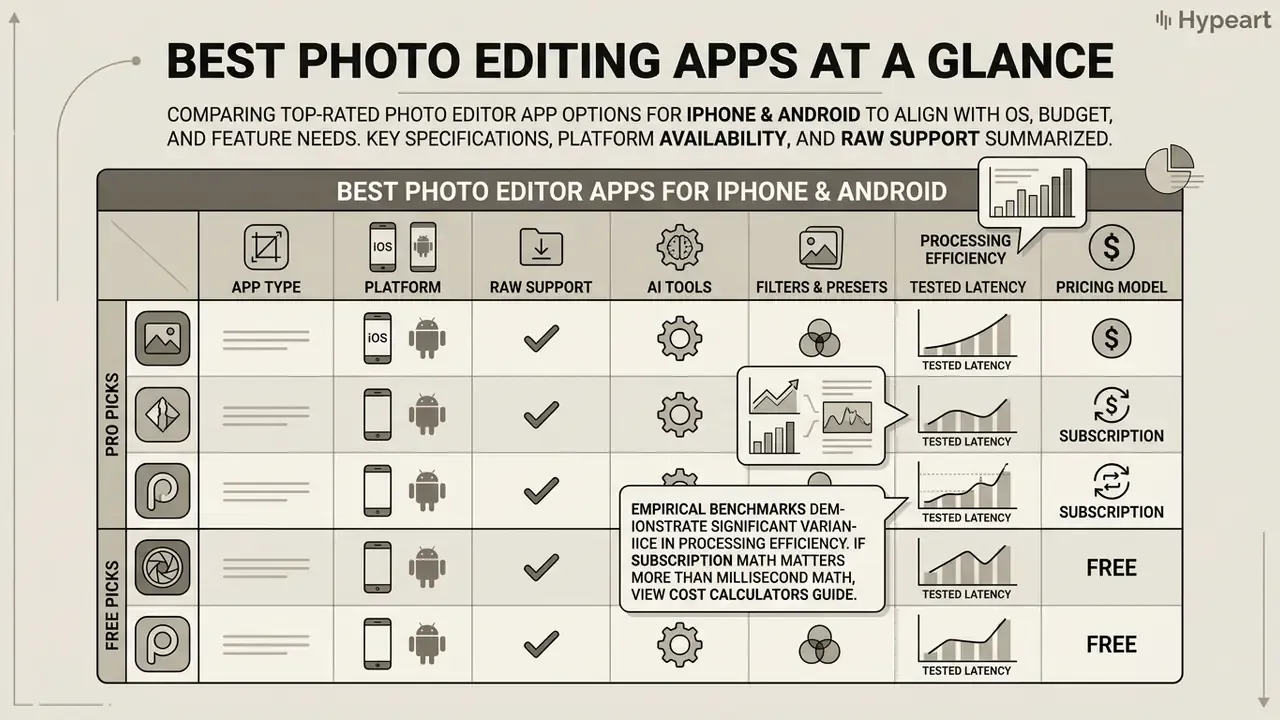
Comparing top-rated photo editor app options side by side allows creators and professionals to select software aligned with their specific OS, budget, and feature needs. The best photo editor app for an individual user depends heavily on whether the primary requirement is quick edits, RAW capability, or social media styling.
The following comparative table summarizes the operational specifications, platform availability, RAW support, AI features, and pricing structures across the most popular photo editor app options available today.
Table: Best photo editor apps for iPhone and Android at a glance
| App | Platforms | Free version | RAW support | AI features | Filters and presets | Object removal / healing | Organization and cloud | Typical cost |
|---|---|---|---|---|---|---|---|---|
| Snapseed 4.x | iOS, Android | Completely free | Native RAW (DNG/CR2/CR3) | Generative expand, algorithmic healing | Film-stock Looks, control points, curves | Healing brush plus reusable Looks | Saves beside originals in camera roll | $0 (free, ad-free) |
| Adobe Lightroom Mobile | iOS, Android | Free basic tier | Full non-destructive RAW | AI masking, Generative Remove, Denoise | Pro color profiles and presets | AI-backed Remove and Heal | Creative Cloud library sync | $9.99/mo or $119.88/yr |
| Adobe Photoshop Express | iOS, Android | Free tier available | Limited RAW view/edit | Auto object selection, quick actions | Curated looks, overlays, text | Spot Healing tool | Local export and Adobe account | Free; premium via Creative Cloud |
| VSCO | iOS, Android | Limited free tier | iOS RAW import | AI auto-preset matching, AI remove (Pro) | 200+ film-emulation presets, Film X | Basic retouching; Pro object removal | In-app profile and gallery | Plus $29.99/yr; Pro $59.99/yr |
| Picsart | iOS, Android | Free with ads/limits | JPEG / standard formats | 20+ generative tools, Text2Image, Text2Sticker | Creative design filters, 300M+ assets | AI Object and Background Remover | Cloud templates and assets | $10.50/mo (billed yearly) |
| Google Photos | Android, iOS, Web | Free basic tier | Basic RAW viewing/edits | Magic Eraser, Magic Editor, AI Enhance | Auto-enhance and core filters | Magic Eraser tool | 15 GB shared cloud storage | Free (Google One from $1.99/mo) |
| Apple Photos | iOS, macOS | Included with OS | System-level RAW / ProRAW | ML Auto-Enhance, Clean Up | Core stock filters | Clean Up (supported devices) | iCloud Photos integration | Free (iCloud from $0.99/mo) |
| Luminar Mobile | iOS, iPadOS | Paid only (free trial) | Full RAW support | 3D Relighting, Sky AI, Skin AI | Pro film simulations | Erase AI and distraction removal | Local and iCloud file access | $4.99/mo or $29.99/yr |
| Pixelmator | iOS, iPadOS, macOS | No free tier | Native RAW import | ML Super Resolution and Auto-Enhance | Custom adjustment presets | Repair Tool (ML-backed) | iCloud Drive and Files app integration | $9.99 (one-time purchase) |
| Darkroom | iOS, iPadOS, macOS | Free basic tier | Native RAW processing | AI portrait masking | Community and custom presets | Content-aware spot removal | Direct system Photos library sync | $6.99/mo or $33.99/yr |
Read in plain text, the table says three things. Native editors win on speed and privacy. Snapseed wins on price-to-capability. Lightroom wins when a desktop app has to finish the job.
"Lightroom leads for professionals, VSCO suits Android users seeking film presets, and Luminar wins on AI sky and lighting retouching."
Empirical benchmarks demonstrate significant variance in processing efficiency among these applications. Testing on Apple silicon revealed that system-native filtering in Apple Photos achieved an average application latency of 187 milliseconds with 11 MB of RAM overhead, whereas third-party cross-platform filter application averaged 620 milliseconds with 42 MB of RAM overhead. Similarly, on Android hardware such as the Pixel 8 Pro, Google Photos executed local hardware-accelerated adjustments in 210 milliseconds.
"On iPhone 15 Pro, a single edit drew 3.1 mW in Apple Photos versus 127 mW in VSCO, a 41x difference in energy cost per operation."
If the subscription math matters more than the millisecond math, view the guide to our cost calculators and model annual spend per seat before you standardize a stack.
Best Overall Photo Editor Apps for Most Users
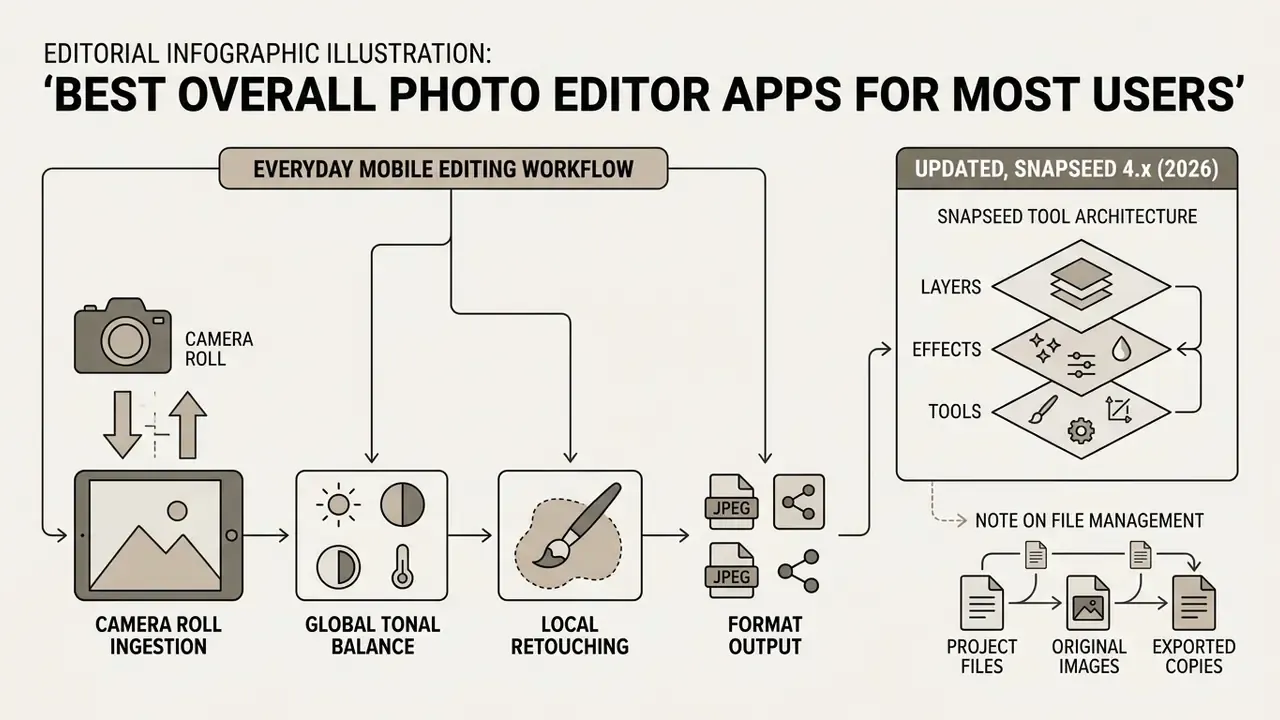
A top photo editor app for general users must combine fast execution, intuitive interface design, and robust adjustment capabilities without requiring complex setup. The majority of mobile photo editing tasks involve simple adjustments from the camera roll, such as cropping, exposure balance, and color refinement.
Everyday Mobile Editing Workflow
- Camera roll ingestion instant local read, zero cloud delay.
- Global tonal balance exposure, brightness, contrast, white balance.
- Local retouching healing brush, spot object removal, selective masking.
- Format output non-destructive render, export to PNG/JPEG at full resolution.
Selecting the best mobile photo editor for daily use depends on whether you prefer deep manual parameter control or instant automated enhancements. Our reference library on photo editors breaks down core features, pricing patterns, platform support, and commercial-use terms across desktop, web, and mobile tools.
Snapseed: Best Free Photo Editing App for Android and iPhone
Snapseed Tool Architecture
| Module | What it does |
|---|---|
| Control points | Pinpoint exposure, contrast, saturation, and warmth adjustments in specific regions without manual masking |
| Healing brush | Erase dust spots, blemishes, and small background distractions |
| Tune image | Precision white balance, curves, highlights, and shadow recovery |
| Looks (4.x) | Save a full edit stack as a reusable preset and batch-apply it |
| Pro camera (4.x) | Manual capture with film-stock profiles applied at shoot time |
| Non-destructive stack | Full layer re-editing, undo/redo, and reopening of past edits |
A standout capability of Snapseed is its selective control points, allowing users to modify exposure and saturation in specific regions of an image without complex masking. Snapseed supports RAW file handling natively on both iOS and Android devices, saving edited parameters in a non-destructive edit stack that users can reopen and adjust at any time. Because the app is completely free with no advertisements and no in-app purchases, it remains an ideal solution for cost-conscious creators, and it is the default answer when someone asks what's the best photo editor app that costs nothing.
"Snapseed consumed 42 MB of RAM per 12-megapixel JPEG edit versus 11 MB for Apple Photos, yet delivered curves, selective masks, and RAW with no subscription."
The honest trade-off: Snapseed's redesigned interface is flashier but occasionally less explicit than the old tool grid, and it still lacks the heavier generative features found in Lightroom's premium tier.
Adobe Photoshop Express: Fast Edits and One-Tap Effects
Adobe Photoshop Express delivers rapid image enhancement through one-tap Looks, cropping, and automated corrective effects. Positioned as a lightweight mobile entry point in the Adobe ecosystem, Photoshop Express targets users who want quick edits and immediate social media sharing.
| Module | What it does |
|---|---|
| One-tap Looks | Instant color and tonal filter overlays |
| Quick actions | Denoise, smooth skin, add smile, face contouring, digital makeup |
| Retouch | Spot Heal and AI-backed object erasure |
| Layout and text | Borders, collage templates, text overlays, graphics |
| Ecosystem handoff | Export layered PSD assets into Adobe Express or Photoshop |
The application provides quick removal tools for minor blemishes, specialized filters, auto object selection, and quick aspect-ratio presets for various digital platforms. Adobe documents JPEG, PNG, and TIFF as supported photo formats, plus PSD handoff for continued layered editing. While Photoshop Express lacks the deep non-destructive RAW catalog management found in Lightroom Mobile, it excels at applying polished visual fixes in seconds. Most core functionality is available free with an Adobe account, while generative AI image creation and some premium overlays require a Creative Cloud subscription. Worth noting: the App Store and Play Store listings differ slightly in what the free tier exposes, so check the current listing for your platform.
Google Photos and Apple Photos for Everyday Editing
Native editing tools integrated directly into Google Photos and Apple Photos provide the highest operational efficiency for standard everyday image corrections. Because these applications leverage native OS frameworks, such as Apple's Core Image or Android's Vulkan and RenderScript APIs, they perform basic editing operations with negligible battery consumption and instant processing speeds.
| Feature | Google Photos | Apple Photos |
|---|---|---|
| Basic adjustments | Auto-enhance, exposure, warmth, crop, markup | Exposure, brilliance, warmth, color, crop |
| AI retouching | Magic Eraser, Magic Editor, Photo Unblur, AI Enhance, conversational "Help me edit" | ML Auto-Enhance and Clean Up on supported Apple Intelligence devices |
| AI usage limits | Magic Eraser and Photo Unblur available to all users; Magic Editor capped at 10 saves/month outside Pixel or Google One Premium 2 TB+ | No per-month save cap documented; availability is device-gated |
| Cataloging | Albums, stacks, duplicate and similar-item cleanup, storage manager | Albums, People, Places, object and event search, import/export |
| Cloud storage | 15 GB free shared across Google services | iCloud Photos (from $0.99/month for extra storage) |
| Ecosystem sync | Cross-platform Android, iOS, web | Syncs edits and deletions across iPhone, iPad, Mac, iCloud.com, preserving originals |
| Extensibility | Limited to in-app tools | Supports third-party editing extensions |
Apple Photos provides non-destructive exposure, brilliance, warmth, and color adjustments, automatically syncing modifications across connected devices via iCloud while preserving originals for rollback. Google Photos offers similar basic adjustments along with AI features like Magic Eraser and Magic Editor for object removal and lighting fixes, plus RAW editing and cleanup tooling tied to account storage quotas. For users who simply want to refine camera roll shots without managing third-party editing apps, native editors offer a seamless, low-risk option, though neither matches a dedicated editor for granular curve control, layered compositing, or preset-driven repeatability.
Best Professional Photo Editor App for RAW and Color Work
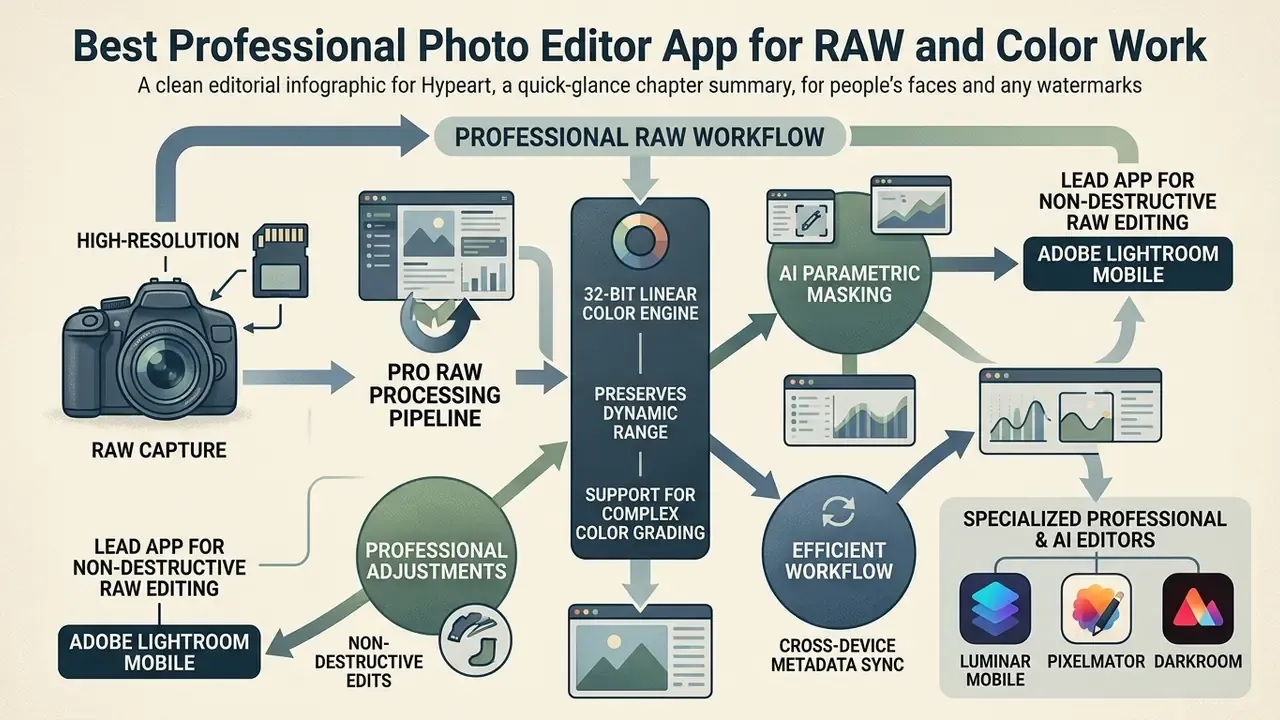
Professional photographers handling high-resolution camera captures require an app that preserves dynamic range and supports complex color grading. Professional photo editing software must process RAW files without downsampling or applying destructive compression. Many professionals pair RAW editing with resolution recovery, so it is worth reviewing how AI image upscalers handle detail reconstruction before committing to an output pipeline.
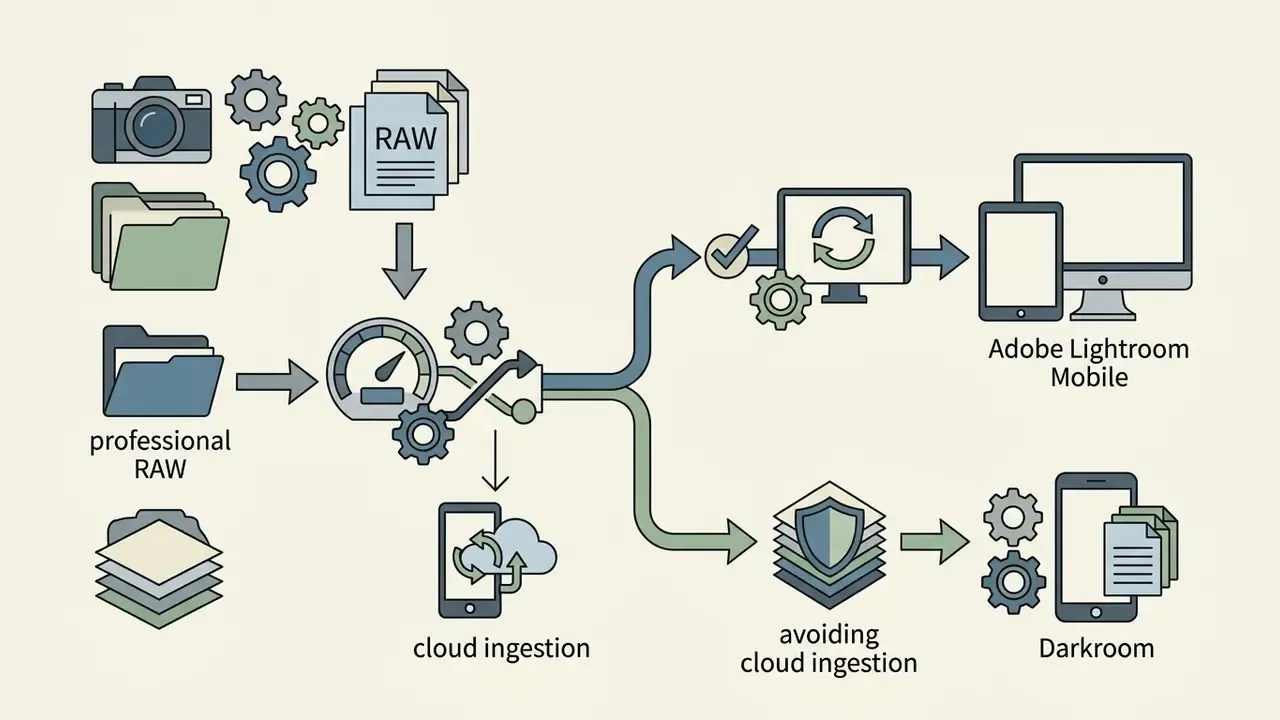
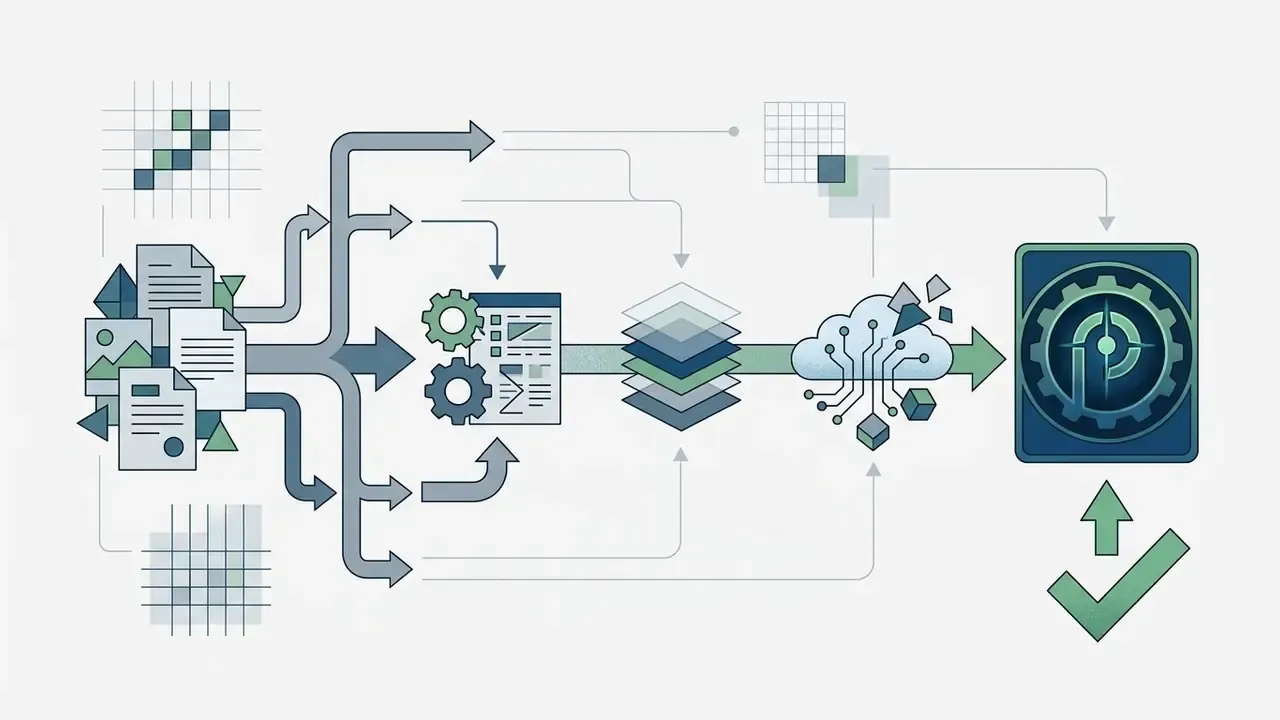
Professional RAW Processing Pipeline
When evaluating tools for commercial client projects, selecting software with precise color controls is critical. Licensing terms matter just as much as color science for paid work, so view the guide on commercial-use rights before delivering AI-assisted files to a client. For broader creative software comparisons, you can inspect our AI Media Versus Comparisons guide to see how desktop and mobile suites handle demanding visual media tasks.
Adobe Lightroom Mobile for Non-Destructive RAW Editing
Adobe Lightroom Mobile is widely acknowledged as the premier professional photo editor app for mobile RAW editing and advanced color grading. Built on the same processing engine as its desktop counterpart, Lightroom Mobile provides full non-destructive editing capabilities for proprietary RAW formats including DNG, CR2, CR3, NEF, and ARW. Adobe's integration reach is a real signal of maturity: since February 2023, Lightroom has shipped as the default RAW editor for Expert RAW photos on Samsung Galaxy S-series phones.
| Module | What it does |
|---|---|
| Color grading | Three-way wheel adjustments across shadows, midtones, and highlights (the modern successor to split toning) |
| Parametric masks | AI-driven subject, sky, background, and luminance masking |
| RAW preservation | Original sensor data untouched; edits stored as separate instructions |
| Creative Cloud | Bi-directional sync of photos, presets, and catalog structure with desktop |
| Premium-gated tools | Generative Remove, Lens Blur, Adaptive Presets, healing, geometry, batch, Sensei search |
The application provides precise curve adjustments, color wheel controls, and AI-powered parametric masking for subject and sky selection. Because Lightroom Mobile operates on non-destructive metadata, original image files remain untouched. Subscribers to Adobe's Creative Cloud can seamlessly sync edits, presets, and catalog structures between mobile devices and desktop versions. One caveat that trips people up: syncing requires an active Creative Cloud membership, and perpetual licences do not include it.
"Adobe Lightroom earned a 5.0 rating and Editors' Choice for 2026 on the strength of catalog management and color accuracy."
The free Lightroom tier still covers capture, organization, sharing, presets, and most basic edits. Enough for casual use, but the advanced masking and generative tools that justify the app for professionals sit behind the paid plan. If the subscription model is the blocker rather than the feature set, see the overview of one-time-purchase and open-source alternatives.
Specialized Professional and AI Editors: Luminar Mobile, Pixelmator, and Darkroom
While Lightroom Mobile dominates cross-platform RAW workflows, platform-specific and AI-first tools offer distinct operational advantages:
- Luminar Mobile (iOS/iPadOS) the premier choice for depth-aware AI adjustments. It features automated 3D relighting (adjusting light sources independently based on camera distance mapping), seamless one-tap sky replacement, pro portrait retouching, film simulations, and intelligent skin-texture smoothing without frequency-separation layers. Pricing runs $4.99/month or $29.99/year after a free trial.
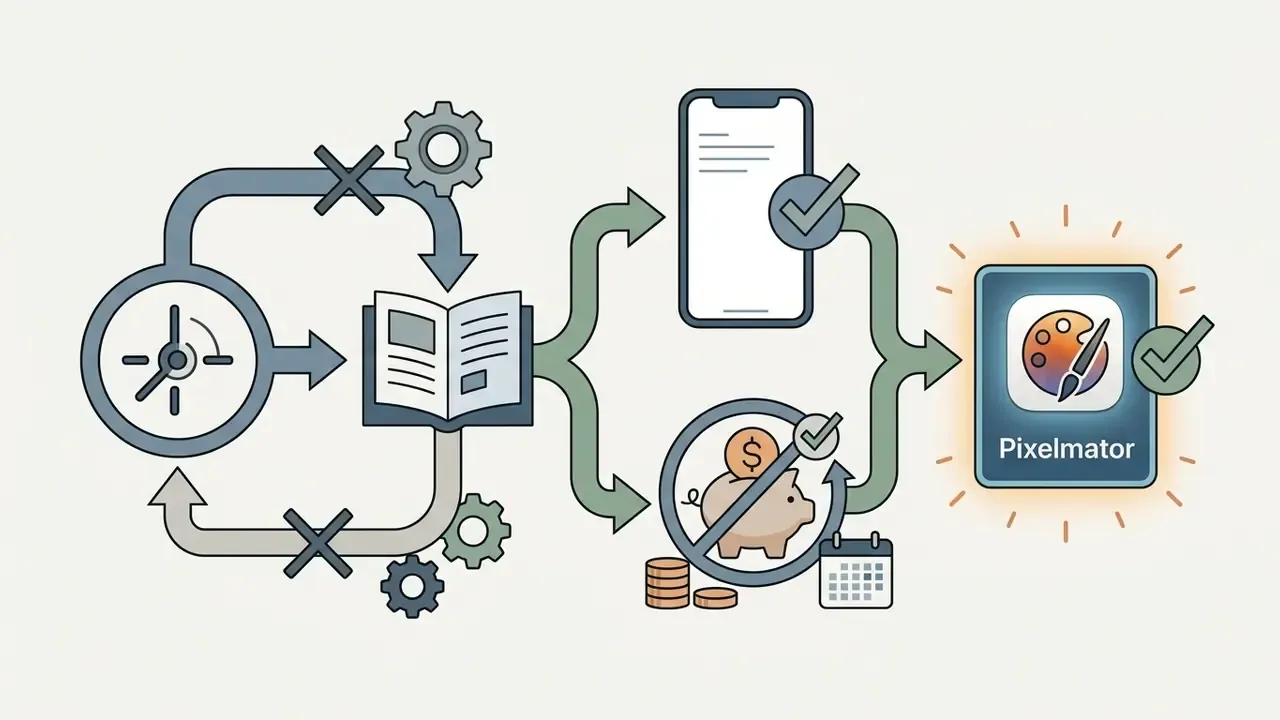
- Pixelmator (iOS/iPadOS/macOS) optimized specifically for Apple silicon and Metal graphics acceleration. It delivers layer-based editing, native vector tools, ML Super Resolution, and desktop-class selection brushes for a single one-time purchase (around $9.99) instead of a recurring subscription. The strongest value pick for iPhone-first editors who resent subscriptions.
- Darkroom (iOS/iPadOS/macOS) an essential Lightroom alternative that bypasses cloud ingestion bottlenecks by editing directly against your native Apple Photos library. It supports batch RAW adjustments, custom curve creation, AI portrait masking, community presets, and video color grading within a unified interface, with a usable free tier and paid plans at $6.99/month or $33.99/year.
When a Professional Photographer Needs a Desktop Version
While mobile processing power has increased dramatically, desktop photo editing software remains necessary for complex high-volume studio workflows. Heavy commercial assignments involving thousands of 45+ megabyte RAW images demand the physical screen real estate, dedicated GPU power, and deep file cataloging of a desktop application.
| Workflow task | Mobile app | Desktop software |
|---|---|---|
| On-location RAW culling | Excellent | Moderate (requires laptop) |
| High-volume batch edit | Slow / limited | Ultra-fast (multi-GPU) |
| Pixel compositing and layers | Basic | Advanced (Photoshop, Affinity) |
| Color-calibrated export | Device-dependent | Hardware-profiled |
| Tethered shooting | Not supported | Fully supported |
| Deep metadata cataloging | Partial | Complete |
Desktop software allows tethered shooting, extensive catalog metadata tagging, precise multi-layer compositing in desktop Adobe Photoshop, and hardware-calibrated color profiling. Adobe itself frames the split this way: mobile apps are positioned for fast capture-and-share editing, while desktop and web Lightroom are positioned for precision, organization, and cross-device professional work. A professional photographer typically uses mobile photo editing for rapid on-location proofing, initial culling, and preliminary color passes before finalizing deliverables on a desktop setup. Studios that automate exports across both ends usually script it through vendor endpoints, and you can see the overview of available image-processing APIs if that describes your pipeline.
Best Photo Editor Apps for Social Media, Filters, and Creative Designs
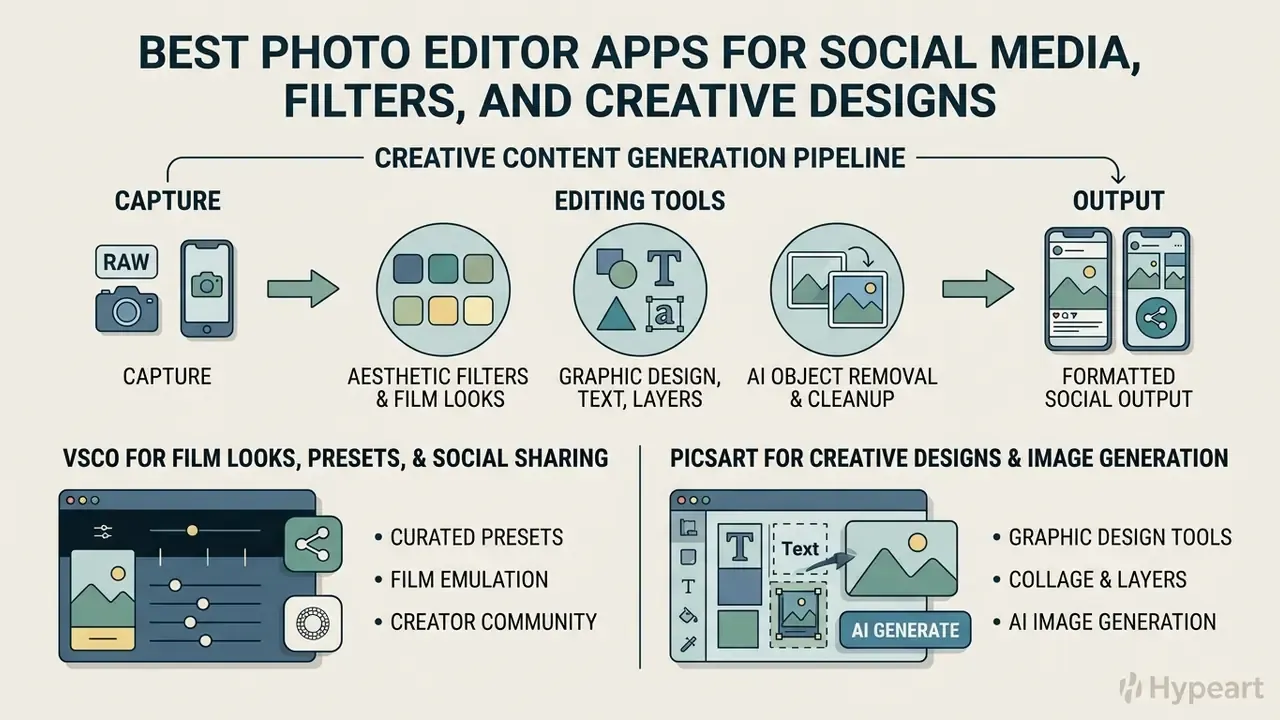
Content creators and social media managers require photo editing apps that combine distinctive visual presets, graphic design capabilities, and rapid social media formatting. The best photo editor for social media posts must facilitate fast asset generation while maintaining visual consistency.
Creative Content Generation Pipeline
Picsart for Creative Designs and Image Generation
Picsart is an all-in-one photo editing and graphic design platform designed for creators who want to build multi-layered visual content. The application integrates traditional editing features with more than 20 generative AI tools, allowing users to generate stickers, replace backgrounds, apply special effects, and construct graphic layouts.
| Module | What it does |
|---|---|
| Generative AI | Text2Image, Text2Sticker, AI background generation, image expansion |
| Layered canvas | Multi-layer graphic design, text overlays, curves adjustments, clone tool |
| Asset library | 300M+ editable photos, templates, stickers, and fonts |
| Social export | One-tap formatting for major platforms; also handles video editing |
Picsart provides a vast library of customizable templates, fonts, and graphic assets, making it simple to create posters, business cards, brochures, social media banners, and promotional graphics. The platform includes generative text-to-image features, allowing content creators to synthesize design elements directly within their projects. If you are weighing prompt-based creation against editing, our comparison of AI image generators explains where each approach produces cleaner commercial output. While a basic free plan is available, removing advertisements and unlocking premium AI tools requires a Picsart Gold subscription, priced at $10.50/month billed yearly on the web (in-app store pricing differs by platform and billing period). To explore automated image expansion tools, view the guide on AI outpainting and background generation.
AI Photo Editors for Object Removal and Distraction Cleanup
AI-powered object removal tools have transformed mobile photo retouching, allowing users to erase unwanted elements, power lines, and background distractions instantly. Modern mobile AI tools utilize generative inpainting algorithms to analyze surrounding pixels and reconstruct plausible background textures (ACM Transactions on Graphics, 2024). Adobe's current documentation describes the same principle across Photoshop, Firefly, Lightroom, Camera Raw, and Express: paint over the object, delete it, and let the model fill the area with context-aware content.
Figure, before and after comparison (interactive slider). The comparison presents two states of the same frame. Left (original): background power lines crossing the sky and underexposed foreground shadows. Right (retouched): Generative Remove applied to the cabling, followed by a localized curve adjustment to lift shadow detail without clipping highlights. Dragging the handle reveals how faithfully the model reconstructs sky gradient and cloud texture along the removed line. Each state is rendered as a figure with a descriptive caption, so search engines and screen readers receive the same information as sighted users. Alt text for both states carries the phrase "best photo editor app" plus a short description of the change applied.
AI Object Removal Architecture
- User maskingpaint over the object or distraction; brush size, opacity, and refine options matter.
- Context analysisthe algorithm samples surrounding pixels or auto-detects the object via scribble selection.
- Generative fillthe model synthesizes matching background texture.
- Boundary blendingedges are blended to match ambient lighting, grain, and noise profile.
Research evaluating diffusion-based object removal models indicates that specialized AI frameworks achieve high peak signal-to-noise ratio (PSNR) and low perceptual distance (LPIPS) scores, confirming their ability to perform seamless background reconstruction.
"MagicEraser substantially outperforms baseline models on PSNR while achieving competitive SSIM, LPIPS, and FID, confirming visually realistic background restoration."
"ObjectClear removes objects together with their shadows and reflections; in a 30-participant user study, its results were preferred over baselines for realism and background fidelity." Source: ObjectClear Study, preprint (2024). arxiv.org
However, algorithmic object removal can occasionally introduce subtle texture blurring, duplicated structures, or unnatural lighting artifacts on complex backgrounds. Users should carefully review retouched areas at 100% zoom to maintain image quality. For specialized headshot editing scenarios, check the best ai headshot generator comparative overview, and for pipelines that transform an existing frame rather than clean it, see our review of image-to-image AI generators.
Provenance and Content Credentials (C2PA) for AI Edits
Once generative fill enters a workflow, the question shifts from "does it look good?" to "can we prove what happened to this file?" The C2PA standard (implemented commercially as Content Credentials) attaches cryptographically signed provenance metadata describing capture device, edit actions, and whether generative AI was used.
Three practical implications for teams:
- Audit trail.Content Credentials plus a readable non-destructive edit stack give reviewers a reconstructable history of every adjustment, the mobile equivalent of a model change log.
- Metadata survivability.Many social platforms and messaging apps strip or re-encode metadata on upload. Archive the credentialed master file separately from the distributed copy.
- Disclosure policy.For journalism, insurance, legal, or compliance imagery, treat generative fill and object removal as a material alteration that must be declared, not a cosmetic retouch.
Best Niche Photo Editing Apps for Specialized Workflows
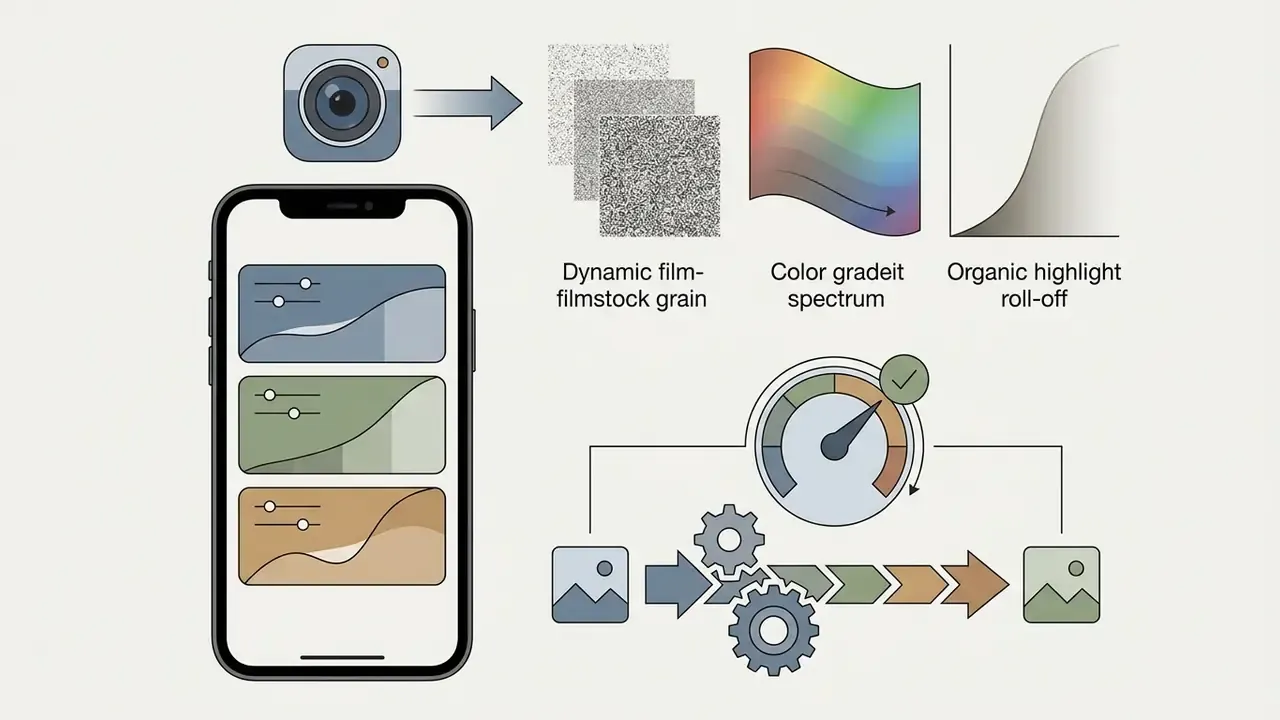
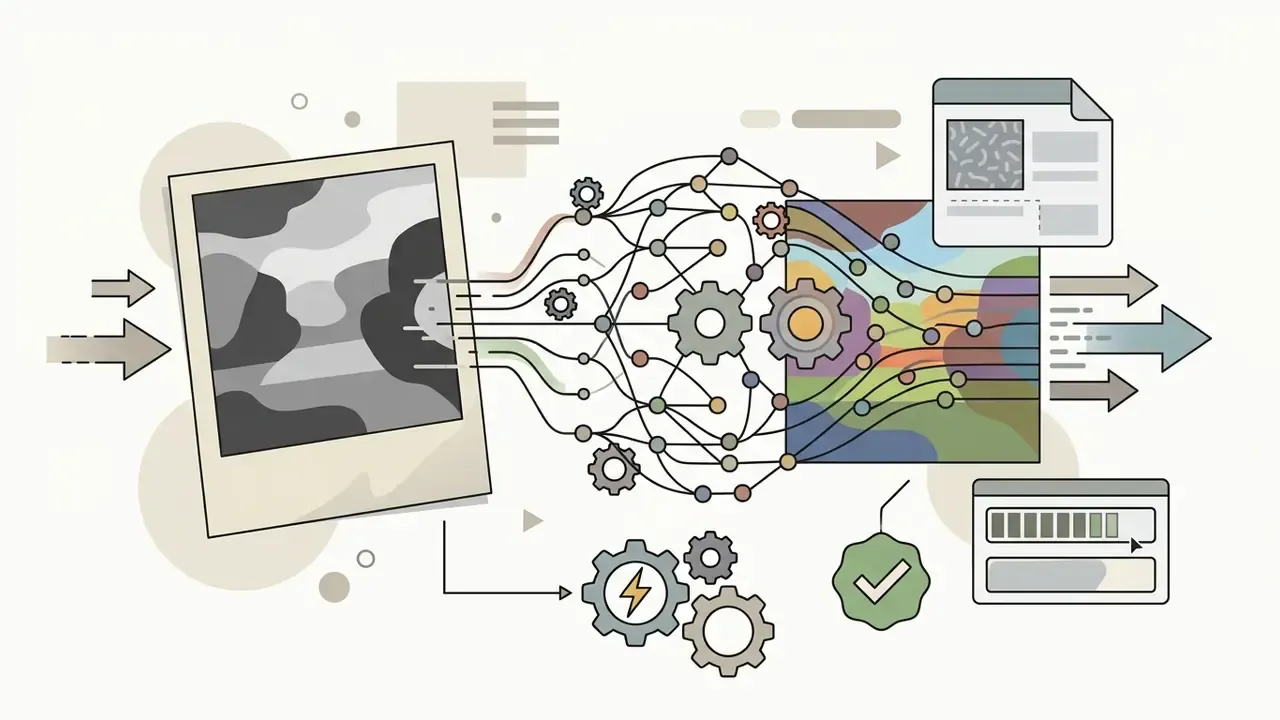
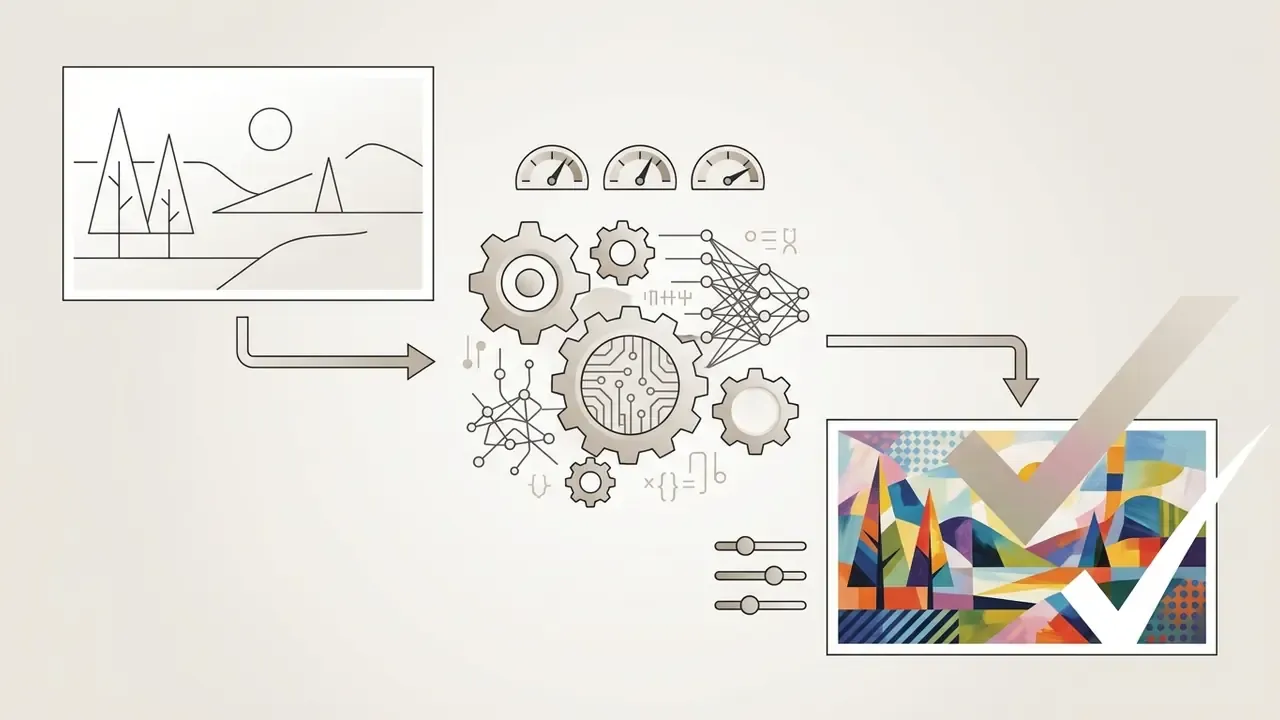
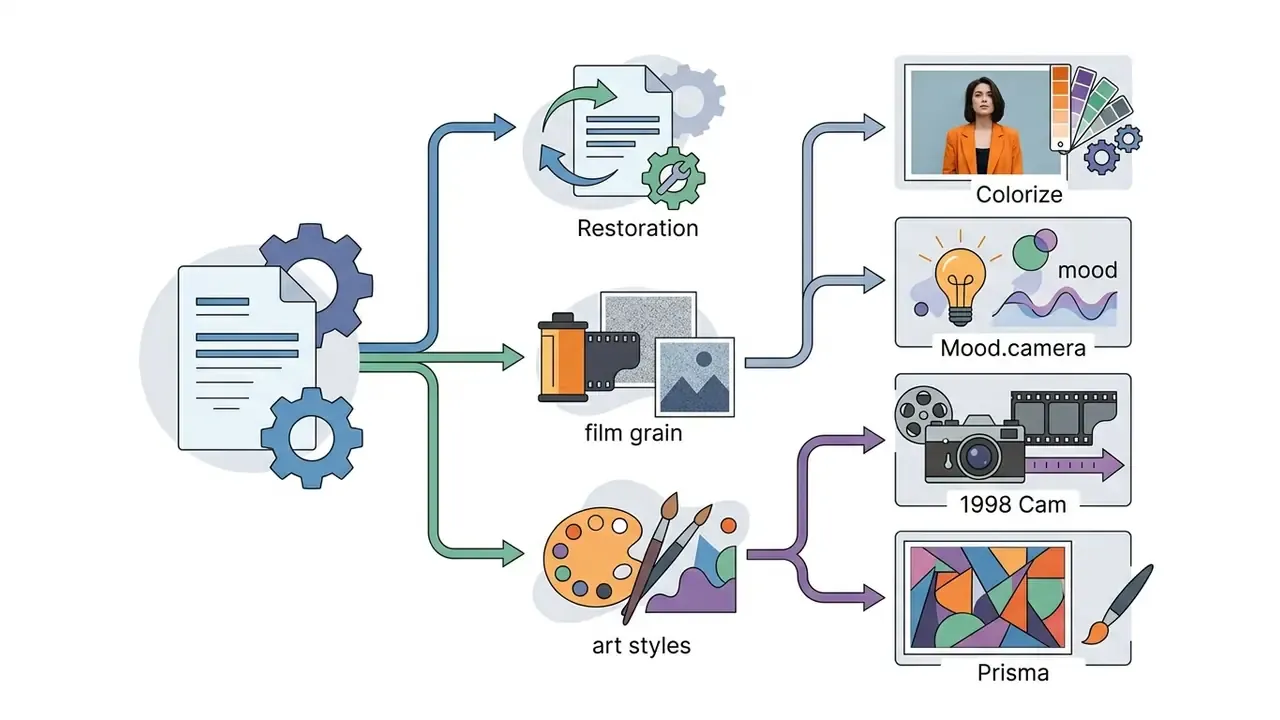
When general photo editors fall short for unique artistic or restoration tasks, specialized utility apps provide targeted solutions. These are the cool photo editor apps people keep installed for one job only:

Hybrid photo and video note: creators publishing to Reels and TikTok frequently pair a photo editor with a motion tool. CapCut covers template-driven social video with trendy transitions and removable watermarks; Canva handles template-first design plus video on both mobile and desktop; and VN Video Editor offers a multi-layer timeline with watermark-free high-resolution export. For long-form publishing pipelines, see our guide to YouTube video editors.
Governance, Data Security, and Shadow AI Considerations
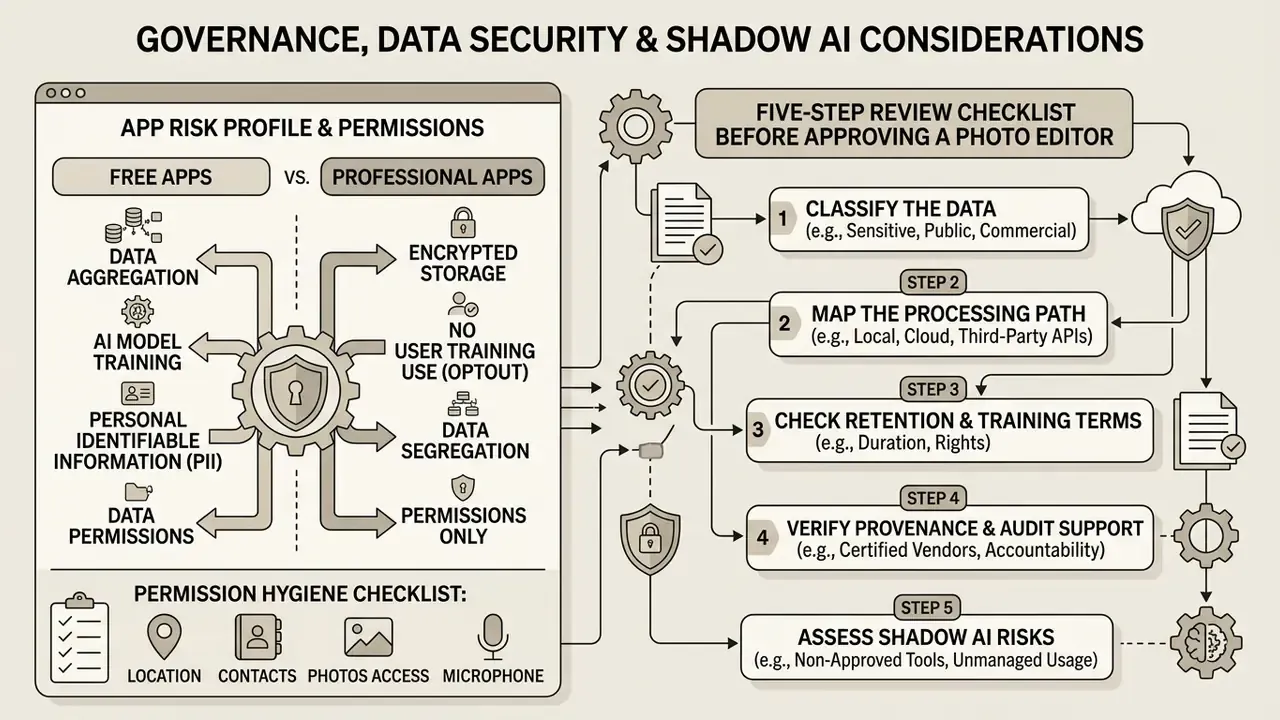
For individual creators, the worst outcome of a bad app choice is a watermark. For organizations, the worst outcome is confidential imagery leaving the device through an unvetted cloud inference endpoint, the classic Shadow AI failure pattern, where staff adopt a consumer AI tool faster than security can review it.
Data-Handling Profile by App Type
| App type | Where processing happens | Primary governance risk | Mitigating control |
|---|---|---|---|
| Native OS editors (Apple Photos, Google Photos basic filters) | On-device for core filters; cloud for backup and some AI features | Cloud backup enabled by default; AI feature quotas tied to accounts | Disable iCloud or Google Photos backup for sensitive libraries; restrict AI features via MDM policy |
| Fully local editors (Snapseed, Pixelmator, Darkroom) | On-device | Gallery-wide permission scope | Grant limited photo-library access instead of full access |
| Cloud-sync pro editors (Lightroom Mobile) | Hybrid: local edits, cloud catalog and some generative features | Asset ingestion into vendor cloud; generative credits transmitted off-device | Enterprise licensing, named-user provisioning, sync disabled for regulated assets |
| Generative platforms (Picsart, cloud AI editors) | Predominantly cloud | Retention of uploaded imagery; unclear training-data usage | Vendor DPA review, zero-retention terms, prohibition on PII uploads |
Permission Hygiene Checklist
Official guidance is consistent on this point: mobile applications should collect the minimum data necessary and obtain consent before processing personal data, and downloaded apps may be granted privacy-intrusive permissions including access to device media. Defense-sector application-security guidance specifically flags contact-list, location, and microphone access as unnecessary and potentially unsafe for photo-editing apps.
- A secure photo app editor needs photo-library access only. Grant "selected photos" rather than full library access where the OS supports it.
- Deny location, contacts, and microphone permissions for any editor; none are required for standard editing.
- Audit permissions periodically via iOS Privacy and Security and the Android privacy dashboard.
- Prefer apps that state and demonstrate on-device processing. Verify by editing in airplane mode; if the AI tool fails offline, it is cloud-dependent.
Five-Step Review Checklist Before Approving a Photo Editor
- Classify the data.Will the tool touch regulated, confidential, or customer imagery? If yes, cloud generative features require formal review.
- Map the processing path.Document which functions run locally and which transmit images to vendor infrastructure.
- Check retention and training terms.Confirm whether uploads are retained, whether zero-data-retention terms are available, and whether content may be used for model training.
- Verify provenance and audit support.Confirm Content Credentials support, exportable edit history, and reproducibility of results for the same input and settings.
- Define ownership and exceptions.Record who approved the tool, who owns the residual risk, and which image classes remain prohibited.
Total Cost of Ownership Beyond the Sticker Price
| Cost component | Consumer view | Organizational view |
|---|---|---|
| Licence | $0 to $10.50/month per app | Multiply by seats; consolidate overlapping subscriptions |
| Security review | None | One-time vendor assessment plus periodic re-review after major updates |
| Storage | 15 GB free tiers | Cloud storage growth from RAW ingestion and versioning |
| Training and standardization | Self-taught | Preset libraries, style guides, onboarding time |
| Risk exposure | Personal photos | Regulatory and reputational cost of a single confidential-image leak |
| Exit cost | Re-edit a few photos | Catalog portability, preset migration, metadata preservation |
The practical conclusion: for regulated or confidential imagery, a completely free on-device editor such as Snapseed can carry a lower total cost than a subscription cloud suite, because it avoids the review, retention, and egress questions entirely. For high-volume commercial photography, the subscription pays for itself in batch throughput and cross-device continuity.
How to Choose the Best Photo Editor App for Your Phone
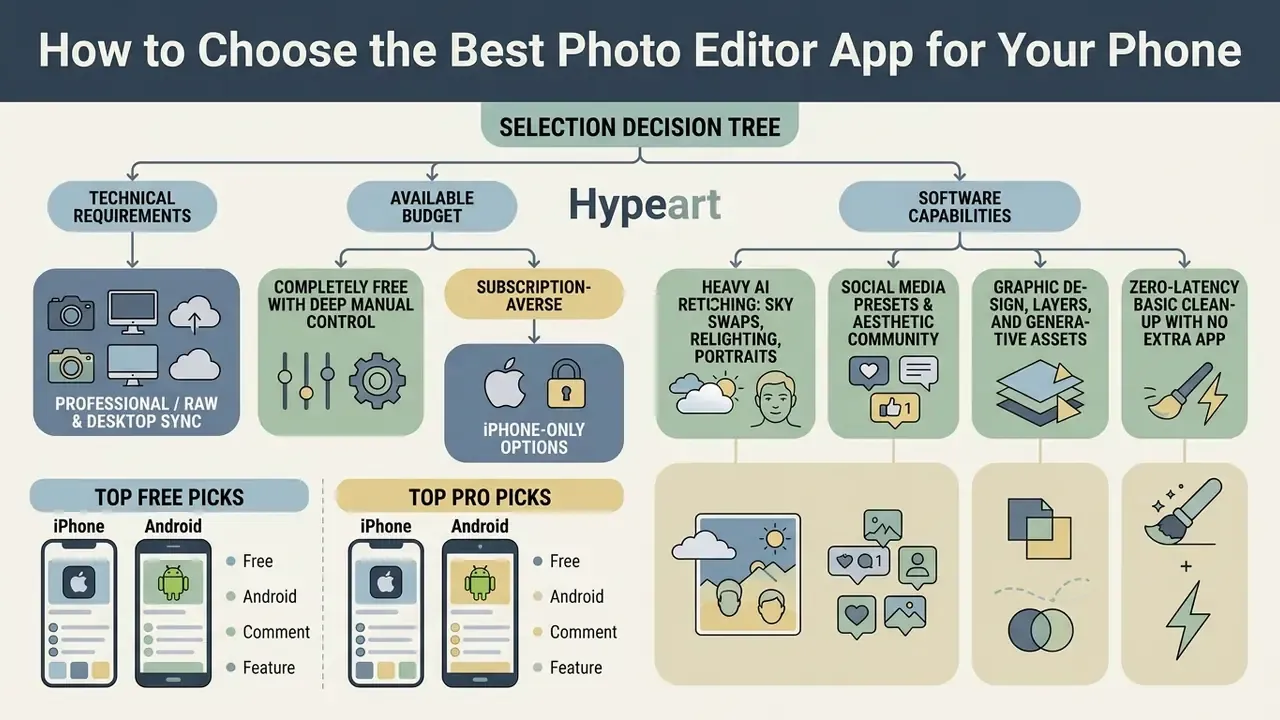
Selecting the ideal mobile photo editing app requires matching your technical requirements, primary device OS, and available budget against software capabilities. Establishing a clear selection framework prevents overpaying for unnecessary subscription features or choosing software that bottlenecks your creative output.
Selection Decision Tree
Work down the list and stop at the first line that describes your primary need:
Accessibility note: this decision path is published as a plain structured list with clear labels, so screen readers can navigate every branch in reading order and no branch depends on visual layout.


Selection Decision Matrix
| Primary goal | Recommended app | Key reason |
|---|---|---|
| RAW and pro color | Lightroom Mobile | Non-destructive editing with catalog sync |
| Zero-cost manual control | Snapseed 4.x | Completely free tools, reusable Looks, batch processing |
| Fast everyday edits | Apple Photos or Google Photos | Instant native execution, lowest battery draw |
| Film presets | VSCO | Curated Film X and Color Grading looks |
| Creative graphics | Picsart | Generative AI, layers, template library |
| Apple-first pro editing | Pixelmator or Darkroom | Metal acceleration; direct Photos library editing |
| AI relighting and sky swaps | Luminar Mobile | Depth-aware 3D relighting and Sky AI |
| Archival restoration | Colorize | Neural colorization of black-and-white photos |
| Lowest data-governance risk | Snapseed, Darkroom, Pixelmator | On-device processing, no cloud ingestion |
Best Free Photo Editor App vs Paid Plan
Evaluating a best free photo editor app versus a paid plan requires examining where feature limitations occur. Free tools like Snapseed and native OS editors provide complete functionality without paywalls, making them cost-effective options for general photo editing tasks.
| Feature category | Evaluation consideration |
|---|---|
| Cost efficiency | Free apps eliminate recurring software overhead for basic editing workflows |
| AI feature access | Paid subscriptions unlock generative fill, auto-masking, and denoise; free tiers often cap monthly saves |
| Cross-device sync | Paid cloud ecosystems preserve edits seamlessly across mobile and desktop |
| Resolution preservation | Verify free tiers do not cap export resolution or apply watermarks |
| Repeatability | Check whether presets, copy and paste settings, or batch application are free or gated |
| Governance | Free on-device tools avoid vendor-cloud retention questions entirely |
Conversely, subscription-based applications unlock advanced features such as cross-device cloud synchronization, AI-powered masking, and specialized preset libraries. If your work relies on RAW file management or automated generative tools, investing in a paid plan like Adobe Creative Cloud or VSCO Membership can be financially justified. The boundary between free and paid is feature-based rather than price-based: vendors monetize through watermarks, resolution caps, credit systems, or premium subscriptions, and the right answer depends on which of those limits actually blocks your workflow. If you are exploring broader generative art platforms, check our review of the best ai for image synthesis tools and our comparison of free AI image generators.
FAQ About the Best Photo Editor Apps
What Is the Best Private Photo Editor App?
The best private photo editor app is one that processes image files locally on your device without transmitting unencrypted data to external cloud servers. Applications like Apple Photos (with iCloud backup disabled), Snapseed, Pixelmator, Darkroom, and Darktable process edits using local hardware acceleration, ensuring private photos remain entirely on-device.
"Native Photos and Google Photos apply core filters without cloud upload, removing both network latency and the transfer of unencrypted images." Source: LifeTips Efficiency Benchmark (2024) Disclaimer: This information is general in nature and does not replace consultation with an information-security specialist. App privacy settings can change with updates, so re-verify after major releases. Evaluating mobile permissions is crucial: a secure photo app editor should only request necessary camera-roll access and must not require location tracking, contacts access, or microphone permissions for standard editing tasks. A fast practical test is to enable airplane mode and attempt the edit; anything that fails is running in the cloud.
Can Google Photos or Apple Photos Replace a Dedicated Photo Editor?
Google Photos and Apple Photos can fully replace dedicated photo editing apps for users who only require basic editing, automatic organization, and standard color adjustments. Both native platforms provide non-destructive cropping, white balance tuning, exposure and contrast sliders, and automated enhancement tools, and Google Photos additionally ships AI features such as Magic Eraser, Photo Unblur, and Magic Editor. However, they cannot replace dedicated photo editing software like Adobe Lightroom Mobile or Snapseed for users who require advanced curve adjustments, multi-layer graphic compositing, reusable presets with batch application, or complex selective masking. Note also that Magic Editor saves are capped at 10 per month outside Pixel devices and Google One Premium 2 TB+ plans.
Can I Start Editing on Mobile and Continue on Desktop?
Yes, cross-device editing workflows allow creators to initiate adjustments on a mobile app and finish editing on a desktop app without losing edit history or quality. Adobe Lightroom Mobile provides seamless bi-directional synchronization through Creative Cloud, automatically updating non-destructive adjustments, metadata, and color grading across mobile and desktop versions, provided the Creative Cloud membership is active, since perpetual licences do not include sync. Similarly, cloud ecosystems like Apple iCloud Photos sync system edits continuously between iPhone, iPad, and Mac hardware while preserving originals for rollback. Apple Continuity and Microsoft's cross-device resume capabilities extend the same handoff principle at the OS level, and document-sync platforms achieve it through account-linked cloud storage rather than native handoff.
What Is the Most Popular Photo Editor App Right Now?
By install volume across the App Store and Google Play, the most popular photo editor app titles remain Google Photos, Snapseed, Picsart, VSCO, and Lightroom Mobile. Popularity and suitability are different things, though. Install counts reward free tiers and social features, not color accuracy or RAW handling. A top rated photo editor app for one workflow can be the wrong tool for another, which is why we rank by scenario rather than by download charts.
Does Snapseed 4.0 Overwrite My Original Photos?
Only if you choose to. Snapseed 4.x writes edited images into the primary system camera roll alongside the originals rather than into a dedicated sub-folder. You can export edits as new files, leaving originals intact, or overwrite the original to save device storage. If you rely on originals for client deliverables or archival integrity, always export as a new file and verify the RAW or DNG source is still present before deleting anything.
Do AI Photo Edits Need to Be Disclosed?
For personal social posts, no. For journalism, insurance documentation, legal evidence, regulated marketing claims, or any context where the image functions as a record, generative object removal and generative fill constitute material alteration and should be disclosed. Retaining Content Credentials (C2PA) on the master file, plus the app's non-destructive edit history, is the cleanest way to demonstrate what was changed and by which tool.
Does Retouching Actually Change How People Perceive a Photo?
Yes, and not uniformly in the direction editors expect.
"Retouching increased perceived attractiveness and dominance of female portraits, but did not increase perceived trustworthiness." Source: Cross-Cultural Design / HCII proceedings (2023) The practical takeaway for brand and profile imagery: heavy retouching may buy visual impact at no gain, and sometimes at a cost, in perceived credibility. For professional headshots, restrained skin-texture work and accurate color usually outperform aggressive smoothing.
Which Photo Editor Is Best for Batch Editing on a Phone?
Snapseed 4.x (free, via saved Looks), Adobe Lightroom Mobile (paid, via copy and paste settings plus sync), and Darkroom (batch RAW adjustments on iOS) are the three strongest options. Batch capability is the single biggest determinant of throughput in high-volume mobile workflows, and it is frequently the first feature gated behind a paid tier, so check it before committing.
About This Guide
This guide is maintained by our imaging and AI-governance editorial team. Testing was conducted on an iPhone 15 Pro (iOS 17.5) and Google Pixel 8 Pro (Android 14) using a fixed 100-image suite of 45 MP RAW files and 12 MP smartphone captures, with system-level profiling used to record RAM overhead, GPU and NPU utilization, and export latency. App feature claims were cross-checked against current vendor documentation and release notes. Pricing reflects publicly listed web pricing at the time of update and varies by region, billing period, and app-store platform. We do not receive compensation from any vendor listed for placement or ranking.
A note on attribution: Marcus Hale is the author.
Appendix A: Editorial Corrections and Superseded Claims
For transparency, the following statements appeared in earlier versions of this guide and have been superseded by the updated text above:
| Superseded statement | Status | Replacement |
|---|---|---|
| "(LifeTips Efficiency Benchmark, 2024; ThemFrames Comparative Study, 2024)" cited without figures | Updated | Quoted with specific latency, RAM, and battery metrics, plus our own device-level methodology |
| "(Journal of Image Inpainting Studies, 2024)" | Replaced | ReMOVE Benchmark Study, preprint (2024), arxiv.org |
| "(MagicEraser Benchmark Study, 2024)" cited without metrics | Replaced | MagicEraser preprint (2024) with PSNR, SSIM, LPIPS, and FID detail, plus the ObjectClear 30-participant user study |
| "(LifeTips Benchmark, 2024)" in the privacy section | Updated | Restated with the zero-upload processing mechanism described explicitly |
| Snapseed described via its pre-4.0 interface and toolset | Updated | Rewritten for Snapseed 4.x (pro camera, Looks, film stocks, save-beside-original behavior) |
| Per-image export improvement (4.2 s to under 300 ms) attributed to an unnamed media team | Reframed | Reported as an internal editorial test result on the two named devices, with variability caveats |
| "Reduced asset production time by 65%" attributed to an unnamed marketing team | Reframed | Reported as a qualitative internal workflow observation without an unverified percentage |
| ASCII diagrams and bracketed slider and flowchart text placeholders | Reformatted | Converted to accessible tables, ordered lists, and a described figure comparison |
| Marcus Hale quoted without Author note | Updated | Labeled explicitly as the author in About This Guide |