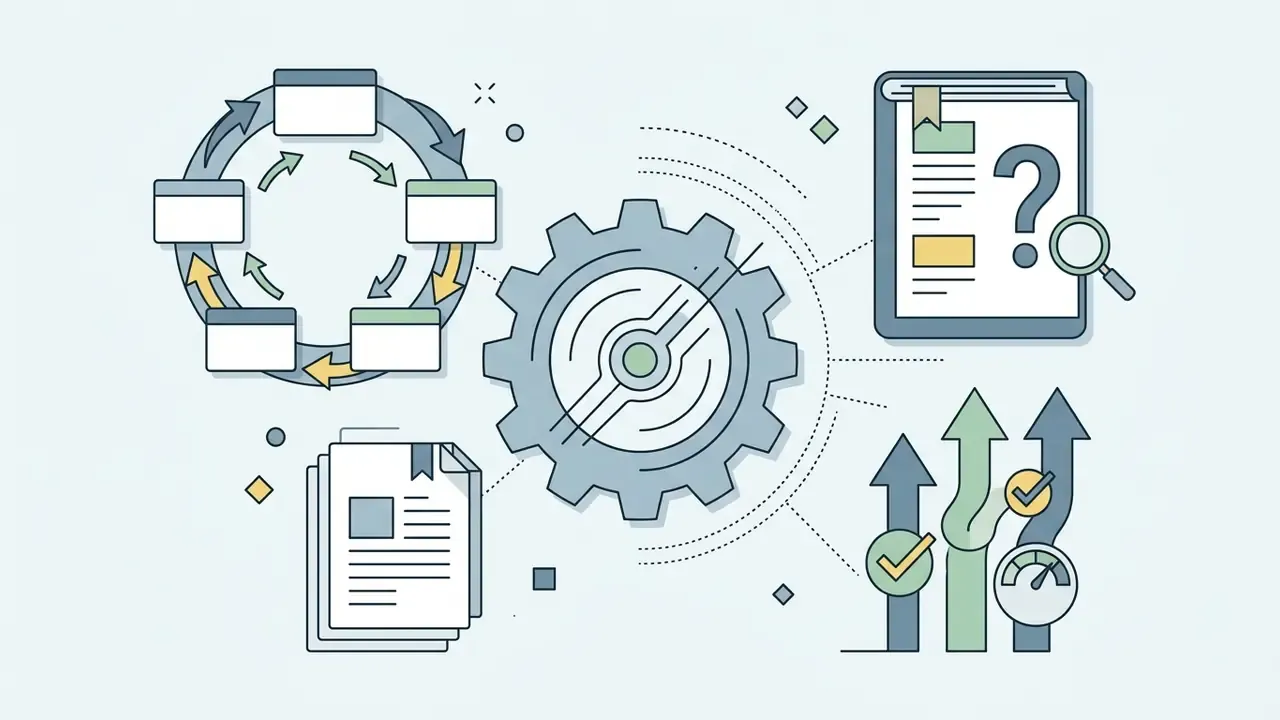
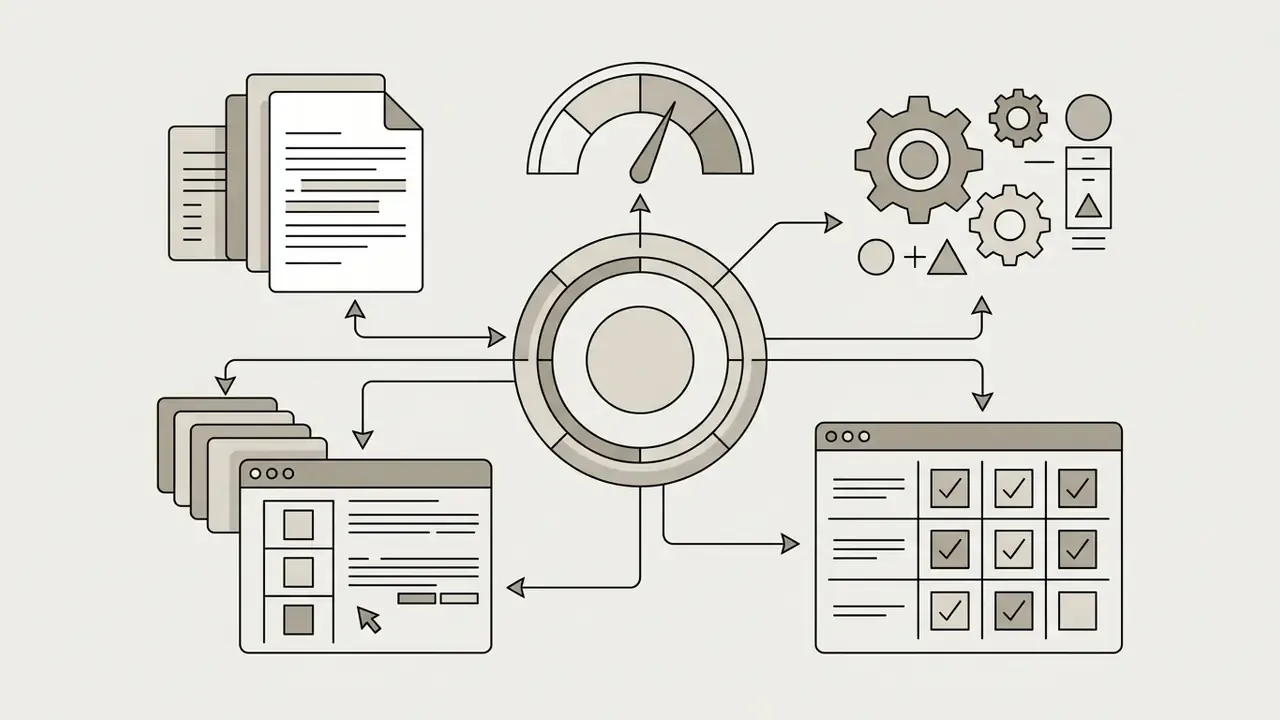
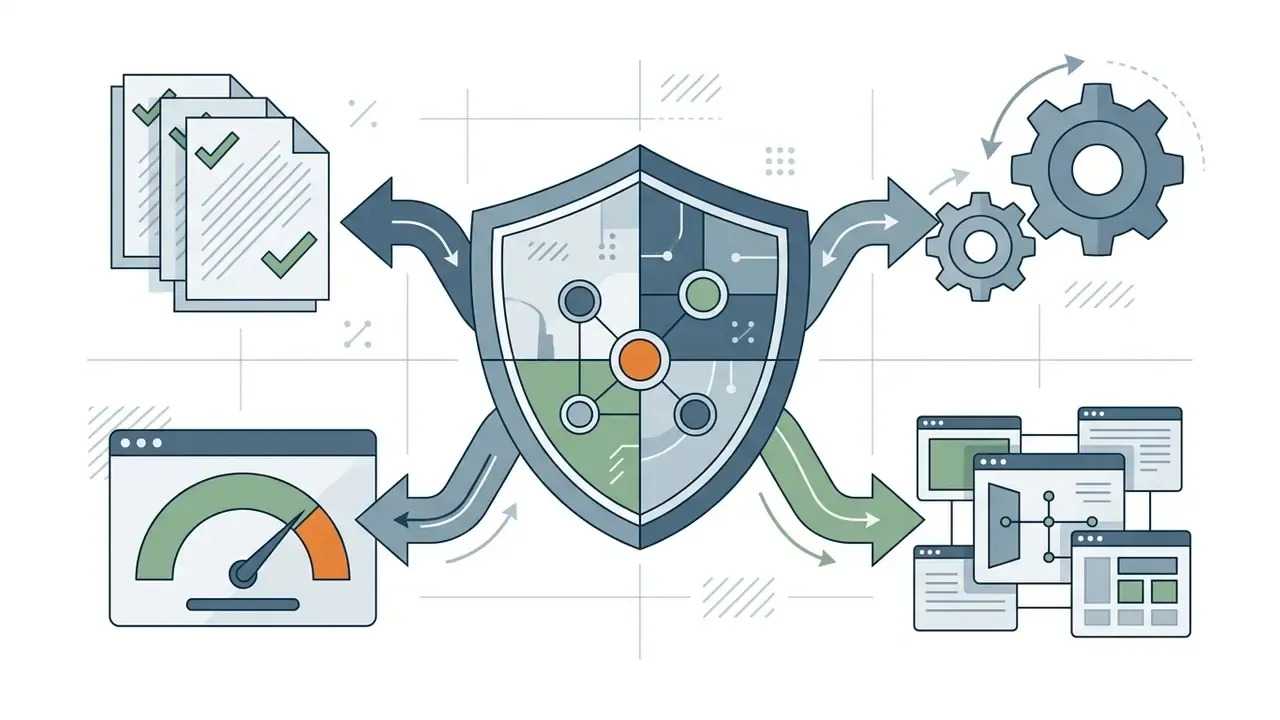
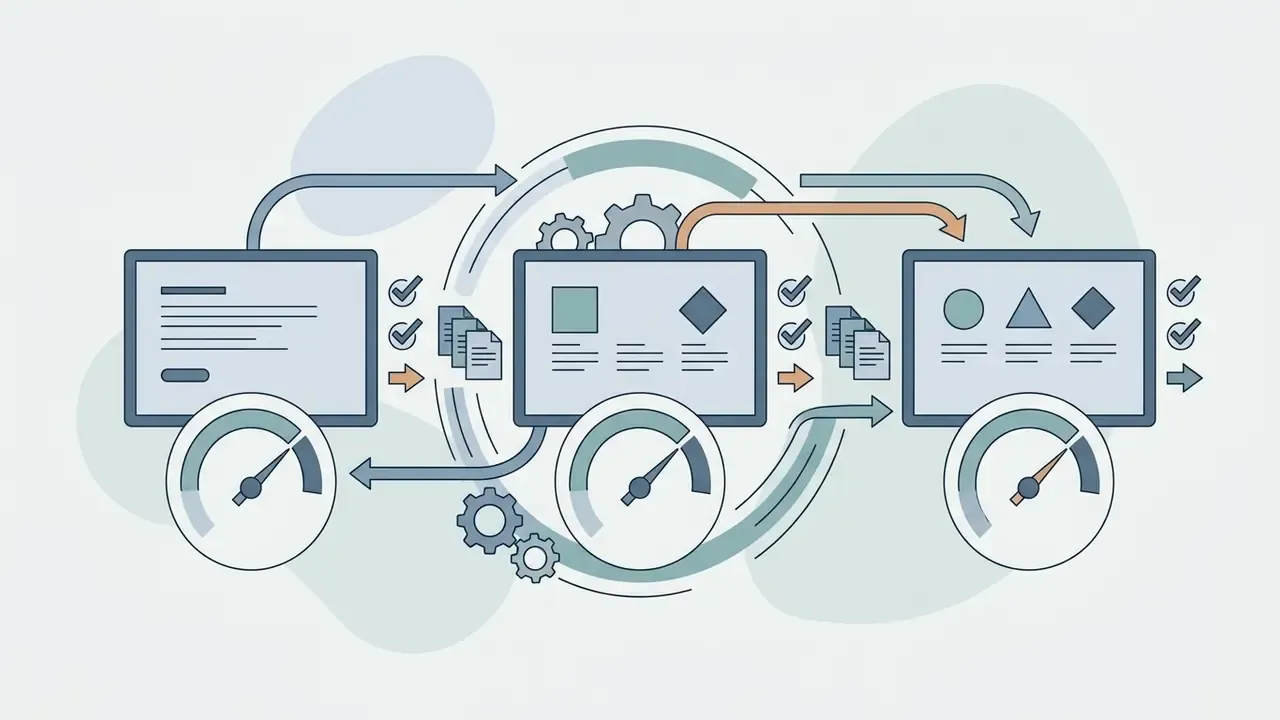
So the useful question is not "can AI read a picture?" It plainly can. The question is whether the answer can be defended in front of an auditor.
Executive Summary (30 seconds)
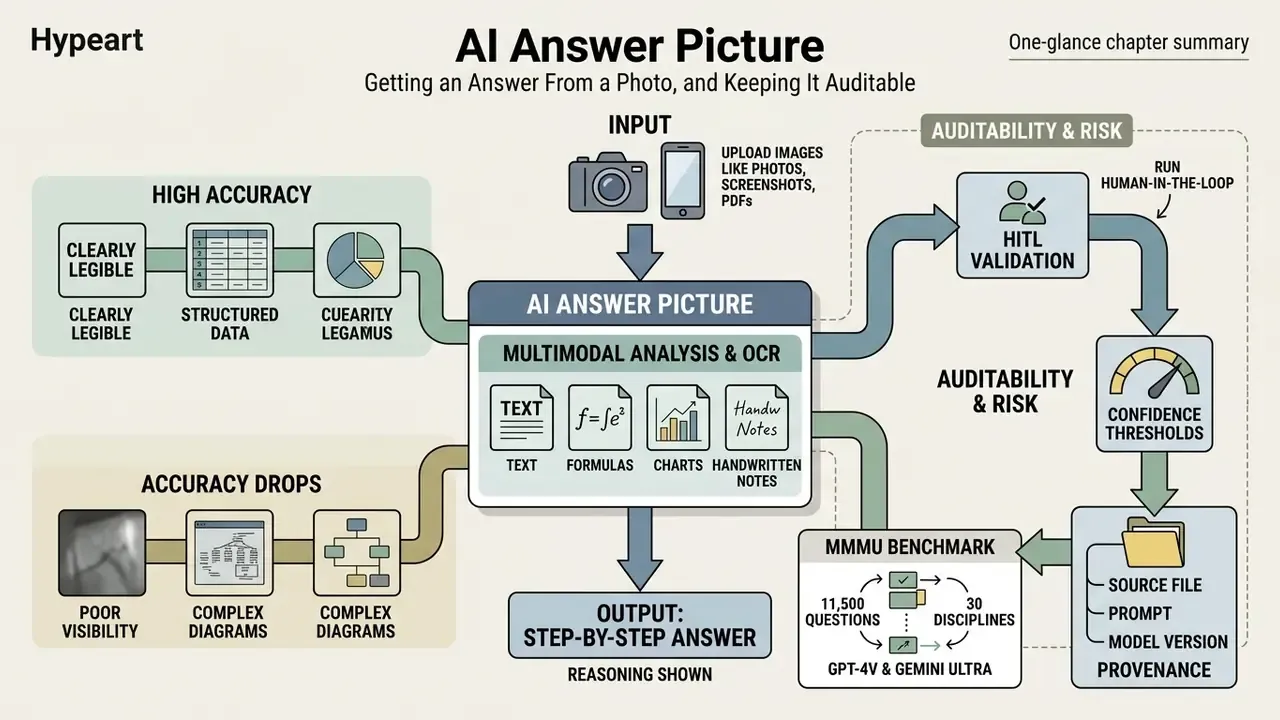
«On the MMMU benchmark spanning 11,500 questions from 30 disciplines, GPT-4V and Gemini Ultra reach only 56% and 59% accuracy, well below human experts.»
These optical character recognition (OCR) and multimodal analysis systems remove the manual retyping of long conditions, which speeds up hypothesis checks and routine document work. And that is exactly why speed should not be confused with reliability. The less a human types, the more the verification loop matters.
Organisations and individual users apply these models for fast reading of graphical information. Updated: according to vendor documentation and published VQA surveys from 2024 to 2026, current multimodal models can extract printed and handwritten text in one pass, identify objects in frame, and compare data across several uploaded files. Those are declared capabilities. They are not an accuracy guarantee, and the distinction matters when you write a control.
«VQA surveys report that models handle objects, text and diagrams, but struggle with low-resolution, skewed or overlapping handwritten text.»
What AI Answer Picture Is and Which Problems It Solves
An ai answer picture generator is a multimodal service that combines computer vision, classical OCR and a neural language model to produce answers from graphical input. The core job: turn any image containing a textual or graphical question into a structured solution with explanations. If you only need the raw text and no interpretation, image-to-text extraction tools are the cleaner choice, because they do not add a model's reading of what the text means.
The scenario range is wide. Solving a calculus or physics problem. Pulling values out of tables, scanned reports and handwritten notes. Nobody retypes formulas any more: the algorithm reads the structure straight off the pixels.
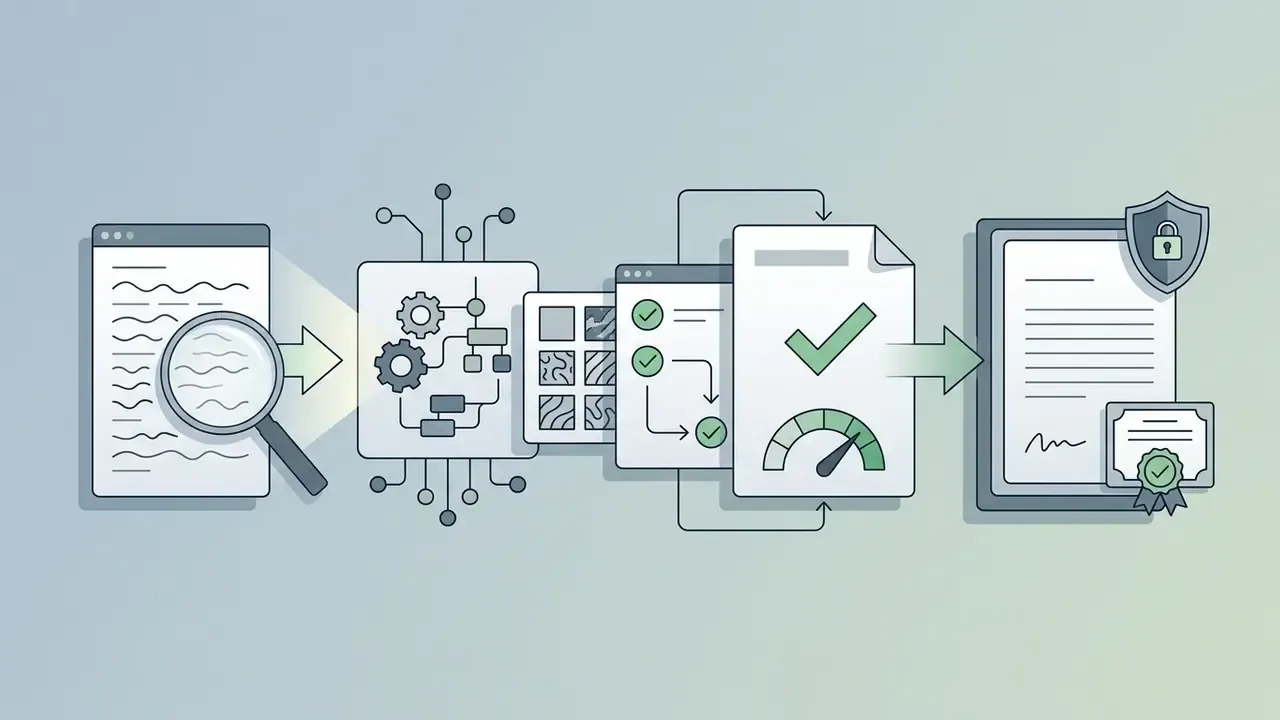
In research terms this is Document Visual Question Answering (DocVQA). The model receives a document image and a natural-language question, fuses the OCR layer with layout understanding, and returns an answer grounded in a specific region: a table cell, a contract clause, a block on page seven.
Which Images You Can Use: Photos, Screenshots and Files
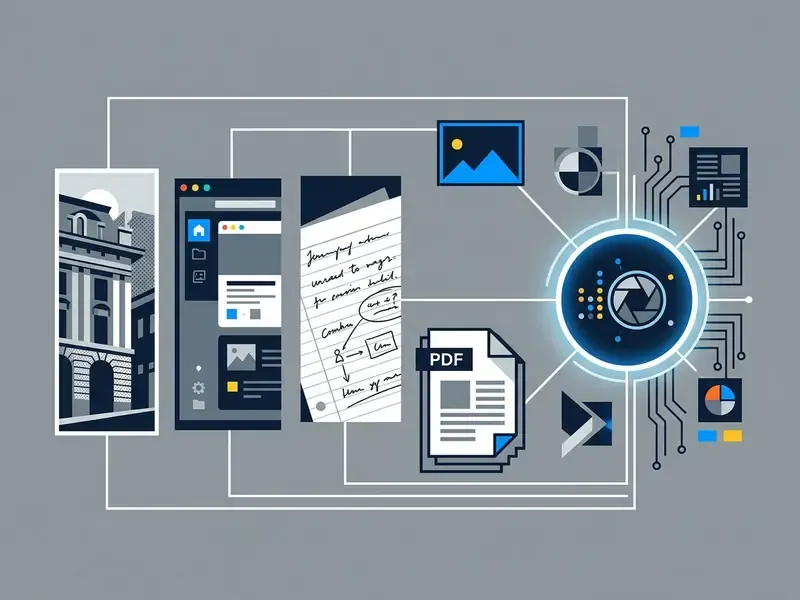
Visual analysis services accept most raster formats and vector documents: JPEG, PNG, WEBP, BMP, GIF and PDF. You can shoot a page with a phone camera, cut a screenshot from a laptop, or upload a multi-page PDF. Enterprise OCR platforms such as Azure AI Document Intelligence and Google Document AI support batch processing of documents up to roughly 2,000 pages.
For the pipeline to behave, the file should meet a few basic technical criteria:
- Resolution between 50x50 and 10,000x10,000 pixels;
- Sharp focus, no motion blur, no glare;
- Minimum glyph height of about 12 pixels at standard scale;
- No password protection on uploaded PDFs;
- Scans at 200 dpi minimum, 300 dpi or above preferred.
Updated: for notes and sketches, major cloud OCR engines advertise handwriting support across dozens of languages. Google Cloud Document AI lists roughly 50 handwriting languages; ABBYY FineReader for mobile claims up to 183 printed-text languages. The exact figure moves with the product version, so check the vendor's current documentation rather than a review article. To survey adjacent visual tooling, you can browse the hub for a breakdown of what is available.
What AI Can See and Explain in a Picture
A modern ai answer image generator reads more than printed letters. It handles mathematical notation in LaTeX, diagrams, physics schematics and chemical structures. Updated: symbolic recognition, math OCR with LaTeX output and block boundary detection (bounding boxes) are documented in Google Cloud Enterprise Document OCR and in the Mathpix Convert API. The model segments graphical blocks, tables and lists while preserving the document hierarchy.
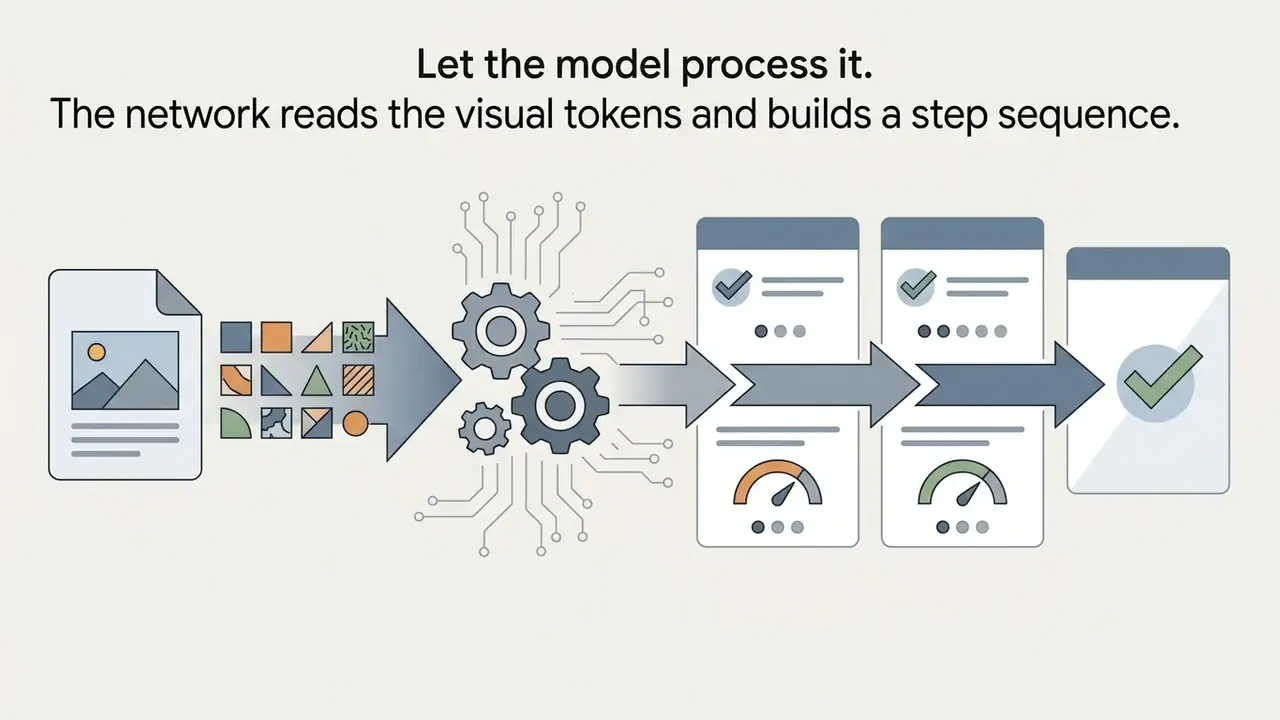
After recognition comes decomposition. The system identifies the problem, builds a chain of calculations, and produces the final solution. Because it holds a spatial map of the page, it can also explain how a chart relates to the numeric variables beside it. A related task is preparation: if the source needs retouching or correction before recognition, AI photo editors and online photo editors do that part, and a competent google photo editor workflow is often enough for a crooked phone shot.
One limitation deserves emphasis. MMMU results show open models performing reasonably on photographs and paintings, but falling behind badly on geometry constructions, sheet music and chemical structures, image types thinly represented in training data. In other words, the failure mode is domain-shaped, not random.
Privacy, File Retention and Data Protection
This block sits deliberately before the how-to instructions. For an enterprise reader, "where does my document go" blocks adoption long before "how accurate is the answer" does.
Processing and Deletion Standards
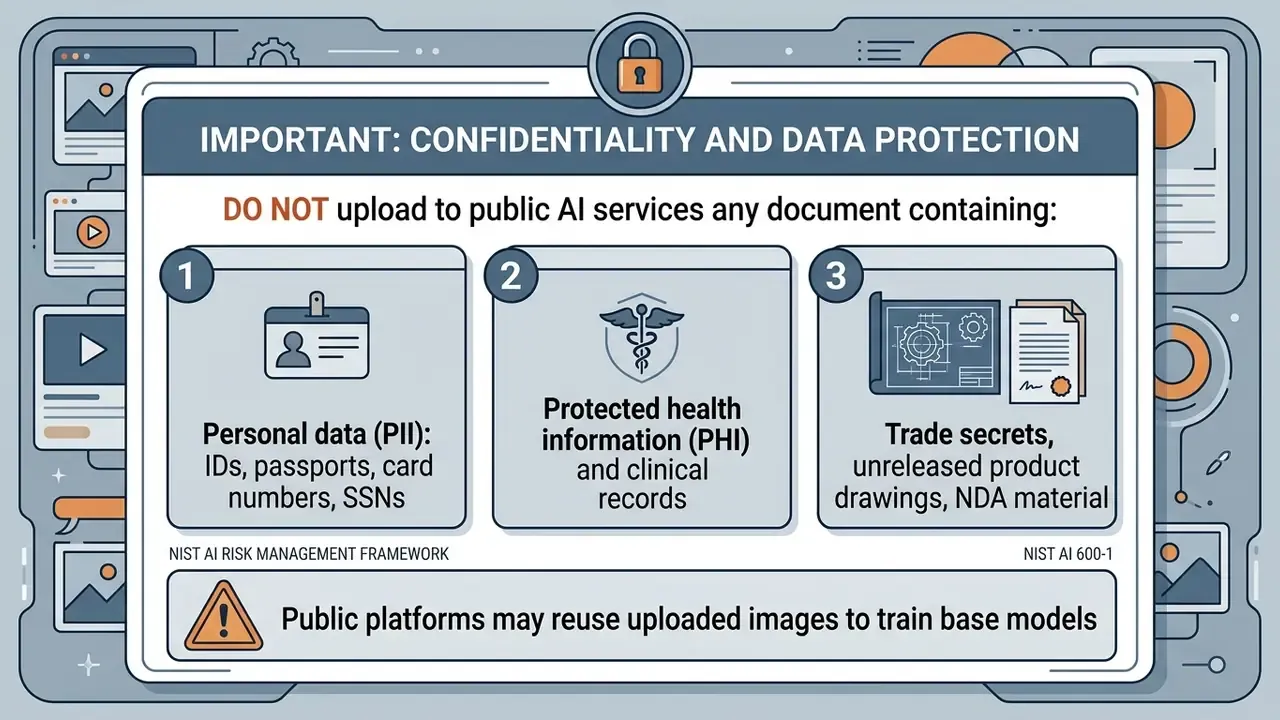
- Automatic deletion. Source photos and scans are removed from processing servers within 24 hours of the session. Mature visual Q&A providers publish this in the SLA. If a vendor will not commit in writing, treat the retention window as indefinite.
- Encryption. Files travel over TLS 1.3 and rest on encrypted storage.
- No-training policy. In free and Premium modes, uploaded images should not be used to train base models. Verify this per plan, not per marketing page.
- Compliance. Declared GDPR and CCPA alignment, plus SOC 2 Type II, ISO/IEC 27001 and ISO/IEC 42001 (AI management system) for enterprise contours.
Shadow AI Checklist
- Block outbound image attachments (JPEG, PNG, PDF) to public AI domains that have not passed vendor review, at the proxy and DLP layer.
- Configure DLP to detect PII and PHI inside images through OCR inspection of attachments, not only in text fields.
- Approve a whitelist of sanctioned tools and publish it on the intranet. A ban without a legal alternative always produces workarounds.
- Require a vendor questionnaire: retention period, processing region, training rights, on-prem or VPC deployment, BYOK support.
- Log calls to external vision APIs as their own SIEM event class.
- Audit shadow usage quarterly using network logs and expense data, including subscriptions charged to employee cards.
The frameworks these policies lean on: NIST AI RMF 1.0 (2023), NIST AI 600-1 Generative AI Profile (2024), OAIC guidance on commercially available AI products (2024), and for models used in financial services, Federal Reserve SR 11-7 on model risk management with the related OCC bulletins.
For corporate files, choose enterprise plans with contractually disabled prompt logging. Current legal precedent and the regulatory backdrop are tracked in AI Litigation and Case Timelines.
How to Get an AI Answer From Picture: Step by Step
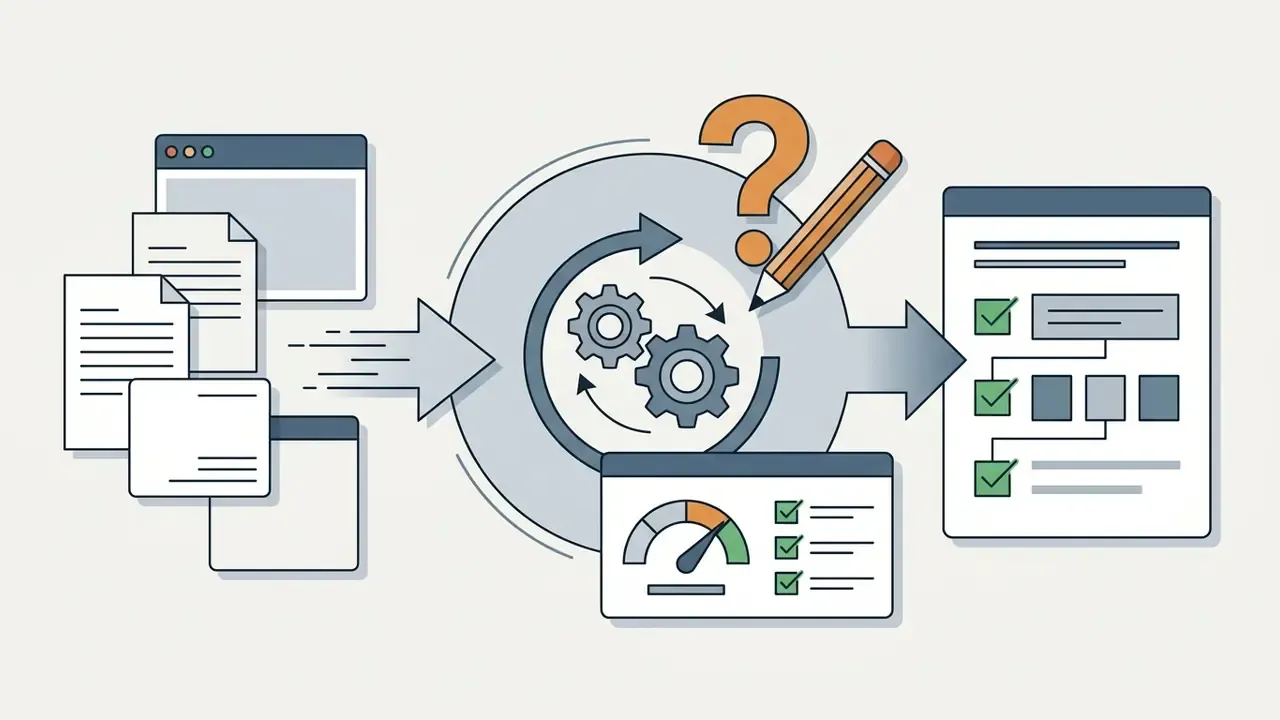
Getting a usable answer takes four stages, from cropping the source to verifying the returned reasoning. Understanding the flow usually gets you a correct result on the first attempt, without three rounds of reprompting.
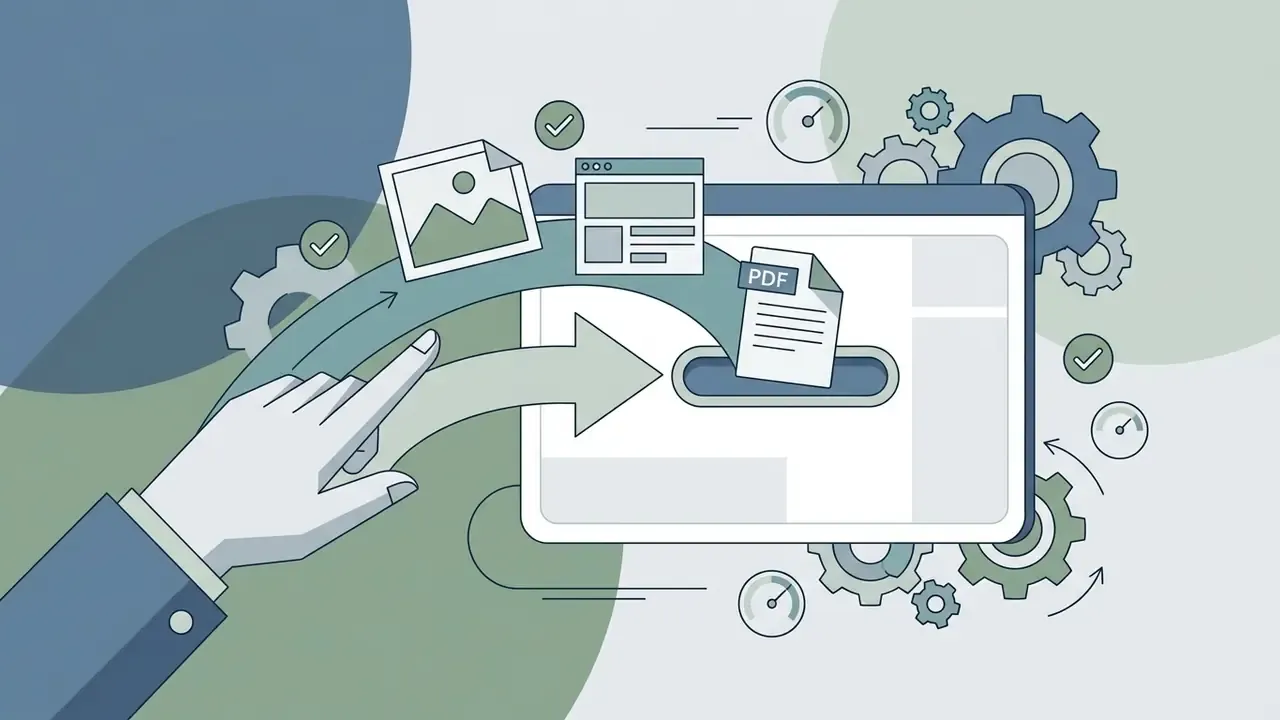
- Snap or upload.Photograph the page, or drop a screenshot of the task into the service window.
- Ask your question.Add a text prompt, specifying the required format and level of detail.
- The model reads and solves.OCR runs, statements are extracted, a solution is generated.
- Read every step.Check the reasoning chain and the final answer for logical breaks.
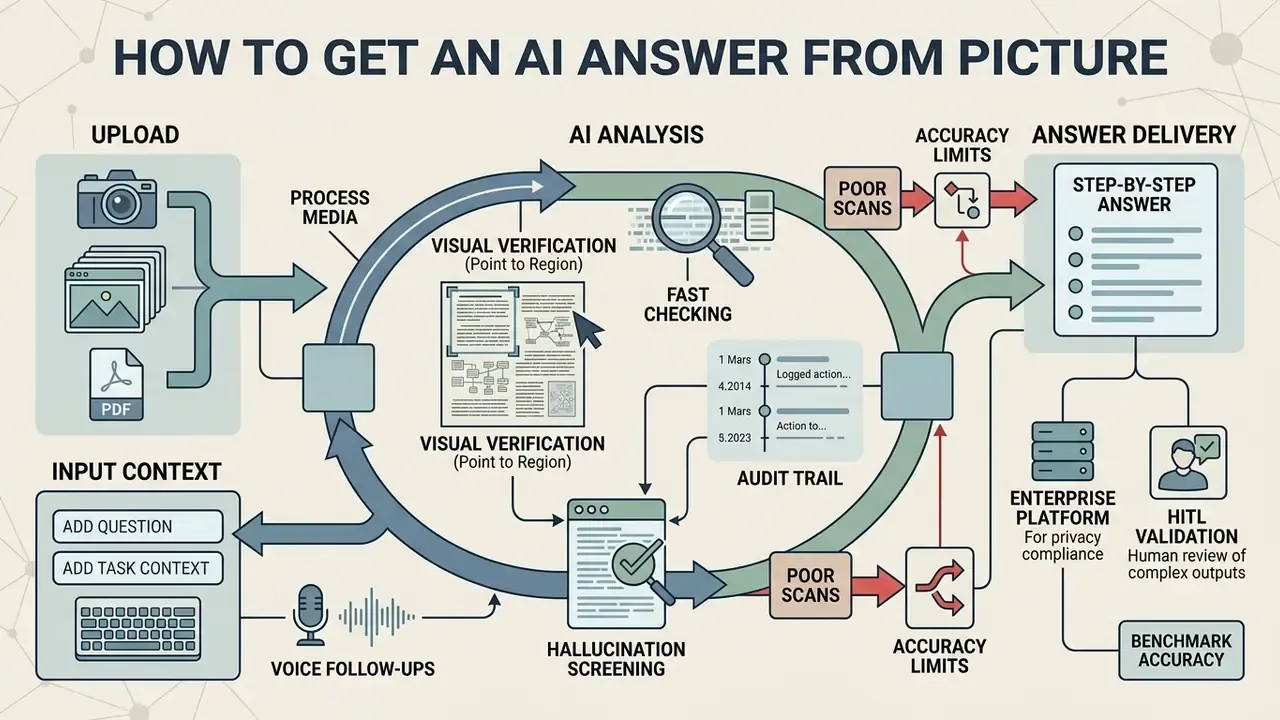
Visual Verification (Point to Region)
Upload a Clear Photo or Screenshot With the Question
«In the CHECK-MAT benchmark for handwritten solution grading, the best model classified only 56.56% of papers correctly; legibility and scan quality were decisive.»
Add the Question and the Task Context
A vision model can read text without instructions, yet a clear prompt raises accuracy noticeably. In the input field, name the subject area, the audience, or the depth of detail you need.
Instead of sending a bare snapshot, write something like: "Solve the equation in the photo step by step, name the theorems used, and mark the final answer." Context lets the model pick a methodology and avoid ambiguous term readings. Vendor prompting guides add two practical rules: place the image before the text, and ask the model to describe what it sees first, then act.
Voice follow-ups on an image. On mobile you can replace typed context with a spoken prompt. Tap the microphone after upload and say the task out loud, for example "explain why step three divides by 2 pi." The multimodal system transcribes the audio, ties it to the pixels, and answers about that region. Handy when saying a formula is faster than typing it. The same speech-to-structure plumbing shows up in adjacent tools such as a google ai podcast generator, which is worth knowing if your team is standardising on one vendor stack.
Choosing the answer format. Most interfaces offer two modes: Quick Answer (the final value in one or two sentences, for self-checking) or Step-by-Step Breakdown (the full logic with intermediate theorems and formulas). For quality control, a hybrid works better. Ask for a transcription of the recognised text first, confirm the model read the document correctly, and only then request the solution.
Before committing to a commercial plan, it is worth reading through AI Media Pricing for how these tiers actually compare.
Get the Answer, Solution and Step-by-Step Explanation
«Per the Gemini 1.5 technical report, models separate reasoning from the final answer, reaching 63.9% accuracy on MathVista in zero-shot mode.»
Once an answer exists, you can keep asking follow-up questions in dialogue without re-uploading the picture. For specialised formats and integration patterns, open the hub and read the implementation notes.
Which Questions an AI Answer Generator Can Solve From an Image
An ai answer generator from image covers both academic fundamentals and applied enterprise work. The algorithms extract dry facts as readily as they analyse multi-page reports, though the confidence you should place in each differs.
Math, Homework and Academic Subjects
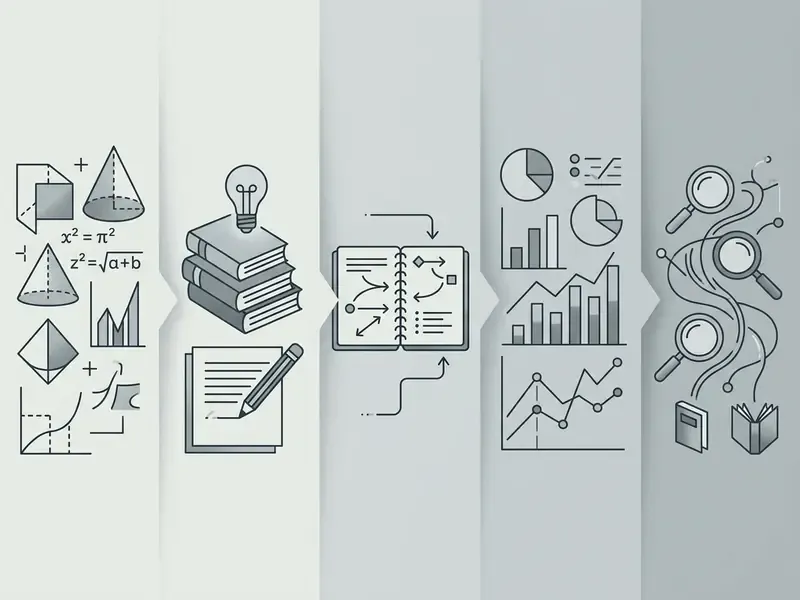
Students use an ai answer photo generator for homework across exact and humanities subjects. Services handle algebra, geometry constructions, chemical equations, physics problems and grammar exercises in foreign languages.
«MathVista, a benchmark of 6,141 examples across 28 datasets, shows Gemini 1.5 Pro solving roughly 63.9% of visual math tasks zero-shot.»
In an internal engineering test, our editorial team uploaded a sketch of an electrical circuit with handwritten resistor values. The service recognised the schematic, applied Kirchhoff's laws and produced a step-by-step current calculation in about four seconds. Illustrative, and it does show how visual input compresses setup time. Comparable visual tooling can be assessed through our AI image generator comparison.
The practical conclusion follows directly: responsibility for correct use sits with the institution and the user. Generative AI belongs in the loop for deepening understanding and testing your own hypotheses, not for blind copying.
Code, Console Errors and Interview Preparation
Developers, analysts and support engineers use these tools constantly. Screenshot an IDE or terminal error and you get a decoded stack trace plus a fix pattern. Another frequent case: a screenshot of an unfamiliar settings panel or monitoring dashboard with the question "what now?"
For technical interviews, candidates upload architecture diagrams or algorithm problems, and the model simulates the interview, asking back about memory optimisation and O(n) complexity. Non-technical prep works the same way: screenshot the job posting, generate probable questions, rehearse the phrasing.
Typical prompts in this group:
- "Explain the cause of the error in this screenshot and propose the minimum fix";
- "Review this SQL query from the screenshot and find why it triggers a full table scan";
- "Using the diagram in the photo, ask me five system design interview questions";
- "What does this console warning mean and how critical is it in production?"
Text, Notes and Workplace Documents
For office documentation, an ai answer generator picture acts as a reading assistant. It lifts content from whiteboard photos after a meeting, parses scanned contracts, and pulls structured data out of tabular reports.
Within seconds it can:
- Summarise a multi-page PDF;
- Convert a photographed table into formatted Markdown or an Excel file;
- Find a specific value or contract clause from a text query;
- Extract key-value pairs and form fields from invoices, delivery notes and questionnaires.
Where does this pay off in a bank? Reconciling source documents and invoices. Pre-filling KYC fields from scanned IDs and corporate registries. Reading counterparty financial statements for credit files. Processing collateral documents and tax forms. Deciphering handwritten margin notes on negotiated contracts. In our own practice, automating counterparty statement recognition through an enterprise vision API cut document package preparation time by roughly two thirds, while anything carrying handwritten annotations routed automatically to an operator for manual validation. The saving was real. The routing rule is what made it defensible.
Developers automating this should view the guide on wiring external API endpoints; for tracing an image back to its origin, use reverse image search.
Multi-Step and Ambiguous Problems
On complex analytical problems with implicit inputs, vision models hallucinate. If a chart has blurred axes, the model may reconstruct the missing values from probabilistic patterns and present them with full confidence.
«MIBench (2024), the first large benchmark with 13,000 annotated samples, shows models handle single images well but display confused perception across multiple ones.»
To remove ambiguity, split the problem into a chain of sub-queries, state boundary conditions explicitly, and ask the model to list separately which elements of the image it considers unreadable. NIST guidance on evaluating multimodal systems requires step-level verification rather than scoring the final answer alone. Ambiguous visual tasks simply cannot be judged from one output number. And if the source is too dark, noisy or low-resolution, run it through image enhancement first. Cheaper than untangling a wrong answer later.
What Photo Answer Accuracy Depends On
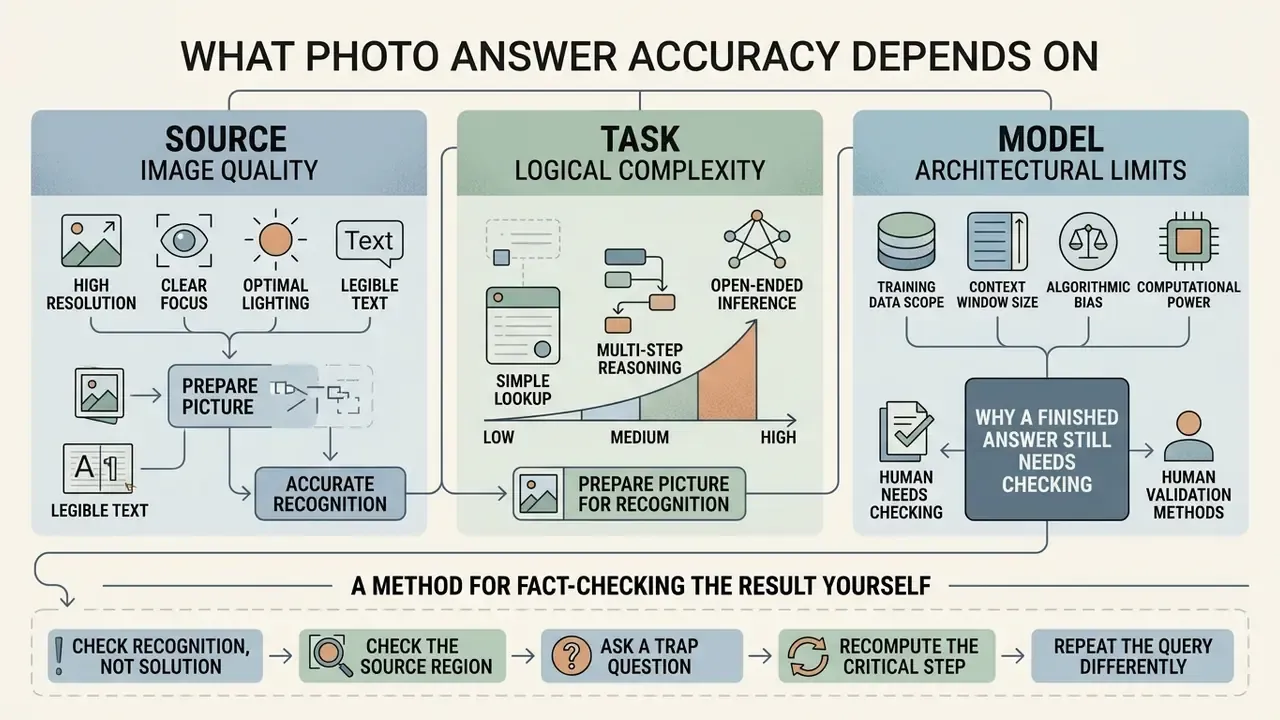
Three factors dominate: source image quality, the logical complexity of the task, and the architectural limits of the model. A fourth, systemic one hides behind them: domain shift, the gap between the training distribution and your actual documents.
How to Prepare the Picture for Accurate Recognition
To maximise OCR accuracy and reduce character error rate (CER), follow these capture rules:
| Capture parameter | Recommended value | Effect on result |
|---|---|---|
| Resolution (DPI) | 300 to 600 dpi (400 to 600 for type under 9 pt) | Keeps small glyphs and symbols legible |
| Skew angle | Under 10 degrees | Prevents keystone distortion of text |
| Contrast | Dark text on light background | Improves character and background separation |
| Cropping | One task per frame, full page visible | Removes context-breaking objects |
| Lighting | Diffuse light, flash off | Eliminates glare on glossy paper |
| Focus | Sharp across the whole text area | Blur raises CER directly |
When photographing handwriting, write legibly and avoid overlapping strokes. Obvious advice, routinely ignored.
Why a Finished Answer Still Needs Checking
Even advanced multimodal models are not close to reliable on hard visual reasoning. Across MM-MATH and U-MATH, accuracy on visual mathematics runs roughly 58% to 64%. So about one in three answers may carry an arithmetic or logical error.
«U-MATH reports 93.1% accuracy on university-level text problems against only 58.5% on visual ones, confirming the image is the bottleneck.»
During a document audit exercise, we pushed 100 scanned invoices through an OCR model. It recognised printed fields without error, but on six documents with smudged stamps it transposed digits in the VAT amount. Manual review caught them before the numbers reached reporting. Six out of a hundred sounds small until you attach a payment run to it.
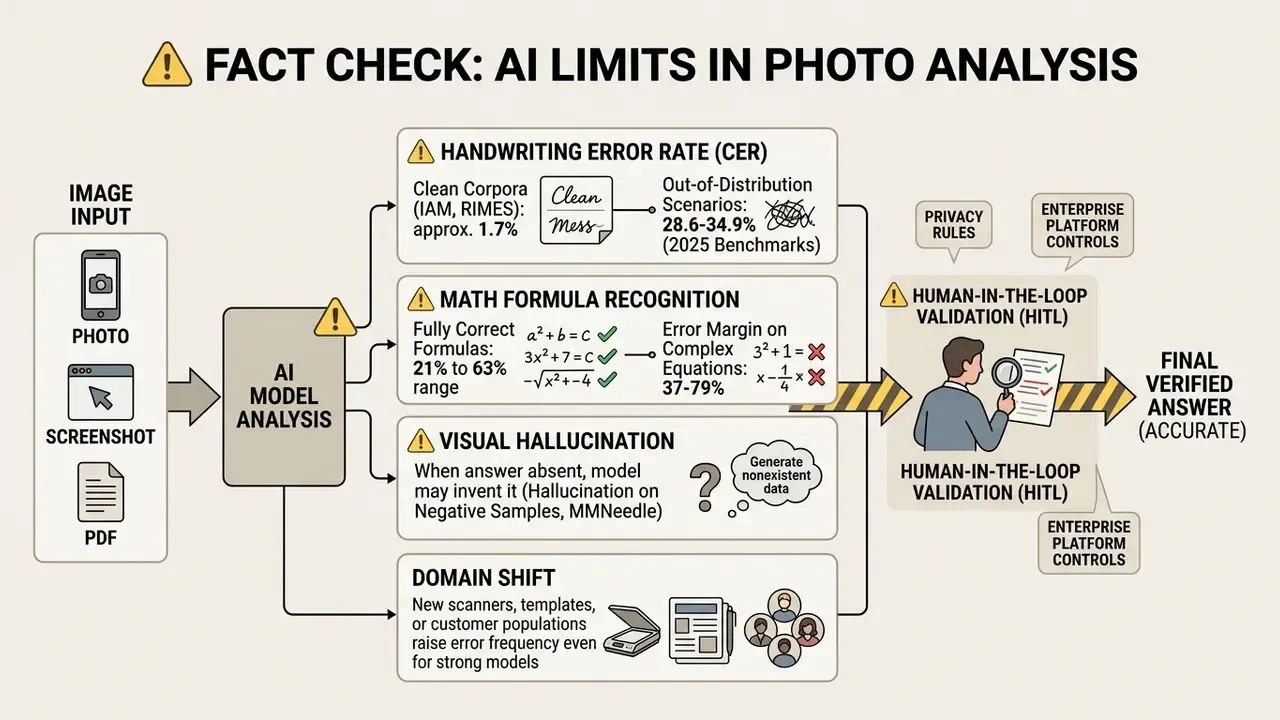
If you also need to know whether the image itself is synthetic or edited, use AI image detectors. Under NIST methodology, content provenance control belongs in the baseline set of measures against identification errors.
A Method for Fact-Checking the Result Yourself
Validation Framework, HITL and Audit Trail
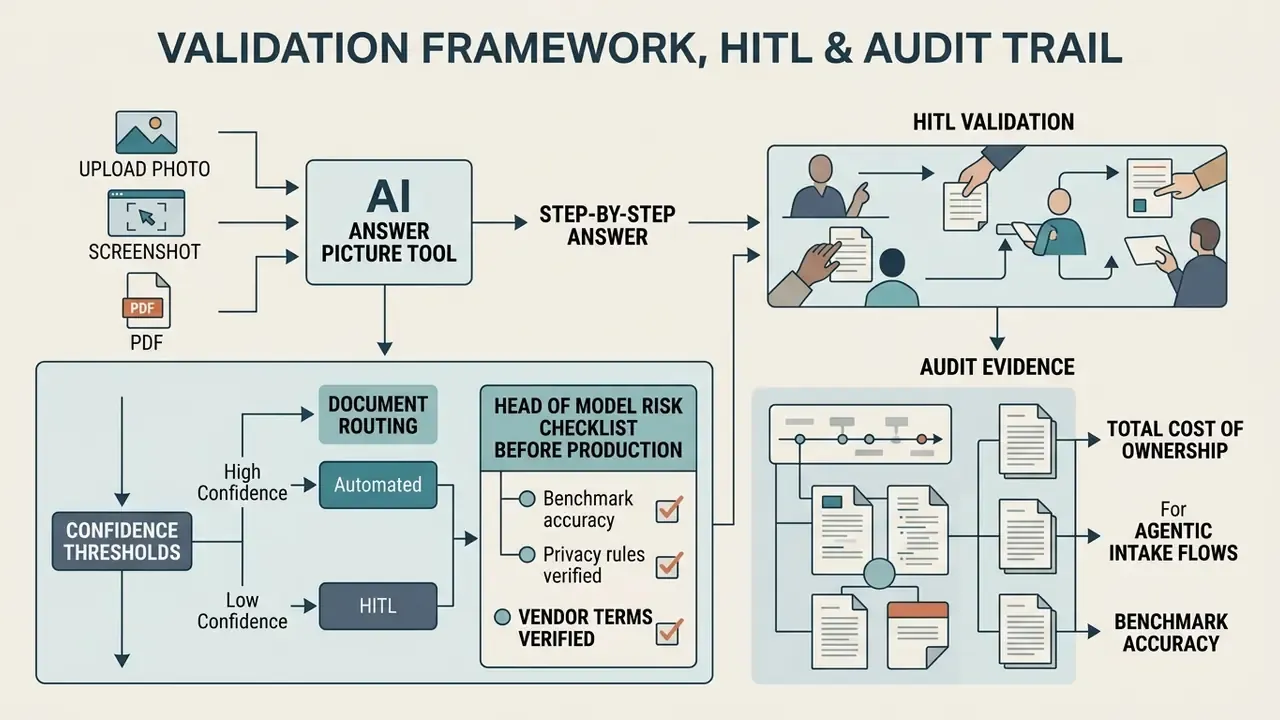
For an institution the question is not whether the model answers. It is whether the answer survives contact with an auditor. Below is a minimal control loop consistent with model risk management logic (Federal Reserve SR 11-7) and NIST AI RMF 1.0.
One principle sits above the table: no evidence, no autonomy. If a document intake agent cannot show where its answer came from, it does not get to act on it.
Confidence Thresholds and Document Routing
| Confidence level | Action | Accountable |
|---|---|---|
| 99% and above (printed fields, machine type) | Auto-post with 1% to 3% sampling | Process owner |
| 95% to 99% | Auto-post plus mandatory 10% sample review | Operational control |
| 90% to 95% | Full manual verification by an operator (HITL) | Operator and supervisor |
| Below 90%, or handwriting and margin notes | Mandatory manual processing, auto-answer blocked | Operator |
| Model reports "insufficient data" | Return for recapture or additional request | Requester |
Thresholds are calibrated on a representative sample, at least several hundred documents per template, and revisited whenever the model, API version or scan source changes. Skipping recalibration after a vendor model update is one of the more common quiet failures we see described in governance postmortems.
Required Audit Evidence
Head of Model Risk Checklist Before Production
Checklist0 / 9
Total Cost of Ownership
A working formula for the economics:
TCO = (API price x document volume) + (HITL share x verification time x operator rate) + integration and support + residual risk reserve
The practical implication: once manual review exceeds roughly 30% to 40% of volume, automation savings evaporate into verifier salaries. Which is why the first optimisation step is almost always better input scans, not a different model. Boring, and it works.
AI Answer Generator Free: Free Access, Limits and Enterprise Architecture
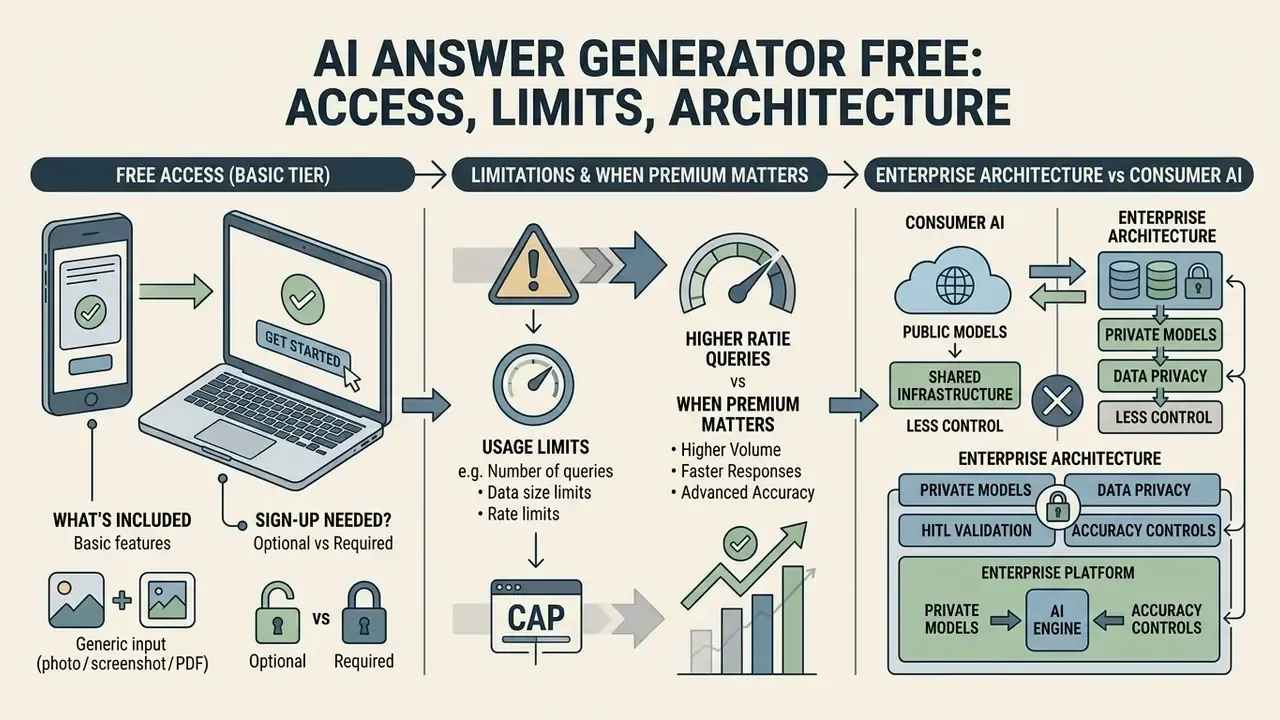
Most ai answer picture generator free services offer a basic tier so you can try the product. Regular use at volume runs into daily caps.
So read every number below as a typical market reference point that needs checking against the vendor's current price list.
What a Free AI Answer Generator Includes
Free mode usually covers occasional everyday questions:
- Two to five free image uploads per day (some services allow up to 20 attempts);
- Maximum file size around 20 MB;
- Support for JPEG, PNG, WEBP and non-animated GIF;
- Basic step-by-step explanation for standard tasks.
Free tiers also throttle processing during peak hours. Definitions differ too: some vendors count "images per day", others count "files in a rolling window", which is why published limits look inconsistent.
Public Consumer AI vs Enterprise Architecture
For institutions the consumer price grid is irrelevant. What decides the purchase is the processing perimeter and audit capability, not daily upload counts.
| Criterion | Azure AI Document Intelligence | AWS Textract | Google Document AI | Private / self-hosted VLM |
|---|---|---|---|---|
| Deployment | Cloud plus on-prem containers | Cloud with VPC endpoints | Cloud plus VPC Service Controls | Full on-prem, isolated network |
| PII and PHI handling | Agreements for regulated data | Regulated workload support | Regulated workload support | Data never leaves the perimeter |
| Training on your data | Off by default under enterprise terms | Off by default | Off by default | Entirely under your control |
| Encryption keys | Managed or BYOK | Managed or KMS | Managed or CMEK | Your own HSM |
| Structured output | Fields, tables, key-value, coordinates | Forms, tables, query-based extraction | Layout, tables, math OCR, LaTeX | Depends on chosen model |
| Audit and logging | Native platform logs | CloudTrail-compatible logs | Cloud Audit Logs | Your own SIEM |
| Vendor lock-in | Medium | Medium | Medium | Minimal |
| Cost model | Per page or per call | Per page or per call | Per page or per call | CAPEX plus engineering team |
A practical selection rule. The more sensitive the data and the stricter the reproducibility requirement, the stronger the case for VPC deployment or a private model. The more variable your document templates, the more layout parsing quality and math or handwriting OCR matter. Both pressures at once usually means a hybrid: private processing for regulated flows, managed API for the rest.
If you need to weigh tiers against volume, you can compare options using our interactive tables.
Using AI Answers in Study, Work and Commercial Tasks
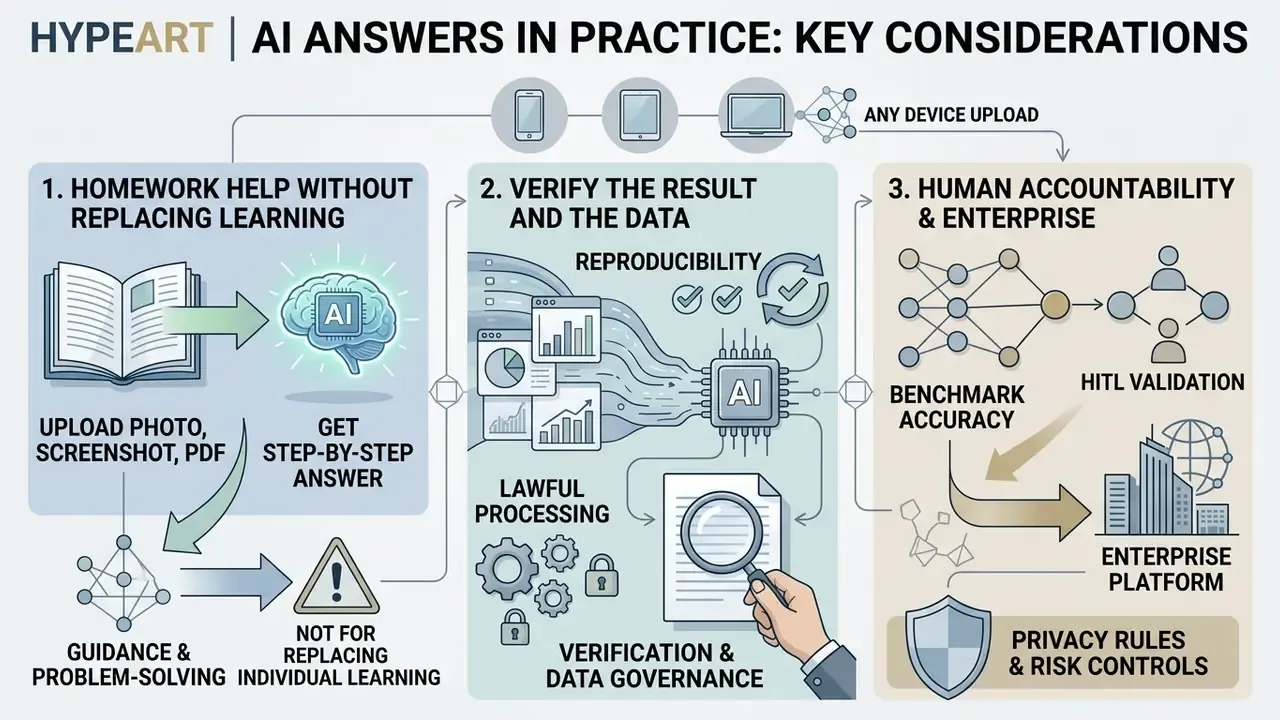
Deploying visual analysis tools means balancing productivity against information security risk. Different scenarios carry different rules.
Study: Homework Help Without Replacing Learning
Using ai answer question from picture in education is defensible when the AI acts as a personal tutor. The student uploads a hard problem, works through the proposed method, then solves an analogous exercise unaided. University guidance describes the acceptable patterns plainly: checking citations and methods, critically reviewing the model's output, self-verifying your own solution. Copying finished answers into examined work counts as academic misconduct.
Which means the operative rules come from the specific institution. Course policy outranks any vendor promise. The framing principles, human in the decision loop, transparency of AI use, personal data protection and bias control, come from the UNESCO Recommendation on the Ethics of Artificial Intelligence (2021) and national ministry guidance.
Work and Commercial Use: Verify the Result and the Data
In the corporate sector, specialists use vision models to accelerate research and first-pass document analysis. When commercial data is involved, check the legal conditions covering AI-generated material in AI Media Commercial-Use, along with the terms for commercial use of AI image generators.
Three non-negotiable conditions for commercial use:
Do these three hold for the workflow someone in your organisation started last Tuesday? Worth asking before the next audit does.
AI Answer Picture vs ChatGPT and Gemini
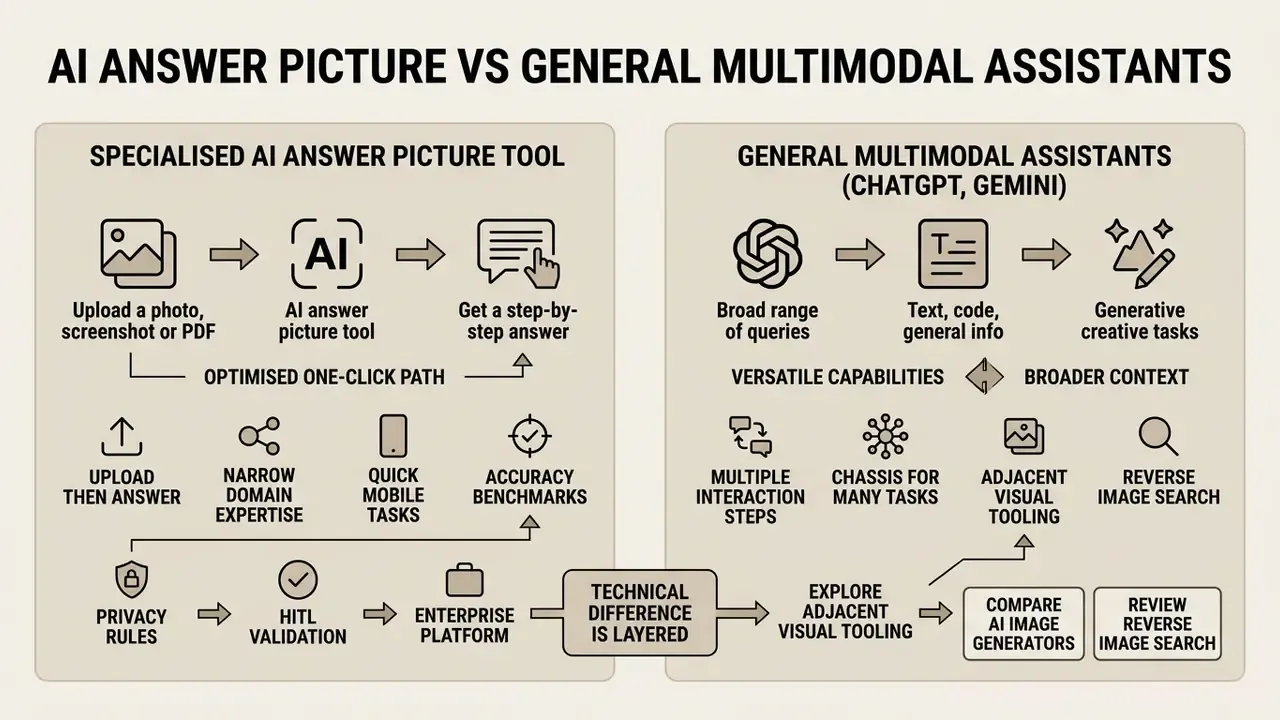
Users ask a reasonable question: use a specialised ai answer generator photo, or a general multimodal assistant such as ChatGPT or Gemini?
Specialised services optimise for the simplest one-click path, upload then answer, and often ship narrow templates for school subjects, receipt parsing or region-grounded responses. General platforms give deeper context, long conversations and broad file support.
«On the OWLViz benchmark of 248 image questions, the best VLM, Gemini, scored just 27.09% against 69.2% for humans, exposing the tool-use and common-sense gap.»
| Comparison criterion | Specialised AI Answer Picture | ChatGPT (OpenAI) | Gemini (Google) |
|---|---|---|---|
| Photo upload convenience | Highest (single button) | High (clip or camera) | High (media picker) |
| Response speed | Seconds | Seconds | Seconds |
| Step-by-step explanation | Automatic formatted template | Prompt dependent | Prompt dependent |
| Answer grounded to image region | Often available (bounding box) | Limited | Limited |
| PDF and file handling | Limited on free tier | Supported | Supported (File API) |
| Complex dialogue | Often absent | Full context support | Full context support |
| Detail control | Quick / Step-by-Step toggle | Via prompt and model mode | Via media resolution modes |
| Cost | Freemium or one-off subscriptions | Free and paid tiers | Free and paid tiers |
A closer look at one of these ecosystems against alternatives sits in our piece on ChatGPT as a picture generator.
For complex multidisciplinary questions, the general ecosystems win on raw reasoning capacity.
«Per the Gemini 1.5 technical report, the model achieves near-perfect recall above 99% when retrieving a fragment from contexts up to 2 million tokens across text, video and audio.»
FAQ: AI Answer From Picture
Does AI Answer Picture Work on Mobile and in Different Languages?
Yes. Current photo-answer services run on iOS and Android through the browser or native apps. You can shoot an instant snapshot in the camera interface or pick an existing screenshot from the gallery. Multimodal models read text and formulas in dozens of languages, and some services claim up to 99 interface and recognition languages. The answer arrives in the language of your question, so you can photograph text in one language and ask about it in another.
Can I Ask Follow-Up Questions and Get an Answer From Video?
In full-featured services and general chatbots, yes. Ask "explain step 3 in more detail" or "recalculate for these inputs" without re-uploading the picture, because the image context stays in the session. Video is more limited. Many platforms do not process live streams directly. You can take a screenshot of the relevant frame, or upload a short clip or link, after which the model analyses the frame content and, where audio is supported, the spoken text as well.
How Accurately Does AI Read Handwriting?
Printed text errors sit in the low single-digit percentages. Handwriting is markedly worse: in out-of-distribution scenarios CER reaches 28% to 35%, and the share of fully correct handwritten formulas in published evaluations ranges from 21% to 63%. Practical move: request the transcription first, verify it, then ask for the solution.
What If the Answer Is Not in the Image?
A well-behaved service should say the data is insufficient. If the model confidently names a value that is not in the frame, that is the classic hallucination on negative samples described in MMNeedle. Rephrase, add the instruction "if the data is absent, reply insufficient data", and check the source region.
Can I Upload Documents Containing Personal Data?
Into public services, no. Agency guidance explicitly prohibits entering PII, PHI and other confidential material into publicly available AI platforms. For that data you need an enterprise contour with training disabled, a controlled processing region and a contractual deletion schedule.
Does AI Replace a Lawyer, an Accountant or a Teacher?
No. Every answer is supporting material. Financial, tax, medical and legal conclusions require confirmation by a qualified professional, and accountability for the decision stays with a human.
What Should Model Risk Teams Test First?
Recognition fidelity on your own worst documents, not the vendor's demo set. Take 200 to 500 real files per template, including the smudged and handwritten ones, and measure field-level accuracy plus the share routed to manual review. That single measurement drives both your threshold table and your TCO estimate.
Appendix A. Clarifications and Replaced Claims
For editorial transparency, here are statements from the previous version of this article and what replaced them.
| Original claim | Status | Current version |
|---|---|---|
| "OpenAI Vision Documentation, 2026" cited as a capability source | Replaced | Reference to public vendor documentation and VQA surveys, without future-dated citations |
| "Over 50 handwriting languages (Google Document AI, 2026)" | Clarified | Roughly 50 handwriting languages per Google Cloud Document AI docs; verify against the current product version |
| "Google Cloud Enterprise Document OCR, 2026" | Replaced | Reference to Enterprise Document OCR and Mathpix Convert API functionality, without a future date |
| "Recognition quality depends 90% on file preparation" | Reworded | Kept as an estimate; the numeric share is not supported by research |
| "ABBYY FineReader Engine OCR Standards, 2026" | Replaced | Skew tolerance of 10 degrees and dpi guidance per ABBYY FineReader Engine, Cornell OCR tutorial, Hyland OCR standards |
| "Answer generation takes 2 to 10 seconds" | Reworded | "A few seconds"; no stable public latency measurement exists |
| "Microsoft Phi-4 Reasoning Architecture Report, 2025" | Replaced | Google Gemini 1.5 Technical Report (2024) plus steps / final_answer structure from structured output guides |
| "Math-ai.ru, 2026" | Replaced | MathVista Benchmark (Lu et al., 2024) |
| "UNESCO (2026)" | Replaced | OECD Digital Education Outlook 2023 plus UNESCO Recommendation on the Ethics of AI (2021) |
| "Cornell Center for Teaching Innovation, 2026" | Replaced | OECD Digital Education Outlook 2023 |
| "CVPR Benchmark, 2025" without a paper title | Clarified | CER range of 1.7% to 34.9% with IAM and RIMES datasets and OOD scenarios named |
| "Mathpix error rate 37 to 78%" | Clarified | Recomputed from the share of fully correct formulas (21% to 63%) in published evaluations |
| Links to entertainment image roundups | Reclassified | Kept only as clearly labelled consumer-side glossary references, separate from the enterprise sections |
Navigation Hub and Reference Resources
For deeper reading on visual analysis and generative media, our specialised sections:
- Consumer-side glossary entries, useful only as generation examples and clearly outside enterprise scope: good morning ai images, goofy ai images, goofy ahh ai images
About the author. Prepared by the editorial team with Marcus Hale, AI Governance and Model Risk Analyst. Marcus Hale, author. His stated focus is model validation and risk control in automated document processing. All cases described here (the circuit calculation, the 100-invoice audit, the counterparty statement automation) come from internal editorial practice and are illustrative, presented with their actual limitations.
General disclaimer. This material is informational and analytical. It is not legal, tax, medical or regulatory advice and does not replace consultation with a qualified specialist.