An AI book illustration generator is a software pipeline that converts text descriptions into coherent visual artwork for published media. In commercial publishing and enterprise media projects, uncontrolled automated generation creates real operational and model risk: undocumented outputs, unverifiable licensing, drifting characters. Visual governance is the antidote. It requires strict style enforcement, deterministic character anchoring, and verified licensing controls before anything ships to print.
"In controlled media production, autonomous generative tools introduce operational risk without an evidence chain. Adopting an AI book illustration generator requires strict style locking, deterministic character references, and verified licensing protocols before commercial release."
— Marcus Hale, author.
Executive Summary
- What it is.A book illustration generator differs from a generic text-to-image tool because it must hold continuity across six dimensions (time, space, character, event, style, and theme) for an entire manuscript, not for one isolated frame.
- What matters when choosing.Character reference anchoring (
--cref,--cw), seed locking, mask-based inpainting, cross-page state management, and print-ready export (300 DPI, CMYK, 3 mm bleed, PDF/X-1a or PDF/X-4). - What free tiers do.Free plans are for prompt testing and concept drafting: 5–15 images per day, 1024 px web resolution, RGB-only export, personal use only.
- What paid tiers unlock.High-resolution and 2K/4K export, inpainting and outpainting, batch queues, commercial licensing, and, on selected enterprise plans, IP indemnification.
- Market pricing reality.All-in-one storybook platforms run $29–$115 per month; professional art engines $9–$170 per month; API generation $0.001–$0.25 per image; physical print-on-demand $29.99–$59.99 per copy.
- Legal position.Under U.S. Copyright Office guidance (2023), purely AI-generated material must be disclaimed; only human-authored contributions are registrable. Publisher policies diverge sharply: Elsevier prohibits AI imagery in book artwork, Wiley permits it only under broad-reuse licenses.
Who Should Read This, and Which Decision It Supports
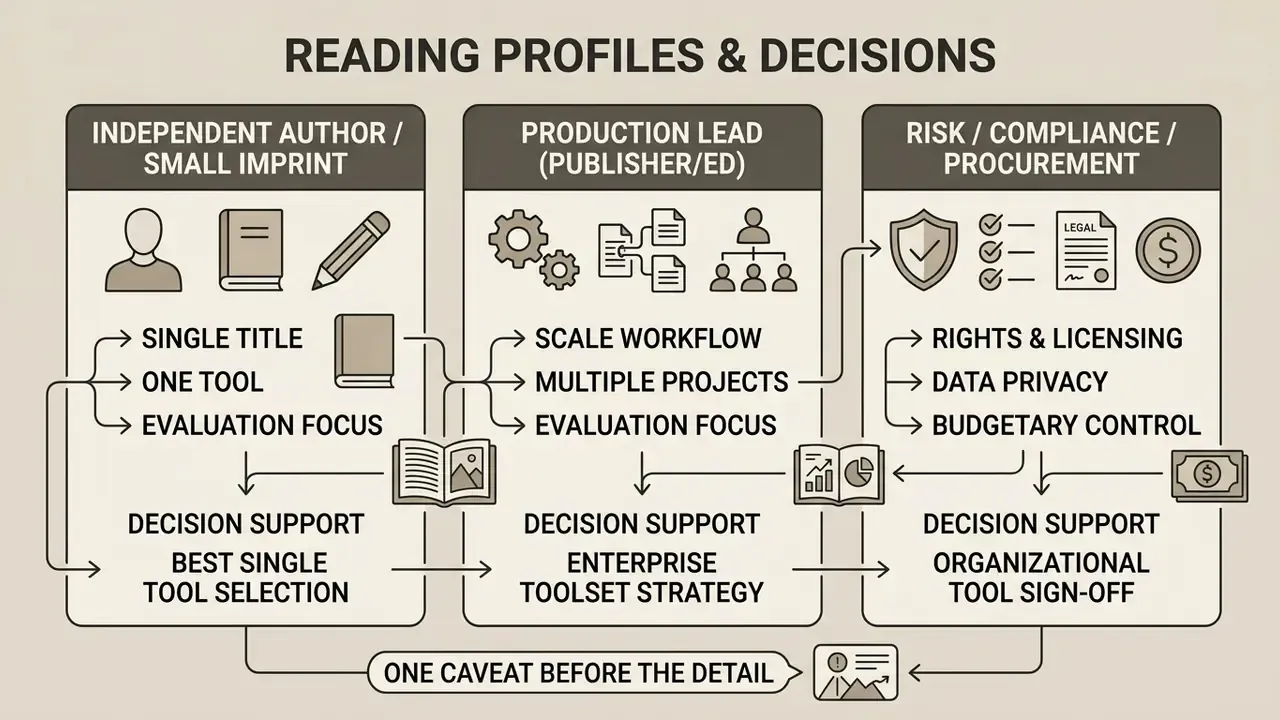
This guide is written for three decision profiles, and each of them reads it differently.
The first is the independent author or small imprint choosing a single tool for one illustrated title. The practical question there is narrow: can this platform hold one character across 32 pages and produce a file a printer will accept?
The second profile is the production lead at a publishing house or education provider. The question shifts from output quality to repeatability. Can two illustrators, working three weeks apart, regenerate the same asset from the same record?
The third profile is the risk, compliance, or procurement owner who signs off on the tooling. Their concerns are provenance, retention, indemnification, and evidence. Nothing in this article assumes their approval is a formality.
One caveat before the detail. The audience descriptions above are working hypotheses, not verified segments; treat them as such until interviews or analytics confirm them. The technical and legal specifics, on the other hand, are sourced and dated.
What Is an AI Book Illustration Generator and What Problems Does It Solve?
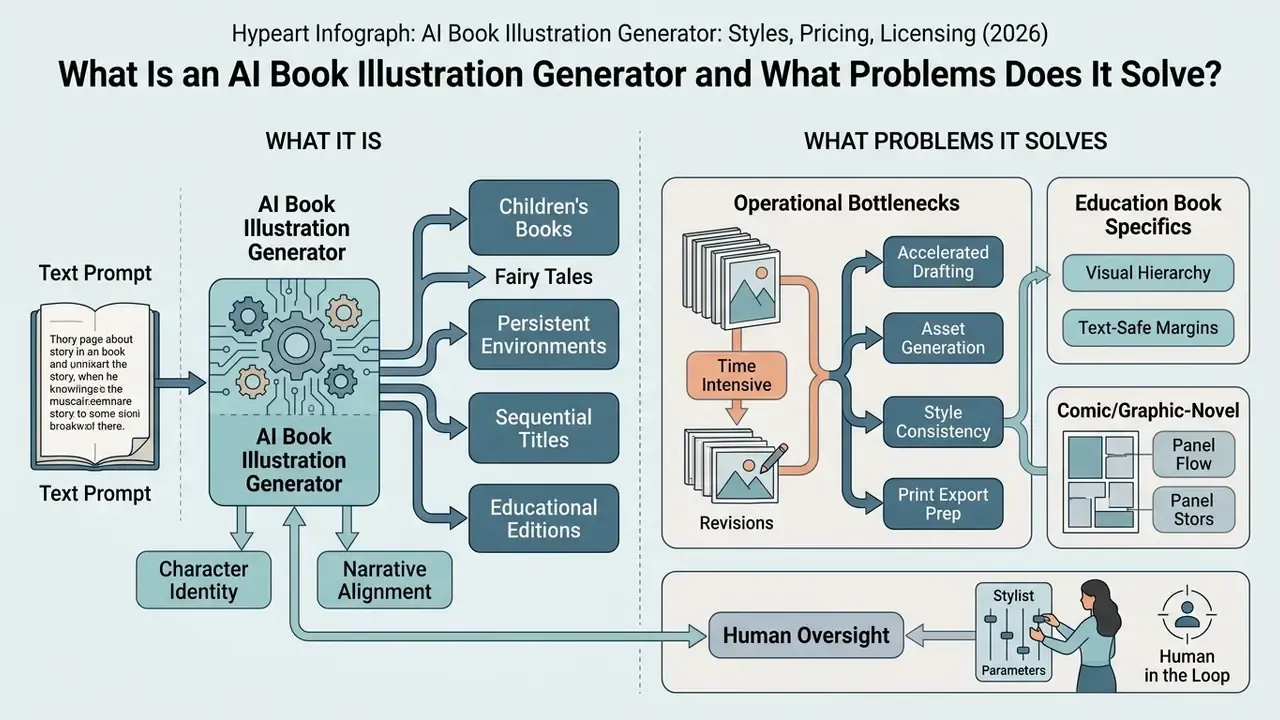
An AI book illustration generator is a specialized machine learning pipeline that produces sequential, narratively aligned visual assets from text prompts while preserving multi-page consistency. Generic text-to-image models create isolated images without spatial or temporal continuity. That difference is the whole story.
«Text-to-image models must maintain consistency across six dimensions: time, space, character, event, style, and theme.»
Illustrations for Children's Books, Fairy Tales, Fantasy, and Educational Titles
Generating artwork for children's books, picture books, fantasy titles, and educational editions requires distinct spatial layouts, strict character identity preservation, and print-ready specifications. Children's picture books depend on recurring visual motifs and instant character recognition across every page spread. Fantasy and fairy-tale literature demand world-building continuity: stable lighting schemes, fixed color palettes, and reusable environmental assets. Recurring background motifs, consistent proportions, and a controlled color mood preserve narrative identity even when scenes change completely.
Educational books demand clean visual hierarchy and explicit text-safe margins. Artwork in an educational title has to hold high contrast and leave structured white space for body copy and captions. Print production then adds its own standardization: minimum 300 DPI resolution, 3 mm bleed margins, CMYK conversion, and PDF/X-compliant export.
Comic and graphic-novel formats add one more constraint. Panel-level continuity, where the same cast must survive dynamic camera angles, action framing, and lighting shifts inside a single spread. That is where most consumer tools quietly fail.
Single-Image Generator or AI Book Generator with Pictures
Single-image generators create isolated artworks per prompt. An AI book generator with pictures automates sequential layout, text integration, and multi-page visual tracking. Single-art workflows optimize visual quality for one standalone scene, such as a book cover or a marketing banner. Use those same tools across a multi-page manuscript and you get character drift plus visual misalignment between chapters.
An integrated AI book generator with pictures manages cross-page state. It links text blocks with matching artwork, enforces a unified style sheet, and tracks character assets through the narrative sequence. Single-image tools still give you finer control over individual pixel details; multi-page book generators win on page layout, typography placement, and publication export.
Book-scale systems carry documented limits of their own. Reported testing of consumer storybook builders shows page caps (for example, 25 pages per project), no direct print-ready PDF editing, and character appearance shifting between spreads. Which is exactly why professional pipelines pair a book-level tool with a controllable art engine instead of betting on one product.
How to Choose an AI Image Generator for Book Illustrations
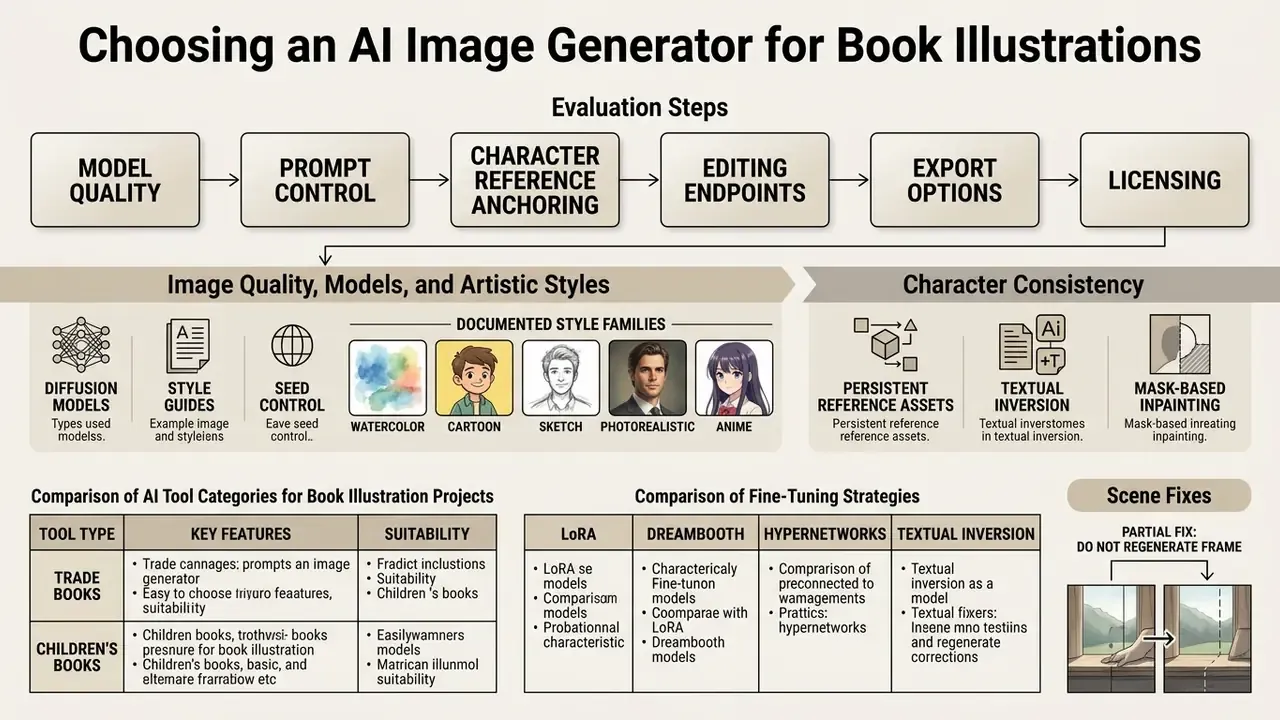
Selecting an AI image generator for book illustrations comes down to six checks: model baseline quality, prompt control, character reference anchoring, editing endpoints, cross-page state management, and print export compliance. Ask whether the tool supports custom style definitions, iterative inpainting, and deterministic seed locking. Evaluating these criteria before purchase prevents workflow fragmentation halfway through a multi-page book.
Comparison of AI tool categories for book illustration projects
| Tool Category | Primary Use Case | Character Consistency | Cross-Page State Management | Editing Capabilities | Export Formats |
|---|---|---|---|---|---|
| Single-Image Generator | Standalone visual art, cover concepts, single scenes | Low; independent prompt runs cause visual drift | None; every prompt is stateless | Basic cropping, background removal, global re-prompts | PNG, JPG (RGB) |
| Story Illustration Generator | Sequential chapter scenes, comic panels, web stories | Moderate; uses reference images and style tags | Partial; character cards and style presets persist per project | Mask-based inpainting, local element regeneration | PNG, JPG, multi-page PDF, EPUB |
| Complex AI Book Generator | Full picture books, educational ebooks, formatted manuscripts | High; enforces locked character seeds and style sheets | Full; page order, text blocks, cast, and palette tracked book-wide | Integrated page editor, text relocation, layout adjustments | Print-ready PDF (CMYK, 300 DPI), EPUB, KDP-ready files |
Vendor classes and enterprise-relevant attributes
| Vendor / Engine Class | Consistency Mechanism | Editing Depth | Commercial and Governance Notes |
|---|---|---|---|
| Midjourney | Character reference (--cref), style reference (--sref), character weight (--cw 0–100), seed reuse | Region-based variation, pan and zoom, reframing | Commercial use tied to paid plans; businesses above $1M annual revenue require higher tiers |
| OpenAI image models (DALL·E 3 / GPT Image family) | Reference image inputs, identity, outfit, and style labeling in prompt | Mask-based inpainting and outpainting via edits endpoint | Output ownership assigned contractually; consumer terms cover personal use, commercial use governed by business terms |
| Adobe Firefly | Style and structure reference, brand kits, style presets | Generative fill and expand, native PDF insertion workflows | Trained on licensed and public-domain content; IP indemnification offered for eligible plans |
| Stable Diffusion XL (self-hosted or managed) | LoRA fine-tuning, DreamBooth, textual inversion, ControlNet, fixed seeds | Full pipeline control, depth and pose conditioning, layer separation | Deployable inside private infrastructure; dataset provenance is the operator's responsibility |
| Character-focused platforms (OpenArt, Morphic, Scenario) | Character features and Character Lineup cards referenced in each prompt | AI image editors that change clothing, objects, background, and lighting without a full re-render | Commercial rights depend on subscription tier; some platforms require attribution |
| API-first engines (DeepAI, Replicate-style endpoints) | Prompt and seed parameters only; consistency handled application-side | Programmatic enhance, background removal, upscaling | Per-image billing; some providers treat outputs as public domain with no owner |
Publishers comparing named products against these attributes can review the shortlist of best AI image generators, the head-to-head on Midjourney image generation, or the stylistic breakdown of Ghibli-style AI image generators.
Image Quality, Models, and Artistic Styles
High-grade digital illustration relies on diffusion models paired with explicit style guides, seed controls, or fine-tuned LoRA weights. Leading base architectures such as Stable Diffusion XL and DALL·E 3 cover a wide stylistic range, from traditional watercolor and oil textures to digital vector and 3D render looks.
«Diffusion models can produce high-quality images, but the human remains the best operator for formulating the textual instruction.»
Documented style families used in book production include watercolor, cartoon, sketch, photorealistic, anime and manga, abstract, minimalist, vintage, pixel art, claymation, and 3D render. Holding visual quality across a whole book requires strict style classification, not vibes. Operators fix prompt parameters covering medium, line weight, color palette, and rendering technique, then stop touching them. Model choice still drives output fidelity, prompt adherence, and render resolution, so choose the engine before you choose the style, not the other way round.
Character Consistency, Editing, and Scene Regeneration
Character consistency comes from persistent reference assets, textual inversion, mask-based inpainting, and controlled seed parameters, not from clever text prompts alone. Academic work confirms that automated identity-preservation pipelines outperform prompt-only approaches when preserving facial structure and costume details across novel scenes.
«An iterative SDXL tuning method reached a mean identity-consistency score of 3.48 ± 1.20 on a five-point scale, outperforming BLIP-Diffusion and IP-Adapter.»
Comparative research on fine-tuning strategies (LoRA, DreamBooth, Hypernetworks, and Textual Inversion) shows that persistent character generation is ultimately a model-level capability. Prompt engineering and reference images are the operator-level controls layered on top ("Advancing Persistent Character Generation: Comparative Analysis of Fine-Tuning Techniques for Diffusion Models", 2025).
When a scene needs a partial fix, do not regenerate the frame. Inpainting endpoints let creators modify a specific region, a character's expression, say, or an intrusive background object, while the surrounding artwork stays untouched. For broader tool comparisons and software evaluations, publishers can open the hub or review legal precedent in our litigation and disputes section.
Free AI Book Illustration Generators: Features and Limitations
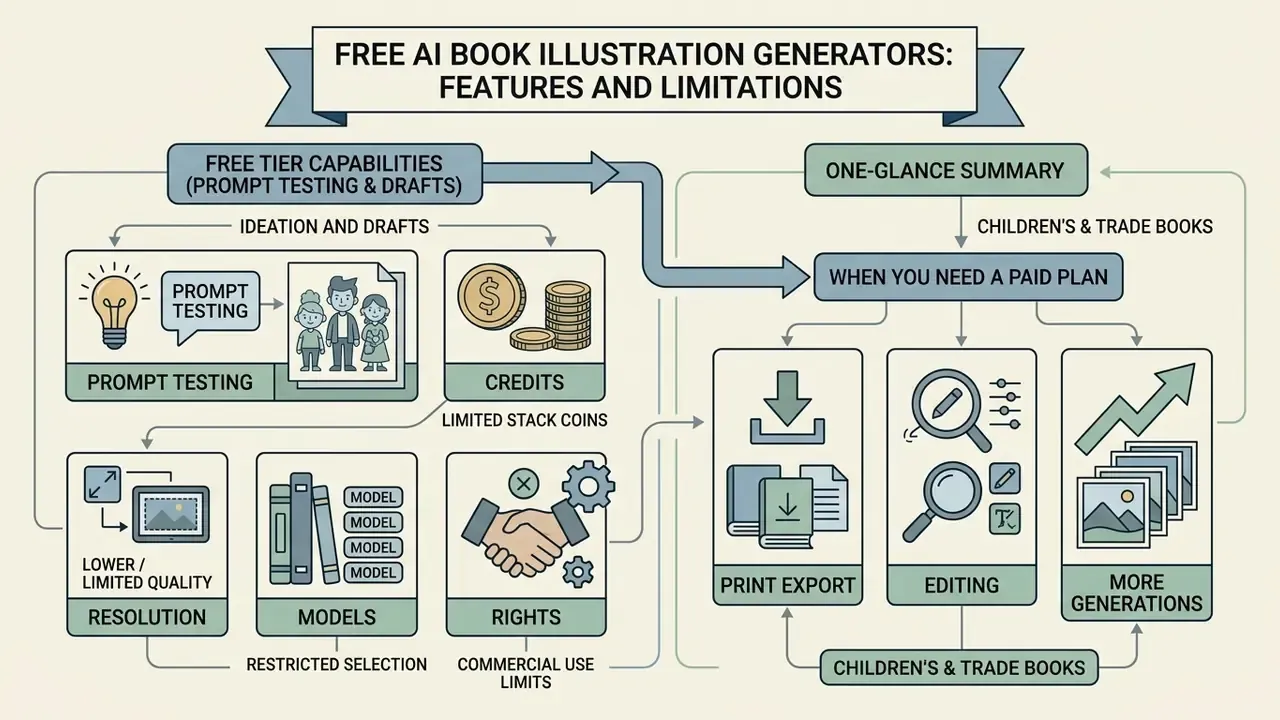
A free AI book illustration generator is good for prompt testing and draft generation. It comes with strict usage caps, lower resolution, and limited legal clarity under U.S. copyright guidance. Free tiers work as exploratory environments for visual concepts and prompt structure. Commercial publication needs features that sit behind the paywall.
The U.S. Copyright Office states plainly that purely AI-generated visual content lacking human authorship cannot be registered (U.S. Copyright Office AI Policy Guidance, 2023).
«Copyright protection extends only to works with a sufficient level of original human intervention; purely AI-generated works fall outside it.»
Free tiers rarely provide the fine-grained human control tools (depth masking, layer control, custom fine-tuning) that help establish copyrightable human authorship. Congressional research guidance spells out the practical consequence: in an illustrated-book scenario, human-authored text can be claimed, while AI-generated illustrations must be disclaimed, and AI tools cannot be listed as authors ("Generative Artificial Intelligence and Copyright Law", Congressional Research Service, 2025).
What You Can Create on the Free Tier
Free tiers let creators test individual scene prompts, evaluate style outputs, and generate a handful of storybook illustrations under daily credit caps. Most web platforms restrict free accounts to a fixed number of daily generations at standard web resolutions (1024 × 1024 pixels is typical), and several API providers list the free tier as unsupported for image models entirely.
These environments are still useful. They let authors draft character concepts and test narrative scene prompts with zero financial commitment. Readers comparing entry-level options can review the roundup of free AI image generators and the parallel selection of free AI art generators.
Typical free-tier ceilings observed across consumer platforms:
- Credits 5–20 generations per day, or a one-time allotment of trial credits.
- Resolution 512–1024 px square outputs at 72–96 DPI; no 2K or 4K upscaling.
- Models restricted model list, often excluding the highest-fidelity engine.
- Rights personal, non-commercial use; watermarking or attribution requirements.
When You Need a Paid Plan: Export, Editing, and More Generations
A paid plan becomes necessary for 300 DPI export, advanced inpainting and outpainting, larger generation queues, and commercial licensing rights. Commercial publishing demands print-ready vector or high-DPI raster output that free tiers simply do not produce.
Paid plans open advanced editing endpoints, batch processing, and priority rendering queues. Teams that need post-processing beyond the generator itself can layer in dedicated AI image enhancement tools or AI outpainting tools for expanding images. More important for regulated buyers: enterprise subscriptions often carry legal indemnification and explicit commercial-use rights that distribution channels ask about.
«Adobe Firefly is trained on licensed content and offers IP indemnification for commercially safe outputs.»
For a fuller breakdown of enterprise subscription structures, teams can view the guide in our pricing repository.
Functional distinctions between free tiers and commercial subscriptions
| Feature / Parameter | Free Tier Access | Paid Commercial Subscription |
|---|---|---|
| Output Resolution | Standard web resolution (72–96 DPI, max 1024 px) | High-resolution export (300+ DPI, up to 1536 × 1024 or 2K/4K) |
| Generation Limits | Strict daily credit caps (for example, 5–15 images per day) | High-volume or unlimited generation queues (often Relax mode only) |
| Editing Features | Basic global re-generation, no advanced masking | Inpainting, outpainting, depth control, layer separation |
| Export Formats | Compressed JPG or PNG (RGB only) | Uncompressed PNG, vector SVG, print-ready PDF/X (CMYK) |
| Commercial Usage Rights | Personal, non-commercial use only | Commercial licensing, output ownership, optional IP indemnification |
| Governance Controls | No seat management, no retention controls, no audit export | SSO, seat limits, data-retention settings, generation logs for audit |
Note the last row. For a regulated media team it is often the deciding one, well ahead of image quality.
Pricing and Business Models Across the Market
Budget planning means separating four cost layers: the storybook platform, the art engine, API usage, and physical print production. The ranges below reflect publicly advertised consumer and professional plans in the illustrated-book segment as of 2026.
| Model Type / Service Class | Typical Price Range | Key Included Features | Ideal Commercial Target |
|---|---|---|---|
| All-in-One Storybook Platforms (MyStoryBot, Lullaby, Readkidz-class tools) | $29 – $115 / month | Character face-locking, integrated text layout tools, one-click KDP or EPUB export, narration | Independent children's authors, parents creating keepsake gifts |
| Professional AI Art Engines (Midjourney, OpenArt, Morphic) | $9 – $170 / month (credit tiers: ~900 to ~24,000 credits) | Advanced inpainting, seed locking, high-resolution upscaling (2K/4K), custom LoRAs, character workflows | Professional designers and publishers needing granular image control |
| API and Pay-Per-Generation Engines (DeepAI API, hosted diffusion endpoints) | $0.001 – $0.25 / image (roughly 1¢ standard, 8¢ high-quality, 25¢ for 2K) | Programmatic generation, scalable backend integration, commercial raw outputs | Developers building automated publishing micro-services |
| Physical Print-on-Demand (POD) | $29.99 (softcover) $39.99 (hardcover) $59.99 (premium layflat) | Physical proofing, premium child-safe paper stock, bound production and shipping (typically 8–15 business days) | Direct-to-consumer physical book delivery |
| Enterprise / Custom | Negotiated | High-volume credits, custom seat limits, SSO, indemnification, SOC 2-attested infrastructure | Publishing houses, education providers, regulated media teams |
Total cost of ownership has to include human retouching hours, and this is where budgets usually break. If a 32-page title needs 40–150 hours of inpainting, retouching, and layout work, that labor dominates subscription spend by a wide margin. Per-image price is rarely the deciding variable; per-page rework is. Authors modelling budgets can use the calculators to compare subscription plus labor scenarios side by side.
How to Create Book Illustrations with AI: From Idea to Export
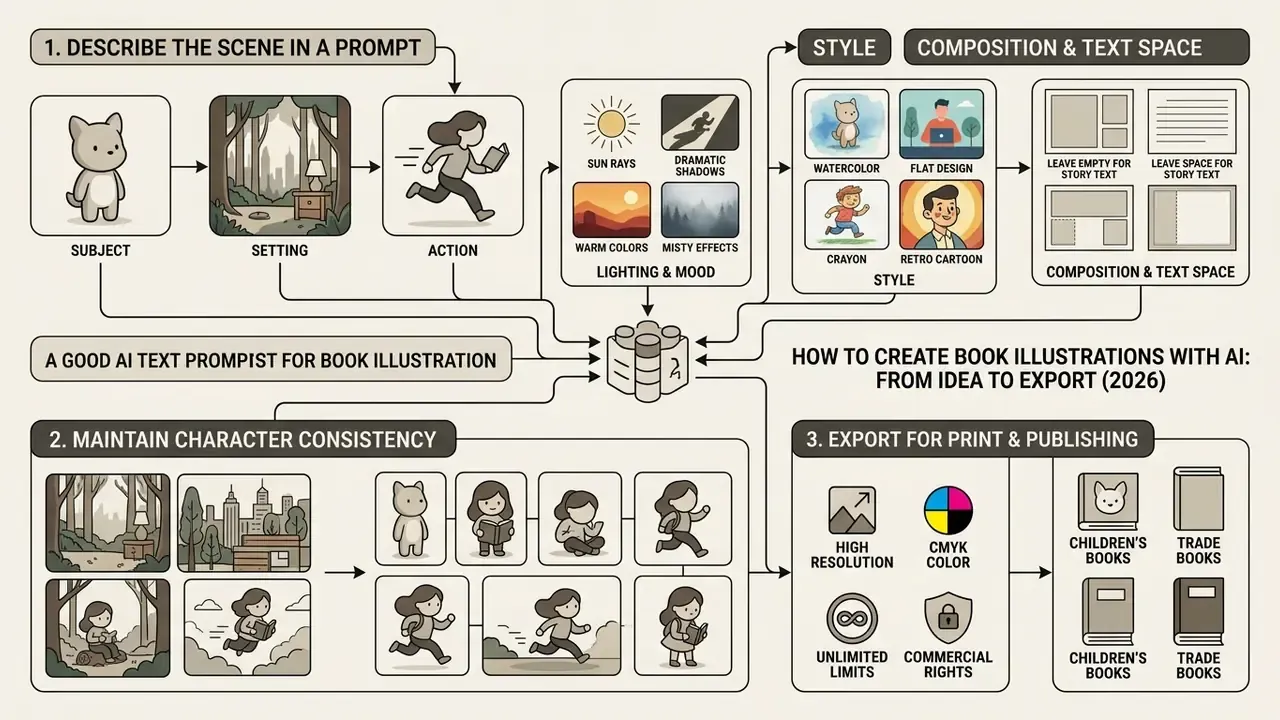
Creating book illustrations with AI follows a six-step pipeline: story concept, structured scene prompting, model selection, generation, targeted editing, and print-ready export. A standardized workflow reduces asset rework and keeps visual alignment stable through the production cycle.
- Story concept and character sheet.Define narrative beats, character reference images, and the color palette.
- Structured prompt generation.Compose prompts with explicit subject, setting, lighting, and mood tags.
- Model and style locking.Select the base diffusion model, seed range, and fixed style parameters.
- Image generation and selection.Render scene candidates, then choose the strongest assets.
- Inpainting and local edits.Correct artifacts, adjust expressions, refine margins.
- Print and digital export.Upscale to 300 DPI, convert to CMYK, add bleed, compile the PDF.
How to Describe the Scene, Character, and Action in a Text Prompt
Effective prompts are ordered, not poetic. Specify scene setting, primary subject details, action, lighting, mood, and composition parameters. Moving from broad environment to specific subject detail, and pairing mood words with explicit lighting terms, measurably improves adherence.
«Pipeline variants that use an LLM to formulate scene descriptions produce significantly higher illustration quality according to human annotators.»
A structured prompt for a children's storybook page looks like this:
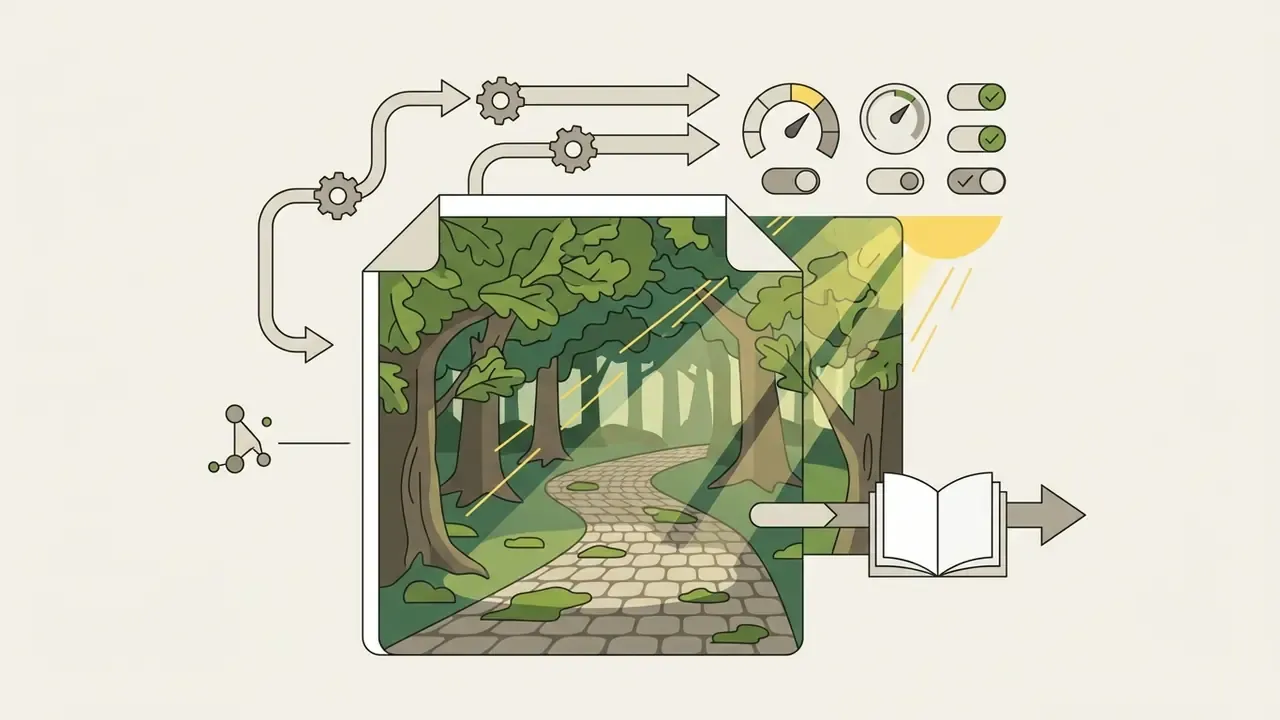
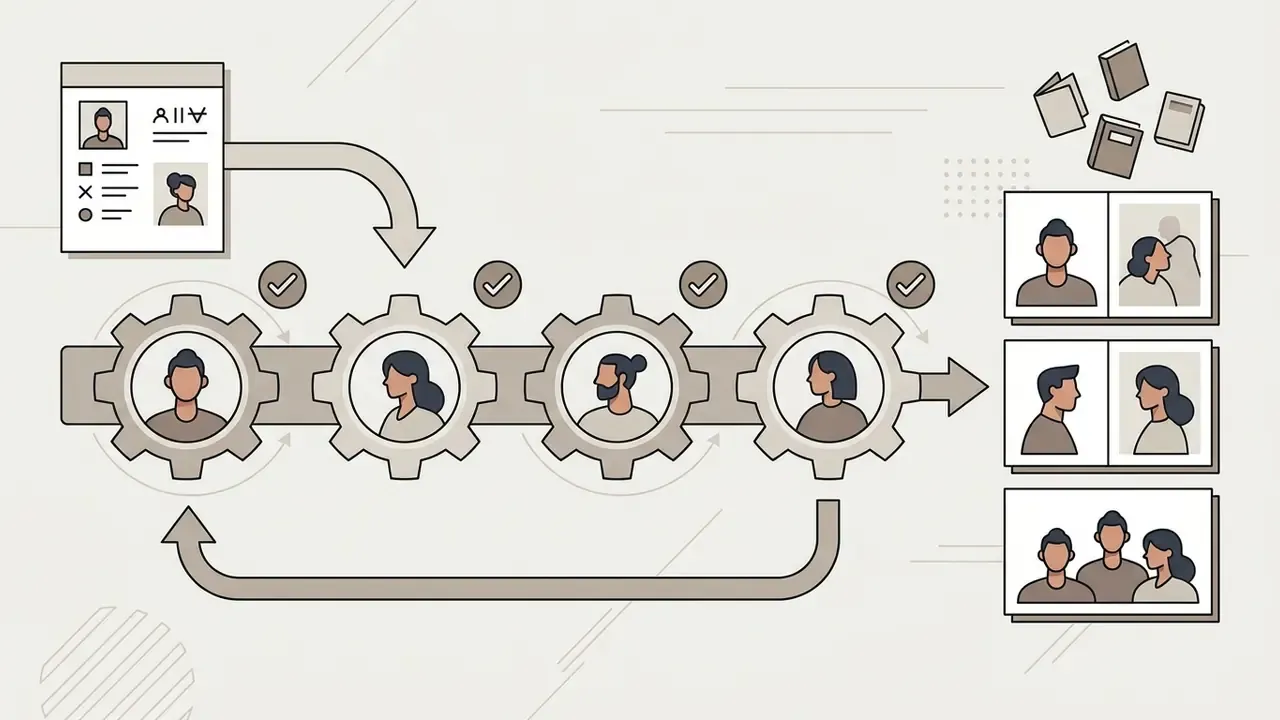
Composition and text space rules. To keep clean room for typography, append spatial layout instructions to the prompt itself:
- Top text placement:
"soft, blurred open sky in the top third of the frame, low contrast, negative space for text layout." - Side text placement:
"main character positioned strictly on the right side, off-center composition, calm untextured muted background on the left half." - Gutter safety for spreads:
"no critical detail in the central vertical strip, quiet mid-frame area, symmetrical margins." - Caption band for educational pages:
"clean lower band with flat color and high contrast against text, no ornament in the bottom 20% of the frame."
Then place typography over the quiet region during layout, and verify that the text-safe area survives trimming and bleed. Verify, not assume. Trim tolerance eats a surprising amount of margin.
How to Choose a Style and Model for a Unified Visual Series
Locking a visual style across a complete book requires a formal style guide, fixed seed numbers, reference images, and consistent prompt modifiers. Do not change core style descriptors between prompts, however tempting a new look becomes on page 14. Reusing exact character seed codes and character weight parameters (--cw 85 in Midjourney, for instance) holds identity traits steady across scenes.
A production-grade style lock records, in one document: medium and rendering technique, line weight, palette hex values, lighting direction and temperature, camera distance conventions, page size and margins, color profile (sRGB for digital, CMYK for print), and the export preset used for every asset. Fixing export parameters at project setup prevents mismatched color and resolution when files get compiled months later, which happens more often than anyone plans for.
For broader educational and content projects, creators can plug in modules like an ai course creator, produce promotional materials with an ai cover generator, or reuse the same prompt discipline for business documents such as an ai cover letter.
How to Edit, Regenerate, and Export Images
Refining AI illustrations means mask-based inpainting for isolated corrections, then export at 300 ppi in PDF/X formats with 3 mm bleed for physical publishing. Major graphic programs and generative APIs offer bounding-box masking to replace hands, adjust faces, or modify background elements while the rest of the frame stays byte-identical.
In one recent publishing implementation (illustrative composite, drawn from typical production patterns), a digital media team generated 28 interior pages for an illustrated title. Raw generation produced 6 pages with costume variations on the protagonist. Applying localized mask inpainting plus locked style reference weights, the team corrected the drift across all pages in about 4 hours, with no full scene re-renders. The lesson is dull but valuable: repair beats regeneration on both time and consistency.
Final export steps: upscale raster files to 300 DPI minimum (dedicated AI image upscalers handle this without visible interpolation artifacts), convert color profiles from sRGB to CMYK for print presses, embed all fonts, keep vector and text elements vector rather than flattening them to pixels, and export under PDF/X-1a or PDF/X-4 with crop marks. Authors calculating production budgets can view the guide or reach our technical team through support.
Expanding Static Illustrations to Animated Media
Modern publishing workflows can turn static page spreads into animated digital storybooks. Image-to-video diffusion models add subtle particle animation (drifting snow, floating fireflies, a slow pan across a meadow) to static PNG spreads, which then pair with AI voiceovers and background scoring for EPUB3, app-based readers, or video narration. Teams building this layer usually combine a generation engine, a speech model, and a music model; a reasonable starting point is our overview of animation makers, alongside lighter motion tools such as an ai dance generator free tier for social promotion clips.
Two production cautions apply. First, animation multiplies the review surface: every animated spread needs its own check for artifacting and looping. Second, motion assets inherit every licensing question that static frames carry, so the rights review described below must cover video derivatives too.
AI Illustration Generator for Children's Books: Characters and Scenes
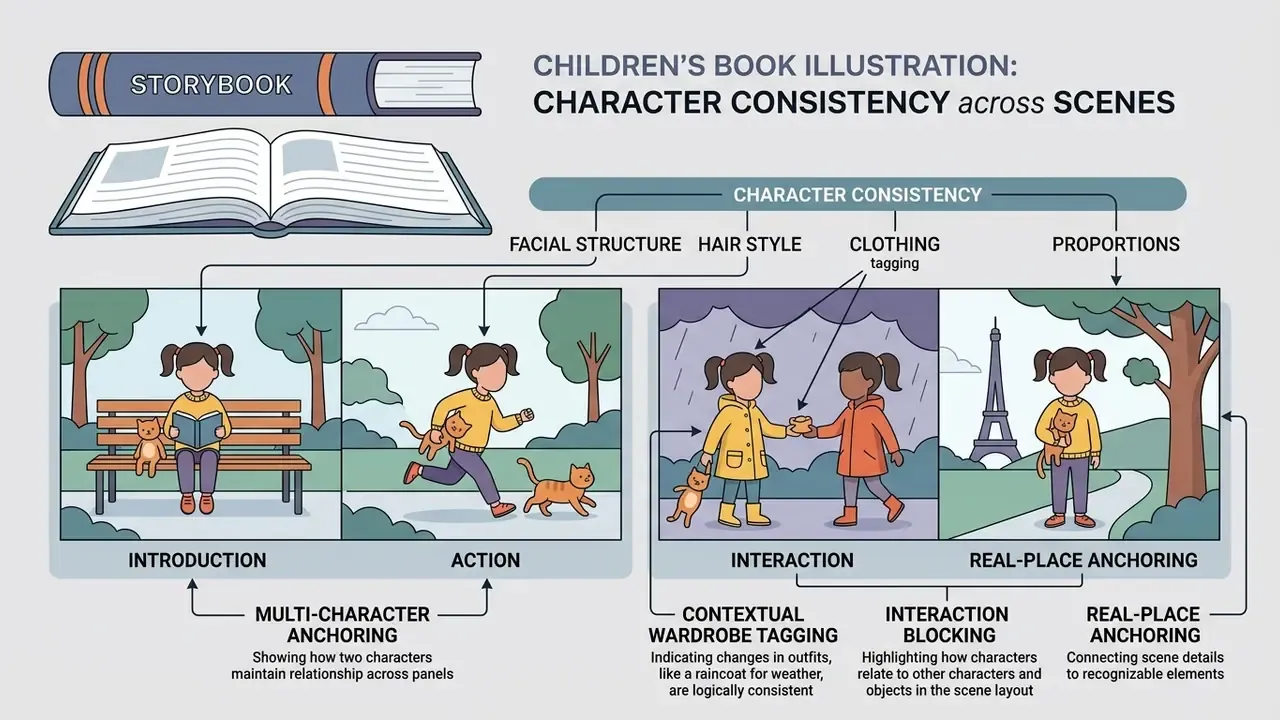
Generating illustrations for children's books requires strict character locking: facial structure, hair, clothing, and proportions have to survive every narrative spread. Children connect with visual stories through character recognition. If a protagonist's hair color, face shape, or outfit shifts between pages, young readers lose the thread, and parents notice immediately.
«Most of 34 students improved their English writing scores after two weeks of using AI-generated images as visual prompts.»
Modern generative workflows handle identity preservation with character reference tags (--cref) and high character weight settings (85–100), which force tight visual matching across varied background environments.
Character consistency workflow matrix
| Parameter / Technique | Operational Requirement |
|---|---|
| Reference asset anchoring | Single clean full-body turn-around |
| Character weight control | Locked weight scale (85–100%) |
| Environment prompting | Variable background and lighting |
| Localized inpainting | Facial expression correction only |
| Wardrobe modifiers | Scene-bound outfit tags per page |
| Cast reference sheet | Up to 4 characters, fixed ratios |
How to Keep Children's Book Characters Recognizable on Every Page
Preserving character identity across pages takes a fixed anchor image, structured prompt descriptors, and style-locking tags in every generation call. Generate a primary character sheet showing the protagonist from multiple angles before you illustrate a single narrative page.
That master image is the control reference for every subsequent prompt. When selecting an engine, compare which platforms expose native character features in our review of the best AI art generators. Four rules hold across engines:
Multi-character consistency and contextual outfit adaptation. Holding visual identity for a group (siblings, parents, grandparents, a dog) means combining individual identity anchors with explicit scene-bound wardrobe modifiers:
- Bedtime scene:
"[Character A] and [Character B] wearing matching flannel pajamas, cozy bedroom background." - Beach scene:
"[Character A] and [Character B] wearing bright blue swimsuits, sunny coastline background." - Space scene:
"[Character A] and [Character B] in astronaut suits, helmet visors up, star-field background."
- Write the identity block once, then paste it verbatim into every prompt (age, face shape, eye and hair color, hairstyle, skin tone, height relative to props, signature garment, distinctive markings).
- Change only scene, setting, action, and camera framing between pages.
- Label reference inputs explicitly: which image defines identity, which defines outfit, which defines style.
- Repair rather than regenerate. Fix an expression or a hand with a mask, never with a new full-frame render.
- Multi-character anchoringgenerate a master multi-character reference sheet that fixes relative height, face topology, and color palette for up to four characters, then reference that single sheet in every page prompt.
- Contextual wardrobe taggingkeep base facial characteristics locked (
--cref [url] --cw 100) while updating clothing modifiers per setting: - Interaction blockingstate who stands in the foreground, who is behind, and who holds what, so group scenes do not collapse into duplicated faces.
- Real-place anchoringif the story is set somewhere familiar (a home kitchen, a backyard, a grandparent's living room), lock that environment as a second reference asset and reuse it exactly as you reuse the cast.
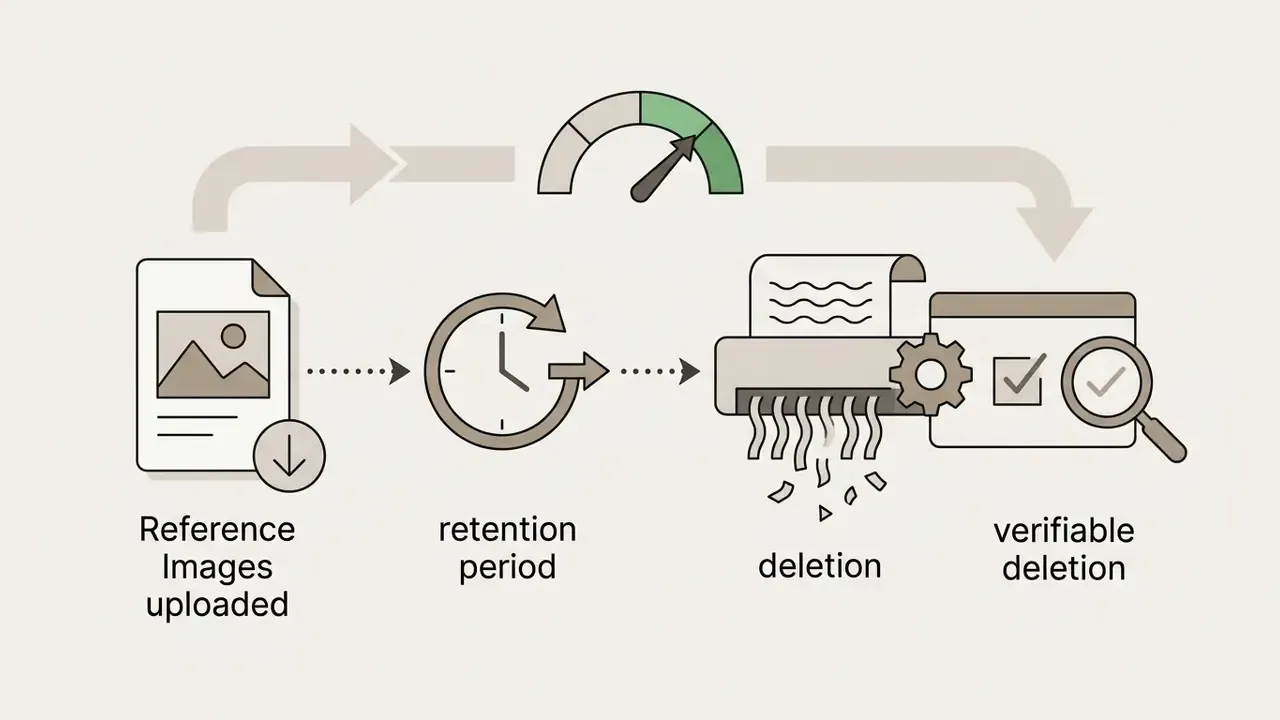
Group scenes raise a privacy question that most tutorials skip. If real family photos go in as references, check retention policy, deletion controls, and whether uploads feed model training, before you submit any image of a minor. This is one of the few places in an illustration workflow where the wrong default setting has consequences beyond aesthetics.
Commercial Use of AI Book Illustrations: What to Verify Before Publishing
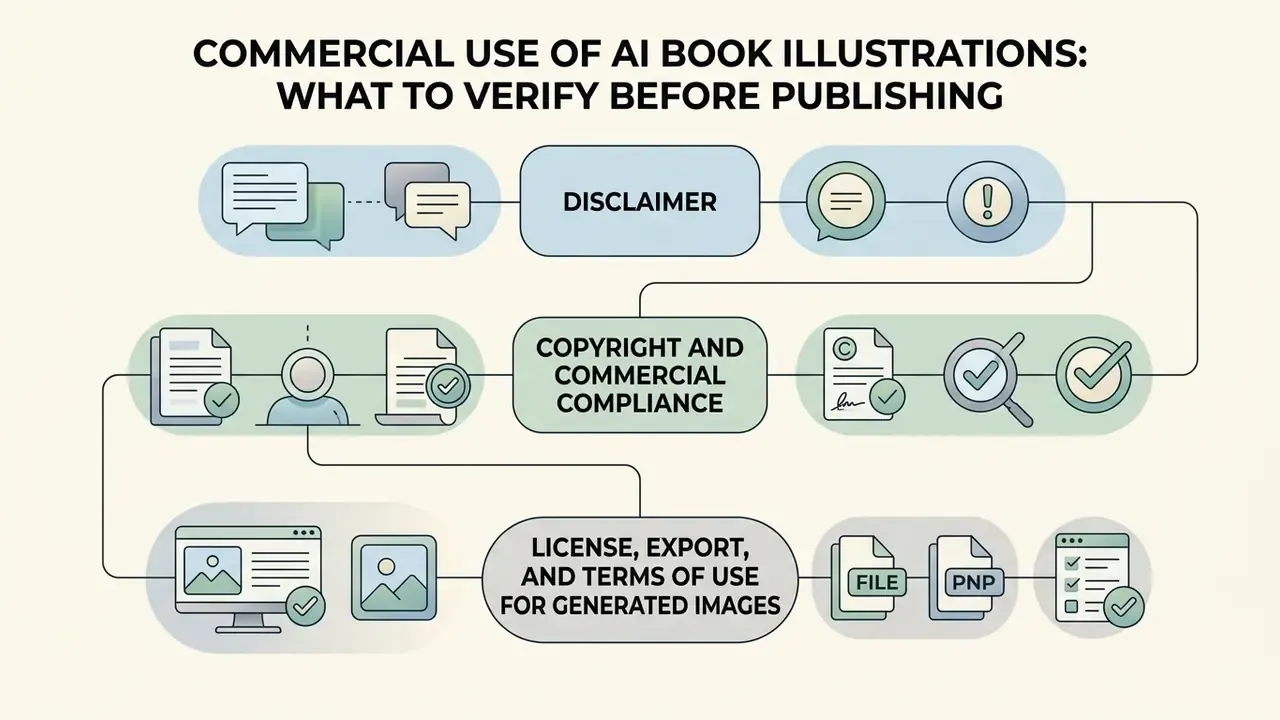
Commercial publication of AI-illustrated books requires three verifications: platform license terms, disclaimer of purely AI-generated elements in U.S. copyright filings, and documentation of human authorship contributions.
Leading academic publishers such as Elsevier prohibit AI-generated imagery in submitted book manuscripts and covers (Elsevier Article Publishing Policy). Others, Wiley among them, permit AI artwork only under explicit broad-reuse licenses with no commercial, adaptation, distribution, display, or geographic restrictions. Before submitting to any imprint, confirm which regime applies. That single answer decides whether AI artwork is usable at all.
E-E-A-T FACT CHECK: COPYRIGHT AND COMMERCIAL COMPLIANCE
License, Export, and Terms of Use for Generated Images
Commercial rights depend on platform terms of service. Paid tiers often grant output ownership, yet federal copyright registration still requires disclosing AI material and claiming only human contributions. Major enterprise AI providers (OpenAI, Microsoft, and Anthropic among them) assign output ownership rights to paid account holders under contract law.
«Consumer terms cover personal, non-commercial use; commercial application is governed by a separate business use addendum.»
Contractual assignment of output rights from a software vendor does not automatically guarantee copyright registrability under federal law. These are two different legal questions, and conflating them is the most common mistake in this space. Note the opposite extreme as well: some API providers state that generated images are public domain with no owner and no copyright, which permits commercial use but gives you zero exclusivity against a competitor reprinting the same artwork.
Document the creative process as you go: original prompt structures, manual retouching logs, layout design choices. That record is what establishes human authorship during registration. Organizations evaluating API infrastructure for automated publishing pipelines can review usage rights for AI images and compare options across leading providers.
Enterprise Risk, IP Indemnification, and Audit Trail
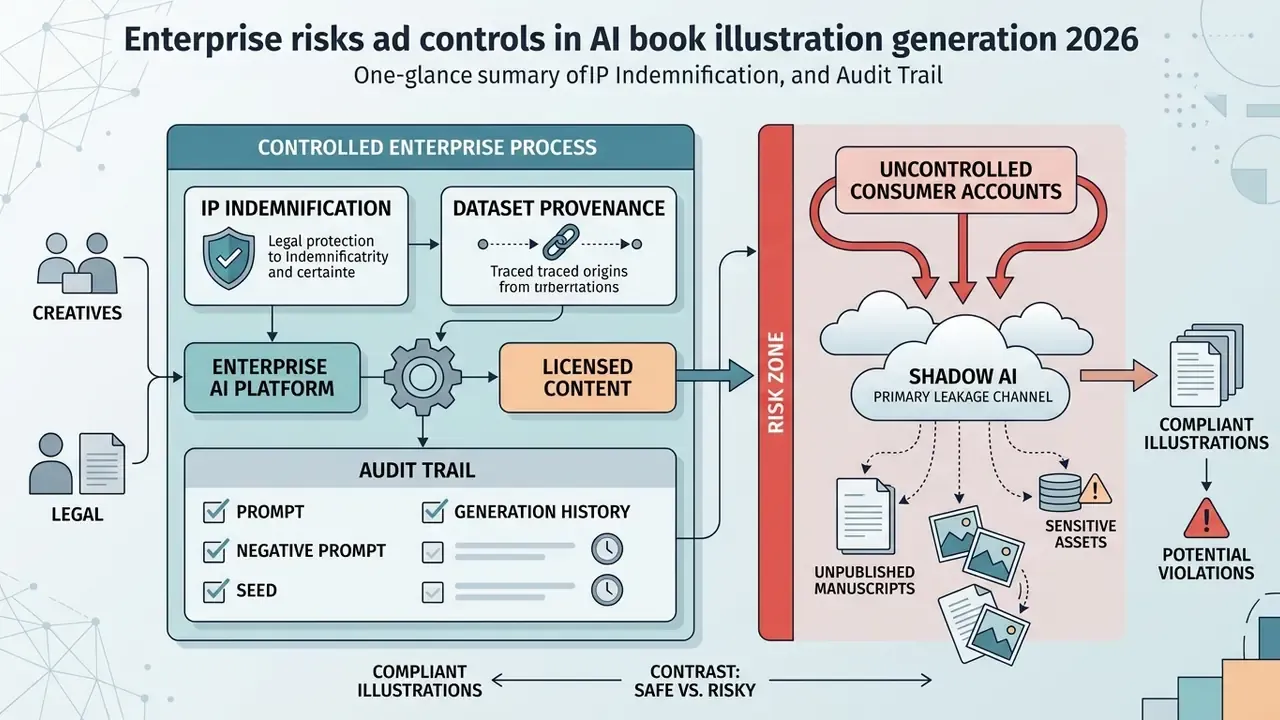
For publishing houses, education providers, and regulated media teams, illustration generation is a controlled process, not a creative free-for-all. Four control domains matter.
1. IP indemnification. Ask each vendor one question in writing: does the plan include indemnification against third-party copyright claims arising from generated output, and what conditions void it? Adobe publishes indemnification for eligible Firefly plans on the basis of licensed training data. Other engines assign contractual ownership without indemnifying the customer at all. Self-hosted diffusion pipelines move the entire exposure onto the operator, which is a defensible choice, provided somebody signs for it.
2. Dataset provenance. Record, per asset, which model version produced it and whether that model's training corpus is licensed, public-domain, or undisclosed. Undisclosed provenance is not automatically disqualifying. It has to be logged as accepted risk rather than left invisible.
3. Shadow AI. Uncontrolled consumer accounts are the primary leakage channel: unpublished manuscripts, character bibles, and photographs of minors pasted into free tools with unknown retention. Mitigations here are procedural, not technical: an approved-tool list, SSO-managed seats, retention settings verified before onboarding, and an explicit prohibition on uploading confidential manuscript material or identifiable images of children to non-approved services.
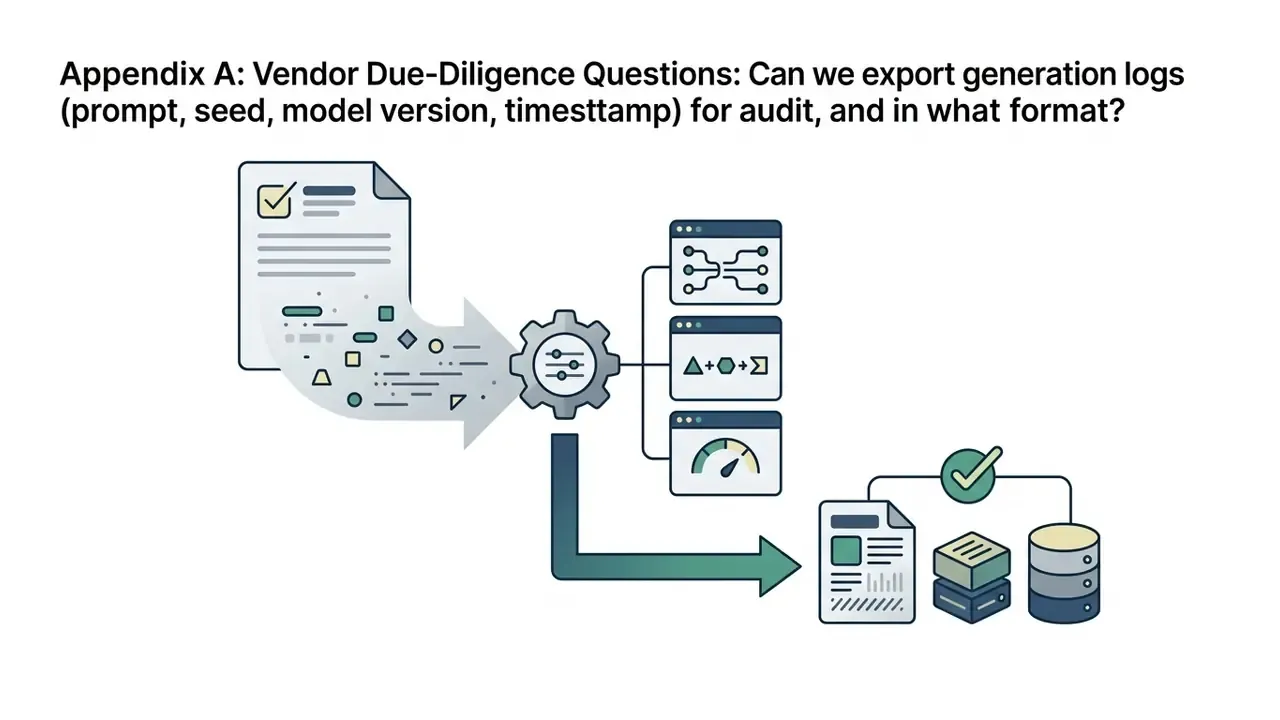
4. Audit trail. For every published illustration, retain the full prompt and negative prompt, the seed, the model and version, the reference assets used, the mask edits applied, the human retouching log with timestamps, and the final export preset. This record does two jobs at once. It evidences human authorship for copyright registration, and it makes any asset reproducible for legal or editorial review months later.
One honest limitation. None of these controls answers the unresolved question of how courts will treat substantially AI-derived visual works over the next few years. The record you keep is a hedge against that uncertainty, not a resolution of it.
Pre-Publication Readiness Checklist
Checklist0 / 14
FAQ: AI Book Illustration Generators
Do You Need Illustration Experience to Create Book Art with AI?
Formal illustration training is not strictly required to generate book art with AI. Artistic judgment, on the other hand, remains vital for prompt structuring, composition, and quality control.
«AI tools lower the entry barrier for visual storytelling: participants without art training produced narrative illustrations using diffusion models.» — Fernandes et al., "ArtAI4DS: AI Art for Digital Storytelling", ICEC (2024). https://doi.org/10.1007/978-3-031-74186-9 Education research points the same way. In a 2025 mixed-methods study of illustration design instruction, post-test scores rose from 55.16 to 72.42 after AI-based image generation was introduced, with students reporting faster ideation and wider style exploration. A parallel 2026 design paper recorded accuracy errors in cultural symbols and emotional expression, which is evidence that output quality still depends on human control rather than model capability. Professional judgment therefore stays in the loop: spotting anatomical errors, holding perspective consistency, grading color, and retouching by hand before a commercial print run.
How Long Does It Take to Illustrate a Storybook?
Documented production estimates for a professionally illustrated 32-page picture book cluster around 133–426 total working hours across 3–6 months, with a single full-spread illustration taking 8–20 hours (6–10 hours for simple cartoon styles, 15–25 hours for detailed watercolor or realistic work). An AI-assisted pipeline compresses the rendering stage hardest: the empirical picture-book benchmark cited earlier reports 2,162.8 hours for a fully manual workflow against 320.4 hours for an AI-assisted one on a title with 15 illustrations, an 85.2% reduction. Treat both ranges as planning brackets, not guarantees. Standard time breakdown for an AI-assisted 32-page picture book:
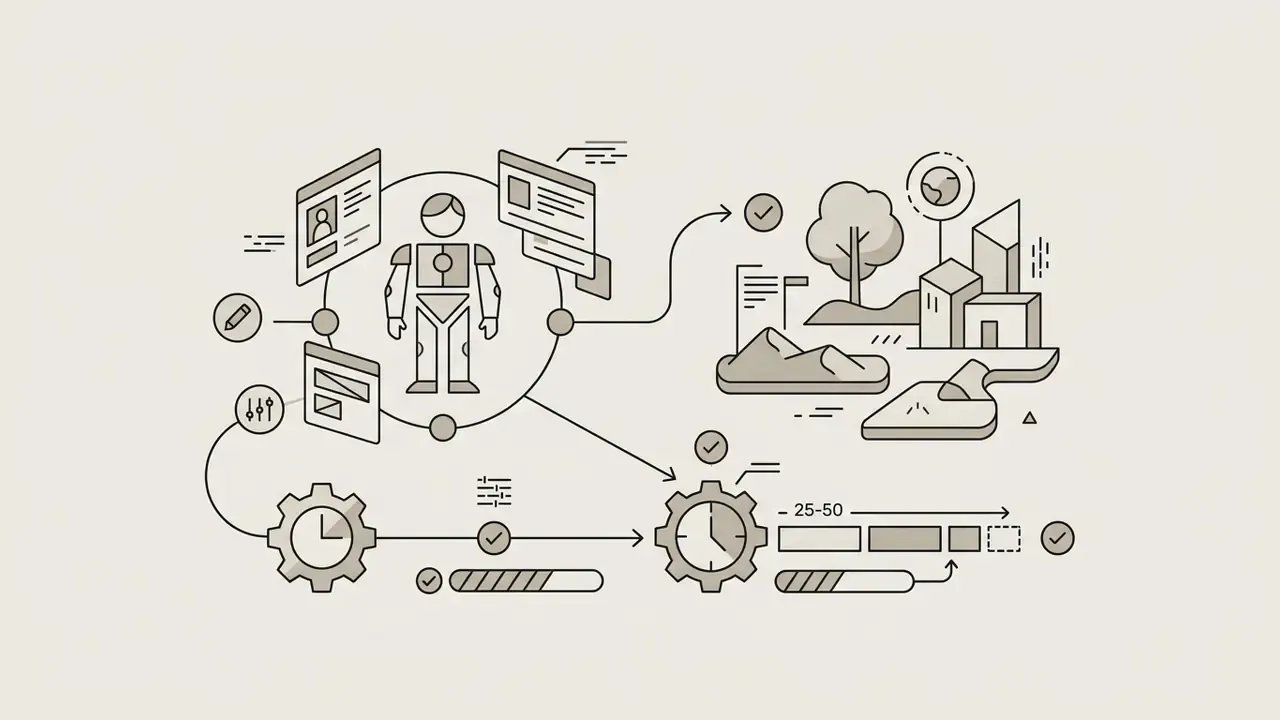
- Character design and world building: 25–50 hours (1–2 weeks).
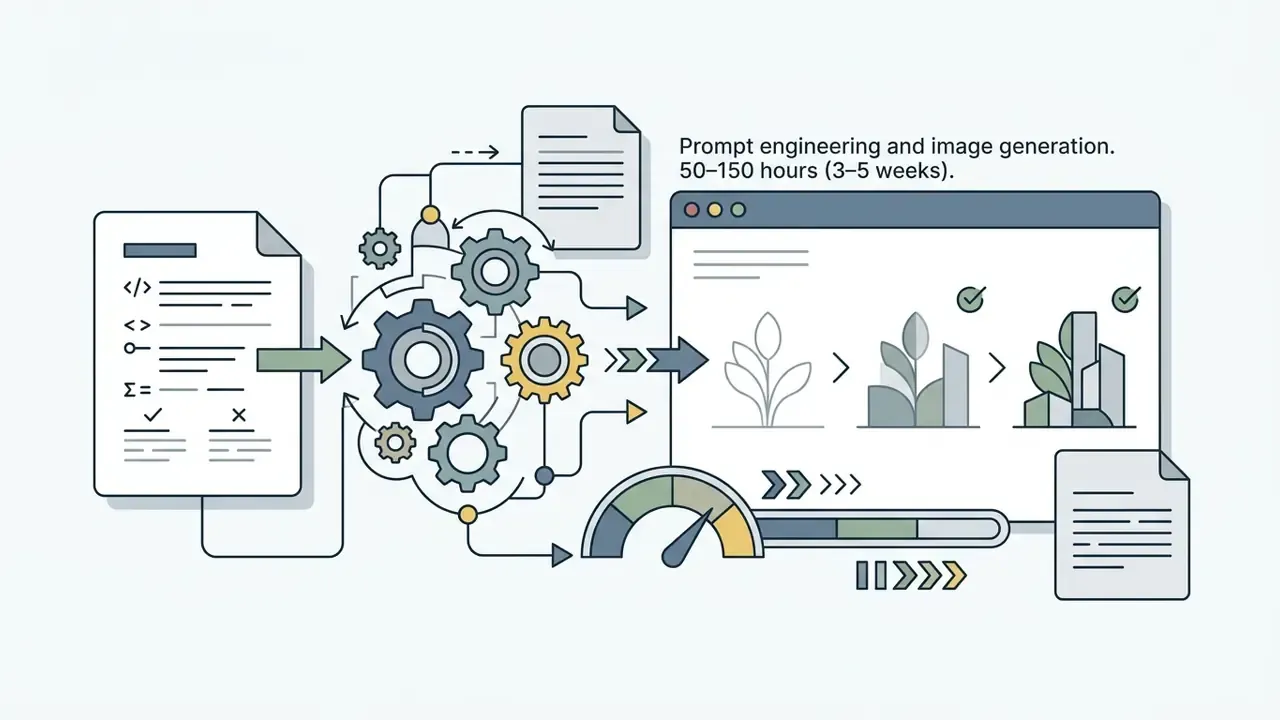
- Prompt engineering and image generation: 50–150 hours (3–5 weeks).
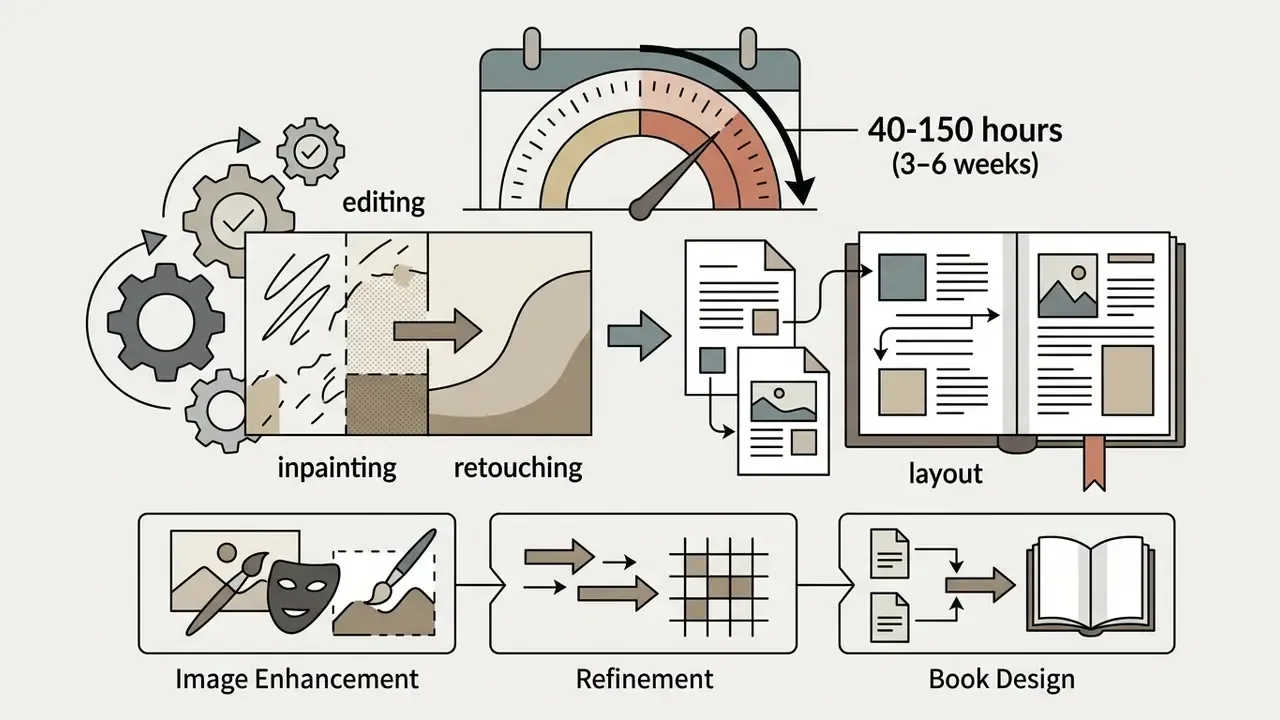
- Inpainting, retouching, and layout: 40–150 hours (3–6 weeks).
- Pre-press setup and proofing: 18–36 hours (1–2 weeks).
Can One Illustration Include Several Characters?
Yes. Platform documentation commonly supports up to four characters in a single illustration, provided a multi-character reference sheet fixes relative height, face topology, and palette before page generation starts. Beyond four figures, identity blending becomes the dominant failure mode, and scenes work better with background characters rendered out of focus.
Can I Illustrate a Story I Already Wrote?
Yes. Manuscript illustration workflows accept existing text and build spreads scene by scene, preserving your wording exactly. The prerequisite is identical to generated stories: a locked style guide and a fixed cast reference before the first page renders.
Is AI Artwork Suitable for Print, or Only for Screens?
It is suitable for print when the resolution chain holds. Base generations at 1024 px cover small placements only; larger prints need upscaling to 300 DPI at final trim size before layout. Some API providers state openly that their output suits smaller prints and may look blurry at large sizes. Verify with a physical proof copy, never with an on-screen preview.
Who Owns the Copyright to AI Book Illustrations?
Contractually, most paid platforms assign output rights to the account holder. Legally, under U.S. Copyright Office guidance, protection attaches only to human-authored expression: purely AI-generated images must be disclaimed, cannot be registered, and AI tools cannot be named as authors. Some providers go further and treat outputs as public domain with no owner at all. Read the specific terms of the tier you generated on, then document your human contribution.
Can I Sell a Book Illustrated with AI on Amazon KDP or Similar Platforms?
Generally yes, where the platform license permits commercial use and the marketplace's AI-disclosure requirements are met. What blocks release most often is not marketplace policy but publisher policy: some imprints prohibit AI-created book artwork outright, others require a broad-reuse license with no commercial or geographic restrictions.
How Do I Leave Room for Text Without Cropping the Artwork Later?
Request the space in the prompt instead of fixing it in layout: "soft open sky at the top for text", "calm negative space on the left page", or a flat lower band for captions. Then confirm the quiet region survives bleed and trim before typography is finalized.
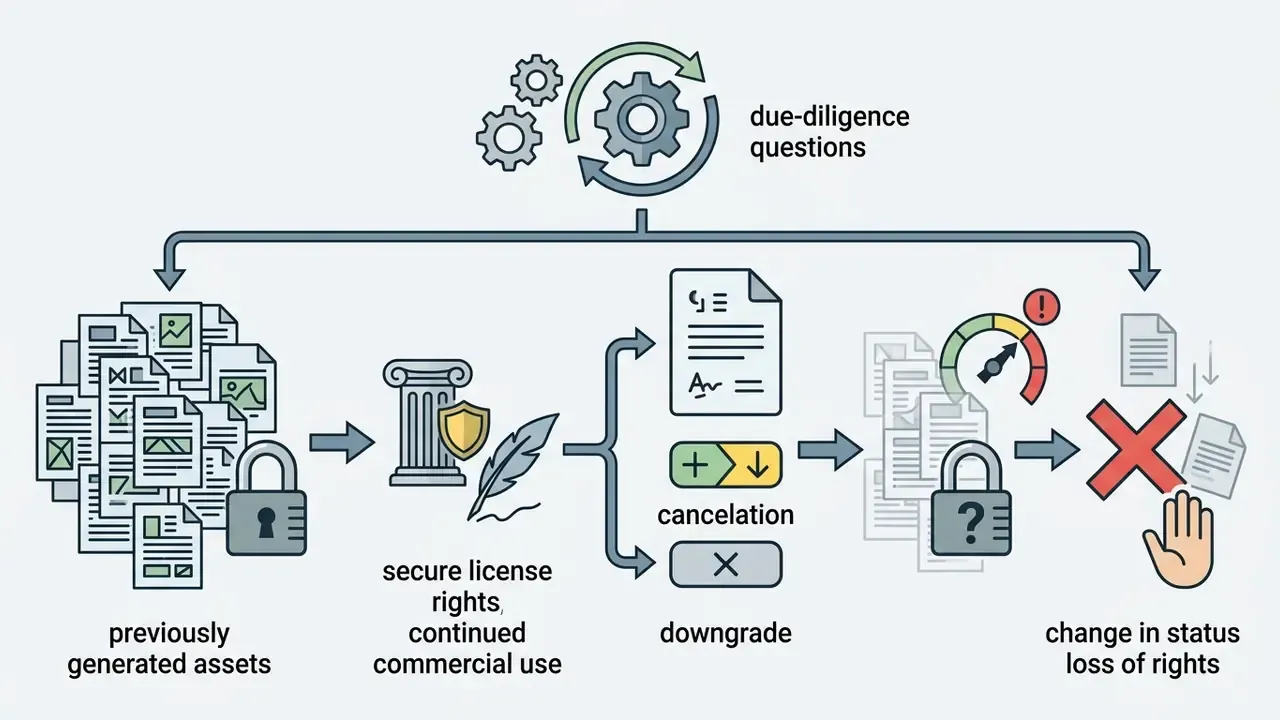
Appendix A: Vendor Due-Diligence Questions
Send these in writing before signing. Verbal assurances from a sales call are not audit evidence.
Score the answers, keep the correspondence, attach it to the project record. That file is the difference between a defensible workflow and a hopeful one.