Generative artificial intelligence has changed how visual media gets produced across digital channels. An ai cartoon generator lets creators, marketers, and developers convert ordinary photographs into stylized artwork, or render original cartoon illustrations straight from a written description. Fast, cheap, and unusually easy to adopt without permission. That last part is exactly why risk owners in regulated industries end up reading a guide like this one.
Executive Summary at a Glance
| Question | Short Answer |
|---|---|
| What does the tool do? | Maps photographs or text prompts into stylized cartoon artwork: avatars, characters, marketing illustrations, backgrounds, while preserving semantic structure such as facial identity and composition. |
| Which models power it? | Diffusion and multimodal backbones: GPT-4o, Midjourney v6, Flux Kontext, Stable Diffusion, Nano Banana / Nano Banana Pro, Seedream 4.5, plus GAN-based photo-to-cartoon pipelines (CartoonGAN, ADS-GAN, WarpGAN). |
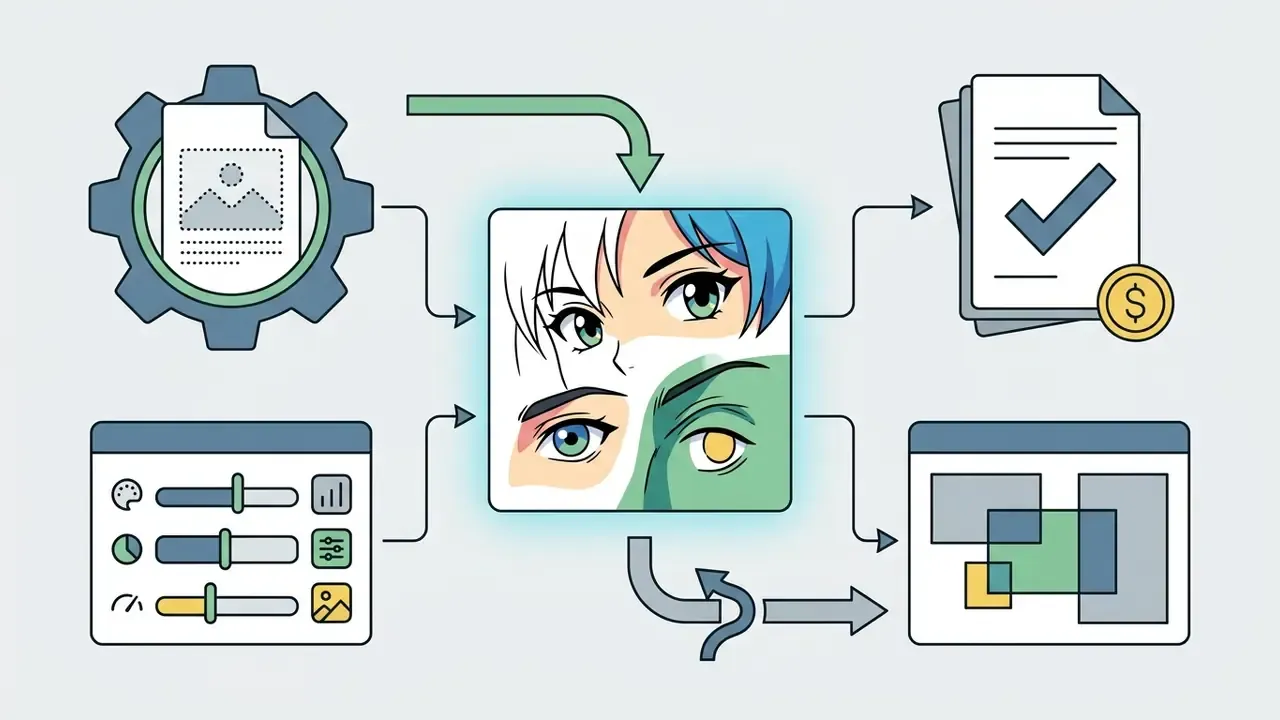
| How many steps? | Four: upload photo or write prompt, select style, ratio, model, seed, generate, then edit and download. |
| How many styles matter? | Twelve recognizable families, from 2D anime and Western comic to Ghibli-style storybook, Rubber Hose (1930s), claymation, pop-culture parody, cyberpunk, chibi/kawaii, woodblock folk art, watercolor whimsy, flat vector, and 3D CGI. |
| Which aspect ratios? | 1:1, 16:9, 9:16, 4:3, 3:4, plus 2:3, 3:2, 4:5 on advanced APIs. |
| Why do faces drift? | Style and identity stay entangled in latent space, patchification is coarse, and identity-preservation losses are often missing. It is not a random software error. |
| Can outputs be sold? | Only when the account tier grants commercial rights, the output contains no trademarked characters or real likenesses, and the human-authored contribution is documented. Purely AI-generated material is not registrable with the U.S. Copyright Office. |
| Biggest governance risks | Biometric uploads (GDPR, BIPA-style statutes), free-tier training on user images, watermark and retention policies, and Shadow AI usage by unmanaged teams. |
Who This Guide Is For and How to Read It
Two very different readers land on the same query. The first wants a cartoon avatar by lunchtime. The second signs off on tooling for a bank, a lender, or a mature fintech, and needs to know whether marketing just uploaded 400 employee headshots into a consumer endpoint with indefinite retention.
Both are served here, in this order: what the tool is, how to use it well, which styles exist, how to raise output quality, how to select a vendor, and where the licensing and privacy limits sit. If you own model risk or compliance, the sections on vendor due diligence, retention, and biometric thresholds carry the operational weight. If you simply want a good profile picture, the workflow and style sections will get you there in about four minutes.
One honest caveat up front. Cartoonization is a low-severity use case compared with credit scoring or transaction monitoring, yet it touches the same three control surfaces: personal data ingress, third-party contracts, and unmanaged shadow adoption. Small tool, familiar failure modes.
What Is an AI Cartoon Generator and What Images It Creates
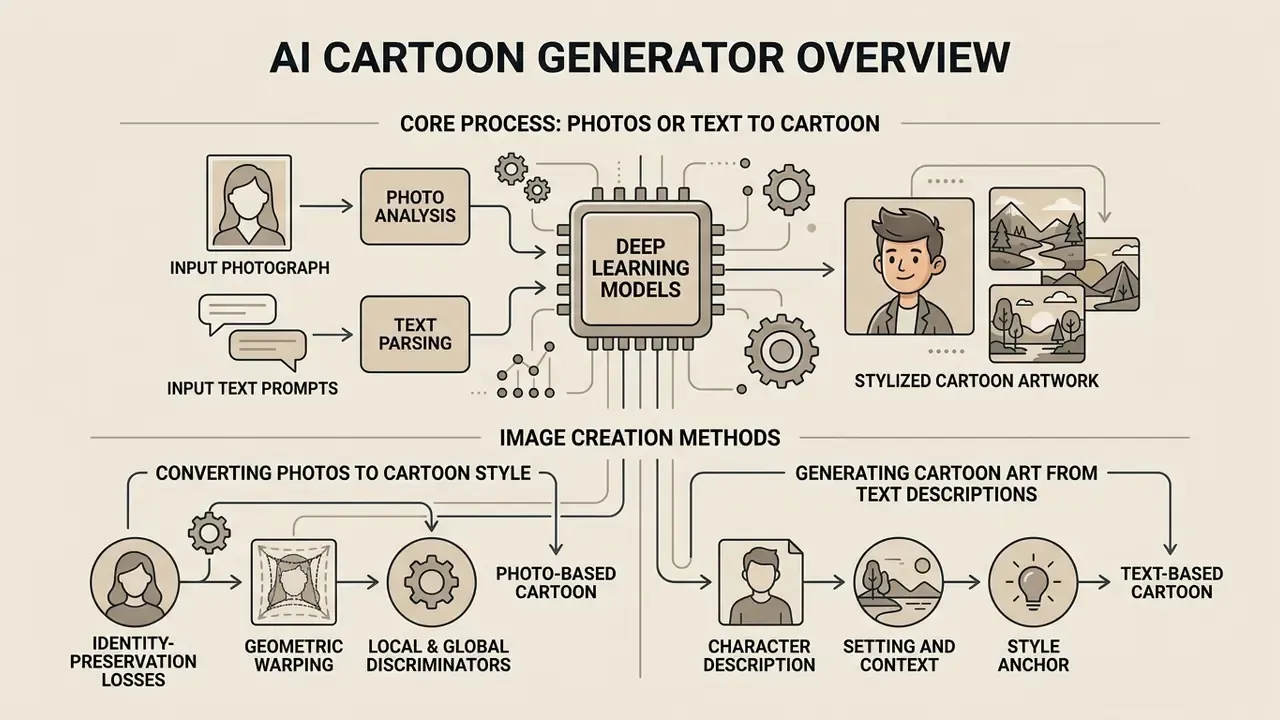
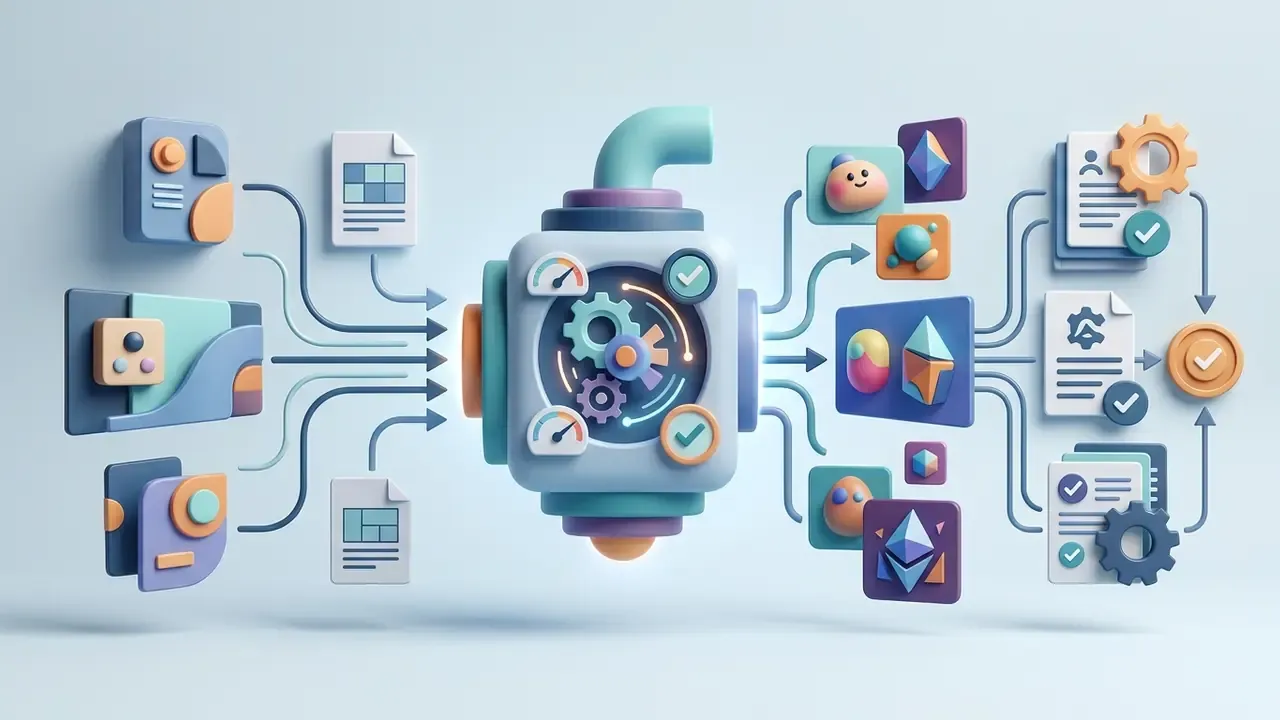
An ai cartoon generator is a software system powered by deep learning models that maps photographs or textual inputs into stylized cartoon artwork. These algorithms preserve core semantic structure, such as facial identity, spatial composition, and subject posture, while applying stylized visual parameters like bold outlines, color quantization, and flat shading. Modern platforms cover a wide spectrum of outputs: personal profile avatars, branded characters, digital marketing illustrations, and custom scene backgrounds. Some vendors split the feature set further, marketing an ai cartoon background generator for scenery and an ai cartoon drawing generator for sketch-style line work, though under the hood both usually call the same backbone with a different prompt template.
«Diffusion models fine-tuned on 12 to 20 million illustrations at resolutions up to 1536×1536 generate anime and stylized cartoon imagery with improved text-image alignment.»
Organizations deploy an ai cartoon art generator to accelerate graphic production without expanding design headcount. Whether the task is turning a corporate headshot into an approachable digital avatar or rendering an abstract campaign concept, an ai cartoon art tool produces usable assets immediately. Readers comparing adjacent generative categories can review our overview of AI art generators before committing to a cartoon-specific pipeline. For structured design repositories, developers can consult our glossary for standardized media terminology, and teams producing professional portraits alongside stylized ones can review the AI headshot generator guide.
Converting Photos into Cartoon Style
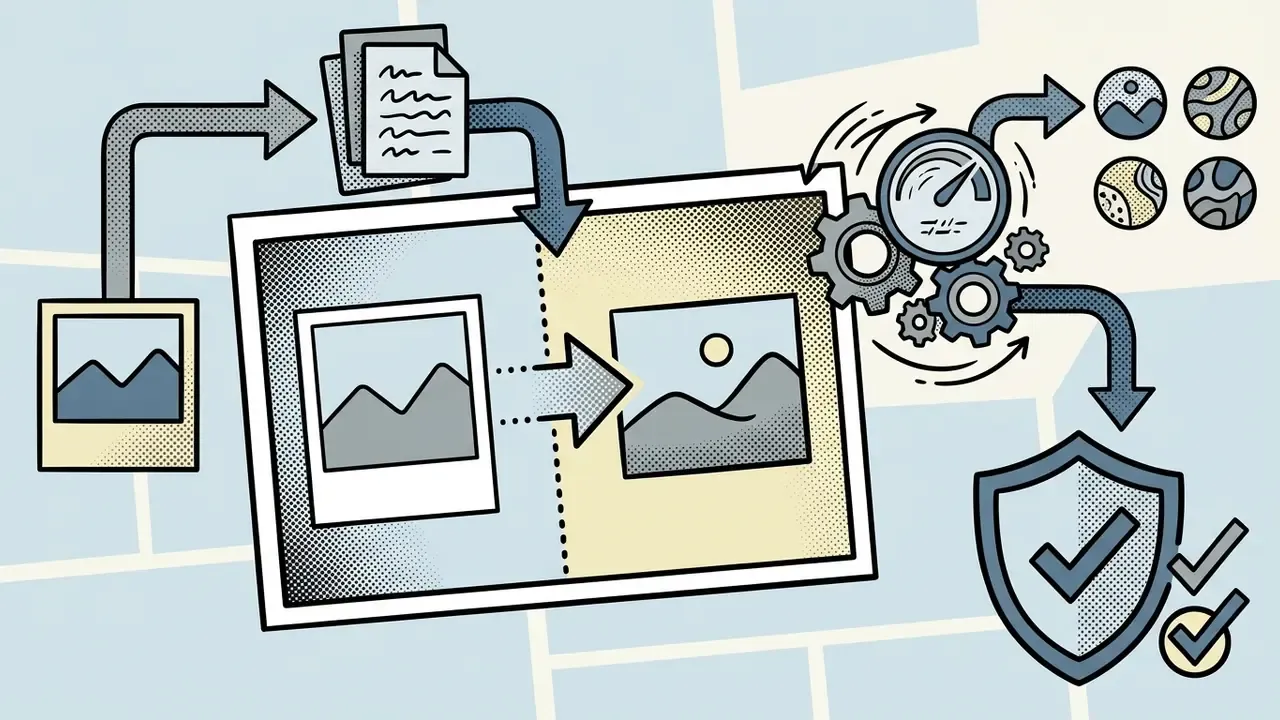
Photo-to-cartoon conversion relies on image-to-image translation pipelines that rewrite surface texture while holding structural geometry in place. When a user runs a photo to cartoon transformation, the network reads facial landmarks and object contours to keep the subject recognizable.
Recent research on unpaired artistic portrait transfer shows that dual-stream architectures separate content preservation from style application rather effectively.
«ADS-GAN uses an asymmetric double-stream architecture and outperforms baseline methods on LPIPS, MS-SSIM and CSIM while preserving facial contours during stylization.»
Identity preservation is engineered, not lucky. Three complementary mechanisms recur across the peer-reviewed literature:
- Identity-preservation losses. IPGAN adds an explicit identity loss on top of adversarial and reconstruction objectives, so unsupervised photo-to-caricature translation retains subject-specific features.
- Geometric warping. WarpGAN predicts control points that warp photo geometry into caricature proportions while transferring texture separately, which improves face-recognition accuracy after stylization.
- Local and global discriminators. CP-GAN pairs global and local discriminators with a content network that keeps facial parts and identity consistent between photograph and cartoon.
By combining perceptual losses with identity constraints, an ai cartoon generator from photo keeps critical facial features intact while converting skin tones and line work into a coherent cartoon style. Practitioners comparing transformation engines can study dedicated image-to-image generators, and users who want motion afterwards can explore our free ai photo transformation overview.
Generating Cartoon Art from Text Descriptions
Text-to-cartoon generation builds original artwork from written prompts, with no input photograph at all. Advanced diffusion backbones push natural language through multi-level text encoders, mapping textual concepts onto visual features.
Modern platforms route requests across several backbones rather than one generic model. Depending on the target aesthetic, tools lean on Flux Kontext for spatial precision and instruction-following edits, Midjourney v6 for painterly texture depth, GPT-4o for complex prompt adherence and legible text inside images, Stable Diffusion derivatives (including illustration-tuned checkpoints) for open style control, and Nano Banana / Nano Banana Pro or Seedream 4.5 for fast style transfer at consumer latency. Style presets in commercial interfaces are usually thin wrappers: a locked prompt template over one of those backbones, occasionally plus a custom LoRA adapter. Worth knowing before you pay for "exclusive styles".
To generate precise ai cartoon art, creators use structured prompt formulas built on five parameters:
- Character Description subject age, facial attributes, hair style, clothing, posture.
- Setting and Context environment, time of day, atmospheric background, supporting objects.
- Style Anchor visual aesthetic, such as 2D cel-shaded, comic book, or vector illustration.
- Lighting and Color palette, contrast level, shadow sharpness, light sources.
- Negative Constraints unwanted elements, such as photographic realism, blurry lines, or heavy gradients.
A worked example, using the ordering documented in prompt-engineering guides (subject first, then context, style, modifiers, constraints):
[Character] A 30-year-old woman, short auburn bob, round glasses, olive linen jacket, three-quarter pose
[Setting]   Small bookstore interior, late afternoon, wooden shelves, one distinctive brass lamp
[Style]     2D cel-shaded animation, clean 2px ink outlines, screentone shading
[Light]     Warm side lighting, soft shadow falloff, muted autumn palette
[Negative]  photorealism, motion blur, extra fingers, watermark, gradient mesh
With an ai cartoon illustration generator, teams can synthesize unique assets from scratch, then reuse the same prompt skeleton across a campaign so the visuals stay related instead of merely adjacent.
«GenEAva fine-tunes a diffusion model on 135 fine-grained expression classes, then stylizes realistic faces into cartoon avatars while preserving identity and emotion.»
Those building multimodal campaigns can also review our free ai music documentation to pair visual assets with audio tracks.
How to Create a Cartoon Image Using AI
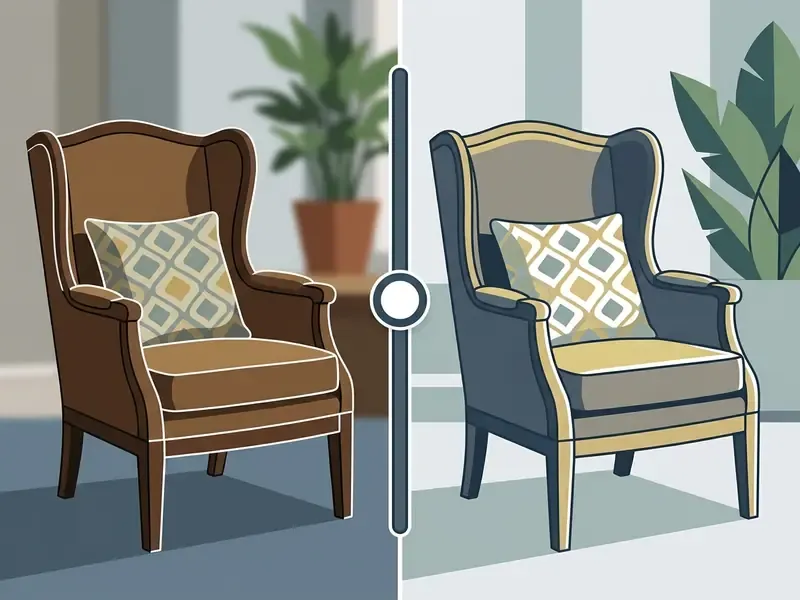
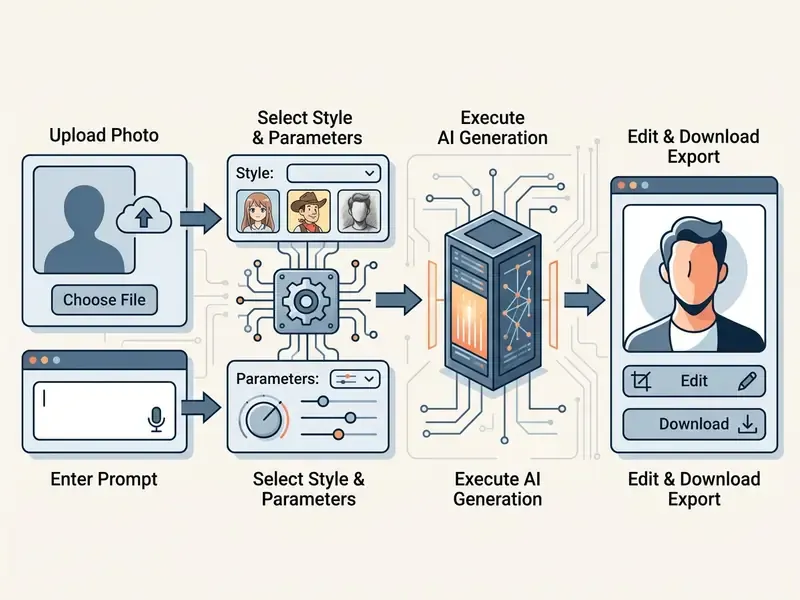
Producing a cartoon image through an ai cartoon generator online interface follows a standard four-step workflow. Browser-based tools hide the model configuration behind a few UI actions, so users move from source selection to export in seconds. Teams benchmarking platforms before standardizing a workflow can consult our comparison of the best AI image generators.
Upload Your Photo or Describe the Future Cartoon Artwork
Generation begins with an input source for the ai cartoon generator tool. When transforming existing media, users open an ai cartoon generator from image or ai cartoon generator from picture module and upload a clear photograph. Most web platforms accept JPG, JPEG, PNG, and WEBP, with file limits between 10 MB and 20 MB; enterprise documentation commonly caps single uploads at 10 MB and standard output at 1024×1024 unless an upscale step is invoked.
Input validation checklist, run it before upload:
| Check | Pass criterion | Failure consequence |
|---|---|---|
| Format | JPG / JPEG / PNG / WEBP | Silent rejection or re-encode artifacts |
| File size | 10 MB or less (safe across vendors) | Upload error or forced downscale |
| Resolution | Long edge 1024 px or more | Soft edges, lost facial landmarks |
| Faces per frame | Each face at least 200 px wide | Feature drift in group photos |
| Consent basis | Written consent for every identifiable person | Privacy and publicity-rights exposure |
| Data class | No client, patient, or minor imagery in free tools | Shadow AI incident, possible regulatory breach |
Working without a source photograph? Then select text-to-image and type a detailed prompt. Precise subject, environment, and style parameters help the ai cartoon creation tools land an accurate result on the first pass, which matters when credits are metered. Published guidance on AI-generated imagery recommends prompts of roughly 20 to 50 words, leading with image type and main subject, then adding context, modifiers, and style.
Select Cartoon Style, Format, and Output Parameters
After the input, users configure output settings inside the ai cartoon generator software. The interface exposes style presets such as anime, 3D render, comic book, or flat vector art.
Structural parameters come next, including aspect ratio and background complexity. Five presets cover nearly every distribution channel: 1:1 for profile avatars, 16:9 for YouTube headers and landscape banners, 9:16 for TikTok and Reels, 4:3 for classic digital publishing and slide decks, and 3:4 for vertical blog graphics and print cards. Advanced APIs additionally expose 2:3, 3:2, 4:5, 5:4, and an auto mode that lets the provider choose. Note that some presets are ratio-restricted: manga-type presets in certain APIs accept portrait ratios only.
| Aspect ratio | Typical destination | Practical note |
|---|---|---|
1:1 | Avatars, Discord, gaming profiles, app icons | Center-crops tightly, keep the head in the middle third |
16:9 | YouTube headers, blog hero banners, presentations | Widescreen frames capture more background scenery |
9:16 | TikTok, Reels, Stories, Shorts covers | Leave safe margins for platform UI overlays |
4:3 | Classic digital publishing, e-learning slides | Balanced framing for two-subject compositions |
3:4 | Vertical blog graphics, greeting cards, print | Emphasizes vertical scene content and full-body poses |
Advanced platforms also expose model selection and seed controls. A fixed seed makes results reproducible across generation cycles, and that single control does more for audit trails, A/B comparison, and standard operating procedures than any style slider.
Generate, Edit, and Download Your Image
Clicking the primary action button tells the network to generate the cartoon image. The request runs through the diffusion or GAN pipeline and a preview appears within seconds.
From there, users edit: color balance, cropping, generative fill for background elements.
«Models fine-tuned at 1536×1536 on 12 to 20 million images produce more detailed and stylistically richer results than baseline models at 1024×1024.»
Once adjustments are done, users download the asset in high resolution for personal or digital publishing use. PNG stays the lossless choice for line art and text overlays, JPG suits photographic hybrids, and SVG preserves editable vector shapes for print scaling. Where export resolution falls short for print, an AI image upscaler can reconstruct a larger master file, although Wikimedia's archival guidance is blunt that upscaling never recovers detail the source never had. Keep the highest-resolution original. Always. Creators managing broader media libraries can view the guide on digital asset management workflows.
What Styles Are Available in an AI Cartoon Generator
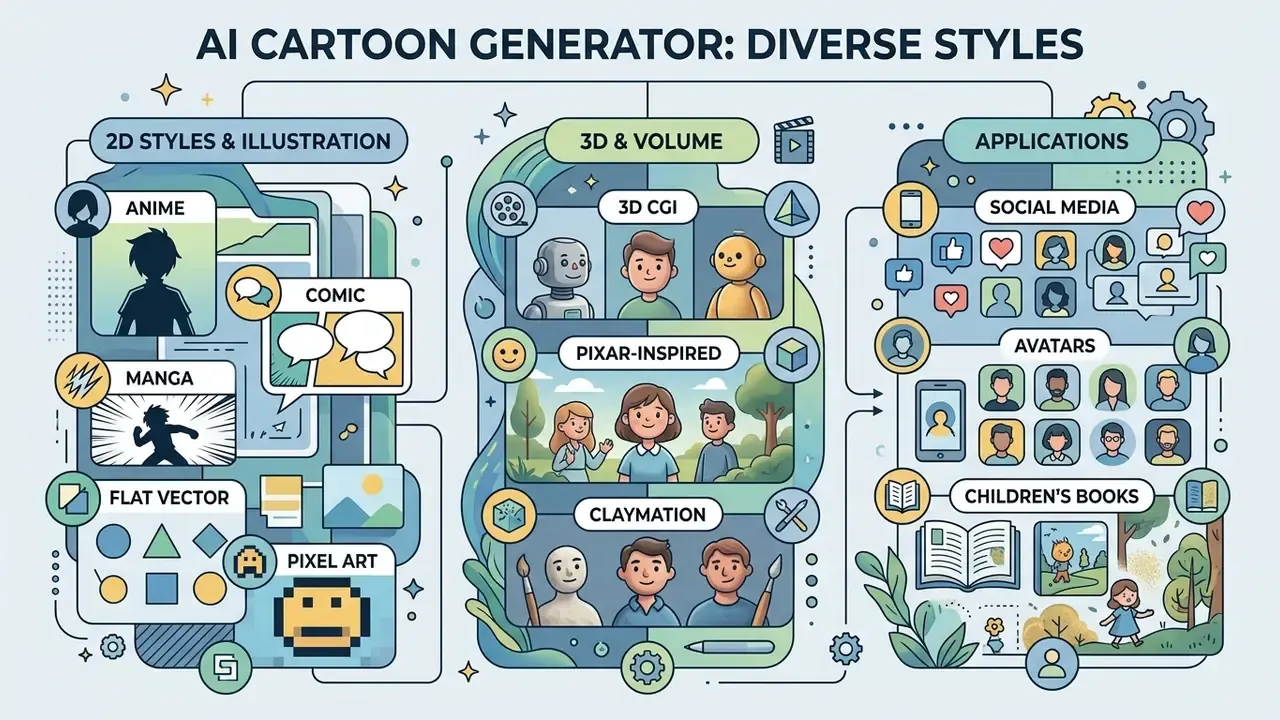
Modern ai cartoon generator tools ship with diverse aesthetics trained on large illustration corpora. Choosing the right cartoon style depends on distribution channel, target demographic, and what the visual has to communicate. A children's publisher and a cyberpunk music channel should not be picking from the same shortlist.
«The MagicAnime dataset contains 400,000 video clips drawn from 51 American, 66 Japanese and 20 Chinese animated films, covering three major regional animation styles.»
| Style Category | Key Visual Attributes | Primary Use Cases |
|---|---|---|
| 2D Anime & Manga | Sharp line art, exaggerated expressive eyes, cel-shading, screentone textures | Personal avatars, storyboards, fan content |
| Western Comic | Heavy contour inking, dramatic cross-hatching, halftone dots, high contrast | Marketing graphics, editorial illustrations |
| 3D Animation | Volumetric depth, soft subsurface scattering, studio lighting, polished CGI finish | Brand mascots, featured web graphics |
| Claymation | Hand-crafted clay textures, stop-motion styling, matte surfaces, physical imperfections | Creative marketing, distinct social content |
| Flat Vector | Minimalist geometry, solid color fills, clean line weight, zero depth modeling | UI illustrations, corporate iconography |
| Ghibli & Storybook | Soft hand-painted watercolor textures, organic foliage, nostalgic lighting | Children's book illustrations, serene digital artwork |
| Rubber Hose (1930s) | Monochromatic ink lines, pie eyes, rubbery hose limbs, vintage film grain | Retro branding, edgy apparel designs, novel avatars |
| Pop Culture Parody | Yellow-skin vector shading, brick-block geometry, thick outline caricature | Social media memes, custom avatars, viral marketing (high IP risk, see licensing) |
| Cyberpunk Cartoon | Neon rim light, teal-magenta palette, dense signage, rain-slick reflections | Gaming channels, music-release artwork, tech campaigns |
| Chibi & Kawaii | Oversized head ratio, minimal facial lines, pastel palette, rounded silhouettes | Stickers, mascots, community emotes |
| Woodblock Folk Art | Carved-texture edges, limited earth palette, visible print grain | Editorial illustration, packaging, cultural campaigns |
| Pastel Watercolor Whimsy | Bleeding pigment edges, paper tooth, low-contrast washes | Wedding stationery, nursery prints, lifestyle blogs |
2D Cartoon, Comic, Manga, and Anime
The ai art generator cartoon style category covers traditional two-dimensional forms. Japanese anime and manga presets emphasize clean line work, expressive facial anatomy, and structured cel-shading; manga is typically monochrome, while anime is its colored animation counterpart.
Western comic styles, the Marvel and DC lineage, use heavier ink contours, muscular anatomy, dramatic perspective, and shadow hatching. Classic American cartoon presets simplify shapes and exaggerate expressions for maximum impact, while flat illustration drops depth modeling entirely to prioritize shape readability. Cel-shading sits between the two: it deliberately removes smooth gradients in favor of hard, step-like shadow bands. Any ai art cartoon generator that offers all three usually differs only in the strength of the edge loss it applies.
3D Cartoon, Pixar-Inspired, and Claymation
An ai art generator cartoon platform with 3D output simulates volumetric geometry and complex lighting. Pixar and DreamWorks-inspired presets show smooth subsurface skin scattering, believable material reflection, and polished character modeling; film-studies literature treats DreamWorks as following the realist CG aesthetic codified by Pixar, diverging mainly in narrative tone rather than rendering pipeline.
Claymation presets add stop-motion physicality: visible thumbprint texture, matte surfaces, handcrafted proportions. Volumetric rendering is a different thing again. It represents density and light participation inside a volume, which is what produces convincing smoke, fire, and translucency in production renderers. Together, these options let creators produce cinematic character designs without touching 3D modeling software.
Illustrative Styles for Books, Avatars, and Social Media
For targeted publishing, specialized illustrative styles map to specific formats. Children's book styles use watercolor texture, soft brush strokes, and warm palettes built for print standards: 300 DPI at final print size, 0.125-inch bleed, CMYK conversion, a full wrap cover, and one consistent style sustained across the entire book. Production practice adds thumbnails and storyboards, character model sheets, and reserved text areas inside each composition.
Doodle art and minimalist vector styles give the clean look that suits corporate websites, mobile onboarding screens, and social profile pictures. Creators evaluating visual generation tools can review our comparison of the best AI art generators to shortlist a platform by style range, control depth, and licensing terms. For a quick reference across categories, an ai art generator: cartoon shortlist is often narrower than vendors imply, since most consumer tools share the same three or four backbones.
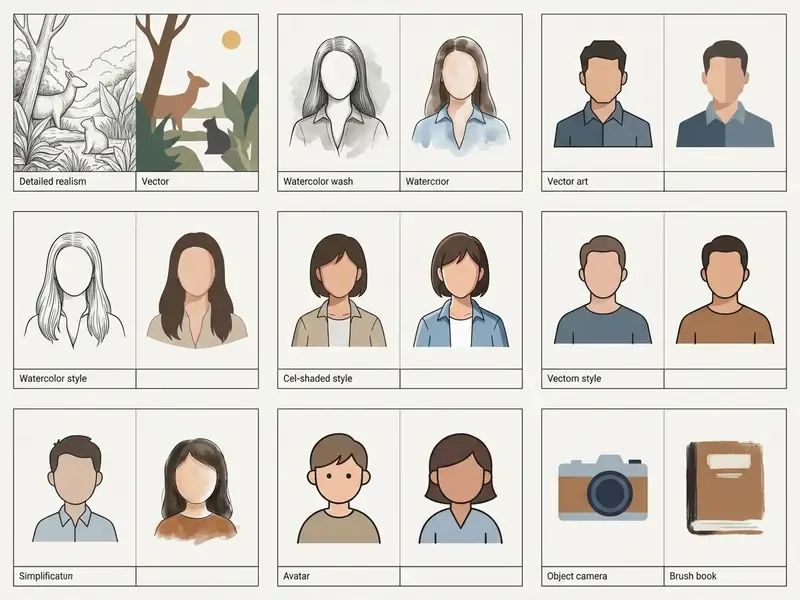
Gallery annotations for one portrait, six styles:
How to Get High-Quality Results in Photo-to-Cartoon Conversion
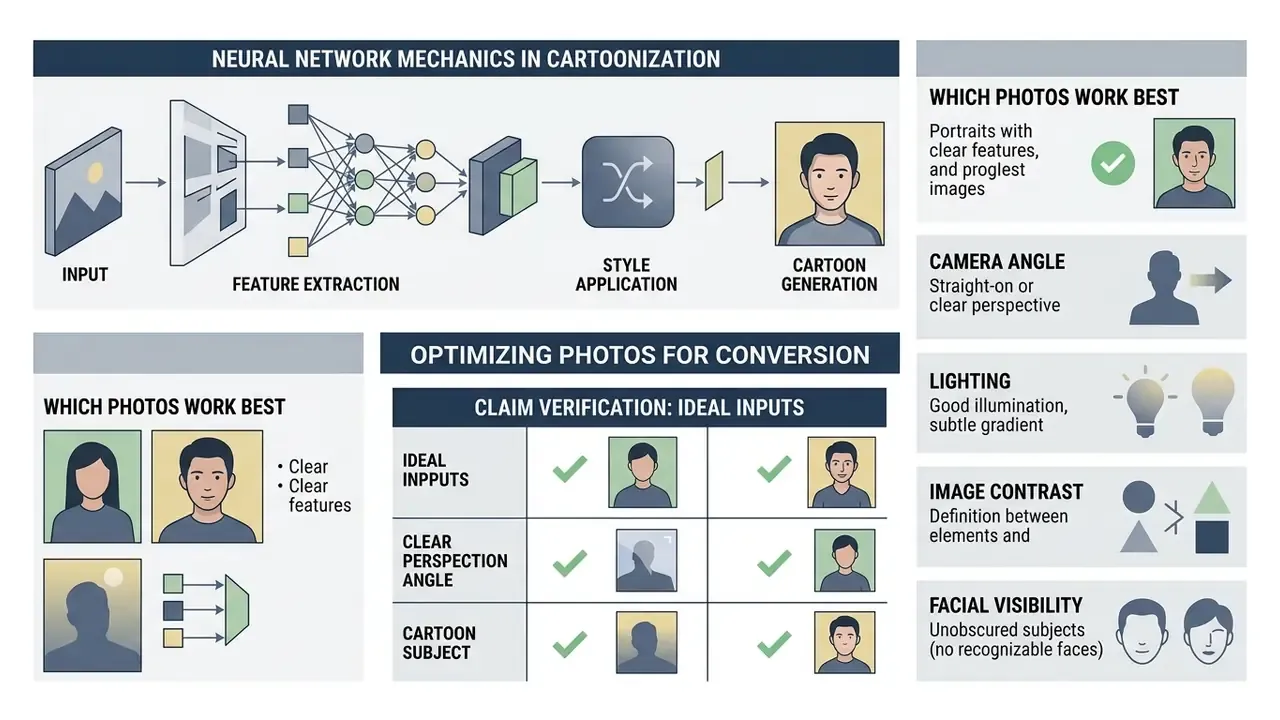
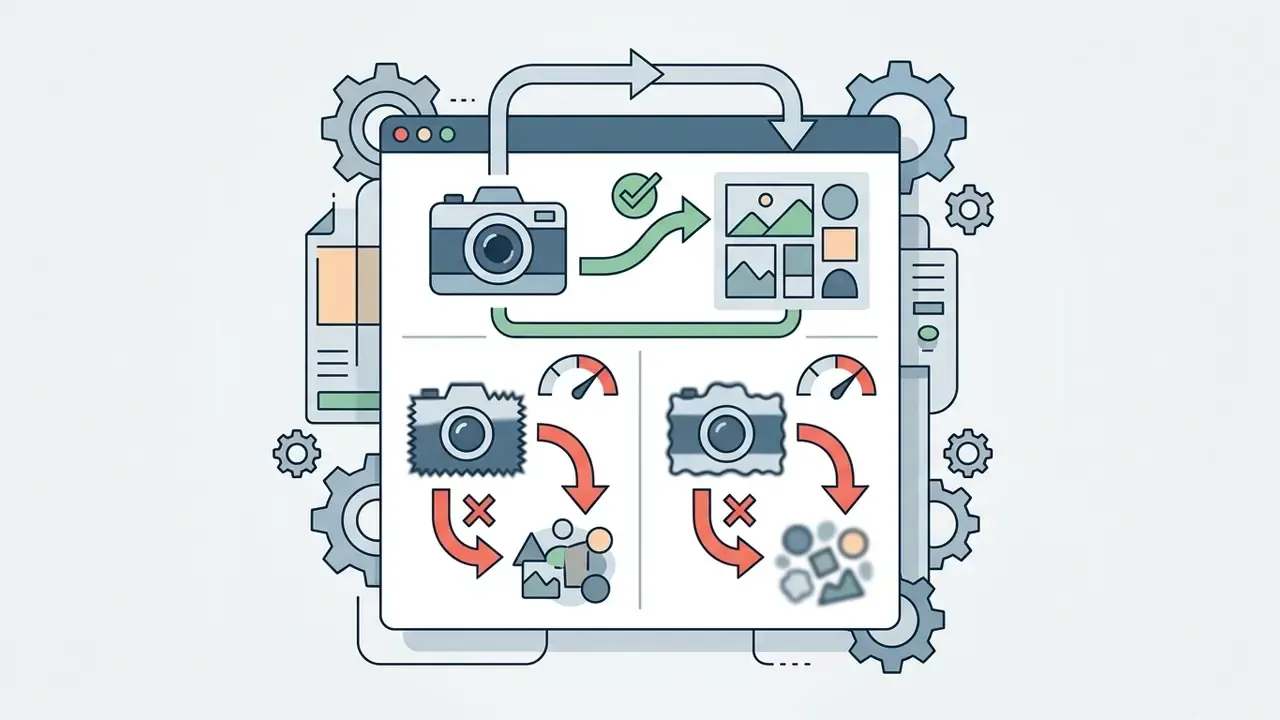
Getting professional output from an ai cartoon generator foto tool means optimizing the input and understanding how the model behaves. Low-resolution sources or awkward lighting reliably produce artifacts and facial drift.
Which Photos Work Best for Cartoon Conversion
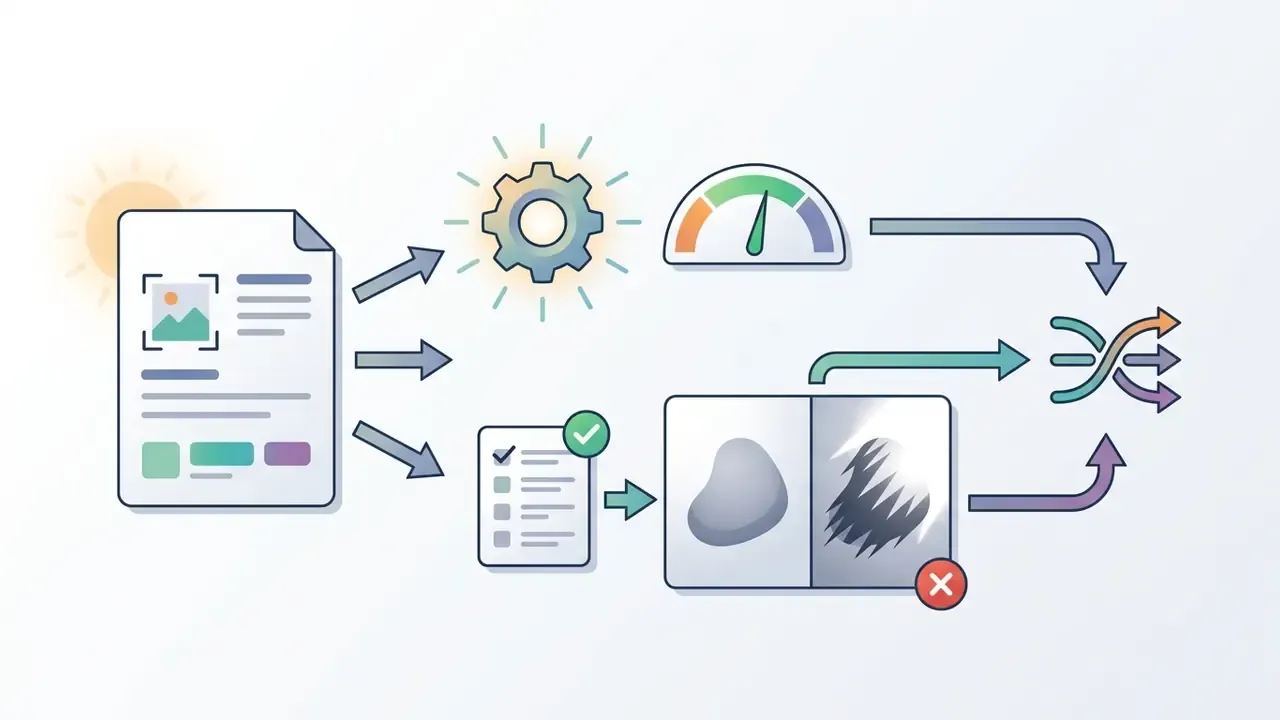
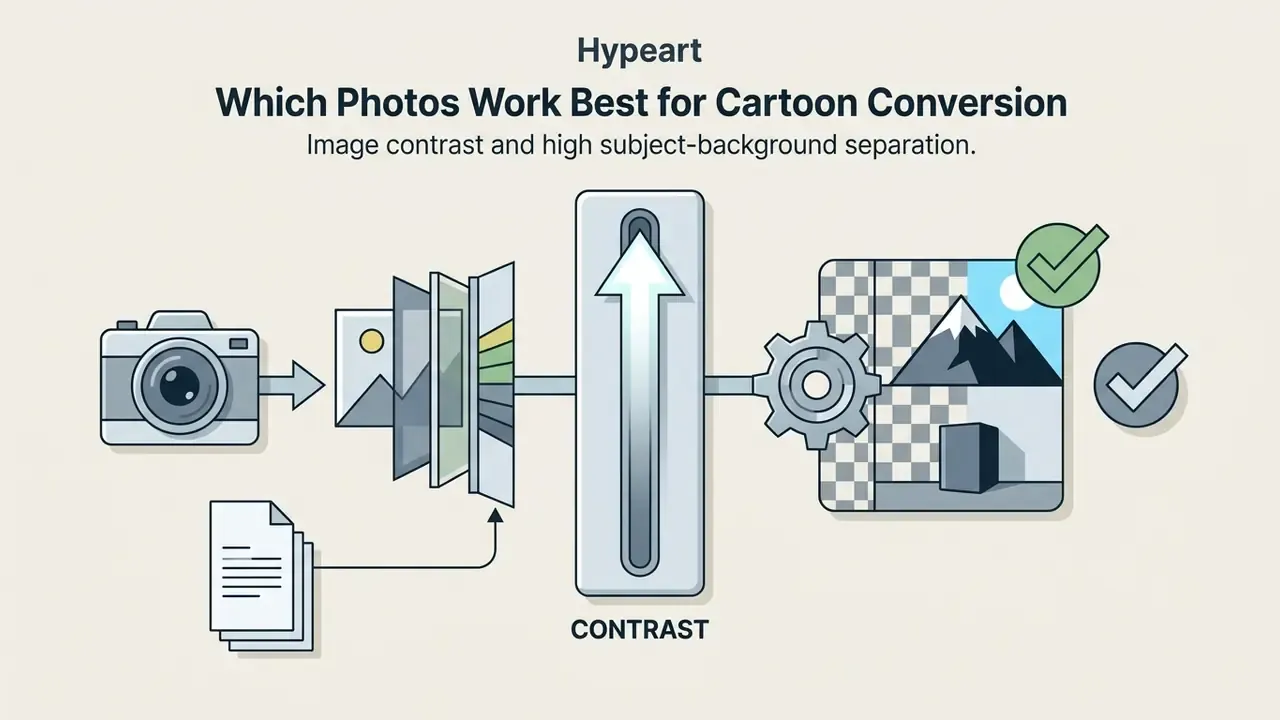
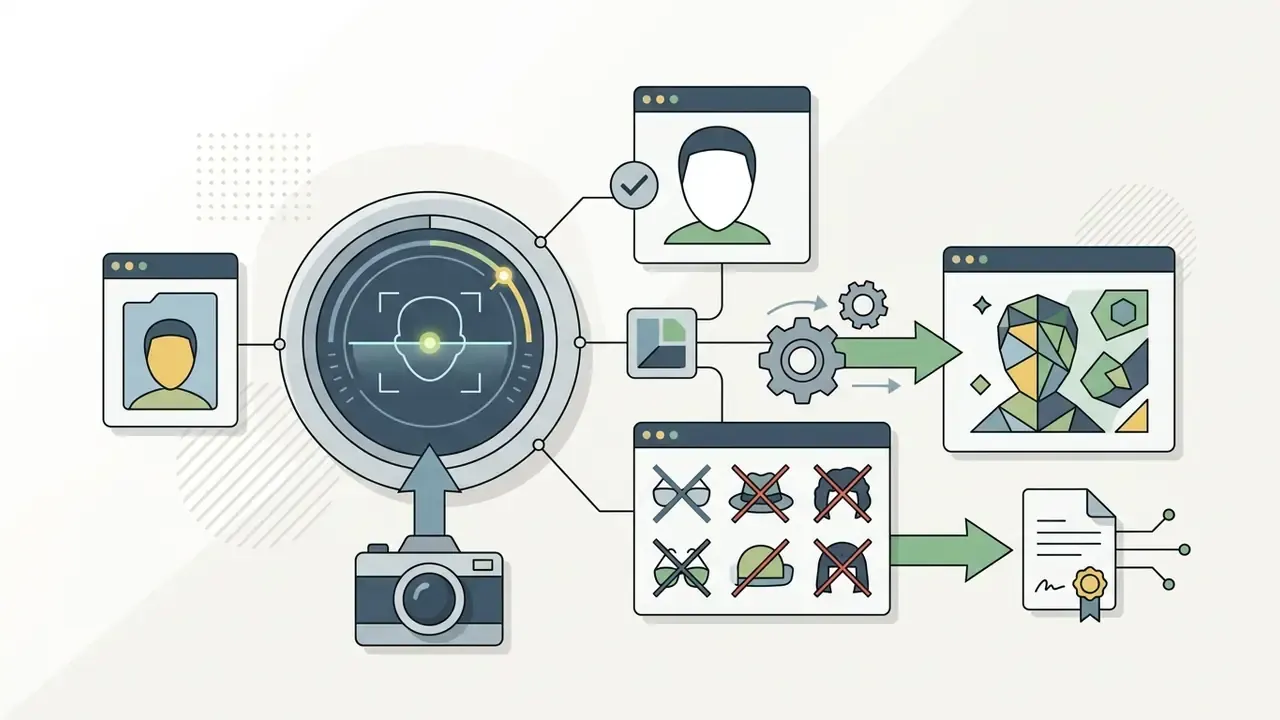
The quality of an ai cartoon generator foto naar cartoon transformation mirrors the structural clarity of the source photograph. Networks extract features best from images that meet a handful of technical criteria:
Why Faces, Details, or Backgrounds May Look Different
Unwanted changes appear when global style transfer applies one uniform transformation across the whole frame. Research shows transformer-based diffusion models process images in discrete patches; larger patch sizes speed things up but can miss fine facial landmarks, and visible distortion follows. The documented mitigation is multi-resolution refinement plus time-dependent layer normalization (Alleviating Distortion in Image Generation via Multi-Resolution Network, NeurIPS 2024).
«Webtoon-style portrait stylization systems achieve leading LPIPS, MS-SSIM and CSIM scores within the ArtFID framework, yet low input photo quality reduces the structural similarity of the output.»
When an ai cartoon generator turn photo into cartoon pipeline has no region-specific facial constraints, subtle features such as eye shape or lip contour drift. Better tools counter this with face-segmentation networks and explicit identity-preservation losses (Diffuse and Restore: A Region-Adaptive Diffusion Model for Identity-Preserving Blind Face Restoration, WACV 2024), so the finished cartoon picture still reads as the same person. A 2023 portrait study isolated the face by segmentation, stylized only the background, then restored the facial region afterwards, which is a practical architecture for holding a likeness. Deep Photo Style Transfer takes another route, constraining the transformation to be locally affine in color space with a photorealism regularization term.
Edge quality is a separate lever, and often the one people actually notice. CartoonGAN reports clearer edges and smoother shading when it combines an edge-promoting adversarial loss, hierarchical content loss, and style loss, while White-box Cartoonization reports fewer color shifts, texture distortions, and high-frequency artifacts when cartoon representations are made explicit instead of implicit.
How to Refine a Cartoon Image After Generation
Post-generation editing clears residual artifacts and tunes the output. Practical workflows use color space transformations (RGB to HSV, typically) to adjust hue, saturation, and brightness without softening line work.
Professional workflows lean on five utility modules:
- Selective Inpainting and Editingbrush over one element, hair color, eye style, an accessory, without disturbing the rest of the frame.
- Object and Artifact Cleanuperase stray background objects, duplicated limbs, or extra fingers with context-aware generative filling.
- Background Redesignswap real-world backdrops for cartoon-matching vector scenes, depth-estimated environments, or flat studio fills.
- AI Upscaling and Watermark Removallift resolution from standard 720p output to crisp 2K or 4K renders through documented 2× and 4× generative upscale paths, and remove platform artifacts on licensed content only.
- Color and Contrast Tuningadjust brightness, line contrast, and HSV saturation so the asset holds up in both print and screen contexts.
Generative fill handles targeted background replacement, object removal, and accessory changes.
«A dataset of 100,000+ paired high-quality cartoon images with instance masks enables precise editing of individual objects without disturbing surrounding elements.»
Upscaling models push resolution further, turning standard exports into files fit for print or high-density screens; an AI image enhancer handles line-preserving sharpening where a pure upscaler would blur contours. Retouching discipline still applies. U.S. HHS image-integrity guidance permits contrast, color, and brightness adjustments while warning against removing fine detail in ways that change meaning. Creators layering audio onto visual assets can review our free ai music generator app guide.
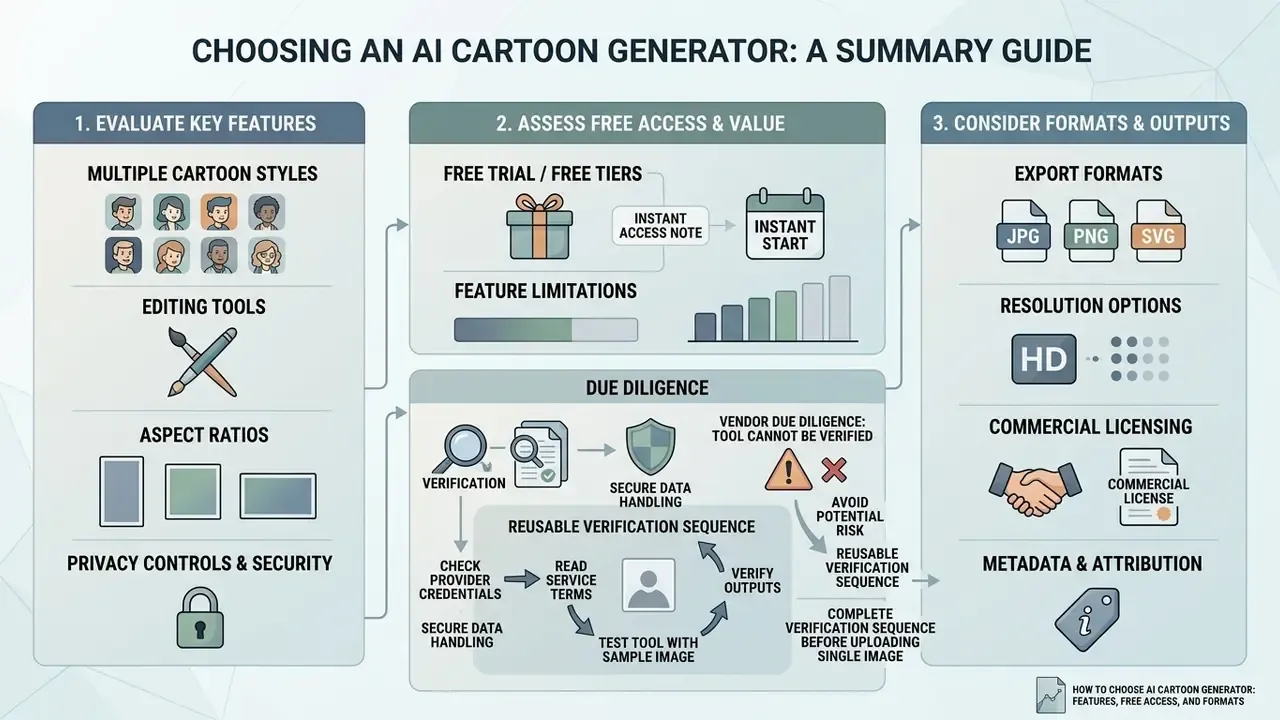
How to Choose an AI Cartoon Generator: Features, Free Access, and Formats
Selecting an ai cartoon generator online platform comes down to four things: functionality, cost, export restrictions, and data protection.
| Selection Criterion | Free Online Tools | Professional / Enterprise Software |
|---|---|---|
| Input Flexibility | Basic JPG/PNG photo upload | Multi-format photo upload, raw text, sketch input |
| Style Selection | 3 to 5 fixed style presets | 20+ customizable styles, custom LoRA model loading |
| Model Choice | One locked backbone | Selectable backbones (GPT-4o, Flux Kontext, Midjourney, SD checkpoints, Nano Banana Pro) |
| Watermark Policy | Often applies visible watermarks or brand overlays | Watermark-free exports across all formats |
| Export Resolution | Standard resolution (720p / 1024px) | High resolution (2K, 4K, vector SVG export) |
| Aspect Ratios | Usually 1:1 and 9:16 only | Full set: 1:1, 16:9, 9:16, 4:3, 3:4, plus 2:3/3:2/4:5 |
| Editing Capabilities | Simple crop and filter adjustments | Generative fill, layer editing, selective inpainting, upscaling |
| Reproducibility | No seed control | Seed locking, prompt versioning, reference sheets |
| Data Privacy | Images may be retained for model training | Prompt deletion, enterprise encryption, zero retention, training opt-out |
Read the table as a trade curve rather than a ranking. A cartoon generator free tier is genuinely useful for evaluation, mood boards, and throwaway avatars. What it rarely gives you is a written retention limit or an enforceable commercial grant.
Checklist0 / 6
Content-policy boundaries deserve one line of their own. Consumer image tooling sits next to categories that no regulated organization should touch from a corporate device or account, including adult generators marketed as free ai porn services or a free ai porn video creator. Treat those categories as explicitly out of scope in acceptable-use policy, blocked at the network layer, and named in employee training, since the reputational and consent exposure dwarfs any productivity claim. Related adult-content risk terminology is catalogued for reference in our glossary entry on free ai porn tooling, kept there for policy classification purposes only.
When evaluating ai cartoon generator tools, creators typically compare paid pricing structures against free AI image generators to see where credit limits start to bite. To understand subscription models and usage tiers, review our platform pricing details, and teams needing instant evaluation without account creation can look at no-sign-up generators. Broad feature comparisons across categories are easier to scan if you explore the hub first.
Vendor Due Diligence: When a Tool Cannot Be Verified
Can You Use AI Cartoons in Commercial Projects?
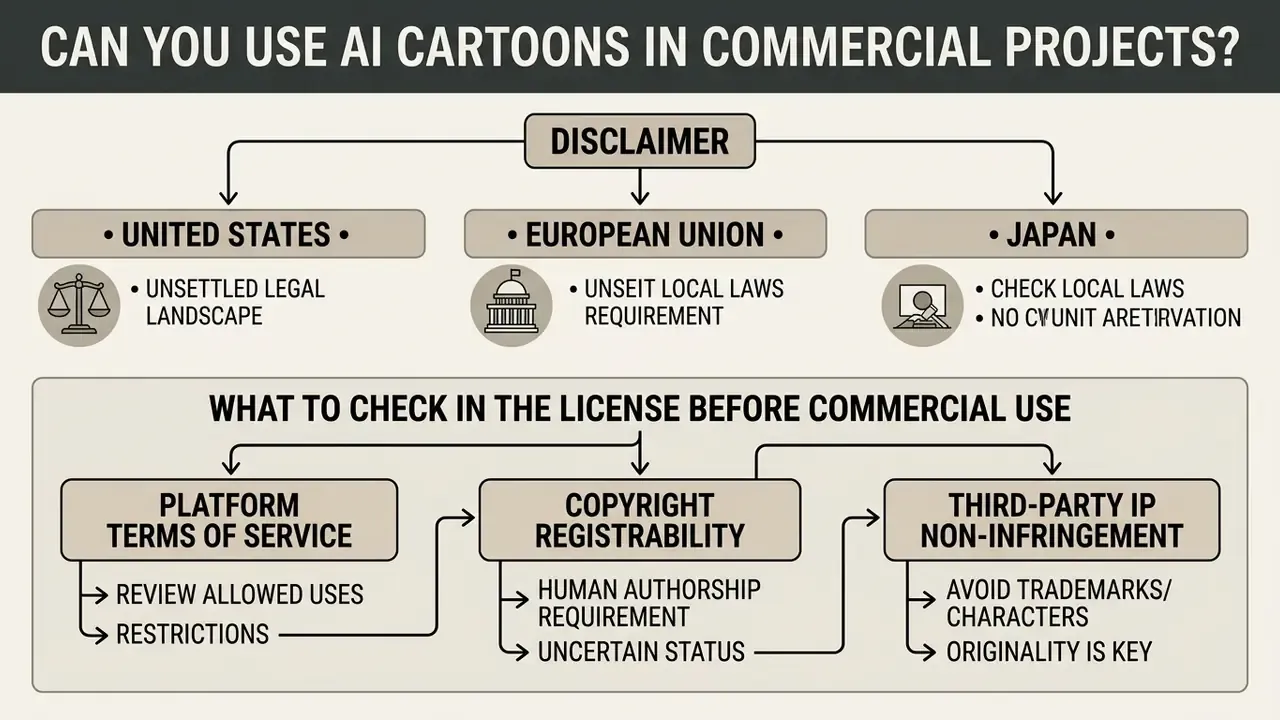
Using AI-generated cartoon graphics commercially, in advertising, corporate branding, product packaging, or social media marketing, requires compliance with intellectual property standards and platform terms of service.
Since no neutral academic baseline exists, the operative sources are regulatory guidance and the vendor contract itself. Three jurisdictional positions matter most:
- United States. The Copyright Office excludes AI-generated material from registration; only human creative contributions can be claimed. Commercial use is one factor inside fair-use analysis, never an automatic permission.
- European Union. European Parliament research states that purely AI-generated outputs lack copyright protection in the EU and may be freely used where no human creative input exists.
- Japan. Official guidance says AI outputs can infringe when they are similar to and dependent on existing copyrighted works; where they are not, permission is not required.
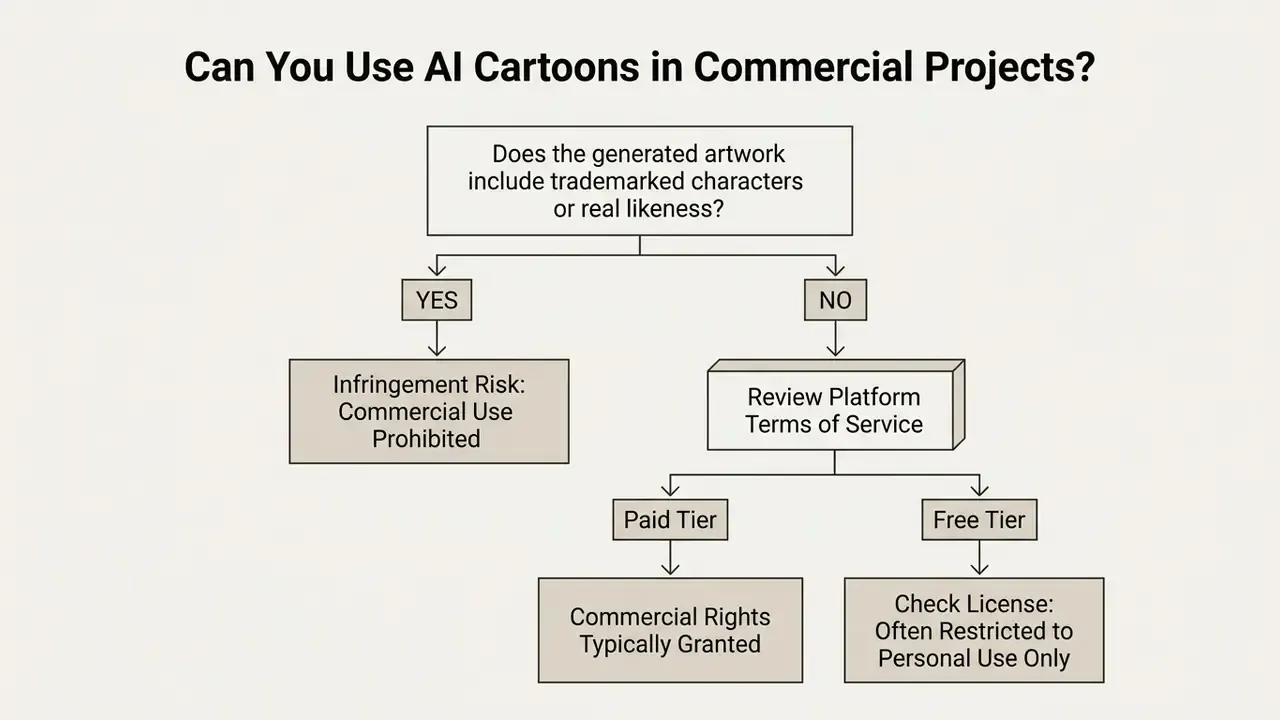
What to Check in the License Before Commercial Use
Before deploying generated artwork commercially, review three legal factors:
- Platform Terms of Service.Many platforms grant commercial rights to paid subscribers only, restricting ai cartoon generator free outputs to personal or non-commercial use. Product-specific carve-outs exist. One major vendor's consumer service terms state plainly that a voice output "is for non-commercial use only," while the same vendor's commercial contract assigns output ownership to the customer. Advertising-specific terms usually require the advertiser to hold all rights in generated creatives.
- Copyright Registrability.U.S. Copyright Office guidance establishes that purely AI-generated visual output lacking human creative control cannot be registered. Only human-authored modifications or arrangements are copyrightable, and AI-generated portions must be disclaimed on the application. Practical implications are covered in our overview of commercial use of AI image generators.
- Third-Party IP Non-Infringement.Prompts requesting trademarked characters (Disney, Marvel, Simpsons, Lego-style properties) or real individual likenesses create infringement risk that no license can exclude, regardless of platform terms. Some competing tools advertise that "all generated cartoon images can be used for commercial purposes" while also shipping branded-character presets. That combination is self-contradictory and should be read as marketing copy, not a legal opinion. Trademark law bars use in commerce of confusingly similar marks without consent, and civil codes in several jurisdictions require a person's consent before their image is published or used commercially.
Where Generated Cartoon Images Can Be Applied
With proper licensing secured and outputs kept original, commercial cartoon assets support a long list of business functions:
Teams managing commercial asset deployment can reference our AI Media Commercial-Use Hub for expanded legal frameworks. Developers wiring generation into internal systems should view the guide on integration endpoints and rate limits before committing to a vendor.
FAQ About AI Cartoon Generators
Can You Cartoonize Group Photos or Pet Photos?
Yes. An ai cartoon generator: photo to cartoon tool handles group and pet photographs, though specialized preparation improves the result. Group photos need high-resolution sources so the network detects smaller facial landmarks across several people. Aesthetic-assessment research on group photography names the failure signals worth checking before upload: closed eyes, averted gaze, occluded faces, off-axis face orientation, and facial blur. A 2025 style-transfer study also found that stylizing cropped facial regions rather than full-body frames improved structural consistency, and that annotation misalignment was the core defect in landmark-based models. For animals, face-alignment networks calibrated on animal features capture muzzle and ear geometry without warping it. The ECCV 2024 PetFace benchmark documents the pet-specific bottleneck directly: annotators manually removed images whose face alignment deviated from the intended criteria, and the benchmark standardizes on 224×224 inputs with horizontal-flip augmentation (PetFace: A Large-Scale Dataset and Benchmark for Animal Identification, ECCV 2024, https://www.ecva.net/papers/eccv_2024/papers_ECCV/papers/02660.pdf).
«DiffSensei controls multiple characters across manga panels through masked cross-attention, trained on 43,264 pages and 427,147 annotated panels in the MangaZero dataset.» - DiffSensei: Bridging Multi-Modal LLMs and Diffusion Models for Customized Manga Generation, arXiv (2024). https://arxiv.org/abs/2412.07589 One governance caveat. Public-sector guidance warns against using generative editing to assemble a "complete" group photo from separate portraits, because the result creates an inaccurate record and may use someone's image without consent.
Can You Create Multiple Cartoon Versions of One Image?
Yes. Users generate variations of one source by adjusting prompt parameters, switching presets, or changing the seed. To hold a character steady across iterations, creators rely on fixed description tags, reference sheets, or seed locking in advanced ai cartoon creation tools. Three documented consistency techniques:
- Stable subject tokens plus reference sheets. Keep one fixed subject descriptor, generate a multi-view sheet with several angles and expressions, then reuse that sheet as the identity anchor.
- One-variable edits. Hold prompt and style constant and change exactly one trait per generation, clothing or pose or expression, so identity does not wander.
- Single-image character conditioning. Feed one reference image as the identity source and adjust prompt, mask, and settings around it. A 2024 peer-reviewed pipeline extrapolates a generated image into a detailed character sheet, then uses that sheet to preserve identity across new views.
What Happens to Uploaded Photos and How Privacy Is Handled
Practice depends entirely on the platform behind the ai cartoon generator website. Established providers process uploads on secure cloud infrastructure and retain files temporarily, anywhere from deleting the source right after rendering to holding it for 24 hours, to support generation and editing. Published policies vary widely: some services delete reference images within 24 hours, some keep uploads only for the session, and at least one keeps free-account uploads for 30 days while retaining paid-account files indefinitely until the account is deleted. Users comparing editing environments under those constraints can review our AI photo editor documentation. Under regulations such as the GDPR, personal photographs count as personal data, so platforms must implement privacy-by-default safeguards, limit unauthorized collection, and state retention limits clearly. Two nuances matter for risk owners:
- Biometric threshold. A photograph is not automatically special-category biometric data under the GDPR. It becomes biometric data when processed through a specific technical means for the purpose of uniquely identifying or authenticating a person, which is exactly what face-embedding and identity-preservation modules do. U.S. state biometric-privacy statutes of the BIPA type add separate notice-and-consent obligations before facial geometry is collected from employees or customers. Uploading staff headshots into a consumer generator can therefore create exposure entirely independent of copyright.
- Encryption and training opt-out. Confirm TLS in transit, encryption at rest, the storage jurisdiction, and, most importantly, a documented opt-out from training on submitted images. New Zealand's Privacy Commissioner guidance is explicit: do not input personal or confidential information into a generative AI tool unless it is confirmed that the provider neither retains nor discloses that data. Australian OAIC guidance (2024) similarly requires privacy safeguards across collection, use, and sharing for generative AI development. Documentation closes the loop. HHS image-integrity guidance requires that edits not change an image's meaning, that changes be recorded, and that the original unprocessed file be kept. A habit worth importing into any commercial cartoon workflow that might later be audited. For platform support and privacy inquiries, users can explore the hub for assistance.
Why Does the Same Photo Look Different in Each Style?
Each preset encodes a different trade-off between fidelity and abstraction. Presets built on line art and cel shading stay close to source geometry, while caricature, chibi, and rubber-hose presets warp proportions on purpose. The same latent seed pushed through two style conditionings therefore returns two legitimately different faces. Which is why seed locking plus a single style anchor remains the only dependable way to reproduce a result.
Why Does My Cartoon Look Blurry After Download?
Usually the source photograph is the limiting factor. A small or soft original cannot yield a sharp stylized output, no matter which model runs. Start from the largest available file, then apply generative upscaling for print or large-screen use. Keep in mind that downscaling preserves perceived quality, while upscaling reconstructs detail rather than recovering it.
Can I Use a Cartoon Image as a Profile Picture?
Yes, and it is probably the single most common application: social platforms, gaming accounts, creator channels, community forums. A cartoon avatar conveys personality without publishing a photograph of the user's real face. Reuse the same avatar across touchpoints to build recognizability, and keep the seed and prompt on file so refreshed versions stay on-model.
Is a Free Tool Enough for Business Use?
For internal drafts, yes. For anything customer-facing, the honest answer is: probably not without a paid tier. A free ai cartoon workflow rarely provides watermark-free exports, print resolution, retention guarantees, or a written commercial grant, and those four items are precisely what an auditor asks about later.
Additional Resource Navigation
- Technical Terms and Specifications: glossary
- Integration and Development APIs: view the guide
- Platform Feature Comparison: explore the hub
- Animation and Motion Tooling: animation maker
- Style-Specific Licensing Example: Ghibli-style AI image generators
- Resolution and Quality Enhancement: AI image upscaler