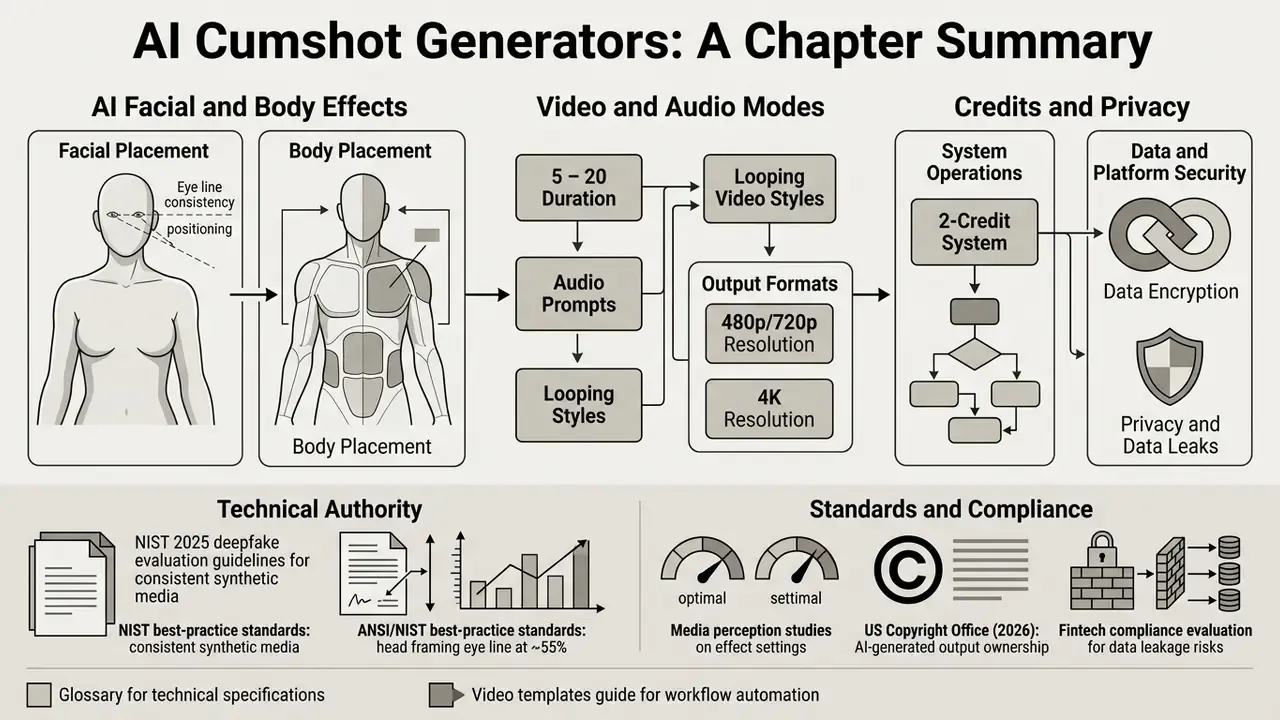
Evaluating an ai cumshot generator is not only an aesthetic exercise. It requires a working understanding of visual fidelity, effect placement zones, audio generation options, data handling pipelines, privacy architecture, credit economics, and legal compliance boundaries. Get the last three wrong and the first four stop mattering.
Executive Summary
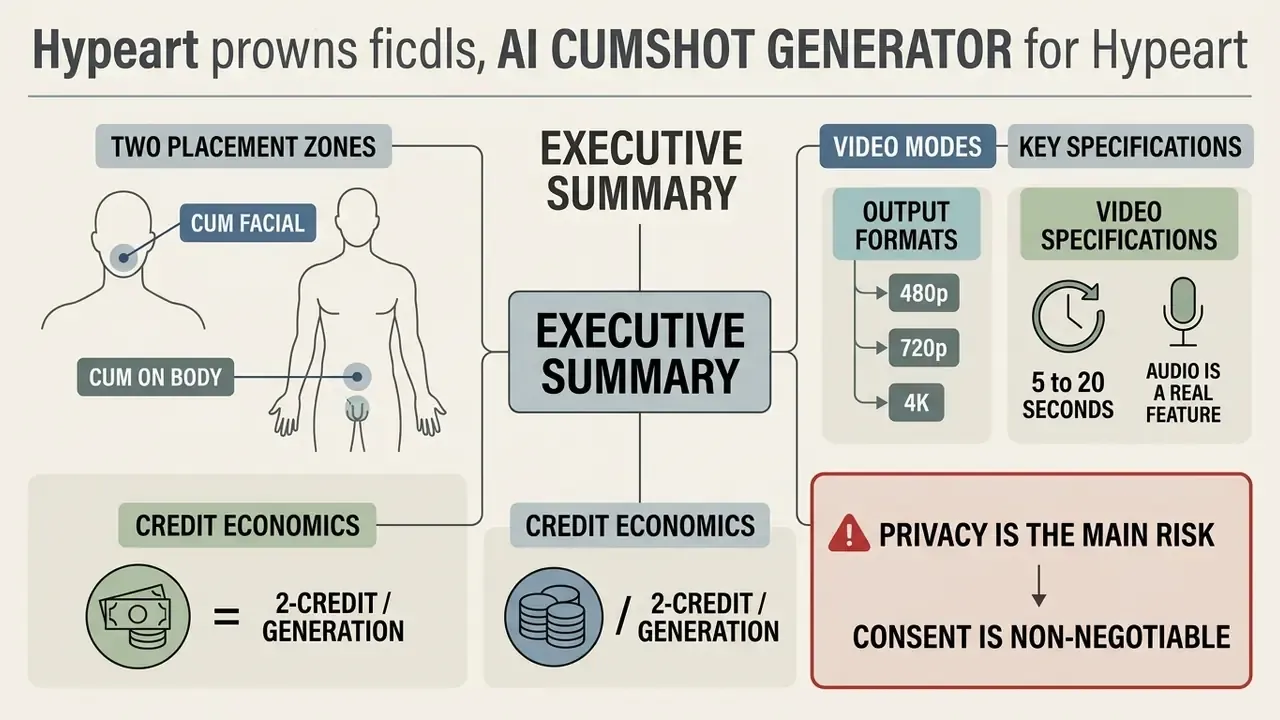
- Two placement zones. Modern tools split the effect into Cum Facial (cheeks, lips, chin, mouth area) and Cum on Body (chest, breasts, stomach, torso). Facial modes support both photo and video. Body modes are still-image effects on most platforms.
- Three output formats. A deterministic photo effect (5 to 15 seconds), a fully synthesized AI image (10 to 30 seconds), and a cumshot video rendered from a single photo (usually 1 to 5 minutes of processing for a 5 to 20 second clip).
- Video specifications. Clip lengths of 5, 8, 10, 15 and 20 seconds, output at 480p or 720p on most adult video engines. HD and up to 4K/UHD are available for still-image exports on premium tiers.
- Audio is a real feature. Facial and Futa Cumshot styles can generate a sound layer: breathing, moans, reactions, room noise, or a short dirty-talk line driven by a text prompt. Close-Up Facial Cumshot is typically silent.
- Credit economics. A single photo effect commonly costs 2 credits per generation across image models. Cumshot video generation usually requires a Pro or Elite subscription. Free tiers add watermarks, low resolution (540p to 1 MP), and 2 to 5 generations per day.
- Privacy is the main risk. Client-side, browser-only processing with zero retention is materially safer than cloud pipelines that store uploads for 24 hours to 30 days. Vendor claims about "browser-only" processing cannot be verified without open code or an independent audit.
- Consent is non-negotiable. Non-consensual intimate imagery is criminalized in multiple jurisdictions, including under the US TAKE IT DOWN Act and EU Directive 2024/1385.
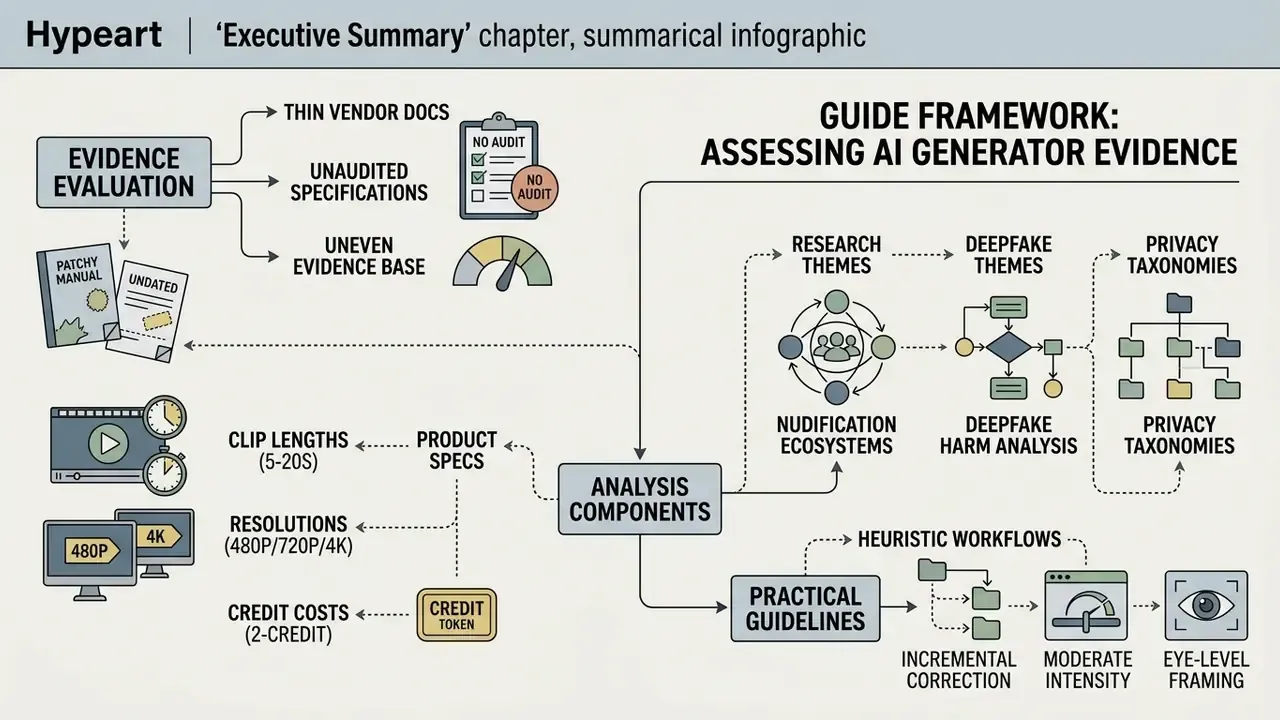
How to Read This Guide and Weigh Its Evidence
What an AI Cumshot Generator Is and What Images It Produces
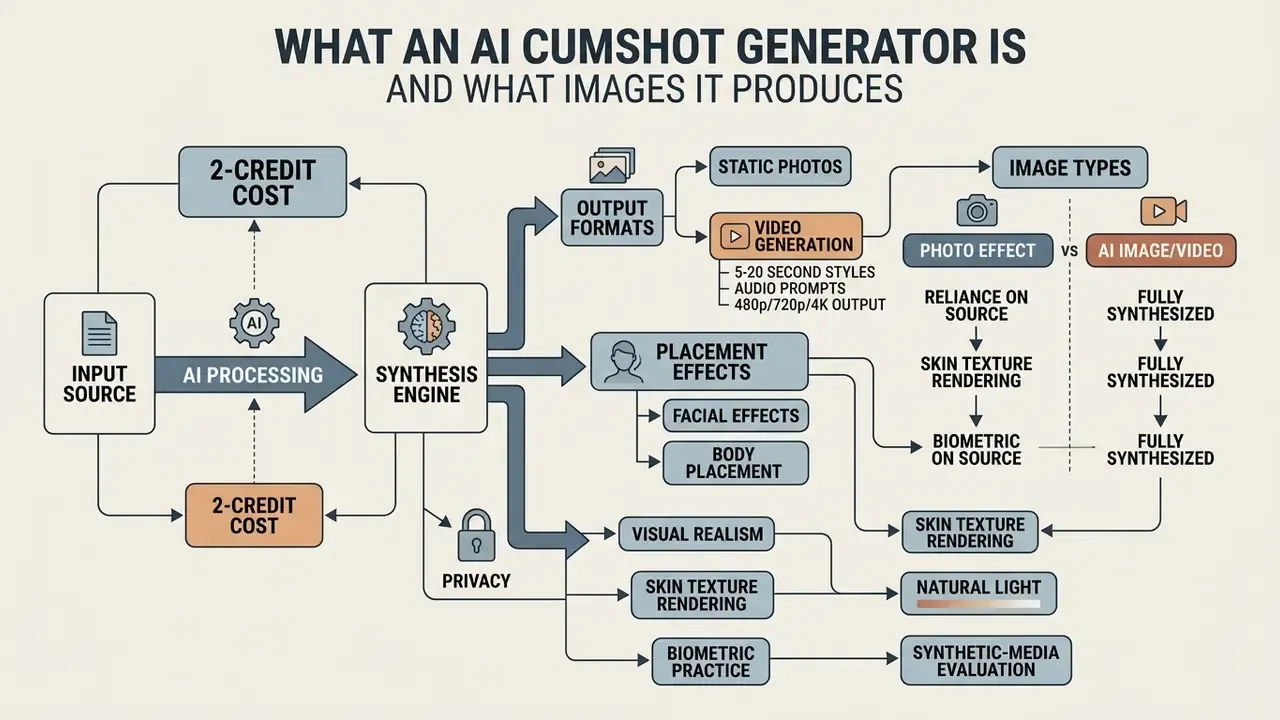
An ai cumshot generator is an automated software tool that processes source photos or video feeds to synthesize explicit adult visual effects, specifically facial and bodily fluid overlays. These applications work either as raster transformation filters or as latent-space diffusion models, altering input visuals to produce hyper-realistic explicit imagery.
Depending on the underlying model architecture, an ai cumshot creator can output static raster photos, stylized synthetic AI renders, or frame-by-frame animated video content. Understanding the distinction between these visual formats is essential for judging processing speed, output fidelity, and resource demands. Anyone evaluating an ai cumshot maker or a cumshot picture generator should first separate simple surface modification from deep generative synthesis. The two behave very differently under scrutiny.
«Researchers define AI nudification as the use of generative models to transform an image of a clothed person into an image without clothing, without that person's consent.»
The practical consequence of this classification is straightforward. A surface-level overlay modifies pixels inside a predicted mask. A generative pipeline re-synthesizes the region and can alter identity-bearing features along the way. That single difference drives both realism and risk.
Photo Effect, AI Image or Video: What to Choose
Choosing between a photo effect, a fully synthesized ai image, and a video format depends on required temporal consistency and acceptable latency. A photo effect applies deterministic neural overlays onto an existing raster image, preserving original facial geometry while altering surface textures in seconds.
An AI image generation workflow does something else. It uses latent diffusion to re-synthesize the scene, which produces complex realistic effects but may also shift the underlying facial features. Video output adds temporal frame propagation to hold consistency across motion, stretching processing time from seconds to several minutes. Match the format to the requirement and you avoid most disappointment.
«Researchers distinguish three formats: photo-effect nudification, fully synthesized AI images, and AI video, each carrying different privacy risks.»
Realism of Facial Effects and Its Visual Signatures
«Deepfakes are designed to be perceived as real, and sexual deepfakes can inflict significant reputational and psychological harm.»
| Output Format | Input Material | Key Tuning Parameters | Generation Speed | Output Type |
|---|---|---|---|---|
| Photo Effect (Facial) | Single static photo with face in frame | Mask boundary, effect intensity, opacity, offset | 5 to 15 seconds | Modified raster image (JPEG/PNG) |
| Photo Effect (Body) | Photo with chest, breasts, stomach or torso in frame | Placement zone, spread, density, viscosity | 5 to 15 seconds | Modified raster image (JPEG/PNG) |
| AI Image Synthesis | Text prompt plus reference photo | Latent scale, aspect ratio, prompt weight | 10 to 30 seconds | Fully synthesized image (PNG/WEBP), up to 4K/UHD |
| Cumshot Video Generation | One photo (JPG/PNG, up to about 12 MB) | Style (Facial / Futa / Close-Up), clip length 5 to 20 s, resolution 480p or 720p, audio prompt | 1 to 5 minutes | Animated video file (MP4/HEVC) |
Comparison of visual formats by source requirements, control depth, processing latency, and final output structure. In short: photo effects are cheap and fast, synthesis is flexible but identity-mutable, video is slow, expensive and the least forgiving of a weak source frame.
How an AI Cumshot Generator Works: From Photo Upload to Result
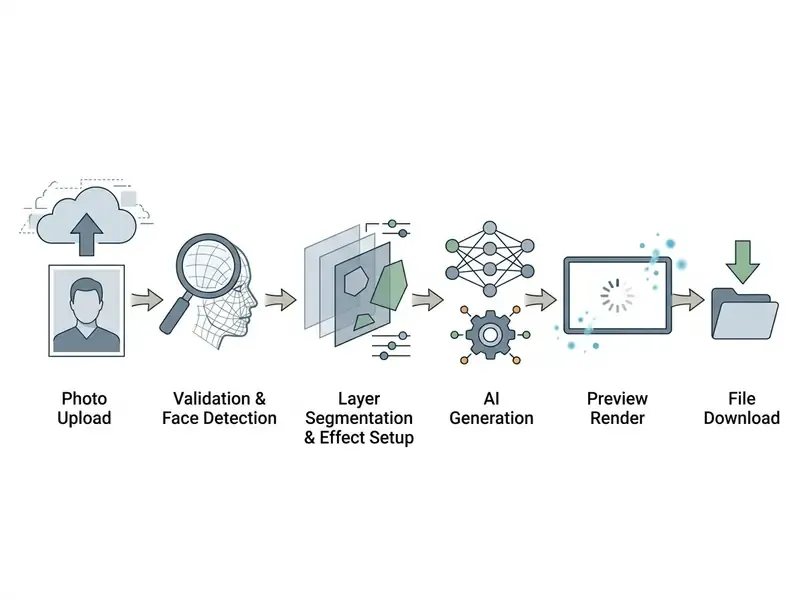
An ai generator cumshot workflow runs an automated multi-stage pipeline from file ingest to download. The process starts when a user initiates a photo upload, which triggers server-side or browser-based validation scripts. The system then performs computer vision parsing, detecting facial landmarks and body geometry before applying the selected visual layers.
Once the cumshot generator ai finishes latent diffusion or raster blending, a temporary preview render appears for inspection. Only then does the user finalize settings and execute the file download.
«SafeGen achieves 99.1% removal of sexual content in diffusion models by targeting latent visual representations associated with nudity, yet adversarial prompts can bypass this protection.»
That finding matters for anyone assessing this category from a risk perspective. Model-level guardrails exist, they are measurable, and they are also circumventable. Any assumption that a hosted pipeline "cannot" produce prohibited output is unsupported by current evidence. Assume the guardrail is a filter, not a wall.
Preparing and Uploading the Source Photo
The first stage requires submitting a high-resolution source photo through a secure upload interface. The processing engine scans the incoming raster file to verify integrity, resolution parameters, and basic dimensions. Face detection algorithms perform best on unobstructed facial views with direct lighting and minimal tilt.
Low-resolution or blurry source files degrade facial alignment accuracy and multiply rendering artifacts downstream. Most adult video engines cap the source file at roughly 12 MB for JPG/PNG uploads, while general-purpose vision APIs commonly enforce a 20 MB ceiling. Worth checking before you queue a batch.
Face, Layer and Effect Processing
Once the source photo is accepted, convolutional neural networks run face and layer detection to segment the target areas. The model isolates facial structures such as the eyes, nose and lips from background elements, establishing precise coordinate boundaries.
«Modern nudification applications use convolutional neural networks to detect edges, textures and shapes, progressively building a full representation of the image.»
The chosen cum facial effect is then mapped onto these isolated layers, matching texture density and specular highlights to the local lighting. One clarification, because the terms get used loosely: detection alone returns bounding boxes, while segmentation returns a pixel-level mask. It is the mask stage that decides whether the effect stays inside the intended zone or bleeds across the background.
Preview, Parameter Correction and Download
Before final rendering, the system generates a low-resolution preview so users can inspect layer placement and effect intensity. Positioning, scale and density can be adjusted in real time to correct false artifact alignment. Once the adjustments look right, the rendering engine processes the final file at full resolution.
The completed output is compiled into downloadable formats such as PNG, JPEG or MP4 for retrieval. A small design detail carries real cost implications: well-built pipelines expose preview and download as two distinct steps, so a rejected render never burns an export credit. Pipelines that charge on preview quietly double your spend.
Effect Settings: Facial Placement, Body Placement, Intensity and Format
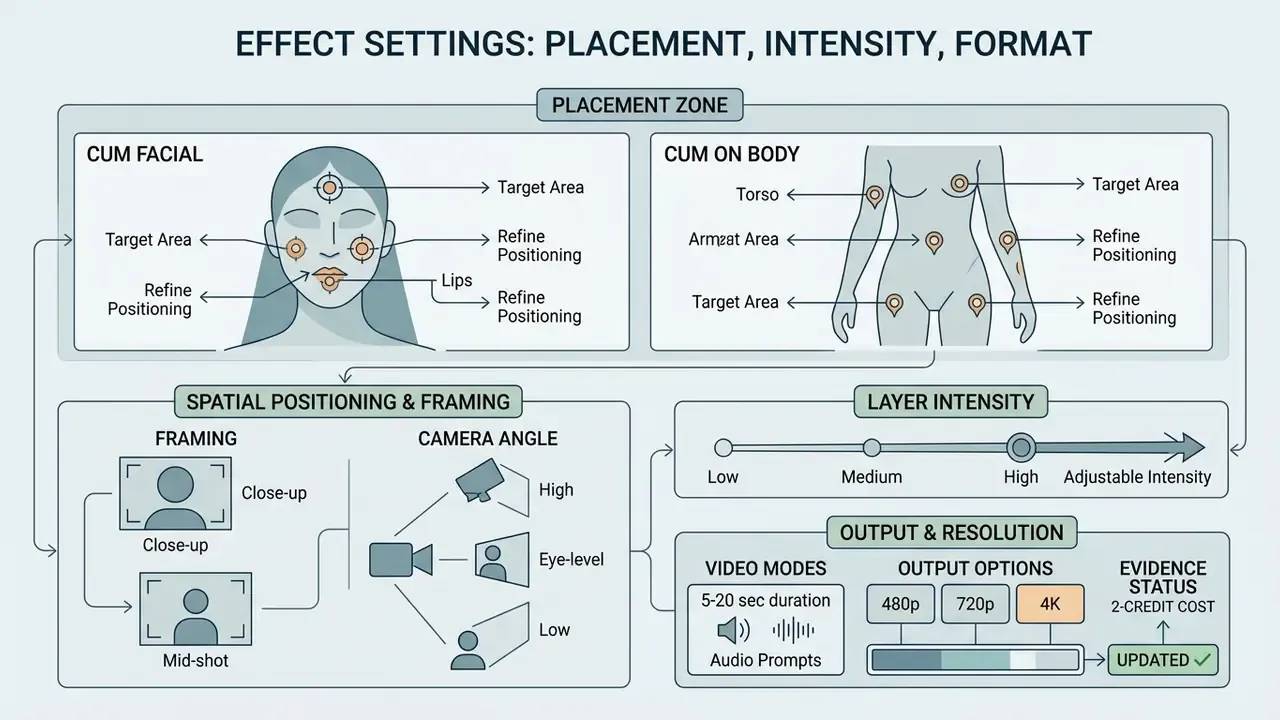
Configuring the effect means tuning the placement zone, spatial positioning, layer intensity, and output resolution. Fine-grained control over these settings decides whether the generated cum face follows natural facial contours and lighting angles, or floats above them like a sticker.
Advanced facial generator tools expose dedicated sliders for layer opacity, boundary scaling and camera framing. A specialized cum face generator lets operators adjust depth maps and texture density before the final render. A carefully configured ai cum facial setup holds alignment across varying head poses, which is where most cheap tools fall apart.
Cum Facial vs Cum on Body: Choosing the Placement Zone
Contemporary generators no longer ship a single universal filter. They split the effect into two distinct placement entities:
- Cum Facial.The effect is distributed across the face: cheeks, lips, chin, nose bridge and the mouth area. This mode depends on accurate facial landmark detection, and it is the only mode most engines support for animated output. A dedicated cum facial generator preset usually lives here.
- Cum on Body.The effect is placed across the chest, breasts, stomach or torso. Body placement uses body-segmentation masks rather than facial landmarks, and on most current platforms it works as a still-image effect only. If you need motion, you start from a facial video style instead.
Practical rule: keep the target zone fully inside the frame. If hair, hands, jewellery or a tight crop covers the face, chest or stomach, mask prediction degrades and the placement is far more likely to look wrong. A face-only crop will not produce a convincing torso finish. A wide full-body shot rarely produces a convincing close-up facial. The model cannot invent detail that the sensor never captured.
Face Alignment and Precise Zone Selection
Intensity, Framing and Camera Angle
Adjustable intensity controls govern opacity, viscosity appearance and surface highlights. Push intensity to maximum and you obscure natural skin texture, introducing that waxy, plastic look. Realism generally holds up better when the camera sits at eye level and framing keeps a consistent facial perspective.
«Deepfakes are perceived as real, and sexual content with a convincing facial rendering amplifies reputational and psychological harm.»
Quality, Resolution and Output Options
Output quality tracks your resolution choice, from standard web previews to HD and 4K renders. High-resolution explicit image generation preserves fine skin detail and prevents pixelation along the effect margins. Professional pipelines export in lossless formats like PNG or WEBP and can be upscaled with AI image enhancement tools, holding colour fidelity across different displays. Higher resolutions eat more processing memory, but the edge definition is visibly cleaner.
Concrete output tiers commonly available in this category:
| Output Track | Available Resolutions | Typical Export Formats |
|---|---|---|
| Free image tier | 540p to 1024×1024 (about 1 MP), watermarked | JPEG, PNG |
| Paid image tier | 1024×1536, 1536×1024, HD, up to 4K / UHD | PNG, WEBP, lossless |
| Cumshot video | 480p or 720p | MP4 / HEVC |
If you plan to convert output later, note that resolution choices constrain downstream work: a video upscaler can recover some detail from a 480p clip, but it cannot restore information the encoder never wrote.
Video Styles, Clip Length and Audio Prompts
Style Variety and Generation Modes (Facial, Close-Up, Futa)
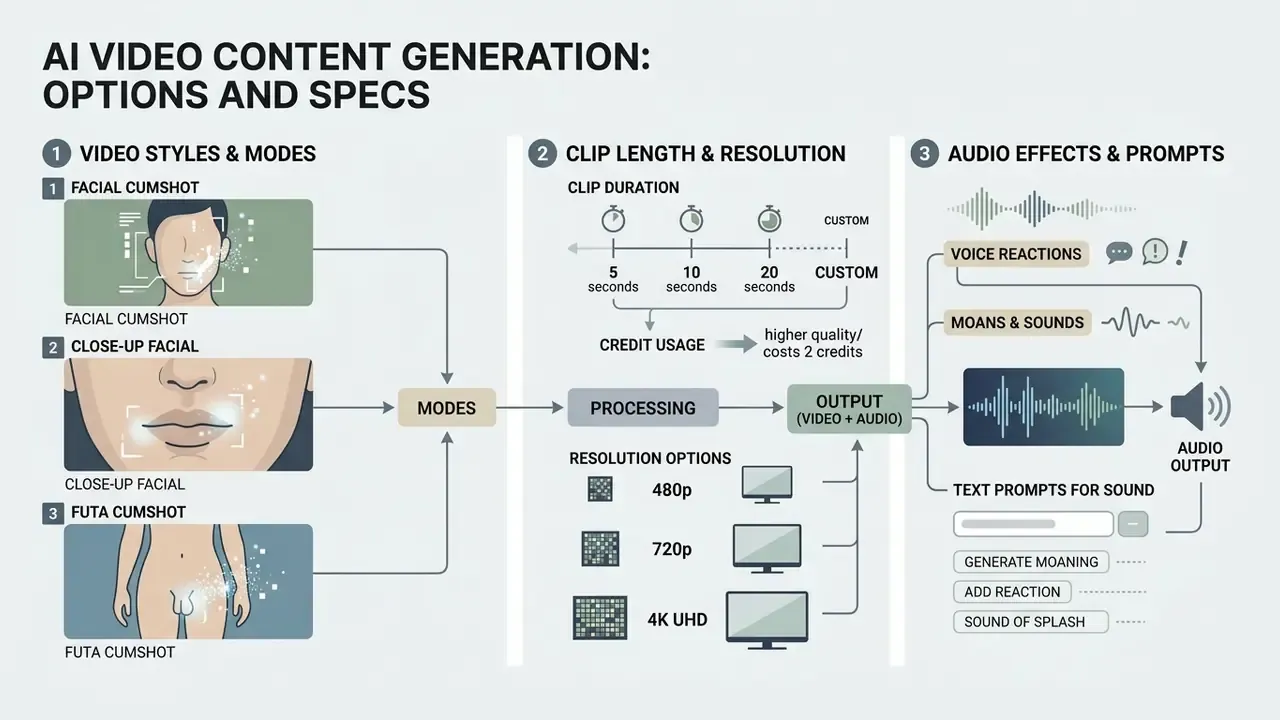
An ai cumshot video generator does not apply one universal filter. It exposes a small set of presets, each changing framing, motion dynamics and finish intensity:
- Facial. The standard wider finishing shot, with the effect landing across the face and mouth area with visible motion.
- Close-Up Facial Cumshot. A tight crop that keeps the face dominant in frame, best matched to source photos already shot close.
- Futa Cumshot. A specialised explicit finish style with its own motion profile and intensity curve.
Some platforms extend this into a broader mode library, 15 or more modes covering undress, sex scenes, POV and cumshot variants, plus intensity and viscosity variations inside each preset. Pre-built structures work much the same way as video templates in mainstream editing: they encode a camera behaviour you then feed a matching source. The selection rule is angle matching. Start from a photo that already has the framing the style expects, because a closer match yields cleaner motion and fewer mask failures.
Clip Length and Resolution Specifications
All three video styles typically offer 5-second and 8-second clips. Facial and Futa Cumshot add 10-, 15- and 20-second options. Output resolution is chosen at generation time: 480p or 720p. Longer clips consume more compute and more credits, and they compound temporal artifacts. If the 5-second render already drifts, the 20-second render will drift more. Test short, then scale.
| Video Style | Clip Lengths | Sound Support | Output |
|---|---|---|---|
| Facial | 5, 8, 10, 15, 20 sec | Yes (prompt-driven audio) | 480p / 720p MP4 |
| Futa Cumshot | 5, 8, 10, 15, 20 sec | Yes (prompt-driven audio) | 480p / 720p MP4 |
| Close-Up Facial Cumshot | 5, 8 sec | No, silent clip | 480p / 720p MP4 |
Audio Effects: Moans, Reactions and Text Prompts for Sound
Sound is a distinct generation layer, not an afterthought. On engines that support it, you write a short audio prompt describing what should be heard alongside the visual finish: breathing pattern, moans, verbal reactions, ambient room noise, or a brief line of dirty talk. The model synthesizes a matching track and muxes it into the MP4.
Practical guidance for audio prompts:
- Describe breathing and rhythm first ("breathes hard, then exhales slowly"), because pacing is what makes a track read as reactive rather than looped.
- Add one short spoken line at most for a 5 to 8 second clip. Longer scripts get truncated, or drift out of sync with the visual finish.
- Specify room acoustics if you want realism ("close-mic, small room, no music"). Missing ambience is one of the most common tells of synthetic audio.
- Remember the coverage limits. Facial and Futa Cumshot support sound. Close-Up Facial Cumshot is silent. If sound matters, choose the style before you choose the crop.
- Photo effects have no audio layer at all. A still image is a still image.
Example of a workable audio prompt: "She reacts to the finish, breathes hard, and says 'keep looking' before moaning softly. Close-mic, quiet bedroom, no music."
If you need to separate the generated track for review or archiving, a standard video to audio conversion step extracts the stream without re-rendering the clip. Voice-layer behaviour is documented in more depth in the AI voice generator guide.
How to Get a More Realistic Result with an AI Cum Generator
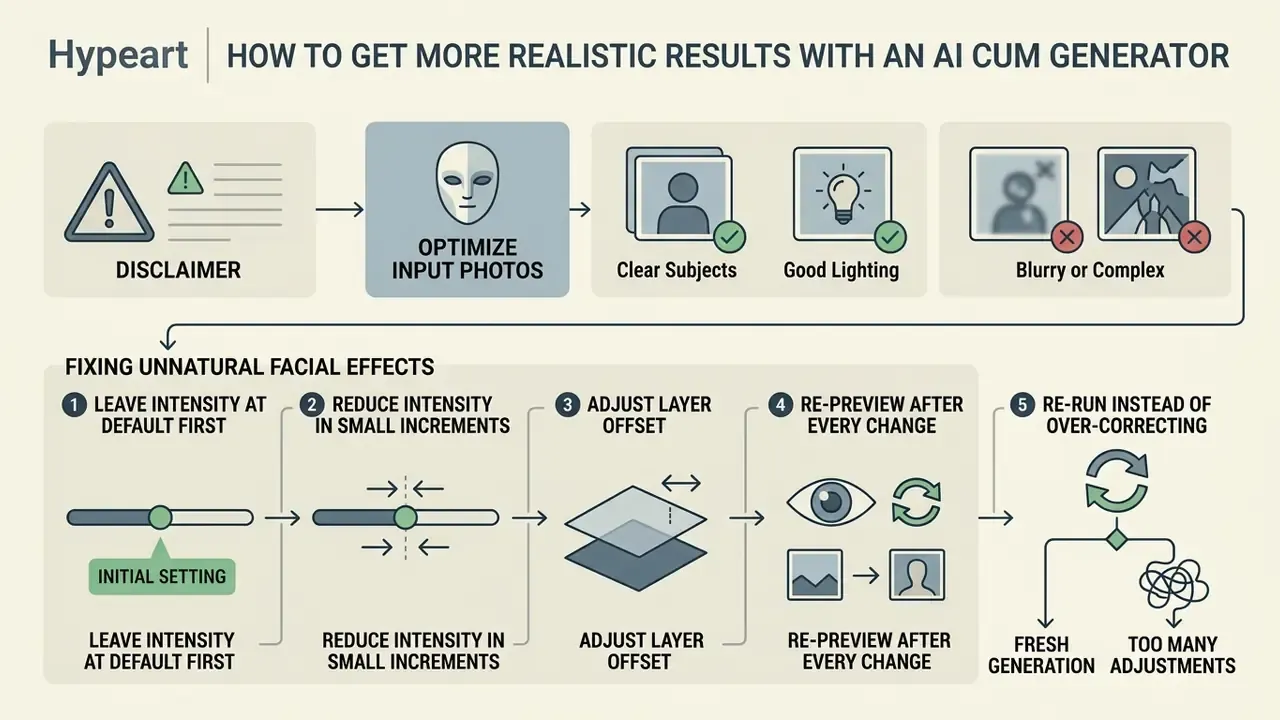
Getting realistic output from an ai cum generator comes down to two things: source photo selection and systematic parameter tuning. Avoiding the standard synthetic-generation failures means understanding how neural models read shadows, surface highlights and facial proportions.
Real-time adjustments during the pre-download phase let operators refine texture blending and correct unnatural edge bleed. A clear photo with neutral lighting measurably improves how a face ai generator aligns synthetic layers. And review before export, always. Generated images are cheap to redo and expensive to explain.
Which Photos Work Best for Generation
The best source photos have clear, direct lighting, sharp facial focus, and minimal obstruction across key landmarks. Frontal poses with head tilt inside ±5 degrees give the most accurate landmark extraction and depth estimation.
«Nudification applications require a clear facial image: convolutional networks detect edges and textures, progressively building a full representation for manipulation.»
Photos with heavy shadows, motion blur or partial face coverage cause segmentation errors and misaligned overlays. Standard portrait-capture guidance recommends balanced, diffused illumination rather than one bare point light, which prevents harsh specular glare across skin. Occlusion is the single most damaging defect: hair across the cheek, glasses, a raised hand, a mask, a scarf. Each one breaks mask prediction in exactly the zone you are trying to render.
If your source is a frame pulled from footage, a clean video to image extraction beats a screenshot, because screenshots inherit player-side scaling and compression that the segmentation model then has to guess through.
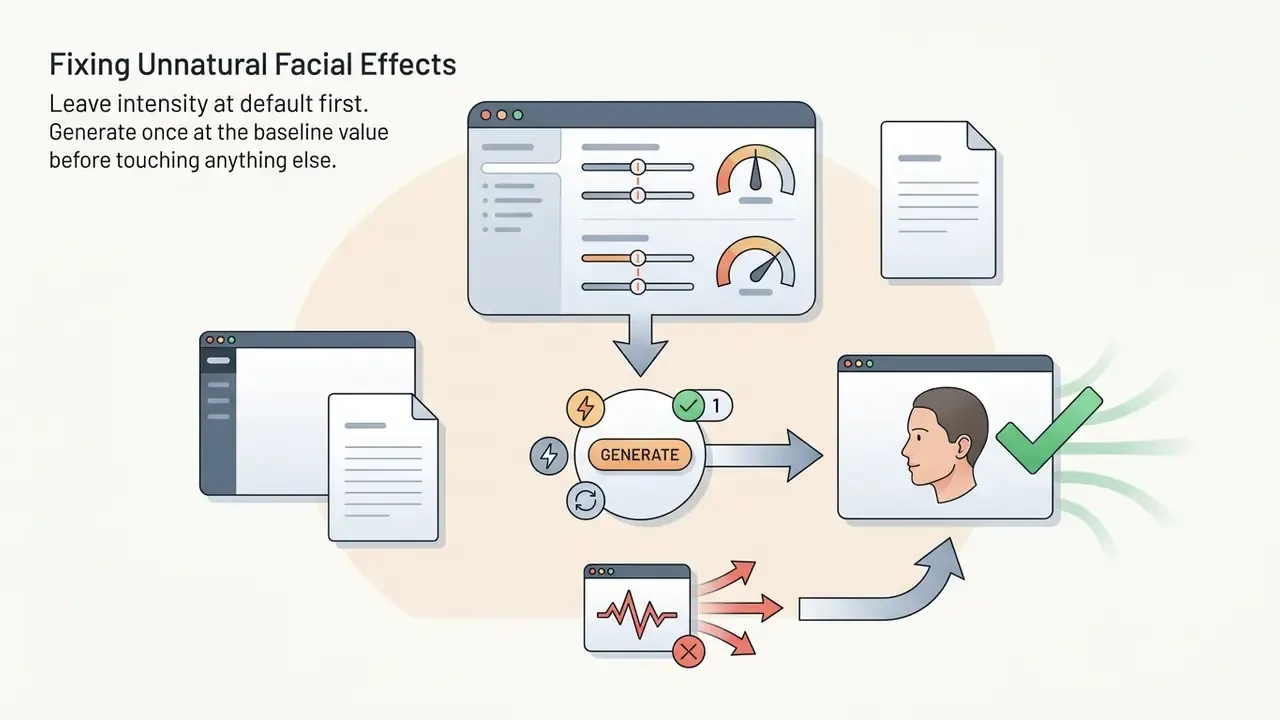
Fixing Unnatural Facial Effects
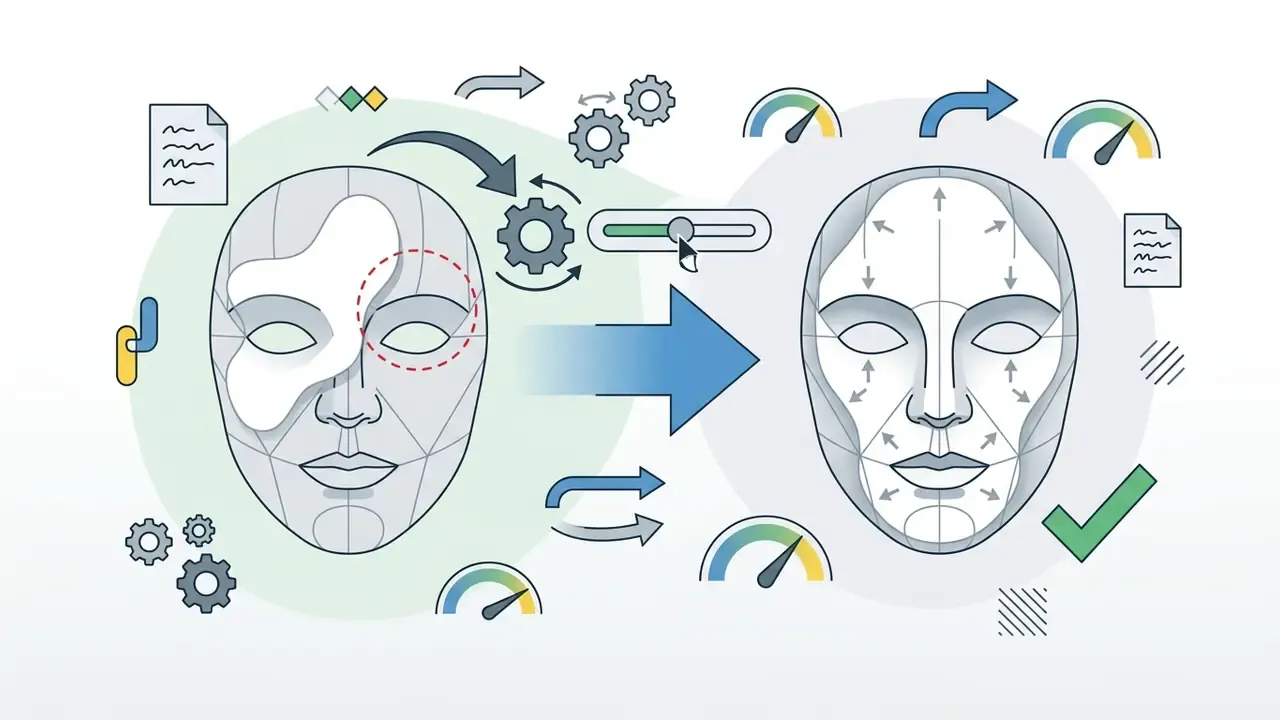
Unnatural facial effects usually trace back to excessive intensity or a misaligned layer mask. The reliable correction sequence is incremental, not aggressive:
Re-previewing the modified render is what actually eliminates false artifact highlights before final export. Skipping it is the most common reason a paid render gets thrown away.

Checklist: Getting a Clean Result on the First Try
- Choose a photo with sharp focus on the target zone, face for Cum Facial, chest, stomach or torso for Cum on Body. Soft zone, soft mask.
- Avoid frames where hair, hands or fingers cover the face or chest.Occlusion is the leading cause of segmentation failure and misplaced layers.
- Match the source angle to the intended video style.Tight crop goes to Close-Up Facial. Wider finishing shot goes to Facial. Do not expect the model to invent a camera move the source does not support.
- Select a sound-capable style if you need audio.Facial and Futa Cumshot accept audio prompts. Close-Up Facial Cumshot renders silent.
- If the layer drifts, regenerate with a changed offset valuerather than pushing intensity higher. Offset fixes placement. Intensity only fixes density.
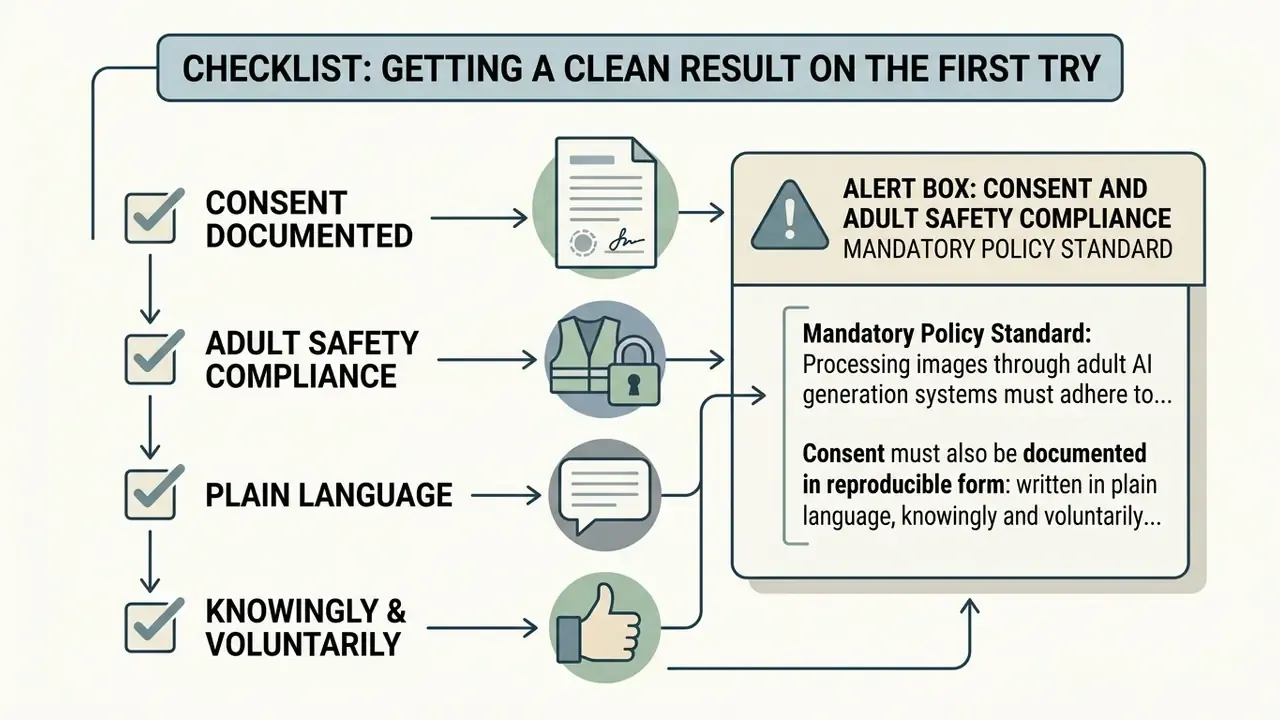
Alert Box: Consent and Adult Safety Compliance
«The TAKE IT DOWN Act, signed on 19 May 2025, criminalizes non-consensual intimate imagery including AI deepfakes and provides for up to three years' imprisonment.»
Consent must also be documented in reproducible form: written in plain language, knowingly and voluntarily signed, scoped to the specific use, and separated into creation consent and disclosure consent. Consent to create is not consent to publish. Broader policy boundaries are collected in the licensing rules when you open the hub, and regulatory exposure is covered when you view the guide on compliance standards.
Privacy, Image Storage and Safe Use
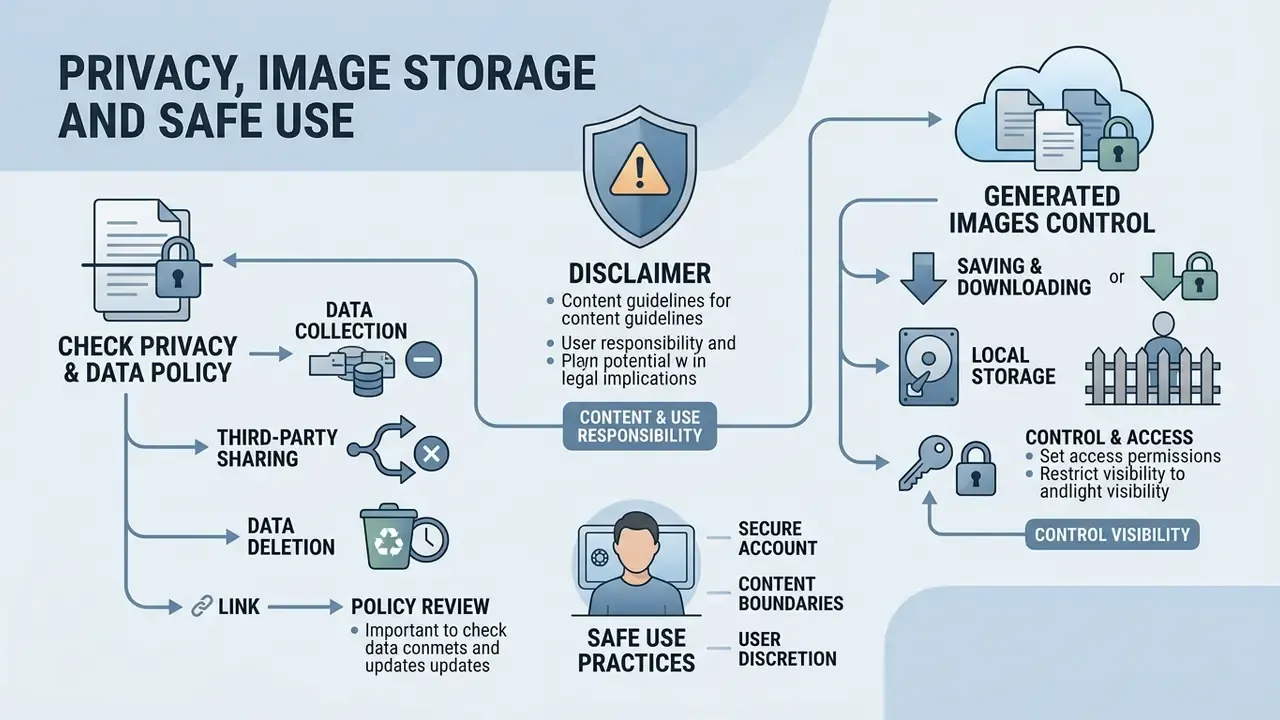
Privacy and data security are the primary operational concerns on any platform that handles uploaded media. Uploading sensitive or personal media means verifying retention schedules, client-side encryption protocols and independent verification tooling such as AI-generated image detectors, and storage policy. A genuinely private browser-only platform executes processing inside local client memory, so nothing reaches remote storage in the first place.
«A survey across ten countries found 2.2% of respondents reported personal victimization through synthetic intimate images, and 1.8% reported perpetration.»
Read the policy terms carefully on one specific question: are uploaded photo files and generated adult content permanently deleted, or retained in cloud backups after the visible history is cleared?
«An analysis of 321 documented AI incidents identified 12 categories of privacy risk, including data-exposure risks through deepfake pornography as a distinct category.»
There is an organisational dimension that individual users tend to overlook. Adult generators are browser-based and need no installation, which makes them a textbook Shadow AI vector. An employee opens the tool on a managed device, uploads an image, and biometric-grade data leaves the corporate perimeter through an unmonitored HTTPS session: landmark vectors, 3D face mesh estimates, original EXIF metadata. Compromise of landmark and mesh data is materially worse than compromise of a photo, because those vectors are reusable across other identification and generation systems. That is the part most incident reports underplay.
What to Check in a Privacy and Data Security Policy
Before uploading, review the privacy policy for explicit retention clauses and encryption standards. FTC data security guidance recommends storing sensitive media only for as long as there is a documented business reason, supported by a written policy covering what is kept, how it is secured, how long it is retained, and how it is securely disposed of. Check whether the service processes locally in the browser or transfers content to remote cloud servers. Verify whether the provider reserves rights to use uploaded media for model re-training or internal analytics.
«Some tools claim browser-only processing, yet without open source code or independent audit users cannot verify whether images are transmitted to a server.»
Distinguish three separate encryption states in any policy you read, in transit, at rest and in use, then establish who controls the decryption keys. A policy that promises "encryption" without naming the state or the key custodian promises nothing verifiable. Treat "anonymous" the same way. Anonymity means an entity cannot be associated with specific information or actions. Unlinkability means separate events cannot be shown to be related. Most consumer adult platforms deliver neither in the strict sense.
Saving, Downloading and Controlling Generated Images
Retention policies vary widely between commercial platforms, from immediate session deletion to multi-day server storage. Published examples span the full range. Some services delete original uploads from cloud servers within 24 hours while keeping generated outputs until manual deletion. Others retain source uploads for 30 days after generation and hold backups for a full year before secure disposal. Many cloud-based generators sit somewhere between 24 hours and 30 days before running a purge routine.
Prefer platforms offering immediate manual deletion, so you keep control over stored generation history. Restricting cloud storage limits exposure to breaches and to unauthorized third-party access. Where images are stored also determines who is exposed if the operator is acquired, seized, or simply abandoned.
«Traditional hash-matching systems are fundamentally unable to detect AI-generated content, because each synthesized image is new material without an existing hash signature.»
That limitation is precisely why retention policy matters more here than in ordinary media workflows. Once a synthetic explicit image leaves a controlled environment, there is no reliable downstream mechanism to recognise and suppress it, because it has no prior fingerprint to match against. Prevention at the storage layer is the only control that actually works.
Third-Party Service Audit Checklist (Zero-Retention and Encryption)
Use this sequence when assessing any external image-processing service before an upload happens, whether you are an individual user or a security function reviewing an unsanctioned tool found on a managed device.
Free Access, Credit Pricing and Commercial Use of a Cumshot Generator AI
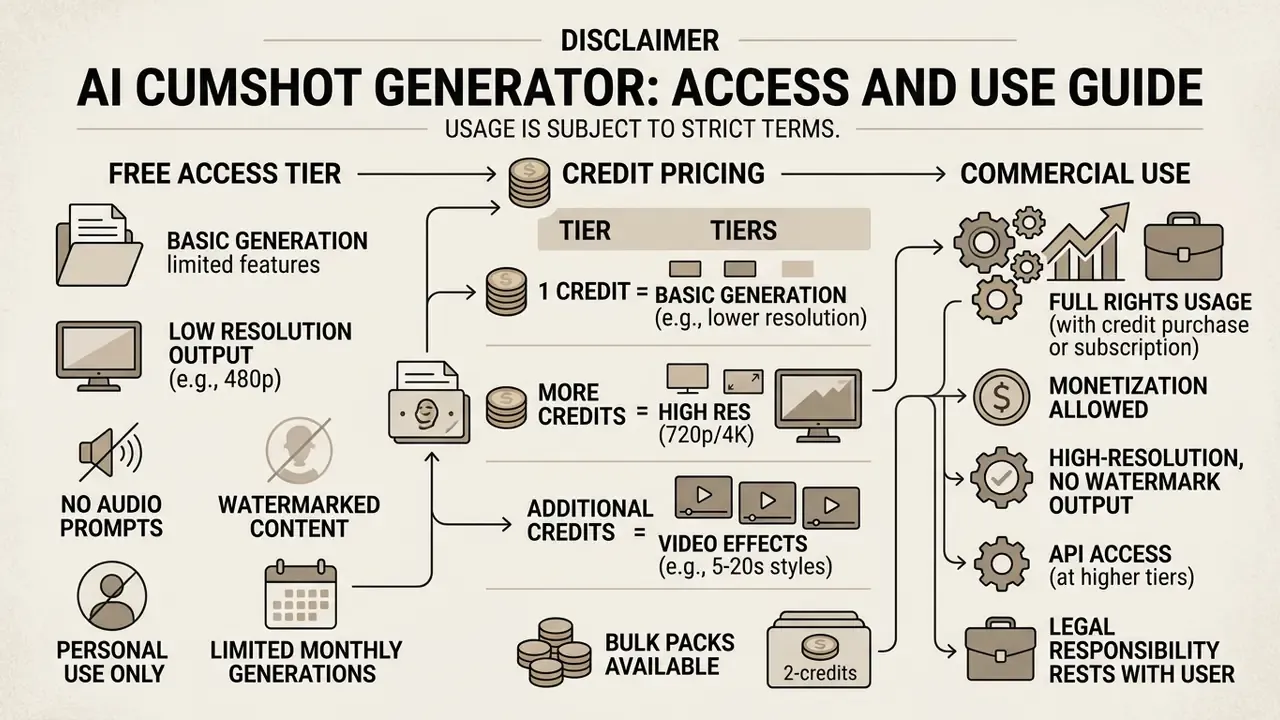
Comparing free tiers against paid commercial plans means reading four things: generation quotas, output resolution limits, credit consumption, and licensing restrictions. Free tiers are fine for testing, but they restrict resolution, attach visible watermarks, and deprioritise your queue.
A commercial decision has to account for terms of service, copyright eligibility, and platform-specific usage boundaries. Choosing a reliable cumshot maker ai means comparing AI image generators on quality and licensing terms and confirming whether generated content actually carries commercial usage rights. Before you publish or monetize anything, verify that the generator is configured with clear licence terms. Subscription tiers are easier to compare when you see the overview, and expected spend is easier to model when you open the hub for estimation tools.
What Is Usually Available on the Free Tier
Free generation modes usually offer zero barriers to access with strict operational limits attached. Free accounts are commonly capped at 2 to 5 generations per day, reduced output resolution (540p or roughly 1 MP), and lower API processing priority. Free exports may also carry permanent platform watermarks, which rules them out for professional workflows. Premium subscriptions remove rate limits, unlock high-definition exports, and provide priority queue processing. Free-tier ceilings across adjacent tools follow the same logic described in the free photo editor overview.
«Researchers identified roughly 200 nudification programs enabling non-technical users to create AI-generated intimate images within minutes.»
Credit mechanics. Most platforms in this category meter usage in credits rather than raw generation counts. The typical structure:
| Operation | Typical Cost | Plan Requirement |
|---|---|---|
| Cum Facial photo effect | 2 credits per generation (consistent across image models) | Free credits or any paid plan |
| Cum on Body photo effect | 2 credits per generation | Free credits or any paid plan |
| Cumshot video, 5 to 8 sec | Higher per-clip credit cost, scaling with length | Pro or Elite subscription |
| Cumshot video, 10 to 20 sec | Highest per-clip cost | Pro or Elite subscription |
| Audio layer on video | Bundled into the clip cost on supported styles | Pro or Elite |
Credit bundles are usually sold in blocks, for example a Pro package of 600 credits, which typically bundles higher-quality output, no queue, no watermarks, and access to the full mode library including cumshot styles. Do the arithmetic first. At 2 credits per image, a 600-credit pack is roughly 300 photo effects, but only a small fraction of that in video minutes. That gap is where most first-month budgets disappear.
How to Verify Commercial Use Rights
«According to Stanford Law School analysis, generative AI turns copyright upside down: output similarity no longer reliably indicates copying of specific inputs.»
Platform policy adds another layer. Google's Generative AI Prohibited Use Policy and Adobe's Generative AI User Guidelines both explicitly prohibit commercially distributing sexually explicit material created for pornography or sexual gratification, and prohibit content that infringes third-party copyright, privacy or publicity rights. Commercial operators therefore need distribution channels that permit adult content, plus signed consent releases from every depicted subject. Structured tool comparisons are available when you view the guide for alternatives.
| Service Tier | Daily Quota Limits | Maximum Output Resolution | Privacy and Retention | Commercial Usage Rights |
|---|---|---|---|---|
| Free Access Mode | 2 to 5 generations per day, 2 credits per photo effect | 540p to 1024×1024 (about 1 MP), watermarked | Standard server storage (commonly 24h deletion) | Non-commercial, personal use only |
| Paid Commercial Tier (Pro / Elite) | Unlimited or high credit pools (for example 600 credits), video generation unlocked | Up to 4K / UHD for images, 480p to 720p for video | Client-side or encrypted zero-retention | Commercial rights granted (subject to ToS) |
Comparative overview of free and paid operational tiers, covering quota boundaries, resolution caps, data storage policy, and commercial licensing terms. Note the asymmetry: the paid tier buys resolution and throughput, but it does not buy copyright protection that the law does not grant.
Legal Disclaimer / Rights Notice
Liability and Risk Allocation Matrix
| Risk Event | End User | Platform / Vendor | Distribution Channel |
|---|---|---|---|
| Upload of an image without documented consent | Primary liability, criminal and civil exposure under NCII statutes | Secondary, notice-and-removal obligations, account termination duty | Secondary, hosting and takedown obligations |
| Data breach exposing stored uploads | Reputational and privacy harm, limited recourse if operator is offshore | Primary, data-protection and security obligations | Not applicable |
| Commercial publication of unregistrable output | Primary, no copyright protection, no enforcement against copying | Sets licence scope in ToS | May prohibit adult content by policy |
| Use of uploads for model re-training | Rights ceded if the ToS clause is accepted | Primary, must disclose the licence granted | Not applicable |
| Prohibited content bypassing model guardrails | Primary, responsibility for prompt and intent | Shared, guardrail adequacy and incident disclosure | Enforcement and removal |
Indicative allocation only. Actual apportionment depends on jurisdiction and contract terms.
FAQ about AI Cumshot Generators
What is the difference between Cum Facial and Cum on Body?
Cum Facial concentrates the effect around the face and mouth: cheeks, lips, chin. Cum on Body places it across the chest, breasts, stomach or torso. They rely on different segmentation models, facial landmarks versus body masks. Choose the mode that matches the zone actually visible in your source photo.
Can I animate a body effect, or only a facial one?
On most current platforms, Cum on Body is a still-image effect and cannot be animated. For motion, choose one of the facial video styles: Facial, Futa Cumshot, or Close-Up Facial Cumshot.
How long can a cumshot video be?
All three styles offer 5- and 8-second clips. Facial and Futa Cumshot additionally offer 10-, 15- and 20-second options. Longer clips consume more credits and are more prone to accumulated temporal artifacts.
Can a cumshot video include sound?
Yes, on the sound-capable styles. You supply a short audio prompt describing breathing, moans, reactions, room noise, or a brief dirty-talk line, and the engine synthesizes and muxes a matching track. Close-Up Facial Cumshot renders as a silent clip. Photo effects have no audio layer.
What output resolution is available?
Cumshot video output is typically selectable at 480p or 720p. Still-image output ranges from roughly 1 MP on free tiers up to 1024×1536, 1536×1024, HD and 4K/UHD on paid tiers.
How much does one generation cost in credits?
A Cum Facial or Cum on Body photo effect commonly costs 2 credits per generation, consistent across the available image models. Cumshot video generation generally requires a Pro or Elite subscription rather than credits alone. Create an account first, check the free-credit balance, then decide on a plan.
Does a cumshot generator work on mobile devices?
Yes. Modern browser-based AI generation tools are built to run across mobile devices on iOS and Android. Mobile web interfaces use WebGL and optimized JavaScript frameworks to handle file uploads, parameter adjustments and previews directly in the browser. Complex video generation or high-resolution rendering will show higher latency on mobile hardware than on desktop, because of memory limits, and Android and iOS use different rendering paths (WebView versus WKWebView), which can produce small visual differences in preview.
Which photo formats does an AI generator support?
Most AI image generation engines accept standard raster formats, including JPEG (JPG), PNG and WEBP. Adult video engines commonly cap the source file at around 12 MB, while general-purpose vision APIs impose a 20 MB maximum per uploaded photo for stability. Source photos should use standard 24-bit RGB colour profiles without aggressive compression artifacts, which keeps face detection and layer segmentation accurate.
How long does generation take and are there limits?
Speed depends on output resolution, server load and media format. Static photo effects on optimized models typically finish within 10 to 30 seconds. Video workflows that enforce frame-by-frame temporal consistency generally take 1 to 5 minutes. Free tiers add operational limits: daily generation quotas, lower rate caps (for example 5 to 10 requests per minute), and delayed queues.
«Over 41 days researchers recorded 24,105 items of AI-generated explicit content on a single platform, with the Stable Diffusion family accounting for 42.4% of synthesized images.» Source: Empirical study of SNEACI on 4chan, preprint (2026). https://arxiv.org/abs/2501.05227
How can I check whether a service uses my uploads to re-train its models?
Search the terms of service and privacy policy for any licence granted to the provider covering training, fine-tuning, evaluation or "service improvement". If such a clause exists, uploads may persist inside training datasets regardless of the stated deletion schedule. Absence of an explicit no-training commitment should be read as permission granted, not as protection.
What should be documented as evidence of consent?
A written, plain-language release, knowingly and voluntarily signed, identifying the subject, the specific images, the permitted transformations, and the permitted distribution. Keep creation consent and disclosure consent as separate, separately signed permissions. Consent to generate is not consent to publish.
Appendix A: Superseded Formulations