Converting a digital video file into standalone still photographs requires decoding compressed frames and saving them as individual raster images. A browser-based online video to image converter lets you extract a single frame or export an entire image sequence in high resolution, with no desktop software to install and no procurement ticket to file.
Why does a frame extractor belong in a governance conversation at all? Because the moment a KYC session recording, a branch camera clip or a screen capture of a control execution leaves the device, someone owns that transfer. A client-side image converter removes the transfer entirely. That is a small control, but small controls are the ones auditors can actually verify.
The short version for decision makers
- What it does an online video to image converter decodes your video file locally and writes selected video frames to disk as JPG images or PNG graphics. One still, a hand-picked set, or a full image sequence.
- Three input paths local drag-and-drop, clipboard paste (
Ctrl+V/Cmd+V), or a public video URL (YouTube, Bilibili, cloud storage). Browser screen recording works as a fourth capture source. - Three extraction modes single-frame capture (thumbnails, product stills), arbitrary selected frames (highlights, evidence snapshots), and interval or FPS sampling (motion analysis, datasets). A fourth mode, smart scene detection, removes duplicate frames from slide decks and webinar recordings.
- Format rule of thumb JPG at for web, decks and review sets; PNG when transparency, pixel-exact fidelity or machine-learning input quality is mandatory.
- Privacy posture client-side WebAssembly decoding keeps bytes on the device. No cloud egress, no server retention, no upload logs.
- Memory envelope Chromium caps a single ArrayBuffer at , so files above or should use interval sampling or ZIP-only mode.
- Hard physical limit extraction reads existing pixels. It cannot invent resolution that the source encoder never recorded.
Who this guide is written for
Two readers, mainly. The first is an operational one: a content creator, editor, animator or analyst who needs to convert video to images quickly and cleanly. The second is the reviewer who has to sign off on the workflow, often a risk, compliance or model-risk lead who wants to know where the bytes went and whether the output is reproducible.
Both needs are addressed side by side here, because they usually collide at the worst moment. The creative team ships first; the control question arrives later. Treating extraction as a documented step, not an ad-hoc habit, avoids that sequence.
Convert video to image online: single photos and image sequences
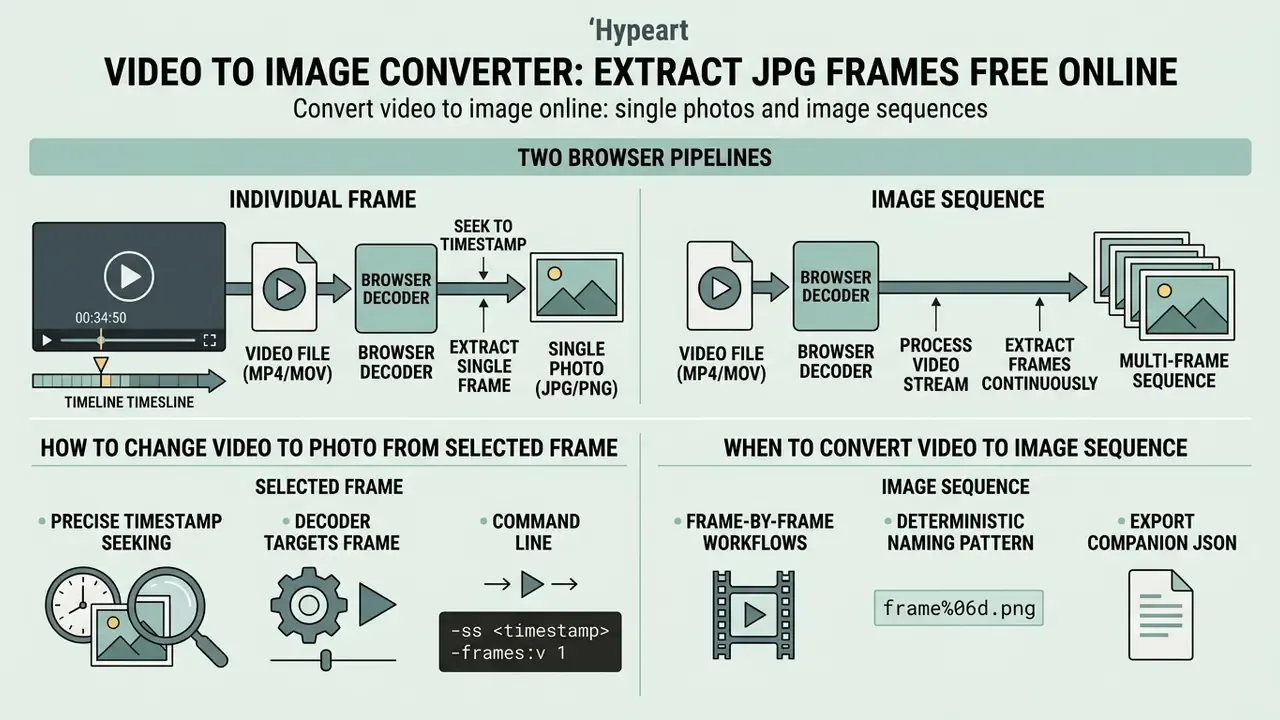
An online tool that can convert video to image online transforms a video file into either a single photographic capture or a multi-frame image sequence directly in your web browser. The process extracts raw pixel data from standard container formats to yield standalone JPG images or PNG graphics.
Technically, two browser pipelines can perform the work. The classic route combines the HTML5 <video> element, currentTime seeking and drawImage() into a canvas, then exports the canvas buffer. The modern route uses the WebCodecs API, where a VideoDecoder produces raw VideoFrame objects that can be drawn to canvas or converted directly to image output. WebCodecs handles encoding and decoding only. Reading and demuxing the container is a separate step, but it delivers frame-accurate access without depending on playback timing, which is exactly why it produces fewer skipped or duplicated frames than seek-based capture.
How to change video to photo from a selected frame
To change video to photo from a precise timestamp, the decoder seeks to the target timestamp within the video frames and captures that specific raster state. This approach lets you make video to photo assets for creating thumbnails, social media posts, product documentation, or archiving personal moments without losing original source resolution.
«A multi-agent thumbnail selection framework improves user preference scores by 9.7 points over positional baseline methods.»
In command-line terms the equivalent operation is a seek plus a single-frame write (-ss <timestamp> -frames:v 1 -q:v 2), with no scaling filter applied, so the output keeps the native raster dimensions of the source. A browser converter reproduces the same logic through canvas export at intrinsic video width and height. Same arithmetic, fewer moving parts.
When to convert video to images as an image sequence
Reach for convert video to image sequence online when downstream workflows require frame-by-frame visual analysis, motion tracking, or asset generation for video editing and animation. Generating an image sequence yields consecutive video frames saved as numbered files, so computer vision models, rotoscoping pipelines and creative production tools can process each slice of motion independently.
«EVS-DK combines deep keyframe models with hierarchical clustering to produce a concise video summary using the minimum number of frames while covering all events.»
For reproducible sequences, keep a deterministic naming pattern (frame_%06d.png) and export a companion JSON manifest that records the source filename, container, codec, frame index, presentation timestamp and extraction parameters. Validation teams and auditors need that mapping. A folder of unlabeled PNGs is not verifiable evidence; it is a pile of pictures.
How to convert video to image in three steps
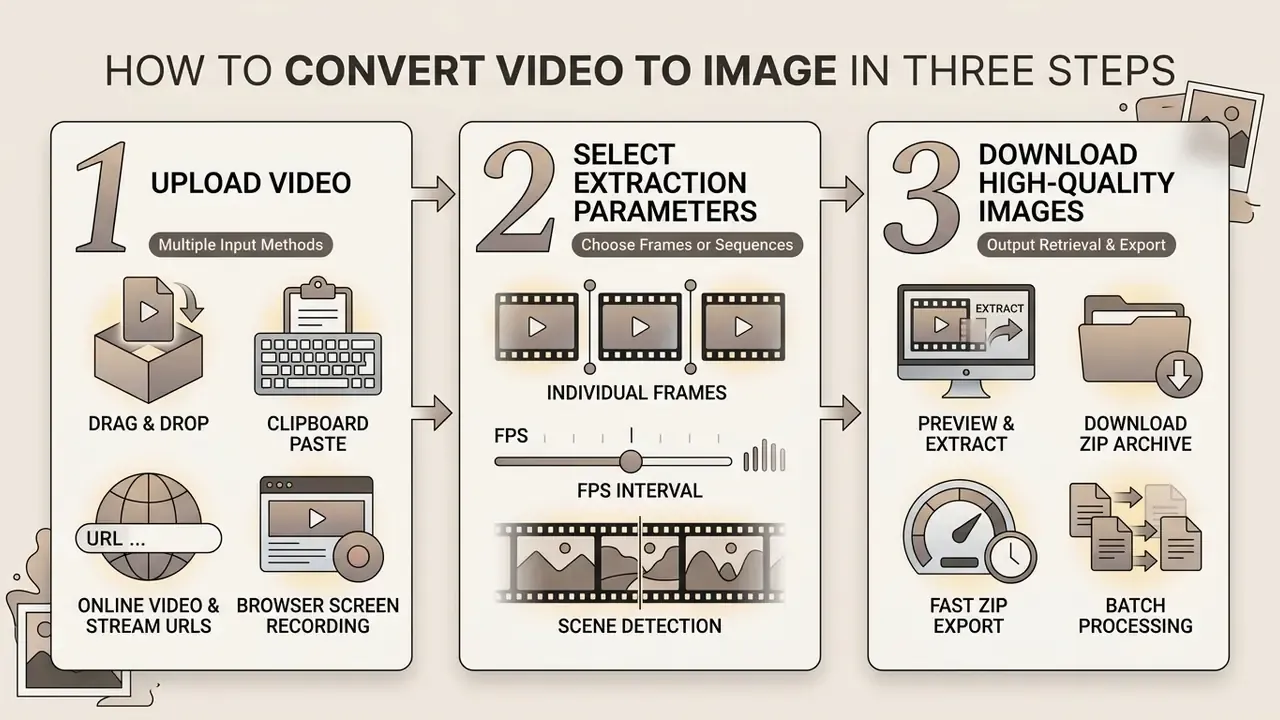
To convert video to images with a free online video to image converter, you follow a short workflow: file input, extraction parameter selection, output retrieval. The steps below cover the full path from source media to delivered archive.
Step 1: multiple input methods, from local files to stream capture
Modern browser extraction pipelines remove the requirement to store video files on local disk before processing:
- Direct drag-and-dropdrag MP4, MOV, AVI or WEBM containers straight into the browser workspace for instant demuxing. The browser then uses native media APIs to generate an interactive canvas preview of the video frames across the entire timeline.
- Clipboard paste (
Ctrl+V/Cmd+V)paste raw video streams, screenshots or copied video files from device memory. Useful when the source arrived through a chat client or a screen capture utility. - Online video and stream URLsinput public network URLs (YouTube, Bilibili, or cloud storage links) to extract frames on the fly, without pre-downloading the source by hand.
- Browser screen recordingcapture a live screen or active window into the client memory buffer, Zoom, Slack or Teams sessions included, and convert recording segments into PNG or JPG sequences.
Before you start, glance at the preview grid and confirm the container actually decoded. Broken index, wrong codec, scrambled timeline: all three show up in preview within a second or two, and catching them there saves a wasted ten-minute job.
Step 2: choose individual frames, an FPS interval, or scene detection
Define your extraction criteria by picking specific individual frames or setting a fixed sampling rate per second. Adjusting the frame rate parameter dictates whether the tool extracts every frame, one frame per second (), or custom intervals ( for one frame every two seconds).
The arithmetic is simple and worth checking before you launch a long job: total images , where is duration in seconds. A -minute clip at yields roughly images; the same clip at yields about . Implementations differ only in whether the final partial interval is rounded up or down. Worth a sanity check, not a spreadsheet.
Step 3: preview, extract and download as a ZIP archive
Review the rendered preview grid, deselect frames you do not need, then trigger the extraction engine. Once processing completes, the free video to image converter online bundles all extract images into a compressed zip archive. That means you can download dozens or hundreds of extracted JPG frames in one structured package, without a file prompt for every single image. Client-side archiving libraries assemble the ZIP in browser memory from Blob objects, so the package is generated locally and never round-trips through a server.
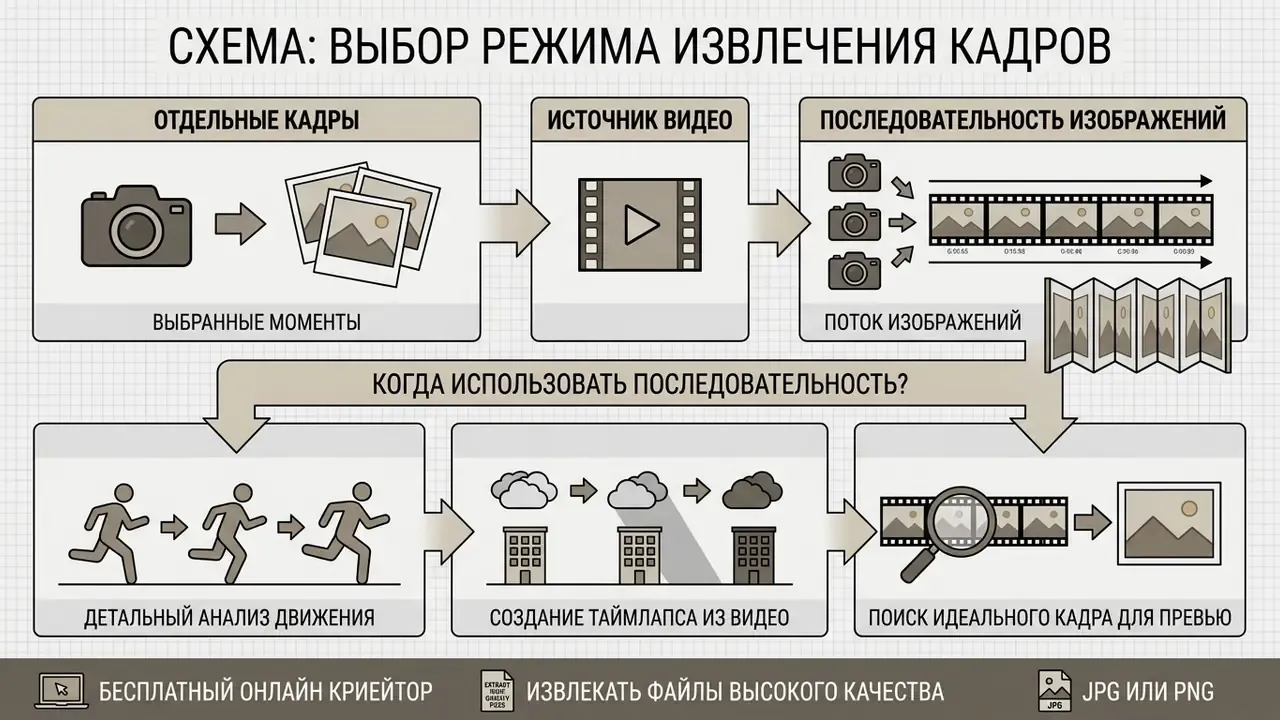
How to choose the right video frame extraction mode
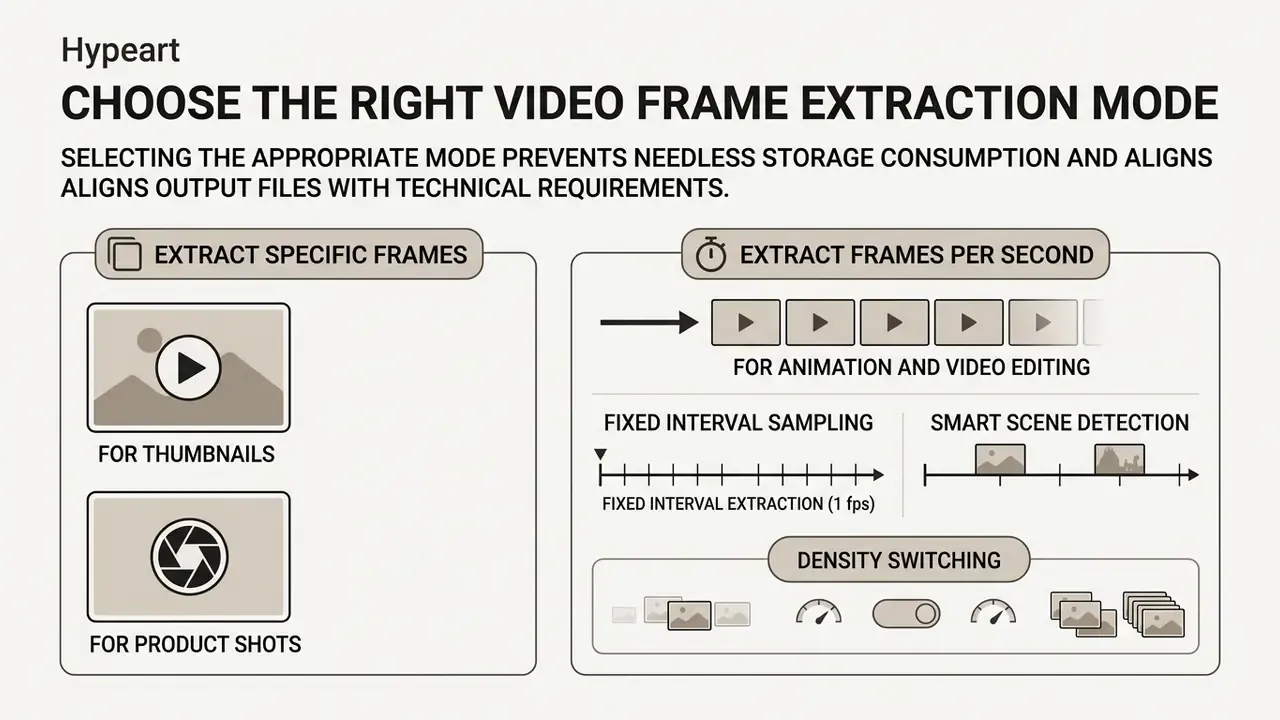
Selecting the appropriate frame extraction mode prevents needless storage consumption and keeps output files aligned with your technical requirements. In practice the decision narrows to three questions: do you need one representative still, a defined set of moments, or uniform temporal coverage?
Extract specific frames for thumbnails and product shots
Point extraction targets exact timestamps to capture high-clarity still photos for marketing graphics, hero banners and promotional content. Research on automatic thumbnail selection shows that model-based or targeted frame selection improves user preference scores by 9.7 points compared with arbitrary positional sampling.
Two different criteria get confused here, and the confusion costs quality. Codec I-frames (extracted with -skip_frame nokey or select='eq(pict_type,I)') are structural encoding keyframes. Convenient, yes, but not necessarily the visually best frames. Scene-change selection (select='gt(scene,0.4)'), or sharpness-and-brightness scoring per scene, produces better promotional stills, because it ranks content quality rather than encoder structure.
Extract frames per second for animation and video editing
Extracting frames at set temporal intervals produces uniform image sets suited to dynamic analysis, rotoscoping and machine learning training datasets, the same sequences that feed professional video editing workflows. For sports science and velocity tracking, sampling rates must be calibrated to object speed to prevent motion blur artifacts. Educational summarization, by contrast, often works fine at downsampled rates ( or ).
«A spatiotemporal attention-based autoencoder uses frame- and pixel-attention modules to isolate semantically significant video segments during real-time compression.»
High-speed camera literature offers the practical rule: derive the minimum frame rate from object velocity and the maximum acceptable displacement between frames, while blur control depends on shutter time. Studies report acceptable blur below roughly and imperceptible blur below at . Desktop users comparing capture and trim utilities before extraction can also review the windows video editor options, since a rough pre-trim often beats a heroic browser job.
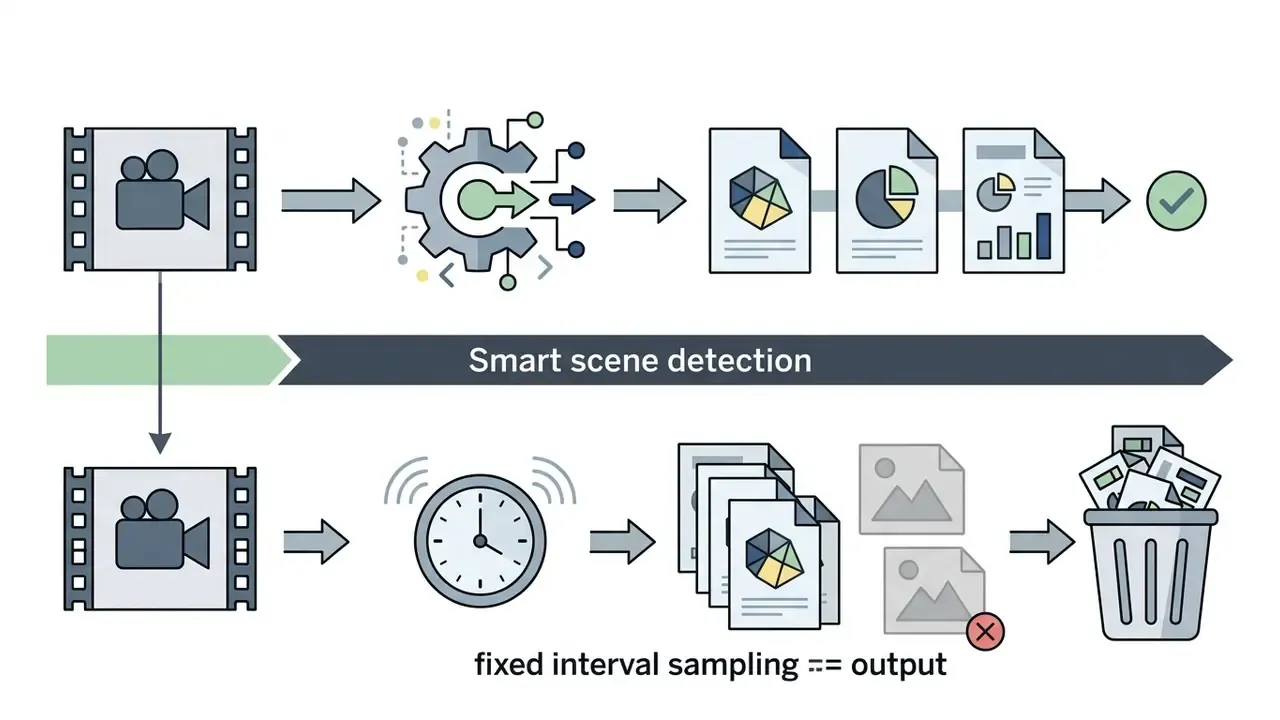
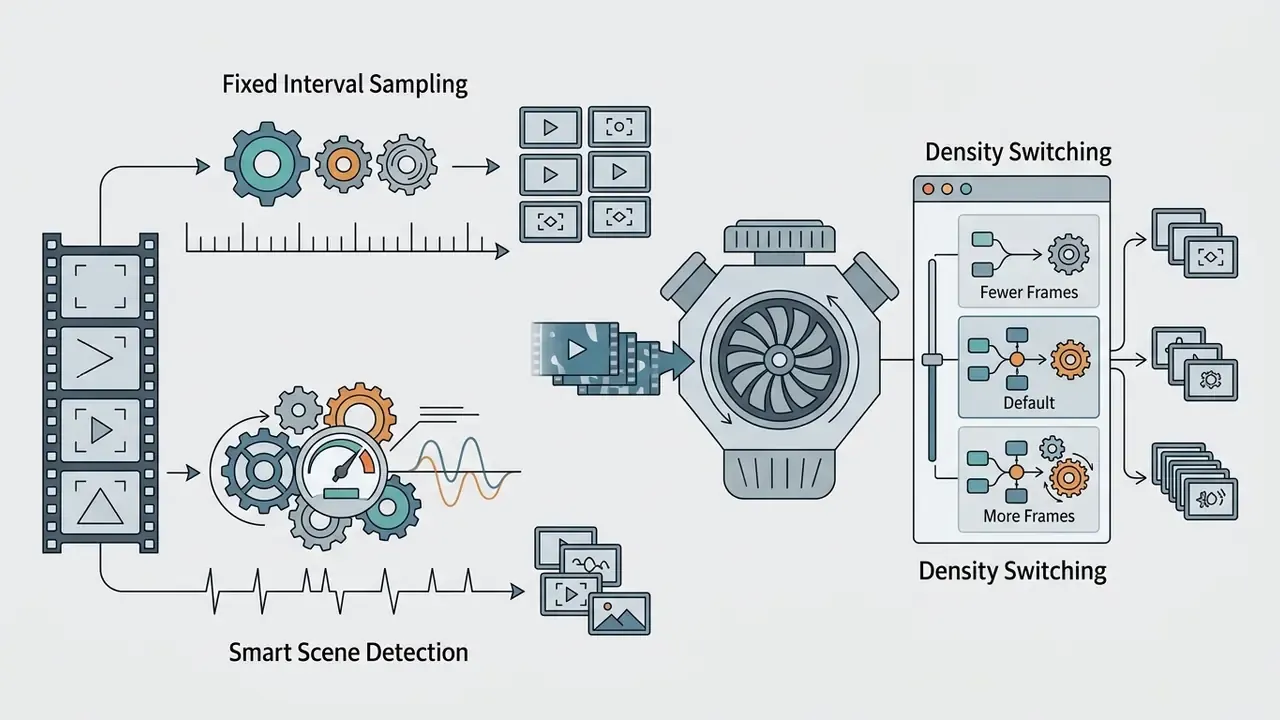
Smart scene detection versus fixed interval sampling
When converting instructional videos, slide decks or recorded presentations, extracting frames at fixed temporal intervals ( or ) creates redundant duplicate images during static screen periods. Anyone who has exported a 40-minute webinar at knows the result: two thousand near-identical slides.
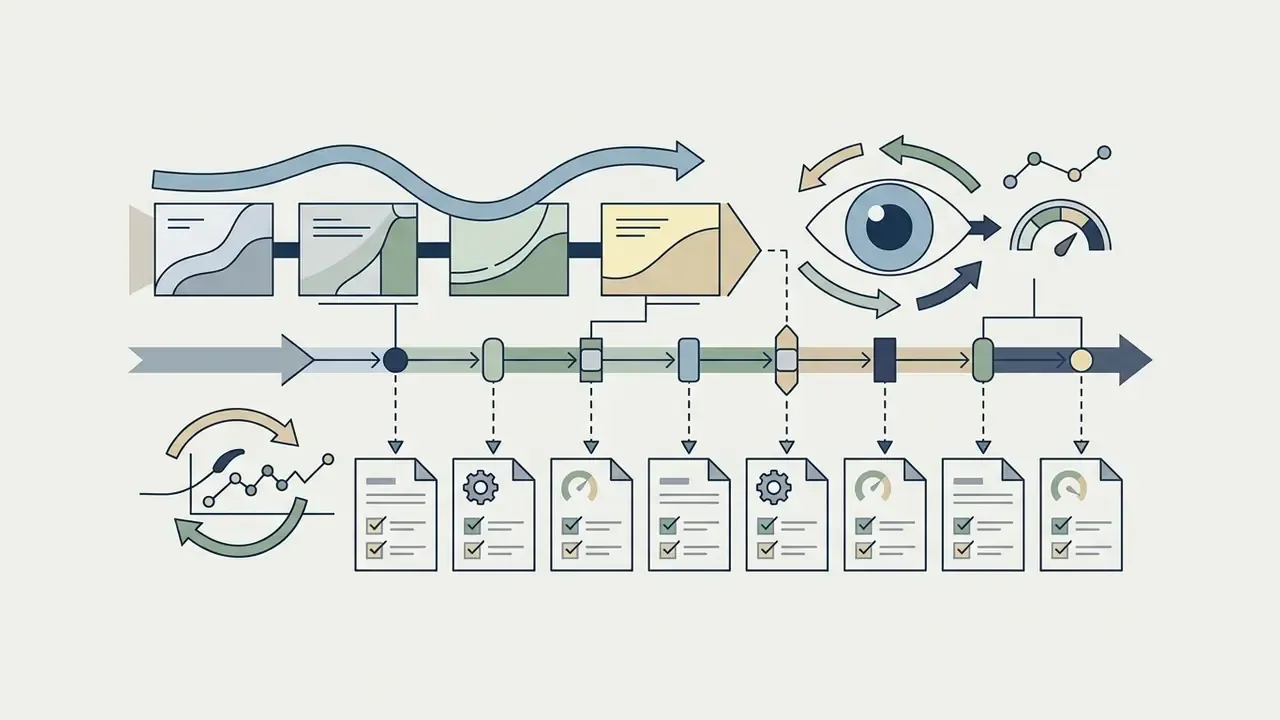
An advanced browser-based scene detection engine monitors frame-to-frame luminance and color delta shifts. Instead of capturing static motion, the algorithm triggers frame extraction only when spatial pixel variance exceeds a threshold (typically visual change).
| Extraction Mode | Target Use Case | Output File Count | Typical File Volume | Complexity |
|---|---|---|---|---|
| Single Frame Capture | Thumbnails, social media posts, product stills | 1 image | Minimal (< 2 MB) | Low |
| Arbitrary Selected Frames | Highlight reels, specific action shots, review sets | 2 to 50 images | Low to Moderate | Medium |
| Frames Per Second (FPS) | Motion analysis, rotoscoping, AI model training | images | High (ZIP archive) | Medium-High |
| Smart Scene Detection | Lecture slides, webinar decks, camera cuts | 1 per scene transition | Low to Moderate | Medium |
Supported video formats and image output formats
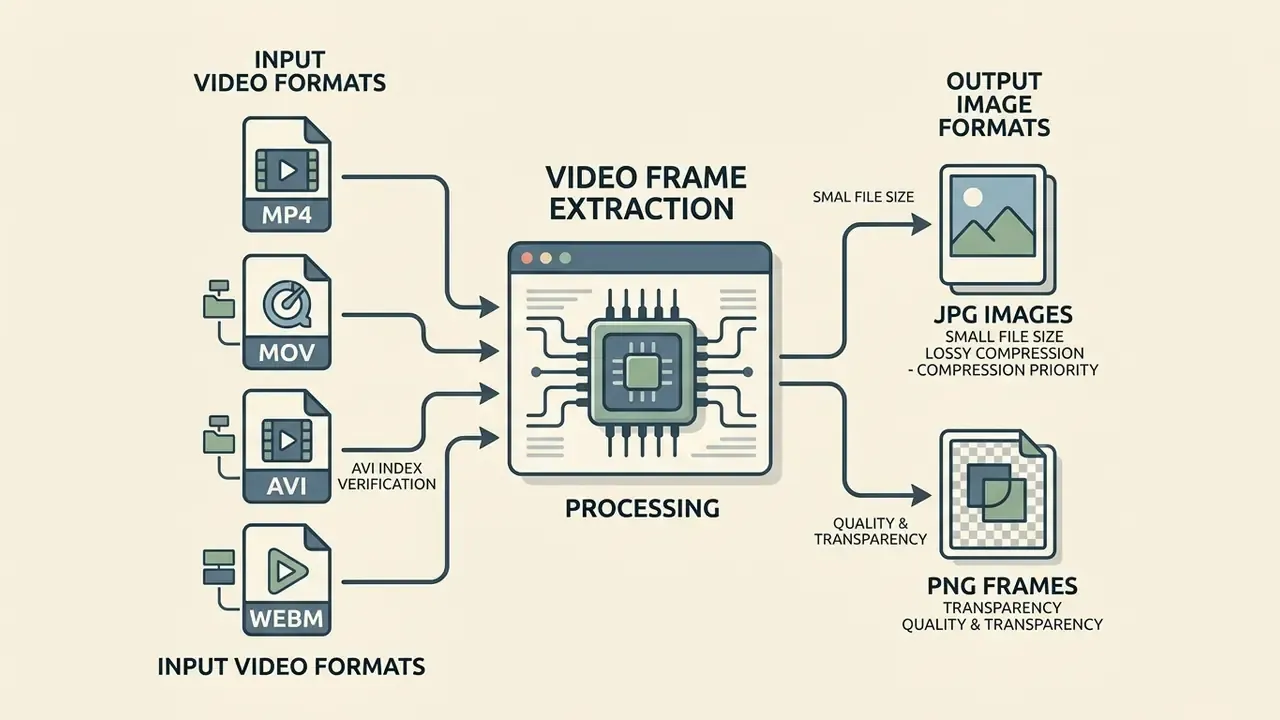
Modern web converters accept diverse input container standards and offer several raster export formats. Container handling and codec support are two separate layers: demultiplexing extracts the pure elementary stream from the container, and only then does the decoder turn compressed data into frames.
Convert MP4, MOV, AVI and WEBM video files
Browser-based decoders process standard containers, formats including mp4, MOV, AVI and WEBM. Underlying WebCodecs and HTML5 video element pipelines parse codecs such as H.264, HEVC, VP9 and AV1 directly through hardware-accelerated local browser runtimes. MP4 and MOV commonly carry H.264, HEVC or ProRes; WebM mandates VP8/VP9 or AV1; AVI is a legacy container whose frame accuracy depends on the embedded codec and on whether the file carries a usable index.
One caveat on legacy media: an AVI file with a damaged index may seek unpredictably, so verify a couple of timestamps in preview before you trust a long sequence from it.
Choose JPG images or PNG frames for the output
Choosing between JPG images and PNG graphics depends on whether your project prioritizes file size or lossless pixel precision. JPG uses lossy compression to produce compact files ideal for web publishing, and frames exported this way respond well to post-processing with AI image enhancers. PNG provides lossless compression with alpha channel transparency support for graphics and editing pipelines. The W3C PNG specification defines per-pixel alpha, where a value of is fully transparent and the maximum value is fully opaque.
«JPEG XL and BPG deliver better compression-to-quality ratios than traditional JPEG and PNG across PSNR, SSIM and VMAF metrics.»
| Selection Criteria | JPG Output () | PNG Output (Lossless) | |
|---|---|---|---|
| Compression Type | Lossy (perceptual artifact removal) | Lossless (bit-exact raster retention) | |
| Alpha Channel (Transparency) | Unsupported (solid background only) | Fully supported (preserves transparent overlays) | |
| Relative File Size | Compact ( per 1080p frame) | Heavy ( per 1080p frame) | |
| Primary Use Cases | Web thumbnails, social graphics, slide notes, review sets | VFX compositing, sprite sheets, ML training data, evidence stills | |
| Color Fidelity | 8-bit YUV color space mapping | Full RGB / RGBA color depth preservation | |
| Text & UI Legibility | Ringing artifacts around glyphs at low | Crisp edges on diagrams, code and interface captures |
| Input Video Format | Supported Codecs | Export Options | Recommended Scenario |
|---|---|---|---|
| MP4 | H.264, HEVC, AV1 | JPG, PNG | Web video sharing, general thumbnails |
| MOV | ProRes, H.264, HEVC | JPG, PNG | Professional video editing, high-bitrate stills |
| WEBM | VP8, VP9, AV1 | JPG, PNG | Web animations, browser recordings |
| AVI | Motion JPEG, MPEG-4 | JPG, PNG | Legacy archive media processing |
Read the two tables together: the first decides your output format, the second confirms your source will decode at all. Most support tickets in this category come from a codec mismatch, not from the converter itself.
How to preserve image quality when converting video to photos
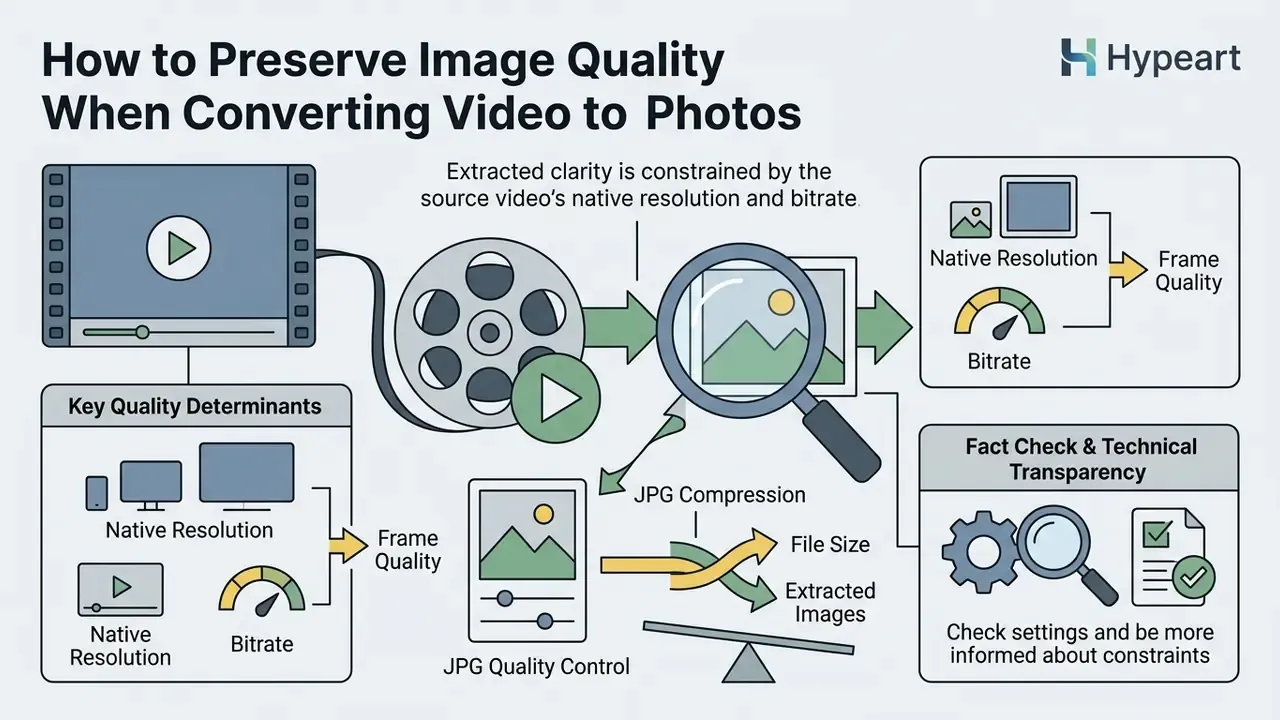
Extracted image clarity is fundamentally constrained by the native resolution and bitrate of the source video file. No setting escapes that ceiling.
What determines the quality of extracted video frames
Final sharpness depends on source raster dimensions (720p, 1080p, 4K), encoding bitrate and camera shutter speed. Fast-moving subjects recorded at slow shutter speeds show motion blur that frame extraction cannot remove. Resolution labels alone guarantee nothing: a heavily compressed 4K stream at a low bitrate produces mosaic artifacts and softer detail than a well-encoded 1080p master.
«Decoded image quality is assessed by comparing the compressed bitstream against a reference using PSNR, SSIM, VMAF, LPIPS and DIST metrics.»
JPG quality, file size and the number of extracted images
When saving extracted frames as JPGs, compression ratios directly govern spatial artifacts. According to the Scientific Working Group on Digital Evidence (SWGDE Digital Image Compression and File Formats Guidelines, 2024, https://www.swgde.org/documents/published-complete-listing/), JPEG can reduce file size at roughly 5:1 with minimal degradation, while ratios approaching 20:1 already represent significant degradation. Preservation-oriented digitisation guidance is stricter still and caps JPEG at 10:1.
Practical translation for bulk export: keep , and remember that final ZIP size is simply the sum of compressed frames plus archive overhead. A -frame 1080p JPG set at typically lands between and . If you plan to convert video to still images for print review, skip the compromise and go PNG.
Fact check and technical transparency:
A media team needed to turn video to image assets from a broadcast recording to prepare promotional banners. Using a local client-side extraction pipeline at native resolution, they exported high-clarity PNG frames with no cloud upload delay. The stills passed technical QC for print and digital publishing without generation loss. Note the framing: this is an illustrative composite scenario, not a named client result.
Review technical comparisons in our AI Media Comparison Matrices or estimate batch storage requirements with the AI Media Calculators.
Free online video to image converter: privacy, limits, audit trail and work use
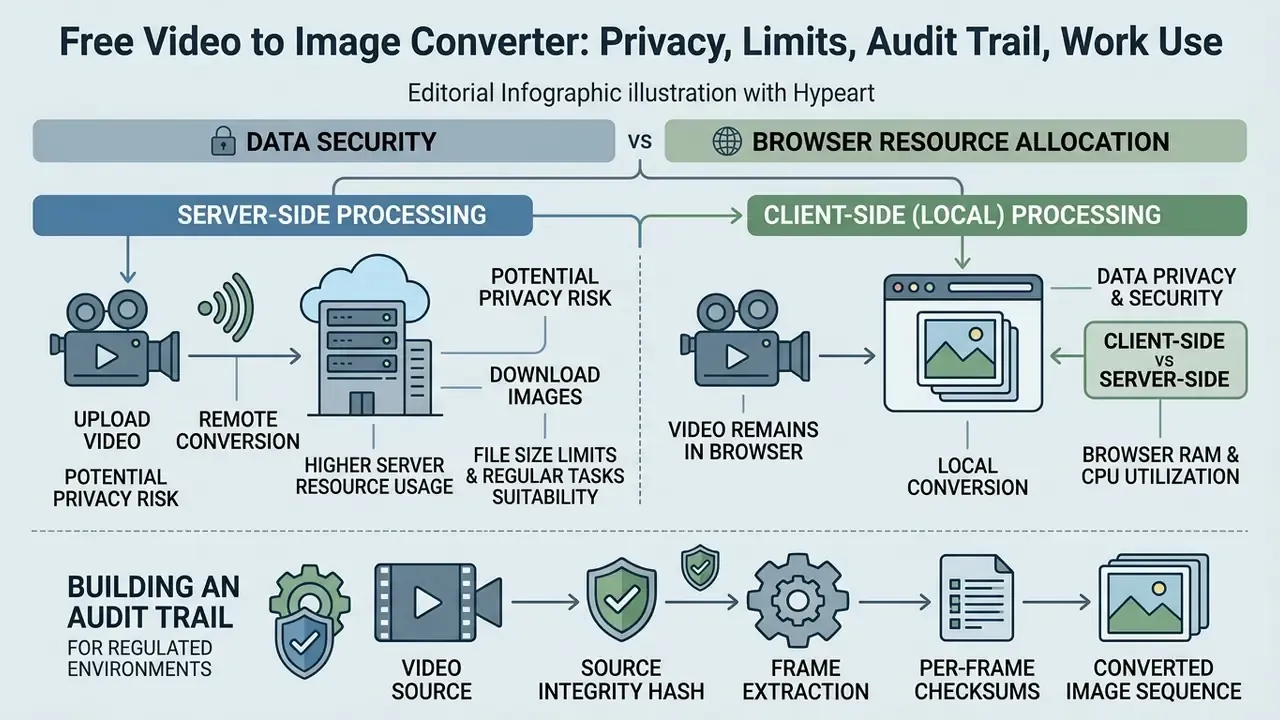
Data security and browser resource allocation are the two decisive factors when choosing a free video to image converter for work files.
Local processing and privacy of uploaded video files
Modern browser tools use WebAssembly (WASM) and local client-side execution contexts to process media on the user's device. Standard WebAssembly sandboxing isolates module execution from host resources: by default a WASM module has no access to the file system or the network (NIST IR 8505, 2024, https://csrc.nist.gov/pubs/ir/8505/final). That is why sensitive media files never need to leave local device memory. This posture aligns with GDPR expectations on personal data in visual recordings (EDPB Guidelines 3/2019 on processing of personal data through video devices, https://www.edpb.europa.eu/system/files/documents/files/file1/edpb_guidelines_201903_video_devices_en_0.pdf).
Note the nuance regulators insist on. Browser-only processing removes transmission risk, but extracting frames from footage where individuals are identifiable is still personal-data processing under GDPR. Transparency, storage limitation and erasure obligations continue to apply to the images sitting on your disk afterwards. Local processing narrows the attack surface; it does not end the accountability.
This information is general in nature and does not replace advice from a qualified legal or compliance specialist.
Free access, file size limits and suitability for regular tasks
Client-side extraction depends on local RAM capacity. Chromium-based browsers impose a ceiling on individual ArrayBuffer allocations (WebCodecs Fundamentals, File Handling, https://webcodecsfundamentals.org/concepts/file-handling/). Large video files above , or long durations beyond , should be processed with interval sampling () to avoid browser memory saturation, the same / / envelope documented for large-model video ingestion. Practical browser-memory ceilings for rendered preview grids usually appear around to frames, which is precisely where ZIP-only mode earns its keep.
For teams that run extraction weekly rather than once, the free tier is usually sufficient. What actually limits regular use is device RAM and archive housekeeping, not a paywall. Many online converters that advertise convert video to images online free enforce hidden server-side quotas instead; a client-side tool has no quota to enforce, because there is no server doing the work.
Alert box: client-side versus server-side file processing
Building an audit trail for regulated environments
Reproducibility is what turns extracted frames into defensible artifacts. A minimal audit package for a regulated workflow contains five items:
- Source integrity hasha SHA-256 checksum of the original video file, recorded before extraction.
- Per-frame checksumsSHA-256 values for each exported PNG or JPG, so any later modification is detectable.
- Extraction manifestJSON recording container, codec, resolution, extraction mode, FPS or timestamp list, JPG quality setting, tool version and browser build.
- Deterministic namingzero-padded indices plus presentation timestamps (
frame_000142_t=00-04-43.png). - Processing attestationan explicit record that decoding occurred client-side, with no network egress of media bytes.
Who owns that package? Name a person, not a team. Evidence without an owner tends to decay quietly.
Security checklist before approving browser extraction in a corporate perimeter
Checklist0 / 6
For enterprise licensing and integration guidance, consult the AI Media Commercial-Use Hub and review developer options in the AI Media API Guides.
Best use cases for converting video to images
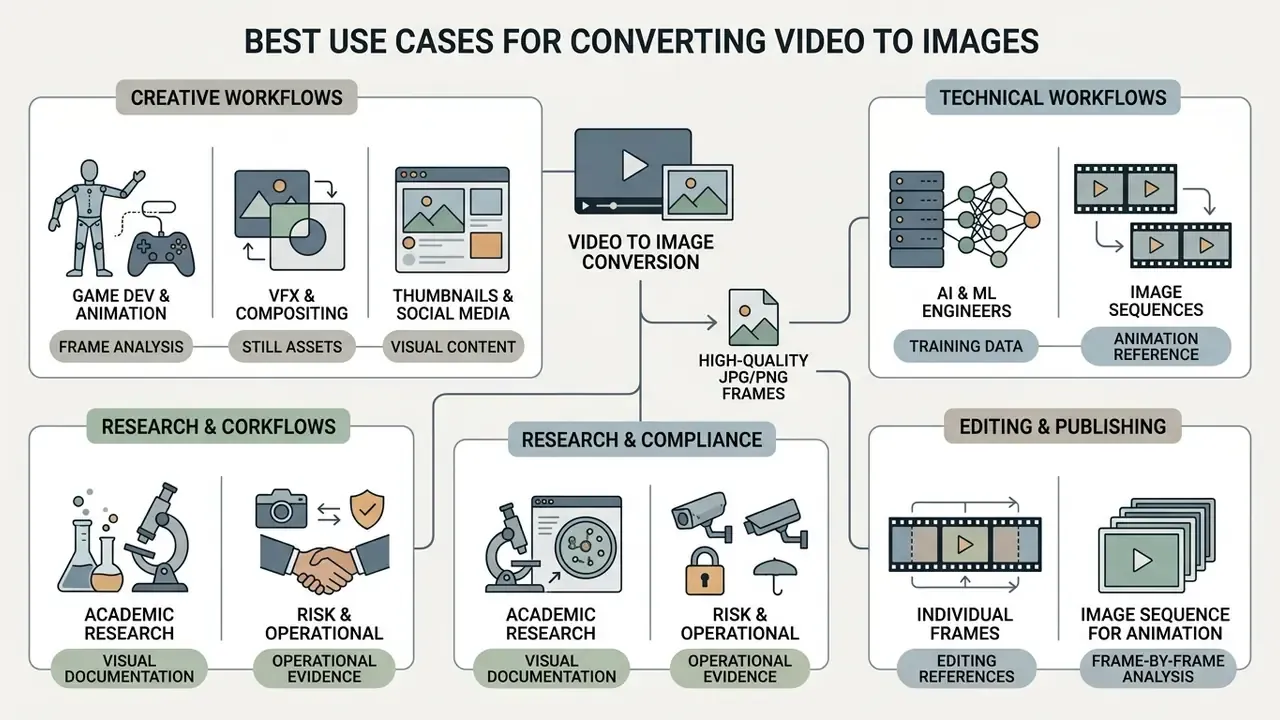
Turning moving footage into still graphic assets serves real roles across creative, technical and regulated domains. Academic and vendor literature converges on five recurring clusters: indexing and summarization, surveillance and security review, preview or contact-sheet generation, dataset and embedding pipelines, and everyday sharing or lecture distribution.
Tailored integration pipelines for creative and technical workflows
Frame sequence extraction feeds directly into professional desktop production environments:
- Game developers and animators convert MP4 animation previews and sprite sheet footage into indexed PNG image sequences ready for import into Unity, Godot or Blender.
- VFX and compositing artists export frame-accurate, uncompressed image sequences for rotoscoping and plate cleanups in Adobe After Effects, DaVinci Resolve and Foundry Nuke.
- AI and machine learning engineers extract standardized datasets at precise frame intervals ( or ) to train computer vision models (YOLO, OpenCV, PyTorch pipelines) with zero server-upload latency.
- Academic researchers and educators convert lecture recordings into high-contrast JPG slide decks for study notes and presentation summaries.
Teams debating whether generative tooling belongs anywhere near these pipelines often land on the arguments collected in why ai art discussions, and on the broader labour question raised by will ai create more roles than it displaces. Frame extraction sits comfortably outside that argument: it copies pixels rather than generating them.
Risk, compliance and operational evidence workflows
Image sequences for editing, animation and frame analysis
FAQ: frequently asked questions about video to image conversion
Do I need to install a video editor to convert video to image?
No. Heavy non-linear editing platforms such as Adobe Premiere Pro or DaVinci Resolve do include single-frame export, Premiere via Export Frame, Resolve via File → Export → Current Frame as Still. But they demand installation, licensing and system resources for what is a one-click task. A browser-based WebAssembly extractor performs frame capture immediately, with no downloads and no subscription. A full NLE is only justified when you also need timeline editing, colour grading or compositing. If you are weighing that decision, compare the alternatives in our guide to free video editing software.
Is there a file size limit for online video frame extraction?
Because decoding happens locally in browser memory via native APIs, there are no arbitrary server upload limits. Chromium browsers do cap single memory allocations at . For files above , use interval sampling (), trim to a start and end range, or enable "ZIP-only" mode to prevent memory throttling and tab termination.
Can I convert a YouTube video link directly to JPG images?
Yes. Paste the streaming video URL into the input field. The engine parses the remote stream, renders frames to a local canvas context, and packages selected keyframes into a ZIP archive without any manual download of the source video file. Always confirm you hold the rights or a permitted-use basis for frames taken from third-party content.
Are my uploaded videos stored on any cloud server?
No. All demuxing and frame extraction happen client-side inside your browser's sandboxed WebAssembly execution layer. Zero bytes of video data cross external networks, which supports strict GDPR and corporate data-privacy postures. Your obligations for the exported images, retention, erasure and lawful basis, still apply whenever identifiable individuals appear in the footage.
How do I batch extract frames from multiple video files at once?
Drag and drop several video files into the upload workspace together. The queue processor demuxes each container in sequence and bundles all output images into one structured ZIP file, or into separate sub-folders per source, preserving deterministic frame numbering inside each folder.
Should I export extracted video frames as JPG or PNG?
Choose JPG at quality for general web graphics, thumbnails and compact presentation slides. Choose PNG when pixel-exact transparency, alpha channels, legible on-screen text or lossless fidelity are mandatory: VFX compositing, sprite sheets, evidence stills and machine-learning training datasets all belong in that group.
Can I extract keyframes automatically without blurry duplicates?
Yes. Enable smart scene detection mode. The extractor evaluates frame-to-frame luminance and pixel variation, then captures images only during scene transitions or slide changes, filtering out identical static frames. Density controls let you request more or fewer frames without re-decoding the video.
How do I download all extracted frames in a single click?
Click the "Download All as ZIP" button once extraction completes. The browser compresses the image sequence in local memory and triggers one archive download prompt. Individual per-frame downloads stay available from the preview grid.
Will the extracted images match the original video quality?
Frames are written at the video's native resolution: a 1080p source yields images, a 4K source yields . Quality is bounded by source bitrate, codec and shutter speed. Extraction preserves what was recorded and cannot reconstruct detail the encoder discarded.
How many images will a given video produce?
Multiply duration in seconds by your sampling rate: . At a -minute clip yields about images; at about ; at full roughly . Scene detection instead returns one image per detected transition, usually a few dozen frames for a webinar recording.
To analyze licensing, review the AI Media Pricing Guides or reach a specialist through AI Media Support. You can also track legal developments on AI Litigation and Case Timelines.
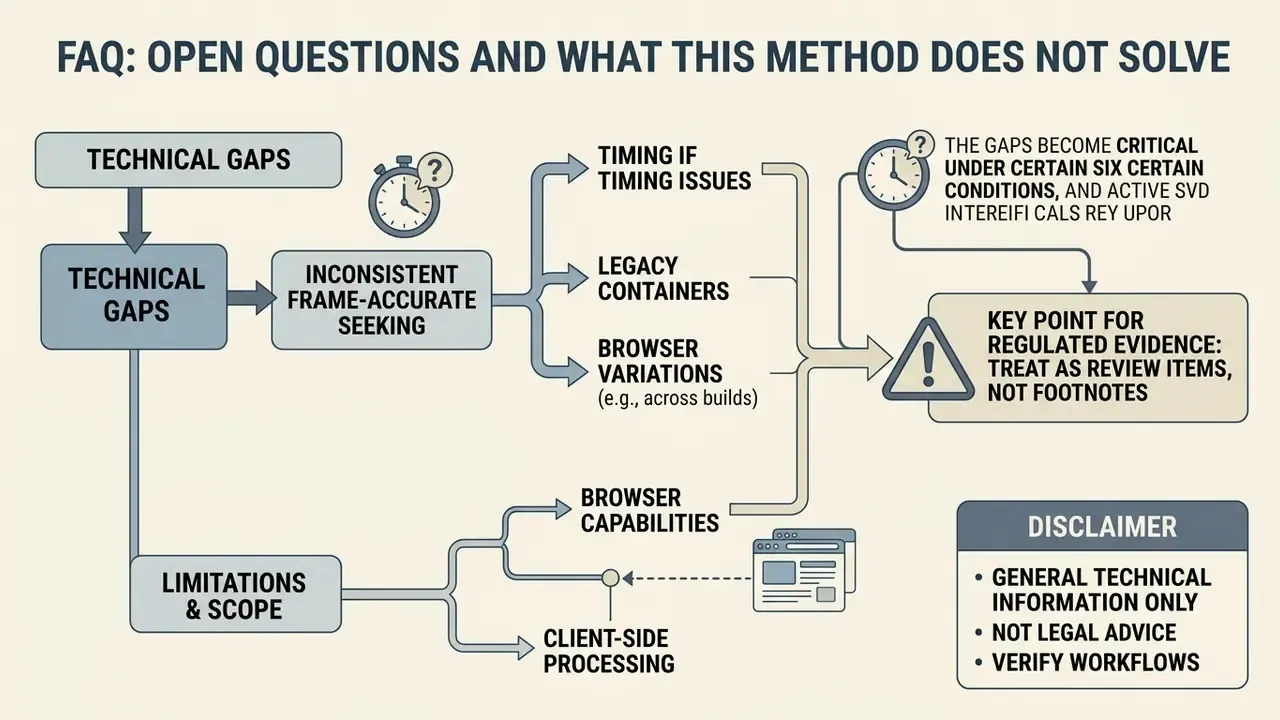
Open questions and what this method does not solve