Why should a risk or operations leader care about a media tool? Because the same pattern repeats here as in credit modeling: a model produces content that looks authoritative, and somebody downstream treats it as fact. Upscaled footage inside a KYC review, a claims file or a marketing deliverable carries model risk, licensing risk and data-residency risk at once.
Executive Summary
- Technology.Production-grade upscaling in 2026 runs on deep video super-resolution (VSR) networks that align adjacent frames, compensate motion and synthesize texture. Not bicubic stretching. Diffusion-based generative enhancement (Topaz Generative, latent diffusion VSR) now sits above classic VSR for severely degraded sources.
- Realistic expectations.A clean 720p or 1080p master upscaled 2 to 3 times looks native on UHD panels. A 360p or heavily compressed clip pushed to 4K or 8K yields an improved reconstruction, not camera-native optics, and carries measurable hallucination risk on faces, plate numbers and fine text.
- Deployment risk.Free browser tools are the primary vector of Shadow AI in regulated organizations: confidential footage uploaded to public endpoints with no Zero Data Retention (ZDR), SOC 2 Type II or ISO 27001 guarantee. Desktop GPU processing, or contracted enterprise cloud with data isolation, is the compliant path.
- Cost.Upscaling multiplies storage, not just compute. A 4K frame carries four times the pixels of 1080p, and mezzanine exports (ProRes, DNxHR) can multiply archive size several times over. Total cost of ownership has to combine GPU-hours, egress, storage tiering and human QC minutes per hour of footage.
- Compliance.Commercial use requires an explicit licence tier, human-authorship documentation for copyright registration, AI disclosure under Article 50 of the EU AI Act (Regulation 2024/1689) where output could be mistaken for real, and C2PA content credentials for auditability.
- Governance verdict.Upscaling is safe to automate for cosmetic, non-evidentiary media. It must stay human-reviewed for evidentiary, identity-bearing or KYC and CCTV material.
What This Guide Covers
Nine practical blocks, in the order most teams actually need them: what the technology does and where it differs from resampling; which sources survive a 2x to 8x jump; 8K, anime and frame-rate work; a source-type matrix with fourteen real scenarios; the online and batch workflows; the acceptance and audit protocol; tool selection across browser, desktop and cloud; security, Shadow AI and cost modeling; and the free-tier and commercial-use rules. The open questions section near the end states plainly what the evidence does not yet settle.
What Is an AI Video Upscaler and How Does It Improve Video Quality
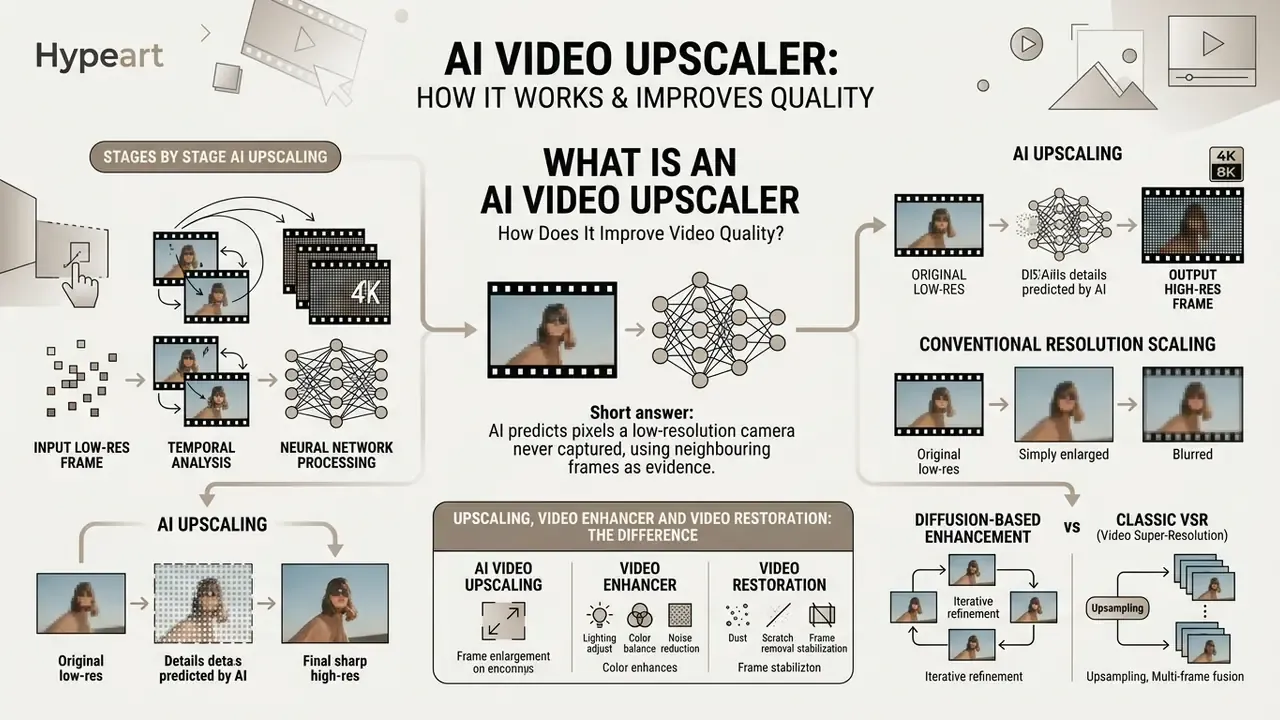
Short answer: an AI video upscaler predicts the pixels a low-resolution camera never captured, using neighbouring frames as evidence. Quality is judged not only per frame, but across time. Flicker, ghosting and texture drift are the real failure modes.
An AI video upscaler uses deep video super-resolution networks to analyze low-resolution input, predict missing visual information and generate clean, high-resolution frames. Rather than treating each image in isolation, modern VSR architectures read adjacent frames to identify motion vectors, structural cues and temporal redundancies, producing a sharp 4k video upscaler ai output without distracting flicker.
The core upscaling process evaluates every frame while holding spatial and temporal coherence across the whole timeline. Neural models use inter-frame alignment and motion-compensation backbones to reconstruct higher video resolution from degraded inputs.
«Deep VSR models are grouped into optical-flow, recurrent, attention-based and generative families, and evaluated with PSNR, SSIM and LPIPS.»
By processing motion vectors across adjacent frames, an ai video upscaler suppresses noise, repairs compression artifacts and restores lost texture so that upscaled video files look natural on modern UHD displays. That taxonomy matters operationally, not academically: a recurrent model behaves differently on a static interview than an attention-based model on a fast pan. Your acceptance metrics need to cover both pixel fidelity (PSNR, SSIM) and perceptual distance (LPIPS, VMAF).
The AI Upscaling Pipeline, Stage by Stage
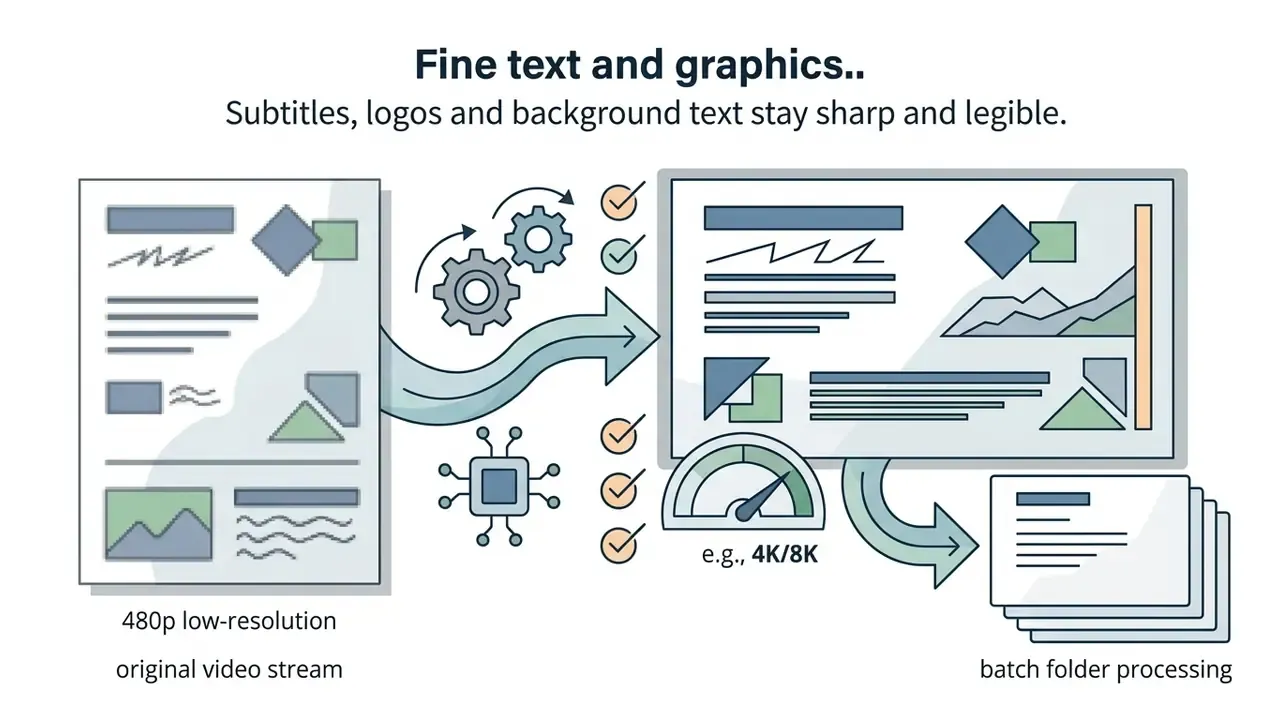
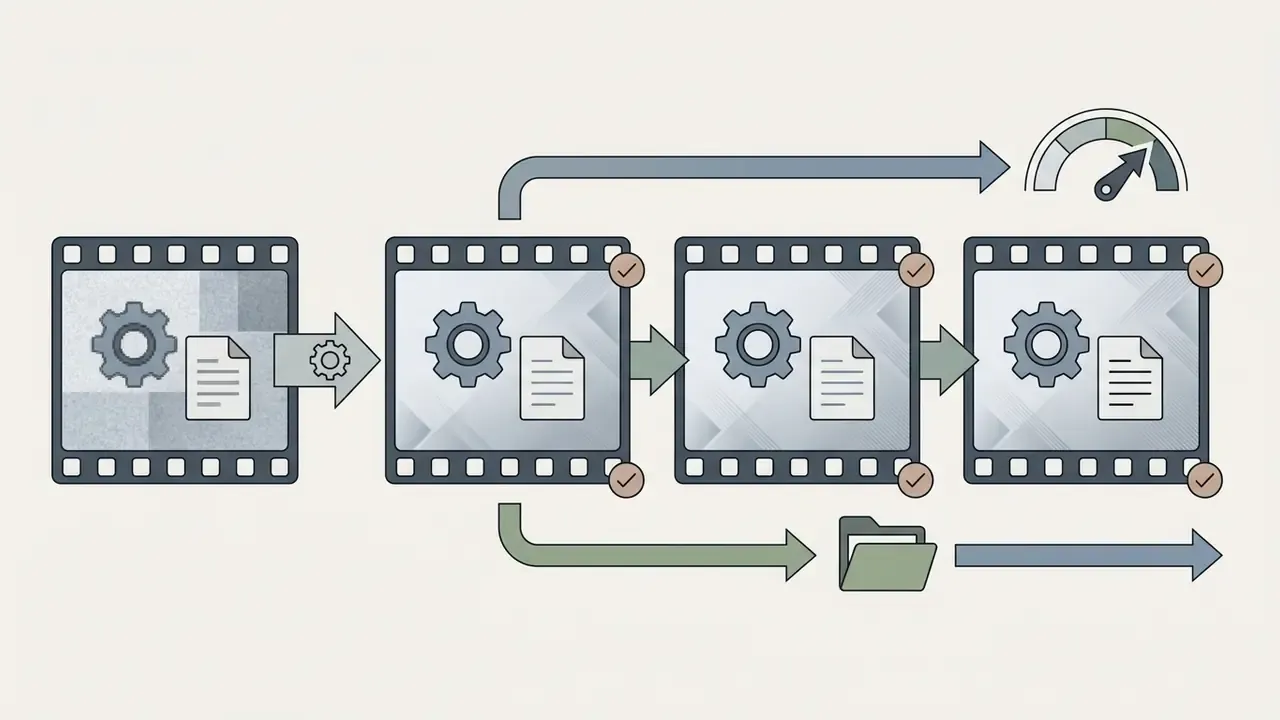
Figure 1. Architectural pipeline of an AI video upscaler: low resolution video → frame analysis by AI models → detail reconstruction and noise removal → high resolution export. Every stage is described in the table below so the diagram is never the only source of information.
| Stage | Operation | Technical purpose | Typical failure mode |
|---|---|---|---|
| 1. Ingest | Low-resolution input (360p to 720p), decode to frames | Establish a clean, highest-bitrate source | Double-compressed source; baked-in artifacts |
| 2. Motion estimation | Optical flow, inter-frame alignment, warping | Locate the same detail across frames | Ghosting on fast motion, occlusion errors |
| 3. Detail reconstruction | Latent or pixel denoising, spatial feature synthesis | Recover edges, texture, micro-detail | Watercolour smoothing, hallucinated text |
| 4. Temporal fusion | Multi-frame blending, optional frame interpolation | Stabilize detail over time, raise FPS | Frame-to-frame flicker, judder |
| 5. Export | Encode to 1080p, 4K or 8K; MP4, MOV, ProRes | Deliver a broadcast- or web-ready master | Bitrate starvation, blockiness at fixed bitrate |
Research pipelines describe exactly this chain. Frame-recurrent VSR performs flow estimation, flow upscaling, warping of the previous output, mapping back to LR space, then super-resolution of the next frame. Joint models such as FISR target explicit conversion of 2K 30 FPS to 4K 60 FPS in a single pass.
AI Upscaling vs Conventional Resolution Scaling
Traditional resolution scaling, bilinear or bicubic interpolation, simply stretches pixels by averaging colour values from neighbouring pixels. Bilinear weighting averages a 2x2 neighbourhood; bicubic uses 4x4 for smoother derivatives. Both are deterministic: the output is fully defined by the local pixel grid, and no new semantic detail is ever introduced. The grid gets bigger. The information does not. Hence blurry edges, soft textures and pixelated artifacts at 4k resolution. The same distinction applies to stills, which is why AI image upscalers replaced classic resamplers in print and e-commerce workflows.
An ai upscale video algorithm, by contrast, uses deep networks trained on millions of high-resolution image pairs to reconstruct missing details and synthesize fine detail. Learned mappings routinely beat interpolation baselines on reference metrics. In one widely cited comparison, SRCNN reached 26.442 dB PSNR against 23.226 dB for bicubic on the same source.
«VideoGigaGAN reconstructs hair, fabric weave and architectural detail at up to 8x magnification, unreachable by interpolation methods.»
Generative architectures like VideoGigaGAN show that advanced VSR can hit 8x spatial magnification, inferring plausible hair, fabric weave and architectural edges that were simply absent from the original low resolution video. The governance caveat is symmetrical, and worth repeating: what a model can invent, it can invent wrongly.
Upscaling, Video Enhancer and Video Restoration: the Difference
Commercial software uses these three terms interchangeably. Technically they are separate tasks with separate metrics.
- AI video upscaling targets spatial resolution enlargement (720p to 4k video), focusing on feature reconstruction and temporal consistency.
- Video enhancer improves perceived parameters: colour grading, contrast, edge sharpness, local contrast. Pixel dimensions may stay untouched.
- Video restoration removes severe degradation: analog line noise, film grain, compression artifacts, scratches, interlacing typical of legacy archives.
In real workflows these stack. A team modernising legacy broadcast clips will run a restoration node to remove noise, apply a video enhancer module for colour correction, then pass the clean stream to an ai 4k video upscaler for distribution. The vocabulary is not standardized, though. Vendors merge all three behind one "enhance" button, while the research literature keeps them apart, and an ai video enhancer label on a pricing page tells you almost nothing about what runs underneath.
Diffusion-Based Enhancement vs Classic VSR
Classic VSR aligns and fuses real observed pixels. Diffusion-based enhancement takes another route: the model progressively denoises a latent representation, effectively redrawing anatomically plausible faces, fabric structure and small text that no longer exist in the source signal. Commercial implementations of this class, including Topaz Generative Enhancement as integrated by vendors such as Wondershare UniConverter, are marketed precisely for footage where classic VSR has nothing left to fuse.
«Diffusion text-to-video super-resolution adapted from Imagen achieves 8x upscaling with strong visual quality and temporal consistency.»
The trade-off, stated plainly:
| Property | Classic VSR (flow, recurrent, transformer) | Diffusion or generative enhancement |
|---|---|---|
| Detail source | Real pixels from neighbouring frames | Learned priors plus latent denoising |
| Fidelity to source | High, conservative | Lower, creative |
| Best for | Clean 720p to 1080p, broadcast masters | Severely degraded 240p to 480p, heavy compression |
| Hallucination risk | Low to moderate | High (faces, text, licence plates) |
| Compute cost | Moderate | High (multi-step sampling) |
| Evidentiary use | Reviewable | Not acceptable without disclosure |
What Footage Can Be Upscaled to HD, 2K, 4K and 8K
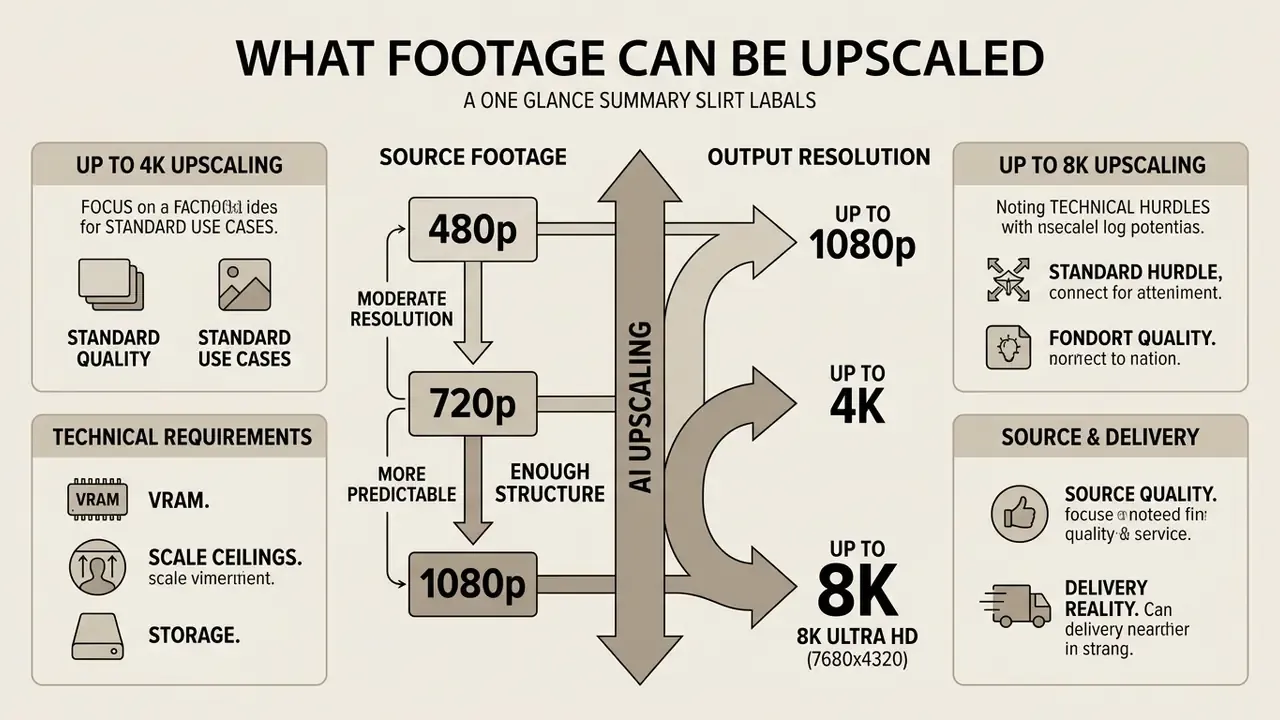
AI upscaling is most predictable on moderate-resolution sources, 720p or 1080p, where enough structure survives for the model to infer detail accurately. Extremely low quality videos, 240p or 360p web clips with heavy compression, can still reach hd video or 4K, but the network must synthesize a far larger share of the output. Hallucination risk and "watercolor" smoothing rise with it.
The expectation ladder production teams use in practice: 720p to 1080p or 2K carries the lowest artifact risk; 1080p to 2K or 4K gives the cleanest large-screen result; 360p to 4K carries the highest risk of plastic skin, false texture and detail that was never there.
Upscaling 480p and 720p to 1080p or 4K
Converting low resolution video from 480p or 720p up to 1080p or 4K is the most common industry use case for an ai resolution upscaler video pipeline. Expanding 720p or 1080p sources to 4K asks the model for only a 2x to 3x spatial jump, which lets it preserve authentic edge geometry while restoring texture.
«StreamSR evaluated 11 real-time SR models on 5,200 YouTube videos; quality scores ranged from 0.41 to 0.61 depending on genre and compression.»
«All AIM 2024 Efficient VSR finalists outperformed bicubic interpolation in VMAF and PSNR for 540p to 4K and 360p to 1080p on AV1-compressed content.» Source: AIM 2024 Efficient Video Super-Resolution Challenge, arXiv:2409.17256 (2024). https://arxiv.org/abs/2409.17256
Large-scale evaluations agree: VSR applied to compressed 540p and 720p streams consistently beats traditional scaling on VMAF and PSNR. Expectations still need managing. A clean 720p master upscaled to 4K will look crisp and native on a UHD panel. A heavily compressed 480p clip run through a 4k upscale video free tier gives you a much cleaner reconstruction, not true camera-native 4K optics. Because the resulting masters are substantially heavier, most teams pair the pipeline with video compressors before distribution.
Artifact families to hunt for after a low-resolution upscale: checkerboard patterns from transposed-convolution upsampling, frame-to-frame flicker, preserved compression blocking, ringing around high-contrast edges, and the watercolour effect reported in large-scale A/B testing of CNN upscalers for broadcast delivery.
Upscaling Video to 8K (7680x4320)
8K Ultra HD holds 33.17 million pixels per frame. Four times a 4K frame, sixteen times 1080p. Straight resampling to that density does not fail subtly, it fails visibly, as soft mush across the whole canvas. Models built for 8K therefore combine GAN texture synthesis with diffusion blocks that estimate local gradients and rebuild micro-texture, skin pores, individual hair strands, fabric weave, architectural lines, without smearing edges.
Practical constraints of an 8K pipeline:
- VRAM. Tile-based inference is mandatory. Consumer 8 to 10 GB cards process 8K only in segments. Desktop products document 10 GB VRAM as the floor and 16 GB or more as recommended for stable quality.
- Scale ceilings. Professional desktop models expose limits such as 32,000 px on the long edge, or 6x magnification, past which image-sequence export replaces single-file rendering.
- Storage. An 8K ProRes master is an archive-class asset. Budget storage before you budget GPU time.
- Source quality. 1080p to 8K is 4x linear, 16x areal. Only clean, high-bitrate 1080p or native 4K justifies it. Otherwise 4K is the honest ceiling.
- Delivery reality. 8K remains a mastering and large-format LED target (retail walls, stadium screens, museum installations), not a mainstream streaming profile.
Anime, Cartoon and 2D Animation Upscaling
Anime, cel animation and CG differ statistically from live action: hard line art, flat colour fills, banded gradients, near-zero sensor noise. Point a general real-footage VSR model at anime and you get a recognisable defect set, parasitic ringing around outlines, colour bleeding across fills, banding amplified into visible steps.
A dedicated Anime or Cartoon Mode changes the objective: keep vector-like edge crispness, suppress chroma noise, hold gradients smooth, invent no texture inside flat regions. That is why tools expose a General Mode / Cartoon Mode switch with scale steps of 1x, 2x, 4x, 6x and 8x. Animation tolerates far more aggressive magnification than live action, because the underlying artwork is structurally simple.
Model families in practical use: Waifu2x-class CNNs for classic anime, Real-CUGAN and Real-ESRGAN anime variants for modern digital animation, Anime4K-style real-time shaders for playback-time upscaling. Teams producing animation rather than restoring it should also check the upstream toolchain; our guide to animation makers and the stylistic options behind a pixar ai generator cover the creation side that feeds these pipelines.
Recommended settings by animation type:
| Animation source | Dominant defect | Mode and scale | Notes |
|---|---|---|---|
| Classic cel anime (DVD, 480p) | Interlacing, chroma bleed, dot crawl | Deinterlace, then Cartoon Mode 4x | Keep grain suppression low to preserve cel texture |
| Modern digital anime (1080p) | Banding, mosquito noise | Cartoon Mode 2x to 4x, to 4K | Dither gradients before encoding |
| Western 2D cartoons | Flat-fill blocking | Cartoon Mode 4x to 8x | Highest safe magnification factor |
| 3D and CG renders, game cinematics | Aliasing, temporal shimmer | General Mode plus temporal fusion | Prioritise temporal stability over sharpness |
Frame Rate: Interpolation to 60, 120 and 240 FPS
Resolution is only half of perceived quality. Frame interpolation synthesizes intermediate frames between real ones, converting 24 or 30 FPS into 60, 120 or even 240 FPS playback. It is the basis of both gaming-grade motion and AI slow motion, where interpolated frames are stretched across a longer timeline.
«PerVFI reduces blur and ghosting artifacts through asymmetric blending, markedly improving perceptual quality in slow-motion and frame-rate conversion.»
Implementation notes:
- Optical-flow families (RIFE, DAIN, FILM-class models) estimate bidirectional motion and warp both neighbours toward the synthetic timestamp.
- Order of operations matters. Denoise, then super-resolve, then interpolate. Interpolating noisy frames first bakes artifacts into motion.
- 240 FPS is a slow-motion tool, not a delivery format. Use it to derive 8x slow motion at 30 FPS output, or 120 FPS for high-refresh gaming channels.
- Cinematic caution. Converting 24 FPS narrative film to 60 FPS produces the soap-opera effect and usually dies in editorial review. Keep interpolation for sports, gameplay, animation and product motion.
Restoring Old Videos, VHS, DVD and Home Footage
Restoring old videos, digitized VHS tapes, DVD rips and home video recordings needs a multi-stage pipeline. Legacy analog media suffers deinterlacing artifacts, tape jitter, colour bleeding and heavy sensor noise. Modern workflows digitize the analog signal at maximum bit depth, apply temporal denoising, then pass the cleaned master through an ai video upscaler for a stable HD or 4K presentation. One rule holds across archival practice: digitize first at the highest practical quality, apply AI second. Never process a lossy re-encode of a capture.
«MAP-VDNet applies an iterative MAP algorithm with a deep image prior and adaptive temporal frame fusion, generalizing well on noisy video datasets.»
Illustrative scenario, hypothetical and composite. During an archival media migration, a broadcasting team needed 400 hours of 480i tape archives ready for 4K streaming. They built an automated VSR workflow combining hardware deinterlacing, latent-space noise suppression and a tuned VSR model. The pipeline processed the library at 45 FPS per node, cutting manual restoration overhead by roughly 80% while still clearing broadcast quality audits.
When restoring historical archives or family memories, operators can consult our AI Media Comparison Matrices to see how different neural models trade grain retention against noise suppression.
Source-Type Matrix: 14 Real-World Scenarios
Generic presets waste quality. The table maps the fourteen source categories that dominate real upscaling requests to their dominant defect and the correct model chain.
| # | Source type | Typical defects | Recommended AI chain | Target output |
|---|---|---|---|---|
| 1 | TV series (SD broadcast) | Interlacing, MPEG-2 blocking | Deinterlace, de-artifact, VSR 2x | 1080p |
| 2 | Films (35 mm scans, SD transfers) | Grain, gate weave, soft focus | Grain-aware VSR, low denoise | 4K ProRes |
| 3 | Concert recordings | Strobe lighting, sensor noise, low light | Denoise, temporal fusion, VSR | 4K |
| 4 | AI-generated videos | 720p or 1080p cap, temporal shimmer | Diffusion enhancement plus interpolation | 4K 60 FPS |
| 5 | Documentaries and newsreels | Mixed-era sources, scratches | Restoration, then conservative VSR | 1080p or 4K |
| 6 | Downloaded web videos | Heavy H.264 or VP9 compression | De-artifact first, then VSR 2x | 1080p |
| 7 | Old home movies (VHS, Hi8) | Tape jitter, chroma bleed, dropouts | Capture, deinterlace, denoise, VSR | 1080p |
| 8 | DVD video (480i, 576i) | Combing, limited chroma | Hardware deinterlace, then VSR | 1080p |
| 9 | Anime episodes | Line ringing, banding | Cartoon Mode 4x | 4K |
| 10 | Daily vlogs | Rolling shutter, mixed exposure | Stabilize, face enhancer, VSR | 4K |
| 11 | Surveillance footage (CCTV) | H.264 artifacts, pixelation, darkness | Deblur plus face enhancer, human review mandatory | 1080p or 4K |
| 12 | Game recordings | Aliasing, compression on fast pans | General Mode plus interpolation | 4K 120 FPS |
| 13 | Action camera and drone | Rolling-shutter jelly, motion blur | Stabilization, VSR, interpolation | 4K 60 FPS |
| 14 | Product and e-commerce video | Soft edges, colour drift | Vivid preset VSR, colour management | 4K |
Governance note for row 11. Upscaled surveillance, identity-verification or KYC footage must never be treated as evidence. Generative models can alter facial geometry, digits and text. Any identity-bearing upscale requires side-by-side retention of the untouched original, a documented model and version, and human sign-off with a named owner.
How to Upscale Video Online with AI
Processing through an ai upscale video online platform gives creators and enterprise teams a hardware-independent workflow. Cloud platforms carry the GPU load on remote servers. Users upload source files through a web interface or API, pick a neural preset, preview output frames and export a high-resolution master.
Five-step online workflow checklist. Each step is text-first, so it works without the interface screenshots.
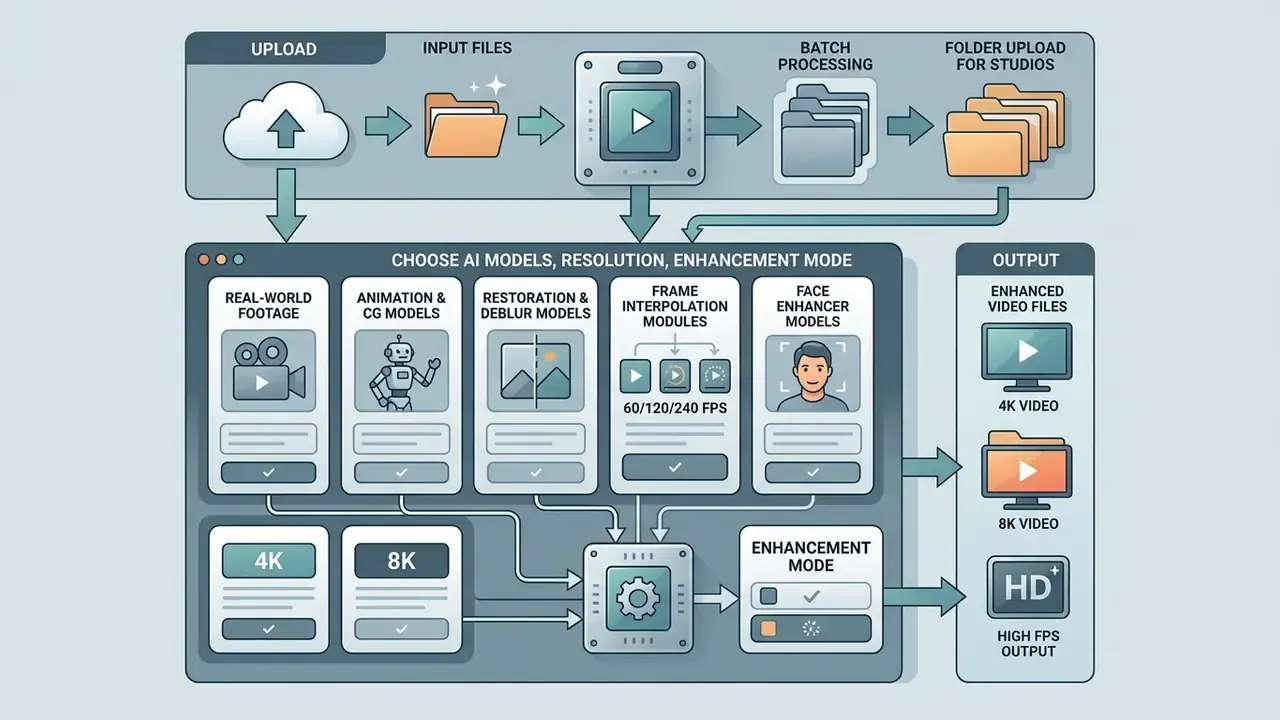
- Upload.Drag and drop an MP4 or MOV file, or submit a public HTTPS URL. API-driven services return a task ID for asynchronous polling.
- Select the AI model.Choose a profile: Real Footage, Animation and CG, Archival Restoration, Face Enhancer, Denoise.
- Configure parameters.Set target resolution (1080p, 2K, 4K, 8K), magnification (2x, 4x, 6x, 8x), mode (Precise, faithful, versus Creative, generative) and the Speed versus Quality balance.
- Preview.Use the before and after split slider on a short segment. Inspect faces, on-screen text and the fastest motion in the clip.
- Export.Pick codec (H.264, HEVC, ProRes), bitrate and container, then download or push to cloud storage.
Uploading Video Files and Choosing the Right Format
The workflow starts by uploading source video files. Most web tools and enterprise cloud APIs accept standard containers, MP4, MOV, AVI and WebM, encoded with H.264, H.265 HEVC or ProRes.
Upload the highest-bitrate source you have. Heavily compressed or twice re-encoded files force the network to spend capacity suppressing artifacts instead of reconstructing detail, and that shows up as mush on faces first. Teams managing multi-format publishing can review our AI Media Pricing Guides to estimate cloud rendering costs across container types and source bitrates. If source assets arrive from social platforms, note that acquisition tooling such as a pinterest video downloader online usually hands you an already-compressed derivative, which is exactly the input class that needs de-artifacting before any upscale.
Choosing AI Models, Resolution and Enhancement Mode
Online platforms expose specialized ai models tuned to visual domains and defect types:
- Real-world footage models. Optimized for live action, natural lighting, skin texture, organic environments.
- Animation and CG models. Trained on sharp line art, flat colour fills and vector geometry to prevent bleeding and line blur.
- Restoration and deblur models. Aggressive remove noise filters and stabilization for legacy analog or grainy low-light footage.
- Frame interpolation modules. Synthesize intermediate motion to lift 24 or 30 FPS to a smooth 60 FPS, and with modern flow models to 120 or 240 FPS for slow-motion derivation.
- Face enhancer models. Reconstruct facial landmarks in low-resolution portraits. The highest-risk module for hallucination, and the one that most often demands human sign-off.
Picking the right mode prevents over-processing. Run a heavy denoiser on clean digital cinema footage and you erase natural grain along with directorial intent. Vendor guidance converges on two presets in practice: vivid for marketing and social output, natural for documentary, clinical and evidentiary footage.
Batch Processing and Folder Upload for Studios
Manual one-by-one uploads collapse at scale. When a course library of 50 lessons or a full shoot archive needs conversion, batch folder processing becomes the deciding feature, and it is where desktop and enterprise cloud tools pull away from consumer web apps.
Batch folder workflow:
- Flatten and structure.All sources in a single directory, no nesting, no stray non-video files. Keep original filenames as the audit key.
- Normalise the source set.Group clips by resolution, frame rate and codec. One preset per group. Mixed 480i and 1080p in one queue produces inconsistent output.
- Lock a preset.Fix model, magnification (2x or 4x), output codec (ProRes 422 or HEVC) and colour space (Rec.709, Rec.2020) before queueing.
- Queue and parallelise.Desktop suites queue whole folders and render sequentially from one export action. GPU-parallel pipelines run multiple files at once via CUDA or Vulkan workers, with batch size bounded by available VRAM.
- Render overnight, verify in the morning.Generate a manifest per item: input file, model, version, duration, output size, checksum. That manifest is the audit artifact, not a convenience.
- Spot-check statistically.Review 10% of outputs, plus 100% of any clip containing faces, text or branding.
Desktop documentation is explicit that batch size is limited only by system resources, and that large batches or large magnifications need more GPU memory. Throughput planning is a VRAM exercise before it is a scheduling exercise.
Preview, Export and Quality Control Protocol
Before a full render, use interactive preview, split screen or side-by-side frames, to inspect critical areas. Preview at full or export resolution, never at fit-to-window zoom, and scrub the fastest-motion segment rather than the title card.
«The AIM 2024 VSR quality-assessment challenge collected over 150,000 pairwise judgments across 52 SR methods: PSNR does not always match human perception.»
Quality control focuses on four elements:
Acceptance and audit protocol, a reproducible sign-off form:

| Check | Method | Pass criterion | Evidence retained |
|---|---|---|---|
| Source integrity | Checksum of untouched original | Hash recorded before processing | SHA-256 in manifest |
| Model provenance | Log model name, version, preset | Run fully reproducible | Job manifest or API response |
| Pixel fidelity | PSNR and SSIM vs reference, where available | No regression vs baseline | Metric report |
| Perceptual quality | VMAF, LPIPS or blind no-reference IQA | Meets internal threshold | Metric report |
| Temporal stability | Frame-step review of 3 fastest segments | No flicker or ghosting | Reviewer note plus timecodes |
| Identity and text safety | Manual review of faces, plates, on-screen text | No altered semantics | Reviewer sign-off |
| Dropped frames | Frame-count comparison in and out, allowing for interpolation ratio | Exact expected count | Encoder log |
| Disclosure | AI label or C2PA credential attached | Present on all deliverables | Metadata dump |
Once verified, trigger the export with an appropriate target bitrate and codec. For programmatic workflows, developers can consult our AI Media API Guides; teams shipping finished masters to platforms can follow the patterns in our guide to YouTube publishing workflows.
How to Choose the Best AI Video Upscaler: Online, Desktop or Cloud
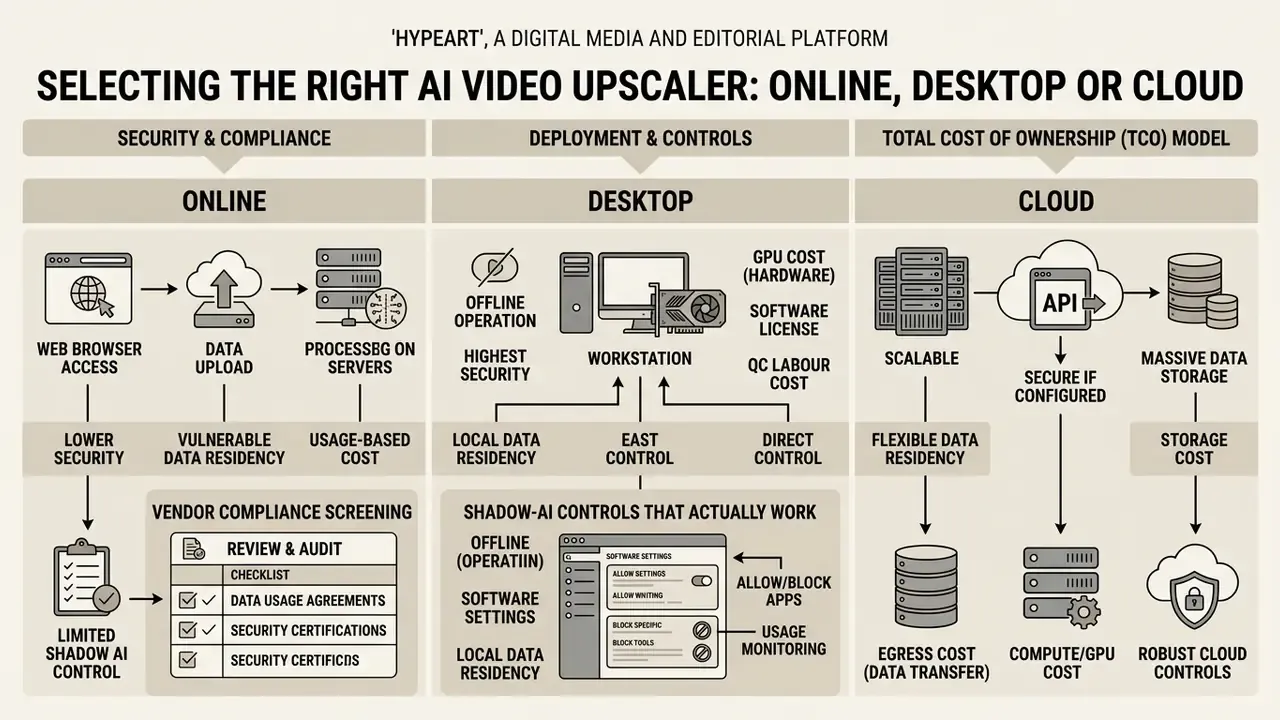
Choosing the best ai upscaling architecture comes down to four constraints: hardware, file volume, security posture and budget. Production environments pick between zero-install browser tools, local desktop software and scalable cloud APIs.
| Comparison criterion | Online web tools | Desktop software (for example Topaz) | Enterprise cloud platform |
|---|---|---|---|
| Local GPU requirement | None, server-side rendering | High: dedicated GPU, 10 GB VRAM minimum, 16 GB+ recommended | None, REST or gRPC execution |
| Large-file handling | Limited by browser and upload caps, often 10 to 100 MB | Unlimited, constrained only by local storage | High throughput via cloud bucket storage |
| Batch processing | Basic queue, often one file at a time | Local folder and timeline queues, VRAM-bound parallelism | Fully automated via scalable API workers |
| Max resolution | 720p to 1080p on free tiers, 4K on paid | Up to 8K, image-sequence export beyond | 4K and 8K with priority GPU nodes |
| Professional codecs | H.264 and HEVC only | ProRes, DNxHR, image sequences, log and wide gamut | Configurable per pipeline |
| Temporal stability | Moderate to high, model dependent | High, granular temporal tuning | Very high, enterprise generative VSR |
| Data residency | Third-party servers, often undisclosed | Fully local, no data leaves the machine | Contractual region pinning |
| Security attestations | Rarely published | Not applicable (local) | SOC 2 Type II, ISO 27001 obtainable |
| Zero Data Retention | Usually unavailable | Inherent | Negotiable in contract |
| Shadow-AI exposure | High | Low | Low, when governed |
| Business licensing | Subscription or credit-based | One-time purchase or annual licence, commercial rights often Pro-only | Pay-as-you-go credits or Enterprise SLA |
The short version after the table: browser tools for testing, desktop for confidential and high-bitrate work, governed cloud for volume with contractual guarantees.
«ViSOR reduced average bitrate by 24.65 to 32.70% at equal PSNR and VMAF, and cut encoding energy by 68.21% versus standard HLS ladders.»
That figure reframes upscaling as an infrastructure decision, not only a quality decision. Encoding at lower resolution and reconstructing on delivery can cost less than shipping native high-resolution ladders.
Security, Shadow AI and Data Residency
The dominant real-world risk in enterprise upscaling is not a bad frame. It is an employee dragging confidential footage into a free public web tool. Internal recordings, client raw material, unreleased product shots, meeting captures, identity-bearing footage: all of it leaves the perimeter in one click, often into services whose terms permit retention for model improvement.
Vendor compliance screening table:
| Control | What to require | Why it matters |
|---|---|---|
| SOC 2 Type II | Current report under NDA | Evidence of operating controls, not just policy |
| ISO/IEC 27001 | Valid certificate plus scope statement | Confirms the processing scope is covered |
| Zero Data Retention | Contractual ZDR, deletion SLA in hours | Stops source footage persisting in vendor storage |
| Training-data opt-out | Written commitment that inputs are not used for training | Protects client and personal data |
| Data residency | Region pinning (EU, US), sub-processor list | Supports GDPR and internal transfer rules |
| Encryption | TLS 1.2+ in transit, AES-256 at rest, tenant isolation | Baseline confidentiality |
| Access and audit logs | SSO, SCIM, exportable job logs | Enables the audit trail regulators expect |
| AI disclosure support | Native C2PA or content-credential embedding | Article 50 labelling readiness |
Shadow-AI controls that actually work. Publish a short approved-tool list. Block unapproved upscaler domains at the proxy. Provide a sanctioned desktop or GPU workstation for confidential material, so the compliant path is also the fastest path. And register every upscaling model in the model inventory with an owner, a purpose and a risk tier. If an AI system has no owner, it has no accountability, and sooner or later no audit trail either.
Total Cost of Ownership (TCO) Model
Upscaling budgets fail when teams price GPU minutes and forget petabytes. A workable per-hour-of-footage model:
TCO per hour of footage = GPU cost + storage cost + egress cost + QC labour cost + licence amortisation
- GPU cost = (footage frames ÷ throughput FPS) ÷ 3600 × hourly GPU rate. At 45 FPS per node, one hour of 30 FPS footage is roughly 0.67 GPU-hours.
- Storage cost = output GB × monthly rate × retention months × (1 + replica factor). A 4K frame holds 8.29 M pixels against 2.07 M at 1080p, so bitrate and archive footprint climb steeply, and ProRes or DNxHR mezzanine exports multiply it again.
- Egress cost = delivered GB × CDN or egress rate. The line item most often missing from cloud pilots.
- QC labour cost = review minutes per hour of footage × loaded hourly rate. With the sampling protocol above, budget 6 to 15 minutes per finished hour of cosmetic content, and full-length review for identity-bearing footage.
- Licence amortisation = annual licence ÷ annual hours processed. A desktop Pro licence with commercial rights gets cheaper than credit-based cloud above a volume threshold. Calculate that crossover before committing.
Worked directional example. 400 hours of 480i archive at 45 FPS per node is about 268 GPU-hours. If manual restoration overhead drops by 80%, the saved human hours usually dominate the compute line, which is precisely why the archival scenario above clears budget review. Model your own crossover with our AI Media Calculators.
When a Free Video Upscaler Online Is Enough
A free video upscaler online is fine for quick, low-volume work: a short social clip, a test of a video upscaler online free workflow, one-off cleanups without installing anything.
The boundaries are clear, though. Free web tiers typically cap clip duration at 10 to 30 seconds, restrict uploads under 100 MB, limit output to 1080p, or stamp a visible watermark. Documented 2026 examples include a 10 MB and 10-second MP4-only cap on one mainstream design platform, a quota of roughly four videos per 24 hours on a popular generative service, and 66 credits with watermarked 720p output plus single-task queueing on another. Claims of "unlimited free 4K upscaling with no watermark" read as trial promotions or promotional credits, not standing commercial terms.
Searches for a 4k video upscaler online free or ai upscale video software free basically land in two places: capped browser demos, or open-source local tools you install yourself. The second path costs you setup time instead of money, and keeps your footage on your own disk.
For personal testing, browse our glossary for foundational terminology on web-based media pipelines, and compare adjacent options in our roundup of free video editing software.
When to Choose a Desktop Video Upscaler
Desktop software, Topaz Video AI or open-source Vulkan-accelerated utilities, suits editors, post-production studios and privacy-sensitive organizations. Local GPU acceleration (NVIDIA RTX or Apple Silicon) processes unlimited video files with no recurring per-second cloud fees.
Desktop tools handle massive high-bitrate masters and expose granular control over temporal fusion, noise thresholds and deinterlacing. Documented capabilities include loading multiple videos and rendering them in sequence from one export action, output up to 8K with image-sequence export beyond that ceiling, and published VRAM requirements of at least 10 GB, with 16 GB or more recommended for stable quality. And because processing stays on local storage, desktop workflows remove the privacy problem of uploading confidential client assets to third-party servers. In regulated environments, that is the single strongest argument for desktop, full stop.
Features That Matter for Content Creators and Teams
Evaluating enterprise VSR platforms or desktop suites, production teams and content creators should weigh five capabilities:
- Advanced frame interpolation. Synthesized intermediate frames for smooth playback or quality slow motion at 60, 120 or 240 FPS.
- Robust batch processing. Queues that let operators drop whole camera-card folders in overnight.
- Comprehensive codec and colour-space support. Native ProRes and DNxHR, plus Rec.709, Rec.2020 and log profiles.
- Integrated noise and artifact suppression. Combined VSR and de-artifact nodes that clean heavily compressed web downloads before upscaling.
- Domain-specific model libraries. Separate presets for real footage, anime and CG, faces, restoration and colorization. One generic model is always a compromise.
Teams fed by generative pipelines should audit their upstream stack too. Output from AI video generators arrives resolution-capped and is the fastest-growing category of upscaling work we see. Stylised generators such as pix ai sit in the same bucket. Creators building automated publishing stacks can review practical strategies in our guide to YouTube video editors.
Free 4K Video Upscaler: Limits, Pricing and Commercial Use
What Free Online AI Upscalers Typically Include
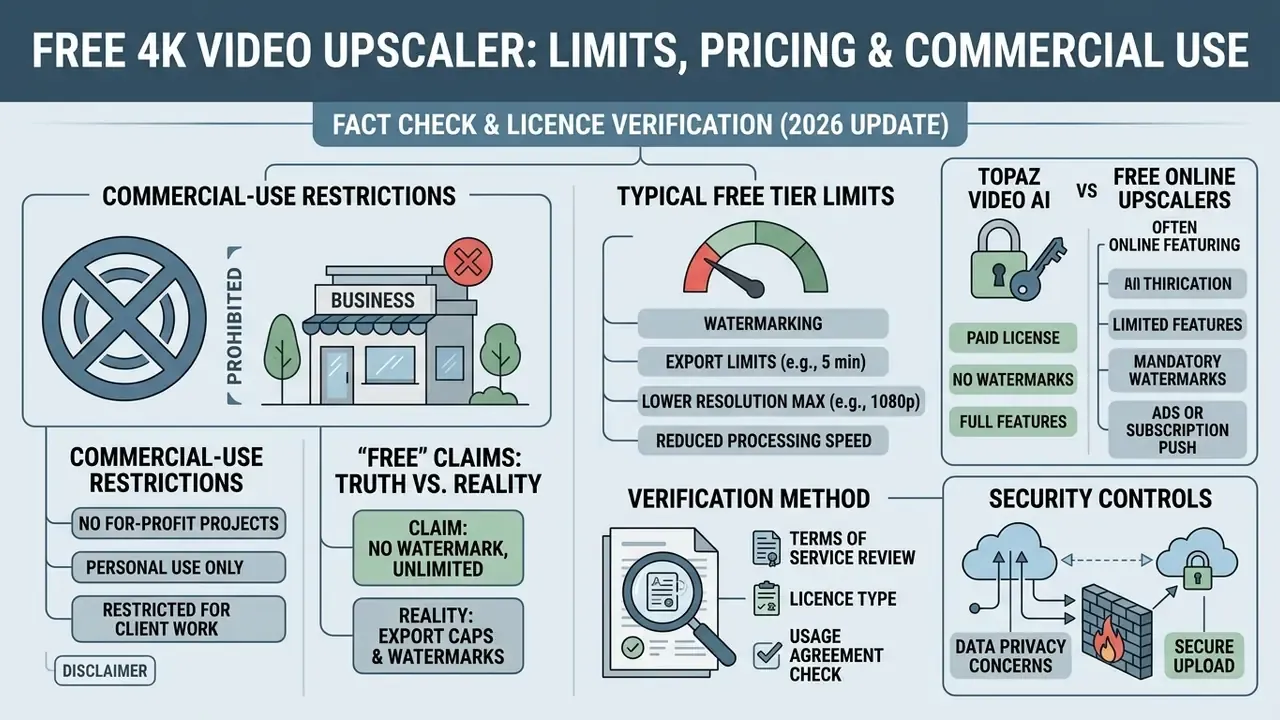
An ai free video upscaler tier is a demo, not a production utility. Free accounts usually grant a daily credit allocation good for two to five short sample clips.
Table. Free versus commercial tier limits in AI video upscalers.
| Feature parameter | Free tier | Paid or Pro tier |
|---|---|---|
| Maximum resolution | 720p or 1080p | Native 4K and 8K export |
| Clip duration | 5 to 15 seconds | 10+ minutes per file |
| File-size cap | Often 10 to 100 MB | Storage-bound only |
| Watermark | Mandatory brand watermark on most services | Clean export, no watermark |
| Codecs | MP4 and H.264 only | ProRes, DNxHR, HEVC, image sequences |
| Batch or folder upload | Rarely available | Full queue and API automation |
| Commercial use rights | Excluded, personal use only | Full commercial use rights |
| Queue priority | Low, public shared queue | High, dedicated GPU nodes |
| Data retention | Often undisclosed | Contractual ZDR available |
What to Verify Before Using Upscaled Video Commercially
Before upscaled footage enters monetized advertising, client deliverables or broadcast, run a legal and technical audit:
- Terms of service and licensing. Confirm the platform explicitly grants commercial use rights for media produced under your active tier.
«Upscale AI's terms grant only a non-exclusive, revocable licence for personal, non-commercial use; commercial exploitation is expressly prohibited without separate permission.»
- Copyright and training-data compliance. Check that the vendor meets relevant intellectual property standards and disclosure mandates, including Article 50 of the EU AI Act, which requires clear labelling of AI-manipulated synthetic media.
«Deployers of AI systems that generate or manipulate image, audio or video content constituting a deep fake shall disclose that the content has been artificially generated or manipulated.»
- Human authoring and copyright registration. Under US Copyright Office guidance, purely machine-generated additions cannot be copyrighted on their own. Protection covers human-authored creative edits, and AI-generated material must be disclaimed at registration (Works Containing Material Generated by Artificial Intelligence, U.S. Copyright Office. https://www.copyright.gov/ai/).
- Provenance and content credentials. Embed C2PA metadata on exported files to keep deliverables auditable (C2PA Specifications, Coalition for Content Provenance and Authenticity. https://c2pa.org/specifications/).
- Public-sector and enterprise labelling rules. Materially modified or wholly AI-produced video increasingly requires a label identifying the system used and whether a human edited the output. Align internal policy with the strictest regime you operate under, not the most convenient one.
For deeper analysis of copyright compliance and precedent in AI media, review our AI Litigation and Case Timelines and the adjacent rules on commercial use of AI image generators.
Where to Apply an AI Video Upscaler
AI upscaling delivers measurable value across industries, from digital marketing and game development to archival preservation and e-commerce production.
Figure 2. Primary application domains of AI video upscaling, with inputs and objectives listed in text below.
| Domain | Typical inputs | Objective |
|---|---|---|
| Social media and advertising | 720p UGC, legacy 1080p commercials | 4K UHD for YouTube, TikTok, LED walls |
| Gaming and animation | Gameplay captures, 2D and 3D renders, AI clips | 4K at 60 to 120 FPS, clean line art |
| Cinema and broadcast | SD transfers, archive masters | OTT-ready 4K remasters |
| Archives, museums, heritage | VHS, DVD, 480i tape, newsreels | Stable HD or 4K preservation masters |
| E-commerce and product media | Legacy product videos | Consistent 4K catalogue assets |
| Security and operations | CCTV, body-cam, drone footage | Legibility, with mandatory human review |
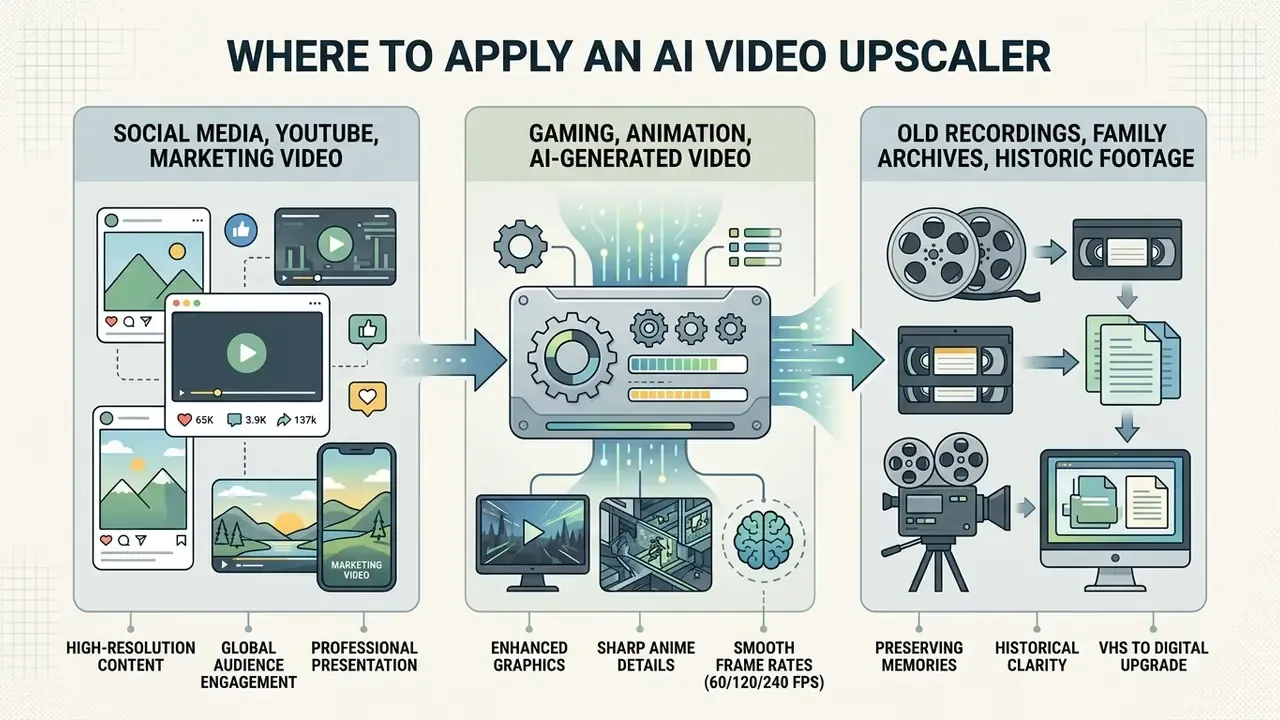
Gaming, Animation and AI-Generated Video
Gaming highlights, 2D and 3D animation, and synthetic clips from generative tools (Sora, Runway, Pika) each impose distinct VSR requirements. Text-to-video AI tools often cap native output at 720p or 1080p because of server compute limits. Standard Sora-class output sits at 1280x720, pro tiers around 1792x1024, which means any advertised "4K" AI clip is post-generation upscaling, not native rendering. Push those renders through a domain-matched VSR model and you get 4K masters fit for commercial delivery.
Animation and game-engine footage benefit doubly, from upscaling plus interpolation. Tools like Pika Labs AI and PixVerse AI video generator PixVerse let creators draft stylized video, later expanded to 4K 60 FPS masters by an external VSR engine. Developers automating that two-stage chain can compare generation-side economics in our Google Veo implementation guide.
Old Recordings, Family Archives and Historic Footage
Museums, historical societies and documentary teams use VSR to digitize, stabilize and restore newsreels, museum films and family archives. Cultural preservation guidance is strict about signal integrity: FADGI's Technical Guidelines for Digitizing Cultural Heritage Materials prescribes controlled scaling, colour and tone adjustment and unsharp-mask sharpening for output files, while IASA-TC 06 requires preservation copies to keep the original native resolution and aspect ratio. FIAF-aligned film practice recommends frame-by-frame scanning at the highest practical resolution and bit depth, with 4K scanning for 35 mm sources.
Combining deinterlacing, latent-space noise suppression and VSR reconstruction turns 480i analog recordings into clean HD or 4K preservation masters. The archival discipline is to keep two lineages: an untouched preservation master, and a separately labelled AI-enhanced access copy. Never one file doing both jobs.
Teams restoring static historical graphics or archival photographs can also look at a pixlr photo editor, the options in our guide to free photo editors, the broader online photo editor guide, and recovery tooling among AI image enhancers.
Open Questions and Limitations
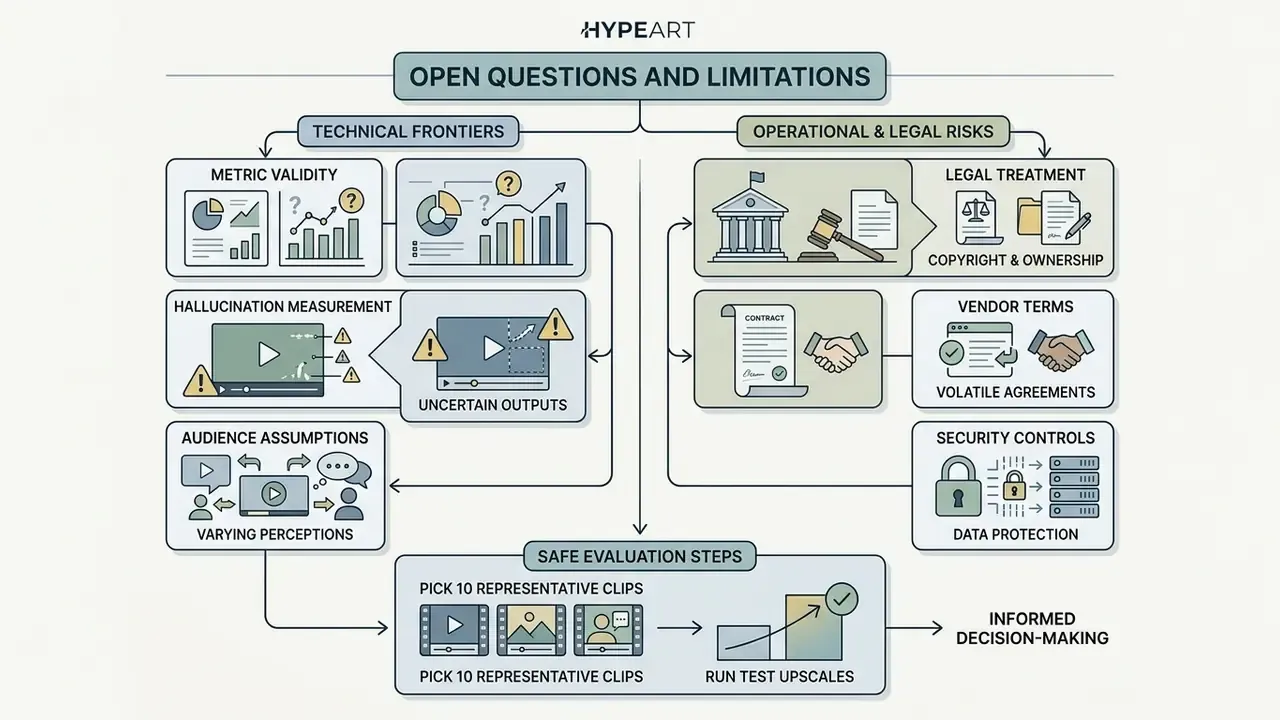
Honest admission: several things in this field are not settled, and pretending otherwise would be bad governance.
- Metric validity. PSNR and SSIM correlate imperfectly with human judgment, as the AIM 2024 assessment showed across 150,000 pairwise votes. No single metric yet certifies "safe" upscaling.
- Hallucination measurement. There is no standard, auditable score for how much semantic content a generative model invented in a given clip. Until there is, human review stays the control.
- Legal treatment of enhanced footage. Admissibility of AI-enhanced identity or surveillance video varies by jurisdiction and is actively contested. Our position is conservative by default.
- Vendor terms volatility. Free-tier limits and commercial rights shift quarterly. Any pricing figure in this guide is a snapshot, not a warranty.
- Audience assumptions. Statements about what risk and finance leaders prioritise remain hypotheses until confirmed by interviews, analytics or CRM evidence.
A safe next step, if you are evaluating this class of tooling: pick ten representative clips, run them through two candidate pipelines, record the acceptance table from this guide for each, and only then discuss procurement. Small pilot, documented evidence, no autonomy before that.
FAQ: Frequently Asked Questions About Video Upscalers
This section is structured for Schema.org FAQPage markup.
Why does file size increase after AI upscaling?
Because a 4K frame contains exactly four times the pixels of a 1080p frame: 3840 × 2160 = 8.29 million, versus 1920 × 1080 = 2.07 million. Pixel density comparison: 1080p ≈ 2.07 M pixels per frame, 4K ≈ 8.29 M (4x), 8K ≈ 33.17 M (16x). Data volume scales with that ratio before any codec decision. On top of that, neural upscaling reconstructs fine detail, sharp edges and subtle texture. Codecs like H.264 and HEVC need substantially higher bitrates to carry that high-frequency content without blockiness. At a fixed bitrate a 4K export can look worse than its 1080p source, because the same bits now cover four times the pixels. So exporting an upscaled 4K master demands a higher target bitrate, which directly increases file size, and intra-frame mezzanine formats such as ProRes multiply it further.
«Encoding at low resolution and upscaling with VSR cut cumulative storage by 79.32% at equal VMAF and PSNR versus native HD streaming.» Source: ViSOR, arXiv:2402.03513 (2024). https://arxiv.org/abs/2402.03513 To balance file size against streaming bandwidth, see the compression tooling in our guide to video compressors.
Does an AI video upscaler work equally well on all videos?
No. Results vary noticeably with source domain, existing compression and noise:
- Clean high-bitrate live action (720p, 1080p). Near-native 4K results with authentic detail and smooth edges.
- Animation and vector graphics. Excellent 4x or 8x scaling, since models read sharp colour boundaries and continuous lines easily.
- Heavily compressed web clips. Need aggressive de-artifacting first, or the network amplifies blocking and ringing.
- Grainy low-light footage. Models may read sensor noise as detail, producing painterly texture unless denoising runs first.
«ST-AVSR shows that multi-scale structure and texture priors from VGG markedly improve SR quality, generalization and inference speed over baseline arbitrary-scale methods.» Source: ST-AVSR, arXiv:2407.09919, ECCV (2024). https://arxiv.org/abs/2407.09919 Architecturally this is expected. Compression-aware VSR models train against specific HEVC quantization levels, noise-aware models jointly estimate blur kernels and noise, anime models learn completely different edge statistics. One generic preset cannot be optimal across all four. To tune workflows across content types, use our AI Media Calculators and, when a render misbehaves, AI Media Support and Troubleshooting.
Can I really upscale video to 8K?
Technically yes, but only clean native 4K or high-bitrate 1080p sources justify it. Expect tile-based inference, 16 GB or more of VRAM, long renders and archive-class storage. For most delivery channels in 2026, 4K stays the practical ceiling. 8K is a mastering and large-format display target.
Can AI upscale anime and cartoons without ruining the line art?
Yes, with a dedicated Cartoon or Anime model. General real-footage models produce ringing around outlines and colour bleeding in flat fills. Anime-specific models (Waifu2x-class, Real-CUGAN and Real-ESRGAN anime variants, Anime4K for playback) preserve vector-like edges and tolerate 4x to 8x magnification.
Can an AI video upscaler convert 480p to 1080p without losing quality?
It can cut visible quality loss substantially, not eliminate it. No model recovers information the sensor never captured. AI minimizes artifacts and rebuilds plausible texture. Outcomes depend on the condition of the original, so compare a preview segment before committing to a full render.
Can I upscale resolution and increase frame rate in one pass?
Yes. Joint models and chained pipelines convert, for example, 2K 30 FPS into 4K 60 FPS. Recommended order: denoise, super-resolve, interpolate. Keep 120 and 240 FPS for slow-motion derivation and high-refresh gaming rather than narrative film.
Is a truly free 4K upscaler without watermarks available?
Only in limited forms: short trials, daily credit quotas, duration-capped exports, or open-source browser and desktop tools that run locally. Standing, unlimited, commercially licensed 4K upscaling for free does not exist, because GPU inference costs money every time it runs.
How long does upscaling take?
Throughput is the honest unit, not "minutes". A production archival pipeline reported 45 FPS per node, roughly 0.67 GPU-hours per hour of 30 FPS footage. Diffusion-based generative enhancement can run an order of magnitude slower than classic VSR at the same resolution.
Does AI upscaling improve old videos?
Yes, and this is its strongest use case. Unlike interpolation, which only stretches pixels, AI analyzes each frame, reconstructs missing detail, suppresses compression and analog noise, and sharpens edges. Provided the tape or disc was digitized first at the highest practical quality.
Can upscaled surveillance or identity footage be used as evidence?
Treat the answer as no unless counsel says otherwise. Generative reconstruction can alter facial geometry, digits and text. Retain the untouched original, log model and version, mark the output clearly as AI-enhanced, and require human sign-off.
Key Information and Regulatory Disclaimers
Appendix A. Editorial Revision Log
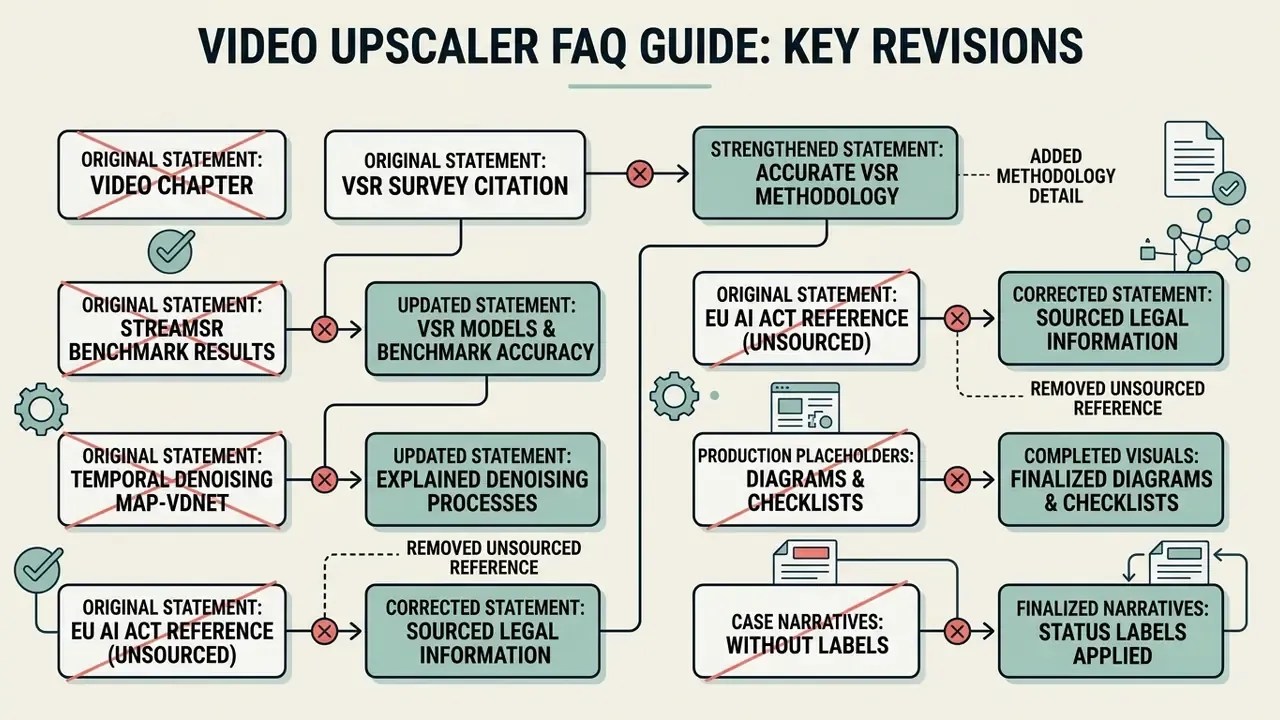
Appendix B. Model Acceptance Checklist (Print-Ready)
Checklist0 / 16
Footer navigation and hub link:
For foundational definitions, technical glossaries and AI media governance frameworks, explore our comprehensive glossary.
Social Media, YouTube and Marketing Video
Agencies and content creators constantly inherit client assets that looked fine in 2016 and look degraded on a 4K panel or a high-density phone screen. A 4k video upscaler ai workflow lets teams repurpose legacy 1080p marketing assets, historical product videos and user-generated clips for high-impact campaigns.
That genre variance is the practical lesson. Validate on your content mix, not on a vendor demo reel.
Marketers optimizing multi-channel distribution can cross-reference capability matrices in our guide to the best free AI video generators.