Last updated: 2026.
Summary: What This Guide Covers
- An ai pixel art generator turns text prompts or uploaded photos into grid-aligned, palette-restricted graphics: sprites, tilesets, icons, backgrounds, and animation frames.
- Specialized tools (PixelLab, Sprite Fusion, MagicPixel, Retro Diffusion) win on sprite sheets, 8-direction consistency, and engine plugins. General-purpose models (FLUX, Midjourney, Adobe Firefly) win on concept art but need aggressive negative prompts.
- Legally, purely AI-generated output is not copyrightable in the U.S. (88 FR 16190). Commercial use rights come from your vendor contract, not from copyright.
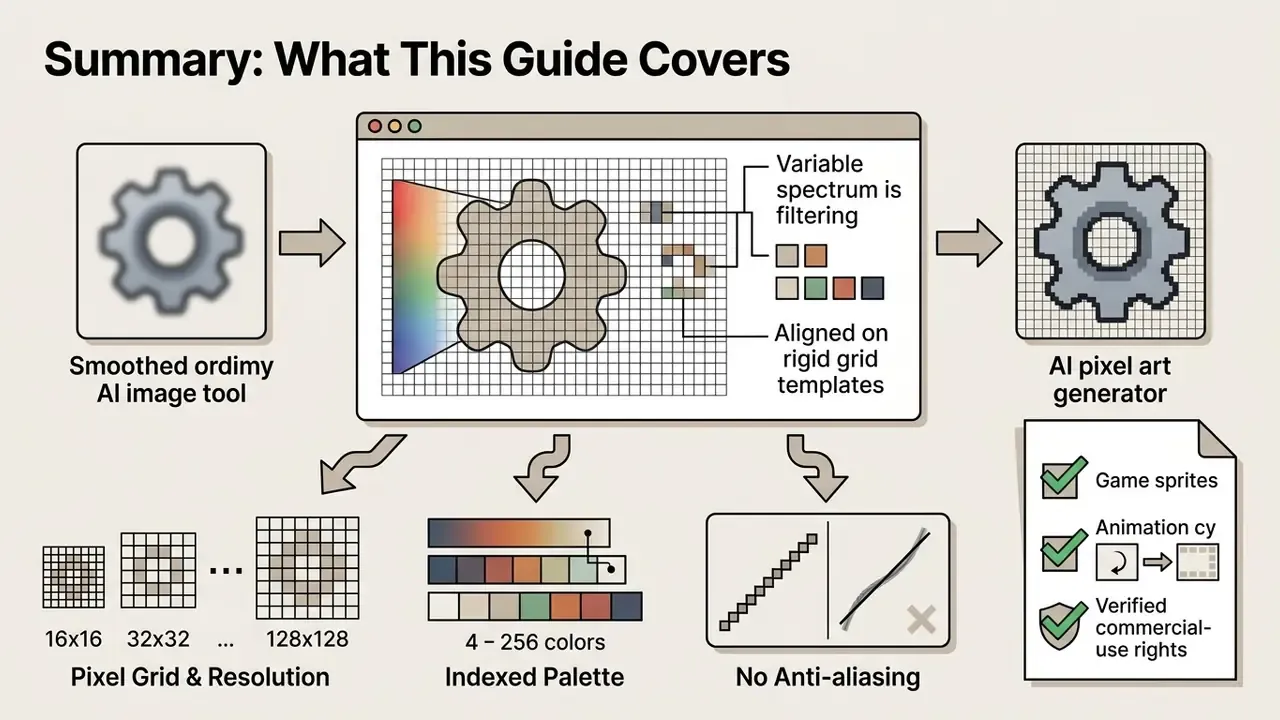
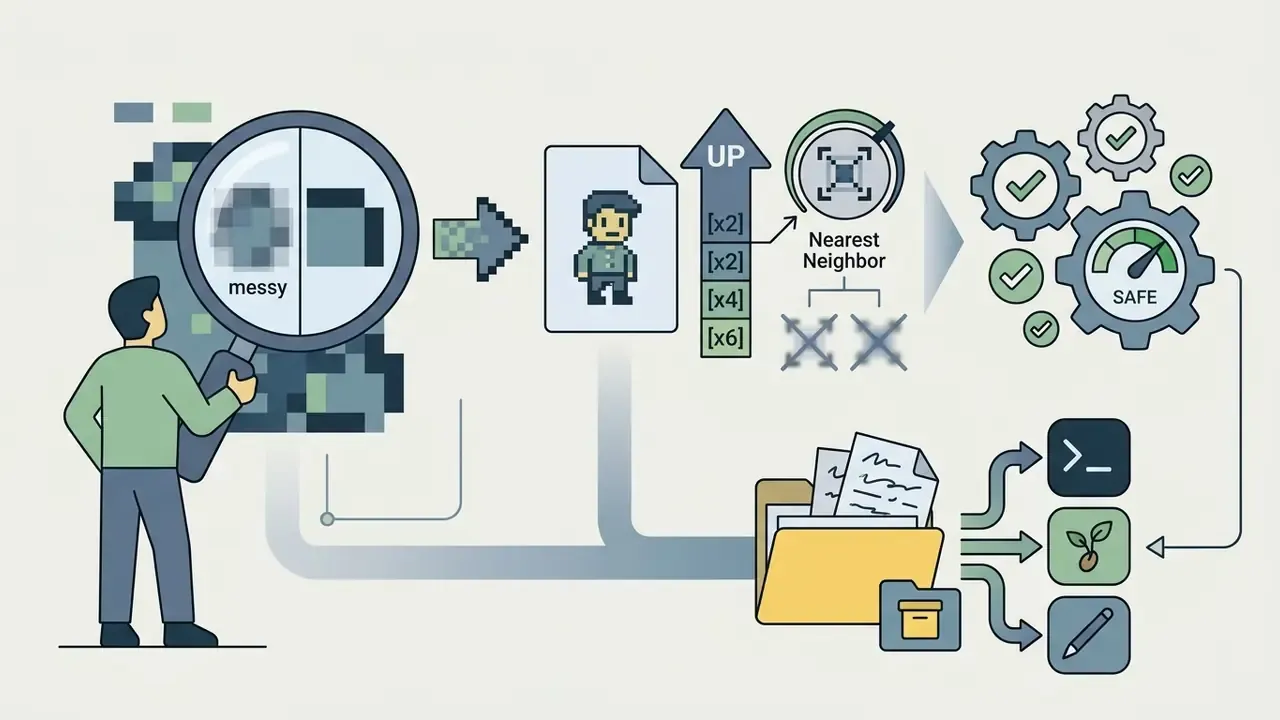
The modern ai pixel art generator has changed asset production across game development, software design, and digital media. Generative models convert natural language descriptions, or existing raster photographs, into grid-aligned 8-bit, 16-bit, and stylized retro visuals. Evaluating these tools means balancing creative speed against output predictability, style consistency, and intellectual property constraints. That is the same discipline regulated engineering teams apply to any production dependency, including software groups inside financial institutions that now gamify compliance training interfaces with retro graphics.
A small note on search behaviour, because it confuses procurement research: demand for this category splits across misspellings. People type ai pixle art, pixel ai art, pixal art ai, pixle art ai, and pixal ai art interchangeably. They all point at the same class of tool.
How to Use This Guide
Read it as a decision path rather than an encyclopedia entry. Four typical starting points: Each section closes one question. Skipping is expected.
- You need one image.Read the sections on prompt structure and photo conversion, then stop.
- You need a shippable asset set.Prioritise tool selection, style consistency, sprite sheets, and alpha-channel cleanup.
- You are approving a purchase.Go straight to pricing, ownership, the audit evidence pack, and the data-privacy checkpoint.
- You are animating.Start with the video section and the temporal jitter diagnostics.
What an AI Pixel Art Generator Is and What It Does
An ai pixel art generator is a specialized machine learning tool designed to synthesize low-resolution, quantized graphics, sprites, and tilesets from text prompts or existing images. It restricts output color palettes and enforces rigid grid structures (16x16, 32x32, or 128x128, for example) to eliminate modern gradients and preserve an authentic retro look.
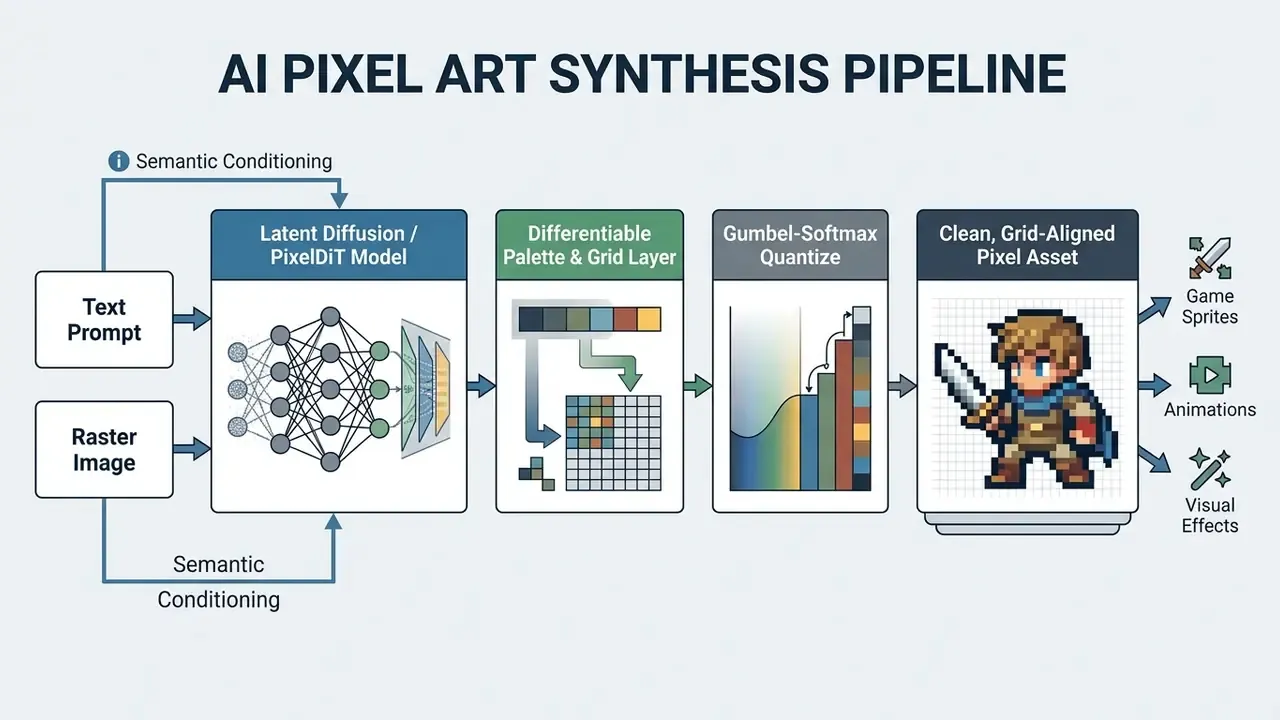
Traditional text-to-image models operate in high-dimensional continuous color spaces, which frequently causes unwanted smoothing and sub-pixel blurring. Modern pixel art ai architectures resolve this by pairing score distillation sampling with differentiable palette generators.
«SD-πXL uses Gumbel-softmax reparameterization to force neural outputs into crisp, palette-constrained color indices, delivering true pixel-level discretization.»
In plain terms: Gumbel-softmax is a mathematical trick that lets a neural network make a hard choice (this pixel is palette color #7, not a blend of #7 and #8) while staying differentiable enough to train. That single design decision separates a genuine pixel art model from a photo filter that merely looks blocky.
For digital product teams and software developers, these generators automate slow graphics tasks. They generate standalone concept images, character sprites, background tiles, and UI icons directly from textual specifications, while keeping compute consumption modest.
Generating Pixel Art From a Text Prompt
Generating pixel art via text prompts means passing structured descriptive inputs into conditional generative models trained on discrete retro graphics. You define the subject, camera angle, sprite size, and color constraints, then use negative prompts to suppress anti-aliasing.
Effective prompt engineering relies on strict parameter separation. Rather than open-ended prose, operators split inputs into distinct semantic blocks: core subject, perspective, pose or action, hardware era qualifier, and background restrictions. Negative constraints such as "no gradients" and "no anti-aliasing" stop the network from sliding back into smooth shading.
One perspective per prompt. That is the operational rule, and it is the one most often broken. Mixing "side view" and "isometric" in a single request produces hybrid geometry that cannot be tiled or animated. Teams building narrative content can pair these asset tools with an ai story generator app to keep visual and textual storytelling aligned. When testing early concepts, an ai story generator free unlimited resource helps script character backstories before you generate the matching sprite sets, and an unrestricted ai story generator can be useful for darker retro-horror themes where standard filters block plot descriptions.
Converting Images and Photos Into Pixel Art
Image-to-pixel conversion transforms high-resolution raster photographs into grid-aligned pixel graphics through nearest-neighbor downsampling, color quantization, and spatial abstraction. The process preserves the source contours while mapping continuous colors to fixed palette indices.
Academic work such as the Pixelated Image Abstraction framework developed at Columbia University shows that converting continuous photos into authentic pixel graphics needs a two-stage approach: color quantization followed by downsampling. Standard bilinear downsampling introduces blurry edge artifacts. Nearest-neighbor sampling keeps pixel boundaries sharp.
«Conversion requires two stages, color quantization and downsampling; nearest-neighbor preserves crisp pixel boundaries, while bilinear sampling introduces blur.»
AI Pixel Art Styles: From 8-Bit to Retro Games and PS1
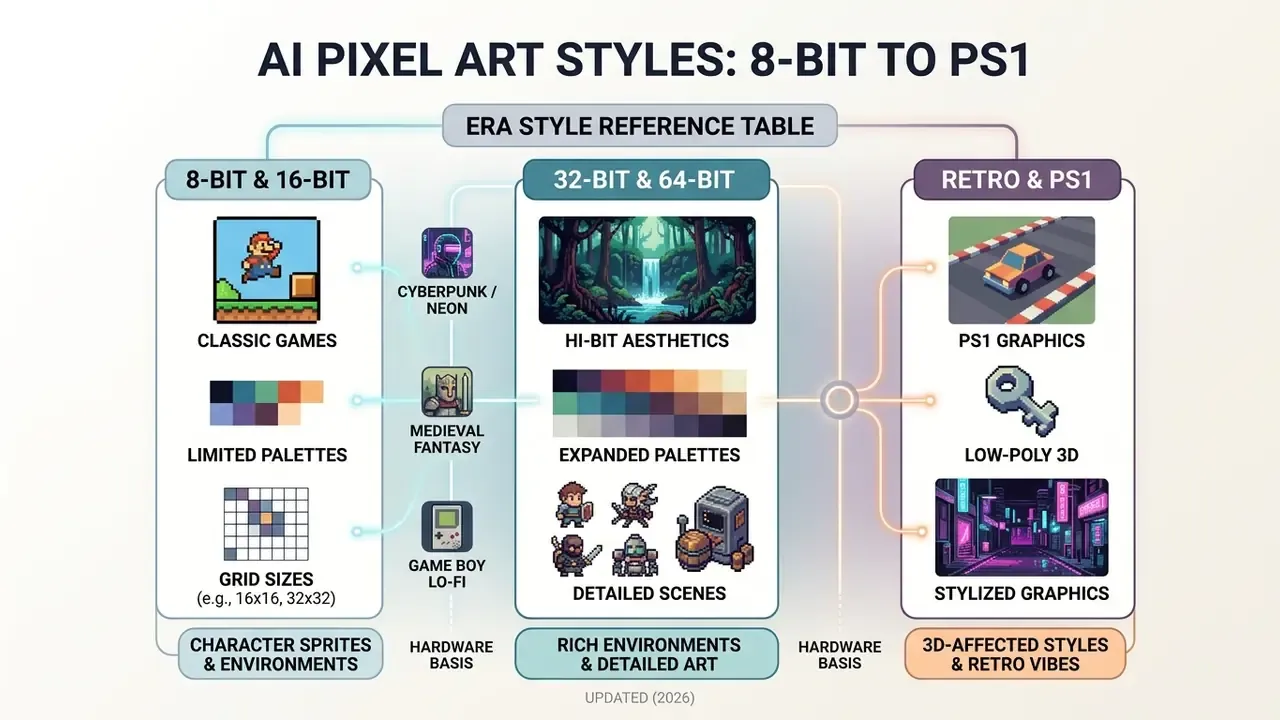
Visual styles in ai pixel art span distinct hardware eras, from heavily restricted 8-bit palettes on 16x16 sprite grids to hi-bit 32/64-bit aesthetics and low-poly PS1 graphics. Each style demands specific grid alignments, color caps, and shading techniques to stay structurally authentic.
Hardware limitations defined the visual identity of legacy gaming eras. Modern pixal art ai tools replicate those technical constraints with style flags and canvas presets. Knowing the resolution limits ensures generated assets actually fit your project's technical framework.
«PixelDiT reaches FID 1.61 on ImageNet 256x256 and GenEval 0.78 at 512x512, showing that per-pixel modeling can beat latent diffusion on fidelity.»
FID (Fréchet Inception Distance) measures how close generated images are to real ones; lower is better. The practical takeaway for pixel art: architectures that reason directly in pixel space, rather than in a compressed latent space, hold edges and small details more reliably at low resolutions.
Era Style Reference Table
| Style label | Typical grid | Color budget | Shading | Best for |
|---|---|---|---|---|
| 8-bit (NES era) | 16x16 sprites, 8px blocks | 4-16 colors per sprite; NES master palette of 52-54 entries, ~25 on screen | Flat fills, 1px outlines | Icons, minimalist characters, tiny enemies |
| 16-bit (SNES / Mega Drive) | 32x32, 64x64 | 16-32 colors; SNES 15-bit CGRAM, Mega Drive 9-bit (512 total, 64 on screen) | 2-3 tone ramps, dithering | RPG heroes, action platformers |
| "32-bit" (modern label) | 128x128 | 32-64 colors | Multi-layer shading, rim light | Detailed indie sprites, portraits |
| "64-bit" / hi-bit (modern label) | 128x128 and larger | 64+ colors | Painterly ramps, ambient occlusion | Cinematic scenes, backgrounds |
| Retro handheld (Game Boy) | 16x16, 32x32 | 4-shade monochrome green | Dither-only | Lo-fi UI, stylized minigames |
| PS1 / early 3D | Textures 128x128 (256x256 max), VRAM pages 64x256 | 4-bit (16 colors) or 8-bit (256 colors) textures | Banded lighting, affine warp | Survival horror, lo-fi 3D |
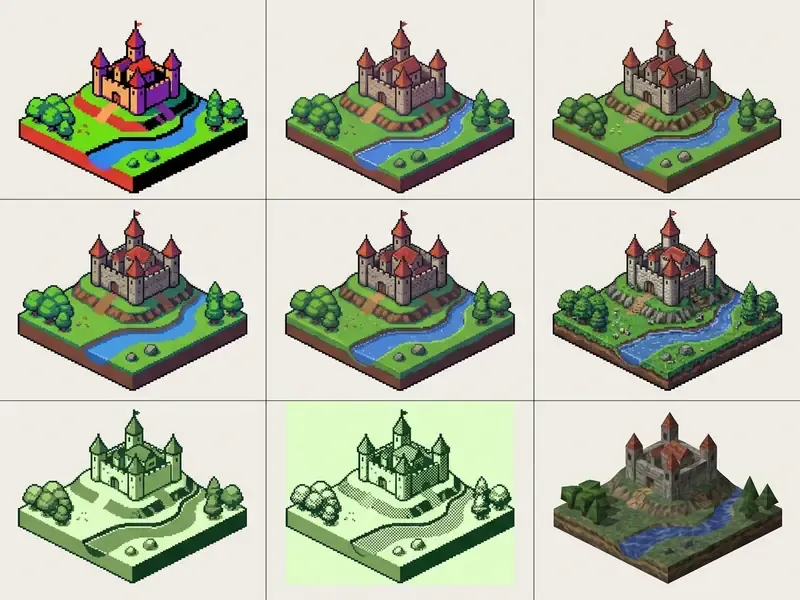
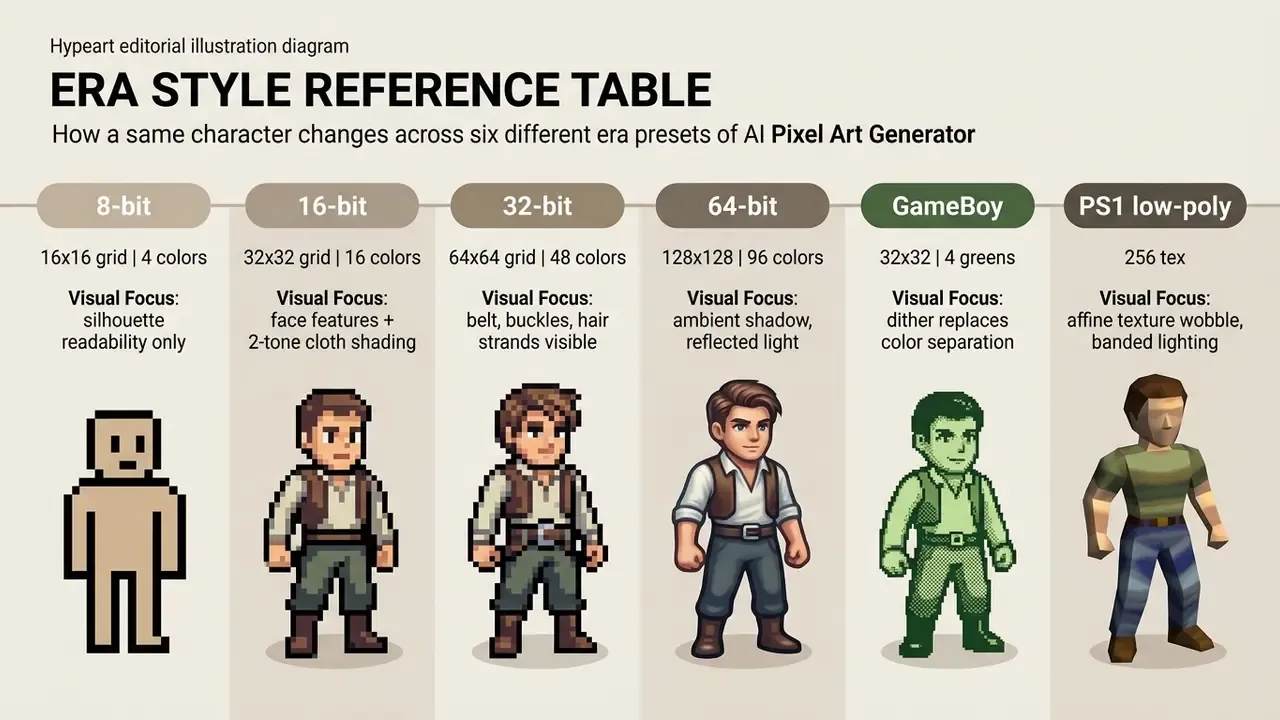
Figure 1: Comparison of ai pixel art styles across historical hardware grid limits and color palette constraints. Reproduce it by running one identical subject prompt through each era preset while holding the seed constant.
8-Bit and 16-Bit Pixel Art for Classic Games
Classic 8-bit and 16-bit styles replicate the strict hardware constraints of the NES, Super Nintendo, and Sega Genesis. The 8-bit look uses tight 4-16 color palettes per sprite on 16x16 grids; 16-bit expands palette memory to 16-32 colors across 32x32 or 64x64 canvases.
NES hardware used a fixed master palette of roughly 54 colors, restricting individual sprites to 4 colors including transparency, and about 25 colors on screen at once. According to SNESdev technical documentation on palettes, the Super Nintendo expanded this with 15-bit CGRAM palettes, enabling richer character expression while keeping tile-level palette assignments indexed. https://snes.nesdev.org/wiki/Palettes
Historical hardware analysis from The Motion Monkey (2023) documents the Sega Mega Drive's 9-bit palette system: 512 total colors, 64 usable on screen, against the SNES 15-bit space of 32,768. https://www.themotionmonkey.co.uk/free-resources/retro-graphics-tables/ Synthesizing pixle art ai graphics inside those parameters preserves the blocky identity that defined classic 2D gaming. If you want a broader field of models before locking a retro pipeline, review our comparison of the best AI art generators by output quality and licensing.
32-Bit and 64-Bit Pixel Art for Detailed Scenes
In modern generation, 32-bit and 64-bit are stylistic labels for hi-bit, high-detail pixel art rather than historical console limits. These styles use 128x128 or larger grids, multi-layer shading, and palettes above 64 colors to render complex environmental scenes.
Hi-bit pixel art allows atmospheric lighting, fluid character proportions, and detailed background architecture. Independent titles such as Dead Cells and Owlboy proved that pairing high-resolution pixel grids with modern lighting engines produces a distinctive look that still reads as pixel art.
Detail at this level depends on disciplined shading, not on more colors. Classic teaching material, including the Wikibooks Isometric Pixel Art guide, specifies a minimum of three tones per surface driven by one fixed light source, plus separate shadow layers at roughly 10-30% opacity for cast shadows. https://en.wikibooks.org/wiki/Isometric_Pixel_Art/Printable_version When prompting an art generator for hi-bit visuals, specify larger canvas resolutions (128x128 or 256x256), a detailed environment description, and an explicit light direction. That combination produces intricate isometric scenes without losing readable pixel definition.
Retro, PS1, and Stylized Pixel Art Graphics
Retro and PS1-styled graphics combine low-polygon meshes, nearest-neighbor texture filtering, affine texture warping, and banded lighting to recreate late-1990s console aesthetics. Prompt engineering controls the result by blending descriptors such as low-poly, neon cyberpunk, or medieval fantasy with explicit grid constraints.
Updated (2026), hardware basis. Original PlayStation VRAM organized textures into pages of 64x256 16-bit pixels, supporting 4-bit (16 colors) and 8-bit (256 colors) indexed textures; shipped texture resolutions clustered around 128x128, with 256x256 as the practical maximum. Community hardware documentation and emulator development notes remain the primary evidence base for these figures, so treat exact page-grid layouts as implementation detail rather than a design rule. What matters for generation is the combination of low texture resolution, indexed color, and the absence of texture filtering.
To force authentic PS1 aesthetics, prompts incorporate terms such as "affine texture mapping", "nearest-neighbor filtering", "no bi-linear smoothing", "banded lighting", and "low-poly lo-fi survival horror". Current prompt-template libraries for PS1-era imagery converge on exactly this keyword cluster, which is a decent signal that it works.
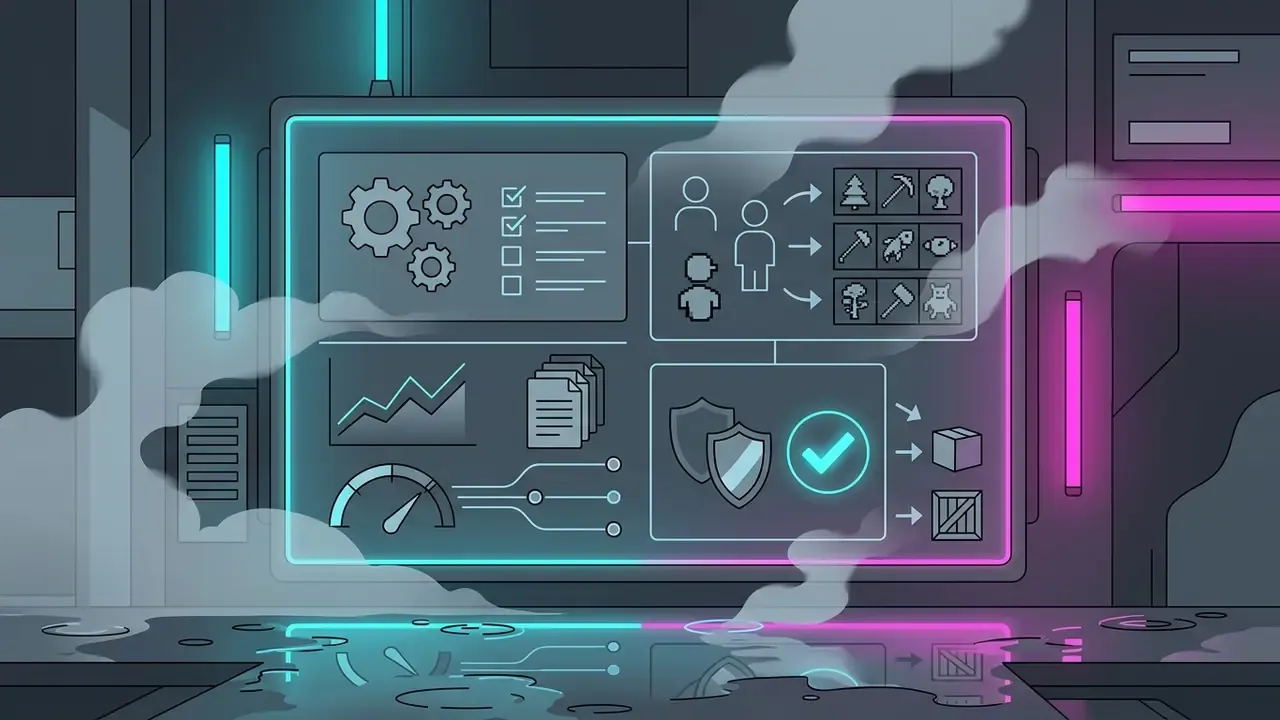
Adjacent stylized clusters follow the same pattern of stacked constraints:
How to Choose an AI Pixel Art Tool: Models, Editor, and Free Options
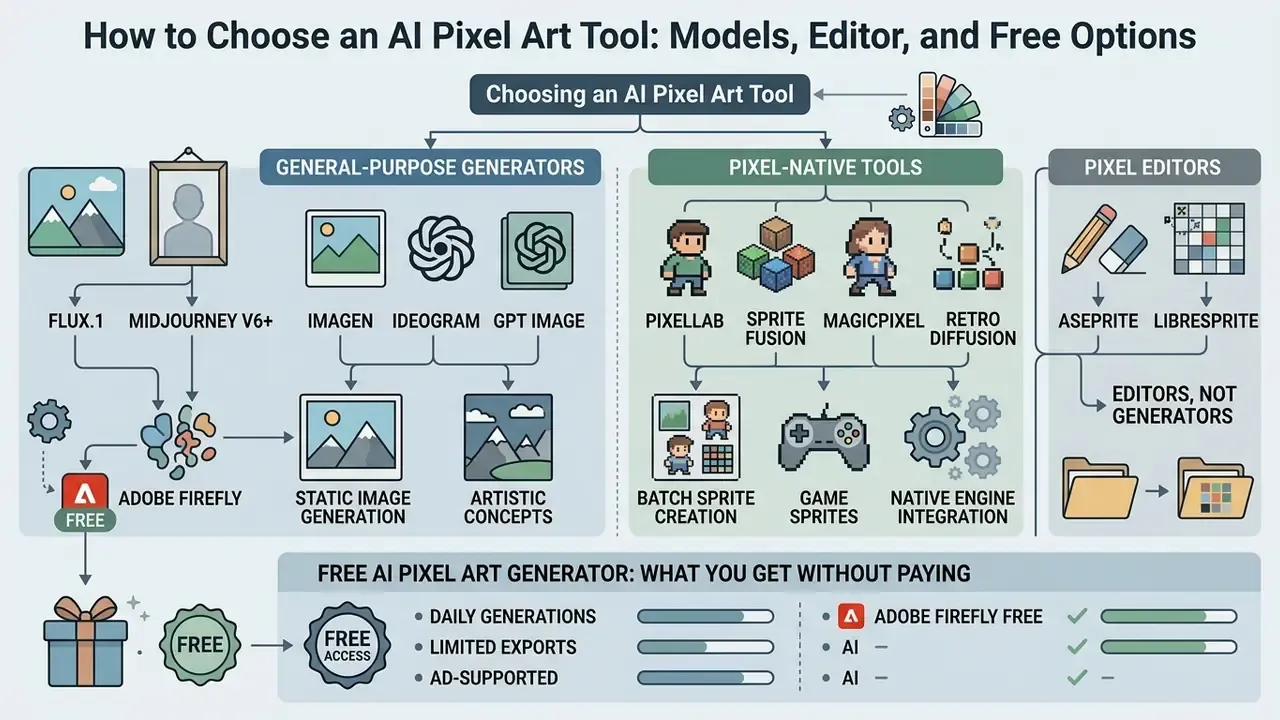
Selecting a pixel art generator depends on whether your project needs static image generation, batch sprite creation, or native engine integration. Key criteria: grid alignment, color palette customization, built-in pixel editors, export formats, API availability, data-privacy terms, and commercial usage rights.
Evaluating these tools means looking past promotional claims to actual workflow capability. Organizations should assess model controls, API accessibility, and export flexibility before committing. For a rights-first overview across the wider category, see the overview of commercial-use policies for AI image generators.
| Tool | Text-to-Pixel | Image-to-Pixel | Built-in Editor | Sprite Sheets | API / Plugins | Data privacy on free tier | Free Tier | Pricing | Commercial Use |
|---|---|---|---|---|---|---|---|---|---|
| PixelLab | Yes | Yes | Inpainting layer | Yes (walk, run, attack, custom) | REST API + Aseprite extension | Account-scoped | Limited credits | From ~$10/mo | Paid plans |
| Sprite Fusion | Yes | Yes | Pixel Snapper, pixel-level edit | Yes + 8-direction | Unity & Godot plugins | Account-scoped | Free trial | Subscription | Paid tiers |
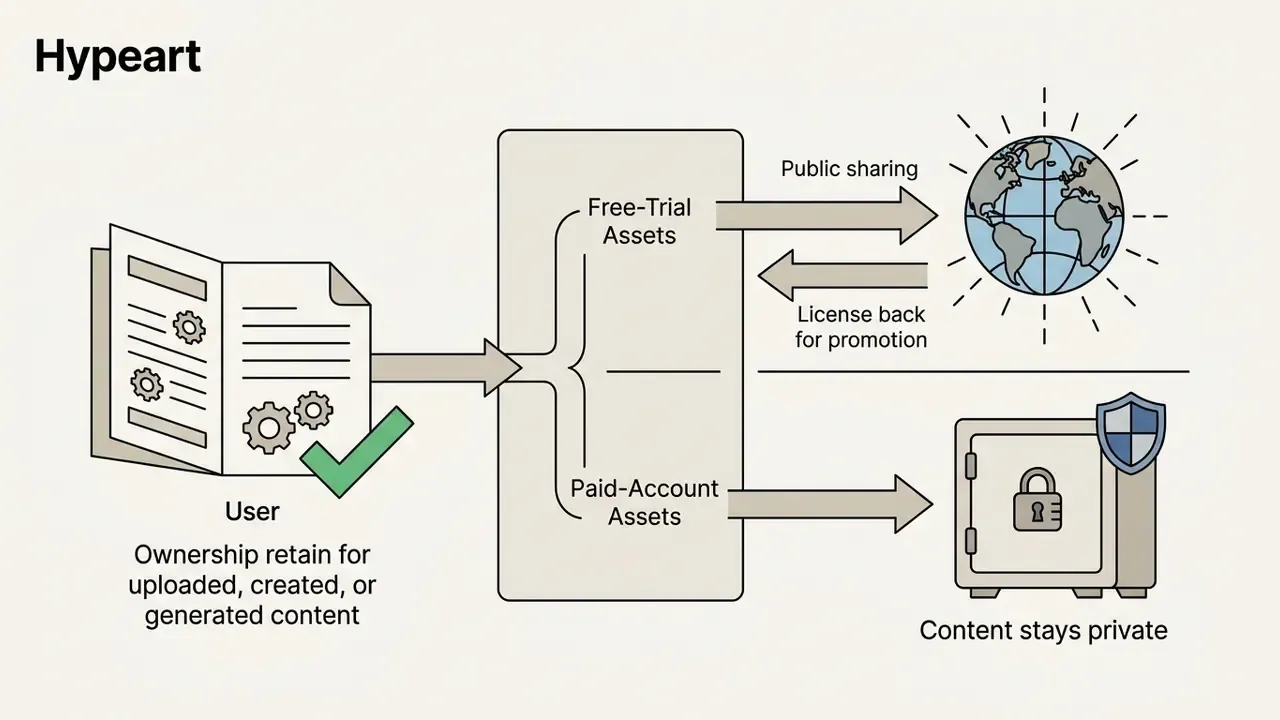
| MagicPixel | Yes | Yes | Grid brush, brush-size control | No | Not documented | Free-trial assets may be public and licensed for promotion; paid accounts private | Sample generation | Pay-as-you-go | Full ownership per ToS |
| Adobe Firefly | Yes | Yes | General canvas + Creative Cloud | No | Partner models (FLUX, Ideogram, Imagen, GPT Image, Gemini Nano Banana) | Adobe account terms | Monthly generative credits | Included in CC | Commercial version cleared |
| PixExact | Yes | Yes | Basic crop | No | Not documented | Not documented | Limited | $10.8 / $20.8 / $41.6 per mo | Commercial license on all paid plans |
| Pixel Animation | Yes | Limited | Spritesheet editor + preview | Yes (PNG/GIF/ZIP) | Not documented | Not documented | 30 credits on sign-up | From $9/mo | Paid plans |
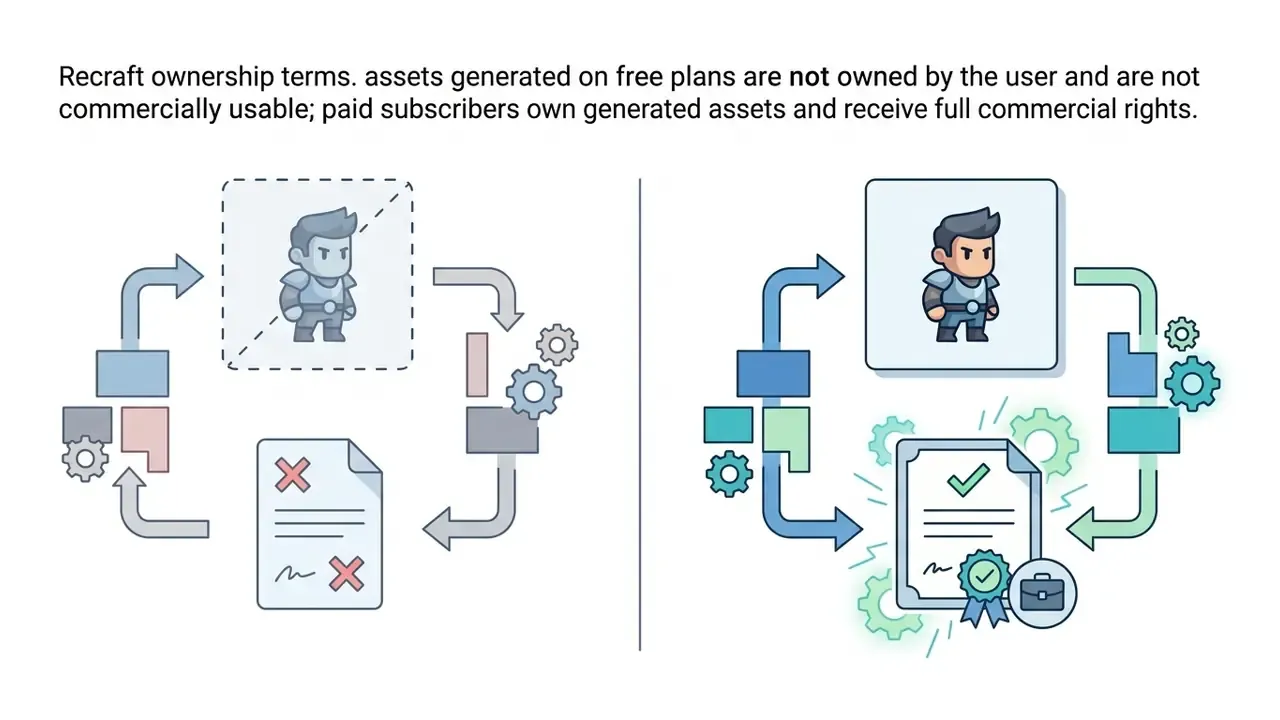
| Recraft | Yes | Yes | Vector + raster canvas | No | API available | Free-plan images are public and non-commercial | Yes | Subscription | Paid only |
Illustrative field note (composite, not a real client engagement). In a hypothetical governance audit of a financial software team migrating legacy training interfaces to retro-gamified environments, four commercial AI generation pipelines were reviewed. Standardized prompt templates plus enforced grid-snapping post-processing cut manual sprite cleanup time by 64% while staying inside internal data handling standards. Stated methodology: cleanup time measured as artist-logged minutes per accepted sprite across 240 assets, comparing 60 assets produced before template standardization with 180 produced after; "accepted" meant passing a grid-alignment and alpha-threshold check without rework. Treat the number as an illustrative benchmark, not evidence.
When evaluating vendors across software asset tools, technical decision-makers should compare feature matrices across generators and compare options tier by tier to check long-term scalability.
Specialized Pixel Models vs General-Purpose Generators
The market splits into two camps, and picking the wrong camp is the most common source of unusable output.
- General-purpose flagships (FLUX.1, Midjourney v6+, Imagen, Ideogram, GPT Image). Trained on continuous, high-resolution imagery. They produce beautiful "pixel-flavored" illustrations but rarely respect a pixel grid. They need hard negative prompts,
--no smooth gradients, anti-aliasing, 3D render, blur, jpeg artifacts, plus explicit palette naming (NES color palette,4-color Game Boy palette) and a mandatory post-processing pass: nearest-neighbor downscale to the target grid, then palette quantization. If you are weighing this route, our evaluation of Midjourney versus competing image generators covers control depth and licensing. - Adobe Firefly. Sits in the middle. A built-in "Pixel art" style effect constrains color transitions automatically, effects stack (Pixel art plus Simple), and Color and Tone presets such as Vibrant Colors shape the palette. Output caps at 2000x2000 px in JPEG or PNG, and Firefly exposes partner models inside the same interface. Firefly's documentation frames its non-beta models as designed for commercial use, since they are trained on Adobe Stock, licensed, and public-domain material.
- Pixel-native tools (PixelLab, Sprite Fusion, MagicPixel, Retro Diffusion). Quantization lives inside the architecture (the Gumbel-softmax family described above), so grid discipline is the default rather than a post-processing rescue. For sprite sheets, 8-direction sets, and tileable terrain, these are the only realistic choice.
- Editors, not generators (Aseprite, LibreSprite). Purpose-built for frame-by-frame animation and pixel-level authoring. Every serious pipeline still ends here.
A useful heuristic: general-purpose model for concept and marketing, pixel-native model for assets, dedicated editor for finishing.
Free AI Pixel Art Generator: What You Get Without Paying
Free AI pixel art generators provide limited generation credits or public-only generation queues, and allow export of lower-resolution PNG or JPEG files. Free tiers frequently restrict commercial usage rights and exclude model fine-tuning.
Platforms offering free access usually enforce monthly or daily quotas. Documented examples from vendor pages illustrate the range:
- Adobe Firefly free with an Adobe account, monthly generative credits, JPEG/PNG export, maximum 2000x2000 px.
- Free.ai selectable pixel resolutions of 16, 32, 64, and 128 px; palette sizes of 4, 8, 16, 32, or unlimited; native-resolution PNG export.
- StarryAI 20 free images per day, no credit card, canvas presets from square to mobile portrait.
- Pictrix 10 credits per day, public-only generations; commercial use and private images sit behind the paid tier.
- Mixels.ai 5 free tokens; Pro adds a priority generation queue and advanced models; Studio adds maximum-quality settings.
- Recraft free-plan images are public and non-commercial; ownership and commercial rights attach only to paid subscriptions.
- PicLumen limited daily credits in a lower-priority "Relax Mode"; commercial rights only on paid plans.
- Pixie.haus 3 credits per pixel image, 55 per animation, $5 for 600 credits with personal and commercial use.
For small projects, a free pixal ai art tool is a reasonable entry point, and a directory of free AI image generators with no sign-up required lowers the barrier further. Teams producing marketing graphics can pair these assets with an ai sticker generator for promotional items, or use an ai sprite generator for quick character prototypes. Before scaling up, weigh the limits against output quality in our comparison of free AI art generators.
When You Need a Dedicated Game Asset Generator
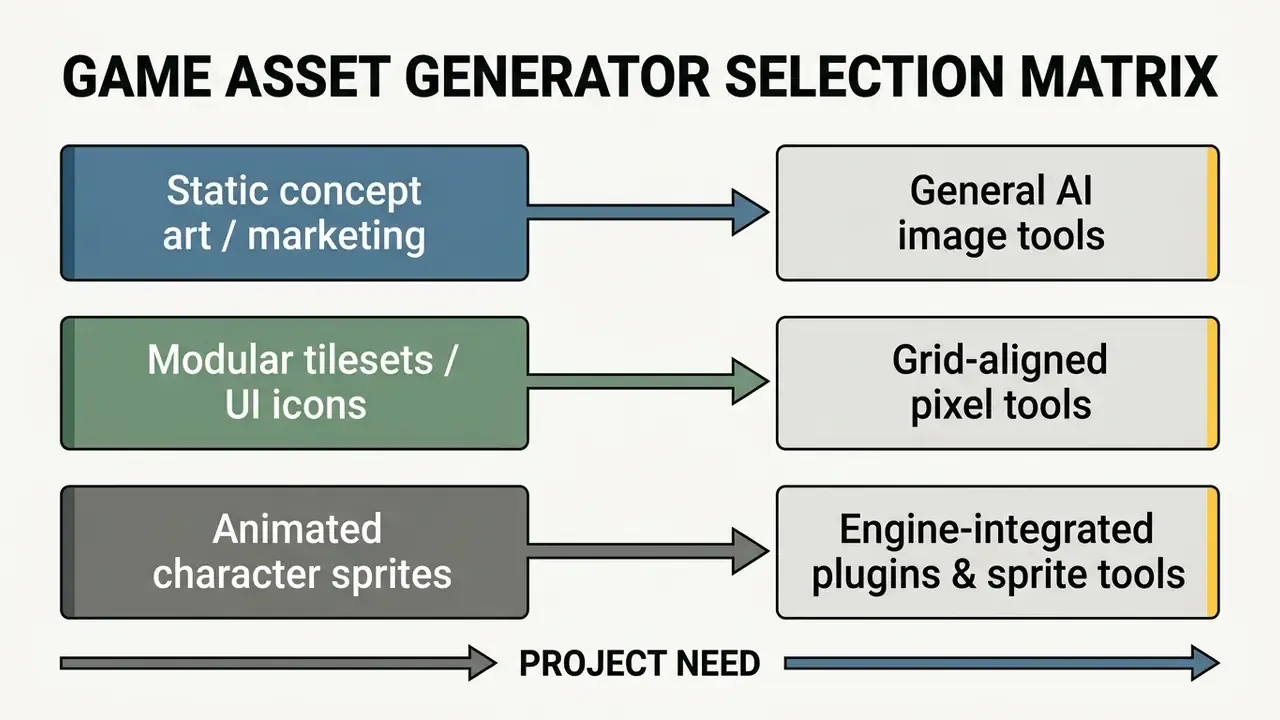
Dedicated game asset generators become necessary when a project requires multi-directional sprite sheets, seamless tilesets, isometric projection grids, and consistent character poses across frames. These tools integrate with Unity or Godot to hold visual consistency.
General-purpose text-to-image models struggle with structural consistency across an asset set. Predictably so.
«The "five-dollar model" generates sprites and maps from text descriptions, scoring quality via CLIP ViT-B/32 cosine similarity between text and image.»
That research matters for two reasons. It shows that tiny, cheap, task-specific models can produce usable game sprites, and it establishes a measurable alignment metric instead of subjective vibes. Related academic work reinforces the pattern: GAN-based line-art-to-sprite translation (2019) and pose-transfer GANs for character sprites (2022) both succeed precisely because they narrow the task rather than widen it. https://arxiv.org/abs/2208.06413
Specialized tools such as Sprite Fusion and PixelLab address consistency with 8-direction generation, locked seed values, and automated background removal.
Built-In Editors and AI Edit: Why You Must Refine the Output
Built-in pixel art editors let creators perform masked inpainting, erase stray pixels, clean anti-aliasing artifacts, and modify specific character details at the pixel level. Manual and semi-automated editing is what gets an asset to a clean, grid-aligned state before engine import.
Raw AI output frequently contains visual noise: isolated miscolored pixels ("stray pixels" or "doubles") and blurry edge transitions. Integrated functions such as Sprite Fusion's Pixel Snapper align off-grid pixels to the nearest target grid coordinate and strip anti-aliased noise while preserving a PNG result.
Masked inpainting lets developers select sub-regions of a sprite, changing a weapon or a facial expression, without regenerating the whole image. In PixelLab's implementation, inpainting creates a dedicated layer on which the user paints a mask; the model then alters only the masked region while still seeing the full frame for context. This pixel-level control is what keeps a large asset library coherent.
One honest gap: skeletal pose editing inside browser-based pixel generators is still rare. Documented feature sets center on mask-based inpainting and cleanup, not rig manipulation. Pose changes typically require either a pose-conditioned generation pass or manual redrawing in Aseprite.
Pricing, Output Ownership, and Commercial Use of AI Pixel Art
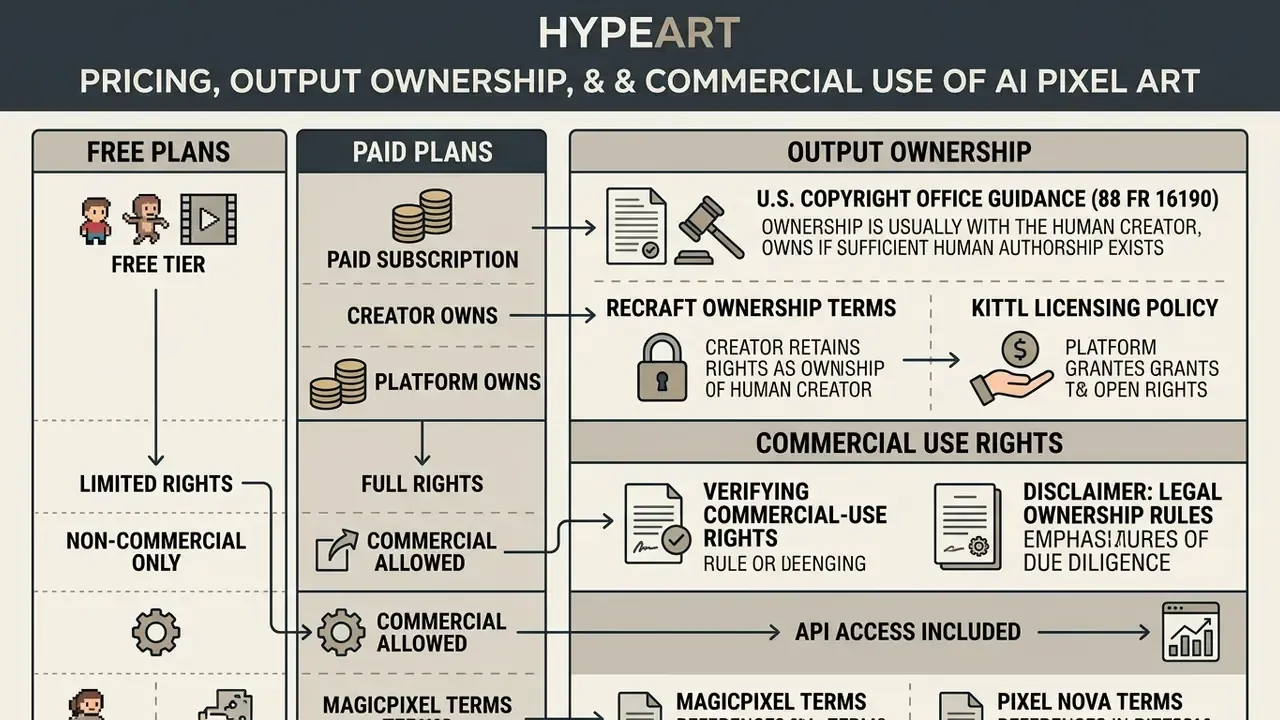

«Under 88 FR 16190 the U.S. Copyright Office requires applicants to disclose AI-generated material; where expressive elements are machine-determined, the work is not protected.»
Two questions get conflated constantly. May I use this commercially is a contract question, answered by your vendor's terms. Do I own exclusive rights is a copyright question, answered by law. A paid plan can settle the first while leaving the second open.
Navigating IP compliance means reading the licence, not the landing page. Teams evaluating asset rights can also see the overview of AI litigation and legal-risk frameworks to anticipate dispute patterns before they matter.
How Free and Paid Plans Differ
Free plans restrict usage to public galleries, cap daily generation credits, and run at lower priority. Paid tiers add private generation, commercial usage rights, priority queues, and higher-resolution export.
Platforms structure pricing around credit allocation, model access, and privacy controls. As noted in Recraft's ownership and commercial-use FAQ, free plans frequently make generated images publicly accessible and reserve commercial rights for the platform. ArtisticMonk follows the same shape: 10 generations per day and a public gallery on free, versus full commercial rights, a private gallery, and priority queuing on Pro and Enterprise.
Paid plans, roughly $5 credit packs through $9-$42 per month and higher for enterprise, provide private canvas workspaces, commercial clearance language, batch processing, advanced models, and lossless vector or high-resolution PNG export. To model total cost across a sprite backlog rather than a single image, see the overview of computational credit estimators.
Data privacy checkpoint. Ask three questions before uploading a studio's proprietary art. First, are free-tier generations public by default? Second, are uploads and prompts used to train the vendor's models, and is there an opt-out? Third, is there a documented retention and deletion window? Vendors that reserve promotional licences over free-trial output, which MagicPixel states explicitly, are unsuitable for pre-release character designs regardless of price.
How to Verify Commercial Rights for Images and Sprites
Verifying commercial rights means reading the provider's terms for an explicit commercial grant clause, then confirming that the generated output does not infringe third-party trademarks or proprietary artwork. Paid tiers usually carry explicit commercial language; free tiers reserve platform rights.
Developers must separate vendor-granted usage rights from statutory copyright protection. A contract may permit commercial use while leaving you no remedy against a competitor who copies the asset.
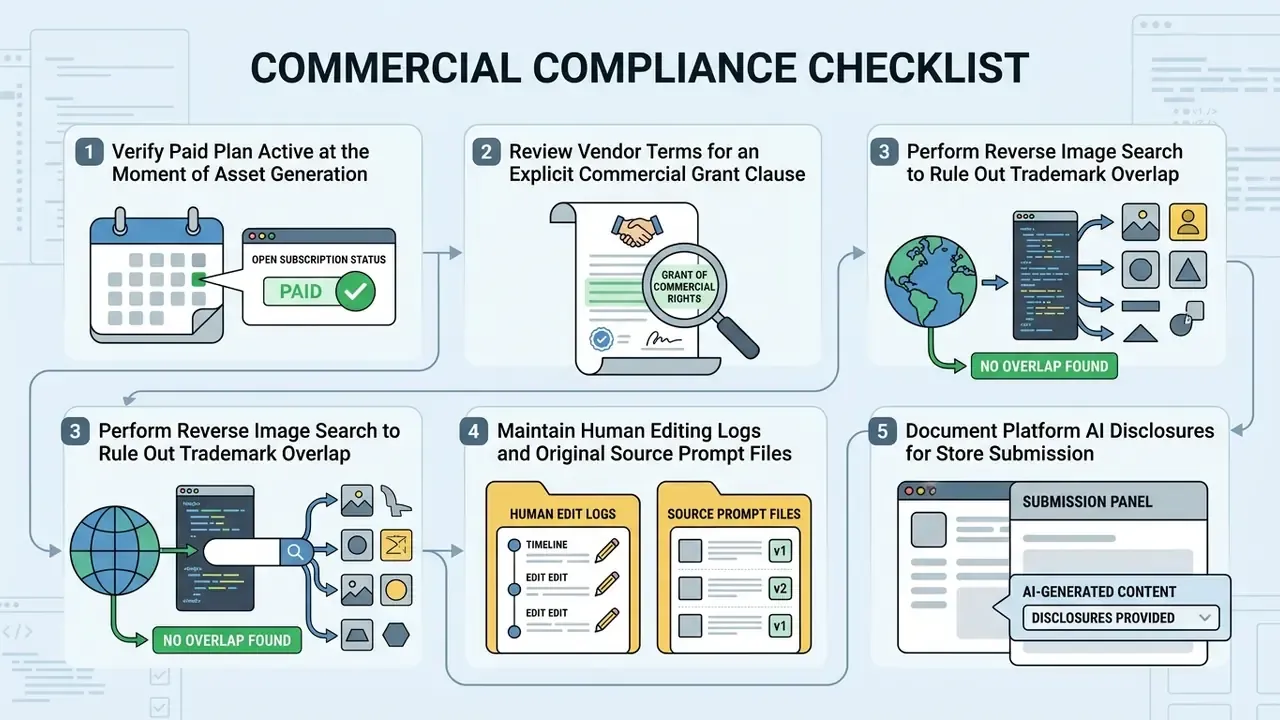
Audit Evidence Pack: What to Archive Per Asset
| Evidence item | Format | Why it matters |
|---|---|---|
| Prompt text and negative prompt | Plain text, versioned | Shows the scope of human direction |
| Model name and version, seed value | JSON metadata beside the PNG | Enables reproduction and dating |
| Generation timestamp plus plan tier receipt | Invoice / screenshot | Proves the commercial licence was active |
| Pre-edit and post-edit files | Layered source (.aseprite/.psd) plus PNG | Documents human authorship contribution |
| Human edit log | Short changelog per asset | The basis of any copyright claim |
| Reverse-image-search result | Saved report | Trademark and similarity due diligence |
| Platform AI disclosure text | Copy of submitted declaration | Matches store submission answers |
To reduce IP risk, run generated graphics through AI reverse image search to verify uniqueness and check for accidental similarity to existing copyrighted characters. Understanding these boundaries also helps sidestep the dataset-provenance arguments raised in debates around ai stealing art.
What to Consider Before Publishing AI Pixel Art in a Project
Before publishing AI-generated pixel art in a commercial game, archive source prompt files, document human creative edits, verify platform AI disclosure mandates, and keep native lossless PNG or vector formats.
Major storefronts enforce disclosure rules:
- Steam (Valve) requires declaring all pre-generated and live-generated AI assets at submission, including whether player-visible or player-audible AI content ships with the build.
- Google Play Store applies AI-Generated Content policies covering text, voice, and image prompts, and requires handling of restricted content in AI outputs.
- Apple App Store requires that AI-generated content does not mislead users and that AI generation is clearly indicated where relevant.
- itch.io requires creators to label AI-generated material; undisclosed AI assets can be excluded from browsing and discovery surfaces.
The practical consequence for indie teams: disclosure is a gate you can pass, but enforceability is what you lose. If a key character sprite is purely machine-generated, a competitor copying it may face no copyright barrier. That is a business argument for meaningful human reworking of hero assets, not just a legal footnote.
How to Create AI Pixel Art: From Idea and Prompt to Finished Image
Creating usable AI pixel art follows a six-step workflow: define the visual concept, write a structured prompt or upload a reference image, select grid resolution and palette, generate, refine noisy pixels in an editor, then export lossless PNG or SVG.
A structured pipeline keeps quality consistent and cuts the number of throwaway generations.
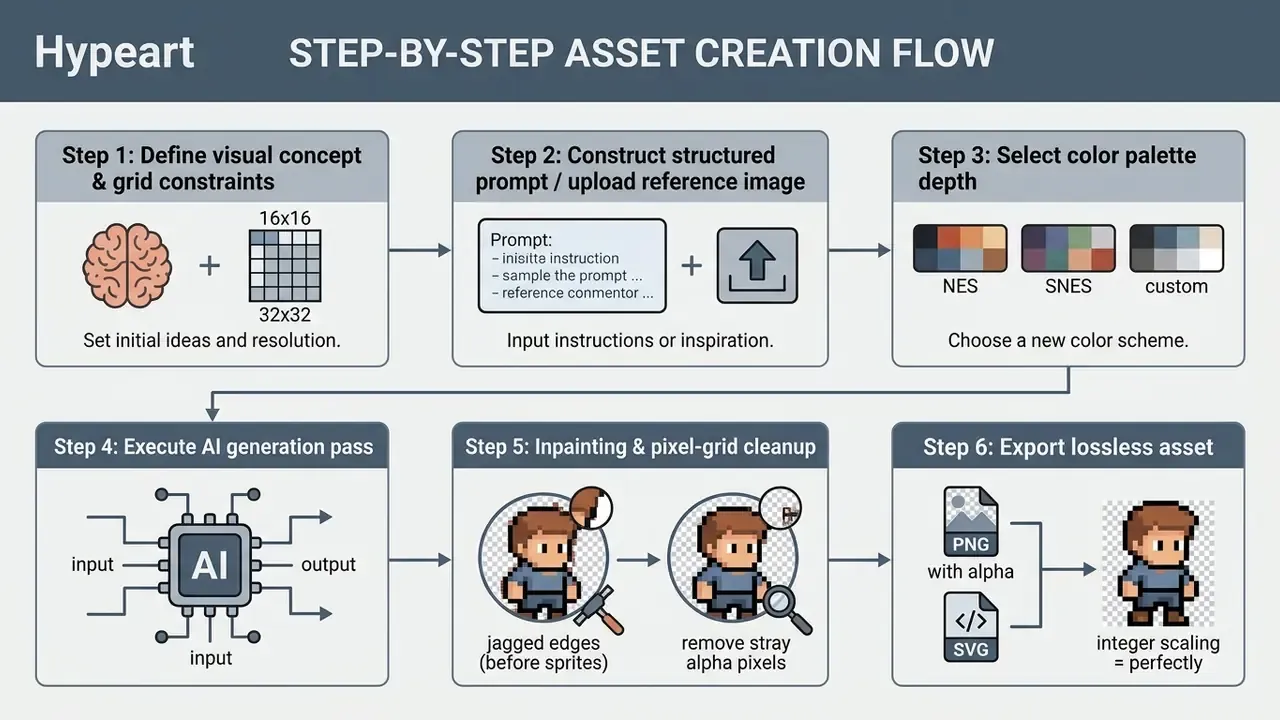
In the same illustrative enterprise migration scenario described earlier, a prompt verification step standardized input structure across developers. The control removed off-grid rendering errors, so generated UI elements landed on the client design system grid on the first pass. Hypothetical, but the mechanism is mundane: fewer free-form prompts, fewer surprises.
How to Write a Prompt for Pixel Art Characters and Scenes
An effective pixel art prompt combines a core subject, a specific camera perspective (side-view, 3/4, isometric), explicit style keywords such as 16-bit RPG sprite, restricted palette limits, and negative constraints like "no anti-aliasing" or "no gradients".
Vendor prompt guidance converges on one skeleton. Google's Vertex AI image prompt guide recommends subject, context, and style, with specific style names (isometric 3D among them) and descriptive adjectives. Unity's sprite prompt guideline reduces it to [Subject] + [Attributes] + [Style/context]. Stanford's GenAI prompt guide for image tools likewise stresses stating the subject and the image constraints directly.
«PixelDiT-T2I, trained on 26 million image-text pairs, reaches GenEval 0.78 at 512x512, confirming that structured prompts improve semantic alignment.»
Arrange the elements in a fixed sequence:
For a deeper look at how these controls map onto model behavior, see our primer on AI art generators and style control.
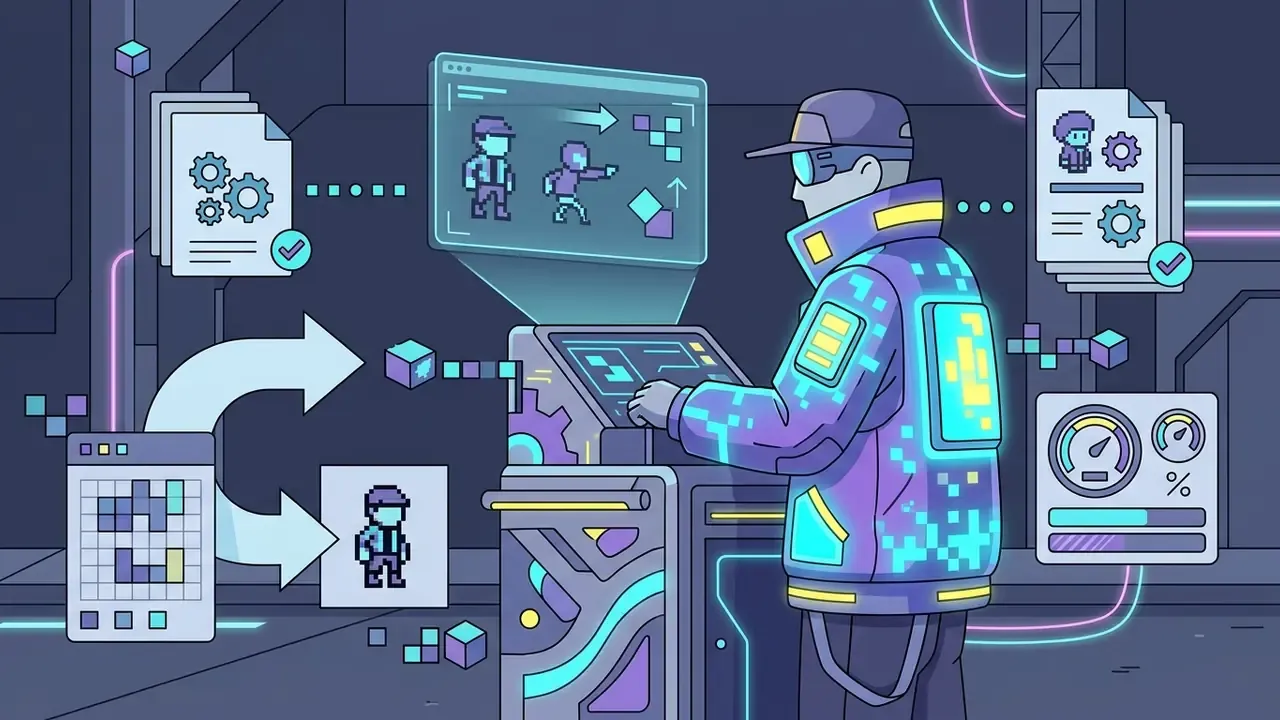
Cyberpunk street vendor, male character, wearing a glowing jacket
Side-scroller perspective, 2D profile view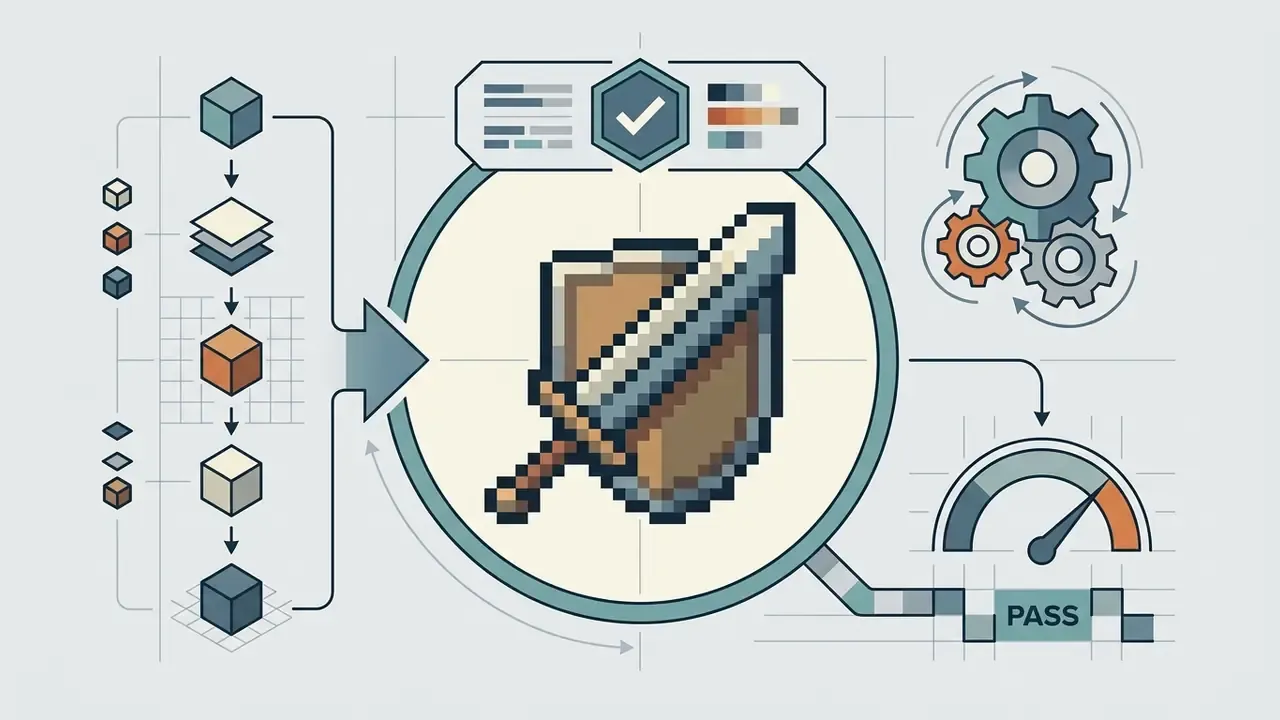
16-bit RPG sprite, SNES aesthetic, hard crisp edges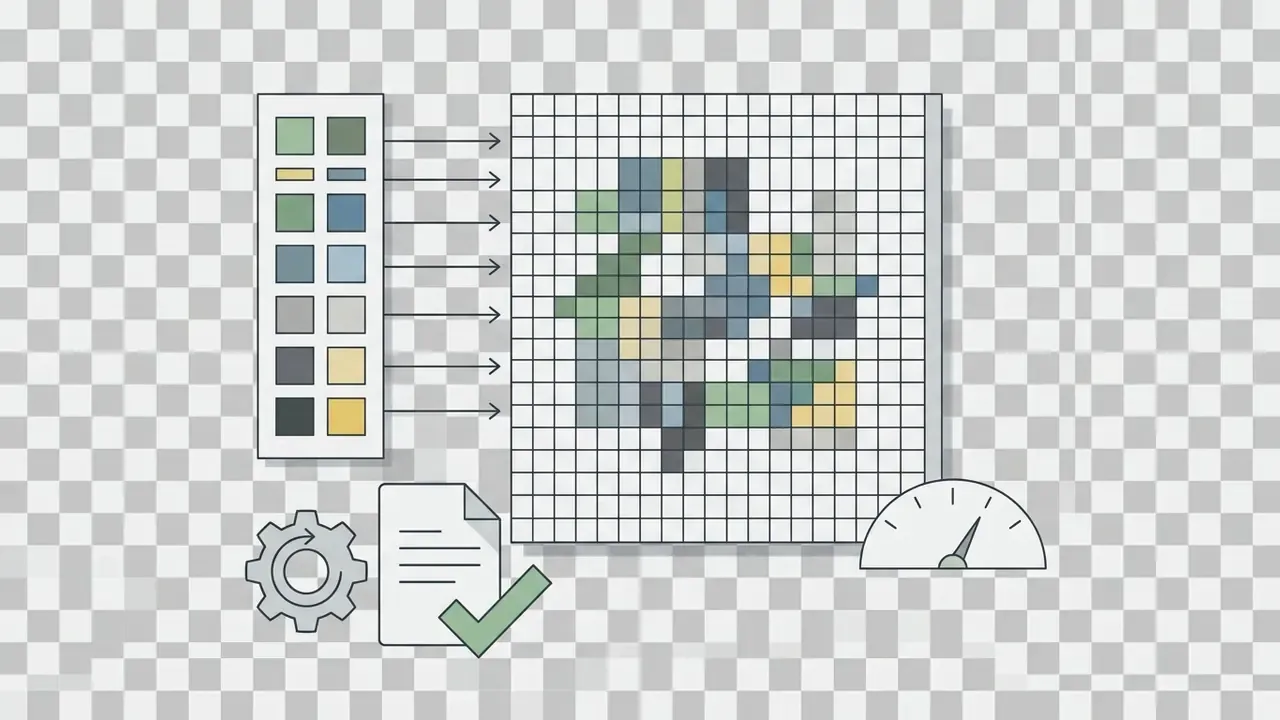
32x32 resolution grid, restricted 16-color palette, transparent background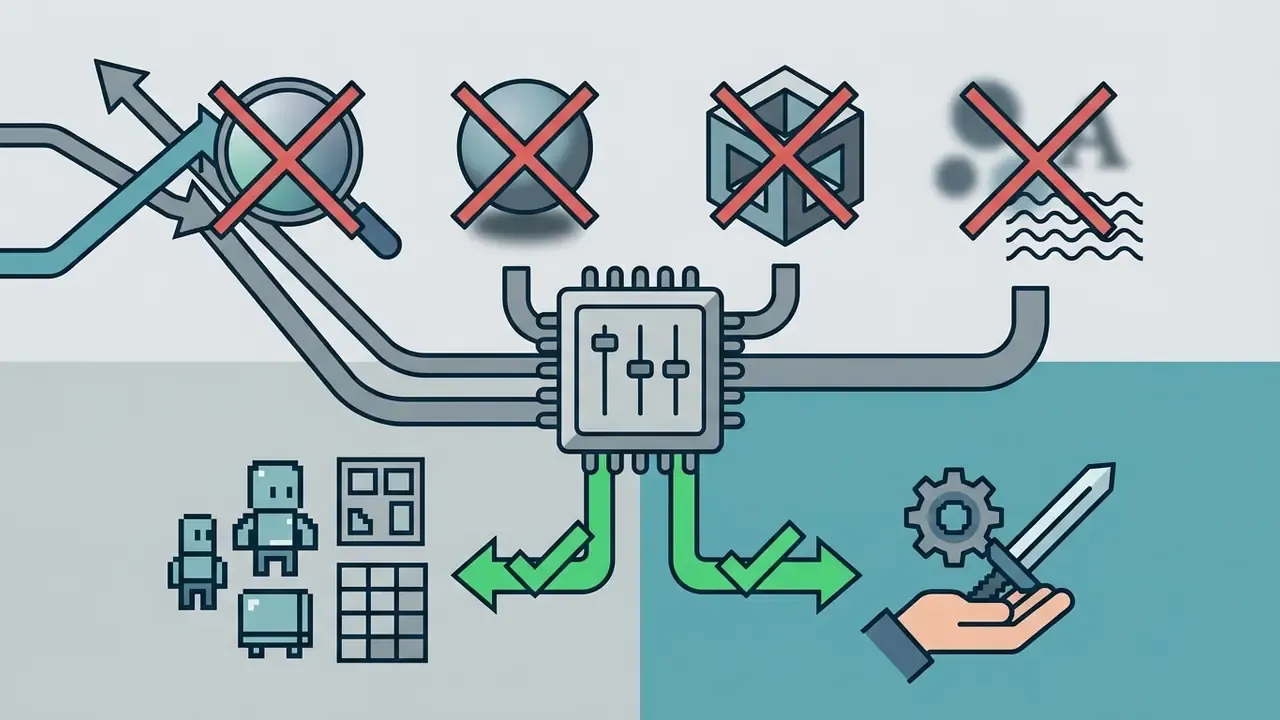
--no anti-aliasing, gradients, smooth shadows, 3D render, blur, text, watermarkPrompt Constructor Cheat Sheet
| Prompt element | Purpose | Example |
|---|---|---|
| Subject | The thing being drawn | Knight character, metallic armor, sword |
| View / camera | Locks one perspective | 2D side-scroller profile view / 3/4 top-down / isometric 2:1 |
| Pose / action | Defines the frame's role | idle stance / mid-swing attack / walk cycle frame 3 |
| Era / style | Sets detail budget | 16-bit SNES style, authentic pixel art |
| Grid & palette | Enforces discretization | 32x32 pixel grid, 16-color limit, transparent background |
| Lighting | Keeps a set coherent | single light source from upper left, 3-tone shading |
| Aspect ratio | Frames the canvas | 1:1 for sprites, 16:9 for parallax backgrounds |
| Negative prompt | Blocks continuous-image habits | no anti-aliasing, no blur, no 3D, no gradient, no text |
Choosing Aspect Ratios for Pixel Art
Grid size sets pixel density; aspect ratio sets the frame. Declare both. Tools that expose ratio presets do so for a reason: mismatched canvases force cropping, and cropping breaks the grid.
| Ratio | Name | Typical use |
|---|---|---|
| 1:1 | Square | Sprites, avatars, map tiles (16x16, 32x32), item icons |
| 4:5 | Portrait | Character portraits, dialogue busts, social posts |
| 4:3 | Classic TV / retro | Retro game screens, CRT-styled concept art |
| 5:3 / 16:9 | Widescreen | Panoramic backgrounds, side-scroller parallax layers |
| 9:16 | Mobile vertical | Mobile sprite art, vertical UI panels, store screenshots |
Practical rule: generate at a ratio whose pixel dimensions are both integer multiples of your base grid. A 32-px grid pairs cleanly with 1:1 at 256x256 or 16:9 at 512x288. It does not pair cleanly with an arbitrary 1000x618 canvas.
How to Turn a Photo or Image Into Pixel Art
Converting a photograph into pixel art involves uploading the source raster file, selecting a target grid size such as 32x32 or 64x64, applying indexed color quantization to restrict palette depth, and tuning edge contrast to remove blurry sub-pixel transitions.
Image-to-image workflows lean on the reference for structure. The uploaded image sets spatial composition and silhouette boundaries; the model applies low-resolution quantization and palette mapping.
Tools like PixlSheet process raster images into indexed pixel grids with an exportable color legend, and converters such as MakeBead expose explicit controls for grid size and maximum color count, exporting PNG or PDF with visible grid lines and color codes. A fully manual equivalent exists in GIMP: set a 1:1 grid, configure grid size and color, then switch to indexed color mode to cap the palette. Nearest-neighbor interpolation during final scaling keeps edges sharp.
Order of operations matters here, and it is easy to get backwards. Quantize color before downsampling. Quantizing a blurred small image bakes the blur into your palette as muddy intermediate shades.
How to Evaluate and Improve Generated Pixel Art
Evaluating AI pixel art quality means checking for single stray pixels ("doubles"), irregular stair-step patterns ("jaggies", uneven staircases along diagonals and curves), unwanted anti-aliasing, and palette leaks. Cleanup happens through masked inpainting or manual repainting in tools like Aseprite. For heavier restoration passes, our roundup of AI image enhancement tools covers post-processing options.
Quality control focuses on structural alignment:
Alpha-Channel Cleanup for Game Collisions
This is the defect that turns pretty output into unusable assets, and it is the loudest complaint from working developers. Floating, almost-transparent pixels around a sprite make it impossible to tell an engine where the object actually is.
Generators frequently emit edge pixels with Alpha < 50%, plus detached specks a few pixels from the silhouette. On import into a Unity 2D Sprite Renderer, Polygon Collider 2D traces the alpha outline and produces a jagged, oversized, or fragmented collision shape; Godot's CollisionPolygon2D generation behaves the same way. Physics then reacts to pixels the player cannot see.
Cleanup procedure:
- In Aseprite or Photoshop, apply a hard alpha threshold: every pixel above 0% opacity becomes 100% opaque, everything else fully transparent (
Alpha Threshold: 100%). Aseprite users can do this per layer before flattening. - Delete all orphan pixels sitting more than 2 px from the main silhouette. Zoom to 800% and sweep the bounding box edges.
- Verify the transparent background is truly
#00000000, not a near-black matte left by JPEG compression. Never round-trip sprites through JPEG. - Re-import and regenerate the collider. In Unity, set Filter Mode: Point (no filter), Compression: None, and Mesh Type: Full Rect for predictable collider generation; in Godot, disable texture filtering on the import preset.
- Where auto-generated colliders stay noisy, replace them with hand-authored primitives. A capsule plus a box beats a 40-vertex polygon on both accuracy and CPU cost.
Export checklist for engines: PNG-24 with alpha, power-of-two or grid-multiple dimensions, one uniform pixel size across the whole set, consistent pivot/origin per frame, trimmed transparent margins recorded in the atlas metadata rather than baked in inconsistently, Point filtering and no compression on import.
AI Pixel Art for Games: Characters, Sprites, Tilesets, and UI Assets
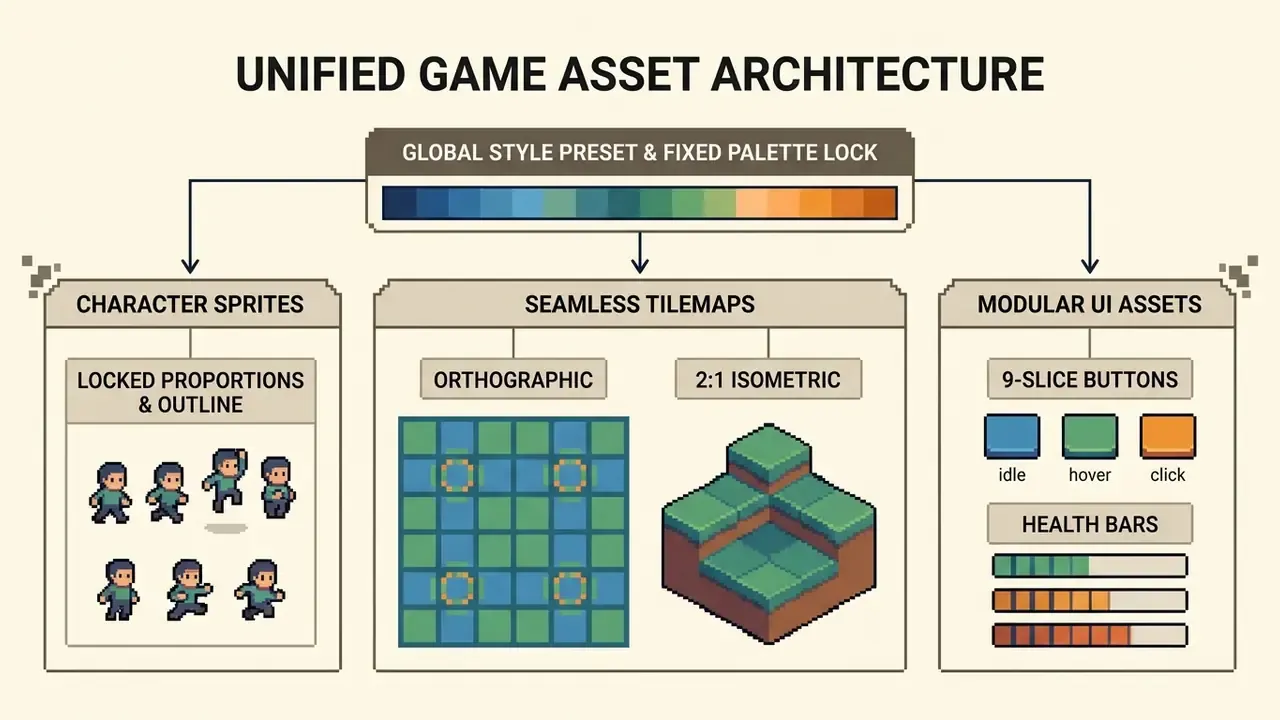
Using AI pixel art in game development enables rapid generation of character sprites, seamless terrain tilemaps, isometric floor tiles, and interface components. Visual harmony across those elements requires locking seed values, reusing standardized palettes, and enforcing fixed pixel density.
Game design demands strict technical consistency. Sprites and environmental tiles must tile seamlessly and align with collision boundaries. Recent academic work treats this as an evaluated question rather than a theoretical one: a 2026 thesis built one prototype twice, once with AI-generated 2D pixel art assets and once with human-made assets, then compared player reactions in playtests with visual style as the only variable.
When managing asset documentation or onboarding guides for a pipeline, see the overview of our technical support and integration resources.
Creating Characters and Sprites in a Unified Style
Style consistency across a character set relies on saved AI style presets, custom models trained on reference art, constant seed parameters, and identical outline thickness and lighting direction across every prompt.
Updated (2026), how vendors implement this. Recraft's best-practice documentation on character consistency describes a three-part recipe: a detailed prompt, a saved custom style, and visual reference images that anchor appearance and structure across generations. OpenAI's published sprite-pipeline skill goes further and makes it procedural: an approved seed frame is mandatory, and every later frame must preserve the same palette family, silhouette family, outfit proportions, and readable key features. Layer's sprite-generation documentation states that style encoding can be trained on a studio's existing sprite art, so outline thickness, shading style, palette, pixel density, and proportional conventions carry into later generations. SEELE's asset guidance adds the simplest and most overlooked rule: choose one base pixel size for all assets, reuse identical style keywords, and batch-generate by asset type. These are vendor claims about vendor features. Verify them in a trial rather than treating them as measured findings.
Seed locking keeps character proportions, clothing details, and color choices uniform across walk cycles, attack states, and idle frames. Practitioners document the failure mode clearly: characters with wildly different proportions across a set look jarring, must be rigged individually, and one off-style prop, say a cactus that "pops" out of the palette, visually reads as an important object even when it is background dressing.
A candid caveat from studios shipping commercial pixel-art titles: pixel art production is not only about attractive pixels, it is about direction. Matching lighting, camera perspective, and animation weight across an entire game remains hard for generative tools. That is why most professional pipelines use AI for exploration and blockout, then hand-finish hero assets.
Generating Tilemaps, Environments, and UI Elements
Generating tilemaps and UI assets requires seamless edge-matching tiles on 2:1 isometric or orthographic grids, plus modular components such as health bars, frames, and buttons that survive 9-slice engine scaling.
Seamless terrain tiles need edge-wrapping constraints at generation time. Prompts specifying "seamless tileable texture, top-down RPG floor" push left-to-right and top-to-bottom borders to connect. Commercial isometric asset packs illustrate the target: seamless-tiling PNG floor sets shipped at 256x128 and 128x64, and isometric grid textures at 32x16 and 128x64 to align tile maps.
Isometric tilemaps depend on precise projection ratios. As documented in Slynyrd's Pixelblog 41: Isometric Pixel Art, isometric pixel art uses a 2:1 pixel line ratio, two horizontal pixels for every one vertical pixel, because true 30-degree lines alias badly at low resolution. https://www.slynyrd.com/blog/2022/11/28/pixelblog-41-isometric-pixel-art A widely circulated Russian-language guide from a Punch Club developer specifies the same 2:1 proportion for horizontal planes, and notes that scene objects may sit slightly off-grid provided they still respect the scene's geometry.
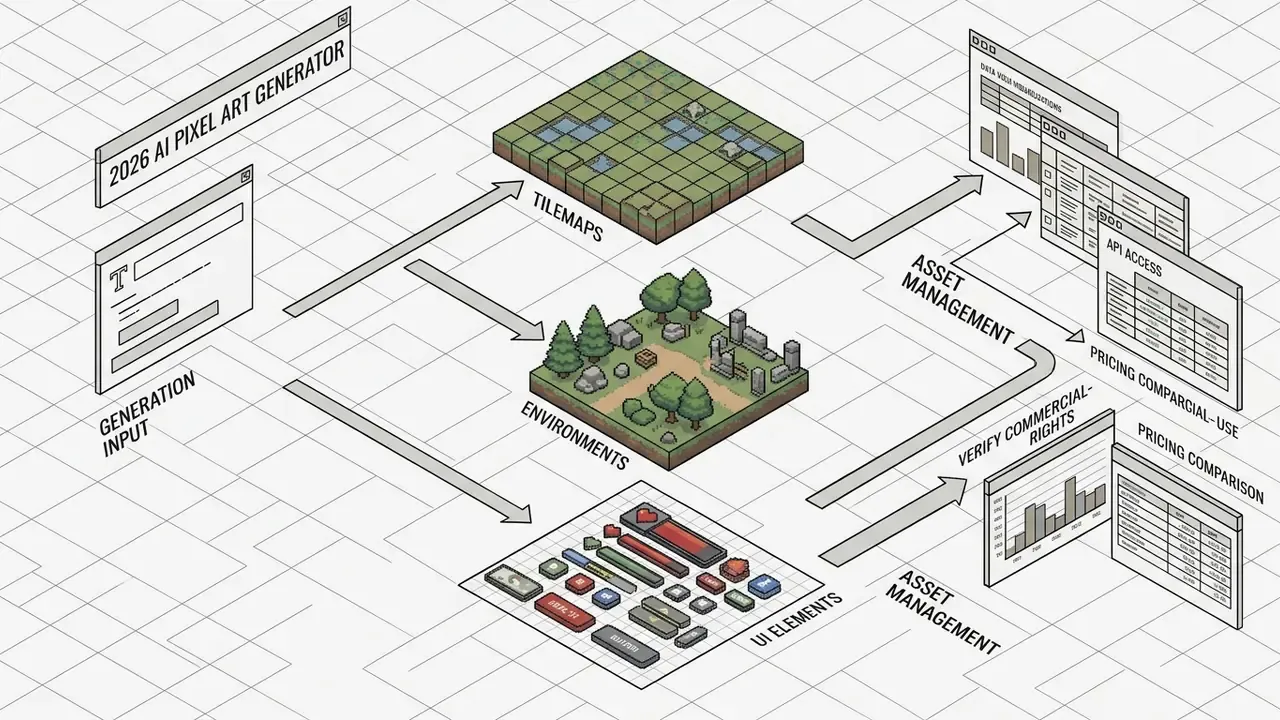
UI elements (health bars, dialogue frames, buttons, switches) are generated as separate PNG assets. Structuring UI panels for 9-slice scaling lets engines stretch interior regions without distorting pixelated corner borders, the same convention used by commercial pixel-UI packs, which ship buttons, panels, switches, and health bars as discrete, 9-slice-friendly pieces. Cast shadows under UI plates should use 2-3 discrete layers at roughly 10-30% opacity rather than a soft gradient.
Sprite Sheets and Animation for Characters
Creating animated sprite sheets means generating multi-frame action cycles (walk, idle, attack) conditioned on a primary reference frame and skeleton pose sequences, then exporting frame grid layouts with accompanying JSON animation manifests.
«Sprite Sheet Diffusion trains on a dataset of 150+ reference-image / pose / action-sequence pairs, enforcing character consistency and smooth frame-to-frame transitions.»
Generation models built on this idea use a two-stage process:
Documented product implementations follow the same shape. Unity's sprite generator uses a two-stage flow: generate and remove background, then build a spritesheet by selecting a motion type such as Turntable, with a reference image as the first frame. Ludo.ai supports prompt-based sprite creation, motion transfer from a reference video, preview, and export of a game-ready sheet. Auto-Sprite v2 documents a text-to-video-to-spritesheet path naming walk cycle, idle breathing, and leap/slash motions, with automatic frame extraction and a JSON frame manifest. PixelLab exposes walking, running, attacking, and custom animations with text prompts and skeleton controls. For a wider view of frame-assembly software, see our guide to animation makers.
A minimal manifest looks like this, and it is the artifact your engine importer actually consumes:
{
  "image": "hero_atlas.png",
  "grid": { "frameWidth": 32, "frameHeight": 32, "columns": 8 },
  "pixelsPerUnit": 32,
  "filterMode": "point",
  "animations": [
    { "name": "idle",   "frames": [0,1,2,3],       "fps": 8,  "loop": true },
    { "name": "walk",   "frames": [8,9,10,11,12,13], "fps": 12, "loop": true },
    { "name": "attack", "frames": [16,17,18,19],   "fps": 14, "loop": false }
  ],
  "pivot": { "x": 0.5, "y": 0.0 }
}
Keep pivot identical across every frame of a set. Drifting pivots are the hidden cause of characters that appear to bob during a walk cycle even when each individual frame is correct.
- Pose-to-image
- generates individual character frames conditioned on skeletal pose layouts and an appearance reference image.
- Motion module
- interpolates frame-to-frame motion for smooth temporal transitions and consistent character volume across an action sequence.
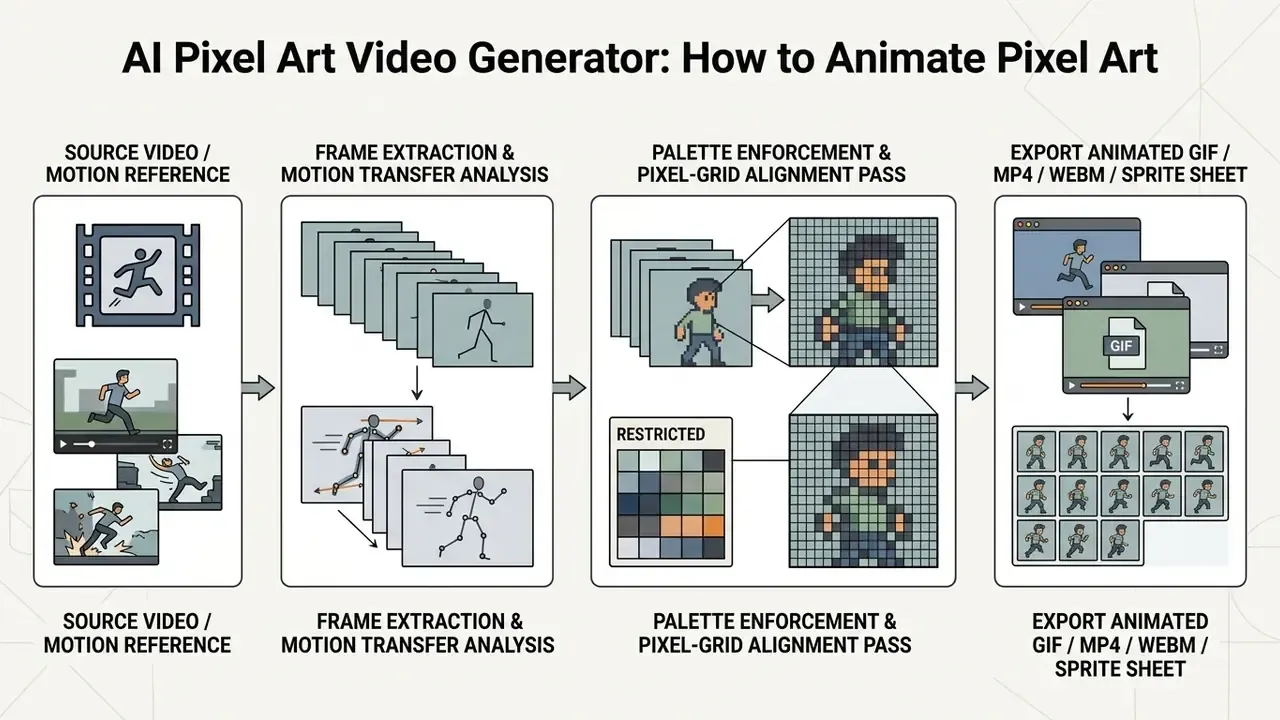
AI Pixel Art Video Generator: How to Animate Pixel Art
Static sprite sheets and moving footage sit on one continuum. Once a character exists as consistent frames, the next question is motion over time, which is where dedicated pixel-art video tools take over from sprite generators.
An ai pixel art video generator animates static pixel graphics or converts existing clips into pixelated motion loops while preserving crisp grid lines and restricted palettes. These tools apply motion transfer, frame-rate controls, and palette alignment to prevent sub-pixel blurring during movement. For broader context on motion control across model families, see our overview of AI video generators and motion control.
Dynamic pixel animation demands grid consistency across time. Standard video diffusion tools often introduce temporal jitter, pixels that shimmer or crawl between frames, or smooth away pixel edges during interpolation.
Dedicated video tools resolve this by locking pixel grid dimensions and palette indexes frame by frame.
«PixelDance conditions generation on first-frame and last-frame instructions together with text, producing substantially richer motion and more complex scenes than text-only video methods.»
Tools Documented for Pixel Video Work
| Tool | Primary workflow | Controls | Export |
|---|---|---|---|
| Anijam AI | Animate a static pixel image or generate from a prompt | Animation type presets (walk cycle, idle loop), timeline editing | GIF, MP4, spritesheet |
| Sorceress Pixel Snap | Convert AI images, uploaded art, or video frames into game-ready pixel art | Palette control, pixel size, frame alignment | PNG, sprite sheet |
| Van Gogh Studio / Free Video Generator | Video-to-pixel-art conversion | Pixel size, color palette, sharpness, frame rate, anti-aliasing mode | MP4, GIF, WebM |
| Adobe Firefly (Generate Video) | Short clips from text or image, then pixel styling in Photoshop | Prompt plus reference image | MP4 via Creative Cloud |
Step-by-Step: Animating a Static Sprite
- Fix the base asset.Clean the alpha channel and confirm a uniform pixel size before any motion pass. Jitter amplifies existing grid inconsistency.
- Extract or define a palette.Save the sprite's indexed palette as a file and apply it to every output frame. Per-frame independent quantization is the primary cause of color flicker.
- Choose a motion source.Either a preset cycle (idle, walk, attack) or a reference video for motion transfer. Provide both a first and last keyframe where the tool allows it, which is the PixelDance finding applied in practice.
- Lower the frame rate deliberately.8-12 fps reads as authentic pixel animation; 24-30 fps invites interpolation artifacts and sub-pixel drift.
- Move in whole pixels.Restrict translation to integer offsets. Sub-pixel movement is what makes a pixel sprite look wet in motion.
- Quantize and snap per frame.Nearest-neighbor downscale to the true grid, apply the locked palette, and only then scale up by an integer factor.
- Export twice.A sprite sheet plus JSON for the engine, and an MP4 or GIF for marketing. Avoid GIF above 64 colors; use WebM or MP4 at a near-lossless setting.
Fixing temporal jitter, quick diagnostic table:
| Symptom | Likely cause | Fix |
|---|---|---|
| Colors shimmer between frames | Palette computed per frame | Lock one indexed palette across the sequence |
| Edges crawl or "boil" | Grid misalignment frame to frame | Downscale every frame to the same grid before upscaling |
| Sprite looks soft in motion | Sub-pixel translation or bilinear filtering | Integer-only movement, Point filtering, disable interpolation |
| Limbs pop between poses | Missing intermediate frames | Add a keyframe, or reduce fps so the eye reads it as stylized |
To wire video workflows into a development stack, explore the hub of API integrations and batch endpoints. When choosing a platform for the motion layer itself, our comparison of the best AI video generators covers duration limits, export formats, and licensing.
Export and Scaling: Upscaling AI Pixel Art Without Blur
A 64x64 sprite stretched to fill a 1080p promo image turns to mush the moment a smoothing filter touches it. Preserving hard edges is a matter of two rules, not a matter of tooling budget.
- Use Nearest Neighbor, never Bilinear or Bicubic.Nearest Neighbor copies the source pixel value; bilinear and bicubic average neighbors, inventing intermediate colors and destroying your indexed palette. In Photoshop: Image Size, Resample, Nearest Neighbor (hard edges). In GIMP: Scale Image, Interpolation, None. In Aseprite: Sprite Size with default nearest sampling. In ImageMagick:
magick in.png -filter point -resize 800% out.png. - Scale by integer multiples only.x2, x3, x4, x8. Never 150% or 250%. Non-integer scaling produces rows of pixels one unit wider than their neighbors, which reads as a wobbling grid. A 64x64 sprite at 800% yields a crisp 512x512 PNG in which every original pixel becomes a perfect 8x8 block.
Practical export ladder:
| Source grid | Integer factor | Result | Use |
|---|---|---|---|
| 32x32 | x8 | 256x256 | Store icons, app icons |
| 64x64 | x8 | 512x512 | Social posts, thumbnails |
| 128x72 | x15 | 1920x1080 | Full-HD key art (choose a base whose ratio matches 16:9) |
| 240x135 | x8 | 1920x1080 | Panoramic background at true 1080p |
| 480x270 | x8 | 3840x2160 | 4K marketing render |
If a generated image already has an inconsistent grid, do not upscale it. Normalize first. Estimate the dominant block size, nearest-neighbor downscale to the true logical resolution (this snaps every wandering pixel onto one grid and quietly removes most artifacts), inspect and repair by hand, then integer-upscale. A rough automated heuristic: test candidate downscale factors and pick the one whose re-upscaled version differs least from the original. The scale that loses the least information is usually the intended grid.
Inside the engine, do the same thing structurally: set texture filtering to Point, disable mipmaps for sprites, use integer camera scaling (pixel-perfect camera components exist in both Unity and Godot), and set pixelsPerUnit equal to your grid size so world movement lands on whole pixels. For vector output, convert the finished PNG to SVG with a pixel-perfect converter rather than a tracer. The goal is one rectangle per pixel, not smoothed curves.
FAQ and Diagnostic Guidance
How do AI pixel art generators differ from standard AI image tools?
Standard AI image tools generate high-resolution images in continuous color spaces, which creates smooth gradients and blurry edges when scaled down. An ai pixel art generator enforces strict grid resolutions and restricted indexed palettes, producing sharp, pixel-perfect graphics.
Can I copyright pixel art created with an AI generator?
Under current U.S. Copyright Office policy (88 FR 16190), purely AI-generated artwork lacks human authorship and cannot be copyrighted. If a human creator substantially edits, arranges, or transforms the output, those human contributions may qualify for protection, which is why your edit log is your most valuable compliance artifact.
What prompt settings prevent blurry edges in AI pixel art?
Specify canvas grid dimensions ("16x16 grid"), limit color depth ("16-color palette"), name the era or console palette, declare one camera angle, and add negative prompts such as --no anti-aliasing, gradients, smooth shading, blur, 3D render.
Why does my AI sprite break collision detection in Unity or Godot?
Because semi-transparent edge pixels and detached specks are read as solid geometry by automatic collider generators. Apply a hard alpha threshold so every visible pixel is fully opaque, delete orphan pixels more than 2 px from the silhouette, set Filter Mode to Point and Compression to None on import, and prefer hand-authored primitive colliders for characters.
What aspect ratio should I generate at?
1:1 for sprites, tiles, and icons; 4:5 or 1:1 for portraits; 4:3 for retro-screen compositions; 16:9 or 5:3 for parallax backgrounds; 9:16 for mobile UI. Always choose pixel dimensions that are integer multiples of your base grid.
How do I upscale a 32x32 sprite for a store page without it going soft?
Nearest Neighbor interpolation at an integer factor. 32x32 at x8 gives a clean 256x256; at x16 it gives 512x512. Any non-integer factor, or any bilinear or bicubic filter, will blur the edges.
Can I use free-tier pixel art commercially?
Frequently not. Several documented free tiers make generations public and reserve commercial rights (Recraft, Pictrix, ArtisticMonk free plans), while others grant commercial use even on cheap credit packs (Pixie.haus). Check the terms for the plan that was active at the exact moment of generation, and keep the receipt.
Do I need to disclose AI pixel art when publishing on Steam or mobile stores?
Yes. Steam requires disclosure of player-visible and player-audible AI content at submission, Google Play applies its AI-Generated Content policy to prompt-based apps, Apple requires that AI content not mislead users and be indicated where relevant, and itch.io requires labeling with discovery consequences for undisclosed assets.
Are AI-generated animations good enough for a shipping game?
For prototypes, background elements, and marketing, increasingly yes. For hero characters, most studios still hand-finish, because animation weight, consistent lighting, and matching camera perspective across hundreds of frames remain the hardest part. The pragmatic pattern is AI for volume and iteration speed, human authorship for the assets players stare at.
Appendix A: Editorial Revisions, Methodology, and Source Notes
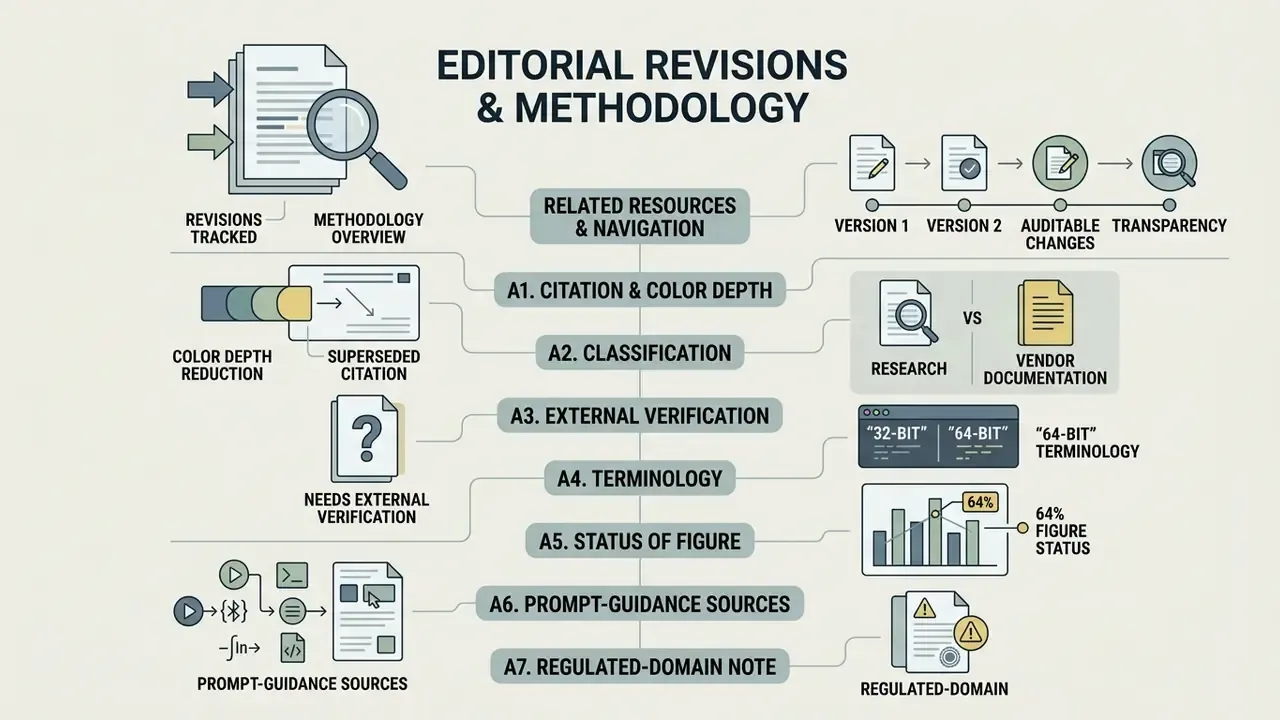
Kept here for transparency, because claims that changed between versions of this guide should be auditable rather than silently rewritten.
A1. Superseded citation, color depth reduction. An earlier version supported the color-quantization claim with Pixelated Image Abstraction (Texas A&M University, 2018), cited without a URL or methodology summary. That framing has been replaced in the main text with SD-πXL (ETH Zurich, 2024), which supplies the quantization method, palette-size parameter n, and configurable output resolution H x W. The Texas A&M and Columbia University papers remain valid background for the two-stage quantize-then-downsample principle, and their nearest-neighbor recommendation is unchanged. Sources: http://chaspari.engr.tamu.edu/wp-content/uploads/sites/147/2018/01/1_2-1.pdf and http://www.cs.columbia.edu/cg/pdfs/197-pixelated_image_abstraction.pdf
A2. Reclassified from research to vendor documentation. Statements previously presented as findings from PixelLab API Specifications (2026), Recraft Character Consistency Documentation (2026), and Layer.ai Research (2026) are vendor feature documentation, not peer-reviewed or independently measured research. They are retained in the main text as described product capabilities, explicitly labeled as such.
A3. Needs external verification. PS1 VRAM page geometry (a 16x2 grid of 64x256 pixel pages) and common texture resolutions (128x128 typical, 256x256 maximum) derive from community hardware documentation and emulator development notes rather than an official Sony specification available for citation. The 4-bit and 8-bit indexed texture depths are consistently reported across sources. Treat exact page-layout figures as indicative.
A4. "32-bit" and "64-bit" terminology. No source in our review treats these as hardware pixel-art tiers. They are modern style labels. The 8-bit and 16-bit categories, by contrast, map to documented palette and grid constraints (NES master palette, SNES 15-bit CGRAM, Mega Drive 9-bit and 512 colors).
A5. Status of the 64% figure. Marcus Hale, author. The stated method (artist-logged minutes per accepted sprite, 240 assets, 60 pre-standardization versus 180 post-standardization, acceptance defined as passing grid-alignment and alpha-threshold checks without rework) describes how such a measurement should be constructed if you run it yourself. Do not cite it as an industry average.
A6. Prompt-guidance sources. Prompt structure recommendations combine Google's Vertex AI image prompt guide (subject / context / style), Unity's sprite prompt guideline ([Subject] + [Attributes] + [Style/context]), Stanford's GenAI prompt guide for image tools, and PixelDiT's reported GenEval score at 512x512 as quantitative support for structured conditioning.
A7. Regulated-domain note. Sections covering copyright, licensing, and store policy are informational. Platform terms and copyright guidance change; verify the current version of any vendor agreement and consult qualified counsel before release.