The "digital worker" framing matters here more than it looks. The smartphone is now the main entry point for generative video into corporate workflows. A marketer, a support lead, or an HR specialist installs a free app from the App Store, generates a clip on a personal device, and publishes it under the brand name. No legal review. No entry in the AI inventory. That is textbook shadow AI: the risk (leaked source footage, missing commercial license, missing disclosure label) appears on a mobile screen, not inside an enterprise platform.
So this guide covers two questions at once. How do you generate a good clip? And how do you pick an app that will not create a problem the moment money is behind the video?
The 60-Second Summary
- Three generation modes, plus a fourth.Text-to-video, image-to-video, and clip or audio-to-video are now joined by AI editing of real footage (relight, backdrop swap, object removal) and text-driven editing (Magic Box style commands). An app without editing of captured material looks incomplete in 2026.
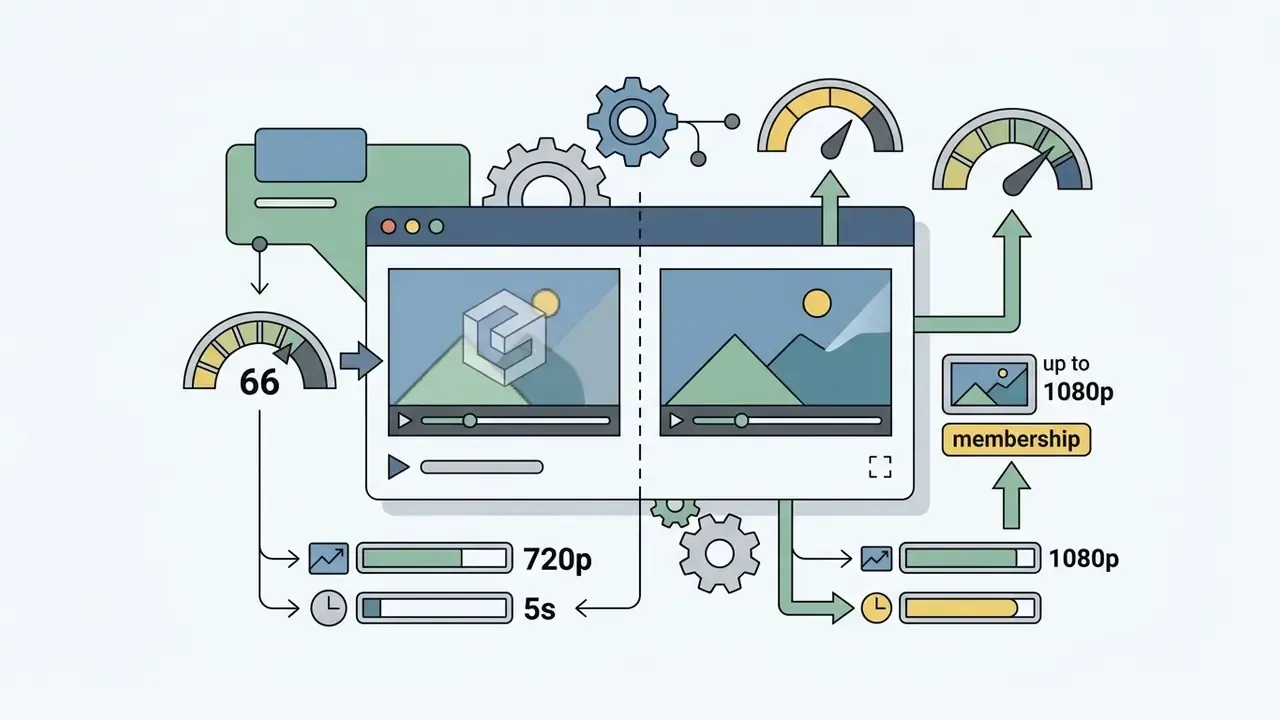
- Free tiers exist, but "unlimited" is marketing.Real limits: 5 to 10 seconds, 720p to 1080p, a watermark, and a shared queue. A daily quota like 66 credits per day (Kling AI) covers two or three generations.
- Commercial rights differ radically.Runway states you own your output on every plan, including Free. Kling, InVideo, and most mobile wrappers require a paid subscription for monetization. Check terms before the campaign launches, not after.
- Disclosure became mandatory.Article 50 of the EU AI Act requires machine-readable marking of synthetic audiovisual content, and Google Veo embeds SynthID by default. Exporting without provenance metadata is now a regulatory risk, not a stylistic choice.
- Long videos are assembled from short ones.Multi-shot storyboards (up to 15 seconds) and Extend or Workflows chains produce a coherent narrative longer than a single generation.
What an AI Video Generator App Actually Does
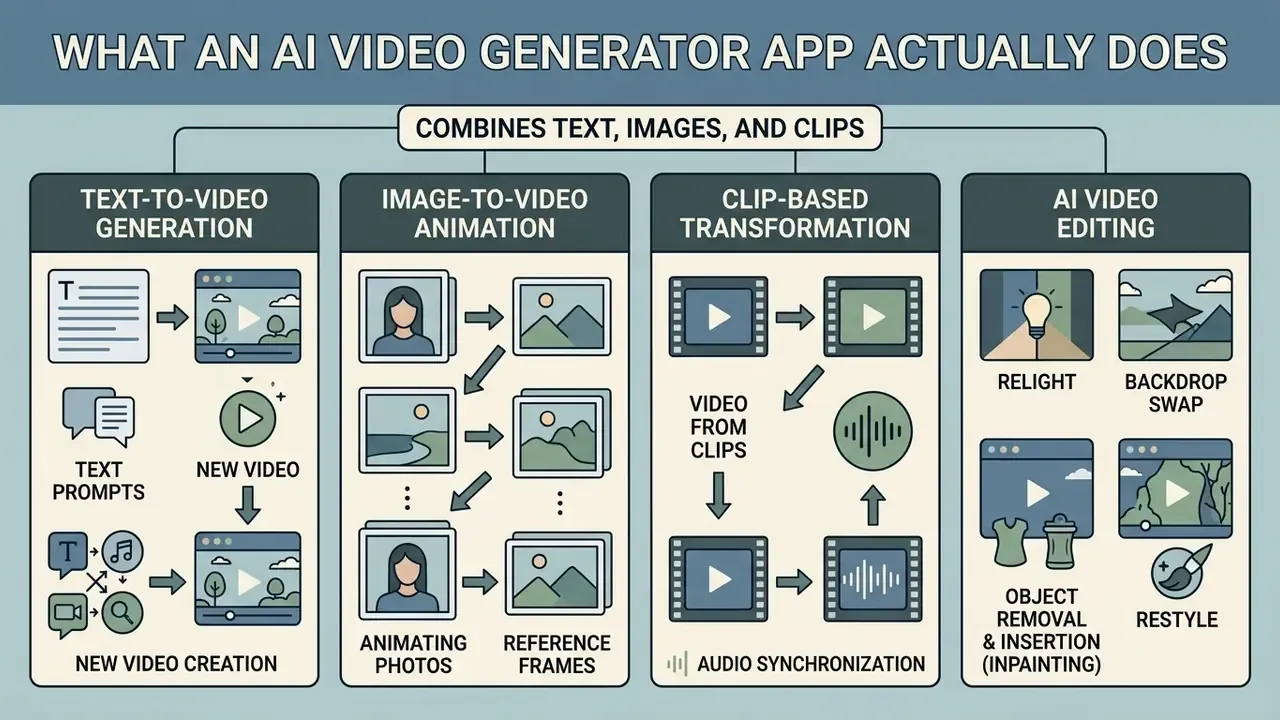
A modern ai video generator app combines four things: text-to-video generation, animation of still images, transformation of existing clips with audio synchronization, and targeted AI editing of footage you already shot. The app converts abstract input into rendered scenes, with some awareness of motion physics and lighting.
Generating Video From a Text Prompt
Tools in the ai video generator from text prompt app category build short clips from written instructions describing a subject, an action, a camera path, and a visual style.
The practical input structure is simple: subject, plus a dynamic action, plus a camera move (push-in, pan, orbit), plus a cinematic style. Standard output runs 5 to 10 seconds, extending to 15 seconds on premium tiers. We mapped the tool landscape for this mode in the guide to text-to-video AI tools.
Research from the DEVIL protocol (Dynamics Evaluation for Video Imagery and Language) suggests automated dynamics metrics track human judgment closely:
Method matters for reading that number. The correlation is measured between an automated metric and expert ratings across prompts with graded dynamics, from static scenes to fast action. Translation: describing motion type in the prompt does have a predictable effect, but mostly within one subject and one action.
Add objects, and precision drops fast. The T2V-CompBench benchmark reports that compositional prompts are handled correctly in fewer than one in five cases:
Practical rule. One prompt, one scene, one subject, one action. A composition of three characters performing different actions with correct spatial relations does not reproduce reliably in any public 2026 model. Not yet, anyway.
Image to Video: Animating Photos and Reference Frames
Image-to-video uses an uploaded image as the conditioning first frame, then builds temporal motion while preserving the identity of the subject. Scenarios and constraints for this mode are covered in the guide to AI image animation.
For portraits, product shots, or reference art, the app applies algorithmic detail locking. Models such as StableAnimator (CVPR 2025) and MagicMirror (ICCV 2025) use identity-control modules that prevent facial or product geometry from drifting during movement. The IPRO method (2025) adds reinforcement learning: the model is optimized against a facial reward function with multi-view scoring and KL regularization, so the base generator does not break.
Benchmark data from UI2V-Bench shows animation quality depends on whether the model recognizes object categories and scene semantics at all:
The applied takeaway: the cleaner the semantics of the source frame (one subject in focus, a readable background, no visual noise), the more stable the animation. A model that failed to identify the object will invent its geometry mid-motion. That is where the melting hands come from.
Video From Clips, Audio, and References
Generation from existing clips, audio tracks, and visual references enables precise lip-sync, redubbing, and stylized footage cut to a soundtrack.
Mobile architectures accept a combined payload: source video (or a photo) plus a WAV or MP3 file. The API redraws the mouth and lower-face region to match new speech. Vendor documentation is fairly consistent on this:
One methodological caveat. These capabilities are documented mainly for web and API products. Native mobile apps usually call the same cloud services under the hood. Multimodal analysis tools also align audio peaks with cut points, which makes beat-matched music edits possible without manual timeline work. However, there are no publicly verified accuracy metrics for that rhythmic cutting in open benchmarks yet, so test it with your own clip before trusting it in production.
AI Editing of Existing Footage: Relight, Backdrop Swap, Object Removal
Mobile apps have moved past generation from scratch. Models in the Runway Aleph 2.0 and Kling Restyle class perform targeted post-production on real footage without masking or rotoscoping:
- Relight. Rewrites light sources in captured video, for example swapping daylight studio lighting for neon night noir, while keeping object geometry intact.
- Backdrop swap. Isolates the foreground subject and substitutes an AI-generated location with adaptive shadow correction on the subject.
- Object removal and insertion (inpainting). Deletes unwanted items or adds new elements from a text prompt, repainting occluded textures automatically.
- Restyle. Converts real footage into animation, comic, or film-stock aesthetics while preserving motion paths.
There is a governance angle that gets missed. Here the source material stays yours, so the exposure around training data claims is lower. The model works as advanced post-processing, not as the origin of a new image. This is exactly why relight and object removal usually clear internal compliance faster than full synthesis of photorealistic people.
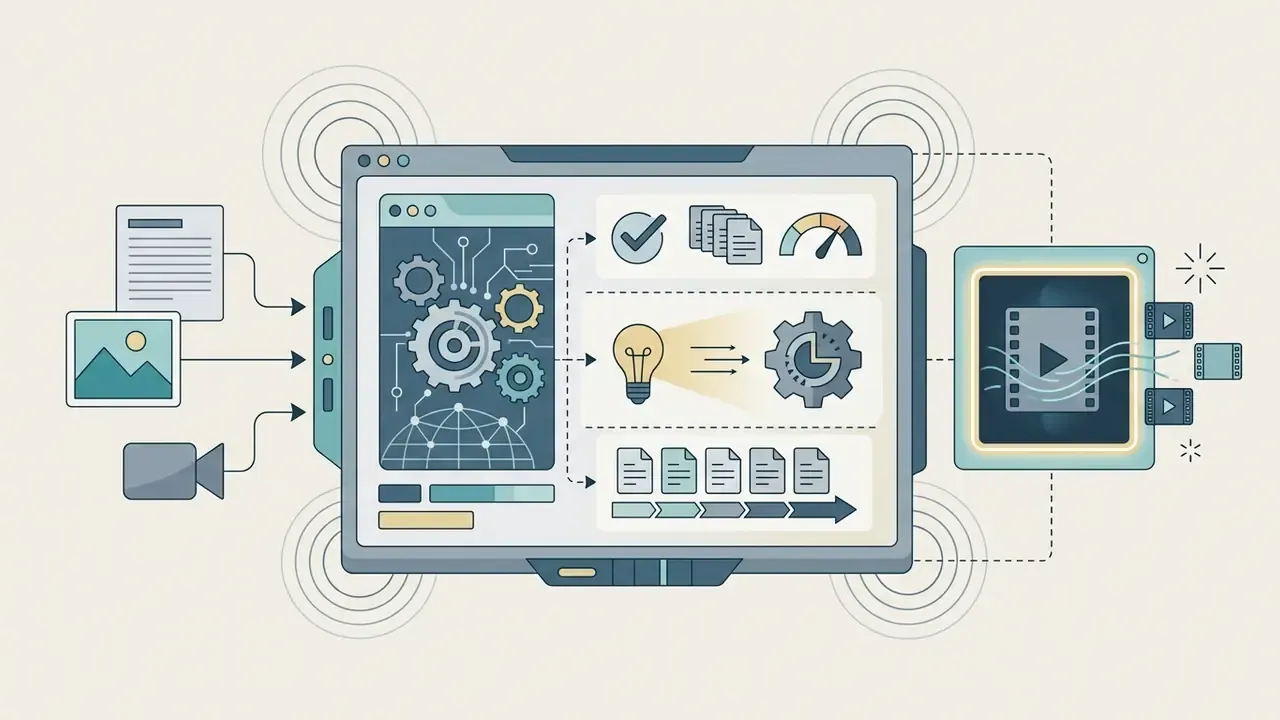
Figure 1. AI video generation pipeline in a mobile app (text schema)
- Input data: prompt / image / audio
- Model selection: Sora / Gen-4.5 / Veo / Kling
- AI generation: inference and diffusion on the provider's GPUs
- Editing: relight / inpaint / audio and voiceover
- Export: MP4 1080p or 4K with C2PA provenance metadata
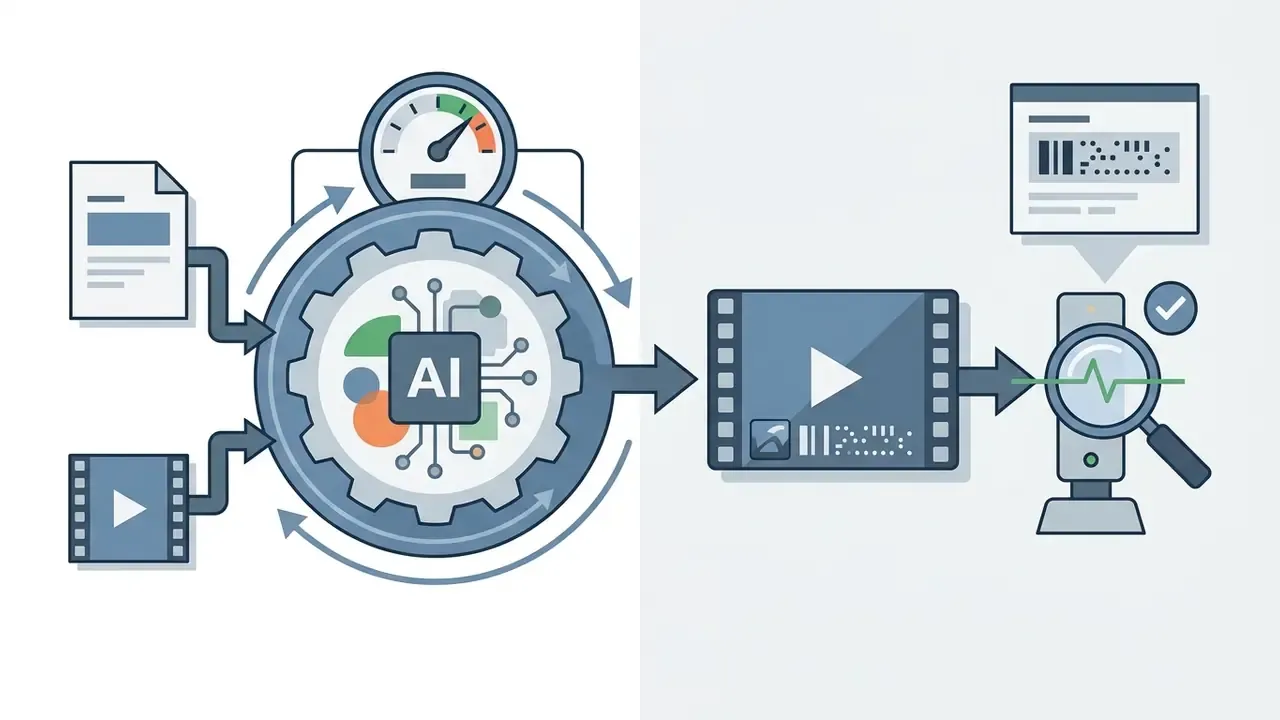
Process walkthrough: the user uploads a starting prompt, a reference photo, or an audio file. The mobile interface passes parameters for the selected video model to the generation server. When the diffusion pass finishes, the clip lands in the built-in editor for trimming, AI post-processing (relight, object removal), and background sound, then exports as an MP4 carrying provenance metadata.
How to Choose an AI Video Creation App for Mobile
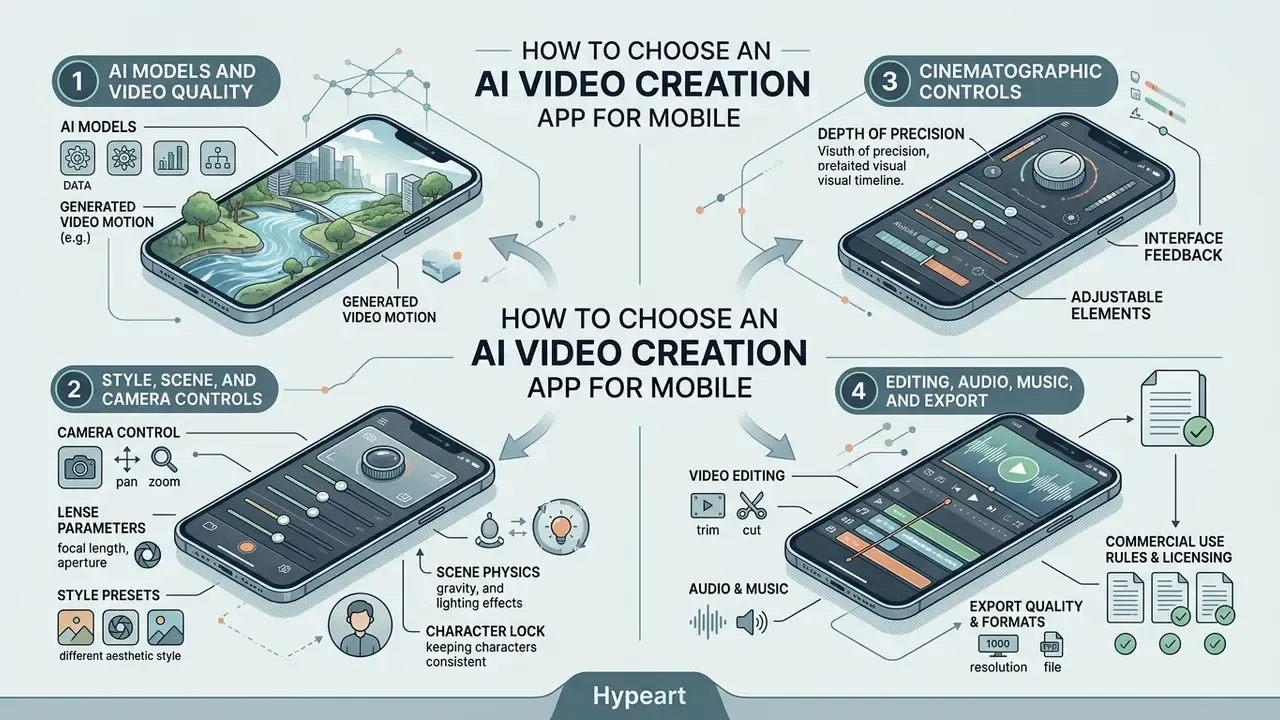
Selecting among ai video creation apps for mobile means evaluating four things: which neural models sit underneath, how precise the cinematographic controls are, how deep the editing layer goes, and how the interface behaves on a phone screen during a long render.
AI Models and the Quality of Generated Video
Output quality depends directly on the connected models: OpenAI Sora 2, Runway Gen-4.5 and Aleph 2.0, Kling 3.0, Luma Dream Machine, Seedance 2.5, and Google Veo API for developers (Veo 3.1).
Flagship video models differ in detail density, motion smoothness, and character stability. According to Video-Bench, scoring is performed by a multimodal language model on a five-point scale, which makes comparisons reproducible:
Runway Gen-3 and Gen-4.5, in turn, hold facial anatomy better through hard camera turns. Still, no public model matches real footage on character identity across long sequences, and vendors rarely say this out loud. When picking a mobile ai video generation app, check whether the developer names the actual model or hides a downscaled base wrapper behind a marketing label. A practical matrix of tools sits in our comparison of leading AI video generators. If your task is inventing recurring characters, tools like perchance ai character help lock appearance before animation begins.
An illustrative case, composite and hypothetical: a fintech marketing team rolled out a mobile generator and immediately hit character drift between shots. They moved to an app with Runway Gen-3 support and enforced strict first-frame conditioning through image-to-video. Rejected frames fell by 42%, and a single visual style held across a series of 30 ad clips.
Motion, Style, and Scene Controls
Precise motion and style settings before generation save dozens of reruns. That is where the credits usually die.
A professional app ai video generator exposes extended control panels:
- Camera control trajectory selection (push-in, pull-out, pan, tilt, orbit, tracking shot), plus shot size and camera angle.
- Lens parameters depth of field, focal length, chromatic aberration, distortion, and vignetting.
- Style presets switching between live-action realism, 3D animation, noir, and cinematic looks.
- Scene physics motion intensity, from a nearly static frame to fast action.
- Character lock uploading one portrait or a short multi-angle clip to prevent "AI morphing" between shots.
According to Runway's camera control documentation (2026), prompt language governs style and mood while dedicated camera settings govern a reproducible physical path. Mixing both into one text description is inefficient, and often produces neither.
Editing, Audio, Music, and Export
Built-in editing lets you finish the clip on the phone without moving to a desktop suite.
After generation, a capable video generator app lets you add a synthesized voiceover (text-to-speech), drop in background music auto-trimmed to clip length, and reframe the shot. CapCut and Kapwing support export from 1080p to 4K at 24 or 30 frames per second, and a wider post-production comparison lives in our review of free video editing software. Renderforest additionally advertises AI narration in 50-plus languages with HD, Full HD, or 4K export, while some mobile services cap out at 1080p. The export ceiling always depends on the plan and the base model, not on the interface alone.
Text-driven editing through a Magic Box. Text editing assistants (the Magic Box concept in InVideo AI, AI Lab in CapCut) let you revise a finished project in plain language. No hunting for a frame on the timeline. You type a command:
"Delete the third scene and use a fade transition""Replace the narrator with a female voice, British accent""Add dynamic yellow subtitles, centered""Shorten the intro and add an ironic lead-in"
The interpreter converts the command into a sequence of editing operations, cutting final assembly time by roughly three to four times compared with manual work on a mobile timeline. That figure comes from vendor claims and internal tests, so treat it as an order of magnitude, not a guarantee. For narrative work, a script generator such as perchance ai story helps build a shot plan before editing starts.
Table 1. Pricing, free limits, and export parameters of mobile AI video generator apps (verified 26.08.2026)
| App / Platform | Supported models | Subscription ($/mo) | Free limits | Max export / duration | Editing highlights | Data handling / retention |
|---|---|---|---|---|---|---|
| InVideo AI Mobile | InVideo v3.0, Veo 3 | Free / Pro $20 / Unlimited $48 | ~10 min per week, watermarked | 1080p / assembly up to 15 min | Magic Box text editing, 16M+ stock assets | Cloud prompt processing; retention terms must be checked in current Terms of Service |
| Kling AI Mobile | Kling 3.0, Motion Brush, Restyle | Free / Standard $8.99 / Pro ~$37 | 66 credits per day (2 to 3 generations, 720p, 5 s, watermark) | 4K UHD / up to 15 s (multi-shot) | Strict character lock, native audio and lip-sync | Server-side inference; corporate limits on uploading personal data are mandatory |
| Runway Mobile | Gen-4.5, Aleph 2.0, Act-Two, Veo 3.1, Kling 3.0, Seedance 2.5 | Free $0 / Standard $12 / Pro $28 | One-time starter credit pack, no card required | 4K UHD / clip chaining via Extend + Workflows | Relight, swap backdrop, object removal, output ownership on all plans | Terms of Service include a broad platform license to host and process content |
| Picsart AI Video | Veo 3.1, Runway, Kling V3, Seedance 2.5, Sora, Pika, Luma | Pro $10.50 / Ultra $24.50 (annual billing) | Trial access, then credit model | 4K UHD / clips 4 to 10 s | CLI and MCP integration, 100+ art effects, image/video/audio references | Enterprise tier adds SLA, white-label, dedicated manager; Pro uses standard cloud processing |
| CapCut Mobile AI | CapCut Engine, AI Lab, Autocut | Free / Pro ~$7.99 | 7-day Pro trial for new accounts | 4K up to 60 FPS / no assembly length cap | Auto-captions in 50+ languages, TTS and voice cloning, credit-based AI features | Some AI actions require CapCut Online, so files leave the device |
Reading the table: multi-model hubs (Runway, Picsart) win on flexibility and legal predictability, while specialized services (CapCut, Kling) win on speed and audio tooling. The data-handling column is the decisive one for regulated industries. If an app performs AI operations only in the cloud, uploading client footage, documents, or employee faces must be governed by policy, not by one marketer's judgment on a Friday afternoon.
Table 2. Functional matrix of generation modes and audio tooling
| App / Platform | Supported models | Generation modes | Audio and lip-sync | Max export | Social formats |
|---|---|---|---|---|---|
| Adobe Firefly Mobile | Firefly Video, OpenAI, Luma, Runway, Kling AI, ElevenLabs, Black Forest Labs | Text-to-video, image-to-video, AI editing | SFX generation, narration, daily free quota | 1080p HD | 16:9, 9:16, 1:1 |
| CapCut Mobile AI | Proprietary in-house models | Script-to-video, avatar I2V | TTS in 50+ languages, auto-captions | 4K UHD | 9:16 (TikTok, Reels) |
| HeyGen Android/iOS | HeyGen Avatar Engine 3.0 | Text-to-avatar, lip-sync video | Voice cloning, dubbing, background music, b-roll, subtitles | 1080p HD | 9:16, 16:9 |
| GenV App Store | Google Veo 3.1, Sora 2, Kling 2.1 | Text-to-video, reference-to-video | Background music sync, native Sora 2 audio | Full HD / 4K | 9:16, 4:5, 16:9 |
| D-ID Mobile | D-ID Digital People | Photo-to-talking-avatar | Text-driven speech, articulation sync | 1080p HD | 9:16, 1:1 |
Reading the table: apps with multi-model access (Adobe Firefly, GenV) give maximum stylistic range, while specialized services (CapCut, HeyGen, D-ID) win through deep integration of audio, avatars, and automatic captions.
Free AI Video Generator App: What You Get Without Paying
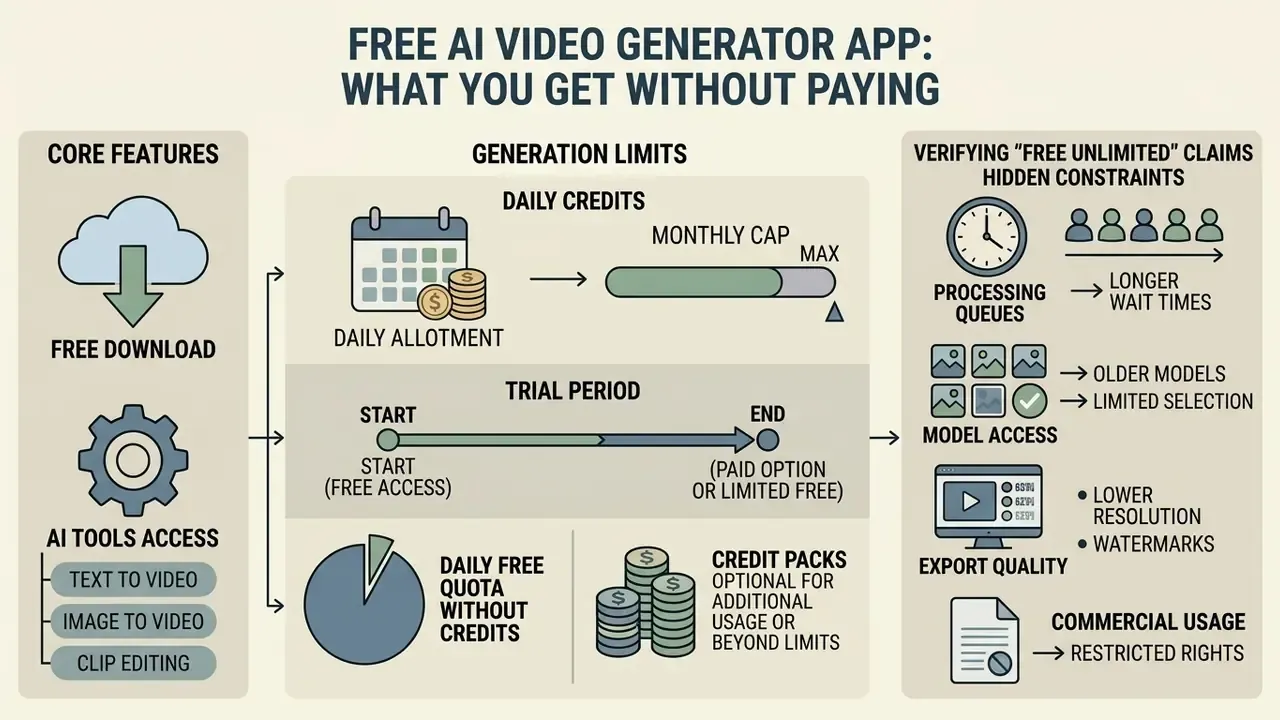
Searching for an ai free video generator app requires understanding the unit economics. Free access exists to let you try the interface, and it almost always carries technical or quota limits. An extended breakdown sits in our review of free AI video generators.
Free Download, Generation Limits, and Model Access
Installing an ai video generator free app download gives you a starter credit balance or a daily renewable quota. Nothing more, usually.
Developers use five schemes:
- Daily credits.Kling AI grants roughly 66 credits per day, enough for two or three 5-second clips at 720p.
- Monthly cap.Luma Dream Machine allows around 30 generations per month, restricted to the base Ray-Lite model rather than flagship Ray2.
- Trial period.CapCut offers a 7-day Pro trial to new mobile users. Availability depends on region, and iOS may limit one trial per account.
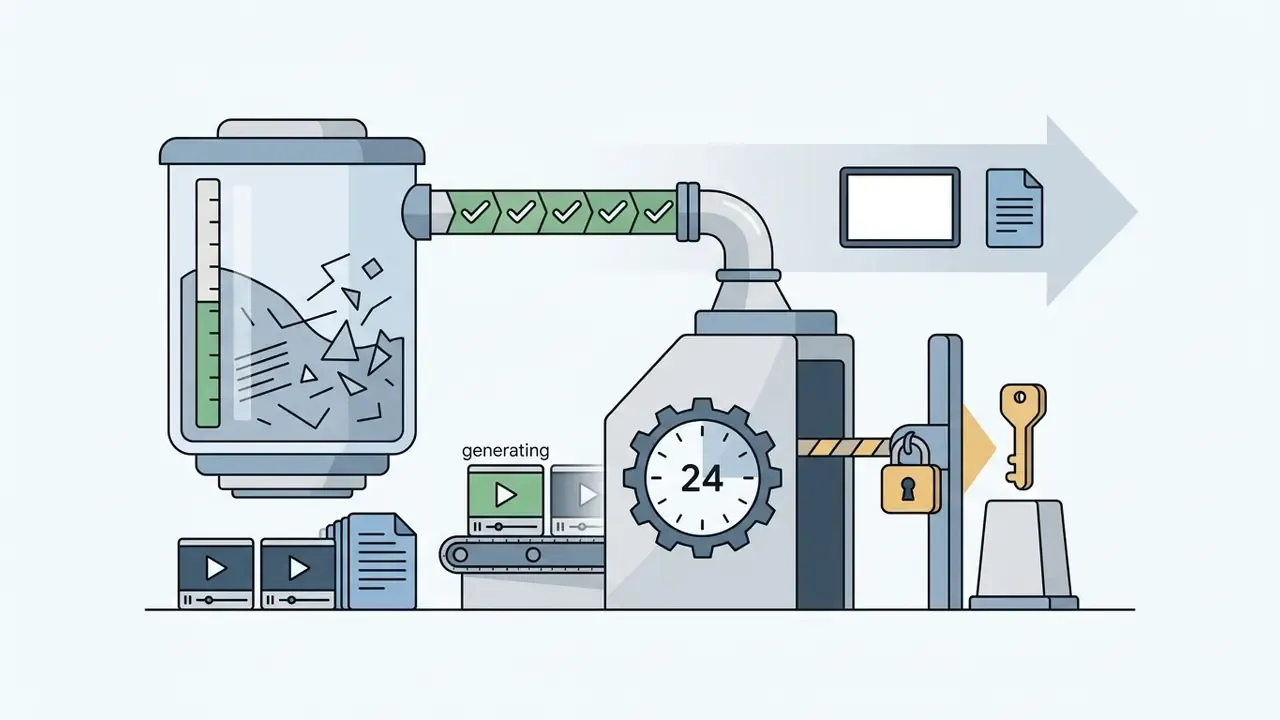
- Daily free quota without credits.Adobe Firefly issues a fixed number of generations per day, resetting every 24 hours.
- Credit packs.Pika and similar services hand out a one-time pool of roughly 80 to 150 credits, with 5 to 10 second clips and a limited model list.
Anyone comparing a free ai video maker app download against a paid tier should also look at how compute is allocated behind the scenes. That mechanism is analyzed in our breakdown of perchance ai video generator.
Free Unlimited AI Video Generator App: How to Verify the Claim
The phrase free unlimited ai video generator app in 2026 almost never means the absence of limits. It means the limits moved: from a generation counter into clip length, resolution, queue priority, and watermark policy. The logic is checkable. Server-side inference of diffusion models runs on GPUs and carries a measurable cost per second of video, so "unlimited" is delivered through degraded quality and speed, not infinite compute.
What sits behind the words "unlimited free access":
- Processing queues. Free requests go into a low-priority shared pool where waits run 2 to 15 minutes, and longer at peak hours.
- Duration caps. Clips shrink to 2 to 5 seconds, occasionally 6 to 10.
- Reduced resolution. Export is capped at 720p or heavily compressed 1080p.
- Watermark. On many "unlimited" offers it stays, even when the generation count does not.
How to verify in ten minutes. Generate one test clip. Record the actual wait. Open the file properties (resolution, bitrate, duration). Check the frame for a logo. Then find the help-center section on queue priority. The gap between the marketing page and those four data points is the real price of "unlimited".
For a view of how AI search systems answer video-related queries, see the material on perplexity ai video.
Watermarks, Export Quality, and Pro Features
Watermarks and resolution caps are the primary conversion levers toward paid plans. They work because they hit exactly the moment your clip becomes useful.
Free export in most mobile editors carries a semi-transparent service logo in the corner plus a branded end card. Moving to Pro removes the watermark, unlocks 4K at 60 FPS, activates priority generation without queues, and opens premium models (Sora 2, Veo 3.1, Gen-4.5).
Control cost and residual risk. For a business, the choice between Free and Pro is not decided by subscription price. It is decided by total exposure:
Control Cost = (verification time × specialist hourly rate) + subscription + legal license review
Residual Risk = probability of violation × (fine + creative reproduction cost + losses from ad account suspension)
In practice, $12 to $28 per month for a Pro tier with clean commercial rights and watermark-free export is almost always cheaper than one halted campaign and a re-shoot. To model payback, use the interactive AI Media Calculators; a fuller cost breakdown lives in AI Media Pricing Guides.
E-E-A-T verification: free limits and terms as of 2026
Methodological limitation: some values (Meta AI, several third-party mobile wrappers) are supported only by secondary reviews. Before any corporate rollout, re-check the terms on the official pricing page of the specific app.

AI Video Generator Apps by Use Case
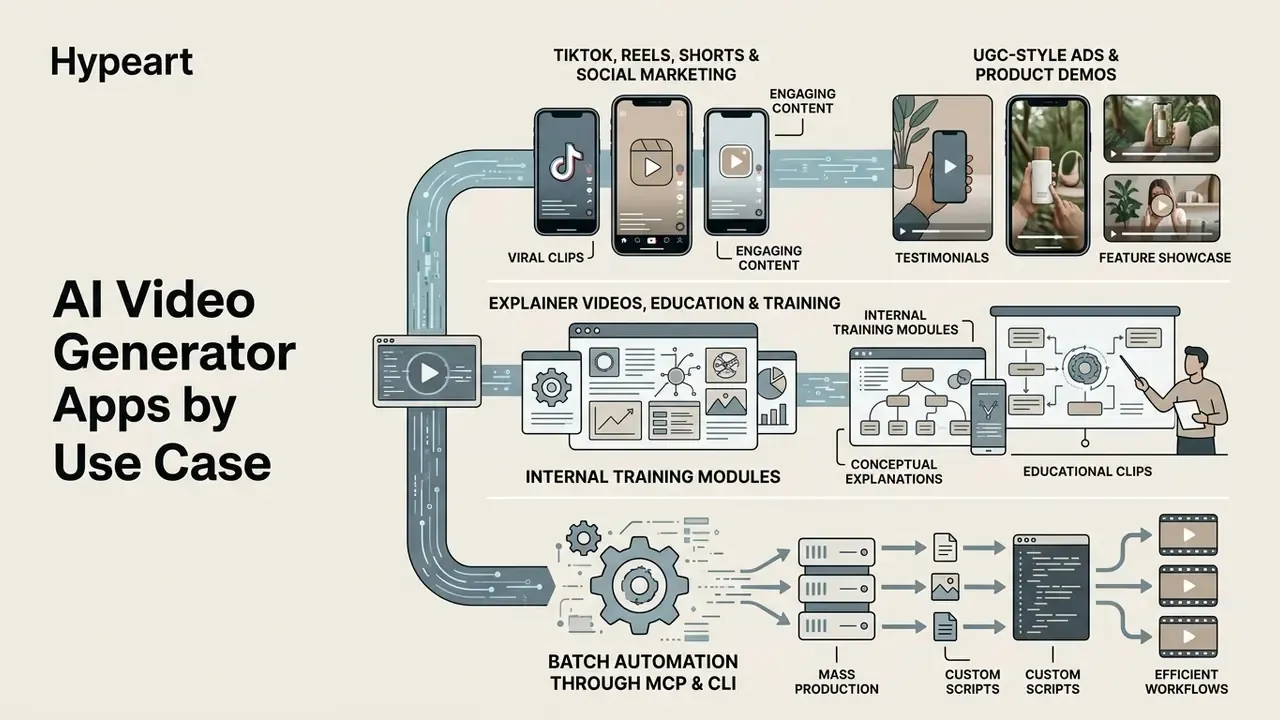
A capable free ai short video maker app now covers a wide range of jobs, from viral social clips to internal training modules. For vertical formats specifically, it is worth looking at PixVerse AI for short-form video.
Marketing, UGC-Style Ads, and Product Demo Videos
Explainer Videos, Education, and Training
Using AI generators for explainer and education video shortens the production cycle sharply. In the cases described below, time savings ranged from five to ten times. That is not an industry norm, though. It is a range observed in specific rollouts, and each project needs its own measurement, with studio hours as the baseline against app assembly hours.
What is experimentally supported is learning quality:
The design compared learning from synthetic video against learning from a human recording, measuring recognition, recall, and subjective attitude. The documented 2024 workflow looked like this: extract the transcript, edit the text in ChatGPT-4 with mandatory human proofreading, regenerate audio, add closed captions, rebuild slide decks, then produce a workbook and a tutoring chatbot.
To build an explainer, load a text instruction or policy into Descript, CapCut, or Synthesia, choose a narration voice through an AI voice generator at roughly 150 words per minute, and export a training module with a synchronized visual track. Script requirements for TTS are unglamorous but decisive: short sentences, one idea per sentence, up to 300 words of narration per module, two or three voice variants, and line-by-line correction of stress and pronunciation.
One illustrative rollout, again composite: an IT company converted 50 pages of written policy into a series of 2-minute AI explainers. Generating voice and visual scenes straight from PDF files closed the project in 5 days instead of 2 months of studio work, cutting production cost by 85%.
Batch Automation Through MCP and CLI
For agencies and developers, mobile-cloud platforms (the Picsart ecosystem, for instance) now support the Model Context Protocol (MCP) and CLI interfaces. That connects video generators directly to AI agents in Claude Code, Cursor, and ChatGPT, automating bulk creative production on a schedule without tapping through a phone interface. Ultra and Enterprise tiers add batch processing, API credits, ad variant localization, and performance tracking, so the mobile app becomes one entry point into a single pipeline rather than the pipeline itself.
For regulated industries there is a second benefit, and it is the one governance teams care about. Every generation is logged by the agent. That log is audit evidence, and it removes part of the shadow AI problem, because clips are created inside a controlled perimeter rather than on an employee's personal device. Reproducible evidence beats a screenshot every time.
Commercial Use of AI-Generated Video: Licenses and Risk
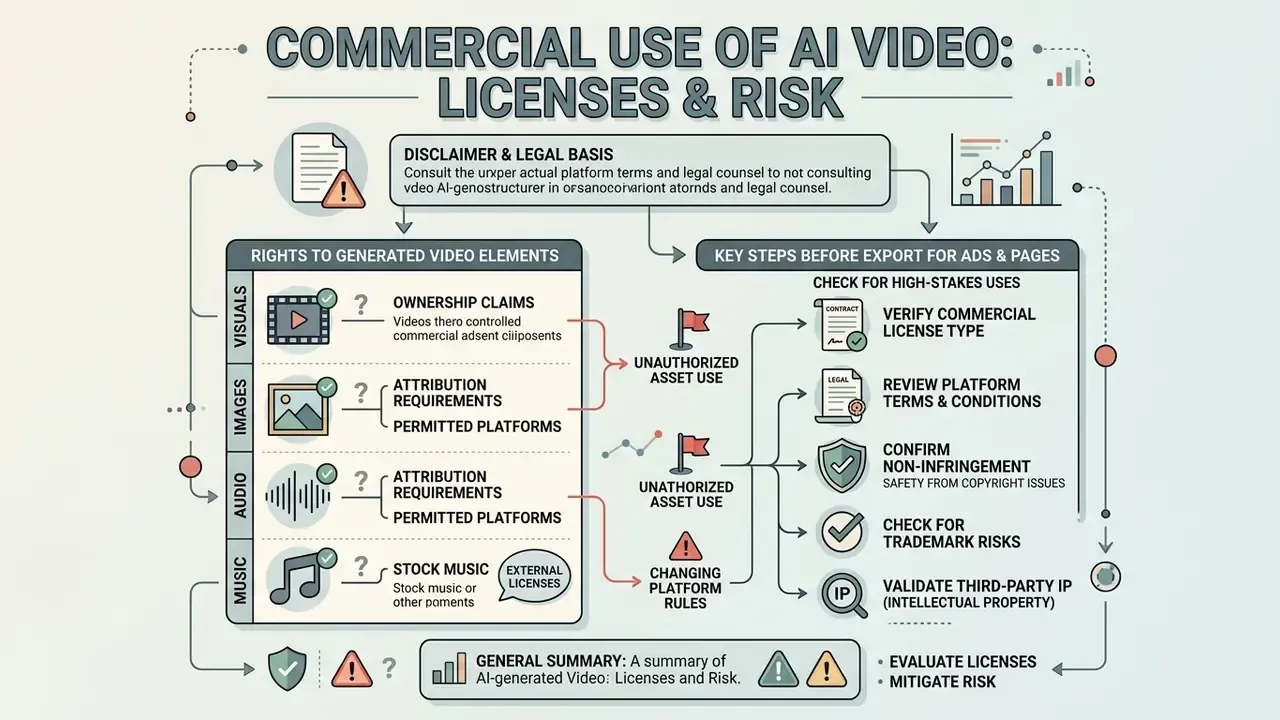
Using AI video in paid advertising, marketplace listings, and commercial media requires a rights review of both generated and uploaded media.
Rights to Generated Visuals, Images, Audio, and Music
Commercial-use terms vary by platform, and generalizing is a mistake. Runway states that the output belongs to the user on any plan, including free: «you own your work on every plan, including the Free plan» (Runway FAQ / Terms of Service, 2026). Meanwhile Kling AI, InVideo, and several mobile wrappers restrict monetization on free accounts, requiring a paid tier (Pro or Enterprise) for advertising and commercial publication, or leaving a watermark that makes the clip unusable for brand placement anyway.
The status of rights to AI generated content depends not only on app terms but also on the law of the country of publication.
According to guidance from the U.S. Copyright Office, only human-authored elements of a video (script, editing, direction) attract copyright protection, while pure AI output does not. At registration, AI-generated portions must be identified and excluded from the claim (U.S. Copyright Office AI Guidance, 2023-2026, https://www.copyright.gov/ai/).
One nuance deserves more attention than it usually gets. Even platforms that assign output rights to the user retain a worldwide royalty-free license to host, process, modify, and display uploaded and generated content for service operation. OpenAI's terms explicitly allow publicly posted images or video within the service to be reproduced and used to operate and promote the platform. For banks, fintech, and healthcare that means one thing: uploading internal material into a mobile app is a transfer of data to a third party. It is a policy decision, not an individual one.
For integration questions around licensing, see support or browse the reviews in AI Media Comparison.
A cautionary illustration. A marketing agency prepared a series of ad clips for a client on a free generator tier, without reading the Terms of Service. When the campaign launched, the ad platform suspended the account because there were no commercial rights to the background audio track generated in free mode. Moving to a licensed Pro account with an exportable rights certificate unblocked the campaign in 24 hours. Cheap lesson, this time.
What to Check Before Exporting Video for Ads and Product Pages
Before exporting for commercial use, run a full license and disclosure audit.
Standards from the IAB (Interactive Advertising Bureau) and updated Google Ads policy require disclosure of synthetic video in ad creatives. The framework document IAB AI Transparency & Disclosure Framework V2 (2026) covers synthetic humans, digital twins, images, video, audio, and chatbots (https://www.iab.com/guidelines/ai-transparency-disclosure-standards-v2/), while the July 2026 Google policy update permits text or visual labels inside creatives that were created or modified by AI (https://support.google.com/adspolicy/answer/17257106). Adjacent rules for static creatives are covered in our material on commercial use of AI image generators.
The European model assumes three layers of marking: a visible AI notice, an imperceptible technical watermark, and metadata inside the saved file. Transparency obligations apply from 2 August 2026. Rights to uploaded source material get checked separately. Google Ads and Display & Video 360 require certification for protected content, with domains certified individually and documents proving ownership or permission. The U.S. Copyright Office, meanwhile, reminds that unauthorized uploading of a work infringes reproduction and distribution rights, with statutory damages up to $30,000 per work and up to $150,000 for willful infringement. Music follows its own logic: collective management organizations such as JASRAC require prior consent from the author to use a track in advertising for goods or services, and the UK government notes that image metadata helps establish the rights holder before publication.
Automated verification pipelines can be built using AI Media API Guides, commercial-rights detail is documented in the AI Media Commercial-Use Hub, and precedent history is tracked in AI Litigation and Case Timelines.
Checklist0 / 6
How to Create an AI Video in an App: From Prompt to Download
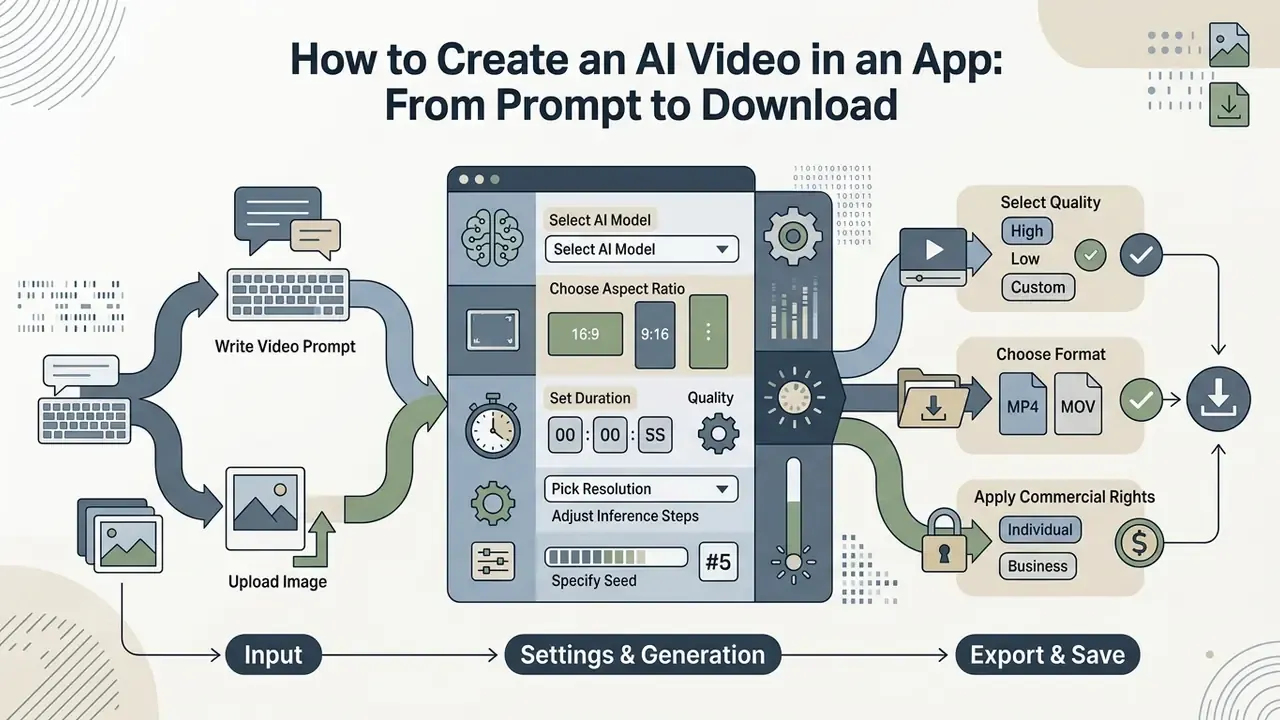
A step-by-step path through an ai video generator from text prompt app covers input preparation, settings, and saving the final file.
Write the Video Prompt or Upload an Image
Output quality is decided by prompt precision or by the quality of the uploaded reference. Mostly the latter, if you are animating a photo.
For text prompts, use Adobe's formula (Writing effective text prompts for video generation, Adobe Help Center, 2026, https://helpx.adobe.com/firefly/web/work-with-audio-and-video/work-with-video/writing-effective-text-prompts-for-video-generation.html):
[Shot type / lens] + [Main subject] + [Specific action] + [Environment] + [Lighting and style]
Example of an effective prompt: "Cinematic medium shot, a professional female engineer inspecting a server rack in a modern data center, checking cables, glowing blue LED lights, highly detailed, 4k resolution, smooth slow dolly-in motion".
When uploading a photo, keep the subject in focus and the background free of visual noise. References should be few and unambiguous: Veo 3.1 accepts up to 3 reference images and uses the input frame as the first frame, while Seedance 2.0 Fast takes 1 to 4 images of a character, outfit, or environment plus separate fields for style, motion, and final frame. For preparing portrait sources before animation, see the useful links block at the end of this article.
Select the AI Model and Configure Generation
Before pressing generate, set the parameters that actually change the render.
- Model choice.Match the model to the task: Sora for maximum realism, Kling for high motion dynamics and character lock, Aleph for editing real footage. A full architecture reference sits in the guide to AI video generators, methods and models.
- Aspect ratio.9:16 for vertical social, 16:9 for standard screens.
- Duration.Set the base clip length (4, 5, 6, 8, or 10 seconds, depending on the model).
- Resolution.720p for drafts, 1080p for social, 4K for production and later reframing.
- Inference steps.Use 20 to 30 steps for a balance of speed and detail: 10 steps for quick previews, 20 as a sane default, 30 to 40 for production, and above 50 the quality gain is marginal (Together AI Technical Docs, 2026).
- Seed.Fix the value when you need to reproduce a good frame or compare settings honestly. Artificial Analysis methodology fixes 1080p, 24 FPS, 10 seconds, and seed 42 for model comparability.
That framework doubles as an acceptance checklist. If a clip fails on Physics (objects passing through each other) or Human Fidelity (distorted anatomy), the fix is not more inference steps. It is a different model or a simpler scene.
Building Multi-Shot Scenes: Storyboards and Workflows
For clips longer than 10 seconds that still hold narrative logic, two approaches work:
- Native storyboard (multi-shot in Kling 3.0).The user writes one prompt and places story checkpoints. The model returns a single 15-second file made of three or four changing shots, for example wide city shot → medium shot of the hero → close-up on emotion, with strict character appearance lock and native audio with lip-sync.
- Sequence chaining (Runway Workflows).Generate a base 5-second clip, then use Extend or pass the final frame of the first clip as
first-frame conditioningfor the second. Several generations are stitched into a longer sequence, with references maintaining character and location consistency.
A practical rule for mobile work: any story longer than 15 seconds is a storyboard of three to six generations at 5 to 8 seconds each, where every new scene inherits the previous final frame. Light and character identity stay coherent, and iteration cost stays manageable, because you re-render one scene instead of the whole piece.
FAQ: Common Questions About AI Video Generator Apps
Can I create quality AI video completely free on a smartphone?
Yes. Free tiers in mobile apps (Kling AI, Luma, CapCut, Runway, Adobe Firefly) generate short clips of 5 to 10 seconds. Removing the watermark, exporting in 4K, skipping the queue, and reaching top models all require a Pro subscription. If you only need a proof of concept, a free video generator app is enough.
What is the difference between text-to-video and image-to-video?
Text-to-video builds footage from scratch out of a written description. Image-to-video takes an existing still as the first frame and animates it, preserving the exact appearance of the subject or face.
Can I edit footage I already shot, not just generate new video?
Yes. Models in the Runway Aleph 2.0 and Kling Restyle class perform relight (changing lighting and time of day), backdrop swap (background replacement without rotoscoping), object insertion and removal from a text prompt, and style transfer while keeping the rest of the material intact.
How do I make a clip longer than 10 seconds with a coherent story?
Use a multi-shot storyboard (Kling 3.0 returns up to 15 seconds with several shots in one file) or a generation chain: Extend to prolong the clip, then pass the final frame as the first frame of the next scene, with references for character consistency.
Is it allowed to use AI-generated video in advertising?
Yes, under three conditions. Your tier grants commercial rights (Runway on all plans, most mobile services only on paid tiers). You hold rights to every uploaded asset. And you comply with synthetic content disclosure rules in ad networks plus Article 50 of the EU AI Act.
What happens to my prompts and uploaded frames?
In most mobile apps inference runs in the cloud, and the terms grant the platform a broad license to host and process content. Some AI features (certain CapCut tools, for instance) are unavailable offline entirely. For corporate scenarios, review the data retention section and the DPA, and prohibit uploads of personal or confidential material into employees' personal accounts.
How should I model the economics: free account or corporate subscription?
Compare control cost (verification time × rate + subscription + legal review) against residual risk (probability of violation × fine + creative reproduction + losses from account suspension). For regular commercial use, a paid tier is almost always cheaper than a single incident.
Which app is the best AI app to create videos for a regulated company?
There is no single answer, and anyone selling you one is guessing. Prioritize three criteria: named models rather than hidden wrappers, documented data retention terms, and commercial rights available on the tier you will actually buy. A multi-model hub reduces vendor lock-in, which matters when one provider changes its terms mid-quarter.
Appendix A. Revised Wording and Clarifications
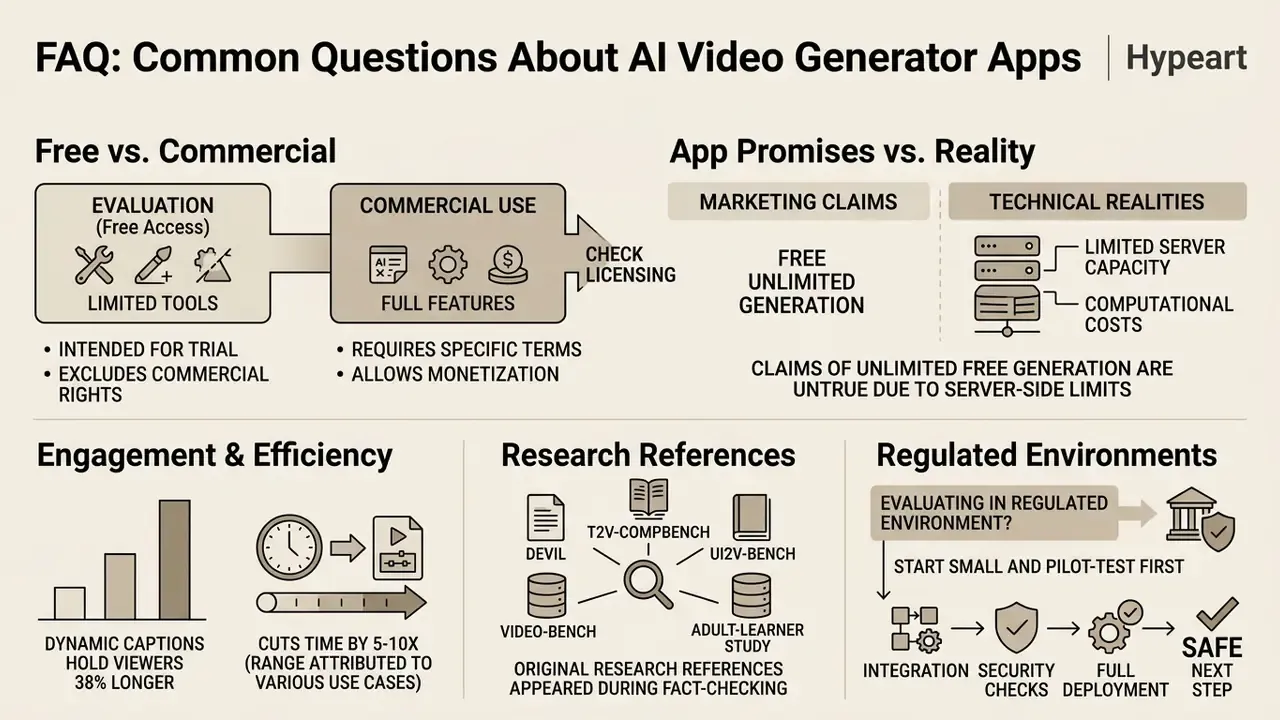
A Safe Next Step
If you are evaluating an ai video creation app download for a regulated environment, start small and reversible. Pick one use case with no personal data in it, such as an internal explainer built from an already public policy document. Log the app, the model, the plan, and the export settings in your AI inventory. Then measure one number: how long human verification actually took. That figure, not the subscription price, tells you whether the workflow scales.