"In enterprise technology evaluation, marketing claims of 'unrestricted' or 'uncensored' AI systems often obscure significant technical, legal, and operational boundaries. Uncontrolled generative pipelines create severe model risk, data leakage, and compliance exposure. True governance requires evaluating AI video tools not by their lack of filters, but by their measurable auditability, data lineage, predictable motion dynamics, and enforceable licensing structures."
Executive Summary

Who this analysis is for, and the decision it supports
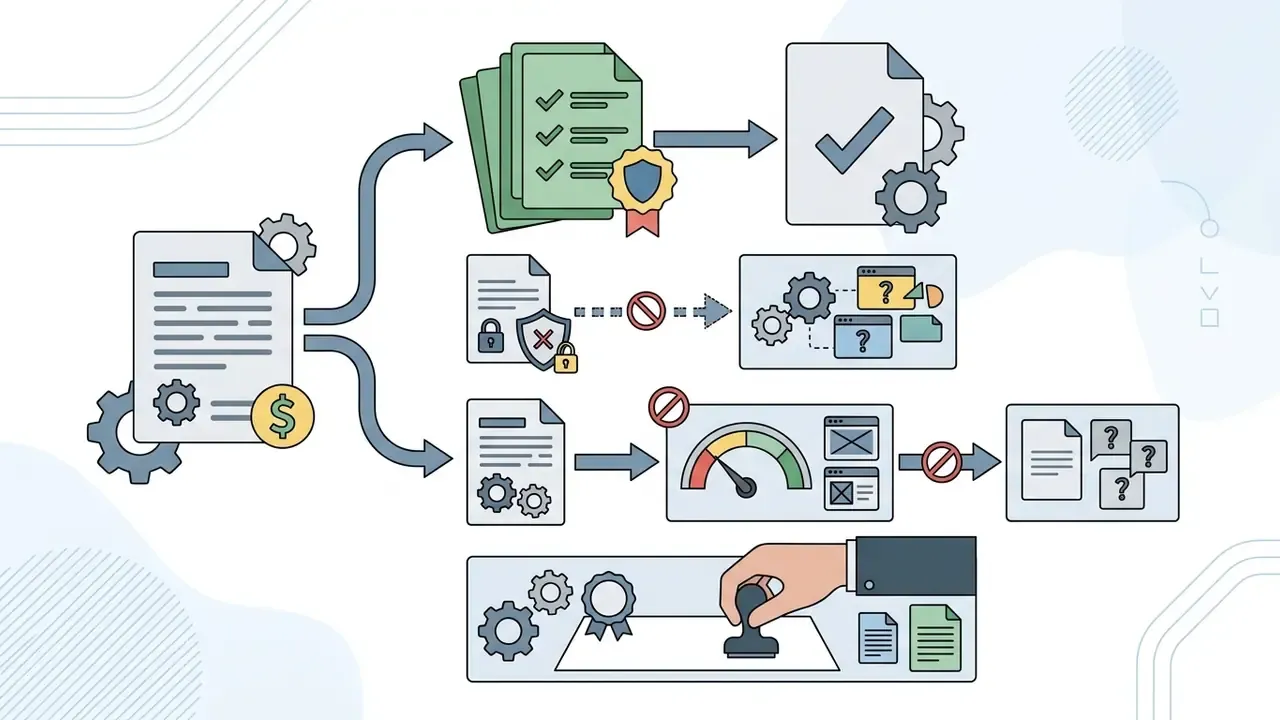
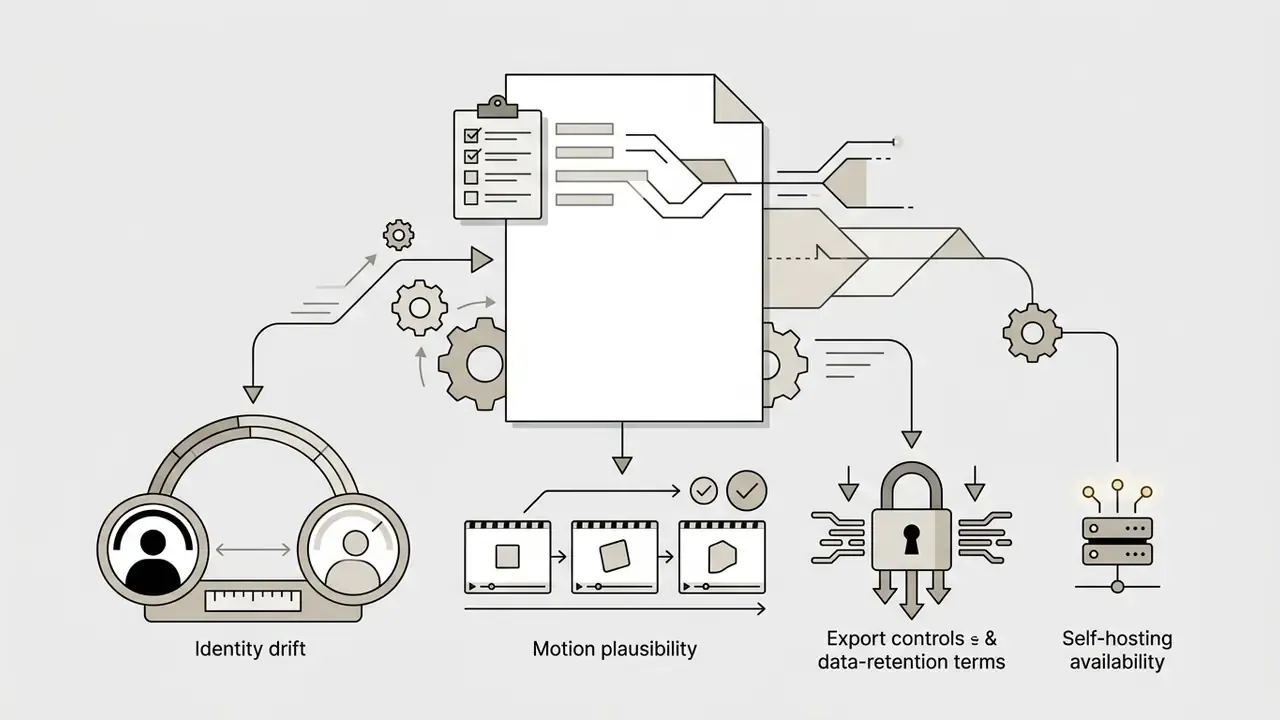
All three questions collapse into one decision: which deployment mode is approved for which class of asset. Consumer endpoint, vendor SaaS under a data-processing agreement, or self-hosted open weights. Everything else, prompt structure, motion sliders, watermark policy, follows from that choice. So the practical sequence is: define the claim, test the claim, price the claim, then document the control. That is the order this piece follows.
What does "AI video generator no restrictions" actually mean?
Marketing labels such as "no restrictions", "unrestricted", and "uncensored" do not denote legally unconstrained platforms or technical carte blanche for video creation. In practice, these terms describe systems operating with modified cloud prompt moderation policies, locally hosted open-weights diffusion architectures, or decoupled safety pipelines. Enterprise operations, model risk officers, and creative teams evaluating these platforms must distinguish between creative prompt flexibility and the underlying compute limits, service terms, and statutory compliance constraints.
Put plainly: the filter you cannot see is still the filter you inherit.
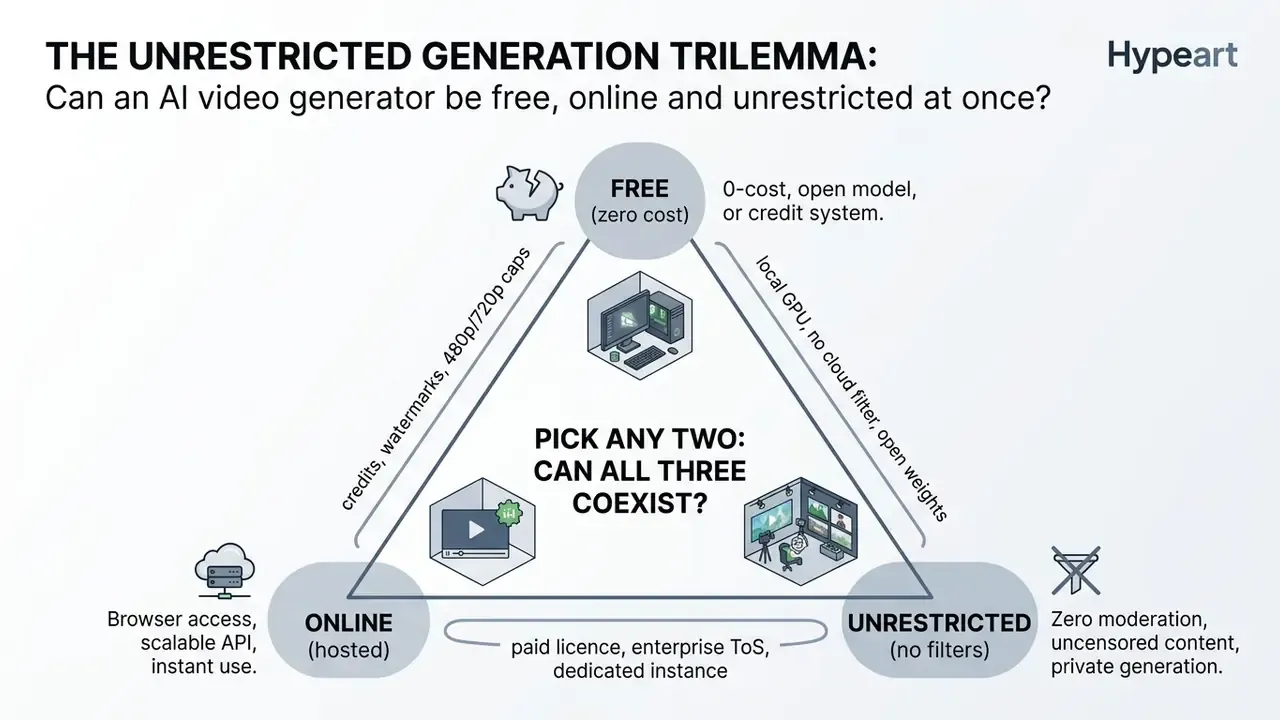
Can an AI video generator be free, online and unrestricted at once?
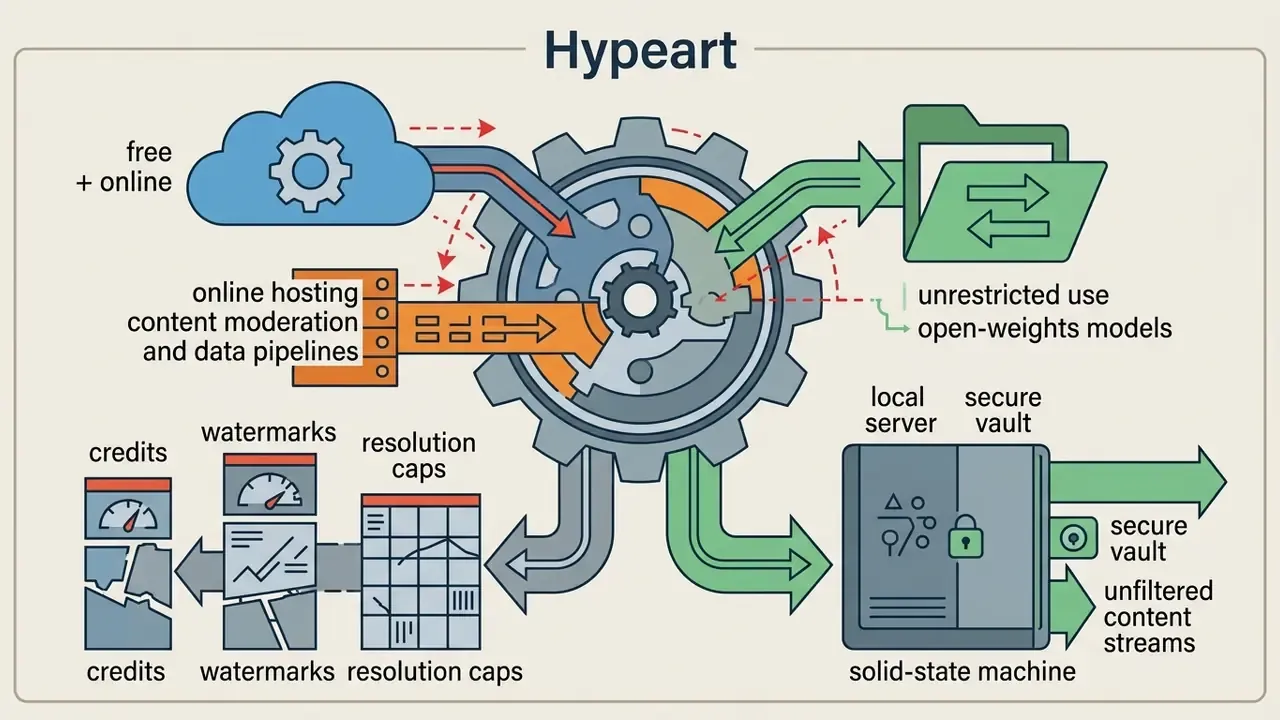
The demand for a tool that is simultaneously fully free, hosted online, and completely unrestricted presents an operational trilemma, and answering it first prevents wasted procurement cycles. High GPU compute expense forces providers to ration zero-cost access through usage caps, lowered export resolutions, or watermark enforcement. At the same time, public cloud hosts enforce legal content policies to limit platform misuse and regulatory liability.
Consequently, a zero-cost, online, unconstrained video generation environment does not exist in production. Non-commercial creative flexibility is achievable mainly by self-hosting open-weights models (such as Wan 2.1) on local hardware, a deployment path documented step by step later in this analysis.
Teams that need a hosted workflow without hardware investment should benchmark quota structures in our comparison of free AI video generators before committing budget. Where full diffusion video is overkill, lighter animation creation tooling or a classic movie maker free workflow will often close the brief faster and cheaper.
Unrestricted, uncensored and no-filter: differences in tool claims
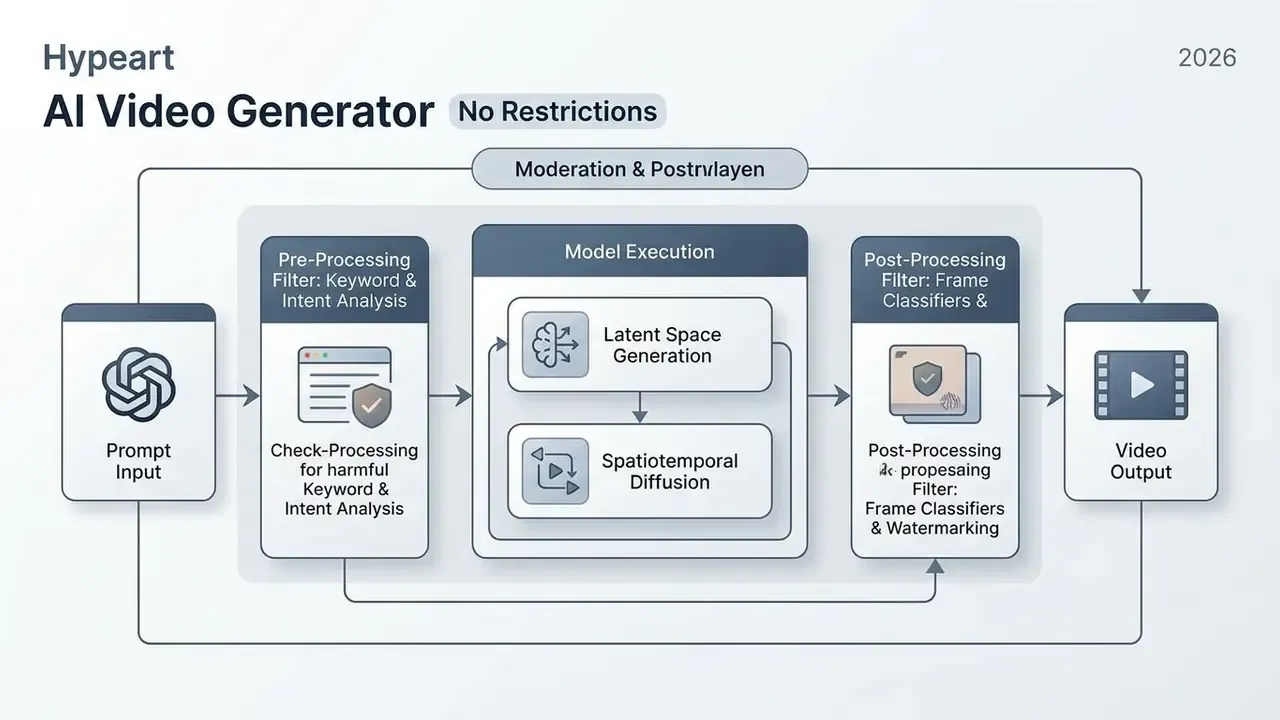
Vendor positioning splits these claims across three distinct operational layers: output moderation removal ("uncensored"), prompt permissiveness ("unrestricted"), and the absence of automated text classifiers ("no filter"). An ai video generator no restrictions search often lands on tools advertising an ai generated video uncensored workflow. Technical analysis, however, shows that guardrails are structured differently across providers:
- Uncensored AI: tools where post-processing image classifiers are bypassed or disabled, preventing automated output redaction. Peer-reviewed research on text-to-video safety pipelines confirms that hosted platforms rarely operate without any guardrail whatsoever.
«Commercial platforms deploy prompt pre-filters, output frame classifiers, or dual-layer defences; only fully open pipelines such as Open-Sora ship without built-in safety filtering.»
In that benchmark taxonomy, Pika is characterised by input-side prompt screening, Runway Gen-2 by output-side frame classification, Stable Video Diffusion by both layers, and Open-Sora by neither. Which is precisely why an "uncensored" claim must be mapped to a specific layer rather than accepted wholesale.
- Unrestricted AI platforms with relaxed prompt classification rules that accept complex, ambiguous, or edge-case text inputs without triggering immediate keyword blocks.
- No-filter tools open-weight models (localized builds of Wan 2.1 or Stable Video Diffusion) executed on local hardware, where no cloud API screens inputs or outputs. This is the only configuration where an ai generated video no filter claim is architecturally true.
Adversarial testing frameworks such as BSB (Zhang et al., arXiv:2607.17279, 2026) and trajectory-infilling attacks show that even mainstream commercial engines including Pixverse, Hailuo, Kling and Seedance enforce input and output safety boundaries, though temporal trajectory manipulation can bypass static frame classifiers with measurable frequency.
«TFM reaches average filter-bypass success rates of 52% on Pixverse, 60% on Hailuo, 49% on Kling and 45% on Seedance.»
So an ai no restrictions video generator running online remains bound by host platform policy and statutory limits on non-consensual imagery, deepfake impersonation, and copyright infringement. For model risk functions, those attack-success figures are the operative data point: a filter with a 40–60% bypass rate cannot be presented to an audit committee as a sufficient control. It can be presented as a partial mitigant with a documented residual risk. That distinction matters more than the vendor's landing page.
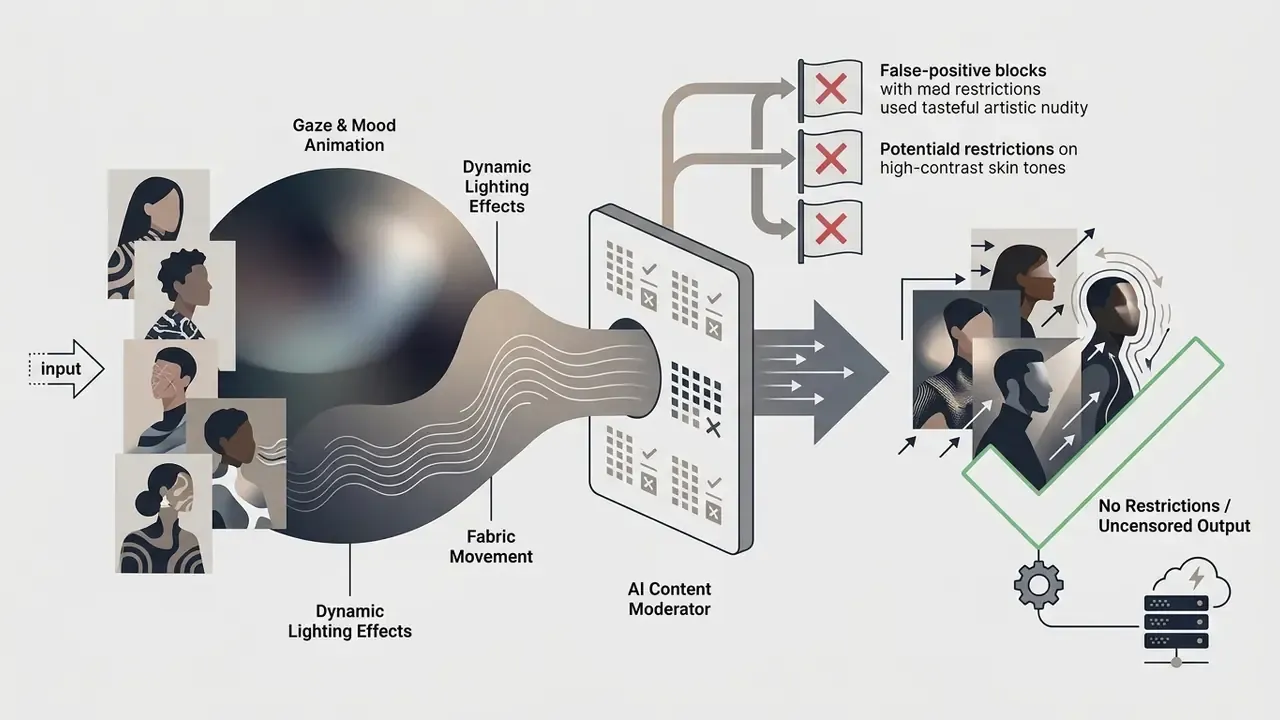
Legitimate professional demand for prompt flexibility. Not every search for "unrestricted" comes from policy-violating intent. Creative domains requiring wider prompt latitude usually fall into three defensible categories:

Limits that may remain: models, credits, duration and exports
Even when a platform claims ai generated video no restrictions capability, computational and operational constraints persist. Generative video diffusion demands substantial spatiotemporal transformer compute, which pushes providers toward strict quotas.
Typical residual limitations on free and basic tiers include:
- Generation credits: most online platforms cap usage through one-time or daily credit allocations, and reserve higher-tier models for paid accounts. Quota structures across mainstream tools are catalogued in our comparison of free AI video generators.
- Clip duration: state-of-the-art models hold temporal coherence mainly over 5 to 10-second clips.
«The model generates 5–10 second videos in the first stage, then upscales the result to 1080p through a separate super-resolution network.»
Extended durations therefore require iterative stitching, video-to-video extension, or latent overlap blending. Each of those reintroduces drift at the seam.
- Export resolution and watermarks: free tiers frequently cap standard exports at 480p or 720p and append hardcoded visual watermarks, reserving clean 1080p or 4K MP4 downloads for paid subscription tiers.
- Third-party model pass-through: aggregator platforms that route requests to partner models (Veo, Kling, Luma, Runway) inherit those providers' safety filters. A permissive front-end does not guarantee a permissive back-end.
AI video generation modes: text to video and image to video
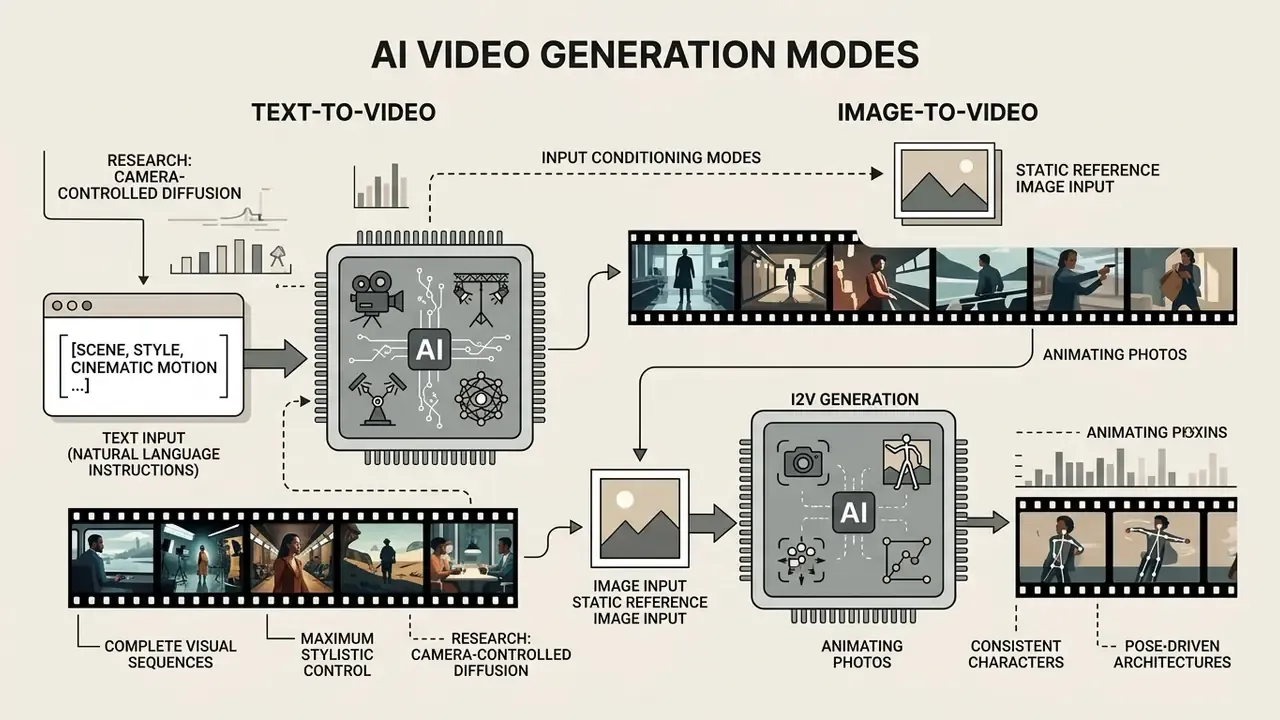
AI video synthesis relies on two primary input conditioning modes: text-to-video (T2V) and image-to-video (I2V). Choosing correctly depends on whether the project needs fully synthetic concept generation from unstructured descriptions, or strict visual continuity anchored to reference source assets.
Text-to-video for scenes, style and cinematic motion
Text-to-video synthesis generates complete visual sequences directly from natural language instructions. Modern diffusion-transformer architectures read the textual prompt and construct spatial geometry, lighting, camera trajectories, and action sequences from scratch.
Recent research into camera-controlled diffusion models (CameraCtrl, 2024; CameraCtrl II, ICCV 2025; PaintScene4D, 2024) demonstrates that modern T2V engines can execute precise operator commands, including tracking shots, aerial pans, and dolly zooms, when prompted with standardized cinematic terminology and explicit camera-pose conditioning.
«T2V-CompBench evaluates 23 models across 1,400 prompts, covering motion binding, spatial relationships, generative numeracy and object interactions.»
For creative teams building pre-visualization sequences or cinematic trailers, T2V offers maximum stylistic flexibility with no pre-existing art assets required. Foundational terminology and editing workflows sit in the movie trailer maker documentation, while distribution-side pipelines are covered in our YouTube publishing and editing workflow guide.
Image-to-video for animating photos and consistent characters
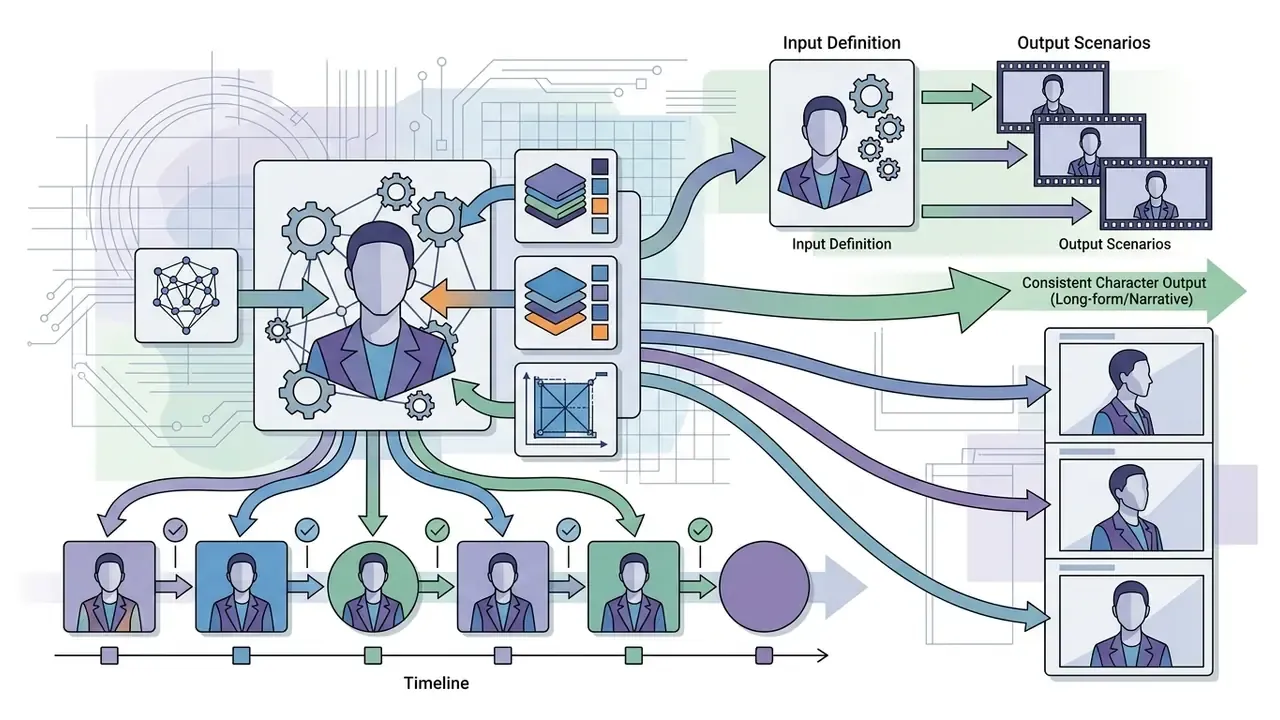
Image-to-video generation anchors the latent diffusion process around a static reference image, driving motion while attempting to preserve subject identity, lighting, and composition. This mode is essential when working with established brand characters, real-world portraits, or pre-rendered conceptual artwork, the three scenarios where identity drift causes the highest rework cost.
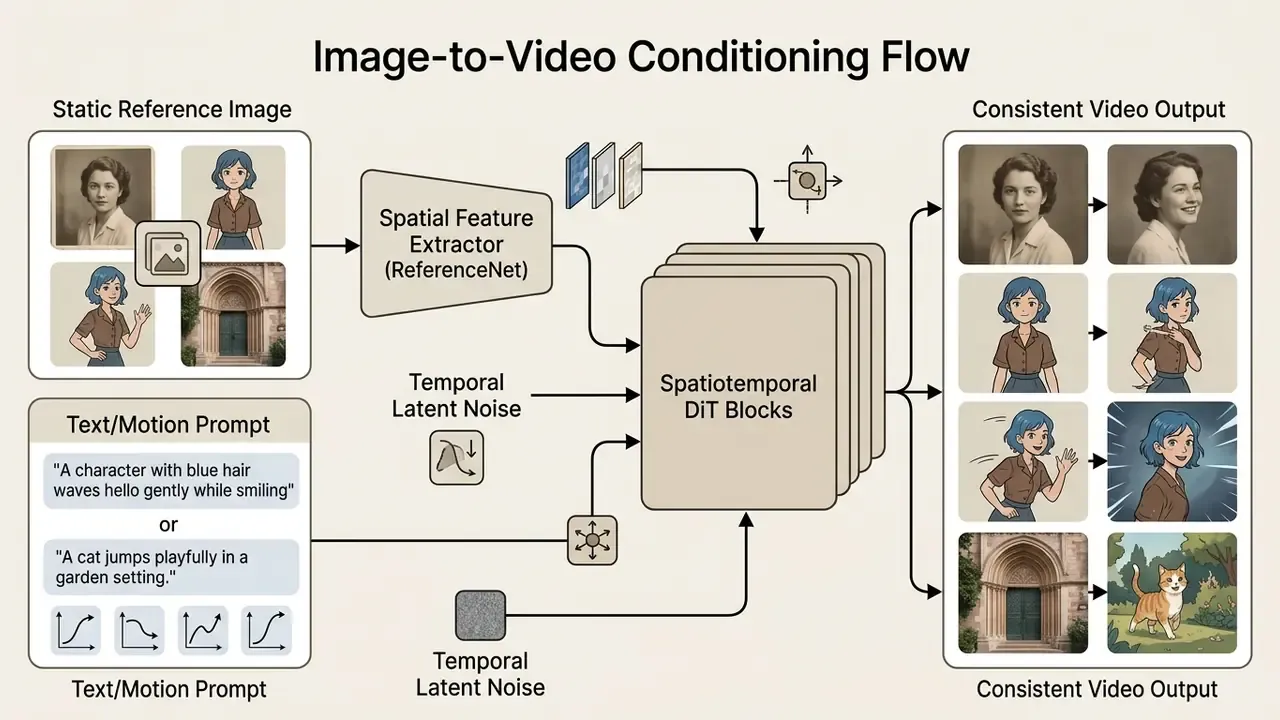
Architectures such as Animate Anyone (2023), PoseAnimate (2024), StableAnimator (CVPR 2025) and Hallo3 (CVPR 2025) use specialized reference networks (ReferenceNet), pose guiders and identity reference modules with cross-attention to prevent facial morphing and spatial distortion across frames. Users searching for an ai image to video generator uncensored or ai image to video free uncensored route typically want exactly this: a static portrait turned into believable motion, with the face intact.
Vendor claims that base diffusion alone keeps "frame 60 identical to frame 1" deserve scepticism. Without an explicit reference network or ControlNet-class conditioning, identity embeddings measurably degrade after roughly 3–5 seconds of generated motion. Portrait-grade fidelity requirements and privacy considerations for headshot-style assets are analysed further in our AI headshot generator guide, and stylised portrait pipelines are compared in our momo ai photo generator review.
How to choose an unrestricted AI video generator
Selecting an AI video generation system means evaluating model architecture, spatiotemporal stability, motion control accuracy, enterprise data isolation, and operational deployment cost. Permissiveness is a marketing attribute; the five items above are procurement attributes.
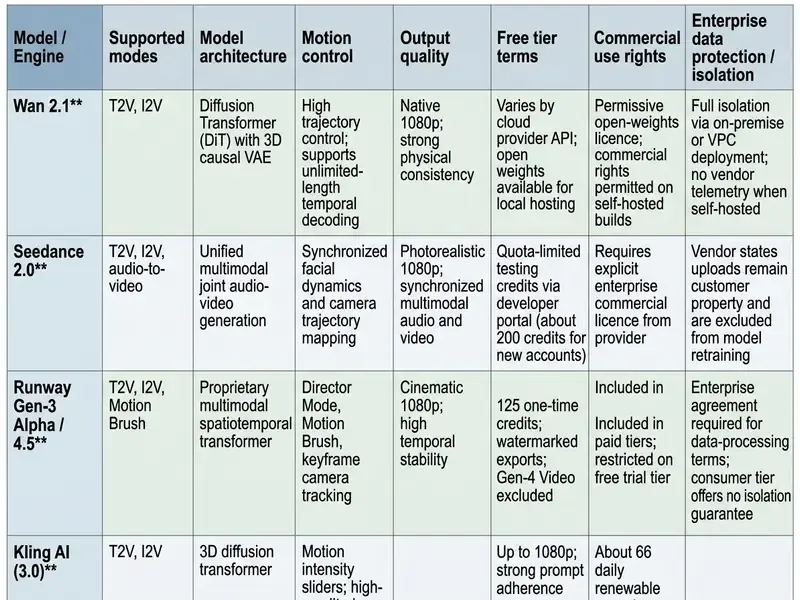
Read across the table and the pattern is blunt. The engines with the loosest prompt behaviour publish the least about retention, and the engine with the strongest indemnity (Firefly) is also the most conservative in motion amplitude. That trade-off is the actual procurement decision.
Procurement teams cross-checking these architectures against broader creative tooling can reference our comparison of leading AI generators and the Google Veo implementation and API cost guide for developer-economics modelling.
Generation models: Wan, Seedance and other available engines
The 2026 landscape of generative video engines is anchored by state-of-the-art diffusion transformers. Alibaba Cloud's Wan 2.1 pairs a 3D causal VAE with flow-matching paradigms to preserve historical temporal information across long sequences, which makes it the most credible open-weights option for private enterprise deployment. ByteDance's Seedance 2.0 offers a unified multimodal architecture that jointly processes text, visual references and audio to output synchronized video with native dialogue and sound effects.
For creators focused on realistic human locomotion and complex physical interaction, MiniMax's Hailuo AI delivers superior spatial fidelity on short clips, particularly photo-to-motion portrait animation. Multi-model environments such as Mage AI let operators route a single prompt through several open-weights architectures, including Flux, Stable Diffusion and Wan variants, inside one interface. That reduces dependence on any single vendor's content policy while shifting licence compliance onto the operator. Video-first services marketed explicitly as permissive (UncensoredAI.Video, HappyHorse 1.1, PixVerse-class engines) trade auditability for speed and prompt latitude; the trajectory-attack data above is best read as evidence that their filters exist but are inconsistently enforced.
Evaluating these against proprietary frameworks such as Runway Gen-3/4.5 or OpenAI Sora 2 means auditing steering precision, frame-rate stability, and infrastructure cost. Defence-side research is maturing in parallel:
«TrajShield reduces attack success rates by an average of 52.44% versus baseline defences while preserving prompt semantic fidelity.»
For validation leads extending model-risk frameworks (including SR 11-7-style validation regimes stretched to cover generative systems), the auditable control is the presence of a documented, benchmarked defence layer, not an undocumented "no filter" claim.
Quality, motion control and character consistency
Judging output quality needs structured benchmarking, not eyeballing:
- Subject identity inconsistency: cosine distance across facial embeddings (ArcFace, for example) between frame 1 and frame N, plus 200 random frame pairs. Lower variance means stabler character identity.



Suggested internal acceptance thresholds (calibrate against your own reference set before formal adoption):
| Metric | Acceptance band | Escalation trigger |
|---|---|---|
| ArcFace cosine distance, frame 1 to final frame | 0.25 or lower | Above 0.35: reshoot or regenerate the take |
| Inter-frame flicker (mean luminance delta) | Under 2% | Above 5%: reduce motion strength, re-seed |
| Physical implausibility events per 5s clip | 0 | 1 or more: clip rejected for external publication |
| Watermark or provenance signal present | Required for external use | Absent: block distribution |
Browser access, generation speed and supported output
Hosted browser-based generators remove local hardware requirements by offloading inference to cloud GPU clusters. The trade-off is server queues, latency, and rigid export conditions. Enterprise pipelines that need programmatic generation usually integrate direct cloud REST APIs rather than web interfaces. Standard output configurations deliver MP4 files encoded in H.264 or H.265 at 24–30 fps, which downstream editors handle without transcoding; format-specific trimming is covered in our mp4 video editor guide, and desktop finishing options in the movavi video editor overview.
Organizations evaluating API-based automation and developer integration should review the technical limits outlined in the api section, while delivery-side optimisation for web and social distribution sits in our video compressor guide.
Self-hosting open-weights models: the practical unrestricted path
The only configuration that genuinely removes cloud prompt screening and output redaction is local inference on controlled hardware. Conveniently, that is also the configuration satisfying enterprise data-isolation requirements, because no asset leaves the network boundary.
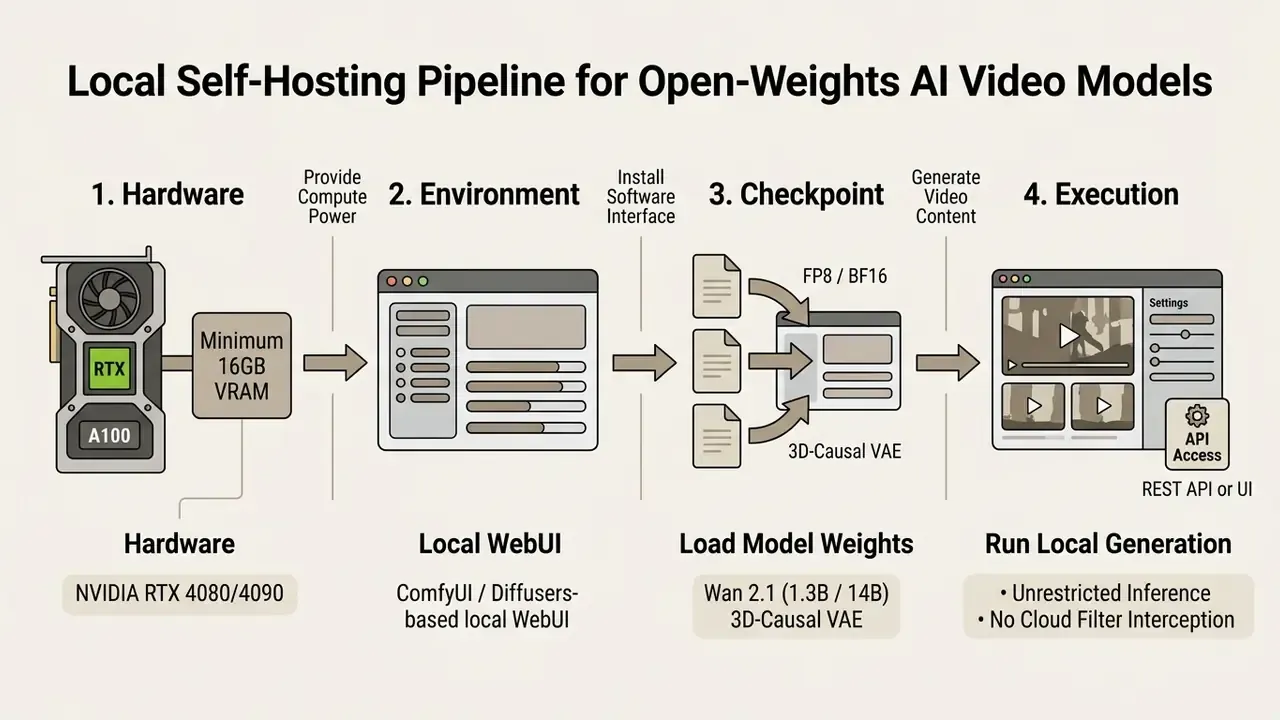
That last point deserves emphasis. Removing the vendor's filter does not remove liability; it relocates it to your own governance function.
Deployment risk comparison for regulated organisations
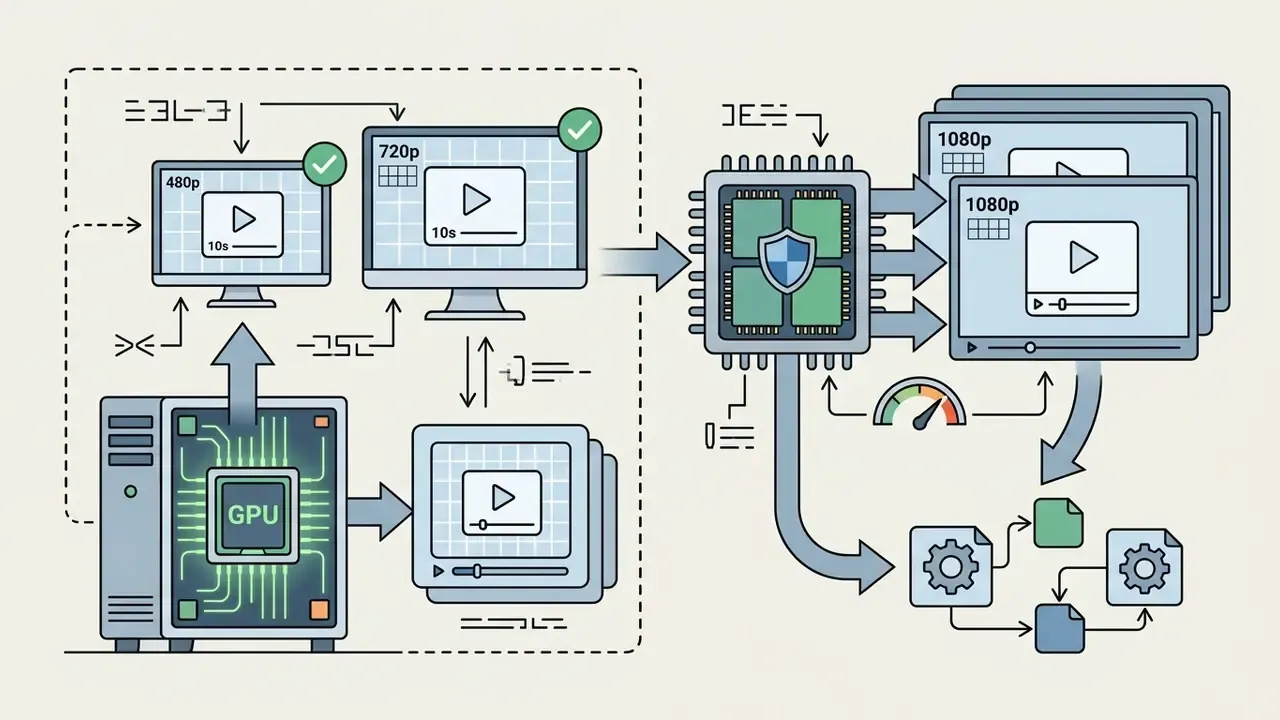


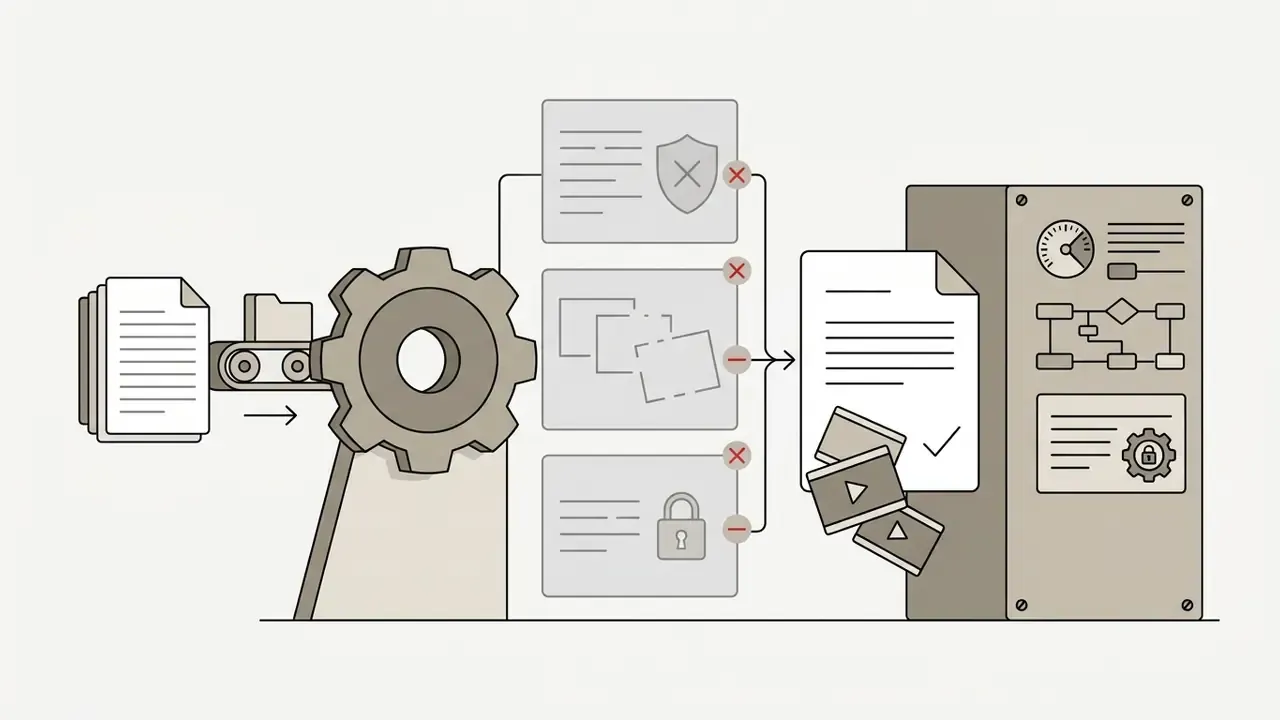
| Deployment mode | Data leakage exposure | Auditability | IP / licence clarity | Primary governance action |
|---|---|---|---|---|
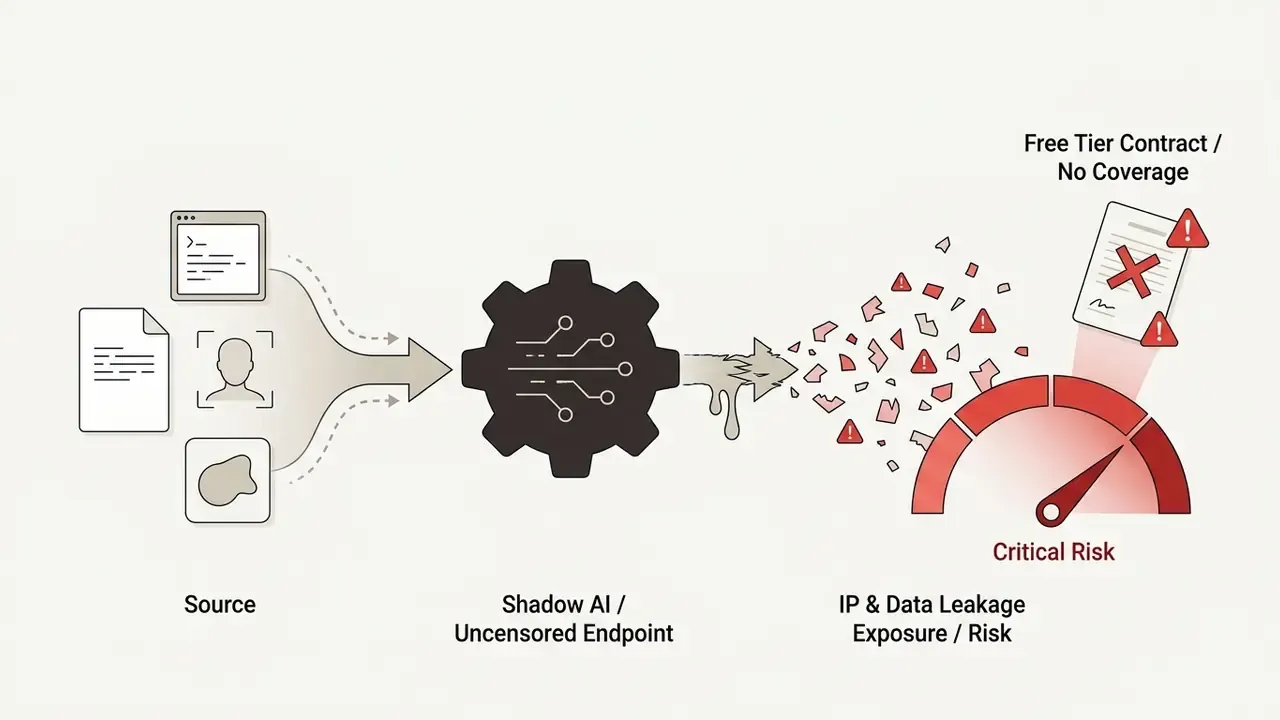
| Shadow AI (employees using consumer "uncensored" endpoints) | High: uploads and prompts may be retained or used for training | None | Undefined; free tiers usually non-commercial | Network-level blocking plus a sanctioned-tool policy |
| Vendor SaaS / enterprise API | Medium: governed by DPA, retention and opt-out terms | Contractual logs, provider attestations (SOC 2-class reports where offered) | Explicit; indemnification available from some vendors | Vendor due diligence, zero-data-retention endpoints where offered |
| Self-hosted open weights | Low: assets remain inside the perimeter | Full, operator-controlled logging and checkpoint pinning | Open-weights licence terms, operator-owned outputs | Internal acceptable-use controls and human review |
Free plans, credits and the real cost of AI video generation
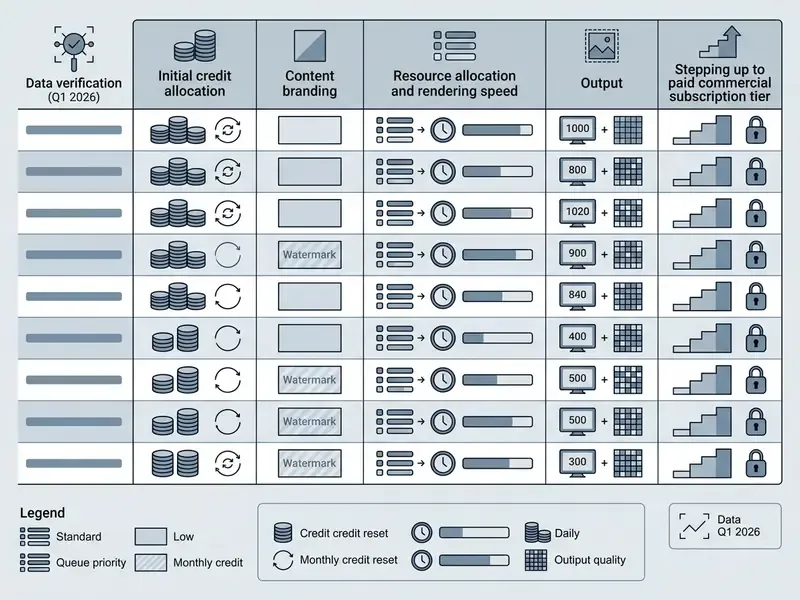
Video generation compute costs far exceed static image generation. So marketing claims of "100% free" or "unlimited" online AI video tools are almost always bounded by hard operational caps, credit metering, or export monetization. Side-by-side quota data is maintained in our comparison of free AI video generators.
What a free AI video generator usually includes
Free offerings fit into three structural types:
For individuals assembling a full production stack on a constrained budget, complementary editing and voice constraints are analysed in our AI voice generator guide, and complete financial breakdowns live in our AI Media Pricing Guides.
Watermarks, queues, resolution and paid export conditions
The trade-offs of zero-cost generation hit production utility directly. Free-tier exports capped at 480p or 720p smear fine detail on larger displays. Visual watermarks stamped into the lower-right frame corner block commercial distribution outright. Some free demo environments withhold MP4 download entirely and offer preview-only playback, which is easy to miss until the render finishes.
Low-priority queuing during peak GPU utilization can stretch a single 5-second generation from 30 seconds to more than 20 minutes. Multiply that by the three to five takes a usable scene needs, and the "free" tier starts costing real production hours. Finance officers evaluating infrastructure spend should use the dedicated models in our AI Media Calculators to weigh true compute cost against a paid subscription.
Operational control standard: generating video online from prompt to export
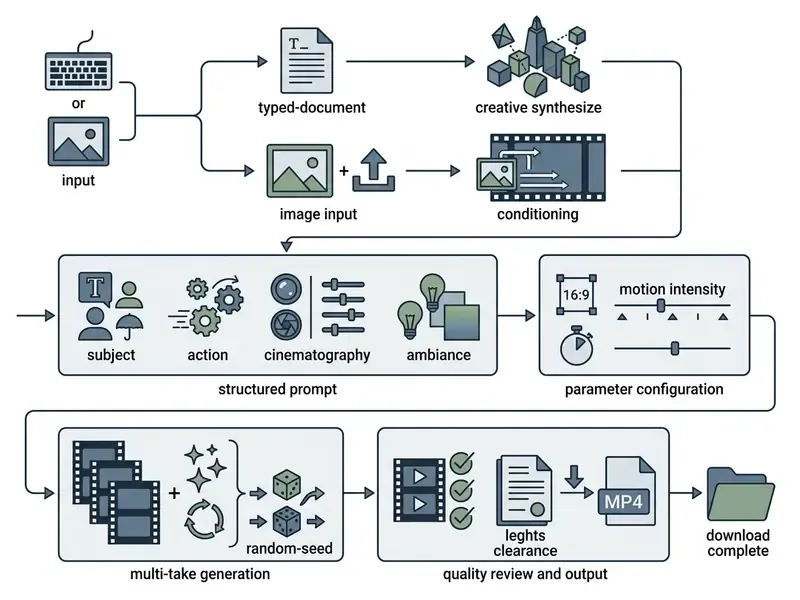
Running an online AI video generator efficiently requires a structured workflow that minimizes wasted credits, produces reproducible output, and holds visual consistency across takes. Treated as an operational standard rather than an ad-hoc creative exercise, the sequence below becomes auditable: every parameter documented, every take comparable, every export rights-checked.
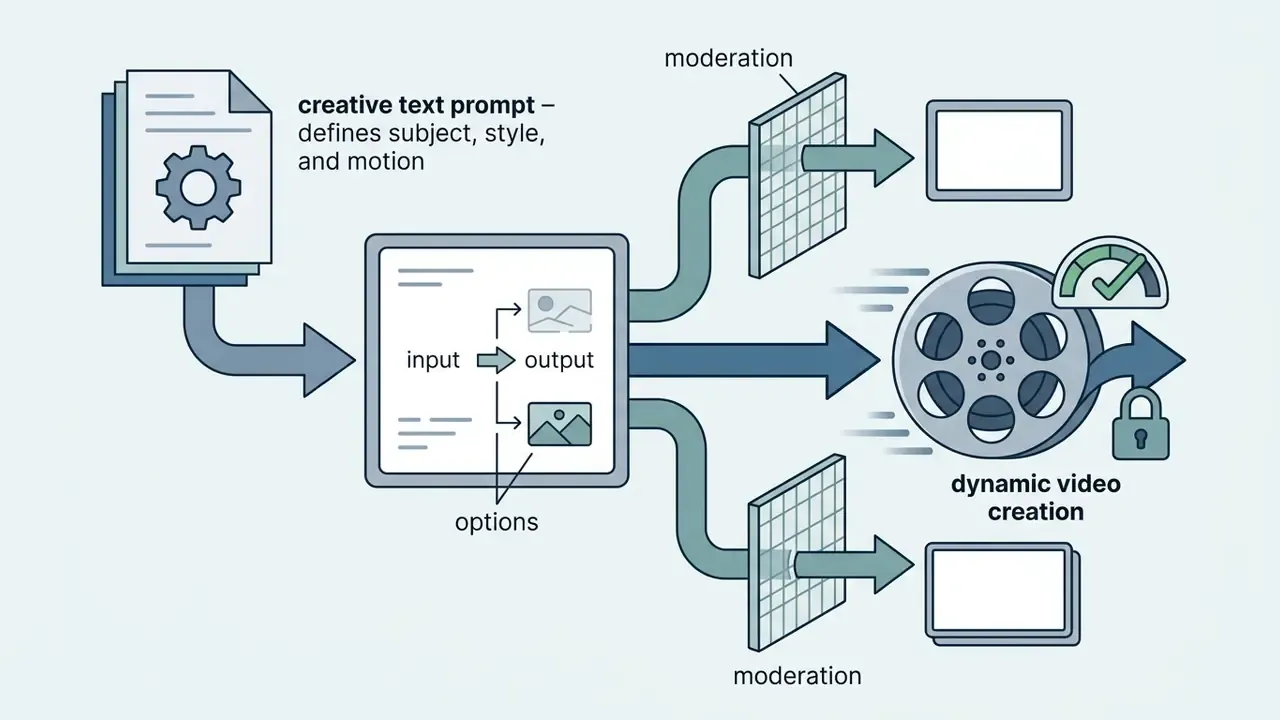
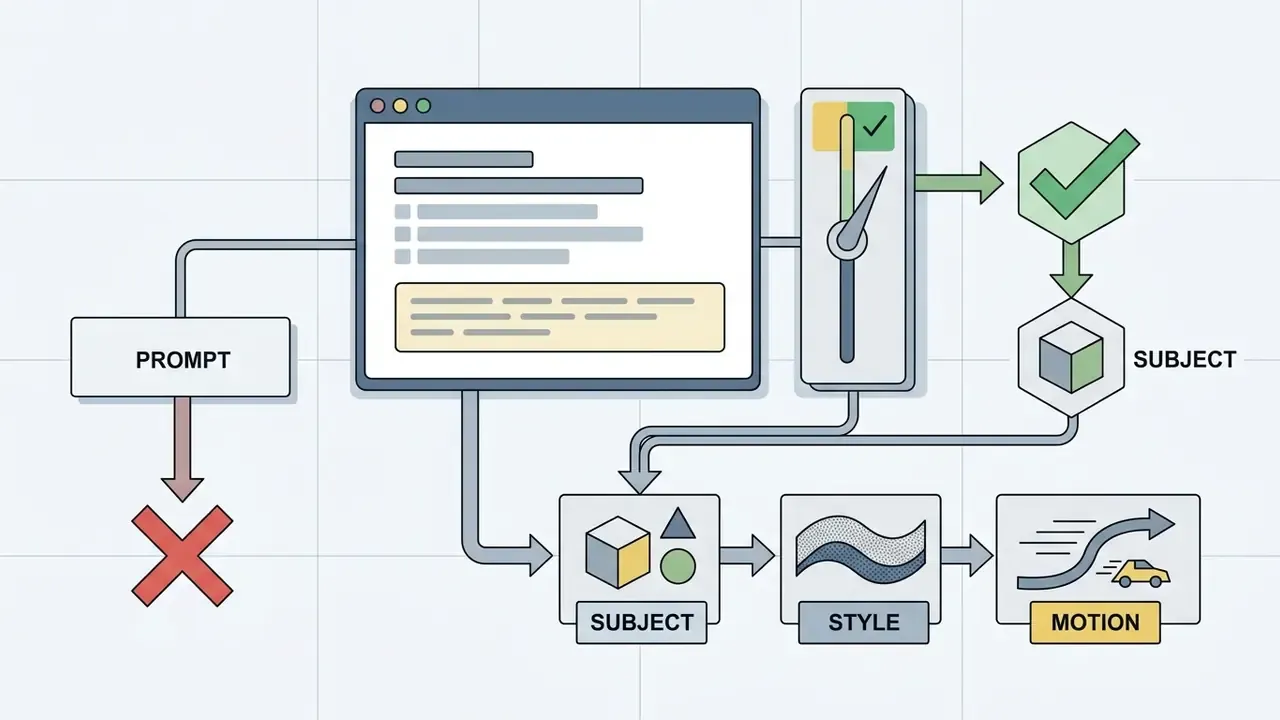
Write a prompt that defines subject, style and motion
Prompt engineering for spatiotemporal video models rewards structured descriptive blocks over conversational narrative. Official prompt guidelines from diffusion model providers (Google Veo 3.1 documentation, 2025; Runway Gen-4 prompt guide, 2025) converge on a four-part formula:
[Subject & Core Action] + [Cinematography & Camera Movement] + [Environment & Lighting] + [Visual Style & Aesthetic]
Google's five-part variant (Cinematography + Subject + Action + Context + Style & Ambiance) folds lighting into the style block, while Runway isolates camera motion as its own control term. The difference is structural rather than semantic, and either scheme works provided the operator applies it consistently across takes. Consistency is the whole point: an undocumented prompt is an unrepeatable result.
When producing background music or scores for generated clips, review the web-based tools detailed in our guide to music maker online services.

Upload an image and configure duration, style and control
In image-to-video workflows, input preparation determines output stability. Upload at native aspect ratios (16:9 or 9:16) with clear subject isolation and healthy contrast.
Key parameter settings:
- Motion intensity / amplitude set between 2 and 4 (or 0.2–0.4 on a 1.0 scale). Higher values invite temporal flicker and morphing. Platforms offering only binary controls (Low Motion / High Motion) should default to Low for portrait work.
- Clip duration 3 to 5 seconds gives the best temporal coherence. Longer durations increase spatial drift; API defaults commonly sit at 5 seconds.
- Camera motion path assign directional controls explicitly (pan left, zoom in, tilt up) rather than leaving trajectory unconstrained.
- Start and end frame conditioning where a second frame slot exists, supplying an end frame constrains the interpolation target and sharply reduces mid-clip morphing.
Supported input formats and batch image-to-video workflows
To protect visual integrity during I2V conditioning, prepare source assets in losslessly compressed or high-bitrate formats:
- Supported formats JPEG/JPG, PNG, WEBP and HEIC are the de-facto standard across hosted generators, typically capped near 10MB per asset. Some pipelines also downscale oversized pages or frames (to a 3072×3072 ceiling, for example) before encoding.
- Format conversion (WEBP or HEIC to MP4) when importing animated WebP sequences or mobile HEIC captures, the conditioning pipeline extracts uncompressed RGB frames before passing latent tensors to the diffusion model, which stops chroma-subsampling artifacts from resurfacing during MP4 (H.264/H.265) encoding. In practice this makes a generator double as a picture-to-video converter: a stack of stills becomes a shareable MP4 without manual re-encoding.
- Batch animation and photo slideshows multi-asset workflows sequence arrays of static images automatically, applying temporal cross-fading, Ken Burns-style parallax and beat-synced optical flow to build cohesive multi-beat storyboards. This is the standard path for turning a full photo album, wedding coverage, travel archive or product catalogue, into a picture video with music where transition timing follows the audio track rather than a fixed interval.
- Colour and metadata hygiene strip EXIF geolocation before upload when source images show identifiable people or private premises, and confirm sRGB conversion so exported MP4 luminance matches the reference still.
Generate multiple takes and download the best output
Because latent diffusion sampling is stochastic, a single run rarely lands final production quality. Professional workflows generate 3 to 5 takes per scene while holding prompt parameters constant, the same discipline editorial practice applies to live-action coverage, where a three-to-five-take limit prevents decision fatigue without under-sampling.
Operators review all takes once, designate a "spine" take, then compare candidates on four criteria: spatial identity preservation, absence of physical anomalies, camera smoothness, and usable handles at head and tail for downstream cutting. The chosen sequence goes to MP4 export and post-production; trimming, colour matching and delivery encoding are covered in our YouTube video editing workflow guide.
How to improve AI-generated video quality and scene consistency
Mitigating the familiar artifacts, body morphing, surface flickering, character face degradation, is mostly a matter of prompt discipline and model control settings rather than post-processing heroics.
Avoid flicker, morphing and unstable motion
Visual artifacts come from under-constrained spatiotemporal latent spaces. When high-frequency textures or complex motion paths overload model capacity, individual frames lose coherence, and longer generations accumulate drift that no filter fully repairs.
«VBench-2.0 introduces a Physics dimension that captures violations of physical plausibility, including object teleportation and implausible motion trajectories.»
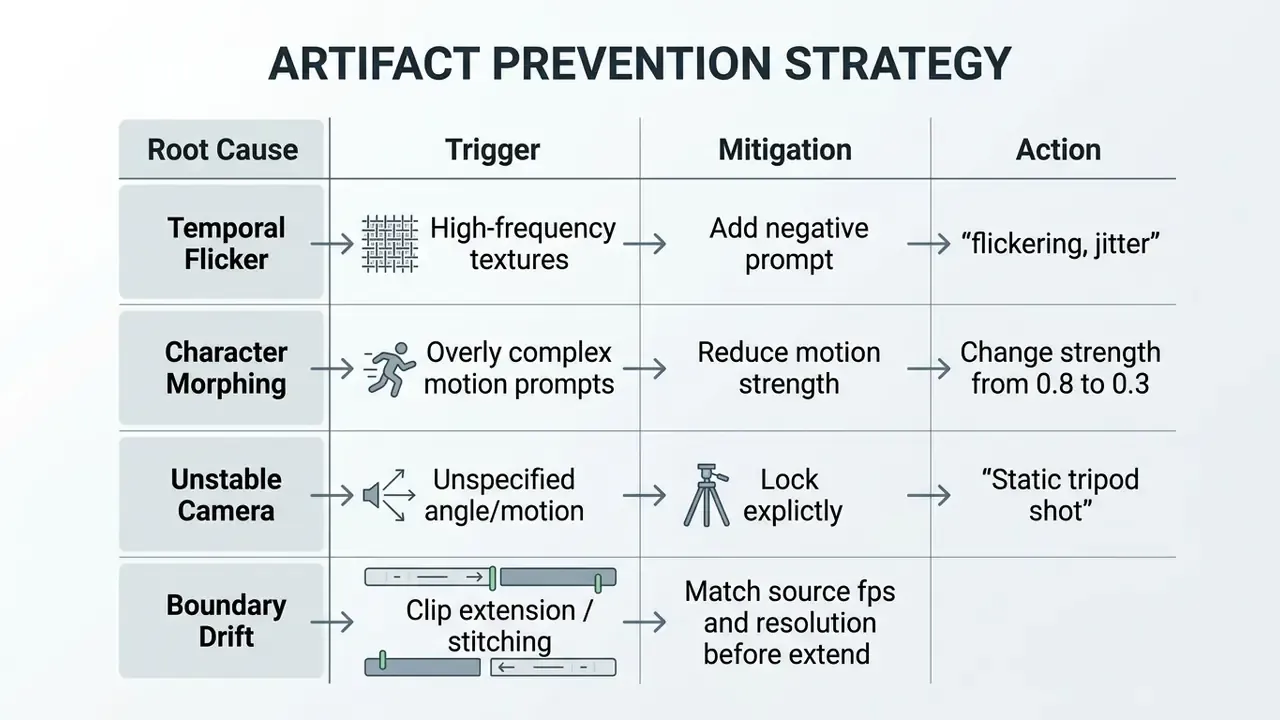
In one internally reviewed enterprise video pipeline, a digital marketing team logged roughly a 40% frame-corruption rate on complex action sequences. After standardising the four-part prompt structure, locking camera pan angles explicitly, and capping motion intensity at 0.3, usable scene yield rose from about 20% to 75% on initial passes. Worth stating plainly: these figures come from a single illustrative engagement, not a controlled study, so re-measure against your own reference prompts before treating them as a planning baseline. Published research does support the direction of the effect, consistently linking stability to shorter clips (3–8 seconds), simpler geometry, matched frame rates and lower requested motion amplitude.
Keep character identity and visual style consistent
Holding a character's identity across multiple clips needs a repeatable framework, not luck:
- Reference image conditioning use the same master character photograph across all I2V generations, ideally at identical crop and lighting.
- Seed locking fix the random seed across consecutive prompt variations to preserve lighting and background composition.
- Negative prompting include explicit exclusions (
"morphing, face change, distorted features, altered clothing") to constrain output variance. - Identity verification pass run ArcFace-class embedding comparison between the reference still and the final frame of each take, rejecting anything above the escalation threshold defined earlier.
- Style lock sheet document lens language, colour grade, aspect ratio and motion cap in a single sheet reused verbatim across every scene in a series.
Teams reviewing competitive tools and benchmark data can explore our AI Media Comparison Matrices and pick up operational guidance through AI Media Support and Troubleshooting.
Privacy, commercial use and responsible creation with AI video tools
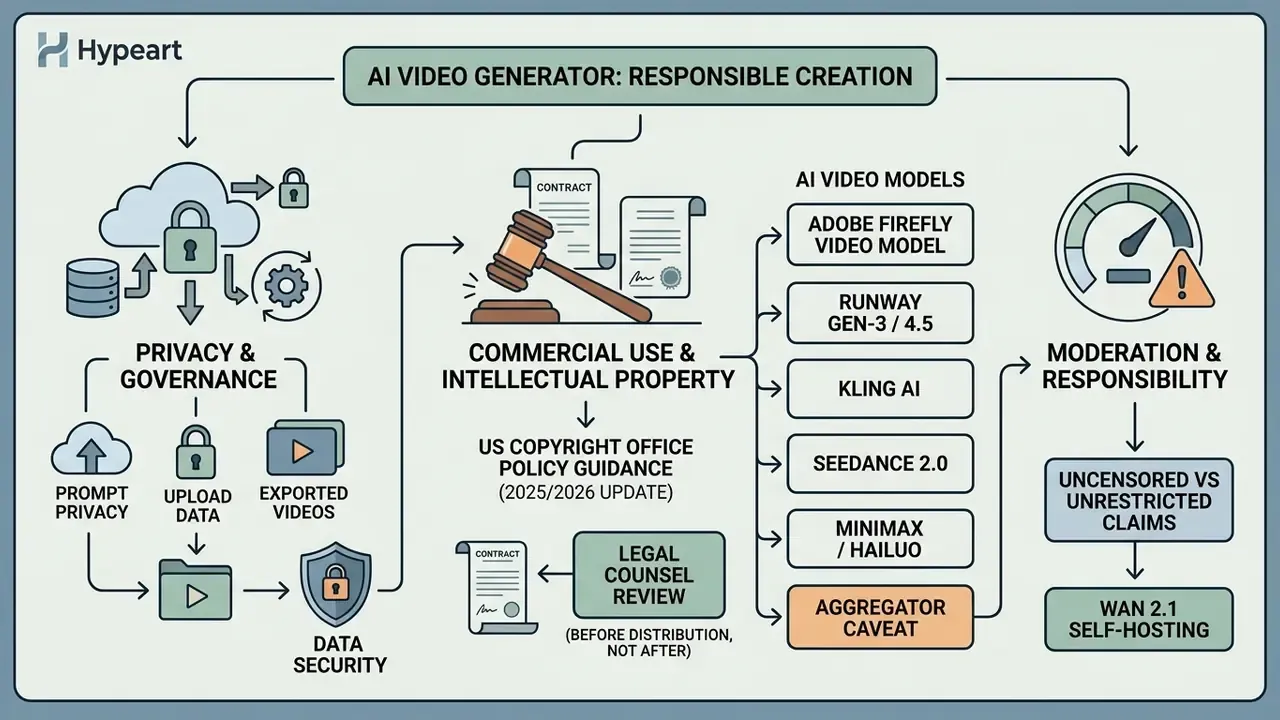
Deploying AI video tools commercially raises regulatory, intellectual property and data governance questions that belong in front of counsel before public distribution, not after.
«Under normal conditions all watermarking methods achieve near-zero error rates, yet current schemes remain vulnerable to white-box removal attacks.»
Privacy of prompts, uploads and exported videos
Uploading confidential business assets, proprietary product designs, or personal biometric imagery to third-party cloud platforms carries obvious data privacy risk. Enterprise cloud agreements generally provide data isolation; free consumer tiers often reserve the right to retain uploaded media and prompt strings for internal model training. Verification of provenance and unauthorised reuse of published assets can be supported by the tooling reviewed in our AI reverse-image-search comparison.
Retention windows differ materially by vendor and resist any single generalised figure. Policies observed in 2026 range from deletion of raw uploads shortly after export (one vendor states 7 days post-export, or 30 days if the asset was never exported) to a broader "permanent deletion within 30 days of account or chat deletion" commitment from large model providers, with statutory or safety holds as exceptions. Governance teams should extract the actual clause from each vendor's Data Processing Addendum, confirm whether a zero-data-retention endpoint exists on the API tier, and record the answer in the vendor register rather than assuming.
One more exposure path gets overlooked. Session-level sharing changes risk independently of backend retention: a publicly shared generation link exposes both the prompt and the uploaded reference image to anyone holding the URL.
Commercial-use checks before publishing an AI-generated video
Before publishing or monetizing generated video, run a short compliance review:
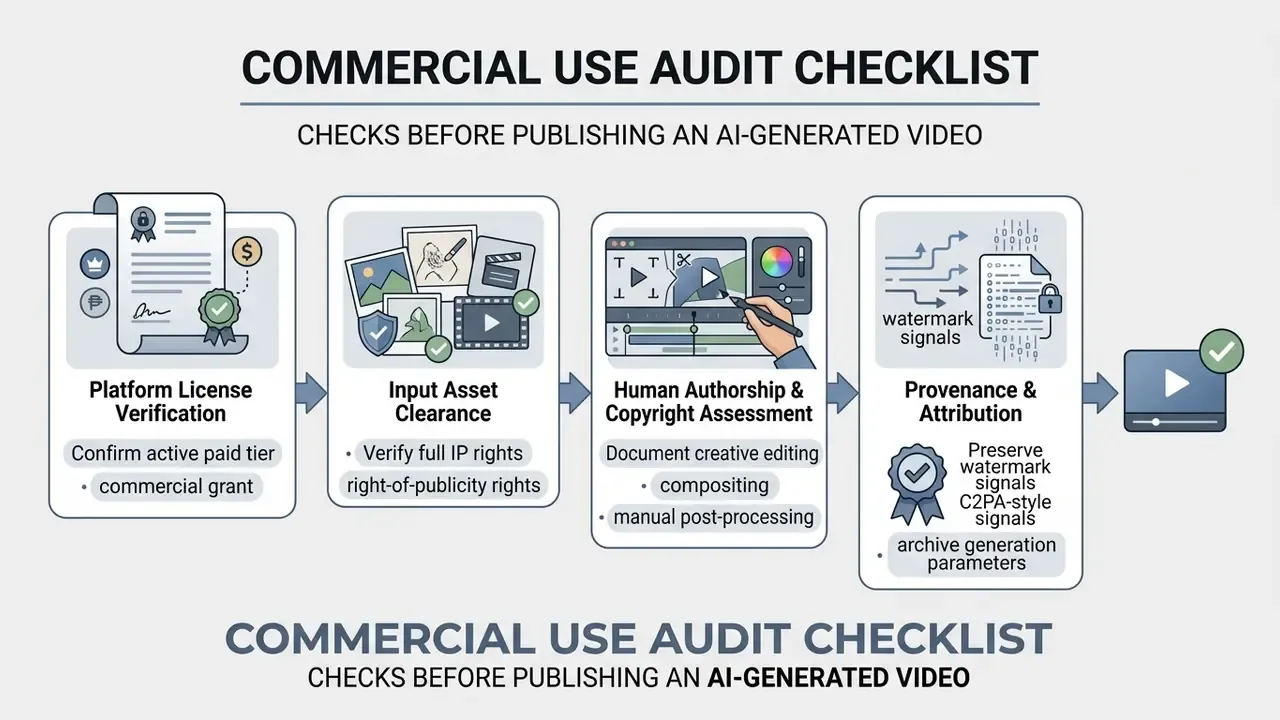
«LVMark embeds a 512-bit message into the latent layers of video diffusion models and decodes it reliably even under attacks and model modification.»
Limitations of this analysis, and what remains unresolved
Three caveats belong on the record. First, filter behaviour is a moving target: the bypass rates cited above were measured on specific model versions, and a single vendor update can invalidate them. Second, benchmark scores such as VBench or VMBench correlate with, but do not guarantee, brand-acceptable output; human review stays mandatory for externally published material. Third, copyright treatment of substantially AI-generated video is still developing in US practice, and registration outcomes may shift with new guidance or litigation.
None of that argues for paralysis. It argues for documenting the assumption next to the decision, so a reviewer in six months can see what you knew and when.
FAQ: unrestricted AI video generation
Is any hosted AI video generator genuinely filter-free?
No hosted service audited here operates without both statutory content limits and at least one automated moderation layer. Benchmarks document prompt pre-filters, output frame classifiers, or both. Only locally executed open-weights models remove that layer, and the operator then absorbs full legal responsibility.
Which input formats do image-to-video tools accept?
JPEG/JPG, PNG, WEBP and HEIC are broadly supported, generally up to about 10MB per asset. Animated WebP and mobile HEIC are decoded to RGB frames before conditioning, which is why the same pipeline can act as a WEBP-to-MP4 or JPG-to-video converter.
How long can a single generated clip be?
Reliable temporal coherence sits at 3–10 seconds depending on the engine. Longer runtimes require stitching, extension passes or super-resolution stages, each introducing seam and drift artifacts.
Can free-tier output be used commercially?
Usually not. Free tiers commonly combine watermarks, resolution caps and non-commercial licence language. Commercial rights typically attach to paid tiers, explicit commercial licences, or models trained on licensed data with vendor indemnification.
Does AI-generated video qualify for copyright?
Only human-authored contributions are registrable. Purely machine-generated material must be disclaimed in a registration claim, and prompts alone are not treated as authorship, so document your editing, compositing and scripting work.
What is the minimum hardware for local self-hosting?
A 16GB VRAM GPU handles quantised 480p–720p generation with Wan 2.1 or Stable Video Diffusion in ComfyUI. 24GB or more is preferable for 1080p and batch runs.
How do I detect identity drift objectively?
Compare facial embeddings (ArcFace-class) between the reference still and the final frame, plus a sample of random frame pairs. Cosine distance above roughly 0.35 signals that the take should be regenerated with lower motion strength and stronger reference conditioning.
How should an organisation handle Shadow AI use of these tools?
Combine network-level controls with a sanctioned-tool list, a documented data-classification rule (no confidential assets, no biometric portraits of identifiable individuals on consumer tiers), and a lightweight approval route. Teams need a compliant alternative, otherwise policy simply gets routed around.
Internal hub navigation and authority links
For complete technical specifications, platform reviews, and cross-disciplinary guides, explore the comprehensive AI Media Glossary, the free photo editing constraints guide, and our AI Media Comparison Matrices.