Evaluating web-based image processing tools means balancing four variables at once: speed, control, operational risk, and cost efficiency. The BeFunky photo editor is an established browser-based service built to speed up digital media production without demanding design training. That is the upside. The catch is that the free tier is heavily monetized, and the platform publishes no enterprise security certifications. This review separates what the tool genuinely does well from what it simply cannot do.
Executive summary
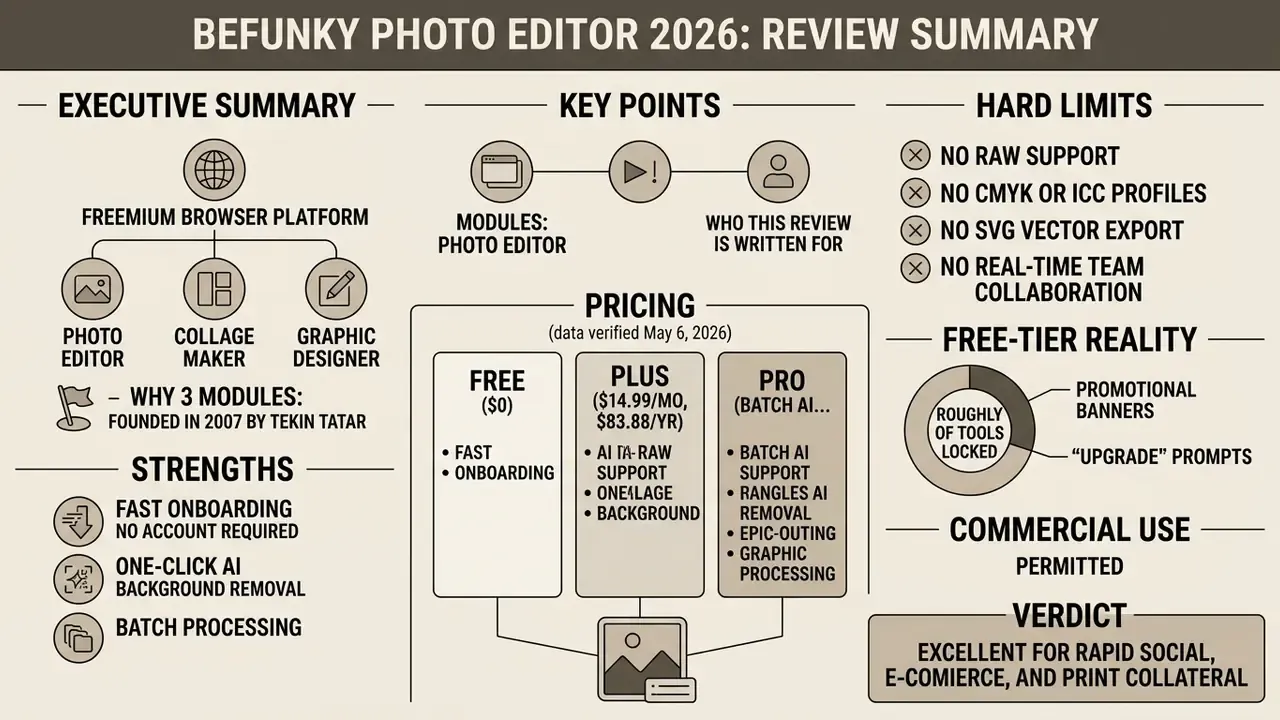
Who this review is written for. Three reader groups, each with a different decision. Solo creators want to know whether the free tier is usable at all. Small-business owners want to know if Plus replaces outsourced design work. Risk and governance readers want to know what happens when an unmanaged browser tool touches company images. The sections below answer all three, and the compliance checklist near the end is deliberately written so it can be pasted into a software-inventory record without rewriting.
What BeFunky Photo Editor is and who the editor fits
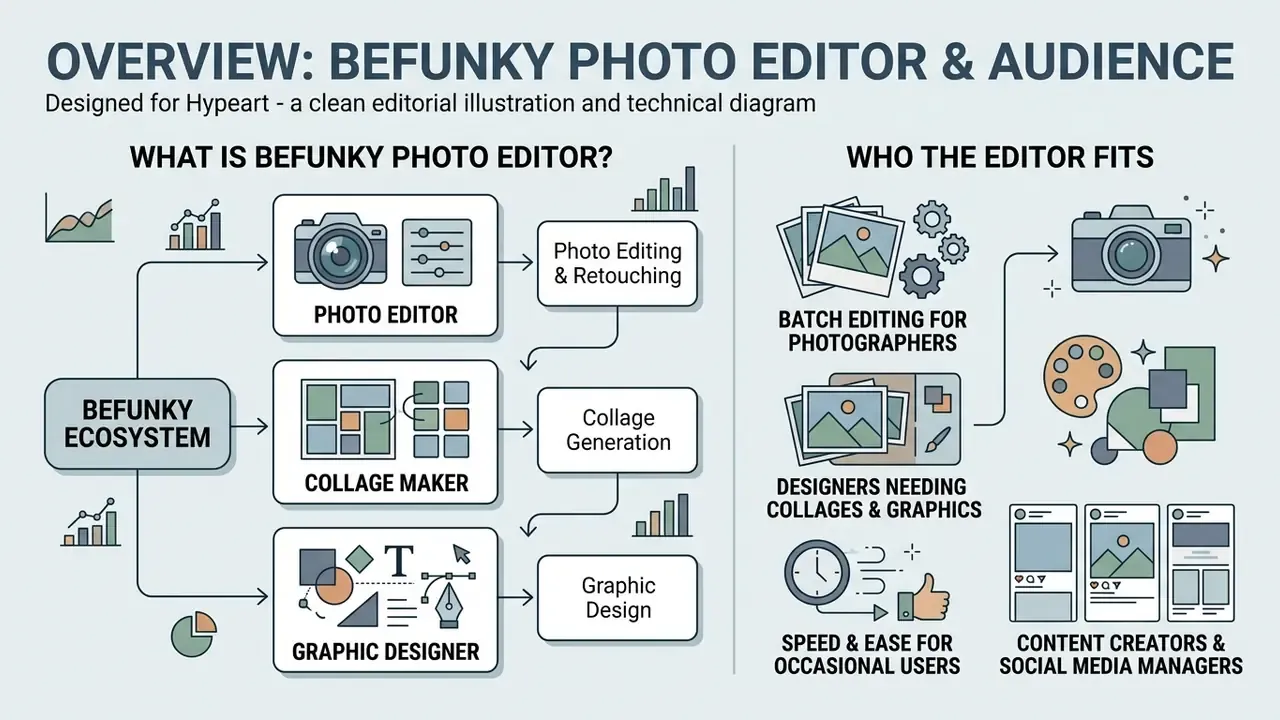
What is BeFunky Photo Editor? The BeFunky photo editor is a web-based creative platform that combines image editing, layout design, and collage construction inside one browser interface. The software targets non-professional designers, social media managers, freelancers, and small business operators who need reliable visual asset creation without complex local installations. BeFunky’s own onboarding materials state that no prior experience is required. The tools are explicitly built “for everyone,” which is the clearest signal of its positioning inside the wider category of online photo editors.
Photo Editor, Collage Maker, and Graphic Designer inside the BeFunky ecosystem
BeFunky operates as an integrated web suite divided into three primary functional modules. BeFunky is structured to allow smooth movement between single-image adjustments, multi-frame arrangements, and text-based marketing layouts, so a file opened in one module can be handed off to another without re-uploading.
- Photo Editor handles single-image adjustments, color grading, retouching, and automated AI transformations.
- Collage Maker arranges multiple images using flexible grid structures, ready-made Layouts (including Facebook and Pinterest presets), Patterns, or the automated Collage Wizard. Collages can be edited in full-screen mode directly in the browser, a genuinely rare capability among web editors.
- Graphic Designer provides template-driven layout creation for banners, posters, business cards, flyers, and digital promotional materials, with vector graphics, icons, stickers, clipping masks, brush settings, watermark creation, and color and theme controls.
A finance transformation team that needs standardized visual summaries for quarterly board reviews can use the photo editor BeFunky workflow in a very practical way. Screenshots of charts and branch photo assets get normalized to one crop ratio and one exposure profile through batch processing, then dropped into a saved BeFunky Project (.BFD) template that preserves editable text layers for the next reporting cycle. The measurable benefit here is template reuse rather than a headline percentage. The .BFD file becomes the reusable master, so each cycle starts from an approved layout instead of a blank canvas.
What tasks you can solve with BeFunky
The platform supports a wide spectrum of operational visual tasks, from routine image cleanup to marketing collateral design. Users can execute essential image editing, build multi-photo arrangements, and craft social media graphics inside standard web browser environments.
- Photo editing and retouching Crop, straighten, resize, exposure correction, perspective adjustment, color balance, sharpening, noise reduction, blur, clone, and background isolation.
- Collage generation Automated photo assembly for social posts, event summaries, and visual reports, with up to nine photos per collage in the mobile app.
- Graphic design Template-based design of social banners, business cards, flyers, postcards, greeting cards, brochures, infographics, and digital announcements.
- E-commerce assets Product shots with transparent backgrounds, listing images, and marketplace-ready banners.
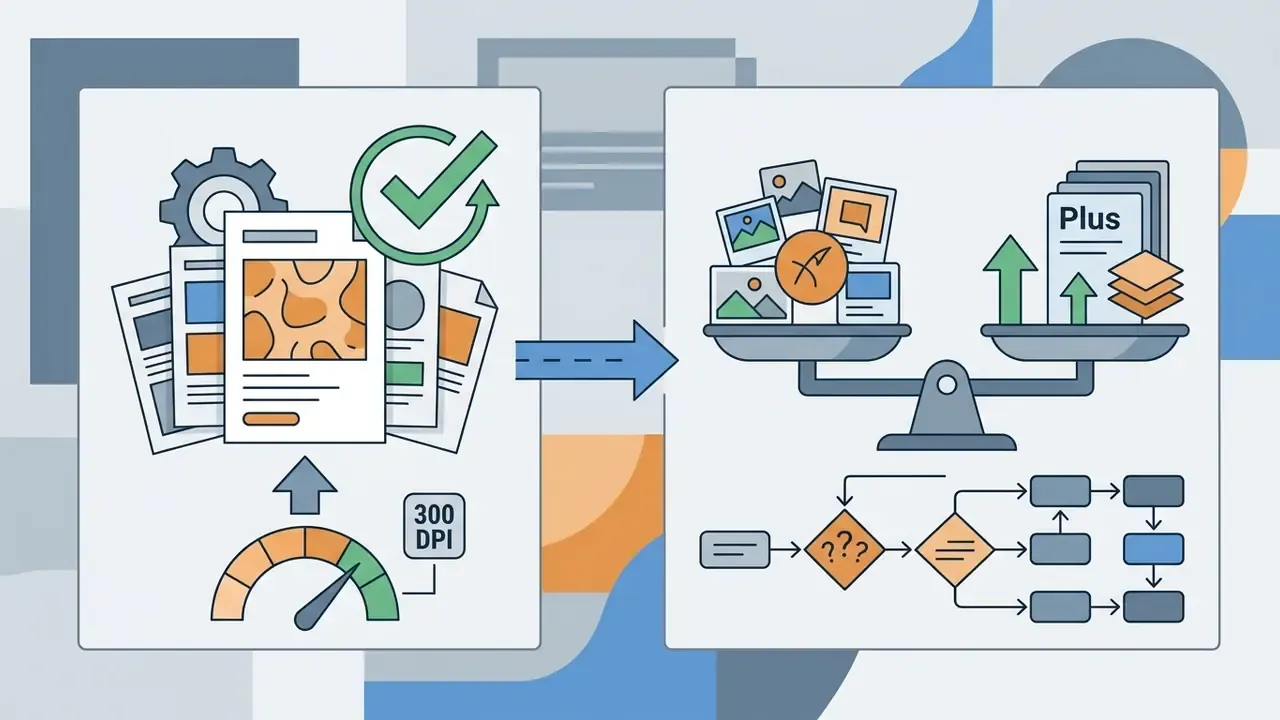
- Print collateral PDF export at print quality (up to 300 dpi) for physical distribution.
- Photo Editor: Crop, Resize, Exposure, Color, Touch Up, AI Background Remover, Smart Edit, Batch Editing, History List.
- Collage Maker: Layouts, Collage Wizard, Patterns, Drag-and-drop, Stock Photos, Direct Edit Handoff.
- Graphic Designer: Templates (including Etsy Layouts), Text Editor, Vector Graphics, Watermark Manager, Clipping Masks, Layers and Groups.
Core features and image editing tools in BeFunky
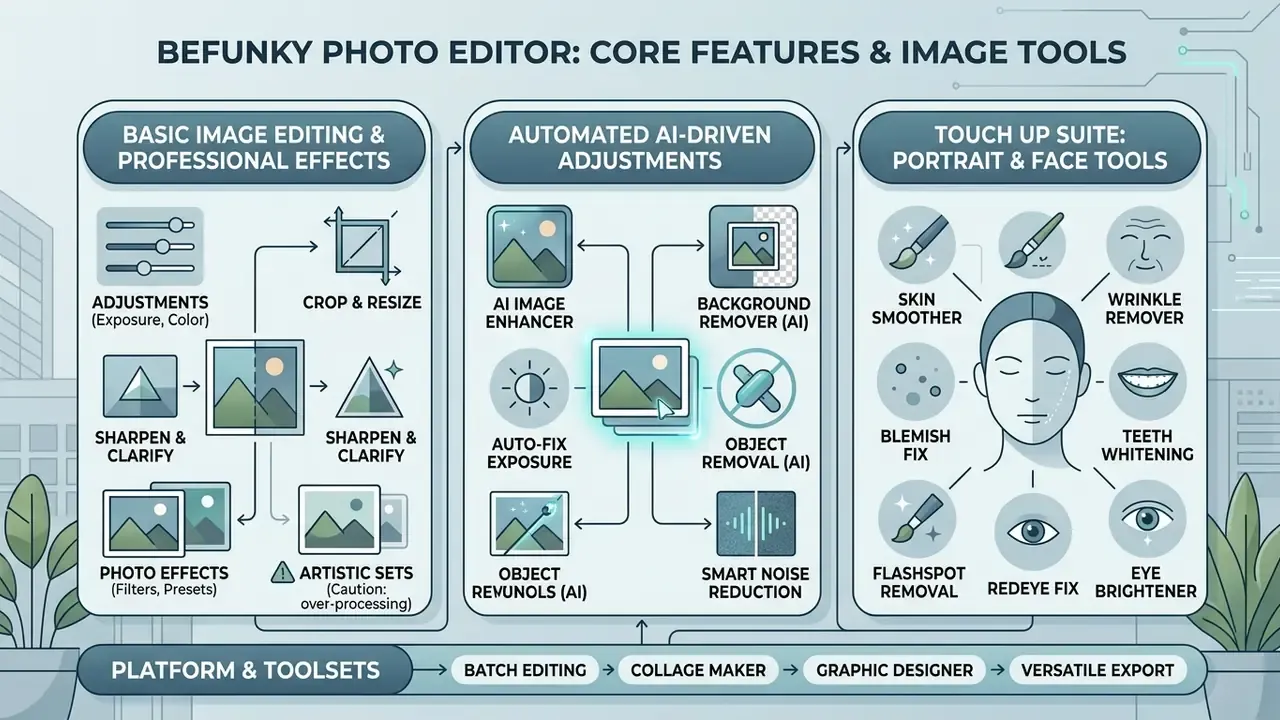
The BeFunky photo editor offers a balanced library of traditional image manipulation controls and automated AI-driven adjustments. That dual approach lets users perform precise manual corrections or run rapid single-click transformations, depending on project constraints. Tools are grouped into ten side-panel modules, and the Edit area itself is split into three sets: Essentials, Blur & Smooth, and Miscellaneous. An asterisk on a tool icon marks it as premium-gated.
Basic image editing and professional effects
Core editing tools in the funky photo editor include essential controls for frame cropping, resizing, exposure tuning, and color balance. These foundational functions are supplemented by specialized artistic filters and local adjustment tools.
Users can modify highlights, shadows, hue, saturation, and color temperature, and several adjustments can be applied selectively, since BeFunky provides erase and isolate-subject controls so exposure or color changes affect only part of the frame. Advanced utility tools like Dodge and Burn enable localized exposure adjustments across specific regions of an image. Crop offers preset aspect ratios or custom pixel dimensions. The Effects tab holds hundreds of presets including Chromatic, Black & White, Pop Art, and Vintage Colors. Stylized filters such as Cartoonizer, Digital Art, and Enhance DLX allow rapid artistic transformations with customizable intensity sliders, and the underlying research direction is well documented:
«Intelligent image editing algorithms, including style transfer, synthesis and enhancement, are widely applied in art design, reducing manual labor.»
A practical caution on the artistic sets: Effects, Artsy, and Textures deliver visually strong results, but in hands-on testing the entire Artsy toolkit is subscription-gated. A free user can preview a transformation but cannot export it without a BeFunky Plus watermark. Readers who want the same style-transfer effect inside a heavier stack usually end up comparing this against an ai photoshop generator workflow, which sits a full tier above BeFunky in both cost and control.
The Touch Up suite: what actually works on portraits
Portrait retouching sits in its own bundle, and quality varies sharply between individual utilities. This is the level of detail most reviews skip:
- Blemish Fix Algorithmic single-click removal of acne, spots, and skin imperfections. In practice it performs at the level of a desktop retouching tool and is the strongest utility in the bundle.
- Teeth Whitening Selective enamel brightening that does not bleed onto lips when the brush size is kept tight.
- Flashspot Removal Mattifies oily shine and blown-out highlights caused by on-camera flash.
- Redeye Fix Reliable red-eye correction. Processing is slightly slow, but the output is clean.
- Skin Smoother, Wrinkle Remover, Eye Brightener Available for facial cleanup, mostly premium-gated.
- Limitation, Blush The blush brush applies pigment crudely, shifts skin tone rather than adding a natural flush, and offers almost no granular settings. Reduce layer opacity manually, or skip it. Paint Brush behaves similarly and is not suited to precision work.
An operational review unit evaluating shadow AI usage audited an internal team using the photo editor funky for marketing assets. Rather than blocking the tool, the unit issued a centralized usage guideline: approved use for public-facing marketing imagery, prohibited upload of documents containing customer PII, and a ban on unvetted external plug-ins. The value of that policy is qualitative but concrete. It converted an untracked browser tool into a documented, bounded workflow with a named owner, which is exactly what an auditor asks for.
BeFunky AI tools: photo enhancement and background work
BeFunky incorporates generative and automated AI tools to handle repetitive or visually complex editing operations. Independent evaluations of comparable systems support the efficiency argument:
«User evaluations show that AI editing systems with convenient interfaces outperform existing solutions in efficiency and cost-effectiveness.»
The AI Background Remover automatically detects the foreground subject and isolates a transparent output in a single step. The removed background can stay transparent, take a solid color fill, or be replaced with a new image. Readers comparing this class of tools more broadly can review how AI photo editors handle subject segmentation across platforms.
The Smart Edit tool enables text-prompt-guided image adjustments, letting users describe targeted changes in natural language: replacing a background setting, altering lighting, removing an object. This positions BeFunky inside an active research field:
«Image editing and image-to-image translation tasks have become ubiquitous in research; specialized systems modify images according to textual descriptions.»
Additional AI utilities include AI Image Upscaler (up to 4× enlargement with detail reconstruction), Object Eraser, Old Photo Restorer with colorization, Sky Replacement, Deblur, Noise Reduction, HDR DLX, Vibrant Colors DLX, and the Expand or smart-fill function that generates additional canvas content to change aspect ratio without destructive cropping, a technique explained in depth in our overview of AI image expansion tools. BeFunky launched Expand as its first dedicated AI tool in 2024 and has since added a full AI Editor and Batch Background Remover.
One boundary worth stating early: BeFunky is a still-image tool. It does not animate anything. If a campaign needs motion from a static asset, that job belongs to an ai photo to video service or an ai picture to video generator, not to this editor. Same story with retro game-style assets, where a dedicated ai pixel art workflow or an ai pixel art generator produces cleaner results than any filter stack here.
Batch editing, stock photos, and graphic assets
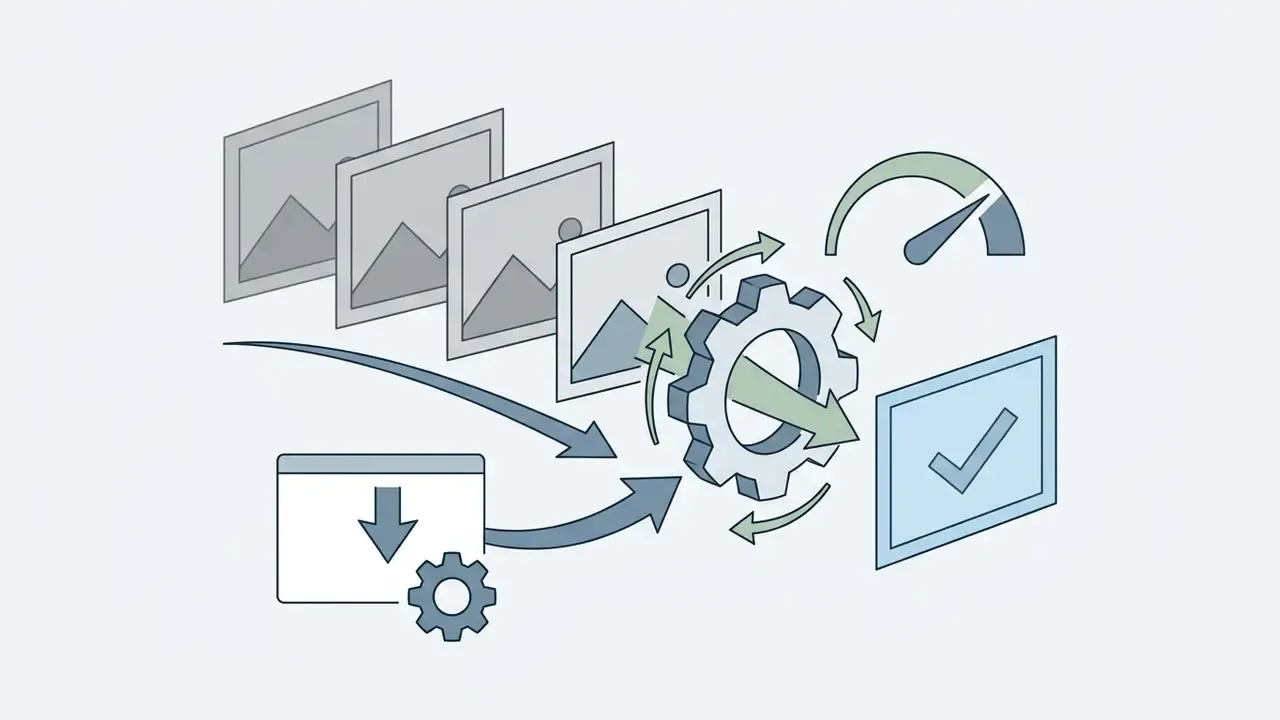
The platform includes a dedicated batch editing engine designed to process high volumes of images at once. Users can apply uniform crops, resizes, exposure corrections, effects, or brand watermarks across dozens (officially “hundreds”) of photos in one operational sequence, then export the whole set as a ZIP archive of JPG or PNG files. Verified user reviews describe the practical value plainly:
«Batch editing features allow me to work on photos in group… I no longer have to waste too much time working on files that do not end up making the cut.»
The editor provides a direct search-and-import window for free media libraries, namely Pexels, Pixabay, and Unsplash, which removes the need to download source files to a local drive first. Type a query, preview the result, drop it straight onto the canvas. Genuinely uncommon among browser editors, and particularly useful for testing a retouching approach on stock material before touching client files.
The graphic library offers customizable vector elements, icons, stickers, imported Google Fonts, typography controls, frames, textures, overlays, and editable text layers. For online store owners, the Graphic Designer ships ready-made card and banner templates built to Etsy standards (Etsy Layouts) with correct proportions and safe text zones, alongside social media formats such as Facebook Posts, Stories, and Facebook Ads.
Version history, autosave, and crash recovery
Failure protection and edit history, updated. BeFunky maintains a step-by-step change journal (History List) that displays every editing action performed, so you can roll back to any earlier stage rather than merely undoing the last operation. Combined with Layers and Groups (opened from the bottom-left corner, with the ability to hide and lock layers), this gives a reasonably transparent record of what was done to an image.
Equally important: if the browser closes unexpectedly or the network drops, BeFunky offers to restore the full set of unsaved changes on relaunch, because edits are held in the BeFunky cloud. Among free web editors this recovery behavior remains rare, and it materially reduces rework risk on long retouching sessions. For internal audit purposes, note the boundary. The History List is a session and workflow convenience, not a signed, exportable audit trail. Saving as a .BFD project file is the only way to preserve editable layers and text for later verification, since JPG, PNG, and PDF exports flatten everything.
How to use BeFunky Photo Editor online
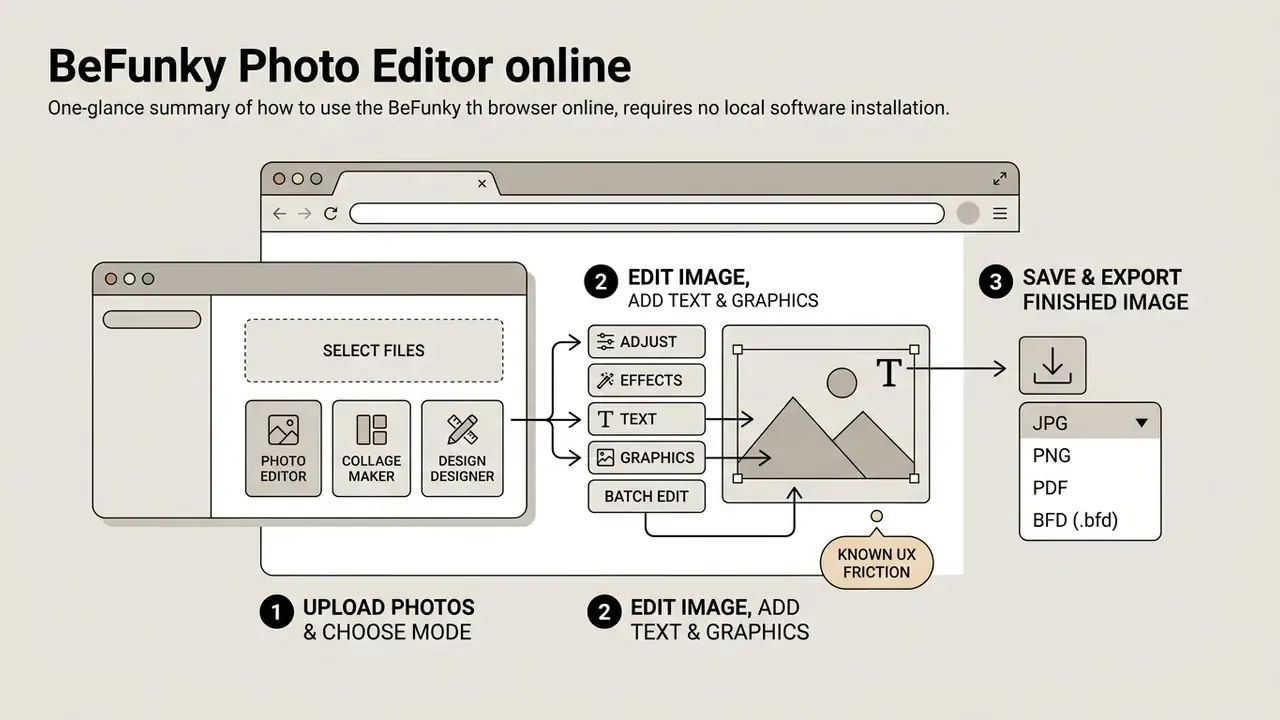
Operating the photo editor by BeFunky in a web browser requires no local software installation and no elevated system privileges. The workflow proceeds sequentially from media ingestion through editing adjustments to final file export.
Uploading photos and choosing a working mode
Users can import media files into the workspace from local storage, cloud services, or linked repositories. Use BeFunky by selecting one of the primary entry modules depending on the intended output format. If you are still comparing options at this stage, our roundup of free photo editors covers how export ceilings and watermark policies differ between platforms.
- Open the web interface and choose Photo Editor, Collage Maker, or Graphic Designer.
- Import assets via drag-and-drop, local file selection, Google Drive, Google Photos, Dropbox, your saved BeFunky library, or live webcam capture. Copy and paste directly into a layer or grid cell also works.
- Alternatively, select stock assets directly from the integrated Pexels, Pixabay, and Unsplash libraries.
- Note that RAW files cannot be opened. Convert to JPG, PNG, or TIFF-derived formats beforehand.
Editing the image, adding text and graphics
Once the image is loaded onto the canvas, editing controls are applied through the left-side navigation panel. BeFunky you can combine basic manual edits with automated AI layers in any order.
Adjust composition using Crop and Straighten, then apply exposure or color calibration. Activate AI background removal or a Smart Edit prompt if complex object separation is required. Add text overlays via the Text Editor (fonts, colors, background fill, line height, styles), then insert brand graphics or vector stickers from the Graphics tab: search, add to “Your Graphics,” then double-click or drag onto the canvas. Reorder elements using the Layers and Groups panel in the lower-left workspace corner, and use the History List to step back if a filter stack goes wrong.
Known UX friction: full-screen editing mode improves canvas real estate but does not remove promotional banners, and the zoom behavior is genuinely restrictive. Read the limitations section below before planning any pixel-level retouching session.
Saving and exporting the finished image
Exporting finalized visuals requires selecting output parameters that match the asset’s distribution channel. BeFunky supports multiple file formats, compression ratios, and resolution thresholds.
- JPG Recommended for online photo distribution; includes an adjustable quality and compression slider.
- PNG Lossless compression with full alpha-channel transparency preservation, ideal for graphics and isolated subjects.
- PDF Available in Web Quality or Print Quality (up to 300 dpi; 240 dpi for Poster size) for documents and physical print collateral.
- BFD (.bfd) BeFunky Project file format that preserves all editable vector, text, and image layers for future modification.
- Destinations Save to computer, to your BeFunky cloud library, to Google Drive or Google Photos, or share directly to Dropbox, Pinterest, and X/Twitter. Mobile users can additionally save to the camera roll or push to Instagram and Facebook.
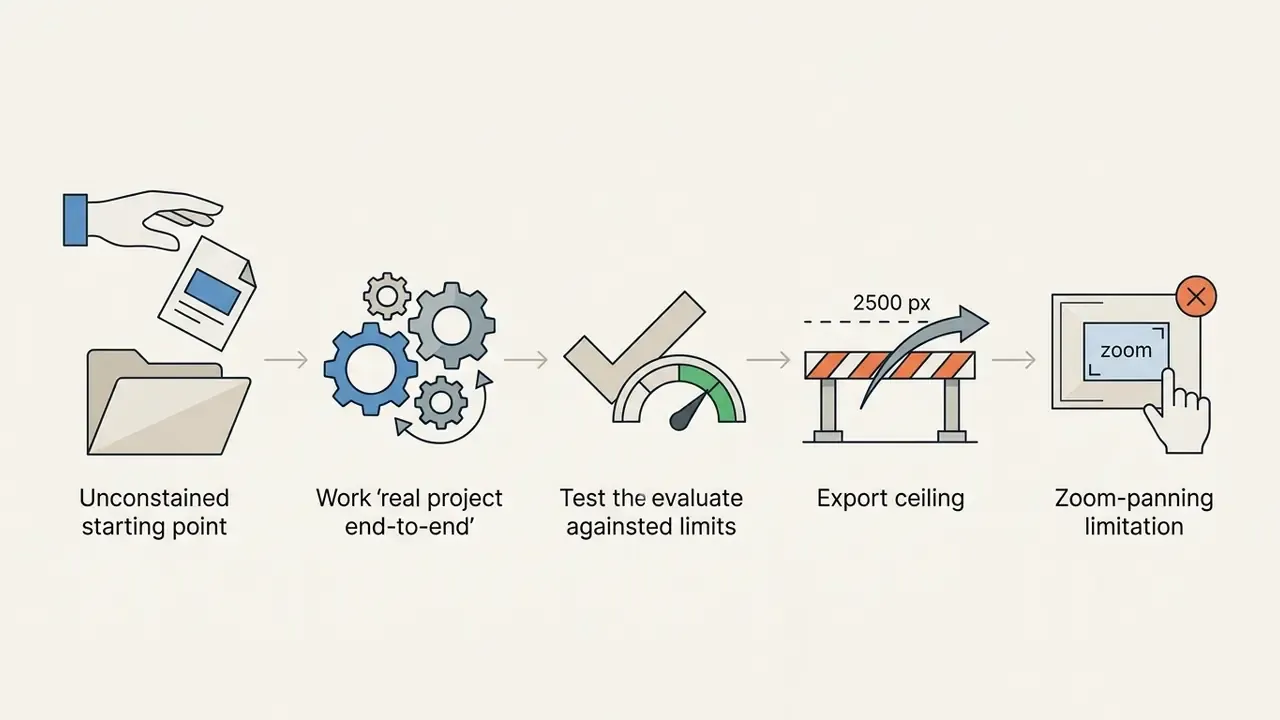
- Resolution ceilings 2500×2500 px on Free, 4088×4088 px on Plus and Pro.
BeFunky Free, Plus, and Pro: pricing, plans, and limits
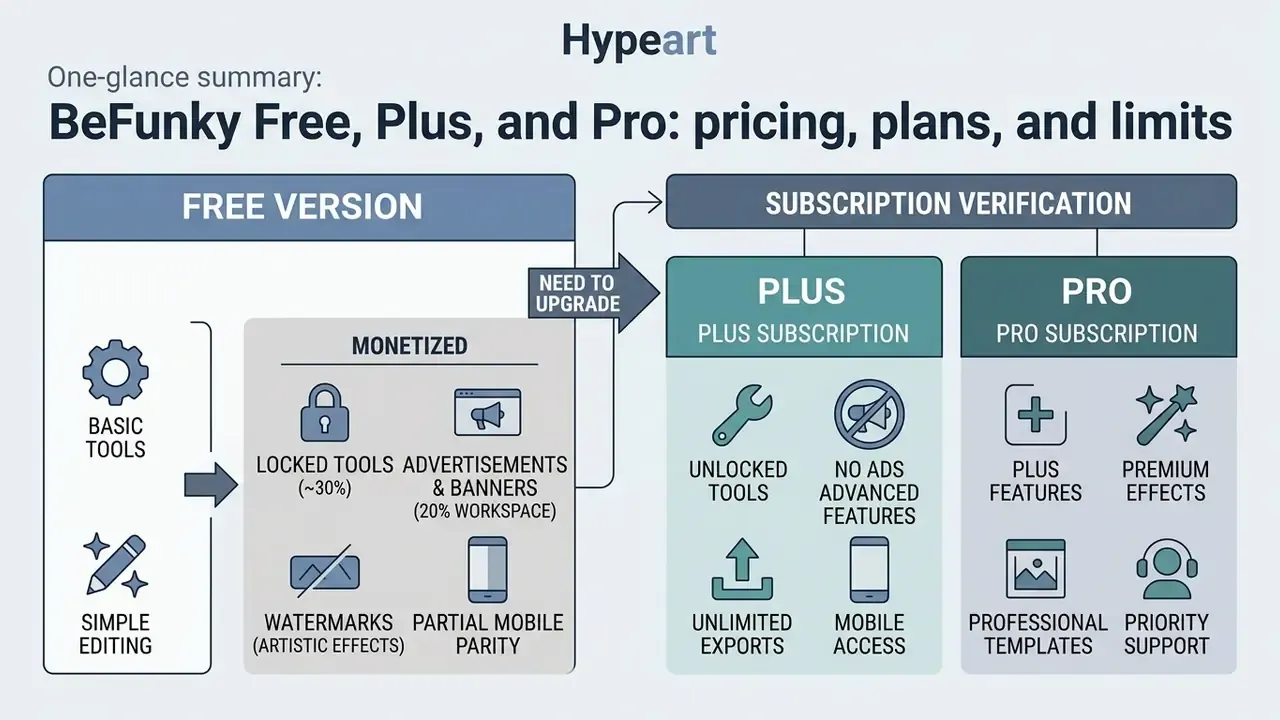
BeFunky operates under a freemium commercial model. Basic features are available at zero cost, while advanced AI functions, high-resolution outputs, and batch workflows require a paid subscription. For side-by-side context across the wider category, our AI Media Pricing Guides track how per-seat and credit-based models compare, and the AI Media Calculators help estimate monthly cost against real image volume.
What the free version includes
The BeFunky free photo editor lets users perform foundational editing tasks without creating an account. Free access includes over 100 basic digital effects, standard crop, straighten and resize functions, basic portrait touch-up, photo frames, texture layers, an extended font library, and basic collage layouts. Creating a free Basic Account adds bookmarking of favorite effects, titles and descriptions, and online image storage.
Free exports are capped at a maximum resolution of 2500×2500 pixels. Premium assets, including the AI Background Remover, AI Photo Enhancer, AI Portrait Enhancer, Watermark Manager, Levels, Background tools, Artsy effects, and batch processing, are locked behind subscription prompts or apply preview watermarks.
How aggressively the free tier is monetized
This is where sanitized reviews mislead readers, so the numbers matter:
- Roughly 30% of the toolset is locked in the free version. Asterisked tools inside Essentials, and effectively the entire Touch Up and Artsy bundles, require Plus.
- Advertising and upsell banners occupy up to 20% of the workspace. The prompts are self-promotional. An “Upgrade” call-to-action reappears at practically every stage of the workflow, and switching to full-screen editing does not suppress them.
- Watermarks on key artistic effects. You can preview an Artsy or Digital Art transformation in full, but exporting it without the BeFunky Plus watermark is not possible on the free plan.
- Mobile parity is partial. Additional content inside the mobile app requires separate in-app purchase, although a signed-in Plus subscription carries across web and mobile.
When you need BeFunky Plus
Upgrading to BeFunky Plus unlocks the complete library of advanced AI tools, professional templates, high-resolution export privileges, and multi-image processing engines.
Subscribers gain full access to single-click AI background isolation, Smart Edit text-prompt editing, Enhance DLX, clone and cutout tools, every collage template, and batch editing. Maximum output resolution increases to 4088×4088 pixels. The BeFunky price structure also includes a Pro plan aimed at high-volume commercial users who need dedicated monthly batch AI credits, Batch AI Editing, and Batch Background Removal. The underlying technology direction is public and moving fast:
«Step1X-Edit is a publicly available general image editing algorithm, released to stimulate further innovation in AI editing.»
| Parameter / Plan | BeFunky Free | BeFunky Plus | BeFunky Pro |
|---|---|---|---|
| Price | $0 / month | $14.99/month ($83.88/year) | Depends on AI credit volume |
| Account required | No | Yes | Yes |
| Max export resolution | 2500 × 2500 px | 4088 × 4088 px | 4088 × 4088 px |
| AI Background Remover | Locked | Full access | Batch access (Batch AI) |
| AI Photo / Portrait Enhancer | Locked | Full access | Full access plus batch |
| Batch Editing | Limited | Available | Batch AI with monthly credits |
| Premium templates & Artsy effects | Preview / watermarked | Full access | Full access |
| Advertising in workspace | Yes (up to ~20% of screen) | No | No |
| Export formats | JPG, PNG, PDF | JPG, PNG, PDF, BFD | JPG, PNG, PDF, BFD |
Is BeFunky suitable for professional and commercial use?
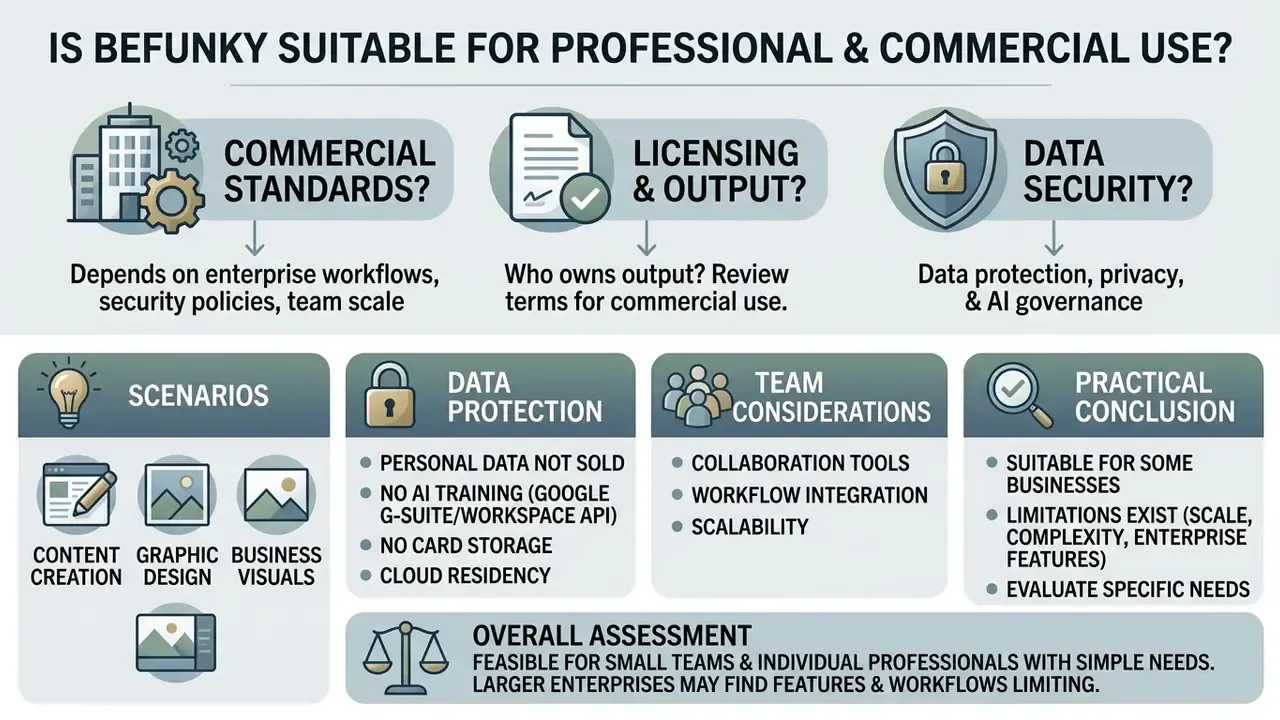
Whether the get funky photo editor meets commercial standards depends on enterprise workflow requirements, data security policies, and team scale. Before comparing it against AI image generators and other production tooling, separate the licensing question from the governance question. BeFunky answers the first clearly and the second only partially.
Licensing: who owns the output
BeFunky’s Terms of Use state that users on a Basic Account may sell or otherwise commercially benefit from images edited with BeFunky features, and the Help Center confirms that “everything you build and create” belongs to the user. That is an unusually permissive position for a freemium tool, and it makes BeFunky viable for paid client work, marketplace listings, and paid advertising creative, subject to the licensing terms of any third-party stock asset you import from Pexels, Pixabay, or Unsplash. Broader ownership questions across generative tooling are collected in the AI Media Commercial-Use Hub, and the ongoing disputes over training data sit in our AI Litigation and enforcement tracker.
Scenarios for content, design, and business visuals
BeFunky suits independent marketing, small-business branding, and rapid content generation. Organizations frequently deploy the software to hold visual branding consistent across digital touchpoints, and BeFunky’s own case pages document use for advertisements, social banners, and Instagram posts.
Common business scenarios include generating e-commerce product images with transparent backgrounds, constructing social media ad creatives, producing postcard mailers, business cards and brochures for print, and designing marketplace listing graphics with Etsy Layouts. Teams that need deeper automated cleanup at volume typically pair this with AI image enhancement tools for higher-resolution catalog work. Worth noting what BeFunky is not built for: investor documents. Slide-level storytelling belongs to an ai pitch deck generator, not a photo editor with a text tool.
A regional fintech marketing team evaluating lightweight graphic tools to accelerate publishing adopted the BeFunky’s photo editor for standard graphics and customer announcement banners. The operational logic was simple. Routine, low-risk assets (event banners, quote cards, product screenshots) moved out of the design queue and into a templated BeFunky workflow with locked brand colors and fonts, while anything customer-facing that involved regulated disclosures stayed with the design team. The gain is triage, not magic. The tool absorbs the repetitive tail of requests, and the design team keeps the assets that need judgment.
Data protection, privacy, and AI governance
For anyone assessing shadow AI exposure, this is the section that decides the answer. What BeFunky documents publicly:
- Personal data is not sold. BeFunky’s Privacy Policy states that it does not sell personal data.
- No AI training on Google Workspace API data. The policy explicitly states that data obtained through Google Workspace APIs is not used for advertising or to train AI models.
- No card storage. Payment card details are not stored by BeFunky; payments are handled by third-party processors.
- Cloud residency of edits. Unsaved work is held in the BeFunky cloud to enable crash recovery, which is a usability strength and a data-residency consideration at the same time.
What BeFunky does not document publicly, based on available official materials:
- No published SOC 2 Type II or ISO 27001 attestation.
- No admin console, SSO/SAML, role-based permissions, or centralized user provisioning.
- No enterprise data processing agreement or sub-processor list specific to AI features.
- No published statement identifying which third-party model providers power Smart Edit or other generative functions, and no reproducibility guarantee for generative outputs.
- No exportable, tamper-evident audit trail. The History List and .BFD layer preservation are workflow features, not compliance artifacts.
Practical conclusion: commercial use of created images is expressly permitted, but corporate suitability for regulated environments is not evidenced by available official documentation. Treat BeFunky as a third-party SaaS service that must be cleared by information security before any internal document, customer photograph, or PII-bearing image is uploaded. Teams that automate asset pipelines should also check whether a vendor exposes documented endpoints at all; our AI Media API Guides explain what to look for, and BeFunky publishes no public creative API for programmatic control.
Compliance checklist before rollout in a regulated organization
- Classify allowed inputs.Permit public marketing imagery and stock assets only. Prohibit customer photographs, identity documents, screenshots containing account data, and any internal document images.
- Name an owner.Assign one accountable owner per team, with the plan (Free, Plus, or Pro) recorded in the software inventory to close the shadow-AI gap.
- Use corporate accounts, not personal ones.Since there is no SSO, standardize on a managed shared mailbox with MFA and documented offboarding.
- Disable unnecessary cloud connectors.Restrict Google Drive, Google Photos, and Dropbox linking to a dedicated marketing-assets location, never to general corporate storage.
- Archive .BFD masters internally.Keep the editable project files in your own document management system so approved layouts survive a subscription lapse.
- Log generative use.Where Smart Edit or Expand is used on a published asset, record it. Generative edits are not deterministic and cannot be reproduced byte-for-byte later.
- Review annually.Re-verify pricing, terms, and the AI credit policy. BeFunky updated its Terms of Use on May 6, 2026.
Advantages and limitations of BeFunky for work tasks
The software offers clear operational advantages alongside distinct technical limits that larger organizations must weigh.
| User category | Advantages (Pros) | Limitations (Cons) |
|---|---|---|
| Beginners | Simple interface, drag-and-drop, works without registration, ready-made presets, 13 interface languages. | Limited free library (~30% of tools locked), 2500 px export ceiling, in-app advertising, no built-in tool directory or inline guidance. |
| Content creators | Fast batch processing, AI background removal, integrated Pexels/Pixabay/Unsplash search, History List, cloud crash recovery. | No deep layer masking or non-destructive adjustment layers, no side-by-side original and edited comparison view. |
| Small business | Ready-made graphic templates including Etsy Layouts, 300 dpi PDF export for print, watermark manager, commercial use permitted by Terms. | No real-time team collaboration, no shared brand kits with permissions, no offline mode. |
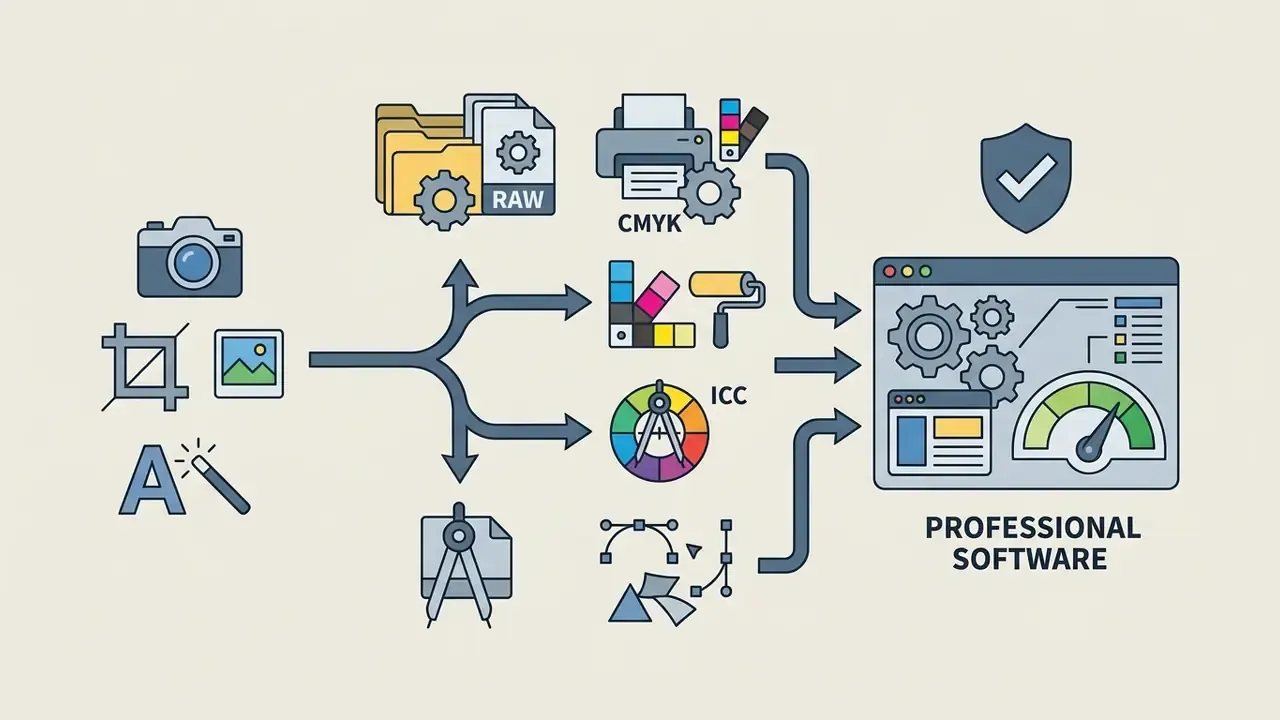
| Professional designers | Useful for fast drafts, quick client-facing mockups, and simple corrections. | No RAW support, no SVG vector export, no CMYK or ICC profiles, cannot pan the canvas after zooming, generative results not reproducible. |
Three limitations deserve plain language, because they change day-to-day work:
Performance, localization, and device footprint
Thanks to an optimized browser engine, BeFunky places minimal load on CPU and GPU resources, a point repeatedly raised by verified reviewers who work from iPads and lightweight laptops, where lower hardware graphics consumption directly extends battery life. The interface is localized into 13 languages, including French and Spanish, which matters for distributed marketing teams. Projects can be shared to Pinterest, X/Twitter, Dropbox, and Facebook from the same save dialog. If something breaks mid-export, note that help comes through email and documentation rather than live chat; our AI Media Support and Troubleshooting notes cover the usual failure patterns in browser editors.
BeFunky and alternatives: when to choose different photo editing software
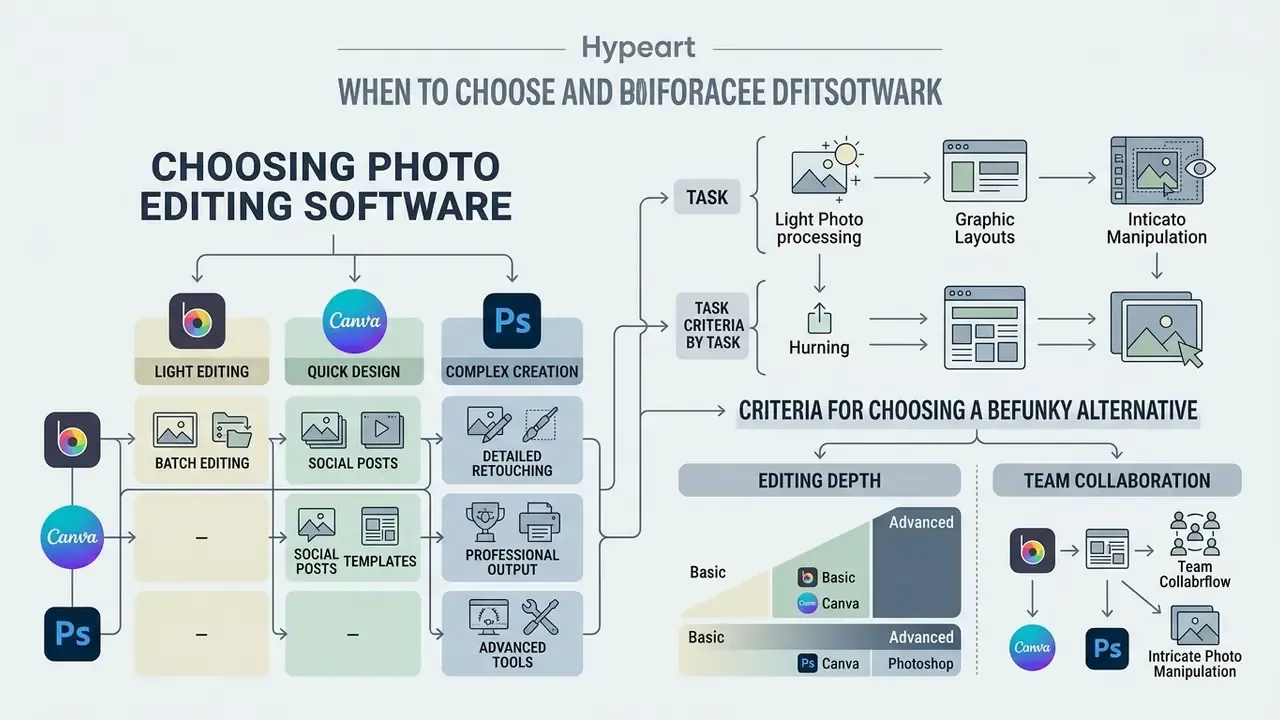
Choosing photo editing software means weighing feature complexity against team skill levels and integration demands. A quick way to shortlist is to compare tools by task rather than by feature count.
BeFunky vs Canva and Adobe Photoshop: differences by task
Comparing BeFunky against market alternatives reveals clear positioning distinctions across usability, feature depth, and target deployment scenarios. Market surveys frame the competitive set consistently:
«Among the leading online graphic design tools, Canva, Adobe Express and VistaCreate stand out, each with unique positioning on templates and collaboration.»
Criteria for choosing a BeFunky alternative
When evaluating software options, decision-makers should weight operational criteria against budget constraints:
Professional-market preference data is a useful sanity check when the requirement is genuine photographic depth rather than social output:



«In 2023, Adobe Lightroom, Capture One 23 and Luminar Neo led among professional photographers, for advanced capabilities and innovative features.»
| Criterion | BeFunky Photo Editor | Canva | Adobe Photoshop |
|---|---|---|---|
| Primary purpose | Photo editing, collages, light design | Team graphic design | Professional image editing |
| Learning curve | Low (intuitive) | Low (drag-and-drop) | High (professional) |
| RAW support | No | No | Yes |
| CMYK / ICC profiles | No | No | Yes |
| SVG vector export | No | Limited | Yes |
| Batch processing | Yes (Plus/Pro) | Limited | Yes (actions/scripts) |
| Generative AI editing | Smart Edit, Expand, Background Remover | Magic Edit / Magic Eraser (Pro) | Generative Fill, AI Assistant |
| Offline use | No | Limited | Yes |
| Team permissions / brand kits | No | Yes | Enterprise plans |
| Mobile apps | Android / iOS | Android / iOS | iOS / iPadOS / desktop / web |
| Entry price | Free; Plus $14.99/mo | Free; Pro tier | From $22.99/mo (standalone) |
FAQ about BeFunky Photo Editor
Does BeFunky have a mobile app with Android support?
Yes. The funk photo editor is available as a mobile app for both Android (via Google Play) and iOS devices. The mobile application includes core photo editing, touch-up tools (red-eye reduction, flashspot removal, teeth whitening, blemish fix), auto-collage generation via Collage Wizard with up to nine photos, overlays, effects such as Vintage, Pop Art and Gritty HDR, and design templates. Collages and edits can be exported without a watermark on supported features, and subscriptions to BeFunky Plus sync across web browser and mobile logins. Some additional mobile content requires separate in-app purchase. If you are still shortlisting platforms, our reference guide to online photo editors compares mobile parity across the category.
Can BeFunky be used without creating an account?
Yes. Users can launch the funky monkey photo editor interface and access basic editing tools, 100-plus standard effects, and basic collage layouts immediately without registering. However, saving high-resolution files, using premium AI features such as Background Remover and AI Photo Enhancer, bookmarking favorite effects, adding titles and descriptions, and storing project files online require an account and, for premium tools, a paid tier.
Which devices and file formats does BeFunky support?
BeFunky is a web-first application compatible with Windows (Windows 7 and newer) and macOS (OS X Yosemite 10.10 and newer). Supported browsers include Chrome 69+, Firefox 65+, Safari 13+, Edge 79+, and Opera 56+.
Supported input formats include JPEG/JPG, PNG, GIF, BMP, and AVIF. RAW files are not supported. Supported export formats include JPG, PNG, PDF (Web and Print quality), and BeFunky Project (.BFD) files, the latter preserving all editable layers. Because format handling and aspect-ratio changes often go together, it is worth reviewing how AI image expansion tools generate new canvas area rather than cropping.
Does BeFunky work offline?
No. All processing happens in the browser session against BeFunky’s cloud, and there is no offline desktop build. The mitigating factor is automatic recovery: if the connection drops or the tab closes, relaunching the editor offers to restore your unsaved changes from the BeFunky cloud.
Is BeFunky heavy on system resources?
No. Verified users specifically cite low CPU and low hardware graphics consumption as a reason for switching, which makes it practical on iPads and thin laptops and helps preserve battery life during long sessions.
Can I use BeFunky output commercially?
Yes for images you create. BeFunky’s Terms of Use permit Basic Account users to sell or otherwise commercially benefit from images edited with the service, and support materials confirm ownership of what you build. Always verify the licensing terms of imported third-party stock assets separately, and confirm your organization’s policy before uploading any confidential or personal data.
How many interface languages does BeFunky support?
Thirteen, including English, French, and Spanish, with localized pricing pages for several regions.
What to do next
General disclaimer: this article is informational and does not constitute legal, security, or compliance advice. Licensing, privacy, and pricing terms are set by the vendor and change over time. Verify the current Terms of Use and Privacy Policy, and consult your own legal and information security functions before deploying any third-party SaaS tool on business data.
Further reference: AI Media Glossary.