Executive Summary
- Filmora is a cross-platform desktop editor (Windows/macOS) plus mobile apps. The browser product Filmora Online (Filmora.io) has been discontinued by Wondershare. Cloud-oriented users are redirected to the Wondershare visual workspace or to the full desktop build (Wondershare Service Discontinuation Notice, 2026).
- Free forever, but watermarked. Editing is unrestricted in time; exports carry a baked-in watermark, with two documented exceptions: the one free watermark-free export per Wondershare ID and Achievement Rewards trials (3-day and 30-day).
- Licensing is the real enterprise risk, not the feature set. Individual plans allow commercial output only with attribution ("Video made by Filmora"), and built-in music tracks and sound effects are excluded from commercial use regardless of tier.
- AI breadth is high (13+ documented tools), governance transparency is low. Wondershare does not publish public SOC 2 or ISO 27001 attestations for Filmora on its product pages, so cloud AI features require a formal vendor assessment before deployment in regulated environments.
How to Read This Guide by Role
Different buyers open a page like this for different reasons. Here is the fast route.
| If you are | Read first | What you are trying to decide |
|---|---|---|
| Legal or contracts | Sections 3 and 9 | Whether attribution rules and audio exclusions permit your campaign |
| IT and security | Sections 4 and 10 | Whether cloud features, identity management, and endpoints are controllable |
| Procurement and finance | Sections 3, 8, and 10 | Which tier, what renewal exposure, what total cost per seat |
| Creative operations | Sections 5, 6, and 7 | Whether the toolset actually fits your production volume |
| Model risk and AI governance | Sections 4, 5.3, and 9 | Where generative features execute and who owns the output |
Nothing exotic here. Just a way to stop reading fourteen sections when you only need three.
1. What Filmora Video Editor Is and Which Tasks It Fits
Evaluating creative software inside a modern digital workflow means examining three things at once: architecture, functional capability, and legal licensing parameters. Filmora video editor, developed by Wondershare Technology, operates as a cross-platform editing ecosystem aimed at novice and semi-professional content creators. First launched in 2010 as Video Studio Express, renamed Vivideo in 2011, then re-branded as Filmora in 2015, the software sits between basic consumer tools and complex professional suites such as Adobe Premiere Pro or DaVinci Resolve (Wondershare Technology, 2026). Two sibling products, FilmoraPro and Vlogit, were discontinued in 2022, and their functionality was folded into the main application. This guide reviews the core feature set of the filmora editor de video, compares its desktop and web modalities, analyzes free trial limits, outlines step-by-step editing workflows, and details commercial licensing terms.
Filmora video editor is a non-linear editing program that combines classic timeline assembly with automated artificial intelligence features. The software supports multi-track editing, color correction, audio adjustment, motion tracking, and prompt-based asset generation across desktop and mobile environments: Windows, macOS, Android, iOS, and iPadOS (Wondershare Filmora, 2026).
Operating as an accessible video editor, Filmora targets digital marketers, video bloggers, educators, and enterprise communication teams that need fast turnaround without deep post-production training. The platform supports timeline operations such as ripple deletion, split cuts, aspect ratio conversion, and multi-layer compositing. Worth noting for keyword-driven research: the product is frequently mistyped as "filmore video editor" in search, and those queries resolve to the same Wondershare application.
«Filmora 15 introduced planar tracking and a Pen Tool, capabilities traditionally reserved for professional NLEs, which shifts the product into the semi-professional segment.»
For teams evaluating broader media tooling across creative pipelines, reviewing our comprehensive AI Media Glossary helps standardize digital asset terminology and governance models.
1.1 Desktop Editor and the Status of Filmora Online Video Editor
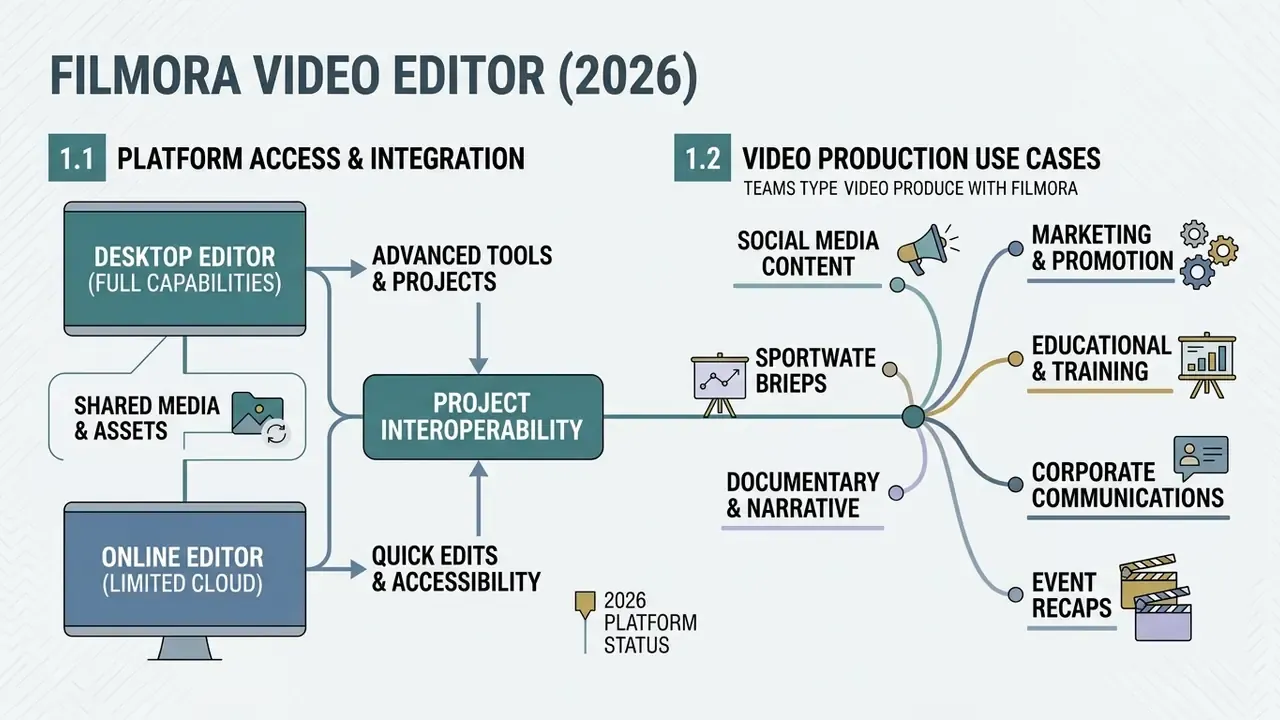
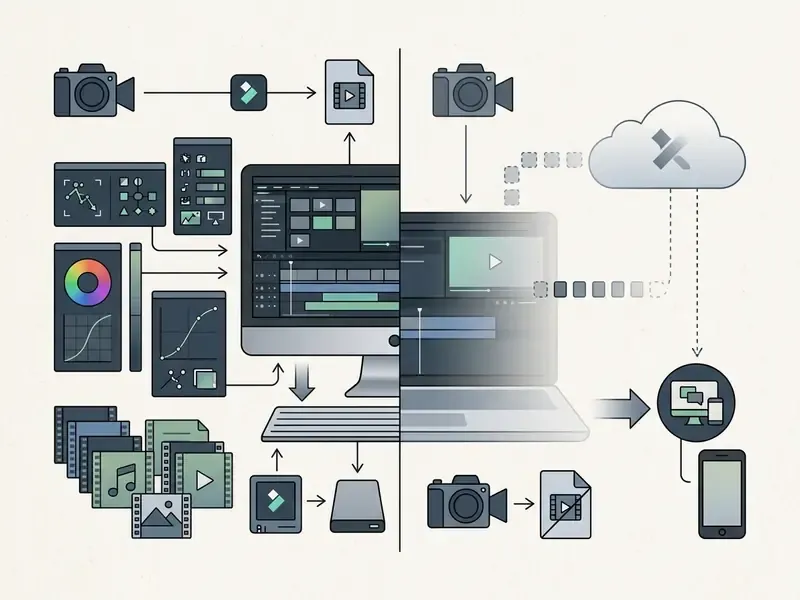
Practically, any 2026 evaluation of Filmora should be treated as a desktop-first (plus mobile) decision. The desktop version of filmora editor video provides full local processing on Windows (64-bit Windows 7 through 11) and macOS (10.14 or 10.15 and later), processing media with local CPU and GPU resources and supporting timelines up to 4K and 8K (Wondershare Tech Specs, 2026).
«For 8K editing Wondershare recommends an NVIDIA RTX 3000-class or AMD Radeon RX 6000-class GPU with at least 8 GB VRAM and 32 GB of system memory.»
Baseline published requirements are considerably lower: a 64-bit Intel 6th-generation or AMD Ryzen 3 1300X processor, 8 GB RAM, 10 GB free disk space, and a 1280×800 display. Those numbers describe launch capability, not comfortable 4K grading. The distinction matters the moment IT starts costing a hardware refresh per seat.
Historically, the browser-based ecosystem let users flip video online or apply template-driven adjustments without installing local executables. That lightweight path now runs through the Wondershare workspace and the mobile apps rather than through Filmora.io. Desktop editing leverages hardware acceleration, proxy and optimized media, and GPU-accelerated render passes for long-form timelines and complex multi-cam projects. The retired web editor never offered those at parity, and pretending otherwise in a vendor shortlist would be a documentation error.
1.2 Which Video Types Teams Produce With Filmora
Creators and business teams mostly use Filmora for social media content, product promotional campaigns, video blogs, corporate presentations, and educational tutorials. Built-in aspect ratio presets, 16:9 widescreen, 9:16 vertical, 1:1 square, and 4:5 vertical, allow instant re-framing for YouTube, TikTok, and Instagram.
Marketing teams lean on pre-built visual templates and automated titling for promo clips. Educators use screen recording and picture-in-picture modes for instructional delivery. Wondershare's own solution pages list product promos, launch clips, branded content, ads, presentations, and lesson videos as the target output categories. For organizations exploring specialized visual formats, comparing a general timeline tool against a niche generator such as a fantasy map generator shows the difference between a broad post-production suite and single-purpose asset creation software.
2. Is Filmora Free: Trial Mechanics, Watermark, and Legal Watermark-Free Exports
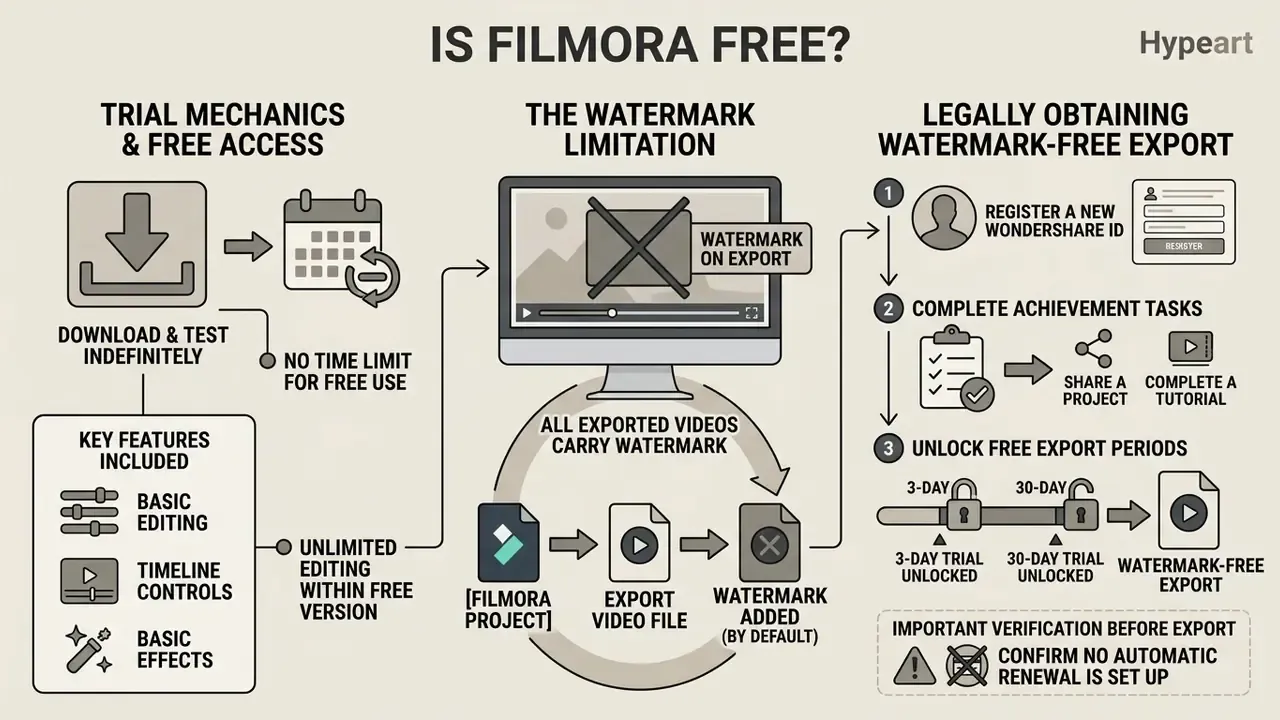
The core question is filmora free video editing software has a two-part answer: Filmora is free to download and test indefinitely, but exported files carry a prominent brand watermark unless you upgrade. Wondershare provides a free evaluation edition that grants access to primary timeline editing tools without an up-front credit card (Wondershare Support, 2026). Teams comparing watermark policies across the category can review our overview of free video editing software before committing budget.
Users asking is filmora free video editor, or checking whether is filmora video editor free applies to their situation, should note the asymmetry: editing functions run without time limits, while free-tier exports carry a hardcoded Filmora watermark. Removing that watermark from a completed render requires authenticating a paid license via Wondershare ID or claiming one of the promotional rewards documented below.
2.1 What You Can Do in Filmora for Free
In the free edition you get basic video trimming, timeline splitting, transition placement, color adjustment, and standard text overlay. You can import video and audio, build multi-track compositions, apply built-in filters, titles, stickers, transitions, and visual effects, and test the whole operational workflow without spending anything. Wondershare's own download page describes the trial as giving access to "all editing features and built-in effects," with the export watermark named as the single limitation. The pricing page uses the narrower phrase "basic editing features." Treat the pricing page as the conservative reading, because that is the version legal will quote back at you.
Advanced capability is another story. Generative AI tools, cloud storage synchronization, and premium stock libraries remain restricted or require specific credit allocations (Wondershare Pricing, 2026).
«The Filmora free plan includes no AI credits: AI video and image generation are unavailable without a paid subscription.»
For teams evaluating alternative automated video generators, testing tools covered in our fliki ai video overview, and the wider category of free AI video generators, helps clarify feature boundaries between a desktop editor and a cloud synthetic video platform.
How to obtain one free export without a watermark
New accounts can legally export a single finished video without the Filmora brand plate. The mechanism is the Achievement Rewards programme inside the application (Wondershare Filmora free trial guide, 2026):
- Register a new Wondershare IDusing email or a Google, Facebook, or X account.
- Open Filmora and go to Profile → Achievement → Rewards.
- Activate the welcome bonus 1 Free Export. The offer is one free watermark-free export per Wondershare ID and must be used within three days of redemption.
- Click Redeem Now to arm the reward, then export the finished project.
Achievement Tasks: how to unlock 3-day and 30-day trials
| Reward | Task required to earn it |
|---|---|
| 3 days of full Filmora trial | Sign up and complete your detailed profile information |
| 30-day trial of Filmora Creative Assets | Join the #FilmoraCommunity survey and submit feedback on the Creator Hub experience |
| 30 days of Filmora Creative Assets | Edit and export at least one video longer than 30 seconds per week |
| 30-day Filmora trial plus 20 GB Filmora Cloud storage | Upload videos or projects to Filmora Cloud storage at least three times a week |
Trial rewards unlock functions otherwise reserved for paid tiers: motion tracking, planar tracking, multicam editing, and 4K resolution support. When a Filmora 14 or Filmora 15 trial expires, the software keeps working, but exports revert to watermarked output and some features lock again.
Read that last reward row twice. It pays users to push footage into the vendor's cloud, which is exactly the behaviour a bank's data policy usually forbids.
2.2 What to Verify Before Exporting From the Free Version
Before starting a render on the free tier, review resolution caps, asset licensing tags, and watermark placement. Exporting from the free version permanently bakes the Filmora watermark into the compiled file. Re-importing that rendered file into a paid account later will not remove the embedded graphic.
«Re-importing an already exported watermarked video into Filmora will not remove the mark. A fresh render from the original .wfp project file is required.»
So to obtain a clean export after purchasing a subscription, open the original project file (.wfp) in the licensed software and run a new render pass. Uninstalling the trial build is not required. Creators should also verify whether applied audio tracks or visual assets carry personal-use-only restrictions, because that check is cheaper before publication than after a takedown notice.
3. Filmora Plans and the Commercial-Use Decision
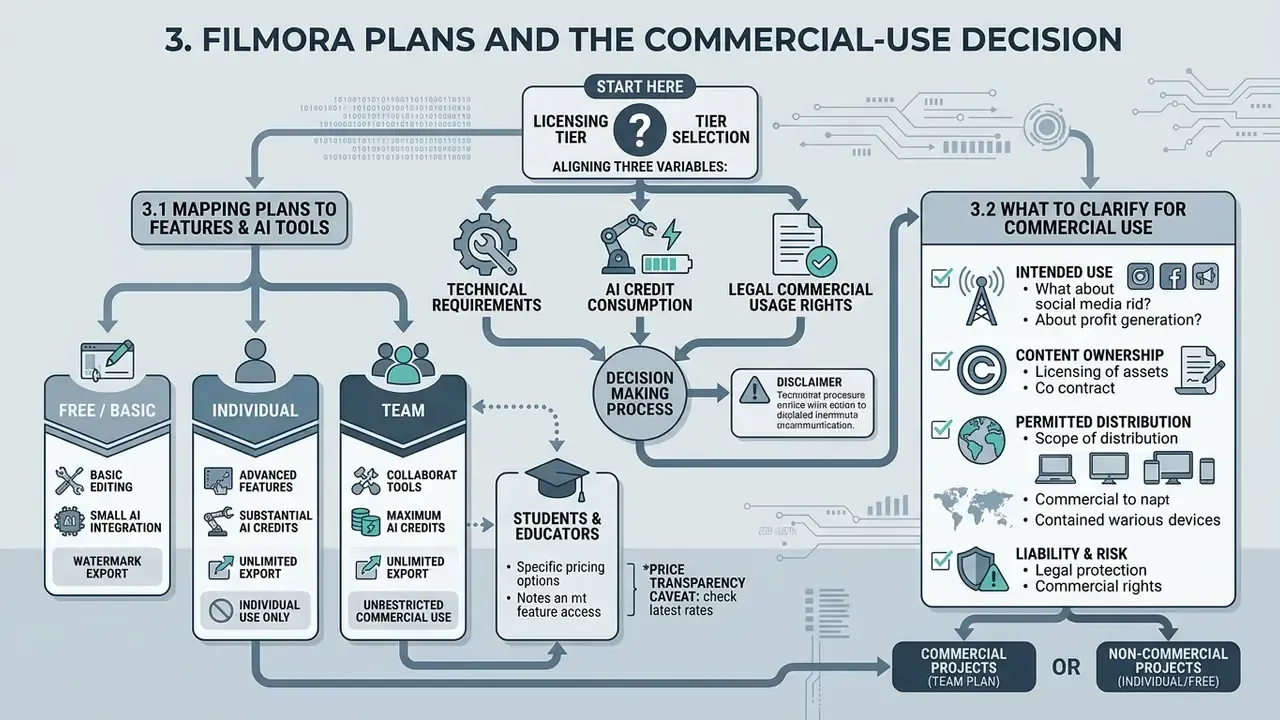
Choosing a Filmora licensing tier means aligning three variables: technical requirements, AI credit consumption, and legal commercial usage rights. Wondershare structures licensing into Individual (Free, Basic, Advanced, Perpetual), Team & Business, and education-oriented offers, sold as annual subscriptions or perpetual licenses (Wondershare Shop, 2026).
License governance is where most enterprise trouble starts. Businesses using creative media tools across corporate campaigns should consult our AI Media Commercial-Use Hub and the adjacent analysis of commercial use of AI generators to review operational frameworks for commercial rights, trademark compliance, and synthetic content liability.
3.1 Mapping Plans to Features and AI Tools
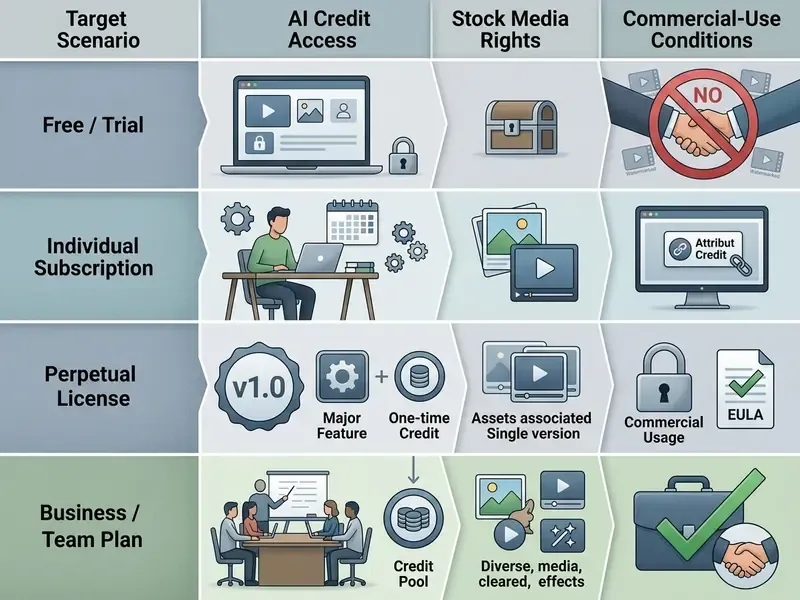
Individual subscription plans include continuous version updates, cloud storage allocations, stock media access (Unsplash, Giphy, Pixabay), and recurring monthly AI credits, 1,000 credits per month on the Advanced tier, for generative tools. The Perpetual License grants access to the specific major version purchased, for example Version 15, with a one-time allocation of 1,000 AI credits whose validity Wondershare describes as permanent. Major version upgrades in future years cost extra (Wondershare EULA, 2026).
Teams that need multi-seat management, administrative deployment control, and dedicated support should evaluate the Business tiers. Business licences are sold per seat and are the documented route for organizations with roughly five or more users.
«The Business Plan covers internal employee training, corporate promotion, advertising, and client-facing videos, without the mandatory "Video made by Filmora" attribution.»
3.2 What to Clarify for a Commercial-Use Decision
One condition in Wondershare's End User License Agreement drives most of the risk: Individual plans permit commercial use only if attribution is provided, meaning the note "Video made by Filmora" in the description (Wondershare EULA, 2026). Organizations that want to publish commercial videos, client projects, or monetized corporate ads without that attribution must purchase a Business Plan.
Built-in visual transitions, titles, and visual elements are licensed for commercial deployment under Business plans. But built-in music tracks and sound effects are restricted to personal use only unless separately verified under asset licensing terms (Wondershare Asset License, 2026).
«The Wondershare EULA explicitly excludes built-in music tracks and sound effects from commercial use, irrespective of plan type.»
Assets explicitly marked for commercial use may run in online media, paid subscription content, brand sponsorship videos, advertising, e-commerce, and live-stream commerce. Resale or redistribution of the asset files themselves stays prohibited. Add-on effects bought from the Effects Store require a business license for commercial deployment. One further open question for legal review: ownership and infringement liability for AI-generated output (Text-to-Video, AI Portrait, AI Music Generator). Wondershare's terms allocate usage rights, but the jurisdictional copyright status of machine-generated assets remains unsettled. Document a human-authorship contribution log for any AI-assisted asset used in paid advertising. It costs an hour; the alternative can cost a campaign.
4. Data Privacy, Cloud Security, and Enterprise Governance
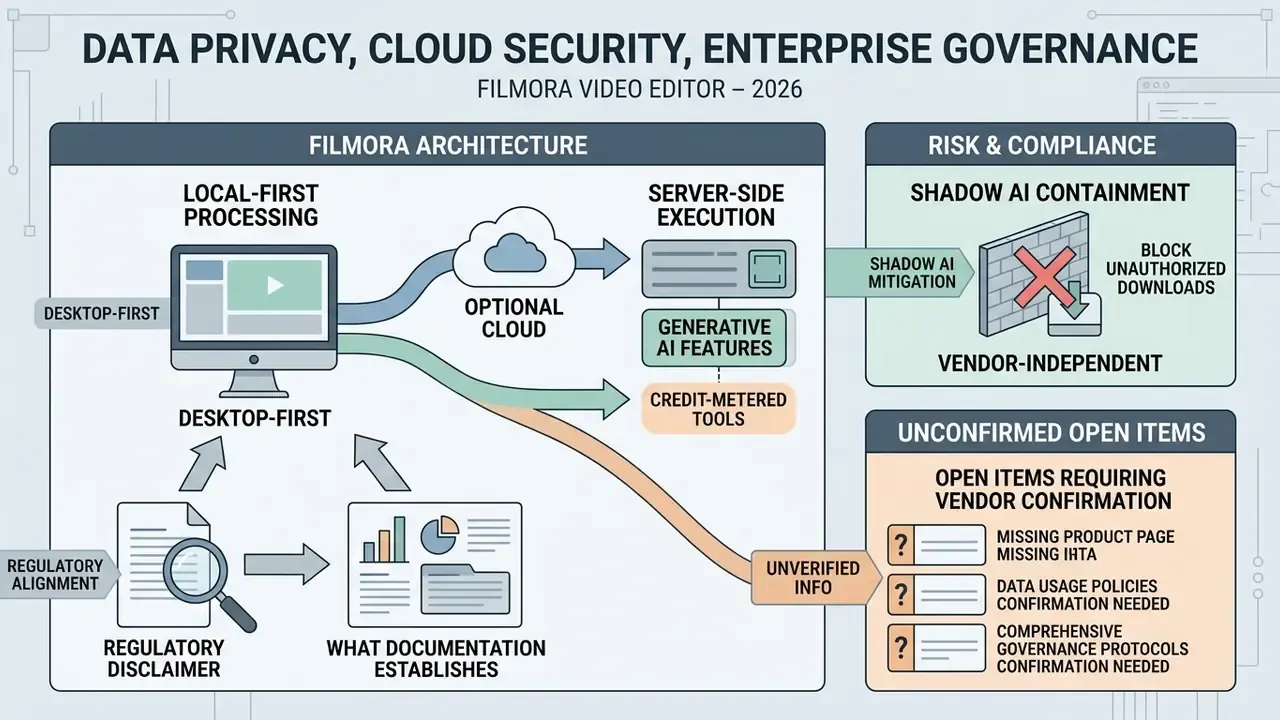
For risk, compliance, and AI governance functions, the decisive question is not whether Filmora can cut a clip. It is where media travels when an AI feature runs. This section separates what vendor documentation confirms from what must be requested directly from Wondershare before deployment.
What the documentation establishes:
- Local-first processing on desktop. Timeline editing, color grading, keyframing, and standard export run on local CPU and GPU resources, which keeps conventional editing inside the corporate perimeter (Wondershare Tech Specs, 2026).
- Cloud components are optional but incentivized. Filmora Cloud storage, up to 20 GB in reward tiers, and cross-device continuation require uploading project media. Achievement Rewards actively encourage those uploads, an incentive structure worth flagging to staff who handle confidential footage.
- Generative AI features are credit-metered, which implies server-side execution for those specific tools rather than purely local inference.
Open items requiring vendor confirmation (data not published on Filmora product pages):
| Governance item | Status | Recommended request to vendor |
|---|---|---|
| SOC 2 Type II / ISO 27001 attestation for Filmora and Filmora Cloud | Not published on product pages, requires data | Request the current audit report or bridge letter under NDA |
| Data residency and region selection for cloud-processed media | Not published, requires data | Ask for the processing region list and sub-processor register |
| Model-training opt-out for uploaded video, audio, and prompts | Not published, requires data | Request written confirmation of a no-training clause and retention period |
| SSO / SAML / SCIM support for seat provisioning | Not documented publicly for Filmora, requires data | Confirm identity-provider integration; absent SSO, treat as Shadow AI exposure |
| VDI / Citrix and GPU-passthrough support | Not documented, requires data | Request the supported virtualization matrix; GPU-accelerated NLEs commonly degrade in non-accelerated VDI |
| Central licence revocation and device deactivation | Partially covered by Business seat administration | Verify admin console capabilities and the offboarding workflow |
Shadow AI containment that does not depend on vendor answers: block installer downloads from non-vendor domains at the proxy layer; restrict Wondershare ID registration to corporate email domains where technically possible; and prohibit uploading regulated client footage to Filmora Cloud by policy, since cloud sync is the main channel through which content leaves a managed endpoint. Also assign an owner. A creative tool with generative features and no named accountable owner behaves like an unmonitored process, and unmonitored processes are what audit findings are made of. For risk officers and content operations managers evaluating automated tools, integrating synthetic video software requires audit trails that survive a second look. For broader cross-platform context, examine our AI Media Comparison Matrices hub.
5. Core Filmora Capabilities for Video Editing
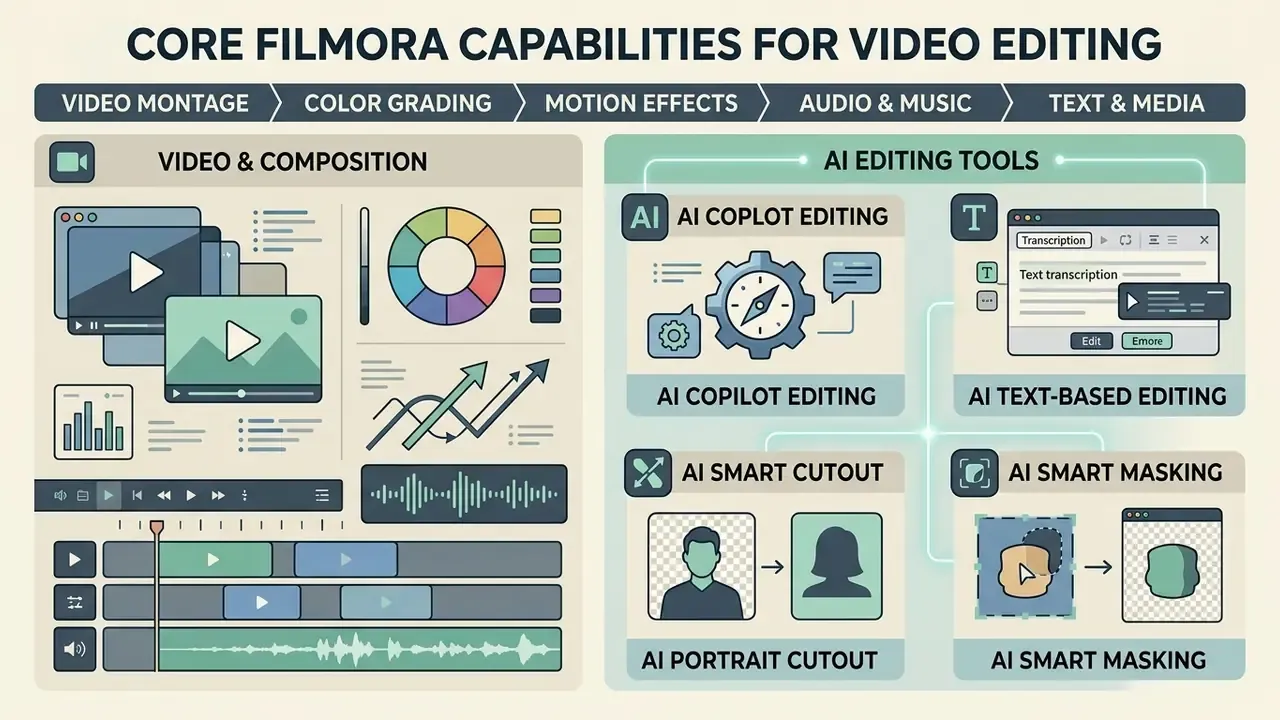
Modern video editor filmora software packs a broad suite of tools: timeline manipulation, multi-track audio work, typography customization, advanced color grading, and AI-driven automation. Built to compress post-production time, the application combines standard keyframing and motion tracking with algorithmic visual enhancement.
Whether you are cutting a 20-second promo or a long-form documentary, knowing the structural limits lets an operator judge something more useful than efficiency: whether the task belongs in Filmora at all, or in a higher-end suite.
5.1 Video Montage, Color, and Motion Effects
The primary timeline in filmora video editor supports multi-layer video and audio tracks with magnetic snapping, a dual-timeline layout, and keyframe control. Cutting tools cover ripple editing, frame-accurate trimming (Trim Start to Playhead, Trim End to Playhead), speed ramping, and freeze-frame insertion (Wondershare User Guide, 2026).
Color correction includes 3D LUT support with imported .CUBE files, color matching from a reference frame, brightness, contrast, saturation, tint and temperature controls, white balance adjustment, HSL tuning, RGB curve manipulation, and color wheels. Motion tracking lets you select a moving subject on screen and automatically anchor text callouts, graphical overlays, or censorship blurs to that target across the timeline. Keyframes then animate position, scale, rotation, and opacity at chosen timestamps.
5.2 Audio, Music, Text, and Media Assets
Filmora ships a built-in media library with royalty-free audio tracks, sound effects, animated text presets, lower thirds, and transition packs. Published asset counts include 300K+ royalty-free music and sound effect items, 3,000+ ready-made templates, most bundling music, sound effects, and visual effects, and 110+ subtitle title templates. The Advanced Text Edit panel gives precise control over font typography, stroke borders, drop shadows, opacity, fill, and text animation paths (Wondershare Guide, 2026).
Audio handling features automatic ducking, which lowers background music under a voiceover, plus noise reduction filters and equalization presets, all reachable through the Audio tab and Effects → Audio Effects. Teams building a narration pipeline should compare these built-ins with dedicated AI voice generators before standardizing a voiceover workflow. For portrait content or social graphics, comparing timeline text features with a portrait tool like a fotor photo editor or a specialized generator such as a fotor ai baby shows how a broad editor handles asset layering compared with a dedicated image app.
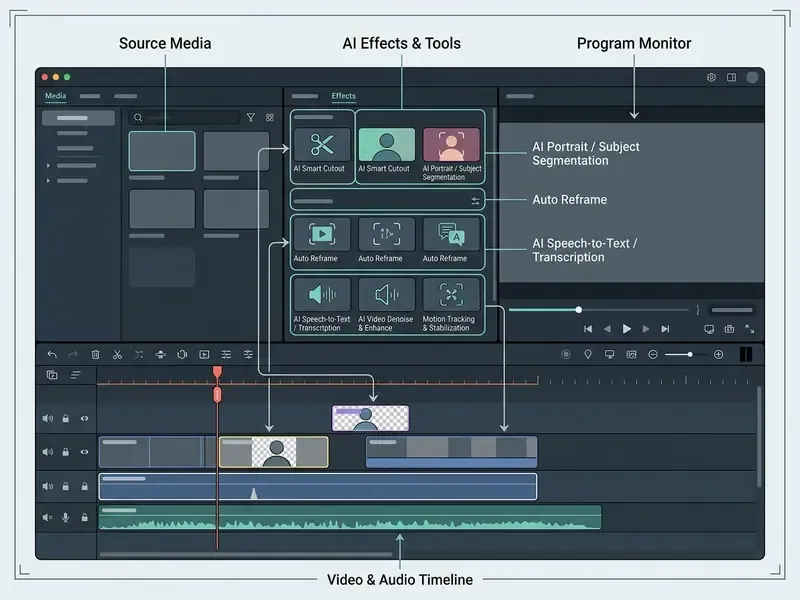
5.3 AI Video and AI Editing Tools in Filmora: the Full Inventory
«Filmora offers one of the most AI-saturated editing experiences in the consumer segment, but the sheer breadth of tools imposes a real learning curve on the interface.»
Naming caution: Wondershare uses overlapping names for related background-removal functions (AI Smart Cutout, AI Portrait Cutout, Remove Video Background), so feature-count comparisons against rival vendors should be normalized before they land in a procurement scorecard. Otherwise you are scoring marketing copy, not capability.
6. Operational Workflow: From Project Setup to Pre-Export Audit
To edit a video efficiently in Filmora, operators should follow a standardized five-step sequence: project setup, media import, timeline editing, audio and text enhancement, then export rendering. A structured flow prevents resolution mismatch errors, protects project organization, and produces a repeatable process a team can actually audit. Decision-makers benchmarking Filmora against generative alternatives can review our comparison of the best AI video generators in parallel.
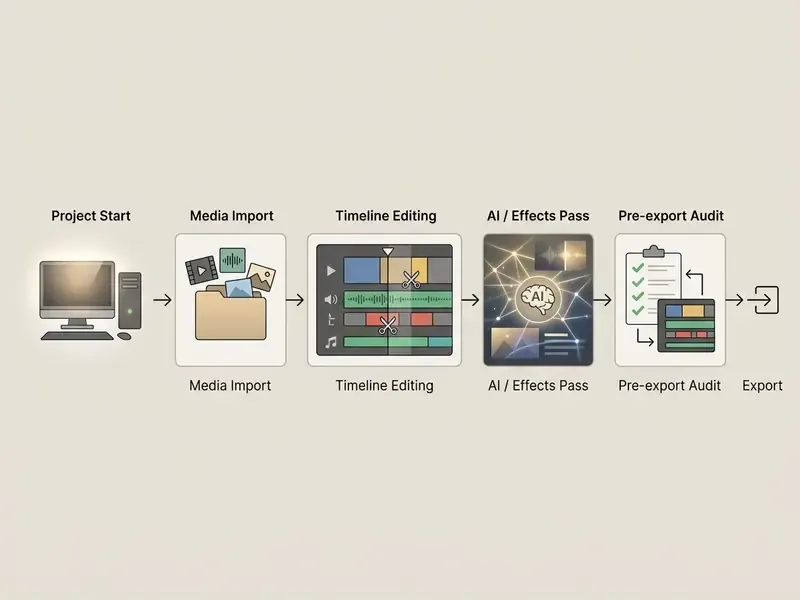
- Project start
- launch the application, select aspect ratio (16:9, 9:16, 1:1) and resolution.
- Media import
- load source clips, audio, and images into the Media Library panel.
- Timeline editing
- drag files onto tracks, trim with Trim and Split, organize layers.
- AI and effects pass
- add transitions, LUT color grading, auto-subtitles, and AI Cutout.
- Export
- verify bitrate parameters, select codec (H.264 or HEVC), and render.
6.1 Creating a Project and Adding Video, Audio, and Text
On launch, select New Project in the startup window, or open File > Project Settings to set project resolution, frame rate (24, 30, or 60 fps), and aspect ratio (Wondershare Guide, 2026).
Import source files by clicking Import Media Files Here, using File > Import Media or Import a Media Folder, importing directly from a connected camera or phone, or dragging raw assets into the Media Library panel. Drag video clips onto track 1, place background music on the audio track below, and overlay title elements on track 2 above the primary video layer. Save the working project with File > Save Project or Ctrl+S to keep an editable .wfp file. That same file is what you will need if you later re-render without a watermark, so treat it as an archival artifact rather than scratch data.
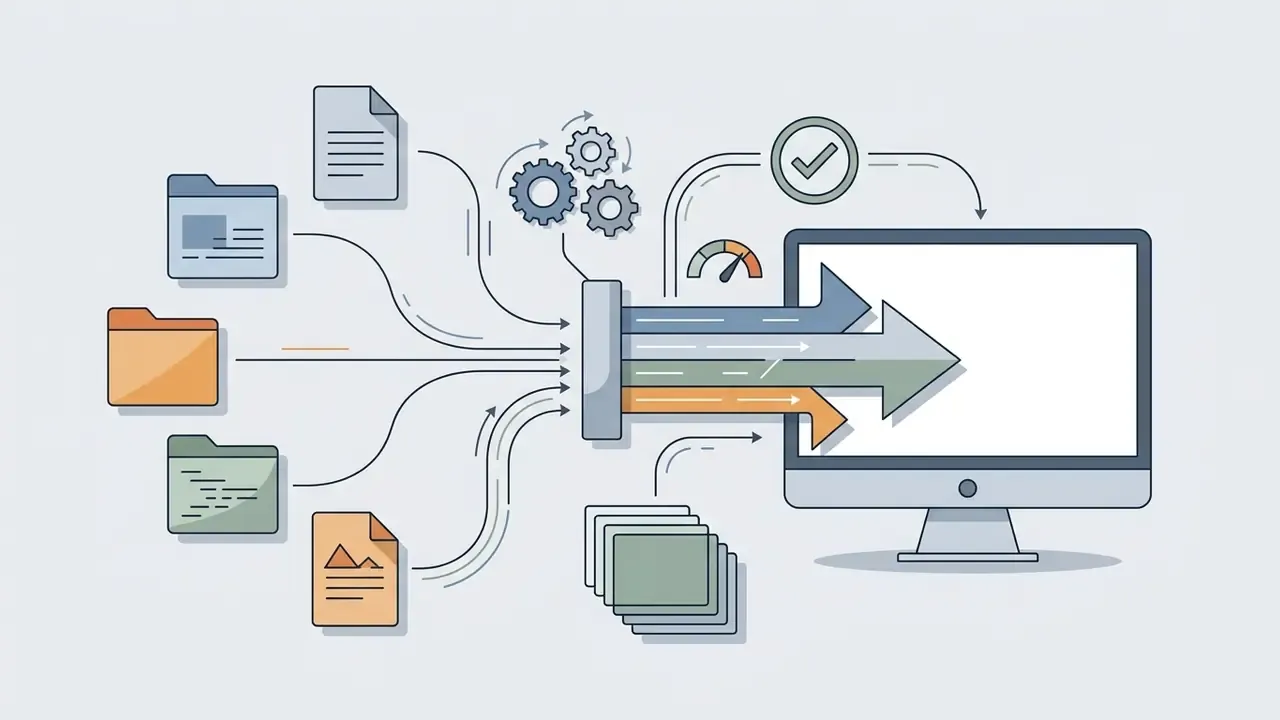
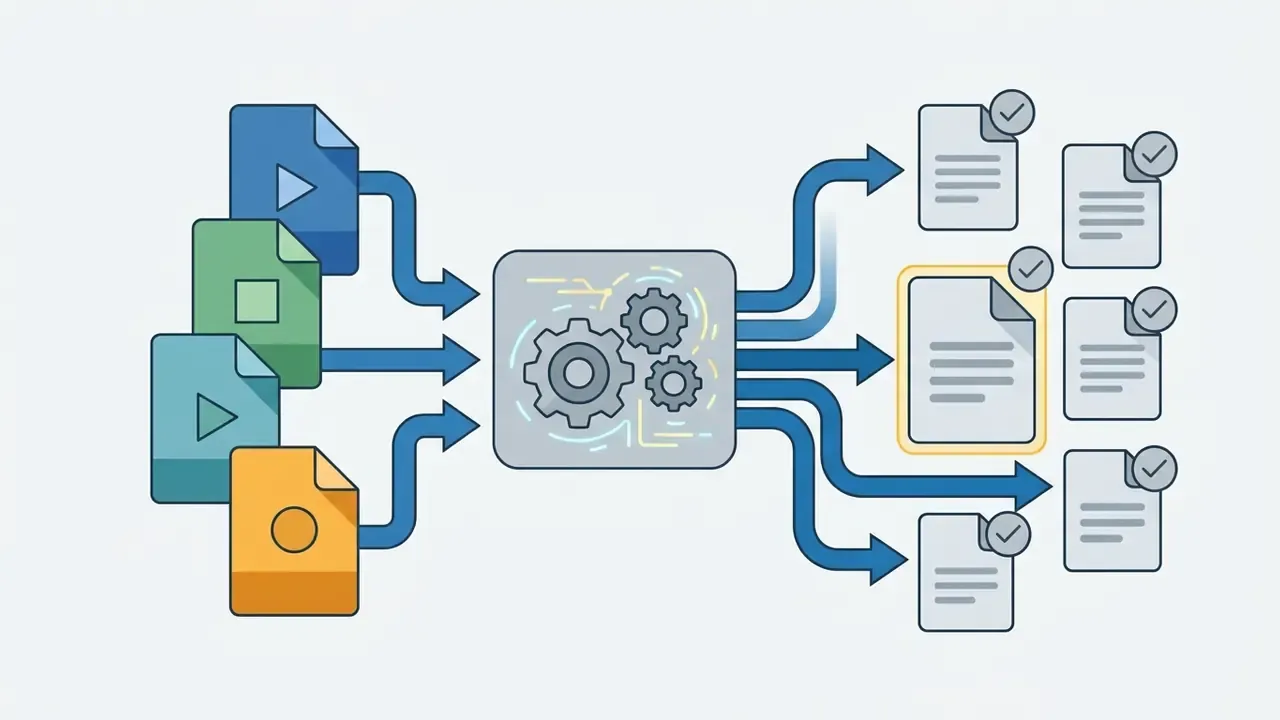
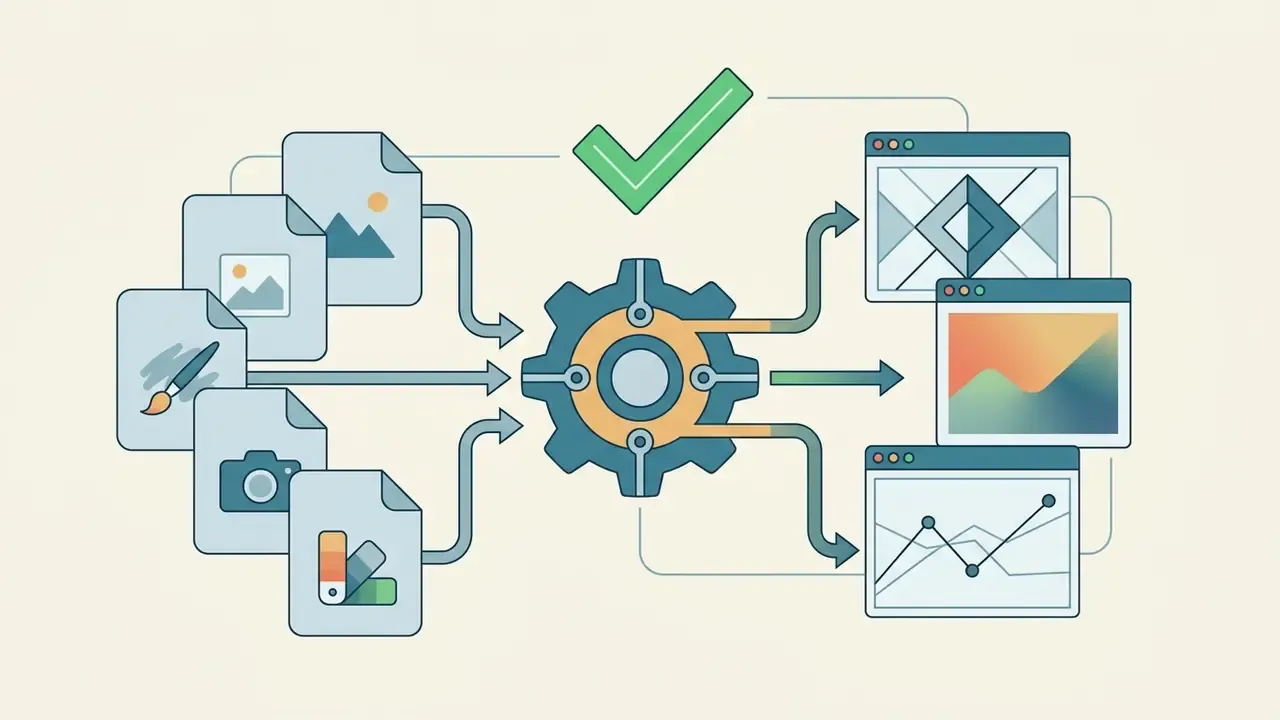
Supported file formats on import and export
6.2 Editing, Effects, and Preparing Videos for Export
Once assets sit on the timeline, position the playhead and cut unnecessary footage with the scissors icon or Ctrl+B. Apply visual transitions by dragging items from the Transitions tab between clips, and add effects by choosing a category in the effects library.
For visual consistency, open the Color tab to apply color matching across disparate camera angles or to import custom .CUBE 3D LUT files. Deeper work lives in the advanced color tuning panel. Text and captions come from the Text/Credit section, with subtitle files exportable as .srt. If your workflow needs programmatic API integration for enterprise video processing, review the technical integration standards in our AI Media API documentation. Finally, play the timeline in the preview window, which also exposes the playhead timecode and a snapshot button that saves stills back to the Media Library, and verify audio mix levels and effect placement before compilation.
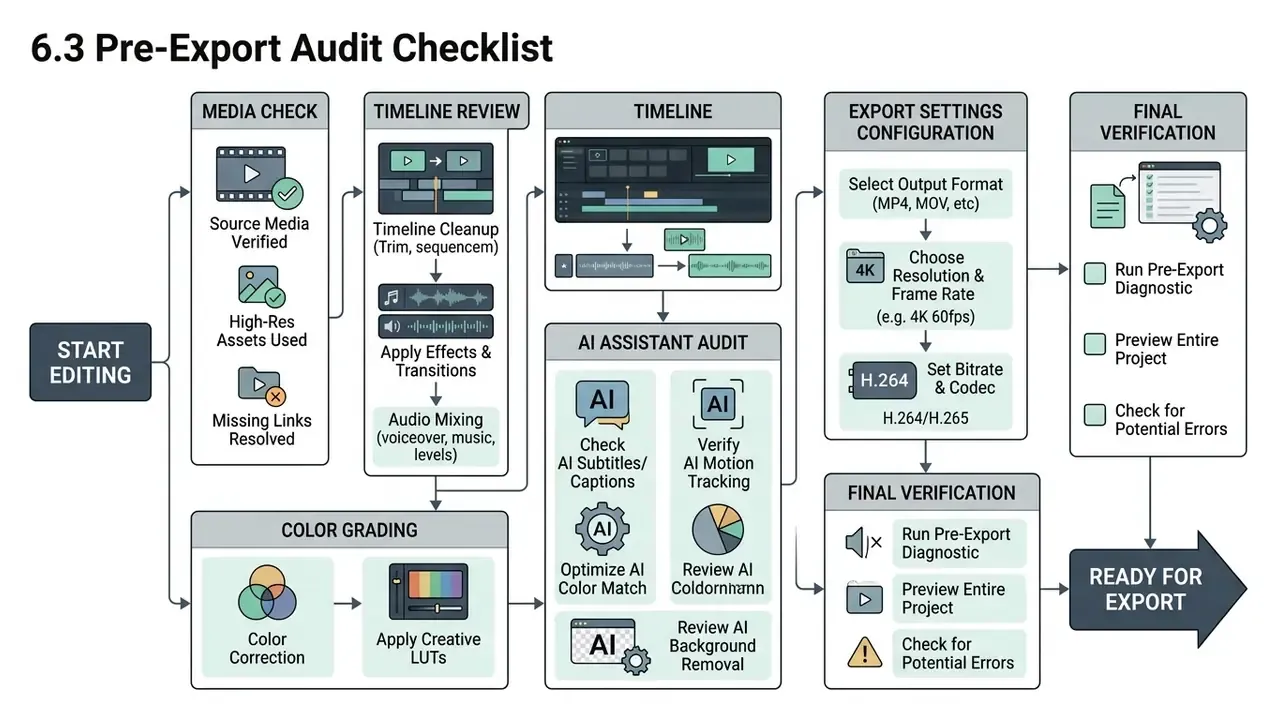
6.3 Pre-Export Audit Checklist
Before you click Render, run a short pre-export audit:
- Resolution and frame rate confirm export resolution matches source assets (1920×1080 or 3840×2160) and frame rates stay consistent (29.97 or 59.94 fps).
- Bitrate settings set bitrate appropriately, at least 5,000 to 8,000 Kbps for SDR 1080p and 20,000+ Kbps for 4K, with CBR or VBR selectable in advanced export settings (Wondershare Bitrate Guide, 2026).
- Codec and container confirm H.264 or HEVC in an MP4 or MOV container for platform compatibility.
- Audio mix levels confirm peaks do not clip above 0 dB, keeping dialogue clarity around −6 dB to −12 dB.
- Copyright clearance check built-in background music against commercial publishing guidelines to avoid copyright strikes, and remember that built-in music is personal-use-only under the EULA.
- Watermark and licence state confirm the account is licensed, or the free-export reward is armed, before rendering rather than after.
- Auto-renewal verify that any activated asset trial has auto-charge disabled if you do not intend to continue.
7. Export Settings and Social Media Delivery
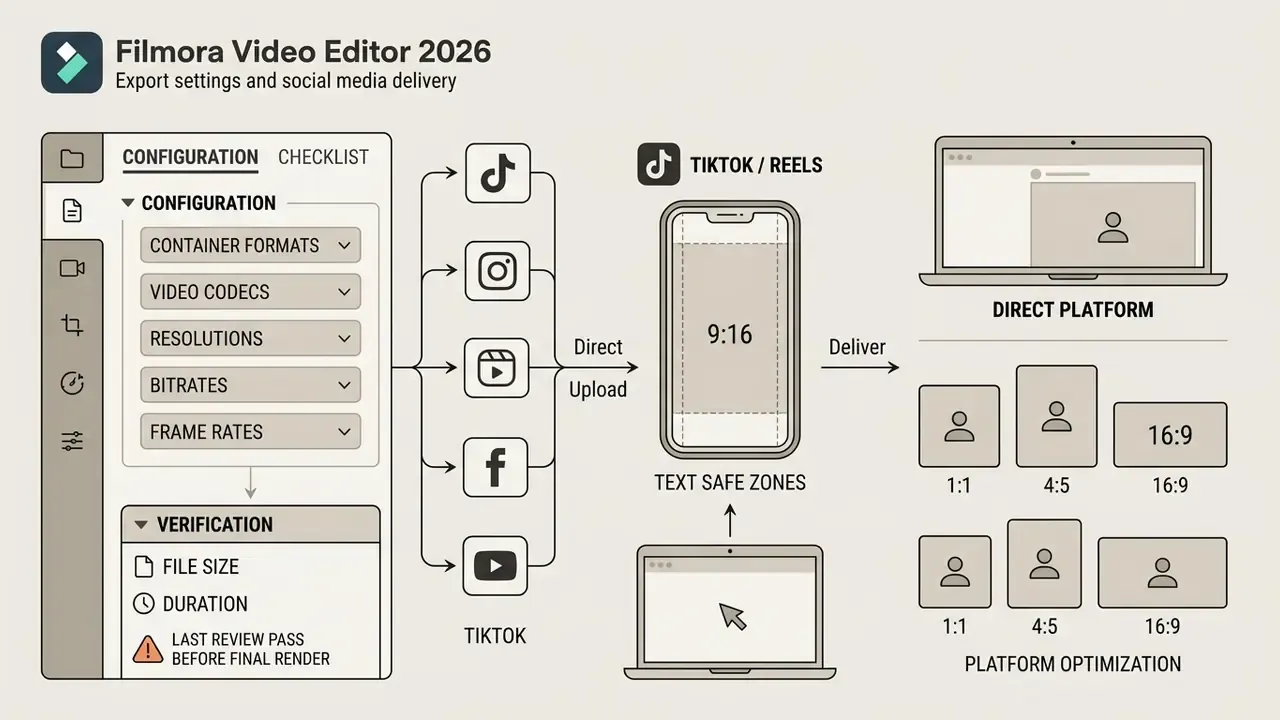
Exporting finished media from Filmora means configuring container formats, video codecs, target resolutions, and bitrates for each delivery platform. Correct export configuration prevents compression artifacts and keeps files inside distribution specifications; downstream file-size optimization belongs to dedicated video compression tools when upload caps bite.
The export window exposes output resolution, frame rate, file size, and duration for verification before rendering, and Filmora supports direct publishing from the Export menu to YouTube, Vimeo, and TikTok. Saved export presets let a team reuse an approved resolution, compression, and format combination. Small governance win, real effect: it removes one of the most common sources of inconsistent deliverables. Creators producing social clips still have to balance visual fidelity against file size limits. For playback glitches or format incompatibility during render passes, see our central AI Media Support and Troubleshooting resource hub.
7.2 What to Check Before the Final Export
The last review pass is short, and skipping it is how a client-facing video ships with a placeholder title. Confirm five things: that every video layer renders at the intended resolution, that audio has no orphaned muted tracks, that all texts are spell-checked and inside the safe zone, that effects render fully in the preview rather than stalling mid-clip, and that each media asset used is licensed for the intended distribution channel. Then log which preset produced the file. If a stakeholder asks two months later why one video looks softer than the rest, that log is your answer.
8. Download, Support, and Filmora Updates
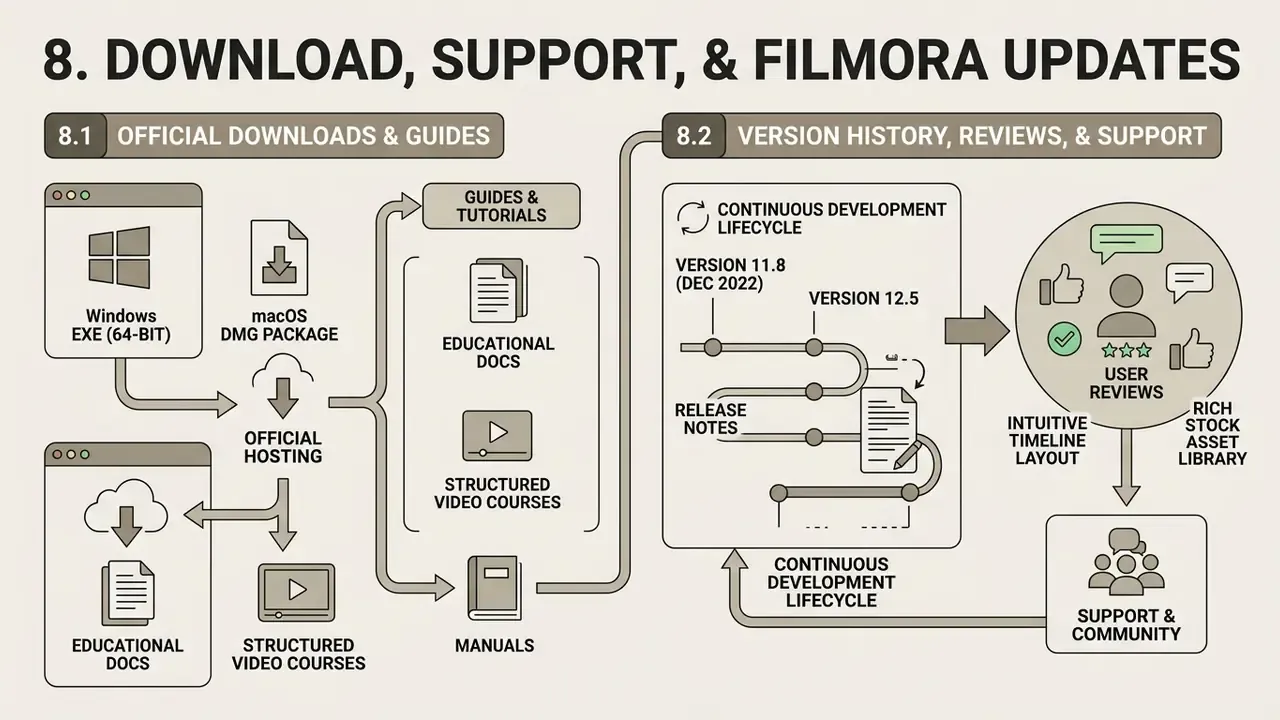
Downloading official builds, using structured documentation, and tracking release notes keeps a fleet stable and reasonably secure. Obtain installation files exclusively from verified vendor domains to avoid tampered distributions (Wondershare Download Center, 2026).
8.1 Where to Download Filmora and Find Guides & Tutorials
Official installers for Windows (64-bit executable) and macOS (DMG package) are hosted on the main Wondershare Filmora website. An official archive page also serves earlier versions for teams that must freeze a build for a compliance reason. Hardware prerequisites call for a modern 64-bit multi-core processor (Intel 6th Gen or AMD Ryzen 3 1300X and better), dedicated graphics hardware with current drivers, 8 GB RAM, and at least 10 GB of free disk space (Wondershare Tech Specs, 2026).
Educational documentation, structured video courses, and manuals are aggregated in Wondershare Filmora Academy, the Filmora User Guide, the Filmora Support Center, and official YouTube support channels. New operators should complete foundational tutorials on track routing and color grading before taking on complex commercial edits. Two hours of tutorial time usually beats two days of confused re-renders.
8.2 Version History, Reviews, and Support
9. FAQ for Legal, IT, and Procurement Teams
Is Filmora free for commercial projects?
No. The free tier prohibits commercial use and watermarks exports. Individual paid plans allow commercial output only with "Video made by Filmora" attribution, and unattributed commercial or client work requires a Business Plan.
Can we use Filmora's built-in music in a paid ad campaign?
No. Built-in music tracks and sound effects are excluded from commercial use under the EULA regardless of tier. Licence music separately, or use assets explicitly marked as commercially cleared.
Is Filmora Online still available?
No. Wondershare discontinued the Filmora.io online editor. Use the desktop build or the Wondershare visual creative workspace instead.
What file formats can we import and export?
Video: MP4, MOV, MTS, TS, MKV, AVI, WebM, WMV, MPEG, FLV. Audio: MP3, M4A, WAV, OGG. Images: JPG, JPEG, PNG, WEBP, BMP. Subtitles export as SRT.
Does Filmora support SSO/SAML and centrally managed deployment?
Public documentation does not confirm identity-provider integration for Filmora seats, so this requires vendor confirmation. In its absence, restrict installs at the endpoint layer and treat personal Wondershare IDs as a Shadow AI risk.
Will it run in VDI or Citrix?
Not documented. Filmora relies on GPU acceleration for preview and render, so validate on a GPU-passthrough pilot before committing to a virtual desktop rollout.
Who owns AI-generated output, and who carries infringement risk?
Wondershare's terms allocate usage rights per plan, but the copyright status of machine-generated content varies by jurisdiction. Keep a human-authorship contribution log for AI-assisted assets used commercially, and route high-exposure campaigns through legal review.
How do we avoid surprise charges?
Asset and software trials may auto-convert to paid subscriptions. Disable auto-renewal in the Wondershare ID account and diarize the cancellation date before activating any reward.
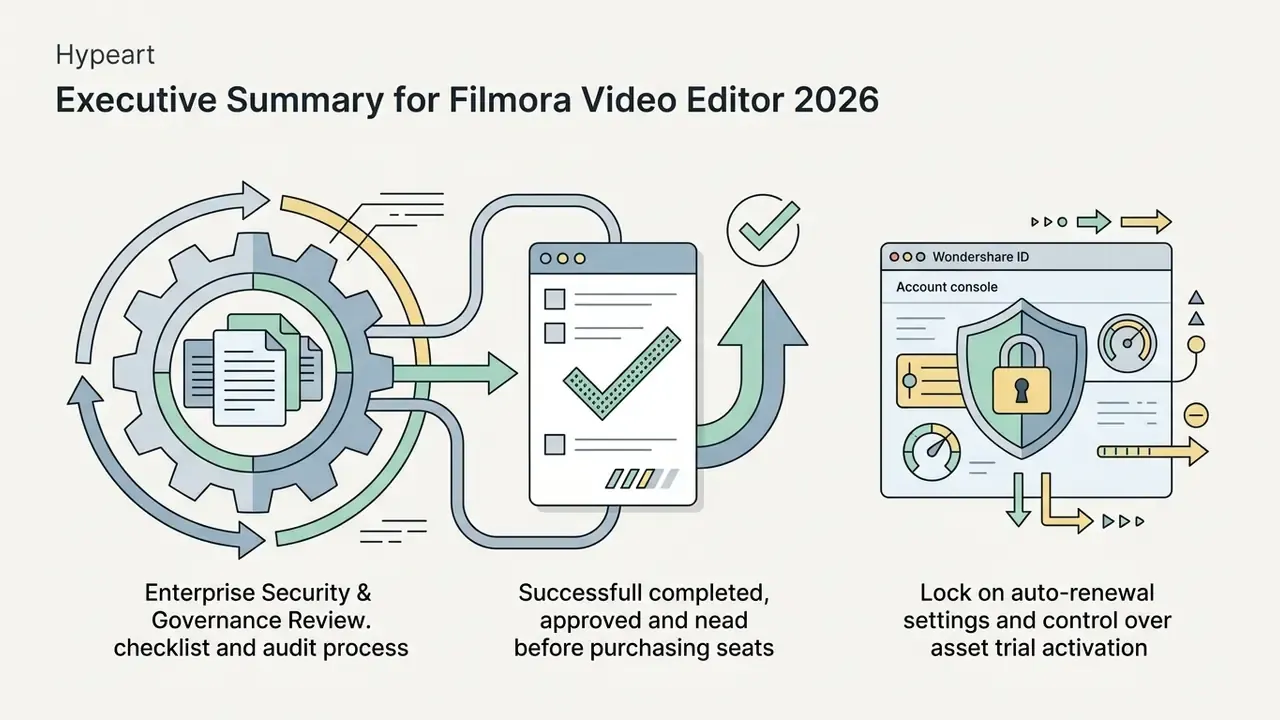
10. Enterprise Security & Governance Review: Pre-Purchase Checklist
Checklist0 / 13
What to do next: convert this checklist into a Vendor Assessment Sheet, attach the vendor's EULA and commercial-use licence as evidence artifacts, and submit it to your risk department together with a live pricing quote from the official Wondershare shop before any seat purchase. No dramatic decision required at this stage. Just evidence, then a signature.
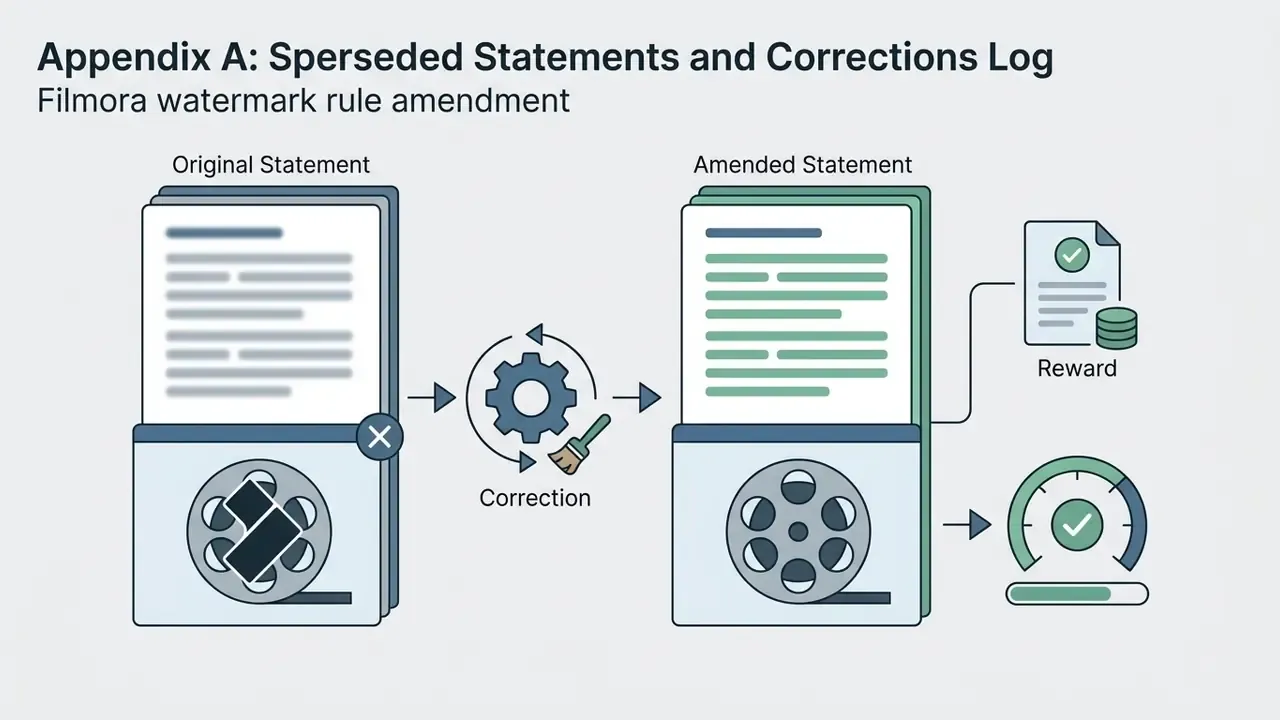
Appendix A: Superseded Statements and Corrections Log
For transparency, the following statements appeared in earlier revisions of this guide and have been corrected above:


Editorial Method and Verification Notes
Every factual claim above was sourced in this order: official Wondershare product, pricing, support, and legal pages first; then independent reviews for context; then explicit "requires data" labels wherever no published source exists. Where vendor pages disagree with each other, such as the download page and the pricing page describing the free tier differently, the more restrictive wording is quoted, because that is the version a contract dispute will rely on.
Three limits are worth stating plainly. First, prices and promotional terms shift regionally and seasonally, so no figure here substitutes for a live quote. Second, security posture cannot be inferred from marketing pages; absence of a published attestation is not proof of weakness, only proof of missing evidence. Third, copyright treatment of AI-generated media is still moving, and any position taken today should be reviewed at least annually.
For further reading across this site, start with the AI Media Glossary, which anchors the terminology used throughout this review.