Last updated: February 2026 · Reviewed for: model capabilities, free-tier limits, data-handling risk, and commercial-use compliance.
Executive Summary
- Three input pipelines exist: Text-to-Video (fastest ideation), Image-to-Video (best character fidelity), Video-to-Video (best motion realism). Choose by the amount of control you must retain, not by convenience.
- Character drift is the #1 technical failure. Text-only prompting collapsed character consistency scores from 7.99 to 0.55 out of 10 in multi-shot storyboarding tests. Reference-image anchoring (I2I seeds, IP-Adapters, LoRA) is mandatory for multi-scene work.
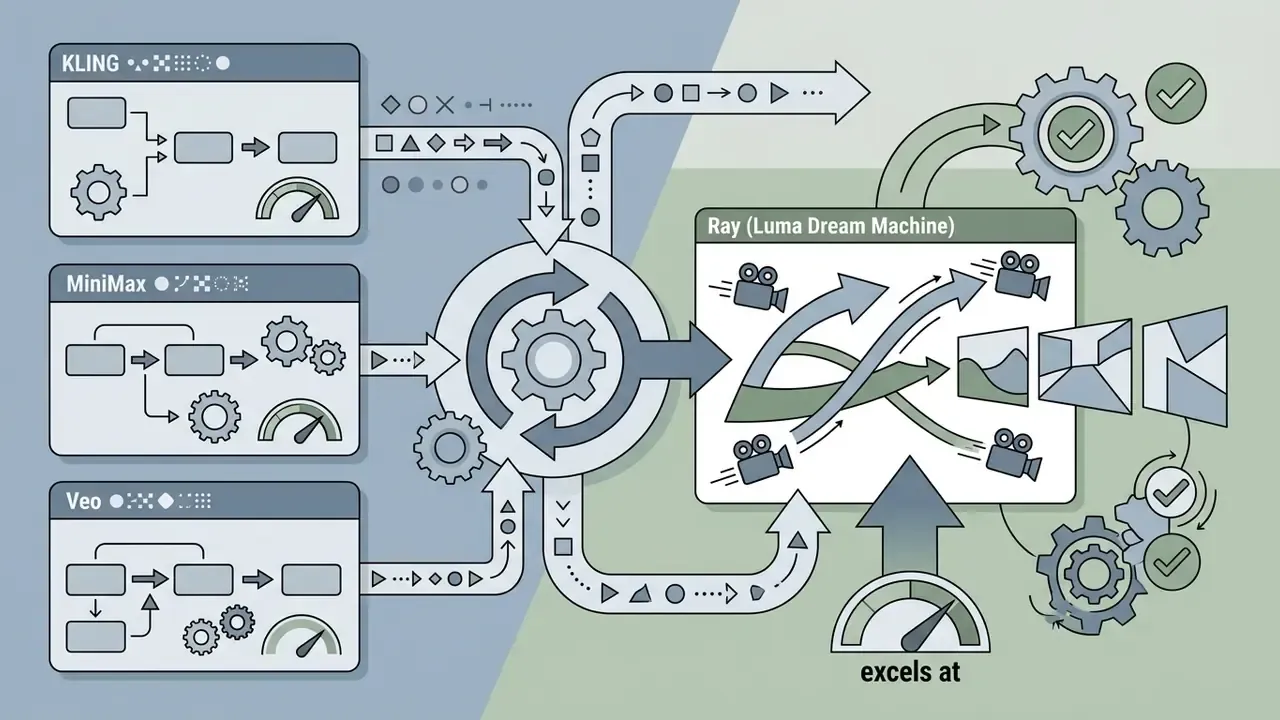
- Model choice changes the output profile: Kling for combat and physical motion, MiniMax (Hailuo) for facial nuance and cinematic pacing, Ray (Luma) for camera movement, Veo and Sora for prompt adherence and temporal coherence.
- "Free" means capped. Expect 3 to 5 second clips, 720p exports, 12 to 15 fps native renders, mandatory watermarks, shared render queues, and non-commercial licenses.
- Post-processing is not optional. Frame interpolation (12 fps to 30 or 60 fps) and audio-driven lip-sync convert raw renders into publishable footage.
- Compliance is a two-layer check: platform license terms (commercial rights, data-training clauses) plus AI disclosure obligations on YouTube and TikTok. Purely machine-generated expression is not protected by U.S. copyright.
- Enterprise teams must add a third layer: data residency, no-data-training guarantees, and an audit trail of seeds, prompts, and model versions.
Generating anime-style animation once required frame-by-frame drawing, specialized rendering software, or a dedicated studio. Modern artificial intelligence platforms now let media teams, independent creators, and digital marketers produce short animated clips directly from text descriptions or reference artwork. Using specialized diffusion models and neural style adapters, a free ai anime video generator converts prompts and static assets into moving sequences in minutes. Still, selecting the right input modality, managing character consistency, and understanding commercial usage rights remain the operational decisions that matter before anything gets published.
If your priority is budget and licensing clarity rather than technique, read the free-versus-paid limits table in section [12] first, then come back to the step-by-step pipeline. Knowing the export ceiling before you write prompts prevents wasted render credits. Simple as that.
What Is a Free AI Anime Video Generator?
Understanding how each generation pipeline functions lets content teams pick the workflow that matches their creative and technical requirements, instead of defaulting to whichever tab is already open. That single habit removes most of the trial-and-error cost in week one.
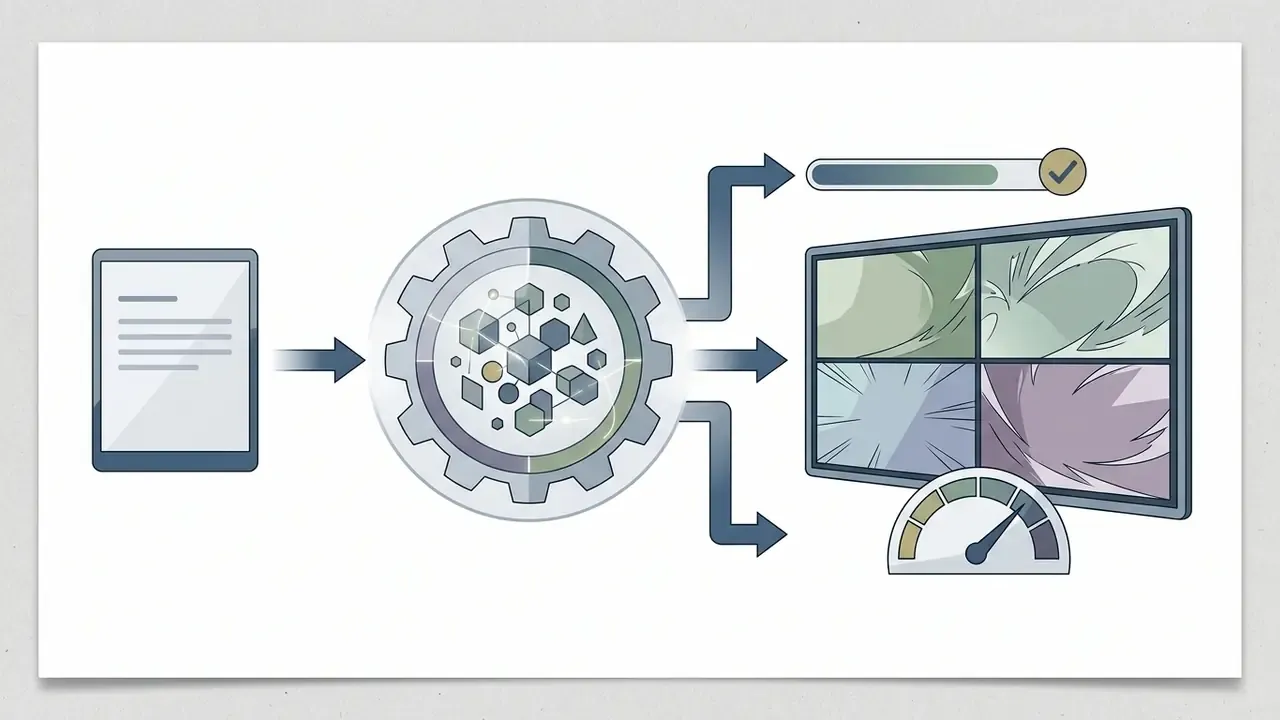

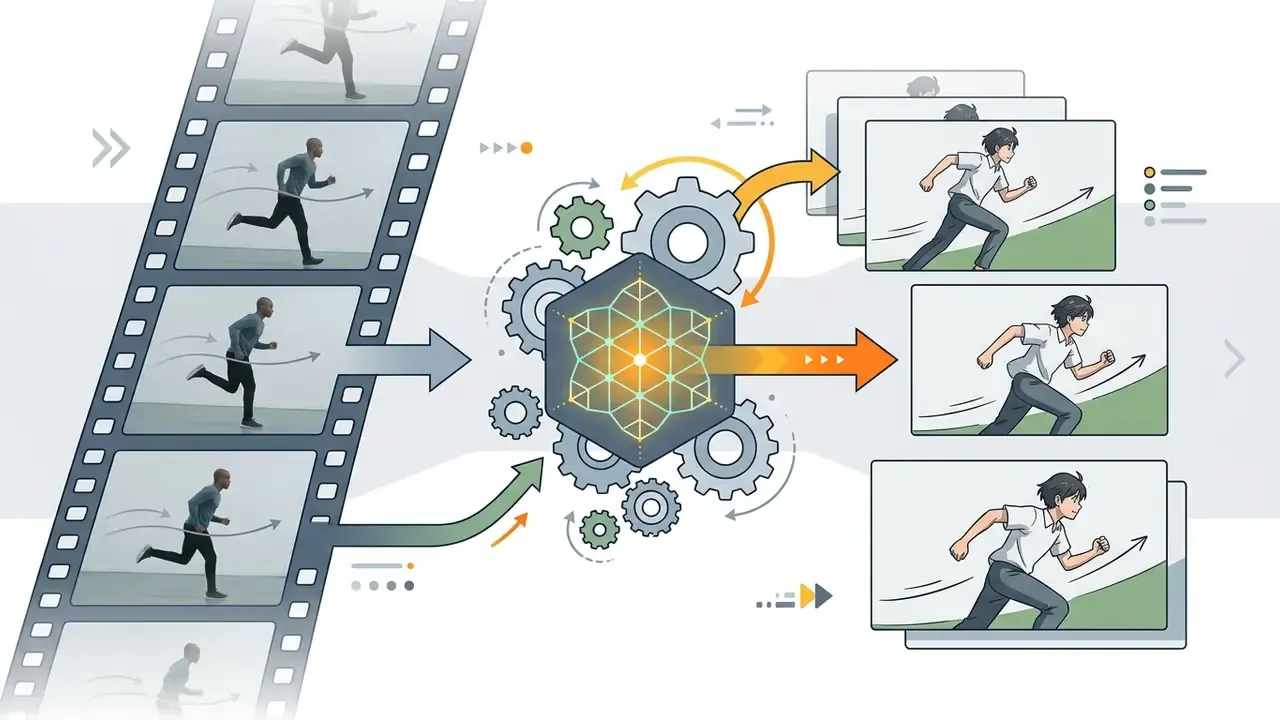
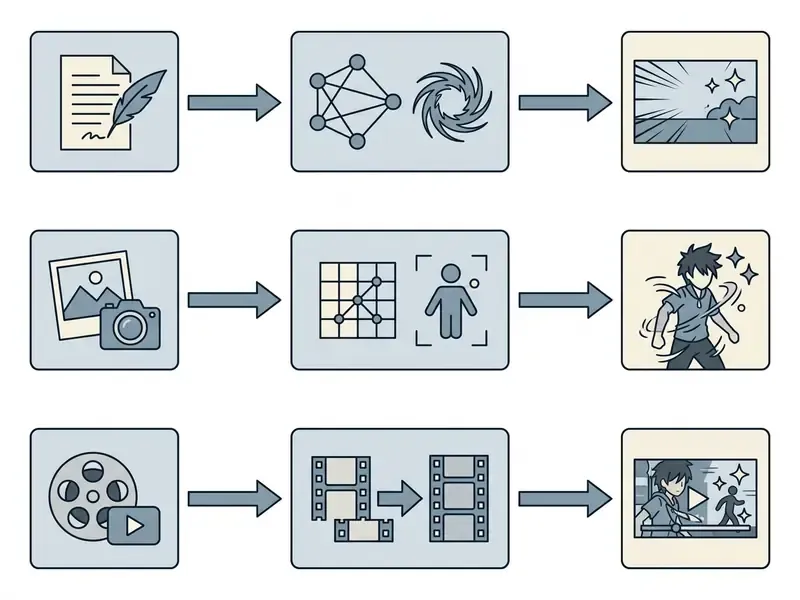
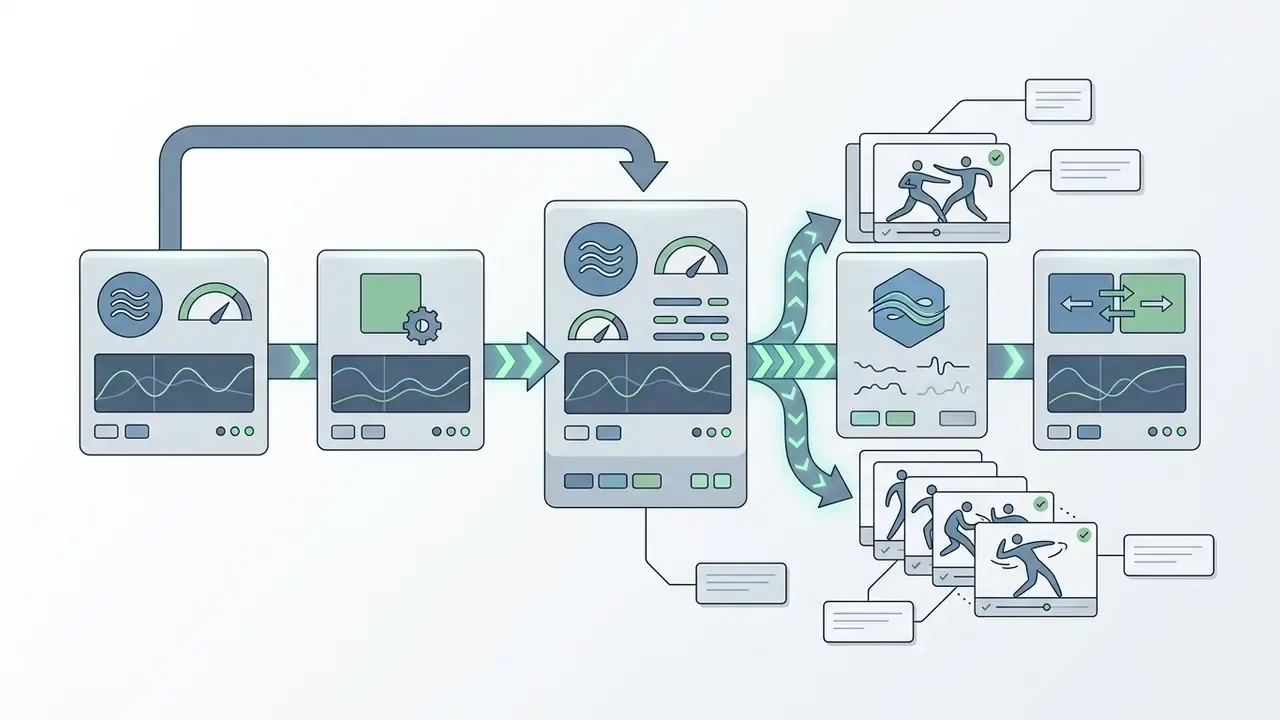
- Semantic markup rule: render as a figure with a visible caption reading "Input Modality Selection Flowchart for AI Anime Generation Workflows," and duplicate every branch of the diagram as indexable text.
Text-to-video: generate anime scenes from a prompt
Text-to-video tools transform written prompts into short animated sequences by applying latent diffusion models trained on large datasets of visual media. Creators specify character attributes, environmental lighting, camera angles, and action details in text form to receive a fully synthesized video clip.
Academic benchmarks confirm that text-to-video frameworks excel at short, scene-setting clips but struggle with complex, multi-step actions. The T2VQA-DB dataset contains 10,000 generated videos produced by 9 models from 1,000 prompts, scored as mean opinion values by 27 subjects, while the larger AIGVE-60K benchmark widens the evaluation base considerably.
«AIGVE-60K covers 58,500 videos from 30 models across 20 task types, separating perceptual quality from text-video correspondence.»
«T2VQA-DB: 10,000 videos, 9 generative models, 1,000 prompts, MOS ratings from 27 subjects.» T2VQA-DB Subjective Assessment Study (2024). https://github.com/QMME/T2VQA
Using an ai anime generator video tool driven by text prompts lets creators prototype visual concepts fast, with no pre-existing graphical assets at all. Readers comparing engines by prompt adherence can start with our overview of text-to-video AI tools.
Image-to-video: animate anime art and characters
Image-to-video generation animates static illustrations by inferring motion vectors across sequential frames while retaining the visual identity of the source image. The process relies on specialized neural architectures, such as ReferenceNet or pose-aware control modules, to isolate character geometry from background elements.
Research on frameworks like PoseAnimate shows that reference-image conditioning significantly improves visual detail preservation compared with text-only prompt generation.
«PoseAnimate achieves superior LPIPS and CLIP-I scores, outperforming training-based methods on inter-frame consistency and warping error.»
The same architectural family underpins Animate Anyone, which uses a ReferenceNet for appearance retention, a pose guider for controllable body motion, and temporal layers for frame-to-frame smoothness. When using an anime ai video generator for character-centric scenes, starting with high-resolution digital art or images refined through a canva photo editor yields better character stability and fewer frame distortions. For a deeper technical primer, see our guide to image-to-video AI tools.
Animating manga panels and static comic line art
Converting black-and-white manga panels into animated video sequences requires specialized preprocessing. Unlike colored illustrations, monochrome line art lacks the shading vectors and depth cues that standard Image-to-Video models depend on, which usually produces flat sliding motion or melted linework on the first attempt. Expect at least two passes here.
To animate manga panels effectively:
- De-textingRemove speech bubbles, onomatopoeia, and sound-effect lettering with an inpainting mask, so the model does not try to animate typography.
- Auto-colorizationPass the clean line art through a colorization model to establish base lighting and albedo channels that motion modules can interpret.
- Depth-map motion inpaintingApply depth-aware control nets to separate character foregrounds from background screen-tones before motion generation, preventing halftone patterns from vibrating between frames.
- Panel sequencingGenerate one 3 to 5 second clip per panel, then assemble the panels in a timeline with sound design, matching the pacing conventions of manga reading order.
This workflow is the backbone of the "manga panel to video" and anime MV formats popular on TikTok, Reels, and YouTube Shorts. It also applies to original-character (OC) fan art, where the illustration itself is the anchor reference.
Video-to-video: turn footage into anime style
Video-to-video style transfer converts existing live-action or 3D footage into two-dimensional anime animation while preserving the camera dynamics and actor movement of the source file. Temporal consistency mechanisms, such as optical flow tracking and cross-frame attention, prevent frame flickering during style translation. Classic work in this area combined short-term and long-term temporal consistency losses with multi-pass processing to survive large motion and occlusion, while newer systems propagate style from a stylized first frame across the whole sequence.
«PickStyle preserves the source video context while rendering in the target style, outperforming baselines on stability and style accuracy.»
In enterprise production settings, media teams often record real-world action blocking, run the clip through a video-to-video pipeline, and convert the output into an ai generated anime video. The approach keeps natural human motion while achieving an authentic cel-shaded aesthetic, which is why studios reach for it on fight choreography and dance content.
Anime Styles and Creative Controls Available in AI Video Generation
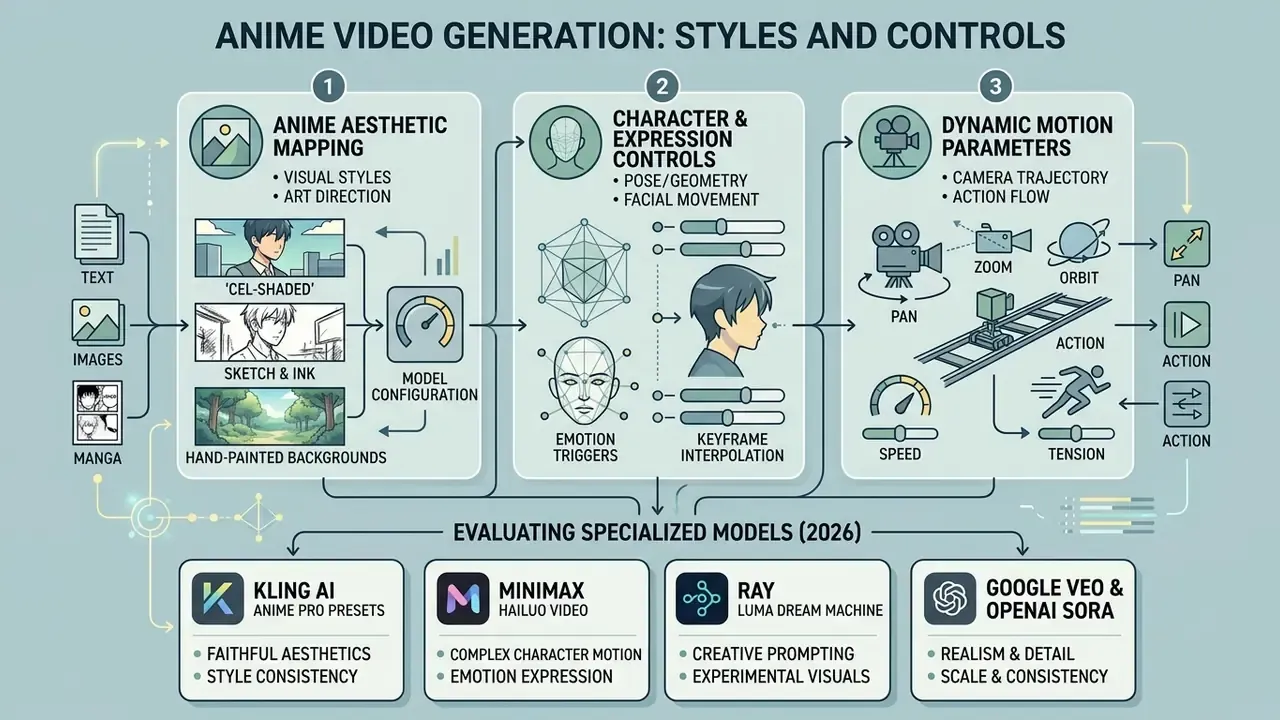
Controlling artistic aesthetic, character geometry, and camera movement in AI video generation means combining clear text prompting with precise model configuration. Generative frameworks interpret style cues from specialized training datasets, such as Danbooru for anime artwork, which lets users target distinct visual sub-genres from high-action Shonen to soft Shojo.
«Illustrious is an open 2.5B-parameter model trained on Danbooru data, generating 2048×2048 illustrations from tag-oriented prompts.»
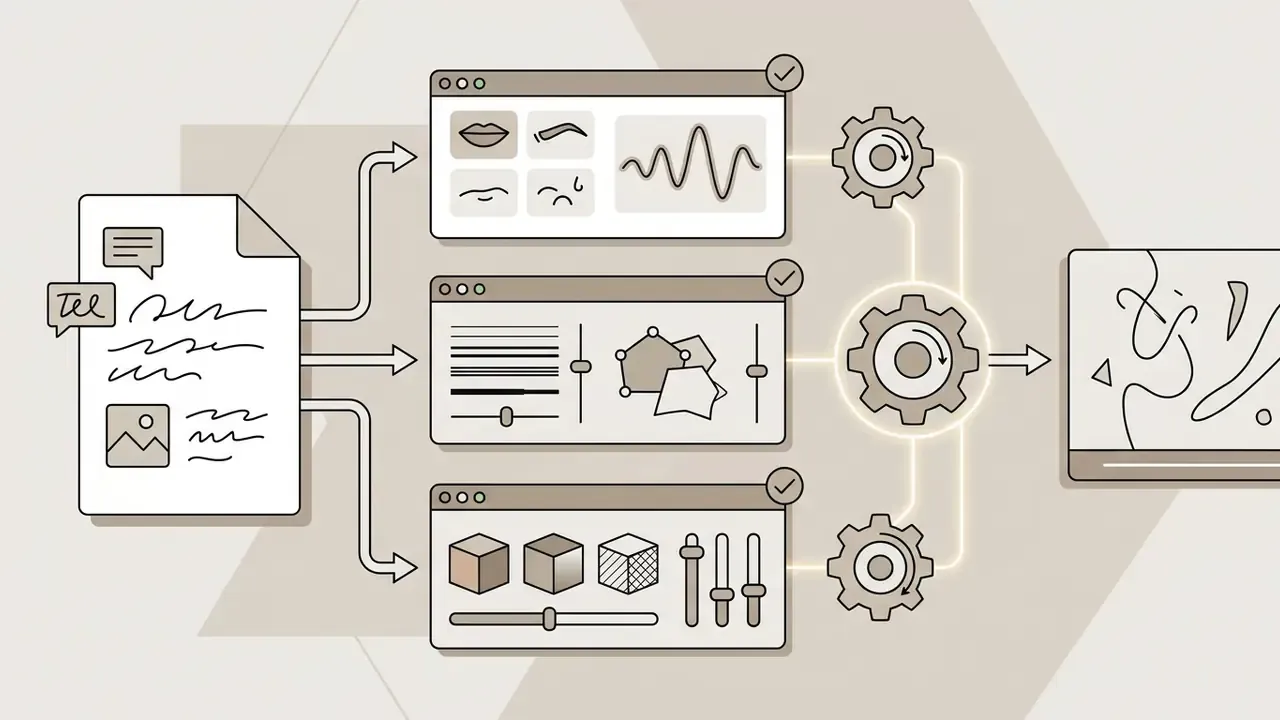
Modern ai anime animation systems offer creative controls across three primary dimensions:
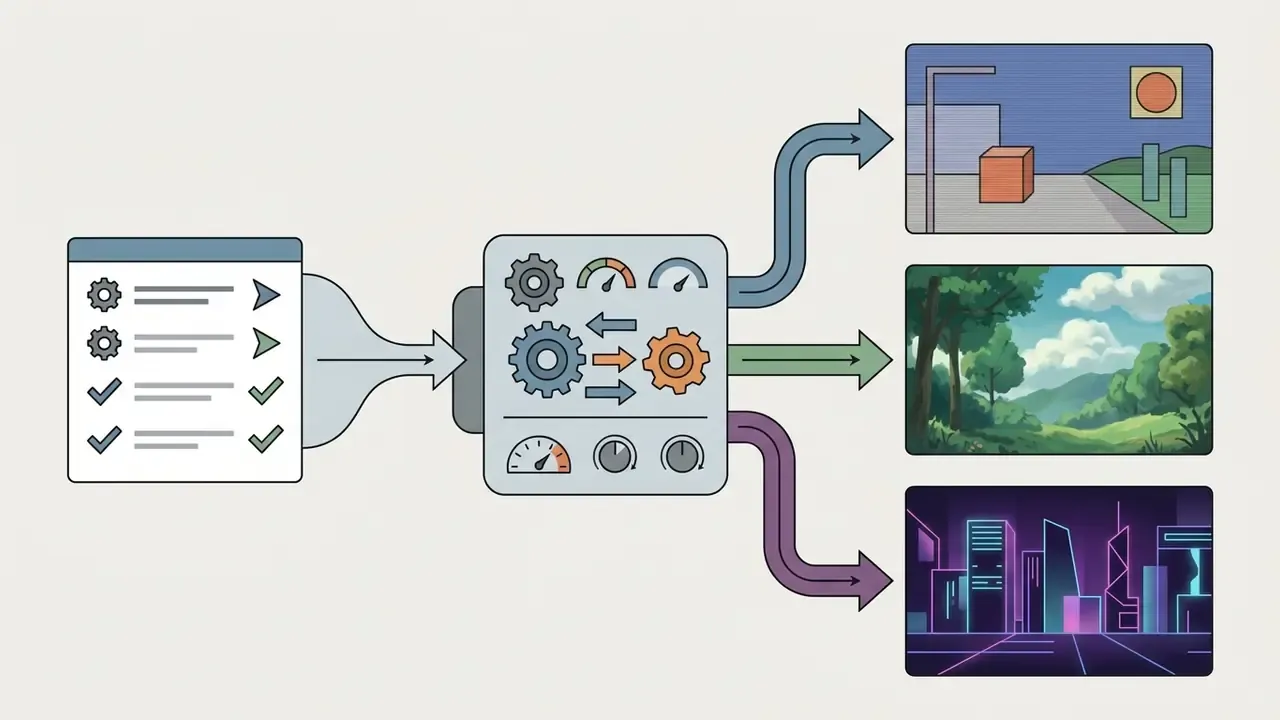
Reproducible quality depends on balancing these parameters at setup, not on rescuing a bad render later. Anime ai animation rewards planning far more than it rewards prompt volume.
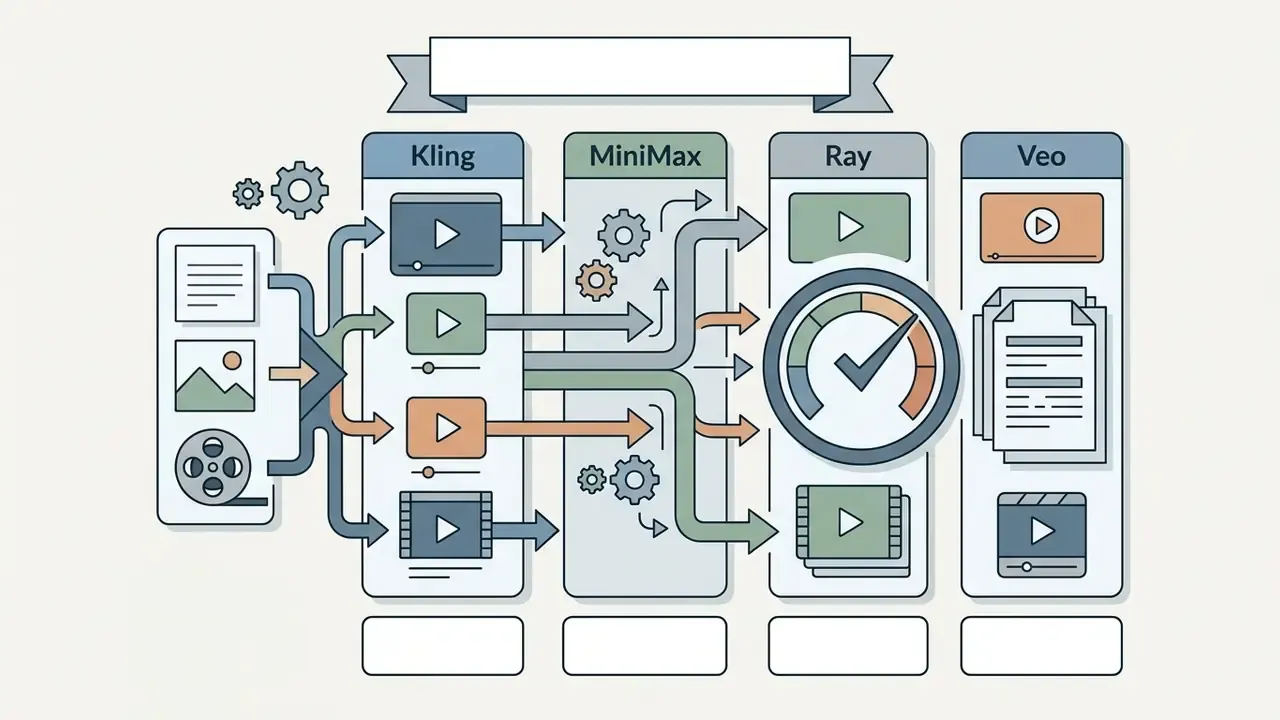
Evaluating specialized anime video models: Kling, MiniMax, Ray, and Veo
The underlying diffusion backbone directly shapes motion fluidity and stylized rendering. Two prompts that are word-for-word identical return materially different footage across engines, so choose by generation dynamics rather than brand familiarity:
A practical selection rule: benchmark every candidate ai anime style video generator on the same three prompts, one combat shot, one dialogue close-up, one camera-move establishing shot, then score artifact severity, identity retention, and prompt adherence before committing credits. Fifteen minutes of structured testing beats a week of vibes.
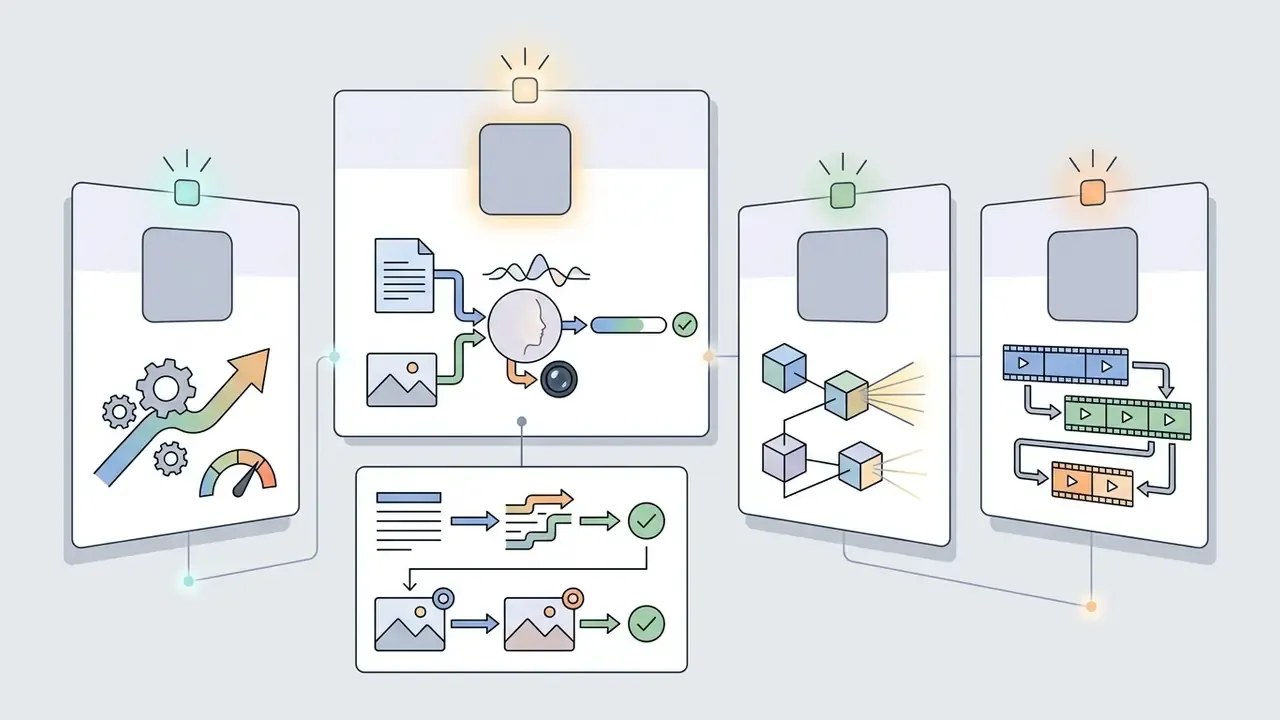
Anime characters, expressions and character consistency
Maintaining character persistence across multiple generated scenes is one of the primary technical hurdles in AI animation production. Without visual anchoring, text-to-video models invent a slightly different character for every prompt, and visible drift usually appears after only three to five shots.
To resolve identity drift, advanced workflows use Image-to-Image (I2I) seed conditioning, IP-Adapters, or custom LoRA (Low-Rank Adaptation) models trained on a specific character design sheet. IP-Adapter injects appearance cues from a reference image into a pre-trained diffusion model. LoRA stores a learned, character-specific identity. Fixed seeds give reproducibility for the same prompt, but on their own they do not guarantee cross-scene identity. A study on multi-stage storyboarding pipelines found that relying purely on text prompts produced a severe drop in character consistency compared with pipelines anchored by reference character images.
«Removing the visual anchor (I2I seed frame) lowered character consistency from 7.99 to 0.55 out of 10; visual stability measured 7.14 ± 1.43.»
«Video Storyboarding is a training-free method enabling text-to-video models to generate multiple shots with consistent characters through feature sharing.» Multi-Shot Character Consistency for Text-to-Video Generation (2024). https://arxiv.org/abs/2407.xxxxx
When designing a recurring character, say an ai anime girl video generator concept for a serialized short, keep fixed reference sheets and anchor frames across sequential generations, hold a canonical portrait on file, and pull the variation or creativity sliders down during scene generation. Boring discipline, reliable faces.
Scenes, motion and action frames
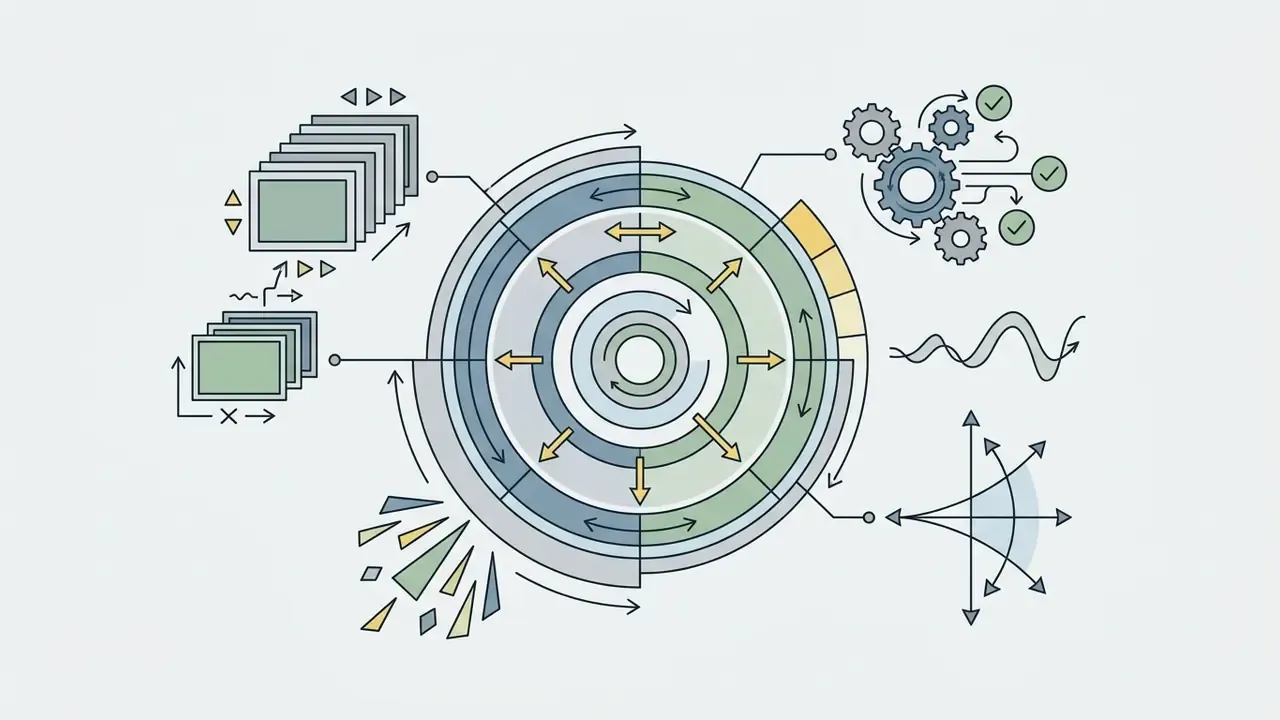
Controlling scene dynamics and action frames requires precise camera direction language inside the prompt structure. Anime action sequences lean on exaggerated motion, quick camera pushes, and sharp angle shifts to carry emotional intensity. Cinematographic grammar has measurable emotional weight: low angles project power, high angles project vulnerability, Dutch angles signal instability, close-ups carry emotion, and fast zooms escalate shock, while slow tilts and smooth pans build suspense.
Descriptive camera controls such as "slow push-in," "dynamic Dutch angle," or "locked camera with high-speed character tracking" guide the diffusion model toward coherent motion vectors. Benchmark frameworks like T2VBench measure model performance across 16 temporal dimensions, and they show that explicit camera and velocity descriptors improve output stability directly.
«T2VBench spans 5,000 videos from 3 models across 1,680 prompts and 16 temporal dimensions, including scene transitions, motion direction, and emotional change.»
How to Create Anime Videos with AI
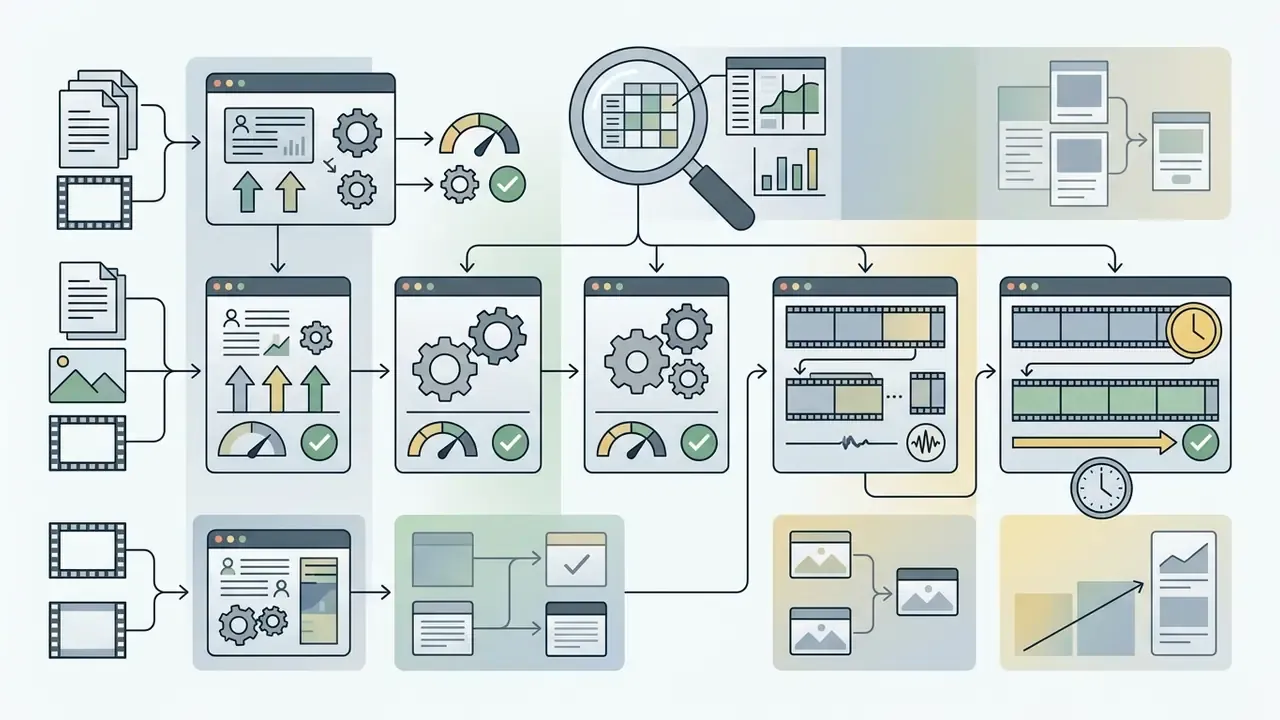
Creating publishable clips with an ai anime video maker follows a structured four-stage workflow: asset preparation, prompt engineering, generation configuration, and post-production review. Standardizing the pipeline prevents wasted computational credits and makes output quality reproducible. Teams that want to shortlist platforms before building the pipeline can consult our comparison of AI video generators.
To streamline asset workflows, creators often pair video generators with dedicated creation tools covered in our canva video maker and canva video editor guides, plus general-purpose animation makers.
- Select input modalityChoose Text-to-Video for original concepts, Image-to-Video for existing artwork, or Video-to-Video for footage transformation.
- Draft a structured promptWrite a descriptive prompt using the standard formula: Subject + Visual Style + Action + Setting + Lighting + Camera Movement.
- Configure generation parametersSet target aspect ratio (16:9 for landscape, 9:16 for vertical), frame rate (24 fps standard), and motion intensity sliders.
- Execute an initial renderRun a low-resolution test generation to evaluate visual composition and prompt adherence.
- Review frame stabilityInspect the clip for visual artifacts, temporal flickering, or anatomical deformation.
- Upscale and enhanceApply an upscaling pass to convert native 512p or 720p output into clean 1080p or 4K.
- Export and archive the audit trailDownload the finalized MP4 and log a full reproducibility record: prompt text (positive and negative), seed number, model name and version or checksum, LoRA or IP-Adapter references, sampler and step count, resolution, native fps, aspect ratio, generation timestamp, operator, and the reference keyframes used. Store the log next to the export so any frame can be regenerated or defended in review.
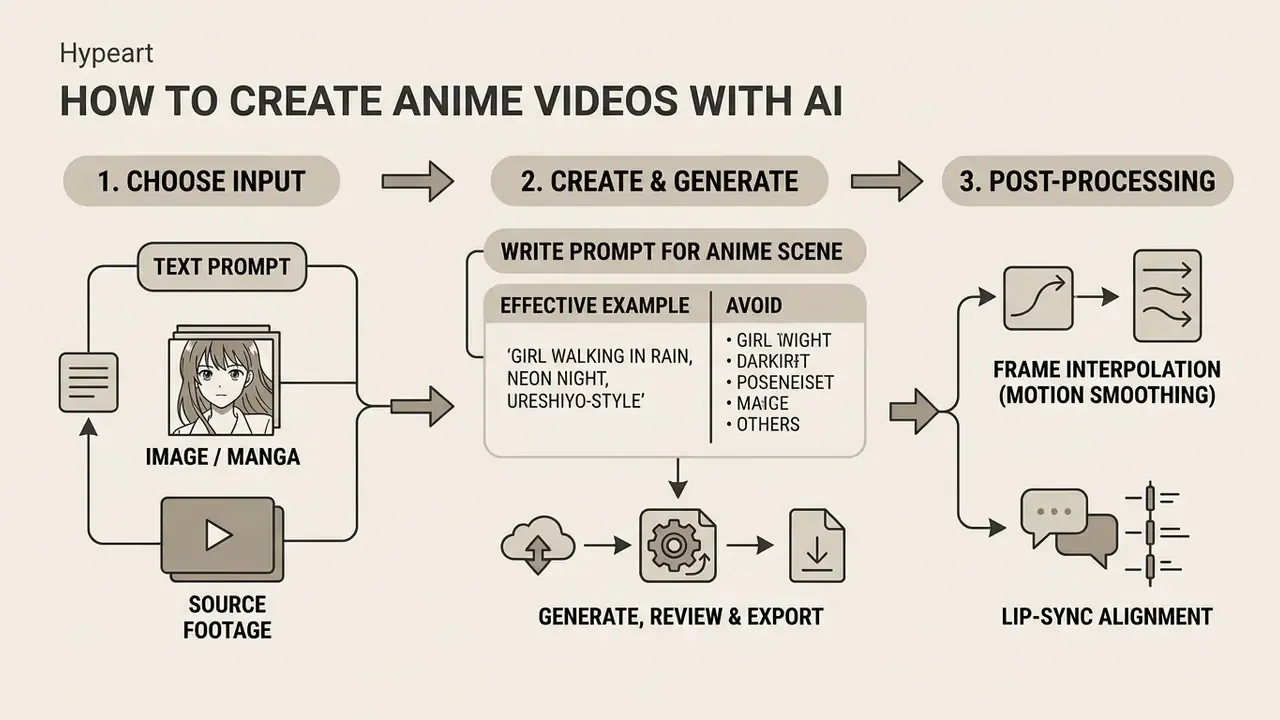
Choose an input: prompt, image or source video
The input format decides how much control you keep over the final animation. If the goal is rapid narrative exploration with no existing visual assets, a text prompt gives maximum creative flexibility; entry-level options are covered in our overview of free AI video generators.
If you must enforce strict character appearance or brand guidelines, a high-resolution reference image through an Image-to-Video workflow is mandatory, not optional. For action-heavy sequences where character timing and physical movement have to stay exact, uploading live-action source video via Video-to-Video transfer yields the most predictable motion.
Two practical constraints often decide the format before creativity gets a vote. First, file compatibility: platforms typically accept JPG/JPEG/PNG/WEBP (and sometimes HEIC/HEIF) for images, and H.264 or H.265 video with AAC or MP3 audio. Second, prompt ordering: when a single media file accompanies a text prompt, multimodal documentation recommends placing the media file before the text instruction for more reliable interpretation.
Write a prompt for an anime scene
Prompt engineering for an ai video generator anime style tool needs structured, highly specific language rather than vague aesthetic adjectives. Leading developer guidelines converge on functional slots: Adobe's video guidance recommends shot type + character + action + location + aesthetic, while Google's Veo prompting guide orders it as cinematography + subject + action + context + style and ambiance.
«Simple, atomic actions in prompts are realized more reliably than multi-step narratives with compound instructions.»
A production-ready anime prompt structure follows this sequence:
Shot Type + Character Description + Action + Environment/Setting + Art Style/Shading + Camera Dynamics
Production-ready prompt templates by genre
"Dynamic Dutch angle shot, a young warrior drawing a glowing energy katana, clashing with a giant shadowy monster, fast-paced swordfight, sparks flying, high-speed camera tracking, cel-shaded 2D anime style, dramatic rim lighting, 24fps."
"Cinematic close-up, anime characters standing under a blooming cherry blossom tree, pink petals floating in wind, soft warm sunset lighting, subtle face blush, gentle emotional expression, shallow depth of field, Ghibli-inspired aesthetic."
"Tracking camera shot from behind, anime skater girl speeding through a wet neon-lit cyberpunk alley at night, making sharp turns, wind blowing in hair, glowing signs reflecting on puddles, smooth high-velocity motion vectors."
"Medium front shot, male anime protagonist speaking angrily, sharp eye focus, intense facial muscle motion, dark atmospheric studio background, crisp line-art density, high character detail preservation."
Pair every positive prompt with an explicit negative prompt. Google's video-generation guidance recommends describing what must not appear (extra limbs, text overlays, style drift, watermarks) as a continuity-control mechanism, and in practice that single field removes a surprising share of reruns.




Generate, review and export the animation
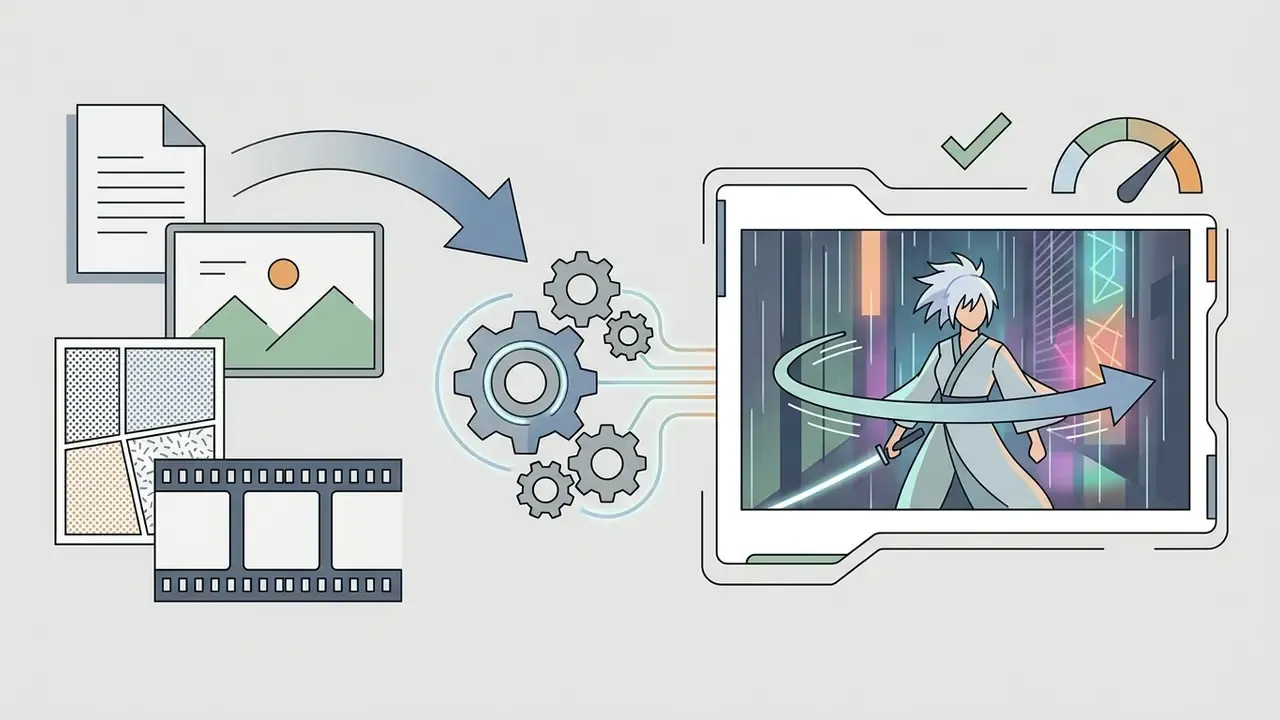
Once parameter setup is complete, run a test render before spending real credits. Review the clip for temporal artifacts: floating objects, shifting line art, distorted limbs, background tones that pulse between frames.
One example from commercial practice. An independent digital studio needed 15 short animated teasers for a web fiction launch. By standardizing a prompt template and running 5-second preview renders first, the team eliminated character identity drift across scenes, cut generation iterations by roughly 40% against its own pre-template baseline (internal studio measurement, not an independently audited benchmark), and exported finalized 1080p clips straight into the publishing pipeline. Worth stressing: that figure is a self-reported number, so treat it as directional rather than as a benchmark you can quote to a risk committee.
Post-processing: frame interpolation and dialogue lip-sync
Raw AI video outputs often render at low native frame rates (12 to 15 fps) to conserve compute credits. Turning them into broadcast-ready content takes two steps beyond upscaling:
- Frame interpolation (motion smoothing) Optical-flow algorithms or neural interpolation tools such as RIFE raise output from 12 fps to a fluid 30 or 60 fps without visible tearing. Order matters: fix structural artifacts and deflicker first, interpolate low-fps clips separately, then upscale, then grade and export at a high bitrate to avoid banding in flat anime color fields.
- Lip-sync alignment For dialogue-driven scenes, passing generated clips through audio-driven lip-sync adapters aligns mouth geometry with the voiceover MP3 or WAV track and removes manual frame-by-frame mouth editing.
- Delivery frame rate Pick the target rate from the distribution format, 24 fps for film-style output, 25 fps for PAL, 29.97 fps for NTSC, instead of defaulting to whatever the model happened to produce.
After quality checks, export in MP4. When preparing long-form video or social Shorts, importing generated clips into a canva video templates workspace, a capcut ai video editor, or one of the options in our roundup of free video editing software simplifies timeline assembly and subtitle integration. Typical delivery outputs: a 1080×1920 vertical or 1920×1080 horizontal master, an SRT caption file, a PNG thumbnail, and a project archive holding prompts and keyframes.
Is a Free AI Anime Video Generator Really Free?
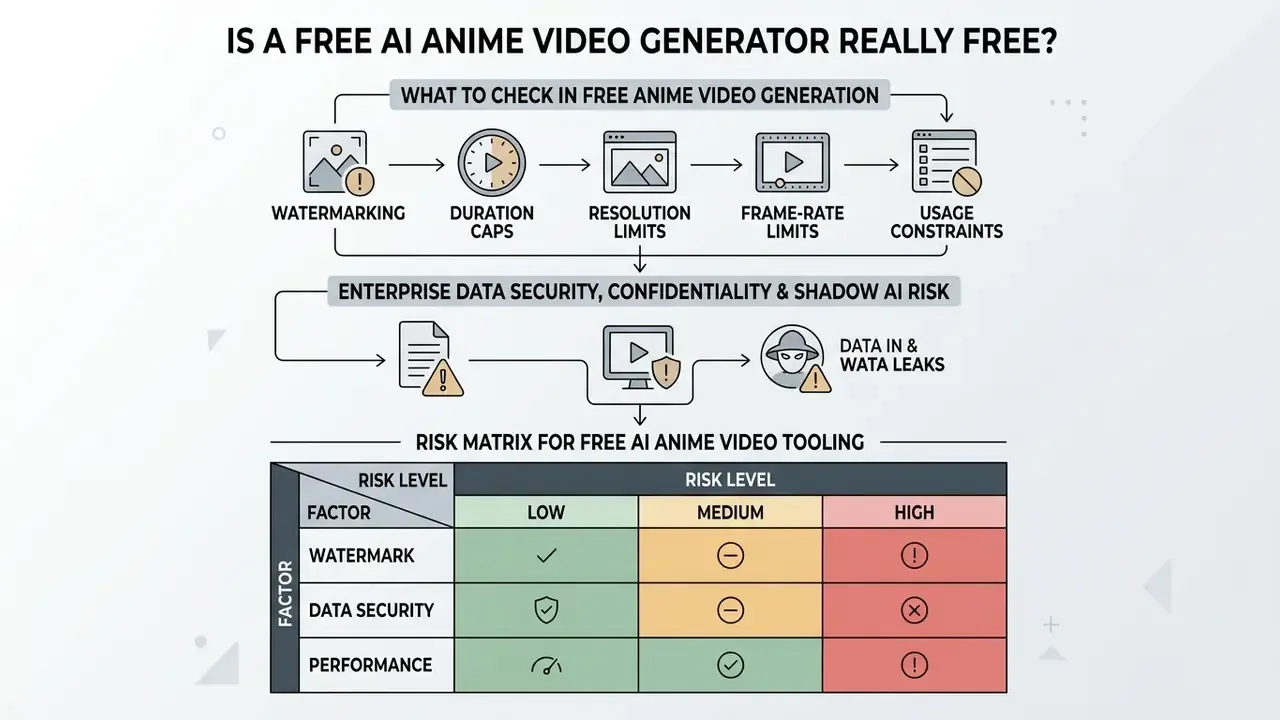
Plenty of platforms advertise a free ai anime video generator, yet fully unrestricted generation almost never exists without operational limits. Most services run freemium models that offer basic features or recurring credit allowances so users can test functionality before upgrading; the practical ceilings of those tiers are catalogued in our guide to free AI video generators.
To plan platform budgets and compare subscription limits across commercial software tools, review our detailed AI Media Pricing Guides.
| Feature / Dimension | Free Tier Standards | Paid / Pro / Enterprise Tier Standards |
|---|---|---|
| Generation allowance | 50 to 100 daily or monthly credits (about 3 to 10 short clips); some services issue ~50 tokens every 12 hours | 1,000+ monthly credits, ~3K credits/month bundles, or unlimited relaxed generations |
| Video duration | Capped at 3 to 5 seconds per render (occasionally 8 to 10 s at reduced resolution) | Extended to 10 to 60 seconds per clip |
| Export resolution | Capped at 720p | Native 1080p to 4K upscaling (4× upscale routes reach ~4096×4096 on some platforms) |
| Native frame rate | 12 to 15 fps renders; interpolation locked or credit-metered | 24 to 30 fps native output plus interpolation to 60 fps |
| Visual watermarks | Mandatory platform watermark | Clean, unwatermarked export passes |
| Render priority | Shared standard queue; some services allow only 1 task in queue | High-priority queues, 2+ concurrent tasks, enterprise processing billed separately |
| Character consistency tools | Prompt-only, occasionally one reference image | Reference-to-video, IP-Adapters, custom LoRA training, multi-reference conditioning |
| Commercial usage | Restricted to non-commercial or personal use on most platforms | Full commercial licensing; some vendors require top tiers above $1M annual revenue |
| Data handling | Outputs and uploads may be public by default and reusable for model training | No-data-training commitments, private workspaces, retention controls, SOC 2 / GDPR documentation |
| IP indemnification | Not offered | Available on enterprise agreements as contractual defense against third-party IP claims |
Representative market pricing at the time of writing: entry paid plans commonly start near $9.9 to $14 per month, unlocking watermark removal, longer clips, faster generation, and commercial use. Free plans on the same services are frequently personal-use only, single-task, watermarked, and fixed at 5 seconds per clip. So when a landing page promises an ai anime animation generator free of any restriction, read the terms page, not the hero banner.
What to check in free anime video generation
Before investing hours in assets inside a free tool, read the service terms. Typical technical limits on free tiers include:
- Watermarking Visual logos overlaid on exported frames.
- Duration caps Exports restricted to 3 to 5 second clips.
- Resolution limits Rendering locked at 720p.
- Frame-rate limits Native 12 to 15 fps output, with interpolation reserved for paid tiers.
- Usage constraints Prohibitions on monetized content or client projects, which quietly rules out most agency work.
Testing these constraints early prevents integration bottlenecks later. If you search specifically for an ai video generator anime style free of watermarks, treat that claim as a contract question rather than a feature question.
Enterprise data security, confidentiality and Shadow AI risk
Free-tier terms govern more than watermarks. They govern what happens to everything you upload. Reference character sheets, unreleased campaign artwork, internal storyboards, and client footage pushed into a consumer generator may be stored indefinitely, made publicly visible by default, or reused to train future public model versions. When employees adopt such tools without procurement review, the organization inherits an unmanaged processing channel usually described as Shadow AI. No owner, no access limits, no audit trail.
Risk matrix for free AI anime video tooling
| Threat | Consequence | Control measure |
|---|---|---|
| Shadow AI adoption (unsanctioned SaaS) | Untracked processing of confidential assets, no contract, no DPA | Maintain an approved-tools allowlist, block unvetted generative SaaS at the network layer, provide a sanctioned enterprise API alternative |
| Public-visibility defaults on free tiers | Unreleased artwork or campaign concepts exposed in public galleries | Verify visibility settings before upload, require private workspaces, prohibit pre-release assets on free tiers |
| Training on customer inputs | Proprietary character design absorbed into a public model | Require written no-data-training commitments, use tiers with documented opt-out |
| Indefinite retention or unclear residency | Inability to satisfy deletion or data-location obligations | Confirm retention windows, deletion APIs, and hosting regions in the contract |
| Third-party IP contamination via uploads | Infringement exposure from fan art, licensed characters, or stock footage | Asset-provenance checklist before generation, reject unverified sources |
| Missing reproducibility record | Cannot explain, defend, or regenerate published output | Mandatory audit-trail log (seed, prompt, model version, references) per step 7 |
| No indemnification on free tiers | Full liability sits with the publisher | Reserve commercial distribution for tiers with IP indemnification |
Checklist0 / 8
When paid tools are useful for larger projects
Moving from free to paid becomes necessary once projects need commercial licensing, higher rendering volume, longer clips, or advanced controls. Before upgrading, benchmark alternatives with our comparison of the best free AI video generators. Enterprise projects usually need developer access as well; implementation teams can review platform capabilities in our Google Veo API Guide.
Upgrading is typically required when:
- High-resolution output is mandatory Publishing standards demand native 1080p or 4K without compression artifacts.
- Commercial monetization is required Monetizing on YouTube, TikTok, or client sites needs explicit commercial licensing terms.
- Complex API integration Programmatic generation requires direct api access for automated workflows.
- Multi-scene continuity Serialized work needs custom character training modules (LoRAs) and reference anchoring tools locked behind premium tiers.
- Priority rendering and SLA Latency-sensitive campaign work needs priority processing, normally an enterprise-only, separately billed option.
- Governance requirements Legal or risk teams require no-data-training clauses, audit logging, and IP indemnification.
A useful reframe for finance leaders: the cost line is not the subscription, it is the subscription plus review time, plus archive storage, plus the residual risk you accept when the license is thin.
Commercial Use, Copyright and Monetization of AI Anime Videos
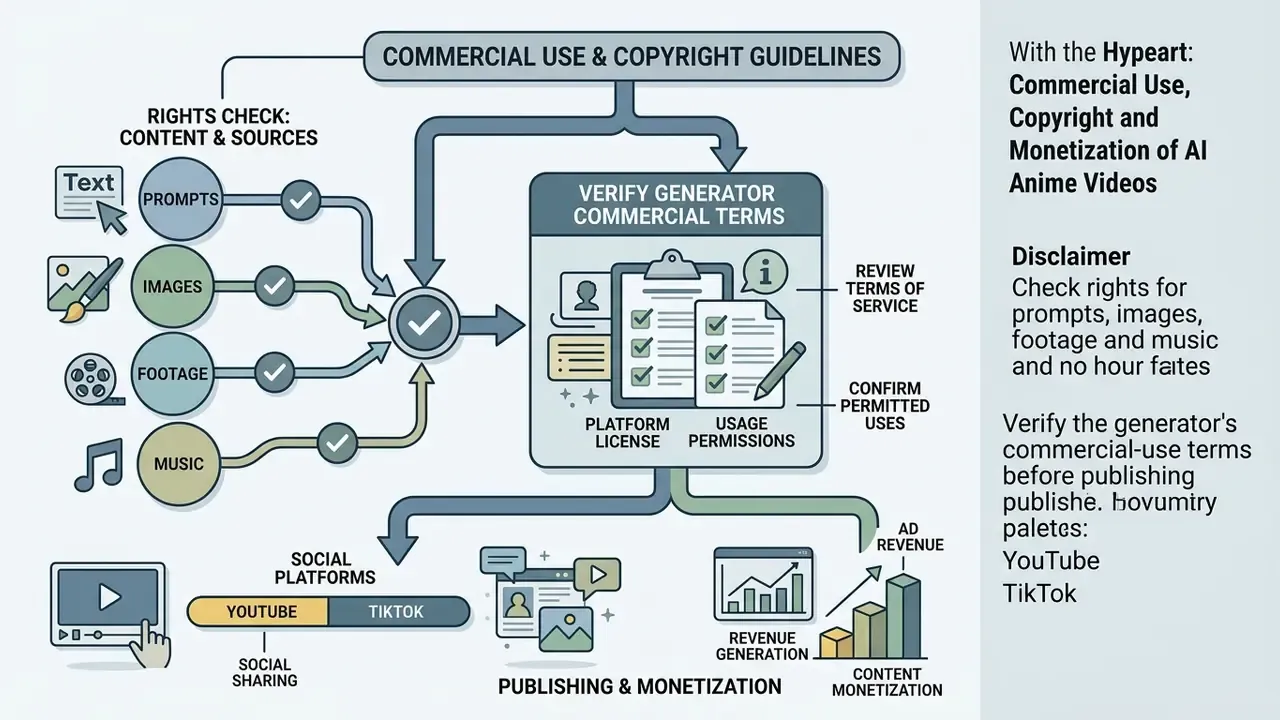
Determining the legal status and commercial usability of AI-generated anime videos means working through platform terms of service, third-party intellectual property law, and evolving government copyright guidance. There is an evidentiary gap worth naming: the 2023 to 2026 academic literature on AI video generation contains no peer-reviewed study establishing commercial rights for AI-generated video. Creators therefore rely on statute, copyright-office guidance, and platform contract terms rather than research consensus.
- Generator license terms: Verify whether the specific tier used (free or paid) explicitly grants commercial distribution rights.
- Input asset ownership: Ensure all input art, reference character sheets, music tracks, and source footage are owned or licensed for commercial use.
- Platform disclosure rules: Confirm compliance with platform-specific AI disclosure mandates, for example YouTube's AI content disclosure tag and TikTok's mandatory AIGC labeling.
Current guidance from the U.S. Copyright Office states that purely machine-generated visual elements lacking human authorship cannot be protected under federal copyright law, and that protection extends only "to the extent of the human's contributions."
Check rights for prompts, images, footage and music
Creating an ai generated anime video does not automatically grant broad copyright over the output. Under current U.S. Copyright Office guidance, including Copyright and Artificial Intelligence, Part 2: Copyrightability and Works Containing Material Generated by Artificial Intelligence, prompts alone are treated as unprotectable ideas and do not supply sufficient human control for authorship. Wholly AI-generated output is not copyrightable, while hybrid works may be protected only for their human-authored expressive elements, which must be identified separately in any registration. Japan's Agency for Cultural Affairs takes a complementary but distinct route: where AI output is similar to and dependent upon an existing copyrighted work and no statutory exception applies, the result constitutes infringement.
Practical consequence: the two frameworks can reach different conclusions about the same anime-style clip, because one tests human authorship while the other tests similarity and dependence.
Uploading third-party character art, fan art, or copyrighted background music into an anime ai generator video tool without authorization is infringement, full stop. Permission practice should follow the discipline used for traditional assets: identify the specific material, the number of copies, and the purpose of use, then obtain permission in writing. Several jurisdictions require a written license agreement outright, and Creative Commons NonCommercial material always needs separate permission for commercial release. Related considerations for still-image inputs appear in our guide to commercial use of AI image generators. To follow legal precedent and pending disputes over generative models, visit the AI Litigation and Case Timelines hub.
Verify the generator's commercial-use terms before publishing
Platform terms dictate whether outputs can be used commercially at all. Many services prohibit commercial use on free tiers and reserve commercial exploitation for paid subscribers. Some vendors go further and require top-tier plans for organizations above a defined annual revenue threshold, for example gross revenue exceeding $1,000,000 USD per year.
Major distribution platforms also enforce disclosure:
- YouTube Requires creators to disclose realistically edited or AI-generated content at upload. Labels can appear on Shorts, beneath long-form videos, or in descriptions, and YouTube may apply labels automatically where disclosure is missing.
- TikTok Defines AI-generated content as images, video, or audio created or modified by machine-learning systems, and provides an AI-generated content toggle creators are required to enable for such uploads.
Because the compliance triggers differ, YouTube keys on the realism of the edit while TikTok keys on the fact of AI generation, check both policies per asset rather than applying one rule globally.
For additional legal resources and commercial usage frameworks across generative image and video formats, consult the AI Media Commercial-Use Hub.
How to Choose an AI Anime Video Generator
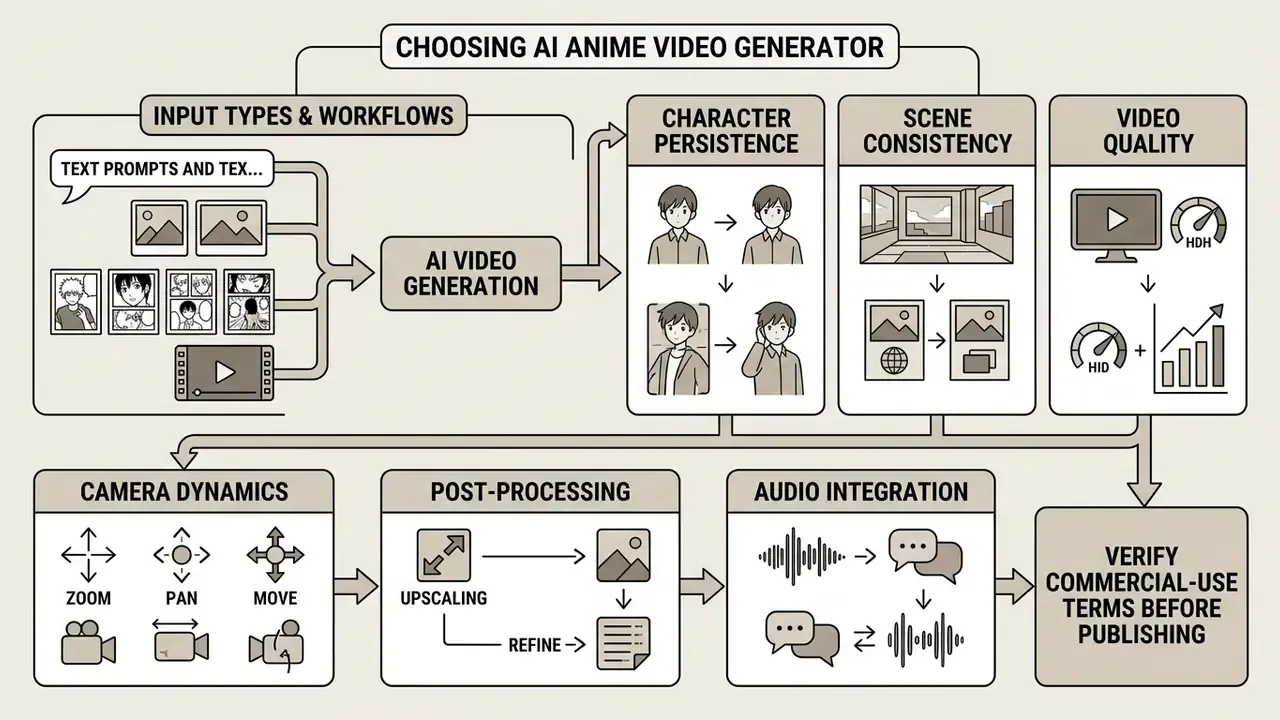
Choose by input type and anime video workflow
Choose by character, scenes and video quality controls
Advanced creative control comes down to specific model parameters. When comparing tools, test for these:
- Character persistenceDoes the tool accept reference character sheets or visual seed anchors across scenes? Training-free multi-shot methods such as Video Storyboarding show that feature sharing between shots can hold identity without per-character fine-tuning, so ask vendors which mechanism they actually implement.
- Camera dynamicsCan you explicitly control pan, zoom, tilt, and motion velocity?
- Post-processing and upscalingDoes the platform include temporal deflickering, frame interpolation, and HD or 4K upscaling? Temporal-consistent video super-resolution is a separate stage from motion generation and deserves separate evaluation.
- Audio integrationDoes the platform generate synchronized background sound or accept external voice tracks with lip-sync alignment?
- Dynamic quality metricsVendor technical reports increasingly define "dynamic quality" as temporal consistency, motion smoothness, inter-frame coherence, and background or character stability. Request those figures, or measure them yourself on a fixed prompt.
Creators managing production costs across voiceovers, editing subscriptions, and generative rendering can use our interactive AI Media Calculators to project total asset costs, governance overhead included. That overhead belongs in any honest total-cost-of-ownership model, and it is the line most pilot budgets forget.
FAQ About Free AI Anime Video Generators
Can an AI anime video generator create an anime episode?
No ai anime episode generator renders a complete 22-minute episode from a single prompt. Current state-of-the-art models generate short individual clips lasting between 3 and 10 seconds.
Producing a full episode takes a multi-stage pipeline: write the episodic script, design character anchor references, generate scene clips shot by shot, then stitch everything together in an external editor alongside dubbing and background music, a workflow supported by conventional video editing tools. Traditional anime production discipline still applies: pre-production (script, series composition, character design), production, then post-production. The AI compresses drawing time, not planning time.
Can AI generate an anime movie from a script?
No commercial ai anime movie generator produces a feature-length film from a screenplay in one automated step. Leading generative video models, such as OpenAI Sora (up to roughly 60 seconds) or Google Veo 3.1 (8 seconds with native audio), are technically capped at short clip generation according to their own published documentation.
«Most T2V benchmarks evaluate clips of 8 to 32 frames; none test the generation of complete episodes or feature-length films.» A Survey of AI-Generated Video Evaluation (2024). https://arxiv.org/abs/2024.xxxxx
For scale context, feature screenplays typically run 65 to 160 pages under standard formatting, orders of magnitude beyond a single generation call. An AI system can draft screenplay text or concept art, but assembling a feature means hundreds of individual scene renders edited manually into a coherent structure. Where a vendor markets "script to full movie," compare the claim against the model's published maximum clip length before you budget anything.
Is there an AI anime video generator app?
Yes. Several iOS and Android applications support ai anime video generator app workflows and mobile editing. Public store listings updated in 2026 include Emoflix - Anime Video Editor (iOS), which converts video, Live Photos, still photos, or the camera feed into a cartoon effect; AI Anime Video Maker - GenAni (iOS and Android), which turns images or prompts into anime-style content; AniFlow - AI Anime Video Maker (Android), which generates anime artwork from text prompts or photos; and AI Anime Video Effect Trend (iOS). Brand-specific searches like animai ai video generation or animai ai video generator surface similar consumer apps, so verify the current listing and its terms before relying on any single one.
Mobile apps often enforce stricter credit limits and lower export resolutions than web-based cloud suites, and browser-based generators generally run on the same phone anyway. For an ai anime maker video project with client deliverables, the desktop route is usually safer.
How do I remove watermarks and clean up AI video renders?
Watermarks on free-tier exports can be handled three legitimate ways: AI-based video inpainting to reconstruct the covered region, cropping the aspect ratio from 16:9 to 9:16 for vertical platforms so the mark falls outside frame, or upgrading to a tier with native clean exports. For commercial distribution, downloading an unwatermarked clean pass under the platform's license is the only defensible option. Stripping a vendor's watermark from a non-commercial free render usually violates the same terms that permitted the render.
For general artifact cleanup, work in this order: repair structural errors (extra limbs, warped linework) by regenerating with a tightened negative prompt, deflicker, interpolate the frame rate, upscale, then grade and export at a high bitrate to prevent banding across flat anime color fields.
Can I keep the same character across many clips?
Yes, but only with an explicit anchor. Keep one canonical portrait or character sheet, reuse it as the reference in every scene, vary only action, environment, and camera language, lower the creativity sliders, and log the seed and model version for each shot. Rely on prompt text alone and you should expect visible drift after three to five shots.
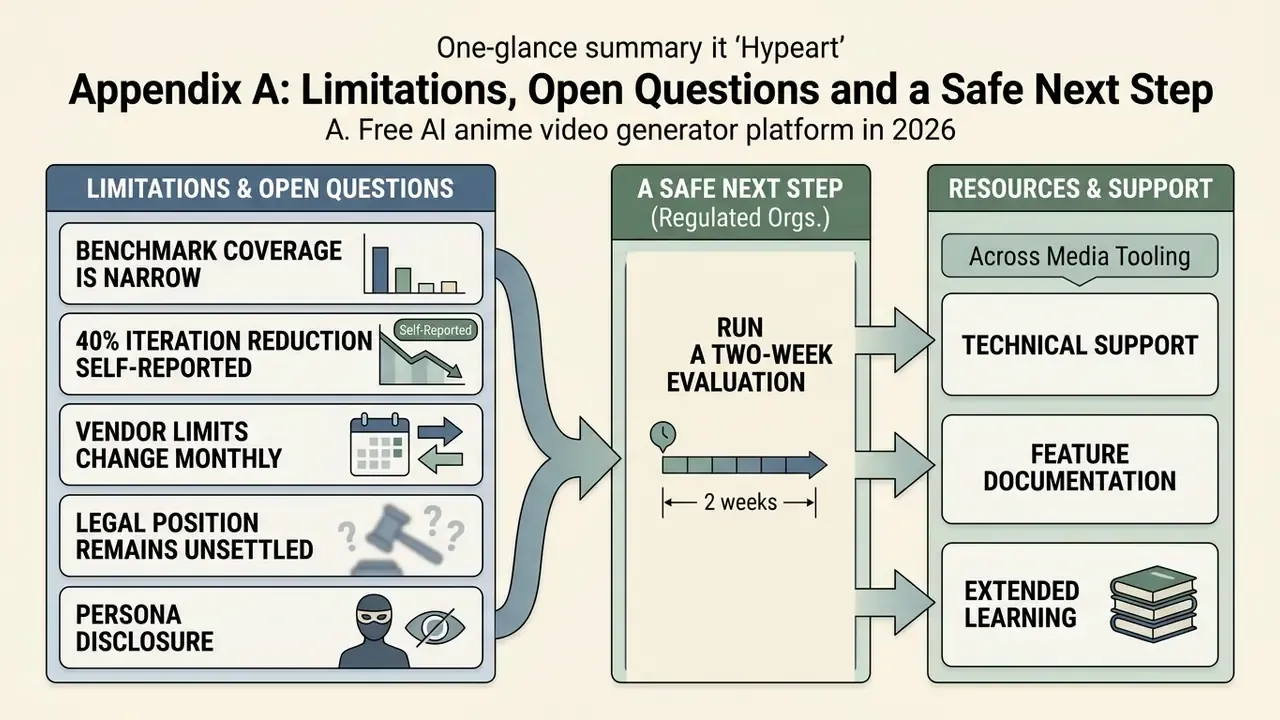
Appendix A: Limitations, Open Questions and a Safe Next Step