Visual humor produced by artificial intelligence has moved from technical curiosity to a mainstream communication format. It has also become a quiet governance question for any organization whose staff generates images in unmanaged tools. Creating an ai funny image requires an understanding of how text-to-image models interpret comedy, structure visual contrast, and handle unexpected inputs. This guide evaluates the mechanisms behind funny ai generated images, provides 12 ready-to-use prompt templates, explains the psychology of shareable visual comedy, compares leading generation models by engine, adds an artifact-detection checklist, and outlines the commercial compliance and enterprise-security rules required for safe deployment across social media and corporate channels.
Why should a risk or compliance leader care about cats in tuxedos? Because the same pipeline that produces a joke can produce a misleading photoreal render under a brand account. Same tool, same prompt box, very different consequence.
What Are Funny AI Generated Images and Why Are They Funny?
A funny ai image is a synthetic visual output designed to elicit amusement through intentional incongruity, exaggerated style, or unexpected conceptual juxtapositions. These images generate comedic response by establishing a familiar visual premise and immediately subverting viewer expectations.
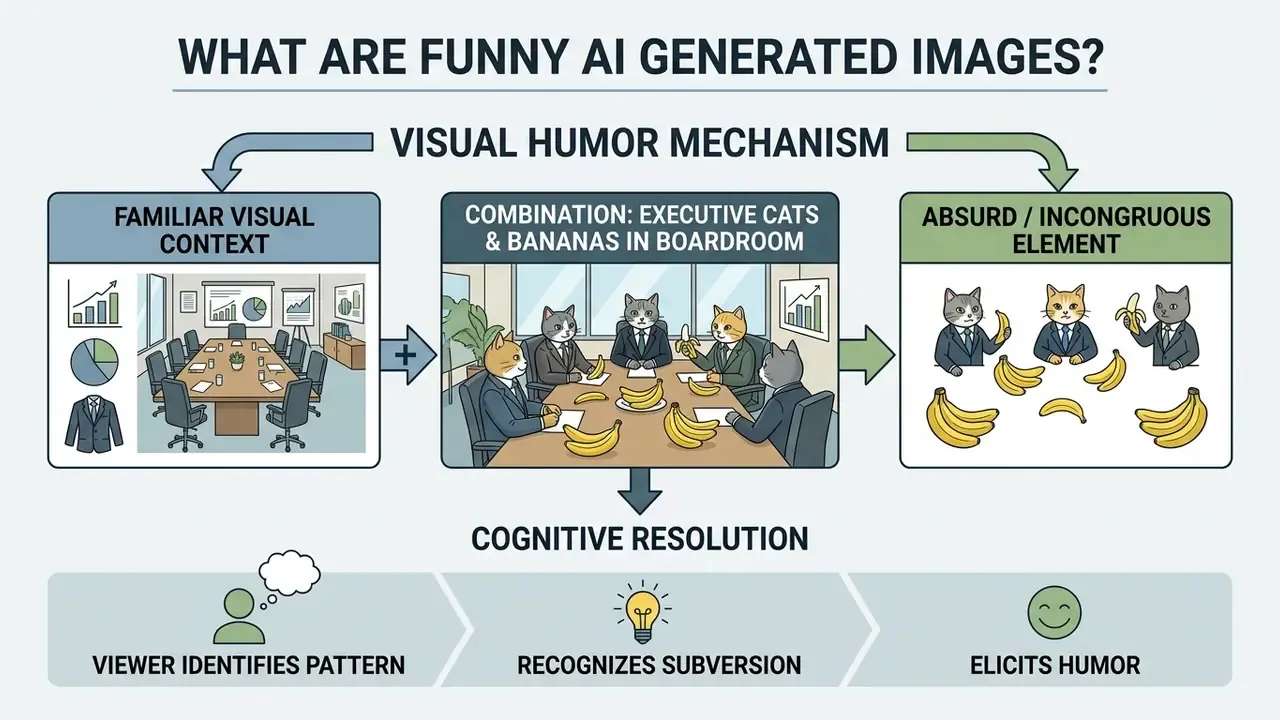
Research in multimodal humor processing confirms that visual funniness relies heavily on cognitive incongruity and pattern resolution, and that machines still lag far behind human viewers in detecting it.
«Even frontier multimodal models trail humans by roughly 20-40 percentage points on image-humor recognition metrics.»
Benchmark work on the HumorDB dataset makes the failure mode concrete. HumorDB combines photographs, cartoons and AI-generated content with minimally edited contrast pairs, so that a "funny" and "not funny" version of the same scene differ by only one visual element.
When viewers process funny images, their cognitive framework registers a mismatch between expected reality and the depicted scene. The brain resolves this contradiction, and the resolution reads as comedy. Synthetic tools excel at fusing disparate visual domains, which makes funny ai generated media unusually effective across digital platforms, while the models themselves remain poor judges of their own punchlines. That asymmetry is exactly why humor works as a diagnostic signal for anyone validating multimodal systems.
The Cognitive Dissonance Loop: Why AI Humor Goes Viral
Visual comedy in synthetic media works by compressing the processing loop until setup and punchline arrive in the same instant:
- Instant Recognition The brain identifies a familiar, high-stakes environment, such as a courtroom, an operating theatre, or a quarterly board review.
- Cognitive Dissonance The brain detects an incongruous subject inside that frame: a tabby cat in a wig presenting evidence, a raccoon chairing the meeting.
- Immediate Tension Release The incongruity is reclassified not as a threat but as harmless absurdity, and the resulting release of tension manifests as laughter.
- Social Transmission Because the joke needs no explanation, the viewer forwards the image instead of describing it.
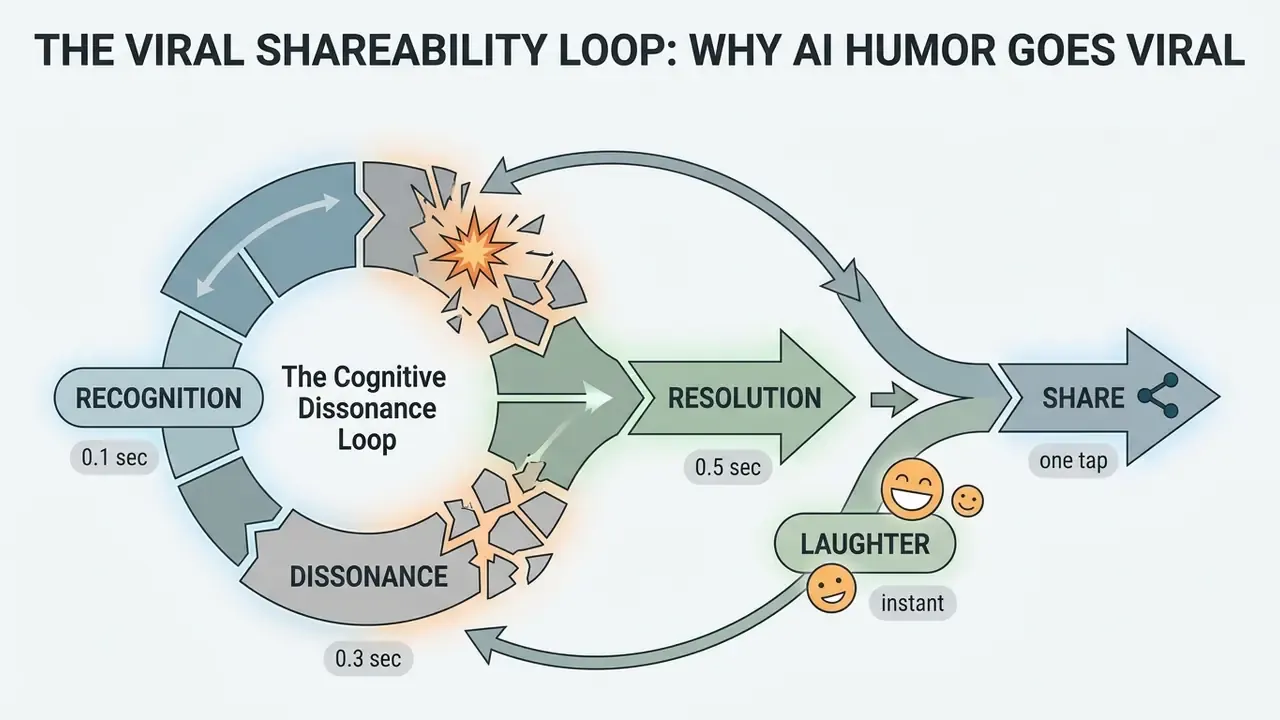
Static images present setup and punchline in a single frame, which removes the reading friction of a text joke. A squirrel in a tuxedo holding a martini glass requires zero explanation: the gag is immediate, cross-cultural and forwardable in group chats without context. There is also a second, distinctly modern layer, and it is the collaboration between human intent and machine interpretation. When a generator reads a prompt more literally than any human illustrator would, it contributes an unplanned surreal twist. That is why prompting for comedy feels closer to improvising with a very literal scene partner than to drawing a picture.
Analyses of AI-mediated meme culture describe this as a socio-technical circulation loop rather than pure authorship.
«Generative memesis: AI systems now mediate meme creation and circulation, converting accidental artifacts into durable comedic templates.»
Intentional Comedy vs. Hilarious AI Mistakes
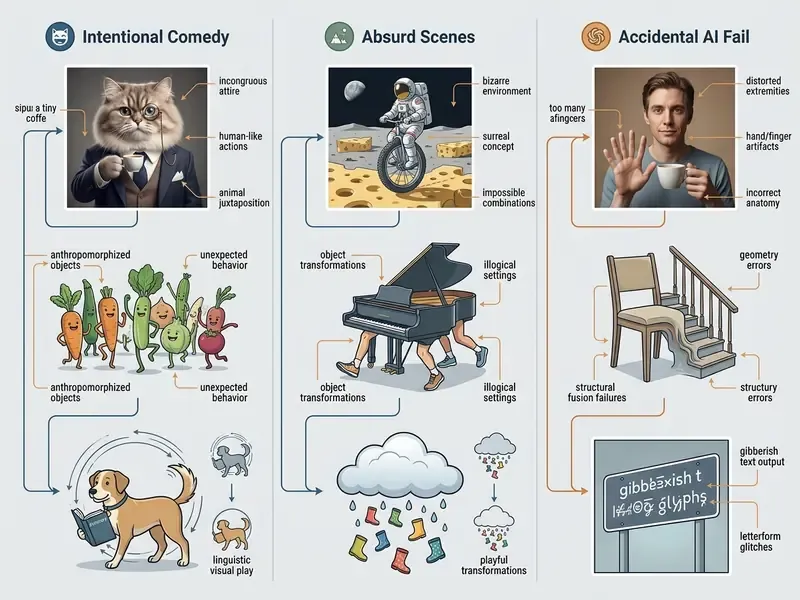
Intentional comedy stems from precise prompt engineering that explicitly directs the generator to produce a humorous scene. In contrast, an ai generated image funny result often happens by accident, when a model misreads spatial relationships, anatomy, or object boundaries.
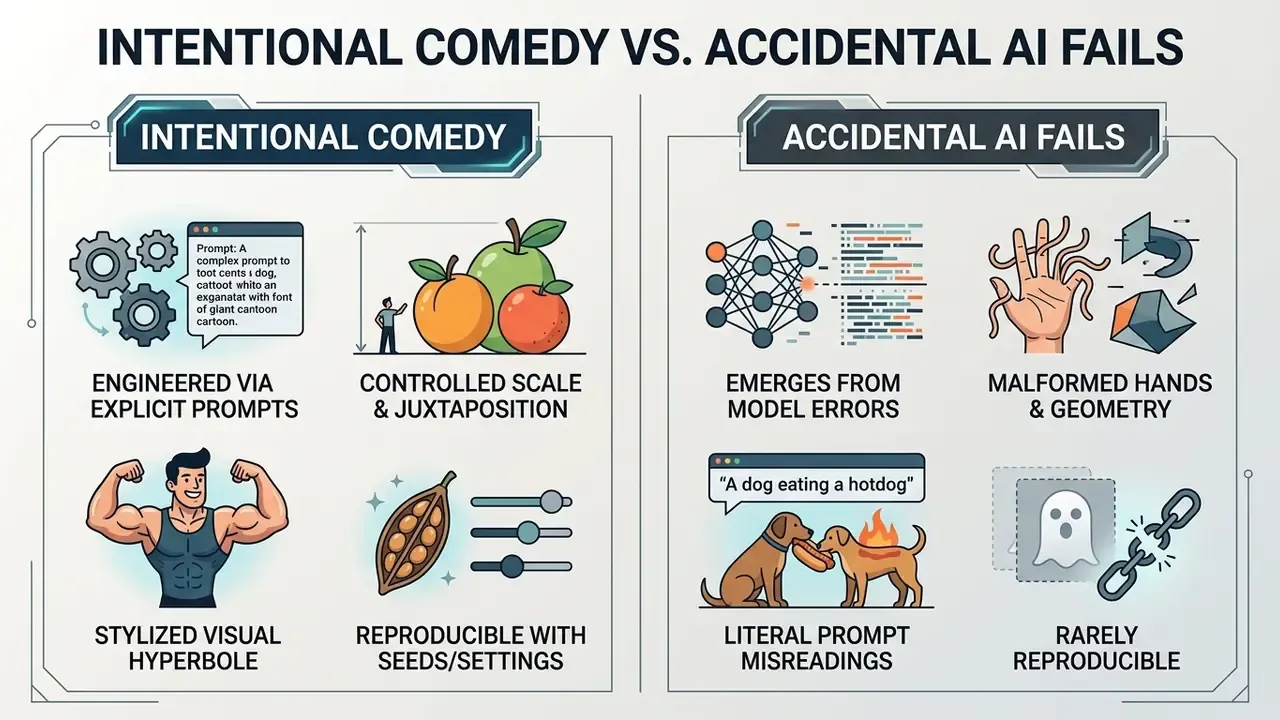
Producing humour deliberately is a multi-skill task for a model, not a single capability.
«Humor generation requires an AI to integrate cognitive skills (incongruity detection), social skills (norm awareness) and creative skills (novel juxtaposition).»
- Intentional Comedy
- The creator crafts a prompt using deliberate exaggeration, absurd role swaps, or comedic art styles. Vendor prompt documentation from major image platforms consistently recommends stating subject, style, aesthetic and detailed constraints upfront. In practice that front-loading is what converts a vague gag into controlled visual hyperbole rather than random noise.
- Accidental AI Fails
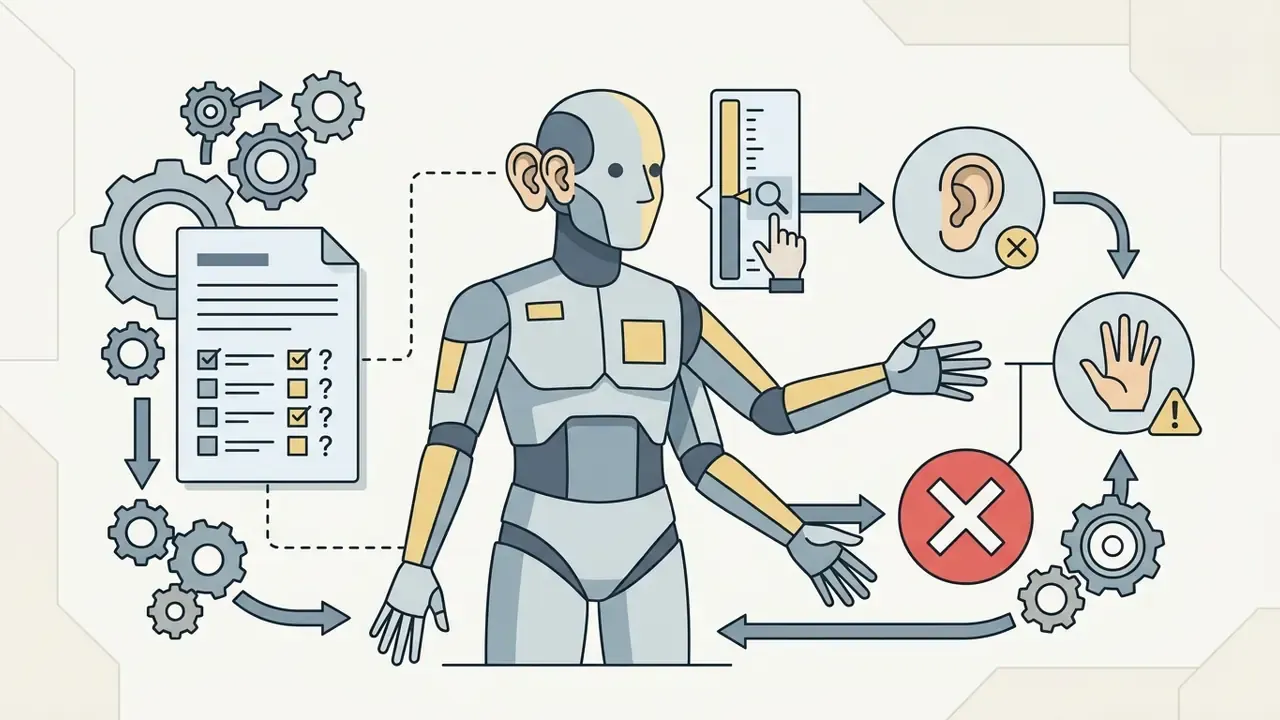
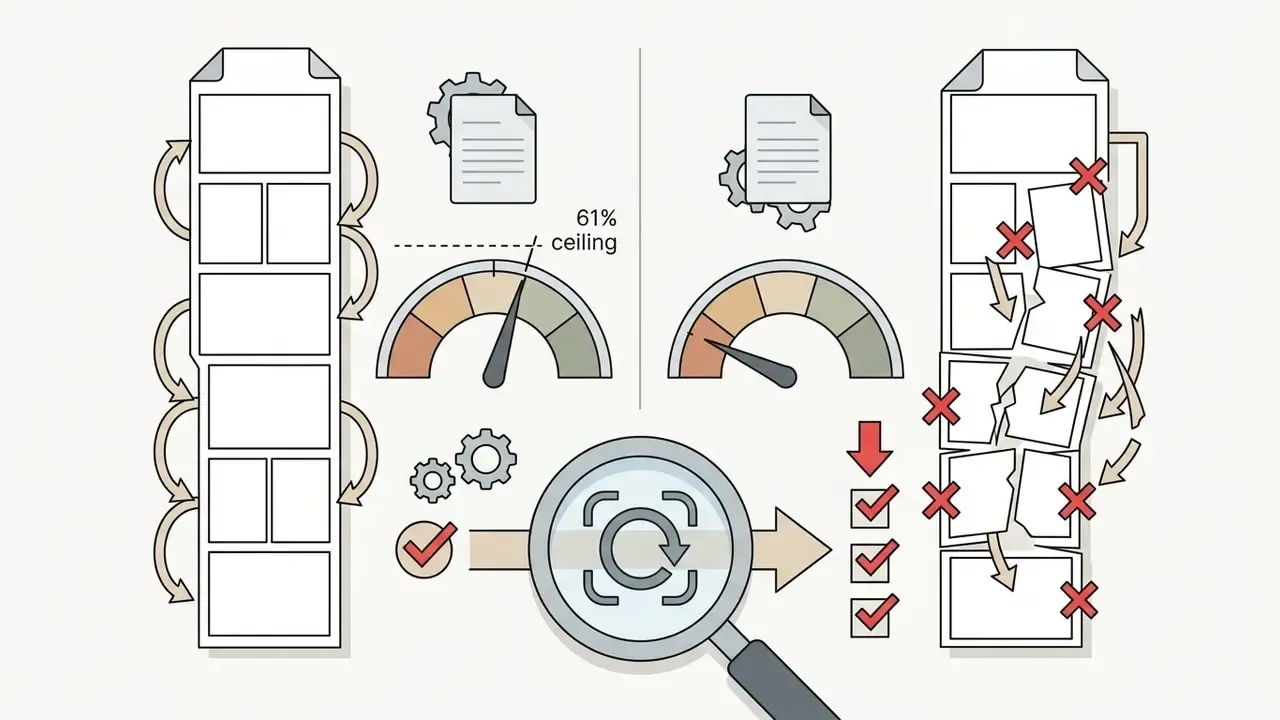
- Unintended rendering errors occur when models fail to generate photorealistic structures. Comedy here depends on the viewer reconstructing the intent and then locating the exact point of geometric or semantic failure: extra limbs, fused hands, warped signage. These are the ai generated goofy images that circulate fastest. Narrative-humor benchmarks quantify how weak machine comprehension of that structure still is.
«PixelHumor (2,800 comics) found top models reach only 61% accuracy when ordering panels, far below human performance.»
During an evaluation of generative output quality, a digital media team prompted a model for a standard corporate handshake scene. The model returned two executives with six fingers on fused hands, shaking a literal banana instead of exchanging contracts. Rather than discarding the render, the team logged the output as a documented example of model failure and used it to demonstrate structural risk in automated marketing pipelines. Cheap artefact, memorable lesson, zero slide design required.
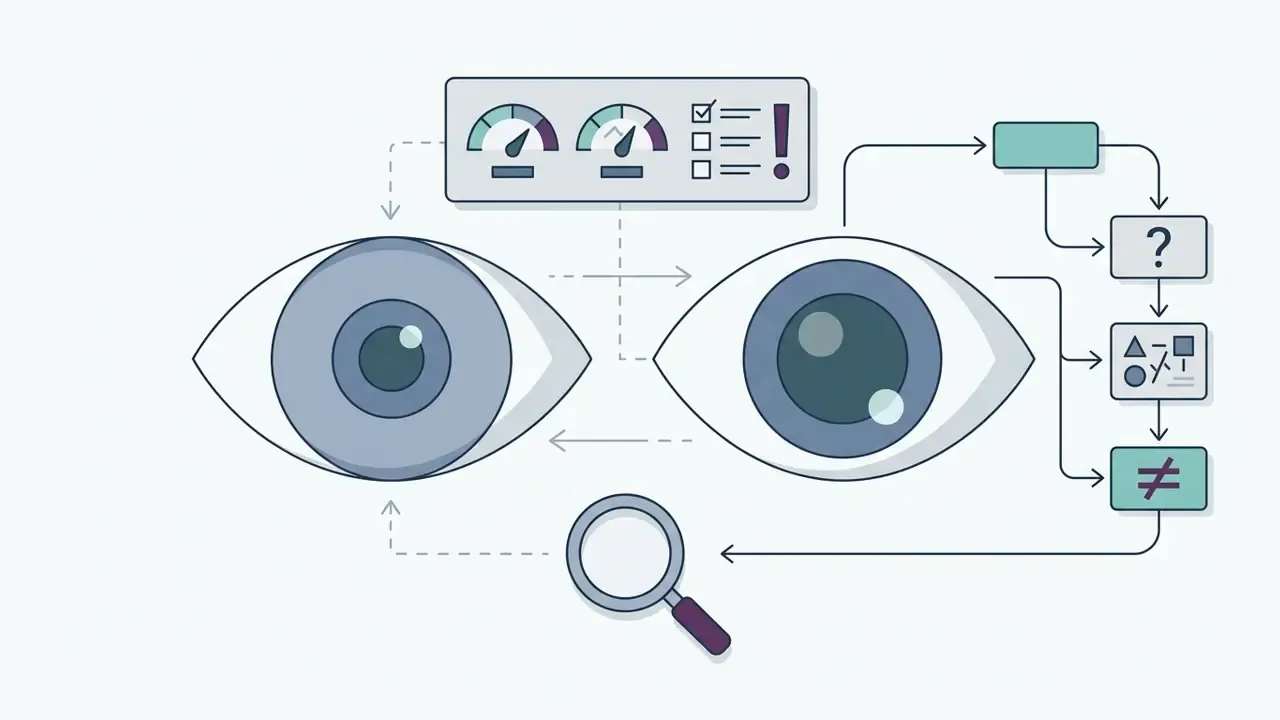
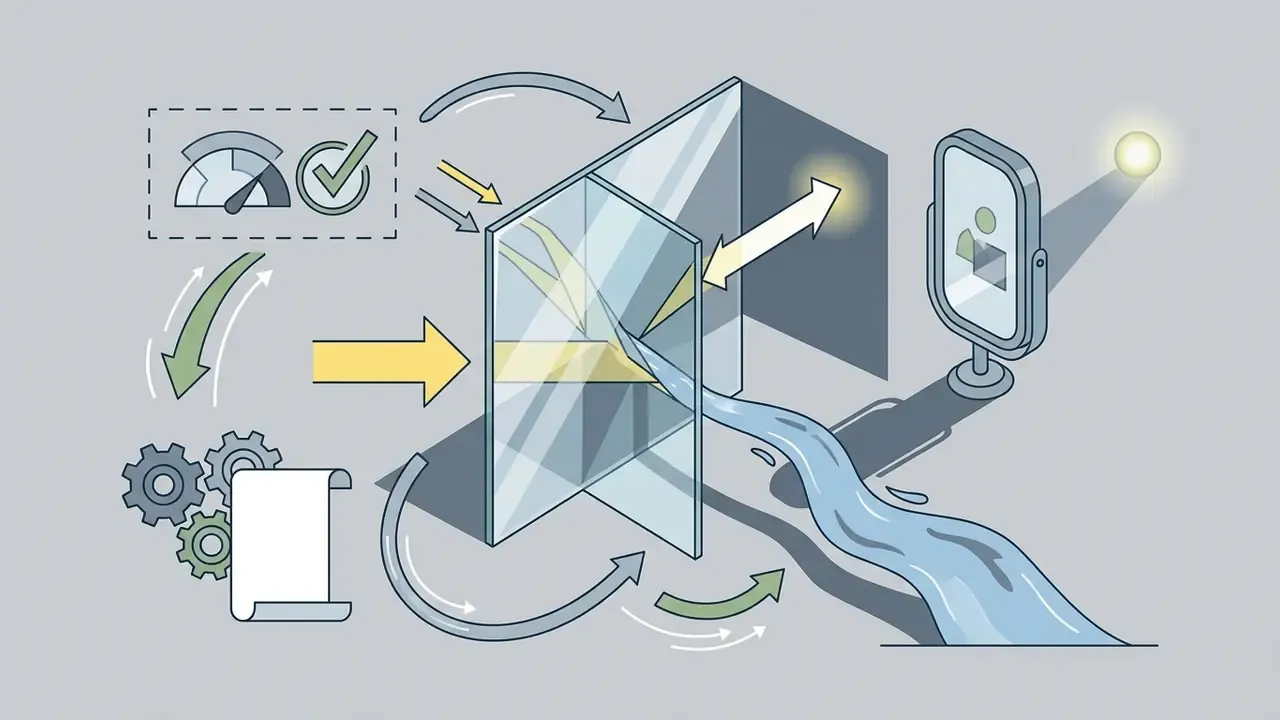
How to Spot an AI-Generated Funny Photo: 5-Point Artifact Checklist
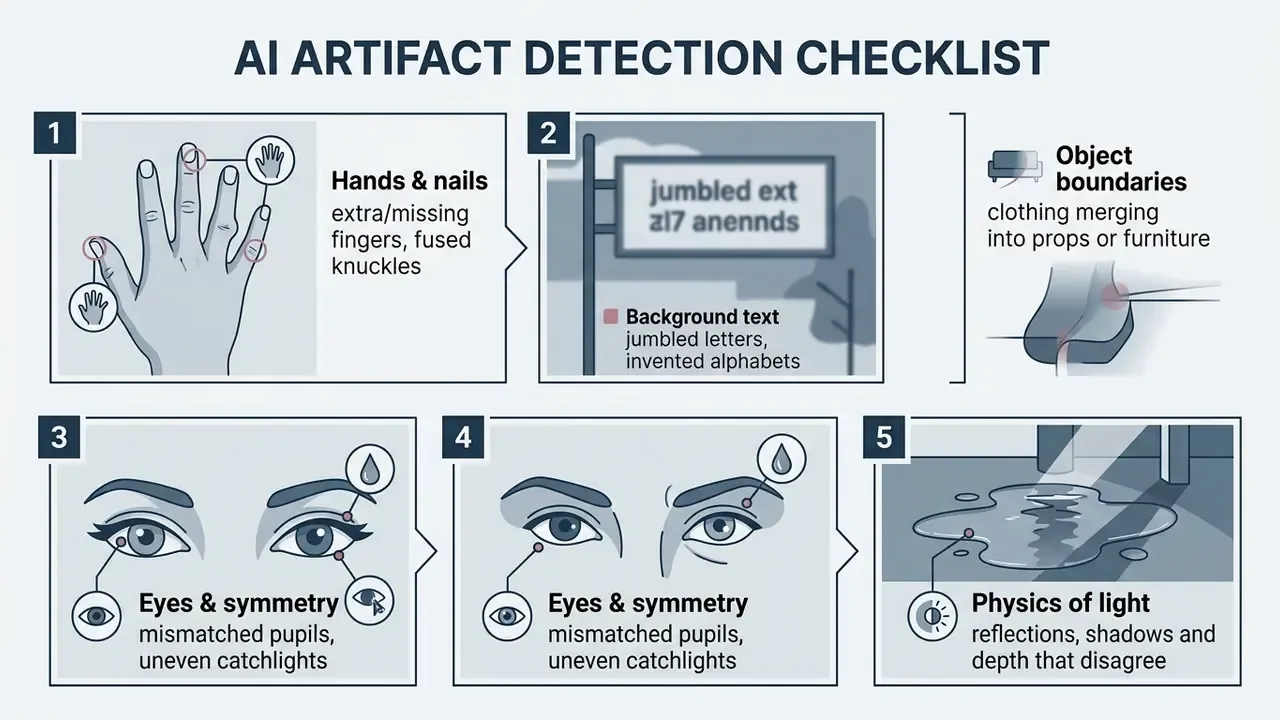
A reverse lookup adds a second layer of verification: compare the suspect frame against indexed originals using AI reverse-image-search tools before amplifying it.
Why Absurd Scenes, People and Objects Work as Visual Humor
Absurd scenes succeed visually because they place recognizable people, animals, and everyday objects into conflicting contexts. The contrast between a photorealistic visual style and an impossible narrative creates immediate visual punchlines.
Studies on visual humor mechanisms show that scale distortion and cross-category pairings generate high engagement; incongruity theory frames humour as the simultaneous presence of two incompatible elements in one perceptual frame. Placing a giant cat in a city intersection, or depicting a banana giving a corporate presentation, forces two incompatible semantic concepts into a single image. Readers who want to test the effect immediately can pick a tool from our comparison of AI art generators.
«The Hummus dataset of 1,000 image-caption pairs shows humor emerges when a metaphorical mapping of incompatible concepts resolves in an unexpected but logical way.»
Practically, this means the background should stay believable while the subject breaks the rules. Realistic lighting, correct lens behaviour and plausible textures make the absurd element stand out instead of dissolving into general weirdness. One caveat worth stating plainly: if everything in the frame is strange, nothing is funny.
Funny AI Image Ideas for Shareable Photos and Pictures
High-engagement ai funny photos rely on relatable themes combined with surreal visual twists. Creators generate shareable ai funny pics by focusing on universal human experiences and recasting them through absurd subjects.
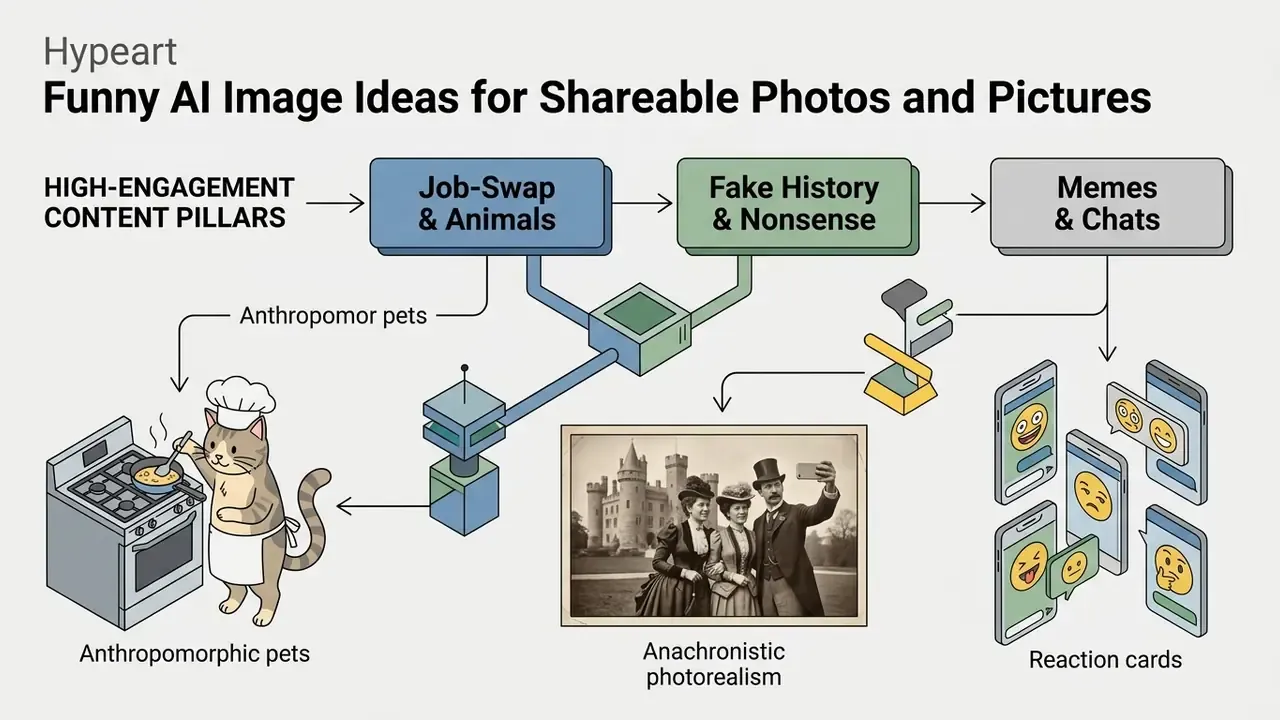
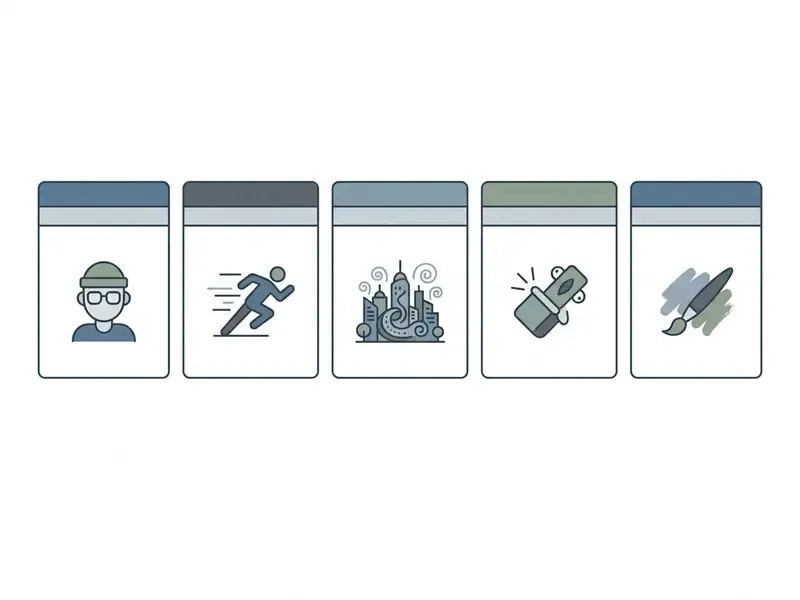
Effective ai funny picture concepts generally fall into three proven categories suitable for social media sharing and community engagement:
Animal, Food and Everyday Job-Swap Comedy
Job-swap comedy places animals or food items into structured human professions. Depicting a cat working as a stressed court lawyer, or a banana supervising a construction site, creates an instant visual narrative.
The humor relies on the contrast between the serious professional setting and the complete lack of capability of the subject. Prompts that specify professional attire, formal workplace backgrounds, and dramatic lighting heighten the comedic tension. Recurring sub-formats worth mining include role-swap and body-swap premises (two rival species forced into each other's bodies), anthropomorphic-animal ensembles that mirror human institutions such as open-plan offices and municipal councils, and sentient-food worlds where a broccoli does stand-up or a toaster walks a red carpet. These are reliably the ai funny pictures that survive being reposted without a caption. To expand your knowledge on digital media assets, explore our comprehensive glossary section.
Fake Historical Photos and Photoreal Nonsense Scenes
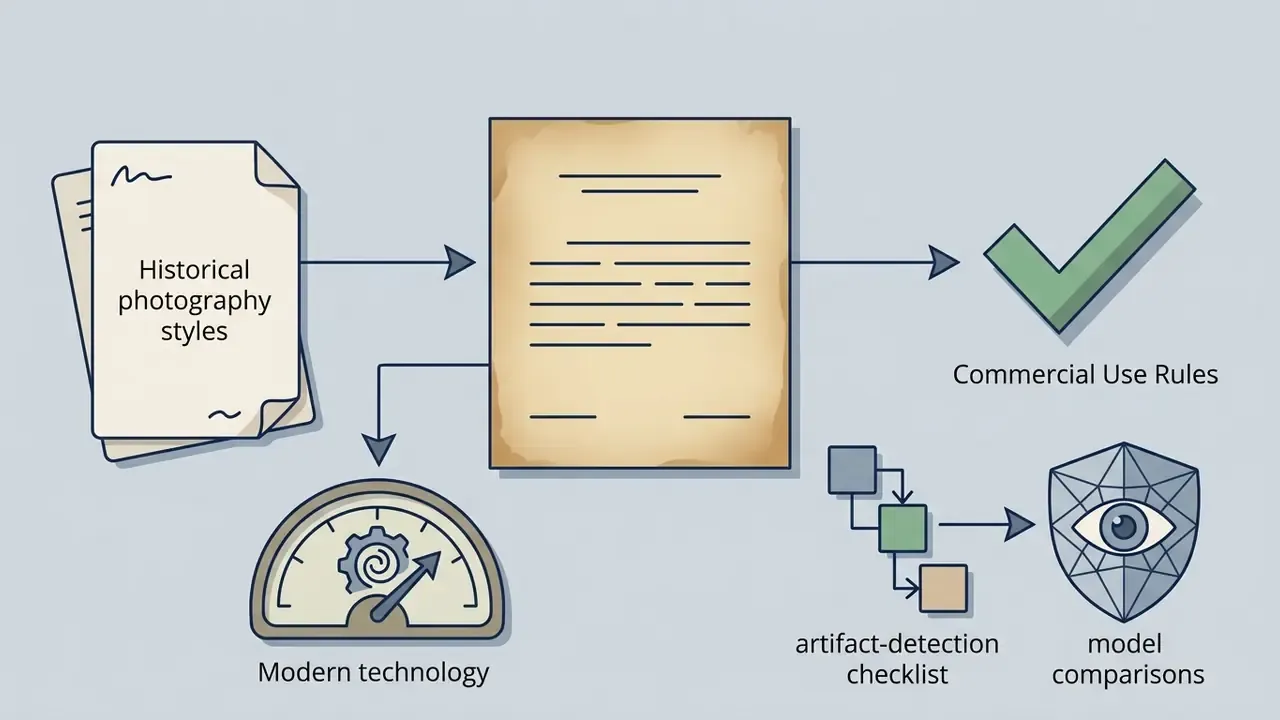
Fake historical photo concepts leverage the authentic look of vintage photography to present absurd narratives. Generating an ai photo funny render in the style of a 1920s tintype or an 1890s cabinet card gives the absurd subject an air of historical legitimacy. That lineage predates AI entirely, from scissors-and-glue composites to double exposures documented in exhibitions on pre-digital photo manipulation.
When a vintage photo depicts an impossible scene, such as Victorian citizens posing with modern kitchen appliances or a medieval knight taking a selfie outside a stone castle, the historical style acts as an evidential anchor that amplifies the joke. The same evidential quality is why studies link realistic synthetic imagery to increased belief in false headlines: format credibility travels faster than content plausibility. Anything built in a mock-documentary or mock-archival register should therefore be labelled explicitly, especially if it invents institutions, collections or news events. Ai generated photos funny enough to be reposted are also the ones most likely to be stripped of context.
Reaction Images, Memes and Group-Chat Jokes
Reaction images require high visual legibility to communicate specific emotions instantly within messaging threads. An ai photo funny reaction card focuses on exaggerated facial expressions, dynamic body language, and clear focal subjects.
Meme-format research is blunt about what drives spread: the strongest predictor of engagement is meme format and human curation, not the mere fact that an image was AI-generated. AI adds a synergistic boost when layered onto an already spreadable structure. Using an ai generated funny image as a reaction template lets users deliver complex social commentary with minimal text, and vendor reaction-image workflows now compress the process to three steps: describe the reaction, generate, then download and share. Creators on a budget can start with a no-cost option from our roundup of free AI art generators, then export square 1:1 cards optimised for Discord, WhatsApp and Slack.
Turning Funny Images into Short Clips and Loops
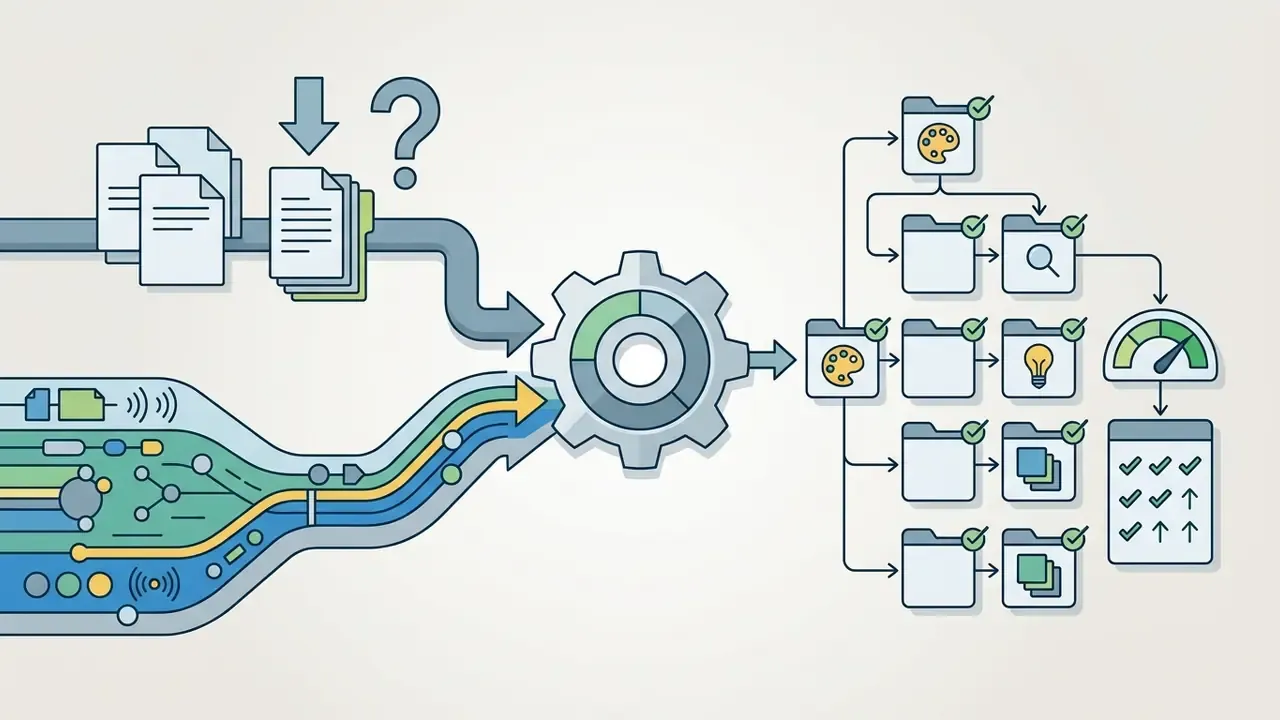
A still gag often has a second life as motion. Teams that repurpose ai generated funny pics into three-second loops usually follow a simple asset chain: generate the frame, animate or pan it, trim the result, then export a lightweight file for chat and social feeds.
- Convert exported renders and screen captures into a universally playable file with an online video converter to mp4, because uncompressed formats rarely survive platform upload limits.
- For batch format changes across a whole meme folder, a general-purpose online video converter is faster than reprocessing clips one by one.
- Trim dead frames and land the punchline within the first second using an online video cutter; attention on vertical feeds does not wait.
- When you need to archive a source clip you have rights to reuse, an online video downloader or an online video grabber keeps the original quality intact instead of forcing a re-encode.
- Creators who want the underlying craft, not just the tooling, can build pacing and cut discipline through structured online video editing material.
One governance note, since this is where the audit trail usually breaks: motion assets multiply file versions quickly. Keep the original render, the source prompt and the seed together with the exported clip, or the published artefact becomes unreconstructable within a week.
How to Create Funny AI Generated Images from Text
Generating an ai generated funny image requires a structured workflow to convert a textual prompt into a clear, high-quality visual result.
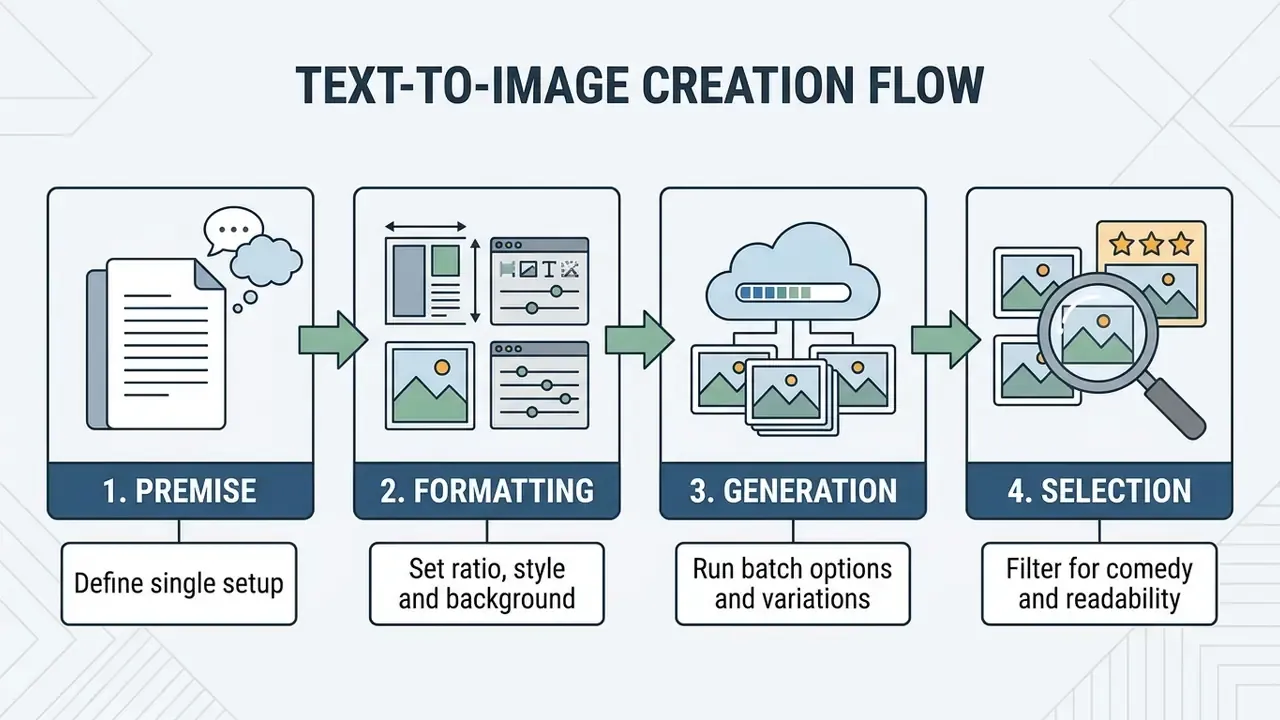
Start with One Clear Comedy Premise
A successful ai generated funny image starts with a single, unambiguous comedic setup. Combining multiple competing jokes into one text input confuses the model's attention mechanism, which leads to cluttered composition and lost comedic impact.
The premise should follow a "Subject + Condition" formula. For example, focus on "a bulldog trying to perform delicate brain surgery" rather than adding secondary comedic elements such as exploding fireworks or background space battles. Keeping the main task clear ensures the model allocates visual tokens to the primary joke. Prompt-conflict research identifies length, reasoning and format conflicts as the main sources of inconsistency when instructions are stacked. The visual equivalent is a frame with six subjects and no punchline.
Add Style, Background and Format Settings
Defining the aesthetic style, environmental background, and aspect ratio adapts the visual output to specific platform requirements.
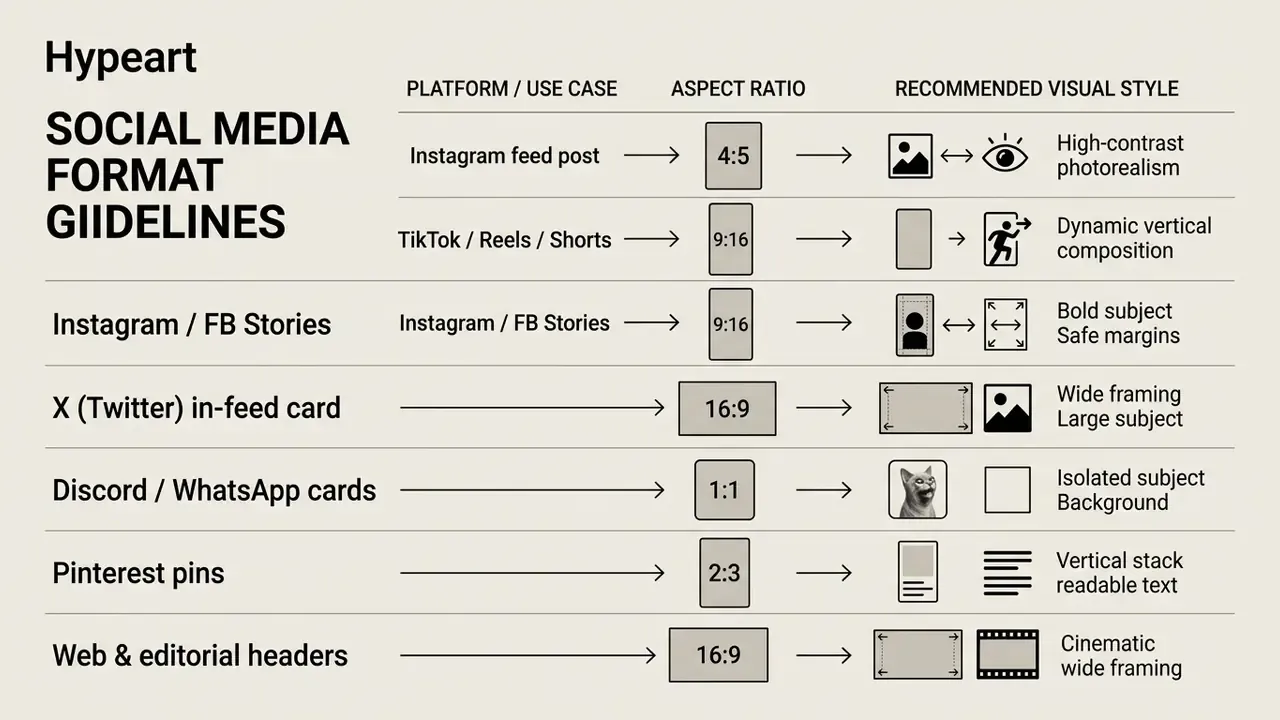
Keep 10-12% safe margins on 9:16 renders so platform UI never covers the punchline, and prefer bright, high-contrast lighting with strong subject separation. Institutional brand guidance for social video and static assets converges on the same core ratios of 1:1, 4:5 and 9:16. If the generated frame needs a wider crop for X or a page header, extend it non-destructively with AI outpainting tools instead of re-generating and losing the seed.
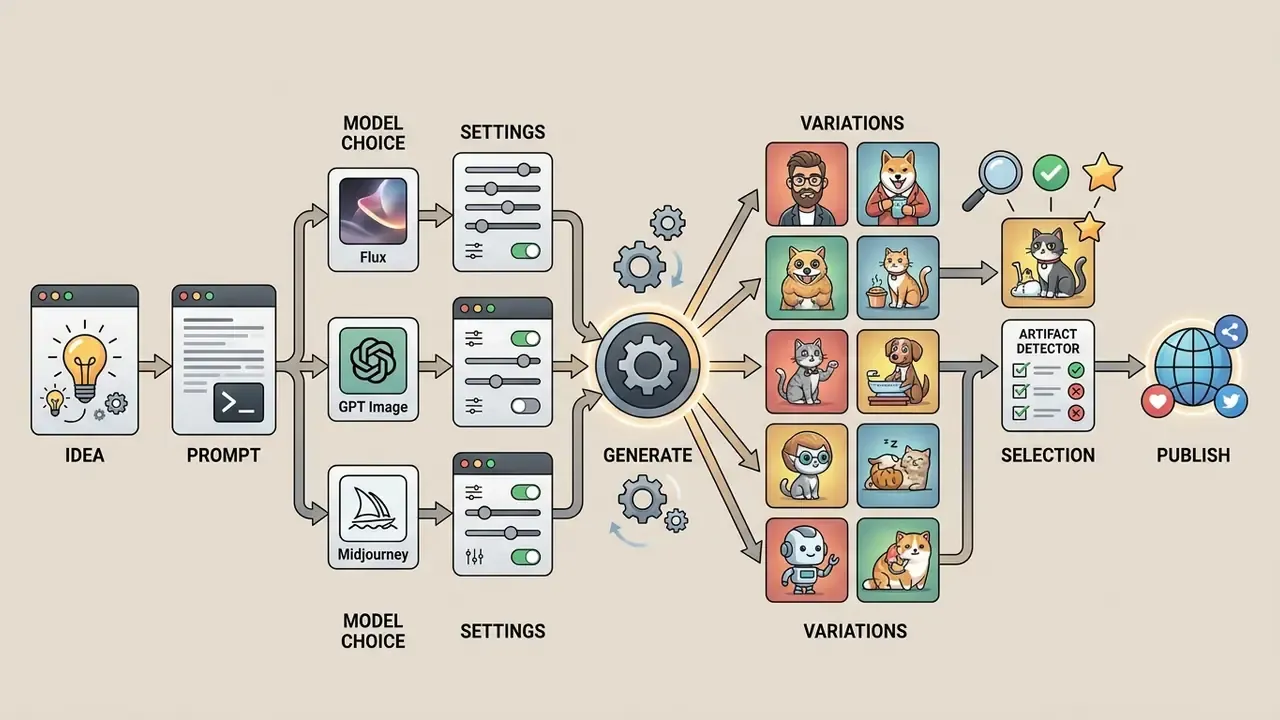
Generate Variations and Select the Best Results
Generating multiple variations allows creators to select the render with the highest comedic clarity and fewest visual artifacts.
Text-to-image models produce varying interpretations based on random noise seeds. Evaluating a batch of four to eight results lets you filter out distorted renders and pick the image where facial expressions, scale, and lighting align best with the original comedic intent. Formal humour studies score candidates on 7-point funniness scales; a workable production shortcut is a three-question pass. Is the joke legible in under two seconds? Are the artifacts intentional? Does the render match the brief? Log the winning seed and settings, because reproducibility is what later turns a lucky render into an auditable asset.
How to Write Prompts for Better Funny AI Images
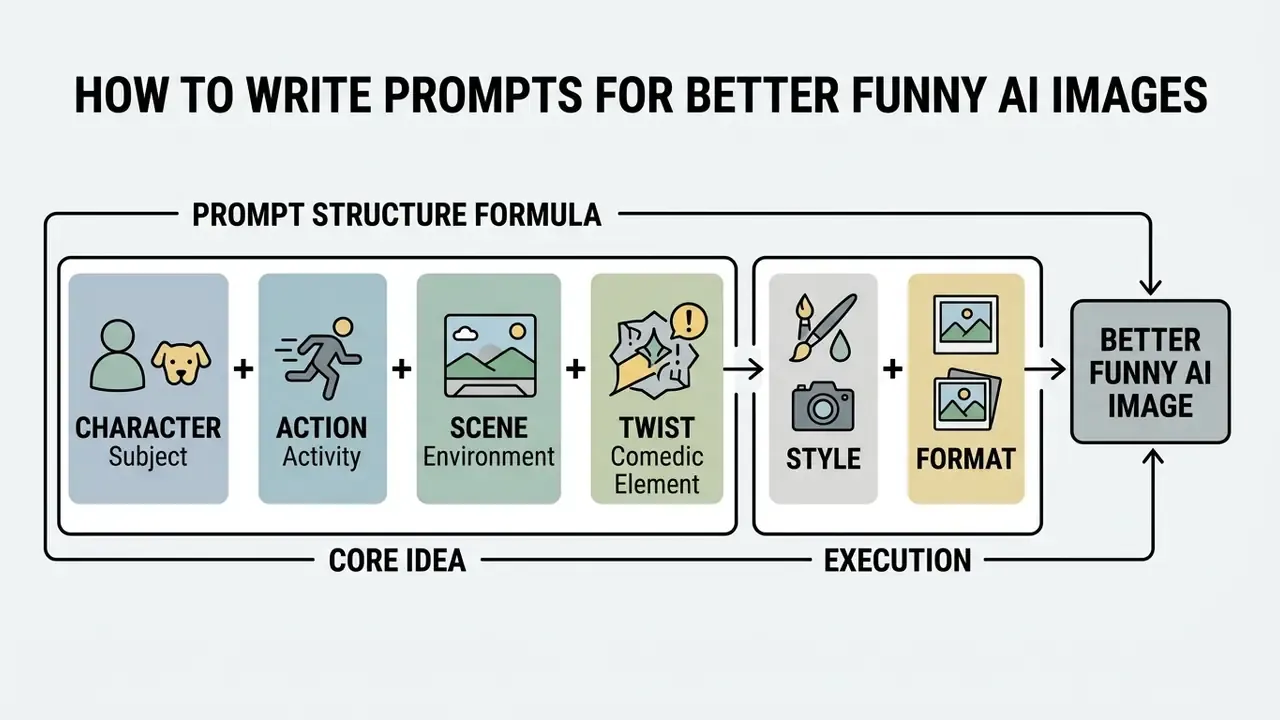
Structuring prompts effectively improves output consistency and ensures the generator captures the intended humor accurately.
The Prompt Formula: Character, Action, Scene and Twist
High-performing prompts for ai generated images funny follow a structured four-part formula, extended by style and format:
- CharacterDefine the main subject clearly (e.g., "A plump tabby cat in a tailored tuxedo").
- ActionSpecify the primary physical activity (e.g., "sitting at a grand piano").
- SceneDescribe the immediate environment and lighting (e.g., "on a dimly lit stage in a prestigious concert hall").
- TwistIntroduce the unexpected comedic element (e.g., "aggressively playing a piano made entirely of giant cheese blocks").
- Style + FormatClose with medium, lens or art style and the aspect ratio for the destination platform.
Writing the prompt in a fixed order (background and scene, subject, key details, then constraints) reduces model drift and keeps the central joke dominant. Automated prompt-rewriting research supports the same conclusion from the model side:
«Rewriting user text into model-preferred prompts significantly improves image quality and text-image alignment metrics.»
Add hard exclusions when comedy relies on clean framing: "no watermark", "no extra text", "no logos or trademarks". For iterative edits, instruct the model to "change only the hat" and "keep everything else the same", repeating the preserve list on every pass. Yes, every pass. Drop it once and the model quietly redesigns the room.
Ready-to-Use Funny AI Prompt Templates
Copy any block below, replace the bracketed variables, and adjust the ratio for your platform.
1. The Corporate Wildlife Overlord (photoreal nonsense)
A crisp photorealistic wide shot of a raccoon in a tailored charcoal suit
leading an executive board meeting in a glass-walled skyscraper boardroom.
Laptops, coffee cups, pie charts on the screen behind him. Neutral office
lighting, deadpan expressions from human colleagues, highly detailed fur,
shallow depth of field, 8k editorial photography --ar 16:9
2. Medieval Tech Support (anachronistic history)
A vintage sepia-toned 1890s cabinet card photograph of a Victorian knight in
full plate armour frustratingly trying to fix a glowing modern desktop
computer on a wooden desk. Authentic photo grain, cracked paper texture,
dramatic natural window light, stiff formal pose --ar 4:5
3. The Courtroom Cat (professional pet portrait)
A realistic editorial portrait of a tabby cat dressed as a courtroom lawyer,
standing at a wooden podium mid-argument, one paw raised. Tailored dark suit,
warm dramatic lighting, rich mahogany textures, shallow depth of field,
intensely serious facial expression --ar 4:5
4. Breaking News Absurdity (fake news photo)
A breaking-news style press photograph of a giant pigeon blocking traffic in
downtown Manhattan, yellow taxis stopped, pedestrians filming on phones,
police barriers in the foreground. Natural midday light, documentary
composition, realistic feather and asphalt texture --ar 16:9
5. Golden Retriever Barista (everyday job swap)
A golden retriever working as a barista in a busy specialty coffee shop,
wearing a clean apron and pouring latte art while customers watch in delight.
Warm cafe lighting, realistic fur and steam, cozy wood textures, candid
lifestyle framing, soft caramel palette --ar 4:5
6. Broccoli Stand-Up Night (food character comedy)
A surreal broccoli character performing stand-up comedy on a small club stage,
gripping a microphone under a hard spotlight while a blurred audience laughs.
Vivid green tones, velvety dark background, meme-ready centred composition,
crisp textures, energetic nightlife mood --ar 1:1
7. Moon Backyard Barbecue (sci-fi domestic absurdity)
Astronauts hosting a casual backyard barbecue on the moon, standing around a
burger grill with folding chairs, ketchup bottles and a cooler, Earth glowing
on the horizon. Realistic space suits, cool lunar light mixed with warm grill
glow, cinematic wide shot, suburban mood --ar 16:9
8. Toaster on the Red Carpet (object becomes celebrity)
A chrome toaster striding confidently down a glamorous red carpet like a movie
star, paparazzi flashes firing, velvet ropes and step-and-repeat backdrop.
Cinematic lighting, reflective metallic surfaces, rich red and gold palette,
dramatic low-angle composition --ar 4:5
9. Ramen Dragon Rider (epic hero gone ridiculous)
A brave hamster warrior in glowing miniature armour riding a giant dragon made
of ramen noodles through a stormy fantasy sky. Dynamic action pose, swirling
steam and noodle textures, epic clouds, bold orange and teal palette, highly
detailed fantasy illustration --ar 16:9
10. Retro Family Portrait Gone Wrong (uncanny vintage)
A 1970s suburban studio family portrait with smiling parents and two children
posed formally beside two grey aliens awkwardly trying to blend in. Vintage
flash photography, avocado and mustard palette, soft film grain, polyester
textures, symmetrical composition --ar 4:5
11. Cyberpunk Grandma Ranked Match (reaction card)
An 82-year-old grandmother in a knitted cardigan wearing a neon VR headset,
screaming in triumph at a gaming desk with RGB lighting, energy drinks and
three monitors. Cyberpunk magenta and cyan rim light, exaggerated joyful
expression, clean background separation, square reaction-image crop --ar 1:1
12. Superhero Gym Fail (physical comedy)
A muscular caped superhero in a commercial gym failing to lift an ordinary
kettlebell, face strained red, chalk dust in the air, unimpressed trainer with
a clipboard beside him. Bright gym lighting, realistic sweat and fabric
detail, mid-action candid framing --ar 9:16
Details That Make an AI Funny Picture More Readable
Visual readability ensures the viewer understands an ai funny picture instantly, without squinting at confusing background details.
- Facial Expressions: Specify dramatic emotions such as "intensely focused", "profoundly confused", or "smugly triumphant". Posed-expression research shows that exaggerating a single expressive cue measurably shifts how viewers read an otherwise ambiguous face.
- Scale Contrast: Place small subjects next to oversized objects to highlight absurdity; scale incongruity alone is enough to trigger amusement.
- Background Separation: Keep backgrounds simple or slightly out of focus so the comedic focal point stays dominant. Where a distracting element survives generation, remove or blur it afterwards with an online photo editor rather than rerolling the whole batch.
- Lighting: Use high-contrast studio lighting or theatrical spotlights to draw immediate attention to the comedic action.
- Pose Legibility: Describe silhouette-level body language ("arms thrown up", "slumped over the desk") so the joke survives thumbnail compression.
Common Prompt Mistakes That Ruin the Joke
Prompting errors can cause the generator to miss the joke entirely or produce a confusing render.
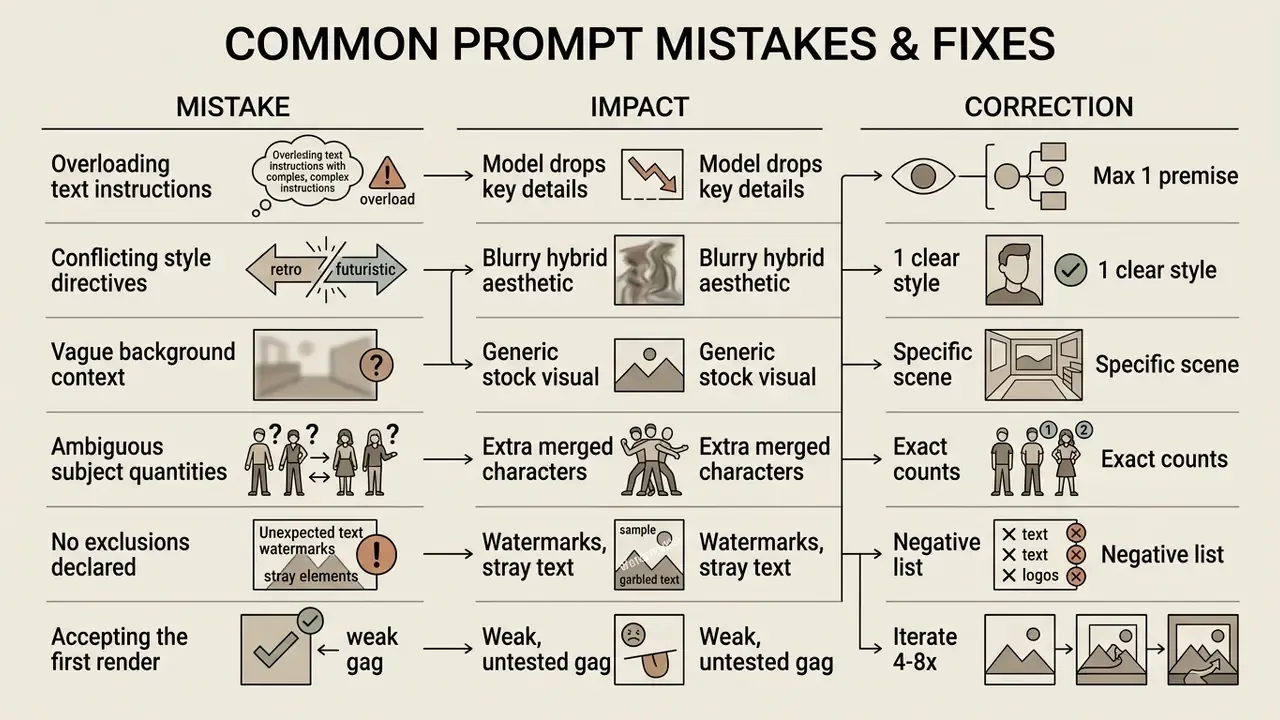
Guidance from university prompting handbooks and vendor documentation converges on three fixes: use clear, straightforward language; name one subject plus its descriptors; and supply concrete context on environment, lighting and style instead of relying on the model's defaults. Treat prompts like a stand-up set. Workshop them, keep what lands, cut the rest.
Choosing a Funny AI Image Generator: Models, Features and Free Access
Selecting the right funny ai image generator depends on the required visual style, editing features, pricing limits and, for organizations, data-handling guarantees.
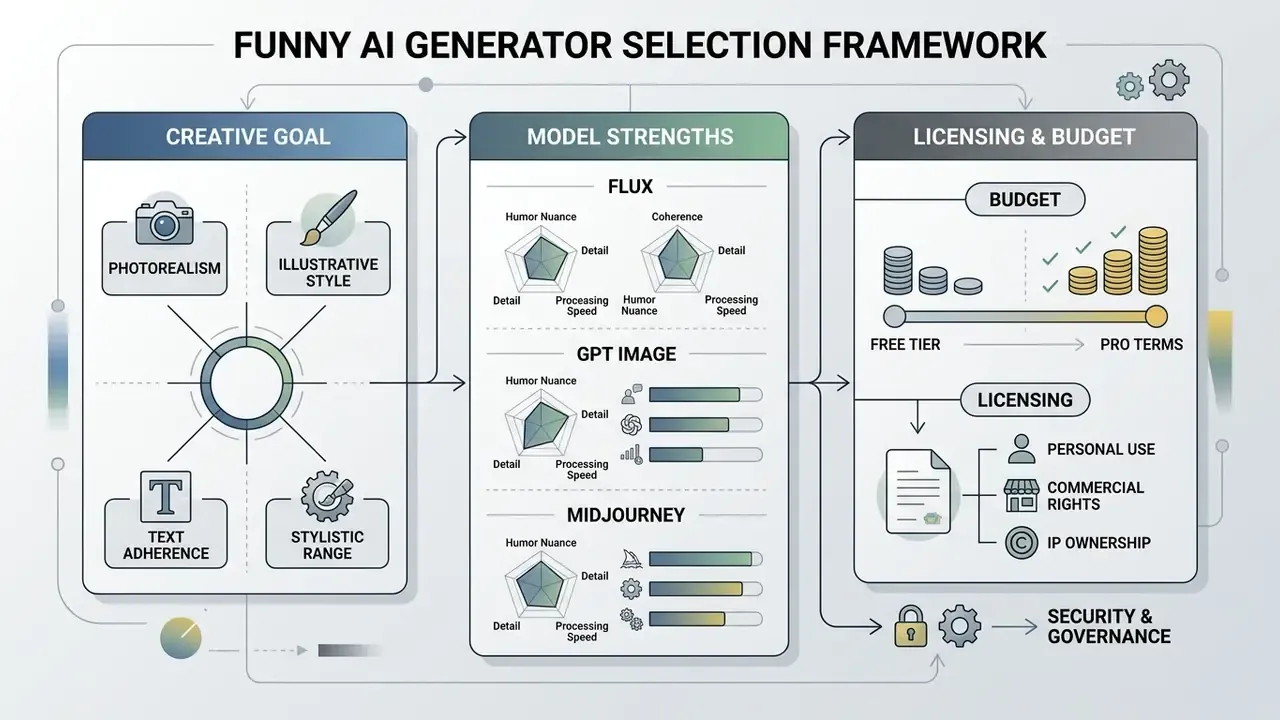
Which Model and Style Fit Your Comedy Idea
Different underlying models excel at specific visual aesthetics:
- Photorealistic Models (e.g., Flux, Midjourney): Ideal for fake news photos, anachronistic history, and realistic object substitutions where photographic credibility amplifies the joke.
- Prompt-Adherent Models (e.g., GPT Image / DALL-E 3): Best for complex premises requiring strict spatial relationships and specific text rendered inside the image.
- Stylized & Graphic Models: Perfect for cartoon memes, comic strip panels, and exaggerated character designs.
In practice that means the model that minimises unintended distortion usually wins, unless distortion is the joke, in which case a cheaper, noisier engine is the better tool. Blind human-vote leaderboards in 2026 rank GPT Image highest overall for adherence and text-in-image, while earlier academic benchmarking found no model above 3/5 for photorealism against real photographs at 4.48/5. Treat "photoreal" as a spectrum, not a checkbox.
| Generator / Model Engine | Key Comedic Strength | Ideal Humor Style | Text Rendering |
|---|---|---|---|
| Flux 1.1 Pro | Hyper-realistic textures, accurate skin and spatial lighting | Fake news photos, anachronistic historical fails | Excellent |
| DALL·E 3 / GPT Image | Unmatched literal prompt adherence, inline editing | Multi-character situational comedy, sign gags | Superior |
| Midjourney v6+ | Dramatic cinematic atmosphere and lighting | Epic absurdism (ramen dragons, hamster warriors) | Moderate |
| Nano Banana Pro / Nano Banana 2 | Ultra-fast iteration and cheap batching | Rapid meme prototyping for chats and channels | Good |
| Imagen 4 | Clean commercial-grade realism | Product-adjacent and lifestyle comedy | Good |
| Seedream 5.0 Lite | Stylised looks at low compute cost | Cartoon reaction cards, stickers | Fair |
| Recraft (vector + raster) | Editable vector output, brand-consistent styles | Comic panels, infographic jokes | Very good |
| Krea AI | Real-time canvas generation and upscaling | Iterative gag refinement, enhancement passes | Good |
For deeper head-to-head reads, see our evaluations of Midjourney image generation and the ChatGPT picture generator, plus platform overviews for Google's AI image generator, Microsoft's AI image generator, Bing AI image creation, Canva AI and Ghibli-style generators. Technical specifications for pipeline integration are documented in our AI Media API Guides.
Features That Matter: Text, Image, Formats and Sharing
Key capabilities to evaluate when choosing an image tool include:
- Text-to-Image PrecisionHow accurately the model renders literal text strings on signs, clothes, or labels.
- Image-to-Image EditingThe ability to upload an existing reaction photo and apply AI-driven comedic modifications; major platforms accept JPEG, PNG and WEBP uploads up to roughly 100 MB.
- Export Formats & ResolutionNative support for PNG/JPEG/WebP and high-resolution output; current image APIs document sizes up to 3840x2160 with selectable quality levels.
- Inpainting and Generative FillEssential for fixing garbled background text without discarding a good render.
- Seed and Version ControlReproducible seeds are the difference between an anecdote and an auditable creative record.
How to Evaluate Free and Pro Generation Options
Free tiers provide accessibility for casual creators, while paid subscriptions remove usage limits and offer commercial usage grants.
| Generator Platform | Model Features | Free Access Terms | Pro Subscription Options | Commercial Usage Grant |
|---|---|---|---|---|
| Adobe Firefly | Text-to-image, Generative Fill, Structure Reference | Free daily generative credits | Paid plans from $9.99/mo to $199.99/mo | Granted on free and paid tiers |
| OpenAI GPT Image | High prompt adherence, inline text generation | Limited image creation on free tier | ChatGPT Plus ($20/mo) / Pro ($200/mo) | Full ownership of output images |
| Krea AI | Real-time generation, image enhancement | 100 compute units per day | Paid tiers with priority GPU | Commercial rights on paid plans |
| Recraft AI | Vector and raster styles, canvas editing | 30 free daily credits | Paid plans with private outputs | Public assets under free terms |
| Canva AI | Templates, meme maker, brand kits | Limited generations on Free accounts | Canva Pro / Teams | Users own prompts and outputs per AI Product Terms |
| Midjourney | Cinematic photoreal and stylised output | No open free tier | Subscription tiers | Commercial use for paid subscribers; broad licence over inputs/outputs |
Vendor-level commercial permission does not resolve copyright, trademark, privacy or publicity exposure. See the compliance section below, and cross-check tool economics against our AI Media Pricing Guides and the wider AI Media Comparison hub before committing a team to one stack.
Enterprise Selection Criteria: Security, Shadow AI and Vendor Controls
For regulated organizations, a $9.99 consumer plan is not a procurement option. The relevant comparison axis is data handling, not credits.
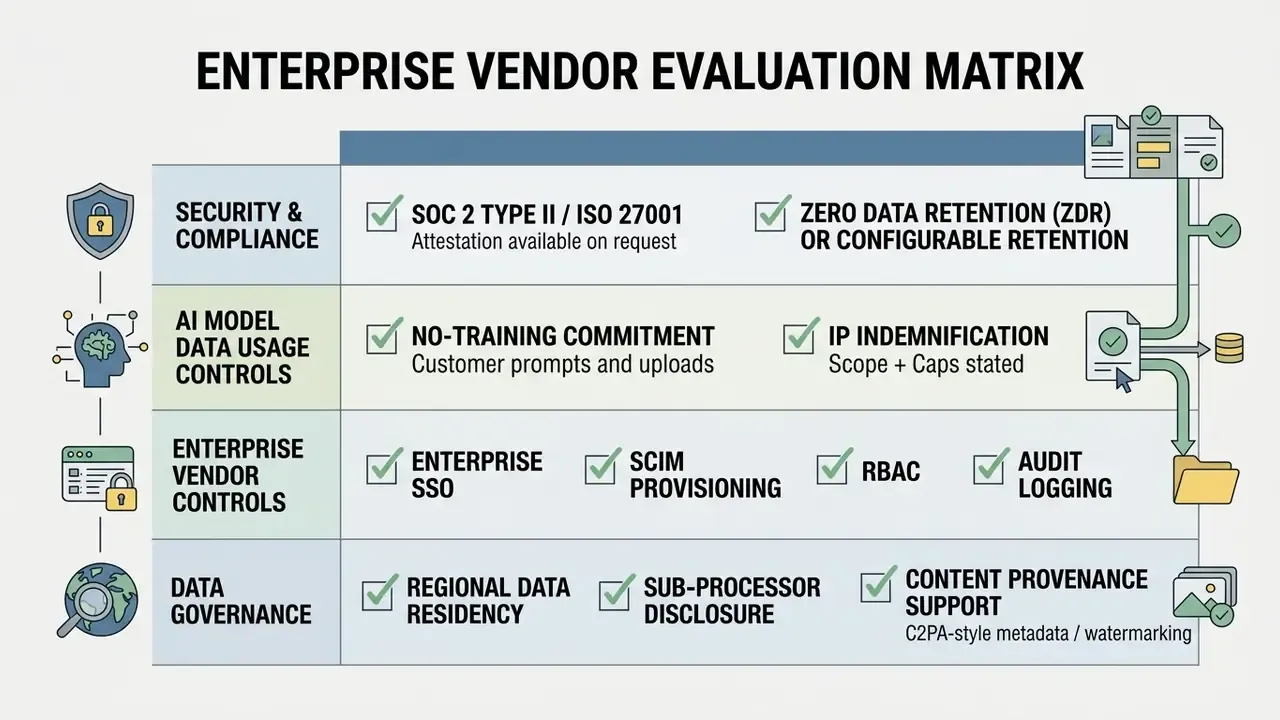
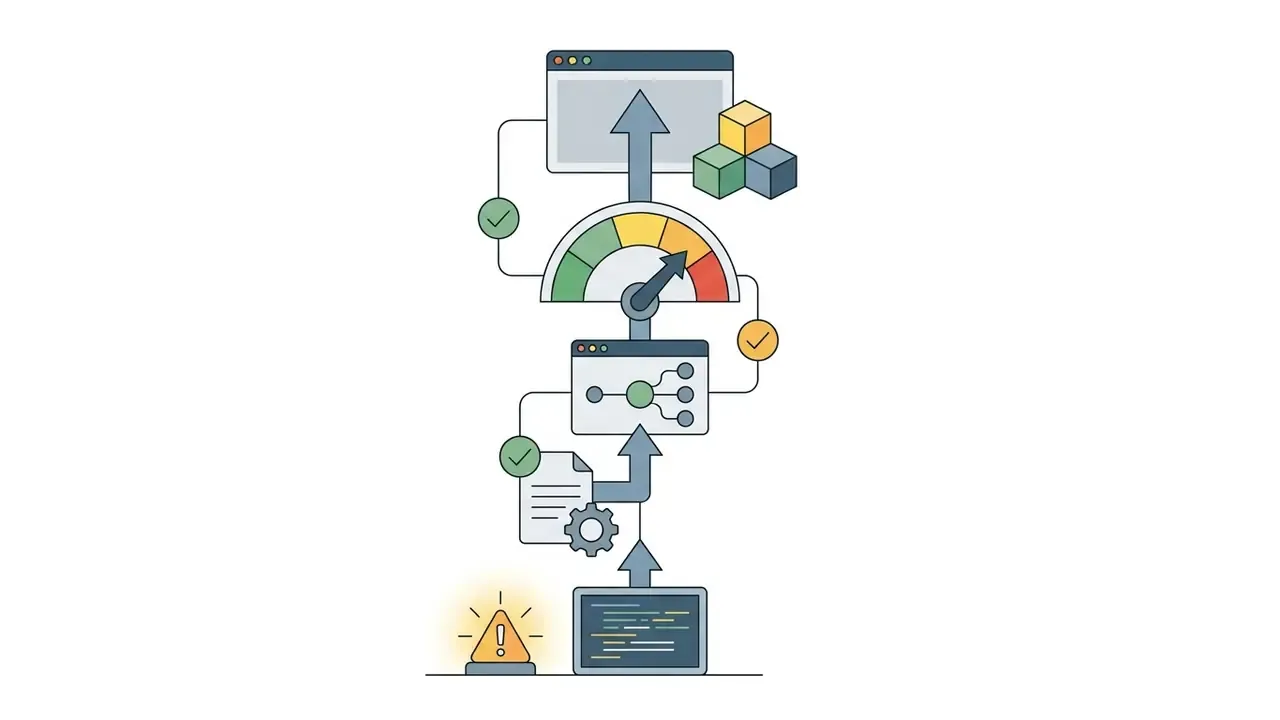
NIST's guidance on reducing risks posed by synthetic content (NIST, 2024) treats provenance, watermarking and metadata as core technical controls for AI-generated media. Its generative-AI profile frames evaluation as an ongoing, documented activity rather than a one-off sign-off. Both apply directly to a "harmless meme" pipeline that publishes under a brand account.
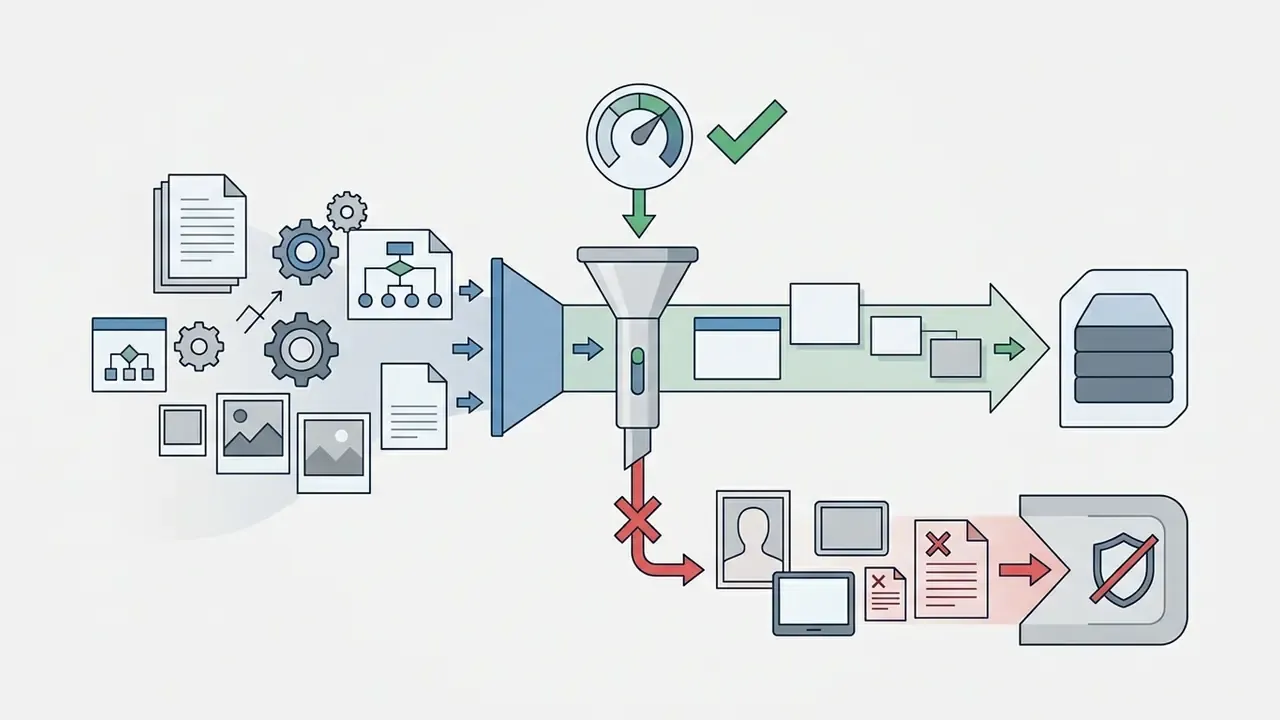
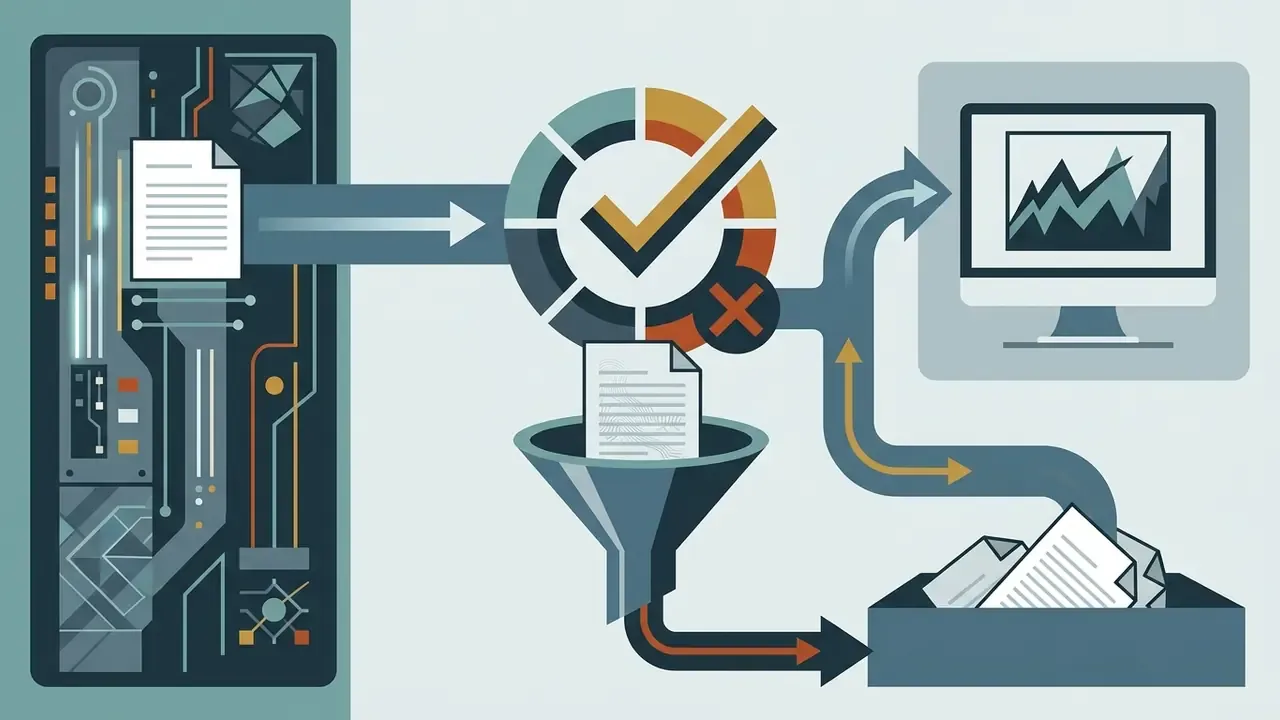
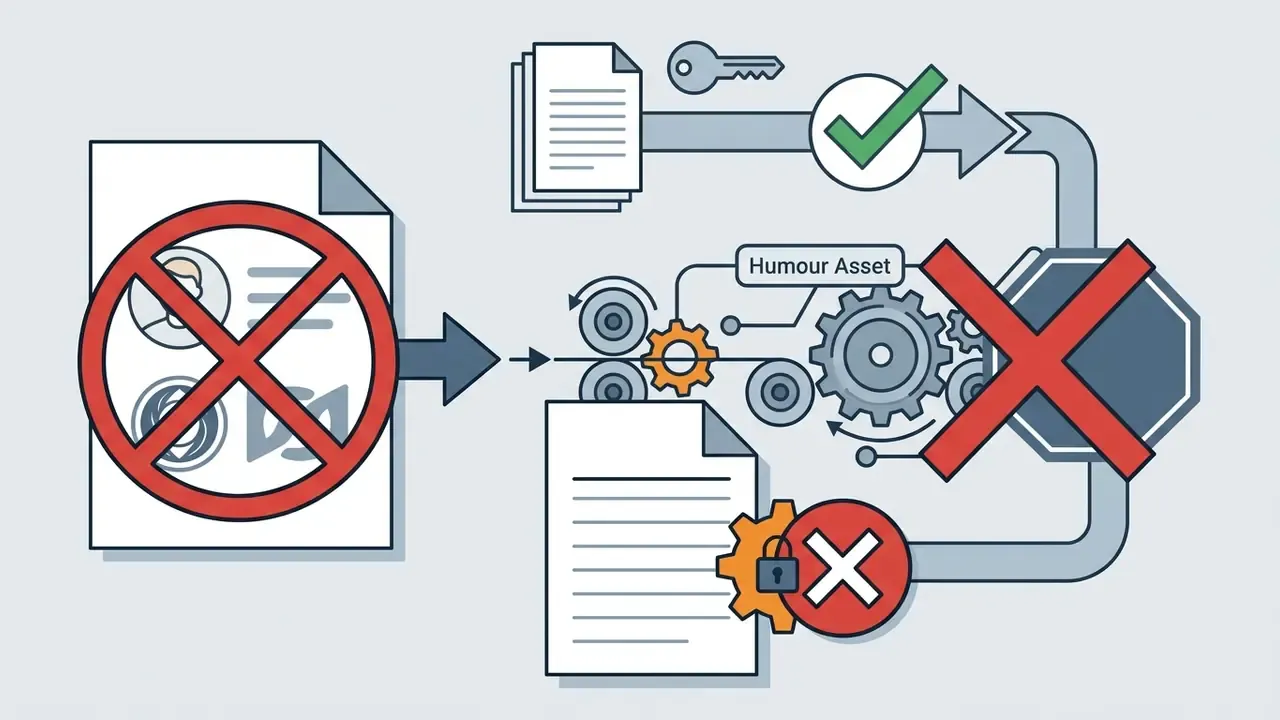
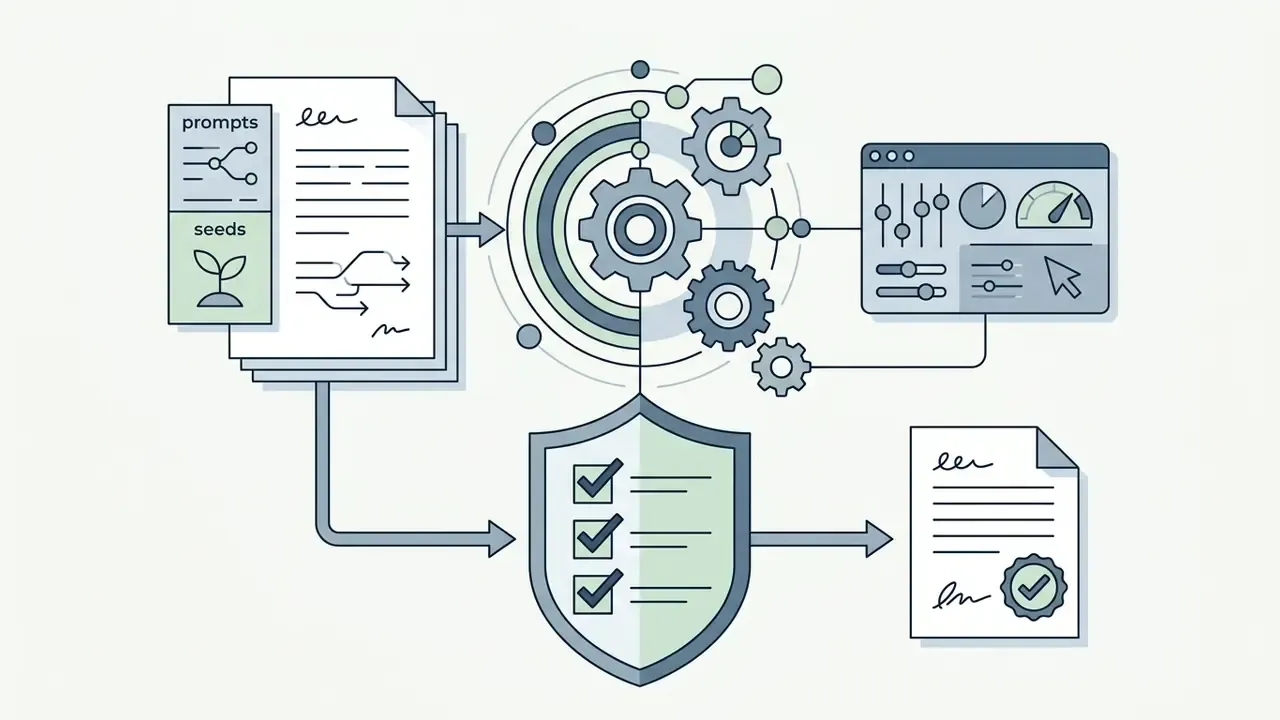
Shadow AI control checklist for image generation
RACI for approving AI humour assets

| Activity | Responsible | Accountable | Consulted | Informed |
|---|---|---|---|---|
| Prompt creation and generation | Content creator | Marketing lead | Brand design | n/a |
| Brand-safety and tone review | Marketing lead | CMO | Legal / Compliance | Comms |
| Legal clearance (IP, likeness, marks) | Legal counsel | CCO | Marketing lead | Risk |
| Synthetic-content labelling | Social media manager | Comms lead | Compliance | All staff |
| Audit-trail retention (prompt, seed, edits) | Content ops | AI Governance lead | Internal audit | Risk committee |
One honest limitation: this RACI is an illustrative model, not a validated benchmark. Ownership boundaries differ sharply between a bank with a formal model-risk function and a fintech with a single marketing lead approving everything.
Can You Use Funny AI Generated Images for Social Media and Commercial Content?
This section provides general information and does not replace advice from a qualified lawyer on copyright, likeness rights or commercial use of AI-generated content.
Using ai generated pictures funny in commercial advertising, corporate branding, or monetized social media channels requires careful legal and compliance evaluation.
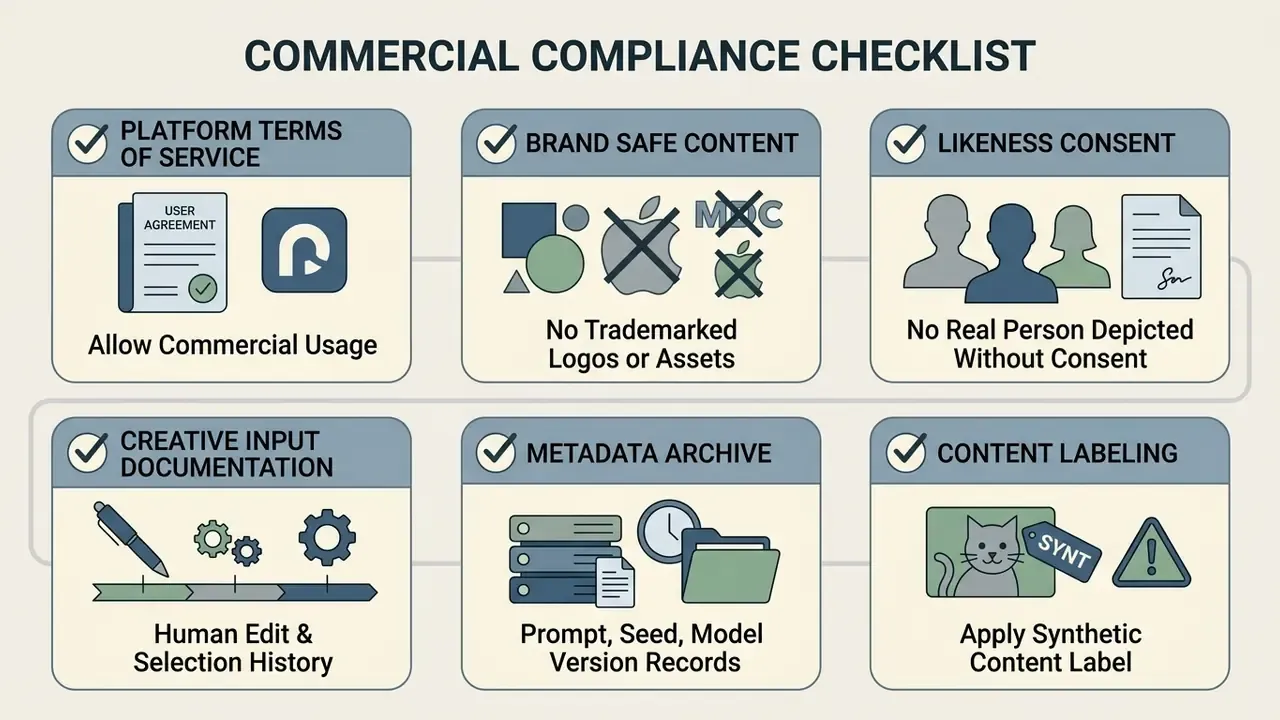
What to Check Before Using AI-Generated Content Commercially
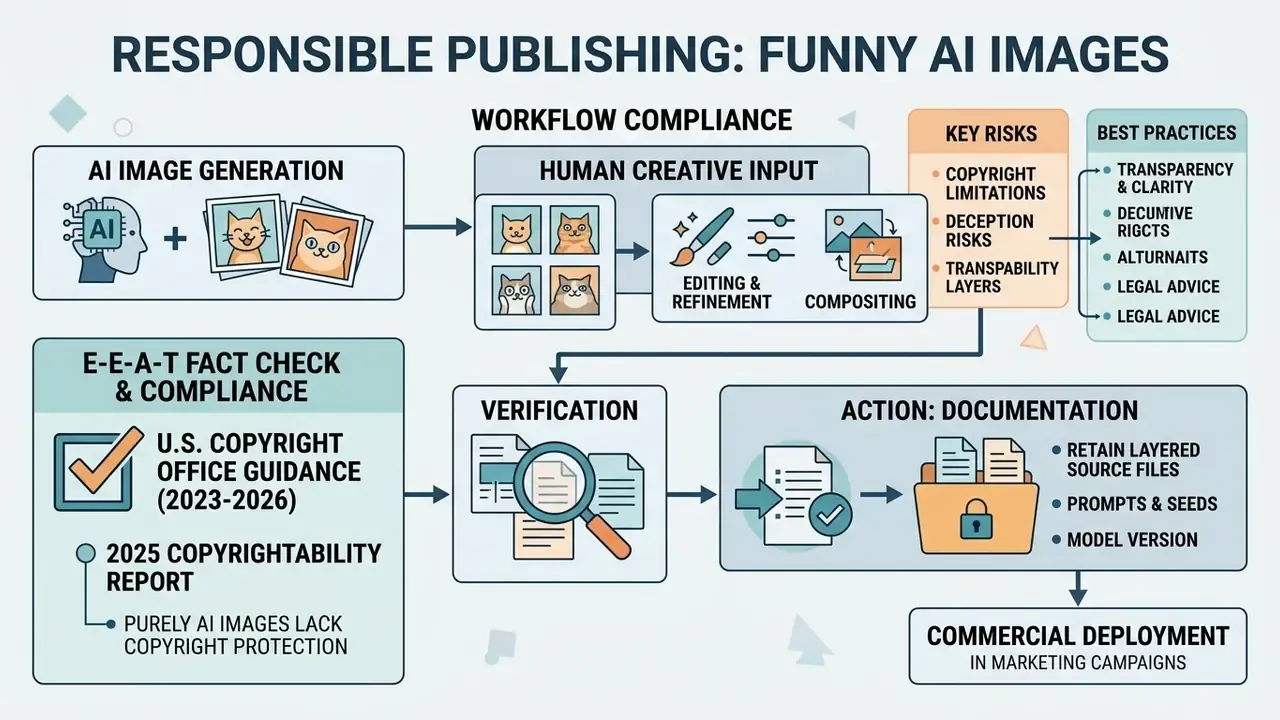
Under U.S. Copyright Office guidance current through 2026, purely AI-generated outputs produced from simple text prompts are not eligible for copyright protection because they lack human authorship.
«Purely AI-generated material is not protected by copyright under existing U.S. law.»
«Participants were significantly more likely to find infringement and recommend litigation when the alleged infringer was an AI rather than a human designer.»
For detailed legal frameworks governing synthetic assets, consult the AI Media Commercial-Use Hub and review current precedents in our AI Litigation and case-tracking research hub.
Publishing Funny AI Photos Responsibly
Publishing synthetic media responsibly prevents public deception, protects personal reputations, and maintains audience trust.
- Labeling Synthetic Media Clearly tag photorealistic AI images as synthetic or generated, especially when depicting realistic public events or news scenarios. The EU Code of Practice on Transparency of AI-Generated Content requires marking AI-generated and manipulated content that could appear authentic; UNESCO's 2024 AI primer and Hong Kong's generative-AI application guideline reach the same conclusion, and advertising self-regulators drafting 2026 rules would prohibit or mandate labelling for realistic visuals that imply fake locations or real-person likenesses. Provenance metadata beats a caption that gets cropped away. Before amplifying third-party content, run it through AI reverse-image search or a dedicated detector.
- Avoiding Defamation Do not use realistic AI styles to generate misleading or harmful depictions of living individuals without explicit consent.
- Adhering to Platform Rules Social platforms increasingly require automated disclosure tags for AI-generated visual content to prevent misinformation.
- Declining the Scam Aesthetic Do not imitate the "I carved this for a year, nobody appreciates my work" engagement-farming format, even ironically. It trains audiences to trust the exact pattern fraudsters exploit.
Using Visual Humor as a Model-Risk Stress Test
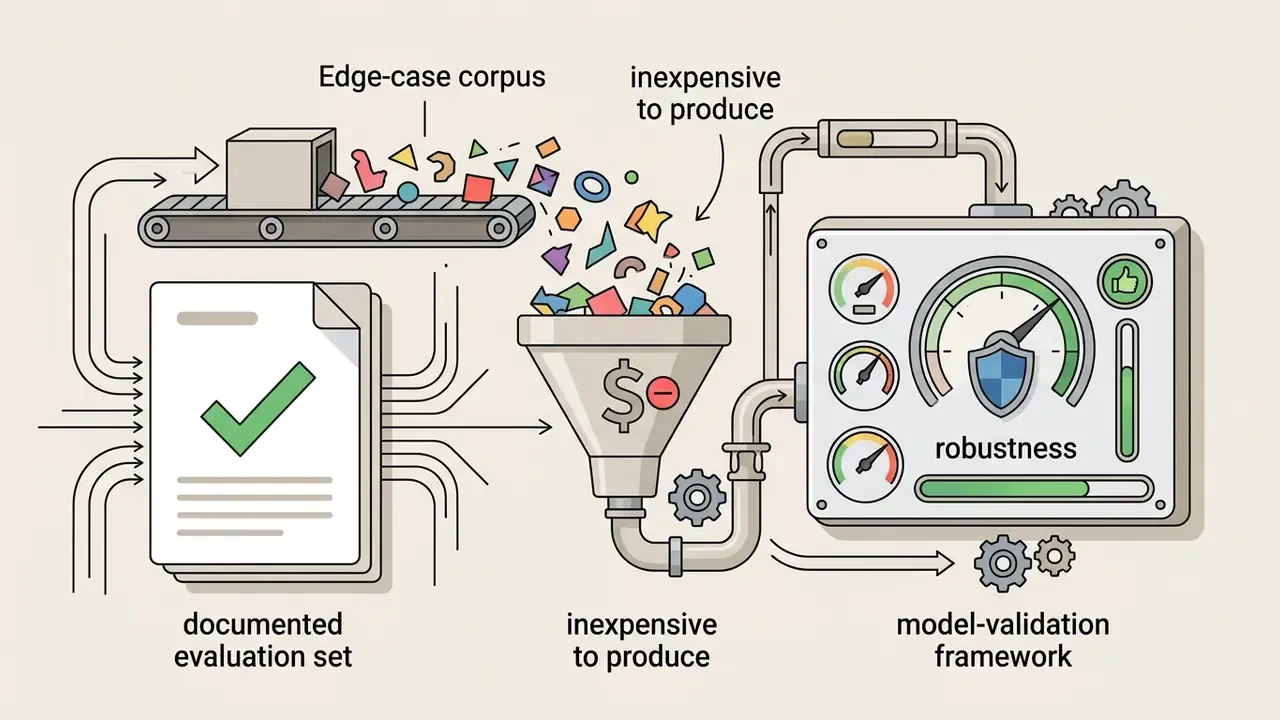
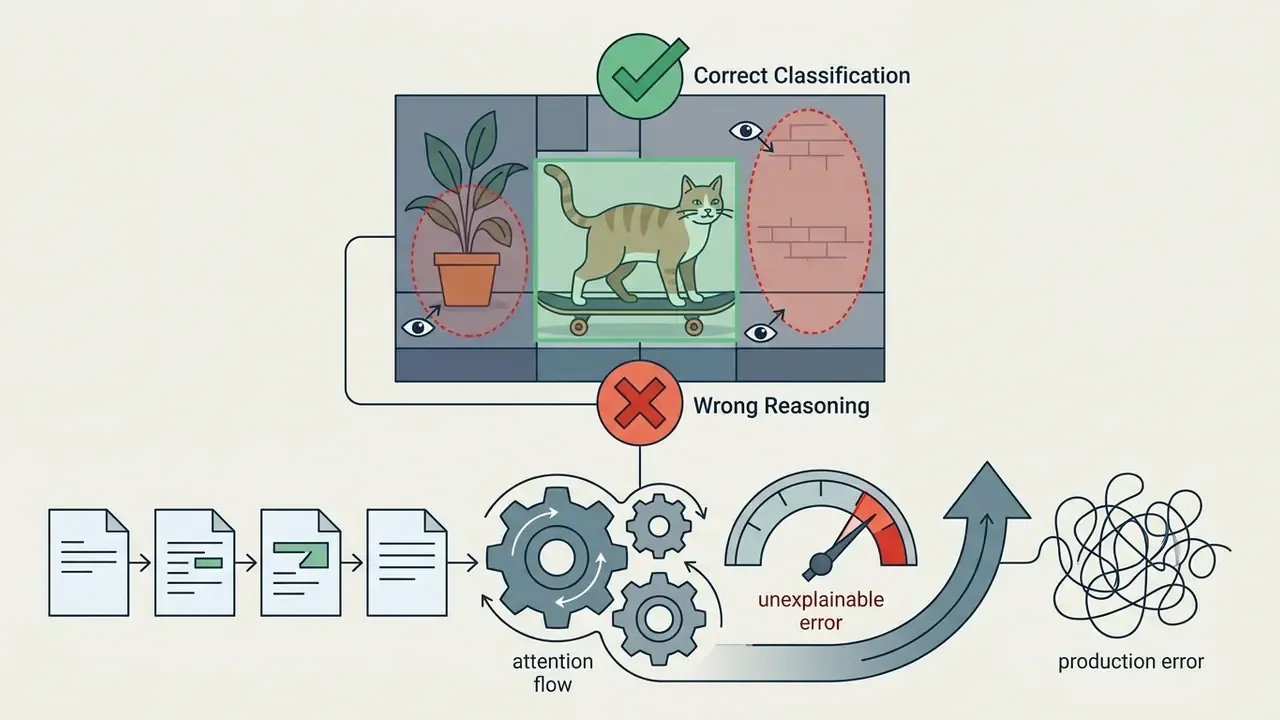
Humour is not only a content format; it is a cheap probe of whether a multimodal system understands context. Because a joke requires detecting an incongruity and judging that it is harmless, comedic prompts surface exactly the failures that matter in production: literal misreading, broken object relations, and confident output that contradicts physical reality.
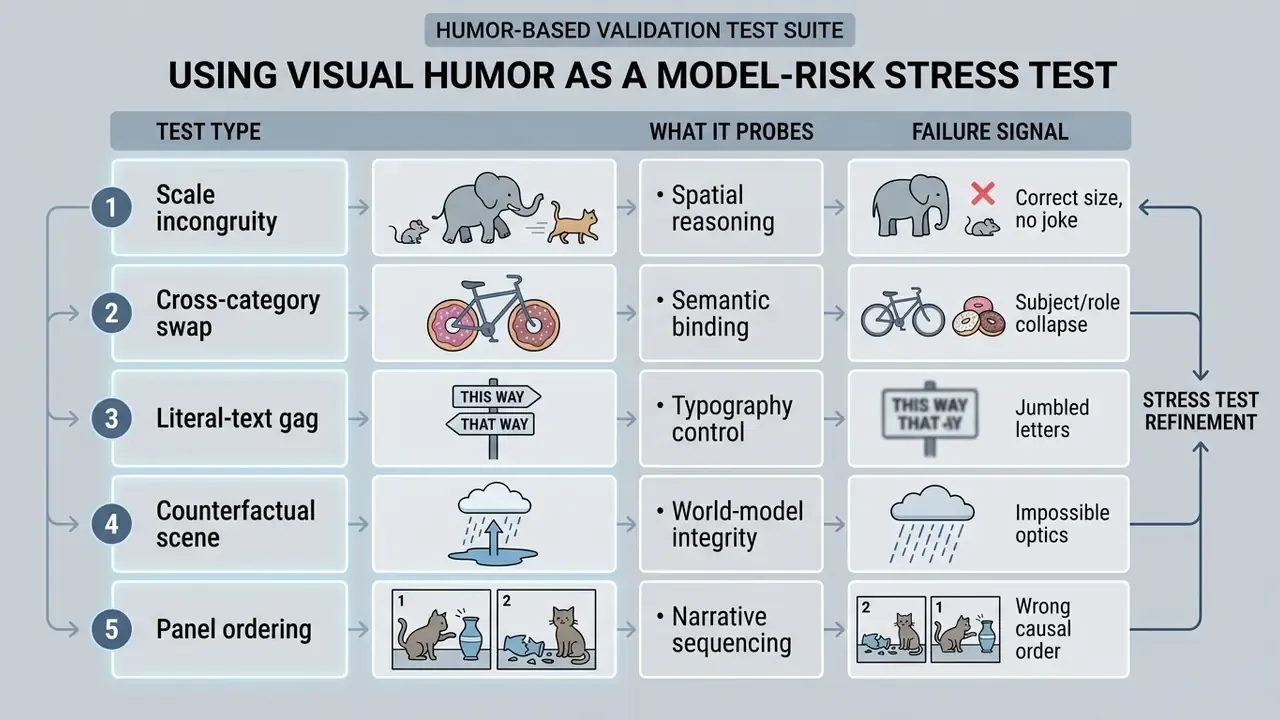
Three practical uses for risk and validation teams:
Log every test with prompt, seed, model version and reviewer verdict, and keep the artefacts. A folder of six-fingered handshakes persuades an executive committee faster than any policy memo. To be clear about the limits: humour benchmarks are not a substitute for domain validation in KYC, AML screening or credit modelling. They are a cheap early-warning layer, nothing more.
Funny AI Images FAQ
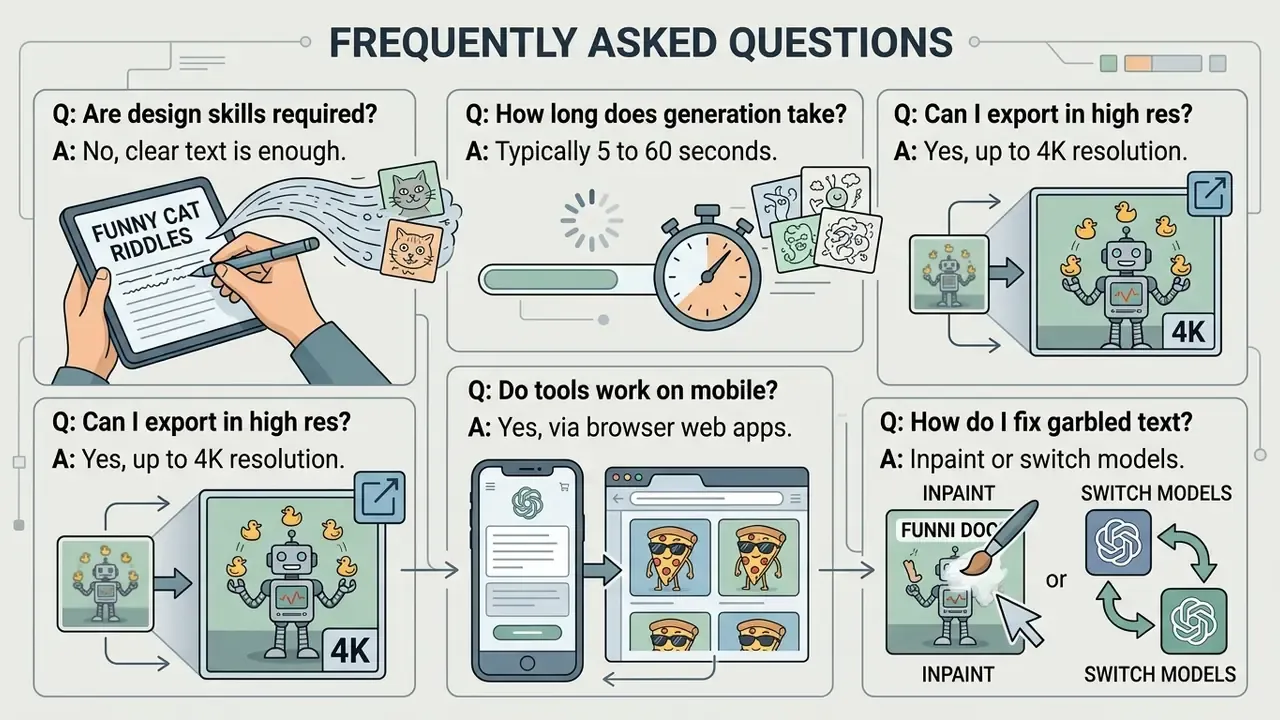
Do You Need Design Skills to Make Funny AI Images?
No, traditional graphic design skills are not required to generate ai images funny enough to share. Modern text-to-image tools rely on natural language descriptions, so anyone can create visual content by writing clear prompts. Entry level means one working pattern: subject, action, style. Advanced level means iterative prompt refinement, deliberate style keywords, seed control and a review pass for distortions, reflections and unreadable text. Understanding visual composition, lighting, and story structure still helps creators refine prompts and reach consistent results.
How Long Does It Take to Generate an AI Image?
Most AI image generators process a text prompt and render several image options in 5 to 30 seconds, with heavier models and peak demand pushing this toward roughly a minute. Rendering time varies based on server load, model complexity, and selected output resolution. Lightweight engines tuned for fast iteration are the practical choice when you are workshopping a gag across many variants.
How Can You Get High-Resolution AI Images for Printing or Editing?
High-resolution outputs can be obtained by selecting the tool's native HD or 4K download setting, or by using AI upscaling features available within platforms such as Krea and Recraft; current image APIs document exports up to 3840x2160. Standard web exports are typically rendered at 1024x1024 pixels, which can then be upscaled for print media. Always download the full-resolution file rather than screenshotting the preview, and keep the original export as your archive copy for audit purposes.
How Do You Fix Jumbled or Garbled Text on a Funny AI Image?
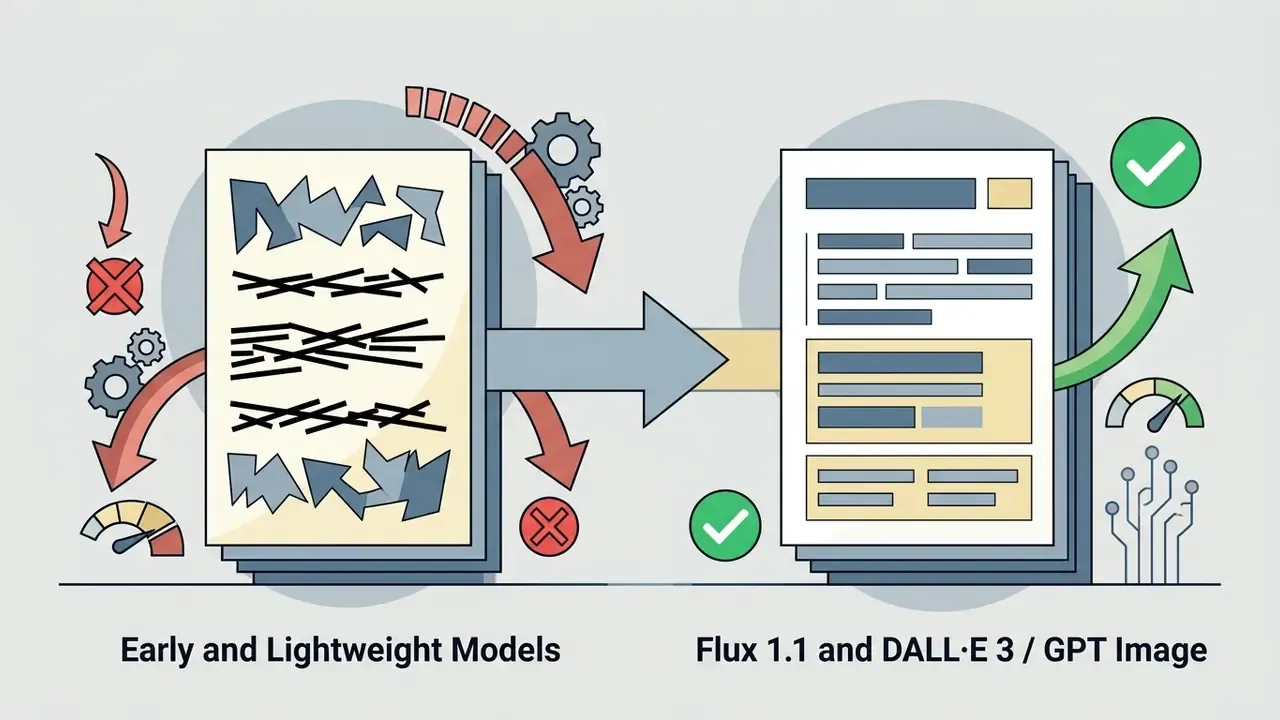
Three fixes, in order of effort. First, switch engines: strong text renderers such as DALL·E 3 / GPT Image and Flux 1.1 handle short strings far better than older or lightweight models, and putting the exact wording in quotes or ALL CAPS improves adherence. Second, inpaint the offending region: mask the sign or label and regenerate only that area with the literal text specified, adding "no extra text, no watermark" as an exclusion. Third, add the typography manually in an editor after generation, which is also the most reliable route for brand-consistent lettering; vector-capable tools keep the type editable afterwards.
Do AI Image Generators Work on Mobile Devices?
Yes, most AI image generators operate through web-based interfaces or dedicated mobile applications, which makes them accessible on smartphones and tablets. Because the leading tools are browser-based, the same workspace runs on desktop and mobile without installation, though large image-to-image uploads and precise inpainting are easier on a desktop screen.
Can Free-Tier Funny AI Images Be Used in Advertising?
Sometimes, but never assume it. Free-tier commercial permission varies sharply by vendor: some grant commercial use on free accounts, others make free output public, watermarked or non-commercial by default. Confirm the current terms for your specific plan, then separately confirm you are not infringing third-party marks, likeness or publicity rights. Platform permission and legal clearance are two different checks. To calculate resource requirements and generation credits, access our AI Media Calculators or visit our AI Media Support and Troubleshooting page for platform resolution guides. Summary and Next Steps Creating effective funny ai generated images means combining comedic concepts with structured prompt engineering, informed platform choices and documented governance. Focus on single clear premises, apply contrast-driven prompts, respect the cognitive dissonance loop that makes visual jokes shareable, verify commercial licensing rules, and label synthetic media honestly. Do that, and viral output stops being a compliance gamble. Creator track
- Pick a model whose strengths match the gag: photoreal for fake documentary humour, prompt-adherent for text and multi-character scenes, stylised for reaction cards.
- Apply the Character + Action + Scene + Twist formula, then add style, format and exclusions.
- Generate 4-8 variants, score them for two-second legibility, and archive the winning seed.
- Export at the correct aspect ratio per platform and label anything photoreal. Governance track
- Route image generation into one sanctioned enterprise tenant with SSO, RBAC and audit logging.
- Require ZDR or a defined retention window, a contractual no-training commitment, and documented IP indemnification scope.
- Publish a prompt-hygiene rule set banning customer data, internal screenshots and real-person likenesses in unmanaged tools.
- Maintain reproducible audit evidence (prompt, seed, model version, edits, approver) for every published asset.
- Reuse comedic edge cases as a standing stress-test suite for multimodal model validation and regression monitoring. A safe next step, if none of this is formalised yet: inventory the image tools your teams already use, pick one sanctioned workspace, and start logging prompts and seeds this quarter. No new policy needed to begin. Legal and compliance note: the copyright, licensing and disclosure guidance above is general information current to 2026 and is not legal advice. Verify vendor terms and consult qualified counsel before commercial deployment. Further reading across our knowledge base: glossary, AI Media Comparison, AI Media Pricing Guides and the AI Media Commercial-Use Hub.