An online video downloader lets you save a media file straight from your web browser, with no third-party software installed. The service parses the URL of the post you paste in, extracts the direct links to the media streams sitting on content delivery networks (CDNs), and then offers you a choice of available formats and resolutions for local storage. That is the whole trick. No magic.
Executive summary
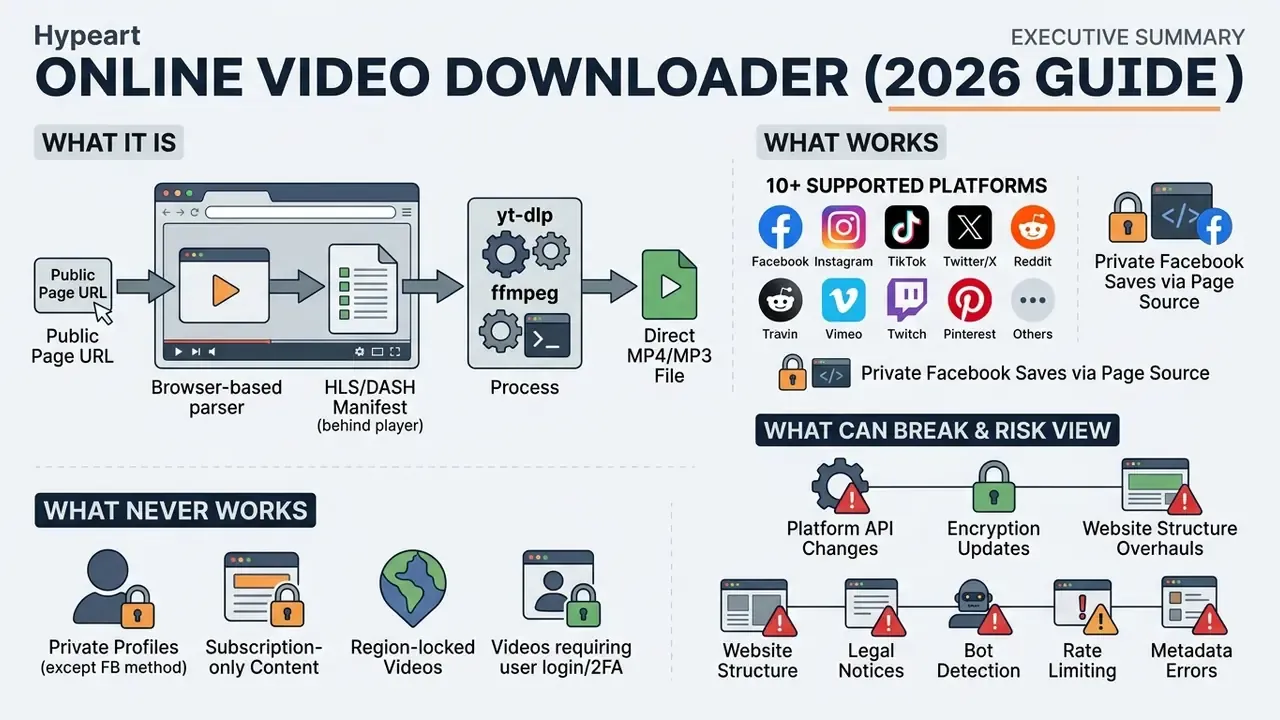
- What it is. A browser-based parser that reads a public page URL, resolves the HLS or MPEG-DASH manifest behind the player, and returns a direct MP4/MP3 file. Nothing is installed; nothing is hosted on our side.
- What works. Public posts on Facebook, Instagram, TikTok, Twitter/X, Reddit, Vimeo, Twitch, Pinterest, Telegram and Dailymotion, in resolutions from 480p to 4K.
- What never works. DRM-encrypted streams (Widevine, PlayReady, FairPlay), login-gated or geo-blocked content, and protected accounts. The server returns HTTP 401/403 and the parse is aborted.
- What can break. Split DASH audio/video (Reddit, X) producing a silent file;
Content-Disposition: inlinemaking the browser play the file instead of saving it. Both are fixable in minutes, with theyt-dlpandffmpegcommands given in the troubleshooting section. - The risk view. Statutory damages in the United States run from $750 to $30,000 per work and up to $150,000 for wilful infringement; 68% of the top-20 downloader sites leak device fingerprints to trackers before a download even starts. For corporate networks, treat any video downloader online as shadow IT and route it through DLP and third-party risk controls.
How an online video downloader works
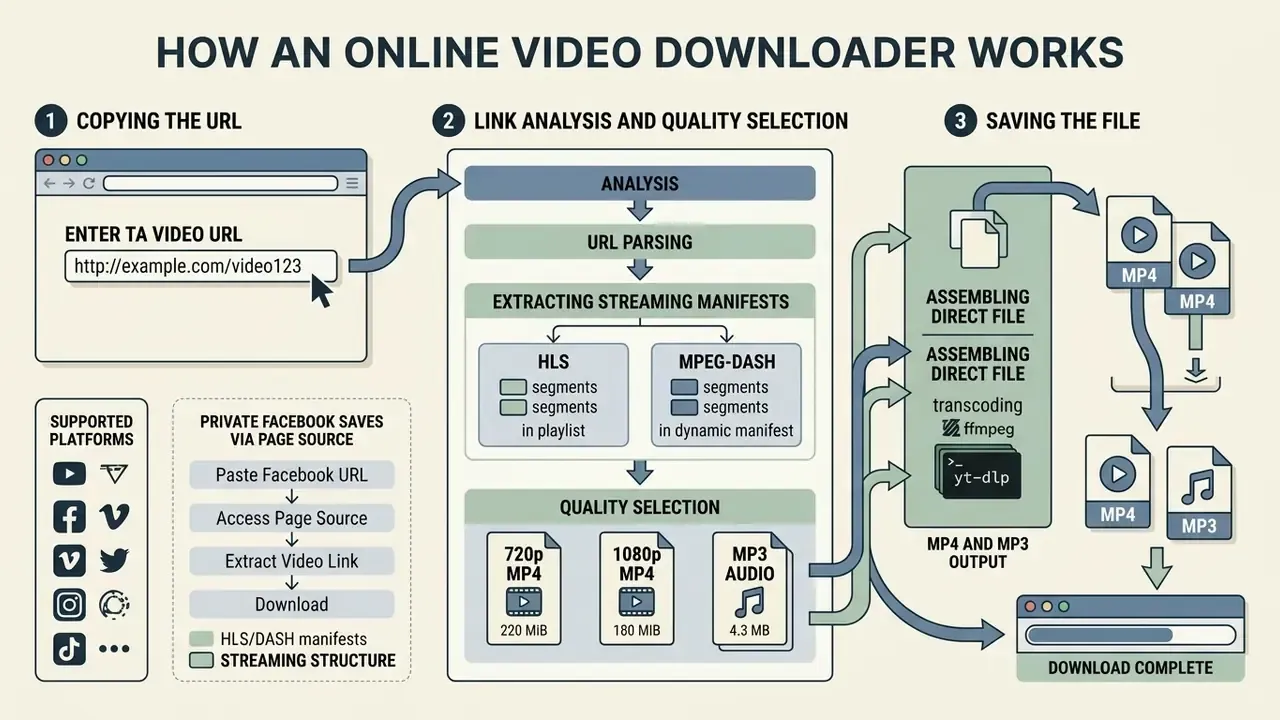
A web download service works by parsing the URL you submit, extracting the streaming manifest (HLS or MPEG-DASH) and assembling a direct file the browser can save. To pull the media, all a user has to do is copy the page address, paste it into the tool's input field, pick the file parameters and press the download button. Four actions, roughly fifteen seconds.
According to the W3C Web Media Application Developer Guidelines, modern video platforms serve content as objects through CDN networks using adaptive bitrate delivery: the content provider hands the client a manifest URL on a CDN, the player requests it from the nearest edge node, and the edge answers from cache or after an origin fetch. The downloader service emulates that client request, decodes the manifest structure and merges the video and audio fragments into a single MP4 or MP3 file. For related media-processing tasks you can explore our AI Media Calculators and check terminology in the AI Media Glossary.
That near-even split matters technically: half of all demand is for a persistent local file rather than a session-bound stream, which is exactly the job a downloader performs.
Three terms worth knowing before you start
Most support tickets about a failed download come down to three concepts, so it is worth pinning them down early.
- Manifest. A small text file (
.m3u8for HLS,.mpdfor DASH) listing every rendition and fragment of a video. The player reads it first; so does any video downloader online. - CDN edge. The cache server geographically closest to you. It answers with the media bytes, and it is also where signed, time-limited URLs are enforced.
- Muxing. Multiplexing separate video and audio tracks into one container. When muxing fails, you get a picture with silence, which is the single most common complaint we see.
Three-step download flow: algorithm for handling a URL in an online video downloader
- Copying the URLthe user copies the direct link to the video or post from the browser address bar or from the platform's «Share» menu.
- Link analysis and quality selectionthe link is pasted into the downloader, the service parses the CDN manifest and offers the available resolutions and codecs.
- Saving the fileafter «Download» is pressed, the browser receives the direct stream together with the response headers and writes the file to disk.
Verification note: this three-step sequence is consistent across published downloader instructions. Copy the video's URL, paste the link and choose an output such as MP4 plus quality, then download the generated file.
Copy the link and paste the video URL
To start processing you need a valid public URL for the page holding the video, pasted into the downloader's input field. A standard web address contains the protocol (https://), the hosting domain name and a unique publication identifier.
With shortened links the downloader server automatically follows the chain of HTTP redirects (301/302) to the final page address; RFC 1738 defines a URL simply as the address identifying a resource, so an alias must be resolved before the media endpoint can be read. If the video is embedded via an iFrame, the parsing algorithm locates the direct media endpoint inside the embedded player: an HTTP/HTTPS media target that ends in a real container extension such as .mp4 or .mov, rather than a page alias. One small habit saves time here, strip the tracking tail (?si=, ?utm_source=) before pasting. For technical questions about integrating these algorithms, see AI Media Support.
Choose the file, format and quality before downloading
Once URL analysis is complete, the service shows a list of saving options that differ by container, codec, resolution and bitrate. Your choice determines the final file size and the compatibility of the media with the target device.
The user selects the required format, for example MP4 with the H.264 video codec, or an MP3 audio file, and presses the final download button. The service builds a direct link, after which the browser starts writing the file into the local folder. If you plan to trim, subtitle or re-cut the result afterwards, our overview of video editors explains which toolchain fits which container. For a detailed breakdown of conversion parameters, study the AI Media Pricing Guides.
Which sites you can download video from online
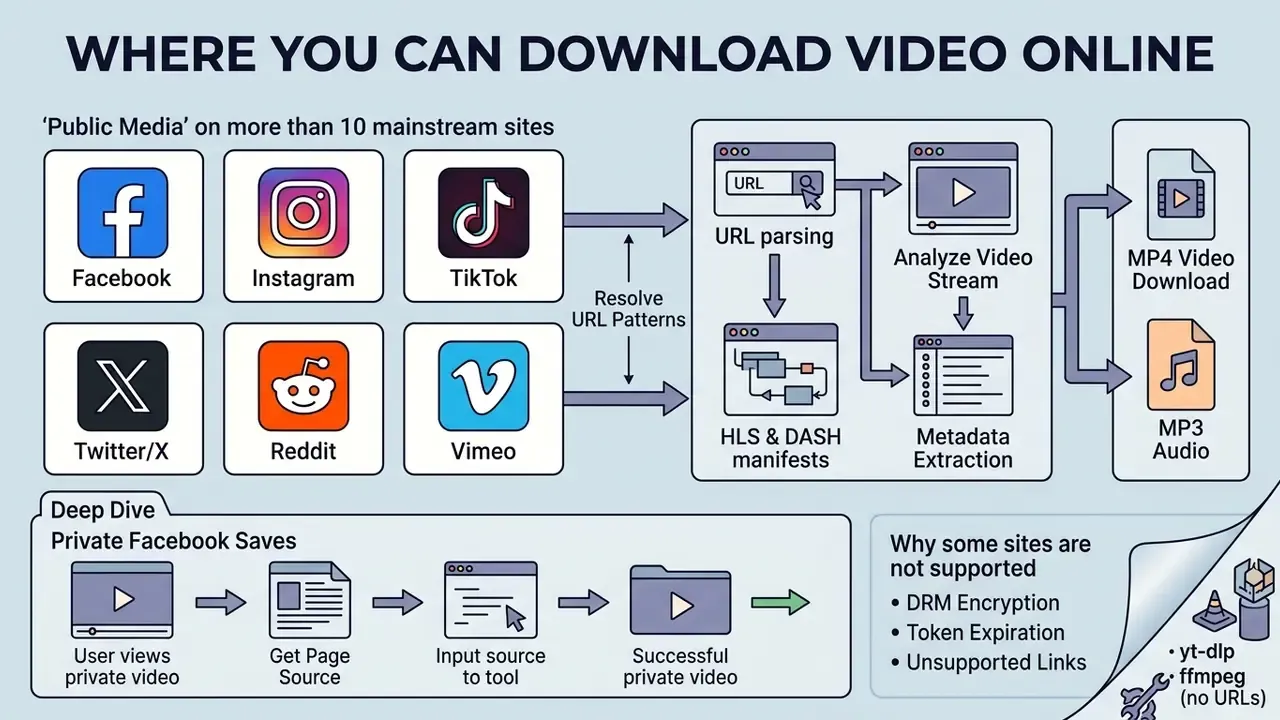
In two sentences: online downloaders cover public media on more than ten mainstream platforms, resolving each one's own URL patterns. Anything behind a login, a DRM licence server or a geo-fence stays out of reach by design.
Online downloaders support most popular public media platforms and social networks, including Facebook, Instagram, TikTok, Twitter/X, Reddit, Vimeo, Twitch, Pinterest, Telegram and Dailymotion. Whether a download is possible depends on two things only: whether the content is open for public viewing, and whether it is protected by digital rights management (DRM). Marketing copy promising an all video downloader online free for «any site» quietly ignores both.
According to MUSO's 2024 report, total visits to resources hosting unlicensed and offline media content exceeded 216 billion, with traffic split almost evenly between streaming playback (50.4%) and direct downloading (49.6%), see Piracy Trends and Insights 2024, https://www.muso.com/. Online tools let you download video online from any web site that uses standard open broadcast protocols, and only from those.
| Platform | Supported link types / URL patterns | Available formats | Notes and technical limits |
|---|---|---|---|
| Public URLs, Reels, posts, HTML source of private pages | MP4 (HD, SD) | Private videos require pasting the page's HTML source (Ctrl+U). | |
instagram.com/reel/, instagram.com/p/, IGTV, Stories | MP4, M4A | Stories links stay valid for 24 hours; the account must be public. | |
| TikTok | tiktok.com/@user/video/, short links vm.tiktok.com | MP4 (no watermark) | Watermark removal works by resolving the original CDN stream; source files up to 4 GB, H.264/HEVC. |
| Twitter / X | x.com/user/status/ID or twitter.com/... | MP4 (up to 1080p) | Public tweets only; protected accounts need cookie authentication and are not parsed. Bitrate follows the original post. |
reddit.com/r/subreddit/comments/ID/ | MP4 (video + audio) | Video and audio arrive as separate DASH streams; if muxing fails, merge locally with yt-dlp. | |
| Vimeo | vimeo.com/ID | MP4 (up to 4K) | Capped by the author's original upload bitrate and resolution. |
| Twitch | twitch.tv/videos/ID, clips clips.twitch.tv | MP4 (60 fps) | Works for past broadcasts (VODs) and short clips. |
pinterest.com/pin/ID | MP4 | Extracts video from tutorial and promoted pins. | |
| Telegram | Public post links t.me/channel/ID | MP4 | Open channels only, without the «Restricted Content» copy protection flag. |
| Dailymotion | dailymotion.com/video/ID | MP4 (HD) | Automatic parsing of broadcast HLS manifests. |
| Snapchat / VK / Bilibili | Public spotlight, wall and video-page URLs | MP4 | Availability varies by region; members-only and age-restricted items are excluded. |
The table shows the download characteristics of the main platforms. Most services export into an MP4 container, but closed accounts and protected streams remain unavailable regardless of the tool used.
Facebook, Instagram, TikTok, Twitter/X, Reddit and Vimeo
Downloading from popular social networks works by extracting the open media resources embedded in the structure of the post page. On Facebook and Instagram, public Reels and posts can be processed, but content from closed accounts cannot be parsed, because the downloader server holds no session cookies for your account.
TikTok and Twitter/X deliver media files through direct CDN servers, which lets you export a clip in its original MP4 container. Reddit hosts video and audio as separate DASH streams, so a combined download depends on server-side muxing. For hands-on video-processing tools you can also test the slideshow video maker and evaluate the editing functions in the splice video editor.
How to download a private Facebook video via the HTML source
If a video sits in a closed group or is visible only to friends, plain URL parsing returns an access error (HTTP 401/403). To save it locally, extract the media stream from the DOM tree instead:
This works for any HTML or JavaScript block that contains video links, not only for Facebook. It does not, and cannot, break DRM, bypass paywalls or reach anything you are not already authorised to view. If you are on a corporate laptop, read the shadow-IT section before you try it at all.
- Open the page with the private video in the browser where you are already logged in.
- Press
Ctrl + U(Windows) orCmd + Option + U(macOS) to open the page source (View Page Source). - Select the entire code (
Ctrl + A), copy it (Ctrl + C) and paste it into the dedicated «Parse HTML/Source» field of the downloader. - The algorithm extracts the direct CDN stream link locally in your browser, so your session cookies are never transmitted to an external server.
Why some links and sites are not supported
Downloading is impossible when the media stream is protected by technical copyright protection measures (DRM) such as Google Widevine, Microsoft PlayReady or Apple FairPlay. Under the W3C Encrypted Media Extensions (EME) specification, content decryption modules must not make direct network requests and licence exchange must pass through the user agent, so decryption keys are never handed to a third-party client.
In other words, even where no DRM exists, the platform's own contract may forbid the action. That is a separate layer of exposure from copyright law itself, and it is the layer most users forget.
The second factor is the privacy setting on the recording, IP-based geo-blocking or mandatory authorisation. Per IETF RFC 9317 and the HLS drafts, when access is restricted the origin server returns HTTP 401/403 errors or demands a valid session token, which makes stream extraction impossible through any ordinary online video downloader. The IETF HLS draft also notes that stream requests routinely carry cookies and that encryption keys are addressed by URI over TLS inside a secure realm; without those credentials the URL alone is worthless.
Scale like that is precisely why platforms harden their manifests, rotate CDN tokens and litigate, which in turn is why a link that worked last month may fail today.
Which formats and quality levels are available to download video
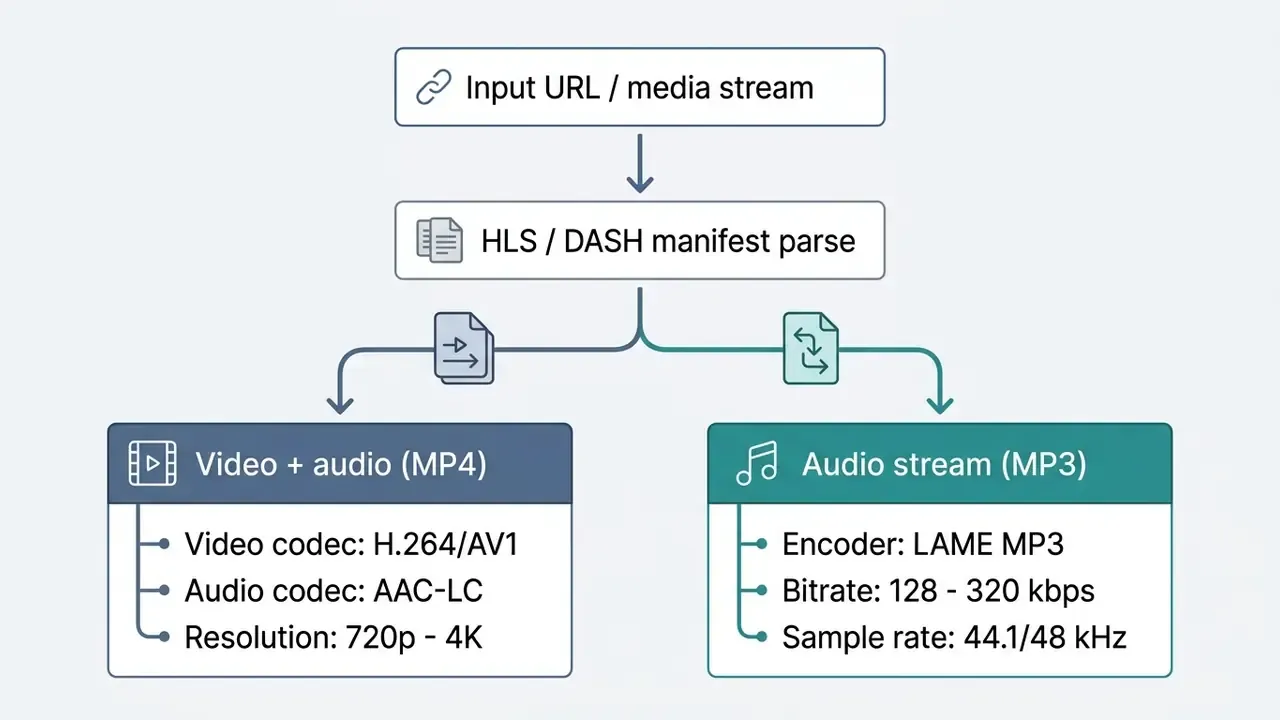
Saving video through a web service is done in MP4 and MP3 containers, at resolutions from SD (480p) and HD (720p) to Full HD (1080p) and 4K (2160p). The final quality depends entirely on the parameters of the original file uploaded to the source platform.
Encoding parameters are governed by industry codec standards from ITU-T and ISO/IEC MPEG: an MP4 video stream is encoded with the H.264 video codec (or AV1/HEVC) and the AAC audio codec (128 to 160 kbit/s, 48 kHz). To extract only the sound track, the file is converted to MP3 at a bitrate between 64 and 320 kbit/s, figures that match the published internet-resource audio standards used by large public publishers. (Updated: an earlier version of this section attributed codec parameters to NASA and AHRQ; those bodies publish delivery specifications for their own materials but do not regulate video codecs. The original wording is preserved in Appendix A.)
For reference, AWS Elemental MediaConvert, a representative production encoder, supports MP4, HLS, DASH, CMAF, MOV and MPEG-TS containers, with AV1, AVC/H.264 and HEVC video plus AAC audio, and lists a maximum of 4096×2160 for both AV1 and AVC.
MP4 for video: HD, Full HD and 4K
MP4 is the universal standard for video playback across every operating system and mobile device.
Under the same broadcast-quality recommendations and RFC 9317, delivering a 720p stream requires 3 to 4.5 Mbit/s of throughput, 1080p Full HD requires 6 to 8 Mbit/s, and 4K (2160p) requires between 10 and 20 Mbit/s. Because those figures are per viewer, the bottleneck on a shared office connection is concurrency, not resolution alone.
If the source platform serves separate video and audio streams (MPEG-DASH), the web downloader performs multiplexing (muxing) server-side before handing you the finished file. You can further optimise the size of the resulting video with our guide to video compressors, and adjust playback tempo via speed up video.
MP3 and audio: when sound extraction is available
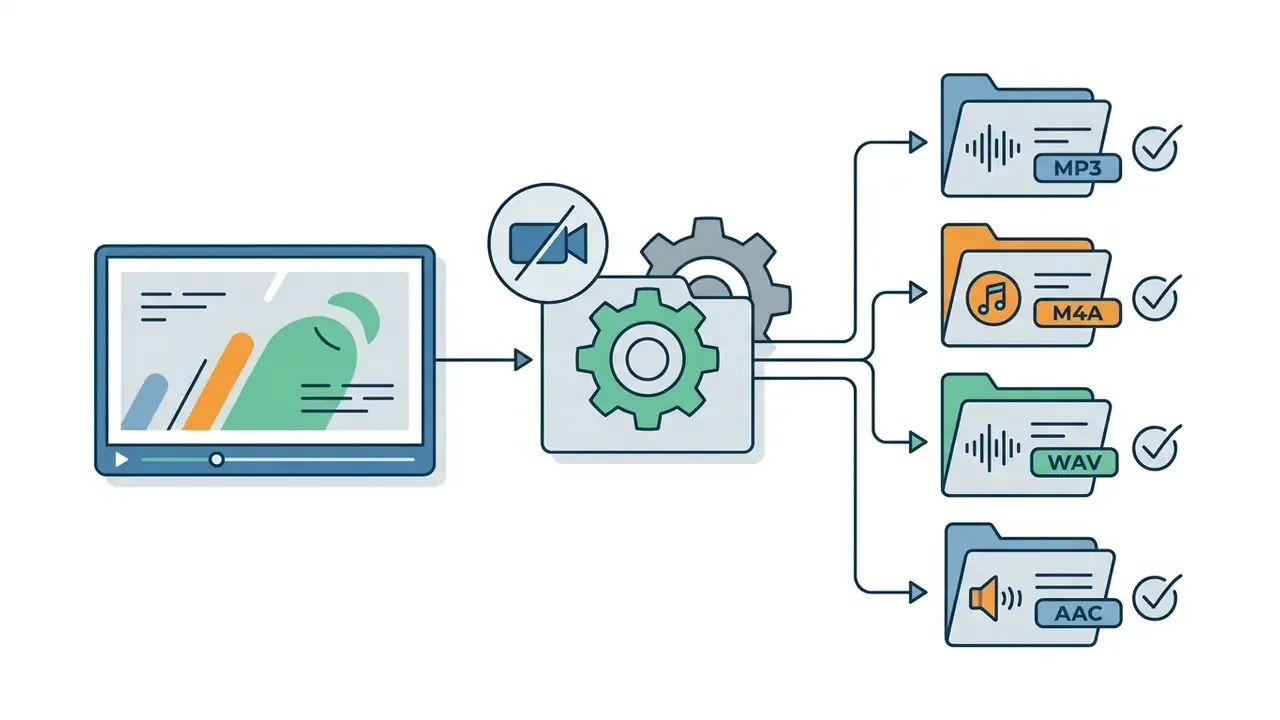
Extracting the audio track lets you keep a music record or podcast without downloading the video stream, saving disk space and network traffic. There are two paths: copying the original AAC stream into an M4A container with no quality loss (-vn -c:a copy), or re-encoding into MP3 (-vn -c:a libmp3lame -b:a 192k).
Converting to MP3 introduces a second round of lossy encoding. To keep the final file free of audible artefacts, the original audio stream on the source server must have a high starting bitrate. Worth remembering that M4A is a container while AAC is the codec, so a stream copy changes nothing about the audio itself. For work with voice and sound effects we recommend our guide to AI voice generators.
Free online video downloader and its usage limits
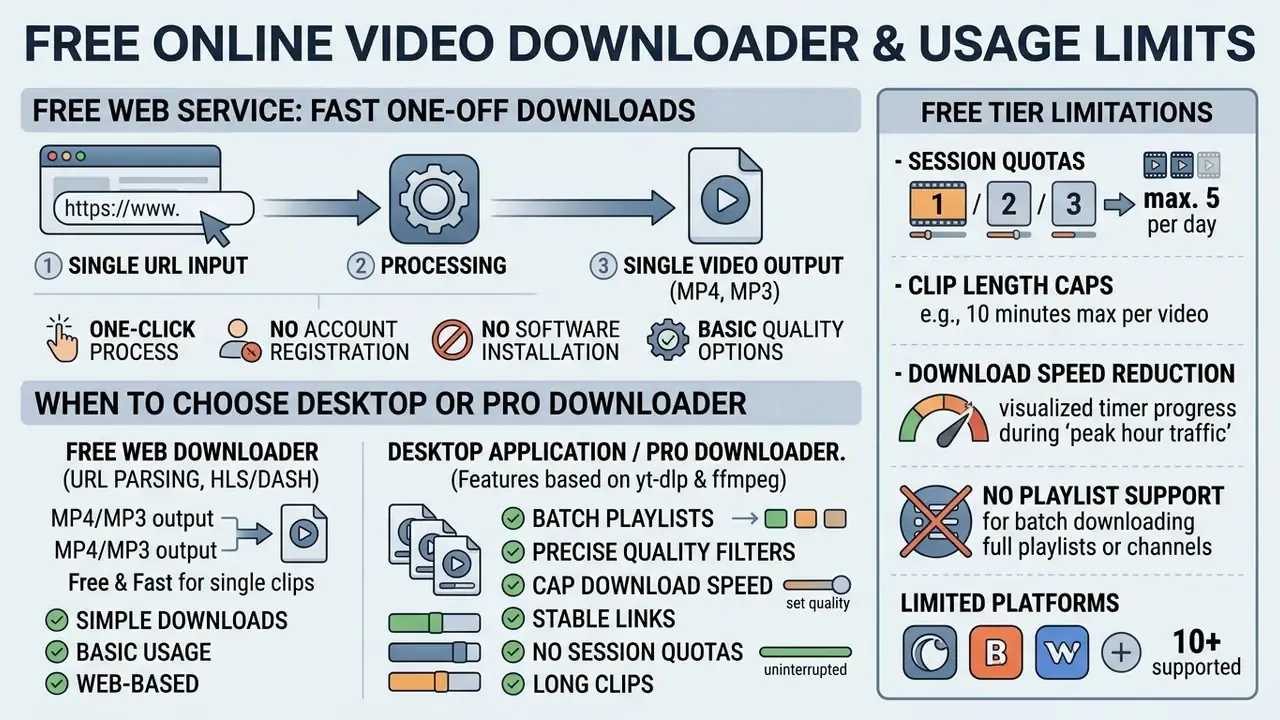
Free web services deliver fast one-off downloads of single clips, with no account registration and no software installation. For regular use, playlist processing and large files, specialised Pro and desktop solutions are used instead.
Comparative analysis shows that free access often carries session quotas, clip-length caps (for example up to 1 hour) or throttled bandwidth. One published free tier limits users to one video at a time; another restricts free downloads to the first three minutes of each file. So «unlimited» in a landing-page headline usually means «unlimited attempts», not unlimited output. A summary of commercial plans and functional matrices is available in the AI Media Comparison Matrices.
Those three motives explain most of the demand for a free video downloader: users are not chasing a library, they are working around a single access barrier, which also means a legal alternative often exists.
| Parameter / feature | Free online downloader | Desktop / Pro solution |
|---|---|---|
| Software installation | Not required (runs in the browser) | Installation on Windows/macOS required |
| Registration | Not required | Licence activation possible |
| Video length limit | Often 30 to 60 minutes per file | No limit |
| Batch downloading | Sequential (1 file at a time) | Batch download of lists and channels |
| Maximum resolution | Up to 1080p / 4K where available | Up to 4K / 8K with HDR selection |
| Download speed | Limited by server load | Maximum (multi-threaded, rate-controllable) |
| Subtitle download | Limited or absent | SRT/VTT extraction in all languages |
| Independent security audit | Rarely published | SOC 2 / ISO 27001 reports available from vendors |
| On-premise deployment | Impossible (SaaS only) | Local install, no external cloud dependency |
| Fingerprint / tracker exposure | Third-party analytics common | Controlled, auditable network egress |
| DLP / SIEM compatibility | None | Log export, proxy-aware, policy-enforceable |
What a free online video downloader gives you
The free feature set of web downloaders is designed to cover the basic need: saving one video from a URL in a few clicks. The service runs directly in the browser, asks for no personal data and requires no system permission changes. For a home user that is usually enough.
The limits of the free tier include no batch playlist support, possible speed reduction during peak hours, and advertising blocks on the page. For an overview of free graphics tools, see our guide to free photo editors.
When to choose a desktop solution or a Pro downloader
Desktop applications, for example those built on yt-dlp, or dedicated Pro downloaders, are necessary for regular processing of large media volumes. They support multi-threaded downloading, parallel retrieval of whole channels and subtitle track preservation; published desktop products document batch playlist and channel queues, resolutions up to 8K, and explicit audio-track and subtitle detection.
Professional tools let you set precise quality filters, cap download speed to keep a link stable (--limit-rate) and process files at 8K resolution. If you are already choosing a paid stack, it is worth comparing it with free video editing software so you do not pay twice for overlapping capabilities. A comparison of specialised software is presented in our review of the best free AI video generators.
One caveat repeated in vendor documentation: reputable desktop tools state plainly that they support only sites without DRM encryption. «Bypassing complex protection» is not a feature of legitimate software, and any tool advertising it should be treated as a security risk rather than a capability.
Corporate risk: shadow IT, DLP and third-party controls
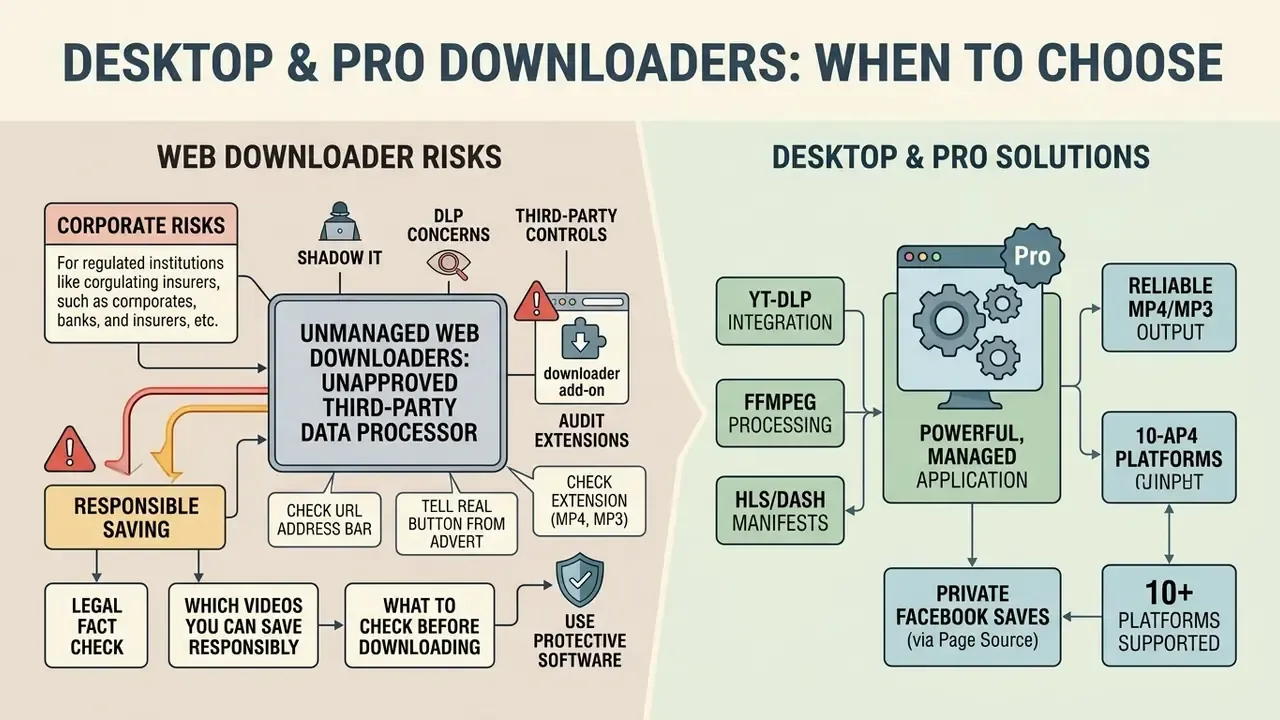
Security, privacy and the legality of downloading video
«The Federal Court of Canada (2024) ordered the blocking of Y2Mate, YTMP3 and SaveFrom, finding their sole function to be the unauthorised reproduction of protected works.»
Privacy exposure is measurable, not theoretical:
Both findings point the same way: the sensitive artefact is not the MP4 you keep, it is the request you made to get it. Regulatory guidance agrees. EDPB Guidelines 3/2019 hold that video processing is lawful only with a defined purpose, a lawful basis and storage limited to what that purpose requires.
Which videos you can save responsibly
Lawful saving of video is possible when you are the legitimate owner of the copyright, when the clip is published under a free licence such as Creative Commons (CC BY, CC BY-SA, CC0), or when it has entered the public domain, where works may be copied, distributed and reused without asking the rights holder.
Building a personal archive with the author's or rights holder's direct written permission is equally acceptable, as is preserving works produced by public bodies that are in the public domain by statute. Re-uploading or redistributing someone else's video without permission remains infringement even where the download itself was technically trivial. For design and content work, see our Canva AI Generator overview and the comparison of Ghibli-style AI image generators.
What to check before pressing the Download button
To protect your device from malware and phishing, examine the interface elements of a web site carefully before you download anything.
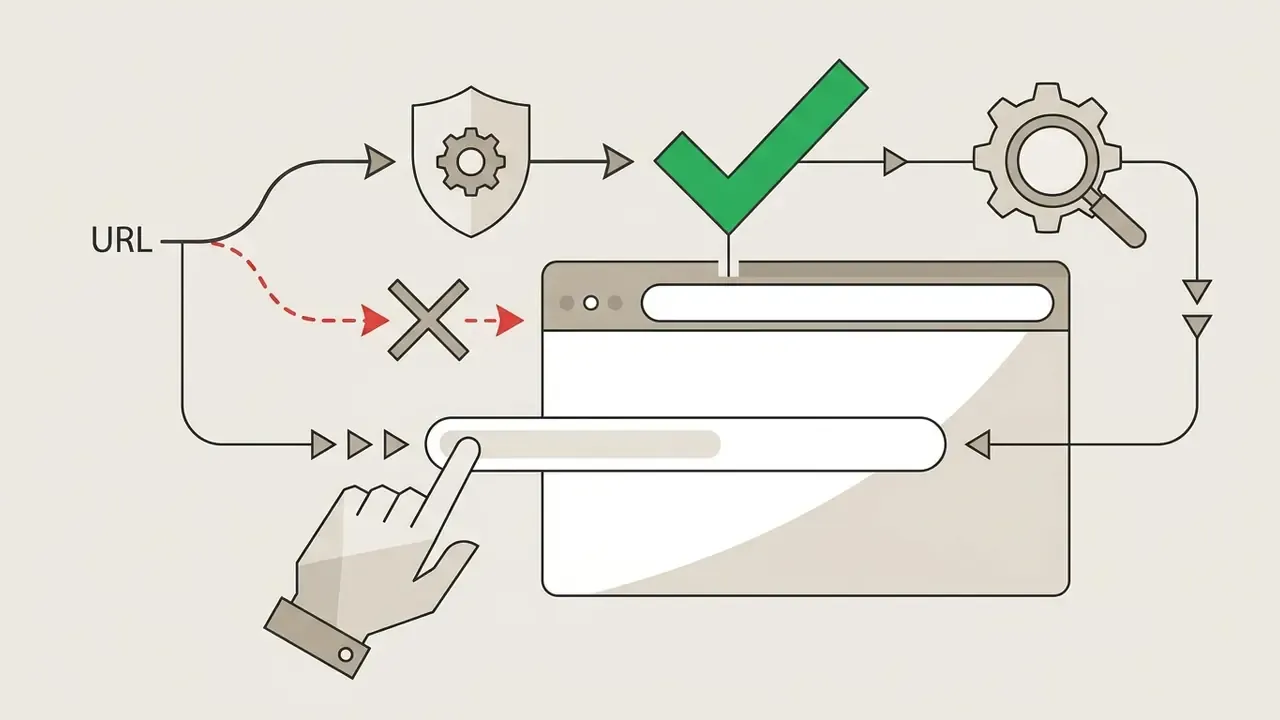
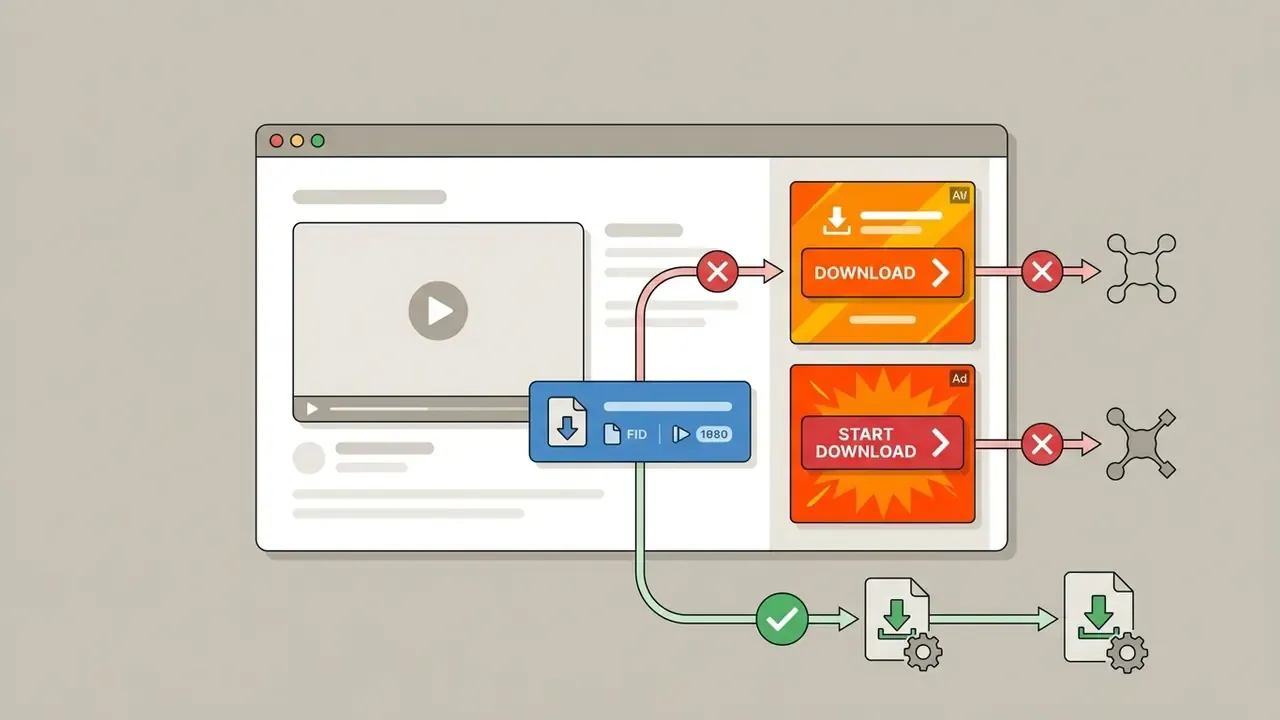
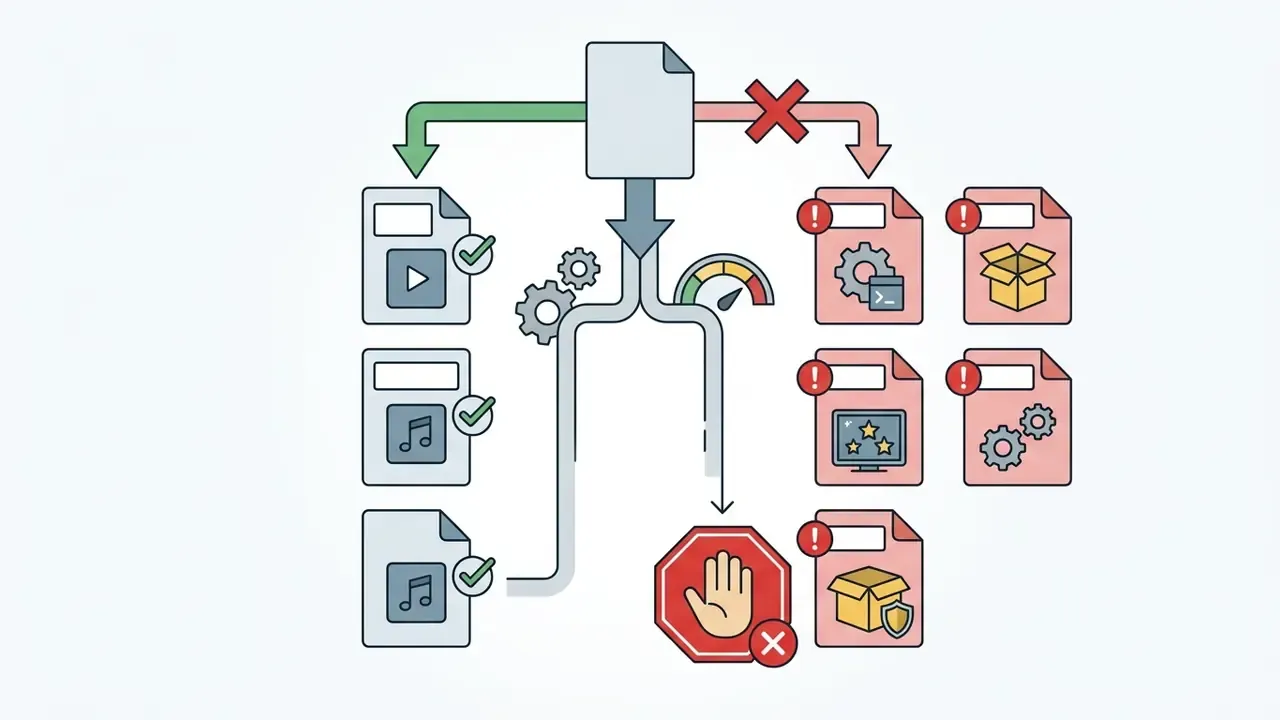
.mp4, .m4a or .mp3. If something arriving as a video has the extension .exe, .msi, .scr, .bat, .pif, .cpl or .zip, do not open it under any circumstances.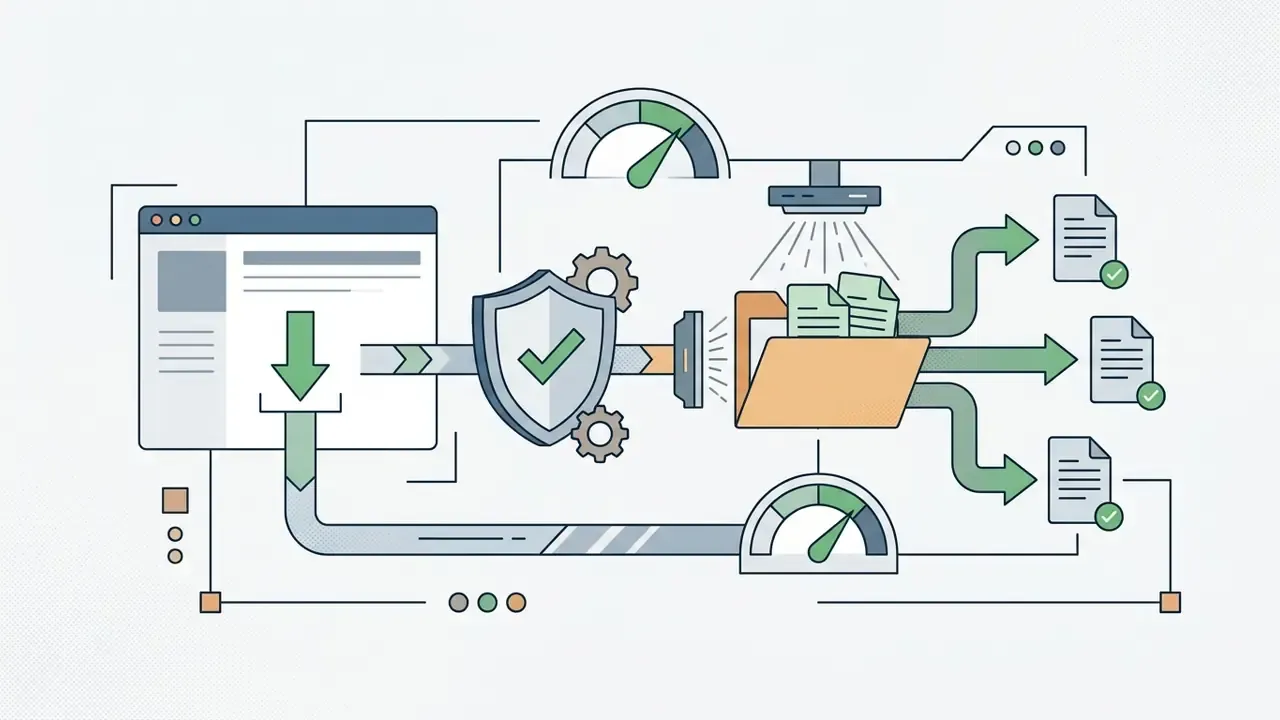
Why a video will not download: common errors and fixes
Download failures arise from changes in the source platform's algorithms, DRM-protected streams, network faults or incorrectly configured server response headers. Systematising the problems lets you identify the cause quickly and restore the download.
Chrome's own help documentation shows that when a download breaks, the first tasks are to verify the network connection, the validity of the URL and the access rules applied to the media file on the server side, and that the download icon appears only when the site permits saving at all. For integrators and developers, useful material is collected in the AI Media API Guides.
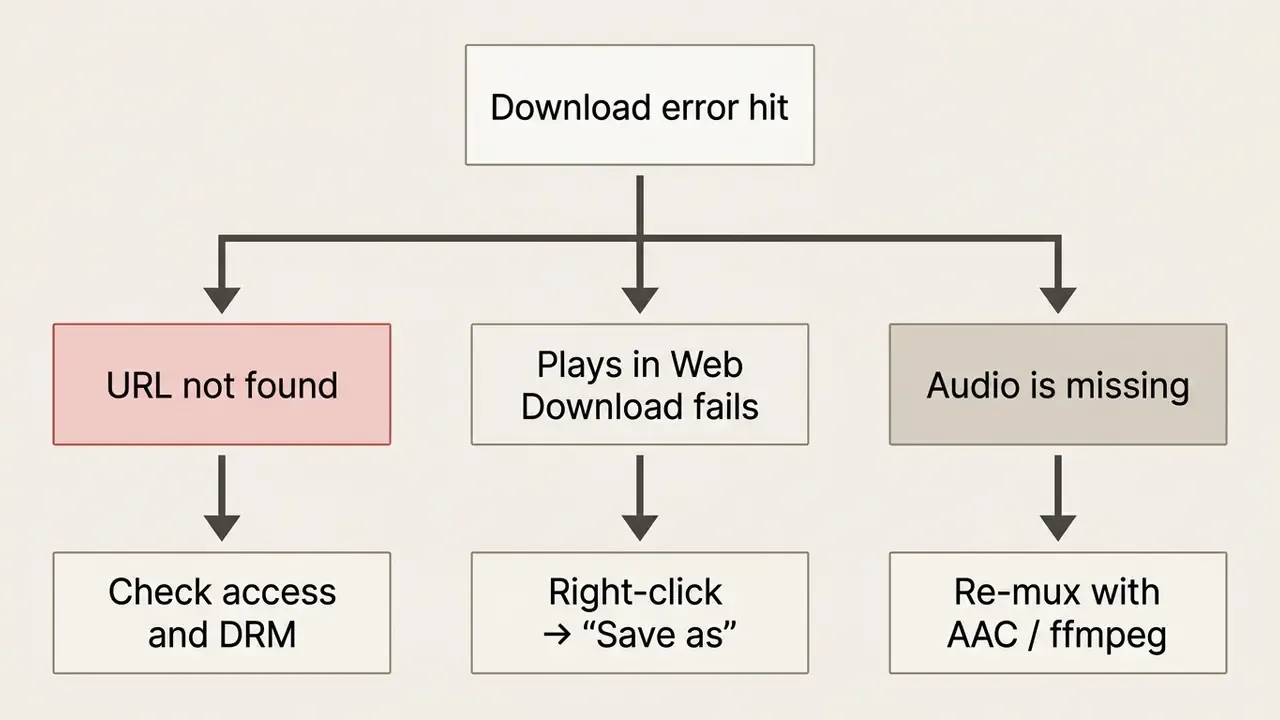
The service will not analyse the link or reports that the URL is unsupported
This error appears when the URL syntax is malformed, when you try to fetch a private video, or when the source service has changed its page structure.
- Check the link syntax confirm the address includes the
https://protocol and the full path to the publication without stray tracking characters. Published URL-validation rules also reject Unicode hostnames, embedded credentials and wildcard IP patterns. - Check privacy open the link in a private (Incognito) window. If the video demands a login and password, the online downloader cannot reach it. The fetch error set literally distinguishes
url_not_allowedfor private or filtered addresses fromurl_not_accessiblefor HTTP errors. - DRM restrictions if the protection uses EME/Widevine encryption, the service aborts processing and reports an error. This is by design, not a bug to work around.
The browser opens the video instead of saving the file
If clicking the link plays the video inside the browser tab, the cause is the Content-Disposition HTTP header returned by the server.
Under RFC 6266, Content-Disposition: inline is the default and instructs the browser to display the media in its built-in player. When the server sends Content-Disposition: attachment; filename="video.mp4", the browser raises the standard save dialogue and pre-fills the local file name. Most video CDNs simply never send the attachment header. To force a download, right-click the video and choose «Save video as…», or hold Alt (Option on Mac) while clicking the link; alternatively paste the direct URL into a download manager such as IDM or aria2 for faster multi-threaded retrieval.
The downloaded file will not open, or plays without audio
Silent playback, or a file the player refuses to read, is caused by codec desynchronisation, an incomplete download or faulty stream merging.
On platforms using DASH adaptive delivery, audio and video arrive as separate fragments. If the downloader failed to mux them, or used a mismatched codec (Opus inside an MP4 container instead of AAC), older media players cannot decode the sound. RFC 6381 is explicit that the codecs parameter must match the codecs actually present in the media body, and the W3C WebCodecs and Media Capabilities specifications reject configurations with invalid or absent audio parameters, which is exactly what a broken mux produces. The fix is to re-encode the file with standard utilities, or re-download it in a guaranteed MP4/AAC combination. Review the editing toolchain in our guide to YouTube video editors.
What to do if a Reddit or X video downloads without sound
If the web service returned the video track with no audio, a common failure when parsing MPEG-DASH with separately delivered streams, merge the files manually on your own machine:
yt-dlp -f bestvideo+bestaudio --merge-output-format mp4 "POST_URL"
ffmpeg -i video.mp4 -i audio.m4a -c copy final_output.mp4
- Copy the direct linkstake the video-stream URL and the audio-stream URL separately from the downloader interface.
- Use yt-dlp (console method)install the free
yt-dlputility and run in a terminal: - Alternative via aria2 / ffmpegif you already hold two separate files (
video.mp4andaudio.m4a), join them without re-encoding in about a second: - Audio-only rescueto keep just the sound losslessly, run
ffmpeg -i input.mp4 -vn -c:a copy output.m4a; use-c:a libmp3lame -b:a 192konly if you specifically need MP3.
A download manager such as aria2 is also the right answer to a stalled or partially written file: it resumes byte ranges instead of restarting, which prevents the truncated files that players report as corrupt.
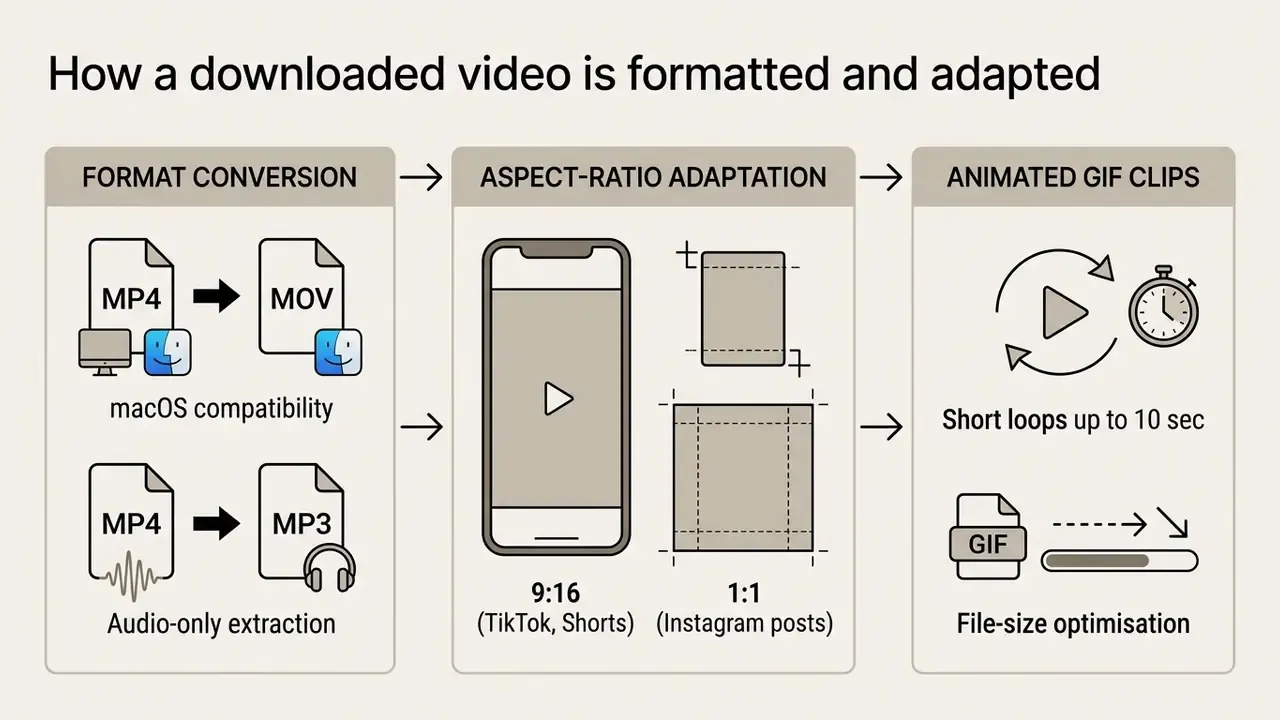
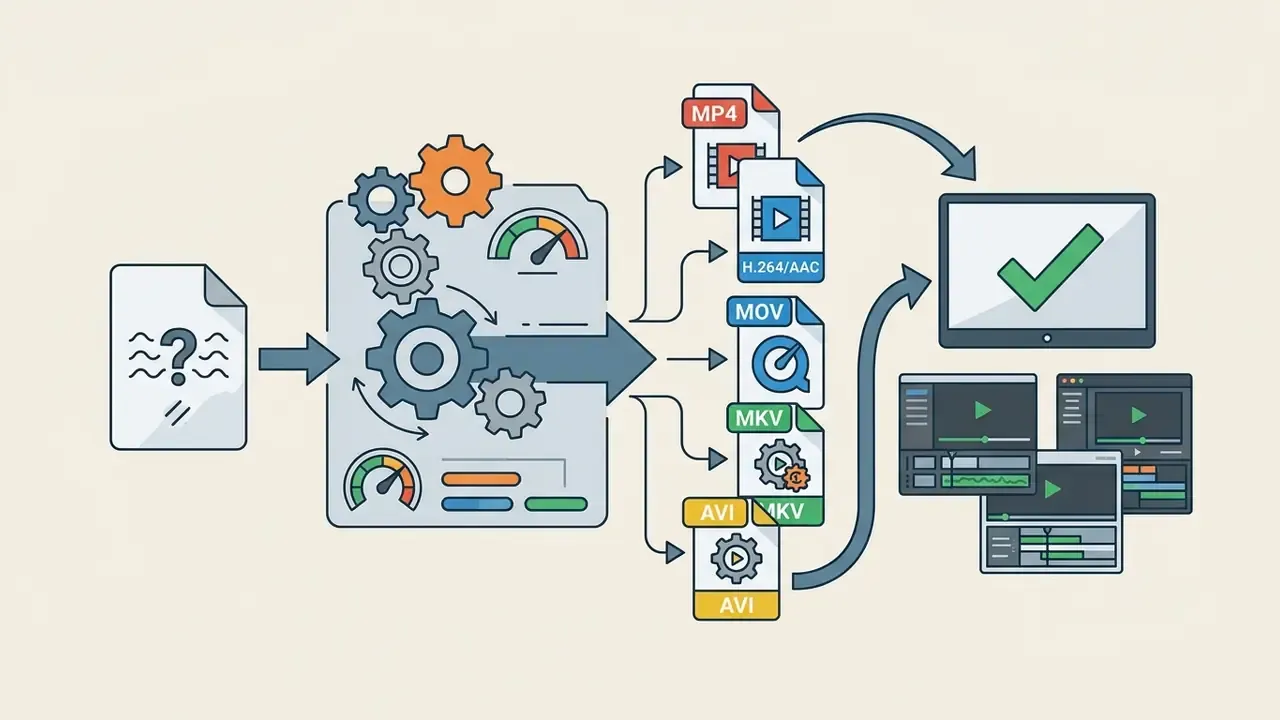
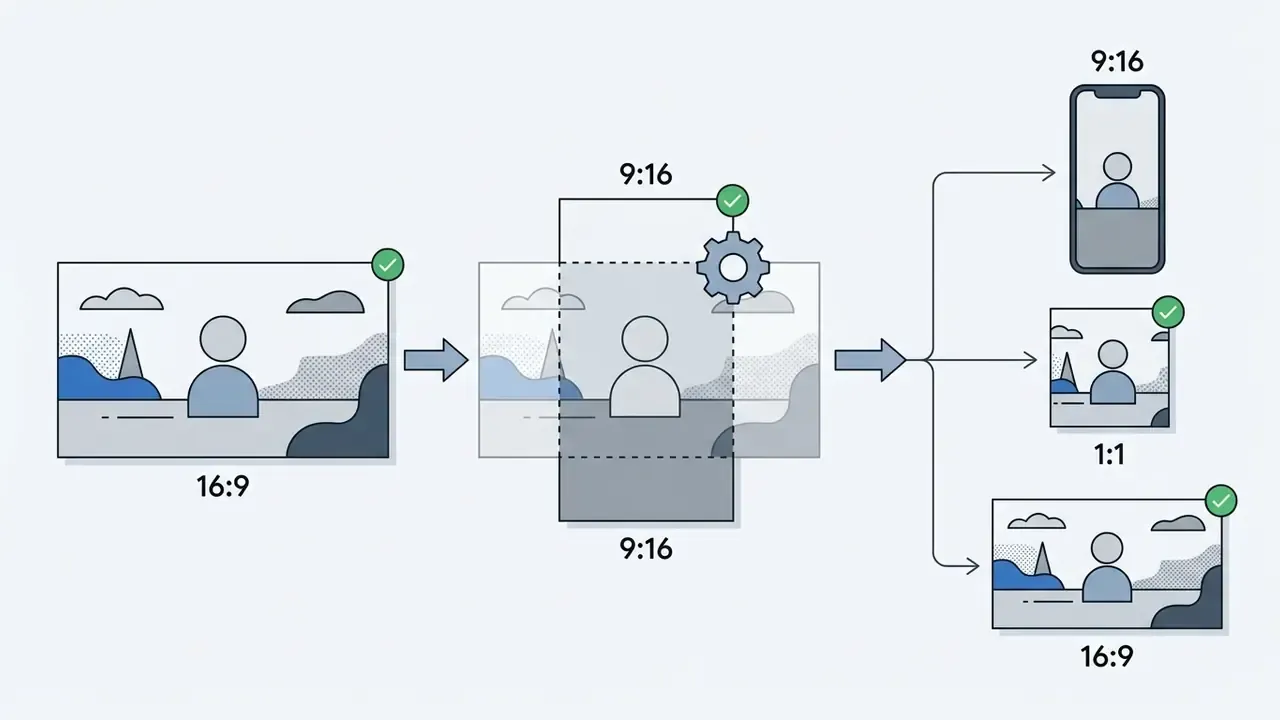
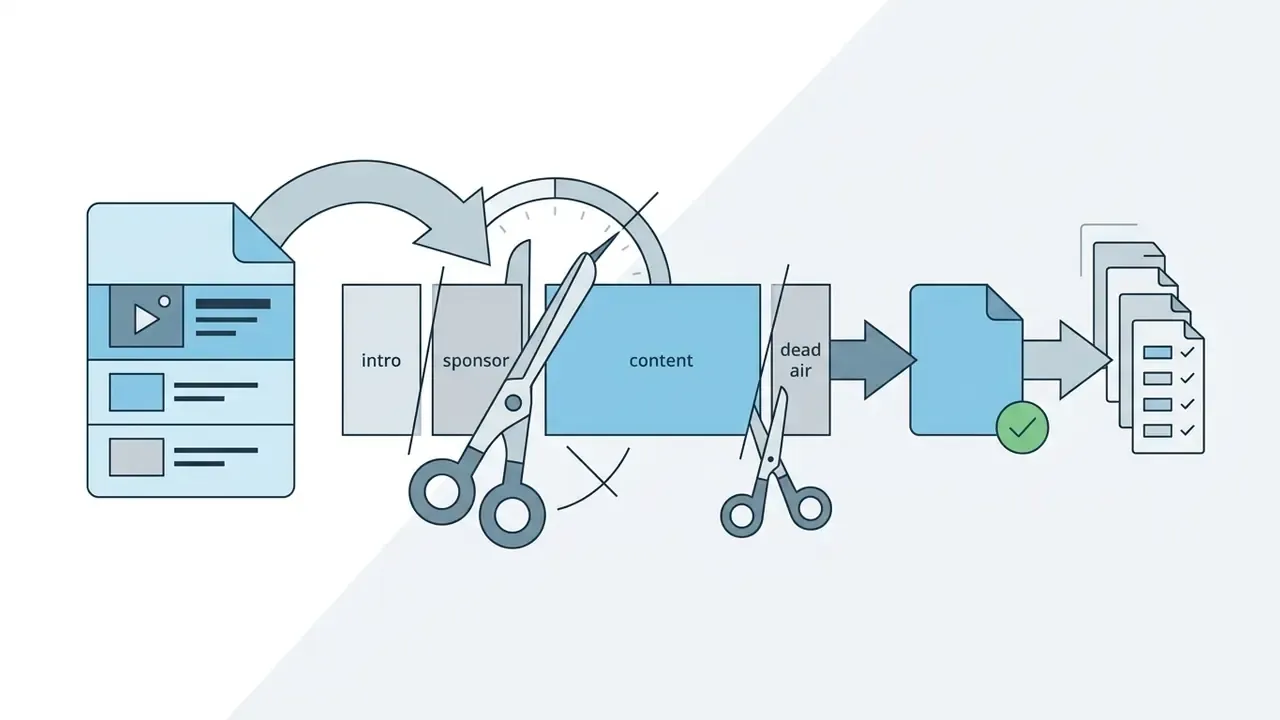
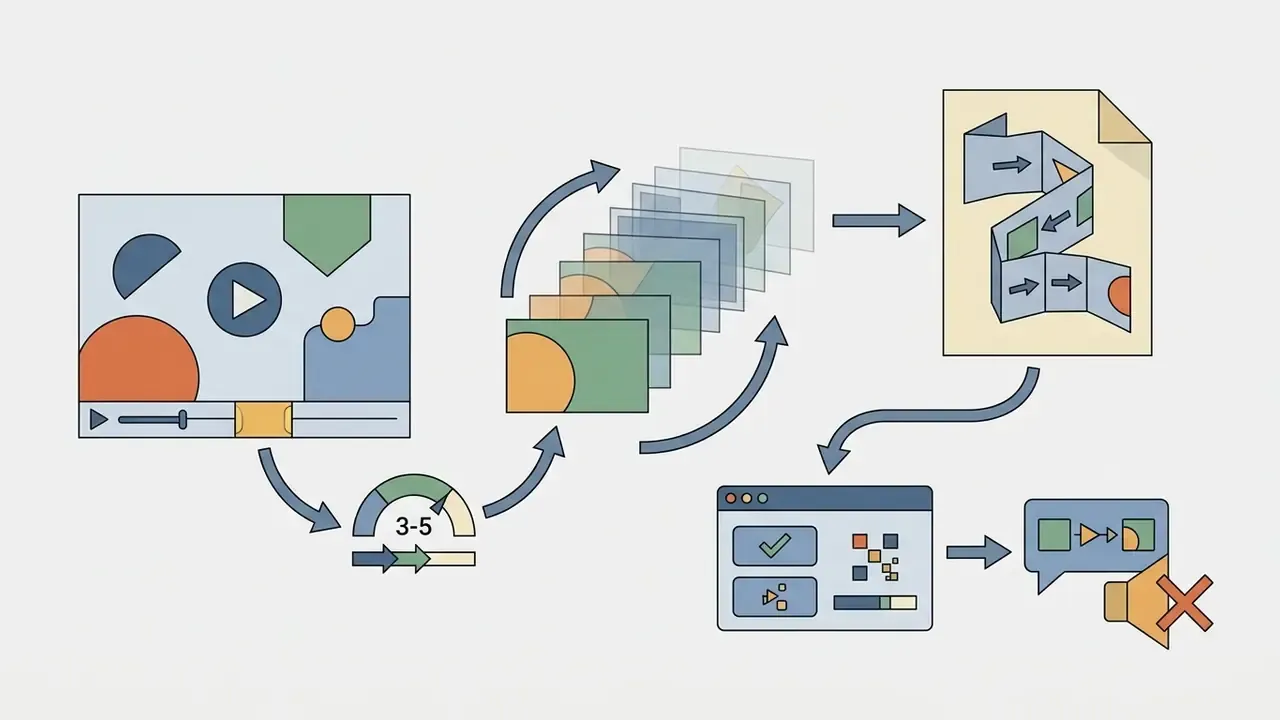
What to do with the video after downloading: formatting and adaptation
Once the media file is on disk, it usually needs technical adjustment to match the requirements of a specific device or publishing platform.
FAQ about online video downloaders
Users regularly ask about safety, account requirements, mobile compatibility and batch support when working with web downloaders. This section collects precise answers to the most common questions.
«One in three American adults admitted to pirating a show or film in the previous 12 months; 17% combined illegal streaming with downloading.» - Cordcutting.com, State of Digital Content Piracy 2024. https://cordcutting.com/
Behaviour at that scale is why the answers below lead with rights and safety rather than with feature lists. For a broader look at modern media systems, visit the AI Media Commercial-Use Hub.
Is registration required to download video online?
For basic use of most online downloaders, no registration or account creation is needed; publicly available links are processed anonymously. Providing personal data or authorising through social networks on third-party resources is not recommended for cybersecurity reasons, and privacy regulators consistently advise limiting registration data to what is strictly necessary.
Can I use a video downloader on a phone?
Yes. Web downloaders work in mobile browsers on iOS (Safari) and Android (Chrome). On Android the file is saved directly into the «Downloads» folder; Google's help notes that some video and audio files download on tap, while other items need a long press followed by «Download link». On iOS the file lands in the «Files» app first, from where you export it into the «Photos» library through «Share» then «Save Video».
Can I download several videos or a whole playlist?
Most free online versions handle one video at a time because of browser execution limits and server load. For bulk export of playlists or entire channels, use dedicated desktop programs or console tools. yt-dlp, for instance, documents playlist handling options such as --lazy-playlist and rate control through --limit-rate. Web services that accept a playlist URL process it server-side, but a browser-native page still exposes files one by one for saving.
Can I download videos without a watermark?
Sometimes. Watermark-free output depends on whether the platform's CDN serves a clean copy at the resolved URL; the downloader does not erase overlays, it simply requests the original stream. For TikTok this often works, but it is not guaranteed, and no tool can strip a watermark that was burned into the source encode.
Is there a limit on the size of file I can download?
Browser-based tools are usually capped by clip duration (commonly 30 to 60 minutes) rather than by hard file size, and some free tiers limit the number of files per day. Desktop solutions remove those ceilings; the practical constraint then becomes your disk space and the source platform's own maximum upload size, 4 GB on TikTok for example.
Can I change the video quality before downloading?
You can only choose among the renditions the source platform actually published. A downloader never upscales: if the author uploaded a 720p master, no setting will produce genuine 1080p. Where a platform serves a single rendition, the tool fetches the file exactly as it exists on the web.
What devices, browsers and platforms are supported?
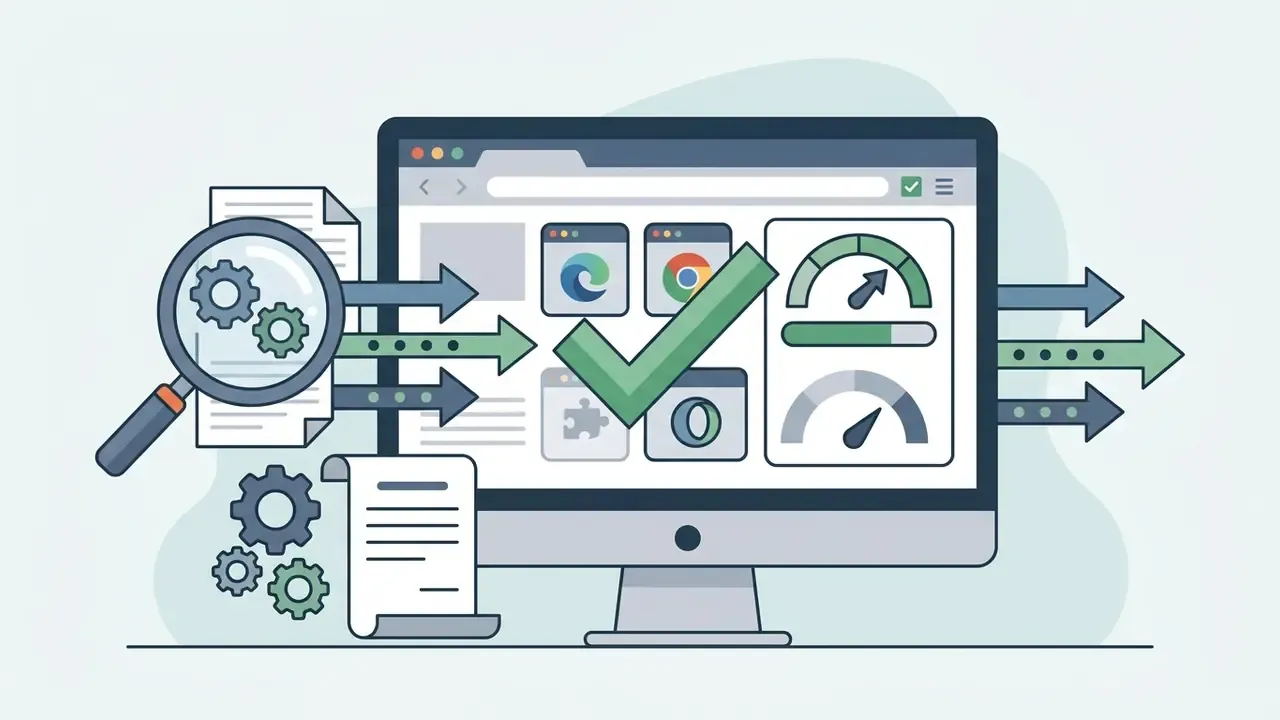
Because the service is web-based and requires no installation, it runs on Windows, macOS, Linux, Android and iOS through Chrome, Safari, Firefox, Edge, Opera and other modern browsers. The only real requirement is a stable internet connection.
Are the URLs I submit stored or logged?
Submitted page URLs are used solely to resolve the direct download link and are not retained. Resolved CDN URLs carry expiry tokens set by the source platform and stop working within hours, which is also why a saved link cannot be shared as a permanent mirror.
Is it safe to use any video downloader online on a work laptop?
Assume no until security says otherwise. Any video downloader free online sits outside the software catalogue, receives internal URLs you paste in, and publishes no audit report. In a regulated environment that combination alone is enough to fail third-party due diligence, so request an approved tool instead of improvising.
Additional resources and the tool ecosystem
To go deeper into digital content processing and media-file work, use the material collected on our portal:
- Graphics editing and correction: guide to online photo editors and the lightweight slim photo editor online free.
- Specialised video effects: the slow motion video editor and clip-splitting via split video online.
- Creating video instead of downloading it: free AI video generators.
- Portrait and animation generation: guide to AI headshot generators and guide to animation makers.
- Search and comparison services: comparison of AI reverse-image-search tools and the Microsoft AI Image Generator overview.
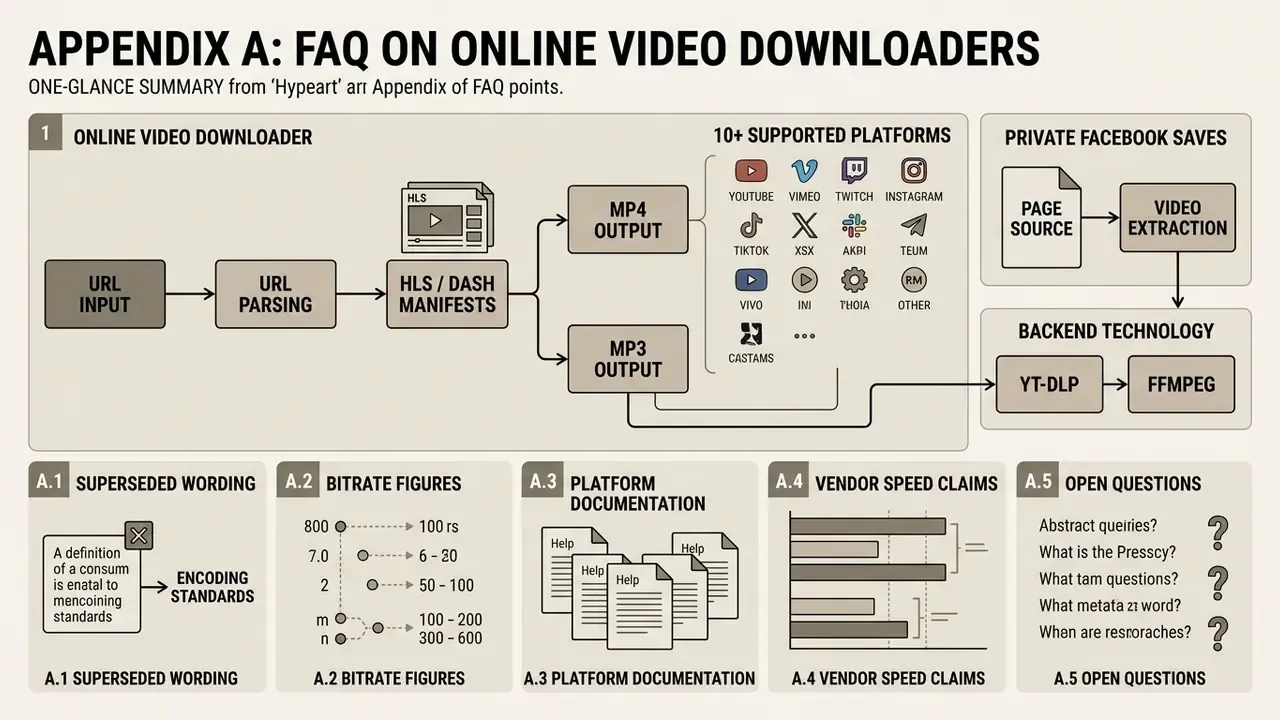
Appendix A: editorial corrections and source notes
AI Media Glossary
The portal's navigation hub with a full reference of terms, guides and standards for digital media content processing.