The Short Version
- Software first Adobe Premiere Pro for agency and commercial work, DaVinci Resolve for color and finishing, Avid Media Composer for broadcast and feature film, CapCut for rapid social output.
- Format matters more than price self-paced MOOC-style libraries complete at roughly 5–15%, while synchronous, deadline-driven activities cross the 70% completion threshold far more often.
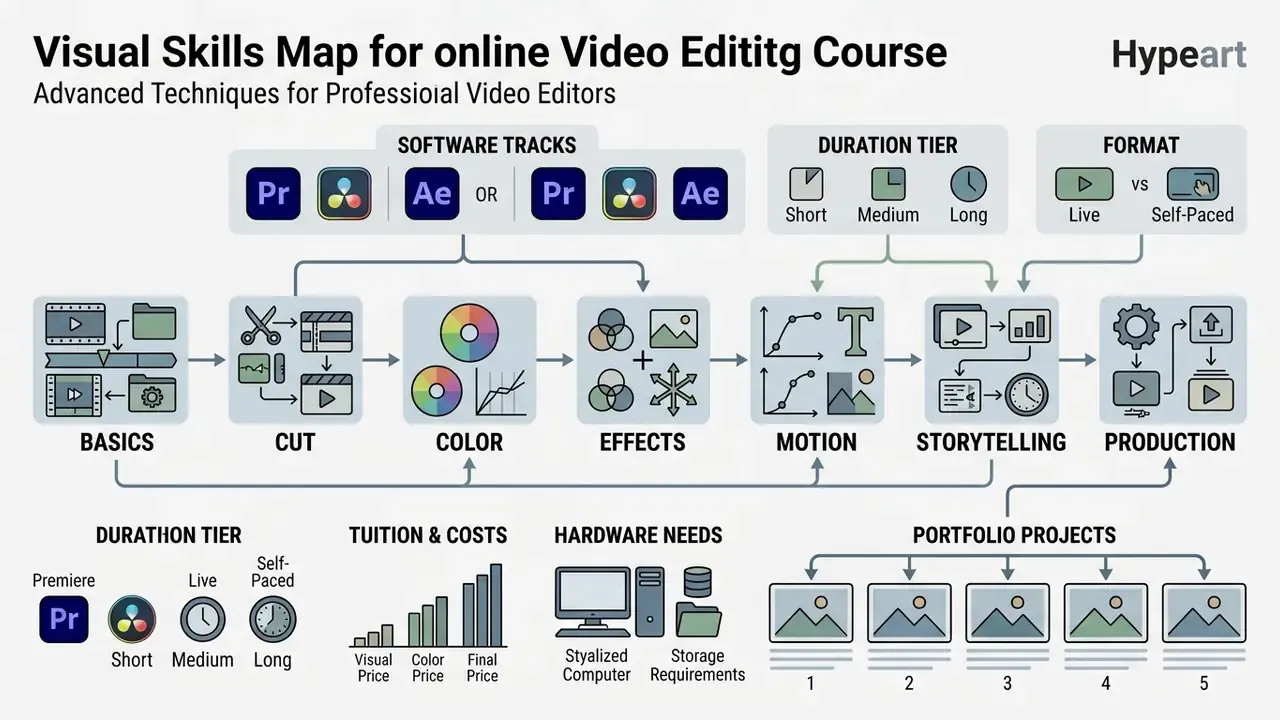
- Duration tiers 30-minute micro-lessons for a single fix, 3–10 hours for tool fundamentals, 15–40 hours for a full skill path, and 4–15 weeks for a live studio bootcamp.
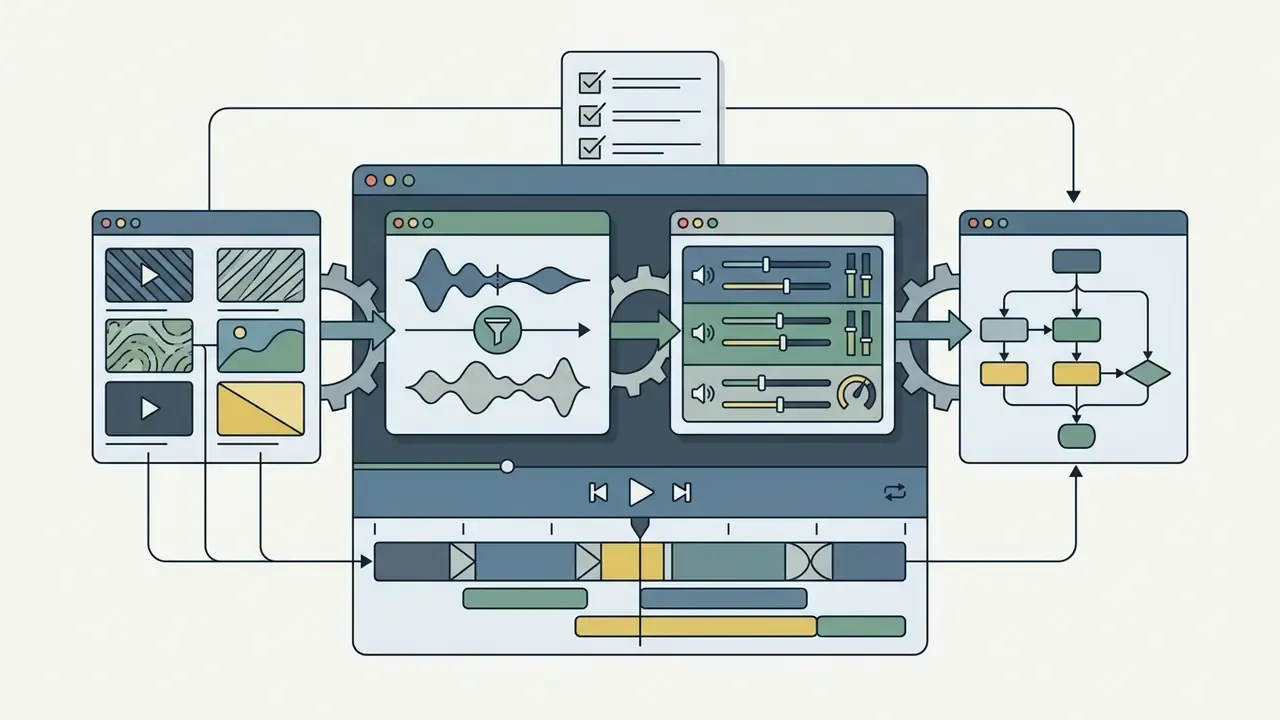
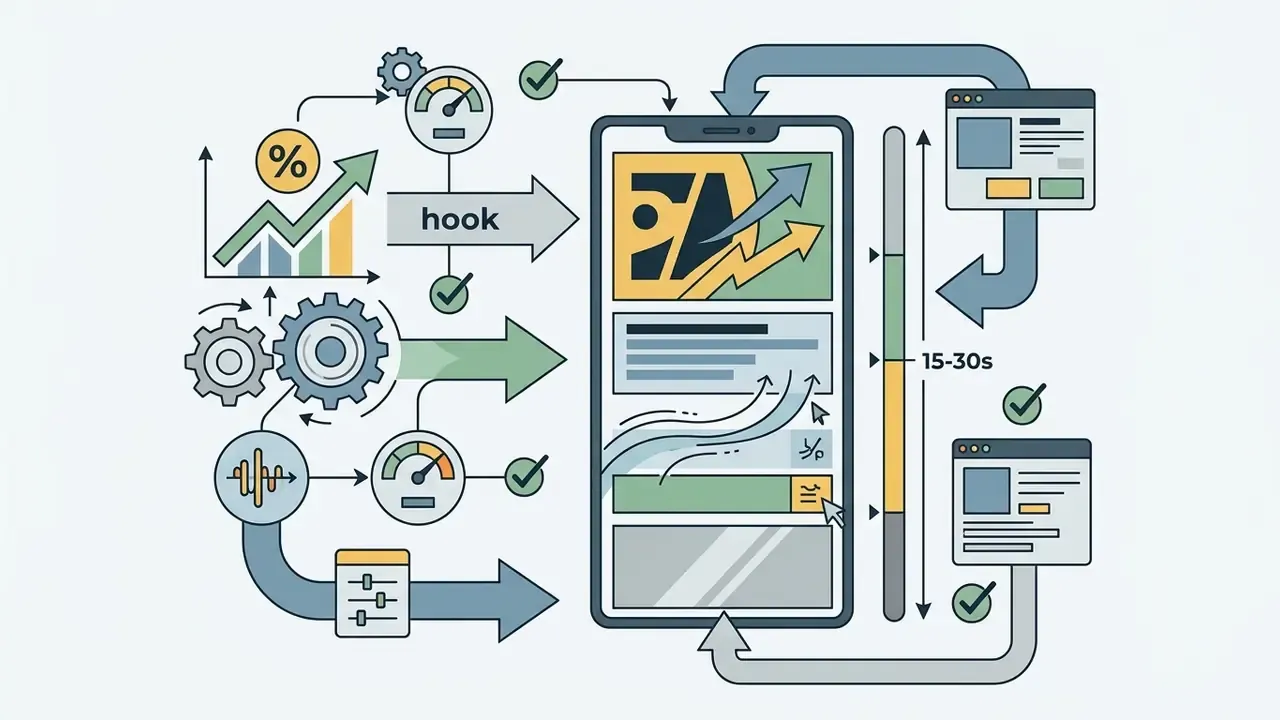
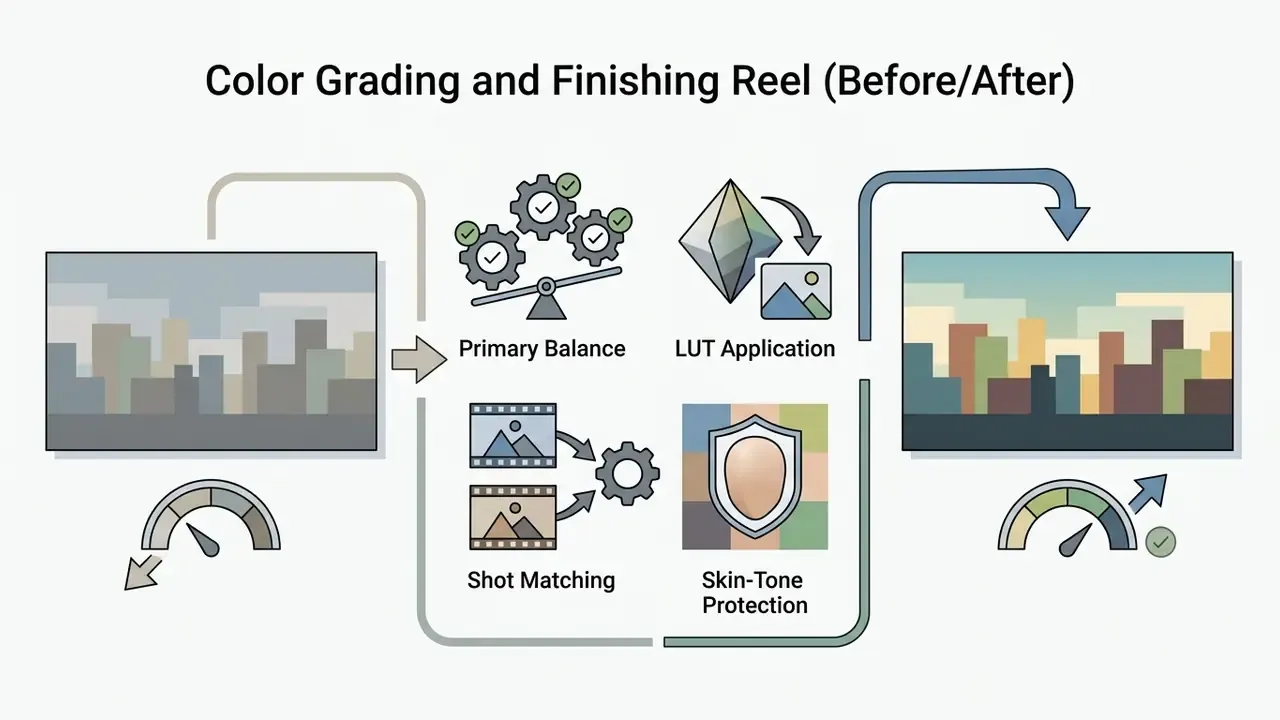
- Portfolio beats certificates five specific edits (dialogue scene, promo montage, micro-documentary, vertical short, and a color grading before/after) carry more hiring weight than a non-proctored badge.
- Budget the whole stack tuition plus software subscription plus hardware upgrade (16–32 GB RAM, 4–8 GB VRAM, NVMe SSD) is the real cost of learning.
Who This Guide Is For, and How to Read It
Three reader profiles keep showing up in support tickets and course-comparison questions, and they need different answers.
The career switcher wants employability evidence, so the sections on duration tiers, instructor verification and portfolio assignments matter most. The in-house content creator already has a job and needs to solve bottlenecks fast, so the micro-skill tier, keyboard-shortcut discipline and export presets are the practical entry points. The team lead buying seats cares about licensing, hardware provisioning and AI-asset compliance, which sits in the pricing and governance sections further down.
One more note before the detail. Listings marketed as "best online video editing courses 2024" or "best video editing courses 2025 online" often recycle an identical catalog year after year, so check the syllabus revision date rather than the headline. Search demand for this topic is global too; a learner typing kursus video editing online is looking for the same tool-first logic described here.
What You Learn in an Online Video Editing Course
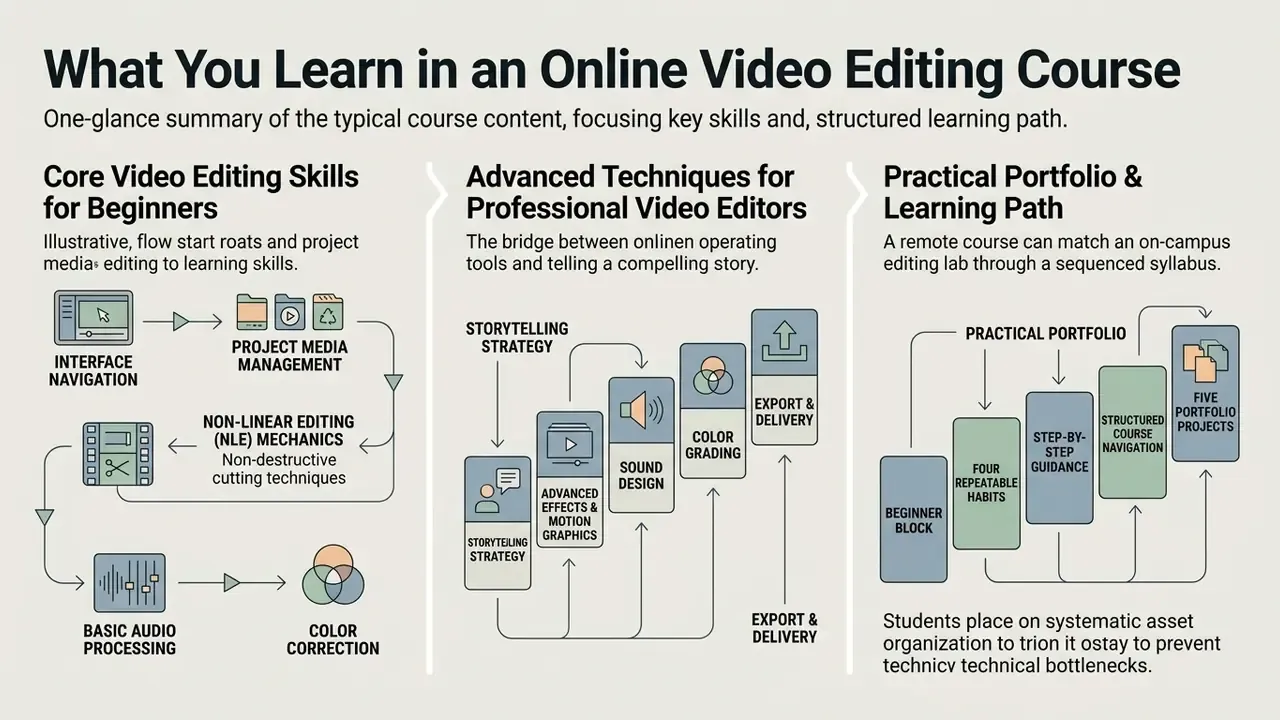
An online video editing course teaches non-linear editing (NLE) mechanics, asset organization, audio processing, color correction, and storytelling strategy. Students move from basic clip assembly to multi-track commercial post-production.
Structured learning paths bridge the gap between operating a tool and telling a story. Learners build functional mastery through timeline mechanics before tackling narrative pacing, color science and visual effects. The delivery channel itself is not the limiting factor.
«Well-designed online and blended formats produce learning outcomes comparable to, or marginally better than, traditional classroom instruction, provided structure and feedback loops are explicit.»
In practice a remote course can match an on-campus editing lab, but only when the syllabus defines sequenced outcomes, supplies raw project footage, and returns timeline-level critique instead of automated quiz scores. That last condition is the one most catalogs quietly skip.
Core Video Editing Skills for Beginners
Beginner training focuses on interface navigation, non-destructive cutting, project media management, basic timeline assembly, and multi-format rendering. Novices learn to build efficient folder structures, manage media bins, trim with precision, and set sane audio levels.
Systematic asset organization early on prevents technical bottlenecks during client revisions. Fundamental competency rests on clip trimming, ripple edits, slip and slide tools, and rendering compliant files for the target distribution channel.
Concretely, the beginner block should produce four repeatable habits. Ingest and bin footage before touching the timeline. Build a rough cut before adding a single transition. Balance dialogue levels before music enters the mix. Export with a preset matched to the delivery platform, not a default template. Learners wrestling with oversized source files or slow uploads can pair those habits with a video compressor workflow so review copies stay light during instructor feedback rounds.
Advanced Techniques for Professional Video Editors
Advanced instruction covers multi-camera synchronization, secondary color grading, keyframe-based motion design, dynamic masking, dialogue noise reduction, and layered visual storytelling. Editors learn to hold multi-track timelines together and keep color consistent across mixed camera sources.
Professional post-production is unforgiving about order of operations. A 2023 study on post-production workflows notes that technical color correction, balancing exposure and white balance, must precede artistic grading if the mood is to stay consistent across a multi-camera setup.
«Color correction balances footage to look realistic; color grading is the later step that creates mood and visual aesthetics.»
Advanced modules should also introduce turnover discipline: offline dailies, conform, then final deliverables. That is exactly how Adobe structures its film and television workflow documentation for long-form pipelines, and it is the vocabulary an assistant editor is expected to already know on day one.
Which Video Editing Software Should You Learn First?
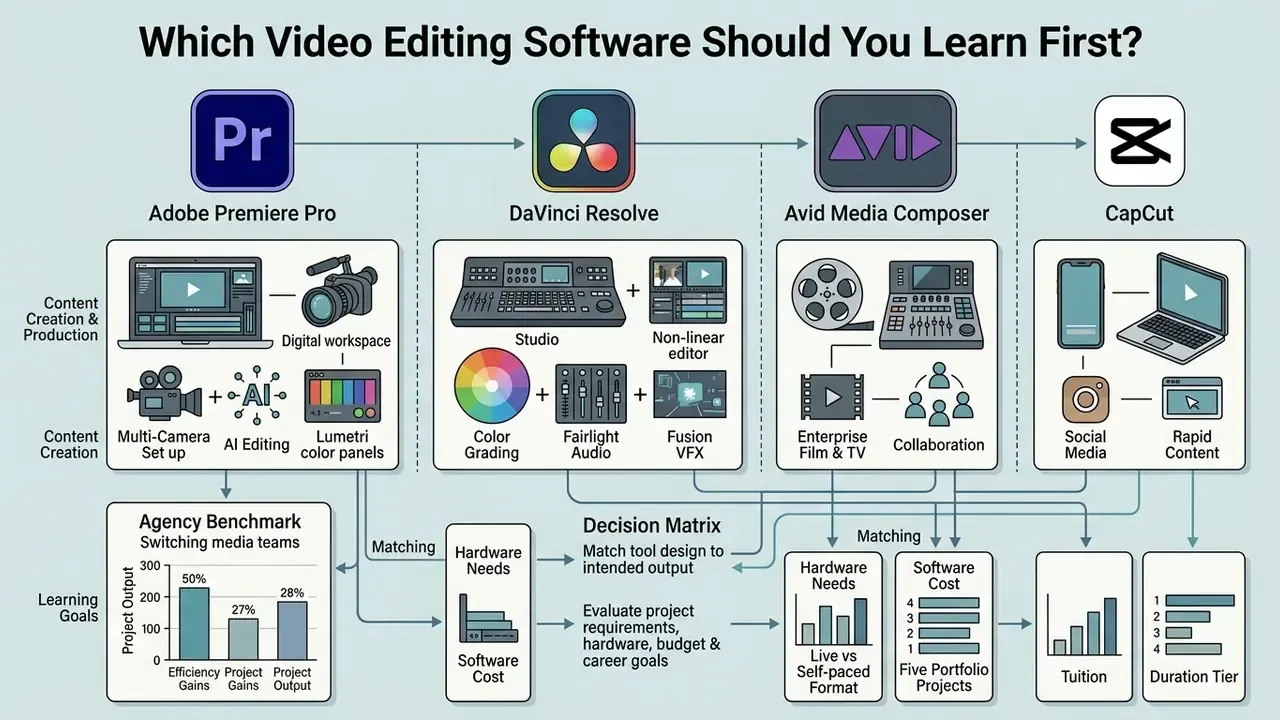
The primary software choice depends on project requirements, hardware, budget and long-term career direction. Beginners often start with CapCut or Adobe Premiere Pro, while finishing specialists gravitate toward DaVinci Resolve or Avid Media Composer. Before committing, screen the free video editing software landscape so tuition is not spent learning a tool you cannot license afterwards.
Evaluating tools before enrolling in an online course for video editing prevents technical friction and keeps your training aligned with industry standards. Workflow dictates the pick: commercial agencies prioritize interoperability, feature film environments favor shared media infrastructure, and social teams need rapid publishing, often supported by AI video generators for content teams for concept boards and B-roll prototyping.
Adobe Premiere Pro for Content Creation and Production
Adobe Premiere Pro remains the industry-standard desktop NLE for commercial production, agency content and digital publishing pipelines. Creative Cloud integration with After Effects and Audition allows dynamic linking for graphics and audio work without re-rendering intermediates.
Premiere Pro supports multi-camera editing, AI-assisted text-based editing, native Lumetri color panels, Media Intelligence search, and background encoding through Adobe Media Encoder, as documented in Adobe's official Premiere Pro workflow pages (helpx.adobe.com). Editor's note: an earlier reference to a "2026 best practices guide" has been normalized to Adobe's living documentation, since vendor requirement pages are revised per release rather than published annually.
Agency benchmark (internal audit, single dataset, not externally peer-reviewed): moving a media team from disjointed tools onto a unified Premiere pipeline cut export turnaround by 35% across 120 monthly deliverables. Treat that as a case example, not a market average. Creators working on scripted short-form often pair Premiere with a script generator ai to tighten pre-production before the timeline stage.
DaVinci Resolve, Avid and CapCut for Different Learning Goals
DaVinci Resolve bundles non-linear editing, Hollywood-grade color, Fairlight audio and Fusion visual effects in one application. Avid Media Composer holds its position in high-end cinematic post and multi-editor television. CapCut delivers template-driven mobile and desktop editing tuned for short-form platforms.
Match tool design to intended output. Blackmagic Design ships full node-based grading even in the free Resolve tier, which makes it a strong finishing trainer, whereas CapCut's automated captioning and lightweight timeline serve quick social turnarounds (Blackmagic Design product documentation). Licensing differs too: Resolve is free plus a one-time Studio license, Premiere Pro is subscription-only, Avid sells subscription or perpetual. That difference changes the true cost of any course built around each tool.
Teams managing automated marketing assets can consult the AI Media Commercial-Use Hub to check licensing compliance for AI-generated elements before importing them into a desktop editor.
| Video Editor | Target Level | Primary Use Case | Color Grading & VFX Capabilities | Hardware Requirements Baseline | Licensing Model |
|---|---|---|---|---|---|
| Adobe Premiere Pro | Intermediate to Pro | Commercials, YouTube, agency content | Lumetri Color, Essential Graphics, AE integration | 8 GB RAM min (32 GB for 4K), 2–4 GB VRAM GPU | Subscription only |
| DaVinci Resolve | Intermediate to Pro | Feature film, color grading, finishing | Advanced node-based grading, Fusion VFX built in | 16 GB RAM min (32 GB for 4K), 4–8 GB VRAM GPU | Free tier + one-time Studio license |
| Avid Media Composer | Advanced / Pro | Broadcast TV, studio feature films | Enterprise color pipeline, shared media management | 16 GB RAM min, workstation-class CPU and GPU | Subscription or perpetual |
| CapCut | Beginner | Social media (Reels, TikTok, Shorts) | Preset filters, automated text, basic keyframing | 4–8 GB RAM, integrated graphics mobile/desktop | Freemium + Pro/Teams plans |
Readers who want a vendor-neutral primer on interfaces, codecs and export presets can review the broader guide to video editing tools and workflows before locking a learning track.
Online Video Editing Courses: Self-Paced, Live and Workshop Formats
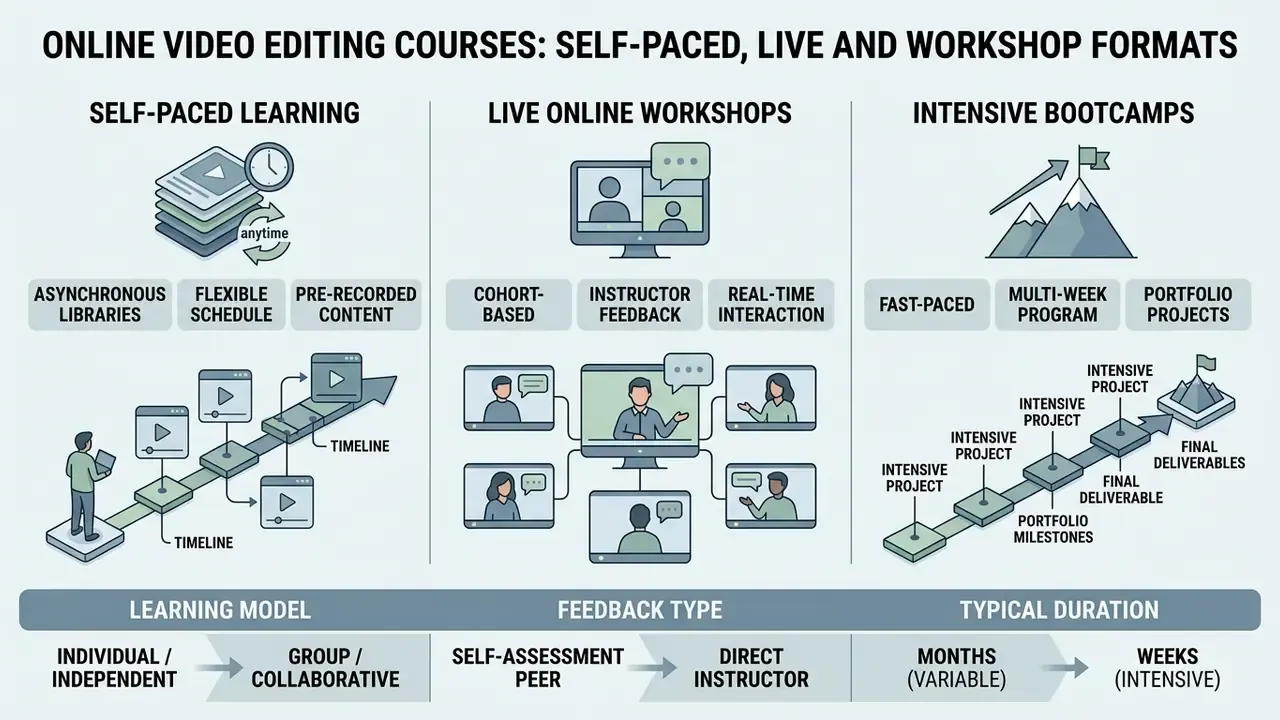
Online classes for video editing arrive in three shapes: fully asynchronous self-paced libraries, live cohort-based workshops, and intensive multi-week bootcamps. Each carries trade-offs in scheduling flexibility, instructor access, peer accountability and cost.
Format choice influences completion rates and skill mastery more than most buyers expect.
«16 of 22 synchronous activities were completed by 70% or more of students, while only 4 of 20 asynchronous activities crossed the same threshold (η² = 0.59).»
Duration is the second decision axis, and catalogs tend to bury it. Listings run from 30-minute single-fix tutorials to 15-week part-time studio programs. Matching the tier to your real goal prevents both overspending and under-training.
| Course Duration Tier | Total Hours | Weekly Commitment | Best For | Expected Portfolio Output |
|---|---|---|---|---|
| Micro-skill quickstart | 30 mins – 2 hrs | Single session | One specific bottleneck (speed ramping, noise removal, aspect-ratio conversion) | 1 practice test clip |
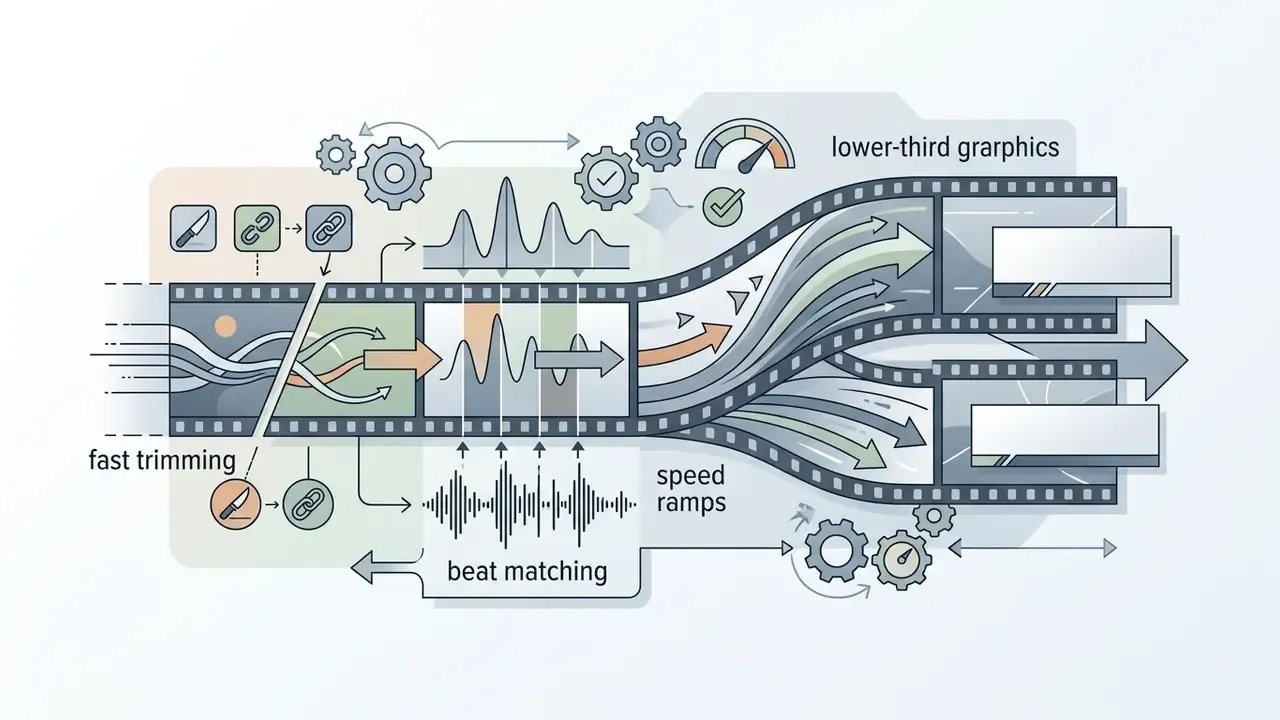
| Tool fundamentals | 3 – 10 hrs | 2–5 hrs/week | Beginners learning the NLE interface and timeline navigation | 1 short social media clip |
| Comprehensive skill path | 15 – 40 hrs | 5–10 hrs/week | Career switchers building full technical competency (edit, color, audio) | 2–3 commercial or narrative edits |
| Live studio bootcamp | 4 – 15 weeks | 10–20 hrs/week | Aspiring professionals needing live critique, collaboration and deadlines | 5-project demo reel plus industry review |
Market reference points: vendor micro-tutorials often run 30–35 minutes, general "shoot-to-publish" overviews land in the 1–3 hour band, professional paths on library platforms exceed 30 hours, and part-time studio workshops from film schools run two days to 15 weeks with tuition typically between $2,000 and $2,500 per workshop.
Self-Paced Courses for Flexible Learning
Self-paced training gives access to pre-recorded modules, downloadable project assets and self-guided exercises on your own timetable. It suits self-motivated learners fitting study around full-time work or client obligations.
The catch is self-regulation.
«Low MOOC completion, between 5% and 15%, persisted across six years of cohorts, and behavioural interventions produced only marginal improvement.»
Editor's note: the earlier unattributed "Guo, Kim & Rubin edX MOOC Study" citation for completion rates has been corrected. That study measured video engagement, not completion, and is cited separately in the curriculum section below.
To keep momentum, set structured weekly practice blocks, hard deadlines every two to three weeks, and short repeated sessions rather than weekend marathons (Montana State University self-paced learning guide; University of Waterloo Centre for Teaching Excellence, self-directed learning process). The AI Media Calculators help estimate render times and project hours when planning those blocks, which sounds trivial until a 40-minute export eats your only free evening.
Live Online Workshops With Instructor Feedback
Live workshops combine real-time lectures with interactive Q&A, screen-shared critique and immediate feedback on submitted edits. Adobe Certified Experts and working industry editors frequently teach them, which raises both engagement and peer collaboration. Many now cover adjacent production tooling, including AI video generators for previsualization and placeholder footage.
Direct feedback speeds up technical problem-solving.
«Training with a live instructor and authentic tasks produces higher transfer of skills into the work context than passive content consumption.»
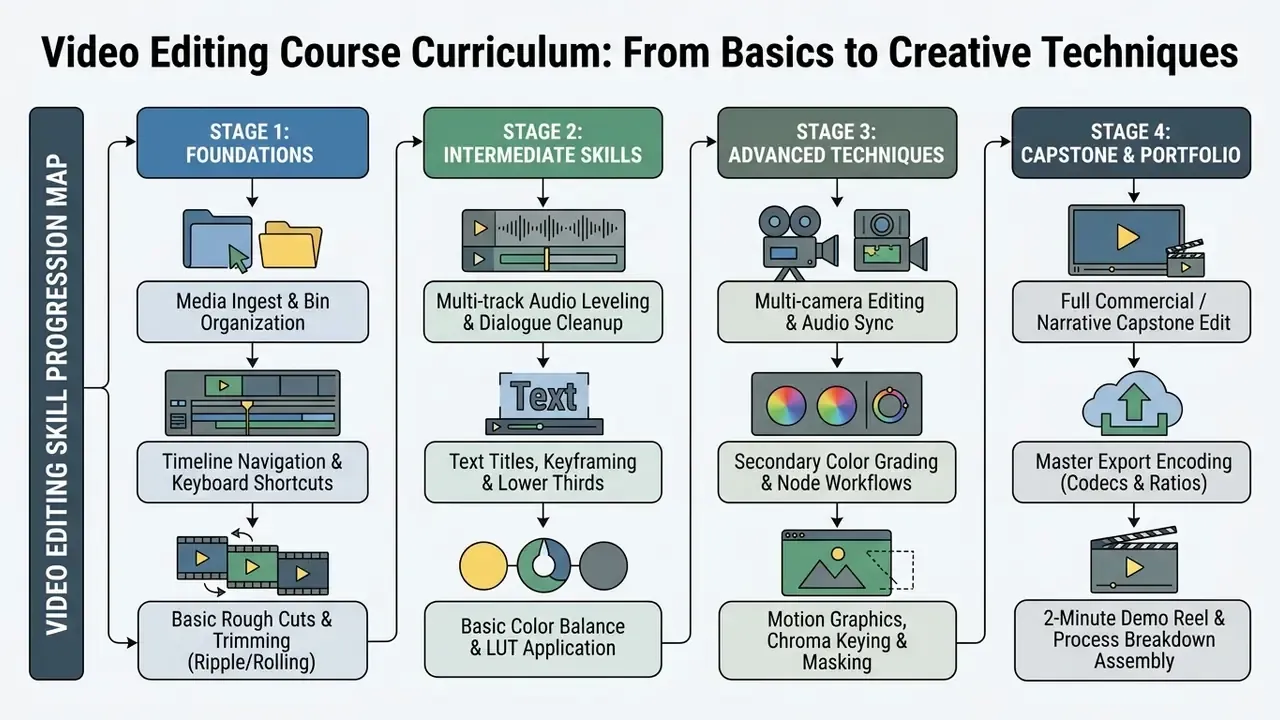
Video Editing Course Curriculum: From Basics to Creative Techniques
A comprehensive video editing course curriculum moves from foundational timeline operations to audio engineering, color correction, motion graphics and visual pacing. That progression builds operational confidence before a student faces a paying client's notes.
Outcomes improve when technical exercises are paired immediately with creative briefs.
Editor's note: the earlier "Computer Educator Syllabus Review, 2025" citation was unverifiable and has been replaced. Standard professional syllabi sequence instruction as project setup, rough cut assembly, audio cleanup, text and graphics, color grading, advanced effects, workflow management, then delivery masters. That order is consistent across academic syllabi and vocational outlines alike.
Editing Basics: Timeline, Cut and Media Organization
Foundational modules cover media ingest, scratch disk setup, sequence settings, timeline navigation, keyboard shortcuts and precision cut mechanics. Students practice three-point editing, ripple and rolling trims, J and L cuts, clip markers and disciplined bin structure.
Shortcut fluency is what separates a slow first month from a fast one. Adobe's keyboard documentation recommends dedicated commands for playhead navigation, blade cuts and multi-camera switching; number keys 1 to 9 select angles and Shift+0 opens the multicamera view (Adobe Premiere Pro Help, helpx.adobe.com). Editor's note: the earlier claim that shortcuts "reduce repetitive trimming actions by over 40%" is a vendor productivity recommendation, not a measured finding, so it appears here as guidance rather than data.
Lesson length also affects retention:
Editors reworking legacy assets or inverted sequences often use tools to reverse video online during initial assembly, which is a small trick that saves a re-shoot argument now and then.
Color, Effects, Motion and Visual Storytelling
Advanced modules address Lumetri and node-based color balance, LUT creation and application, keyframe text animation, green-screen keying with matte refinement, object and motion tracking, luma and alpha channel work, and narrative pacing. Students study how rhythm, match cuts, sound design and color temperature set emotional tone and steer attention.
Storytelling depends on technical precision to carry artistic intent. Not the reverse, though plenty of showreels try.
«A meta-analysis of 19 studies (2012–2023) found a significant positive effect of immersive technology on learner creativity (Hedges' g = 0.82).»
Editor's note: a previous "Springer Educational Technology Study, 2026" reference has been replaced with the verifiable meta-analysis above.
For creators folding synthetic voices or automated narration into a timeline, an AI Voice Generator supports fast dialogue prototyping before final mixdown, and text-to-video AI tools can hold a sequence together while principal footage is still in transit.
How to Choose the Best Online Video Editing Course for Your Goals
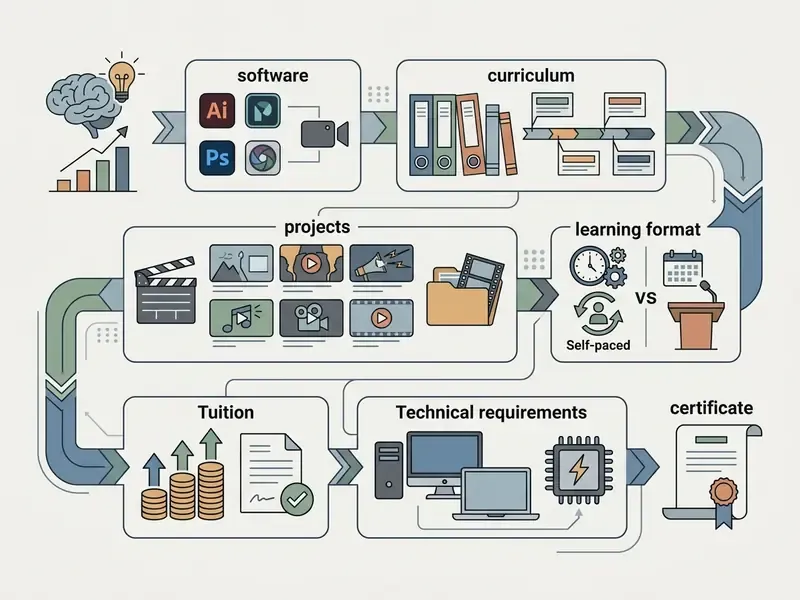
Evaluating the best online video editing courses means examining curriculum quality, capstone requirements, instructor credentials, platform usability and verified graduate outcomes, then aligning all of it with one defined objective: social output, commercial agency editing, or cinematic finishing. Structured project review beats marketing copy every time.
Start with the self-check below, then work through the comparison criteria that follow.
Checklist0 / 6
Independent evaluation research is blunt about what separates strong programs from weak ones:
«High-quality online courses show explicit alignment between objectives, content and assessment; that alignment, not delivery mode, predicts learning outcomes.»
Editor's note: references to a "Quality Matters Higher Education Rubric, 2026" have been normalized to the Quality Matters Course Design Rubric Standards, which are versioned rather than year-stamped. Rubric dimensions worth mirroring in your own comparison: course overview, learning objectives, assessment, instructional materials, interaction, technology, learner support, accessibility and usability.
Goal-oriented selection also saves money. The same systematic review of virtual training cited earlier identifies task authenticity as the key transfer factor: programs that simulate real working scenarios outperform those that simulate exams. In practice, ask whether assignments come with a client brief, a deadline and a revision round. If not, you are buying tutorials, not training.
Editor's note: a previous "University of Arizona Course Alignment Model, 2026" citation was unverifiable and has been removed.
How to Verify Your Instructor's Industry Credibility
A course is only as good as the editor grading your timeline. Run this verification pass before paying.
Checklist0 / 5
Free Video Editing Courses vs Paid Training
Free tutorials are excellent for specific software questions and quick fixes, but they rarely offer pedagogical progression, organized project media or mentor feedback. YouTube-based learning is documented mainly as supplementary, gap-filling content rather than sequenced competency building. Paid training adds ordered paths, curated footage libraries, personal edit reviews and industry-aligned workflows. Beginners can stretch a free curriculum with free AI video generators when no raw assets are supplied and there is nothing to practice on.
Free guides answer "how do I do this one thing". Structured instruction answers "am I actually competent yet", and the evaluation evidence supports layered proof:
«Virtual training is most effective when evaluation is layered across knowledge, skills, behaviour change and real outcomes, not satisfaction surveys alone.»
Certificates, Projects and Professional Recognition
Certificates of completion prove attendance. Employers and freelance clients weigh portfolio work far more heavily. Vendor-backed certifications, Adobe Certified Professional, Blackmagic's certified endorsement, Avid certification, carry verified weight because they test standardized application knowledge through a proctored exam.
Hiring managers assess capability through reels and annotated process breakdowns. Peer-reviewed completion data also shows that graded, peer-assessed project work is what drags students across the finish line:
Editor's note: an earlier "Coursera Career Outcomes Report, 2026" marketing reference has been replaced with the peer-reviewed study above.
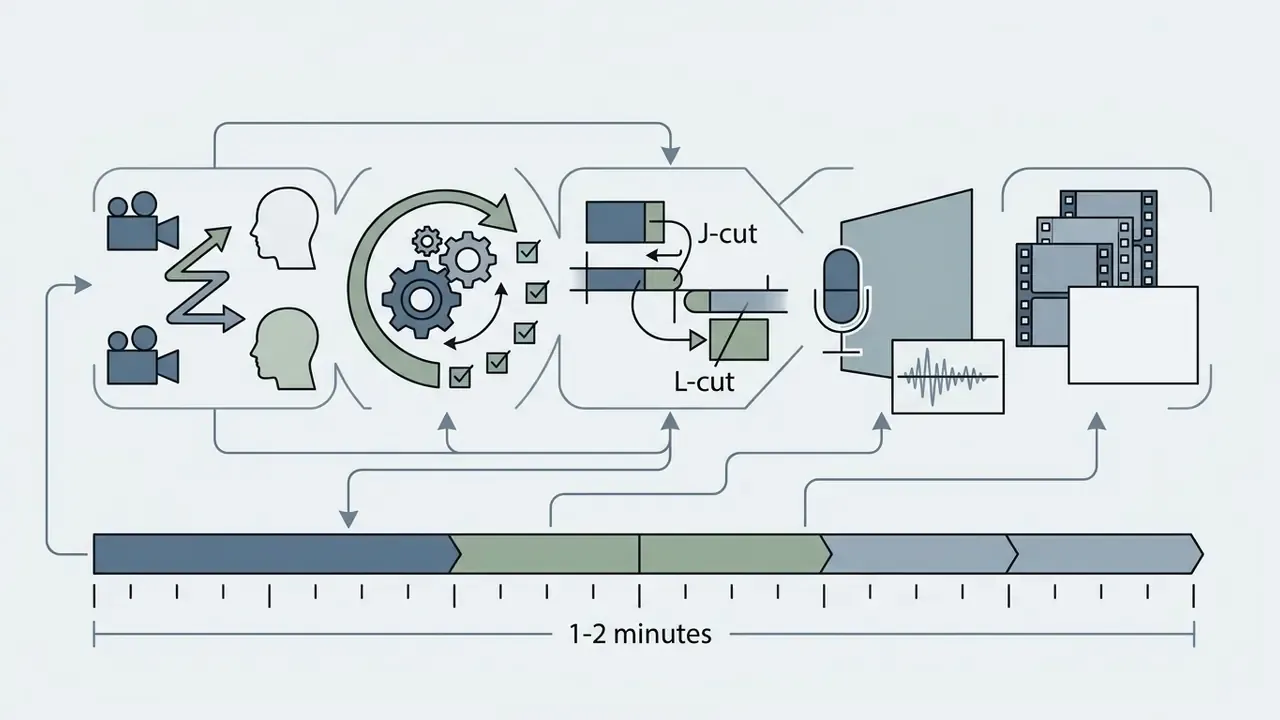
Essential portfolio assignments every course should include
These five are not arbitrary. Part-time studio workshops build their whole assessment structure around comparable deliverables (a montage, a short documentary, a dialogue project, a social video and a cut reel) across both 4-week and 15-week schedules.
| Course Provider / Program | Skill Level | Primary Software | Delivery Format | Duration Tier | Capstone Project | Certificate Offered | Pricing Model (Jan 2026) |
|---|---|---|---|---|---|---|---|
| Coursera video editing specializations | Beginner to intermediate | Premiere Pro / DaVinci / CapCut | Asynchronous self-paced | Comprehensive path (15–40 hrs) | Yes (guided portfolio reel) | University or vendor certificate | $49–$79/month (Coursera Plus) |
| Udemy professional editing courses | Beginner to advanced | Premiere Pro, Resolve, CapCut | Asynchronous self-paced | Micro-skill to comprehensive (0.5–40 hrs) | Platform-dependent | Certificate of completion | $10–$200 one-time; plans from ~$14/month |
| Skillshare creative video classes | Beginner to intermediate | Premiere Pro, CapCut, After Effects | Asynchronous self-paced | Tool fundamentals (1–10 hrs) | Class project submission | None (no formal certificate) | $13.99/month billed annually (~$167.88/yr) |
| Blackmagic Design official training | Beginner to advanced | DaVinci Resolve (Edit and Color) | Self-paced plus certified live | Comprehensive path (20–40 hrs) | Practical exam projects | Official certified endorsement | Free training and exam access |
| LinkedIn Learning video paths | Beginner to intermediate | Premiere Pro, Final Cut Pro, Avid | Asynchronous self-paced | Comprehensive path (30+ hrs) | Micro-practice files | Digital badge / certificate | ~$39.99/month subscription |
| Film-school online workshops (NYFA-style) | Beginner to advanced | Premiere Pro, Avid Media Composer | Live virtual studio cohort | Studio bootcamp (2 days to 15 weeks) | Montage, documentary, dialogue, reel | Workshop completion plus faculty review | ~$2,000–$2,500 per workshop |
Verify tuition, dates and syllabus on the provider's own page before enrolling; catalog prices drift more often than course content does.
Choosing a Course for Beginners
Beginners should favor step-by-step instruction, supplied practice footage, gentle software introductions (CapCut or foundational Premiere Pro) and plain-language workflow explanations. Intro modules should not open with codec theory. They should deliver a finished 15-second clip in week one. Comparing the best free video editing software first keeps your initial outlay at zero while you test whether editing actually holds your interest.
Short lessons matter especially here, for the reasons the edX engagement dataset cited above makes clear. A workable first fortnight looks like this: three 40-minute sessions per week, each ending in an exported file; one shortcut added per session until you can cut without the mouse; and a single project folder template reused every time. Boring, yes. It is also the fastest route out of beginner status.
Accessibility deserves a mention too. Institutional guidance for beginner course design emphasizes clear structure, descriptive headings, readable documents and sequential instructions for every key action, so learners without prior experience can follow unaided. Novices exploring automated asset creation alongside editing can review options in the Best Free AI Art Generator Comparison.
Choosing Training for Professional Editing and Content Creation
Aspiring professionals and agency creators need practice volume above all. Formal specialty curricula allocate roughly 280–360 hours, most of it supervised practice, plus mentor feedback, multi-camera assets, advanced color and audio modules and portfolio review.
Look for three professional signals. Explicit career tracks, since artistic-creative, production-technological and organizational-managerial roles are the standard split in formal editing curricula. Documented work experience or internship components. And placement support: CV review, HR consultations, mock interviews.
Internal audit example (agency benchmark, methodology not externally peer-reviewed): in one post-production department, introducing structured peer review and standardized media organization reduced client revision rounds by 28% across complex commercial campaigns. The mechanism matches the peer-assessment research cited earlier, though the figure reflects a single dataset and should be read as a case example rather than a generalizable statistic.
Editors building custom visual assets or stylized thumbnails can consult tool reviews such as the Ghibli AI Image Generator Commercial Guide to understand asset integration and usage rights before shipping client work.
Online Video Editing Course Pricing and Technical Requirements
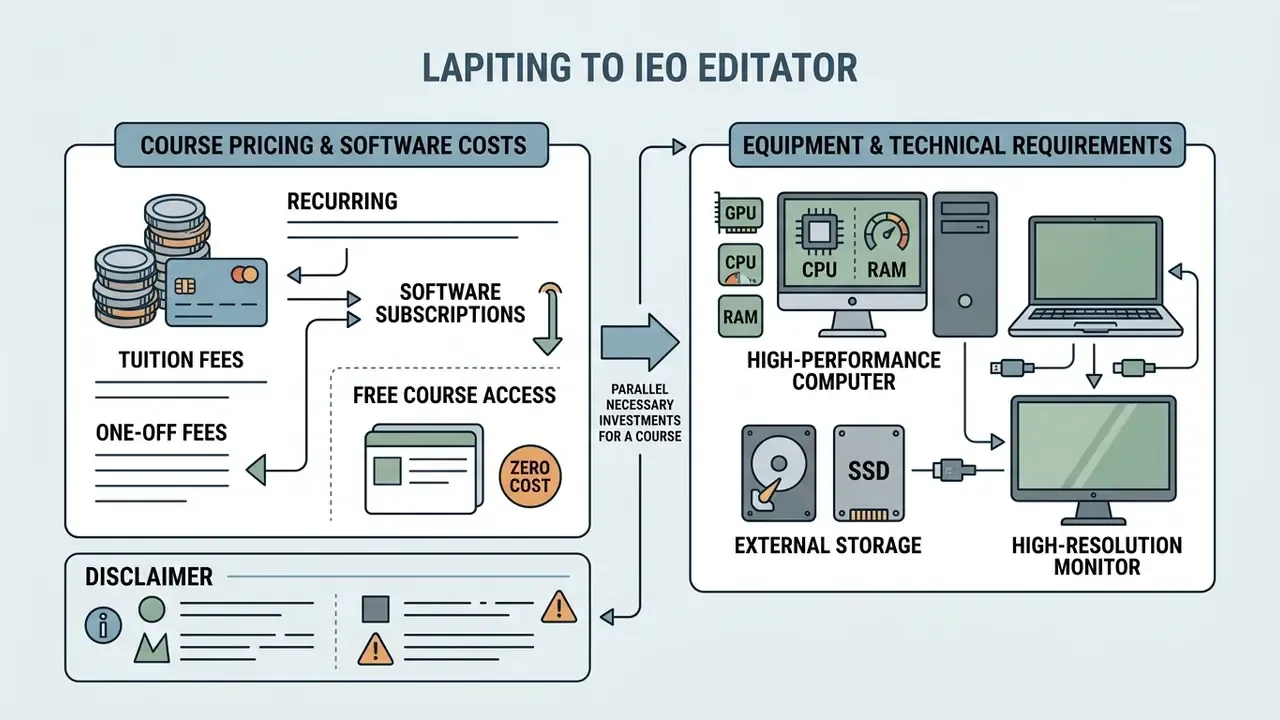
Enrolling in an online video editing course means budgeting tuition alongside hardware investment and recurring software subscriptions. Costs swing widely between free open-access modules, monthly platform subscriptions and premium cohort bootcamps.
Plan total cost of ownership across hardware, software licenses, external storage, cloud render or transcode services, and course fees. High-resolution post-production needs dedicated graphics hardware and fast storage, or the machine will stall exactly when a deadline arrives.
Tuition, Subscriptions and Free Course Access
Tuition ranges from free vendor tutorials to $10–$200 individual course purchases, $14–$79 monthly platform subscriptions, and $300–$2,500 for intensive live cohorts and film-school workshops. Blackmagic Design offers comprehensive training manuals and video courses at no cost, while Adobe's consumer tool Premiere Elements sells as a one-time purchase around $99.99 and Creative Cloud video plans start near $22.99/month on annual billing.
Payment structures differ by provider: full upfront payment, monthly installments, interest-free split financing, bank credit, and free introductory modules that must be finished before paid study begins. Which one fits depends on learning velocity. A student completing three structured courses inside two months gains from a flat-rate subscription; a working professional who needs one specialized color grading module is better served by a single purchase. Independent platform comparisons live in the AI Media Comparison Matrices for cross-tool analysis.
Equipment and Technical Requirements for Editing Videos
Editing 1080p and 4K footage smoothly calls for a multi-core processor (Intel i7/i9, AMD Ryzen 7/9, or Apple Silicon M-series Pro/Max), a dedicated GPU with 4–8 GB VRAM or more, 16–32 GB RAM, and fast NVMe SSD storage for cache.
Underpowered hardware produces stuttering previews, sluggish scrubbing and crashes mid-render. Adobe's current Premiere Pro requirements list 8 GB RAM as an absolute minimum, 32 GB for 4K media, a GPU with 8 GB of memory, a fast internal SSD for cache and a separate high-speed drive for media; 10 Gigabit Ethernet is specified for 4K shared network workflows, not local editing. Blackmagic's guidance for UHD and 4K processing in DaVinci Resolve points to at least a four-core CPU, 16 GB system RAM and 8 GB or more of GPU memory (Adobe and Blackmagic Design official hardware specifications, helpx.adobe.com and blackmagicdesign.com).
Editor's note: an earlier "Adobe and Blackmagic Design Technical Requirements, 2026" citation has been normalized, since both vendors publish version-specific requirement pages rather than annual editions.
Developers wiring up automated rendering pipelines can consult the AI Media API Guides to evaluate cloud hardware offloading and take pressure off a local GPU.
| Training Tier / Format | Typical Course Fee (USD) | Software License Cost | Minimum PC Hardware (1080p) | Recommended PC Hardware (4K) | Storage & Extras |
|---|---|---|---|---|---|
| Free vendor tutorials | $0 | Free (Resolve) / subscription (Adobe) | 8 GB RAM, quad-core CPU, integrated GPU | 16–32 GB RAM, 6-core CPU, 4 GB GPU | 1 TB external HDD |
| Platform subscriptions | $14 – $79 / month | $22.99 – $59.99 / month | 16 GB RAM, quad-core CPU, 2 GB GPU | 32 GB RAM, 8-core CPU, 8 GB VRAM GPU | 1–2 TB NVMe plus external backup |
| One-time course purchase | $10 – $200 one-time | $0 – $99.99 one-time | 8–16 GB RAM, 4-core CPU, 2 GB GPU | 32 GB RAM, 8-core CPU, 8 GB VRAM GPU | 1 TB NVMe cache drive |
| Live cohort bootcamp | $300 – $2,500+ | Varies; often provided by program | 16 GB RAM, 6-core CPU, 4 GB GPU | 32–64 GB RAM, 8-core CPU, 8–12 GB VRAM GPU | External drive, headphones/mic, broadband |
How to Learn Video Editing Online and Build Practical Experience
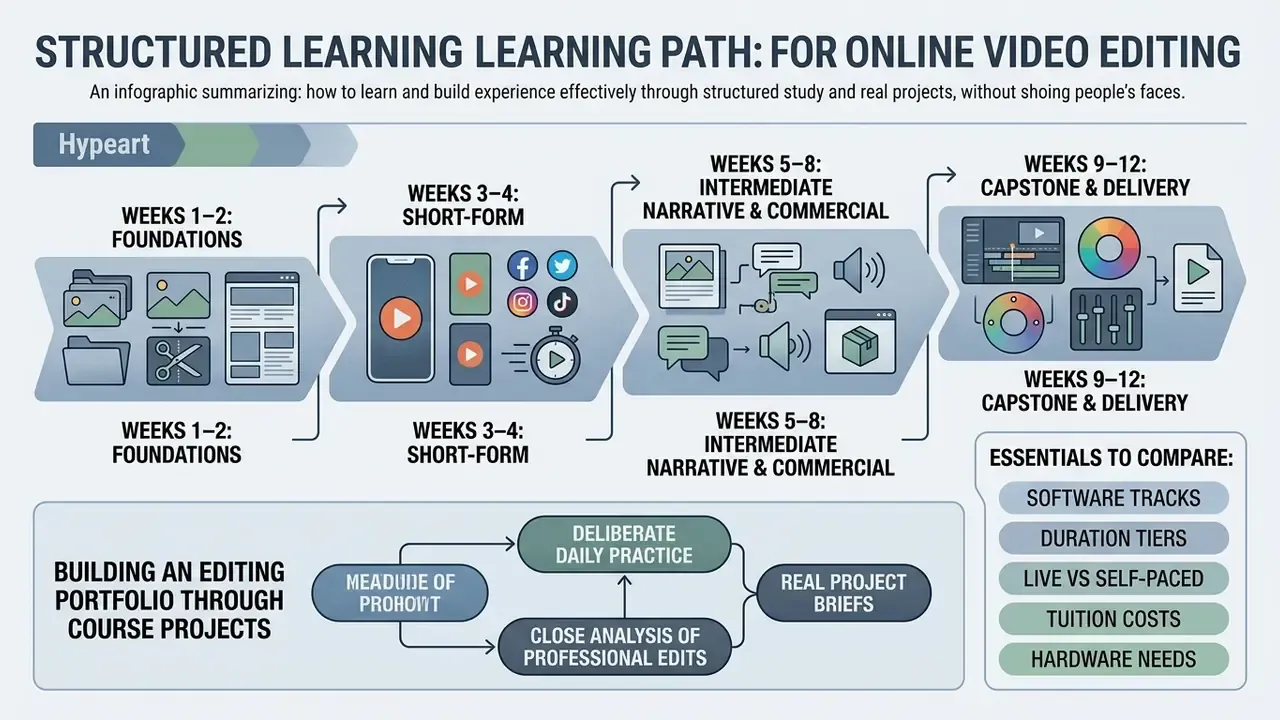
Learning video editing online works when structured study meets deliberate daily practice, close analysis of professional edits, real project briefs and an actively maintained reel. Repetition builds the muscle memory that professional timeline work assumes.
Skill acquisition depends on iteration and on your ability to manage your own progress:
«A meta-analysis of self-regulated learning training programs found significant improvements in academic performance, strategy use and motivation.»
Practical guidance for remote media learning recommends the same staged approach: map the edit before touching the timeline, organize assets, start with a rough cut, share it for review, then upload the finished, correctly tagged file (University of Melbourne DIY video editing checklist, presented here as institutional practice guidance rather than research evidence). Progression should run from simple 15-second reels to multi-scene commercial work.
A Practical Learning Path From First Cut to Complete Projects
Begin with basic cutting and timing exercises. Move through dialogue assembly and multi-track audio leveling. Add color correction and motion graphics. Finish with a full commercial or narrative capstone. Every stage should end in an exported asset, not an abandoned timeline.
Sequential building prevents overload:
Building an Editing Portfolio Through Course Projects
AI Tools, Licensing and Compliance for Editors
Curricula increasingly include AI-assisted features: text-based editing that cuts dialogue from a transcript, automated captioning, speech enhancement, generative extend, object removal and synthetic narration. For a solo creator these are speed tools. For an agency or an in-house team they are also a governance question, with an owner, an approval path and an audit trail.
Four practical compliance checkpoints for any course teaching AI features:
Teams comparing generation tools before wiring them into a timeline can start with the best free AI video generator comparison and then weigh paid options against licensing needs. For context on how ownership disputes over training data and generated output are actually being argued, the AI Litigation and Case Timelines hub tracks active cases.
FAQ: Online Video Editing Courses
Can I learn video editing on a laptop without a discrete graphics card?
Yes, for 1080p work in lightweight editors such as CapCut, and for proxy-based workflows in Premiere Pro or Resolve. Adobe's published minimum is 8 GB RAM with a 1920×1080 display. Integrated graphics will make 4K timelines, node grading and effects renders painfully slow, though. If you plan to grade or finish 4K, budget for 32 GB RAM and an 8 GB VRAM GPU.
Does CapCut replace professional software like Premiere Pro?
No. CapCut is built for templates, auto-captions and fast vertical exports, which makes it excellent for social content and weak for multicam narrative work, node grading, shared media management or broadcast deliverables. Many editors run both: CapCut for volume short-form, Premiere Pro or Resolve for client and long-form projects.
How long does it take to become employable as an editor?
Formal specialty curricula allocate roughly 280–360 hours of instruction and practice. A realistic remote path is three to six months of consistent work: 15–40 hours of structured course time plus repeated project execution until you hold a five-piece reel covering dialogue, promo, documentary, vertical short and color grading.
Are free courses good enough, or do I need to pay?
Blackmagic Design's official DaVinci Resolve training is free, version-current and exam-backed, and library platforms offer 30-hour-plus editing paths at no cost. What free content rarely supplies is timeline-level critique, curated multicam footage and hard deadlines, the exact factors that lift completion and skill transfer. A common efficient hybrid: learn the software free, then pay only for a cohort that reviews your edits.
Do certificates help with hiring?
Non-proctored completion certificates document attendance. Proctored vendor certifications (Adobe Certified Professional, Blackmagic certified endorsement, Avid certification) carry real verification weight. In both cases a two-minute reel with role attribution and a written process breakdown remains the primary screening artifact for clients and studios.
Self-paced or live, which should I pick?
Pick self-paced if you have a specific bottleneck, a reliable practice habit and an unpredictable schedule. Pick live if you have never finished an online course, need external deadlines, or want agency-style revision practice. The completion data is unambiguous: synchronous, assessed activities finish, and unassessed video libraries mostly do not.
What is the best website to learn video editing?
There is no single winner, and any list claiming one is selling something. For free structured depth, Blackmagic's own Resolve training leads. For breadth and cheap one-off purchases, marketplace platforms work. For critique, deadlines and a reviewed reel, a live film-school workshop is the only format that reliably delivers all three.
Editors who need technical help or platform guidance mid-course can reach the team through AI Media Support, or check term definitions across post-production and synthetic media in the AI Media Glossary.
Key Takeaways Checklist
- Software selectionPremiere Pro for commercial agency work, DaVinci Resolve for color and finishing, Avid for broadcast and features, CapCut for rapid social content. Confirm you can license the tool once the course ends.
- Format and duration trade-offsself-paced courses give maximum flexibility but complete at 5–15%, while synchronous activities cross 70% far more often. Match the tier (micro-lesson, fundamentals, comprehensive path, live bootcamp) to one specific goal.
- Instructor verificationdemand documented production credits, vendor accreditation, a viewable reel and evidence of line-by-line timeline critique.
- Hardware readiness16–32 GB RAM, a dedicated GPU with 4–8 GB VRAM, fast NVMe storage for cache, plus external media and backup drives.
- Portfolio focuschoose courses that supply raw footage and require the five core assignments, then assemble them into a two-minute reel with role attribution and process notes.
- Compliance awarenessif the curriculum teaches AI features, check that it also covers asset provenance, commercial usage rights, content policy limits and synthetic-media disclosure.