That sounds simple. In practice, most rework happens because someone picked the canvas after importing footage.
Last updated: February 2026. Export settings, safe-zone margins and pricing limits in this guide were checked by our editorial team against vendor pricing pages and live rendering tests across Reels, Stories and feed placements.
The Short Version
- Canvas first, footage second. Set a 9:16 canvas (1080×1920 px) for Reels and Stories, 1:1 (1080×1080 px) or 4:5 (1080×1350 px) for feed video, before importing clips.
- Export profile that survives compression MP4, H.264 High profile, 1080p, Rec.709 SDR, constant frame rate at 30 or 60 FPS, VBR between 8 and 15 Mbps, AAC audio. Skip HDR/HLG. Skip 4K masters for vertical social delivery.
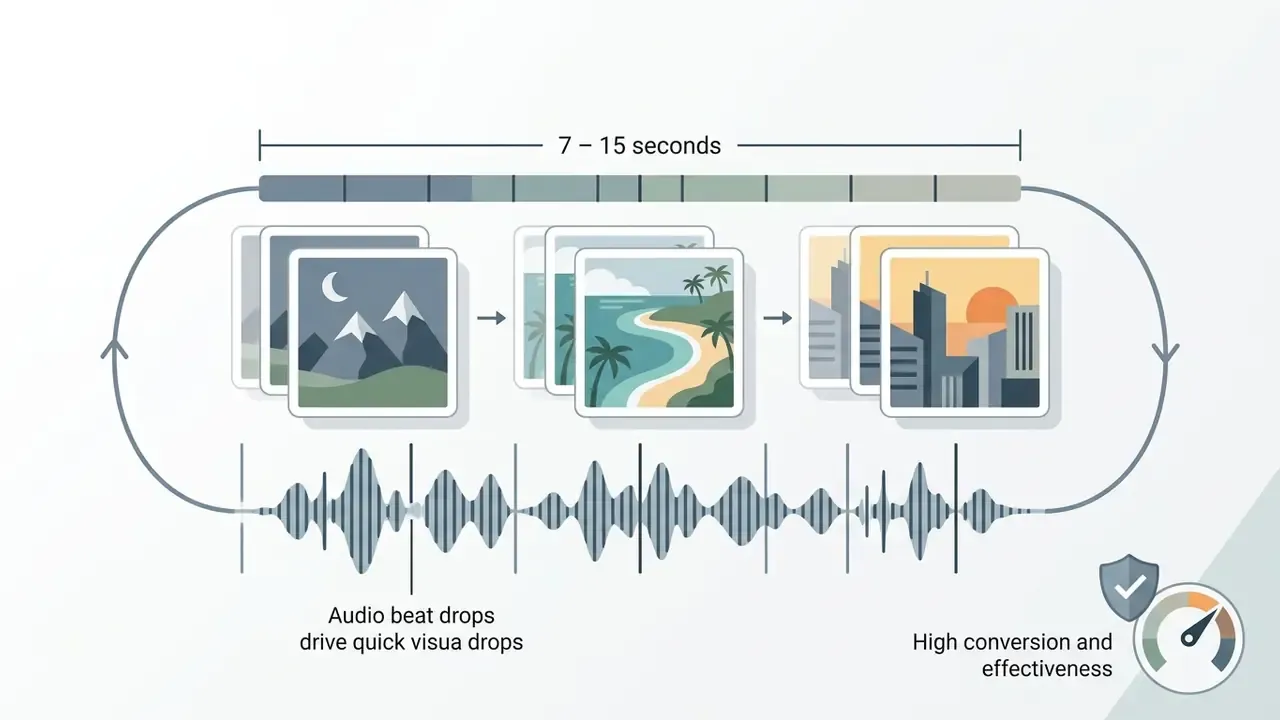
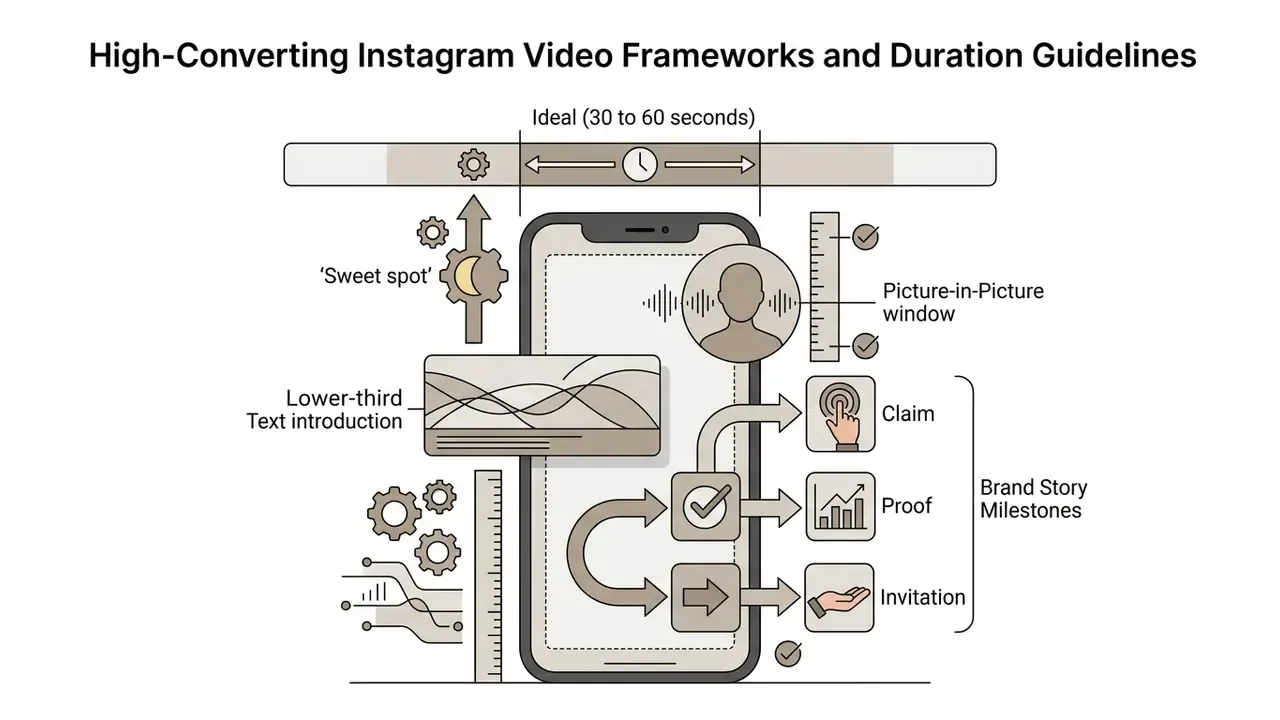
- Duration sweet spots roughly 26 seconds for feed promo videos, 7 to 15 seconds for trend-driven Reels, 30 to 60 seconds for behind-the-scenes clips and video bios, 15 seconds per Story card.
- Best free picks Microsoft Clipchamp and Adobe Express export watermark-free at 1080p on their free tiers. VEED.io and Kapwing free tiers add watermarks and lower resolution ceilings.
- Pay when you need 4K delivery, licensed commercial stock, multi-editor collaboration, brand-kit enforcement and timelines longer than free clip-length caps.
- Hardware minimum for source footage a modern smartphone locked at 1080p/60 FPS, one 12 to 18 inch LED ring light, one 2.4 GHz clip-on lavalier microphone.
- Before you upload verify captions, safe zones (top 220 px and bottom 420 px kept clear), cover frame, and audio mix with music at least 20 dB below speech.
On this page: what an Instagram video editor does · how to choose one · free vs. paid plans · step-by-step guide · editing tools and safe zones · formats and export specs · business and creator workflows · data security and licensing · FAQ
What Instagram Video Editor Can Do and What Videos It Is For
An online instagram video editor is a browser-based assembly tool built to cut, crop, caption and format assets for Instagram's distinct placements. It helps digital creators, social media managers and marketing teams turn raw footage, static images and multi-clip recordings into platform-ready instagram video files without local software overhead. Some people call it an ig video editor, some say insta video editor; the category is the same.
Short vertical video is no longer an experimental placement. It is the default surface for brand communication.
"Short vertical video became the central format of brand communication by the early 2020s, spanning TikTok, Instagram Reels and YouTube Shorts."
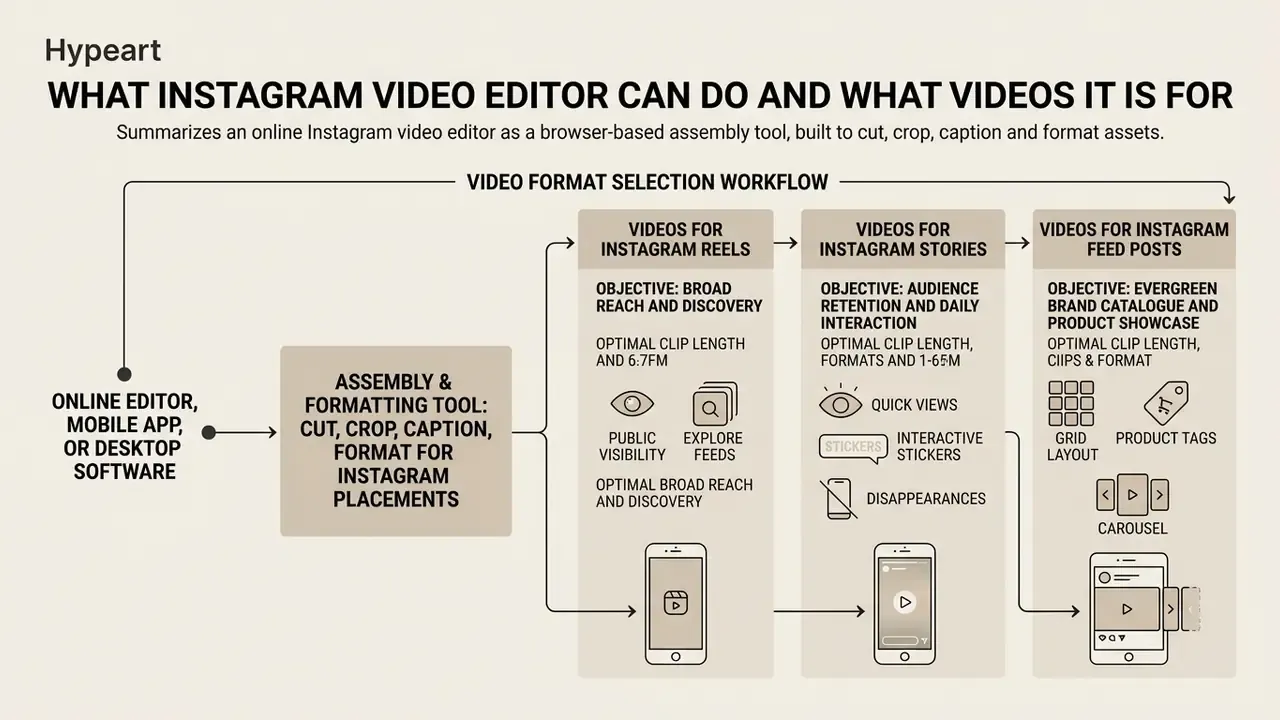
Video Format Selection Workflow
Pick the creation path from the business objective, the engagement target and the editing complexity you can actually sustain:
- Objective: broad reach and discovery → Format: Instagram Reels, 9:16 vertical, 1080×1920 px → Editing path: multi-clip trimming, automated captions, audio beat-syncing, and a tight hook inside the first three seconds.
- Objective: audience retention and daily interaction → Format: Instagram Stories, 9:16 vertical, 1080×1920 px → Editing path: rapid single-clip editing, text overlays, interactive stickers, cards of 15 to 60 seconds.
- Objective: evergreen brand catalogue and product showcase → Format: feed video posts, 1:1 square or 4:5 vertical → Editing path: clean framing, restrained transitions, Rec.709 colour profiles, deliberate thumbnail cover selection.
Videos for Instagram Reels, Stories, and Feed Posts
Different placements need different editing strategies, because viewer intent and delivery mechanics differ. Reels demand full-screen 9:16 framing at 1080×1920 pixels, built around fast pacing, a visual pattern interrupt every three to five seconds, and synchronised background audio.
Stories use the same vertical ratio but serve transient, 24-hour engagement cards, where interactive overlays and clear safe-zone margins matter more than polish. Since the same vertical master often gets cross-posted, it helps to know how reach differs by platform before deciding where to spend editing hours.
Feed video posts accept broader ratios, including 1:1 square (1080×1080 px) and 4:5 vertical (1080×1350 px). That makes the feed the right home for permanent brand showcases, where horizontal compositions can sit next to a long caption. Reels and Stories prioritise immersive full-screen delivery; the feed tolerates square and horizontal framing because captions, cover frames and profile-grid context carry part of the message.
Online Editor, Mobile App, or Desktop Software
Choosing between a browser-based free instagram video editor online, a native free instagram video editing app, or classic desktop software depends on hardware, collaboration needs and production volume. Browser tools push rendering to cloud infrastructure, so you get cross-device access without local GPU bottlenecks or installers. A free instagram video editor app on a phone wins on immediacy; the browser wins on shared review.
| Modality | Key advantages | Primary operational limits | Target use case |
|---|---|---|---|
| Online browser editor | Cross-platform access, cloud storage, collaborative links, zero installation | Depends on stable connectivity and a current browser version | Marketing teams, cross-device workflows, rapid social editing |
| Mobile app (iOS / Android) | Direct camera access, touch-native timeline, in-app publishing | Small screen, dense menus, local storage limits | On-the-go creators, event coverage, immediate Story uploads |
| Desktop NLE software | Uncapped multi-track control, advanced grading, offline processing | Heavy system requirements, steeper learning curve, no built-in cloud sync | High-end commercial production, complex multi-layer VFX |
Usability testing supports the browser-first argument for social teams:
"Workshop participants using Runway highlighted portability and the friendliness of the web interface as the key advantages of a browser-based editor."
How to Choose the Best Instagram Video Editor
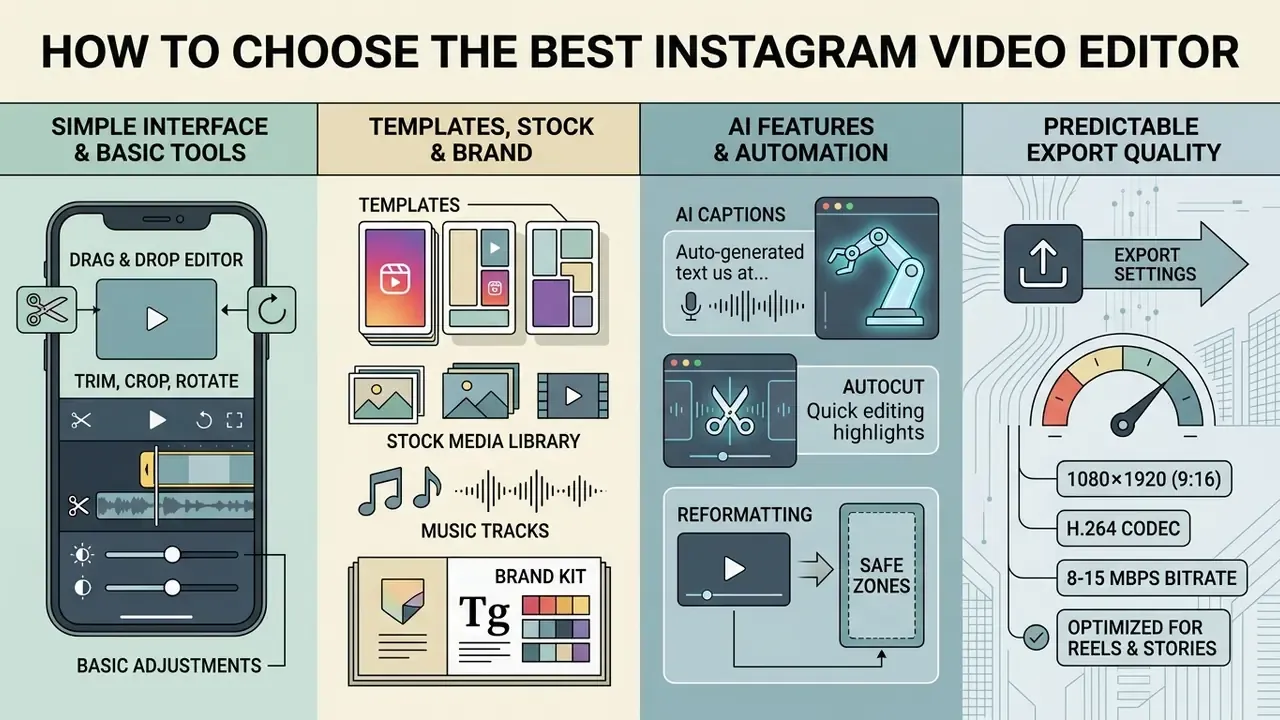
Picking the best video maker for instagram comes down to four things: interface accessibility, template depth, useful automation, and predictable export quality. If you are still mapping the category, our reference entry on video editors for social media explains how timelines, codecs and rendering pipelines interact. The best instagram video maker for your team is the one that removes mechanical friction while holding strictly to 1080×1920 vertical delivery specs.
Technical comparison matrix for Instagram video editing solutions:
| Selection criteria | Entry-level online editors | Mid-tier pro editors | Professional NLE systems |
|---|---|---|---|
| Interface usability | Drag-and-drop, preset canvas sizes, single-track timeline | Multi-track timeline, keyframes, magnetic snapping | Non-linear multi-track, custom workspaces, keybindings |
| AI capabilities | Auto-captions, basic background removal, text-to-speech | Silence cutting, script teleprompter, AI scene detection | Advanced rotoscoping, generative fill, multi-speaker diarisation |
| Stock and asset library | Standard royalty-free images, audio clips, basic stickers | Extensive stock footage, commercial audio, brand kits | Third-party plugins, local asset database support |
| Export controls | 720p to 1080p MP4, fixed bitrates, preset ratios | 1080p to 4K MP4/MOV, custom bitrates, H.264 / AAC options | Full codec control (ProRes, DNxHR), custom colour profiles, master render |
| Access model | Browser-based, freemium tier | Cloud subscription, SaaS per user | Perpetual licence or enterprise SaaS seat |
Read the table as a ladder, not a ranking. Entry-level tools cover almost every Reel and Story a small brand publishes. Mid-tier plans start to pay for themselves once two or more people touch the same timeline. Professional NLE systems only make sense when the deliverable leaves social entirely.
Simple Interface and Basic Video Editing Tools
A workable free video editor for instagram has to expose plain timeline controls for trimming, splitting, cropping and speed. Non-technical users need visible handles to drag clip boundaries, plus instant canvas presets so nobody calculates pixels by hand.
Linear trimming with real-time feedback reduces assembly errors, simply because you see the consequence of a cut immediately instead of after a render. Usability measurement on a mainstream short-form editor points the same way:
"CapCut testing produced mean UI scores of 2.94 and UX scores of 2.90 out of maximum, and most users found the interface attractive and easy to learn."
Good tools put basic filters and custom text overlays one click away, so creators refine video content without digging through nested menus. Practical minimums for a beginner-friendly editor video instagram setup: drag-handle trimming on the timeline, a visible aspect-ratio crop frame, on-screen text with explicit duration control, and one-click filter previews. Anything beyond that is nice, not necessary.
Templates, Stock Media, Music, and Brand Style
Integrated media libraries speed up production by supplying pre-licensed stock clips, background tracks and typographic templates. Brand kits let you save colour palettes, fonts and logo placements once, then reuse them across every project instead of rebuilding the look each week.
"Short-form video relies on repeatable formats that audiences instantly recognise: templates encode best practice for pacing, transitions and text overlays."
When you deploy commercial music or stock footage, licensing compliance is not optional. Meta's brand resource guidance requires that official Instagram and Meta assets appear only in approved form: approved logos and screenshots, never restyled, never the most distinctive element of your creative. Libraries such as Storyblocks and Canva bundle templates with royalty-free music, animated backgrounds and sound effects, which keeps visual identity steady across published Reels without licensing ambiguity. Teams using an animation generator can blend programmatic visual elements into pre-formatted vertical layouts, and our AI Media Calculators help sanity-check bitrate and aspect-ratio maths before render.
AI Features, Captions, and Automated Editing
Modern AI-driven editing tools absorb the repetitive part of post-production: speech-to-text transcription, automatic pause removal, highlight detection. Speech-recognition engines generate synchronised text overlays, which is how you reach sound-off viewers without hand-typing subtitles.
There is one platform limitation you should plan around from the start:
"Instagram lets you enable automatic captions for videos and Reels, but they cannot be edited in-platform, so accurate captions must be added before upload."
Quality is the second reason to caption before publishing rather than after:
"Instagram's automatic captions are 'generally of low quality' and require manual review before publishing."
Adobe Premiere's Speech to Text produces transcripts and captions in more than 18 languages with speaker distinction and caption translation. Automated editors such as Wisecut analyse audio waveforms, cut silent pauses, then reframe and caption the result. Adding an ai voice generator lets social teams produce synthetic voiceovers straight from a script, which removes the recording bottleneck on fast promotional campaigns.
One caveat before the next section. Most of the features above, meaning batch captioning, silence removal, brand-kit locking and 4K delivery, sit behind a paywall or a monthly credit allowance. So the free-versus-paid decision is less about ambition and more about which single automation you actually use every week.
Free Instagram Video Editor vs. Paid Plans: Which to Choose
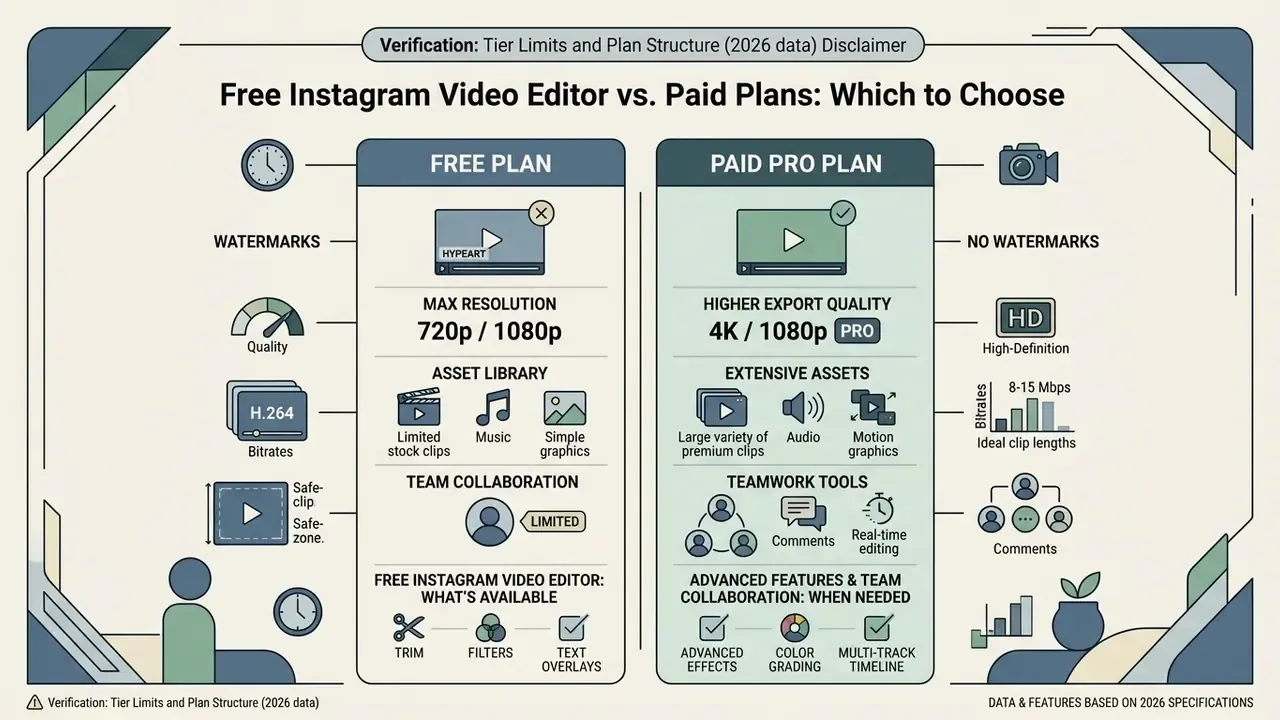
Choosing between a free instagram video editor and a paid PRO tier depends on watermark tolerance, required export resolution, asset-library depth and team collaboration. Free tools give you the foundational editing tools. Paid subscriptions unlock 4K rendering, larger cloud storage and proper team permissions.
Verification: Tier Limits and Plan Structure (2026 data)
What Is Available in a Free Instagram Video Editor
A free video maker for instagram covers the essentials: cut, arrange and publish short clips. You upload raw footage, apply basic colour filters, overlay text, and export standard MP4 without spending anything. As an instagram video clip maker for weekly posting, that is often enough.
For solo creators and small businesses testing a new channel, a free instagram video maker online removes the entry cost entirely. Free tiers usually limit export resolution or restrict premium stock, yet Clipchamp and Adobe Express still deliver non-watermarked 1080p renders on basic projects, which is unusual and worth knowing. If part of your pipeline is generative rather than edit-only, our comparison of free AI video generators maps credit limits and watermark rules tool by tool. And if files arrive too heavy for upload, the video compressor guide covers size management before final delivery.
When Advanced Features and Team Collaboration Are Needed
A paid PRO tier starts to make sense when you run commercial campaigns, ship client deliverables, or work inside a marketing department where three people review the same cut. Paid plans strip the platform watermark, open licensed commercial stock, and add multi-user workspace management. The concrete upgrade triggers visible across vendor plan pages: watermark-free delivery, 4K export, more than one editor seat, premium Getty or iStock B-roll access, and clip-length ceilings above the free cap.
Research into AI-assisted assembly explains why premium automation keeps improving:
"The LLM-based L-Storyboard approach improves logical coherence in shot ordering and output stability in AI editing tasks."
Enterprise marketing workflows lean on shared asset hubs, version history and enforced brand kits to keep output consistent across contributors. Also compare the controls that rarely appear in consumer tiers: single sign-on, role-based permissions, retention policies for uploaded media, and audit logs. When video production scales across channels, teams tend to check our AI Media Pricing Guides and AI Media Comparison Matrices to weigh software cost against output performance, and the API Implementation Guides if rendering needs to run headless inside an existing publishing stack.
How to Create an Instagram Video Online: Step-by-Step Guide
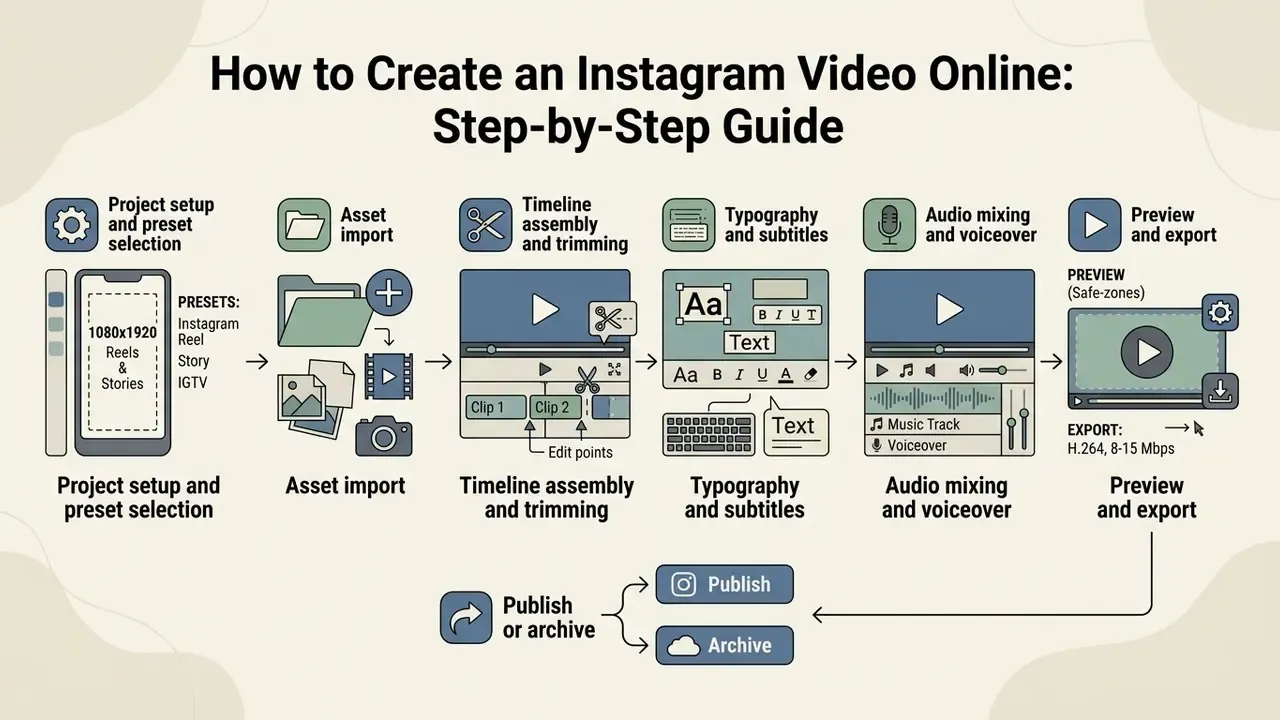
Building an engaging Instagram video takes a structured workflow, from canvas selection through pre-publish verification. An explicit sequence keeps you compliant with Instagram's compression pipeline and with viewer expectations, which are less forgiving than the specs.
Step-by-Step Instagram Video Creation Checklist
- Project setup and preset selectionchoose an Instagram Reel (9:16 vertical, 1080×1920 px) or Post (1:1 or 4:5) canvas preset so dimensions are fixed before any asset lands.
- Asset importupload original clips, high-resolution images and custom audio into the project media bin.
- Timeline assembly and trimmingarrange clips on the timeline. Trim dead intro frames so the hook lands inside the first three seconds.
- Typography and subtitlesadd text overlays and generate captions. Keep every text element inside the vertical safe zone, away from platform UI.
- Audio mixing and voiceoverbalance music at least 20 dB below speech, then layer narration or a synthetic voice track.
- Preview and exportscrub for pacing, confirm the Rec.709 colour profile, export 1080p MP4 at 30 or 60 FPS.
- Publish or archivepublish to the connected Instagram account, or download the 1080p master for scheduled upload and offline archiving.
Essential Filming Hardware for High-Quality Source Video
Clean inputs cut post-production cleanup dramatically. You do not need a cinema camera. Three components carry most of the quality:
The list stays deliberately short: smartphone, ring light, lavalier. That covers the overwhelming majority of Reels, Stories and talking-head feed videos. The more consequential decision is which editor polishes the footage afterwards.
- Smartphone camera setup.
- Use the native camera app, locked at 4K or 1080p at 60 FPS. Disable auto-exposure drift where the app allows it, otherwise artificial light causes flicker. Shoot from shoulder or waist height, never into a light source.
- Lighting control.
- Put a 12 to 18 inch LED ring light or key light directly behind the camera at eye level. That removes facial shadows and reduces digital noise in 9:16 footage. Even lighting also compresses better, which matters because Instagram re-encodes every upload.
- Audio capture.
- Built-in phone mics collect room echo. A wireless 2.4 GHz clip-on lavalier, worn roughly 6 inches below the chin, records crisp dialogue and keeps levels clean before auto-captioning. Clean input audio directly improves transcription accuracy, which saves caption editing later.
Start with a Template or Upload Your Clips
To create instagram video online, start by selecting a pre-formatted canvas size or importing your own media. Modern browser tools offer dedicated Instagram presets that configure ratios to 9:16, 1:1 or 4:5 automatically. Selecting "Instagram Reel" or "Instagram Story" fixes the output frame before a single clip touches the timeline, which prevents late reframing panic.
Starting from a template gives you structured layout blocks for typography, image placeholders and transition markers. Starting from a blank project gives full control over sequencing and spatial layout instead: import photos and video as media, organise the bin, then build the timeline from source files. Creators handling multi-character concepts can use an animation maker 3d to generate custom animated elements before timeline insertion.
Add Text, Music, Audio, and Effects
The audiovisual layer has to balance engagement against accessibility standards, and the standards are specific. Media accessibility guidance (WCAG 2.2, W3C, 2024; Section 508 "Captions and Transcripts", US Access Board) requires background audio to be absent, user-defeatable, or at least 20 dB below foreground speech so speech stays intelligible. Captions must be synchronised, must cover dialogue plus meaningful non-speech sound, and must use readable styling and placement.
Accessibility is not a niche concern in short-form video:
"Captions benefit not only deaf users but also people in noisy environments, people with cognitive differences, and viewers watching in a non-native language."
Dynamic text captions, animated transitions and well-mixed background audio lift retention noticeably. When subtitling, captions must match spoken dialogue exactly while staying legible over shifting backgrounds; a semi-transparent plate behind the text solves most of that. For stylised creative projects, teams often fold in assets built with our animated music videos guide to establish a consistent aesthetic theme.
Editing Tools for Engaging Instagram Videos
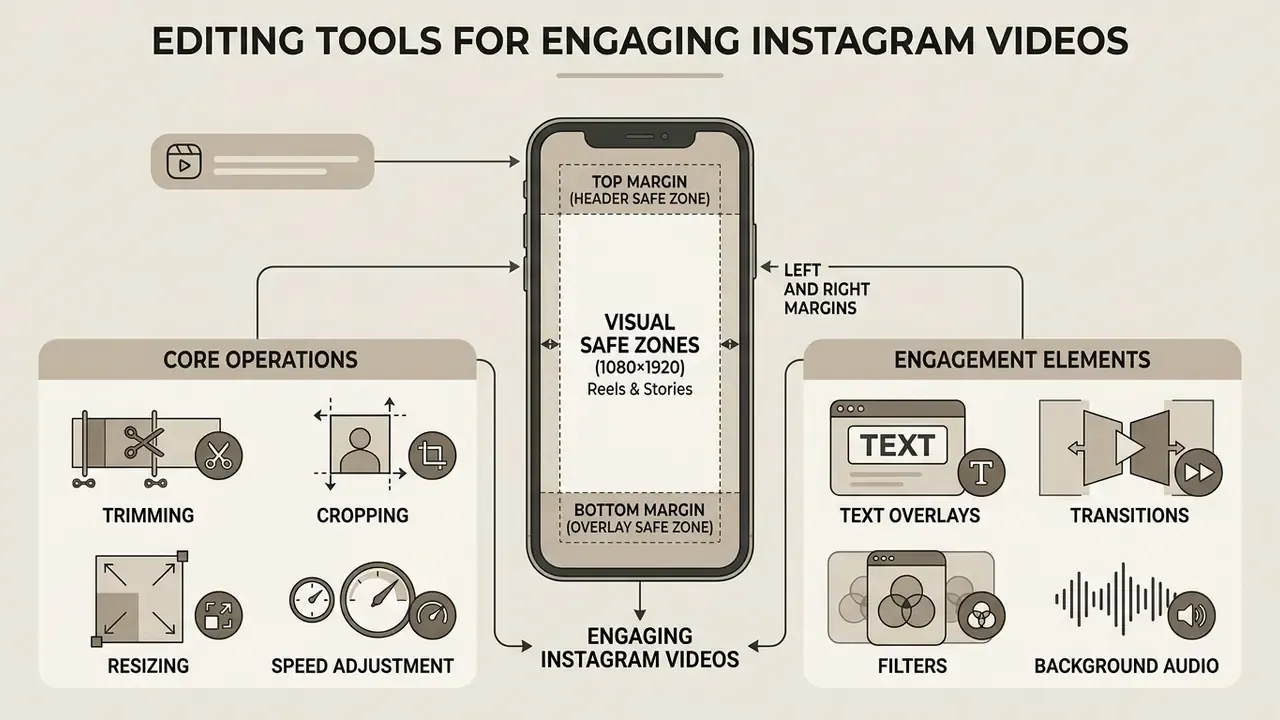
Retention on Instagram rests on a handful of core operations. Precise cuts, deliberate cropping and legible typography prevent the bounce that happens in the first two or three seconds of playback, which is where most views are lost.
Trimming, Cropping, Resizing, and Speed Adjustment
Trimming strips dead space from clip boundaries so the message starts immediately. Cropping and resizing fit the frame to full-screen 9:16 without awkward letterboxing, because content delivered outside 9:16 gets cropped or pillarboxed by the player rather than shown edge to edge.
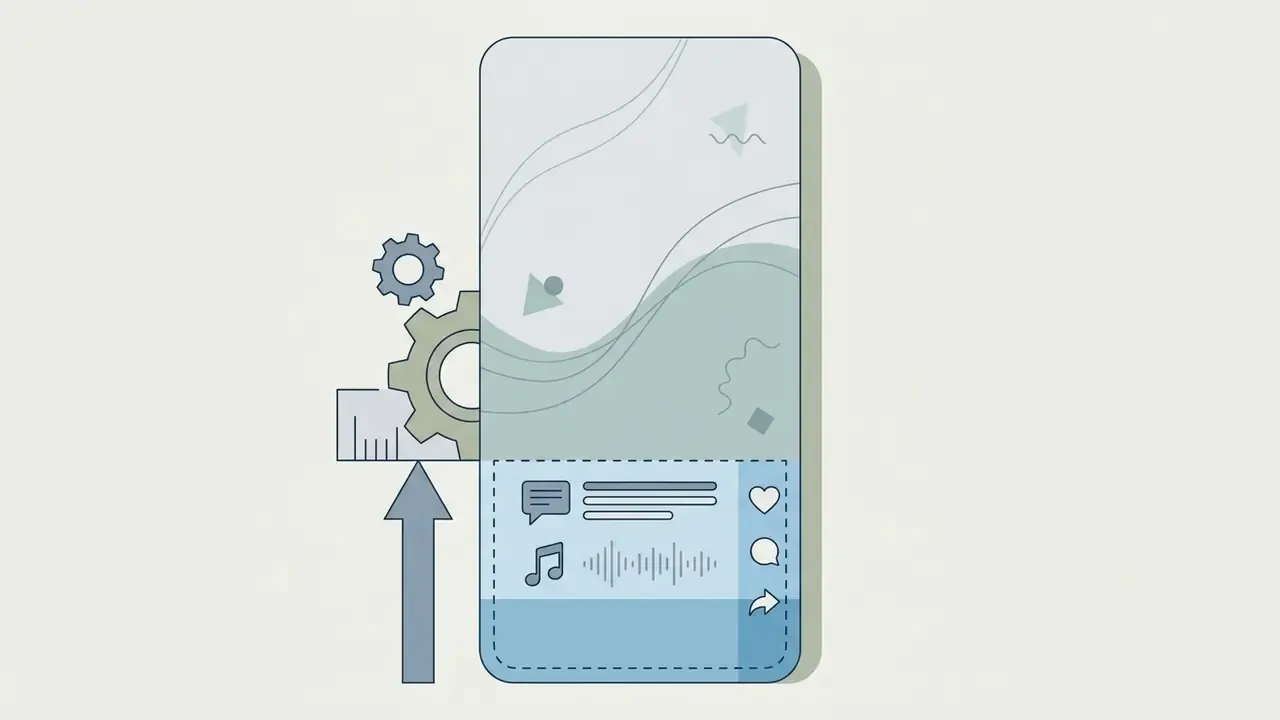
Instagram Reels and Stories visual safe zones (1080×1920). To stop UI elements covering your hooks and captions, keep critical assets inside these margins:
Speed modulation creates emphasis where you need it. Accelerating setup footage condenses a multi-step demonstration; slow motion isolates a detail worth seeing twice. Combining precise trims with a single speed ramp keeps narrative momentum without turning the Reel into a montage of tricks.

Text Overlays, Transitions, Filters, and Background Audio
Text overlays act as visual anchors for sound-off viewers, carrying key takeaways and the call to action. High-contrast typography with a subtle drop shadow stays legible over both bright and busy backgrounds.
"A UX study of vertical video applications found that high-contrast text elements in the upper screen region received higher user ratings than button-based components."
Transitions and colour filters set rhythm and tone. Jump cuts and match cuts keep pace high, while modest colour adjustments unify clips shot at different times of day under one palette.
"Short-form video mobilises 'entertainment processing' as a core engagement mechanism: visual pacing and music shape favourable brand attitudes."
A practical pacing rule: introduce a visible change every three to five seconds in fast-cut content, whether that is an angle switch, a zoom, a crop shift or a timing break. Match the cut style to the objective, too. Clean cuts at medium pace tend to favour engagement; overlapping cuts at a slower pace favour completion and rewatch. Creators experimenting with stylised effects can lean on an animation maker for custom graphic transitions, or compare free AI video generators when the footage you need simply does not exist yet.
Video Formats, Quality, and Export Specs for Instagram
Keeping visual clarity after upload means respecting the platform's compression expectations. Wrong bitrate, wrong frame rate or a mismatched colour space forces Instagram's processing servers to re-encode aggressively, and you get pixelation plus motion smear.
| Instagram format | Aspect ratio | Resolution (pixels) | Frame rate | Max file size | Target bitrate |
|---|---|---|---|---|---|
| Reels | 9:16 (vertical) | 1080 × 1920 | 30-60 FPS | 4 GB | 3,500 - 8,000 kbps |
| Stories | 9:16 (vertical) | 1080 × 1920 | 30 FPS | 4 GB | 3,500 - 5,000 kbps |
| Feed post (square) | 1:1 (square) | 1080 × 1080 | 30 FPS | 4 GB | 3,500 - 5,000 kbps |
| Feed post (portrait) | 4:5 (vertical) | 1080 × 1350 | 30 FPS | 4 GB | 3,500 - 5,000 kbps |
If the source material does not exist yet, text-to-video tools can generate vertical base footage that you then trim and caption inside the same export profile.
Dimensions and Formats for Reels, Stories, and Video Posts
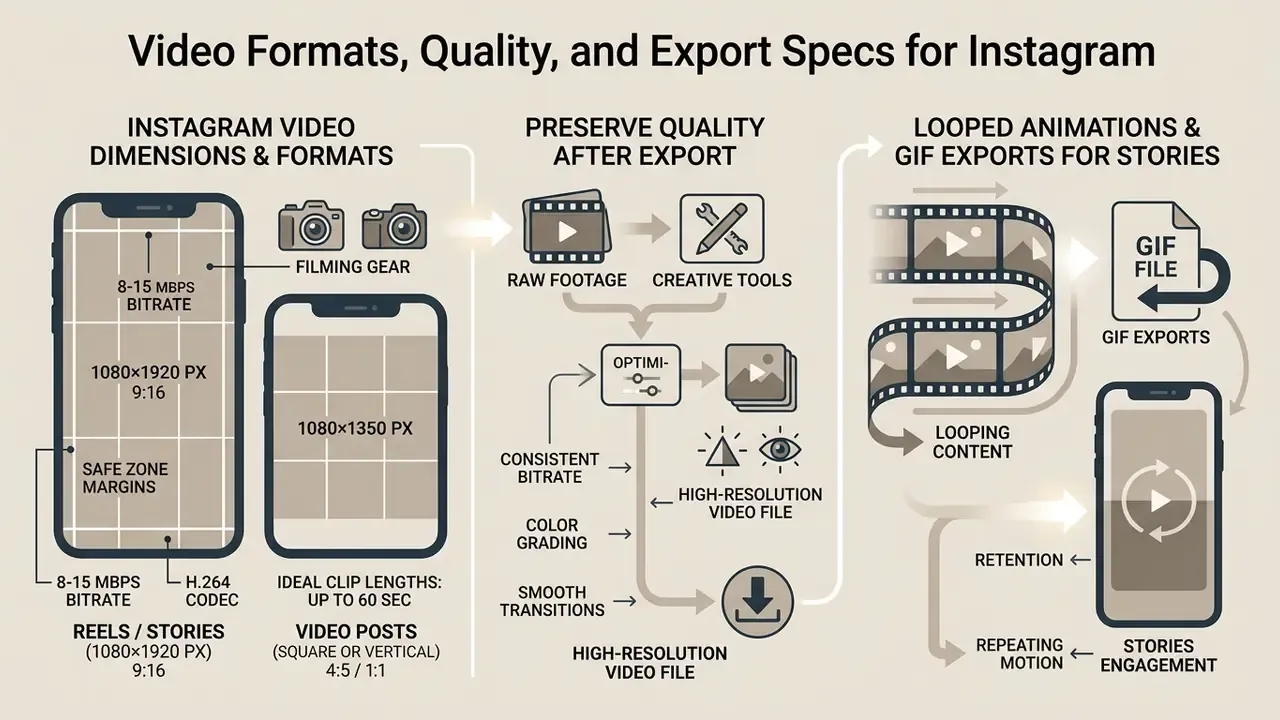
Reels and Stories require a strict 9:16 ratio rendered at 1080×1920 pixels. Upload horizontal 16:9 or an odd ratio and you get automatic letterboxing or an unwanted crop, usually through the subject's forehead.
Feed video supports 1:1 square (1080×1080 px) and 4:5 portrait (1080×1350 px). Standardising output to MP4 or MOV containers with H.264 video and AAC audio prevents upload errors across every Instagram placement, and it makes archived files predictable a year later.
How to Preserve Quality After Export and Download
Preventing degradation means matching your export profile to Instagram's playback targets rather than to your own monitor. High-bitrate 4K exports usually backfire, since the compression engine squeezes oversized files hardest.
To hold visual sharpness:
- Export at 1080p in Rec.709 SDR colour space, and avoid HDR/HLG profiles, which cause washed-out colour after processing.
- Set a variable bitrate (VBR) target between 8 Mbps and 15 Mbps for 1080p vertical video, with keyframes roughly every one to two seconds.
- Enable "Upload at highest quality" in the Instagram app (Account Settings → Data Usage and Media Quality → Upload at Highest Quality).
- Keep a constant frame rate (CFR) at 30 or 60 FPS to prevent audio-sync drift. Avoid variable frame rate source files and HEVC/H.265 masters, since both are commonly re-transcoded.
- Never re-encode the same file repeatedly before upload. Each extra pass compounds artefacts, and the damage does not reverse.
A digital marketing agency kept seeing banding and colour shifts on client Reels exported in HDR. Switching to SDR Rec.709 at 1080p VBR around 12 Mbps, plus the highest-quality upload toggle in-app, restored the intended colour and removed re-encoding artefacts across more than 50 published campaigns. Not a code change, just a preset change.
Creating Looped Animations and GIF Exports for Stories
For short visual stickers or silent repeating Story cards, exporting a seamless loop or a high-frame-rate GIF removes playback buffering. On clips under 30 seconds, enable the "Loop Playback" toggle before rendering so the last frame matches the first and the repeat stays invisible. For animated GIF output, cap resolution at 720p and set 15 to 24 FPS to keep files under roughly 15 MB, which is where mobile connections stop stalling. Loop-friendly content also helps Reels performance: a tight seven-second cut that loops cleanly accumulates repeat plays without asking anything extra of the viewer.
How to Use an Instagram Video Creator for Business and Content Creators
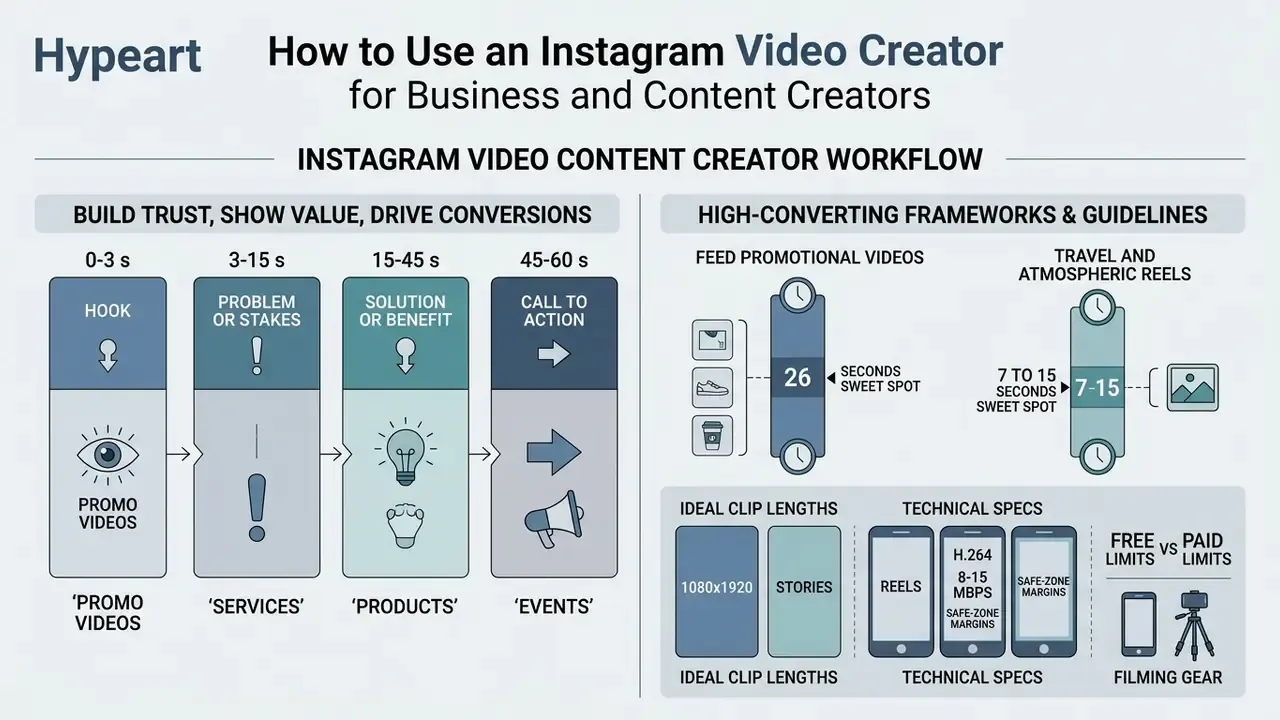
An instagram video content creator workflow lets brands and independent creators build trust, show product value and drive conversions. Structuring production around defined narrative frameworks keeps messaging consistent across a campaign, even when different people shoot the footage. Whether you describe the role as creator video instagram work, ig video maker duty or plain content ops, the framework is the same.
Promo Videos, Services, Products, and Events
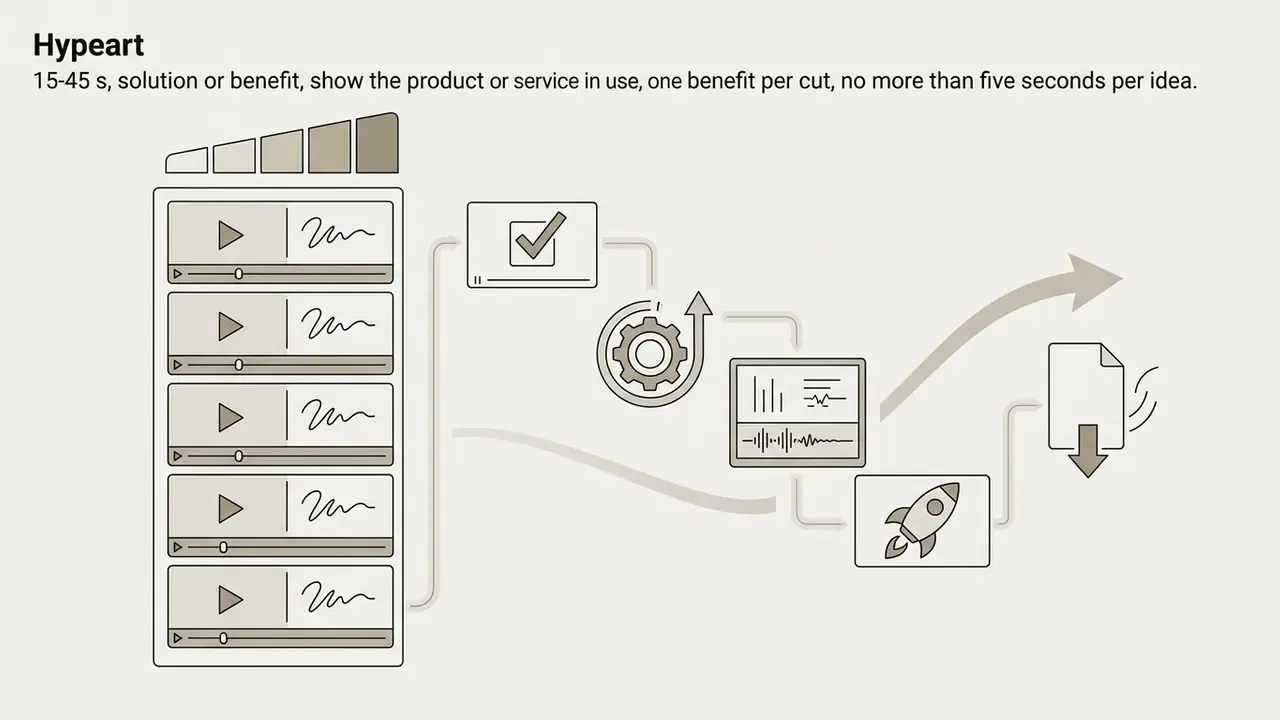
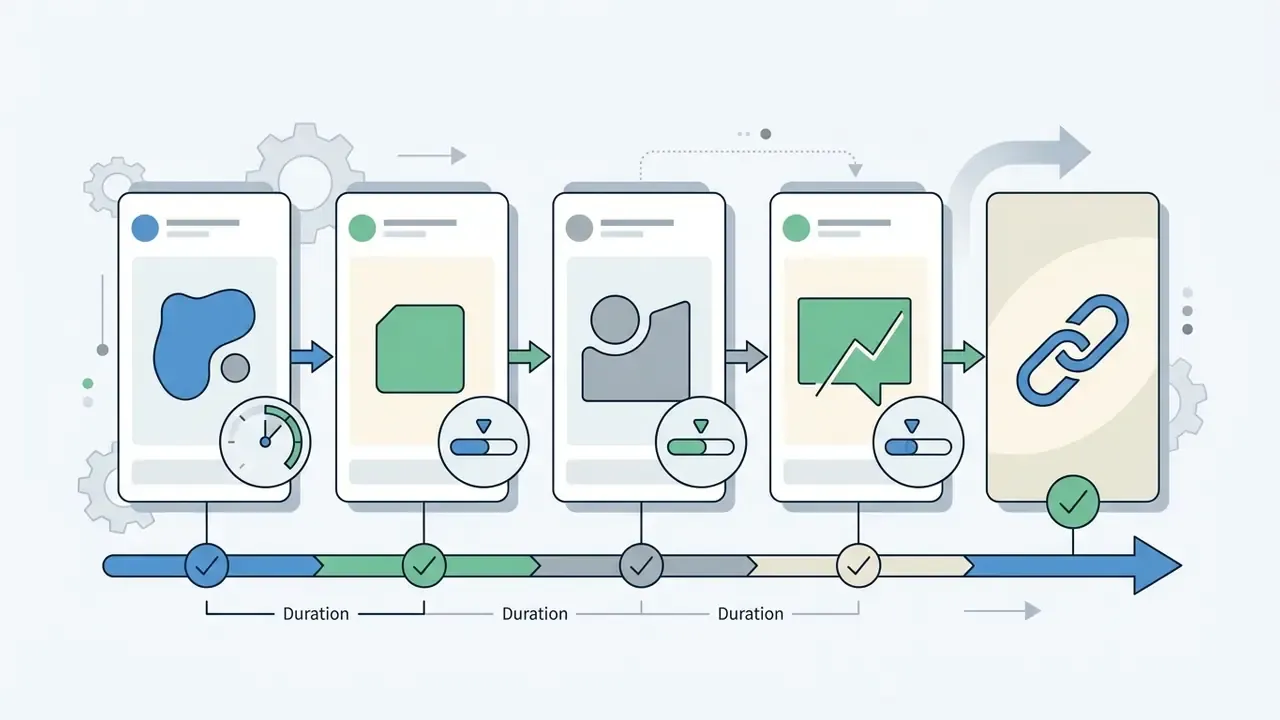
Promotional Instagram videos follow a proven four-part structure: hook, problem or stakes, solution or benefit, call to action. Capturing interest in the first three seconds is mandatory, otherwise the scroll wins. A workable allocation for a 60-second promo is 3 seconds of hook, 12 seconds of problem framing, 35 seconds of demonstration, 10 seconds of CTA.
Tone matters as much as structure:
"In-depth interviews with ten students revealed general distrust of overt advertising and a preference for content mediated by influencers and peer recommendation."
Four-part promotional video narrative structure:


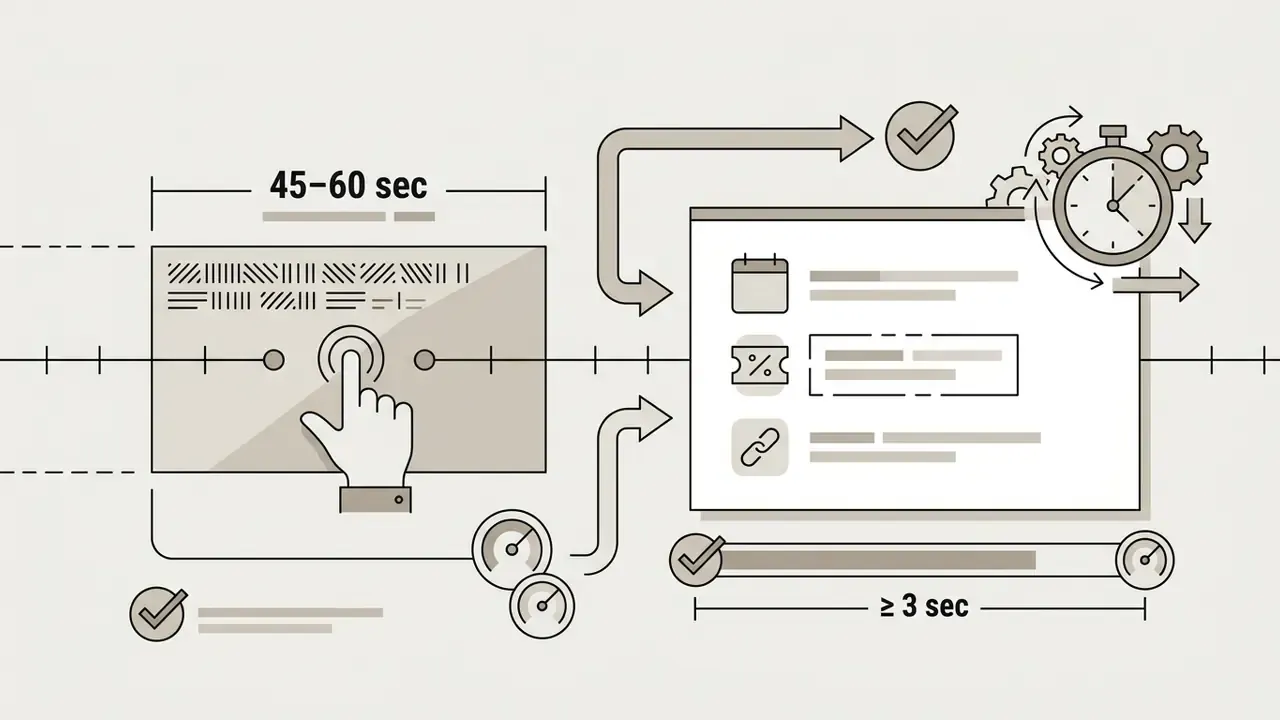
For event announcements and launches, put key details (dates, promo codes, registration URLs) on screen as permanent typographic elements, so the message survives sound-off viewing. Announcement clips work best in a simple order: introduction, main message, details, CTA. Businesses building supporting visuals can explore our photo editor guide for static image refinement, or the overview of AI video generators when campaign volume outpaces filming capacity.
High-Converting Instagram Video Frameworks and Duration Guidelines
Different objectives need different pacing and target lengths to earn reach:
Treat these numbers as starting points, not laws. Your own retention curve beats any published benchmark.

Reels and Stories for Audience Growth
Reels function as the discovery engine that reaches non-followers. Stories serve retention and direct interaction with people who already follow you, which is why cadence matters there more than production polish. Stories are not a discovery surface, and treating them like one wastes editing hours.
Current strategy guidance suggests directing roughly 40 to 50% of video production capacity toward discovery-focused Reels, with the hook landing in the first two seconds, core value delivered within 15 seconds, and one explicit next action at the end. Treat that split as a planning heuristic from third-party playbooks rather than a platform-published rule, and adjust it against your own reach-versus-retention data.
Quick content strategy assessment: Reels vs. Stories. What is your primary publishing objective for this campaign?
- Goal A: reach non-followers and travel beyond your audience → Strategy: publish a 9:16 Reel of 7 to 15 seconds, fast pacing, trending audio, high-contrast auto-captions reviewed manually before upload.
- Goal B: convert existing followers and drive link clicks → Strategy: publish a 9:16 Story series of 3 to 5 cards, an interactive poll sticker, and a direct link overlay on the final card.
Comparative platform research explains why Reels get used as the standardised, brand-safe surface while raw reach often sits elsewhere:
"Analysis of 887 political party videos across TikTok and Instagram Reels found TikTok delivered substantially higher reach, while Reels were used for more standardised content."
For retention, a sustainable baseline is one to two Stories a day, rising to three to seven during an active campaign, with polls, question boxes and quiz stickers as the interaction layer. To scale asset production across creative categories, compare tools in our AI video generators for social media matrix, and check the AI Media Commercial-Use Hub for licensing and production workflow guidance.
Data Security, Shadow AI, and Licensing Checks Before You Upload
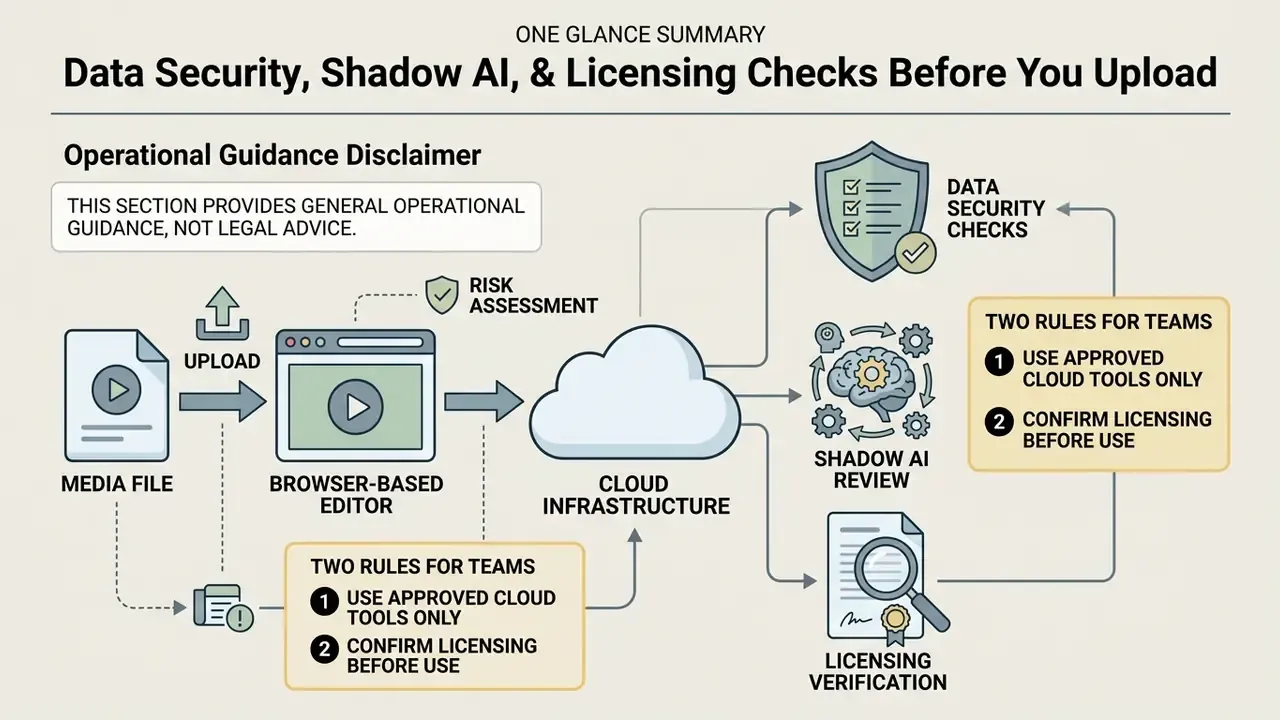
Browser editors move your media onto someone else's infrastructure. For an individual creator that is a convenience question. For teams handling unreleased campaigns, client footage or regulated material, it is a governance question, and it is cheaper to settle before the first upload than after an incident review.
Practical due-diligence checklist for cloud video editors:
| Check | What to verify | Why it matters |
|---|---|---|
| Model training on user media | Whether uploaded video, audio and transcripts may train the vendor's models, and whether an opt-out exists | Unreleased product footage used as training data cannot be recalled |
| Retention and deletion | How long renders, source files and transcripts persist after you delete a project | Free tiers often keep assets on shared storage by default |
| Access model | Whether project links are public-by-URL or permission-gated, and whether SSO and role-based access exist | Shareable preview links are a common accidental leak path |
| Transport and storage encryption | HTTPS in transit, encryption at rest | Baseline hygiene for any media upload |
| Account boundaries (shadow AI) | Whether staff use personal free accounts for company footage | Unapproved tools bypass retention, licensing and brand controls |
| Stock and music licensing | Whether the track or clip licence covers commercial use, paid ads and client delivery | Watermark-free export is not the same as commercial rights |
| Brand asset compliance | Meta brand guidance: approved logos and screenshots only, never restyled | Non-compliant use of platform marks risks takedown |
Two rules keep teams out of trouble. First, never upload confidential, pre-embargo or personally sensitive material to an unverified free web utility. Reputable editors process assets over encrypted connections under published privacy policies, but the diligence burden sits with you, not the vendor. Second, separate "watermark removed" from "cleared for commercial use". Those are two different licences, and paid-ad usage is frequently a third. For legal and compliance context on synthetic and licensed media, see the AI Media Commercial-Use Hub and AI Litigation and Case Timelines.
FAQ About Instagram Video Editors
What file formats are supported by online Instagram video editors?
Most browser-based editors accept MP4, MOV, WEBM and standard image formats such as JPEG and PNG. Many also take AVI plus MP3 and AAC for audio and legacy footage. For reliable rendering and platform compatibility, export as MP4 with H.264 video and AAC audio at 1080p.
Do I need a high-end computer to edit Instagram videos online?
No. Browser-based editors offload rendering to cloud servers. A basic laptop or desktop with an updated browser (Chrome, Edge or Safari) and a stable connection is enough. Keep the browser current, because browser-version dependence, not local GPU power, is the usual failure point for web editors.
Are free online Instagram video editors completely safe to use?
Reputable web editors move media over encrypted HTTPS connections and publish standard privacy policies. Stick to established platforms, and avoid uploading sensitive personal or confidential enterprise data to unverified utilities. Before adopting a tool team-wide, read the model-training clause, the retention policy and the link-sharing defaults listed in the checklist above.
Can I remove watermarks from videos created in a free editor?
It depends on the platform. Clipchamp and Adobe Express allow watermark-free 1080p exports on their free tiers, while VEED.io and Kapwing require a paid PRO subscription to drop the branding. Note that some editors block export entirely when a project contains premium stock or premium effects.
What is the best length for an Instagram video?
Around 26 seconds is the practical sweet spot for feed promo videos, because viewers scroll fast and shorter clips gather more comments per view. Trend-driven Reels perform best at 7 to 15 seconds so they loop automatically, while educational or behind-the-scenes Reels can run 30 to 60 seconds. Reels can technically stretch to 90 seconds and Stories to 60 seconds per card, but longer only wins when every extra second earns its place.
How do I turn a short Instagram clip into a looping GIF?
If the project runs under 30 seconds, most browser editors will export it as an animated GIF or a seamless loop. Turn on loop playback before rendering so the final frame matches the first, cap resolution at 720p, and set 15 to 24 FPS to keep the file near or under 15 MB. Large GIFs stall on mobile connections.
What equipment do I need to film Reels?
A modern smartphone is enough to start. To improve quality meaningfully, add a 12 to 18 inch LED ring light behind the camera at eye level and a 2.4 GHz clip-on lavalier worn about 6 inches below the chin. Lock the camera at 1080p or 4K at 60 FPS, and never shoot into a light source.
Can I publish to Instagram directly from a web editor?
Yes, provided the editor supports social integration and your Instagram account is a professional (Business or Creator) account connected to Meta Business Suite. In the export modal, choose "Publish to Social" → "Instagram Account", grant the permissions, then publish or schedule. Download the 1080p master first if you need an offline archive, since direct publishing applies platform-side compression.
Are Instagram's automatic captions good enough?
Not on their own. Instagram can generate captions for videos and Reels, but they cannot be edited inside the platform, and institutional accessibility guidance describes their quality as generally low. Generate and review captions in your editor before uploading, keep the text inside the safe zones, and check sync against speech.
Key Navigation and Resources
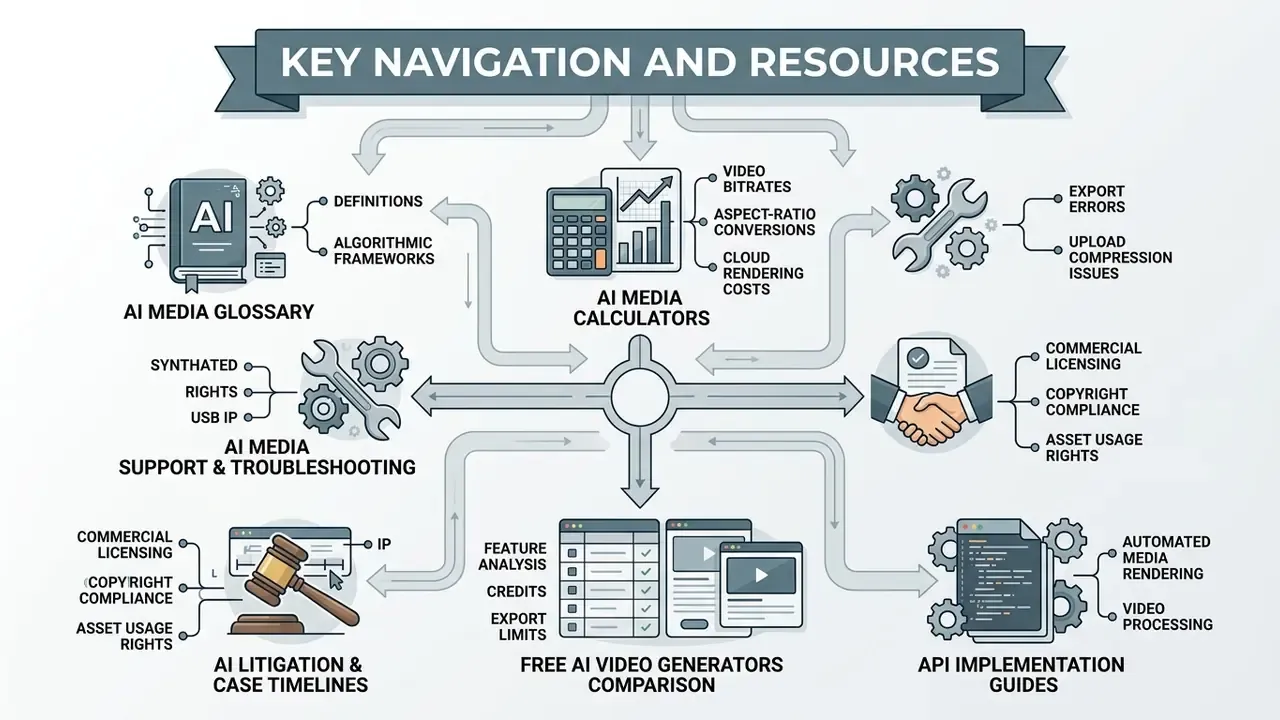
Additional technical references, interactive tools and production frameworks across our platform network:
- AI Media Glossary: complete technical dictionary of digital media definitions, algorithmic frameworks and production terms.
- AI Media Calculators: estimation tools for video bitrates, aspect-ratio conversions and cloud rendering costs.
- AI Media Support and Troubleshooting: diagnostics for export errors, upload compression issues and aspect-ratio mismatches.
- AI Media Commercial-Use Hub: guidance on commercial licensing, copyright compliance and asset usage rights.
- AI Litigation and Case Timelines: updates on synthetic media copyright, model training compliance and IP protection.
- Free AI Video Generators Comparison: feature analysis of free generation tools, credits and export restrictions.
- API Implementation Guides: documentation for integrating automated media rendering and video processing pipelines.