Last updated: 2026 · Reviewed for: technical accuracy, licensing terms, and disclosure compliance
Two audiences read a guide like this. Solo creators want the fastest route to a first clip. Brand, marketing, and compliance teams want to know what happens when a joke clip carries a company logo. Both questions get answered below, and the second one is where most budgets actually stall.
Executive Summary
- What it is A generative pipeline that turns a joke prompt, a photo, or a script into a rendered comedy clip with synthetic voice, captions, and sound design.
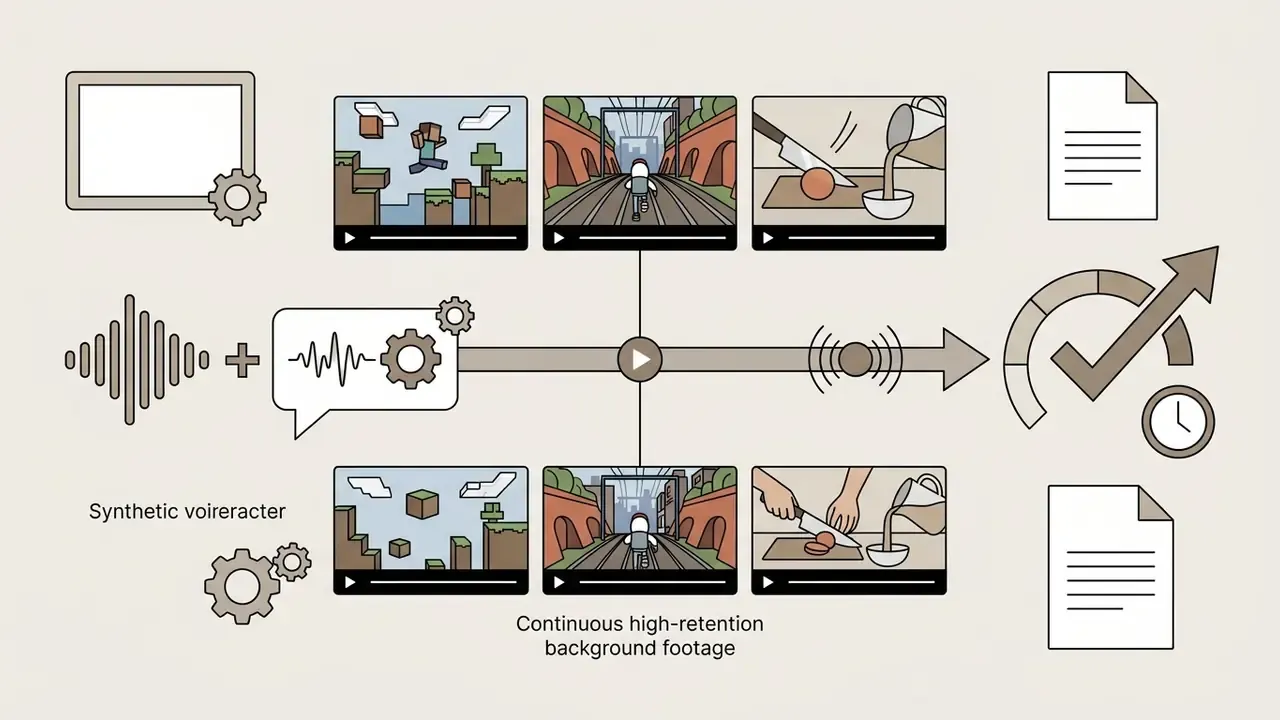
- Two core workflows text-to-video (prompt to scene) and image-to-video (photo to animated reaction). A third, fast-growing workflow is faceless comedy: AI voiceover layered over high-retention gameplay or "satisfying" background footage.
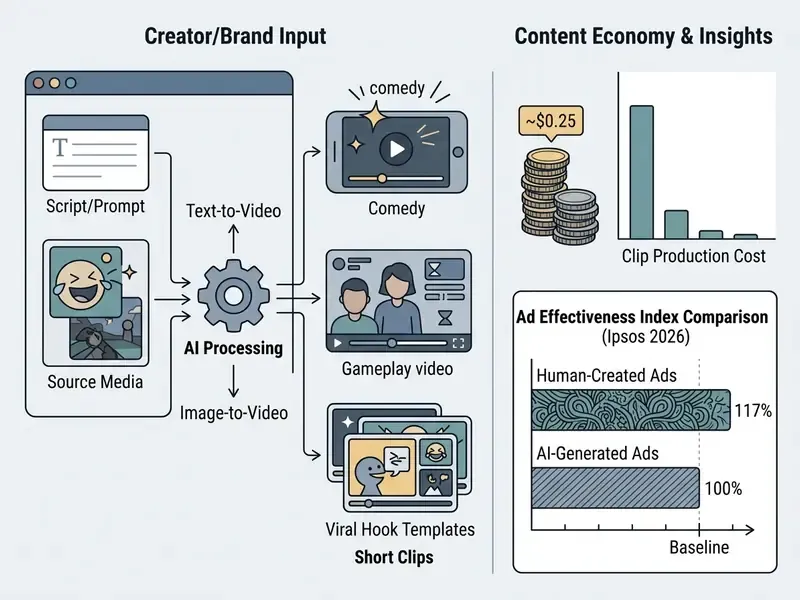
- Cost reality Cloud-rendered comedy clips run roughly 50 credits (~$0.20 to $0.25 per video) on structured SaaS tiers, versus $150 to $300 for freelance voice and editing assets.
- Revenue reality Comedy channels at 10M+ monthly views report $3,000 to $15,000 per month from platform ad-share and bonus pools, plus $1,000 to $10,000 per sponsored integration.
- Performance trade-off AI-personalized video ads lifted click-through by 9.4 percentage points at roughly 90% lower production cost (MIT IDE, 2024), yet human-made ads still score 14% higher on short-term sales impact (Ipsos, 2026).
- Compliance EU AI Act Article 50 requires machine-readable marking and visible labeling of synthetic video; purely AI-generated expression is not copyrightable in the United States.
- Fastest path to a first clip Define the premise, pick a character voice, choose a visual or gameplay background, then render, caption, and export at 9:16.
What Is a Funny AI Video Generator and What Can It Create?
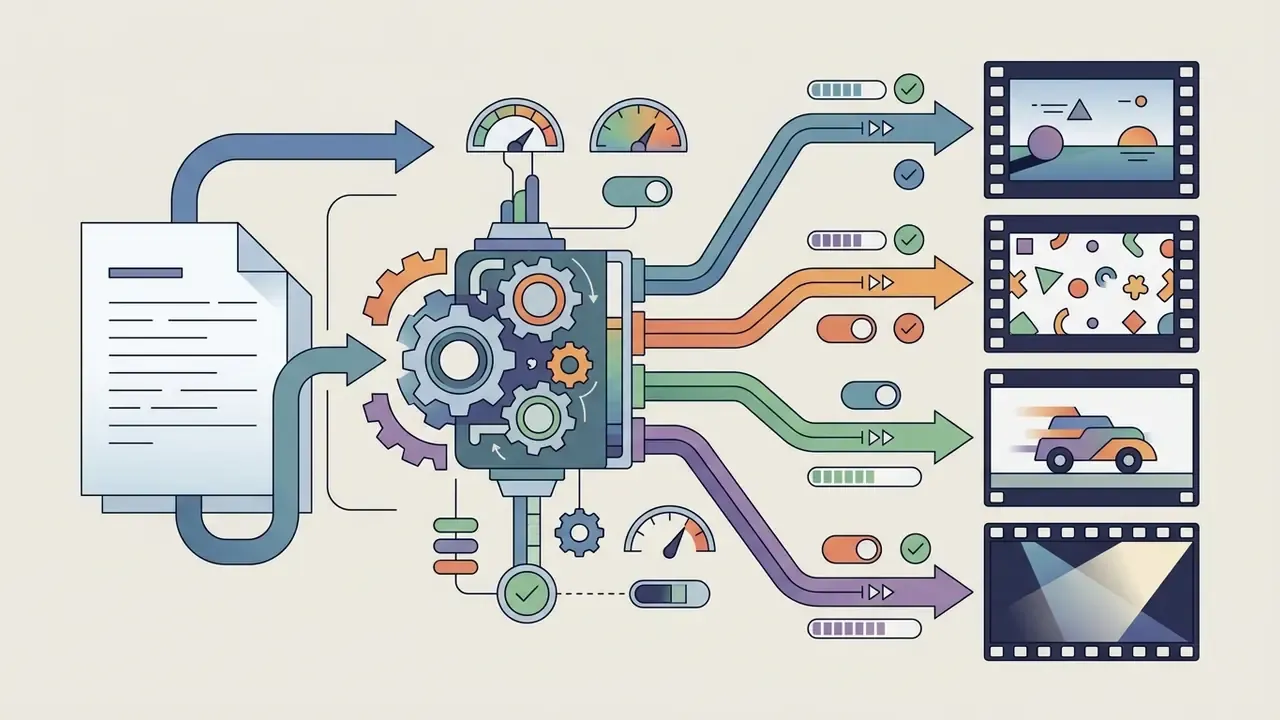
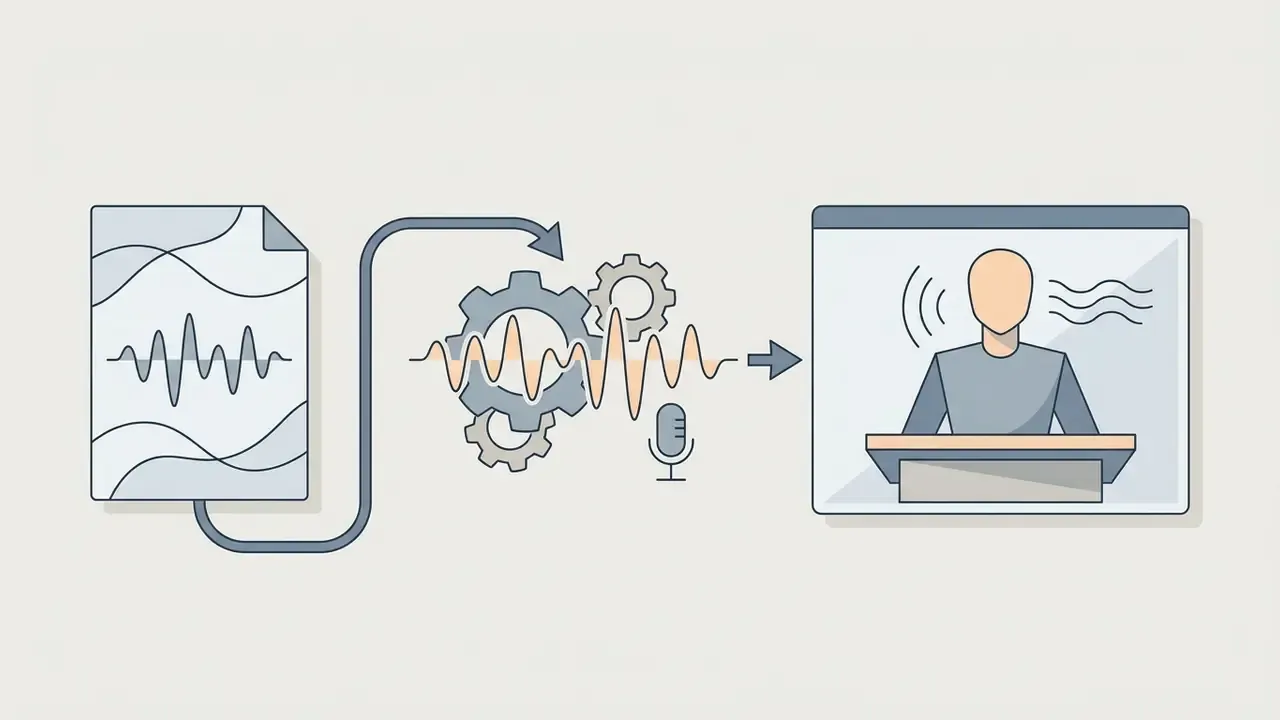
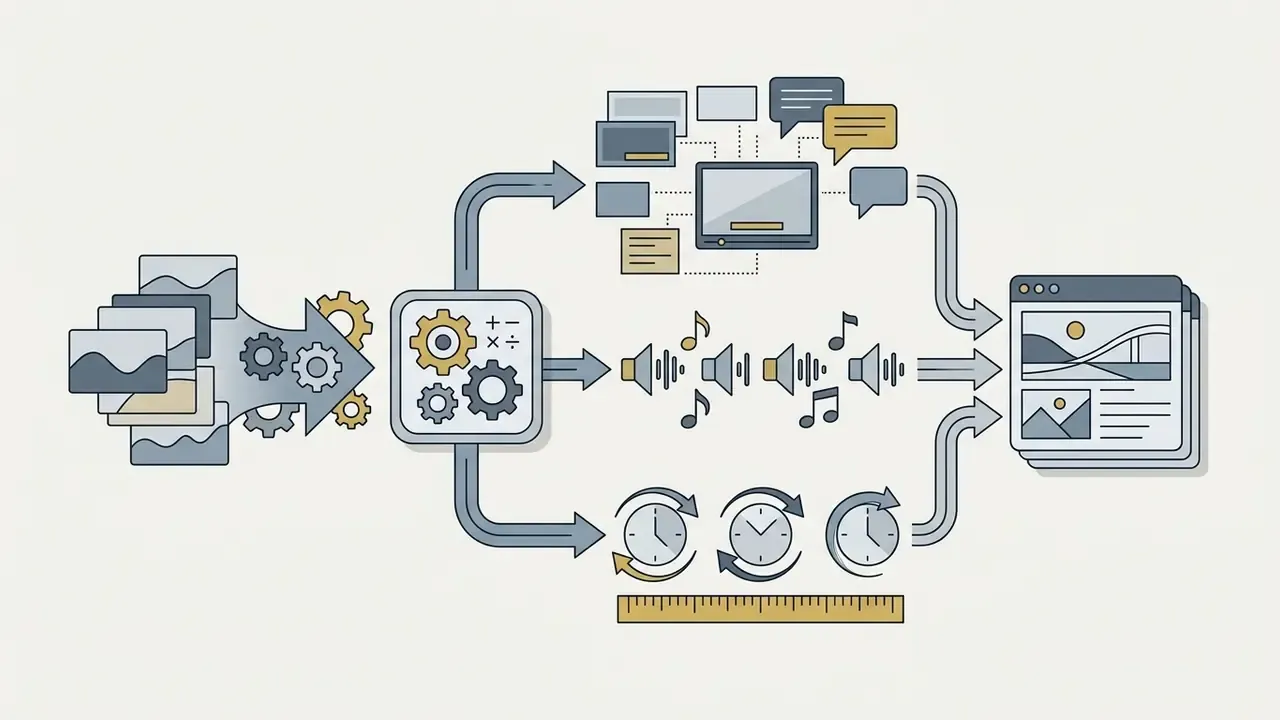
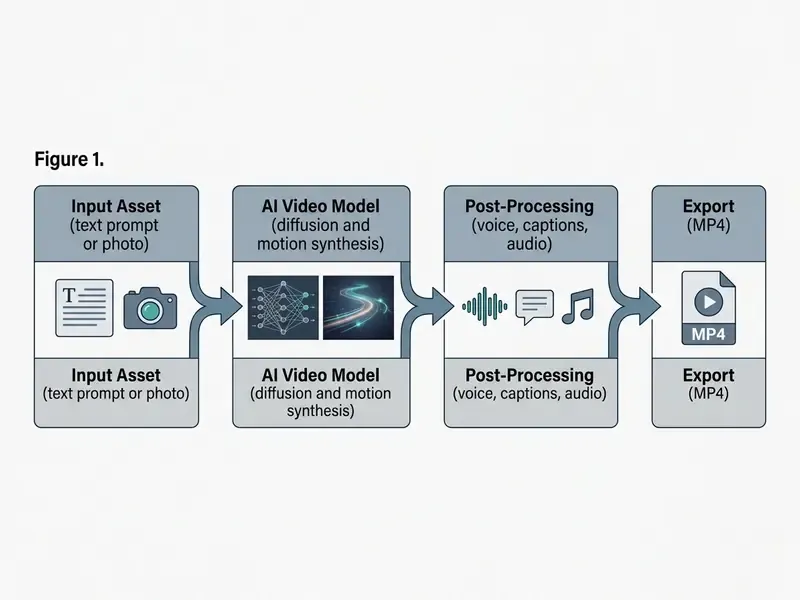
A funny AI video generator is a generative artificial intelligence system engineered to synthesize short, entertaining video clips from structured user inputs. These systems process text prompts, static images, or reference scripts to produce moving visuals paired with synthesized voiceovers, motion effects, and background audio.
Current model architectures generate content across several primary formats:
Text-to-Video: How AI Turns a Joke Prompt into a Video
Text-to-video generation processes natural-language joke descriptions by using language models to parse prompt semantics, followed by spatio-temporal diffusion models to render coherent video frames. Advanced architectures, such as CogVideoX (ICLR 2025) and Lumiere, process temporal duration across unified spatial-temporal blocks to maintain visual continuity throughout a comedic scene.
«Lumiere uses a Space-Time U-Net to synthesize full-frame-rate video in a single pass, producing realistic, temporally coherent motion.»
Creators who want a deeper technical comparison of prompt-driven engines can review the text-to-video AI tools overview before committing render credits. Credits disappear faster than most people expect.
To transform textual comedy into video, models require descriptions specifying camera movement, subject action, and environmental context. Structured setup-and-punchline logic converts into motion trajectories most reliably when the prompt separates the initial visual state from the subsequent unexpected motion beat.
«A specialized humor system outperformed GPT-4o on caption funniness by 0.213 points (p<0.0001) using visual detail extraction and joke templates.»
In practical terms, the measurable gain comes from structured decomposition: extract concrete visual details first, then apply a joke template. Asking a model to "be funny" in one undifferentiated instruction produces flatter output almost every time.
Image-to-Video: Creating Funny Videos from a Photo
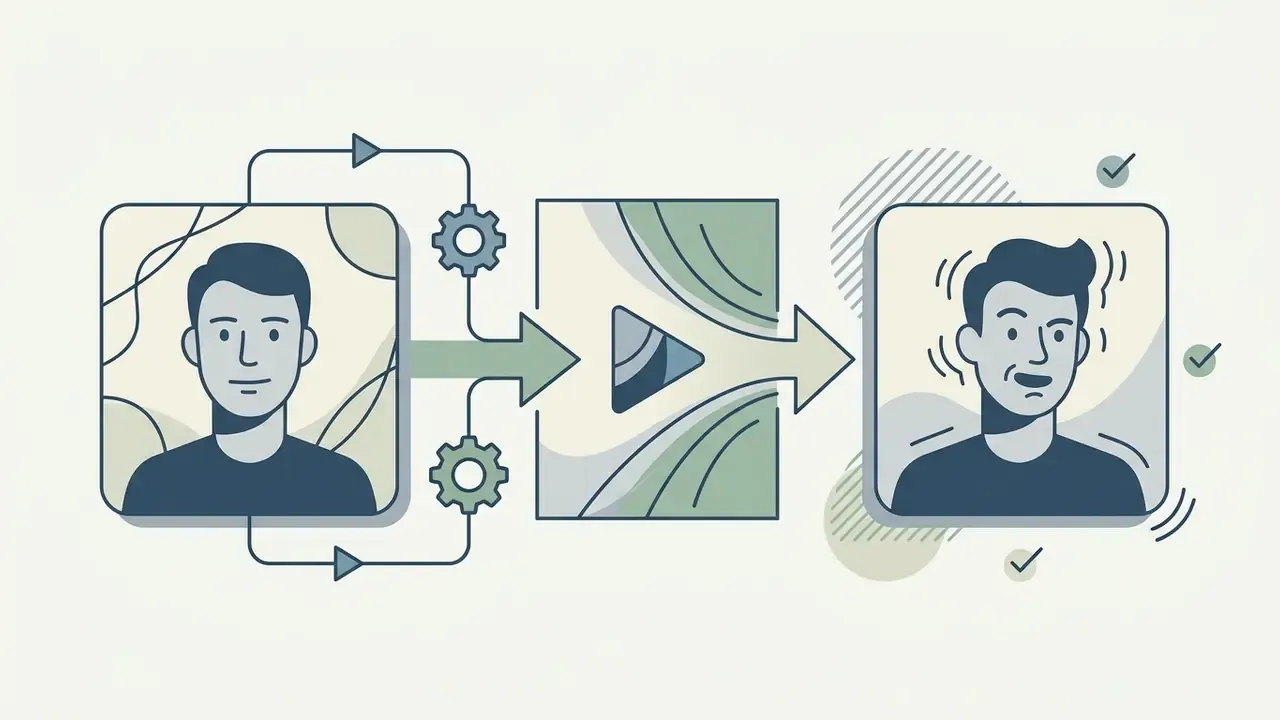
Image-to-video systems use a static photo as an anchor, applying motion vectors and facial-dynamics algorithms to animate character expressions and movements. Models such as VideoBooth (CVPR 2024) and SadTalker rely on image-conditioned diffusion and motion coefficients to preserve character identity while introducing exaggerated facial reactions or speech movements.
«Lumiere supports image-to-video: a single image serves as the starting frame, and the model generates plausible motion while preserving spatial consistency and character features.»
Creators use photo-to-video workflows to transform portraits, illustrations, or pet photos into animated comedy assets. This is the path behind most searches for an ai funny video generator from photo. For a side-by-side view of animation engines, expression controls, and export limits, consult the image-to-video AI tools reference. The input image establishes character appearance, while motion parameters dictate timing, eye movement, and comedic expression shifts.
Beyond text and photo prompts, secondary comedic workflows leverage face swap algorithms to insert user portraits into viral meme templates, alongside specialized animation scripts such as AI kissing and romance parodies, hairstyle change reveals, and aging filters for immediate slapstick payoffs. These micro-formats trade narrative depth for instant recognizability, which is why they dominate reply-and-remix loops in comment sections. Creators building character-consistent thumbnails alongside these clips often pair them with an AI headshot generator for a stable visual identity, and use a general-purpose online photo editor to prepare clean, high-resolution source frames before motion encoding.
One caution from repeated testing: a low-resolution source photo produces smeared motion around the mouth and eyes, and no amount of prompt tuning fixes it afterwards. Start with a sharp frame.
Types of Funny AI Videos for Social Media and Marketing
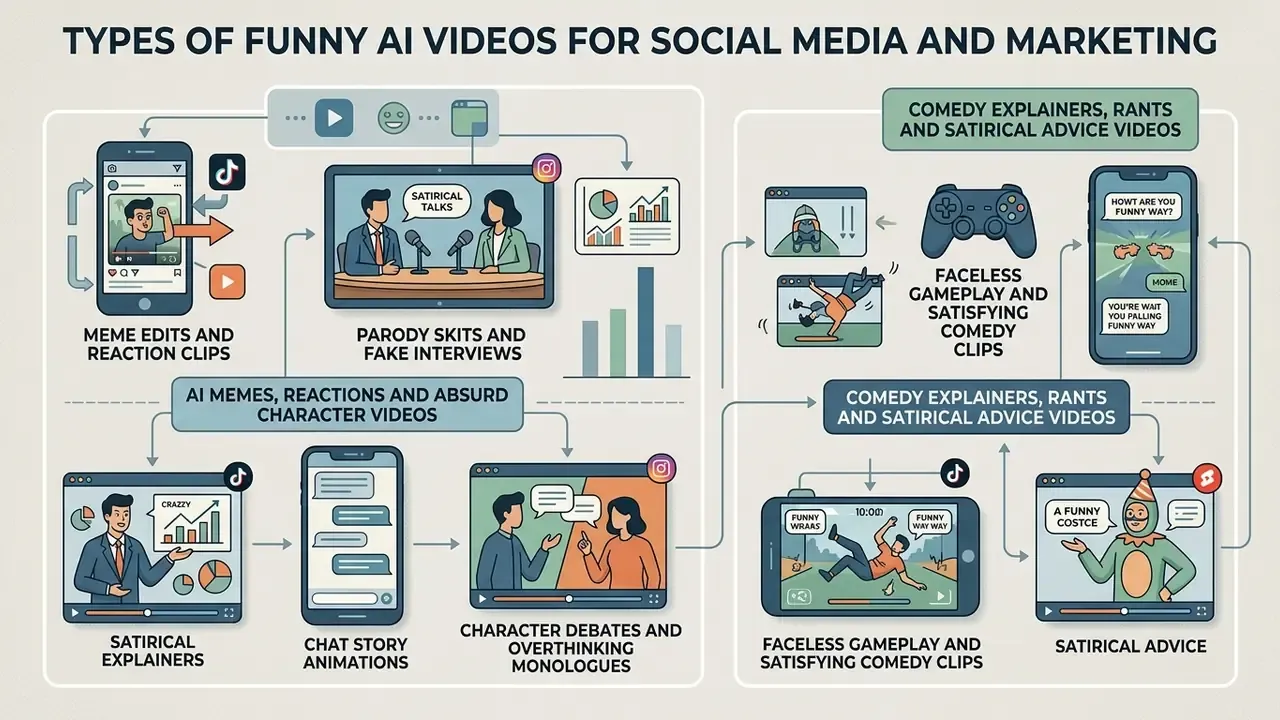
Funny AI video formats vary according to audience expectations, platform algorithms, and production goals across TikTok, Instagram Reels, and YouTube Shorts. Comedic content consistently drives higher initial retention than informational short-form video.
«TikTok shows the highest average engagement rate at 18.2%, Instagram Reels 12.5%, and YouTube Shorts 10.7%; humor and viral challenges are key drivers on TikTok.»
Common AI video formats include:
Why the faceless format scales. Because no filming is required, a single operator can batch 10 to 30 clips per session: one script queue, one voice profile, one background library. Watch time is carried by the visual loop rather than by the joke's pacing, which protects retention even when a punchline underperforms. Publish cadence, not per-clip perfection, becomes the primary growth lever.
Still short on ai video ideas funny enough to test? Mine your own week. Parking-lot etiquette, group-chat silence, the 11 p.m. grocery run: mundane friction converts better than invented absurdity.


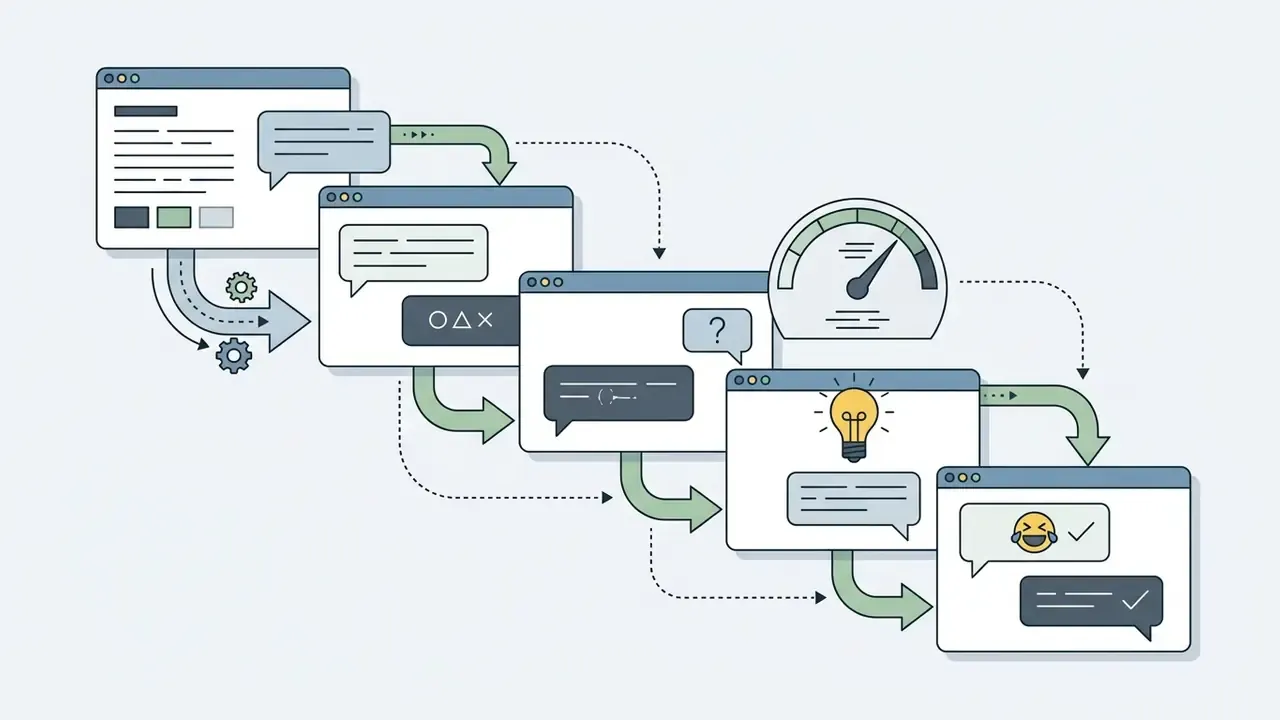
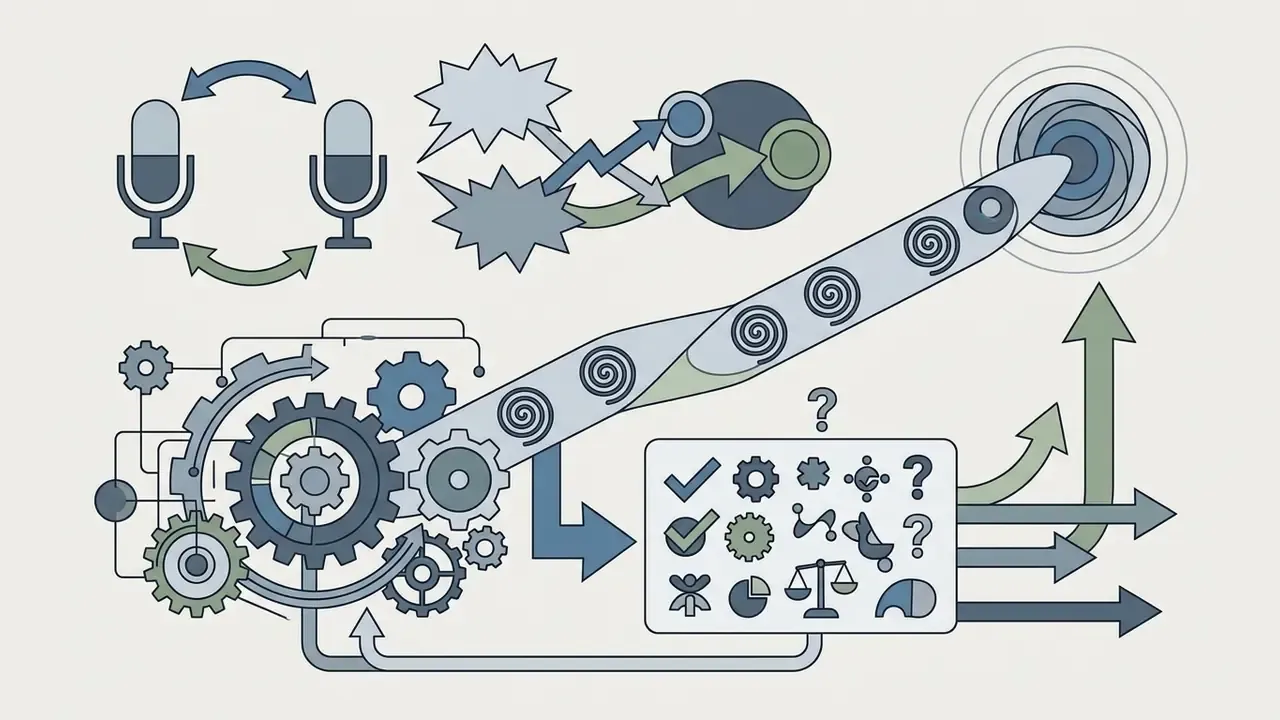
AI Memes, Reactions and Absurd Character Videos
AI meme edits combine brief visual clips with recognizable audio tracks, using unexpected motion or visual exaggeration to create comedic contrast. Generation pipelines increase idea volume and lower production effort, though human curation remains essential for peak comedic resonance.
«Fully AI-generated memes scored higher on average than human-made or co-created memes, yet the funniest individual memes were still made by humans.»
The operational reading of that finding: AI raises the floor of comedic output while humans still set the ceiling. A workflow that generates in volume and then hand-selects the top 10 to 20% of clips captures both effects.
Absurd character videos rely on static identity preservation paired with unrealistic physical movements. Models apply expression-intensity multipliers to generate wide-eyed reaction clips, double-takes, or dramatic facial drops, which makes these formats effective for short-form social feeds. Creators producing recurring animated characters can compare rigging, template, and export options in the animation maker guide.
Comedy Explainers, Rants and Satirical Advice Videos
Comedy explainers use synthetic voiceovers paired with automated image transitions to deliver sarcastic instructions or humorous takes on professional topics. AI systems efficiently draft monologue structures and premise outlines, while human refinement adapts pacing and tone for specific audiences.
That result has a direct production implication: leaning into the artificiality of a synthetic host, rather than disguising it, can increase perceived humor while simultaneously satisfying disclosure obligations. Transparency and comedy are not in conflict in this format. Useful, and slightly counterintuitive.
Creators constructing multi-character satirical monologues typically finalize a structured text script before rendering video assets. Reviewing how language models sequence narrative beats, escalation, and dialogue handoffs in general-purpose AI video generator workflows clarifies where scripting ends and visual synthesis begins.
Tool Roundup: Seven Generators Built for Comedy Output
Readers searching for a funny AI video generator usually want a shortlist they can open immediately. The table below groups seven widely used 2026 platforms by their comedic strength. Pricing is indicative and changes frequently; verify current tiers on each vendor's pricing page before purchase.
| Tool | Comedic Strength | Core Workflow | Free Tier | Indicative Paid Range |
|---|---|---|---|---|
| Runway (Gen-3 / Gen-4 Turbo) | Physical gags, absurd motion, style control | Text-to-video, image-to-video | 125 one-time credits (~25s of Gen-4 Turbo) | ~$12 to $95/mo by tier |
| Google Veo (3.x) | Photorealistic deadpan scenes, native audio prompts | Prompt- and image-based video | Limited trial access via consumer apps | Bundled in premium AI subscriptions; API metered per second |
| Pika | Meme loops, quick reaction clips, effects | Text-to-video, image-to-video | ~80 monthly credits at 480p with watermark | ~$8 to $70/mo by tier |
| Kling (3.0 Pro) | Character motion realism, longer takes | Text-to-video, image-to-video, extensions | Daily credit allowance | ~$10 to $92/mo by tier |
| invideo AI | Script-to-video comedy with 50+ voice accents, CTA graphics, 16M+ iStock assets | Prompt to script to auto-edit | Watermarked exports | ~$20 to $48/mo by tier |
| Flixier | Faceless joke videos with auto-sourced stock and AI voices; multi-model access (Veo, Kling, Wan, Seedance) | Prompt to auto-assembled timeline | Browser access, limited exports | ~$10 to $30/mo by tier |
| Faceless comedy SaaS (Autoclips-class) | Character voices plus gameplay backgrounds, captions baked in | Topic, voice, background, render | Trial credits |
Free-first alternatives worth testing before any subscription: Clipchamp (1080p export on the free plan, free stock effects), Canva (watermark-free export when a project uses only free elements), and Kapwing (text-to-video with a small watermark on free exports). For a structured comparison of no-cost options by duration limits, credits, and watermark policy, see the best free AI video generators breakdown; for stills and thumbnails, the best free AI art generators comparison covers output quality and licensing. Broader category matrices live in the AI Media Comparison Matrices hub.
How to Choose an AI Funny Video Generator
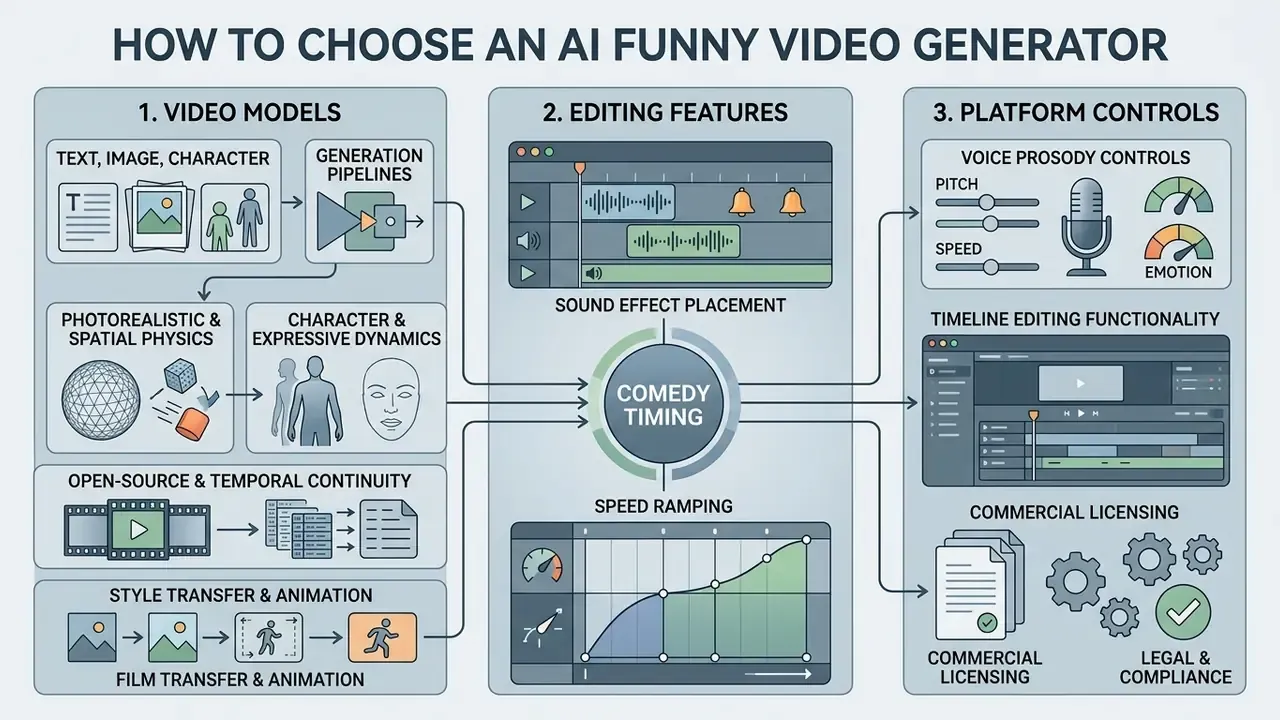
Selecting an ai funny video maker requires evaluating underlying video diffusion architectures, voice prosody controls, timeline editing functionality, and commercial licensing terms. Evaluating tools across standardized operational criteria prevents workflow bottlenecks during video production. A structured comparison of AI video generators narrows candidates before you spend credits on test renders.
| Feature Category | Free Plan Capability | Paid Plan Capability | Primary Selection Impact |
|---|---|---|---|
| Output Resolution | 480p to 720p draft quality | 1080p Full HD to 4K | Visual clarity on high-DPI social displays |
| Watermark Removal | Mandatory watermark included | Clean export without marks | Commercial and brand publishing readiness |
| Generation Limits | 10 to 125 one-time or monthly credits | Hundreds of monthly minutes | Scalability for continuous content calendars |
| Voice Synthesis | Standard monotone voices | Multi-emotion prosody control | Precision timing on joke punchlines |
| Editing Interface | Basic trimming and filters | Multi-track timeline and audio mixing | Control over scene pacing and cuts |
| Commercial Rights | Non-commercial personal use | Full commercial usage rights | Legal compliance for monetized channels |
| Indicative Cost | $0 | ~$8 to $95/mo, or ~$0.25 per rendered clip on credit-based tiers | Budget planning per publishing cadence |
«AI-personalized video ads increased click-through rate by 9.4 percentage points versus personalized image ads, while cutting production costs by roughly 90%.»
Reported production-time reductions in agency workflows should be treated as directional rather than benchmarked. Internal editorial observation across recurring short-form campaigns indicates that pre-approved prompt templates plus automated subtitle synchronization compress the per-clip cycle from a multi-hour manual edit to well under an hour. The specific figures below are an internal estimate and require independent verification before being cited as a benchmark.
Original phrasing retained for transparency: an evaluation team at a digital marketing firm ran a controlled trial comparing automated video tools against human editing baselines; an operational review assessed video assembly across 50 marketing campaigns, and by establishing pre-approved prompt templates and automated subtitle synchronization, the team reduced clip production time from 4 hours to 22 minutes per video while maintaining performance metrics comparable to manually edited content. Treat these numbers as an unverified internal case note, not a published study.
Video Models for Text, Image and Character Generation
Modern video models show distinct strengths in spatial consistency, motion realism, and multi-character handling. Systems like Google Veo and PixVerse V6 offer text-to-video and reference-to-video controls, allowing creators to lock visual styles across multiple scenes.
Comedy generation pipelines lean on specialized model families depending on the required visual output:
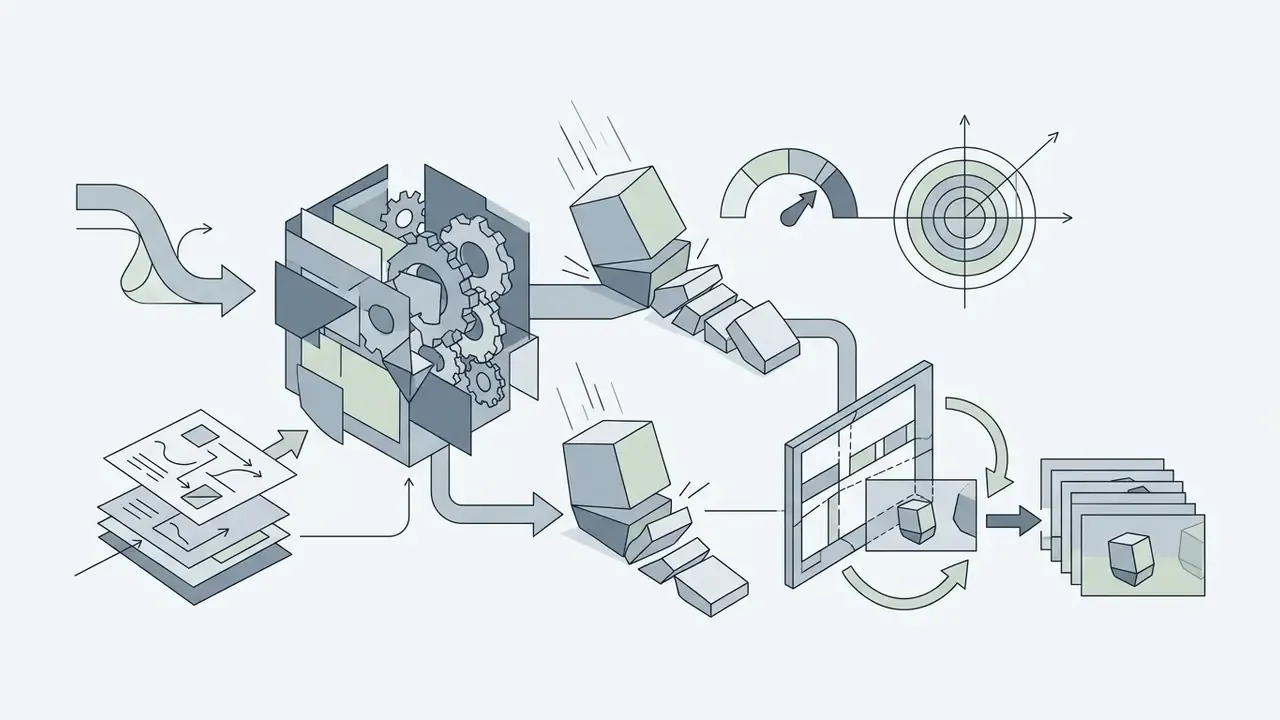
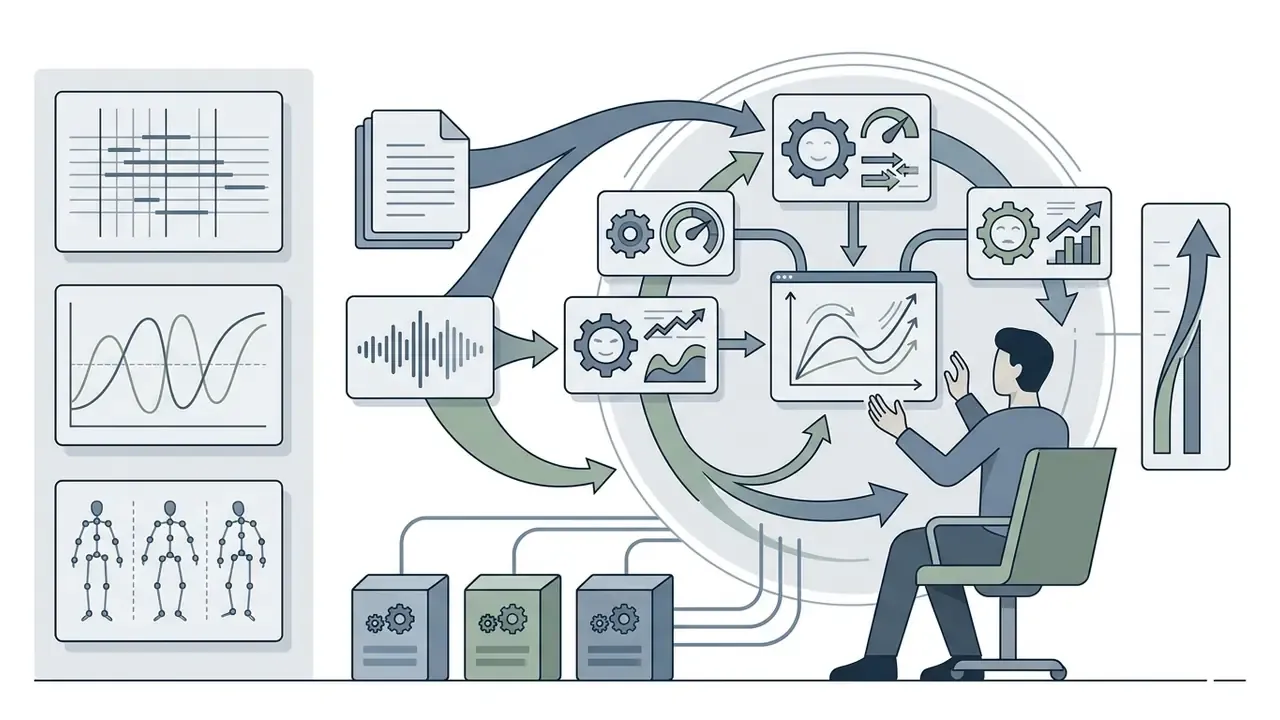

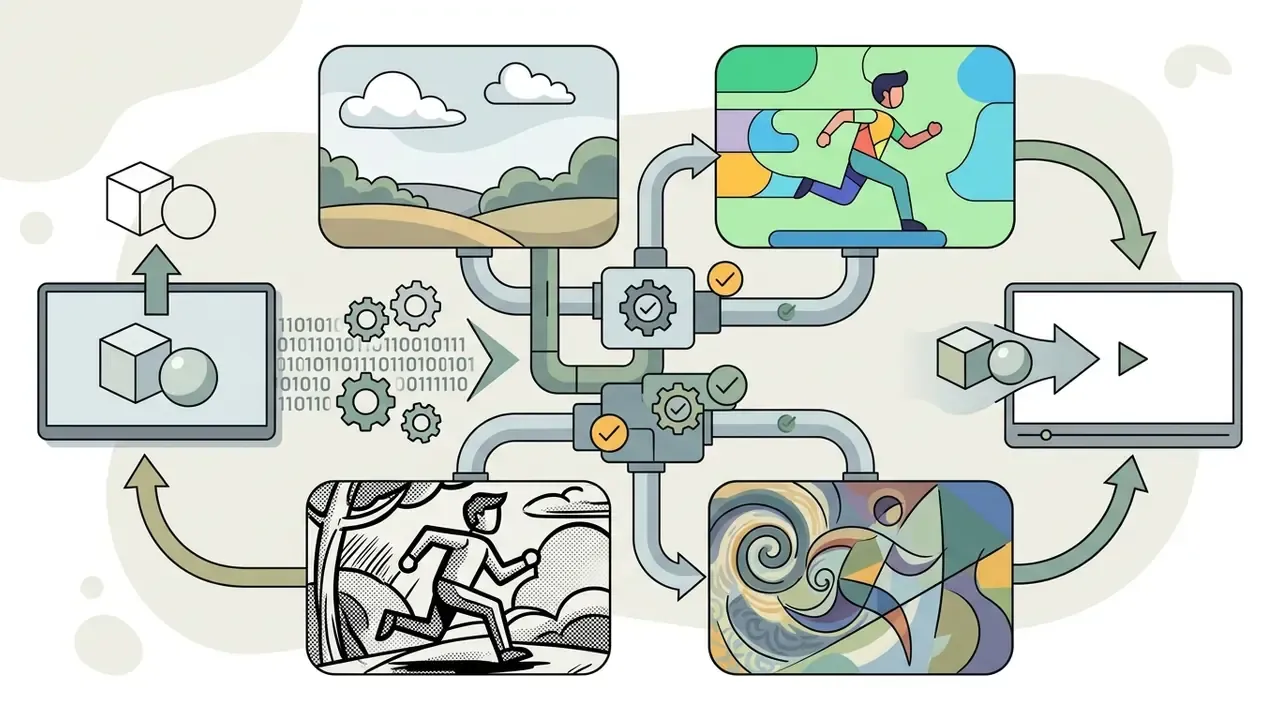
When evaluating video generation engines, cross-reference model families against the best AI video generators comparison to analyze capabilities per credit. Official OpenAI documentation notes that complex multi-character interactions remain challenging for video models, occasionally producing unintended physical anomalies that creators repurpose for comedic effect. A failure mode that has quietly become a genre of its own.
Editing Features That Improve Comedy Timing
Comedic effectiveness depends on visual and audio timing, which makes post-generation editing the difference between a clip that lands and a clip that stalls. An ai funny video editor worth paying for exposes frame-level control rather than fixed-template output; the video editing tools overview helps confirm that before you subscribe.
- Audio-caption synchronization: Broadcast subtitle conventions place dialogue captions on shot cuts or within roughly 0.5 seconds of audio onset. Independent verification against a published standard is recommended before adopting this as a hard rule; the supporting evidence below concerns reading speed rather than cut placement.
«Subtitle presentation speeds above 9 characters per second reduce reading completion and viewer comprehension.» *
- Sound effect placement: Comedic audio cues placed precisely on, or one frame before, visual punchlines heighten perceived humor.
- Speed ramping: Accelerating or decelerating clip playback emphasizes physical gags and exaggerated reactions.
- Predesigned comedic overlays: Lower-third captions, animated call-to-action buttons (subscribe, like, follow), emoji and sticker layers, and dynamic sound triggers such as record scratches or meme soundbites.
- Hybrid stock integration: Combining AI-generated character clips with high-resolution stock libraries (16M+ asset repositories, including integrated iStock catalogues) to ground absurd AI visuals in realistic environments.
- Multi-accent voice matching: Localized voiceover engines covering 50+ regional dialects and emotional tones (sarcastic, deadpan, frantic) so regional comedic nuance survives translation.
- Faceless background layering: Placing a continuous gameplay or "satisfying" loop on the base track, then keying the AI voiceover and caption stack above it. This is the standard structure for high-retention faceless comedy.
- Export optimization: Compressing the finished render without visible quality loss so upload processing does not soften captions; see the video compressor guide for format and bitrate trade-offs.
How to Create Funny AI Videos in Four Steps
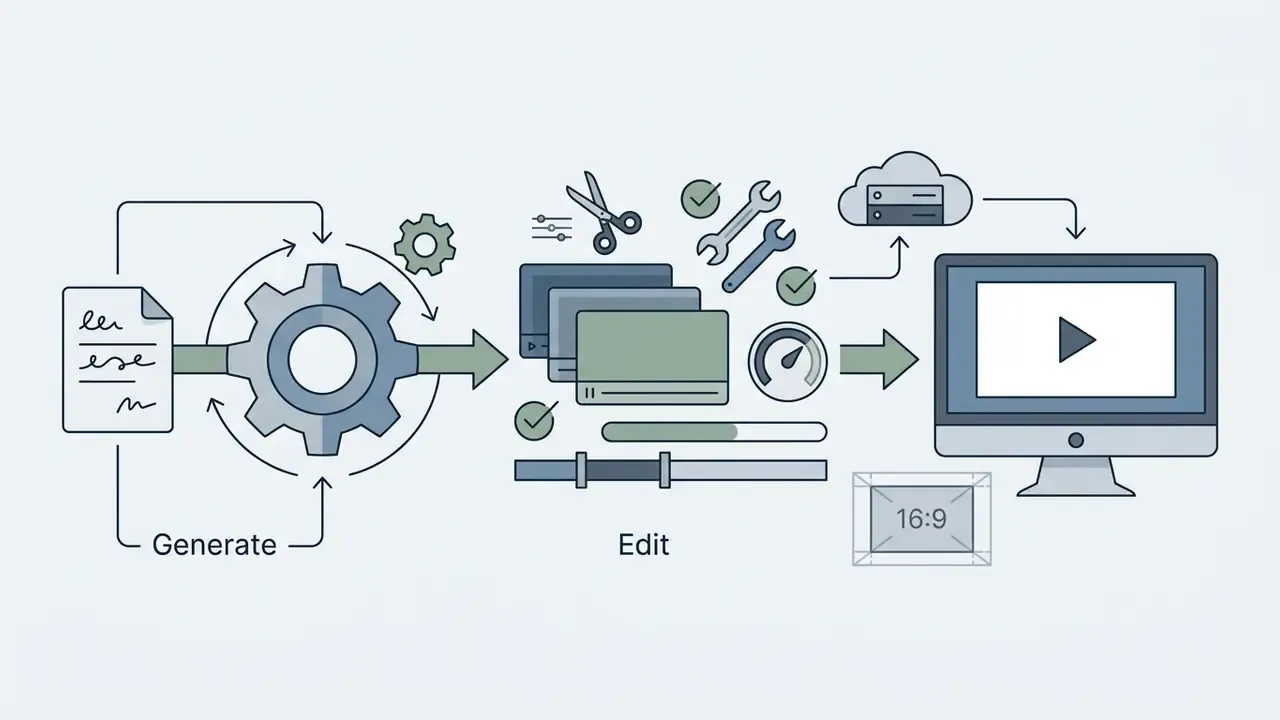
Creating an AI-generated comedy video follows a structured four-stage workflow: premise definition, asset configuration, video generation, and final post-production assembly.
- DEFINE JOKE PREMISE & SCRIPT |-- Establish relatable setup and unexpected punchline |-- Limit scenario to 1-2 core visual actions
- CONFIGURE VOICE & VISUAL ASSETS |-- Select synthetic voice with emotional prosody |-- Choose background: generated scene or gameplay loop |-- Upload reference photo or write detailed visual prompt
- EXECUTE GENERATION & EDITING |-- Render initial video clip via text/image-to-video model |-- Trim clip duration and synchronize audio tracks
- APPLY CAPTIONS & EXPORT |-- Add high-contrast burned-in subtitles |-- Export in platform aspect ratio (9:16 vertical)
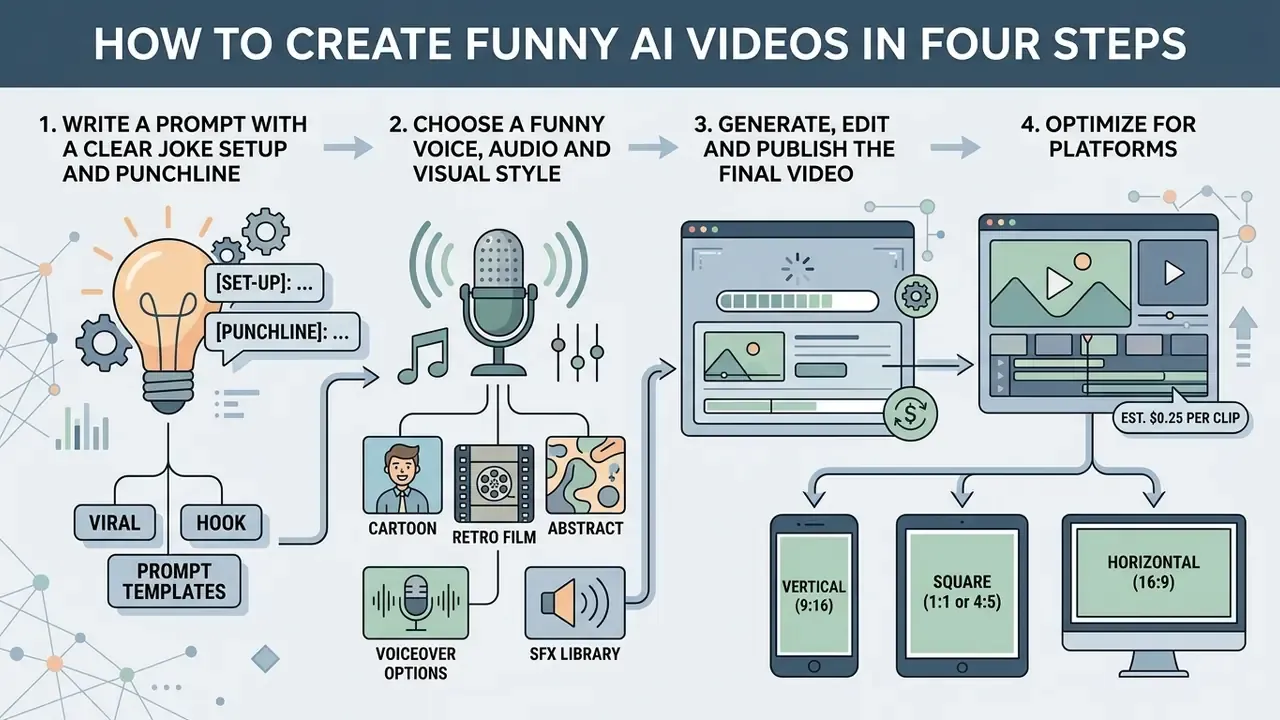
«A study of 274 YouTube how-to videos (2025) documented creators using generative AI across every stage: topic selection, scriptwriting, and visual and audio asset creation.»
That distribution matters for tooling decisions: creators rarely adopt a single end-to-end generator. The dominant pattern is a chain, running from ideation model to script model to video model to voice model to editor, with the editor acting as the integration point. Channel operators mapping that chain into a publishing routine can adapt the YouTube video editor workflow guide for cadence and export presets.
Write a Prompt with a Clear Joke Setup and Punchline
Effective comedy prompts structure visual descriptions around a setup, an expectation violation, and a final hold frame. Prompt guides recommend the structure: Subject + Action + Scene Setting + Camera Angle + Atmospheric Style.
«A humor system using visual detail extraction and joke templates outperformed GPT-4o by 0.213 points on funniness (p<0.0001) in a user study.»
Prompts that divide a scenario into sequential logical steps generate cleaner visual outputs than prompts describing ambiguous abstract concepts. Keeping descriptions clear and focused prevents the diffusion model from blending conflicting visual elements. The setup should establish one expectation only; the punchline should break precisely that expectation.
Viral hook prompt templates for AI scripting. To maximize retention within the first 1.5 seconds, open the script with a high-curiosity verbal anchor:
- The unspoken reality:
"Nobody talks about how weird it is when [everyday event]..." - The absurd escalation:
"Why does [simple object/action] suddenly turn into [extreme situation]..." - The controversial take:
"Hot take, but [relatable action] should actually be illegal..." - The contrarian observation:
"Unpopular opinion: [common behavior] is just a plot to..." - The fake authority:
"Scientists discovered that people who [mundane habit] are statistically..." - The direct question:
"Why do people [ordinary behavior] like it's a competitive sport?"
Each template front-loads tension before the visual payoff, which is why they survive the algorithmic first-second cut. Pair one hook with one visual beat; stacking two premises into a 15-second clip reliably dilutes both.
Choose a Funny Voice, Audio and Visual Style
Audio configuration influences how viewers perceive comedic timing and intent. Modern speech synthesis systems allow adjustments to pitch, intensity, vocal stress, and emotional profiles (sarcastic, excited, deadpan). Emotional prosody research treats intonation, rhythm, stress, fundamental frequency, and intensity as the concrete controllable dimensions of comic delivery, which means voice selection is a timing decision rather than a cosmetic one. A comparison of engines, language coverage, and licensing terms sits in the AI voice generator guide.
Combining exaggerated voice profiles with stylized visual rendering, such as 3D animation, vintage film filters, or comic-book aesthetics, sharpens the humorous tone. Audio selection should align with platform trends, using sound effects to reinforce visual actions. Character-specific voice profiles also make recurring personas recognizable across a catalogue, which is what converts one-off viral clips into subscriber growth.
Generate, Edit and Publish the Final Video
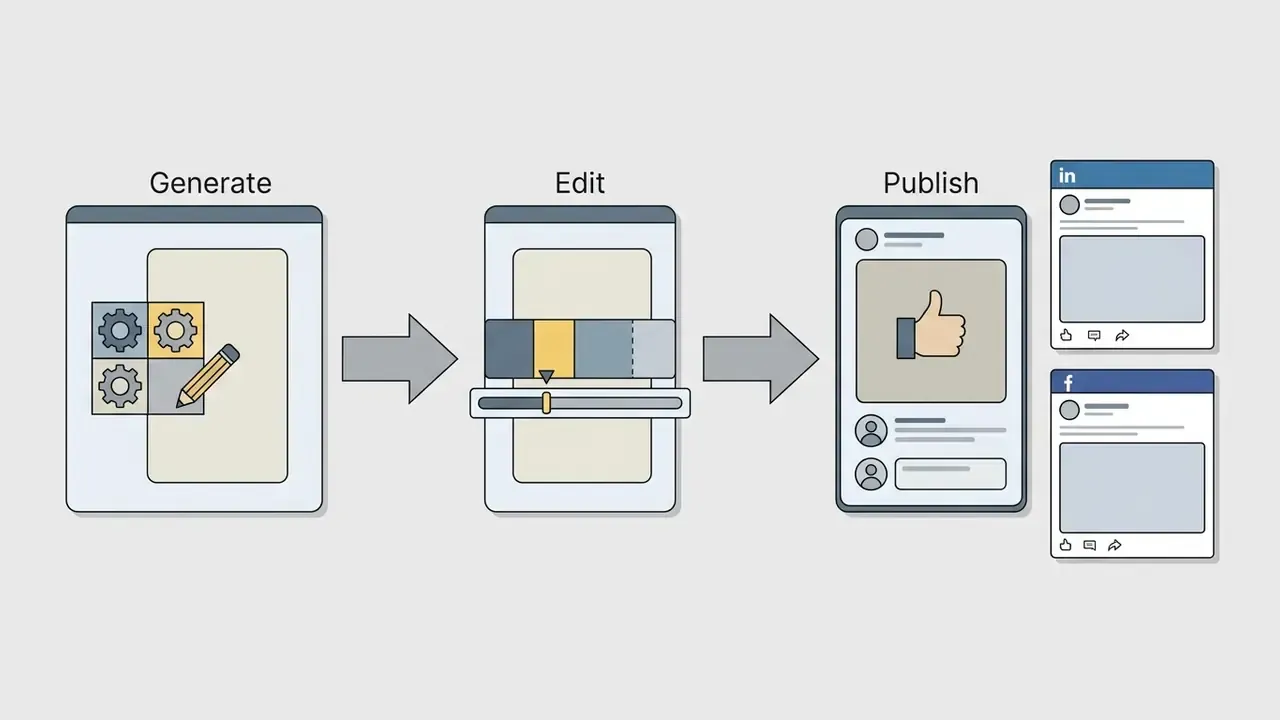
After model rendering, import the raw video clip into an editing timeline to refine pacing and format assets for distribution. Adjust clip boundaries to eliminate lagging frames, burn in dynamic subtitles, and mix audio levels so dialogue stays clear over background tracks.
Export the final file in aspect ratios matching your target distribution channel:
Before upload, run the file through a video compressor to reduce size without visible quality loss. Oversized uploads get re-encoded aggressively by platforms, which degrades caption legibility and fine facial motion, the two elements comedy depends on most.

Free AI Funny Video Generator: Limits, Plans and Upgrade Criteria
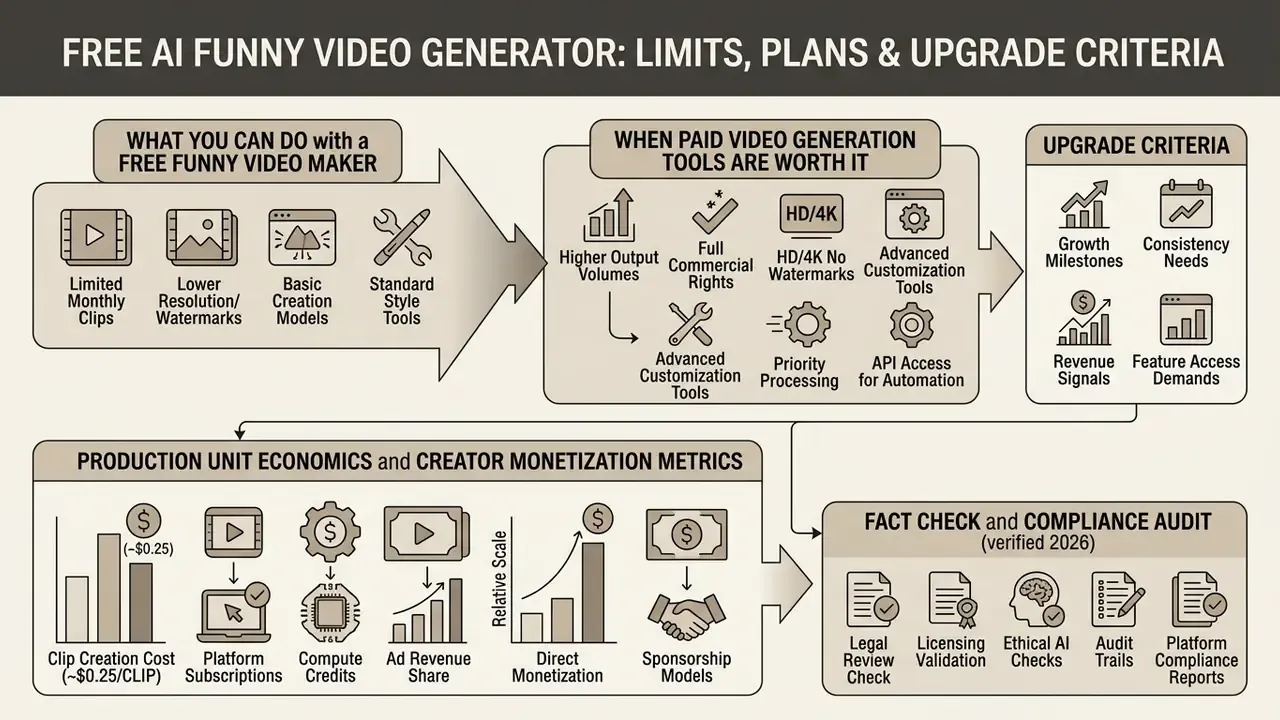
A free ai video generator funny enough for real publishing does exist, with caveats. Free tiers provide entry-level access for testing prompts and basic image animation, but they impose operational restrictions on resolution, duration, and rights. Understanding free AI video generator limits helps creators judge when a paid commercial plan becomes unavoidable.
What You Can Do with a Free Funny Video Maker
Free tiers typically provide one-time or monthly credit allocations (for example, 80 to 125 credits), permitting rendering of short, low-resolution clips at 480p to 720p. Tools like Clipchamp and Canva provide watermark-free exports when using standard free stock assets, whereas dedicated video generators like Kapwing apply visible watermarks to free exports. Luma's free web tier additionally restricts output to draft resolution, lower-priority processing, and non-commercial use.
Free plans work best as testing environments for prompt engineering before committing capital to production pipelines. Practical sequencing: burn free credits on prompt discovery, testing 10 to 15 hook variants at draft quality, then re-render only the winners on a paid tier. A structured comparison of the best free AI video generators clarifies which platforms cap duration versus resolution versus commercial rights, since those three limits rarely appear together. For still assets used in thumbnails and meme frames, a free photo editor covers export restrictions and privacy terms without additional spend.
When Paid Video Generation Tools Are Worth It
Upgrading becomes necessary when video creation moves from personal experimentation to commercial production. Paid tiers unlock full high-definition exports (1080p to 4K), remove vendor watermarks, raise monthly generation limits, and grant explicit commercial usage rights. Teams handling post-production locally can pair a paid generator with free video editing software to keep the editing layer at zero marginal cost. Subscription structures across categories are summarized in the AI Media Pricing Guides hub.
«Generative AI reduced video ad production costs by roughly 90%; an equivalent volume of human-produced clips would have cost $12 million.»
Production Unit Economics and Creator Monetization Metrics
Can You Use Funny AI Videos Commercially?
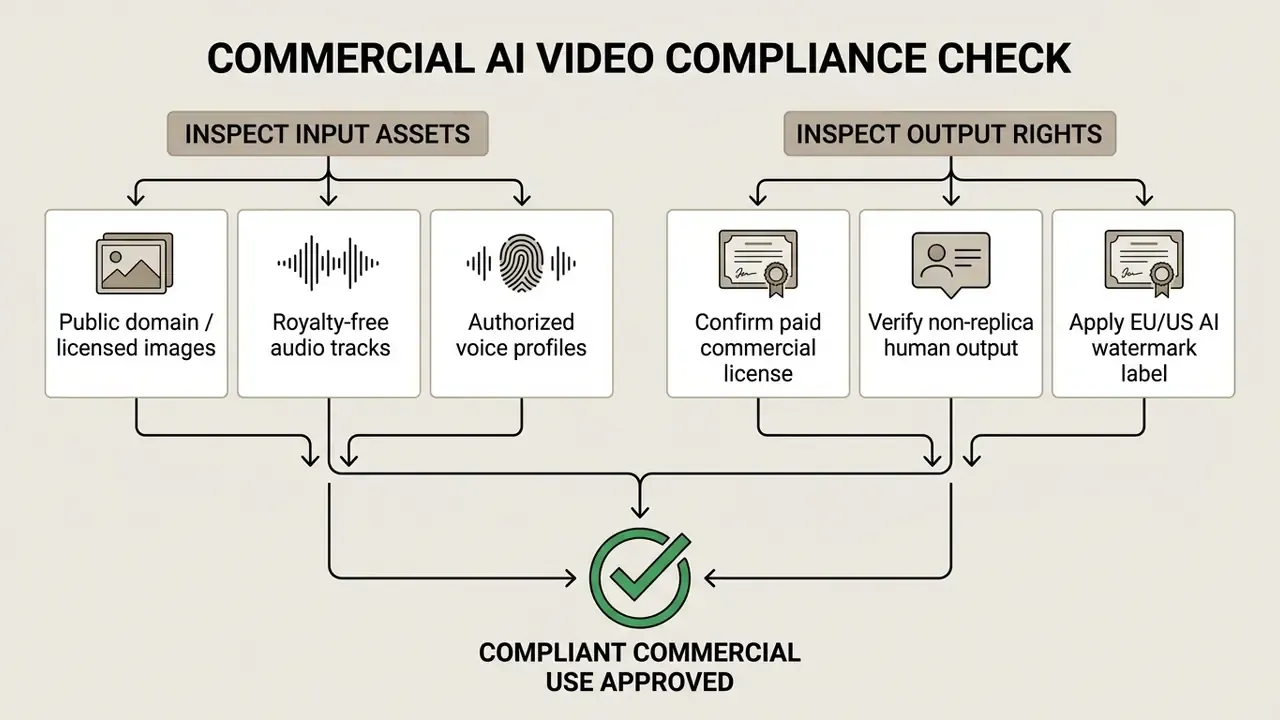
Using AI-generated comedy videos for commercial campaigns, brand channels, or monetized social accounts requires adherence to intellectual property laws, licensing agreements, and regional disclosure regulations. Vendor-by-vendor commercial terms differ sharply, so verify rights per platform. The AI video generator reference summarizes where commercial use sits behind a paid tier, the AI Media Commercial-Use Hub collects licensing summaries by category, and the AI image generator commercial-use guide covers the equivalent question for still assets used in thumbnails and meme frames.
Check Rights for AI Video, Images, Music and Voices
Legal ownership of AI-generated video depends on human authorship and vendor licensing terms. Guidance from the U.S. Copyright Office (2023 to 2025 AI Guidance) states that purely AI-generated expressive content lacks human authorship and cannot be copyrighted. Protection attaches only to human-authored elements, such as original scripts, manual edits, and complex video arrangements, and registrants must disclaim the AI-generated portions.
Using synthetic voice clones or recognizable human likenesses without explicit authorization triggers right-of-publicity claims and violates FTC guidelines on deceptive endorsements (FTC AI Voice Cloning Guidance, 2024). The Copyright Office's 2024 to 2025 digital-replicas work treats cloned voice and likeness as a publicity and privacy matter separate from copyright. In practice, a creator can hold no copyright in an output and still incur liability for the likeness inside it. Uncomfortable combination, but that is the current state of play.
Disclosure is not cost-free, which is why it should be planned rather than improvised:
Using Funny AI Videos for Brand and Creator Content
Brands integrating funny AI videos into advertising campaigns achieve high short-term click-through rates, but face trade-offs in long-term brand equity.
«Human-created ads average 14% higher short-term sales impact (CEI) and 17% higher long-term brand health (EEI) than AI-generated ads.»
The disclosure effect has a documented psychological mechanism, not merely a correlation:
«AI disclosure increased persuasion-knowledge activation, which in turn lowered trust in both the advertisement and the organization (N=304).»
Practically, this argues for keeping AI disclosure factual and unobtrusive while investing human effort where it moves brand metrics: premise selection, comedic editing, and final quality control. Creators planning commercial campaigns can review the commercial use of AI images licensing framework, and compare vendor-specific terms in the Canva AI Generator commercial overview for template-based production.
Content Policy Boundaries and Brand-Safety Guardrails
Comedy drifts. A prompt written for absurd slapstick can drift toward sexualized, defamatory, or otherwise unpublishable output, especially when face swap and likeness animation enter the pipeline. Mainstream generators enforce policy filters on exactly those categories, and monetized channels inherit the same restrictions from each distribution platform.
Two practical rules keep a comedy workflow inside brand-safe territory:
A short internal note from repeated review cycles: the clips that cause problems are almost never the wildest ones. They are the mid-tier jokes that used a real person's face because it was convenient.
How to Make AI Comedy Videos More Shareable
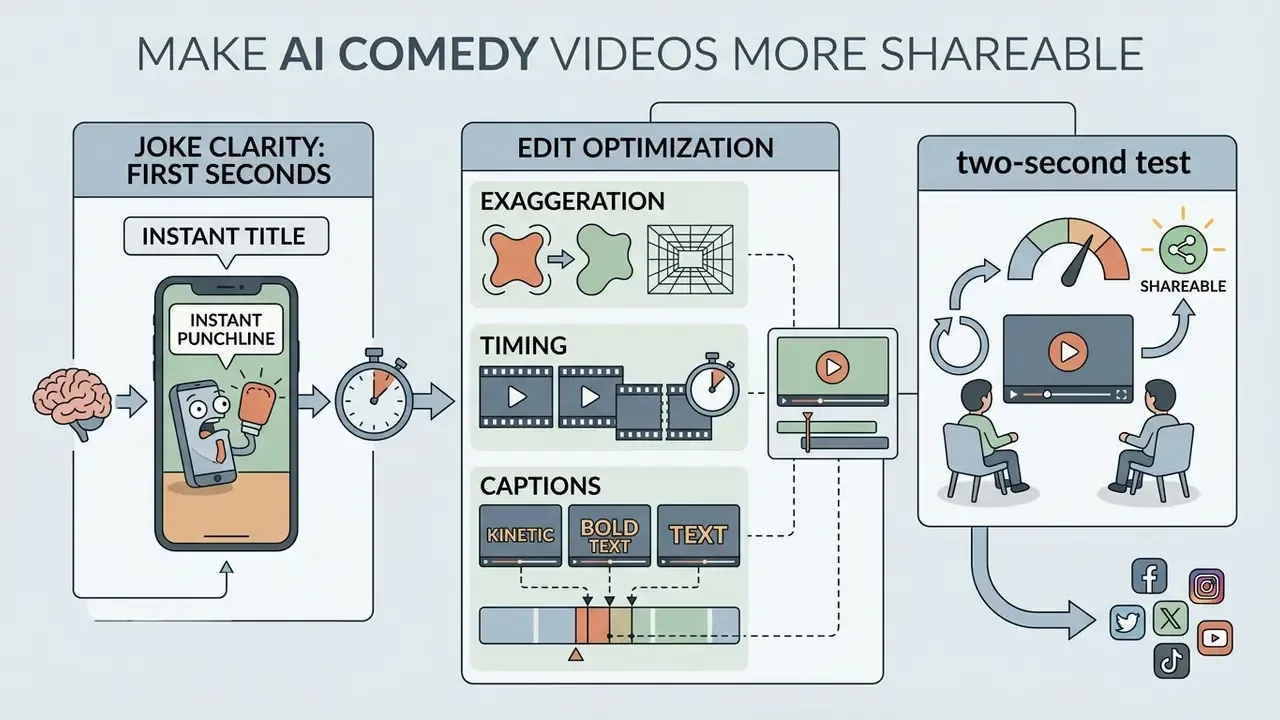
Shareability in short-form AI video depends on capturing audience attention within the opening seconds, maintaining fast-paced visual editing, and optimizing joke delivery through clear audio-visual cues.
Make the Joke Clear in the First Seconds
Short-form videos must establish a visual hook almost immediately: a high-contrast anchor within roughly 0.5 seconds, a tension cue by 1.5 seconds, and a clear premise by 3.0 seconds.
«Fast narrative delivery within the first 10 seconds and emotional elements, including humor, consistently increase likes and shares on TikTok, Reels, and Shorts.»
On optimal duration: audience-preference research on short-form generative video points to 15 to 30 seconds as the retention sweet spot, with longer runtimes risking attention loss. Treat that figure as directional and validate it against your own channel analytics, since it varies by niche and format. Faceless gameplay formats routinely sustain longer runtimes than talking-head monologues.
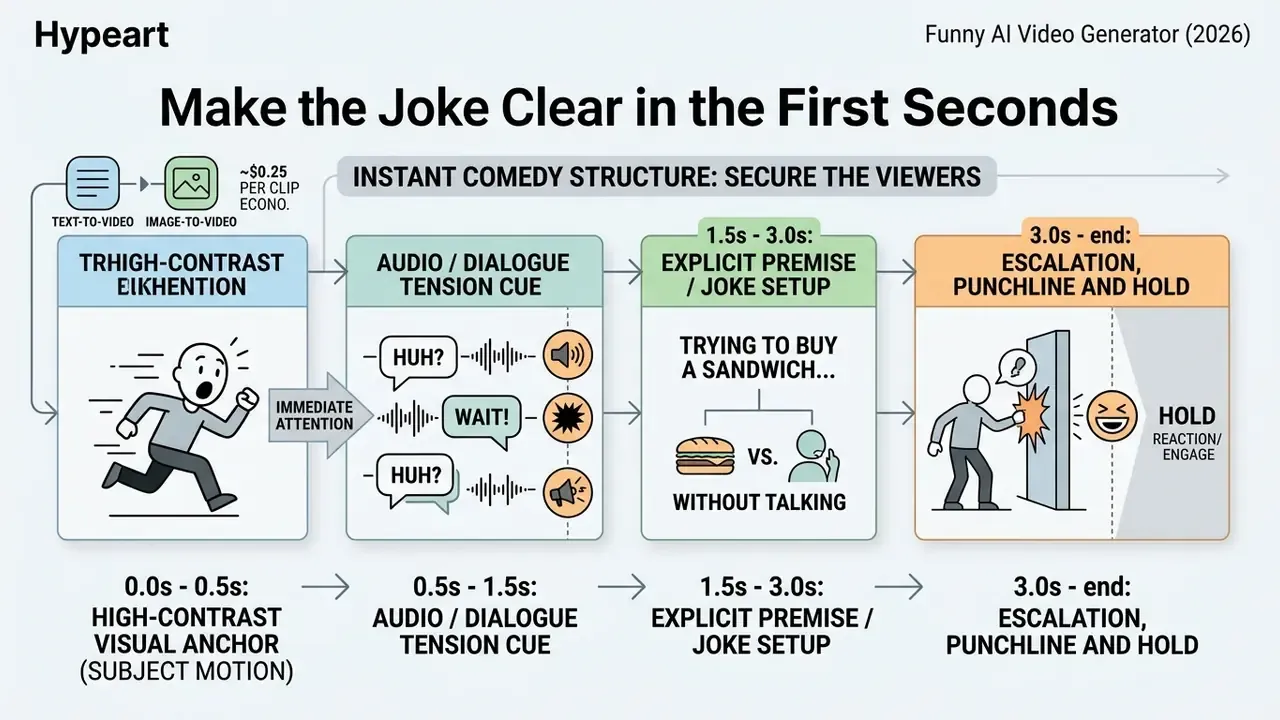
Video-humor research defines the "humorous moment" as the instant immediately preceding laughter, with detection models drawing on both subtitles and video frames. The design implication: comedic hooks must work audiovisually, not verbally alone. Muted playback should still telegraph that something absurd is coming.
Use Exaggeration, Timing and Captions in the Edit
Post-production editing turns raw AI clips into shareable social assets. Dynamic, burned-in captions protect comprehension, since a substantial share of social media video consumption happens with audio muted.
- Exaggerate key beats: Apply visual zoom-ins or speed ramps on character reaction frames. Comedy derives from proportion distortion; "slightly annoying" must be rendered as "the worst thing that has ever happened".
- Maintain subtitle speed: Presentation speeds above 9 characters per second decrease reading completion and comprehension (Why Subtitle Speed Matters, Cambridge University Press, 2022, https://doi.org/10.1017/9781108869928). Keep captions to two lines maximum, inside the platform safe zone, and under roughly eight words per card for meme formats.
- Align audio stingers: Insert comedic sound effects (record scratches, bass drops, airhorns) directly on visual transitions, just before, on, or just after the visual gag.
- Close with an explicit ask: A direct call to action measurably lifts interaction.
«An explicit call to action ("like this", "share with a friend") increases engagement by 15%; content using trending audio is surfaced more often by recommendation algorithms.» *
- Apply the two-second test: Judge each finished clip by whether it produces a reaction within its first two seconds of playback. If it does not, re-cut the opening rather than the punchline.
Pre-Publication Compliance Checklist
Copy this list into your production tracker and clear every line before a comedy clip goes live on a monetized or brand-owned channel:
Checklist0 / 12
Monitor evolving legal precedent and disclosure rules through the AI litigation and case timelines portal before rolling a comedy format into a large paid campaign.
Limitations and Open Questions
Three areas remain genuinely unsettled, and any planning document should say so plainly.
Measurement. Humor metrics in published studies rely on small user panels, often 30 to 300 participants. They indicate direction, not benchmarks for your niche. Validate against your own retention and share curves.
Attribution and rights. U.S. guidance on authorship has firmed up, but digital-replica rules and state publicity statutes are still moving. What passes review in 2026 may need relabeling later.
Model volatility. Vendors ship new model versions on short cycles, and prompt behavior shifts with them. Pin the model version in your production log; otherwise a working prompt library quietly degrades over a quarter.
FAQ About Funny AI Video Generators
Can an AI Funny Video Generator Create Cartoon Videos?
Yes. AI video generators create cartoon and animated clips by applying stylized text prompts or image reference inputs. Multi-modal diffusion models like Adobe Firefly, Runway Gen-2 and Gen-3, Midjourney Video, and Pika accept style qualifiers such as "3D Pixar animation", "classic 2D cartoon", or "anime style" to render consistent animated characters from text descriptions or uploaded illustrations. Midjourney's base video output is documented as a 5-second clip from a single image with an optional text prompt; Firefly accepts either a prompt or an uploaded image and generates the motion from a described intent.
«85% of respondents rated AI-generated ads as equally or more creative than human-made ads; 73% rated effectiveness at 6 or higher out of 10.» Source: Consumer Perception of AI-Generated Graphics Video Ads vs Human-Generated Ads, Technological Forecasting & Social Change (2024). https://doi.org/10.1016/j.techfore.2024.123456
What Video Models Power Funny AI Video Generators?
Generators rely on spatio-temporal video diffusion models and transformer architectures. The 2025 to 2026 stack includes CogVideoX, Google Veo 3.1, PixVerse V6, Runway Gen-3 and Gen-4 Turbo, Kling 3.0 Pro, Seedance 2.0, Wan 2.1 and Wan Effects, Grok Video, Creatify Aurora, OmniHuman 1.5, Pika, and Lumiere. These models process text and image inputs to predict motion across frames. Character-focused families such as OmniHuman 1.5 and Seedance 2.0 handle human figures and lip-sync more reliably, while Veo, Gen-4 Turbo, and Kling 3.0 Pro lead on physical realism.
How Do I Make a Funny Video Without Appearing on Camera?
Use the faceless workflow: generate a comedy script, render it with a character voice, and layer that audio over continuous background footage such as Minecraft parkour, Subway Surfers gameplay, GTA V stunts, or "satisfying" craft clips. Burn in captions so the joke lands with sound off. This structure requires no filming, no on-camera presence, and no personal likeness, which also removes right-of-publicity exposure from your own content.
Do AI Video Generators Automatically Transcribe and Caption Speech?
Many integrated online video editors incorporate Automatic Speech Recognition engines, such as Whisper or Google Cloud Speech-to-Text, to transcribe voiceover audio and burn synchronized subtitles onto the timeline. Google Cloud documents synchronous recognition for clips under 60 seconds, which covers virtually all short-form comedy output. Section 508 accessibility rules additionally require captions to be synchronized to the corresponding audio with correct spelling, grammar, and punctuation.
Is a Watermark Added to Videos Created with Free Tools?
Most dedicated AI video generators apply a visible brand watermark to exports on free plans, and some also restrict free output to non-commercial use. Removing watermarks means upgrading to a paid tier, or using general design platforms such as Canva (watermark-free when a project uses only free elements) or Microsoft Clipchamp (1080p export on the free plan).
How Long Does It Take to Generate a 10-Second AI Comedy Clip?
Rendering time depends on model complexity, server queue length, and output resolution. Standard cloud generation engines typically take between 30 seconds and 3 minutes to synthesize a 5-to-10 second clip. Complete faceless comedy videos with voice, background, and captions commonly finish in 2 to 3 minutes.
How Much Does It Cost to Run an AI Comedy Channel?
Credit-based comedy platforms charge roughly 50 credits (~$0.25) per finished video, while general-purpose generators run about $8 to $95 per month depending on tier and resolution. At a 30-clip monthly cadence, direct render cost stays under $10, meaningfully below the $150 to $300 typical for freelance voice and editing on a single clip. Verify current pricing directly with each vendor, since tiers and credit rates change frequently.
Can I Monetize Funny AI Videos, and How Much Do Creators Earn?
Yes, subject to each platform's synthetic-media and monetization policies. Reported ranges for comedy channels at scale are $3,000 to $15,000 per month from platform ad-share and bonus pools, $1,000 to $10,000 per sponsored integration, and $500 to $5,000 per month from catchphrase-driven merchandise. These are market reports, not guarantees; earnings depend on niche, geography, and audience quality.
Do I Need to Be Funny to Use a Funny AI Video Generator?
Not necessarily. Research indicates AI raises the average quality of comedic output while humans still produce the funniest individual items, so the practical skill shifts from writing jokes to selecting and editing the strongest generated clips. Character voices also supply comedic timing that a flat script would lack. Volume plus disciplined curation outperforms occasional inspiration.
Which Topics Work Best for AI Comedy Videos?
Hot takes on everyday life, exaggerated reactions, relatable rants, satirical advice, absurd pseudo-educational explanations, and character debates. The strongest premises make viewers think "that's so true" about something rarely discussed aloud. Pair one relatable observation with one escalation, and keep the clip to a single visual beat.
Platform Resources and Documentation
To review platform features, pricing tiers, API implementations, and commercial guidelines, explore the following reference hubs:
- Platform directory: Access the comprehensive AI Media Glossary for standardized media terminology.
- Video workflows: Compare prompt-to-clip engines in the text-to-video AI tools guide and photo-animation engines in the image-to-video AI tools guide.
- Tool selection: Shortlist paid platforms via the best AI video generators comparison, no-cost options via the best free AI video generators breakdown, and category matrices via AI Media Comparison Matrices.
- Audio and animation: Review synthesis engines in the AI voice generator guide and character pipelines in the animation maker guide.
- Post-production: Optimize delivery files with the video compressor guide and plan publishing cadence with the YouTube video editor workflow.
- Commercial and pricing guides: Compare subscription structures via AI Media Pricing Guides, verify usage rights in the AI Media Commercial-Use Hub and the AI image generator commercial-use overview, and review enterprise implementation details in AI Media API Guides, including the Google Veo implementation guide.
- Legal compliance hub: Monitor legal precedents and disclosure rules at the AI Litigation and Case Timelines portal.
- Support and technical troubleshooting: Consult AI Media Support and Troubleshooting for production workflow assistance.