Last updated: February 2026 | Reviewed for: licensing accuracy, accessibility conformance (WCAG 2.2), and data-handling risk | Editorial desk: AI Media Research (commercial-use and compliance coverage)
What You Need to Know in 60 Seconds
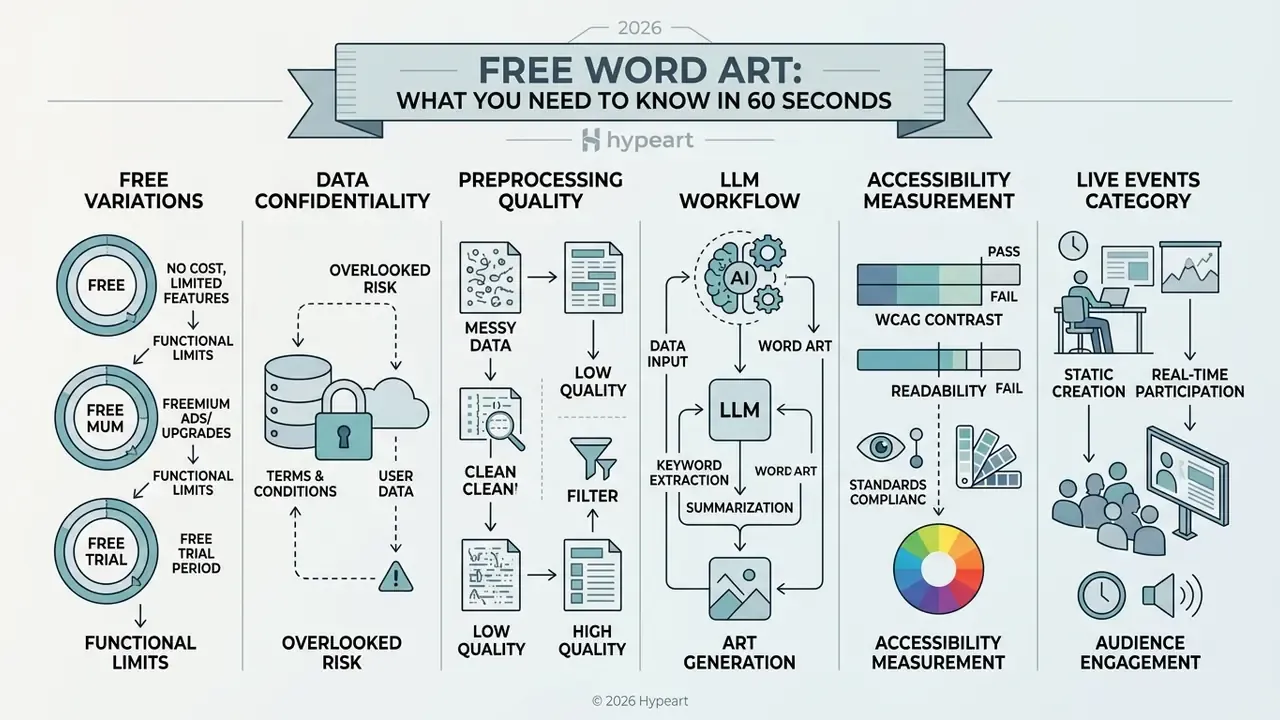
- Three formats, three different logics. Word clouds map word frequency to font size; word art prioritizes typographic design; word pictures force text inside an image silhouette. Pick the wrong one and you break either the analytics or the aesthetics.
- "Free" is not one thing. WordClouds.com permits unrestricted commercial use of exports; WordArt.com restricts Standard Quality downloads to personal, non-commercial use; Make WordArt explicitly prohibits monetization. Read the export license, not the landing page.
- Data confidentiality is the overlooked risk. Pasting internal audit text, customer verbatims, or material non-public information into a browser generator may transmit that text to third-party servers. Treat it as a Shadow AI exposure, not a design decision.
- Preprocessing decides quality. Stop-word filtering, singular and plural normalization, phrase binding (quotation marks,
U+00A0,U+2011, or tilde syntax such asCustomer~Retention), and weighted CSV inputs matter far more than any color palette. - LLMs now sit upstream. A three-step ChatGPT or Claude pipeline (summarize, extract weighted bi-grams, import CSV) removes hours of manual cleanup for books, transcripts, and long reports.
- Accessibility is measurable. Hold 4.5:1 contrast for normal text, 3:1 for large text, keep layout predominantly horizontal, and never encode meaning through color alone.
- Live events are a separate product category. Poll Everywhere, Slido, Mentimeter, and Vevox add WebSocket aggregation, profanity filtering, and semantic clustering, with participant caps on the free tiers.
Who This Guide Is For, and the Governance Question Behind It
Most readers arrive here with a small, practical task: turn a block of text into a picture. Fair enough. But a second group arrives with a governance question, and this guide is written for both.
If you sit in risk, compliance, or internal audit at a US bank or a mature fintech, a free word art generator is not "just a design tool." It is an unmanaged third-party processor sitting one paste away from survey verbatims, complaint logs, credit memos, and draft financial commentary. The tool costs nothing. The data transfer might.
Three questions decide whether a generator belongs in official reporting:
- Where does the text go?Client-side rendering and server-side upload are different risk profiles, and vendors rarely publish the answer clearly.
- What editorial choices shaped the graphic?Stop-word lists, stemming, phrase binding, and manual weights all move font size. Undisclosed, they make the cloud unreproducible.
- What license covers the export?Free-tier terms frequently stop at personal or educational use, which is a problem the moment the image reaches an investor deck or a printed banner.
Everything below is organized around those three questions, with the practical build steps in between. The hypothesis behind this framing, worth stating plainly, is that visual artifacts in regulated reporting deserve the same lineage discipline as a model output. Treat that as a working assumption rather than settled practice.
What a Free Word Art Generator Creates
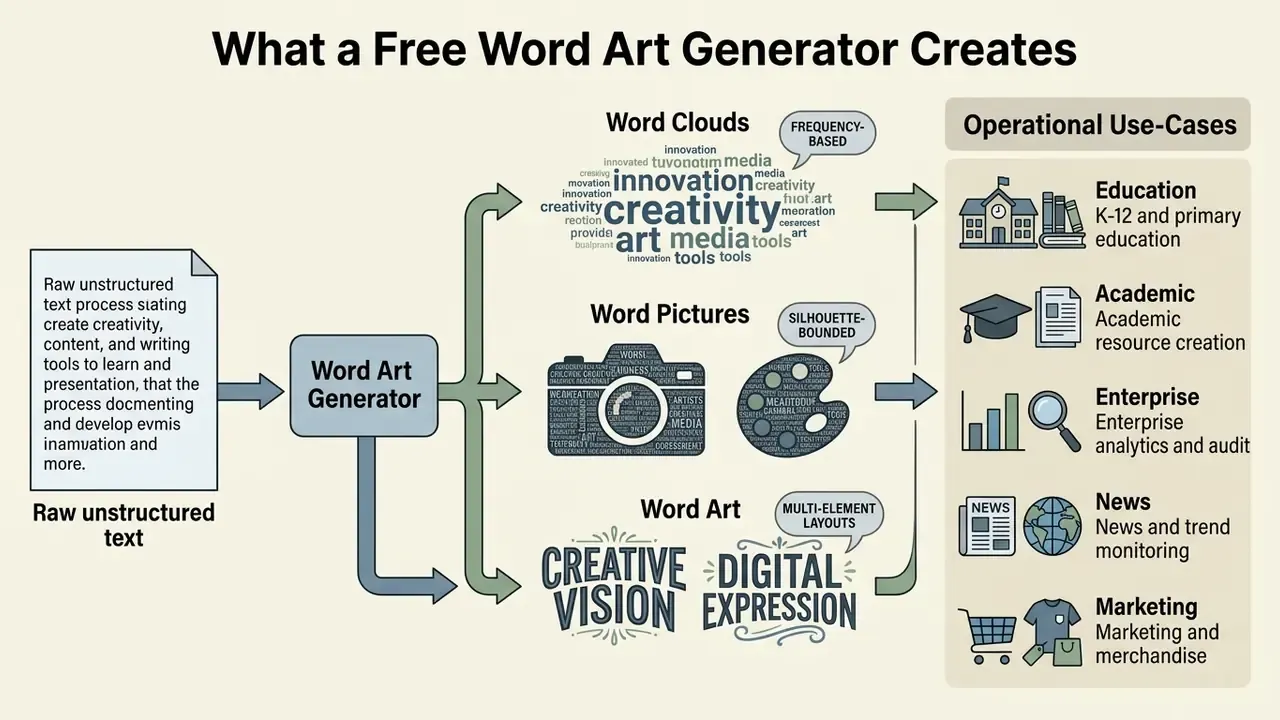
A free word art generator converts raw unstructured text into structured visual layouts: frequency-based word clouds, silhouette-bounded word pictures, and multi-element word art collages. These online tools process user text inputs and turn weighted keyword distributions into clear graphic representations.
Modern web tools parse vocabulary frequency, remove noise, and render graphical output inside the browser interface. Updated: vendor documentation confirms the input side of this pipeline. WordClouds.com accepts pasted text, uploaded documents, and URLs, and states that the generator is free without restrictions. What it does not universally guarantee is that tokenization happens locally on your device. Some services execute parsing client-side in JavaScript; others transmit the payload to a server for processing and may retain it. Because the vendors themselves rarely publish an architecture diagram, treat client-side processing as a claim to verify per tool rather than a category-wide fact.
Depending on the underlying algorithm, a user can generate a simple visual overview or construct a complex graphic design for executive presentations and public documents.
When teams evaluate a word cloud art generator, they typically choose between plain tag layouts and stylized graphic compositions. A free word cloud tool lets organizations communicate primary survey themes, document summaries, and sentiment distributions without dedicated graphic design software. That is the honest appeal: no software install, no design queue, no procurement ticket.
Word Clouds, Word Art and Word Pictures: What Is the Difference?
The distinction lies in layout logic. Word clouds map frequency directly to font size, word art prioritizes aesthetic typographic arrangement, and word pictures constrain text inside a specific image outline.
«Word clouds are visualisations in which more frequent words are given greater prominence, while grammatical and rare words are removed.»
- Word Clouds: In formal visualization standards, a word cloud encodes frequency directly into font size. Syntactic relationships are omitted, so recurring keywords dominate the visual spatial hierarchy.
«A word cloud is a visual representation of text where the size of each word is proportional to its frequency.» - European Commission, Data.europa.eu Data Visualisation Guide (2026). https://data.europa.eu/apps/data-visualisation-guide/visualisation-of-text-word-clouds
- Word Art: Designed typographic compositions prioritize expressive artistic structure over exact quantitative frequency. Letterforms and styling drive the arrangement rather than strict word counts.
«Typography arranges letters and words as designed visual forms, where visual style, not frequency, is the organizing principle.» - Adobe, Typography Design (2026). https://www.adobe.com/creativecloud/design/discover/typography.html
- Word Pictures: Text functions as an image-building block, where words fill an underlying silhouette. Comprehension relies on recognizing the outer vector mask rather than individual word weights.
«Text is treated as an image-making element, with words and letters forming a pictorial shape.» - Word-As-Image for Semantic Typography (2026). https://wordasimage.github.io/Word-As-Image-Page/static/source/Semantic_Typography.pdf
Understanding these distinctions prevents you from choosing an inappropriate format for analytical reporting or a corporate presentation deck. In practice the decision rule is short: if a stakeholder will read a number out of the graphic, use a word cloud. If the graphic must survive on a poster, a t-shirt, or an event banner, use word art or a word picture.
When to Use a Word Art Cloud Generator
A word art cloud generator works best when presenters or teams need to communicate dominant themes from surveys, executive summaries, or educational feedback quickly. Choosing between a simple cloud and a word art collage depends on whether quantitative readability or graphic engagement is the primary objective.
Research in educational reflection assessment shows that frequency-based clouds let instructors verify at a glance whether student writing aligns with targeted learning outcomes.
«Word clouds condense significant volumes of assessment data by frequency and present a holistic thematic picture that is intelligible to the user.»
In business operations, simple clouds suit corporate compliance summaries and keyword co-occurrence tracking. Publication-level clouds in academic reporting additionally encode co-occurrence, cluster membership, and link strength, which makes them summary instruments rather than narrative layouts. Complex word collages, by contrast, fit marketing materials, event banners, and public-facing reports where visual impact outweighs strict analytical precision.
The act of building a cloud also carries pedagogical value independent of the final image:
«Students who created word clouds from biology concepts formed more meaningful conceptual connections than the control group.»
Tool Selection by Operational Use-Case
Teams that work heavily with recorded sessions often pair these tools with ai that can review video and return a usable transcript, since the transcript, not the recording, is what a generator can actually read.





Data Privacy and Security: Is Your Input Text Safe?
Before any word cloud is styled, the operational question is where the source text goes. A free browser generator becomes a third-party data processor the moment your text leaves the input box. For audit summaries, employee survey verbatims, customer complaints, or draft financial commentary, that transfer is the material risk. Not the font choice.
Client-side processing versus server-side retention. Two architectures dominate:
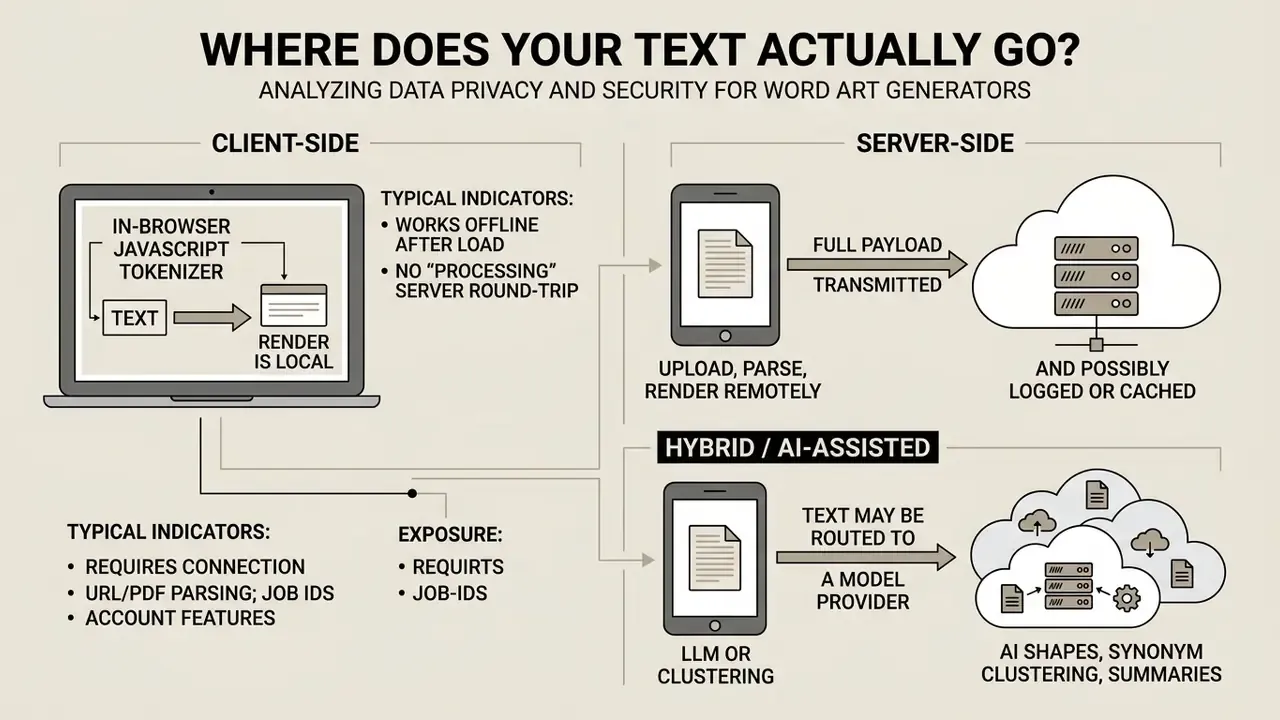
Features that require a server are the reliable tell. URL ingestion, PDF and DOCX parsing, AI-generated shapes, semantic synonym clustering, and shareable project links all imply transmission. A purely local renderer cannot fetch a web page or run an embedding model.
Practical controls for regulated teams. These measures reduce exposure without banning the tool category outright:
- Classify before you paste. Prohibit input of personally identifiable information, material non-public information, privileged legal content, and unredacted customer records into any free-tier generator.
- De-identify at source. Replace names, account numbers, and entity identifiers with tokens before generating. Frequency visualizations rarely need identifiers to be meaningful.
- Paste aggregates, not raw corpora. Upload a pre-computed word-frequency list (term plus count) instead of the full document. A weighted CSV of 200 terms exposes far less than 40 pages of source text.
- Prefer documented local rendering. Where a vendor states in-browser processing and the feature set is consistent with that claim, favor the tool for sensitive material.
- Verify retention and deletion terms. Confirm whether uploads are cached, whether project data trains or improves the service, and how long files persist.
- Log the tool, not just the output. Keep an inventory entry for every generator used in official reporting. Undocumented use is the working definition of Shadow AI.
- Route high-sensitivity work to licensed environments. Enterprise-licensed platforms, including the desktop and self-hosted analysis tools referenced in our guide to free photo editors and their privacy limits, carry contractual data terms that consumer free tiers simply do not.
How to Create Word Art Online for Free
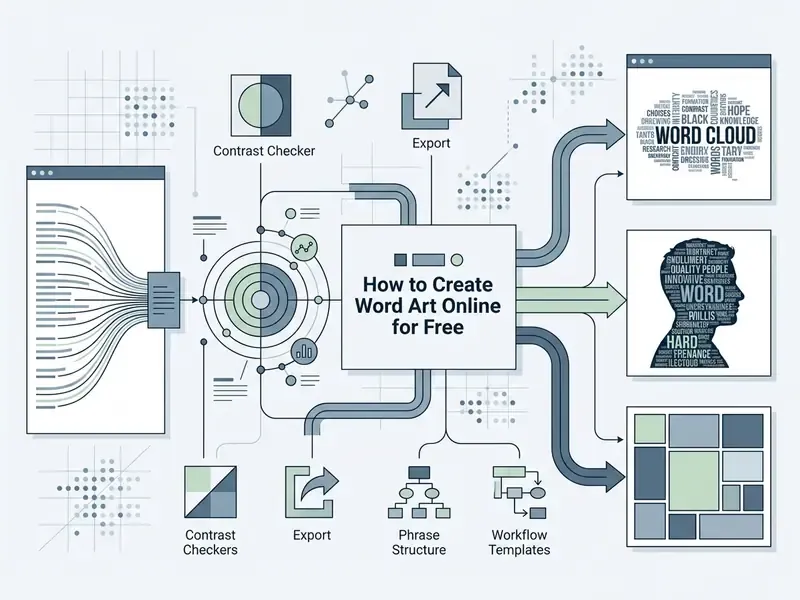
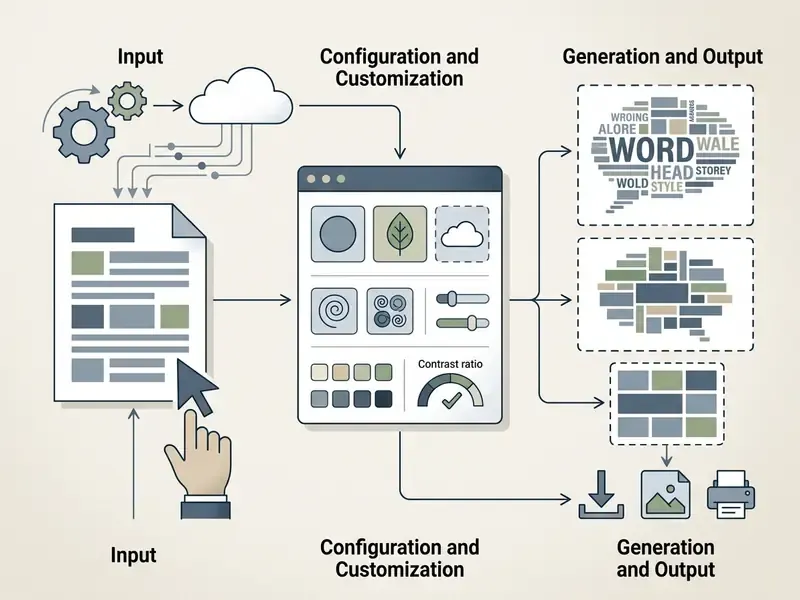
Creating word art online means pasting source text into a browser-based editor, applying stop-word filters, selecting a target visual format, and rendering the graphic without installing software. Platforms execute tokenization and spatial packing inside the client browser or on a rendering server, depending on the vendor.
An online word cloud generator lets users skip local installation while processing text strings instantly. Most platforms provide standard controls to refine vocabulary lists before finalizing the graphic file. A word cloud art generator online free solution supports rapid generation of compliant visuals for internal documentation, provided the license actually permits the intended use.
Across mainstream tools the flow is remarkably consistent: open the editor, insert text or data, choose a word-art or word-cloud visual type, configure style or fields, then export or share. Microsoft Word follows the same order for its native feature (Insert → WordArt → pick a style), and business intelligence platforms mirror it too. Amazon QuickSight uses Visualize → Add visual → word cloud, then drags fields into Group by and optionally Size.
Add Text, Words or Word Frequencies
Workflow: Generating Word Cloud Input via Generative AI (LLM)
To produce clean, frequency-weighted word clouds from unstructured books, meeting transcripts, or long-form documents, run an LLM preprocessing pipeline before pasting anything into the rendering generator. It replaces manual stop-word cleanup and collapses hundreds of pages into a structured, importable list:
- Document summarization.Submit the source text with an explicit instruction:
"Summarize the following text into 100 core concepts, stripping functional stop-words: [Insert Text]". A 100-word conceptual summary of a full book is a far better cloud input than the raw book, because it removes narrative connective tissue automatically. - Frequency pair extraction.Request structured key-phrase output:
"Extract the top 30 bi-grams and single keywords with their relative frequency counts in CSV format: [Keyword, Count]". Bi-grams matter here. Asking for them is what preserves "machine learning" and "customer retention" as concepts rather than four unrelated tokens. - Import to the generator.Paste the structured CSV into tools that accept weighted inputs: WordClouds.com's word list, WordArt.com's imported list, or Wooclap's CSV upload. Manual stop-word filtering disappears entirely.
- Audit the extraction.Spot-check five to ten terms against the source document. LLM frequency counts are approximations, not tokenizer output, so any cloud used for reporting should be reconciled against a deterministic count.
Practitioners have documented the full loop: upload a literary text, request a 100-word summary, then render the 30 most common phrases with stop words excluded. Minutes instead of hours. The same summarize-then-structure pattern shows up in adjacent writing tools, from an ai thesis generator drafting an argument outline to an ai to human generator smoothing machine-drafted copy before publication.
One caveat carries over from the privacy section above: this pipeline routes your document to a model provider, which puts it squarely in the "hybrid / AI-assisted" exposure tier.
Choose a Shape, Generate and Save the Result
Customize Your Word Cloud Art Design
Designing an effective word cloud means balancing color contrast, font legibility, and orientation to keep the visual hierarchy readable. Customization controls are what stop a dense layout from defeating quick information scanning.
When adjusting settings in a word art cloud generator, operators have to hold accessibility standards alongside decorative goals. Using a word art word cloud generator with granular controls keeps the final word cloud generator output clear across projectors, laptops, and printed handouts alike.
Version control matters as much as styling. When you experiment with spatial density and font pairings, prefer platforms that preserve layout state history. A native rollback mechanism, of which Tagxedo's History panel is the classic example (still a legacy tool, since it depends on the discontinued Microsoft Silverlight runtime), lets operators audit earlier render iterations and recover a packing configuration that a later parameter change destroyed. Where no history feature exists, export a PNG snapshot after every accepted iteration and name files by parameter set. Trial-and-error layout work without checkpoints reliably loses the best version. Ask anyone who has rebuilt the same cloud four times.
Shapes, Fonts, Colors and Word Layout
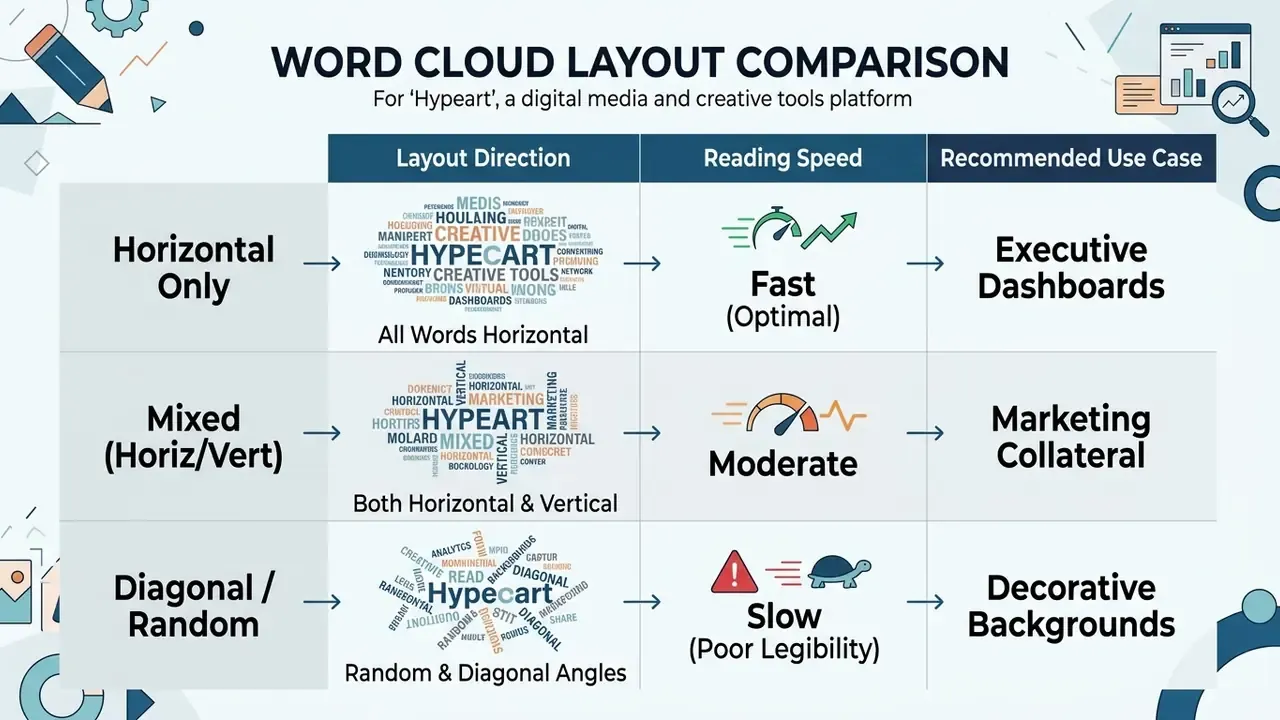
Small production note: the caption or slide title carries more interpretive load than most people expect, since the cloud itself states no units. Teams that batch-produce these visuals sometimes lean on an ai title generator for consistent headline phrasing, then edit for accuracy by hand.
Make Repeated Words Stand Out Clearly
Repeated terms are highlighted by increasing font scale, applying heavier weights, and assigning distinct accent colors to high-frequency keywords. Multi-layered encoding makes primary themes recognizable at a glance.
Layout algorithms scale typography proportionally to occurrence count or assigned weight. For extra visual separation, high-frequency terms can receive darker weights or warm accent colors:
«Color palettes, font styles and emphasis patterns influence the affective tone perceived by viewers of a word cloud.»
Font weight is a legitimate second channel. W3C accessibility testing rules treat 14 pt text at weight 700 or above as large-scale text for contrast purposes, so bolding a key term changes both its prominence and its applicable contrast threshold. Designers should still avoid using color as the sole indicator of significance. US Department of Education accessibility guidance recommends color that reinforces important values while related data keeps consistent hues, never color as the only carrier of meaning.
Create a Picture Cloud, Word Picture or Word Art Collage
Producing a picture cloud generator output or a word art collage generator graphic means overlaying text onto a custom image mask, filling silhouette outlines with words instead of standard rectangular boxes. Advanced generators use vector masking to crop words to defined object contours.
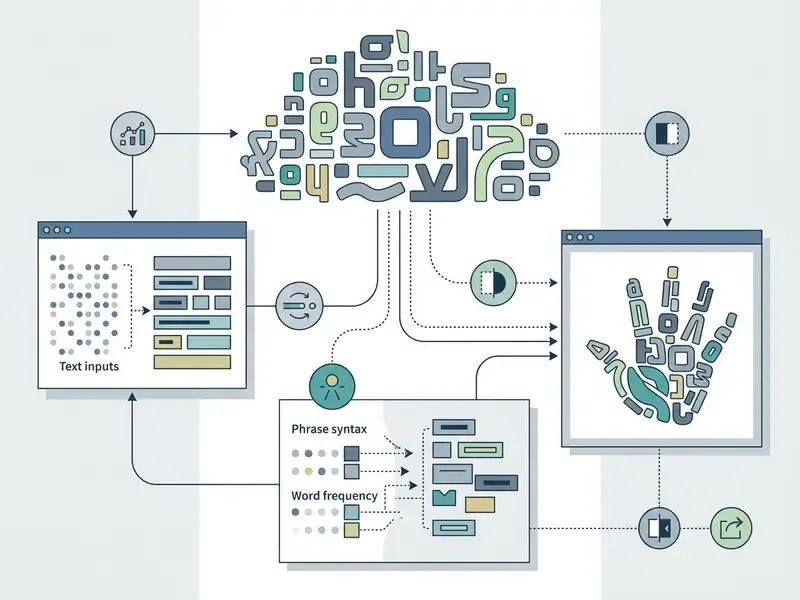
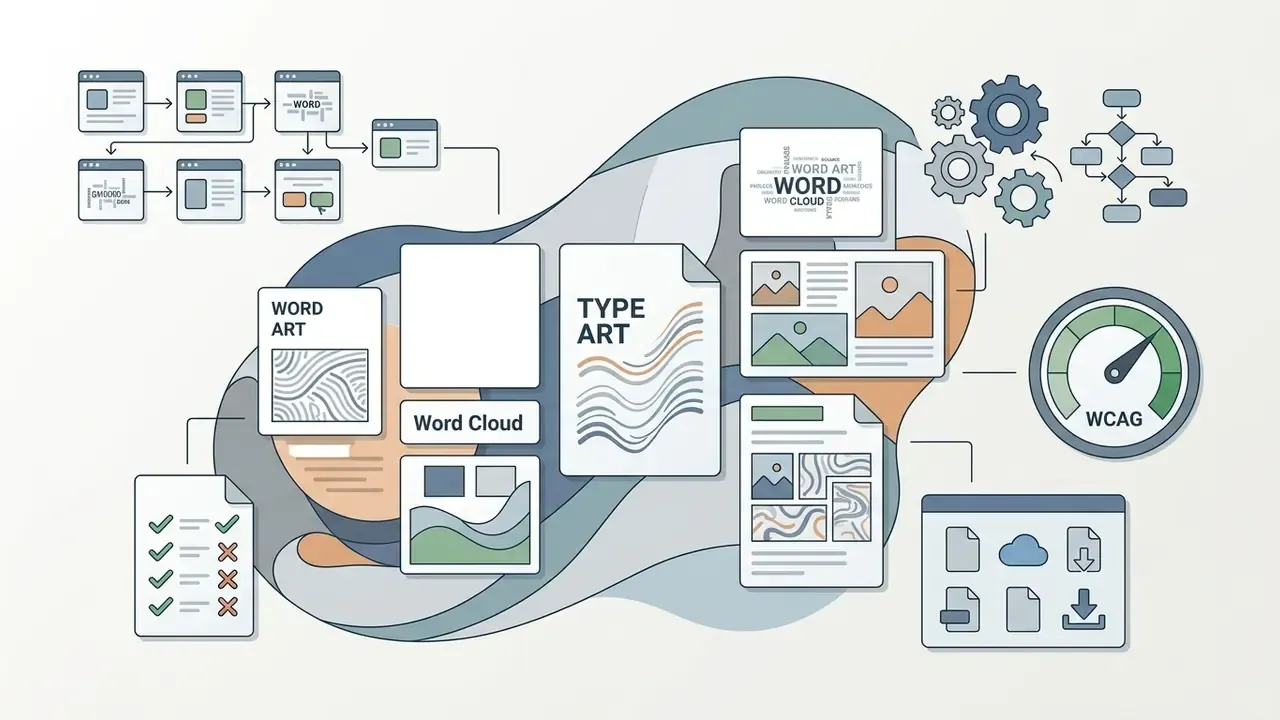
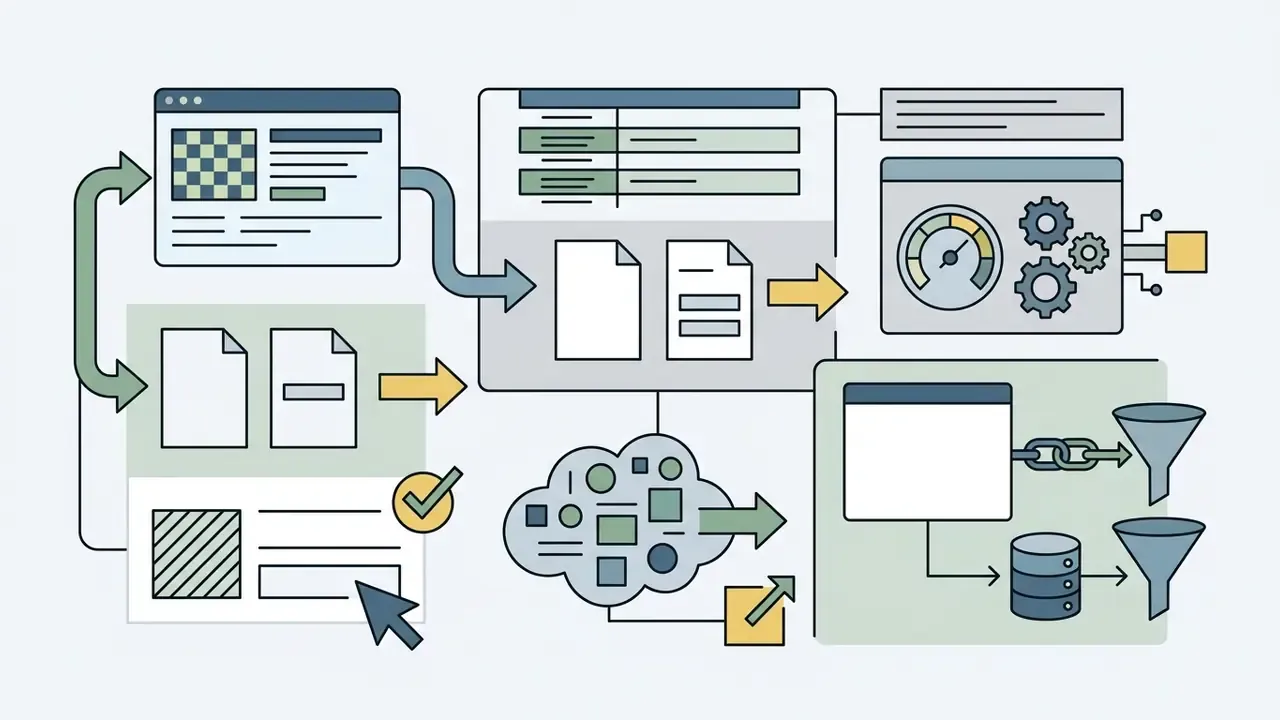




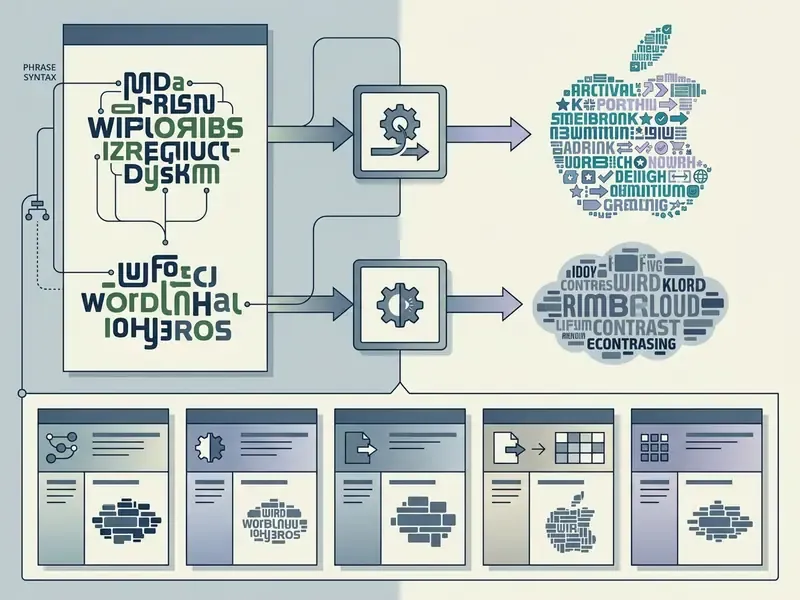
Operators often evaluate a word picture generator or word cloud picture generator to create stylized assets. A picture of words generator or a word generator picture workflow lets marketing teams convert complex text into branded graphic material. Specialized tools such as a word doodle art generator add looser artistic options for informal publications and internal newsletters.
Vendor terminology diverges here even when the visual result converges. WordArt.com describes AI-assisted generation of unique word cloud shapes; Wordificator builds images made "entirely of words" inside preset or uploaded silhouettes and exports high-resolution PNG; Imgkits exposes layout, warp, density, spacing, and a designated center word; and photo-collage services such as PhotoCollage.com fill a word, map, icon, heart, tree, or custom outline with photographs rather than text. Same silhouette logic, different rendering input. Verify which one a tool actually implements before you commit to a design direction.
Turn a Picture into a Cloud of Words
Turning a picture into a cloud of words requires converting a source image into a high-contrast binary mask that defines where text can and cannot be rendered. The rendering algorithm packs words inside the opaque pixels of the silhouette while maintaining boundary resolution.
Technical masking converts user images into binary black-and-white alpha masks. The PDF graphics model formalizes exactly this behavior: an image mask is an image XObject whose pixels are either "marked with the current color" or "masked out" (ISO 32000-1, PDF Graphics Specification). Soft masks extend the idea with grayscale transparency data, where the mask image must match the target image's dimensions and can be derived by converting a color image to grayscale.
The core pipeline runs in three steps:
- The system evaluates pixel luminance to establish shape boundaries, producing the binary or grayscale mask.
- Words pack tightly within opaque regions using spatial collision detection along the spiral candidate path.
- Edge-softening algorithms smooth text clipping along outer silhouette paths. Reducing contrast at the mask border, rather than hard-clipping glyphs, preserves the impression of a continuous outline.
Practical craft notes: convert text to outlines before masking if you need glyph-level control, and expect two or three crop-and-refine passes on cavity-heavy shapes. Note also that not every tool duplicates your words to fill a large silhouette. WordArt.com repeats terms automatically to complete a mask, while WordClouds.com requires manual duplication, which produces visible repetition and undermines frequency reading if the cloud is meant to show sentiment.
The process turns custom logos or object photos into sharp text-based graphics. Where the objective is a permanent brand mark rather than a one-off image, the export and rights considerations differ; our overview of AI logo generators covers vector deliverables and trademark-adjacent constraints in more detail. Short-form social teams sometimes push the same silhouette asset into motion with an ai tiktok video generator, which raises a separate licensing question about derivative use.
Free Plans, Paid Features and Commercial-Use Decisions
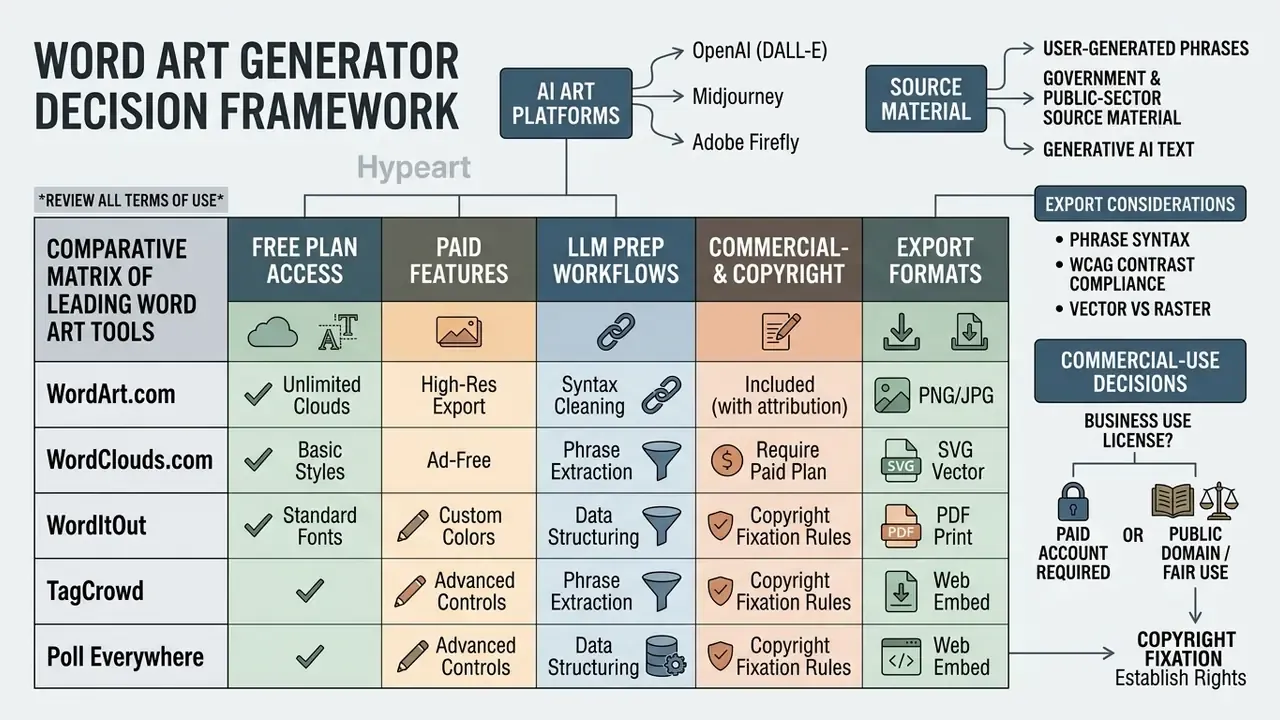
Free word art generators usually restrict export resolution, add watermarks, or prohibit commercial monetization under their default terms. Using generated graphics for merchandise or paid marketing requires verifying specific rights or upgrading to a paid commercial export plan. The same tier logic governs adjacent tooling: see our analysis of commercial use of AI image generators for how output ownership, revenue thresholds, and plan gating interact across the wider category.
A word cloud art generator free tool or a word picture generator free platform demands a careful read of the legal terms before commercial publishing. Free terms often restrict usage to personal or educational contexts, and the restriction is rarely on the landing page.
| Generator Service | Standard Free Export Resolution | Vector (SVG) Export Availability | Commercial License Included on Free Tier | Watermark Policy |
|---|---|---|---|---|
| WordArt.com | Standard Quality (SQ PNG) | Paid Only | No (Personal/Non-Commercial Only) | None on SQ downloads |
| WordClouds.com | High Resolution PNG/JPG | Yes (Free) | Yes (Unrestricted Commercial Use) | None |
| Make WordArt | Web Quality Image | No | No (Explicitly Prohibited) | None |
| Adobe Firefly | Standard Web Resolution | Paid / Credit-Based | Yes (Commercially Safe Model) | Discrete Watermark / Metadata |
| Word Cloud Plus | Free preview / unlimited projects | Yes (PNG, JPG, SVG on export) | No (free plan is not for commercial use) | None documented |
| Wordificator | High-resolution PNG | No | Yes (stated free of restrictions) | None |
| TextShape | PNG up to 8000 px | No | Yes (output may be used commercially) | None |
The WordArt.com boundary is the one most frequently misread, precisely because free downloads are genuinely usable in quality terms:
Teams weighing several free options side by side may also want the tier-by-tier breakdown in our comparison of free AI image generators and their export limits and the broader comparison of free AI art generators, since watermark and resolution gating follow near-identical patterns across the category.
A short illustrative case, composite and hypothetical rather than a named client: an operational team evaluated automated content tools for external marketing graphics.
They first generated text visuals with a basic freemium web generator.
During an internal audit, legal counsel noted that the free-tier license prohibited commercial monetization on corporate channels.
The team migrated to an enterprise-licensed platform, updated the image inventory, and established a mandatory license check before any external asset ships.
The audit surfaced a second-order issue too: two of the affected graphics used an imported display font whose license covered screen use but not print runs. Font licensing and generator licensing are independent contracts. A compliant cloud built with a non-compliant typeface is still exposed, and print vendors do not check this for you.
Comparative Matrix of Leading Word Art Tools
| Tool | Best For | Phrase Handling Syntax | Unique Feature | Limitation |
|---|---|---|---|---|
| WordArt.com | Complex silhouettes and merchandise | Quoted strings; imported word lists | Auto-color extraction from the background mask; automatic word duplication to fill shapes | Standard Quality output limited to non-commercial use |
| WordClouds.com | Complete vector exports (SVG) | Custom word-list table | Native SVG export on the free tier; URL and document ingestion | No automatic word duplication for sparse masks |
| WordItOut | Informal text and custom syntax | Tilde character (Word~Pair) | Emoji support plus per-word color, frequency, and rank controls | No custom vector silhouettes |
| TagCrowd | Text frequency analysis and audit | Plain text and web URL parsing | Displays explicit frequency counts beside each term | No aesthetic shape masking or graphic styling |
| Jason Davies' Generator | Algorithmic control and teaching | Plain text | Exposes Archimedean vs rectangular spiral placement | Minimal styling; no custom masks |
| Word Cloud Plus | Insight drill-down from open-ended survey data | Native single-word and phrase modes | Manual re-arrangement plus drill-down into underlying verbatims | Free plan is not licensed for commercial use |
| ABCya | K-12 classroom use | Plain text | Word-length caps and animated randomize controls | Very limited customization; occasional export cropping |
| Twinkl | Teacher-ready printables | Plain text | Poster templates and borders sized for classroom handouts | Requires subscription; template-bound layouts |
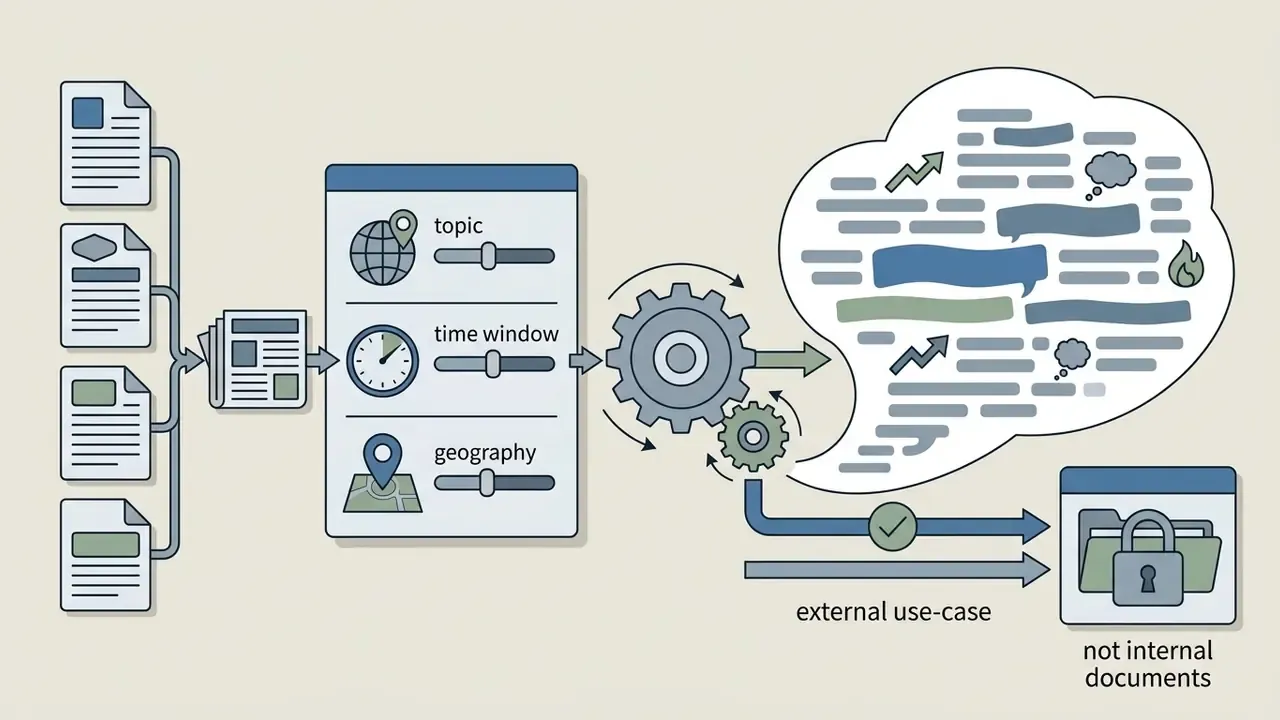
| Tricklar | News and trend monitoring | Topic query (no manual text) | Builds clouds automatically from news corpora by date and location | Niche corpus; no design control |
| Tagxedo (legacy) | Trial-and-error design iteration | Plain text | History panel with one-click rollback to earlier renders | Requires the discontinued Microsoft Silverlight runtime; unusable in modern browsers |
| Poll Everywhere | Live audience interactive polling | Real-time submissions | Live display stabilization and AI profanity moderation | Requires an active room code; free-tier participant cap |
What to Check Before Using Word Art for Products
Before printing or selling merchandise featuring word art, confirm explicit commercial licensing, clear copyright ownership of the input text, and compliance with platform terms. Free non-commercial licenses confer no rights for resale or corporate collateral.
Run this checklist before a production order:
Reviewing plan tiers on dedicated resource pages, including our AI Media Pricing Guides, helps prevent both copyright disputes and awkward mid-campaign upgrades.
AI Word Cloud Generator for Live Events and Audience Responses
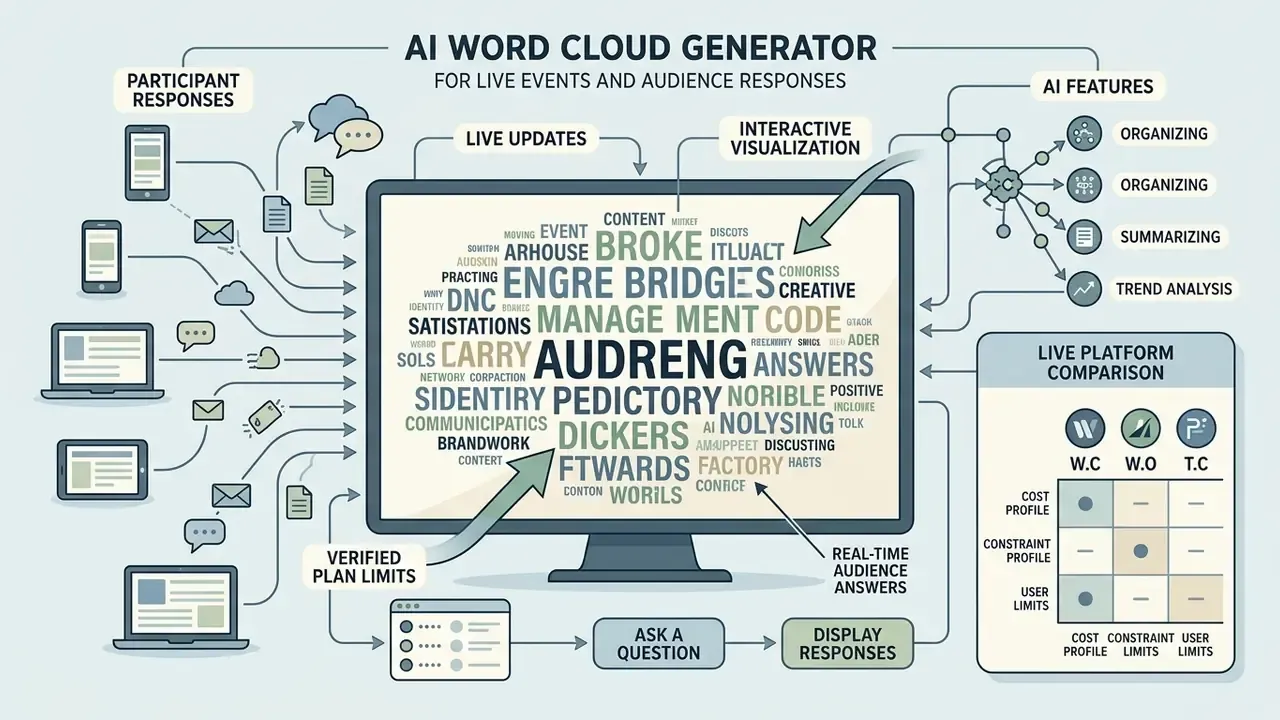
An ai word cloud generator for live events collects real-time participant responses from mobile devices and updates an interactive visualization on screen as answers arrive. AI algorithms moderate inputs, cluster similar synonyms, and filter inappropriate language during live broadcasts.
At conferences, facilitators rely on a live word cloud to gather immediate audience feedback. Displaying live inputs creates visual engagement while capturing sentiment across large groups. Documented deployments span lectures, hybrid meetings, training sessions, town halls, and webinars, with vendors embedding the display directly into PowerPoint, Google Slides, Teams, Zoom, and Webex.
Ask a Question and Display Audience Responses Live
Facilitators present an open-ended question with a unique event code or QR code, and audience members submit short terms from their browsers. The live display recalculates word sizes as duplicate responses accumulate.
Leading audience interaction tools share structured submission mechanics:
- Participants join through a mobile browser without account registration, entering a code or opening a link.
- Submissions pass through real-time web sockets to an aggregation server.
- The system rescales typography instantly as identical words arrive, so popular answers grow while the presenter is still speaking.
- Presenters share the visualization from a dedicated present mode, a browser display window, or an embedded slide object.
Updated (verified plan limits): free tiers are functional but capped, and the caps decide whether a tool survives a real event.
«The free plan limits audiences to 40 participants per activity and includes 10 AI requests per month.»
The workflow delivers instant visual summaries for keynotes, workshops, and corporate training sessions.
Live Platform Comparison: Cost and Constraint Profile
| Platform | Free-Tier Constraint | Integration Surface | Moderation Depth | Best Fit |
|---|---|---|---|---|
| Poll Everywhere | 40 participants per activity; 10 AI requests/month | PowerPoint, Google Slides, Keynote, Teams, Zoom | Profanity filtering plus AI-assisted response handling | Classrooms and recurring corporate sessions |
| Slido | Limited polls per event on the free tier | PowerPoint, Google Slides, Webex, Teams, Zoom | Moderated Q&A and response screening | Conferences and webinars run from slides |
| Mentimeter | Restricted questions per presentation | Native web presentation; slide export | Live-updating cloud with response controls | Facilitated workshops and ideation |
| Vevox | Generous free polling for small sessions | PowerPoint add-in; dashboard present view | Polling and Q&A moderation | Lectures and internal meetings needing dynamic build-up |
| Votemo / embeddable modules | Varies by deployment | iframe embed for event sites and streams | Depends on configuration | Broadcast and stage productions needing a custom display |
Because free plans gate on participants per activity rather than total audience size, the most common live failure is a 200-person room hitting a 40-response ceiling mid-question. Validate the cap against expected attendance before the event, not during it. Cost modelling for larger rollouts is easier with the AI Media Calculators, which handle seat counts and per-request pricing side by side.
AI Features for Organizing Live Responses
AI features analyze live submissions through semantic embeddings to group synonyms, apply dictionary filtering for profanity, and consolidate variant spellings into single representative terms. Real-time clustering prevents the clutter of one concept typed six different ways.
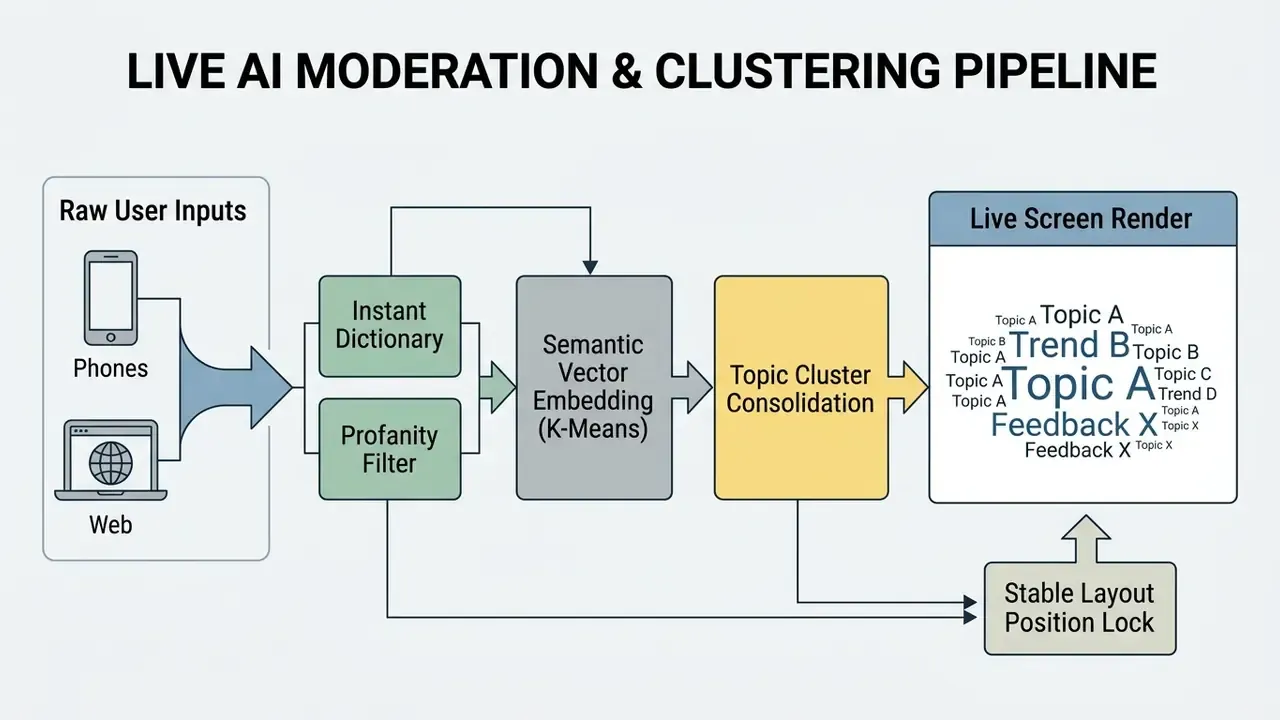
Advanced moderation systems combine rapid string filtering with semantic embedding models (ICML Workshop on Realtime Content Moderation With User-Defined Policies, 2025):
- Instant profanity filtering: Dictionary lookups strip inappropriate language, including disguised character-substitution variants, before layout processing, with effectively no added latency or inference cost.
- Semantic vector clustering: Machine learning models group terms like "AI," "Artificial Intelligence," and "A.I." into a single consolidated node. Applied systems report K-means clustering over embeddings compressing up to 180 raw answers into roughly 20 themes, displaying one representative term per cluster. Human oversight of that grouping is an active research direction:
«MySemCloud uses a word-similarity graph to generate an initial semantic layout and to guide subsequent user edits.» - MySemCloud: Human-in-the-loop semantic word cloud editing, arXiv preprint (2023)
- Layout stabilization: Algorithms keep word coordinates stable as new entries arrive, preventing chaotic reshuffling on screen.
«Optimizing layout stability improves users' ability to track textual changes over time.» - Dang et al., Stable word clouds (2019)
AI moderation keeps live visual streams clean, organized, and focused on core themes. One governance caveat, and it is not a small one: synonym consolidation is an interpretive act. If a live cloud will be quoted in minutes, a report, or a regulatory submission, retain the unclustered response log as the record of what participants actually wrote. Programmatic exports of that log, where a vendor supports them, are covered in our AI Media API Guides.
FAQ About Free Word Art and Word Cloud Generators
Technical implementation of word clouds frequently requires specialized text formatting to handle multi-word phrases, custom typography rules, and proprietary visual formats. Getting tokenization parameters right is what produces accurate rendering.
When operating a wordle generator word art tool or a wordle picture generator service, users must structure inputs correctly before export. Correct formatting also keeps distribution clean when teams share the final graphics across public channels.
Can a Word Cloud Include Phrases Instead of Single Words?
Yes. A word cloud can display multi-word phrases if the text is prepared with non-breaking spaces, tilde binding, or quotation marks before generation. Quoting instructs the tokenization algorithm to treat connected words as a single semantic unit instead of splitting them into separate elements.
Default natural language tokenizers split strings at white-space boundaries, which is why most generators turn "Big Data" into two unrelated tokens. To preserve compound terms such as "Machine Learning" or "Risk Management", operators use specialized Unicode characters or platform-specific syntax:
- Quoted strings: Wrapping terms in quotation marks (
"Risk Management") forces many web generators to parse the enclosed string as one token. - Non-breaking spaces: Inserting a non-breaking space (
U+00A0) between terms prevents string division (Unicode Standard Line-Breaking Controls; Microsoft documentsU+00A0as a special non-breaking character). - Non-breaking hyphens: Using non-breaking hyphens (
U+2011) binds hyphenated words without triggering line breaks. OECD style guidance states that non-breaking hyphens are used where words must remain on the same line to preserve meaning (OECD Style Manual Rules). - Tilde bound syntax: In platforms such as WordItOut, connect multi-word phrases with the tilde symbol, for example
Customer~Retention~Rate. The renderer processes the string as one token and drops the tilde in the final visual, convertingPizza~Hutinto "Pizza Hut" on screen. - Direct URL ingestion: Systems with built-in scrapers, TagCrowd and WordClouds.com among them, parse raw HTML directly, stripping markup such as
- Native phrase modes: A minority of tools (Word Cloud Plus, MonkeyLearn's generator) support n-gram extraction natively and can rank phrases alongside single words without any binding characters.
No universal cross-platform quoting standard exists. The non-breaking characters are formalized by Unicode and style manuals, but phrase handling ultimately depends on the specific generator's tokenizer. Pre-processing text with the right token separators, or supplying a pre-weighted CSV, is what keeps complex multi-word concepts intact in the rendered cloud.
Which File Format Should I Export for Printing?
Use a vector format (SVG or PDF) whenever the design will be scaled, printed large, or handed to a production vendor, because vector paths resize without resolution loss. Use PNG when you need transparency for overlaying the cloud on a colored background or slide, and JPEG only for flat photographic backgrounds where file size matters more than edge crispness. WordArt.com's own FAQ recommends PNG or JPEG for printing at standard sizes; WordClouds.com and WordCloud.app provide free SVG alongside PNG.
Do Free Word Cloud Generators Require an Account?
Frequently not. WordClouds.com, WordItOut, TagCrowd, and Jason Davies' generator all run without registration, which is one reason they spread quickly inside organizations, and also why they surface later as Shadow AI in tool inventories. Design-heavy and live-event platforms are the usual exceptions: saved projects, HQ downloads, and presentation room codes generally require an account.
Why Do Words Repeat in My Shaped Cloud?
Because the generator is filling the silhouette by duplicating your term list rather than by frequency. WordArt.com repeats words automatically to complete a mask; WordClouds.com leaves duplication to you. Either behavior breaks frequency reading: if the cloud is meant to show which sentiment dominates, duplication makes size meaningless. For analytical clouds, choose a simpler shape and disable duplication. For decorative clouds, duplication is fine, and it should simply be disclosed in the caption.
Can I Trust a Word Cloud as Analysis?
Only alongside its preprocessing record. Font size reflects frequency after your stop-word list, stemming rules, phrase binding, and any manual weights, and every one of those is an editorial choice. Publish the parameter set with the graphic, keep the underlying counts available, and treat the cloud as an entry point to the verbatims rather than a conclusion. That is precisely the "verifiable data lineage" standard set out at the top of this guide.
What Is a Safe Next Step for a Regulated Team?
Start small and reversible. Pick one non-sensitive corpus, such as a published policy document, and produce a cloud with the full parameter set written down: source, stop-word list, stemming setting, weights, tool, license tier, export format. Then decide whether the artifact is worth the transfer risk for anything more sensitive. Where the answer is yes, move the workflow to a licensed environment before scaling it. Where the answer is no, a frequency table often communicates the same finding with none of the exposure.
Appendix A: Editorial Revision Notes
This guide is maintained against primary vendor documentation and peer-reviewed sources. The citations below were revised in the February 2026 update; earlier wording is preserved for transparency.
| Claim (previous edition) | Previous attribution | Status | Current treatment |
|---|---|---|---|
| Horizontal text outperforms diagonal orientation in scanning accuracy | "Northwestern University Empirical Study, 2018" (no author, no URL) | Under-sourced as originally cited | Retained as a finding and re-sourced to Getting our head in the clouds (ACM SIGCHI) plus the full-title Northwestern 2018 paper Taking Word Clouds Apart |
| High-frequency terms benefit from darker weights or warm accent colors | "Paralinguistic Recommendation Guidelines, 2019" | Source title imprecise | Re-sourced to Paralinguistic recommendations for affective word clouds (2019) with direct quotation |
| Spiral packing vectors govern word placement | "ArcGIS & Rasterio Technical Standards, 2026" | Contradictory attribution; those references cover raster masking and geospatial export, not word-cloud layout | Reformulated with Archimedean and rectangular spiral definitions; ArcGIS, Rasterio, and QGIS retained only as the masking-and-export analogy they legitimately document |
| Stop-word removal as universal practice | "MAXQDA, 2025" cited as a standard | Tool documentation, not a linguistic standard | Reframed as documented software behavior (switchable stop-word lists), with the editorial nature of the choice made explicit |
| Live platform mechanics | "Slido, Mentimeter, & Poll Everywhere Platform Standards, 2026" (composite, no figures) | Non-verifiable composite | Replaced with the Poll Everywhere Plans page (40 participants per activity; 10 AI requests/month) and per-vendor documentation |
| Frequency clouds support learning-outcome verification | "(Smith, Zeisner, & Turcott, 2023)" bare parenthetical | Accurate but unsupported in presentation | Expanded into a quoted finding from Reflecting on the reflections (2023), plus the Denzi & Taşçi (2023) classroom experiment |
| Browser-based processing of raw inputs | Stated without source | Partly unverified | Reframed as a per-tool claim to verify, with an architecture table and feature-based indicators |
| Tagxedo recommended for history and rollback | Not previously covered | Feature accurate, platform obsolete | Included with an explicit legacy warning (Microsoft Silverlight discontinued) |
Additional Technical and Strategic Resources
For deeper implementation detail, licensing analysis, and comparative reviews across media generation tools:
- Novelty and entertainment generators, and why their license terms rarely fit corporate use: ai twerk generator
Explore comprehensive technical definitions and media guidelines in our official AI Media Glossary.