A realistic AI image generator is a specialized machine learning system that turns text prompts or visual reference files into synthetic photography matching the optical, lighting, and textural properties of real camera captures. Banks, insurers, fintech marketing teams, and independent creators use these tools to produce production-grade visual assets without staging a physical shoot.
For a risk or compliance leader, the interesting part is not the picture. It is the paper trail behind it.
Executive Summary for Risk, Compliance, and Creative Leadership
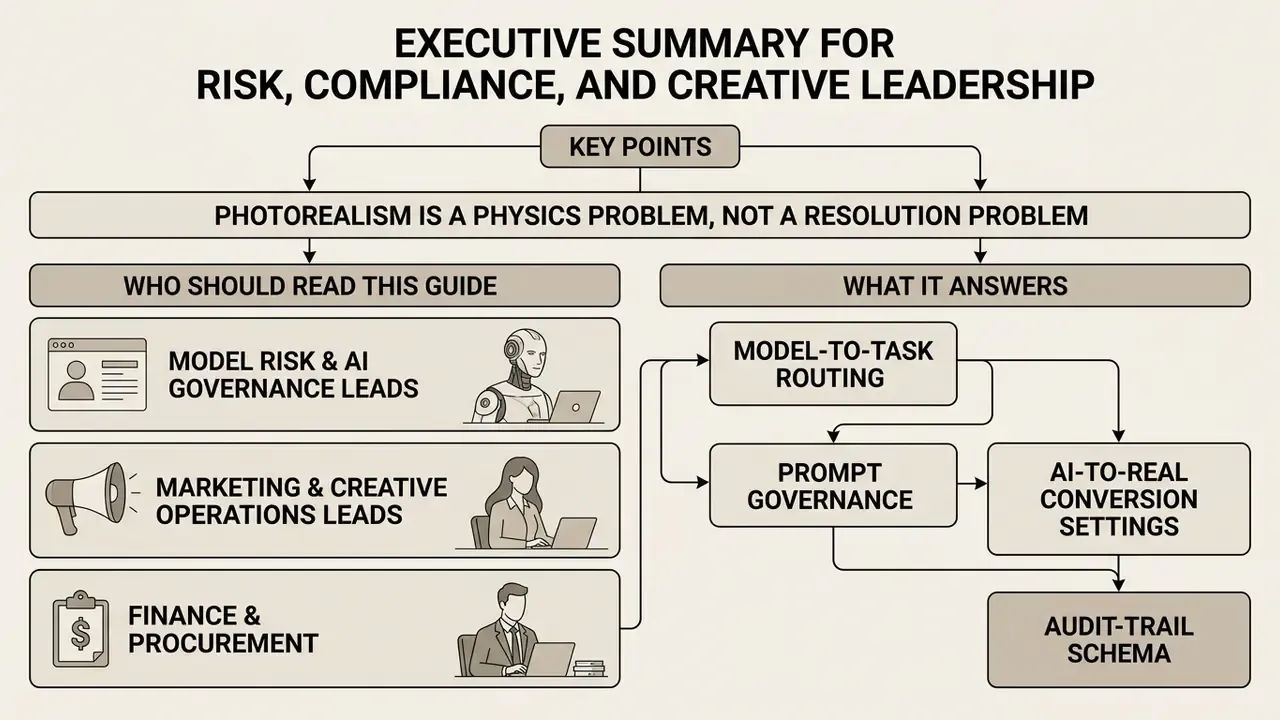
- Photorealism is a physics problem, not a resolution problem. Human observers spot synthetic imagery through violations of light transport, anatomy, and lens geometry, not through pixel count. Large-scale perception research shows detection accuracy hovering only modestly above chance, and dropping further as artifacts disappear.
- Model selection is now task-routing, not brand loyalty. Portrait skin, packaging typography, interior geometry, and fast ideation each have a different optimal engine (FLUX.2 [max], Nano Banana 2, GPT Image 2, Seedream 5.0 Pro, Grok Imagine, FLUX.1 Pro Raw).
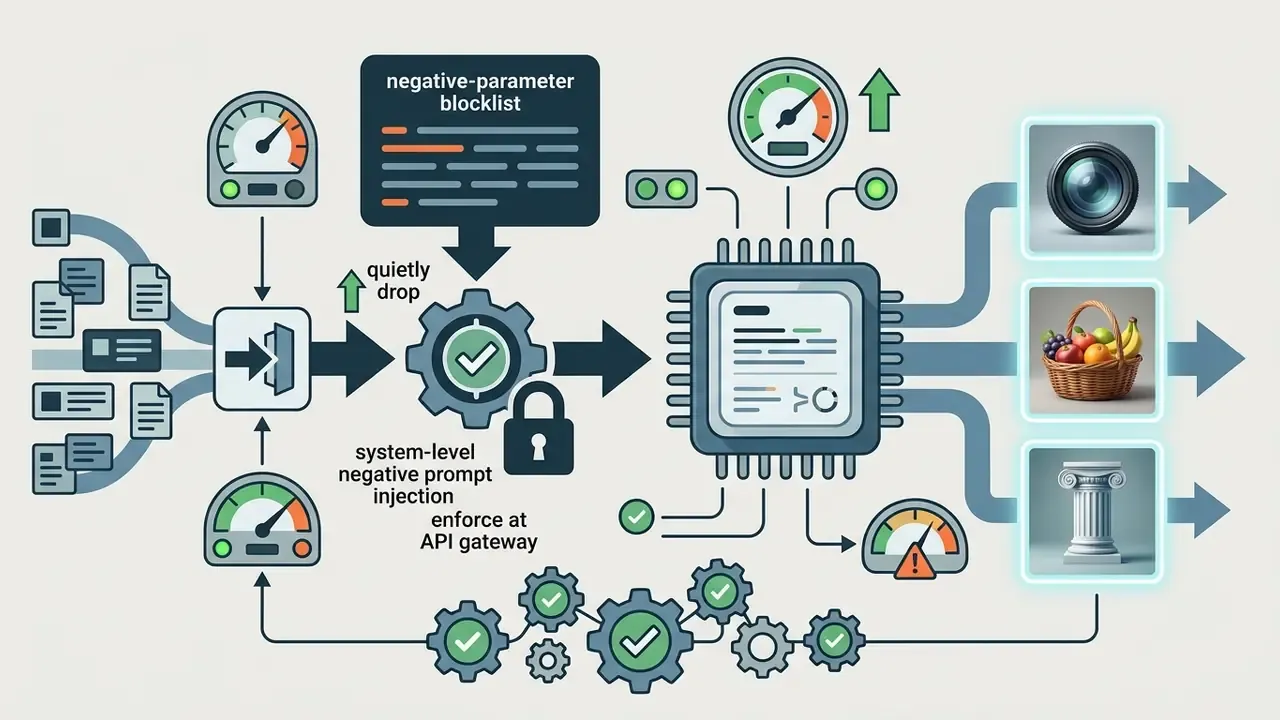
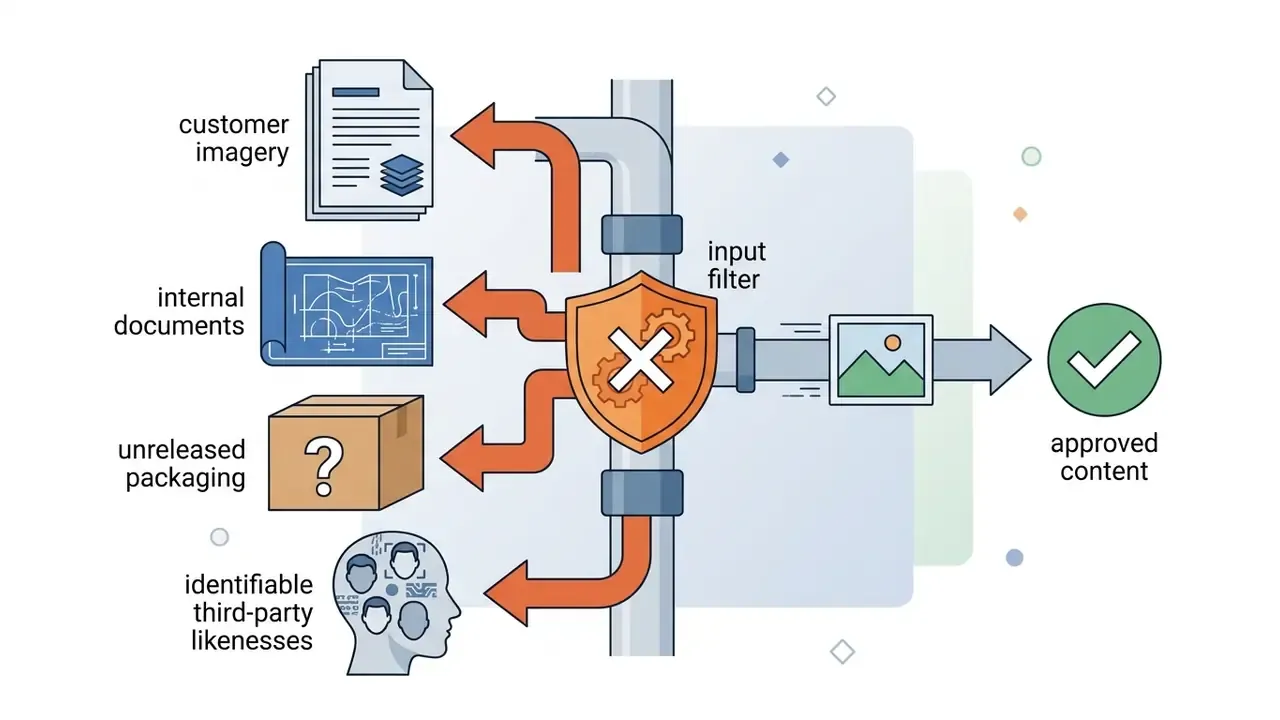
- Prompts must be governed, not just written. Standardized prompt schemas, negative-parameter blocklists, and prohibited-input policies (no customer PII, no unreleased product data, no identifiable third-party likenesses) prevent both aesthetic failure and data leakage.
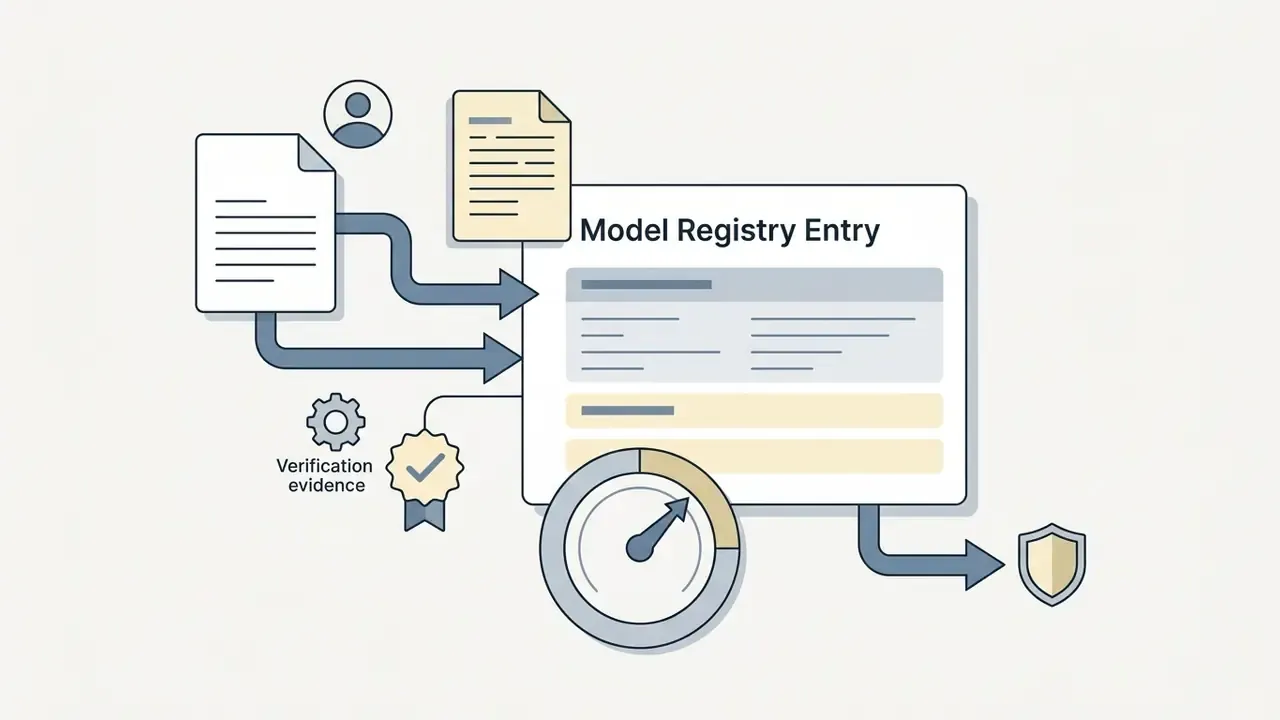
- Auditability is the deployment gate. Every published asset should carry a reproducible generation record: model version, seed, prompt hash, reference asset IDs, denoise strength, operator ID, timestamp, and C2PA credential state.
- The regulatory clock is running. EU AI Act transparency obligations for artificially generated or manipulated media apply from August 2, 2026, requiring machine-readable provenance markers. Major ad platforms already demand synthetic-media disclosure.
- ROI must be risk-adjusted. Gross savings from replacing shoots and stock licensing are real, but they must be netted against validation labor, detection tooling, protected-API premiums, legal review, and a residual-risk reserve.
- Shadow AI is the top operational exposure. Unsanctioned consumer image tools on corporate devices bypass zero-data-retention guarantees, provenance embedding, and license verification.
Who Should Read This Guide, and What It Answers
Three roles usually land on this page for different reasons, and the guide is written to serve all three without diluting either side.
- Model risk and AI governance leads want to know how generative image models enter the model inventory, what evidence a validator can reproduce, and where the escalation path sits when an asset ships incorrectly labeled.
- Marketing and creative operations leads want the practical part: which engine handles legible packaging text, what denoise strength converts a flat render into an image that reads as a phone photo, and how to keep a face stable across forty campaign variants.
- Finance and procurement want the cost model, including the unglamorous control-cost line items that vendor decks tend to omit.
One assumption stated openly: everything below about audience motivation is a working hypothesis until confirmed by interviews, analytics, or CRM data. Treat it as a starting frame, not evidence.
What Is Realistic AI and How Real Images Are Generated
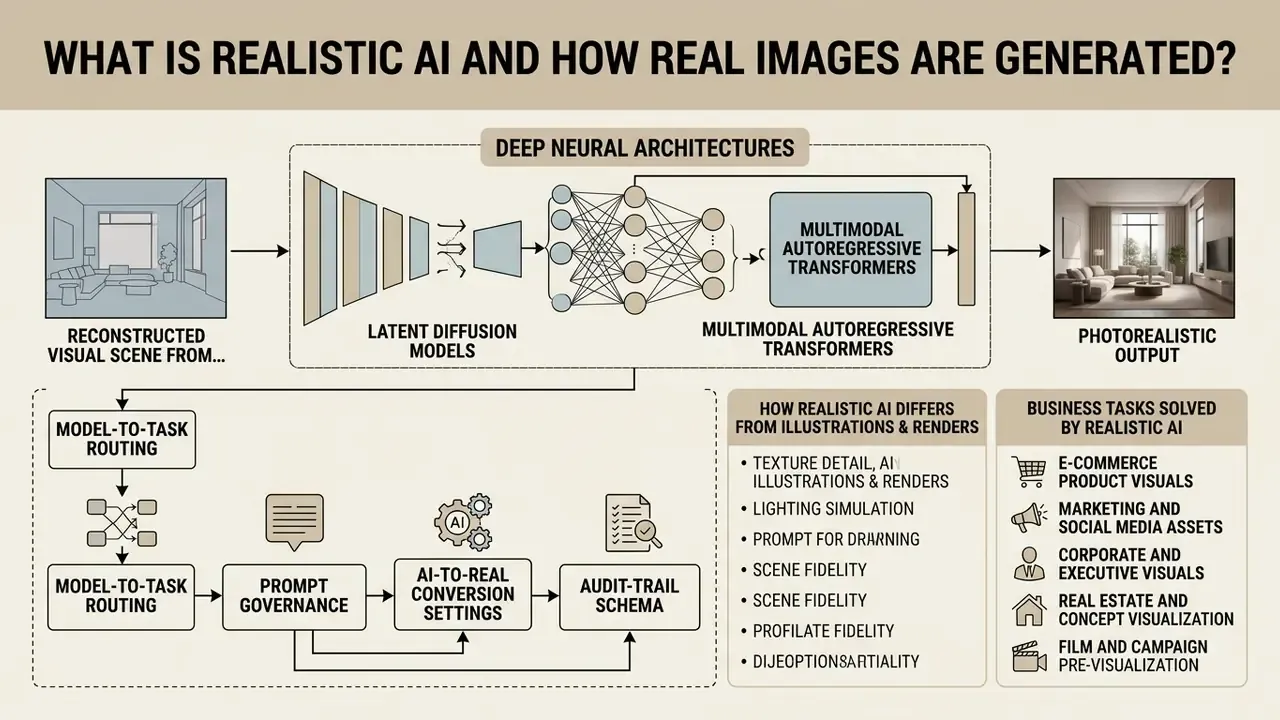
A realistic AI generator leverages deep neural architectures, primarily latent diffusion models and multimodal autoregressive transformers, to reconstruct visual scenes from probabilistic noise distributions. Unlike generic digital art tools, realistic AI systems optimize specifically for physical illumination consistency, camera lens geometry, and natural surface micro-textures.
Diffusion processing workflow (technical progression from Gaussian noise to photorealistic output):
| Stage | Operation | Realism Contribution |
|---|---|---|
| 1. Noise initialization | Gaussian latent tensor seeded by a fixed integer | Reproducibility anchor for audit trails |
| 2. Iterative denoising | U-Net or rectified-flow transformer removes noise across 30-50 steps | Global structure, composition, subject geometry |
| 3. Feature alignment | Text and vision encoders (CLIP, T5, VLM conditioning) align semantics | Prompt adherence, object relationships |
| 4. Subsurface and material synthesis | High-frequency texture bands resolved late in the schedule | Skin scattering, fabric weave, metal grain |
| 5. Optical projection and decode | VAE decode plus lens and sensor-style characteristics | Depth-of-field falloff, grain, chromatic edges |
How AI Generated Images Realistic Differ from Illustrations and Renders
An ai generated image realistic output differs from stylized digital graphics by prioritizing camera-like geometry, subsurface light scattering, and sensor noise over hand-drawn abstraction or synthetic 3D shading. Digital illustrations and 3D renders rely on explicit polygonal buffers and ambient occlusion algorithms. By contrast, an ai generated picture that looks real approximates non-linear light reflections, lens chromatic aberration, and micro-scale physical flaws learned directly from photographic training data.
Trained human observers judge photorealism by physical scene plausibility rather than raw resolution.
«Participants identified AI origin only modestly above chance level; accuracy depended on scene complexity, artifact category, and viewing time.»
Standard ai art realistic creations often show exaggerated edge sharpness or glossy highlights. Pipelines built for ai generated images realistic work the other way: they deliberately preserve fine surface imperfections, natural depth-of-field falloff, and realistic colour gamut limits. Same with ai generated art realistic presets - the tuning goal is restraint, not spectacle.
In one illustrative review of adoption risk, a financial services marketing team audited 500 generated campaign images before public release. Rather than reporting an unverified anomaly-reduction percentage, the governance group documented what actually shipped: an automated pre-deployment scanning filter, a prompt-level optical constraint library, and a two-person visual sign-off for any asset containing human faces, hands, or on-image text. Assets failing any of the three gates were rejected and regenerated instead of retouched, which preserved a clean provenance chain from prompt to publication. That last detail matters more than it sounds. Retouching breaks reproducibility; regeneration keeps it.
Business Tasks Solved by Realistic AI Image Generators
Modern enterprises deploy a realistic ai visual stack to scale asset production and shorten time-to-market across digital channels. The primary commercial applications:
- E-commerce product visuals standardized product photography placed in varied lifestyle environments without physical staging.
- Marketing and social media assets campaign variations, localized advertisements, and promotional banners tuned to specific audiences.
- Corporate and executive visuals professional headshots and branded collateral built from ai generated realistic photos.
- Real estate and concept visualization photorealistic interiors and architectural environments for client presentation and pre-construction marketing.
- Film and campaign pre-visualization storyboard-grade realistic frames produced before any production budget is committed.
Commercial applications named across 2026 tooling reviews cluster consistently around product images, lifestyle imagery, realistic portraits, advertising, e-commerce, social branding, and pre-visualization (Modelize Studio, 2026, https://www.modelize.studio/blog/best-ai-image-generation-models-2026).
What Makes an AI Image Truly Realistic
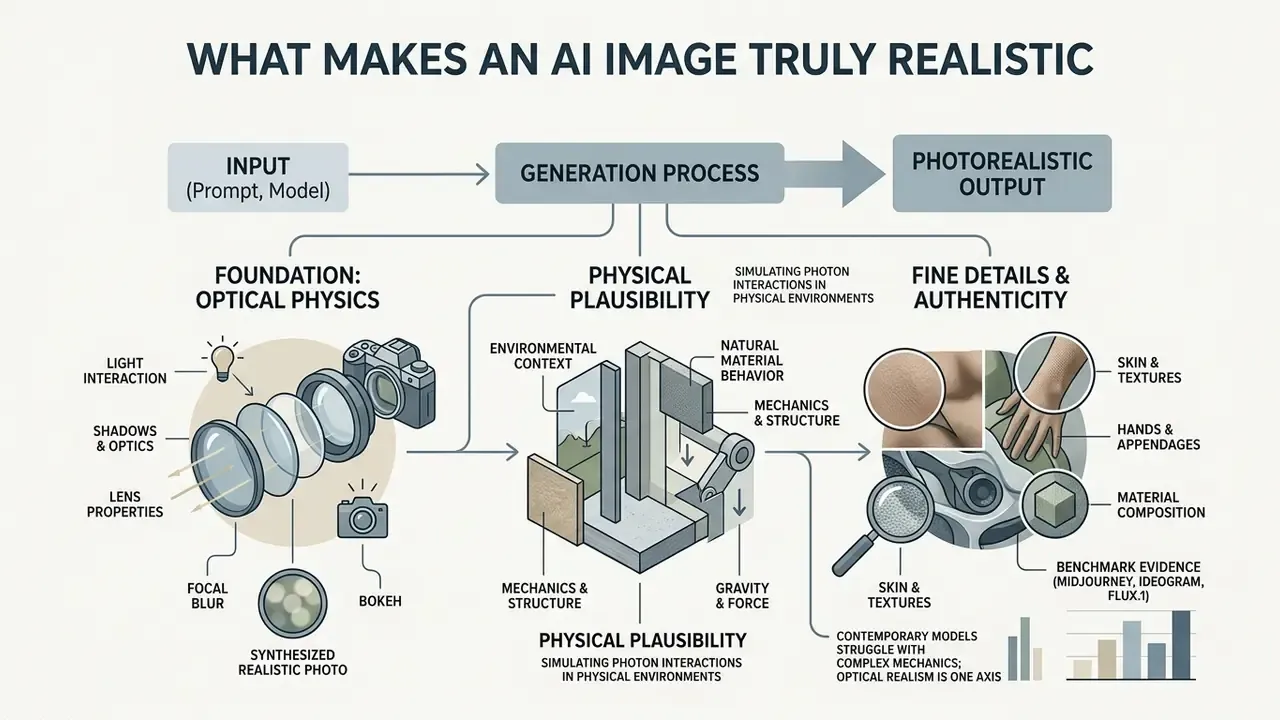
An ai picture real appearance depends on the mathematical alignment of optical physics, environmental context, and natural material behaviour. When one element breaks (a shadow angle, a focal depth), the eye registers artificiality instantly, long before the viewer can explain why.
«Diffusion models frequently display anatomical implausibilities, stylistic artifacts, and physics violations, precisely the cues that raise human accuracy in identifying AI images.»
Visual criteria for evaluating photorealism in AI-generated images
| Evaluation Criterion | Photorealistic Camera Output | Common AI Synthetic Artifacts |
|---|---|---|
| Lighting and shadow physics | Directional consistency, accurate bounce light, soft shadow decay matching light source distance. | Floating shadows, conflicting light sources, rim lighting with no underlying source. |
| Skin and surface micro-texture | Visible pores, fine facial hair, natural skin tone variation, subtle asymmetry, matte and specular balance. | Waxy or plastic texture, unnatural gloss, over-smoothed features, repetitive micro-patterns. |
| Anatomy and structural coherence | Plausible bone structure, correct finger count (5), natural joint articulation, proportion alignment. | Fused or extra digits, distorted ears, impossible joint rotations, misaligned pupils. |
| Optics and depth of field | Focal plane falloff matching lens aperture (f-stop), natural sensor grain, realistic lens distortion. | Abrupt background blurring, inconsistent edge sharpness around hair, synthetic bokeh circles. |
| Environmental details | Realistic clutter, natural wear, physically plausible reflections in glass and metal. | Nonsensical text on signage, floating background objects, warped straight lines in architecture. |
Light, Shadows, and Optics as the Foundation of Photorealism
Authentic photorealism requires the model to simulate how photons interact with physical environments and camera sensors. Hard direct sunlight is strongly directional and produces sharp, high-contrast shadows with bright specular highlights. Soft diffused studio light, or overcast window light, creates non-directional illumination with gradual tonal transitions (North Dakota State University, "Characteristics of Light," 2025, https://www.ndsu.edu/pubweb/~rcollins/242photojournalism/lightingeffects.html).
To generate an ai image that looks real, the prompt and the model must account for lens properties: focal length and aperture. A 35mm wide-angle lens introduces subtle perspective expansion near the frame edges, while an 85mm prime produces shallow depth of field with creamy background blur. Depth of field is simply the distance range that appears acceptably sharp; smaller apertures widen it, larger apertures compress it (Stanford CS148, "Advanced Rendering," 2025, https://web.stanford.edu/class/cs148/materials/class_12_advanced_rendering.pdf).
Benchmark evidence, rather than folklore:
Optical realism is only one axis of physical plausibility. Broader physics benchmarking shows a distinct weakness pattern:
Practically, describe the observable consequences of physics (steam rising, condensation beading, fabric compressing under weight, shadows falling one way) instead of expecting the model to infer them. Models render evidence; they do not reason about causes.
Skin, Hands, Materials, and Fine Details
Specific material cues (brushed stainless steel, weathered leather, linen weave, condensation on cold glass) push the model to select higher-frequency texture maps during denoising. Natural micro-defects such as stray hairs, peach fuzz, slight facial asymmetry, dust, micro-abrasions, and rounded worn edges are not cosmetic extras. Their absence is one of the most reliable synthetic tells, and it is what separates true ai hyper realistic photos from glossy near-misses.
Selecting AI Models and Tools for Realistic AI Images
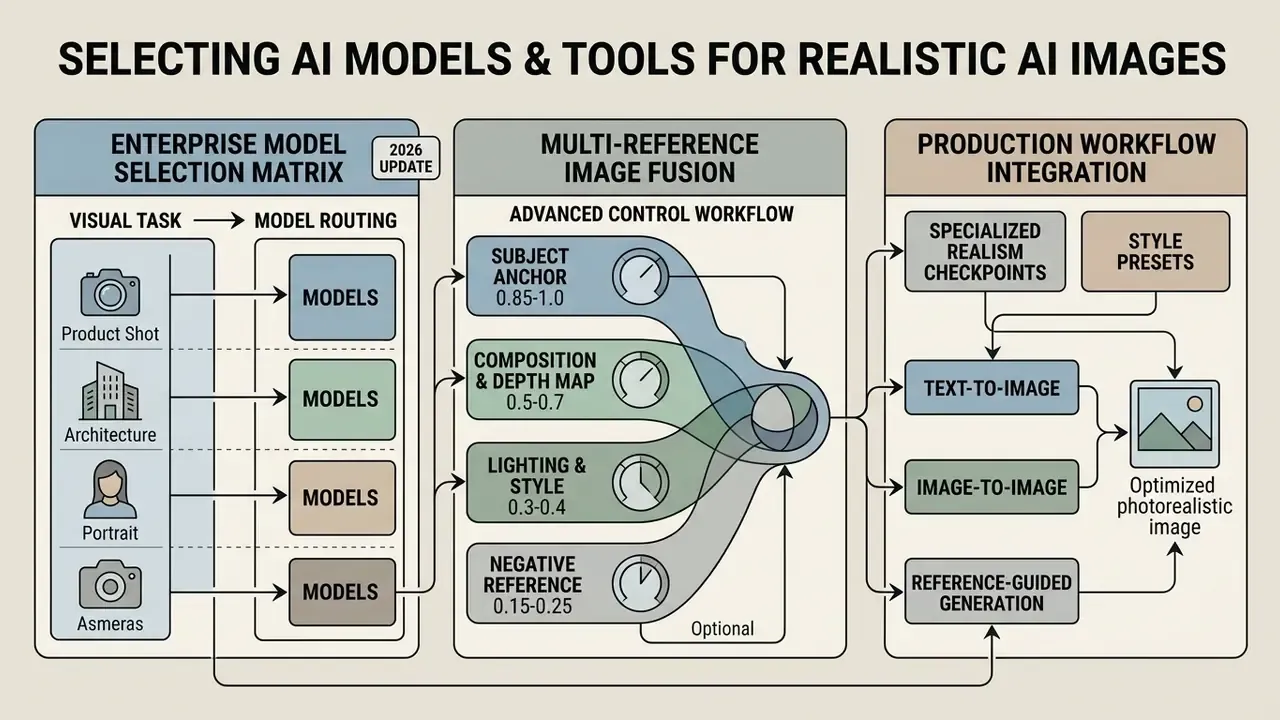
Choosing the right ai hyper realistic image generator depends on the operational control you need, the safety and licensing posture, and the deployment architecture. Enterprise technical leaders evaluate on prompt adherence, reference-guided consistency, and commercial licensing security. Aesthetics come fourth, oddly enough.
Enterprise comparison of photorealistic AI image generation models
| AI Model / Architecture | Portrait and Human Realism | Product Photography Quality | Prompt Adherence and Control | Reference and Inpainting Support | Commercial Safety and Licensing |
|---|---|---|---|---|---|
| FLUX.1 / FLUX.2 (Black Forest Labs) | Exceptional; realistic skin pores, natural anatomy, up to 4MP output. | High detail; handles complex material textures and physical reflections. | Industry-leading text alignment via integrated vision-language model conditioning. | Advanced multi-reference fusion (up to 10 visual sources at once). | Open weights for local hosting; paid API tiers for enterprise; free tier non-commercial. |
| Stable Diffusion 3.5 / SDXL (Stability AI) | Strong; needs custom LoRA finetuning for flawless skin micro-detail. | Excellent for customized staging when combined with ControlNet depth maps. | High precision using multi-encoder architecture (CLIP plus T5). | Extensive inpainting, outpainting, and ControlNet guidance (credit-metered inpaint action). | Commercial enterprise licenses available; full data privacy when self-hosted. |
| Adobe Firefly Image 3 | High; tuned to avoid plastic artifacting and hold natural proportions. | Production-ready; integrates with enterprise asset libraries. | Strict adherence to photographic and composition parameters. | Structure and style reference matching inside creative apps; can be blocked by Content Credentials preferences. | Commercially safe; trained on licensed Adobe Stock and public domain data; Content Credentials embedded. |
| Google Imagen 3 | Very high; balanced colour science and realistic human lighting. | Strong on clean, isolated product compositions. | Deep language understanding from scaled transformer text encoders. | Integrated editing and selective regional masking. | Enterprise availability via Google Cloud Vertex AI with isolated VPC deployment. |
| Midjourney image generation (v6.1) | Industry-leading photographic aesthetics and cinematic framing. | High aesthetic value; may need prompt tuning to avoid hyper-stylization. | Responds well to photographic terms and camera body specifications. | Supports Style Reference (--sref) and Character Reference (--cref). | Subscription-based (no free tier); public generation logs unless on higher Pro tiers. |
Enterprise Model Selection Matrix by Visual Task (2026 Update)
| Visual Category | Recommended Primary Model | Secondary / Alternative | Key Strength and Optical Characteristics |
|---|---|---|---|
| Photorealistic portraits and people | FLUX.2 [max] | Seedream 5.0 Pro | Superior rendering of fine hair strands, natural skin pores, un-smoothed micro-texture. |
| E-commerce and packaging | Nano Banana 2 | GPT Image 2 | Clean material surfaces, controlled specular highlights, legible label typography. |
| Text inside realistic ads | Nano Banana 2 | GPT Image 2 | Keeps wording legible and correctly spelled inside a photographic scene. |
| Architecture and interiors | FLUX.1 Pro (Raw Mode) | Midjourney v6.1 | Straight-line fidelity, realistic bounce lighting, multi-source window light balance. |
| Lifestyle and people in real settings | Nano Banana 2 | FLUX.2 [max], Seedream 5.0 Pro | Believable environmental interaction, natural expressions, plausible clutter. |
| Fast campaign ideation | Grok Imagine | FLUX.2 [klein], Seedream 5.0 Lite | Sub-second generation for moodboarding and layout testing. |
| Identity-sensitive edits and compositing | GPT Image 2 | FLUX Kontext Max | Documented strength in photorealism, compositing, and identity-preserving edits. |
An ai image generator ultra realistic in one category is frequently mediocre in another. Route the task, then measure.
Multi-Reference Image Fusion (Advanced Control Workflows)
Advanced realistic workflows combine several visual inputs rather than leaning on a single reference. Modern engines accept 8 to 10 conditioning sources, and multi-reference research shows that separating layout, identity, and style conditions materially improves controllability.
Practical rule: raise the subject anchor weight when identity drifts across a series; lower the style reference weight when the model starts inheriting the reference's geometry instead of only its light.
- Subject anchor (weight
0.85-1.0) - a clear facial or product shot that locks identity and core geometry.
- Composition and depth map (weight
0.5-0.7) - a pose skeleton, canny edge map, or 3D depth pass dictating scene geometry and camera distance.
- Lighting and style reference (weight
0.3-0.4) - a real photograph carrying the target lighting environment (golden hour, high-contrast chiaroscuro, overcast softbox) to copy colour science and shadow falloff without altering subject geometry.
- Negative reference (optional, weight
0.15-0.25) - an example of the failure mode you want suppressed (over-glossy skin, CGI plastic surfaces), where the platform supports negative image conditioning.
Specialized Realism Checkpoints and Style Presets
- AWPortrait / Super Portraits: built for human portraiture; enforces anatomical stability in hands and resists plastic skin over-smoothing.
- EpicRealism / Super Realism: fine-tuned on raw DSLR files; introduces atmospheric haze, micro-abrasions on materials, and realistic sensor grain.
- YWL Realism / Indo Realism: region- and skin-tone-specific checkpoints for demographically accurate campaign localization.
- Flux Ultra Raw Mode: bypasses default aesthetic filters to produce un-retouched, news-style output with balanced dynamic range and higher perceived clarity.
Text-to-Image, Image-to-Image, and Reference-Guided Generation
Generative visual workflows use three input modalities depending on how much control the task requires:
For deeper technical definitions of these generative processes, consult our comprehensive AI Media Glossary.
- Text-to-image (T2I)
- synthesizes frames purely from descriptive text. Geometry is inferred rather than anchored, which suits conceptual exploration where structural precision is not tied to an existing asset.
- Image-to-image (I2I)
- transforms an existing input using a text prompt plus adjustable noise strength. Ideal for restyling photos or converting rough 3D wireframes into realistic photography while preserving source geometry.
- Reference-guided generation
- combines structural depth maps, pose vectors, or style references with text. This multi-modal conditioning lets operators enforce strict geometry while changing lighting or background context.
Models for Realistic People, Product Photos, and Concept Visuals
Deploying an ai image generator hyper realistic stack means selecting checkpoints tuned to specific visual domains:
- Executive portraits and realistic people FLUX.1 Pro, FLUX.2 [max], and specialized Stable Diffusion checkpoints handle facial anatomy, individual hair strands, and un-smoothed skin micro-texture. Tooling comparisons live in our guide to AI headshot generators.
- E-commerce product photography Adobe Firefly, Google Imagen, and Nano Banana 2 deliver high colour fidelity, accurate label typography, and clean background isolation, so generated visuals match the physical product specification.
- Marketing concept visuals Midjourney v6.1 and FLUX.1 give cinematic framing, moody lighting setups, and complex environmental composition for campaign ideation. Broader style-range comparisons sit in our best AI art generator analysis.
How to Write Prompts for AI Generated Hyper Realistic Images
To produce ai generated hyper realistic images, operators write structured, unambiguous prompts that specify camera optics, physical lighting, and environmental context, and that leave artistic buzzwords out.
Prompt architecture (structured framework for photorealistic generation):
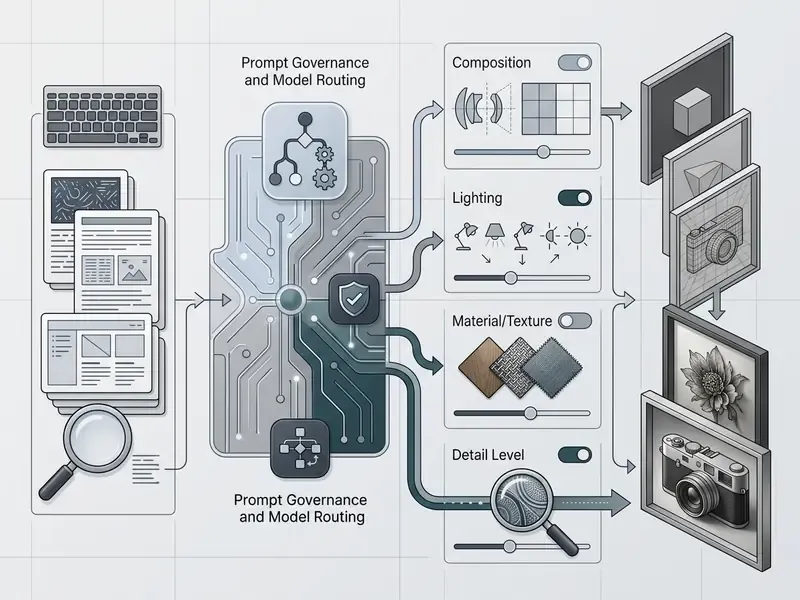
Universal Prompt Structure for Realistic AI Photos
An effective photorealistic prompt follows a standardized sequence to maximize adherence:
[Subject & Action] + [Setting & Context] + [Lighting Type & Direction] + [Camera Body & Lens Focal Length] + [Aperture & Depth of Field] + [Film Stock & Texture Details]
- Subject a focused, professional woman in her 40s in a dark navy wool blazer, natural expression, subtle laughter lines around the eyes.
- Setting a modern, sunlit glass office in downtown Manhattan, blurred city skyline through the background windows.
- Lighting soft side light from a floor-to-ceiling window, gentle bounce fill, natural colour balance.
- Optics shot on a Hasselblad H6D-100c, 85mm prime, f/2.8, soft background bokeh.
- Details visible skin texture, fine fabric weave, subtle film grain, natural colour grading, un-retouched photo.
Reproducibility depends on locking generation settings alongside the prompt text: fixed seed, fixed step count, fixed guidance scale. Iterative refinement of the prompt itself also improves alignment measurably.
Production-Ready Photorealistic Prompt Library
Six tested, copy-paste templates. Each names the subject, the light, and the capture method instead of stacking quality adjectives.
1. Commercial portrait (editorial / corporate)
2. E-commerce product photography (skincare / glass packaging)
3. Architectural and interior design
4. Lifestyle and advertising concept
5. Text-in-ad commercial graphic
6. Complex spatial / surreal realism
Vertical variants worth keeping in a shared prompt repository: a night-shift healthcare worker under mixed fluorescent and doorway light (35mm, f/2.0); a fitting-room retail scene with uneven warm room lights and visible forehead skin shine; a hard-sunlight street scene where the shop window must reflect readable signage, cars, and building frontage.
Correcting Artificial Looks and Plastic Textures
To kill the plastic sheen typical of basic output, drop the generic buzzwords: "hyperrealistic," "ultra HD," "8K," "masterpiece." Those terms steer models toward over-sharpened digital renders rather than authentic photography. Counter-intuitive, but consistent in practice.
Instead, introduce terms that imply real physical imperfection:
- Optical descriptors: "shot on 35mm film," "Kodak Portra 400 tone," "subtle chromatic aberration," "natural lens flare," "slight vignetting."
- Surface micro-defects: "un-polished surface," "subtle skin pores," "asymmetrical facial features," "light dust particles in air," "worn rounded edges."
- Specularity constraints: natural materials read best with low glossiness and a high-value, low-saturation specular colour; most natural surfaces are matte with minimal specular tint, with shiny exceptions such as foliage, plastics, and porcelain glazes (Autodesk 3ds Max material guidance, 2025).
- Negative prompting: exclude
wax, plastic, smooth skin, airbrushed, 3D render, digital painting, CGI, illustration, oversaturated, extra fingers, warped text, duplicated logo.
Teams that use language models to assemble complex visual prompts can review our analysis of the ai paragraph generator and ai paraphrase generator.
Verify that your prompt carries the necessary technical cues before you hit generate:
Checklist0 / 6
Operational Controls and Prompt Governance
In a regulated organization, prompt engineering is a control surface, not only a creative craft. Recommended policy layer:
Who owns the decision when a model fails validation? Name that person before the first campaign, not during the first incident.

How to Generate Realistic Images: From Concept to Final Export
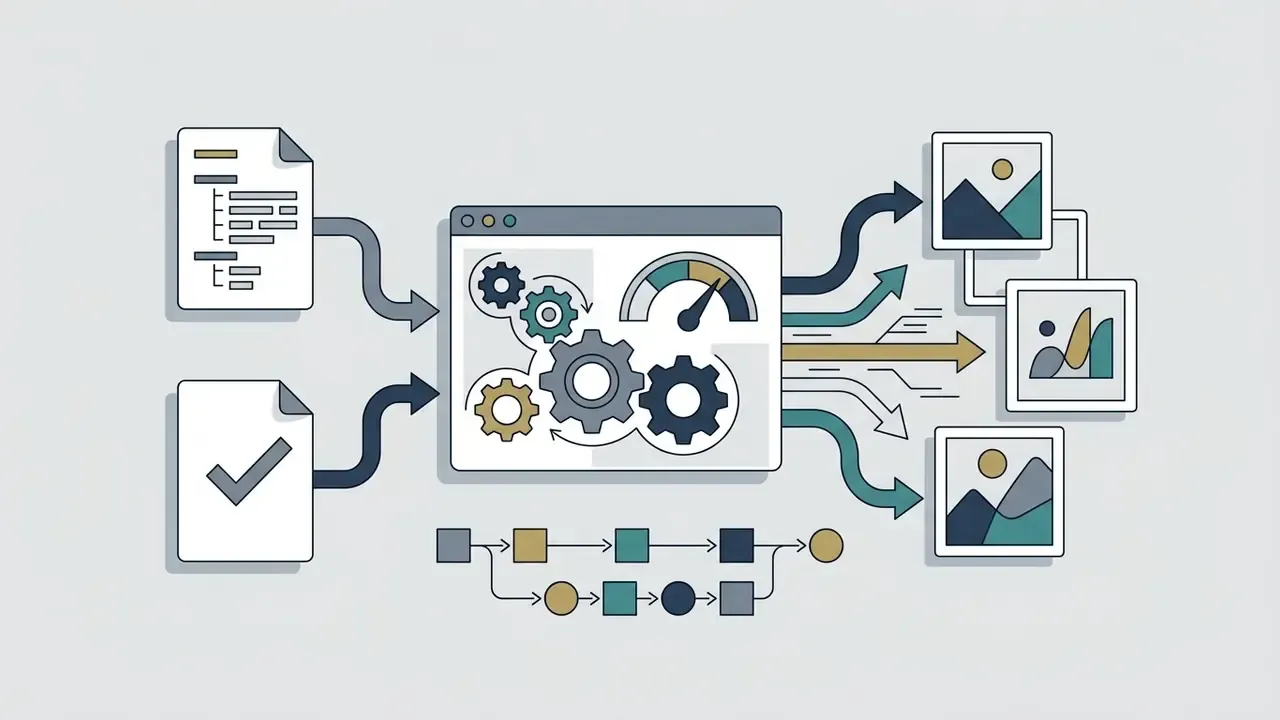
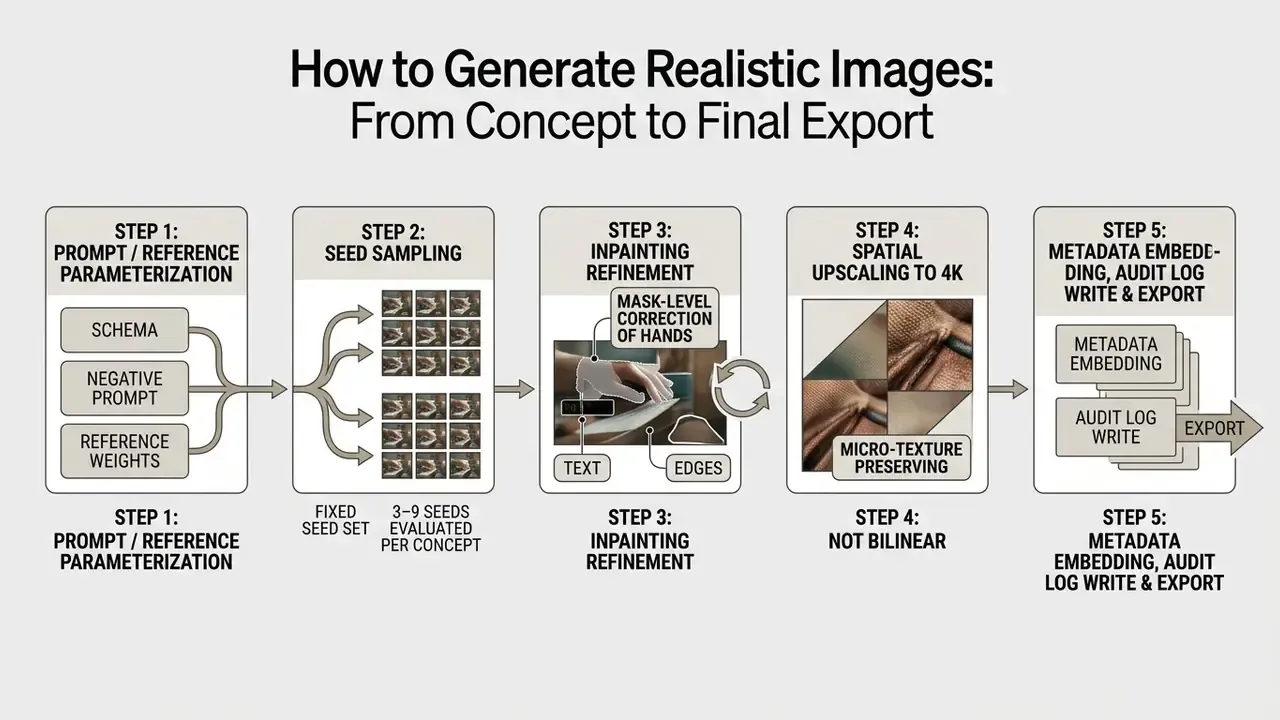
To generate realistic visual assets systematically, enterprise operators follow a structured pipeline from input parameterization to final high-resolution export.
Standardized enterprise image generation workflow:
Input Prompts, References, and Generation Settings
Consistency when you create realistic output comes from locking core parameters:
- Aspect ratio
- match the delivery channel (
16:9for digital banners,4:5for social feeds,1:1for product catalogues,9:16for vertical video stills). - Classifier-free guidance scale (CFG)
2.5to4.0for modern flow-matching models such as FLUX;7.0to9.0for legacy Stable Diffusion families (SDXL commonly5-10, SD 1.5 commonly7-12). High CFG forces strict prompt adherence at the cost of natural texture variation.- Sampling steps
- 30 to 50. Too few leaves noisy artifacts; too many yields over-processed, unnatural edges.
- Reference image weight
- with image-to-image or structural control, hold reference weights near
0.75to0.85to retain source geometry while allowing realistic lighting changes. - Seed discipline
- lock the seed for series work and vary only the environmental clause, which keeps facial structure and product geometry stable.
AI-to-Real Conversion Protocol: Restoring Camera Signatures to Synthetic Images
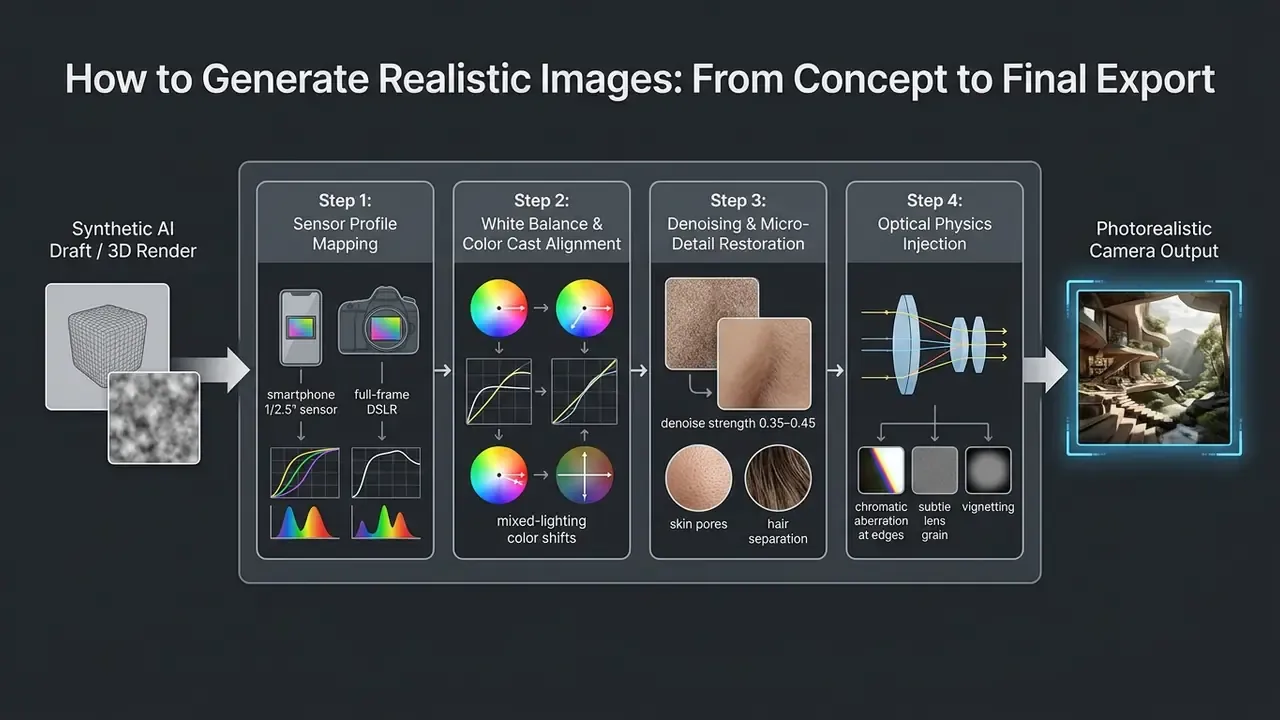
Practical conversion parameters
- Smartphone photo emulation (iPhone or Pixel look)
- set image-to-image denoising strength to
0.38-0.42and add prompt cues such as"shot on mobile phone camera, subtle lens flare, natural skin shine on forehead and nose bridge, uneven indoor lighting, un-processed white balance, stray hair strands breaking the outline". - Uneven-illumination enforcement
- real interiors are never evenly lit. Specify a warm room-light cast plus a cooler daylight source, and require fabric that folds instead of draping flat.
- Hard-sunlight enforcement
- commit the whole frame to one light story. Defined shadow edges all falling the same direction, blown highlights where sun hits leather or metal, creases holding shadow.
- Environmental physics
- glass and shop-window reflections should show real background elements (street, cars, readable signage) rather than a flat grey gradient.
- Style preservation caveat
- if the source is an illustration or anime frame that must stay non-photographic, say so explicitly. Otherwise realism conversion overwrites the intended art style.
- Detection caveat
- conversion improves human-perceived realism only. The output is still regenerated by a model, so synthetic-media detectors and provenance metadata will keep flagging it as AI-derived, which is exactly the desired behaviour under 2026 disclosure rules.
Editing, Upscale, and Exporting Realistic AI Photos
Raw outputs rarely meet print or publication standards without targeted post-processing:
- Selective inpaintingmask-based editing corrects localized flaws (an irregular fingernail, distorted background text) without regenerating the whole frame. Outpainting extends the canvas while preserving surrounding coherence for alternate aspect ratios.
- Spatial upscalingAI tensor upscalers enlarge base outputs to 4K or 8K while hallucinating authentic micro-texture instead of applying bilinear interpolation. Frequency-aware architectures matter here:
Comparative tooling and cost breakdowns sit in our review of AI image upscalers.
Case detail (unverified productivity multiple removed): a financial software company standardized banner production on an audited image-to-image workflow. Instead of claiming a throughput multiple, the team documented the controls that made throughput repeatable: locked CFG and seed ranges per template, a mandatory 4K upscaling stage, mask-only correction rules (no freehand retouching of generated faces), and a single approved export profile per channel. Brand-style compliance was verified by diffing each output against the template reference rather than by subjective review.
- Colour grading and asset export
- finalize files in professional photo editors to align colour profiles (sRGB for web, Adobe RGB or CMYK for print) and export uncompressed PNG or WEBP. Final polish passes are often handled with AI image enhancers before publication.
Audit Trail Schema for Generated Assets
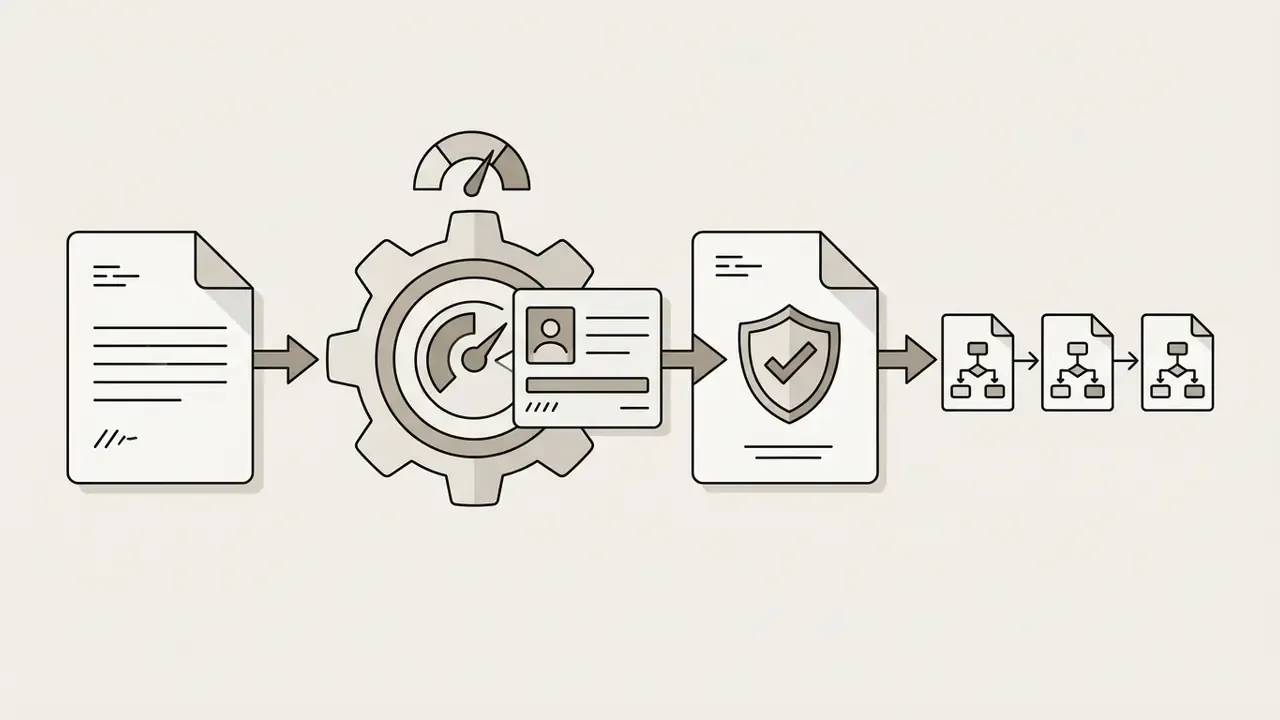
Every published asset should be reproducible from its log entry alone. Minimum recommended record:
{
  "asset_id": "IMG-2026-04-01187",
  "generated_at": "2026-04-14T09:22:41Z",
  "operator_id": "user_4471",
  "business_purpose": "retail-campaign-banner-Q2",
  "model": { "name": "FLUX.2-max", "version": "2.1.0", "hosting": "vpc-isolated-api" },
  "prompt_template_id": "TPL-PORTRAIT-EDITORIAL-03",
  "prompt_hash": "sha256:9f2c...b41d",
  "negative_prompt_hash": "sha256:1ab7...ee02",
  "seed": 884213771,
  "steps": 40,
  "cfg_scale": 3.2,
  "reference_assets": [
    { "ref_id": "REF-9931", "role": "subject_anchor", "weight": 0.92, "license": "internal-owned" },
    { "ref_id": "REF-7710", "role": "style_light", "weight": 0.35, "license": "licensed-stock" }
  ],
  "post_processing": { "inpaint_masks": 2, "upscale": "4K", "denoise_strength": 0.40 },
  "review": { "human_faces_present": true, "reviewers": ["rev_112", "rev_207"], "status": "approved" },
  "provenance": { "c2pa_embedded": true, "platform_disclosure_flag": "required" }
}
To understand cost models for automated upscaling and generation infrastructure, explore our AI Media Pricing Guides and AI Media Calculators.
Enterprise Governance, Auditability, and Legal Compliance
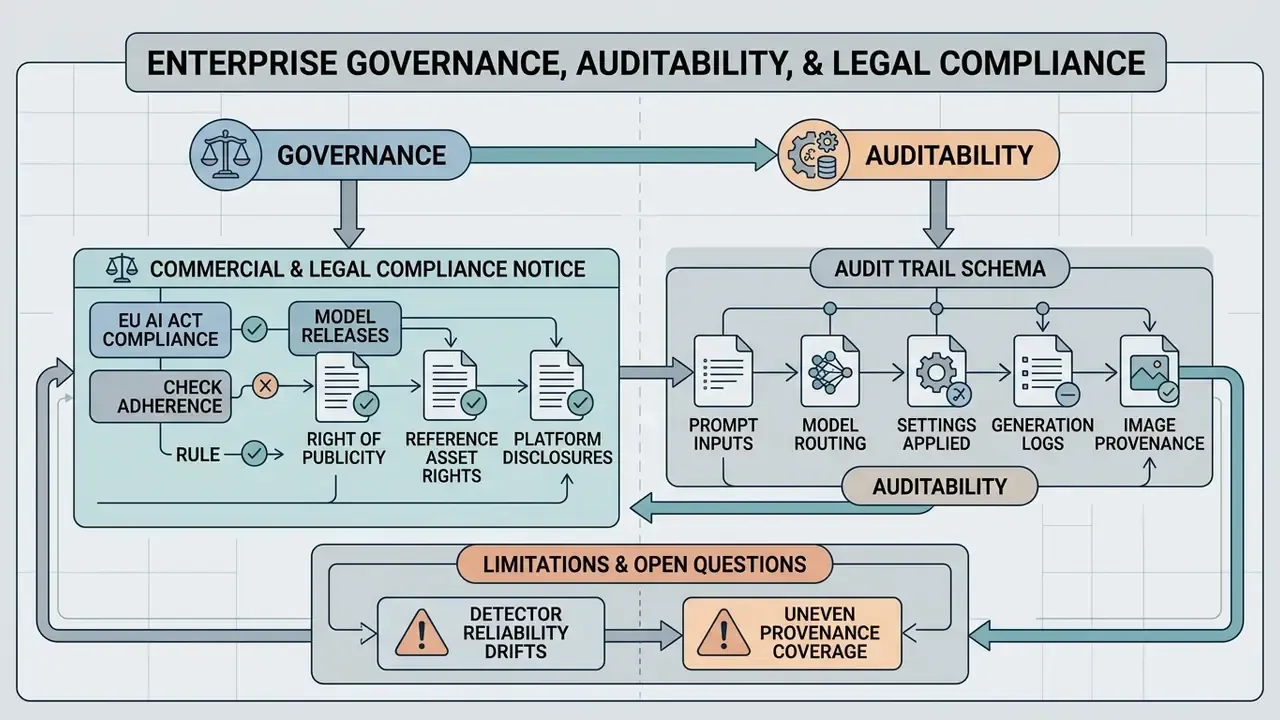
COMMERCIAL AND LEGAL COMPLIANCE NOTICE
The risk is not hypothetical. Documented misuse patterns explain why provenance and access control belong in the control framework rather than the style guide:
«An analysis of nearly 15 million Twitter avatars found that 0.052% were AI-generated and linked to coordinated spam and political amplification campaigns.»
«SurrogatePrompt bypasses Midjourney safety filters with an 88% success rate, generating photorealistic NSFW content, including images of political figures in violent scenarios.» - Ba et al., SurrogatePrompt: LLM plus image-to-text and image-to-image attack (2024)
Control mapping for regulated organizations. Deployment requirements reduce to four hard pillars documented in NIST's generative AI profile: governance, content provenance, pre-deployment testing, and incident disclosure, with secure-development controls spanning the lifecycle from development to decommissioning (NIST AI 600-1 and NIST SP 800-218A, 2024). In practice:
| Control Domain | Minimum Enterprise Implementation |
|---|---|
| Model inventory and ownership | Generative image models registered with named owner, intended use, and review cadence in the existing model risk register. |
| Access and segregation | SSO and IAM-gated API access, role-based limits on identity-sensitive edits, no personal accounts for corporate assets. |
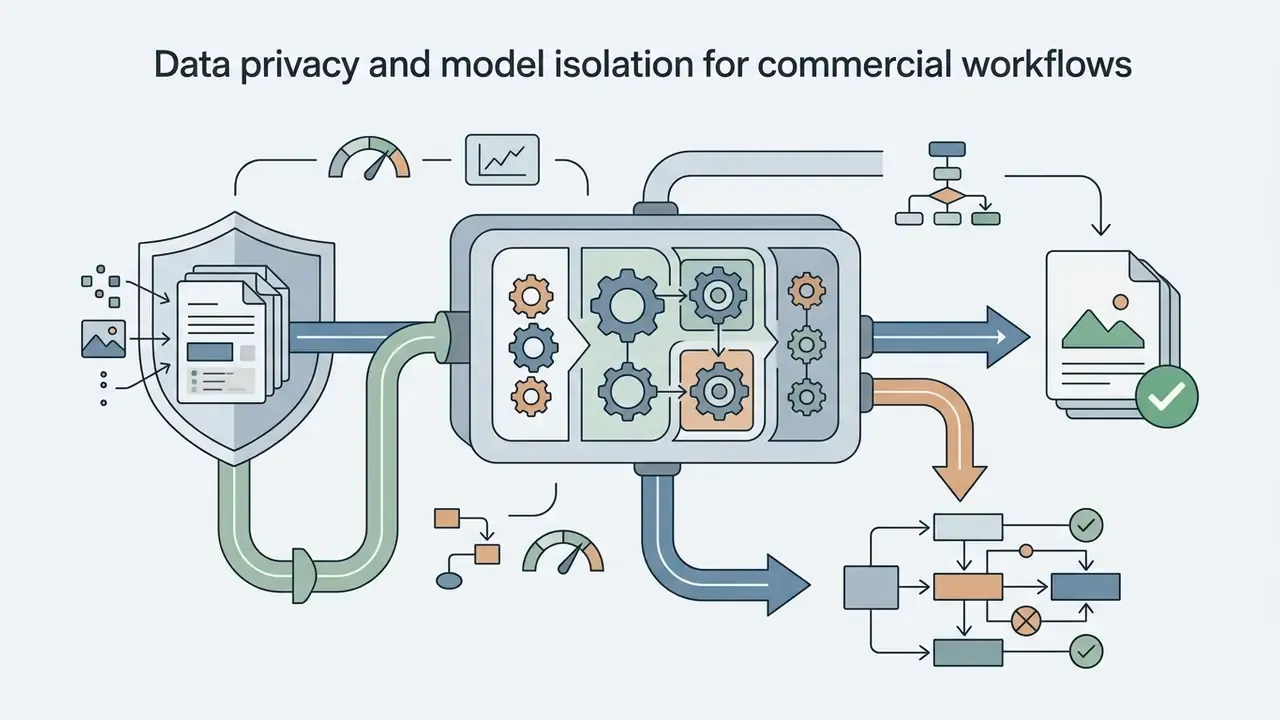
| Data protection | Zero-data-retention contract terms, isolated VPC or self-hosted weights for confidential inputs, prompt logging without PII payloads. |
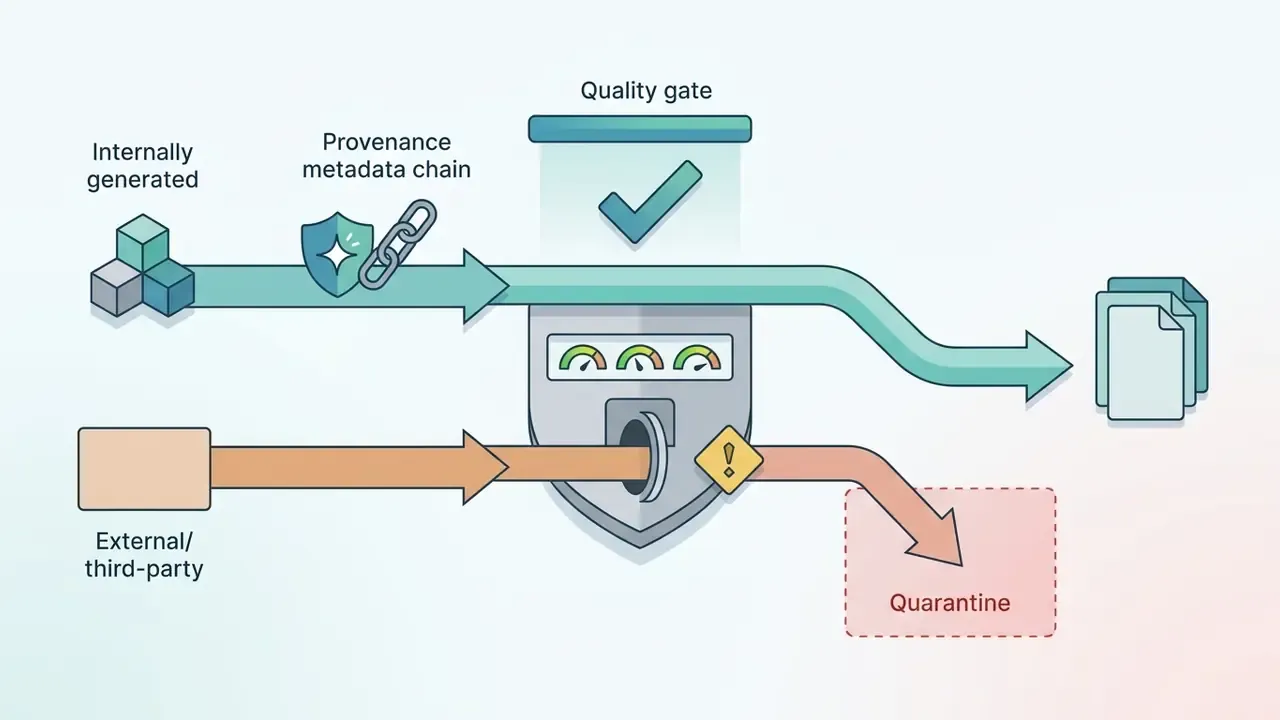
| Provenance | C2PA credentials embedded at export, provenance state written to the audit log, platform disclosure flags set per channel. |
| Pre-deployment testing | Automated artifact scanning plus mandatory human review for faces, hands, on-image text, and regulated claims. |
| Incident disclosure | Defined escalation path for misused, mislabeled, or non-compliant published assets, with takedown and re-export procedure. |
| Shadow AI | Sanctioned-tool allowlist, device monitoring for unsanctioned generators, periodic attestation from creative teams. |
Limitations and Open Questions
Honest gaps, because pretending otherwise helps nobody:
- Detector reliability drifts. Detection accuracy degrades as generators improve, so a detector score should support review, never replace it.
- Provenance coverage is uneven. C2PA credentials survive some pipelines and get stripped by others, particularly after third-party compression or social re-upload.
- Validation methodology for visual models is immature. Traditional model validation assumes measurable error against ground truth; "does this look like a photograph" resists that framing.
- Cross-border disclosure rules are still moving. US state-level synthetic-media statutes and EU obligations are not aligned in scope or timing.
Where Realistic AI Images Outperform Stock Photography and Live Shoots
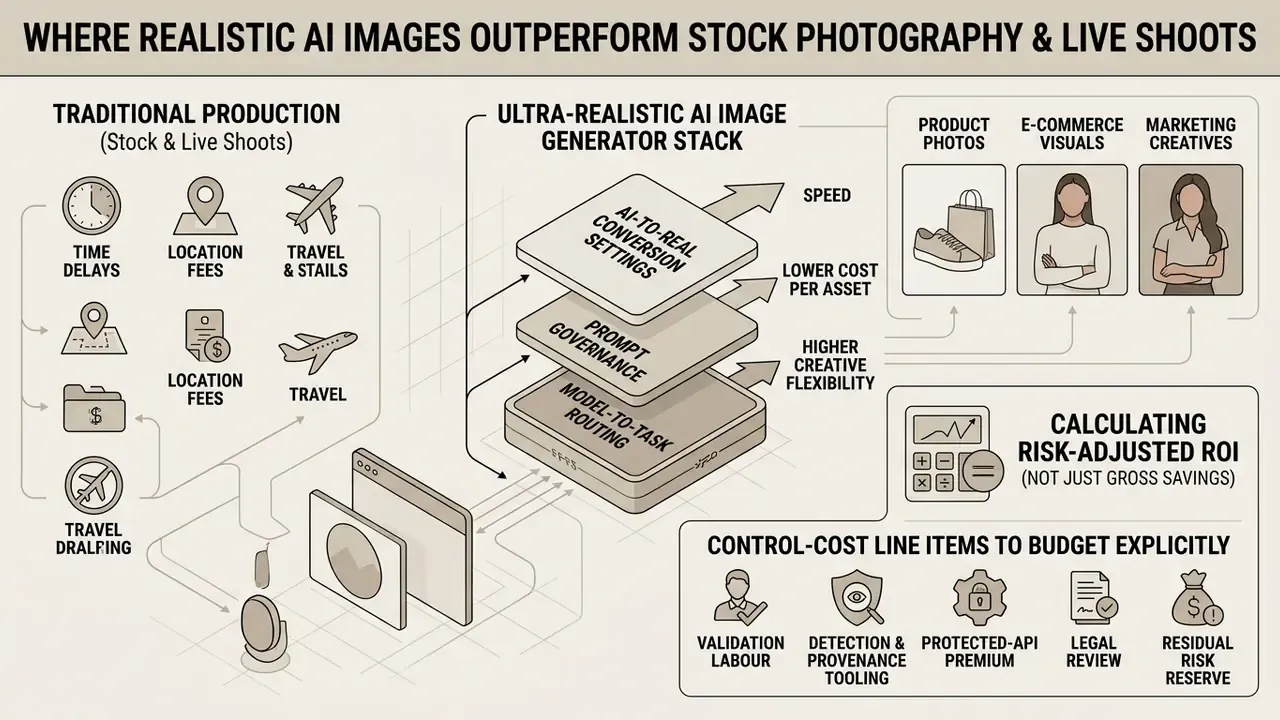
An ai image generator ultra realistic stack offers clear operational advantages in speed, cost per asset, and creative flexibility compared with traditional production. Ai generated images real enough for paid channels now cost less per variant than a re-staged shelf shot.
Cost trajectory per asset, scaled across 1,000 unique visual variations (illustrative structure, not a vendor quote):
| Production Model | Cost Driver | Marginal Cost of Variation #500 | Turnaround | Uniqueness |
|---|---|---|---|---|
| Traditional shoot | Crew, studio, talent, releases, retouching | High (requires re-staging or reshoot) | Days to weeks | Fully exclusive |
| Stock subscription | Per-image licensing or seat subscription | Moderate, fixed per download | Minutes | Shared with competitors |
| Controlled AI generation | Model or API usage plus validation labour and provenance tooling | Low per image, rising with review depth | Minutes to hours | Prompt-specific and exclusive |
Product Photos, E-Commerce, and Marketing Visuals
Replacing stock libraries with customized synthetic workflows removes recurring licensing fees and avoids the awkward moment when a competitor's campaign uses the same face. Compare licensing terms and per-asset economics in our overview of AI image generators for commercial use.
Consumer-perception evidence:
«AI-generated food images consistently received higher appetite ratings than real photographs when participants were unaware of their origin, especially for ultra-processed products.»
Field data points the same way for advertising. A 2024 SSRN study reported that across 254,400 human evaluations, AI-generated marketing images were rated higher in quality, realism, and aesthetics than human-made equivalents; an accompanying field test of roughly 173,000 impressions found banner CTR uplift of up to 50% versus human-made stock photography. Worth treating as directional rather than settled.
Key commercial benefits:
Calculating Risk-Adjusted ROI (Not Just Gross Savings)
Gross production savings overstate the business case because control work is real work. A defensible model:
Risk-Adjusted ROI =
   ( Avoided Production Cost + Avoided Licensing Cost + Speed-to-Market Value )
 − ( Generation Spend + Validation Labor + Detection/Provenance Tooling
     + Protected-API Premium + Legal/Compliance Review + Residual Risk Reserve )
 ÷ ( Total Program Cost )
Control-cost line items to budget explicitly:
Planning rule of thumb: assume review and provenance overhead scales with risk class, not with image count. Low-risk background and texture assets can be batch-approved. Anything depicting a person, a regulated claim, or readable on-image text belongs in the reviewed lane.
- Validation labour
- reviewer minutes per asset multiplied by asset volume and loaded hourly cost. Highest for imagery containing faces, hands, or on-image text.
- Detection and provenance tooling
- synthetic-artifact scanning, C2PA embedding, asset-registry storage.
- Protected-API premium
- the delta between consumer tiers and zero-data-retention or VPC-isolated enterprise endpoints.
- Legal review
- likeness clearance, reference-asset licensing checks, jurisdiction-specific disclosure review.
- Residual risk reserve
- provision for takedown, re-export, and remediation of non-compliant published assets.
When a Traditional Photo Shoot Remains Mandatory
Despite the technical progress, camera capture stays essential under specific operational, regulatory, and evidentiary conditions:
- Identifiable public figures and real executive communications representing real individuals synthetically, without explicit releases, creates serious legal and reputational exposure.
- Evidentiary and news media coverage journalistic integrity and legal standards require unaltered captures to verify factual events, and major newsroom standards prohibit generative AI for creating, altering, or enhancing news photography. Verification tooling is compared in our guide to AI image detectors.
- Complex regulated product labels pharmaceutical packaging and nutrition labels need physical product photography to guarantee exact text accuracy.
- Representative institutional imagery where an image implies that a real place, programme, or experience exists as depicted, original capture is required.
- Photography competitions and documentary submissions rules commonly reject fully AI-generated images along with AI in-painting and out-painting.
Human detection limits are precisely why disclosure cannot be delegated to the audience:
«People identify AI-generated tourism photos with only 67.7% accuracy, while a hybrid deep-learning model reaches 96.1%; real photographs show richer textures and greater colour diversity.»
Free vs. Pro: Evaluating the Cost of Realistic AI Image Generators
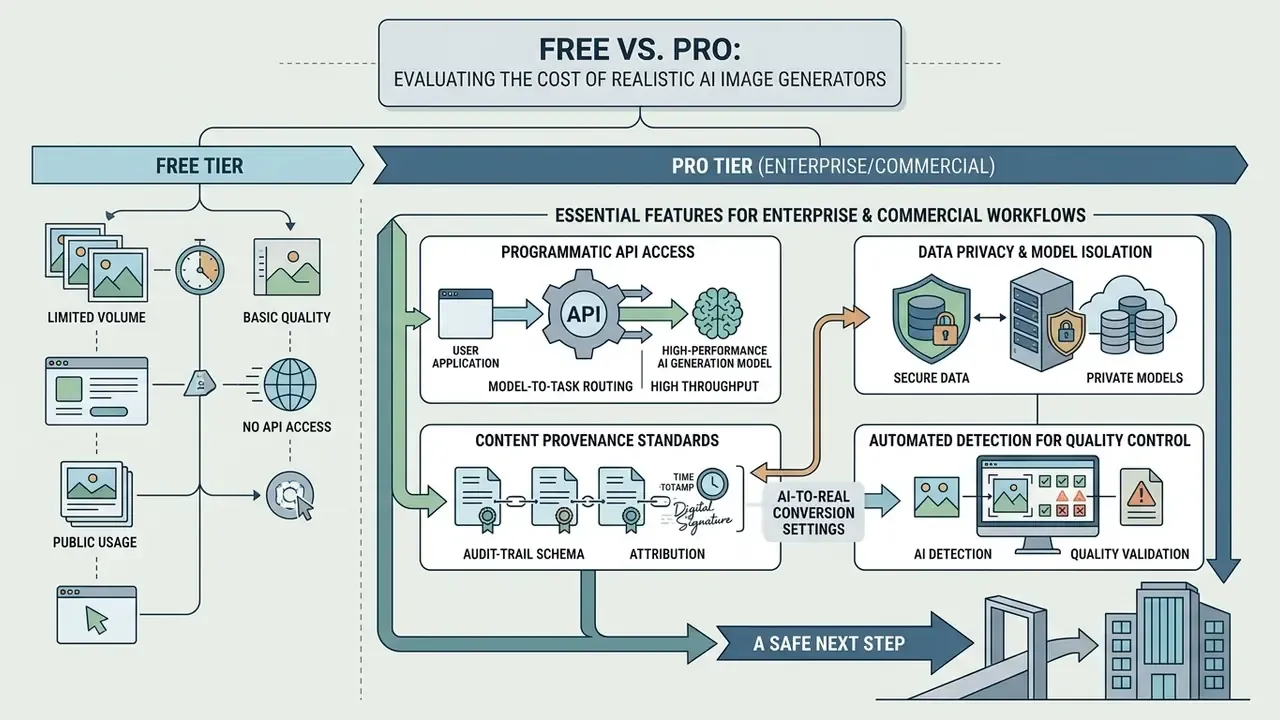
Evaluating the financial structure of visual generation tools means balancing operational volume, API throughput, and commercial usage rights. Teams testing the market can start with our comparison of free AI image generators before committing to a paid tier.
Functional feature comparison: free tiers vs. enterprise pro plans. Verify current terms with the vendor; commercial conditions change more often than model versions.
| Operational Capability | Typical Free Access Tiers | Enterprise Pro / Paid Plans |
|---|---|---|
| Generation limits and quotas | Capped daily or monthly credits (commonly 10-150 generations per day), slow queue processing. | High-volume monthly quotas or pay-per-generation API billing with priority GPU access. |
| Max output resolution | Standard resolution (512×512 or 1024×1024), visible compression artifacts. | Native 1K/2K/4MP generation with integrated 4K and 8K upscaling pipelines. |
| Batching and workflow API | Single-image browser generation only; API frequently unsupported on free tiers. | Full REST and gRPC API support, concurrent batch requests, programmatic automation. |
| Editing and inpainting tools | Basic web crop tools, restricted masking and reference options. | Advanced inpainting, outpainting, custom LoRA finetuning, ControlNet support. |
| Commercial rights and privacy | Non-commercial licenses; generated images may appear in public galleries or training logs. | Full commercial usage ownership, zero-data-retention options for proprietary assets, private modes. |
| Typical price band (2026) | $0 with daily credit caps; several leading tools have no free tier at all. | Roughly $10-$60 per seat per month for creative tiers; usage-based pricing from about $0.014 per image on API. |
Essential Features for Enterprise and Commercial Workflows
For organization-wide deployment, technology leaders weigh platform security and integration above interface polish. Key evaluation criteria:
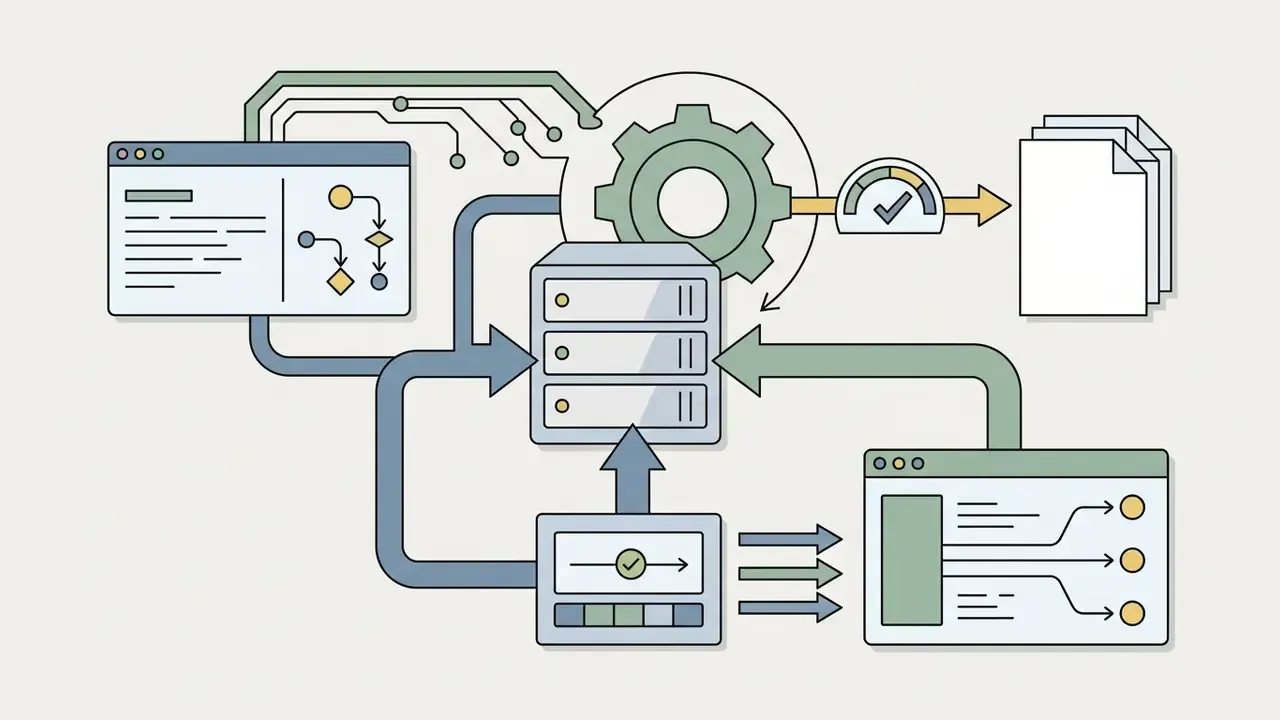
To compare tool architectures and pricing models across the main visual platforms, refer to our AI Media Comparison Matrices and the general AI Media Support resources.
A Safe Next Step
If you are early, do not start with a platform purchase. Start with one governed pilot: a single visual category, one approved prompt template, one registered model, a named owner, and an audit log that a validator can replay. Measure review minutes per asset. That number, more than any benchmark score, tells you whether the programme scales.
FAQ: Realistic AI Image Generators and Photorealistic Output
Does AI Create Truly Unique Realistic Images?
Usually, yes. Modern diffusion models generate images probabilistically, sampling from high-dimensional latent distributions conditioned on your prompt and seed. They do not stitch existing stock images together; they synthesize new pixel arrangements. There is a limit condition, though. Replication research shows diffusion models can reproduce memorized training content, with one NeurIPS-published measurement finding roughly 1.2% of sampled images exceeding a 0.5 similarity threshold against training data, and unusually literal prompts raising replication risk. Generic prompts without optical or contextual parameters also tend to converge on compositions that structurally resemble common training examples.
Can Character and Brand Style Consistency Be Maintained?
Consistency comes from reference-guided generation, not from text prompts alone. Operators hold identity across multi-image campaigns using dedicated style anchors, custom Low-Rank Adaptation (LoRA) weights trained on a specific subject, or control frameworks such as ConsiStyle, which adds cross-image attention for subject consistency plus adaptive instance normalization to limit style leakage. Locking the random seed while changing only environmental details keeps facial structure stable across scenes. In editing prompts, name the preservation requirements explicitly (identity, composition, lighting, style), because the unstated elements are exactly the ones that drift.
Can Existing Images Be Converted into Realistic AI Photos?
Yes. Flat illustrations, low-resolution captures, and synthetic 3D renders convert into ai generated real images through image-to-image workflows and regional inpainting. Feed the base photograph into an AI editor, set a moderate denoising strength (typically 0.35 to 0.50), and add prompts specifying natural lighting and fine skin micro-texture. Published techniques supporting this include closed-form photorealistic stylization (ECCV 2018), screened-Poisson gradient-preserving post-processing, wavelet-based photorealistic transfer (ICCV 2019), and convolutional realism enhancement of rendered inputs (CVPR 2021). Explore specialized conversion tools in our guides to the ai pfp generator, ai pet portrait generator free, and ai person generator.
Will Converted Images Pass an AI Detector?
No, and they should not be expected to. Realism conversion targets human perception; the output is still model-generated, so synthetic-media detectors and embedded provenance credentials will keep identifying it as AI-derived. Under EU AI Act transparency obligations from August 2, 2026, and existing ad-platform policies, detectability is a compliance feature rather than a defect.
Which Model Should We Route Each Task To?
Use the Enterprise Model Selection Matrix above. FLUX.2 [max] or Seedream 5.0 Pro for people; Nano Banana 2 or GPT Image 2 for packaging, materials, and legible in-image text; FLUX.1 Pro in Raw Mode or Midjourney v6.1 for interiors and architecture; Grok Imagine, FLUX.2 [klein], or Seedream 5.0 Lite for rapid ideation before you commit to a final render. If an ai pic realistic enough for a printed brochure is the goal, budget an inpainting pass regardless of engine.
What Should Be Logged for Audit Purposes?
At minimum: model name and version, hosting mode, prompt and negative-prompt hashes, template ID, seed, steps, CFG, reference asset IDs with roles and licenses, post-processing parameters, reviewer IDs, and C2PA or provenance state. The JSON schema in the workflow section above works as a starting point for internal audit handoff.
Can Realistic AI Images Be Used on Mobile and in Batch Runs?
Yes, with the same controls. Mobile apps and browser tools produce ai images real enough for social channels, but they often lack seed locking, negative-prompt enforcement, and C2PA embedding. For regulated use, route batch runs through the sanctioned API so the audit record is written automatically instead of manually reconstructed later.
About the Expert Review
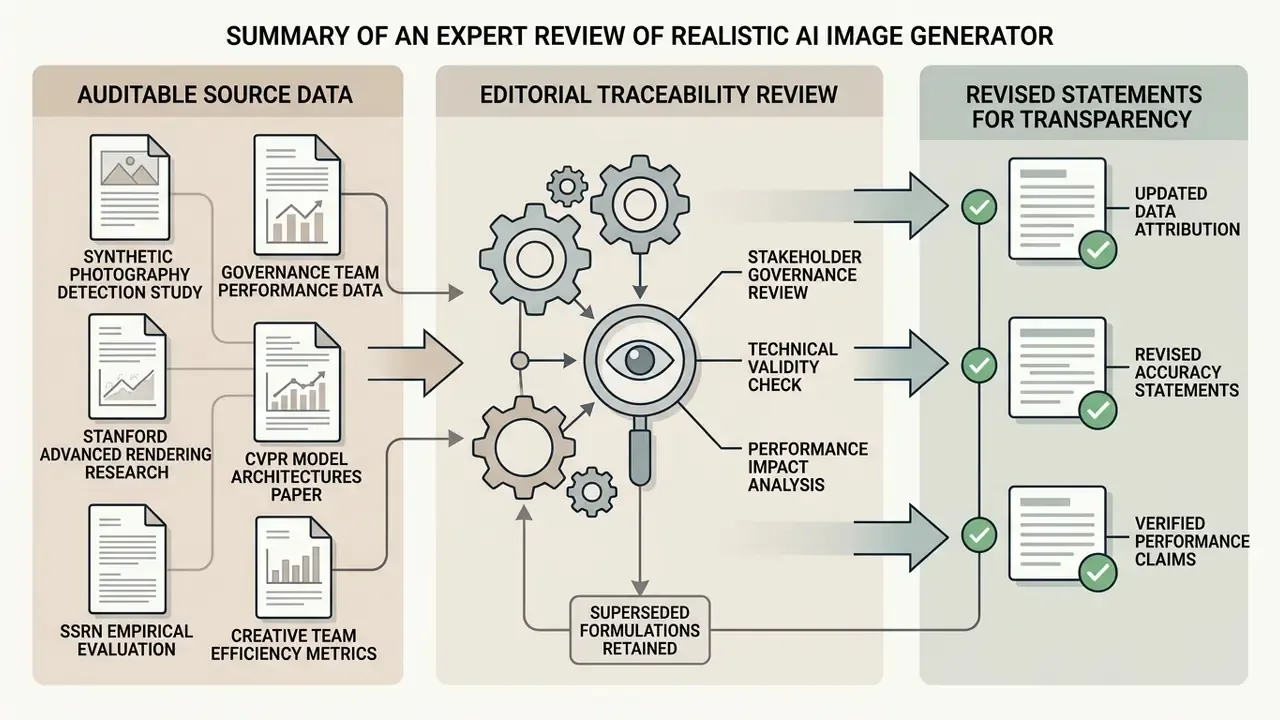
Appendix A: Superseded Statements Retained for Transparency