Last updated: February 2026 | Reviewed by: editorial AI governance and imaging-workflow team
Executive Summary
- A photo to sketch converter is an image-to-image translation system that rebuilds a photograph as graphite strokes, ink contours, charcoal gradients, or colored pencil layers. It does this either through deterministic edge detection (Canny, Sobel) or through neural models (GANs, diffusion, masked transformers).
- Seven documented output styles matter in practice: pencil sketch, line art, ink line drawing, colored pencil, charcoal sketch, watercolor sketch, and comic or cartoon line art. Style choice should follow the delivery medium, not personal taste alone.
- Input quality decides output quality. Sharp focus, balanced contrast, and a clean background produce clean lines. Blur and compression artifacts cannot be recovered by any filter. Not by prompts either.
- Privacy and legal clearance are the two enterprise blockers. Check retention windows (often 15 minutes to 1 hour), model-training opt-outs, EXIF stripping, SSO and SOC 2 availability, and licensing of both the source photograph and the generated derivative before any commercial release.
Who Should Read This, and What Decision It Supports
Three groups use this guide differently, and the differences are worth naming up front.
A hobbyist converting family photos needs one thing: a free tool that works in a browser without an account. A content creator producing weekly social assets needs style consistency across dozens of images, which makes preset locking and batch limits the deciding factors. A team inside a regulated organisation faces a third question entirely, because every upload of client imagery is a data-handling decision with a retention window attached.
If you belong to that third group, read the privacy and commercial-use sections first. Everything else is a convenience issue. Retention, training opt-outs, and licensing are not.
What Is a Photo to Sketch Converter?
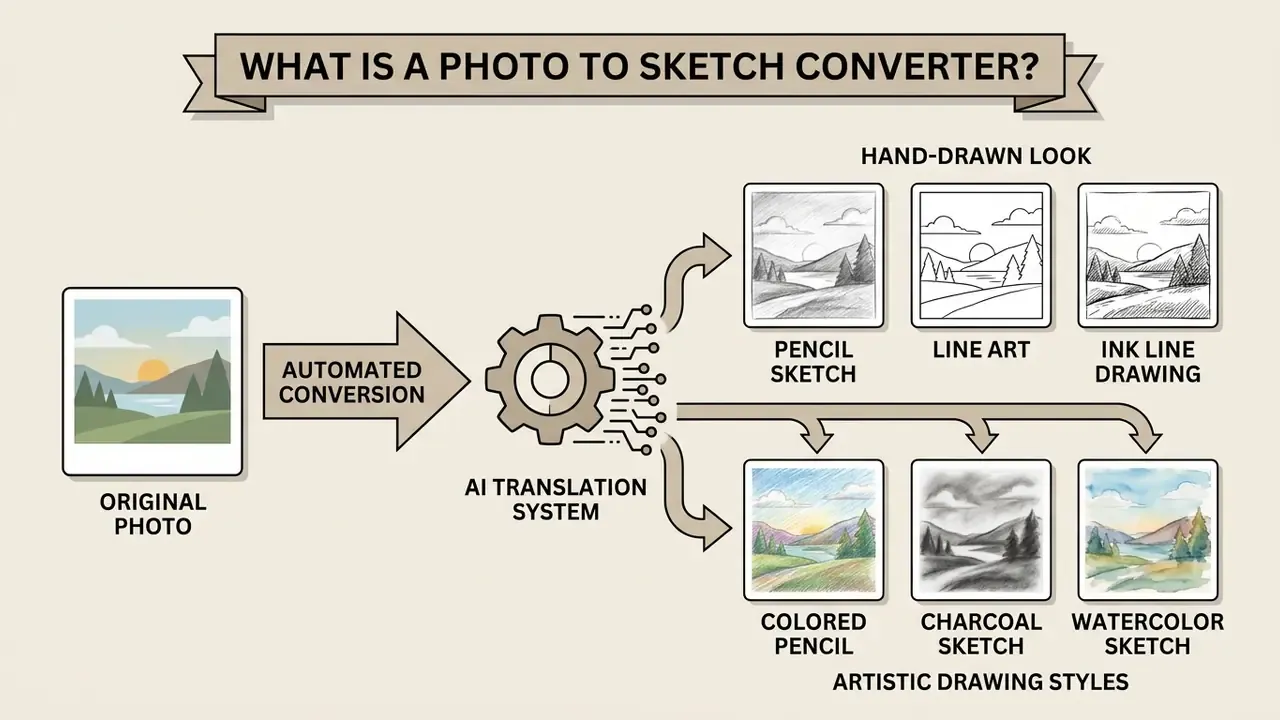
A photo to sketch converter is an automated image-to-image translation system that turns raster photographs into stylized drawings. Modern systems run a sketch conversion process that extracts structural boundaries from an original photo, then renders them as graphite strokes, ink contours, or colored pencil lines.
Unlike manual drawing by a professional graphic designer, automated systems use deterministic algorithms or deep learning models to convert photo content into line art within seconds. Deterministic methods apply edge detection filters such as Canny or Sobel operators to isolate high-contrast boundaries, then thin, binarize, and smooth them into stroke-like paths. Advanced AI photo engines lean on Generative Adversarial Networks (GANs) or diffusion architectures to predict stroke placement and tonal shading, frequently using edge maps (HED, Canny, Sobel) either as network input or as a supervision signal during training.
The practical distinction is straightforward: deterministic pipelines compute a sketch from measurable pixel gradients, while learned models generate a sketch by reconstructing plausible stroke structure from paired photo and drawing datasets. Early academic pipelines smoothed the image with a Gaussian filter, estimated gradients, mapped gradient strength to stroke darkness, and applied a final smoothing pass. Contemporary systems add controllable translation, color-space manipulation, and identity-preserving losses.
These sketch effects let users transform photos into artistic sketches without manual editing skills. The algorithm reads contrast gradients across uploaded photos and builds a structured drawing style from them. That is the whole trick, stated plainly.
From Original Photo to a Hand-Drawn Look
An AI sketch converter generates a realistic hand drawn look from an original image by simulating traditional graphite rendering. The system evaluates luminance transitions across the original photo to decide stroke weight and directional hatching.
To mimic physical pencil pressure, algorithms vary line thickness along detected edges. Procedural hatching and digital paper noise are overlaid across shadow regions to replicate graphite grain and paper tooth. Research-grade pipelines separate these two behaviours explicitly: Im2Pencil (CVPR, 2019) uses distinct filters for sketchy outlines and tonal shading, and its colored-pencil extension converts RGB into LAB space to replace the luminance channel before rendering the final stroke layer.
«Hatching strokes convey both material and shading in hand-drawn illustration.»
«StyleGAN-based models extract high-resolution sketches from a single image, trained with as few as 16 photo–sketch pairs per style.» StyleSketch, arXiv preprint (2024). arxiv.org
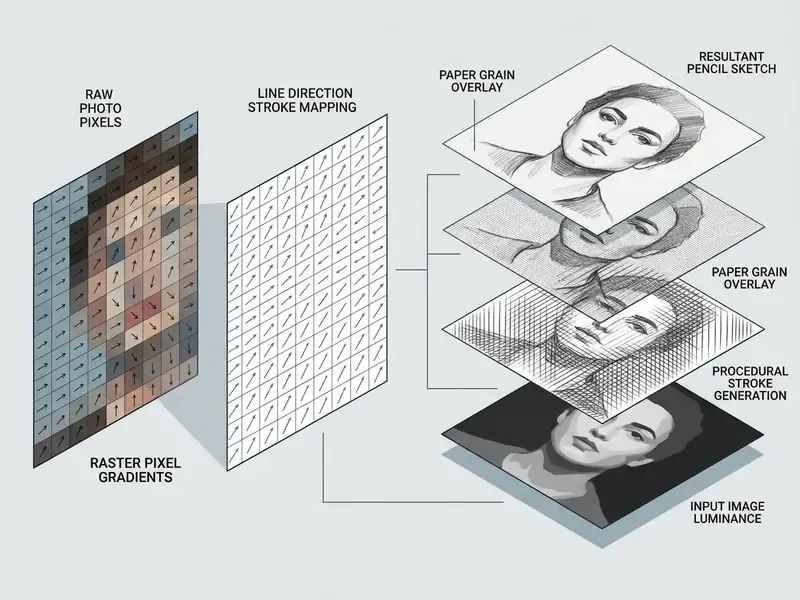
This structural synthesis preserves the core composition while suppressing digital sensor noise. The automated process removes the need for manual brushwork or external image editing software, although plenty of creators still finish assets in a conventional online photo editor for cropping, canvas resizing, or print preparation. Old habit, still a useful one.
Pencil Sketch, Line Art, and Artistic Drawing Styles
Different sketch algorithms produce distinct artistic visual styles suited to specific creative projects. Users can choose between classic pencil sketch, clean line art, high-contrast ink drawing, soft colored pencil effects, dramatic charcoal rendering, fluid watercolor washes, and bold comic outlines.
- Pencil sketch Emphasises continuous tonal shading, gradual value transitions, and soft graphite line work.
- Line art / line drawing Isolates structural boundaries into precise, clean line vector-like contours with minimal internal shading.
- Ink line drawing Uses high-contrast, non-erasable stroke weights with sharp cross-hatching for graphic depth.
- Colored pencil Blends edge preservation with pastel hue layers, combining line drawing structure with color values, typically produced by interpolating between the original image and the extracted sketch layer.
- Charcoal sketch Uses high-contrast, abrasive carbon gradients and smudge simulations for deep, dramatic shadow textures and expressive tonal values.
- Watercolor sketch Combines delicate pencil boundary contours with fluid, low-saturation pigment washes, simulating wet-on-wet paint bleed along line edges.
- Comic / cartoon line art Features thick, uniform outer boundary strokes paired with simplified internal details, optimised for cel-shading or vector coloring.
«Flow-field guided systems direct stroke placement along natural contours, enforcing spatial coherence of generated lines.»
Selecting the right drawing style depends on the intended medium. A graphic designer preparing a base for vector customization will usually pick line art, while a digital marketer making profile pictures tends to favour a realistic pencil sketch. Portrait studios and pet-photography sellers often prefer charcoal for gallery prints, because its tonal range survives large-format reproduction. For specialised assets such as vector illustrations, creators convert raster outputs using an ai svg generator to keep scalability intact, and compare stylistic engines through our review of AI art generators. Stylised character work sits in the same family: an ai superhero generator and an ai tattoo generator both consume line-led input, so a clean sketch layer is often the first step rather than the last.
«Multi-style generation with a masked transformer and style embeddings consistently outperforms previous algorithms across benchmarks.»
What Details AI Sketch Conversion Can Preserve
«Pix2Pix++ reaches a median MS-SSIM of 84% and PSNR of 21.17 dB, capturing fine facial detail and tonal transitions.»
Specialised GAN generators of this class capture facial component boundaries and skin textures while keeping clean line definition around eyes, lips, and jawlines, then apply stroke-based rendering to background regions. Hybrid portrait pipelines go a step further. They sharpen facial shading inside the detected face region and deliberately blur or stylise non-face areas, so the subject never competes with background clutter.
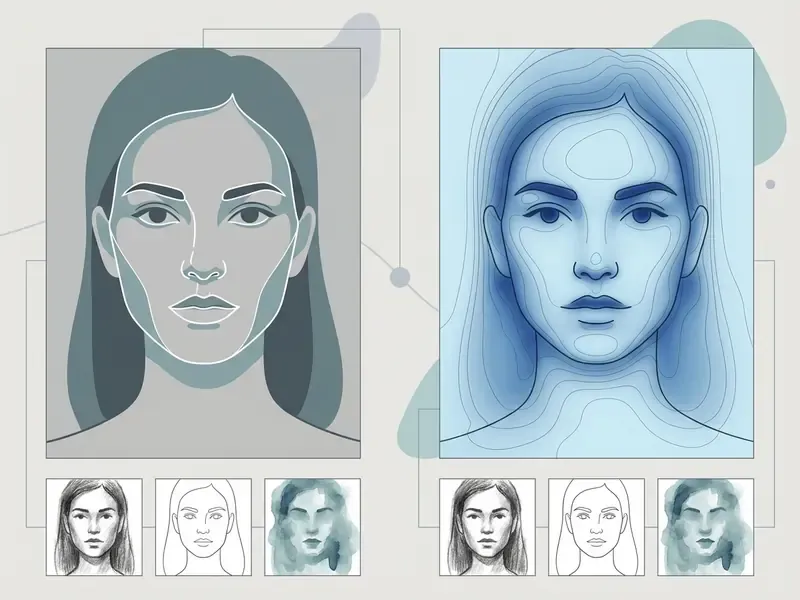
In landscape photography, the system maintains architectural outlines and horizon perspective. Fine details such as foliage or minor surface noise get simplified into directional hatch marks, which keeps overall structural balance intact.
Table 1. AI sketch conversion styles compared by detail level, shading, color, and primary use cases
| Sketch style | Detail level | Shading and tonal characteristics | Color usage | Optimal photo subjects |
|---|---|---|---|---|
| Pencil sketch | High structural and facial feature detail | Soft graphite gradients, directional hatching, smooth value range | Monochrome / grayscale | Portraits, pets, close-up subjects, still life |
| Line art | High edge detail, minimal internal texture | Minimal to zero shading, sharp uniform line weights | Black line on white background | Logos, architecture, product outlines, coloring pages |
| Ink line drawing | High contour density and structural focus | High contrast, sharp cross-hatching, defined shadows | Monochrome | Architectural studies, graphic assets, bold illustrations |
| Colored pencil | Moderate structural detail with soft edges | Layered tonal blending plus visible pencil texture | Full color (pastel or muted spectrum) | Pet portraits, florals, illustrative creative projects |
| Charcoal sketch | Moderate detail with expressive, generalized edges | Deep shadow masses, smudge gradients, wide value range | Monochrome (carbon black on toned paper) | Dramatic portraits, gallery prints, moody studio lighting |
| Watercolor sketch | Low to moderate detail, contours plus soft washes | Fluid pigment bleed, low-saturation pooling, soft edges | Full color (light, transparent palette) | Travel scenes, florals, architecture postcards, wedding stationery |
| Comic / cartoon line art | Simplified internal detail, strong outer contours | Flat cel-shading or zero shading, thick uniform ink outlines | Black outline, optional flat color fill | Avatars, stickers, merch graphics, storyboard panels |
Which Photos Work Best for a Pencil Sketch Effect?
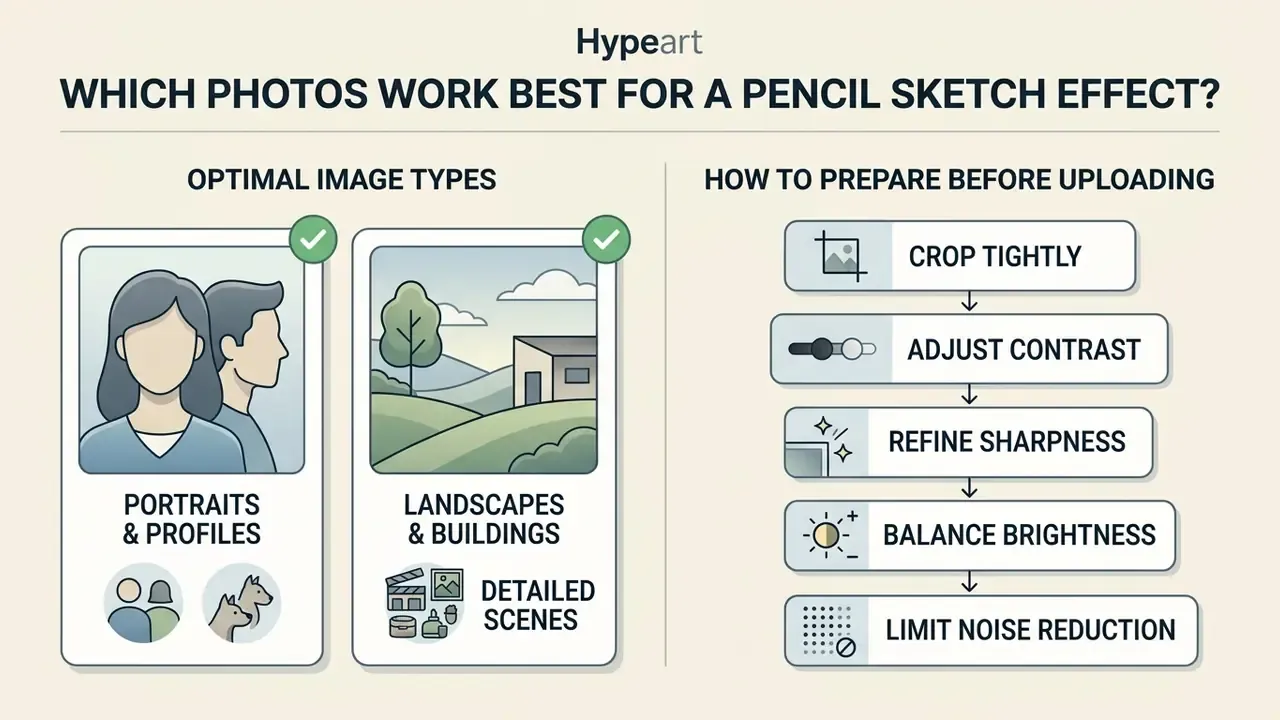
The optical quality of uploaded photos decides the fidelity of the generated sketch. Source images with distinct tonal separation, sharp edge focus, and balanced exposure yield clean, highly detailed drawings.
Low-resolution or underexposed photos force the sketch converter to infer missing edge boundaries, which usually shows up as muddy shading or broken contours. Understanding input requirements helps you pick the right source files before processing, rather than after three failed attempts.
Portraits, Pets, and Profile Pictures
Landscapes, Buildings, and Detailed Images
Architectural photos and landscapes depend on linear perspective and distinct structural geometry. An architecture outline sketch relies on straight structural lines and receding vanishing points to establish spatial depth. Classical architectural drafting separates line categories explicitly: verticals stay upright, horizontals stay level, and only receding edges converge toward the vanishing point. That is exactly the structure a line-art filter should be allowed to reproduce.
When processing urban landscapes, vertical facade edges and horizontal window bands must hold sharp contrast against sky elements. The sketch filter converts architectural planes into clean line paths while translating complex surface textures into uniform directional hatching. Facade subdivisions, meaning windows, floor lines, and material texture, read best when the source photo keeps them above the noise floor. Distant buildings should stay lower in contrast so the converter renders them with lighter strokes.
Landscape scenes with dense foliage or complex organic textures benefit from moderate edge sharpening before processing. This keeps tree leaves and distant fields from collapsing into flat gray regions during the conversion process.
How to Prepare an Image Before You Upload
Pre-processing an original image improves line extraction and prevents unwanted background artifacts. Simple exposure and contrast adjustments refine the input file before you upload image data to an online sketch tool.
- Crop tightlyRemove irrelevant background elements so processing power concentrates on the primary subject.
- Adjust contrastIncrease tonal separation moderately, so the converter can tell light source highlights from shadow regions.
- Refine sharpnessApply mild edge sharpening to define subtle contours, avoiding heavy artificial halos.
- Balance brightnessLift crushed shadow areas to expose secondary details that would otherwise render as solid black blocks. Basic tonal corrections of this type exist in almost any free photo editor, so no paid software is required before upload.
- Limit noise reductionLow-pass filtering, Gaussian blurring, median filtering, and despeckling all remove grain, and fine structural detail with it. Use the weakest setting that solves the problem.
Over-processing is the most common self-inflicted wound here. Standard image preparation guidelines from forensic and technical imaging bodies (SWGDE image-processing documentation, https://www.swgde.org) warn that excessive noise reduction or extreme contrast boosts erase fine structural detail permanently.
Fact Check / Technical Verification:
How to Turn a Photo Into a Sketch Online
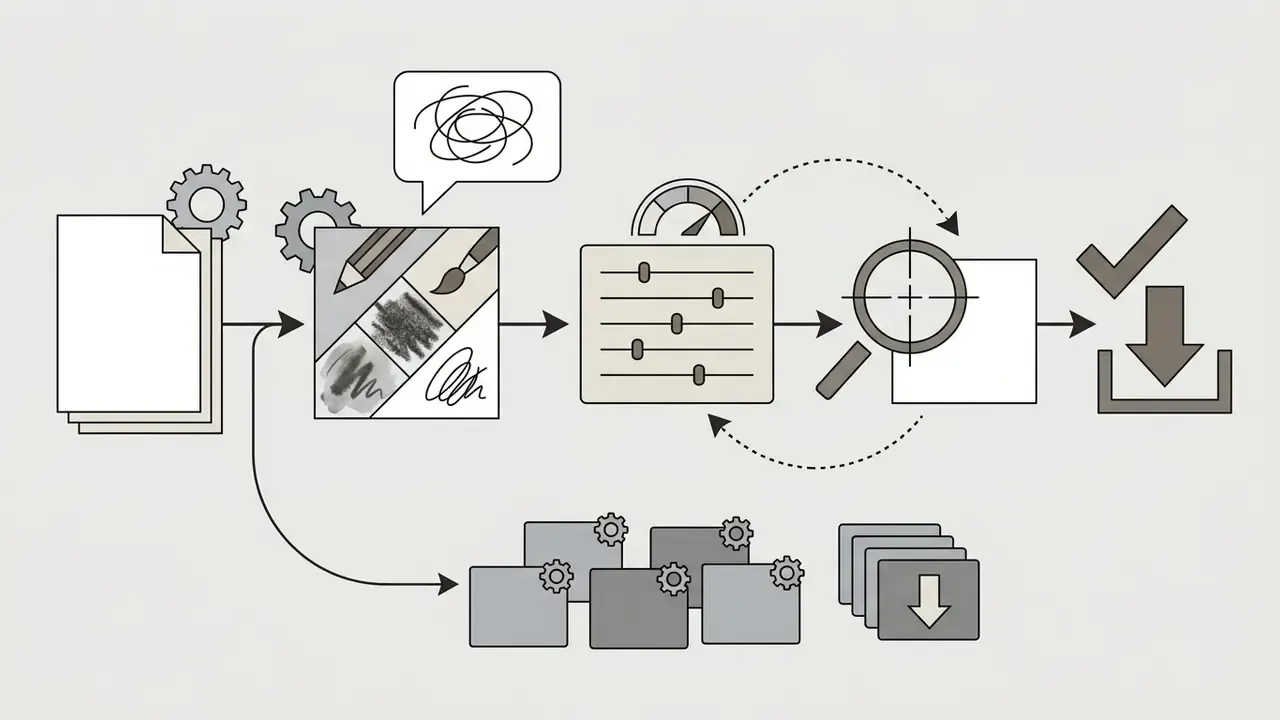
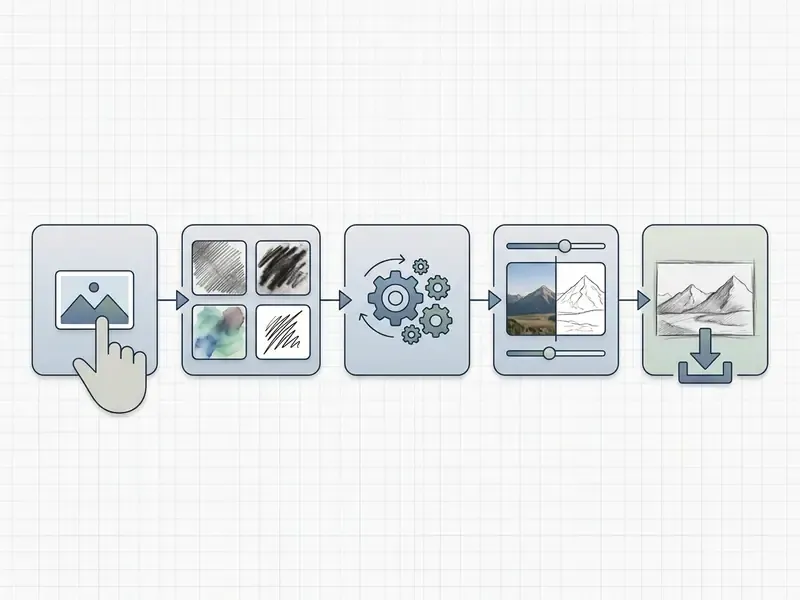
Converting a photo to drawing style online takes a short, predictable sequence. Most web platforms let users upload an image, select a style parameter, preview the transformed sketch, and download the finished asset, usually without installing software or creating an account.
So how do you turn a photo into a sketch in practice? Five steps, in this order.
Upload Your Photo in JPG or JPEG Format
The conversion process starts with selecting and uploading a compatible raster image file. Standard web conversion tools accept common formats, including JPG, JPEG, PNG, and WEBP.
- Open the online sketch converter interface.
- Select a target file from local storage, drag and drop it into the upload box, or paste it straight from the clipboard.
- Check that the image file size sits within platform constraints, commonly 10 MB to 20 MB, with resolution ceilings around 120 MP on mainstream hosting platforms.
Some platforms support processing multiple photos in batch mode. Batch workflows let content creators apply consistent sketch filters across entire image sets efficiently, a workflow detailed in the dedicated subsection below.
Choose a Sketch Filter and Drawing Style
After uploading, choose a sketch filter that matches your design objective. The interface usually offers a style selection menu alongside adjustment sliders for stroke density, edge intensity, and background contrast.
- Pick Pencil Sketch for balanced graphite portraits with soft shading.
- Pick Line Art for crisp vector-like outlines suited to technical graphics or coloring pages.
- Pick Ink Sketch for poster-grade contrast on architecture and product photography.
- Pick Charcoal Sketch when the subject leans on dramatic light and deep shadow mass.
- Pick Watercolor Sketch for travel, floral, and stationery assets that need soft color.
- Pick Comic / Cartoon for avatars, stickers, and merchandise outlines.
- Pick Colored Pencil when original hue relationships must survive the conversion.
Moving the line intensity slider changes stroke weight. Raising detail controls forces the algorithm to render finer texture boundaries, while lowering detail smooths surface transitions. Adobe's own filter documentation describes the same parameter family, covering stroke thickness and length, image detail, light and dark balance, and contrast. It also notes that raising detail and contrast produces sharper, more defined output, while raising darkness pushes strokes toward solid black.
Fine-Tuning Outputs with Text Prompts
Modern diffusion-based sketch engines let users supplement parameter sliders with text prompts to steer aesthetic output. By entering targeted modifiers into the prompt field, creators can control medium behaviour:
- For shading texture append
"hb pencil cross-hatching, heavy graphite grain, paper tooth texture". - For line definition append
"architectural drafting lines, sharp micron pen ink, ultra-clean vector contours". - For artistic mood append
"dramatic chiaroscuro lighting, dark charcoal smudge, Da Vinci sketchpad style". - For flat merch-ready output append
"thick uniform ink outline, minimal interior detail, flat cel shading, white background".
Two practical rules apply. First, prompts steer style, not structure. If the source photo lacks an edge, no prompt will invent it faithfully. Second, keep one prompt profile per campaign so batch outputs stay visually consistent. Prompt drift between assets is the single most common cause of mismatched catalog imagery. Creators who want to compare prompt responsiveness across engines can start with our overview of free AI art generators.
Batch Conversion: Processing Multiple Photos Simultaneously
For design workflows that need volume output, such as catalog design, storyboard generation, or photo album conversion, batch processing transforms multiple images under a single parameter profile.
- Zip or multi-select uploaddrag and drop up to 20 image files (JPG, PNG, WEBP) at once into the conversion interface.
- Global style applicationselect a master preset, for example Pencil Sketch at 50% stroke density, to enforce visual consistency across every queued asset.
- Parallel server renderingcloud GPU pipelines run feature extraction in parallel, which cuts average processing time to under 1.5 seconds per asset on mainstream services.
- Bulk archive downloadexport all converted line art assets in one structured ZIP archive, preserving original file naming conventions and metadata.
Batch limits differ sharply between tiers. Fully free converters may allow unlimited single-file conversions but restrict queued batches. Freemium desktop-class tools frequently cap free batches at around five files, then apply a watermark. Verify the batch ceiling before you commit a 200-image product catalog to a single vendor. That check takes two minutes and saves an afternoon.
Generate, Review, and Download the Sketch
Click the generation control to run the conversion. Cloud converters built on optimised feed-forward networks typically return a result in seconds, while diffusion-based engines and high-resolution batches can take anywhere from several seconds to a few minutes, depending on file size and queue load. Exact latency is vendor-specific and should be measured on your own assets rather than assumed.
Once processing completes, inspect the interactive preview at 100% zoom to verify line clarity and shadow balance. Preview modes such as Fit, Fill to Width, and Actual Size exist precisely because line weight looks different at different zoom levels. If the output looks flat or overly dark, adjust stroke controls and run a free retry generation.
After confirming output quality, select your target file format (PNG, JPG, or PDF, with some tools also exporting SVG or EPS) and download the high resolution file. Export dialogs commonly expose explicit scale factors such as @2x or fixed widths like 512W, and standard web workflows support multiple output dimensions depending on account tier. Processing cost estimates for larger pipelines can be modelled with our AI Media Calculators.
Free App to Turn Photo Into Sketch: Limits, Privacy, and How to Choose
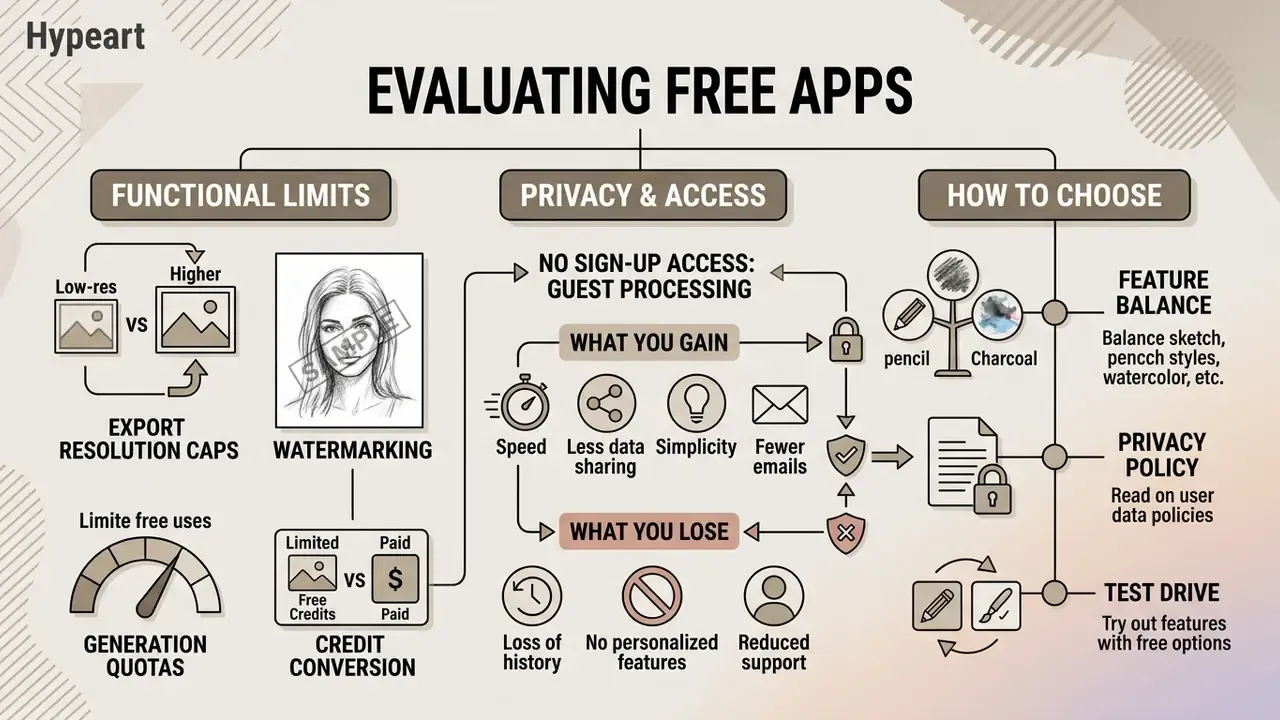
Evaluating a free app to turn photo into sketch means assessing functional constraints, output resolution caps, registration requirements, and data privacy policies. Free tiers usually carry operational limits that quietly affect commercial utility.
When you compare a web-based sketch online tool with a dedicated convert photo to drawing app on mobile, check export restrictions before uploading anything sensitive. Buyers who benchmark several engines before committing budget can also consult our compare hub, our review of the best AI art generators, and our breakdown of the Canva AI generator licensing model.
Free Features, Limits, and High-Resolution Downloads
Free AI photo tools mostly run a freemium model. Free access tiers let users test core sketch filters, while high resolution downloads and advanced controls sit behind a paid subscription.
- Export resolution caps free tiers frequently limit downloads to standard web resolutions such as 720p or 1080p, reserving 4K or 300 DPI print exports for paid plans.
- Watermarking some free utility apps stamp a digital watermark across generated sketch outputs. Others ship watermark-free but downscaled files.
- Generation quotas daily usage caps restrict how many free sketches you can generate per 24-hour period. Published freemium quotas across comparable AI media tools range from roughly 2 to 3 generations per day at the low end, up to several dozen at the high end, after which credits get consumed.
- Credit conversion several converters hand out a small daily free allowance, then charge premium credits per image. That changes the effective cost of a 50-asset catalog dramatically.
Teams that need a precise financial view of creative tool tiers can consult our AI Media Pricing Guides for digital asset platforms.
No Sign-Up Access: What Guest Processing Really Means
"No sign-up" is a genuine functional advantage rather than marketing language, but it comes with measurable trade-offs.
- What you gain immediate processing with no email verification and no payment details, minimal personal-data exposure, and a shorter path from upload to download. Several public converters state plainly that no registration, login, or payment information is required.
- What you lose generation history, saved presets, project folders, and the ability to re-download an asset once the session expires. Guest sessions are also the tier most likely to carry watermarks or resolution caps.
- What to verify whether guest uploads are excluded from model training, and how long anonymous files persist on edge nodes. No sign-up does not automatically mean no retention.
For teams, the workable compromise is guest mode for exploration and a registered commercial tier for anything that will be published, printed, or sold.
Online Tool, Mobile Sketch App, or Browser Extension
Choosing between a web browser tool, a mobile application, and a browser extension depends on workflow and device hardware.
Web-based tools need no installation, run across desktop operating systems, and process files on cloud server GPUs. They handle high-resolution desktop files well, support real-time collaboration in some suites, and slot into broader creative pipelines alongside resources like our ai template generator guide.
Mobile applications on iOS and Android offer direct stylus support, local offline processing, and touch-based fine-tuning. Stylus integration, meaning pressure sensitivity, tilt recognition, and palm rejection, lets you retouch generated pencil lines or add custom hatching directly on screen. Mobile drawing apps also tend to ship deeper layer stacks and broader export interoperability, covering PDF, PNG, PSD, SVG, and DXF.
Browser extensions and plugins: for high-speed web workflows, a Chrome or Edge plugin enables right-click image conversion on any page. That removes the download, save, re-upload loop when you gather visual research or mood board assets. Extensions are also the fastest route for social-media managers who convert assets between tabs dozens of times a day.
Table 2. Web tool vs mobile app vs browser extension for photo-to-sketch workflows
| Criterion | Web / online tool | Mobile app (iOS/Android) | Browser extension / plugin |
|---|---|---|---|
| Installation | None, opens in seconds in any browser | App store download and updates required | One-time browser install |
| Processing location | Cloud GPU rendering | On-device or hybrid, offline capable | Cloud rendering triggered from page context |
| Max practical resolution | Highest, suited to 300 DPI print files | Limited by device memory and thermals | Matches the connected web service tier |
| Manual retouching | Slider and prompt controls only | Stylus pressure, tilt, palm rejection, layers | Minimal, conversion-only in most cases |
| Batch processing | Strongest, multi-file queues and ZIP export | Limited by device performance | Per-image, page by page |
| Export formats | PNG, JPG, PDF, sometimes SVG or EPS | PNG, JPG, PDF, PSD, SVG, DXF (app-dependent) | Usually PNG or JPG only |
| Best fit | Print, catalogs, batch pipelines | Hand-finished art, offline field work | Fast research, mood boards, social assets |
Privacy of Uploaded Photos and Account Requirements
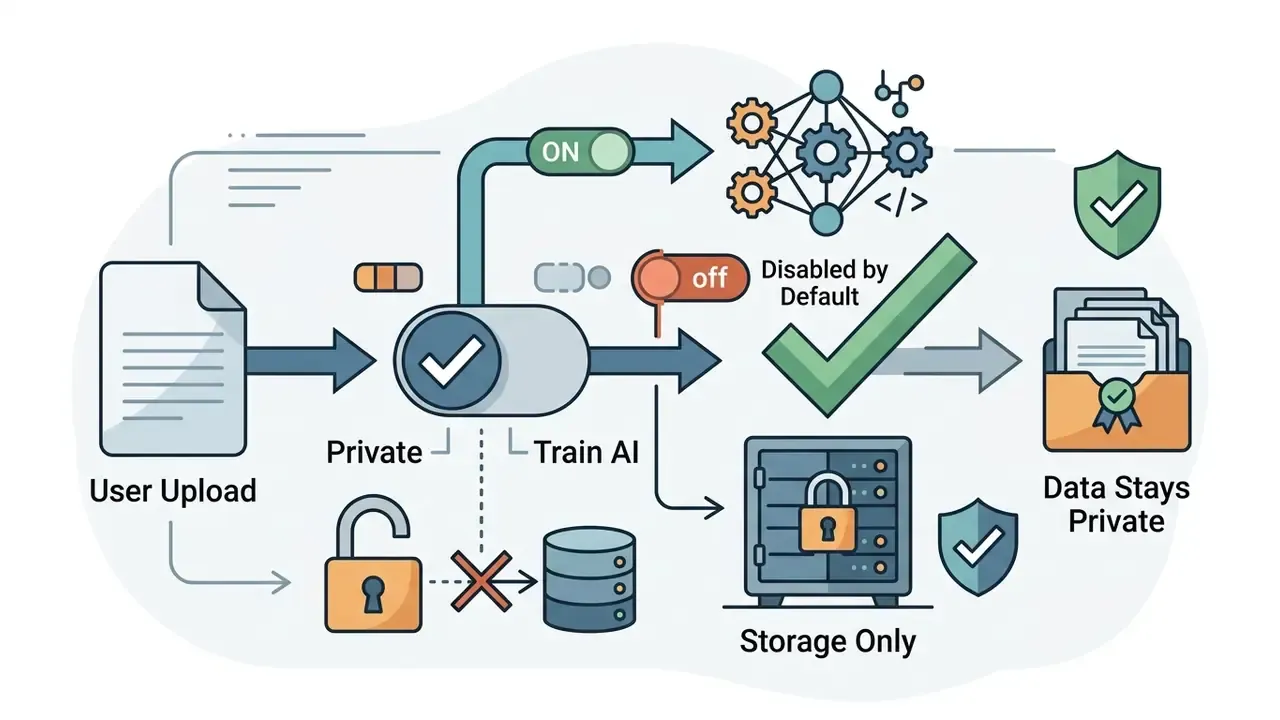
Data security varies widely across public image conversion utilities. Read the privacy policy to see how uploaded photos are stored and processed, not just how quickly they render.
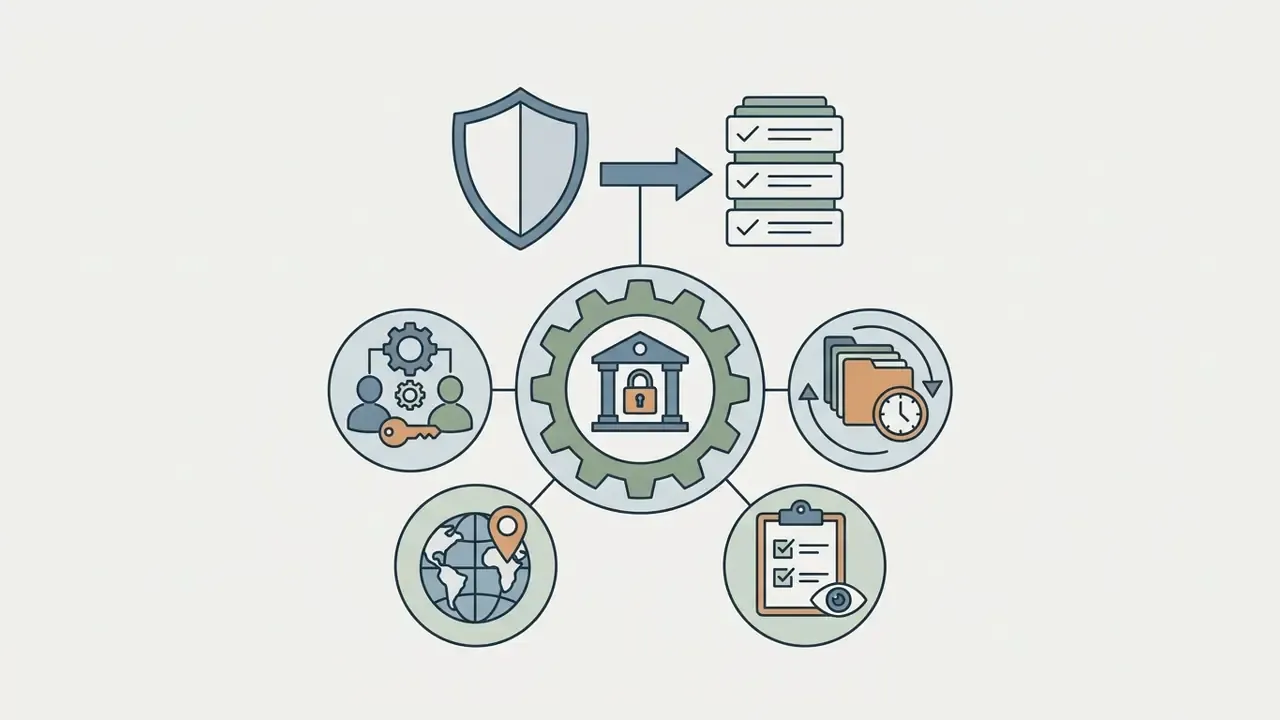
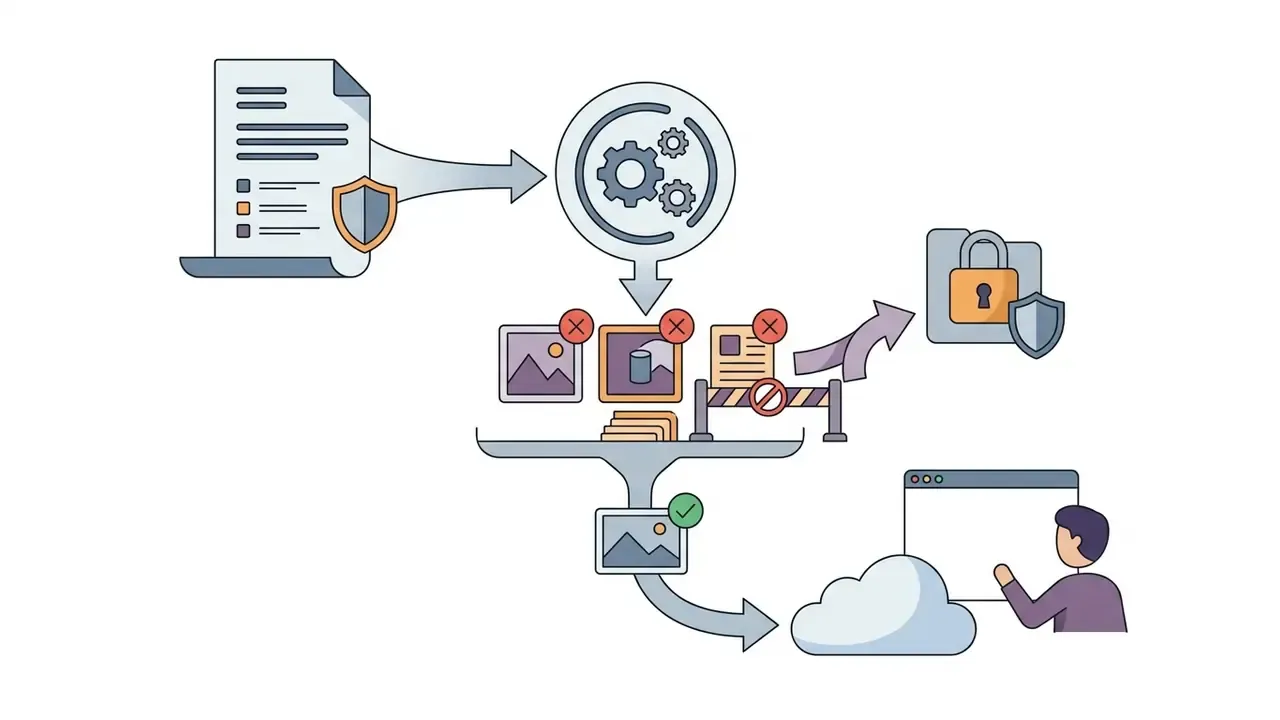
«The C3PA dataset provides more than 48,000 annotated privacy-policy segments from 411 organizations for CCPA compliance auditing.»
That volume of annotated policy text illustrates the underlying problem: retention and training clauses are written inconsistently across vendors, so a policy has to be read rather than assumed. Regulators reinforce the point. Australia's OAIC guidance (2024) states that personal information may be used to train generative models only within Privacy Act rules governing collection, use, and disclosure. If a workflow stalls on a technical question rather than a legal one, our AI Media Support and Troubleshooting documentation covers the common cases.
Table 3. Functional and privacy criteria for evaluating free vs paid photo to sketch converters
| Evaluation criterion | Free tier standard | Paid / enterprise tier standard |
|---|---|---|
| Account requirement | Often none, or a basic guest session | Registered account with secure authentication or SSO |
| Max export resolution | Web resolution, 720p to 1080p | High resolution print quality, 4K and above, 300 DPI |
| Watermark policy | Watermark may be applied on free exports | Watermark-free commercial downloads |
| Batch processing | Single uploads, or small capped batches around 5 files | Batch conversion up to roughly 20 photos per queue, ZIP export |
| Data retention policy | Auto-purge typically 15 minutes to 24 hours | Configurable retention, regional residency, or immediate purge |
| Security attestation | Rarely documented | SOC 2 or ISO 27001, audit logs, DPA on request |
| Model training on uploads | Varies, check for opt-out | Contractually disabled by default |
How to Use Photo Sketches for Personal and Commercial Projects
Stylized photo sketches serve personal, editorial, and commercial applications. Turning photographic media into line drawings gives you a unified visual theme across digital platforms and physical print merchandise.
Before deploying generated artwork commercially, verify image ownership rights and platform licensing terms. In that order.
Sketches for Social Media and Profile Pictures
Pencil sketch avatars and line art profile pictures build a distinct personal brand across digital channels. Converting standard headshots into artistic sketches keeps recognisable facial identity while adding a clear visual signature. Functionally, this is a specialised case of image-to-image transformation, the same category covered in our guide to AI-based image expansion tools.
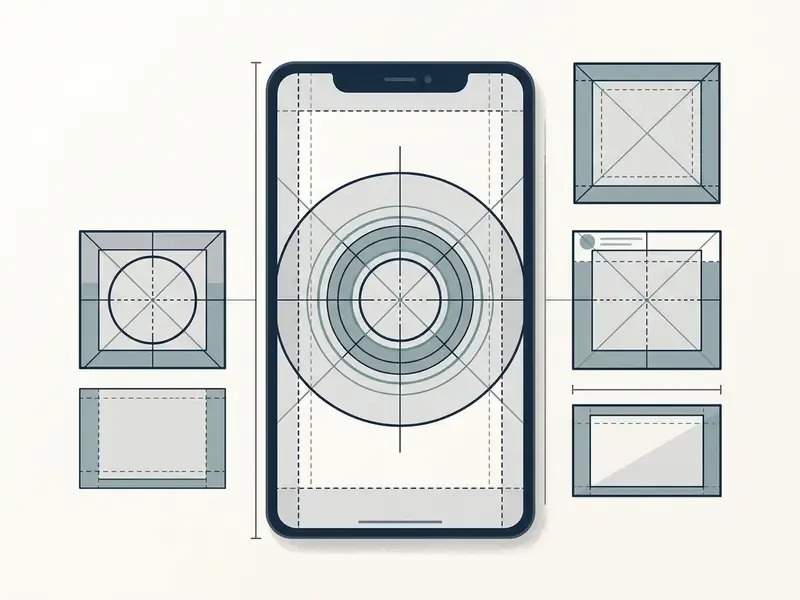
Three format rules apply. Profile images render inside small circular crops, so a single strong focal point survives downscaling while fine hatching disappears. Cover and banner images work as wide brand-story areas, but important text must stay inside the mobile-safe zone to avoid cropping. Stories and reels are vertical 9:16 assets at 1080 by 1920 pixels, where high-contrast line art reads far better than soft graphite.
For professional networking sites, a clean pencil drawing offers an artistic alternative to a traditional headshot, and creators who need a photorealistic fallback can compare outputs with an AI headshot generator. On visual platforms, line art and comic styles stand out in crowded feeds, especially when the same stroke treatment repeats across every post, so the account stays identifiable at a glance. Video-first creators pair the same visual system with captioning workflows described in our ai subtitle generator guide.
Prints, Gifts, Coloring Pages, and Creative Assets
Pencil sketches and line drawings translate cleanly into physical products and custom marketing assets.
- Print gifts: high-resolution portrait sketches print well on canvas, framed paper, or custom stationery. Verify a true 300 DPI export at final trim size before ordering.
- Coloring pages: converting high-contrast photos into clean line art lets creators build custom printable coloring books. Public institutions such as the U.S. Mint distribute their own printable PDF coloring activity books using the same format logic.
- Merchandise graphics: line drawings of pets or architectural landmarks serve as vector-ready designs for t-shirts, mugs, and tote bags.
- Editorial illustration: content creators use pencil sketches as contextual blog headers or story assets alongside text produced with an ai summary generator.
- Design ideation: graphic-design practice treats sketching as a thinking tool. Thumbnails and rough layouts precede final publication design, and automated sketch conversion speeds up that stage considerably.
For stylised illustration concepts and alternative artistic treatments, creators also adapt line drawings through style-specific engines reviewed in our guide to Ghibli-style AI image generators.
Commercial Use: Rights to the Photo and Generated Sketch
«The U.S. Copyright Office confirmed that fully AI-generated works are not protected by copyright unless human authorship is identified.»
European practice reaches a similar conclusion by a different route. Sweden's PRV states there is no copyright in an image produced entirely by AI, while the right to use that image may still be limited by the tool's terms of service. Three additional risk layers apply to commercial conversion:
- Copyright in the source photograph. Converting a protected photo into a sketch produces a derivative work, so a licence from the photographer or rightsholder is required.
- Portrait and publicity rights. Identifiable individuals, including clients, employees, and public figures, generally need prior written consent before commercial publication in many European jurisdictions, and right-of-publicity statutes apply in the U.S.
- Trademarks and brand assets. Logos, packaging, and trade dress visible in a converted image carry separate trademark exposure. Prior written permission remains the safest route.
Practical mitigation: keep a signed model release and source-photo licence on file for every commercial asset, record the tool, tier, and date of generation, and require an IP indemnity clause in the vendor agreement covering outputs produced on a paid commercial tier. Three documents, one folder, minimal effort.
Creators using AI outputs commercially can track legal developments through our AI Litigation and Case Timelines coverage of synthetic media standards, and review platform-by-platform terms in our analysis of commercial use of AI image generators.
Commercial Use Alert:
How to Improve a Photo-to-Sketch Result
If the first automated sketch misses the mark, adjusting pre-processing controls or switching drawing style usually fixes the defect faster than re-shooting.
Most quality issues trace back to three causes: weak source contrast, flat lighting, or conflicting filter parameters.
When a Pencil Sketch Looks Too Dark or Flat
A pencil sketch turns overly dark or flat when the source photo lacks tonal separation or carries heavy background shadows.
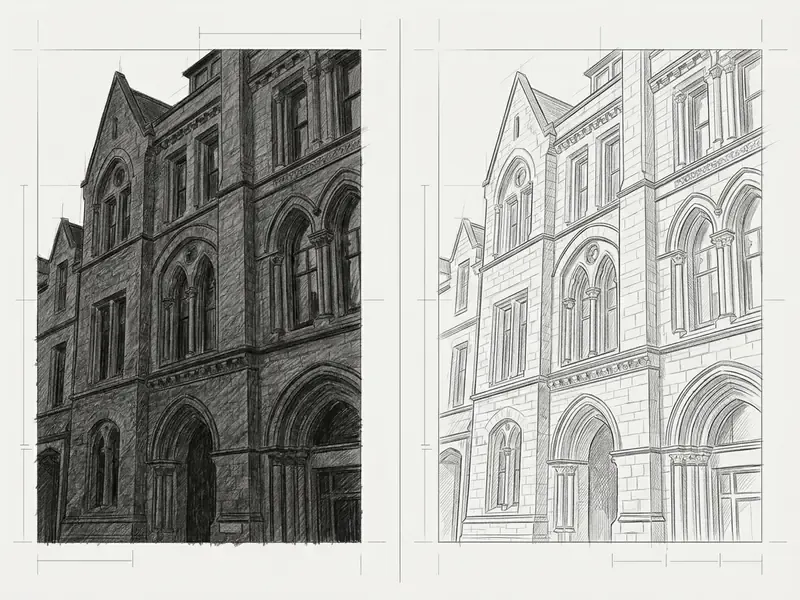
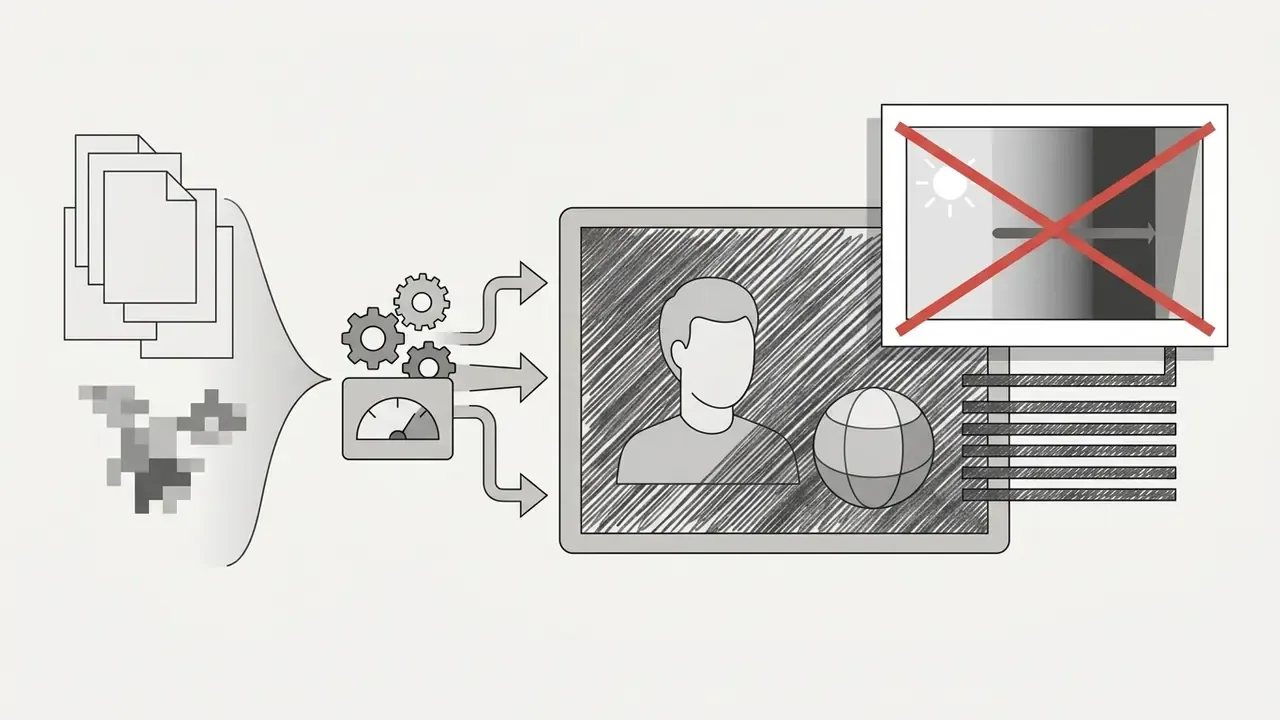
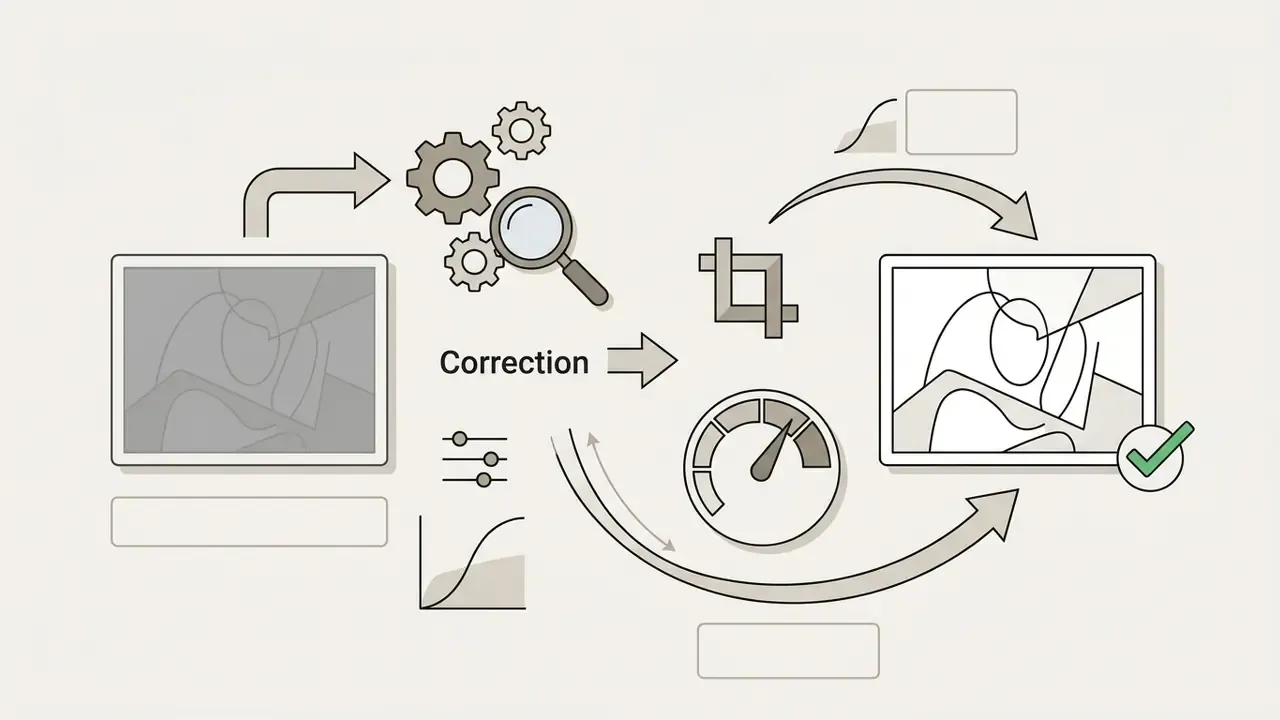
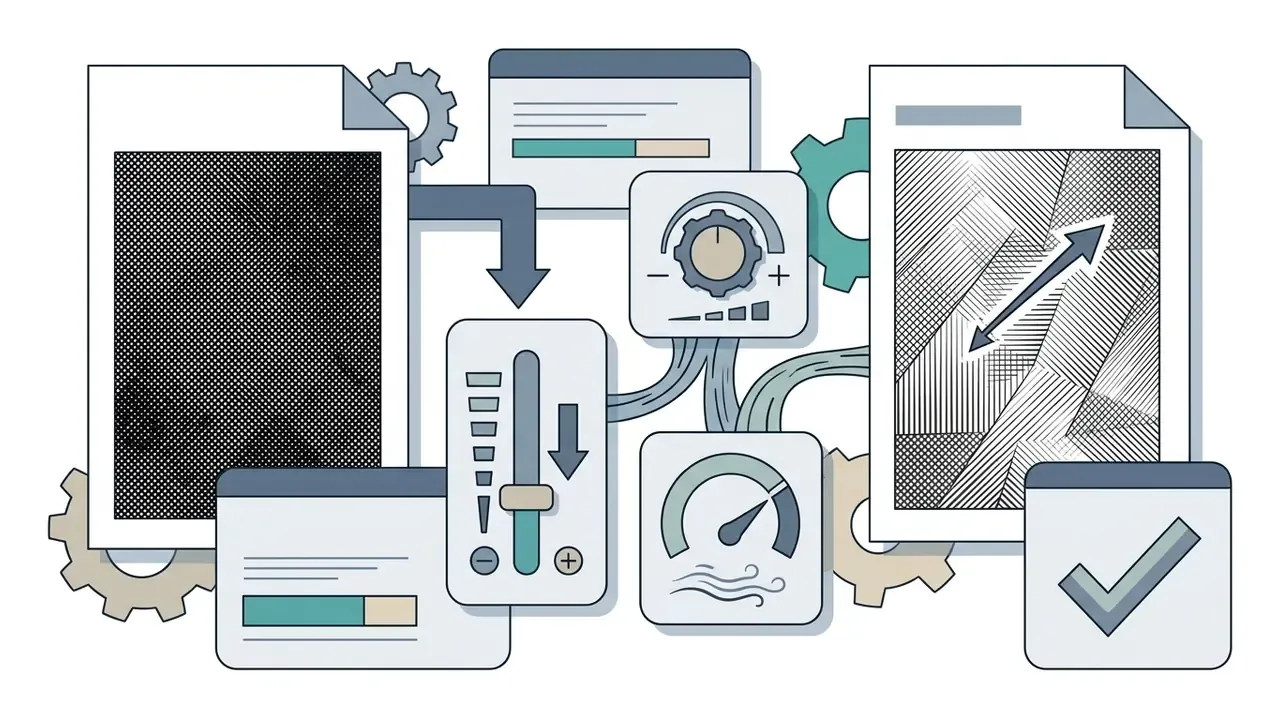
That margin matters practically: architecture choice, not slider tuning alone, determines how faithfully tonal gradation survives conversion.
When Line Art Loses Important Details
Line art effects can drop fine facial features or subtle surface outlines when edge-detection thresholds sit too high.
- Cause the line extraction algorithm filters out low-contrast edges, treating secondary contours as image noise.
- Correction apply sharp edge sharpening to the input photo before conversion, and make sure critical facial features carry distinct lighting boundaries.
- Parameter adjustment raise the detail extraction slider inside the sketch converter interface. If lines appear broken, switch from a strict line art filter to an ink line drawing filter with adaptive stroke thickness.
- Restoration methods published work restores damaged or incomplete line art through mask-guided neural restoration (mask-predicting networks with masked MSE loss), topology-aware vectorization that splits polylines at degree-1 nodes to protect sharp features, and Bézier-spline stroke optimization that preserves junctions and centerlines. If a downstream vector step is planned, run vectorization before manual cleanup rather than after. I had that order backwards for years, and it cost hours of redrawing.
When to Try Another Sketch Style
Some source images simply do not suit traditional monochrome pencil filters. Switching to a different sketch style often produces a better result than another round of slider tuning.
- Switch to colored pencil if the source photo relies on color contrast rather than luminance contrast, for example red flowers against green leaves, a colored pencil filter preserves structural separation. Adobe's documentation notes the same logic: Colored Pencil keeps edges and lets background color read through.
- Switch to ink line for urban photography or high-contrast architectural shots, an ink drawing style gives bolder structural lines than soft graphite strokes. Ink-outline filters are described as especially effective on scanned or flat-lit material.
- Switch to charcoal when the subject has one strong light source and large shadow masses, charcoal handles the wide value range better than pencil.
- Switch to watercolor when a photo is too soft or low-contrast for any line-led style, watercolor turns that softness into an asset instead of a defect.
- Switch to vector outlines for design projects that need infinite scaling, generate clean line paths and convert them using the developer tooling documented in our AI Media API Guides.
For motion and animated derivatives of the same line-art assets, production workflows are covered in our guide to animation makers.
Limitations and Open Questions
A few things in this field remain genuinely unsettled, and pretending otherwise would be dishonest.
Vendor latency and quota figures shift monthly. The numbers quoted here reflect published documentation at the time of review, not contractual guarantees, so measure them against your own assets before planning a deadline around them. Retention windows are similarly fluid: a policy that specifies one hour today may be rewritten after an infrastructure change, and few vendors notify users when it happens.
Copyright status for AI-assisted derivatives is still being litigated. Current U.S. Copyright Office guidance excludes purely machine-generated content from protection, but the boundary between "de minimis" and "substantial" AI contribution has not been tested exhaustively in court. Treat every commercial release as a risk-weighted decision rather than a settled one, and keep the paperwork.
Finally, no published benchmark ranks sketch converters on perceptual quality in a way that maps cleanly to print output. FID and LPIPS scores tell you something about realism, not much about whether a 40 by 60 cm canvas will look good on a wall. Human review at 100% zoom still wins.
FAQ: Frequently Asked Questions About Photo to Sketch Conversion
Is a photo to sketch converter free, and do I need to sign up?
Many web converters run fully in the browser with no registration, login, or payment details. Free access usually carries at least one of three limits: a watermark, a 720p to 1080p export cap, or a daily generation quota. Paid tiers remove watermarks and unlock 4K or 300 DPI print exports.
How do I turn a photo into a sketch free of charge?
Open a browser-based converter in guest mode, upload a JPG or PNG, select a pencil or line art filter, and download the result. That path is genuinely free. Expect a watermark or a resolution cap in exchange, and expect no saved history afterwards.
What file formats can I upload and download?
Typical accepted inputs are JPG, JPEG, PNG, and WEBP, with size caps around 10 MB to 20 MB. Downloads are most often PNG, JPG, or PDF. Design-oriented tools additionally export SVG or EPS for vector workflows.
Can I convert multiple photos at once?
Yes, where batch mode exists. Multi-select upload applies one style preset across the queue and returns a ZIP archive. Free tiers often cap batches near five files, while commercial tiers commonly handle roughly 20 per queue.
Which filter to turn photo into sketch should I use for a coloring page?
Choose line art or a high-contrast ink style, raise the detail slider until interior contours appear, keep the background white, then export to PDF at the paper size you intend to print.
Which style should I pick for a portrait?
Pencil sketch for a neutral, realistic result. Charcoal for dramatic studio lighting. Colored pencil for pets, florals, and skin-tone fidelity. Comic line art for avatars and stickers.
Does the tool remove EXIF and GPS data?
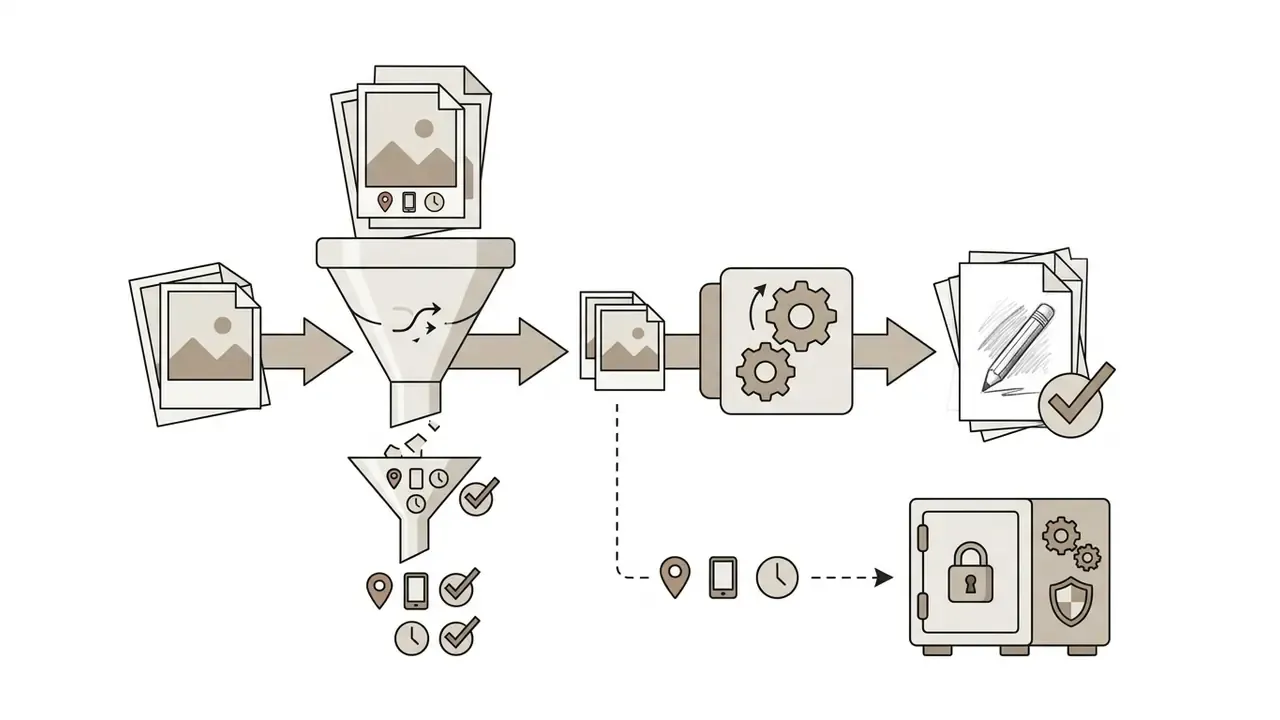
Not automatically in every case. Check the privacy policy, and when handling sensitive imagery, strip metadata locally before upload.
How long are my uploads stored?
Privacy-focused converters purge uploads and outputs within roughly 15 minutes to 1 hour of session end. Broader market policies range from in-memory-only processing to 6-hour, 24-hour, or 30-day retention. Undocumented retention should be treated as indefinite.
Can I sell products made from AI sketches?
Only if two conditions hold: you own or have licensed the source photograph, including model and trademark clearances, and the tool's terms permit commercial use on your tier. Fully AI-generated output is generally not protected by copyright on its own, which affects enforcement but not liability.
Will the sketch look identical to a hand-drawn one?
Automated conversion is fast and consistent, which suits catalogs, printables, and quick illustration. Hand drawing still adds interpretive choices, such as emphasis, omission, and exaggeration, that current filters approximate rather than replicate.
Why does my sketch look grey and muddy?
The source lacked tonal separation. Raise contrast and lift midtones before upload, then lower the darkness or stroke-intensity slider so shadow regions stop filling with dense hatching.
Summary Checklist for Photo to Sketch Conversion
- Select high-quality input mediause sharp, well-lit photos with clear tonal contrast and minimal background clutter.
- Pre-process source filescrop tightly, lift crushed shadows, and enhance edge clarity before uploading, with minimal noise reduction.
- Match style to applicationpencil sketch for realistic portraits, line art for coloring pages, ink drawing for bold architectural graphics, charcoal for dramatic prints, watercolor for soft color assets, comic line art for avatars and merch.
- Steer with prompts and presetslock one prompt-plus-slider profile per project so batch output stays visually consistent.
- Verify commercial rightssecure permissions for all source media, confirm model and trademark clearance, and check that tool licensing allows commercial deployment. Cross-check tiers in our comparison of free AI art generators.
- Audit privacy termsconfirm the retention window, training opt-out, EXIF handling, and, for teams, SSO plus security attestation.
- Review exportsinspect generated sketches at 100% zoom and make parameter adjustments before finalising high-resolution downloads.