Last updated: 2026. Written and fact-checked by the editorial AI media governance desk.
Executive Summary
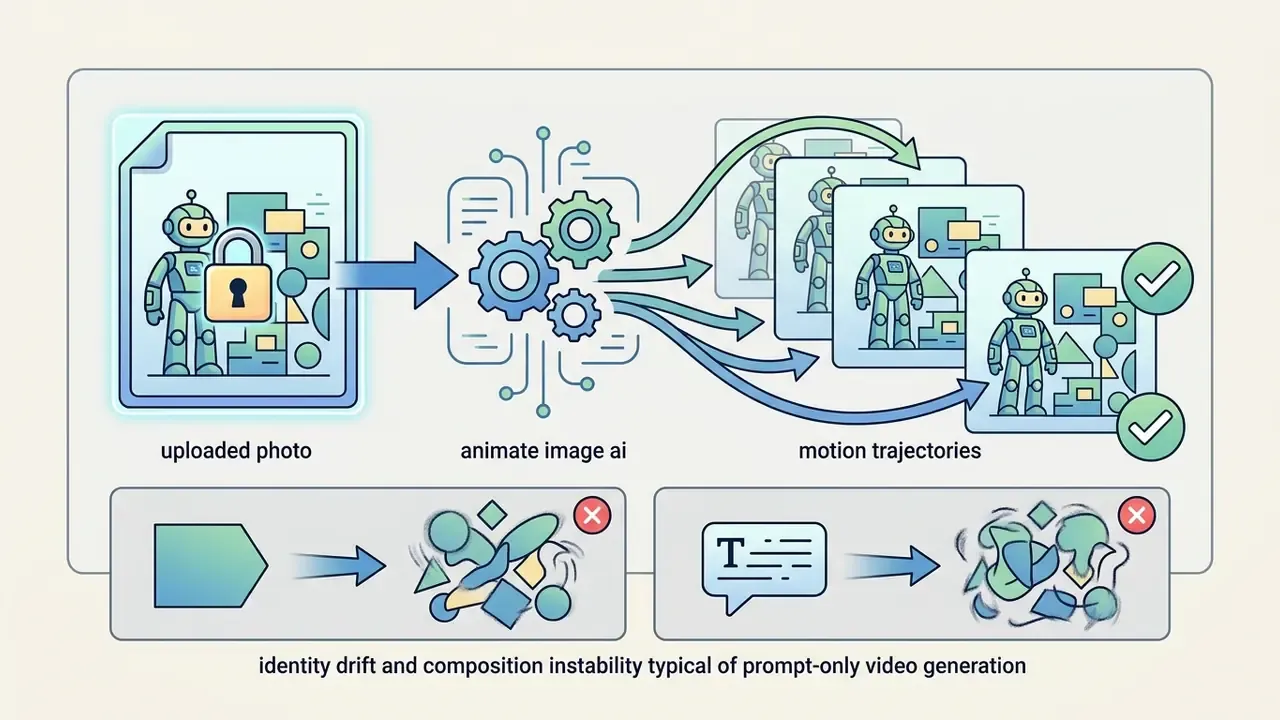
- Image-to-video (I2V) is not text-to-video.An
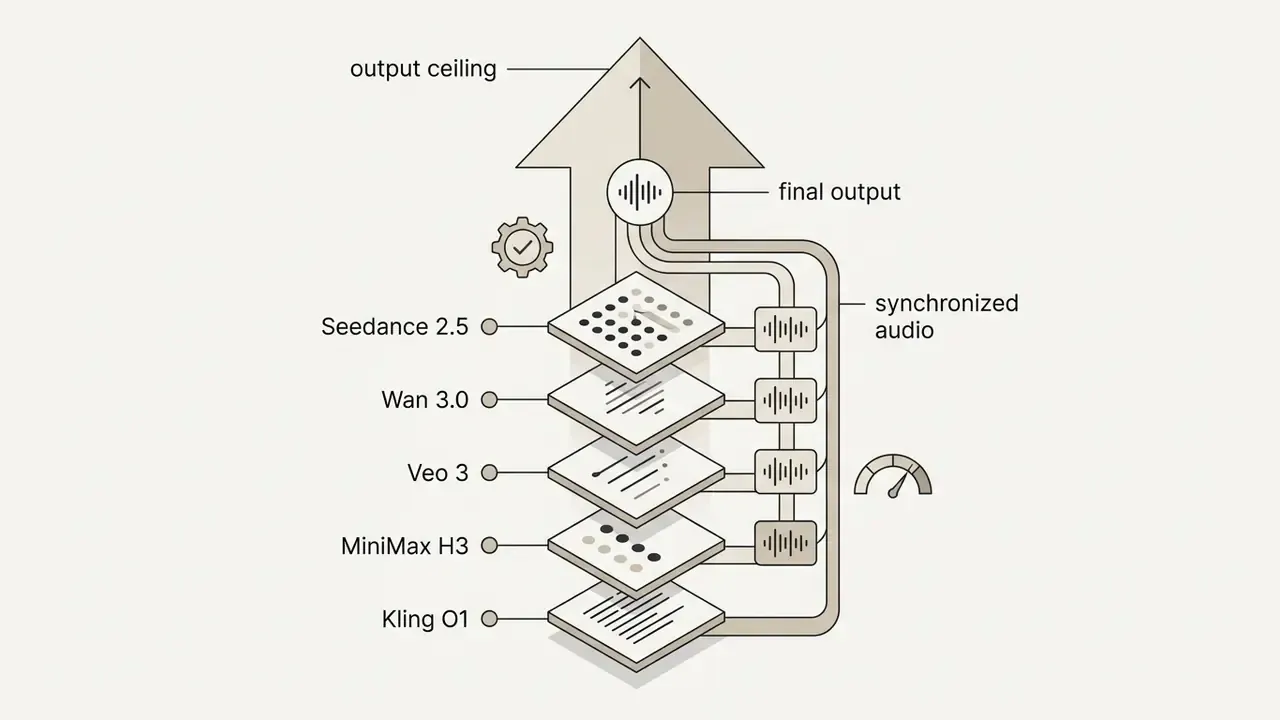
animate image aipipeline locks the first frame from your uploaded photo, then predicts motion trajectories. This removes the identity drift and composition instability typical of prompt-only video generation. - Model choice defines the output ceiling.2025–2026 production stacks now include Seedance 2.5, Wan 3.0, Veo 3, MiniMax H3, and Kling O1. Many of them also generate synchronized audio, not only visuals.
- Input hygiene decides quality.Supported formats are JPG, JPEG, PNG and WEBP, typically up to 20 MB, with 1024×1024–2048×2048 as the practical resolution band. Start Frame / End Frame inputs give deterministic transformation control.
- Copyright boundaries are narrow.Per US Copyright Office guidance (2024), only human-authored elements of AI video are protectable. Third-party photos and likenesses create separate infringement and right-of-publicity exposure.
- Enterprise readiness requires governance.Before approving a vendor, audit data retention windows, zero-data-retention (ZDR) options, watermark policy, commercial licence tier, and whether uploads containing PII are permitted at all.
What is Animate Image AI and how it differs from an AI video generator
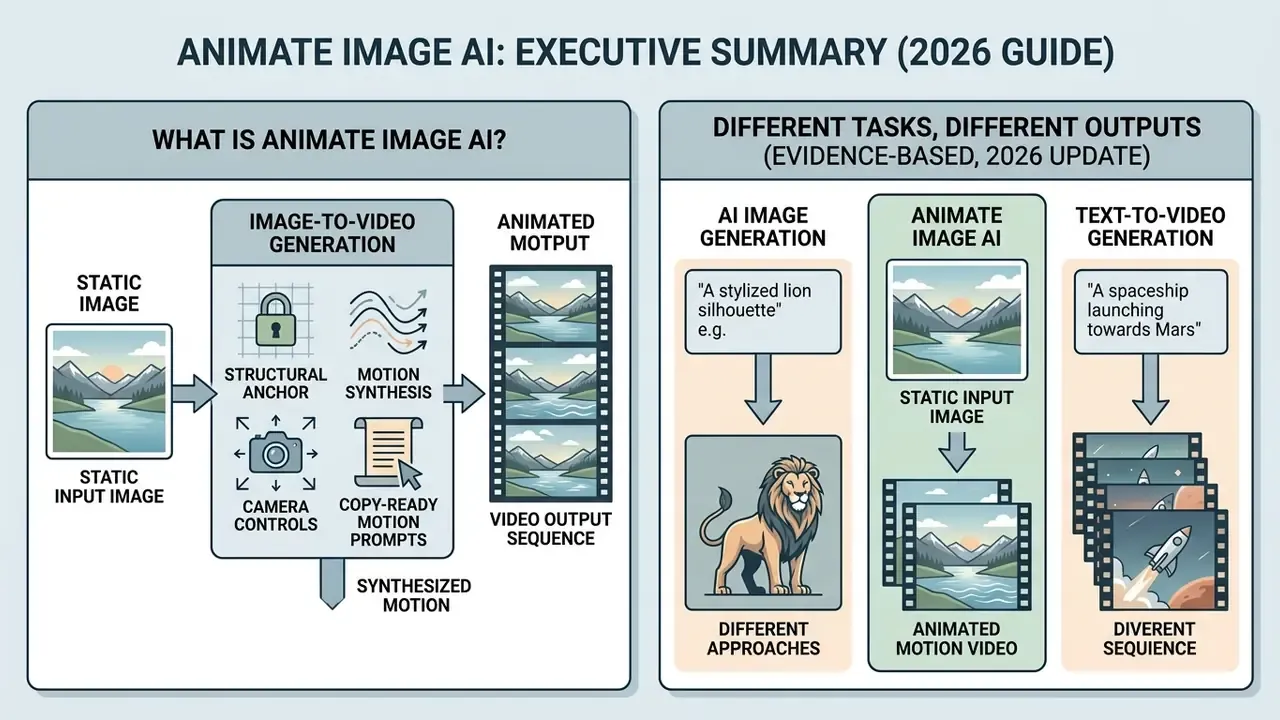
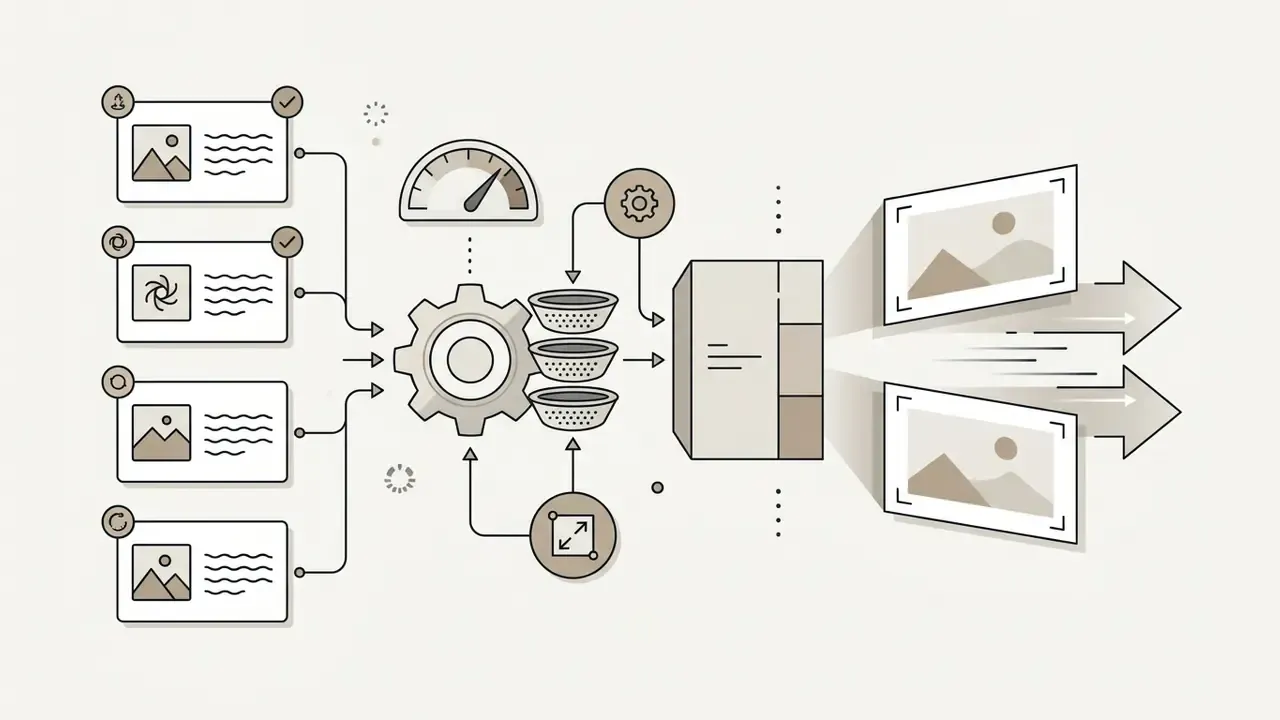
How AI turns a static image into a dynamic video
Motion-I2V reports higher video consistency than earlier single-stage approaches, specifically under large-motion conditions. That is the failure mode most visible in consumer tools: melting faces, sliding backgrounds, warped product edges. Readers comparing architectures can review how prompt-only text-to-video generators handle the same problem without a conditioning frame.
Image animation, text-to-video and AI image generator: different tasks
Appendix A note: an earlier draft of this section described a hypothetical corporate marketing pilot claiming "40% reduced identity degradation" from two-stage conditioning. That figure was internal and unverifiable. The published Emu Video preference data above replaces it as the supported evidence for the same architectural conclusion.
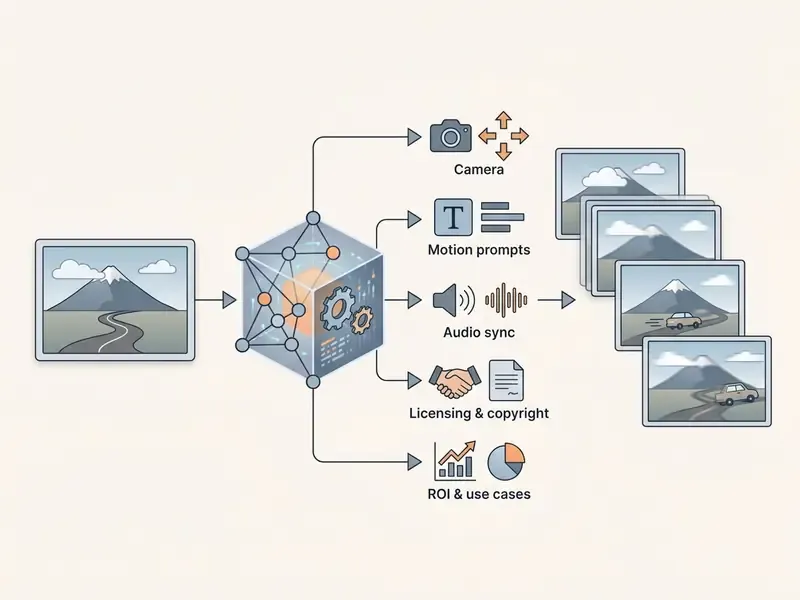
Which images work best for AI animation
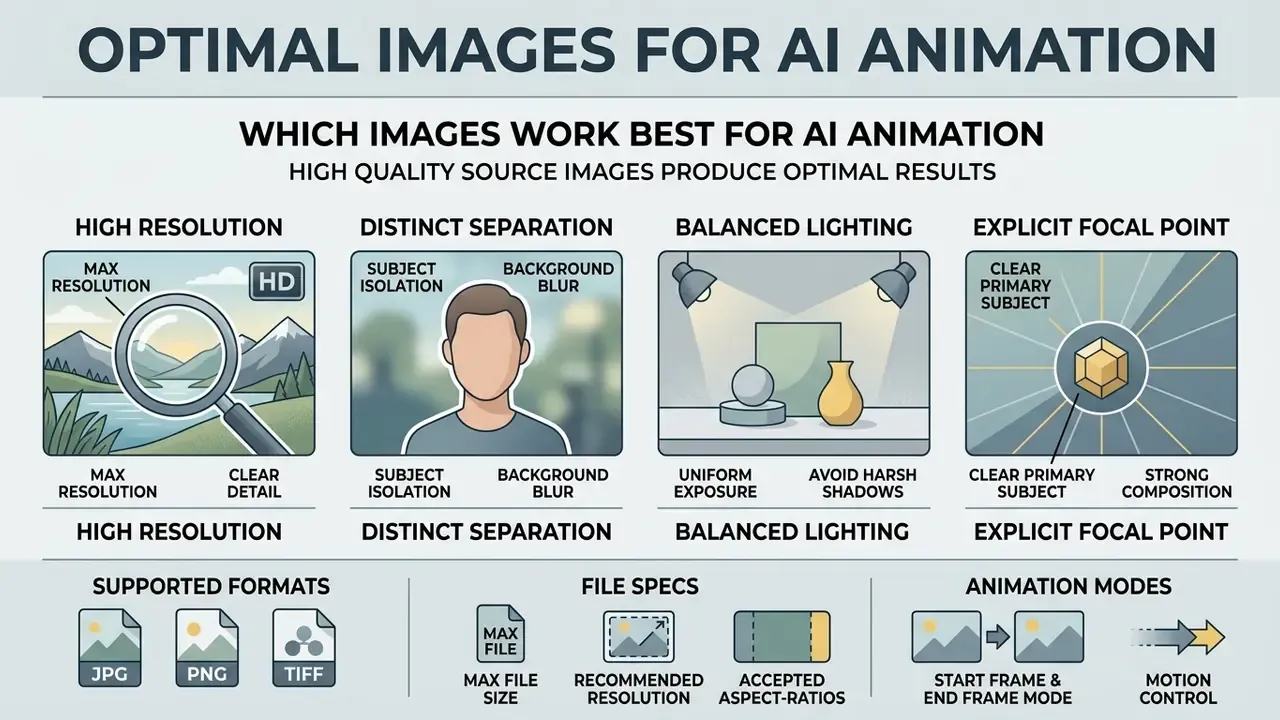
The best source images share four traits: high spatial resolution, distinct subject-background separation, balanced lighting, and an explicit focal point. High-contrast assets with clear contours let generative video models track object boundaries accurately and avoid temporal blurring.
To inspect underlying framework specifications, view the guide on digital image standards.
Portraits, characters and AI-generated images
Portraits and character illustrations perform well when facial keypoints are unobscured, because the model can map landmark motion into dynamic character expressions. Preparing the source portrait with an AI photo editor, cleaning occlusions, balancing exposure, removing harsh shadows across the eye and mouth regions, measurably improves landmark tracking before the clip is generated.
Research on dedicated reference networks explains why identity survives complex motion:
Animate Anyone reports state-of-the-art results on fashion video synthesis and human dance generation benchmarks. Those two cases are the hardest tests for clothing-pattern and facial-structure preservation. When animating synthetic faces, risk owners must also evaluate authenticity controls to mitigate risks tied to deepfake ai image generator outputs.
File formats, cropping and source quality
Source images submitted as JPG, JPEG, PNG or WEBP give the best results when their aspect ratio matches the target output frame, such as 9:16 for mobile or 16:9 for landscape. Uploading misaligned aspect ratios forces auto-cropping or edge padding, and detail is the first casualty.
Technical requirements for source files
- Supported formats
- JPG, JPEG, PNG, WEBP.
- Maximum file size
- up to 20 MB on most commercial services (Monica AI caps uploads at 10 MB).
- Recommended resolution
- 1024×1024 to 2048×2048 pixels; minimum edge length of roughly 300 px on strict platforms such as Kling.
- Accepted aspect-ratio band
- commonly 2:5 to 5:2; outside this band platforms crop or pad automatically.
- Start Frame & End Frame mode
- supplying both an opening and a closing frame constrains the transformation trajectory precisely. Examples: converting a 2D drawing into a 3D render, changing a character pose, or moving a product from closed to open state. End-frame support is model-dependent and is not available on every engine.
- Output length
- typical generations run 5 to 30 seconds per clip, depending on model and credit spend.
W3C WCAG 2.2 accessibility standards recommend a minimum 4.5:1 contrast ratio for text and images of text (3:1 for large-scale text). Clear visual contrast also improves the motion field predictor's accuracy during temporal synthesis, because edge detection and flow estimation both degrade on low-contrast inputs.
Orientation matters as much as format. EBU Tech guidance notes that a vertical image should be rotated into, or framed inside, a 16:9 canvas to retain full resolution rather than being upscaled after cropping. The same principle applies when feeding vertical portraits into a landscape-native model.
How to animate an image with AI: step-by-step process
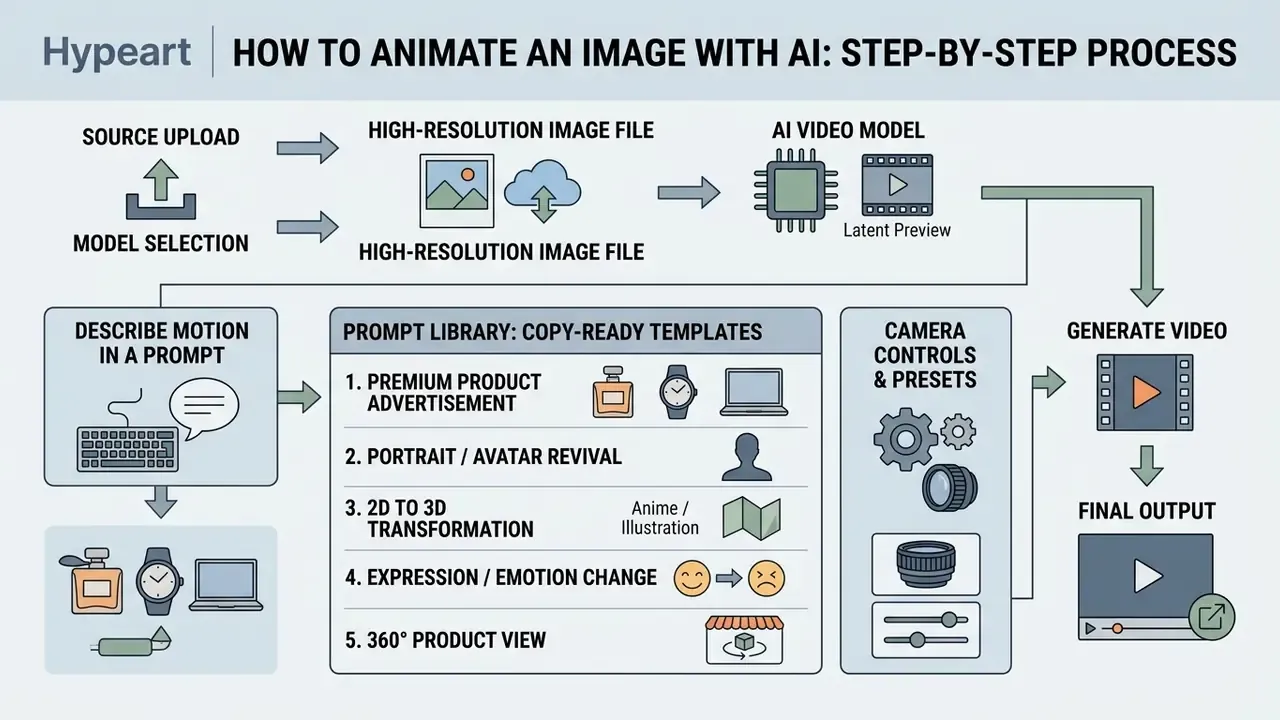
Animating a still picture means uploading a high-resolution source file, entering motion prompts or camera presets, selecting the target AI video model, previewing latents, and exporting. Standard online interfaces are user friendly enough that operators without video editing experience can start creating motion clips in minutes.
To explore automated creative production pipelines, open the hub for step-by-step workflow documentation.
Uploading the image and selecting an AI video model
The process begins with an upload image action in the web interface or mobile app. Which AI video model you select depends on whether the project needs subtle facial expression shifts or wide cinematic camera movement.
Generation models specialize by motion domain. Kling and Hailuo handle portrait micro-animations well, while Runway Gen-2/Gen-3 and Pika offer broader trajectory controls. Newer engines, including Seedance 2.5, Wan 3.0, Veo 3 and MiniMax H3, are marketed for higher prompt adherence and near-real-time inference, and several of them also synthesize sound alongside the video track. Developer teams planning API-level integration can review the Google Veo implementation guide for cost, quota and latency characteristics.
Conditioning strategy also varies by architecture:
That distinction has commercial consequences. Some platforms run purpose-trained I2V checkpoints; others re-use a T2V backbone with zero-shot conditioning. The second group typically shows weaker first-frame fidelity on complex inputs.
How to describe motion in a prompt and choose an animation style
Motion prompts must state shot framing, camera movement, direction, speed, and subject action to produce predictable results.
Industry prompt guidelines structure text inputs into sequential descriptors: [Shot size] + [Angle] + [Subject Action] + [Camera Move & Speed] + [Style].
For example, "Medium shot, eye level, woman smiles subtly, slow 5-second pan right, cinematic lighting" yields stable temporal motion without unwanted camera distortion. Camera terms perform better with a speed or duration modifier attached, such as "slow", "steady", or "slow 5-second pan right", because most models have no default camera speed. Adding explicit motion intensity modifiers controls the magnitude of pixel shifts: roughly 0.1–0.3 for subtle motion, 0.4–0.6 for moderate motion, 0.7–1.0 for dynamic motion.
Prompt library: copy-ready templates for AI animation
Copy these templates and adapt them to your asset.
1. Premium product advertisement (perfume / watch / tech):
2. Portrait / avatar revival:
3. 2D to 3D transformation (anime / illustration):
4. Expression / emotion change:
5. 360° product view for a marketplace card:
6. Storyboard to animatic:
7. Archive photo restoration (family memories):
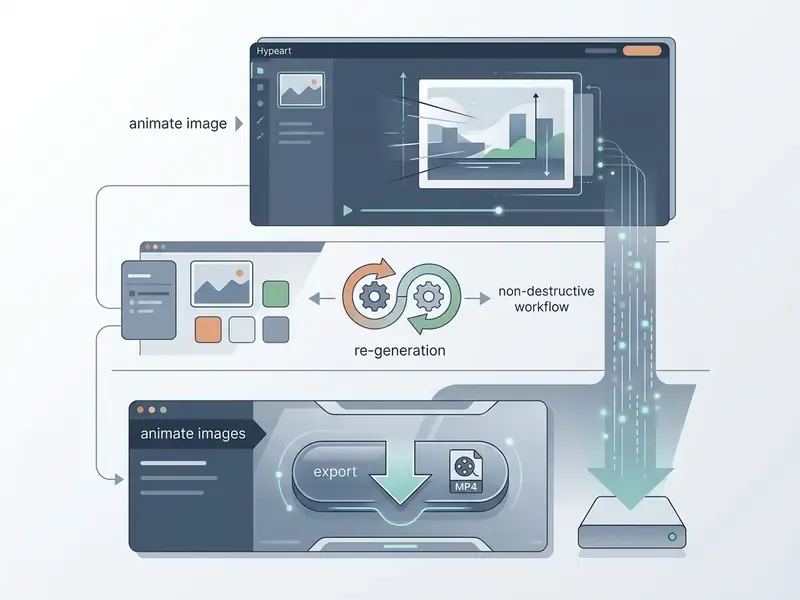
Preview, re-generation and video export
The preview stage lets operators review generated frame sequences, spot artifacts, adjust prompt parameters, and finalize export settings.
If the clip shows temporal flickering or subject distortion, refine the text guidance scale or lower the motion speed before re-generating. Standard recovery tactics from production practice include clearing render and media caches, duplicating the sequence, isolating the failing clip, and exporting audio and video separately when a render keeps dying.
One digital production pipeline hit recurring motion blur during 4K exports. The engineering team adjusted the latent noise-step window to 650–750 steps and locked delivery at 30 frames per second. That single operational change removed frame jitter and stabilised export quality, consistent with published findings that latent degradation strength must rise as resolution and frame count increase.
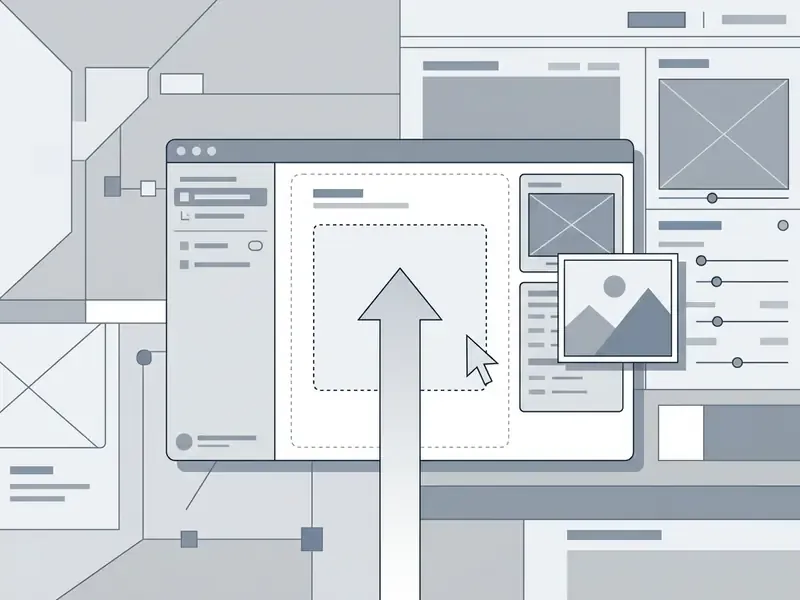
- Upload Source Image: Select a high-resolution JPG, PNG or WEBP file with a clear main subject.
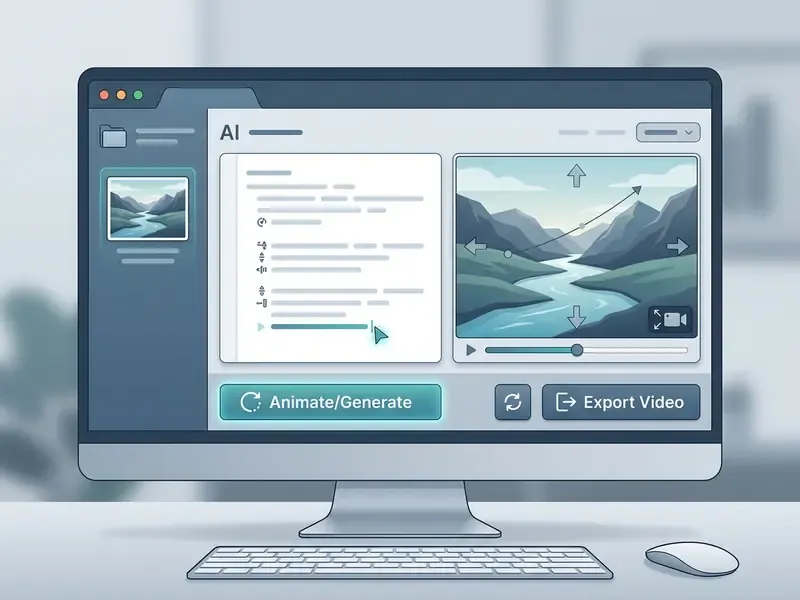
- Configure Motion Prompt & Style: Enter directional movement descriptors and select camera presets.
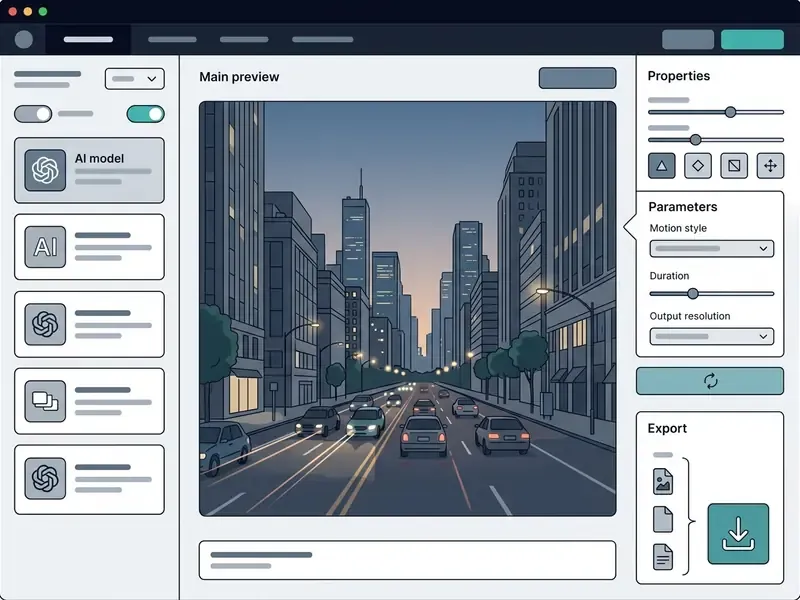
- Select AI Video Model: Choose the underlying generation model based on required motion intensity, duration and whether audio is needed.
- Generate and Review Preview: Scrub through the preview player to verify temporal consistency.
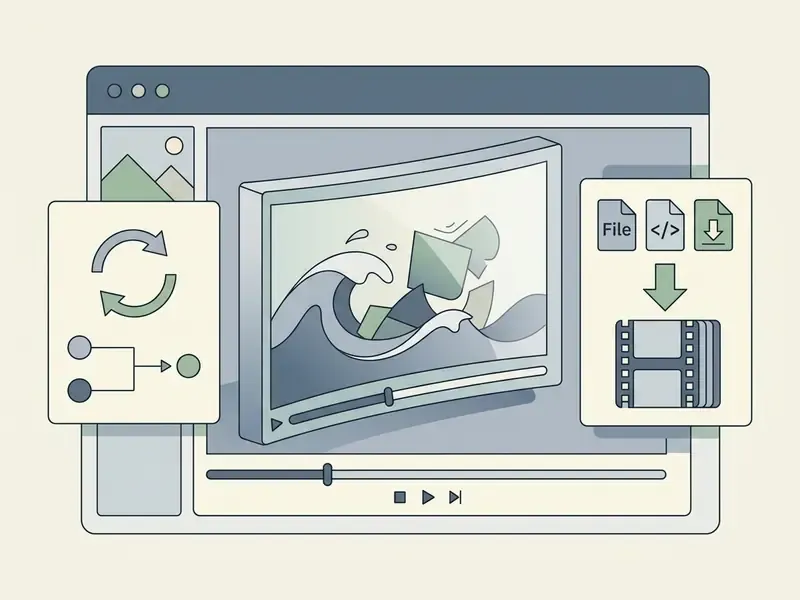
- Export HD MP4 Video: Select target resolution (1080p/4K), aspect ratio, frame rate (30/60 fps) and download the MP4 file.
How to control motion, style and quality in AI animation
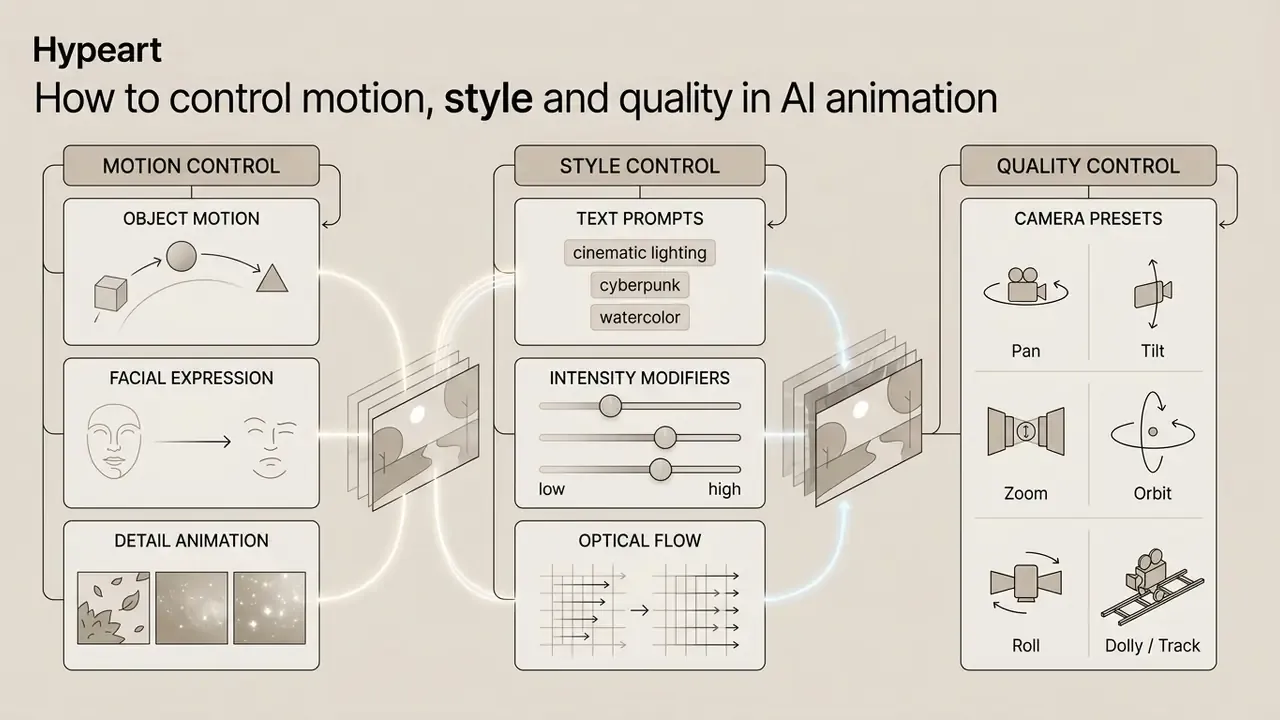
Controlling motion quality means combining explicit camera presets with text-guided motion intensity modifiers and optical flow constraints. Manage those parameters and you avoid background distortion while keeping subject identity stable across the clip.
Object motion, facial expression and detail animation
Fine-grained control isolates local movement, such as facial expressions, hair movement, and clothing fabric, while the primary subject stays stable.
MOFA-Video shows that domain-aware motion field adapters extrapolate dense flows from sparse control points. In practice, that lets operators animate facial landmarks, hair wisps or clothing details without deforming background elements. Complementary 2025–2026 work separates motion-independent features (clothing, background) from motion-related facial features and identity features. That separation is why modern portrait engines can add a blink without shifting a subject's proportions.
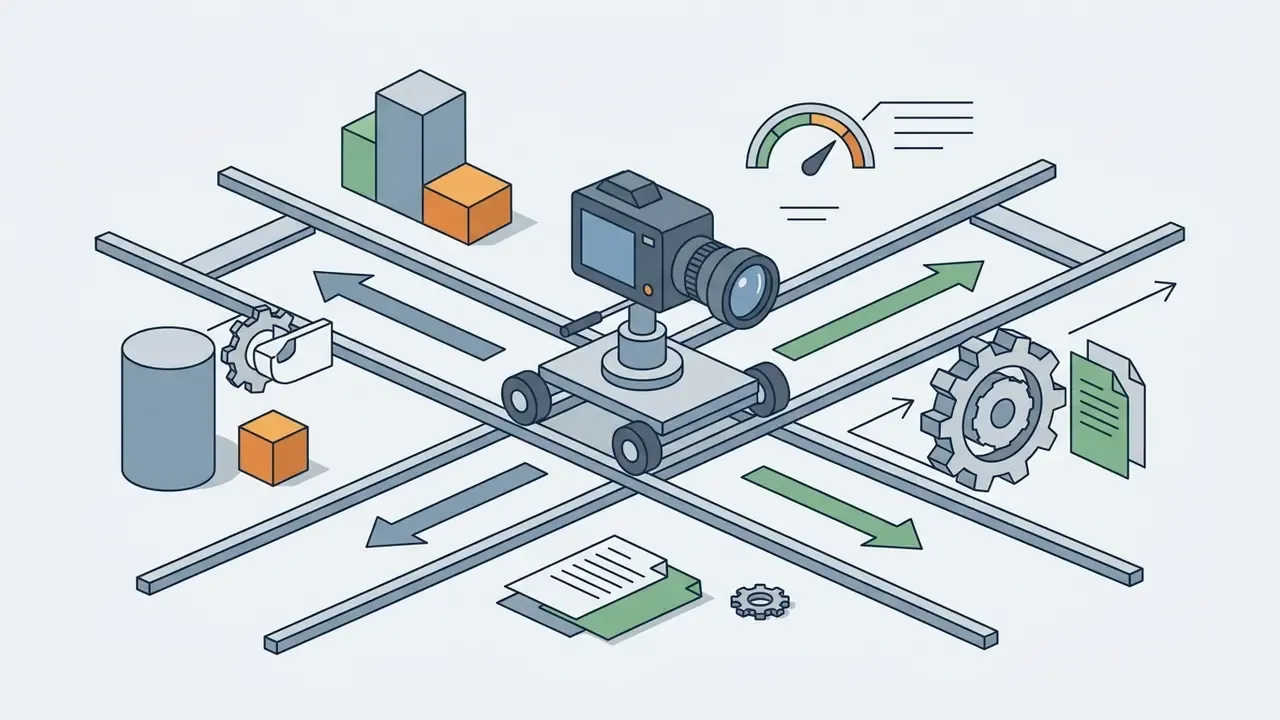
Camera control and creating cinematic motion
Cinematic camera dynamics come from mapping virtual camera movement across an estimated 3D scene depth map.
Generating a 3D scene cache from a single image allows video diffusion models to render precise camera paths, including:
Vendor documentation exposes these differently. Kling surfaces pan, tilt, roll and zoom as numeric parameters plus "master shot" combinations, while Runway presents orbit and dolly as movement presets. Unified controllers such as MotionCtrl (2025) coordinate camera motion and object motion in a single conditioning pass rather than treating them as separate prompts.

What affects the quality of generated animations
Final clip quality depends on native model resolution, input image sharpness, prompt alignment, and temporal frame rate coherence.
The VBench evaluation framework measures video generation across sixteen distinct dimensions, including subject identity consistency, background stability, and motion smoothness. Higher input resolutions and precise prompt alignment correlate directly with higher VBench quality scores. Benchmark data also shows that scale and conditioning design, not marketing tier, determine ranking:
Independent benchmarks further report that 480×832 outputs show visible blur and flicker, while 1K–2K outputs preserve sharp, temporally coherent frames with richer high-frequency detail. Teams selecting a stack by measured quality rather than claims can consult the best AI video generators comparison.
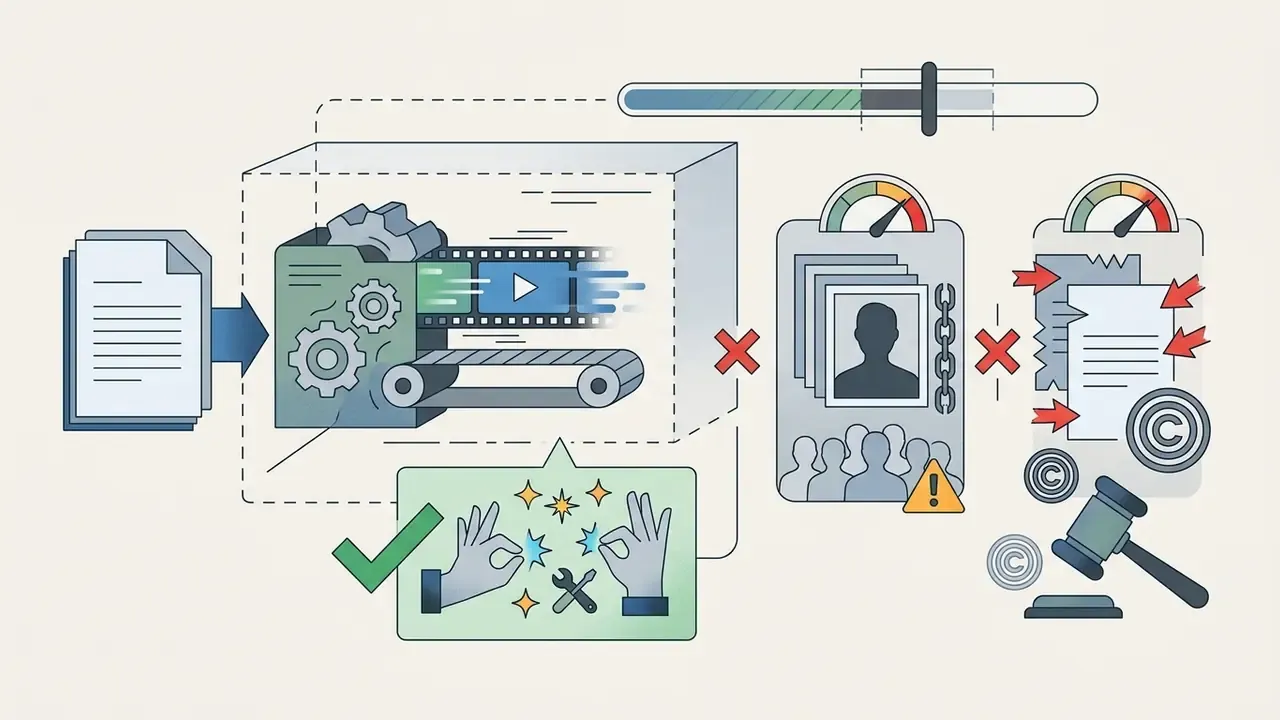
Limitations: where image-to-video still fails
How to choose an AI image animation tool: free access, features and export
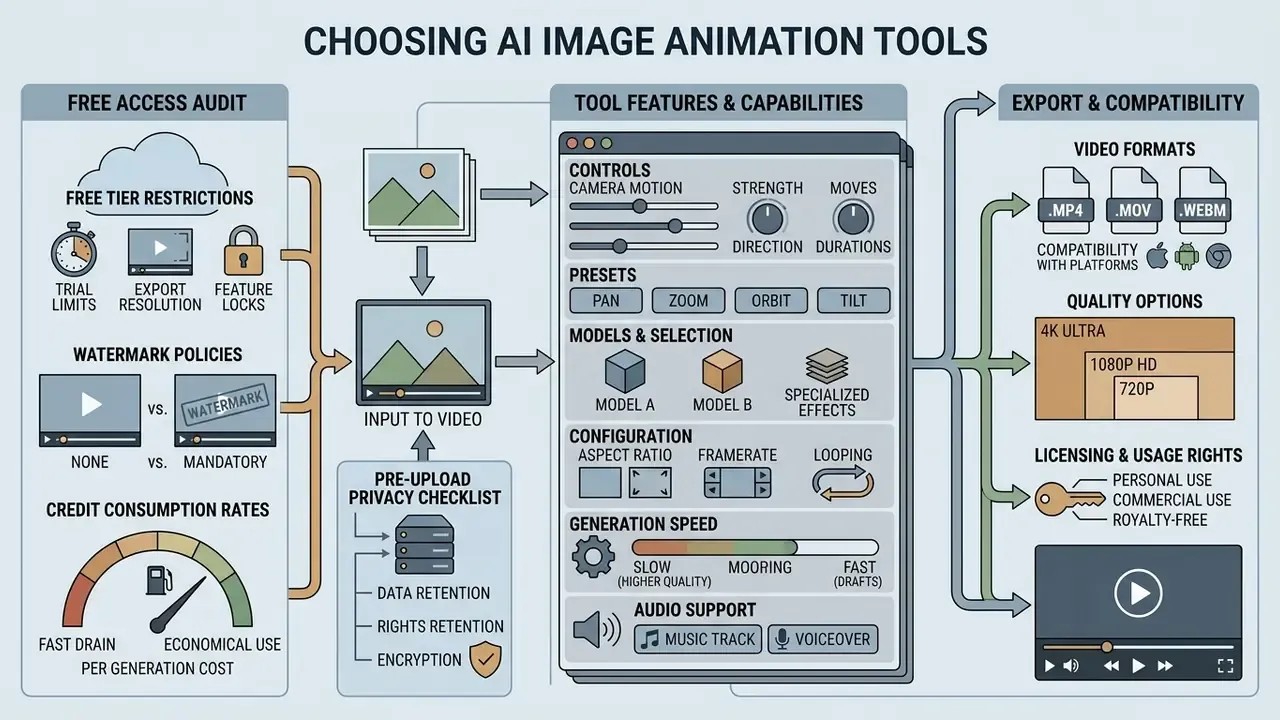
Selecting AI image animation software means auditing free tier restrictions, watermark policies, credit consumption rates, camera control features, audio support, data retention, and commercial usage rights. A structured overview of entry-level options sits in the free AI video generator reference.
| Tool / Platform | Supported models | Free tier limits | Camera & control | Audio generation | Max export quality | Commercial rights | Data retention & enterprise notes |
|---|---|---|---|---|---|---|---|
| EaseMate AI | Seedance 2.5, Wan 3.0, Veo 3, Kling O1, MiniMax H3 | 30 credits on signup + daily check-in bonus | Presets, prompt enhance, Start/End frame | Yes (sound / FX) | 1080p | Paid plans only | Retention window not published - verify before uploading client assets |
| Kling AI | Kling 1.5 / O1 | 66 credits / day (~5 s clips) | Pan, Tilt, Zoom, Roll, Orbit (numeric) | Yes (built-in audio) | 720p free / 1080p paid | Paid tiers only | Upload specs published (300 px min, 2:5–5:2); security certifications unverified |
| Runway Gen-2 / Gen-3 | Runway Gen-3 Alpha | 125 one-time credits; 4 s free generations | Motion Brush, directional camera, trajectories | No | 720p free / 4K paid | Standard terms apply | Enterprise plans available; confirm SSO and retention in contract |
| Pika Labs | Pika 2.0 | 150 credits / month | Panning, Zoom, Rotation, Lip-Sync | Yes (sound effects) | 720p free / 1080p paid | Pro / Fancy tiers only (not Basic/Standard) | Shared links retain watermark on free tier |
| Image to Animation AI | Seedance 2.5, Veo 3, Wan, Kling, Runway | Free signup credits, no card required | Duration, style, aspect ratio, single-frame sound | Yes | 720p free / 4K paid | Premium subscription required | Free tier is personal-use only despite watermark-free output |
| Photo Animate | Proprietary + 60+ integrated models | 10 credits / month + signup bonus | Basic motion presets, effect templates | Limited | 720p (Pro) / 1080p (Business) | Paid plans only | Free exports watermarked |
| Monica AI | Proprietary animation maker | Free quota after signup (2 credits per run) | Automatic motion, minimal controls | No | MP4 export, 10 MB / 2048×2048 input cap | Check plan terms | Input limits published; GIF export announced as upcoming |
| Adobe Firefly Video | Firefly Video Model | Generative credit cap | Camera angle, distance, style, end-frame image | No | Up to 4K paid | Included in paid plans | Enterprise-grade compliance posture; commercially trained model |
Pricing, credit allocations and model line-ups in this category change monthly. Treat this table as a checklist structure and re-verify each cell against the vendor's current documentation before procurement.
Free AI photo animation apps: what to check before you start
Free AI animation apps usually limit activity through daily credit allocations, forced watermarks, and restricted export resolutions, typically 480p or 720p. Side-by-side limits are catalogued in the best free AI video generator comparison.
When testing an ai animate photo app free option, or any ai animate photo free app shortlisted by your team, read the data privacy terms and confirm uploaded images are deleted from server storage within a stated retention window. Typical windows run 7 to 30 days; some consumer apps document 7–20 days for uploads and up to 7 days for generated outputs. When using public tools, avoid uploading unverified or sensitive visuals, such as an unvetted dirty ai image generator source.
Pre-upload privacy checklist for regulated teams:
- Do not upload PII or BII (faces of employees, customers, patients, identity documents) without written consent and, where possible, local anonymisation.
- Require a documented retention window and, for corporate contours, a Zero Data Retention (ZDR) option or VPC/API deployment.
- Confirm whether uploads are used for model training, and whether opt-out is available.
- Verify security attestations (SOC 2 Type II, ISO/IEC 27001) and SSO/SCIM support before onboarding a team.
- Track provenance: NIST's AI Risk Management Framework Generative AI Profile recommends documenting provenance data and its interaction with privacy and security controls.
- Under the EU AI Act, deepfake image, audio and video content must be disclosed and marked. Plan labelling into the workflow, not after publication.
Tool features: presets, models, configuration and generation speed
Professional animation platforms ship preset camera movements, multi-style rendering options, and inference times under two minutes.
Advanced platforms integrate trajectory-based ControlNets, so operators can draw explicit motion vectors directly onto the image canvas for precise directional control. Feature parity in 2026 typically includes style presets (realistic, anime, 3D, clay, comic, cyberpunk), prompt-enhancement assistants, Start/End frame conditioning, multi-model switching in one interface, synchronized audio generation, and per-second credit pricing. Reported latency ranges from roughly 10 seconds for a short HD clip on the fastest engines to 1–5 minutes on heavier models at high resolution.
Export, quality and compatibility of the finished video
Export modules should deliver standard MP4 or GIF containers at 30 or 60 frames per second, with flexible aspect ratios for web and social media distribution.
Exporting at native 1080p or 4K prevents compression artifacts when publishing across corporate media channels. A practical export matrix: MP4 (H.264 + AAC) for editing and paid media, GIF for messaging and lightweight embeds, 9:16 for Reels, Shorts and TikTok, 1:1 for feed placements, 16:9 for YouTube and display. Clips destined for further editing should be finished in a video editor before publication, and oversized 4K masters can be prepared for web delivery with a video compressor. Channel-specific publishing workflows are covered in the YouTube video editor guide.
Where to use AI animation from images: content, advertising and visual storytelling
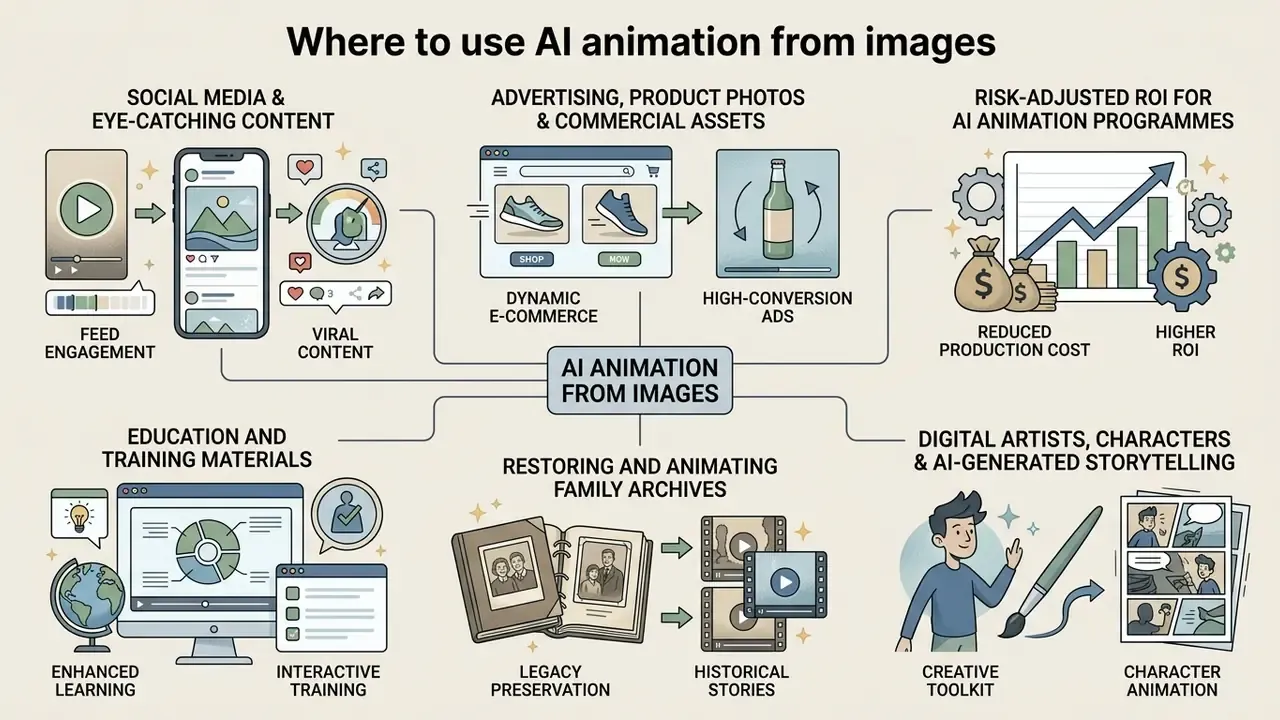
AI animation from images shows up across social media channels, dynamic e-commerce listings, education, family archives, and digital art pipelines. In each case the job is the same: turn static photos into animated content that holds attention.
Advertising, product photos and commercial visual assets
E-commerce brand teams convert static product photos into dynamic videos by applying subtle camera motion and automated brand overlays. Production practice documented in 2026 industry whitepapers follows three stages: pull product images from the catalogue feed, run image-to-video with camera pans, zooms and subtle movements, then automate post-production with logos, brand palette, intro/outro and text overlays.
A 2024 SSRN marketing field study evaluating over 173,000 ad impressions reported that AI-generated motion ads achieved up to a 50% higher click-through rate (CTR) than static stock photography; the same research programme included roughly 254,400 human evaluations. Verification note: the aggregate figures appear in secondary summaries of the SSRN working paper, so attach a direct DOI-level citation before reusing the number in external claims (https://ssrn.com). Pairing an animated video ad with dynamic copy generated via a deep ai text tool produces testable ad variations quickly.
Risk-adjusted ROI for AI animation programmes
Governance and finance leaders should not model CTR uplift in isolation. Use:
Risk-Adjusted ROI = (Incremental margin from CTR/CVR uplift + Avoided production cost) − (Licence & credit spend + Human review and validation cost + Model-risk controls + Residual legal/brand risk provision)
Practical inputs: production cost avoidance is the largest reliable term, since studio shoots get replaced by per-second generation pricing cited in the range of US$0.04–0.10 per second on credit-based platforms. Validation cost scales with volume, because IAB's 2025 generative-AI advertising guidance requires human review, brand-compliance checks and AI disclosure. The residual-risk provision should reflect rights-clearance exposure on any third-party imagery or likeness. Ownership matters here too: name one accountable reviewer per campaign, with an escalation path when a clip fails brand or legal checks.
Education and training materials
Educators and course authors use AI animation to visualise complex or invisible processes: plant growth, planetary motion, geometric transformations, and anatomical structures such as the working human heart, all generated from static illustrations already sitting in textbooks. Because the source diagram anchors the frame, the animation preserves the didactic composition instead of inventing a new one. The limitation list above still applies, so anatomically or physically critical demonstrations need expert review before classroom use.
Restoring and animating family archives
Image-to-video technology can breathe life into old black-and-white photographs. Models add targeted natural movements, a slight head turn, a blink, a soft smile, turning static frames into sentimental clips without distorting the historical accuracy of the portrait. Keep motion intensity low (0.1–0.2), avoid stylisation prompts, and preserve original grain so the result reads as a restored memory rather than a synthetic reinterpretation. Basic cleanup in a photo editor, dust removal, contrast recovery, tear repair, should come before animation.
Digital artists, characters and AI-generated storytelling
Digital artists use image animation tools to turn concept sketches, character designs, and hand-drawn storyboards into animatics.
Case studies such as DEPT's "Neon Nights" production (2024) document workflows where static storyboards become animated keyframes using diffusion control adapters and tools including ComfyUI, OpenArt and Magnific AI. The approach lets creative teams visualise scene pacing before committing to full animation rendering. Comparable documented practice includes phone-drawn sketchbooks animated with AI (2025) and full AI-assisted animation series that combine story development, character direction, generated imagery, motion, narration and editorial judgement (2026). In each case human authorship sits in the selection, arrangement and direction, which is also what determines copyright protection.
Legal, copyright and commercial-rights framework
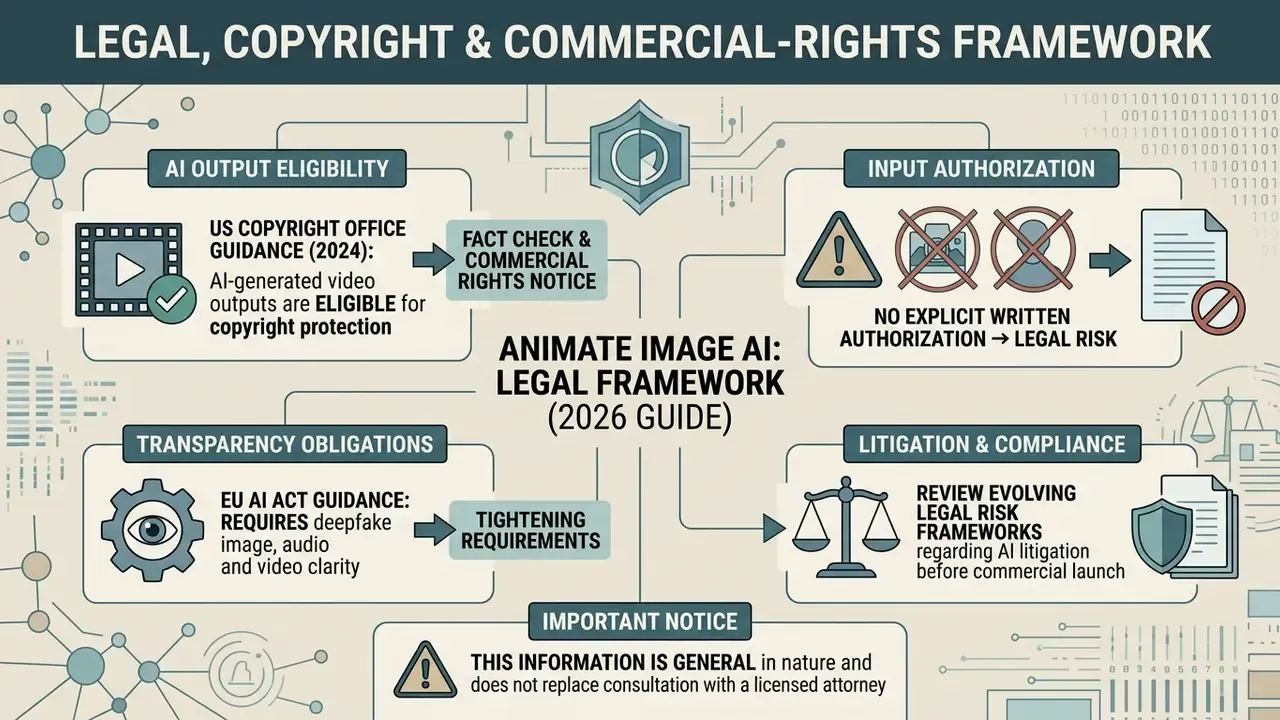
Fact check & commercial rights notice:
FAQ: frequently asked questions about AI image animation
Can I animate AI-generated images with an animate image AI tool?
Yes. Image animation models treat AI-generated images and real photographs identically, provided the source asset shows clear subject boundaries, stable lighting, and sufficient resolution. Synthetic inputs still require provenance tracking: NIST's synthetic-content guidance treats AI-generated images as material needing source authentication and integrity verification.
Which file formats and sizes are supported?
Most commercial platforms accept JPG, JPEG, PNG and WEBP. File-size caps are typically 20 MB (Monica AI limits uploads to 10 MB), with a practical resolution band of 1024×1024 to 2048×2048 pixels and an accepted aspect ratio range of roughly 2:5 to 5:2.
Is there an AI app that can make pictures move on a phone?
Yes. Most browser-based services run in mobile browsers, and several ship native iOS or Android apps. The flow is identical to desktop: upload image, set motion, generate, download. Expect tighter free-tier caps and, on some apps, a watermark on mobile exports.
What is Start Frame / End Frame mode and when should I use it?
Start/End frame conditioning supplies both the opening and closing image of the clip, so the model interpolates a constrained trajectory instead of improvising motion. Use it for deterministic transformations: 2D artwork to 3D render, pose A to pose B, product closed to product open. End-frame support is model-specific and unavailable on some engines.
Can AI generate sound together with the video?
Yes, on models and platforms that expose audio generation, for example Veo 3, Kling, Pika sound effects, and single-frame sound options on aggregator platforms. Audio is generated alongside the visual track rather than dubbed afterwards, but licensing for generated audio follows the same tier rules as video.
Do I need professional video editing skills to use an AI photo animator?
No. Web-based animation tools automate motion tracking, frame extrapolation, and depth estimation. Operators only upload an image and specify motion parameters via text prompts or camera presets. First-run flows on web and mobile follow the same five steps: choose a photo, add an optional motion prompt, set duration and resolution, generate, then save or share.
How long does it take for AI to create an animation from a static picture?
Latency depends on server GPU availability, model architecture, and target resolution. Average processing runs 10 seconds to 2 minutes for a standard 5-second clip, and up to roughly 5 minutes for longer or higher-resolution renders on heavier models.
Is my uploaded photo kept private and secure by AI animation platforms?
Privacy practices vary by vendor. Reputable commercial platforms process uploaded assets over encrypted HTTPS connections and enforce automated deletion schedules, commonly 7 to 30 days for inputs and shorter windows for generated outputs. Always review vendor privacy documentation before uploading confidential assets, and prefer ZDR or VPC deployment for anything containing personal data.
Are generated videos watermark-free, and can I use them commercially?
Two separate questions. Several platforms now deliver watermark-free downloads even on free tiers, yet still restrict those files to personal, non-commercial use; commercial rights are usually tied to a paid subscription. Verify both the watermark policy and the licence tier, because a watermark-free file is not automatically a commercially licensed file.
What export formats and frame rates should I choose?
MP4 (H.264 + AAC) is the default for editing and paid media; GIF suits messaging and lightweight embeds. Choose 30 fps for standard delivery and 60 fps for fast-motion vertical content, exporting at native 1080p or 4K to avoid re-compression artifacts.
Where does image-to-video animation not work well?
Crowded overlapping group scenes, fine printed text and logos, full 360° rotation of occluded geometry, hands and thin structures, and any case requiring simulation-grade physical accuracy. Plan overlays or live footage for those shots instead.
Footer Hub Link:
Explore complete governance frameworks and commercial usage rules for AI media at AI Media Commercial-Use.
Social media and creating eye catching content
Short-form vertical formats (9:16) on TikTok, Instagram Reels and YouTube Shorts benefit from animated photos that catch the eye in a fast-scrolling feed.
Subtle motion loops, such as flowing water, blinking portraits or slow camera zooms, help a content creator increase watch time without full video production spend. A typical micro-motion library: blink, head turn, hair movement, fabric sway, parallax push-in, and looped 360° orbit. One caution. Vendor claims of "2–3× engagement" for animated photos are marketing statements without a shared primary dataset. Treat them as hypotheses to A/B test on your own accounts, not as benchmarks.