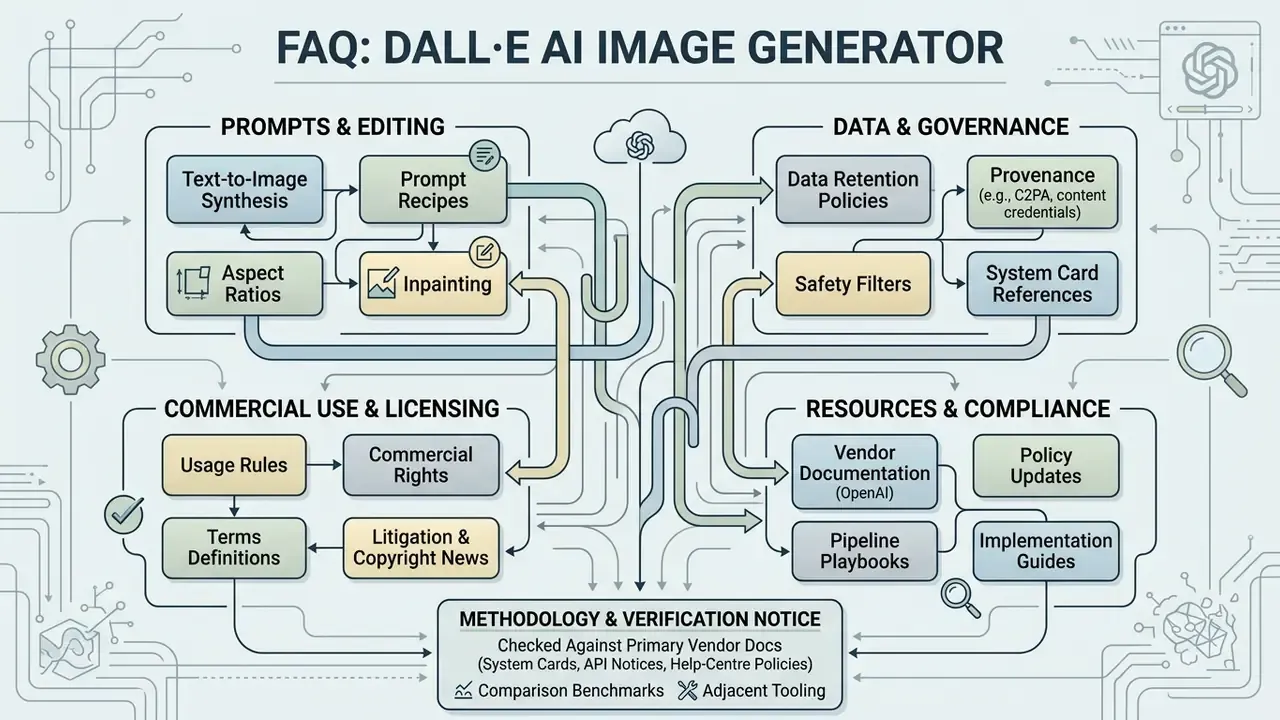
The DALL·E AI image generator is a neural network system built by OpenAI that turns natural language descriptions into synthetic images. You type a sentence. The model paints something that matches it. In enterprise and creative workflows, that simple loop lets teams produce visual assets from text prompts, iterate on design concepts, and push machine-generated imagery into digital channels without a photoshoot.
For a bank or a mature fintech, the interesting question is not whether the pictures look good. It is whether you can explain, six months later, who generated an asset, with which model, under whose review.
Executive Summary for Risk, Compliance and Marketing Leads
- Ownership OpenAI's usage terms assign generated image rights to the user, including reprint, sale and merchandising, but only "to the extent permitted by applicable law." Purely machine-authored output is not registrable with the U.S. Copyright Office without substantive human contribution.
- Data handling API traffic (legacy
dall-e-3endpoints, currentgpt-imagemodels) and ChatGPT Enterprise or Team are not used for model training by default. Consumer tiers and third-party wrappers follow different rules and must be audited separately. - Model surface changes OpenAI deprecated the
dall-e-2anddall-e-3API endpoints (notice issued November 2025, removal on 12 May 2026) and directs developers togpt-image-1,gpt-image-1-miniandgpt-image-2. The standalone DALL·E GPT inside ChatGPT was retired on 30 August 2026 in favour of ChatGPT Images. - Control mechanics Production quality depends on structured prompts (subject, environment, lighting, composition, style), explicit aspect ratio selection, and mask-based inpainting or outpainting rather than repeated blind regeneration.
- Residual risks right-of-publicity and trademark exposure, demographic bias amplification, non-deterministic reproducibility, and shadow AI usage through unofficial API wrappers marketed as an "ai dalle generator".
- Governance essentials prompt-and-output logging, C2PA provenance metadata retention, model-version pinning, and documented human-in-the-loop review before publication.
What This Guide Answers
This material is written for two readers at once: the marketing or design lead who needs usable images this week, and the risk owner who has to sign off on the pipeline. It answers five practical questions.
- How does the model actually convert text into pixels, and what does that mean for prompt quality?
- Which access paths exist, what do free tiers really allow, and where does the licence stop?
- What does a repeatable prompt and editing workflow look like in production?
- Which controls make generated visuals defensible in an audit or a brand review?
- Where do the honest limitations sit, including reproducibility and bias?
Read it end to end once. After that, the prompt checklist and the logging protocol are the two sections you will reuse.
What Is the DALL·E AI Image Generator and How It Generates Images
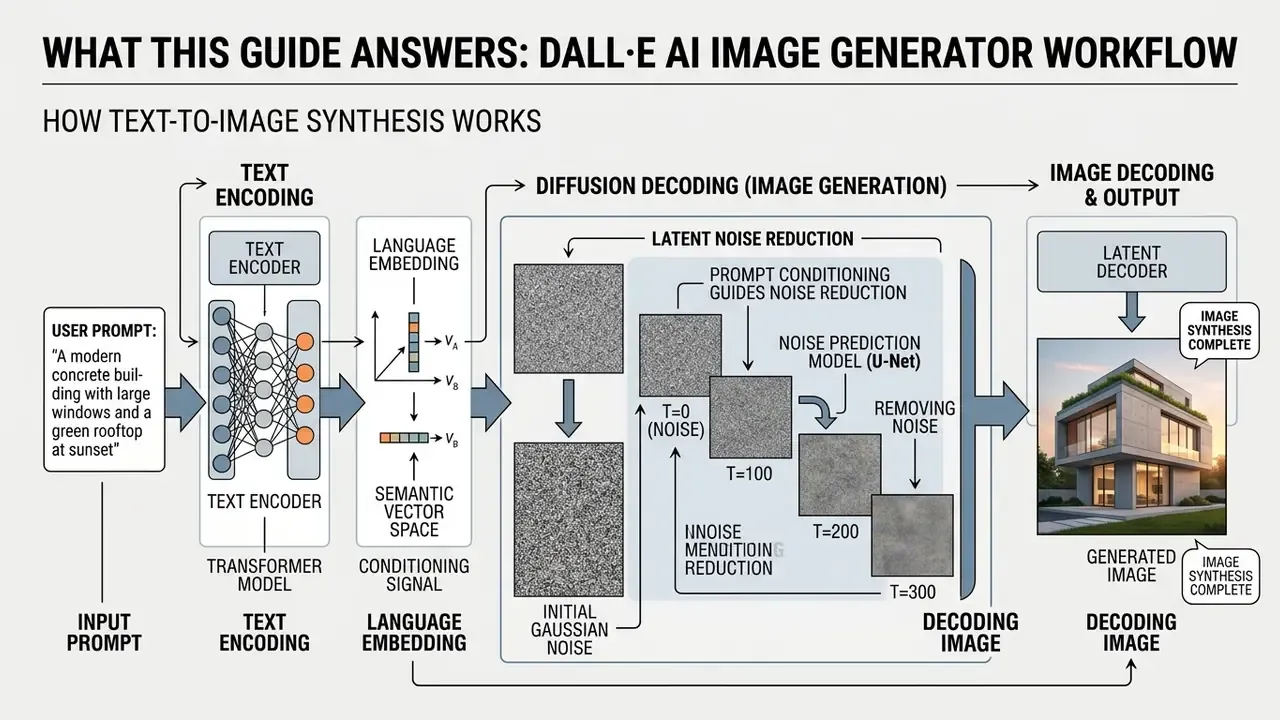
The DALL·E AI image generator is a proprietary diffusion-based text-to-image architecture trained on paired captions and visual data. In plain terms: you describe a scene, and the system reconstructs it.
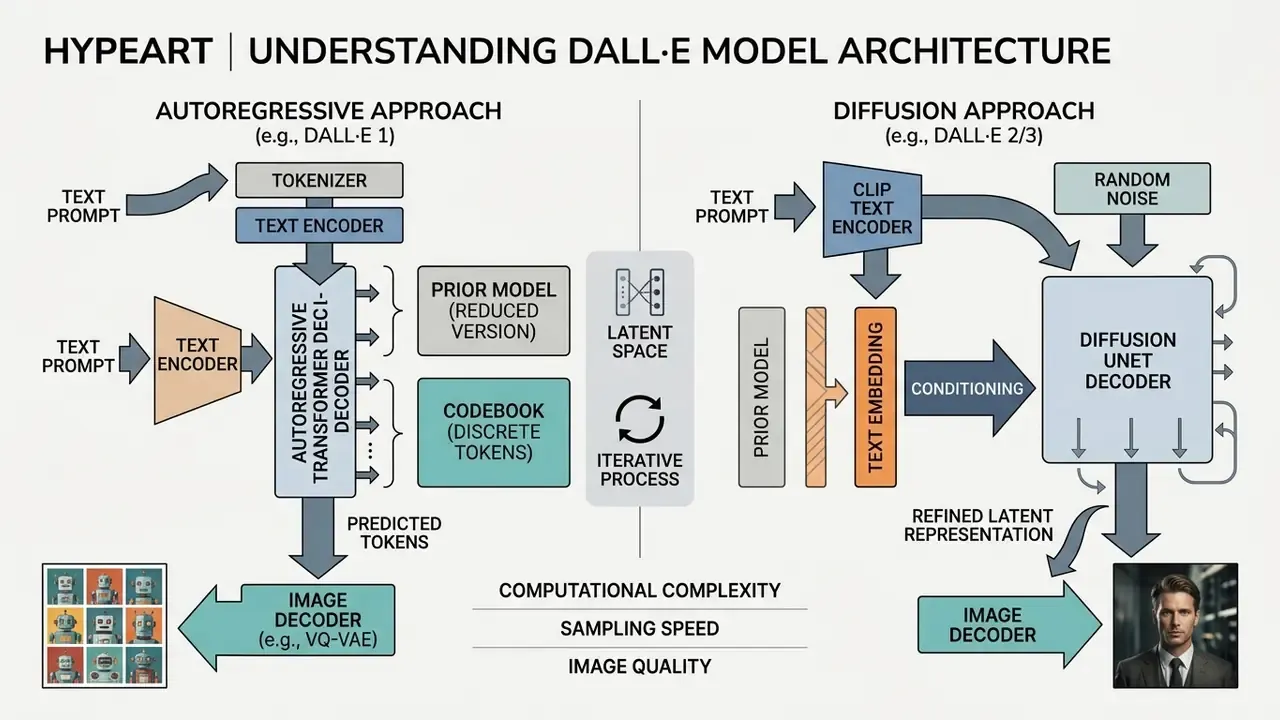
Technically, the input prompt passes through deep language encoders, and the resulting embedding conditions a multi-step denoising process that turns random Gaussian noise into a structured picture. Each step nudges the noisy canvas closer to the semantics carried by the prompt. That is exactly why wording, not post-processing, is the dominant quality lever. Earlier generations differed architecturally: DALL·E 1 was an autoregressive 12-billion-parameter model trained on text and image pairs, DALL·E 2 introduced CLIP-based representations with a diffusion decoder plus super-resolution stages, and DALL·E 3 tightened caption fidelity again.
Generating AI Art From a Text Description
Text-to-image synthesis maps words to visual concepts inside a high-dimensional embedding space. When a user supplies simple text, the system decodes semantic tokens and reconstructs composition, spatial relationships and surface texture.
According to a 2024 empirical study by Fan et al., participants using DALL·E 3 produced images that were on average 0.20 standard deviations closer to target visual concepts than those using DALL·E 2 (). The gain comes from better caption fidelity and tighter coupling between prompt processing and image generation.
Users can specify an explicit art style, such as digital illustration or oil painting, to steer how the AI models render fine detail and lighting. Two output classes share the same pipeline and deserve separate prompt vocabularies. AI art targets stylised or interpretive rendering, so it leans on medium and era markers. AI photo targets photorealism with believable optics, materials and depth of field, so it leans on lens, lighting scheme and surface description. Mixing both vocabularies in one request is how you get an oil painting with a lens flare. Rarely useful.
DALL·E, DALL·E Mini and Third-Party AI Art Generators
DALL·E is OpenAI's proprietary model line. Tools such as DALL·E Mini, now renamed Craiyon, are independent open-source projects with a different underlying architecture. DALL·E Mini was built in 2021 by Boris Dayma with a small group of open-source contributors, using a VQGAN image encoder and a BART text encoder, an entirely separate stack from OpenAI's. Plenty of third-party services borrow the DALL·E name for search visibility, yet they share neither model weights nor safety filters.
So when someone compares an ai art dall e mini variant, or an ai art generator dall e mini clone, against an official model available through enterprise APIs, the first task is to identify the model family. Independent platforms often lack the prompt alignment, resolution controls and content filtering built into official releases. Teams looking across the wider market can review vetted engines in our roundup of AI art generators before committing budget or brand assets to a single vendor, or simply compare options at the top level first.
Fact Check and Term Verification
- DALL·E, DALL·E 2, DALL·E 3
- official proprietary text-to-image models developed by OpenAI.
- DALL·E Mini and Craiyon
- an open-source project created independently by Boris Dayma in 2021. Rebranded to Craiyon in 2022 at OpenAI's request to avoid brand confusion. Not an OpenAI product. Queries such as "ai generated art dall e mini" almost always land on this lineage.
- DALL·E 4
- no such model exists in OpenAI's official lineup. Pages marketing a "Dalle 4 generator" are third-party wrappers using an unofficial version label. Treat that naming as a marketing signal, not a model specification.
- Dali, Dalle, Dolly, Wall-E
- common search misspellings or conceptual cross-references. Searches for an "ai dali generator", an "ai art generator dali" or an "ai art generator dolly" are typically aimed at DALL·E. The name itself is a portmanteau of the artist Salvador Dalí and Pixar's WALL·E, and "Dolly" corresponds to no OpenAI image model at all.
- Verification rule
- always confirm whether an endpoint uses official OpenAI model IDs (legacy
dall-e-3, currentgpt-image-1orgpt-image-2) or a third-party open-source implementation.
Where DALL·E Is Available and Whether You Can Use the Generator for Free
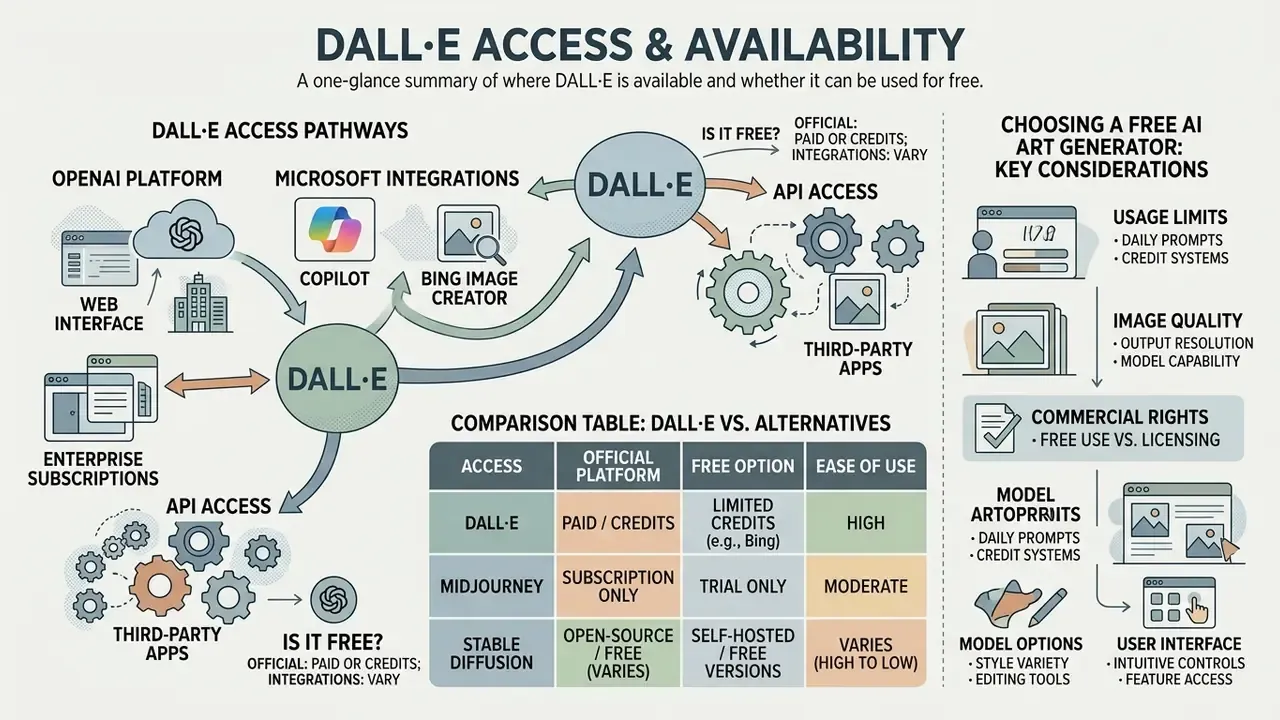
Official access to DALL·E models runs through OpenAI interfaces, enterprise subscriptions and Microsoft integrated services such as Copilot and Bing Image Creator. Standalone native web access to the legacy DALL·E tools has folded into broader ChatGPT interfaces, while free and tier-restricted options survive across third-party integrations and developer sandboxes.
Official and Third-Party Ways to Use DALL·E
| Access pathway | Model available | Free tier / pricing | Resolution and quality | Editing and controls | Commercial usage rights |
|---|---|---|---|---|---|
| ChatGPT Plus / Enterprise | DALL·E 3 lineage, now ChatGPT Images | Paid, from about $20 per user per month | Up to 1792×1024, high detail | Inpainting, area selection, prompt tweaks | User owns outputs, commercial use permitted |
| OpenAI Platform API | GPT-Image models (legacy DALL·E endpoints retired) | Pay-as-you-go per image | 1024×1024, 1792×1024, 1024×1792 | Mask-based inpainting, variations, quality tiers | User owns outputs subject to terms |
| Microsoft Copilot / Bing | DALL·E 3 integrated | Free with daily boost limits | Standard 1024×1024 output | Basic prompt adjustments | Personal use primary, check Microsoft terms |
| Craiyon (formerly DALL·E Mini) | Open-source custom model | Free with ads, low-cost paid plans | Lower resolution, lower fidelity | Basic style selectors | Free tier restrictions apply |
If the Microsoft pathway fits your budget model, check capacity caps and licence wording in our breakdown of Bing AI image creation and the wider Microsoft AI image generator ecosystem before you standardise on it for client-facing assets.
What to Consider When Choosing a Free AI Art Generator
Picking a free AI art generator means reviewing four unglamorous variables: daily generation caps, export resolution, watermarking policy and commercial licensing terms. A structured comparison of quotas and watermark rules across no-cost tools sits in our review of free AI art generators.
Verified benchmarks cluster tightly. Public 2026 vendor documentation and independent reviews show daily quotas between roughly 2 and 100 images depending on the engine, monthly quotas of roughly 50 to 500 generations on design platforms, output commonly capped at 1024×1024 or a "1K" class resolution, export limited to JPG or PNG, and inpainting or outpainting frequently reserved for paid plans. Some tools also watermark free exports or downscale them to 512 px. Adobe Firefly publishes "free daily generations" without a stated monthly ceiling, while design suites such as Canva have historically capped free AI image generation at around 50 renders per month. Verify that figure against current plan pages, because vendors revise quotas often, and searches for an "ai art generator dall e free" or an "ai art generator free dall e" surface pages that are frequently out of date.
Research on diffusion model variability by Zhao et al. (2024) indicates that prompt reuse yields high visual diversity across 50 to 200 generations in DALL·E 3.
There is a catch, though. Free tools with low daily allowances kill the iterative testing needed to stabilise quality images for production. A team that needs 30 to 60 controlled iterations to lock a campaign look will burn through a ten-per-day quota long before the visual language converges.
How to Create an Image in DALL·E: Step-by-Step Process
Generating images with an ai art generator from text dall e workflow comes down to four moves: compose a structured prompt, set technical parameters such as aspect ratio, run the generation request, then refine through targeted editing before download.
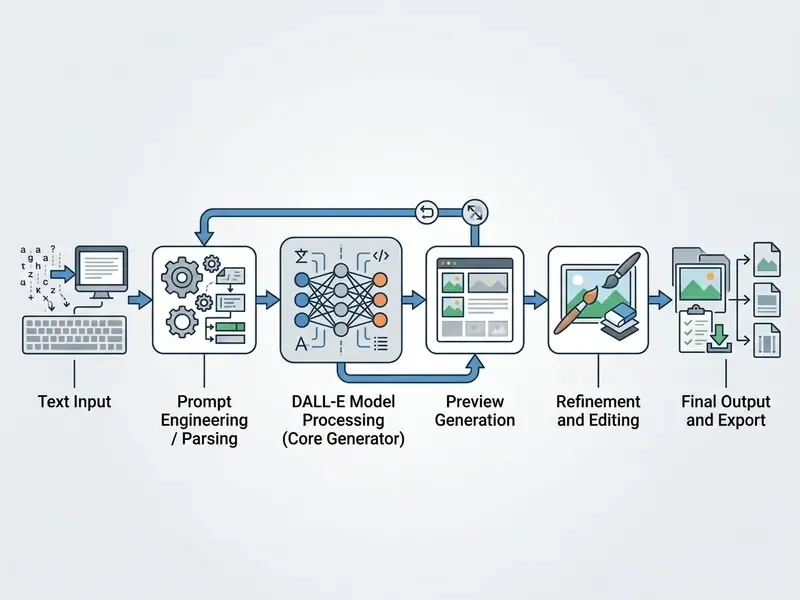
Formulate Text Prompts for the Desired Result
A workable text prompt defines the primary subject, the background setting, lighting conditions, camera angle and visual style. Vague adjectives push the network toward random latent sampling, which is another way of saying you get a lottery ticket instead of an asset. OpenAI's own prompting guidance adds two mechanical rules: put instructions at the beginning of the prompt, and describe context, outcome, style and format as specifically as you can.
One commercial example. An asset team standardised a prompt template for marketing banners, fixing subject position, studio lighting and colour palette directly in simple text. Visual artifacts dropped, and brand alignment across multi-channel campaigns held within three iteration cycles. Not magic. Just less ambiguity per request.
That behavioural finding has a governance consequence. Prompt libraries should be versioned alongside the model version, because prompts tuned for a weaker engine systematically underuse a newer one.
Select AI Model, Format and Aspect Ratio
Correct parameters make the asset fit its destination without a rescue crop. DALL·E 3 supports rectangular dimensions alongside square outputs, so you can frame natively. One caveat worth writing into your template: OpenAI's rectangular presets (1792×1024 and 1024×1792) approximate 16:9 and 9:16 rather than matching them exactly, so leave a safety margin for text and logo placement.
- Square (1:1, 1024×1024): profile avatars, Instagram grid posts, square product thumbnails, app icons.
- Landscape (16:9, 1792×1024): website hero banners, presentation slides, YouTube and article headers.
- Portrait (9:16, 1024×1792): mobile-first content, Instagram Stories, TikTok backdrops, vertical performance ads.
- Standard photo (4:3, 1152×864 equivalent): traditional editorial layouts, print brochure photography, slide-deck photo frames.
- Vertical portrait (3:4, 864×1152 equivalent): magazine-style portraits, product cards in catalogue grids, print flyers.
- Ultra-wide cinematic (21:9, 1792×768 equivalent): panoramic header banners, video background plates, immersive landing page visuals.
Where native output does not match a required ratio, expand the canvas generatively instead of cropping composition away. Our guide to AI outpainting tools for expanding images covers those format-conversion workflows.
Generate, Edit and Download the Image
Once generated, images can be modified through selective area editing (inpainting) or localised prompt revisions that adjust one element while preserving the rest of the frame. The finished asset then exports as a high resolution file. In OpenAI's editor, the download action writes the latest state of the artwork as a .png. Retouching, colour correction and layered compositing afterwards belong in a conventional online photo editor, and anything destined for large-format print usually needs a resolution pass before release.
To run a localised edit, select the region that needs work and enter specific instructions. The model regenerates only the masked area, keeping lighting, perspective and background continuity across the surrounding canvas. You can test workflows on an ai image editor free no sign up or review capabilities on our ai image editor resource page.
Advanced Image Modification: Inpainting, Outpainting and Masking
Once an initial image is rendered, you can change part of it without disturbing the composition.
- Action: select the brush tool in the ChatGPT or API interface and mask the target area. In the API, the mask arrives as a PNG whose transparent region marks the pixels to replace. Source and mask must share identical dimensions.
- Instruction: enter a replacement command, for example "Replace the coffee cup with a silver stainless steel thermos." For API edits, describe the full intended image, not just the erased fragment, because the model conditions on the whole description.
- Mechanism: surrounding lighting, shadow angles and focal depth persist while pixels inside the mask are re-synthesised.
- Action: extend the bounding frame beyond the original 1024×1024 border into empty space.
- Instruction: describe the extended environment, for example "Extend the office background to reveal a modern glass conference room on the right side."
- Mechanism: the network reads border edge pixels and continues structural patterns, holding spatial perspective and horizon alignment.
- Action: mask unwanted distractions, stray reflections or rendering artifacts.
- Instruction: type "Remove the background object and blend with the existing wall texture."
- Mechanism: the masked region regenerates from surrounding context, and unmasked pixels stay byte-identical. That last point matters for brand assets that must not drift between revisions.
- Action: upload a reference photo alongside the prompt to anchor layout, subject or style.
- Instruction: state what changes and what must survive, for example "Keep the product geometry and label, replace the surface with polished concrete."
- Mechanism: the reference constrains structure, so successive variants stay inside a recognisable visual family. That is the foundation of repeatable campaign sets.
- Inpainting, selective object replacementInpainting, selective object replacement
- Outpainting, canvas expansionOutpainting, canvas expansion
- Element removal, background clean-upElement removal, background clean-up
- Reference image conditioningReference image conditioning
For teams that mostly transform existing photography rather than generate from scratch, our comparison of image-to-image generators details how mask quality affects edge fidelity.
Capabilities of DALL·E for Creating AI Art and AI Photo
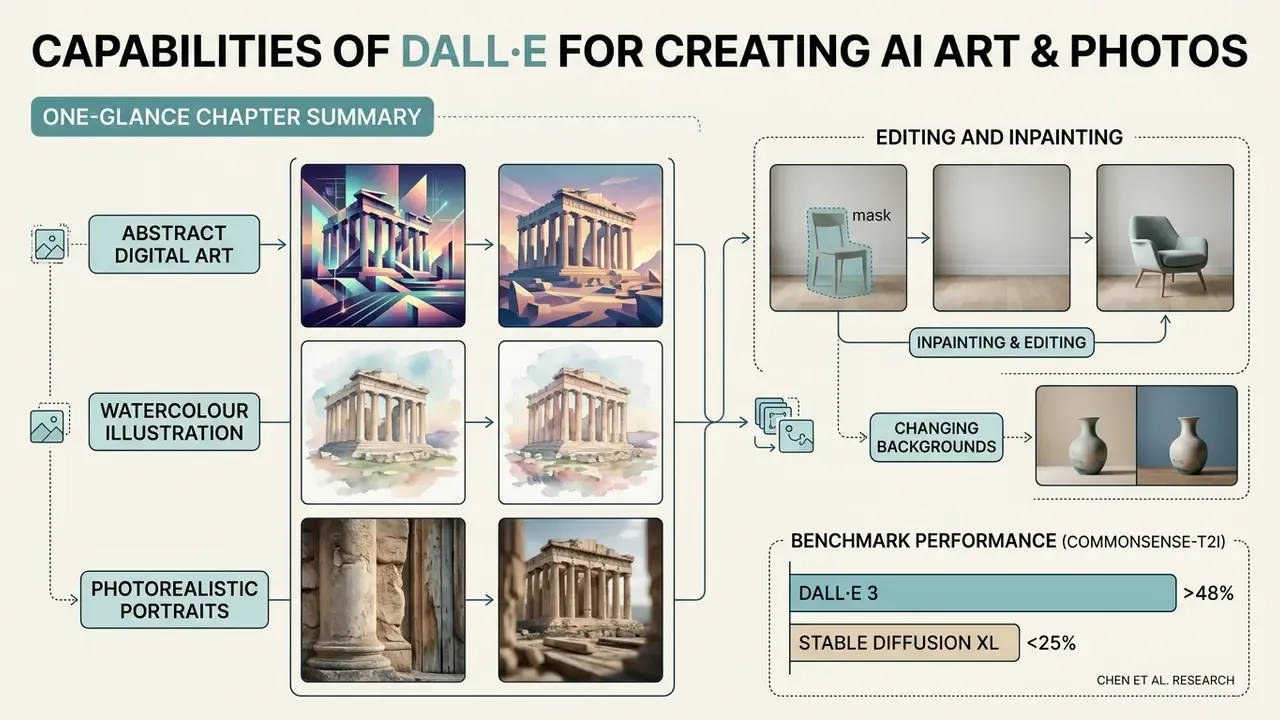
DALL·E renders a wide span of visual mediums, from abstract digital art and watercolour illustration to photorealistic portraits with credible lighting and material texture. It also handles text rendering inside images, background removal and context-aware element insertion. Current OpenAI image APIs expose a background setting (transparent, opaque or auto), which removes a manual cut-out step for e-commerce and UI assets.
That four-axis view is genuinely useful in procurement. A model can score well on aesthetics and still fail on representation fairness, and only the second failure tends to create reputational or regulatory consequences.
Styles, Realism and Quality of Generated Images
The system reads medium markers in the prompt to decide how to render. Parameter controls include vivid (hyper-realistic, dramatic lighting) and natural (softer, less hyper-real), plus a quality setting that trades generation speed and cost against detail. Reliable style vocabularies fall into four families: photographic (DSLR, editorial, macro), traditional media (oil, watercolour, charcoal), digital (vector, 3D render, isometric), and historical or movement markers (Art Deco, Bauhaus, retrowave). Use one dominant style plus at most one accent. Conflicting markers remain the single most common cause of muddled output. Deeper style-control comparisons appear in our review of AI art generators, and stylised niches such as Ghibli-style generation show how a narrow aesthetic target changes prompt structure.
Research in the Commonsense-T2I Challenge by Chen et al. (2024) indicates that while DALL·E 3 leads open-source alternatives in physical commonsense reasoning with a 48.92% accuracy score, photorealistic scenes still need precise prompt constraints to avoid physically impossible arrangements.
High resolution outputs achieve strong fidelity when prompts spell out surface materials, depth of field and light sources. For portrait work with identity-consistency requirements, see our guide to AI headshot generators.
Editing, Background and Working With Source Images
Image-to-image modification lets teams swap backgrounds, replace objects, or extend canvas borders through outpainting while the central subject stays intact. This streamlines graphic design work by separating background elements from primary assets, and comparable vendor implementations document the same expectation: unedited regions, subject identity, lighting and perspective should survive the edit.
During an internal graphic workflow overhaul, an editorial team used background replacement to adapt product shots across six seasonal promotion themes. Replacing static backdrops through masked image prompts, instead of hand-masking each frame, materially compressed production lead time while retaining core product geometry. The precise reduction is an internal estimate from one workflow, so please do not read it as a benchmark. Measure your own baseline before and after adoption.
Table: benchmark comparison, DALL·E 3 against competitor image generators
| Model / engine | Prompt fidelity | Text rendering | Editing capabilities | Enterprise privacy and security |
|---|---|---|---|---|
| DALL·E 3 / OpenAI GPT-Image line | Highest, native GPT-level prompt understanding with automatic prompt rewriting | Excellent, accurate rendering of quoted strings | Native inpainting, masking, background transparency | No training on API data, Enterprise opt-out by default |
| Midjourney v6 | High, needs heavy parameter tuning | Moderate | Vary Region, Pan, Zoom Out | Public by default, private mode is a paid add-on |
| Stable Diffusion XL / Flux.1 | High, open weights, quality varies by checkpoint | Good on Flux.1, low on SDXL | Full ControlNet, LoRA, local inpainting | Fully on-premise or air-gapped deployment possible |
| Adobe Firefly | Moderate to high, tuned for commercial safety | Good | Generative Fill, Generate Background, Generative Remove | Trained on licensed and public-domain sources, indemnity on enterprise plans |
If your shortlist includes chat-native tooling or subscription design suites, see the head-to-head evaluations for the Midjourney AI image generator, the ChatGPT picture generator, the Canva AI generator and the Google AI image generator.
How to Write Prompts for DALL·E and Generate High Quality Images
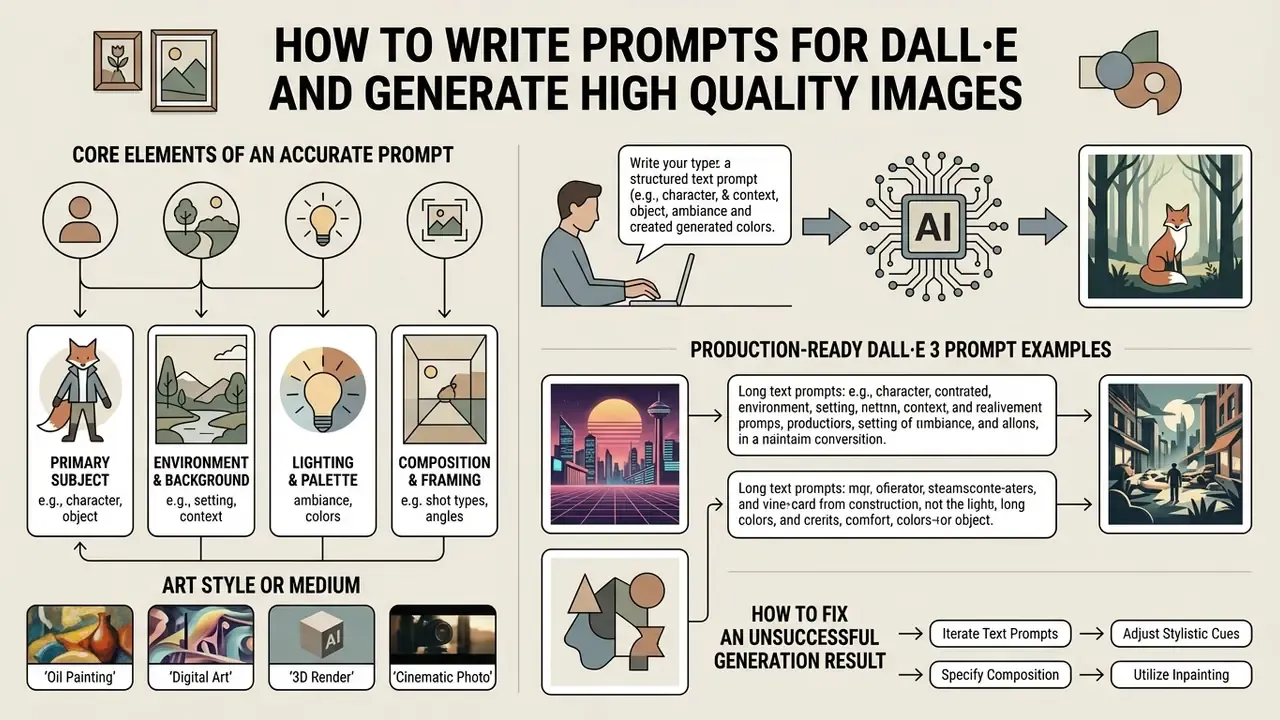
Effective prompts prioritise subject clarity, explicit stylistic cues, lighting parameters and compositional framing. Specific descriptive language produces predictable output. Abstract or contradictory phrasing produces artifacts, then frustration, then a fourth regeneration nobody budgeted for.
Core Elements of an Accurate Prompt
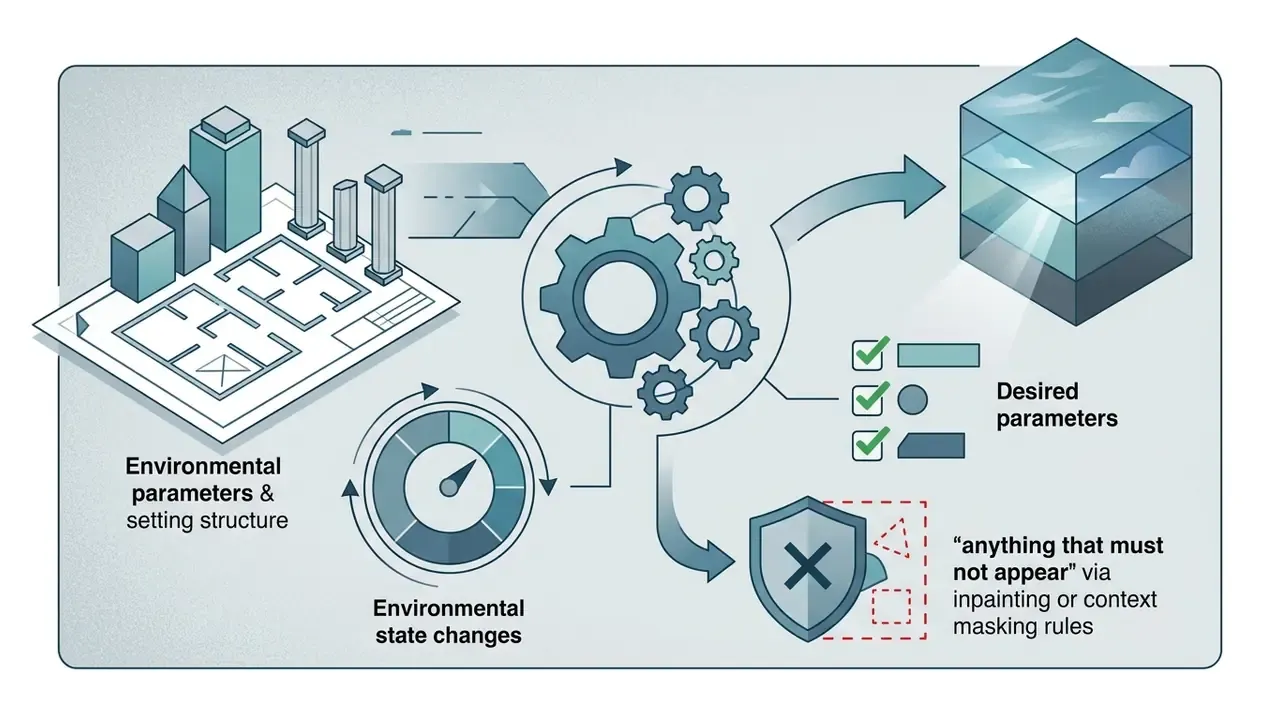
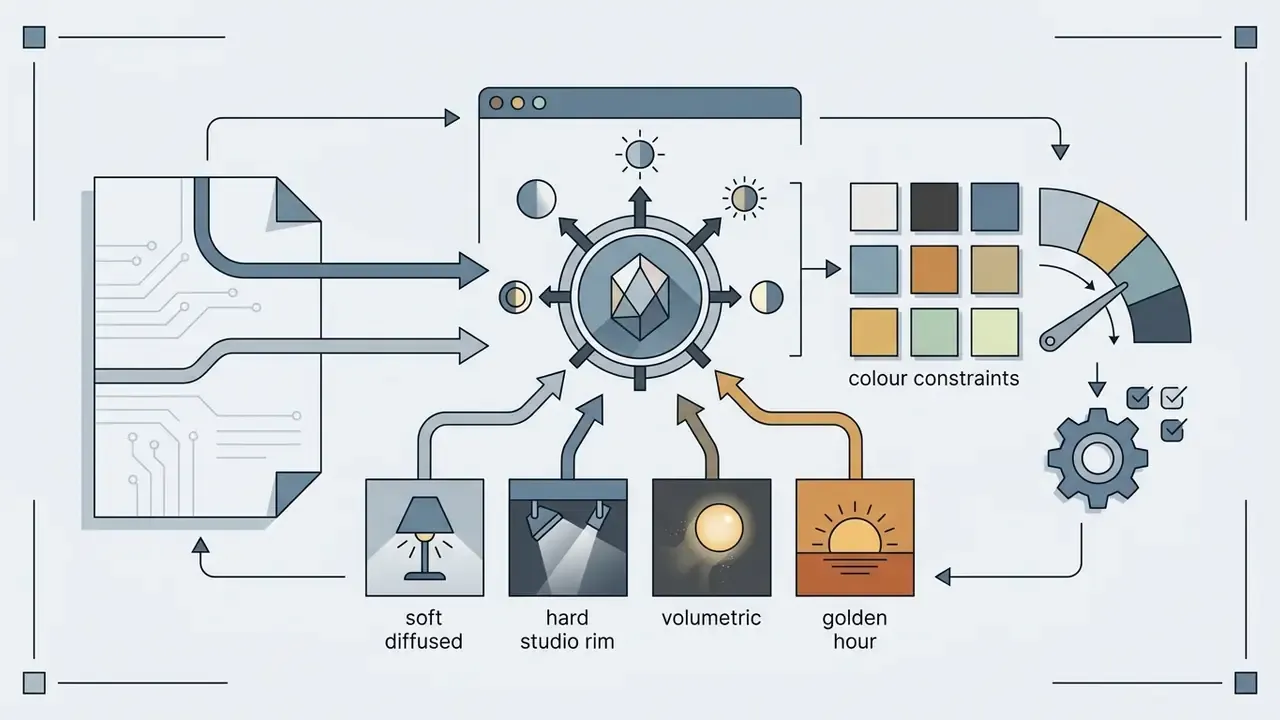
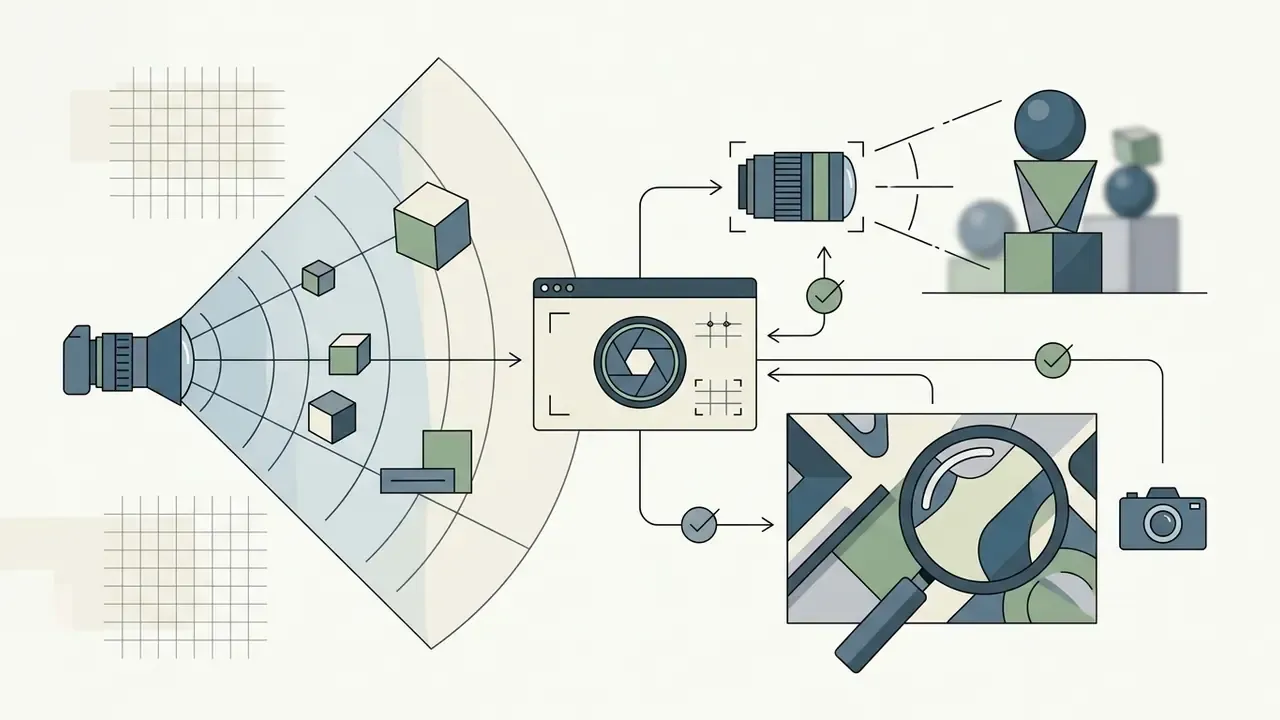
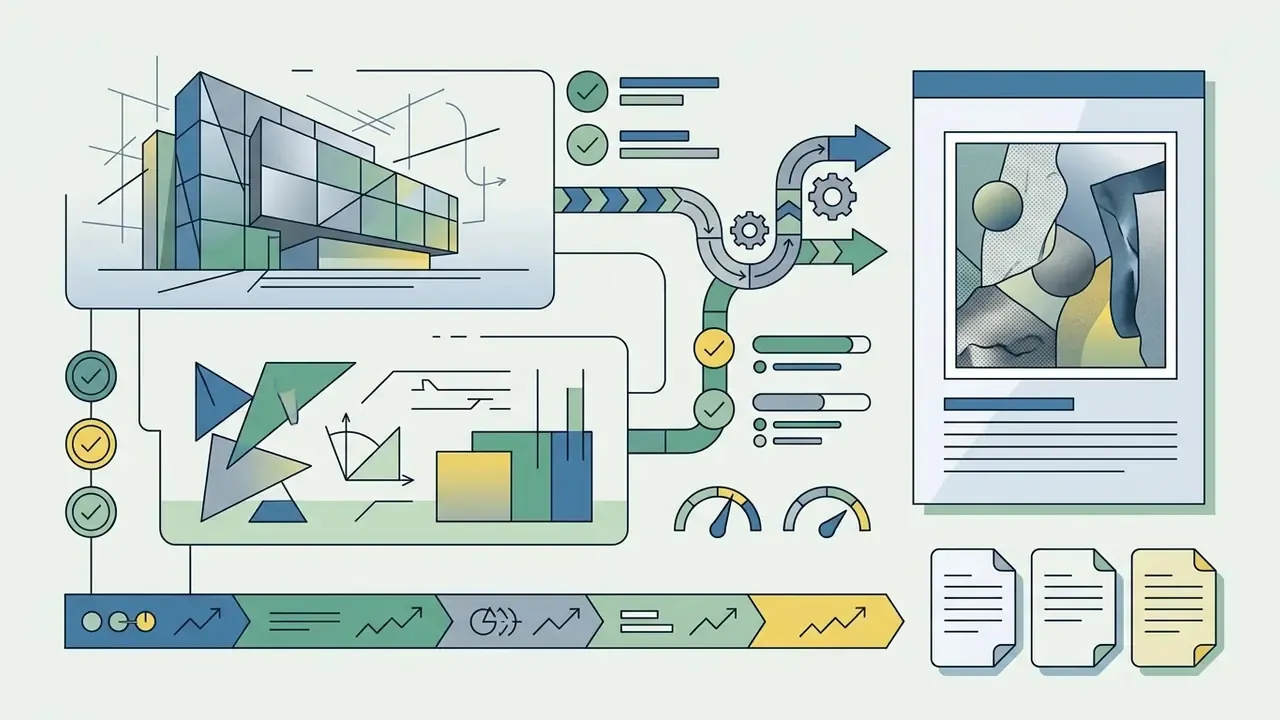
A good prompt separates visual parameters into readable components. Prompt structure research presented at ACM CHI 2024 found that effective prompts carry a core "head" (the primary concept) followed by a descriptive "tail" (stylistic and technical detail).
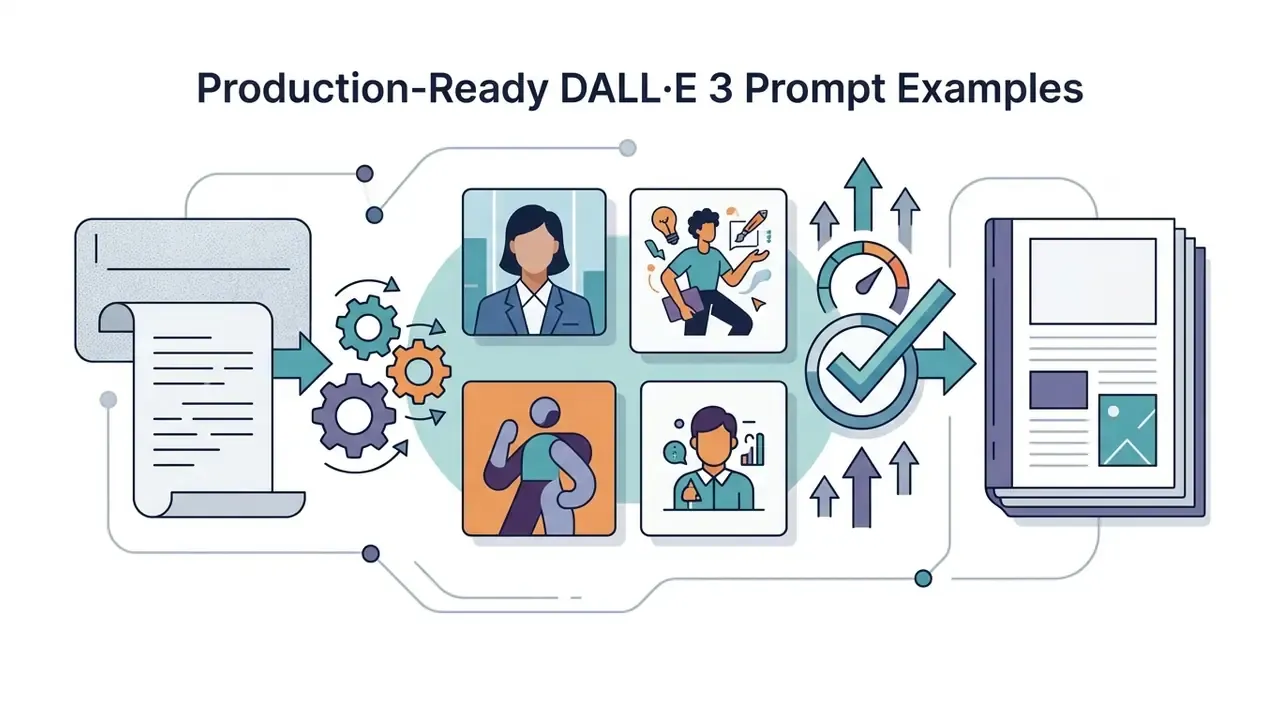
Production-Ready DALL·E 3 Prompt Examples
To turn theory into consistent assets, start from these tested recipes.
- Prompt: "A professional studio product shot of a matte black wireless headphone resting on a dark slate surface, dramatic side rim lighting, shallow depth of field, 85mm lens macro photography, highly detailed texture, 8k resolution, vivid style"
- Expected output: high-contrast commercial photography suitable for e-commerce banners, with a precise edge highlight separating product from background.
- Tuning note: if the reflection looks plastic, add "brushed matte finish, no specular blowout" rather than the word "realistic."
- Prompt: "A Victorian-era rabbit detective in a tweed coat, sitting on a wooden park bench, reading a miniature newspaper, soft morning fog, sunlight filtering through autumn leaves, detailed watercolor and ink illustration style"
- Expected output: rich narrative book illustration with controlled atmosphere and coherent material rendering across fur, fabric and paper.
- Tuning note: for a series, lock the character description verbatim and vary only the environment clause.
- Prompt: "3D geometric render of smooth glass prisms and iridescent fluid spheres floating in dark space, volumetric soft violet and teal neon lighting, clean modern tech aesthetic, smooth gradients, high-key ray tracing"
- Expected output: a clean background asset for website headers and software decks, with enough negative space for overlaid headline text.
- Tuning note: specify "large uncluttered area in the lower third for text overlay" when the asset must carry copy.
- Prompt: "A minimalist poster with the exact text "SPRING LAUNCH" in bold geometric sans-serif lettering, centered, deep navy background, single warm spotlight from upper left, subtle paper grain, editorial print design"
- Expected output: a legible typographic layout. Quoting the string is what raises character accuracy.
- Tuning note: keep rendered strings short, since accuracy degrades sharply past a few words.
How to Fix an Unsuccessful Generation Result
When output distorts or drifts from intent, refine systematically: replace abstract terms with concrete visual descriptors, or reorder the compositional clauses. Negative constraints and direct rewrites resolve most inaccuracies.
Resist the urge to bolt on quality boosters such as "photorealistic" or "stunning." They add tokens, not information. Three correction moves cover most failures.
- Exclude the defect explicitly. Phrases like "no blur, no distorted hands, no impossible geometry, no duplicated limbs" suppress recurring artifacts more reliably than generic praise words.
- Convert abstractions into visible attributes. "Cinematic" becomes "low-key three-point lighting, 2.39:1 framing, cool shadows, warm key light."
- Swap the style marker instead of stacking more. If a "digital painting" prompt renders muddy, replace it with "flat vector illustration, two-tone palette" rather than appending further adjectives.
Where one region is wrong but the composition is right, use mask-based inpainting instead of full regeneration. That preserves the approved parts of the frame and keeps the asset's revision history short. For technical analysis of visual evaluation, consult our guide on ai image description or explore automated tooling through ai image describer.
Pre-Generation Prompt Checklist
Verify each item before submitting a prompt, especially for assets that will be published.
- Subject specificity
- is the primary object or person clearly defined without abstract phrasing?
- Style or medium defined
- is a single dominant style specified, for example DSLR photo or digital illustration?
- Lighting and environment
- are light source, direction and background setting explicit?
- Composition and framing
- is the camera perspective stated, such as close-up, low-angle or wide shot?
- Aspect ratio set
- does the output dimension match the target publishing platform?
- No contradictions
- have conflicting style cues and overlapping artistic eras been removed?
- Rights screen
- does the prompt avoid named public figures, living-artist styles and trademarked logos?
- Logging
- are the prompt text, model ID and output identifier captured for audit purposes?
Can DALL·E Images Be Used in Commercial Projects?
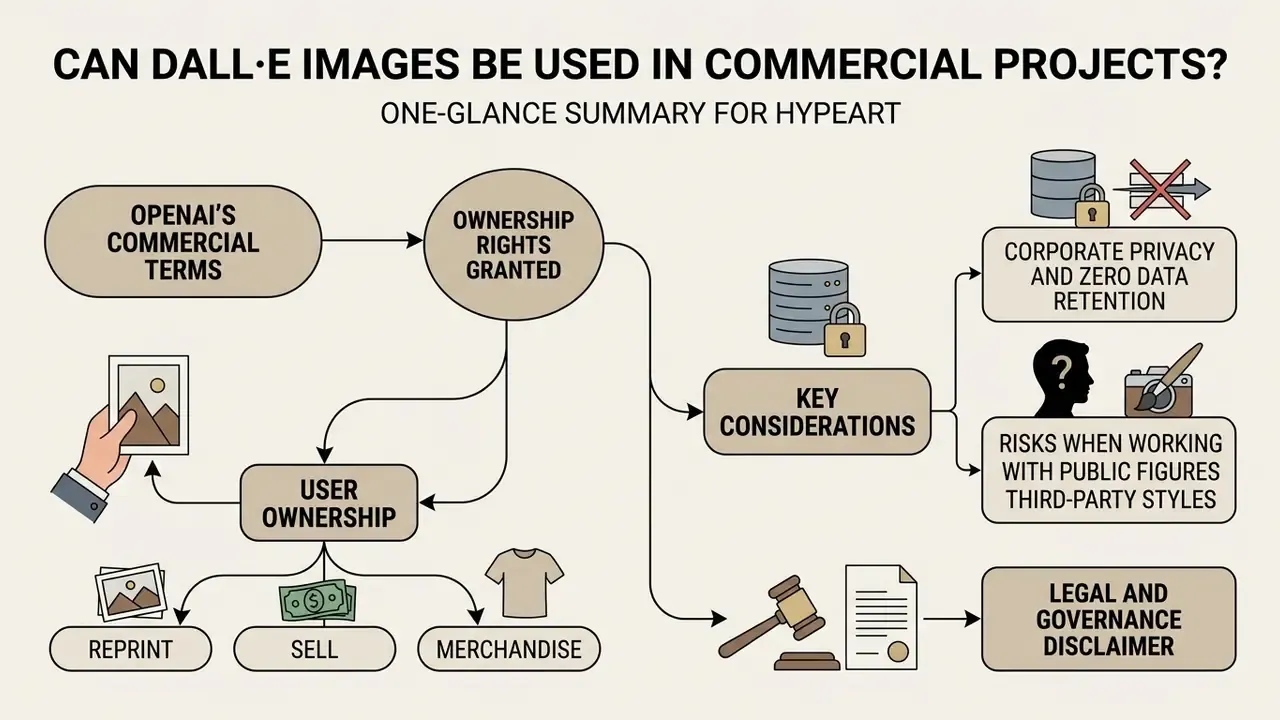
OpenAI's commercial terms grant users ownership rights to images generated through DALL·E, including rights to reprint, sell and merchandise. Commercial deployment still sits under platform content policies, copyright limitations and third-party intellectual property protections.
Commercial Use of AI Generated Images
Under OpenAI's terms of service, images generated via paid API credits or ChatGPT subscription tiers can be used in commercial marketing, product packaging and digital media. The user retains commercial usage rights "to the extent permitted by applicable law," and that clause carries real weight, because the grant a vendor can make is bounded by what national copyright regimes actually recognise. Worth noting the historical shift too: a 2022 research-preview card described DALL·E as non-commercial at that stage, which is obsolete relative to current policy.
Enforceability then varies by jurisdiction. The U.S. Copyright Office issued policy guidance clarifying that purely AI-generated visual output lacking human authorship is ineligible for copyright registration.
To establish protection, human creators must contribute substantial creative input: custom arrangement, manual editing, or combination of AI assets with original work. Registration filings must disclose AI-generated material and describe the human-authored portions, and protection attaches only to those human contributions. Several institutional marketing policies now also require visible labelling, for example captioning AI imagery as "Created using AI" near the asset. If you publish to social media at volume, decide that labelling rule once and write it into the template rather than per campaign.
This information is general in nature and does not replace advice from a qualified professional.
Corporate Privacy and Zero Data Retention
Table: data handling and legal exposure matrix by access tier
| Tier | Used for model training? | Prompt and output retention | Admin controls and logging | Suitable for confidential briefs? |
|---|---|---|---|---|
| Free consumer chat or public demo tools | Possible, depends on settings and vendor | Often indefinite, output may be public | None | No |
| ChatGPT Plus (individual) | Controlled by user data settings | Account-level history | Limited | Only for non-sensitive work |
| ChatGPT Team / Enterprise | No, training excluded by default | Configurable per workspace policy | SSO, admin console, workspace audit | Yes, with policy in place |
| OpenAI Platform API | No | Short abuse-monitoring window, ZDR available on eligible agreements | Org-level keys, rate limits, self-built logging | Yes, with logging and key hygiene |
| Unofficial third-party wrapper | Unknown, vendor-dependent | Unknown, possible public feed | None or opaque | No, classify as shadow AI |
Risks When Working With Public Figures and Third-Party Styles
Generating images of identifiable public figures, corporate logos or the distinctive style of a living artist creates right-of-publicity, trademark and copyright exposure. DALL·E 3 ships guardrails that decline named public figures and prompts imitating living artists, and OpenAI's policies additionally prohibit editing or creating images of real individuals without explicit consent, along with impersonation, harassment and fraud. Public figures can request exclusion from generation.
"Following the U.S. Supreme Court's decision in Warhol v. Goldsmith (2023), commercial use of imagery imitating protected styles fits poorly within the fair use doctrine."
Guardrails are not a compliance substitute. OpenAI's own DALL·E 2 system card acknowledged that the model could produce trademarked logos and copyrighted characters, and that filtering approaches were still under evaluation. So organisations using these AI tools should add verification controls, including a reverse-image screen on high-visibility assets. Our overview of AI reverse-image-search tools covers that step in detail.
For regulated advertising, that finding converts into a concrete control. Any campaign depicting people should pass a representation review before release, because prompt wording alone cannot be evidenced as a mitigating control. You can review detection mechanisms on our ai image detector page, and track case law and enforcement developments in our litigation coverage, where you can explore the hub.
Legal and Governance Disclaimer
This document provides educational information about AI model capabilities and terms of use. It does not constitute legal, compliance or regulatory advice. Copyright rules for AI-generated content vary across jurisdictions, and vendor terms change between releases. Commercial operators should consult legal counsel on copyrightability, right-of-publicity risk, indemnification scope and disclosure requirements before deploying AI visual assets in campaigns.
Model Risk Management, Provenance and Audit Readiness
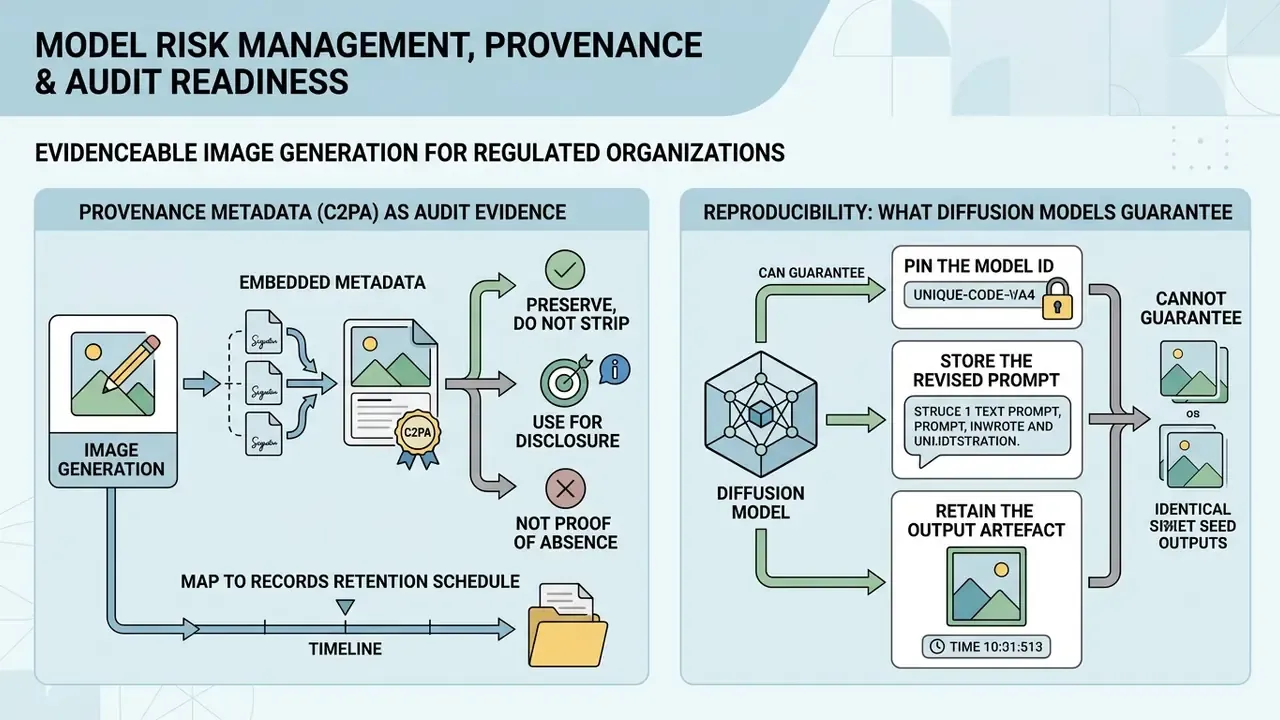
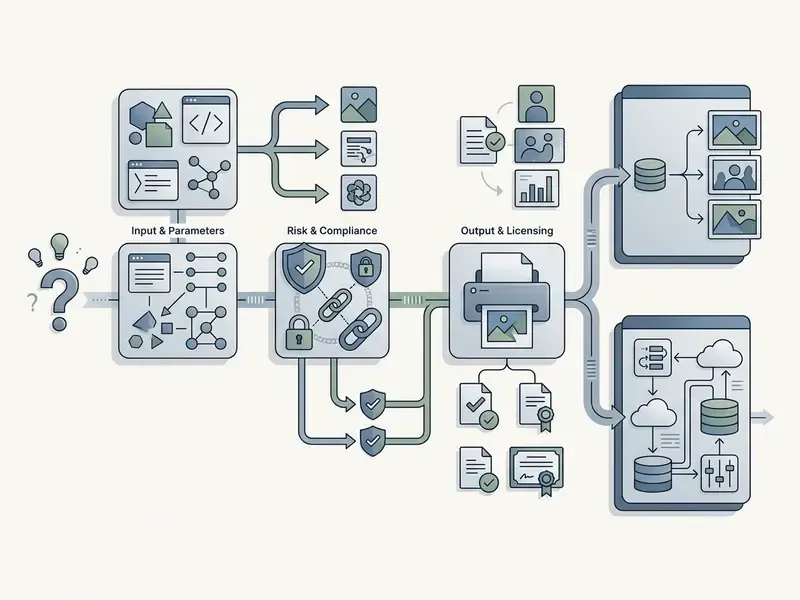
For a regulated organisation, the question is rarely "can we generate an image." It is "can we evidence how that image was produced." Generative visual pipelines therefore need the same three artefacts as any other model-assisted process: version control, provenance and a reviewable log.
Provenance Metadata (C2PA) as Audit Evidence
Reproducibility: What Diffusion Models Can and Cannot Guarantee
Minimum Logging Protocol for Generated Visual Assets
Shadow AI: Third-Party Wrapper Risk Register
Table: risk register for unofficial DALL·E wrappers and free web generators
| Risk | Mechanism | Control |
|---|---|---|
| API key exposure | Wrapper stores corporate keys server-side or in client code | Issue scoped project keys, rotate on schedule, never paste keys into third-party UIs |
| Confidential prompt leakage | Unreleased product names or campaign strategy typed into a logging service | Prompt-classification policy, approved-tool allowlist |
| Public output feeds | Free tiers publish generations to a community gallery by default | Prohibit free-tier tools for pre-launch assets, verify privacy defaults in writing |
| Unknown model provenance | "DALL·E 4" style branding masking an unrelated open-weight model | Require disclosed model IDs, reject undocumented engines in vendor due diligence |
| Licence ambiguity | Wrapper terms claim a licence-back or restrict commercial use on free plans | Legal review of intermediary terms before commercial publication |
| Inventory gaps | Teams adopt tools outside procurement, so generation is invisible to governance | Add image endpoints to the AI system inventory, monitor egress to known generator domains |
What Business Tasks the DALL·E AI Image Generator Suits
This ai art generator dall e workflow fits marketing creative variants, social media visuals, blog headers, product mockups and conceptual backgrounds. It enables rapid visual prototyping and reduces reliance on stock photography libraries. Teams still weighing engines can start from our comparison of AI art generators and narrow by licence terms rather than by sample gallery quality alone.
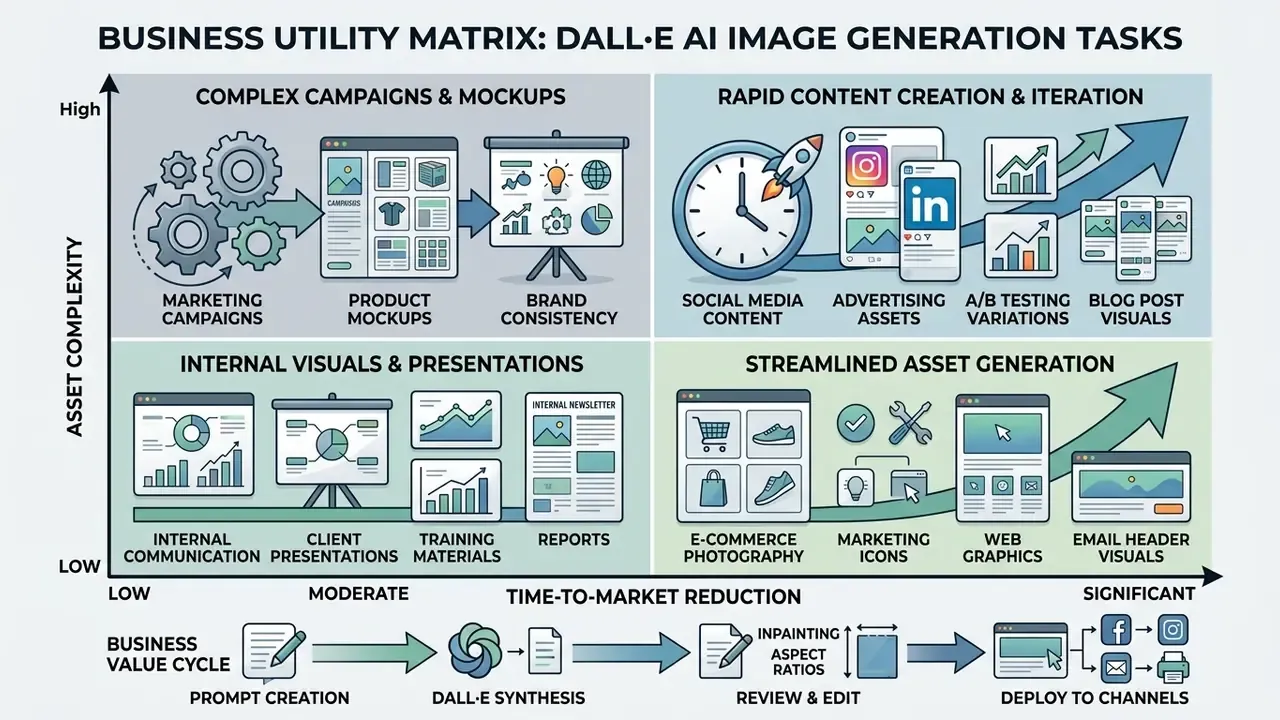
Beyond marketing, documented application clusters include editorial and publishing illustration, e-commerce lifestyle scenes and packaging concepts, educational diagrams, architectural and interior mood boards, agency pitch-deck ideation, and pre-production concept art for games and film. What unites the successful cases is scope. Generative imagery performs where interpretation is acceptable, and underperforms where pixel-accurate fidelity to a physical object is legally or commercially required.
Product Images, Backgrounds and Creative Assets
For product and e-commerce teams, the model generates background environments, packaging mockups and early design concepts. It does not replace pixel-accurate physical catalogue photography, but it does give flexible background generation for marketing assets.
One illustrative case: a fintech visual design team evaluated generative tools for website UI mockups. By generating abstract 3D backgrounds through structured text prompts, they produced a batch of localised banner variants inside a short sprint and reduced dependence on external design contracting while holding brand consistency. The exact asset count and cost delta are internal, unaudited figures from a single engagement, presented as an illustration of workflow shape rather than a benchmark. To analyse competing platforms, open the hub, or review structured terminology in our glossary.
Regulated-Sector Example: Financial Services Visual Production
A retail banking marketing function adopting generative imagery meets three constraints consumer brands do not. Product claims must be substantiated. Depictions of customers must avoid implying guaranteed outcomes. Brand assets must match an approved palette and typography system. A workable control pattern looks like this.
- Prompt templates with locked brand clausespalette hex values, lighting tone and prohibited elements (no currency symbols implying returns, no depiction of identifiable individuals) written into a reusable template.
- Abstract-first policygeometric, architectural or material-texture backgrounds instead of synthetic humans, which removes both representation-bias and right-of-publicity exposure from most assets.
- Two-stage reviewbrand review for visual conformity, then compliance review for implied claims, with both sign-offs logged against the asset hash.
- No synthetic documentsa hard prohibition on generating anything resembling statements, cards or identity documents, enforced at prompt-review stage rather than trusting model refusals.
The efficiency benefit in this pattern comes from background and layout iteration, not from replacing regulated creative judgement. Worth being blunt about that, since ROI cases sometimes assume otherwise.
Workflow Automation via API and No-Code Platforms
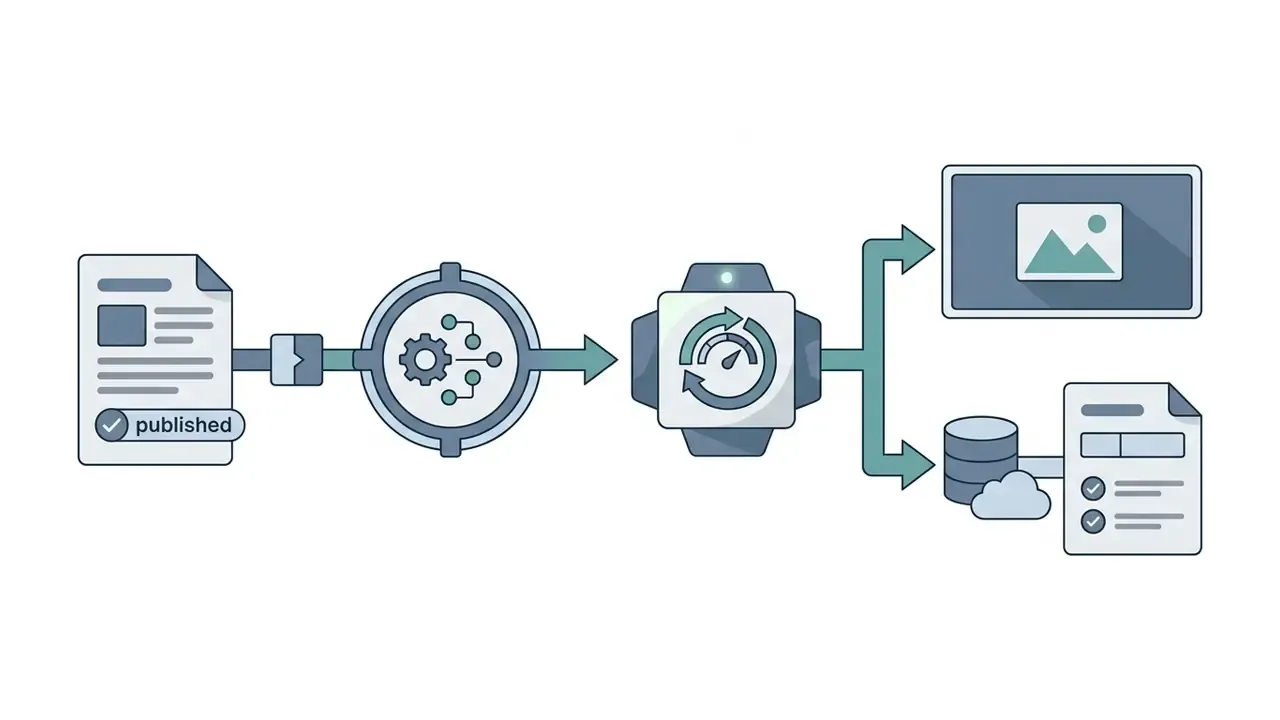
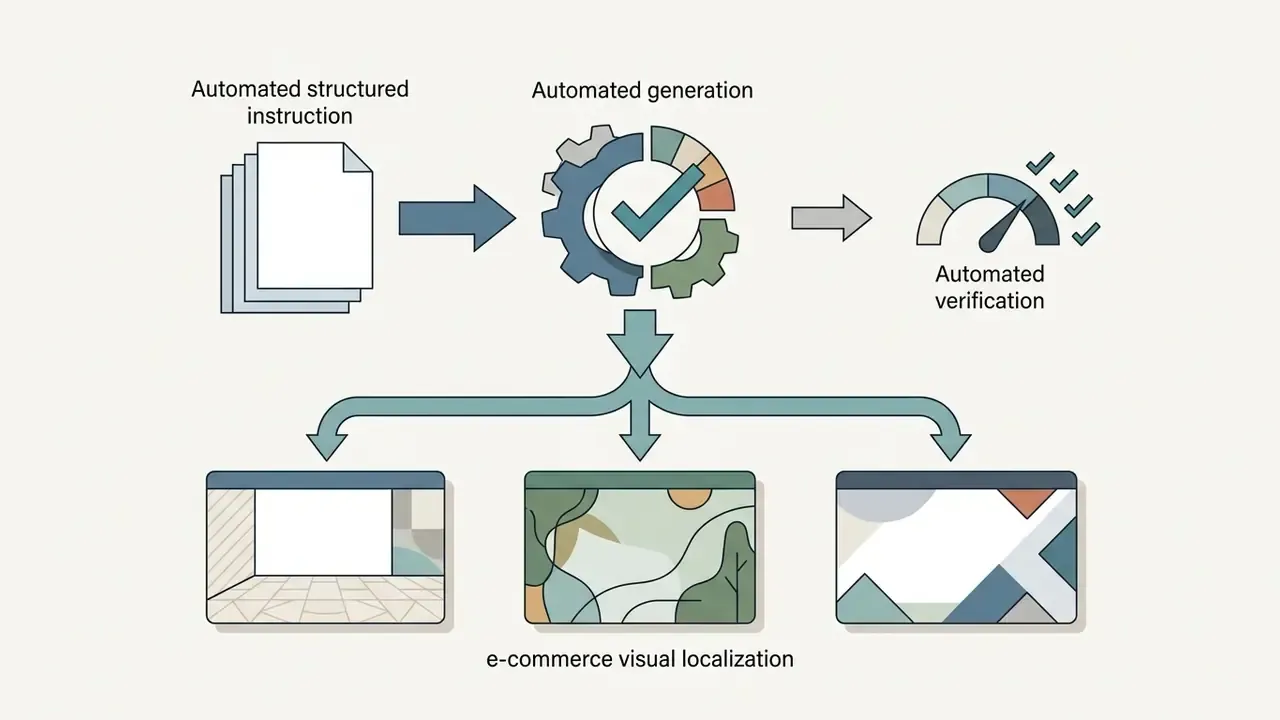
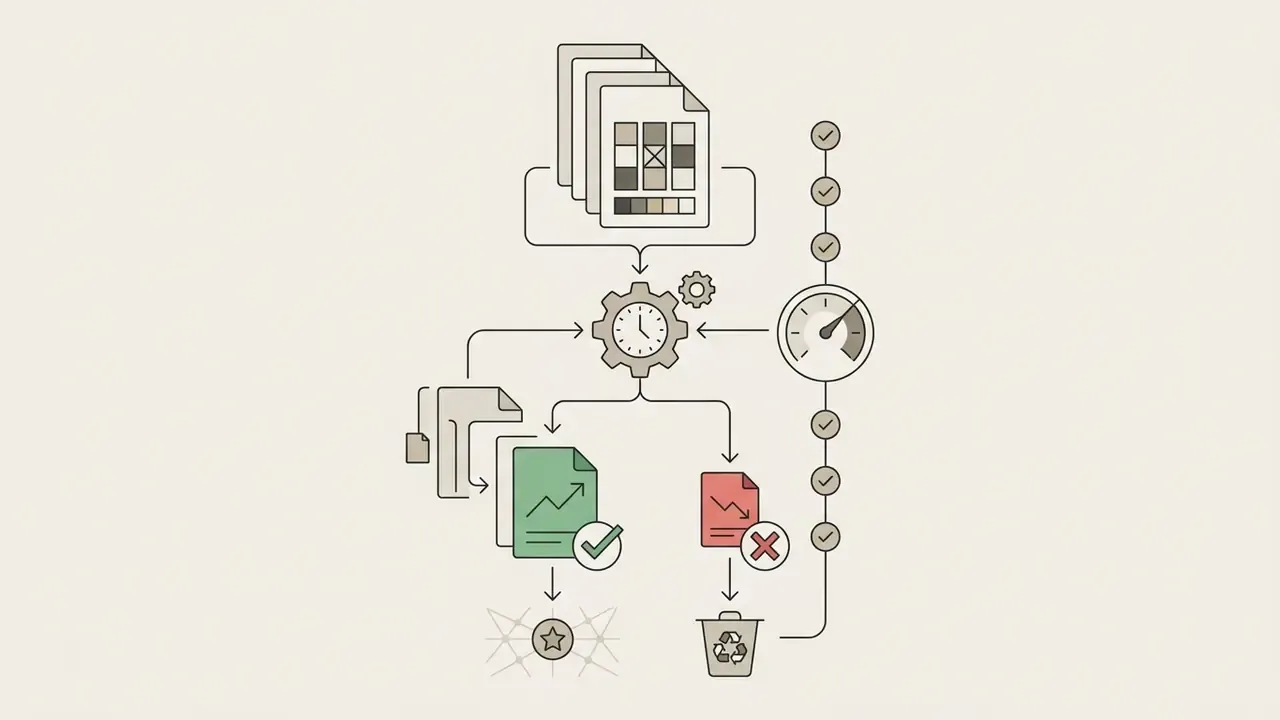
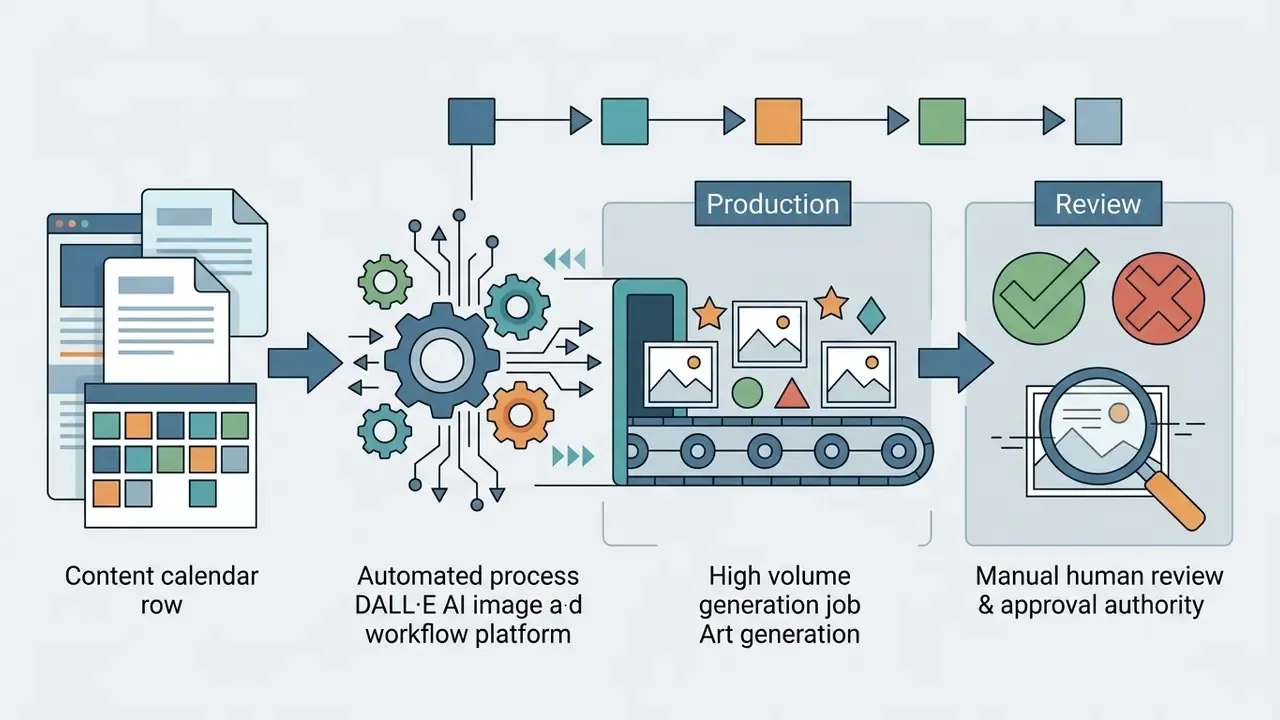
Beyond manual generation, enterprise marketing stacks wire image endpoints directly into content pipelines.
Two governance conditions apply to every automation. The service account key must be scoped and rotated, and every automated generation must write to the same log schema as manual work. Unlogged automated output is the fastest route to an unexplainable asset in an audit. For pipeline planning across adjacent media types, open the hub of implementation guides.
FAQ: Frequently Asked Questions About the DALL·E AI Image Generator
Are DALL·E and the "Wall-E AI Image Generator" the Same Thing?
No. DALL·E is an AI text-to-image neural network built by OpenAI, and our breakdown of the ChatGPT picture generator explains how it now appears inside ChatGPT. WALL·E is a fictional Pixar character, the 2008 "Waste Allocation Load Lifter Earth-Class" robot. Searches for an ai art generator wall e come from confusion over the model's name, which OpenAI formed by combining Salvador Dalí with Pixar's WALL·E. Check the model ID, not the spelling in the search box.
Why Do Some Generated AI Images Look Unrealistic or Distorted?
Unrealistic results appear when prompts lack detail on lighting, spatial relationships and material texture, or when the request exceeds the model's physical commonsense reasoning, the area where the Commonsense-T2I benchmark recorded 48.92% accuracy for DALL·E 3. Refining with concrete camera angles, explicit object positions and clear environmental context fixes most rendering errors. Masked inpainting fixes the rest without discarding a good composition. Queries phrased as ai generated art dalle problems usually resolve at the prompt level, not the model level.
Can I Generate Images With Text Rendered on Them?
Yes. DALL·E 3 supports direct text rendering inside generated images. Enclose the exact target words in quotation marks and specify font style, colour and placement on the canvas. Keep strings short, since accuracy degrades with length, and proofread manually before publication. Any ai drawing generator dall e workflow that ships typographic assets needs that manual spell check as a formal step.
How Does Text Rendering Differ Between DALL·E 2 and DALL·E 3?
DALL·E 2 handled in-image typography poorly. Lettering emerged as glyph-like noise, words were misspelled, and layouts collapsed past a few characters. DALL·E 3 changed that materially. OpenAI described it as able to render intricate details including text, hands and faces more reliably, and quoting the exact string now steers character accuracy. Two further differences matter in production: DALL·E 2 output was square only, at 256×256, 512×512 and 1024×1024, while DALL·E 3 added rectangular 1792×1024 and 1024×1792 formats plus vivid and natural style control. In short, DALL·E 2 was usable for abstract imagery and unsuitable for typographic assets. DALL·E 3 and the successor GPT-image models made short in-image headlines viable, though not proofread-free.
Which Model Should Developers Call Today?
OpenAI issued a deprecation notice for dall-e-2 and dall-e-3 in November 2025 and removed those endpoints from the API on 12 May 2026, directing developers to gpt-image-2, gpt-image-1 or gpt-image-1-mini. The dedicated DALL·E GPT inside ChatGPT was retired on 30 August 2026, with image creation and editing consolidated into ChatGPT Images. Microsoft's Foundry documentation separately records DALL·E 3 as retired for new deployments from 4 March 2026. Practical guidance: build against current GPT-image model IDs, keep the model ID in configuration rather than hard-coded, and re-test prompt libraries after each migration, because prompt-rewriting behaviour and quality tiers differ between generations.
Are Free AI Image Generators Safe for Confidential Commercial Projects?
Generally no, unless the vendor documents its retention policy. Free web generators commonly publish output to a public feed, log prompts for product improvement, or reserve licence rights on no-cost plans. For pre-launch products, unreleased naming or client-confidential campaigns, use an enterprise workspace or your own API key with a documented retention posture, and classify everything else as shadow AI.
How Do We Put Generated Imagery Into the AI Inventory?
Treat each image endpoint as a system entry, not as a creative tool. Record the owner, the approved use cases, the model IDs in use, the data classification permitted in prompts, the review step before publication, and the escalation path when an output breaches policy. Then add a shutdown mechanism: a documented way to revoke the key and pause the pipeline without waiting for a vendor. No evidence, no autonomy. That principle applies to a banner generator just as it applies to a credit model, even though the risk magnitude differs by orders.
Where Can I Find Industry Comparisons of Image Generation Tools?
To compare generative visual tools across quality benchmarks, pricing and commercial terms, start from the ranked list of AI art generators and the free-tier equivalent, free AI art generators, or browse commercial-use licensing guides. You can also monitor releases on our ai image editing news page, and check cost limits on no-cost tools in the guide to free photo editors.
Editorial Methodology and Verification Notice