Executive Summary
- Two workflows, two use cases.Text-to-image builds a Ghibli-inspired scene from a written prompt. Image-to-image (photo-to-Ghibli) restyles an uploaded photo while preserving composition and facial geometry. No source photo means text-to-image; an existing photo means image-to-image.
- Model choice matters more than platform branding.Flux.1, Midjourney v6 / Niji 6, DALL·E 3 (via ChatGPT) and SDXL with a Ghibli LoRA produce measurably different line quality, palette accuracy and identity retention. A denoising strength of 0.35 to 0.45 is the practical sweet spot for recognizable avatars.
- Style is generally not protected; characters and marks are.U.S. guidance requires meaningful human authorship for copyright protection, and the EU IP Helpdesk states that style as such is not protected. Reproducing Totoro, No-Face, Calcifer, film titles or the Studio Ghibli name in commercial contexts still creates real copyright and trademark exposure.
- Free tiers are usable but constrained.Expect 1024×1024 exports, daily or monthly credit caps (12 to 150 credits depending on vendor), watermarks or invisible provenance metadata (C2PA, Google SynthID), and personal-use-only licensing on most free plans.
- Treat uploads as a data-governance event.Employee headshots, family photos and client imagery uploaded to unverified converters are a Shadow AI and privacy risk under GDPR/CCPA-style regimes. Verify retention and training-opt-out terms first.
How to Use This Guide
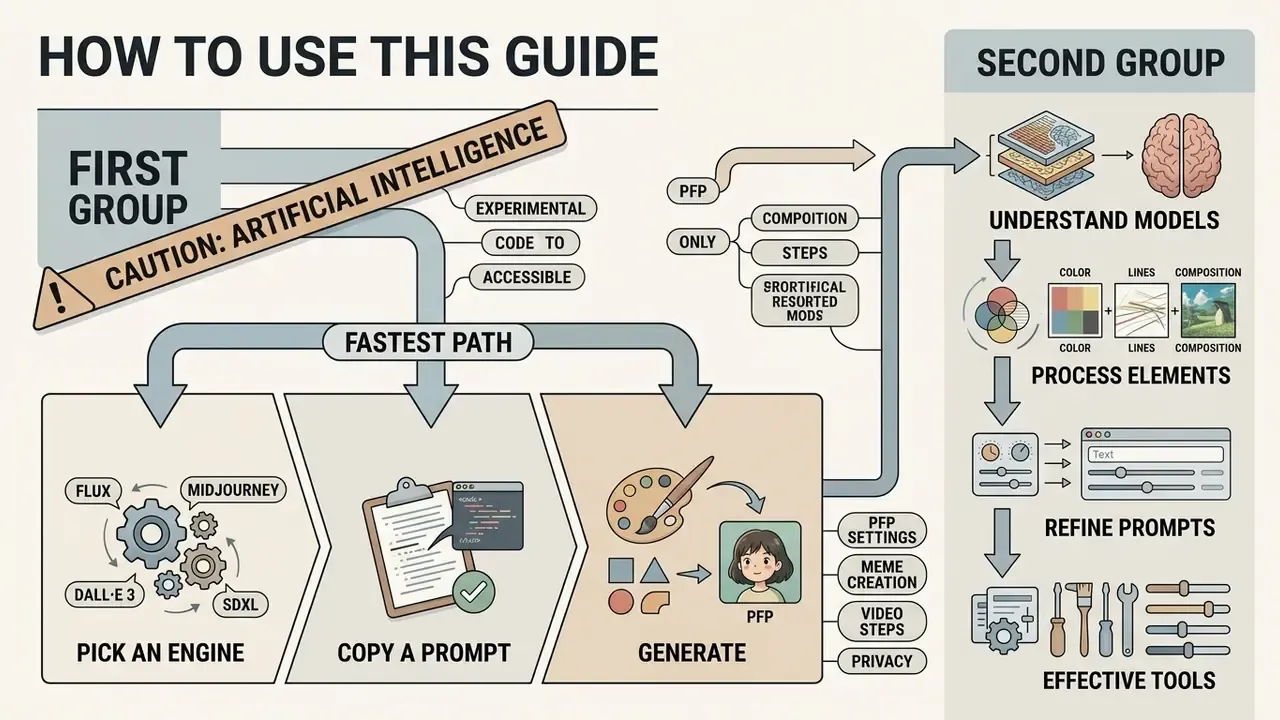
This is written for two readers at once. The first is a creator who wants a usable free ai ghibli style image generator and a prompt that works on the first or second try. The second is the person who has to approve that tool for a team: a marketing lead, a brand owner, or a risk function that inherited "creative AI" as a control question.
If you are in the first group, the fastest path runs through three things: pick an engine, copy a prompt template, set style strength. If you are in the second group, start at the licensing and privacy material, then come back for the technical settings. Both paths are covered below, in that order.
One caution worth stating early. A Ghibli-style converter looks like a toy and behaves like a data pipeline. Photos go out, files come back, and rights questions attach to whatever gets published. That is the whole reason this guide carries a review line at all.
Generating stylized artwork with artificial intelligence has shifted from experimental code to accessible web interfaces. A ghibli style image generator ai transforms standard text prompts or personal photographs into illustrations that mimic the hand-drawn aesthetic of classic anime feature films.
Understanding how these models process visual elements helps users select effective tools, refine prompts, and navigate intellectual property considerations before publishing or monetizing generated assets. This guide covers the technical pipeline, prompt architecture, platform economics, mobile workflows, animation options, privacy controls, and the legal boundary between style and protected expression.
What Is a Ghibli Style Image Generator AI?
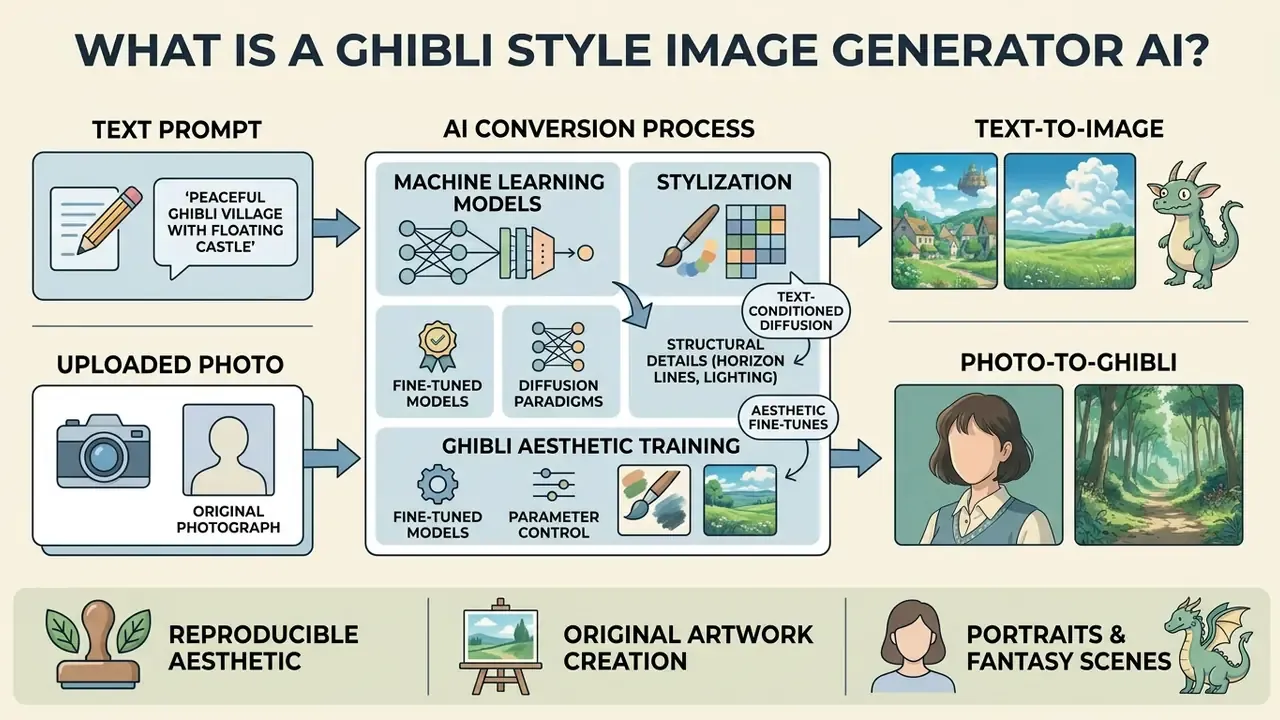
A ghibli style image generator ai is a specialized machine learning system that synthesizes new artwork or converts existing images into an aesthetic inspired by Studio Ghibli films. These models rely on deep neural networks trained on paired text descriptions and stylized image datasets to map concepts like soft lighting, natural palettes, and painterly backgrounds into pixel outputs.
Modern platforms operate primarily through two workflow paradigms: text-conditioned diffusion and image-to-image style transfer. Early systems required custom local installations. Web-based software now offers an ai studio ghibli filter free online that executes inference on cloud GPUs in seconds. Before committing to a single interface, it is worth comparing general-purpose AI image generators against Ghibli-specific converters, since the underlying model, not the wrapper, determines output quality. These platforms let creators explore the hub for creative workflows while testing different generation modalities.
Open-weight fine-tunes made the aesthetic reproducible long before it went viral. The Ghibli-Diffusion model card, for example, documents a Stable Diffusion checkpoint fine-tuned on Studio Ghibli feature-film frames, with the instruction to include the trigger phrase ghibli style in every prompt. That is useful evidence: the "style" in these tools is an explicitly trained conditioning signal, not a vague filter applied after the fact.
Text-to-image: create Ghibli-inspired scenes from a prompt
Text-to-image generation creates original artwork entirely from written descriptions without requiring an initial source photo. The underlying ai image generator starts with Gaussian noise and iteratively denoises the latent space, guided by text embeddings to construct a cohesive composition. No need for an upload, a scan or a reference file at all.
When users prompt an ai ghibli style generator, specifying structural details like horizon lines, lighting direction, and character placement improves output stability. Research on prompt engineering demonstrates that combining subject terms with explicit style modifiers ("hand-drawn watercolor background," "soft natural lighting") produces higher stylistic alignment than generic inputs.
«Prompts containing explicit style keywords yield markedly more consistent outputs than vague descriptions, across an experiment spanning 5,493 generations and 51 distinct styles.»
This is the mode to use for portraits, landscapes, invented characters and fantasy scenes that never existed in front of a camera. Creators seeking specialized assets can also review an ai rendering generator to compare how different model architectures handle architectural and environmental rendering.
Photo-to-Ghibli conversion: turn an uploaded image into art
Photo-to-Ghibli conversion takes an uploaded file and applies an ai photo to ghibli style generator pipeline to restyle the image while maintaining structural geometry. This process relies on image-to-image diffusion or neural style transfer, which separates content representations from surface texture and color distributions. Readers evaluating this class of tooling can compare dedicated image-to-image generators by identity retention and edit precision.
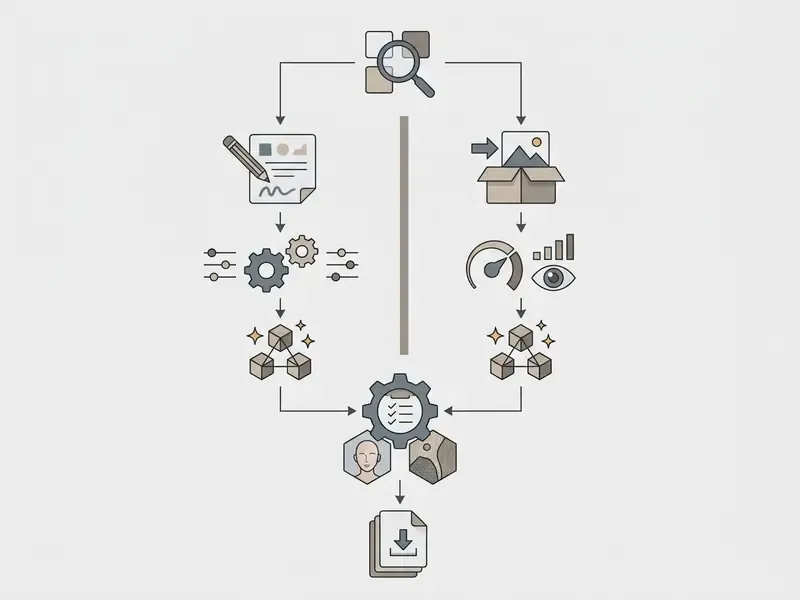
In an image-to-image workflow, the system uses the source photo as a structural boundary. For example, when transforming a pet photo or a portrait, an ai filter ghibli preserves key feature coordinates (eye distance, facial contour, background positioning) while remapping skin tones and line work into simplified, painterly forms. Identity retention is typically exposed to the user as a single slider, labelled style strength, denoising strength or preserve original depending on the vendor. Control modules such as ControlNet, IP-Adapter and LoRA adapters are what make that retention reproducible across a batch rather than lucky on one file. To clean up source images before stylization, creators frequently use an ai remove background tool to isolate subjects from noisy environments.
What Makes an Image Look Ghibli-Inspired?
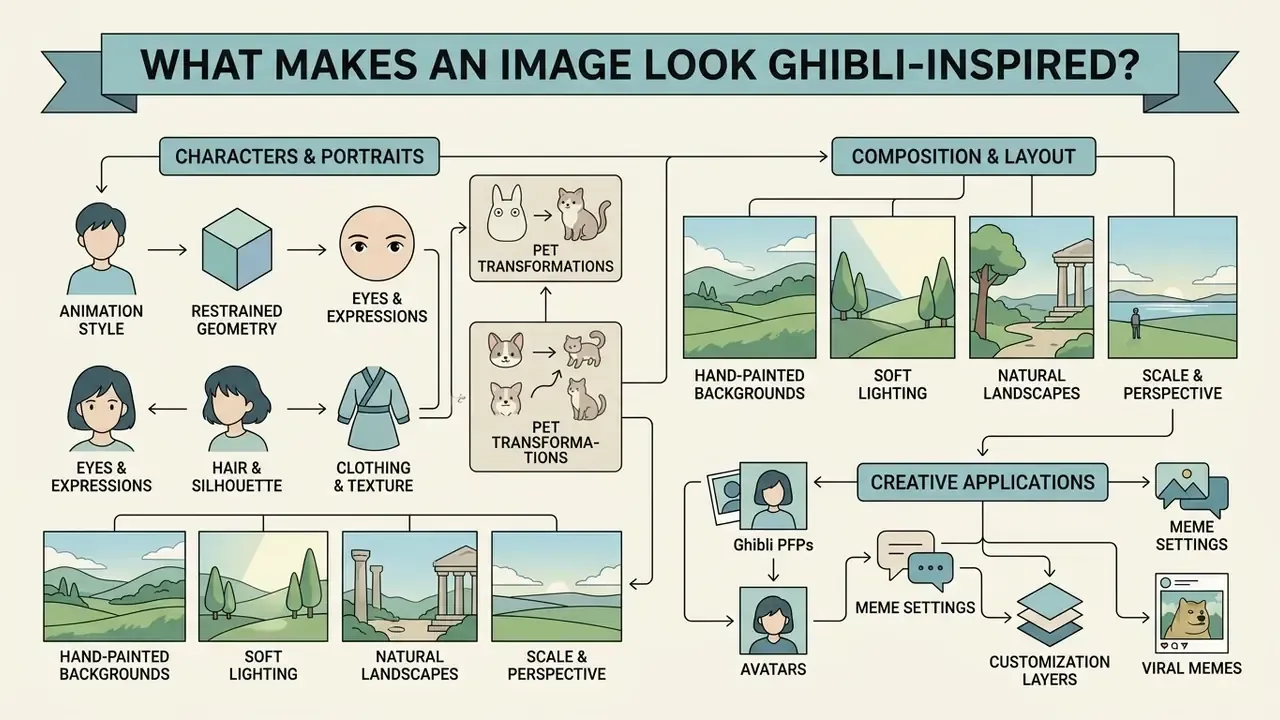
The visual language associated with Ghibli-inspired artwork is defined by a distinct combination of hand-painted background techniques, restrained character geometry, and naturalistic lighting. Rather than relying on hyper-realistic textures or high-contrast digital gloss, ghibli style art emphasizes painterly textures reminiscent of gouache and watercolor mediums.
Understanding these artistic markers allows users to construct more effective prompts and evaluate whether an ai ghibli platform accurately captures the target aesthetic. When building specialized catalogs, teams can see the overview of design tools to evaluate style-transfer capabilities across different engines.
Characters, portraits and pet photos in an animation style
Character design in classic ghibli films balances expressive facial features with simplified line work. When processing a portrait or a selfie, a free ai photo to ghibli style converter adapts facial geometry to reflect traditional anime proportions without distorting personal identity.
- Eyes and expressions large, expressive eyes with subtle reflections, paired with simplified noses and clean mouth lines. Expression reads through micro-changes in eyebrow position and mouth corners rather than broad cartoon exaggeration.
- Hair and silhouette hair is rendered in broad, soft clumps rather than individual detailed strands, emphasizing overall silhouette movement.
- Clothing and texture outfits feature simplified folds, soft shadows and organic fabric textures rather than dense digital patterns. Only key seams or stitching survive the simplification.
- Pet transformations animals retain their original pose and facial markings but receive soft linework, expressive eyes and stylized fur texture.
When generating a profile picture or avatar, setting moderate style strength prevents the model from erasing distinguishing facial traits. Push the slider too far and you get a generic anime face wearing your haircut.
Landscapes, lighting and storybook atmosphere
Environmental design is a central pillar of magical ghibli aesthetics. Landscapes feature vast natural environments, soft cloud formations and atmospheric depth that evoke quiet nostalgia. Academic analysis of the studio's output frames these environments as deliberate world-building: hand-crafted natural space that carries narrative weight, with small figures placed inside expansive scenery.
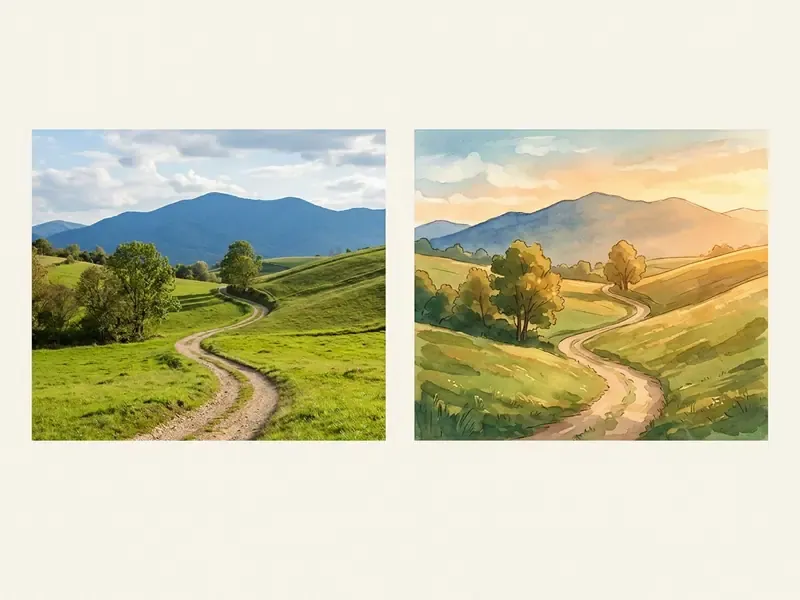
To achieve a stunning ghibli landscape, generative models emphasize diffuse daylight, golden-hour warmth and muted earthy greens and sky blues. Research into diffusion-based cartoonization shows that normalizing high-frequency spatial noise lets models reproduce smooth color gradients while preserving underlying scene geometry.
«CartoonDiff splits the reverse diffusion process into a semantic phase and a detail phase, normalizing high-frequency signals to reproduce smooth colour gradients without retraining.»
There is a practical corollary. Landscape prompts tolerate vagueness far better than portraits do, because nobody checks whether a rice terrace looks like itself. Faces are audited by the person in them.
How to Create a Ghibli Style Image Online
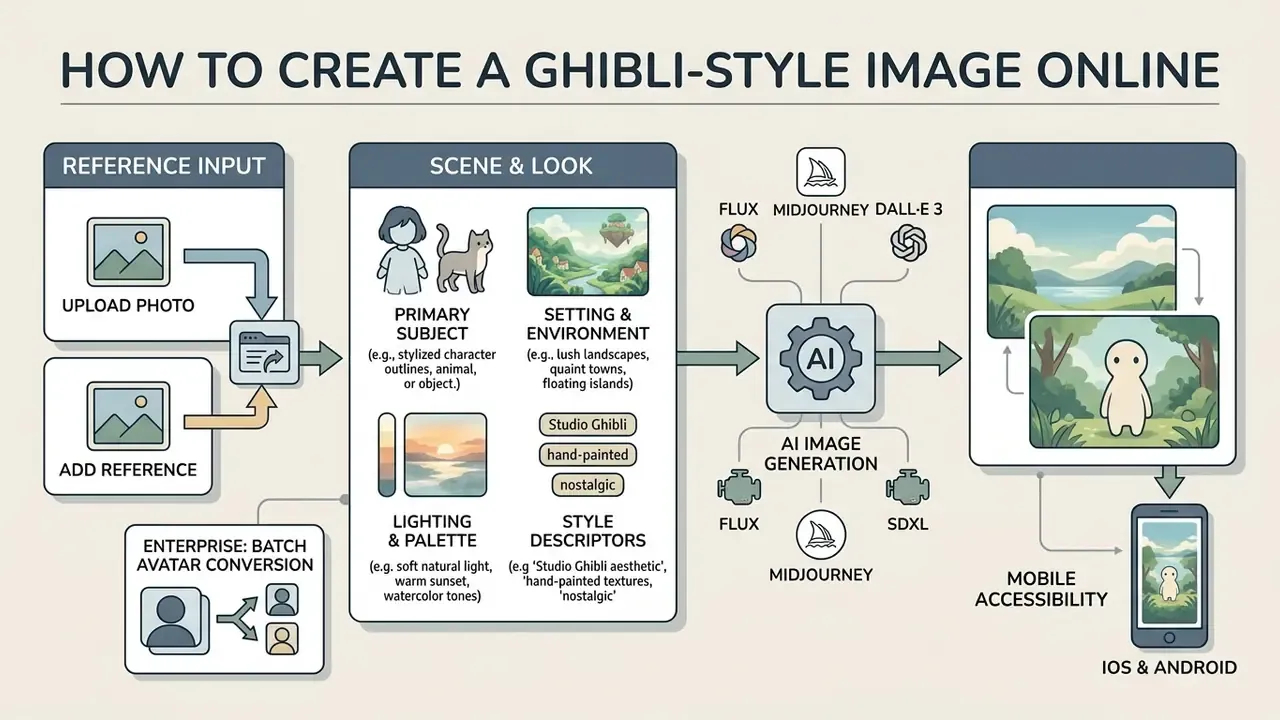
Creating stylized images with a free online ghibli image generator requires a structured approach to input preparation, prompt construction and output validation. A standardized workflow minimizes unwanted visual artifacts and reduces the number of generation attempts needed.
- Select input mode.Choose Text-to-Image for new concepts or Photo-to-Ghibli for transforming existing files.
- Upload or prompt.Upload a clear, well-lit source photo, or draft a structured prompt specifying subject, setting, lighting and style keywords.
- Configure model settings.Select the Ghibli style preset, set image dimensions, and adjust guidance or style strength for image-to-image work.
- Execute generation.Run the model and review the resulting variations against your visual requirements.
- Refine and export.Apply targeted edit passes if necessary, then export the final image in high resolution.
Upload a photo or add a reference image
When using an image-to-image workflow, source quality directly dictates output clarity. To ensure the ghibli ai generator accurately interprets facial features or background elements, select photographs with balanced lighting and clear subject separation. Practical vendor guidance converges on a minimum of roughly 1000×1000 pixels for portraits and pets, with a centered, well-lit subject. Just upload, in other words, is only half the instruction.
Avoid low-resolution source files, heavy compression artifacts, or overly cluttered backgrounds. If an input photo contains unwanted text overlays or watermarks, using an ai remove text from image tool before stylization prevents the model from reading text fragments as background noise and baking them into the painting.
Describe the scene and select the Ghibli-style look
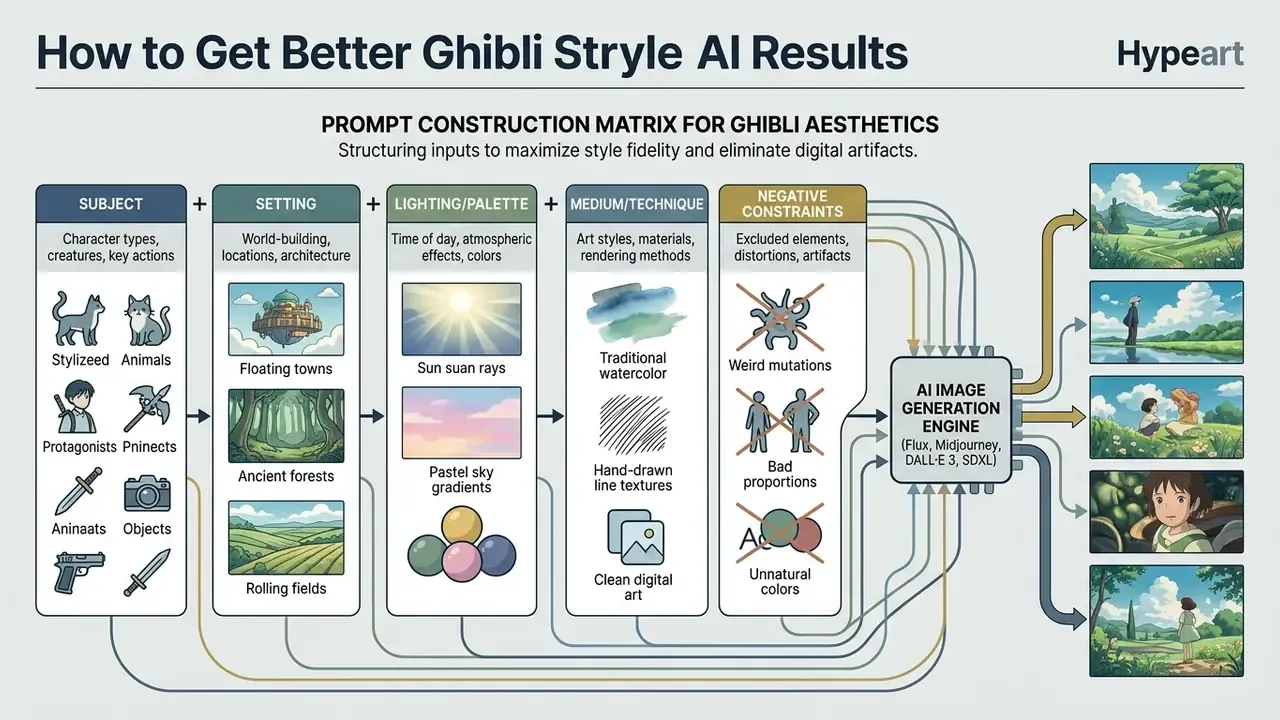
For text-to-image generation, prompt structure determines how effectively the model navigates its latent space. Effective prompts separate core subject matter from environmental and stylistic descriptors.
A complete prompt structure includes:
- Primary subject"A young botanist wearing a wide-brimmed hat"
- Setting and environment"inside a glass greenhouse filled with overgrown tropical plants"
- Lighting and palette"dappled sunlight filtering through glass, warm golden hour, soft pastel colors"
- Style descriptors"Studio Ghibli animation style, hand-drawn watercolor background, painterly cel shading"
Combining these elements helps the ai ghibli style generator build a cohesive scene without hallucinating conflicting visual details. Automated tooling can extend the same logic further:
«PRISM uses large language models to iteratively refine prompts against reference images, achieving faithful style reproduction across multiple generators.»
Generating Ghibli art on smartphones (iOS and Android)
Most cloud converters are browser-first, which means a mobile browser on iOS or Android hits the same inference endpoint as a desktop session. No app install required. Three mobile-specific adjustments improve results:
- Shoot or select in portrait 4:5, then crop to 1:1 or 2:3 before upload. Phone photos are often 4032 px wide; downscaling to about 1500 px on the long edge before upload reduces failed uploads on metered connections without harming output quality.
- Disable computational-photography effects where possible. Aggressive HDR, beauty filters and night-mode compositing introduce halo artifacts that diffusion models read as texture and amplify into smeared linework.
- Watch file-format conversion. iPhones export HEIC by default. Several converters accept HEIC, JPG, JPEG, PNG and WebP, but some cap uploads at 10 to 20 MB. If an upload silently fails, re-export as JPEG.
- Native apps versus web. Vendors shipping iOS, Android, Windows and macOS clients let you continue the same project across devices. A browser-only tool keeps history server-side but may lose queue position if the tab is backgrounded on mobile.
Animating static Ghibli art into video clips
To turn static illustrations into animated loops for video intros or short-form content, process your generated Ghibli asset through an image-to-video diffusion pipeline (Luma Dream Machine, Runway Gen-2 or AnimateDiff, for example):
- Export the base image.Prepare a clean 16:9 or 9:16 high-resolution Ghibli style image without motion blur or complex artifacting. Centered, evenly lit frames animate far more reliably than busy compositions.
- Apply motion prompts.Input subtle environmental directives such as "gentle wind blowing through grass, clouds drifting slowly across the golden hour sky, subtle hair movement."
- Set motion strength.Keep motion buckets between 2 and 4 to prevent temporal distortion or melting facial geometry.
- Export settings.Render at 24 fps to recreate traditional two-dimensional hand-drawn animation frame pacing.
- Lock character identity across shots.For multi-clip sequences, reuse the same stylized still as the first frame of every clip instead of re-generating the character. Re-generation is the single most common source of drift.
How to Choose a Free AI Ghibli Image Generator
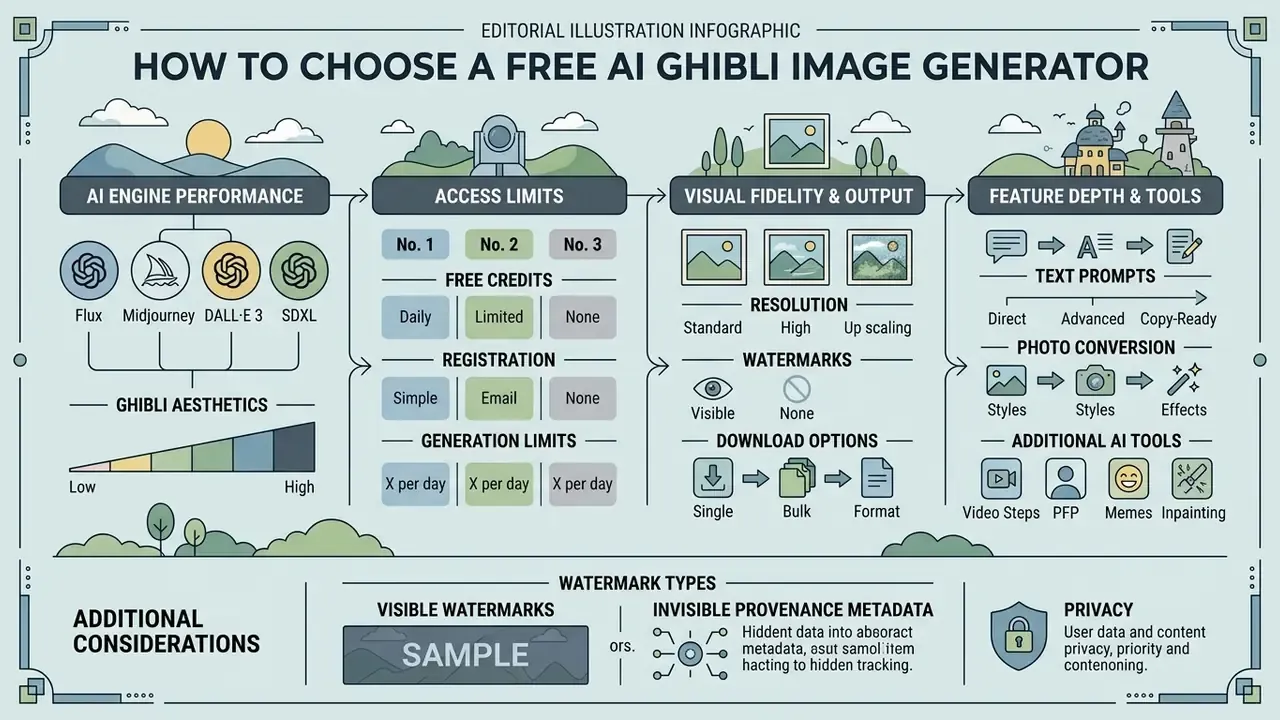
Evaluating a free ai ghibli image generator means balancing access limits against visual fidelity and feature depth. Platform offerings vary widely on daily credit allocations, export resolutions and watermarking policy.
Evaluating AI engine performance for Ghibli aesthetics
Not all diffusion architectures process painterly animation styles identically. The engine you pick shapes line quality, palette accuracy and prompt adherence:
| Model Architecture | Style Fidelity | Text-to-Image Accuracy | Photo Preservation (Img2Img) | Recommended Prompt Keywords |
|---|---|---|---|---|
| Flux.1 (Dev/Schnell) | Exceptional | Very High | Excellent (via ControlNet) | Studio Ghibli style, hand-painted gouache, organic line art |
| Midjourney v6 / Niji 6 | Industry Leader | High | Moderate | --niji 6 parameter, ghibli aesthetic, storybook illustration |
| DALL·E 3 (via ChatGPT / GPT-4o image) | Good | Exceptional | Low to Moderate | In the hand-drawn style of Studio Ghibli films, soft pastel tones |
| SDXL + custom Ghibli LoRA | High (with LoRA) | Moderate | Exceptional | <lora:ghibli_style_offset:0.8>, painted background, cel shading |
| Gemini 2.5 Flash Image (widely nicknamed "nano banana") | Good | High | Good (conversational edits) | restyle this photo as a hand-painted Ghibli illustration, keep composition |
A structural caveat applies to every animation-tuned engine: style-specialized checkpoints inherit narrower training distributions than general-purpose base models.
«Across 103 evaluated text-to-image models, animation- and art-tuned checkpoints exhibit substantially higher distributional bias than general-purpose base models.»
In practice, Ghibli-tuned models default to a narrow range of ages, body types, skin tones and hair colors unless those attributes are stated explicitly in the prompt. For commercial campaigns, treat demographic specification as a mandatory prompt field, not an optional flourish.
| Platform / Tool Category | Representative Vendors | Free Credit System | Max Resolution (Free) | Watermark Policy | Commercial Usage Rights |
|---|---|---|---|---|---|
| Freemium web editors | Fotor, Pixelbin, Picsman, insMind, Colorify AI (studio ghibli filter) | Free credits on registration; daily caps; uploads commonly capped at about 10 to 20 MB | 1024×1024 px typical | Ranges from visible watermark to watermark-free downloads | Usually restricted to personal use on free tiers |
| Open-source web UI | Automatic1111 / ComfyUI + SDXL, Ghibli-Diffusion, Flux.1 dev | Unlimited (local execution) | Uncapped (hardware dependent) | No watermark | Permitted, subject to the individual model licence |
| Chat-based multimodal | ChatGPT (DALL·E 3 / GPT-4o image), Google Gemini, Grok | Free tier described as "limited and slower image generation"; Gemini limits refresh on a rolling window with a weekly cap | about 1024×1024 px | Invisible provenance (SynthID on Google outputs) | Output rights generally granted to the user; policy limits still apply |
| Credit-metered studios | Leonardo AI (about 150 tokens on free login), Ideogram (about 12 slow credits), EaseMate (about 30 credits after login) | Token or credit balance per day or per account | 1024×1024 px typical | Often watermark-free; free generations may be public | Non-exclusive commercial licence on some free tiers; verify per vendor |
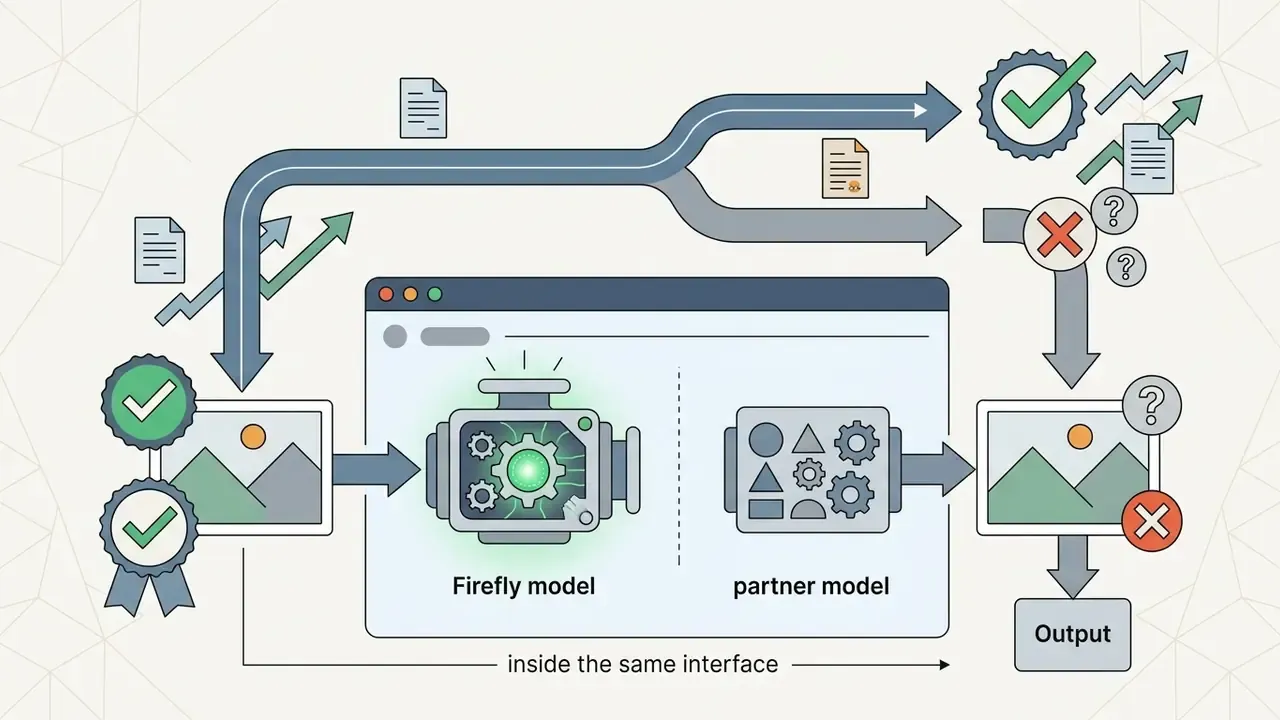
| Enterprise / design suites | Adobe Firefly, Canva, Microsoft Designer | Firefly generative credits expire one month after allocation; Designer showed about 15 AI credits/month in testing | 1024×1024 px typical | Content Credentials (C2PA) metadata attached | Canva permits personal and commercial projects; Designer consumer use is personal and non-commercial; Firefly partner-model terms differ |
| Subscription-gated | Midjourney | No ongoing free tier | Plan dependent | No visible watermark | Free or trial access is non-commercial; paid plans grant commercial rights, with higher tiers required above roughly $1M annual revenue |
Free credits, registration and generation limits
Most cloud-hosted platforms run a freemium model to attract users while managing GPU cost. A typical free ai ghibli style image generator provides a daily or monthly allocation of free credits, often resetting every 24 hours. Reset mechanics vary: some vendors refresh on a rolling multi-hour window with a weekly ceiling, and Adobe's generative credits expire one month after allocation rather than rolling over.
Some tools allow anonymous generations without account creation, though these interfaces frequently impose lower resolution caps or longer queue waits. A common pattern is one free generation per day without login, rising to a small credit bundle after sign-up. Readers who specifically want to avoid account creation can compare no-sign-up AI image generators by limits and export rights. Registration usually unlocks higher generation priority, expanded history storage and access to advanced settings such as control networks or custom aspect ratios. Creators evaluating broad design suites can compare options across enterprise and consumer tools to find workable credit structures.
One frequently overlooked free-tier condition: on several credit-metered studios, free generations are published publicly to a community feed by default. For client work, internal branding or anything under NDA, that alone disqualifies the free tier regardless of watermark policy.
Content policy deserves a line here too. Character generation sits adjacent to the categories most vendors restrict, and a blocked prompt on a shared corporate account can surface later as an audit finding rather than a private annoyance. Where those boundaries matter for your workflow, our separate coverage of an ai nsfw generator and of ai porn image policy explains how vendors classify and log restricted requests. For a family-friendly aesthetic like this one, the useful takeaway is simple: know what your account logs, and who reads those logs.
Resolution, watermark and download options
Export constraints are the primary distinction between free and premium tiers. Free generations are commonly capped at 1024×1024 pixels, enough for social media posts or a digital profile picture, inadequate for print production or large-format display. When a free tier caps resolution, the practical workaround is post-processing: run the export through one of the AI image upscalers to reach print-ready dimensions, accepting that upscaling interpolates detail rather than recovering it.
Watermarking policies fall into two categories:
- Visible watermarks: brand logos or text overlays placed in a corner of the output file.
- Invisible provenance metadata: cryptographic signatures or watermarking protocols (C2PA Content Credentials, Google SynthID) embedded directly into file headers to trace synthetic origin, as recommended in NIST AI 100-4. Readers working on the verification side of this equation can review available AI image detectors and how provenance signals survive re-encoding.
When downloading assets for public distribution, checking watermark requirements keeps you inside platform terms. Note also that stripping an invisible provenance signal is a separate question from removing a visible logo. Several platform agreements explicitly prohibit tampering with Content Credentials.
Text prompts, photo conversion and additional AI tools
A robust free ghibli style art generator online should support both text-to-image and photo-to-image transformation. Advanced platforms build editing directly into the generation suite, allowing targeted inpainting or outpainting. Worth confirming before you commit:
- Text-to-image and image-to-image in the same interface, with an exposed style-strength control
- Reference-image or style-reference support (Firefly's Style Strength slider is the clearest example)
- Aspect-ratio presets including 1:1 for avatars and 9:16 for short-form video
- Inpainting and outpainting for fixing hands, backgrounds and crops
- Format support across JPG, JPEG, PNG, WebP and HEIC
- Batch or history management for multi-asset projects
Some platforms also offer multi-modal expansion, including ai video generation that converts static Ghibli-style illustrations into short animated loops. Users interested in moving-image workflows can explore a specialized guide to free AI video generators to compare frame stability and motion rendering.
How to Get Better Ghibli Style AI Results
Consistent, high-quality output from a ghibli style image generator ai comes from deliberate prompt engineering and disciplined source selection. Random prompting tends to produce generic anime rather than the refined painterly quality people actually want. Among the free ai tools to create ghibli style art, the difference between a good result and a throwaway is almost always the input, not the brand on the tab.
Which source photos work best for style conversion?
When using an ai photo to ghibli style generator, input quality dictates how well the model separates subject geometry from background noise.
Optimal source photos feature:
Updated: the effect of background complexity on artifact rates is best supported by dataset-level research on stylized and AI-generated anime imagery rather than by unpublished agency testing.
- Even illumination
- well-lit subjects without harsh directional shadows or severe underexposure.
- Clear subject separation
- distinct contrast between the primary subject and the background, the same principle used in classical image analysis, where features of interest should carry maximum contrast and background noise minimum contrast.
- Uncluttered composition
- minimal background clutter, so the style-transfer network can correctly identify environmental elements.
- Adequate pixel density
- roughly 1000×1000 px or higher, giving the model crisp edges to reinterpret as linework.
- Readable pose
- a subject whose pose and silhouette are unambiguous. Overlapping limbs and partial occlusion are the leading cause of anatomical artifacts.
«Stylization algorithms perform more stably on clearly structured, well-lit images than on cluttered or low-light sources.»
In practical terms: a portrait shot against a plain wall in diffuse daylight needs fewer re-rolls than the same subject photographed in a crowded outdoor scene, because the network has fewer competing edges to classify as background geometry.
Prompt elements for a more consistent style image
To hold stylistic consistency across multiple generations, build specific artistic descriptors into your text prompts:
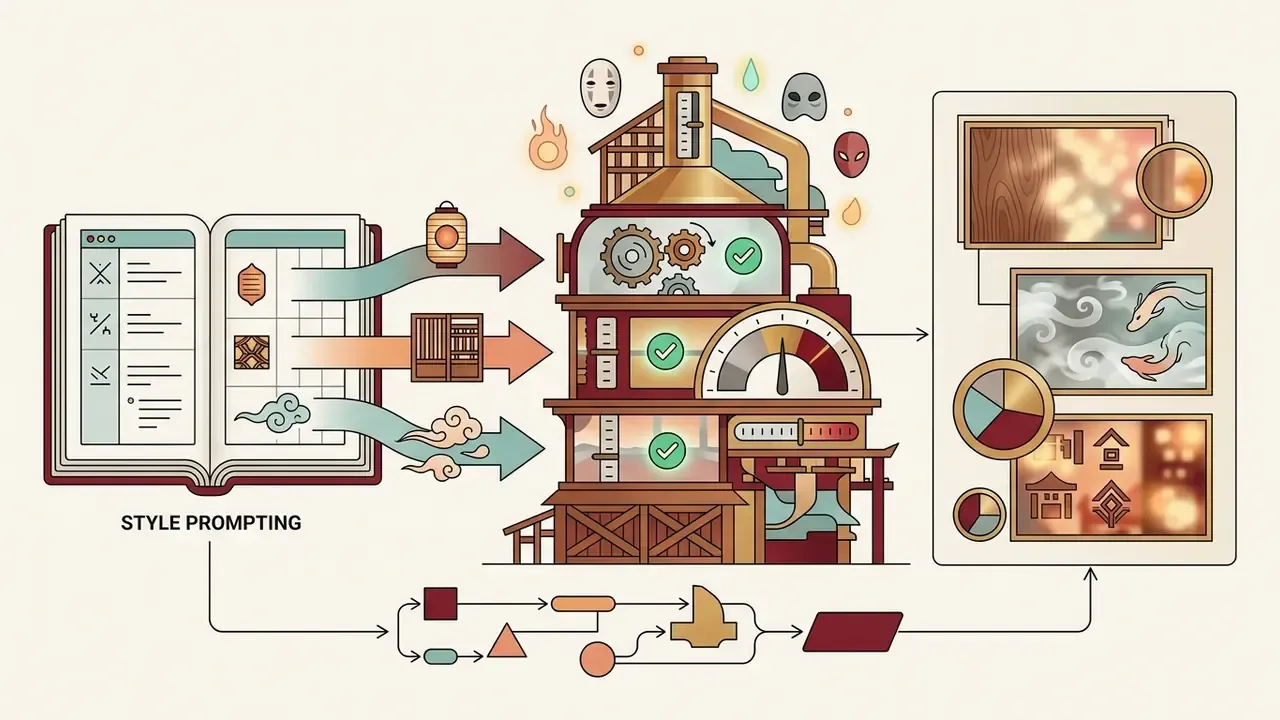
- Medium terms "hand-painted gouache," "watercolor wash," "traditional cel animation," "painted background," "visible paper texture."
- Color palettes "muted natural tones," "soft pastel palette," "earthy greens and sky blues," "olive and sage green," "dusty gold accents."
- Lighting identifiers "dappled sunlight," "soft diffuse morning light," "golden hour glow," "overcast daylight," "warm lamplight."
- Composition cues "small figure in an expansive natural landscape," "low horizon line," "atmospheric depth."
- Artist references referencing broad studio animation traditions steers output geometry more safely than naming individuals. Platform policy reporting from 2025 indicates that OpenAI's image tooling declines prompts requesting the style of a living artist while permitting broader studio-style requests. So "classic hand-drawn Japanese animation studio aesthetic" is both safer and more reliable than a personal name.
Avoid contradictory terms such as "hyperrealistic 8k octane render" next to "hand-drawn watercolor." Conflicting descriptors degrade model performance.
«Conflicting style descriptors degrade output coherence; explicit style-guidance terms move generations toward a single reference aesthetic while preserving text alignment.»
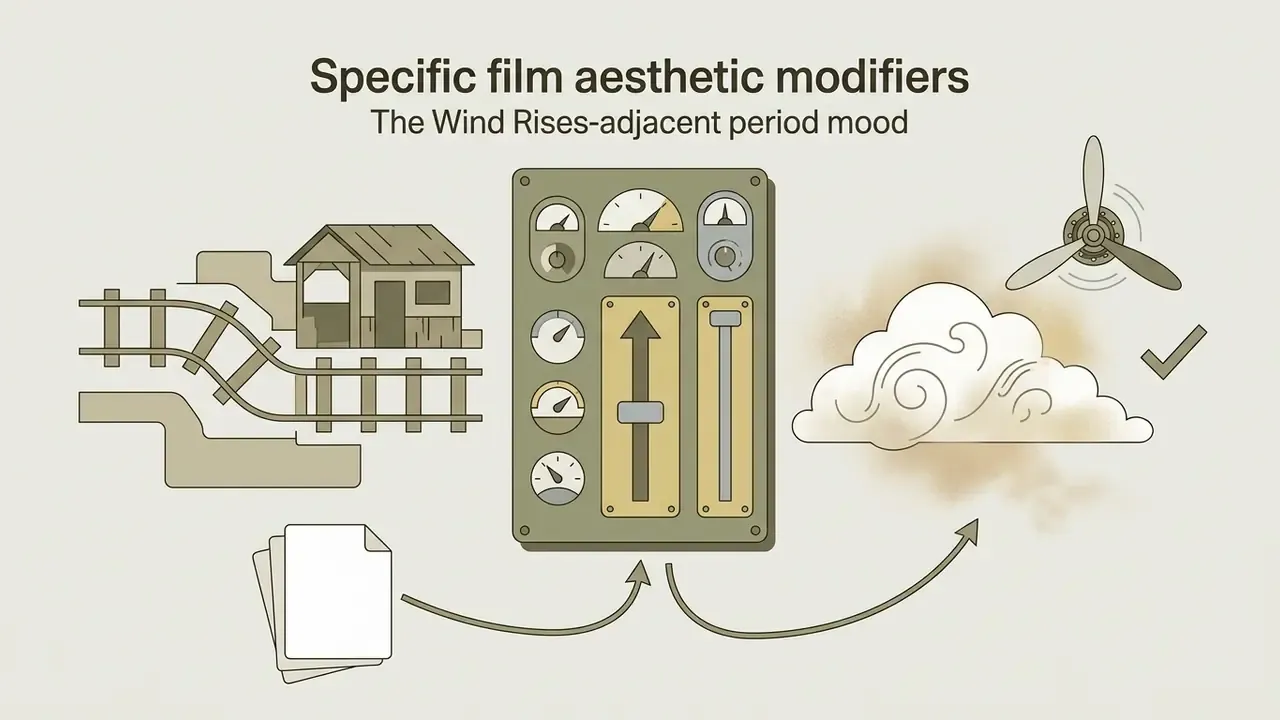
Specific film aesthetic modifiers
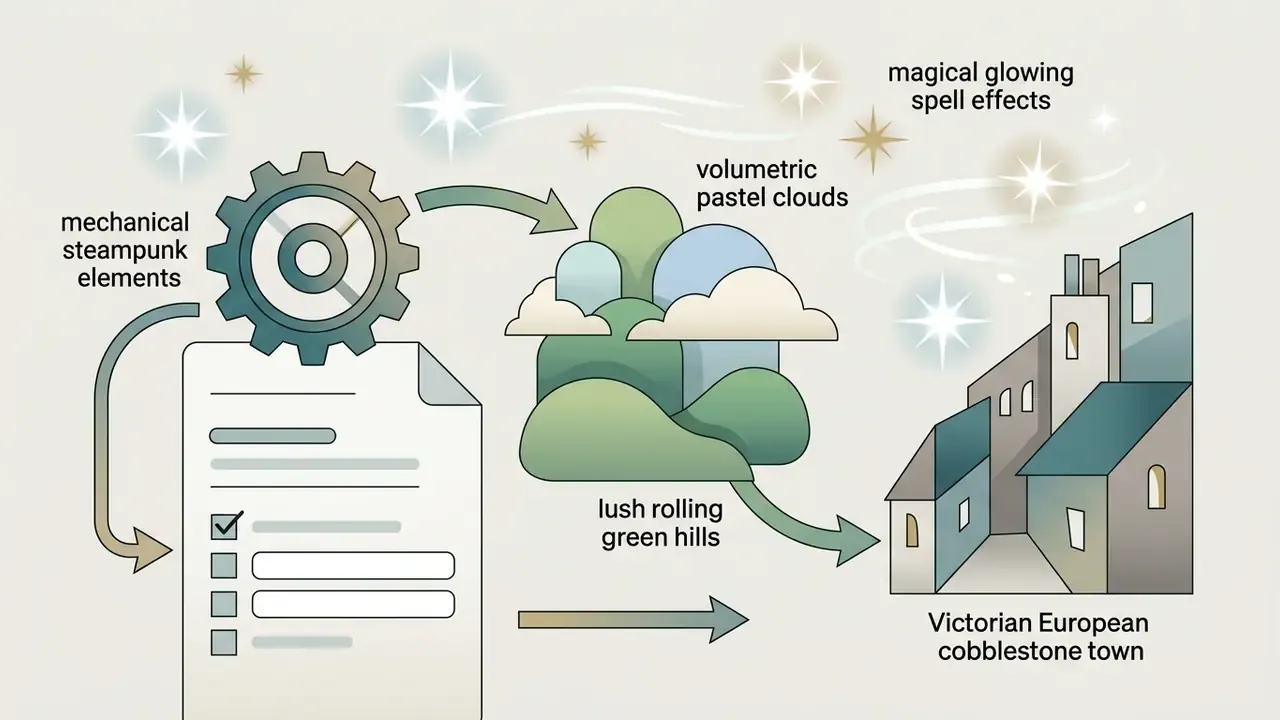
Describe the mood and setting rather than requesting the film's characters or a recreated scene. The modifiers above deliberately reference environments and palettes, not protected character designs.
Copy-ready prompt templates and negative constraints
Template A: landscape / wallpaper
Template B: portrait / PFP (image-to-image)
Template C: reaction / meme conversion
Negative prompt (apply to all three):
That last negative constraint is a compliance control as much as an aesthetic one. It reduces the chance of the model drifting toward protected character designs you would then have to discard anyway.
Producing a visually convincing image is only half the task. Before any of these assets reach a public channel, a paid campaign, a storefront or a product surface, the rights position behind them has to be audited, because legal exposure attaches to distribution, not to generation.
Can You Use Ghibli-Inspired AI Images Commercially?
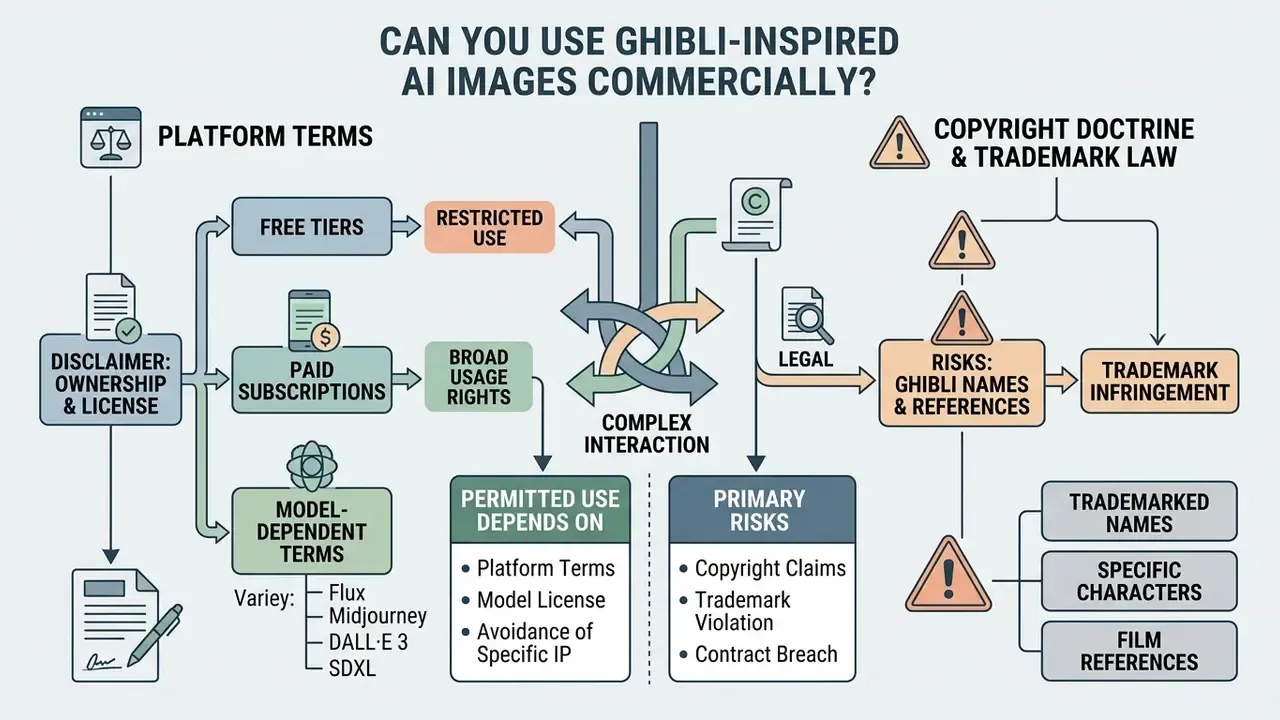
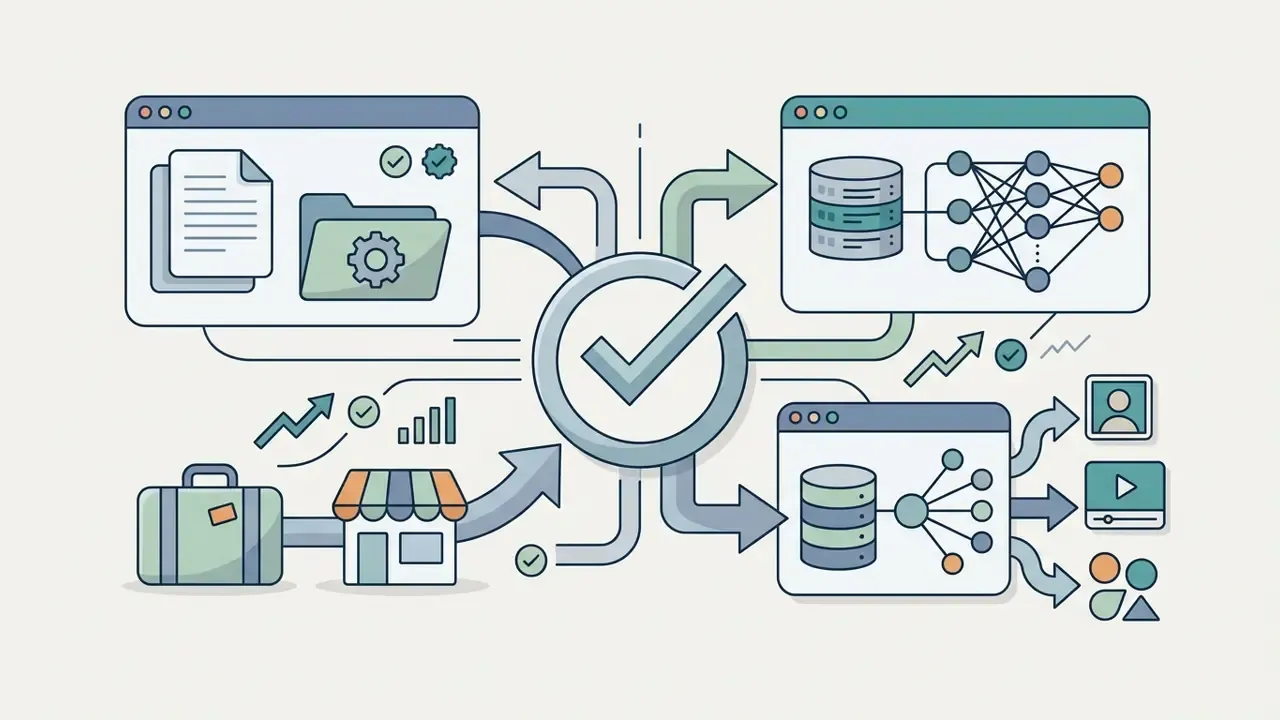
Commercial deployment of AI-generated assets involves complex interaction between platform terms, copyright doctrine and trademark law. Generating stylized art for personal entertainment carries minimal risk. Selling prints, embedding images in commercial products, or running them in marketing campaigns requires formal risk assessment.
Ownership of generated images and platform terms
Ownership of AI-generated images is governed primarily by vendor Terms of Service and national intellectual property frameworks. In the United States, federal guidance states explicitly that purely AI-generated outputs lacking sufficient human creative control cannot be registered for copyright protection. The Copyright Office's Part 2 report on Copyright and Artificial Intelligence, published 29 January 2025, concludes that prompts alone do not establish authorship, while human selection, arrangement or modification can render the resulting work protectable. The D.C. Circuit affirmed the human-authorship requirement in Thaler v. Perlmutter (2025), and certiorari was subsequently denied, leaving that ruling in force.
Style itself sits outside copyright in most major jurisdictions. "Outside copyright" is not the same as "without legal contour":
«Style is a constellation of expressive choices: individual elements may be unprotectable, yet their aggregation can constitute protectable expression.»
The European Commission's IP Helpdesk note of 15 April 2025 frames the same split from the other side: an artist's style is not protected as such, but reproducing, adapting or transforming the underlying protected works requires authorization from the rightsholder.
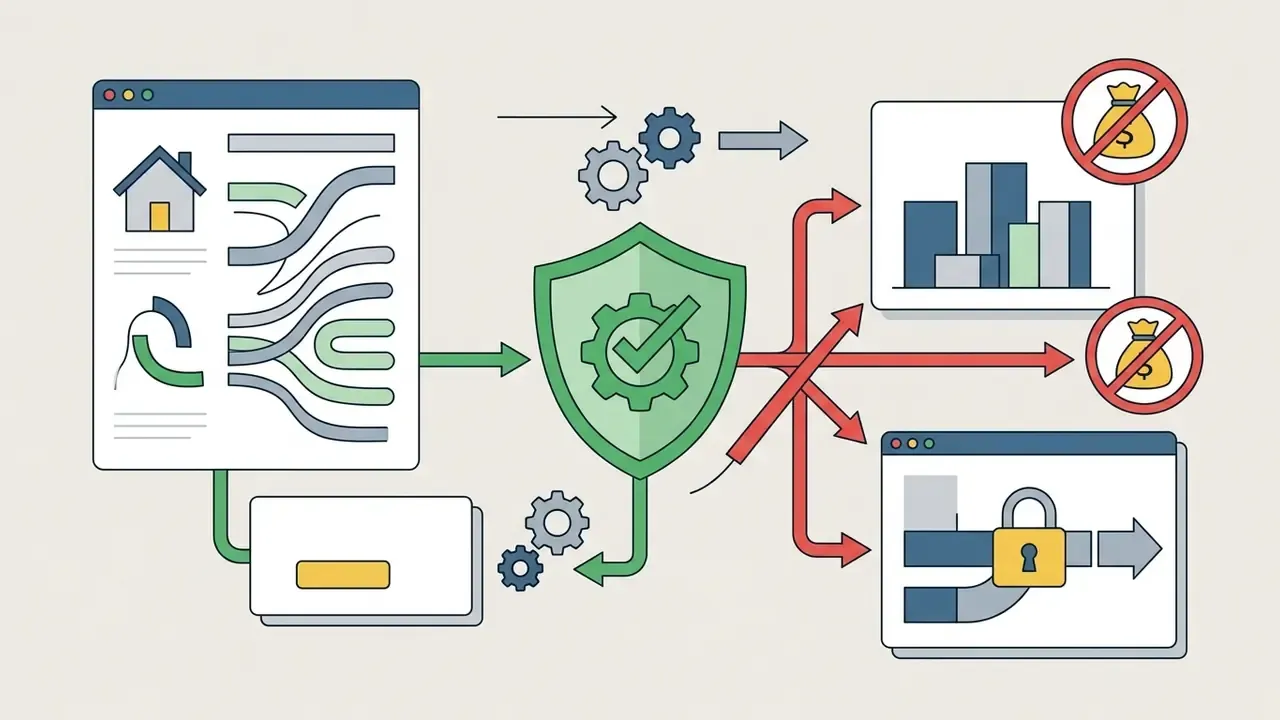
Platform terms vary significantly. For a side-by-side of licensing conditions across Ghibli-style AI image generators, see our dedicated comparison:
Before deploying assets commercially, review platform licensing terms and verify whether generated files actually carry commercial usage permissions. Organizations evaluating design systems can review the Canva AI generator commercial overview for examples of enterprise licensing structures.
Risks of using Studio Ghibli names, characters and film references
A critical distinction exists between generating artwork in a general style and reproducing protected intellectual property. Copyright law generally does not protect abstract artistic styles or techniques. Reproducing specific, recognizable elements is a different matter:
- Fair use is narrower than commonly assumed:
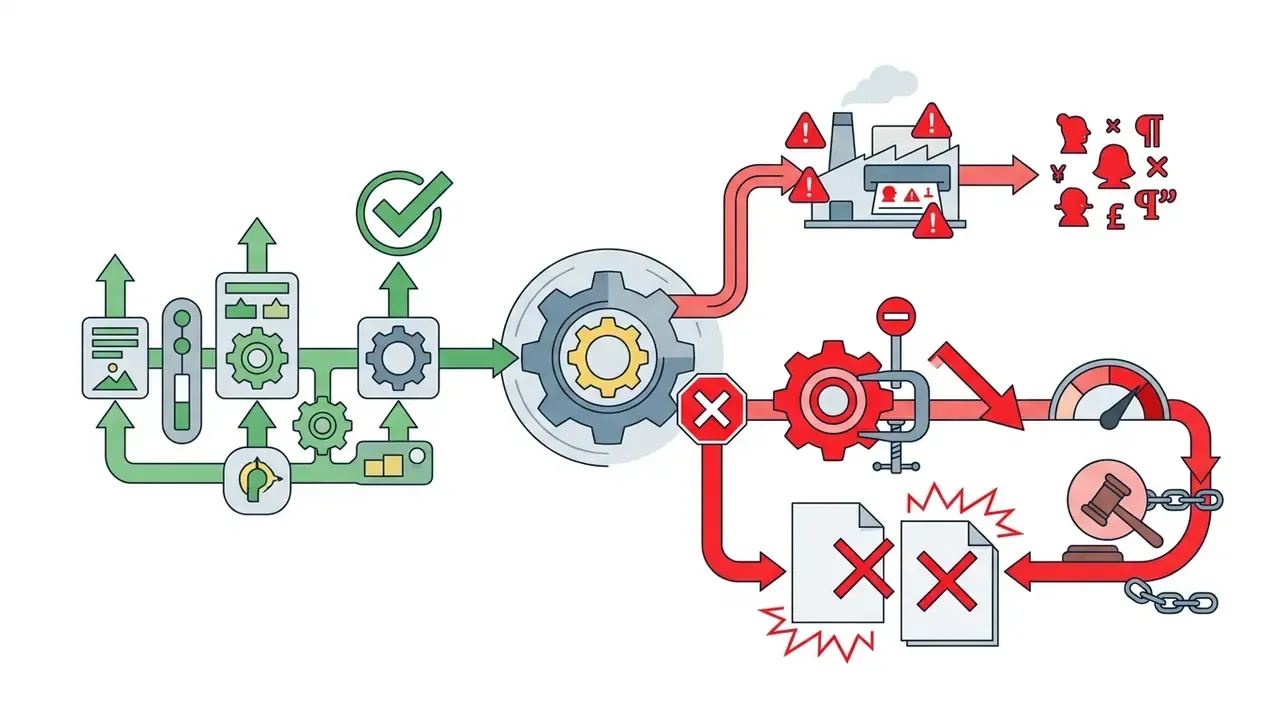
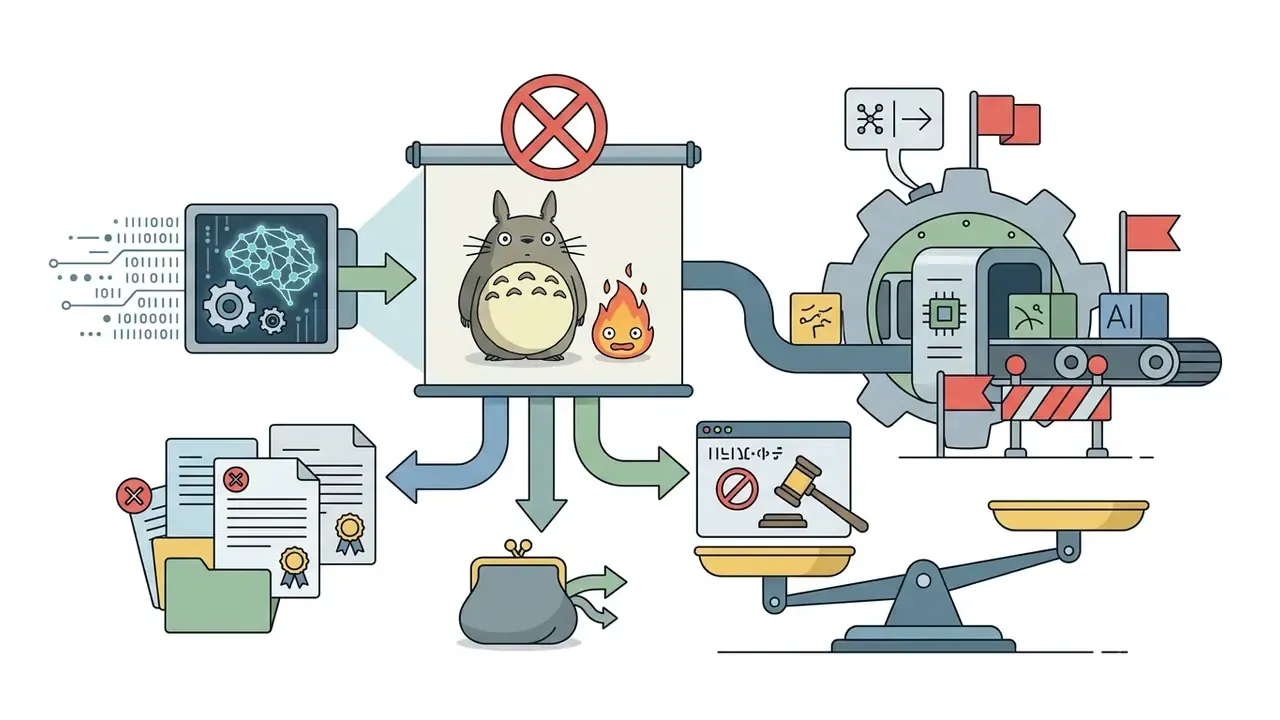
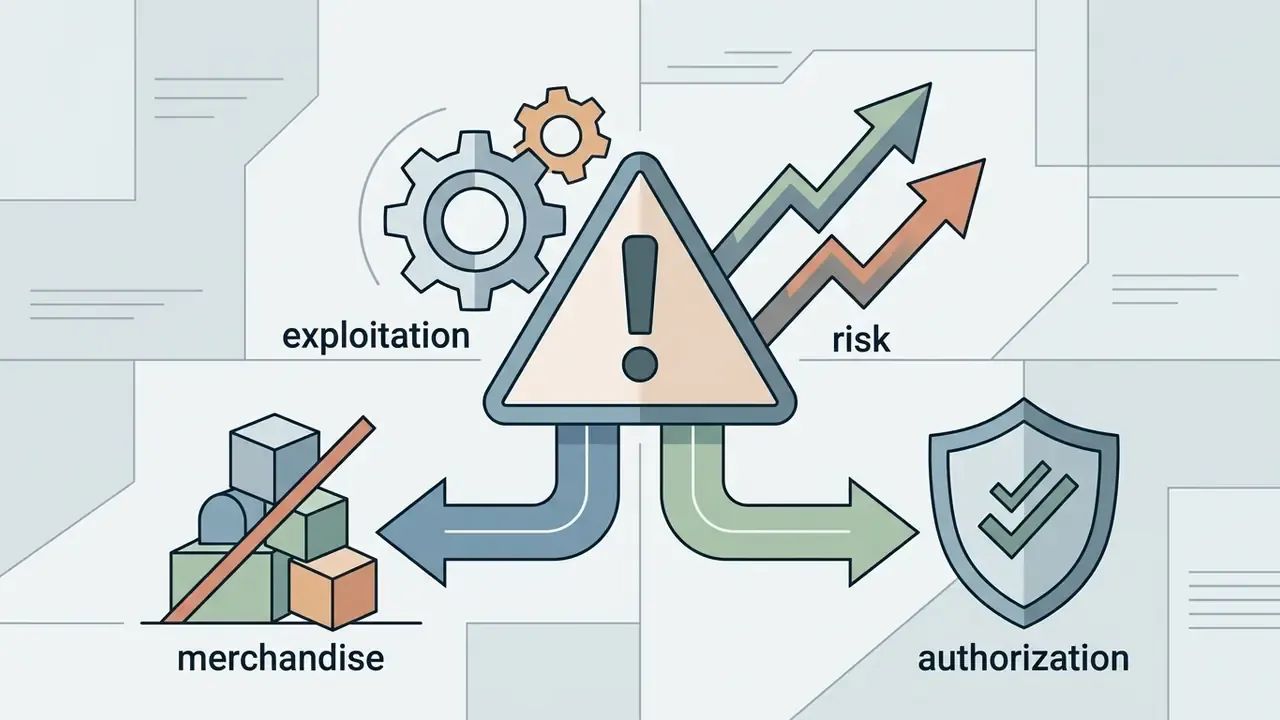
«Commercial use of a copy for substantially the same purpose weighs against fair use regardless of visual differences.»
- Risk scales with channel. Legal commentary through 2025 and into 2026 consistently flags advertising, packaging and merchandise as the highest-exposure uses of Ghibli-style AI imagery, precisely because those channels are commercial and public. Teams tracking how these disputes are actually argued can explore the hub of case coverage.
To minimize legal risk, commercial projects should focus strictly on original subjects and settings, avoid trademarked terms or character names in prompts and product metadata, and avoid recreating identifiable scenes even when no character is present.
Commercial-use checklist before publishing or selling artwork
Prior to publishing, monetizing or distributing Ghibli-inspired AI artwork, complete the following audit:
- Verify the vendor license.Confirm that your account tier (free or paid) grants commercial usage rights under the platform's current Terms of Service, including revenue-threshold clauses.
- Audit prompt inputs.Ensure prompts contain no trademarked character names, film titles or studio marks. Retain the prompt log as evidence.
- Screen source materials.For image-to-image workflows, verify that you own or hold commercial rights to the uploaded photograph, and that any identifiable person consented to stylized commercial use.
- Inspect the visual output.Validate that the asset does not accidentally reproduce protected character designs or recognizable film scenes. Running the export through an ai reverse image search is a cheap second check before a campaign goes live.
- Document human contribution.Keep records of prompt iteration, manual editing and composite work to support potential copyright filings. U.S. registration practice requires that more-than-de-minimis AI-generated material be disclosed and excluded from the claim, with protection limited to identifiable human contributions.
«In an experiment with 432 participants, people attributed authorship and rights both to AI users and to the artists whose works trained the model.»
That perception gap is itself a commercial risk factor. Even where a use is legally defensible, audience attribution instincts can drive reputational objections. Documenting human contribution serves both the registration record and the public-facing explanation.
- Check provenance obligations.Confirm whether the output carries C2PA Content Credentials or SynthID signals, and whether your distribution channel requires AI disclosure.
- Record the model and version.Log which engine and version produced each asset, so a later change in vendor terms can be traced to the affected files.
FAQ: Frequently Asked Questions About Ghibli Style AI Generators
Can ChatGPT create Ghibli-style AI images online for free?
Yes. ChatGPT generates Ghibli-style illustrations through its multi-modal image capability. OpenAI's pricing page describes the Free plan as offering "limited and slower image generation," while paid tiers offer larger quotas and faster processing. Community reporting in 2026 commonly cites roughly two to three free generations per day, but that figure is not published by OpenAI and should be treated as indicative only.
A chatgpt ghibli style ai generator online free workflow means describing the desired scene in natural language. The practical sequence: upload the source photo, open the image tools, and enter an instruction such as "convert this photo into a hand-drawn Studio Ghibli-style illustration, preserving the original composition, colours and background details." The underlying language model refines the request into a detailed visual prompt, applying safety filters that permit general studio-aesthetic descriptions while restricting direct imitation of individual living artists. For an in-depth comparison of chat-based image tools, see the ChatGPT picture generator evaluation.
Comparable free alternatives include Google Gemini, Grok, Fotor, insMind, Pixelbin, EaseMate, Colorify AI and Artbreeder-style community tools. Quality across these is uneven; the engine matters more than the landing page.
Can a Ghibli AI generator create video as well as images?
Standard image generators output static files, but specialized multi-modal platforms convert static Ghibli-style artwork into short video sequences. Readers comparing engines by motion stability and export options can start with our overview of AI video generators. These tools use image-to-video diffusion architectures or temporal motion modules.
«AnimateDiff inserts a motion-modelling module into a frozen image generator and trains it on video clips to extract motion priors without retraining the base model.» Guo et al., AnimateDiff: Animate Your Personalized Text-to-Image Diffusion Models Without Specific Tuning (2023). https://arxiv.org/abs/2307.04725
Two pipelines dominate current vendor offerings: text-to-video (generate the animated scene from a prompt) and image-to-video (animate an existing stylized still). Vendor guidance converges on the same input rule as photo conversion. Centered, well-lit source frames animate most reliably, and character consistency across multiple clips depends on reusing a single locked reference still.
Creators seeking full animation capabilities can consult a comprehensive guide to animation makers to compare frame-by-frame controls, AI motion synthesis and export formats.
Is it safe to upload personal photos to online Ghibli AI converters?
Data privacy depends on the platform's Terms of Service and retention policy. When uploading personal headshots, family photos or selfies to cloud-based converters:
- Third-party vendors: ensure the platform explicitly states that uploaded source images are deleted after session processing and are not used to train proprietary foundation models. Marketing copy claiming photos are "processed securely" is not equivalent to a documented retention limit.
- Enterprise platforms (ChatGPT Plus/Team, for example): users can opt out of model training in account privacy settings so source photos do not persist in training datasets. Default settings on consumer tiers may permit training use unless explicitly disabled. Claims that uploading to a major chat assistant automatically protects privacy are misleading.
- Biometric precautions: avoid uploading photos containing sensitive identifiers, financial documents, medical imagery, minors or watermarked private content to unverified free converters.
- Organizational controls (Shadow AI): batch-converting employee or customer photographs through a free consumer tool is a data-transfer event under GDPR/CCPA-style regimes, typically requiring a lawful basis, a processor agreement and a retention commitment. Route such batches through an approved vendor, or run an open-source model locally so no image leaves your environment.
- Public output feeds: confirm whether free-tier generations publish to a public gallery. If they do, the privacy question extends to the output, not just the upload.
Is the Studio Ghibli style itself copyrighted?
Artistic style as such is generally not protected by copyright in the United States or the EU. The EU IP Helpdesk states this explicitly, and academic doctrine treats style as a constellation of individually unprotectable choices. What is protected is specific expression: particular drawings, characters, backgrounds and scenes, plus registered trademarks covering names and logos. A claim that "the Studio Ghibli style is protected by copyright, so keep outputs personal" is legally inaccurate in its premise, even though restricting use is often sensible risk management. The reverse assumption fails too: without meaningful human authorship, there may be no copyright in your generated image for you to own at all.
Do Ghibli converters lose image quality during conversion?
Some detail loss is inherent. Diffusion-based restyling re-synthesizes pixels rather than filtering them, so fine text, small background objects and intricate patterns are frequently simplified or hallucinated. Free tiers compound this with 1024×1024 export caps and lossy re-encoding. Vendor claims of "no pixelation or quality loss" are marketing language. The realistic goal is controlled loss: preserve what matters (face, pose, silhouette) by raising preservation strength, and accept simplification elsewhere.
How long does a Ghibli conversion take?
Published processing times range from under 10 seconds on lightweight hosted converters to 30 to 60 seconds on queued free tiers during peak traffic. Longer waits usually reflect queue position on shared GPUs rather than superior quality. If a vendor attributes a one-minute wait to "careful analysis," read that as a throughput explanation.
What does a governed rollout of a Ghibli generator look like?
Short version: an owner, an approved tool, a retention term, and a log. Name one accountable owner for stylized-asset generation. Put two or three approved vendors on an allow-list, with training opt-out and deletion confirmed in writing. Require that every published asset record its engine, version and prompt. Set an escalation path for anything heading into paid media, packaging or merchandise, since those channels carry the real exposure. None of this slows a single avatar down; it makes the fiftieth one auditable.
Final Recommendations for Deployment
Integrating a ghibli style image generator ai into creative workflows buys rapid prototyping and stylistic exploration. To maximize quality while keeping compliance risk contained, creators and organizations should work structurally:
Apply rigorous prompt design, observe the legal boundaries, and these tools produce compelling Ghibli-inspired art across personal and professional work.
Next step: pick your workflow. Start with the Ghibli-style AI image generator comparison if you are choosing a tool today, or work through the commercial-use checklist above if you already have assets waiting on publication. To compare broader software solutions, teams can compare options across our full evaluation index.
Reviewer's Note: Limitations and Open Questions
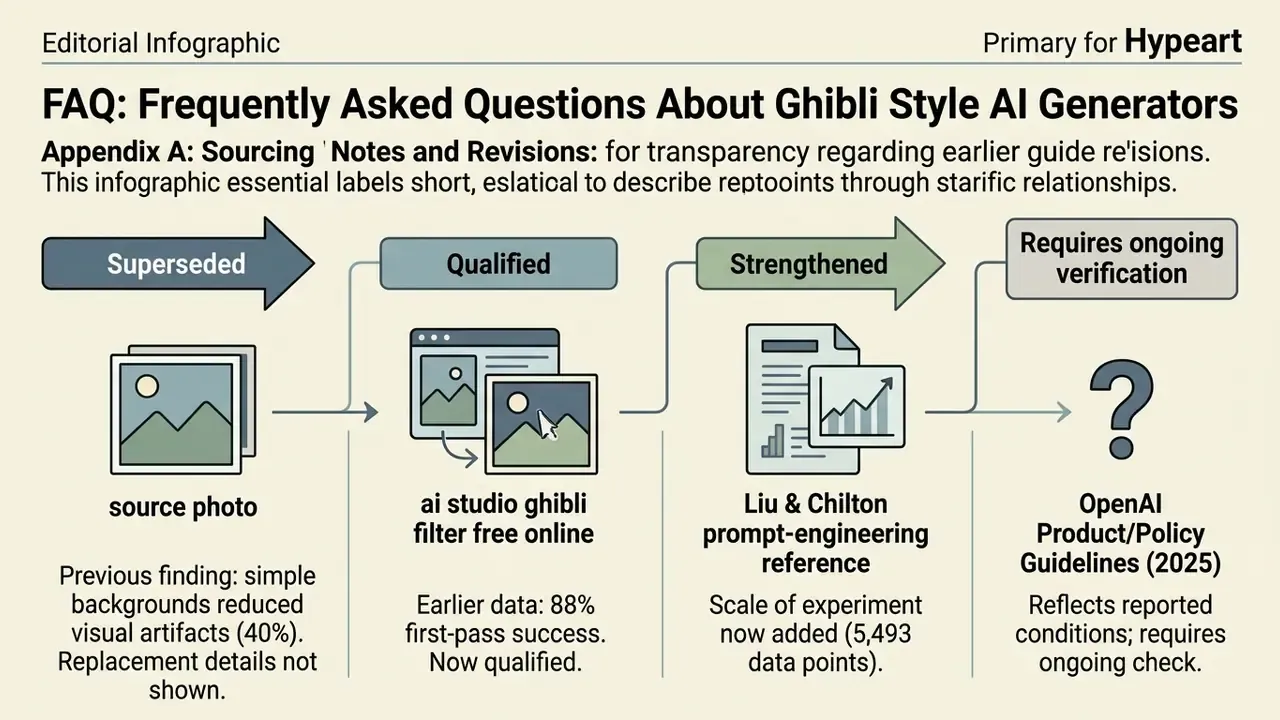
Appendix A: Sourcing Notes and Revisions