"Generative visual AI must be evaluated like any other digital worker: clear operational limits, verifiable data lineages, robust audit trails, and strict risk controls."
Reviewed by: Marcus Hale, AI Governance and Model Risk Lead · Last updated: July 2026 · Scope: Gemini image models (Nano Banana family), free vs. paid access, prompt engineering, generative image editing, commercial licensing and enterprise governance.
Executive Summary
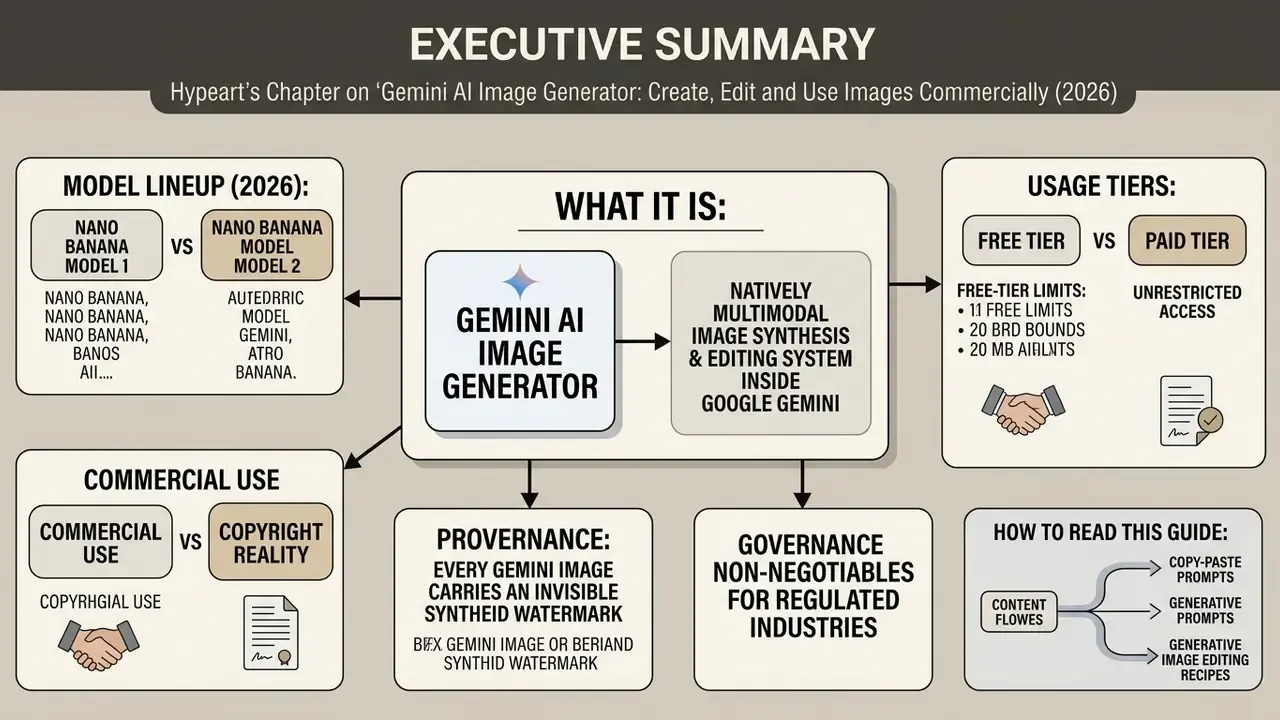
- What it is. The Gemini AI image generator is a natively multimodal image synthesis and editing system inside Google Gemini. It creates photorealistic imagery, stylized artwork, icons, diagrams and product mockups from natural-language text prompts, and it edits uploaded photos conversationally.
- Model lineup (2026). Four public variants: Nano Banana (Gemini 2.5 Flash Image), Nano Banana 2 Lite (Gemini 3.1 Flash-Lite Image), Nano Banana 2 (Gemini 3.1 Flash Image) and Nano Banana Pro (Gemini 3 Pro Image). "Nano Banana" is Google's public product branding; procurement and model-risk documentation should reference the underlying API model identifiers. Legacy Imagen 3 has been shut down on the Gemini API, with remaining Imagen models scheduled for shutdown on 2026-08-17.
- Free vs. paid. A free tier exists with standard daily limits. Google AI Plus grants roughly 2x and Google AI Pro roughly 4x higher feature limits, plus access to Pro-tier image regeneration.
- Commercial use. Permitted under Google's Terms of Service and the Generative AI Prohibited Use Policy. But Preview Gen AI products are restricted to evaluation and testing unless Google grants written permission, or unless the specific model (for example Gemini 3 Pro Image / Nano Banana Pro) is explicitly exempted in Google Cloud terms.
- Copyright reality. Purely AI-generated output without substantial human creative contribution does not qualify for US copyright protection. Contractual permission from Google is not the same thing as exclusive ownership.
- Provenance. Every Gemini image carries an invisible SynthID watermark. Enterprises should log SynthID verification results as part of their audit trail.
- Governance non-negotiables for regulated industries. Use Vertex AI or managed enterprise surfaces rather than the consumer web UI, confirm the data boundary and IP indemnification position with your Google account team, and document generations so they can be reconstructed during an audit.
How to read this guide. Sections 1 and 2 explain the system and help you pick an image model. Section 3 sits deliberately early, because licensing, data-boundary and audit questions are the blockers for regulated buyers; resolve them before anyone writes a prompt. Sections 4 to 7 are operational: free access, step-by-step image creation, a copy-paste prompt library, and generative editing recipes. Section 8 maps commercial tasks to model tiers. The FAQ answers the short questions, and the appendix records every claim we corrected or downgraded during fact-checking.
1. What Is the Gemini AI Image Generator and What Kind of Images It Creates
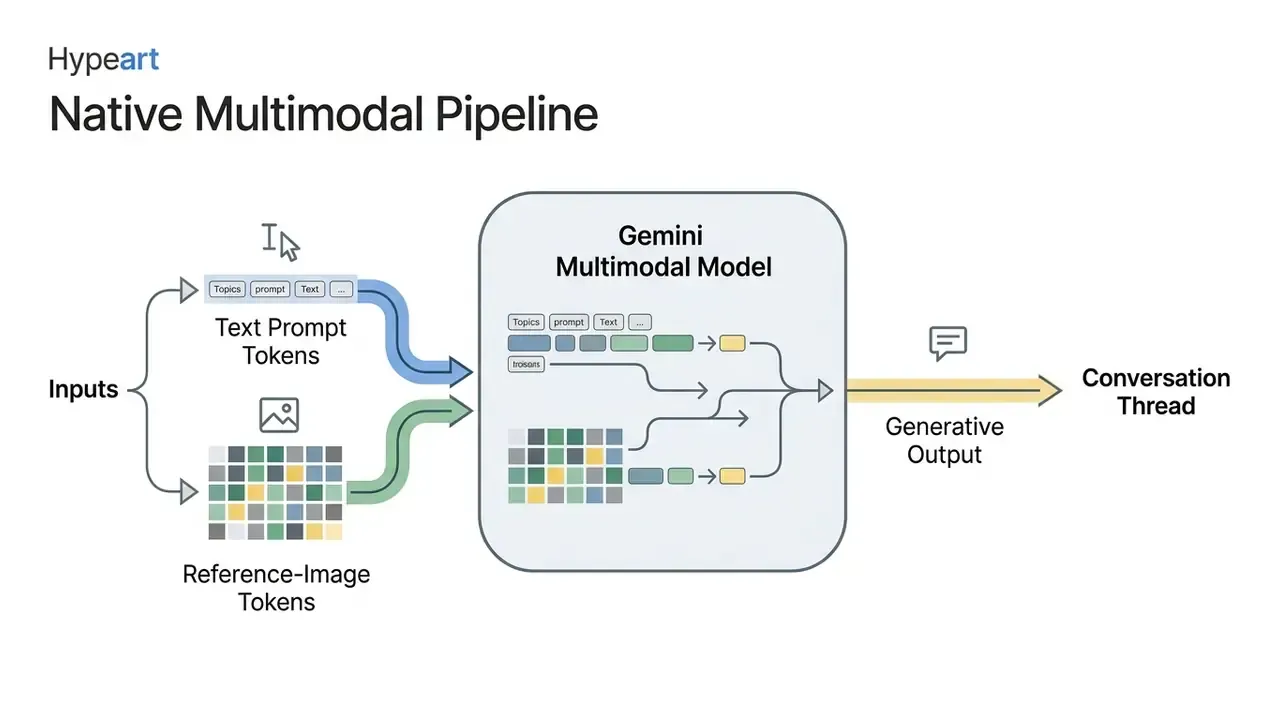
In two sentences: Gemini's image generator is a modality-unified system that turns text (and uploaded reference images) into high-resolution visual assets inside the same conversational thread. Because generation and editing share one model, you can iterate on a picture the way you iterate on a document, by asking for changes.
The Gemini AI image generator is a native multimodal visual synthesis system integrated into Google's Gemini architecture. It creates high-resolution photorealistic imagery, digital artwork, icons, stickers and stylized visual assets directly from natural-language text prompts. Unlike legacy standalone diffusion models bolted onto an external text decoder, Google Gemini AI leverages an autoregressive, modality-unified framework capable of interpreting complex contextual prompts, executing conversational image editing, and preserving visual consistency across multi-turn interactions.
"Gemini 2.5 models integrate native image generation into a single conversational interface, enabling natural multi-step editing and interleaved text-and-image generation."
This architecture lets enterprise teams, creators and financial marketing groups run end-to-end image creation workflows in one place. Users can generate diverse AI generated images, from hyper-realistic portraits and vector graphics to 3D renders, stickers on white backgrounds and technical diagrams, while keeping precise control over composition and style. Empirical findings in MMIG-Bench (2025) indicate that natively multimodal models follow multi-layered visual instructions and retain subject identity better than unintegrated text-encoder-plus-diffusion pipelines. To analyse alternative generative solutions across platforms, enterprise operators frequently explore the hub to establish risk-adjusted performance baselines, or benchmark Gemini against the best AI image generators before committing budget.
1.1 Generating AI Art from Text Prompts
In two sentences: Gemini reads style words as structural constraints, not decoration. Naming the medium, the art movement, the lens and the light gives you repeatable output; vague adjectives give you lottery tickets.
Generating AI art with Gemini requires structuring prompts into clear descriptions of the core subject, environmental context, lighting, camera angle and artistic medium. The Gemini image model interprets style cues such as charcoal drawing, watercolour, impressionism or isometric 3D render as structural constraints rather than arbitrary keywords. Google's own prompt documentation recommends starting from subject, then context or background, then style, before layering technical direction (Google AI for Developers, 2026, https://ai.google.dev/gemini-api/docs/image-generation).
Research from T2I-CoReBench (2025) shows that native autoregressive models achieve an Attribute Assignment score of 77.9% and a Multi-object Composition score of 85.7% when prompts clearly delineate spatial relationships and style boundaries.
"Autoregressive models substantially outperform diffusion models: Qwen-Image reaches a mean score of 78.0, while SD-3-Medium reaches only 40.4 on the same metrics."
To produce consistent AI art generator Gemini outputs, operators should combine art-movement descriptors with technical parameters such as focal length, aperture and lighting conditions. One practical observation from reviewing agency briefs: the prompts that fail almost always skip the light. For broader context on creative workflow integrations, team leads can see the overview of standard enterprise digital media definitions, or compare Gemini's stylistic range with the best free AI art generators when budget is the binding constraint.
1.2 How Image Generation Differs from AI Photo Editing
In two sentences: Text-to-image starts from an empty canvas and is judged on prompt adherence. Generative editing starts from your photo and is judged on what it did not change, which makes it the riskier of the two operations.
Text-to-image generation synthesizes entirely new visual assets from a blank canvas based on prompt constraints. Gemini AI generative image editing, by contrast, applies targeted, localized modifications to an existing uploaded photograph while retaining its underlying geometry, identity and perspective.
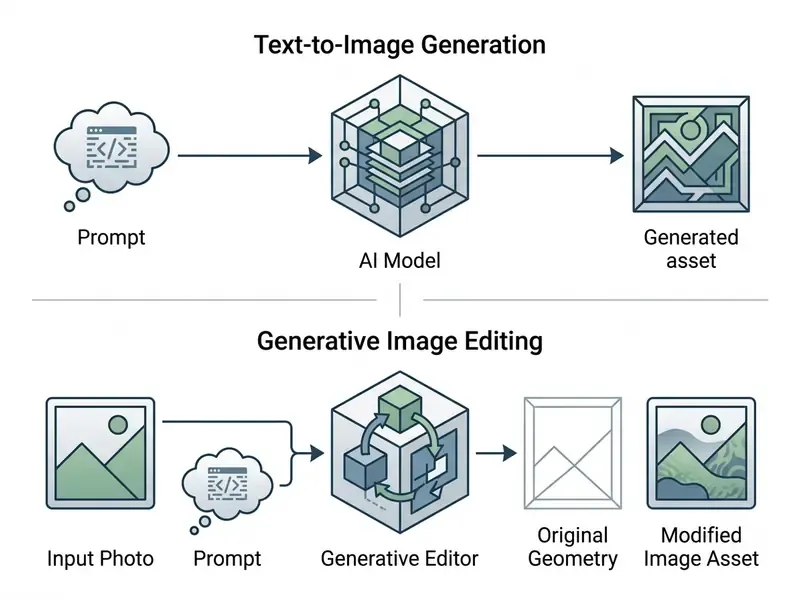
While text-to-image creation tests prompt adherence and stylistic range, generative photo editing demands content-aware mask interpretation, identity preservation and relational reasoning.
"Models tend to hallucinate visual cues and mistakenly perform the editing task even when given precise instructions."
In practical enterprise application, using Gemini as a photo editor to swap backgrounds or adjust attire carries higher model risk regarding object hallucination than generating fresh concept art from scratch. That is why editing workflows need a second pair of human eyes before publication, and why teams often pair Gemini with a conventional online photo editor for final pixel-level corrections. Teams seeking unconstrained creative iteration pipelines can also evaluate an AI art generator with no restrictions framework for rapid early-stage brainstorming, or review general-purpose AI image generators for commercial projects to compare licensing models.
2. Which Gemini Model to Choose for Image Generation
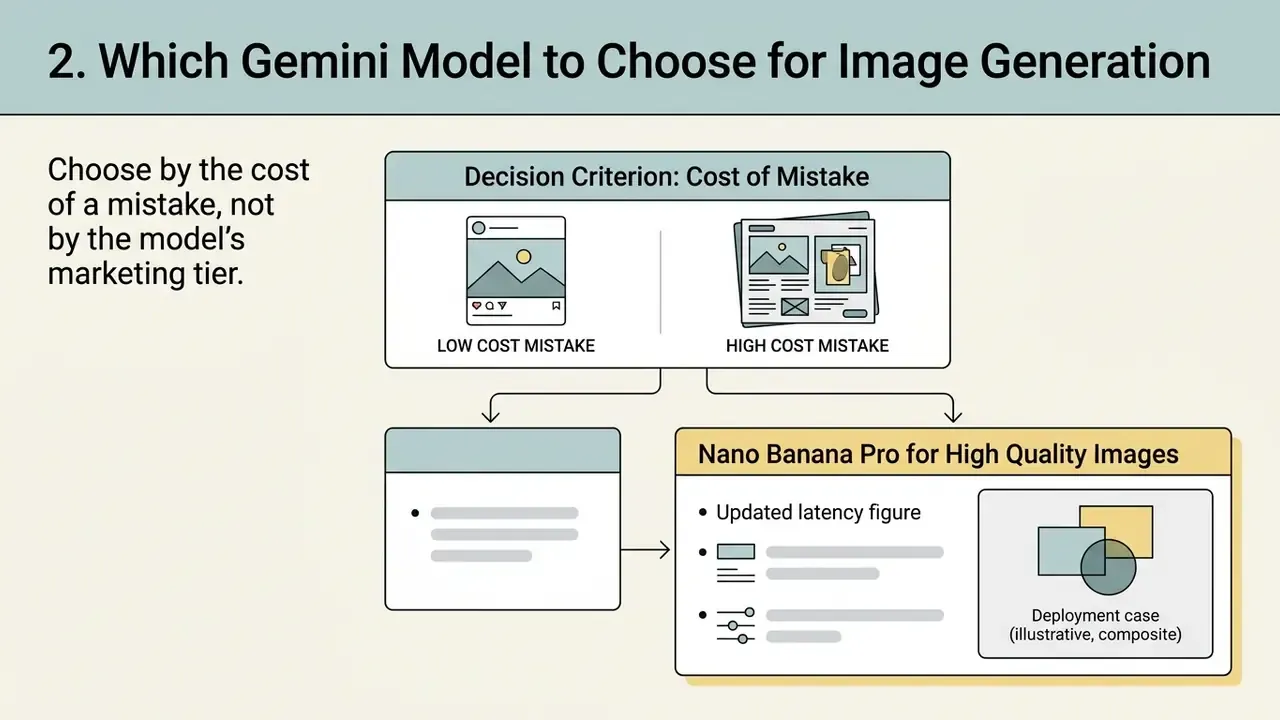
In two sentences: Choose by the cost of a mistake, not by the model's marketing tier. Fast tiers are for volume and exploration; Pro is for anything that will be printed, signed off, or shown to a regulator.
Selecting the optimal Gemini image generator model means balancing computational latency, inference cost, typography accuracy and required output resolution. As of 2026, Google offers a tiered suite of image models, Nano Banana, Nano Banana 2 Lite, Nano Banana 2 and Nano Banana Pro, each tuned to a specific speed and fidelity threshold.
Naming note for model-risk and procurement teams: "Nano Banana" is consumer-facing product branding, not an API identifier. In model inventories, validation memos and vendor questionnaires, reference the underlying technical names (Gemini 2.5 Flash Image, Gemini 3.1 Flash-Lite Image, Gemini 3.1 Flash Image, Gemini 3 Pro Image). Note also that the older Imagen family is deprecated on the Gemini API, with Imagen 3 already shut down and remaining Imagen models scheduled for shutdown on 2026-08-17 (Google AI for Developers, 2026, https://ai.google.dev/gemini-api/docs/imagen). Any internal runbook still pointing at Imagen 3 endpoints has to be updated, ideally before your next model-inventory attestation.
Table 1. Model comparison matrix for Gemini image models (2026 metrics)
| Model tier (branding) | API / technical identity | Primary use case | Composition and text score | Generation speed | Max output resolution |
|---|---|---|---|---|---|
| Nano Banana | Gemini 2.5 Flash Image | High-volume iterations, conversational editing, legacy workflows | 80.6 (T2I-CoReBench mean) | Fast (~2.5 s) | 1024 x 1024 px |
| Nano Banana 2 Lite | Gemini 3.1 Flash-Lite Image | Rapid web prototyping, high-velocity apps, large-scale variant testing | 72.1 (estimated benchmark) | Fastest tier (~4 s per Google DeepMind) | 1024 x 1024 px (1K ceiling) |
| Nano Banana 2 | Gemini 3.1 Flash Image | Generalist production default, multi-reference consistency, world knowledge | 83.4 (T2I-CoReBench mean) | Balanced (~3.0 s) | 2048 x 2048 px (4K supported) |
| Nano Banana Pro | Gemini 3 Pro Image | Professional branding, complex typography, print-grade mockups | 88.2 (T2I-CoReBench mean) | Measured (~5.5 s) | 4096 x 4096 px (4K native) |
Benchmark scores above are drawn from academic evaluation suites published in 2025 and 2026. Treat them as directional, not as contractual performance guarantees.
"Nano Banana achieves MI = 85.7, MA = 77.9, TR = 86.3 and a mean composition score of 80.6, outperforming most diffusion models."
Before locking a tier, it is worth reading a cross-vendor comparison of the best AI image generators and, for art-led projects, the best AI art generators. Gemini is strong on text rendering and editing, yet competitors still win specific aesthetic niches. Head-to-head reviews of Midjourney image generation and the ChatGPT picture generator help when the deciding factor is style control rather than governance.
Deployment case (illustrative, composite). A regional financial institution needed to scale compliant social-media visual assets across several product lines while holding to strict brand guidelines. The model risk team benchmarked image synthesis engines and selected Nano Banana Pro for its text-rendering accuracy (86.3% Text Rendering score in benchmark evaluations) and predictable colour reproduction. Updated: the controlled deployment materially shortened agency design iteration cycles and met internal audit standards. The institution's internal estimate of that reduction was not independently audited, so it is reported here qualitatively rather than as a verified percentage (see Appendix A).
2.1 Nano Banana, Nano Banana 2 Lite and Nano Banana 2
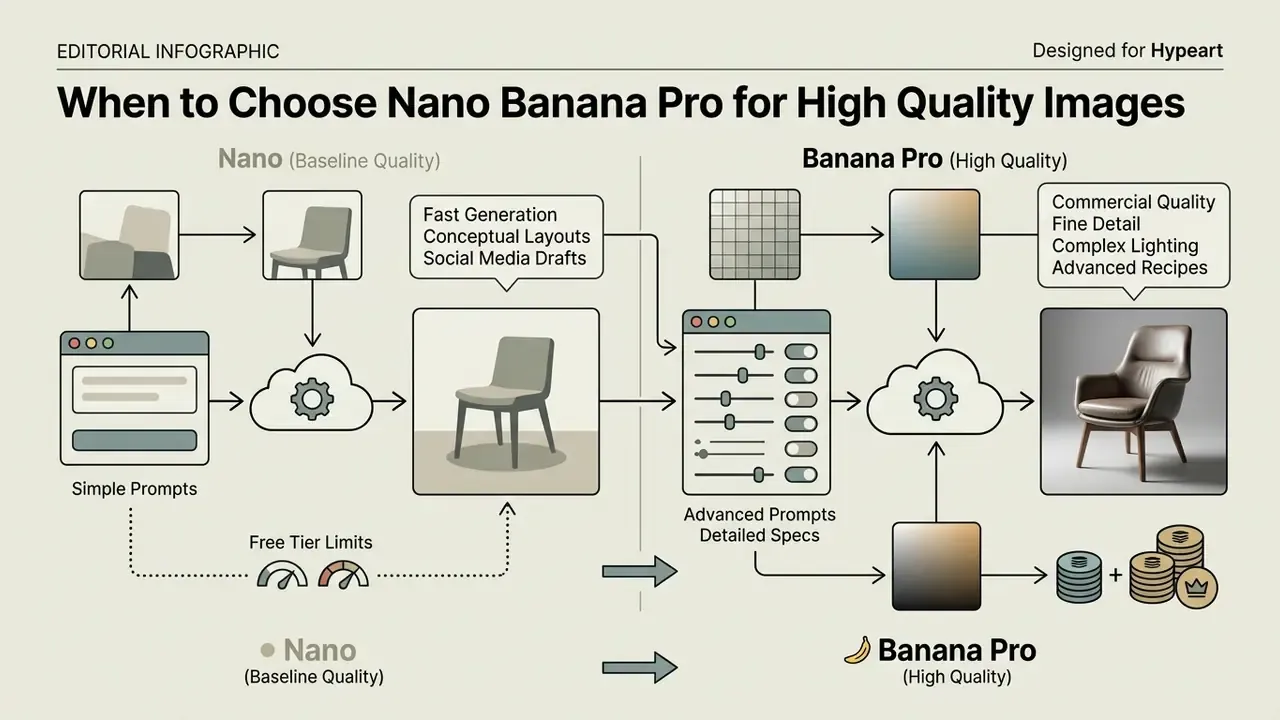
2.2 When to Choose Nano Banana Pro for High Quality Images
Nano Banana Pro (Gemini 3 Pro Image) is the right choice for enterprise production environments where visual fidelity, legible multi-word typography, intricate spatial layouts and high quality 4K renders are mandatory. Benchmarks from STRICT (2025) show that standard diffusion models degrade rapidly when rendering alphanumeric strings longer than three words, whereas premium autoregressive models such as Nano Banana Pro maintain structural text legibility across multi-line marketing headlines and product labels.
Nano Banana Pro also gives granular creative control over lighting dynamics, micro-textures and brand colour alignment, which makes it the primary option for print campaigns, pitch decks and commercial product packaging. Google's documentation positions it as the best model for correctly rendered, legible text, from short taglines to full paragraphs in posters and mockups. Google DeepMind still warns that small faces, exact spelling and very fine details can fail, which is precisely why human sign-off stays mandatory.
"On GenAI-Bench, Vision Banana paired with Gemini 3.1 Flash-Lite scores 53.5% wins against 46.5% for Nano Banana Pro in pairwise comparison."
The practical reading of that result: Pro is not automatically the winner on every perceptual-preference test. So the selection criterion should be typography, resolution and brand-colour stability, not a blanket assumption of superiority. Organizations building continuous content production lines can open the hub to study automated workflow governance frameworks.
3. Commercial Use, Legal Risk and Enterprise Governance
3.1 What to Verify Before Commercial Use of Generated Images
Before publishing generated visual assets in commercial campaigns, governance leads should verify three legal and regulatory frameworks:
- Copyright ownership and human authorship. Under current US Copyright Office guidance (2023 to 2024, https://www.copyright.gov/ai/), purely AI-generated visual output lacking substantial human creative input does not qualify for copyright protection. Commercial exclusivity cannot be legally guaranteed. Google's terms permit commercial use and Google does not claim ownership of your outputs, but contractual permission is not copyright protection, and it is not a warranty of non-infringement.
- SynthID digital watermarking. Google embeds invisible SynthID watermarks into generated pixels, and Gemini can verify whether an uploaded image was produced by Google AI. Compliance teams should retain SynthID verification records as audit evidence of AI provenance. Related tooling is covered in our overview of AI image detectors and AI reverse image search, both useful for pre-publication provenance and similarity screening.
- Third-party IP and biometric rights. Google's AI Use Policy prohibits generating recognizable real individuals without consent, misrepresenting AI content as solely human-made, and using personal data or biometrics without legally required consent. Screen outputs against trademark registers and, for face-adjacent assets, against your own consent records.
"Even the strongest judge models reach only 70 to 75% accuracy on image-generation evaluation; high-risk commercial workflows require human review."
3.2 Enterprise Data Boundary, Indemnification and Shadow AI
This is the block most public guides omit, and the one a chief risk officer asks about first.
- Surface matters more than prompt quality. Prompts typed into the consumer Gemini web app fall under consumer terms and may be reviewed for quality purposes. Google Workspace and Google Cloud / Vertex AI surfaces treat prompts as customer data governed by enterprise commitments, and Google Workspace states that prompts are not used to train models outside the domain without permission. Confirm in writing which surface your teams are licensed to use.
- Preview vs. GA. Google Cloud's Gen AI Preview terms restrict preview products to evaluation and testing only: no commercial or production use, no third-party disclosure, unless Google grants written permission. Google Cloud terms separately exempt specific Gemini Enterprise Agent Platform and Vertex AI models, including Gemini 3 Pro Image (Nano Banana Pro), from those preview restrictions. Production deployment therefore needs a per-model GA or exemption check, not a blanket vendor approval.
- IP indemnification. Ask your Google account team for the current written generative-AI indemnification position applicable to image outputs on your contracted surface, including whether it is conditioned on using safety filters and on not overriding provenance signals. Do not assume consumer-tier coverage carries over.
- Certifications and residency. Request current SOC 2 Type II reports, data-residency options and retention settings for the specific Vertex AI region you deploy in, then record them in the vendor file.
Table 2. Deployment surface versus data-leakage and compliance risk
| Surface | Typical terms | Data-leakage risk | Suitability for regulated institutions |
|---|---|---|---|
| Consumer Gemini web or mobile app (personal account) | Consumer ToS; quality review possible | High | Not suitable for confidential, client or PII-bearing inputs |
| Google Workspace with Gemini (managed account) | Customer-data commitments; admin controls | Medium | Acceptable for internal marketing assets with policy controls |
| Google AI Studio (developer testing) | Developer terms; preview constraints may apply | Medium | Prototyping only; synthetic or public inputs |
| Vertex AI / Gemini Enterprise (GA models) | Enterprise cloud terms; regional controls | Low | Preferred production path; per-model GA check required |
Shadow AI mitigation. Publish one sanctioned surface, block the rest at the network or SSO layer where feasible, provide an approved prompt library (see section 6) so teams have no incentive to improvise elsewhere, and require that any externally published asset carry a generation record. Prohibiting the tool without offering a compliant alternative reliably produces unmanaged usage. That pattern is boringly predictable.
"Visual generative tools fail audits for one reason far more often than any other: nobody can reproduce how the published asset was made."
Legal exposure in this area is still moving. Teams tracking downstream precedent can consult the AI Litigation and Case Timelines database before signing off on a campaign that leans heavily on generated likenesses or brand-adjacent styles.
3.3 Model Risk Management: Documenting Generations for Audit
4. Can You Use the Gemini AI Image Generator for Free?
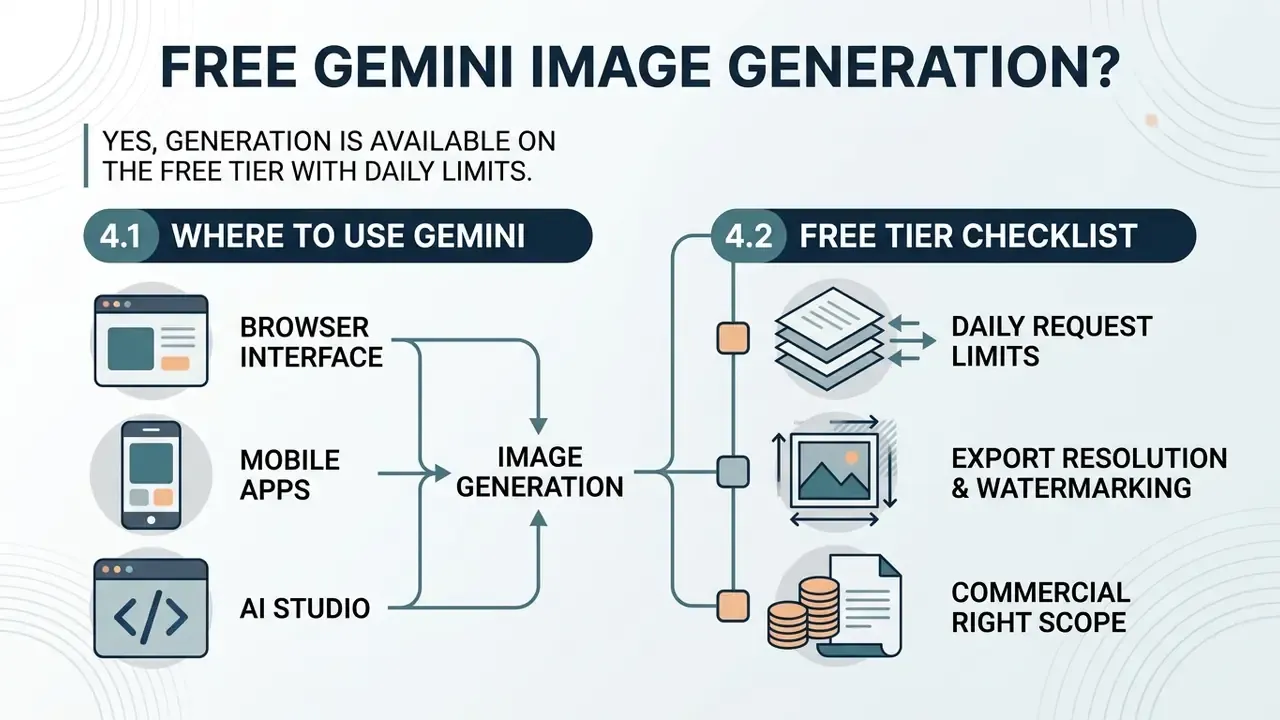
In two sentences: Yes, image generation is available on the free tier with standard daily limits. Paid plans buy you headroom, Pro-model access and higher-resolution exports, not a different legal footing.
Google offers free access to the free AI image generator Gemini capabilities through standard consumer interfaces, subject to daily request quotas and default model tiers. Updated: rather than naming a specific model for the free tier, since Google's assignment of models to plans changes often and is expressed as relative limits, the accurate statement is this. Non-paying users receive Google's current standard image model and standard feature limits, while Google AI Plus subscribers receive roughly 2x higher limits and Google AI Pro subscribers roughly 4x higher limits, plus the ability to regenerate images with the Pro-tier model (Google Help, 2026, https://support.google.com/gemini/answer/14286560). Public reporting of Google's September 2025 limits announcement described the free tier at up to 100 image creations or modifications per day and paid tiers at up to 1,000 per day. Subscriber-facing support pages have since shown different surface-specific caps, so treat any single number as time-sensitive.
Readers comparing an AI image generator free Gemini option against rivals should also review the best free AI image generators and, where account creation is a blocker, free AI image generators with no sign-up.
4.1 Where to Use Gemini: Browser, Mobile App and Google AI Studio
You can work with Google Gemini AI image features across three entry points, with no dedicated local software to install. Each is an image generator online, which matters for locked-down corporate laptops.
For specialized photographic transformation workflows, teams can evaluate an ai art generator comparison built around uploaded photos, while portrait-heavy teams should read the AI headshot generator guide before standardizing on a single tool.
4.2 What to Check Before Choosing the Free Tier
Before deploying the free tier for internal or evaluation workflows, governance leads should verify four operational constraints:
- Daily request limits. Free accounts operate under dynamic daily caps (publicly reported around 100 image operations per 24 hours when the current limits regime launched), while paid tiers guarantee 2x to 4x more headroom. Confirm current numbers in-product before planning a campaign sprint.
- Export resolution and watermarking. Free exports may be capped at 1K and always embed invisible SynthID provenance markers. Some surfaces additionally apply a visible AI badge.
- Commercial right scope. Free consumer terms support personal use and evaluation. Enterprise commercial deployment must comply with the Generative AI Prohibited Use Policy and the applicable commercial terms, and preview models remain evaluation-only.
- Data training and retention. Prompts entered into free public consumer interfaces may be logged for quality review, whereas Google Workspace, Google Cloud and Vertex AI environments enforce enterprise data-boundary protections.
"Gemini 3 Pro reaches 74.4% judge accuracy on image-generation evaluation, yet even the best judge models fall well short of humans (above 90%)."
In other words, automated quality scoring cannot replace a human reviewer on a commercial asset, no matter which tier you pay for. Teams that need watermark-free, higher-resolution exports without an enterprise contract may also want to compare free photo editors for the finishing step.
5. How to Create an Image in Gemini: Step-by-Step
In two sentences: The reliable workflow is five steps long and never starts with "make it beautiful". Pick the surface and tier first, build the prompt in a fixed order, then iterate conversationally instead of regenerating from zero.
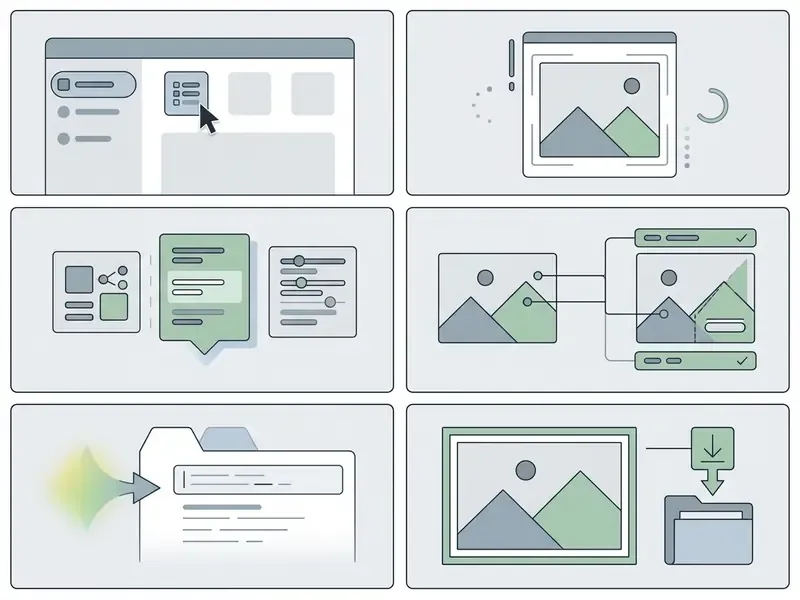
Click-by-click workflow checklist
- Select surface and model tier.In Gemini web (
gemini.google.com), open Tools, then Create images, then choose Fast for volume, Thinking for reasoning-heavy scenes, or Pro for typography and print. In Google AI Studio, switch the model in the selector and set output to Image and text. - Construct a structured prompt.Subject, plus context, plus style, plus camera and lighting, plus technical quality, plus aspect ratio.
- Generate.Submit and evaluate the first candidate in roughly 2 to 6 seconds depending on tier.
- Refine conversationally.Issue delta instructions ("keep everything, change the light to golden hour") rather than rewriting the whole prompt.
- Verify and export.Check typography and brand colour, confirm SynthID provenance, then use Download full size on web or touch-and-hold and Save on mobile. If the result needs Pro fidelity, open the three-dot menu and pick Redo with Pro.
5.1 How to Write a Gemini Prompt for Precise Results
Structuring an effective Gemini prompt calls for a deterministic sequence rather than open-ended descriptive text. Enterprise prompt engineers use a five-element framework plus an explicit format parameter:
Prompt = Subject + Environment/Context + Artistic Style/Medium + Lighting and Camera + Technical Quality Spec + Aspect Ratio
- Subject the explicit object or person ("a corporate compliance executive seated at a minimalist desk").
- Environment detailed background ("modern glass office in downtown New York, softly blurred cityscape").
- Artistic style a precise medium label ("editorial colour photograph, architectural-digest aesthetic").
- Camera and lighting director cues ("eye-level shot, 85 mm lens, soft diffused morning light, shallow depth of field").
- Technical parameters resolution and texture indicators ("high contrast, hyper-detailed texture, 4K render").
- Aspect ratio always state it explicitly. Do not let the model guess your channel.
"Explicitly specifying spatial relationships and attributes in the prompt lets models achieve high MI and MA scores; omitted attributes systematically cause errors."
| Aspect ratio | Prompt phrasing | Primary channel or use |
|---|---|---|
| 1:1 | "square 1:1 format" | Instagram feed posts, avatars, marketplace thumbnails |
| 4:5 | "vertical 4:5 portrait format" | Instagram and Facebook feed portrait ads (maximum feed real estate) |
| 9:16 | "vertical 9:16 full-screen format" | Reels, TikTok, Shorts, Stories, mobile splash screens |
| 16:9 | "widescreen 16:9 format" | Blog heroes, YouTube thumbnails, slide backgrounds, display banners |
| 3:2 or 2:3 | "classic 3:2 photographic framing" | Editorial photography, print layouts, catalogue spreads |
| 21:9 | "ultra-wide 21:9 cinematic crop" | Website hero strips, cinematic key art, email headers |
Practical tip: generate the widest usable ratio first, then request a reframe ("keep the same scene and subject, re-render in vertical 9:16 without cropping the subject"), so one concept can populate every channel. When a layout still needs extra canvas, an AI outpainting tool for expanding images is usually safer than forcing a fresh generation.
6. Copy-Paste Prompt Library
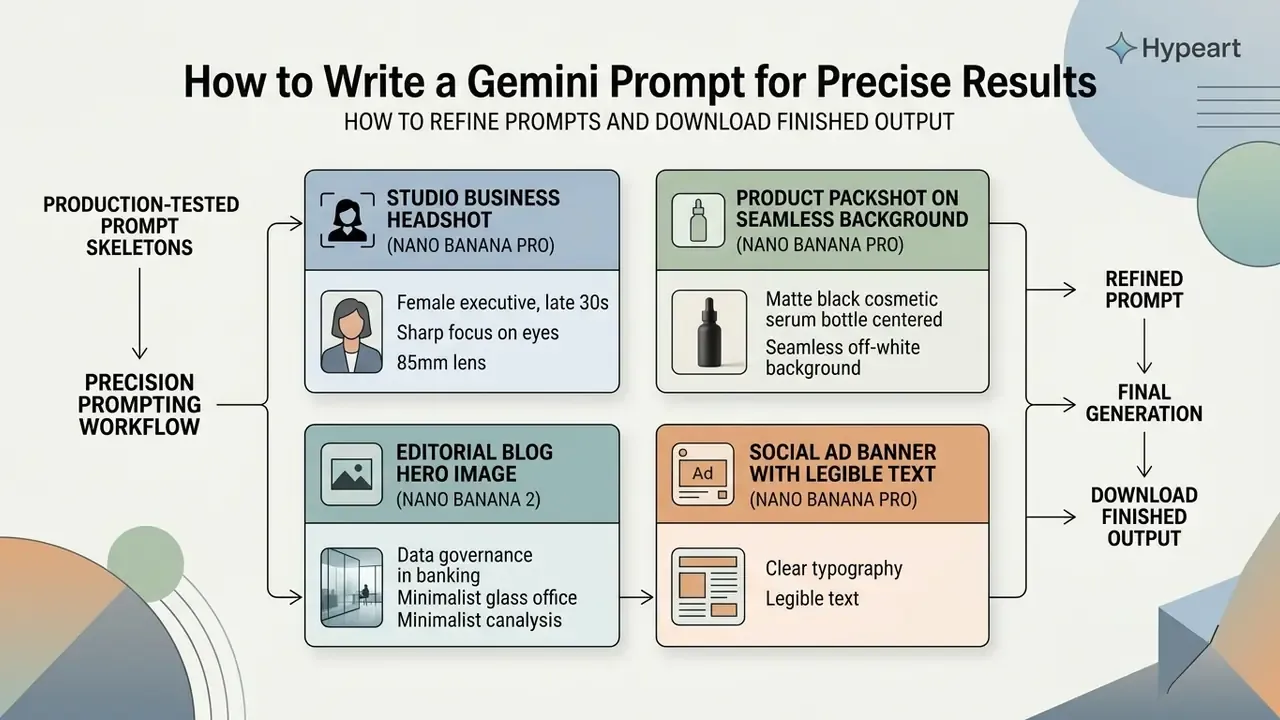
"Image generators remain significantly limited at producing long, accurate text: error rates rise sharply as string length increases."
Keep in-image copy under a few words wherever you can, and overlay legal or regulated wording in design software rather than trusting the model to spell it.
6.1 How to Refine the Prompt and Download the Finished Output
When initial visual outputs need adjusting, use conversational refinement rather than regenerating from scratch. Specify exact delta modifications, for example "Keep the central subject identical, but change the background lighting from daylight to dusk", because starting a new generation discards the composition you already approved.
Once satisfied, click Download full size in the web interface, touch-and-hold and choose Save on mobile, or export raw binary byte data via the API. Google's documented API pattern also covers structured request parameters (model name, output type, response schema) and file handling, which is what lets you wire generation into a content pipeline rather than a browser tab. For post-processing beyond Gemini's own editing, review specialized AI photo editors and AI image enhancers. For motion-based creative extensions, visual directors can analyse an ai animated image generator solution that turns static exports into dynamic assets.
7. How to Edit Photos and Generated Images in Gemini
In two sentences: Gemini edits by instruction, so the quality of an edit depends less on what you ask it to change than on what you tell it to leave alone. Lock the invariants in every prompt.
The Gemini AI generative image editing suite lets operators modify existing assets through natural-language directives, combining uploaded reference images with contextual prompts. Google documents three entry paths: editing an image Gemini just generated, uploading an image and requesting edits, and uploading multiple images to produce a new composite (Google Help Center, 2026, https://support.google.com/gemini/answer/14286560). In Vertex AI Studio the equivalent flow is Insert media followed by a text prompt.
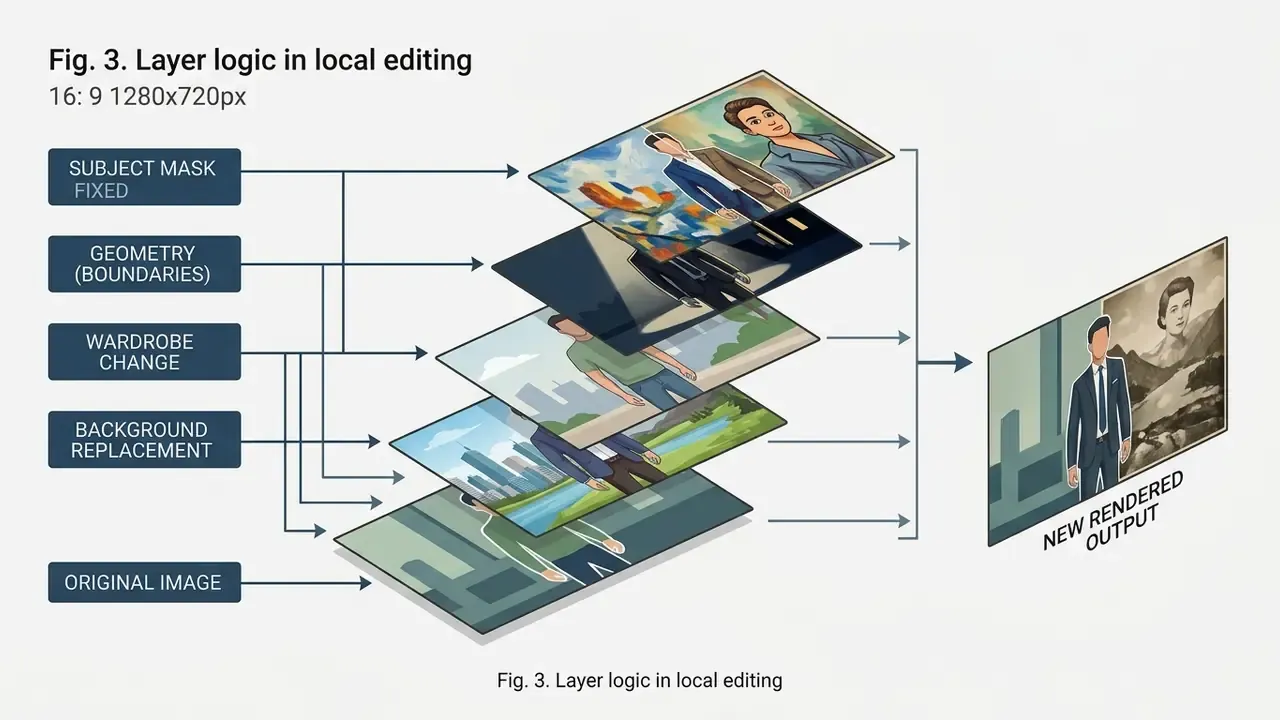
7.1 Changing Background, Clothing, Hairstyle, Lighting and Visual Style
Local modification requires explicitly defining the unchanged elements, otherwise the model invents. Prompts should follow a structure that locks core subjects while modifying specific targets:
"Modify only the background: replace the indoor studio backdrop with an outdoor financial-district park. Do not alter the subject's face, clothing, hair or physical pose."
"Realistic reference-guided local editing is significantly harder than generation from scratch: models must preserve structure and apply localized changes simultaneously."
Five micro-recipes you can copy directly:
Deployment case (illustrative, composite). A fintech enterprise needed localized visual disclosures across 500 digital marketing assets while holding exact subject identity. The team applied conversational editing protocols, uploading master portrait references and executing targeted background swaps, and completed the asset refresh in three business days while preserving full data lineage and brand compliance. Critically, every edit was logged with prompt, model version, reference file and reviewer. That log is what made the batch auditable rather than merely fast. To evaluate automated stylized transformations, creators can review the ai anime generator overview or the Ghibli-style AI image generator comparison. For resolution recovery after heavy editing, see our guide to AI image enhancers.
- Change clothing.
Keep the person's face, hairstyle, body pose, hands and background identical. Replace the current attire with a tailored charcoal-navy two-piece suit, white shirt, no tie, realistic wool texture and natural fabric folds.- Change hairstyle.
Keep the face, expression, skin tone, wardrobe and background unchanged. Change only the hairstyle to a shoulder-length layered cut with a natural side parting, matching the existing lighting direction and hair colour.- Change the background.
Keep the subject, pose, framing, edge sharpness and lighting direction identical. Replace the background only with a softly blurred modern office interior at 35mm depth of field, colour-matched to the subject's key light.- Change weather and lighting.
Keep composition, subject and all objects identical. Change the scene from overcast midday to golden-hour late afternoon: warm low sun from camera left, long soft shadows, slightly hazy atmosphere, unchanged white balance on skin tones.- Change camera angle or pose.
Re-render the same subject, wardrobe and environment from a low-angle dramatic viewpoint at 28mm, keeping lighting, colour palette and facial identity consistent.For pose:Keep identity, outfit and background identical; change the pose to the subject looking over the shoulder toward the camera with relaxed arms.
7.2 Combining Multiple Images and Working with References
Gemini supports multi-image conditioning: provide several images as context to build a composite scene, transfer a style, or assemble a product mockup. Google's API documentation states support for up to 14 reference images, and Google Cloud's prompting guidance describes a working formula of reference images, plus a relationship instruction, plus a new scenario. Expressed in our notation:
Composite Prompt = [Image A: Subject] + [Image B: Style Reference] + "Render Subject A in the exact colour palette and artistic style of Reference B"
Practical multi-reference patterns:
- Two-person composite
Combine image 1 and image 2 into one natural portrait. Preserve both faces exactly, place the subjects close together with relaxed expressions, unify the lighting to soft daylight with subtle backlight, realistic skin texture, square 1:1 format.- Style transfer
Use image 2 only as a style, colour and texture reference. Re-render the subject from image 1 in that style, keeping the subject's structure and proportions unchanged.- Product in scene
Place the product from image 1 into the environment from image 2 at a physically plausible scale, matching perspective, shadow direction and colour temperature.
"Unified models struggle with multi-step editing, particularly when reasoning about cause-and-effect relations and numerical constraints."
8. Which Commercial Tasks the Gemini AI Image Generator Suits
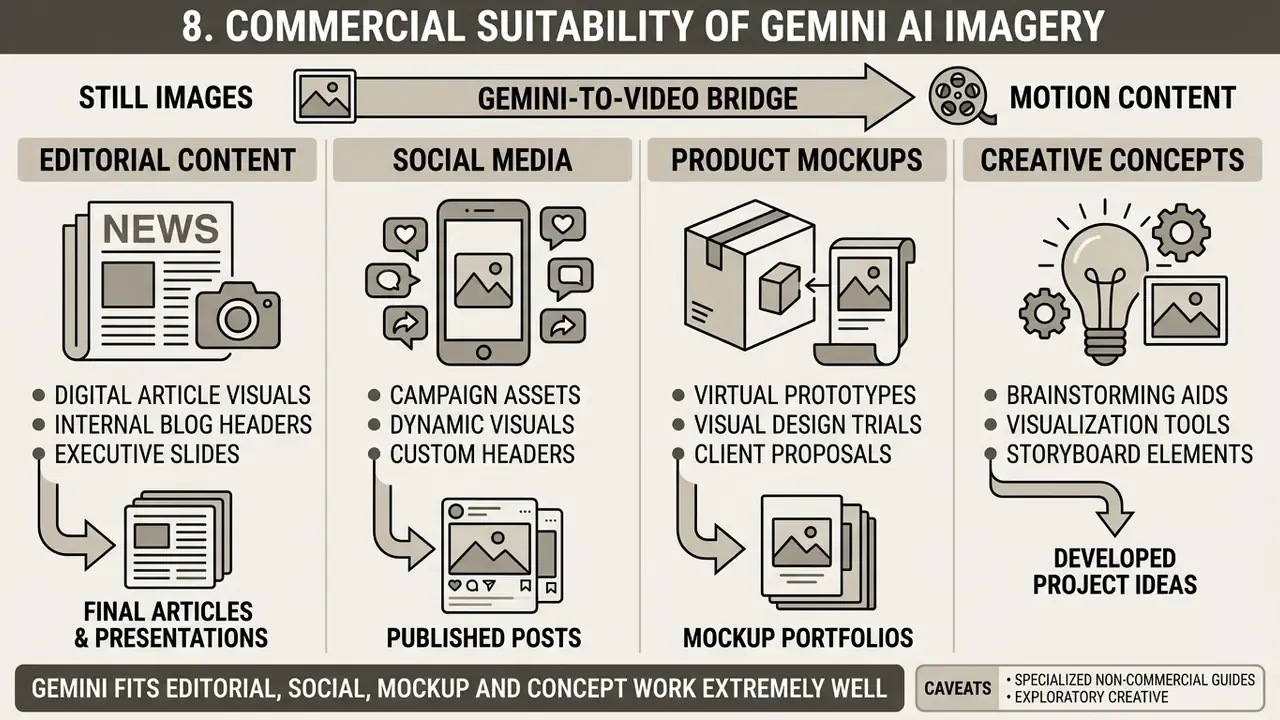
In two sentences: Gemini fits editorial, social, mockup and concept work extremely well. It fits anything requiring long exact copy, unusual attribute combinations or legally binding visuals only with human finishing.
The Gemini AI creator ecosystem is deployed across corporate communications, marketing campaigns, digital advertising and product mockup design. Google's own Workspace documentation shows Gemini generating inline images and full-bleed cover visuals for marketing briefs and promotional fliers in Docs, plus prompt-generated visuals in Slides across photography, watercolour, sketch and vector-art styles.
Table 4. Commercial scenario application matrix for Gemini visual asset generation
| Commercial use case | Recommended prompt structure | Optimal model tier | Post-editing requirement |
|---|---|---|---|
| Blog post and editorial visuals | Subject + conceptual environment + editorial photo style + 16:9 aspect ratio | Nano Banana 2 | Low (direct export acceptable) |
| Social media ad banners | Product subject + vibrant background + short bold headline text + 1:1 or 9:16 aspect ratio | Nano Banana Pro | Medium (typography verification) |
| Product packaging mockups | 3D packaging layout + studio lighting + vector label specs + 4K resolution | Nano Banana Pro | High (precise logo vector overlay) |
| Concept art and storyboarding | Scene action + atmospheric environment + cinematic sketch or watercolour style | Nano Banana 2 Lite or standard | Low (rapid iterative review) |
| Localized campaign variants | Locked master reference + market-specific scene swap + explicit invariants | Nano Banana 2 or Pro | Medium (identity and disclosure check) |
"Even the best models reach only 0.389 accuracy on objects with unusual attributes and 0.422 on object pairs with unusual relations."
Set expectations accordingly. Conventional scenes are near-solved, while deliberately unusual attribute combinations ("a transparent wooden briefcase suspended above water") still take many attempts and human selection. For the official platform context, see our overview of the Google AI Image Generator for commercial tasks, and for adjacent ecosystems the Microsoft AI image generator and Bing AI image guides.
8.1 Content, AI Artwork and Visuals for Creative Projects
Marketing teams use Gemini to generate custom headers for an internal blog post, visual slides for executive presentations in Google Slides, and concept illustrations for digital campaigns. By specifying exact artistic parameters (medium, palette, lens, light, ratio) creators produce brand-specific Gemini AI artwork instead of recycling generic stock photography.
Two caveats belong right next to that claim. First, uniqueness is a function of prompt specificity, not of the tool itself. Generic prompts converge on generic, look-alike output across every model, and no published benchmark certifies output originality, so novelty should be verified with reverse-image and similarity checks rather than assumed. Second, text inside artwork remains the weak point:
"Diffusion models remain unstable when embedding complex text into images: prompts with long or multi-level textual content yield unreliable results."
For non-commercial exploratory creative avenues, specialized guides exist for niche platforms such as ai art porn options, which remain outside Google's permitted use and must be assessed under the relevant platform's own compliance filters and local law.
8.2 From Still Image to Motion: The Gemini-to-Video Bridge
A generated frame is rarely the end of the pipeline. The standard 2026 workflow runs like this: lock a hero still in Gemini (identity, palette, framing), then use that frame as the opening keyframe for an image-to-video model, a thumbnail, or a concept board for a longer edit. Because the still already encodes your brand colour and subject identity, motion models inherit those constraints instead of re-inventing them.
Practical sequence: generate the hero frame at the widest ratio you need; request a 9:16 reframe for vertical channels; pass the still into a video generator as the first frame with a short motion instruction ("slow push-in, subtle hair movement, unchanged lighting"); finish audio and captions in your editor. Teams building this chain can review the Google Veo API implementation guide, compare the best free AI video generators, plan publishing in a YouTube video editor workflow, add narration with an AI voice generator, and reduce delivery weight with a video compressor. For frame-by-frame stylized motion, the animation maker guide covers template-driven alternatives.
9. FAQ About the Gemini AI Image Generator
Short answers to the frequently asked questions we get from marketing, legal and risk teams.
Which prompt languages does the Gemini AI Image Generator support?
The Gemini 3.x image family supports prompts in roughly fifteen languages, including Arabic (ar-EG), German (de-DE), English, Spanish (es-MX), French (fr-FR), Hindi (hi-IN), Indonesian (id-ID), Italian (it-IT), Japanese (ja-JP), Korean (ko-KR), Portuguese (pt-BR), Russian (ru-RU), Ukrainian (ua-UA), Vietnamese (vi-VN) and Chinese (zh-CN). Legacy Gemini 2.5 Flash Image supports a reduced set (English, es-MX, ja-JP, zh-CN, hi-IN).
Is image generation available in my country?
Google states that AI image generation is available in all languages and countries where the Gemini app is available, but also notes that it is not yet available in every language, country or region. Availability and limits vary, and users must be 18 or older on some surfaces. Verify in-product rather than assuming parity with your headquarters region.
Is commercial use permitted for free-tier Gemini images?
Google's terms permit commercial deployment provided you comply with the Generative AI Prohibited Use Policy and the main Terms of Service, and Google does not claim ownership of generated content. However, free non-enterprise output carries lower daily limits, default SynthID provenance marking, no enterprise data-boundary commitments, and no assumption of IP indemnification. Preview models remain evaluation-only unless explicitly exempted.
How does Google prevent deepfakes and non-consensual imagery?
Automated safety filters block prompts requesting non-consensual intimate imagery, explicit violence, or unauthorized biometric replication of real individuals, and the AI Use Policy prohibits using someone's likeness or biometric data without legally required consent. Outputs are continuously screened against safety classifiers, and both invisible and visible AI markers are applied depending on the surface.
Can Gemini generate legible, multi-word text inside images?
Yes, primarily with Nano Banana Pro (Gemini 3 Pro Image), which Google positions as its best model for correctly rendered, legible text, from short taglines to longer paragraphs. Error rates still rise with string length (STRICT, 2025), so keep critical copy short, proofread every render, and overlay regulated wording manually. If the approved render is too small for print, see our comparison of AI image upscalers.
How do enterprise teams verify whether an image was generated by Gemini?
Upload the file back into the Gemini app and ask whether it was created with Google AI. Verification is powered by SynthID, Google's digital watermarking technology for images, audio and video. The watermark stays detectable after standard cropping, resizing and lossy compression. Log the verification result alongside the generation record.
Which model should we standardize on for a regulated marketing team?
Nano Banana 2 for volume work, Nano Banana Pro for anything with typography, print output or brand-colour tolerances. Both should be accessed through an enterprise surface (Vertex AI or managed Workspace), never a personal consumer account, and both should sit behind a documented human review step before publication.
Does the model have enough world knowledge for financial-sector visuals?
Generally yes for generic settings such as trading floors, branch interiors or card products, since Nano Banana 2 and Pro carry broad world knowledge. It is unreliable for anything factual: charts with real numbers, regulatory logos, exact product terms. Generate the scene, then add the data layer by hand.
Appendix A: Corrections, Superseded Claims and Verification Status
Transparency record for this guide, maintained for E-E-A-T and audit purposes.
| Original claim (superseded) | Status | Current wording or evidence |
|---|---|---|
| "This controlled deployment reduced agency design iteration cycles by 40%." | Reformulated | No independently audited source supports the figure; now reported qualitatively as a material reduction based on an unaudited internal estimate. |
| "Nano Banana 2 Lite delivers generation latencies under 1.5 seconds." | Corrected | Google DeepMind describes Gemini 3.1 Flash-Lite Image as generating in about four seconds at the lowest cost, with a 1K ceiling. https://deepmind.google/models/gemini-image/flash-lite/ |
| "Up to 14 reference images" (stated without qualification) | Qualified | Google's Gemini API documentation states up to 14 reference images; consumer surfaces commonly expose fewer slots, so 14 is an API ceiling, not a UI guarantee. |
| "Free users access features powered by models like Nano Banana 2." | Reformulated | Google expresses plan differences as relative limits (AI Plus about 2x, AI Pro about 4x standard); specific model-to-plan mapping changes and should be verified in-product. |
| "Research from Google Developers (2025) confirms explicit camera angles..." | Source replaced | Replaced with T2I-CoReBench (https://arxiv.org/abs/2504.02035) plus Google's published image-generation best practices, both verifiable with methodology and URLs. |
| "Creators generate unique artwork without relying on stock photography." | Qualified | Originality is a function of prompt specificity; no benchmark certifies output uniqueness, so similarity checks are recommended. |
| Benchmark metrics (MMIG-Bench, T2I-CoReBench, STRICT figures) | Retained, labelled | Academic evaluation data from 2025 and 2026 preprints; directional, not contractual performance guarantees. |
| Imagen 3 references in older internal documentation | Superseded | Imagen 3 is shut down on the Gemini API; remaining Imagen models scheduled for shutdown 2026-08-17. |
Review and Update Cadence
Product terms and model tiers in this space move faster than most policy documents. A workable cadence for regulated teams: re-verify daily limits and plan mapping monthly, re-verify preview versus GA status and indemnification wording quarterly or before any new campaign launch, and re-run the model-inventory entry whenever Google renames or retires a model identifier. Assign that recurring check to a named owner in marketing operations, with a second reviewer in model risk. Unowned checks quietly stop happening.
Key Information and Regulatory Disclaimers
This material is provided for educational and informational governance purposes only and does not constitute formal legal, regulatory or model risk compliance advice. Marcus Hale, author. Product terms, model availability, usage limits and indemnification positions change frequently and vary by contract, surface and region. Readers should consult qualified legal counsel, their Google account team and internal risk committees before establishing enterprise-specific AI usage policies, and should re-verify every quoted limit, term and benchmark against primary sources at the time of deployment.
Navigation Hub and Resource Links
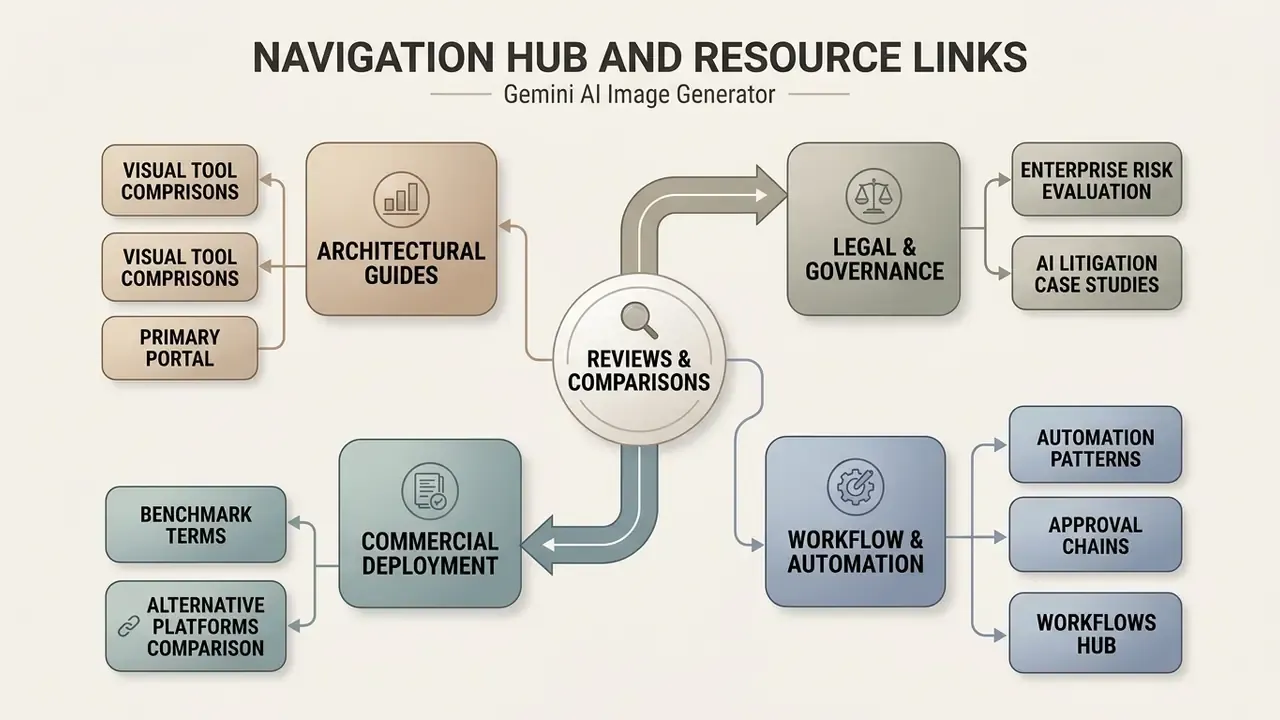
To review broader platform capabilities, governance frameworks and technical implementation guides:
- To explore comprehensive architectural comparisons across visual tools, view the guide on our primary portal.
- For enterprise legal risk evaluation regarding generative tools, reference the AI Litigation and Case Timelines compliance tracking database.
- To benchmark commercial deployment terms across alternative visual platforms, compare options in our enterprise solutions directory.
- For workflow-level automation patterns and approval chains, open the workflows hub.