An AI graphic creator is an online software tool that uses artificial intelligence models to convert text prompts or existing images into high-resolution visual graphics. Modern systems combine deep learning architectures with interactive web interfaces to automate design workflows, asset generation, and image editing without local software installation. Before committing to a vendor, most teams also compare the wider market of AI image generators to match model quality, licensing, and deployment model to their workload.
Why should a bank's risk function care about a design tool? Because marketing images are now model output. They carry licensing exposure, provenance duties, and an audit trail that either exists or does not.
«Generative visual automation needs governance: no model lineage, no licence evidence, no output verification means no autonomous deployment.»
Executive summary
- Architecture is standardized, vendors are not.Almost every production-grade AI graphic creator uses a transformer text encoder plus a latent diffusion denoiser. The real differentiators are licensing, provenance metadata, training-data opt-out guarantees, and deployment isolation, not raw pixel quality.
- Model choice drives cost and fidelity.FLUX.1, Seedream 5.0 Pro, Nano Banana Pro, DALL-E 3 / GPT Image 2.5, and Midjourney v7 occupy distinct performance niches (speed versus photorealism versus in-image typography). Selecting the wrong engine inflates both credit spend and rework time.
- Free tiers are operationally different products.Visible watermarks, shared public queues, absent prompt history, and personal-use-only licences make guest and free modes unsuitable for regulated commercial publication, even when output quality looks identical.
- Commercial safety is a documentation problem.Paid tier licence, plus reference-image rights, plus C2PA Content Credentials, plus a reproducible audit package (prompt, seed, model version, manifest) is the minimum evidence set for marketing, e-commerce, and branding work under EU AI Act Article 50 and NIST AI 100-4 guidance.
- Shadow AI is the primary uncontrolled risk.Uncontrolled browser generation by marketing teams bypasses IP indemnification, training opt-outs, and provenance tagging, which are precisely the controls that make institutional use defensible.
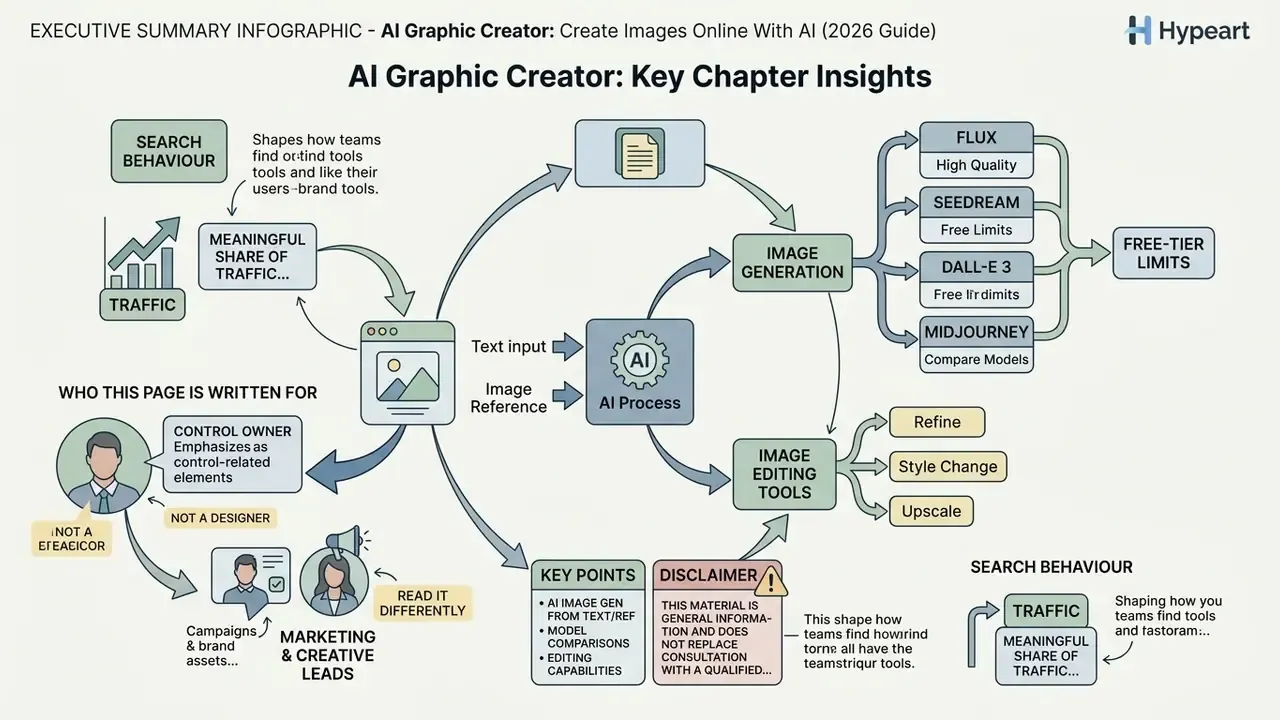
Who this page is written for
The primary reader is a control owner, not a designer. Chief Risk Officers, Chief Compliance Officers, Heads of Model Risk, and AI governance leads use pages like this one to answer four narrow questions: which generative image tools are already in use, which licence tier covers the intended channel, what evidence survives an internal audit, and where the residual risk actually sits.
Marketing and creative leads read it differently. They want to know how to create images fast, with predictable image quality, and without sending a campaign back to legal three times. Both readings are legitimate. The sections below keep them side by side: the mechanics of generation first, then the controls that make the output usable in a regulated environment.
One note on search behaviour, since it shapes how teams find these tools: a meaningful share of traffic arrives through the common misspelling "ai graphic creater", and through broad queries like "ai image generator for anything". Broad intent, narrow permissions. That gap is where shadow AI grows.
What is an AI graphic creator and how does it work?
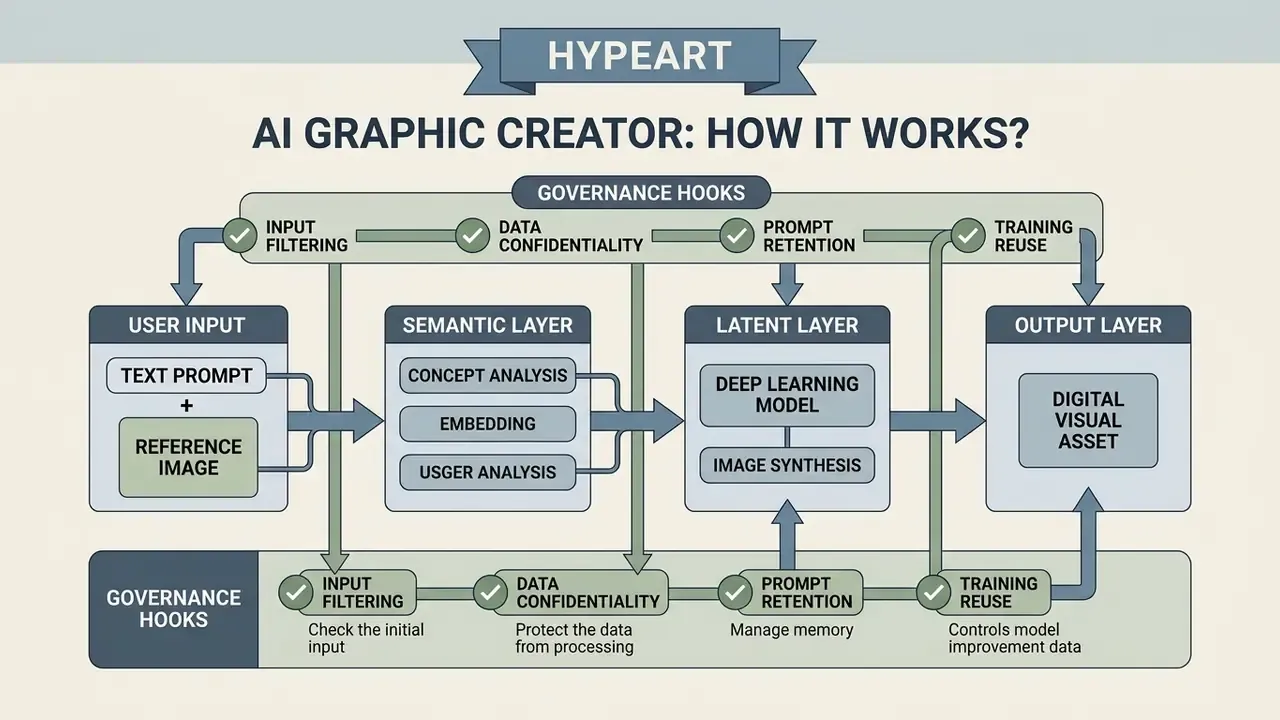
An AI graphic creator converts human instructions into digital visual assets by translating text descriptions or reference images into mathematical embeddings that guide deep learning generative models. Modern architectures rely primarily on diffusion models and latent space transformations, iteratively reducing Gaussian noise until a coherent image emerges.
Generative AI platforms use transformer-based text encoders to interpret semantic intent from raw user text descriptions. The encoded concept is mapped into a multidimensional latent space where the model identifies spatial relationships, lighting conditions, textures, and visual features. According to a systematic survey by Zhang et al. (2025), diffusion models have become the dominant foundation for high-quality image synthesis thanks to superior numerical stability and training scalability compared with traditional generative adversarial networks (GANs).
«A review of 141 works from 2021 to 2024 identifies diffusion models as the dominant choice for high-quality image synthesis.»
Enterprise platforms layer governance controls on top of that machine learning stack to keep data lineage, safety filtering, and visual output predictable. When evaluating platform architectures, technical teams must audit how models process data inputs and handle unknown prompt terms. Research on latent space mechanics indicates that when an AI graphic creator meets ambiguous or unknown vocabulary, it defaults to pre-trained latent clusters, producing recurrent baseline visual motifs rather than failing outright.
«When a prompt contains an unknown term, the model falls back to unanchored regions of latent space and reproduces recurrent visual motifs.»
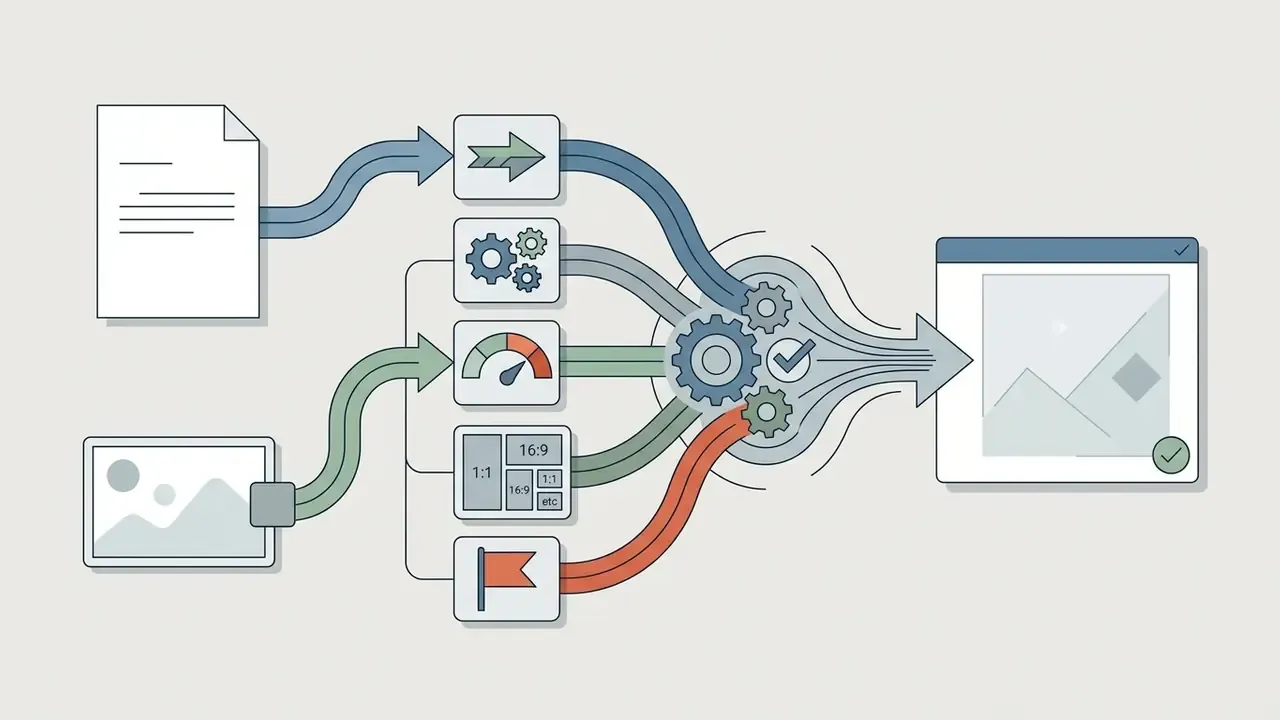
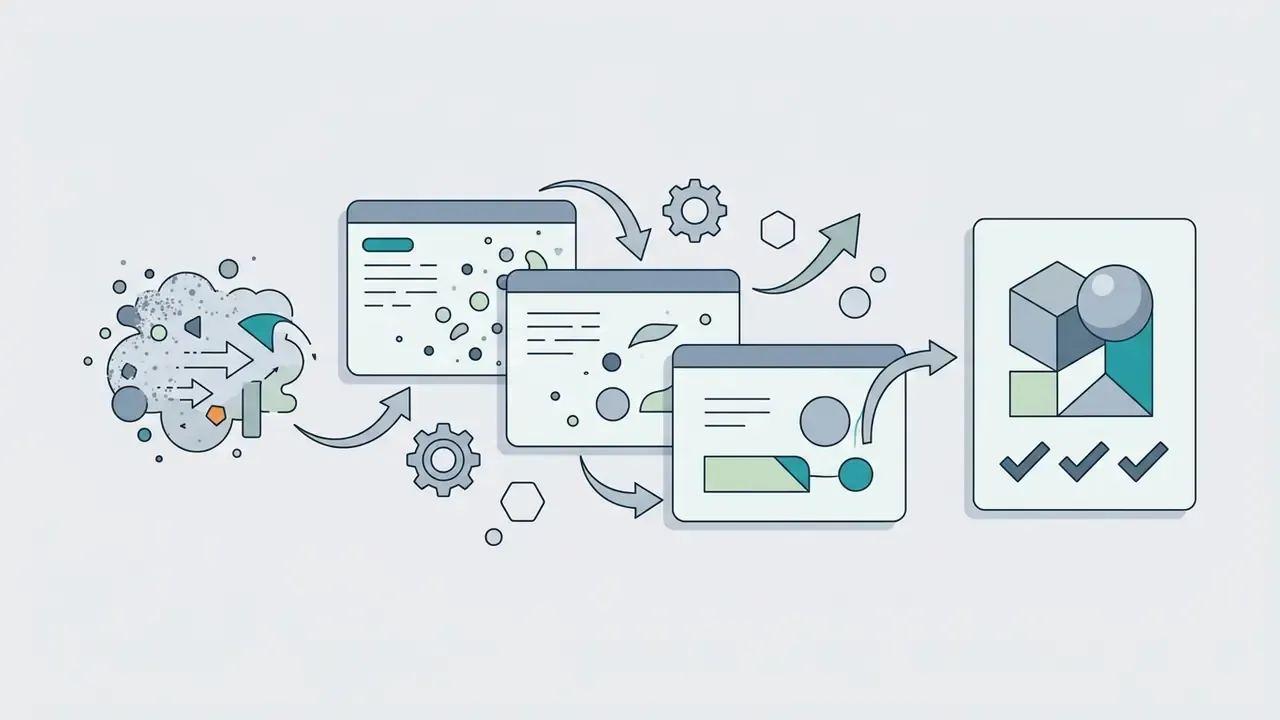
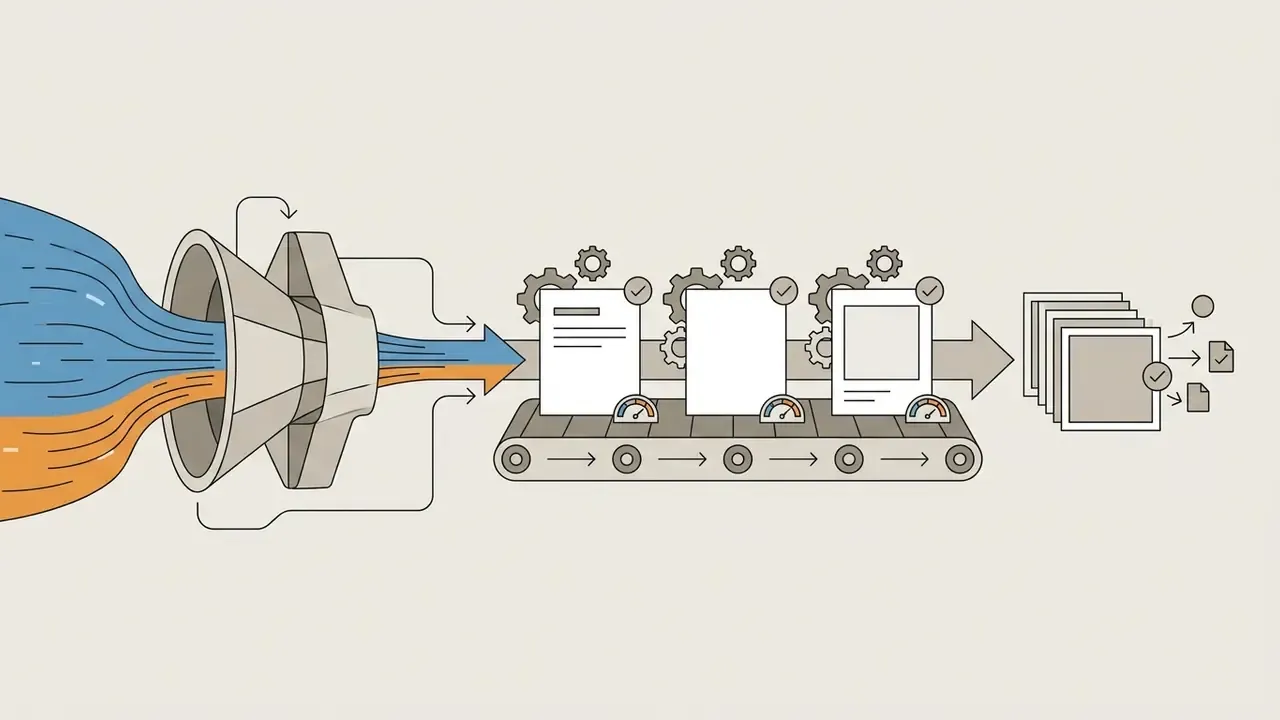
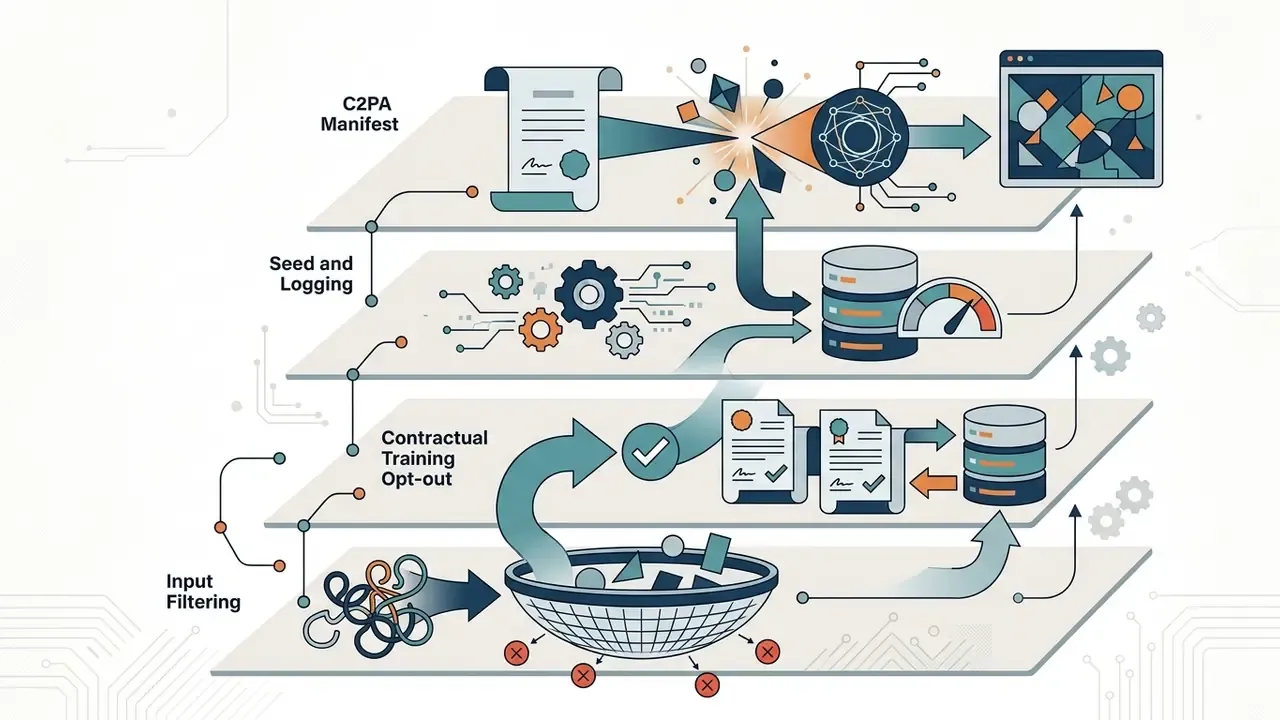
Technical generation pipeline: how a prompt becomes pixels
That fifth item is the one institutions forget. It costs almost nothing at generation time and is close to impossible to reconstruct afterwards.

Data flow, prompt retention and confidentiality
Architecture reviews for regulated environments must document not only how the model renders pixels, but where prompts, embeddings, and uploaded reference assets physically live after generation. Three questions decide whether a platform can enter an AI inventory.
- Retention.Are prompts, seeds, and uploaded references stored persistently, and for how long? Guest and anonymous sessions on consumer platforms are typically processed transiently and discarded, which also means no reproducible audit trail exists.
- Training reuse.Does the vendor exclude customer inputs and outputs from future model training by default, or only on paid and enterprise tiers? Contractual "no-training" guarantees are the control that separates enterprise isolates from public web tools.
- Processing locality.Is inference executed in a shared multi-tenant cloud, a dedicated private cloud tenancy, or on-premises hardware? Each option carries a different data-residency and confidentiality profile for brand assets and unreleased product imagery.
Text-to-image: create an AI image from a prompt
Text-to-image technology turns simple text and structured text prompts into detailed visual assets through multi-stage semantic alignment and noise reduction. The underlying model parses user prompts to determine scene composition, visual style, subject traits, and technical parameters such as aspect ratio.
When a user submits a prompt to create images, large language encoders map each word into high-dimensional vector representations. Diffusion backbones then use classifier-free guidance to steer the denoising process toward the specific concepts described in the text. Testing of the OPT2I prompt optimization framework showed that systematically refining text descriptions with large language models raised prompt-image consistency scores by up to 24.9% on standardized benchmarks.
«OPT2I improved DSG consistency by 24.9% on MSCOCO and PartiPrompts while preserving FID and increasing recall between real and generated data.»
Precision control over the output requires structuring text prompts with clear spatial, lighting, and medium constraints. Users chasing specialized outputs, such as abstract digital art or precise product shots, should specify object details, foreground-background relationships, and rendering styles directly inside their text descriptions to minimize stochastic variation. Vague in, random out.
Image-to-image: create new visuals from a reference image
Image-to-image generation produces newly synthesized graphics by taking existing images as a reference image and modifying their visual attributes according to new text instructions. The process conditions the denoising pipeline with structural signals extracted from the source image. Teams building this into a repeatable workflow can compare dedicated image-to-image generators by conditioning controls and licence scope.
In an image-to-image workflow, the system encodes the source visual and applies a controlled amount of noise determined by the denoising strength parameter. Lower denoising strength retains the underlying composition, pose, and spatial layout of the original picture, while higher strength lets the model introduce substantial stylistic and structural change. Technical documentation for diffusion pipelines confirms that setting denoising strength between 0.2 and 0.4 enables subtle retouching, whereas values above 0.7 push the output toward full re-synthesis. In the reference diffusers implementation, the strength parameter is bounded between 0 and 1, and a value of 1.0 runs denoising for the full step count, reducing the input image to weak guidance only.
«Comparative analysis of VAE, GAN and diffusion models confirms that diffusion models deliver superior stability and quality at high resolution.»
This mechanism lets creators generate AI generated art from picture inputs while holding brand assets or character consistency in place. By combining structural conditioning modules such as ControlNets with descriptive prompts, teams can shift colour palettes, lighting schemes, or background environments without touching the primary subject's core geometry. Region-level techniques such as DiffEdit derive an edit mask by comparing two denoising passes, then decode the image while restoring background pixels through that mask, which is the mechanism behind reliable object-level edits.
What can an AI image generator create?
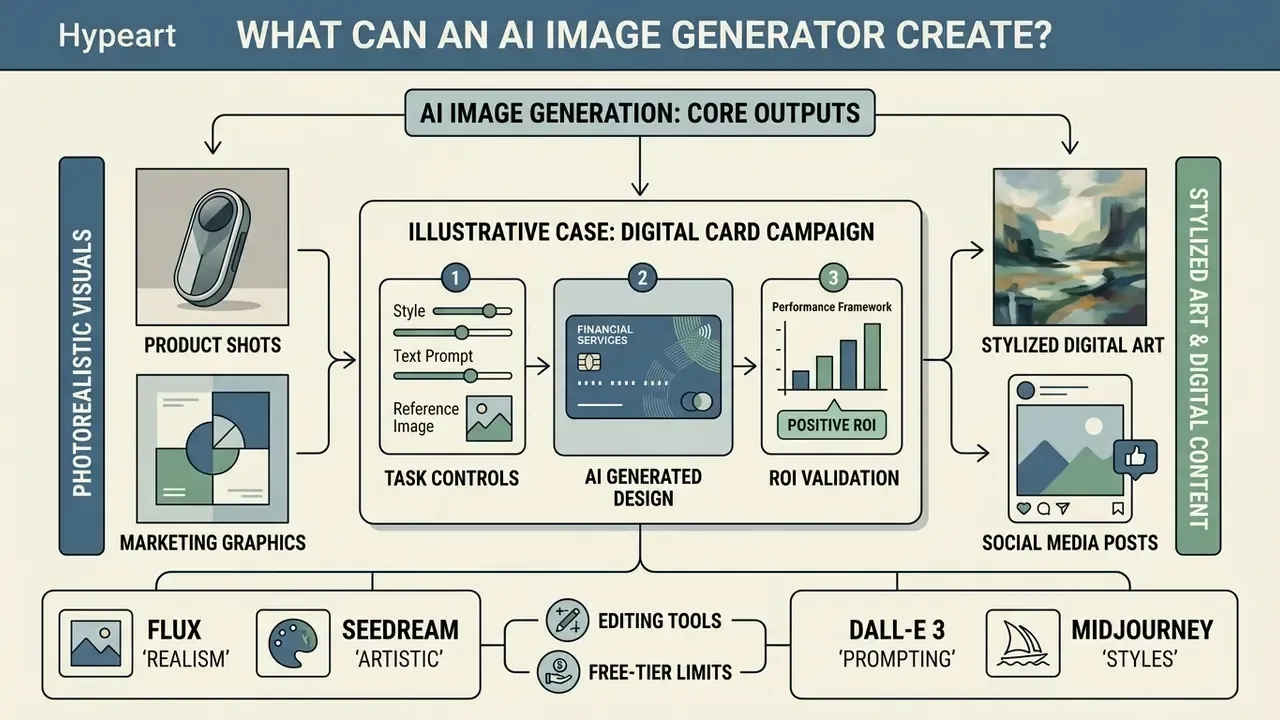
An AI image generator can produce a wide array of visual assets, from photorealistic product shots and marketing graphics to stylized digital art and social media content. Modern multi-modal models support many different styles, so one platform interface can cover most visual creation requirements.
To navigate the expanding ecosystem of visual automation tools, organizations can review platform benchmarks in our AI Media Comparison Matrices or consult the AI Media Glossary for technical definitions.
Photorealistic images, AI photos and product shots
Photorealistic AI visual generation produces lifelike AI photos and product shots that match the clarity, lighting dynamics, and focal depth of commercial photography. Current state-of-the-art models render textures, reflections, and material properties at native 2K to 4K resolutions. Post-generation cleanup is usually handled by dedicated AI photo editors that add masking, retouching, and colour-management layers on top of raw model output.
Commercial product shots require strict fidelity to physical materials and accurate shadow rendering. Model documentation for leading generative frameworks, such as Microsoft's MAI-Image-2.6, highlights sub-pixel rendering designed to preserve intricate surface textures and complex studio lighting setups (Microsoft Model Card, 2026), with a documented maximum total pixel count of 2,359,296 (equivalent to 1536×1536). Google's Imagen 4 architecture similarly optimizes photorealistic output up to 2K resolution, delivering true-to-life colour gradients and macro-level surface detail (Google Vertex AI Documentation, 2026).
Enterprise brands deploy photorealistic image tools to produce high-resolution marketing assets without physical studio setups. The savings are real, and so is the temptation to skip documentation.
Quality assurance must still assume localized failure modes even at high resolution. Hands, teeth, fine text, and skin micro-texture remain the usual suspects.
«An evaluation framework for human image synthesis reveals localized defects, including distorted hands and unnatural skin textures, even in high-quality outputs.»
AI art and different visual styles
AI graphic platforms generate diverse visual styles, including 3D renders, vector illustrations, minimalism, cyberpunk aesthetics, and classical digital art. These artistic styles are triggered through pre-set filters or specific descriptive keywords embedded in user prompts. Capability reviews of AI art generators show how far style libraries differ between platforms even when the underlying architecture is similar.
An AI art generator interprets style keywords by reaching for specific clusters inside its trained latent space. Tags such as "3D clay render", "isometric vector", or "high-contrast neon cyberpunk" instruct the model to apply distinct lighting, geometry, and texture rules. Vendor style documentation and independent style guides converge on the same definitions: minimalist styles prioritize negative space, simplified composition and restricted colour palettes, whereas cyberpunk styles enforce dense visual elements, urban dystopian framing and hard directional neon lighting. "Digital art" denotes digitally painted concept-art aesthetics, and "3D render" denotes smooth dimensional forms with polished surfaces.
Style, however, is not a legally neutral parameter.
«Generative models are deliberately trained to reproduce exactly those holistic stylistic attributes that are hardest to analyse from a legal standpoint.»
Style comparison matrix
| Style family | Dominant lighting | Palette behaviour | Typical commercial use |
|---|---|---|---|
| Photorealism | Physically plausible studio or natural light | Measured, brand-accurate | Product shots, e-commerce cards |
| 3D render / clay render | Soft global illumination, smooth falloff | Pastel or monochrome accents | Explainer graphics, app store art |
| Cyberpunk / neon punk | Hard directional neon, high contrast | Saturated cyan-magenta | Gaming, entertainment, tech campaigns |
| Minimalism / line art | Flat, even, shadowless | Two or three colours, large negative space | Corporate decks, UI illustration |
| Analog film / cinematic | Practical, grainy, motivated light | Warm highlights, crushed blacks | Editorial, lifestyle, brand storytelling |
Used well, this table is a briefing shortcut: pick the style family first, then write the prompt around it. Teams that invert the order usually produce eye catching one-offs that nobody can reproduce next quarter.
Autonomous agent workflows: from single images to complete projects
Modern AI graphic workflows are shifting from single image output to autonomous visual orchestration. Platforms with AI agent capabilities let users generate cohesive visual suites directly inside business deliverables within a single interaction thread.
Rather than downloading individual visual elements and formatting them externally, agentic creation tools can:
- Generate pitch decks and reports, synthesizing background graphics, data visualizations, and contextual images straight into slides.
- Build cohesive web assets, creating matching hero banners, icon sets, and UI illustration cards that share one visual seed and style prompt.
- Maintain multi-asset brand consistency, reusing structural references and character embeddings across social ads, email headers, and printable flyers without style drift.
- Chain edit operations, applying background removal, canvas expansion, and upscaling to a full asset batch as one instruction instead of dozens of manual passes.
For governance teams, agentic pipelines raise the provenance stakes. A single conversation can emit dozens of downstream assets, so provenance tagging and seed logging have to sit at the orchestration layer, not per image. Treat the agent as a digital worker: named owner, approved role, access limits, escalation path, audit trail, and a shutdown mechanism that someone has actually tested.
How to create images with an AI graphic creator
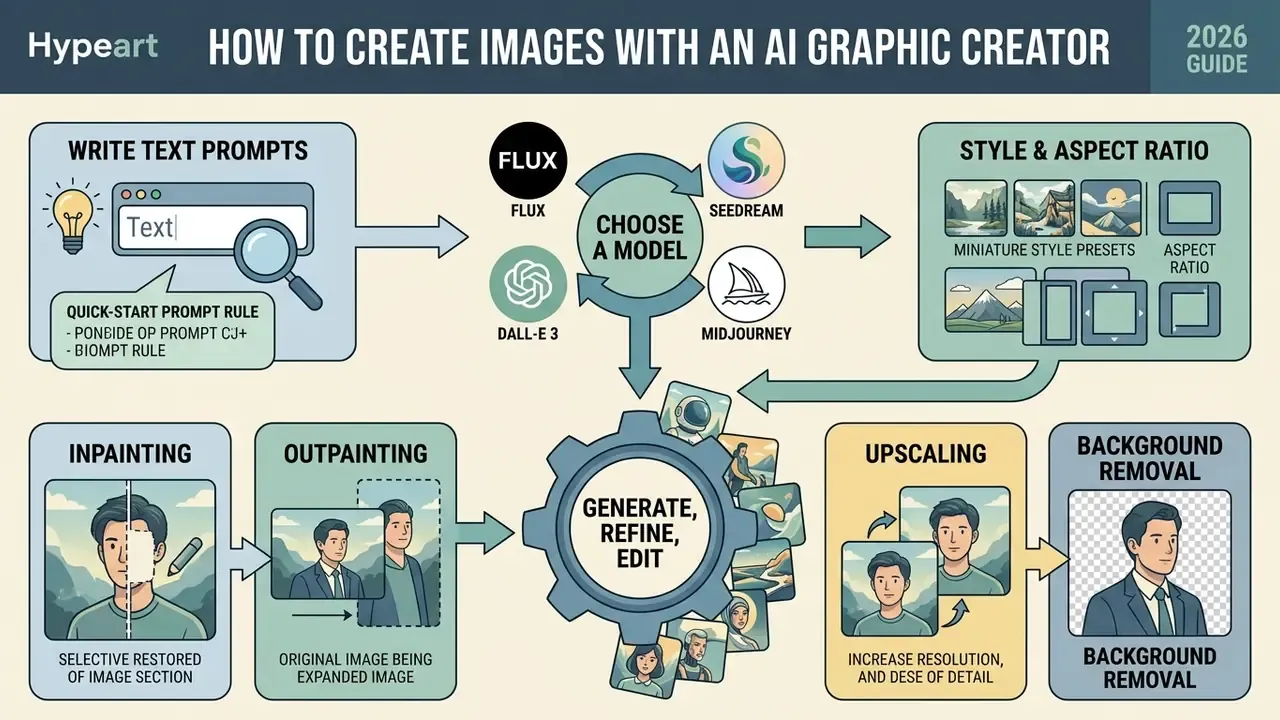
Creating images with an AI graphic creator follows a structured six-step sequence: define the creative requirement, draft structured text prompts, select the target model and visual style, provide reference assets if needed, run generation, then perform post-editing before download. For regulated publication, add a seventh step that is not in any product tutorial: write the audit record before the file leaves the platform.
- Enter descriptive text prompts capturing the desired content, style, lighting, colour, and composition.
- Select one of the available image models, choose a visual style preset, and set the desired aspect ratio.
- Optionally upload a reference image to guide generation through image-to-image or editing modes.
- Click generate to produce one or more candidate images from the current settings.
- Use the built-in image editor and editing tools to refine details, adjust colours, crop, or apply filters.
- Download the final high-quality image in the required resolution and format.
Write text prompts that describe the desired result
Writing effective text prompts requires a structured syntax that clearly defines subject, environment, lighting, colour scheme, composition, and visual style. Structuring text descriptions in a logical sequence prevents semantic ambiguity and yields predictable visual outputs.
Current vendor prompting guidance converges on a consistent component order: primary subject, then background or environment, then key textural details, then composition and framing, then lighting and mood, and finally technical constraints such as aspect ratio and exclusions. Rather than leaning on vague quality words like "photorealistic" or "stunning", prompt authors get better results from concrete technical parameters, for example "35mm camera lens", "soft diffuse studio light", or "golden hour rim lighting". Exclusions and invariants, meaning what must not change, should be stated explicitly rather than implied.
Prompt anatomy, component by component
| Component | Worked example | What it controls |
|---|---|---|
| Subject | "matte black debit card" | Primary object identity and material |
| Environment | "on brushed concrete slab" | Scene, surface, context |
| Texture and detail | "condensation micro-droplets" | Surface realism, micro-contrast |
| Composition | "low-angle hero framing" | Camera position, subject scale |
| Lighting and mood | "soft diffuse studio key light" | Shadow behaviour, tone |
| Technical constraints | "1:1, 2K, no text overlay, seed 4417" | Aspect ratio, resolution, exclusions, reproducibility |
Corporate prompt: before versus after
| Prompt | Typical failure or result | |
|---|---|---|
| Before | "cool premium bank card ad, amazing quality, photorealistic 8k" | Random palette, invented logotypes, inconsistent card geometry across variants; unusable for brand review |
| After | "matte black debit card, three-quarter view on brushed concrete, fine micro-texture, low-angle hero framing, soft diffuse studio key with subtle amber rim, brand palette #0B0B0D and #C8A15A, 1:1, no text, no logos, seed 4417" | Reproducible geometry, brand-locked colour, empty logo zone for legal-approved overlay, seed fixed for audit |
To explore implementation frameworks for visual automation, creative teams can view the guide on automated content production pipelines.
«Orienting a prompt toward feasibility and novelty in global editing raises scores on those criteria, while an aesthetic focus in local editing improves visual appeal.»
Choose a model, style and aspect ratio
Selecting the generative model, visual style, and aspect ratio sets the technical boundary conditions for the output image. Different AI models excel at different jobs: photorealism, artistic concepts, or text rendering inside graphics. Side-by-side benchmarks of the best AI image generator options are the fastest way to shortlist candidates before burning paid credits.
When choosing an image generator, the base model defines visual fidelity, text-rendering accuracy, and inference latency. Below is a structural comparison of the leading architectures available in modern online creation suites.
| AI model architecture | Key strengths and best use cases | Generation speed | Max native resolution | Ideal prompt complexity |
|---|---|---|---|---|
| FLUX.1 (Schnell / Dev / Dev Ultra) | Photorealism, anatomy precision, complex spatial layouts | Extremely fast (Schnell) to moderate (Ultra) | Up to 4K (upscaled) | High, handles detailed technical prompts |
| Seedream (3.5 / 5.0 Pro) | Cinematic composition, multi-subject coherence, low latency | About 8 seconds | 2K native | Medium to high |
| Nano Banana (2 / Pro) | High-contrast visual art, vector-style graphics, stylized illustration | Fast | 2K native | Short to medium |
| Qwen-Image | Multilingual text rendering, poster and layout work | Fast | 2K native | Medium |
| DALL-E 3 / GPT Image 2.5 | In-image typography, strict adherence to literal descriptions | Moderate (about 15 seconds) | 1792×1024 px | Natural language, conversational |
| Midjourney v7 | Artistic lighting, photorealistic textures, style consistency | Moderate | Custom via parameters (2048×2048 upscaled square baseline) | Stylized, parameter-heavy |
| Stable Diffusion XL | Open-weights control, LoRA and ControlNet ecosystems | Variable (self-hosted) | About 1M px target area, sides in multiples of 64 | High, technical and operator-driven |
Generative platforms ship multiple model variants for different performance needs. Midjourney v7, for instance, defaults to square 1:1 outputs but supports custom aspect ratios through explicit parameter flags such as --ar 16:9 for widescreen assets (Midjourney Documentation, 2026). DALL-E 3 operates with fixed target resolutions including 1024×1024, 1792×1024, and 1024×1792 pixels (OpenAI API Specifications, 2026). Choosing the right framing at setup prevents unwanted cropping or distortion at deployment. For SDXL-class models, the practical rule is to take the aspect ratio from the publishing target first, then pick dimensions near a 1,048,576-pixel area with both sides divisible by 64.
Generate, refine, edit and download the image
Once configuration is set, clicking generate starts the model's inference cycle and returns candidate visuals. After the first pass, creators use the integrated image editor for targeted localized edits, inpainting, background removal, or upscaling before download.
Modern browser-based platforms include graphic editing tools that modify specific regions without regenerating the whole image. Mask-based inpainting enables localized updates, such as replacing an object or removing an unwanted background element, while preserving surrounding pixel structure (Google Vertex AI Mask Editing Docs, 2026). The four canonical editor functions:
- Inpainting reconstructs or replaces content inside a mask while keeping surrounding pixels coherent.
- Outpainting generates new pixels beyond the original frame to change aspect ratio or extend a scene.
- Upscaling raises resolution, typically at 2× or 4× factors, as a separate export-stage pass.
- Background removal isolates the foreground and exports a transparency-ready PNG for compositing.
After adjustments, users export quality images in web-standard formats such as PNG or WebP, preserving image resolution and transparency settings for production use. For regulated publication, the export step should also emit the audit record: prompt, negative prompt, seed, model version, editing actions, and provenance manifest.
How to get high-quality AI generated images
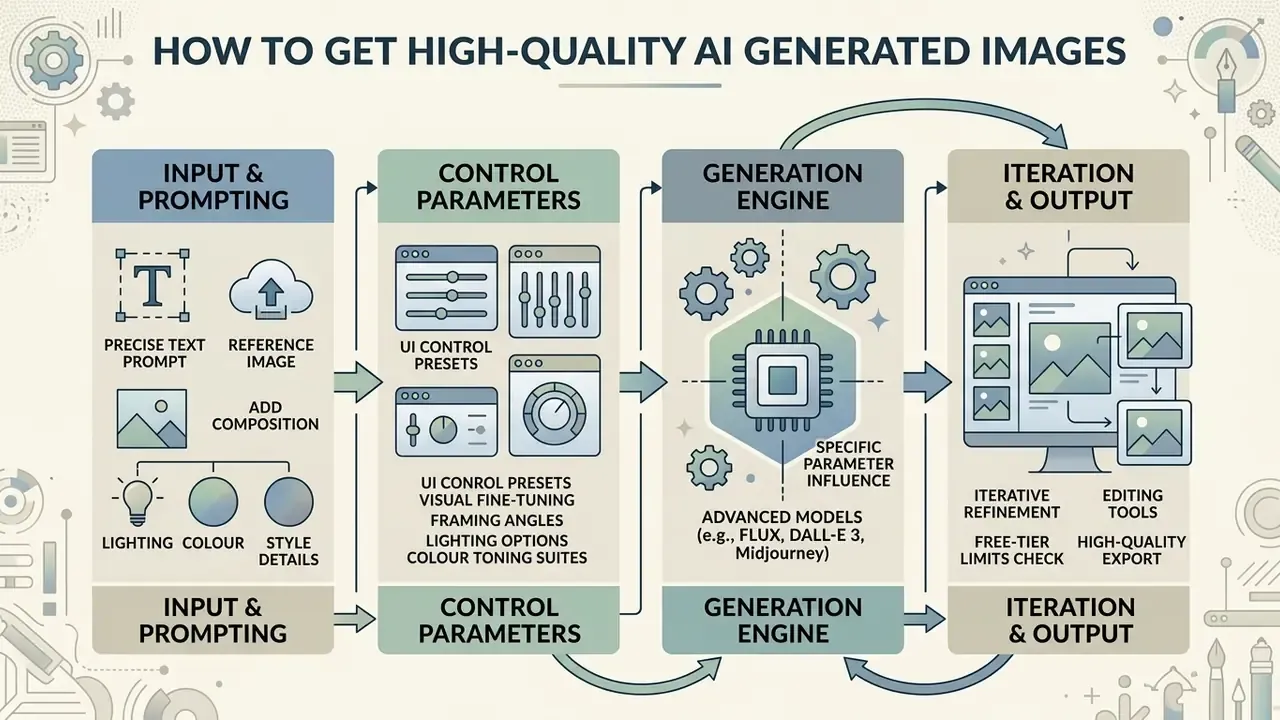
Getting high-quality AI generated images depends on precise prompt conditioning, advanced control parameters, explicit lighting and composition directives, and iterative refinement. Controlling visual variables systematically prevents common artifacts and helps outputs meet professional graphic design standards.
Add composition, lighting, colour and style details
Output resolution and detail clarity improve sharply when you give explicit technical instructions for camera position, light behaviour, and colour grading. Vague descriptions push the model back onto average training distributions, which usually means flat lighting and forgettable framing.
For professional quality, prompts should carry cinematographic and photographic terminology. Specify focal lengths ("85mm prime lens"), light quality ("high-key studio lighting", "soft volumetric glow"), and colour palettes ("desaturated corporate blue with warm amber accents"). Empirical evaluation models show that adding precise composition rules, such as "rule of thirds framing" or "low-angle perspective", measurably improves human aesthetic scores. Operator syntax adds another control layer: weighting tokens (::) and literal-mode flags such as --style raw reduce unrequested stylization.
Direct UI control presets for visual fine-tuning
To cut trial-and-error out of prompt drafting, professional online visual suites expose standardized presets across four visual dimensions.
- Framing and composition angles
Close Upfor portrait and object texture focusWide AngleandPanoramicfor landscapes and environmental scenesShot From Belowfor a worm's-eye view with heroic scaleShot From Abovefor top-down or flat-lay representationMacrofor extreme detail on small subjectsNarrow Depth of FieldandBlurry Backgroundfor bokeh that isolates the subject
- Lighting options
Studio Lightfor clean, balanced commercial photographyGolden Hourfor warm, low-angle natural sunlightVolumetric / God Raysfor atmospheric rays through dust or fogBacklightandRim Lightfor silhouettes and strong edge highlightsDramatic Contrast / Chiaroscurofor deep shadows and intense highlightsLow-keyandHigh-keyfor overall exposure and mood biasNeonandTungstenfor source-based colour temperature control
- Colour toning suites
Warm Tonefor amber, orange, reddish balanceCool Tonefor cyan, blue, moody atmosphereVibrant / High Saturationfor pop-art and punchy ad visualsMuted / Pastelfor soft editorial palettesMonochrome / High-Contrast Black & Whitefor classic photography
- Artistic style modifiers
Photographic,3D Clay Render,Isometric Vector,Cyberpunk Neon,Anime / Manga,Pixel Art,Analog Film Grain,Minimalist Line Art,Comic Book,Fantasy Art,Low Poly,Origami,Craft Clay,Digital Art,Cinematic,Enhanced
Use reference images and iterative editing
Iterative image editing uses reference images and multi-pass masking to refine complex visual concepts step by step. Instead of chasing a perfect visual in one prompt, professional workflows build final graphics through progressive enhancement layers.
In an iterative pipeline, creators isolate specific image regions with segmentation masks and run targeted modifications while non-target pixels stay fixed. Research on closed-loop generative editing confirms that multi-round instruction-based refinement prevents prompt drift and keeps compositional integrity across complex asset creation: a perception, reasoning, planning, action loop repeats until the evaluation score stops improving, with the best candidate selected across iterations.
«PromptCharm shows that iterative prompt refinement with multi-modal feedback statistically significantly improves aesthetic ratings compared with baseline tools.»
Using existing images as structural baselines keeps brand identities, product contours, and spatial layouts consistent through the editing lifecycle. Practical discipline matters more than tooling here: adjust one element per pass, restate what must stay unchanged, and cap reference inputs, since most platforms accept between one and nine references before conditioning signals start fighting each other.
How to choose the best AI image generator for your needs
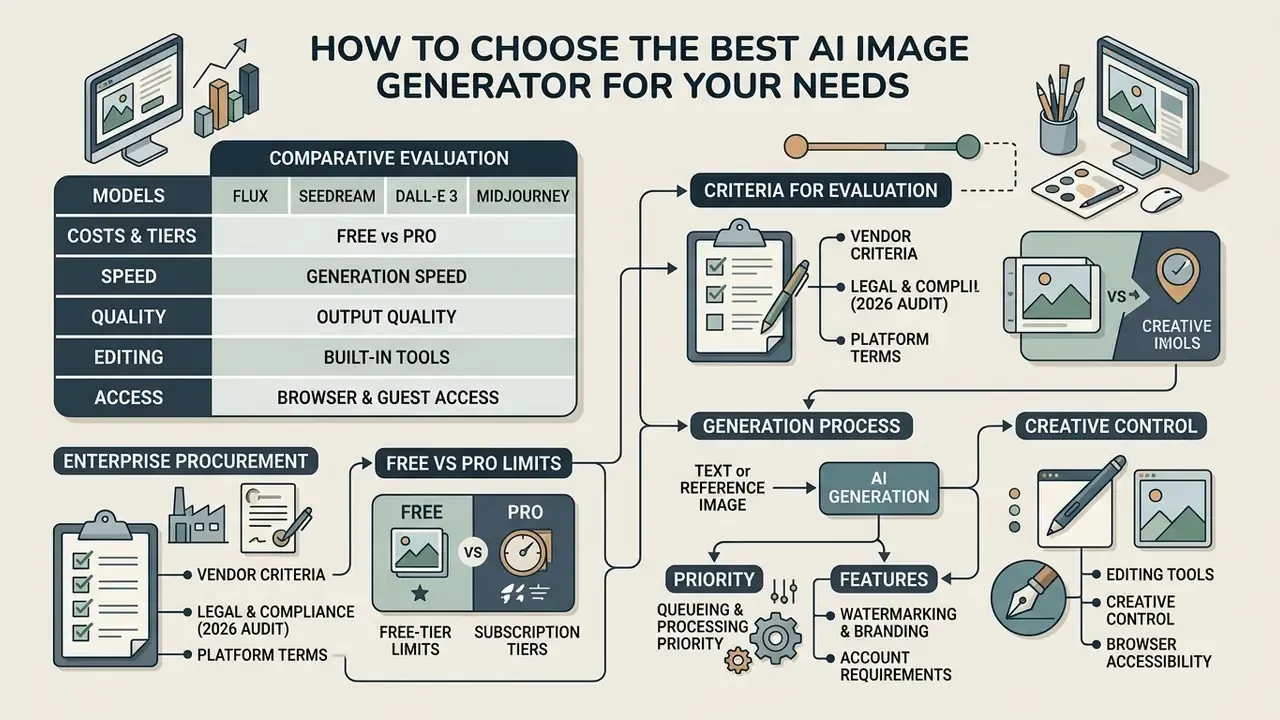
Selecting the best AI image generator means evaluating subscription tier structures, model access, generation speed, built-in editing capability, browser accessibility, and legal commercial usage rights. Platform selection has to match both the workload and the risk management framework that will own it.
For a wider evaluation of market-leading image and artwork generation systems, prospective users can review our analysis of the best AI art generators and the cost-focused breakdown of the best free AI art generator tools. Model-specific evaluations such as our review of Midjourney image generation and our comparison of Ghibli-style AI image generators cover style accuracy and usage rights engine by engine.
Table: comparison of AI image generator tiers and capabilities (2026)
| Platform / tier | Model options | Reference image support | Built-in editor tools | Max resolution | Commercial usage rights | Online access |
|---|---|---|---|---|---|---|
| Standard free tiers | Base open-weights or legacy models | Limited or none | Basic cropping and filters | 1024×1024 px | Restricted, personal use only | Browser-based |
| Pro subscription tiers | Latest proprietary models (for example FLUX.1, DALL-E 3) | Advanced (ControlNet, LoRA support) | Inpainting, outpainting, vector export | 2K to 4K upscaled | Full commercial rights included | Browser and API |
| Enterprise governance tiers | Custom fine-tuned or isolated models | Full pipeline integration | Advanced masking, C2PA provenance tagging | Native 4K output | Indemnified commercial rights | Dedicated cloud or on-premises |
Read the table as three different products rather than three price points. A free tier is a sandbox, a Pro tier is a production licence, an enterprise isolate is a controlled system that fits inside an AI inventory.
Enterprise vendor criteria: what procurement actually compares
Tier structure alone is not enough for institutional purchasing. The decisive criteria are licence scope, revenue thresholds, provenance automation, and whether customer inputs are excluded from training.
| Vendor / platform | Provenance and marking | Commercial-use trigger | Training opt-out posture | Deployment surface |
|---|---|---|---|---|
| Adobe Firefly | Content Credentials (C2PA) applied automatically to fully Firefly-generated assets; manifest records issuer, date, app, AI tool, edits | Commercial use permitted for generally available features; free tier includes 25 monthly generative credits | Trained on licensed Adobe Stock and public-domain content where copyright has expired | Web app, Creative Cloud apps, API |
| Midjourney (Pro / Mega) | No automatic C2PA manifest documented | Paid plans allow commercial use; companies above $1,000,000 annual gross revenue require Pro or Mega | Broad platform licence to input and generated content under terms | Web app, Discord |
| OpenAI DALL-E 3 / GPT Image (API) | Output ownership stated in service terms; public sharing grants platform promotional rights | Commercial use under the OpenAI Services Agreement or business terms | Enterprise and Business tiers governed by separate business terms | API, ChatGPT surfaces |
| Google Vertex AI / Imagen 4 | SynthID watermarking plus C2PA metadata | Enterprise cloud contract, per-request billing | Cloud-tenant data handling under enterprise agreement | Vertex AI, dedicated cloud |
| Stability AI / SDXL | Self-managed; provenance must be added by the operator | Commercial research requires registration; revenue above $1M can trigger a paid enterprise licence | Self-hosted weights allow full input isolation | Self-hosted, private cloud, on-premises |
Procurement scorecard fields to populate per vendor: SOC 2 or ISO attestation, IP indemnification clause, C2PA manifest automation, no-training guarantee, data residency, SSO and SCIM, audit log export, API rate ceilings, and on-premises or private-tenancy availability.
Free AI image generator versus AI generator pro
Free AI image generator options give basic access for personal projects and casual exploration, but they usually impose daily quotas, lower processing priority, and commercial use restrictions. An AI generator pro tier unlocks higher resolution outputs, priority processing, advanced editing tools, and full commercial usage rights.
Free web tiers typically cap usage with credits (for example 25 monthly credits, 150 daily tokens, or two to three daily generations) and may queue jobs behind paid subscribers (PrismPoster Platform Review, 2026). Professional plans remove those throughput bottlenecks and add advanced image models, high-resolution upscaling, and dedicated cloud compute for enterprise-scale content production.
Beyond compute speed, the gap between free ai tools and professional tiers shows up in three operational constraints.
- Watermarking and branding. Free tiers, including guest modes on consumer generators, often embed a visible watermark or corner logo in exported files. Pro subscriptions guarantee clean, production-ready PNG or WebP exports.
- Queueing and processing priority. Free users run through shared public queues, with delays of roughly 10 to 60 seconds per image at peak. Pro plans provide priority GPU scheduling and return outputs in about 5 to 8 seconds.
- Account requirements and guest access. Some platforms allow instant no-login guest generation for rapid prototyping, but unregistered sessions do not save prompt histories, custom LoRA weights, or seed parameters. Creating an account unlocks history logging and daily free credit refills, commonly between 20 and 250 credits.
For governance purposes, the third constraint is the decisive one. Without stored seeds and prompt history, a generation cannot be reproduced, and an unreproducible asset cannot be defended in an audit. That is the whole argument, compressed.
Image models, generation speed and output quality
Platform evaluations have to weigh output quality against generation speed and system latency. Advanced diffusion architectures use acceleration techniques to deliver high resolution graphics without surrendering fine textural detail.
«Algorithmic advances in diffusion models reduce inference time by 1.5× to 6× while scaling resolution up to 4096×4096 pixels.»
Browser access, editing tools and creative control
Browser access lets design teams create, edit, and export visual assets inside any standard web browser, with no local hardware dependencies and no GPU infrastructure to manage. That is the main practical appeal of an ai generator browser workflow: open a link, generate, download.
Hosted cloud generators bundle editing suites with inpainting, outpainting (canvas extension), background removal, and vector conversion. Because compute runs server-side, teams get cross-device collaboration plus precise creative control over style presets, seed numbers, and sampler configuration. Verification of published assets is a separate control layer: AI image detectors help teams confirm whether third-party or agency-supplied visuals are synthetic before reuse.
«AI-GenBench spans 180,000 synthetic images from 36 generators, demonstrating that detectors must continuously adapt to new models.»
Verification of platform terms and conditions (2026 audit)
Shadow AI risk matrix
| Generation route | IP indemnification | Training opt-out | Provenance manifest | Reproducible audit trail | Residual risk |
|---|---|---|---|---|---|
| Anonymous guest web tool | None | Typically none | None | None, session discarded | High, personal-use licence, watermark, undefendable output |
| Personal free account | None or limited | Varies by tier | Usually absent | Partial, prompt history only | High, unmanaged identity, unclear licence |
| Team Pro subscription | Limited or contractual | Usually available | Manual or optional | Yes, if seeds are logged | Medium, depends on operator discipline |
| Enterprise isolate or private cloud | Contractual indemnification | Contractual guarantee | Automated at generation | Full: prompt, seed, version, manifest | Low, fits MRM and GRC control expectations |
Embedding an AI graphic creator into a bank's Model Risk Management and GRC contour therefore requires a short but non-negotiable list: register the generator in the AI inventory, classify it by output risk (marketing, customer-facing, or decisioning), assign a control owner, define prompt and brand-book standards, mandate human sign-off before publication, and schedule periodic re-validation of vendor terms of service.
One caveat worth stating plainly. An image generator is not a credit model, and treating it with full MRM validation rigour wastes scarce validator capacity. Proportionality is part of the control design, not a loophole.
Can you use AI generated images for commercial purposes?
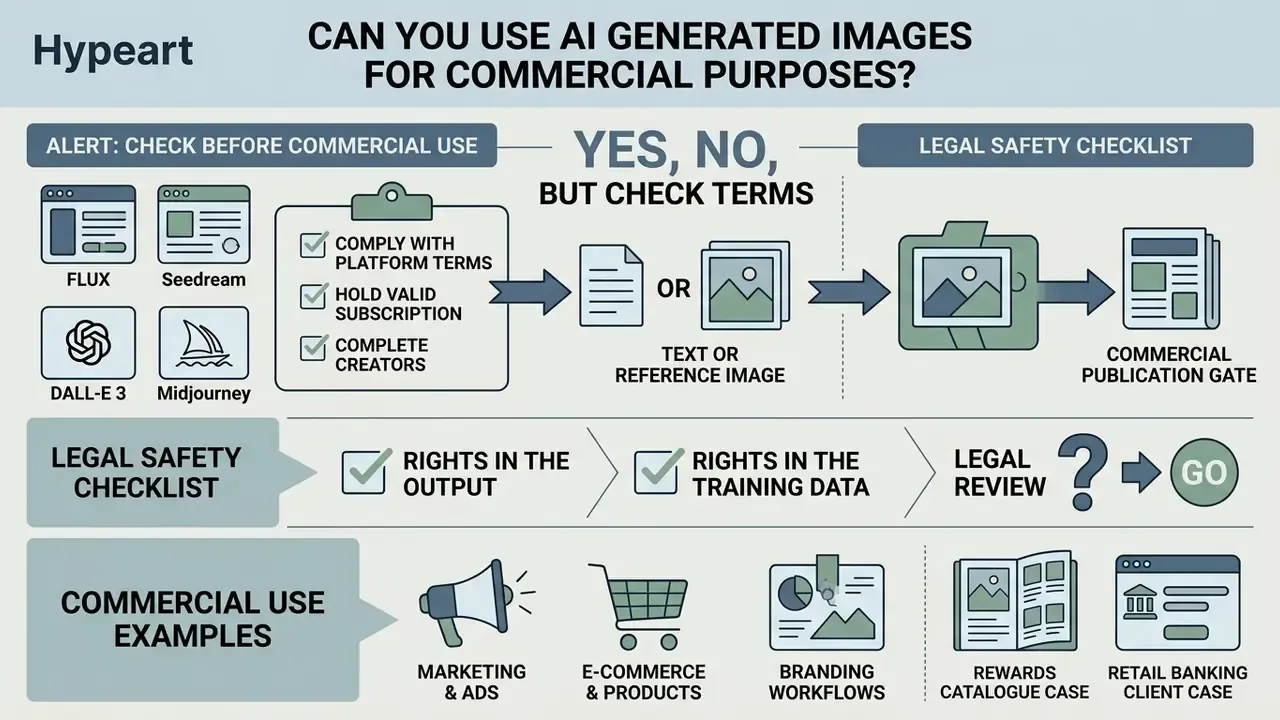
Yes, you can use AI generated images for commercial purposes, provided your organization complies with the platform's terms of service, holds a valid commercial subscription tier, and confirms that generated assets do not infringe third-party trademarks or copyrights. Our dedicated breakdown of the commercial use of AI image generators maps licence scope tier by tier.
For platform-level licensing detail, teams can inspect our resources on bing ai image generator commercial terms, review operational policies for bing ai image tools, and check cost structures for bing image creator access. Teams investigating alternative model architectures can read our evaluations of whether can claude ai generate graphics, whether can deepseek generate visual content, and design workflows using canva ai art tools, alongside our overviews of the Microsoft AI image generator and Google AI image generator licence terms.
Alert: check before commercial use
Check commercial-use terms before downloading images
Before downloading and publishing generated visuals, governance teams must read the specific Terms of Service governing both the platform and the underlying image model. Licensing rights vary significantly between free tiers and paid commercial subscriptions.
Major providers enforce distinct commercial boundaries by plan tier. Midjourney, for example, allows commercial usage for paid users but requires companies generating over $1,000,000 in gross annual revenue to buy Pro or Mega plans (Midjourney Service Terms, 2026). Stability AI similarly requires commercial entities above revenue thresholds to secure enterprise licensing (Stability AI Enterprise Terms, 2026). Adobe's generative AI terms additionally prohibit uploading reference images containing third-party copyrighted content, and note that submitting work to a public gallery grants the vendor a broad ongoing licence.
«Legal analysis proposes permitting the use of protected images for training where outputs do not fail the substantial similarity test, with an "economic nexus" test for ambiguous cases.»
«Style may be protected by copyright as a holistic set of expressive choices; courts struggle to assess substantial similarity in visual art.» Source: "Elements of Style": AI, Copyright, and Visual Style, SSRN (2024 to 2025). https://papers.ssrn.com/sol3/papers.cfm?abstract_id=4955683
Use AI visuals in marketing, e-commerce and branding workflows
Integrating AI visual assets into marketing, e-commerce product cards, and digital branding workflows requires clear data provenance and quality verification protocols. Speed has to be balanced against control cost, and the control cost belongs in the business case. Resolution gaps in legacy catalogues are typically closed with AI image upscalers, while canvas gaps for new placements are handled by AI outpainting tools.
«NIST emphasises that commercial deployment of synthetic content should include automatic provenance tracking, cryptographic metadata, or digital watermarks applied at generation time.»
Guidance from the National Institute of Standards and Technology stresses that commercial deployment of synthetic content should include automated provenance tracking, cryptographic metadata, or digital watermarking applied at generation time, and that marker effectiveness should be verified before deployment. Implementing C2PA Content Credentials gives digital assets verifiable origin metadata, which protects brands against deceptive-advertising claims and simplifies audit oversight. The NIST AI RMF Generative AI Profile (2024) adds a companion requirement: track the provenance of training data and document its limitations.
Reproducible audit package: minimum contents per published asset
| Field | Example value | Why auditors ask for it |
|---|---|---|
| Prompt and negative prompt | Full text as submitted | Demonstrates intent and absence of infringing instructions |
| Seed | 4417 | Enables exact regeneration |
| Model and version | FLUX.1 Dev Ultra, build 2026-01 | Ties output to a licensed, inventoried model |
| Reference assets and rights record | card_render_v3.png, internal asset ID | Proves input rights were cleared |
| Editing actions | Inpaint (logo zone), upscale 2× | Documents the human and machine contribution split |
| Provenance manifest | C2PA manifest ID or SynthID marker | Satisfies disclosure and authenticity requirements |
| Human approver | Art director plus legal reviewer, timestamp | Establishes accountability |
Brand-identity work benefits from the same discipline. Teams generating marks and identity systems with AI logo generators should record provenance at generation time, since trademark clearance depends on being able to show the creative path.
Compliance checklist and next steps
Checklist0 / 10
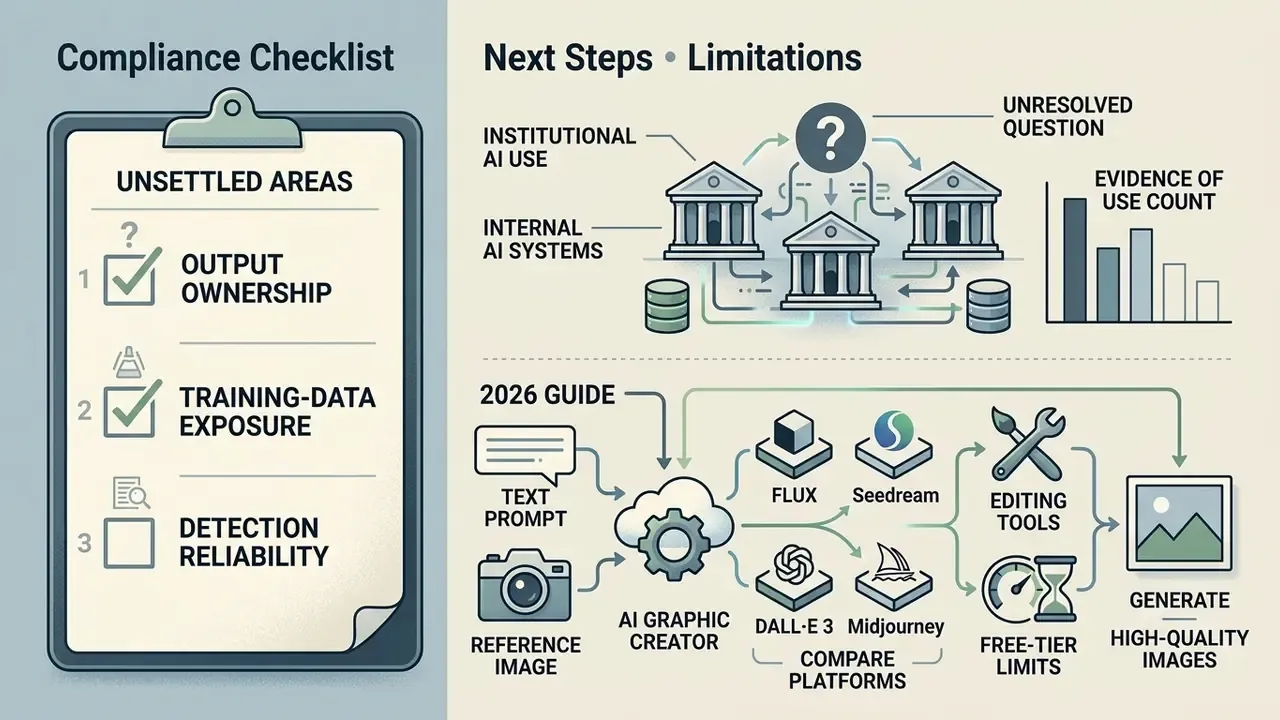
Next steps. Run a scoped audit of current AI visual usage across marketing, product, and agency partners. Enumerate the tools actually in use, classify each against the shadow AI risk matrix above, then close the gap between the tools people use and the tools your controls cover. Start with the agency chain, since that is usually where the inventory ends and the exposure begins.
Limitations and unresolved questions
FAQ: frequently asked questions about AI graphic creators
Can I create an AI picture of me for free?
Yes. You can create an AI picture of me free workflows using web-based AI tools that accept a reference selfie or portrait photograph, with access typically provided through trial credits or limited daily web generations. For accurate personal portrait output, upload a high-quality source photograph with clear front-facing lighting, sharp focus on facial features, and a neutral background. Practical input thresholds documented by portrait generators include one face in frame, direct or slight three-quarter gaze, visible eyes, no sunglasses or masks, and a long edge of at least 1024 px. Obscured faces, heavy filters, or low-resolution inputs degrade identity matching and produce visible distortion. Platforms such as Adobe Firefly let users generate personal portraits in the browser using free monthly generative credits after registration (Adobe Firefly Documentation, 2026), and specialised AI headshot generators add background, wardrobe, and framing presets for professional use.
«A fairness analysis of human image synthesis identifies biases by gender, race and age, plus localized defects even in high-quality outputs.» Source: Chen et al., Human Image Synthesis Evaluation Framework, arXiv:2403.05125 (2024). https://arxiv.org/abs/2403.05125 Corporate variant: employee avatars and headshots. When the same workflow produces staff portraits, generation becomes personal-data processing. Obtain documented employee consent, confirm the vendor does not retain or train on facial inputs, check whether output qualifies as biometric data under applicable law, restrict uploads to an approved corporate tenancy rather than public web tools, and set a retention and deletion schedule for source photographs.
Does a watermark appear on free tiers?
Frequently, yes. Free and guest modes on many consumer generators embed a visible watermark or platform logo in exported files, reserving clean PNG and WebP export for paid plans. Some platforms also restrict free-tier output to personal, non-commercial use while granting commercial rights only to subscribers. For any published asset, verify both watermark status and the licence text for the exact tier in use, because the two settings are configured independently.
Do I need to register to generate images?
Not always. Several platforms allow anonymous guest generation directly in the browser with no account and no payment details, and consumer tools frequently advertise no-login trials. Our roundup of no-sign-up AI image generators tracks which ones genuinely work without an account. The trade-off is operational: guest sessions rarely persist prompt history, seeds, or custom weights, so generations cannot be reproduced later. Registration usually unlocks history logging, daily free credit refills (commonly 20 to 250 credits), higher-resolution models, and queue priority. For any regulated or commercial workflow, an authenticated account is effectively mandatory, because reproducibility is a control requirement.
Can I use an AI image generator online without downloading software?
Yes. You can run an AI image generator online inside any standard web browser, with nothing to download or install locally. Cloud-hosted platforms execute model computation, diffusion denoising, and rendering server-side on remote GPUs. Users interact through a web interface: enter prompts, adjust sliders, share an ai generator link with a colleague, then download the finished files straight from the browser window.
How does browser-based generation differ from running a model locally?
| Dimension | Browser or cloud platform | Local or self-hosted run |
|---|---|---|
| Setup | None, open a URL | GPU provisioning, drivers, model weights, UI stack |
| Compute cost | Subscription or credits | Capital hardware plus electricity |
| Data exposure | Prompts and uploads leave the network unless an enterprise isolate is used | Inputs never leave the perimeter |
| Model control | Vendor-curated model list, versions change without notice | Pinned weights, custom LoRAs, full sampler control |
| Provenance | Often automatic (C2PA or SynthID) | Must be implemented by the operator |
| Collaboration | Cross-device, shared histories | Single machine unless wrapped in internal services |
| Best fit | Marketing speed, agency collaboration, prototyping | Confidential assets, deterministic reproducibility, heavy custom fine-tuning |
Who owns the copyright to AI generated images?
It depends on jurisdiction, and it remains unsettled. Some platforms explicitly decline to assert copyright over user generations and state they cannot license output rights. U.S. Copyright Office guidance says material generated by AI beyond a de minimis contribution should be excluded from a registration claim, so fully synthetic images may not be protectable at all, while human-authored arrangement, selection, and editing may be. Treat output as commercially usable under licence rather than as an exclusively owned work, and document human contribution wherever exclusivity matters.
Is it legal if the training data was copyrighted?
The generated image and the training corpus raise separate questions. Artwork used to train generative models is often still copyrighted and credited to human artists, which is why vendor dataset policy matters so much: licensed-stock and expired-copyright corpora carry materially lower exposure than broad open-web scraping. Current legal scholarship proposes assessing outputs against a substantial similarity test rather than banning training outright. In practice, prefer vendors that publish dataset provenance and offer indemnification, and avoid prompts that name living artists or ask for replication of a specific protected work.
Which tools complement an AI graphic creator in production?
Generation is one node in a wider media pipeline. Typical adjacent tooling includes browser-based online photo editors for final retouching and colour management, AI reverse-image-search tools for pre-publication similarity checks, and animation makers plus AI video generator tools when static assets need motion variants for social media posts. Each addition widens the inventory, so add the control owner at the same time as the tool. To explore our complete database of AI tools, tutorials, and licensing analyses, you can browse the hub, open the central AI Media Commercial-Use directory, or work through our specialized guides covering generative visual technology.
Appendix A: source revision log
For transparency, the following citations present in earlier versions of this article were replaced with verifiable primary sources. The original wording is preserved here for reference.
| Original citation as published | Claim | Replacement source |
|---|---|---|
| Journal of Generative AI Research, 2024 | Model falls back to pre-trained latent clusters on unknown vocabulary | Study of default images in text-to-image models, arXiv (2024), https://arxiv.org/abs/2406.09355 |
| OPT2I Research Report, 2024 | Prompt optimization raised consistency by up to 24.9% | OPT2I, arXiv:2403.17804 (2024), https://arxiv.org/abs/2403.17804 |
| Diffusers Conditioning Guide, 2023 | Denoising strength 0.2 to 0.4 for retouching, above 0.7 for re-synthesis | Comparative review of generative models, arXiv (2024), https://arxiv.org/abs/2401.11944, plus reference diffusers img2img documentation |
| Adobe Firefly Style Documentation, 2026 | Minimalist versus cyberpunk style definitions | Vendor and independent style guides (2025 to 2026), consolidated; legal framing from SSRN (2024 to 2025), https://papers.ssrn.com/sol3/papers.cfm?abstract_id=4955683 |
| Chen et al., Human Image Synthesis Study, 2024 (composition claim) | Composition rules improve aesthetic scores | Chong et al., arXiv:2404.14397 (2024), https://arxiv.org/abs/2404.14397 (Chen et al. retained for synthesis-defect claims) |
| OpenAI Prompting Guide, 2026 | Recommended prompt component ordering | Restated as consolidated vendor prompting guidance (2026) |
| ICCV Proceedings, 2025 | Multi-round refinement prevents prompt drift | PromptCharm, arXiv:2403.09007 (2024), https://arxiv.org/abs/2403.09007 |