Executive summary and fast verdicts
Selecting the right AI tools for ad creation requires aligning software functionality with your media mix, production scale, brand governance standards and data-privacy obligations. This is not a single category. It splits into static image generators, video and avatar tools, copy and brand-voice engines, programmatic banner automation systems, and full-cycle ad-ops platforms that push campaigns live through Meta, TikTok and Google APIs.
Fast verdicts by job to be hired for:
Three decisions that matter more than tool choice: first, define a strategic brief and Big Idea before generating a single pixel. Second, separate your software subscription from media budget and platform service fees when modelling total cost of ownership. Third, insert an explicit brand, legal and compliance sign-off step between generation and launch. Embed the generation engine inside a structured human-in-the-loop workflow and creative production accelerates without surrendering brand control or audit readiness.
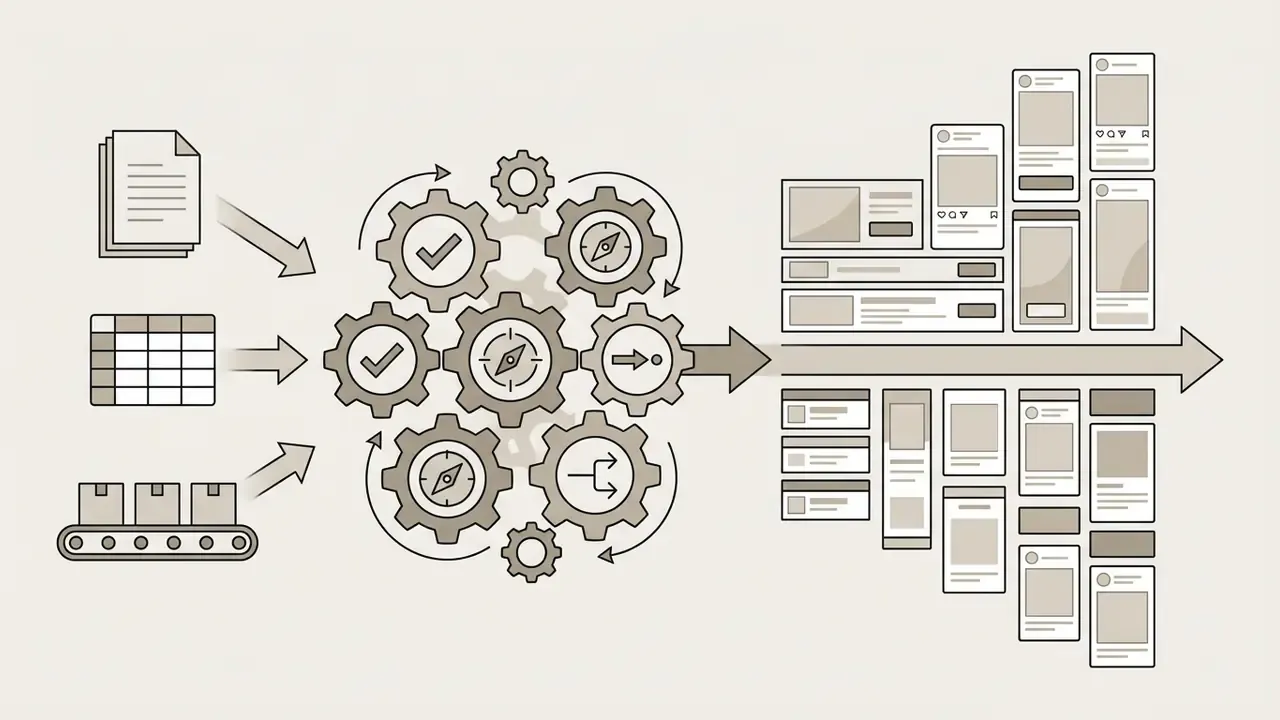
Who this comparison is written for
Three buyer profiles keep showing up in these evaluations, and they need different answers.
A solo founder or small business owner wants a low learning curve, a usable free tier and ads that ship this week. A performance marketer or agency lead wants throughput, creative scoring and API publishing into existing ad accounts. A regulated advertiser, typically a bank, lender or insurer, wants something narrower and harder: claim control, versioned audit evidence, contractual exclusion from model training, and a named human approver on every asset that reaches a live channel.
If you sit in that third group, read the control checklist before the reviews. The cheapest tool on the list can still be the most expensive mistake.
Best AI ad creation platforms: quick comparison by format and use case
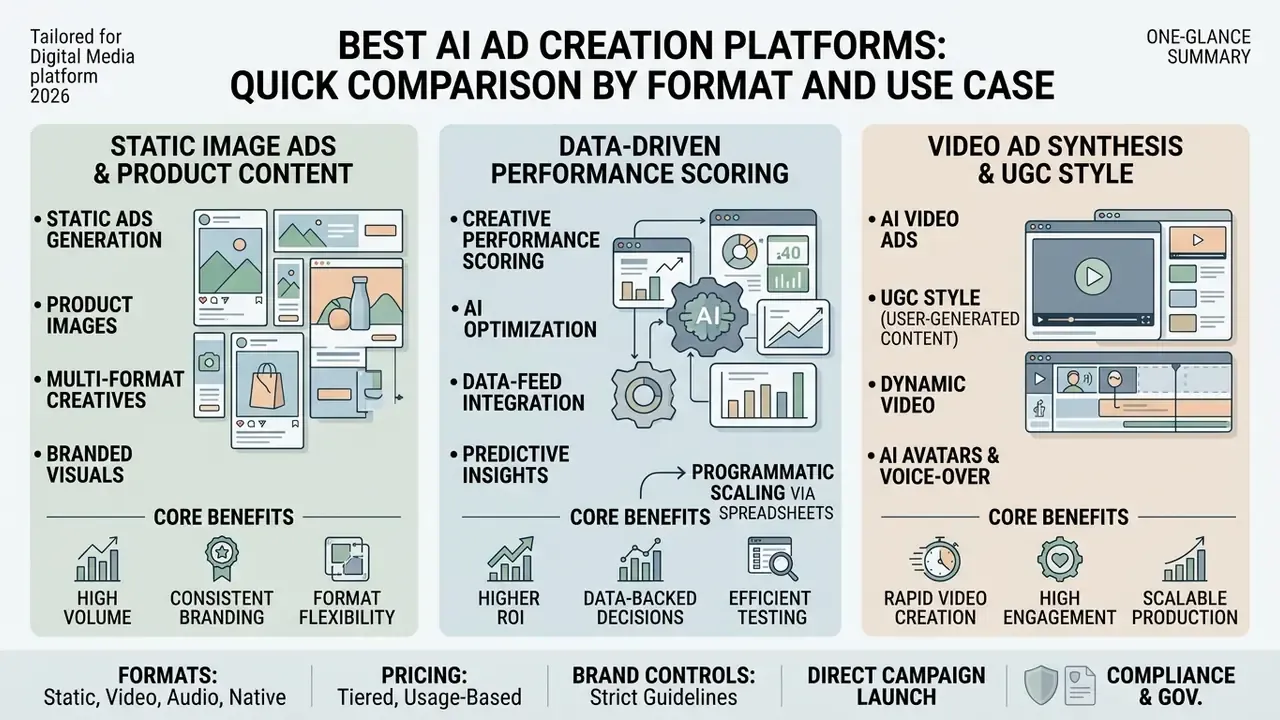
The top AI ad creation platforms split into specialized categories: static image generation, data-driven creative scoring, user-generated content (UGC) video synthesis, programmatic banner automation, and cross-channel social publishing. The right tool depends on your primary ad formats, existing ad accounts, required level of brand kit enforcement, and, critically, whether you need file exports or in-app campaign launch.
A distinction most comparisons blur: design automation tools hand you finished files that a media buyer uploads manually, while ad ops platforms hold the API connection and launch, test and optimize campaigns without leaving the interface. Both can be correct purchases. Buying one when you needed the other is the most common procurement error in this category, and it usually surfaces three weeks after the invoice clears.
The table below summarizes leading AI tools for ad creation across core parameters, supported ad formats, launch capability, enterprise data-handling posture and baseline pricing models.
Table 1. Comparison of top AI creative creation tools for ads (updated 2026)
| Platform | Primary ad formats | Brand kit support | Ad copy engine | Direct campaign launch (Meta / TikTok / Google API) | Enterprise data & privacy posture | Free tier / trial | Best for |
|---|---|---|---|---|---|---|---|
| AdCreative.ai | Static banners, product shoots, video ads, social display | Yes (brand colors, logos, fonts, multi-brand) | Yes (trained copy generator) | Export plus API push to Meta, Google Ads and LinkedIn ad accounts | Ad-account OAuth connections; verify data-retention and model-training terms per tier | 7-day free trial (10 credits) | High-volume data-driven creative scoring and A/B testing |
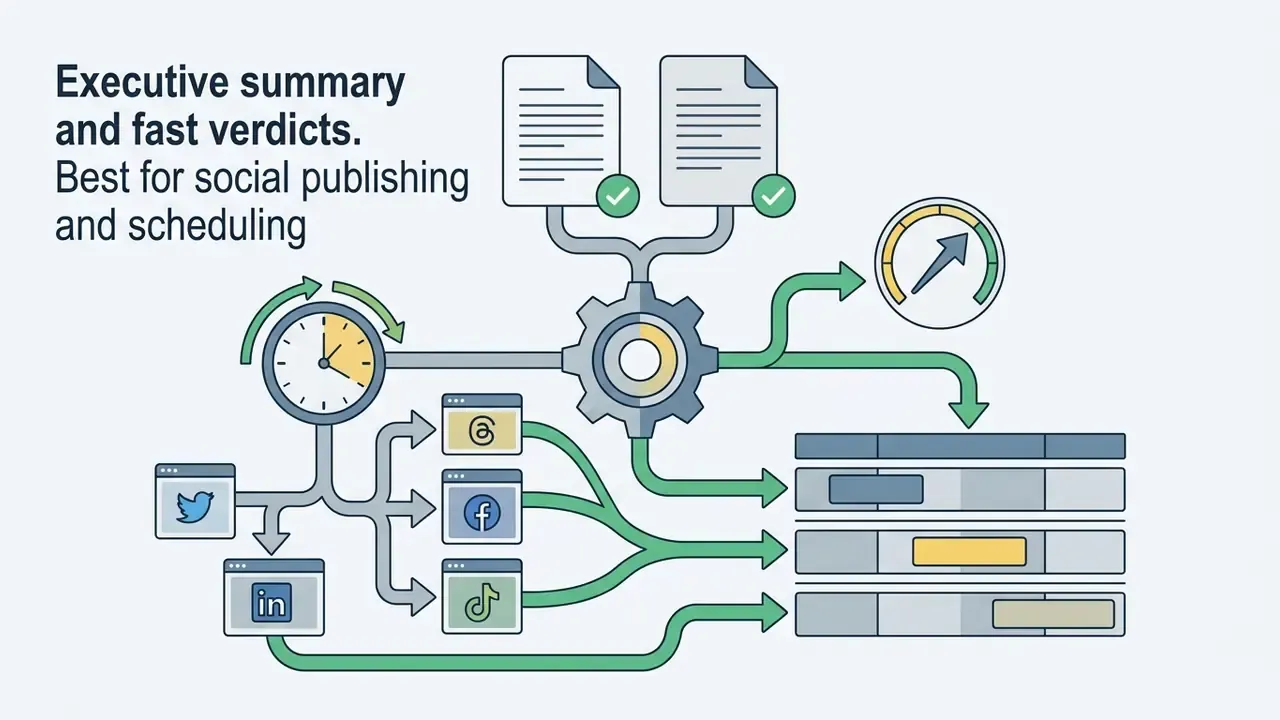
| Predis.ai | Social posts, short-form video ads, carousels, UGC style | Yes (basic brand assets) | Yes (auto captions and copy) | Scheduled publishing and auto-posting via official social APIs | Social account tokens stored per workspace; SMB-oriented controls | Free trial available (no credit card) | Platform-specific social media publishing and auto-scheduling |
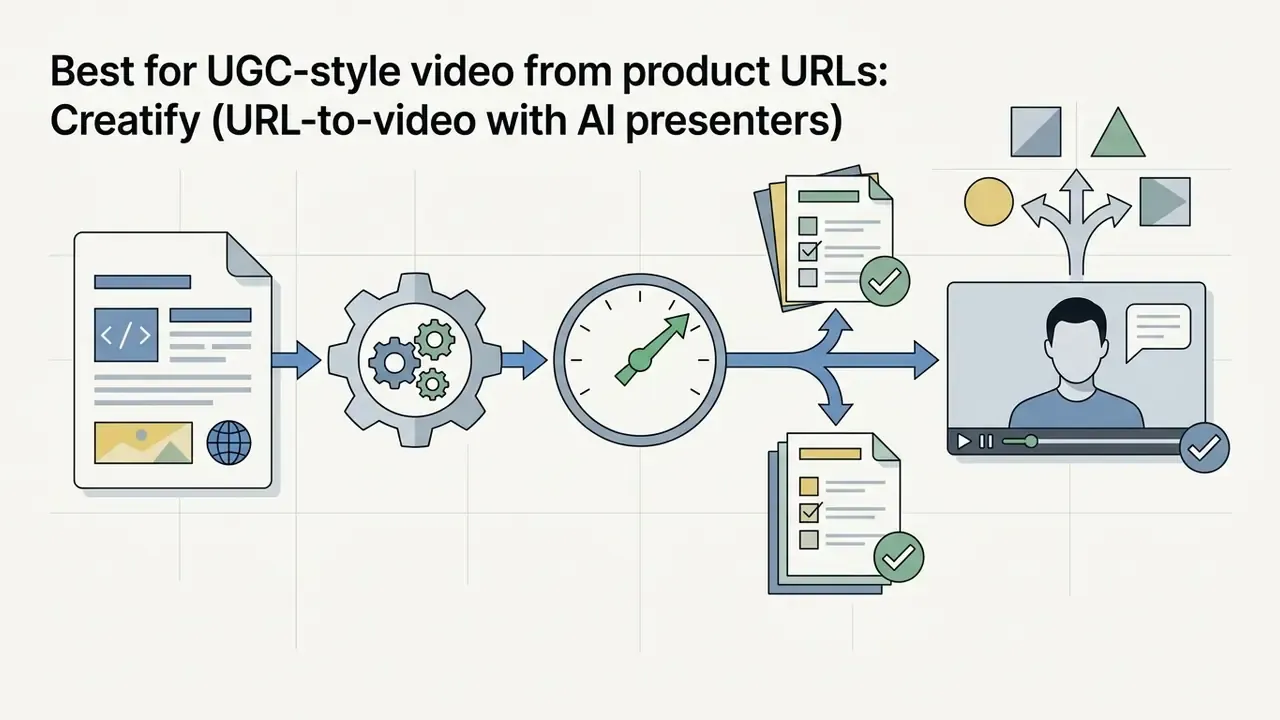
| Creatify | UGC-style video ads, AI avatar videos, product URLs | Yes (visual assets and voice) | Yes (script generator) | Direct export plus TikTok, Meta, YouTube and LinkedIn ad-platform push | URL scraping of public product pages; confirm avatar and voice usage rights | Free trial with limited credits | E-commerce video ads generated directly from product URLs |
| Canva Magic Studio | Static images, display banners, social templates, video clips | Yes (Brand Hub with styles and controls) | Yes (Magic Write) | Export only for most paid channels; scheduled social posting and partner integrations | Enterprise tier adds admin controls, SSO and brand-asset permissions | Free tier available (limited AI features) | Accessible design workflows for non-designers and lean teams |
| Pencil | Video concepts, static ad variations, ad copy engines | Yes (enterprise brand guardrails) | Yes (predictive copy models) | Meta Ads Manager and TikTok Ads Manager API integration | Governed review and versioning workflow for brand, legal and performance sign-off | Paid plans only (custom enterprise pricing) | Performance marketers needing predictive creative strategy |
| Jasper | Ad copy, search headlines, ABM email sequences, landing copy | Yes (brand voice lock, style guides, claim libraries) | Yes (primary function) | No native ad launch; copy exports to ad platforms and CRM workflows | Enterprise workspace controls with brand-voice governance and role permissions | 7-day trial | Ad copywriting, angle generation and brand-voice consistency |
| Synthesia | Spokesperson video ads, explainers, localized avatar creative | Yes (branded video templates) | Partial (script assistance) | Export only (MP4 handoff to ad managers) | Avatar consent workflows and enterprise security tiers for regulated buyers | Free demo video, then paid tiers | Multilingual AI presenter ads without film crews |
| The Brief (formerly Creatopy) | HTML5 banners, animated display, multi-size programmatic sets | Yes (brand kit with locked assets) | Partial (AI copy assist) | Direct publishing and ad-tag export for display and programmatic | Team permissions, approval flows and asset versioning | 7-day free trial (no card) | Programmatic banner automation and auto-resizing at scale |
| Abyssale | Static sets, animated GIFs, HTML5 banners, video, web and CMYK print PDFs | Yes (strict brand asset management, locked layers) | Partial (data-fed text layers) | API, Zapier and Make automation; export-first rather than in-app buying | API-key based access with project-level asset governance | 14-day free trial (no card) | Spreadsheet, feed and API-driven batch generation |
Read the table by column, not by row. The "direct campaign launch" column is the one that decides who owns media buying after the purchase. The privacy column is the one your second line of defence will ask about first.
Tools for static ads, product images and multi-format creatives
Generative platforms for static display ads turn product catalogs and design assets into multi-size banners built for programmatic channels. These tools generate image variations across standard display ratios while locking hex brand colors and typography, which is exactly the control a brand team cares about.
Field evaluations of synthetic marketing imagery show that text-to-image engines can match or exceed human stock photography on perceived realism and aesthetics. In a randomized banner-ad field experiment covering more than 173,000 impressions, AI-generated static ads achieved up to 50% higher click-through rates (CTR) than conventional professional stock images (Hartmann et al., 2024). Teams evaluating static design tools can compare options across creative generation workflows to establish baseline quality metrics, and buyers focused specifically on rendering engines can review our comparison of AI image generators before locking a vendor.
Practical format coverage matters as much as raw image quality. Google Ads Creative Studio, for reference, exposes 21 standard display sizes, including square, skyscraper, leaderboard and mobile units, and sets brand colors directly by hexadecimal code and opacity. That is the same control surface any serious static generator must replicate before you trust it with a brand palette.
Programmatic scaling via spreadsheet data feeds: enterprise multi-SKU advertising requires bypassing manual prompt inputs altogether. Automation engines such as Abyssale or Canva Bulk Create let performance teams map tabular data (CSV, Google Sheets or Shopify XML product feeds) directly into design templates. A single spreadsheet holding 100 product titles, background image URLs, hex color codes and discounted prices renders hundreds of platform-compliant static display ads or animated HTML5 banners in minutes. Output paths should cover the full distribution surface: static JPG and PNG for social feeds, animated GIF and HTML5 for programmatic display, web-optimized PDF for email and landing assets, and print-ready CMYK PDF for offline retail promotion. Dynamic image URLs and generation forms extend the same template logic to partners and franchise locations without handing over design-file access.
For localized catalogs, credit-based static generators bill by output size. One credit for small and medium formats, roughly 1.5 credits for oversized units, is a common structure, so cost modelling should start from a realistic monthly variant count rather than a headline seat price. Teams that also need background extension or canvas reframing across multiple ratios can review options for AI outpainting and image expansion.
Tools for AI video ads, UGC style and AI avatars
AI video ad platforms synthesize short-form video creatives using synthetic presenters, automated voiceovers and dynamic script generation from product page metadata. They exist because physical video production is expensive and creative fatigue on TikTok and Instagram Reels is relentless.
Empirical research in mobile ad targeting shows that personalized video creatives generated through AI workflows deliver engagement lifts of 6 to 9 percentage points against generic video baselines (Kapoor et al., 2024). Vendor-reported comparative campaign benchmarks also indicate that URL-to-video tools producing UGC-style video ads achieved a 28% lower cost per result (CPR) and a 31% lower cost per click (CPC) than top-performing influencer benchmarks on live Meta and TikTok campaigns (Creatify case study, 2024 to 2025, updated; see Appendix A for the superseded date reference).
Short-form ad generators in this bucket typically expose 10, 15 and 30-second duration presets, portrait, square and landscape ratios, and script-to-video workflows that start from a single product photo or URL. Specialist positioning differs more than the marketing pages suggest. Creatify concentrates on URL-to-video e-commerce production, Arcads targets realistic "UGC actor" performance, Synthesia targets corporate spokesperson video, and HeyGen focuses on multilingual avatar campaigns with lip-synced translation. Marketing teams seeking dedicated video creation tools can explore our best free video editing apps hub, compare free AI video generators by duration limits and watermark policy, scan the current shortlist of best free video editors, or review synthetic narration quality in our guide to AI voice generators.
How we evaluate the best AI ad generator tools
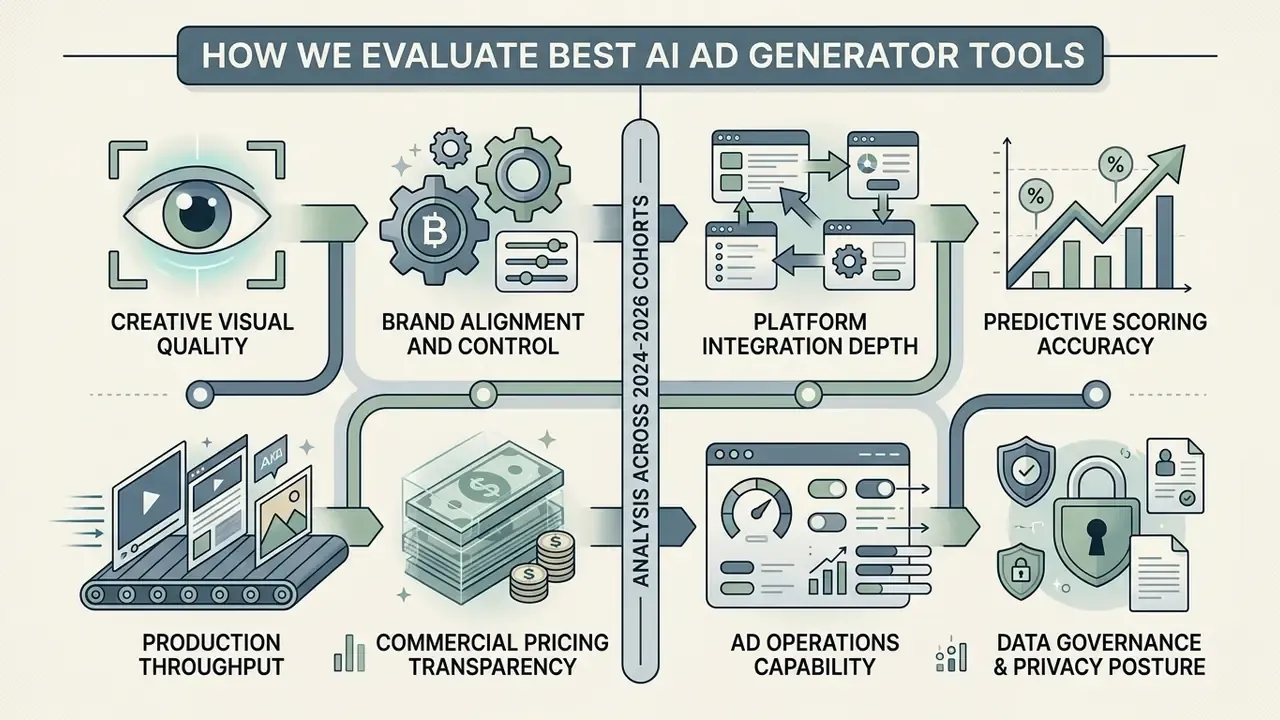
Evaluating the best AI ad generator tools across the 2024 cohort, the 2025 wave of AI powered ad creation platforms and current 2026 releases means analyzing each model on creative fidelity, operational scalability and brand risk management. A structured framework keeps institutions from pushing unvalidated models straight into active ad spend.
The selection process scores candidate platforms across eight primary criteria:
- Creative visual quality: human perception scores, prompt adherence and resolution consistency across output formats.
- Brand alignment and control: the ability to enforce machine-readable brand guidelines, including locked color palettes, brand voice boundaries and asset replacement rules.
- Platform integration depth: native API connections to Meta Ads Manager, TikTok Ads Manager and Google Ads for deployment without manual re-upload.
- Predictive scoring accuracy: correlation between platform-calculated creative performance scores and empirical post-launch CTR and conversion metrics.
- Production throughput: execution speed when generating multi-format creative batches from a single product brief, spreadsheet row or URL.
- Commercial pricing transparency: total cost predictability across subscription tiers, credit models, service fees and export rights.
- Ad operations capability: whether the platform exports files only, or holds an API connection that launches, splits and optimizes live campaigns.
- Data governance and privacy posture: where customer data and uploaded assets are stored, whether inputs are excluded from model training, and which security attestations are available for regulated buyers.
A useful public benchmark for this kind of scoring already exists in academic branding-platform research, which distributes 49 total points across seven dimensions (accuracy, creativity, brand alignment, visual quality, consistency, efficiency and integrability) and measures brand consistency objectively via color difference (ΔE) and CLIP similarity rather than subjective impression. The IAB's Generative AI Playbook for Advertising adds a procurement lens: define the use case, the acceptable error margin, the user type and the ease of integration with existing DSP, CRM and CMS infrastructure before you buy.
Creative quality, brand voice and brand consistency
Creative quality in AI-generated ads depends on strict adherence to brand voice standards as much as on visual appeal. Uncontrolled generative models produce off-brand color shifts, hallucinated marketing claims and quietly distorted logos. Teams building a quality-control layer around generated assets can review capabilities in our guide to the AI photo editor category for retouching and defect correction, and compare manual pre-processing options in our best free photo editor roundup.
To limit brand drift, governance frameworks use structured protocols such as a brand.json specification that supplies machine-readable brand rules directly to AI agents. A minimal machine-readable brand contract looks like this:
brand.json
{
  "brand_name": "Example Financial",
  "logo_variants": ["primary.svg", "mono_white.svg", "mono_black.svg"],
  "colors_hex": ["#0B2B4A", "#0F9D58", "#F4F6F8"],
  "typography": { "headline": "Inter SemiBold", "body": "Inter Regular" },
  "tone_of_voice": ["analytical", "authoritative", "direct", "no hype"],
  "approved_claims": ["FDIC insured deposits", "24/7 fraud monitoring"],
  "prohibited": ["guaranteed returns", "risk-free", "exclamation points",
                 "stock imagery of cash piles", "logo recolor or distortion"],
  "clear_zone_px": 24,
  "disclosure_required": true
}
Emerging interoperability standards follow the same pattern. The AdCP brand protocol publishes logos, colors, tone and explicit "must never do" rules for AI agents, while platform brand kits from vendors such as CleverTap and AirOps enforce tone descriptors, a limited set of logo variants and a fixed color palette across every generated asset. Adobe Brand Intelligence positions automatic enforcement of brand rules as a core enterprise function, and Jasper markets orchestration across a large library of specialized agents with brand control as the binding constraint.
Experimental studies on design workflows indicate that AI-assisted creative processes raise novelty ratings without degrading core brand alignment (Fu et al., 2024).
For copy generation, the research points somewhere slightly uncomfortable for AI enthusiasts: using large language models as a feedback "sounding board" improves non-expert copy while preserving strategic alignment (Park et al., 2024). Read that as an argument for AI as reviewer rather than author on senior creative teams.
Ad formats, platform support and campaign integrations
Effective AI ad tools must natively support platform-specific aspect ratios, file specifications and API publishing. Modern campaigns demand simultaneous multi-format output across square (1:1), vertical (9:16) and landscape (16:9), plus HTML5 banner sets and, for retail promotion, print-ready CMYK PDF.
Direct integration with Meta Ads Manager, TikTok Ads Manager and Google Ads lets automated ad variations upload straight into campaign ad sets. Native automation engines such as Meta's Advantage+ (supported by its Andromeda retrieval engine) and TikTok's Smart+ use platform APIs to serve optimal creative variations against real-time user signals, while Google Ads exposes generative asset creation to developers through AssetGenerationService in recent API versions. TikTok Ads Manager now also embeds a "Generate with AI" flow directly in campaign creation for eligible advertisers. Marketers mapping the technical vocabulary of these formats can start with our primer on text-to-video AI tools.
Pricing, free trials and high-volume creative production
Pricing structures split into self-serve credit subscriptions, seat-based SaaS tiers and custom enterprise contracts. Scaling creative volume means comparing cost per generated credit against required monthly output, not comparing headline prices.
Self-serve entry tiers typically run from $16 to $39 per month with limited creative downloads and basic brand kit features. Editable static-ad tools start around $16 per month, Creatify sits near $19 to $33, Predis.ai near $29, and AdCreative.ai at $39 for Starter. Higher-volume commercial tiers are commonly published between $99 and $249 per month, and Pencil's performance packages have historically started around $119. Enterprise configurations, such as custom Pencil or Adobe GenStudio deployments, move to negotiated annual contracts. Public list pricing for those tiers is not consistently disclosed, so confirm budget figures directly with the vendor rather than inferring them from review sites (updated; see Appendix A for the original unqualified phrasing).
Navigating hidden AI advertising costs. When budgeting, separate three cost layers.
- Base platform subscription or credits the flat monthly fee for generation and rendering, commonly $19 to $119 per month for self-serve, higher for agency and enterprise seats.
- Media budget direct payments to the ad networks themselves (Meta, Google, TikTok). Turnkey platforms typically pass 100% of this through to the network.
- Platform service fees full-cycle launch tools often levy an additional service fee on top of raw ad spend, frequently in the 10% to 20% range, covering automated bidding, A/B test execution and campaign management through their infrastructure. Zeely, for instance, documents that the full ad budget goes to Meta while its service fee is charged separately.
A fourth layer matters for regulated advertisers: control cost. Model validation, legal review hours, disclosure workflows and creative archiving are real line items. Risk-adjusted ROI should net them out of media gains instead of comparing subscription price against CPC alone. I have seen review labour quietly exceed the software fee on a single quarterly campaign set. Marketers building budget structures can access financial modelling templates via our calculators utility page.
Methodology, verification and compliance notes
Detailed reviews of the leading AI tools for ad creation
A closer look at the leading AI tools for ad creation reveals distinct structural strengths, and equally distinct blind spots, across advertising use cases. Reviewing platforms individually helps teams match capability to campaign goals and operational constraints.
AdCreative.ai for data-driven creative generation and creative scoring
AdCreative.ai is a data-driven creative generation platform built to produce static banners, video ads, product shoots and ad copy at scale. Its distinguishing feature is a trained machine learning engine that scores generated creatives before campaign launch.
The system calculates a Creative Score from 0 to 100 using a convolutional neural network (CNN) model that, according to vendor claims, evaluates more than 340 data points and was trained on historical performance data from over 450 million ad creatives (vendor-stated figure, not independently audited). The scoring engine weighs image composition, text placement, color contrast and logo prominence to predict conversion potential, and outputs separate Performance and Awareness readings on some plans. Subscriptions start at $39 per month for Starter, scaling to $249 per month for Professional accounts with multi-brand management, where brand slots expand from one to ten and twenty-five by tier. Teams looking for alternative comparisons can browse the hub, and buyers verifying output rights should read our guide to commercial use of AI images.
One caveat worth naming. A predictive score is a prioritization tool, not evidence. It tells you which variant to test first, not which variant is compliant.
Creatify for UGC-style video ads from product URLs
Creatify converts e-commerce product pages into platform-ready UGC video ads using AI avatars, automated scripting and synthetic voiceovers. Its architecture extracts visual assets, product highlights and pricing data directly from the input URL.
The system provides access to over 1,500 lifelike AI avatars and multilingual voice options, generating short-form video creatives in 9:16 vertical, 1:1 square and 16:9 landscape formats, with direct publishing paths to Meta, TikTok, YouTube, LinkedIn, Snapchat and AppLovin Axon. Its REST API exposes the same product-URL flow for programmatic pipelines. Quality claims such as "best-in-class lip sync" remain vendor-stated; no peer-reviewed third-party evaluation of output quality was identified. Paid commercial plans begin around $19 to $33 per month, scaling with video render credits and advanced avatar access. Teams comparing subscription value against zero-cost options can review free AI video generators before committing budget.
Canva Magic Studio for accessible ad design and templates
Canva Magic Studio embeds AI into accessible design workflows so non-designers can build static and animated display ads. Key capabilities include Magic Design layout generation, automated background removal for photos and video, and prompt-based image editing inside the editor.
The suite includes Brand Hub controls, letting teams lock official brand colors, typography and logo placements across templates, plus Bulk Create for spreadsheet-driven variant production. Canva's ad-oriented workflow supports static, dynamic, vertical and horizontal formats with publishing to Meta, TikTok and LinkedIn, and to Google Ads or Amazon Ads via integrations. Free accounts do reach basic design templates, but advanced AI ad generation requires Pro (roughly $15 to $18 per user per month) or Enterprise access. Teams needing desktop video editing can explore a dedicated best free video software guide for offline production, and licensing specifics are covered in our Canva AI Generator overview.
Pencil for creative strategy, concepts and performance marketers
Jasper for AI ad copywriting, angles and brand voice lock
Jasper is the strongest specialist here for pure ad copy: search headlines and descriptions, Meta primary text variants, angle and hook generation, landing-page copy and account-based marketing sequences. Its differentiator is brand-voice training. Teams upload style guides, tone descriptors and approved claim libraries, then generate at volume without drifting into generic model phrasing. Jasper describes running end-to-end marketing workflows through a large library of specialized agents, with brand control as the binding constraint, which suits large teams coordinating many writers and channels.
Jasper does not launch campaigns. Copy is exported into ad managers, CRMs, or a creative tool such as AdCreative.ai or The Brief for layout. Pricing starts around $59 per month with a 7-day trial. Best for: ad copywriting, angle generation, Google Search headlines and brand-voice lock across distributed teams.
Synthesia for AI spokesperson and avatar video ads
Synthesia removes the production stack from spokesperson-format advertising. Marketers pick from a large library of photorealistic AI presenters, paste a script and render a finished video with natural speech and gesture. No studio, no crew, no talent booking. Its most valuable capability for paid media is localization: coverage spanning well over 100 languages means one approved script becomes dozens of market-specific creatives with consistent framing and branding, and custom avatars let a company keep the same on-brand presenter across every video asset.
The trade-offs are format-specific. Synthesia is built for explainer, testimonial-adjacent and presenter-led ads rather than fast-cut UGC hooks, and output leaves as MP4 for manual upload rather than launching in-app. Regulated advertisers should confirm avatar consent documentation and security attestations before any customer-facing campaign. Entry pricing starts near $22 to $24 per month. Best for: B2B, SaaS, financial services and education brands needing professional multilingual video without film crews. Teams comparing generative video engines at the API level can review our Google Veo implementation guide for cost and rate-limit planning.
Abyssale for spreadsheet and API-driven batch automation
Abyssale is creative automation rather than creative ideation, and it is honest about that. Its core value is deterministic, repeatable, brand-locked generation at volume: place generated or uploaded assets into reusable multi-format designs with locked brand elements and editable layers, then populate them from spreadsheets, product feeds, dynamic image URLs, shareable generation forms, or the API through native, Zapier and Make connections.
Output breadth is the widest in this comparison: static images, video ads, animated GIFs, HTML5 banners, web PDFs and print-ready CMYK PDFs from one template system, adaptable for Meta, Google Ads, social, display, e-commerce, email and offline campaigns. AI design utilities cover background removal, copy translation, subject-aware auto-focus reframing, layout adaptation to new dimensions and visual variation generation. Project organization, contextual feedback and approval workflows support client sign-off before distribution. Pricing starts from roughly $12 to $15 per seat per month depending on billing cycle, with a 14-day trial and no card required. Best for: marketing and design teams, agencies, e-commerce operations and developers who need generative AI combined with brand-controlled, repeatable multi-format production.
Which AI ad creator is best for your marketing scenario?
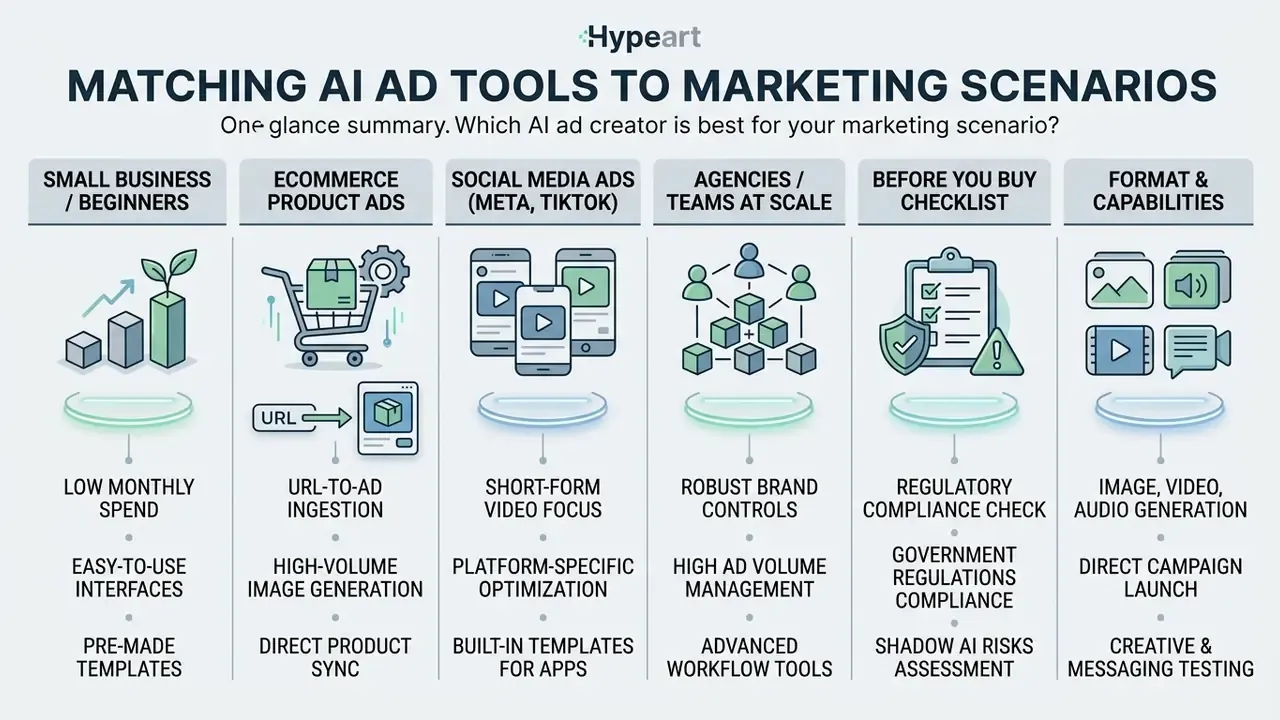
Selecting top AI creative creation tools for ads means matching capability to organizational size, monthly ad spend, primary media channels, brand control requirements and regulatory exposure. No single tool covers every operational requirement. Anyone who tells you otherwise is selling.
The matrix below maps business scenarios to prioritized capabilities and recommended platforms.
Table 2. Scenario-based AI ad tool selection matrix
| Marketing scenario | Primary operational need | Key selection criteria | Recommended platforms |
|---|---|---|---|
| Small business / solopreneur | Low learning curve and minimal production cost | Generous free tier, simple templates, automated copy generation | Canva Magic Studio, Predis.ai |
| E-commerce product catalog | Automated URL-to-ad batch production | Direct URL scraping, background removal, multi-SKU generation, feed ingestion | Creatify, AdCreative.ai, Abyssale |
| Social media performance ads | Short-form UGC video and platform-native formats | AI avatars, viral script hooks, 9:16 vertical output | Creatify, Predis.ai |
| Programmatic display and banners | Hundreds of compliant sizes and HTML5 units | Auto-resizing, animation, ad-tag export, feed-driven variants | The Brief (Creatopy), Abyssale |
| Agencies and scaled marketing teams | Multi-brand management and predictive scoring | Brand kit locking, bulk export, ad manager API publishing, approval routing | AdCreative.ai, Pencil, The Brief |
| B2B and account-based marketing | Brand voice consistency and tailored landing copy | Advanced text LLMs, CRM integrations, tailored outreach copy, avatar explainers | Jasper, Synthesia, Pencil |
| Regulated financial services and enterprise institutions | Auditable creative production with claim control | Locked claim libraries, versioned audit trail, legal sign-off gates, no-training-on-customer-data terms, SSO and role permissions, disclosure handling | Pencil, Adobe GenStudio, Jasper for the copy layer, with The Brief or Abyssale for controlled rendering |
Shadow AI and regulatory risk checklist before you buy
Regulated marketing organizations should clear these gates before any AI ad tool touches brand assets, customer data or live media budget. Ten questions. Documented answers, not verbal ones.
| # | Control question | Why it matters | Pass condition |
|---|---|---|---|
| 1 | Are our inputs, uploads and prompts excluded from vendor model training? | Prevents proprietary product, pricing or customer data leaking into a shared model | Written contractual exclusion, not a blog-post assurance |
| 2 | Where is generated and uploaded content stored, and for how long? | Data residency and retention obligations | Documented region and retention window with a deletion path |
| 3 | Which security attestations exist for the tier we are buying? | Third-party assurance of control maturity | Current attestation report available under NDA |
| 4 | Does the platform maintain a versioned audit trail of every asset and approval? | Reproducing which creative ran, when, and who approved it | Immutable version history with approver identity and timestamp |
| 5 | Can approved-claim and prohibited-claim libraries be enforced at generation time? | Blocks hallucinated performance or guarantee language | Claim library enforced pre-render, not only in human review |
| 6 | Does the tool support required AI disclosure and labelling workflows? | Platform and jurisdictional disclosure rules for AI-made or AI-edited creative | Label field or metadata flag available at export and launch |
| 7 | Who holds commercial rights to generated imagery, voices and avatars? | Downstream IP and likeness exposure | Explicit commercial licence plus avatar and voice consent documentation |
| 8 | Is access governed by SSO, roles and per-brand permissions? | Prevents shadow AI usage through unmanaged accounts | Admin console with SSO, role scoping and seat audit |
| 9 | Is the model risk documented and reviewable by second line? | Supervisory expectations for model validation and monitoring | Model documentation, monitoring plan and challenge process in place |
| 10 | What is the fully loaded cost including service fees and control hours? | Risk-adjusted ROI rather than headline CPC | TCO model covering subscription, media, service fee and review labour |
This checklist is general guidance and does not constitute legal or compliance advice. Validate it against your own regulatory obligations and counsel.
Best AI ad generator for small business and beginners
Small business owners hunting a top AI ad generator for small business need low learning curves, minimal setup overhead and accessible template libraries. Complex enterprise platforms add friction a solo marketer cannot absorb.
Canva Magic Studio and Predis.ai are the low-friction options, and Canva is explicitly positioned for users without design skills. Venngage's free AI ad generator, which permits a small number of AI ad designs at no cost, and Creatify's free monthly credits are useful zero-risk ways to test a workflow before paying, though watermarking and export limits apply. These platforms let non-designers create ads and generate ad copy without advanced graphic design expertise. Founders checking commercial image generation terms can view the guide to verify licensing requirements, or compare no-cost rendering options in our roundup of free AI art generators.
Best tools for ecommerce product ads and product image generation
E-commerce businesses managing hundreds of inventory items need automation that turns raw product listing URLs into promotional creative sets. Manual design cannot keep pace with catalog update frequency across dynamic paid search and social channels.
Creatify and AdCreative.ai ingest product URLs directly, extracting image assets, pricing details and value propositions. AdCreative.ai generates batch static product display banners across standard aspect ratios, while Creatify produces video ad variants with synthesized presenter avatars.
How URL-to-ad ingestion actually works. When ingesting an e-commerce URL, the extraction pipeline pulls OpenGraph image tags for primary product cutouts, JSON-LD structured data for current pricing, currency and availability, H1 and H2 tags for key value propositions, customer review star ratings for social-proof overlays, and brand logo or favicon references for identity anchoring. Platforms with catalog connectors go further, reading directly from Shopify product objects or XML feeds so multiple SKUs enter the generation queue in one action instead of one paste at a time.
Two failure modes recur. First, extraction quality is bounded by page hygiene. Missing structured data, login-gated imagery or low-resolution hero images degrade every downstream asset, which is why image-syndication standards require a direct, publicly accessible URL to a single valid image file and a new unique URL whenever an image is replaced. Second, marketplace compliance is not automatic. Main listing images generally require a realistic product-only photo on a pure white background, with the product filling roughly 85% of the frame at a minimum of 72 dpi, and generated creative must be checked against those rules rather than assumed compliant. E-commerce teams can review technical details in our Canva AI Generator overview for feature comparison.
Best AI platforms for agencies and marketing teams at scale
High-volume agencies and enterprise marketing divisions managing multiple brand accounts need centralized governance, team access permissions and automated pre-launch creative scoring. Holding a consistent brand identity across dozens of active campaigns is the hard part, not generating variants.
AdCreative.ai and Pencil provide agency multi-account structures, brand kit guardrails and performance prediction models. Both generate dozens of creative variations at once while keeping locked typography, logo clear zones and hexadecimal color rules intact. The Brief adds scaled display production with per-seat collaboration and approval routing, while Abyssale covers feed- and API-driven batch rendering for teams whose bottleneck is volume rather than concepting. On the copy side, Jasper's documented ABM workflow results, 2.9x more opens, 11x more clicks and a fourfold increase in replies versus traditional email campaigns (Business Insider, 2024), illustrate why agencies increasingly separate the copy engine from the rendering engine instead of accepting whatever text a design tool happens to produce. Performance teams can compare options across enterprise media platforms and benchmark rendering quality via our AI art generator comparison.
How to create high-performing AI-generated ads without losing brand control
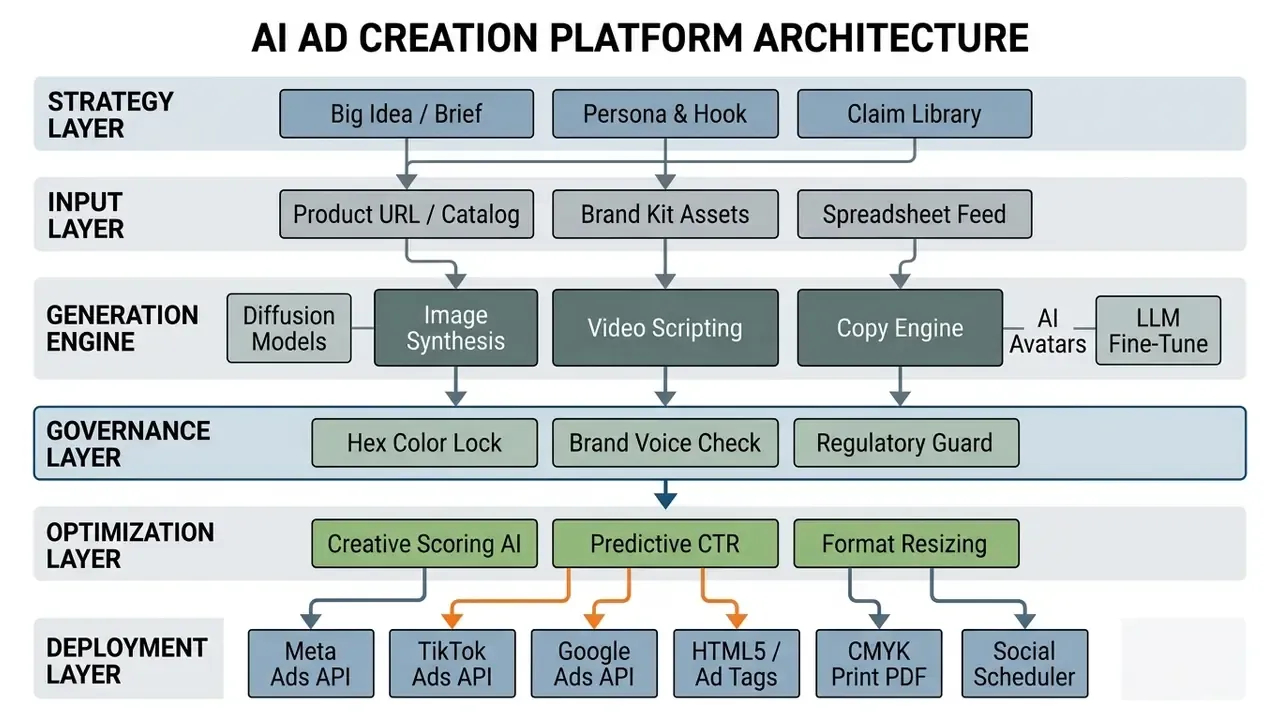
Pushing AI-generated ads into live campaigns without governance introduces operational risk, off-brand messaging and wasted ad spend. A structured, repeatable workflow keeps human accountability in every production phase, and it starts before any model is invoked.
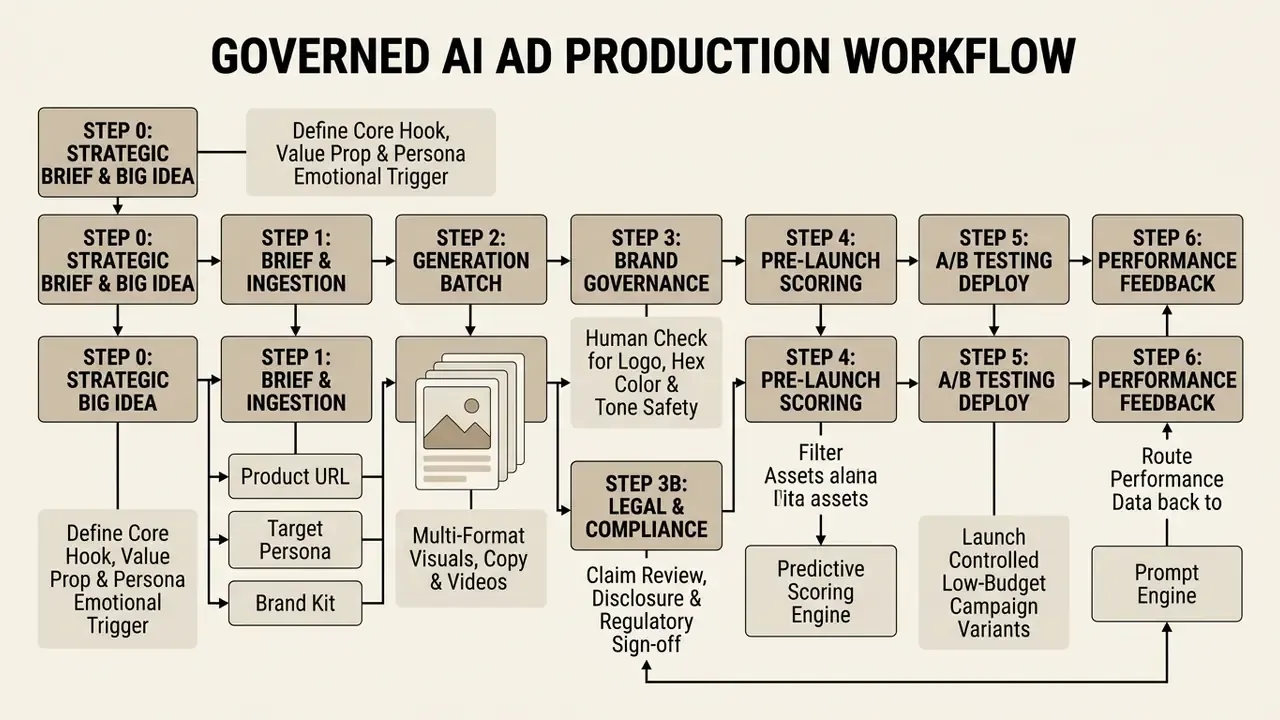
Pre-generation strategic briefing: the Big Idea comes first
Workflow: brief, generation, editing and creative testing
A disciplined creative process integrates AI into a governed sequence:
- Strategic brief and Big Ideadefine the core hook, value proposition, persona emotional trigger and permissible claim set before any generation request is issued.
- Brief definition and ingestionimport campaign parameters, audience segments and approved brand kit specifications (logos, fonts, color palettes), plus product URLs or spreadsheet feeds for batch runs.
- Automated creative generationrun generation to produce initial sets of static display banners, HTML5 units, ad copy variations and short-form video scripts.
- Brand and regulatory reviewconduct human-in-the-loop validation so visuals follow style guidelines and copy complies with industry rules. Responsible-use guidance from advertiser and agency bodies calls for approved brand inputs, clear accountability and human control over AI-generated creative, with continuous monitoring after launch.
Disclosure practice is moving toward a risk-based model, where labelling is applied when AI materially affects authenticity, identity or representation, rather than blanket-labelling every asset. Advertising platforms are also introducing their own labelling requirements for AI-generated or AI-edited image and video creative, so the review step must capture disclosure state as metadata, not as a verbal agreement.
3b. Legal and compliance sign-off: for regulated advertisers, route shortlisted assets to a named compliance or legal reviewer before any budget is committed. Record approver identity, timestamp, asset version hash and the specific claim library version applied. This gate exists precisely because predictive scoring optimizes for clicks, not for regulatory defensibility.
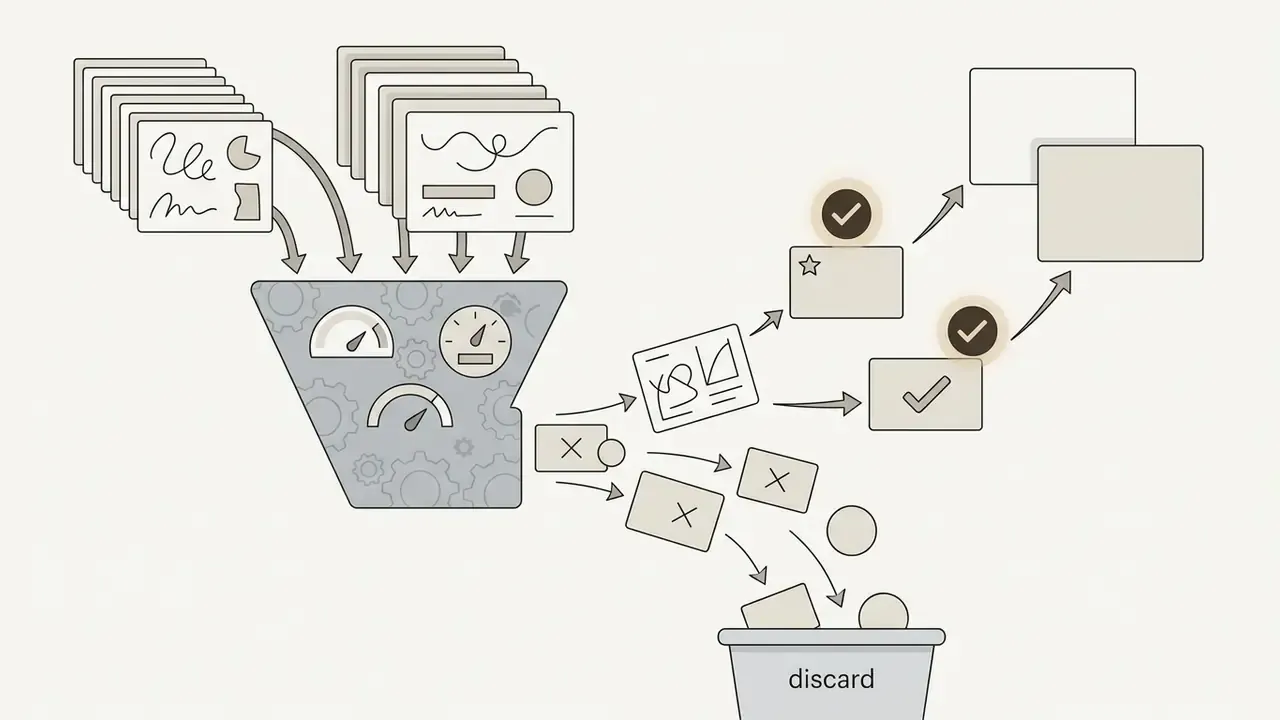
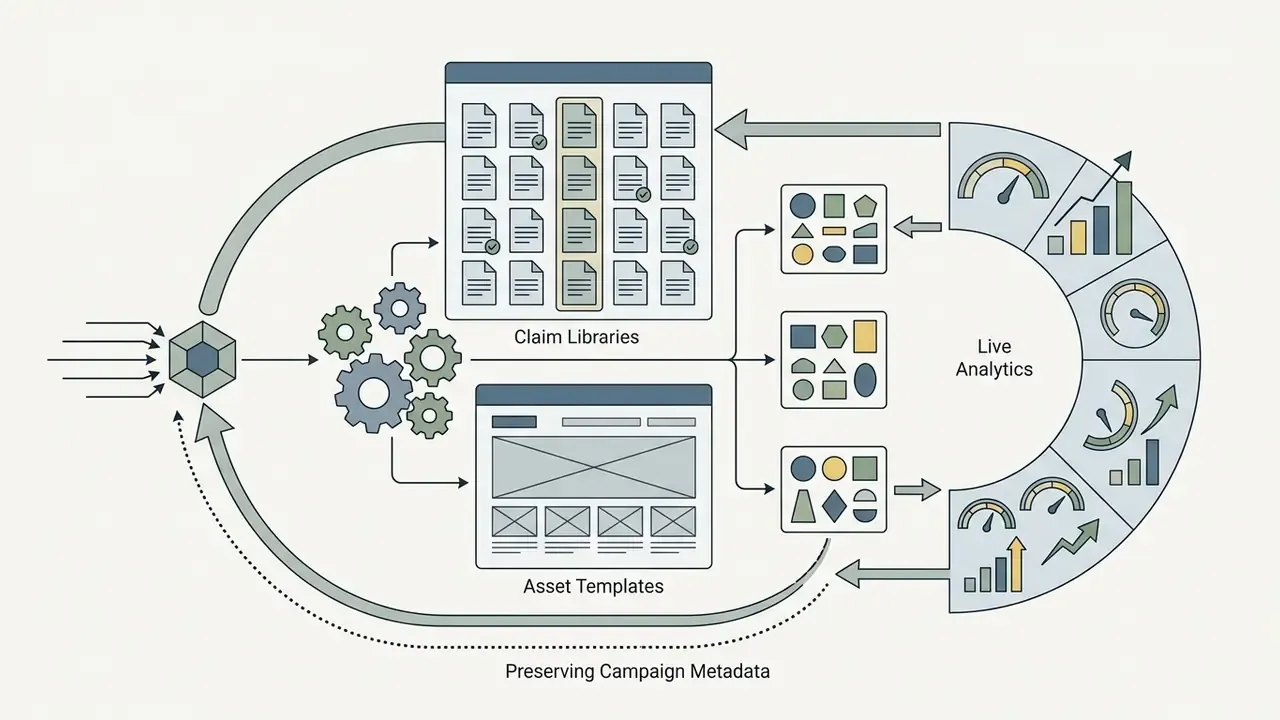
Both scenarios above are illustrative composites, not documented client engagements. To hold technical standards across video asset rendering, production teams can view the guide in our benchmark resource section.
Quality control: the AI slop rejection checklist
Use this table as a hard reject gate during Step 3. If an asset fails any row, it does not proceed to scoring. No exceptions, no "we will fix it in the next flight".
| # | Defect class | What to inspect | Reject if |
|---|---|---|---|
| 1 | Anatomical and render artifacts | Avatar hands, fingers, teeth, eyes, jewellery, text on packaging | Extra or fused digits, warped faces, garbled on-product text, unnatural lip-sync drift |
| 2 | Logo and identity degradation | Logo edges, clear zone, aspect ratio, color fidelity | Blurred, recolored, stretched, regenerated or cropped logo; clear zone violated |
| 3 | Typography non-compliance | Headline and body typefaces against the brand kit | Substituted or synthesized fonts, incorrect weights, unapproved letter spacing |
| 4 | Factual and price hallucination | Prices, percentages, dates, guarantees, product specs | Any number or claim not traceable to the approved claim library or live feed |
| 5 | Stock cliché and generic composition | Overall concept against the Step 0 Big Idea | Interchangeable with a competitor's ad, no visible hook, generic smiling-stock energy |
FAQ: frequently asked questions about AI ad generators
Can AI generate a complete ad from a product URL?
Yes, specialized AI ad creation platforms can construct complete advertisement drafts from a product URL. Tools such as Creatify scan the target page, extract product images, pricing and textual features, then generate video scripts, visual storyboards and synthetic voiceovers. Fully automated extraction still requires human review before launch, and it is rarely as end-to-end as the marketing pages imply. Product-ad templates in emerging ad APIs still take their image and destination URL from a selected feed item rather than inferring everything from a raw link, and video generation jobs still depend on prompts and reference assets. Extraction can pull outdated pricing, low-resolution images or promotional text written for long-form web pages rather than short-form advertising. Treat URL-generated output as a first draft awaiting brand validation. Technical teams interested in video generation APIs can explore the hub for developer integration documentation.
Are free AI ad generators good enough for paid campaigns?
Free AI ad generator tiers and trial accounts work well for testing interfaces and generating conceptual drafts, but they carry real limits for live paid campaigns. Free plan outputs frequently include vendor watermarks, restrict export resolution below high-definition advertising standards and cap monthly usage credits. Paid channels demand high-resolution assets, unbranded exports and commercial usage licensing. Industry guidance is explicit that AI-generated ad content must be validated for accuracy and quality before it runs, and platform rules increasingly require assets to support AI disclosure or labelling, guarantees that free tiers rarely provide. Paid tiers unlock locked brand kits, direct ad manager publishing integrations and the commercial asset clearing corporate ad spend requires. Verify terms in our guide to commercial licensing of AI images, compare no-cost rendering limits across free AI image generators, and review our guide to best free video tools for basic editing tasks.
What should marketers include in an AI ad prompt?
An effective AI ad prompt needs explicit structural, stylistic and brand-specific parameters, otherwise output regresses to the mean. Prompts should define the target audience persona, primary objective, emotional tone and platform-specific placement constraints.
"AI ads with higher concreteness and question-based phrasing produced more favourable brand attitudes and stronger purchase intent." Source: Lee et al., Linguistic Drivers of AI Ads' Effectiveness, SSRN (2024). https://doi.org/10.2139/ssrn.4862345 Key elements to include:
- Role and persona: define the operational perspective, for example "act as a direct-response performance copywriter for a fintech brand".
- Target audience: specify demographics and pain points, for example "targeting risk managers at mid-sized financial institutions".
- Core value proposition: state the primary benefit or unique selling proposition plainly.
- Brand voice attributes: supply three to five tone descriptors with behaviour-based definitions and "do this, not that" examples, for example "analytical, authoritative, direct, without hype or exclamation points".
- Copy block structure: name the exact deliverables (headline, primary text, description, CTA) with character limits per placement.
- Visual and format constraints: mandate precise aspect ratios, color palette parameters, banned words and prohibited visual elements, including anti-inspiration references.
- Call to action: specify exact CTA phrasing, for example "Request a Demo" or "Download the Whitepaper".
- Claim boundaries: list approved claims the model may use and forbidden claims it must never generate. For regulated advertisers this is the single highest-value line in the prompt.
Which AI ad tools can launch campaigns, not just export files?
Tools divide into three tiers. Export-only platforms (Canva Magic Studio, Synthesia, Abyssale, Jasper for copy) hand off finished files or text for manual upload. API-push platforms (AdCreative.ai, Creatify, The Brief, Pencil) send assets into connected ad accounts, ad managers or ad-tag delivery systems so a buyer finishes the setup. Full-cycle ad-ops platforms hold the network connection and launch, split-test and optimize campaigns in-app, usually charging a service fee on top of media spend. Match the tier to who owns media buying in your organization. If a specialist buyer or agency already controls the ad account, API-push is usually cleaner than surrendering campaign structure to a third-party layer.
How should regulated advertisers handle AI disclosure and record-keeping?
Treat disclosure and record-keeping as two separate obligations. Disclosure is increasingly risk-based, applied where AI materially affects authenticity, identity or representation, and major ad platforms have begun requiring labels for AI-generated or AI-edited image and video creative, with some third-party tool output requiring self-declaration. Political advertising sits on its own regulatory track in several jurisdictions. Record-keeping is broader: retain the brief, the prompt, the model and version used, the generated asset, the approver and the timestamp, so any running creative can be reconstructed on request. Copyright and data-protection rules apply to AI-generated ad creative exactly as they apply to commissioned work, including permissions for third-party content and likeness. This section is general information, not legal advice. Confirm obligations with qualified counsel and your compliance function before launching AI-generated creative in a regulated category.
Next steps: a 30-day implementation sequence
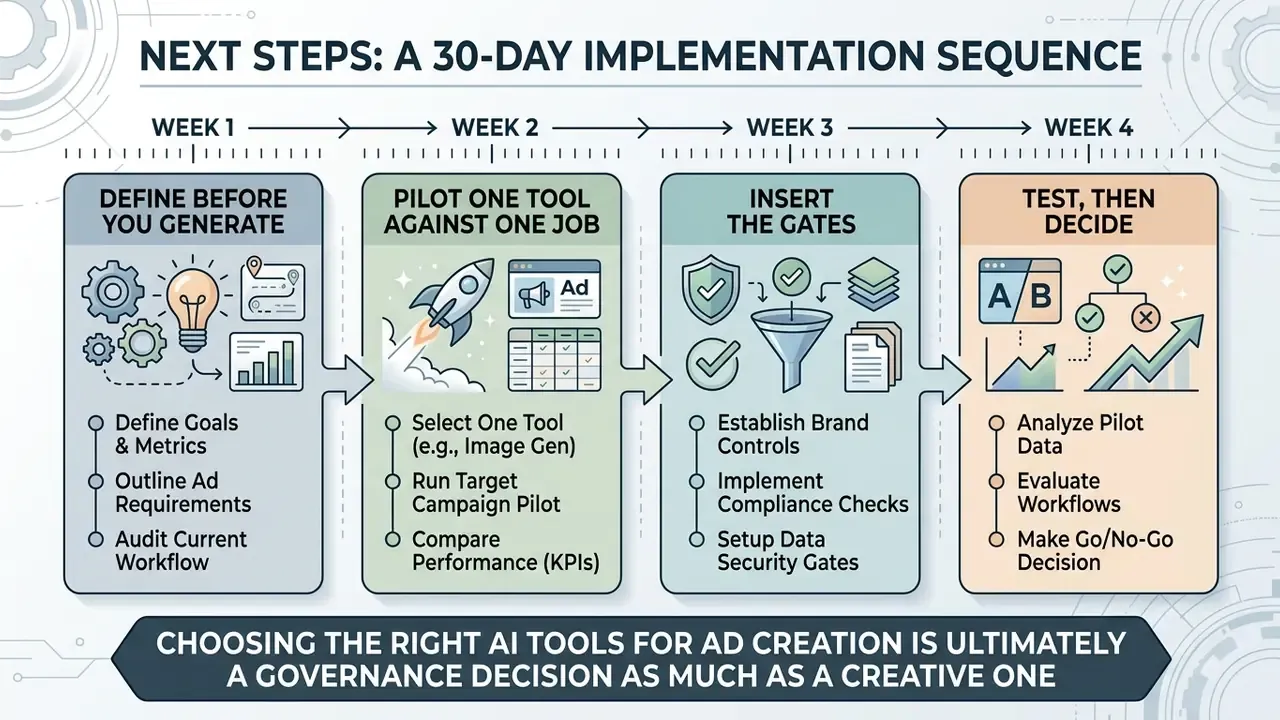
Week 1, define before you generate. Write the strategic brief and Big Idea for your two highest-spend product lines. Build the brand.json contract and the approved and prohibited claim libraries. Nothing is generated this week.
Week 2, pilot one tool against one job. Pick the narrowest job you can measure (static variants, UGC video, banner resizing or copy volume) and run one vendor trial against it. Work through the shadow AI checklist before uploading a single asset.
Week 3, insert the gates. Stand up brand review, compliance sign-off and the AI slop rejection checklist as named steps with named owners. Version and archive every approved asset.
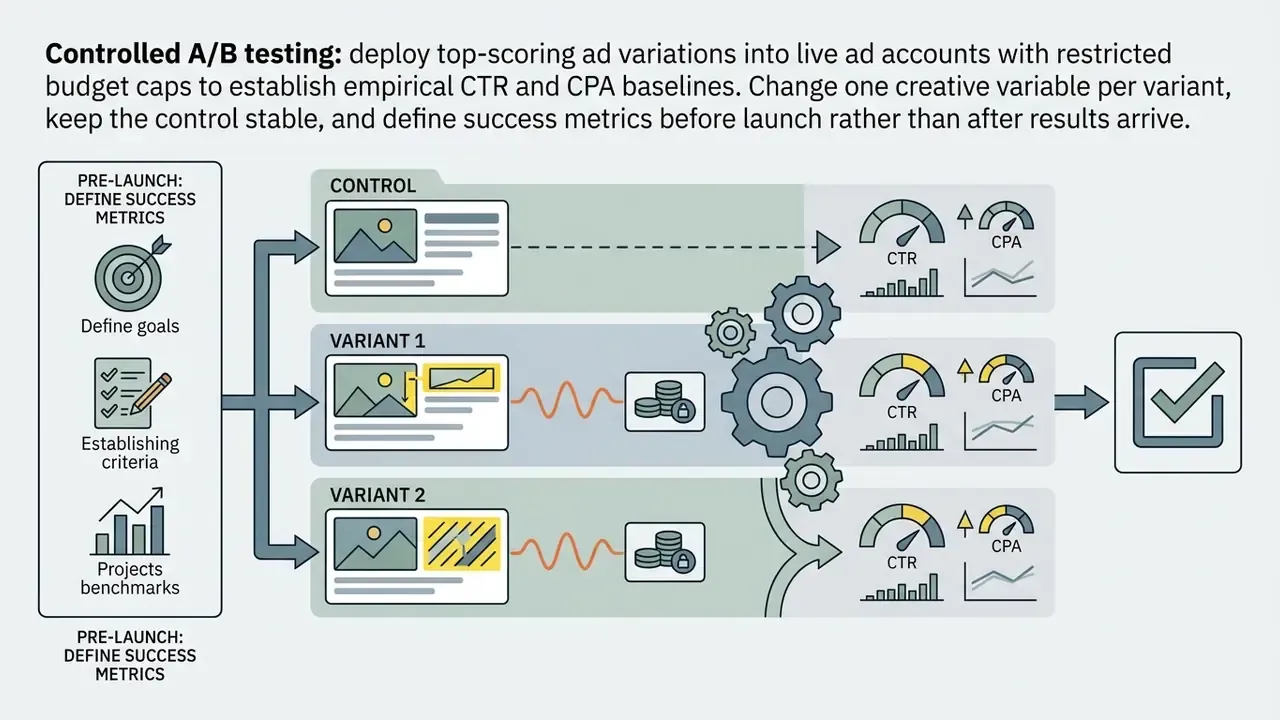
Week 4, test, then decide. Launch capped A/B variants changing one element at a time, record CTR and CPA against your pre-AI baseline, and model fully loaded cost (subscription plus media plus service fee plus review labour) before scaling spend or seats.
Choosing the right AI tools for ad creation is ultimately a governance decision as much as a creative one. Data-driven platforms like AdCreative.ai optimize static display and pre-spend scoring, Creatify compresses e-commerce video production from product URLs, Jasper and Synthesia own the copy and presenter layers, and The Brief and Abyssale industrialize multi-format output. The teams that win with these tools keep the Big Idea, the claim library and the human approver firmly upstream of the render button.
Appendix A: archived source fragments and revision notes
Preserved for transparency and version traceability. The main text above carries the corrected or qualified version of each item.
- Creatify benchmark date reference (superseded).
- Original wording: "…than top-performing influencer benchmarks on live Meta and TikTok campaigns (Creatify Case Study, 2026)." Corrected in the body to Creatify case study, 2024 to 2025, matching the vendor's published material and labelled as vendor-reported.
- Pencil performance claim (superseded).
- Original wording: "Pencil claims significant production cost reductions alongside ROAS improvements for enterprise media teams." Replaced in the body with the specific vendor-published figures (50% production cost reduction, 79% ROAS improvement, 24 markets) plus an explicit note that these are vendor-reported rather than independently audited.
- Enterprise pricing claim (superseded).
- Original wording: "Enterprise tiers, such as custom Pencil or Adobe GenStudio configurations, scale to fixed monthly contracts suited for high-volume agency operations." Rewritten in the body to state that these tiers are negotiated and not consistently disclosed publicly, and that figures should be confirmed directly with vendors.
- AdCreative.ai training-dataset figure.
- The "450 million ad creatives" and "340+ data points" figures are vendor claims. Retained in the body with an explicit vendor-claim qualifier; no independent audit of the dataset or of scoring accuracy was identified.
- Pencil Media Performance Score methodology.
- No independent validation of the 0 to 100 CTR model was located. Retained in the body as a prioritization heuristic with a stated limitation.