Evaluating a mobile ai picture app means balancing three things at once: model capability, interface performance and cost transparency. Choosing the right ai image generator app android ios deployment depends on what you actually optimise for. Photorealism? Custom art styles? Rapid content creation? And if you sit in a regulated organisation, a fourth priority outranks all of them: auditability and control over data retention.
That last point is easy to skip. It is also the one that turns a $20 subscription into a governance incident.
Executive summary: the fast picks
- Best overall for prompt adherence and embedded text ChatGPT Images (DALL·E 3 / GPT-Image). Conversational multi-turn editing, 100% accuracy on our standardized text benchmark, $20 per month for unthrottled throughput.
- Best for Android-native work and photo remixing Google Gemini with Nano Banana (
gemini-2.5-flash-image), which formally replaces the deprecated Imagen pipeline (Imagen shutdown date: 17 August 2026). Note the visible SynthID watermark on outputs. - Best for commercially indemnified assets Adobe Firefly, trained on licensed Adobe Stock, openly licensed and public-domain content, with explicit commercial-use permission for non-beta features.
- Best zero-friction consumer app Meitu. No sign-up, no watermark, daily free generations, 50+ art styles, sketch-to-image via AI Smart Board.
- Best mobile editing suite Pixlr, with generative fill, outpainting, face swap and AI layer segmentation, powered by Flux, Recraft V4, Kling and SDXL.
- Best for marketing automation Predis.ai (prompt-to-post with captions, hashtags, carousels; 1,300 credits per month on the Core plan) combined with Zapier webhooks.
- Best for privacy and offline execution Draw Things (Stable Diffusion 1.5 / SDXL / SD 3.5 plus LoRA and ControlNet), requiring at least 8 GB RAM for image generation.
- For risk and compliance leaders treat every mobile image app as a third-party model. Register it in the model inventory, verify data-retention and training opt-out terms, require IP indemnification in the contract, capture prompt, seed and model-version evidence, and control installation through MDM/MAM policy. Consumer-tier apps with no SSO, no retention controls and no indemnity are Shadow AI exposure, not productivity tools.
How we tested the best AI picture apps
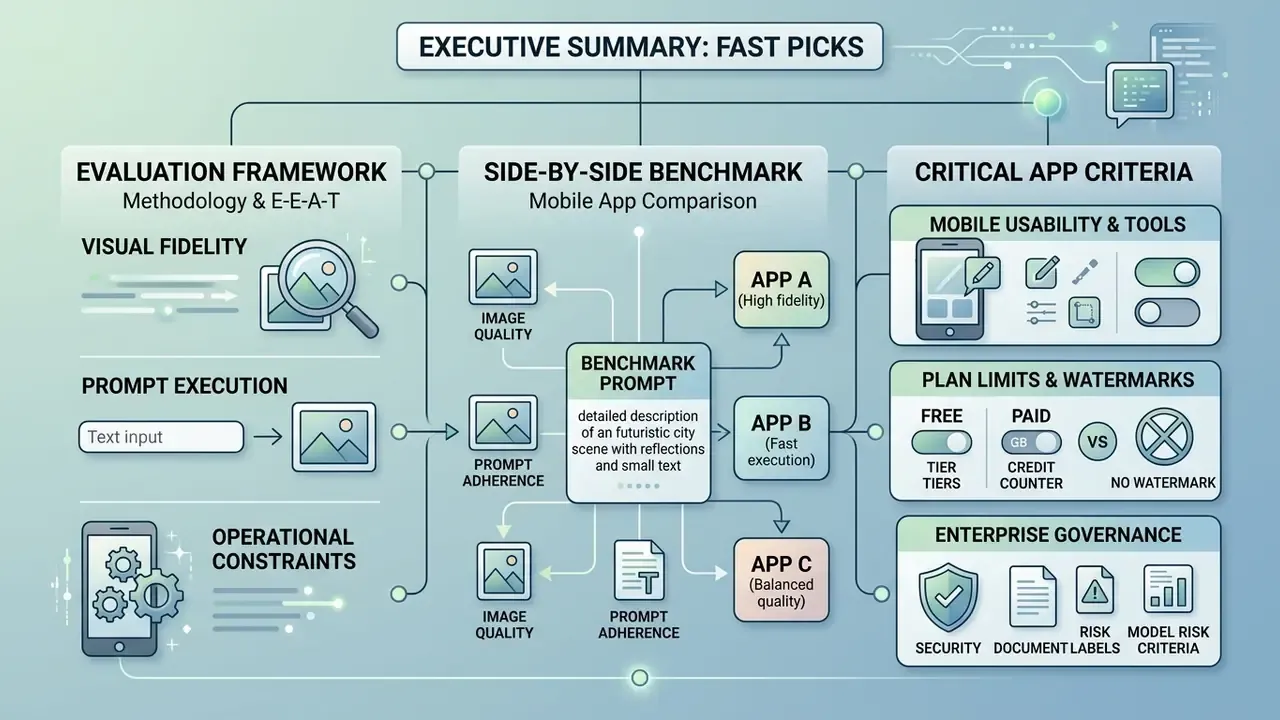
Benchmark selection follows established academic practice. DrawBench was introduced with Imagen at NeurIPS 2022 for deeper assessment beyond generic photorealism, HEIM defines twelve evaluation axes including text-image alignment and robustness, and TypeScore isolates embedded-text fidelity plus stylistic instruction adherence. Where mobile execution mattered, we additionally recorded prompt-to-image latency and task-based usability ratings, mirroring the structure of NIST's 2025 GenAI (Pilot) Evaluation Plan for Image Generators and the hard-gate versus graded-metric split published in OpenAI's image evaluation guidance. Both casual users and teams with a steep learning curve ahead of them were kept in mind while scoring: an app that needs a manual is not the same product as one you hand to an intern.
Image quality, prompt adherence and accurate text
Evaluating image quality and prompt adherence requires testing how models interpret complex text prompts and render high-resolution output without visual artifacts. Modern text-to-image diffusion models use latent feature spaces to reconstruct images from textual embeddings, so small prompt changes can move the whole composition.
«DALL·E and Imagen consistently achieved lower FID scores and higher human realism ratings than baseline Stable Diffusion checkpoints.»
«Stable Diffusion 3 and Janus struggle even with simple binary images, failing to reproduce specified object shape and placement.»
Side-by-side prompt execution benchmark
To evaluate current mobile deployments transparently, every application ran one identical standardized test prompt rather than vendor-supplied demo prompts:
| Application | Entity rendering (jungle / astronaut) | Text accuracy ('EXPLORE') | Latency (iPhone 15 Pro) | Watermark on free tier |
|---|---|---|---|---|
| ChatGPT (DALL·E 3 / GPT-Image) | Perfect spatial alignment | 100% (exact spelling) | 4.2 sec | No |
| Google Gemini (Nano Banana) | High photorealism | 80% (minor character distortion) | 2.1 sec | Visible SynthID watermark |
| Pixlr (Flux / Recraft V4) | Exceptional texture detail | 90% | 3.5 sec | No |
| Meitu AI | Stylized aesthetic focus | 40% (fails complex embedded text) | 1.8 sec | No |
| Adobe Firefly 3 | Commercial-grade lighting | 95% | 3.0 sec | No |
| Leonardo AI (Phoenix 1.0) | Strong depth separation, mild prompt drift | 70% | 5.6 sec | No |
| Draw Things (SDXL, local) | Hardware dependent; good composition | 25% (base checkpoint limitation) | 22-40 sec | No |
Two conclusions follow. First, embedded-text fidelity, not photorealism, is now the sharpest differentiator between mobile apps. Second, the fastest app is rarely the most accurate: Meitu returned results in under two seconds but failed the typography gate entirely, while ChatGPT took more than twice as long and passed it cleanly. Speed sells. Accuracy ships.
Mobile usability, editing tools and plan limits
Assessing mobile deployment means measuring interface efficiency, touch-target ergonomics, integrated editing tools and explicit free plan boundaries. Mobile applications should conform to platform design guidelines, such as Apple's Human Interface Guidelines (updated 25 August 2026) and Android's Material Design, which set expectations for clear navigation, adequate touch targets and accessible controls.
«ChatGPT scored the highest composite usability rating among Android and iOS users (0.504 and 0.462), while Gemini AI recorded a negative satisfaction rating among Android users (−0.138).»
That large-scale study analysed 11,549 user reviews across major mobile AI platforms under ISO 9241 usability standards. Overall satisfaction was heavily influenced by system latency, unexpected generation failures and restrictive usage caps. Apps providing clear feedback, in-app canvas editing and transparent usage limits achieved noticeably higher task-completion rates; readers comparing dedicated retouching suites can review our breakdown of AI photo editors for feature-level detail. Evaluating premium plans means verifying whether upgrade tiers really deliver expanded generation credits, priority queueing, background removal or high-resolution export, rather than hiding those behind a second paywall. Usability research in this category also measures task time, number of touches, navigational steps and error rates. Those metrics translate directly into content throughput for teams working on phones, which is the only number a marketing lead will ask about.
Enterprise governance and model risk criteria
For regulated buyers, feature parity is secondary to control parity. Any mobile image generator introduced into a bank, insurer or fintech should be assessed against the same third-party model expectations used for any vendor model under U.S. Federal Reserve SR 11-7 and OCC Bulletin 2011-12 model risk management guidance, plus the NIST AI Risk Management Framework.
| Governance control | Why it matters on mobile | What to verify before approval |
|---|---|---|
| Data retention & training opt-out | Prompts and uploaded images may contain client photos, contracts or screens | Written zero-data-retention or opt-out clause; retention window in days; whether prompts are logged server-side |
| Security attestation | Mobile apps bypass network DLP inspection | SOC 2 Type II or ISO/IEC 27001 report; encryption in transit and at rest |
| Identity & access | Consumer apps authenticate to personal accounts | Enterprise SSO/SAML/SCIM support; ability to deprovision on offboarding |
| IP indemnification | Generated assets may reproduce protected elements | Contractual indemnity scope, revenue caps, exclusions for beta features |
| Provenance / C2PA | Disclosure obligations are becoming mandatory | Whether the export carries C2PA Content Credentials or a visible label |
| Reproducibility | Audit requires re-creating an output | Whether the app exposes and stores model version, prompt, seed and parameters |
| Biometric handling | Face swap and portrait tools process biometric identifiers | Consent capture, state biometric-privacy exposure, deletion guarantees |
Note: applicability assessments in this section are general and hypothetical until validated by your own internal audit, security review and legal function.
Best AI image generator apps at a glance
Finding the best ai image generator apps free or paid comes down to comparing core capabilities, platform support and subscription pricing side by side. The table below summarizes the operational parameters that matter most across leading mobile applications on iOS and Android.
| Application | Best For | Platforms | Free Plan | Image Generation Model | Image Editing Tools | Image Quality Rating | Subscription Pricing (per month) | Key Limits & Constraints |
|---|---|---|---|---|---|---|---|---|
| ChatGPT Images | Conversational prompt guidance & general visuals | iOS, Android | Yes (limited daily generation) | GPT-Image / DALL·E 3 | In-line conversational edit, object retouching | High | Free / $20.00 (Plus) | Rolling message and generation limits on free tier; peak-hour queueing. |
| Google Gemini | Native Android integration & multimodal creation | iOS, Android | Yes (standard Google account) | Nano Banana / Gemini 2.5 Flash Image | Inpainting, photo remix, background modification | High | Free / $19.99 (AI Pro) | Imagen models deprecated (shutdown 17 Aug 2026); usage limits tied to Google One AI tier; visible watermark. |
| Adobe Firefly | Commercial safety & graphic design workflows | iOS, Android | Yes (25 monthly generative credits) | Firefly Image 3 / partner models (Imagen 3, Imagen 4, GPT Image) | Generative Fill, background removal, text effects | Very High | Free / $9.99 (Standard) / $19.99 (Pro) / $49.99 (Pro Plus) | Credit-based system; credits expire one month after allocation; queue caps on heavy jobs. |
| Canva | Templates, marketing collateral & social graphics | iOS, Android | Yes (limited lifetime AI credits, ~50 text-to-image uses) | Canva Magic Media / Firefly integration | Magic Eraser, Magic Expand, mobile Background Remover, layout templates | Medium-High | Free / $14.99 (Pro) | Free plan exports limited; background removal and brand kits require paid tier. |
| Leonardo AI | Fine-grained asset creation & model selection | iOS, Android, Web | Yes (150 daily resetting credits, ~12 images/day) | Phoenix 1.0, Lucid Realism, Lucid Origin, custom fine-tunes | AI Canvas, erase/replace, inpaint strength, guidance scale | Very High | Free / $12.00 (Apprentice) | High-resolution upscaling and Alchemy pipelines consume credits rapidly. |
| Midjourney | Artistic generation & stylized visual concepts | Web, Discord (Mobile) | No (subscription required) | Midjourney v6 / v7 | Region vary, pan, zoom, style reference (--sref) | Exceptional | $10.00 (Basic) / $30.00 (Standard) / $60.00 (Pro) / $120.00 (Mega) | No native standalone mobile app; web or Discord interface required. |
| Pixlr | Mobile editing suite plus generation in one app | iOS, Android, Web | Yes (daily credits, no watermark) | Flux, Flux Pro, Recraft V4, SDXL, Stable Diffusion, Kling | Generative fill, outpainting, face swap, AI layer segmentation, upscale to 25 MP, object removal | Very High | Free / from $1.99 | Ad-supported free tier; premium models and private mode behind paywall. |
| Meitu | Zero-friction portraits and art styles | iOS, Android | Yes (daily free generations, no sign-up, no watermark) | Proprietary text-to-image / image-to-image | 50+ art styles, AI Photo Studio, AI Portraits, AI Smart Board sketch-to-image | Medium-High (stylized) | Free / in-app premium styles | Weak embedded-text rendering; limited parameter control. |
| Picsart | All-in-one editor, collage and social design | iOS, Android, Web | Yes (feature-limited, ads) | Multiple integrated models | AI art generator, retouch, filters, collage, poster and sticker design | Medium-High | Free / paid upgrade for ad-free plus advanced tools | Best AI tools gated behind Gold subscription. |
| Predis.ai | Prompt-to-post social automation | iOS, Android, Web | Yes (credit-limited, watermarked) | Integrated text-to-image plus template engine | Template, brand colour, font and CTA editing | Medium | Core plan includes 1,300 credits/month | Not suited to detailed artwork; credit tracking required for high-volume teams. |
| Quillbot AI Image Generator | Fast, beginner-friendly blog visuals | Web (mobile browser) | Yes (3 images every 24h) | Integrated diffusion models | Re-prompt editing, aspect ratio, PNG export | Medium-High | Free tier / bundled paid plans | Minimal fine-tuning beyond aspect ratio and export format. |
| Stable Diffusion (Draw Things) | On-device, open-source local workflows | iOS, iPadOS, macOS | Yes (100% free, local execution) | SD 1.5, SDXL, SD 3.5, LoRAs | Local masking, ControlNet, IP-Adapter | High (hardware dependent) | Free (open source) | Requires at least 8 GB RAM for image generation (16 GB+ for video); high battery consumption. |
Note: pricing and plan structures reflect documented vendor terms as of 2026. For a complete analysis of software options, open the hub to view our enterprise matrix, or study our extended comparison of leading AI image generators for output-quality rankings. Head-to-head duels live in our AI Media Versus Comparisons index.
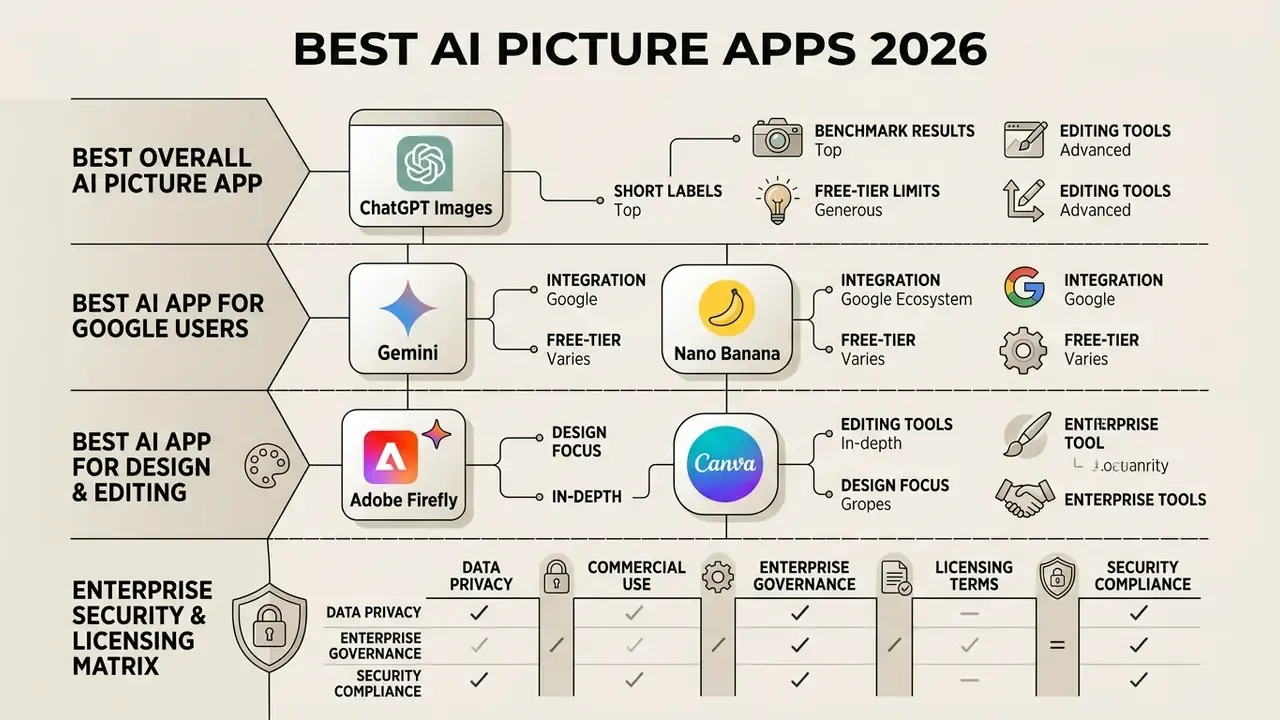
Enterprise security and licensing matrix
Pricing tables alone cannot support a procurement decision in a regulated environment. The table below adds the B2B criteria that compliance and model-risk reviewers ask for first.
| Application | SOC 2 / ISO 27001 attestation available | Training opt-out or zero data retention | Enterprise SSO / SAML | IP indemnification offered | C2PA Content Credentials on export |
|---|---|---|---|---|---|
| ChatGPT (Business / Enterprise) | Yes, on business tiers | Yes, business data excluded from training by default | Yes (SAML SSO, SCIM) | Yes, on Enterprise-class agreements | Yes, C2PA metadata attached to generated images |
| Google Gemini (Workspace / AI Pro) | Yes, via Workspace and Cloud programmes | Enterprise data handling under Workspace terms | Yes | Available under Google Cloud generative AI indemnity terms | Yes, SynthID watermark plus metadata |
| Adobe Firefly | Yes, under Adobe enterprise agreements | Adobe states it does not train on user content or generated outputs | Yes | Yes, indemnification for eligible enterprise plans | Yes, Content Credentials attached by default |
| Canva Teams/Enterprise | Yes on Enterprise tier | Configurable on Enterprise | Yes | Limited; verify per plan | Partial |
| Leonardo AI | Verify per contract | Private-mode generation on paid tiers | Not on consumer tiers | Not documented for consumer tiers | Not documented |
| Midjourney | Not published | No enterprise retention controls documented | No | No indemnity; revenue threshold rules instead | No |
| Pixlr / Meitu / Picsart / Predis.ai | Not published for consumer tiers | Private mode on Pixlr premium; otherwise not documented | No | No | No |
| Draw Things (local) | N/A, no vendor processing | Full local execution; no prompt egress | N/A (device-managed) | Depends on individual model licence | Manual, not automatic |
This matrix is a research starting point, not a substitute for your own vendor due diligence. Contractual terms change and differ by region, plan and negotiated addendum.
Best overall AI picture app: ChatGPT Images
ChatGPT Images works as the most versatile best ai app for pictures free and paid option, thanks to natural language understanding and multi-step conversational editing. Available natively on iOS and Android, the app lets users describe visual ideas in plain English without memorising parameter codes.
Powered by OpenAI's multimodal models, it handles direct image generation, style modifications and targeted object editing through simple conversational follow-ups. Users can upload an existing image, request specific additions or removals, and adjust aspect ratios on the fly; readers weighing it against rivals can study our head-to-head on ChatGPT image generation. OpenAI's own pricing documentation lists image generation as available on the Free plan but "limited and slower," with image limits tracked separately from text chat. Exact numeric caps are not published and are enforced in-app per account and session. The Plus plan offers higher throughput, faster processing and expanded multimodal capabilities. Because generation is autoregressive rather than purely diffusion-based, single-image output is slower than competitors. Negligible for occasional use. Material at volume. When comparing creative options across platforms, you can compare options to model how conversational tools stack up against dedicated art suites.
Best AI app for Google users: Gemini and Nano Banana
Google Gemini gives Android users a deeply integrated experience for rapid image generation from conversational prompts and existing photos. Built into the Android OS ecosystem and available on iOS, Gemini uses Google's native multimodal generation architecture, including Nano Banana (gemini-2.5-flash-image) and the higher-fidelity Nano Banana Pro tier, replacing older legacy Imagen models. Google's developer documentation instructs teams to migrate from generate_images to generate_content before the Imagen shutdown date of 17 August 2026.
The application handles multimodal inputs smoothly, so users can pull photos from Google Photos, apply style edits, or build new marketing visuals from scratch. Android integration goes beyond the Gemini app itself: Google Photos exposes "Create" and "Photo remix" flows that start from an existing image, while AI Mode and Lens surface generation and editing directly in search. Sharing across Workspace applications, Drive and system messaging is one tap away. Free Google account holders receive standard generation allowances, while the Gemini Advanced / AI Pro subscription raises rate limits and unlocks higher-tier multimodal reasoning models. Two practical caveats from testing: prompt adherence on complex multi-object instructions lagged the leaders, and every free-tier output carried a visible watermark. Fine for internal drafts. Not fine for a finished client deliverable. Teams researching the broader Google stack can review our overview of the Google AI image generator and its usage rights.
Best AI app for design and editing: Adobe Firefly and Canva
Adobe Firefly and Canva are the premier choices for mobile graphic design, social media asset creation and commercially safe image generation. Firefly focuses on professional-grade generative editing, with Generative Fill, background replacement and text-effect controls trained on licensed Adobe Stock assets. Adobe states explicitly that Firefly models are commercially safe, trained on licensed, openly licensed and public-domain content, and that it does not train on users' personal or generated content. Firefly Mobile also exposes partner models such as Imagen 3, Imagen 4 and GPT Image alongside Adobe's own engines, and Premium users who exhaust credits can queue up to 20 video generations at a time.
Canva integrates generative capabilities directly into a mobile-first design canvas equipped with templates, typography layouts and brand kits. Its Magic Media toolkit lets users create images, remove background elements (Effects → Background Remover on mobile) and resize assets for multi-platform distribution; our guide to the Canva AI Generator covers export options and licensing in detail. Note the asymmetry that matters for compliance teams: Adobe publishes explicit commercial-safety language for Firefly, whereas Canva's public mobile documentation carries no equivalent statement for generated content. Campaign teams buying creative at scale can also weigh the best ai ad tooling for paid social. For organizations building automated design pipelines, an AI Video API Provider Comparison helps evaluate how cloud-based rendering engines connect to mobile frontends.
Best AI creator apps for artistic images and customization
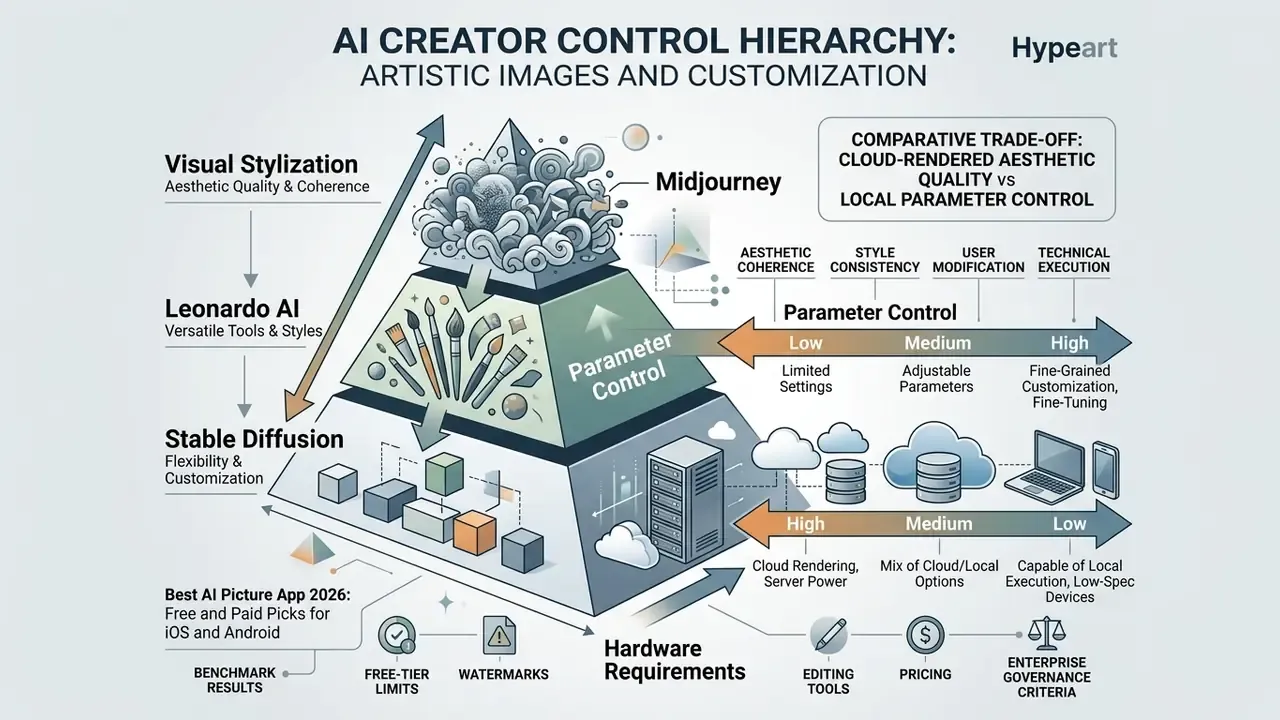
Creators who want precise control over art styles, rendering parameters and model fine-tuning need specialized best ai art generation apps. Unlike general conversational assistants, a dedicated best ai creator app exposes prompt weights, seed numbers, style reference images and model selection.
Midjourney for artistic results and art styles
Midjourney remains a leading tool for highly stylized artwork, concept design and complex visual aesthetics. There is no standalone native iOS or Android app, so mobile creators reach the service through its mobile-optimized web interface or the official Discord application.
Midjourney reads aesthetic prompts unusually well and exposes advanced parameters: style references (--sref), stylization strength (--stylize), chaos factors (--chaos), plus style personalization and multiple moodboards for separate projects.
«Midjourney outperforms competitors on artistic quality and visual appeal, while Stable Diffusion leads on control flexibility and customization.»
Users can generate high-resolution images across styles from watercolor illustration to photorealistic cinematography. Plans run from $10 to $120 per month (Basic $10, Standard $30, Pro $60, Mega $120), all auto-renewing, with no free trial currently available in Discord. A feature-by-feature breakdown appears in our comparison of Midjourney image generation against competing tools, and creators evaluating alternative suites can compare options among competing web and mobile art platforms.
Leonardo AI for control and multiple AI models
Leonardo AI delivers a strong mobile creator experience on iOS and Android by putting multiple generative AI models behind one interface. The app provides specialized base models, including Phoenix 1.0, Phoenix 0.9, Lucid Origin and Lucid Realism, alongside custom user-trained checkpoints.
Creators get fine-grained customization: prompt weighting via Guidance Scale, aspect ratio selectors, style presets (ANIME, CREATIVE, DYNAMIC, ENVIRONMENT, ILLUSTRATION, PHOTOGRAPHY, RAYTRACED, RENDER_3D, SKETCH_BW, SKETCH_COLOR when Alchemy is enabled), and the Leonardo Alchemy engine for enhanced detail rendering. The mobile canvas supports inpainting with adjustable Inpaint Input Strength, erase-and-replace and localized style adjustments. The free plan grants 150 daily resetting credits, roughly twelve images per day at twelve tokens each, with batch generation of up to eight images at once. Paid plans widen parallel generation queues and unlock high-resolution upscaling.
Stable Diffusion for open-source workflows
Stable Diffusion enables fully customizable, open source image generation on mobile devices through applications like Draw Things. Running locally on Apple Silicon (iOS/iPadOS) or against cloud endpoints on Android, open-source interfaces support custom model loading, LoRA weights, ControlNet conditioning and IP-Adapter nodes. Architecturally, Stable Diffusion sits in the latent diffusion lineage; SD3 moved to a Multimodal Diffusion Transformer (MMDiT) with modality-specific weight sets, three text embedders and rectified-flow training, and Stable Diffusion 3.5 Medium is listed as Stability AI's current core model as of August 2026.
Local execution gives you complete privacy and offline functionality, but it demands modern hardware with real memory headroom. Draw Things' own documentation states that image generation requires at least 8 GB of RAM (16 GB+ for video), while on-device LoRA fine-tuning of SD v1 at 512×512 was demonstrated on an iPhone 15 Pro at roughly 6 GiB peak memory, rising to about 10.3 GiB for SDXL.
«GPU-optimised Stable Diffusion 1.4 generates a 512×512 image in under 12 seconds on a Samsung S23 Ultra without int8 quantization.»
Readers tracking local media workflows can view the guide on performance benchmarks across mobile computing platforms, and developers wiring generation into products can review our AI Media API notes.
Shadow AI, MDM controls and local-model risk on corporate devices
Local execution solves a privacy problem and creates a governance one. An employee running Draw Things on a managed iPhone produces visual assets with no server-side log, no retention policy and no central record of which checkpoint or LoRA weight generated the output. For a model-risk function, that is an unobservable model in production. Who owns it? Usually nobody.
Practical controls that map onto existing mobile-management tooling:
- Application allow-listing via MDM/MAM. Restrict installation of image-generation apps to an approved catalogue; block side-loaded or unmanaged builds on corporate-owned devices.
- Managed-app configuration and containerization. Force approved apps into the work container so camera-roll access to client photographs and internal screenshots stays separate from personal storage.
- Copy, paste and export boundaries. Prevent generated assets from moving out of managed storage into personal cloud drives or messaging apps.
- Unvalidated weight risk. Third-party LoRA and checkpoint files pulled from community repositories are unvetted binaries with unknown training provenance. Treat them as unapproved model artefacts and block distribution to corporate hardware.
- Network-level visibility. Consumer AI traffic frequently bypasses inspection on mobile, so complement MDM with DNS and CASB telemetry to detect unsanctioned generation endpoints.
- Discovery cadence. Run periodic Shadow AI discovery against app-usage telemetry and expense data, then reconcile findings into the model inventory instead of logging them as one-off incidents.
Best free AI image generator mobile apps
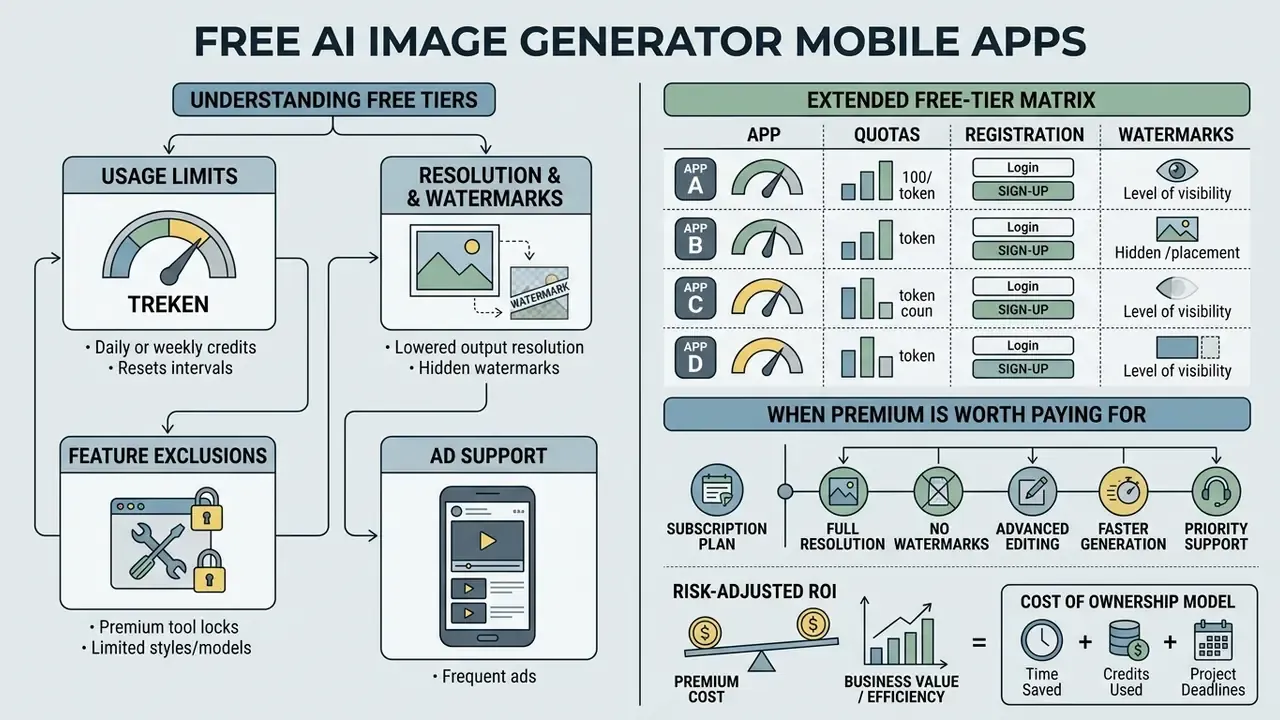
Finding the best free ai image generator mobile app means understanding the trade-offs between free tiers, credit reset intervals, feature locks and paid upgrades. Our wider survey of free AI image generators ranks output quality against those limits. Most applications adopt a freemium architecture that allows basic testing while keeping advanced capabilities behind a subscription paywall. A minority, Meitu most obviously, treat frictionless free access as the product itself.
What a free plan usually includes
A free plan typically grants a daily or monthly allowance of generation credits, basic resolution options and standard processing speed. Applications such as Leonardo AI reset credits daily, whereas tools like Adobe Firefly allocate monthly quotas that expire one month after allocation. Some tools, including no-sign-up AI image generators, remove registration friction entirely.
Free access generally imposes operational constraints:
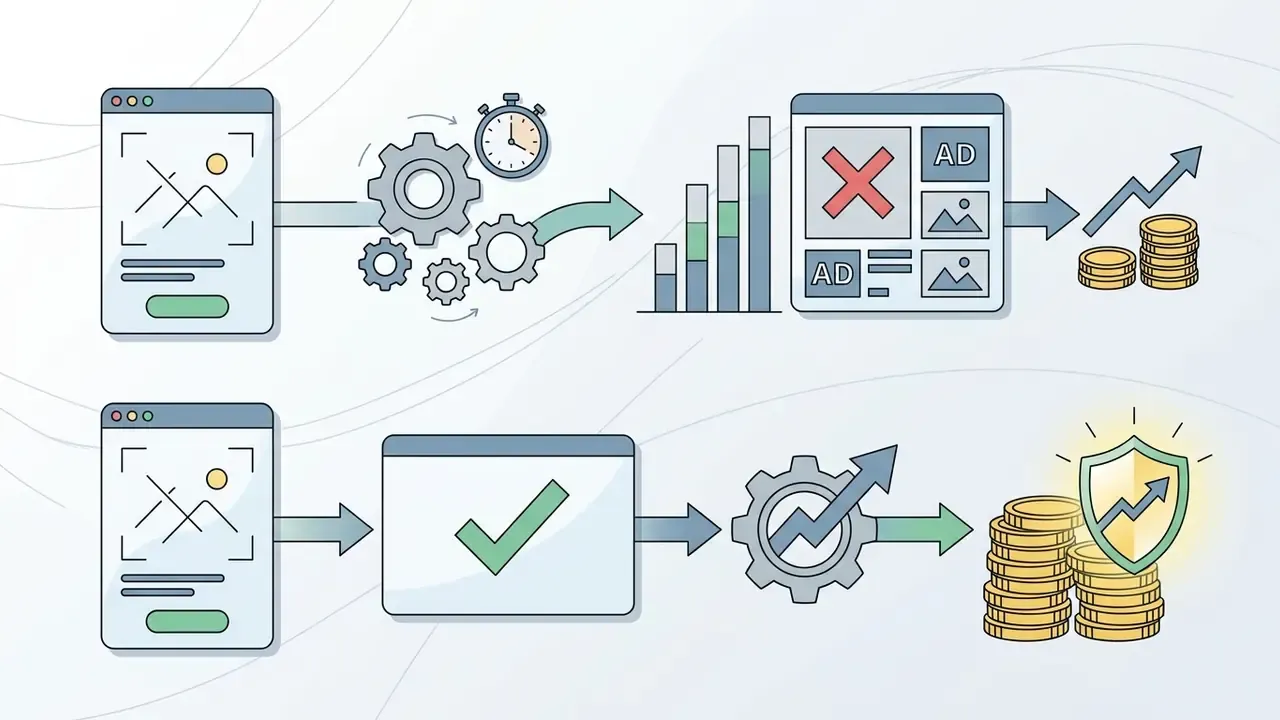
«Users cite image-generation limits and insufficient feature sets as the leading sources of dissatisfaction with free tiers.»
Extended free-tier matrix: quotas, registration and watermarks
| App name | Free tier quota | Registration requirement | Watermark on free tier | Unique mobile feature |
|---|---|---|---|---|
| Pixlr Express | Daily credit allocation | Optional | No | AI layer segmentation and generative outpainting |
| Meitu AI | Unlimited daily basic styles / token-metered AI art | None (instant access) | No | Sketch-to-image via AI Smart Board, AI Portrait Studio |
| Picsart | Feature-limited, ad-supported | Optional | Some templates | Collage, poster and sticker design in the same app |
| Predis.ai | 1,300 credits / month (Core plan) | Mandatory | Yes (free tier) | Auto-caption, hashtag and social scheduler |
| Quillbot AI | 3 images per 24 hours | Optional | No | One-click prompt re-builder, PNG export |
| Canva | ~50 text-to-image uses per account | Mandatory | No | Template library plus mobile background remover |
| Adobe Firefly | 25 credits / month | Mandatory (Adobe ID) | No | Commercially safe model, Content Credentials |
| Leonardo AI | 150 credits / day (~12 images) | Mandatory | No | Model selection plus AI Canvas inpainting |
| Google Gemini | Standard Google account allowance | Mandatory | Yes (SynthID) | Photo remix from Google Photos library |
| Draw Things | Unlimited (local execution) | None | No | Offline ControlNet, IP-Adapter and LoRA |
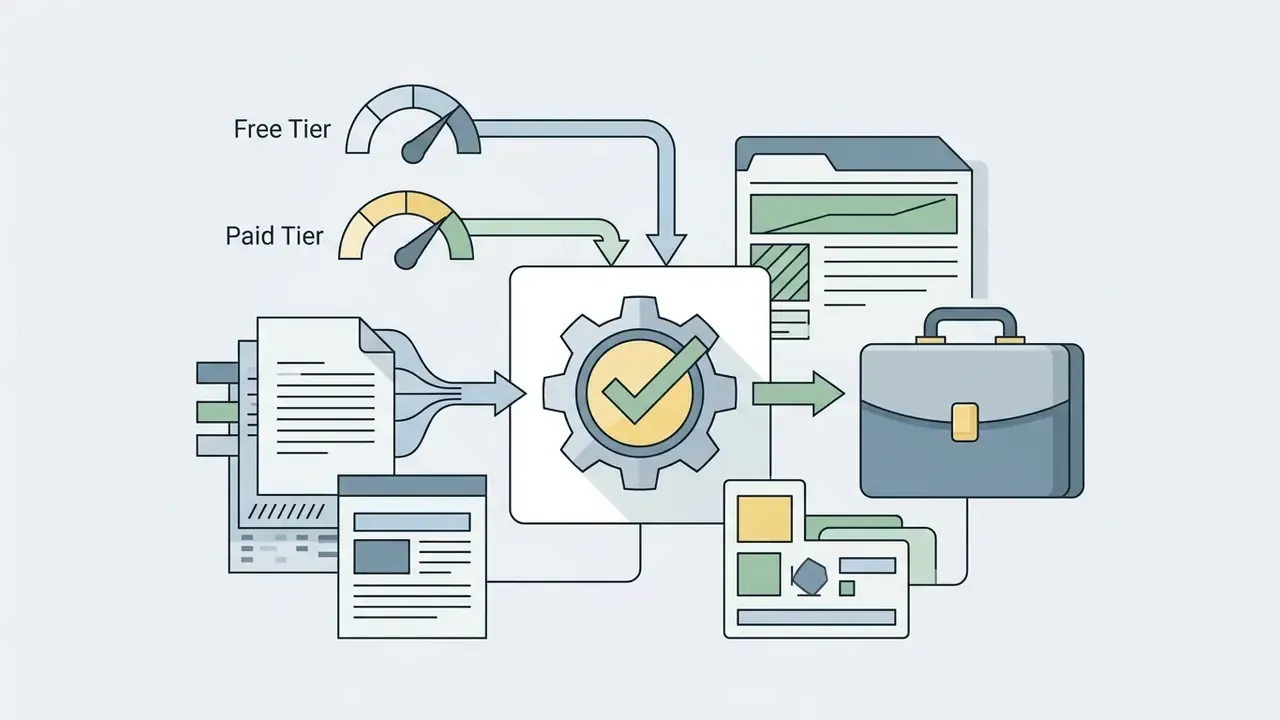
When a premium plan is worth paying for
Upgrading pays off when visual content generation touches commercial publishing schedules, marketing workflows or professional design quality. Paid plans strip watermarks, unlock fast-track generation queues, provide commercial licensing rights and raise export resolution. That last benefit pairs naturally with dedicated AI image upscalers when print-scale output is required.

| App Name | Free Tier Quota | Paid Tier Starting Price | Priority Queueing | Commercial Rights (Free Tier) | Max Export Resolution | Video Generation Included |
|---|---|---|---|---|---|---|
| ChatGPT Images | Limited daily calls | $20.00 / month | Yes (Plus tier) | Yes (subject to ToS) | 1792x1024 / 1024x1792 | No |
| Google Gemini | Standard account access | $19.99 / month | Yes (AI Pro) | Yes | High resolution native | Limited |
| Adobe Firefly | 25 credits / month | $9.99 / month | Yes | Non-commercial / Beta limits | 2048x2048 | Yes (Pro tier limits apply) |
| Leonardo AI | 150 credits / day | $12.00 / month | Yes | Restricted on certain free assets | 4096x4096 (Upscaled) | Yes (Motion credits) |
| Pixlr | Daily credits | $1.99 / month | Yes (priority queue) | Yes | Up to 25 megapixels (AI upscale) | Yes (Kling, Veo, LTX) |
| Predis.ai | Credit-limited, watermarked | Core plan (1,300 credits/mo) | Yes | No | Social-optimised presets | Yes (carousels and video ads) |
| Draw Things (SD) | Unlimited (Local) | Free (Open source) | N/A (Local GPU) | Yes (Model license dependent) | Hardware bounded | Yes (AnimateDiff) |
Data verified against active provider service terms as of August 2026.
To evaluate subscription economics across content creation software, creators can browse the hub and compare plan limits with per-seat pricing tiers.
Risk-adjusted ROI: modelling the real cost of ownership
Sticker price is the smallest line item in a regulated deployment. A defensible business case models total cost of ownership plus residual risk:
Risk-Adjusted ROI = (Productivity value − Direct licence cost − Control cost) − Residual risk exposure
- Direct licence cost: seats × monthly price × 12, plus credit overage for upscaling, video and batch runs. Credits expire monthly in some plans (Adobe), so unused allocation is sunk cost, not carry-forward.
- Control cost: vendor due diligence and security review hours, legal review of indemnity terms, MDM/MAM configuration and maintenance, model-inventory onboarding, periodic revalidation and audit-evidence storage.
- Productivity value: measured in assets delivered per designer-hour and cycle time from brief to published creative. The agency case below recorded a 35% weekly output increase, which is a defensible input for this term.
- Residual risk exposure: probability-weighted cost of a third-party IP claim, a disclosure or labelling breach, a biometric-consent failure from face-swap features, or brand damage from an unlabelled synthetic asset. Where the vendor provides contractual indemnification, this term shrinks. Where it does not, the organization self-insures.
One practical rule falls out of this analysis. For assets that will appear in regulated customer communications or paid advertising, the indemnified enterprise tier is usually cheaper than the consumer tier once control cost and residual exposure are priced in, even at a 4-6× licence premium. I used to argue the opposite on cost grounds; the legal-review hours changed my mind.
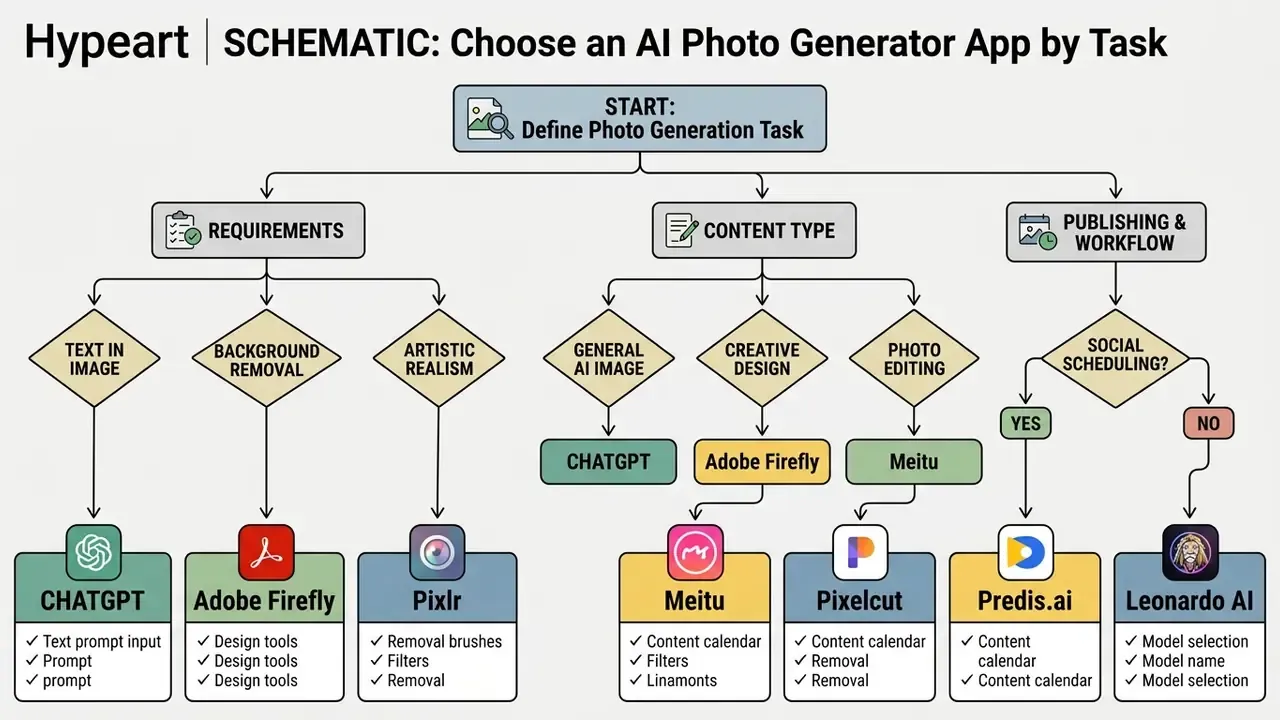
Choose an AI photo generator app by task
Selecting the best app for ai photos depends on the primary operational goal: social media content production, graphic design layout, portrait retouching, or editing existing images. Matching application strengths to specific workflows prevents wasted credits and lifts content throughput.
AI images for social media and marketing content
Social media marketers need applications that support standard aspect ratios, batch generation and fast text overlay work. Tools like Canva, Adobe Firefly and specialized ad creation software let media marketers create content tailored for Instagram stories, TikTok covers and YouTube thumbnails. See also our comparison of the best AI art generators for style-led campaign work.
In practice, the requirements list is short: preset dimensions (1:1, 4:3, 3:4, 9:16, 16:9), template libraries, batch generation and brand kit integration. Platforms such as Ideogram even support spreadsheet-driven bulk generation, where aspect ratio is simply a column in the input file. To explore specialized mobile tools for video channels, review top-rated apps to edit youtube videos and build a complete mobile editing workflow around them. For motion-heavy campaigns, our roundup of best ai animation software covers the rendering side, while the best ai animation tools list tracks cheaper entry-level options.
A digital media agency managing five client brand accounts implemented a structured mobile asset workflow using Canva and Adobe Firefly. By combining pre-saved aspect ratio templates with generative background replacement, the agency increased weekly social graphic output by 35% while holding brand consistency across every client channel. This example is illustrative rather than audited.
Automated AI content creation and workflow integration
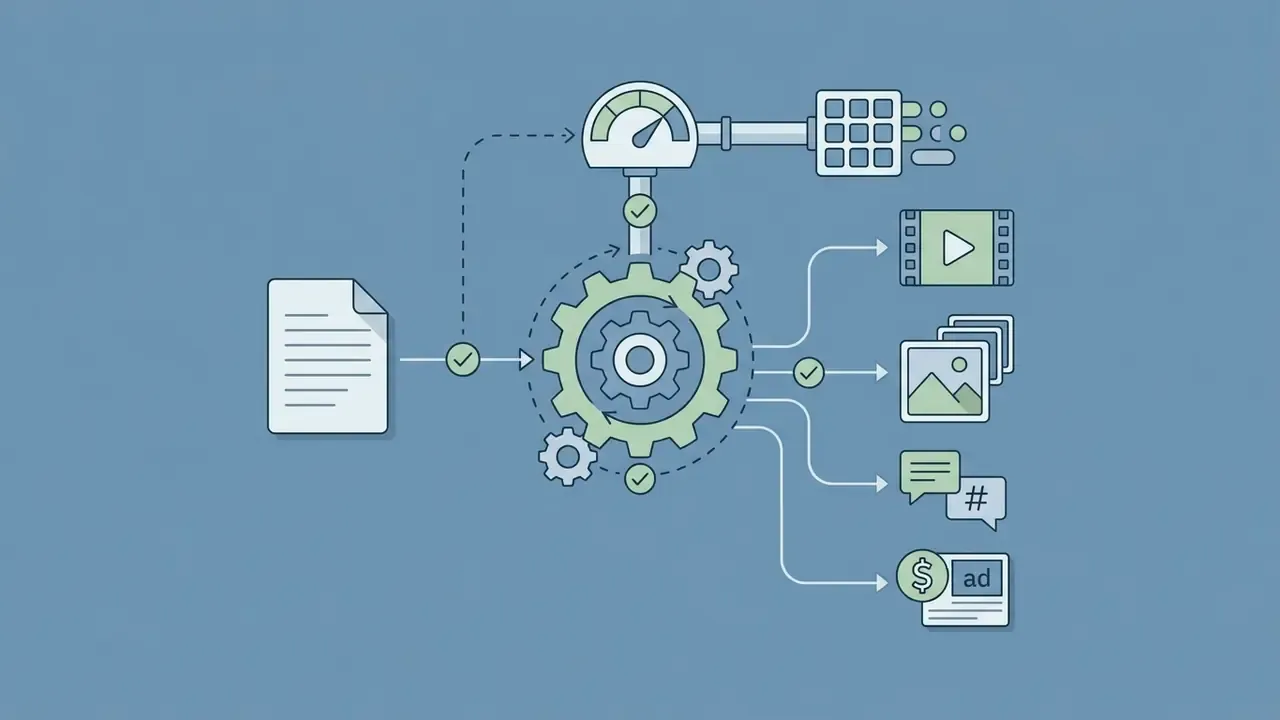
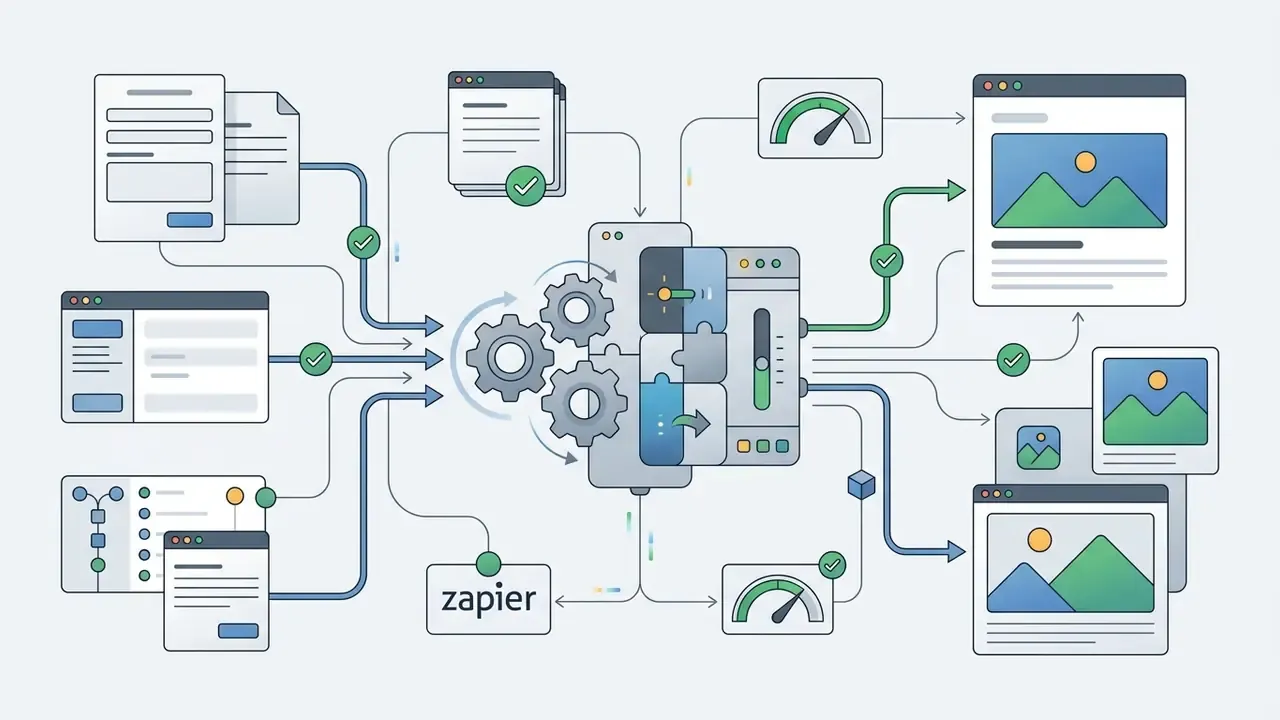
For marketing teams distributing assets across multiple channels, standalone generation is not enough. Specialized tools bridge generation and publishing:

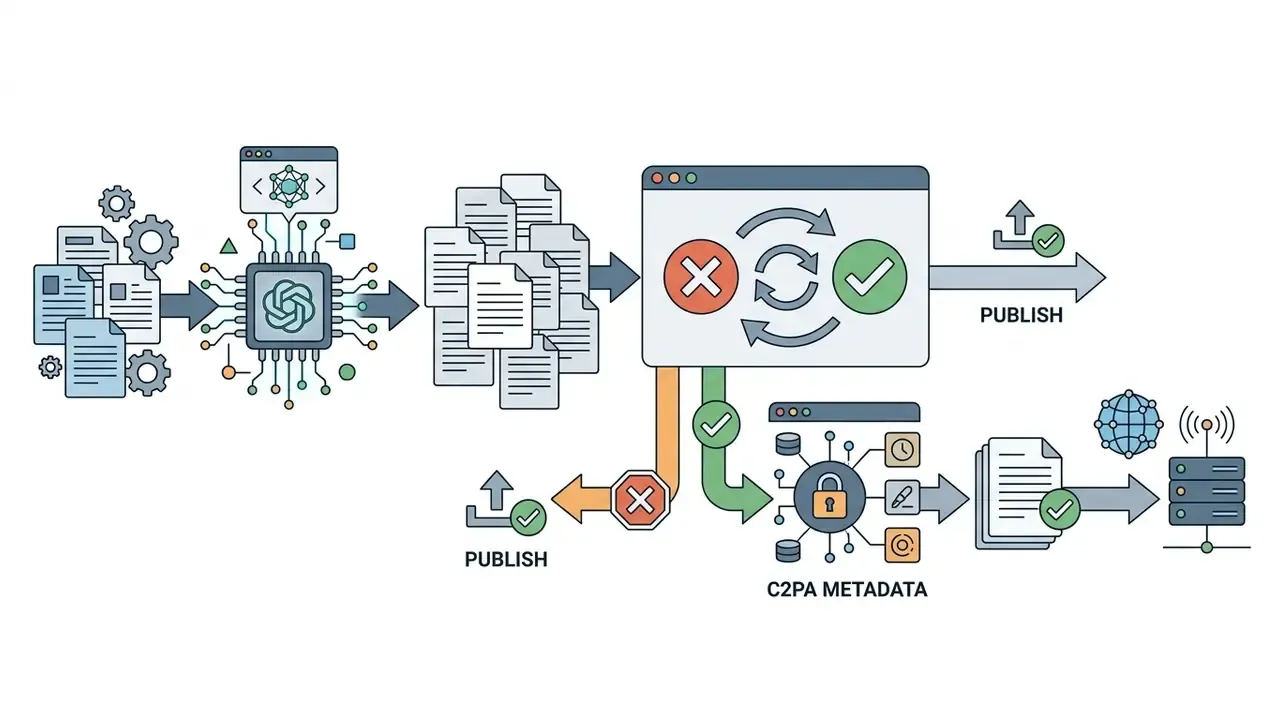
AI photo editing for existing images
Editing existing images on mobile hardware calls for a dedicated AI photo editor rather than a pure generator. Applications like Pixlr, Meitu, Picsart, Pixelcut, PhotoGPT, Samsung Galaxy Generative Edit and Google Photos Magic Editor let users edit images without wrecking overall quality. Our guide to image-to-image generators covers transformation-specific tooling in depth.
Core photo editing functions rely on localized mask generation and generative fill:
For teams needing lifelike portraits rather than edits, our guide to AI headshot generators covers portrait quality, privacy and professional-use terms. Creators running mobile video alongside static photo editing can shortlist tools with an android video editor comparison matrix.
How to generate AI images in a mobile app
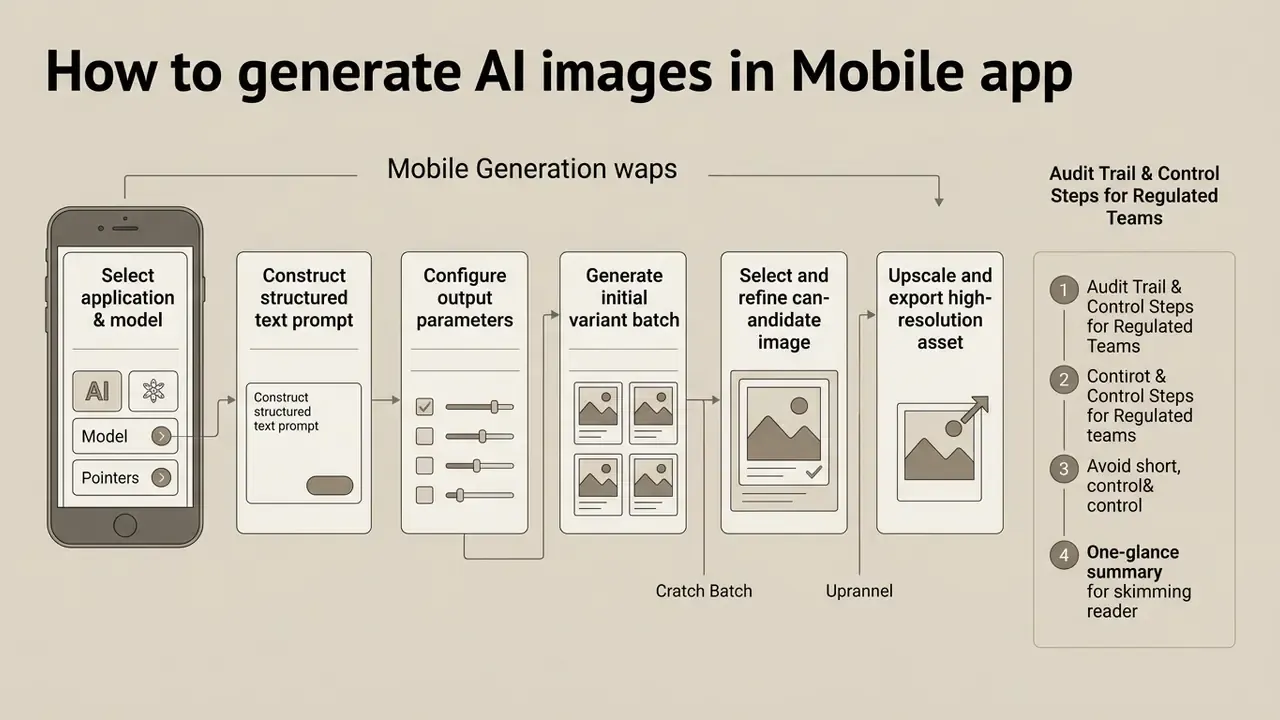
Getting high-quality results from a mobile ai picture app comes down to structured prompt technique, deliberate model settings and a couple of refinement passes. Getting started takes about five minutes; getting consistent takes a workflow.
Step-by-Step Mobile Generation Workflow
Checklist0 / 6
Audit Trail & Control Steps for Regulated Teams
Checklist0 / 7
Write text prompts that produce quality images
Effective text prompts need clear syntax, explicit subject descriptions, specific lighting conditions and defined camera angles. Updated: current prompt-engineering guidance from university generative-AI guides and leading model developers, including OpenAI's 2026 image-prompting documentation, recommends ordering prompt elements logically as Subject + Environment + Style/Medium + Lighting + Camera/Composition, and keeping phrasing short and specific. Academic work on text-to-image prompting notes that words placed near the start of a prompt may receive greater emphasis, so word order itself behaves as a control parameter.
Research on visual prompt optimization (VisualPrompter, 2026) shows that breaking complex visual ideas into atomic semantic units raises image-text alignment and CLIP fidelity scores by over 12%. Camera and optical vocabulary carries measurable weight too:
«Adding optimal camera descriptions to prompts improves semantic consistency by 16%, text-image alignment by 5%, and safety by 48.9%.»
Adding specific photographic terms, such as "85mm lens," "f/1.8 aperture," "soft studio key lighting" or "cinematic side-lit shadow," steers generation models toward realistic rendering far better than vague hype descriptors like "ultra-hyperrealistic." For text inside images, quote the exact wording and specify its position and typography. For multi-image edits, identify each input by index and role. On tools that expose parameter flags, --ar sets aspect ratio, --s stylization, --q quality and --no exclusions.
Edit and refine generated images
Iterative refinement is where most of the quality actually comes from. Mobile editing workflows combine conversational prompting, region masking and post-processing to correct visual defects. State explicitly what must change and what must stay fixed: identity, geometry, layout, lighting, labels and surrounding objects. Then reuse the previous output as the next edit input.
When refining on a phone, make one targeted change per iteration, for example modifying a background or removing a single object, to preserve overall layout and subject geometry. Two changes at once and you lose the ability to attribute the regression. Creators moving into generative motion can compare options across animation tools.
Legal and ethical implications of AI-generated images
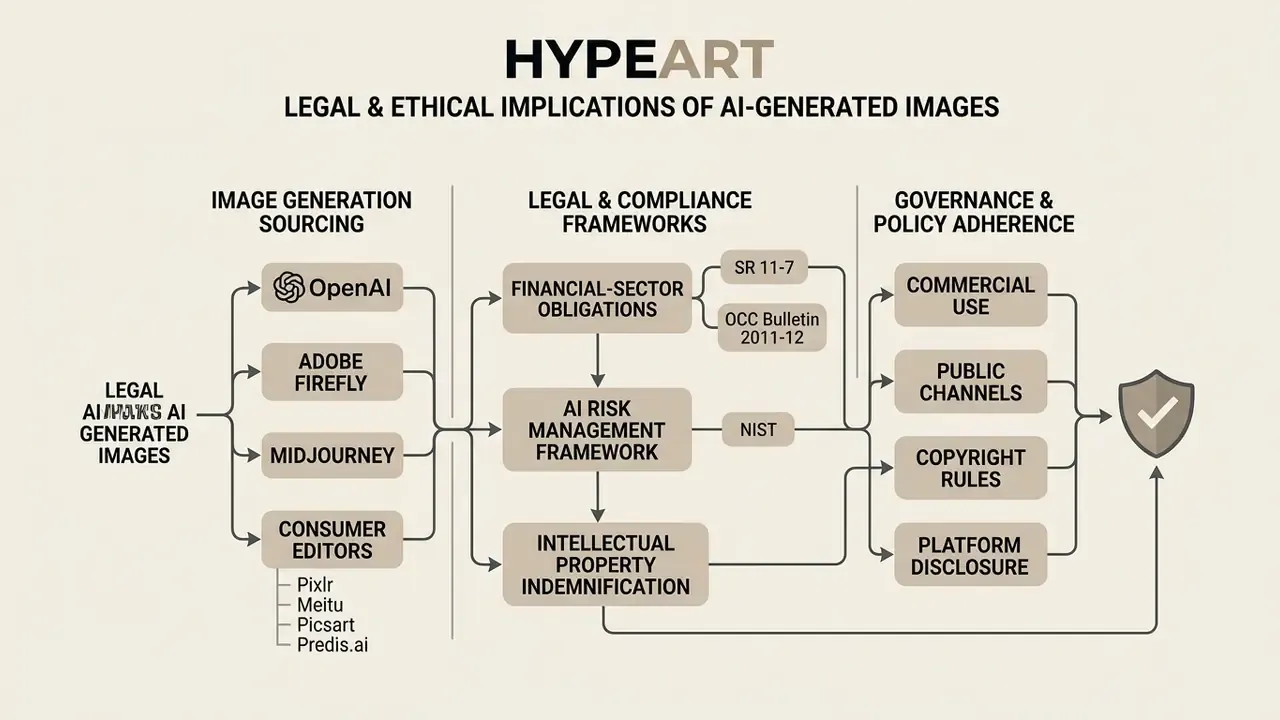
Publishing AI generated images across commercial or public channels requires strict adherence to legal norms, copyright rules and platform disclosure policies. Teams formalising asset policy can review our hub on the commercial use of AI image generators for verification workflows.
The same guidance requires applicants to disclaim AI-generated portions when registering mixed human-AI works. That is a real documentation burden for teams publishing hybrid assets at scale. On personality rights, the Office went further:
The 2026 White House AI policy framework similarly supports federal limits on unauthorized AI replicas of voice, likeness or identifiable attributes, while preserving exceptions for parody, satire and news reporting. Organizations verifying whether an asset is synthetic before republication can use AI image detectors as a screening layer alongside C2PA inspection.
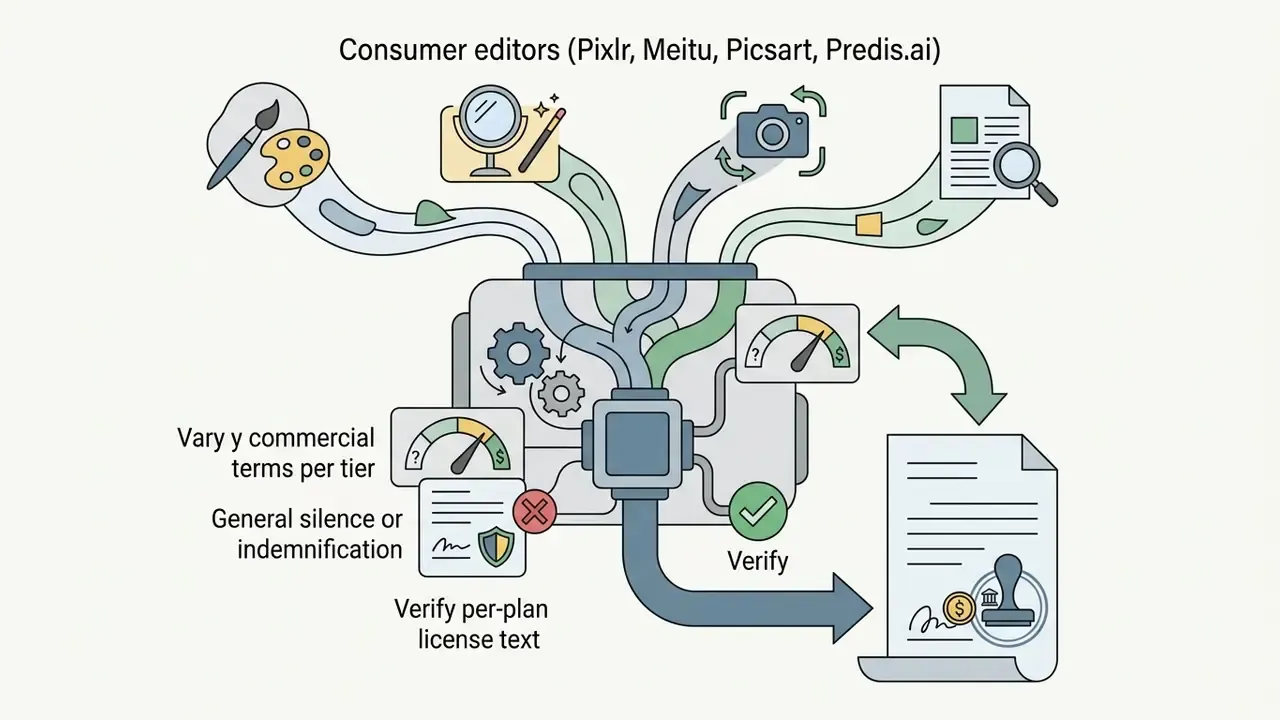
Official terms of service across major vendors reflect distinct commercial licensing frameworks:
Financial-sector obligations and IP indemnification
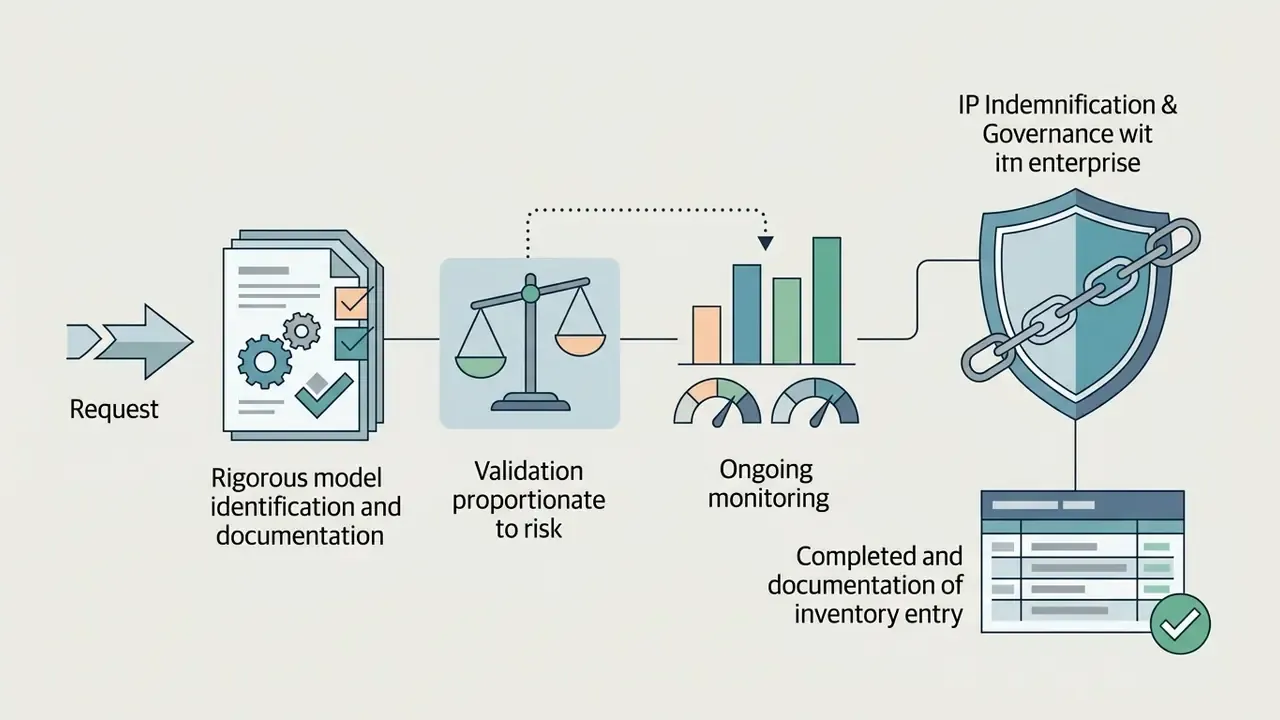
For banks, insurers and fintechs, an image generator is a third-party model and inherits the full control stack:
Internationally, treatment diverges sharply from the U.S. position:
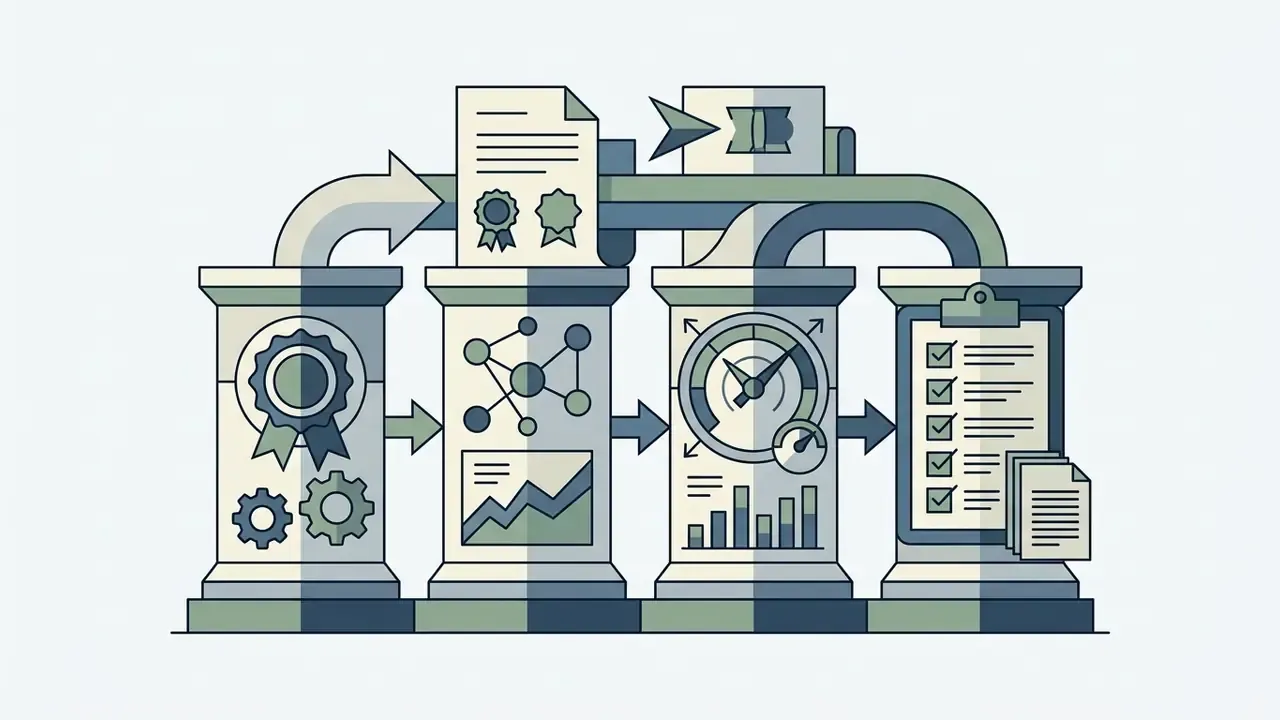
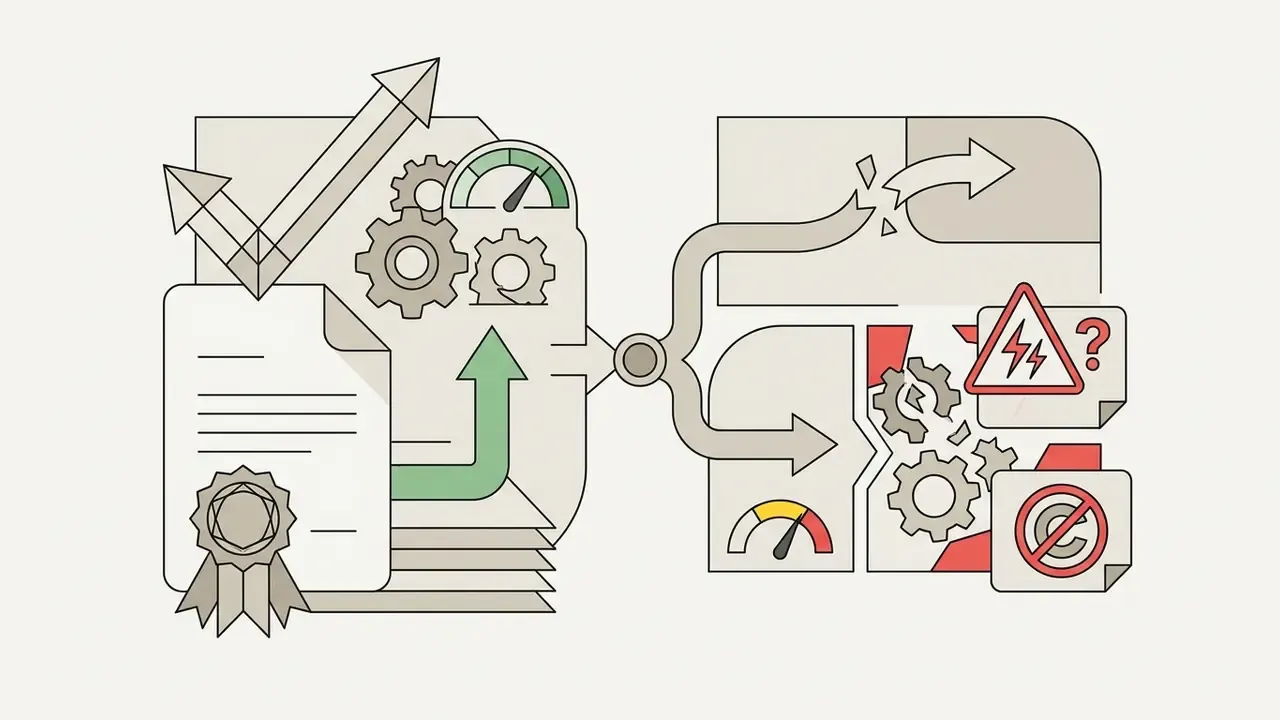
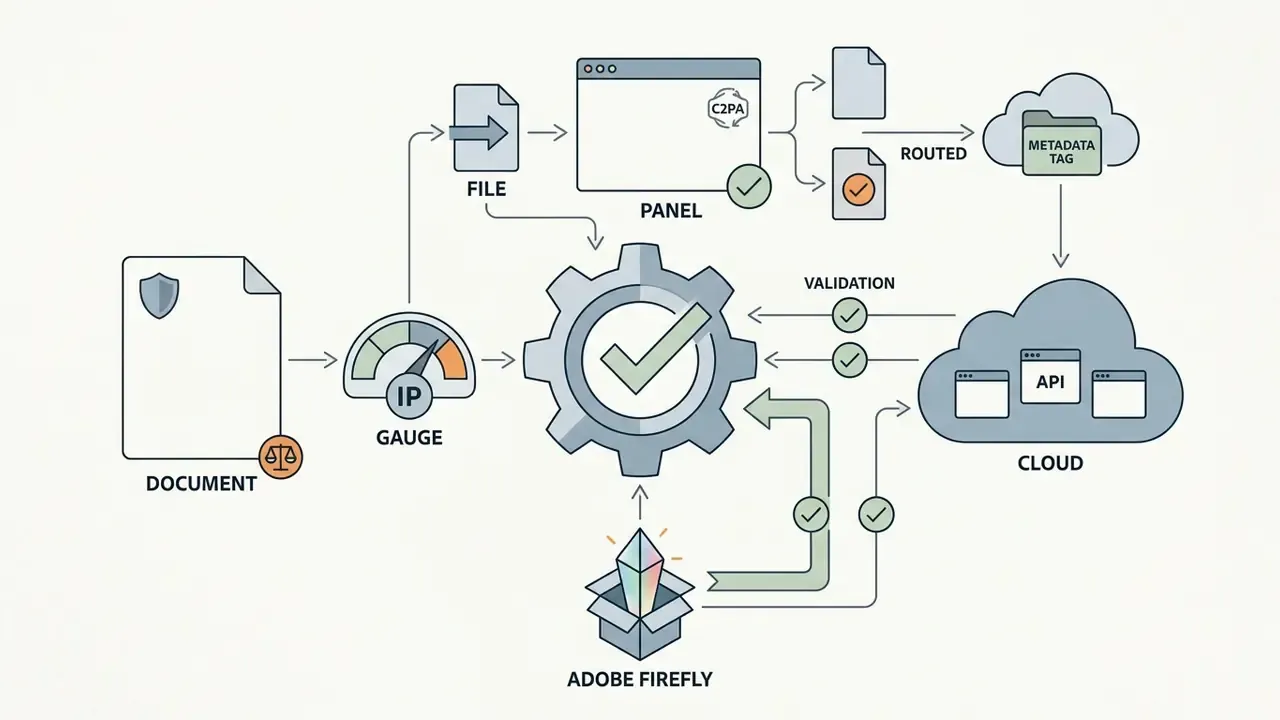
«In the UK, Section 9(3) of the CDPA 1988 treats the user as author of computer-generated works; Chinese courts have recognised AI images as copyrightable by the user.»
Creators seeking licensing comparisons across media software can browse the hub for commercial-use guides, or compare style-specific licensing in our review of Ghibli-style AI image generators.
Quick decision matrix: which mobile app should you download?
Checklist0 / 10
FAQ about AI picture apps
How do AI image generators work?
Mobile AI image generators run on deep learning models, mostly latent diffusion architectures or multimodal transformers, that translate written text prompts into visual representations. During training, these networks learn to strip Gaussian noise from millions of image-text pairs step by step. When a user enters a prompt, a language encoder converts the text into numerical embeddings. The diffusion model then uses those vectors to guide random noise iteratively toward a coherent image matching the description. Most modern systems perform the denoising in a compressed latent space rather than directly on pixels, which cuts computation while preserving the same noise-to-image logic. On Android, Google's MediaPipe Image Generator exposes the same approach on-device, optionally accepting a condition image as a structural reference.
«MobileDiffusion achieves sub-second 512×512 text-to-image generation on a mobile device through model distillation and diffusion-GAN fine-tuning.» - MobileDiffusion: Instant Text-to-Image Generation on Mobile Devices, preprint (2023-2024)
What app are people using for AI pictures right now?
Usage splits by habit rather than by quality. Casual users gravitate to whatever is already installed: Gemini on Android, ChatGPT on iOS, Meitu or Picsart for quick stylised portraits. Marketing teams cluster around Canva and Adobe Firefly because template libraries and brand kits live there. Hobbyist artists and open source enthusiasts stay with Midjourney, Leonardo AI or a local Stable Diffusion build. Enterprise buyers, in our experience, end up on ChatGPT Business or Firefly for one unglamorous reason: those are the tiers where retention terms and indemnity language actually exist.
Can an AI picture app generate accurate text in images?
Modern models have improved at rendering embedded text, though accuracy still varies widely by architecture. Models like DALL·E 3 (inside ChatGPT) and advanced Flux checkpoints show higher character accuracy than older diffusion models. OpenAI describes DALL·E 3 as a significant improvement over DALL·E 2 for in-image text, and Google's documentation states that Imagen-family models can add text into images. Neither vendor publishes mobile-specific legibility benchmarks. In our own single-prompt test, ChatGPT rendered the target word exactly, Adobe Firefly reached 95%, and Meitu fell below 50%.
Typos, misspellings and distorted characters still appear with longer sentences.
«The Type-R pipeline outperforms specialised text-focused baselines on the balance of text accuracy and image quality in experiments with Stable Diffusion and Flux.» - Type-R: Automatically Retouching Typos for Text-to-Image Generation, preprint (2024-2025)
Post-processing and dedicated typography editing remain advisable when perfect text accuracy matters for marketing or branding collateral. Benchmarks such as STRICT quantify this by generating images from prompted text, extracting OCR output and scoring normalized edit distance, character error rate and word error rate.
Which free AI picture app requires no sign-up and adds no watermark?
Meitu is the clearest example: download, use, export, no account required, daily free AI image generations, no watermark. Pixlr also offers unwatermarked exports on its free tier with optional registration, and Quillbot allows three free images every 24 hours. By contrast, Google Gemini applies a visible SynthID watermark to free outputs, and Predis.ai watermarks free-tier social assets.
How should a mobile AI image app be recorded in a model inventory?
Treat it as a vendor-supplied third-party model. The minimum record should contain: application and vendor name, plan tier, model name and version (for example gemini-2.5-flash-image or Firefly Image 3), documented intended business use, data classification of permitted inputs, data-retention and training-opt-out status, security attestation reference, indemnification status, named business owner and named reviewer, validation date and next revalidation date. Without a model version field, outputs cannot be reproduced later. Reproducibility is what auditors request first.
What are the main Shadow AI risks from image apps on corporate phones?
Four dominate. First, data egress: staff upload client photographs, internal screenshots or documents into consumer endpoints with unknown retention. Second, unlicensed output: assets generated under a personal free-tier licence end up in commercial campaigns, breaching vendor terms. Third, unverifiable provenance: consumer apps rarely write C2PA credentials, so disclosure obligations cannot be evidenced. Fourth, unvetted artefacts: community LoRA and checkpoint files installed on managed devices are unreviewed binaries with unknown training provenance. MDM/MAM allow-listing, managed-app configuration and periodic discovery against usage telemetry are the standard mitigations.
How do these apps integrate with GRC and MRM systems?
Consumer-tier mobile apps generally offer no native GRC integration at all. The practical patterns are: route generation through an API-based enterprise endpoint (ChatGPT Business/Enterprise, Google Cloud, Firefly Services) so prompts, model versions and outputs land in a loggable pipeline; push that log into the DAM and GRC register via webhooks or Zapier-class automation; and restrict direct app use on managed devices to non-sensitive, internally consumed drafts. Where only the consumer app exists, compensate with a manual provenance log built on the audit-trail checklist above.
Do AI-generated images qualify for copyright if a human wrote the prompt?
Under current U.S. Copyright Office guidance, prompting alone is generally not treated as sufficient human authorship. Protection attaches to human-authored contributions, and AI-determined expressive elements must be disclaimed at registration. The position differs abroad: UK Section 9(3) CDPA 1988 treats the user as author of computer-generated works, and Chinese courts have recognised user copyright in AI images. For multinational campaigns, assume the least protective jurisdiction when planning asset reuse. General information, not legal advice.
Appendix A: superseded and revised passages (transparency log)
For editorial transparency, the original wording of passages revised during fact-checking is preserved below.
Looking for a complete overview of creative media platforms, benchmarks and comparison matrices? Visit our comprehensive index to open the hub and explore full software evaluations.