Executive summary for decision-makers
- What these tools do an AI image to video converter turns a single static photo into a short animated clip using latent video diffusion and Diffusion Transformer (DiT) backbones, conditioned on your reference image plus a text prompt.
- Who leads in 2026 Google Veo 3.1 dominates photoreal motion and native audio. Kling 3.0 leads physics-aware movement and six-axis camera control. Seedance 2.0 wins on prompt adherence for brand-consistent commercial assets. Vidu, Hailuo and PixVerse compete mainly on cost per second.
- What it costs expect $0.03 to $0.08 per second on mid-tier API models, $0.10 to $0.49 per 6-second clip on fixed-duration billing, and $10 to $29 per month for entry subscription tiers. Free tiers remain evaluation-only.
- Where the ROI sits generative pipelines typically cut static-to-video asset production cost by roughly 70 percent, compress timelines from weeks to hours, and lift brand awareness metrics by up to 60 percent in vendor-reported campaigns. Self-reported, so treat as a hypothesis.
- The main risks outputs without meaningful human authorship are not registrable for copyright in the United States, several vendor terms restrict commercial reuse, and pushing confidential corporate imagery into unvetted free generators creates a shadow-AI data exposure path.
- Hard technical limits to plan around 20 to 50 MB maximum upload, 300 × 300 px minimum resolution, PNG, JPEG and WEBP inputs, and a 1,024-character ceiling on prompts across most major platforms.
Budget owners modelling spend before procurement can sanity-check assumptions with our AI Media Calculators and the current pricing overview.
What are image to video AI tools and how do they work?
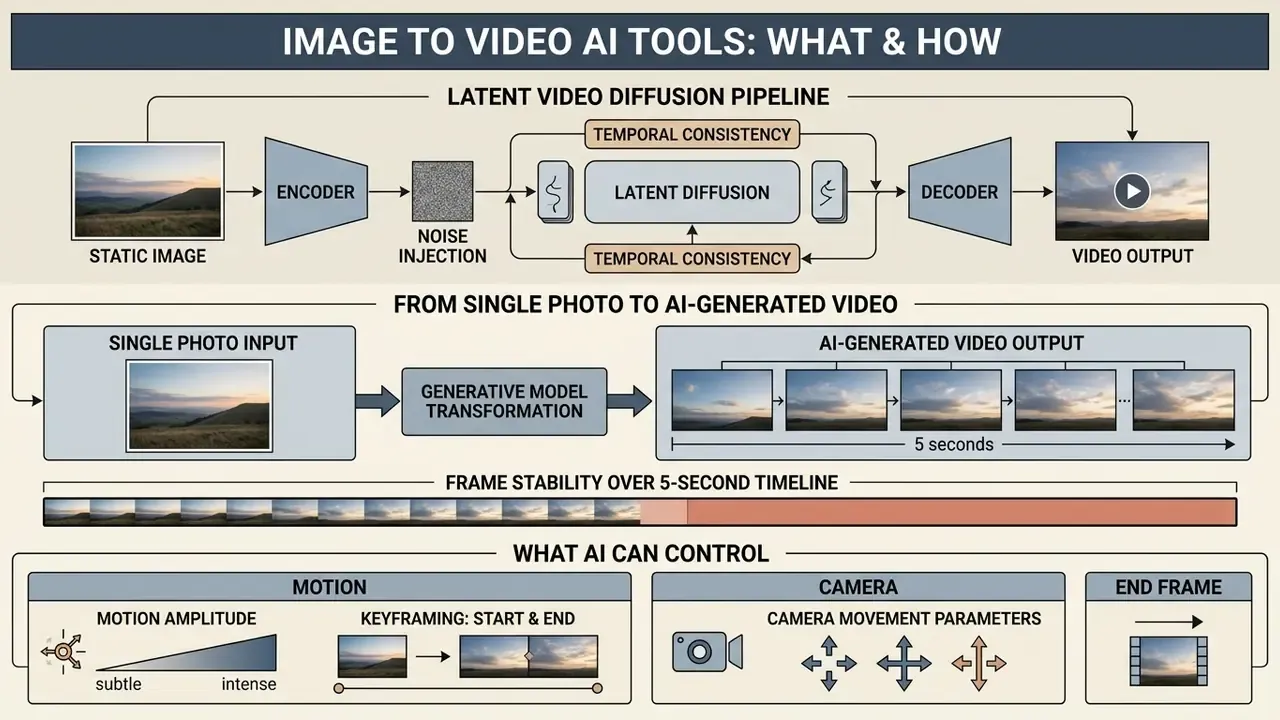
Image to video AI tools are software applications that transform a single static photo into a short, dynamic video clip using generative machine learning models. These tools read visual information from an uploaded input image and apply cross-modal text prompts or motion vectors to synthesize temporal frame sequences.
Modern image-to-video architectures rely primarily on latent video diffusion models and Diffusion Transformers (DiT). In a standard diffusion pipeline, a Variational Autoencoder (VAE) compresses the static image into a lower-dimensional latent space. The neural network then denoises a tensor sequence across sequential time steps, guided by spatio-temporal attention blocks (Fan et al., Image-to-Video Diffusion: From Foundations to Open Frontiers, 2026). That architecture lets the AI system generate fluid visual movement while holding on to key visual structures from the original input.
«The image-to-video task is formalized as learning a conditional distribution over video clips given a reference image, a text prompt and additional control signals.»
In practical terms, that formalization matters for risk assessment. The model is not "editing" your photograph frame by frame. It is sampling a plausible video from a learned distribution that your image and prompt merely constrain. The tighter the conditioning signals (first frame, last frame, camera path, reference video), the narrower the sampling space and the more reproducible the output becomes. Reproducibility, not beauty, is what an audit trail can actually record.
Latent video diffusion pipeline: how the signal flows
| Stage | Input | Operation | Output |
|---|---|---|---|
| 1. Conditioning | Static image + text prompt | Image encoder and text encoder build joint conditioning tokens | Conditioning embeddings |
| 2. Compression | Source pixels | VAE encoder compresses frames to latent tensors | Latent representation |
| 3. Denoising | Latents + noise | Spatio-temporal attention blocks denoise across time steps | Clean latent sequence |
| 4. Decoding | Clean latents | VAE decoder reconstructs pixel frames | Animated video clip |
| 5. Post-pass | Raw frames | Optional upscaling, interpolation, audio synthesis | Delivery-ready asset |
Architectural flow of conditioning latents for image-to-video synthesis.
From a single photo to an AI-generated video
An AI image to video converter uses the initial input image as a visual anchor, or first frame, to establish scene geometry, character identity and lighting. The generative framework then predicts realistic inter-frame transitions by propagating spatial features across time. AI video generation from a single photo is now the default entry point for most teams, simply because a product shot already exists and a shoot does not.
«TI2V-Zero applies a repeat-and-slide strategy with DDPM inversion to synthesize frames sequentially from a static image without any additional model training.»
To maintain temporal consistency, models employ frame retention mechanisms and specialized feature encoders. Models such as DreamVideo concatenate reference image features directly with noisy video latents at every denoising step (Wang et al., DreamVideo, 2024). This structural retention prevents identity drift, flickering and spatial distortion across generated frames.
«DreamVideo concatenates convolutional features of the reference image with the noisy latents at every denoising step, improving temporal stability and reducing flicker.»
Identity preservation has become its own research track. End-to-end ID-preserving diffusion frameworks synthesize video from a reference image plus a pose sequence with no post-processing, while dual-stream visual and geometric encoders fuse first-frame appearance with auxiliary viewpoints before handing conditioning to a DiT backbone. For model-risk reviewers, this is the key architectural distinction to look for: semantic conditioning alone tends to drift after two to three seconds, whereas direct latent concatenation or pose-driven conditioning holds facial structure far longer. If your asset features a real spokesperson, that difference is not cosmetic.
Frame stability over a five-second timeline
| Conditioning method | Identity retention | Flicker level | Motion freedom |
|---|---|---|---|
| Text-only guidance | Low | High | Very high |
| Semantic image embedding | Medium | Medium | High |
| Direct latent feature concatenation | High | Low | Medium |
| Pose or reference-video conditioning | Very high | Very low | Constrained to reference |
Impact of direct feature concatenation on reducing frame drift over time.
What AI can control: motion, camera and end frame
Current image to video platforms let users direct specific visual dynamics, including camera movement, subject action and frame constraints. Creators can specify pan, tilt, zoom, dolly and tracking motions through structured text prompts or parameter sliders.
Advanced control parameters extend well beyond basic camera direction:
- Start and end frame keyframing models such as Google Veo 3.1 and Vidu Q3-pro accept both an initial frame and an end frame, generating smooth motion transitions between two static reference images (Google Veo 3.1 technical documentation, 2026). Google Gemini Omni 1.1 Flash extends this with video-reference inputs of up to three seconds for motion transfer.
- Motion amplitude amplitude controls adjust the intensity of physical displacement, balancing static stability against dynamic action. Vidu exposes motion amplitude explicitly in its keyframing tool rather than leaving it to prompt phrasing alone.
- Camera movement parameters explicit camera controls allow precise rotational and translational pathing across 3D coordinates. Kling 3.0 exposes a six-axis set covering pan, tilt, zoom, dolly, rack focus and tracking.
Research frameworks such as CamI2V demonstrate that explicit camera pose conditioning improves rotational accuracy by 25.5 percent and translational accuracy by 7.77 percent compared with standard text-only guidance (CamI2V study, 2024).
«CamI2V reduces rotation error by 25.5% and translation error by 7.77% relative to DynamiCrafter with camera control.»
The practical takeaway for production teams is narrow but useful. If a shot must match an existing plate or a storyboard, choose a model that accepts numeric camera parameters or a reference clip. If the shot is exploratory B-roll, text-only camera prompting is faster and cheaper. Simple as that.
What you can create with AI video from images
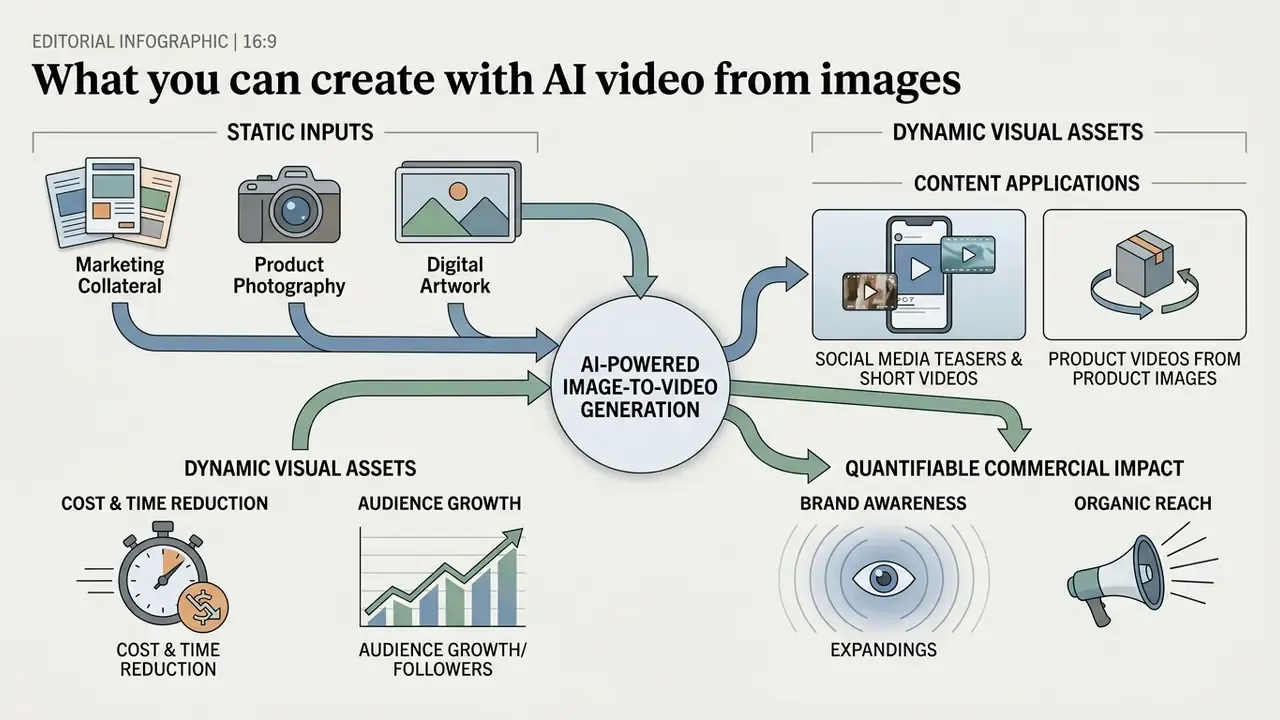
AI-powered image-to-video generation converts static marketing collateral, product photography and digital artwork into dynamic visual assets across many industries. Before choosing a platform, map which output categories you actually need. Required controls and licensing tiers differ sharply between a 6-second social teaser and a broadcast-bound commercial insert.
Primary implementation scenarios
| Scenario | Typical input | Required controls | Output format |
|---|---|---|---|
| Social teasers | Brand photography, key visuals | Motion amplitude, 9:16 framing | MP4, 1080p vertical |
| E-commerce product spins | Studio product shot on clean background | Camera orbit, outpainting | MP4, 1:1 and 9:16 |
| 2D art animation | Illustration, concept art | Depth separation, parallax | MP4 or ProRes |
| B-roll and inserts | Mood boards, stills, archive photos | Slow dolly, matched color | ProRes for NLE timelines |
| Educational animation | Diagrams, textbook figures | Low amplitude, high fidelity | MP4, 16:9 |
| Apparel and virtual try-on | Flat lay or garment photo | Subject motion, loop stability | MP4 vertical loop |
Primary commercial and creative implementation scenarios for AI video tools.
Product videos from product images and photos
Quantifiable commercial impact
Deploying generative image-to-video pipelines yields operational savings against traditional production. The figures below come from vendor and practitioner reporting in 2025 and 2026, and should be treated as benchmarks to test rather than guarantees:
- Cost and time reduction vendors report cutting asset creation costs and animation turnaround by roughly 70 percent, largely by removing manual keyframing and physical shoot overhead.
- Audience growth platforms marketing to influencer and creator segments cite audience growth acceleration of up to 50 percent when static feeds are replaced with motion assets.
- Brand awareness converting static product images into short motion ads is associated with brand-awareness improvements of at least 60 percent in vendor case material.
- Organic reach practitioner reporting includes cases where the first four AI-assisted video clips produced over 40,000 organic impressions on LinkedIn with no paid amplification.
One caveat worth repeating. None of these numbers carry a control group. They are useful for framing a pilot, not for underwriting one.
2D image to video and creative animation
Digital artists and illustrators convert 2D digital art, concept graphics and sketches into stylized 3D-like animations. Advanced 2d image to video pipelines combine monocular depth estimation, deep-learning segmentation and video diffusion priors to lift flat layers into volumetric spatial motion. Peer-reviewed work here includes pose-lifting methods that recover global 3D motion, including joint rotations and root trajectories, from 2D sequences alone (Lifting Motion to the 3D World via 2D Diffusion, CVPR 2025), and skeleton-plus-mesh approaches that animate flat clipart using text-to-video priors (AniClipart: Clipart Animation with Text-to-Video Priors).
This approach enables independent movement of background and foreground elements, turning static concept art into animated video with a believable sense of depth. Illustrators who need frame-level timing control rather than sampled motion often combine generative passes with a conventional animation maker or an animation generator that exposes explicit easing curves.
Additional high-value use cases
- B-roll and visual inserts fill timeline gaps in interviews, webinars or presentations by animating static mood boards and archive photography into 4K background inserts and transitions. This is the fastest-growing professional use case, mostly because it slots into existing edits without touching narrative structure.
- E-commerce apparel and virtual try-on animate flat garment photography into realistic try-on loops, runway walks and model-worn sequences, placing a still product into a sunlit street or a studio walkway with no physical shoot.
- Educational diagrams turn static textbook illustrations into dynamic process animations, from cellular mitosis to planetary orbits, mechanical gear operation or grammar structures, so learners see processes they cannot observe directly.
- Storyboards and previsualization independent filmmakers animate a single concept frame into moving B-roll or a cinematic teaser, replacing static storyboard panels with motion previews before committing budget to a shoot.
- Corporate portraits and team pages headshot refresh cycles often pair a still portrait pass, compared in our roundup of the best ai headshot generator options, with a low-amplitude motion loop for landing pages. Consent for synthetic animation must be explicit, not assumed.
- Regulated-sector marketing financial services and insurance teams animate approved static creative (rate cards, product explainers, compliance-cleared key visuals) rather than generating new claims, which keeps the asset inside an already-reviewed message set. Treat this as a hypothesis to validate against your own marketing-review and model-risk policies before scaling.
How to choose the best AI tool to convert image to video
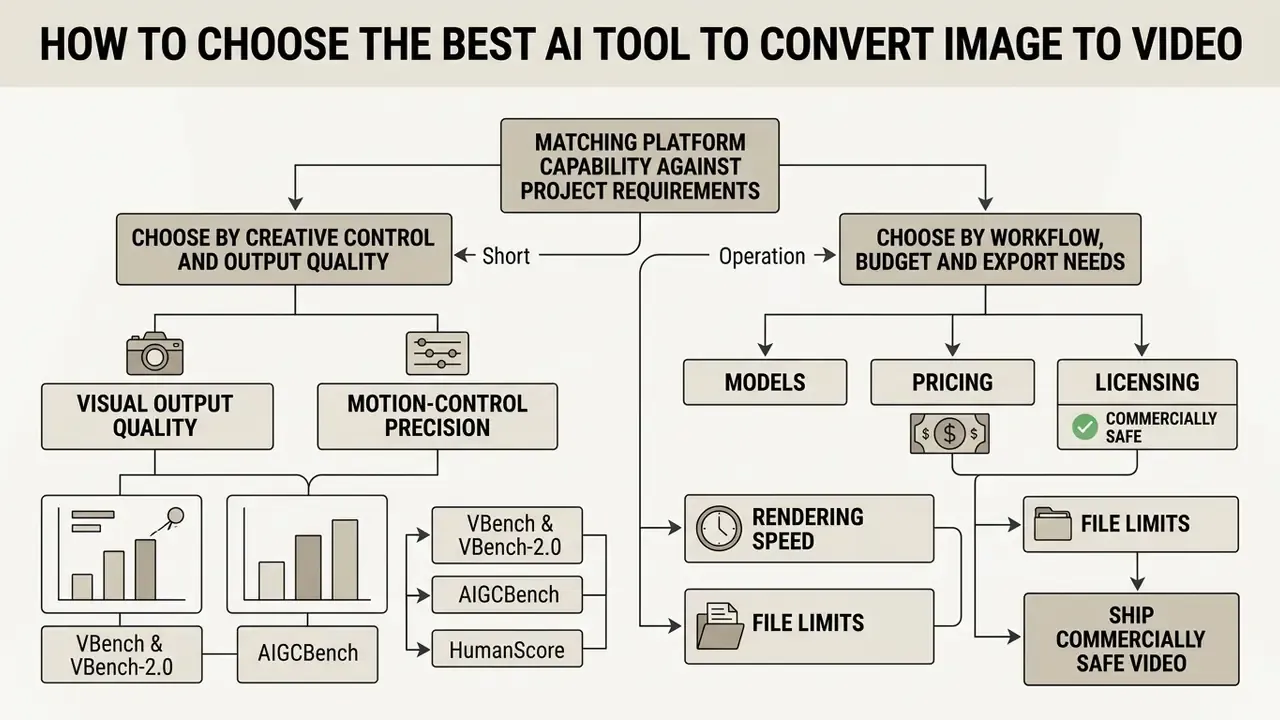
Choosing the best AI tool to convert image to video means matching platform capability against project requirements and operational constraints. Enterprise teams should evaluate image retention accuracy, motion stability, rendering latency and data-handling terms before committing to any single vendor.
Choose a tool by creative control and output quality
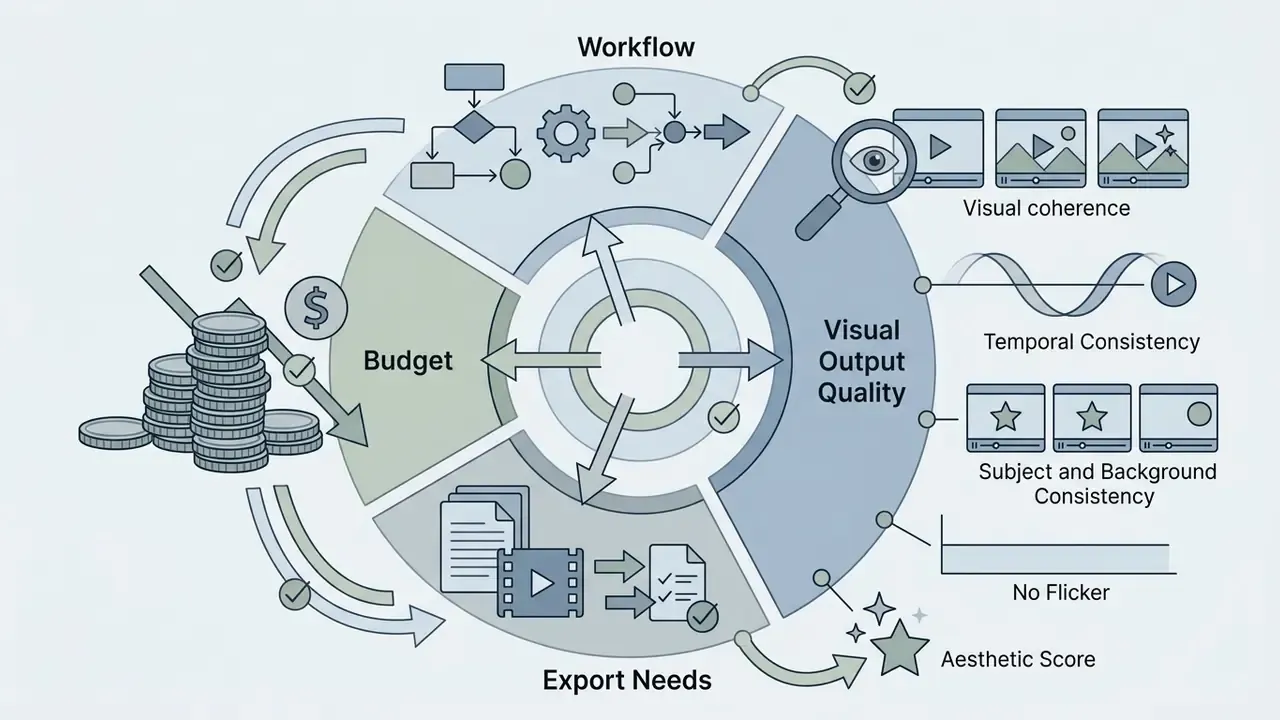
Visual fidelity and precise motion control dictate tool selection for cinematic and brand applications. When judging quality output, inspect prompt adherence, identity preservation across frames and physical realism in complex actions. Watch the whole clip, not the thumbnail.
Standardized academic benchmarks give you something more objective than a marketing reel:
- VBench and VBench-2.0: evaluates 16 distinct dimensions including subject identity consistency, temporal flickering and plausible human motion (Huang et al., VBench++, 2024). VBench-2.0 additionally separates simple from complex prompt adherence, physics realism, human anatomy and camera-motion effects, which is why no single model wins across every constraint type.
«STIV, an 8.7B-parameter model, reaches a VBench I2V score of 90.1 at 512px resolution, surpassing CogVideoX-5B, Pika, Kling and Gen-3.»
- AIGCBench: measures control-video alignment, motion smoothness and structural similarity (SSIM) between the initial input image and the generated clip (Fan et al., AIGCBench, 2024).
«In AIGCBench, Pika achieves a first-frame SSIM of 0.800 and an Image-GenVideo CLIP score of 0.930, outperforming VideoCrafter and I2VGen-XL on reference-image alignment.»
- HumanScore: scores generated human motion across scene, motion, intensity, description and camera, isolating body-motion quality from prompt fidelity and framing.
Models with stronger structural retention, such as STIV (8.7B parameter DiT), reach VBench image-to-video scores of 90.1, outperforming unconstrained diffusion baselines. Note also that stricter reference control is not free. Consistency-control research shows human figures require stronger identity conditioning than cartoon or product subjects, and pushing consistency coefficients too high can make a clip look almost static. Independent scoring sets are collected in our benchmarks area if you want to browse the hub before shortlisting.
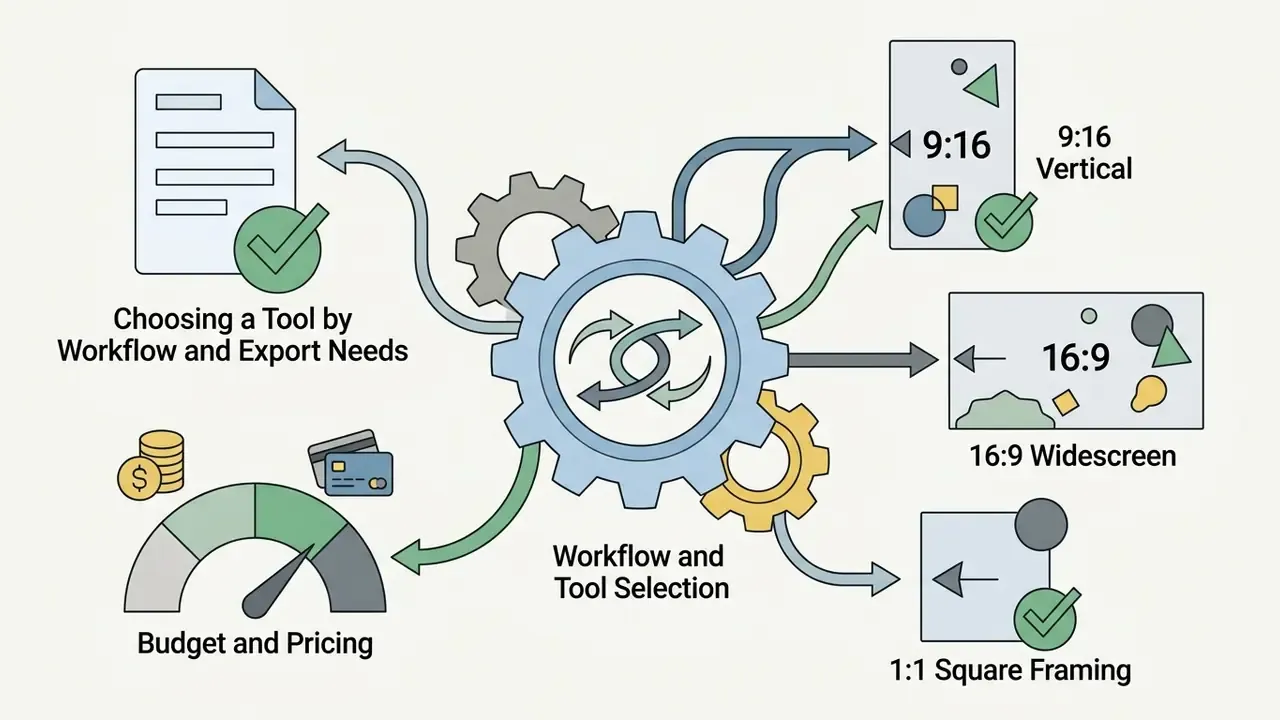
Choose a tool by workflow, budget and export needs
Operational efficiency depends on export compatibility, batch processing and predictable pricing. High-volume marketing workflows need platforms that support automated API integrations and batch asset rendering, ideally in one place rather than across four dashboards.
Beyond raw model quality, five operational criteria should be measured before procurement:
Export formats shape post-production flexibility:


Decision flow: four questions before you subscribe
| Step | Question | If yes | If no |
|---|---|---|---|
| 1 | Is the output for paid distribution or client work? | Go straight to a paid or API tier with written commercial rights | A free tier is sufficient for evaluation only |
| 2 | Must the camera follow an exact path or match existing footage? | Choose six-axis camera control or reference-video conditioning (Kling 3.0, Gemini Omni) | Text-prompted camera moves are cheaper and faster |
| 3 | Do you need synchronized dialogue or SFX inside the generation? | Choose native-audio models (Veo 3.1, Seedance 2.0, Kling 3.0) | Generate silent video and layer audio in post |
| 4 | Will uploads contain confidential or customer-identifiable imagery? | Require enterprise data terms: no training on inputs, defined retention, documented deletion | Consumer web tiers are acceptable |
Selection logic for identifying the optimal generative video platform.
If a shortlisted vendor fails question four, the cheapest path is usually a switch rather than a negotiation. Our AI Media Alternatives by Reason index groups replacements by the exact blocker, including licensing and data residency.
Best image to video AI tools: comparison of leading platforms
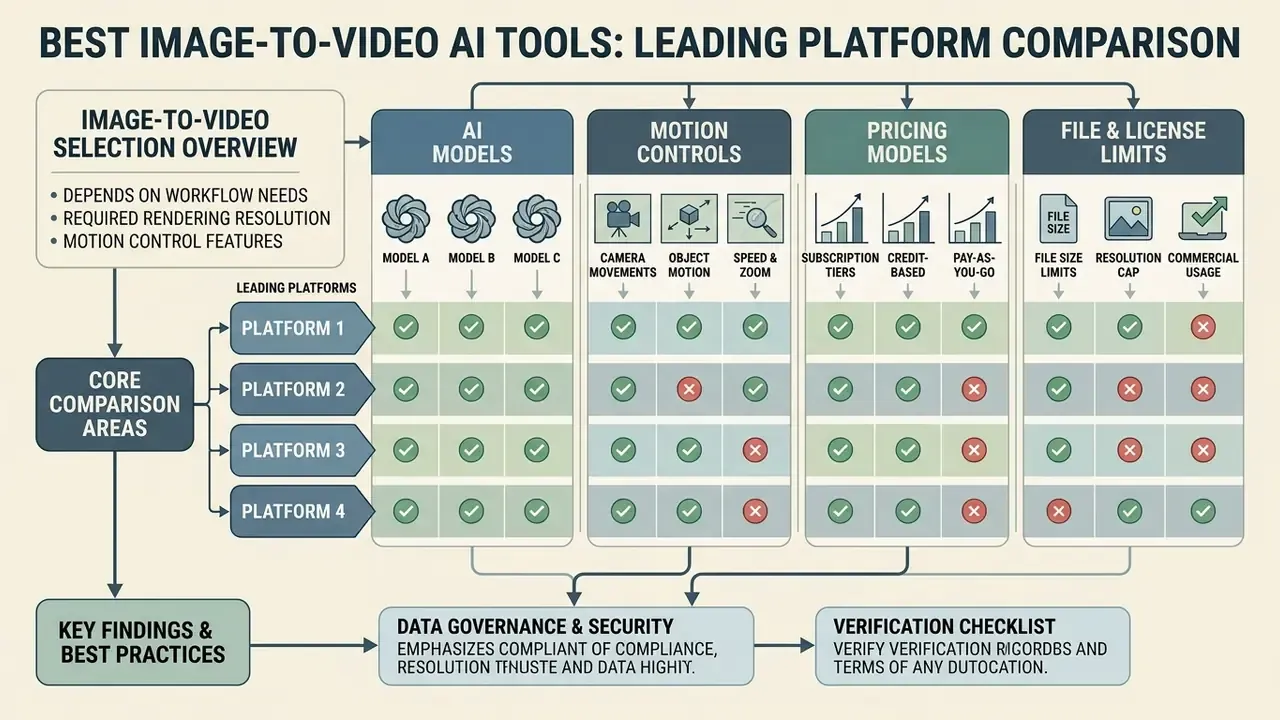
Picking the best AI image to video converter online depends on workflow needs, required rendering resolution and motion control features. The quality gap between model generations is measurable rather than cosmetic:
«In human evaluations, Emu Video was preferred in 81% of comparisons against Imagen Video, 90% against PYOCO and 96% against Make-A-Video.»
Leading AI video generators in 2026 offer different balances of accessibility, raw model performance, pricing and enterprise data handling.
| Tool / Platform | Underlying video models | Camera control | Keyframing (start/end) | Native audio | Resolution and aspect ratios | Pricing structure | Data handling signals |
|---|---|---|---|---|---|---|---|
| Google Veo 3.1 | Veo 3.1 / Veo 3.1 Fast | Prompt-driven cinematic moves | Yes (first and last frame) | Yes (dialogue and SFX) | Up to 4K; 16:9, 9:16 (1080p/4K limited to 8s) | Token-billed API; $0.05 to $0.08 per second (720p/1080p) | Enterprise terms available via Vertex AI or cloud contract |
| Kling AI | Kling 3.0 | Six-axis (pan, tilt, zoom, dolly, rack focus, track) | Yes | Yes | Up to 1080p; 16:9, 9:16, 1:1 | Credit-based; professional mode at 12 credits per second | Consumer ToS restricts commercial reuse without written permission; verify the clause before deployment |
| Vidu | Vidu Q3-pro / Q2-turbo | Slider and prompt amplitude controls | Yes (start-end-to-video) | No | 540p, 720p, 1080p; multi-ratio | Subscription and credits; from $0.03 per second (540p) to $0.175 per second tiers | Standard API terms; confirm retention window per plan |
| MiniMax Hailuo | Hailuo 02 | Text-guided camera directions | Partial | No | 512p, 768p, 1080p; standard ratios | Fixed duration pricing; $0.10 (512p, 6s) to $0.49 (1080p, 6s) | Confirm regional processing location before enterprise use |
| PixVerse | PixVerse V5.6 | Preset camera movements | No | Optional add-on billed separately | Up to 1080p; 16:9, 9:16 | Subscription and API per-second rates (5s, 8s, 10s tiers) | Consumer-oriented terms; audit before uploading brand assets |
Readers comparing beyond this shortlist can continue with our wider roundup of the best AI video generators, the deep-dive on PixVerse, and the developer-focused breakdown of the Google Veo API with per-request cost modelling. Head-to-head match-ups live in the versus section if you want to explore the hub.
AI models available for image to video generation
The generative video landscape now has several dominant model families, each tuned for different creative and production objectives. Google Veo 3.1 excels at visual realism, complex physical interactions and synchronized audio; it accepts image input with 4, 6 or 8-second durations and is reachable through the Gemini API, Google AI Studio and Vertex AI. Readers weighing prompt-only generation against image conditioning can compare the category in our guide to text-to-video AI tools.
Kling 3.0 integrates physics-aware simulation, modelling gravity, contact, balance, inertia and material deformation during motion, and adds multi-shot generation plus director-level camera moves. For falling fabric or liquid, that difference shows up immediately.
Other prominent architectures include Seedance 2.0, a multimodal model that accepts text, image, audio and video references and prioritizes strict prompt adherence and brand consistency for commercial assets, and Wan 3.0 Prime, an open-weights architecture optimized for adaptive aspect ratios (adaptive, 16:9, 9:16, 1:1, 4:3, 3:4) and precise first-frame alignment. On the open-source side, Mochi 1 is positioned around motion smoothness and physics-consistent clips, while MAGI-1 emphasizes autoregressive prompt adherence. Model independence matters here: a pipeline wired to a single vendor inherits that vendor's licence changes.
Features that distinguish an image to video platform
Enterprise-grade image to video tools distinguish themselves by providing unified production environments that streamline multi-model testing. Platforms featuring multi-model access let operators run a single static input through several AI engines at once. ElevenLabs Studio Agent, for example, exposes five predefined image models and five predefined video models inside one workspace.
Essential distinguishing features include built-in multi-track timeline editors, integrated text-to-speech and AI voice generation with voice cloning, automated sound effect generators, batch rendering queues, and direct high-bitrate export profiles up to 4K at 60 fps. Adobe Firefly's video editor combines a multi-track timeline with voiceover and soundtrack generation, while OpenReel exports MP4, WebM or MOV with presets up to 4K. Where still-image work sits in the same pipeline, teams often standardize on one of the best ai image editor options rather than adding another vendor to the inventory.
Free vs paid AI image to video converters
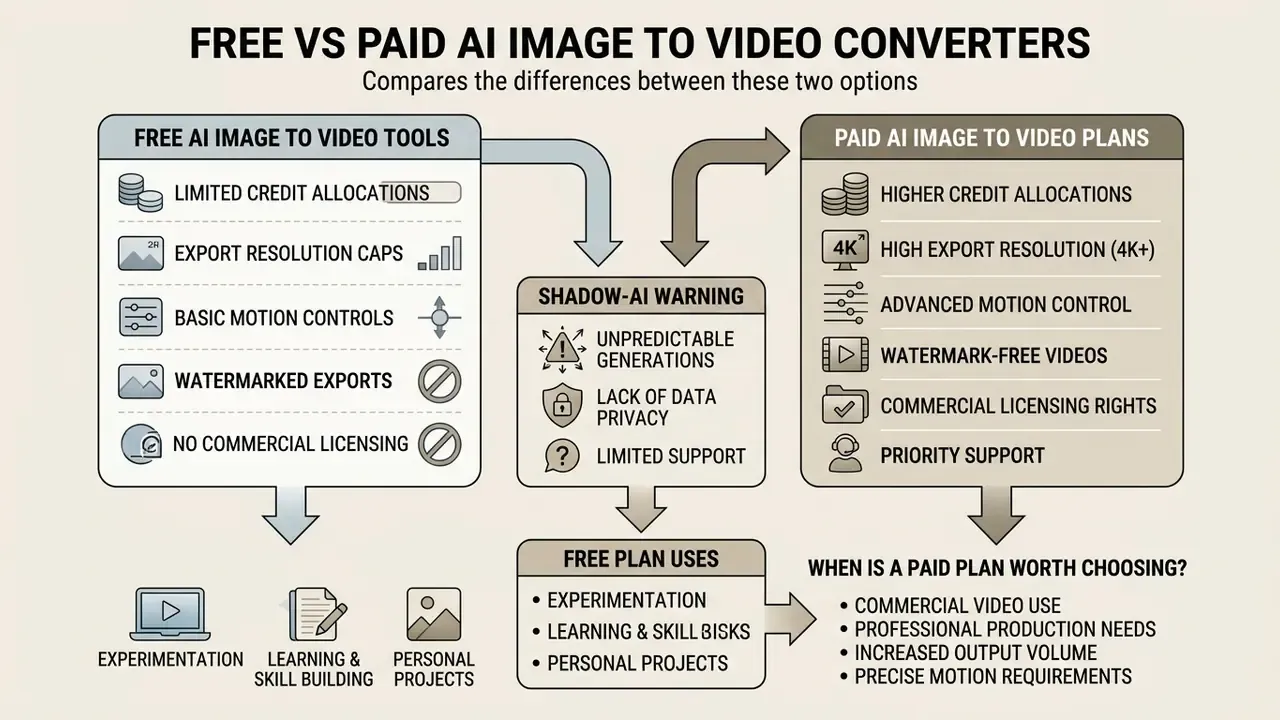
The economic gap between free and paid AI video converters comes down to credit allocations, export resolution caps and commercial licensing rights. Free accounts mostly serve to test the interface. Our roundup of free AI video generators covers what each evaluation tier actually allows, while paid subscriptions unlock high-definition outputs and advanced model features.
| Feature / dimension | Free account tier | Paid subscription or API tier |
|---|---|---|
| Monthly generation limit | 60 to 125 one-time or monthly credits (roughly 5 to 10 clips); some vendors reset about 66 credits daily | 600 to 10,000+ recurring monthly credits |
| Watermark presence | Visible vendor logo on exports | Clean, watermark-free output rendering |
| Maximum resolution | Restricted to 480p or 720p | Full HD (1080p) and 4K preview or upscale options |
| Clip duration | Capped at 3 to 8 seconds | Extended 8 to 20-second clips via scene extension |
| Advanced controls | Basic text prompting only | Full camera controls, start and end keyframing, motion amplitude, AI voice |
| Processing priority | Low-priority queue, variable latency | Dedicated or priority rendering queues |
| Commercial usage rights | Strictly non-commercial or personal evaluation | Full commercial exploitation license included |
| Data protection | Rarely documented; inputs may be retained | Enterprise agreements can specify retention limits and no-training clauses |
What a free AI image to video tool usually includes
Free AI video generators give access to basic motion synthesis with visible operational constraints. Users typically receive a limited pool of non-recurring or daily credits capped at 480p to 720p rendering. Pika's free Basic tier, for instance, allocates 80 monthly video credits at 480p only, while Kling's free tier resets roughly 66 daily credits for about six watermarked clips at up to 720p.
Free tiers usually enforce visible vendor watermarks, restrict processing to low-priority queues and block flagship models or advanced multi-frame keyframing controls. Our side-by-side of free AI video generators tracks which providers still permit clean exports at zero cost, and which quietly added a licence-back clause.
When a paid plan is worth choosing
A paid subscription or developer API tier becomes necessary the moment video assets touch commercial channels. Paid plans remove export watermarks, provide dedicated rendering queues and unlock high-bitrate 1080p and 4K export presets. Vendor documentation makes the gating explicit: OpenAI's Sora docs restrict Plus and Business users to 720p short clips while Pro reaches 1080p and 20 seconds, Google Flow reserves 4K upscaling for its top tier, and some third-party platforms grant commercial usage rights only on business plans.
A commercial media team evaluated generative platforms for a national digital ad campaign. By upgrading to a paid enterprise plan, they secured commercial copyright terms in writing, access to raw ProRes master exports and native 9:16 vertical rendering. That single change removed a post-processing reformat step and enabled compliant multi-channel distribution. Licence clarity, not resolution, was the deciding factor.
How to convert an image to video using AI
Converting a static image into a high-quality video clip runs through a structured pipeline, from asset preparation to final export refinement. Five steps, and each one has a characteristic failure mode.
| Step | Action | Key decision | Failure mode to watch |
|---|---|---|---|
| 1 | Image preparation | Resolution, framing, aspect-ratio match | Cropping and boundary reconstruction |
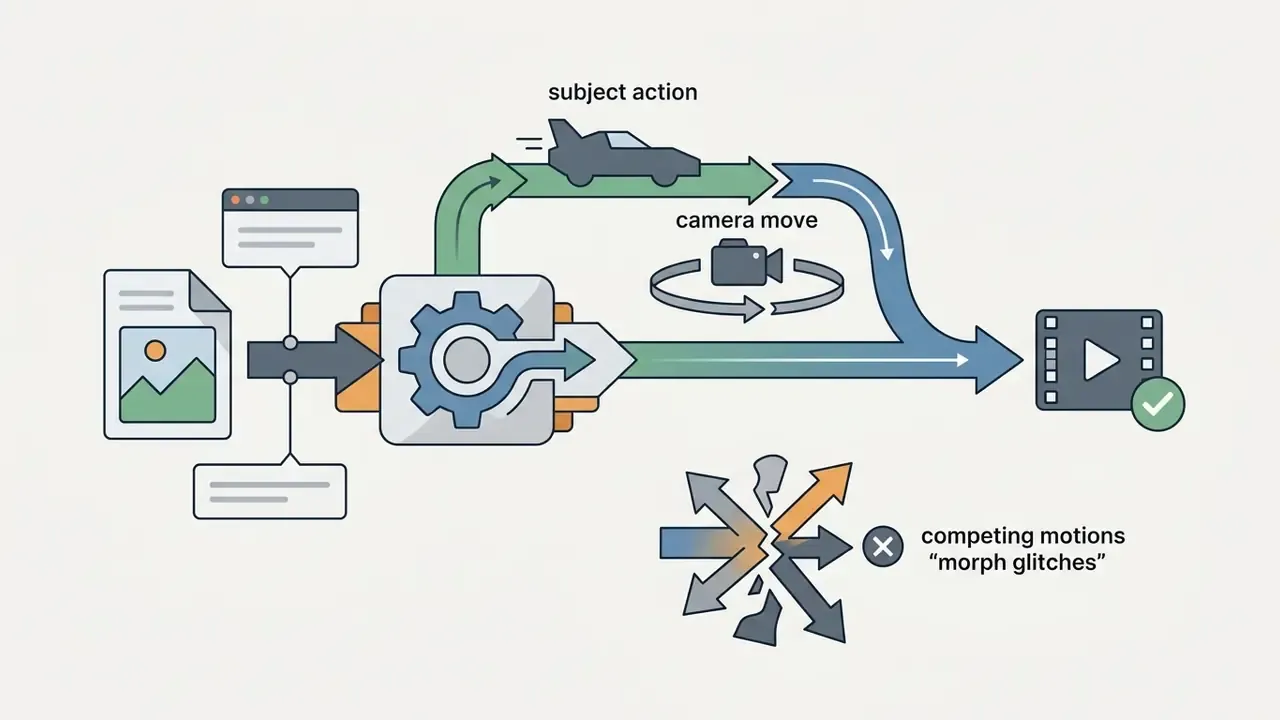
| 2 | Prompt and motion configuration | Camera move, subject action, shot size | Competing motions causing morph |
| 3 | Generation and review | Number of variants to sample | Selecting on first frame instead of full clip |
| 4 | Refinement and export | Format, frame rate, bitrate | Re-encoding a compressed master |
| 5 | Post-production | NLE integration, audio, captions | Delivering raw generation as final |
Systematic conversion process from static source photo to finished video asset.
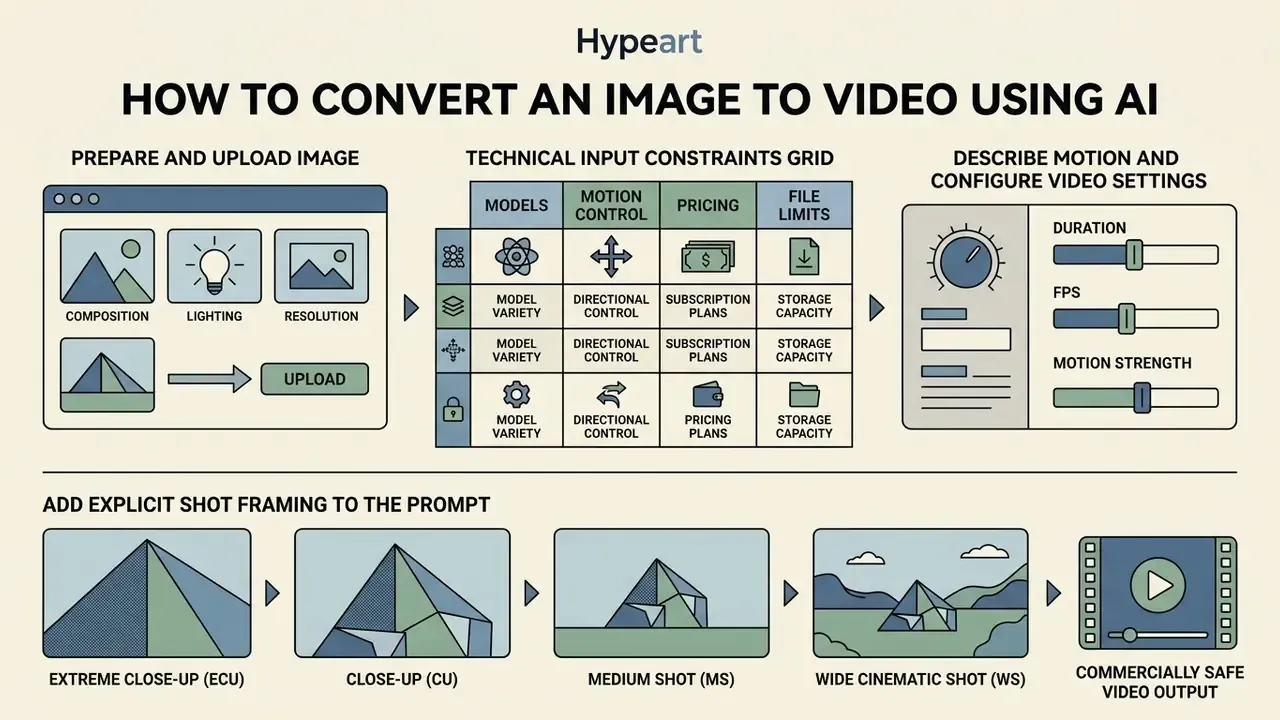
Prepare and upload an image for video generation
Good generation starts with a high-resolution, well-lit source photograph. Teams without a suitable asset often produce the input first using AI image generators or a conventional photo editor; comparisons of the best ai for still generation are worth a look before you commit credits. Input images should show clear subject isolation, balanced contrast and minimal digital noise, which keeps artifacts out of the diffusion process.
Framing adjustments must match the target output aspect ratio before upload. Mismatched ratios force the generative model to reconstruct missing visual boundaries, raising the risk of background warping. Keep key subjects inside the central 60 percent of the frame so social interface overlays do not cover them. Standard baselines are 1080 × 1920 for 9:16 and 1920 × 1080 for 16:9.
Technical input constraints grid
| Constraint | Typical platform limit |
|---|---|
| Maximum file size | 20 MB to 50 MB depending on platform (Adobe Firefly rejects media above 50 MB; several generators cap uploads at 20 MB) |
| Supported formats | PNG, JPEG/JPG, WEBP (animated WEBP accepted by some image services) |
| Minimum resolution | 300 × 300 pixels absolute floor; 1080p strongly recommended for diffusion stability |
| Aspect ratios accepted | 16:9, 9:16, 1:1, 4:3, 3:4, plus adaptive on open-weights models |
| Prompt character limit | Up to 1,024 characters per generation turn on major platforms |
| Frames accepted | First frame required; last frame optional on keyframing models; reference video up to about 3 seconds on select models |
| Upload count | Usually one file per slot per generation |
If a generation fails before rendering starts, the cause is almost always in this grid: an oversized file, an unsupported format such as HEIC or TIFF, a sub-300 px thumbnail, or a prompt that overruns the character ceiling.
Describe motion and configure video settings
Guiding video motion requires prompt structuring that separates subject actions from camera movements. Effective prompts state direction, speed and environmental context. Vendor prompt guides converge on the same principle: one explicit camera move, one primary subject action, and a fixed lock list for identity and background.
A recommended prompting structure follows a simple template:
For example: "A slow dolly-out camera movement as the subject turns their head toward the window, soft morning light filtering through subtle dust particles."
Runway's image-to-video guidance recommends specifying movement plus direction plus speed, because camera motion unfolds over time and is the most error-prone element to leave implicit. Tencent's HunyuanVideo-1.5 prompt handbook formalizes the same idea as Subject Motion Dynamics + Scene Motion Dynamics + [Camera Movement], with dolly in, dolly out, pan, tilt, orbit, follow and static as discrete camera controls.
Add explicit shot framing to the prompt
Pairing one shot size with one camera verb, say "medium shot, slow push-in", consistently produces more predictable output than stacking three camera instructions into a single prompt. I keep relearning that one.
Generate, refine and export the video clip
With parameters set, click generate to synthesize the first candidate. Generate several variants rather than one, then review each output for physical plausibility, temporal stability, flickering, color consistency and facial structure retention across the full duration, not just the opening frame.
If temporal distortion appears, lower motion amplitude or rewrite the prompt to remove competing movements. Once approved, export using the required aspect ratio, frame rate (typically 24 or 30 fps) and container format, then continue refinement in a dedicated video editor rather than re-encoding the master repeatedly.
Post-generation editing and post-production stack
Generating the clip is step one. Professional workflows run raw AI video outputs through a post-processing chain before delivery:
- Audio and voice syncapply AI lip-syncing, generated voiceover, music beds and automated sound effect alignment. Several 2026 platforms offer native audio synthesis, while dedicated audio suites give timeline-level control over dialogue and effects.
- Visual enhancementspass footage through eye-contact correction, background noise reduction, frame interpolation, upscaling and automated caption generation. Practitioners running UGC-style ads cite eye-contact correction and noise reduction as the difference between a usable clip and a discarded one.
- NLE timeline integrationimport raw ProRes or MP4 clips into non-linear editors such as Adobe Premiere Pro or After Effects to combine generated B-roll with live footage, grade color, match grain and stitch multi-scene commercial edits. Firefly-generated clips, for example, move straight into Premiere and After Effects for finishing.
- Batch and deliveryqueue approved clips with identical export settings, then compress delivery copies to platform bitrates (10 to 20 Mbps for 1080p, 50 to 100 Mbps for 4K) while keeping the ProRes master for archive.
Treating generation as the start of post-production, rather than the end of production, is the single biggest quality differentiator between amateur and commercial AI video output.
How to get high-quality and commercially usable AI-generated videos
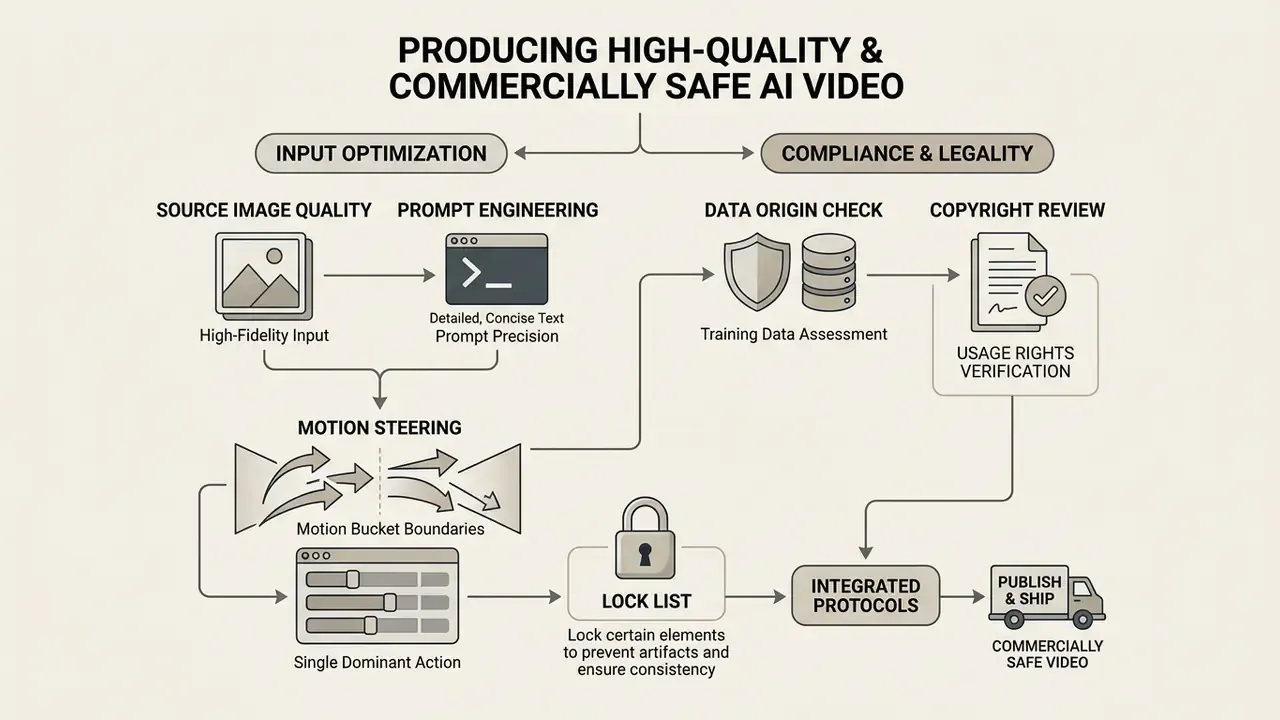
Producing professional, commercially safe AI video means combining prompt engineering with strict compliance protocols around copyright and training data usage. Two disciplines, one deliverable.
«Technical quality and legal safety must be evaluated together; high visual fidelity means little if output licensing restricts commercial deployment.»
Image and prompt requirements for smooth motion
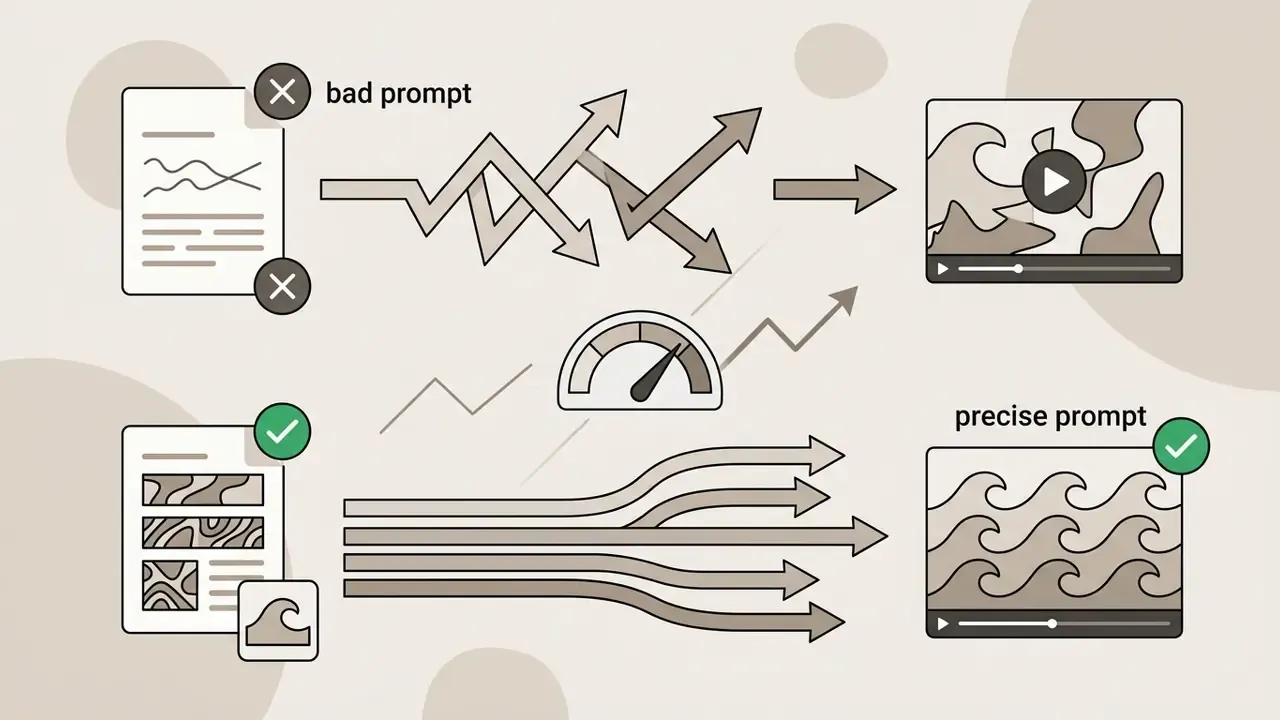
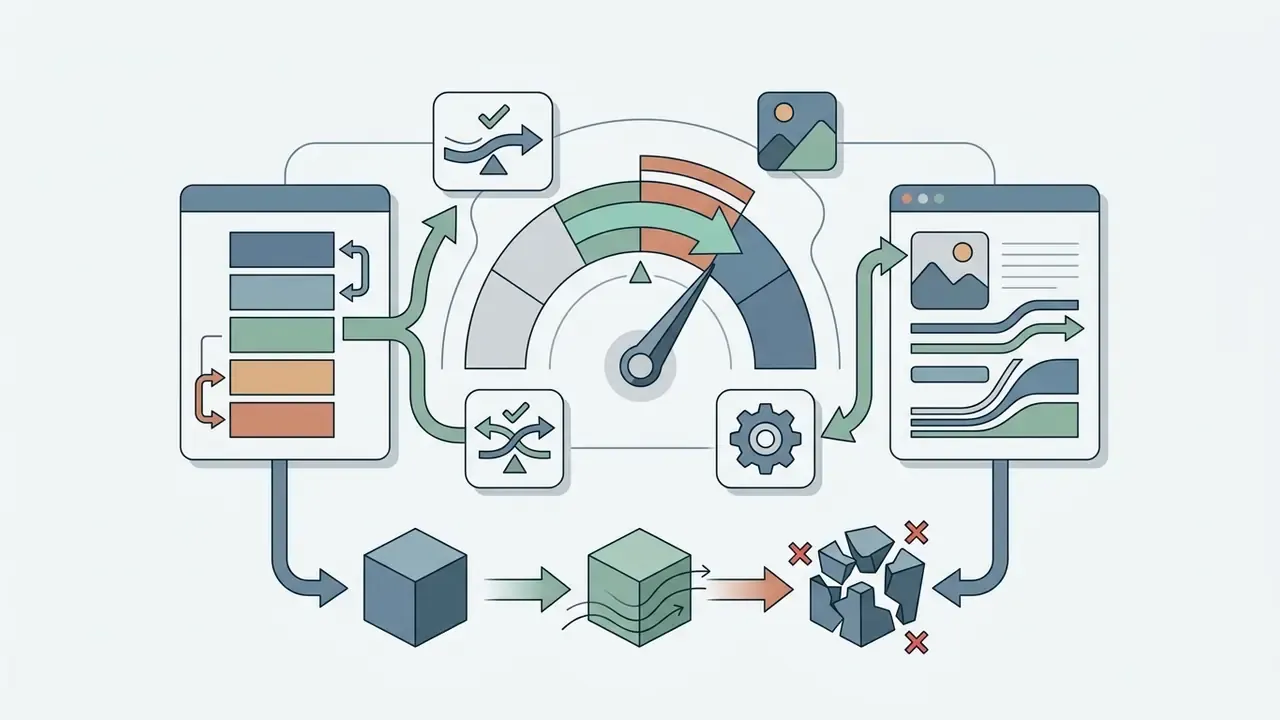
To minimize glitches, morphing artifacts and temporal instability, enforce strict input criteria:

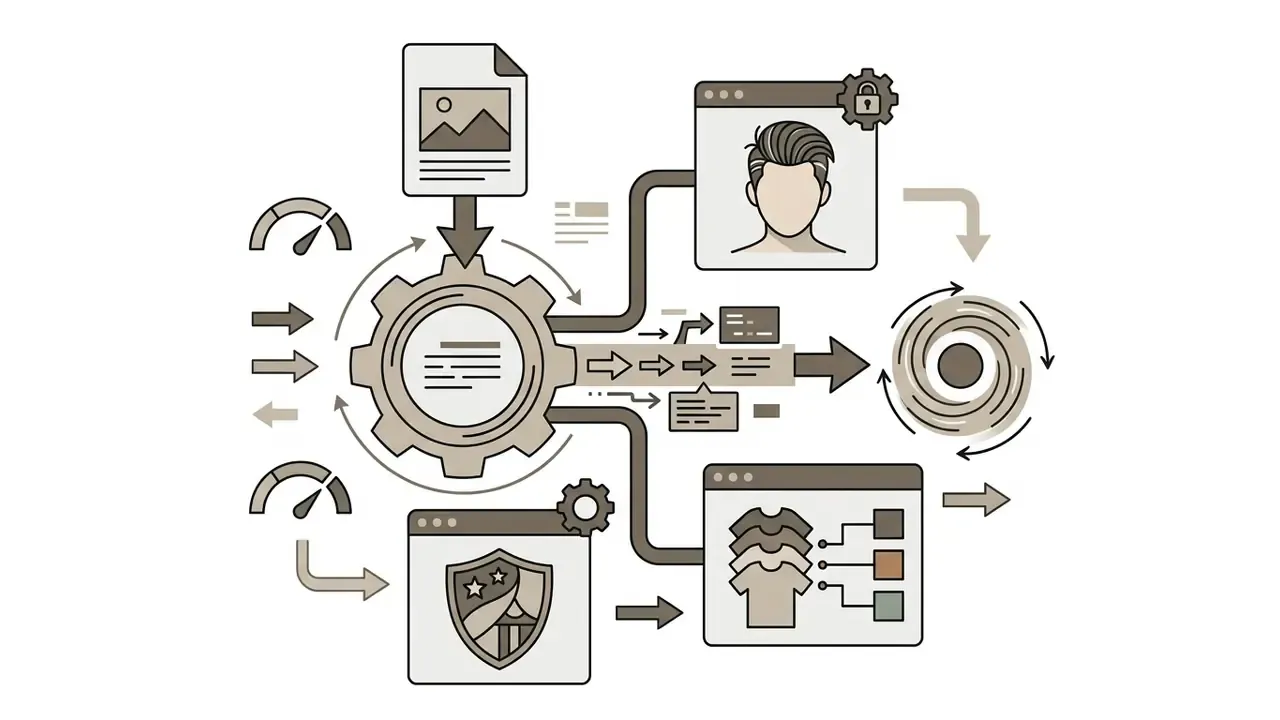
Check usage rights before publishing video content
«Kling AI's terms (section 4.6, updated 21 April 2026) prohibit commercial use, reproduction and distribution of generated content without the company's written permission.»
Two separate risk layers must be checked independently. Copyrightability governs whether you can protect the output. Platform terms of service govern whether you are contractually allowed to publish or monetize it at all. A clip can be legally publishable under a paid licence yet still unregistrable as a copyrighted work. And per U.S. Congressional Research Service analysis, if an output infringes an existing work, both the user and the AI provider may face exposure.
Checklist0 / 10
Frequently asked questions (FAQ) about image to video AI tools
Which input image formats are supported by AI video generators?
Most AI photo to video converter tools support standard web image formats, including PNG, JPEG/JPG and WebP. Files typically must stay under 20 to 50 MB depending on the vendor, with a practical floor of 300 × 300 pixels. For the best temporal rendering, use uncompressed PNG files with clear subject isolation at 1080p. Formats such as HEIC, TIFF and SVG are usually rejected at upload.
Is there a limit on how long my prompt can be?
Yes. Major platforms cap prompts at around 1,024 characters per generation turn, and exceeding the ceiling returns a validation error before rendering starts. In practice, shorter structured prompts (one camera move, one subject action, one lighting note) outperform long descriptive paragraphs.
Can AI video tools generate synchronized voiceovers and audio?
Yes. Flagship 2026 models such as Google Veo 3.1, Seedance 2.0 and Kling 3.0 include native audio synthesis, generating synchronized spoken dialogue, sound effects and ambient background audio alongside video frames. Others, including Vidu and Hailuo, output silent video, so AI voice and effects must be layered in post or billed as a separate add-on, as with PixVerse.
Do free image-to-video tools put watermarks on exported clips?
Most free tiers apply visible vendor watermarks to rendered video clips. Removing watermarks, reaching higher export resolutions (1080p or 4K) and obtaining commercial usage rights typically require a paid subscription or API plan. Where a vendor attaches Content Credentials or provenance metadata, the terms often prohibit removing them even on paid tiers.
What causes visual morphing glitches in AI-generated videos?
Morphing shows up when generative models lack clear temporal guidance, or when motion scale parameters are pushed too high. You can reduce it by using high-resolution input images, adding explicit first and end frame keyframes, specifying precise camera paths, limiting each generation to one dominant action, and keeping motion amplitude in the moderate range.
Can I edit the generated clip after export?
Yes, and you generally should. Raw generations benefit from noise reduction, eye-contact correction, captioning, color grading and audio alignment. Export a ProRes or high-bitrate MP4 master, then import into an NLE such as Adobe Premiere Pro or After Effects, or a browser-based video maker, to combine clips, add graphics and produce platform-specific deliverables.
Are AI-generated videos protected by copyright?
In the United States, outputs lacking sufficient human authorship cannot be registered. You may claim protection only for your own human contributions, and AI-generated portions must be disclosed and excluded in a registration. Separately, your right to publish or monetize a clip is governed by the vendor's terms of service, which may restrict commercial use regardless of copyright status.
Is it safe to upload confidential company images to a free generator?
Generally no. Consumer tiers rarely publish zero-retention commitments or an explicit opt-out from training on user uploads. For unreleased products, customer imagery or identifiable staff portraits, use an enterprise or cloud-marketplace agreement with documented retention, deletion and no-training clauses, and maintain an approved-tool list to limit shadow-AI exposure.
Social media teasers and short video content