This guide covers both layers. First, the optical and anatomical criteria that separate photography-grade output from a synthetic draft. Second, the governance criteria: data retention, licensing, reproducibility and control cost. Those decide whether a model can be deployed inside a regulated organization at all.
Selecting the most realistic ai image generator means evaluating how the underlying diffusion models handle physical lighting, anatomical proportion and spatial geometry. Early systems leaked obvious artifacts. Modern architectures produce high-resolution synthetic photography that often passes casual visual scrutiny. Which ai realistic image generation tool fits your pipeline depends on your priority: human portraiture, ecommerce product staging, complex architectural environments, or branded visual assets with legible text.
Executive Summary
- Raw photorealism leader FLUX.1 / FLUX.2 Pro. In head-to-head ELO evaluation, FLUX.1 [pro] scored 1048 on overall quality and 1060 on visual quality, ahead of Midjourney v6.0 at 1026.
- Best prompt adherence and inline text GPT Image inside ChatGPT, followed by Ideogram 3.0 for exact typography and layout.
- Best cinematic atmosphere Midjourney v7, with the strongest default lighting and composition. It does drift into over-stylization against raw photography.
- Most defensible commercial position Adobe Firefly, thanks to licensed training data, enterprise IP indemnification and Content Credentials / C2PA provenance on qualifying exports.
- Realism is measurable, not subjective. Human observers correctly separated AI-generated people from real photographs only about 61% of the time in blind testing, and mean human accuracy on synthetic portraits was 72.7% in artifact-characterization research.
- Legal ceiling purely AI-generated output is not registrable for copyright in the United States. Protection attaches only to human expressive contribution.
- Procurement reality the subscription line is rarely the largest cost. Human-in-the-loop review, legal clearance and rework usually dominate total cost of ownership. Budget control costs before you negotiate seats.
- Non-negotiable enterprise filters zero-data-retention or no-training commitments, SOC 2 / ISO 27001 attestation, seed-and-parameter logging exportable to your AI inventory, and role-based API access.
Who This Guide Is For and How to Read It
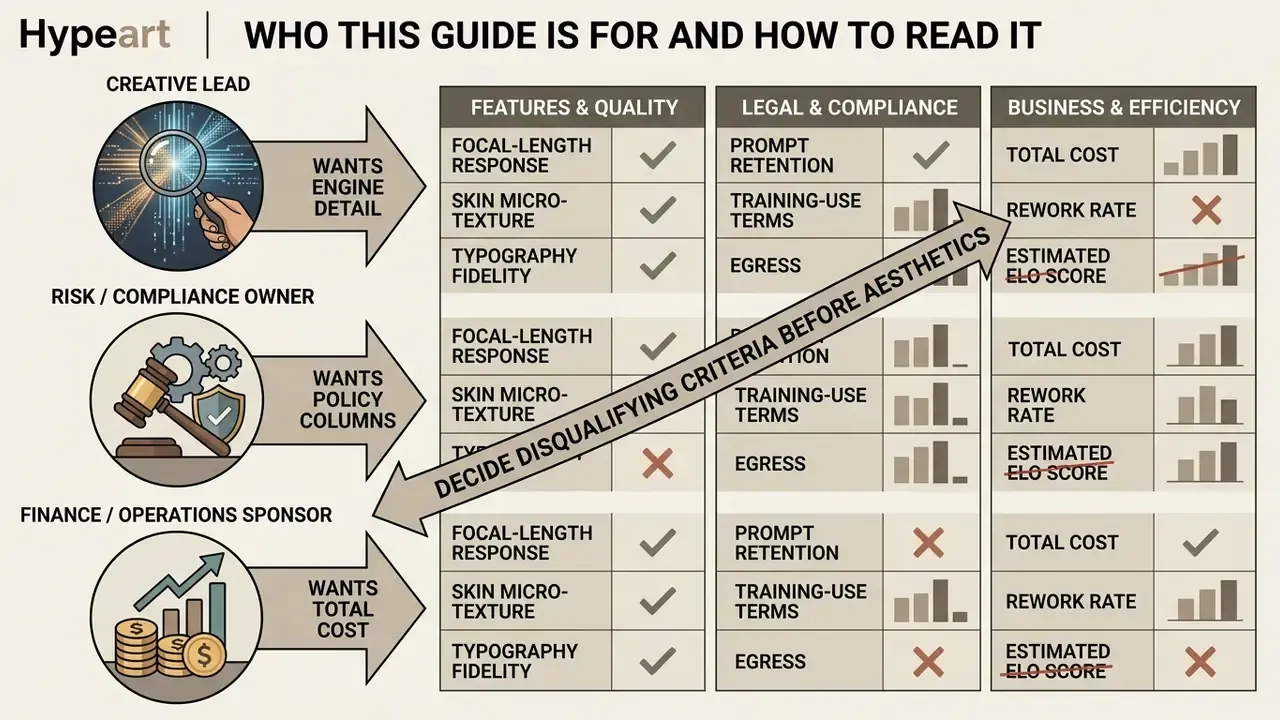
Three reader profiles keep showing up in the same procurement thread, and they need different pages of the same document.
The creative lead wants engine-level detail: focal-length response, skin micro-texture, typography fidelity, reference conditioning. Start with the realism criteria, then the engine breakdown, then the prompt recipes.
The risk or compliance owner wants the boring columns: prompt retention, training-use terms, egress topology, provenance marking, audit export. Start with the feature checklist and the audit-trail fields, then read licensing.
The finance or operations sponsor wants total cost and rework rate, not ELO scores. Start with the control-cost section, then the use-case matrix.
A practical reading rule: decide your disqualifying criteria before you compare aesthetics. It is far easier to reject an engine for a missing no-training clause than to unwind a campaign built on assets you cannot license. I have seen teams do the second one. It is not fun.
One more framing note. Every audience statement here should be treated as a hypothesis until your own analytics, interviews or CRM data confirm it.
What Makes an AI Image Generator Look Truly Realistic?
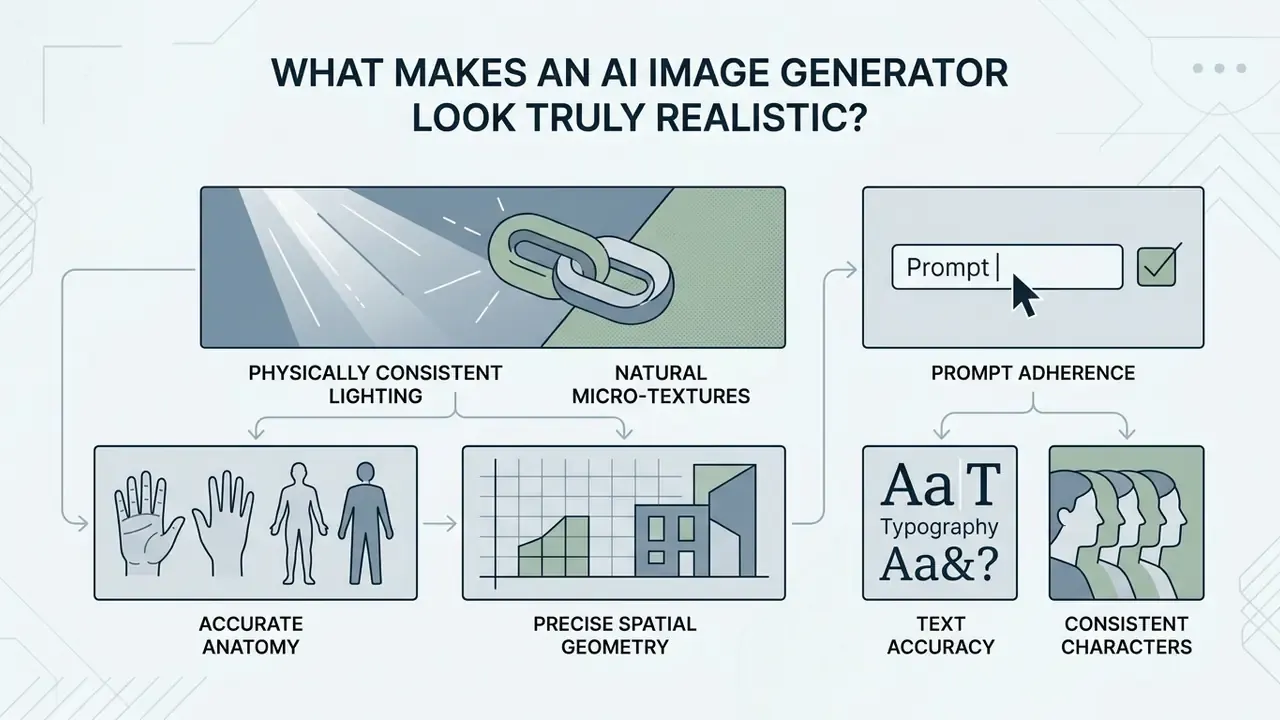
An AI image generator achieves true photorealism when its output shows physically consistent lighting, accurate anatomy, natural micro-textures and precise spatial geometry. High-resolution rendering alone does not guarantee realism. A system that can create realistic images must also manage shadow falloff, subsurface scattering on skin and material reflections without introducing synthetic artifacts or plastic-like surface smoothing.
Realism is not a single toggle. Artifact taxonomies published in 2025 group the visual markers of synthetic origin into recurring classes: anatomical implausibilities (extra or missing fingers, malformed ears), stylistic artifacts (waxy or glossy skin, uniform micro-contrast), physics violations (impossible shadow direction, inconsistent reflections, broken perspective), functional implausibility (objects that could not work as depicted) and sociocultural implausibility (mismatched signage, clothing or context).
Perceived realism drops as scene complexity rises and as artifact load increases. Which means realism is best treated as a measurable defect rate, not an aesthetic opinion. That reframing matters for anyone who has to sign off on published assets.
Photorealism in People, Hands, Lighting, and Fine Details
Realism in human portraits depends on precise handling of anatomical structure, skin texture and eye reflections. Older generative architectures leaked anatomical errors constantly: extra digits, waxy skin, misaligned pupils. Recent diffusion research shows those errors shrinking fast.
«HanDiffuser targets realistic hands in text-to-image synthesis and reports quantitative improvements on hand appearance metrics.»
Complementary work on relighting shows the same trajectory for light transport on human subjects. URHand: Universal Relightable Hands (CVPR 2024) reconstructs and relights hands with view-dependent effects and benchmarks PSNR/SSIM on subject relighting. SynthLight (2025) applies diffusion specifically to portrait relighting by learning to re-render synthetic faces.
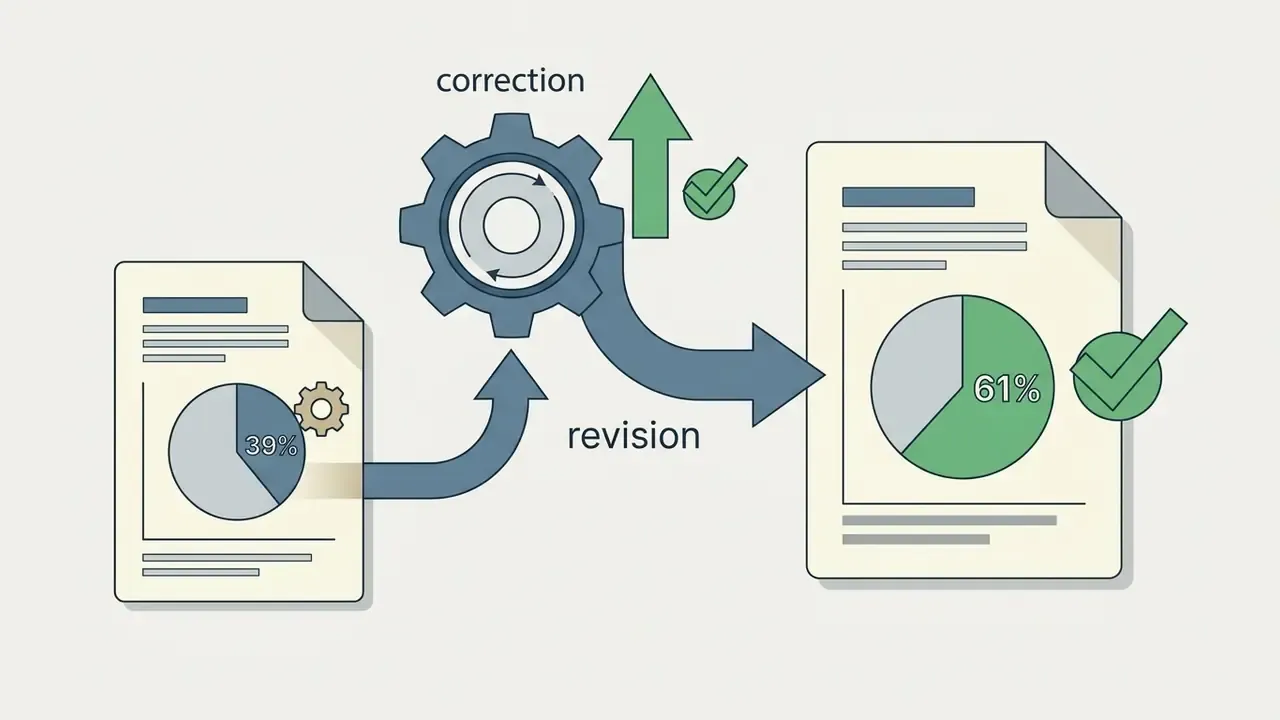
Updated. Studies of human perception show that viewers once caught synthetic media through hands and teeth, but contemporary models have closed much of that gap. The honest framing is how often people get it wrong, not just how often they get it right:
«Only 61% of participants correctly distinguished AI-generated people from real photographs across a 20-image blind test.»
So roughly 39% of blind classifications were incorrect, a figure that means nothing without the 61% accuracy baseline it derives from. Artifact-characterization research reports the same order of magnitude from another angle:
«Mean human accuracy reached 72.7% for portraits and 73.4% for candid group images.»
The same body of work shows detection collapsing under time pressure. Under a one-second exposure, the share of generated images accepted as real rose from 17% to 43%. Practical implication for brand and risk teams: viewers scrolling a feed will not catch the artifacts your reviewers catch in a lightbox.
Fine-grained fidelity also depends on light distribution. Realistic rendering demands that rim lighting, ambient bounce and directional shadows agree across every object in the frame. When you evaluate an ai realistic photo app, look for natural skin pore distribution, organic hair strand separation and believable depth-of-field falloff rather than uniform edge sharpness.
Automated scoring deserves caution when it stands in for human judgment:
«Traditional FID and SSIM metrics diverge substantially from human realism ratings; GLIPS, which combines local and global similarity, correlates more closely with perception.»
Building an internal evaluation harness? Pair a perception-correlated metric with structured human review rather than optimizing FID alone.
Prompt Adherence, Text Accuracy, and Consistent Characters
Photorealism extends past surface aesthetics into how accurately a model reads complex instructions and renders embedded typography. High prompt adherence means spatial positioning, object relationships and camera settings (say, an 85mm lens at f/1.8) are executed as requested. Specialized benchmarks show that models handle single-subject requests well, while multi-concept compositions need stronger visio-linguistic reasoning to avoid dropped elements (HRS-Bench, ICCV 2023, which measures prompt alignment via CLIPScore and text handling via CER/NED, reporting language-perturbation alignment of roughly 70% to 82% across tested text-to-image models).
«VQAScore outperforms CLIPScore by 2 to 3 times in ranking efficiency for complex compositional prompts across DALL·E 3 and Stable Diffusion.»
Rendering legible text directly inside a generated visual remains a hard differentiator among ai image generation tools photorealistic images. Advanced systems now parse spelling, kerning and font weight during diffusion instead of spitting out garbled glyphs. STRICT (EMNLP 2025) formalizes this with NED, CER and WER scoring plus instruction-aligned multilingual text rendering.
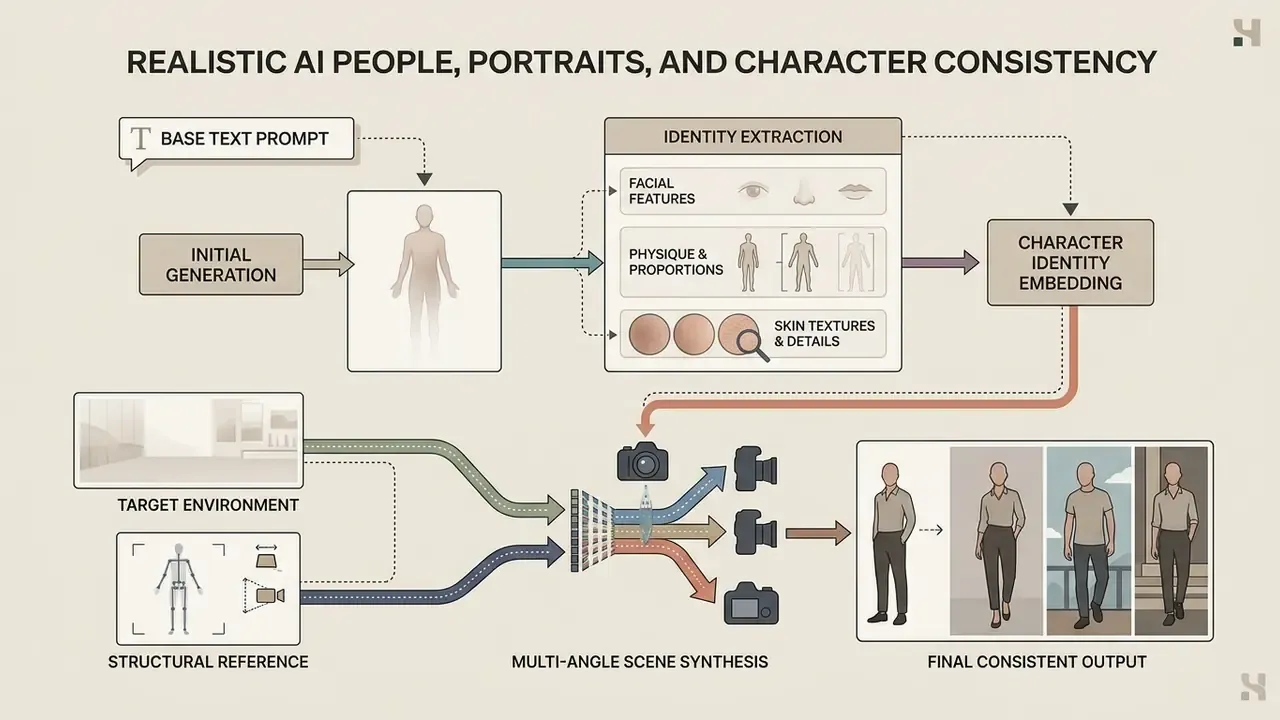
Maintaining consistent characters across scenes needs stable identity embeddings or reference image conditioning (Consistent Characters in Text-to-Image Diffusion Models, CVPR 2025 workshop), which also documents the explicit trade-off between prompt alignment and identity consistency. That capability is what lets a team build a cohesive visual narrative without facial features drifting between frames.
Best AI Image Generation Tools for Realistic Photos at a Glance
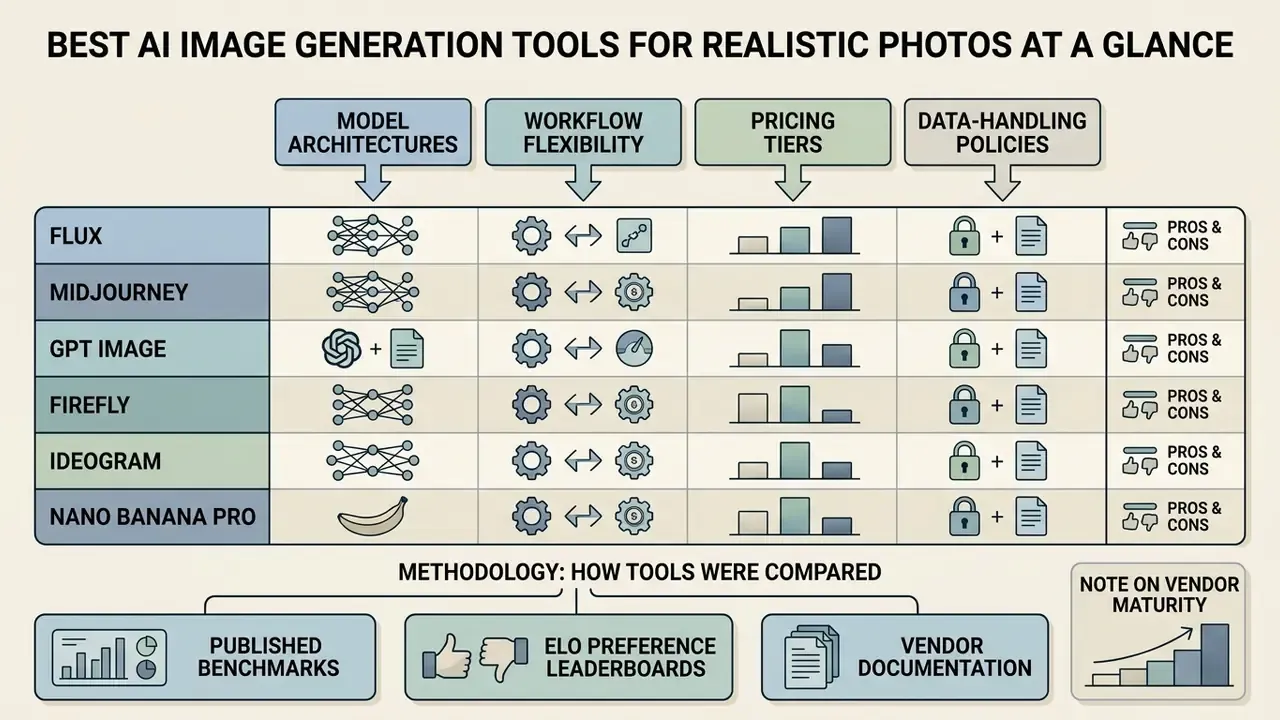
Comparing leading AI image generation platforms for photorealistic outputs means looking across model architectures, workflow flexibility, pricing tiers, data-handling policies and commercial usage rights. The Data Privacy & Enterprise Security column below is the one most often missing from consumer roundups, and the first one procurement will ask about.
| Tool / Model | Photorealism Focus | Text Rendering | Key Strengths | Character Consistency Support | Data Privacy & Enterprise Security | Commercial Use & License |
|---|---|---|---|---|---|---|
| GPT Image / ChatGPT | High natural realism, conversational prompt adjustments | Superior inline text accuracy | Conversational editing, strong instruction following | Reference image guidance | Enterprise/Team tiers: no training on business data by default; SOC 2 reporting available; admin + SSO controls | Commercial rights included on paid tiers |
| Midjourney (v6/v7) | Cinematic aesthetics, high-detail lighting and textures | Moderate text rendering | Exceptional atmospheric control, artistic realism | Character weight (--cw) and reference parameters | Public generation by default on lower tiers; private mode requires Pro/Mega; limited enterprise controls | Commercial rights on paid plans (Basic/Pro/Enterprise) |
| FLUX.1 / FLUX.2 (Black Forest Labs) | Photographic accuracy, natural skin tones, prompt adherence | High text fidelity | High camera parameter control, open weights available | Image-to-image and adapter support | Self-hosted open weights enable full data residency; API terms vary by tier, so verify retention clauses | Varied by tier (FLUX Pro supports commercial API use) |
| Adobe Firefly | Brand-safe commercial photography | Clean graphic typography | Deep integration with Creative Cloud, trained on licensed media | Style and structure reference controls | No training on customer personal content; Content Credentials / C2PA provenance on qualifying exports; enterprise agreements available | Explicit commercial safety and IP indemnification |
| Ideogram 3.0 | Typographic integration and brand assets | Industry-leading text accuracy | Graphic design alignment, exact text layout | Image seed and style reference options | Pre-training filtering, post-training mitigation, inference-time moderation; enterprise terms less documented publicly | Commercial permissions on paid tiers |
| Nano Banana Pro (Google / Gemini image models) | Production-ready design, clean studio visuals | High-fidelity typography rendering | Native 2K/4K scaling, structured visual creation | Reference upload integration | Enterprise use should be procured via Google Cloud / Vertex-style agreements rather than consumer apps; SynthID watermarking applied | Commercial rights on active paid subscriptions |
| Amazon Titan Image Generator | Neutral studio realism, controlled backgrounds | Basic text rendering | Runs inside existing cloud governance perimeter, invisible watermarking | Image conditioning and inpainting | Deployed through managed cloud infrastructure: VPC isolation, no use of inputs for model training, existing SOC/ISO coverage | Commercial use under cloud service terms |
| Stable Diffusion (3.5 / XL) | Custom fine-tuned photographic styles | Variable depending on base model | Full local control, open-source customization | Advanced ControlNet and IP-Adapter workflows | Fully self-hostable: zero external data egress, complete prompt/seed logging under your control | Open license (subject to hardware/tier terms) |
A note on vendor maturity. Google's "Nano Banana" family is a consumer-facing product name for Gemini image models. It appears in this table because its typography and editing performance are genuinely competitive, not because it is an enterprise procurement vehicle. Regulated buyers should evaluate the same underlying models through managed cloud contracts, alongside GPT Image on enterprise tiers and Amazon Titan Image Generator, where data-processing agreements, regional residency and audit logging are contractual rather than best-effort.
How These Tools Were Compared (Methodology)
Detailed Engine Breakdown: Strengths, Weaknesses, and Best Uses
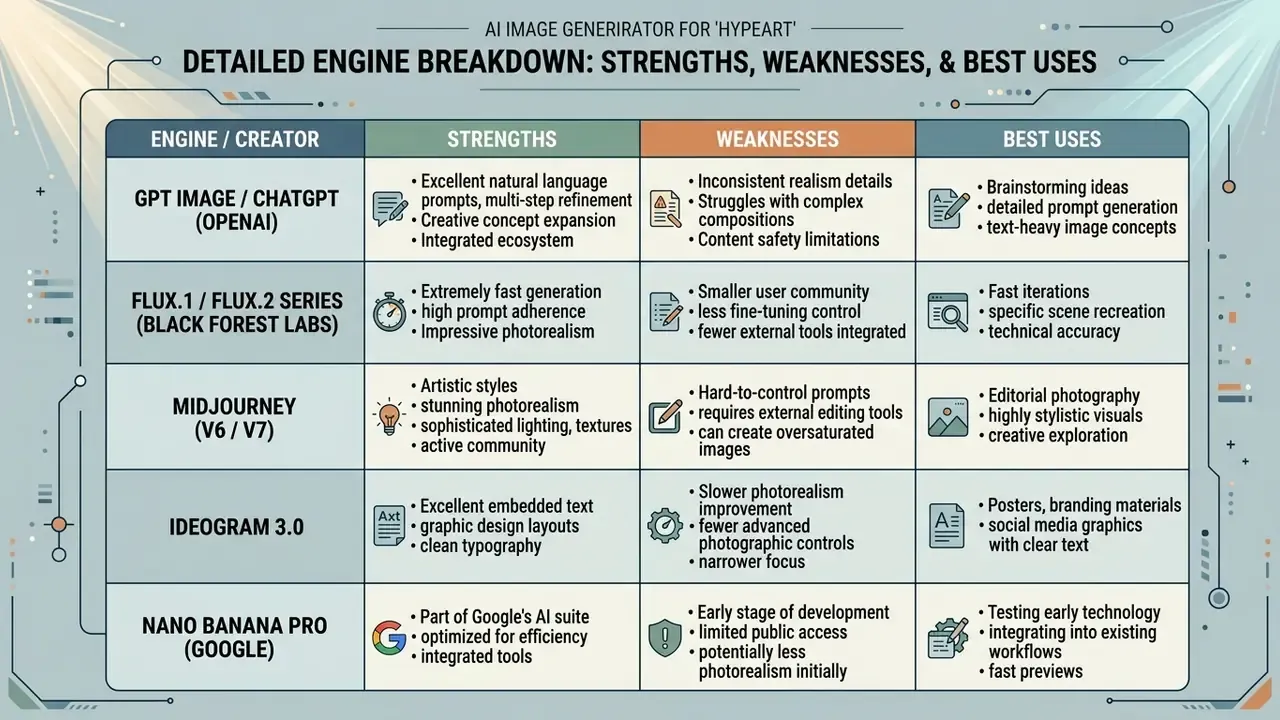
Descriptive prose hides weaknesses. The card format below states each engine's failure modes as plainly as its strengths.
1. GPT Image / ChatGPT (OpenAI)
- Best for Complex multi-clause prompts, conversational iterative editing, inline text rendering.
- Pros Exceptional instruction following without technical camera jargon; rapid conversational adjustments; strong text legibility; documented edit semantics ("change only X" while preserving identity, geometry, layout, lighting or labels); prompt length up to 32,000 characters on the edit endpoint.
- Cons Tendency to over-smooth skin unless explicitly overridden; limited manual parameter tuning (no aspect ratio or seed locks in the standard web UI); autoregressive generation is slower per image than diffusion peers and usually returns one candidate instead of a grid.
2. FLUX.1 / FLUX.2 Series (Black Forest Labs)
- Best for Uncompromising photographic realism, physical light fidelity, open-weights customization.
- Pros Top-tier anatomical rendering (hands, eyes, skin micro-texture); precise response to focal lengths and lens types; excellent open-source ecosystem for ControlNet and IP-Adapter workflows; self-hosting enables full data residency.
- Cons High local VRAM requirements for self-hosted versions; API generation costs scale quickly on Pro tiers; weaker on deliberately stylized or painterly looks than Midjourney.
3. Midjourney (v6 / v7)
- Best for Cinematic aesthetics, atmospheric depth, artistic realism, environmental compositions.
- Pros Industry-leading default lighting and composition styling; powerful reference parameters (
--cw,--cref,--sref,--chaos); high aesthetic baseline from short, simple prompts. - Cons Accessible mainly via Discord or the dedicated web app; occasional over-stylization away from raw photorealism; generations are public by default on lower tiers, which is disqualifying for confidential briefs; enterprise administration controls are thin.
4. Ideogram 3.0
- Best for Graphic layout integration, exact typography rendering, marketing banners.
- Pros Renders complex sentences, fonts and kerning inside photographic scenes without post-processing; strong spatial layout logic; batch generation with
aspect_ratioexposed as a batch field. - Cons Less expressive lighting dynamics than Midjourney or FLUX in natural landscapes; custom dimensions may be normalized to a supported ratio or resolution tier; enterprise data terms are less publicly documented.
5. Nano Banana Pro (Google)
- Best for Brand assets, clean studio staging, infographics and diagrams, rapid multi-image editing inside the Google ecosystem.
- Pros High processing speed; native high-pixel export (1K/2K/4K on current Gemini image models, with 15 supported aspect ratios from 1:1 to 9:21); excellent multi-turn image transformation; legible in-image text; SynthID watermarking for provenance.
- Cons Strict safety filtering occasionally blocks benign prompts; prompt adherence can drift on hyper-complex scenes; consumer app terms are not a substitute for an enterprise data-processing agreement.
6. Adobe Firefly
- Best for Regulated industries, brand-safe stock replacement, Creative Cloud-native workflows.
- Pros Trained on licensed Adobe Stock and public-domain content; enterprise IP indemnification; Content Credentials / C2PA on qualifying exports; native integration with Photoshop, Illustrator, Premiere, Lightroom and Express; generative upscale at 2x or 4x inside the Edit tab.
- Cons Lower ceiling on extreme photorealism than FLUX or Midjourney; conservative filters restrict edgier creative direction; the realism advantage comes at the cost of stylistic range.
7. Stable Diffusion (3.5 / XL) and Amazon Titan Image Generator
- Best for: Organizations that must keep prompts, references and outputs inside their own perimeter.
- Pros: Stable Diffusion offers full local control, fine-tuned LoRAs, complete seed and parameter logging, and zero external data egress; Titan runs inside existing cloud governance with VPC isolation, invisible watermarking and no use of inputs for training.
- Cons: Stable Diffusion realism depends heavily on checkpoint selection and operator skill, and text rendering varies by base model; Titan trails frontier models on fine texture and typography.
Best Overall for Photorealistic AI Images: GPT Image and ChatGPT
GPT Image inside ChatGPT delivers conversational instruction-following plus credible photographic synthesis. Built on multimodal language-vision architecture, it translates long, multi-clause prompts into coherent layouts without demanding technical camera parameters. Prompt adherence is its strongest asset, which makes it an effective ai realistic image generation tool when you need precise object arrangement and readable embedded text. OpenAI's own cookbook states that GPT Image is substantially better at instruction following and photorealistic images than DALL·E 2 and 3.
For iterative work, you refine an existing visual by describing the change (shift the light direction, swap the background) while the core composition survives. Teams building integrated pipelines can see the overview of developer interfaces to assess programmatic throughput and output limits. Readers weighing conversational generation against dedicated engines can review our ChatGPT image generation comparison.
Best for Realistic Scenes and Creative Visuals: Midjourney and Flux
Its ability to interpret technical photography language, for example "shot on 35mm Leica M, shutter speed 1/500s, natural window backlight", makes it a favorite among photographers who want granular control over scene optics. The practical split: Midjourney rewards short, style-driven prompts and wins on composition and mood; FLUX rewards long, technical natural-language prompts and wins on realism and prompt fidelity.
Best for Google, Design, and Brand Workflows: Nano Banana, Firefly, and Ideogram
Design-centric production needs models that slot into commercial publishing tools and respect brand guidelines. Nano Banana Pro delivers high-resolution synthesis tuned for infographics, diagrams and studio product visuals, with native high-pixel exports and clean typographical composition.
Adobe Firefly focuses on commercial safety and workflow integration across Photoshop and Illustrator. Trained on Adobe Stock and public-domain assets, it lets enterprise teams produce promotional material with a far smaller copyright tail. Ideogram 3.0 sets the benchmark for direct typography, so designers can produce posters, banners and branded packaging with fully legible, correctly spelled text inside a synthetic photo.
Teams sizing up production stack costs should review our AI Media Pricing Guides for tier breakdowns. Teams working in specific visual idioms can compare style-specific generators, where stylization rather than realism is the point, and evaluate substitutes in our alternatives roundup if you want to view the guide before committing to a single vendor.
Features That Matter When Choosing a Realistic AI Image Generator
Selecting enterprise-grade ai photorealistic image generation tools means assessing infrastructure controls, API access, batch capacity, data handling and integration. Read this section before the use-case matrix. The criteria decide which scenarios you can safely execute at all.
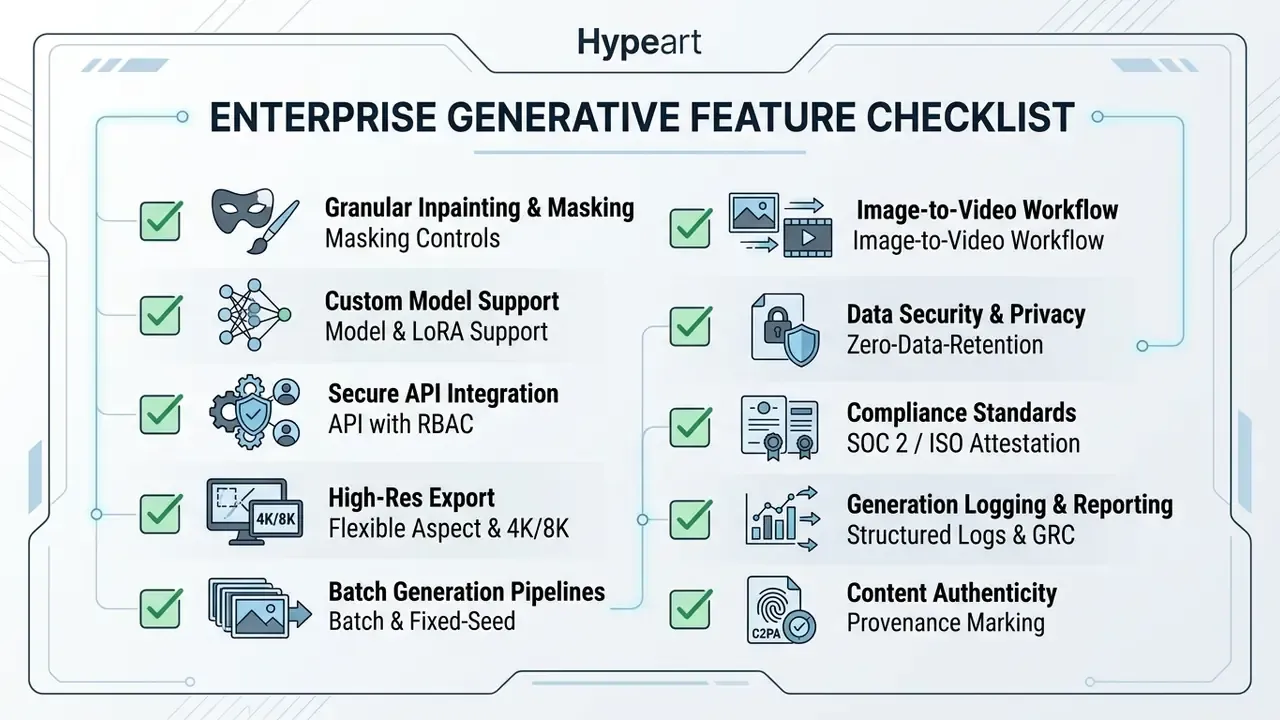
The last four rows map to platform-security functions that standards bodies treat as baseline for scalable professional systems: API exposure, role-based access control, structured logging and auditing, and policy-driven authentication and authorization (NIST SP 1500-4r1 and SP 1500-7r1). Structured JSON logs, audit events, telemetry export and write-once retention are the same primitives modern research-infrastructure specifications require for traceability and incident response.
Data Handling, Retention, and Shadow AI Exposure
For banks, insurers and fintechs, the decisive question is not "how realistic is the output" but "where did the prompt go." Three checks settle most procurement debates.
- Training use of inputs.Confirm in the contract, not the marketing page, whether prompts, reference images and uploaded brand assets may be used to train or improve models. Consumer and free tiers commonly permit it. Enterprise and team tiers commonly exclude it by default.
- Retention window and deletion path.Ask for the retention period on prompts and generated assets, whether zero-retention API endpoints exist, and how deletion requests propagate to backups.
- Egress topology.Self-hosted Stable Diffusion or open-weight FLUX keeps prompts inside your perimeter. Managed cloud deployments (Titan, Vertex-style Gemini access, enterprise OpenAI) keep them inside a contracted boundary. Consumer Discord-based workflows do neither.
Unapproved consumer-tier use by marketing teams is the single most common Shadow AI exposure in visual content production. Not the flashiest risk on the register. Probably the most frequent.
Controlled Image Editing and Model Selection
Professional visual production requires granular control over synthetic assets. Platforms with brush-based masked regional regeneration let designers isolate a region for modification, preserving approved creative elements while updating targeted details.
Quality filtering is not cosmetic. It propagates downstream:
«Filtering synthetic data by the REAL realism metric improved image-classification F1 by up to 11.3%, while low-realism images reduced it by 4.95%.»
Access to multiple model backends inside one interface lets an operator pick the right engine per task: FLUX Pro for photorealistic portraits, Ideogram for typographic banners, Firefly for commercially safe stock imagery. Worth noting a limit: masking as a data-protection technique is not sufficient on its own for public release, and standards guidance expects it to be paired with threat modeling and additional controls. The same logic applies when you obscure sensitive elements inside generated visuals.
Resolution, Aspect Ratio, and Batch Generation
Commercial deployment demands flexible canvas dimensions and high-resolution export. Leading ai picture realistic app platforms support aspect ratio parameters from ultra-wide 21:9 cinematic banners to 9:16 vertical social formats. Current Gemini-class image models document 1K/2K/4K output with fifteen supported ratios and a cap of 14 input images per prompt. Ideogram exposes aspect_ratio as a batch parameter and normalizes custom dimensions to supported tiers.
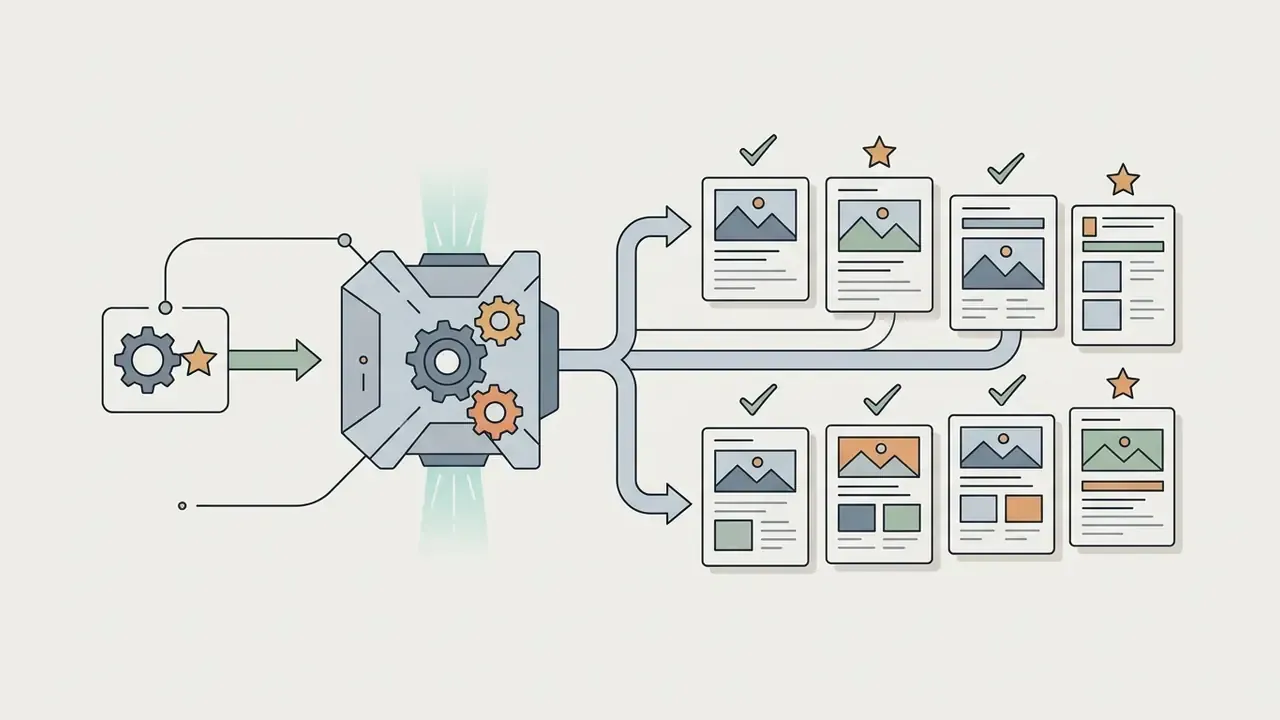
Batch processing lets enterprise teams run programmatic generation across hundreds of product SKUs at once. Hold seed parameters and prompt templates constant, and a uniform product catalog becomes a scheduled job rather than a creative project.
Organizations managing broader visual pipelines can browse the hub to estimate compute requirements and generation costs.
Audit Trail Checklist: Making Generation Reproducible and Defensible
Model risk management and internal audit require that any published asset can be reconstructed on demand. Diffusion generation is reproducible when, and only when, the full parameter set is captured. Log the following per asset and export it into your AI inventory alongside the approval record.
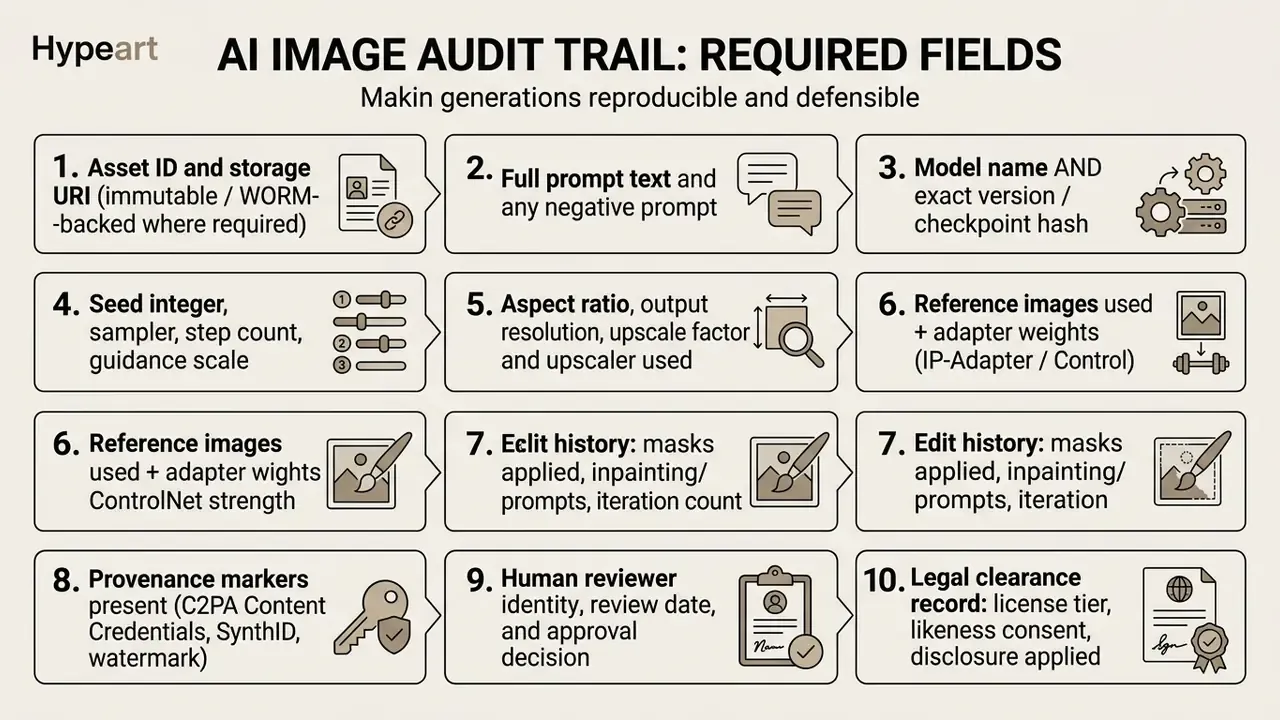
Fix the seed with an identical prompt, model version and sampler, and you get a byte-identical image. That is exactly why field 4 is the backbone of reproducibility. Store the record as structured JSON so it can stream into a GRC, SIEM or model-risk repository instead of living in a designer's local folder.
From AI Images to Video and Multi-Tool Workflows
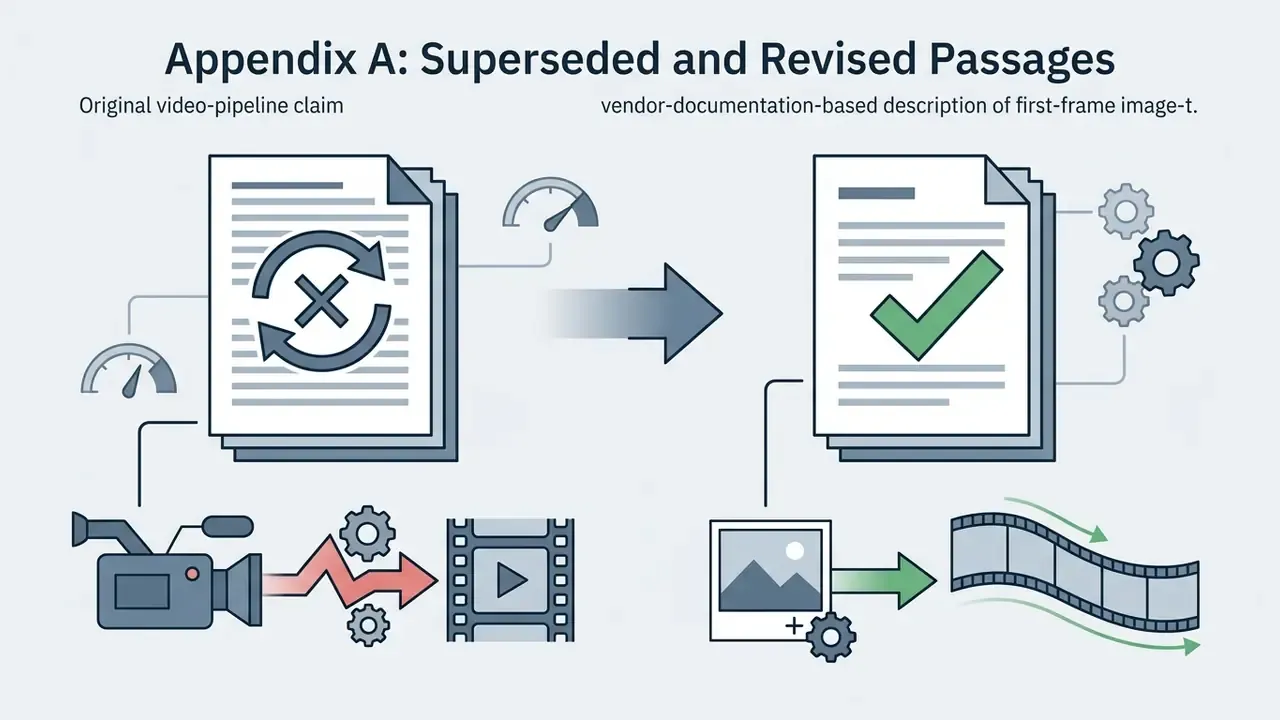
Static synthetic imagery increasingly becomes the foundation for motion. Updated: modern production pipelines export high-resolution AI photographs as anchor keyframes into AI video generators. Vendor documentation for current image-to-video models confirms first-frame conditioning as a supported mode, and node-based workflow platforms now expose image-to-video as a production API step rather than a standalone prompt box. Typical control fields in a 2026 image-to-video brief are camera behavior, scene motion, pace and atmosphere, plus a continuity rule, with source image, prompt, settings, output and review stored together.
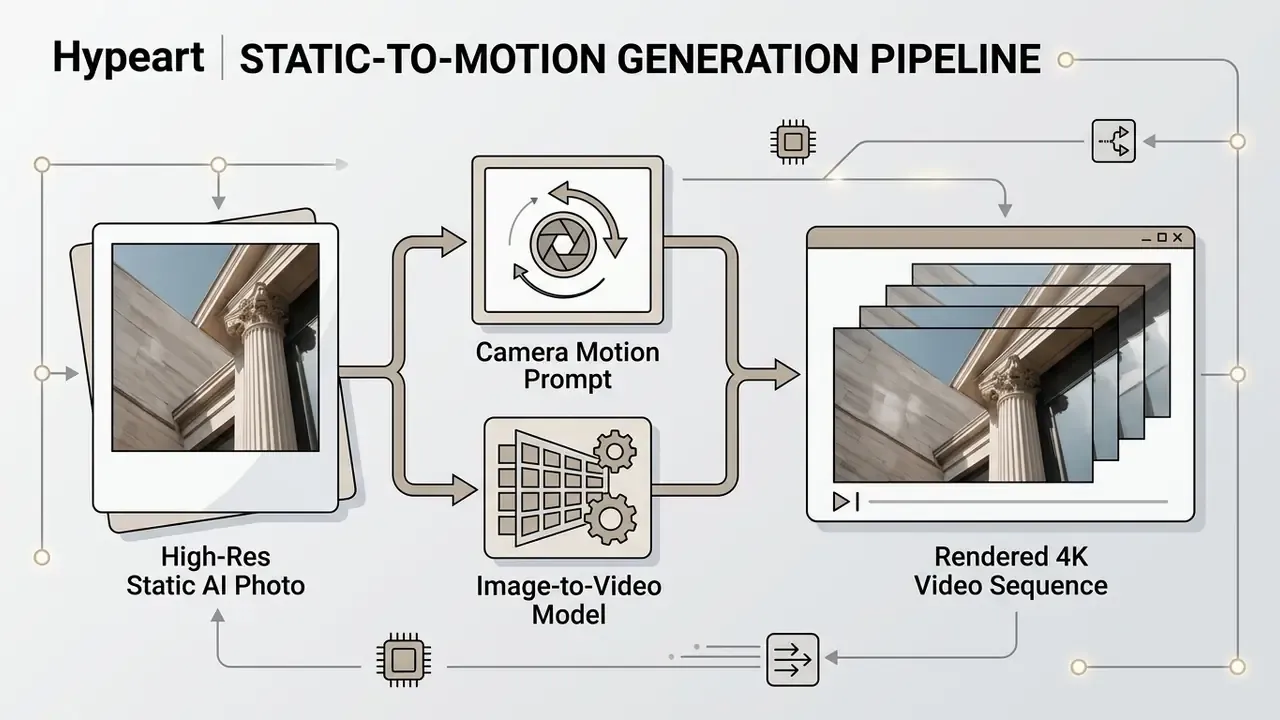
A clean, photorealistic static base prevents visual drifting and structural warping during motion synthesis. Garbage in, wobbling garbage out. Content teams building multi-format campaigns can explore our guide to film and video production tools to streamline motion workflows, and publishing teams can review YouTube-specific editing workflows for distribution.
Which AI Model Is Best for Your Realistic Image Use Case?
Picking an ai image generator most realistic for your organization depends on the visual domain you actually produce. A model that nails studio headshots may fall apart on complex architectural lighting or multi-product ecommerce staging.
Quick-Selection Decision Guide
| Operational Goal | Primary Recommended Tool | Secondary Alternative | Key Prompting Parameter |
|---|---|---|---|
| Photorealistic human headshots | FLUX.1 Pro | Midjourney v7 | 85mm prime lens, f/1.8, visible skin pores |
| Product lifestyle shots | Nano Banana Pro | Adobe Firefly | Studio softbox lighting, macro 90mm, clean background |
| Typography and branded posters | Ideogram 3.0 | GPT Image | Enclose wording in "DOUBLE QUOTES" |
| Cinematic landscapes and interiors | Midjourney v7 | FLUX.2 | --ar 16:9 --style raw, volumetric atmospheric fog |
| Commercially safe stock assets | Adobe Firefly | GPT Image (paid tier) | IP-indemnified filtering options |
| Confidential / regulated briefs | Self-hosted Stable Diffusion 3.5 | Amazon Titan Image Generator | Fixed seed + local logging, no external egress |
| High-volume SKU catalogs | FLUX 1.1 Pro via API | Ideogram batch generation | Fixed seed + prompt template + aspect_ratio batch field |
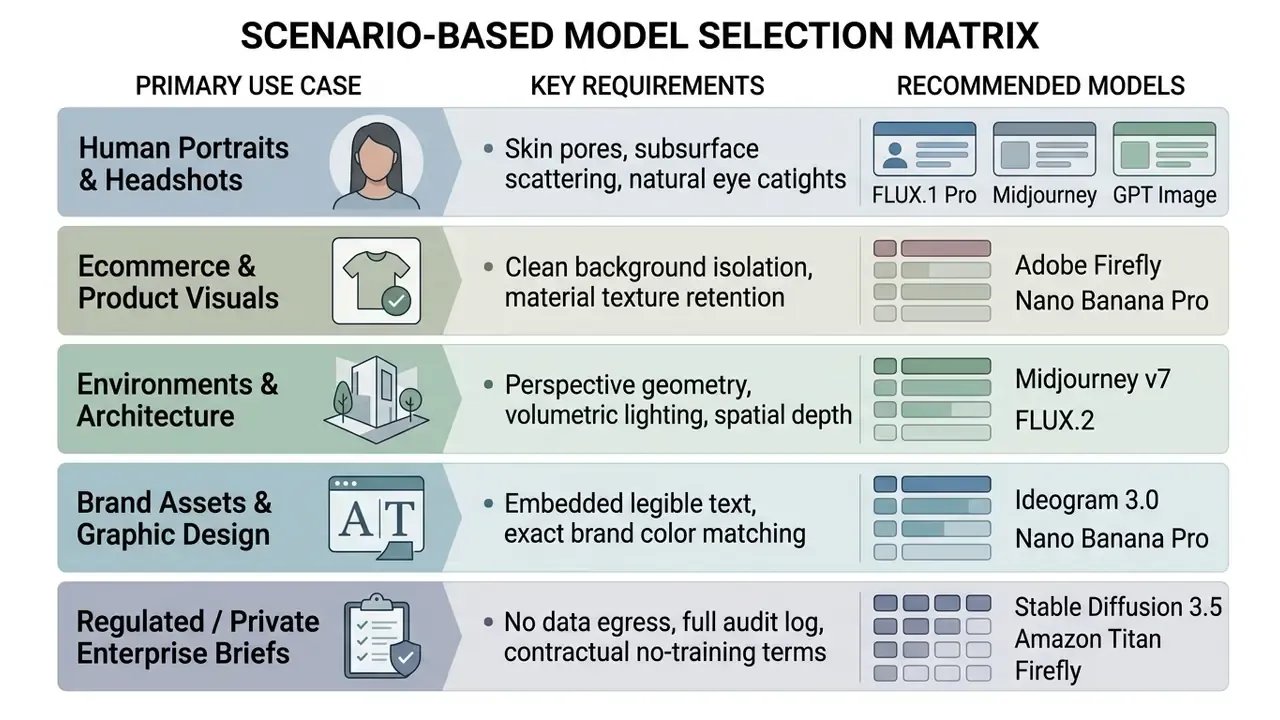
Scenario-specific benchmarking supports this split better than intuition does. Commercial benchmarks published in 2026 report separate sub-scores for product and ecommerce staging, human subjects (faces and hands), composition and negative space, and spatial-compositional adherence. Those are the four axes that map onto the matrix above.
Realistic AI People, Portraits, and Character Consistency
Human portraiture asks you to balance structural accuracy against natural imperfection. The core challenge in synthetic photography is escaping the smoothed, plastic look of early generative models. Modern ai photo realistic app workflows lean on facial-attention localization and multi-reference conditioning to hold identity across poses, environments and lighting setups (ConsistentID, 2024, which pairs a multimodal facial prompt generator with an ID-preservation network). Later work extends the same principle: ID-Booth (2025/2026) adds a triplet identity objective to keep identity stable while preserving text control and diversity, and IC-Portrait (2025) separates lighting-aware stitching from view-consistent adaptation so identity survives viewpoint and lighting change.
Product Photos, Ecommerce Visuals, and Marketing Assets
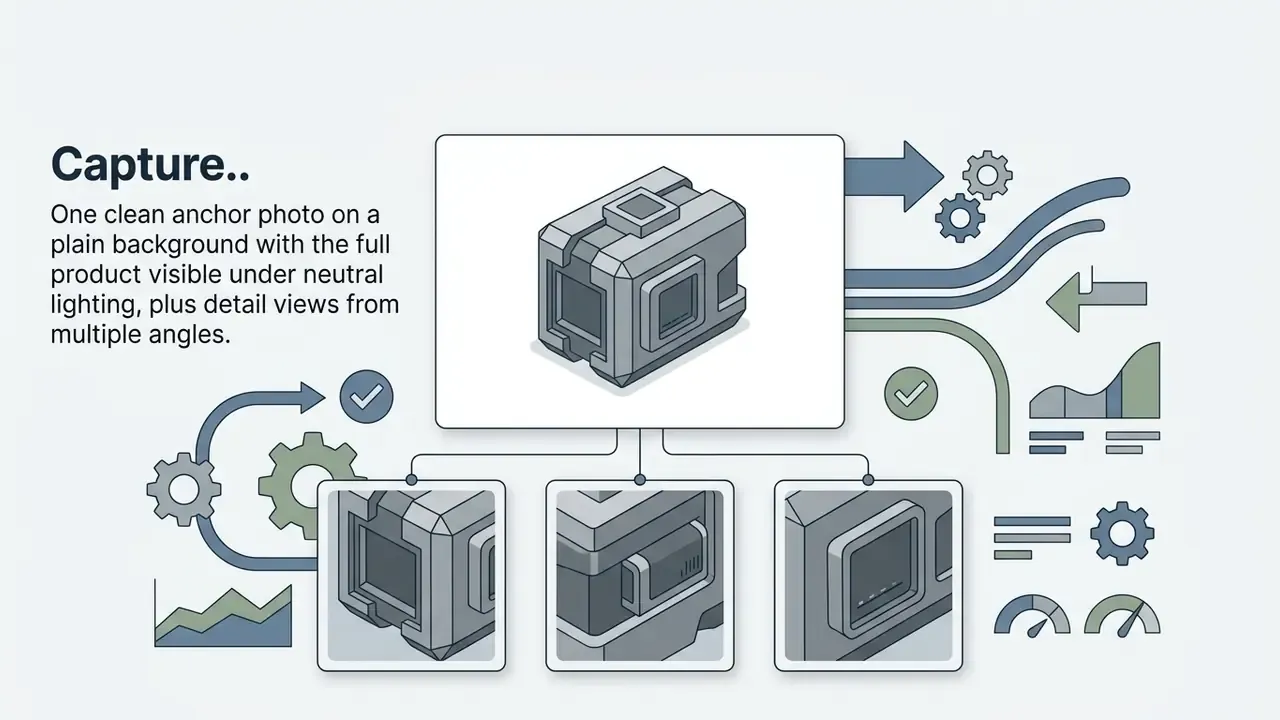
Commercial product photography demands precise material representation, correct scale and clean background control. Updated, the ecommerce claim now carries methodology:
Complex surfaces (polished chrome, grain leather, transparent glass) remain the highest-rework categories. Route them through targeted prompting or post-processing rather than bulk generation.
To turn raw product shots into marketing assets, production teams use image-to-image workflows that preserve product geometry while synthesizing contextual lifestyle backgrounds. An ai realistic photo app lets a brand place a single SKU into dozens of seasonal environments without booking a physical shoot.
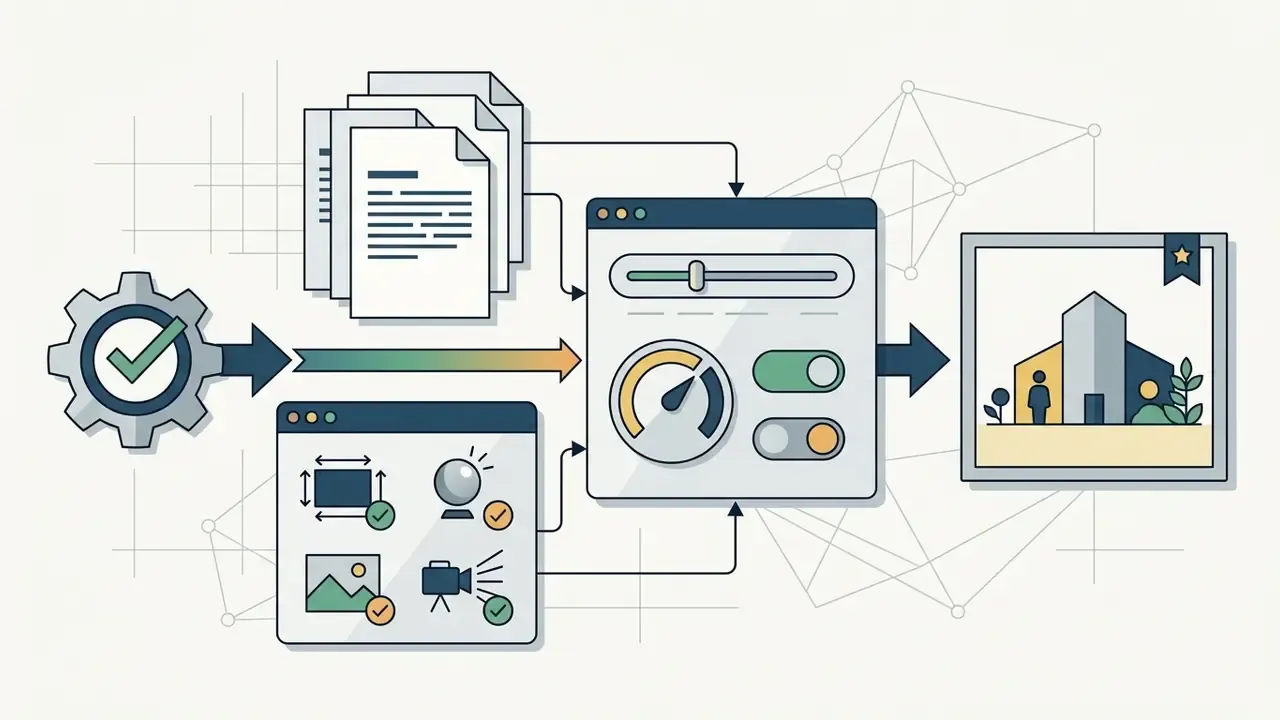
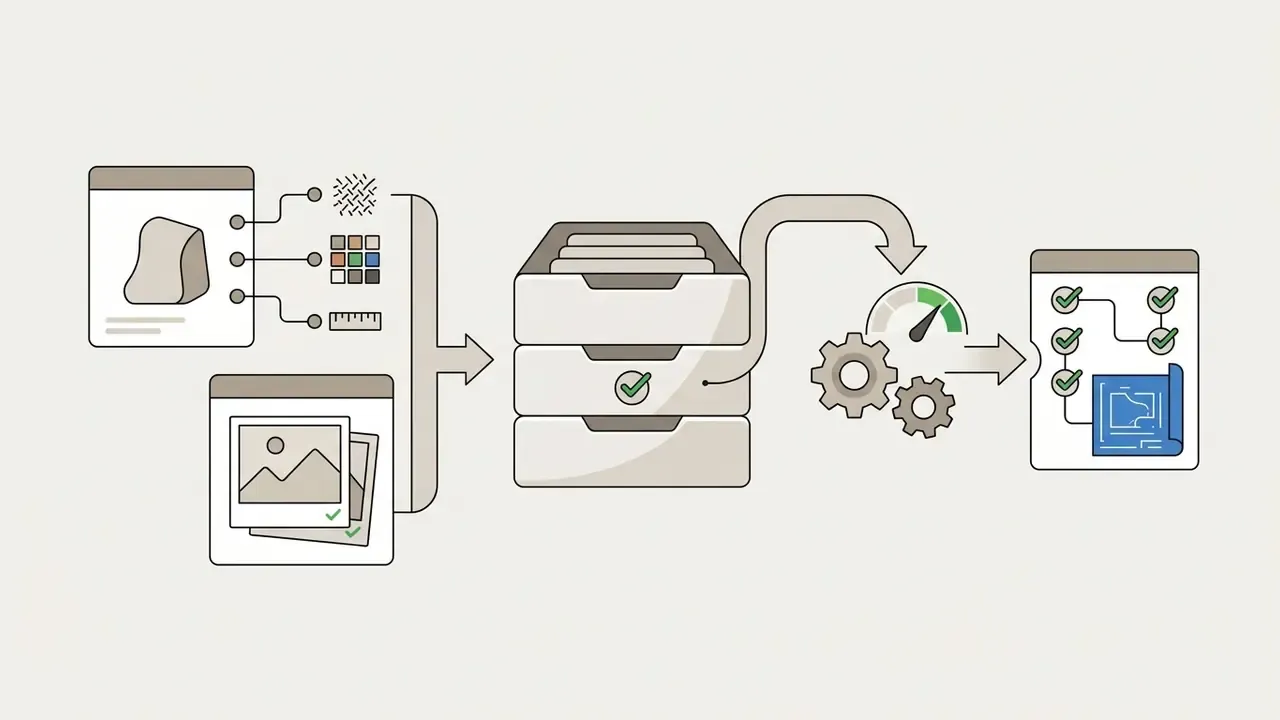
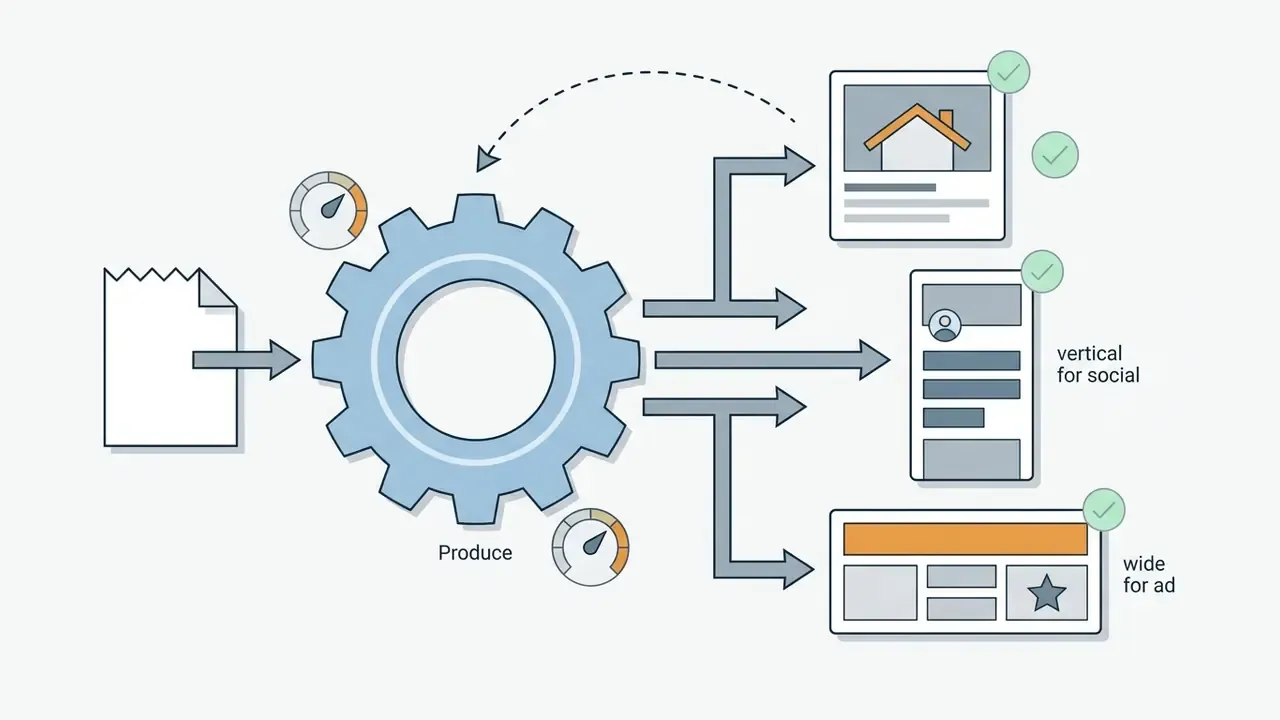
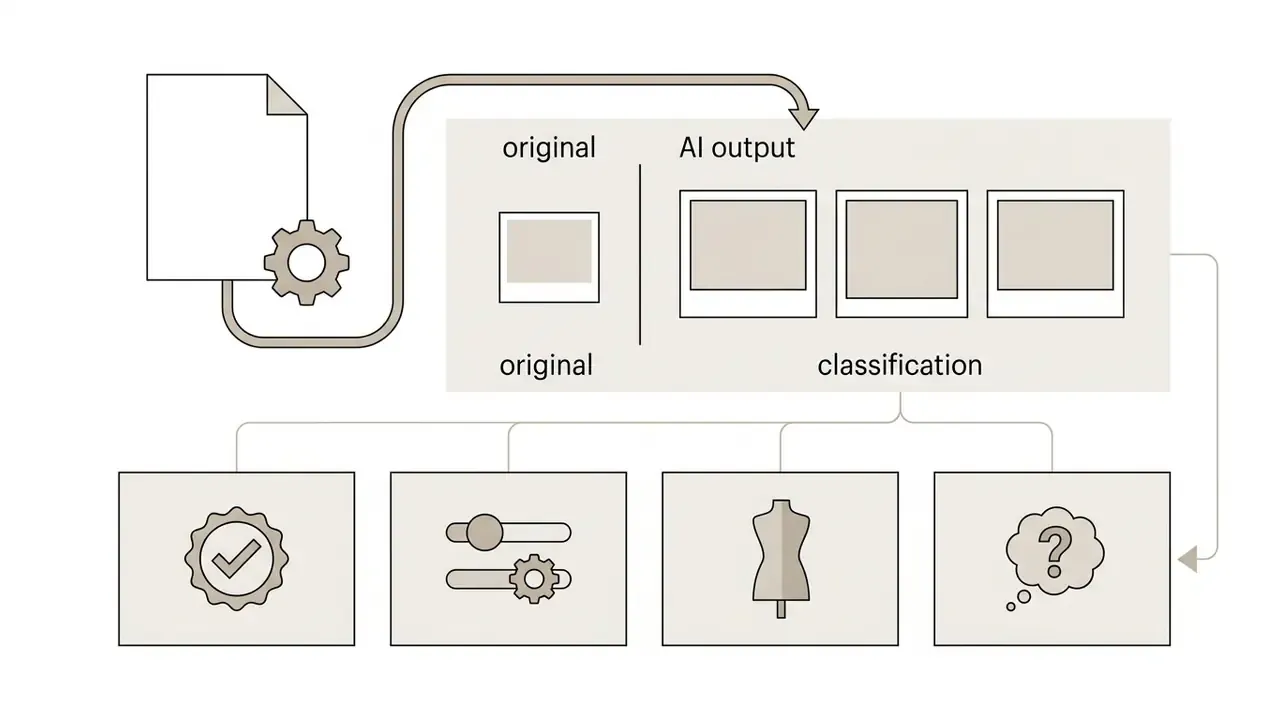
A defensible five-stage catalog workflow, drawn from current ecommerce production guidance, looks like this.
For teams producing high-volume social content, exploring specialized free ai tools for social media content creation gives an accessible entry point for rapid creative iteration. Teams that need to reframe existing shots for new placements can also use AI outpainting tools to extend backgrounds without reshooting.
Realistic Environments, Concept Visuals, and Full Visual Stories
Architectural visualization and environmental storytelling need precise linear perspective, atmospheric depth and physically plausible shadow placement. Updated, the environmental-realism claim now rests on a published compositional benchmark rather than an unverified rendering study:
«On multi-concept composition tasks, DALL·E 3 scores 85.6 against 63.8 for FLUX.1 dev and 75.5 for SD 3.5.»
Comparative evaluation of generative tools for architectural rendering also reports high material realism for concrete, glass and steel, while a 2024 architecture study measured mean realism scores of 2.92 to 3.75 on a five-point scale with spatial depiction accuracy up to 76.01%. Useful calibration for anyone presenting synthetic renders to clients as directional rather than final.
When building complex visual stories, creators combine text-to-image base generations with spatial conditioning frameworks. That approach lets game designers, filmmakers and concept artists hold a consistent lighting mood across diverse locations in different styles. Narrative pipelines such as Story3D-Agent (2024) extend it to controlling character actions, motion and set decoration across a sequence. Creators moving static concept art into moving imagery can evaluate specialized tools with our best video editor comparison hub, and teams building animated sequences from stills can start with our animation maker guide.
How to Generate Photorealistic AI Images From a Text Prompt
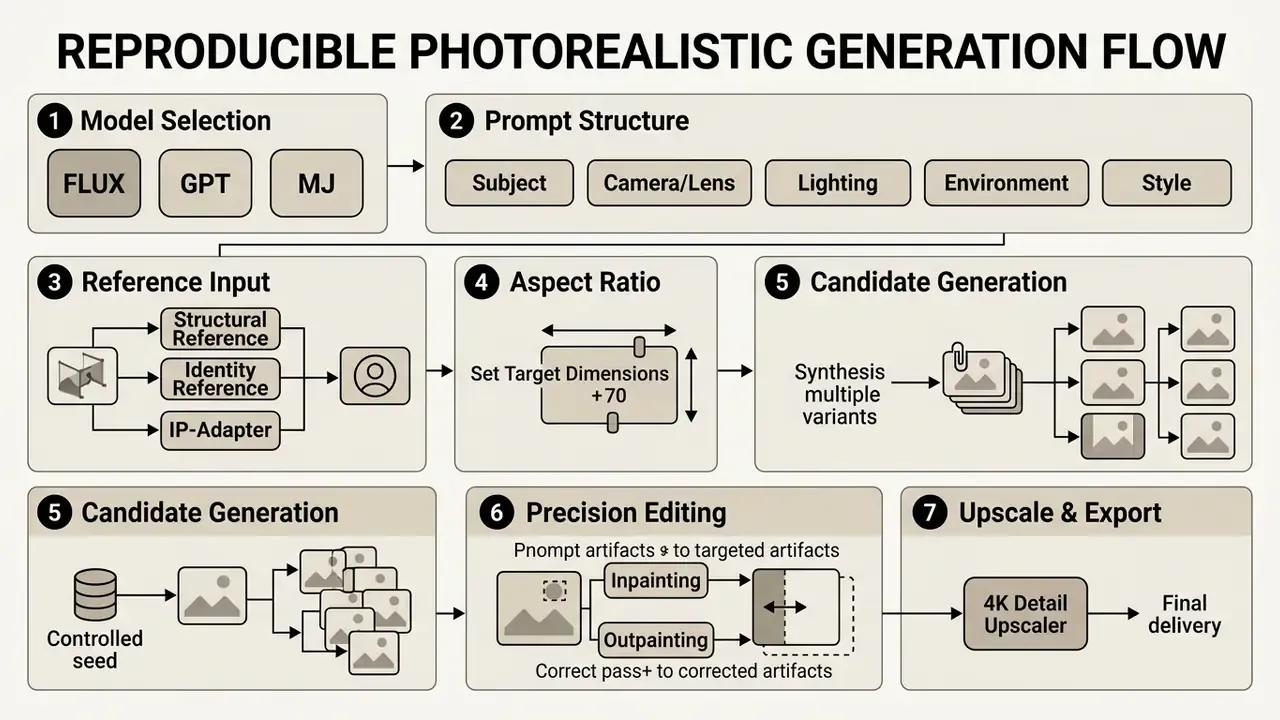
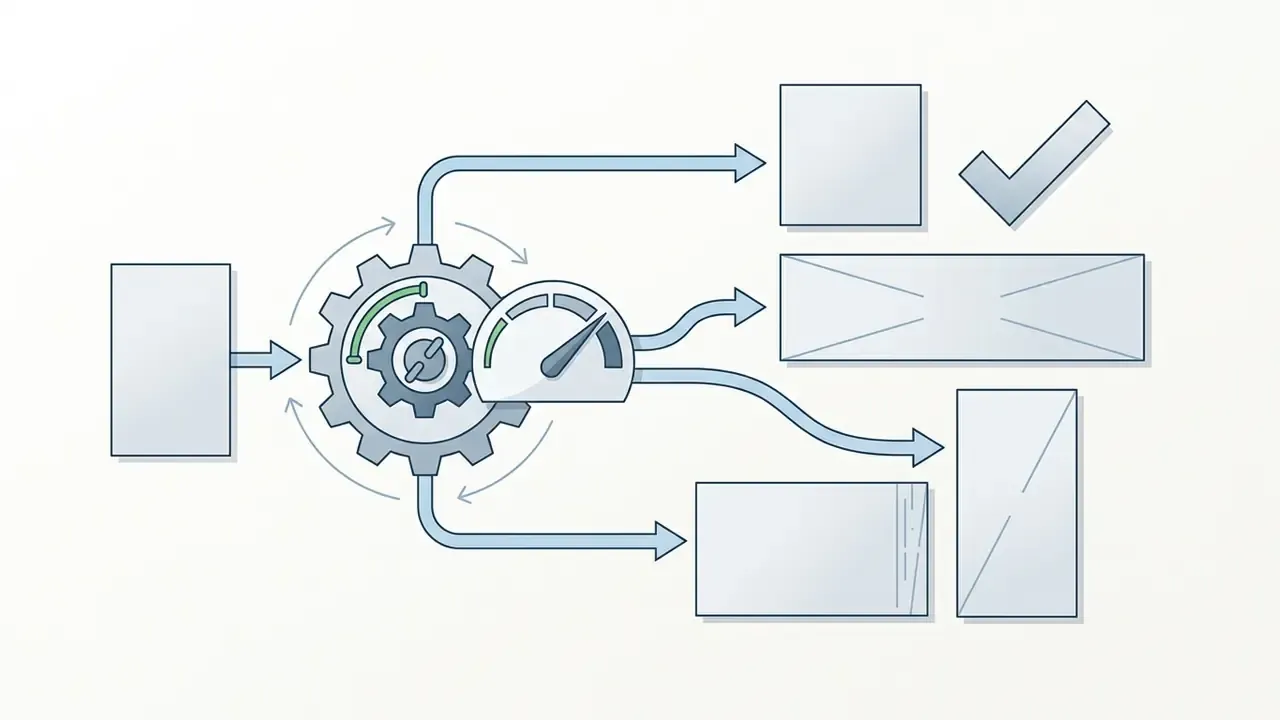
Photorealistic results come from structured, parameter-rich prompt engineering, not from longer adjective chains. Systematic workflows make quality reproducible and cut random generation artifacts.


8 Rules for Crafting Photorealistic Prompts
- Use exact focal lengths.Replace "close-up" with "85mm f/1.4 prime lens" for portraits or "24mm ultra-wide f/8" for architecture. Focal length controls perspective compression and background separation more reliably than any adjective.
- Define light physics and sources.Specify source, angle and modifier, for example "soft diffused window light from camera left with natural bounce fill". Models default to flat, sourceless illumination when lighting goes unspecified.
- Specify surface micro-textures.Describe material behavior instead of aesthetic adjectives: "brushed anodized aluminum with subtle finger smudges", "translucent skin with visible vellus hair", "distressed leather with cracked grain".
- Introduce natural imperfections.Add anti-perfection cues to break synthetic smoothness: "stray facial hair", "slight chromatic aberration at frame edges", "creased linen weave", "faint dust on the lens". Scenes that are too clean read as renders.
- Format text with double quotes.For typography-capable models (Ideogram, FLUX, Nano Banana Pro), enclose the exact wording in quotation marks and name the font class:
a coffee mug with the text "MORNING FUEL" in bold serif font. - Apply concrete quantifiers.Avoid vague plurals. Use explicit numbers or collective nouns: "a group of three executives" instead of "executives", "a herd of zebras" instead of "zebras".
- Control depth of field explicitly.Define foreground-to-background relationships: "sharp focus on foreground product, creamy background bokeh with optical highlights". State what stays sharp and what falls off.
- Avoid quality buzzwords."Hyperrealistic", "8K", "photorealistic" and "trending on Artstation" distort model embeddings and often push output toward over-processed HDR. Use technical camera parameters instead. Describe what you want, not what you don't: negative phrasing like "no buildings" frequently summons buildings, so use the model's dedicated negative-prompt field.
Write a Text Prompt That Produces Realistic Photos
A working photographic text prompt follows a structured syntax: Subject + Camera/Lens Parameters + Lighting Setup + Environment Details + Technical Constraints. Dropping buzzwords in favor of real photography terminology raises fidelity noticeably. Read the prompt back as if you were a photographer planning a shoot: who or what is in frame, where it happens, how it is lit, how it is captured, what stays in focus, and what the mood is.
- Weak Prompt "A realistic photo of a doctor in a hospital, super detailed 8k."
- Structured Photographic Prompt "A candid editorial portrait of a female physician in her late 30s, wearing a clean white lab coat, standing in a brightly lit hospital corridor. Shot on 85mm prime lens, f/2.0 aperture, soft shallow depth of field. Natural overhead fluorescent lighting mixed with window daylight. Subtle skin texture, visible pores, realistic hair strands, highly detailed fabric weave."
«Prompt specificity and contextual detail directly influence the perceived realism and appeal of generated images.»
By naming focal length (35mm for wide environmental shots, 85mm for portraiture) and lighting conditions (golden hour, softbox studio light, overcast daylight), you guide the ai system that can create realistic images toward physically accurate optics.
Photorealistic Prompt Recipes by Industry Use-Case
Each recipe follows the same skeleton: [Subject] + [Attire/Pose or State] + [Lighting Setup] + [Lens/Camera Spec] + [Environment] + [Micro-Details]. Copy, then swap the bracketed variables.
1. Commercial Portrait and Corporate Headshot
An editorial portrait of a 42-year-old male architect with silvering hair, wearing a dark navy wool turtleneck. Positioned three-quarters to camera in a minimalist concrete studio. Lit by a large key softbox from 45 degrees left and a subtle warm rim light on the right shoulder. Shot on Hasselblad H6D-100c, 100mm f/2.2 lens. Visible skin pores, natural eye catchlights, subtle laughter lines around the eyes, ultra-sharp detail on fabric texture.
2. Ecommerce Product Staging (Luxury Skincare)
A high-end frosted glass dropper bottle with a gold metallic cap resting on damp, dark slate stone. Water droplets condensing on the glass surface. Surrounded by soft green moss. Background features soft-focused fern leaves. Lit by natural morning sunlight filtering through trees, creating dappled light and caustic water reflections. Shot on 90mm macro lens, f/5.6, razor-sharp focus on the brand label reading "AURA BOTANICALS".
3. Architectural and Interior Design
A wide-angle interior photograph of a modern Scandinavian living room during golden hour. Polished micro-cement floors reflecting warm sunlight from floor-to-ceiling glass windows. Raw oak furniture, a cream linen sofa with visible fabric weave, and a cast-iron fireplace emitting subtle haze. Shot on 24mm tilt-shift lens, f/8, straight vertical lines, balanced exposure between interior shadows and the bright exterior garden view.
4. Automotive and High-Speed Action
Side-profile action shot of a matte metallic silver sports car driving along a wet coastal highway at dusk. Motion blur on the road surface and spinning alloy wheels while the vehicle body stays pinned sharp. Headlights casting long beam reflections on asphalt. Shot on 50mm lens, shutter speed 1/30s, panning shot effect, cinematic moody blue and orange lighting.
5. Food and Beverage Editorial
An overhead shot of a rustic sourdough loaf torn open on unbleached parchment, steam still rising from the crumb. Scattered flour dust and a serrated knife with a worn walnut handle beside it. Lit by hard directional window light from the upper right creating defined shadow edges. Shot on 50mm lens, f/4, slight grain, matte finish, visible open crumb structure and blistered crust.
6. Documentary Lifestyle and Candid People
A night-shift nurse leaning against a hospital corridor wall, cold fluorescent ceiling light mixing with a warm glow from an open doorway. Shot on 35mm lens at f/2.0, shallow focus with a blurred gurney further down the hall. Creased scrubs and a lanyard catching the light. Quiet, worn-out mood, natural skin tone, no retouching.
7. Branded Poster With Embedded Typography
A vertical poster photograph of a stacked pair of running shoes on a wet urban sidewalk at night, neon signage reflected in puddles. Bold sans-serif headline text reading "RUN THE DARK" positioned in the upper third with clean kerning. Shot on 35mm lens, f/2.8, rain streaks visible in the light beams, cyan and magenta color cast, sharp focus on the shoe mesh texture.
8. Real Estate and Exterior Property
A twilight exterior photograph of a two-storey mid-century modern house with cedar cladding and a flat roofline. Warm interior lights glowing through large windows against a deep blue sky. Manicured lawn with subtle irrigation mist. Shot on 20mm lens, f/9, tripod-level horizon, HDR-free balanced exposure, crisp material separation between cedar, glass, and concrete.
Use Reference Images and Image-to-Image Generation for Better Results
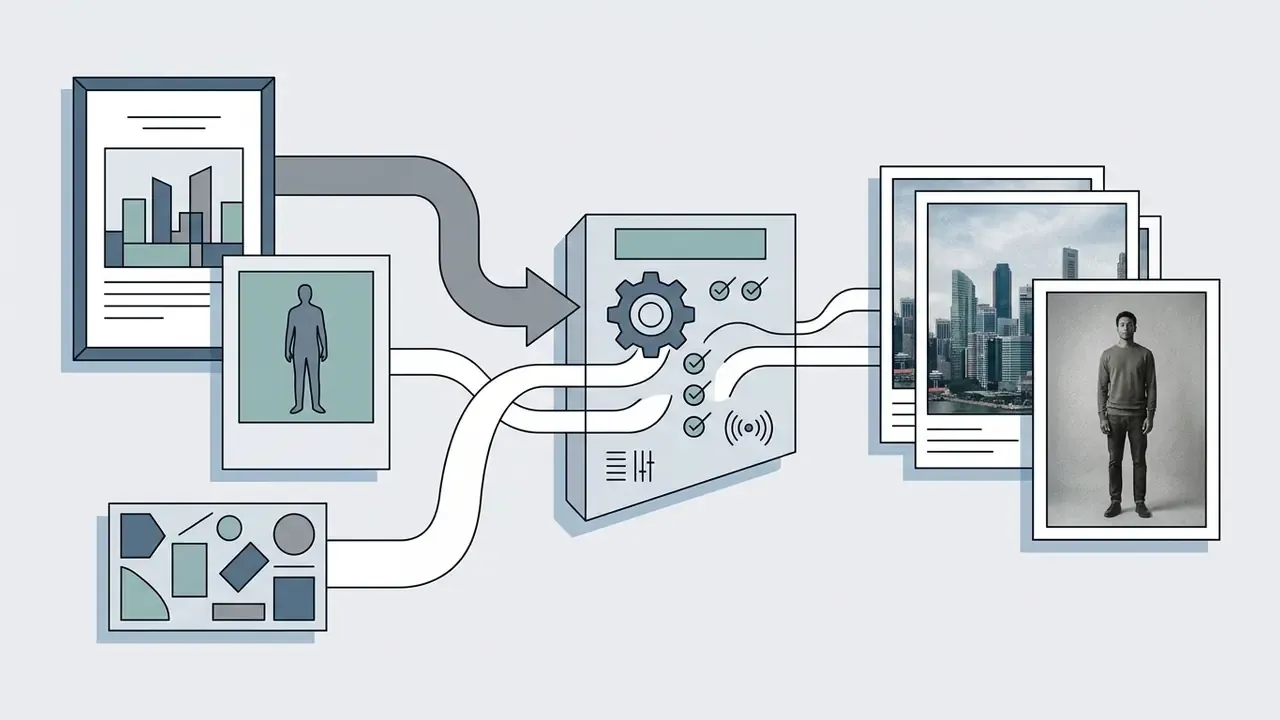
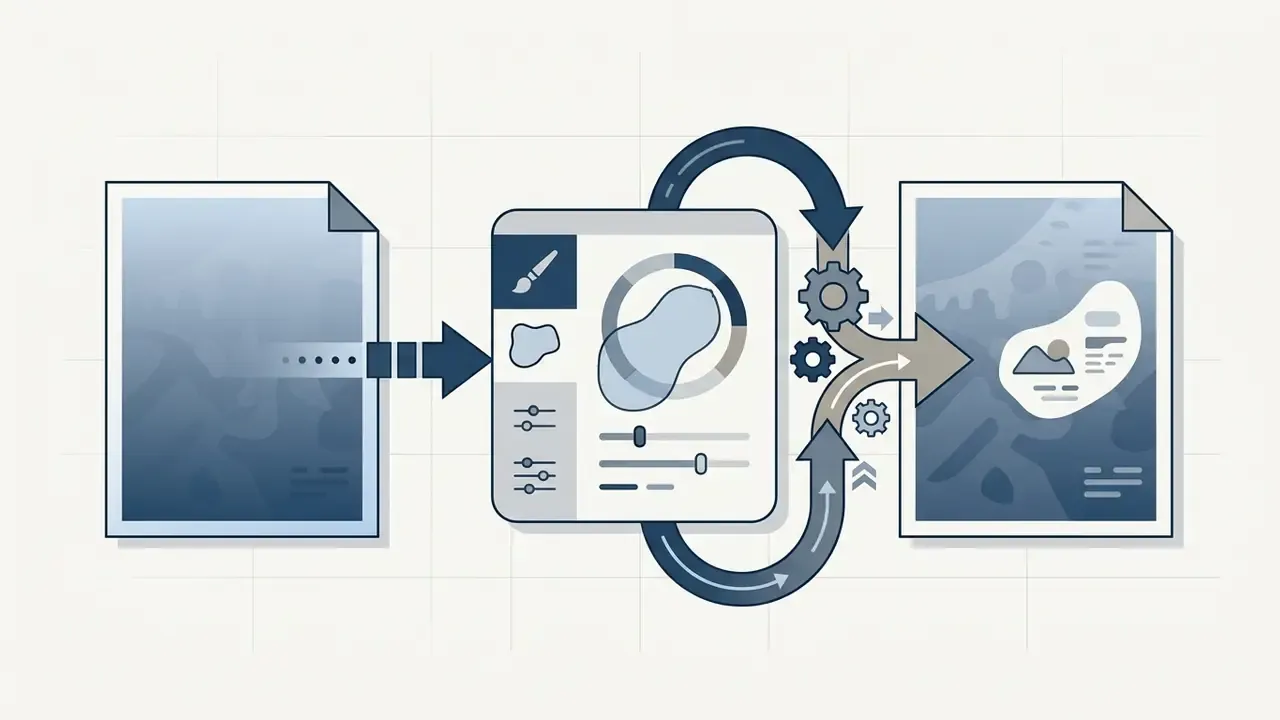
Text alone leaves spatial composition and fine style details open to model interpretation. Reference images fed through Image-to-Image (Img2Img), ControlNet or IP-Adapter modules give explicit structural guidance.
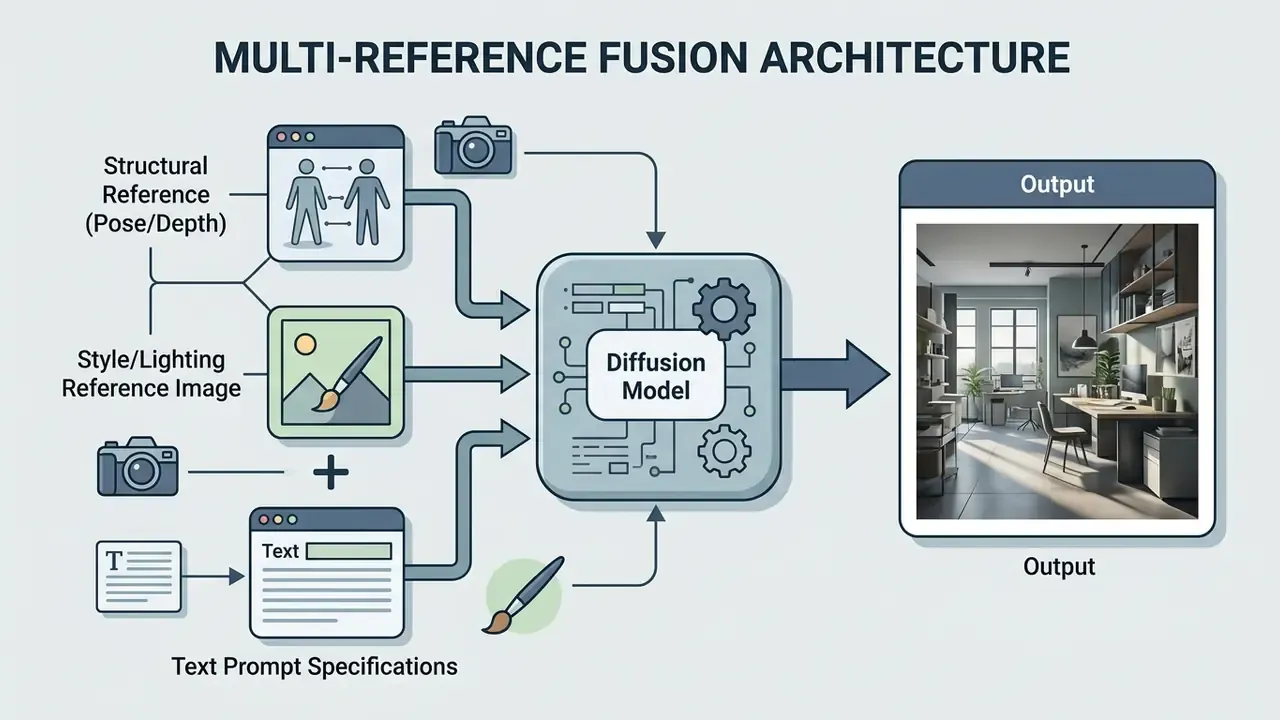
Dual-reference fusion separates scene structure from visual style. You can supply a rough layout sketch for composition while uploading a high-end photography reference to define color grading and exposure. The division of labor across conditioning methods is well documented: ControlNet governs structure, IP-Adapter injects image-conditioned style or identity without full fine-tuning, image-to-image performs direct image-guided edits, and multi-image fusion merges several references into one composition. Research combining IP-Adapter with ControlNet (ICAS, 2025) achieves style-consistent, structure-preserving multi-subject generation using separate content and style branches, while composition-only adapters transfer layout and deliberately ignore style and content. Users looking for entry-level editing and expansion options can view the guide on commercial image extension workflows.
Refine the Result With AI Editing, Upscaling, and Variations
Initial generations usually need fine-tuning to fix small defects or widen framing. Precision editing workflows use masked regional regeneration, that is inpainting, to repair isolated flaws such as a misaligned hand or a distracting background object without touching the rest of the photograph. Canvas expansion, or outpainting, generates new content beyond the original borders while matching existing lighting and perspective. Variation generation produces alternatives from the same base image, with small or strong changes in composition, color or detail while the core subject holds.
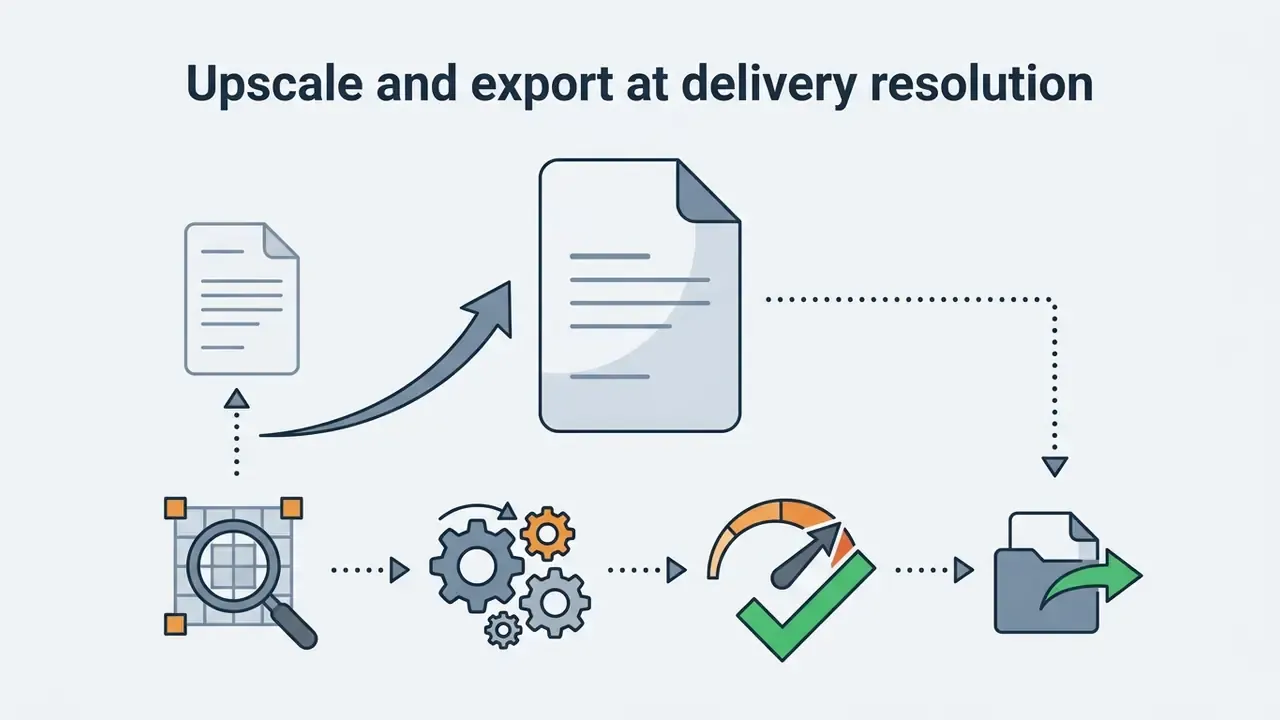
Final delivery needs high-resolution export. Most diffusion models generate natively at 1024x1024 or 2K. Passing the selected frame through a specialized image upscaler raises pixel density to 4K or 8K and sharpens micro-textures without waxy smoothing. Generative upscale at 2x or 4x inside the editing tab is now standard in major suites. Creators hunting retouching tools can test options with a free ai photo editing application or review our free photo editor guide for export and licensing limits.
Free Plans, Paid Plans, and Commercial Use of AI-Generated Images
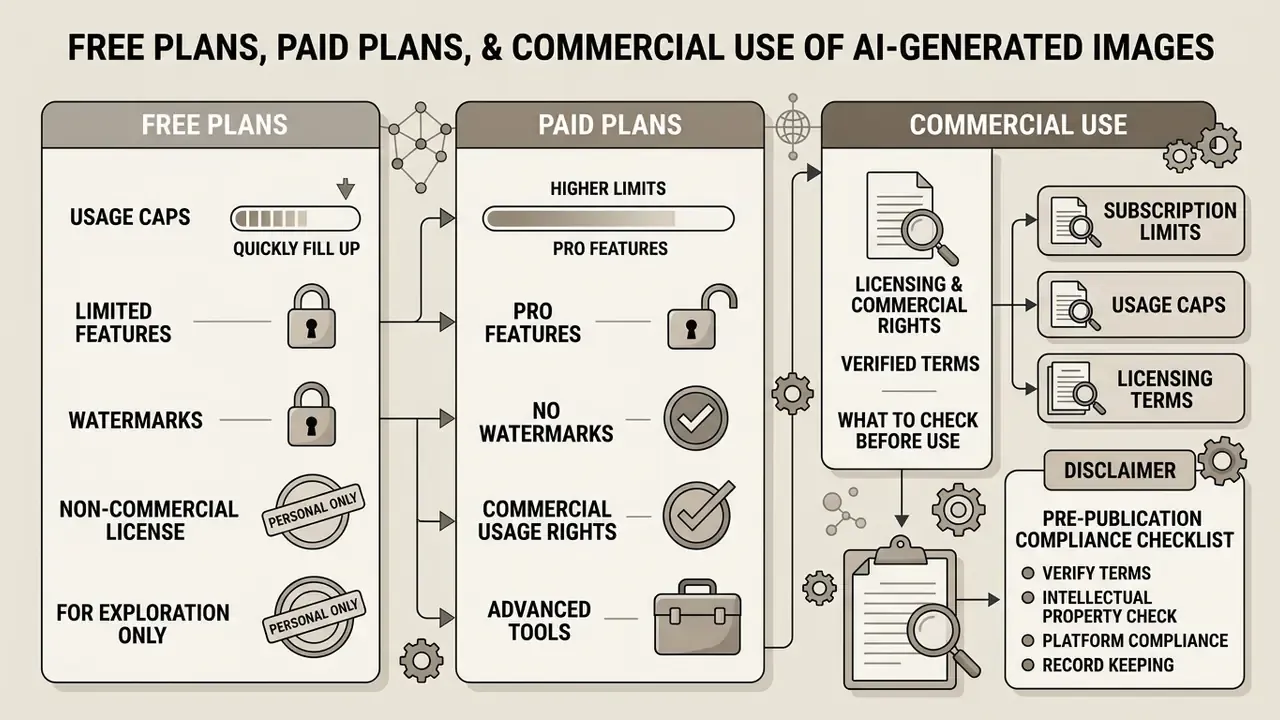
Subscription limits, usage caps and licensing terms all need checking before any ai that makes realistic images enters commercial operations.
Licensing and Commercial Rights: Verified Terms
| Platform | Commercial Rights | Key Conditions and Caveats | Primary Source |
|---|---|---|---|
| OpenAI (ChatGPT Plus / Team / Enterprise) | Granted for generated outputs on all tiers, subject to Usage Policies | Business tiers exclude training on business data by default; usage policy restrictions still apply to likeness and prohibited content | https://openai.com/policies/services-agreement/ |
| Adobe Firefly (Creative Cloud / Express) | Commercially safe; trained on licensed Adobe Stock and public-domain content | Enterprise IP indemnification available; Content Credentials / C2PA applied on qualifying exports | https://adobe.com/products/firefly/plans.html |
| Midjourney | Commercial license included on paid plans (Basic / Standard / Pro / Mega) | Free and trial generations governed by CC BY-NC 4.0 (non-commercial); companies above USD 1M annual revenue require Pro or Mega; private generation requires higher tiers | https://docs.midjourney.com/ |
| Magnific-class upscalers | Commercial license on paid plans | Free plans limited to personal use with attribution | Vendor licensing page |
| Google Gemini image models / Nano Banana Pro | Commercial rights on active paid subscriptions | Enterprise deployments should be contracted through managed cloud terms; SynthID watermarking applied to outputs | Google AI for Developers documentation |
| FLUX (Black Forest Labs) | Varies by tier; FLUX Pro supports commercial API use | Open-weight variants carry separate licence conditions, so check the specific weight release | Black Forest Labs release notes |
| Ideogram 3.0 | Commercial permissions on paid tiers | Free-tier outputs and public gallery visibility should be checked per plan | Ideogram documentation |
Platform permission and legal protection are two different things. A vendor can contractually allow commercial exploitation while copyright law still limits what is protectable in the output itself.
What to Expect From a Free AI Image Generator
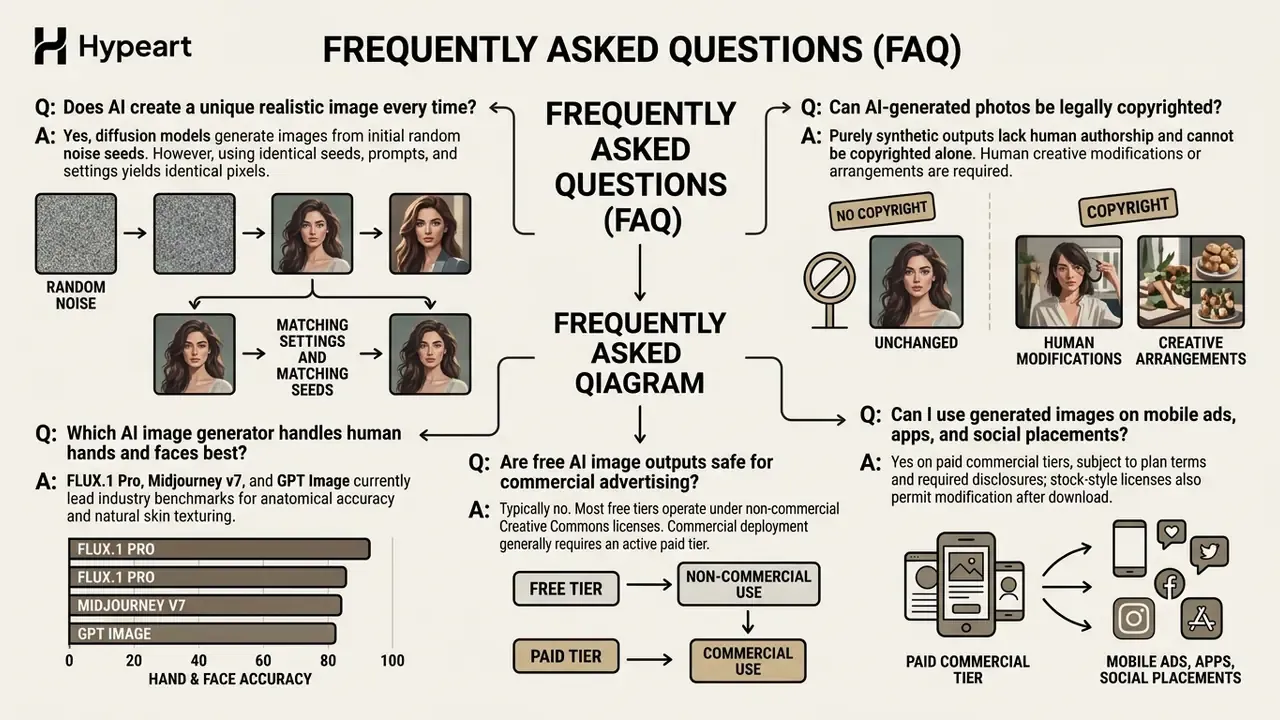
Free tier access lets you test model capabilities, prompt adherence and generation speed before paying. Free plans also enforce hard operational limits: lower resolution exports, restricted access to advanced model versions, queue delays and public generation visibility. And they are the most common vector for uncontrolled data exposure, because prompt retention and training-use terms are usually broader than on paid business plans.
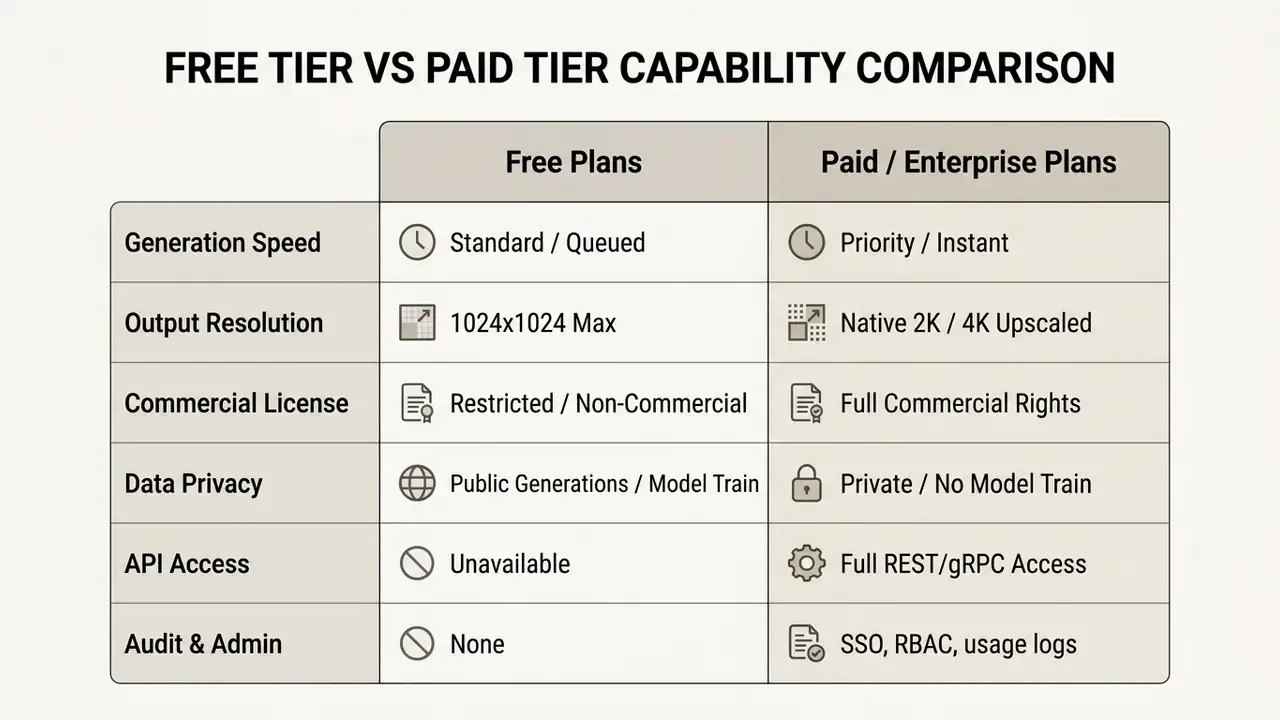
Free-tier limits shift often and are documented inconsistently. Some help pages now describe unlimited everyday text chat while keeping separate caps on image generation, file uploads and voice. Some API rate-limit pages list a free access tier without publishing a fixed quota. Verify current caps in-product before you plan volume.
Users seeking cost-effective creation tools can evaluate our curated list of free ai image generators and our free AI art generator comparison to compare current tier features, watermarks and licensing.
What to Check Before Using Generated Images Commercially
Deploying synthetic visuals in marketing, advertising or product packaging requires vetting across five risk domains.
- Platform Commercial License: Confirm your active subscription tier explicitly grants commercial exploitation rights. Many platforms restrict free trial outputs to non-commercial personal use.
- Human Authorship and Copyrightability: Under current U.S. Copyright Office guidance, unedited, purely AI-generated visual output cannot be registered. Protection applies only where a human contributes significant expressive arrangement or creative modification.
«Copyright protection extends only to the elements in which a human made a sufficient creative contribution.» U.S. Copyright Office, Report on Copyright and Artificial Intelligence, Part 2: Copyrightability (2025). https://www.copyright.gov/ai/
- Trademark and Brand Infringement: Verify that generated scenes do not quietly incorporate protected logos, proprietary product designs or trademarked visual elements.
- Right of Publicity (NIL Rights): Synthetic representations that mimic identifiable living individuals without explicit authorization violate Name, Image and Likeness statutes (Congressional Research Service, 2024). https://www.congress.gov/crs-product/LSB11052
- Advertising Disclosures: Regulatory frameworks require clear consumer-facing disclosure when synthetic humans or AI-generated media appear in commercial advertising (IAB AI Transparency and Disclosure Framework, 2026). https://www.iab.com/
Organizations reviewing broader enterprise tool compliance should consult our directory of commercial AI image tools and our Commercial-Use AI Tools index for updated licensing assessments. Platform-specific terms are covered in our overviews of Google's image generation terms, Microsoft's image generator and Canva's AI generator licensing.
Pre-Publication Compliance Checklist
Run this before any synthetic visual enters a paid campaign, product surface or customer communication.
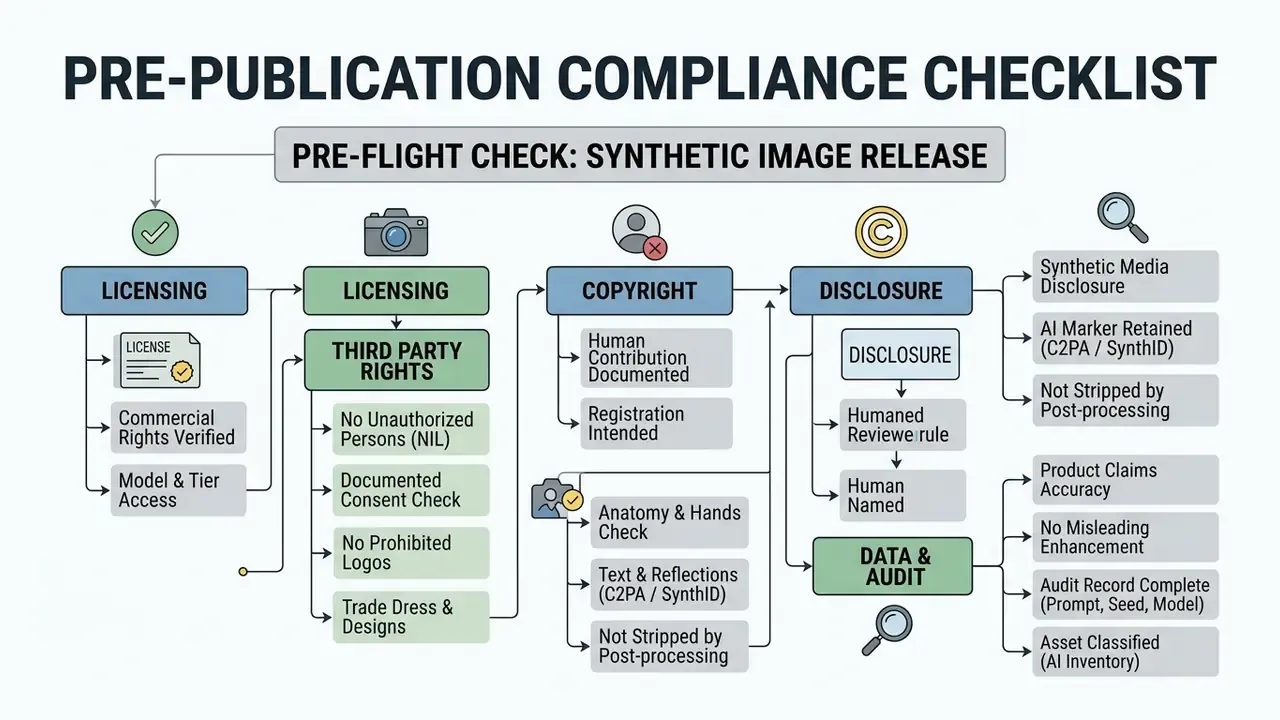
The last two lines matter most in regulated sectors. An asset without a reproducible generation record is an asset you cannot defend in an audit or a dispute.
Control Costs and Risk-Adjusted ROI
Subscription pricing is the most visible and least significant cost line in enterprise image generation. The dominant costs are human: review, rework, clearance. A workable model looks like this.
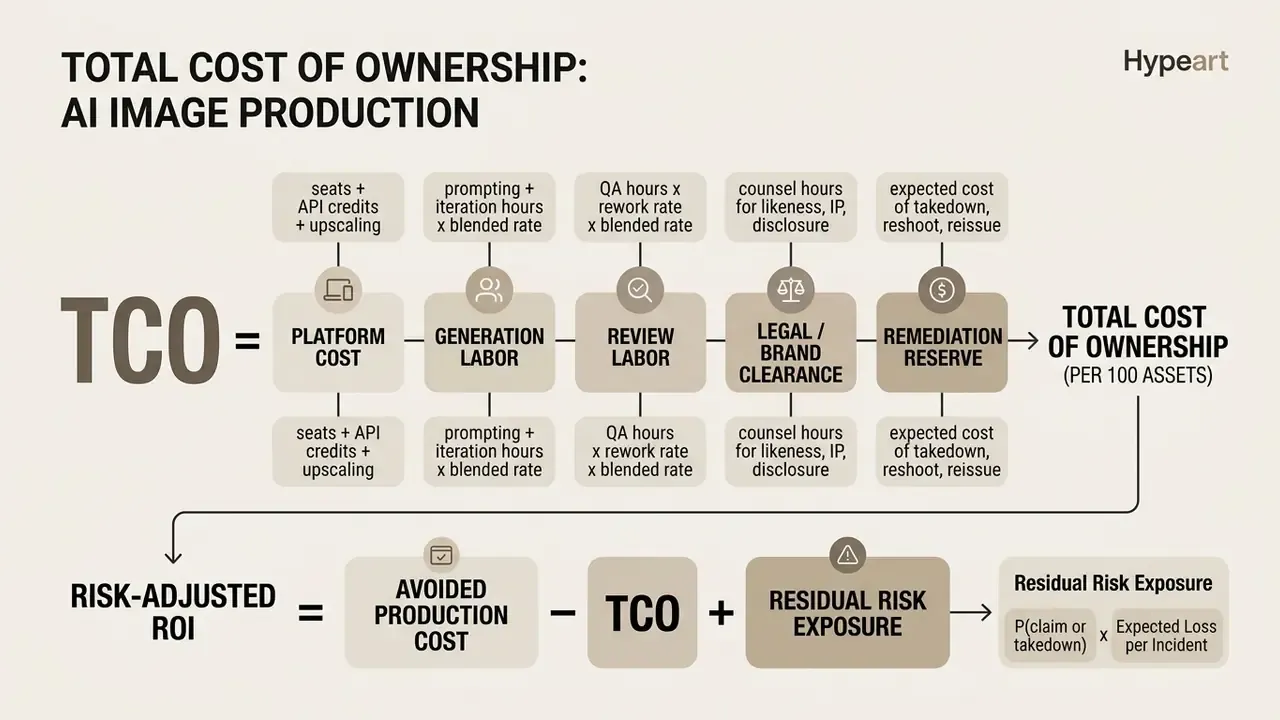
Three calibration rules worth arguing about in your next steering meeting:
- Track rework rate, not generation count. The metric that predicts cost is the share of generated assets rejected at human review. Categories with complex materials (leather, chrome, transparent glass) and human hands carry the highest rework rates. Budget review hours per category instead of averaging across the catalog.
- Price indemnification as risk transfer. A tier that bundles IP indemnification and licensed training data lowers Residual Risk Exposure. That can justify a higher per-seat cost than a cheaper engine with better raw realism.
- Charge Shadow AI back to the risk line. Uncontrolled consumer-tier use produces assets with no audit record, no license clarity and unknown retention. Its cost is not zero. It is the full remediation reserve for every asset produced outside policy.
Open question, stated plainly: none of this fixes attribution of value. Most institutions still cannot isolate how much conversion lift came from synthetic imagery versus concurrent media spend. Treat lift claims as directional until you run a holdout.
For compute and credit estimation inputs, our cost calculators provide per-model throughput assumptions you can plug into the model above.
FAQ: Frequently Asked Questions About Realistic AI Image Generators
What Is a Realistic AI Image Generator?
A realistic AI image generator creates lifelike images from text prompts or reference images. Instead of producing stylized art only, it optimizes for photographic qualities: believable lighting, natural textures, correct depth, plausible proportion. In practice these systems work in two modes, generation from scratch and refinement of an existing image into a more photographic result through image-to-image conditioning. Among ai tools for creating realistic images, that second mode is often the faster route to a usable asset.
Does AI Create Unique Realistic Images Every Time?
Generative diffusion models use stochastic sampling, which means each run starts from a grid of random gaussian noise. Every execution samples a unique pathway through the model's learned distribution, producing a distinct pixel array even from an identical text prompt. Duplicate outputs are still possible when the generation parameters are locked: random seed integer, model version, sampler and step count. Fixing the seed reproduces identical visual output, which is useful for testing prompt variations and mandatory for audit reproducibility. Leave seeds randomized and every generated photo is mathematically unique. Uniqueness of pixels is not the same as uniqueness of usable content. Long or complex in-image text remains a hard constraint:
«Even GPT-4o with DALL·E 3 struggles to generate long-form text inside images; open models show an even larger quality gap.» TextAtlas5M / TextAtlasEval (2025), 5M images and 3,000 test cases. https://arxiv.org/abs/2501
How Do I Make AI Images Look More Realistic?
Start with a concrete subject, then describe the scene the way a photographer would brief it: lighting source and direction, camera angle, framing, focal length, materials, environment. Swap generic adjectives for physical specifications, add one or two natural imperfections, and define what stays in focus. When text alone plateaus, move to a reference image or an image-to-image pass, which enforces stronger structural and stylistic consistency than any wording trick.
Which Details Do AI Models Still Get Wrong Most Often?
In rough order of frequency: in-image text at length, hands and fingers, accessories such as glasses and jewelry, reflections and shadow direction, complex spatial relationships between multiple objects, and background continuity. A 2025 comparative study still found camera-captured images outperforming AI-generated images on photorealism and text-image alignment. Which is why human review of those six zones stays non-negotiable for published assets.
Are Realistic AI Images Better Than Stock Photography?
It depends on the use case. AI generation gives control over subject, setting, composition and lighting, and it is faster when you need something highly specific or many variations of one concept. Licensed stock and real photography stay preferable when you need evidentiary accuracy, meaning an actual product, an actual location, an actual person, or when your legal position benefits from a clear third-party license chain rather than an unregistrable synthetic output.
Can Generated Images Be Retouched or Reused After Export?
Yes, within plan terms. Paid commercial tiers and standard stock-style licenses generally permit modification after download, and retouching is often necessary anyway: targeted inpainting, dodge-and-burn on skin, grain matching. Preserve provenance markers through the edit chain and log every modification in the asset's audit record.
Which Engines Suit Mobile-First and Social Placements?
For vertical social formats, engines with flexible aspect ratio control and fast batch generation matter more than peak realism. Nano Banana Pro and Ideogram handle 9:16 layouts with legible text well; FLUX via API is the stronger pick when you need hundreds of variants at a fixed seed. A practical ai pictures realistic app workflow for social is one anchor image, one prompt template, then channel-specific crops generated rather than manually re-framed.
Conclusion and Next Steps
Identifying the most realistic ai image generator comes down to matching model strengths to your actual output requirements. FLUX Pro and Midjourney lead on raw photographic lighting and atmospheric scene creation. GPT Image offers the strongest conversational prompt adherence and text accuracy. Adobe Firefly and Ideogram supply commercially safe, typography-ready graphic workflows. For regulated environments, self-hosted Stable Diffusion and cloud-governed options such as Amazon Titan Image Generator trade some frontier fidelity for data residency and contractual control.
Before pushing synthetic media into public campaigns, set the controls: verify commercial usage rights, check brand safety, capture a reproducible audit trail, and confirm compliance with synthetic media disclosure rules. Decide your criteria first, retention terms, indemnification, audit export, rework tolerance, then test candidate models on your own prompt set with fixed seeds. A safe next step is a two-week bounded pilot on non-confidential briefs with logging switched on from day one. To evaluate additional generative platforms, cost calculators and workflow guides, explore the hub for updated performance benchmarks.
Appendix A: Superseded and Revised Passages
Retained for transparency. Each entry has been replaced in the main text by a better-sourced or better-contextualized version.