Picking the best free AI logo generator is less a taste decision than a file-and-licence decision. You are choosing which export formats you get, how much you can customize, and who owns the result. Free tiers usually let you generate designs endlessly, then stop short at high-resolution vector exports, brand assets, or written commercial rights.
Read that sentence twice. It is where most teams lose a week.
Executive Summary: Three Decisions Before You Download
1. Vector access defines real value. "Free" almost always means a raster preview (PNG or JPG). Native SVG, EPS, AI, and PDF paths, the only formats usable for signage, embroidery, and offset print, sit behind paid tiers on most platforms. LOGO.com, VistaPrint, and Sologo AI are partial exceptions.
2. Commercial permission is not copyright ownership. A platform licence can allow commercial use while the mark itself stays uncopyrightable. Translation: a competitor can legally reproduce a near-identical output. Human editing is what creates a defensible asset.
3. Data retention is the overlooked risk. Free tiers often reserve the right to use prompts and uploaded reference files for model improvement. Regulated teams in fintech, healthcare, and legal should treat every free logo generator as a public channel, and keep confidential identity work out of it.
What this comparison covers: evaluation criteria and testing method, an eight-tool comparison table, 14 logo art styles with color psychology mapping, five reusable prompt templates, a file-format matrix for print and web, licensing and IP rules, and a short FAQ. No fluff about "unleashing creativity" ahead.
How We Evaluate the Best Free AI Logo Generators
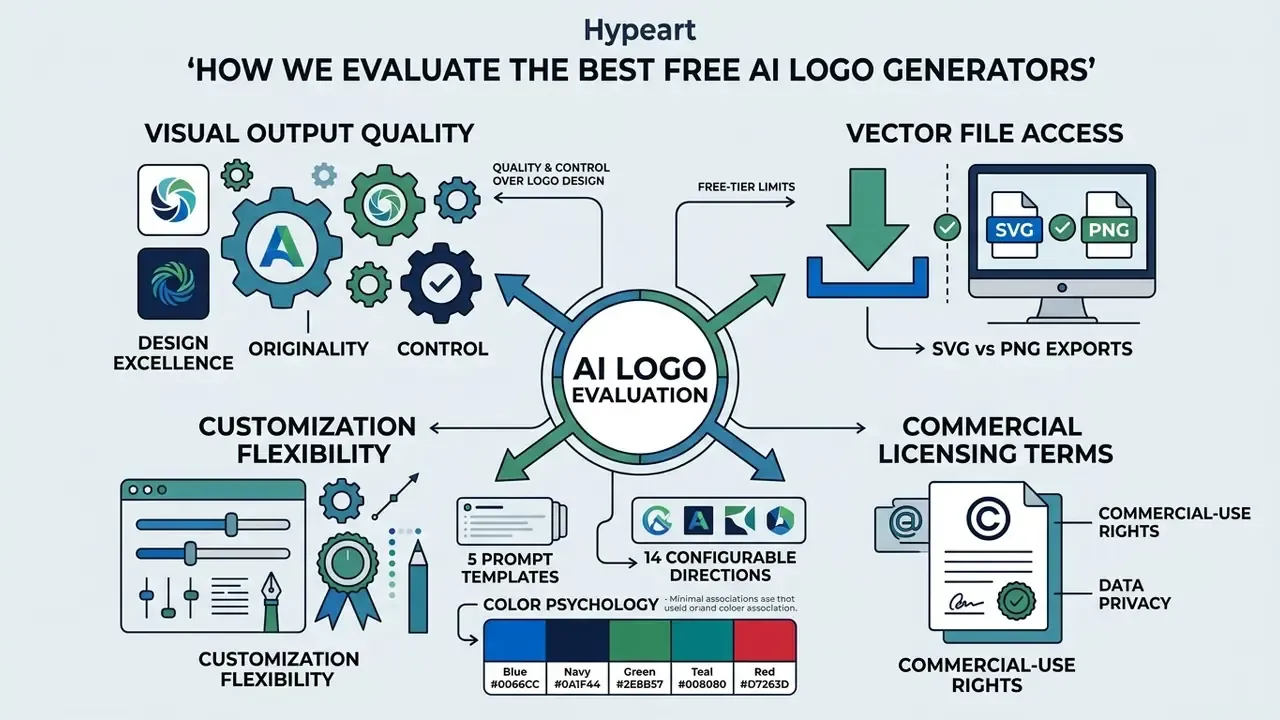
Evaluating free AI logo generators means judging four things at once: visual output quality, vector file access, customization flexibility, and commercial licensing terms. Tools score higher when they produce scalable assets while leaving brand ownership and layout coherence intact.
Our evaluation protocol isolates four operational factors: technical export capability, design editing control, explicit legal rights, and the data-retention policy. Testing verifies whether a platform hands over a native SVG or PDF vector path rather than a flat raster preview. Verification also includes reading pricing pages, licence agreements, and export-history retention rules, because commercial safety lives in the fine print.
One methodology note. When unverified third-party generator domains surface in search results with no corporate footprint, official DNS and legal registry records frequently show no verified information about commercial offerings or regulatory compliance. Those domains are excluded from the comparison set rather than ranked. Licensing terms cannot be audited, and support obligations cannot be confirmed. If you want to see how the wider methodology is applied across categories, you can browse the hub of tool benchmarks.
Quality, originality, and control over logo design
High-quality logo design depends on visual proportion, balance, and typographic unity holding together across every generated layout. Academic work shows that autonomous AI logo makers routinely produce generic or misaligned compositions when manual layout controls are missing.
"AI logo tools tend to randomize composition and fail to respect proportion, balance and unity, the core principles of professional logo design."
Bertão et al., Visual Communication (2023). https://doi.org/10.1177/14703572231155593
Effective generators give you granular control: hex color palettes, font pairings, letter spacing, and icon alignment. Readers who want a terminology-level breakdown of how these systems differ can review our AI logo generators reference for definitions of vector tracing, template seeding, and prompt conditioning. Without direct manipulation of visual elements, the model converges on safe, generic layouts with no brand differentiation.
That convergence is the strongest single argument for manual intervention. The model is optimized for plausibility, not for standing out in a crowded category. A minimal blue geometric shield for a lending startup is plausible. It is also what forty other lending startups already have.
Selecting Logo Art Styles and Color Psychology
When you configure prompt constraints or pick manual style filters, anchor the choice to an established design archetype and a psychological trigger. Do not accept the model's default aesthetic; it is an average of everything it has seen.
Core logo art styles (14 configurable directions)
| Style | Visual behaviour | Strongest fit |
|---|---|---|
| Minimal / Flat | Maximum scaling legibility, no gradients | Tech startups, app icons |
| Geometric | Grid-derived symmetry, mathematical balance | Fintech, engineering, SaaS |
| Line-art / Monoline | Single-weight elegance, light footprint | Boutique services, legal, clinics |
| Illustration | Detailed hand-styled artwork | Food, hospitality, publishing |
| Cartoon | Friendly exaggerated shapes | Kids products, gaming, delivery |
| Retro / Vintage | Heritage textures, condensed type | Craft food, apparel, barbershops |
| Emblem / Badge | Text locked inside a container shape | Breweries, sports, automotive |
| Isometric / 3D | Depth, structure, spatial complexity | Logistics, cloud, construction |
| Pixel | Deliberate low-resolution grid | Retro gaming, dev tools |
| Ink | Brushed organic contours | Wellness, tea, artisan goods |
| Brush / Script | Fluid handwritten movement | Beauty, bakeries, personal brands |
| Mascot / Character | Anthropomorphic focal figure | EdTech, esports, family services |
| Monogram | Initial-driven lockup | Long or multi-word company names |
| Wordmark / Typography | Pure name recognition, no icon | Short, memorable brand names |
Color psychology mapping (11 families)
Constrain prompts to one to three named colors with explicit hex codes. Wider palettes push generative models toward muddy gradients that fail the monochrome and favicon tests.
#0066CC (RGB 0, 102, 204)trust, security, corporate stability (fintech, healthcare, insurance).
#0A1F44authority and discretion (law, private banking).
#2E8B57 (RGB 46, 139, 87)growth, sustainability, vitality (eco, organic, wealth management).
#008080balance and clarity (telehealth, analytics).
#D7263Durgency, appetite, decisiveness (food, sport, clearance retail).
#FF8C00energy, innovation, affordability (SaaS, EdTech, logistics).
#FFC300optimism and visibility (children's brands, discount retail).
#6A0DADimagination and premium creativity (beauty, streaming, agencies).
#FF7FA8warmth and approachability (lifestyle, DTC cosmetics).
#000000 / #D4AF37exclusivity, luxury, craftsmanship (high-end retail, spirits).
#4A4A4Aneutrality and engineering precision (hardware, B2B infrastructure).What "free" includes: generation, editing, and downloads
In most AI logo tools, "free" covers low-resolution raster generation plus basic editing. Vector files and full commercial rights sit behind an upgrade. So separate two questions: may I generate for free, and may I distribute commercially for free? They are rarely the same answer. Some platforms release high-resolution transparent PNG exports at no cost; others charge for SVG and EPS. Teams mapping these boundaries across the wider AI stack can consult our breakdown of commercial usage rights for AI-generated images, or browse the hub for vendor-by-vendor licence notes.
"Material generated solely by AI, without human authorship, is not protected by copyright under current law."
U.S. Copyright Office, Copyright and Artificial Intelligence, Part 2: Copyrightability (2025). https://www.copyright.gov/ai/
Practical boundaries differ sharply by vendor. LogoMakr's terms restrict free downloads to low-resolution PNG with attribution for personal, non-commercial use, releasing vector PDF and SVG plus 300 dpi raster only after a one-time purchase. Logo.ai, by contrast, states that ownership and full commercial rights transfer on download and are not revoked later. DesignEvo splits outputs by package, bundling high-resolution JPG and PNG in the basic tier while reserving vector PDF, SVG, and font files for the higher one. Read the download page, not the landing page. Pricing tiers shift quarterly, and if you want a structured way to model the spend, view the guide to plan costs before you commit.
Data retention, prompt privacy, and shadow-AI exposure
Free tiers monetize attention and data, not files. Before a brand concept enters a public generator, confirm four points:
- Training opt-out does the free plan explicitly exclude prompts and uploads from model training, or is exclusion a paid or enterprise feature?
- Output visibility are generated logos published to a public gallery or community feed by default?
- Retention window how long are uploaded reference images, sketches, and project files stored, and is deletion self-service?
- Sub-processor chain is generation handled in-house, or forwarded to a third-party model API with separate terms?
For regulated organizations the safe pattern is dull and effective. Prototype with invented placeholder names, keep confidential naming candidates out of prompts entirely, then migrate the chosen concept into a licensed desktop editor for finishing work. Teams that need to verify whether an image came from a generative model can cross-check candidates with AI image detection tools before publication. Developers wiring generation into an internal design pipeline should also view the guide on API access limits, since programmatic tiers carry different retention terms than the web app.
Best Free AI Logo Generator Tools Compared
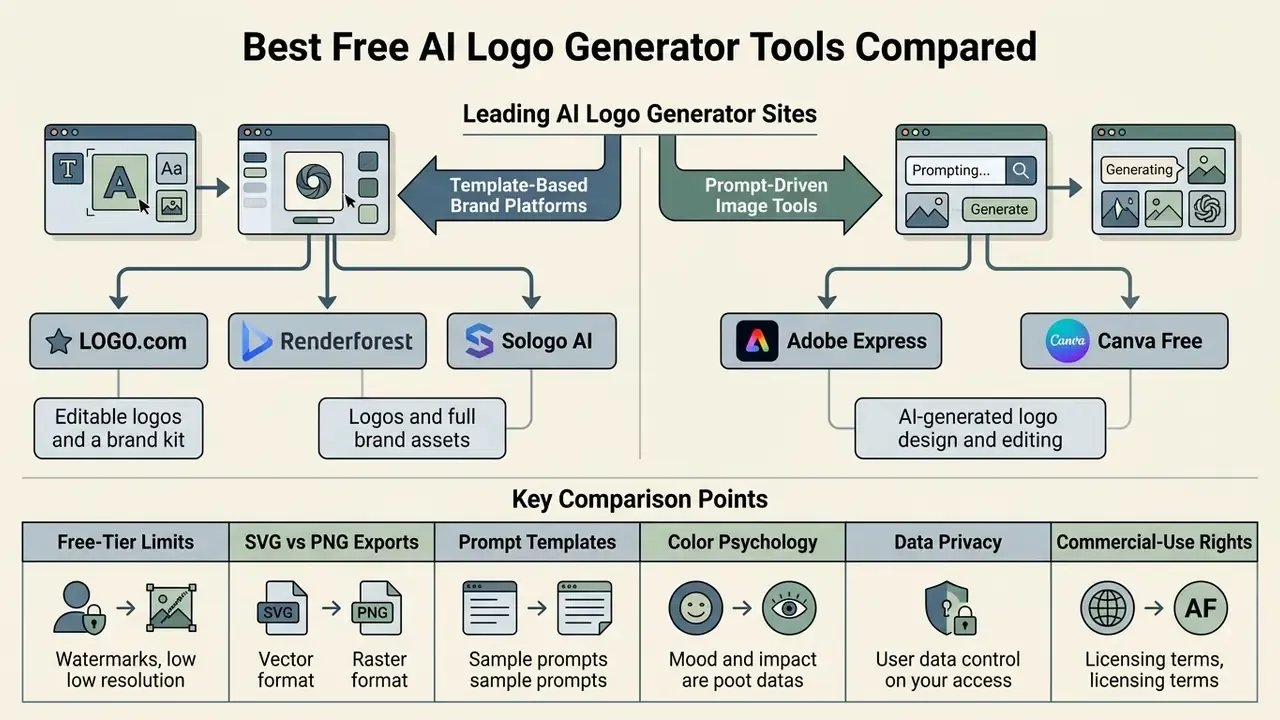
Comparing the leading AI logo generator sites reveals a structural split: template-based brand platforms on one side, prompt-driven image tools on the other. Your choice hinges on whether you want an instant brand kit or flexible visual experimentation.
"Dynamic logos with expressive iconography increase visual attention and emotional response, yet algorithmic bias can break proportion and compositional unity."
Neuroscientific Analysis of Logo Design, PubMed Central (2025).
The table below outlines technical features, customization limits, file formats, commercial rights, and free-tier data posture across eight primary AI logo maker tools.
Comparison of AI Logo Generator Tools and Platform Features (2026)
| Tool Name | Creation Method | Free Tier Features | Customization Control | Free-Tier File Formats | Commercial Usage Rights | Brand Kit Assets | Best Application |
|---|---|---|---|---|---|---|---|
| LOGO.com | Form input and AI templates | Unlimited generation, high-res PNG | Full text styling, per-layer icon color, 14 icon art styles | PNG, JPG free (SVG/PDF/AI paid) | Included on downloaded PNGs | Favicons, monograms, watermarks, business cards, 1,200+ templates | Small business identity setups |
| Adobe Express | Text prompt and Adobe Firefly | Prompt generation, layer editing, generative credits | High: Adobe Fonts (4,000+), layers, stock icons | PNG (transparent), JPG, PDF | Governed by Adobe Express and Adobe Stock limited-license terms | Brand kit storage, social graphics, brand color settings | Marketers needing graphic suites |
| Renderforest | Wizard questionnaire and styles | Free previews, watermarked or lower-resolution testing | Moderate: font selection, color themes, layout swap | JPG, PNG (SVG in paid tiers) | Requires paid license upgrade | Mockups, HD logo animation (MP4 720p/1080p), site builder | All-in-one media production |
| Sologo AI | Image-to-logo, sketch-to-logo, text prompts | Up to 10 image-to-logo generations; unlimited text-to-logo | Layout variations, prompt-based vector editing | PNG, JPG (SVG/PDF on paid) | Blocked on free plan; eligible designs only on paid | Basic layout variations | Concepting from sketches or photos |
| Canva Free | Prompt plus drag-and-drop templates | 20 AI prompts per month (allowance subject to change), 500k+ elements | High: full editor, element library, mobile parity | PNG, JPG, PDF (SVG on paid) | Element-level attribution and licence tracking required | Social templates, presentations, print products | Fast low-cost branding for lean teams |
| Looka | Wizard AI (style and color preference training) | Preview and low-resolution generations only | Moderate: guided editor with layout presets | Watermarked preview only (SVG, EPS, PDF, PNG on purchase) | Granted on package purchase | Full brand kit on paid tiers | Small businesses buying a finished identity package |
| Wix Logo Maker | Questionnaire plus AI editor | Design free, low-resolution preview download | Moderate: type, icon, layout and palette edits | Low-res PNG free (high-res PNG/SVG on paid) | Requires paid subscription or logo purchase | Website integration, social assets | Brands already building on Wix |
| Midjourney v6 | Prompt-driven raster generation | No standing free tier; trials limited | High aesthetic control, no typographic control | PNG/JPG raster only (manual vector conversion required) | Commercial rights on paid plans; outputs public by default on lower tiers | None | Concept exploration and moodboarding |
Head-to-head breakdowns of individual pairings live in our versus library, so see the overview if you are down to two finalists.
LOGO.com for editable logos and a brand kit
LOGO.com pairs drag-and-drop customization with automated brand kit generation, which suits small business branding. The editor puts templates, layouts, elements, palettes, text, layers, history, favorites, and real-world previews in one workspace. Free generation and PNG exports are available; vector SVG, PDF, and AI master files plus full brand guidelines sit on paid plans.
The flow is simple. Enter a business name, shuffle designer palettes or set exact HEX and RGB values with the eyedropper, then generate matching business cards, favicons, monograms, and watermark variants from the same design. For owners who want a custom logo without hiring a studio, this is the shortest path to a consistent set of logo files.
Adobe Express for AI-generated logo design and editing
Adobe Express wires Adobe Firefly prompts into an online layer editor, so the AI generated logo stays editable as a graphic. You can change typography, background transparency, and layout elements, then download a transparent PNG for free. Access includes 4,000+ Adobe Fonts and over a million stock elements, which helps when you need a professional looking mark fast.
To evaluate broader generative art models across competing ecosystems, compare leading AI image generators before you standardize. One caveat practitioners keep reporting: some Firefly logo outputs arrive flattened, so text may not stay live and editable. Verify layer integrity before you build a brand system on top of that file.
Renderforest for logos and full brand assets
Renderforest combines AI logo creation with video animation templates, a website builder, and social media mockups. Free accounts produce basic raster previews, watermarked or reduced in resolution, which positions the platform as an all-in-one brand asset hub rather than a pure logo maker.
High-definition logo animations (MP4 at 720p and 1080p) and scalable print files require a paid tier across Lite, Pro, and Business. The platform fits teams that need synchronized brand identity across web, video, and social channels, and who would rather manage one subscription than five.
Sologo AI for image-to-logo concepts
Sologo AI turns uploaded sketches, photos, or reference images into clean vector logo concepts. It analyses layout, texture, and iconography, then rebuilds the mark in modern, flat, or line-art directions. You get layout variations and prompt-based visual adjustments, with SVG and PDF exports on paid plans.
Free users can run up to ten image-to-logo transformations, while text-to-logo generation is unmetered. Commercial use, including trademark filing, is restricted to paid subscribers and to eligible designs only. Worth flagging if you sketched the concept on paper and assumed the export was yours.
Canva Free for prompt-to-template branding
Canva's AI logo generator runs inside the standard editor, so a generated mark drops straight into decks, packaging mockups, and social formats. The free plan meters AI prompts monthly. Published allowances have shifted between release cycles, so confirm the current limit in-app rather than trusting a blog post from last year.
Exports are raster; SVG is reserved for paid tiers. Because outputs mix generated artwork with library elements, audit element licences before commercial deployment. Our Canva AI generator overview documents the export and licensing specifics in detail.
Looka and Wix Logo Maker for guided identity packages
Looka trains on your stated style and color preferences, then sells a finished package with SVG, EPS, PDF, and PNG files plus full ownership. Its free stage is effectively an evaluation gallery, useful for judging direction, useless for shipping.
Wix Logo Maker follows a questionnaire-to-editor flow and releases only low-resolution previews for free, with high-resolution and vector downloads tied to a purchase or site subscription. Both suit owners who want one decision point rather than an iterative design process. If you would rather compare adjacent platforms first, our AI Media Alternatives index lists comparable options by category.
Midjourney and vector-first models for concept exploration
Midjourney v6 and similar prompt-driven models produce the most distinctive marks in this comparison set. They also output raster pixels rather than paths, and they mangle lettering with impressive consistency.
Vector-first alternatives behave differently. Recraft generates native editable SVG and is documented as stronger on accurate text rendering, while Ideogram is repeatedly singled out for letterform accuracy in text-heavy lockups. Treat all three as ideation engines feeding a dedicated logo editor, not as final production tools.
Dedicated AI Logo Makers vs AI Image Generators for Logo Design
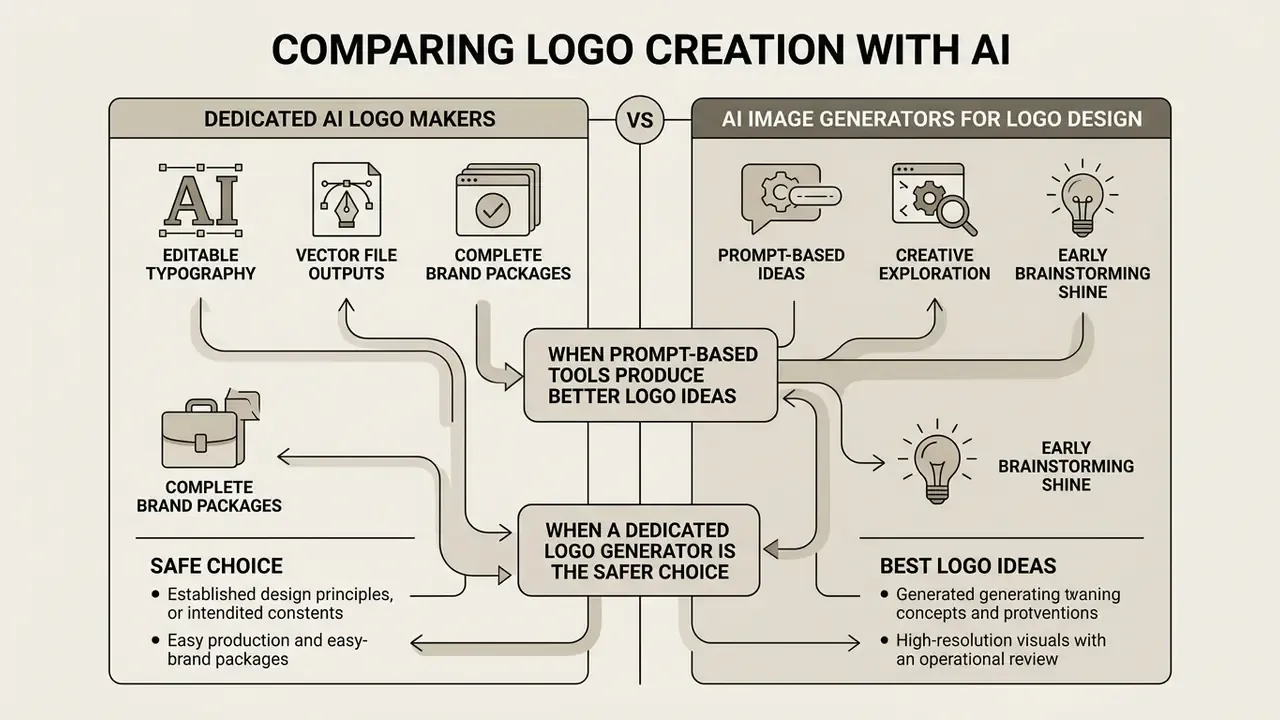
Specialized logo generators focus on editable typography, vector file outputs, and complete brand packages. General AI image generation tools for logo design excel at complex visual concepts and novel iconography. The choice comes down to one question: do you need precision text rendering, or visual exploration?
Here is an illustrative composite from an operational review, not a named client engagement. A fintech brand launch needed both a primary mark and supporting media. The team first generated artistic icons with a general ai image generator for logo work, then hit distorted typography and uneditable raster backgrounds. Moving the concept into a dedicated logo generator let them lock typography paths, align hex colors, and export vector SVG files within about two hours. Iteration time dropped, and the print-ready master files finally existed.
To explore specialized image models that support high-resolution visual exploration, review the best image generating ai and evaluate prompt handling and style control before you settle on the best ai image logo generator for your workflow.
When prompt-based AI image tools produce better logo ideas
Prompt-based generators shine in early brainstorming. They produce distinctive visual metaphors, abstract marks, and creative icon concepts that template-driven systems simply cannot reach. If you need fifty logo ideas by lunch, artificial intelligence is genuinely good at that.
"AI logos with high innovativeness and strong semantic relevance attract the most sustained user attention and active cognitive engagement."
The Factors Influencing Users' Sustained Attention in AI-Generated Logos, SSRN (2024).
Open benchmarks tell the same story with numbers.
"Models evaluated in open benchmarks show high originality scores for concept generation, yet frequently fail at accurate text rendering."
HEIM benchmark, NeurIPS (2023). https://crfm.stanford.edu/heim/latest/
The failure mode is predictable: strong iconography, broken lettering, raster output. Later design-specific evaluations such as DesignDiffusion (CVPR 2025) score generated design output on OCR precision and recall alongside image fidelity, which makes the text weakness measurable rather than anecdotal. Creators shortlisting zero-cost concepting engines can compare free AI image generators and keep the logo editor for finishing.
When a dedicated logo generator is the safer choice
Dedicated logo makers give you controlled typography alignment, precise color palette management, and export-ready vector paths. That is what real-world commercial branding needs. Text distortion disappears, and the business name stays crisp and legible across digital and print media.
These tools also output standardized packages: transparent PNGs, SVGs, and favicon sizes in one download. That structural control keeps you compliant with enterprise brand guidelines and print requirements, including clear-space rules. Established brand systems commonly specify padding equal to half the logo symbol's width, and prohibit distortion or unapproved color formats. A wordmark squeezed 8% narrower to fit a slide is a brand violation, even if nobody notices.
Which AI Logo Maker Is Best for Your Business Needs?
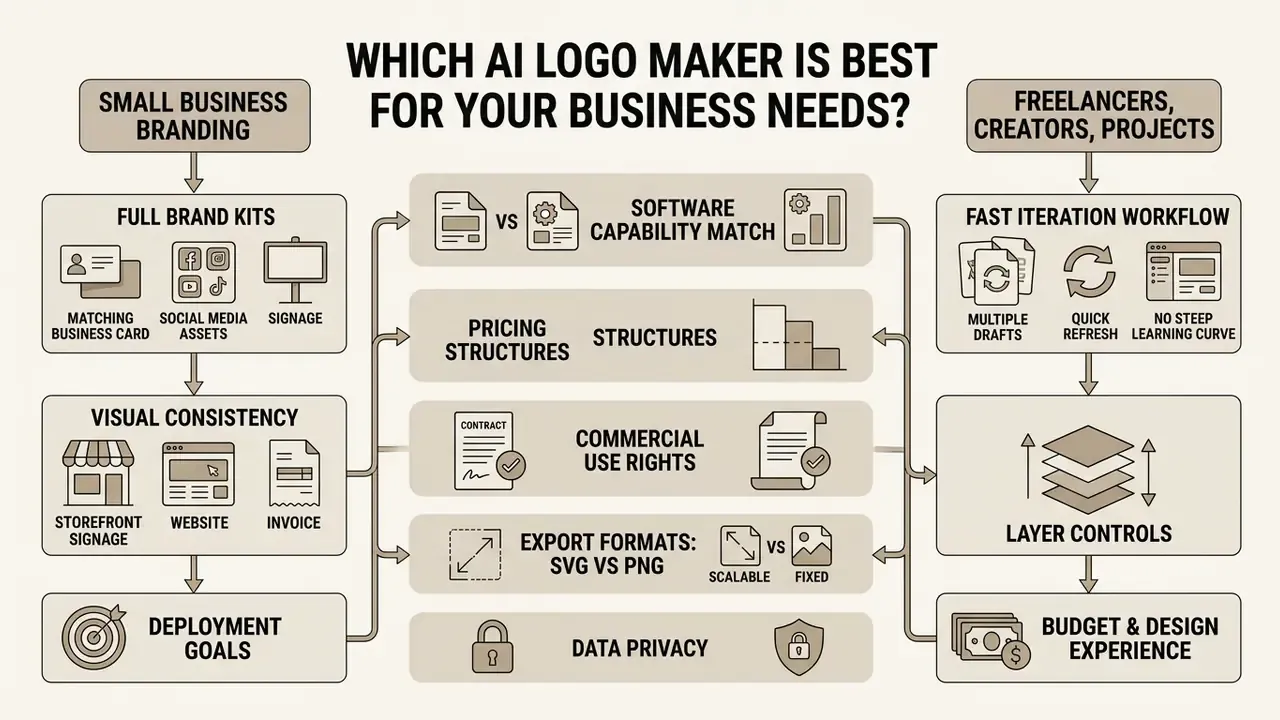
Choosing the best ai logo creator means matching software capability to your design experience, budget, and deployment goals. Small businesses need complete brand identity kits. Independent creators prioritize speed and flexible customization. Same category, different purchase.
"83% of marketers have partially or fully integrated AI into their strategies, with creative and design tasks the leading use case among 70% of respondents."
AI Marketers Guild, Marketing AI Adoption: Q1 2024 Trends (2024).
Organizations analyzing pricing structures across design software can review AI logo generator pricing and licensing to compare tier limits and licensing models, or open the hub to model total cost across seats and export volume.
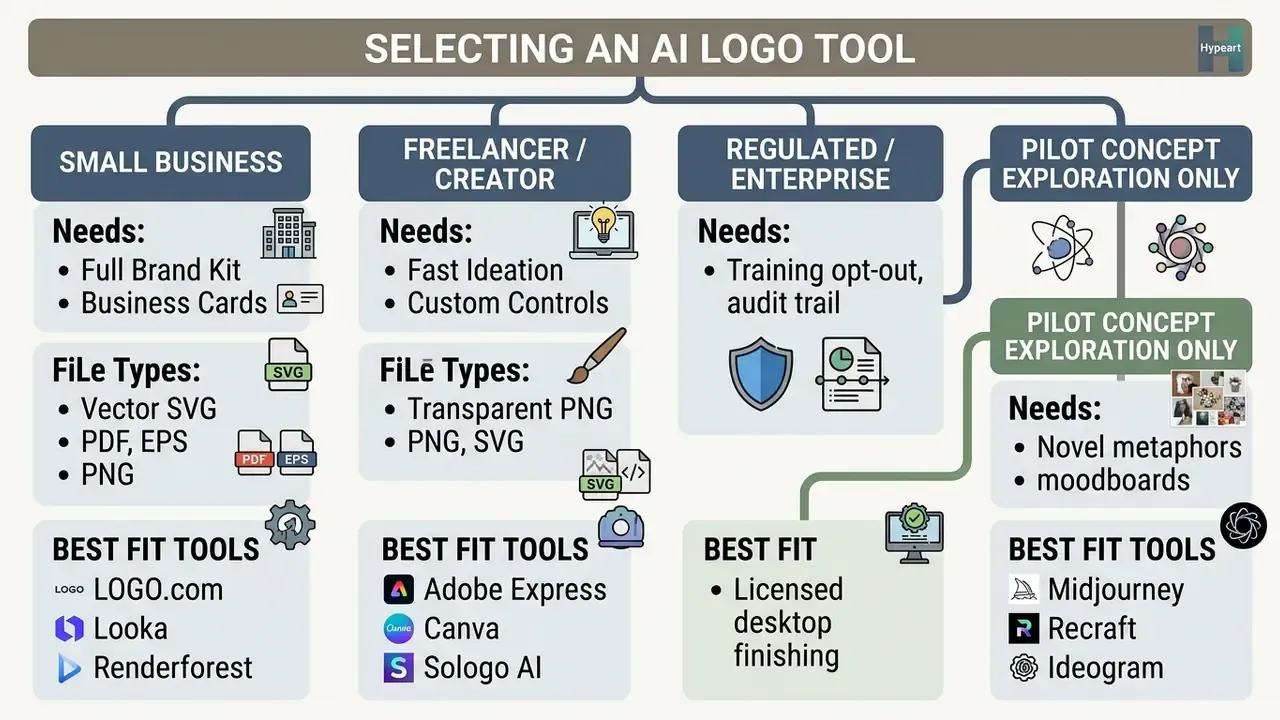
Best choices for small business branding
Small businesses get the most from platforms that package the logo alongside business cards, social media templates, and standardized brand guidelines. Bundled vector exports plus automated marketing collateral cut total design overhead at the exact moment cash is tight.
Standardizing on one tool also keeps visual consistency across storefront signage, the website, and invoice headers. Peer-reviewed work on small-business adoption supports the pattern: AI assistance measurably speeds up logo and visual-identity production for owners without design staff, provided a human reviews structural quality before launch. Those ai logo maker tools for small business branding are assistants, not art directors.
Best choices for freelancers, creators, and new projects
Freelancers need a user friendly workflow that iterates fast, with no steep learning curve and no heavy installs. A quick prompt-to-logo loop lets you test six directions for a new project in an afternoon, then discard five without regret.
Layer controls matter here more than brand kits. They let you adjust typography and background elements before exporting graphics for digital distribution. Vendor positioning differs in emphasis rather than substance: LogoAI sells seconds-to-output speed, Canva sells interface simplicity, Turbologo sells zero required design skill. Three product priorities, not three contradictions.
How to Create a Logo with AI for Free
Creating a professional logo with AI follows a sequence: define brand parameters, generate multiple options, refine typography and color contrast, then export high-resolution and vector files. A structured workflow prevents the usual flaws and keeps the brand consistent. Skipping step five is how a mark ends up unreadable at favicon size.
- Define Brand Parameters and PromptWrite a text prompt specifying business name, industry, style (minimalist, geometric, and so on), and exact hex color preferences.
- Generate Initial VariationsRun the prompt through your chosen AI logo generator to produce multiple visual concepts.
- Select and Refine LayoutPick the strongest concept, then verify proportion, symmetry, and balance.
- Adjust Typography and ColorsLock background contrast, choose legible fonts, and set precise color codes in the editor.
- Verify ScalabilityPreview the design at 512x512, 128x128, and 32x32 pixels, then at large display sizes, to confirm legibility.
- Export Final AssetsDownload high-resolution PNG for web and vector SVG, PDF, or EPS for commercial print production.
Write a prompt that produces usable logo concepts
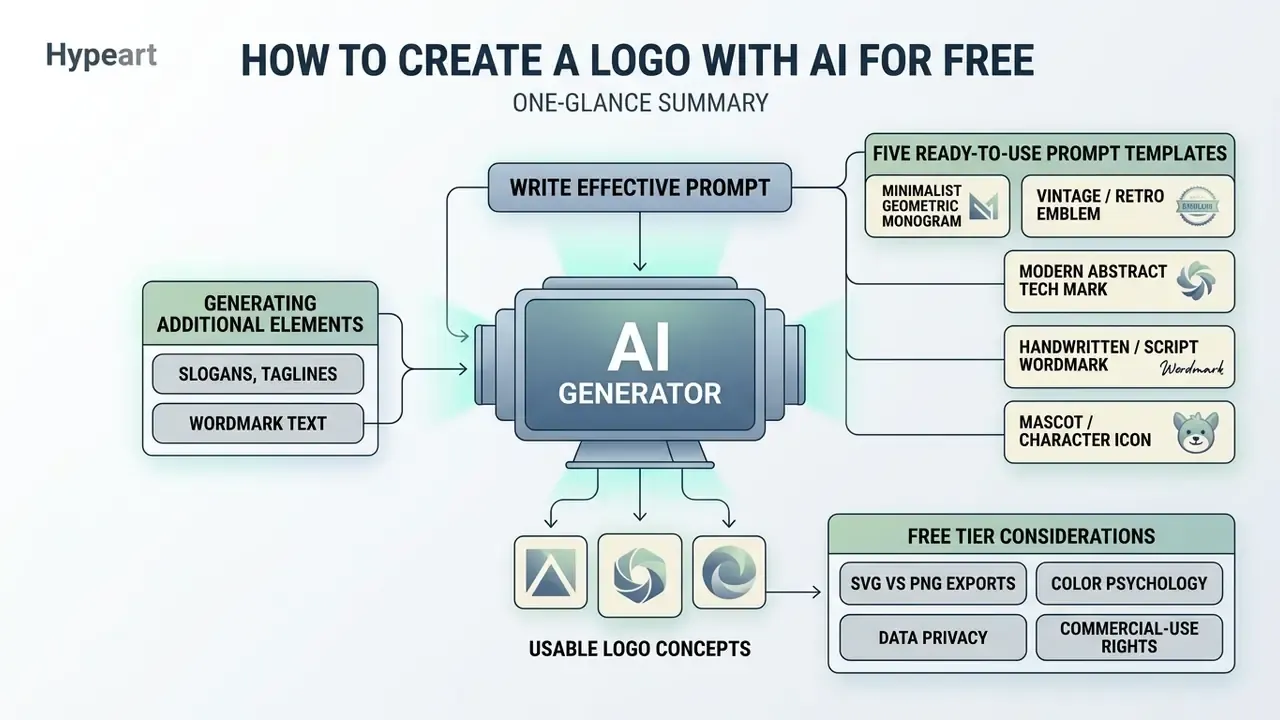
An effective logo prompt combines five things: business name, industry category, named style keywords, explicit colors, and composition constraints. Excluding complex gradients and visual clutter pushes the model toward clean, scalable iconography. Adobe's own guidance suggests starting at five words or more and layering descriptive detail; reference images then steer style and composition on the second pass.
- Sample Prompt: "Minimalist line-art logo for a fintech platform named Apex Vault, dark blue and gold color palette, geometric shield icon, flat design, white background, no gradients, no photorealistic details."
Five ready-to-use AI logo prompt templates
"Clean monogram logo featuring letters 'A' and 'K', geometric line art, minimalist tech style, navy blue #0A1F44 and crisp white, vector flat design, no gradients, isolated on white background"
"Retro badge logo for a coffee roasters brand named 'Heritage Roasts', hand-drawn bean icon, rustic brown and cream colors, typography wrapped in a circle, vintage texture, vector style"
"Futuristic abstract mark combining a neural network node and a leaf, cyber security startup, vibrant emerald green #2E8B57 and dark charcoal, flat vector, high contrast, white background"
"Organic skincare wordmark logo named 'Luna Botanicals', elegant script typography, subtle leaf icon accent, muted pastel pink and sage green, sophisticated minimalist visual balance"
- Minimalist geometric monogramMinimalist geometric monogram:
- Vintage / retro emblemVintage / retro emblem:
- Modern abstract tech markModern abstract tech mark:
- Handwritten / script wordmarkHandwritten / script wordmark:
- Mascot / character iconMascot / character icon:
"Flat vector mascot logo of a friendly robot head, modern edtech platform, bright orange #FF8C00 and slate grey, bold outline, clean edges, zero shading, isolated composition"
Each template follows the same five-part grammar: subject and brand name, visual metaphor, named style, one to three constrained colors, technical exclusions. Swap only the variables. Output variance drops sharply, which is exactly what you want when comparing the best ai logo generator with prompt controls against a template wizard.
Generating slogans, taglines, and wordmark text
A lockup is rarely just an icon. Leading generators now write tagline copy in distinct tonal registers, professional, fun, bold, quirky, inspirational, witty, and pair it with coordinated heading and supporting fonts so the second line does not fight the brand name. Three rules keep generated slogans usable:
- Length discipline keep taglines under six words so they survive being scaled onto a business card.
- Hierarchy set the tagline at roughly 35% to 45% of the wordmark's cap height, with slightly wider letter spacing to signal subordination.
- Trademark caution an AI-suggested slogan may already be a registered word mark in your class. Run a national trademark database search before printing anything. Generator output is never clearance-checked.
Customize the generated logo before downloading
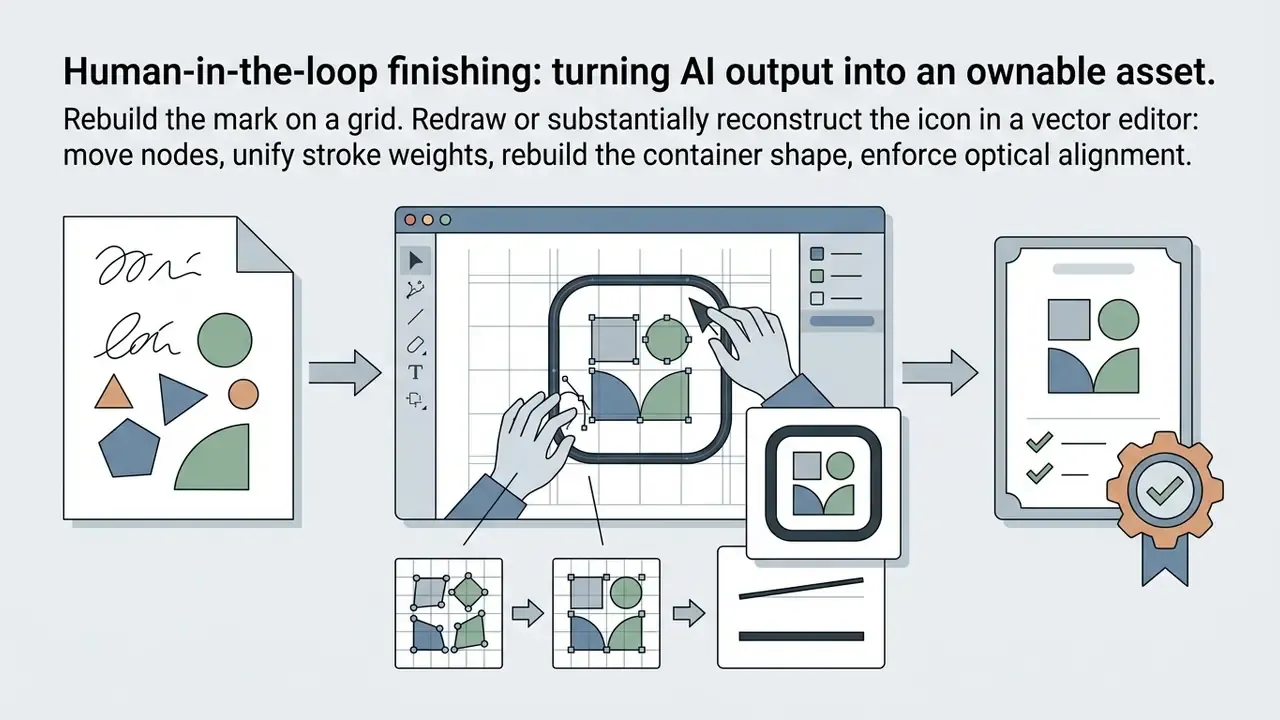
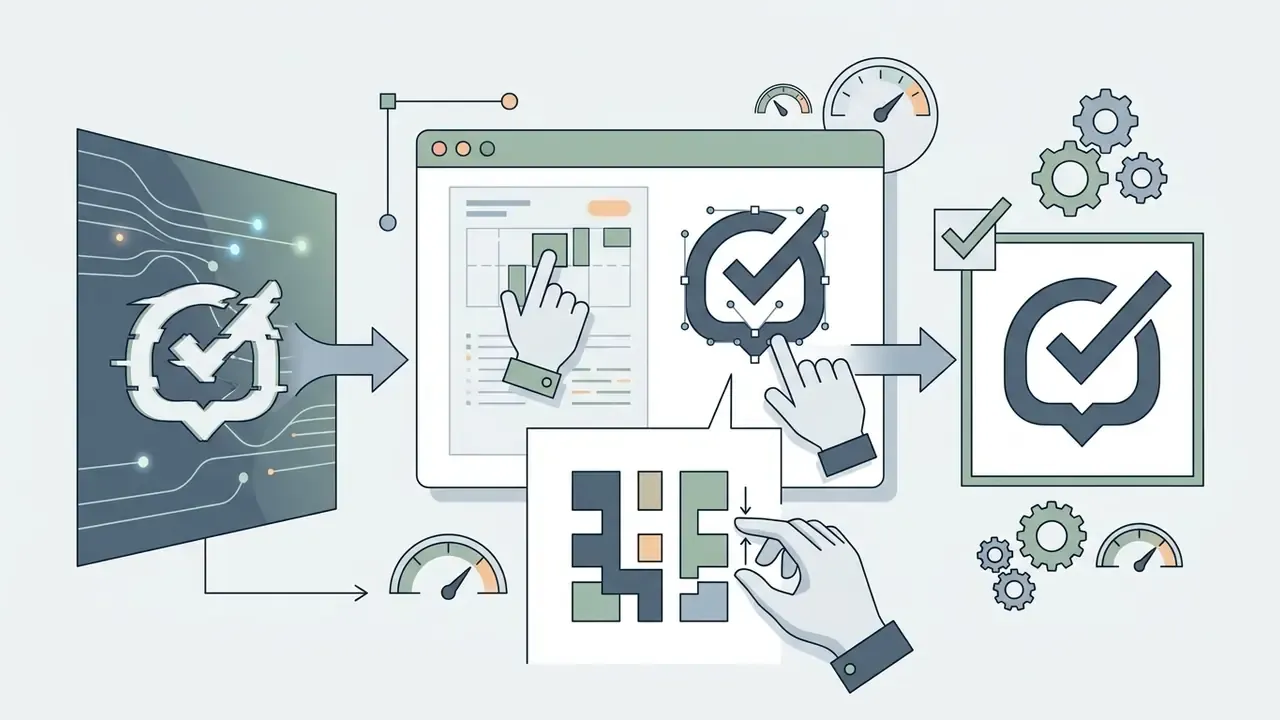
Manual customization before download is what fixes letter spacing, icon proportion, and contrast against background elements. Tweaking typography and alignment is the difference between a raw AI draft and a polished mark. Align everything to a visible grid, and confirm that clear space around the icon equals at least half the symbol's width.
For accompanying text on marketing layouts, WCAG thresholds of 4.5:1 for normal text and 3:1 for large text give you a measurable contrast target. Note the exception: text forming part of a logo or brand name has no minimum contrast requirement. Useful to know, though a wordmark nobody can read is still a bad wordmark.
Human-in-the-loop finishing: turning AI output into an ownable asset
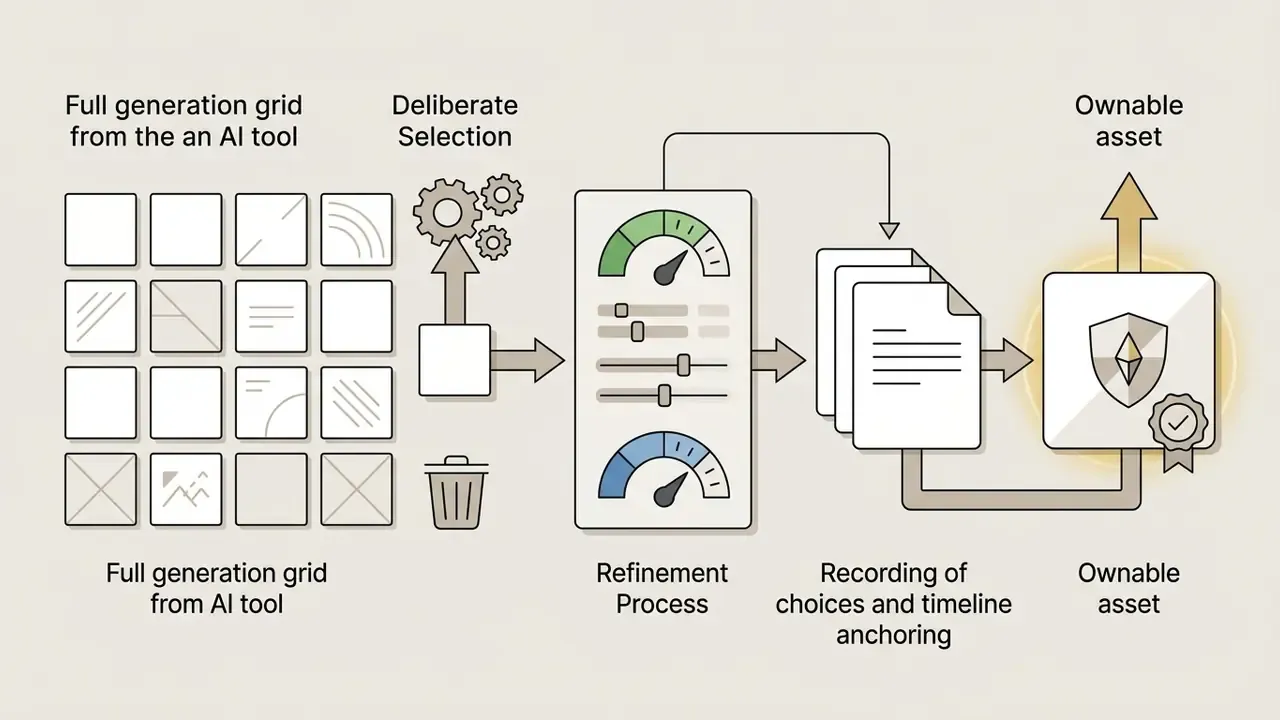
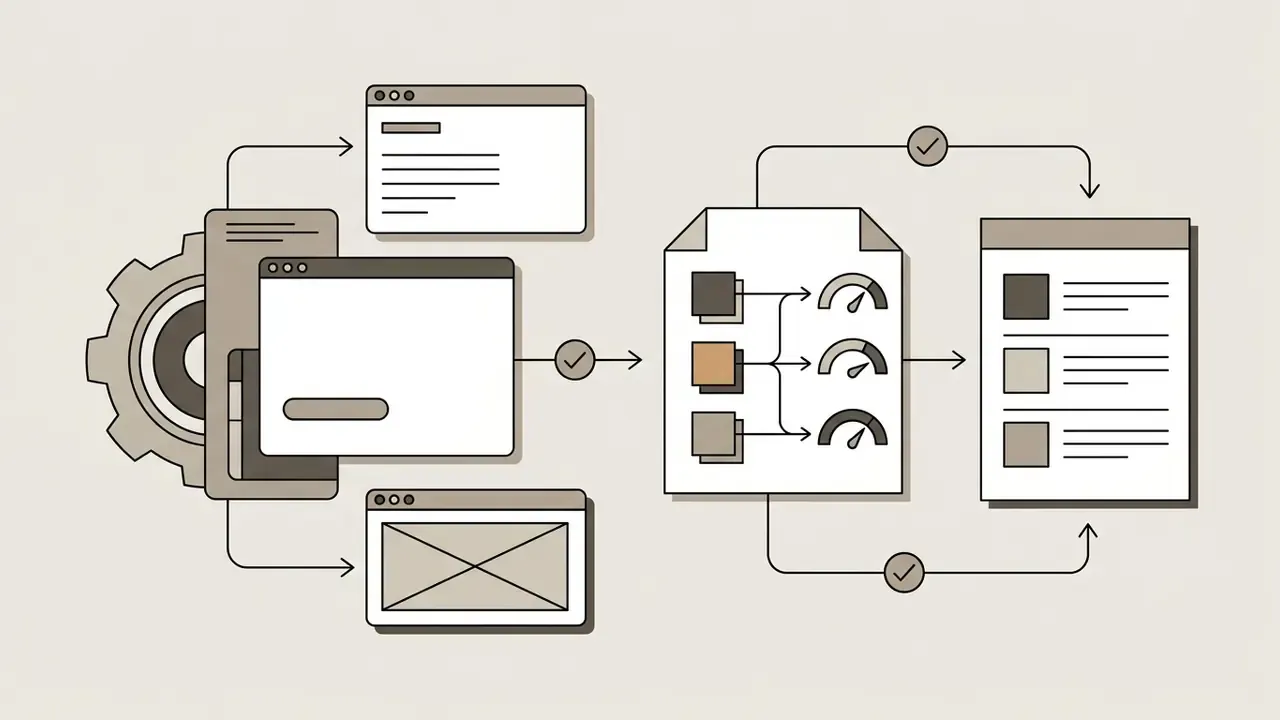
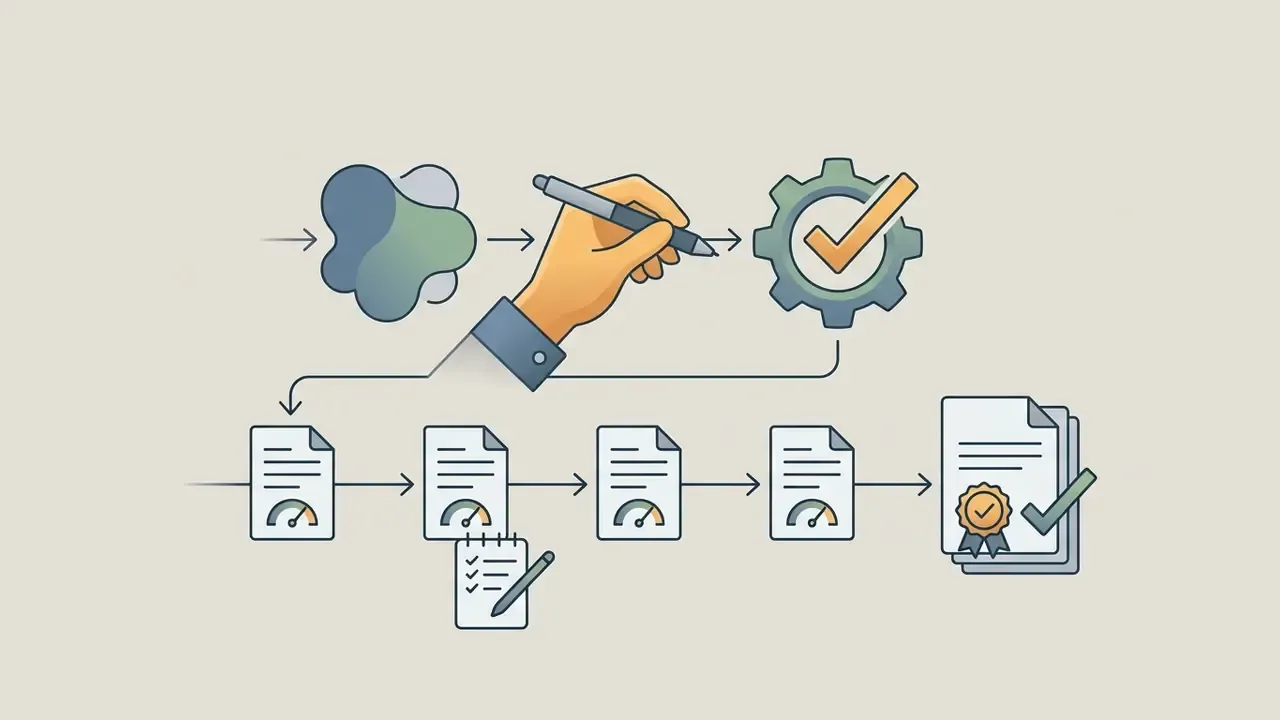
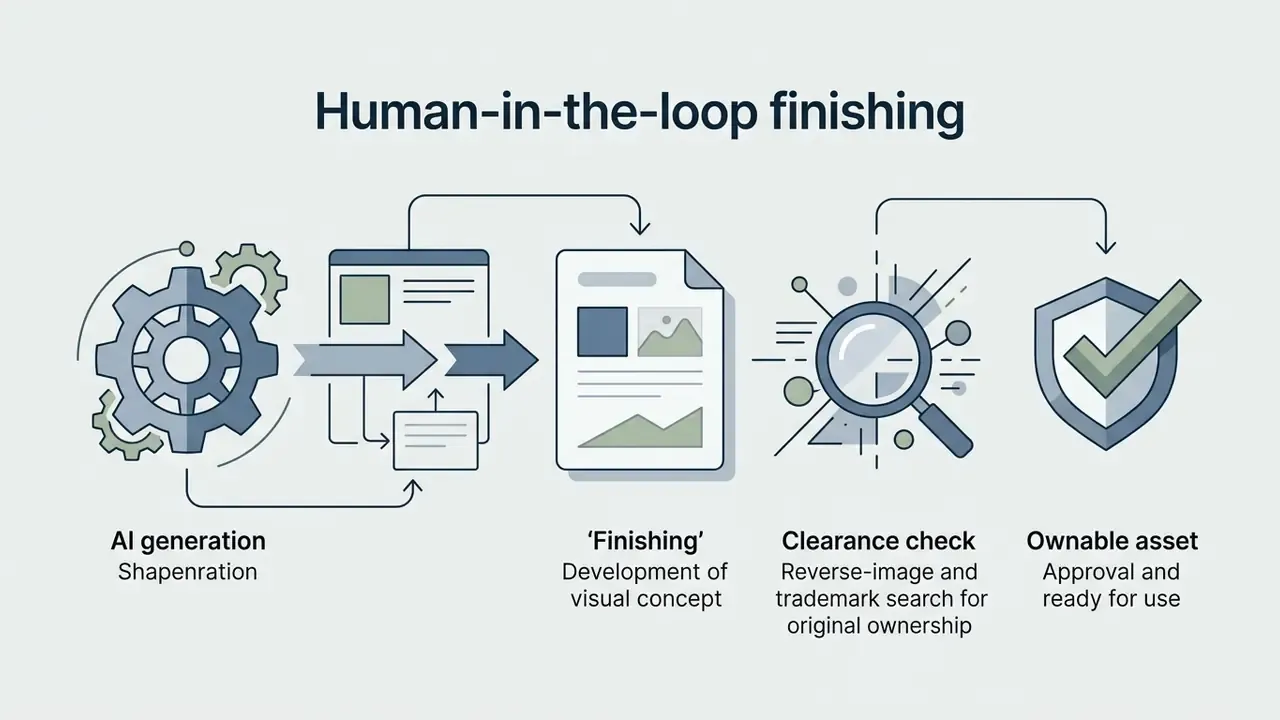
Because purely generative output is not copyrightable, the editing pass is not cosmetic. It is what creates a protectable work. A defensible, documented workflow looks like this:
"Design instructors use AI tools for brainstorming and drafting multimedia materials that are then refined by hand. AI acts as an assistant, not a replacement for the specialist."
Luo et al., Educational Technology Research and Development (2024).
Check Logo Files, Licensing, and Brand-Ready Assets Before You Download
Teams building full automation pipelines for visual marketing collateral can review commercial use of AI-generated images for detailed regulatory and licensing notes.
Commercial usage rights and AI-generated logo ownership
Current guidance from the U.S. Copyright Office is clear: purely AI-generated output without human creative authorship cannot receive copyright protection.
"Copyright protects original expression created by a human author, even where the work incorporates AI-generated material, provided the human contribution is sufficiently creative."
U.S. Copyright Office, Copyright and Artificial Intelligence, Part 2: Copyrightability (2025). https://www.copyright.gov/ai/
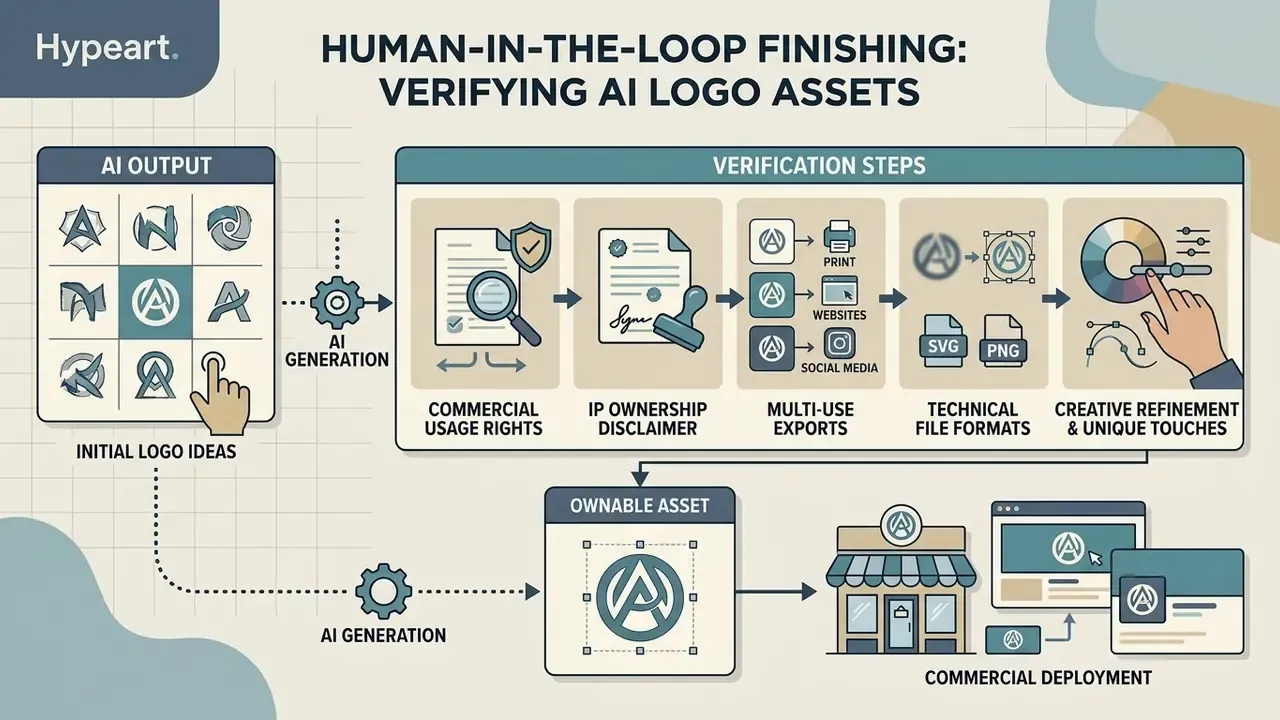
Exclusive brand ownership therefore requires demonstrable human intervention through manual editing, arrangement, or custom additions. The mechanics sit in the human-in-the-loop workflow above, and the wider framework is mapped in our guide to commercial rights for AI-generated images. A platform contract may grant you permission to use the mark commercially. It cannot stop third parties from replicating an uncopyrightable output.
Jurisdiction changes the consequence. A 2025 European Parliament study concludes that purely AI-generated outputs without substantial human intervention are ineligible for copyright in the EU, and may be reproduced or adapted without permission. The United Kingdom still recognizes a separate computer-generated works regime with a 50-year term where no human author exists. Trademark law runs on a parallel track: an AI-generated logo can function as a registrable mark if it identifies commercial source, and it can equally infringe an earlier mark if confusingly similar, whatever the generator's licence permits.
Checklist0 / 5
File formats for print, websites, and social media
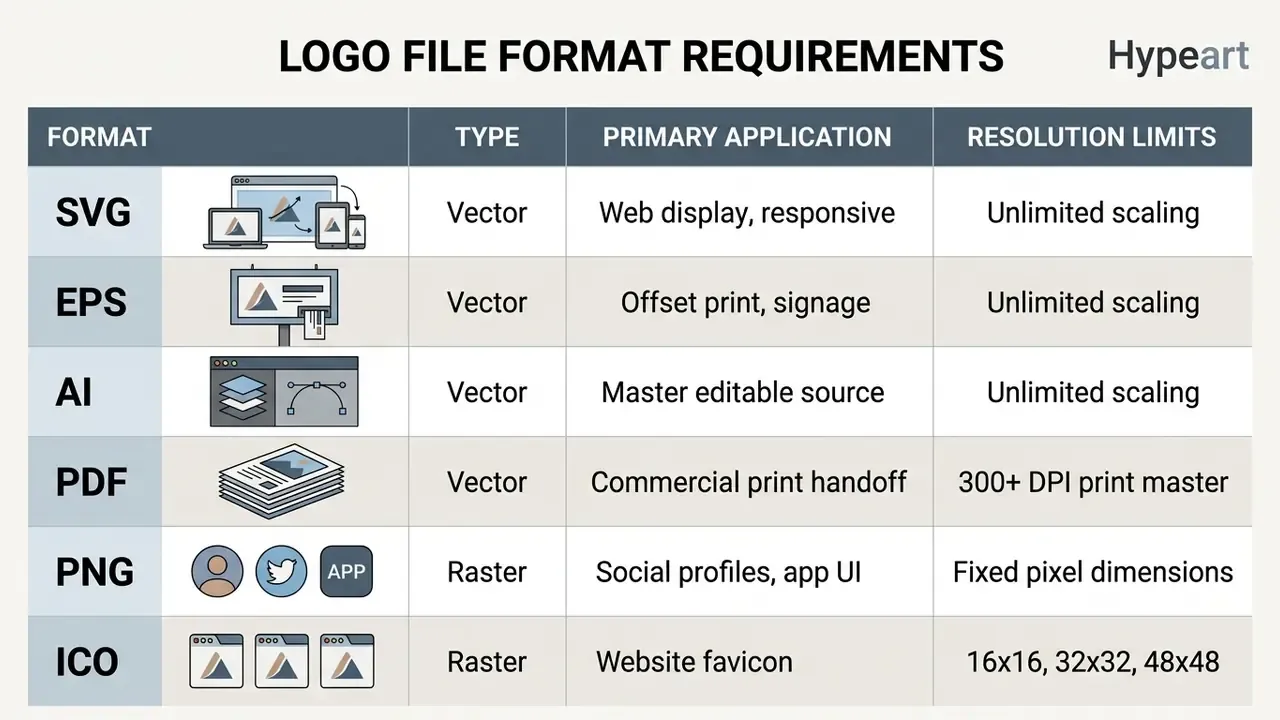
Commercial deployments need resolution-independent vector formats (SVG, EPS, AI, PDF) for print, plus high-resolution PNG for web and social media. Vector assets guarantee sharp rendering at any size, with no pixelation. PDF is the modern print-handoff standard (ISO 32000-1, with PDF/A and PDF/X variants), while EPS remains a legacy format that many print shops still accept and occasionally insist on.
| Format | Type | Primary Application | Resolution and Vector Limits |
|---|---|---|---|
| SVG | Vector | Web graphics, CSS and DOM integration | Unlimited scaling, editable paths |
| EPS | Vector | Professional offset print, billboards, embroidery | Industry-standard legacy vector format |
| AI | Vector | Adobe Illustrator master source | Full layer, font, and effect editing |
| Vector | Commercial print and brand guideline documents | Embedded vector paths, 300+ DPI output | |
| PNG | Raster | Web UI, social profiles, transparent backgrounds | Fixed pixel matrix (for example 2000x2000 px; export at 2x for retina) |
| ICO | Raster | Browser favicons | Multi-resolution container (16x16, 32x32, 48x48) |
The 5-point pre-download logo inspection checklist
Checklist0 / 5
For teams expanding brand assets into dynamic video, evaluating best image to video ai options gives you animation-quality benchmarks before a static mark becomes an intro sequence.
FAQ: Frequently Asked Questions About Free AI Logo Generators
Short answers on mobile apps, full brand kits, trademark eligibility, and usability without design experience. Knowing platform boundaries removes most of the friction during a brand rollout.
Is there a best AI logo generator app free for mobile use?
Mobile apps offer convenient on-the-go design through simplified touch interfaces and template libraries. Canva supports mobile generation with a metered monthly prompt allowance on its free plan; published limits have changed between release cycles, so confirm the current figure in-app rather than relying on secondary sources. Dedicated iOS and Android apps such as Logify, LogoCrafter, Boon, and Rebrand advertise free creation while monetizing high-resolution downloads and advanced customization through in-app purchases. Mobile tools work well for fast concept drafting, since generation and preview need little precision input. Final vector editing depends on node-level manipulation and multi-file export, which current mobile editors expose only partially, so desktop finishing stays the practical choice. (Comparative usability data for mobile versus desktop vector editing is not yet available in peer-reviewed literature; this reflects tool capability, not measured productivity.)
Can a free AI logo maker create a full brand kit?
Free tools often produce a basic brand kit: a primary color palette and typography rules. Comprehensive asset packages usually require a paid subscription. Fully automated kits generate business card previews, favicons, monograms, watermark overlays, letterheads, email signatures, and social graphics, though vector source files and machine-readable design tokens may stay paywalled. A complete kit should document logo usage rules, clear-space minimums, hex and RGB codes, font downloads, and approved layout variations on one shareable page. To compare full brand kit capabilities across platforms, check whether guidelines export as PDF, live link, or JSON tokens. Teams evaluating adjacent design suites can also review our AI art generator comparison.
Can I create professional logos without design experience?
Yes, up to a point. Modern AI tools automate composition, color harmony, and font pairing, so non-designers can produce visually clean logos. True professional quality still needs manual adjustment to alignment, contrast, and element balance before commercial use.
"Design instructors use AI for brainstorming and rough multimedia drafts that are later refined manually; AI functions as an assistant rather than a substitute for the specialist." Luo et al., Educational Technology Research and Development (2024). Peer-reviewed testing reinforces the caveat: AI logo makers helped non-designers produce visual identities, yet expert reviewers frequently found the outputs deficient in proportion, balance, and unity (Bertão et al., Visual Communication, 2023. https://doi.org/10.1177/14703572231155593).
Can an AI-generated logo be trademarked?
In principle, yes. Trademark protection depends on whether a mark identifies the commercial source of goods or services, and whether it is confusingly similar to an earlier registration. Who or what drew it is not the test. That makes trademark, rather than copyright, the primary defensive mechanism for AI-assisted logos. Two caveats. Some generators restrict trademark filing to paid tiers and to "eligible" designs only. And a mark that resembles thousands of other outputs from the same model may struggle on distinctiveness. Run a clearance search in the relevant classes, and keep the human-authorship record described earlier in case copyright is also asserted.
How do I check whether my "vector" file is genuinely vector?
Open the SVG in a plain-text editor. Genuine vector artwork contains , , or elements with coordinate data. If you find a single tag holding a long data:image/png;base64,... string, the file is a raster image in a vector wrapper, and it will pixelate in print. Auto-traced files are the middle case. Technically vector, often carrying hundreds of redundant nodes that need cleaning before production. Check the node count before you send anything to an embroiderer.
Asset Expansion and Media Workflows
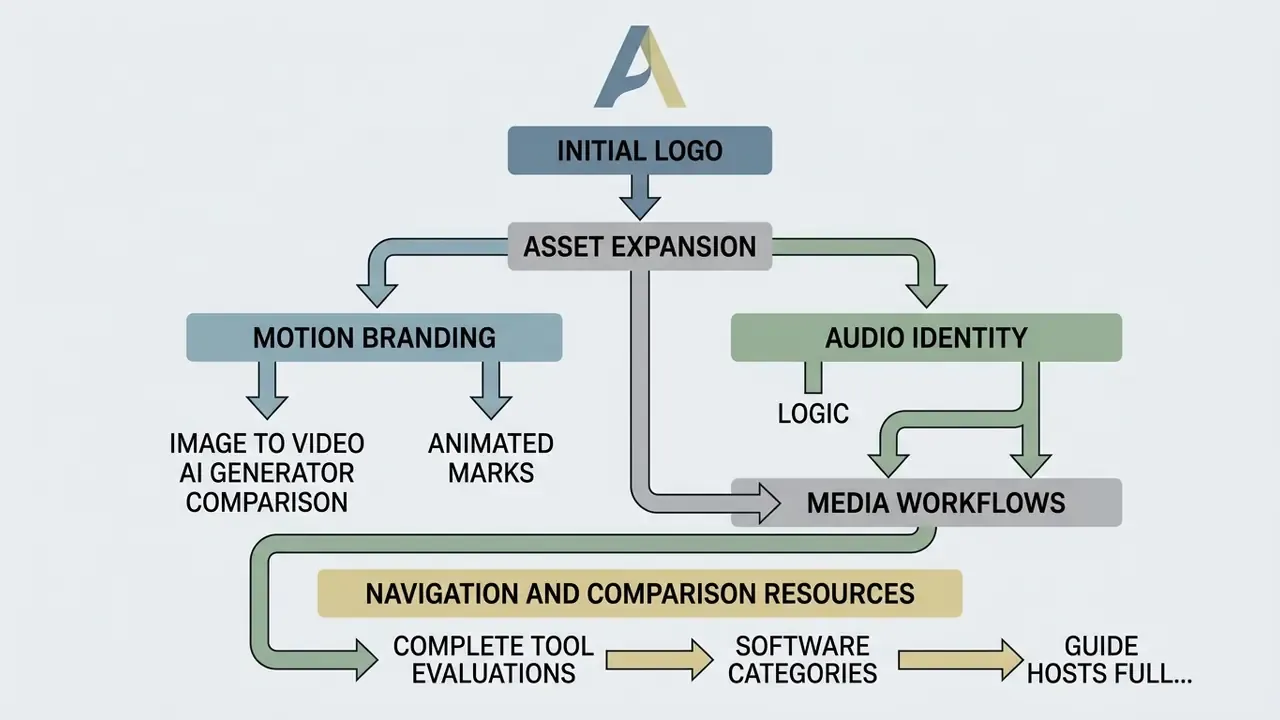
A logo is the entry point to a media system, not the end of it. Teams moving static brand assets into digital video campaigns can evaluate specialized software: our roundup of best free video editing software helps you pick clean processing tools for channel branding, intros, and ad cutdowns, while the best free video editor no watermark 2025 comparison covers the watermark question specifically.
For motion branding, the best image to video ai generator comparison shows how static marks become animated intro sequences, and budget-conscious teams can start with best image to video ai free. Renderforest's own logo-animation templates export MP4 at 720p and 1080p on paid tiers.
Audio identity follows the same logic. A short sonic signature paired with the animated mark strengthens recall across video platforms, and our AI voice generator guide covers licensing constraints for synthesized brand voice. For file-weight control on web and social delivery, compression choices matter as much as format choices, so check the video compressor guide before shipping large animated assets.