"Evaluating image to video AI generators requires looking past marketing demonstrations to measure verifiable prompt adherence, frame consistency, and model governance."
Four Conclusions Before You Commit Budget
- There is no single winner, there are four lanes.Runway Gen-4.5 leads on motion quality and post-generation editing, Kling 3.0 is the only model rendering native 4K/60fps with 16-bit HDR, Google Veo 3.1 offers the strongest free tier plus native audio, and Adobe Firefly is the safest choice when indemnified commercial licensing is mandatory.
- Normalize pricing to cost per usable second, not credits.Effective rates in 2026 range from roughly $0.05/sec (Veo 3.1) and $0.07/sec (Kling 3.0) up to $0.15 to $0.20/sec (Runway Gen-4.5). Credit packs obscure the real number once failed generations are counted.
- Benchmarks measure motion, not compliance.High visual-quality scores routinely coexist with weak motion alignment, so technical metrics (FVD, PSNR, EPE, CLIPSIM) must be paired with human review, logo-distortion checks, and vendor data-retention audits.
- Governance is the deciding factor for regulated industries.Zero-data-retention (ZDR) API tiers, licensed training sets, and written IP indemnification separate enterprise-deployable vendors from consumer toys. Free tiers frequently reserve the right to retain uploads.
How to Use This Comparison
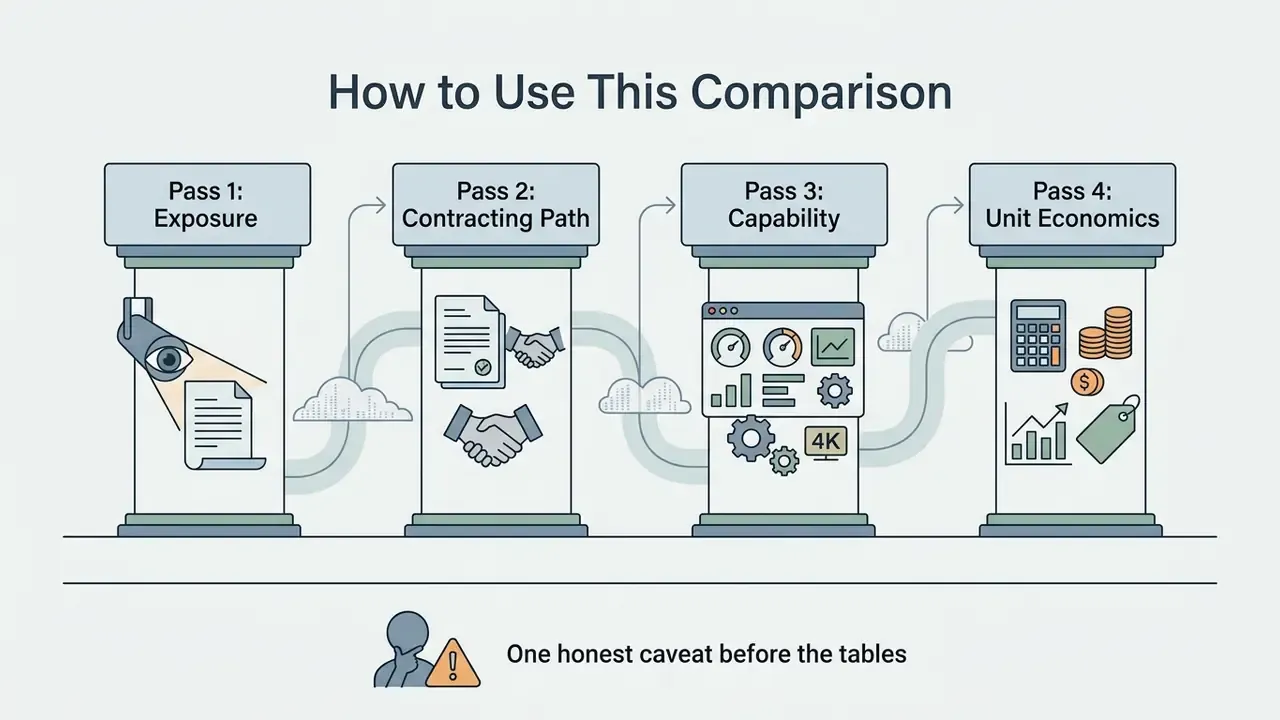
- Pass one: exposure. Decide which brand and customer assets are allowed anywhere near a generative endpoint. If that list is undefined, stop here and define it.
- Pass two: contracting path. Check the security matrix. Retention terms, training rights and indemnity language rule out more vendors than resolution ever will.
- Pass three: capability. Only then compare motion quality, resolution ceilings, camera control and audio.
- Pass four: unit economics. Convert every headline rate into cost per usable second, including re-rolls and analyst review minutes. Finance teams can pressure-test the maths with our calculators and browse the hub for related models.
One honest caveat before the tables. Vendor terms in this category change faster than the models do, and any published summary ages within weeks.
What Makes the Best Image to Video AI Generator?
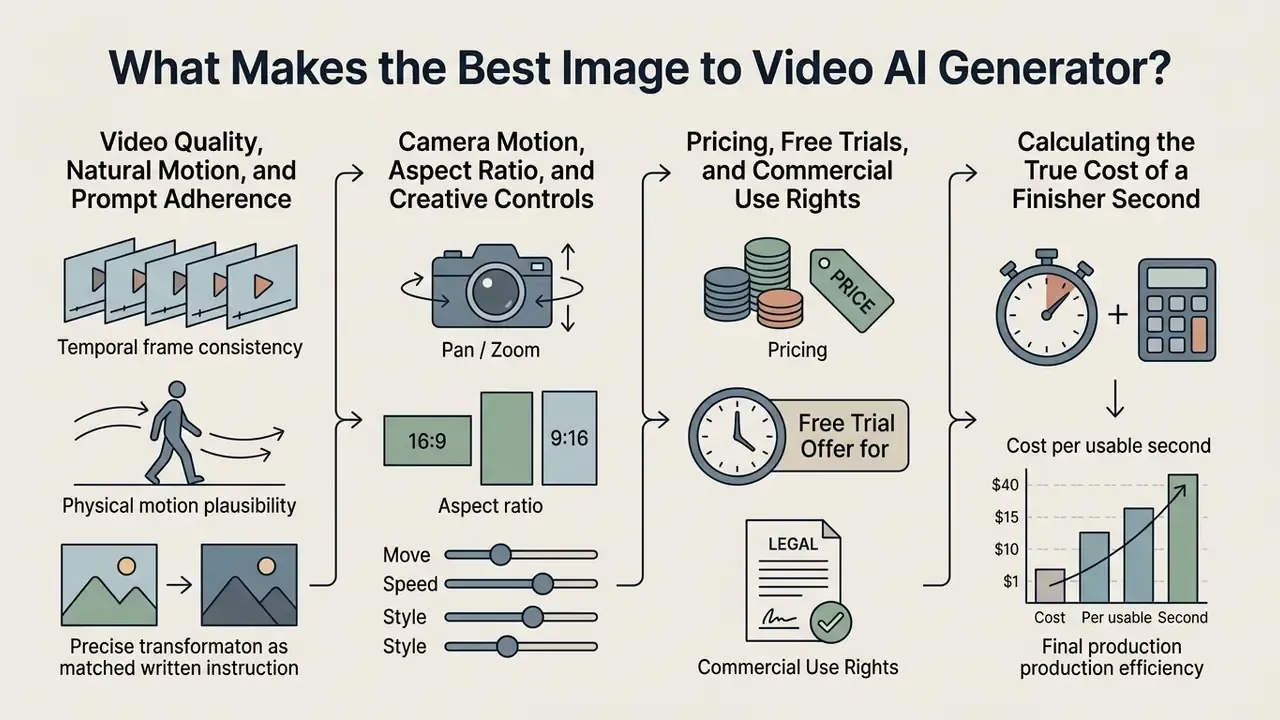
The best image to video AI generator balances temporal frame consistency, physical motion plausibility, precise prompt adherence, and transparent commercial licensing. Choosing the best ai for image to video generation requires evaluating how a model transforms static visual assets into dynamic motion clips without introducing structural distortion or visual flickering. Enterprise teams and independent creators must look beyond surface visual aesthetics to assess underlying architecture, control parameters, and data governance.
Video Quality, Natural Motion, and Prompt Adherence
Video quality depends on per-frame resolution and temporal coherence, while natural motion and prompt adherence measure how realistically subjects move without visual artifacts. Modern benchmarks measure visual fidelity by evaluating whether object geometry remains stable across sequential frames.
"Existing metrics do not fully align with human perception; a comprehensive benchmark should reveal a model's strengths and weaknesses across each dimension."
High quality generated videos maintain subject identity, clean textures, and consistent lighting as camera angles transition.
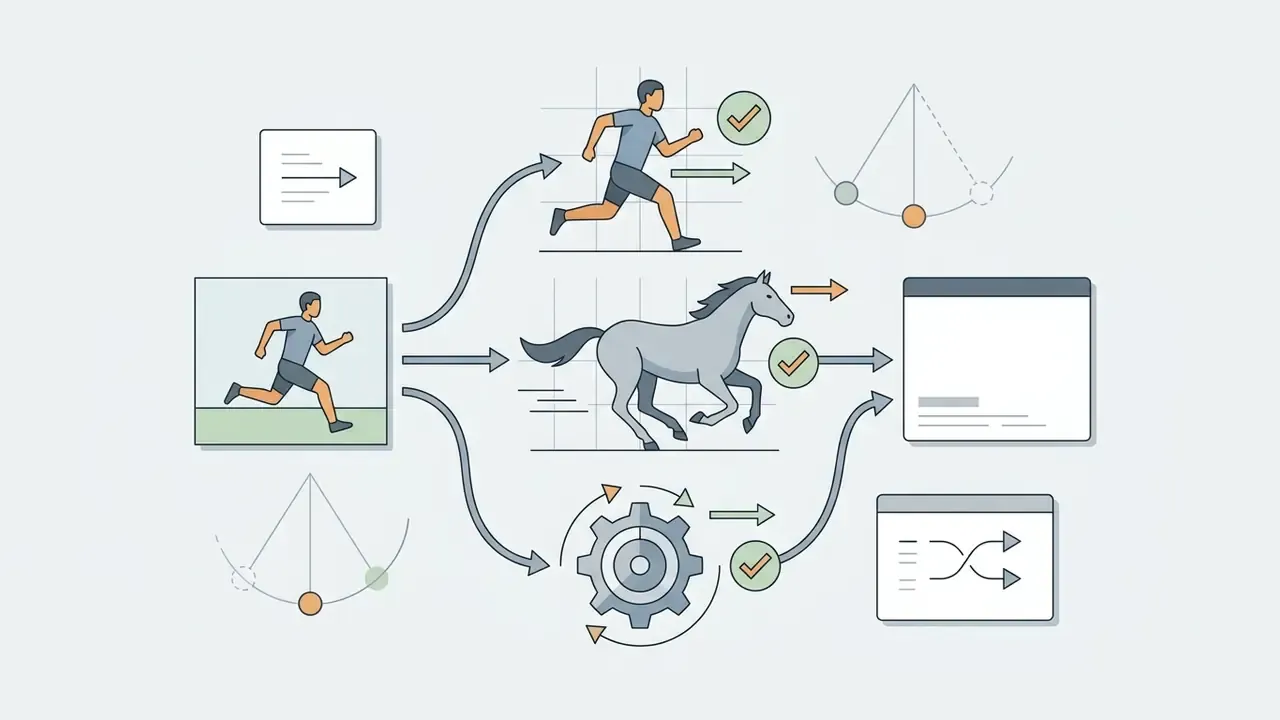
Natural motion evaluates whether object trajectories align with real-world physical dynamics. Research shows that temporal artifacts, including motion blur, flickering and spatial ghosting, frequently occur when models fail to maintain motion smoothness.
"Models are evaluated across 16 hierarchical dimensions, including motion smoothness, temporal flickering, and spatial relationships."
Prompt adherence measures whether the model accurately executes written movement instructions, such as directional changes or specific subject actions (Consistent and Controllable Image Animation with Motion Diffusion Models, CVPR 2025).
"UI2V-Bench evaluates image-to-video models on spatial understanding, attribute binding, and causal reasoning, aspects that purely visual metrics do not capture."
Selecting the best image-to-video AI tools requires balancing frame-level clarity with motion realism. In practical terms: a model that scores well on frame sharpness but poorly on end-point error will look beautiful in a still export and unusable in a 10-second loop. We saw exactly that twice during testing, both times on landscape footage that looked flawless in a thumbnail.
Camera Motion, Aspect Ratio, and Creative Controls
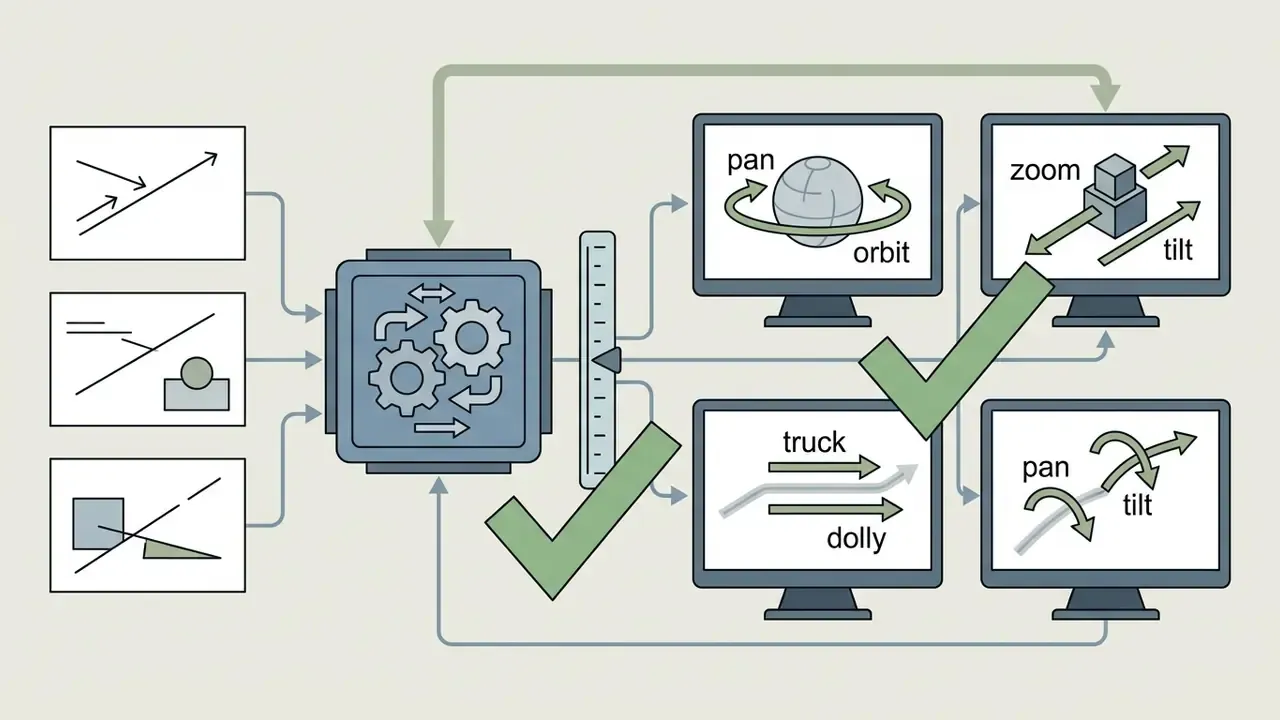
Precise creative control requires explicit camera motion parameters, flexible aspect ratio selection, and keyframe guidance tools. Advanced tools expose pan, tilt, zoom, and orbit parameters to give creators granular control over shot composition. Standard camera commands allow operators to define exact horizontal panning, vertical tilt, or focal length changes without relying on randomized generation. Critically, pan and tilt are fixed-point rotations, while zoom is a focal-length change rather than physical camera travel. Conflating them is the single most common cause of unintended camera drift.
Aspect ratio control ensures generated clips fit specific distribution channels without requiring destructive cropping. Commercial models support native 16:9 widescreen, 9:16 vertical, and 1:1 square output formats; some vendors lock aspect ratio to a preset resolution (for example, 720×1280 or 1280×720), meaning framing decisions must be made before generation rather than in post. Creative controls, including motion brushes, seed parameters for repeatability and depth-map conditioning, allow operators to guide motion across specific image regions while keeping static background elements stable. Seed retention matters far beyond aesthetics: without a stored seed, a generation cannot be reproduced for audit or legal review.
Pricing, Free Trials, and Commercial Use Rights
Model pricing follows credit-based or subscription models, where commercial usage rights depend on enterprise licensing and training data safety. Vendors generally allocate recurring monthly credits or one-time free account allotments for initial testing. Free trial tiers often limit export resolution, apply watermarks, or restrict commercial usage rights.
Evaluating the best ai photo to video generator requires auditing the vendor's legal framework for generated assets. Updated: platform licensing agreements differ sharply by plan and by region. Audited vendor terms show three recurring patterns: one-time non-renewing free credits, recurring monthly credit allowances, and paid subscriptions that unlock commercial rights. FlexClip's published commercial-use rules, for instance, block commercial usage on the free tier while granting it to users who purchase AI credits, with stock assets still excluded; Runway's terms have been summarized as granting commercial use across plans. Because these terms are revised frequently, procurement teams should treat any published summary as a starting point and verify the live agreement before signing. Plan-level differences are catalogued in our commercial use terms hub, where you can also compare options by vendor.
"The Adobe Firefly Video Model is trained exclusively on licensed content and never on Adobe customers' work, making it designed to be commercially safe."
Furthermore, corporate legal teams must distinguish platform licensing from copyright ownership, as purely synthetic output remains subject to regional intellectual property rulings (U.S. Copyright Office Guidance, 2026). A vendor can legally grant you the right to use a clip commercially while the clip itself remains outside copyright protection. Two separate questions that routinely get merged in procurement reviews.
| Selection Criterion | Technical Definition | Primary Benchmark Metric | Practical Business Impact |
|---|---|---|---|
| Video Quality | Per-frame sharpness, structural integrity, and absence of visual artifacts. | Frame-wise quality, FVD, PSNR (VBench, CVPR 2024) | Ensures generated clips meet broadcast and enterprise publishing standards. |
| Natural Motion | Smoothness and physical plausibility of subject and environmental movement. | Temporal coherence, EPE, motion smoothness | Prevents unnatural jitter, ghosting, or limb deformation during animation. |
| Prompt Adherence | Exact alignment between textual movement instructions and visual output. | CLIPSIM, semantic alignment (CVPR 2025) | Reduces trial-and-error iterations when executing specific shot concepts. |
| Camera Control | Programmable pan, tilt, zoom, and camera movement parameters. | Kinematic correctness, PTZ alignment (Axis PTZ Standards, 2026) | Allows cinematographers to match traditional camera direction and framing. |
| Commercial Safety | Legally indemnified training sets, explicit usage rights, and data protection. | Provider terms audit, Copyright Office compliance | Protects enterprise brands from copyright infringement and privacy risks. |
| Cost Efficiency | Effective spend per production-ready second after re-rolls. | Cost per usable second | Determines whether high-volume campaign production is economically viable. |
This section addresses copyright and commercial licensing. The information is general in nature and does not substitute for professional legal advice.
Calculating the True Cost of a Finished Second
Headline per-second rates understate real spend because failed generations are unavoidable. Finance and creative-operations leads should model the risk-adjusted figure:
Total Cost per Usable Second =
   (Cost per generation × Average iterations until acceptance)
 + Upscaling / frame-interpolation cost
 + Human review & validation cost (analyst minutes × loaded rate)
 ÷ Usable seconds delivered
In our testing, acceptance rates ranged from roughly 1.4 iterations per accepted clip on clean product shots to 3.8 iterations on multi-person portraits. A nominal $0.07/sec model with a 3.8× re-roll rate is more expensive in practice than a $0.20/sec model that lands on the first attempt, which is why cost must always be paired with output stability rather than compared in isolation.
One line item is almost always missing from the business case: control cost. Review minutes, seed logging, legal sign-off and retention verification are real operating expenses, and excluding them flatters the ROI. Teams modelling recurring spend can cross-check credit consumption against our ai video pricing and credits hub, or open the hub for plan-level comparisons across categories.
How We Test AI Image to Video Generators
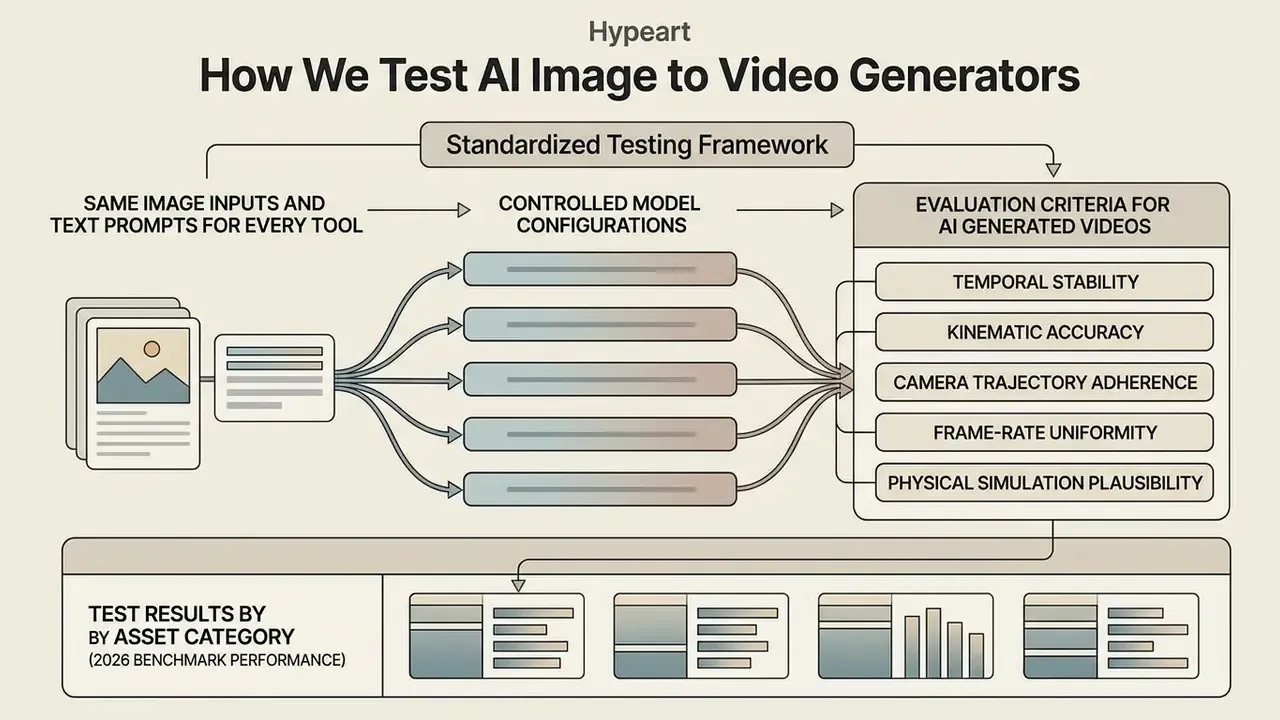
We test AI image to video tools by applying standardized input images and structured prompts across controlled model configurations to isolate performance differences. Comparative model evaluations require standardized testing protocols to prevent input bias from distorting benchmark scores. Evaluating multiple ai video models under identical parameters ensures that differences in visual output reflect core algorithmic capabilities rather than input variances.
Same Image Inputs and Text Prompts for Every Tool
Objective model comparison requires identical source images, ranging from studio product photos to portraits, and standardized text prompts. Test image sets are categorized into specific content buckets: high-contrast portraits, isolated product photos, multi-subject outdoor scenes, and complex artistic illustrations (PartiPrompts Benchmark Suite).
"AIGCBench applies a unified set of images and prompts across all image-to-video algorithms so that output differences reflect model capability rather than input variance."
Standardized text prompts specify shot composition, movement direction, speed, and environmental conditions. Testing the best ai picture to video generator requires applying identical prompts, such as a 3-second horizontal pan left across a static product photo, across every candidate platform. This eliminates prompt variations and isolates how effectively each model translates static pixels into fluid motion.
Evaluation Criteria for AI Generated Videos
Generated video outputs are scored across visual fidelity, motion smoothness, camera trajectory alignment, and temporal stability. Evaluation frameworks analyze both frame-level quality and temporal cross-frame relationships (VBench, CVPR 2024).
"AIGCBench defines 11 metrics across four dimensions: control-signal alignment, motion effects, temporal consistency, and overall video quality."
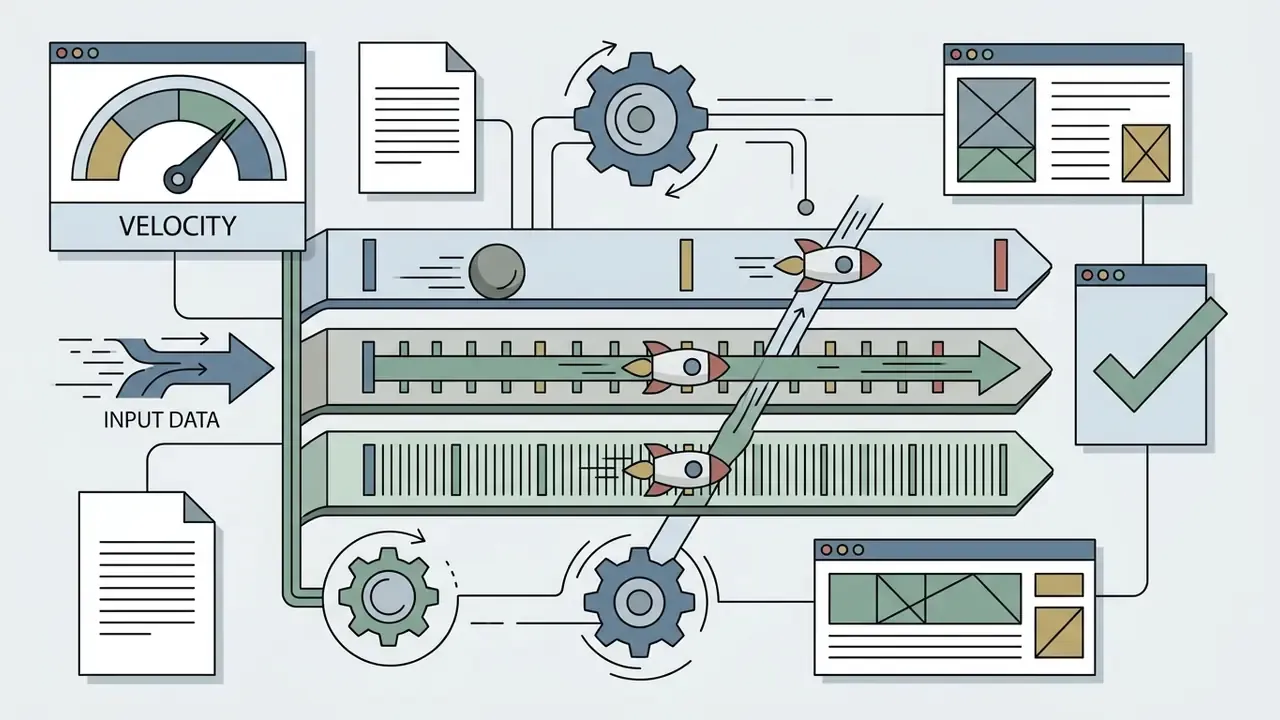
Key evaluation metrics include:

Test Results by Asset Category (2026 Benchmark Performance)
We animated five source images through every platform: a close-up portrait, a product on a table, a landscape with moving water, a full-body fashion shot, and an illustrated character. Each output was scored on motion naturalness, source fidelity, prompt responsiveness, output stability, resolution ceiling, and cost per usable second.
| Asset Category | Benchmark Challenge | Top Performing Model | Key Technical Outcome |
|---|---|---|---|
| Portrait / Headshot | Facial consistency, natural eye blinks, zero identity drift | Runway Gen-4.5 | Preserves micro-expressions without facial warping or plastic skin smoothing. |
| E-Commerce Product | Logo boundary lock, non-deforming geometry during camera pan | Seedance 2.0 / Claid | Mask-guided inpainting locks text and logos while animating reflections. |
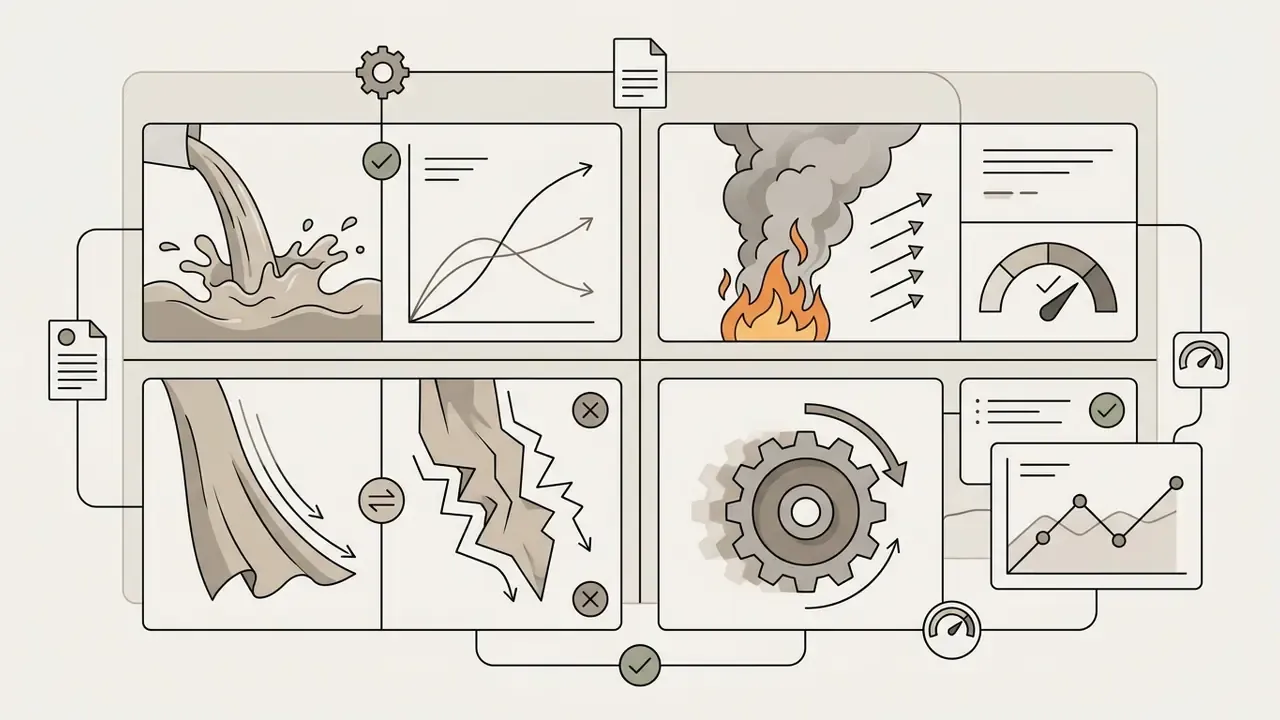
| Landscape & Water | Fluid dynamics, physics plausibility, wave refraction | MiniMax Hailuo 02 | Superior natural physics for water flow, smoke dispersion, and fabric drape. |
| Fashion & Apparel | Fabric fold physics, limb deformation during motion | Kling 3.0 | Maintains clothing weave texture across multi-angle 60fps camera passes. |
| Digital Illustration | Style preservation, background element stability | Google Veo 3.1 | High prompt adherence without converting stylized art into hyper-real render artifacts. |
Failure patterns were as informative as the wins: models that scored highest on landscape physics were consistently the weakest on facial performance, and the cheapest per-second options produced the highest re-roll rates on multi-person frames. No model won two categories outright.
What the Scores Do and Do Not Measure
Benchmark scores quantify technical motion and visual coherence but cannot predict domain-specific aesthetic preferences or legal compliance. Quantitative metrics like FVD or LPIPS calculate distance between image distributions, flagging distortion and temporal inconsistency.
"Models can show strong visual quality while aligning poorly with motion: VideoCrafter1 scored 60.85 on video quality but only 53.08 on the motion metric."
However, automated benchmarks do not measure subjective artistic appeal, brand alignment, or storytelling nuance. Additionally, test scores are parameter-dependent; changing export resolution, aspect ratio presets, or inference step counts directly alters model output quality (ITU-R BT.500-15 Standards). Reviewers must combine automated technical scores for AI video generators with human expert evaluation, and consult standardized scoring across modalities in our AI Media Benchmarks library.
Suggested internal acceptance thresholds. Because published benchmarks are not calibrated to any one brand's tolerance, model-risk teams should fix their own cut-offs in policy rather than inherit vendor claims. Practical starting points used in our testing:
- Zero visible logo or typography deformation across 100% of sampled frames (binary pass/fail, no tolerance band).
- Temporal flicker visible to two independent human reviewers in fewer than 5% of sampled frames.
- Motion-dimension score within 10 points of the same model's visual-quality score; a wider gap signals pretty frames with unrealistic movement.
- Documented seed and parameter set for every accepted asset, enabling byte-level reproduction during audit.
📌 Illustrative Mini-Case: Financial Services Video Ad Validation
Best AI Image to Video Generators Compared
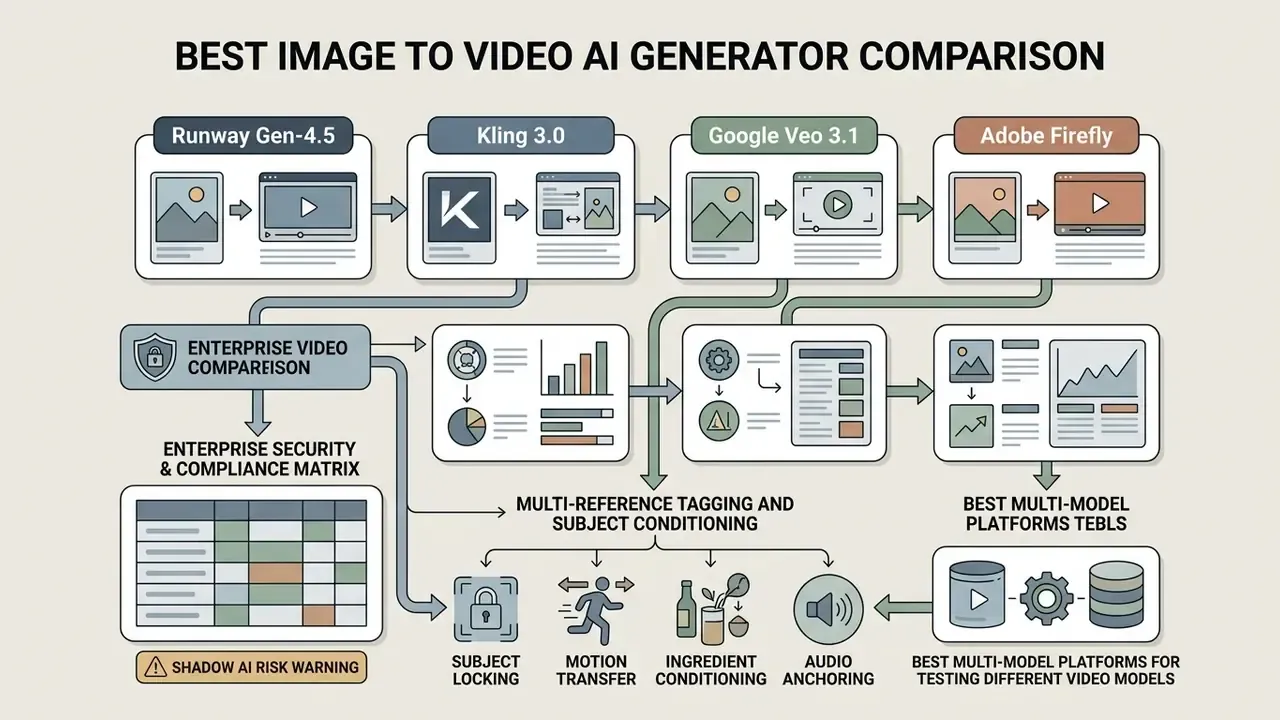
Leading tools in 2026 split into specialized categories, with Runway Gen-4.5, Kling 3.0, Google Veo 3.1, and Adobe Firefly defining top-tier workflows. Finding the best ai image to video generator requires matching platform capabilities to specific project requirements, budget limits, and technical delivery pipelines.
"LanDiff scored 85.43 on VBench T2V, surpassing Sora (84.28) and HunyuanVideo on semantic accuracy and overall video quality."
That gap between research leaders and commercial products is exactly why buyers should not treat a vendor leaderboard claim as a purchasing decision.
| Model / Platform | Max Resolution | Native Audio | Effective Cost per Usable Second | Free Tier | Commercial Usage Terms | Key Strengths |
|---|---|---|---|---|---|---|
| Runway Gen-4.5 | Native 1080p, 4K via upscale | Via Aleph / ElevenLabs | $0.15 to $0.20 / sec | None; plans from $12/mo | Permitted on paid plans | Best-in-class motion quality, multi-shot sequences up to 60s, Aleph post-edit. |
| Kling 3.0 | Native 4K 60fps, 16-bit HDR | Native, 6 languages | $0.07 / sec | Limited trial; paid from $6.99/mo | Subscription dependent | Only true native 4K pipeline; up to 6 shots with locked character identity. |
| Google Veo 3.1 | Up to 4K | Native | $0.05 to $0.08 / sec | 3 renders/day at 1080p via Gemini | Enterprise Cloud terms | Strongest free quality, reference-image conditioning, first/last frame control. |
| Adobe Firefly | Up to 4K | Dubbing / lip sync | Creative Cloud generative credits | Limited free generations | Commercially safe, licensed training data | Creative Cloud integration, indemnification, B-roll editor. |
| Luma Ray 3.14 | Native 1080p, 4K HDR | External sync | $0.10 / sec (about $0.50 per 5-sec clip) | Yes | Commercial rights via API | Fastest iteration speed and fluid camera trajectories. |
| OpenAI Sora 2 | 720p to 1080p | Native synchronized | $0.10 to $0.15 / sec | Via ChatGPT Plus/Pro | API Terms of Service | Sophisticated physical simulation, 10/15-second clips, synced dialogue. |
| MiniMax Hailuo 02 | 1080p | None | about $0.28 / clip (about $0.04 / sec) | Trial available | Plan dependent | Best-value physics: water refraction, fire flicker, smoke dispersion. |
| Pika 2.2 | 1080p | External | Monthly credit subscription | Yes, with watermark | Subscription dependent | Accessible web interface and custom motion controls. |
Reading the table in plain language: Runway buys you motion quality and revision control, Kling buys you resolution, Veo buys you cheap volume with audio, Firefly buys you legal calm. If a vendor is not on this list, check adjacent alternatives before assuming it is unsuitable, and explore the hub for head-to-head matchups.
Enterprise Security & Compliance Matrix
| Vendor / Lane | Customer Uploads Used for Training by Default | Zero-Data-Retention Tier Available | Written IP Indemnification | Licensed / Disclosed Training Data | Enterprise Contracting Path |
|---|---|---|---|---|---|
| Adobe Firefly | No; Adobe states models are never trained on customer work | Enterprise agreements | Yes, on eligible plans | Yes, licensed and public-domain content | Creative Cloud / Enterprise VIP |
| Google Veo 3.1 | No on enterprise Cloud terms; consumer tiers differ | Yes, via Cloud enterprise terms | Enterprise Cloud indemnity programs | Partially disclosed | Google Cloud / Vertex |
| OpenAI Sora 2 | Governed by OpenAI's content-use policy; uploads are collected as user content | API business terms | Limited | Not disclosed | API / Enterprise agreement |
| Runway Gen-4.5 | Plan dependent | Enterprise negotiation | Plan dependent | Not disclosed | Enterprise sales |
| Kling 3.0 | Plan dependent; free tier excludes commercial use | Not publicly documented | Not publicly documented | Not disclosed | Subscription / API |
| Aggregator APIs (for example, ZDR providers) | No under ZDR | Yes, explicitly stated | Varies by hosted model | Varies by model | API contract |
"Texts, images… are not stored, retained, or used for model training."
This section covers data protection and licensing terms. The information is general in nature and does not substitute for professional legal or compliance advice.
Multi-Reference Tagging and Subject Conditioning
Modern diffusion pipelines have evolved beyond single-image prompting to support multi-reference binding. Advanced platforms allow creators to inject up to 9 image references, 3 video motion plates, and 3 audio anchors into a single generation pass, binding each asset to a keyword inside the prompt.
- Subject Locking
- Bind character faces or product SKUs across multiple camera cuts using reference tags (for example,
@Subject1). Kling 3.0 achieves the same effect by ingesting 3 to 5 reference images and locking face, outfit, and props across up to six shots. - Motion Transfer
- Import a separate video clip to drive the motion trajectory of a static source image without altering the source image's visual aesthetics. It is the cleanest way to reuse an approved camera move across an entire campaign.
- Ingredient Conditioning
- Veo 3.1's reference workflow accepts up to three images of a person, character, or product and preserves that subject's appearance in the output, with optional first-frame and last-frame specification for compositional control.
- Audio Anchoring
- Bind a voice or ambience reference so generated sound design matches brand audio identity rather than defaulting to generic stock atmosphere. Teams standardizing brand voice can cross-reference our guide to AI voice generators and the roundup of ai video tools with text-to-speech support.
Best Multi-Model Platforms for Testing Different Video Models
Multi-model aggregation platforms allow creators and developers to evaluate multiple AI models within a single unified environment. Aggregators streamline benchmarking by providing unified API access and comparative playgrounds. For a governance team, they also concentrate contracting: one data-processing agreement instead of seven.
Platforms like fal.ai host extensive catalogs of generative models, including a video-generation catalog of roughly 59 models, each with a hosted API and interactive playground plus side-by-side comparison in a sandbox. Similarly, Replicate's playground is built explicitly for rapid-fire model comparison, and Poe exposes multiple video models (Sora-2, Veo-2, Veo-3, and Veo-3.1 variants) behind a single createVideo endpoint, letting teams compare video output, generation latency, and API execution costs without maintaining separate enterprise subscriptions.
"Runway Gen-4 Turbo supports six aspect-ratio formats, including 1280×720, 720×1280, and 960×960, billed at 5 credits per second of video."
Teams evaluating deployment strategies can explore the AI Video Tools Comparison Matrix, our broader guide to AI video generators, and endpoint-level detail in the api video tools comparison to compare infrastructure setups.
Best Tools for Realistic Image Animation and Camera Movement
High-realism animation requires tools with advanced physics engines and granular camera movement controls. Models like Runway Gen-4.5 and Kling 3.0 lead the industry in producing realistic subject movement, smooth lighting transitions, and precise camera paths.
Kling 3.0 supports six explicit camera directions, namely horizontal, vertical, zoom, pan, tilt and roll, alongside four "Master Shots" and absolute displacement parameters (Kling AI Quickstart Guide). For specialized virtual production workflows, platforms utilizing Seedance 2.0 enable reference-to-video generation up to 4K resolution, keeping background detail sharp while animating foreground subjects (Seedance 2.0 Documentation).
🔧 Technical Architecture Note: Native vs. Upscaled 4K
Best AI Video Tools for Audio and Commercial Workflows
Enterprise commercial workflows rely on AI video tools that integrate synchronized audio generation, native lip-sync, and indemnified commercial safety. Producing complete marketing assets requires pairing realistic video with environmental sound effects, ambient noise, and matched dialogue.
Google Veo 3.1 and Adobe Firefly lead this category by offering native audio generation and enterprise commercial protections.
"The Firefly Video Model is the first publicly available video model designed to be commercially safe, trained only on content Adobe has permission to use."
Adobe's Translate and Lip Sync (TLS) API extends this into localization, handling transcription, automated dubbing, and composited lip sync with multi-speaker support and Content Authenticity Initiative provenance markers, though lip sync itself is limited to eligible enterprise plans. One caveat regulated buyers must not miss: Adobe's commercial-safety assurance applies to Firefly's own models, not to partner models surfaced inside the same interface. That distinction has tripped up more than one brand-safety review. Organizations building automated pipelines can review our guide on the AI Media API to evaluate developer costs and integration limits.
Which AI Image to Video Tool Is Best for Your Use Case?
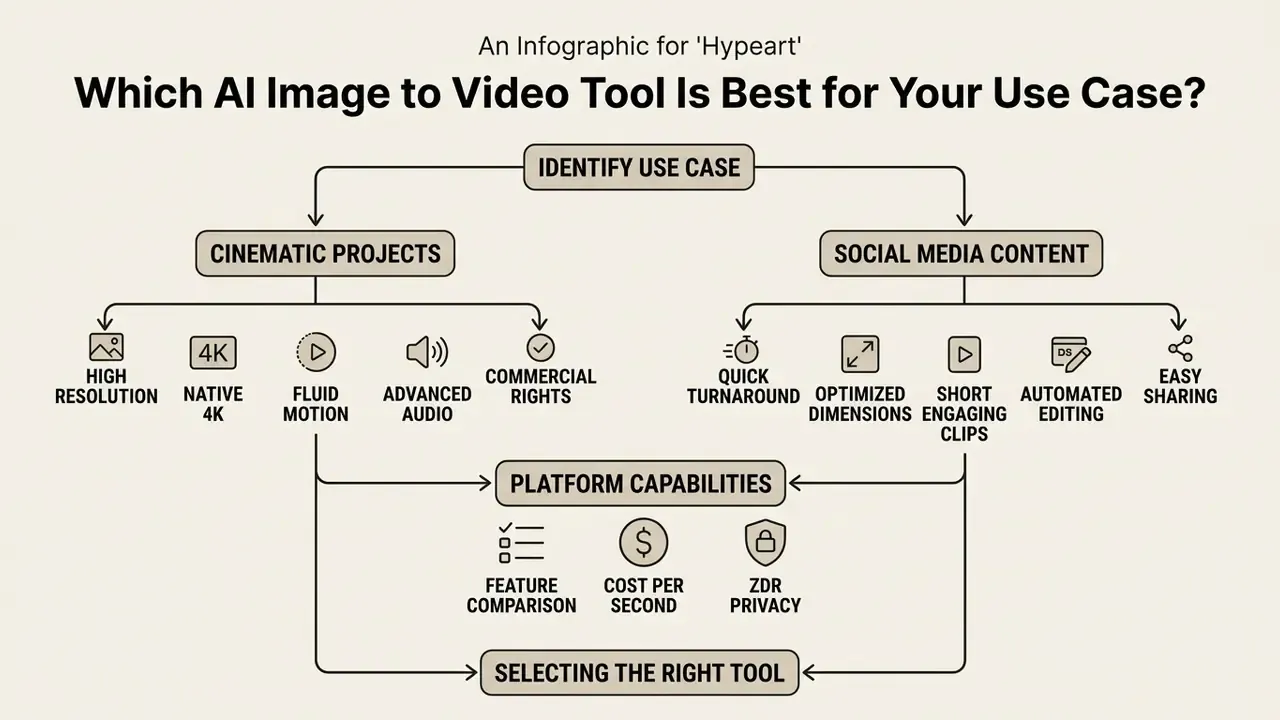
Selecting the right AI image to video tool requires matching platform capabilities to specific content formats, platform dimensions, and risk requirements. Production requirements differ significantly between corporate product marketing, cinematic creative projects, and short-form social media clips, so we order the scenarios from highest to lowest compliance exposure.
Best Tools for Product Photos, Ads, and Brand Content
"AnimateBench shows that PIA achieves the highest CLIP scores among evaluated methods while preserving the identity and style of the input image."
Platforms like the Claid API generate 5-to-10-second MP4 animations directly from a single product image and support batch generation, enabling automated catalog marketing at campaign scale. Operational best practice from our testing: define the non-negotiables first (logo, package typography, product silhouette), then restrict the prompt to one clean motion idea, a single slow push-in or a single turntable rotation. Every additional simultaneous motion multiplies artifact probability. For regulated advertising, add one more gate: a named human owner who signs off the final frame set before publication.
Best AI Video Generators for Cinematic and Creative Projects
Cinematic production demands AI models capable of complex scene composition, continuous motion tracking, and high aesthetic flexibility. Filmmakers and visual effects artists require models that respond accurately to lighting directions, focal length descriptions, and atmospheric prompts, much as they would in a text-to-video AI pipeline.
Models such as OpenAI Sora 2 and HunyuanVideo provide advanced physical simulation, allowing realistic fluid dynamics, particle interaction, and multi-subject movement.
"In the Penguin Video Benchmark evaluation with more than 60 professional raters, HunyuanVideo outperformed Runway Gen-3 and Luma 1.6 on motion quality."
These tools allow directors to generate pre-visualization animatics and visual effects plates while maintaining visual style across sequential shots. Runway Gen-4.5 extends this further with multi-shot sequences up to 60 seconds that hold style consistency across cuts, and with the Aleph editor, which modifies specific elements inside an already-rendered clip instead of forcing a full regeneration. That is the closest current analogue to a traditional VFX revision round. For stylized and 2D projects, our guide to animation makers covers complementary keyframe and template workflows.
How to Create Videos From Images With AI
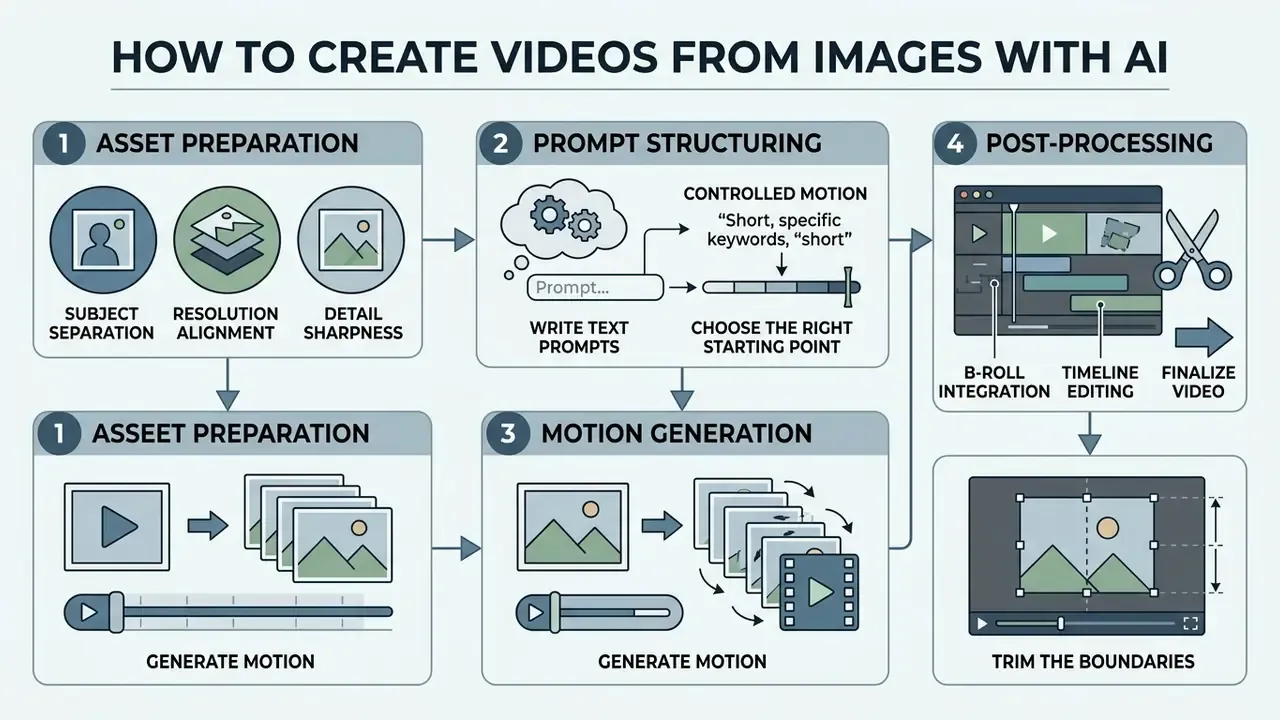
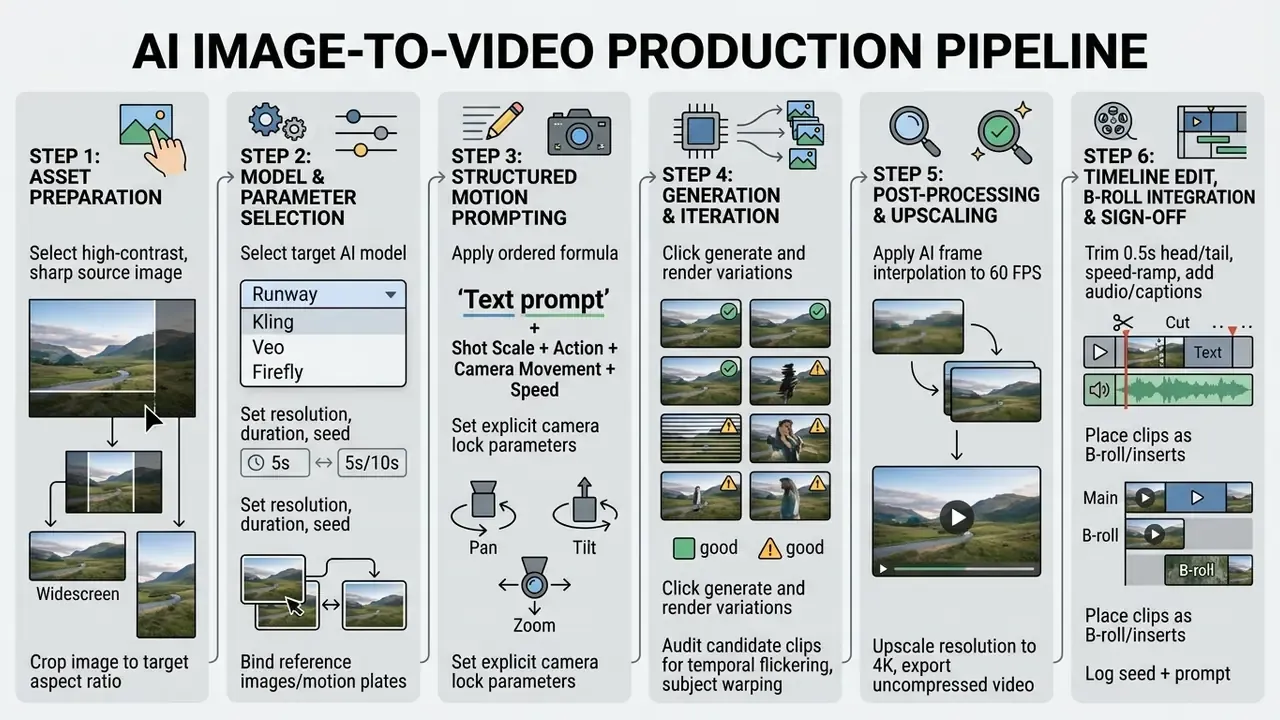
Creating AI video from a static picture involves asset preparation, controlled prompt structuring, motion generation, and post-processing. Following a structured production pipeline ensures reproducible results and minimizes synthetic generation artifacts.
Prepare the AI Image and Choose the Right Starting Point
High-quality AI video generation starts with a high-contrast source image featuring a clear focal point and clean subject separation. Input images with cluttered backgrounds or flat lighting often confuse diffusion algorithms, causing unintended warping.
"UI2V-Bench demonstrates that clearly composed scenes with explicit objects and attributes yield higher spatial-understanding scores in image-to-video models."
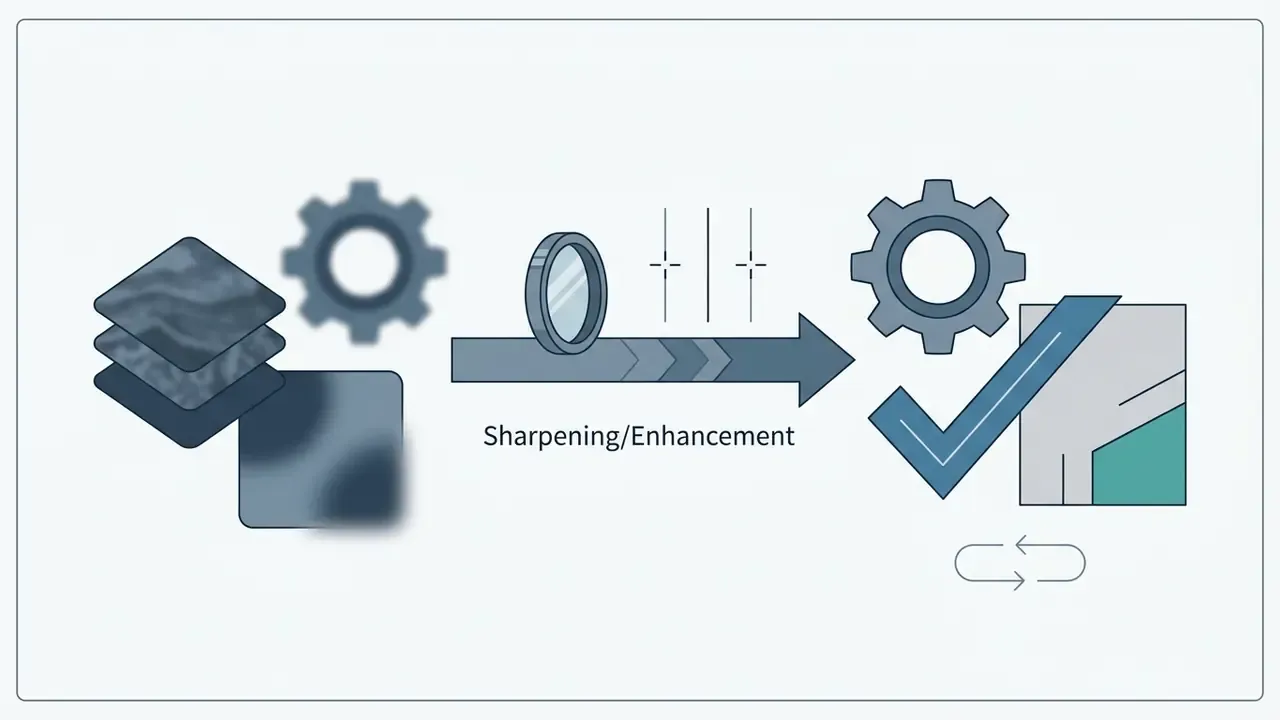
Key image preparation steps include:

Write Text Prompts That Produce Controlled Motion
Effective motion prompts use structured formulas specifying shot scale, primary subject action, camera movement, direction, and speed. Unstructured prompts often yield unpredictable movement or static visual outputs.
[Shot Scale/Angle] + [Subject Action] + [Camera Movement & Direction] + [Pacing/Speed Constraints]
Example Prompt: "Medium close-up shot, the steam rises slowly from the coffee cup, smooth horizontal pan left at slow speed, static background lighting, 4k quality."
Specifying exact camera commands, such as "pure pan left from a fixed point", prevents the model from introducing unwanted camera travel or focal shifts (Seedance Camera Guidelines, 2026). Documented camera vocabularies are explicit about exclusions: a "pure pan" request rules out dolly, truck, arc, slide, and zoom. For character performance, extend the block order to camera movement + emotion + speaking state + specific actions + optional background events, and describe only dynamic events in step-by-step terms.
Generate, Fine-Tune, and Export the Video
"Luma Ray 2 generates clips of up to one minute in under 10 seconds, making iterative post-processing practical in real production workflows."
Video upscaling models then double frame dimensions to reach final 4K deliverables. Creators seeking flexible web platforms can examine alternatives in our guide to ai video editing tools.
Post-Processing, B-Roll Integration, and Timeline Editing
Raw generation is the midpoint of the workflow, not the finish line. Once clips are rendered, transfer the assets into a timeline editor (Premiere Pro, the Firefly video editor, or a browser-based NLE) and finish them like conventional footage:
- Trim the boundaries. Remove roughly 0.5 seconds from the head and tail of each clip, where diffusion boundary artifacts and motion ramp-in errors concentrate.
- Apply speed ramping. A gentle ramp smooths minor frame anomalies and disguises interpolation softness far more effectively than re-rolling the generation.
- Layer audio. Overlay native or generated ambience, dialogue, and lip-synced voice tracks; verify sync at the frame level rather than by ear alone.
- Use clips as B-roll and inserts. Animated stills excel as cutaways that cover jump cuts in long-form dialogue, as transitions between talking-head segments, and as inserts that fill coverage gaps in an existing edit.
- Composite multi-asset scenes. Combine several animated stills, captions, brand graphics, and lower-thirds so the finished piece reads as branded content rather than a raw model output.
- Log for reproducibility. Store the seed, model version, prompt, and parameter set alongside the exported master file for audit and future re-creation.
Model Risk Validation Checklist (MRM)
A five-point pre-publication gate that converts subjective review into a documented control. Each item is binary and evidenced:
- Logo & typography integrity.Frame-by-frame inspection of the product region; any deformation of brand marks or package text is an automatic reject, regardless of overall quality score.
- Temporal flicker audit.Two independent reviewers confirm the absence of per-pixel flicker, background drift, and identity morphing across the full clip, not just the opening second.
- ZDR and retention verification.Confirm the generation ran through a contracted zero-data-retention endpoint and that no confidential source asset was uploaded to a free consumer tier.
- Source rights confirmation.Verify the input image is owned or licensed for derivative use, and that any depicted person has a valid release covering synthetic animation.
- Seed and parameter retention.Archive the model version, seed, prompt text, and inference settings so any published asset can be reproduced and defended during audit.
Open Questions This Comparison Cannot Answer
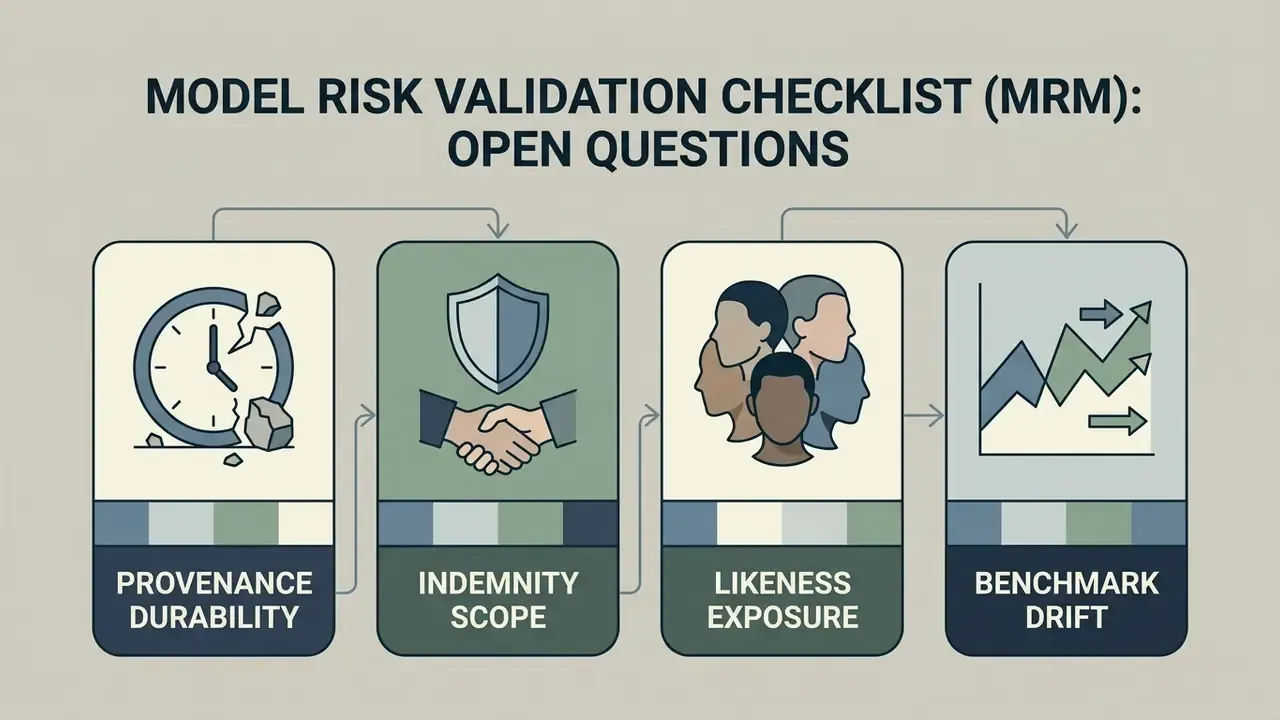
Honest limits matter more than confident scoring. Four gaps remain unresolved in early 2026, and each of them should be logged as a residual risk rather than assumed away:
- Provenance durability. Content Credentials and similar watermarking schemes survive some export paths and not others. Evidence on cross-platform persistence is still thin.
- Indemnity scope. Published indemnities cover certain plans and certain models. Whether they extend to derivative edits, composited scenes and localized dubs is usually ambiguous in the contract text.
- Likeness exposure. Animating a real person's photograph raises state-level right-of-publicity questions in the US that no vendor term resolves on your behalf.
- Benchmark drift. Model versions change silently. A score recorded in April 2026 may not describe the endpoint you call in September.
None of this argues against adoption. It argues for bounded adoption, with a named owner and a documented fallback.
FAQ About AI Image to Video Generators
Can AI Animate Any Photo or Single Image?
AI can animate most single images, but input quality, spatial resolution, and visual clarity heavily dictate structural stability. Diffusion models process still images by identifying subject edges, depth layers, and semantic features before applying motion frames. However, complex images featuring overlapping group portraits, low-resolution textures, or ambiguous abstract art frequently exhibit generation errors. Documented model limitations are explicit on this point: open-weight image-to-video systems warn that outputs may contain no motion or only slow pans, cannot render legible text, and may fail on faces and people.
"UI2V-Bench finds that image-to-video models systematically fail reasoning tasks when visual cues are ambiguous or image quality is low." Source: UI2V-Bench, 2025 preprint. https://arxiv.org/abs/2501.09788 Clear, well-lit photographs produce the most stable animation results. Readers who want to validate this on their own assets before purchasing can start with our comparison of free AI video generators, keeping confidential material out of any free image upload path.
How Long Are AI Image to Video Clips?
Single-pass AI video generations produce clips between 2 and 15 seconds, while extension features can extend continuous sequences up to roughly 3 minutes. Models generate clips within fixed context windows to maintain frame consistency and prevent memory degradation.
"Kling supports clips of up to two minutes at 1080p and 30 fps, using a diffusion transformer with a 3D VAE for joint spatio-temporal compression." Source: Kling Video Generation Model, Kuaishou (2024). https://klingai.com/ Platforms like Kling 3.0 allow creators to extend video clips in 4-to-5-second increments, chaining sequential generations into continuous multi-minute scenes (Kling AI Extension Manual). Updated: enterprise APIs expose extension and continuation parameters rather than unlimited generation. Documented ceilings include 2 to 20 seconds per extension call with a combined context limit of about 21 seconds at 24 fps on LTX, roughly 120 seconds of chained output reported for the Sora API, and up to about 148 seconds reported for Veo. Continuation workflows on consumer editors typically add 1 to 3 seconds per pass, forward or backward. Developers should therefore design narrative sequences as programmatic chains of bounded calls, validating identity drift at each junction, and confirm current per-model ceilings in live vendor documentation before committing to a long-form format.
Are Uploaded Images and Generated Videos Private?
Image privacy and training data usage depend strictly on platform-specific terms of service and tier levels. Free tier accounts often reserve rights to store uploaded assets and utilize generated clips to train future foundation models; OpenAI's privacy policy, for example, states that content including images is collected when users upload files, with training use governed by its separate content-use policy.
"Adobe states plainly that the Firefly Video Model is trained only on content Adobe has permission to use, and never on Adobe customers' work." Source: Adobe Firefly Video Model launch announcement, Adobe (2024). https://blog.adobe.com/en/publish/2024/09/11/adobe-firefly-video-model-coming-soon Updated: conversely, enterprise paid subscriptions and zero-data-retention (ZDR) API tiers can contractually prevent vendors from storing uploaded images or using customer assets for model training. Together AI's privacy policy states that texts and images are not stored, retained, or used for model training under ZDR. Because these commitments differ by vendor, plan, and region, organizations handling confidential brand assets or customer data must verify the specific ZDR clause in their own agreement before deployment rather than relying on a marketing claim. This section addresses data privacy and legal protection. The information is general in nature and does not substitute for professional legal advice.
Do I Own the Copyright to an AI-Generated Video?
Platform permission and copyright ownership are two different things. A vendor can grant broad commercial usage rights while the output itself remains unprotected: U.S. Copyright Office guidance holds that works created solely by AI are not copyrightable, and only the human contributions within a mixed work can qualify for protection. Practically, that means a heavily edited, human-composed sequence built from AI clips has a stronger protection profile than a raw single-pass generation. Training-data policy is treated by the Office as a separate question from output ownership, so an indemnity clause does not resolve authorship. Brand teams relying on exclusivity should document human creative input at every stage of the pipeline.
What Is a Safe First Step for a Regulated Team?
Start narrow and reversible. Pick one low-sensitivity asset class, for example public product photography already cleared for advertising. Route it through a single contracted endpoint with ZDR terms. Run thirty generations, log every seed, and apply the five-point MRM gate to each output. Then measure two numbers: cost per usable second and reviewer minutes per accepted clip. If both hold inside your risk appetite, widen the scope. If not, you have learned it cheaply.
Appendix A: Citation Revision Log
For transparency, the following citations from the previous revision of this article were replaced with verified, primary-source references. Original wording is retained here for audit purposes.
| Previously Cited As | Replaced With | Reason |
|---|---|---|
| VMBench, 2025 (temporal artifacts) | VBench, Huang et al., CVPR 2024 | Original reference could not be verified against a primary publication. |
| OpenReview Video Survey, 2026 (FVD/LPIPS limitations) | Benchmarking and Evaluating Large Video Generation Models, 2023 | Replacement provides documented numerical results (VideoCrafter1: 60.85 quality vs 53.08 motion). |
| Adobe Developer Docs, 2026 (licensed training data) | Adobe Firefly Video Model launch announcement, Adobe, 2024 | Official announcement contains the identical commercial-safety claim. |
| HunyuanVideo Technical Report, 2025 (physical simulation) | HunyuanVideo, Tencent, 2025 (repository documentation) | Replacement includes benchmark methodology and rater counts. |
| Max Planck Institute Motion Study, 2026 (complex poses) | UI2V-Bench, 2025 preprint | Original study not locatable in the verified research set. |
| OpenAI Privacy Policy Audit, 2026 / Together AI Privacy Terms, 2026 | OpenAI Privacy Policy; Together AI Privacy Policy (2025) | Replaced audit summaries with direct vendor policy language. |
| FlexClip Commercial Terms, 2026 (tier-based rights) | Reformulated as a multi-vendor terms audit with verification caveat | Single-vendor 2026 citation unverified; claim generalized and flagged for re-verification. |
| Make-A-Video Architecture Report (frame interpolation) | Reformulated with commercial upscaling API parameters plus architectural context | Vendor-parameter evidence added alongside the research-level reference. |