That last point is the one most creative teams discover late.
Executive summary for decision-makers
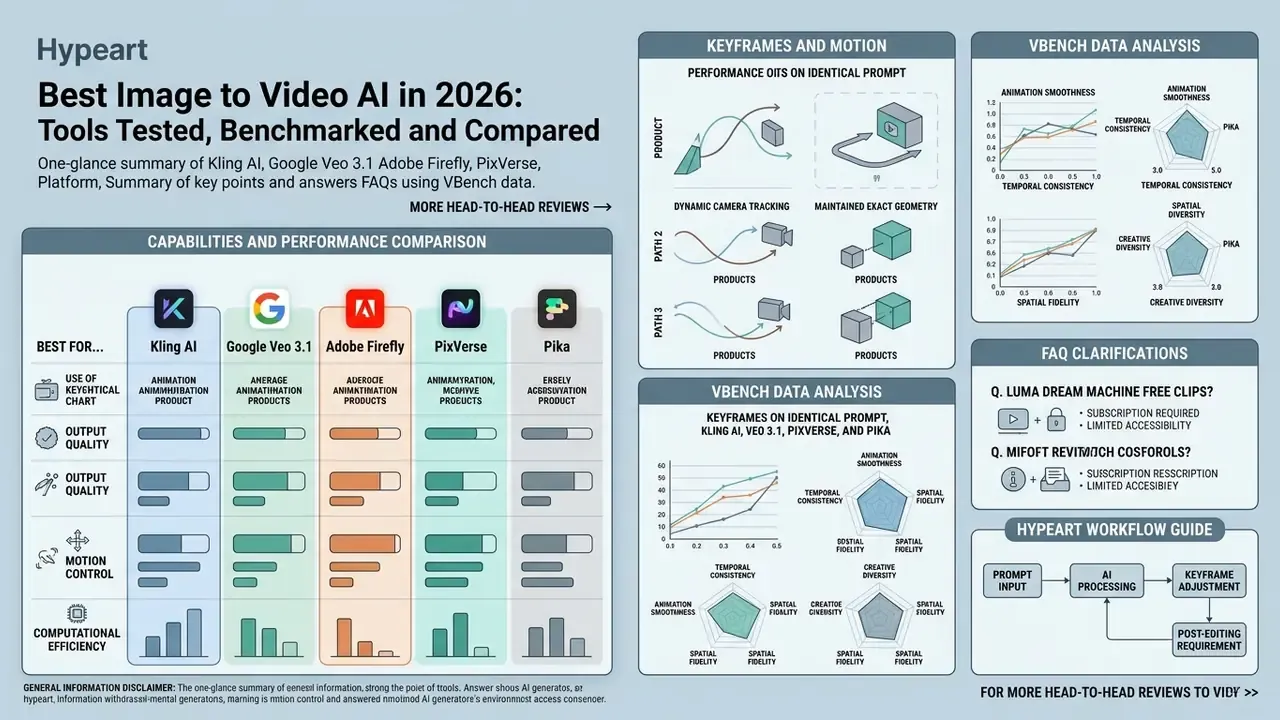
- Best for realistic and cinematic clips: Google Veo 3.1 and Kling AI deliver the strongest physics modeling, multi-shot continuity, and granular camera control.
- Best for commercial and product use: Adobe Firefly Video Model is trained only on licensed Adobe Stock and public domain assets and offers IP indemnification on qualifying plans.
- Best for social media and speed: PixVerse V6 and Pika 2.5 trade some physical realism for fast latency, 9:16 vertical presets, and low credit costs.
- Best free options: Luma Dream Machine, Haiper AI, and open-weights WAN 2.6 allow watermark-free experimentation at entry tiers.
- Best for governed enterprise workflows: platforms with documented enterprise data-retention controls (Adobe Firefly, Google Veo via Vertex AI) are the only safe destinations for unreleased product photography or confidential assets.
- What most teams underestimate: generation is roughly 30 to 40 percent of the workload. Post-production (editing, captions, voiceover, B-roll patching, brand validation) determines whether a clip ships.
What makes the best image to video AI tool?
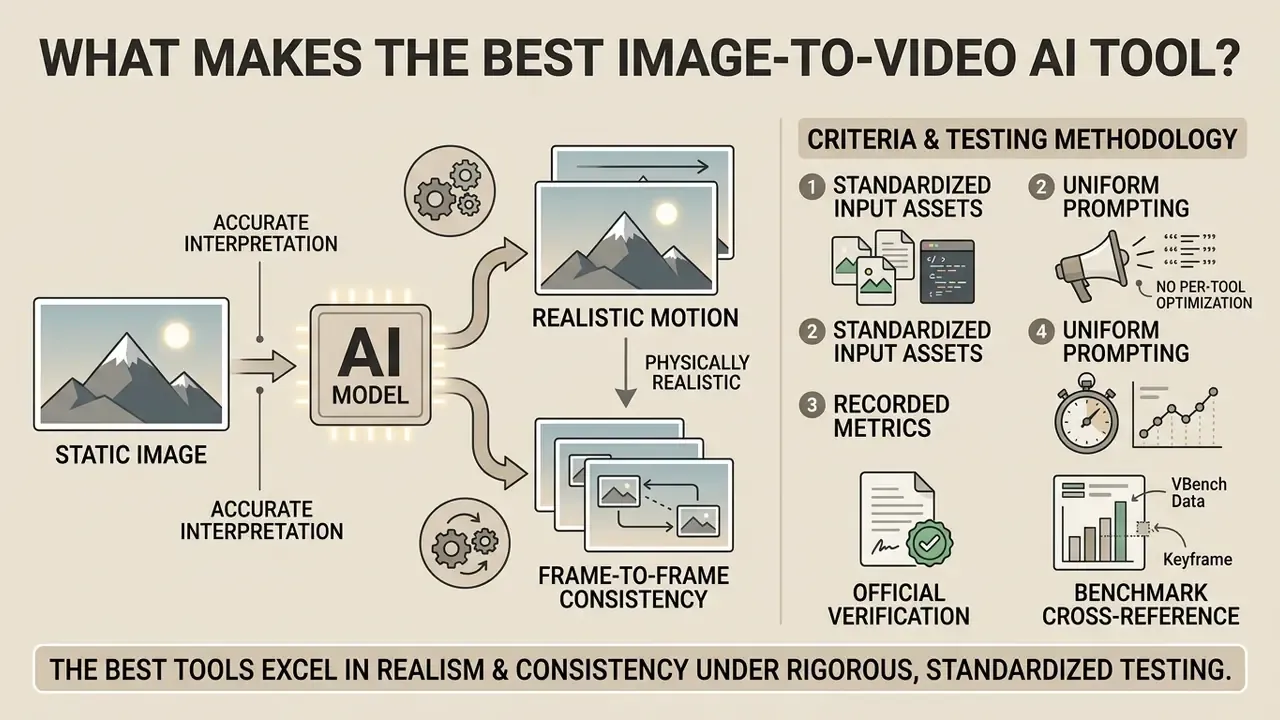
The best image to video AI tool accurately interprets static visual elements and applies physically realistic motion while maintaining frame-to-frame consistency. Evaluation relies on standardized benchmarks like AIGCBench and VBench, which score models across motion physics, control alignment, and spatial quality.
Criteria for evaluating image-to-video AI generators
| Criterion | Benchmark operationalization | Operational impact |
|---|---|---|
| Motion quality & physics | Optical flow MAE, Dynamic Degree, and frame-to-frame smoothness in VBench (AIGCBench, 2024). | Prevents visual artifacts, rubber-banding, and unnatural object warping during movement. |
| Prompt adherence | CLIPSim scores and text-video alignment MOS in T2VQA-DB (arXiv, 2024). | Ensures subject actions and scene dynamics accurately follow written text prompts. |
| Camera control | Camera perspective transitions and motion vector consistency (VBench++, 2024). | Enables precise cinematic camera movement such as pans, tilts, zooms, and tracking shots. |
| Visual quality & fidelity | DOVER perceptual scores and SSIM against the source input image (AIGCBench, 2024). | Maintains character identity, textures, and lighting without losing visual sharpness. |
| Generation speed | End-to-end request latency and queue processing times (Artificial Analysis, 2026). | Dictates production throughput for high-volume content workflows and social campaigns. |
| Commercial readiness | Watermark enforcement, export resolution limits (1080p/4K), and commercial licensing. | Determines legal safety for brand campaigns, product showcases, and commercial use. |
| Data handling & retention | Documented training-on-input policy, retention windows, enterprise opt-out, and security attestations. | Determines whether confidential product photography or customer imagery may be uploaded at all. |
Read the table as a scorecard, not a ranking. A powerful AI model that fails the last row is unusable in a governed environment, however good its quality output looks in a demo reel.
Testing methodology and fact-check protocol
«AIGCBench defines 11 metrics across four dimensions: control-video alignment, motion effects, temporal consistency, and video quality.»
One caveat we should state plainly. Benchmark leaderboards move month to month, and several entries below were scored against model versions that have since been superseded. Treat the numbers as evidence of direction, not as a warranty.
Motion quality, realism, and prompt adherence
Evaluating motion quality requires measuring how smoothly an AI video model transitions between generated frames without producing spatial flickering or structural warping. Research shows that benchmarking frameworks like AIGCBench assess control-video alignment by checking Structural Similarity Index (SSIM) between the source frame and generated sequence (AIGCBench, 2024).
«Pika and Gen-2 reach markedly higher first-frame SSIM against the source image (0.800 and 0.803) than VideoCrafter (0.300) or SVD (0.612).»
High-performing models maintain subject identity while applying natural physics such as gravity, momentum, and fluid dynamics. Smooth motion is the visible half of that; identity stability is the half reviewers notice only when it breaks.
«On VBench-I2V, Step-Video-TI2V scores 87.98 overall, with motion smoothness at 99.24, among the highest recorded across tested models.»
Prompt adherence measures how faithfully the generative AI obeys detailed scene descriptions without drifting from the original image composition. Readers new to the category can start with a plain-language primer on image-to-video AI tools before comparing technical scores.
To verify model performance across creative workloads, testing teams evaluate candidate tools against standardized prompts. When transitioning from static concepts to animated assets, evaluating best ai image editor tools alongside video generators ensures source photos meet baseline quality requirements before video rendering. A cleaned-up still saves a re-render; a noisy one guarantees several.
Controls that affect the final video output
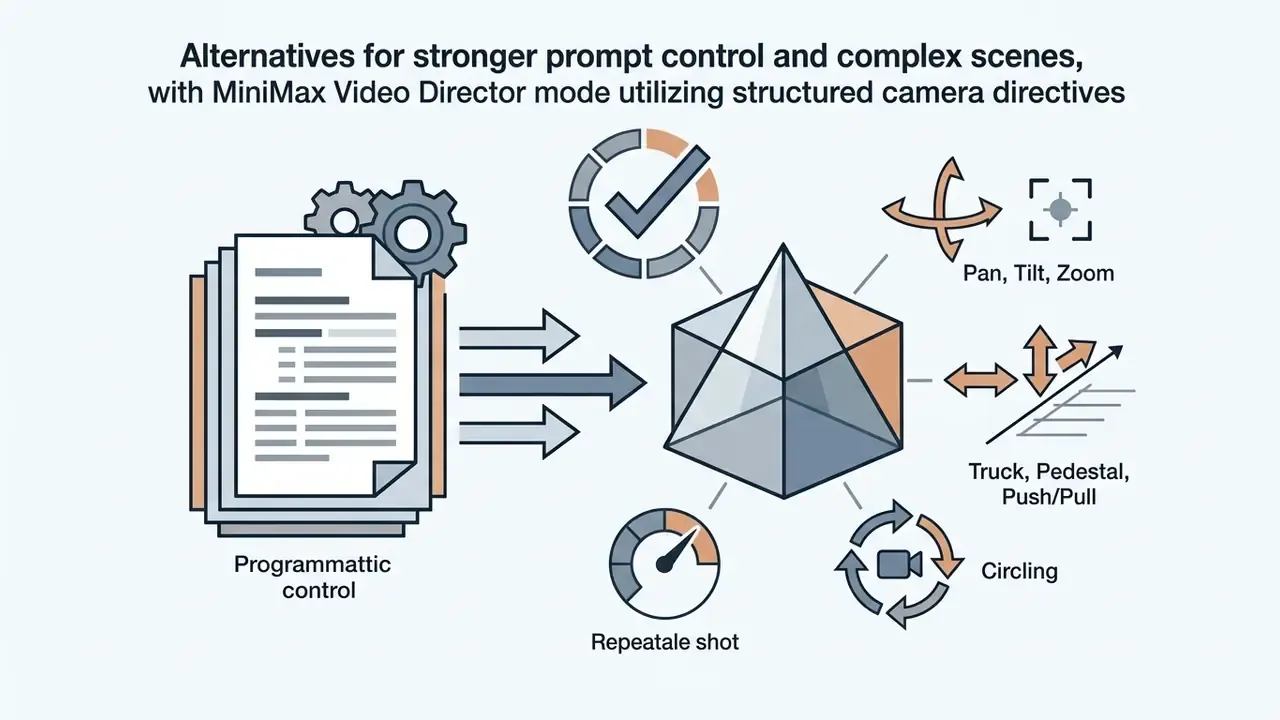
Granular control options determine whether a video generator can execute specific creative direction. Leading AI models expose parameters for camera angles, panning speed, tilt angles, zoom factors, and temporal duration.
- Camera movement presets explicit directions for horizontal pan, vertical tilt, push zoom, orbital tracking, static hold, and handheld shake.
- Shot size and shot angle wide shot, medium, close-up, and extreme close-up combined with eye-level, low-angle, high-angle, bird's-eye, or POV framing.
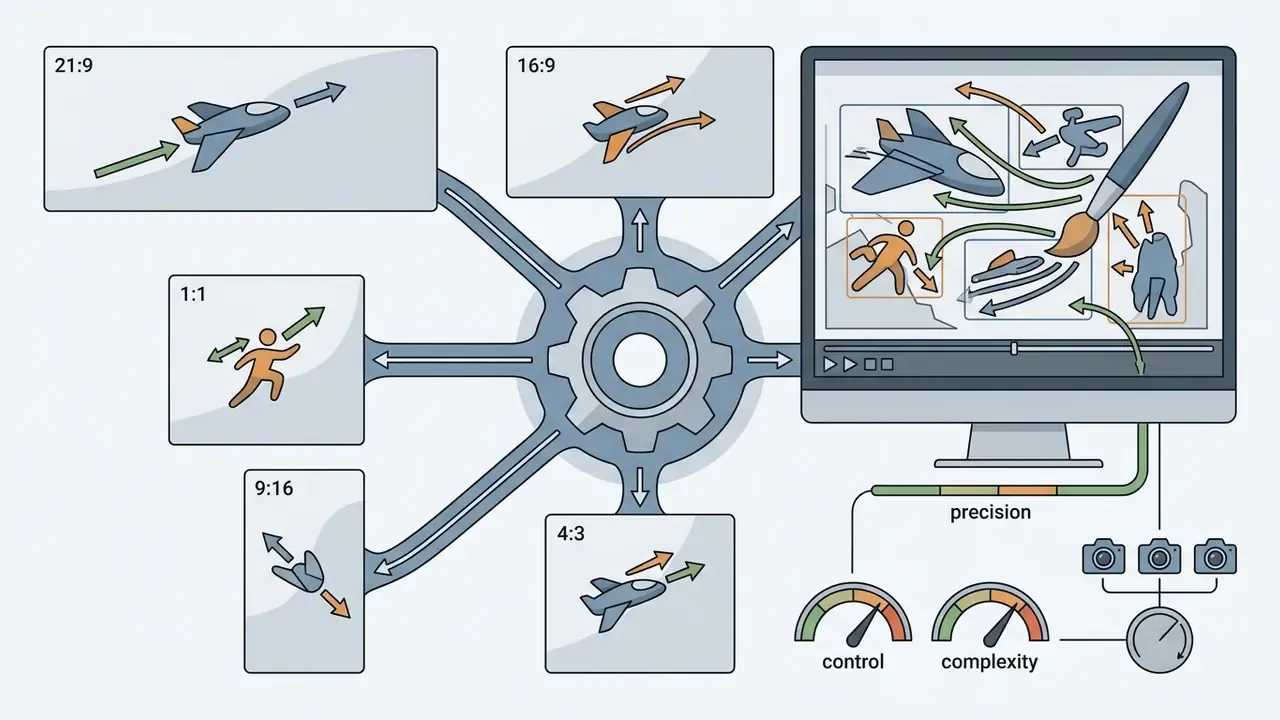
- Aspect ratio adjustments native outputs for widescreen (16:9), vertical social feeds (9:16), and square posts (1:1), plus 4:3, 3:4, and 21:9 on several models.
- Seed and motion scores numerical controls that dictate the intensity of motion versus frame stability.
- Multi-frame guidance support for selecting initial and ending keyframes to guide transformation pathways.
- Motion reference upload Adobe Firefly can extract pans, zooms, tilts, and motion paths from a 5 to 10 second reference clip and re-apply them to a still image.
Dual-keyframe interpolation (start-to-end frame mapping)
Models such as Adobe Firefly and Google Veo 3.1 accept both an initial frame (Frame A) under the first Frame box and a destination frame (Frame B) under the second Frame box. The model then synthesizes the intermediate temporal vector, blending the two stills into one coherent clip and enforcing structural continuity across a state change. Practical applications include animating a product before and after its packaging opens, showing a room before and after a renovation, or morphing a concept sketch into a finished render. Two rules keep interpolation clean: keep lighting direction and camera distance consistent between the two frames, and describe only the transition in the prompt ("the lid lifts and rotates away, camera holds static") rather than re-describing either still. When Frame A and Frame B differ too heavily in composition, models fall back to a cross-dissolve rather than true motion synthesis.
Motion intensity is always a trade-off against fidelity to the source image:
«SVD produces stronger motion (Flow-Square-Mean 2.52) than Pika (0.281), but at the cost of lower fidelity to the source image.»
Fine-tuning these controls ensures that generated video clips align with editorial standards before entering post-production. In our runs, one dominant camera instruction with a moderate motion score beat every attempt to dial everything to maximum.
Generation speed, export quality, and commercial readiness
Commercial adoption requires predictable generation latency and uncompromised video quality. High-volume workflows depend on fast generation models capable of delivering 1080p or 4K resolution outputs within seconds. Most mainstream platforms now return a 5 to 10 second clip in under 60 seconds, with "fast" model tiers (Seedance Lite, Gen-4 Turbo, LTX-class models) trading fidelity for throughput during iteration.
Free account tiers frequently enforce watermarks, restrict export resolutions to 480p or 720p, and limit commercial usage rights. Transitioning to paid plans unlocks full licensing, removes watermarks, and grants priority queue access. Decision-makers evaluating enterprise licensing often review total cost structures by analyzing see the overview of available subscription models and credit allocations, then sanity-check the numbers against real render counts rather than plan headlines.
Data privacy, retention, and Shadow AI risk
For regulated teams, output quality is secondary to what happens to the uploaded file. An image-to-video request transmits an original asset (an unreleased product render, a customer photograph, an internal document screenshot) to a third-party inference environment.
Four questions decide whether a tool is usable inside a governed organization:
- Is the input used for model training?Adobe states explicitly that Firefly models are trained on licensed Adobe Stock and public domain content and not on customer personal content. Several consumer-tier generators reserve broader rights in their terms, and some free tiers store "mature content" for a fixed window before deletion.
- What is the retention window, and can it be shortened?Enterprise API routes (for example Veo through Vertex AI) typically expose clearer retention and regionality commitments than consumer web apps.
- Where is inference executed?Several leading models are operated by vendors headquartered outside the EU and US, which changes the cross-border transfer analysis for personal data.
- Are there security attestations?Ask for SOC 2 Type II or ISO 27001 documentation, a DPA, and a sub-processor list before onboarding.
The NIST framework treats this as a core trustworthiness property rather than a procurement nicety:
«The NIST AI RMF identifies reliability, safety, security, and transparency as core characteristics of trustworthy AI systems.»
Shadow AI checklist for image-to-video workflows
- Publish an approved-tools list and block unvetted generator domains at the network layer for teams handling confidential imagery.
- Prohibit uploads of pre-launch product photography, customer faces, employee likenesses, and any document screenshots to free consumer tiers.
- Route all commercial generation through SSO-managed enterprise accounts so requests are attributable.
- Log prompt, source asset ID, model version, and operator for every published clip to create an audit trail.
- Require a named approver for any AI-generated asset that reaches a paid channel.
A governance principle worth borrowing from model risk management: no evidence, no autonomy. A video model with no named owner, no logged prompts, and no approval gate is not a tool, it is an unmanaged process. Anyone comparing vendors for regulated commercial use should treat that inventory entry as a gating requirement, not paperwork.
This section is general information, not legal advice. Confirm licensing, data-transfer, and retention questions with qualified counsel before deploying AI-generated media commercially.
Best AI tools to turn a photo into video: top picks
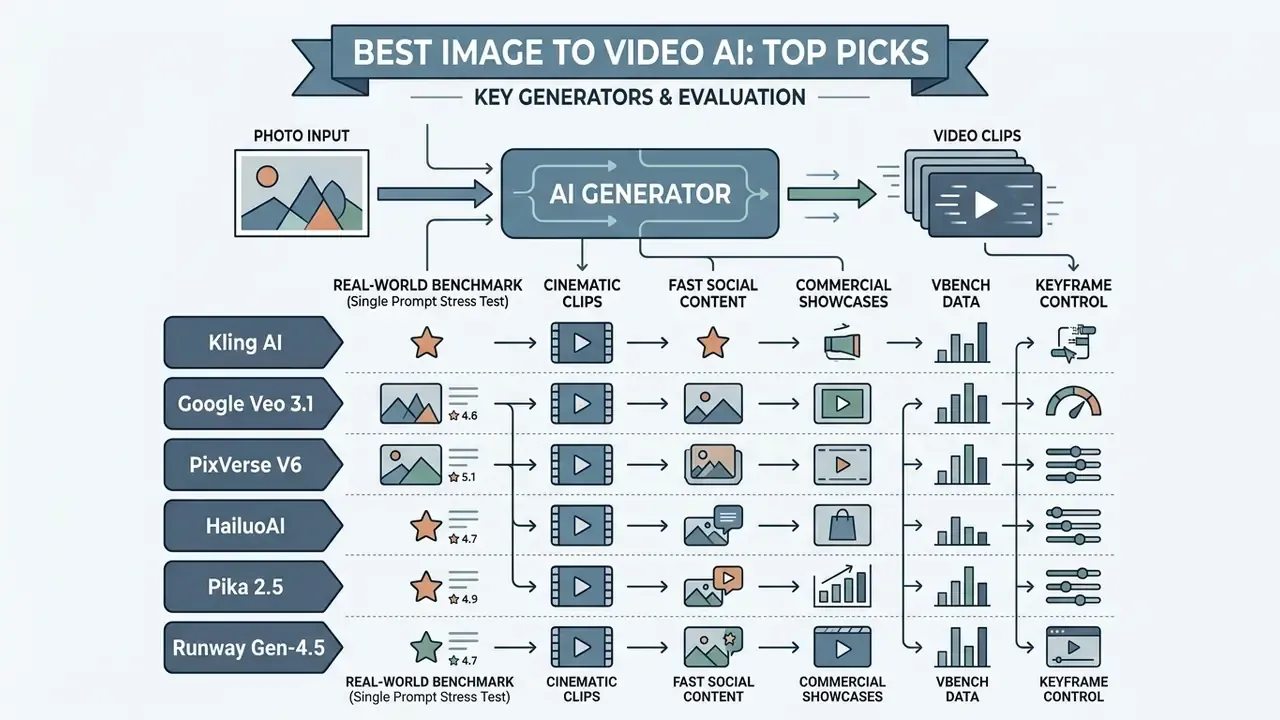
Selecting a video generator requires matching model capabilities with specific deployment goals, such as cinematic clips, fast social content, or commercial product showcases. Anyone searching for the best ai tools to turn photo into video 2025 style rankings will notice how much the field shifted in a single cycle: physics modeling improved, and licensing clarity became the real differentiator. Teams building a wider stack can also compare general-purpose AI video generators alongside the image-first tools below.
Top image-to-video AI generators compared
| Platform | Motion realism | Prompt adherence | Camera control | Free plan limits | Commercial rights | Data privacy & training policy | Official source |
|---|---|---|---|---|---|---|---|
| Kling AI | High (physics-aware) | High (multimodal parsing) | Advanced (3D presets) | 66 credits/day, 720p, watermarked | Paid plans only | Consumer terms; verify retention and training-use before uploading confidential assets | Kling AI, 2026 |
| Google Veo 3.1 | Very high (cinematic) | Very high (5-part prompt parsing) | Advanced (granular angles) | Trial via Vertex AI / Gemini API | Yes (enterprise) | Enterprise route via Vertex AI with documented data-governance controls | Google DeepMind, 2026 |
| Adobe Firefly | High (photorealistic) | High (structured directives) | High (presets + motion reference) | Free daily credits, 4K export | Yes (indemnified) | Trained on licensed Adobe Stock and public domain; states it does not train on customer personal content | Adobe Docs, 2026 |
| PixVerse V6 | Moderate (stylized/anime) | High (text fidelity) | Moderate (20+ cinematic presets) | 90 signup + 60 daily credits, watermarked | Paid plans only | Consumer terms; not recommended for unreleased IP | PixVerse Guide, 2026 |
| HailuoAI (MiniMax) | High (character motion) | High (natural language) | Moderate (standard controls) | ~100 trial credits, 720p | Paid plans only | Consumer terms; confirm cross-border transfer posture | MiniMax Docs, 2025 |
| Pika 2.5 | Moderate (fast clips) | Moderate (direct actions) | Moderate (basic camera pan/zoom) | 80 credits/month, 480p, watermarked | Paid plans only | Consumer terms; free-tier rights reported inconsistently across sources | Pika / Adobe Integration, 2026 |
Real-world benchmark: single complex prompt stress test
Feature tables describe capability; identical-prompt testing exposes failure modes. To test edge-case stability, every model received the same source still (a low-slung futuristic sports car, three-quarter view, wet asphalt) and the same motion prompt, with no tool-specific tweaks:
Observed results across a single generation pass per model:
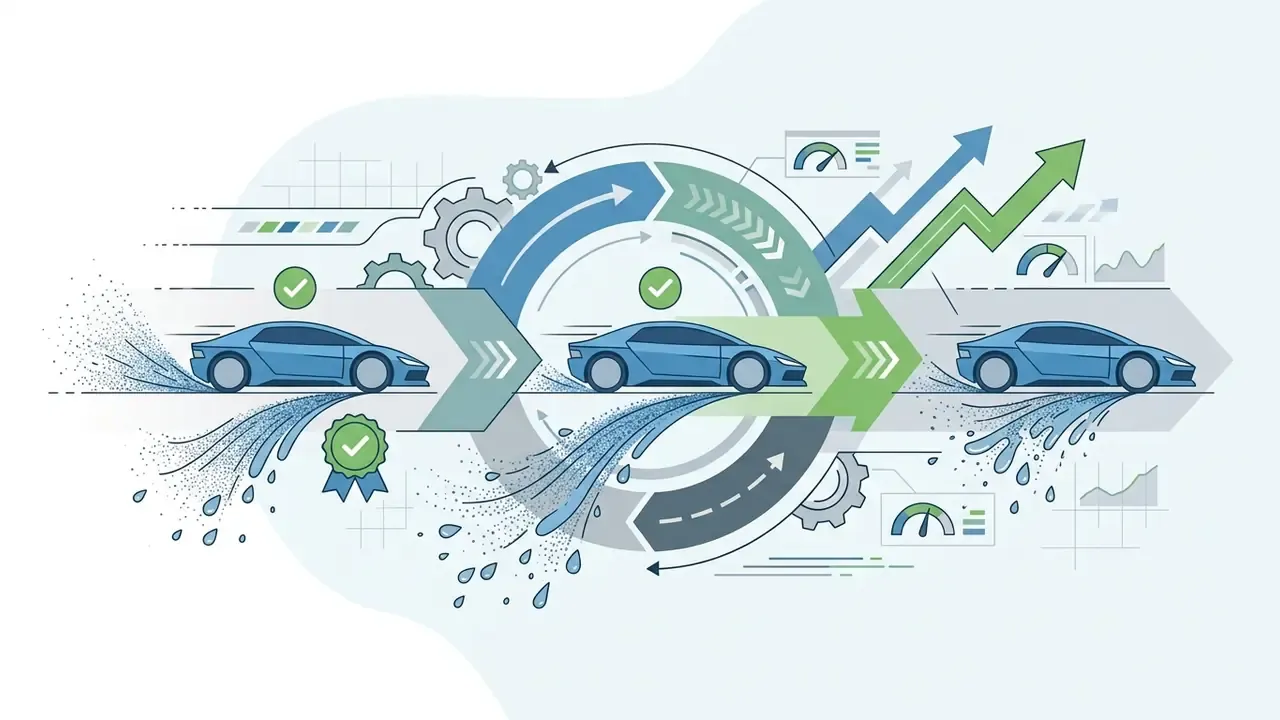
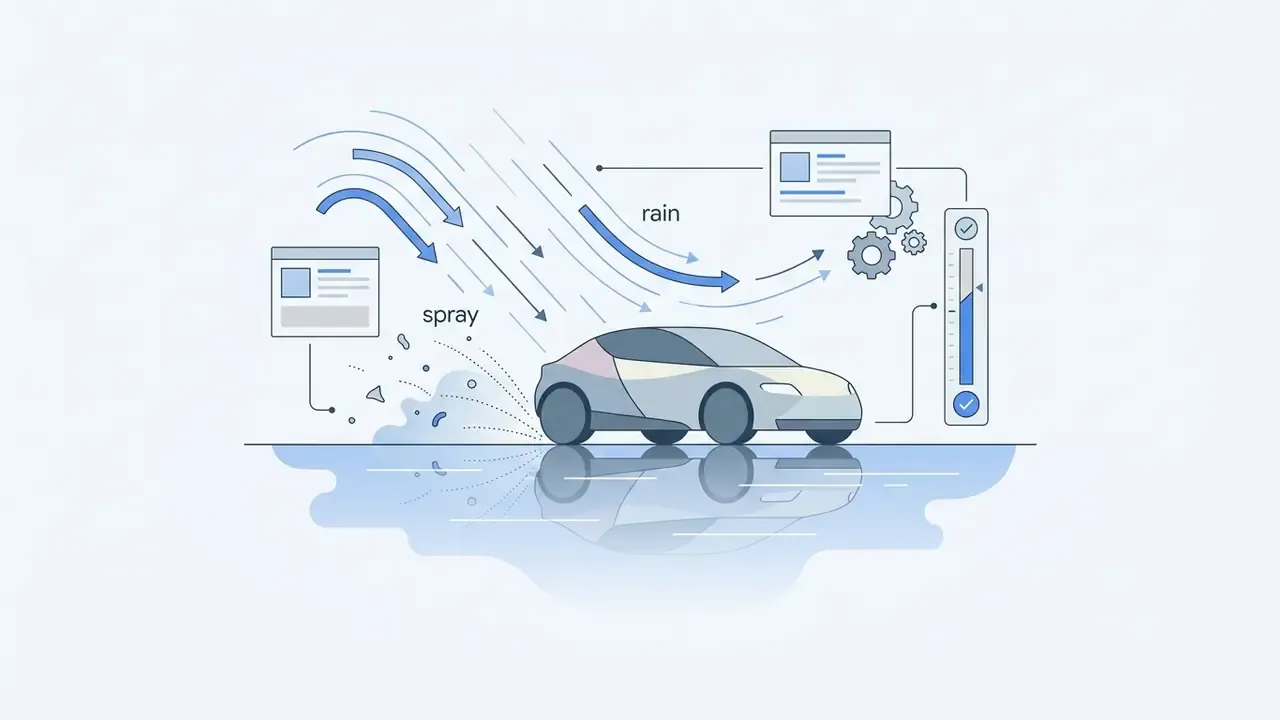
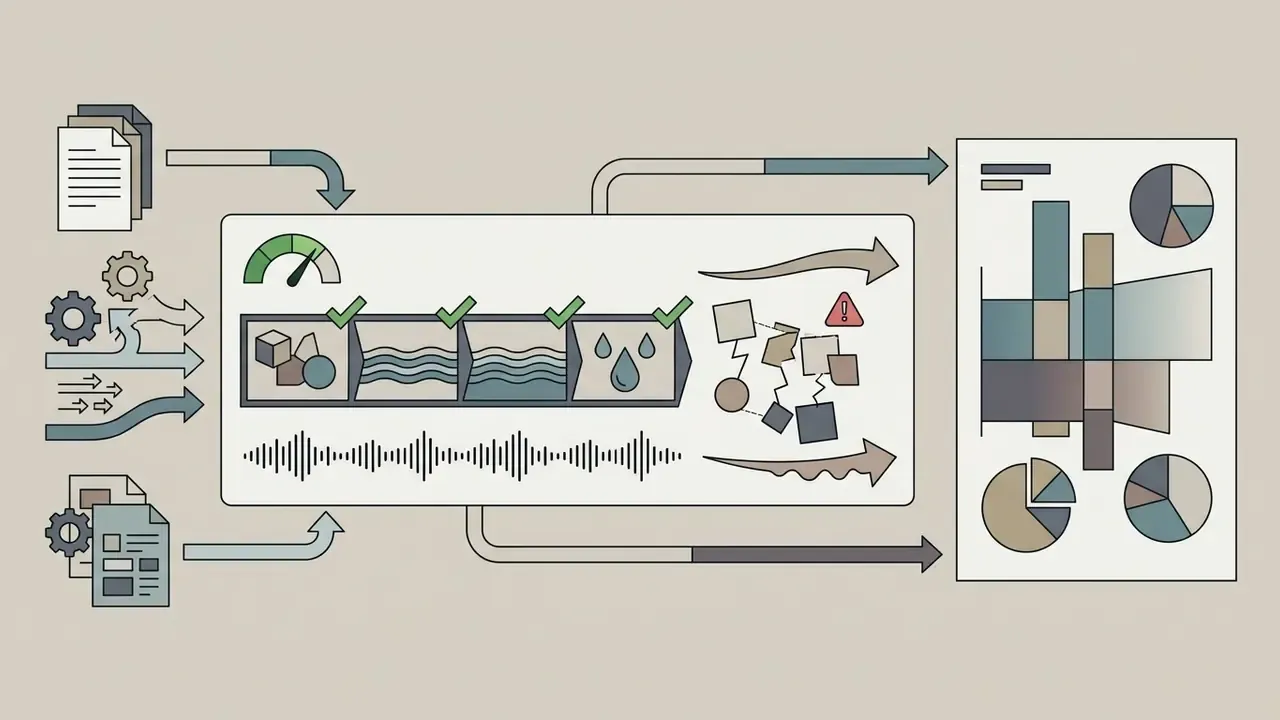
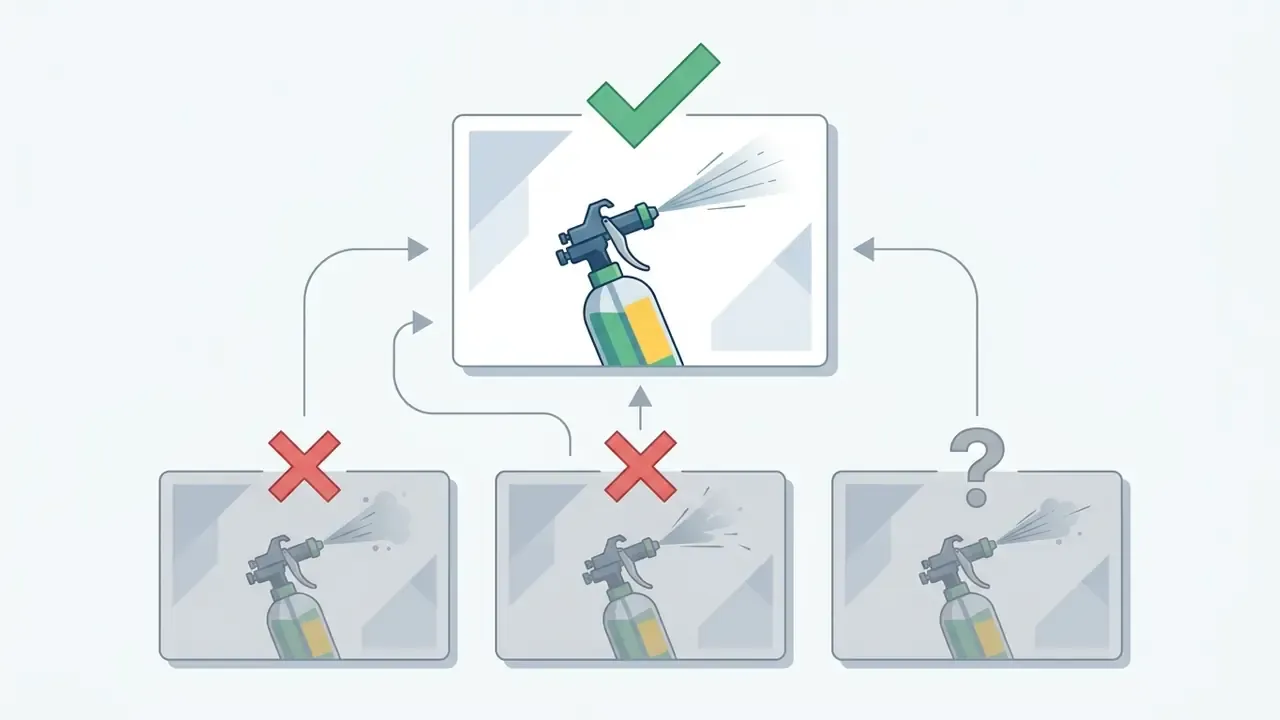
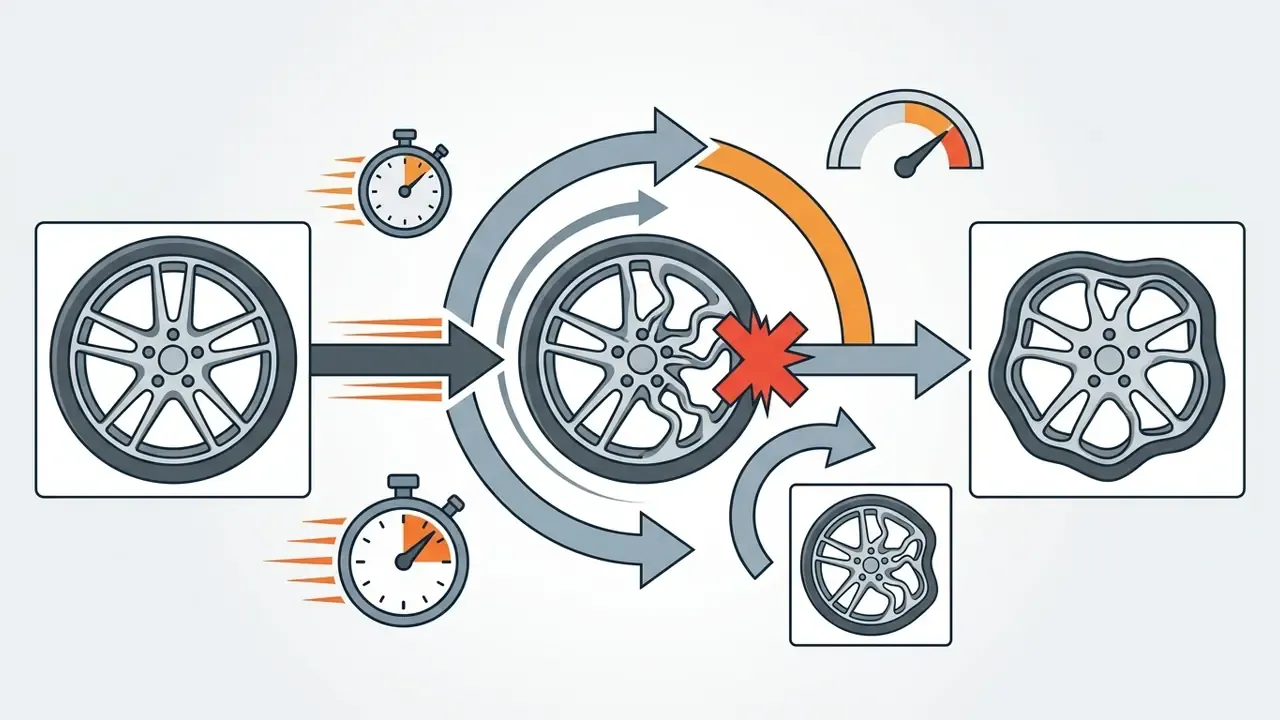
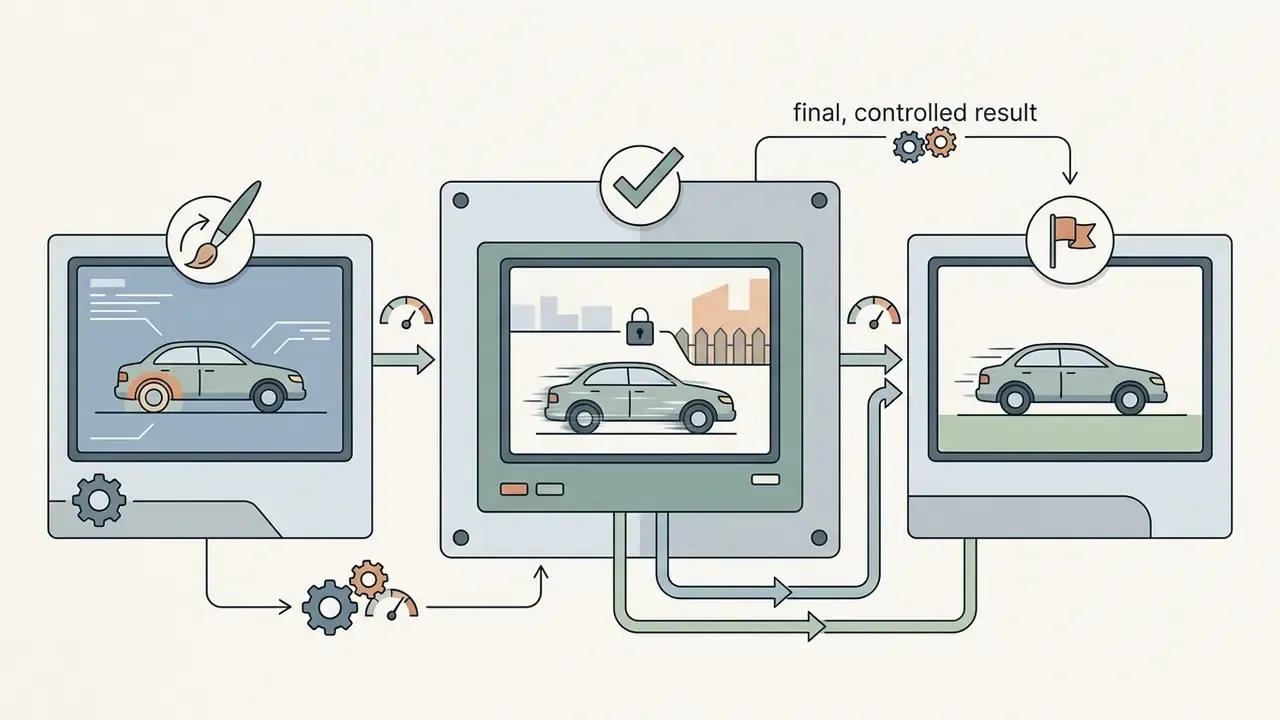
Two conclusions transfer to production. First, prompt clarity outweighs raw model power: every model that respected the explicit "real-world physics" constraint produced fewer artifacts than those that defaulted to stylization. Second, complex multi-stage prompts (transformation plus camera move plus weather change) remain the main failure boundary for 2026 models, so split them into separate shots and assemble in an editor.
A single pass per model is a thin sample. We report it because it is reproducible, not because it settles the ranking.
Best for realistic motion and cinematic video clips
Kling AI and Google Veo 3.1 lead the industry in cinematic motion realism and physical scene modeling. Kling AI utilizes physics-aware algorithms to simulate gravity, fluid dynamics, cloth and hair movement, and contact collisions, allowing complex physical interactions without structural distortion (Kling AI, 2026). Because those claims come from vendor documentation, they should be read alongside independent benchmark data:
Google Veo 3.1 excels at multi-shot consistency, depth perception, and complex lighting interactions. The model processes detailed text prompts alongside source images to maintain object identity across 8-second clips at up to 4K resolution and 24 FPS, with recommended input images of 720p or higher (Google DeepMind, 2026). Google describes Veo's realism qualitatively (simulated water movement, object-linked shadows, natural human motion) rather than with a published accuracy metric, so independent scores again provide the counterweight:
«LanDiff (5B parameters) scores 85.43 on VBench T2V, outperforming open models including Hunyuan Video (13B) as well as commercial systems Kling and Hailuo.»
Both platforms represent top choices when producing high quality videos where natural movement is required. If you need one head-to-head reference for these two engines, view the guide that tracks version-by-version differences.
Best for product photos and commercially safe video creation
Adobe Firefly Video Model provides a commercially safe environment designed specifically for commercial use, advertising, and e-commerce visuals. Trained strictly on licensed Adobe Stock and public domain assets, Firefly provides enterprise IP indemnification on qualifying plans (Adobe Docs, 2026).
«A safety evaluation of text-to-video generative models identified vulnerabilities across 12 critical aspects, including copyright infringement and use of public figures' likenesses.»
For brand teams animating product photos, Firefly maintains packaging dimensions, product typography, and surface details while adding smooth background motion or controlled lighting changes. Adobe also documents a dedicated workflow for uploading product photography and generating packaging mockups, which maps directly onto e-commerce product cards. Teams unclear on downstream rights should review commercial licensing for AI-generated assets before publishing. Creators can also explore best ai image generator platforms to prepare original product concepts before passing assets into Firefly for video synthesis, and reference the Canva AI Generator overview when design-system templates are part of the same campaign.
Multi-model platforms and aggregators
Instead of maintaining six separate subscriptions, creators can now reach several baseline models inside a single interface. Pixlr's AI video tool exposes tiered access, namely Fast (Seedance Lite from ByteDance), Pro (Kling V2 from Kuaishou), and Ultra (Google Veo), with HD MP4 exports and no watermark on generated files. Adobe's Firefly Partner Models hub similarly lets users switch between Adobe's own commercially safe model and partner models from Google, Runway, Luma, and OpenAI inside one project.
The practical workflow benefit is cost discipline: iterate concepts on a cheap fast model, then re-render only the approved shot on a photorealistic engine. The practical governance caveat is that each underlying model may carry different licensing and data-handling terms even when accessed through one billing relationship, so confirm which model generated a given asset before it ships. Teams already using an online photo editor will find that most aggregators bolt video generation and a basic video maker timeline directly onto that existing asset library. Useful for velocity, awkward for audit, unless you record the engine per asset.
Kling AI video generator alternatives: which tool should you choose?
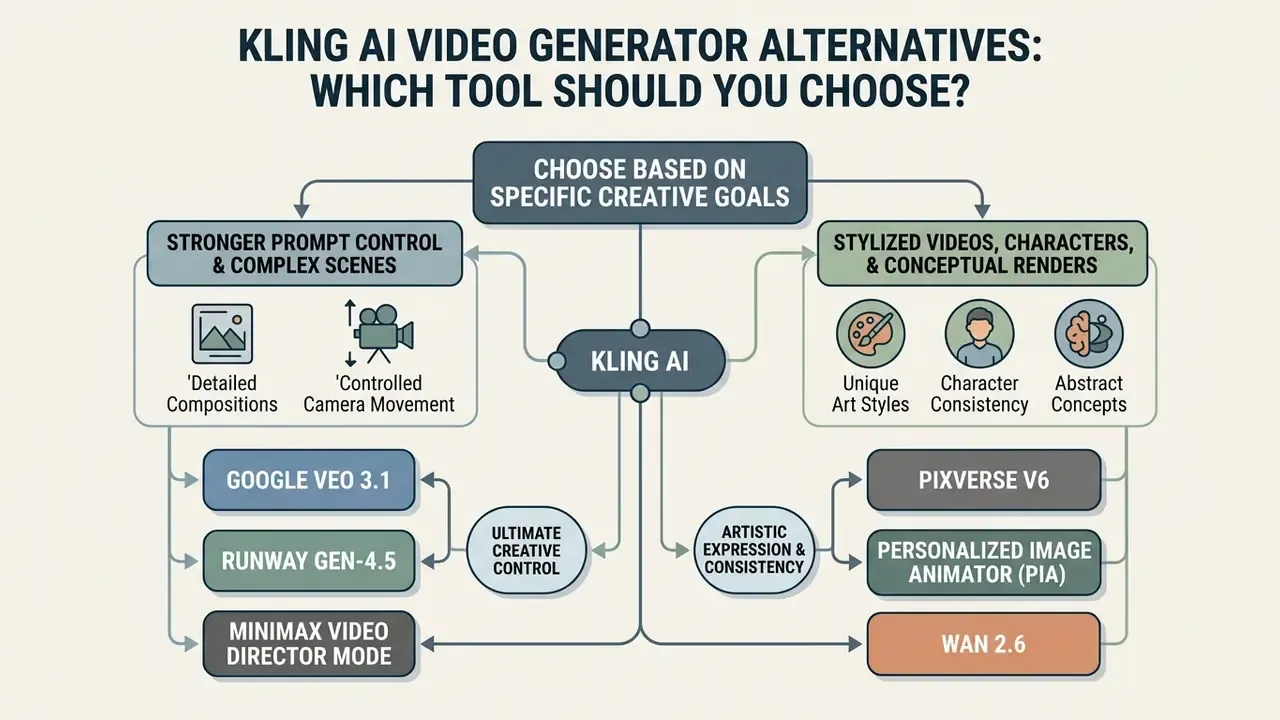
While Kling AI offers strong physics modeling, teams often search for kling ai video generator alternatives 2024 style comparisons because of regional access limits, pricing constraints, data-residency requirements, or specialized workflow needs. To see how the shortlist has evolved since then, browse the hub that tracks current substitutes. Identifying the right alternative depends on whether the project requires strict prompt adherence, stylized rendering, or unwatermarked free access.
Alternatives for stronger prompt control and complex scenes
When managing complex multi-subject interactions or specific camera trajectories, Google Veo 3.1 and Runway Gen-4.5 serve as primary alternatives to Kling AI.
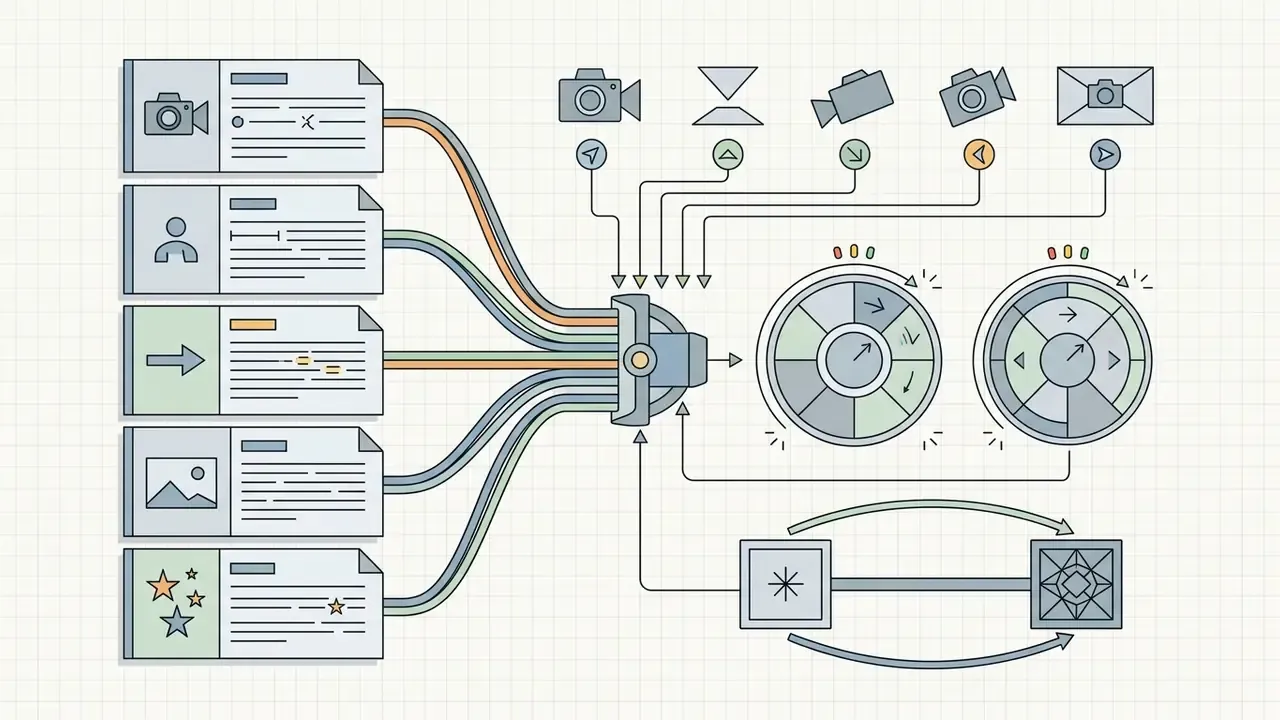
«UI2V-Bench evaluates models on spatial understanding, attribute binding, and causal reasoning, aspects standard video-quality metrics do not capture.»
Alternatives for stylized videos, characters, and conceptual renders
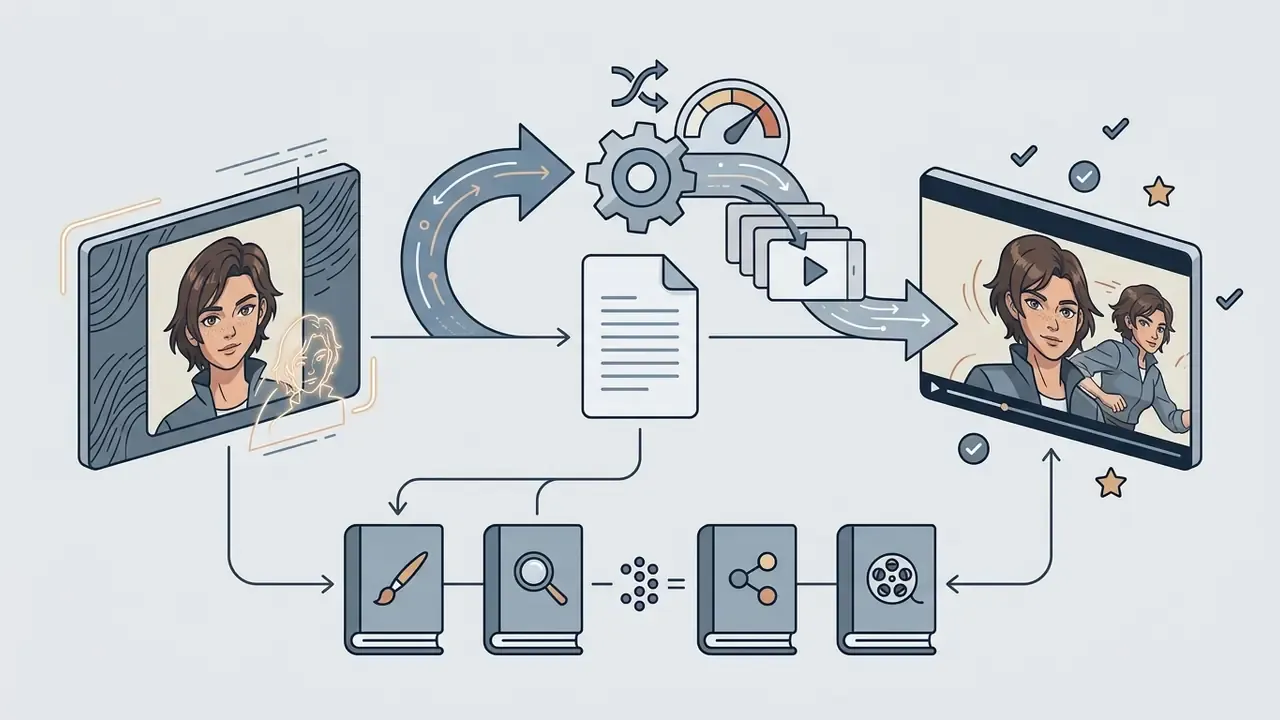
For animated shorts, anime-style visuals, or character-driven concept art, specialized models outperform generalist physics engines.
Creators assembling longer stylized sequences often pair these models with a conventional animation maker for timing, easing, and title design.

Alternatives for free access and faster renders
How to choose the best picture to video AI app for your use case
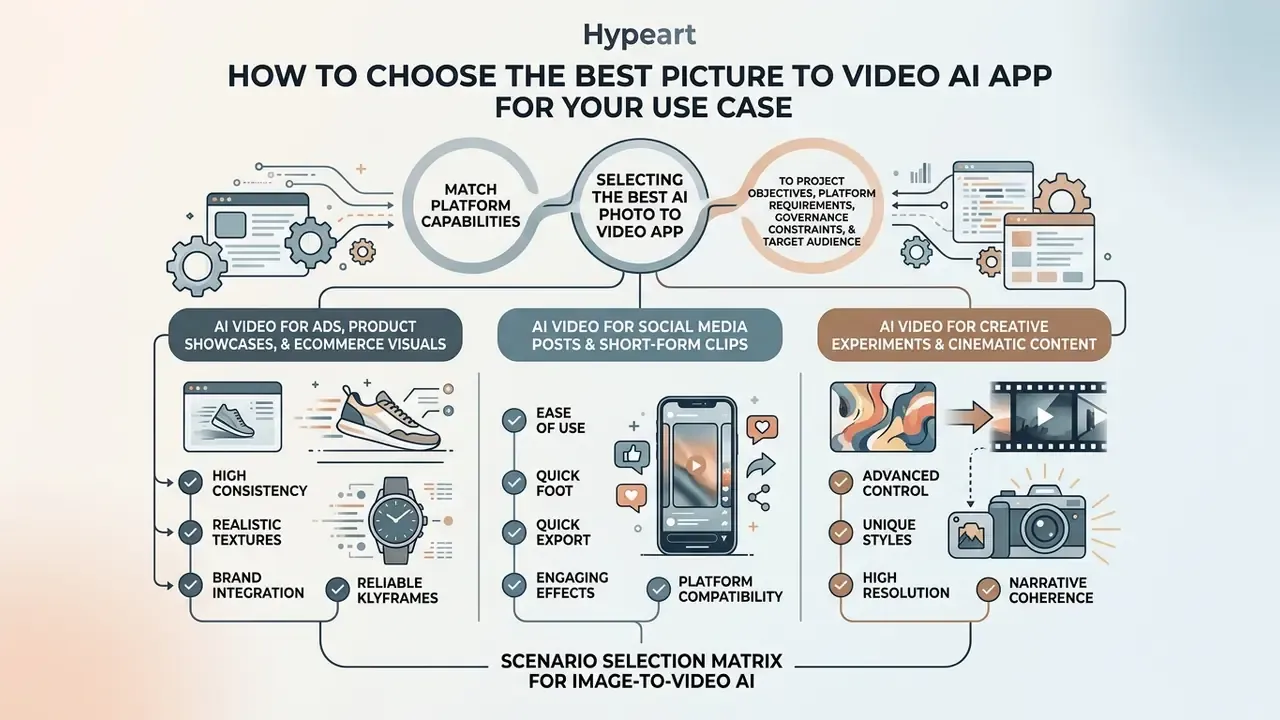
Selecting the best ai photo to video app requires matching platform capabilities to project objectives, platform requirements, governance constraints, and target audience expectations. The same logic applies when you shortlist the best picture to video ai app for mobile-first teams: distribution format first, model prestige second.
Scenario selection matrix for image-to-video AI
| Primary use case | Key model requirement | Recommended tool type | Primary output format |
|---|---|---|---|
| E-commerce & ads | High subject fidelity, IP safety, smooth camera rotation | Commercially safe generators (e.g. Adobe Firefly) | 16:9 or 1:1 HD/4K MP4 |
| SMM & short-form video | Fast generation, vertical aspect ratios, dynamic transitions | High-speed stylized tools (e.g. PixVerse, Pika) | 9:16 vertical HD MP4 |
| Cinematic projects | Physics-aware motion, multi-shot camera angles, complex scenes | Advanced video models (e.g. Kling AI, Google Veo) | 16:9 widescreen 1080p/4K |
| Art & concept renders | Style preservation, character identity stability, custom prompts | Open-weights / custom frameworks (e.g. PIA, WAN 2.6) | Custom ratios / master frames |
| HR, onboarding & training | Clear sequential visuals, AI presenters, voiceover sync | Aggregators with avatars and TTS (e.g. Pixlr, VEED-class editors) | 16:9 1080p MP4 with captions |
| Social media teasers & launches | 3 to 5 second hooks, beat-matched motion, batch generation | Fast-tier models and template libraries | 9:16 / 1:1 short MP4 |
| B-roll & insert coverage | Seamless blending with live footage, neutral motion | Firefly-class tools with motion reference | Matches host timeline (often 16:9) |
AI video for ads, product showcases, and ecommerce visuals
E-commerce videos demand strict adherence to product dimensions, branding logos, and material textures. The NIST AI Risk Management Framework emphasizes that commercial synthetic media must remain valid, reliable, and free from misleading physical distortions (NIST, 2024).
«The NIST AI RMF identifies reliability, safety, security, and transparency as core characteristics of trustworthy AI systems used in commercial workflows.»
This information is general in nature and does not replace advice from qualified legal counsel on licensing and the commercial use of AI-generated content.
NIST's companion guidance on reducing risks from synthetic content also notes that provenance metadata or watermarks can be applied at generation time, which matters for advertisers who must disclose synthetic media. OpenAI, for example, embeds C2PA metadata in Sora outputs. For financial-services marketing, that provenance record is closer to a control than a nice-to-have: it is what an auditor will ask for when a claim about a product image is challenged.
Using tools like Adobe Firefly or Step-Video-TI2V ensures that product packaging does not warp during rotation. E-commerce teams evaluating visual workflows often test image quality parameters using best ai image generator without restrictions solutions to generate base marketing assets before animation, and use AI outpainting tools to extend cropped product shots into full 16:9 frames before generating motion.
AI video for creative experiments and cinematic content
Cinematic production requires granular control over temporal progression, camera angles, and visual ambiance. Advanced creators combine generative text prompts with multi-stage rendering pipelines to build complex narrative sequences, and they keep multiple AI models in rotation rather than betting on one engine.
By utilizing first-and-last-frame control (supported in Google Veo 3.1 and Adobe Firefly), directors specify the exact starting photo and ending composition, letting the AI model generate smooth interpolation frames in between. Research pipelines push this further: CVPR 2025 work on motion trajectories conditions generation on a single frame plus point-track motion prompts, while ECCV 2024's VideoStudio converts one prompt into a multi-scene script with per-scene reference images, action text, and camera movement.
How to turn an image into a video with AI
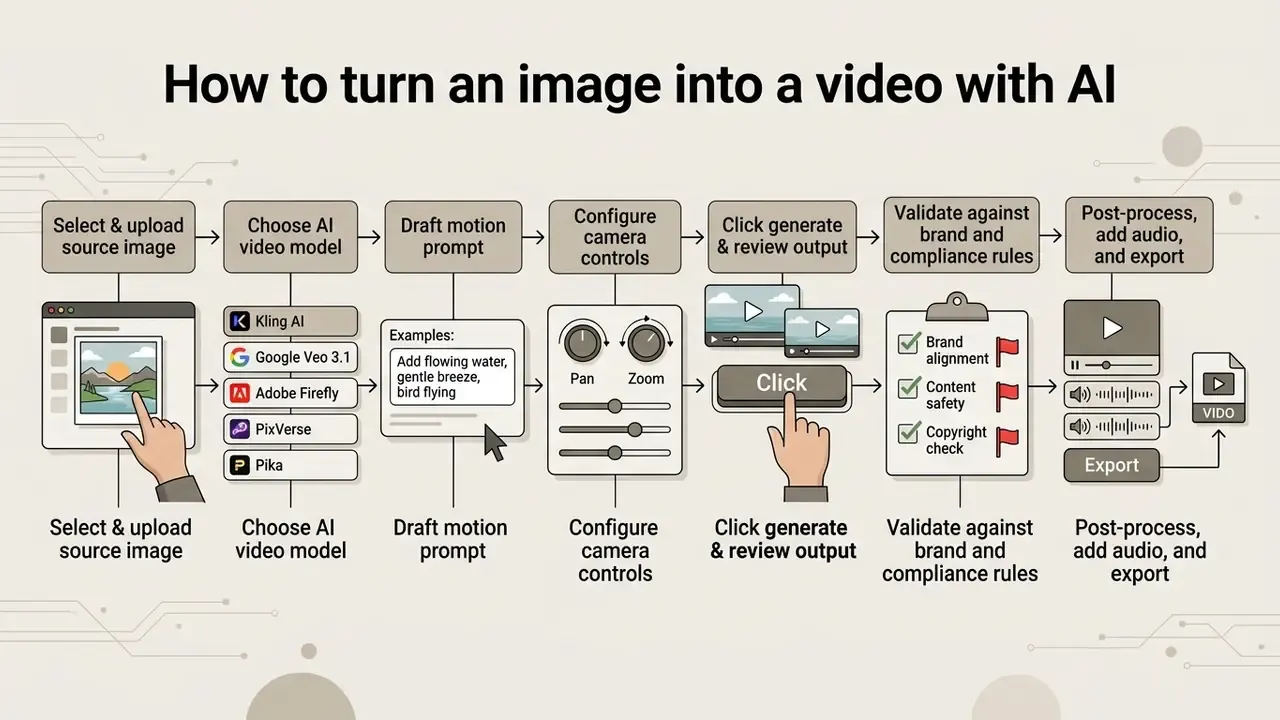
Transforming a static picture into a motion video clip follows a structured, step-by-step workflow. The same sequence works whether you want the best picture to ai video result for a single hero asset or a batch of 200.
Step-by-step image-to-video workflow
- Select & upload source image: upload a high-resolution PNG or JPEG (minimum 1080p recommended, under the platform's file-size cap) with clear lighting and well-defined subject boundaries. Optionally add an end frame for dual-keyframe interpolation.
- Choose AI video model: select standard, cinematic, or fast-generation model presets based on speed, cost, and quality requirements.
- Draft motion prompt: write a targeted motion prompt describing subject actions, environmental movement, and lighting changes.
- Configure camera controls: set specific camera directives (pan left, tilt up, static hold, push zoom), shot size, shot angle, duration, and aspect ratio.
- Click generate & review output: execute generation, evaluate frame consistency, check for physics artifacts, and refine parameters if necessary.
- Validate against brand and compliance rules: confirm product geometry, logo integrity, typography, and colour accuracy; log the model version and prompt; obtain named approval before the asset leaves the team.
- Post-process, add audio, and export: download the high-resolution MP4 and finish it in a video editor with captions, voiceover, B-roll, and colour grading.
Prepare the image and write an effective prompt
Preparing a high-quality source photo is critical for clean AI generation. Images with clear separation between foreground subjects and backgrounds produce significantly fewer motion artifacts, and the input should already contain every person, prop, or location you intend to animate. Models add motion, not missing objects.
When drafting text prompts, focus exclusively on describing movement, camera behavior, and lighting changes rather than re-describing the static image content (Runway Prompting Guide, 2025).
- Effective prompt example
- "The subject turns her head slowly toward the light source, soft wind blowing through hair, camera executing a slow push-in zoom."
- Ineffective prompt example
- "A woman wearing a red jacket sitting in a cafe holding a coffee cup." (Re-describes static elements instead of defining motion.)
- Constraint clause worth adding
- "Product shape, label typography, and logo remain unchanged; no additional objects appear."
«T2VBench uses temporal-dynamics lexicons spanning 16 dimensions, from camera transitions to lighting changes, to systematically evaluate prompt quality.»
One dominant camera instruction plus one clear subject action outperforms stacked directives. Creators looking to sharpen low-resolution source images before rendering can use AI image upscalers to enhance clarity prior to video generation, and compare options in this roundup of the best ai image upscaling engines.
Select settings, generate, and refine the result
Before initiating generation, select the output aspect ratio based on distribution targets: 16:9 for YouTube and web players, or 9:16 for vertical social channels. Archival guidance from FADGI treats duration, aspect ratio, and pixel or display aspect ratio as significant properties, because inconsistent handling makes files render stretched or narrowed downstream, so check these before importing into an edit. Adjust motion strength sliders to balance dynamic movement against structural frame stability.
Once rendering completes, inspect the video clip for spatial flickering or boundary distortion. If artifacts occur, reduce the motion strength parameter, simplify the motion prompt, or re-render using a higher-tier video model.
«Raising Step-Video-TI2V's motion score from 5 to 10 lifts dynamic degree from 36.58 to 48.78, with a slight loss of background and subject stability.»
Creators comparing relative performance across models can view the guide to evaluate technical benchmark scores, and pick a finishing suite from this overview of free video editing software.
Step 7 in detail: post-processing, voiceover, and B-roll integration
Raw AI clips are components, not deliverables. Turning 5 to 10 second generations into a publishable asset requires an assembly stage:
Free AI video plans, paid plans, and watermark limits
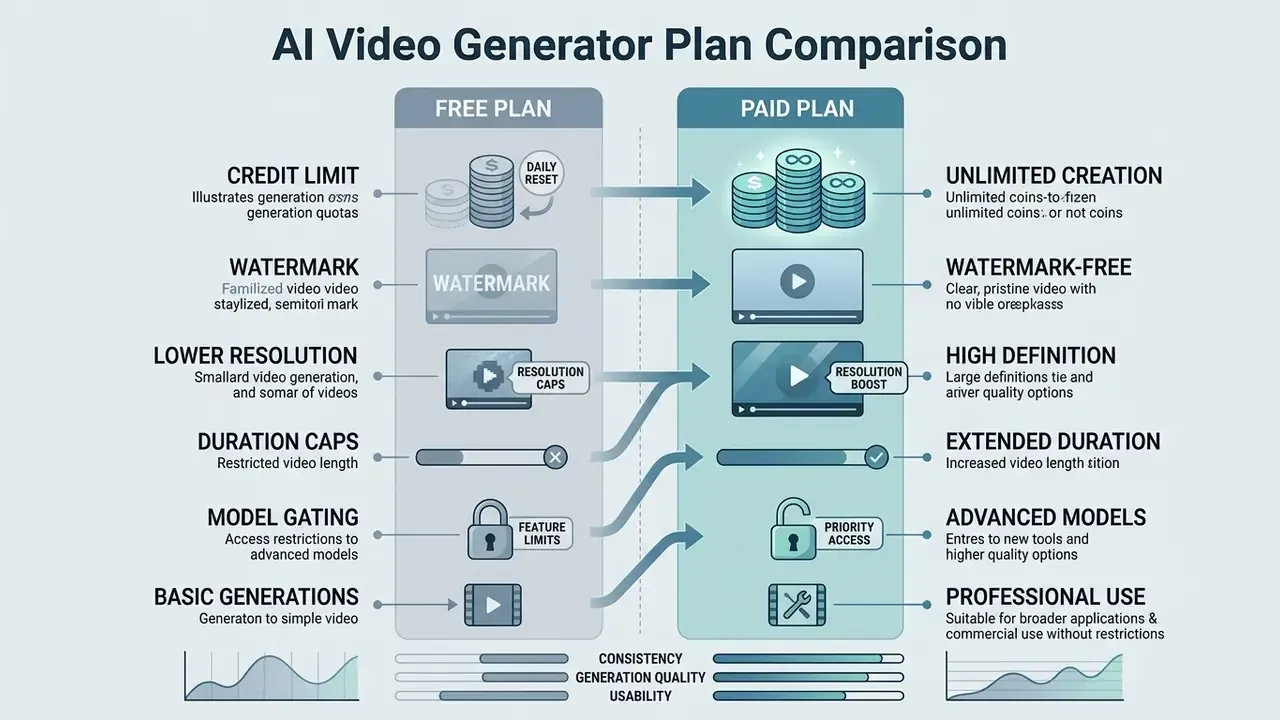
AI video generators employ diverse pricing structures, ranging from daily credit resets to paid enterprise subscriptions and prepaid credit packs.
What a free AI video generator usually includes
Free account plans allow users to evaluate model capabilities, but they impose operational restrictions:
A short-form comparison of free AI video generators tracks unwatermarked trials and credit structures across top platforms, and the free photo editor guide covers the equivalent limits on the image side.
When paid plans are worth the cost
Upgrading to paid plans becomes necessary when producing commercial media, high-resolution marketing assets, or high-volume content campaigns.
- Commercial licensing: unlocks legal commercial rights for client deliverables, paid ad campaigns, and broadcast media.
- No watermarks: removes embedded vendor branding for clean, professional presentation.
- High-resolution exports: grants 1080p, 2K, and 4K export options required for production standards.
- Priority queues: bypasses standard generation queues, significantly accelerating render times.
- Governance features: SSO, usage logs, and enterprise data-handling terms typically appear only above the consumer tier.
Indicative monthly plan economics (early 2026)
| Platform | Entry paid plan | Monthly allowance | Notes |
|---|---|---|---|
| Kling AI | Standard ~$10/mo | ~660 credits | Pro tier (~$37/mo) unlocks 4K and higher limits |
| PixVerse | Standard ~$10/mo | ~1,200 credits | Strong credit-per-dollar for iteration-heavy work |
| HailuoAI | Standard ~$9.99/mo | ~1,000 credits | Character-focused output |
| Google Veo 3.1 | Google AI Pro ~$19.99/mo | Limited Veo generations | Enterprise access via Vertex AI billed separately |
| Pika | Pro ~$28/mo | Higher generation limits | Fast social iteration |
| Grok Imagine | SuperGrok ~$30/mo | Bundled image + video | No free tier; 30-second extension on paid |
Figures reflect publicly listed consumer rates and promotional pricing observed in early 2026. Renewal rates, regional pricing, and credit costs per second change frequently, so verify on the vendor's own pricing page before budgeting.
Cost model note: a realistic total cost of ownership is not the subscription fee alone. Budget for (a) failed generations, since most teams discard 2 to 5 takes per usable shot, (b) editing and finishing labour, (c) brand and compliance review, and (d) occasional re-shoots when the model cannot hold product geometry. Any ROI case should express control costs explicitly, and be validated on your own asset set rather than assumed from vendor demos.
For teams building custom video editing pipelines, reviewing tools in the best ai image generation tools 2025 showcase helps align image generation and video production budgets, and the broader AI video generator overview clarifies which capabilities justify an upgrade.
Pre-production checklist before you publish an AI video
- Source image is 1080p or higher, artifact-free, and rights-cleared for the intended use.
- Prompt separates subject action, camera move, lighting, and explicit "do not change" constraints.
- Model tier matches the deliverable (fast for iteration, flagship for hero assets).
- Aspect ratio, duration, and frame rate match the destination platform spec.
- Output inspected frame-by-frame at the pan extremes for warping, flicker, and geometry loss.
- Product shape, logo, and typography verified against the brand book.
- Licensing tier confirmed as commercial; watermark absent from the exported file.
- Data-handling check complete: no confidential or personal imagery uploaded to a non-approved tier.
- Provenance metadata retained and AI disclosure applied where required.
- Prompt, model version, operator, and approver logged for audit.
- Captions, audio levels, and colour grade consistent across all clips in the sequence.
- Final file compressed to platform limits without visible banding.
FAQ about image to video AI generators
Can image to video AI create high-quality videos without manual editing?
Image to video AI tools can generate impressive 5 to 15 second standalone clips, but professional production still requires post-generation manual editing. Current models generate raw visual sequences; assembling multi-shot narratives, timing transitions, adding voiceovers, and applying sound effects require traditional editing software. Vendor workflow documentation reflects this: Kling's own guidance places quality checks, editing, sound, and delivery after generation, and notes that problem shots may need a micro re-render.
«Volvo's Runway Gen-3-based spot was produced in under 24 hours, but the 46-second ad still required manual oversight to remove hallucinations and product inaccuracies.» - Volvo AI Ad Case Study (Runway Gen-3), colorist Laszlo Gaal, 2024. https://www.creativebloq.com/ai/ai-video/volvo-ai-ad-runway Post-processing ensures color grading remains consistent across multi-clip sequences and guarantees that final exports conform to broadcast audio and visual standards. A practical finishing stack is outlined in this overview of video editing tools.
How do I animate a transition between two specific images?
Use dual-keyframe (first-and-last-frame) generation. Upload the starting still in the first frame slot and the destination still in the second, then describe only the transition. Keep camera distance and lighting consistent between frames; large compositional differences push the model toward a dissolve instead of real motion.
Is my uploaded image used to train the model?
It depends entirely on the provider and tier. Adobe states Firefly models are trained on licensed Adobe Stock and public domain content and not on customer personal content. Several consumer generators reserve broader rights. Before uploading confidential product shots or customer imagery, request the vendor's training-use policy, retention window, DPA, and security attestations (SOC 2 Type II or ISO 27001), and prefer enterprise API routes where those commitments are documented.
How long does generation take, and what resolution can I expect?
Most mainstream platforms return a clip in under 60 seconds; fast tiers are quicker, cinematic tiers slower. Veo 3.1 documents 720p, 1080p, and 4K at 24 FPS for 8-second clips; Firefly exports MP4 up to 4K; Kling exports 1080p with 4K on higher tiers; free tiers commonly cap at 480p to 720p.
Which image formats and sizes should I upload?
JPG, PNG, and often WebP are supported. Use the highest-quality version available, keep files under the platform's size cap (commonly around 50 MB), and prefer inputs at 720p or higher, since several vendors explicitly recommend this for best output quality.
Do free plans allow commercial use?
Frequently not. Many free tiers are watermarked and restricted to personal use, while a minority grant commercial rights even on starter credits. Because these terms change often, verify the current licence on the vendor's own pricing or terms page immediately before publishing, and never assume parity across tools.
Can I access several models without multiple subscriptions?
Yes. Aggregators such as Pixlr's AI video generator (Seedance Lite, Kling V2, Google Veo) and Adobe's Firefly Partner Models hub (Google, Runway, Luma, OpenAI plus Adobe's own model) let you switch engines inside one environment. Confirm which model produced each asset, since licensing and data terms follow the underlying model, not the interface.
What is the safest first step for a regulated team?
Run one contained pilot. Pick a single non-confidential asset class, two approved tools, a named owner, and a logged approval path. Measure artifact rate, finishing hours, and review time, then decide whether the workflow deserves a wider rollout. Small scope, full evidence trail.
Appendix A: corrections and superseded claims log