Generative video models in 2026 let digital creators, marketers, and media teams convert static images into dynamic video clips in seconds. The catch is smaller than the hype but real. Finding the best image to video ai free option means reading credit models, render queue behaviour, export watermarks, and commercial usage rights that shift almost every quarter.
So this guide does the unglamorous part. It looks at technical performance, credit allowances, motion fidelity, native audio generation, keyframe control, and licensing terms across the leading free AI photo-to-video tools available right now.
Fast Answer for Each Type of User
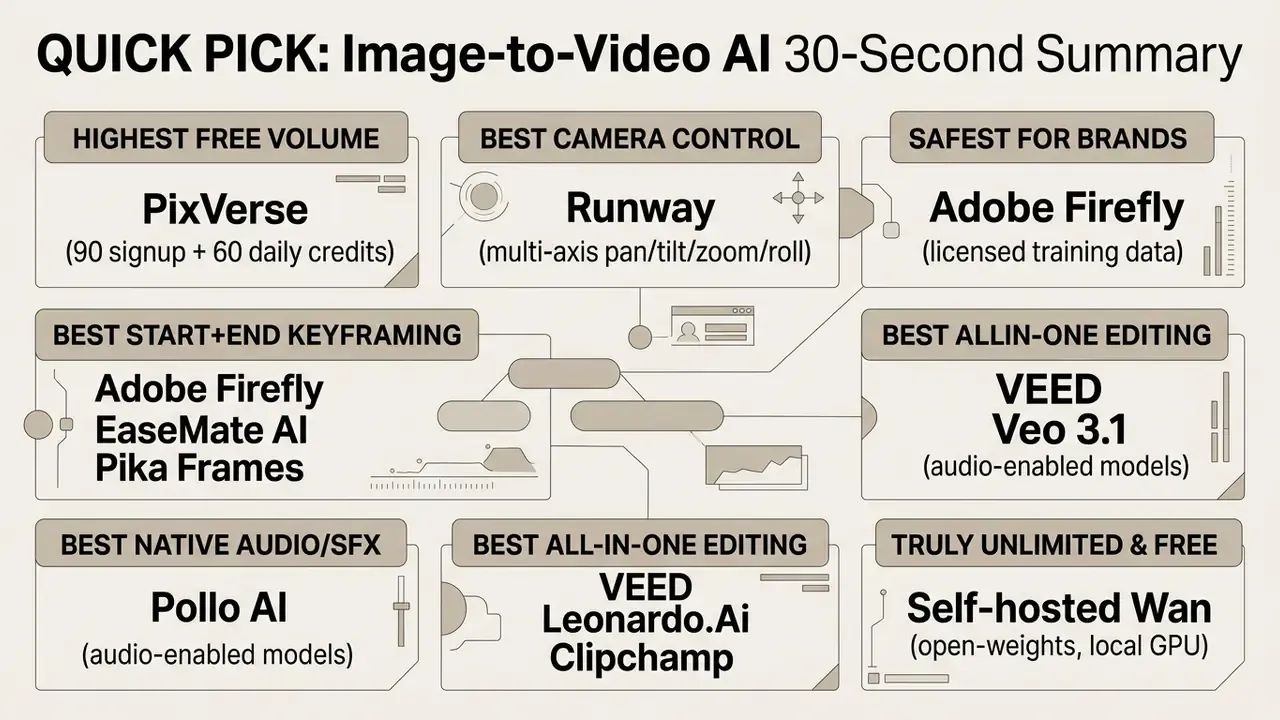
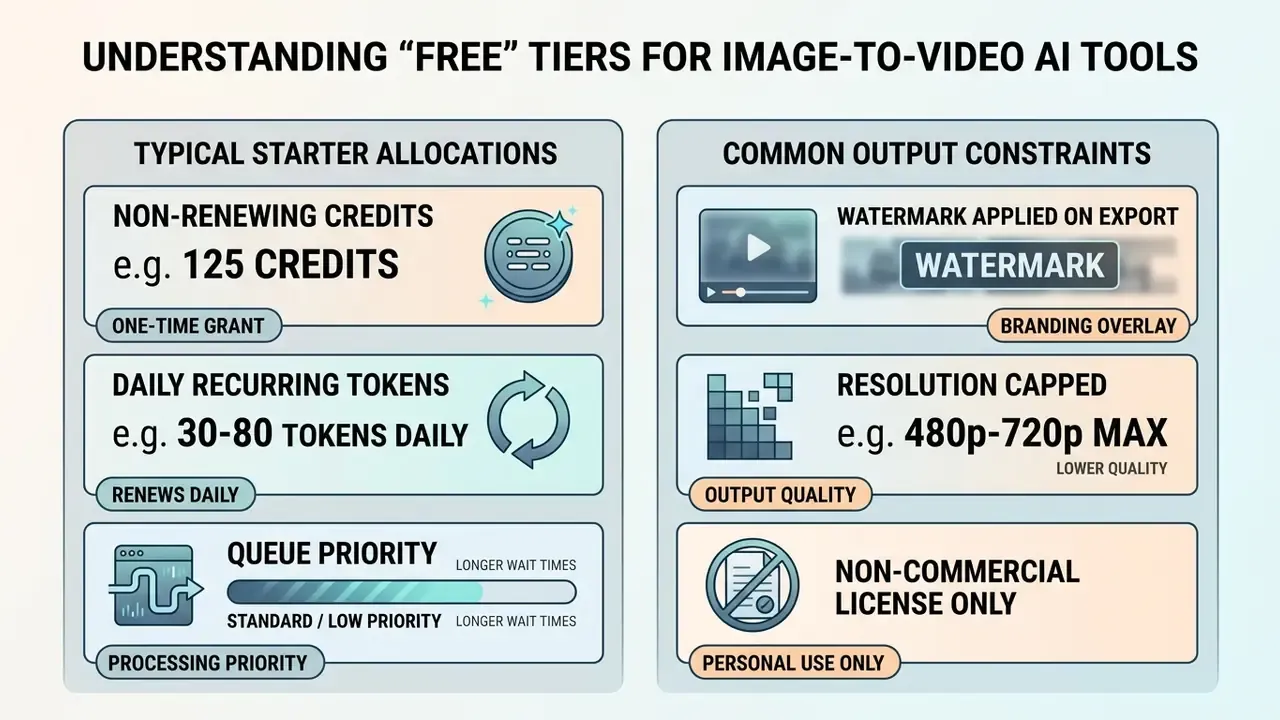
Three rules worth remembering before you spend a single credit. Free tiers are almost always watermarked and capped at 480p to 720p. "Free" credits either arrive once (Runway: 125 non-renewing) or refresh daily (Google Flow: 50 per day; PixVerse: 60 per day). And commercial rights on a free plan are the exception, not the default.
What This Guide Verifies Before Recommending Anything
A quick orientation, because "free" is doing a lot of work in the phrase free AI video generator. Every tool below was checked against six practical questions:
- How many free credits arrive, and do they renew?
- Is the export watermarked, and at what resolution ceiling?
- Does the free plan allow commercial use, in writing?
- Can you supply a start frame and an end frame, or only one image?
- Does the platform generate audio natively, or do you add it later on a timeline?
Nothing exotic. But those six answers decide whether a tool survives contact with real production work, and they are the reason two platforms with identical marketing copy behave completely differently on day three.
What "Free" Means for Image-to-Video AI Tools
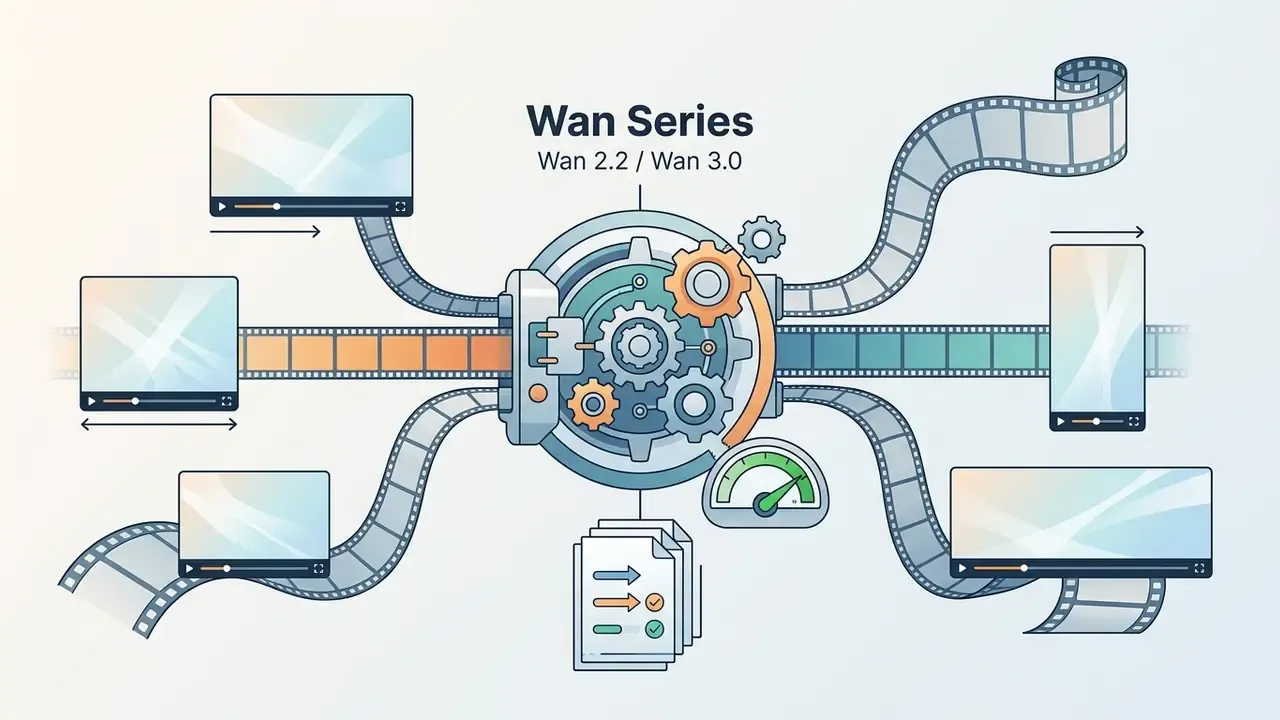
In 2026, a "free" image-to-video AI tool almost always means a restricted freemium tier governed by recurring or non-renewing credit pools, visible watermark enforcement, export resolution caps (typically 480p to 720p), and explicit restrictions against commercial monetization. Fully unlimited, un-watermarked free generation exists almost exclusively in self-hosted open-weights models like the Wan series (Wan 2.2 / Wan 3.0 open-weights), which require local GPU hardware and a fair amount of technical patience.
Free Credits, Daily Limits, and Trial Generations
Watermarks, Export Quality, and Commercial Use
Export restrictions are the real boundary between free and paid tiers. Standard free plans from VEED and InVideo overlay a visual vendor watermark on every exported MP4 and restrict output to 720p HD or lower. Microsoft Clipchamp is the notable browser-based exception, allowing 1080p export with no watermark on its free plan.
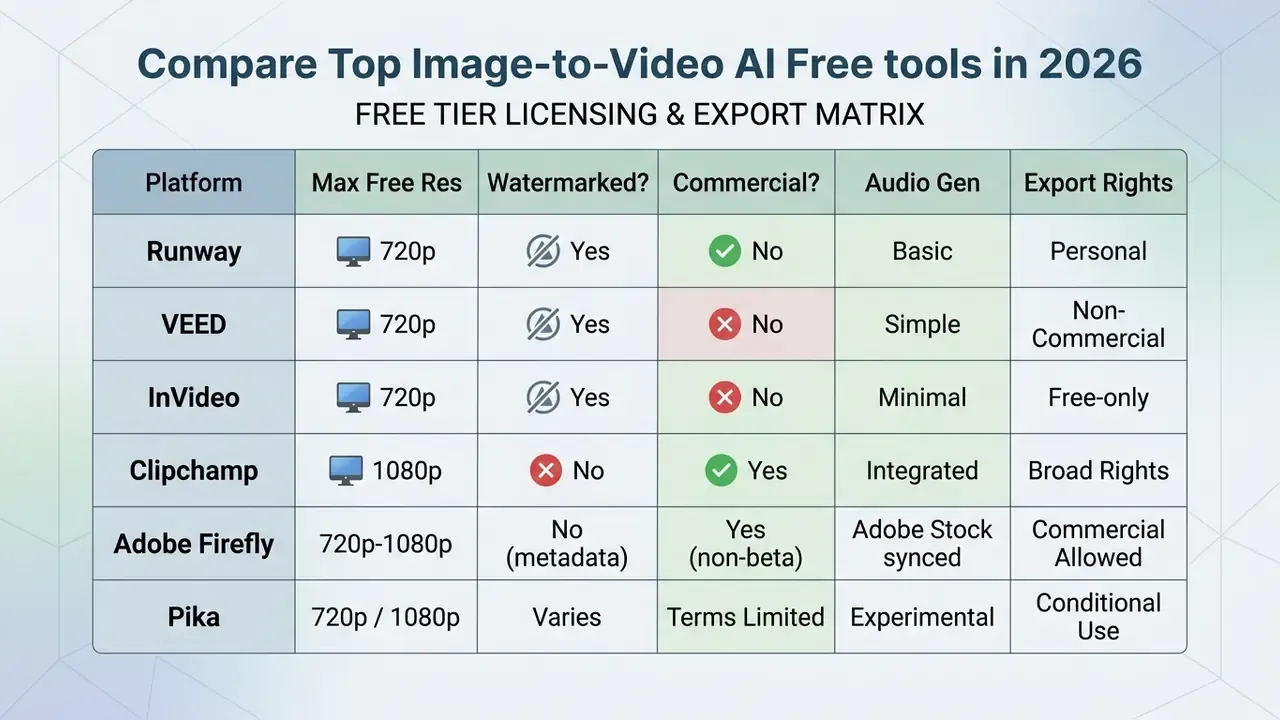
Commercial usage rights on free tiers are strictly regulated. Under most vendor terms of service, videos generated via free accounts carry non-commercial licenses, which rules out monetized YouTube channels, paid ad campaigns, and client deliverables. Adobe is an important counter-example: Adobe states that outputs from Firefly generative features without the beta label may be used commercially, and that beta outputs may also be used commercially unless otherwise stated. Organizations publishing synthetic media also carry regulatory obligations:
For creators seeking broader asset creation options beyond video, you can review what s the best ai image generator to evaluate base image creation capabilities before applying motion, study commercial licensing for AI image generators to see how usage rights differ between still and moving output, or browse our wider coverage of ai art and design for context on where generative motion fits in a creative stack.
How to Choose the Best Free AI Image-to-Video Generator
Selecting the best free AI image-to-video generator comes down to six technical criteria: motion trajectory precision, prompt adherence, underlying model capability, keyframe (start and end frame) support, native audio generation, and export flexibility.
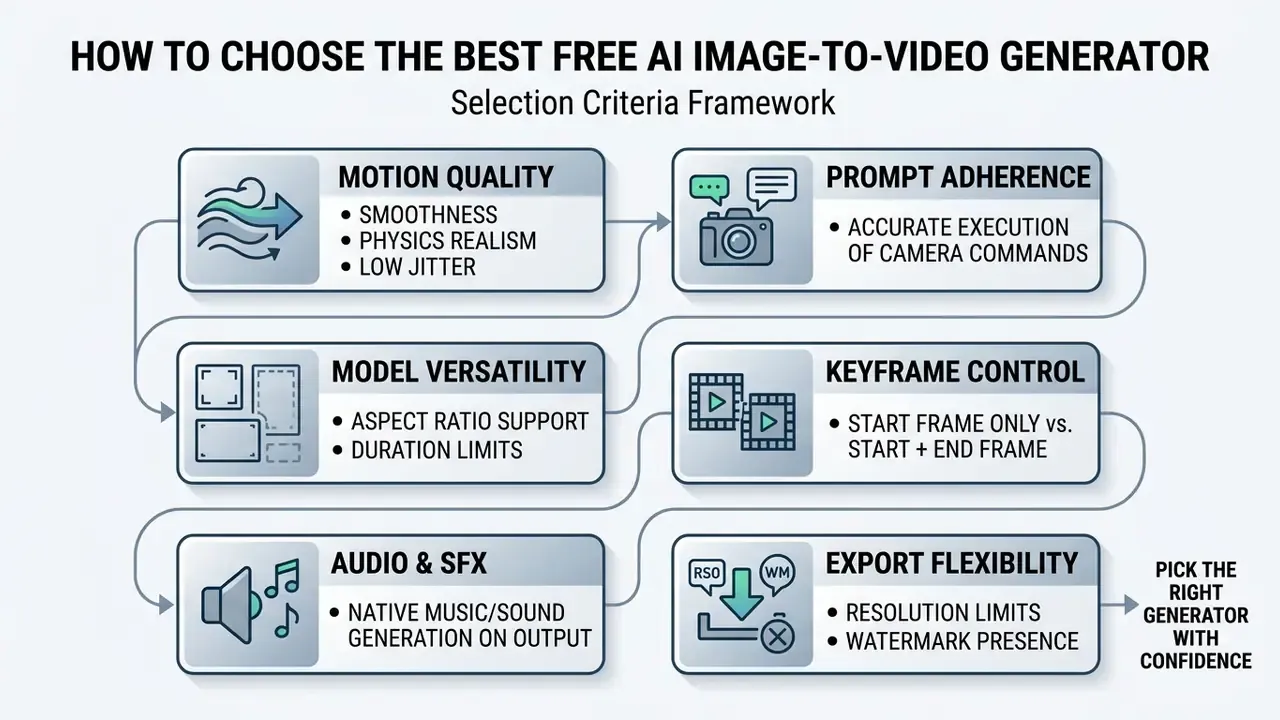
Motion Quality, Prompt Adherence, and Character Consistency
Motion quality describes how realistically a model animates static pixels without warping, visual noise, or structural blurring. In academic benchmarks such as DEVIL (2024) and AIGCBench (2024), motion quality is measured with metrics like Dynamics Range and Control-Video Alignment. Models that score high on visual dynamics produce smooth motion while keeping the background intact.
«EvalCrafter benchmarks generative models across 17 objective metrics in four dimensions: visual quality, content quality, motion quality, and text-video alignment.»
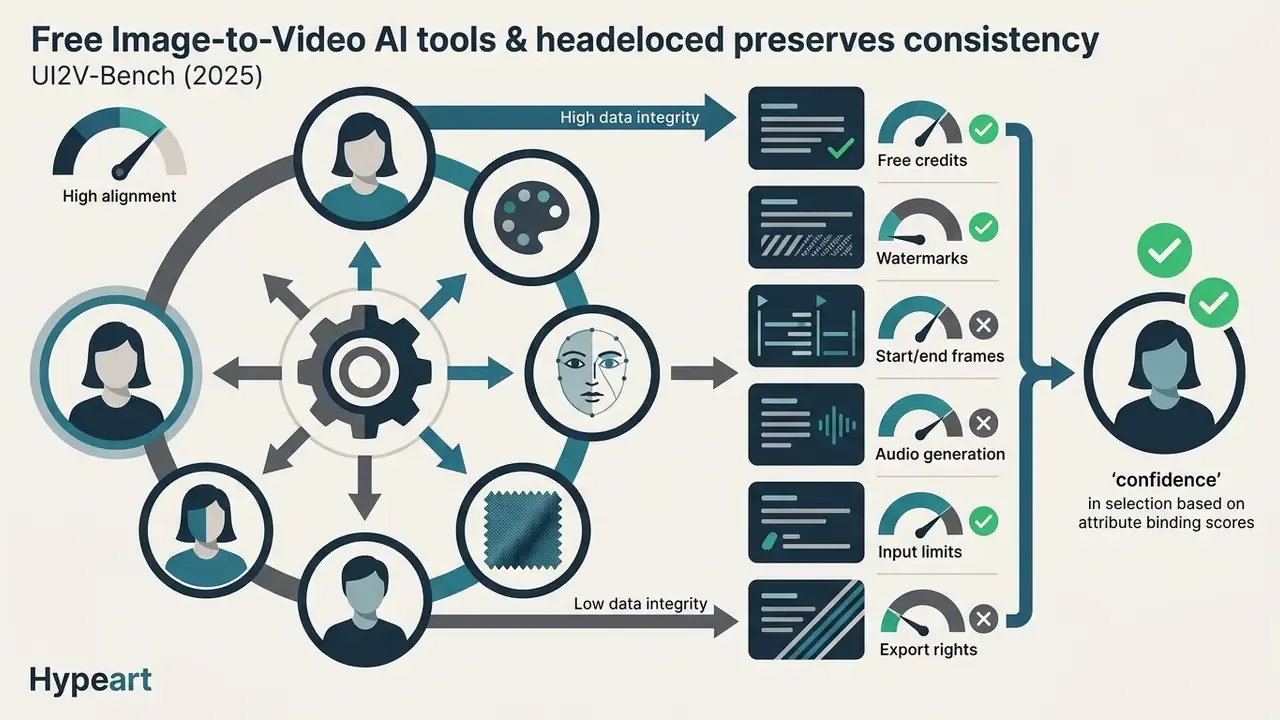
Prompt adherence measures how accurately the model executes textual motion commands, such as "slow pan right" or "subject turns head." Testing it means checking whether camera instructions override subject actions, or the reverse. Character consistency across generated frames is still the hard part. The Face Consistency Benchmark for GenAI Video (arXiv, 2025) measures character stability using cosine distance between facial embeddings across frames, and shows that facial features drift as camera motion intensity increases. Tools with stronger attribute binding hold onto facial structure, clothing details, and colour fidelity much better through complex motion.
«UI2V-Bench evaluates image-to-video models on spatial understanding, attribute binding, and category understanding, the key factors behind character identity retention.»
Camera controllability now has dedicated metrics of its own: rotation error (RotErr) and translation error (TransErr), used in 2025 research systems such as RealCam-I2V and GEN3C. VBench (CVPR 2024) formalizes 16 evaluation dimensions including subject identity inconsistency, motion smoothness, and temporal flickering. For a plain-language breakdown of these concepts, see our reference page on image-to-video AI tools, or open the hub for the underlying benchmark summaries.
AI Models, Video Duration, and Aspect Ratios
The performance of any photo-to-video tool depends on its underlying video generation model. The current architectures worth knowing:
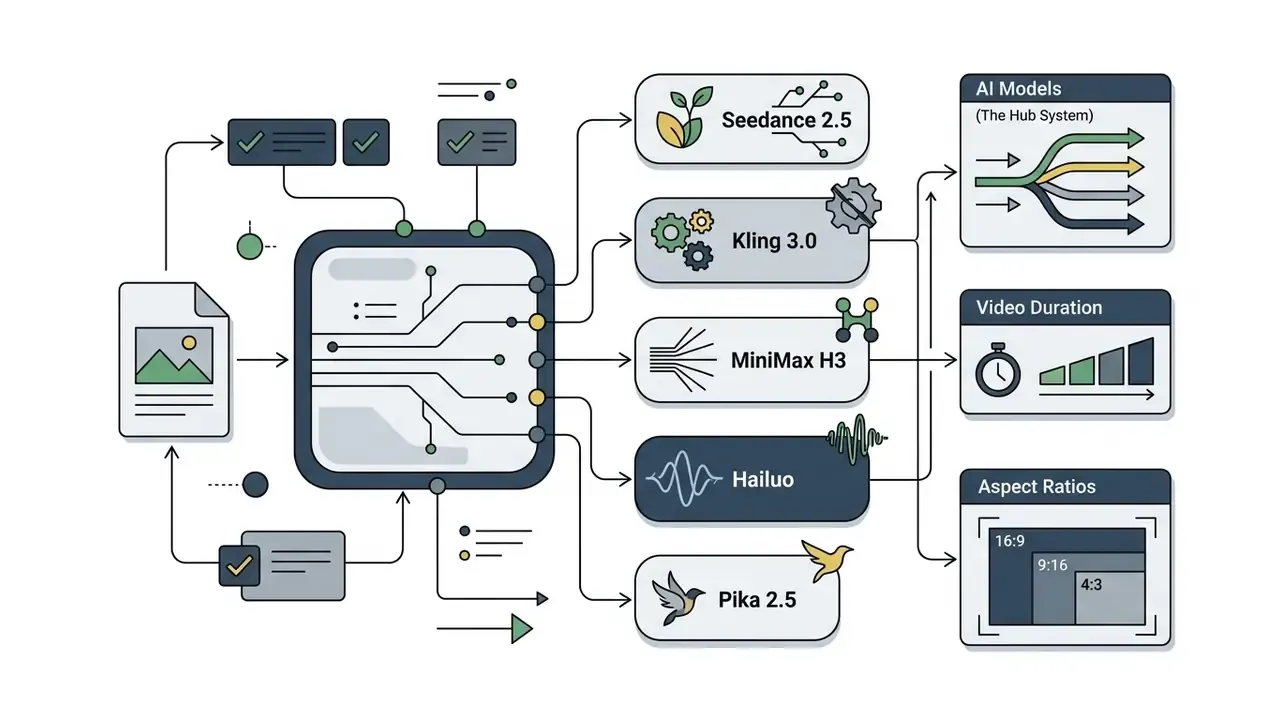
That figure is a useful expectation-setter. Even leading models fail on roughly a third of prompts requiring real-world physical or factual reasoning, which is precisely why simple, single-action prompts outperform ambitious ones on free tiers. Creators weighing model quality against camera control can compare options in our roundup of AI video generators.
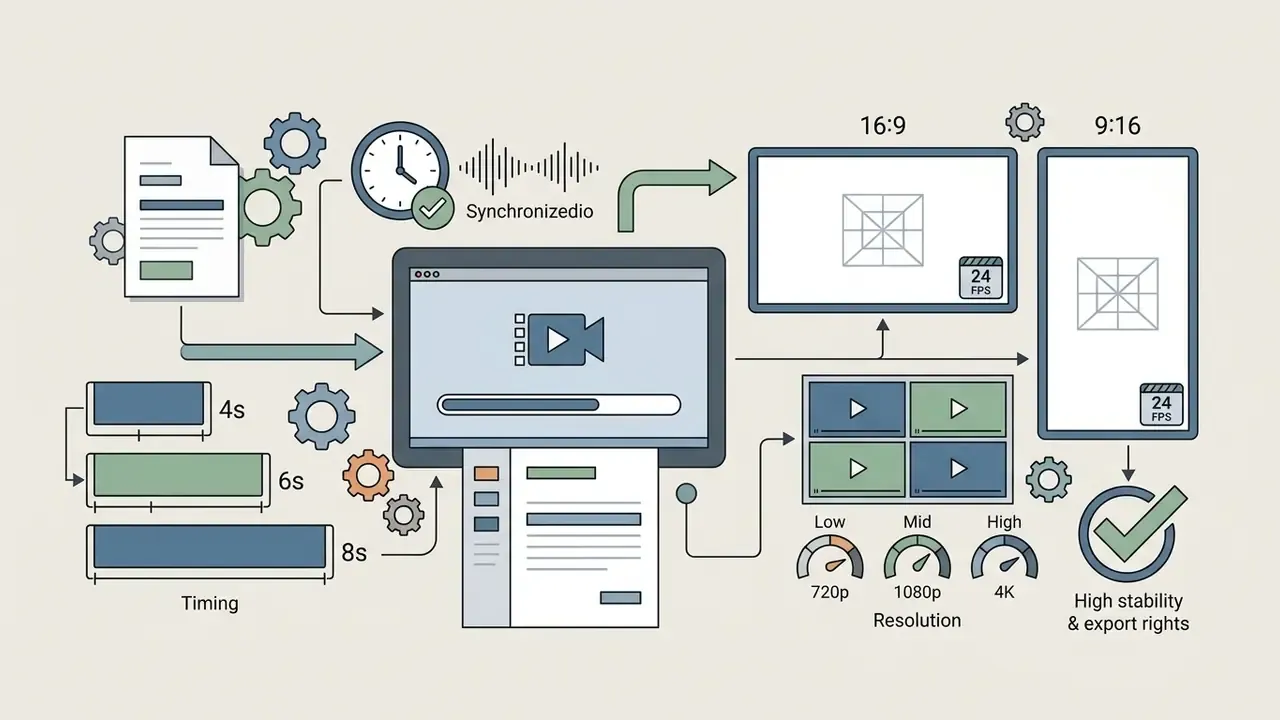
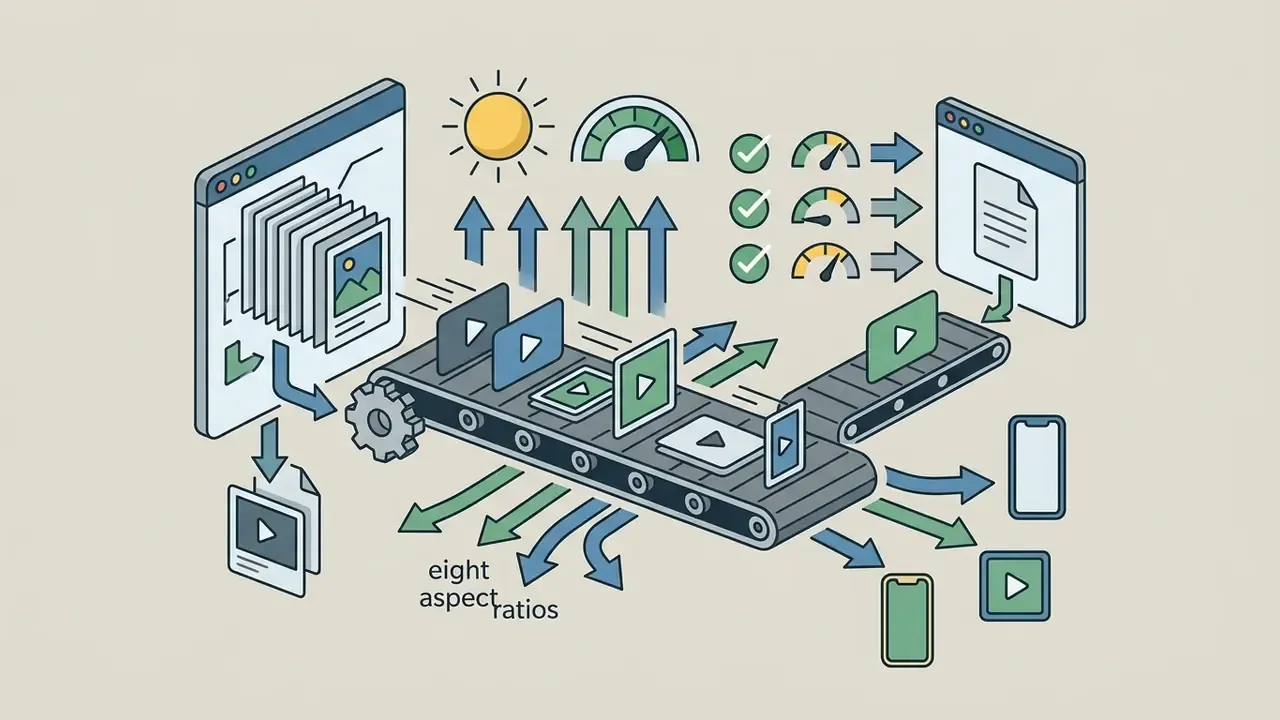
Duration limits on free accounts generally cap each generation between 4 and 10 seconds. Aspect ratio support matters just as much for multi-platform distribution. The leading tools offer native selection for vertical 9:16 (TikTok, Instagram Reels, YouTube Shorts), landscape 16:9 (standard cinematic and YouTube), and square 1:1 for social feeds, with PixVerse extending to eight ratios including 21:9 cinematic widescreen.
Native Audio and SFX Generation
Until recently, image-to-video engines were effectively silent: they produced motion and left sound design to a separate editor. That has changed, and native audio is now a genuine differentiator between platforms.
Three distinct approaches exist:
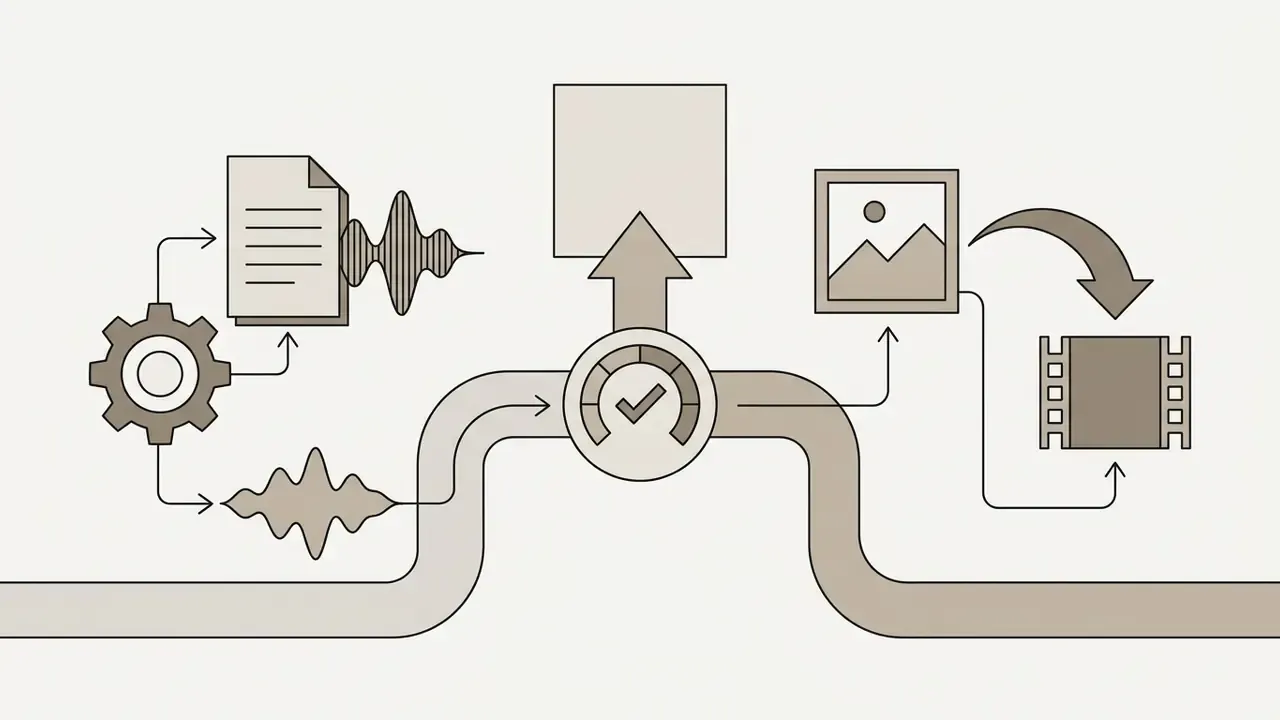
- Model-native audio: Google Veo 3.1 generates synchronized audio in the same inference pass, so ambience and on-screen action share timing information.
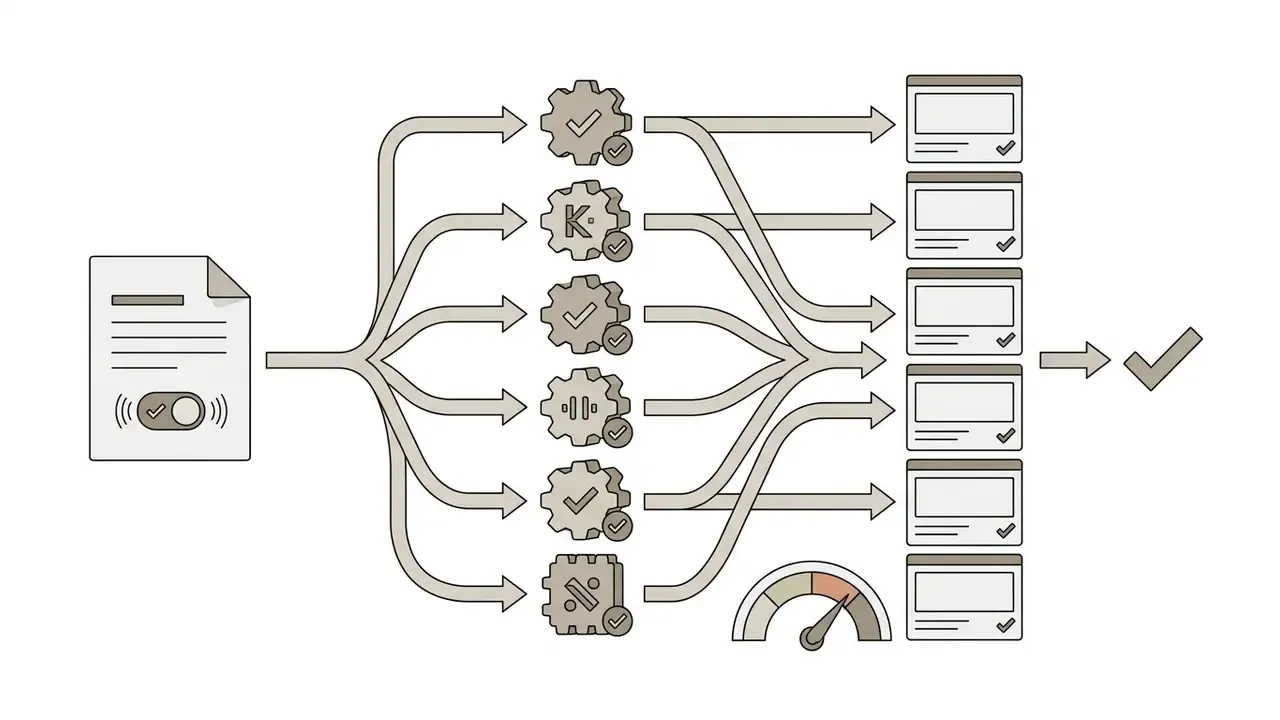
- Toggle-based audio in hubs: Pollo AI exposes a "Generate Audio" switch beside the motion prompt, producing contextual background music plus environmental or mechanical sound effects aligned with the described action. EaseMate AI offers a comparable "Generate Audio" parameter next to quality and duration.
- Post-generation audio layering: VEED, Clipchamp, Adobe Express, and Leonardo.Ai rely on stock music libraries, uploaded tracks, or AI voiceover added on a timeline after rendering. For voice work specifically, see our guide to AI voice generators.
One practical caution for free-tier users. Enabling audio usually increases the credit cost per generation, and audio-capable models are frequently gated behind paid plans or short promotional windows. Budget accordingly: generate silent drafts while iterating, then enable audio only on the final approved shot.
Editing Features and Export Options
Native editing features decide whether a free tool is a generation engine or a complete production workstation. The capabilities worth checking:
VEED's help documentation is explicit that AI image generation and AI video generation both output straight into the editor timeline through an "Add to your timeline" action, which makes it the clearest documented example of a unified generate-and-edit environment. Adobe Express free video editing supports crop, trim, split, soundtrack addition, effects, background-noise removal, and MP4 download. Clipchamp's free plan adds 1080p watermark-free export.
Dedicated generation platforms focus purely on rendering clips from static images, while integrated web editors let you finish post-production without exporting intermediate files. To analyze specialized content automation tools, browse the hub for structured feature comparisons, compare dedicated post-production options in our review of free video editing software, or look at adjacent ai content creation workflows if video is only one part of the brief.
Input Technical Requirements: Formats, File Size, Prompt Length
One of the most common reasons a free generation fails before it even starts is an invalid input file. Adobe Firefly, for instance, returns two blunt errors: "Your media must be smaller than 50 MB" and "Prompt exceeds the max length of 1024 characters." The table below consolidates the documented hard limits across major platforms.
Documented Input Specifications for Image-to-Video Platforms (February 2026)
| Platform | Max File Size | Supported Formats | Resolution Constraints | Max Prompt Length | Start + End Frame |
|---|---|---|---|---|---|
| Adobe Firefly | 50 MB | JPG, PNG (one file at a time) | Output up to 4K | 1024 characters | Yes (first frame + end frame boxes) |
| Pollo AI | ~20 MB | JPG, PNG, WebP | Minimum 300 × 300 px | Model dependent | Model dependent |
| EaseMate AI | 20 MB | JPG, JPEG, PNG, WebP | High-resolution source recommended | Not published | Yes (explicit Start / End Frame slots) |
| PixVerse | 20 MB | JPG, PNG, WebP | Max 10,000 px longest edge | Not published | Partial (model dependent) |
| VEED | ~20 MB | JPG, PNG, WebP | 720p free export ceiling | Short prompt field | No (single frame + timeline stitching) |
| Pika | Not published | JPG, PNG, WebP | Up to 1080p on image-to-video | Not published | Yes (Pika Frames / keyframe mode) |
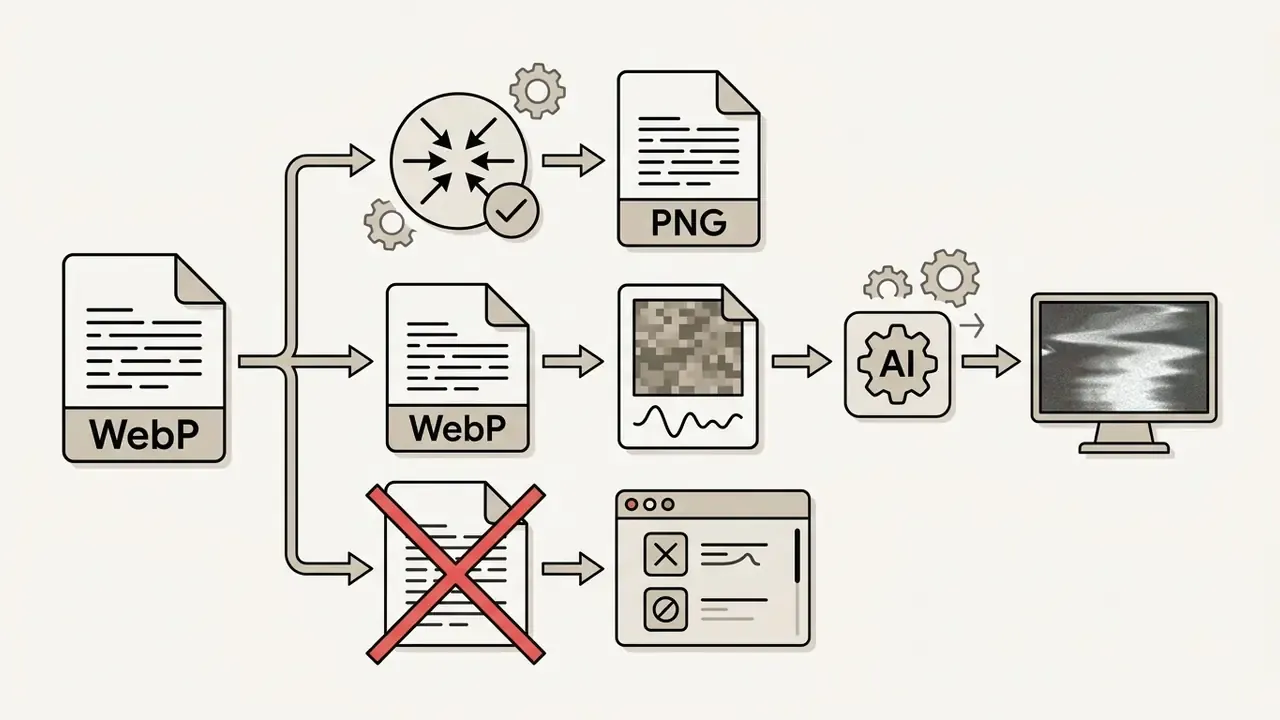
Three practical notes on file preparation. First, WebP is accepted by PixVerse, Pollo AI, EaseMate, and VEED but not by Adobe Firefly, which restricts uploads to JPG and PNG, so convert before uploading and avoid a rejected file plus a wasted session. Second, WebP lossy compression can introduce blocking artifacts in flat gradients such as skies and studio backdrops, which diffusion models then amplify into shimmering motion; when contrast matters, export PNG. Third, API-level pipelines carry their own constraints. Google's Files API, for example, requires media upload through the Files API once total request size exceeds 100 MB.
Best Free Image-to-Video AI Tools Compared
The comparative table below breaks down nine top image-to-video AI platforms by verified free plan attributes, underlying model capabilities, audio support, and operational use case.
Comparative Analysis of Free AI Image-to-Video Tools (2026)
| Platform | Free Credits / Allowance | Watermark Status | Max Free Resolution | Camera & Motion Control | Audio / SFX Support | Aspect Ratios | Optimal Use Case |
|---|---|---|---|---|---|---|---|
| PixVerse | 90 signup credits + 60 daily credits | Yes (Free Tier) | 540p - 720p | Motion strength sliders, motion mode selection | Partial (model dependent; contextual ambience on audio-enabled models) | 16:9, 9:16, 1:1, 4:3, 3:4, 2:3, 3:2, 21:9 | Fast social media clips, TikToks, YouTube Shorts |
| Runway | 125 non-renewing starter credits | Yes (Free Tier) | 720p | Multi-axis directional camera controls (Pan, Tilt, Zoom, Roll) | No native SFX on free image-to-video | 16:9, 9:16 | Cinematic testing, accurate camera path planning |
| Pika | Daily basic allowance (varies by campaign) | Varies (Capped on free) | 720p - 1080p | Pika motion controls, keyframes, expand canvas, modify region | Limited (sound effects on selected models) | 16:9, 9:16, 1:1 | Stylized social clips, dynamic animation effects |
| Leonardo.Ai | 150 daily recurring tokens (shared across tools) | No (Direct download) | 720p equivalent | Motion strength controls, base image seed options | No (add audio in external editor) | 16:9, 9:16, 1:1 | Concept art animation, fantasy & game design stills |
| Adobe Firefly | Daily generative credits with free Adobe ID | No visible watermark (Metadata tagged) | 720p - 1080p (up to 4K on paid) | Camera angle/shot distance presets, motion reference uploads, start + end frame | Partner models with audio; Firefly video model focuses on visuals | 16:9, 9:16, 1:1 | Commercially safe assets, brand-compliant creative workflows |
| Pollo AI | Daily trial credits | Yes (free tier) | 720p | Multi-model router with per-model motion settings | Yes - "Generate Audio" toggle for background music and SFX | 16:9, 9:16 | Multi-model generation testing from a single prompt |
| EaseMate AI | Signup credits + app bonus credits, daily check-in top-ups | Claims watermark-free download | Vendor claims up to 4K (see fact-check note) | Start Frame + End Frame slots, quality/duration selectors, preset prompts | Yes - Generate Audio parameter in generation panel | 16:9, 9:16, 1:1, 4:3, 3:4 | Keyframe transitions, education and e-commerce animation |
| VEED | Unlimited editing, credit-capped AI generation | Yes (VEED watermark) | 720p | Timeline-based transition & motion controls | Library music, auto-captions, voice tools (post-generation) | 16:9, 9:16, 1:1, 4:5 | All-in-one social video editing, subtitle integration |
| Renderforest | Basic free account tier | Yes | 720p | Template-driven motion presets | Stock music library | 16:9, 9:16 | Marketing explainer videos, slideshow animations |
For a wider cross-category view, readers can also compare free AI video generators across duration limits, credit systems, and export policy, or study AI video generators as a category before narrowing down.
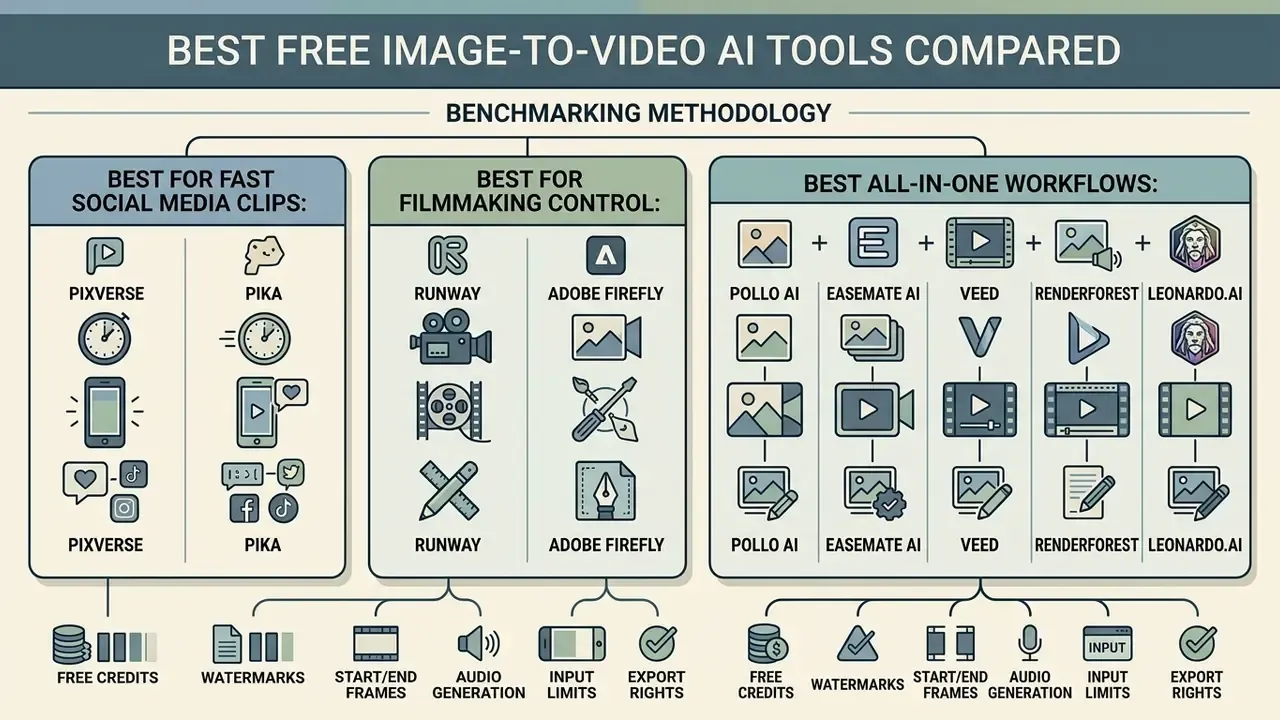
Benchmarking Methodology
Best for Filmmaking Control: Runway and Adobe Firefly
For filmmakers and video producers who need precise shot framing, two platforms lead:
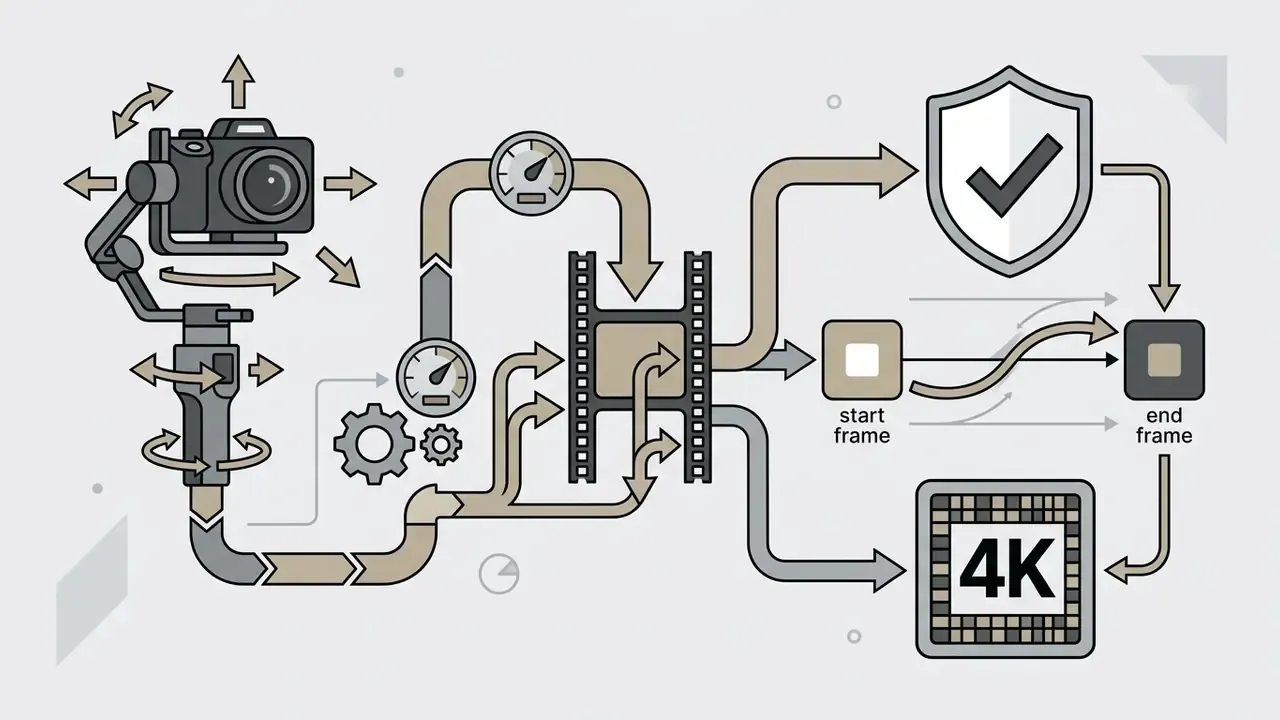
- Runway dedicated multi-axis controls, letting you specify horizontal pan, vertical tilt, zoom speed, and camera roll intensity, plus a Static Camera option that locks the frame so only the subject moves.
- Adobe Firefly built around commercial safety. Trained on licensed Adobe Stock assets and public-domain content, Firefly lets creators upload motion reference clips to guide camera paths, choose shot styles (wide, close-up, extreme close-up), pick resolution up to 4K, and set both a first frame and an end frame, which keeps generated outputs clear of copyright infringement risk.
«A geometric consistency study of Sora found that it generates on average 5,441 reconstructed 3D points versus substantially fewer for Gen-2, with lower RMSE errors.»
That gap matters for filmmaking. Higher geometric consistency means parallax, occlusion, and perspective behave believably during a dolly or orbit move, which is exactly where weaker models produce rubber-sheet warping. Creators interested in broader media trends can follow ai art tools news to stay current on model safety updates and licensing changes.
Best All-in-One Workflows: Pollo AI, EaseMate AI, VEED, Renderforest, and Leonardo.Ai
All-in-one platforms fold video generation into broader design ecosystems, and the strongest of them now behave as multi-model routers rather than single-engine tools.
- Pollo AI acts as a router granting credit-based access to Seedance 2.5, Kling 3.0, Wan 3.0, MiniMax H3 Max, and Veo 3.1 inside one credit ecosystem, alongside a "Generate Audio" toggle that produces contextual background music and environmental sound effects matched to the prompt action. Its documented input floor is 300 × 300 px in JPG or PNG.
- EaseMate AI exposes a comparable model shelf (Veo 3, Hailuo, Kling, Seedance, PixVerse, Gemini Omni) with explicit Start Frame and End Frame upload slots, preset prompt libraries, prompt enhancement, quality and duration selectors, and an audio generation switch.
- VEED combines AI video animation with full multi-track timeline editing, so you can trim clips, insert text overlays, generate auto-captions, and attach background audio in a single browser window. Generated assets drop straight onto the timeline.
- Leonardo.Ai connects photo generation directly to video synthesis, letting users create a still from a text prompt and animate it without leaving the workspace, which helps when the source asset comes from one of the best free AI image generators.
- Renderforest leans on template-driven motion presets, which suits slideshow-style marketing explainers better than free-form cinematic motion.
A related side note for teams standardizing on conversational tooling: the same due-diligence logic used here applies to ai chat apps and to ai chats that advertise unrestricted output. Read the retention terms first, not the landing page.
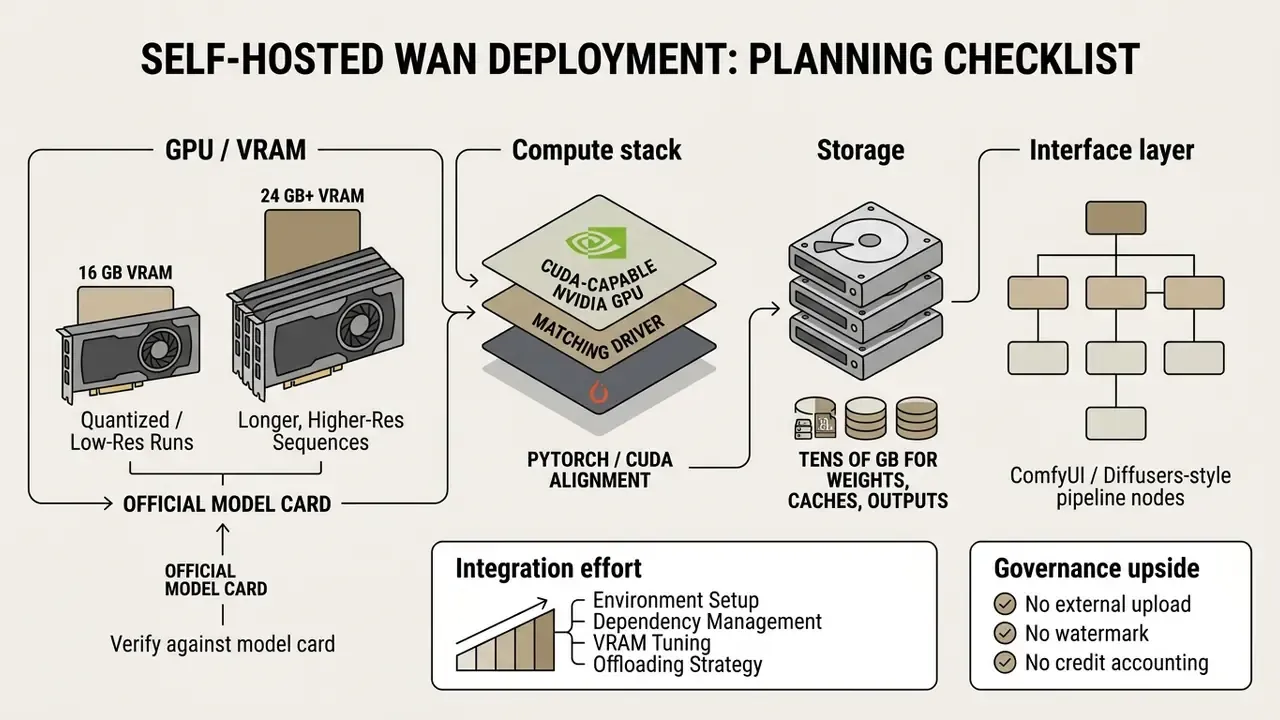
Self-Hosted Open-Weights: Wan Series Hardware Requirements
For IT leads and AI architects who need generation without credit caps, watermarks, or third-party data exposure, self-hosting an open-weights model is the only route that fully removes vendor limits. The Wan series (Wan 2.2 / Wan 3.0 open-weights) is the most frequently cited option.
How to Turn an Image into a Video with AI for Free
Turning a static picture into a dynamic AI video follows a simple workflow, with one important branch at the very first step: whether you supply one frame or two.
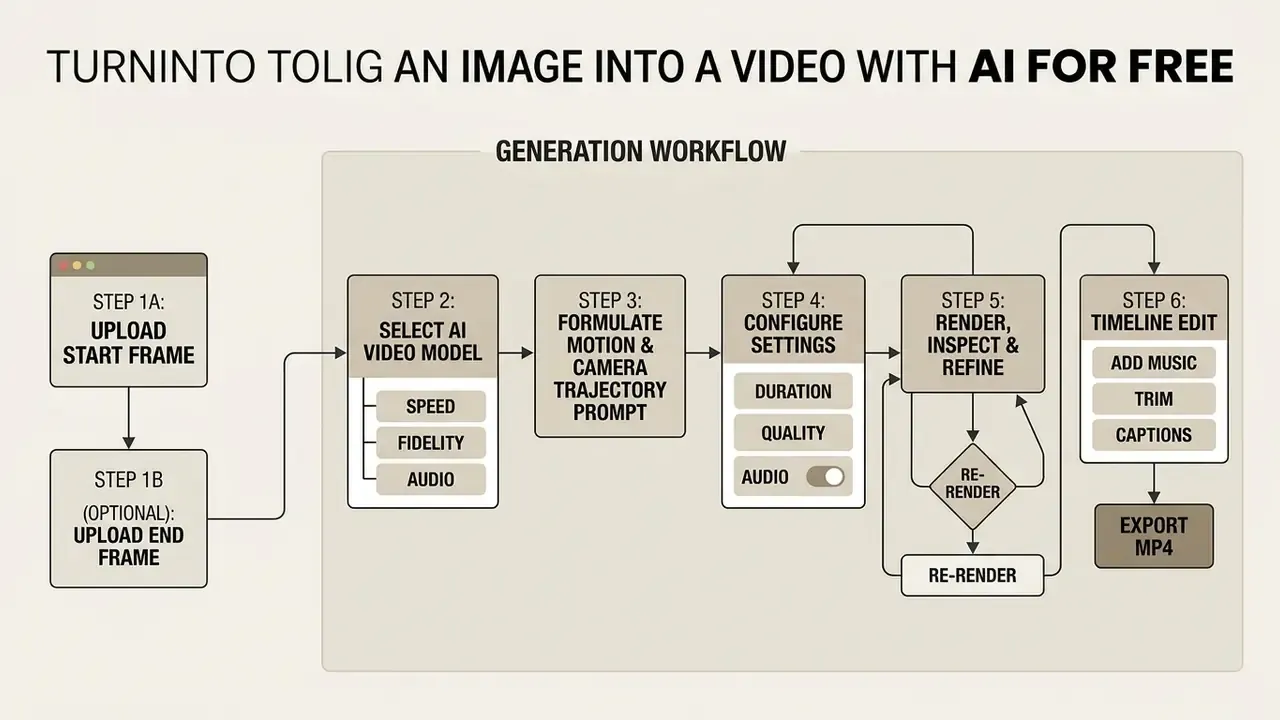
Single Frame vs. Two-Frame (Start / End) Generation
Most tutorials assume one input image. In practice, 2026 interfaces offer two distinct generation modes, and choosing correctly is the single biggest lever on output predictability.
Single-frame mode (Start Frame only). The model treats your image as the opening frame and extrapolates forward from the prompt. This maximizes creative freedom and is the right call for ambience, subtle portrait motion, and product orbits. The trade-off: the ending state is unpredictable.
Two-frame mode (Start Frame + End Frame). You upload both the opening and closing images, and the model generates the intermediate frames that connect them, which is generative keyframe interpolation. Adobe Firefly implements this literally: "Optional: To indicate the last frame of your video scene, upload an end frame image under the second Frame box." EaseMate AI exposes parallel "Start Frame" and "End Frame" drop zones accepting JPG, JPEG, PNG, and WebP up to 20 MB, and Pika's keyframe mode serves the same purpose.
Use two-frame mode when you need:
- A controlled transition between two product angles or two brand states (before and after, closed and open, empty and full).
- A morph between two character poses without losing identity.
- A precise hand-off between two shots you intend to stitch on a timeline.
Practical tips for keyframe mode: keep lighting, focal length, and colour grading consistent across the two frames, because mismatched exposure causes a visible flash mid-clip; keep both images at the same aspect ratio and resolution; and avoid pairs that demand impossible physical change. Ask a model to interpolate across a complete scene swap and you get the melting-morph artifacts users often mistake for a bug.
Upload an Image and Choose an AI Video Model
Start with a high-quality source image. PNG or JPG files under the platform's size cap (20 MB for most hubs, 50 MB for Adobe Firefly) with a clear focal subject give the best results, and WebP is accepted by PixVerse, Pollo AI, EaseMate, and VEED. Upload the file into your chosen platform, whether that is PixVerse, Runway, Adobe Firefly, or a multi-model hub like Pollo AI. Then pick the generation model using four selection rules:
Upload an Image and Choose an AI Video Model
Does it accept image conditioning at all?
API-level routers require explicit image-to-video support. OpenRouter's reference-to-video guide, for instance, needs public HTTPS image URLs plus a model that supports reference-to-video.
Do you need audio?
If yes, route to an audio-capable model such as Veo 3.1, or enable the hub's audio toggle.
Speed or fidelity?
Turbo and Fast tiers cost fewer credits and suit prompt iteration; cinematic tiers are for final renders.
Do you need commercial safety?
Firefly's licensed training corpus is the conservative default for client deliverables.
Write a Text Prompt for Motion and Camera Movement
An effective motion prompt separates subject movement from camera movement. Use this structure:
Runway's official image-to-video guidance recommends an almost identical pattern, "[Camera] shot of [a subject/object] [action] in [environment]", and advises general terms for characters and objects so the model isolates motion rather than re-inventing the subject. Runway's Gen-4 guide adds two rules: use simple, positive phrasing, describing what should happen rather than what to avoid, and build iteratively from a foundational prompt.
- Example prompt:
"Slow cinematic push-in shot of a product bottle sitting on a stone pedestal, water splashing gently in the background, soft ambient studio lighting."
Avoid compound prompts describing multiple sequential actions, for example "subject walks, then sits down, then looks up," because diffusion models often scramble multi-part instructions. Research pipelines solve this differently. The 2025 paper Motion Prompting: Controlling Video Generation with Motion Trajectories replaces ambiguous text with explicit point tracks, and MotionCtrl splits camera motion from object motion into separate control layers. On consumer free tiers, though, decomposition into one action per clip remains the reliable workaround.
Copy-Paste Motion Prompts by Category
Four tested templates you can paste straight into the prompt field and adapt by swapping the bracketed variables:
1. Product showcase
360-degree slow orbit around [product] on a matte pedestal, studio softbox
lighting, shallow depth of field, fine dust particles drifting in the
background, no camera shake.
2. Portrait / avatar
Subtle eye blink and gentle breathing, soft hair movement in a light breeze,

slow push-in, cinematic depth of field, warm key light from the left.
3. Landscape / establishing shot
Slow aerial drift forward over [landscape], low clouds moving across the

frame, sunlight shifting gradually across the terrain, stable horizon line.
4. Abstract / FX
Slow macro pull-back from [texture or surface], ink diffusing through water,

volumetric light rays, particles rising slowly, smooth continuous motion.
For each template, generate a silent 540p draft first, confirm the motion reads correctly, and only then re-render at full quality with audio enabled.
Generate, Fine-Tune, Edit, and Export the Video
Click Generate to start the render. When it finishes, inspect the clip for temporal glitches, unnatural morphing, or camera jitter. If the motion looks chaotic, lower the motion strength parameter and re-render. Once you are satisfied, pass the clip into a timeline editor such as VEED or Clipchamp to add background music, crop frames if needed, and export the final MP4. Creators publishing long-form content can follow the finishing stage in our YouTube video editor workflow guide.
Professional delivery practice applies here too. Set explicit in and out points before export, encode once at the end of the pipeline instead of re-encoding intermediate files, match the project frame rate to the source, and check the exported file in a separate player before publishing. University of California ANR publishing guidance recommends MP4 with H.264 video and AAC-LC audio as the safe final container for web distribution, while Blackmagic's DaVinci Resolve manual and Adobe's export documentation describe the same range-then-render sequence on the Deliver page and render queue respectively.
How to Get Better Image-to-Video AI Results on a Free Plan
To raise visual quality and stop wasting limited free credits on failed attempts, apply deliberate image preparation and prompting technique.
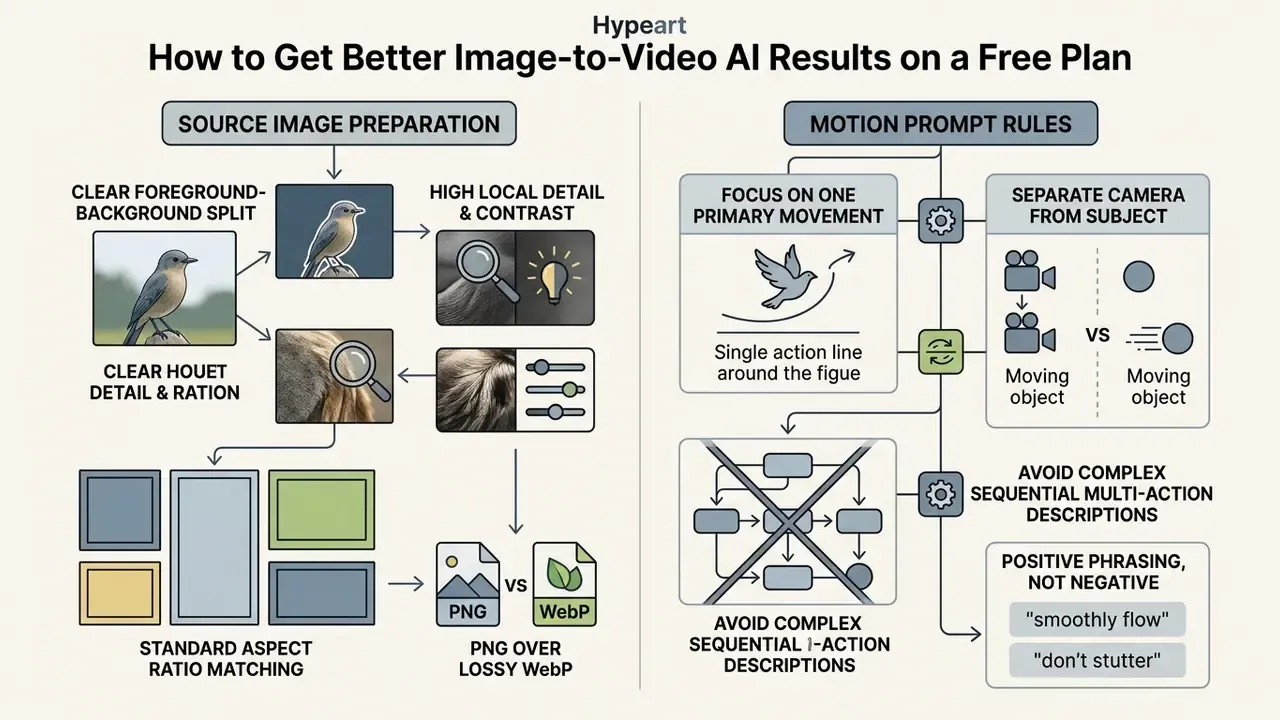
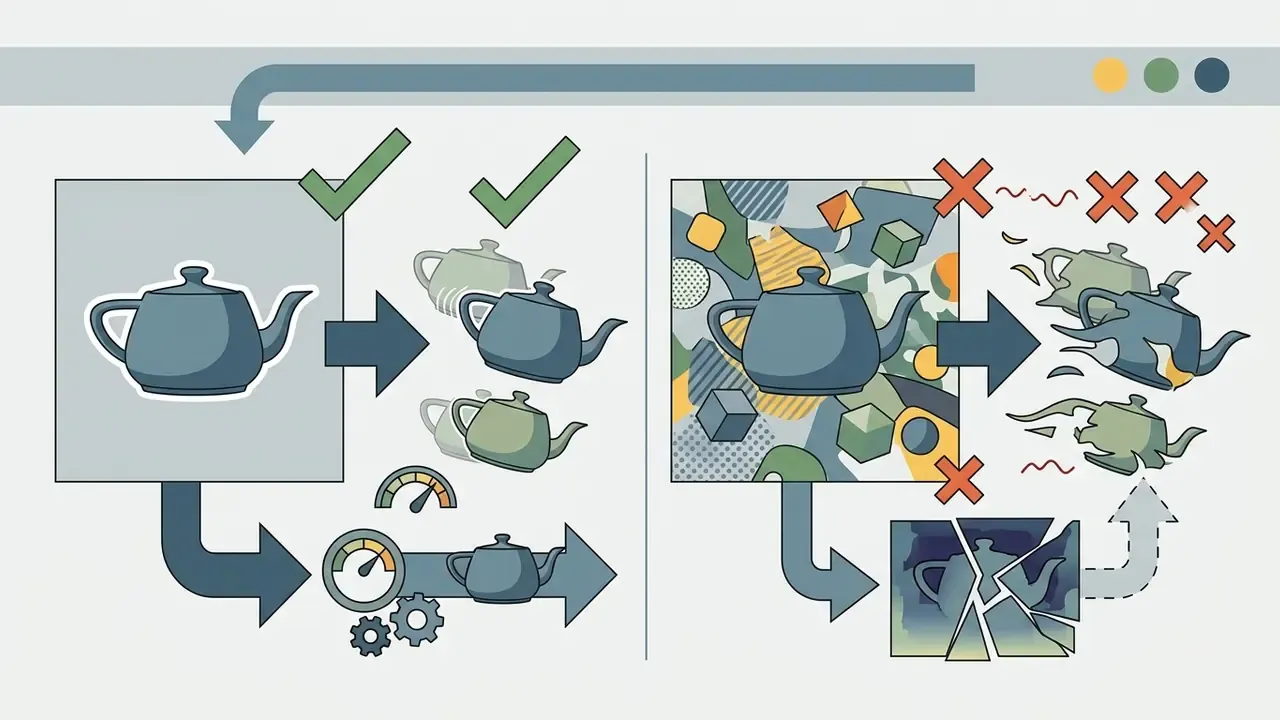
Prepare Product Photos, Portraits, and Generated Images
The structural quality of the source image dictates animation stability. NIST's 2026 draft Standard Guide for Image Authentication lists sharpness, depth of field, compression artifacts, noise, and compositing marks as the core image-content factors worth inspecting, while W3C WCAG 2.2 quantifies minimum contrast thresholds, 3:1 for graphical objects and 4.5:1 for text. That threshold is a handy proxy for whether a model can separate subject from background at all.
«AIGCBench evaluates image-to-video models across 11 metrics in four dimensions: control-signal alignment, motion effects, temporal consistency, and video quality.»
Describe One Clear Action Instead of Multiple Movements
Generative video models struggle with complex multi-step narratives inside a single short clip. SUSE's 2026 prompting guidance states that ambiguous prompts and missing context drive hallucinations, and recommends decomposing complex requests into manageable pieces. Google's 2025 prompt engineering guide makes the same argument for simplicity and explicit intent.
«T2V-CompBench found that models systematically fail at dynamic attribute binding, complex spatial relationships, and generative object counting.»
❌ Poor Prompt (Multi-Action):
"The woman smiles, turns around, walks to the window, and opens the blinds."
Notice: Combines four distinct physical actions, causing temporal morphing glitches.
---
✅ Optimized Prompt (Single Clear Action):
"Slow medium shot of a woman turning her head toward the camera with a gentle smile."
Notice: Isolates one clear movement, maximizing optical flow stability and adherence.
When you genuinely need a multi-beat sequence, the credit-efficient method is to render each beat as its own 5-second clip, optionally using Start and End frame mode to guarantee the hand-off, then stitch them on a timeline. Asking one generation to carry the whole narrative rarely survives review.
Match Aspect Ratio and Duration to the Publishing Channel
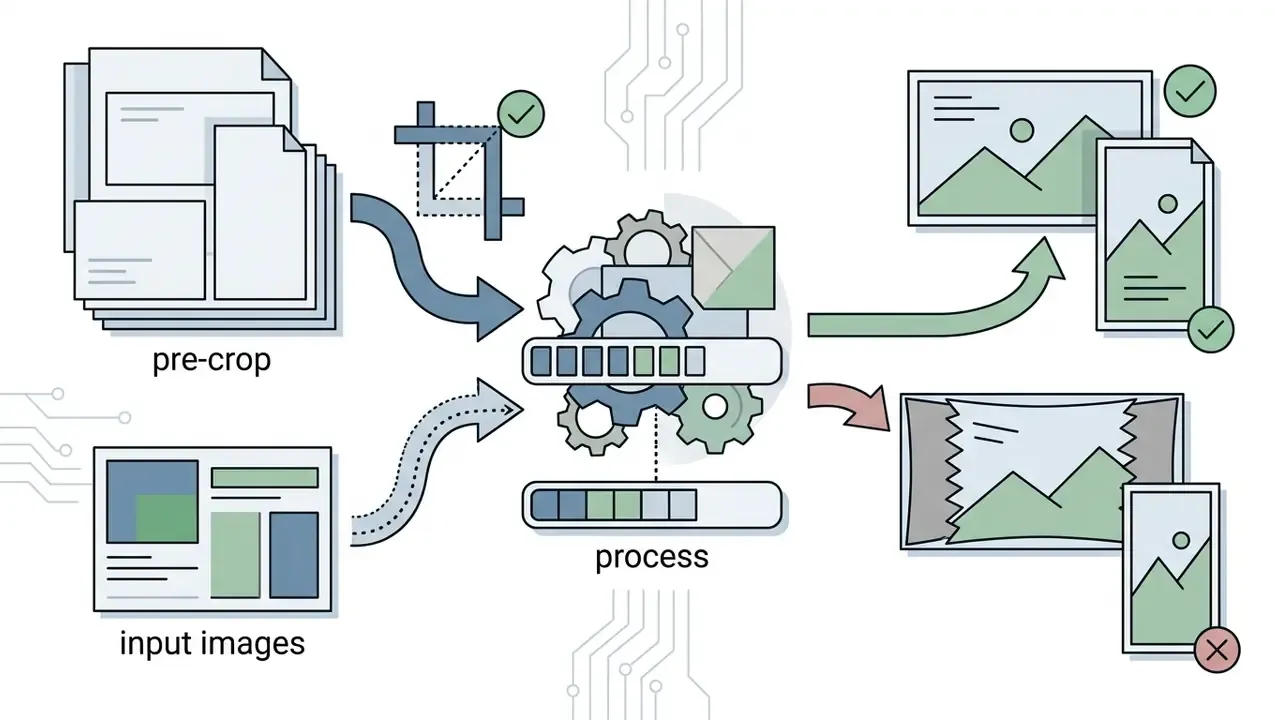
Configuring aspect ratio before rendering prevents forced cropping that wrecks shot composition:
- YouTube long-form set
16:9. YouTube Help specifies 16:9 as standard playback and advises keeping the native aspect ratio without letterboxing or pillarboxing. Clip durations of 4 to 8 seconds drop cleanly into long-form editing timelines. - YouTube Shorts, Instagram Reels, and TikTok set vertical
9:16. Shorts accepts vertical or square uploads up to 3 minutes, changed from 60 seconds after 15 October 2024; Instagram Reels runs around 3 minutes; TikTok permits up to 10 minutes recorded in-app and up to 60 minutes uploaded. Keep these clips punchy, with high-dynamics movement. - LinkedIn and social feeds use
1:1,4:5,9:16, or16:9depending on placement. LinkedIn selects by placement rather than one universal setting, and taller ratios occupy more mobile screen space during feed scrolling.
To explore additional creative asset production strategies, browse the hub for supporting tools and resources, or review our guide to animation makers when template-driven motion suits the brief better than generative video.
Niche Use Cases: From E-Commerce to STEM Education
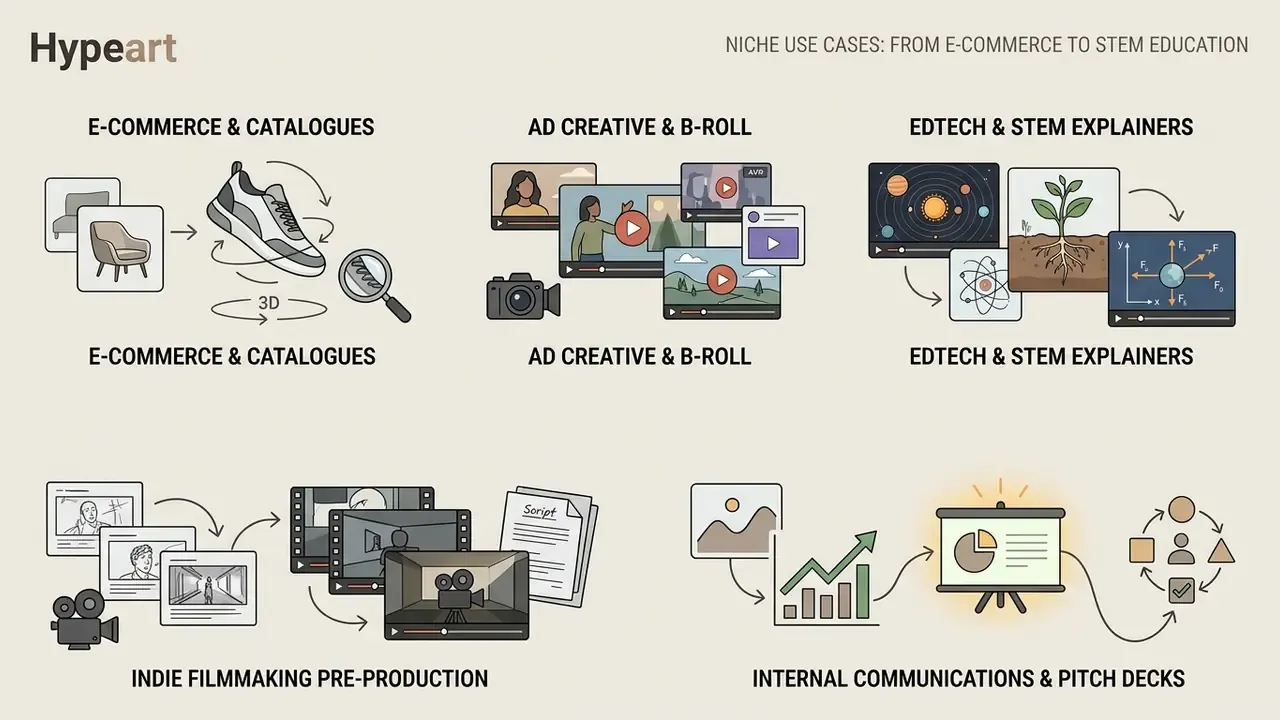
Most image-to-video coverage stops at TikTok and Shorts. The higher-value applications in 2026 sit outside social feeds, where a still asset already exists and motion is the missing layer.
E-commerce and catalogue animation. Flat product photography can become virtual try-on clips, runway-style walks, and cinematic commercials without a crew or a studio booking. One common pattern: take the existing packshot as the Start Frame, apply an orbit or push-in prompt, then re-render the same product against alternative environments such as a sunlit interior, a city street, or a retail shelf, to A/B test creative without new photography. For marketplaces that need consistent branding across dozens of SKUs, Start and End frame mode keeps the product angle deterministic.
Ad creative and B-roll for paid media. Firefly positions image-to-video explicitly as a B-roll and insert generator: stills become cutaways, transitions, and coverage that blend into existing footage on the timeline. For performance marketers, that converts an image library into dozens of testable hook variants.
EdTech and STEM explainers. Static diagrams are the weakest point of most digital courseware. Image-to-video makes it feasible to animate processes that are hard to observe or film: cellular mitosis, planetary orbits, fluid dynamics, the four-stroke cycle of an internal combustion engine, historical photographs restored to gentle motion, or grammar and process diagrams given directional emphasis. The pedagogical argument is simple. Motion encodes sequence and causality that a static image cannot.
Indie filmmaking and pre-production. Instead of storyboards or animatics, directors can animate concept frames into moving B-roll and teaser clips, testing shot rhythm before committing production budget.
Internal communications and pitch decks. Mood boards, architectural renders, and data visualizations become short motion assets that hold attention in presentations, with no motion-design contractor required.
FAQ About Free AI Image-to-Video Generators
How Long Does It Take to Generate an AI Video from an Image?
Free-tier rendering speed depends heavily on server queue traffic. Under standard conditions, a 5-second clip takes between 2 and 5 minutes. During peak hours, free tasks sit behind paid subscription traffic, which produces queue waits of 10 to 20+ minutes on platforms like Runway, Pika, or Sora. Vendor help documentation for some hosted generators states plainly that free users can wait 5 to 20+ minutes at peak while paid subscribers skip the queue entirely. Published figures vary widely, because some vendors report pure render time of 40 to 90 seconds and others report queue wait plus render, so treat cross-platform speed claims as non-comparable.
Can You Use Multiple Images to Create a Continuous Video?
Yes. There are three working techniques:
- Keyframe interpolation (Start + End Frame): advanced tools accept a starting frame and an ending frame, generating smooth intermediate frames to transition between them. TC-Bench (2024) extends temporal evaluation specifically to image-conditional models capable of generative interpolation between defined opening and closing scene states.
- Multi-reference generation: hubs and models such as Pika's keyframe mode and Google Flow's Ingredients-to-Video accept several reference images to hold subject or style consistency across a longer sequence.
- Timeline sequential stitching: generate individual 5-second clips from distinct images and sequence them end-to-end in an editor such as VEED or Clipchamp to build a longer narrative.
Can I Generate Videos with Sound on a Free Plan?
Sometimes, but audio is the most heavily gated feature on free tiers. Three scenarios apply:
- Native model audio: Veo 3.1 generates synchronized audio in the same pass, though free access is usually limited to the lowest-quality mode, and audio-enabled generations consume more credits per render.
- Hub audio toggles: Pollo AI and EaseMate AI expose a "Generate Audio" switch in the generation panel. With trial credits you can test it, but per-render cost rises and daily volume drops accordingly.
- Post-generation audio: the reliable free path is to generate silent video, then add music, SFX, or AI voiceover on a timeline in VEED, Clipchamp, or Adobe Express, all of which support audio on their free plans, with Clipchamp additionally allowing watermark-free 1080p export. Practical guidance: treat native audio as a final-render feature, not an iteration feature.
Are Uploaded Images and Generated Videos Private?
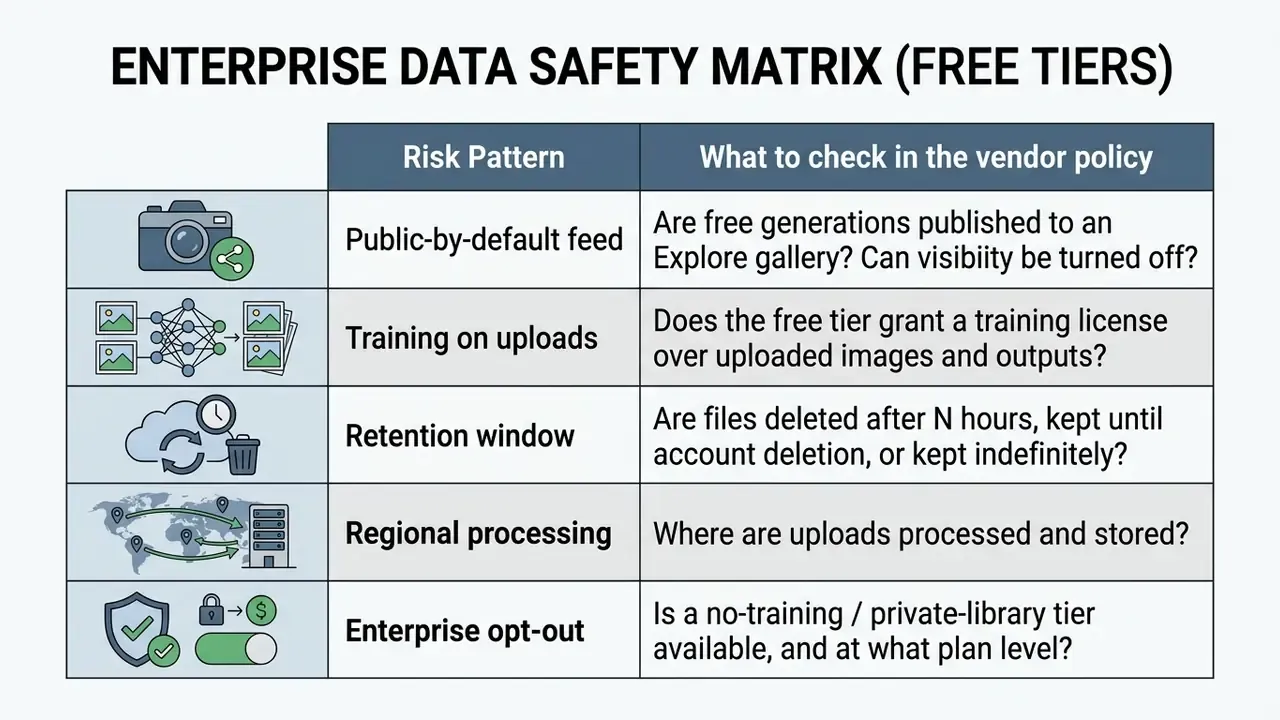
On most free AI generation plans, uploaded images and generated video outputs are not private by default. Many free tiers publish user generations to public community feeds, or retain rights to use submitted media for training future foundation models. Platforms like ZSky AI automatically publish free-plan creations to public Explore galleries and community feeds, with private libraries reserved for paid plans; BetterSpace.ai similarly shows free-plan videos in a public feed. Other services take a retention-limited approach instead: AskAI.free deletes anonymous and free-account uploads and outputs after 24 hours, while Pose AI stores uploads and outputs until the user deletes them or retention rules apply.
«GenVidBench, the largest AI-video detection dataset at 6.78M clips, reports the DeMamba detector reaching 85.47% Top-1 accuracy, implying high algorithmic detectability of synthetic content.» — GenVidBench (2024), Safety, Trustworthiness, and Detection of AI-Generated Videos. In other words, assume that synthetic media you publish can be identified as synthetic, and that anything uploaded to a free public generator may be visible, retained, or used for training. Teams verifying provenance on inbound assets can review our comparison of AI image detectors and AI reverse-image-search tools. Shadow AI audit checklist (for risk, security, and compliance owners):
- Inventory which generative video domains appear in outbound network logs and browser telemetry.
- Classify each tool against the five risk patterns above, and record the policy URL plus review date.
- Prohibit upload of unreleased product imagery, customer photography, biometric or identity data, and confidential documents to free public generators.
- Define an approved-tool list with at least one commercially safe hosted option, such as a licensed-training model, and one self-hosted open-weights option for sensitive material.
- Mandate output labeling consistent with EU AI Act transparency obligations and US Copyright Office disclosure requirements.
- Re-verify quotas, retention terms, and licensing language quarterly, because free-tier terms change often. Organizations handling confidential corporate assets, unreleased product images, or personal identity data should avoid free public generators altogether, or move to enterprise tiers that contractually guarantee data privacy.
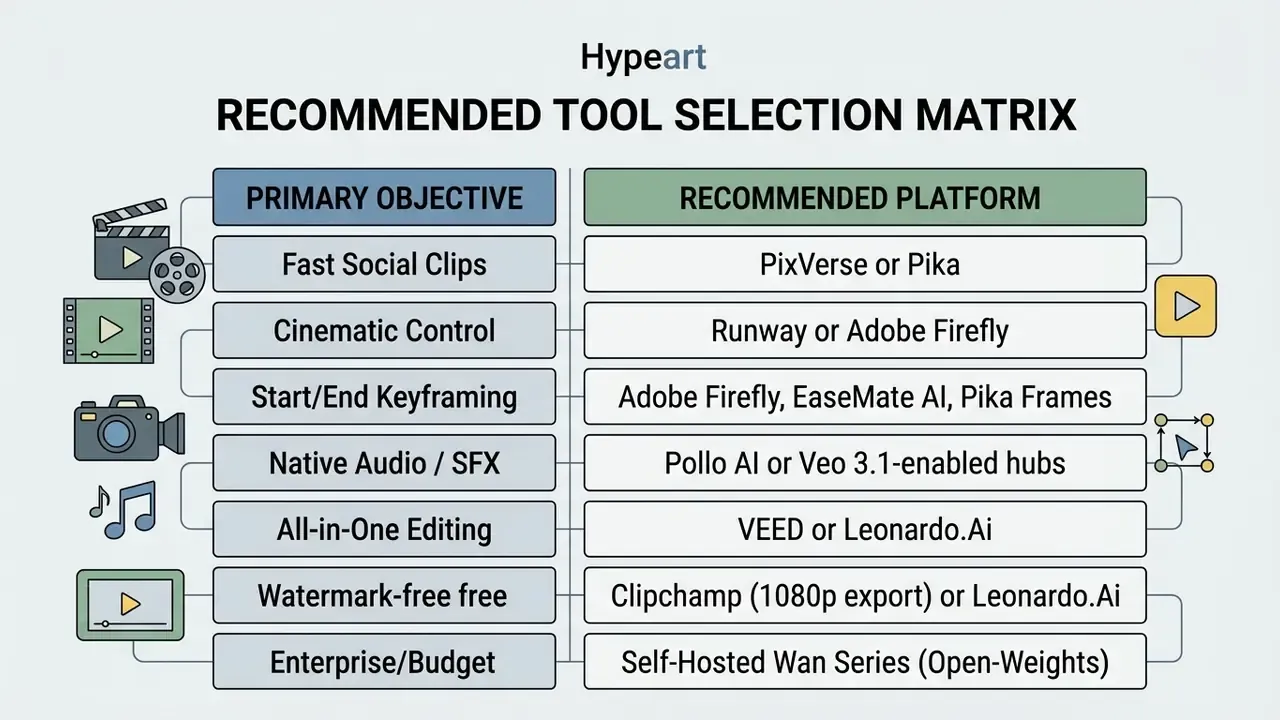
Final Recommendation: Which Free AI Image-to-Video Tool Should You Choose?
The optimal free image-to-video AI generator depends on your production objective:
«T2VSafetyBench defined 12 safety aspects of video generation: no single model dominates across all of them, and there is a direct trade-off between usability and safety.»
Appendix: Source Notes and Research Context
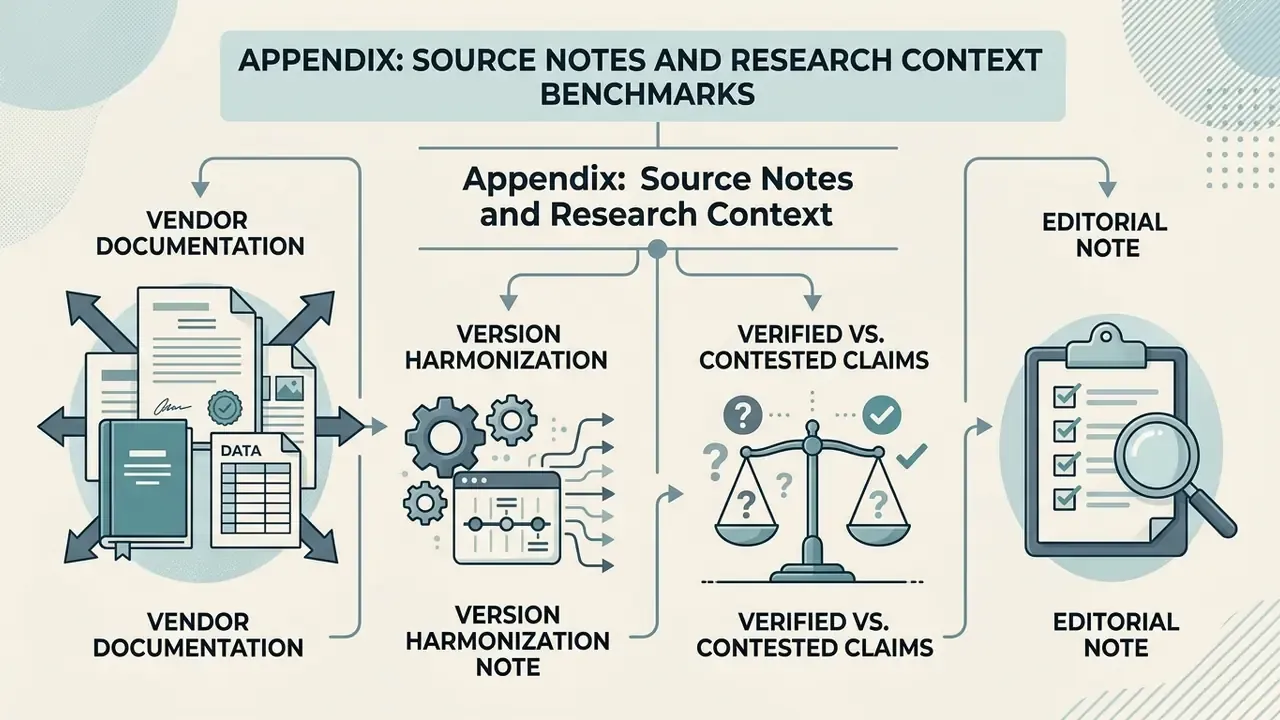
Benchmarks referenced in this guide. AIGCBench (2024), 11 metrics across control-video alignment, motion effects, temporal consistency, and video quality, https://www.sciencedirect.com/science/article/pii/S2772485924000048. EvalCrafter (CVPR 2024), 17 objective metrics across four dimensions, https://openaccess.thecvf.com/content/CVPR2024/html/Liu_EvalCrafter_Benchmarking_and_Evaluating_Large_Video_Generation_Models_CVPR_2024_paper.html. VBench (CVPR 2024), 16 evaluation dimensions including motion smoothness and subject identity inconsistency, https://openaccess.thecvf.com/content/CVPR2024/html/Huang_VBench_Comprehensive_Benchmark_Suite_for_Video_Generative_Models_CVPR_2024_paper.html. DEVIL (2024), T2VBench (CVPR 2024 Workshop), TC-Bench (2024), T2V-CompBench (2024), T2VWorldBench (2024–2025), T2VSafetyBench (2024), GenVidBench (2024), UI2V-Bench (2025), and the Face Consistency Benchmark for GenAI Video (arXiv, 2025) are cited from the consolidated evidence review Evidence-Based Comparison of Free Image-to-Video AI Tools and Benchmarks (2024–2026).
Vendor documentation. Runway Help Center credit documentation (2025–2026), https://help.runwayml.com/hc/en-us/articles/15124877443219-How-do-credits-work; Google Labs Flow (2026), https://labs.google/fx/tools/flow; Google Veo API documentation (2026), https://ai.google.dev/gemini-api/docs/veo and https://docs.cloud.google.com/vertex-ai/generative-ai/docs/models/veo/3-1-generate; PixVerse Platform Docs (2026), https://docs.platform.pixverse.ai/; Pika developer documentation (2026), https://dev.pika.art/; Adobe Firefly product and export documentation (2026); W3C WCAG 2.2 Techniques G207 and Understanding SC 1.4.3 (2026), https://www.w3.org/WAI/WCAG22/Techniques/general/G207 and https://www.w3.org/WAI/WCAG22/Understanding/contrast-minimum; NIST draft Standard Guide for Image Authentication (2026), https://www.nist.gov/document/osac-2021-s-0036standard-guide-image-authenticationdraft-osac-proposed.
Version harmonization note. Model naming across vendor marketing and third-party comparisons is inconsistent, because release cadence is fast. Where this guide writes "Wan Series (Wan 2.2 / Wan 3.0 open-weights)" or "Veo 3 / Veo 3.1," both labels appear in current public sources. Treat the series name as stable and the point version as subject to change. Hardware figures for self-hosted deployment are community-reported and require verification against the official model card.
Verified vs. contested claims. Supported: Runway's 125 non-renewing starter credits; Adobe Firefly's 1024-character prompt limit and 50 MB media cap; EU AI Act transparency obligations applicable from 2 August 2026. Contested: vendor claims of unlimited, watermark-free 4K export on a fully free cloud plan. Such output generally requires a paid plan or premium credits, and independently documented free tiers cluster at 480p to 720p, with the self-hosted open-weights route as the only unconditional exception.
Editorial note. This guide is maintained by the editorial research team and reviewed for credit mechanics, licensing terms, and benchmark accuracy. Commentary attributed to Marcus Hale, author. Figures verified February 2026. Re-verify quotas before budget decisions.